1
2
• What is a variable?
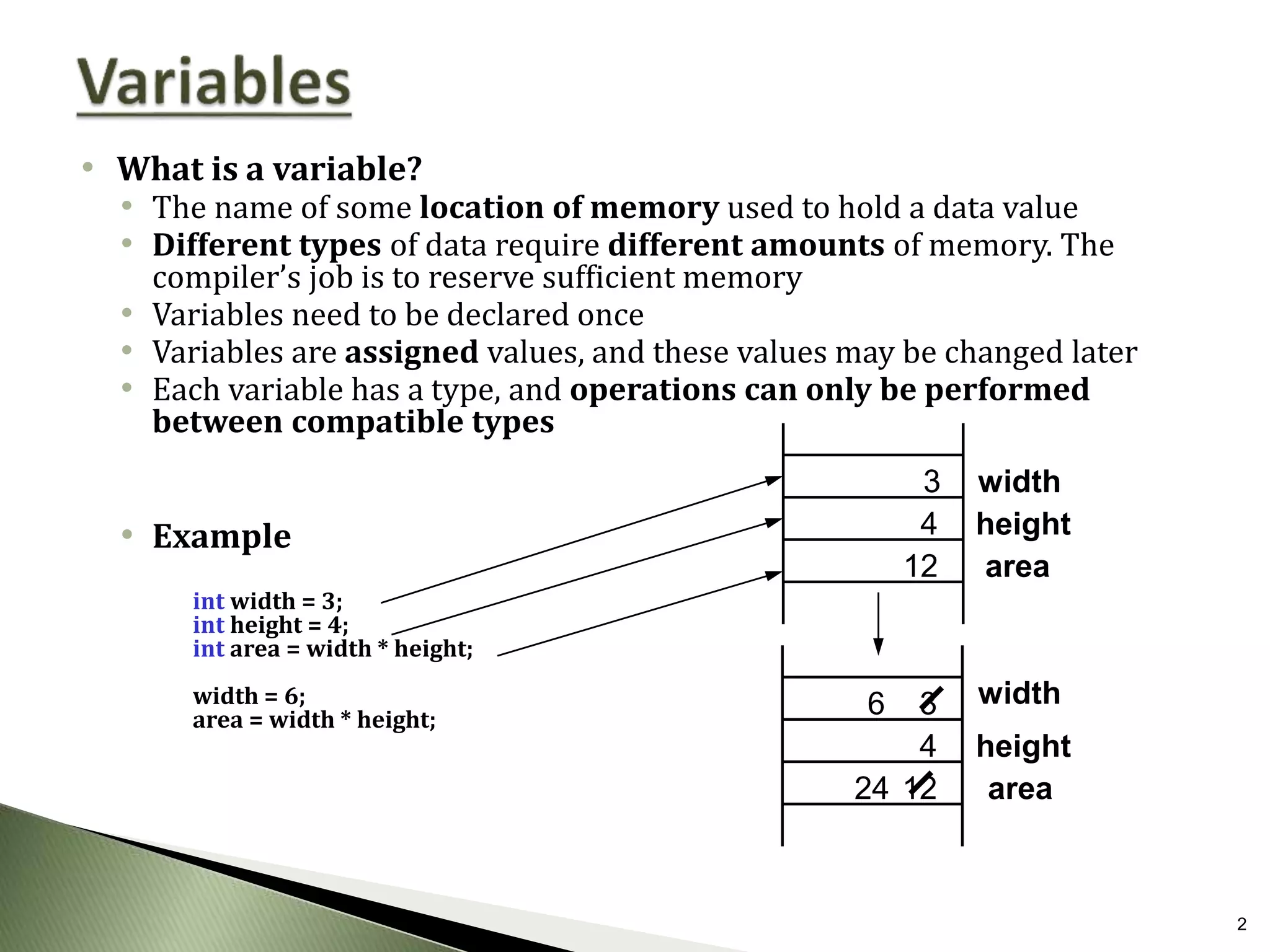
• The name of some location of memory used to hold a data value
• Different types of data require different amounts of memory. The
compiler’s job is to reserve sufficient memory
• Variables need to be declared once
• Variables are assigned values, and these values may be changed later
• Each variable has a type, and operations can only be performed
between compatible types
• Example
int width = 3;
int height = 4;
int area = width * height;
width = 6;
area = width * height;
4
3
height
area
width
3
4
12
24
6
12
width
height
area
3
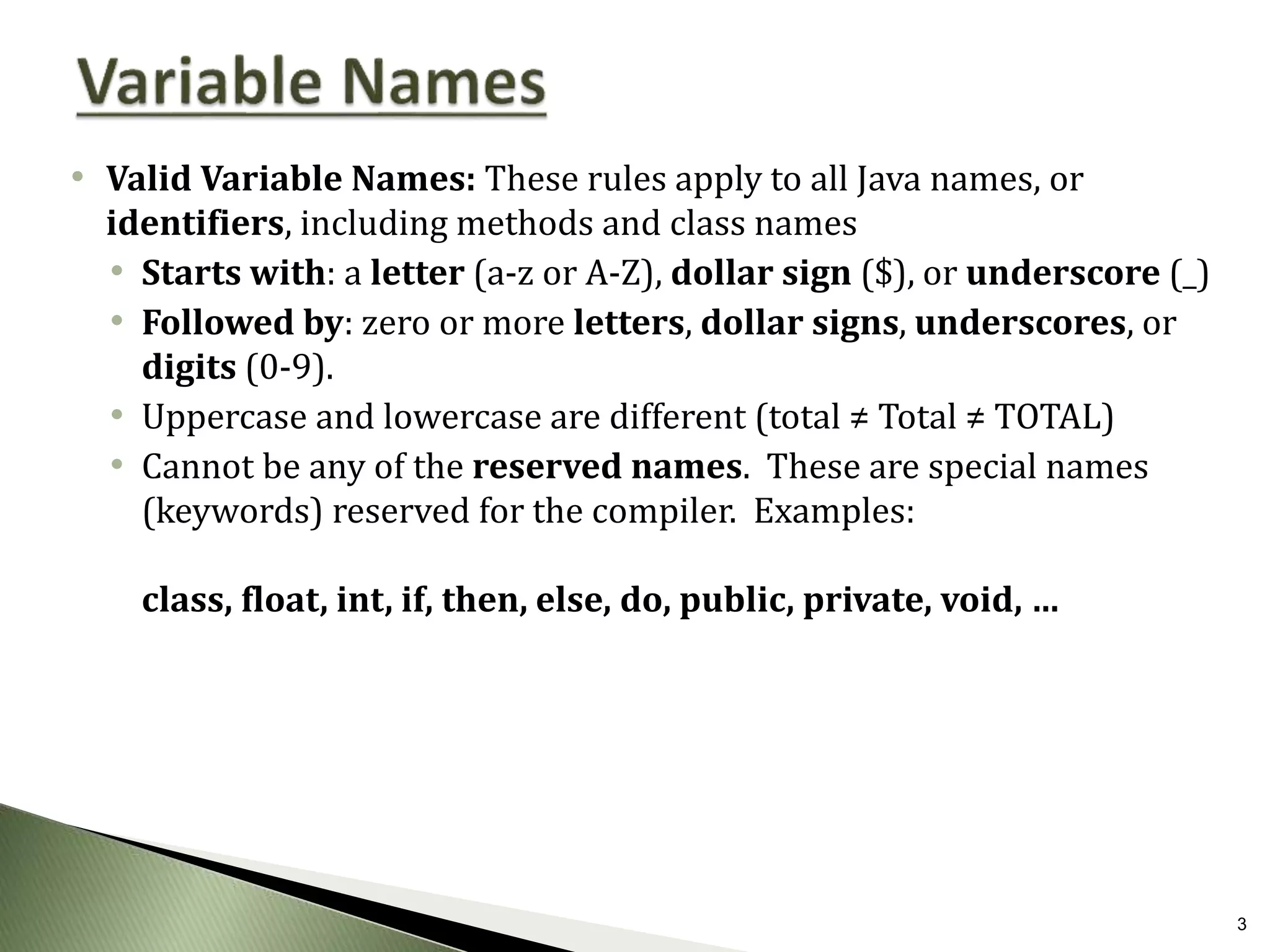
• Valid Variable Names: These rules apply to all Java names, or
identifiers, including methods and class names
• Starts with: a letter (a-z or A-Z), dollar sign ($), or underscore (_)
• Followed by: zero or more letters, dollar signs, underscores, or
digits (0-9).
• Uppercase and lowercase are different (total ≠ Total ≠ TOTAL)
• Cannot be any of the reserved names. These are special names
(keywords) reserved for the compiler. Examples:
class, float, int, if, then, else, do, public, private, void, …
4
• Choosing Good Names Not all valid variable names are good variable names
• Some guidelines:
• Do not use `$’ (it is reserved for special system names.)
• Avoid names that are identical other than differences in case (total, Total, and
TOTAL).
• Use meaningful names, but avoid excessive length
• crItm  Too short
• theCurrentItemBeingProcessed  Too long
• currentItem Just right
• Camel case capitalization style
• In Java we use camel case
• Variables and methods start with lower case
• dataList2 myFavoriteMartian showMeTheMoney
• Classes start with uppercase
• String JOptionPane MyFavoriteClass
5
Valid:
$$_
R2D2
INT okay. “int” is reserved, but case is different here
_dogma_95_
riteOnThru
SchultzieVonWienerschnitzelIII
Invalid:
30DayAbs starts with a digit
2 starts with a digit
pork&beans `&’ is illegal
private reserved name
C-3PO `-’ is illegal
6
• Java’s basic data types:
• Integer Types:
• byte 1 byte Range: -128 to +127
• short 2 bytes Range: roughly -32 thousand to +32 thousand
• int 4 bytes Range: roughly -2 billion to +2 billion
• long 8 bytes Range: Huge!
• Floating-Point Types (for real numbers)
• float 4 bytes Roughly 7 digits of precision
• double 8 bytes Roughly 15 digits of precision
• Other types:
• boolean 1 byte {true, false} (Used in logic expressions and
conditions)
• char 2 bytes A single (Unicode) character
• String is not a primitive data type (they are objects)
7
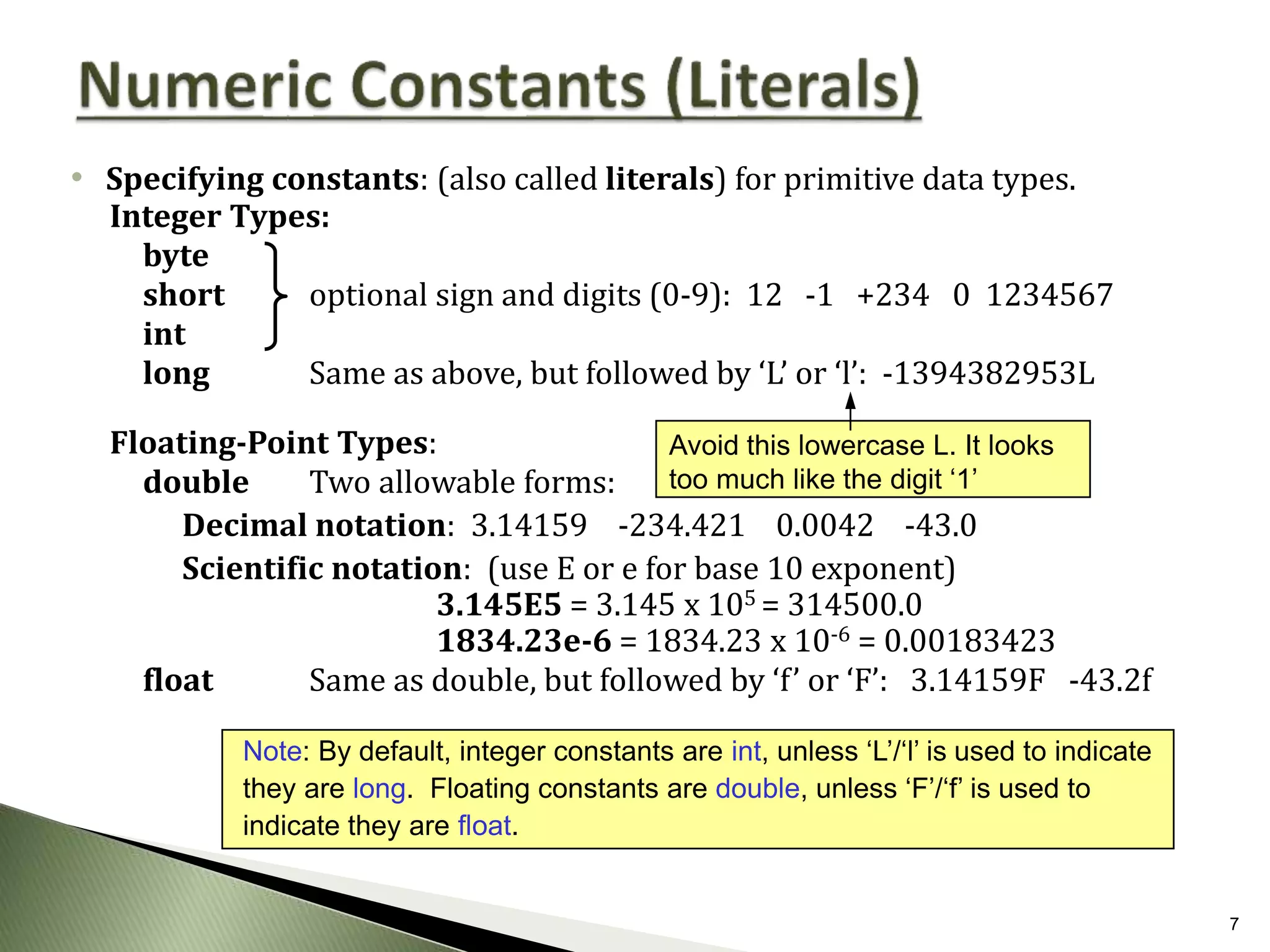
• Specifying constants: (also called literals) for primitive data types.
Integer Types:
byte
short optional sign and digits (0-9): 12 -1 +234 0 1234567
int
long Same as above, but followed by ‘L’ or ‘l’: -1394382953L
Floating-Point Types:
double Two allowable forms:
Decimal notation: 3.14159 -234.421 0.0042 -43.0
Scientific notation: (use E or e for base 10 exponent)
3.145E5 = 3.145 x 105 = 314500.0
1834.23e-6 = 1834.23 x 10-6 = 0.00183423
float Same as double, but followed by ‘f’ or ‘F’: 3.14159F -43.2f
Note: By default, integer constants are int, unless ‘L’/‘l’ is used to indicate
they are long. Floating constants are double, unless ‘F’/‘f’ is used to
indicate they are float.
Avoid this lowercase L. It looks
too much like the digit ‘1’
8
• char constants: Single character enclosed in single quotes (‘…’) including:
• letters and digits: ‘A’, ‘B’, ‘C’, …, ‘a’, ‘b’, ‘c’, …, ‘0’, ‘1’, …, ‘9’
• punctuation symbols: ‘*’, ‘#’, ‘@’, ‘$’ (except single quote and backslash ‘’)
• escape sequences: (see below)
• String constants: Zero or more characters enclosed in double quotes (“…”)
• (same as above, but may not include a double quote or backslash)
• Escape sequences: Allows us to include single/double quotes and other
special characters:
” double quote n new-line character (start a new line)
’ single quote t tab character
 backslash
• Examples: char x = ’’’  (x contains a single quote)
””Hi there!””  ”Hi there!”
”C:WINDOWS”  C:WINDOWS
System.out.println( ”Line 1nLine 2” ) prints
Line 1
Line 2
9
• Java  Strongly-type language
• Strong Type Checking  Java checks that all expressions involve compatible
types
• int x, y; // x and y are integer variables
• double d; // d is a double variable
• String s; // s is a string variable
• boolean b; // b is a boolean variable
• char c; // c is a character variable
• x = 7; // legal (assigns the value 7 to x)
• b = true; // legal (assigns the value true to b)
• c = ‘#’; // legal (assigns character # to c)
• s = “cat” + “bert”; // legal (assigns the value “catbert” to s)
• d = x – 3; // legal (assigns the integer value 7 – 3 = 4 to double d)
• b = 5; // illegal! (cannot assign int to boolean)
• y = x + b; // illegal! (cannot add int and boolean)
• c = x; // illegal! (cannot assign int to char)
10
• Arithmetic Operators:
• Unary negation: -x
• Multiplication/Division: x * y x/y
• Division between integer types truncates to integer: 23/4  5
• x % y returns the remainder of x divided by y: 23%4  3
• Division with real types yields a real result: 23.0/4.0  5.75
• Addition/Subtraction: x+y x-y
• Comparison Operators:
• Equality/Inequality: x == y x != y
• Less than/Greater than: x < y x > y
• Less than or equal/Greater than or equal: x <= y x >= y
• These comparison operators return a boolean value: true or false.
11
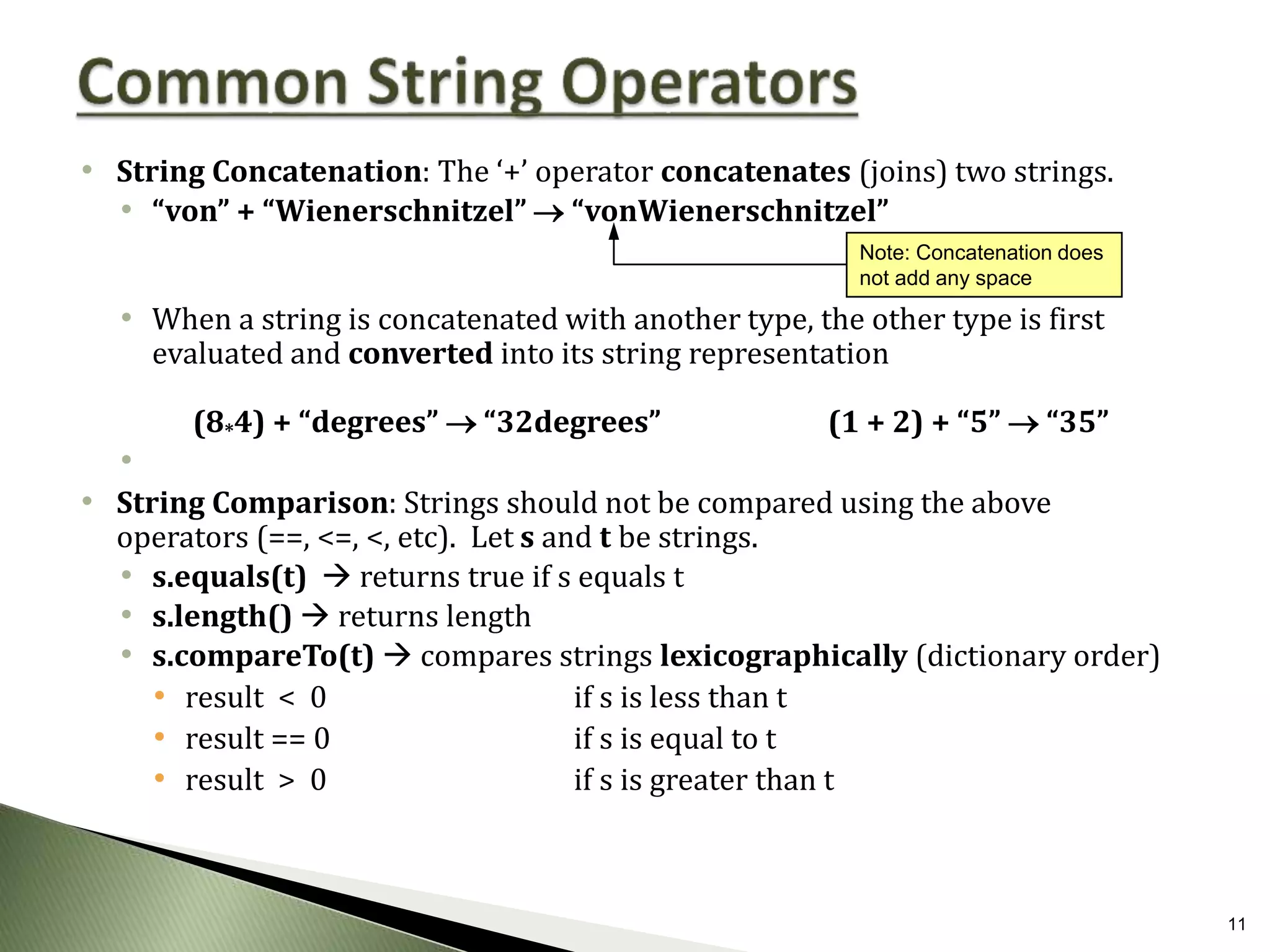
• String Concatenation: The ‘+’ operator concatenates (joins) two strings.
• “von” + “Wienerschnitzel”  “vonWienerschnitzel”
• When a string is concatenated with another type, the other type is first
evaluated and converted into its string representation
(8*4) + “degrees”  “32degrees” (1 + 2) + “5”  “35”
•
• String Comparison: Strings should not be compared using the above
operators (==, <=, <, etc). Let s and t be strings.
• s.equals(t)  returns true if s equals t
• s.length()  returns length
• s.compareTo(t)  compares strings lexicographically (dictionary order)
• result < 0 if s is less than t
• result == 0 if s is equal to t
• result > 0 if s is greater than t
Note: Concatenation does
not add any space
12
• Let’s take a look at some examples
• See code distribution

JavaVariablesTypes.pptx

  • 1.
  • 2.
    2 • What isa variable? • The name of some location of memory used to hold a data value • Different types of data require different amounts of memory. The compiler’s job is to reserve sufficient memory • Variables need to be declared once • Variables are assigned values, and these values may be changed later • Each variable has a type, and operations can only be performed between compatible types • Example int width = 3; int height = 4; int area = width * height; width = 6; area = width * height; 4 3 height area width 3 4 12 24 6 12 width height area
  • 3.
    3 • Valid VariableNames: These rules apply to all Java names, or identifiers, including methods and class names • Starts with: a letter (a-z or A-Z), dollar sign ($), or underscore (_) • Followed by: zero or more letters, dollar signs, underscores, or digits (0-9). • Uppercase and lowercase are different (total ≠ Total ≠ TOTAL) • Cannot be any of the reserved names. These are special names (keywords) reserved for the compiler. Examples: class, float, int, if, then, else, do, public, private, void, …
  • 4.
    4 • Choosing GoodNames Not all valid variable names are good variable names • Some guidelines: • Do not use `$’ (it is reserved for special system names.) • Avoid names that are identical other than differences in case (total, Total, and TOTAL). • Use meaningful names, but avoid excessive length • crItm  Too short • theCurrentItemBeingProcessed  Too long • currentItem Just right • Camel case capitalization style • In Java we use camel case • Variables and methods start with lower case • dataList2 myFavoriteMartian showMeTheMoney • Classes start with uppercase • String JOptionPane MyFavoriteClass
  • 5.
    5 Valid: $$_ R2D2 INT okay. “int”is reserved, but case is different here _dogma_95_ riteOnThru SchultzieVonWienerschnitzelIII Invalid: 30DayAbs starts with a digit 2 starts with a digit pork&beans `&’ is illegal private reserved name C-3PO `-’ is illegal
  • 6.
    6 • Java’s basicdata types: • Integer Types: • byte 1 byte Range: -128 to +127 • short 2 bytes Range: roughly -32 thousand to +32 thousand • int 4 bytes Range: roughly -2 billion to +2 billion • long 8 bytes Range: Huge! • Floating-Point Types (for real numbers) • float 4 bytes Roughly 7 digits of precision • double 8 bytes Roughly 15 digits of precision • Other types: • boolean 1 byte {true, false} (Used in logic expressions and conditions) • char 2 bytes A single (Unicode) character • String is not a primitive data type (they are objects)
  • 7.
    7 • Specifying constants:(also called literals) for primitive data types. Integer Types: byte short optional sign and digits (0-9): 12 -1 +234 0 1234567 int long Same as above, but followed by ‘L’ or ‘l’: -1394382953L Floating-Point Types: double Two allowable forms: Decimal notation: 3.14159 -234.421 0.0042 -43.0 Scientific notation: (use E or e for base 10 exponent) 3.145E5 = 3.145 x 105 = 314500.0 1834.23e-6 = 1834.23 x 10-6 = 0.00183423 float Same as double, but followed by ‘f’ or ‘F’: 3.14159F -43.2f Note: By default, integer constants are int, unless ‘L’/‘l’ is used to indicate they are long. Floating constants are double, unless ‘F’/‘f’ is used to indicate they are float. Avoid this lowercase L. It looks too much like the digit ‘1’
  • 8.
    8 • char constants:Single character enclosed in single quotes (‘…’) including: • letters and digits: ‘A’, ‘B’, ‘C’, …, ‘a’, ‘b’, ‘c’, …, ‘0’, ‘1’, …, ‘9’ • punctuation symbols: ‘*’, ‘#’, ‘@’, ‘$’ (except single quote and backslash ‘’) • escape sequences: (see below) • String constants: Zero or more characters enclosed in double quotes (“…”) • (same as above, but may not include a double quote or backslash) • Escape sequences: Allows us to include single/double quotes and other special characters: ” double quote n new-line character (start a new line) ’ single quote t tab character backslash • Examples: char x = ’’’  (x contains a single quote) ””Hi there!””  ”Hi there!” ”C:WINDOWS”  C:WINDOWS System.out.println( ”Line 1nLine 2” ) prints Line 1 Line 2
  • 9.
    9 • Java Strongly-type language • Strong Type Checking  Java checks that all expressions involve compatible types • int x, y; // x and y are integer variables • double d; // d is a double variable • String s; // s is a string variable • boolean b; // b is a boolean variable • char c; // c is a character variable • x = 7; // legal (assigns the value 7 to x) • b = true; // legal (assigns the value true to b) • c = ‘#’; // legal (assigns character # to c) • s = “cat” + “bert”; // legal (assigns the value “catbert” to s) • d = x – 3; // legal (assigns the integer value 7 – 3 = 4 to double d) • b = 5; // illegal! (cannot assign int to boolean) • y = x + b; // illegal! (cannot add int and boolean) • c = x; // illegal! (cannot assign int to char)
  • 10.
    10 • Arithmetic Operators: •Unary negation: -x • Multiplication/Division: x * y x/y • Division between integer types truncates to integer: 23/4  5 • x % y returns the remainder of x divided by y: 23%4  3 • Division with real types yields a real result: 23.0/4.0  5.75 • Addition/Subtraction: x+y x-y • Comparison Operators: • Equality/Inequality: x == y x != y • Less than/Greater than: x < y x > y • Less than or equal/Greater than or equal: x <= y x >= y • These comparison operators return a boolean value: true or false.
  • 11.
    11 • String Concatenation:The ‘+’ operator concatenates (joins) two strings. • “von” + “Wienerschnitzel”  “vonWienerschnitzel” • When a string is concatenated with another type, the other type is first evaluated and converted into its string representation (8*4) + “degrees”  “32degrees” (1 + 2) + “5”  “35” • • String Comparison: Strings should not be compared using the above operators (==, <=, <, etc). Let s and t be strings. • s.equals(t)  returns true if s equals t • s.length()  returns length • s.compareTo(t)  compares strings lexicographically (dictionary order) • result < 0 if s is less than t • result == 0 if s is equal to t • result > 0 if s is greater than t Note: Concatenation does not add any space
  • 12.
    12 • Let’s takea look at some examples • See code distribution