










ADVANCED LOGGING SCENARIOS
WITH DYNAMODB AND ELASTIC
MAPREDUCE
Paolo Latella
XPeppers
paolo.latella@xpeppers.com
Agenda
• Cloud Computing Log
• Generate Data
• Collect Data
• Store Data
• ETL
• Analysis
CLOUD COMPUTING LOG
A “big data” problem
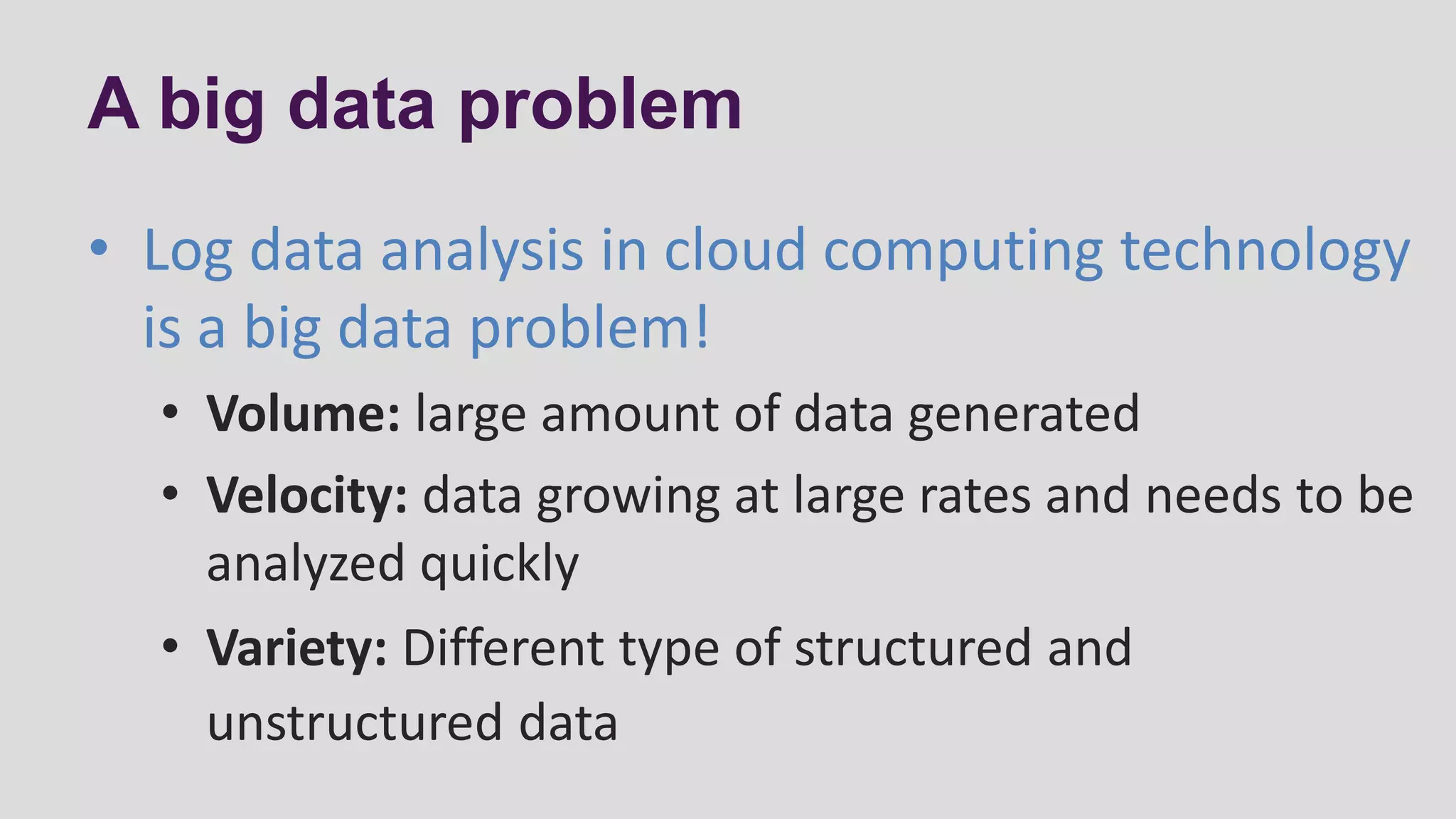
A big data problem
• Log data analysis in cloud computing technology
is a big data problem!
• Volume: large amount of data generated
• Velocity: data growing at large rates and needs to be
analyzed quickly
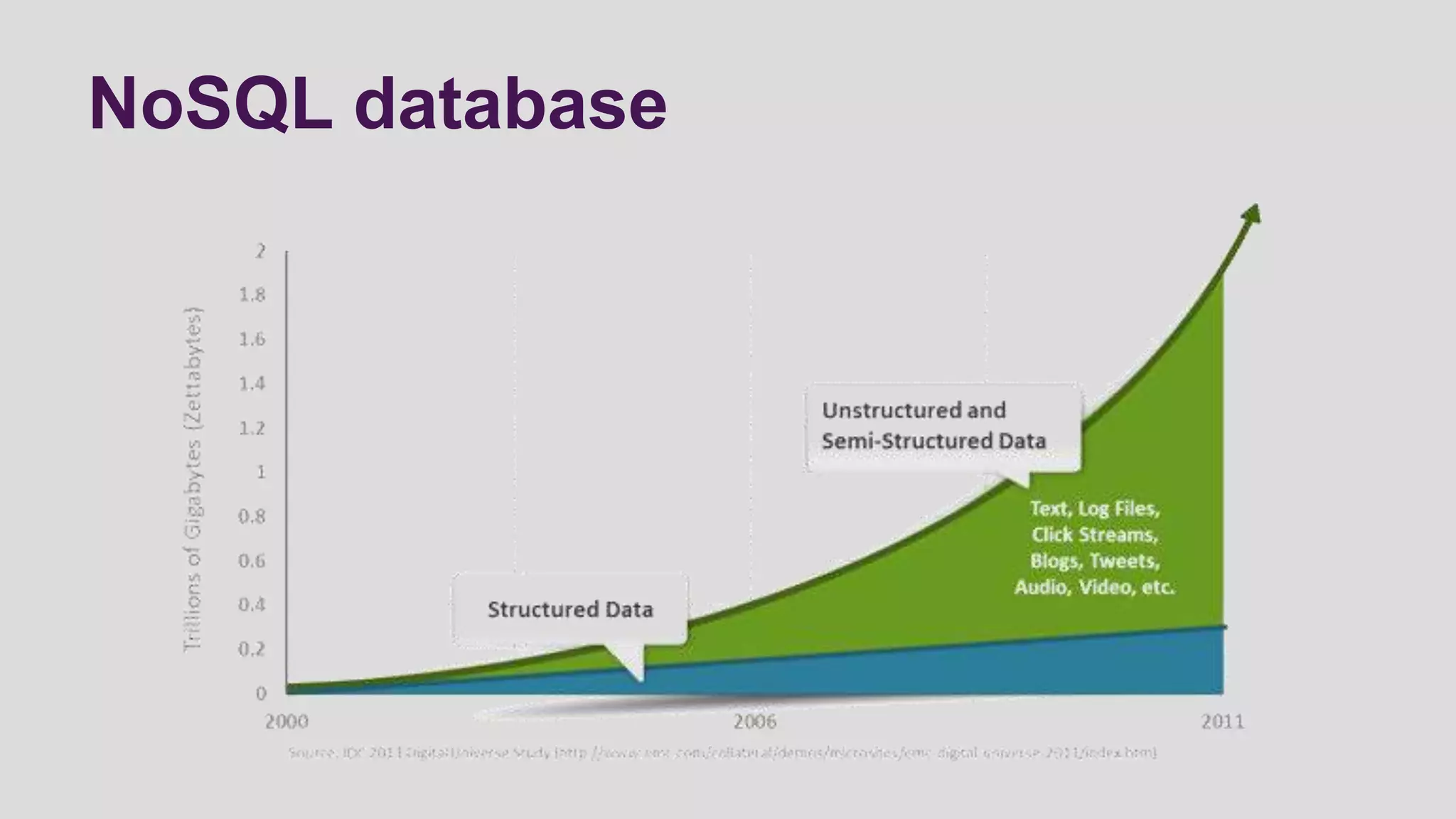
• Variety: Different type of structured and
unstructured data
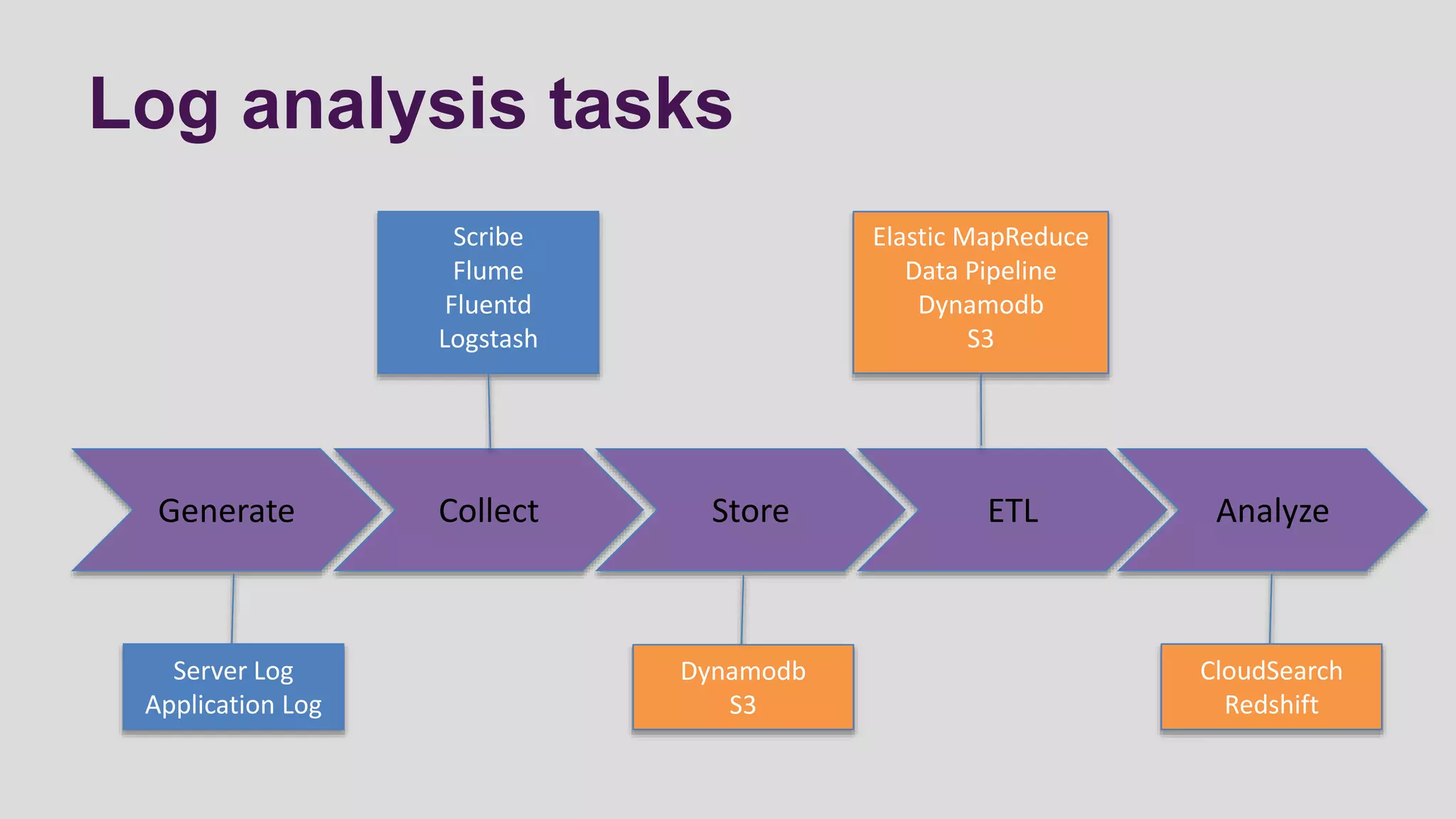
Log analysis tasks
Generate Collect Store ETL Analyze
Server Log
Application Log
Scribe
Flume
Fluentd
Logstash
Dynamodb
S3
Elastic MapReduce
Data Pipeline
Dynamodb
S3
CloudSearch
Redshift
GENERATE DATA
A large amount of data at large rates
A large amount of data
At large rate
Don’t worry we have autoscaling
www.animoto.com
And log data
5.000 instances
COLLECT DATA
Collect events and logs in real-time
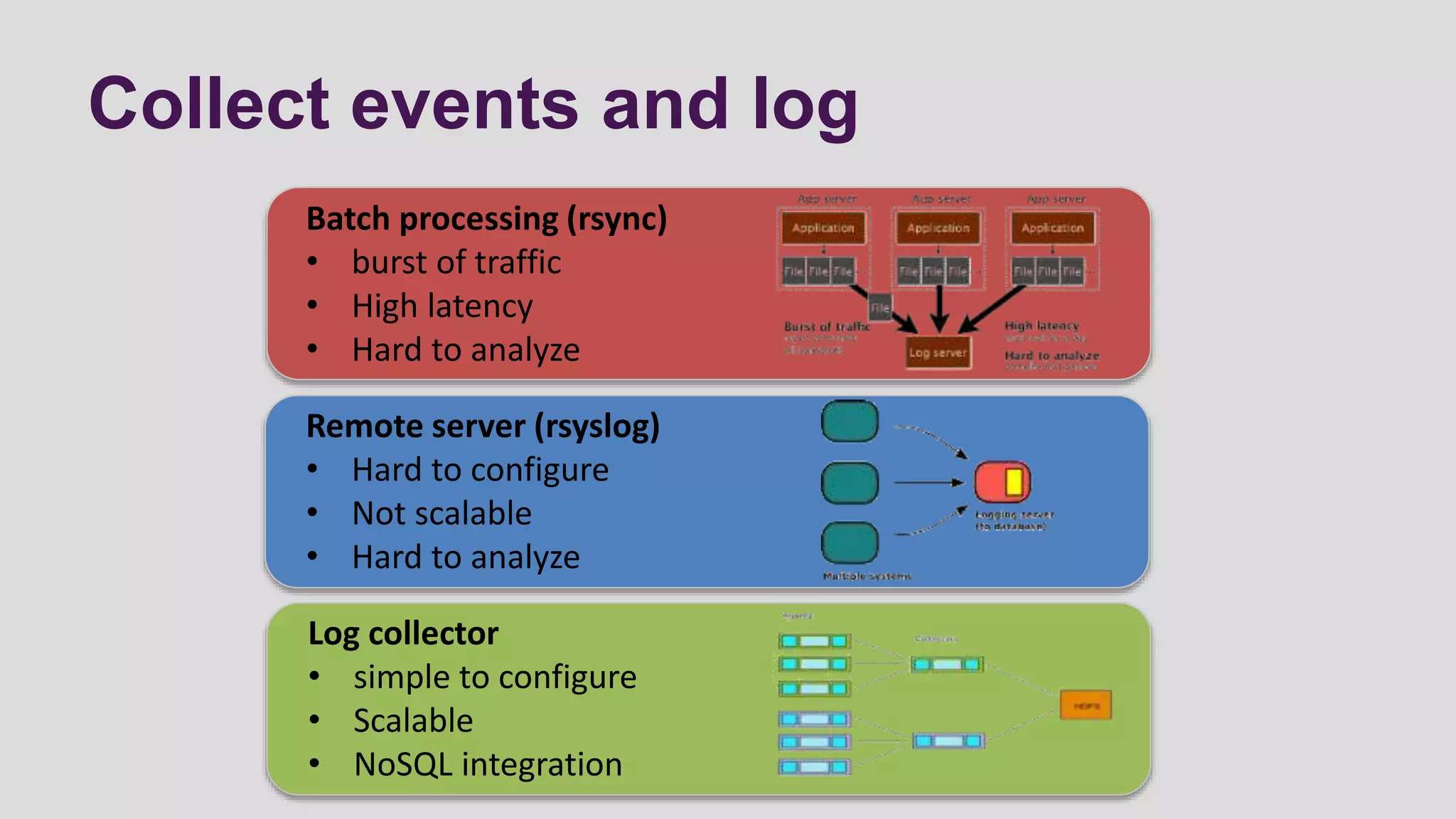
Collect events and log
Batch processing (rsync)
• burst of traffic
• High latency
• Hard to analyze
Remote server (rsyslog)
• Hard to configure
• Not scalable
• Hard to analyze
Log collector
• simple to configure
• Scalable
• NoSQL integration
In real-time: log collector (1/2)
• Apache Flume: distributed, reliable, and available service (java) for
collecting, aggregating, and moving large amounts of log data
• source: a source of data from which Flume receives data
• sink: is the counterpart to the source in that it is a destination for data
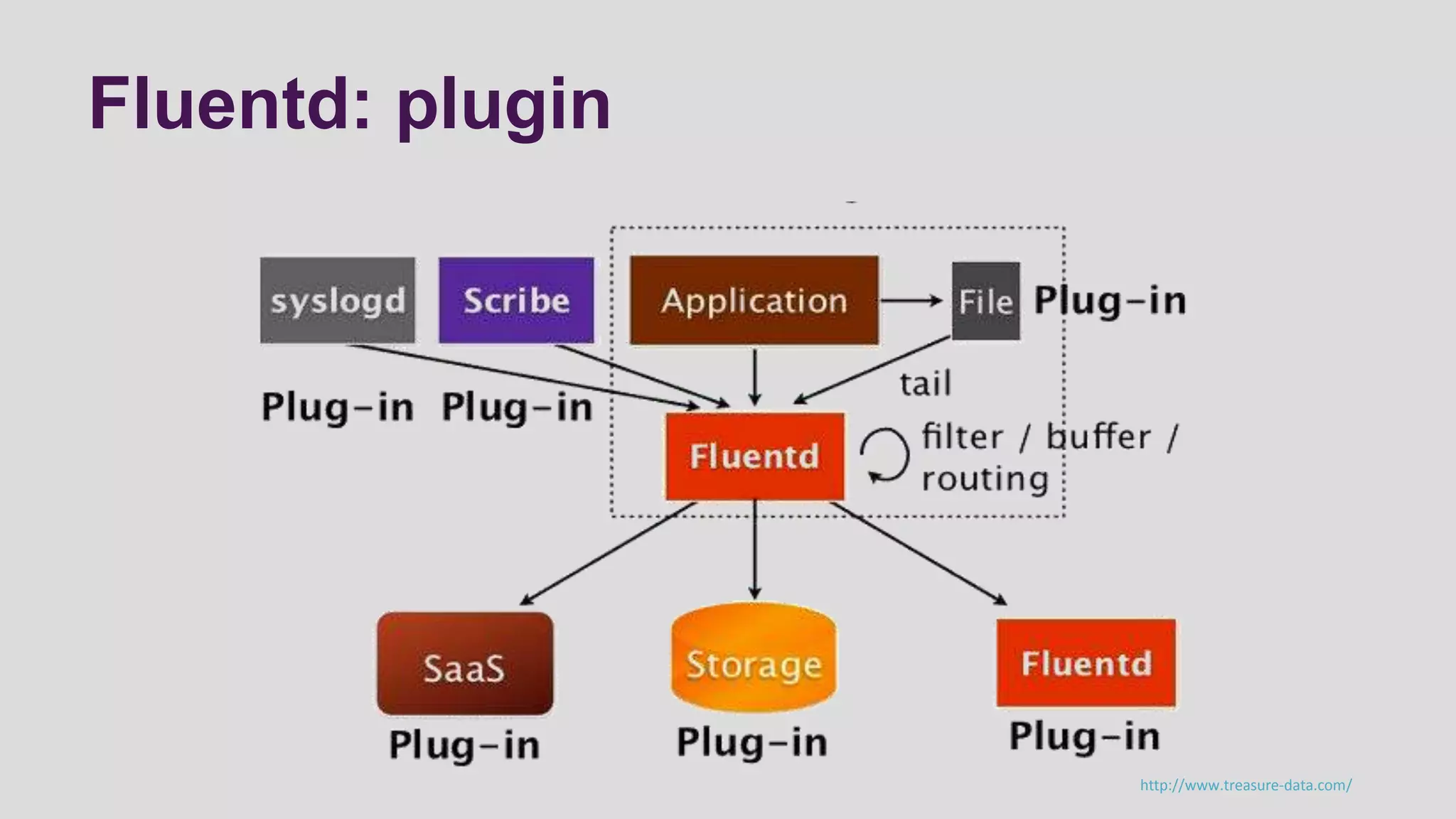
• Fluent: fully free and open-source (ruby) log collector that instantly
enables you to have a “Log Everything” architecture with +125 plugins
• Input plugin: retrieve data from most varied sources (file, mysql, scribe,
flume and others)
• Output plugin: send data to different destination (file, S3, Dynamodb, SQS
and others)
In real-time: log collector (2/2)
• Logstash: a tool (java) for managing events and logs
• input section: configure source of data and relative plugin
• filter section: configure regular expression or plugin for filter data input
• output section: configure destination section and relative plugin
• Scribe: is a service (C++ and Python) for aggregating log data streamed
in real-time from a large number of servers
• Scribe was developed at Facebook using Apache Thrift and released in
2008 as open source
• Scribe servers are arranged in a directed graph, with each server knowing
only about the next server in the graph
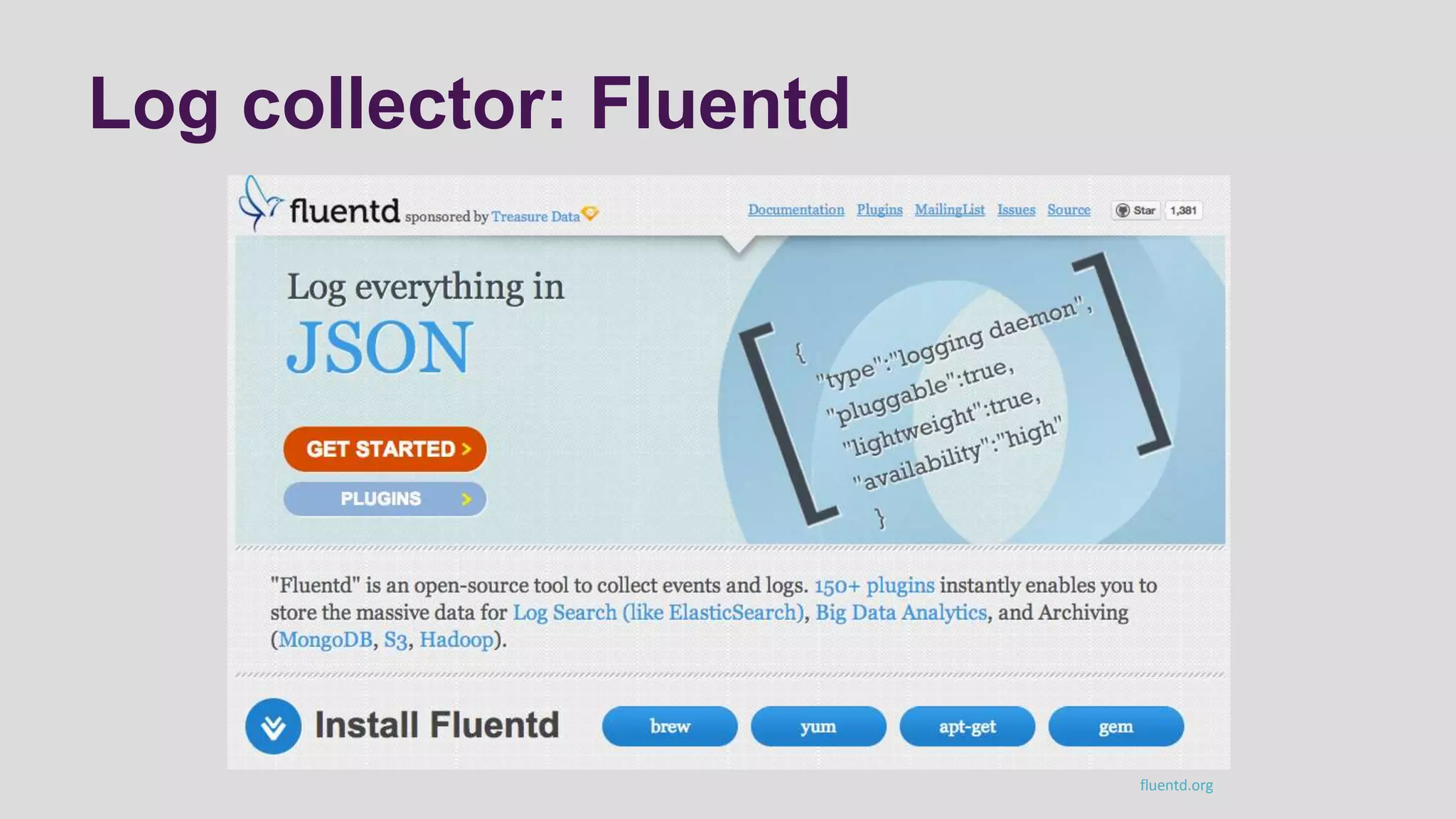
Log collector: Fluentd
fluentd.org
Fluentd: plugin
http://www.treasure-data.com/
STORE DATA
NoSQL database or storage
NoSQL database
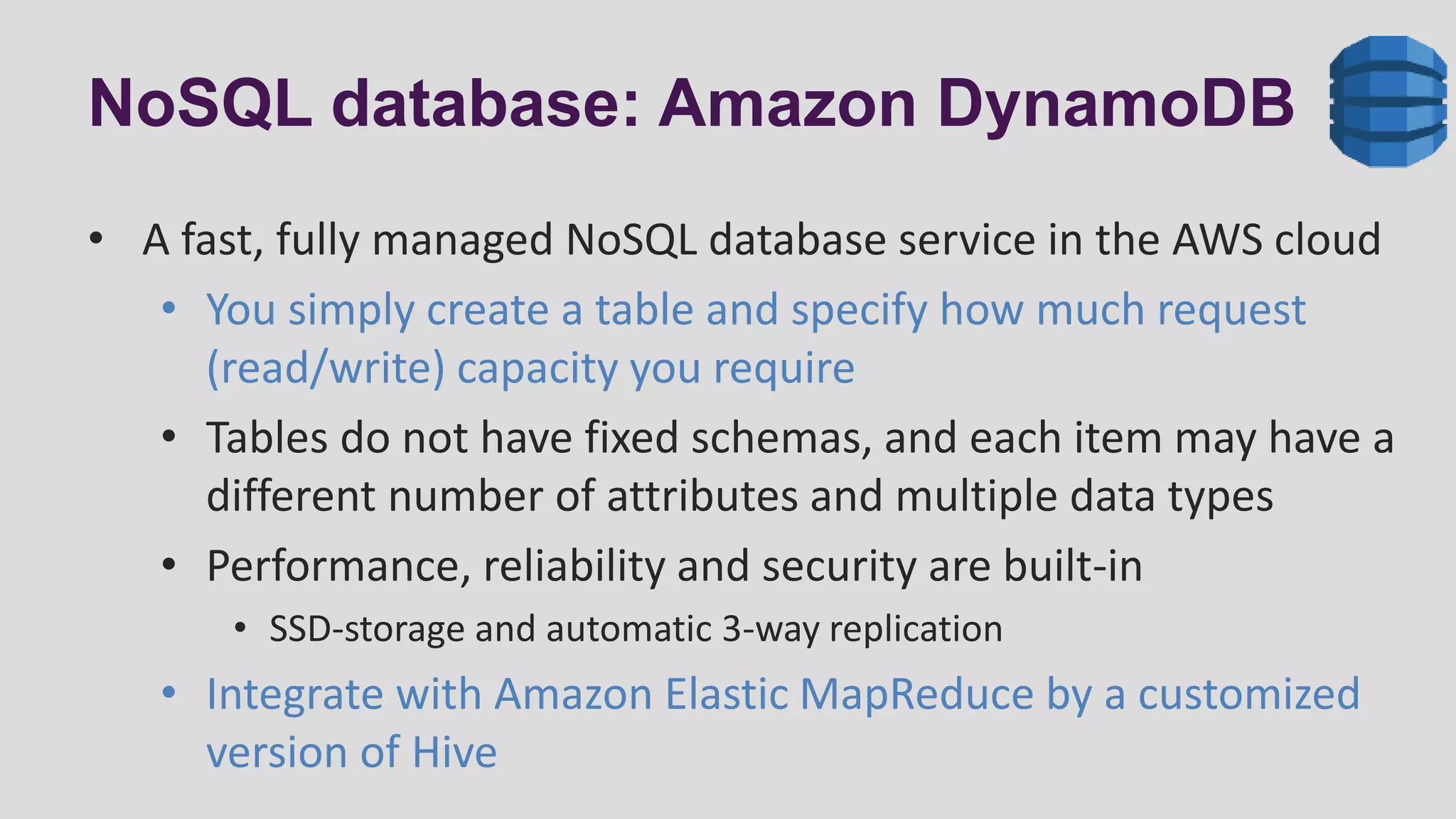
NoSQL database: Amazon DynamoDB
• A fast, fully managed NoSQL database service in the AWS cloud
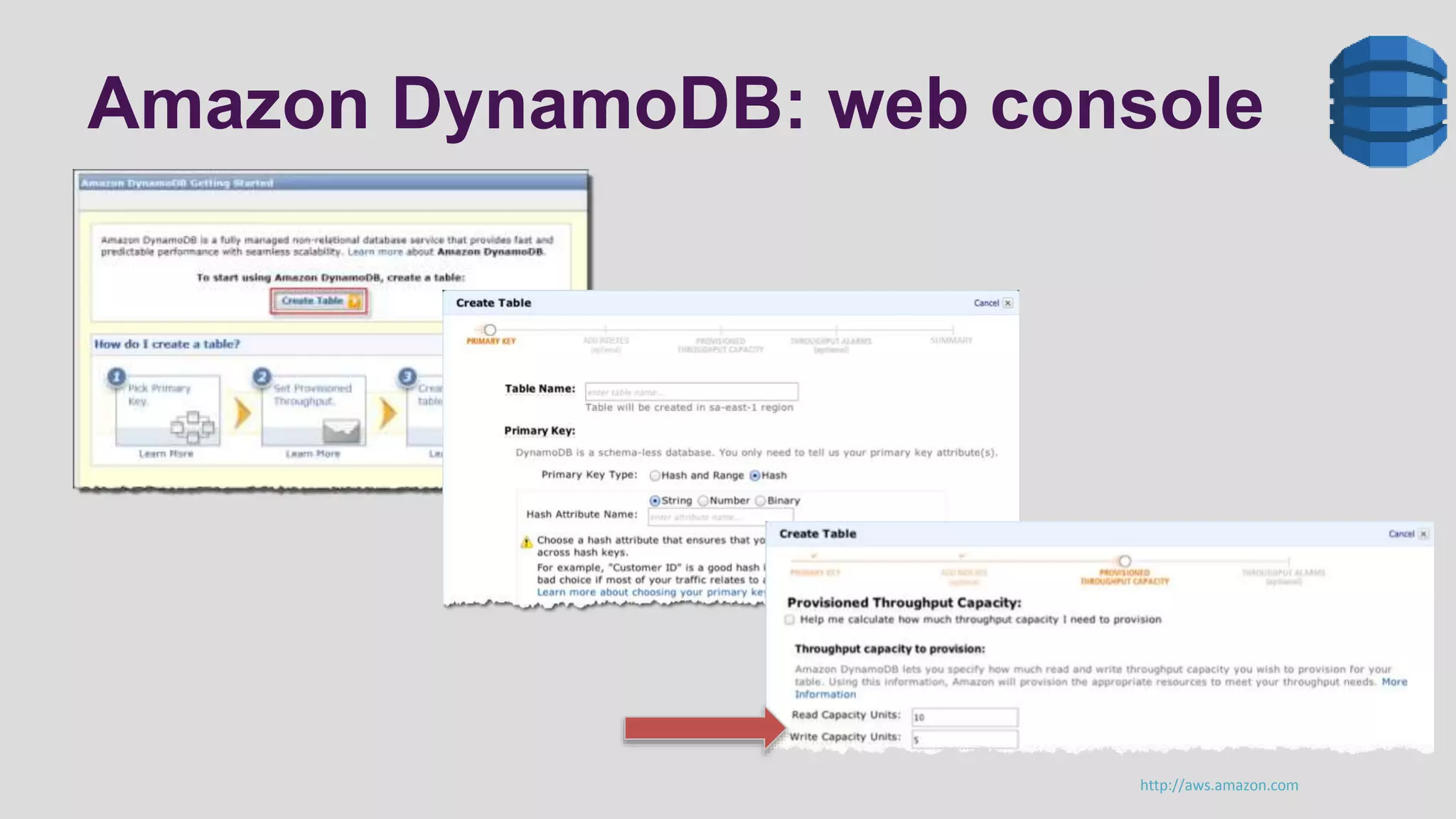
• You simply create a table and specify how much request
(read/write) capacity you require
• Tables do not have fixed schemas, and each item may have a
different number of attributes and multiple data types
• Performance, reliability and security are built-in
• SSD-storage and automatic 3-way replication
• Integrate with Amazon Elastic MapReduce by a customized
version of Hive
Amazon DynamoDB: web console
http://aws.amazon.com
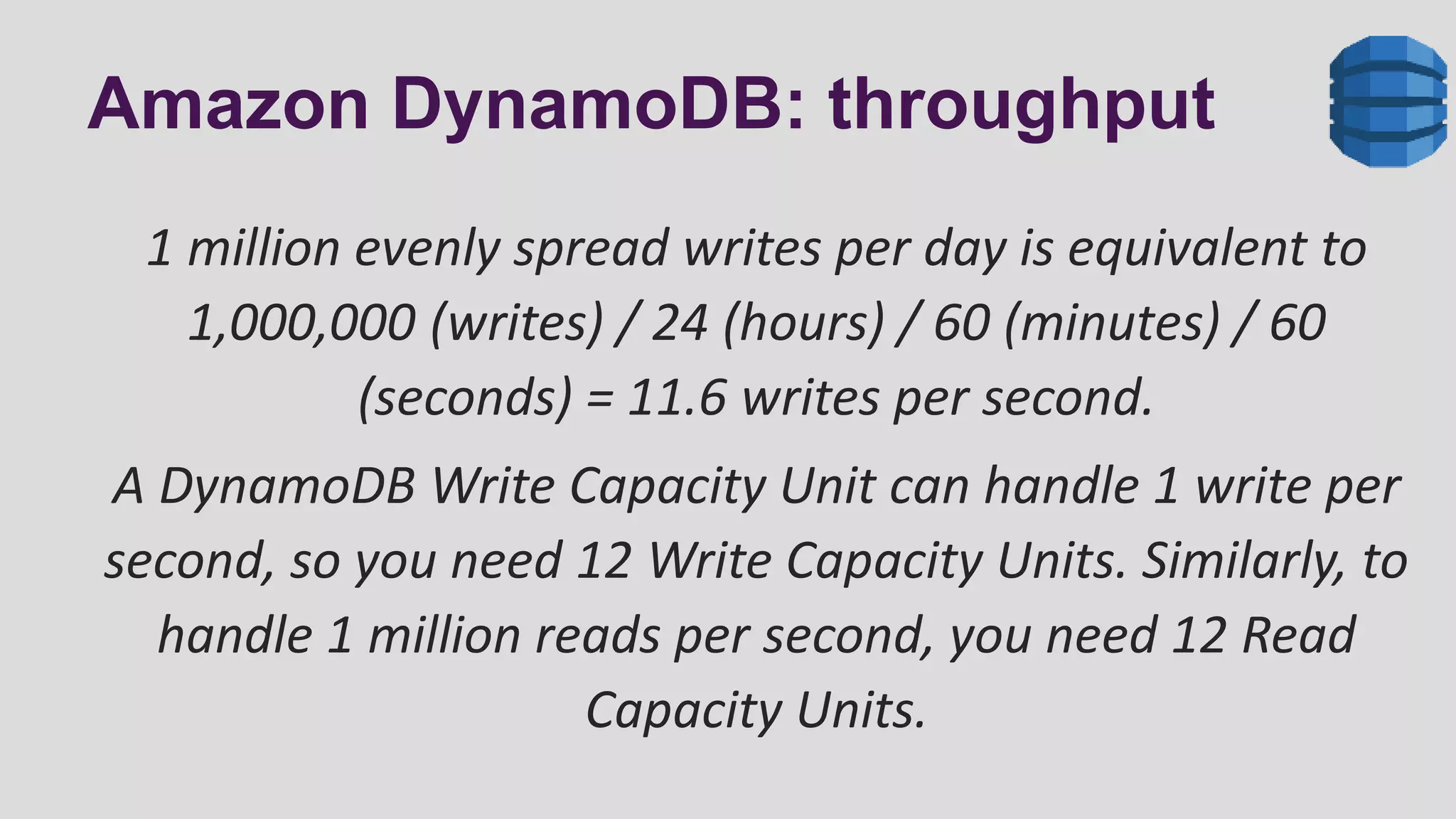
Amazon DynamoDB: throughput
1 million evenly spread writes per day is equivalent to
1,000,000 (writes) / 24 (hours) / 60 (minutes) / 60
(seconds) = 11.6 writes per second.
A DynamoDB Write Capacity Unit can handle 1 write per
second, so you need 12 Write Capacity Units. Similarly, to
handle 1 million reads per second, you need 12 Read
Capacity Units.
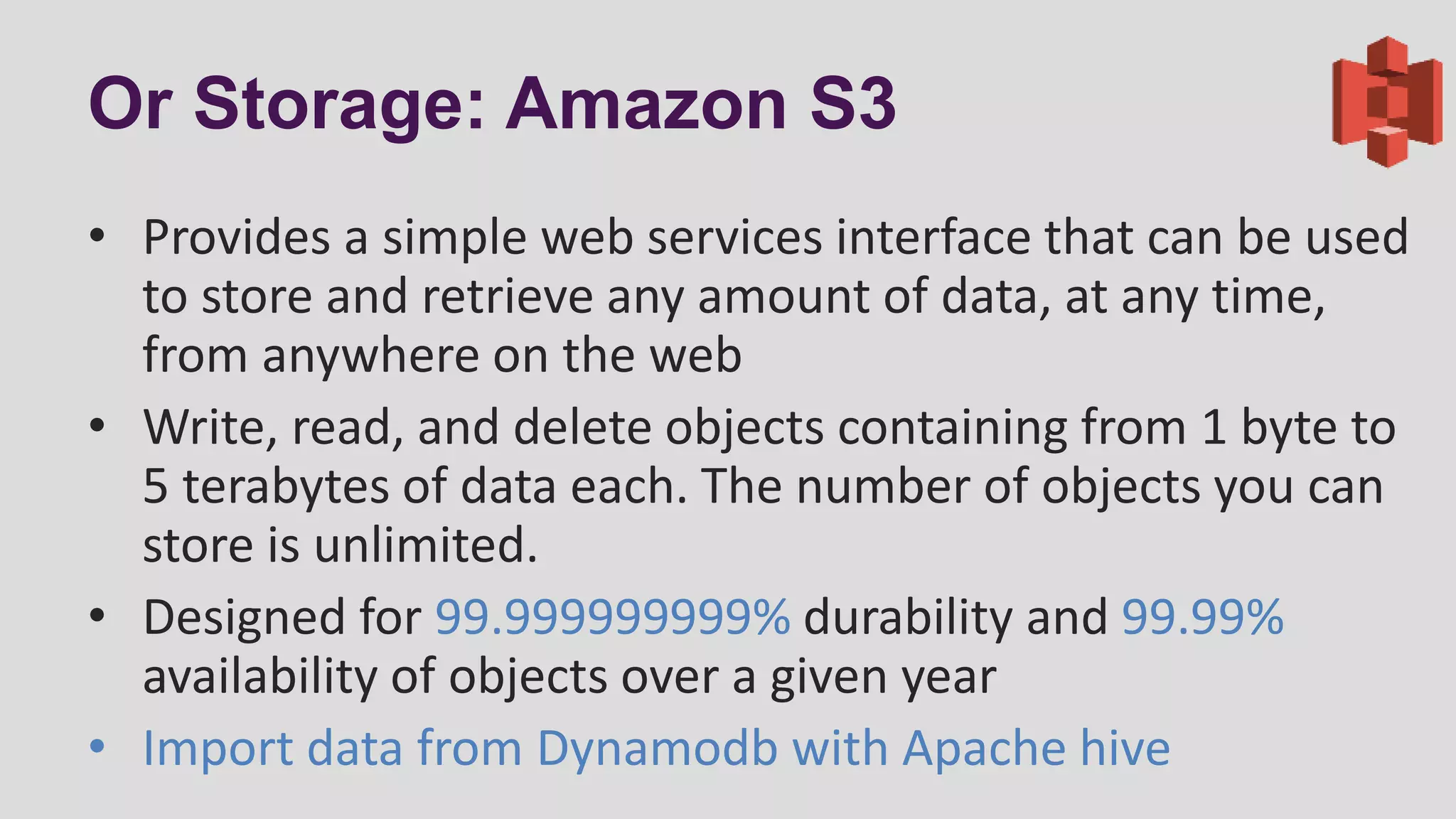
Or Storage: Amazon S3
• Provides a simple web services interface that can be used
to store and retrieve any amount of data, at any time,
from anywhere on the web
• Write, read, and delete objects containing from 1 byte to
5 terabytes of data each. The number of objects you can
store is unlimited.
• Designed for 99.999999999% durability and 99.99%
availability of objects over a given year
• Import data from Dynamodb with Apache hive
ETL
With Amazon Web Services
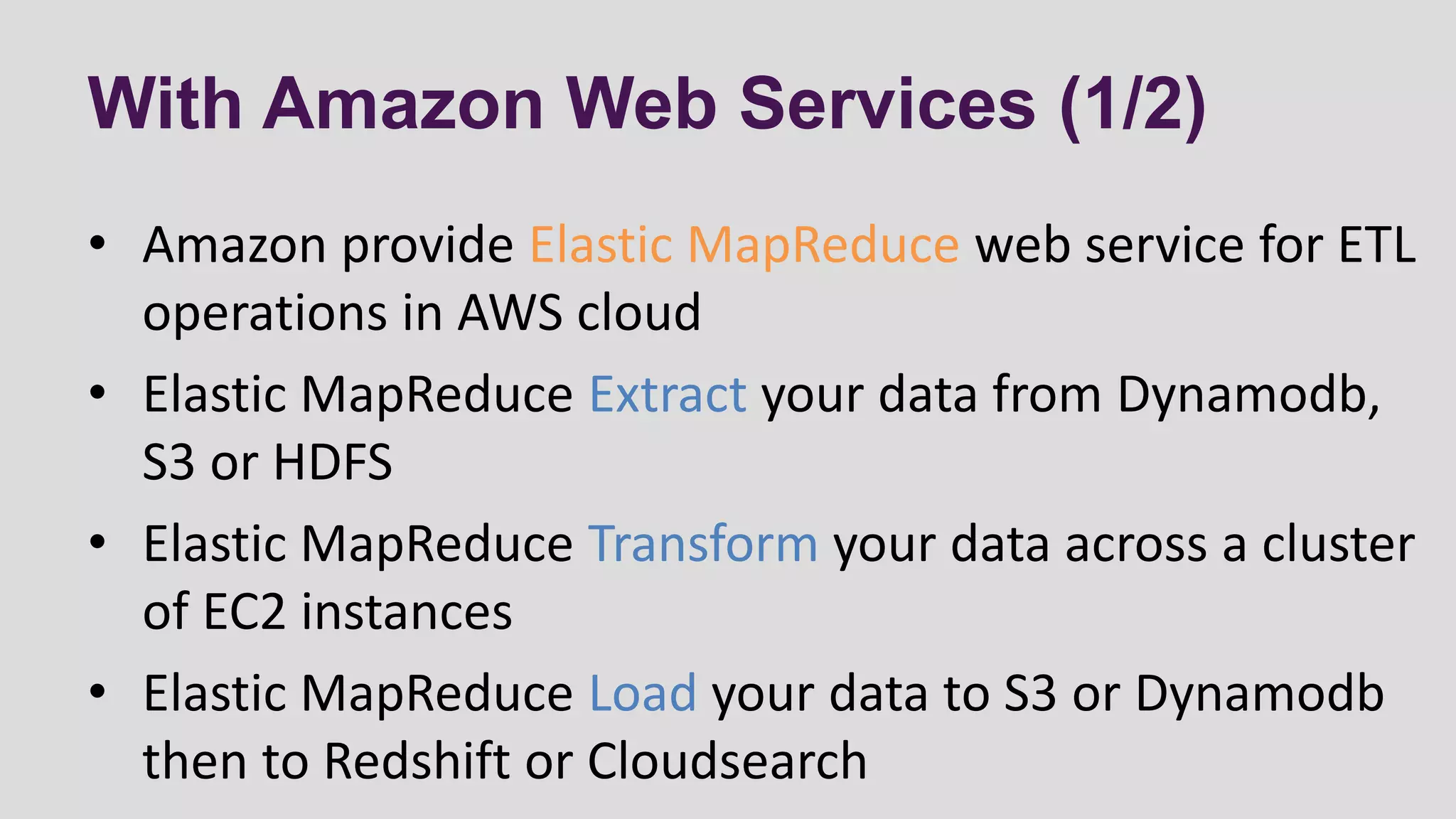
With Amazon Web Services (1/2)
• Amazon provide Elastic MapReduce web service for ETL
operations in AWS cloud
• Elastic MapReduce Extract your data from Dynamodb,
S3 or HDFS
• Elastic MapReduce Transform your data across a cluster
of EC2 instances
• Elastic MapReduce Load your data to S3 or Dynamodb
then to Redshift or Cloudsearch
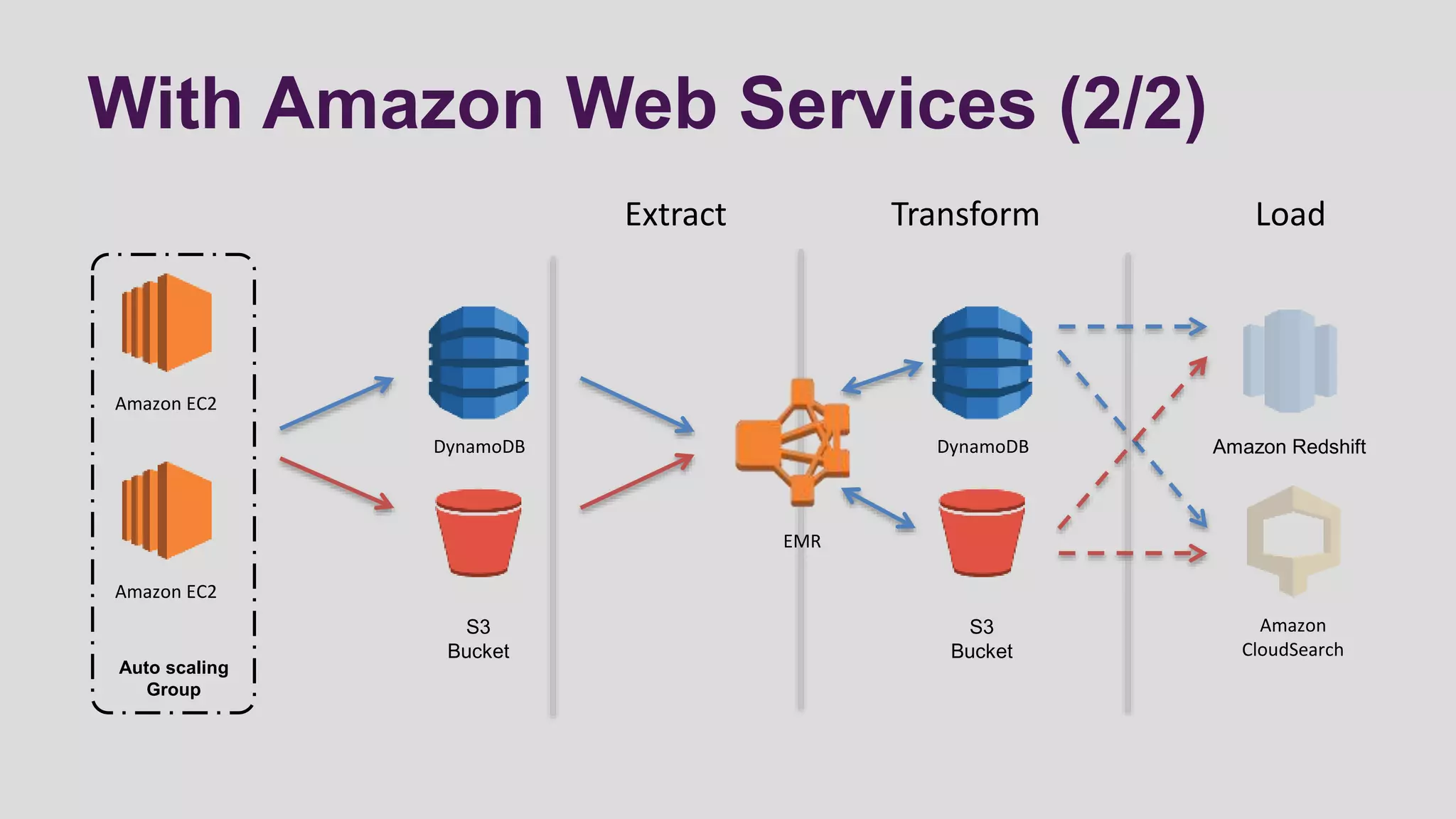
With Amazon Web Services (2/2)
Amazon EC2
Amazon EC2
Auto scaling
Group
S3
Bucket
DynamoDB
Extract Transform Load
Amazon Redshift
S3
Bucket
Amazon
CloudSearch
DynamoDB
EMR
Amazon Elastic MapReduce
• With Amazon Elastic MapReduce (Amazon EMR) you
can analyze and process vast amounts of data.
• It does this by distributing the computational work
across a cluster of EC2 virtual servers running in the
Amazon cloud
• The cluster is managed using an open-source framework
called Hadoop and use the map-reduce logic
Amazon EMR: cluster (1/2)
• Offers several different types of clusters, each
configured for a particular type of data processing
• Hive clusters: use Apache Hive on top of Hadoop.
• You can load data onto cluster and then query it using HiveQL
• Custom JAR Cluster: runs a Java map-reduce application
that you have previously compiled into a JAR file and
uploaded to Amazon S3
Amazon EMR: cluster (2/2)
• Streaming Cluster: runs mapper and reducer scripts that
you have previously uploaded to Amazon S3.
• The scripts can be written using any of the following supported
languages: Ruby, Perl, Python, PHP, Bash, C++.
• Pig Cluster: use Apache Pig, an open-source Apache
library that runs on top of Hadoop.
• you can load data onto your cluster and then query it using Pig
Latin, a SQL-like query language.
ETL workflow: Amazon Data pipeline
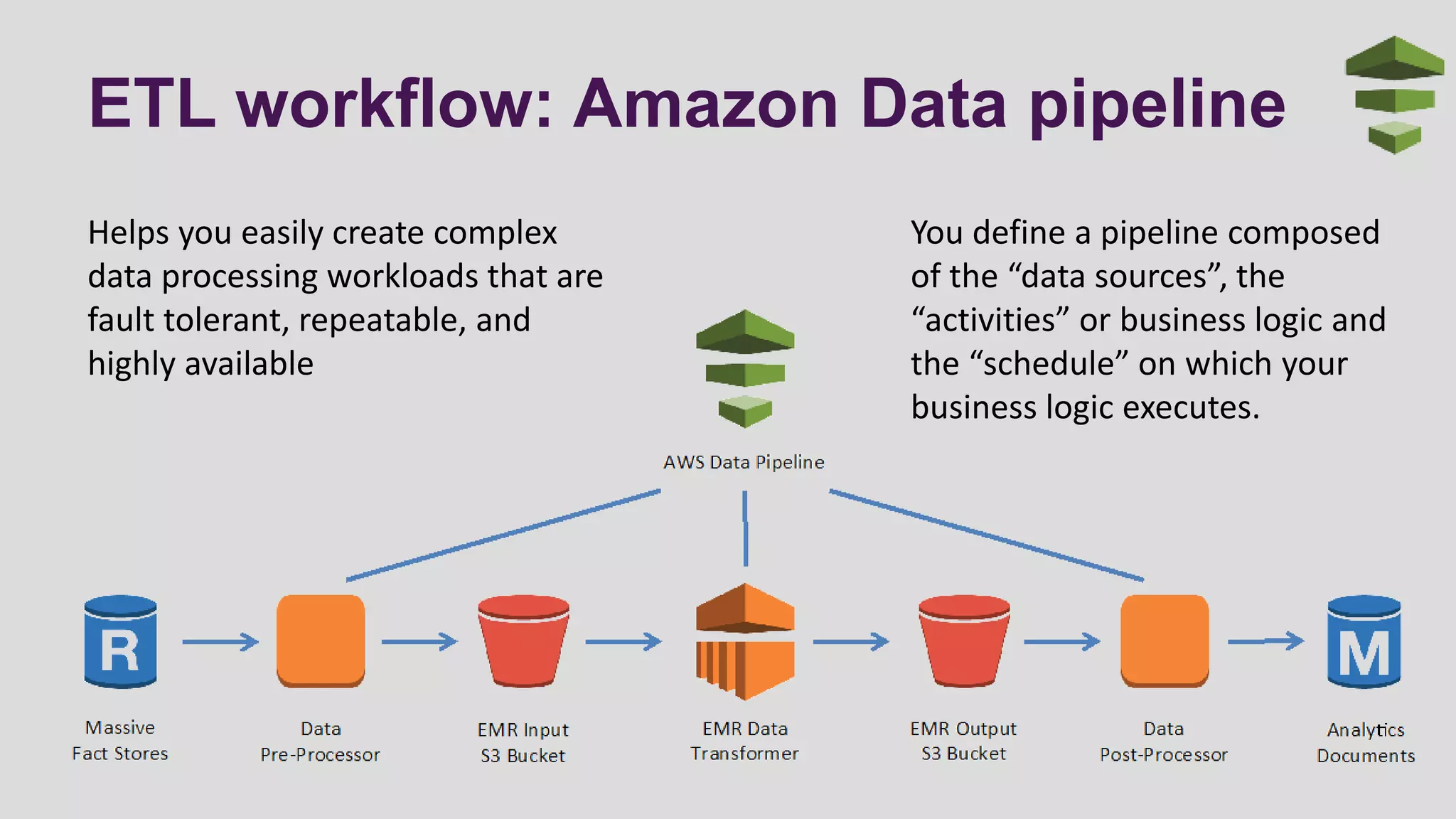
Helps you easily create complex
data processing workloads that are
fault tolerant, repeatable, and
highly available
You define a pipeline composed
of the “data sources”, the
“activities” or business logic and
the “schedule” on which your
business logic executes.
ANALYZE
Analysis and search
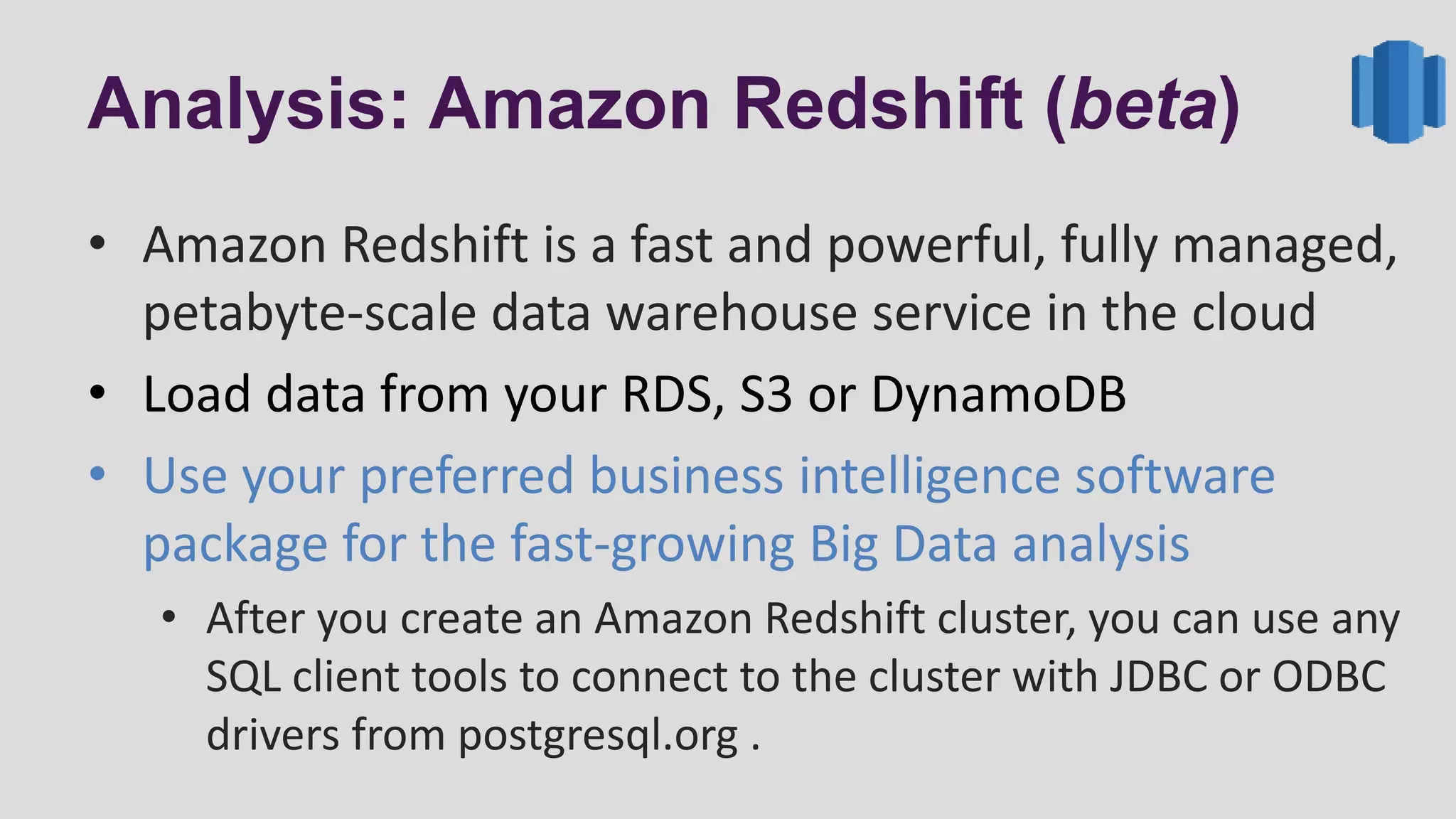
Analysis: Amazon Redshift (beta)
• Amazon Redshift is a fast and powerful, fully managed,
petabyte-scale data warehouse service in the cloud
• Load data from your RDS, S3 or DynamoDB
• Use your preferred business intelligence software
package for the fast-growing Big Data analysis
• After you create an Amazon Redshift cluster, you can use any
SQL client tools to connect to the cluster with JDBC or ODBC
drivers from postgresql.org .
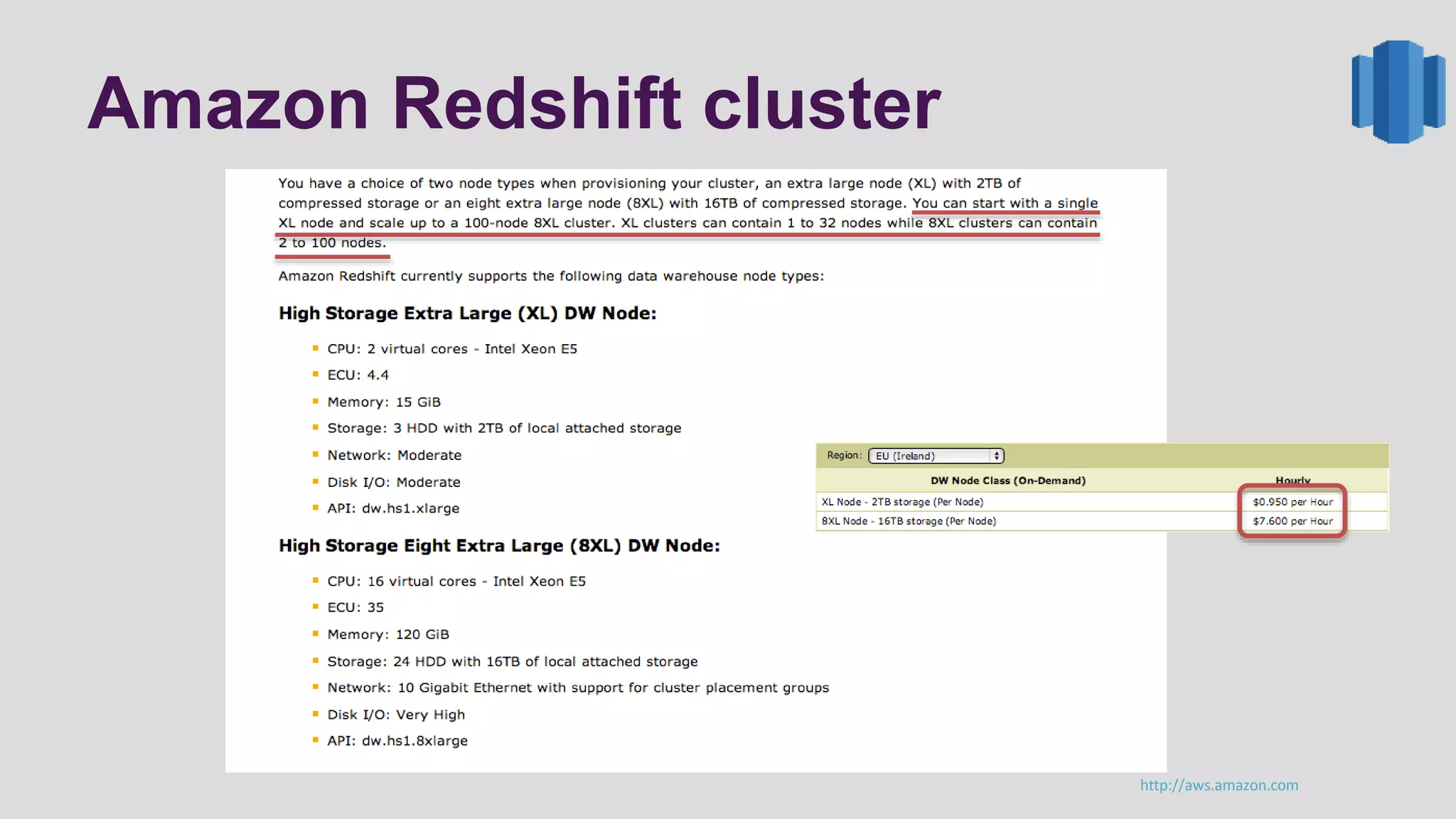
Amazon Redshift cluster
http://aws.amazon.com
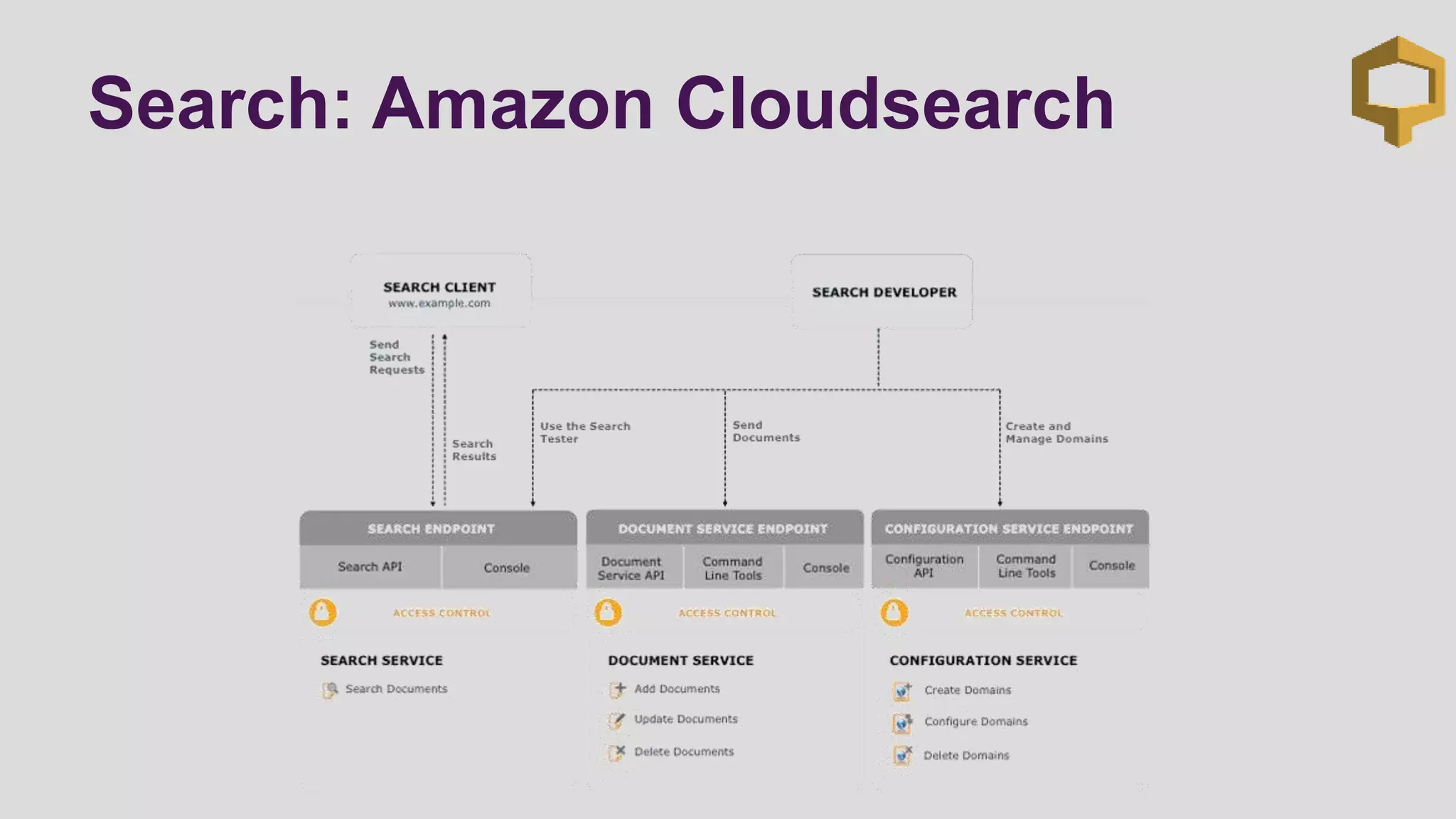
Search: Amazon Cloudsearch
DEMO
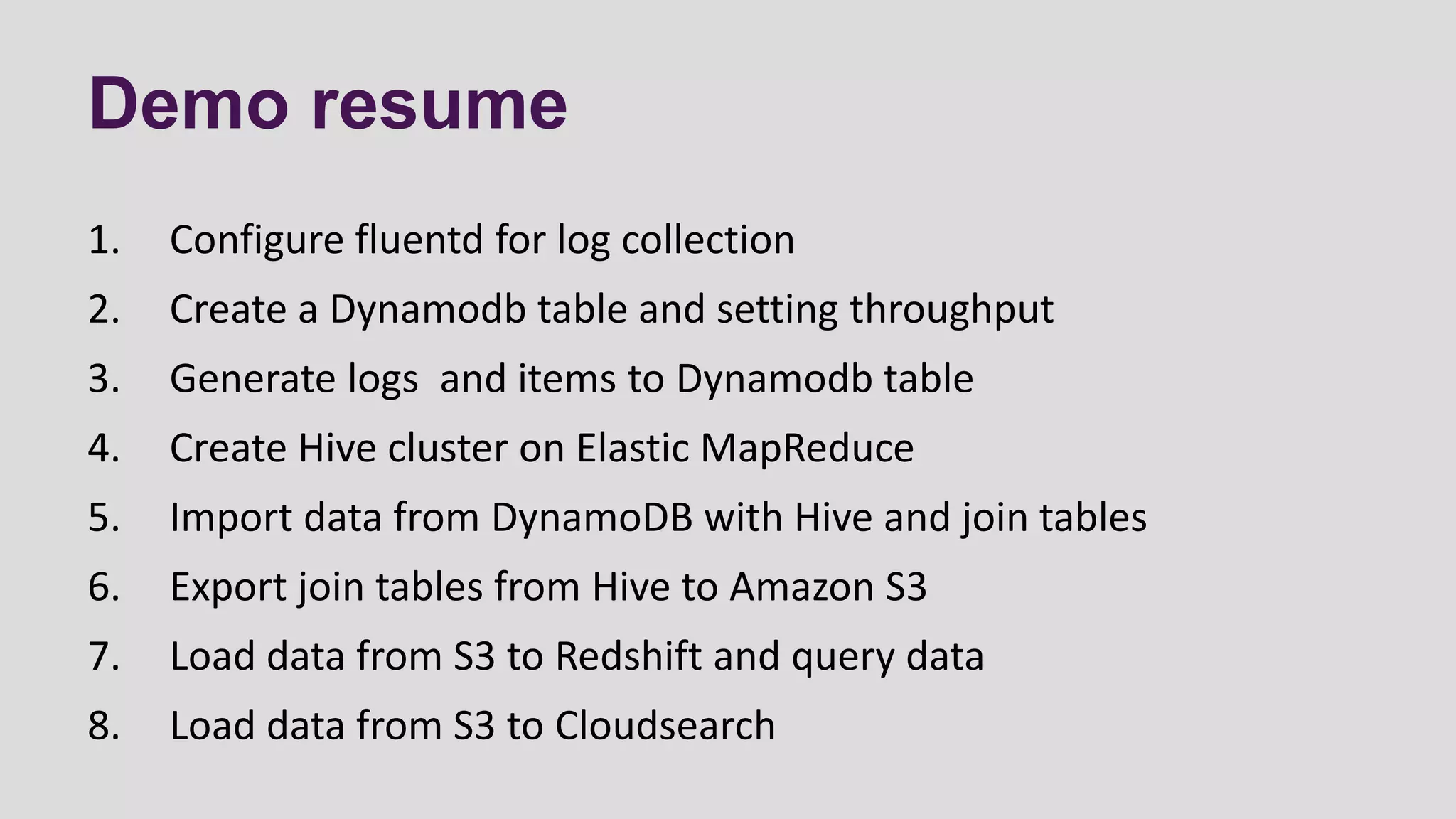
Demo resume
1. Configure fluentd for log collection
2. Create a Dynamodb table and setting throughput
3. Generate logs and items to Dynamodb table
4. Create Hive cluster on Elastic MapReduce
5. Import data from DynamoDB with Hive and join tables
6. Export join tables from Hive to Amazon S3
7. Load data from S3 to Redshift and query data
8. Load data from S3 to Cloudsearch
QUESTIONS&
ANSWERS
Grazie.
• AWS30
3

Data Analysis on AWS

  • 1.
    ADVANCED LOGGING SCENARIOS WITHDYNAMODB AND ELASTIC MAPREDUCE Paolo Latella XPeppers paolo.latella@xpeppers.com
  • 2.
    Agenda • Cloud ComputingLog • Generate Data • Collect Data • Store Data • ETL • Analysis
  • 3.
    CLOUD COMPUTING LOG A“big data” problem
  • 4.
    A big dataproblem • Log data analysis in cloud computing technology is a big data problem! • Volume: large amount of data generated • Velocity: data growing at large rates and needs to be analyzed quickly • Variety: Different type of structured and unstructured data
  • 5.
    Log analysis tasks GenerateCollect Store ETL Analyze Server Log Application Log Scribe Flume Fluentd Logstash Dynamodb S3 Elastic MapReduce Data Pipeline Dynamodb S3 CloudSearch Redshift
  • 6.
    GENERATE DATA A largeamount of data at large rates
  • 7.
  • 8.
    At large rate Don’tworry we have autoscaling www.animoto.com And log data 5.000 instances
  • 9.
    COLLECT DATA Collect eventsand logs in real-time
  • 10.
    Collect events andlog Batch processing (rsync) • burst of traffic • High latency • Hard to analyze Remote server (rsyslog) • Hard to configure • Not scalable • Hard to analyze Log collector • simple to configure • Scalable • NoSQL integration
  • 11.
    In real-time: logcollector (1/2) • Apache Flume: distributed, reliable, and available service (java) for collecting, aggregating, and moving large amounts of log data • source: a source of data from which Flume receives data • sink: is the counterpart to the source in that it is a destination for data • Fluent: fully free and open-source (ruby) log collector that instantly enables you to have a “Log Everything” architecture with +125 plugins • Input plugin: retrieve data from most varied sources (file, mysql, scribe, flume and others) • Output plugin: send data to different destination (file, S3, Dynamodb, SQS and others)
  • 12.
    In real-time: logcollector (2/2) • Logstash: a tool (java) for managing events and logs • input section: configure source of data and relative plugin • filter section: configure regular expression or plugin for filter data input • output section: configure destination section and relative plugin • Scribe: is a service (C++ and Python) for aggregating log data streamed in real-time from a large number of servers • Scribe was developed at Facebook using Apache Thrift and released in 2008 as open source • Scribe servers are arranged in a directed graph, with each server knowing only about the next server in the graph
  • 13.
  • 14.
  • 15.
  • 16.
  • 17.
    NoSQL database: AmazonDynamoDB • A fast, fully managed NoSQL database service in the AWS cloud • You simply create a table and specify how much request (read/write) capacity you require • Tables do not have fixed schemas, and each item may have a different number of attributes and multiple data types • Performance, reliability and security are built-in • SSD-storage and automatic 3-way replication • Integrate with Amazon Elastic MapReduce by a customized version of Hive
  • 18.
    Amazon DynamoDB: webconsole http://aws.amazon.com
  • 19.
    Amazon DynamoDB: throughput 1million evenly spread writes per day is equivalent to 1,000,000 (writes) / 24 (hours) / 60 (minutes) / 60 (seconds) = 11.6 writes per second. A DynamoDB Write Capacity Unit can handle 1 write per second, so you need 12 Write Capacity Units. Similarly, to handle 1 million reads per second, you need 12 Read Capacity Units.
  • 20.
    Or Storage: AmazonS3 • Provides a simple web services interface that can be used to store and retrieve any amount of data, at any time, from anywhere on the web • Write, read, and delete objects containing from 1 byte to 5 terabytes of data each. The number of objects you can store is unlimited. • Designed for 99.999999999% durability and 99.99% availability of objects over a given year • Import data from Dynamodb with Apache hive
  • 21.
  • 22.
    With Amazon WebServices (1/2) • Amazon provide Elastic MapReduce web service for ETL operations in AWS cloud • Elastic MapReduce Extract your data from Dynamodb, S3 or HDFS • Elastic MapReduce Transform your data across a cluster of EC2 instances • Elastic MapReduce Load your data to S3 or Dynamodb then to Redshift or Cloudsearch
  • 23.
    With Amazon WebServices (2/2) Amazon EC2 Amazon EC2 Auto scaling Group S3 Bucket DynamoDB Extract Transform Load Amazon Redshift S3 Bucket Amazon CloudSearch DynamoDB EMR
  • 24.
    Amazon Elastic MapReduce •With Amazon Elastic MapReduce (Amazon EMR) you can analyze and process vast amounts of data. • It does this by distributing the computational work across a cluster of EC2 virtual servers running in the Amazon cloud • The cluster is managed using an open-source framework called Hadoop and use the map-reduce logic
  • 25.
    Amazon EMR: cluster(1/2) • Offers several different types of clusters, each configured for a particular type of data processing • Hive clusters: use Apache Hive on top of Hadoop. • You can load data onto cluster and then query it using HiveQL • Custom JAR Cluster: runs a Java map-reduce application that you have previously compiled into a JAR file and uploaded to Amazon S3
  • 26.
    Amazon EMR: cluster(2/2) • Streaming Cluster: runs mapper and reducer scripts that you have previously uploaded to Amazon S3. • The scripts can be written using any of the following supported languages: Ruby, Perl, Python, PHP, Bash, C++. • Pig Cluster: use Apache Pig, an open-source Apache library that runs on top of Hadoop. • you can load data onto your cluster and then query it using Pig Latin, a SQL-like query language.
  • 27.
    ETL workflow: AmazonData pipeline Helps you easily create complex data processing workloads that are fault tolerant, repeatable, and highly available You define a pipeline composed of the “data sources”, the “activities” or business logic and the “schedule” on which your business logic executes.
  • 28.
  • 29.
    Analysis: Amazon Redshift(beta) • Amazon Redshift is a fast and powerful, fully managed, petabyte-scale data warehouse service in the cloud • Load data from your RDS, S3 or DynamoDB • Use your preferred business intelligence software package for the fast-growing Big Data analysis • After you create an Amazon Redshift cluster, you can use any SQL client tools to connect to the cluster with JDBC or ODBC drivers from postgresql.org .
  • 30.
  • 31.
  • 32.
  • 33.
    Demo resume 1. Configurefluentd for log collection 2. Create a Dynamodb table and setting throughput 3. Generate logs and items to Dynamodb table 4. Create Hive cluster on Elastic MapReduce 5. Import data from DynamoDB with Hive and join tables 6. Export join tables from Hive to Amazon S3 7. Load data from S3 to Redshift and query data 8. Load data from S3 to Cloudsearch
  • 34.
  • 35.