Download free for 30 days
Sign in
Upload
Language (EN)
Support
Business
Mobile
Social Media
Marketing
Technology
Art & Photos
Career
Design
Education
Presentations & Public Speaking
Government & Nonprofit
Healthcare
Internet
Law
Leadership & Management
Automotive
Engineering
Software
Recruiting & HR
Retail
Sales
Services
Science
Small Business & Entrepreneurship
Food
Environment
Economy & Finance
Data & Analytics
Investor Relations
Sports
Spiritual
News & Politics
Travel
Self Improvement
Real Estate
Entertainment & Humor
Health & Medicine
Devices & Hardware
Lifestyle
Change Language
Language
English
Español
Português
Français
Deutsche
Cancel
Save
Submit search
EN
Uploaded by
philsparkshome
PDF, PPTX
486 views
AWS-Certified-ML-Engineer-Associate-Slides.pdf
AWS ML Engineer Exam Slides
Data & Analytics
◦
Read more
0
Save
Share
Embed
Embed presentation
Download
Download as PDF, PPTX
1
/ 892
2
/ 892
3
/ 892
4
/ 892
5
/ 892
6
/ 892
7
/ 892
8
/ 892
9
/ 892
10
/ 892
11
/ 892
12
/ 892
13
/ 892
14
/ 892
15
/ 892
16
/ 892
17
/ 892
18
/ 892
19
/ 892
20
/ 892
21
/ 892
22
/ 892
23
/ 892
24
/ 892
25
/ 892
26
/ 892
27
/ 892
28
/ 892
29
/ 892
30
/ 892
31
/ 892
32
/ 892
33
/ 892
34
/ 892
Most read
35
/ 892
36
/ 892
37
/ 892
38
/ 892
39
/ 892
40
/ 892
41
/ 892
42
/ 892
43
/ 892
44
/ 892
45
/ 892
46
/ 892
47
/ 892
48
/ 892
49
/ 892
50
/ 892
51
/ 892
52
/ 892
53
/ 892
54
/ 892
55
/ 892
56
/ 892
57
/ 892
58
/ 892
59
/ 892
60
/ 892
61
/ 892
62
/ 892
63
/ 892
64
/ 892
65
/ 892
66
/ 892
67
/ 892
68
/ 892
69
/ 892
70
/ 892
71
/ 892
72
/ 892
73
/ 892
74
/ 892
75
/ 892
76
/ 892
77
/ 892
78
/ 892
79
/ 892
80
/ 892
81
/ 892
82
/ 892
83
/ 892
84
/ 892
85
/ 892
86
/ 892
87
/ 892
88
/ 892
89
/ 892
90
/ 892
91
/ 892
92
/ 892
Most read
93
/ 892
94
/ 892
95
/ 892
96
/ 892
97
/ 892
98
/ 892
99
/ 892
100
/ 892
101
/ 892
102
/ 892
103
/ 892
104
/ 892
105
/ 892
106
/ 892
107
/ 892
108
/ 892
109
/ 892
110
/ 892
111
/ 892
112
/ 892
113
/ 892
114
/ 892
115
/ 892
116
/ 892
117
/ 892
118
/ 892
119
/ 892
120
/ 892
121
/ 892
122
/ 892
Most read
123
/ 892
124
/ 892
125
/ 892
126
/ 892
127
/ 892
128
/ 892
129
/ 892
130
/ 892
131
/ 892
132
/ 892
133
/ 892
134
/ 892
135
/ 892
136
/ 892
137
/ 892
138
/ 892
139
/ 892
140
/ 892
141
/ 892
142
/ 892
143
/ 892
144
/ 892
145
/ 892
146
/ 892
147
/ 892
148
/ 892
149
/ 892
150
/ 892
151
/ 892
152
/ 892
153
/ 892
154
/ 892
155
/ 892
156
/ 892
157
/ 892
158
/ 892
159
/ 892
160
/ 892
161
/ 892
162
/ 892
163
/ 892
164
/ 892
165
/ 892
166
/ 892
167
/ 892
168
/ 892
169
/ 892
170
/ 892
171
/ 892
172
/ 892
173
/ 892
174
/ 892
175
/ 892
176
/ 892
177
/ 892
178
/ 892
179
/ 892
180
/ 892
181
/ 892
182
/ 892
183
/ 892
184
/ 892
185
/ 892
186
/ 892
187
/ 892
188
/ 892
189
/ 892
190
/ 892
191
/ 892
192
/ 892
193
/ 892
194
/ 892
195
/ 892
196
/ 892
197
/ 892
198
/ 892
199
/ 892
200
/ 892
201
/ 892
202
/ 892
203
/ 892
204
/ 892
205
/ 892
206
/ 892
207
/ 892
208
/ 892
209
/ 892
210
/ 892
211
/ 892
212
/ 892
213
/ 892
214
/ 892
215
/ 892
216
/ 892
217
/ 892
218
/ 892
219
/ 892
220
/ 892
221
/ 892
222
/ 892
223
/ 892
224
/ 892
225
/ 892
226
/ 892
227
/ 892
228
/ 892
229
/ 892
230
/ 892
231
/ 892
232
/ 892
233
/ 892
234
/ 892
235
/ 892
236
/ 892
237
/ 892
238
/ 892
239
/ 892
240
/ 892
241
/ 892
242
/ 892
243
/ 892
244
/ 892
245
/ 892
246
/ 892
247
/ 892
248
/ 892
249
/ 892
250
/ 892
251
/ 892
252
/ 892
253
/ 892
254
/ 892
255
/ 892
256
/ 892
257
/ 892
258
/ 892
259
/ 892
260
/ 892
261
/ 892
262
/ 892
263
/ 892
264
/ 892
265
/ 892
266
/ 892
267
/ 892
268
/ 892
269
/ 892
270
/ 892
271
/ 892
272
/ 892
273
/ 892
274
/ 892
275
/ 892
276
/ 892
277
/ 892
278
/ 892
279
/ 892
280
/ 892
281
/ 892
282
/ 892
283
/ 892
284
/ 892
285
/ 892
286
/ 892
287
/ 892
288
/ 892
289
/ 892
290
/ 892
291
/ 892
292
/ 892
293
/ 892
294
/ 892
295
/ 892
296
/ 892
297
/ 892
298
/ 892
299
/ 892
300
/ 892
301
/ 892
302
/ 892
303
/ 892
304
/ 892
305
/ 892
306
/ 892
307
/ 892
308
/ 892
309
/ 892
310
/ 892
311
/ 892
312
/ 892
313
/ 892
314
/ 892
315
/ 892
316
/ 892
317
/ 892
318
/ 892
319
/ 892
320
/ 892
321
/ 892
322
/ 892
323
/ 892
324
/ 892
325
/ 892
326
/ 892
327
/ 892
328
/ 892
329
/ 892
330
/ 892
331
/ 892
332
/ 892
333
/ 892
334
/ 892
335
/ 892
336
/ 892
337
/ 892
338
/ 892
339
/ 892
340
/ 892
341
/ 892
342
/ 892
343
/ 892
344
/ 892
345
/ 892
346
/ 892
347
/ 892
348
/ 892
349
/ 892
350
/ 892
351
/ 892
352
/ 892
353
/ 892
354
/ 892
355
/ 892
356
/ 892
357
/ 892
358
/ 892
359
/ 892
360
/ 892
361
/ 892
362
/ 892
363
/ 892
364
/ 892
365
/ 892
366
/ 892
367
/ 892
368
/ 892
369
/ 892
370
/ 892
371
/ 892
372
/ 892
373
/ 892
374
/ 892
375
/ 892
376
/ 892
377
/ 892
378
/ 892
379
/ 892
380
/ 892
381
/ 892
382
/ 892
383
/ 892
384
/ 892
385
/ 892
386
/ 892
387
/ 892
388
/ 892
389
/ 892
390
/ 892
391
/ 892
392
/ 892
393
/ 892
394
/ 892
395
/ 892
396
/ 892
397
/ 892
398
/ 892
399
/ 892
400
/ 892
401
/ 892
402
/ 892
403
/ 892
404
/ 892
405
/ 892
406
/ 892
407
/ 892
408
/ 892
409
/ 892
410
/ 892
411
/ 892
412
/ 892
413
/ 892
414
/ 892
415
/ 892
416
/ 892
417
/ 892
418
/ 892
419
/ 892
420
/ 892
421
/ 892
422
/ 892
423
/ 892
424
/ 892
425
/ 892
426
/ 892
427
/ 892
428
/ 892
429
/ 892
430
/ 892
431
/ 892
432
/ 892
433
/ 892
434
/ 892
435
/ 892
436
/ 892
437
/ 892
438
/ 892
439
/ 892
440
/ 892
441
/ 892
442
/ 892
443
/ 892
444
/ 892
445
/ 892
446
/ 892
447
/ 892
448
/ 892
449
/ 892
450
/ 892
451
/ 892
452
/ 892
453
/ 892
454
/ 892
455
/ 892
456
/ 892
457
/ 892
458
/ 892
459
/ 892
460
/ 892
461
/ 892
462
/ 892
463
/ 892
464
/ 892
465
/ 892
466
/ 892
467
/ 892
468
/ 892
469
/ 892
470
/ 892
471
/ 892
472
/ 892
473
/ 892
474
/ 892
475
/ 892
476
/ 892
477
/ 892
478
/ 892
479
/ 892
480
/ 892
481
/ 892
482
/ 892
483
/ 892
484
/ 892
485
/ 892
486
/ 892
487
/ 892
488
/ 892
489
/ 892
490
/ 892
491
/ 892
492
/ 892
493
/ 892
494
/ 892
495
/ 892
496
/ 892
497
/ 892
498
/ 892
499
/ 892
500
/ 892
501
/ 892
502
/ 892
503
/ 892
504
/ 892
505
/ 892
506
/ 892
507
/ 892
508
/ 892
509
/ 892
510
/ 892
511
/ 892
512
/ 892
513
/ 892
514
/ 892
515
/ 892
516
/ 892
517
/ 892
518
/ 892
519
/ 892
520
/ 892
521
/ 892
522
/ 892
523
/ 892
524
/ 892
525
/ 892
526
/ 892
527
/ 892
528
/ 892
529
/ 892
530
/ 892
531
/ 892
532
/ 892
533
/ 892
534
/ 892
535
/ 892
536
/ 892
537
/ 892
538
/ 892
539
/ 892
540
/ 892
541
/ 892
542
/ 892
543
/ 892
544
/ 892
545
/ 892
546
/ 892
547
/ 892
548
/ 892
549
/ 892
550
/ 892
551
/ 892
552
/ 892
553
/ 892
554
/ 892
555
/ 892
556
/ 892
557
/ 892
558
/ 892
559
/ 892
560
/ 892
561
/ 892
562
/ 892
563
/ 892
564
/ 892
565
/ 892
566
/ 892
567
/ 892
568
/ 892
569
/ 892
570
/ 892
571
/ 892
572
/ 892
573
/ 892
574
/ 892
575
/ 892
576
/ 892
577
/ 892
578
/ 892
579
/ 892
580
/ 892
581
/ 892
582
/ 892
583
/ 892
584
/ 892
585
/ 892
586
/ 892
587
/ 892
588
/ 892
589
/ 892
590
/ 892
591
/ 892
592
/ 892
593
/ 892
594
/ 892
595
/ 892
596
/ 892
597
/ 892
598
/ 892
599
/ 892
600
/ 892
601
/ 892
602
/ 892
603
/ 892
604
/ 892
605
/ 892
606
/ 892
607
/ 892
608
/ 892
609
/ 892
610
/ 892
611
/ 892
612
/ 892
613
/ 892
614
/ 892
615
/ 892
616
/ 892
617
/ 892
618
/ 892
619
/ 892
620
/ 892
621
/ 892
622
/ 892
623
/ 892
624
/ 892
625
/ 892
626
/ 892
627
/ 892
628
/ 892
629
/ 892
630
/ 892
631
/ 892
632
/ 892
633
/ 892
634
/ 892
635
/ 892
636
/ 892
637
/ 892
638
/ 892
639
/ 892
640
/ 892
641
/ 892
642
/ 892
643
/ 892
644
/ 892
645
/ 892
646
/ 892
647
/ 892
648
/ 892
649
/ 892
650
/ 892
651
/ 892
652
/ 892
653
/ 892
654
/ 892
655
/ 892
656
/ 892
657
/ 892
658
/ 892
659
/ 892
660
/ 892
661
/ 892
662
/ 892
663
/ 892
664
/ 892
665
/ 892
666
/ 892
667
/ 892
668
/ 892
669
/ 892
670
/ 892
671
/ 892
672
/ 892
673
/ 892
674
/ 892
675
/ 892
676
/ 892
677
/ 892
678
/ 892
679
/ 892
680
/ 892
681
/ 892
682
/ 892
683
/ 892
684
/ 892
685
/ 892
686
/ 892
687
/ 892
688
/ 892
689
/ 892
690
/ 892
691
/ 892
692
/ 892
693
/ 892
694
/ 892
695
/ 892
696
/ 892
697
/ 892
698
/ 892
699
/ 892
700
/ 892
701
/ 892
702
/ 892
703
/ 892
704
/ 892
705
/ 892
706
/ 892
707
/ 892
708
/ 892
709
/ 892
710
/ 892
711
/ 892
712
/ 892
713
/ 892
714
/ 892
715
/ 892
716
/ 892
717
/ 892
718
/ 892
719
/ 892
720
/ 892
721
/ 892
722
/ 892
723
/ 892
724
/ 892
725
/ 892
726
/ 892
727
/ 892
728
/ 892
729
/ 892
730
/ 892
731
/ 892
732
/ 892
733
/ 892
734
/ 892
735
/ 892
736
/ 892
737
/ 892
738
/ 892
739
/ 892
740
/ 892
741
/ 892
742
/ 892
743
/ 892
744
/ 892
745
/ 892
746
/ 892
747
/ 892
748
/ 892
749
/ 892
750
/ 892
751
/ 892
752
/ 892
753
/ 892
754
/ 892
755
/ 892
756
/ 892
757
/ 892
758
/ 892
759
/ 892
760
/ 892
761
/ 892
762
/ 892
763
/ 892
764
/ 892
765
/ 892
766
/ 892
767
/ 892
768
/ 892
769
/ 892
770
/ 892
771
/ 892
772
/ 892
773
/ 892
774
/ 892
775
/ 892
776
/ 892
777
/ 892
778
/ 892
779
/ 892
780
/ 892
781
/ 892
782
/ 892
783
/ 892
784
/ 892
785
/ 892
786
/ 892
787
/ 892
788
/ 892
789
/ 892
790
/ 892
791
/ 892
792
/ 892
793
/ 892
794
/ 892
795
/ 892
796
/ 892
797
/ 892
798
/ 892
799
/ 892
800
/ 892
801
/ 892
802
/ 892
803
/ 892
804
/ 892
805
/ 892
806
/ 892
807
/ 892
808
/ 892
809
/ 892
810
/ 892
811
/ 892
812
/ 892
813
/ 892
814
/ 892
815
/ 892
816
/ 892
817
/ 892
818
/ 892
819
/ 892
820
/ 892
821
/ 892
822
/ 892
823
/ 892
824
/ 892
825
/ 892
826
/ 892
827
/ 892
828
/ 892
829
/ 892
830
/ 892
831
/ 892
832
/ 892
833
/ 892
834
/ 892
835
/ 892
836
/ 892
837
/ 892
838
/ 892
839
/ 892
840
/ 892
841
/ 892
842
/ 892
843
/ 892
844
/ 892
845
/ 892
846
/ 892
847
/ 892
848
/ 892
849
/ 892
850
/ 892
851
/ 892
852
/ 892
853
/ 892
854
/ 892
855
/ 892
856
/ 892
857
/ 892
858
/ 892
859
/ 892
860
/ 892
861
/ 892
862
/ 892
863
/ 892
864
/ 892
865
/ 892
866
/ 892
867
/ 892
868
/ 892
869
/ 892
870
/ 892
871
/ 892
872
/ 892
873
/ 892
874
/ 892
875
/ 892
876
/ 892
877
/ 892
878
/ 892
879
/ 892
880
/ 892
881
/ 892
882
/ 892
883
/ 892
884
/ 892
885
/ 892
886
/ 892
887
/ 892
888
/ 892
889
/ 892
890
/ 892
891
/ 892
892
/ 892
More Related Content
PPTX
Intro to SageMaker
by
Soji Adeshina
PDF
AWS ML Model Deployment
by
Knoldus Inc.
PDF
Weaviate and Pinecone Comparison.pdf
by
Evgenios Skitsanos
PDF
06-20-2024-AI Camp Meetup-Unstructured Data and Vector Databases
by
Timothy Spann
PPTX
Agentic RAG and Small & Specialized Models v1.6.pptx
by
Damien Berezenko
PDF
Clean architectures with fast api pycones
by
Alvaro Del Castillo
PDF
MLOps journey at Swisscom: AI Use Cases, Architecture and Future Vision
by
BATbern
PDF
Generative AI on Enterprise Cloud with NiFi and Milvus
by
Timothy Spann
Intro to SageMaker
by
Soji Adeshina
AWS ML Model Deployment
by
Knoldus Inc.
Weaviate and Pinecone Comparison.pdf
by
Evgenios Skitsanos
06-20-2024-AI Camp Meetup-Unstructured Data and Vector Databases
by
Timothy Spann
Agentic RAG and Small & Specialized Models v1.6.pptx
by
Damien Berezenko
Clean architectures with fast api pycones
by
Alvaro Del Castillo
MLOps journey at Swisscom: AI Use Cases, Architecture and Future Vision
by
BATbern
Generative AI on Enterprise Cloud with NiFi and Milvus
by
Timothy Spann
What's hot
PDF
Service Mesh with Apache Kafka, Kubernetes, Envoy, Istio and Linkerd
by
Kai Wähner
PDF
Security Process in DevSecOps
by
Opsta
PPTX
Microsoft DevOps Solution - DevOps
by
Chetan Gordhan
ODP
Devops Devops Devops
by
Kris Buytaert
PPTX
Getting Started in Pentesting the Cloud: Azure
by
Beau Bullock
PPTX
DevOps 101 - an Introduction to DevOps
by
Red Gate Software
PPTX
Introduction to microservices
by
Paulo Gandra de Sousa
PDF
Practical DevSecOps - Arief Karfianto
by
idsecconf
PDF
Practical DevSecOps Course - Part 1
by
Mohammed A. Imran
PDF
DevOps - A Gentle Introduction
by
CodeOps Technologies LLP
PPTX
Getting Started with Azure DevOps
by
Jessica Deen
PPTX
Azure DevOps
by
Juan Fabian
PPTX
Continues Integration and Continuous Delivery with Azure DevOps - Deploy Anyt...
by
Janusz Nowak
PPTX
DevOps Tutorial For Beginners | DevOps Tutorial | DevOps Tools | DevOps Train...
by
Simplilearn
PPTX
CI/CD Best Practices for Your DevOps Journey
by
DevOps.com
PDF
Microsoft Azure Security Overview
by
Alert Logic
PDF
Introduction to DevOps
by
Yosef Tavin
PDF
How to implement DevOps in your Organization
by
Dalibor Blazevic
PDF
Slide DevSecOps Microservices
by
Hendri Karisma
PPTX
DevSecOps reference architectures 2018
by
Sonatype
Service Mesh with Apache Kafka, Kubernetes, Envoy, Istio and Linkerd
by
Kai Wähner
Security Process in DevSecOps
by
Opsta
Microsoft DevOps Solution - DevOps
by
Chetan Gordhan
Devops Devops Devops
by
Kris Buytaert
Getting Started in Pentesting the Cloud: Azure
by
Beau Bullock
DevOps 101 - an Introduction to DevOps
by
Red Gate Software
Introduction to microservices
by
Paulo Gandra de Sousa
Practical DevSecOps - Arief Karfianto
by
idsecconf
Practical DevSecOps Course - Part 1
by
Mohammed A. Imran
DevOps - A Gentle Introduction
by
CodeOps Technologies LLP
Getting Started with Azure DevOps
by
Jessica Deen
Azure DevOps
by
Juan Fabian
Continues Integration and Continuous Delivery with Azure DevOps - Deploy Anyt...
by
Janusz Nowak
DevOps Tutorial For Beginners | DevOps Tutorial | DevOps Tools | DevOps Train...
by
Simplilearn
CI/CD Best Practices for Your DevOps Journey
by
DevOps.com
Microsoft Azure Security Overview
by
Alert Logic
Introduction to DevOps
by
Yosef Tavin
How to implement DevOps in your Organization
by
Dalibor Blazevic
Slide DevSecOps Microservices
by
Hendri Karisma
DevSecOps reference architectures 2018
by
Sonatype
Similar to AWS-Certified-ML-Engineer-Associate-Slides.pdf
PDF
AWS Certified Data Engineer Slides - For AWS
by
DiogoCataPreta
PDF
AWSCertifiedGenerativeAIDeveloper111.pdf
by
hemarubini21it
PDF
Introduction to Big Data.pdfh hfuibgytgjm
by
msci2315
PPT
Big Data on The Cloud
by
Putchong Uthayopas
PDF
AWS reInvent 2022 reCap AI/ML and Data
by
Chris Fregly
PPTX
Big Data Analytics & Architecture
by
Anjani Phuyal
PDF
Big Data
by
Catarina Moreira
PDF
documentation of engineering presentation.pdf
by
GokulK128507
PDF
Modern Data Platforms - Thinking Data Flywheel on the Cloud
by
Alluxio, Inc.
PPTX
Architecting Your First Big Data Implementation
by
Adaryl "Bob" Wakefield, MBA
PDF
Data Engineering
by
kiansahafi
PDF
ANALYTICS OF DATA USING HADOOP-A REVIEW
by
International Journal of Technical Research & Application
PPTX
Hadoop Training Tutorial for Freshers
by
rajkamaltibacademy
PDF
The role of data engineering in data science and analytics practice
by
Joseph Benjamin Ilagan
PPTX
AWS big-data-demystified #1.1 | Big Data Architecture Lessons Learned | English
by
Omid Vahdaty
PDF
data_engineering_basics.pdf
by
Ketan Patil
PDF
Cloud Big Data Architectures
by
Lynn Langit
PPTX
Big Data in 200 km/h | AWS Big Data Demystified #1.3
by
Omid Vahdaty
PPTX
Big data analytics and machine intelligence v5.0
by
Amr Kamel Deklel
PPTX
Atlanta Data Science Meetup | Qubole slides
by
Qubole
AWS Certified Data Engineer Slides - For AWS
by
DiogoCataPreta
AWSCertifiedGenerativeAIDeveloper111.pdf
by
hemarubini21it
Introduction to Big Data.pdfh hfuibgytgjm
by
msci2315
Big Data on The Cloud
by
Putchong Uthayopas
AWS reInvent 2022 reCap AI/ML and Data
by
Chris Fregly
Big Data Analytics & Architecture
by
Anjani Phuyal
Big Data
by
Catarina Moreira
documentation of engineering presentation.pdf
by
GokulK128507
Modern Data Platforms - Thinking Data Flywheel on the Cloud
by
Alluxio, Inc.
Architecting Your First Big Data Implementation
by
Adaryl "Bob" Wakefield, MBA
Data Engineering
by
kiansahafi
ANALYTICS OF DATA USING HADOOP-A REVIEW
by
International Journal of Technical Research & Application
Hadoop Training Tutorial for Freshers
by
rajkamaltibacademy
The role of data engineering in data science and analytics practice
by
Joseph Benjamin Ilagan
AWS big-data-demystified #1.1 | Big Data Architecture Lessons Learned | English
by
Omid Vahdaty
data_engineering_basics.pdf
by
Ketan Patil
Cloud Big Data Architectures
by
Lynn Langit
Big Data in 200 km/h | AWS Big Data Demystified #1.3
by
Omid Vahdaty
Big data analytics and machine intelligence v5.0
by
Amr Kamel Deklel
Atlanta Data Science Meetup | Qubole slides
by
Qubole
Recently uploaded
PDF
How To Bu'y Verifi'ed kraken Account in US.pdf
by
uerubi95
PDF
Nepal's Health Policies: From 1991 to 2024 - A Complete Analysis of Nepal's H...
by
Public Health Concern Nepal
PPSX
[DSC Europe 25] Nikola Vasiljevic - Player segmentation by combat playstyles ...
by
DataScienceConferenc1
PDF
Security and confidentiality in big data.pdf
by
rayessafa21
PPTX
[DSC Europe 25] Ivica Milaric - The Future of Gaming and AI Tools.pptx
by
DataScienceConferenc1
PDF
The Creative Force Behind Iconic Worlds: Dan Houser's The "Four-Dimensional M...
by
Subtract 8
PPTX
[DSC Europe 25] Srba Markovic - From Pilot to Production: Overcoming AI Deplo...
by
DataScienceConferenc1
PDF
Idea Submission - AWS AI for Bharat Hackathon.pdf
by
ritikxdraws
PPTX
[DSC Europe 25] Mijat Kustudic - Building Financial Intelligence with AI Agen...
by
DataScienceConferenc1
PDF
The Architecture of Tomorrow: Elon Musk’s Vision for a Post-Work Society
by
Subtract 8
PDF
BUKTI KEMENANGAN MEMBER KANCAH4D – WD PULUHAN JUTA DARI STARLIGHT PRINCESS!
by
kancah4d
PPTX
WEP PROGRAMMING textbook important notes.pptx
by
RKARTHIKSHYAVI
PDF
Serverless Data Infrastructure (examples)
by
Michal Gancarski
PPTX
Enhanced signature verification through the integration of divers' models, op...
by
chWaqasZahid
PDF
[DSC Europe 25] Bojan Djuricic - Predictive Design Process.pdf
by
DataScienceConferenc1
PPTX
2026 Retreat Presentations (GREBS and WRAPS).pptx
by
tobacalebakanmu
PDF
[DSC Europe 25] Dragan Jerosimovic - The Anatomy of a Narrative Simulation.pdf
by
DataScienceConferenc1
DOCX
Cost Effective Design for Streaming Data Systems.docx
by
totabrez1
PDF
Community re-Invent re-Cap Slides AWS UserGroup Hamburg 01/2026
by
AlexeyVidanov1
PPTX
Introduction to Business Intelligence BI
by
PrajktaThakre
How To Bu'y Verifi'ed kraken Account in US.pdf
by
uerubi95
Nepal's Health Policies: From 1991 to 2024 - A Complete Analysis of Nepal's H...
by
Public Health Concern Nepal
[DSC Europe 25] Nikola Vasiljevic - Player segmentation by combat playstyles ...
by
DataScienceConferenc1
Security and confidentiality in big data.pdf
by
rayessafa21
[DSC Europe 25] Ivica Milaric - The Future of Gaming and AI Tools.pptx
by
DataScienceConferenc1
The Creative Force Behind Iconic Worlds: Dan Houser's The "Four-Dimensional M...
by
Subtract 8
[DSC Europe 25] Srba Markovic - From Pilot to Production: Overcoming AI Deplo...
by
DataScienceConferenc1
Idea Submission - AWS AI for Bharat Hackathon.pdf
by
ritikxdraws
[DSC Europe 25] Mijat Kustudic - Building Financial Intelligence with AI Agen...
by
DataScienceConferenc1
The Architecture of Tomorrow: Elon Musk’s Vision for a Post-Work Society
by
Subtract 8
BUKTI KEMENANGAN MEMBER KANCAH4D – WD PULUHAN JUTA DARI STARLIGHT PRINCESS!
by
kancah4d
WEP PROGRAMMING textbook important notes.pptx
by
RKARTHIKSHYAVI
Serverless Data Infrastructure (examples)
by
Michal Gancarski
Enhanced signature verification through the integration of divers' models, op...
by
chWaqasZahid
[DSC Europe 25] Bojan Djuricic - Predictive Design Process.pdf
by
DataScienceConferenc1
2026 Retreat Presentations (GREBS and WRAPS).pptx
by
tobacalebakanmu
[DSC Europe 25] Dragan Jerosimovic - The Anatomy of a Narrative Simulation.pdf
by
DataScienceConferenc1
Cost Effective Design for Streaming Data Systems.docx
by
totabrez1
Community re-Invent re-Cap Slides AWS UserGroup Hamburg 01/2026
by
AlexeyVidanov1
Introduction to Business Intelligence BI
by
PrajktaThakre
AWS-Certified-ML-Engineer-Associate-Slides.pdf
1.
sundog-education.com datacumulus.com © 2024 All
Rights Reserved Worldwide Disclaimer: These slides are copyrighted and strictly for personal use only • This document is reserved for people enrolled into the AWS Certified Machine Learning Engineer Associate Course by Sundog Education. • Please do not share this document, it is intended for personal use and exam preparation only, thank you. • If you’ve obtained these slides for free on a website that is not the course’s website, please reach out to piracy@datacumulus.com. Thanks! • Best of luck for the exam and happy learning!
2.
sundog-education.com datacumulus.com © 2024 All
Rights Reserved Worldwide Table of Contents • Data Ingestion and Storage • Data Transformation, Integrity, and Feature Engineering • AWS Managed AI Services • SageMaker Built-In Algorithms • Model Training, Tuning, and Evaluation • Generative AI Model Fundamentals • Building Generative AI Applications with Bedrock • Machine Learning Operations • Security, Identity, and Compliance • Management and Governance • ML Best Practices • Exam Preparation
3.
sundog-education.com datacumulus.com © 2024 All
Rights Reserved Worldwide AWS Certified Machine Learning Engineer - Associate Course MLA-C01
4.
sundog-education.com datacumulus.com © 2024 All
Rights Reserved Worldwide What We’ll Cover: Data Ingestion and Storage • Types, formats, and properties of data • Data warehouses, lakes, and lakehouses • ETL Pipelines and Orchestration • AWS Storage and Streaming Services Amazon Elastic Block Store (Amazon EBS) Amazon Elastic File System (Amazon EFS) Amazon FSx Amazon Simple Storage Service (Amazon S3) Amazon Kinesis
5.
sundog-education.com datacumulus.com © 2024 All
Rights Reserved Worldwide Data Transformation, Integrity, and Feature Engineering • Elastic MapReduce (EMR) • Handling missing, unbalanced, and outlier data • Common data transformations • SageMaker data processing and analysis features • AWS Glue Amazon EMR Amazon SageMaker AWS Glue
6.
sundog-education.com datacumulus.com © 2024 All
Rights Reserved Worldwide AWS Managed AI Services Amazon Personalize Amazon Polly Amazon Rekognition Amazon Comprehend Amazon Forecast Amazon Lex Amazon Textract Amazon Transcribe Amazon Translate Amazon Fraud Detector Amazon Kendra Amazon Lookout for Equipment Amazon Q
7.
sundog-education.com datacumulus.com © 2024 All
Rights Reserved Worldwide SageMaker Built-In Algorithms
8.
sundog-education.com datacumulus.com © 2024 All
Rights Reserved Worldwide Model Training, Tuning, and Evaluation • Deep Learning Fundamentals • Tuning techniques • Measuring model performance • Automatic Model Tuning with SageMaker Amazon SageMaker Σ Σ Σ Weig ht 1 Weig ht 2 Bias Neur on (1.0) Input 1 Input 2 Σ Σ Σ Σ softmax Bias Neuron (1.0)
9.
sundog-education.com datacumulus.com © 2024 All
Rights Reserved Worldwide Generative AI Model Fundamentals • The Transfomer Architecture • Self-Attention • How GPT Works • SageMaker JumpStart • Hands-on Labs
10.
sundog-education.com datacumulus.com © 2024 All
Rights Reserved Worldwide Building Generative AI Applications with Bedrock • Foundation Models • Retrieval-Augmented Generation (RAG) • Knowledge Bases • Vector Stores • Guardrails • LLM Agents • Lots of hands-on labs Amazon Bedrock
11.
sundog-education.com datacumulus.com © 2024 All
Rights Reserved Worldwide Machine Learning Operations (MLOps) • SageMaker in depth • Amazon ECS • Amazon ECR • AWS CloudFormation • AWS CDK • AWS CodeDeploy • AWS CodeBuild • AWS CodePipeline • Amazon EventBridge • AWS Step Functions • Amazon Managed Workflows for Apache Airflow (MWAA) Amazon SageMaker Amazon Elastic Container Registry (Amazon ECR) Amazon Elastic Container Service (Amazon ECS) AWS Cloud Development Kit (AWS CDK) AWS CodeBuild AWS CodeDeploy AWS CodePipeline AWS Step Functions Amazon EventBridge Amazon Managed Workflows for Apache Airflow (Amazon MWAA)
12.
sundog-education.com datacumulus.com © 2024 All
Rights Reserved Worldwide Security, Identity, and Compliance • Securing data in SageMaker • AWS IAM • KMS • Macie • Secrets Manager • WAF • Shield • VPC • PrivateLink AWS Identity and Access Management (IAM) AWS Key Management Service (AWS KMS) AWS Secrets Manager AWS Shield Amazon Macie AWS WAF Amazon Virtual Private Cloud (Amazon VPC) AWS PrivateLink
13.
sundog-education.com datacumulus.com © 2024 All
Rights Reserved Worldwide Management and Governance Amazon CloudWatch AWS CloudFormation AWS Config AWS CloudTrail AWS X-Ray AWS Trusted Advisor AWS Budgets AWS Cost Explorer
14.
sundog-education.com datacumulus.com © 2024 All
Rights Reserved Worldwide AWS Well-Architected Machine Learning Lens
15.
sundog-education.com datacumulus.com © 2024 All
Rights Reserved Worldwide This all may seem familiar…
16.
sundog-education.com datacumulus.com © 2024 All
Rights Reserved Worldwide Target Candidate • 1 Year experience with SageMaker and other ML Engineering services • 1 year in software dev, devops, data engineering, or data scientist • ML algorithms • Data engineering fundamentals • Software engineering and CI/CD • NOT required: • Designing end-to-end ML solutions • Depth in NLP, Computer Vision, etc.
17.
sundog-education.com datacumulus.com © 2024 All
Rights Reserved Worldwide
18.
sundog-education.com datacumulus.com © 2024 All
Rights Reserved Worldwide Data Ingestion and Storage Moving, Storing and Processing data in AWS
19.
sundog-education.com datacumulus.com © 2024 All
Rights Reserved Worldwide Types of Data • Structured • Unstructured • Semi-Structured
20.
sundog-education.com datacumulus.com © 2024 All
Rights Reserved Worldwide Structured Data • Definition: Data that is organized in a defined manner or schema, typically found in relational databases. • Characteristics: • Easily queryable • Organized in rows and columns • Has a consistent structure • Examples: • Database tables • CSV files with consistent columns • Excel spreadsheets
21.
sundog-education.com datacumulus.com © 2024 All
Rights Reserved Worldwide Unstructured Data • Definition: Data that doesn't have a predefined structure or schema. • Characteristics: • Not easily queryable without preprocessing • May come in various formats • Examples: • Text files without a fixed format • Videos and audio files • Images • Emails and word processing documents
22.
sundog-education.com datacumulus.com © 2024 All
Rights Reserved Worldwide Semi-Structured Data • Definition: Data that is not as organized as structured data but has some level of structure in the form of tags, hierarchies, or other patterns. • Characteristics: • Elements might be tagged or categorized in some way • More flexible than structured data but not as chaotic as unstructured data • Examples: • XML and JSON files • Email headers (which have a mix of structured fields like date, subject, etc., and unstructured data in the body) • Log files with varied formats
23.
sundog-education.com datacumulus.com © 2024 All
Rights Reserved Worldwide Properties of Data • Volume • Velocity • Variety
24.
sundog-education.com datacumulus.com © 2024 All
Rights Reserved Worldwide Volume • Definition: Refers to the amount or size of data that organizations are dealing with at any given time. • Characteristics: • May range from gigabytes to petabytes or even more • Challenges in storing, processing, and analyzing high volumes of data • Examples: • A popular social media platform processing terabytes of data daily from user posts, images, and videos. • Retailers collecting years' worth of transaction data, amounting to several petabytes.
25.
sundog-education.com datacumulus.com © 2024 All
Rights Reserved Worldwide Velocity • Definition: Refers to the speed at which new data is generated, collected, and processed. • Characteristics: • High velocity requires real-time or near-real-time processing capabilities • Rapid ingestion and processing can be critical for certain applications • Examples: • Sensor data from IoT devices streaming readings every millisecond. • High-frequency trading systems where milliseconds can make a difference in decision-making.
26.
sundog-education.com datacumulus.com © 2024 All
Rights Reserved Worldwide Variety • Definition: Refers to the different types, structures, and sources of data. • Characteristics: • Data can be structured, semi-structured, or unstructured • Data can come from multiple sources and in various formats • Examples: • A business analyzing data from relational databases (structured), emails (unstructured), and JSON logs (semi-structured). • Healthcare systems collecting data from electronic medical records, wearable health devices, and patient feedback forms.
27.
sundog-education.com datacumulus.com © 2024 All
Rights Reserved Worldwide Data Warehouses vs. Data Lakes Data Warehouses vs. Data Lakes
28.
sundog-education.com datacumulus.com © 2024 All
Rights Reserved Worldwide Data Warehouse • Definition: A centralized repository optimized for analysis where data from different sources is stored in a structured format. • Characteristics: • Designed for complex queries and analysis • Data is cleaned, transformed, and loaded (ETL process) • Typically uses a star or snowflake schema • Optimized for read-heavy operations • Examples: • Amazon Redshift • Google BigQuery • Microsoft Azure SQL Data Warehouse Amazon Redshift
29.
sundog-education.com datacumulus.com © 2024 All
Rights Reserved Worldwide Data Warehouse example Clickstream data Purchase data Catalog data Data Warehouse Accounting Data Mart Analysis Data Mart Machine Learning Data Mart
30.
sundog-education.com datacumulus.com © 2024 All
Rights Reserved Worldwide Data Lake • Definition: A storage repository that holds vast amounts of raw data in its native format, including structured, semi-structured, and unstructured data. • Characteristics: • Can store large volumes of raw data without predefined schema • Data is loaded as-is, no need for preprocessing • Supports batch, real-time, and stream processing • Can be queried for data transformation or exploration purposes • Examples: • Amazon Simple Storage Service (S3) when used as a data lake • Azure Data Lake Storage • Hadoop Distributed File System (HDFS) Amazon Simple Storage Service (Amazon S3) Amazon Athena AWS Glue
31.
sundog-education.com datacumulus.com © 2024 All
Rights Reserved Worldwide Comparing the two • Schema: • Data Warehouse: Schema-on-write (predefined schema before writing data) • Extract – Transform – Load (ETL) • Data Lake: Schema-on-read (schema is defined at the time of reading data) • Extract – Load – Transform (ELT) • Data Types: • Data Warehouse: Primarily structured data • Data Lake: Both structured and unstructured data • Agility: • Data Warehouse: Less agile due to predefined schema • Data Lake: More agile as it accepts raw data without a predefined structure • Processing: • Data Warehouse: ETL (Extract, Transform, Load) • Data Lake: ELT (Extract, Load, Transform) or just Load for storage purposes • Cost: • Data Warehouse: Typically more expensive because of optimizations for complex queries • Data Lake: Cost-effective storage solutions, but costs can rise when processing large amounts of data
32.
sundog-education.com datacumulus.com © 2024 All
Rights Reserved Worldwide Choosing a Warehouse vs. a Lake • Use a Data Warehouse when: • You have structured data sources and require fast and complex queries. • Data integration from different sources is essential. • Business intelligence and analytics are the primary use cases. • Use a Data Lake when: • You have a mix of structured, semi-structured, or unstructured data. • You need a scalable and cost-effective solution to store massive amounts of data. • Future needs for data are uncertain, and you want flexibility in storage and processing. • Advanced analytics, machine learning, or data discovery are key goals. • Often, organizations use a combination of both, ingesting raw data into a data lake and then processing and moving refined data into a data warehouse for analysis.
33.
sundog-education.com datacumulus.com © 2024 All
Rights Reserved Worldwide Data Lakehouse • Definition: A hybrid data architecture that combines the best features of data lakes and data warehouses, aiming to provide the performance, reliability, and capabilities of a data warehouse while maintaining the flexibility, scale, and low-cost storage of data lakes. • Characteristics: • Supports both structured and unstructured data. • Allows for schema-on-write and schema-on-read. • Provides capabilities for both detailed analytics and machine learning tasks. • Typically built on top of cloud or distributed architectures. • Benefits from technologies like Delta Lake, which bring ACID transactions to big data. • Examples: • AWS Lake Formation (with S3 and Redshift Spectrum) • Delta Lake: An open-source storage layer that brings ACID transactions to Apache Spark and big data workloads. • Databricks Lakehouse Platform: A unified platform that combines the capabilities of data lakes and data warehouses. • Azure Synapse Analytics: Microsoft's analytics service that brings together big data and data warehousing.
34.
sundog-education.com datacumulus.com © 2024 All
Rights Reserved Worldwide Data Mesh • Coined in 2019; it’s more about governance and organization • Individual teams own “data products” within a given domain • These data products serve various “use cases” around the organization • “Domain-based data management” • Federated governance with central standards • Self-service tooling & infrastructure • Data lakes, warehouses, etc. may be part of it • But a “data mesh” is more about the “data management paradigm” and not the specific technologies or architectures. Data product Data product Data product Data product Data product Data domain Data domain Data domain Raw data Raw data Raw data Raw data Use case
35.
sundog-education.com datacumulus.com © 2024 All
Rights Reserved Worldwide ETL Pipelines • Definition: ETL stands for Extract, Transform, Load. It's a process used to move data from source systems into a data warehouse. • Extract: • Retrieve raw data from source systems, which can be databases, CRMs, flat files, APIs, or other data repositories. • Ensure data integrity during the extraction phase. • Can be done in real-time or in batches, depending on requirements.
36.
sundog-education.com datacumulus.com © 2024 All
Rights Reserved Worldwide ETL Pipelines: Transform • Convert the extracted data into a format suitable for the target data warehouse. • Can involve various operations such as: • Data cleansing (e.g., removing duplicates, fixing errors) • Data enrichment (e.g., adding additional data from other sources) • Format changes (e.g., date formatting, string manipulation) • Aggregations or computations (e.g., calculating totals or averages) • Encoding or decoding data • Handling missing values
37.
sundog-education.com datacumulus.com © 2024 All
Rights Reserved Worldwide ETL Pipelines: Load • Move the transformed data into the target data warehouse or another data repository. • Can be done in batches (all at once) or in a streaming manner (as data becomes available). • Ensure that data maintains its integrity during the loading phase.
38.
sundog-education.com datacumulus.com © 2024 All
Rights Reserved Worldwide Managing ETL Pipelines • This process must be automated in some reliable way • AWS Glue • Orchestration services • EventBridge • Amazon Managed Workflows for Apache Airflow [Amazon MWAA] • AWS Step Functions • Lambda • Glue Workflows • We’ll get into specific architectures later.
39.
sundog-education.com datacumulus.com © 2024 All
Rights Reserved Worldwide Data Sources • JDBC • Java Database Connectivity • Platform-independent • Language-dependent • ODBC • Open Database Connectivity • Platform-dependent (thx to drivers) • Language-independent • Raw logs • API’s • Streams
40.
sundog-education.com datacumulus.com © 2024 All
Rights Reserved Worldwide CSV (Comma-Separated Values) • Description: Text-based format that represents data in a tabular form where each line corresponds to a row and values within a row are separated by commas. • When to Use: • For small to medium datasets. • For data interchange between systems with different technologies. • For human-readable and editable data storage. • Importing/Exporting data from databases or spreadsheets. • Systems: Databases (SQL-based), Excel, Pandas in Python, R, many ETL tools.
41.
sundog-education.com datacumulus.com © 2024 All
Rights Reserved Worldwide JSON (JavaScript Object Notation) • Description: Lightweight, text-based, and human-readable data interchange format that represents structured or semi- structured data based on key-value pairs. • When to Use: • Data interchange between a web server and a web client. • Configurations and settings for software applications. • Use cases that need a flexible schema or nested data structures. • Systems: Web browsers, many programming languages (like JavaScript, Python, Java, etc.), RESTful APIs, NoSQL databases (like MongoDB).
42.
sundog-education.com datacumulus.com © 2024 All
Rights Reserved Worldwide Avro • Description: Binary format that stores both the data and its schema, allowing it to be processed later with different systems without needing the original system's context. • When to Use: • With big data and real-time processing systems. • When schema evolution (changes in data structure) is needed. • Efficient serialization for data transport between systems. • Systems: Apache Kafka, Apache Spark, Apache Flink, Hadoop ecosystem.
43.
sundog-education.com datacumulus.com © 2024 All
Rights Reserved Worldwide Parquet • Description: Columnar storage format optimized for analytics. Allows for efficient compression and encoding schemes. • When to Use: • Analyzing large datasets with analytics engines. • Use cases where reading specific columns instead of entire records is beneficial. • Storing data on distributed systems where I/O operations and storage need optimization. • Systems: Hadoop ecosystem, Apache Spark, Apache Hive, Apache Impala, Amazon Redshift Spectrum.
44.
sundog-education.com datacumulus.com © 2024 All
Rights Reserved Worldwide Amazon S3 Section
45.
sundog-education.com datacumulus.com © 2024 All
Rights Reserved Worldwide Section introduction • Amazon S3 is one of the main building blocks of AWS • It’s advertised as ”infinitely scaling” storage • Many websites use Amazon S3 as a backbone • Many AWS services use Amazon S3 as an integration as well • We’ll have a step-by-step approach to S3
46.
sundog-education.com datacumulus.com © 2024 All
Rights Reserved Worldwide Amazon S3 Use cases • Backup and storage • Disaster Recovery • Archive • Hybrid Cloud storage • Application hosting • Media hosting • Data lakes & big data analytics • Software delivery • Static website Nasdaq stores 7 years of data into S3 Glacier Sysco runs analytics on its data and gain business insights
47.
sundog-education.com datacumulus.com © 2024 All
Rights Reserved Worldwide Amazon S3 - Buckets • Amazon S3 allows people to store objects (files) in “buckets” (directories) • Buckets must have a globally unique name (across all regions all accounts) • Buckets are defined at the region level • S3 looks like a global service but buckets are created in a region • Naming convention • No uppercase, No underscore • 3-63 characters long • Not an IP • Must start with lowercase letter or number • Must NOT start with the prefix xn-- • Must NOT end with the suffix -s3alias S3 Bucket
48.
sundog-education.com datacumulus.com © 2024 All
Rights Reserved Worldwide Amazon S3 - Objects • Objects (files) have a Key • The key is the FULL path: • s3://my-bucket/my_file.txt • s3://my-bucket/my_folder1/another_folder/my_file.txt • The key is composed of prefix + object name • s3://my-bucket/my_folder1/another_folder/my_file.txt • There’s no concept of “directories” within buckets (although the UI will trick you to think otherwise) • Just keys with very long names that contain slashes (“/”) S3 Bucket with Objects Object
49.
sundog-education.com datacumulus.com © 2024 All
Rights Reserved Worldwide Amazon S3 – Objects (cont.) • Object values are the content of the body: • Max. Object Size is 5TB (5000GB) • If uploading more than 5GB, must use “multi-part upload” • Metadata (list of text key / value pairs – system or user metadata) • Tags (Unicode key / value pair – up to 10) – useful for security / lifecycle • Version ID (if versioning is enabled)
50.
sundog-education.com datacumulus.com © 2024 All
Rights Reserved Worldwide Amazon S3 – Security • User-Based • IAM Policies – which API calls should be allowed for a specific user from IAM • Resource-Based • Bucket Policies – bucket wide rules from the S3 console - allows cross account • Object Access Control List (ACL) – finer grain (can be disabled) • Bucket Access Control List (ACL) – less common (can be disabled) • Note: an IAM principal can access an S3 object if • The user IAM permissions ALLOW it OR the resource policy ALLOWS it • AND there’s no explicit DENY • Encryption: encrypt objects in Amazon S3 using encryption keys
51.
sundog-education.com datacumulus.com © 2024 All
Rights Reserved Worldwide S3 Bucket Policies • JSON based policies • Resources: buckets and objects • Effect: Allow / Deny • Actions: Set of API to Allow or Deny • Principal: The account or user to apply the policy to • Use S3 bucket for policy to: • Grant public access to the bucket • Force objects to be encrypted at upload • Grant access to another account (Cross Account)
52.
sundog-education.com datacumulus.com © 2024 All
Rights Reserved Worldwide Example: Public Access - Use Bucket Policy S3 Bucket Anonymous www website visitor S3 Bucket Policy Allows Public Access
53.
sundog-education.com datacumulus.com © 2024 All
Rights Reserved Worldwide Example: User Access to S3 – IAM permissions S3 Bucket IAM Policy IAM User
54.
sundog-education.com datacumulus.com © 2024 All
Rights Reserved Worldwide Example: EC2 instance access - Use IAM Roles S3 Bucket EC2 Instance Role IAM permissions EC2 Instance
55.
sundog-education.com datacumulus.com © 2024 All
Rights Reserved Worldwide Advanced: Cross-Account Access – Use Bucket Policy S3 Bucket IAM User Other AWS account S3 Bucket Policy Allows Cross-Account
56.
sundog-education.com datacumulus.com © 2024 All
Rights Reserved Worldwide Bucket settings for Block Public Access • These settings were created to prevent company data leaks • If you know your bucket should never be public, leave these on • Can be set at the account level
57.
sundog-education.com datacumulus.com © 2024 All
Rights Reserved Worldwide Amazon S3 - Versioning • You can version your files in Amazon S3 • It is enabled at the bucket level • Same key overwrite will change the “version”: 1, 2, 3…. • It is best practice to version your buckets • Protect against unintended deletes (ability to restore a version) • Easy roll back to previous version • Notes: • Any file that is not versioned prior to enabling versioning will have version “null” • Suspending versioning does not delete the previous versions S3 Bucket (my-bucket) s3://my-bucket/my-file.docx User upload Version 1 Version 2 Version 3
58.
sundog-education.com datacumulus.com © 2024 All
Rights Reserved Worldwide Amazon S3 – Replication (CRR & SRR) • Must enable Versioning in source and destination buckets • Cross-Region Replication (CRR) • Same-Region Replication (SRR) • Buckets can be in different AWS accounts • Copying is asynchronous • Must give proper IAM permissions to S3 • Use cases: • CRR – compliance, lower latency access, replication across accounts • SRR – log aggregation, live replication between production and test accounts S3 Bucket (eu-west-1) S3 Bucket (us-east-2) asynchronous replication
59.
sundog-education.com datacumulus.com © 2024 All
Rights Reserved Worldwide Amazon S3 – Replication (Notes) • After you enable Replication, only new objects are replicated • Optionally, you can replicate existing objects using S3 Batch Replication • Replicates existing objects and objects that failed replication • For DELETE operations • Can replicate delete markers from source to target (optional setting) • Deletions with a version ID are not replicated (to avoid malicious deletes) • There is no “chaining” of replication • If bucket 1 has replication into bucket 2, which has replication into bucket 3 • Then objects created in bucket 1 are not replicated to bucket 3
60.
sundog-education.com datacumulus.com © 2024 All
Rights Reserved Worldwide S3 Storage Classes • Amazon S3 Standard - General Purpose • Amazon S3 Standard-Infrequent Access (IA) • Amazon S3 One Zone-Infrequent Access • Amazon S3 Glacier Instant Retrieval • Amazon S3 Glacier Flexible Retrieval • Amazon S3 Glacier Deep Archive • Amazon S3 Intelligent Tiering • Can move between classes manually or using S3 Lifecycle configurations
61.
sundog-education.com datacumulus.com © 2024 All
Rights Reserved Worldwide S3 Durability and Availability • Durability: • High durability (99.999999999%, 11 9’s) of objects across multiple AZ • If you store 10,000,000 objects with Amazon S3, you can on average expect to incur a loss of a single object once every 10,000 years • Same for all storage classes • Availability: • Measures how readily available a service is • Varies depending on storage class • Example: S3 standard has 99.99% availability = not available 53 minutes a year
62.
sundog-education.com datacumulus.com © 2024 All
Rights Reserved Worldwide S3 Standard – General Purpose • 99.99% Availability • Used for frequently accessed data • Low latency and high throughput • Sustain 2 concurrent facility failures • Use Cases: Big Data analytics, mobile & gaming applications, content distribution…
63.
sundog-education.com datacumulus.com © 2024 All
Rights Reserved Worldwide S3 Storage Classes – Infrequent Access • For data that is less frequently accessed, but requires rapid access when needed • Lower cost than S3 Standard • Amazon S3 Standard-Infrequent Access (S3 Standard-IA) • 99.9% Availability • Use cases: Disaster Recovery, backups • Amazon S3 One Zone-Infrequent Access (S3 One Zone-IA) • High durability (99.999999999%) in a single AZ; data lost when AZ is destroyed • 99.5% Availability • Use Cases: Storing secondary backup copies of on-premises data, or data you can recreate
64.
sundog-education.com datacumulus.com © 2024 All
Rights Reserved Worldwide Amazon S3 Glacier Storage Classes • Low-cost object storage meant for archiving / backup • Pricing: price for storage + object retrieval cost • Amazon S3 Glacier Instant Retrieval • Millisecond retrieval, great for data accessed once a quarter • Minimum storage duration of 90 days • Amazon S3 Glacier Flexible Retrieval (formerly Amazon S3 Glacier): • Expedited (1 to 5 minutes), Standard (3 to 5 hours), Bulk (5 to 12 hours) – free • Minimum storage duration of 90 days • Amazon S3 Glacier Deep Archive – for long term storage: • Standard (12 hours), Bulk (48 hours) • Minimum storage duration of 180 days
65.
sundog-education.com datacumulus.com © 2024 All
Rights Reserved Worldwide S3 Intelligent-Tiering • Small monthly monitoring and auto-tiering fee • Moves objects automatically between Access Tiers based on usage • There are no retrieval charges in S3 Intelligent-Tiering • Frequent Access tier (automatic): default tier • Infrequent Access tier (automatic): objects not accessed for 30 days • Archive Instant Access tier (automatic): objects not accessed for 90 days • Archive Access tier (optional): configurable from 90 days to 700+ days • Deep Archive Access tier (optional): config. from 180 days to 700+ days
66.
sundog-education.com datacumulus.com © 2024 All
Rights Reserved Worldwide S3 Storage Classes Comparison https://aws.amazon.com/s3/storage-classes/ Standard Intelligent- Tiering Standard-IA One Zone-IA Glacier Instant Retrieval Glacier Flexible Retrieval Glacier Deep Archive Durability 99.999999999% == (11 9’s) Availability 99.99% 99.9% 99.9% 99.5% 99.9% 99.99% 99.99% Availability SLA 99.9% 99% 99% 99% 99% 99.9% 99.9% Availability Zones >= 3 >= 3 >= 3 1 >= 3 >= 3 >= 3 Min. Storage Duration Charge None None 30 Days 30 Days 90 Days 90 Days 180 Days Min. Billable Object Size None None 128 KB 128 KB 128 KB 40 KB 40 KB Retrieval Fee None None Per GB retrieved Per GB retrieved Per GB retrieved Per GB retrieved Per GB retrieved
67.
sundog-education.com datacumulus.com © 2024 All
Rights Reserved Worldwide S3 Storage Classes – Price Comparison Example: us-east-1 https://aws.amazon.com/s3/pricing/ Standard Intelligent-Tiering Standard-IA One Zone-IA Glacier Instant Retrieval Glacier Flexible Retrieval Glacier Deep Archive Storage Cost (per GB per month) $0.023 $0.0025 - $0.023 $0.0125 $0.01 $0.004 $0.0036 $0.00099 Retrieval Cost (per 1000 request) GET: $0.0004 POST: $0.005 GET: $0.0004 POST: $0.005 GET: $0.001 POST: $0.01 GET: $0.001 POST: $0.01 GET: $0.01 POST: $0.02 GET: $0.0004 POST: $0.03 Expedited: $10 Standard: $0.05 Bulk: free GET: $0.0004 POST: $0.05 Standard: $0.10 Bulk: $0.025 Retrieval Time Instantaneous Expedited (1 – 5 mins) Standard (3 – 5 hours) Bulk (5 – 12 hours) Standard (12 hours) Bulk (48 hours) Monitoring Cost (pet 1000 objects) $0.0025
68.
sundog-education.com datacumulus.com © 2024 All
Rights Reserved Worldwide Amazon S3 – Moving between Storage Classes • You can transition objects between storage classes • For infrequently accessed object, move them to Standard IA • For archive objects that you don’t need fast access to, move them to Glacier or Glacier Deep Archive • Moving objects can be automated using a Lifecycle Rules Standard Standard IA Intelligent Tiering One-Zone IA Glacier Instant Retrieval Glacier Flexible Retrieval Glacier Deep Archive
69.
sundog-education.com datacumulus.com © 2024 All
Rights Reserved Worldwide Amazon S3 – Lifecycle Rules • Transition Actions – configure objects to transition to another storage class • Move objects to Standard IA class 60 days after creation • Move to Glacier for archiving after 6 months • Expiration actions – configure objects to expire (delete) after some time • Access log files can be set to delete after a 365 days • Can be used to delete old versions of files (if versioning is enabled) • Can be used to delete incomplete Multi-Part uploads • Rules can be created for a certain prefix (example: s3://mybucket/mp3/*) • Rules can be created for certain objects Tags (example: Department: Finance)
70.
sundog-education.com datacumulus.com © 2024 All
Rights Reserved Worldwide Amazon S3 – Lifecycle Rules (Scenario 1) • Your application on EC2 creates images thumbnails after profile photos are uploaded to Amazon S3. These thumbnails can be easily recreated, and only need to be kept for 60 days. The source images should be able to be immediately retrieved for these 60 days, and afterwards, the user can wait up to 6 hours. How would you design this? • S3 source images can be on Standard, with a lifecycle configuration to transition them to Glacier after 60 days • S3 thumbnails can be on One-Zone IA, with a lifecycle configuration to expire them (delete them) after 60 days
71.
sundog-education.com datacumulus.com © 2024 All
Rights Reserved Worldwide Amazon S3 – Lifecycle Rules (Scenario 2) • A rule in your company states that you should be able to recover your deleted S3 objects immediately for 30 days, although this may happen rarely. After this time, and for up to 365 days, deleted objects should be recoverable within 48 hours. • Enable S3 Versioning in order to have object versions, so that “deleted objects” are in fact hidden by a “delete marker” and can be recovered • Transition the “noncurrent versions” of the object to Standard IA • Transition afterwards the “noncurrent versions” to Glacier Deep Archive
72.
sundog-education.com datacumulus.com © 2024 All
Rights Reserved Worldwide Amazon S3 Analytics – Storage Class Analysis • Help you decide when to transition objects to the right storage class • Recommendations for Standard and Standard IA • Does NOT work for One-Zone IA or Glacier • Report is updated daily • 24 to 48 hours to start seeing data analysis • Good first step to put together Lifecycle Rules (or improve them)! S3 Bucket S3 Analytics Date StorageClass ObjectAge 8/22/2022 STANDARD 000-014 8/25/2022 STANDARD 030-044 9/6/2022 STANDARD 120-149 .csv report
73.
sundog-education.com datacumulus.com © 2024 All
Rights Reserved Worldwide S3 Event Notifications Amazon S3 events Lambda Function SQS SNS • S3:ObjectCreated, S3:ObjectRemoved, S3:ObjectRestore, S3:Replication… • Object name filtering possible (*.jpg) • Use case: generate thumbnails of images uploaded to S3 • Can create as many “S3 events” as desired • S3 event notifications typically deliver events in seconds but can sometimes take a minute or longer
74.
sundog-education.com datacumulus.com © 2024 All
Rights Reserved Worldwide S3 Event Notifications – IAM Permissions Amazon S3 events Lambda Function SQS SNS Lambda Resource Policy SNS Resource (Access) Policy SQS Resource (Access) Policy
75.
sundog-education.com datacumulus.com © 2024 All
Rights Reserved Worldwide S3 Event Notifications with Amazon EventBridge Amazon S3 bucket events All events Amazon EventBridge rules Over 18 AWS services as destinations • Advanced filtering options with JSON rules (metadata, object size, name...) • Multiple Destinations – ex Step Functions, Kinesis Streams / Firehose… • EventBridge Capabilities – Archive, Replay Events, Reliable delivery
76.
sundog-education.com datacumulus.com © 2024 All
Rights Reserved Worldwide S3 – Baseline Performance • Amazon S3 automatically scales to high request rates, latency 100- 200 ms • Your application can achieve at least 3,500 PUT/COPY/POST/DELETE or 5,500 GET/HEAD requests per second per prefix in a bucket. • There are no limits to the number of prefixes in a bucket. • Example (object path => prefix): • bucket/folder1/sub1/file => /folder1/sub1/ • bucket/folder1/sub2/file => /folder1/sub2/ • bucket/1/file => /1/ • bucket/2/file => /2/ • If you spread reads across all four prefixes evenly, you can achieve 22,000 requests per second for GET and HEAD
77.
sundog-education.com datacumulus.com © 2024 All
Rights Reserved Worldwide S3 Performance • Multi-Part upload: • recommended for files > 100MB, must use for files > 5GB • Can help parallelize uploads (speed up transfers) • S3 Transfer Acceleration • Increase transfer speed by transferring file to an AWS edge location which will forward the data to the S3 bucket in the target region • Compatible with multi-part upload Amazon S3 Parallel uploads Divide In parts BIG file S3 Bucket Australia Edge Location USA Fast (public www) Fast (private AWS) File in USA
78.
sundog-education.com datacumulus.com © 2024 All
Rights Reserved Worldwide S3 Performance – S3 Byte-Range Fetches • Parallelize GETs by requesting specific byte ranges • Better resilience in case of failures Can be used to speed up downloads File in S3 Byte-range request for header (first XX bytes) header File in S3 Part 1 Part 2 Part N … Can be used to retrieve only partial data (for example the head of a file) Requests in parallel
79.
sundog-education.com datacumulus.com © 2024 All
Rights Reserved Worldwide Amazon S3 – Object Encryption • You can encrypt objects in S3 buckets using one of 4 methods • Server-Side Encryption (SSE) • Server-Side Encryption with Amazon S3-Managed Keys (SSE-S3) – Enabled by Default • Encrypts S3 objects using keys handled, managed, and owned by AWS • Server-Side Encryption with KMS Keys stored in AWS KMS (SSE-KMS) • Leverage AWS Key Management Service (AWS KMS) to manage encryption keys • Server-Side Encryption with Customer-Provided Keys (SSE-C) • When you want to manage your own encryption keys • Client-Side Encryption • It’s important to understand which ones are for which situation for the exam
80.
sundog-education.com datacumulus.com © 2024 All
Rights Reserved Worldwide Amazon S3 Encryption – SSE-S3 • Encryption using keys handled, managed, and owned by AWS • Object is encrypted server-side • Encryption type is AES-256 • Must set header "x-amz-server-side-encryption": "AES256" • Enabled by default for new buckets & new objects Amazon S3 User upload HTTP(S) + Header S3 Bucket + Object S3 Owned Key Encryption
81.
sundog-education.com datacumulus.com © 2024 All
Rights Reserved Worldwide Amazon S3 Encryption – SSE-KMS • Encryption using keys handled and managed by AWS KMS (Key Management Service) • KMS advantages: user control + audit key usage using CloudTrail • Object is encrypted server side • Must set header "x-amz-server-side-encryption": "aws:kms" Amazon S3 User upload HTTP(S) + Header S3 Bucket + Object KMS Key AWS KMS Encryption
82.
sundog-education.com datacumulus.com © 2024 All
Rights Reserved Worldwide SSE-KMS Limitation • If you use SSE-KMS, you may be impacted by the KMS limits • When you upload, it calls the GenerateDataKey KMS API • When you download, it calls the Decrypt KMS API • Count towards the KMS quota per second (5500, 10000, 30000 req/s based on region) • You can request a quota increase using the Service Quotas Console KMS Key S3 Bucket Users Upload / download SSE-KMS API call
83.
sundog-education.com datacumulus.com © 2024 All
Rights Reserved Worldwide Amazon S3 Encryption – SSE-C • Server-Side Encryption using keys fully managed by the customer outside of AWS • Amazon S3 does NOT store the encryption key you provide • HTTPS must be used • Encryption key must provided in HTTP headers, for every HTTP request made Amazon S3 User upload HTTPS ONLY + Key in Header S3 Bucket + Object Client-Provided Key + Encryption
84.
sundog-education.com datacumulus.com © 2024 All
Rights Reserved Worldwide Amazon S3 Encryption – Client-Side Encryption Amazon S3 S3 Bucket • Use client libraries such as Amazon S3 Client-Side Encryption Library • Clients must encrypt data themselves before sending to Amazon S3 • Clients must decrypt data themselves when retrieving from Amazon S3 • Customer fully manages the keys and encryption cycle + File Client Key File (encrypted) upload HTTP(S) Encryption
85.
sundog-education.com datacumulus.com © 2024 All
Rights Reserved Worldwide Amazon S3 – Encryption in transit (SSL/TLS) • Encryption in flight is also called SSL/TLS • Amazon S3 exposes two endpoints: • HTTP Endpoint – non encrypted • HTTPS Endpoint – encryption in flight • HTTPS is recommended • HTTPS is mandatory for SSE-C • Most clients would use the HTTPS endpoint by default
86.
sundog-education.com datacumulus.com © 2024 All
Rights Reserved Worldwide Amazon S3 – Force Encryption in Transit aws:SecureTransport Account B S3 Bucket (my-bucket) Bucket Policy User User
87.
sundog-education.com datacumulus.com © 2024 All
Rights Reserved Worldwide Amazon S3 – Default Encryption vs. Bucket Policies • SSE-S3 encryption is automatically applied to new objects stored in S3 bucket • Optionally, you can “force encryption” using a bucket policy and refuse any API call to PUT an S3 object without encryption headers (SSE-KMS or SSE-C) • Note: Bucket Policies are evaluated before “Default Encryption”
88.
sundog-education.com datacumulus.com © 2024 All
Rights Reserved Worldwide S3 – Access Points S3 Bucket /finance/… /sales/… Simple Bucket Policy Finance Access Point Sales Access Point Analytics Access Point Policy Grant R/W to /finance prefix Policy Grant R/W to /sales prefix Policy Grant R to entire bucket Users (Finance) Users (Sales) Users (Analytics) • Access Points simplify security management for S3 Buckets • Each Access Point has: • its own DNS name (Internet Origin or VPC Origin) • an access point policy (similar to bucket policy) – manage security at scale
89.
sundog-education.com datacumulus.com © 2024 All
Rights Reserved Worldwide S3 – Access Points – VPC Origin • We can define the access point to be accessible only from within the VPC • You must create a VPC Endpoint to access the Access Point (Gateway or Interface Endpoint) • The VPC Endpoint Policy must allow access to the target bucket and Access Point S3 Bucket EC2 Instance Access Point VPC Origin VPC Endpoint VPC Endpoint Policy Access Point Policy Bucket Policy
90.
sundog-education.com datacumulus.com © 2024 All
Rights Reserved Worldwide S3 Object Lambda • Use AWS Lambda Functions to change the object before it is retrieved by the caller application • Only one S3 bucket is needed, on top of which we create S3 Access Point and S3 Object Lambda Access Points. • Use Cases: • Redacting personally identifiable information for analytics or non- production environments. • Converting across data formats, such as converting XML to JSON. • Resizing and watermarking images on the fly using caller- specific details, such as the user who requested the object. AWS Cloud E-Commerce Application Analytics Application Marketing Application S3 Bucket Supporting S3 Access Point Customer Loyalty Database Redacting Lambda Function Enriching Lambda Function S3 Object Lambda Access Point S3 Object Lambda Access Point Original Object Redacted Object Enriched Object
91.
sundog-education.com datacumulus.com © 2024 All
Rights Reserved Worldwide EC2 Instance Storage Section
92.
sundog-education.com datacumulus.com © 2024 All
Rights Reserved Worldwide What’s an EBS Volume? • An EBS (Elastic Block Store) Volume is a network drive you can attach to your instances while they run • It allows your instances to persist data, even after their termination • They can only be mounted to one instance at a time (at the CCP level) • They are bound to a specific availability zone • Analogy: Think of them as a “network USB stick” • Free tier: 30 GB of free EBS storage of type General Purpose (SSD) or Magnetic per month
93.
sundog-education.com datacumulus.com © 2024 All
Rights Reserved Worldwide EBS Volume • It’s a network drive (i.e. not a physical drive) • It uses the network to communicate the instance, which means there might be a bit of latency • It can be detached from an EC2 instance and attached to another one quickly • It’s locked to an Availability Zone (AZ) • An EBS Volume in us-east-1a cannot be attached to us-east-1b • To move a volume across, you first need to snapshot it • Have a provisioned capacity (size in GBs, and IOPS) • You get billed for all the provisioned capacity • You can increase the capacity of the drive over time
94.
sundog-education.com datacumulus.com © 2024 All
Rights Reserved Worldwide US-EAST-1B US-EAST-1A EBS Volume - Example EBS (10 GB) EBS (100 GB) EBS (50 GB) EBS (50 GB) EBS (10 GB) unattached
95.
sundog-education.com datacumulus.com © 2024 All
Rights Reserved Worldwide EBS – Delete on Termination attribute • Controls the EBS behaviour when an EC2 instance terminates • By default, the root EBS volume is deleted (attribute enabled) • By default, any other attached EBS volume is not deleted (attribute disabled) • This can be controlled by the AWS console / AWS CLI • Use case: preserve root volume when instance is terminated
96.
sundog-education.com datacumulus.com © 2024 All
Rights Reserved Worldwide Amazon EBS Elastic Volumes • You don’t have to detach a volume or restart your instance to change it! • Just go to actions / modify volume from the console • Increase volume size • You can only increase, not decrease • Change volume type • Gp2 -> Gp3 • Specify desired IOPS or throughput performance (or it will guess) • Adjust performance • Increase or decrease
97.
sundog-education.com datacumulus.com © 2024 All
Rights Reserved Worldwide Amazon EFS – Elastic File System • Managed NFS (network file system) that can be mounted on many EC2 • EFS works with EC2 instances in multi-AZ • Highly available, scalable, expensive (3x gp2), pay per use us-east-1a EC2 Instances us-east-1b EC2 Instances us-east-1c EC2 Instances Security Group EFS FileSystem
98.
sundog-education.com datacumulus.com © 2024 All
Rights Reserved Worldwide Amazon EFS – Elastic File System • Use cases: content management, web serving, data sharing, Wordpress • Uses NFSv4.1 protocol • Uses security group to control access to EFS • Compatible with Linux based AMI (not Windows) • Encryption at rest using KMS • POSIX file system (~Linux) that has a standard file API • File system scales automatically, pay-per-use, no capacity planning!
99.
sundog-education.com datacumulus.com © 2024 All
Rights Reserved Worldwide EFS – Performance & Storage Classes • EFS Scale • 1000s of concurrent NFS clients, 10 GB+ /s throughput • Grow to Petabyte-scale network file system, automatically • Performance Mode (set at EFS creation time) • General Purpose (default) – latency-sensitive use cases (web server, CMS, etc…) • Max I/O – higher latency, throughput, highly parallel (big data, media processing) • Throughput Mode • Bursting – 1 TB = 50MiB/s + burst of up to 100MiB/s • Provisioned – set your throughput regardless of storage size, ex: 1 GiB/s for 1 TB storage • Elastic – automatically scales throughput up or down based on your workloads • Up to 3GiB/s for reads and 1GiB/s for writes • Used for unpredictable workloads
100.
sundog-education.com datacumulus.com © 2024 All
Rights Reserved Worldwide EFS – Storage Classes • Storage Tiers (lifecycle management feature – move file after N days) • Standard: for frequently accessed files • Infrequent access (EFS-IA): cost to retrieve files, lower price to store. • Archive: rarely accessed data (few times each year), 50% cheaper • Implement lifecycle policies to move files between storage tiers • Availability and durability • Standard: Multi-AZ, great for prod • One Zone: One AZ, great for dev, backup enabled by default, compatible with IA (EFS One Zone-IA) • Over 90% in cost savings Amazon EFS File System EFS Standard EFS IA Lifecycle Policy no access for 60 days move
101.
sundog-education.com datacumulus.com © 2024 All
Rights Reserved Worldwide EBS vs EFS – Elastic Block Storage • EBS volumes… • one instance (except multi-attach io1/io2) • are locked at the Availability Zone (AZ) level • gp2: IO increases if the disk size increases • gp3 & io1: can increase IO independently • To migrate an EBS volume across AZ • Take a snapshot • Restore the snapshot to another AZ • EBS backups use IO and you shouldn’t run them while your application is handling a lot of traffic • Root EBS Volumes of instances get terminated by default if the EC2 instance gets terminated. (you can disable that) snapshot restore Availability Zone 1 EBS Snapshot Availability Zone 2 EBS EBS
102.
sundog-education.com datacumulus.com © 2024 All
Rights Reserved Worldwide EBS vs EFS – Elastic File System • Mounting 100s of instances across AZ • EFS share website files (WordPress) • Only for Linux Instances (POSIX) • EFS has a higher price point than EBS • Can leverage Storage Tiers for cost savings • Remember: EFS vs EBS vs Instance Store Availability Zone 1 EFS Availability Zone 2 EFS Mount Target Linux Linux EFS Mount Target
103.
sundog-education.com datacumulus.com © 2024 All
Rights Reserved Worldwide Amazon FSx – Overview • Launch 3rd party high-performance file systems on AWS • Fully managed service FSx for Lustre FSx for Windows File Server FSx for NetApp ONTAP FSx for OpenZFS
104.
sundog-education.com datacumulus.com © 2024 All
Rights Reserved Worldwide Amazon FSx for Windows (File Server) • FSx for Windows is a fully managed Windows file system share drive • Supports SMB protocol & Windows NTFS • Microsoft Active Directory integration, ACLs, user quotas • Can be mounted on Linux EC2 instances • Supports Microsoft's Distributed File System (DFS) Namespaces (group files across multiple FS) • Scale up to 10s of GB/s, millions of IOPS, 100s PB of data • Storage Options: • SSD – latency sensitive workloads (databases, media processing, data analytics, …) • HDD – broad spectrum of workloads (home directory, CMS, …) • Can be accessed from your on-premises infrastructure (VPN or Direct Connect) • Can be configured to be Multi-AZ (high availability) • Data is backed-up daily to S3
105.
sundog-education.com datacumulus.com © 2024 All
Rights Reserved Worldwide Amazon FSx for Lustre • Lustre is a type of parallel distributed file system, for large-scale computing • The name Lustre is derived from “Linux” and “cluster • Machine Learning, High Performance Computing (HPC) • Video Processing, Financial Modeling, Electronic Design Automation • Scales up to 100s GB/s, millions of IOPS, sub-ms latencies • Storage Options: • SSD – low-latency, IOPS intensive workloads, small & random file operations • HDD – throughput-intensive workloads, large & sequential file operations • Seamless integration with S3 • Can “read S3” as a file system (through FSx) • Can write the output of the computations back to S3 (through FSx) • Can be used from on-premises servers (VPN or Direct Connect)
106.
sundog-education.com datacumulus.com © 2024 All
Rights Reserved Worldwide FSx Lustre - File System Deployment Options • Scratch File System • Temporary storage • Data is not replicated (doesn’t persist if file server fails) • High burst (6x faster, 200MBps per TiB) • Usage: short-term processing, optimize costs • Persistent File System • Long-term storage • Data is replicated within same AZ • Replace failed files within minutes • Usage: long-term processing, sensitive data Region Availability Zone 1 Availability Zone 2 Compute instances Compute instances S3 bucket (optional data repository) FSx For Lustre (Scratch file system) Region Availability Zone 1 Availability Zone 2 Compute instances Compute instances S3 bucket (optional data repository) FSx For Lustre (Persistent file system) ENI ENI
107.
sundog-education.com datacumulus.com © 2024 All
Rights Reserved Worldwide Amazon FSx for NetApp ONTAP • Managed NetApp ONTAP on AWS • File System compatible with NFS, SMB, iSCSI protocol • Move workloads running on ONTAP or NAS to AWS • Works with: • Linux • Windows • MacOS • VMware Cloud on AWS • Amazon Workspaces & AppStream 2.0 • Amazon EC2, ECS and EKS • Storage shrinks or grows automatically • Snapshots, replication, low-cost, compression and data de-duplication • Point-in-time instantaneous cloning (helpful for testing new workloads) Amazon FSx for NetApp ONTAP FS VMware Cloud on AWS Amazon AppStream 2.0 Amazon WorkSpaces EC2 ECS EKS On-premises Server NFS, SMB, iSCSI
108.
sundog-education.com datacumulus.com © 2024 All
Rights Reserved Worldwide Amazon FSx for OpenZFS • Managed OpenZFS file system on AWS • File System compatible with NFS (v3, v4, v4.1, v4.2) • Move workloads running on ZFS to AWS • Works with: • Linux • Windows • MacOS • VMware Cloud on AWS • Amazon Workspaces & AppStream 2.0 • Amazon EC2, ECS and EKS • Up to 1,000,000 IOPS with < 0.5ms latency • Snapshots, compression and low-cost • Point-in-time instantaneous cloning (helpful for testing new workloads) Amazon FSx for OpenZFS VMware Cloud on AWS Amazon AppStream 2.0 Amazon WorkSpaces EC2 ECS EKS On-premises Server NFS (v3, v4, v4.1, v4.2)
109.
sundog-education.com datacumulus.com © 2024 All
Rights Reserved Worldwide Kinesis Data Streams Shard 1 Shard 2 Shard N Kinesis Data Streams Producers Stream Consumers Applications Client Kinesis Agent Apps (KCL, SDK) Lambda Kinesis Data Firehose Kinesis Data Analytics Record Partition Key Data Blob (up to 1 MB) 1 MB/sec or 1000 msg/sec per shard Record Partition Key Data Blob Sequence no. 2 MB/sec (shared) Per shard all consumers OR 2 MB/sec (enhanced) Per shard per consumer Can scale # of shards SDK, KPL
110.
sundog-education.com datacumulus.com © 2024 All
Rights Reserved Worldwide Kinesis Data Streams • Retention between 1 day to 365 days • Ability to reprocess (replay) data • Once data is inserted in Kinesis, it can’t be deleted (immutability) • Data that shares the same partition goes to the same shard (ordering) • Producers: AWS SDK, Kinesis Producer Library (KPL), Kinesis Agent • Consumers: • Write your own: Kinesis Client Library (KCL), AWS SDK • Managed: AWS Lambda, Kinesis Data Firehose, Kinesis Data Analytics,
111.
sundog-education.com datacumulus.com © 2024 All
Rights Reserved Worldwide Kinesis Data Streams – Capacity Modes • Provisioned mode: • You choose the number of shards provisioned, scale manually or using API • Each shard gets 1MB/s in (or 1000 records per second) • Each shard gets 2MB/s out (classic or enhanced fan-out consumer) • You pay per shard provisioned per hour • On-demand mode: • No need to provision or manage the capacity • Default capacity provisioned (4 MB/s in or 4000 records per second) • Scales automatically based on observed throughput peak during the last 30 days • Pay per stream per hour & data in/out per GB
112.
sundog-education.com datacumulus.com © 2024 All
Rights Reserved Worldwide Kinesis Data Streams Security • Control access / authorization using IAM policies • Encryption in flight using HTTPS endpoints • Encryption at rest using KMS • You can implement encryption/decryption of data on client side (harder) • VPC Endpoints available for Kinesis to access within VPC • Monitor API calls using CloudTrail VPC Private subnet Region EC2 Instance VPC Endpoint Kinesis Data Stream Stream Shard 1 Shard 3 Shard 2 HTTPS Encryption at rest HTTPS
113.
sundog-education.com datacumulus.com © 2024 All
Rights Reserved Worldwide Kinesis Producers • Kinesis SDK • Kinesis Producer Library (KPL) • Kinesis Agent • 3rd party libraries: Spark, Log4J Appenders, Flume, Kafka Connect, NiFi… Amazon Kinesis Streams SDK Kinesis Producer Library (KPL) Kinesis Agent
114.
sundog-education.com datacumulus.com © 2024 All
Rights Reserved Worldwide Kinesis Producer SDK - PutRecord(s) • APIs that are used are PutRecord (one) and PutRecords (many records) • PutRecords uses batching and increases throughput => less HTTP requests • ProvisionedThroughputExceeded if we go over the limits • + AWS Mobile SDK: Android, iOS, etc... • Use case: low throughput, higher latency, simple API, AWS Lambda • Managed AWS sources for Kinesis Data Streams: • CloudWatch Logs • AWS IoT • Kinesis Data Analytics
115.
sundog-education.com datacumulus.com © 2024 All
Rights Reserved Worldwide AWS Kinesis API – Exceptions • ProvisionedThroughputExceeded Exceptions • Happens when sending more data (exceeding MB/s or TPS for any shard) • Make sure you don’t have a hot shard (such as your partition key is bad and too much data goes to that partition) • Solution: • Retries with backoff • Increase shards (scaling) • Ensure your partition key is a good one
116.
sundog-education.com datacumulus.com © 2024 All
Rights Reserved Worldwide Kinesis Producer Library (KPL) • Easy to use and highly configurable C++ / Java library • Used for building high performance, long-running producers • Automated and configurable retry mechanism • Synchronous or Asynchronous API (better performance for async) • Submits metrics to CloudWatch for monitoring • Batching (both turned on by default) – increase throughput, decrease cost: • Collect Records and Write to multiple shards in the same PutRecords API call • Aggregate – increased latency • Capability to store multiple records in one record (go over 1000 records per second limit) • Increase payload size and improve throughput (maximize 1MB/s limit) • Compression must be implemented by the user • KPL Records must be de-coded with KCL or special helper library
117.
sundog-education.com datacumulus.com © 2024 All
Rights Reserved Worldwide Kinesis Producer Library (KPL) Batching • We can influence the batching efficiency by introducing some delay with RecordMaxBufferedTime (default 100ms) 2 KB 40 KB 500 KB 1KB 30 KB 200 KB 80 KB Collection - PutRecords Aggregate into One Record < 1MB
118.
sundog-education.com datacumulus.com © 2024 All
Rights Reserved Worldwide Kinesis Producer Library – When not to use • The KPL can incur an additional processing delay of up to RecordMaxBufferedTime within the library (user-configurable) • Larger values of RecordMaxBufferedTime results in higher packing efficiencies and better performance • Applications that cannot tolerate this additional delay may need to use the AWS SDK directly IoT sensor (with AWS SDK) Kinesis Data Streams KPL PutRecords (only latest data) Offline (30 minutes) => KPL keeps data
119.
sundog-education.com datacumulus.com © 2024 All
Rights Reserved Worldwide Kinesis Agent • Monitor Log files and sends them to Kinesis Data Streams • Java-based agent, built on top of KPL • Install in Linux-based server environments • Features: • Write from multiple directories and write to multiple streams • Routing feature based on directory / log file • Pre-process data before sending to streams (single line, csv to json, log to json…) • The agent handles file rotation, checkpointing, and retry upon failures • Emits metrics to CloudWatch for monitoring
120.
sundog-education.com datacumulus.com © 2024 All
Rights Reserved Worldwide Kinesis Consumers - Classic • Kinesis SDK • Kinesis Client Library (KCL) • Kinesis Connector Library • 3rd party libraries: Spark, Log4J Appenders, Flume, Kafka Connect… • Kinesis Firehose • AWS Lambda • (Kinesis Consumer Enhanced Fan-Out discussed in the next lecture) Amazon Kinesis Streams SDK Kinesis Consumer Library (KCL) Kinesis Connector Library Firehose AWS Lambda
121.
sundog-education.com datacumulus.com © 2024 All
Rights Reserved Worldwide Kinesis Consumer SDK - GetRecords • Classic Kinesis - Records are polled by consumers from a shard • Each shard has 2 MB total aggregate throughput • GetRecords returns up to 10MB of data (then throttle for 5 seconds) or up to 10000 records • Maximum of 5 GetRecords API calls per shard per second = 200ms latency • If 5 consumers application consume from the same shard, means every consumer can poll once a second and receive less than 400 KB/s Producer Kinesis Data Streams Shard 1 Shard 2 Shard N Consumer Application A GetRecords() Data Consumer Application B Consumer Application C
122.
sundog-education.com datacumulus.com © 2024 All
Rights Reserved Worldwide Kinesis Client Library (KCL) • Java-first library but exists for other languages too (Golang, Python, Ruby, Node, .NET …) • Read records from Kinesis produced with the KPL (de-aggregation) • Share multiple shards with multiple consumers in one “group”, shard discovery • Checkpointing feature to resume progress • Leverages DynamoDB for coordination and checkpointing (one row per shard) • Make sure you provision enough WCU / RCU • Or use On-Demand for DynamoDB • Otherwise DynamoDB may slow down KCL • Record processors will process the data • ExpiredIteratorException => increase WCU Kinesis Data Streams Shard 1 Shard 2 Shard 4 Stream Shard 3 Amazon DynamoDB KCL app Running on EC2 KCL app Running on EC2 Checkpointing progress
123.
sundog-education.com datacumulus.com © 2024 All
Rights Reserved Worldwide Kinesis Connector Library • Older Java library (2016), leverages the KCL library • Write data to: • Amazon S3 • DynamoDB • Redshift • OpenSearch • Kinesis Firehose replaces the Connector Library for a few of these targets, Lambda for the others Amazon Kinesis Data Streams Amazon S3 Amazon DynamoDB Amazon Redshift Amazon OpenSearch Service Connector Library (running on EC2)
124.
sundog-education.com datacumulus.com © 2024 All
Rights Reserved Worldwide AWS Lambda sourcing from Kinesis • AWS Lambda can source records from Kinesis Data Streams • Lambda consumer has a library to de-aggregate record from the KPL • Lambda can be used to run lightweight ETL to: • Amazon S3 • DynamoDB • Redshift • OpenSearch • Anywhere you want • Lambda can be used to trigger notifications / send emails in real time • Lambda has a configurable batch size (more in Lambda section)
125.
sundog-education.com datacumulus.com © 2024 All
Rights Reserved Worldwide Kinesis Enhanced Fan Out • New game-changing feature from August 2018. • Works with KCL 2.0 and AWS Lambda (Nov 2018) • Each Consumer get 2 MB/s of provisioned throughput per shard • That means 20 consumers will get 40MB/s per shard aggregated • No more 2 MB/s limit! • Enhanced Fan Out: Kinesis pushes data to consumers over HTTP/2 • Reduce latency (~70 ms) Producer Kinesis Data Streams Shard 1 Consumer Application A SubscribeToShard() Push Data 2 MB/s Consumer Application B Subscribe.. Push Data 2 MB/s
126.
sundog-education.com datacumulus.com © 2024 All
Rights Reserved Worldwide Enhanced Fan-Out vs Standard Consumers • Standard consumers: • Low number of consuming applications (1,2,3…) • Can tolerate ~200 ms latency • Minimize cost • Enhanced Fan Out Consumers: • Multiple Consumer applications for the same Stream • Low Latency requirements ~70ms • Higher costs (see Kinesis pricing page) • Default limit of 20 consumers using enhanced fan-out per data stream
127.
sundog-education.com datacumulus.com © 2024 All
Rights Reserved Worldwide Kinesis Operations – Adding Shards • Also called “Shard Splitting” • Can be used to increase the Stream capacity (1 MB/s data in per shard) • Can be used to divide a “hot shard” • The old shard is closed and will be deleted once the data is expired Shard 1 Shard 2 Shard 3 Shard 4 (new) Shard 5 (new) split Shard 1 Shard 3
128.
sundog-education.com datacumulus.com © 2024 All
Rights Reserved Worldwide Kinesis Operations – Merging Shards • Decrease the Stream capacity and save costs • Can be used to group two shards with low traffic • Old shards are closed and deleted based on data expiration Shard 1 Shard 6 Shard 3 Shard 4 Shard 5 merge Shard 3 Shard 5
129.
sundog-education.com datacumulus.com © 2024 All
Rights Reserved Worldwide Out-of-order records after resharding • After a reshard, you can read from child shards • However, data you haven’t read yet could still be in the parent • If you start reading the child before completing reading the parent, you could read data for a particular hash key out of order • After a reshard, read entirely from the parent until you don’t have new records • Note: The Kinesis Client Library (KCL) has this logic already built-in, even after resharding operations Parent Shard Child Shard (new) Child Shard (new) Split 1 2 IoT (e.g., with KPL) 3 4 Consumer app Running on EC2 (e.g., AWS SDK) 4 3 1 2
130.
sundog-education.com datacumulus.com © 2024 All
Rights Reserved Worldwide Kinesis Operations – Auto Scaling • Auto Scaling is not a native feature of Kinesis • The API call to change the number of shards is UpdateShardCount • We can implement Auto Scaling with AWS Lambda • See: https://aws.amazon.com/blogs/b ig-data/scaling-amazon-kinesis- data-streams-with-aws- application-auto-scaling/
131.
sundog-education.com datacumulus.com © 2024 All
Rights Reserved Worldwide Kinesis Scaling Limitations • Resharding cannot be done in parallel. Plan capacity in advance • You can only perform one resharding operation at a time and it takes a few seconds • For1000 shards, it takes 30K seconds (8.3 hours) to double the shards to 2000 • You can’t do the following: • Scale more than 10x for each rolling 24-hour period for each stream • Scale up to more than double your current shard count for a stream • Scale down below half your current shard count for a stream • Scale up to more than 10,000 shards in a stream • Scale a stream with more than 10,000 shards down unless the result is less than 10,000 shards • Scale up to more than the shard limit for your account
132.
sundog-education.com datacumulus.com © 2024 All
Rights Reserved Worldwide Kinesis Data Streams – Handling Duplicates For Producers • Producer retries can create duplicates due to network timeouts • Although the two records have identical data, they also have unique sequence numbers • Fix: embed unique record ID in the data to de-duplicate on the consumer side Producers Applications SDK, KPL ... 1. PutRecord Data Kinesis Data Streams Stream Data Seq. #: 123 2. Ack never reaches (network timeout) 3. Retry PutRecord Data Data Seq. #: 124 4. ACK! Duplicate records!!
133.
sundog-education.com datacumulus.com © 2024 All
Rights Reserved Worldwide Kinesis Data Streams – Handling Duplicates For Consumers • Consumer retries can make your application read the same data twice • Consumer retries happen when record processors restart: 1. A worker terminates unexpectedly 2. Worker instances are added or removed 3. Shards are merged or split 4. The application is deployed • Fixes: • Make your consumer application idempotent • If the final destination can handle duplicates, it’s recommended to do it there • More info: https://docs.aws.amazon.com/streams/latest/dev/kinesis-record-processor- duplicates.html
134.
sundog-education.com datacumulus.com © 2024 All
Rights Reserved Worldwide Kinesis Security • Control access / authorization using IAM policies • Encryption in flight using HTTPS endpoints • Encryption at rest using KMS • Client side encryption must be manually implemented (harder) • VPC Endpoints available for Kinesis to access within VPC
135.
sundog-education.com datacumulus.com © 2024 All
Rights Reserved Worldwide Kinesis Data Firehose AWS Destinations Amazon S3 Amazon Redshift (COPY through S3) Amazon OpenSearch HTTP Endpoint Producers Applications Client Kinesis Agent SDK Kinesis Data Streams Amazon CloudWatch (Logs & Events) AWS IoT Kinesis Data Firehose Data transformation Lambda function Up to 1 MB Record Batch writes S3 backup bucket All or Failed data Custom Destinations Datadog 3rd-party Partner Destinations
136.
sundog-education.com datacumulus.com © 2024 All
Rights Reserved Worldwide AWS Kinesis Data Firehose • Fully Managed Service, no administration • Near Real Time (Buffer based on time and size, optionally can be disabled) • Load data into Redshift / Amazon S3 / OpenSearch / Splunk • Automatic scaling • Supports many data formats • Data Conversions from JSON to Parquet / ORC (only for S3) • Data Transformation through AWS Lambda (ex: CSV => JSON) • Supports compression when target is Amazon S3 (GZIP, ZIP, and SNAPPY) • Only GZIP is the data is further loaded into Redshift • Pay for the amount of data going through Firehose • Spark / KCL do not read from KDF
137.
sundog-education.com datacumulus.com © 2024 All
Rights Reserved Worldwide Kinesis Data Firehose Delivery Diagram Data Transformation Several “blueprint” templates available Source Delivery stream output Amazon S3 Output Bucket Amazon Redshift COPY Amazon S3 Other bucket Source Records Transformation failures Delivery Failures
138.
sundog-education.com datacumulus.com © 2024 All
Rights Reserved Worldwide Firehose Buffer Sizing • Firehose accumulates records in a buffer • The buffer is flushed based on time and size rules • Buffer Size (ex: 32MB): if that buffer size is reached, it’s flushed • Buffer Time (ex: 2 minutes): if that time is reached, it’s flushed • Firehose can automatically increase the buffer size to increase throughput • High throughput => Buffer Size will be hit • Low throughput => Buffer Time will be hit
139.
sundog-education.com datacumulus.com © 2024 All
Rights Reserved Worldwide Kinesis Data Streams vs Firehose • Streams • Going to write custom code (producer / consumer) • Real time (~200 ms latency for classic, ~70 ms latency for enhanced fan-out) • Must manage scaling (shard splitting / merging) • Data Storage for 1 to 365 days, replay capability, multi consumers • Use with Lambda to insert data in real-time to OpenSearch (for example) • Firehose • Fully managed, send to S3, Splunk, Redshift, OpenSearch • Serverless data transformations with Lambda • Near real time • Automated Scaling • No data storage
140.
sundog-education.com datacumulus.com © 2024 All
Rights Reserved Worldwide Troubleshooting Kinesis Data Stream Producers: Performance • Writing is too slow • Service limits may be exceeded. Check for throughput exceptions, see what operations are being throttled. Different calls have different limits. • There are shard-level limits for writes and reads • Other operations (ie, CreateStream, ListStreams, DescribeStreams) have stream-level limits of 5-20 calls per second • Select partition key to evenly distribute puts across shards • Large producers • Batch things up. Use Kinesis Producer Library, PutRecords with multi-records, or aggregate records into larger files. • Small producers (i.e. apps) • Use PutRecords or Kinesis Recorder in the AWS Mobile SDKs
141.
sundog-education.com datacumulus.com © 2024 All
Rights Reserved Worldwide Other Kinesis Data Stream Producer Issues • Stream returns a 500 or 503 error • This indicates an AmazonKinesisException error rate above 1% • Implement a retry mechanism • Connection errors from Flink to Kinesis • Network issue or lack of resources in Flink’s environment • Could be a VPC misconfiguration • Timeout errors from Flink to Kinesis • Adjust RequestTimeout and #setQueueLimit on FlinkKinesisProducer • Throttling errors • Check for hot shards with enhanced monitoring (shard-level) • Check logs for “micro spikes” or obscure metrics breaching limits • Try a random partition key or improve the key’s distribution • Use exponential backoff • Rate-limit
142.
sundog-education.com datacumulus.com © 2024 All
Rights Reserved Worldwide Troubleshooting Kinesis Data Stream Consumers • Records get skipped with Kinesis Client Library • Check for unhandled exceptions on processRecords • Records in same shard are processed by more than one processor • May be due to failover on the record processor workers • Adjust failover time • Handle shutdown methods with reason “ZOMBIE” • Reading is too slow • Increase number of shards • maxRecords per call is too low • Your code is too slow (test an empty processor vs. yours) • GetRecords returning empty results • This is normal, just keep calling GetRecords • Shard Iterator expires unexpectedly • May need more write capacity on the shard table in DynamoDB • Record processing falling behind • Increase retention period while troubleshooting • Usually insufficient resources • Monitor with GetRecords.IteratorAgeMilliseconds and MillisBehindLatest
143.
sundog-education.com datacumulus.com © 2024 All
Rights Reserved Worldwide Troubleshooting Kinesis Data Stream Consumers • Lambda function can’t get invoked • Permissions issue on execution role • Function is timing out (check max execution time) • Breaching concurrency limits • Monitor IteratorAge metric; it will increase is this is a problem • ReadProvisionedThroughputExceeded exception • Throttling • Reshard your stream • Reduce size of GetRecords requests • Use enhanced fan-out • Use retries and exponential backoff
144.
sundog-education.com datacumulus.com © 2024 All
Rights Reserved Worldwide Troubleshooting Kinesis Data Stream Consumers • High latency • Monitor with GetRecords.Latency and IteratorAge • Increase shards • Increase retention period • Check CPU and memory utilization (may need more memory) • 500 errors • Same as producers – indicates a high error rate (>1%) • Implement a retry mechanism • Blocked or stuck KCL application • Optimize your processRecords method • Increase maxLeasesPerWorker • Enable KCL debug logs
145.
sundog-education.com datacumulus.com © 2024 All
Rights Reserved Worldwide Kinesis Data Analytics / Managed Service for Apache Flink Querying streams of data
146.
sundog-education.com datacumulus.com © 2024 All
Rights Reserved Worldwide Amazon Kinesis Data Analytics for SQL Applications Analytics Tools
147.
sundog-education.com datacumulus.com © 2024 All
Rights Reserved Worldwide In more depth… SELECT STREAM (ItemID, count(*) FROM SourceStream GROUP BY ItemID; Input Stream(s) Reference table Output Stream(s) Error Stream
148.
sundog-education.com datacumulus.com © 2024 All
Rights Reserved Worldwide Reference tables are cool • Inexpensive way to “join” data for quick lookups • i.e., look up the city associated with a zip code • Mapping is stored in S3 which is very inexpensive • Just use a “JOIN” command to use the data in your queries SELECT STREAM (ItemID, count(*) FROM SourceStream GROUP BY ItemID;
149.
sundog-education.com datacumulus.com © 2024 All
Rights Reserved Worldwide Kinesis Data Analytics + Lambda • AWS Lambda can be a destination as well • Allows lots of flexibility for post-processing • Aggregating rows • Translating to different formats • Transforming and enriching data • Encryption • Opens up access to other services & destinations • S3, DynamoDB, Aurora, Redshift, SNS, SQS, CloudWatch
150.
sundog-education.com datacumulus.com © 2024 All
Rights Reserved Worldwide Managed Service for Apache Flink • Formerly Kinesis Data Analytics for Apache Flink or for Java • Kinesis Data Analytics always used Flink under the hood • But now supports Python and Scala • Flink is a framework for processing data streams • MSAF integrates Flink with AWS • Instead of using SQL, you can develop your own Flink application from scratch and load it into MSAF via S3 • In addition to the DataStream API, there is a Table API for SQL access • Serverless Amazon Kinesis Data Streams Amazon Managed Streaming for Apache Kafka Flink Sources Managed Service For Apache Flink Flink Application DataStream API Amazon Kinesis Data Streams Amazon Kinesis Data Firehose Flink Sinks Amazon S3
151.
sundog-education.com datacumulus.com © 2024 All
Rights Reserved Worldwide Common use-cases • Streaming ETL • Continuous metric generation • Responsive analytics
152.
sundog-education.com datacumulus.com © 2024 All
Rights Reserved Worldwide Kinesis Analytics • Pay only for resources consumed (but it’s not cheap) • Charged by Kinesis Processing Units (KPU’s) consumed per hour • 1 KPU = 1 vCPU + 4GB • Serverless; scales automatically • Use IAM permissions to access streaming source and destination(s) • Schema discovery
153.
sundog-education.com datacumulus.com © 2024 All
Rights Reserved Worldwide RANDOM_CUT_FOREST • SQL function used for anomaly detection on numeric columns in a stream • They’re especially proud of this because they published a paper on it • It’s a novel way to identify outliers in a data set so you can handle them however you need to • Example: detect anomalous subway ridership during the NYC marathon
154.
sundog-education.com datacumulus.com © 2024 All
Rights Reserved Worldwide Amazon Managed Streaming for Apache Kafka (Amazon MSK) • Alternative to Kinesis (Kafka vs Kinesis next lecture) • Fully managed Apache Kafka on AWS • Allow you to create, update, delete clusters • MSK creates & manages Kafka brokers nodes & Zookeeper nodes for you • Deploy the MSK cluster in your VPC, multi-AZ (up to 3 for HA) • Automatic recovery from common Apache Kafka failures • Data is stored on EBS volumes • You can build producers and consumers of data • Can create custom configurations for your clusters • Default message size of 1MB • Possibilities of sending large messages (ex: 10MB) into Kafka after custom configuration
155.
sundog-education.com datacumulus.com © 2024 All
Rights Reserved Worldwide Apache Kafka at a high level Kinesis IoT RDS Etc… MSK Cluster Etc… Broker 2 Broker 3 Broker 1 Producers (your code) Consumers (your code) EMR S3 SageMaker Kinesis RDS Write to topic Poll from topic
156.
sundog-education.com datacumulus.com © 2024 All
Rights Reserved Worldwide MSK – Configurations MSK Cluster Availability Zone 1 Apache Zookeeper Broker 1 Broker 4 … Availability Zone 2 Apache Zookeeper Broker 2 Broker 5 … Availability Zone 3 Apache Zookeeper Broker 3 Broker 6 … • Choose the number of AZ (3 – recommended, or 2) • Choose the VPC & Subnets • The broker instance type (ex: kafka.m5.large) • The number of brokers per AZ (can add brokers later) • Size of your EBS volumes (1GB – 16TB)
157.
sundog-education.com datacumulus.com © 2024 All
Rights Reserved Worldwide MSK – Security • Encryption: • Optional in-flight using TLS between the brokers • Optional in-flight with TLS between the clients and brokers • At rest for your EBS volumes using KMS • Network Security: • Authorize specific security groups for your Apache Kafka clients • Authentication & Authorization (important): • Define who can read/write to which topics • Mutual TLS (AuthN) + Kafka ACLs (AuthZ) • SASL/SCRAM (AuthN) + Kafka ACLs (AuthZ) • IAM Access Control (AuthN + AuthZ) Security group Broker 2 Broker 3 Broker 1 TLS TLS TLS EC2 Instance TLS encryption EBS volume w/ KMS encryption Kafka ACLs (AuthZ) AuthN
158.
sundog-education.com datacumulus.com © 2024 All
Rights Reserved Worldwide MSK – Monitoring • CloudWatch Metrics • Basic monitoring (cluster and broker metrics) • Enhanced monitoring (++enhanced broker metrics) • Topic-level monitoring (++enhanced topic-level metrics) • Prometheus (Open-Source Monitoring) • Opens a port on the broker to export cluster, broker and topic-level metrics • Setup the JMX Exporter (metrics) or Node Exporter (CPU and disk metrics) • Broker Log Delivery • Delivery to CloudWatch Logs • Delivery to Amazon S3 • Delivery to Kinesis Data Streams
159.
sundog-education.com datacumulus.com © 2024 All
Rights Reserved Worldwide MSK Connect • Managed Kafka Connect workers on AWS • Auto-scaling capabilities for workers • You can deploy any Kafka Connect connectors to MSK Connect as a plugin • Amazon S3, Amazon Redshift, Amazon OpenSearch, Debezium, etc… • Example pricing: Pay $0.11 per worker per hour MSK Connect Workers With Amazon S3 Kafka Connector MSK Cluster Amazon S3 Pull topic data Write to S3
160.
sundog-education.com datacumulus.com © 2024 All
Rights Reserved Worldwide MSK Serverless • Run Apache Kafka on MSK without managing the capacity • MSK automatically provisions resources and scales compute & storage • You just define your topics and your partitions and you’re good to go! • Security: IAM Access Control for all clusters • Example Pricing: • $0.75 per cluster per hour = $558 monthly per cluster • $0.0015 per partition per hour = $1.08 monthly per partition • $0.10 per GB of storage each month • $0.10 per GB in • $0.05 per GB out
161.
sundog-education.com datacumulus.com © 2024 All
Rights Reserved Worldwide Kinesis Data Streams vs Amazon MSK Kinesis Data Streams • 1 MB message size limit • Data Streams with Shards • Shard Splitting & Merging • TLS In-flight encryption • KMS At-rest encryption • Security: • IAM policies for AuthN/AuthZ • 1MB default, configure for higher (ex: 10MB) • Kafka Topics with Partitions • Can only add partitions to a topic • PLAINTEXT or TLS In-flight Encryption • KMS At-rest encryption • Security: • Mutual TLS (AuthN) + Kafka ACLs (AuthZ) • SASL/SCRAM (AuthN) + Kafka ACLs (AuthZ) • IAM Access Control (AuthN + AuthZ) Amazon MSK
162.
sundog-education.com datacumulus.com © 2024 All
Rights Reserved Worldwide Data Transformation, Integrity, and Feature Engineering
163.
sundog-education.com datacumulus.com © 2024 All
Rights Reserved Worldwide EMR Elastic MapReduce
164.
sundog-education.com datacumulus.com © 2024 All
Rights Reserved Worldwide What is EMR? • Elastic MapReduce • Managed Hadoop framework on EC2 instances • Includes Spark, HBase, Presto, Flink, Hive & more • EMR Notebooks • Several integration points with AWS
165.
sundog-education.com datacumulus.com © 2024 All
Rights Reserved Worldwide An EMR Cluster Master node Core node Task node Core node • Master node: manages the cluster • Single EC2 instance • Core node: Hosts HDFS data and runs tasks • Can be scaled up & down, but with some risk • Task node: Runs tasks, does not host data • No risk of data loss when removing • Good use of spot instances
166.
sundog-education.com datacumulus.com © 2024 All
Rights Reserved Worldwide EMR Usage • Transient vs Long-Running Clusters • Can spin up task nodes using Spot instances for temporary capacity • Can use reserved instances on long-running clusters to save $ • Connect directly to master to run jobs • Submit ordered steps via the console • EMR Serverless lets AWS scale your nodes automatically
167.
sundog-education.com datacumulus.com © 2024 All
Rights Reserved Worldwide EMR / AWS Integration • Amazon EC2 for the instances that comprise the nodes in the cluster • Amazon VPC to configure the virtual network in which you launch your instances • Amazon S3 to store input and output data • Amazon CloudWatch to monitor cluster performance and configure alarms • AWS IAM to configure permissions • AWS CloudTrail to audit requests made to the service • AWS Data Pipeline to schedule and start your clusters
168.
sundog-education.com datacumulus.com © 2024 All
Rights Reserved Worldwide EMR Storage • HDFS • EMRFS: access S3 as if it were HDFS • EMRFS Consistent View – Optional for S3 consistency • Uses DynamoDB to track consistency • Local file system • EBS for HDFS
169.
sundog-education.com datacumulus.com © 2024 All
Rights Reserved Worldwide EMR promises • EMR charges by the hour • Plus EC2 charges • Provisions new nodes if a core node fails • Can add and remove tasks nodes on the fly • Can resize a running cluster’s core nodes
170.
sundog-education.com datacumulus.com © 2024 All
Rights Reserved Worldwide So… what’s Hadoop? HDFS YARN MapReduce
171.
sundog-education.com datacumulus.com © 2024 All
Rights Reserved Worldwide Apache Spark HDFS YARN MapReduce Spark
172.
sundog-education.com datacumulus.com © 2024 All
Rights Reserved Worldwide How Spark Works Driver Program -Spark Context Cluster Manager (Spark, YARN) Executor - Cache -Tasks Executor - Cache -Tasks Executor - Cache -Tasks ...
173.
sundog-education.com datacumulus.com © 2024 All
Rights Reserved Worldwide Spark Components Spark Streaming Spark SQL MLLib GraphX SPARK CORE
174.
sundog-education.com datacumulus.com © 2024 All
Rights Reserved Worldwide Spark MLLib • Classification: logistic regression, naïve Bayes • Regression • Decision trees • Recommendation engine (ALS) • Clustering (K-Means) • LDA (topic modeling) • ML workflow utilities (pipelines, feature transformation, persistence) • SVD, PCA, statistics
175.
sundog-education.com datacumulus.com © 2024 All
Rights Reserved Worldwide Spark Structured Streaming val inputDF = spark.readStream.json("s3://logs") inputDF.groupBy($"action", window($"time", "1 hour")).count() .writeStream.format("jdbc").start("jdbc:mysql//...")
176.
sundog-education.com datacumulus.com © 2024 All
Rights Reserved Worldwide Spark Streaming + Kinesis Kinesis Producer(s) Spark Dataset implemented from KCL
177.
sundog-education.com datacumulus.com © 2024 All
Rights Reserved Worldwide Zeppelin + Spark • Can run Spark code interactively (like you can in the Spark shell) • This speeds up your development cycle • And allows easy experimentation and exploration of your big data • Can execute SQL queries directly against SparkSQL • Query results may be visualized in charts and graphs • Makes Spark feel more like a data science tool!
178.
sundog-education.com datacumulus.com © 2024 All
Rights Reserved Worldwide EMR Notebook • Similar concept to Zeppelin, with more AWS integration • Notebooks backed up to S3 • Provision clusters from the notebook! • Hosted inside a VPC • Accessed only via AWS console
179.
sundog-education.com datacumulus.com © 2024 All
Rights Reserved Worldwide EMR Security • IAM policies • Kerberos • SSH • IAM roles • Security configurations may be specified for Lake Formation • Native integration with Apache Ranger • For data security on Hadoop / Hive
180.
sundog-education.com datacumulus.com © 2024 All
Rights Reserved Worldwide EMR: Choosing Instance Types • Master node: • m4.large if < 50 nodes, m4.xlarge if > 50 nodes • Core & task nodes: • m4.large is usually good • If cluster waits a lot on external dependencies (i.e. a web crawler), t2.medium • Improved performance: m4.xlarge • Computation-intensive applications: high CPU instances • Database, memory-caching applications: high memory instances • Network / CPU-intensive (NLP, ML) – cluster computer instances • Accelerated Computing / AI – GPU instances (g3, g4, p2, p3) • Spot instances • Good choice for task nodes • Only use on core & master if you’re testing or very cost-sensitive; you’re risking partial data loss
181.
sundog-education.com datacumulus.com © 2024 All
Rights Reserved Worldwide Feature Engineering
182.
sundog-education.com datacumulus.com © 2024 All
Rights Reserved Worldwide What is feature engineering? • Applying your knowledge of the data – and the model you’re using - to create better features to train your model with. • Which features should I use? • Do I need to transform these features in some way? • How do I handle missing data? • Should I create new features from the existing ones? • You can’t just throw in raw data and expect good results • This is the art of machine learning; where expertise is applied • “Applied machine learning is basically feature engineering” – Andrew Ng
183.
sundog-education.com datacumulus.com © 2024 All
Rights Reserved Worldwide The Curse of Dimensionality • Too many features can be a problem – leads to sparse data • Every feature is a new dimension • Much of feature engineering is selecting the features most relevant to the problem at hand • This often is where domain knowledge comes into play • Unsupervised dimensionality reduction techniques can also be employed to distill many features into fewer features • PCA • K-Means
184.
sundog-education.com datacumulus.com © 2024 All
Rights Reserved Worldwide Lab: Preparing Data for TF- IDF on Spark and EMR
185.
sundog-education.com datacumulus.com © 2024 All
Rights Reserved Worldwide • Stands for Term Frequency and Inverse Document Frequency • Important data for search – figures out what terms are most relevant for a document • Sounds fancy! TF-IDF
186.
sundog-education.com datacumulus.com © 2024 All
Rights Reserved Worldwide • Term Frequency just measures how often a word occurs in a document • A word that occurs frequently is probably important to that document’s meaning • Document Frequency is how often a word occurs in an entire set of documents, i.e., all of Wikipedia or every web page • This tells us about common words that just appear everywhere no matter what the topic, like “a”, “the”, “and”, etc. TF-IDF Explained
187.
sundog-education.com datacumulus.com © 2024 All
Rights Reserved Worldwide • So a measure of the relevancy of a word to a document might be: 𝑇𝑒𝑟𝑚 𝐹𝑟𝑒𝑞𝑢𝑒𝑛𝑐𝑦 𝐷𝑜𝑐𝑢𝑚𝑒𝑛𝑡 𝐹𝑟𝑒𝑞𝑢𝑒𝑛𝑐𝑦 Or: Term Frequency * Inverse Document Frequency That is, take how often the word appears in a document, over how often it just appears everywhere. That gives you a measure of how important and unique this word is for this document TF-IDF Explained
188.
sundog-education.com datacumulus.com © 2024 All
Rights Reserved Worldwide • We actually use the log of the IDF, since word frequencies are distributed exponentially. That gives us a better weighting of a words overall popularity • TF-IDF assumes a document is just a “bag of words” • Parsing documents into a bag of words can be most of the work • Words can be represented as a hash value (number) for efficiency • What about synonyms? Various tenses? Abbreviations? Capitalizations? Misspellings? • Doing this at scale is the hard part • That’s where Spark comes in! TF-IDF In Practice
189.
sundog-education.com datacumulus.com © 2024 All
Rights Reserved Worldwide Unigrams, bigrams, etc. • An extension of TF-IDF is to not only compute relevancy for individual words (terms) but also for bi-grams or, more generally, n-grams. • “I love certification exams” • Unigrams: “I”, “love”, “certification”, “exams” • Bi-grams: “I love”, “love certification”, “certification exams” • Tri-grams: “I love certification”, “love certification exams”
190.
sundog-education.com datacumulus.com © 2024 All
Rights Reserved Worldwide Sample TF-IDF matrix with unigrams and bigrams I Love Certification Exams Puppies I love Love certification Love puppies Certification exams “I love certification exams” “I love puppies”
191.
sundog-education.com datacumulus.com © 2024 All
Rights Reserved Worldwide • A very simple search algorithm could be: • Compute TF-IDF for every word in a corpus • For a given search word, sort the documents by their TF-IDF score for that word • Display the results Using TF-IDF
192.
sundog-education.com datacumulus.com © 2024 All
Rights Reserved Worldwide Let’s use TF-IDF on Wikipedia
193.
sundog-education.com datacumulus.com © 2024 All
Rights Reserved Worldwide Imputing Missing Data: Mean Replacement • Replace missing values with the mean value from the rest of the column (columns, not rows! A column represents a single feature; it only makes sense to take the mean from other samples of the same feature.) • Fast & easy, won’t affect mean or sample size of overall data set • Median may be a better choice than mean when outliers are present • But it’s generally pretty terrible. • Only works on column level, misses correlations between features • Can’t use on categorical features (imputing with most frequent value can work in this case, though) • Not very accurate
194.
sundog-education.com datacumulus.com © 2024 All
Rights Reserved Worldwide Imputing Missing Data: Dropping • If not many rows contain missing data… • …and dropping those rows doesn’t bias your data… • …and you don’t have a lot of time… • …maybe it’s a reasonable thing to do. • But, it’s never going to be the right answer for the “best” approach. • Almost anything is better. Can you substitute another similar field perhaps? (i.e., review summary vs. full text)
195.
sundog-education.com datacumulus.com © 2024 All
Rights Reserved Worldwide Imputing Missing Data: Machine Learning • KNN: Find K “nearest” (most similar) rows and average their values • Assumes numerical data, not categorical • There are ways to handle categorical data (Hamming distance), but categorical data is probably better served by… • Deep Learning • Build a machine learning model to impute data for your machine learning model! • Works well for categorical data. Really well. But it’s complicated. • Regression • Find linear or non-linear relationships between the missing feature and other features • Most advanced technique: MICE (Multiple Imputation by Chained Equations)
196.
sundog-education.com datacumulus.com © 2024 All
Rights Reserved Worldwide Imputing Missing Data: Just Get More Data • What’s better than imputing data? Getting more real data! • Sometimes you just have to try harder or collect more data
197.
sundog-education.com datacumulus.com © 2024 All
Rights Reserved Worldwide Handling Unbalanced Data
198.
sundog-education.com datacumulus.com © 2024 All
Rights Reserved Worldwide What is unbalanced data? • Large discrepancy between “positive” and “negative” cases • i.e., fraud detection. Fraud is rare, and most rows will be not- fraud • Don’t let the terminology confuse you; “positive” doesn’t mean “good” • It means the thing you’re testing for is what happened. • If your machine learning model is made to detect fraud, then fraud is the positive case. • Mainly a problem with neural networks
199.
sundog-education.com datacumulus.com © 2024 All
Rights Reserved Worldwide Oversampling • Duplicate samples from the minority class • Can be done at random
200.
sundog-education.com datacumulus.com © 2024 All
Rights Reserved Worldwide Undersampling • Instead of creating more positive samples, remove negative ones • Throwing data away is usually not the right answer • Unless you are specifically trying to avoid “big data” scaling issues
201.
sundog-education.com datacumulus.com © 2024 All
Rights Reserved Worldwide SMOTE • Synthetic Minority Over-sampling TEchnique • Artificially generate new samples of the minority class using nearest neighbors • Run K-nearest-neighbors of each sample of the minority class • Create a new sample from the KNN result (mean of the neighbors) • Both generates new samples and undersamples majority class • Generally better than just oversampling
202.
sundog-education.com datacumulus.com © 2024 All
Rights Reserved Worldwide Adjusting thresholds • When making predictions about a classification (fraud / not fraud), you have some sort of threshold of probability at which point you’ll flag something as the positive case (fraud) • If you have too many false positives, one way to fix that is to simply increase that threshold. • Guaranteed to reduce false positives • But, could result in more false negatives
203.
sundog-education.com datacumulus.com © 2024 All
Rights Reserved Worldwide Handling Outliers
204.
sundog-education.com datacumulus.com © 2024 All
Rights Reserved Worldwide • Variance (𝜎2) is simply the average of the squared differences from the mean • Example: What is the variance of the data set (1, 4, 5, 4, 8)? • First find the mean: (1+4+5+4+8)/5 = 4.4 • Now find the differences from the mean: (-3.4, -0.4, 0.6, -0.4, 3.6) • Find the squared differences: (11.56, 0.16, 0.36, 0.16, 12.96) • Find the average of the squared differences: • 𝜎2= (11.56 + 0.16 + 0.36 + 0.16 + 12.96) / 5 = 5.04 Variance measures how “spread-out” the data is.
205.
sundog-education.com datacumulus.com © 2024 All
Rights Reserved Worldwide 𝜎2 = 5.04 𝜎 = 5.04 = 2.24 So the standard deviation of (1, 4, 5, 4, 8) is 2.24. This is usually used as a way to identify outliers. Data points that lie more than one standard deviation from the mean can be considered unusual. You can talk about how extreme a data point is by talking about “how many sigmas” away from the mean it is. Standard Deviation 𝜎 is just the square root of the variance. 0 0.5 1 1.5 2 2.5 1 2 3 4 5 6 7 8
206.
sundog-education.com datacumulus.com © 2024 All
Rights Reserved Worldwide • Sometimes it’s appropriate to remove outliers from your training data • Do this responsibly! Understand why you are doing this. • For example: in collaborative filtering, a single user who rates thousands of movies could have a big effect on everyone else’s ratings. That may not be desirable. • Another example: in web log data, outliers may represent bots or other agents that should be discarded. • But if someone really wants the mean income of US citizens for example, don’t toss out billionaires just because you want to. Dealing with Outliers
207.
sundog-education.com datacumulus.com © 2024 All
Rights Reserved Worldwide • Our old friend standard deviation provides a principled way to classify outliers. • Find data points more than some multiple of a standard deviation in your training data. • What multiple? You just have to use common sense. • Remember AWS’s Random Cut Forest algorithm creeps into many of its services – it is made for outlier detection • Found within QuickSight, Kinesis Analytics, SageMaker, and more Dealing with Outliers
208.
sundog-education.com datacumulus.com © 2024 All
Rights Reserved Worldwide Example: Income Inequality
209.
sundog-education.com datacumulus.com © 2024 All
Rights Reserved Worldwide Binning • Bucket observations together based on ranges of values. • Example: estimated ages of people • Put all 20-somethings in one classification, 30-somethings in another, etc. • Quantile binning categorizes data by their place in the data distribution • Ensures even sizes of bins • Transforms numeric data to ordinal data • Especially useful when there is uncertainty in the measurements
210.
sundog-education.com datacumulus.com © 2024 All
Rights Reserved Worldwide Transforming Image: By Autopilot - Own work, CC BY-SA 3.0, https://commons.wikimedia.org/w/index.php?curid=10733854 https://static.googleusercontent.com/media/research.google.com/en//pubs/archive/45530.pdf • Applying some function to a feature to make it better suited for training • Feature data with an exponential trend may benefit from a logarithmic transform • Example: YouTube recommendations • A numeric feature 𝑥 is also represented by 𝑥2and 𝑥 • This allows learning of super and sub-linear functions • (ref: https://static.googleusercontent.com/media/research.google.com/en//pubs/archive/45530.pdf)
211.
sundog-education.com datacumulus.com © 2024 All
Rights Reserved Worldwide Encoding • Transforming data into some new representation required by the model • One-hot encoding • Create “buckets” for every category • The bucket for your category has a 1, all others have a 0 • Very common in deep learning, where categories are represented by individual output “neurons” 0 0 0 0 0 0 0 0 1 0
212.
sundog-education.com datacumulus.com © 2024 All
Rights Reserved Worldwide Scaling / Normalization • Some models prefer feature data to be normally distributed around 0 (most neural nets) • Most models require feature data to at least be scaled to comparable values • Otherwise features with larger magnitudes will have more weight than they should • Example: modeling age and income as features – incomes will be much higher values than ages • Scikit_learn has a preprocessor module that helps (MinMaxScaler, etc) • Remember to scale your results back up Geek3 [CC BY 3.0 (https://creativecommons.org/licenses/by/3.0)]
213.
sundog-education.com datacumulus.com © 2024 All
Rights Reserved Worldwide Shuffling • Many algorithms benefit from shuffling their training data • Otherwise they may learn from residual signals in the training data resulting from the order in which they were collected
214.
sundog-education.com datacumulus.com © 2024 All
Rights Reserved Worldwide Amazon SageMaker
215.
sundog-education.com datacumulus.com © 2024 All
Rights Reserved Worldwide SageMaker is built to handle the entire machine learning workflow. Fetch, clean, and prepare data Train and evaluate a model Deploy model, evaluate results in production
216.
sundog-education.com datacumulus.com © 2024 All
Rights Reserved Worldwide SageMaker Training & Deployment Endpoint Client app Model deployment / hosting Model training S3 model artifacts S3 training data Inference code image Training code image SageMaker ECR
217.
sundog-education.com datacumulus.com © 2024 All
Rights Reserved Worldwide SageMaker Notebooks can direct the process • Notebook Instances on EC2 are spun up from the console • S3 data access • Scikit_learn, Spark, Tensorflow • Wide variety of built-in models • Ability to spin up training instances • Abilty to deploy trained models for making predictions at scale
218.
sundog-education.com datacumulus.com © 2024 All
Rights Reserved Worldwide So can the SageMaker console
219.
sundog-education.com datacumulus.com © 2024 All
Rights Reserved Worldwide Data prep on SageMaker • Data usually comes from S3 • Ideal format varies with algorithm – often it is RecordIO / Protobuf • Can also ingest from Athena, EMR, Redshift, and Amazon Keyspaces DB • Apache Spark integrates with SageMaker • More on this later… • Scikit_learn, numpy, pandas all at your disposal within a notebook
220.
sundog-education.com datacumulus.com © 2024 All
Rights Reserved Worldwide SageMaker Processing • Processing jobs • Copy data from S3 • Spin up a processing container • SageMaker built-in or user provided • Output processed data to S3
221.
sundog-education.com datacumulus.com © 2024 All
Rights Reserved Worldwide Training on SageMaker • Create a training job • URL of S3 bucket with training data • ML compute resources • URL of S3 bucket for output • ECR path to training code • Training options • Built-in training algorithms • Spark MLLib • Custom Python Tensorflow / MXNet code • PyTorch, Scikit-Learn, RLEstimator • XGBoost, Hugging Face, Chainer • Your own Docker image • Algorithm purchased from AWS marketplace
222.
sundog-education.com datacumulus.com © 2024 All
Rights Reserved Worldwide Deploying Trained Models • Save your trained model to S3 • Can deploy two ways: • Persistent endpoint for making individual predictions on demand • SageMaker Batch Transform to get predictions for an entire dataset • Lots of cool options • Inference Pipelines for more complex processing • SageMaker Neo for deploying to edge devices • Elastic Inference for accelerating deep learning models • Automatic scaling (increase # of endpoints as needed) • Shadow Testing evaluates new models against currently deployed model to catch errors
223.
sundog-education.com datacumulus.com © 2024 All
Rights Reserved Worldwide SageMaker Ground Truth
224.
sundog-education.com datacumulus.com © 2024 All
Rights Reserved Worldwide What is Ground Truth? • Sometimes you don’t have training data at all, and it needs to be generated by humans first. • Example: training an image classification model. Somebody needs to tag a bunch of images with what they are images of before training a neural network • Ground Truth manages humans who will label your data for training purposes
225.
sundog-education.com datacumulus.com © 2024 All
Rights Reserved Worldwide But it’s more than that • Ground Truth creates its own model as images are labeled by people • As this model learns, only images the model isn’t sure about are sent to human labelers • This can reduce the cost of labeling jobs by 70% Raw data Learning model Human labelers Ambiguous data
226.
sundog-education.com datacumulus.com © 2024 All
Rights Reserved Worldwide Who are these human labelers? • Mechanical Turk • Your own internal team • Professional labeling companies
227.
sundog-education.com datacumulus.com © 2024 All
Rights Reserved Worldwide Ground Truth Plus • Turnkey solution • “Our team of AWS Experts” manages the workflow and team of labelers • You fill out an intake form • They contact you and discuss pricing • You track progress via the Ground Truth Plus Project Portal • Get labeled data from S3 when done
228.
sundog-education.com datacumulus.com © 2024 All
Rights Reserved Worldwide Other ways to generate training labels • Rekognition • AWS service for image recognition • Automatically classify images • Comprehend • AWS service for text analysis and topic modeling • Automatically classify text by topics, sentiment • Any pre-trained model or unsupervised technique that may be helpful
229.
sundog-education.com datacumulus.com © 2024 All
Rights Reserved Worldwide Amazon Mechanical Turk • Crowdsourcing marketplace to perform simple human tasks • Distributed virtual workforce • Example: • You have a dataset of 10,000,000 images and you want to labels these images • You distribute the task on Mechanical Turk and humans will tag those images • You set the reward per image (for example $0.10 per image) • Use cases: image classification, data collection, business processing • Integrates with Amazon A2I, SageMaker Ground Truth…
230.
sundog-education.com datacumulus.com © 2024 All
Rights Reserved Worldwide Amazon Mechanical Turk
231.
sundog-education.com datacumulus.com © 2024 All
Rights Reserved Worldwide SageMaker Data Wrangler • Visual interface (in SageMaker Studio) to prepare data for machine learning • Import data • Visualize data • Transform data (300+ transformations to choose from) • Or integrate your own custom xforms with pandas, PySpark, PySpark SQL • “Quick Model” to train your model with your data and measure its results
232.
sundog-education.com datacumulus.com © 2024 All
Rights Reserved Worldwide Data Wrangler: Notable Capabilities • Transforming image data • Resize, enhance, corrupt images & more • Balance data • Random oversampling, undersampling, SMOTE • Impute missing data • Handle outliers • Dimensionality reduction (PCA)
233.
sundog-education.com datacumulus.com © 2024 All
Rights Reserved Worldwide Data Wrangler sources Amazon SageMaker Data Wrangler Amazon Simple Storage Service (Amazon S3) Amazon Athena Amazon Redshift AWS Lake Formation Amazon SageMaker Feature Store Amazon SageMaker Processing Amazon SageMaker Pipelines Amazon SageMaker Feature Store notebook JDBC (Databricks, SaaS)
234.
sundog-education.com datacumulus.com © 2024 All
Rights Reserved Worldwide Data Wrangler: Import Data
235.
sundog-education.com datacumulus.com © 2024 All
Rights Reserved Worldwide Data Wrangler: Preview Data
236.
sundog-education.com datacumulus.com © 2024 All
Rights Reserved Worldwide Data Wrangler: Visualize Data
237.
sundog-education.com datacumulus.com © 2024 All
Rights Reserved Worldwide Data Wrangler: Transform Data
238.
sundog-education.com datacumulus.com © 2024 All
Rights Reserved Worldwide Data Wrangler: Quick Model
239.
sundog-education.com datacumulus.com © 2024 All
Rights Reserved Worldwide Data Wrangler: Export Data Flow
240.
sundog-education.com datacumulus.com © 2024 All
Rights Reserved Worldwide Data Wrangler Troubleshooting • Make sure your Studio user has appropriate IAM roles • Make sure permissions on your data sources allow Data Wrangler access • Add AmazonSageMakerFullAccess policy • EC2 instance limit • If you get “The following instance type is not available…” errors • May need to request a quota increase • Service Quotas / Amazon SageMaker / Studio KernelGateway Apps running on ml.m5.4xlarge instance
241.
sundog-education.com datacumulus.com © 2024 All
Rights Reserved Worldwide SageMaker Model Monitor • Get alerts on quality deviations on your deployed models (via CloudWatch) • Visualize data drift • Example: loan model starts giving people more credit due to drifting or missing input features • Detect anomalies & outliers • Detect new features • No code needed
242.
sundog-education.com datacumulus.com © 2024 All
Rights Reserved Worldwide SageMaker Model Monitor + Clarify • Integrates with SageMaker Clarify • SageMaker Clarify detects potential bias • i.e., imbalances across different groups / ages / income brackets • With ModelMonitor, you can monitor for bias and be alerted to new potential bias via CloudWatch • SageMaker Clarify also helps explain model behavior • Understand which features contribute the most to your predictions
243.
sundog-education.com datacumulus.com © 2024 All
Rights Reserved Worldwide Pre-training Bias Metrics in Clarify • Class Imbalance (CI) • One facet (demographic group) has fewer training values than another • Difference in Proportions of Labels (DPL) • Imbalance of positive outcomes between facet values • Kullback-Leibler Divergence (KL), Jensen-Shannon Divergence(JS) • How much outcome distributions of facets diverge • Lp-norm (LP) • P-norm difference between distributions of outcomes from facets • Total Variation Distance (TVD) • L1-norm difference between distributions of outcomes from facets • Kolmogorov-Smirnov (KS) • Maximum divergence between outcomes in distributions from facets • Conditional Demographic Disparity (CDD) • Disparity of outcomes between facets as a whole, and by subgroups
244.
sundog-education.com datacumulus.com © 2024 All
Rights Reserved Worldwide Partial Dependence Plots (PDPs) • Shows dependence of predicted target response on a set of input features • Plots can show you how feature values influence the predictions • In this example, higher values result in the same predictions • You can also get back data distributions for each bucket of values
245.
sundog-education.com datacumulus.com © 2024 All
Rights Reserved Worldwide Shapley Values • Shapley values are the algorithm used to determine the contribution of each feature toward a model’s predictions • Originated in game theory, adapted to ML • Basically measures the impact of dropping individual features • Gets complicated with lots of features • SageMaker Clarify uses Shapley Additive exPlanations (SHAP) as an approximation technique • Asymmetric Shapley Values: • For Time Series • The algorithm used to determine the contribution of input features at each time step toward forecasted predictions Batunacun, Wieland, R., Lakes, T., and Nendel, C.: Using Shapley additive explanations to interpret extreme gradient boosting predictions of grassland degradation in Xilingol, China, Geosci. Model Dev., 14, 1493–1510, https://doi.org/10.5194/gmd-14-1493-2021, 2021.
246.
sundog-education.com datacumulus.com © 2024 All
Rights Reserved Worldwide SageMaker Model Monitor • Data is stored in S3 and secured • Monitoring jobs are scheduled via a Monitoring Schedule • Metrics are emitted to CloudWatch • CloudWatch notifications can be used to trigger alarms • You’d then take corrective action (retrain the model, audit the data) • Integrates with Tensorboard, QuickSight, Tableau • Or just visualize within SageMaker Studio
247.
sundog-education.com datacumulus.com © 2024 All
Rights Reserved Worldwide SageMaker Model Monitor • Monitoring Types: • Drift in data quality • Relative to a baseline you create • “Quality” is just statistical properties of the features • Drift in model quality (accuracy, etc) • Works the same way with a model quality baseline • Can integrate with Ground Truth labels • Bias drift • Feature attribution drift • Based on Normalized Discounted Cumulative Gain (NDCG) score • This compares feature ranking of training vs. live data
248.
sundog-education.com datacumulus.com © 2024 All
Rights Reserved Worldwide SageMaker Feature Store • A “feature” is just a property used to train a machine learning model. • Like, you might predict someone’s political party based on “features” such as their address, income, age, etc. • Machine learning models require fast, secure access to feature data for training. • It’s also a challenge to keep it organized and share features across different models. Amazon SageMaker Feature Store
249.
sundog-education.com datacumulus.com © 2024 All
Rights Reserved Worldwide Where the features come from is up to you. AWS
250.
sundog-education.com datacumulus.com © 2024 All
Rights Reserved Worldwide How SageMaker Feature Store Organizes Your Data Record identifier Feature name Event time Feature Group Feature Store Record identifier Feature name Event time Feature Group
251.
sundog-education.com datacumulus.com © 2024 All
Rights Reserved Worldwide Data Ingestion (streaming or batch) Online Store Offline Store (S3) SageMaker Feature Store Model Amazon Kinesis Amazon Managed Streaming for Apache Kafka Spark, Data Wrangler, others STREAMING access via PutRecord / GetRecord API’s BATCH access via the offline S3 store (use with anything that hits S3, like Athena, Data Wrangler. Automatically creates a Glue Data Catalog for you.)
252.
sundog-education.com datacumulus.com © 2024 All
Rights Reserved Worldwide SageMaker Feature Store Security • Encrypted at rest and in transit • Works with KMS customer master keys • Fine-grained access control with IAM • May also be secured with AWS PrivateLink
253.
sundog-education.com datacumulus.com © 2024 All
Rights Reserved Worldwide SageMaker Canvas • No-code machine learning for business analysts • Upload csv data (csv only for now), select a column to predict, build it, and make predictions • Can also join datasets • Classification or regression • Automatic data cleaning • Missing values • Outliers • Duplicates • Share models & datasets with SageMaker Studio • Also has generative AI support via Bedrock or JumpStart foundation models • Many are fine-tunable within Canvas
254.
sundog-education.com datacumulus.com © 2024 All
Rights Reserved Worldwide AWS Glue Table definitions and ETL
255.
sundog-education.com datacumulus.com © 2024 All
Rights Reserved Worldwide What is Glue? • Serverless discovery and definition of table definitions and schema • S3 “data lakes” • RDS • Redshift • DynamoDB • Most other SQL databases • Custom ETL jobs • Trigger-driven, on a schedule, or on demand • Fully managed
256.
sundog-education.com datacumulus.com © 2024 All
Rights Reserved Worldwide Glue Crawler / Data Catalog • Glue crawler scans data in S3, creates schema • Can run periodically • Populates the Glue Data Catalog • Stores only table definition • Original data stays in S3 • Once cataloged, you can treat your unstructured data like it’s structured • Redshift Spectrum • Athena • EMR • Quicksight
257.
sundog-education.com datacumulus.com © 2024 All
Rights Reserved Worldwide Glue and S3 Partitions • Glue crawler will extract partitions based on how your S3 data is organized • Think up front about how you will be querying your data lake in S3 • Example: devices send sensor data every hour • Do you query primarily by time ranges? • If so, organize your buckets as yyyy/mm/dd/device • Do you query primarily by device? • If so, organize your buckets as device/yyyy/mm/dd Device 1 Device 2 2018 2019 2018 2019 01 02 … 01 02 … 01 02 … 01 02 …
258.
sundog-education.com datacumulus.com © 2024 All
Rights Reserved Worldwide Glue + Hive • Hive lets you run SQL-like queries from EMR • The Glue Data Catalog can serve as a Hive “metastore” • You can also import a Hive metastore into Glue
259.
sundog-education.com datacumulus.com © 2024 All
Rights Reserved Worldwide Glue ETL • Automatic code generation • Scala or Python • Encryption • Server-side (at rest) • SSL (in transit) • Can be event-driven • Can provision additional “DPU’s” (data processing units) to increase performance of underlying Spark jobs • Enabling job metrics can help you understand the maximum capacity in DPU’s you need • Errors reported to CloudWatch • Could tie into SNS for notification
260.
sundog-education.com datacumulus.com © 2024 All
Rights Reserved Worldwide Glue ETL • Transform data, Clean Data, Enrich Data (before doing analysis) • Generate ETL code in Python or Scala, you can modify the code • Can provide your own Spark or PySpark scripts • Target can be S3, JDBC (RDS, Redshift), or in Glue Data Catalog • Fully managed, cost effective, pay only for the resources consumed • Jobs are run on a serverless Spark platform • Glue Scheduler to schedule the jobs • Glue Triggers to automate job runs based on “events”
261.
sundog-education.com datacumulus.com © 2024 All
Rights Reserved Worldwide Glue ETL: The DynamicFrame • A DynamicFrame is a collection of DynamicRecords • DynamicRecords are self-describing, have a schema • Very much like a Spark DataFrame, but with more ETL stuff • Scala and Python APIs val pushdownEvents = glueContext.getCatalogSource( database = "githubarchive_month", tableName = "data“) val projectedEvents = pushdownEvents.applyMapping(Seq( ("id", "string", "id", "long"), ("type", "string", "type", "string"), ("actor.login", "string", "actor", "string"), ("repo.name", "string", "repo", "string"), ("payload.action", "string", "action", "string"), ("org.login", "string", "org", "string"), ("year", "string", "year", "int"), ("month", "string", "month", "int"), ("day", "string", "day", "int") )) ID Year Month… DynamicRecord ID Year Month… DynamicRecord ID Year Month… DynamicRecord DynamicFrame …
262.
sundog-education.com datacumulus.com © 2024 All
Rights Reserved Worldwide Glue ETL - Transformations • Bundled Transformations: • DropFields, DropNullFields – remove (null) fields • Filter – specify a function to filter records • Join – to enrich data • Map - add fields, delete fields, perform external lookups • Machine Learning Transformations: • FindMatches ML: identify duplicate or matching records in your dataset, even when the records do not have a common unique identifier and no fields match exactly. • Format conversions: CSV, JSON, Avro, Parquet, ORC, XML • Apache Spark transformations (example: K-Means) • Can convert between Spark DataFrame and Glue DynamicFrame
263.
sundog-education.com datacumulus.com © 2024 All
Rights Reserved Worldwide Glue ETL: ResolveChoice • Deals with ambiguities in a DynamicFrame and returns a new one • For example, two fields with the same name. • make_cols: creates a new column for each type • price_double, price_string • cast: casts all values to specified type • make_struct: Creates a structure that contains each data type • project: Projects every type to a given type, for example project:string df1 = df.resolveChoice(choice = "make_cols") df2 = df.resolveChoice(specs = [("myList[].price", "make_struct"), ("columnA", "cast:double")]) "myList": [ { "price": 100.00 }, { "price": "$100.00" } ]
264.
sundog-education.com datacumulus.com © 2024 All
Rights Reserved Worldwide Glue ETL: Modifying the Data Catalog • ETL scripts can update your schema and partitions if necessary • Adding new partitions • Re-run the crawler, or • Have the script use enableUpdateCatalog and partitionKeys options • Updating table schema • Re-run the crawler, or • Use enableUpdateCatalog / updateBehavior from script • Creating new tables • enableUpdateCatalog / updateBehavior with setCatalogInfo • Restrictions • S3 only • Json, csv, avro, parquet only • Parquet requires special code • Nested schemas are not supported
265.
sundog-education.com datacumulus.com © 2024 All
Rights Reserved Worldwide AWS Glue Development Endpoints • Develop ETL scripts using a notebook • Then create an ETL job that runs your script (using Spark and Glue) • Endpoint is in a VPC controlled by security groups, connect via: • Apache Zeppelin on your local machine • Zeppelin notebook server on EC2 (via Glue console) • SageMaker notebook • Terminal window • PyCharm professional edition • Use Elastic IP’s to access a private endpoint address
266.
sundog-education.com datacumulus.com © 2024 All
Rights Reserved Worldwide Running Glue jobs • Time-based schedules (cron style) • Job bookmarks • Persists state from the job run • Prevents reprocessing of old data • Allows you to process new data only when re-running on a schedule • Works with S3 sources in a variety of formats • Works with relational databases via JDBC (if PK’s are in sequential order) • Only handles new rows, not updated rows • CloudWatch Events • Fire off a Lambda function or SNS notification when ETL succeeds or fails • Invoke EC2 run, send event to Kinesis, activate a Step Function
267.
sundog-education.com datacumulus.com © 2024 All
Rights Reserved Worldwide Glue cost model • Billed by the second for crawler and ETL jobs • First million objects stored and accesses are free for the Glue Data Catalog • Development endpoints for developing ETL code charged by the minute
268.
sundog-education.com datacumulus.com © 2024 All
Rights Reserved Worldwide Glue Anti-patterns • Multiple ETL engines • Glue ETL is based on Spark • If you want to use other engines (Hive, Pig, etc) Data Pipeline EMR would be a better fit.
269.
sundog-education.com datacumulus.com © 2024 All
Rights Reserved Worldwide No longer an anti-pattern: streaming • As of April 2020, Glue ETL supports serverless streaming ETL • Consumes from Kinesis or Kafka • Clean & transform in-flight • Store results into S3 or other data stores • Runs on Apache Spark Structured Streaming
270.
sundog-education.com datacumulus.com © 2024 All
Rights Reserved Worldwide AWS Glue Studio • Visual interface for ETL workflows • Visual job editor • Create DAG’s for complex workflows • Sources include S3, Kinesis, Kafka, JDBC • Transform / sample / join data • Target to S3 or Glue Data Catalog • Support partitioning • Visual job dashboard • Overviews, status, run times
271.
sundog-education.com datacumulus.com © 2024 All
Rights Reserved Worldwide AWS Glue Data Quality • Data quality rules may be created manually or recommended automatically • Integrates into Glue jobs • Uses Data Quality Definition Language (DQDL) • Results can be used to fail the job, or just be reported to CloudWatch
272.
sundog-education.com datacumulus.com © 2024 All
Rights Reserved Worldwide AWS Glue Data Quality
273.
sundog-education.com datacumulus.com © 2024 All
Rights Reserved Worldwide AWS Glue DataBrew • A visual data preparation tool • UI for pre-processing large data sets • Input from S3, data warehouse, or database • Output to S3 • Over 250 ready-made transformations • You create “recipes” of transformations that can be saved as jobs within a larger project • May define data quality rules • May create datasets with custom SQL from Redshift and Snowflake • Security • Can integrate with KMS (with customer master keys only) • SSL in transit • IAM can restrict who can do what • CloudWatch & CloudTrail { "RecipeAction": { "Operation": "NEST_TO_MAP", "Parameters": { "sourceColumns": "["age","weight_kg","height_cm"]", "targetColumn": "columnName", "removeSourceColumns": "true" } } } Example: convert selected columns to key-value pairs
274.
sundog-education.com datacumulus.com © 2024 All
Rights Reserved Worldwide Handling Personally Identifiable Information (PII) in DataBrew Transformations • Enable PII statistics in a DataBrew profile job to identify PII • Substitution (REPLACE_WITH_RANDOM…) • Shuffling (SHUFFLE_ROWS) • Deterministic encryption (DETERMINISTIC_ENCRYPT) • Probabilistic encryption (ENCRYPT) • Decryption (DECRYPT) • Nulling out or deletion (DELETE) • Masking out (MASK_CUSTOM, _DATE, _DELIMITER, _RANGE) • Hashing (CRYPTOGRAPHIC_HASH)
275.
sundog-education.com datacumulus.com © 2024 All
Rights Reserved Worldwide Amazon Athena Serverless interactive queries of S3 data
276.
sundog-education.com datacumulus.com © 2024 All
Rights Reserved Worldwide What is Athena? • Interactive query service for S3 (SQL) • No need to load data, it stays in S3 • Presto under the hood • Serverless! • Supports many data formats • CSV, TSV (human readable) • JSON (human readable) • ORC (columnar, splittable) • Parquet (columnar, splittable) • Avro (splittable) • Snappy, Zlib, LZO, Gzip compression • Unstructured, semi-structured, or structured
277.
sundog-education.com datacumulus.com © 2024 All
Rights Reserved Worldwide Some examples • Ad-hoc queries of web logs • Querying staging data before loading to Redshift • Analyze CloudTrail / CloudFront / VPC / ELB etc logs in S3 • Integration with Jupyter, Zeppelin, RStudio notebooks • Integration with QuickSight • Integration via ODBC / JDBC with other visualization tools
278.
sundog-education.com datacumulus.com © 2024 All
Rights Reserved Worldwide Athena + Glue
279.
sundog-education.com datacumulus.com © 2024 All
Rights Reserved Worldwide Athena Workgroups • Can organize users / teams / apps / workloads into Workgroups • Can control query access and track costs by Workgroup • Integrates with IAM, CloudWatch, SNS • Each workgroup can have its own: • Query history • Data limits (you can limit how much data queries may scan by workgroup) • IAM policies • Encryption settings
280.
sundog-education.com datacumulus.com © 2024 All
Rights Reserved Worldwide Athena cost model • Pay-as-you-go • $5 per TB scanned • Successful or cancelled queries count, failed queries do not. • No charge for DDL (CREATE/ALTER/DROP etc.) • Save LOTS of money by using columnar formats • ORC, Parquet • Save 30-90%, and get better performance • Glue and S3 have their own charges
281.
sundog-education.com datacumulus.com © 2024 All
Rights Reserved Worldwide Athena Security • Access control • IAM, ACLs, S3 bucket policies • AmazonAthenaFullAccess / AWSQuicksightAthenaAccess • Encrypt results at rest in S3 staging directory • Server-side encryption with S3-managed key (SSE-S3) • Server-side encryption with KMS key (SSE-KMS) • Client-side encryption with KMS key (CSE-KMS) • Cross-account access in S3 bucket policy possible • Transport Layer Security (TLS) encrypts in- transit (between Athena and S3)
282.
sundog-education.com datacumulus.com © 2024 All
Rights Reserved Worldwide Athena anti-patterns • Highly formatted reports / visualization • That’s what QuickSight is for • ETL • Use Glue instead
283.
sundog-education.com datacumulus.com © 2024 All
Rights Reserved Worldwide Athena: Optimizing performance • Use columnar data (ORC, Parquet) • Small number of large files performs better than large number of small files • Use partitions • If adding partitions after the fact, use MSCK REPAIR TABLE command
284.
sundog-education.com datacumulus.com © 2024 All
Rights Reserved Worldwide Athena ACID transactions • Powered by Apache Iceberg • Just add ‘table_type’ = ‘ICEBERG’ in your CREATE TABLE command • Concurrent users can safely make row-level modifications • Compatible with EMR, Spark, anything that supports Iceberg table format. • Removes need for custom record locking • Time travel operations • Recover data recently deleted with a SELECT statement • Remember governed tables in Lake Formation? This is another way of getting ACID features in Athena. • Benefits from periodic compaction to preserve performance OPTIMIZE table REWRITE DATA USING BIN_PACK WHERE catalog = 'c1'
285.
sundog-education.com datacumulus.com © 2024 All
Rights Reserved Worldwide Athena Fine-Grained Access to AWS Glue Data Catalog • IAM-based Database and table- level security • Broader than data filters in Lake Formation • Cannot restrict to specific table versions • At a minimum you must have a policy that grants access to your database and the Glue Data Catalog in each region. { "Sid": "DatabasePermissions", "Effect": "Allow", "Action": [ "glue:GetDatabase", "glue:GetDatabases", "glue:CreateDatabase" ], "Resource": [ "arn:aws:glue:us-east-1:123456789012:catalog", "arn:aws:glue:us-east-1:123456789012:database/default" ] }
286.
sundog-education.com datacumulus.com © 2024 All
Rights Reserved Worldwide Athena Fine-Grained Access to AWS Glue Data Catalog • You might have policies to restrict access to: • ALTER or CREATE DATABASE • CREATE TABLE • DROP DATABASE or DROP TABLE • MSCK REPAIR TABLE • SHOW DATABASES or SHOW TABLES • Just need to map these operations to their IAM actions • Example: DROP TABLE • More examples at https://docs.aws.amazon.com/athena/latest/ug/fine- grained-access-to-glue-resources.html { "Effect": "Allow", "Action": [ "glue:GetDatabase", "glue:GetTable", "glue:DeleteTable", "glue:GetPartitions", "glue:GetPartition", "glue:DeletePartition" ], "Resource": [ "arn:aws:glue:us-east-1:123456789012:catalog", "arn:aws:glue:us-east- 1:123456789012:database/example_db", "arn:aws:glue:us-east- 1:123456789012:table/example_db/test" ] }
287.
sundog-education.com datacumulus.com © 2024 All
Rights Reserved Worldwide CREATE TABLE AS SELECT • You might see this in the context of Amazon Athena • But it exists in other databases as well. • Creates a new table from query results (CTAS) • Can be used to create a new table that’s a subset of another • Can ALSO be used to convert data into a new underlying format • So this is a trick to get Athena to convert data stored in S3 CREATE TABLE new_table WITH ( format = 'Parquet', write_compression = 'SNAPPY') AS SELECT * FROM old_table; CREATE TABLE my_orc_ctas_table WITH ( external_location = 's3://my_athena_results/my_orc_stas_table/', format = 'ORC') AS SELECT * FROM old_table;
288.
sundog-education.com datacumulus.com © 2024 All
Rights Reserved Worldwide AWS Managed AI Services
289.
sundog-education.com datacumulus.com © 2024 All
Rights Reserved Worldwide Why AWS AI Managed Services? • AWS AI Services are pre-trained ML services for your use case • Responsiveness and Availability • Redundancy and Regional Coverage: deployed across multiple Availability Zones and AWS regions • Performance: specialized CPU and GPUs for specific use-cases for cost saving • Token-based pricing: pay for what you use • Provisioned throughput: for predictable workloads, cost savings and predictable performance Amazon SageMaker SageMaker JumpStart Amazon Bedrock Amazon Q Business Amazon Q Developer Text and Documents Amazon Comprehend Amazon Translate Amazon Textract Vision Search Amazon Rekognition Amazon Kendra Chatbots Amazon Lex Speech Amazon Polly Amazon Transcribe Recommendations Amazon Personalize Misc AWS DeepRacer
290.
sundog-education.com datacumulus.com © 2024 All
Rights Reserved Worldwide Amazon Comprehend • For Natural Language Processing – NLP • Fully managed and serverless service • Uses machine learning to find insights and relationships in text • Language of the text • Extracts key phrases, places, people, brands, or events • Understands how positive or negative the text is • Analyzes text using tokenization and parts of speech • Automatically organizes a collection of text files by topic • Sample use cases: • analyze customer interactions (emails) to find what leads to a positive or negative experience • Create and groups articles by topics that Comprehend will uncover
291.
sundog-education.com datacumulus.com © 2024 All
Rights Reserved Worldwide Comprehend – Custom Classification • Organize documents into categories (classes) that you define • Example: categorize customer emails so that you can provide guidance based on the type of the customer request • Supports different document types (text, PDF, Word, images...) • Real-time Analysis – single document, synchronous • Async Analysis – multiple documents (batch), Asynchronous Amazon S3 Training Data Comprehend Custom Classifier Training Data Custom Classifier Document Document (tagged) Complaint
292.
sundog-education.com datacumulus.com © 2024 All
Rights Reserved Worldwide Named Entity Recognition (NER) • NER – Extracts predefined, general-purpose entities like people, places, organizations, dates, and other standard categories, from text
293.
sundog-education.com datacumulus.com © 2024 All
Rights Reserved Worldwide Comprehend – Custom Entity Recognition • Analyze text for specific terms and noun-based phrases • Extract terms like policy numbers, or phrases that imply a customer escalation, anything specific to your business • Train the model with custom data such as a list of the entities and documents that contain them • Real-time or Async analysis Amazon S3 Training Data Comprehend Custom Entity Recognizer Training Data Custom Entity Recognizer Document Document (tagged) Policy number
294.
sundog-education.com datacumulus.com © 2024 All
Rights Reserved Worldwide Amazon Translate • Natural and accurate language translation • Amazon Translate allows you to localize content - such as websites and applications - for international users, and to easily translate large volumes of text efficiently.
295.
sundog-education.com datacumulus.com © 2024 All
Rights Reserved Worldwide Amazon Transcribe • Automatically convert speech to text • Uses a deep learning process called automatic speech recognition (ASR) to convert speech to text quickly and accurately • Automatically remove Personally Identifiable Information (PII) using Redaction • Supports Automatic Language Identification for multi-lingual audio • Use cases: • transcribe customer service calls • automate closed captioning and subtitling • generate metadata for media assets to create a fully searchable archive ”Hello my name is Stéphane. I hope you’re enjoying the course!
296.
sundog-education.com datacumulus.com © 2024 All
Rights Reserved Worldwide Amazon Transcribe – Improving Accuracy • Allows Transcribe to capture domain-specific or non- standard terms (e.g., technical words, acronyms, jargon…) • Custom Vocabularies (for words) • Add specific words, phrases, domain-specific terms • Good for brand names, acronyms… • Increase recognition of a new word by providing hints (such as pronunciation..) • Custom Language Models (for context) • Train Transcribe model on your own domain-specific text data • Good for transcribing large volumes of domain-specific speech • Learn the context associated with a given word • Note: use both for the highest transcription accuracy Transcribe Speech “We can use AWS Microservices …” before “… A USA My crow services …” “… AWS Microservices … ” Custom Vocabularies Custom Language
297.
sundog-education.com datacumulus.com © 2024 All
Rights Reserved Worldwide Amazon Polly • Turn text into lifelike speech using deep learning • Allowing you to create applications that talk Hi! My name is Stéphane and this is a demo of Amazon Polly
298.
sundog-education.com datacumulus.com © 2024 All
Rights Reserved Worldwide Polly – Advanced Features • Lexicons • Define how to read certain specific pieces of text • AWS => “Amazon Web Services” • W3C => “World Wide Web Consortium” • SSML - Speech Synthesis Markup Language • Markup for your text to indicate how to pronounce it • Example: “Hello, <break> how are you?” • Voice engine: generative, long-form, neural, standard… • Speech mark: • Encode where a sentence/word starts or ends in the audio • Helpful for lip-syncing or highlight words as they’re spoken
299.
sundog-education.com datacumulus.com © 2024 All
Rights Reserved Worldwide Amazon Rekognition • Find objects, people, text, scenes in images and videos using ML • Facial analysis and facial search to do user verification, people counting • Create a database of “familiar faces” or compare against celebrities • Use cases: • Labeling • Content Moderation • Text Detection • Face Detection and Analysis (gender, age range, emotions…) • Face Search and Verification • Celebrity Recognition • Pathing (ex: for sports game analysis)
300.
sundog-education.com datacumulus.com © 2024 All
Rights Reserved Worldwide Amazon Rekognition – Custom Labels • Examples: find your logo in social media posts, identify your products on stores shelves (National Football League – NFL – uses it to find their logo in pictures) • Label your training images and upload them to Amazon Rekognition • Only needs a few hundred images or less • Amazon Rekognition creates a custom model on your images set • New subsequent images will be categorized the custom way you have defined Labeled Images Amazon S3 store Amazon Rekognition Custom Labels training User Custom classification
301.
sundog-education.com datacumulus.com © 2024 All
Rights Reserved Worldwide Amazon Rekognition – Content Moderation • Automatically detect inappropriate, unwanted, or offensive content • Example: filter out harmful images in social media, broadcast media, advertising… • Bring down human review to 1-5% of total content volume • Integrated with Amazon Augmented AI (Amazon A2I) for human review • Custom Moderation Adaptors • Extends Rekognition capabilities by providing your own labeled set of images • Enhances the accuracy of Content Moderation or create a specific use case of Moderation Labeled Images Rekognition Custom Moderation Adaptor training 1-5% optional Human review Amazon Augmented AI Input for moderation Moderation pass/fail
302.
sundog-education.com datacumulus.com © 2024 All
Rights Reserved Worldwide Content Moderation API – Diagram User Chatbot (Your Application) Generate an image for … Image Amazon Rekognition review image DetectModerationLabels API Labels… Labels… Pass Image
303.
sundog-education.com datacumulus.com © 2024 All
Rights Reserved Worldwide Amazon Forecast • Fully managed service that uses ML to deliver highly accurate forecasts • Example: predict the future sales of a raincoat • 50% more accurate than looking at the data itself • Reduce forecasting time from months to hours • Use cases: Product Demand Planning, Financial Planning, Resource Planning, … Historical Time-series Data: Product features Prices Discounts Website traffic Store locations … upload Amazon S3 Amazon Forecast Forecasting Model produce Future sales of raincoat: $500,000
304.
sundog-education.com datacumulus.com © 2024 All
Rights Reserved Worldwide Amazon Lex • Build chatbots quickly for your applications using voice and text • Example: a chatbot that allows your customers to order pizzas or book a hotel • Supports multiple languages • Integration with AWS Lambda, Connect, Comprehend, Kendra • The bot automatically understands the user intent to invoke the correct Lambda function to “fulfill the intent” • The bot will ask for ”Slots” (input parameters) if necessary Booking System
305.
sundog-education.com datacumulus.com © 2024 All
Rights Reserved Worldwide Amazon Personalize • Fully managed ML-service to build apps with real-time personalized recommendations • Example: personalized product recommendations/re-ranking, customized direct marketing • Example: User bought gardening tools, provide recommendations on the next one to buy • Same technology used by Amazon.com • Integrates into existing websites, applications, SMS, email marketing systems, … • Implement in days, not months (you don’t need to build, train, and deploy ML solutions) • Use cases: retail stores, media and entertainment… Amazon S3 Amazon Personalize API read data from S3 real-time data integration Amazon Personalize Customized personalized API Websites & Apps Mobile Apps SMS Emails
306.
sundog-education.com datacumulus.com © 2024 All
Rights Reserved Worldwide Amazon Personalize – Recipes • Algorithms that are prepared for specific use cases • You must provide the training configuration on top of the recipe • Example recipes: • Recommending items for users (USER_PERSONALIZATION recipes) • User-Personalization-v2 • Ranking items for a user (PERSONALIZED_RANKING recipes) • Personalized-Ranking-v2 • Recommending trending or popular items (POPULAR_ITEMS recipes) • Trending-Now, Popularity-Count • Recommending similar items (RELATED_ITEMS recipes) • Similar-Items • Recommending the next best action (PERSONALIZED_ACTIONS recipes) • Next-Best-Action • Getting user segments (USER_SEGMENTATION recipes) • Item-Affinity • NOTE: recipes and personalize are for recommendations
307.
sundog-education.com datacumulus.com © 2024 All
Rights Reserved Worldwide Amazon Textract • Automatically extracts text, handwriting, and data from any scanned documents using AI and ML • Extract data from forms and tables • Read and process any type of document (PDFs, images, …) • Use cases: • Financial Services (e.g., invoices, financial reports) • Healthcare (e.g., medical records, insurance claims) • Public Sector (e.g., tax forms, ID documents, passports) Amazon Textract { “Document ID”: “123456789-005”, “Name”: “”, “SEX”: “F”, “DOB”: “23.05.1997”, … } analyze result
308.
sundog-education.com datacumulus.com © 2024 All
Rights Reserved Worldwide Amazon Kendra • Fully managed document search service powered by Machine Learning • Extract answers from within a document (text, pdf, HTML, PowerPoint, MS Word, FAQs…) • Natural language search capabilities • Learn from user interactions/feedback to promote preferred results (Incremental Learning) • Ability to manually fine-tune search results (importance of data, freshness, custom, …) Data Sources Amazon S3 Amazon RDS Google Drive MS SharePoint MS OneDrive 3rd party, APNs, Custom Knowledge Index (powered by ML) Amazon Kendra indexing User Where is the IT support desk? 1st floor
309.
sundog-education.com datacumulus.com © 2024 All
Rights Reserved Worldwide Amazon Augmented AI (A2I) • Human oversight of Machine Learning predictions in production • Can be your own employees, over 500,000 contractors from AWS, or AWS Mechanical Turk • Some vendors are pre-screened for confidentiality requirements • The ML model can be built on AWS or elsewhere (SageMaker, Rekognition…) Amazon Augmented AI Input Data An AWS AI service or custom ML model makes prediction High-confidence predictions are returned immediately to the client application Low-confidence predictions are sent for human review Reviews are consolidated using weighted scores (stored in Amazon S3) Client Application reviewed data can be added to the training dataset to improve ML models
310.
sundog-education.com datacumulus.com © 2024 All
Rights Reserved Worldwide Amazon EC2 • EC2 is one of the most popular of AWS’ offering • EC2 = Elastic Compute Cloud = Infrastructure as a Service • It mainly consists in the capability of : • Renting virtual machines (EC2) • Storing data on virtual drives (EBS) • Distributing load across machines (ELB) • Scaling the services using an auto-scaling group (ASG) • Knowing EC2 is fundamental to understand how the Cloud works
311.
sundog-education.com datacumulus.com © 2024 All
Rights Reserved Worldwide EC2 sizing & configuration options • Operating System (OS): Linux, Windows or Mac OS • How much compute power & cores (CPU) • How much random-access memory (RAM) • How much storage space: • Network-attached (EBS & EFS) • hardware (EC2 Instance Store) • Network card: speed of the card, Public IP address • Firewall rules: security group • Bootstrap script (configure at first launch): EC2 User Data
312.
sundog-education.com datacumulus.com © 2024 All
Rights Reserved Worldwide Amazon’s Hardware for AI • GPU-based EC2 Instances (P3, P4, P5…, G3…G6…) • AWS Trainium • ML chip built to perform Deep Learning on 100B+ parameter models • Trn1 instance has for example 16 Trainium Accelerators • 50% cost reduction when training a model • AWS Inferentia • ML chip built to deliver inference at high performance and low cost • Inf1, Inf2 instances are powered by AWS Inferentia • Up to 4x throughput and 70% cost reduction • Trn & Inf have the lowest environmental footprint
313.
sundog-education.com datacumulus.com © 2024 All
Rights Reserved Worldwide Amazon Lookout: Anomaly Detection • Uses ML to detect and diagnose anomalies • Identify unusual variances • Business performance • Ad campaigns • Whatever • Detectors monitor datasets to find anomalies • The thing you’re optimizing is the measure, the features that influence it are dimensions. • Specialized version for industrial use • For equipment: integrate with equipment sensors for predictive maintenance • For vision: automate quality inspection with computer vision Amazon Lookout for Equipment Amazon Lookout for Metrics Amazon Lookout for Vision
314.
sundog-education.com datacumulus.com © 2024 All
Rights Reserved Worldwide Lookout for Metrics: (Slightly) More Depth Amazon Simple Storage Service (Amazon S3) Amazon Redshift Amazon CloudWatch Other integrations (Salesforce, Marketo) Amazon Lookout for Metrics AWS Console Amazon Simple Notification Service (Amazon SNS) AWS Lambda Feedback on accuracy or fine-tuning Amazon Athena
315.
sundog-education.com datacumulus.com © 2024 All
Rights Reserved Worldwide Amazon Fraud Detector • Does what it says on the tin • Examples of fraud: • Online payments, new accounts, trial program abuse, account takeovers • Fully managed ML model customized to your data • Automatic model creation • Continuous learning over time • Insights into the importance of your features (model variables) • Ingests data from S3 or an API • Rule-based actions • SageMaker integration
316.
sundog-education.com datacumulus.com © 2024 All
Rights Reserved Worldwide Amazon Fraud Detector Amazon Fraud Detector Amazon Simple Storage Service (Amazon S3) Fraud Detector API ETL, feature engineering, model selection, training, Tuning, validation, and deployment Fraud Detector Prediction API Training Inference
317.
sundog-education.com datacumulus.com © 2024 All
Rights Reserved Worldwide Using Amazon Fraud Detector • Choose a business use case (account fraud, etc.) • Create an event type to monitor, and entities associated with that event • Point this to the data source for this event • Define labels • Create necessary IAM permissions • Create model • Train model • Review performance • Deploy
318.
sundog-education.com datacumulus.com © 2024 All
Rights Reserved Worldwide Amazon Q Business • Fully managed Gen-AI assistant for your employees • Based on your company’s knowledge and data • Answer questions, provide summaries, generate content, automate tasks • Perform routine actions (e.g., submit time-off requests, send meeting invites) • Built on Amazon Bedrock (but you can’t choose the underlying FM) Amazon Q Business Employee What you can ask Amazon Q Business? - Write a job posting for a Senior Product Marketing Manage role… - Create a social media post under 50 words to advertise the new role… - What was discussed during the team meetings in the week of 4/12? Company’s Internal Data
319.
sundog-education.com datacumulus.com © 2024 All
Rights Reserved Worldwide Amazon Q Business Example Company Document https://aws.amazon.com/blogs/machine-learning/improve-productivity- when-processing-scanned-pdfs-using-amazon-q-business/
320.
sundog-education.com datacumulus.com © 2024 All
Rights Reserved Worldwide Amazon Q Business • Data Connectors (fully managed RAG) – connects to 40+ popular enterprise data sources • Amazon S3, RDS, Aurora, WorkDocs… • Microsoft 365, Salesforce, GDrive, Gmail, Slack, Sharepoint… • Plugins – allows you to interact with 3rd party services • Jira, ServiceNow, Zendesk, Salesforce… • Custom Plugins – connects to any 3rd party application using APIs Amazon Q Business Data Sources S3 RDS WorkDocs Aurora … MS 365 SharePoint Slack crawl using Data Connectors 3rd Party Services … connect using Plugins Example: send issues to Jira
321.
sundog-education.com datacumulus.com © 2024 All
Rights Reserved Worldwide Amazon Q Business + IAM Identity Center • Users must be authenticated through IAM Identity Center • Users receive responses generated only from the documents they have access to • IAM Identity Center can be configured with external Identity Providers • IdP: Google Login, Microsoft Active Directory… Users IAM Identity Center Authentication Authenticated User Amazon Q Business (Web Application) ask questions integration
322.
sundog-education.com datacumulus.com © 2024 All
Rights Reserved Worldwide Amazon Q Business – Admin Controls • Controls and customize responses to your organizational needs • Admin controls == Guardrails • Block specific words or topics • Respond only with internal information (vs using external knowledge) • Global controls & topic-level controls (more granular rules) Amazon Q Business Blocked Topics Gaming Consoles Employee How can I configure a brand new Nintendo Switch? Sorry, but this a restricted topic.
323.
sundog-education.com datacumulus.com © 2024 All
Rights Reserved Worldwide Amazon Q Apps (Q Business) • Create Gen AI-powered apps without coding by using natural language • Leverages your company’s internal data • Possibility to leverage plugins (Jira, etc…) https://aws.amazon.com/blogs/aws/amazon-q-business-now-generally -available-helps-boost-workforce-productivity-with-generative-ai/
324.
sundog-education.com datacumulus.com © 2024 All
Rights Reserved Worldwide Amazon Q Developer • Answer questions about the AWS documentation and AWS service selection • Answer questions about resources in your AWS account • Suggest CLI (Command Line Interface) to run to make changes to your account • Helps you do bill analysis, resolve errors, troubleshooting… Amazon Q Developer Developer List all of my Lambda functions You have 5 AWS Lambda resources in us-east-1. - test-function-1 - … AWS Account
325.
sundog-education.com datacumulus.com © 2024 All
Rights Reserved Worldwide Amazon Q Developer Understand and manage your cloud infrastructure Understand your AWS costs https://aws.amazon.com/blogs/aws/amazon-q-developer-now-generally-available- includes-new-capabilities-to-reimagine-developer-experience/
326.
sundog-education.com datacumulus.com © 2024 All
Rights Reserved Worldwide Amazon Q Developer • AI code companion to help you code new applications (similar to GitHub Copilot) • Supports many languages: Java, JavaScript, Python, TypeScript, C#... • Real-time code suggestions and security scans • Software agent to implement features, generate documentation, bootstrapping new projects
327.
sundog-education.com datacumulus.com © 2024 All
Rights Reserved Worldwide Amazon Q Developer – IDE Extenstions • Integrates with IDE (Integrated Development Environment) to help with your software development needs • Answer questions about AWS developmet • Code completions and code generation • Scan your code for security vulnerabilities • Debugging, optimizations, improvements Visual Studio Code Visual Studio
328.
sundog-education.com datacumulus.com © 2024 All
Rights Reserved Worldwide Amazon SageMaker
329.
sundog-education.com datacumulus.com © 2024 All
Rights Reserved Worldwide SageMaker is built to handle the entire machine learning workflow. Fetch, clean, and prepare data Train and evaluate a model Deploy model, evaluate results in production
330.
sundog-education.com datacumulus.com © 2024 All
Rights Reserved Worldwide SageMaker Training & Deployment Endpoint Client app Model deployment / hosting Model training S3 model artifacts S3 training data Inference code image Training code image SageMaker ECR
331.
sundog-education.com datacumulus.com © 2024 All
Rights Reserved Worldwide SageMaker Notebooks can direct the process • Notebook Instances on EC2 are spun up from the console • S3 data access • Scikit_learn, Spark, Tensorflow • Wide variety of built-in models • Ability to spin up training instances • Abilty to deploy trained models for making predictions at scale
332.
sundog-education.com datacumulus.com © 2024 All
Rights Reserved Worldwide So can the SageMaker console
333.
sundog-education.com datacumulus.com © 2024 All
Rights Reserved Worldwide Data prep on SageMaker • Data usually comes from S3 • Ideal format varies with algorithm – often it is RecordIO / Protobuf • Can also ingest from Athena, EMR, Redshift, and Amazon Keyspaces DB • Apache Spark integrates with SageMaker • More on this later… • Scikit_learn, numpy, pandas all at your disposal within a notebook
334.
sundog-education.com datacumulus.com © 2024 All
Rights Reserved Worldwide SageMaker Processing • Processing jobs • Copy data from S3 • Spin up a processing container • SageMaker built-in or user provided • Output processed data to S3
335.
sundog-education.com datacumulus.com © 2024 All
Rights Reserved Worldwide Training on SageMaker • Create a training job • URL of S3 bucket with training data • ML compute resources • URL of S3 bucket for output • ECR path to training code • Training options • Built-in training algorithms • Spark MLLib • Custom Python Tensorflow / MXNet code • PyTorch, Scikit-Learn, RLEstimator • XGBoost, Hugging Face, Chainer • Your own Docker image • Algorithm purchased from AWS marketplace
336.
sundog-education.com datacumulus.com © 2024 All
Rights Reserved Worldwide Deploying Trained Models • Save your trained model to S3 • Can deploy two ways: • Persistent endpoint for making individual predictions on demand • SageMaker Batch Transform to get predictions for an entire dataset • Lots of cool options • Inference Pipelines for more complex processing • SageMaker Neo for deploying to edge devices • Elastic Inference for accelerating deep learning models • Automatic scaling (increase # of endpoints as needed) • Shadow Testing evaluates new models against currently deployed model to catch errors
337.
sundog-education.com datacumulus.com © 2024 All
Rights Reserved Worldwide SageMaker Input Modes • S3 File Mode • Default; copies training data from S3 to local directory in Docker container • S3 Fast File Mode • Akin to “pipe mode”; training can begin without waiting to download data • Can do random access, but works best with sequential access • Pipe Mode • Streams data directly from S3 • Mainly replaced by Fast File • Amazon S3 Express One Zone • High-performance storage class in one AZ • Works with file, fast file, and pipe modes • Amazon FSx for Lustre • Scales to 100’s of GB of throughput and millions of IOPS with low latency • Single AZ, requires VPC • Amazon EFS • Requires data to be in EFS already, requires VPC https://docs.aws.amazon.com/sagemaker/latest/dg/model-access-training-data.html
338.
sundog-education.com datacumulus.com © 2024 All
Rights Reserved Worldwide SageMaker’s Built-In Algorithms
339.
sundog-education.com datacumulus.com © 2024 All
Rights Reserved Worldwide Linear Learner
340.
sundog-education.com datacumulus.com © 2024 All
Rights Reserved Worldwide Linear Learner: What’s it for? • Linear regression • Fit a line to your training data • Predications based on that line • Can handle both regression (numeric) predictions and classification predictions • For classification, a linear threshold function is used. • Can do binary or multi-class
341.
sundog-education.com datacumulus.com © 2024 All
Rights Reserved Worldwide Linear Learner: What training input does it expect? • RecordIO-wrapped protobuf • Float32 data only! • CSV • First column assumed to be the label • File or Pipe mode both supported
342.
sundog-education.com datacumulus.com © 2024 All
Rights Reserved Worldwide Linear Learner: How is it used? • Preprocessing • Training data must be normalized (so all features are weighted the same) • Linear Learner can do this for you automatically • Input data should be shuffled • Training • Uses stochastic gradient descent • Choose an optimization algorithm (Adam, AdaGrad, SGD, etc) • Multiple models are optimized in parallel • Tune L1, L2 regularization • Validation • Most optimal model is selected
343.
sundog-education.com datacumulus.com © 2024 All
Rights Reserved Worldwide Linear Learner: Important Hyperparameters • Balance_multiclass_weights • Gives each class equal importance in loss functions • Learning_rate, mini_batch_size • L1 • Regularization • Wd • Weight decay (L2 regularization) • target_precision • Use with binary_classifier_model_selection_criteria set to recall_at_target_precision • Holds precision at this value while maximizing recall • target_recall • Use with binary_classifier_model_selection_criteria set to precision_at_target_recall • Holds recall at this value while maximizing precision
344.
sundog-education.com datacumulus.com © 2024 All
Rights Reserved Worldwide Linear Learner: Instance Types • Training • Single or multi-machine CPU or GPU • Multi-GPU does not help
345.
sundog-education.com datacumulus.com © 2024 All
Rights Reserved Worldwide Example
346.
sundog-education.com datacumulus.com © 2024 All
Rights Reserved Worldwide XGBoost
347.
sundog-education.com datacumulus.com © 2024 All
Rights Reserved Worldwide XGBoost: What’s it for? • eXtreme Gradient Boosting • Boosted group of decision trees • New trees made to correct the errors of previous trees • Uses gradient descent to minimize loss as new trees are added • It’s been winning a lot of Kaggle competitions • And it’s fast, too • Can be used for classification • And also for regression • Using regression trees
348.
sundog-education.com datacumulus.com © 2024 All
Rights Reserved Worldwide XGBoost: What’s it for? • eXtreme Gradient Boosting • Boosted group of decision trees • New trees made to correct the errors of previous trees • Uses gradient descent to minimize loss as new trees are added • It’s been winning a lot of Kaggle competitions • And it’s fast, too • Can be used for classification • And also for regression • Using regression trees
349.
sundog-education.com datacumulus.com © 2024 All
Rights Reserved Worldwide XGBoost: What training input does it expect? • XGBoost is weird, since it’s not made for SageMaker. It’s just open source XGBoost • So, it takes CSV or libsvm input. • AWS recently extended it to accept recordIO-protobuf and Parquet as well.
350.
sundog-education.com datacumulus.com © 2024 All
Rights Reserved Worldwide XGBoost: How is it used? • Models are serialized/deserialized with Pickle • Can use as a framework within notebooks • Sagemaker.xgboost • Or as a built-in SageMaker algorithm
351.
sundog-education.com datacumulus.com © 2024 All
Rights Reserved Worldwide XGBoost: Important Hyperparameters • There are a lot of them. A few: • Subsample • Prevents overfitting • Eta • Step size shrinkage, prevents overfitting • Gamma • Minimum loss reduction to create a partition; larger = more conservative • Alpha • L1 regularization term; larger = more conservative • Lambda • L2 regularization term; larger = more conservative
352.
sundog-education.com datacumulus.com © 2024 All
Rights Reserved Worldwide XGBoost: Important Hyperparameters • eval_metric • Optimize on AUC, error, rmse… • For example, if you care about false positives more than accuracy, you might use AUC here • scale_pos_weight • Adjusts balance of positive and negative weights • Helpful for unbalanced classes • Might set to sum(negative cases) / sum(positive cases) • max_depth • Max depth of the tree • Too high and you may overfit
353.
sundog-education.com datacumulus.com © 2024 All
Rights Reserved Worldwide XGBoost: Instance Types • Is memory-bound, not compute-bound • So, M5 is a good choice • As of XGBoost 1.2, single-instance GPU training is available • For example P2, P3 • Must set tree_method hyperparameter to gpu_hist • Trains more quickly and can be more cost effective. • XGBoost 1.2-2 • P2, P3, G4dn, G5 • XGBoost 1.5+: Distributed GPU training now available • Must set use_dask_gpu_training to true • Set distribution to fully_replicated in TrainingInput • Only works with csv or parquet input
354.
sundog-education.com datacumulus.com © 2024 All
Rights Reserved Worldwide LightGBM
355.
sundog-education.com datacumulus.com © 2024 All
Rights Reserved Worldwide LightGBM: What’s it for? • Gradient Boosting Decision Tree • Kinda like XGBoost • Even more like CatBoost • Extended with Gradient-based One- Side Sampling and Exclusive Feature Bundling • Predicts target variables with an ensemble of estimates from simpler models • Classification, regression, or ranking
356.
sundog-education.com datacumulus.com © 2024 All
Rights Reserved Worldwide LightGBM: What training input does it expect? • Requires txt/csv for training and for inference. • Training and optional validation channels may be provided
357.
sundog-education.com datacumulus.com © 2024 All
Rights Reserved Worldwide LightGBM: Important Hyperparameters • There are a lot of them. A few: • Learning_rate • Num_leaves • Max leaves per tree • Feature_fraction • Subset of features per tree • Bagging_fraction • Similar, but randomly sampled • Bagging_freq • How often bagging is done • Max_depth • Min_data_in_leaf • Minimum amount of data in one leaf; can address overfitting
358.
sundog-education.com datacumulus.com © 2024 All
Rights Reserved Worldwide LightGBM: Instance Types • Single or multi-instance CPU training • Define instances with instance_count • Memory-bound algorithm • Choose general purpose over compute-optimized • M5, not C5 • Be sure you have enough memory
359.
sundog-education.com datacumulus.com © 2024 All
Rights Reserved Worldwide Seq2Seq
360.
sundog-education.com datacumulus.com © 2024 All
Rights Reserved Worldwide Seq2Seq: What’s it for? • Input is a sequence of tokens, output is a sequence of tokens • Machine Translation • Text summarization • Speech to text • Implemented with RNN’s and CNN’s with attention
361.
sundog-education.com datacumulus.com © 2024 All
Rights Reserved Worldwide Seq2Seq: What training input does it expect? • RecordIO-Protobuf • Tokens must be integers (this is unusual, since most algorithms want floating point data.) • Start with tokenized text files • Convert to protobuf using sample code • Packs into integer tensors with vocabulary files • A lot like the TF/IDF lab we did earlier. • Must provide training data, validation data, and vocabulary files.
362.
sundog-education.com datacumulus.com © 2024 All
Rights Reserved Worldwide Seq2Seq: How is it used? • Training for machine translation can take days, even on SageMaker • Pre-trained models are available • See the example notebook • Public training datasets are available for specific translation tasks
363.
sundog-education.com datacumulus.com © 2024 All
Rights Reserved Worldwide Seq2Seq: Important Hyperparameters • Batch_size • Optimizer_type (adam, sgd, rmsprop) • Learning_rate • Num_layers_encoder • Num_layers_decoder • Can optimize on: • Accuracy • Vs. provided validation dataset • BLEU score • Compares against multiple reference translations • Perplexity • Cross-entropy
364.
sundog-education.com datacumulus.com © 2024 All
Rights Reserved Worldwide Seq2Seq: Instance Types • Can only use GPU instance types (P3 for example) • Can only use a single machine for training • But can use multi-GPU’s on one machine
365.
sundog-education.com datacumulus.com © 2024 All
Rights Reserved Worldwide DeepAR
366.
sundog-education.com datacumulus.com © 2024 All
Rights Reserved Worldwide DeepAR: What’s it for? • Forecasting one-dimensional time series data • Uses RNN’s • Allows you to train the same model over several related time series • Finds frequencies and seasonality
367.
sundog-education.com datacumulus.com © 2024 All
Rights Reserved Worldwide DeepAR: What training input does it expect? • JSON lines format • Gzip or Parquet • Each record must contain: • Start: the starting time stamp • Target: the time series values • Each record can contain: • Dynamic_feat: dynamic features (such as, was a promotion applied to a product in a time series of product purchases) • Cat: categorical features {"start": "2009-11-01 00:00:00", "target": [4.3, "NaN", 5.1, ...], "cat": [0, 1], "dynamic_feat": [[1.1, 1.2, 0.5, ...]]} {"start": "2012-01-30 00:00:00", "target": [1.0, -5.0, ...], "cat": [2, 3], "dynamic_feat": [[1.1, 2.05, ...]]} {"start": "1999-01-30 00:00:00", "target": [2.0, 1.0], "cat": [1, 4], "dynamic_feat": [[1.3, 0.4]]}
368.
sundog-education.com datacumulus.com © 2024 All
Rights Reserved Worldwide DeepAR: How is it used? • Always include entire time series for training, testing, and inference • Use entire dataset as training set, remove last time points for testing. Evaluate on withheld values. • Don’t use very large values for prediction length (> 400) • Train on many time series and not just one when possible
369.
sundog-education.com datacumulus.com © 2024 All
Rights Reserved Worldwide DeepAR: Important Hyperparameters • Context_length • Number of time points the model sees before making a prediction • Can be smaller than seasonalities; the model will lag one year anyhow. • Epochs • mini_batch_size • Learning_rate • Num_cells
370.
sundog-education.com datacumulus.com © 2024 All
Rights Reserved Worldwide DeepAR: Instance Types • Can use CPU or GPU • Single or multi machine • Start with CPU (ml.c4.2xlarge, ml.c4.4xlarge) • Move up to GPU if necessary • Only helps with larger models • Or with large mini-batch sizes (>512) • CPU-only for inference • May need larger instances for tuning
371.
sundog-education.com datacumulus.com © 2024 All
Rights Reserved Worldwide BlazingText
372.
sundog-education.com datacumulus.com © 2024 All
Rights Reserved Worldwide BlazingText: What’s it for? • Text classification • Predict labels for a sentence • Useful in web searches, information retrieval • Supervised • Word2vec • Creates a vector representation of words • Semantically similar words are represented by vectors close to each other • This is called a word embedding • It is useful for NLP, but is not an NLP algorithm in itself! • Used in machine translation, sentiment analysis • Remember it only works on individual words, not sentences or documents
373.
sundog-education.com datacumulus.com © 2024 All
Rights Reserved Worldwide BlazingText: What training input does it expect? • For supervised mode (text classification): • One sentence per line • First “word” in the sentence is the string __label__ followed by the label • Also, “augmented manifest text format” • Word2vec just wants a text file with one training sentence per line. __label__4 linux ready for prime time , intel says , despite all the linux hype , the open-source movement has yet to make a huge splash in the desktop market . that may be about to change , thanks to chipmaking giant intel corp . __label__2 bowled by the slower one again , kolkata , november 14 the past caught up with sourav ganguly as the indian skippers return to international cricket was short lived . {"source":"linux ready for prime time , intel says , despite all the linux hype", "label":1} {"source":"bowled by the slower one again , kolkata , november 14 the past caught up with sourav ganguly", "label":2}
374.
sundog-education.com datacumulus.com © 2024 All
Rights Reserved Worldwide BlazingText: How is it used? • Word2vec has multiple modes • Cbow (Continuous Bag of Words) • Skip-gram • Batch skip-gram • Distributed computation over many CPU nodes
375.
sundog-education.com datacumulus.com © 2024 All
Rights Reserved Worldwide BlazingText: Important Hyperparameters • Word2vec: • Mode (batch_skipgram, skipgram, cbow) • Learning_rate • Window_size • Vector_dim • Negative_samples • Text classification: • Epochs • Learning_rate • Word_ngrams • Vector_dim
376.
sundog-education.com datacumulus.com © 2024 All
Rights Reserved Worldwide BlazingText: Instance Types • For cbow and skipgram, recommend a single ml.p3.2xlarge • Any single CPU or single GPU instance will work • For batch_skipgram, can use single or multiple CPU instances • For text classification, C5 recommended if less than 2GB training data. For larger data sets, use a single GPU instance (ml.p2.xlarge or ml.p3.2xlarge)
377.
sundog-education.com datacumulus.com © 2024 All
Rights Reserved Worldwide Object2Vec
378.
sundog-education.com datacumulus.com © 2024 All
Rights Reserved Worldwide Object2Vec: What’s it for? • Remember word2vec from Blazing Text? It’s like that, but arbitrary objects • It creates low-dimensional dense embeddings of high-dimensional objects • It is basically word2vec, generalized to handle things other than words. • Compute nearest neighbors of objects • Visualize clusters • Genre prediction • Recommendations (similar items or users)
379.
sundog-education.com datacumulus.com © 2024 All
Rights Reserved Worldwide Object2Vec: What training input does it expect? • Data must be tokenized into integers • Training data consists of pairs of tokens and/or sequences of tokens • Sentence – sentence • Labels-sequence (genre to description?) • Customer-customer • Product-product • User-item {"label": 0, "in0": [6, 17, 606, 19, 53, 67, 52, 12, 5, 10, 15, 10178, 7, 33, 652, 80, 15, 69, 821, 4], "in1": [16, 21, 13, 45, 14, 9, 80, 59, 164, 4]} {"label": 1, "in0": [22, 1016, 32, 13, 25, 11, 5, 64, 573, 45, 5, 80, 15, 67, 21, 7, 9, 107, 4], "in1": [22, 32, 13, 25, 1016, 573, 3252, 4]} {"label": 1, "in0": [774, 14, 21, 206], "in1": [21, 366, 125]}
380.
sundog-education.com datacumulus.com © 2024 All
Rights Reserved Worldwide Object2Vec: How is it used? • Process data into JSON Lines and shuffle it • Train with two input channels, two encoders, and a comparator • Encoder choices: • Average-pooled embeddings • CNN’s • Bidirectional LSTM • Comparator is followed by a feed-forward neural network Input Encoder Comparator Label Input Encoder
381.
sundog-education.com datacumulus.com © 2024 All
Rights Reserved Worldwide Object2Vec: Important Hyperparameters • The usual deep learning ones… • Dropout, early stopping, epochs, learning rate, batch size, layers, activation function, optimizer, weight decay • Enc1_network, enc2_network • Choose hcnn, bilstm, pooled_embedding
382.
sundog-education.com datacumulus.com © 2024 All
Rights Reserved Worldwide Object2Vec: Instance Types • Can only train on a single machine (CPU or GPU, multi-GPU OK) • ml.m5.2xlarge • ml.p2.xlarge • If needed, go up to ml.m5.4xlarge or ml.m5.12xlarge • GPU options: P2, P3, G4dn, G5 • Inference: use ml.p3.2xlarge • Use INFERENCE_PREFERRED_MODE environment variable to optimize for encoder embeddings rather than classification or regression.
383.
sundog-education.com datacumulus.com © 2024 All
Rights Reserved Worldwide Object Detection
384.
sundog-education.com datacumulus.com © 2024 All
Rights Reserved Worldwide Object Detection: What’s it for? • Identify all objects in an image with bounding boxes • Detects and classifies objects with a single deep neural network • Classes are accompanied by confidence scores • Can train from scratch, or use pre- trained models based on ImageNet (MTheiler) [CC BY-SA 4.0 (https://creativecommons.org/licenses/by-sa/4.0)]
385.
sundog-education.com datacumulus.com © 2024 All
Rights Reserved Worldwide Object Detection: How is it used? • Two variants: MXNet and Tensorflow • Takes an image as input, outputs all instances of objects in the image with categories and confidence scores • MXNet • Uses a CNN with the Single Shot multibox Detector (SSD) algorithm • The base CNN can be VGG-16 or ResNet-50 • Transfer learning mode / incremental training • Use a pre-trained model for the base network weights, instead of random initial weights • Uses flip, rescale, and jitter internally to avoid overfitting • Tensorflow • Uses ResNet, EfficientNet, MobileNet models from the TensorFlow Model Garden
386.
sundog-education.com datacumulus.com © 2024 All
Rights Reserved Worldwide Object Detection: What training input does it expect? • MXNet: RecordIO or image format (jpg or png) • With image format, supply a JSON file for annotation data for each image { "file": "your_image_directory/sample_image1.jpg", "image_size": [ { "width": 500, "height": 400, "depth": 3 } ], "annotations": [ { "class_id": 0, "left": 111, "top": 134, "width": 61, "height": 128 }, ], "categories": [ { "class_id": 0, "name": "dog" }, ] }
387.
sundog-education.com datacumulus.com © 2024 All
Rights Reserved Worldwide Object Detection: Important Hyperparameters • Mini_batch_size • Learning_rate • Optimizer • Sgd, adam, rmsprop, adadelta
388.
sundog-education.com datacumulus.com © 2024 All
Rights Reserved Worldwide Object Detection: Instance Types • Use GPU instances for training (multi-GPU and multi-machine OK) • ml.p2.xlarge, ml.p2.16xlarge, ml.p3.2xlarge, ml.p3.16xlarge, G4dn, G5 • Use CPU or GPU for inference • M5, P2, P3, G4dn all OK
389.
sundog-education.com datacumulus.com © 2024 All
Rights Reserved Worldwide Image Classification
390.
sundog-education.com datacumulus.com © 2024 All
Rights Reserved Worldwide Image Classification: What’s it for? • Assign one or more labels to an image • Doesn’t tell you where objects are, just what objects are in the image CAT
391.
sundog-education.com datacumulus.com © 2024 All
Rights Reserved Worldwide Image Classification: How is it used? • Separate algorithms for MXNet and Tensorflow • MXNet: • Full training mode • Network initialized with random weights • Transfer learning mode • Initialized with pre-trained weights • The top fully-connected layer is initialized with random weights • Network is fine-tuned with new training data • Default image size is 3-channel 224x224 (ImageNet’s dataset) • Tensorflow: Uses various Tensorflow Hub models (MobileNet, Inception, ResNet, EfficientNet) • Top classification layer is available for fine tuning or further training
392.
sundog-education.com datacumulus.com © 2024 All
Rights Reserved Worldwide Image Classification: Important Hyperparameters • The usual suspects for deep learning • Batch size, learning rate, optimizer • Optimizer-specific parameters • Weight decay, beta 1, beta 2, eps, gamma • Slightly different between MXNet and Tensorflow versions
393.
sundog-education.com datacumulus.com © 2024 All
Rights Reserved Worldwide Image Classification: Instance Types • GPU instances for training (ml.p2, p3, g4dn, g5) Multi-GPU and multi-machine OK. • CPU or GPU for inference (m5, p2, p3, g4dn, g5)
394.
sundog-education.com datacumulus.com © 2024 All
Rights Reserved Worldwide Semantic Segmentation
395.
sundog-education.com datacumulus.com © 2024 All
Rights Reserved Worldwide Semantic Segmentation: What’s it for? • Pixel-level object classification • Different from image classification – that assigns labels to whole images • Different from object detection – that assigns labels to bounding boxes • Useful for self-driving vehicles, medical imaging diagnostics, robot sensing • Produces a segmentation mask
396.
sundog-education.com datacumulus.com © 2024 All
Rights Reserved Worldwide Semantic Segmentation: What training input does it expect? • JPG Images and PNG annotations • For both training and validation • Label maps to describe annotations • Augmented manifest image format supported for Pipe mode. • JPG images accepted for inference
397.
sundog-education.com datacumulus.com © 2024 All
Rights Reserved Worldwide Semantic Segmentation: How is it used? • Built on MXNet Gluon and Gluon CV • Choice of 3 algorithms: • Fully-Convolutional Network (FCN) • Pyramid Scene Parsing (PSP) • DeepLabV3 • Choice of backbones: • ResNet50 • ResNet101 • Both trained on ImageNet • Incremental training, or training from scratch, supported too
398.
sundog-education.com datacumulus.com © 2024 All
Rights Reserved Worldwide Semantic Segmentation: Important Hyperparameters • Epochs, learning rate, batch size, optimizer, etc • Algorithm • Backbone
399.
sundog-education.com datacumulus.com © 2024 All
Rights Reserved Worldwide Image Classification: Instance Types • GPU instances for training (ml.p2, p3, g4dn, g5) Multi-GPU and multi-machine OK. • CPU or GPU for inference (m5, p2, p3, g4dn, g5)
400.
sundog-education.com datacumulus.com © 2024 All
Rights Reserved Worldwide Random Cut Forest
401.
sundog-education.com datacumulus.com © 2024 All
Rights Reserved Worldwide Random Cut Forest: What’s it for? • Anomaly detection • Unsupervised • Detect unexpected spikes in time series data • Breaks in periodicity • Unclassifiable data points • Assigns an anomaly score to each data point • Based on an algorithm developed by Amazon that they seem to be very proud of!
402.
sundog-education.com datacumulus.com © 2024 All
Rights Reserved Worldwide Random Cut Forest: What training input does it expect? • RecordIO-protobuf or CSV • Can use File or Pipe mode on either • Optional test channel for computing accuracy, precision, recall, and F1 on labeled data (anomaly or not)
403.
sundog-education.com datacumulus.com © 2024 All
Rights Reserved Worldwide Random Cut Forest: How is it used? • Creates a forest of trees where each tree is a partition of the training data; looks at expected change in complexity of the tree as a result of adding a point into it • Data is sampled randomly • Then trained • RCF shows up in Kinesis Analytics as well; it can work on streaming data too.
404.
sundog-education.com datacumulus.com © 2024 All
Rights Reserved Worldwide Random Cut Forest: Important Hyperparameters • Num_trees • Increasing reduces noise • Num_samples_per_tree • Should be chosen such that 1/num_samples_per_tree approximates the ratio of anomalous to normal data
405.
sundog-education.com datacumulus.com © 2024 All
Rights Reserved Worldwide Random Cut Forest: Instance Types • Does not take advantage of GPUs • Use M4, C4, or C5 for training • ml.c5.xl for inference
406.
sundog-education.com datacumulus.com © 2024 All
Rights Reserved Worldwide Neural Topic Model
407.
sundog-education.com datacumulus.com © 2024 All
Rights Reserved Worldwide Neural Topic Model: What’s it for? • Organize documents into topics • Classify or summarize documents based on topics • It’s not just TF/IDF • “bike”, “car”, “train”, “mileage”, and “speed” might classify a document as “transportation” for example (although it wouldn’t know to call it that) • Unsupervised • Algorithm is “Neural Variational Inference”
408.
sundog-education.com datacumulus.com © 2024 All
Rights Reserved Worldwide Neural Topic Model: What training input does it expect? • Four data channels • “train” is required • “validation”, “test”, and “auxiliary” optional • recordIO-protobuf or CSV • Words must be tokenized into integers • Every document must contain a count for every word in the vocabulary in CSV • The “auxiliary” channel is for the vocabulary • File or pipe mode
409.
sundog-education.com datacumulus.com © 2024 All
Rights Reserved Worldwide Neural Topic Model: How is it used? • You define how many topics you want • These topics are a latent representation based on top ranking words • One of two topic modeling algorithms in SageMaker – you can try them both!
410.
sundog-education.com datacumulus.com © 2024 All
Rights Reserved Worldwide Neural Topic Model: Important Hyperparameters • Lowering mini_batch_size and learning_rate can reduce validation loss • At expense of training time • Num_topics
411.
sundog-education.com datacumulus.com © 2024 All
Rights Reserved Worldwide Neural Topic Model: Instance Types • GPU or CPU • GPU recommended for training • CPU OK for inference • CPU is cheaper
412.
sundog-education.com datacumulus.com © 2024 All
Rights Reserved Worldwide LDA
413.
sundog-education.com datacumulus.com © 2024 All
Rights Reserved Worldwide LDA: What’s it for? • Latent Dirichlet Allocation • Another topic modeling algorithm • Not deep learning • Unsupervised • The topics themselves are unlabeled; they are just groupings of documents with a shared subset of words • Can be used for things other than words • Cluster customers based on purchases • Harmonic analysis in music
414.
sundog-education.com datacumulus.com © 2024 All
Rights Reserved Worldwide LDA: What training input does it expect? • Train channel, optional test channel • recordIO-protobuf or CSV • Each document has counts for every word in vocabulary (in CSV format) • Pipe mode only supported with recordIO
415.
sundog-education.com datacumulus.com © 2024 All
Rights Reserved Worldwide LDA: How is it used? • Unsupervised; generates however many topics you specify • Optional test channel can be used for scoring results • Per-word log likelihood • Functionally similar to NTM, but CPU-based • Therefore maybe cheaper / more efficient
416.
sundog-education.com datacumulus.com © 2024 All
Rights Reserved Worldwide LDA: Important Hyperparameters • Num_topics • Alpha0 • Initial guess for concentration parameter • Smaller values generate sparse topic mixtures • Larger values (>1.0) produce uniform mixtures
417.
sundog-education.com datacumulus.com © 2024 All
Rights Reserved Worldwide LDA: Instance Types • Single-instance CPU training
418.
sundog-education.com datacumulus.com © 2024 All
Rights Reserved Worldwide KNN
419.
sundog-education.com datacumulus.com © 2024 All
Rights Reserved Worldwide KNN: What’s it for? • K-Nearest-Neighbors • Simple classification or regression algorithm • Classification • Find the K closest points to a sample point and return the most frequent label • Regression • Find the K closest points to a sample point and return the average value
420.
sundog-education.com datacumulus.com © 2024 All
Rights Reserved Worldwide KNN: What training input does it expect? • Train channel contains your data • Test channel emits accuracy or MSE • recordIO-protobuf or CSV training • First column is label • File or pipe mode on either
421.
sundog-education.com datacumulus.com © 2024 All
Rights Reserved Worldwide KNN: How is it used? • Data is first sampled • SageMaker includes a dimensionality reduction stage • Avoid sparse data (“curse of dimensionality”) • At cost of noise / accuracy • “sign” or “fjlt” methods • Build an index for looking up neighbors • Serialize the model • Query the model for a given K
422.
sundog-education.com datacumulus.com © 2024 All
Rights Reserved Worldwide KNN: Important Hyperparameters • K! • Sample_size
423.
sundog-education.com datacumulus.com © 2024 All
Rights Reserved Worldwide KNN: Instance Types • Training on CPU or GPU • Ml.m5.2xlarge • Ml.p2.xlarge • Inference • CPU for lower latency • GPU for higher throughput on large batches
424.
sundog-education.com datacumulus.com © 2024 All
Rights Reserved Worldwide K-Means
425.
sundog-education.com datacumulus.com © 2024 All
Rights Reserved Worldwide K-Means: What’s it for? • Unsupervised clustering • Divide data into K groups, where members of a group are as similar as possible to each other • You define what “similar” means • Measured by Euclidean distance • Web-scale K-Means clustering Chire [CC BY-SA 3.0 (https://creativecommons.org/licenses/by-sa/3.0)]
426.
sundog-education.com datacumulus.com © 2024 All
Rights Reserved Worldwide K-Means: What training input does it expect? • Train channel, optional test • Train ShardedByS3Key, test FullyReplicated • recordIO-protobuf or CSV • File or Pipe on either
427.
sundog-education.com datacumulus.com © 2024 All
Rights Reserved Worldwide K-Means: How is it used? • Every observation mapped to n-dimensional space (n = number of features) • Works to optimize the center of K clusters • “extra cluster centers” may be specified to improve accuracy (which end up getting reduced to k) • K = k*x • Algorithm: • Determine initial cluster centers • Random or k-means++ approach • K-means++ tries to make initial clusters far apart • Iterate over training data and calculate cluster centers • Reduce clusters from K to k • Using Lloyd’s method with kmeans++
428.
sundog-education.com datacumulus.com © 2024 All
Rights Reserved Worldwide K-Means: Important Hyperparameters • K! • Choosing K is tricky • Plot within-cluster sum of squares as function of K • Use “elbow method” • Basically optimize for tightness of clusters • Mini_batch_size • Extra_center_factor • Init_method
429.
sundog-education.com datacumulus.com © 2024 All
Rights Reserved Worldwide K-Means: Instance Types • CPU or GPU, but CPU recommended • Only one GPU per instance used on GPU • So use ml.g4dn.xlarge if you’re going to use GPU • p2, p3, g4dn, and g4 supported
430.
sundog-education.com datacumulus.com © 2024 All
Rights Reserved Worldwide PCA
431.
sundog-education.com datacumulus.com © 2024 All
Rights Reserved Worldwide PCA: What’s it for? • Principal Component Analysis • Dimensionality reduction • Project higher-dimensional data (lots of features) into lower-dimensional (like a 2D plot) while minimizing loss of information • The reduced dimensions are called components • First component has largest possible variability • Second component has the next largest… • Unsupervised Nelis M, Esko T, Ma¨gi R, Zimprich F, Zimprich A, et al. (2009) [CC BY 2.5 (https://creativecommons.org/licenses/by/2.5)]
432.
sundog-education.com datacumulus.com © 2024 All
Rights Reserved Worldwide PCA: What training input does it expect? • recordIO-protobuf or CSV • File or Pipe on either
433.
sundog-education.com datacumulus.com © 2024 All
Rights Reserved Worldwide PCA: How is it used? • Covariance matrix is created, then singular value decomposition (SVD) • Two modes • Regular • For sparse data and moderate number of observations and features • Randomized • For large number of observations and features • Uses approximation algorithm
434.
sundog-education.com datacumulus.com © 2024 All
Rights Reserved Worldwide PCA: Important Hyperparameters • Algorithm_mode • Subtract_mean • Unbias data
435.
sundog-education.com datacumulus.com © 2024 All
Rights Reserved Worldwide PCA: Instance Types • GPU or CPU • It depends “on the specifics of the input data”
436.
sundog-education.com datacumulus.com © 2024 All
Rights Reserved Worldwide Factorization Machines
437.
sundog-education.com datacumulus.com © 2024 All
Rights Reserved Worldwide Factorization Machines: What’s it for? • Dealing with sparse data • Click prediction • Item recommendations • Since an individual user doesn’t interact with most pages / products the data is sparse • Supervised • Classification or regression • Limited to pair-wise interactions • User -> item for example
438.
sundog-education.com datacumulus.com © 2024 All
Rights Reserved Worldwide Factorization Machines: What training input does it expect? • recordIO-protobuf with Float32 • Sparse data means CSV isn’t practical
439.
sundog-education.com datacumulus.com © 2024 All
Rights Reserved Worldwide Factorization Machines: How is it used? • Finds factors we can use to predict a classification (click or not? Purchase or not?) or value (predicted rating?) given a matrix representing some pair of things (users & items?) • Usually used in the context of recommender systems
440.
sundog-education.com datacumulus.com © 2024 All
Rights Reserved Worldwide Factorization Machines: Important Hyperparameters • Initialization methods for bias, factors, and linear terms • Uniform, normal, or constant • Can tune properties of each method
441.
sundog-education.com datacumulus.com © 2024 All
Rights Reserved Worldwide Factorization Machines: Instance Types • CPU or GPU • CPU recommended • GPU only works with dense data
442.
sundog-education.com datacumulus.com © 2024 All
Rights Reserved Worldwide IP Insights
443.
sundog-education.com datacumulus.com © 2024 All
Rights Reserved Worldwide IP Insights: What’s it for? • Unsupervised learning of IP address usage patterns • Identifies suspicious behavior from IP addresses • Identify logins from anomalous IP’s • Identify accounts creating resources from anomalous IP’s
444.
sundog-education.com datacumulus.com © 2024 All
Rights Reserved Worldwide IP Insights: What training input does it expect? • User names, account ID’s can be fed in directly; no need to pre-process • Training channel, optional validation (computes AUC score) • CSV only • Entity, IP
445.
sundog-education.com datacumulus.com © 2024 All
Rights Reserved Worldwide IP Insights: How is it used? • Uses a neural network to learn latent vector representations of entities and IP addresses. • Entities are hashed and embedded • Need sufficiently large hash size • Automatically generates negative samples during training by randomly pairing entities and IP’s
446.
sundog-education.com datacumulus.com © 2024 All
Rights Reserved Worldwide IP Insights: Important Hyperparameters • Num_entity_vectors • Hash size • Set to twice the number of unique entity identifiers • Vector_dim • Size of embedding vectors • Scales model size • Too large results in overfitting • Epochs, learning rate, batch size, etc.
447.
sundog-education.com datacumulus.com © 2024 All
Rights Reserved Worldwide IP Insights: Instance Types • CPU or GPU • GPU recommended • Ml.p3.2xlarge or higher • Can use multiple GPU’s • Size of CPU instance depends on vector_dim and num_entity_vectors
448.
sundog-education.com datacumulus.com © 2024 All
Rights Reserved Worldwide Deep Learning 101 And AWS Best Practices
449.
sundog-education.com datacumulus.com © 2024 All
Rights Reserved Worldwide The biological inspiration • Neurons in your cerebral cortex are connected via axons • A neuron “fires” to the neurons it’s connected to, when enough of its input signals are activated. • Very simple at the individual neuron level – but layers of neurons connected in this way can yield learning behavior. • Billions of neurons, each with thousands of connections, yields a mind
450.
sundog-education.com datacumulus.com © 2024 All
Rights Reserved Worldwide Cortical columns • Neurons in your cortex seem to be arranged into many stacks, or “columns” that process information in parallel • “mini-columns” of around 100 neurons are organized into larger “hyper- columns”. There are 100 million mini- columns in your cortex • This is coincidentally similar to how GPU’s work… (credit: Marcel Oberlaender et al.)
451.
sundog-education.com datacumulus.com © 2024 All
Rights Reserved Worldwide Deep Neural Networks Σ Σ Σ Weight 1 Weight 2 Bias Neuron (1.0) Input 1 Input 2 Σ Σ Σ Σ softmax Bias Neuron (1.0)
452.
sundog-education.com datacumulus.com © 2024 All
Rights Reserved Worldwide Deep Learning Frameworks • Tensorflow / Keras • MXNet model = Sequential() model.add(Dense(64, activation='relu', input_dim=20)) model.add(Dropout(0.5)) model.add(Dense(64, activation='relu')) model.add(Dropout(0.5)) model.add(Dense(10, activation='softmax')) sgd = SGD(lr=0.01, decay=1e-6, momentum=0.9, nesterov=True) model.compile(loss='categorical_crossentropy', optimizer=sgd, metrics=['accuracy'])
453.
sundog-education.com datacumulus.com © 2024 All
Rights Reserved Worldwide Types of Neural Networks • Feedforward Neural Network • Convolutional Neural Networks (CNN) • Image classification (is there a stop sign in this image?) • Recurrent Neural Networks (RNNs) • Deals with sequences in time (predict stock prices, understand words in a sentence, translation, etc) • LSTM, GRU Σ Σ Σ Σ
454.
sundog-education.com datacumulus.com © 2024 All
Rights Reserved Worldwide Activation Functions • Define the output of a node / neuron given its input signals f(x) Σ
455.
sundog-education.com datacumulus.com © 2024 All
Rights Reserved Worldwide Linear activation function • It doesn’t really *do* anything • Can’t do backpropagation By Laughsinthestocks - Own work, CC BY-SA 4.0, https://commons.wikimedia.org/w/index.php?curid=44920411
456.
sundog-education.com datacumulus.com © 2024 All
Rights Reserved Worldwide Binary step function • It’s on or off • Can’t handle multiple classification – it’s binary after all • Vertical slopes don’t work well with calculus! By Laughsinthestocks - Own work, CC BY-SA 4.0, https://commons.wikimedia.org/w/index.php?curid=44920435
457.
sundog-education.com datacumulus.com © 2024 All
Rights Reserved Worldwide Instead we need non-linear activation functions • These can create complex mappings between inputs and outputs • Allow backpropagation (because they have a useful derivative) • Allow for multiple layers (linear functions degenerate to a single layer)
458.
sundog-education.com datacumulus.com © 2024 All
Rights Reserved Worldwide Sigmoid / Logistic / TanH • Nice & smooth • Scales everything from 0-1 (Sigmoid / Logistic) or -1 to 1 (tanh / hyperbolic tangent) • But: changes slowly for high or low values • The “Vanishing Gradient” problem • Computationally expensive • Tanh generally preferred over sigmoid By Laughsinthestocks - Own work, CC BY-SA 4.0, https://commons.wikimedia.org/w/index.php?curid=44920533 Sigmoid AKA Logistic TanH AKA Hyperbolic Tangent
459.
sundog-education.com datacumulus.com © 2024 All
Rights Reserved Worldwide Rectified Linear Unit (ReLU) • Now we’re talking • Very popular choice • Easy & fast to compute • But, when inputs are zero or negative, we have a linear function and all of its problems • The “Dying ReLU problem” By Laughsinthestocks - Own work, CC BY-SA 4.0, https://commons.wikimedia.org/w/index.php?curid=44920600
460.
sundog-education.com datacumulus.com © 2024 All
Rights Reserved Worldwide Leaky ReLU • Solves “dying ReLU” by introducing a negative slope below 0 (usually not as steep as this)
461.
sundog-education.com datacumulus.com © 2024 All
Rights Reserved Worldwide Parametric ReLU (PReLU) • ReLU, but the slope in the negative part is learned via backpropagation • Complicated and YMMV
462.
sundog-education.com datacumulus.com © 2024 All
Rights Reserved Worldwide Other ReLU variants • Exponential Linear Unit (ELU) • Swish • From Google, performs really well • But it’s from Google, not Amazon… • Mostly a benefit with very deep networks (40+ layers) • Maxout • Outputs the max of the inputs • Technically ReLU is a special case of maxout • But doubles parameters that need to be trained, not often practical. By Ringdongling - Own work, CC BY-SA 4.0, https://commons.wikimedia.org/w/index.php?curid=85402414
463.
sundog-education.com datacumulus.com © 2024 All
Rights Reserved Worldwide Softmax • Used on the final output layer of a multi-class classification problem • Basically converts outputs to probabilities of each classification • Can’t produce more than one label for something (sigmoid can) • Don’t worry about the actual function for the exam, just know what it’s used for. Σ Σ Σ softmax
464.
sundog-education.com datacumulus.com © 2024 All
Rights Reserved Worldwide Choosing an activation function • For multiple classification, use softmax on the output layer • RNN’s do well with Tanh • For everything else • Start with ReLU • If you need to do better, try Leaky ReLU • Last resort: PReLU, Maxout • Swish for really deep networks
465.
sundog-education.com datacumulus.com © 2024 All
Rights Reserved Worldwide CNN’s: what are they for? • When you have data that doesn’t neatly align into columns • Images that you want to find features within • Machine translation • Sentence classification • Sentiment analysis • They can find features that aren’t in a specific spot • Like a stop sign in a picture • Or words within a sentence • They are “feature-location invariant”
466.
sundog-education.com datacumulus.com © 2024 All
Rights Reserved Worldwide CNN’s: how do they work? • Inspired by the biology of the visual cortex • Local receptive fields are groups of neurons that only respond to a part of what your eyes see (subsampling) • They overlap each other to cover the entire visual field (convolutions) • They feed into higher layers that identify increasingly complex images • Some receptive fields identify horizontal lines, lines at different angles, etc. (filters) • These would feed into a layer that identifies shapes • Which might feed into a layer that identifies objects • For color images, extra layers for red, green, and blue
467.
sundog-education.com datacumulus.com © 2024 All
Rights Reserved Worldwide How do we “know” that’s a stop sign? • Individual local receptive fields scan the image looking for edges, and pick up the edges of the stop sign in a layer • Those edges in turn get picked up by a higher level convolution that identifies the stop sign’s shape (and letters, too) • This shape then gets matched against your pattern of what a stop sign looks like, also using the strong red signal coming from your red layers • That information keeps getting processed upward until your foot hits the brake! • A CNN works the same way
468.
sundog-education.com datacumulus.com © 2024 All
Rights Reserved Worldwide CNN’s with Keras / Tensorflow • Source data must be of appropriate dimensions • ie width x length x color channels • Conv2D layer type does the actual convolution on a 2D image • Conv1D and Conv3D also available – doesn’t have to be image data • MaxPooling2D layers can be used to reduce a 2D layer down by taking the maximum value in a given block • Flatten layers will convert the 2D layer to a 1D layer for passing into a flat hidden layer of neurons • Typical usage: • Conv2D -> MaxPooling2D -> Dropout -> Flatten -> Dense -> Dropout - > Softmax
469.
sundog-education.com datacumulus.com © 2024 All
Rights Reserved Worldwide CNN’s are hard • Very resource-intensive (CPU, GPU, and RAM) • Lots of hyperparameters • Kernel sizes, many layers with different numbers of units, amount of pooling… in addition to the usual stuff like number of layers, choice of optimizer • Getting the training data is often the hardest part! (As well as storing and accessing it)
470.
sundog-education.com datacumulus.com © 2024 All
Rights Reserved Worldwide Specialized CNN architectures • Defines specific arrangement of layers, padding, and hyperparameters • LeNet-5 • Good for handwriting recognition • AlexNet • Image classification, deeper than LeNet • GoogLeNet • Even deeper, but with better performance • Introduces inception modules (groups of convolution layers) • ResNet (Residual Network) • Even deeper – maintains performance via skip connections.
471.
sundog-education.com datacumulus.com © 2024 All
Rights Reserved Worldwide Recurrent Neural Networks
472.
sundog-education.com datacumulus.com © 2024 All
Rights Reserved Worldwide RNN’s: what are they for? • Time-series data • When you want to predict future behavior based on past behavior • Web logs, sensor logs, stock trades • Where to drive your self-driving car based on past trajectories • Data that consists of sequences of arbitrary length • Machine translation • Image captions • Machine-generated music
473.
sundog-education.com datacumulus.com © 2024 All
Rights Reserved Worldwide A recurrent neuron Σ
474.
sundog-education.com datacumulus.com © 2024 All
Rights Reserved Worldwide Another way to look at it Σ Σ Σ Time A “Memory Cell”
475.
sundog-education.com datacumulus.com © 2024 All
Rights Reserved Worldwide A layer of recurrent neurons Σ Σ Σ Σ
476.
sundog-education.com datacumulus.com © 2024 All
Rights Reserved Worldwide RNN topologies • Sequence to sequence • i.e., predict stock prices based on series of historical data • Sequence to vector • i.e., words in a sentence to sentiment • Vector to sequence • i.e., create captions from an image • Encoder -> Decoder • Sequence -> vector -> sequence • i.e., machine translation
477.
sundog-education.com datacumulus.com © 2024 All
Rights Reserved Worldwide Training rnn’s • Backpropagation through time • Just like backpropagation on MLP’s, but applied to each time step. • All those time steps add up fast • Ends up looking like a really, really deep neural network. • Can limit backpropagation to a limited number of time steps (truncated backpropagation through time)
478.
sundog-education.com datacumulus.com © 2024 All
Rights Reserved Worldwide Training rnn’s • State from earlier time steps get diluted over time • This can be a problem, for example when learning sentence structures • LSTM Cell • Long Short-Term Memory Cell • Maintains separate short-term and long-term states • GRU Cell • Gated Recurrent Unit • Simplified LSTM Cell that performs about as well
479.
sundog-education.com datacumulus.com © 2024 All
Rights Reserved Worldwide Training rnn’s • It’s really hard • Very sensitive to topologies, choice of hyperparameters • Very resource intensive • A wrong choice can lead to a RNN that doesn’t converge at all.
480.
sundog-education.com datacumulus.com © 2024 All
Rights Reserved Worldwide Modern Natural Language Processing • Transformer deep learning architectures are what’s hot • Adopts mechanism of “self-attention” • Weighs significance of each part of the input data • Processes sequential data (like words, like an RNN), but processes entire input all at once. • The attention mechanism provides context, so no need to process one word at a time. • BERT, RoBERTa, T5, GPT-2 etc., DistilBERT • DistilBERT: uses knowledge distillation to reduce model size by 40% • BERT: Bi-directional Encoder Representations from Transformers • GPT: Generative Pre-trained Transformer
481.
sundog-education.com datacumulus.com © 2024 All
Rights Reserved Worldwide Transfer Learning • NLP models (and others) are too big and complex to build from scratch and re-train every time • The latest may have hundreds of billions of parameters! • Model zoos such as Hugging Face offer pre-trained models to start from • Integrated with Sagemaker via Hugging Face Deep Learning Containers • You can fine-tune these models for your own use cases
482.
sundog-education.com datacumulus.com © 2024 All
Rights Reserved Worldwide Transfer Learning: BERT example • Hugging Face offers a Deep Learning Container (DLC) for BERT • It’s pre-trained on BookCorpus and Wikipedia • You can fine-tune BERT (or DistilBERT etc) with your own additional training data through transfer learning • Tokenize your own training data to be of the same format • Just start training it further with your data, with a low learning rate.
483.
sundog-education.com datacumulus.com © 2024 All
Rights Reserved Worldwide Transfer Learning approaches • Continue training a pre-trained model (fine-tuning) • Use for fine-tuning a model that has way more training data than you’ll ever have • Use a low learning rate to ensure you are just incrementally improving the model • Add new trainable layers to the top of a frozen model • Learns to turn old features into predictions on new data • Can do both: add new layers, then fine tune as well • Retrain from scratch • If you have large amounts of training data, and it’s fundamentally different from what the model was pre-trained with • And you have the computing capacity for it! • Use it as-is • When the model’s training data is what you want already
484.
sundog-education.com datacumulus.com © 2024 All
Rights Reserved Worldwide Deep Learning on EC2 / EMR • EMR supports Apache MXNet and GPU instance types • Appropriate instance types for deep learning: • P3: 8 Tesla V100 GPU’s • P2: 16 K80 GPU’s • G3: 4 M60 GPU’s (all Nvidia chips) • G5g: AWS Graviton 2 processors / Nvidia T4G Tensor Core GPU’s • Not (yet) available in EMR • Also used for Android game streaming • P4d – A100 “UltraClusters” for supercomputing • Deep Learning AMI’s
485.
sundog-education.com datacumulus.com © 2024 All
Rights Reserved Worldwide Deep Learning on EC2 / EMR • Trn1 instances • “Powered by Trainium” • Optimized for training (50% savings) • 800 Gbps of Elastic Fabric Adapter (EFA) networking for fast clusters • Trn1n instances • Even more bandwidth (1600 Gbps) • Inf2 instances • “Powered by AWS Inferentia2” • Optimized for inference
486.
sundog-education.com datacumulus.com © 2024 All
Rights Reserved Worldwide Tuning Neural Networks
487.
sundog-education.com datacumulus.com © 2024 All
Rights Reserved Worldwide Learning Rate • Neural networks are trained by gradient descent (or similar means) • We start at some random point, and sample different solutions (weights) seeking to minimize some cost function, over many epochs • How far apart these samples are is the learning rate
488.
sundog-education.com datacumulus.com © 2024 All
Rights Reserved Worldwide Effect of learning rate • Too high a learning rate means you might overshoot the optimal solution! • Too small a learning rate will take too long to find the optimal solution • Learning rate is an example of a hyperparameter
489.
sundog-education.com datacumulus.com © 2024 All
Rights Reserved Worldwide Batch Size • How many training samples are used within each batch of each epoch • Somewhat counter-intuitively: • Smaller batch sizes can work their way out of “local minima” more easily • Batch sizes that are too large can end up getting stuck in the wrong solution • Random shuffling at each epoch can make this look like very inconsistent results from run to run
490.
sundog-education.com datacumulus.com © 2024 All
Rights Reserved Worldwide To Recap (this is important!) • Small batch sizes tend to not get stuck in local minima • Large batch sizes can converge on the wrong solution at random • Large learning rates can overshoot the correct solution • Small learning rates increase training time
491.
sundog-education.com datacumulus.com © 2024 All
Rights Reserved Worldwide Neural Network Regularization Techniques
492.
sundog-education.com datacumulus.com © 2024 All
Rights Reserved Worldwide What is regularization? • Preventing overfitting • Models that are good at making predictions on the data they were trained on, but not on new data it hasn’t seen before • Overfitted models have learned patterns in the training data that don’t generalize to the real world • Often seen as high accuracy on training data set, but lower accuracy on test or evaluation data set. • When training and evaluating a model, we use training, evaluation, and testing data sets. • Regularization techniques are intended to prevent overfitting. Chabacano [CC BY-SA 4.0 (https://creativecommons.org/licenses/by-sa/4.0)]
493.
sundog-education.com datacumulus.com © 2024 All
Rights Reserved Worldwide Too many layers? Too many neurons? Σ Σ Σ Weight 1 Weight 2 Bias Neuron (1.0) Input 1 Input 2 Σ Σ Σ Σ softmax Bias Neuron (1.0)
494.
sundog-education.com datacumulus.com © 2024 All
Rights Reserved Worldwide Σ Σ Σ Weight 1 Weight 2 Bias Neuron (1.0) Input 1 Input 2 Σ Σ Σ Σ softmax Bias Neuron (1.0) Dropout X X
495.
sundog-education.com datacumulus.com © 2024 All
Rights Reserved Worldwide Early Stopping
496.
sundog-education.com datacumulus.com © 2024 All
Rights Reserved Worldwide Grief with Gradients
497.
sundog-education.com datacumulus.com © 2024 All
Rights Reserved Worldwide The Vanishing Gradient Problem • When the slope of the learning curve approaches zero, things can get stuck • We end up working with very small numbers that slow down training, or even introduce numerical errors • Becomes a problem with deeper networks and RNN’s as these “vanishing gradients” propagate to deeper layers • Opposite problem: “exploding gradients”
498.
sundog-education.com datacumulus.com © 2024 All
Rights Reserved Worldwide Fixing the Vanishing Gradient Problem • Multi-level heirarchy • Break up levels into their own sub- networks trained individually • Long short-term memory (LSTM) • Residual Networks • i.e., ResNet • Ensemble of shorter networks • Better choice of activation function • ReLU is a good choice
499.
sundog-education.com datacumulus.com © 2024 All
Rights Reserved Worldwide Gradient Checking • A debugging technique • Numerically check the derivatives computed during training • Useful for validating code of neural network training • But you’re probably not going to be writing this code…
500.
sundog-education.com datacumulus.com © 2024 All
Rights Reserved Worldwide L1 and L2 Regularization
501.
sundog-education.com datacumulus.com © 2024 All
Rights Reserved Worldwide L1 and L2 Regularization • Preventing overfitting in ML in general • A regularization term is added as weights are learned • L1 term is the sum of the weights • 𝜆 σ𝑖=1 𝑘 𝑤𝑖 • L2 term is the sum of the square of the weights • 𝜆 σ𝑖=1 𝑘 𝑤𝑖 2 • Same idea can be applied to loss functions Xiaoli C. [CC BY-SA 4.0 (https://creativecommons.org/licenses/by-sa/4.0)]
502.
sundog-education.com datacumulus.com © 2024 All
Rights Reserved Worldwide What’s the difference? • L1: sum of weights • Performs feature selection – entire features go to 0 • Computationally inefficient • Sparse output • L2: sum of square of weights • All features remain considered, just weighted • Computationally efficient • Dense output
503.
sundog-education.com datacumulus.com © 2024 All
Rights Reserved Worldwide Why would you want L1? • Feature selection can reduce dimensionality • Out of 100 features, maybe only 10 end up with non-zero coefficients! • The resulting sparsity can make up for its computational inefficiency • But, if you think all of your features are important, L2 is probably a better choice.
504.
sundog-education.com datacumulus.com © 2024 All
Rights Reserved Worldwide Confusion Matrix
505.
sundog-education.com datacumulus.com © 2024 All
Rights Reserved Worldwide Sometimes accuracy doesn’t tell the whole story • A test for a rare disease can be 99.9% accurate by just guessing “no” all the time • We need to understand true positives and true negative, as well as false positives and false negatives. • A confusion matrix shows this.
506.
sundog-education.com datacumulus.com © 2024 All
Rights Reserved Worldwide Binary confusion matrix Actual YES Actual NO Predicted YES TRUE POSITIVES FALSE POSITIVES Predicted NO FALSE NEGATIVES TRUE NEGATIVE
507.
sundog-education.com datacumulus.com © 2024 All
Rights Reserved Worldwide Image has cat? Actual cat Actual not cat Predicted cat 50 5 Predicted not cat 10 100
508.
sundog-education.com datacumulus.com © 2024 All
Rights Reserved Worldwide Another format Predicted NO Predicted YES Actual NO 50 5 55 Actual YES 10 100 110 60 105
509.
sundog-education.com datacumulus.com © 2024 All
Rights Reserved Worldwide Multi-class confusion matrix + heat map
510.
sundog-education.com datacumulus.com © 2024 All
Rights Reserved Worldwide Example from the AWS docs • # of correct and incorrect predictions per class (infer from colors of each cell) • F1 scores per class • True class frequencies: the “total” column • Predicted class frequencies: the “total” row
511.
sundog-education.com datacumulus.com © 2024 All
Rights Reserved Worldwide Measuring your Models
512.
sundog-education.com datacumulus.com © 2024 All
Rights Reserved Worldwide Remember our friend the confusion matrix Actual YES Actual NO Predicted YES TRUE POSITIVES FALSE POSITIVES Predicted NO FALSE NEGATIVES TRUE NEGATIVE
513.
sundog-education.com datacumulus.com © 2024 All
Rights Reserved Worldwide Recall • 𝑇𝑅𝑈𝐸 𝑃𝑂𝑆𝐼𝑇𝐼𝑉𝐸𝑆 𝑇𝑅𝑈𝐸 𝑃𝑂𝑆𝐼𝑇𝐼𝑉𝐸𝑆+𝐹𝐴𝐿𝑆𝐸 𝑁𝐸𝐺𝐴𝑇𝐼𝑉𝐸𝑆 • AKA Sensitivity, True Positive rate, Completeness • Percent of positives rightly predicted • Good choice of metric when you care a lot about false negatives • i.e., fraud detection
514.
sundog-education.com datacumulus.com © 2024 All
Rights Reserved Worldwide Recall example Actual fraud Actual not fraud Predicted fraud 5 20 Predicted not fraud 10 100 Recall = TP/(TP+FN) Recall = 5/(5+10) = 5/15 = 1/3 = 33%
515.
sundog-education.com datacumulus.com © 2024 All
Rights Reserved Worldwide Precision • 𝑇𝑅𝑈𝐸 𝑃𝑂𝑆𝐼𝑇𝐼𝑉𝐸𝑆 𝑇𝑅𝑈𝐸 𝑃𝑂𝑆𝐼𝑇𝐼𝑉𝐸𝑆+𝐹𝐴𝐿𝑆𝐸 𝑃𝑂𝑆𝐼𝑇𝐼𝑉𝐸𝑆 • AKA Correct Positives • Percent of relevant results • Good choice of metric when you care a lot about false positives • i.e., medical screening, drug testing
516.
sundog-education.com datacumulus.com © 2024 All
Rights Reserved Worldwide Precision example Actual fraud Actual not fraud Predicted fraud 5 20 Predicted not fraud 10 100 Precision = TP/(TP+FP) Precision = 5/(5+20) = 5/25 = 1/5 = 20%
517.
sundog-education.com datacumulus.com © 2024 All
Rights Reserved Worldwide Other metrics • Specificity = 𝑇𝑁 𝑇𝑁+𝐹𝑃 = “True negative rate” • F1 Score • 2𝑇𝑃 2𝑇𝑃+𝐹𝑃+𝐹𝑁 • 2 ∙ 𝑃𝑟𝑒𝑐𝑖𝑠𝑖𝑜𝑛∙𝑅𝑒𝑐𝑎𝑙𝑙 𝑃𝑟𝑒𝑐𝑖𝑠𝑖𝑜𝑛+𝑅𝑒𝑐𝑎𝑙𝑙 • Harmonic mean of precision and sensitivity • When you care about precision AND recall • RMSE • Root mean squared error, exactly what it sounds like • Accuracy measurement • Only cares about right & wrong answers
518.
sundog-education.com datacumulus.com © 2024 All
Rights Reserved Worldwide ROC Curve • Receiver Operating Characteristic Curve • Plot of true positive rate (recall) vs. false positive rate at various threshold settings. • Points above the diagonal represent good classification (better than random) • Ideal curve would just be a point in the upper-left corner • The more it’s “bent” toward the upper-left, the better BOR at the English language Wikipedia [CC BY-SA 3.0 (http://creativecommons.org/licenses/by-sa/3.0/)]
519.
sundog-education.com datacumulus.com © 2024 All
Rights Reserved Worldwide AUC • The area under the ROC curve is… wait for it.. • Area Under the Curve (AUC) • Equal to probability that a classifier will rank a randomly chosen positive instance higher than a randomly chosen negative one • ROC AUC of 0.5 is a useless classifier, 1.0 is perfect • Commonly used metric for comparing classifiers
520.
sundog-education.com datacumulus.com © 2024 All
Rights Reserved Worldwide P-R Curve • Precision / Recall curve • Good = higher area under curve • Similar to ROC curve • But better suited for information retrieval problems • ROC can result in very small values if you are searching large number of documents for a tiny number that are relevant
521.
sundog-education.com datacumulus.com © 2024 All
Rights Reserved Worldwide Other Types of Metrics • We have been talking about measuring CLASSIFICATION problems so far • Accuracy, precision, recall, F1, etc. • What if you are predicting values (numbers) and not discrete classifications? • R2 (R-squared) – Square of the correlation coefficient between observed outcomes and predicted • Measuring error between actual and predicted values: • RMSE (Root Mean-Squared Error) • MAE (Mean Absolute Error) ©2024 Sundog Education
522.
sundog-education.com datacumulus.com © 2024 All
Rights Reserved Worldwide Ensemble Learning Bagging & Boosting
523.
sundog-education.com datacumulus.com © 2024 All
Rights Reserved Worldwide Ensemble methods • Common example: random forest • Decision trees are prone to overfitting • So, make lots of decision trees and let them all vote on the result • This is a random forest • How do they differ?
524.
sundog-education.com datacumulus.com © 2024 All
Rights Reserved Worldwide Bagging • Generate N new training sets by random sampling with replacement • Each resampled model can be trained in parallel SeattleDataGuy [CC BY-SA 4.0 (https://creativecommons.org/licenses/by-sa/4.0)]
525.
sundog-education.com datacumulus.com © 2024 All
Rights Reserved Worldwide Boosting • Observations are weighted • Some will take part in new training sets more often • Training is sequential; each classifier takes into account the previous one’s success. SeattleDataGuy [CC BY-SA 4.0 (https://creativecommons.org/licenses/by-sa/4.0)]
526.
sundog-education.com datacumulus.com © 2024 All
Rights Reserved Worldwide Bagging vs. Boosting • XGBoost is the latest hotness • Boosting generally yields better accuracy • But bagging avoids overfitting • Bagging is easier to parallelize • So, depends on your goal
527.
sundog-education.com datacumulus.com © 2024 All
Rights Reserved Worldwide Automatic Model Tuning With SageMaker
528.
sundog-education.com datacumulus.com © 2024 All
Rights Reserved Worldwide Hyperparameter tuning • How do you know the best values of learning rate, batch size, depth, etc? • Often you have to experiment • Problem blows up quickly when you have many different hyperparameters; need to try every combination of every possible value somehow, train a model, and evaluate it every time
529.
sundog-education.com datacumulus.com © 2024 All
Rights Reserved Worldwide Automatic Model Tuning • Define the hyperparameters you care about and the ranges you want to try, and the metrics you are optimizing for • SageMaker spins up a “HyperParameter Tuning Job” that trains as many combinations as you’ll allow • Training instances are spun up as needed, potentially a lot of them • The set of hyperparameters producing the best results can then be deployed as a model • It learns as it goes, so it doesn’t have to try every possible combination
530.
sundog-education.com datacumulus.com © 2024 All
Rights Reserved Worldwide Automatic Model Tuning: Best Practices • Don’t optimize too many hyperparameters at once • Limit your ranges to as small a range as possible • Use logarithmic scales when appropriate • Don’t run too many training jobs concurrently • This limits how well the process can learn as it goes • Make sure training jobs running on multiple instances report the correct objective metric in the end
531.
sundog-education.com datacumulus.com © 2024 All
Rights Reserved Worldwide Hyperparameter Tuning in AMT • Early Stopping • Stop training in a tuning job early if it is not improving the objective significantly • Reduces computing time, avoids overfitting • Set “early stopping” to “Auto” • Depends on algorithms that emit objective metric after each epoch • Warm Start • Uses one or more previous tuning jobs as a starting point • Informs which hyperparameter combinations to search next • Can be a way to start where you left off from a stopped hyperparameter job • Two types: IDENTICAL_DATA_AND_ALGORITHM, TRANSFER_LEARNING • Resource Limits • There are default limits for number of parallel tuning jobs, number of hyperparameters, number of training jobs per tuning job, etc. • Increasing these requires requesting a quota increase from AWS support
532.
sundog-education.com datacumulus.com © 2024 All
Rights Reserved Worldwide Hyperparameter Tuning Approaches • Grid search • Limited to categorical parameters • Brute force; tries every possible combination (!) • Random search • Chooses a random combination of hyperparameter values on each job • No dependence on prior runs, so they can all run in parallel • Bayesian optimization • Treats tuning as a regression problem • Learns from each run to converge on optimal values • Hyperband • Appropriate for algorithms that publish results iteratively (like training a neural network over several epochs) • Dynamically allocates resources, early stopping, parallel • Much faster than random search or Bayesian
533.
sundog-education.com datacumulus.com © 2024 All
Rights Reserved Worldwide SageMaker Autopilot • Automates: • Algorithm selection • Data preprocessing • Model tuning • All infrastructure • It does all the trial & error for you • More broadly this is called AutoML
534.
sundog-education.com datacumulus.com © 2024 All
Rights Reserved Worldwide SageMaker Autopilot workflow • Load data from S3 for training • Select your target column for prediction • Automatic model creation • Model notebook is available for visibility & control • Model leaderboard • Ranked list of recommended models • You can pick one • Deploy & monitor the model, refine via notebook if needed
535.
sundog-education.com datacumulus.com © 2024 All
Rights Reserved Worldwide SageMaker Autopilot • Can add in human guidance • With or without code in SageMaker Studio or AWS SDK’s • Problem types: • Binary classification • Multiclass classification • Regression • Algorithm Types: • Linear Learner • XGBoost • Deep Learning (MLP’s) • Ensemble mode • Data must be tabular CSV or Parquet
536.
sundog-education.com datacumulus.com © 2024 All
Rights Reserved Worldwide Autopilot Training Modes • HPO (Hyperparameter optimization) • Selects algorithms most relevant to your dataset • Linear Learner, XGBoost, or Deep Learning • Selects best range of hyperparameters to tune your models • Runs up to 100 trials to find optimal hyperparameters in the range • Bayesian optimization used if dataset < 100MB • Multi-fidelity optimization if > 100MB • Early stopping if a trial is performing poorly • Ensembling • Trains several base models using AutoGluon library • Wider range of models, including more tree-based and neural network algorithms • Runs 10 trials with different model and parameter settings • Models are combined with a stacking ensemble method • Auto • HPO if > 100MB • Ensembling if < 100MB • Autopilot needs to be able to read the size of your dataset, or will default to HPO • S3 bucket hidden inside a VPC • S3DataType is ManifestFile • S3Uri contains more than 1000 items
537.
sundog-education.com datacumulus.com © 2024 All
Rights Reserved Worldwide Autopilot Explainability • Integrates with SageMaker Clarify • Transparency on how models arrive at predictions • Feature attribution • Uses SHAP Baselines / Shapley Values • Research from cooperative game theory • Assigns each feature an importance value for a given prediction
538.
sundog-education.com datacumulus.com © 2024 All
Rights Reserved Worldwide SageMaker Studio • Visual IDE for machine learning! • Integrates many of the features we’re about to cover.
539.
sundog-education.com datacumulus.com © 2024 All
Rights Reserved Worldwide SageMaker Notebooks • Create and share Jupyter notebooks with SageMaker Studio • Switch between hardware configurations (no infrastructure to manage)
540.
sundog-education.com datacumulus.com © 2024 All
Rights Reserved Worldwide SageMaker Experiments • Organize, capture, compare, and search your ML jobs
541.
sundog-education.com datacumulus.com © 2024 All
Rights Reserved Worldwide SageMaker Debugger • Saves internal model state at periodical intervals • Gradients / tensors over time as a model is trained • Define rules for detecting unwanted conditions while training • A debug job is run for each rule you configure • Logs & fires a CloudWatch event when the rule is hit • SageMaker Studio Debugger dashboards • Auto-generated training reports • Built-in rules: • Monitor system bottlenecks • Profile model framework operations • Debug model parameters
542.
sundog-education.com datacumulus.com © 2024 All
Rights Reserved Worldwide SageMaker Debugger • Supported Frameworks & Algorithms: • Tensorflow • PyTorch • MXNet • XGBoost • SageMaker generic estimator (for use with custom training containers) • Debugger API’s available in GitHub • Construct hooks & rules for CreateTrainingJob and DescribeTrainingJob API’s • SMDebug client library lets you register hooks for accessing training data
543.
sundog-education.com datacumulus.com © 2024 All
Rights Reserved Worldwide Even Newer SageMaker Debugger Features • SageMaker Debugger Insights Dashboard • Debugger ProfilerRule • ProfilerReport • Hardware system metrics (CPUBottlenck, GPUMemoryIncrease, etc) • Framework Metrics (MaxInitializationTime, OverallFrameworkMetrics, StepOutlier) • Built-in actions to receive notifications or stop training • StopTraining(), Email(), or SMS() • In response to Debugger Rules • Sends notifications via SNS • Profiling system resource usage and training
544.
sundog-education.com datacumulus.com © 2024 All
Rights Reserved Worldwide SageMaker Model Registry • Catalog your models, manage model versions • Associate metadata with models • Manage approval status of a model • Deploy models to production • Automate deployment with CI/CD • Share models • Integrate with SageMaker Model Cards Create Model Group Create SageMaker Pipeline Register model versions from each run in model group Add model group to Model Registry Collections
545.
sundog-education.com datacumulus.com © 2024 All
Rights Reserved Worldwide Example workflow for approving and promoting models with Model Registry https://aws.amazon.com/blogs/machine-learning/build-an-amazon-sagemaker-model-registry-approval-and-promotion-workflow-with- human-intervention/
546.
sundog-education.com datacumulus.com © 2024 All
Rights Reserved Worldwide Analyzing Training Jobs with Tensorboard • TensorBoard is a visualization toolkit for Tensorflow or PyTorch • Visualize loss and accuracy • Visualize model graph • View histograms of weight, biases over time • Project embeddings to lower dimensions • Profiling • Integrated with SageMaker console or via URL • Requires modifications to your training script • https://docs.aws.amazon.com/sagemaker/l atest/dg/tensorboard-on-sagemaker.html
547.
sundog-education.com datacumulus.com © 2024 All
Rights Reserved Worldwide SageMaker Training Techniques
548.
sundog-education.com datacumulus.com © 2024 All
Rights Reserved Worldwide SageMaker Training Compiler • Integrated into AWS Deep Learning Containers (DLCs) • Can’t bring your own container • DLC’s are pre-made Docker images for: • Tensorflow, PyTorch, MXNet • Just use compiler_config=TrainingCompilerConfig() in your estimator class • Compile & optimize training jobs on GPU instances • Can accelerate training up to 50% • Converts models into hardware-optimized instructions • Tested with Hugging Face transformers library, or bring your own model • Incompatible with SageMaker distributed training libraries • Best practices: • Ensure GPU instances are used (ml.p3, ml.p4, ml.g4dn, ml.g5) • PyTorch models must use PyTorch/XLA’s model save function • Enable debug flag in compiler_config parameter to enable debugging • No longer maintained
549.
sundog-education.com datacumulus.com © 2024 All
Rights Reserved Worldwide Warm Pools • Retain and re-use provisioned infrastructure • Useful if repeatedly training a model to speed things up • Use by setting KeepAlivePeriodInSeconds in your training job’s resource config • Requires a service limit increase request • Use a persistent cache to store data across training jobs, to reduce costs Training jobs Managed warm pool
550.
sundog-education.com datacumulus.com © 2024 All
Rights Reserved Worldwide Warm Pools: Where it Lives …
551.
sundog-education.com datacumulus.com © 2024 All
Rights Reserved Worldwide Checkpointing • Creates snapshots during your training • You can re-start from these points if necessary • Or use them for troubleshooting, to analyze the model at different points • Automatic synchronization with S3 (from /opt/ml/checkpoint) • To use, define checkpoint_s3_uri and checkpoint_local_path in your SageMaker estimator.
552.
sundog-education.com datacumulus.com © 2024 All
Rights Reserved Worldwide Checkpointing: Where it Lives …
553.
sundog-education.com datacumulus.com © 2024 All
Rights Reserved Worldwide Cluster Health Checks and Automatic Restarts • Run automatically when using ml.g or ml.p instance types • Replaces any faulty instances • Runs GPU health checks • Ensures NVidia Collective Communication Library is working • SageMaker internal service errors will result in an automatic restart of your training job • Replaces bad instances • Restarts healthy ones • Restarts the job
554.
sundog-education.com datacumulus.com © 2024 All
Rights Reserved Worldwide Distributed Training • You can of course run multiple training jobs in parallel • “job parallelism” • Individual training can also be parallelized • Distributed data parallelism • Distributed model parallelism • Use larger instance types before multiple, parallel instances • i.e., a ml.p4d.24xlarge gives you 8 GPU’s. • Max that out before moving to two 8- GPU instances. • Did I mention this is expensive?
555.
sundog-education.com datacumulus.com © 2024 All
Rights Reserved Worldwide Sagemaker’s Distributed Training Libraries • Built on the AWS Custom Collective Library for EC2 • Solves a similar problem as MapReduce / Spark • But for distributing computation of gradients in gradient descent • AllReduce collective • Distributes computation of gradient updates to/from GPU’s • Implemented in the SageMaker Distributed Data Parallelism Library • Specify a backend of smdpp to torch.distributed.init_process_group in your training scripts • Then specify distribution={ "smdistributed": { "dataparallel": { "enabled": True } } } in your PyTorch estimator. • AllGather collective • Manages communication between nodes to improve performance • Offloads communications overhead to the CPU, freeing up GPU’s. • NOT compatible with SageMaker Training Compiler
556.
sundog-education.com datacumulus.com © 2024 All
Rights Reserved Worldwide Other Distributed Training Libraries • You don’t have to use what SageMaker provides • PyTorch DistributedDataParallel (DDP) • distribution={"pytorchddp": {"enabled": True}} • torchrun • distribution={"torch_distributed": {"enabled": True}} • Requires p3, p4, or trn1 instances • mpirun • DeepSpeed • Open source from Microsoft • For PyTorch • Horovod
557.
sundog-education.com datacumulus.com © 2024 All
Rights Reserved Worldwide SageMaker Model Parallelism Library • A Large Language Model won’t fit on a single machine • Need to distribute the model itself to overcome GPU memory limits • Or you can use extra GPU memory to increase batch size • SageMaker’s interleaved pipelines offers some benefits • For both Tensorflow and PyTorch • SageMaker MPP goes further • PyTorch only, though • Optimization state sharding • “Optimization state” is just its weights • Requires a stateful optimizer (adam, fp16) • Generally useful for >1B parameters • Activation checkpointing • Reduces memory usage by clearing activations of certain layers and recomputing them during a backward pass • Saves memory at expense of computation • Activation offloading • Swaps checkpointed activations in a microbatch to/from the CPU • import torch.sagemaker as tsm tsm.init() • Requires a few modifications to your training job launcher object • Wrap your model and optimizer, split up your data set • Train with mpi and mpp in your estimator estimator = PyTorch( framework_version=2.2.0, py_version="310" # image_uri="<smp-docker-image-uri>" # For using prior versions, specify the SMP image URI directly. entry_point="your-training-script.py", # Pass the training script you adapted with SMP from Step 1. ... # Configure other required and optional parameters distribution={ "torch_distributed": { "enabled": True }, "smdistributed": { "modelparallel": { "enabled": True, "parameters": { "hybrid_shard_degree": Integer, "sm_activation_offloading": Boolean, "activation_loading_horizon": Integer, "fsdp_cache_flush_warnings": Boolean, "allow_empty_shards": Boolean, "tensor_parallel_degree": Integer, "expert_parallel_degree": Integer, "random_seed": Integer } } } } ) }
558.
sundog-education.com datacumulus.com © 2024 All
Rights Reserved Worldwide Sharded Data Parallelism • Combines parallel data and models • Parallel models means optimizer states are sharded • Into sharding groups • Sharded Data Parallelism: • Also shards the trainable parameters • And the associated gradients • …across those optimizer sharding group GPU’s • This is implemented in the SageMaker Model Parallel Library. • And MPP is there by default in a Deep Learning Container for PyTorch
559.
sundog-education.com datacumulus.com © 2024 All
Rights Reserved Worldwide Elastic Fabric Adapter (EFA) • Network device attached to your SageMaker instances • Makes better use of your bandwidth • Promises performance of an on- premises High Performance Computing (HPC) cluster in the cloud • Use with NCCL (NVidia Collective Communication Library) • Requires NVidia GPU’s of course • To use EFA: • Include NCCL, EFA, and the AWS OFI NCCL plugin in your container • Set several environment variables (such as FI_PROVIDER=“efa”) Image: AWS (https://docs.aws.amazon.com/AWSEC2/latest/UserGuide/efa.html)
560.
sundog-education.com datacumulus.com © 2024 All
Rights Reserved Worldwide MiCS • What if billions of parameters aren’t enough? We want trillions! • Amazon came up with “Minimize the Communication Scale” (MiCS) • This is basically another name for what the SageMaker sharded data parallelism provides • You just need to know all this distributed training stuff is what enables training models with >1T parameters • Bigger instances helps too • Minimizes communication overhead • EC2 P4de GPU instances • 400 Gbps networking • 80GB GPU memory • Did I mention this isn’t cheap? Image: AWS (https://www.amazon.science/blog/scaling-to-trillion-parameter-model-training-on-aws)
561.
sundog-education.com datacumulus.com © 2024 All
Rights Reserved Worldwide Transformers and Generative AI Large language models, transformers, GPT, and AWS support
562.
sundog-education.com datacumulus.com © 2024 All
Rights Reserved Worldwide The Transformer Architecture And how self-attention works its magic
563.
sundog-education.com datacumulus.com © 2024 All
Rights Reserved Worldwide The Evolution of Transformers • RNN’s, LSTMs • Introduced a feedback loop for propagating information forward • Useful for modeling sequential things • Time series • Language! A sequence of words (or tokens)
564.
sundog-education.com datacumulus.com © 2024 All
Rights Reserved Worldwide The Evolution of Transformers • Machine translation • Encoder / Decoder architecture • Encoders and Decoders are RNN’s • But, the one vector tying them together creates an information bottleneck • Information from the start of the sequence may be lost
565.
sundog-education.com datacumulus.com © 2024 All
Rights Reserved Worldwide “Attention is all you need” • A hidden state for each step (token) • Deals better with differences in word order • Starts to have a concept of relationships between words • But RNN’s are still sequential in nature, can’t parallelize it
566.
sundog-education.com datacumulus.com © 2024 All
Rights Reserved Worldwide Transformers • Ditch RNN’s for feed-forward neural networks (FFNN’s) • Use “self-attention” • This makes it parallelizable (so can train on much more data)
567.
sundog-education.com datacumulus.com © 2024 All
Rights Reserved Worldwide Self-Attention (in more depth) • Each encoder or decoder has a list of embeddings (vectors) for each token • Self-attention produces a weighted average of all token embeddings. The magic is in computing the attention weights. • This results in tokens being tied to other tokens that are important for its context, and a new embedding that captures its “meaning” in context.
568.
sundog-education.com datacumulus.com © 2024 All
Rights Reserved Worldwide Self-Attention (in more depth) • Three matrices of weights are learned through back- propagation • Query (Wq) • Key (Wk) • Value (Wv) • Every token gets a query (q), key (k), and value (v) vector by multiplying its embedding against these matrices a good novel Wq Wk Wv x = v v v q k k k q q
569.
sundog-education.com datacumulus.com © 2024 All
Rights Reserved Worldwide Self-Attention (in more depth) • Compute a score for each token by multiplying (dot product) its query with each key • “Scaled dot-product attention” • Dot product is just one similarity function we can use. • In practice, softmax is then applied to the scores to normalize them. a good novel q k k k q q 20% 50% 30% x x x scores softmax
570.
sundog-education.com datacumulus.com © 2024 All
Rights Reserved Worldwide Masked Self-Attention • A mask can be applied to prevent tokens from “peeking” into future tokens (words) • GPT does this, but BERT does something else (masked language modeling) • In this example, “good” wouldn’t be affected by “novel”, but “novel” could by affected by “good”. • This is just the concept… actual implementation details will vary. a good novel q k k k q q 20% 50% 30% x x x scores softmax masks
571.
sundog-education.com datacumulus.com © 2024 All
Rights Reserved Worldwide Self-Attention (in more depth) • Now we sum. • Multiply values by scores, and sum them up. a good novel v v v 20% 50% 30% Scores (after masking, softmax) z z z z products x x x sums + + +
572.
sundog-education.com datacumulus.com © 2024 All
Rights Reserved Worldwide Self-Attention (in more depth) • Repeat entire process for each token (in parallel) • Now we have our updated embeddings for each token! • These weight each token embedding as it’s passed into the feed-forward neural network. a good novel z z z Updated embeddings Self-attention FFNN FFNN FFNN
573.
sundog-education.com datacumulus.com © 2024 All
Rights Reserved Worldwide Multi-Headed Self-Attention • The q, k, and v vectors are reshaped into matrices • Then each row of the matrix can be processed in parallel • The number of rows are the number of “heads” q q k k v v
574.
sundog-education.com datacumulus.com © 2024 All
Rights Reserved Worldwide Applications of Transformers • Chat! • Question answering • Text classification • i.e., sentiment analysis • Named entity recognition • Summarization • Translation • Code generation • Text generation • i.e., automated customer service
575.
sundog-education.com datacumulus.com © 2024 All
Rights Reserved Worldwide From Transformers to LLM’s Large Language Models
576.
sundog-education.com datacumulus.com © 2024 All
Rights Reserved Worldwide GPT architecture • Generative Pre-Trained Transformer (GPT-2 in this example) • Other LLM’s are similar • Decoder-only – stacks of decoder blocks • Each consisting of a masked self-attention layer, and a feed-forward neural network • As an aside, BERT consists only of encoders. T5 is an example of a model that uses both encoders and decoders. • No concept of input, all it does is generate the next token over and over • Using attention to maintain relationships to previous words / tokens • You “prompt” it with the tokens of your question or whatever • It then keeps on generating given the previous tokens • Getting rid of the idea of inputs and outputs is what allows us to train it on unlabeled piles of text • It’s “learning a language” rather than optimizing for some specific task • Hundreds of billions of parameters
577.
sundog-education.com datacumulus.com © 2024 All
Rights Reserved Worldwide LLM Input processing • Tokenization, token encoding • Token embedding • Captures semantic relationships between tokens, token similarities • Positional encoding • Captures the position of the token in the input relative to other nearby tokens • Uses an interleaved sinusoidal function so it works on any length
578.
sundog-education.com datacumulus.com © 2024 All
Rights Reserved Worldwide LLM Output processing • The stack of decoders outputs a vector at the end • Multiply this with the token embeddings • This gives you probabilities (logits) of each token being the right next token (word) in the sequence • You can randomize things a bit here (“temperature”) instead of always picking the highest probability
579.
sundog-education.com datacumulus.com © 2024 All
Rights Reserved Worldwide LLMs: Key Terms • Tokens – numerical representations of words or parts of words • Embeddings – mathematical representations (vectors) that encode the “meaning” of a token • Top P – Threshold probability for token inclusion (higher = more random) • Top K – Alternate mechanism where K candidates exist for token inclusion (higher = more random) • Temperature – the level of randomness in selecting the next word in the output from those tokens • High temperature: More random • Low temperature: More consistent Context window – The number of tokens an LLM can process at once Max tokens – Limit for total number of tokens (on input or output) ©2024 Sundog Education
580.
sundog-education.com datacumulus.com © 2024 All
Rights Reserved Worldwide Transfer Learning (Fine Tuning) with Transformers • Add additional training data through the whole thing • Freeze specific layers, re-train others • Train a new tokenizer to learn a new language • Add a layer on top of the pre- trained model • Just a few may be all that’s needed! • Provide examples of prompts and desired completions • “How’s the weather?” -> “What’s it to you, bucko?” • Adapt it to classification or other tasks • “Wow, I love this course!” -> “Positive”
581.
sundog-education.com datacumulus.com © 2024 All
Rights Reserved Worldwide Generative AI in AWS
582.
sundog-education.com datacumulus.com © 2024 All
Rights Reserved Worldwide Foundation Models • The giant, pre-trained transformer models we are fine tuning for specific tasks, or applying to new applications • GPT-n (OpenAI, Microsoft) • Claude (Anthropic) • BERT (Google) • DALL-E (OpenAI, Microsoft) • LLaMa (Meta) • Segment Anything (Meta) • Where’s Amazon?
583.
sundog-education.com datacumulus.com © 2024 All
Rights Reserved Worldwide AWS Foundation Models (Base Models) • Jurassic-2 (AI21labs) • Multilingual LLMs for text generation • Spanish, French, German, Portuguese, Italian, Dutch • Claude (Anthropic) • LLM’s for conversations • Question answering • Workflow automation • Stable Diffusion (stability.ai) • Image, art, logo, design generation • Llama (Meta) • LLM • Amazon Titan • Text summarization • Text generation • Q&A • Embeddings • Personalization • Search stability.ai
584.
sundog-education.com datacumulus.com © 2024 All
Rights Reserved Worldwide Amazon SageMaker Jumpstart with Generative AI • SageMaker Studio has a “JumpStart” feature • Lets you quickly open up a notebook with a given model loaded up and ready to go • Current foundation models • Hugging Face models (text generation) • Falcon, Flan, BloomZ, GPT-J • Stabile Diffusion (image generation) • Amazon Alexa (encoder/decoder multilingual LLM)
585.
sundog-education.com datacumulus.com © 2024 All
Rights Reserved Worldwide Amazon Bedrock Using Foundation Models in AWS
586.
sundog-education.com datacumulus.com © 2024 All
Rights Reserved Worldwide Amazon Bedrock • An API for generative AI Foundation Models • Invoke chat, text, or image models • Pre-built, your own fine-tuned models, or your own models • Third-party models bill you through AWS via their own pricing • Support for RAG (Retrieval-Augmented Generation… we’ll get there) • Support for LLM agents • Serverless • Can integrate with SageMaker Canvas
587.
sundog-education.com datacumulus.com © 2024 All
Rights Reserved Worldwide The Bedrock API Endpoints • bedrock: Manage, deploy, train models • bedrock-runtime: Perform inference (execute prompts, generate embeddings) against these models • Converse, ConverseStream, InvokeModel, InvokeModelWithResponseStream • bedrock-agent: Manage, deploy, train LLM agents and knowledge bases • bedrock-agent-runtime: Perform inference against agents and knowledge bases • InvokeAgent, Retrieve, RetrieveAndGenerate
588.
sundog-education.com datacumulus.com © 2024 All
Rights Reserved Worldwide Bedrock IAM permissions • Must use with an IAM user (not root) • User must have relevant Bedrock permissions • AmazonBedrockFullAccess • AmazonBedrockReadOnly
589.
sundog-education.com datacumulus.com © 2024 All
Rights Reserved Worldwide Amazon Bedrock: Model Access • Before using any base model in Bedrock, you must first request access • Amazon (Titan) models will approve immediately • Third-party models may require you to submit additional information • You will be billed the third party’s rates through AWS • It only takes a few minutes for approval • Be sure to check pricing • aws.amazon.com/bedrock/pricing
590.
sundog-education.com datacumulus.com © 2024 All
Rights Reserved Worldwide Let’s Play • Bedrock provides “playground” environments • Chat • Text • Images • Must have model access first • Also useful for evaluating your own custom or imported models • Let’s go hands-on and get a feel for it.
591.
sundog-education.com datacumulus.com © 2024 All
Rights Reserved Worldwide • Adapt an existing large language model to your specific use case! • Additional training using your own data – potentially lots of it • Eliminates need to build up a big conversation to get the results you want (“prompt engineering” / “prompt design”) • Saves on tokens in the long run • Your fine-tuned model can be used like any other • You can fine-tune a fine-tuned model, making it “smarter” over time • Applications: • Chatbot with a certain personality or style, or with a certain objective (i.e., customer support, writing ads) • Training with data more recent than what the LLM had • Training with proprietary data (i.e., your past emails or messages, customer support transcripts) • Specific applications (classification, evaluating truth) Fine-tuning
592.
sundog-education.com datacumulus.com © 2024 All
Rights Reserved Worldwide Fine-tuning in Bedrock: “Custom Models” • Titan, Cohere, and Meta models may be “fine-tuned” • Text models: provide labeled training pairs of prompts and completions • Can be questions and answers • Upload training data into S3 • Image models: provide pairs of image S3 paths to image descriptions (prompts) • Used for text-to-image or image-to- embedding models • Use a VPC and PrivateLink for sensitive training data • This can get expensive • Your resulting “custom model” may then be used like any other. {"prompt": "What is the meaning of life?", "completion": "The meaning of life is 42."} {"prompt": "Who was the best Dr. Who?", "completion": "Matt Smith in Series 5 was the best, and anyone who says otherwise is wrong."} {"prompt": "Is Dr. Who better than Star Trek?", "completion": "Blasphemer! Star Trek changed the world like no other science fiction has."}
593.
sundog-education.com datacumulus.com © 2024 All
Rights Reserved Worldwide “Continued Pre-Training” • Like fine-tuning, but with unlabeled data • Just feed it text to familiarize the model with • Your own business documents • Whatever • Basically including extra data into the model itself • So you don’t need to include it in the prompts {"input": "Spring has sprung. " {"input": "The grass has riz."} {"input": "I wonder where the flowers is."}
594.
sundog-education.com datacumulus.com © 2024 All
Rights Reserved Worldwide Bedrock Knowledge Bases Retrieval Augmented Generation (RAG)
595.
sundog-education.com datacumulus.com © 2024 All
Rights Reserved Worldwide • Like an open-book exam for LLM’s • You query some external database for the answers instead of relying on the LLM • Then, work those answers into the prompt for the LLM to work with • Or, use tools and functions to incorporate the search into the LLM in a slightly more principled way Retrieval Augmented Generation (RAG) What did the President say in his speech yesterday? (vector?) Database What did the President say in his speech yesterday? Consider the text of the following news article in your response: Last night, President…
596.
sundog-education.com datacumulus.com © 2024 All
Rights Reserved Worldwide • Faster & cheaper way to incorporate new or proprietary information into “GenAI” vs. fine- tuning • Updating info is just a matter of updating a database • Can leverage “semantic search” via vector stores • Can prevent “hallucinations” when you ask the model about something it wasn’t trained on • If your boss wants “AI search”, this is an easy way to deliver it. • Technically you aren’t “training” a model with this data RAG: Pros and Cons • You have made the world’s most overcomplicated search engine • Very sensitive to the prompt templates you use to incorporate your data • Non-deterministic • It can still hallucinate • Very sensitive to the relevancy of the information you retrieve
597.
sundog-education.com datacumulus.com © 2024 All
Rights Reserved Worldwide RAG: Example Approach (winning at Jeopardy!) “In 1986, Mexico scored as the first country to host this international sports competition twice. Query Encoder Database of Jeopardy! questions Document Document Document Document Generator The World Cup Retriever Basically, we are handing the generator potential answers from an external database.
598.
sundog-education.com datacumulus.com © 2024 All
Rights Reserved Worldwide • You could just use whatever database is appropriate for the type of data you are retrieving • Graph database (i.e., Neo4j) for retrieving product recommendations or relationships between items • Opensearch or something for traditional text search (TF/IDF) • But almost every example you find of RAG uses a Vector database • Note Elasticsearch / Opensearch can function as a vector DB Choosing a Database (Knowledge Base Data Store) for RAG Q: 'Which pink items are suitable for children?’ { "color": "pink", "age_group": "children" } Q: 'Help me find gardening gear that is waterproof’ { "category": "gardening gear", "characteristic": "waterproof“ } Q: 'I'm looking for a bench with dimensions 100x50 for my living room’ { "measurement": "100x50", "category": "home decoration" }
599.
sundog-education.com datacumulus.com © 2024 All
Rights Reserved Worldwide • An embedding is just a big vector associated with your data • Think of it as a point in multi- dimensional space (typically 100’s or thousands of dimensions) • Embeddings are computed such that items that are similar to each other are close to each other in that space • We can use embedding base models (like Titan) to compute them en masse Review: embeddings The starship Enterprise Spaceballs The Orville potato rhubarb
600.
sundog-education.com datacumulus.com © 2024 All
Rights Reserved Worldwide • …a vector database! • It just stores your data alongside their computed embedding vectors • Leverages the embeddings you might already have for ML • Retrieval looks like this: • Compute an embedding vector for the thing you want to search for • Query the vector database for the top items close to that vector • You get back the top-N most similar things (K-Nearest Neighbor) • “Vector search” • Examples of vector databases • Coercing existing databases to do vector search • Opensearch / Elasticsearch, SQL, Neptune, Redis, MongoDB, Cassandra • Purpose-built vector DB’s • Pinecone, Weaviate (commercial) • Chroma, Marqo, Vespa, Qdrant, LanceDB, Milvus, vectordb (open source) Embeddings are vectors, so store them in… The starship Enterprise Spaceballs The Orville potato rhubarb
601.
sundog-education.com datacumulus.com © 2024 All
Rights Reserved Worldwide RAG Example with a Vector Database: Making Data from Star Trek, by Cheating. Data, tell me about your daughter Lal. Compute embedding vector Vectordb of Data’s script lines Similar lines You are Commander Data from Star Trek. How might Data respond to the question “Data, tell me about your daughter Lal”, taking into account the following related lines from Data: … Prompt + query + relevant data
602.
sundog-education.com datacumulus.com © 2024 All
Rights Reserved Worldwide RAG in Bedrock: Knowledge Bases • You can upload your own documents or structured data (via S3, maybe with a JSON schema) into Bedrock “Knowledge Bases” • Other sources: web crawler, Confluence, Salesforce, SharePoint • Must use an embedding model • For which you must have obtained model access • Currently Cohere or Amazon Titan • You can control the vector dimension • And a vector store of some sort • For development, a serverless OpenSearch instance may be used by default • MemoryDB now has vector capabilties • Or Aurora, MongoDB Atlas, Pinecone, Redis Enterprise Cloud • You can control the “chunking” of your data • How many tokens are represented by each vector Amazon Bedrock (Embedding model) Amazon OpenSearch Service (Vector store) Amazon Bedrock (RAG or agent system)
603.
sundog-education.com datacumulus.com © 2024 All
Rights Reserved Worldwide Using Knowledge Bases • “Chat with your document” • Basically, automatic RAG • Integrate it into an application directly • Incorporate it into an agent • “Agentic RAG” User query Amazon OpenSearch Service (Vector store) Context Augmented query Amazon Bedrock model Response Semantic search
604.
sundog-education.com datacumulus.com © 2024 All
Rights Reserved Worldwide Let’s Make a Knowledge Base • AKA a vector store • Hands-on; let’s use the text of a book I wrote.
605.
sundog-education.com datacumulus.com © 2024 All
Rights Reserved Worldwide Amazon Bedrock Guardrails • Content filtering for prompts and responses • Works with text foundation models • Word filtering • Topic filtering • Profanities • PII removal (or masking) • Contextual Grounding Check • Helps prevent hallucination • Measures “grounding” (how similar the response is to the contextual data received) • And relevance (of response to the query) • Can be incorporated into agents and knowledge bases • May configure the “blocked message” response
606.
sundog-education.com datacumulus.com © 2024 All
Rights Reserved Worldwide Let’s Make a Guardrail Let’s Make a Guardrail
607.
sundog-education.com datacumulus.com © 2024 All
Rights Reserved Worldwide LLM Agents
608.
sundog-education.com datacumulus.com © 2024 All
Rights Reserved Worldwide • Giving tools to your LLM! • The LLM is given discretion on which tools to use for what purpose • The agent has a memory, an ability to plan how to answer a request, and tools it can use in the process. • In practice, the “memory” is just the chat history and external data stores, and the “planning module” is guidance given to the LLM on how to break down a question into sub-questions that the tools might be able to help with. • Prompts associated with each tool are used to guide it on how to use its tools. LLM Agents Memory Agent Core Planning Module Tools Core User Request Conceptual diagram of an LLM agent, as described by Nvidia (https://developer.nvidia.com/blog/introduction-to-llm-agents)
609.
sundog-education.com datacumulus.com © 2024 All
Rights Reserved Worldwide LLM Agents: A More Practical Approach User Request The Outside World (or larger environment, at least.) Agent • “Tools” are just functions provided to a tools API. • In Bedrock, this can be a Lambda function. • Prompts guide the LLM on how to use them. • Tools may access outside information, retrievers, other Python modules, services, etc.
610.
sundog-education.com datacumulus.com © 2024 All
Rights Reserved Worldwide How do Agents Know Which Tools to Use? • Start with a foundational model to work with • In Bedrock, “Action Groups” define a tool • A prompt informs the FM when to use it • “Use this function to determine the current weather in a city” • You must define the parameters your tool (Lambda function) expects • Define name, description, type, and if it’s required or not • The description is actually important and will be used by the LLM to extract the required info from the user prompt • You can also allow the FM to go back and ask the user for missing information it needs for a tool • This can be done using OpenAI-style schemas, or visually with a table in the Bedrock UI • Agents may also have knowledge bases associated with them • Again, a prompt tells the LLM when it should use it • “Use this for answering questions about X” • This is “agentic RAG” – RAG is just another tool • Optional “Code Interpreter” allows the agent to write its own code to answer questions or produce charts. Agent prompt Action Group(s) Knowledge Base(s) Lambda function(s) Decompose the problem Augmented prompt
611.
sundog-education.com datacumulus.com © 2024 All
Rights Reserved Worldwide Deploying Bedrock Agents • Create an “alias” for an agent • This creates a deployed snapshot • On-Demand throughput (ODT) • Allows agent to run at quotas set at the account level • Provisioned throughput (PT) • Allows you to purchase an increased rate and number of tokens for your agent • Your application can use the InvokeAgent request using your alias ID and an Agents for Amazon Bedrock Runtime Endpoint.
612.
sundog-education.com datacumulus.com © 2024 All
Rights Reserved Worldwide This will make more sense with an example • Let’s tie it all together • An agent that uses a knowledge base (my book) • And a tool (action group – what’s the weather) • And guardrails
613.
sundog-education.com datacumulus.com © 2024 All
Rights Reserved Worldwide More Bedrock Features • Imported models • Import models from S3 or SageMaker • Model evaluation • Automatic: accuracy, toxicity, robustness, BERTScore, F1, etc. • Test against your own prompts or built-in prompt datasets • Human: Bring your own team • Human: AWS-managed team • Provisioned throughput • Watermark detection • Detects if an image was generated by Titan • Bedrock Studio • Creates a web app workspace for Bedrock without AWS accounts • Uses Single Sign On integration with IAM and your own Identity Provider (IDP) • Users can collaborate on projects and components
614.
sundog-education.com datacumulus.com © 2024 All
Rights Reserved Worldwide ML Implementation and Operations
615.
sundog-education.com datacumulus.com © 2024 All
Rights Reserved Worldwide Deployment Safeguards • Deployment Guardrails • For asynchronous or real-time inference endpoints • Controls shifting traffic to new models • “Blue/Green Deployments” • All at once: shift everything, monitor, terminate blue fleet • Canary: shift a small portion of traffic and monitor • Linear: Shift traffic in linearly spaced steps • Auto-rollbacks • Shadow Tests • Compare performance of shadow variant to production • You monitor in SageMaker console and decide when to promote it
616.
sundog-education.com datacumulus.com © 2024 All
Rights Reserved Worldwide SageMaker and Docker Containers
617.
sundog-education.com datacumulus.com © 2024 All
Rights Reserved Worldwide SageMaker + Docker • All models in SageMaker are hosted in Docker containers • Pre-built deep learning • Pre-built scikit-learn and Spark ML • Pre-built Tensorflow, MXNet, Chainer, PyTorch • Distributed training via Horovod or Parameter Servers • Your own training and inference code! Or extend a pre-built image. • This allows you to use any script or algorithm within SageMaker, regardless of runtime or language • Containers are isolated, and contain all dependencies and resources needed to run
618.
sundog-education.com datacumulus.com © 2024 All
Rights Reserved Worldwide Using Docker • Docker containers are created from images • Images are built from a Dockerfile • Images are saved in a repository • Amazon Elastic Container Registry Amazon ECR (Docker images) Model Training (Docker container) Training jobs Model Deployment (Docker container) Models Endpoints S3 Training data S3 Model artifacts
619.
sundog-education.com datacumulus.com © 2024 All
Rights Reserved Worldwide Amazon SageMaker Containers • Library for making containers compatible with SageMaker • RUN pip install sagemaker-containers in your Dockerfile
620.
sundog-education.com datacumulus.com © 2024 All
Rights Reserved Worldwide Structure of a training container /opt/ml ├── input │ ├── config │ │ ├── hyperparameters.json │ │ └── resourceConfig.json │ └── data │ └── <channel_name> │ └── <input data> ├── model │ ├── code │ └── <script files> │ └── output └── failure
621.
sundog-education.com datacumulus.com © 2024 All
Rights Reserved Worldwide Structure of a Deployment Container /opt/ml └── model └── <model files>
622.
sundog-education.com datacumulus.com © 2024 All
Rights Reserved Worldwide Structure of your Docker image • WORKDIR • nginx.conf • predictor.py • serve/ • train/ • wsgi.py
623.
sundog-education.com datacumulus.com © 2024 All
Rights Reserved Worldwide Assembling it all in a Dockerfile FROM tensorflow/tensorflow:2.0.0a0 RUN pip3 install sagemaker-training # Copies the training code inside the container COPY train.py /opt/ml/code/train.py # Defines train.py as script entrypoint ENV SAGEMAKER_PROGRAM train.py
624.
sundog-education.com datacumulus.com © 2024 All
Rights Reserved Worldwide Environment variables • SAGEMAKER_PROGRAM • Run a script inside /opt/ml/code • SAGEMAKER_TRAINING_MODULE • SAGEMAKER_SERVICE_MODULE • SM_MODEL_DIR • SM_CHANNELS / SM_CHANNEL_* • SM_HPS / SM_HP_* • SM_USER_ARGS • …and many more
625.
sundog-education.com datacumulus.com © 2024 All
Rights Reserved Worldwide Using your own image • cd dockerfile • !docker build -t foo . • from sagemaker.estimator import Estimator estimator = Estimator(image_name=‘foo', role='SageMakerRole', train_instance_count=1, train_instance_type='local') estimator.fit()
626.
sundog-education.com datacumulus.com © 2024 All
Rights Reserved Worldwide Production Variants • You can test out multiple models on live traffic using Production Variants • Variant Weights tell SageMaker how to distribute traffic among them • So, you could roll out a new iteration of your model at say 10% variant weight • Once you’re confident in its performance, ramp it up to 100% • This lets you do A/B tests, and to validate performance in real- world settings • Offline validation isn’t always useful • Shadow Variants • Deployment Guardrails
627.
sundog-education.com datacumulus.com © 2024 All
Rights Reserved Worldwide SageMaker on the Edge
628.
sundog-education.com datacumulus.com © 2024 All
Rights Reserved Worldwide SageMaker Neo • Train once, run anywhere • Edge devices • ARM, Intel, Nvidia processors • Embedded in whatever – your car? • Optimizes code for specific devices • Tensorflow, MXNet, PyTorch, ONNX, XGBoost, DarkNet, Keras • Consists of a compiler and a runtime
629.
sundog-education.com datacumulus.com © 2024 All
Rights Reserved Worldwide Neo + AWS IoT Greengrass • Neo-compiled models can be deployed to an HTTPS endpoint • Hosted on C5, M5, M4, P3, or P2 instances • Must be same instance type used for compilation • OR! You can deploy to IoT Greengrass • This is how you get the model to an actual edge device • Inference at the edge with local data, using model trained in the cloud • Uses Lambda inference applications
630.
sundog-education.com datacumulus.com © 2024 All
Rights Reserved Worldwide Managing SageMaker Resources
631.
sundog-education.com datacumulus.com © 2024 All
Rights Reserved Worldwide Choosing your instance types • We covered this under “modeling”, even though it’s an operations concern • In general, algorithms that rely on deep learning will benefit from GPU instances (P3, g4dn) for training • Inference is usually less demanding and you can often get away with compute instances there (C5) • GPU instances can be really pricey
632.
sundog-education.com datacumulus.com © 2024 All
Rights Reserved Worldwide Managed Spot Training • Can use EC2 Spot instances for training • Save up to 90% over on-demand instances • Spot instances can be interrupted! • Use checkpoints to S3 so training can resume • Can increase training time as you need to wait for spot instances to become available
633.
sundog-education.com datacumulus.com © 2024 All
Rights Reserved Worldwide Automatic Scaling • You set up a scaling policy to define target metrics, min/max capacity, cooldown periods • Works with CloudWatch • Dynamically adjusts number of instances for a production variant • Load test your configuration before using it!
634.
sundog-education.com datacumulus.com © 2024 All
Rights Reserved Worldwide Deploying Models for Inference • SageMaker JumpStart • Deploying pre-trained models to pre- configured endpoints • ModelBuilder from the SageMaker Python SDK • Configure deployment settings from code • AWS CloudFormation • For advanced users who need consistent and repeatable deployments • AWS::SageMaker::Model resources creates a model to host at an endpoint
635.
sundog-education.com datacumulus.com © 2024 All
Rights Reserved Worldwide Deploying Models for Inference • Real-time Inference • For interactive workloads with low latency requirements • Amazon SageMaker Serverless Inference • No management of infrastructure • Ideal if workload has idle periods and uneven traffic over time, and can tolerate cold starts • Asynchronous Inference • Queues requests and processes them asynchronously • Example: large payload sizes (up to 1GB) with long processing times, but near-real-time latency requirements • Autoscaling • Dynamically adjust compute resources for endpoints based on traffic • SageMaker Neo • Optimizes models for AWS Inferentia chips (for example)
636.
sundog-education.com datacumulus.com © 2024 All
Rights Reserved Worldwide Serverless Inference • Introduced for 2022 • Specify your container, memory requirement, concurrency requirements • Underlying capacity is automatically provisioned and scaled • Good for infrequent or unpredictable traffic; will scale down to zero when there are no requests. • Charged based on usage • Monitor via CloudWatch • ModelSetupTime, Invocations, MemoryUtilization
637.
sundog-education.com datacumulus.com © 2024 All
Rights Reserved Worldwide Amazon SageMaker Inference Recommender • Recommends best instance type & configuration for your models • Automates load testing model tuning • Deploys to optimal inference endpoint • How it works: • Register your model to the model registry • Benchmark different endpoint configurations • Collect & visualize metrics to decide on instance types • Existing models from zoos may have benchmarks already • Instance Recommendations • Runs load tests on recommended instance types • Takes about 45 minutes • Endpoint Recommendations • Custom load test • You specify instances, traffic patterns, latency requirements, throughput requirements • Takes about 2 hours 'InferenceRecommendations': [{ 'Metrics': { 'CostPerHour': 0.20399999618530273, 'CostPerInference': 5.246913588052848e-06, 'MaximumInvocations': 648, 'ModelLatency': 263596 }, 'EndpointConfiguration': { 'EndpointName': 'endpoint-name', 'VariantName': 'variant-name', 'InstanceType': 'ml.c5.xlarge', 'InitialInstanceCount': 1 }, 'ModelConfiguration': { 'Compiled': False, 'EnvironmentParameters': [] } },
638.
sundog-education.com datacumulus.com © 2024 All
Rights Reserved Worldwide SageMaker and Availability Zones • SageMaker automatically attempts to distribute instances across availability zones • But you need more than one instance for this to work! • Deploy multiple instances for each production endpoint • Configure VPC’s with at least two subnets, each in a different AZ
639.
sundog-education.com datacumulus.com © 2024 All
Rights Reserved Worldwide Inference Pipelines
640.
sundog-education.com datacumulus.com © 2024 All
Rights Reserved Worldwide Inference Pipelines • Linear sequence of 2-15 containers • Any combination of pre-trained built-in algorithms or your own algorithms in Docker containers • Combine pre-processing, predictions, post-processing • Spark ML and scikit-learn containers OK • Spark ML can be run with Glue or EMR • Serialized into MLeap format • Can handle both real-time inference and batch transforms
641.
sundog-education.com datacumulus.com © 2024 All
Rights Reserved Worldwide SageMaker Model Monitor • Get alerts on quality deviations on your deployed models (via CloudWatch) • Visualize data drift • Example: loan model starts giving people more credit due to drifting or missing input features • Detect anomalies & outliers • Detect new features • No code needed
642.
sundog-education.com datacumulus.com © 2024 All
Rights Reserved Worldwide SageMaker Model Monitor + Clarify • Integrates with SageMaker Clarify • SageMaker Clarify detects potential bias • i.e., imbalances across different groups / ages / income brackets • With ModelMonitor, you can monitor for bias and be alerted to new potential bias via CloudWatch • SageMaker Clarify also helps explain model behavior • Understand which features contribute the most to your predictions
643.
sundog-education.com datacumulus.com © 2024 All
Rights Reserved Worldwide Pre-training Bias Metrics in Clarify • Class Imbalance (CI) • One facet (demographic group) has fewer training values than another • Difference in Proportions of Labels (DPL) • Imbalance of positive outcomes between facet values • Kullback-Leibler Divergence (KL), Jensen-Shannon Divergence(JS) • How much outcome distributions of facets diverge • Lp-norm (LP) • P-norm difference between distributions of outcomes from facets • Total Variation Distance (TVD) • L1-norm difference between distributions of outcomes from facets • Kolmogorov-Smirnov (KS) • Maximum divergence between outcomes in distributions from facets • Conditional Demographic Disparity (CDD) • Disparity of outcomes between facets as a whole, and by subgroups
644.
sundog-education.com datacumulus.com © 2024 All
Rights Reserved Worldwide SageMaker Model Monitor • Data is stored in S3 and secured • Monitoring jobs are scheduled via a Monitoring Schedule • Metrics are emitted to CloudWatch • CloudWatch notifications can be used to trigger alarms • You’d then take corrective action (retrain the model, audit the data) • Integrates with Tensorboard, QuickSight, Tableau • Or just visualize within SageMaker Studio
645.
sundog-education.com datacumulus.com © 2024 All
Rights Reserved Worldwide SageMaker Model Monitor • Monitoring Types: • Drift in data quality • Relative to a baseline you create • “Quality” is just statistical properties of the features • Drift in model quality (accuracy, etc) • Works the same way with a model quality baseline • Can integrate with Ground Truth labels • Bias drift • Feature attribution drift • Based on Normalized Discounted Cumulative Gain (NDCG) score • This compares feature ranking of training vs. live data
646.
sundog-education.com datacumulus.com © 2024 All
Rights Reserved Worldwide Model Monitor Data Capture • Logs inputs to your endpoint and inference outputs • Data delivered to S3 as JSON • This can be used for • Further training • Debugging • Monitoring • Automatically compares data metrics to your baseline • Supported for both real-time and batch model monitor modes • Supported for Python (Boto) and SageMaker Python SDK • Inference data may be encrypted
647.
sundog-education.com datacumulus.com © 2024 All
Rights Reserved Worldwide MLOps with SageMaker
648.
sundog-education.com datacumulus.com © 2024 All
Rights Reserved Worldwide MLOps with SageMaker and Kubernetes • Integrates SageMaker with Kubernetes-based ML infrastructure • Amazon SageMaker Operators for Kubernetes • Components for Kubeflow Pipelines • Enables hybrid ML workflows (on-prem + cloud) • Enables integration of existing ML platforms built on Kubernetes / Kubeflow
649.
sundog-education.com datacumulus.com © 2024 All
Rights Reserved Worldwide SageMaker Operators for Kubernetes
650.
sundog-education.com datacumulus.com © 2024 All
Rights Reserved Worldwide SageMaker Components for Kubeflow Pipelines
651.
sundog-education.com datacumulus.com © 2024 All
Rights Reserved Worldwide SageMaker Projects • SageMaker Studio’s native MLOps solution with CI/CD • Build images • Prep data, feature engineering • Train models • Evaluate models • Deploy models • Monitor & update models • Uses code repositories for building & deploying ML solutions • Uses SageMaker Pipelines defining steps
652.
sundog-education.com datacumulus.com © 2024 All
Rights Reserved Worldwide SageMaker Projects
653.
sundog-education.com datacumulus.com © 2024 All
Rights Reserved Worldwide Containers on AWS
654.
sundog-education.com datacumulus.com © 2024 All
Rights Reserved Worldwide What is Docker? • Docker is a software development platform to deploy apps • Apps are packaged in containers that can be run on any OS • Apps run the same, regardless of where they’re run • Any machine • No compatibility issues • Predictable behavior • Less work • Easier to maintain and deploy • Works with any language, any OS, any technology • Use cases: microservices architecture, lift-and-shift apps from on-premises to the AWS cloud, …
655.
sundog-education.com datacumulus.com © 2024 All
Rights Reserved Worldwide Docker on an OS Server (e.g., EC2 instance)
656.
sundog-education.com datacumulus.com © 2024 All
Rights Reserved Worldwide Where are Docker images stored? • Docker images are stored in Docker Repositories • Docker Hub (https://hub.docker.com) • Public repository • Find base images for many technologies or OS (e.g., Ubuntu, MySQL, …) • Amazon ECR (Amazon Elastic Container Registry) • Private repository • Public repository (Amazon ECR Public Gallery https://gallery.ecr.aws)
657.
sundog-education.com datacumulus.com © 2024 All
Rights Reserved Worldwide Docker vs. Virtual Machines • Docker is ”sort of” a virtualization technology, but not exactly • Resources are shared with the host => many containers on one server Infrastructure Host OS Hypervisor Apps Guest OS (VM) Apps Guest OS (VM) Apps Guest OS (VM) Infrastructure Host OS (EC2 Instance) Docker Daemon
658.
sundog-education.com datacumulus.com © 2024 All
Rights Reserved Worldwide Getting Started with Docker Dockerfile image Build Run container Docker Repository Amazon ECR Push Pull
659.
sundog-education.com datacumulus.com © 2024 All
Rights Reserved Worldwide Docker Containers Management on AWS • Amazon Elastic Container Service (Amazon ECS) • Amazon’s own container platform • Amazon Elastic Kubernetes Service (Amazon EKS) • Amazon’s managed Kubernetes (open source) • AWS Fargate • Amazon’s own Serverless container platform • Works with ECS and with EKS • Amazon ECR: • Store container images Amazon ECS AWS Fargate Amazon EKS Amazon ECR
660.
sundog-education.com datacumulus.com © 2024 All
Rights Reserved Worldwide Amazon ECS - EC2 Launch Type • ECS = Elastic Container Service • Launch Docker containers on AWS = Launch ECS Tasks on ECS Clusters • EC2 Launch Type: you must provision & maintain the infrastructure (the EC2 instances) • Each EC2 Instance must run the ECS Agent to register in the ECS Cluster • AWS takes care of starting / stopping containers Amazon ECS / ECS Cluster New Docker Container EC2 Instance EC2 Instance EC2 Instance ECS Agent ECS Agent ECS Agent
661.
sundog-education.com datacumulus.com © 2024 All
Rights Reserved Worldwide Amazon ECS – Fargate Launch Type • Launch Docker containers on AWS • You do not provision the infrastructure (no EC2 instances to manage) • It’s all Serverless! • You just create task definitions • AWS just runs ECS Tasks for you based on the CPU / RAM you need • To scale, just increase the number of tasks. Simple - no more EC2 instances AWS Fargate / ECS Cluster New Docker Container
662.
sundog-education.com datacumulus.com © 2024 All
Rights Reserved Worldwide Amazon ECS – IAM Roles for ECS • EC2 Instance Profile (EC2 Launch Type only): • Used by the ECS agent • Makes API calls to ECS service • Send container logs to CloudWatch Logs • Pull Docker image from ECR • Reference sensitive data in Secrets Manager or SSM Parameter Store • ECS Task Role: • Allows each task to have a specific role • Use different roles for the different ECS Services you run • Task Role is defined in the task definition EC2 Instance ECS Agent Task A Task B ECS ECR CloudWatch Logs EC2 Instance Profile S3 DynamoDB ECS Task A Role ECS Task B Role
663.
sundog-education.com datacumulus.com © 2024 All
Rights Reserved Worldwide Amazon ECS – Load Balancer Integrations • Application Load Balancer supported and works for most use cases • Network Load Balancer recommended only for high throughput / high performance use cases, or to pair it with AWS Private Link • Classic Load Balancer supported but not recommended (no advanced features – no Fargate) ECS Cluster EC2 Instance EC2 Instance Application Load Balancer Users ECS Task ECS Task ECS Task ECS Task 80/443
664.
sundog-education.com datacumulus.com © 2024 All
Rights Reserved Worldwide Amazon ECS – Data Volumes (EFS) • Mount EFS file systems onto ECS tasks • Works for both EC2 and Fargate launch types • Tasks running in any AZ will share the same data in the EFS file system • Fargate + EFS = Serverless • Use cases: persistent multi-AZ shared storage for your containers • Note: • Amazon S3 cannot be mounted as a file system ECS Cluster EC2 Instance Fargate Amazon EFS File System mount mount
665.
sundog-education.com datacumulus.com © 2024 All
Rights Reserved Worldwide Amazon ECR • ECR = Elastic Container Registry • Store and manage Docker images on AWS • Private and Public repository (Amazon ECR Public Gallery https://gallery.ecr.aws) • Fully integrated with ECS, backed by Amazon S3 • Access is controlled through IAM (permission errors => policy) • Supports image vulnerability scanning, versioning, image tags, image lifecycle, … ECS Cluster EC2 Instance ECR Repository Docker Image A Docker Image B IAM Role pull pull
666.
sundog-education.com datacumulus.com © 2024 All
Rights Reserved Worldwide Amazon EKS Overview • Amazon EKS = Amazon Elastic Kubernetes Service • It is a way to launch managed Kubernetes clusters on AWS • Kubernetes is an open-source system for automatic deployment, scaling and management of containerized (usually Docker) application • It’s an alternative to ECS, similar goal but different API • EKS supports EC2 if you want to deploy worker nodes or Fargate to deploy serverless containers • Use case: if your company is already using Kubernetes on-premises or in another cloud, and wants to migrate to AWS using Kubernetes • Kubernetes is cloud-agnostic (can be used in any cloud – Azure, GCP…) • For multiple regions, deploy one EKS cluster per region • Collect logs and metrics using CloudWatch Container Insights
667.
sundog-education.com datacumulus.com © 2024 All
Rights Reserved Worldwide Private subnet 3 Private subnet 1 Private subnet 2 Amazon EKS - Diagram AWS Cloud VPC Availability Zone 1 Availability Zone 2 Availability Zone 3 Public subnet 1 Public subnet 2 Public subnet 3 NGW NGW NGW ELB ELB EKS Public Service LB ELB Auto Scaling Group EKS node EKS Pods EKS node EKS Pods EKS node EKS Pods EKS Worker Nodes EKS Private Service LB ELB
668.
sundog-education.com datacumulus.com © 2024 All
Rights Reserved Worldwide Amazon EKS – Node Types • Managed Node Groups • Creates and manages Nodes (EC2 instances) for you • Nodes are part of an ASG managed by EKS • Supports On-Demand or Spot Instances • Self-Managed Nodes • Nodes created by you and registered to the EKS cluster and managed by an ASG • You can use prebuilt AMI - Amazon EKS Optimized AMI • Supports On-Demand or Spot Instances • AWS Fargate • No maintenance required; no nodes managed
669.
sundog-education.com datacumulus.com © 2024 All
Rights Reserved Worldwide Amazon EKS – Data Volumes • Need to specify StorageClass manifest on your EKS cluster • Leverages a Container Storage Interface (CSI) compliant driver • Support for… • Amazon EBS • Amazon EFS (works with Fargate) • Amazon FSx for Lustre • Amazon FSx for NetApp ONTAP
670.
sundog-education.com datacumulus.com © 2024 All
Rights Reserved Worldwide AWS Batch • Run batch jobs as Docker images • Dynamic provisioning of the instances (EC2 & Spot Instances) • Optimal quantity and type based on volume and requirements • No need to manage clusters, fully serverless • You just pay for the underlying EC2 instances • Schedule Batch Jobs using CloudWatch Events • Orchestrate Batch Jobs using AWS Step Functions
671.
sundog-education.com datacumulus.com © 2024 All
Rights Reserved Worldwide AWS Batch vs Glue • Glue: • Glue ETL - Run Apache Spark code, Scala or Python based, focus on the ETL • Glue ETL - Do not worry about configuring or managing the resources • Data Catalog to make the data available to Athena or Redshift Spectrum • Batch: • For any computing job regardless of the job (must provide Docker image) • Resources are created in your account, managed by Batch • For any non-ETL related work, Batch is probably better
672.
sundog-education.com datacumulus.com © 2024 All
Rights Reserved Worldwide What is CloudFormation • CloudFormation is a declarative way of outlining your AWS Infrastructure, for any resources (most of them are supported). • For example, within a CloudFormation template, you say: • I want a security group • I want two EC2 instances using this security group • I want an S3 bucket • I want a load balancer (ELB) in front of these machines • Then CloudFormation creates those for you, in the right order, with the exact configuration that you specify
673.
sundog-education.com datacumulus.com © 2024 All
Rights Reserved Worldwide Benefits of AWS CloudFormation (1/2) • Infrastructure as code • No resources are manually created, which is excellent for control • Changes to the infrastructure are reviewed through code • Cost • Each resources within the stack is tagged with an identifier so you can easily see how much a stack costs you • You can estimate the costs of your resources using the CloudFormation template • Savings strategy: In Dev, you could automation deletion of templates at 5 PM and recreated at 8 AM, safely
674.
sundog-education.com datacumulus.com © 2024 All
Rights Reserved Worldwide Benefits of AWS CloudFormation (2/2) • Productivity • Ability to destroy and re-create an infrastructure on the cloud on the fly • Automated generation of Diagram for your templates! • Declarative programming (no need to figure out ordering and orchestration) • Don’t re-invent the wheel • Leverage existing templates on the web! • Leverage the documentation • Supports (almost) all AWS resources: • Everything we’ll see in this course is supported • You can use “custom resources” for resources that are not supported
675.
sundog-education.com datacumulus.com © 2024 All
Rights Reserved Worldwide CloudFormation + Application Composer • Example: WordPress CloudFormation Stack • We can see all the resources • We can see the relations between the components CloudFormation Application Composer +
676.
sundog-education.com datacumulus.com © 2024 All
Rights Reserved Worldwide AWS Cloud Development Kit (CDK) • Define your cloud infrastructure using a familiar language: • JavaScript/TypeScript, Python, Java, and .NET • Contains high level components called constructs • The code is “compiled” into a CloudFormation template (JSON/YAML) • You can therefore deploy infrastructure and application runtime code together • Great for Lambda functions • Great for Docker containers in ECS / EKS
677.
sundog-education.com datacumulus.com © 2024 All
Rights Reserved Worldwide CDK in a diagram CDK Application Constructs Programming Languages cdk synth CDK CLI CloudFormation Template CloudFormation
678.
sundog-education.com datacumulus.com © 2024 All
Rights Reserved Worldwide CDK vs SAM • SAM: • Serverless focused • Write your template declaratively in JSON or YAML • Great for quickly getting started with Lambda • Leverages CloudFormation • CDK: • All AWS services • Write infra in a programming language JavaScript/TypeScript, Python, Java, and .NET • Leverages CloudFormation
679.
sundog-education.com datacumulus.com © 2024 All
Rights Reserved Worldwide CDK + SAM • You can use SAM CLI to locally test your CDK apps • You must first run cdk synth CDK Application (MyCDKApp) Lambda function (myFunction) cdk synth CloudFormation Template (MyCDKStack.template.json) SAM CLI sam local invoke –t MyCDKStack.template.json myFunction
680.
sundog-education.com datacumulus.com © 2024 All
Rights Reserved Worldwide CDK Hands-On Upload image S3 Bucket trigger AWS Lambda Amazon Rekognition Client Amazon DynamoDB save results
681.
sundog-education.com datacumulus.com © 2024 All
Rights Reserved Worldwide AWS CodeDeploy • We want to deploy our application automatically • Works with EC2 Instances • Works with On-Premises Servers • Hybrid service • Servers / Instances must be provisioned and configured ahead of time with the CodeDeploy Agent v1 v1 v1 v2 v2 v2 EC2 Instances being upgraded On-premises Servers being upgraded
682.
sundog-education.com datacumulus.com © 2024 All
Rights Reserved Worldwide AWS CodeBuild • Code building service in the cloud (name is obvious) • Compiles source code, run tests, and produces packages that are ready to be deployed (by CodeDeploy for example) • Benefits: • Fully managed, serverless • Continuously scalable & highly available • Secure • Pay-as-you-go pricing – only pay for the build time CodeCommit CodeBuild Retrieve code Build code Ready-to-deploy artifact
683.
sundog-education.com datacumulus.com © 2024 All
Rights Reserved Worldwide AWS CodePipeline • Orchestrate the different steps to have the code automatically pushed to production • Code => Build => Test => Provision => Deploy • Basis for CICD (Continuous Integration & Continuous Delivery) • Benefits: • Fully managed, compatible with CodeCommit, CodeBuild, CodeDeploy, Elastic Beanstalk, CloudFormation, GitHub, 3rd-party services (GitHub…) & custom plugins… • Fast delivery & rapid updates CodeCommit CodeBuild CodeDeploy Elastic Beanstalk CodePipeline: orchestration layer
684.
sundog-education.com datacumulus.com © 2024 All
Rights Reserved Worldwide Git review Daniel Kinzler, CC BY 3.0 <https://creativecommons.org/licenses/by/3.0>, via Wikimedia Commons
685.
sundog-education.com datacumulus.com © 2024 All
Rights Reserved Worldwide Common git commands • Setting Up and Configuration: • git init: Initialize a new Git repository. • git config: Set configuration values for user info, aliases, and more. • git config --global user.name "Your Name": Set your name. • git config --global user.email "your@email.com": Set your email. • Basic Commands: • git clone <repository>: Clone (or download) a repository from an existing URL. • git status: Check the status of your changes in the working directory. • git add <filename>: Add changes in the file to the staging area. • git add .: Add all new and changed files to the staging area. • git commit -m "Commit message here": Commit the staged changes with a message. • git log: View commit logs.
686.
sundog-education.com datacumulus.com © 2024 All
Rights Reserved Worldwide Branching with git • git branch: List all local branches. • git branch <branchname>: Create a new branch. • git checkout <branchname>: Switch to a specific branch. • git checkout -b <branchname>: Create a new branch and switch to it. • git merge <branchname>: Merge the specified branch into the current branch. • git branch -d <branchname>: Delete a branch. Felix Dreissig, noris network AG
687.
sundog-education.com datacumulus.com © 2024 All
Rights Reserved Worldwide Remote repositories • git remote add <name> <url>: Add a remote repository. • git remote: List all remote repositories. • git push <remote> <branch>: Push a branch to a remote repository. • git pull <remote> <branch>: Pull changes from a remote repository branch into the current local branch.
688.
sundog-education.com datacumulus.com © 2024 All
Rights Reserved Worldwide Undoing changes • git reset: Reset your staging area to match the most recent commit, without affecting the working directory. • git reset --hard: Reset the staging area and the working directory to match the most recent commit. • git revert <commit>: Create a new commit that undoes all of the changes from a previous commit.
689.
sundog-education.com datacumulus.com © 2024 All
Rights Reserved Worldwide Advanced git • git stash: Temporarily save changes that are not yet ready for a commit. • git stash pop: Restore the most recently stashed changes. • git rebase <branch>: Reapply changes from one branch onto another, often used to integrate changes from one branch into another. • git cherry-pick <commit>: Apply changes from a specific commit to the current branch.
690.
sundog-education.com datacumulus.com © 2024 All
Rights Reserved Worldwide Git collaboration and inspection • git blame <file>: Show who made changes to a file and when. • git diff: Show changes between commits, commit and working tree, etc. • git fetch: Fetch changes from a remote repository without merging them.
691.
sundog-education.com datacumulus.com © 2024 All
Rights Reserved Worldwide Git maintenance and data recovery • git fsck: Check the database for errors. • git gc: Clean up and optimize the local repository. • git reflog: Record when refs were updated in the local repository, useful for recovering lost commits.
692.
sundog-education.com datacumulus.com © 2024 All
Rights Reserved Worldwide Git Flow • Considered old-fashioned compared to trunk-based approaches, but still widely used for scrum • Main / master branch: current release in production • Develop: Changes since last release • Feature: Branches from Develop for new features • Release: Merge changes with Develop • Hotfix: Branch off main for urgent fixes
693.
sundog-education.com datacumulus.com © 2024 All
Rights Reserved Worldwide GitHub Flow • Only two types of branches • Main (master) branch • Feature branches • Branch off main to work on new features • When tested, merge to main • Deploy to production immediately • That’s it • Requires ability to release quickly • Automated tests and deployments • Maybe release multiple times per day main feature
694.
sundog-education.com datacumulus.com © 2024 All
Rights Reserved Worldwide Amazon EventBridge (formerly CloudWatch Events) • Schedule: Cron jobs (scheduled scripts) • Event Pattern: Event rules to react to a service doing something • Trigger Lambda functions, send SQS/SNS messages… IAM Root User Sign in Event SNS Topic with Email Notification EMAIL Schedule Every hour Trigger script on Lambda function
695.
sundog-education.com datacumulus.com © 2024 All
Rights Reserved Worldwide Amazon EventBridge Rules Example Source EC2 Instance (ex: Start Instance) CodeBuild (ex: failed build) S3 Event (ex: upload object) Trusted Advisor (ex: new Finding) CloudTrail (any API call) Schedule or Cron (ex: every 4 hours) Amazon EventBridge Filter events (optional) Example Destinations { "version": "0", "id": "6a7e8feb-b491", "detail-type": "EC2 Instance State-change Notification", …. } JSON Lambda AWS Batch ECS Task SQS SNS Kinesis Data Streams Step Functions CodePipeline CodeBuild SSM EC2 Actions Compute Integration Orchestration Maintenance
696.
sundog-education.com datacumulus.com © 2024 All
Rights Reserved Worldwide Amazon EventBridge • Event buses can be accessed by other AWS accounts using Resource-based Policies • You can archive events (all/filter) sent to an event bus (indefinitely or set period) • Ability to replay archived events AWS Services Default Event Bus Partner Event Bus Custom Event Bus AWS SaaS Partners Custom Apps
697.
sundog-education.com datacumulus.com © 2024 All
Rights Reserved Worldwide Amazon EventBridge – Schema Registry • EventBridge can analyze the events in your bus and infer the schema • The Schema Registry allows you to generate code for your application, that will know in advance how data is structured in the event bus • Schema can be versioned
698.
sundog-education.com datacumulus.com © 2024 All
Rights Reserved Worldwide Amazon EventBridge – Resource-based Policy • Manage permissions for a specific Event Bus • Example: allow/deny events from another AWS account or AWS region • Use case: aggregate all events from your AWS Organization in a single AWS account or AWS region Allow events from another AWS account AWS Account (123456789012) AWS Account (111122223333) EventBridge Bus (central-event-bus) Lambda function PutEvents
699.
sundog-education.com datacumulus.com © 2024 All
Rights Reserved Worldwide AWS Step Functions • Use to design workflows • Easy visualizations • Advanced Error Handling and Retry mechanism outside the code • Audit of the history of workflows • Ability to “Wait” for an arbitrary amount of time • Max execution time of a State Machine is 1 year
700.
sundog-education.com datacumulus.com © 2024 All
Rights Reserved Worldwide Step Functions – Examples Train a Machine Learning Model
701.
sundog-education.com datacumulus.com © 2024 All
Rights Reserved Worldwide Step Functions – Examples Tune a Machine Learning Model
702.
sundog-education.com datacumulus.com © 2024 All
Rights Reserved Worldwide Step Functions – Examples Manage a Batch Job
703.
sundog-education.com datacumulus.com © 2024 All
Rights Reserved Worldwide AWS Step Functions • Your workflow is called a state machine • Each step in a workflow is a state • Types of states • Task: Does something with Lambda, other AWS services, or third party API’s • Choice: Adds conditional logic via Choice Rules (ie, comparisons) • Wait: Delays state machine for a specified time • Parallel: Add separate branches of execution • Map: Run a set of steps for each item in a dataset, in parallel • This is most relevant to data engineering! Works with JSON, S3 objects, CSV files • Also Pass, Succeed, Fail map
704.
sundog-education.com datacumulus.com © 2024 All
Rights Reserved Worldwide Amazon Managed Workflows for Apache Airflow (MWAA) • Apache Airflow is batch-oriented workflow tool • Develop, schedule, and monitor your workflows • Workflows are defined as Python code that creates a Directed Acyclic Graph (DAG) • Amazon MWAA provides a managed service for Apache Airflow so you don’t have to deal with installing or maintaining it • Use cases: • Complex workflows • ETL coordination • Preparing ML data Amazon Managed Workflows for Apache Airflow
705.
sundog-education.com datacumulus.com © 2024 All
Rights Reserved Worldwide Sample DAG in Airflow from datetime import datetime from airflow import DAG from airflow.decorators import task from airflow.operators.bash import BashOperator # A DAG represents a workflow, a collection of tasks with DAG(dag_id="demo", start_date=datetime(2022, 1, 1), schedule="0 0 * * *") as dag: # Tasks are represented as operators hello = BashOperator(task_id="hello", bash_command="echo hello") @task() def airflow(): print("airflow") # Set dependencies between tasks hello >> airflow()
706.
sundog-education.com datacumulus.com © 2024 All
Rights Reserved Worldwide Airflow + MWAA • Your DAGs (Python code) are uploaded into S3 • May also zip it together with required plugins and requirements • Amazon MWAA picks it up, and orchestrates and schedules the pipelines defined by each DAG. • Runs within a VPC • In at least 2 AZ’s • Private or public endpoints • IAM-managed • (Access to Airflow Web Server) • Automatic scaling • Airflow Workers autoscale up to the limits you define Amazon Managed Workflows for Apache Airflow Amazon Simple Storage Service (Amazon S3) Everything! ETL, ML, analytics, storage, databases…
707.
sundog-education.com datacumulus.com © 2024 All
Rights Reserved Worldwide Amazon MWAA Integration • Leverages open-source integrations • Athena, Batch, CloudWatch, DynamoDB, DataSync • EMR, Fargate, EKS, Kinesis, Glue, Lambda • Redshift, SQS, SNS, SageMaker, S3… and more • Security services (AWS Secrets Manager, etc) • Schedulers and Workers are AWS Fargate containers
708.
sundog-education.com datacumulus.com © 2024 All
Rights Reserved Worldwide Amazon MWAA Architecture
709.
sundog-education.com datacumulus.com © 2024 All
Rights Reserved Worldwide AWS Lake Formation • “Makes it easy to set up a secure data lake in days” • Loading data & monitoring data flows • Setting up partitions • Encryption & managing keys • Defining transformation jobs & monitoring them • Access control • Auditing • Built on top of Glue
710.
sundog-education.com datacumulus.com © 2024 All
Rights Reserved Worldwide AWS Lake Formation S3 Data Lake S3 RDBMS NoSQL Lake Formation Crawlers, ETL, data catalog, security, ACL, cleaning, transformations (including Parquet & ORC) – basically anything Glue can do Athena Redshift EMR On-premises or AWS
711.
sundog-education.com datacumulus.com © 2024 All
Rights Reserved Worldwide AWS Lake Formation: Pricing • No cost for Lake Formation itself • But underlying services incur charges • Glue • S3 • EMR • Athena • Redshift
712.
sundog-education.com datacumulus.com © 2024 All
Rights Reserved Worldwide AWS Lake Formation: Building a Data Lake Create an IAM user for Data Analyst Create AWS Glue connection to your data source(s) Create S3 bucket for the lake Register the S3 path in Lake Formation, grant permissions Create database in Lake Formation for data catalog, grant permissions Use a blueprint for a workflow (ie, Database snapshot) Run the workflow Grant SELECT permissions to whoever needs to read it (Athena, Redshift Spectrum, etc)
713.
sundog-education.com datacumulus.com © 2024 All
Rights Reserved Worldwide AWS Lake Formation: The Finer Points • Cross-account Lake Formation permission • Recipient must be set up as a data lake administrator • Can use AWS Resource Access Manager for accounts external to your organization • IAM permissions for cross-account access • Lake Formation does not support manifests in Athena or Redshift queries • IAM permissions on the KMS encryption key are needed for encrypted data catalogs in Lake Formation • IAM permissions needed to create blueprints and workflows
714.
sundog-education.com datacumulus.com © 2024 All
Rights Reserved Worldwide AWS Lake Formation: Governed Tables and Security • Now supports “Governed Tables” that support ACID transactions across multiple tables • New type of S3 table • Can’t change choice of governed afterwards • Works with streaming data too (Kinesis) • Can query with Athena • Storage Optimization with Automatic Compaction • Granular Access Control with Row and Cell- Level Security • Both for governed and S3 tables • Above features incur additional charges based on usage
715.
sundog-education.com datacumulus.com © 2024 All
Rights Reserved Worldwide Data Permissions in Lake Formation • Can tie to IAM users/roles, SAML, or external AWS accounts • Can use policy tags on databases, tables, or columns • Can select specific permissions for tables or columns
716.
sundog-education.com datacumulus.com © 2024 All
Rights Reserved Worldwide Data Filters in Lake Formation • Column, row, or cell-level security • Apply when granting SELECT permission on tables • “All columns” + row filter = row- level security • “All rows” + specific columns = column-level security • Specific columns + specific rows = cell-level security • Create filters via the console (seen here) or via CreateDataCellsFilter API.
717.
sundog-education.com datacumulus.com © 2024 All
Rights Reserved Worldwide SageMaker Security
718.
sundog-education.com datacumulus.com © 2024 All
Rights Reserved Worldwide Principle of Least Privilege • Grant only the permissions required to perform a task • Start with broad permissions while developing • But lock it down once you have a better idea of the exact services and operations a workload requires • Can use IAM Access Analyzer to generate least-privilege policies based on access activity { "Version": "2012-10-17", "Statement": [ { "Sid": "AllowListBucket", "Effect": "Allow", "Action": "s3:ListBucket", "Resource": "arn:aws:s3:::my-specific-bucket", "Condition": { "StringLike": { "s3:prefix": "data/reports/*" } } }, { "Sid": "AllowReadCSVFiles", "Effect": "Allow", "Action": [ "s3:GetObject", "s3:GetObjectVersion" ], "Resource": "arn:aws:s3:::my-specific-bucket/data/reports/*.csv" } ] }
719.
sundog-education.com datacumulus.com © 2024 All
Rights Reserved Worldwide Data Masking and Anonymization • Dealing with PII or other sensitive data • Masking obfuscates data • For example, masking all but the last 4 digits of a credit card or social security number • Masking passwords • Supported in Glue DataBrew and Redshift --create a masking policy that fully masks the credit card number CREATE MASKING POLICY mask_credit_card_full WITH (credit_card VARCHAR(256)) USING ('000000XXXX0000'::TEXT);
720.
sundog-education.com datacumulus.com © 2024 All
Rights Reserved Worldwide Data Masking and Anonymization • Anonymization techniques • Replace with random • Shuffle • Encrypt (deterministic or probabilistic) • Hashing • Or just delete it or don’t import it in the first place.
721.
sundog-education.com datacumulus.com © 2024 All
Rights Reserved Worldwide General AWS Security • Use Identity and Access Management (IAM) • Set up user accounts with only the permissions they need • Use MFA • Use SSL/TLS when connecting to anything • Use CloudTrail to log API and user activity • Use encryption • Be careful with PII
722.
sundog-education.com datacumulus.com © 2024 All
Rights Reserved Worldwide Protecting your Data at Rest in SageMaker • AWS Key Management Service (KMS) • Accepted by notebooks and all SageMaker jobs • Training, tuning, batch transform, endpoints • Notebooks and everything under /opt/ml/ and /tmp can be encrypted with a KMS key • S3 • Can use encrypted S3 buckets for training data and hosting models • S3 can also use KMS
723.
sundog-education.com datacumulus.com © 2024 All
Rights Reserved Worldwide Protecting Data in Transit in SageMaker • All traffic supports TLS / SSL • IAM roles are assigned to SageMaker to give it permissions to access resources • Inter-node training communication may be optionally encrypted • Can increase training time and cost with deep learning • AKA inter-container traffic encryption • Enabled via console or API when setting up a training or tuning job
724.
sundog-education.com datacumulus.com © 2024 All
Rights Reserved Worldwide SageMaker + VPC • Training jobs run in a Virtual Private Cloud (VPC) • You can use a private VPC for even more security • You’ll need to set up S3 VPC endpoints • Custom endpoint policies and S3 bucket policies can keep this secure • Notebooks are Internet-enabled by default • This can be a security hole • If disabled, your VPC needs an interface endpoint (PrivateLink) or NAT Gateway, and allow outbound connections, for training and hosting to work • Training and Inference Containers are also Internet-enabled by default • Network isolation is an option, but this also prevents S3 access
725.
sundog-education.com datacumulus.com © 2024 All
Rights Reserved Worldwide SageMaker + IAM • User permissions for: • CreateTrainingJob • CreateModel • CreateEndpointConfig • CreateTransformJob • CreateHyperParameterTuningJob • CreateNotebookInstance • UpdateNotebookInstance • Predefined policies: • AmazonSageMakerReadOnly • AmazonSageMakerFullAccess • AdministratorAccess • DataScientist
726.
sundog-education.com datacumulus.com © 2024 All
Rights Reserved Worldwide SageMaker Logging and Monitoring • CloudWatch can log, monitor and alarm on: • Invocations and latency of endpoints • Health of instance nodes (CPU, memory, etc) • Ground Truth (active workers, how much they are doing) • CloudTrail records actions from users, roles, and services within SageMaker • Log files delivered to S3 for auditing
727.
sundog-education.com datacumulus.com © 2024 All
Rights Reserved Worldwide IAM: Users & Groups • IAM = Identity and Access Management, Global service • Root account created by default, shouldn’t be used or shared • Users are people within your organization, and can be grouped • Groups only contain users, not other groups • Users don’t have to belong to a group, and user can belong to multiple groups Alice Bob Charles David Edward Group: Developers Group: Operations Group Audit Team Fred
728.
sundog-education.com datacumulus.com © 2024 All
Rights Reserved Worldwide IAM: Permissions • Users or Groups can be assigned JSON documents called policies • These policies define the permissions of the users • In AWS you apply the least privilege principle: don’t give more permissions than a user needs { "Version": "2012-10-17", "Statement": [ { "Effect": "Allow", "Action": "ec2:Describe*", "Resource": "*" }, { "Effect": "Allow", "Action": "elasticloadbalancing:Describe*", "Resource": "*" }, { "Effect": "Allow", "Action": [ "cloudwatch:ListMetrics", "cloudwatch:GetMetricStatistics", "cloudwatch:Describe*" ], "Resource": "*" } ] }
729.
sundog-education.com datacumulus.com © 2024 All
Rights Reserved Worldwide IAM Policies inheritance Alice Bob Charles David Edward Developers Operations Audit Team Fred inline
730.
sundog-education.com datacumulus.com © 2024 All
Rights Reserved Worldwide IAM Policies Structure • Consists of • Version: policy language version, always include “2012-10-17” • Id: an identifier for the policy (optional) • Statement: one or more individual statements (required) • Statements consists of • Sid: an identifier for the statement (optional) • Effect: whether the statement allows or denies access (Allow, Deny) • Principal: account/user/role to which this policy applied to • Action: list of actions this policy allows or denies • Resource: list of resources to which the actions applied to • Condition: conditions for when this policy is in effect (optional)
731.
sundog-education.com datacumulus.com © 2024 All
Rights Reserved Worldwide IAM – Password Policy • Strong passwords = higher security for your account • In AWS, you can setup a password policy: • Set a minimum password length • Require specific character types: • including uppercase letters • lowercase letters • numbers • non-alphanumeric characters • Allow all IAM users to change their own passwords • Require users to change their password after some time (password expiration) • Prevent password re-use
732.
sundog-education.com datacumulus.com © 2024 All
Rights Reserved Worldwide Multi Factor Authentication - MFA MFA • Users have access to your account and can possibly change configurations or delete resources in your AWS account • You want to protect your Root Accounts and IAM users • MFA = password you know + security device you own • Main benefit of MFA: if a password is stolen or hacked, the account is not compromised Alice + Password MFA => Successful login
733.
sundog-education.com datacumulus.com © 2024 All
Rights Reserved Worldwide MFA devices options in AWS Virtual MFA device Google Authenticator (phone only) Authy (phone only) Universal 2nd Factor (U2F) Security Key YubiKey by Yubico (3rd party) Support for multiple tokens on a single device. Support for multiple root and IAM users using a single security key
734.
sundog-education.com datacumulus.com © 2024 All
Rights Reserved Worldwide MFA devices options in AWS Hardware Key Fob MFA Device Provided by Gemalto (3rd party) Hardware Key Fob MFA Device for AWS GovCloud (US) Provided by SurePassID (3rd party)
735.
sundog-education.com datacumulus.com © 2024 All
Rights Reserved Worldwide IAM Roles for Services • Some AWS service will need to perform actions on your behalf • To do so, we will assign permissions to AWS services with IAM Roles • Common roles: • EC2 Instance Roles • Lambda Function Roles • Roles for CloudFormation EC2 Instance (virtual server) IAM Role Access AWS
736.
sundog-education.com datacumulus.com © 2024 All
Rights Reserved Worldwide Why encryption? Encryption in flight (TLS / SSL) • Data is encrypted before sending and decrypted after receiving • TLS certificates help with encryption (HTTPS) • Encryption in flight ensures no MITM (man in the middle attack) can happen HTTPS Website TLS Encryption TLS Decryption Username: admin Password: supersecret Username: admin Password: supersecret aGVsbG8gd29 ybGQgZWh… Client Server Client
737.
sundog-education.com datacumulus.com © 2024 All
Rights Reserved Worldwide Why encryption? Server-side encryption at rest • Data is encrypted after being received by the server • Data is decrypted before being sent • It is stored in an encrypted form thanks to a key (usually a data key) • The encryption / decryption keys must be managed somewhere, and the server must have access to it AWS Service (e.g., S3) + HTTP(S) HTTP(S) Object Data key Object + Data key Encryption Decryption
738.
sundog-education.com datacumulus.com © 2024 All
Rights Reserved Worldwide Why encryption? Client-side encryption • Data is encrypted by the client and never decrypted by the server • Data will be decrypted by a receiving client • The server should not be able to decrypt the data • Could leverage Envelope Encryption Client Any storage service (FTP, S3, …) + Data key (client-side) Encryption Object store Encrypted object + Data key (client-side) Object Decryption retrieve
739.
sundog-education.com datacumulus.com © 2024 All
Rights Reserved Worldwide AWS KMS (Key Management Service) • Anytime you hear “encryption” for an AWS service, it’s most likely KMS • AWS manages encryption keys for us • Fully integrated with IAM for authorization • Easy way to control access to your data • Able to audit KMS Key usage using CloudTrail • Seamlessly integrated into most AWS services (EBS, S3, RDS, SSM…) • Never ever store your secrets in plaintext, especially in your code! • KMS Key Encryption also available through API calls (SDK, CLI) • Encrypted secrets can be stored in the code / environment variables
740.
sundog-education.com datacumulus.com © 2024 All
Rights Reserved Worldwide KMS Keys Types • KMS Keys is the new name of KMS Customer Master Key • Symmetric (AES-256 keys) • Single encryption key that is used to Encrypt and Decrypt • AWS services that are integrated with KMS use Symmetric CMKs • You never get access to the KMS Key unencrypted (must call KMS API to use) • Asymmetric (RSA & ECC key pairs) • Public (Encrypt) and Private Key (Decrypt) pair • Used for Encrypt/Decrypt, or Sign/Verify operations • The public key is downloadable, but you can’t access the Private Key unencrypted • Use case: encryption outside of AWS by users who can’t call the KMS API
741.
sundog-education.com datacumulus.com © 2024 All
Rights Reserved Worldwide AWS KMS (Key Management Service) • Types of KMS Keys: • AWS Owned Keys (free): SSE-S3, SSE-SQS, SSE-DDB (default key) • AWS Managed Key: free (aws/service-name, example: aws/rds or aws/ebs) • Customer managed keys created in KMS: $1 / month • Customer managed keys imported: $1 / month • + pay for API call to KMS ($0.03 / 10000 calls) • Automatic Key rotation: • AWS-managed KMS Key: automatic every 1 year • Customer-managed KMS Key: (must be enabled) automatic & on-demand • Imported KMS Key: only manual rotation possible using alias
742.
sundog-education.com datacumulus.com © 2024 All
Rights Reserved Worldwide Copying Snapshots across regions EBS Volume Encrypted With KMS EBS Snapshot Encrypted With KMS KMS Key A KMS Key A Region eu-west-2 EBS Volume Encrypted With KMS EBS Snapshot Encrypted With KMS KMS Key B KMS Key B Region ap-southeast-2 KMS ReEncrypt with KMS Key B
743.
sundog-education.com datacumulus.com © 2024 All
Rights Reserved Worldwide KMS Key Policies • Control access to KMS keys, “similar” to S3 bucket policies • Difference: you cannot control access without them • Default KMS Key Policy: • Created if you don’t provide a specific KMS Key Policy • Complete access to the key to the root user = entire AWS account • Custom KMS Key Policy: • Define users, roles that can access the KMS key • Define who can administer the key • Useful for cross-account access of your KMS key
744.
sundog-education.com datacumulus.com © 2024 All
Rights Reserved Worldwide Copying Snapshots across accounts 1. Create a Snapshot, encrypted with your own KMS Key (Customer Managed Key) 2. Attach a KMS Key Policy to authorize cross-account access 3. Share the encrypted snapshot 4. (in target) Create a copy of the Snapshot, encrypt it with a CMK in your account 5. Create a volume from the snapshot KMS Key Policy
745.
sundog-education.com datacumulus.com © 2024 All
Rights Reserved Worldwide AWS Macie • Amazon Macie is a fully managed data security and data privacy service that uses machine learning and pattern matching to discover and protect your sensitive data in AWS. • Macie helps identify and alert you to sensitive data, such as personally identifiable information (PII) S3 Buckets Macie Discover Sensitive Data (PII) Amazon EventBridge analyze notify integrations
746.
sundog-education.com datacumulus.com © 2024 All
Rights Reserved Worldwide AWS Secrets Manager • Newer service, meant for storing secrets • Capability to force rotation of secrets every X days • Automate generation of secrets on rotation (uses Lambda) • Integration with Amazon RDS (MySQL, PostgreSQL, Aurora) • Secrets are encrypted using KMS • Mostly meant for RDS integration
747.
sundog-education.com datacumulus.com © 2024 All
Rights Reserved Worldwide AWS Secrets Manager – Multi-Region Secrets • Replicate Secrets across multiple AWS Regions • Secrets Manager keeps read replicas in sync with the primary Secret • Ability to promote a read replica Secret to a standalone Secret • Use cases: multi-region apps, disaster recovery strategies, multi- region DB… us-east-1 (Primary) Secrets Manager MySecret-A (primary) us-west-2 (Secondary) Secrets Manager MySecret-A (replica) replicate
748.
sundog-education.com datacumulus.com © 2024 All
Rights Reserved Worldwide AWS WAF – Web Application Firewall • Protects your web applications from common web exploits (Layer 7) • Layer 7 is HTTP (vs Layer 4 is TCP/UDP) • Deploy on • Application Load Balancer • API Gateway • CloudFront • AppSync GraphQL API • Cognito User Pool
749.
sundog-education.com datacumulus.com © 2024 All
Rights Reserved Worldwide AWS WAF – Web Application Firewall • Define Web ACL (Web Access Control List) Rules: • IP Set: up to 10,000 IP addresses – use multiple Rules for more IPs • HTTP headers, HTTP body, or URI strings Protects from common attack - SQL injection and Cross-Site Scripting (XSS) • Size constraints, geo-match (block countries) • Rate-based rules (to count occurrences of events) – for DDoS protection • Web ACL are Regional except for CloudFront • A rule group is a reusable set of rules that you can add to a web ACL
750.
sundog-education.com datacumulus.com © 2024 All
Rights Reserved Worldwide WAF – Fixed IP while using WAF with a Load Balancer • WAF does not support the Network Load Balancer (Layer 4) • We can use Global Accelerator for fixed IP and WAF on the ALB Global Accelerator Fixed IPv4: 1.2.3.4 us-east-1 Application Load Balancer AWS WAF WebACL attached Users EC2 Instances WebACL must be in the same AWS Region as ALB
751.
sundog-education.com datacumulus.com © 2024 All
Rights Reserved Worldwide AWS Shield: protect from DDoS attack • DDoS: Distributed Denial of Service – many requests at the same time • AWS Shield Standard: • Free service that is activated for every AWS customer • Provides protection from attacks such as SYN/UDP Floods, Reflection attacks and other layer 3/layer 4 attacks • AWS Shield Advanced: • Optional DDoS mitigation service ($3,000 per month per organization) • Protect against more sophisticated attack on Amazon EC2, Elastic Load Balancing (ELB), Amazon CloudFront, AWS Global Accelerator, and Route 53 • 24/7 access to AWS DDoS response team (DRP) • Protect against higher fees during usage spikes due to DDoS • Shield Advanced automatic application layer DDoS mitigation automatically creates, evaluates and deploys AWS WAF rules to mitigate layer 7 attacks
752.
sundog-education.com datacumulus.com © 2024 All
Rights Reserved Worldwide VPC & Subnets Primer • VPC: private network to deploy your resources (regional resource) • Subnets allow you to partition your network inside your VPC (Availability Zone resource) • A public subnet is a subnet that is accessible from the internet • A private subnet is a subnet that is not accessible from the internet • To define access to the internet and between subnets, we use Route Tables. AZ A Public Subnet Private Subnet www
753.
sundog-education.com datacumulus.com © 2024 All
Rights Reserved Worldwide VPC Diagram VPC AWS Cloud Availability Zone 1 Availability Zone 2 Private subnet Public subnet Private subnet Public subnet Region VPC CIDR Range: 10.0.0.0/16
754.
sundog-education.com datacumulus.com © 2024 All
Rights Reserved Worldwide Internet Gateway & NAT Gateways • Internet Gateways helps our VPC instances connect with the internet • Public Subnets have a route to the internet gateway. • NAT Gateways (AWS-managed) & NAT Instances (self-managed) allow your instances in your Private Subnets to access the internet while remaining private AZ A Public Subnet Private Subnet www IGW NAT
755.
sundog-education.com datacumulus.com © 2024 All
Rights Reserved Worldwide Public subnet Network ACL & Security Groups • NACL (Network ACL) • A firewall which controls traffic from and to subnet • Can have ALLOW and DENY rules • Are attached at the Subnet level • Rules only include IP addresses • Security Groups • A firewall that controls traffic to and from an ENI / an EC2 Instance • Can have only ALLOW rules • Rules include IP addresses and other security groups NACL Security group VPC
756.
sundog-education.com datacumulus.com © 2024 All
Rights Reserved Worldwide Network ACLs vs Security Groups https://docs.aws.amazon.com/vpc/latest/userguide/VPC_Secur ity.html#VPC_Security_Comparison
757.
sundog-education.com datacumulus.com © 2024 All
Rights Reserved Worldwide VPC Flow Logs • Capture information about IP traffic going into your interfaces: • VPC Flow Logs • Subnet Flow Logs • Elastic Network Interface Flow Logs • Helps to monitor & troubleshoot connectivity issues. Example: • Subnets to internet • Subnets to subnets • Internet to subnets • Captures network information from AWS managed interfaces too: Elastic Load Balancers, ElastiCache, RDS, Aurora, etc… • VPC Flow logs data can go to S3, CloudWatch Logs, and Kinesis Data Firehose
758.
sundog-education.com datacumulus.com © 2024 All
Rights Reserved Worldwide VPC Peering • Connect two VPC, privately using AWS’ network • Make them behave as if they were in the same network • Must not have overlapping CIDR (IP address range) • VPC Peering connection is not transitive (must be established for each VPC that need to communicate with one another) VPC peering A →B VPC peering B →C VPC A VPC C VPC B VPC peering A →C
759.
sundog-education.com datacumulus.com © 2024 All
Rights Reserved Worldwide Private subnet VPC Endpoints • Endpoints allow you to connect to AWS Services using a private network instead of the public www network • This gives you enhanced security and lower latency to access AWS services • VPC Endpoint Gateway: S3 & DynamoDB • VPC Endpoint Interface: the rest • Only used within your VPC VPC S3 DynamoDB VPC Endpoint Gateway VPC Endpoint Interface (ENI) CloudWatch
760.
sundog-education.com datacumulus.com © 2024 All
Rights Reserved Worldwide Site to Site VPN & Direct Connect • Site to Site VPN • Connect an on-premises VPN to AWS • The connection is automatically encrypted • Goes over the public internet • Direct Connect (DX) • Establish a physical connection between on- premises and AWS • The connection is private, secure and fast • Goes over a private network • Takes at least a month to establish On-premises DC Direct Connect Site-to-Site VPN (encrypted) VPC Public www Public www Private Private
761.
sundog-education.com datacumulus.com © 2024 All
Rights Reserved Worldwide VPC Closing Comments • VPC: Virtual Private Cloud • Subnets: Tied to an AZ, network partition of the VPC • Internet Gateway: at the VPC level, provide Internet Access • NAT Gateway / Instances: give internet access to private subnets • NACL: Stateless, subnet rules for inbound and outbound • Security Groups: Stateful, operate at the EC2 instance level or ENI • VPC Peering: Connect two VPC with non overlapping IP ranges, non transitive • VPC Endpoints: Provide private access to AWS Services within VPC • VPC Flow Logs: network traffic logs • Site to Site VPN: VPN over public internet between on-premises DC and AWS • Direct Connect: direct private connection to a AWS
762.
sundog-education.com datacumulus.com © 2024 All
Rights Reserved Worldwide AWS PrivateLink (VPC Endpoint Services) • Most secure & scalable way to expose a service to 1000s of VPCs • Does not require VPC peering, internet gateway, NAT, route tables… • Requires a network load balancer (Service VPC) and ENI (Customer VPC) 3rd party VPC Your VPC Application service Network Load Balancer Elastic Network Interface (ENI) AWS Private Link Consumer Application AWS private
763.
sundog-education.com datacumulus.com © 2024 All
Rights Reserved Worldwide Amazon CloudWatch Metrics • CloudWatch provides metrics for every services in AWS • Metric is a variable to monitor (CPUUtilization, NetworkIn…) • Metrics belong to namespaces • Dimension is an attribute of a metric (instance id, environment, etc…). • Up to 30 dimensions per metric • Metrics have timestamps • Can create CloudWatch dashboards of metrics • Can create CloudWatch Custom Metrics (for the RAM for example)
764.
sundog-education.com datacumulus.com © 2024 All
Rights Reserved Worldwide CloudWatch Metric Streams • Continually stream CloudWatch metrics to a destination of your choice, with near-real-time delivery and low latency. • Amazon Kinesis Data Firehose (and then its destinations) • 3rd party service provider: Datadog, Dynatrace, New Relic, Splunk, Sumo Logic… • Option to filter metrics to only stream a subset of them CloudWatch Metrics Amazon S3 Amazon Redshift Amazon OpenSearch Kinesis Data Firehose Athena Stream near-real-time
765.
sundog-education.com datacumulus.com © 2024 All
Rights Reserved Worldwide CloudWatch Logs • Log groups: arbitrary name, usually representing an application • Log stream: instances within application / log files / containers • Can define log expiration policies (never expire, 1 day to 10 years…) • CloudWatch Logs can send logs to: • Amazon S3 (exports) • Kinesis Data Streams • Kinesis Data Firehose • AWS Lambda • OpenSearch • Logs are encrypted by default • Can setup KMS-based encryption with your own keys
766.
sundog-education.com datacumulus.com © 2024 All
Rights Reserved Worldwide CloudWatch Logs - Sources • SDK, CloudWatch Logs Agent, CloudWatch Unified Agent • Elastic Beanstalk: collection of logs from application • ECS: collection from containers • AWS Lambda: collection from function logs • VPC Flow Logs: VPC specific logs • API Gateway • CloudTrail based on filter • Route53: Log DNS queries
767.
sundog-education.com datacumulus.com © 2024 All
Rights Reserved Worldwide CloudWatch Logs Insights https://mng.workshop.aws/operations-2022/detect/cwlogs.html
768.
sundog-education.com datacumulus.com © 2024 All
Rights Reserved Worldwide CloudWatch Logs Insights • Search and analyze log data stored in CloudWatch Logs • Example: find a specific IP inside a log, count occurrences of “ERROR” in your logs… • Provides a purpose-built query language • Automatically discovers fields from AWS services and JSON log events • Fetch desired event fields, filter based on conditions, calculate aggregate statistics, sort events, limit number of events… • Can save queries and add them to CloudWatch Dashboards • Can query multiple Log Groups in different AWS accounts • It’s a query engine, not a real-time engine
769.
sundog-education.com datacumulus.com © 2024 All
Rights Reserved Worldwide CloudWatch Logs – S3 Export • Log data can take up to 12 hours to become available for export • The API call is CreateExportTask • Not near-real time or real-time… use Logs Subscriptions instead CloudWatch Logs Amazon S3
770.
sundog-education.com datacumulus.com © 2024 All
Rights Reserved Worldwide CloudWatch Logs Subscriptions • Get a real-time log events from CloudWatch Logs for processing and analysis • Send to Kinesis Data Streams, Kinesis Data Firehose, or Lambda • Subscription Filter – filter which logs are events delivered to your destination CloudWatch Logs Subscription Filter Lambda Kinesis Data Firehose Kinesis Data Streams OpenSearch Service S3 logs real-time near real-time KDF KDA EC2 Lambda …
771.
sundog-education.com datacumulus.com © 2024 All
Rights Reserved Worldwide CloudWatch Logs Aggregation Multi-Account & Multi Region CloudWatch Logs Subscription Filter CloudWatch Logs Subscription Filter CloudWatch Logs Subscription Filter Kinesis Data Streams Kinesis Data Firehose Near Real Time Amazon S3 ACCOUNT A REGION 1 ACCOUNT B REGION 2 ACCOUNT B REGION 3
772.
sundog-education.com datacumulus.com © 2024 All
Rights Reserved Worldwide CloudWatch Logs Subscriptions • Cross-Account Subscription – send log events to resources in a different AWS account (KDS, KDF) Account – Sender (111111111111) CloudWatch Logs Subscription Filter logs Account – Recipient (999999999999) Kinesis Data Streams (RecipientStream) Subscription Destination Destination Access Policy IAM Role IAM Role (Cross-Account) Destination Access Policy logs Can be assumed allow PutRecord
773.
sundog-education.com datacumulus.com © 2024 All
Rights Reserved Worldwide CloudWatch Logs for EC2 • By default, no logs from your EC2 machine will go to CloudWatch • You need to run a CloudWatch agent on EC2 to push the log files you want • Make sure IAM permissions are correct • The CloudWatch log agent can be setup on-premises too EC2 Instance CloudWatch Logs Agent On Premise Server CloudWatch Logs Agent CloudWatch Logs
774.
sundog-education.com datacumulus.com © 2024 All
Rights Reserved Worldwide CloudWatch Logs Agent & Unified Agent • For virtual servers (EC2 instances, on-premises servers…) • CloudWatch Logs Agent • Old version of the agent • Can only send to CloudWatch Logs • CloudWatch Unified Agent • Collect additional system-level metrics such as RAM, processes, etc… • Collect logs to send to CloudWatch Logs • Centralized configuration using SSM Parameter Store
775.
sundog-education.com datacumulus.com © 2024 All
Rights Reserved Worldwide CloudWatch Unified Agent – Metrics • Collected directly on your Linux server / EC2 instance • CPU (active, guest, idle, system, user, steal) • Disk metrics (free, used, total), Disk IO (writes, reads, bytes, iops) • RAM (free, inactive, used, total, cached) • Netstat (number of TCP and UDP connections, net packets, bytes) • Processes (total, dead, bloqued, idle, running, sleep) • Swap Space (free, used, used %) • Reminder: out-of-the box metrics for EC2 – disk, CPU, network (high level)
776.
sundog-education.com datacumulus.com © 2024 All
Rights Reserved Worldwide CloudWatch Alarms • Alarms are used to trigger notifications for any metric • Various options (sampling, %, max, min, etc…) • Alarm States: • OK • INSUFFICIENT_DATA • ALARM • Period: • Length of time in seconds to evaluate the metric • High resolution custom metrics: 10 sec, 30 sec or multiples of 60 sec
777.
sundog-education.com datacumulus.com © 2024 All
Rights Reserved Worldwide CloudWatch Alarm Targets • Stop, Terminate, Reboot, or Recover an EC2 Instance • Trigger Auto Scaling Action • Send notification to SNS (from which you can do pretty much anything) Amazon EC2 EC2 Auto Scaling Amazon SNS
778.
sundog-education.com datacumulus.com © 2024 All
Rights Reserved Worldwide CloudWatch Alarms – Composite Alarms • CloudWatch Alarms are on a single metric • Composite Alarms are monitoring the states of multiple other alarms • AND and OR conditions • Helpful to reduce “alarm noise” by creating complex composite alarms CW Alarm - A EC2 Instance CW Alarm - B monitor CPU monitor IOPS Composite Alarm Amazon SNS ALARM ALARM trigger
779.
sundog-education.com datacumulus.com © 2024 All
Rights Reserved Worldwide EC2 Instance Recovery CloudWatch Alarm StatusCheckFailed_System • Status Check: • Instance status = check the EC2 VM • System status = check the underlying hardware • Attached EBS status = check attached EBS volumes EC2 Instance monitor EC2 Instance Recovery SNS Topic alert • Recovery: Same Private, Public, Elastic IP, metadata, placement group
780.
sundog-education.com datacumulus.com © 2024 All
Rights Reserved Worldwide CloudWatch Alarm: good to know • Alarms can be created based on CloudWatch Logs Metrics Filters • To test alarms and notifications, set the alarm state to Alarm using CLI aws cloudwatch set-alarm-state --alarm-name "myalarm" --state- value ALARM --state-reason "testing purposes" CW Logs CloudWatch CW Alarm Alert Amazon SNS Metric Filter
781.
sundog-education.com datacumulus.com © 2024 All
Rights Reserved Worldwide AWS X-Ray • Debugging in Production, the good old way: • Test locally • Add log statements everywhere • Re-deploy in production • Log formats differ across applications using CloudWatch and analytics is hard. • Debugging: monolith “easy”, distributed services “hard” • No common views of your entire architecture! • Enter… AWS X-Ray!
782.
sundog-education.com datacumulus.com © 2024 All
Rights Reserved Worldwide AWS X-Ray Visual analysis of our applications
783.
sundog-education.com datacumulus.com © 2024 All
Rights Reserved Worldwide AWS X-Ray advantages • Troubleshooting performance (bottlenecks) • Understand dependencies in a microservice architecture • Pinpoint service issues • Review request behavior • Find errors and exceptions • Are we meeting time SLA? • Where I am throttled? • Identify users that are impacted
784.
sundog-education.com datacumulus.com © 2024 All
Rights Reserved Worldwide X-Ray compatibility • AWS Lambda • Elastic Beanstalk • ECS • ELB • API Gateway • EC2 Instances or any application server (even on premise)
785.
sundog-education.com datacumulus.com © 2024 All
Rights Reserved Worldwide AWS X-Ray Leverages Tracing • Tracing is an end to end way to following a “request” • Each component dealing with the request adds its own “trace” • Tracing is made of segments (+ sub segments) • Annotations can be added to traces to provide extra-information • Ability to trace: • Every request • Sample request (as a % for example or a rate per minute) • X-Ray Security: • IAM for authorization • KMS for encryption at rest
786.
sundog-education.com datacumulus.com © 2024 All
Rights Reserved Worldwide AWS X-Ray How to enable it? I) Your code (Java, Python, Go, Node.js, .NET) must import the AWS X-Ray SDK • Very little code modification needed • The application SDK will then capture: • Calls to AWS services • HTTP / HTTPS requests • Database Calls (MySQL, PostgreSQL, DynamoDB) • Queue calls (SQS) 2) Install the X-Ray daemon or enable X-Ray AWS Integration • X-Ray daemon works as a low level UDP packet interceptor (Linux / Windows / Mac…) • AWS Lambda / other AWS services already run the X-Ray daemon for you • Each application must have the IAM rights to write data to X-Ray EC2 Instance Application Code + AWS X-Ray SDK X-Ray Daemon Running on machine Send traces Send batch every 1 second to AWS X-Ray
787.
sundog-education.com datacumulus.com © 2024 All
Rights Reserved Worldwide The X-Ray magic • X-Ray service collects data from all the different services • Service map is computed from all the segments and traces • X-Ray is graphical, so even non technical people can help troubleshoot
788.
sundog-education.com datacumulus.com © 2024 All
Rights Reserved Worldwide AWS X-Ray Troubleshooting • If X-Ray is not working on EC2 • Ensure the EC2 IAM Role has the proper permissions • Ensure the EC2 instance is running the X-Ray Daemon • To enable on AWS Lambda: • Ensure it has an IAM execution role with proper policy (AWSX-RayWriteOnlyAccess) • Ensure that X-Ray is imported in the code • Enable Lambda X-Ray Active Tracing
789.
sundog-education.com datacumulus.com © 2024 All
Rights Reserved Worldwide Amazon QuickSight Business analytics and visualizations in the cloud
790.
sundog-education.com datacumulus.com © 2024 All
Rights Reserved Worldwide What is QuickSight? • Fast, easy, cloud-powered business analytics service • Allows all employees in an organization to: • Build visualizations • Perform ad-hoc analysis • Quickly get business insights from data • Anytime, on any device (browsers, mobile) • Serverless
791.
sundog-education.com datacumulus.com © 2024 All
Rights Reserved Worldwide QuickSight Data Sources • Redshift • Aurora / RDS • Athena • EC2-hosted databases • Files (S3 or on-premises) • Excel • CSV, TSV • Common or extended log format • AWS IoT Analytics • Data preparation allows limited ETL
792.
sundog-education.com datacumulus.com © 2024 All
Rights Reserved Worldwide SPICE • Data sets are imported into SPICE • Super-fast, Parallel, In-memory Calculation Engine • Uses columnar storage, in-memory, machine code generation • Accelerates interactive queries on large datasets • Each user gets 10GB of SPICE • Highly available / durable • Scales to hundreds of thousands of users
793.
sundog-education.com datacumulus.com © 2024 All
Rights Reserved Worldwide QuickSight Use Cases • Interactive ad-hoc exploration / visualization of data • Dashboards and KPI’s • Analyze / visualize data from: • Logs in S3 • On-premise databases • AWS (RDS, Redshift, Athena, S3) • SaaS applications, such as Salesforce • Any JDBC/ODBC data source
794.
sundog-education.com datacumulus.com © 2024 All
Rights Reserved Worldwide Machine Learning Insights • Anomaly detection • Forecasting • Auto-narratives
795.
sundog-education.com datacumulus.com © 2024 All
Rights Reserved Worldwide Quicksight Q • Machine learning-powered • Answers business questions with Natural Language Processing • “What are the top-selling items in Florida?” • Offered as an add-on for given regions • Personal training on how to use it is required • Must set up topics associated with datasets • Datasets and their fields must be NLP-friendly • How to handle dates must be defined
796.
sundog-education.com datacumulus.com © 2024 All
Rights Reserved Worldwide Quicksight Paginated Reports • Reports designed to be printed • May span many pages • Can be based on existing Quicksight dashboards • New in Nov 2022
797.
sundog-education.com datacumulus.com © 2024 All
Rights Reserved Worldwide QuickSight Anti-Patterns • Highly formatted canned reports • QuickSight is for ad-hoc queries, analysis, and visualization • No longer true with paginated reports! • ETL • Use Glue instead, although QuickSight can do some transformations
798.
sundog-education.com datacumulus.com © 2024 All
Rights Reserved Worldwide QuickSight Security • Multi-factor authentication on your account • VPC connectivity • Add QuickSight’s IP address range to your database security groups • Row-level security • Column-level security too (CLS) – Enterprise edition only • Private VPC access • Elastic Network Interface, AWS Direct Connect
799.
sundog-education.com datacumulus.com © 2024 All
Rights Reserved Worldwide QuickSight User Management • Users defined via IAM, or email signup • SAML-based single sign-on • Active Directory integration (Enterprise Edition) • MFA
800.
sundog-education.com datacumulus.com © 2024 All
Rights Reserved Worldwide QuickSight Pricing • Annual subscription • Standard: $9 / user /month • Enterprise: $18 / user / month • Enterprise with Q: $28 / user / month • Extra SPICE capacity (beyond 10GB) • $0.25 (standard) $0.38 (enterprise) / GB / month • Month to month • Standard: $12 / user / month • Enterprise: $24 / user / month • Enterprise with Q: $34 / user / month • Additional charges for paginated reports, alerts & anomaly detection, Q capacity, readers, and reader session capacity. • Enterprise edition • Encryption at rest (now included in standard as well) • Microsoft Active Directory integration
801.
sundog-education.com datacumulus.com © 2024 All
Rights Reserved Worldwide QuickSight Dashboards Image: AWS Big Data Blog
802.
sundog-education.com datacumulus.com © 2024 All
Rights Reserved Worldwide QuickSight Visual Types • AutoGraph • Bar Charts • For comparison and distribution (histograms) • Line graphs • For changes over time • Scatter plots, heat maps • For correlation • Pie graphs, tree maps • For aggregation • Pivot tables • For tabular data
803.
sundog-education.com datacumulus.com © 2024 All
Rights Reserved Worldwide Additional Visual Types • KPIs • Geospatial Charts (maps) • Donut Charts • Gauge Charts • Word Clouds
804.
sundog-education.com datacumulus.com © 2024 All
Rights Reserved Worldwide Bar Charts: Comparison, Distribution Image: DanielPenfield, Wikipedia CC BY-SA 3.0
805.
sundog-education.com datacumulus.com © 2024 All
Rights Reserved Worldwide Line Charts: Changes over Time
806.
sundog-education.com datacumulus.com © 2024 All
Rights Reserved Worldwide Scatter Plots: Correlation
807.
sundog-education.com datacumulus.com © 2024 All
Rights Reserved Worldwide Heat Maps: Correlation
808.
sundog-education.com datacumulus.com © 2024 All
Rights Reserved Worldwide Pie Charts: Aggregation Image: M.W. Toews, Wikipedia, CC BY-SA 4.0
809.
sundog-education.com datacumulus.com © 2024 All
Rights Reserved Worldwide Donut Charts: Percentage of Total Amount
810.
sundog-education.com datacumulus.com © 2024 All
Rights Reserved Worldwide Gauge Charts: Compare values in a measure
811.
sundog-education.com datacumulus.com © 2024 All
Rights Reserved Worldwide Tree Maps: Heirarchical Aggregation Image: Harvard-MIT Observatory of Economic Complexity, Wikipedia, CC-BY-SA 3.0
812.
sundog-education.com datacumulus.com © 2024 All
Rights Reserved Worldwide Pivot Tables: Tabular Data
813.
sundog-education.com datacumulus.com © 2024 All
Rights Reserved Worldwide KPI’s: compare key value to its target value
814.
sundog-education.com datacumulus.com © 2024 All
Rights Reserved Worldwide Geospatial Charts
815.
sundog-education.com datacumulus.com © 2024 All
Rights Reserved Worldwide Word Clouds: word or phrase frequency
816.
sundog-education.com datacumulus.com © 2024 All
Rights Reserved Worldwide AWS CloudTrail • Provides governance, compliance and audit for your AWS Account • CloudTrail is enabled by default! • Get an history of events / API calls made within your AWS Account by: • Console • SDK • CLI • AWS Services • Can put logs from CloudTrail into CloudWatch Logs or S3 • A trail can be applied to All Regions (default) or a single Region. • If a resource is deleted in AWS, investigate CloudTrail first!
817.
sundog-education.com datacumulus.com © 2024 All
Rights Reserved Worldwide CloudTrail Diagram SDK CLI Console CloudTrail Console Inspect & Audit CloudWatch Logs S3 Bucket IAM Users & IAM Roles
818.
sundog-education.com datacumulus.com © 2024 All
Rights Reserved Worldwide CloudTrail Events • Management Events: • Operations that are performed on resources in your AWS account • Examples: • Configuring security (IAM AttachRolePolicy) • Configuring rules for routing data (Amazon EC2 CreateSubnet) • Setting up logging (AWS CloudTrail CreateTrail) • By default, trails are configured to log management events. • Can separate Read Events (that don’t modify resources) from Write Events (that may modify resources) • Data Events: • By default, data events are not logged (because high volume operations) • Amazon S3 object-level activity (ex: GetObject, DeleteObject, PutObject): can separate Read and Write Events • AWS Lambda function execution activity (the Invoke API) • CloudTrail Insights Events: • See next slide ☺
819.
sundog-education.com datacumulus.com © 2024 All
Rights Reserved Worldwide CloudTrail Insights • Enable CloudTrail Insights to detect unusual activity in your account: • inaccurate resource provisioning • hitting service limits • Bursts of AWS IAM actions • Gaps in periodic maintenance activity • CloudTrail Insights analyzes normal management events to create a baseline • And then continuously analyzes write events to detect unusual patterns • Anomalies appear in the CloudTrail console • Event is sent to Amazon S3 • An EventBridge event is generated (for automation needs) Management Events CloudTrail Insights Continous analysis Insights Events generate CloudTrail Console S3 Bucket EventBridge event
820.
sundog-education.com datacumulus.com © 2024 All
Rights Reserved Worldwide CloudTrail Events Retention • Events are stored for 90 days in CloudTrail • To keep events beyond this period, log them to S3 and use Athena CloudTrail S3 Bucket Long-term retention Data Events Management Events Insights Events log 90 days retention analyze Athena
821.
sundog-education.com datacumulus.com © 2024 All
Rights Reserved Worldwide AWS Config • Helps with auditing and recording compliance of your AWS resources • Helps record configurations and changes over time • Questions that can be solved by AWS Config: • Is there unrestricted SSH access to my security groups? • Do my buckets have any public access? • How has my ALB configuration changed over time? • You can receive alerts (SNS notifications) for any changes • AWS Config is a per-region service • Can be aggregated across regions and accounts • Possibility of storing the configuration data into S3 (analyzed by Athena)
822.
sundog-education.com datacumulus.com © 2024 All
Rights Reserved Worldwide Config Rules • Can use AWS managed config rules (over 75) • Can make custom config rules (must be defined in AWS Lambda) • Ex: evaluate if each EBS disk is of type gp2 • Ex: evaluate if each EC2 instance is t2.micro • Rules can be evaluated / triggered: • For each config change • And / or: at regular time intervals • AWS Config Rules does not prevent actions from happening (no deny) • Pricing: no free tier, $0.003 per configuration item recorded per region, $0.001 per config rule evaluation per region
823.
sundog-education.com datacumulus.com © 2024 All
Rights Reserved Worldwide AWS Config Resource • View compliance of a resource over time • View configuration of a resource over time • View CloudTrail API calls of a resource over time
824.
sundog-education.com datacumulus.com © 2024 All
Rights Reserved Worldwide Config Rules – Remediations • Automate remediation of non-compliant resources using SSM Automation Documents • Use AWS-Managed Automation Documents or create custom Automation Documents • Tip: you can create custom Automation Documents that invokes Lambda function • You can set Remediation Retries if the resource is still non-compliant after auto-remediation IAM Access Key (NON_COMPLIANT) expired AWS Config monitor Auto-Remediation Action (SSM Document: AWSConfigRemediation- RevokeUnusedIAMUserCredentials) trigger Retries: 5 deactivate
825.
sundog-education.com datacumulus.com © 2024 All
Rights Reserved Worldwide Config Rules – Notifications • Use EventBridge to trigger notifications when AWS resources are non-compliant • Ability to send configuration changes and compliance state notifications to SNS (all events – use SNS Filtering or filter at client-side) AWS Resources Security group … monitor AWS Config EventBridge NON_COMPLIANT trigger Lambda SNS SQS … monitor AWS Config SNS trigger Admin All events (configuration changes, compliance state…) AWS Resources Security group … notification
826.
sundog-education.com datacumulus.com © 2024 All
Rights Reserved Worldwide CloudWatch vs CloudTrail vs Config • CloudWatch • Performance monitoring (metrics, CPU, network, etc…) & dashboards • Events & Alerting • Log Aggregation & Analysis • CloudTrail • Record API calls made within your Account by everyone • Can define trails for specific resources • Global Service • Config • Record configuration changes • Evaluate resources against compliance rules • Get timeline of changes and compliance
827.
sundog-education.com datacumulus.com © 2024 All
Rights Reserved Worldwide For an Elastic Load Balancer • CloudWatch: • Monitoring Incoming connections metric • Visualize error codes as % over time • Make a dashboard to get an idea of your load balancer performance • Config: • Track security group rules for the Load Balancer • Track configuration changes for the Load Balancer • Ensure an SSL certificate is always assigned to the Load Balancer (compliance) • CloudTrail: • Track who made any changes to the Load Balancer with API calls
828.
sundog-education.com datacumulus.com © 2024 All
Rights Reserved Worldwide AWS Budgets • Create budget and send alarms when costs exceeds the budget • 4 types of budgets: Usage, Cost, Reservation, Savings Plans • For Reserved Instances (RI) • Track utilization • Supports EC2, ElastiCache, RDS, Redshift • Up to 5 SNS notifications per budget • Can filter by: Service, Linked Account, Tag, Purchase Option, Instance Type, Region, Availability Zone, API Operation, etc… • Same options as AWS Cost Explorer! • 2 budgets are free, then $0.02/day/budget
829.
sundog-education.com datacumulus.com © 2024 All
Rights Reserved Worldwide Cost Explorer • Visualize, understand, and manage your AWS costs and usage over time • Create custom reports that analyze cost and usage data. • Analyze your data at a high level: total costs and usage across all accounts • Or Monthly, hourly, resource level granularity • Choose an optimal Savings Plan (to lower prices on your bill) • Forecast usage up to 12 months based on previous usage
830.
sundog-education.com datacumulus.com © 2024 All
Rights Reserved Worldwide Cost Explorer – Monthly Cost by AWS Service
831.
sundog-education.com datacumulus.com © 2024 All
Rights Reserved Worldwide Cost Explorer– Hourly & Resource Level
832.
sundog-education.com datacumulus.com © 2024 All
Rights Reserved Worldwide Cost Explorer – Savings Plan Alternative to Reserved Instances
833.
sundog-education.com datacumulus.com © 2024 All
Rights Reserved Worldwide Cost Explorer – Forecast Usage
834.
sundog-education.com datacumulus.com © 2024 All
Rights Reserved Worldwide Trusted Advisor • No need to install anything – high level AWS account assessment • Analyze your AWS accounts and provides recommendation on 6 categories: • Cost optimization • Performance • Security • Fault tolerance • Service limits • Operational Excellence • Business & Enterprise Support plan • Full Set of Checks • Programmatic Access using AWS Support API
835.
sundog-education.com datacumulus.com © 2024 All
Rights Reserved Worldwide ML System Architecture Best practices for designing machine learning systems
836.
sundog-education.com datacumulus.com © 2024 All
Rights Reserved Worldwide Responsible AI: Core Dimensions • Fairness • Explainability • Privacy and Security • Safety • Controllability • Veracity and Robustness • Governance • Transparency
837.
sundog-education.com datacumulus.com © 2024 All
Rights Reserved Worldwide AWS Tools for Responsible AI • Amazon Bedrock • Model evaluation tools • SageMaker Clarify • Bias detection • Model evaluation • Explainability • SageMaker Model Monitor • Get alerts for inaccurate responses • Amazon Augmented AI • Insert humans in the loop to help correct results • SageMaker ML Governance • SageMaker Role Manager • Model Cards • Model Dashboard Portion of model card creation UI
838.
sundog-education.com datacumulus.com © 2024 All
Rights Reserved Worldwide ML Design Principles • Assign ownership • Provide protection • Security controls • Enable resiliency • Fault tolerance • Recoverability • Enable reusability • Enable reproducibility • Version control • Optimize resources • Reduce cost • Enable automation • CI/CD, CT (training) • Enable continuous improvement • Monitoring & analysis • Minimize environmental impact • Sustainability • Managed services • Efficient hardware and software
839.
sundog-education.com datacumulus.com © 2024 All
Rights Reserved Worldwide The Machine Learning Lifecycle (As defined by AWS)
840.
sundog-education.com datacumulus.com © 2024 All
Rights Reserved Worldwide Business Goal Identification • Develop the right skills with accountability and empowerment • Discuss and agree on the level of model explainability • SageMaker Clarify can help • Monitor model compliance to business requirements • Figure out what to monitor and how to measure drift • Validate ML data permissions, privacy, software, and license terms • Determine key performance indicators • Define overall return on investment (ROI) and opportunity cost • Use managed services to reduce total cost of ownership (TCO) • Define the overall environmental impact or benefit
841.
sundog-education.com datacumulus.com © 2024 All
Rights Reserved Worldwide ML Problem Framing: The ML Lifecycle
842.
sundog-education.com datacumulus.com © 2024 All
Rights Reserved Worldwide Frame ML Problem • Establish ML roles and responsibilities • SageMaker Role Manager • Prepare an ML profile template • Document the resources required • Establish model improvement strategies • SageMaker Experiments, hyper-parameter optimization, AutoML • Establish a lineage tracker system • SageMaker Lineage Tracking, Pipelines, Studio, Feature Store, Model Registry • Establish feedback loops across ML lifecycle phases • SageMaker Model Monitor, CloudWatch, Amazon Augmented AI (A2I) • Review fairness and explainability (SageMaker Clarify)
843.
sundog-education.com datacumulus.com © 2024 All
Rights Reserved Worldwide Frame ML Problem • Design data encryption and obfuscation (Glue DataBrew) • Use APIs to abstract change from model consuming applications • SageMaker + API Gateway • Adopt a machine learning microservice strategy • Lambda, FarGate • Use purpose-built AI and ML services and resources • SageMaker, JumpStart, marketplace • Define relevant evaluation metrics • Identify if machine learning is the right solution • Tradeoff analysis on custom versus pre-trained models
844.
sundog-education.com datacumulus.com © 2024 All
Rights Reserved Worldwide Frame ML Problem • Consider AI services and pre-trained models • Training large AI models is very resource and energy-intensive • Can you re-use an existing system that’s out there? • Select sustainable regions • Where you perform your processing, training, and deployment may affect sustainability • Some regions have “greener” energy than others
845.
sundog-education.com datacumulus.com © 2024 All
Rights Reserved Worldwide Data Processing
846.
sundog-education.com datacumulus.com © 2024 All
Rights Reserved Worldwide Data Processing • Profile data to improve quality • Amazon’s data engineering & analysis tools • Data Wrangler, Glue, Athena, Redshift, Quicksight... • Create tracking and version control mechanisms • SageMaker model registry, store notebooks in git, SageMaker Experiments • Ensure least privilege access • Secure data and modeling environment • Use analysis environments in the cloud (SageMaker, EMR, Athena…) • IAM, KMS, Secrets Manager, VPC’s / PrivateLink • Protect sensitive data privacy (Macie) • Enforce data lineage (SageMaker ML Lineage Tracker) • Keep only relevant data • Remove PII with Comprehend, Transcribe, Athena…
847.
sundog-education.com datacumulus.com © 2024 All
Rights Reserved Worldwide Data Processing • Use a data catalog (AWS Glue) • Use a data pipeline (SageMaker Pipelines) • Automate managing data changes (MLOps) • Use a modern data architecture (data lake) • Use managed data labeling (Ground Truth) • Use data wrangler tools for interactive analysis (Data Wrangler) • Use managed data processing capabilities (SageMaker) • Enable feature reusability (feature store)
848.
sundog-education.com datacumulus.com © 2024 All
Rights Reserved Worldwide Data Processing • Minimize idle resources • Implement data lifecycle policies aligned with sustainability goals • Adopt sustainable storage options
849.
sundog-education.com datacumulus.com © 2024 All
Rights Reserved Worldwide Model Development: Training and Tuning
850.
sundog-education.com datacumulus.com © 2024 All
Rights Reserved Worldwide Model Development • Automate operations through MLOps and CI/CD • CloudFormation, CDK, SageMaker Pipelines, Step Functions • Establish reliable packaging patterns to access approved public libraries • ECR, CodeArtifact • Secure governed ML environment • Secure inter-node cluster communications • SageMaker inter-node encryption, EMR encryption in transit • Protect against data poisoning threats • SageMaker Clarify, rollback with SageMaker Model Registry & Feature Store • Enable CI/CD/CT automation with traceability • MLOps Framework, SageMaker Pipelines
851.
sundog-education.com datacumulus.com © 2024 All
Rights Reserved Worldwide Model Development • Ensure feature consistency across training and inference • SageMaker Feature Store • Ensure model validation with relevant data • SageMaker Experiments, SageMaker Model Monitor • Establish data bias detection and mitigation • SageMaker Clarify • Optimize training and inference instance types • Explore alternatives for performance improvement • SageMaker Experiments
852.
sundog-education.com datacumulus.com © 2024 All
Rights Reserved Worldwide Model Development • Establish a model performance evaluation pipeline • SageMaker Pipelines, Model Registry • Establish feature statistics • Data Wrangler, Model Monitor, Clarify, Experiments • Perform a performance trade-off analysis • Accuracy vs. complexity • Bias vs. fairness • Bias vs. variance • Precision vs. recall • Test with Experiments and Clarify
853.
sundog-education.com datacumulus.com © 2024 All
Rights Reserved Worldwide Model Development • Detect performance issues when using transfer learning • SageMaker Debugger • Select optimal computing instance size • Use managed build environments • Select local training for small scale experiments • Select an optimal ML framework (PyTorch, Tensorflow, scikit- learn) • Use automated machine learning (SageMaker Autopilot)
854.
sundog-education.com datacumulus.com © 2024 All
Rights Reserved Worldwide Model Development • Use managed training capabilities • SageMaker, Training Compiler, managed Spot Instances • Use distributed training • SageMaker Distributed Training Libraries • Stop resources when not in use • Billing alarms, SageMaker Lifecycle Configuration, SageMaker Studio auto-shutdown • Start training with small datasets • Use warm-start and checkpointing hyperparameter tuning • Use hyperparameter optimization technologies • SageMaker automatic model tuning
855.
sundog-education.com datacumulus.com © 2024 All
Rights Reserved Worldwide Model Development • Setup budget and use resource tagging to track costs • AWS Budgets, Cost Explorer • Enable data and compute proximity • Select optimal algorithms • Enable debugging and logging • SageMaker Debugger, CloudWatch
856.
sundog-education.com datacumulus.com © 2024 All
Rights Reserved Worldwide Model Development • Define sustainable performance criteria • How much accuracy is enough? • Early stopping • Select energy-efficient algorithms • Do you really need a large model? • Archive or delete unnecessary training artifacts • SageMaker Experiments can help organize them • Use efficient model tuning methods • Bayesian or hyperband, not random or grid search • Limit concurrent training jobs • Tune only the most important hyperparameters
857.
sundog-education.com datacumulus.com © 2024 All
Rights Reserved Worldwide Deployment • Establish deployment environment metrics • CloudWatch, EventBridge, SNS • Protect against adversarial and malicious activities • SageMaker Model Monitor • Automate endpoint changes through a pipeline • SageMaker Pipelines • Use an appropriate deployment and testing strategy • SageMaker Blue/Green deployments, A/B Testing, linear deployments, canary deployments
858.
sundog-education.com datacumulus.com © 2024 All
Rights Reserved Worldwide Deployment • Evaluate cloud vs. edge options • SageMaker Neo, IoT Greengrass • Choose an optimal deployment option in the cloud • Real-time, serverless, asynchronous, batch • Use appropriate deployment option • Multi-model, multi-container, SageMaker Edge • Explore cost effective hardware options • Elastic Inference, Inf1 instances, SageMaker Neo • Right-size the model hosting instance fleet • SageMaker Inference Recommender, AutoScaling
859.
sundog-education.com datacumulus.com © 2024 All
Rights Reserved Worldwide Deployment • Align SLAs with sustainability goals • Latency vs. serverless / batch / asynchronous deployments • Use efficient silicon • Graviton3 for CPU inference • Inferentia (inf2) for deep learning inference • Trainium (trn1) for training • Optimize models for inference • Neo, Treelite, Hugging Face Infinity • Deploy multiple models behind a single endpoint • SageMaker Inference Pipelines
860.
sundog-education.com datacumulus.com © 2024 All
Rights Reserved Worldwide Monitoring • Enable model observability and tracking • SageMaker Model Monitor, CloudWatch, Clarify, Model Cards, lineage tracking • Synchronize architecture and configuration, and check for skew across environments • CloudFormation, Model Monitor • Restrict access to intended legitimate consumers • Secure inference endpoints • Monitor human interactions with data for anomalous activity • Logging, GuardDuty, Macie
861.
sundog-education.com datacumulus.com © 2024 All
Rights Reserved Worldwide Monitoring • Allow automatic scaling of the model endpoint • Auto-scaling, Elastic Inference • Ensure a recoverable endpoint with a managed version control strategy • SageMaker Pipelines & Projects, CodeCommit, CloudFormation, ECR • Evaluate model explainability • Evaluate data drift • Monitor, detect, and handle model performance degradation • Clarify, Model Monitor, OpenSearch
862.
sundog-education.com datacumulus.com © 2024 All
Rights Reserved Worldwide Monitoring • Establish an automated re-training framework • SageMaker Pipelines, Step Functions, Jenkins • Review updated data/features for retraining • SageMaker Data Wrangler • Include human-in-the-loop monitoring • Amazon Augmented AI
863.
sundog-education.com datacumulus.com © 2024 All
Rights Reserved Worldwide Monitoring • Monitor usage and cost by ML activity • Tagging, Budgets • Monitor return on investment for ML models • Quicksight • Monitor endpoint usage and right-size the instance fleet • CloudWatch • SageMaker autoscaling • Use Amazon FSx for Lustre instead of S3 for training?
864.
sundog-education.com datacumulus.com © 2024 All
Rights Reserved Worldwide Monitoring • Measure material efficiency • Measure provisioned resources / business outcomes • Retrain only when necessary • Define what accuracy is acceptable, only retrain when in violation • SageMaker Model Monitor • SageMaker Pipelines • AWS Step Functions Data Science SDK
865.
sundog-education.com datacumulus.com © 2024 All
Rights Reserved Worldwide AWS Well-Architected Machine Learning (ML) Lens • The principles of this section are embodied in a “custom lens” for the AWS Well- Architected Tool • This is, in practice, a JSON file that leads you through an interview about how you are using ML • And guides you on how you might do it better. • Associated white paper: • https://docs.aws.amazon.com/wellarchitected/l atest/machine-learning-lens/machine-learning- lens.html AWS Well-Architected Tool
866.
sundog-education.com datacumulus.com © 2024 All
Rights Reserved Worldwide MLOps Workload Orchestrator on AWS • From AWS Solutions Library • CloudFormation template • Can set up training, inference, monitoring • Currently 12 pipelines to pick from • Training with SageMaker and hyperparameter tuning or autopilot • “Bring-your-own model” (BYOM) real-time or batch inference with SageMaker • Custom algorithm pipeline for your own Docker / ECR images • Model monitor pipelines on inference for data quality, model quality, bias, and explainability
867.
sundog-education.com datacumulus.com © 2024 All
Rights Reserved Worldwide MLOps Workload Orchestrator
868.
sundog-education.com datacumulus.com © 2024 All
Rights Reserved Worldwide Exam Preparation
869.
sundog-education.com datacumulus.com © 2024 All
Rights Reserved Worldwide More Prep Resources
870.
sundog-education.com datacumulus.com © 2024 All
Rights Reserved Worldwide AWS Skill Builder • The free resources are likely sufficient • “Standard Exam Prep Plan” includes Amazon’s own training resources • “Official Practice Question Set” – 20-question practice test • https://skillbuilder.aws/exam- prep/machine-learning- engineer-associate
871.
sundog-education.com datacumulus.com © 2024 All
Rights Reserved Worldwide Practice Exams (including Amazon’s)
872.
sundog-education.com datacumulus.com © 2024 All
Rights Reserved Worldwide SageMaker Developer Guide https://docs.aws.amazon.com/sagemaker/latest/dg/
873.
sundog-education.com datacumulus.com © 2024 All
Rights Reserved Worldwide Amazon’s Exam Guide https://d1.awsstatic.com/training-and-certification/docs- machine-learning-engineer-associate/AWS-Certified-Machine- Learning-Engineer-Associate_Exam-Guide.pdf
874.
sundog-education.com datacumulus.com © 2024 All
Rights Reserved Worldwide Amazon’s learning path • https://aws.amazon.com/training/learning-paths/machine- learning/exam-preparation/
875.
sundog-education.com datacumulus.com © 2024 All
Rights Reserved Worldwide Consider taking the Certified AI Practitioner exam first
876.
sundog-education.com datacumulus.com © 2024 All
Rights Reserved Worldwide New Question Types • The old ones are still here • Multiple choice: One correct answer out of 4 choices • Multiple response: Two or more correct answers out of 5 or more choices. No partial credit. • And three new ones being introduced with this exam • Ordering: Choose the correct 3-5 responses and place them in the correct order. No partial credit. • Matching: Match responses to 3-7 prompts. No partial credit. • Case Study: Re-uses the same scenario across 2 or more questions. Each question evaluated separately.
877.
sundog-education.com datacumulus.com © 2024 All
Rights Reserved Worldwide Ordering
878.
sundog-education.com datacumulus.com © 2024 All
Rights Reserved Worldwide Matching
879.
sundog-education.com datacumulus.com © 2024 All
Rights Reserved Worldwide Case Study
880.
sundog-education.com datacumulus.com © 2024 All
Rights Reserved Worldwide What to Expect
881.
sundog-education.com datacumulus.com © 2024 All
Rights Reserved Worldwide Sitting for the exam • 3 hours! (170 minutes technically) • But you’ll probably only need a little over 2. • 65 questions (85 during beta) • TAKE THE TIME TO FULLY UNDERSTAND THEM • Use the flag capability • You’ll have time to go back and double check things. • You can’t bring anything into the room • You’ll be given note paper or dry-erase board, earplugs, and that’s it. • Schedule smartly • As soon as possible after you’ve mastered the practice exams • Choose a time of day that matches your highest energy level – you need stamina • Remember different testing providers may have different availability
882.
sundog-education.com datacumulus.com © 2024 All
Rights Reserved Worldwide Prepare • Use the bathroom before you head in • Eat something (but not right beforehand) • Get a good night’s sleep • Review things you need to memorize before going in • Recall, Precision, F1 • Regularization techniques • Be alert • Whatever works for you… • Make sure you’re ready • You’ve got $300 on the line • Take the practice exams! Repeatedly!
883.
sundog-education.com datacumulus.com © 2024 All
Rights Reserved Worldwide Strategies • Don’t rush • For each question, take the time to understand: • What you are optimizing for • Requirements • The system as a whole • Your pace should be about 2 – 2 ½ minutes per question • If you’re taking longer, make your best guess, flag it and come back to it later • Use the process of elimination • Even if you don’t know the correct answer, you can often eliminate several. • Keep calm • You’re not going to get 100%. You don’t have to.
884.
sundog-education.com datacumulus.com © 2024 All
Rights Reserved Worldwide Your AWS Certification journey Foundational Knowledge-based certification for foundational understanding of AWS Cloud. No prior experience needed. Professional Role-based certifications that validate advanced skills and knowledge required to design secure, optimized, and modernized applications and to automate processes on AWS. 2 years of prior AWS Cloud experience recommended. Associate Role-based certifications that showcase your knowledge and skills on AWS and build your credibility as an AWS Cloud professional. Prior cloud and/or strong on-premises IT experience recommended. Specialty Dive deeper and position yourself as a trusted advisor to your stakeholders and/or customers in these strategic areas. Refer to the exam guides on the exam pages for recommended experience.
885.
sundog-education.com datacumulus.com © 2024 All
Rights Reserved Worldwide AWS Certification Paths – Architecture Architecture Solutions Architect Design, develop, and manage cloud infrastructure and assets, work with DevOps to migrate applications to the cloud Architecture Application Architect Design significant aspects of application architecture including user interface, middleware, and infrastructure, and ensure enterprise-wide scalable, reliable, and manageable systems Dive Deep Dive Deep https://d1.awsstatic.com/training-and- certification/docs/AWS_certification_paths.pdf optional for IT/ cloud professionals recommended for IT/cloud professionals to leverage AI recommended for IT/cloud professionals to leverage AI optional for IT/ cloud professionals
886.
sundog-education.com datacumulus.com © 2024 All
Rights Reserved Worldwide AWS Certification Paths – Operations Operations Systems Administrator Install, upgrade, and maintain computer components and software, and integrate automation processes Operations Cloud Engineer Implement and operate an organization’s networked computing infrastructure and Implement security systems to maintain data safety Dive Deep Dive Deep optional for IT/ cloud professionals optional for IT/ cloud professionals
887.
sundog-education.com datacumulus.com © 2024 All
Rights Reserved Worldwide AWS Certification Paths – DevOps DevOps Test Engineer Embed testing and quality best practices for software development from design to release, throughout the product life cycle DevOps Cloud DevOps Engineer Design, deployment, and operations of large-scale global hybrid cloud computing environment, advocating for end-to-end automated CI/CD DevOps pipelines Optional Dive Deep DevOps DevSecOps Engineer Accelerate enterprise cloud adoption while enabling rapid and stable delivery of capabilities using CI/CD principles, methodologies, and technologies optional for IT/ cloud professionals recommended for IT/cloud professionals working on AI/ML projects optional for IT/ cloud professionals optional for IT/ cloud professionals recommended for IT/cloud professionals working on AI/ML projects
888.
sundog-education.com datacumulus.com © 2024 All
Rights Reserved Worldwide AWS Certification Paths – Security Security Cloud Security Engineer Design computer security architecture and develop detailed cyber security designs. Develop, execute, and track performance of security measures to protect information Security Cloud Security Architect Design and implement enterprise cloud solutions applying governance to identify, communicate, and minimize business and technical risks Dive Deep Dive Deep optional for IT/ cloud professionals recommended for IT/cloud professionals to secure AI/ML systems optional for IT/ cloud professionals recommended for IT/cloud professionals to secure AI/ML systems
889.
sundog-education.com datacumulus.com © 2024 All
Rights Reserved Worldwide AWS Certification Paths – Development & Networking Development Software Development Engineer Develop, construct, and maintain software across platforms and devices recommended for IT/cloud professionals to leverage AI optional for IT/ cloud professionals Networking Network Engineer Design and implement computer and information networks, such as local area networks (LAN), wide area networks (WAN), intranets, extranets, etc. Dive Deep optional for IT/ cloud professionals
890.
sundog-education.com datacumulus.com © 2024 All
Rights Reserved Worldwide AWS Certification Paths – Data Analytics & AI/ML Data Analytics Cloud Data Engineer Automate collection and processing of structured/semi-structured data and monitor data pipeline performance Dive Deep optional for IT/ cloud professionals recommended for IT/cloud professionals working on AI/ML projects AI/ML Machine Learning Engineer Research, build, and design artificial intelligence (AI) systems to automate predictive models, and design machine learning systems, models, and schemes optional for IT/ cloud professionals optional for AI/ML professionals Dive Deep
891.
sundog-education.com datacumulus.com © 2024 All
Rights Reserved Worldwide AWS Certification Paths – AI/ML AI/ML Prompt Engineer Design, test, and refine text prompts to optimize the performance of AI language models AI/ML Machine Learning Ops Engineer Build and maintain AI and ML platforms and infrastructure. Design, implement, and operationally support AI/ML model activity and deployment infrastructure AI/ML Data Scientist Develop and maintain AI/ML models to solve business problems. Train and fine tune models and evaluate their performance optional for IT/ cloud professionals optional for IT/ cloud professionals optional for IT/ cloud professionals Dive Deep optional for AI/ML professionals optional for AI/ML professionals
892.
sundog-education.com datacumulus.com © 2024 All
Rights Reserved Worldwide Congratulations
Download
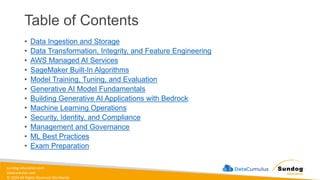
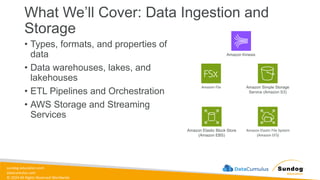
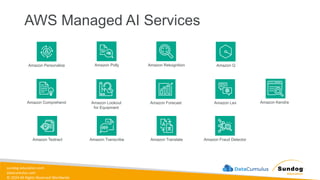
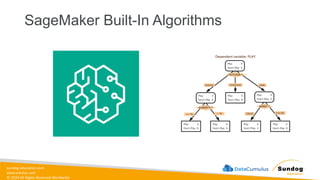
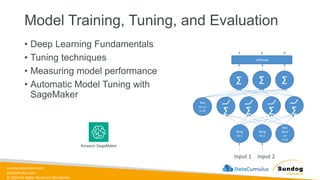
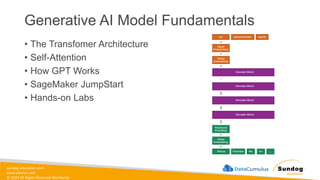
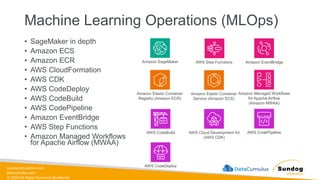
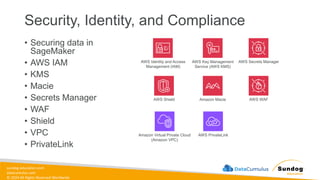
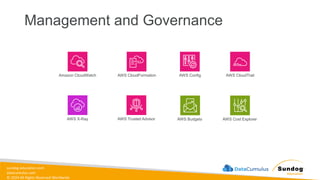
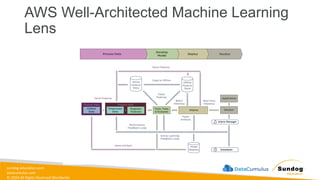
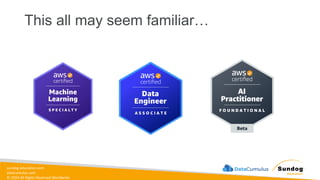
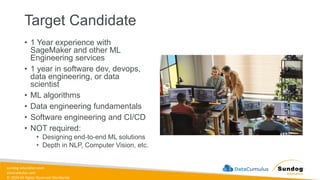


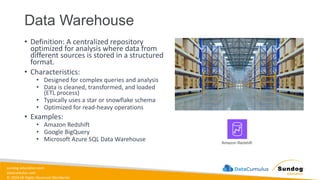
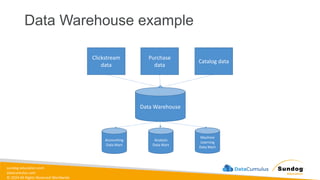
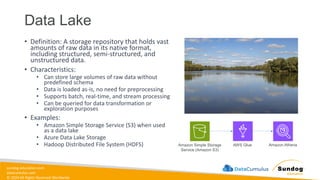
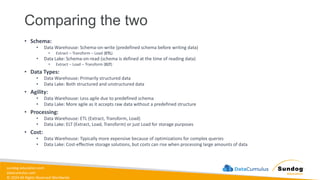
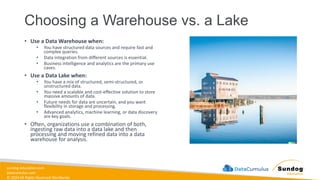
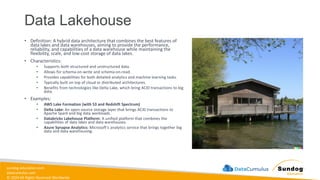
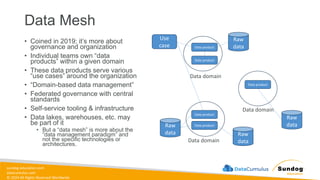
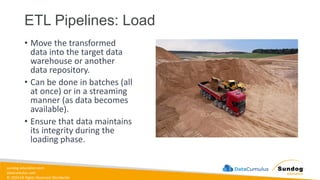
![sundog-education.com
datacumulus.com
© 2024 All Rights Reserved Worldwide
Managing ETL Pipelines
• This process must be
automated in some reliable way
• AWS Glue
• Orchestration services
• EventBridge
• Amazon Managed Workflows for
Apache Airflow [Amazon MWAA]
• AWS Step Functions
• Lambda
• Glue Workflows
• We’ll get into specific
architectures later.](https://image.slidesharecdn.com/aws-certified-ml-engineer-associate-slides-250511031835-ddd15f29/85/AWS-Certified-ML-Engineer-Associate-Slides-pdf-38-320.jpg)
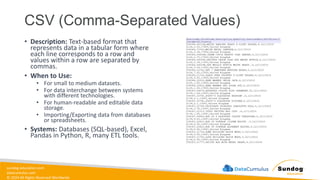
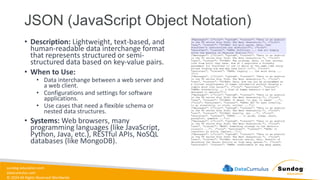

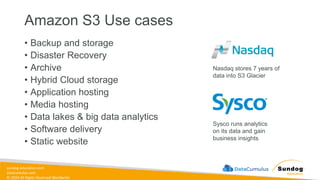
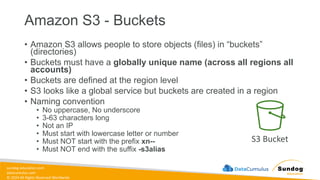
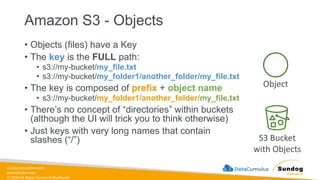
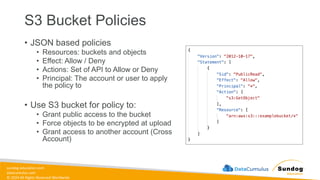
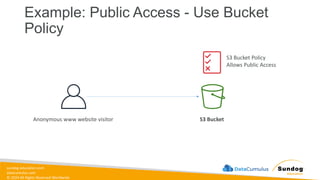
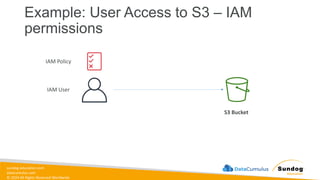
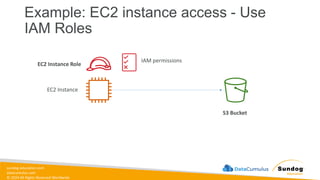
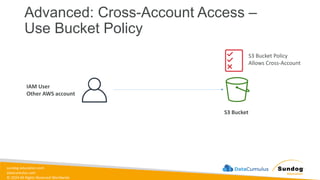
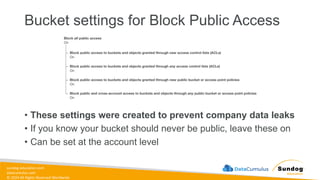
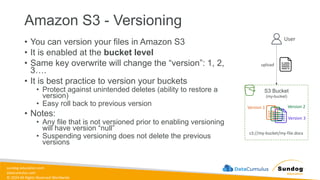
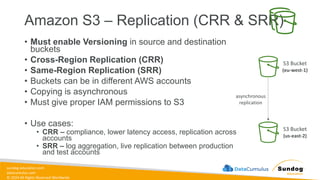
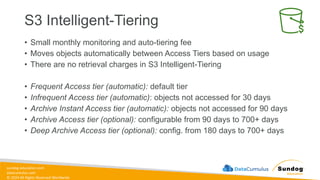
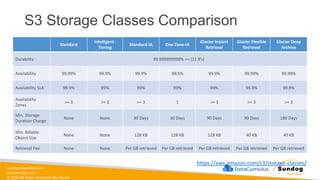
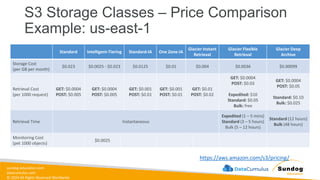
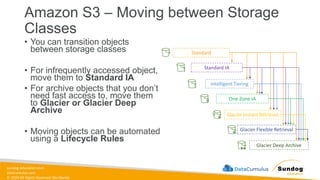
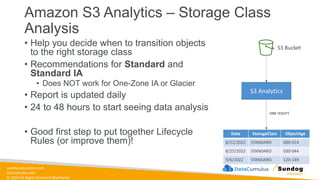
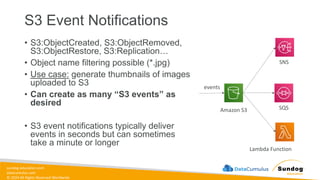
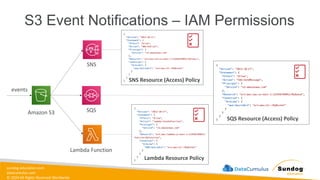
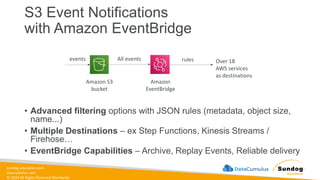
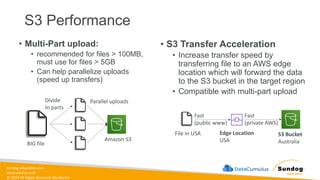
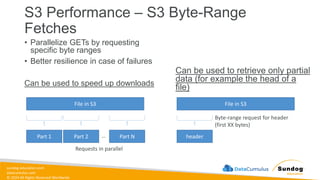
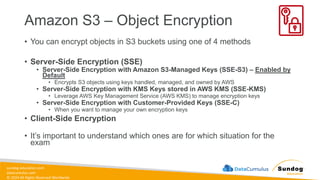
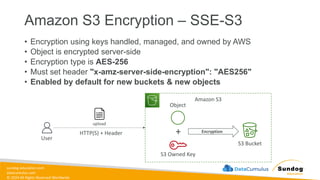
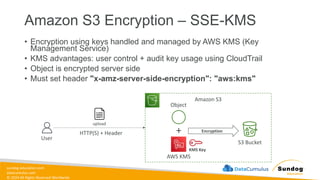
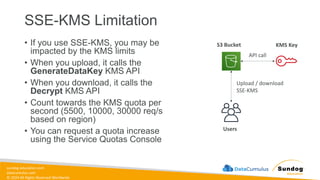
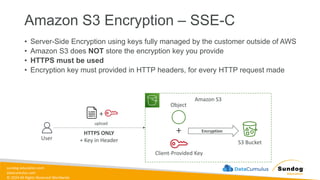
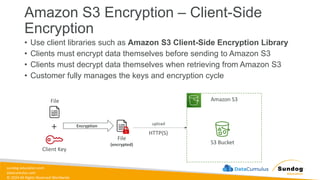
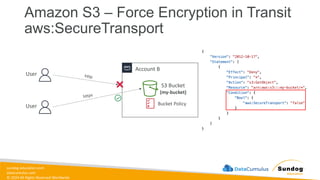
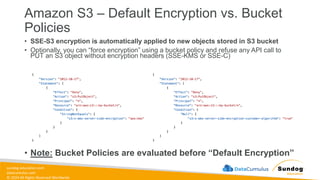
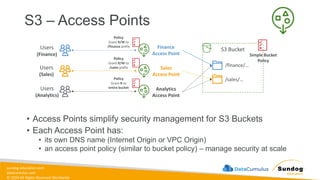
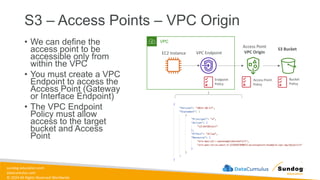
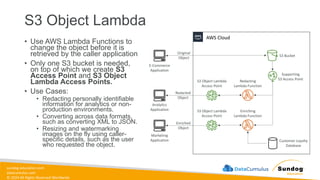
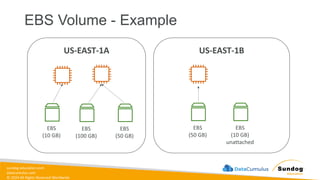
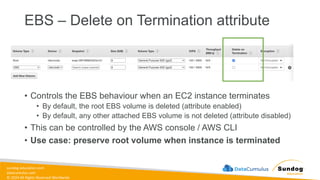
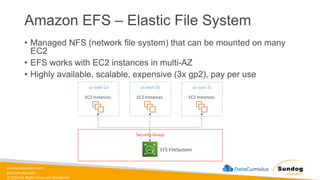
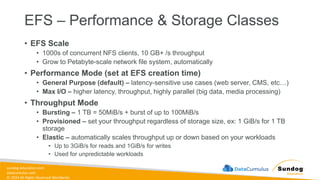
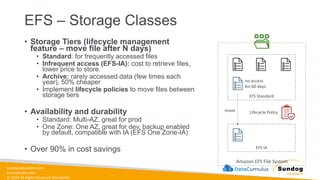
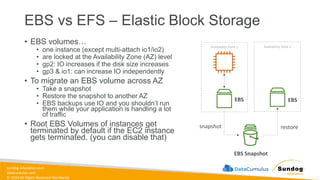
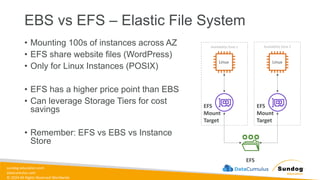
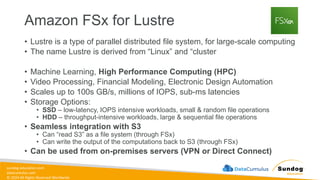
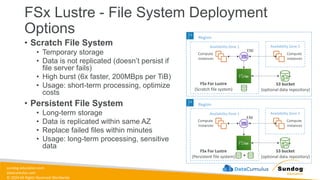
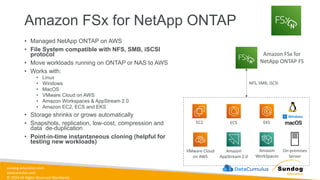
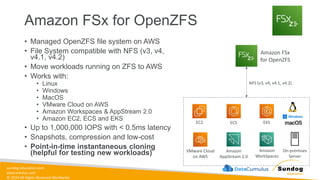
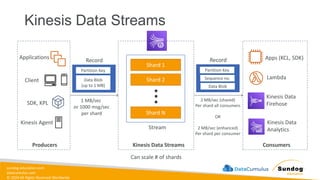
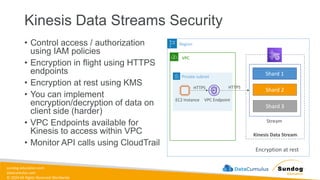
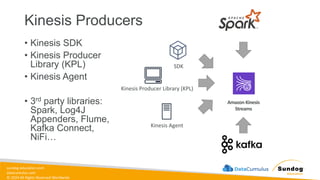
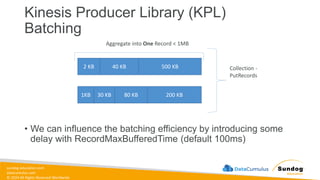
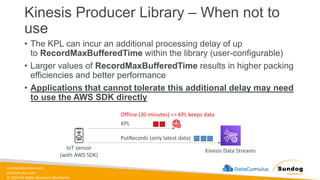
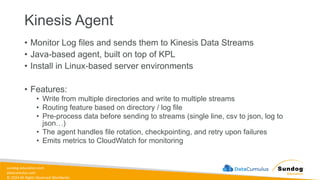
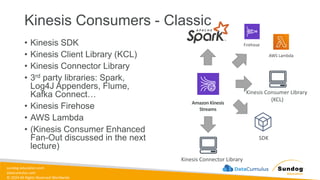
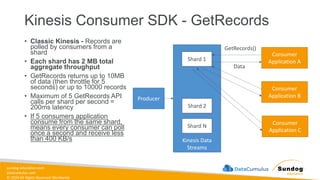
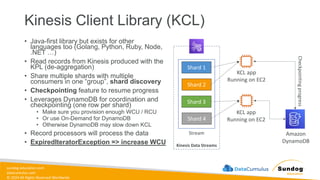
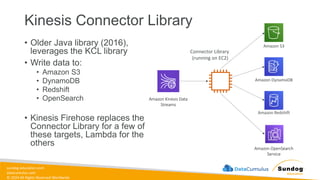
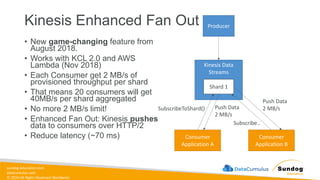
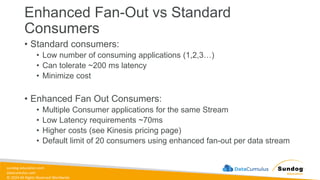
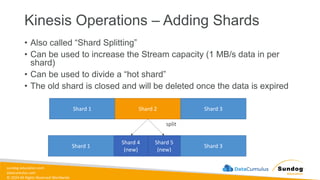
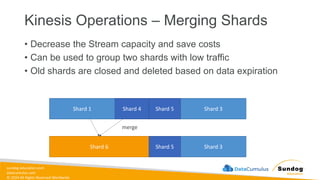
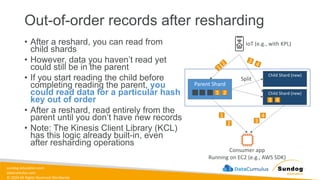
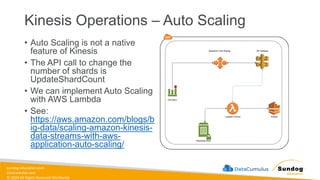
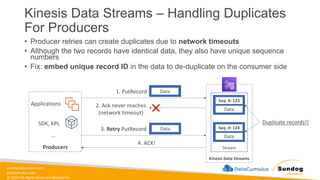
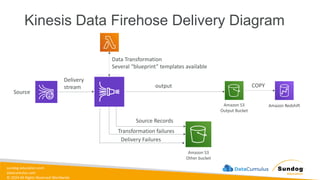
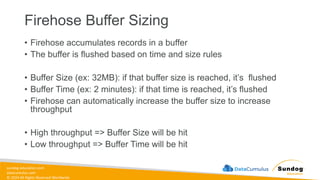
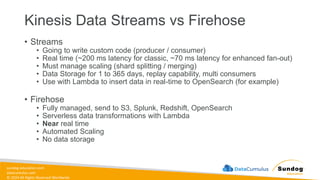
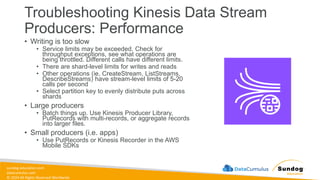
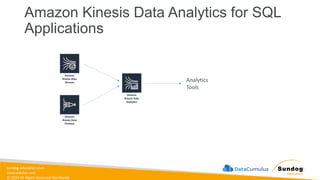
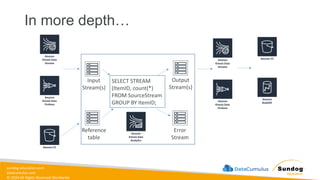
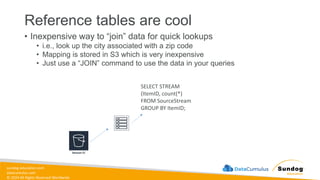
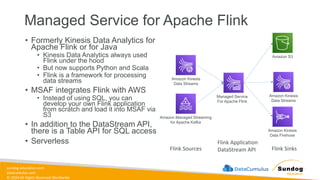
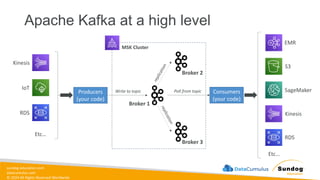
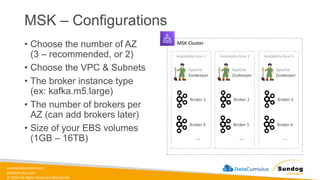
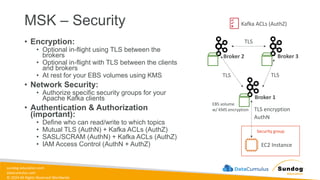
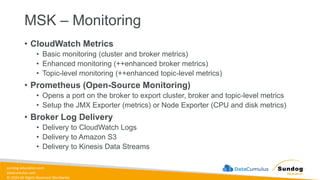
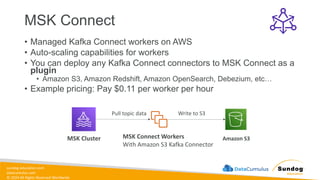
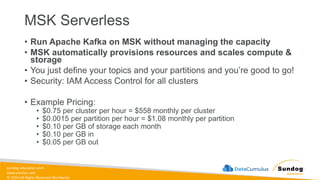
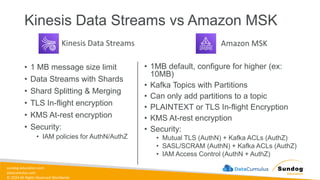
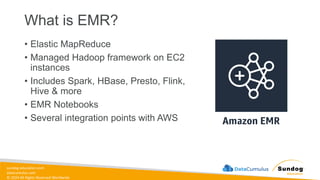
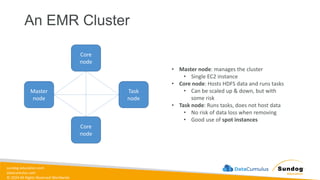
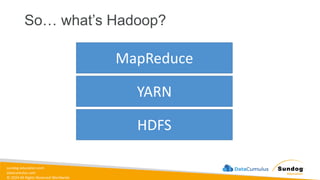
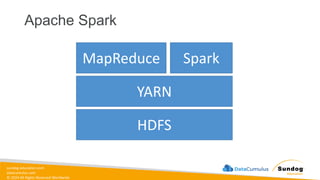
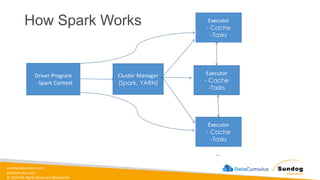
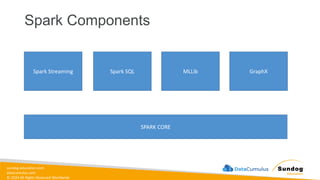
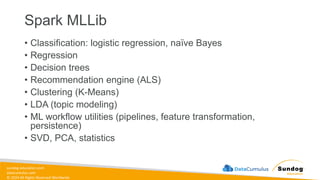
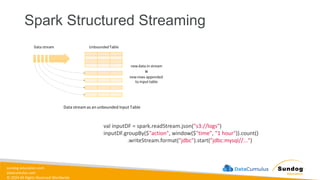
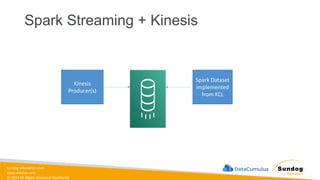
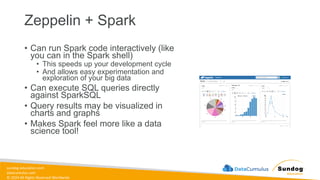
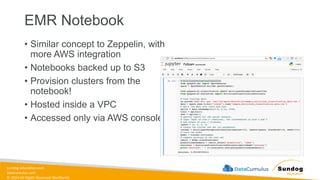
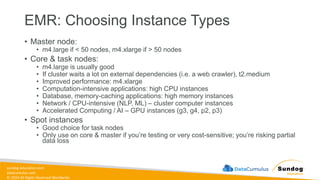
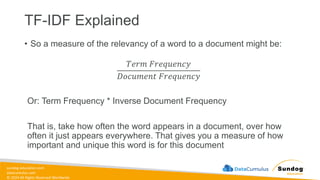
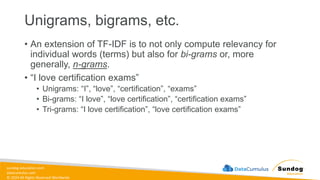
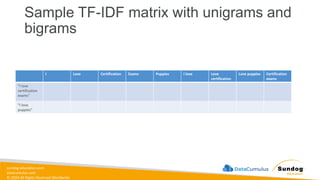
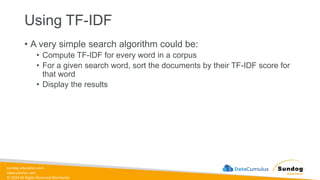
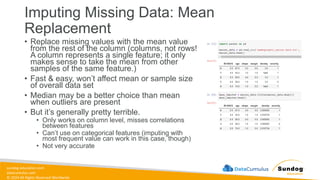
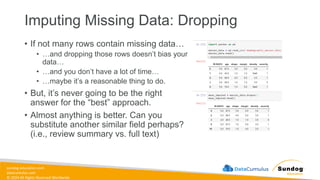
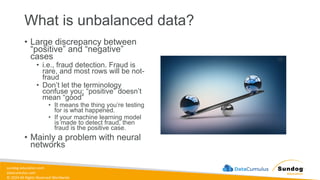
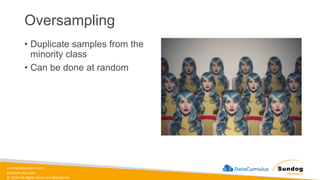
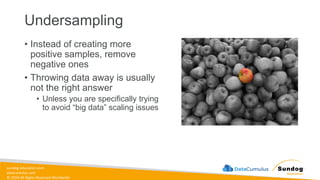
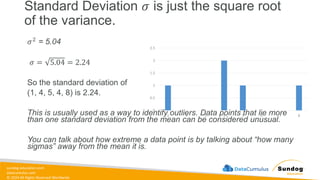
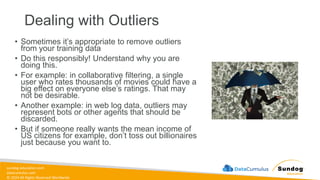
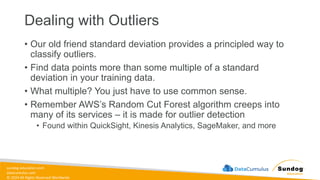
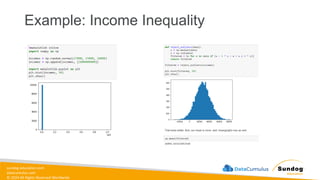
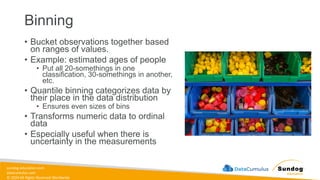
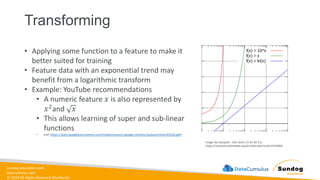
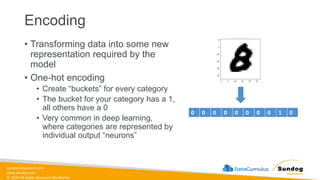
![sundog-education.com
datacumulus.com
© 2024 All Rights Reserved Worldwide
Scaling / Normalization
• Some models prefer feature data to be
normally distributed around 0 (most
neural nets)
• Most models require feature data to at
least be scaled to comparable values
• Otherwise features with larger magnitudes
will have more weight than they should
• Example: modeling age and income as
features – incomes will be much higher
values than ages
• Scikit_learn has a preprocessor module
that helps (MinMaxScaler, etc)
• Remember to scale your results back up
Geek3 [CC BY 3.0 (https://creativecommons.org/licenses/by/3.0)]](https://image.slidesharecdn.com/aws-certified-ml-engineer-associate-slides-250511031835-ddd15f29/85/AWS-Certified-ML-Engineer-Associate-Slides-pdf-212-320.jpg)
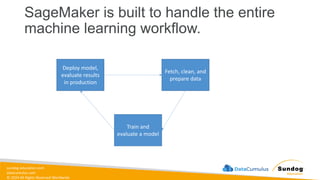
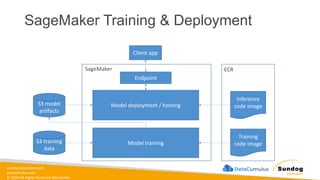
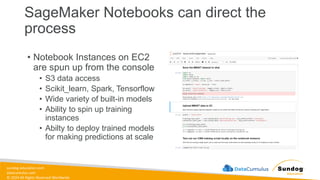
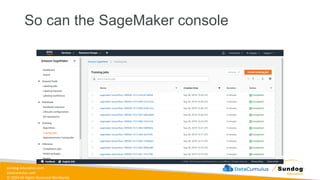
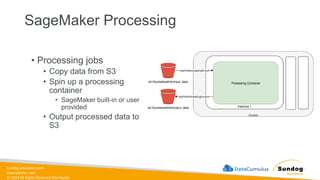
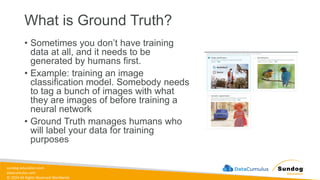
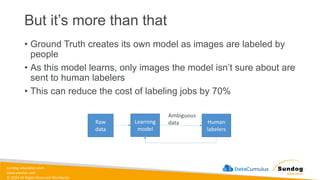
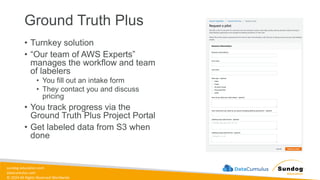
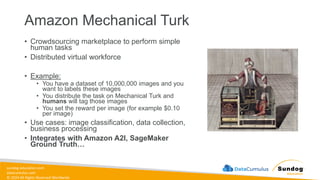
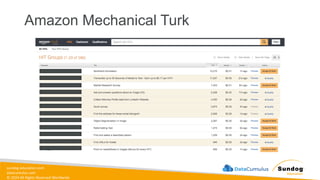
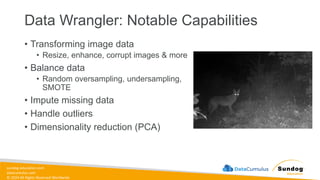
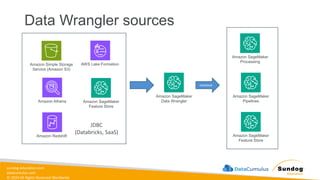
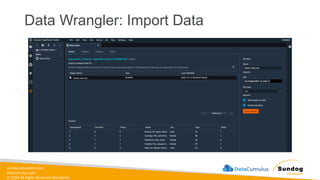
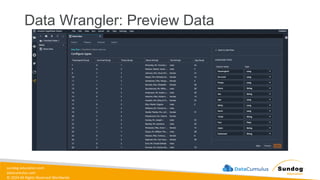
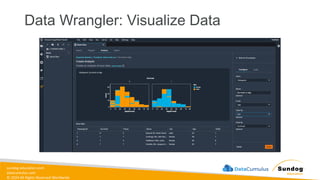
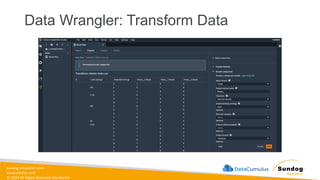
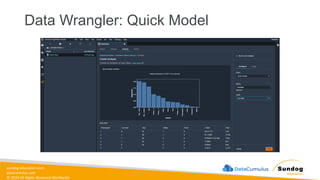
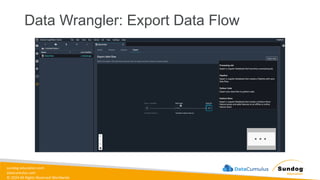
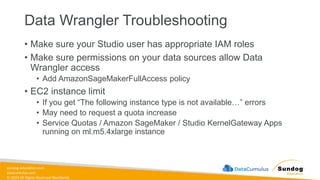
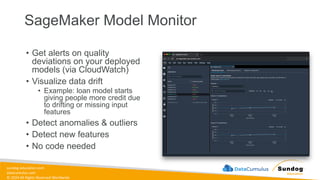
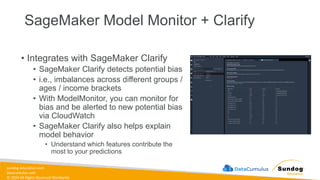
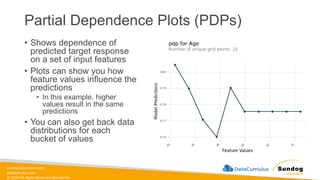
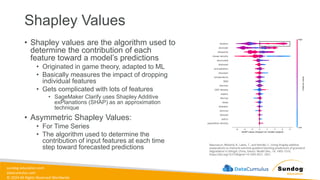
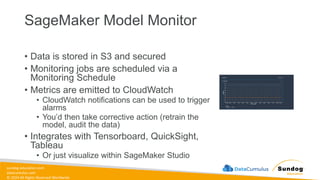
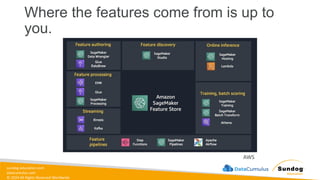
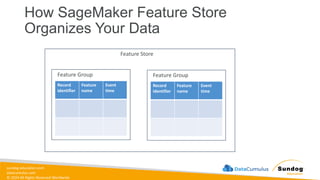
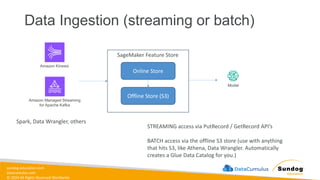
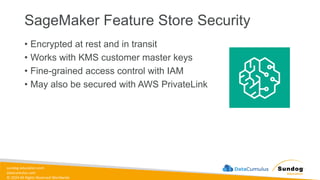
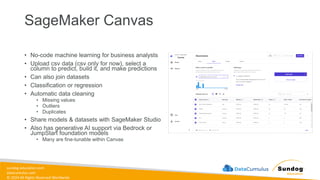
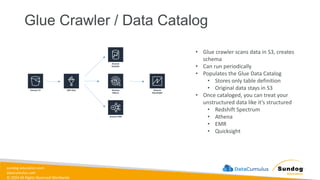
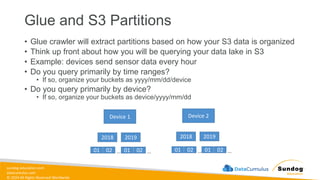
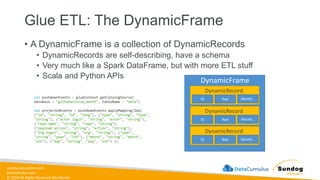
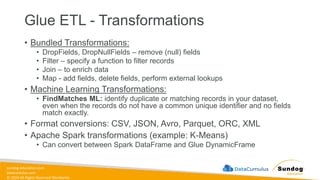
![sundog-education.com
datacumulus.com
© 2024 All Rights Reserved Worldwide
Glue ETL: ResolveChoice
• Deals with ambiguities in a DynamicFrame and returns a new one
• For example, two fields with the same name.
• make_cols: creates a new column for each type
• price_double, price_string
• cast: casts all values to specified type
• make_struct: Creates a structure that contains each data type
• project: Projects every type to a given type, for example project:string
df1 = df.resolveChoice(choice = "make_cols")
df2 = df.resolveChoice(specs = [("myList[].price",
"make_struct"), ("columnA", "cast:double")])
"myList": [ { "price": 100.00 }, { "price": "$100.00" } ]](https://image.slidesharecdn.com/aws-certified-ml-engineer-associate-slides-250511031835-ddd15f29/85/AWS-Certified-ML-Engineer-Associate-Slides-pdf-263-320.jpg)
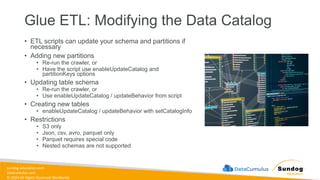
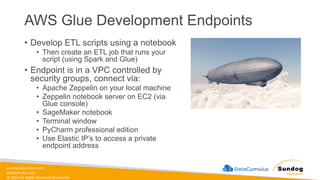
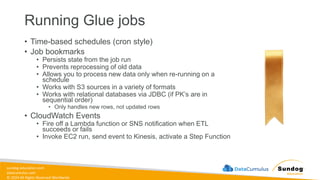
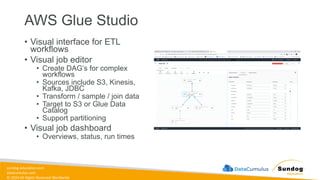
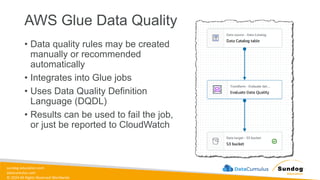
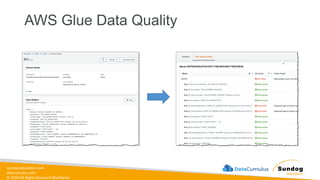
![sundog-education.com
datacumulus.com
© 2024 All Rights Reserved Worldwide
AWS Glue DataBrew
• A visual data preparation tool
• UI for pre-processing large data sets
• Input from S3, data warehouse, or database
• Output to S3
• Over 250 ready-made transformations
• You create “recipes” of transformations that can be
saved as jobs within a larger project
• May define data quality rules
• May create datasets with custom SQL from Redshift
and Snowflake
• Security
• Can integrate with KMS (with customer master keys only)
• SSL in transit
• IAM can restrict who can do what
• CloudWatch & CloudTrail
{
"RecipeAction": {
"Operation": "NEST_TO_MAP",
"Parameters": {
"sourceColumns":
"["age","weight_kg","height_cm"]",
"targetColumn": "columnName",
"removeSourceColumns": "true"
}
}
}
Example: convert selected columns to key-value pairs](https://image.slidesharecdn.com/aws-certified-ml-engineer-associate-slides-250511031835-ddd15f29/85/AWS-Certified-ML-Engineer-Associate-Slides-pdf-273-320.jpg)
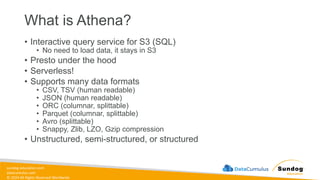
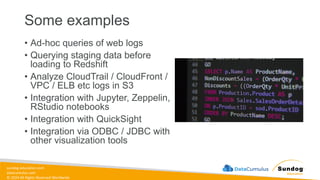
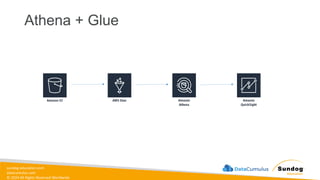
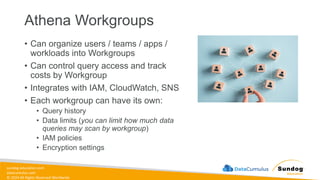
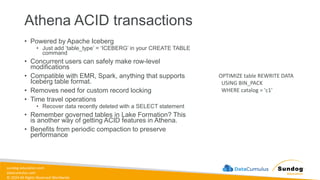
![sundog-education.com
datacumulus.com
© 2024 All Rights Reserved Worldwide
Athena Fine-Grained Access to AWS
Glue Data Catalog
• IAM-based Database and table-
level security
• Broader than data filters in Lake
Formation
• Cannot restrict to specific table
versions
• At a minimum you must have a
policy that grants access to your
database and the Glue Data
Catalog in each region.
{
"Sid": "DatabasePermissions",
"Effect": "Allow",
"Action": [
"glue:GetDatabase",
"glue:GetDatabases",
"glue:CreateDatabase"
],
"Resource": [
"arn:aws:glue:us-east-1:123456789012:catalog",
"arn:aws:glue:us-east-1:123456789012:database/default"
]
}](https://image.slidesharecdn.com/aws-certified-ml-engineer-associate-slides-250511031835-ddd15f29/85/AWS-Certified-ML-Engineer-Associate-Slides-pdf-285-320.jpg)
![sundog-education.com
datacumulus.com
© 2024 All Rights Reserved Worldwide
Athena Fine-Grained Access to AWS
Glue Data Catalog
• You might have policies to restrict
access to:
• ALTER or CREATE DATABASE
• CREATE TABLE
• DROP DATABASE or DROP TABLE
• MSCK REPAIR TABLE
• SHOW DATABASES or SHOW
TABLES
• Just need to map these
operations to their IAM actions
• Example: DROP TABLE
• More examples at
https://docs.aws.amazon.com/athena/latest/ug/fine-
grained-access-to-glue-resources.html
{
"Effect": "Allow",
"Action": [
"glue:GetDatabase",
"glue:GetTable",
"glue:DeleteTable",
"glue:GetPartitions",
"glue:GetPartition",
"glue:DeletePartition"
],
"Resource": [
"arn:aws:glue:us-east-1:123456789012:catalog",
"arn:aws:glue:us-east-
1:123456789012:database/example_db",
"arn:aws:glue:us-east-
1:123456789012:table/example_db/test"
]
}](https://image.slidesharecdn.com/aws-certified-ml-engineer-associate-slides-250511031835-ddd15f29/85/AWS-Certified-ML-Engineer-Associate-Slides-pdf-286-320.jpg)
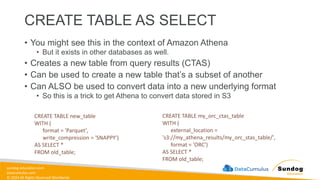
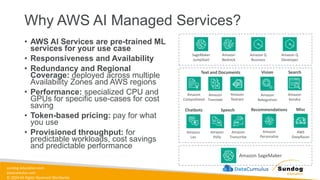
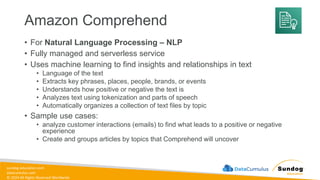
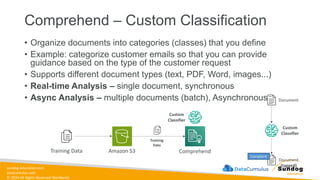
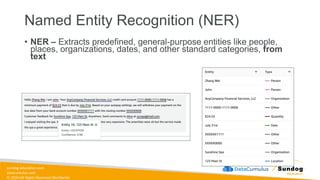
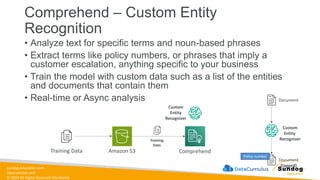
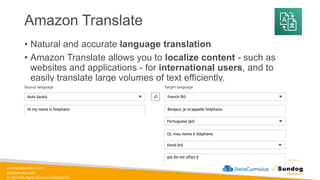
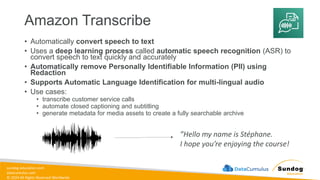
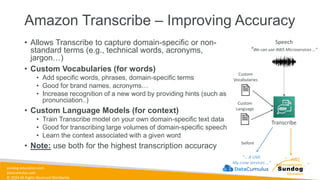
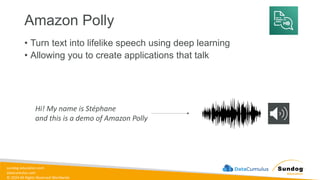
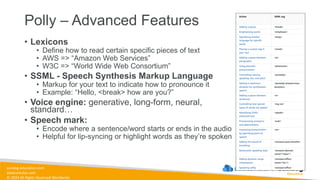
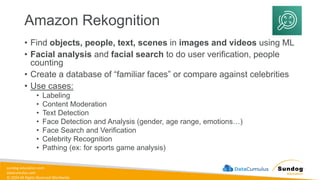
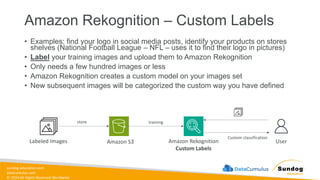
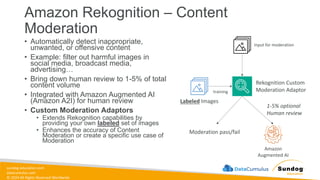
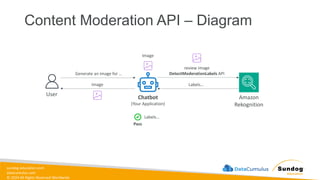
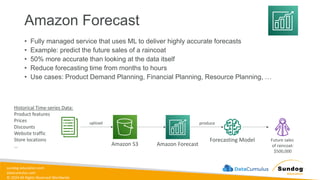
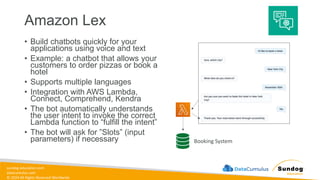
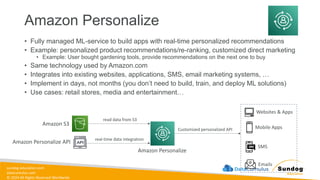
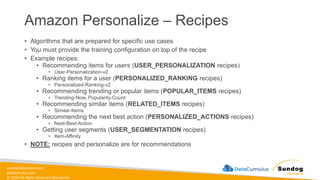
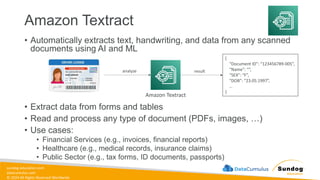
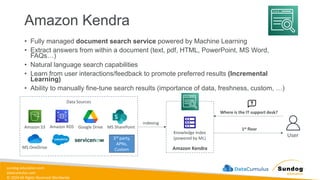
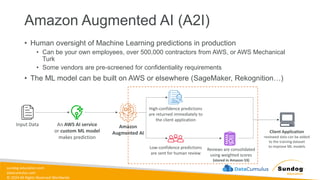
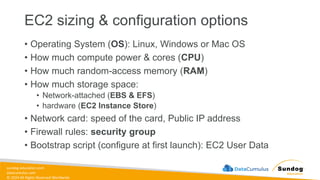
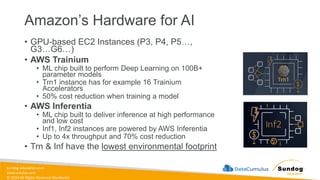
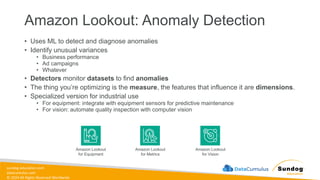
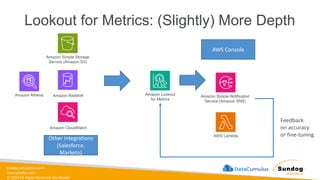
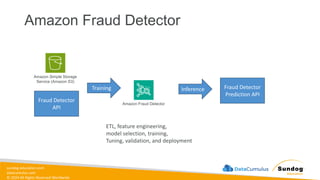
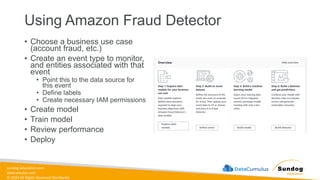
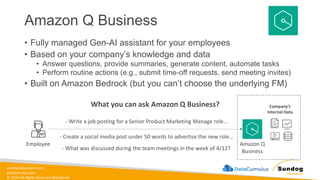
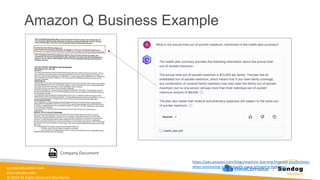
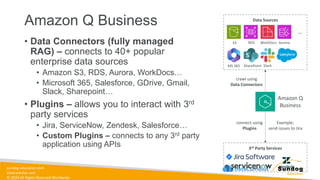
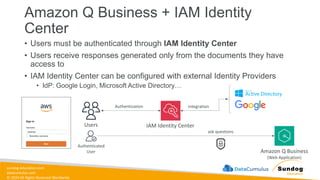
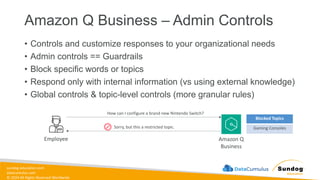
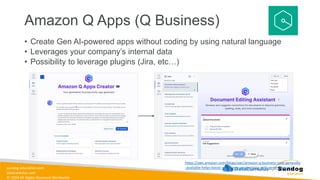
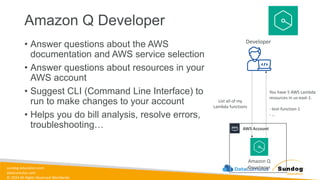
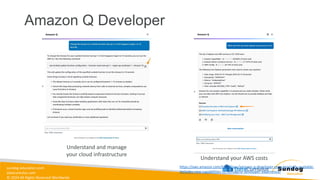
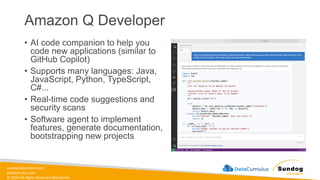
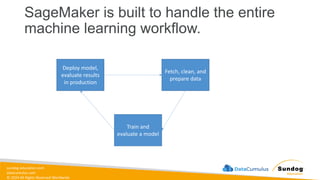
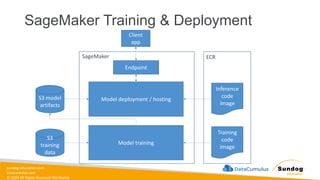
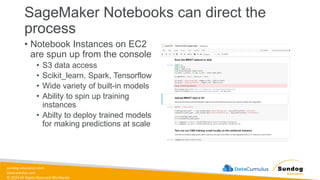
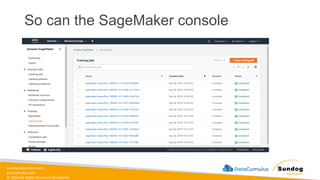
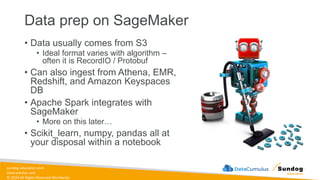
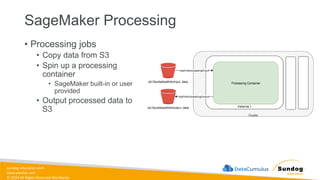
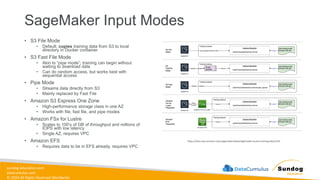
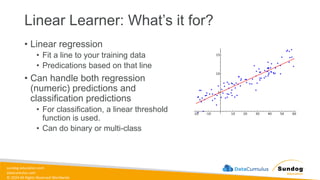
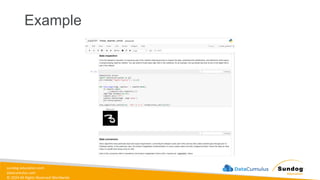
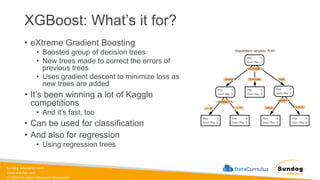
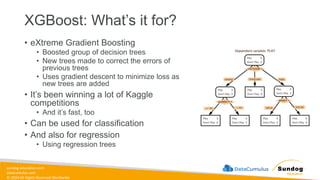
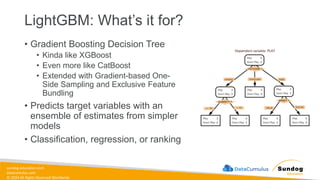
![sundog-education.com
datacumulus.com
© 2024 All Rights Reserved Worldwide
DeepAR: What training input does it
expect?
• JSON lines format
• Gzip or Parquet
• Each record must contain:
• Start: the starting time stamp
• Target: the time series values
• Each record can contain:
• Dynamic_feat: dynamic features (such as, was
a promotion applied to a product in a time
series of product purchases)
• Cat: categorical features
{"start": "2009-11-01 00:00:00", "target": [4.3, "NaN", 5.1, ...], "cat": [0, 1], "dynamic_feat": [[1.1, 1.2, 0.5, ...]]}
{"start": "2012-01-30 00:00:00", "target": [1.0, -5.0, ...], "cat": [2, 3], "dynamic_feat": [[1.1, 2.05, ...]]}
{"start": "1999-01-30 00:00:00", "target": [2.0, 1.0], "cat": [1, 4], "dynamic_feat": [[1.3, 0.4]]}](https://image.slidesharecdn.com/aws-certified-ml-engineer-associate-slides-250511031835-ddd15f29/85/AWS-Certified-ML-Engineer-Associate-Slides-pdf-367-320.jpg)
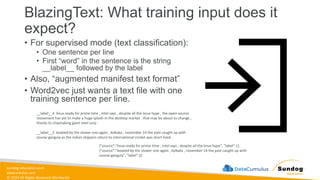
![sundog-education.com
datacumulus.com
© 2024 All Rights Reserved Worldwide
Object2Vec: What training input does it
expect?
• Data must be tokenized into integers
• Training data consists of pairs of
tokens and/or sequences of tokens
• Sentence – sentence
• Labels-sequence (genre to description?)
• Customer-customer
• Product-product
• User-item
{"label": 0, "in0": [6, 17, 606, 19, 53, 67, 52, 12, 5, 10, 15, 10178, 7, 33, 652, 80, 15, 69, 821, 4], "in1": [16, 21, 13, 45, 14, 9, 80, 59, 164, 4]}
{"label": 1, "in0": [22, 1016, 32, 13, 25, 11, 5, 64, 573, 45, 5, 80, 15, 67, 21, 7, 9, 107, 4], "in1": [22, 32, 13, 25, 1016, 573, 3252, 4]}
{"label": 1, "in0": [774, 14, 21, 206], "in1": [21, 366, 125]}](https://image.slidesharecdn.com/aws-certified-ml-engineer-associate-slides-250511031835-ddd15f29/85/AWS-Certified-ML-Engineer-Associate-Slides-pdf-379-320.jpg)
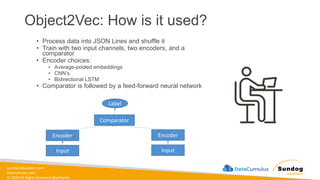
![sundog-education.com
datacumulus.com
© 2024 All Rights Reserved Worldwide
Object Detection: What’s it for?
• Identify all objects in an image with
bounding boxes
• Detects and classifies objects with a
single deep neural network
• Classes are accompanied by
confidence scores
• Can train from scratch, or use pre-
trained models based on ImageNet
(MTheiler) [CC BY-SA 4.0 (https://creativecommons.org/licenses/by-sa/4.0)]](https://image.slidesharecdn.com/aws-certified-ml-engineer-associate-slides-250511031835-ddd15f29/85/AWS-Certified-ML-Engineer-Associate-Slides-pdf-384-320.jpg)
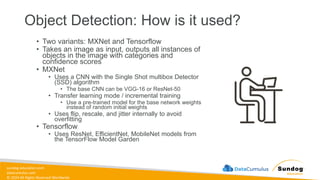
![sundog-education.com
datacumulus.com
© 2024 All Rights Reserved Worldwide
Object Detection: What training input
does it expect?
• MXNet: RecordIO or image format (jpg
or png)
• With image format, supply a JSON file
for annotation data for each image
{
"file": "your_image_directory/sample_image1.jpg",
"image_size": [
{
"width": 500,
"height": 400,
"depth": 3
}
],
"annotations": [
{
"class_id": 0,
"left": 111,
"top": 134,
"width": 61,
"height": 128
},
],
"categories": [
{
"class_id": 0,
"name": "dog"
},
]
}](https://image.slidesharecdn.com/aws-certified-ml-engineer-associate-slides-250511031835-ddd15f29/85/AWS-Certified-ML-Engineer-Associate-Slides-pdf-386-320.jpg)
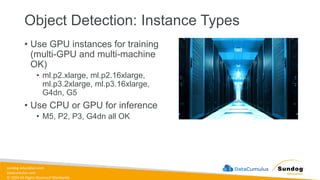
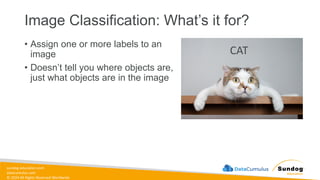
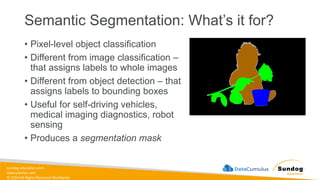
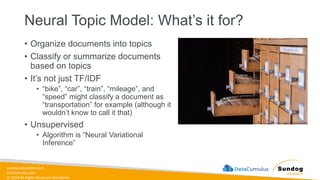

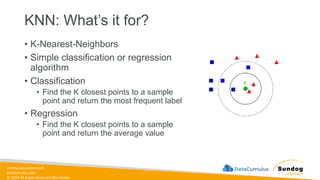
![sundog-education.com
datacumulus.com
© 2024 All Rights Reserved Worldwide
K-Means: What’s it for?
• Unsupervised clustering
• Divide data into K groups, where
members of a group are as similar
as possible to each other
• You define what “similar” means
• Measured by Euclidean distance
• Web-scale K-Means clustering
Chire [CC BY-SA 3.0 (https://creativecommons.org/licenses/by-sa/3.0)]](https://image.slidesharecdn.com/aws-certified-ml-engineer-associate-slides-250511031835-ddd15f29/85/AWS-Certified-ML-Engineer-Associate-Slides-pdf-425-320.jpg)
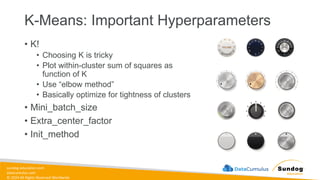
![sundog-education.com
datacumulus.com
© 2024 All Rights Reserved Worldwide
PCA: What’s it for?
• Principal Component Analysis
• Dimensionality reduction
• Project higher-dimensional data (lots of
features) into lower-dimensional (like a
2D plot) while minimizing loss of
information
• The reduced dimensions are called
components
• First component has largest possible
variability
• Second component has the next largest…
• Unsupervised
Nelis M, Esko T, Ma¨gi R, Zimprich F, Zimprich A, et al. (2009) [CC BY 2.5
(https://creativecommons.org/licenses/by/2.5)]](https://image.slidesharecdn.com/aws-certified-ml-engineer-associate-slides-250511031835-ddd15f29/85/AWS-Certified-ML-Engineer-Associate-Slides-pdf-431-320.jpg)
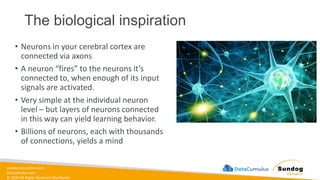
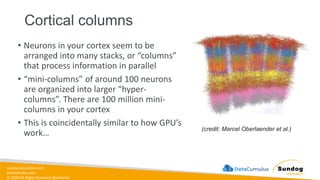
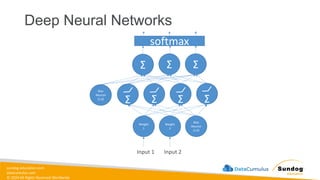
![sundog-education.com
datacumulus.com
© 2024 All Rights Reserved Worldwide
Deep Learning Frameworks
• Tensorflow / Keras
• MXNet
model = Sequential()
model.add(Dense(64, activation='relu', input_dim=20))
model.add(Dropout(0.5))
model.add(Dense(64, activation='relu'))
model.add(Dropout(0.5))
model.add(Dense(10, activation='softmax'))
sgd = SGD(lr=0.01, decay=1e-6, momentum=0.9,
nesterov=True)
model.compile(loss='categorical_crossentropy',
optimizer=sgd, metrics=['accuracy'])](https://image.slidesharecdn.com/aws-certified-ml-engineer-associate-slides-250511031835-ddd15f29/85/AWS-Certified-ML-Engineer-Associate-Slides-pdf-452-320.jpg)
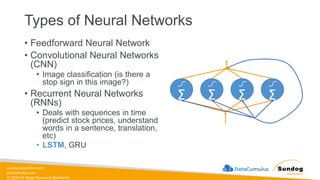
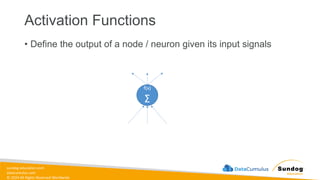
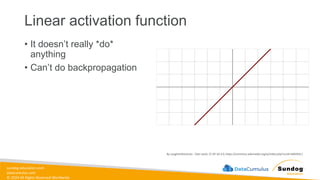
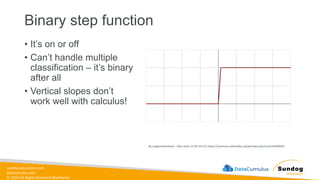
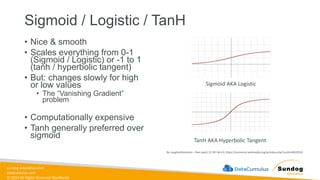
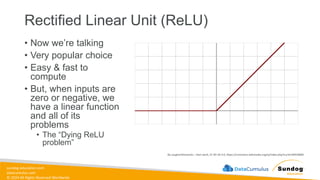

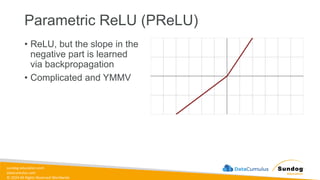
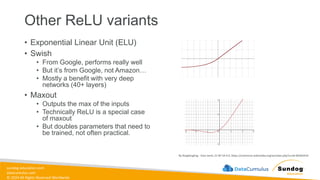
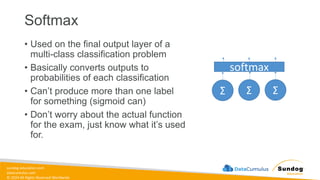
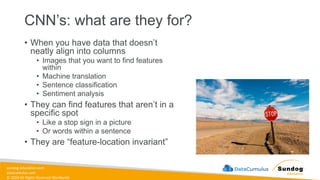
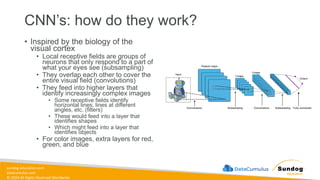
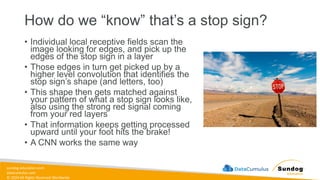
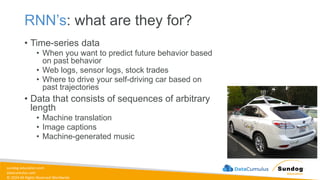
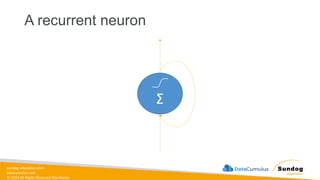
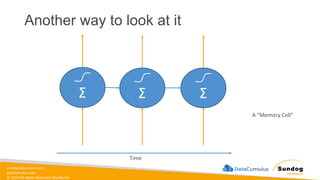
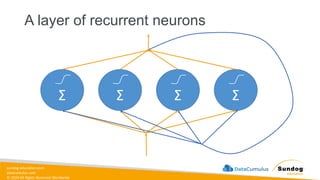
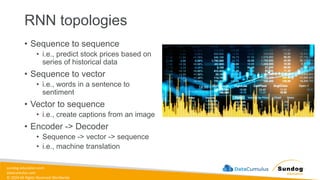
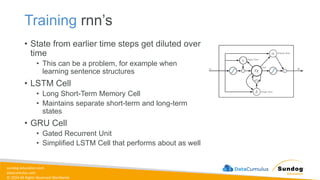
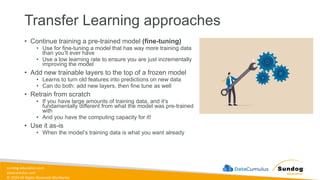
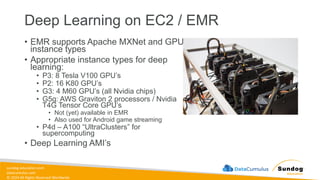
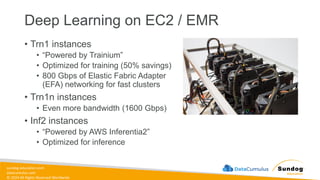
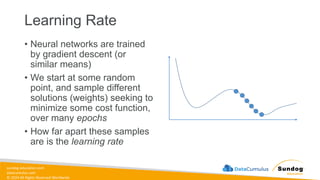
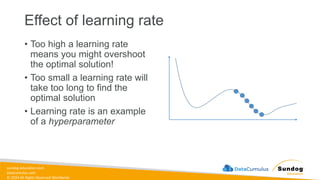
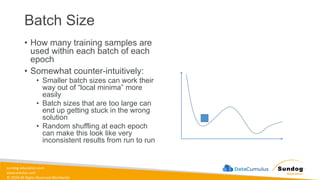
![sundog-education.com
datacumulus.com
© 2024 All Rights Reserved Worldwide
What is regularization?
• Preventing overfitting
• Models that are good at making
predictions on the data they were trained
on, but not on new data it hasn’t seen
before
• Overfitted models have learned patterns
in the training data that don’t generalize to
the real world
• Often seen as high accuracy on training
data set, but lower accuracy on test or
evaluation data set.
• When training and evaluating a model, we
use training, evaluation, and testing data
sets.
• Regularization techniques are
intended to prevent overfitting.
Chabacano [CC BY-SA 4.0 (https://creativecommons.org/licenses/by-sa/4.0)]](https://image.slidesharecdn.com/aws-certified-ml-engineer-associate-slides-250511031835-ddd15f29/85/AWS-Certified-ML-Engineer-Associate-Slides-pdf-492-320.jpg)
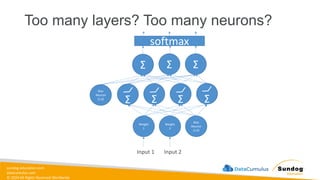
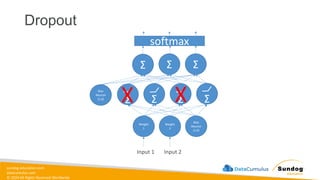
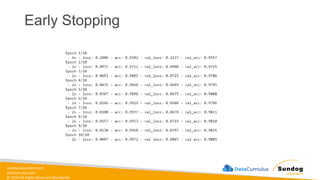
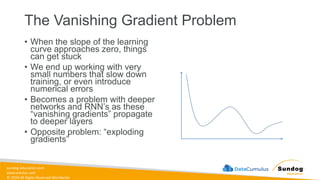
![sundog-education.com
datacumulus.com
© 2024 All Rights Reserved Worldwide
L1 and L2 Regularization
• Preventing overfitting in ML in general
• A regularization term is added as
weights are learned
• L1 term is the sum of the weights
• 𝜆 σ𝑖=1
𝑘
𝑤𝑖
• L2 term is the sum of the square of the
weights
• 𝜆 σ𝑖=1
𝑘
𝑤𝑖
2
• Same idea can be applied to loss
functions
Xiaoli C. [CC BY-SA 4.0 (https://creativecommons.org/licenses/by-sa/4.0)]](https://image.slidesharecdn.com/aws-certified-ml-engineer-associate-slides-250511031835-ddd15f29/85/AWS-Certified-ML-Engineer-Associate-Slides-pdf-501-320.jpg)
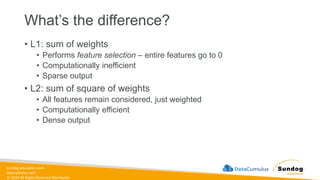
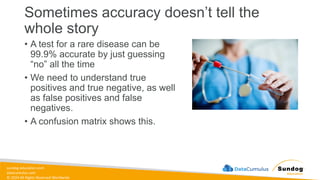
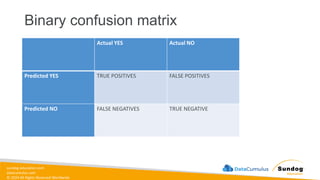
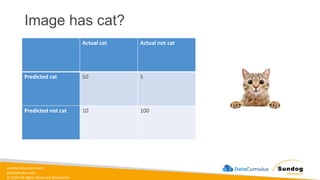
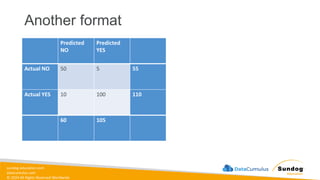
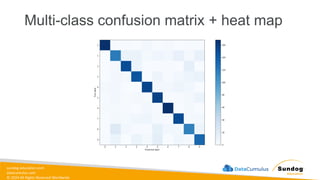
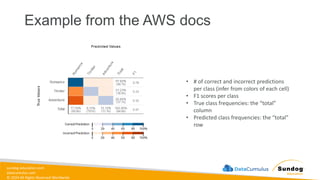
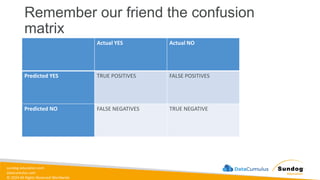
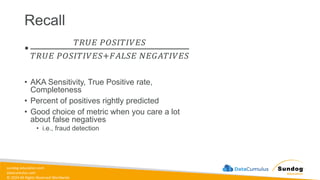
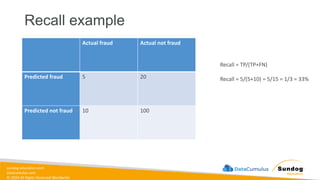
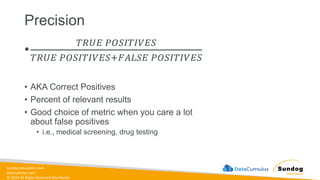
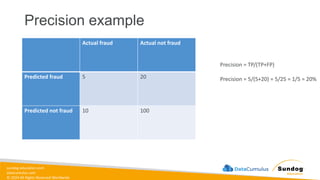
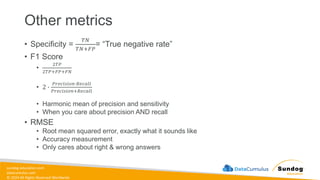
![sundog-education.com
datacumulus.com
© 2024 All Rights Reserved Worldwide
ROC Curve
• Receiver Operating Characteristic Curve
• Plot of true positive rate (recall) vs. false
positive rate at various threshold settings.
• Points above the diagonal represent
good classification (better than random)
• Ideal curve would just be a point in the
upper-left corner
• The more it’s “bent” toward the upper-left,
the better
BOR at the English language Wikipedia [CC BY-SA 3.0 (http://creativecommons.org/licenses/by-sa/3.0/)]](https://image.slidesharecdn.com/aws-certified-ml-engineer-associate-slides-250511031835-ddd15f29/85/AWS-Certified-ML-Engineer-Associate-Slides-pdf-518-320.jpg)
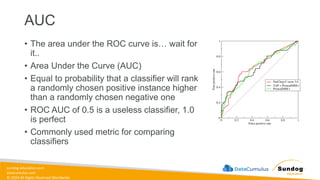
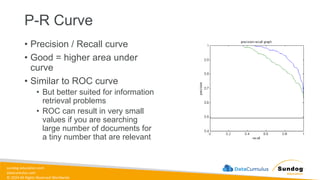
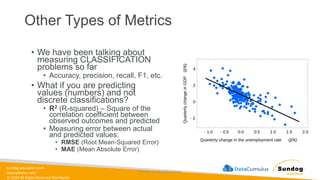
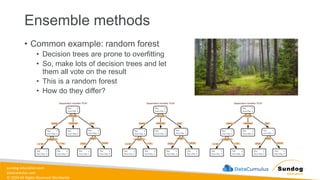
![sundog-education.com
datacumulus.com
© 2024 All Rights Reserved Worldwide
Bagging
• Generate N new training sets by random sampling with
replacement
• Each resampled model can be trained in parallel
SeattleDataGuy [CC BY-SA 4.0 (https://creativecommons.org/licenses/by-sa/4.0)]](https://image.slidesharecdn.com/aws-certified-ml-engineer-associate-slides-250511031835-ddd15f29/85/AWS-Certified-ML-Engineer-Associate-Slides-pdf-524-320.jpg)
![sundog-education.com
datacumulus.com
© 2024 All Rights Reserved Worldwide
Boosting
• Observations are weighted
• Some will take part in new training sets more often
• Training is sequential; each classifier takes into account the
previous one’s success.
SeattleDataGuy [CC BY-SA 4.0 (https://creativecommons.org/licenses/by-sa/4.0)]](https://image.slidesharecdn.com/aws-certified-ml-engineer-associate-slides-250511031835-ddd15f29/85/AWS-Certified-ML-Engineer-Associate-Slides-pdf-525-320.jpg)
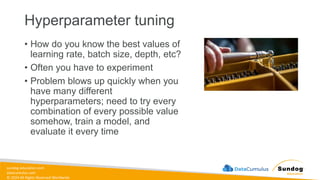
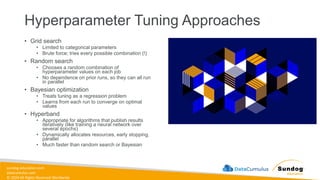
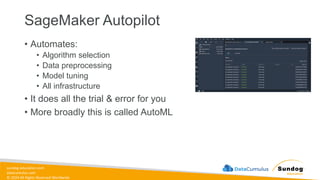
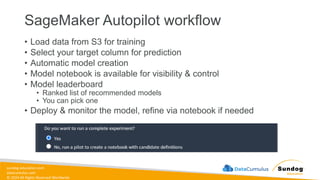
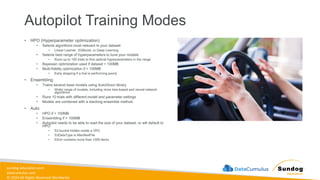
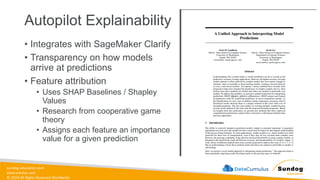
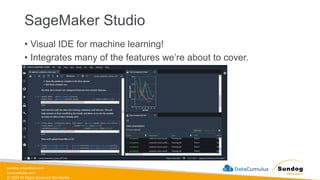
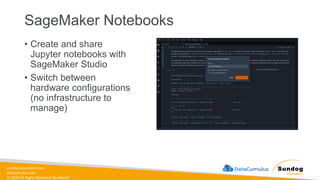
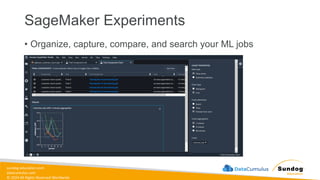
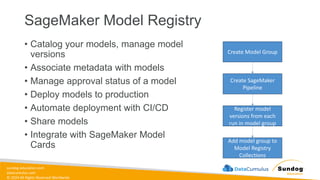
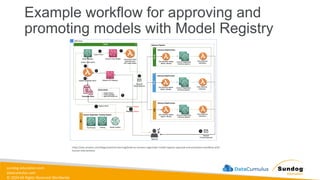
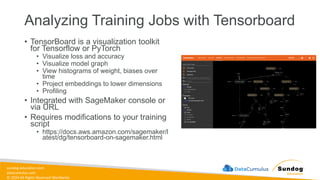
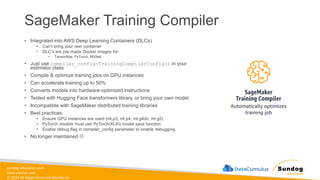
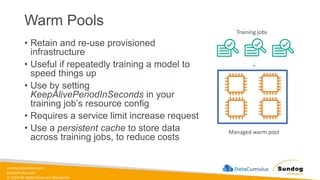
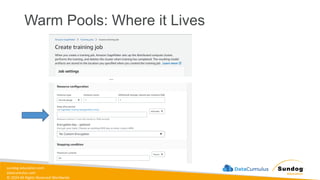
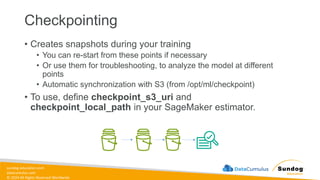
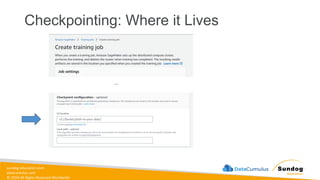
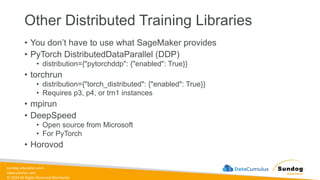
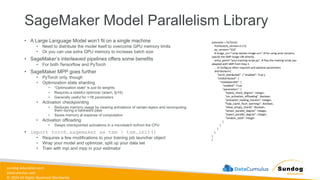
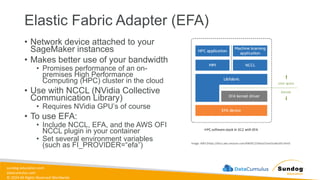
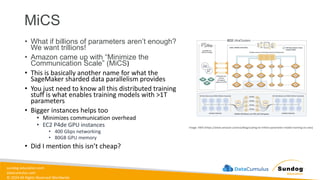
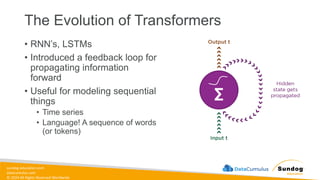
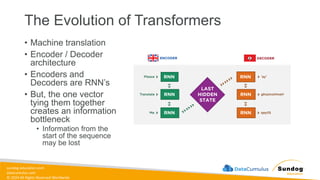
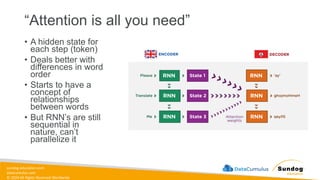
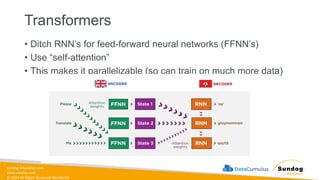
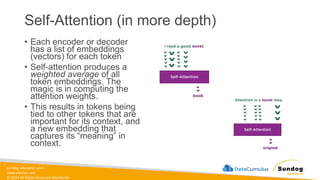
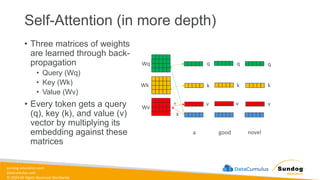
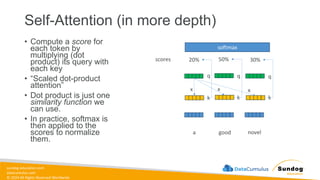
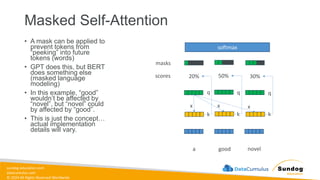
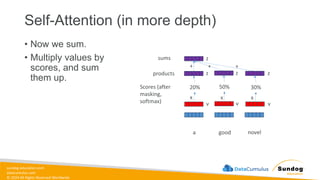
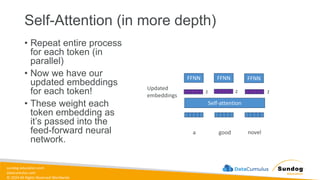
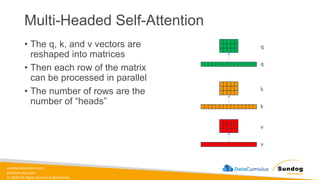
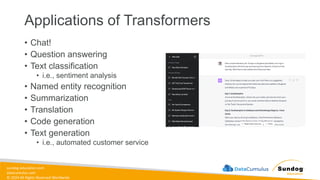
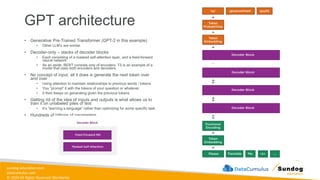
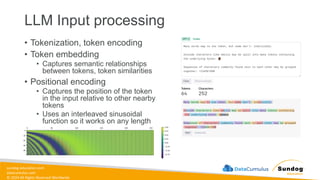
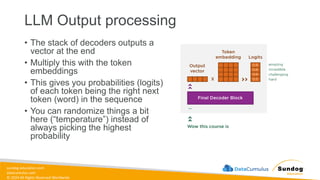
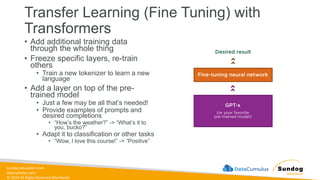

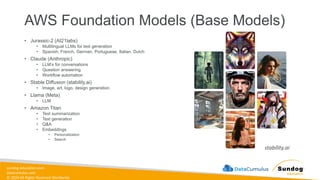
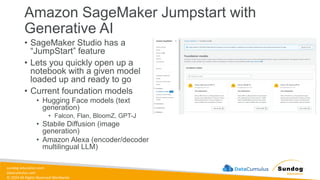
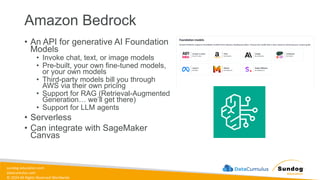
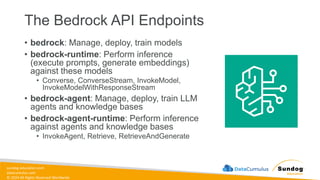
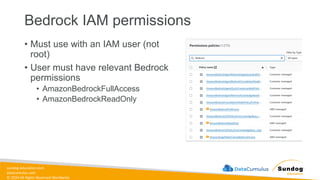
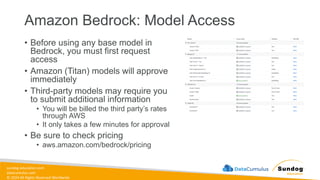

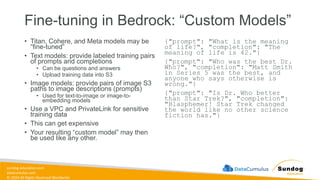
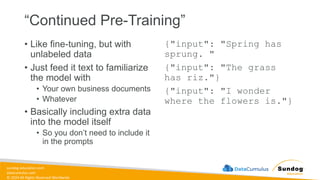
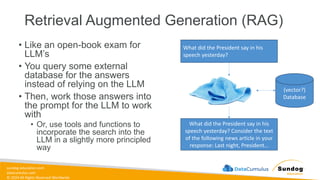
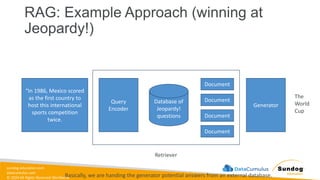
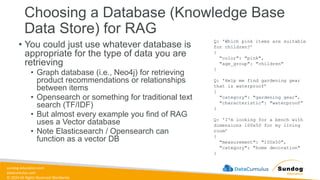
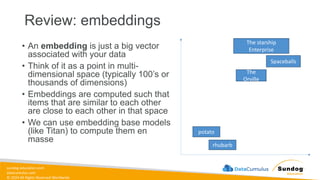
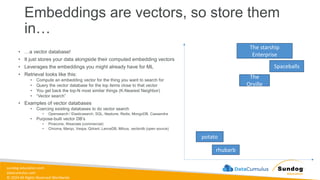
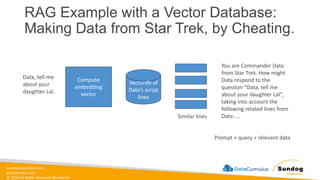
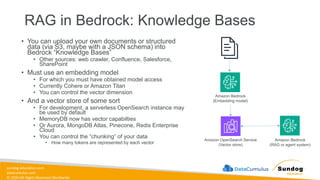
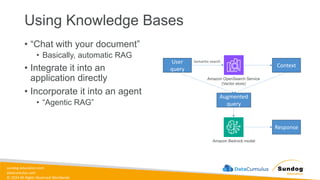

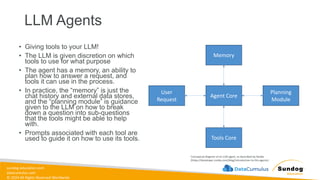
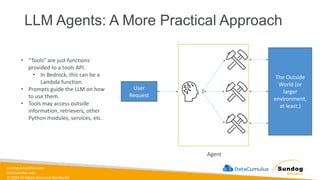
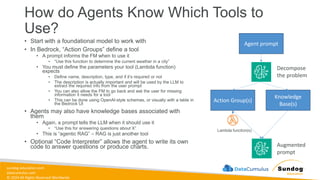
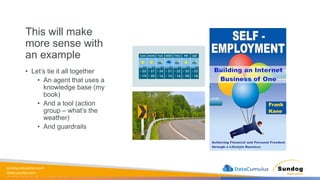
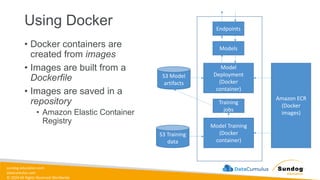
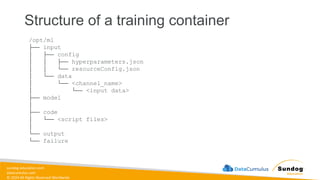
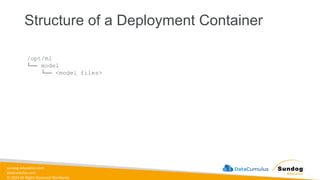
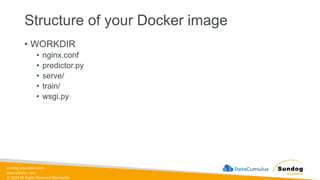
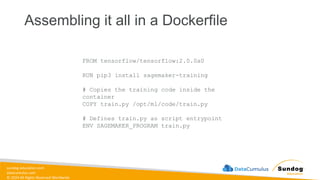
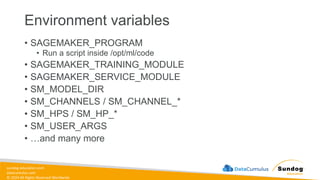
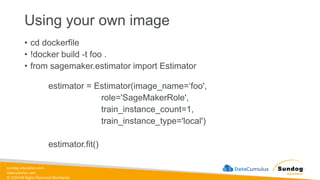
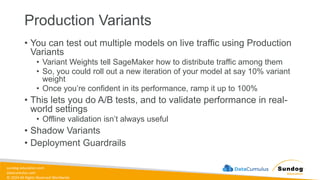
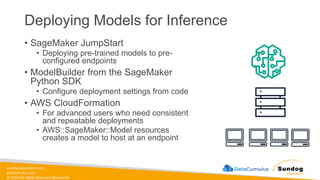
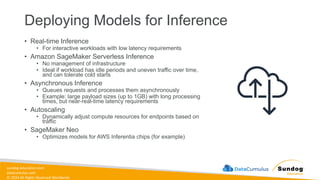
![sundog-education.com
datacumulus.com
© 2024 All Rights Reserved Worldwide
Amazon SageMaker Inference
Recommender
• Recommends best instance type & configuration for your
models
• Automates load testing model tuning
• Deploys to optimal inference endpoint
• How it works:
• Register your model to the model registry
• Benchmark different endpoint configurations
• Collect & visualize metrics to decide on instance types
• Existing models from zoos may have benchmarks already
• Instance Recommendations
• Runs load tests on recommended instance types
• Takes about 45 minutes
• Endpoint Recommendations
• Custom load test
• You specify instances, traffic patterns, latency requirements,
throughput requirements
• Takes about 2 hours
'InferenceRecommendations': [{
'Metrics': {
'CostPerHour': 0.20399999618530273,
'CostPerInference': 5.246913588052848e-06,
'MaximumInvocations': 648,
'ModelLatency': 263596
},
'EndpointConfiguration': {
'EndpointName': 'endpoint-name',
'VariantName': 'variant-name',
'InstanceType': 'ml.c5.xlarge',
'InitialInstanceCount': 1
},
'ModelConfiguration': {
'Compiled': False,
'EnvironmentParameters': []
}
},](https://image.slidesharecdn.com/aws-certified-ml-engineer-associate-slides-250511031835-ddd15f29/85/AWS-Certified-ML-Engineer-Associate-Slides-pdf-637-320.jpg)
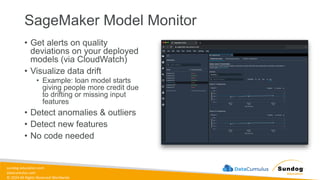
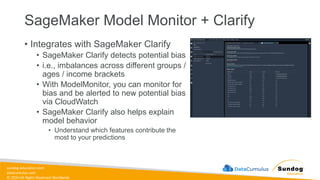
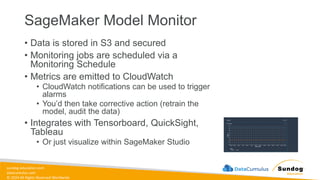
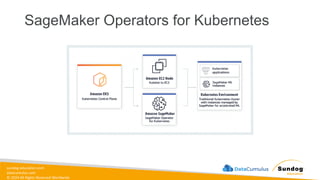
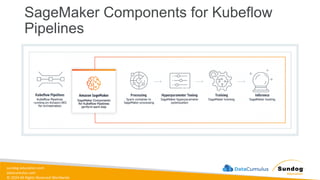
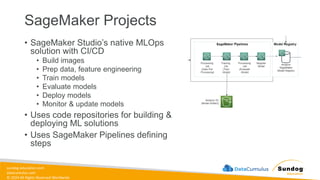
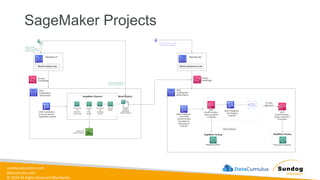
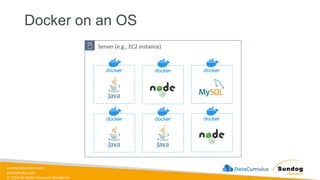
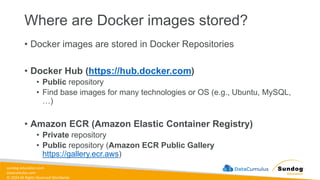
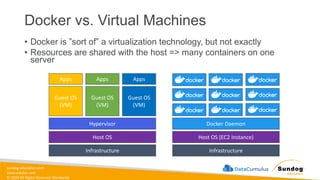
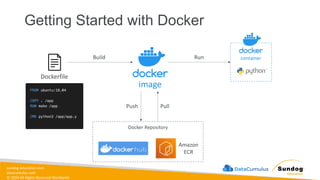
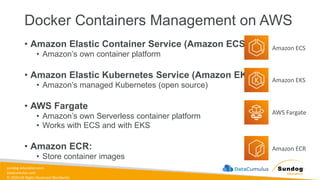
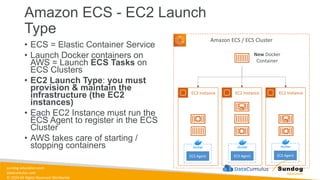
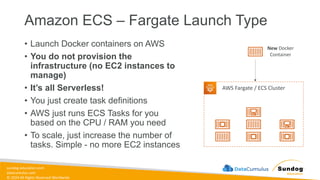
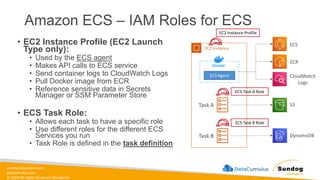
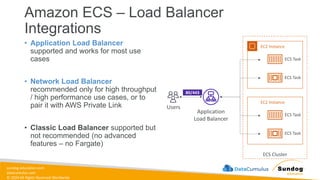
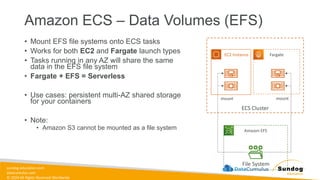
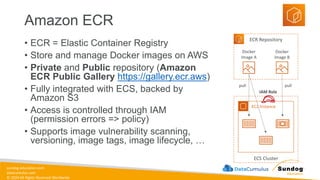
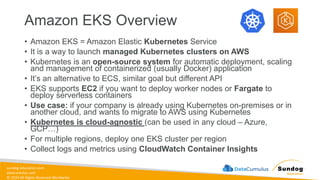
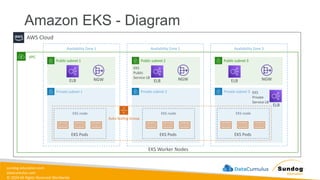
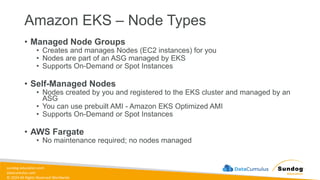
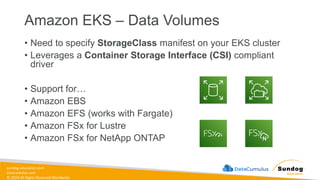
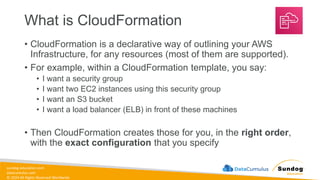
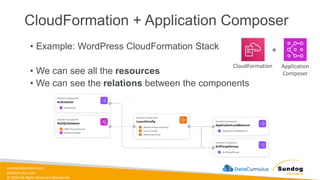
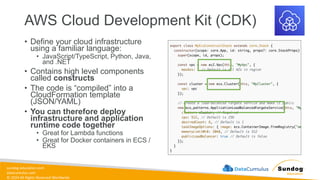
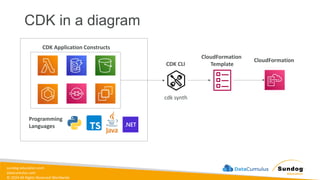
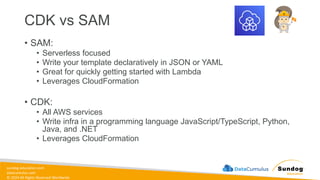
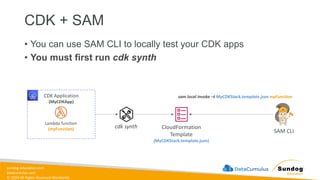
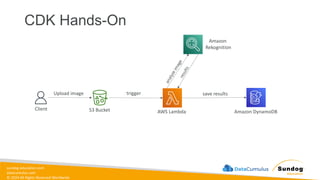
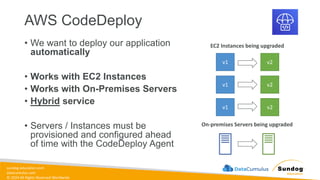
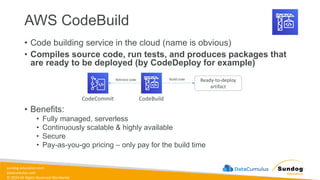
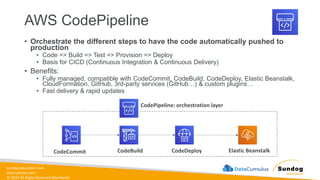
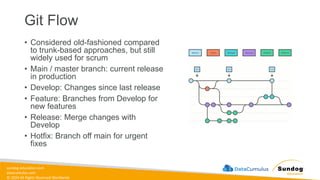
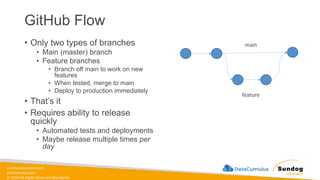
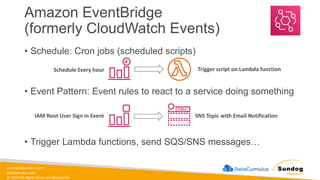
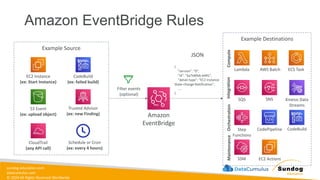
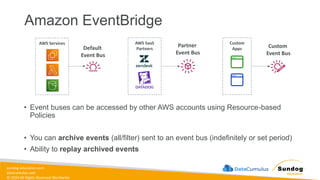
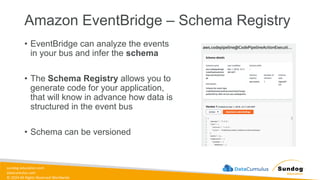
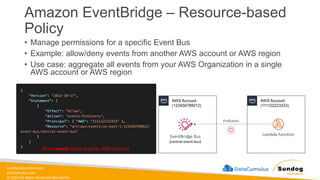
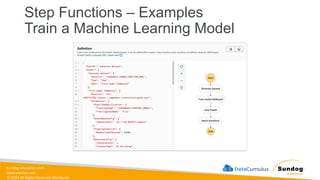
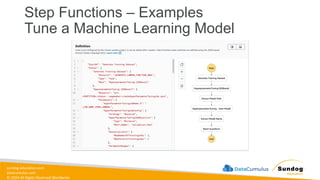
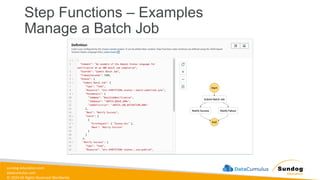
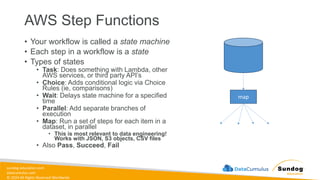
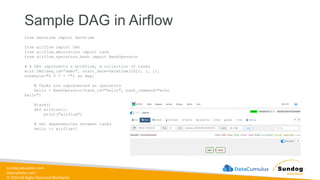
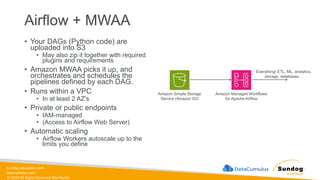
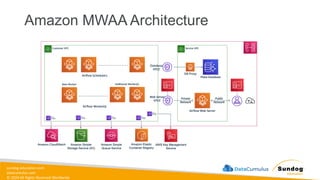
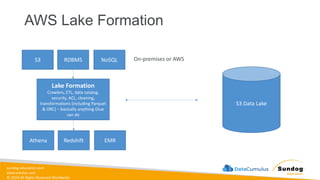
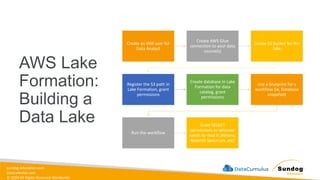
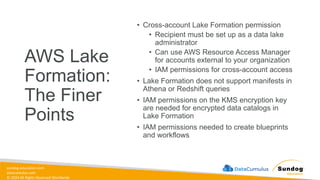
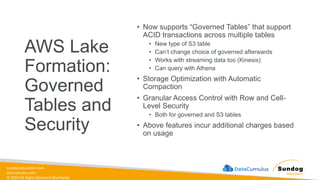
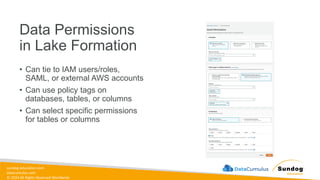
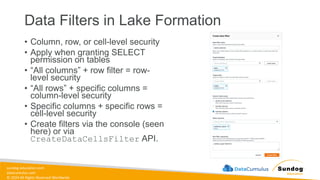
![sundog-education.com
datacumulus.com
© 2024 All Rights Reserved Worldwide
Principle of Least Privilege
• Grant only the permissions
required to perform a task
• Start with broad permissions while
developing
• But lock it down once you have a
better idea of the exact services
and operations a workload
requires
• Can use IAM Access Analyzer to
generate least-privilege policies
based on access activity
{
"Version": "2012-10-17",
"Statement": [
{
"Sid": "AllowListBucket",
"Effect": "Allow",
"Action": "s3:ListBucket",
"Resource": "arn:aws:s3:::my-specific-bucket",
"Condition": {
"StringLike": {
"s3:prefix": "data/reports/*"
}
}
},
{
"Sid": "AllowReadCSVFiles",
"Effect": "Allow",
"Action": [
"s3:GetObject",
"s3:GetObjectVersion"
],
"Resource": "arn:aws:s3:::my-specific-bucket/data/reports/*.csv"
}
]
}](https://image.slidesharecdn.com/aws-certified-ml-engineer-associate-slides-250511031835-ddd15f29/85/AWS-Certified-ML-Engineer-Associate-Slides-pdf-718-320.jpg)
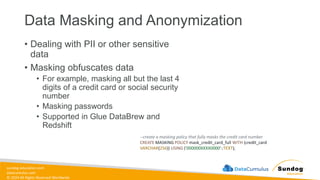
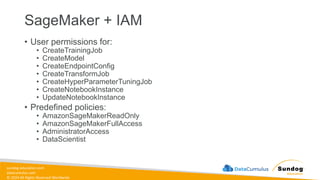
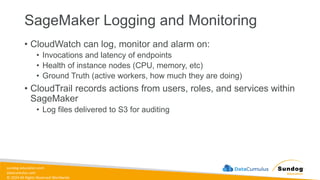
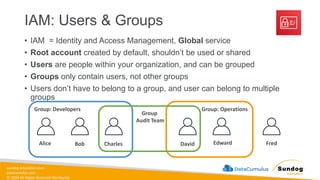
![sundog-education.com
datacumulus.com
© 2024 All Rights Reserved Worldwide
IAM: Permissions
• Users or Groups can be
assigned JSON
documents called policies
• These policies define the
permissions of the users
• In AWS you apply the least
privilege principle: don’t
give more permissions
than a user needs
{
"Version": "2012-10-17",
"Statement": [
{
"Effect": "Allow",
"Action": "ec2:Describe*",
"Resource": "*"
},
{
"Effect": "Allow",
"Action": "elasticloadbalancing:Describe*",
"Resource": "*"
},
{
"Effect": "Allow",
"Action": [
"cloudwatch:ListMetrics",
"cloudwatch:GetMetricStatistics",
"cloudwatch:Describe*"
],
"Resource": "*"
}
]
}](https://image.slidesharecdn.com/aws-certified-ml-engineer-associate-slides-250511031835-ddd15f29/85/AWS-Certified-ML-Engineer-Associate-Slides-pdf-728-320.jpg)
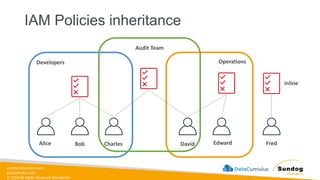
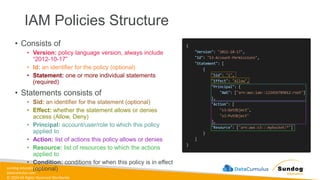
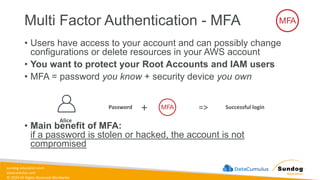
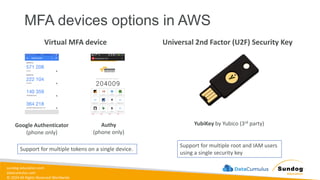

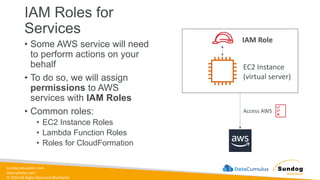
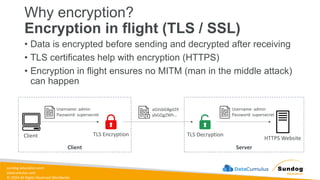
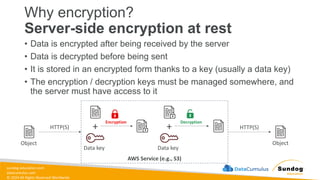
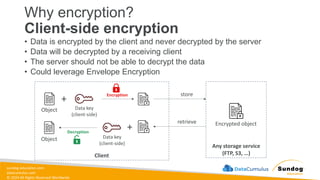
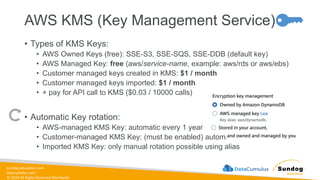
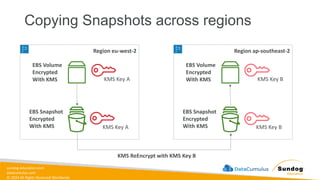
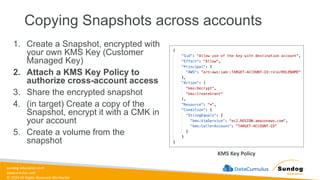
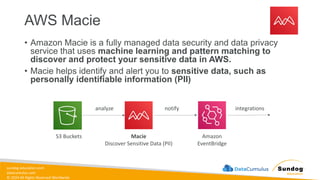
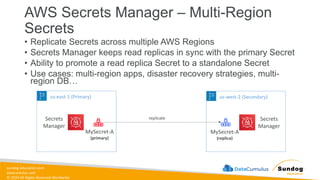
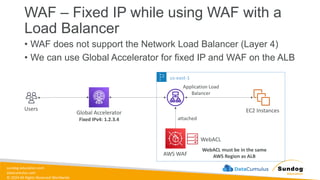
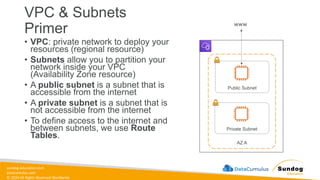
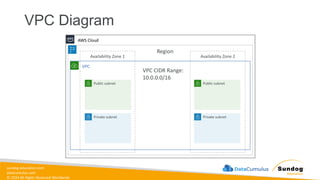
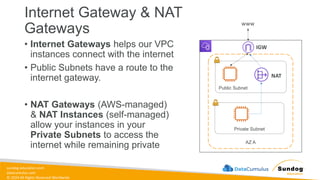
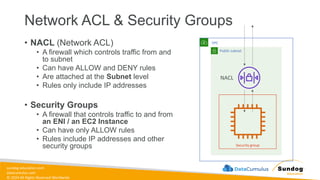
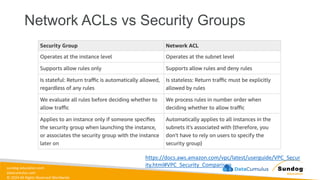
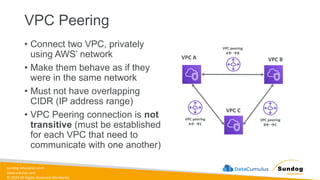
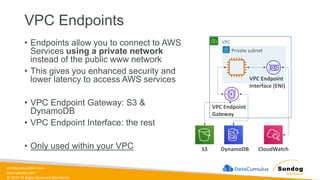
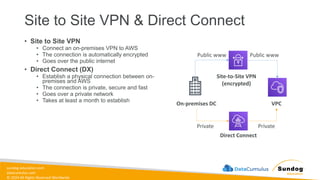
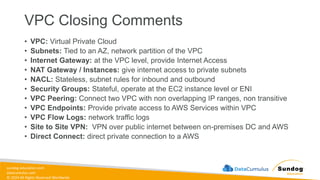
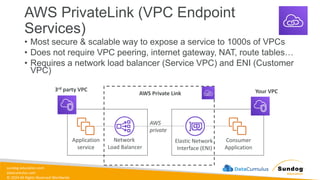
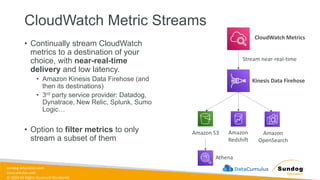
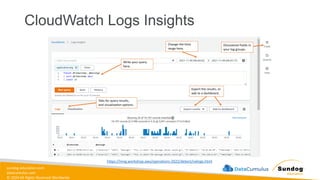
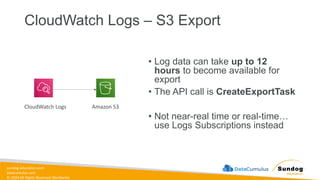
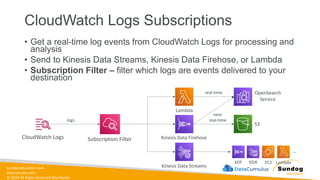
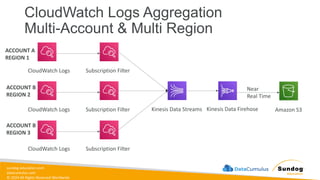
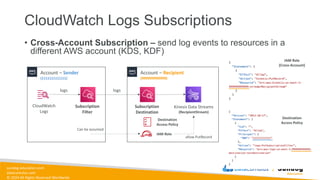
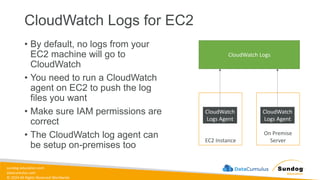
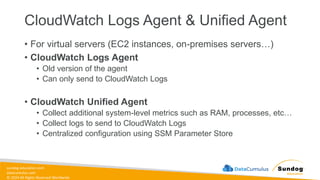
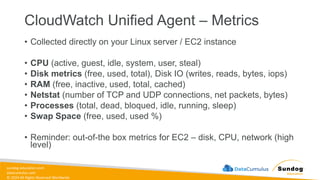
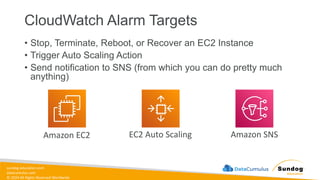
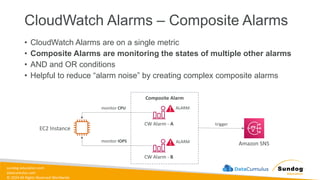
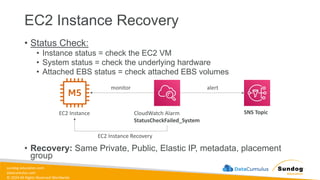
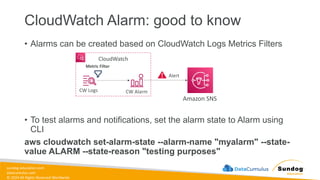
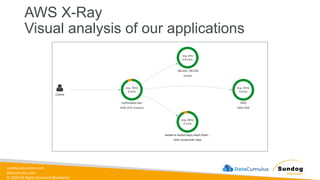
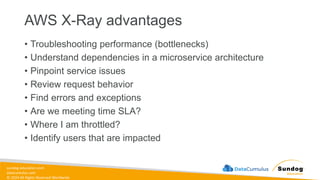
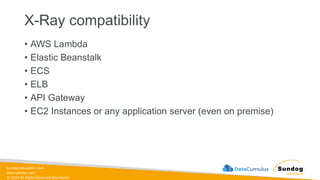
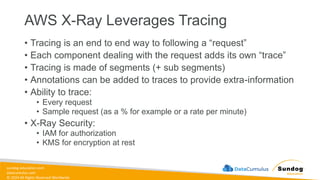
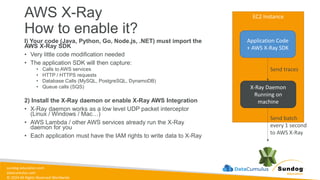
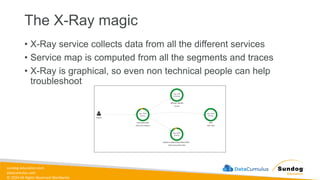
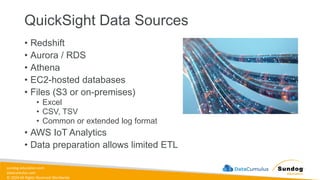
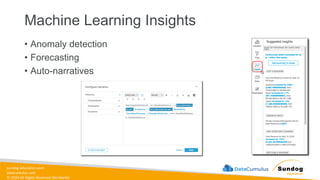
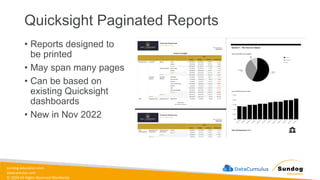
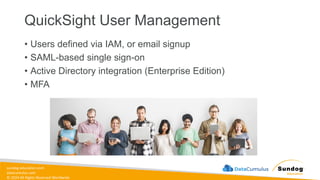

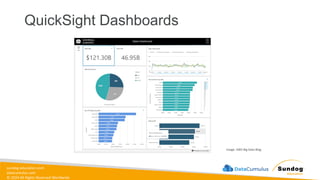
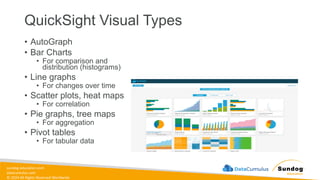
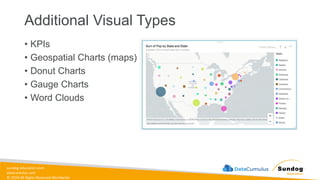
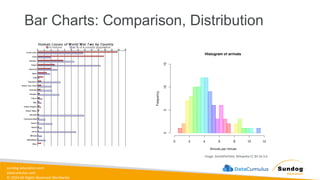
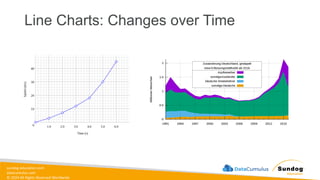
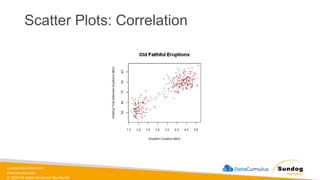
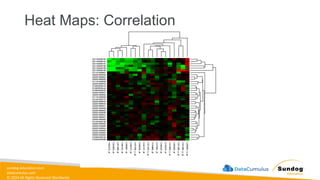
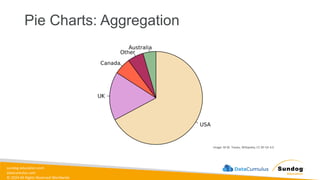
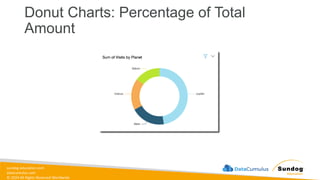
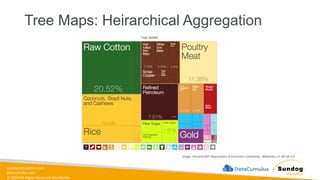
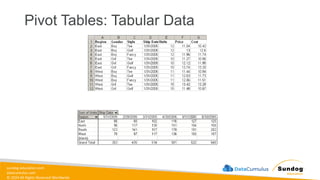
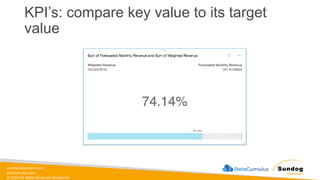
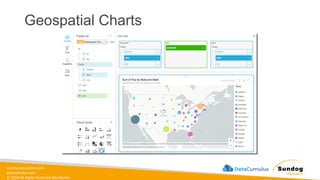
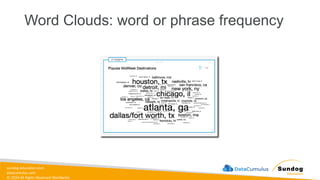
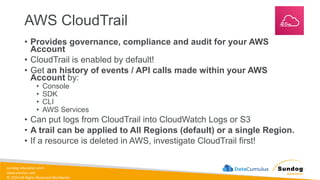
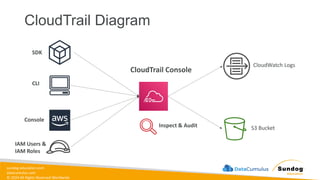
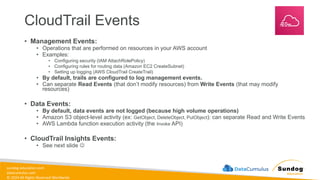
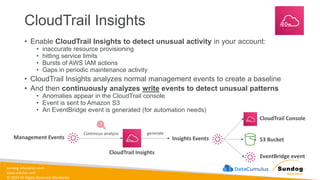
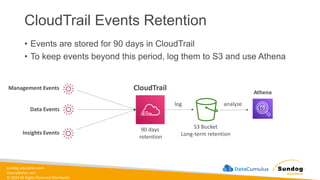
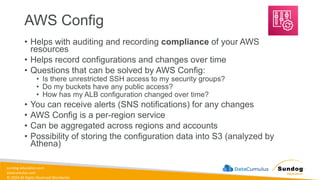
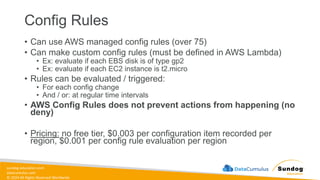
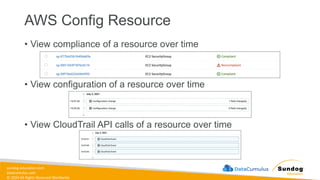
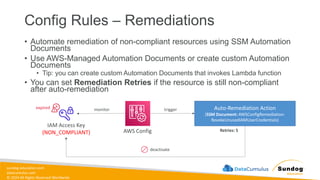
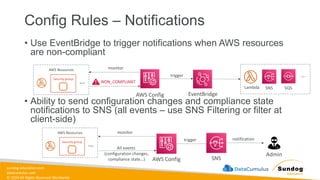
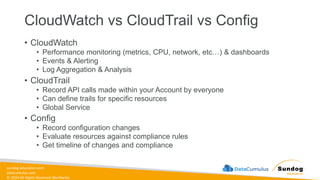
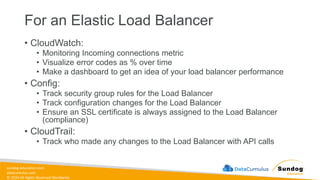
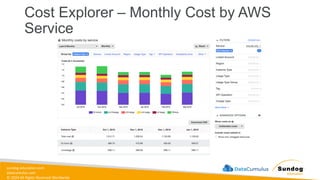
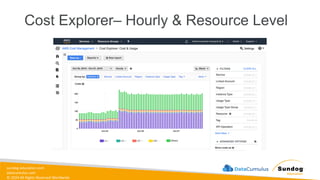
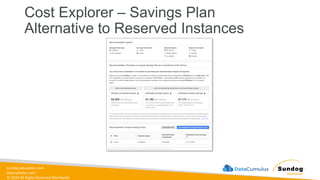
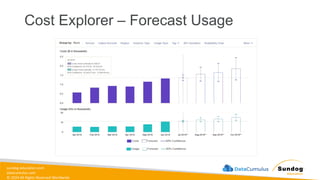
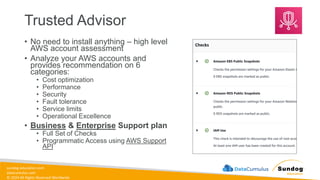

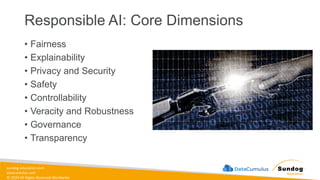
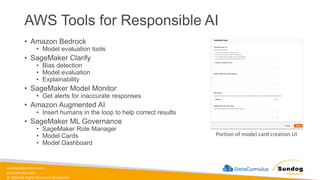
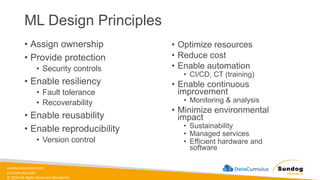
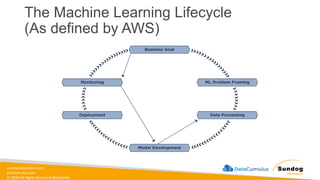
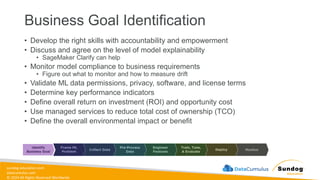
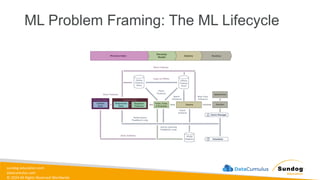
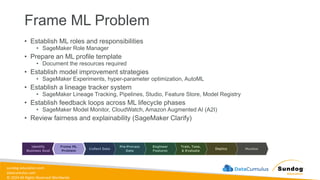
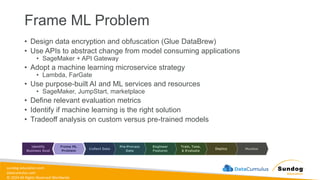
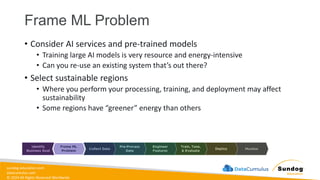
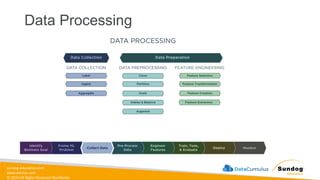
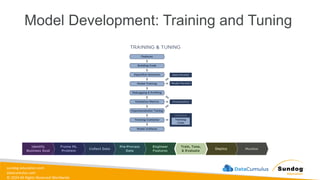
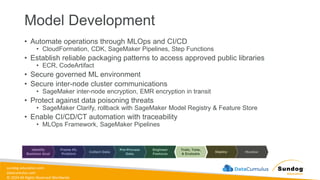
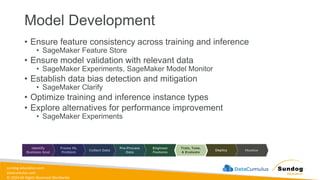
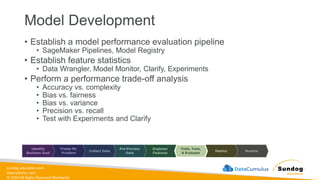
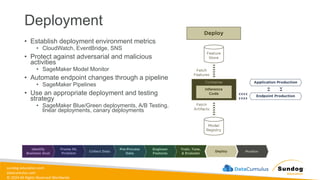
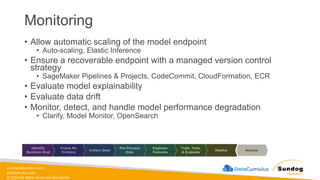
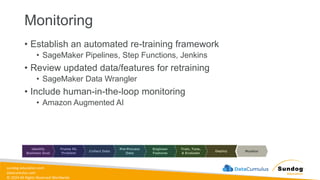
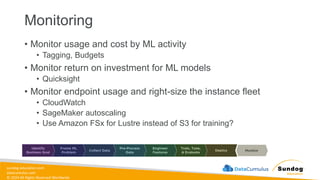
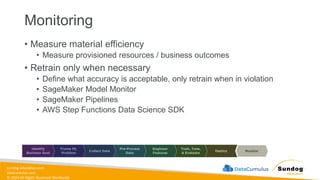
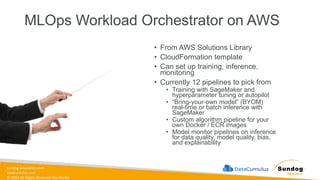
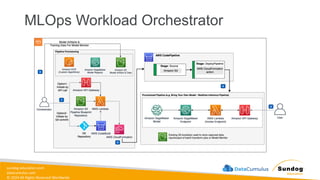
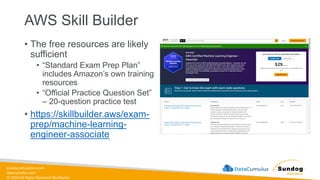
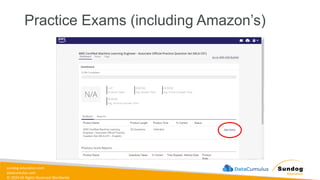
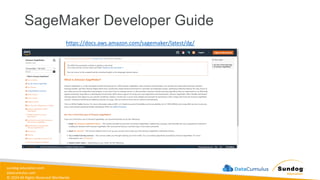


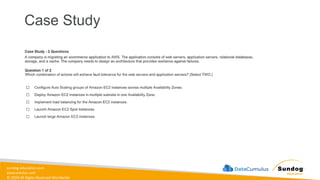
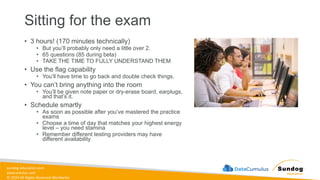
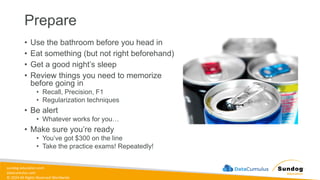
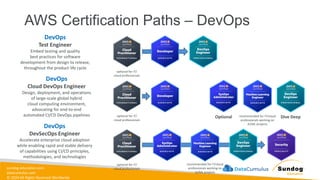
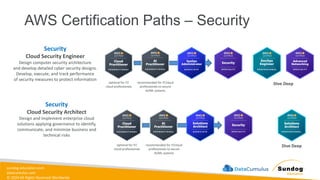
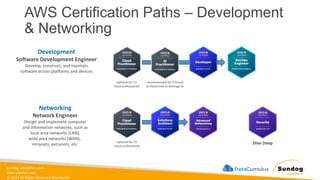
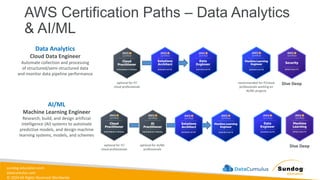
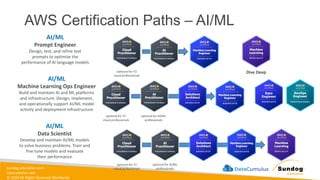


![[DSC Europe 25] Nikola Vasiljevic - Player segmentation by combat playstyles ...](https://cdn.slidesharecdn.com/ss_thumbnails/mnvbf0yvrwaqsipzrrv3-2-nikola-vasiljevic-player-segmentation-by-playstyles-in-action-shooter-games-260114111931-b4d766cd-thumbnail.jpg?width=640&height=640&fit=bounds)

![[DSC Europe 25] Ivica Milaric - The Future of Gaming and AI Tools.pptx](https://cdn.slidesharecdn.com/ss_thumbnails/tijgzsmgse2kj2y5pzzp-5-ivica-milaric-the-future-of-gaming-x-ai-tools-260114111931-87c2b3ac-thumbnail.jpg?width=640&height=640&fit=bounds)

![[DSC Europe 25] Srba Markovic - From Pilot to Production: Overcoming AI Deplo...](https://cdn.slidesharecdn.com/ss_thumbnails/yjjmrtytmwbalxlba7px-4-srba-markovic-from-pilot-to-production-overcoming-ai-deployment-blockers-with-260114111931-4a892d44-thumbnail.jpg?width=640&height=640&fit=bounds)

![[DSC Europe 25] Mijat Kustudic - Building Financial Intelligence with AI Agen...](https://cdn.slidesharecdn.com/ss_thumbnails/38y2lb5lse6wstegtvas-3-mijat-kustudic-building-financial-intelligence-with-ai-agents-260114111931-1a4783ce-thumbnail.jpg?width=640&height=640&fit=bounds)


![[DSC Europe 25] Bojan Djuricic - Predictive Design Process.pdf](https://cdn.slidesharecdn.com/ss_thumbnails/5awdrbedqdek3gqu2ezy-4-the-predictive-design-bojan-djuricic-260120105856-6c399e9b-thumbnail.jpg?width=640&height=640&fit=bounds)

![[DSC Europe 25] Dragan Jerosimovic - The Anatomy of a Narrative Simulation.pdf](https://cdn.slidesharecdn.com/ss_thumbnails/vzputuprdqr6zwbrwdcw-1-dragan-jerosimovic-the-anatomy-of-a-narrative-simulation-260114111931-9d04fba2-thumbnail.jpg?width=640&height=640&fit=bounds)


