Vas Vasiliadis – vas@uchicago.edu
May 11, 2022
Automating Research Data
Management with Globus
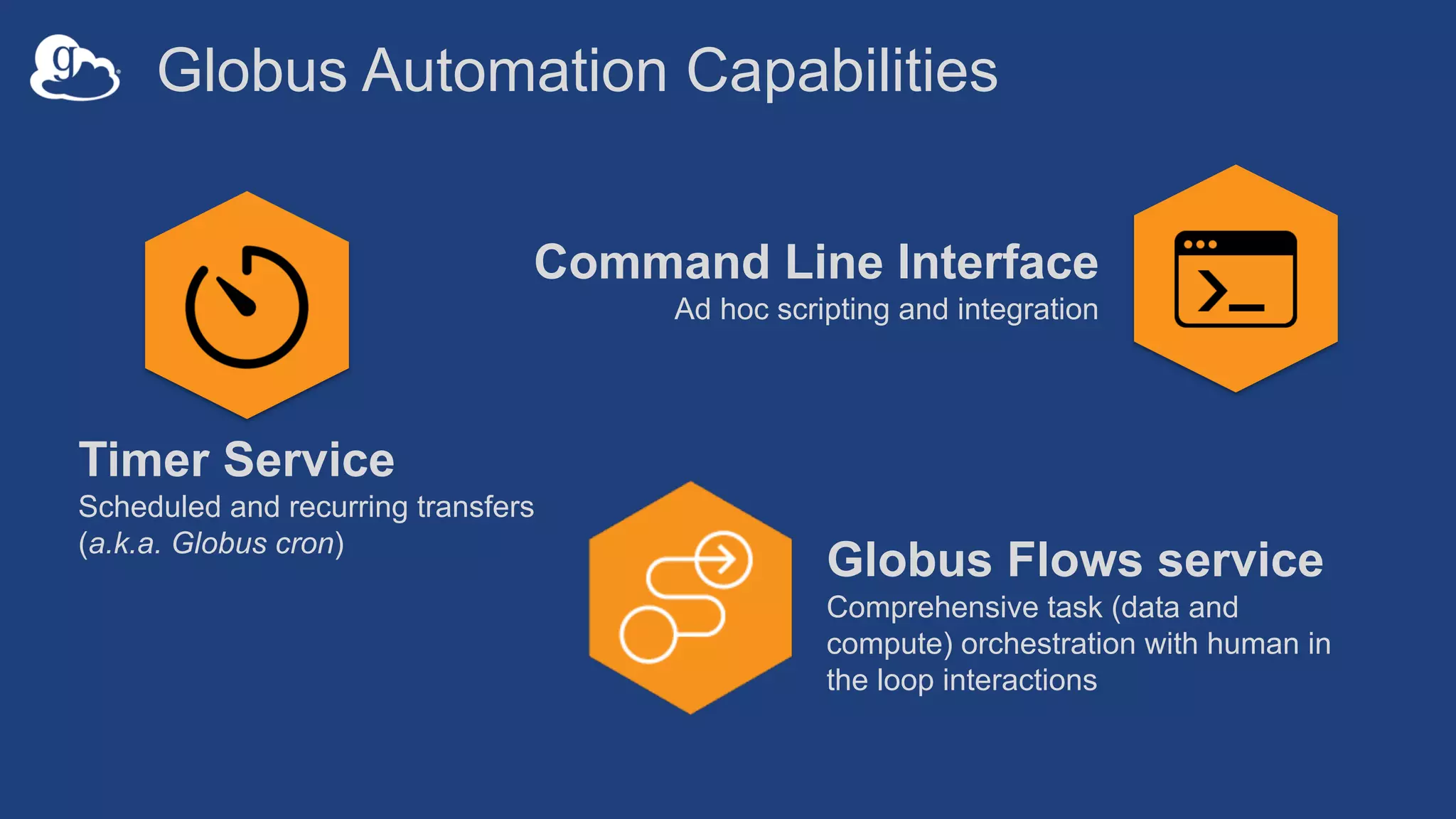
Globus Automation Capabilities
Timer Service
Scheduled and recurring transfers
(a.k.a. Globus cron)
Command Line Interface
Ad hoc scripting and integration
Globus Flows service
Comprehensive task (data and
compute) orchestration with human in
the loop interactions
Three perspectives
• Researcher: ease of use, scalability
• Administrator: visibility, access control
• Developer
Globus Timer Service
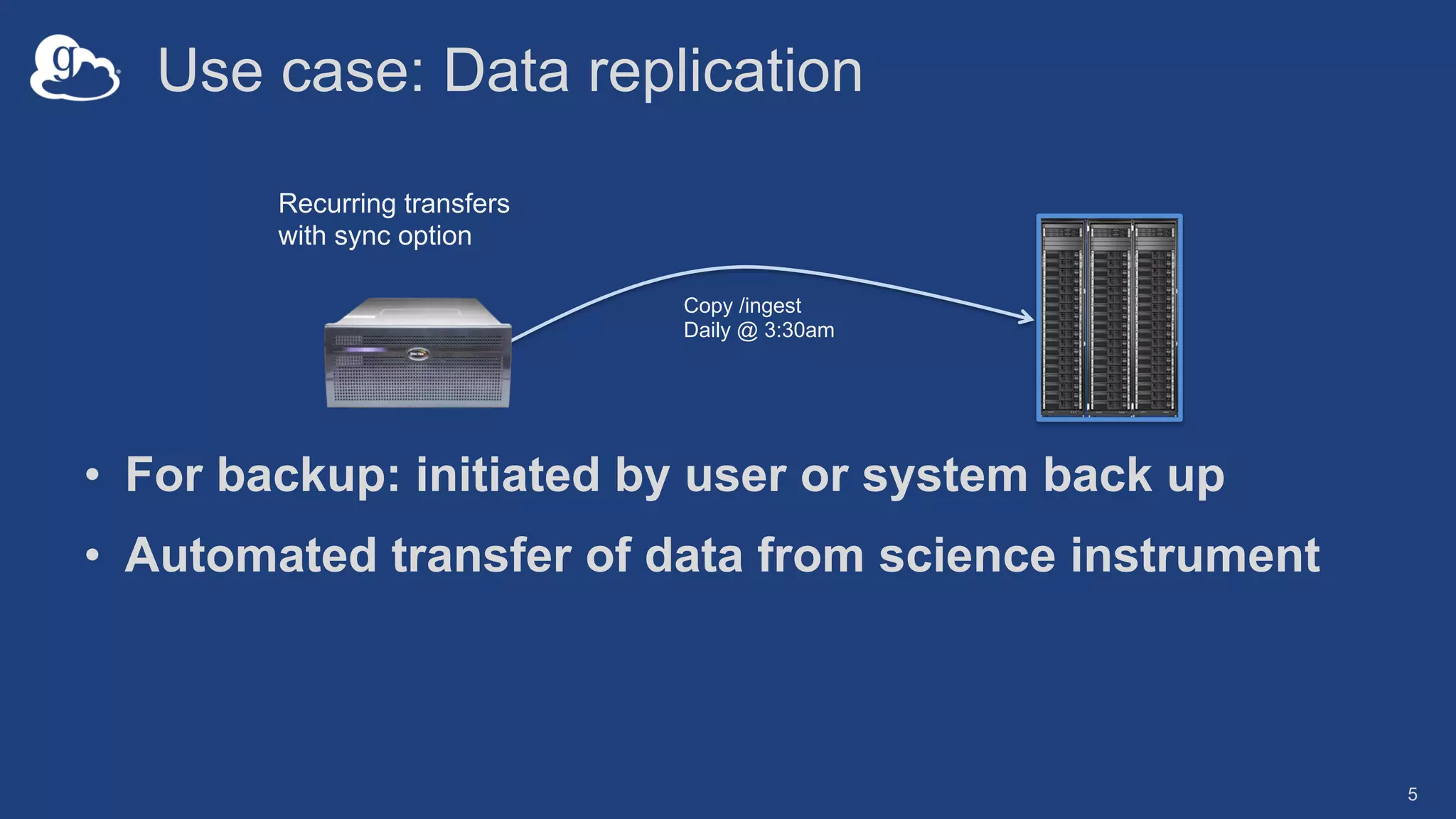
Use case: Data replication
• For backup: initiated by user or system back up
• Automated transfer of data from science instrument
5
Recurring transfers
with sync option
Copy /ingest
Daily @ 3:30am
The Globus Timer service
• Scheduled/recurring file transfers
• Supports all Globus transfer and sync options
• Service accessible via web app and CLI
• Example: NIH – hpc.nih.gov/storage/globus_cron.html
6
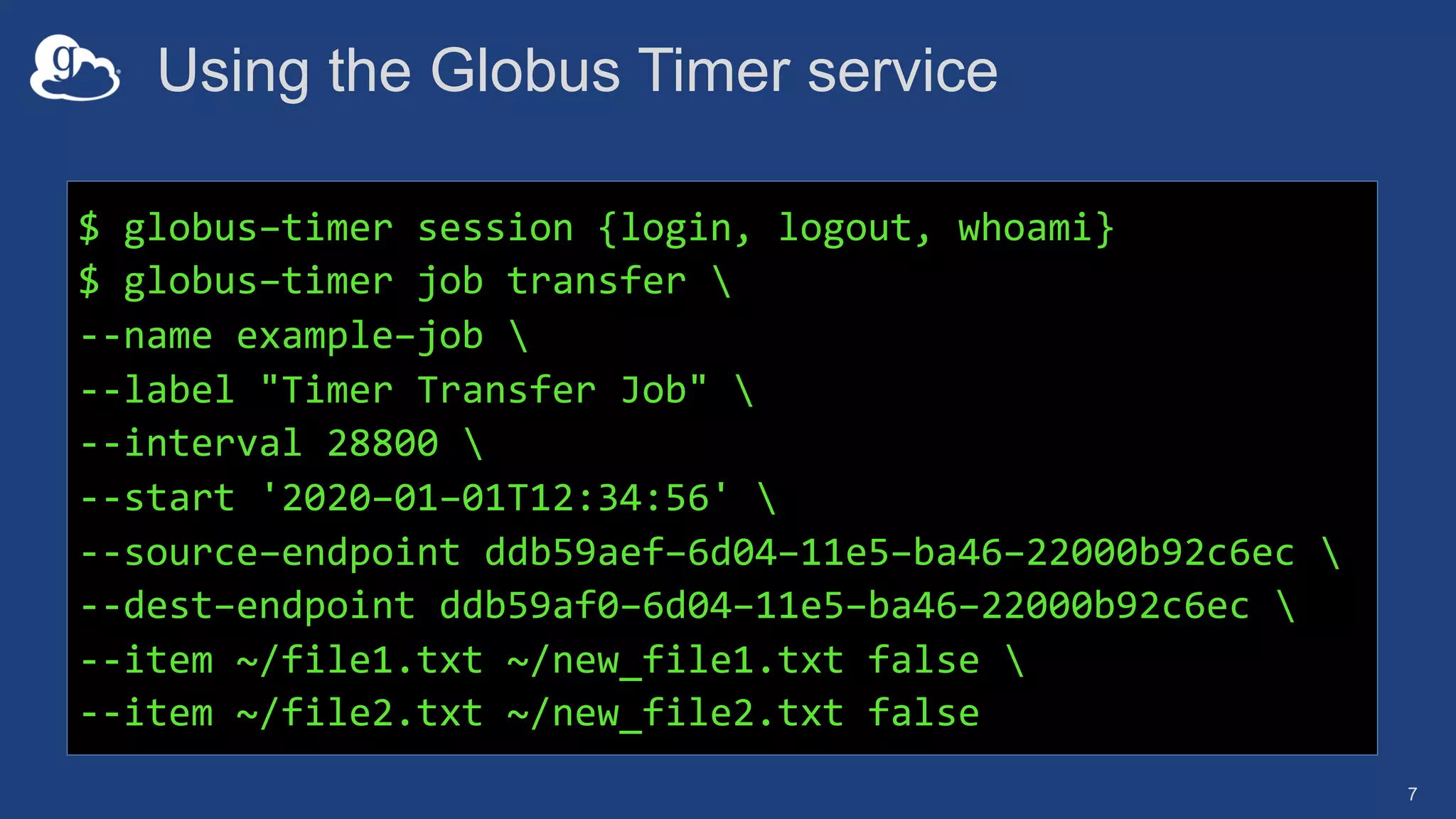
Using the Globus Timer service
7
$ globus–timer session {login, logout, whoami}
$ globus–timer job transfer 
--name example–job 
--label "Timer Transfer Job" 
--interval 28800 
--start '2020–01–01T12:34:56' 
--source–endpoint ddb59aef–6d04–11e5–ba46–22000b92c6ec 
--dest–endpoint ddb59af0–6d04–11e5–ba46–22000b92c6ec 
--item ~/file1.txt ~/new_file1.txt false 
--item ~/file2.txt ~/new_file2.txt false
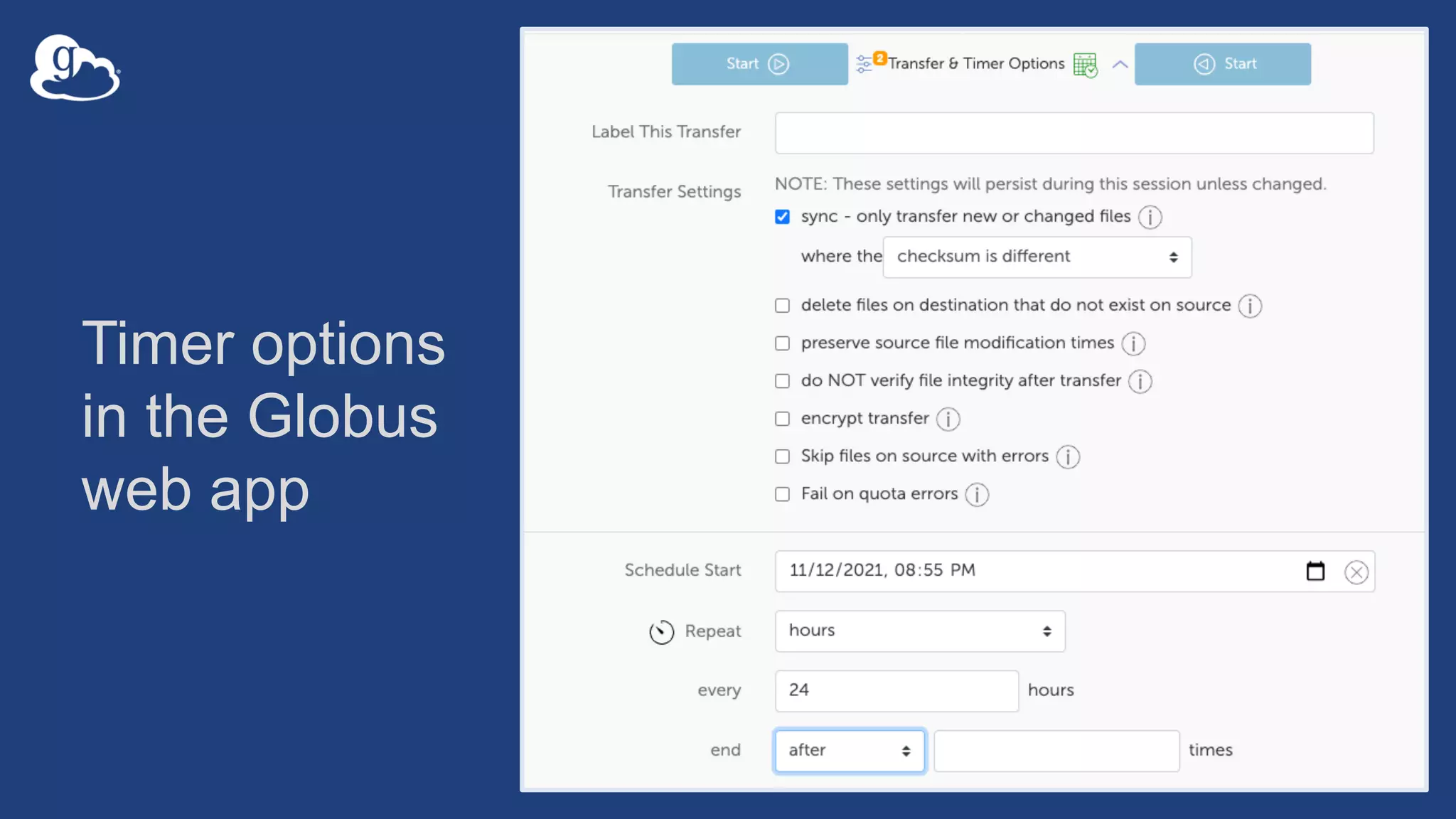
Timer options
in the Globus
web app
Globus Command Line
Interface (CLI)
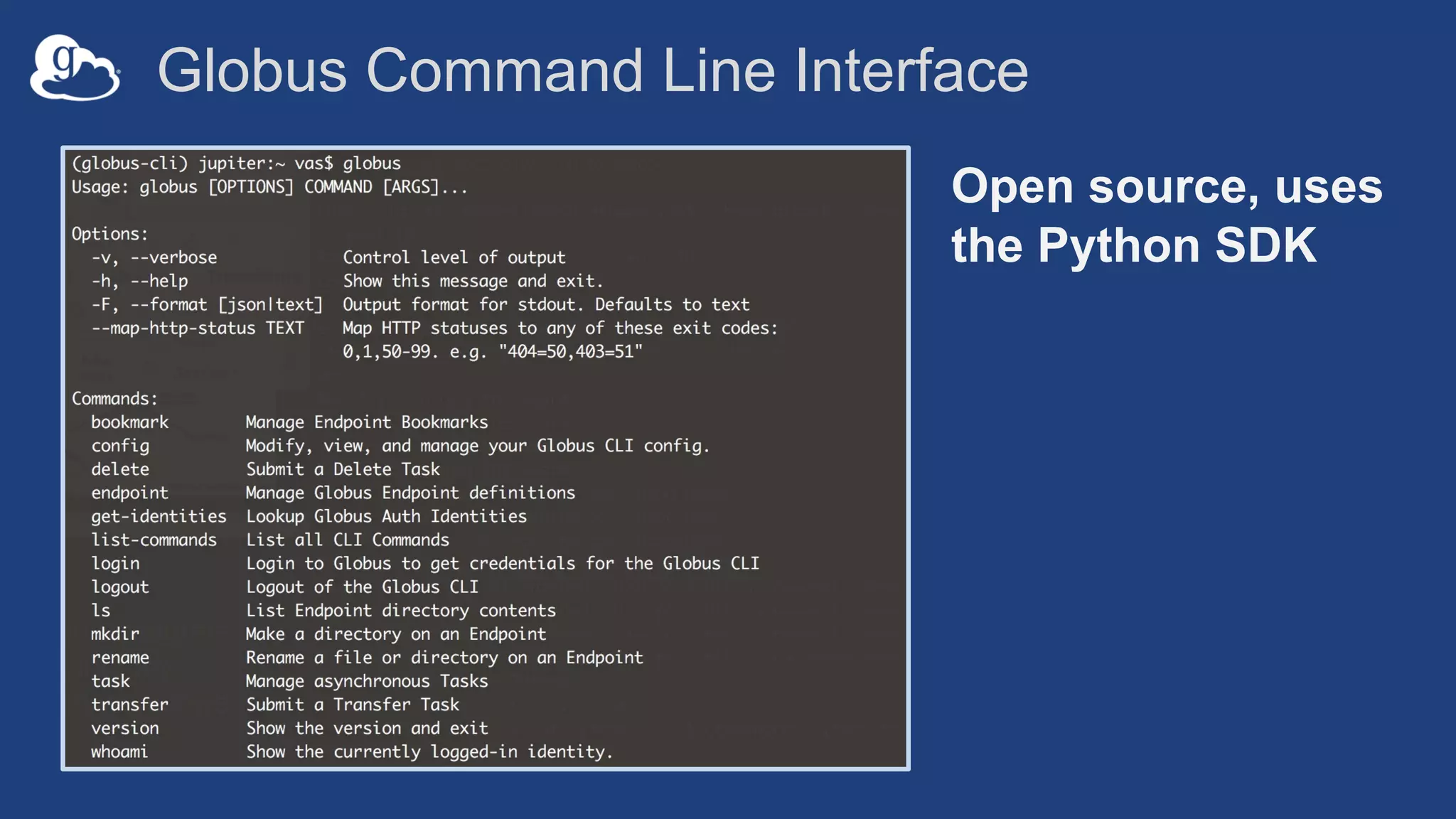
Globus Command Line Interface
Open source, uses
the Python SDK
Common elements
• Evergreen auth à native app grant w/refresh tokens
• Guest collection
• Delegated permissions management
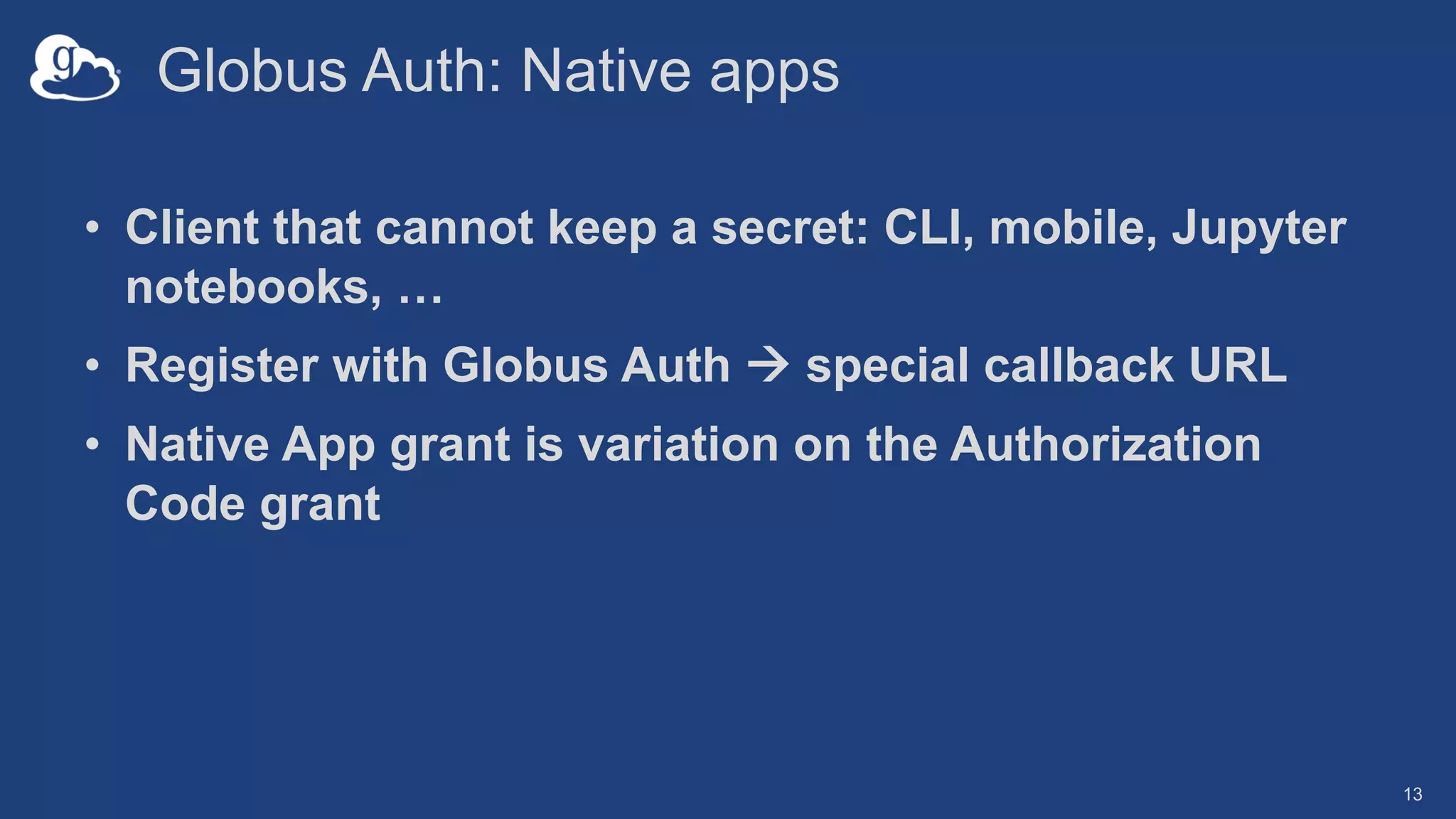
Globus Auth: Native apps
• Client that cannot keep a secret: CLI, mobile, Jupyter
notebooks, …
• Register with Globus Auth à special callback URL
• Native App grant is variation on the Authorization
Code grant
13
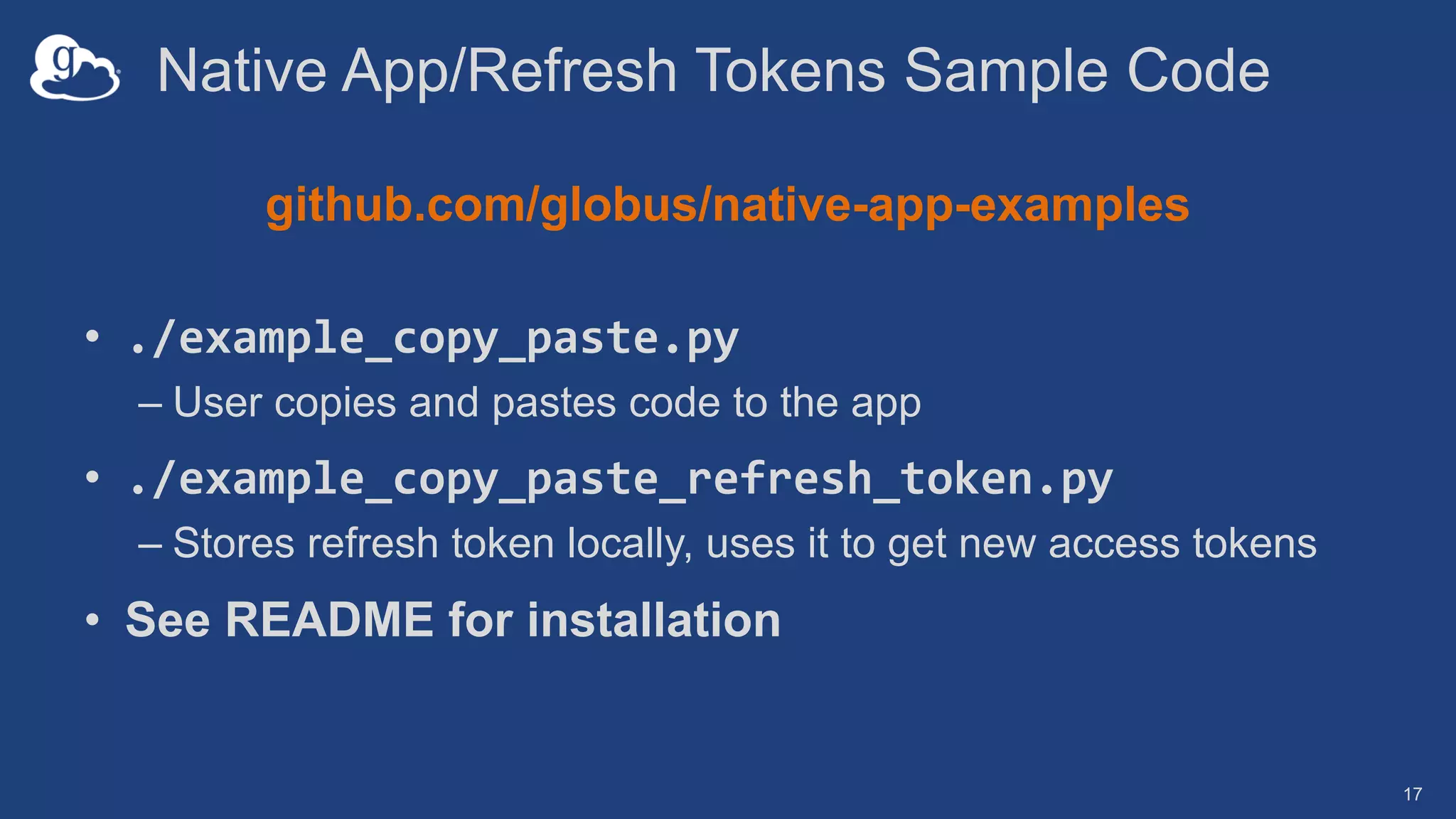
Native App/Refresh Tokens Sample Code
github.com/globus/native-app-examples
• ./example_copy_paste.py
– User copies and pastes code to the app
• ./example_copy_paste_refresh_token.py
– Stores refresh token locally, uses it to get new access tokens
• See README for installation
17
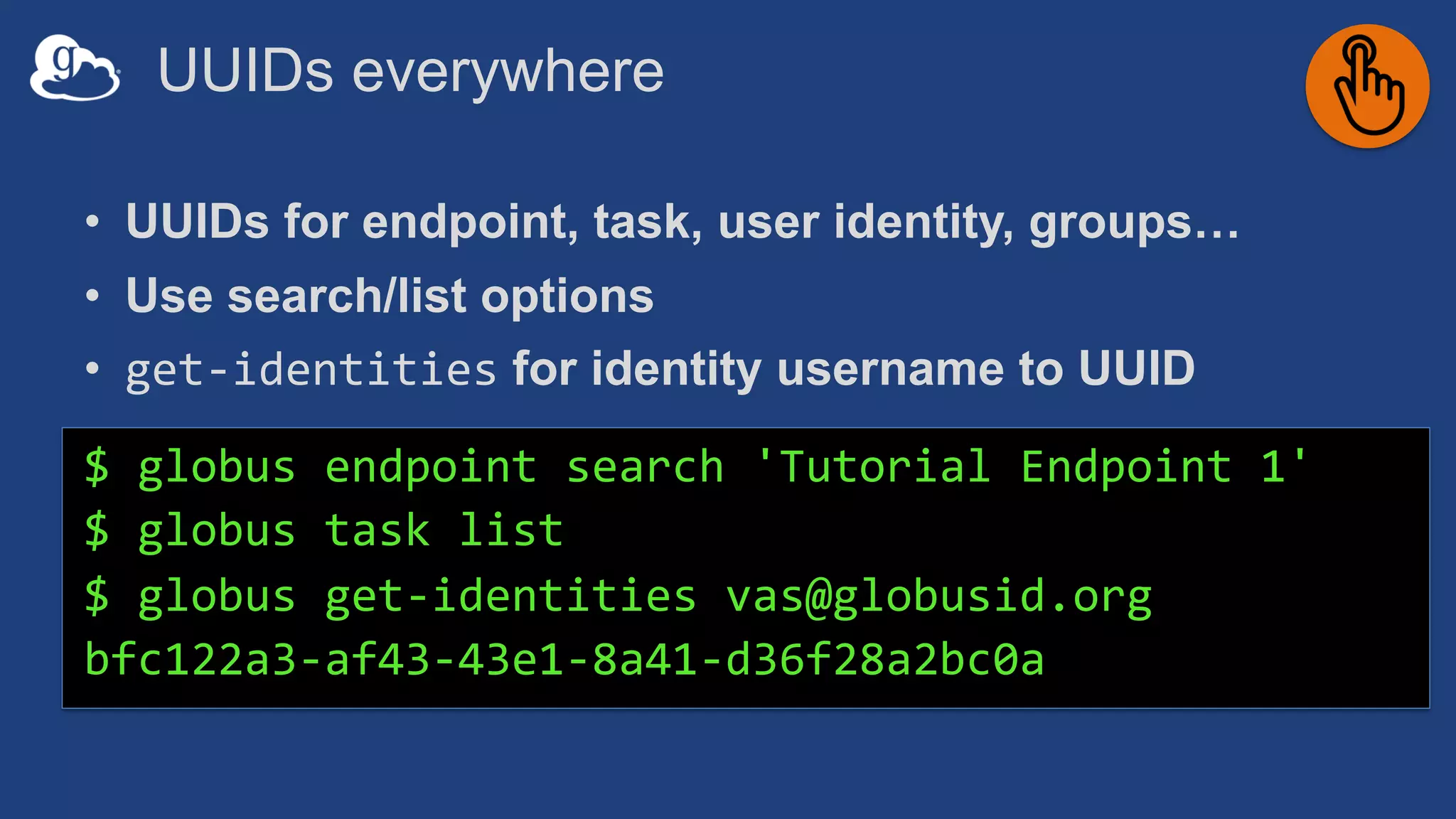
UUIDs everywhere
• UUIDs for endpoint, task, user identity, groups…
• Use search/list options
• get-identities for identity username to UUID
$ globus endpoint search 'Tutorial Endpoint 1'
$ globus task list
$ globus get-identities vas@globusid.org
bfc122a3-af43-43e1-8a41-d36f28a2bc0a
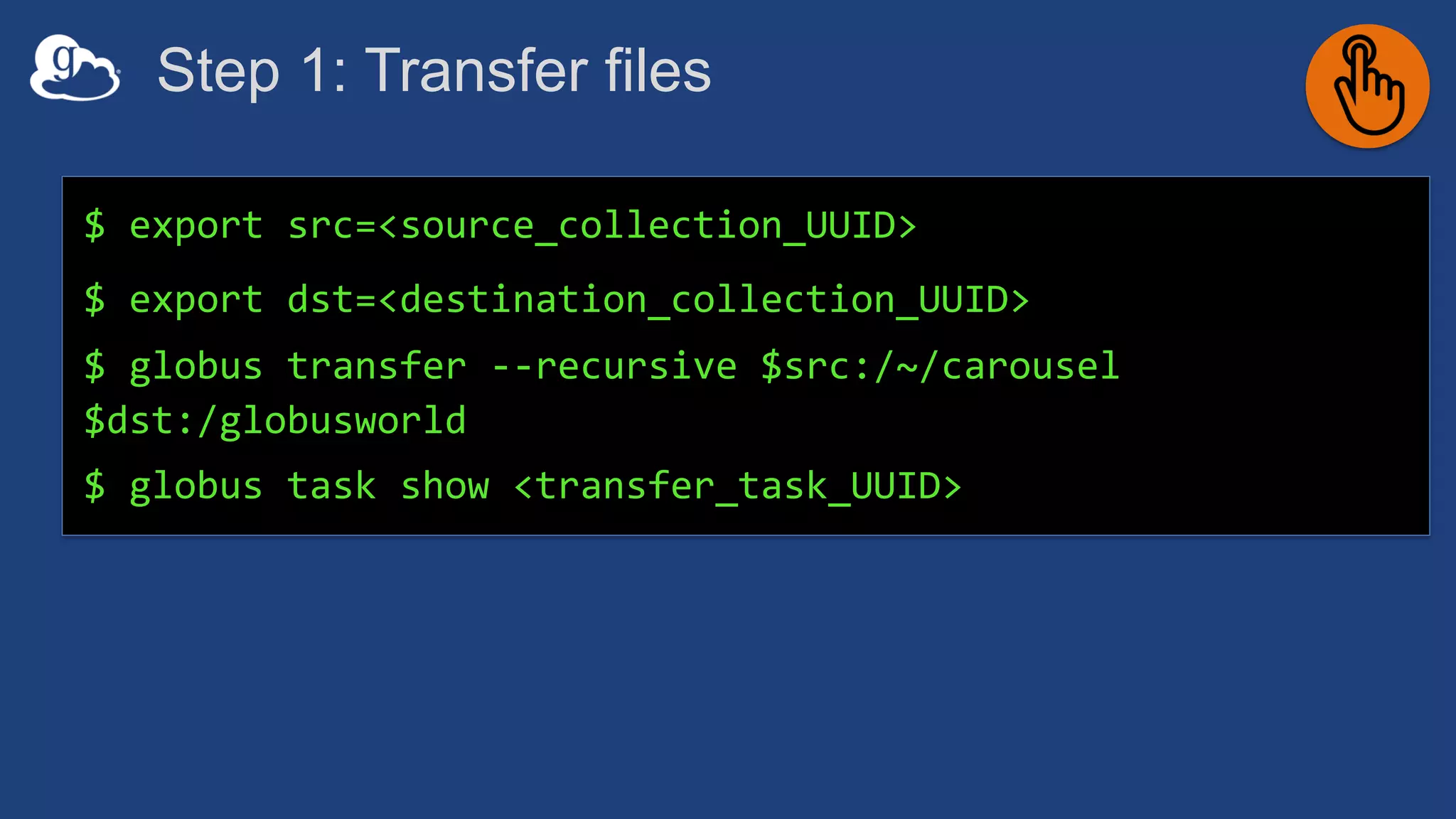
Step 1: Transfer files
$ export src=<source_collection_UUID>
$ export dst=<destination_collection_UUID>
$ globus transfer --recursive $src:/~/carousel
$dst:/globusworld
$ globus task show <transfer_task_UUID>
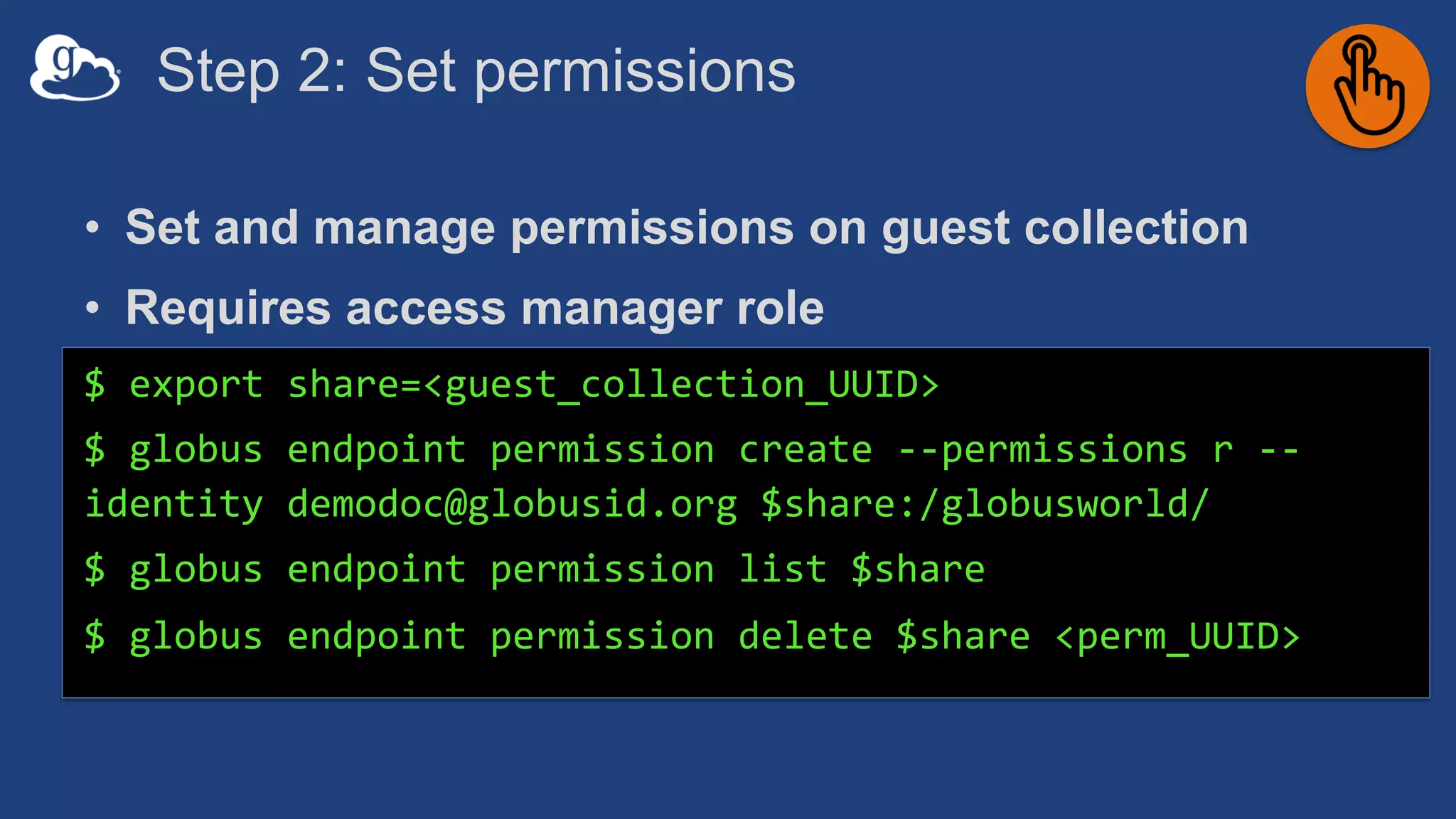
Step 2: Set permissions
• Set and manage permissions on guest collection
• Requires access manager role
$ export share=<guest_collection_UUID>
$ globus endpoint permission create --permissions r --
identity demodoc@globusid.org $share:/globusworld/
$ globus endpoint permission list $share
$ globus endpoint permission delete $share <perm_UUID>
Parsing CLI output
• Default output is text; for JSON output use --format json
$ globus endpoint search --filter-scope my-endpoints
$ globus endpoint search --filter-scope my-endpoints --
format json
• Extract specific attributes using --jmespath <expression>
$ globus endpoint search --filter-scope my-endpoints --
jmespath 'DATA[].[id, display_name]'
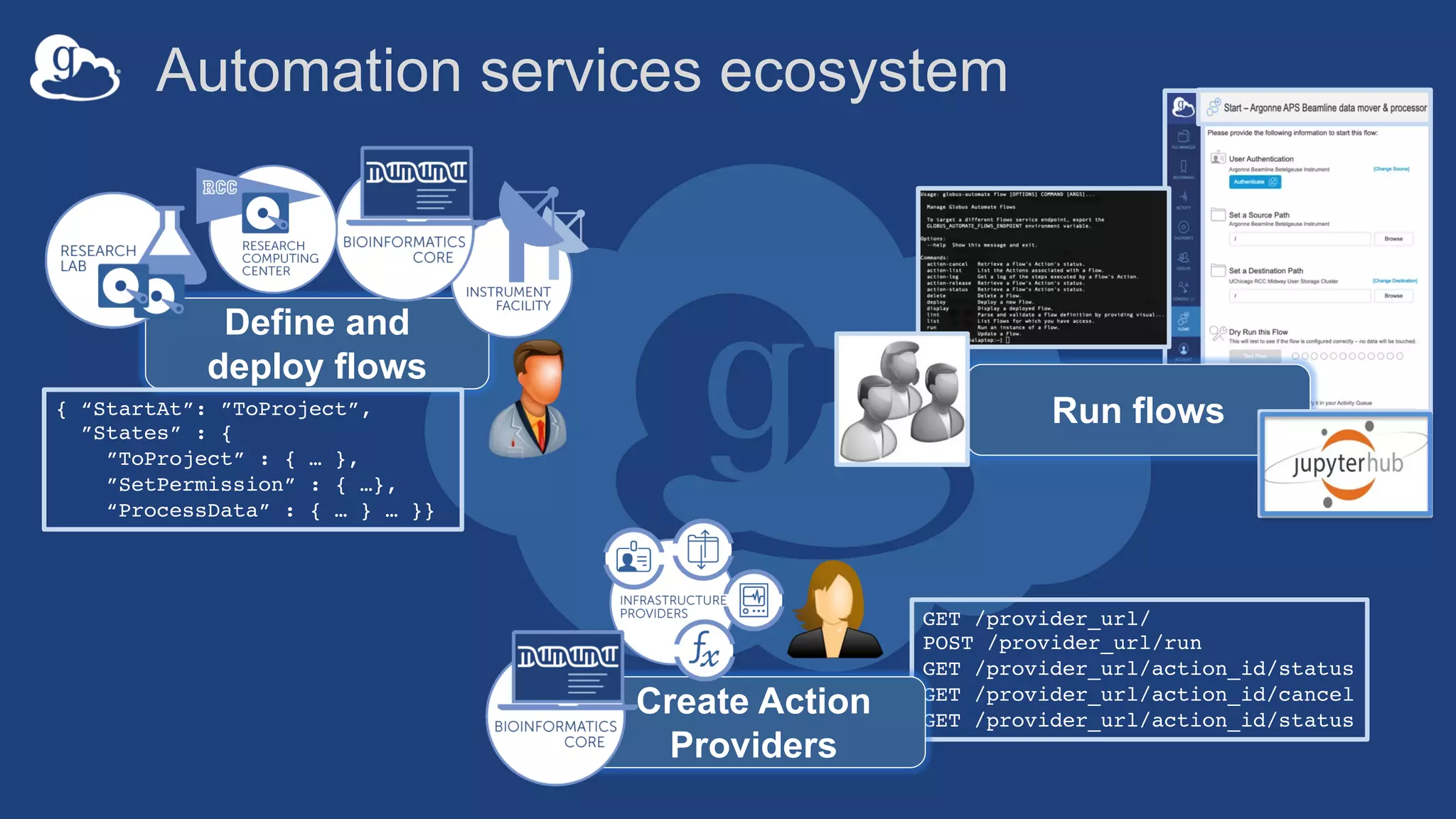
Automation services ecosystem
GET /provider_url/
POST /provider_url/run
GET /provider_url/action_id/status
GET /provider_url/action_id/cancel
GET /provider_url/action_id/status
Create Action
Providers
Define and
deploy flows
{ “StartAt”: ”ToProject”,
”States” : {
”ToProject” : { … },
”SetPermission” : { …},
“ProcessData” : { … } … }}
Run flows
Globus Flows Service
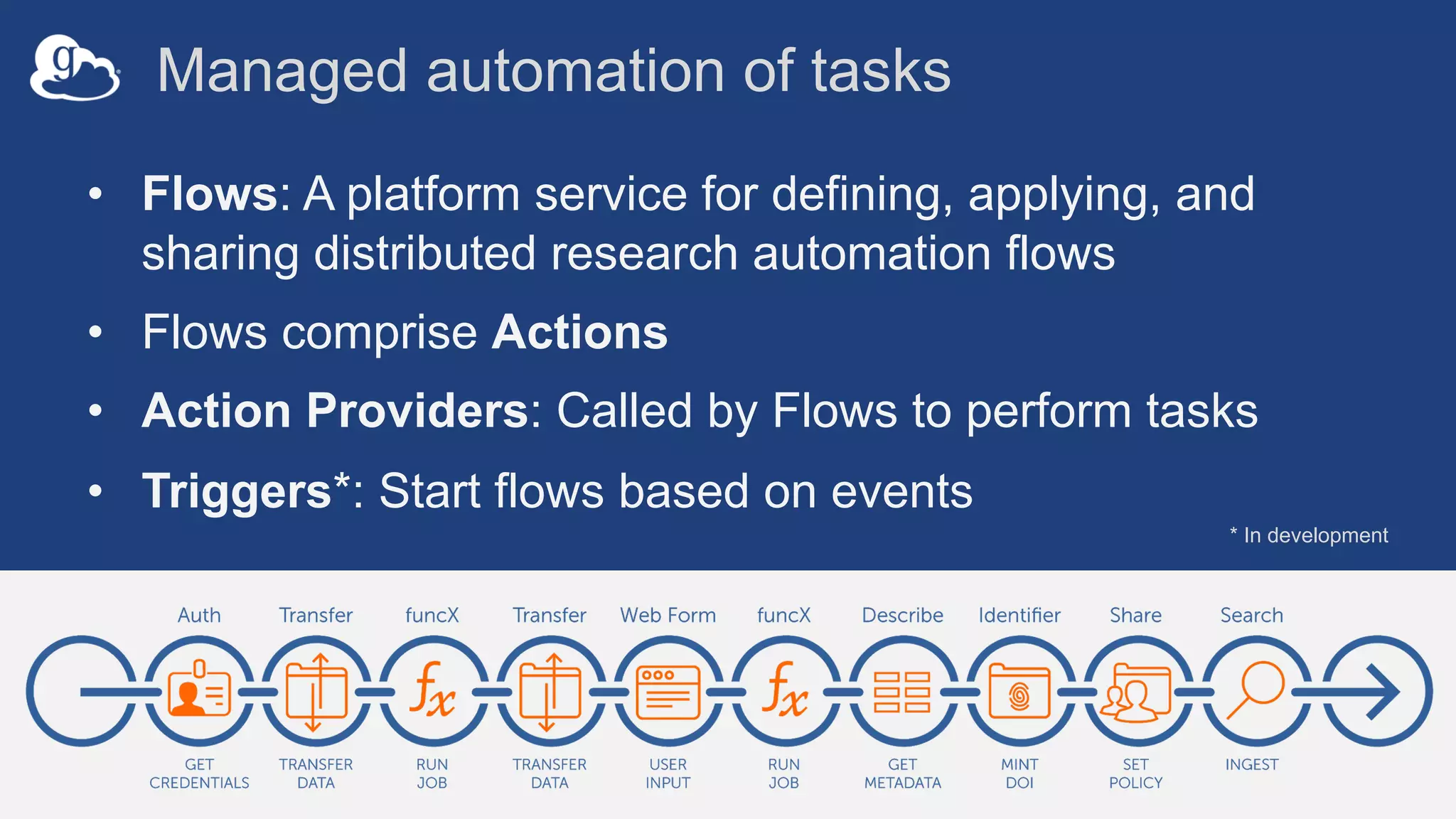
Managed automation of tasks
• Flows: A platform service for defining, applying, and
sharing distributed research automation flows
• Flows comprise Actions
• Action Providers: Called by Flows to perform tasks
• Triggers*: Start flows based on events
* In development
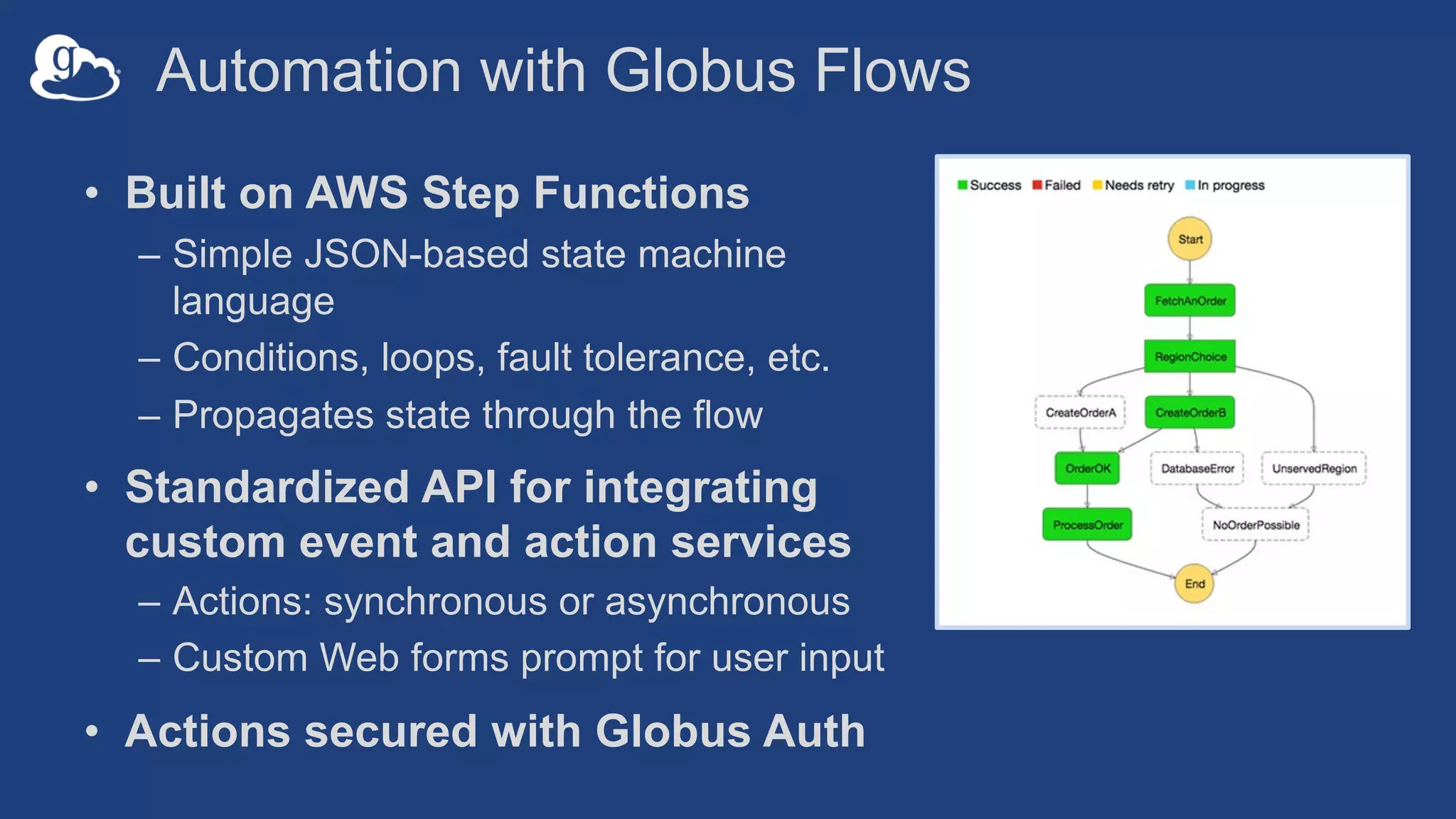
Automation with Globus Flows
• Built on AWS Step Functions
– Simple JSON-based state machine
language
– Conditions, loops, fault tolerance, etc.
– Propagates state through the flow
• Standardized API for integrating
custom event and action services
– Actions: synchronous or asynchronous
– Custom Web forms prompt for user input
• Actions secured with Globus Auth
26
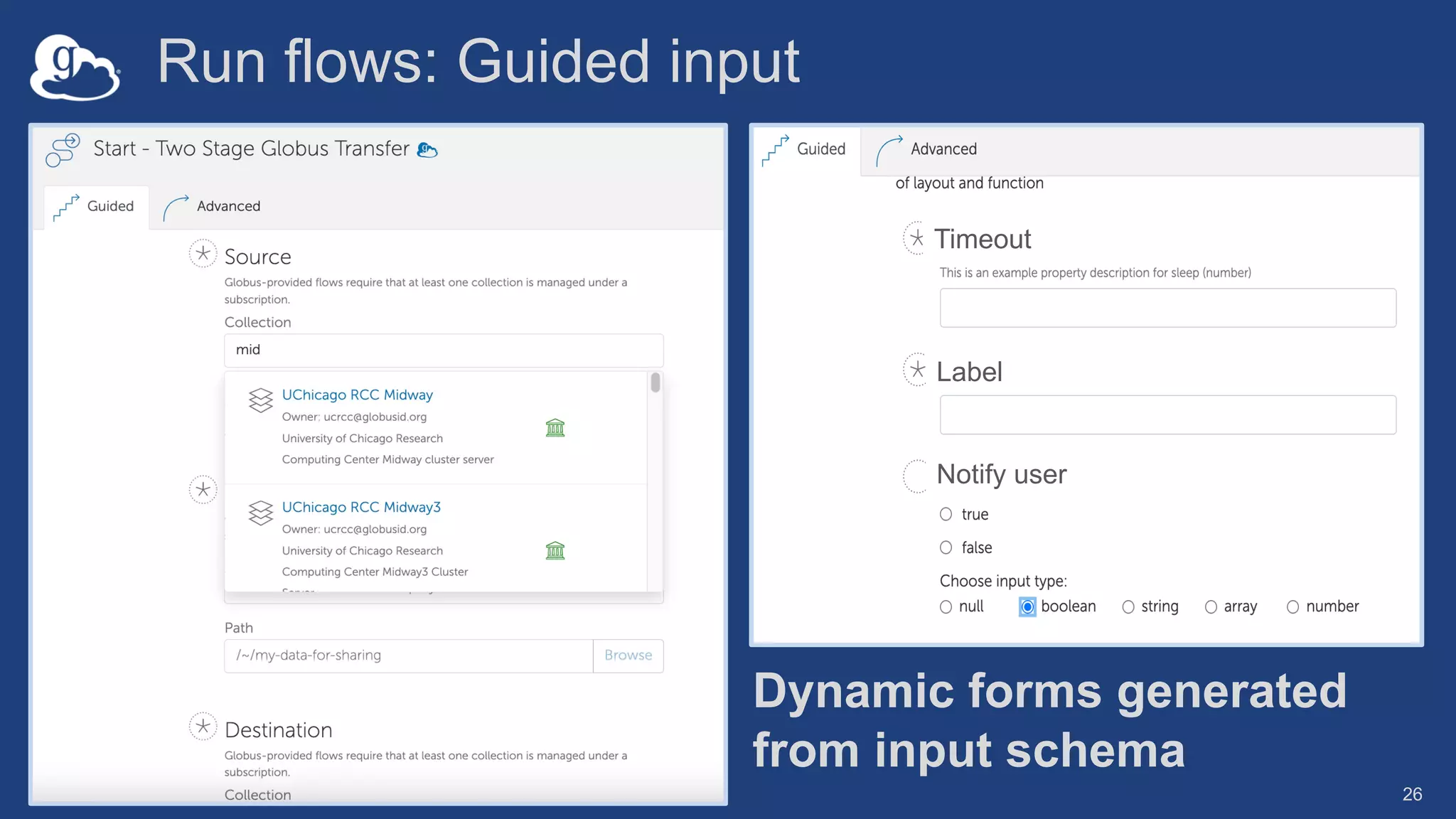
Run flows: Guided input
Label
Notify user
Timeout
Dynamic forms generated
from input schema
27
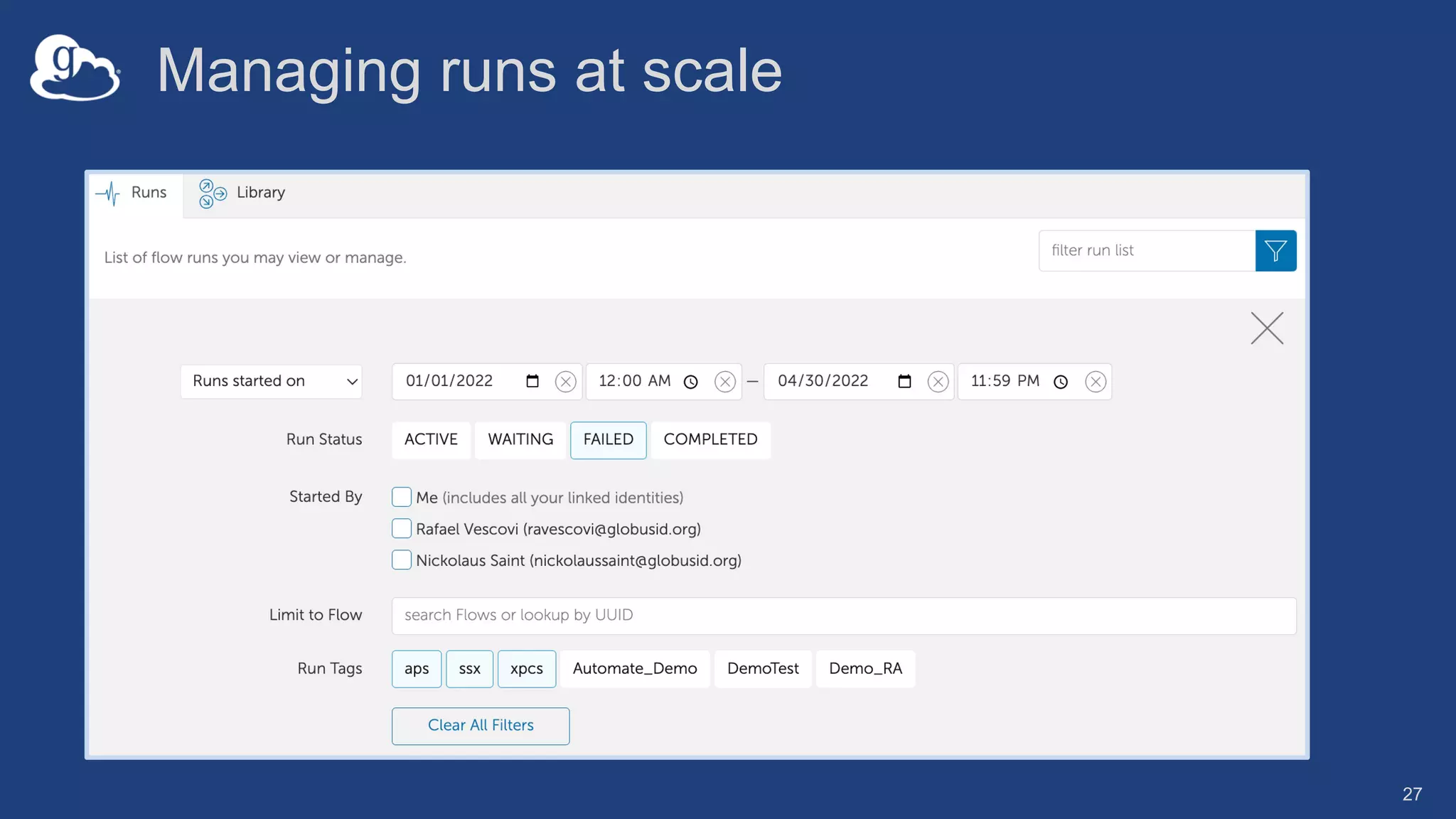
Managing runs at scale
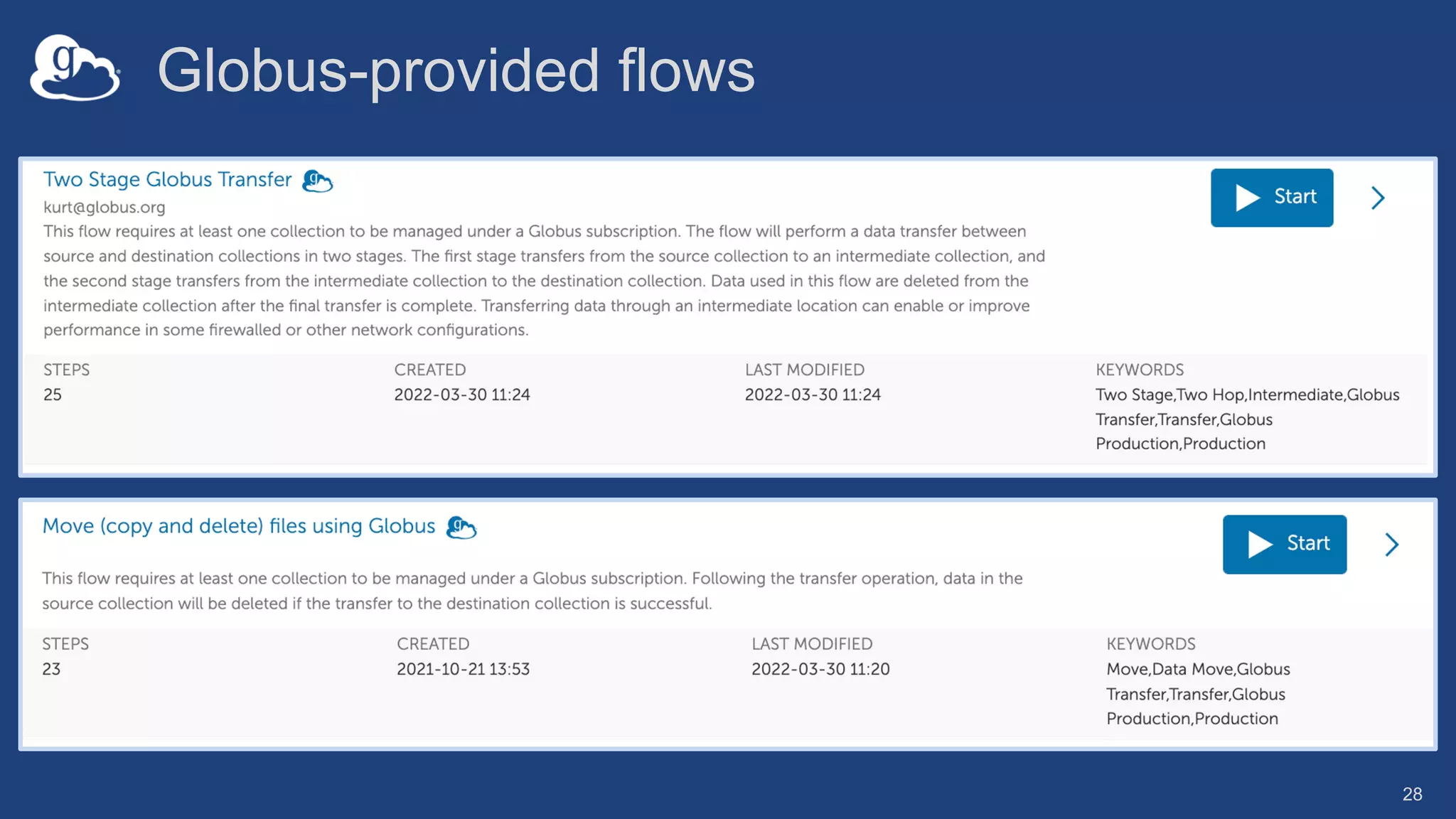
Globus-provided flows
28
Developing
Globus Flows
jupyter.demo.globus.org
29
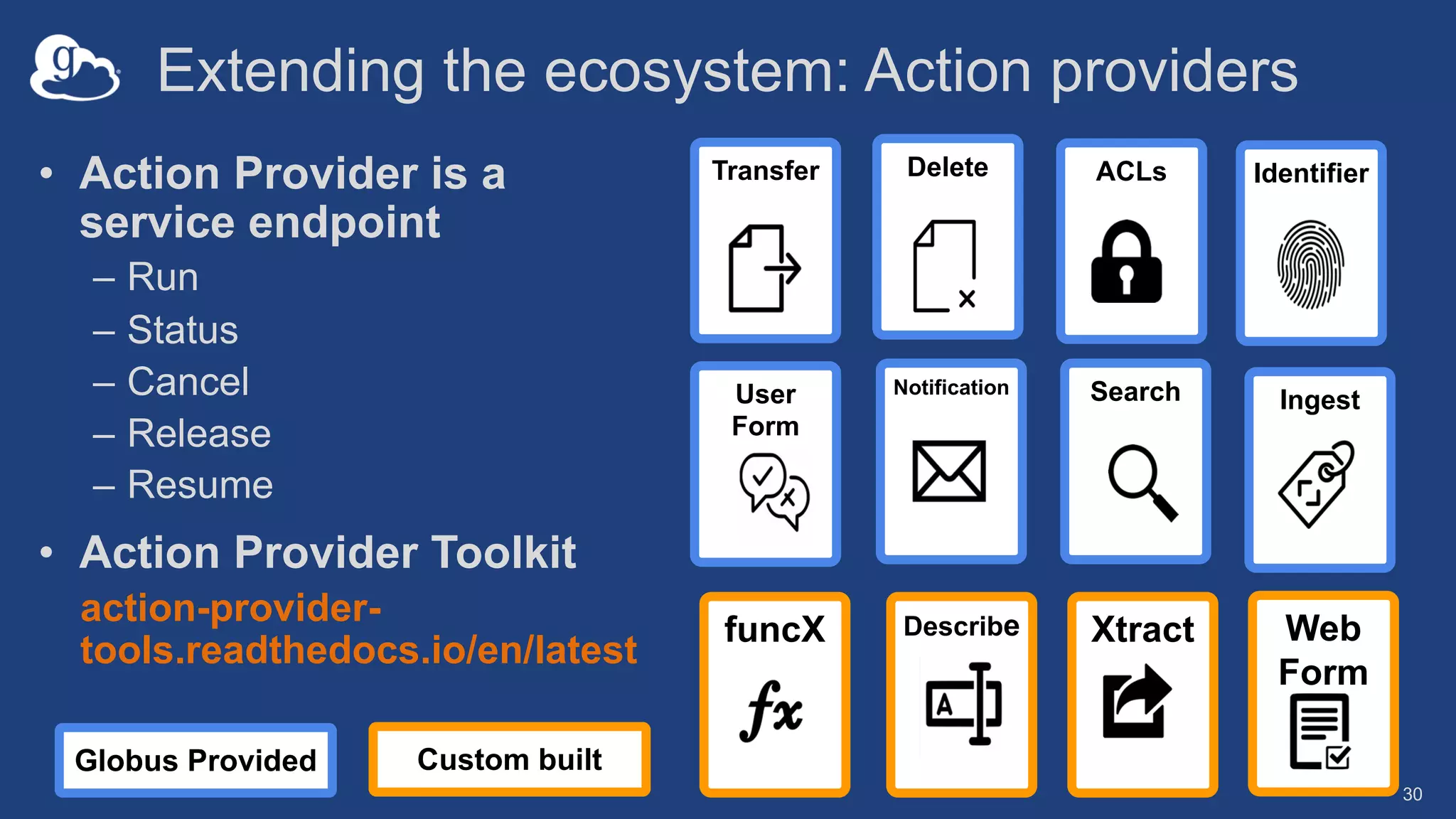
Extending the ecosystem: Action providers
30
• Action Provider is a
service endpoint
– Run
– Status
– Cancel
– Release
– Resume
• Action Provider Toolkit
action-provider-
tools.readthedocs.io/en/latest
Search
Transfer
Notification
ACLs Identifier
Delete
Ingest
User
Form
Describe Xtract
funcX Web
Form
Custom built
Globus Provided

Automating Research Data Management with Globus

  • 1.
    Vas Vasiliadis –vas@uchicago.edu May 11, 2022 Automating Research Data Management with Globus
  • 2.
    Globus Automation Capabilities TimerService Scheduled and recurring transfers (a.k.a. Globus cron) Command Line Interface Ad hoc scripting and integration Globus Flows service Comprehensive task (data and compute) orchestration with human in the loop interactions
  • 3.
    Three perspectives • Researcher:ease of use, scalability • Administrator: visibility, access control • Developer
  • 4.
  • 5.
    Use case: Datareplication • For backup: initiated by user or system back up • Automated transfer of data from science instrument 5 Recurring transfers with sync option Copy /ingest Daily @ 3:30am
  • 6.
    The Globus Timerservice • Scheduled/recurring file transfers • Supports all Globus transfer and sync options • Service accessible via web app and CLI • Example: NIH – hpc.nih.gov/storage/globus_cron.html 6
  • 7.
    Using the GlobusTimer service 7 $ globus–timer session {login, logout, whoami} $ globus–timer job transfer --name example–job --label "Timer Transfer Job" --interval 28800 --start '2020–01–01T12:34:56' --source–endpoint ddb59aef–6d04–11e5–ba46–22000b92c6ec --dest–endpoint ddb59af0–6d04–11e5–ba46–22000b92c6ec --item ~/file1.txt ~/new_file1.txt false --item ~/file2.txt ~/new_file2.txt false
  • 8.
    Timer options in theGlobus web app
  • 9.
  • 10.
    Globus Command LineInterface Open source, uses the Python SDK
  • 11.
    Common elements • Evergreenauth à native app grant w/refresh tokens • Guest collection • Delegated permissions management
  • 12.
    Globus Auth: Nativeapps • Client that cannot keep a secret: CLI, mobile, Jupyter notebooks, … • Register with Globus Auth à special callback URL • Native App grant is variation on the Authorization Code grant 13
  • 13.
    Native App/Refresh TokensSample Code github.com/globus/native-app-examples • ./example_copy_paste.py – User copies and pastes code to the app • ./example_copy_paste_refresh_token.py – Stores refresh token locally, uses it to get new access tokens • See README for installation 17
  • 14.
    UUIDs everywhere • UUIDsfor endpoint, task, user identity, groups… • Use search/list options • get-identities for identity username to UUID $ globus endpoint search 'Tutorial Endpoint 1' $ globus task list $ globus get-identities vas@globusid.org bfc122a3-af43-43e1-8a41-d36f28a2bc0a
  • 15.
    Step 1: Transferfiles $ export src=<source_collection_UUID> $ export dst=<destination_collection_UUID> $ globus transfer --recursive $src:/~/carousel $dst:/globusworld $ globus task show <transfer_task_UUID>
  • 16.
    Step 2: Setpermissions • Set and manage permissions on guest collection • Requires access manager role $ export share=<guest_collection_UUID> $ globus endpoint permission create --permissions r -- identity demodoc@globusid.org $share:/globusworld/ $ globus endpoint permission list $share $ globus endpoint permission delete $share <perm_UUID>
  • 17.
    Parsing CLI output •Default output is text; for JSON output use --format json $ globus endpoint search --filter-scope my-endpoints $ globus endpoint search --filter-scope my-endpoints -- format json • Extract specific attributes using --jmespath <expression> $ globus endpoint search --filter-scope my-endpoints -- jmespath 'DATA[].[id, display_name]'
  • 18.
    Automation services ecosystem GET/provider_url/ POST /provider_url/run GET /provider_url/action_id/status GET /provider_url/action_id/cancel GET /provider_url/action_id/status Create Action Providers Define and deploy flows { “StartAt”: ”ToProject”, ”States” : { ”ToProject” : { … }, ”SetPermission” : { …}, “ProcessData” : { … } … }} Run flows
  • 19.
  • 20.
    Managed automation oftasks • Flows: A platform service for defining, applying, and sharing distributed research automation flows • Flows comprise Actions • Action Providers: Called by Flows to perform tasks • Triggers*: Start flows based on events * In development
  • 21.
    Automation with GlobusFlows • Built on AWS Step Functions – Simple JSON-based state machine language – Conditions, loops, fault tolerance, etc. – Propagates state through the flow • Standardized API for integrating custom event and action services – Actions: synchronous or asynchronous – Custom Web forms prompt for user input • Actions secured with Globus Auth
  • 22.
    26 Run flows: Guidedinput Label Notify user Timeout Dynamic forms generated from input schema
  • 23.
  • 24.
  • 25.
  • 26.
    Extending the ecosystem:Action providers 30 • Action Provider is a service endpoint – Run – Status – Cancel – Release – Resume • Action Provider Toolkit action-provider- tools.readthedocs.io/en/latest Search Transfer Notification ACLs Identifier Delete Ingest User Form Describe Xtract funcX Web Form Custom built Globus Provided