tabs         panels                      butons                                               url site

1                                line                      http://autocad-expert.com/home/draw/line/
2                                pline                     http://autocad-expert.com/home/draw/pline/
3                                circle                    http://autocad-expert.com/home/draw/circle/
4    home          draw          arc                       http://autocad-expert.com/home/draw/arc/
5                                rectangle                 http://autocad-expert.com/home/draw/rectangle/
6                                ellipse                   http://autocad-expert.com/home/draw/ellipse/
7                                hatch                     http://autocad-expert.com/home/draw/hatch-gradient-boundary/

 8                               trim                      http://autocad-expert.com/home/modify/autocad-trim/
 9                               fillet                    http://autocad-expert.com/home/modify/fillet/
10                               erase                     http://autocad-expert.com/home/modify/erase/
11                               array                     http://autocad-expert.com/home/modify/array/
12                               explode                   http://autocad-expert.com/home/modify/explode/
13   home         modify         move                      http://autocad-expert.com/home/modify/move/
14                               rotate                    http://autocad-expert.com/home/modify/rotate/
15                               copy                      http://autocad-expert.com/home/modify/copy/
16                               mirror                    http://autocad-expert.com/home/modify/mirror/
17                               stretch                   http://autocad-expert.com/home/modify/stretch/
18                               scale                     http://autocad-expert.com/home/modify/scale/

19                               layers                    http://autocad-expert.com/home/layers/layers/
20                               make                      http://autocad-expert.com/home/layers/make-objects-layers-current/
21                               match                     http://autocad-expert.com/home/layers/match-layer/
     home         layers
22                               isolate_unisolate         http://autocad-expert.com/home/layers/isolate_unisolate/
23                               freeze                    http://autocad-expert.com/home/layers/freeze/
24                               turn off                  http://autocad-expert.com/home/layers/turn-off/

25                               mtext                     http://autocad-expert.com/home/annotation/autocad-mtext/
26                               text                      http://autocad-expert.com/home/annotation/text/
     home       annotation
27                               dimension                 http://autocad-expert.com/home/annotation/dimension-2/
28                               leader                    http://autocad-expert.com/home/annotation/leader/

29                               insert                    http://autocad-expert.com/home/block-home/block-insert/
30                               create                    http://autocad-expert.com/home/block-home/block-create/
     home          block
31                               edit                      http://autocad-expert.com/home/block-home/block-editor/
32                               attribute                 http://autocad-expert.com/home/block-home/block-attribute/

33   home       properties       properties                http://autocad-expert.com/home/properties/properties-2/

34   home         groups         groups                    http://autocad-expert.com/home/groups/groups/

35                               measure                   http://autocad-expert.com/home/utilities/measure/
36                               quick select              http://autocad-expert.com/home/utilities/quick-select/
37   home         utilities      select all                http://autocad-expert.com/home/utilities/select-all/
38                               ID point                  http://autocad-expert.com/home/utilities/id-point/
39                               point style               http://autocad-expert.com/home/utilities/point-style/

40                               paste                     http://autocad-expert.com/home/clipboard/paste/
41   home        clipboard       cut                       http://autocad-expert.com/home/clipboard/cut/
42                               match properties          http://autocad-expert.com/home/clipboard/match-properties/

43                               insert                    http://autocad-expert.com/insert/block-insert/insert/
44   insert        block         edit attribute            http://autocad-expert.com/insert/block-insert/edit-attribute/
45                               display attribute         http://autocad-expert.com/insert/block-insert/retain-attribute-display/

46                               create block              http://autocad-expert.com/insert/block-definition/create-block/
47                               write block               http://autocad-expert.com/insert/block-definition/write-block/
     insert   block definition
48                               manage attributes         http://autocad-expert.com/insert/block-definition/manage-attributes/
49                               block editor              http://autocad-expert.com/insert/block-definition/block-editor-2/

50                               attach                    http://autocad-expert.com/insert/reference/attach/
51                               clip                      http://autocad-expert.com/insert/reference/clip-2/
52                               adjust                    http://autocad-expert.com/insert/reference/adjust/
53                               underlay layers           http://autocad-expert.com/insert/reference/underlay-layers/
     insert      reference
54                               display and plot frames   http://autocad-expert.com/insert/reference/display-and-plot-frames/
55                               snap to underlays         http://autocad-expert.com/insert/reference/snap-to-underlays/
56                               edit reference            http://autocad-expert.com/insert/reference/edit-reference/
57                               xref fading               http://autocad-expert.com/insert/reference/xref-fading/

58                               field                     http://autocad-expert.com/insert/data/field/
59                               update fields             http://autocad-expert.com/insert/data/update-fields/
     insert        data
60                               OLE Objects               http://autocad-expert.com/insert/data/ole-objects/
61                               hyperlink                 http://autocad-expert.com/insert/data/hyperlink/
62                                  data link              http://autocad-expert.com/insert/linkingextraction/data-link-2/
63                                  download from source   http://autocad-expert.com/insert/linkingextraction/download-from-source-2/
       insert    linking&extraction
64                                  upload to source       http://autocad-expert.com/insert/linkingextraction/upload-to-source-2/
65                                  extract data           http://autocad-expert.com/insert/linkingextraction/extract-data-2/

66     insert        content       design center           http://autocad-expert.com/insert/content/design-center/

67                                 multiline text          http://autocad-expert.com/annotate/text/multiline-text/
      annotate         text
68                                 manage text style       http://autocad-expert.com/annotate/text/manage-text-style/

69                                 dimension               http://autocad-expert.com/annotate/dimensions/dimension/
70                                 break                   http://autocad-expert.com/annotate/dimensions/break/
71                                 adjust space            http://autocad-expert.com/annotate/dimensions/adjust-space/
      annotate      dimensions
72                                 quick dimension         http://autocad-expert.com/annotate/dimensions/quick-dimension/
73                                 continue                http://autocad-expert.com/annotate/dimensions/continue/
74                                 inspect                 http://autocad-expert.com/annotate/dimensions/inspect/

75                                 multileader             http://autocad-expert.com/annotate/leaders/multileader/
76                                 add leader              http://autocad-expert.com/annotate/leaders/add-leader/
      annotate        leaders
77                                 remove leader           http://autocad-expert.com/annotate/leaders/remove-leader/
78                                 align                   http://autocad-expert.com/annotate/leaders/align/

79                                 table                   http://autocad-expert.com/annotate/tables/table/
80                                 data link               http://autocad-expert.com/annotate/tables/data-link/
81    annotate        tables       download from source    http://autocad-expert.com/annotate/tables/download-from-source/
82                                 upload to source        http://autocad-expert.com/annotate/tables/upload-to-source/
83                                 extract data            http://autocad-expert.com/annotate/tables/extract-data/

84    annotate       markup        wipeout                 http://autocad-expert.com/annotate/markup/wipeout/

85                                 base view               http://autocad-expert.com/annotate/drawing-views/base-view/
86    annotate    drawing views    projected view          http://autocad-expert.com/annotate/drawing-views/projected-view/
87                                 edit view               http://autocad-expert.com/annotate/drawing-views/edit-view/

 88                                auto constrain          http://autocad-expert.com/parametric/geometric/auto-constrain/
 89                                coincident              http://autocad-expert.com/parametric/geometric/coincident/
 90                                colinear                http://autocad-expert.com/parametric/geometric/colinear/
 91                                concetric               http://autocad-expert.com/parametric/geometric/concetric/
 92                                fix                     http://autocad-expert.com/parametric/geometric/fix/
 93                                parallel                http://autocad-expert.com/parametric/geometric/parallel/
 94 parametric      geometric      perpendicular           http://autocad-expert.com/parametric/geometric/perpendicular/
 95                                horizontal              http://autocad-expert.com/parametric/geometric/horizontal/
 96                                vertical                http://autocad-expert.com/parametric/geometric/vertical/
 97                                tangent                 http://autocad-expert.com/parametric/geometric/tangent/
 98                                smooth                  http://autocad-expert.com/parametric/geometric/smooth/
 99                                symmetric               http://autocad-expert.com/parametric/geometric/symmetric/
100                                equal                   http://autocad-expert.com/parametric/geometric/equal/

101                                linear                  http://autocad-expert.com/parametric/dimensional/linear/
102                                aligned                 http://autocad-expert.com/parametric/dimensional/aligned/
103                                radius                  http://autocad-expert.com/parametric/dimensional/radius/
    parametric     dimensional
104                                diameter                http://autocad-expert.com/parametric/dimensional/diameter/
105                                angular                 http://autocad-expert.com/parametric/dimensional/angular/
106                                convert                 http://autocad-expert.com/parametric/dimensional/convert/

107 parametric       manage        delete constraints      http://autocad-expert.com/parametric/manage-parametric/delete-constraints/

108                                pan                     http://autocad-expert.com/view/navigate-2d/pan/
109    view        navigate 2D     orbit                   http://autocad-expert.com/view/navigate-2d/orbit/
110                                extents                 http://autocad-expert.com/view/navigate-2d/extents/

111                                top                     http://autocad-expert.com/view/views/top/
       view           views
112                                view manager            http://autocad-expert.com/view/views/view-manager/

113                                2D wireframe            http://autocad-expert.com/view/visual-styles/2d-wireframe/
114                                isolines                http://autocad-expert.com/view/visual-styles/isolines/
115    view        visual styles   hide                    http://autocad-expert.com/view/visual-styles/hide/
116                                normal                  http://autocad-expert.com/view/visual-styles/normal/
117                                no face style           http://autocad-expert.com/view/visual-styles/no-face-style/

118                                rectangular             http://autocad-expert.com/view/viewports/rectangular/
119    view         viewports      named                   http://autocad-expert.com/view/viewports/named/
120                                clip                    http://autocad-expert.com/view/viewports/clip/

121                                tool palettes           http://autocad-expert.com/view/palettes/tool-palettes/
122                                  properties                 http://autocad-expert.com/view/palettes/properties/
123                                  command line               http://autocad-expert.com/view/palettes/command-line/
124                                  quick calculator           http://autocad-expert.com/view/palettes/quick-calculator/
125                                  designcenter               http://autocad-expert.com/view/palettes/designcenter/
       view          palettes
126                                  external reference         http://autocad-expert.com/view/palettes/external-reference/
127                                  materials browser          http://autocad-expert.com/view/palettes/materials-browser/
128                                  materials editor           http://autocad-expert.com/view/palettes/materials-editor/
129                                  visual styles manager      http://autocad-expert.com/view/palettes/visual-styles/
130                                  advanced render settings   http://autocad-expert.com/view/palettes/advanced-render-settings/

131                                  switch windows             http://autocad-expert.com/view/windows/switch-windows/
132                                  tile horizontally          http://autocad-expert.com/view/windows/tile-horizontally/
133                                  tile vertically            http://autocad-expert.com/view/windows/tile-vertically/
       view          windows
134                                  cascade                    http://autocad-expert.com/view/windows/cascade/
135                                  user interface             http://autocad-expert.com/view/windows/user-interface/
136                                  toolbars                   http://autocad-expert.com/view/windows/toolbars/

137                                  record                     http://autocad-expert.com/manage/action-recorder/record/
138                                  insert message             http://autocad-expert.com/manage/action-recorder/insert-message/
139   manage      action recorder    insert base point          http://autocad-expert.com/manage/action-recorder/insert-base-point/
140                                  play                       http://autocad-expert.com/manage/action-recorder/play/
141                                  avaiable action macro      http://autocad-expert.com/manage/action-recorder/avaiable-action-macro/

142                                  plot                       http://autocad-expert.com/output/plot/plot/
143                                  batch plot                 http://autocad-expert.com/output/plot/batch-plot/
144   output           plot          preview                    http://autocad-expert.com/output/plot/preview/
145                                  page setup manager         http://autocad-expert.com/output/plot/page-setup-manager/
146                                  view details               http://autocad-expert.com/output/plot/view-details/

147                                  export                     http://autocad-expert.com/output/export-to-dwfpdf/export/
      output     export to DWF/PDF
148                                  current layout             http://autocad-expert.com/output/export-to-dwfpdf/current-layout/

149                                  explore                    http://autocad-expert.com/plug-ins/content-plug-ins/explore/
      plug-ins        content
150                                  edit in fusion             http://autocad-expert.com/plug-ins/content-plug-ins/edit-in-fusion/

151                                  upload                     http://autocad-expert.com/online/upload/upload/
152   online          upload         manage uploads             http://autocad-expert.com/online/upload/manage-uploads/
153                                  upload multiple files      http://autocad-expert.com/online/upload/upload-multiple-files/

154                                  open online                http://autocad-expert.com/online/content-online/open-online/
155   online          content        online drawings            http://autocad-expert.com/online/content-online/online-drawings/
156                                  timeline                   http://autocad-expert.com/online/content-online/timeline/

157                                  share drawing              http://autocad-expert.com/online/share/share-drawing/
      online           share
158                                  get link                   http://autocad-expert.com/online/share/get-link/

Autocad command list

  • 1.
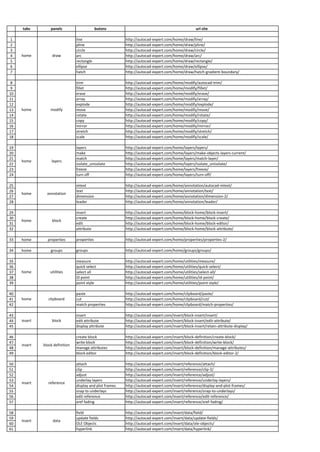
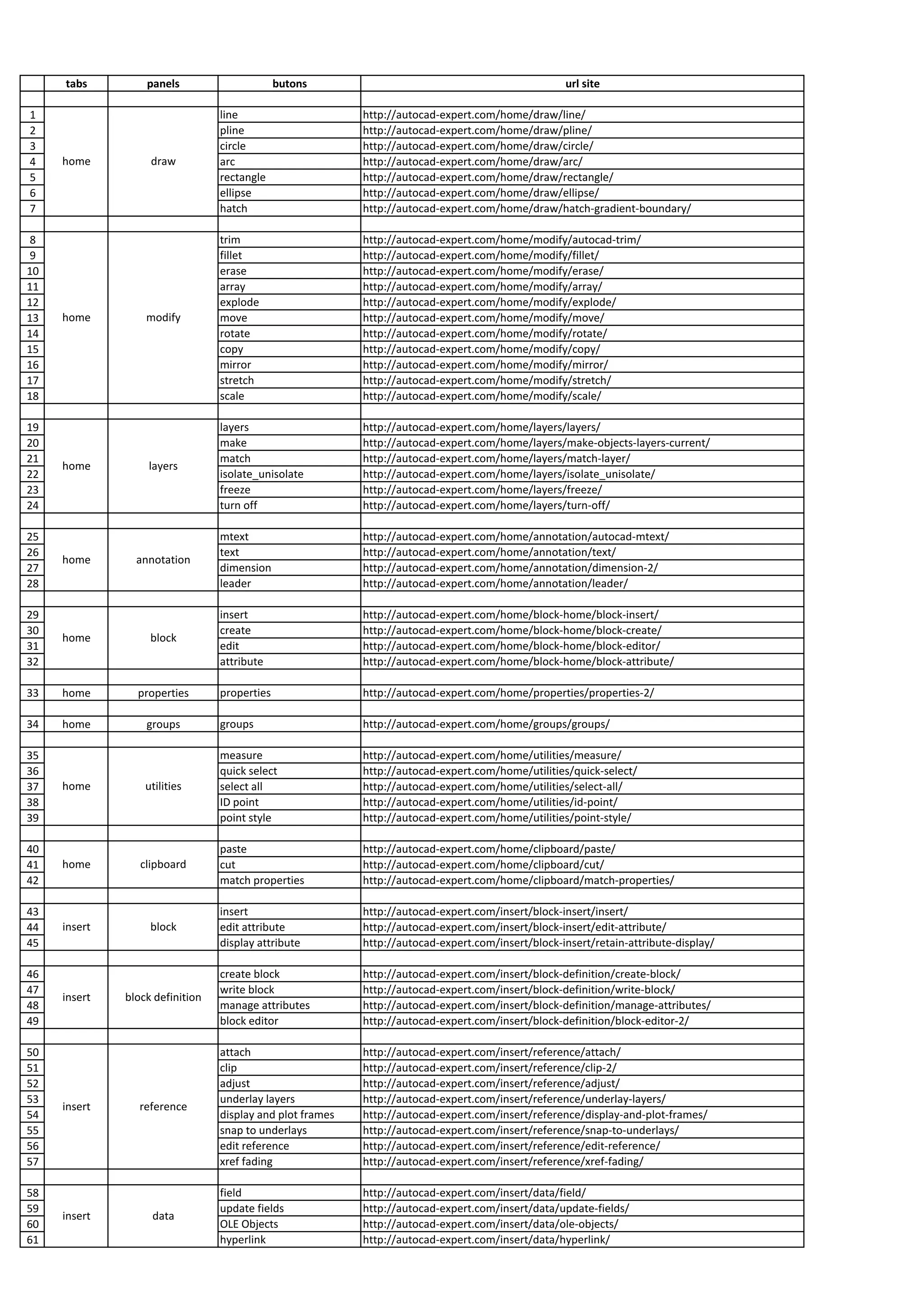
    tabs panels butons url site 1 line http://autocad-expert.com/home/draw/line/ 2 pline http://autocad-expert.com/home/draw/pline/ 3 circle http://autocad-expert.com/home/draw/circle/ 4 home draw arc http://autocad-expert.com/home/draw/arc/ 5 rectangle http://autocad-expert.com/home/draw/rectangle/ 6 ellipse http://autocad-expert.com/home/draw/ellipse/ 7 hatch http://autocad-expert.com/home/draw/hatch-gradient-boundary/ 8 trim http://autocad-expert.com/home/modify/autocad-trim/ 9 fillet http://autocad-expert.com/home/modify/fillet/ 10 erase http://autocad-expert.com/home/modify/erase/ 11 array http://autocad-expert.com/home/modify/array/ 12 explode http://autocad-expert.com/home/modify/explode/ 13 home modify move http://autocad-expert.com/home/modify/move/ 14 rotate http://autocad-expert.com/home/modify/rotate/ 15 copy http://autocad-expert.com/home/modify/copy/ 16 mirror http://autocad-expert.com/home/modify/mirror/ 17 stretch http://autocad-expert.com/home/modify/stretch/ 18 scale http://autocad-expert.com/home/modify/scale/ 19 layers http://autocad-expert.com/home/layers/layers/ 20 make http://autocad-expert.com/home/layers/make-objects-layers-current/ 21 match http://autocad-expert.com/home/layers/match-layer/ home layers 22 isolate_unisolate http://autocad-expert.com/home/layers/isolate_unisolate/ 23 freeze http://autocad-expert.com/home/layers/freeze/ 24 turn off http://autocad-expert.com/home/layers/turn-off/ 25 mtext http://autocad-expert.com/home/annotation/autocad-mtext/ 26 text http://autocad-expert.com/home/annotation/text/ home annotation 27 dimension http://autocad-expert.com/home/annotation/dimension-2/ 28 leader http://autocad-expert.com/home/annotation/leader/ 29 insert http://autocad-expert.com/home/block-home/block-insert/ 30 create http://autocad-expert.com/home/block-home/block-create/ home block 31 edit http://autocad-expert.com/home/block-home/block-editor/ 32 attribute http://autocad-expert.com/home/block-home/block-attribute/ 33 home properties properties http://autocad-expert.com/home/properties/properties-2/ 34 home groups groups http://autocad-expert.com/home/groups/groups/ 35 measure http://autocad-expert.com/home/utilities/measure/ 36 quick select http://autocad-expert.com/home/utilities/quick-select/ 37 home utilities select all http://autocad-expert.com/home/utilities/select-all/ 38 ID point http://autocad-expert.com/home/utilities/id-point/ 39 point style http://autocad-expert.com/home/utilities/point-style/ 40 paste http://autocad-expert.com/home/clipboard/paste/ 41 home clipboard cut http://autocad-expert.com/home/clipboard/cut/ 42 match properties http://autocad-expert.com/home/clipboard/match-properties/ 43 insert http://autocad-expert.com/insert/block-insert/insert/ 44 insert block edit attribute http://autocad-expert.com/insert/block-insert/edit-attribute/ 45 display attribute http://autocad-expert.com/insert/block-insert/retain-attribute-display/ 46 create block http://autocad-expert.com/insert/block-definition/create-block/ 47 write block http://autocad-expert.com/insert/block-definition/write-block/ insert block definition 48 manage attributes http://autocad-expert.com/insert/block-definition/manage-attributes/ 49 block editor http://autocad-expert.com/insert/block-definition/block-editor-2/ 50 attach http://autocad-expert.com/insert/reference/attach/ 51 clip http://autocad-expert.com/insert/reference/clip-2/ 52 adjust http://autocad-expert.com/insert/reference/adjust/ 53 underlay layers http://autocad-expert.com/insert/reference/underlay-layers/ insert reference 54 display and plot frames http://autocad-expert.com/insert/reference/display-and-plot-frames/ 55 snap to underlays http://autocad-expert.com/insert/reference/snap-to-underlays/ 56 edit reference http://autocad-expert.com/insert/reference/edit-reference/ 57 xref fading http://autocad-expert.com/insert/reference/xref-fading/ 58 field http://autocad-expert.com/insert/data/field/ 59 update fields http://autocad-expert.com/insert/data/update-fields/ insert data 60 OLE Objects http://autocad-expert.com/insert/data/ole-objects/ 61 hyperlink http://autocad-expert.com/insert/data/hyperlink/
  • 2.
    62 data link http://autocad-expert.com/insert/linkingextraction/data-link-2/ 63 download from source http://autocad-expert.com/insert/linkingextraction/download-from-source-2/ insert linking&extraction 64 upload to source http://autocad-expert.com/insert/linkingextraction/upload-to-source-2/ 65 extract data http://autocad-expert.com/insert/linkingextraction/extract-data-2/ 66 insert content design center http://autocad-expert.com/insert/content/design-center/ 67 multiline text http://autocad-expert.com/annotate/text/multiline-text/ annotate text 68 manage text style http://autocad-expert.com/annotate/text/manage-text-style/ 69 dimension http://autocad-expert.com/annotate/dimensions/dimension/ 70 break http://autocad-expert.com/annotate/dimensions/break/ 71 adjust space http://autocad-expert.com/annotate/dimensions/adjust-space/ annotate dimensions 72 quick dimension http://autocad-expert.com/annotate/dimensions/quick-dimension/ 73 continue http://autocad-expert.com/annotate/dimensions/continue/ 74 inspect http://autocad-expert.com/annotate/dimensions/inspect/ 75 multileader http://autocad-expert.com/annotate/leaders/multileader/ 76 add leader http://autocad-expert.com/annotate/leaders/add-leader/ annotate leaders 77 remove leader http://autocad-expert.com/annotate/leaders/remove-leader/ 78 align http://autocad-expert.com/annotate/leaders/align/ 79 table http://autocad-expert.com/annotate/tables/table/ 80 data link http://autocad-expert.com/annotate/tables/data-link/ 81 annotate tables download from source http://autocad-expert.com/annotate/tables/download-from-source/ 82 upload to source http://autocad-expert.com/annotate/tables/upload-to-source/ 83 extract data http://autocad-expert.com/annotate/tables/extract-data/ 84 annotate markup wipeout http://autocad-expert.com/annotate/markup/wipeout/ 85 base view http://autocad-expert.com/annotate/drawing-views/base-view/ 86 annotate drawing views projected view http://autocad-expert.com/annotate/drawing-views/projected-view/ 87 edit view http://autocad-expert.com/annotate/drawing-views/edit-view/ 88 auto constrain http://autocad-expert.com/parametric/geometric/auto-constrain/ 89 coincident http://autocad-expert.com/parametric/geometric/coincident/ 90 colinear http://autocad-expert.com/parametric/geometric/colinear/ 91 concetric http://autocad-expert.com/parametric/geometric/concetric/ 92 fix http://autocad-expert.com/parametric/geometric/fix/ 93 parallel http://autocad-expert.com/parametric/geometric/parallel/ 94 parametric geometric perpendicular http://autocad-expert.com/parametric/geometric/perpendicular/ 95 horizontal http://autocad-expert.com/parametric/geometric/horizontal/ 96 vertical http://autocad-expert.com/parametric/geometric/vertical/ 97 tangent http://autocad-expert.com/parametric/geometric/tangent/ 98 smooth http://autocad-expert.com/parametric/geometric/smooth/ 99 symmetric http://autocad-expert.com/parametric/geometric/symmetric/ 100 equal http://autocad-expert.com/parametric/geometric/equal/ 101 linear http://autocad-expert.com/parametric/dimensional/linear/ 102 aligned http://autocad-expert.com/parametric/dimensional/aligned/ 103 radius http://autocad-expert.com/parametric/dimensional/radius/ parametric dimensional 104 diameter http://autocad-expert.com/parametric/dimensional/diameter/ 105 angular http://autocad-expert.com/parametric/dimensional/angular/ 106 convert http://autocad-expert.com/parametric/dimensional/convert/ 107 parametric manage delete constraints http://autocad-expert.com/parametric/manage-parametric/delete-constraints/ 108 pan http://autocad-expert.com/view/navigate-2d/pan/ 109 view navigate 2D orbit http://autocad-expert.com/view/navigate-2d/orbit/ 110 extents http://autocad-expert.com/view/navigate-2d/extents/ 111 top http://autocad-expert.com/view/views/top/ view views 112 view manager http://autocad-expert.com/view/views/view-manager/ 113 2D wireframe http://autocad-expert.com/view/visual-styles/2d-wireframe/ 114 isolines http://autocad-expert.com/view/visual-styles/isolines/ 115 view visual styles hide http://autocad-expert.com/view/visual-styles/hide/ 116 normal http://autocad-expert.com/view/visual-styles/normal/ 117 no face style http://autocad-expert.com/view/visual-styles/no-face-style/ 118 rectangular http://autocad-expert.com/view/viewports/rectangular/ 119 view viewports named http://autocad-expert.com/view/viewports/named/ 120 clip http://autocad-expert.com/view/viewports/clip/ 121 tool palettes http://autocad-expert.com/view/palettes/tool-palettes/
  • 3.
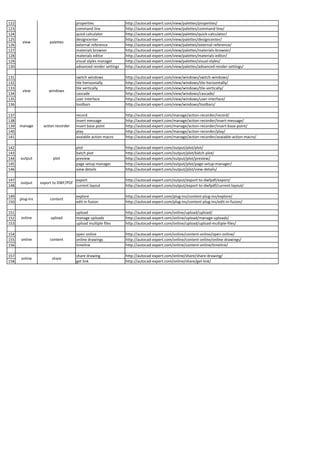
    122 properties http://autocad-expert.com/view/palettes/properties/ 123 command line http://autocad-expert.com/view/palettes/command-line/ 124 quick calculator http://autocad-expert.com/view/palettes/quick-calculator/ 125 designcenter http://autocad-expert.com/view/palettes/designcenter/ view palettes 126 external reference http://autocad-expert.com/view/palettes/external-reference/ 127 materials browser http://autocad-expert.com/view/palettes/materials-browser/ 128 materials editor http://autocad-expert.com/view/palettes/materials-editor/ 129 visual styles manager http://autocad-expert.com/view/palettes/visual-styles/ 130 advanced render settings http://autocad-expert.com/view/palettes/advanced-render-settings/ 131 switch windows http://autocad-expert.com/view/windows/switch-windows/ 132 tile horizontally http://autocad-expert.com/view/windows/tile-horizontally/ 133 tile vertically http://autocad-expert.com/view/windows/tile-vertically/ view windows 134 cascade http://autocad-expert.com/view/windows/cascade/ 135 user interface http://autocad-expert.com/view/windows/user-interface/ 136 toolbars http://autocad-expert.com/view/windows/toolbars/ 137 record http://autocad-expert.com/manage/action-recorder/record/ 138 insert message http://autocad-expert.com/manage/action-recorder/insert-message/ 139 manage action recorder insert base point http://autocad-expert.com/manage/action-recorder/insert-base-point/ 140 play http://autocad-expert.com/manage/action-recorder/play/ 141 avaiable action macro http://autocad-expert.com/manage/action-recorder/avaiable-action-macro/ 142 plot http://autocad-expert.com/output/plot/plot/ 143 batch plot http://autocad-expert.com/output/plot/batch-plot/ 144 output plot preview http://autocad-expert.com/output/plot/preview/ 145 page setup manager http://autocad-expert.com/output/plot/page-setup-manager/ 146 view details http://autocad-expert.com/output/plot/view-details/ 147 export http://autocad-expert.com/output/export-to-dwfpdf/export/ output export to DWF/PDF 148 current layout http://autocad-expert.com/output/export-to-dwfpdf/current-layout/ 149 explore http://autocad-expert.com/plug-ins/content-plug-ins/explore/ plug-ins content 150 edit in fusion http://autocad-expert.com/plug-ins/content-plug-ins/edit-in-fusion/ 151 upload http://autocad-expert.com/online/upload/upload/ 152 online upload manage uploads http://autocad-expert.com/online/upload/manage-uploads/ 153 upload multiple files http://autocad-expert.com/online/upload/upload-multiple-files/ 154 open online http://autocad-expert.com/online/content-online/open-online/ 155 online content online drawings http://autocad-expert.com/online/content-online/online-drawings/ 156 timeline http://autocad-expert.com/online/content-online/timeline/ 157 share drawing http://autocad-expert.com/online/share/share-drawing/ online share 158 get link http://autocad-expert.com/online/share/get-link/