Academic
    Research
      At the
 Regents Center
      Library
Database & Online
  Search Process
    Arch 773 Lissa Lord llord@ku.edu
                           Spring 2013
Regents Center Library
http://www.lib.ku.edu/RCLibrary/


Dissertation Research Blog
http://dissertationresearch.blogspot.com


                                           2
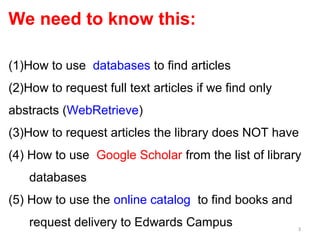
We need to know this:

(1)How to use databases to find articles
(2)How to request full text articles if we find only
abstracts (WebRetrieve)
(3)How to request articles the library does NOT have
(4) How to use Google Scholar from the list of library
    databases
(5) How to use the online catalog to find books and
    request delivery to Edwards Campus                 3
Using databases
to find
articles


                  4
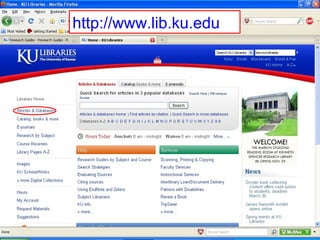
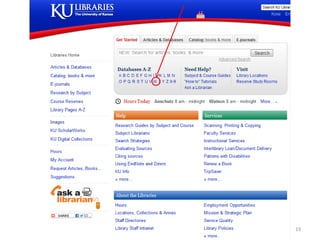
http://www.lib.ku.edu


                        5
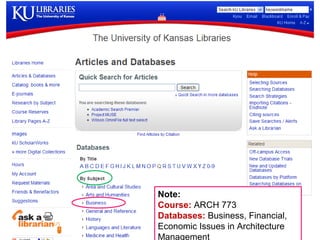
Note:
Course: ARCH 773
Databases: Business, Financial,
Economic Issues in Architecture
Management
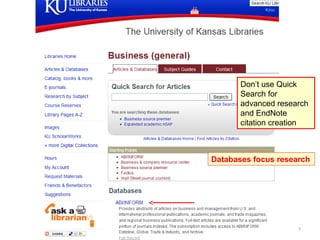
Don’t use Quick
       Search for
       advanced research
       and EndNote
       citation creation


Databases focus research


                     7
ABI/INFORM
Provides abstracts of articles on
business and management from
U.S. and international
professional publications,
academic journals, and trade
magazines, and regional
business publications. Full-text
articles are available for a
significant portion of journals
indexed
                                    8
9
10
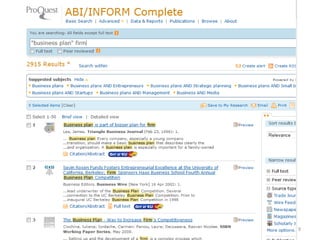
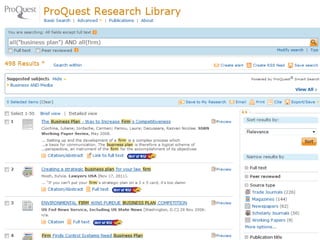
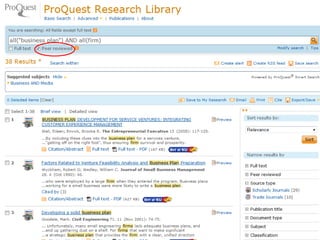
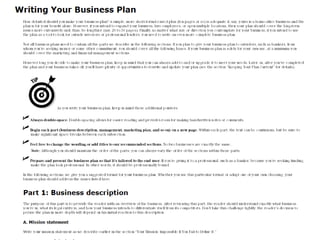
I wanted exactly: “business plan and architectural firm” which gave me zero
results. And then just “business plan” which gave 1000s of articles. The key
search: “business plan” firm. The term “firm” seems to mean one working unit
of people forming a common business.

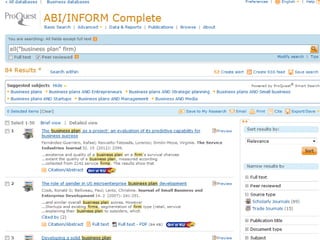
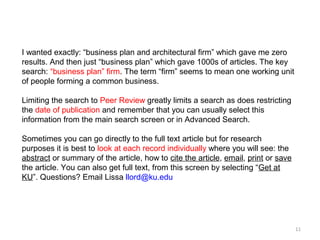
Limiting the search to Peer Review greatly limits a search as does restricting
the date of publication and remember that you can usually select this
information from the main search screen or in Advanced Search.

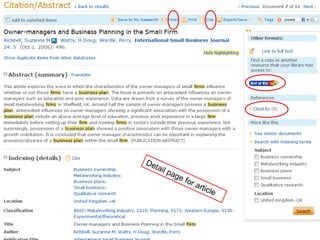
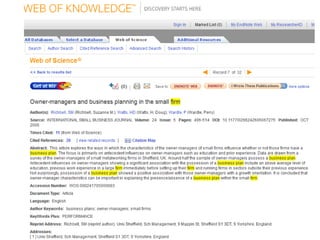
Sometimes you can go directly to the full text article but for research
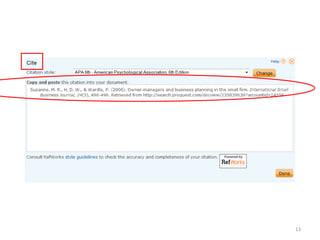
purposes it is best to look at each record individually where you will see: the
abstract or summary of the article, how to cite the article, email, print or save
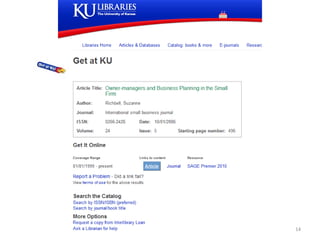
the article. You can also get full text, from this screen by selecting “Get at
KU”. Questions? Email Lissa llord@ku.edu


                                                                                    11
De
  tail
         pag
            e fo
                r ar
                    ticl
                        e


                            12
13
14
15
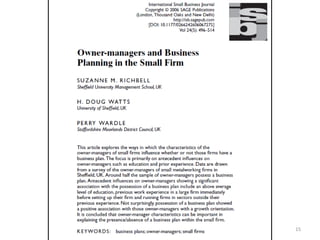
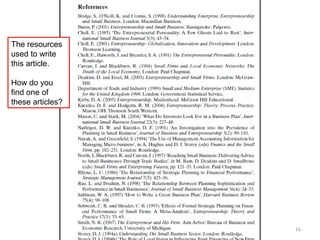
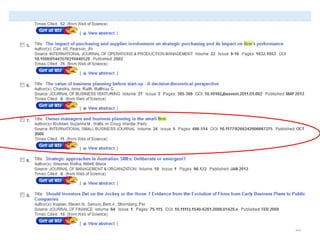
The resources
used to write
this article.

How do you
find one of
these articles?


                  16
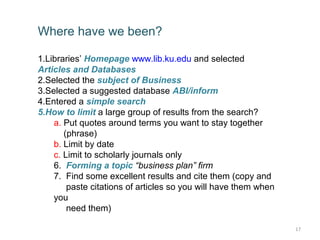
Where have we been?

1.Libraries’ Homepage www.lib.ku.edu and selected
Articles and Databases
2.Selected the subject of Business
3.Selected a suggested database ABI/inform
4.Entered a simple search
5.How to limit a large group of results from the search?
    a. Put quotes around terms you want to stay together
       (phrase)
    b. Limit by date
    c. Limit to scholarly journals only
    6. Forming a topic “business plan” firm
    7. Find some excellent results and cite them (copy and
        paste citations of articles so you will have them when
    you
        need them)

                                                                 17
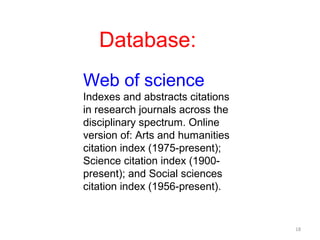
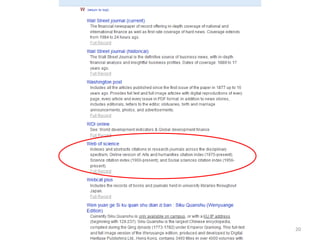
Database:
Web of science
Indexes and abstracts citations
in research journals across the
disciplinary spectrum. Online
version of: Arts and humanities
citation index (1975-present);
Science citation index (1900-
present); and Social sciences
citation index (1956-present).


                                  18
19
20
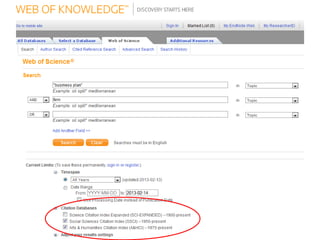
Quotes
AND OR
Topic
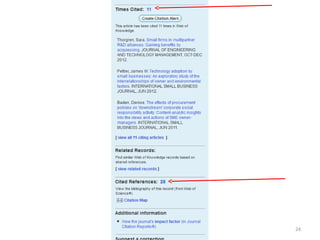
Three databases


                  21
22
23
24
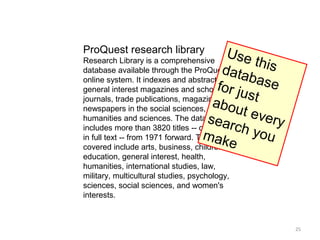
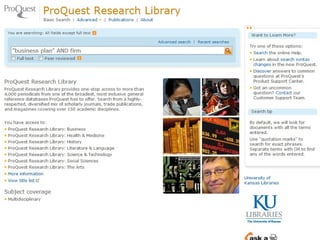
ProQuest research library              Us e
Research Library is a comprehensive          this
                                     data
database available through the ProQuest
online system. It indexes and abstracts     b as e
                                    for ju
general interest magazines and scholarly
                                           st
                                   ab ou
journals, trade publications, magazines and
newspapers in the social sciences,
                                          t eve
                                  s e ar
humanities and sciences. The database            ry
                                         ch y
includes more than 3820 titles -- over 2550
                                  mak
in full text -- from 1971 forward. Topics     ou
                                       e
covered include arts, business, children,
education, general interest, health,
humanities, international studies, law,
military, multicultural studies, psychology,
sciences, social sciences, and women's
interests.


                                                      25
26
27
28
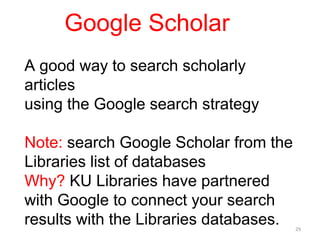
Google Scholar
A good way to search scholarly
articles
using the Google search strategy

Note: search Google Scholar from the
Libraries list of databases
Why? KU Libraries have partnered
with Google to connect your search
results with the Libraries databases.   29
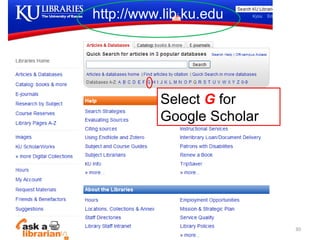
http://www.lib.ku.edu


          Select G for
          Google Scholar


                           30
31
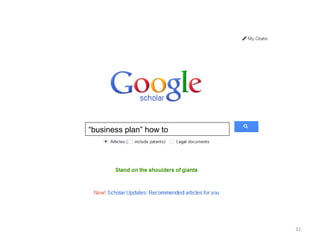
“business plan” how to


                         32
[BOOK] Business Start Up For
Dummies Three e-book Bundle:
Starting a Business For Dummies,
Business Plans For Dummies,
Understanding Business Accounting …


                                      33
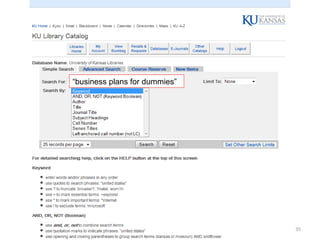
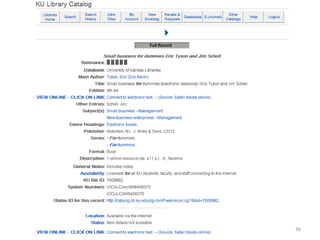
Find this book (“business plans for
dummies”) Which we just found in
Google Scholar in the library catalog


                                        34
“business plans for dummies”


                               35
36
37
38
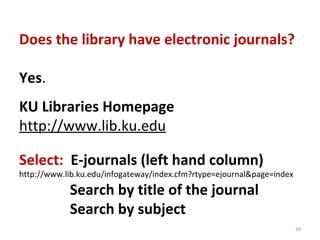
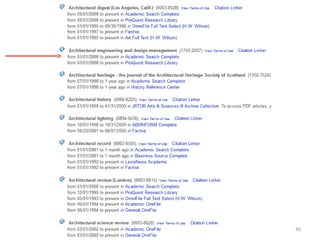
Does the library have electronic journals?

Yes.
KU Libraries Homepage
http://www.lib.ku.edu

Select: E-journals (left hand column)
http://www.lib.ku.edu/infogateway/index.cfm?rtype=ejournal&page=index

            Search by title of the journal
            Search by subject
                                                                        39
40
Finding Books

Library Catalog

Deliver to Edwards Campus


                            41
du
                ku.e
          .lib.
        ww
    ://w
http


                          42
Lookin
      g for   a boo
                   k abou
                         t mark
                               eting e
                                      t   hics


                                                 43
d
             cor
        k re
A boo


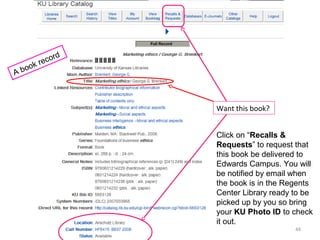
                    Want this book?


                    Click on “Recalls &
                    Requests” to request that
                    this book be delivered to
                    Edwards Campus. You will
                    be notified by email when
                    the book is in the Regents
                    Center Library ready to be
                    picked up by you so bring
                    your KU Photo ID to check
                    it out.
                                         44
Extra Credit
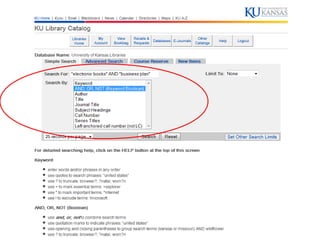
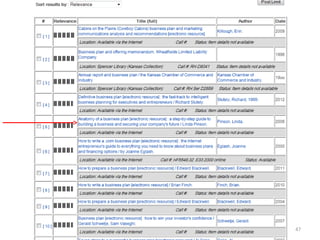
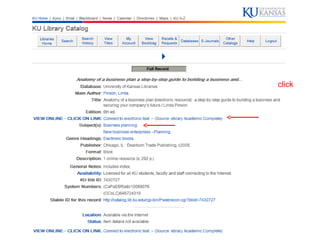
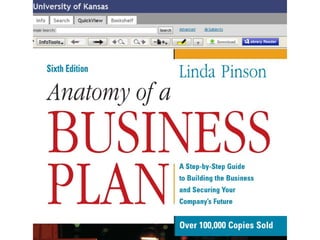
   Search the Catalog for e-Books


“electronic books” AND “business plan”


                                     45
47
click
Find articles through the libraries Databases

Find books through the Catalog

Find research news through the Blog

                                     Questions?
                                Ask the Librarian

                                       Lissa Lord
                                   llord@ku.edu


                                                    50

Leadership and Management in Architecture Design

  • 1.
    Academic Research At the Regents Center Library Database & Online Search Process Arch 773 Lissa Lord llord@ku.edu Spring 2013
  • 2.
    Regents Center Library http://www.lib.ku.edu/RCLibrary/ DissertationResearch Blog http://dissertationresearch.blogspot.com 2
  • 3.
    We need toknow this: (1)How to use databases to find articles (2)How to request full text articles if we find only abstracts (WebRetrieve) (3)How to request articles the library does NOT have (4) How to use Google Scholar from the list of library databases (5) How to use the online catalog to find books and request delivery to Edwards Campus 3
  • 4.
  • 5.
  • 6.
    Note: Course: ARCH 773 Databases:Business, Financial, Economic Issues in Architecture Management
  • 7.
    Don’t use Quick Search for advanced research and EndNote citation creation Databases focus research 7
  • 8.
    ABI/INFORM Provides abstracts ofarticles on business and management from U.S. and international professional publications, academic journals, and trade magazines, and regional business publications. Full-text articles are available for a significant portion of journals indexed 8
  • 9.
  • 10.
  • 11.
    I wanted exactly:“business plan and architectural firm” which gave me zero results. And then just “business plan” which gave 1000s of articles. The key search: “business plan” firm. The term “firm” seems to mean one working unit of people forming a common business. Limiting the search to Peer Review greatly limits a search as does restricting the date of publication and remember that you can usually select this information from the main search screen or in Advanced Search. Sometimes you can go directly to the full text article but for research purposes it is best to look at each record individually where you will see: the abstract or summary of the article, how to cite the article, email, print or save the article. You can also get full text, from this screen by selecting “Get at KU”. Questions? Email Lissa llord@ku.edu 11
  • 12.
    De tail pag e fo r ar ticl e 12
  • 13.
  • 14.
  • 15.
  • 16.
    The resources used towrite this article. How do you find one of these articles? 16
  • 17.
    Where have webeen? 1.Libraries’ Homepage www.lib.ku.edu and selected Articles and Databases 2.Selected the subject of Business 3.Selected a suggested database ABI/inform 4.Entered a simple search 5.How to limit a large group of results from the search? a. Put quotes around terms you want to stay together (phrase) b. Limit by date c. Limit to scholarly journals only 6. Forming a topic “business plan” firm 7. Find some excellent results and cite them (copy and paste citations of articles so you will have them when you need them) 17
  • 18.
    Database: Web of science Indexesand abstracts citations in research journals across the disciplinary spectrum. Online version of: Arts and humanities citation index (1975-present); Science citation index (1900- present); and Social sciences citation index (1956-present). 18
  • 19.
  • 20.
  • 21.
  • 22.
  • 23.
  • 24.
  • 25.
    ProQuest research library Us e Research Library is a comprehensive this data database available through the ProQuest online system. It indexes and abstracts b as e for ju general interest magazines and scholarly st ab ou journals, trade publications, magazines and newspapers in the social sciences, t eve s e ar humanities and sciences. The database ry ch y includes more than 3820 titles -- over 2550 mak in full text -- from 1971 forward. Topics ou e covered include arts, business, children, education, general interest, health, humanities, international studies, law, military, multicultural studies, psychology, sciences, social sciences, and women's interests. 25
  • 26.
  • 27.
  • 28.
  • 29.
    Google Scholar A goodway to search scholarly articles using the Google search strategy Note: search Google Scholar from the Libraries list of databases Why? KU Libraries have partnered with Google to connect your search results with the Libraries databases. 29
  • 30.
    http://www.lib.ku.edu Select G for Google Scholar 30
  • 31.
  • 32.
  • 33.
    [BOOK] Business StartUp For Dummies Three e-book Bundle: Starting a Business For Dummies, Business Plans For Dummies, Understanding Business Accounting … 33
  • 34.
    Find this book(“business plans for dummies”) Which we just found in Google Scholar in the library catalog 34
  • 35.
    “business plans fordummies” 35
  • 36.
  • 37.
  • 38.
  • 39.
    Does the libraryhave electronic journals? Yes. KU Libraries Homepage http://www.lib.ku.edu Select: E-journals (left hand column) http://www.lib.ku.edu/infogateway/index.cfm?rtype=ejournal&page=index Search by title of the journal Search by subject 39
  • 40.
  • 41.
  • 42.
    du ku.e .lib. ww ://w http 42
  • 43.
    Lookin g for a boo k abou t mark eting e t hics 43
  • 44.
    d cor k re A boo Want this book? Click on “Recalls & Requests” to request that this book be delivered to Edwards Campus. You will be notified by email when the book is in the Regents Center Library ready to be picked up by you so bring your KU Photo ID to check it out. 44
  • 45.
    Extra Credit Search the Catalog for e-Books “electronic books” AND “business plan” 45
  • 47.
  • 48.
  • 50.
    Find articles throughthe libraries Databases Find books through the Catalog Find research news through the Blog Questions? Ask the Librarian Lissa Lord llord@ku.edu 50

Editor's Notes

  • #4 We need to know this: (1) Use databases to find peer reviewed articles (2) Request full text articles from abstracts and have them delivered to your email (3) Find books using the online catalog and request delivery to Regents Center Library (4) Use Web 2.0 effectively for class assignments and literature searches (5) Use Google Scholar from the list of library databases (6) Find academic articles using Search Engines
  • #5 Using databases to find peer reviewed articles
  • #8 ABI/INFORM is an extensive yet easy to use business database. You can access it wherever you have Internet connection but you do need to input your KU online ID and password.
  • #30 Google Scholar: KU Libraries have partnered with Google to connect your search results with the Libraries databases
  • #31 From the Libraries Home, select G for Google Scholar
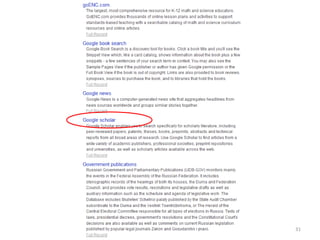
  • #32 . . . which takes you to the list of databases – select Google scholar
  • #40 Does the library have electronic journals? Yes . KU Libraries Homepage http://www.lib.ku.edu Select: E-journals Search by title of the journal Search by subject
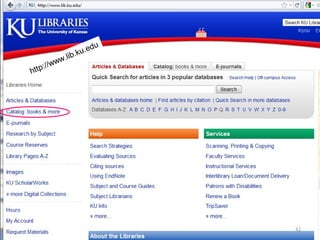
  • #42 Use the Library Catalog to Find Books and have them delivered to Edwards Campus
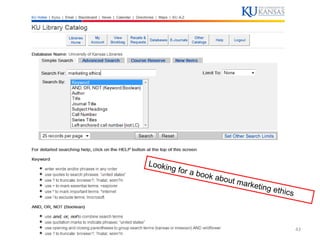
  • #43 Searching the catalog
  • #45 Click on “ Recalls & Requests ” to request that this book, “Marketing ethics” be delivered to Edwards Campus from Anschutz Library on the Lawrence campus. You will be notified via your email when the book is in the Regents Center Library ready to be picked up by you so bring your KU Photo ID to check it out.