ApplicationsApplications
SoftwareSoftware
Applications SoftwareApplications Software
Apply to real-world tasks
Solves user problems
vs. OS
controls the hardware
PC Software CharacteristicsPC Software Characteristics
User-friendly
Easy
Intuitive
Minimum training and documentation needed to
use
Software TypesSoftware Types
Custom SoftwareCustom Software
Written by programmers
Takes a lot of time to write and test
Software TypesSoftware Types
Packaged or CommercialPackaged or Commercial
Sold in stores, catalogs, or downloadable
from the WWW
Purchased from software publishers
Must be installed
◦ Standard or custom installation
◦ The setup process copies some of all of the
software to the hard disk
◦ May require the CD-ROM to be in the drive to run
Acquiring SoftwareAcquiring Software
Freeware
◦ Free to all
◦ Copyrighted
◦ Distributed in machine-readable format
Shareware
◦ Freely distributed for a trial period
Acquiring SoftwareAcquiring Software
Public-domain software
◦ Un-copyrighted
◦ May be used or altered without restriction
◦ Generally developed under government grants
Open-source
◦ Free to all
◦ Source code is distributed
◦ May be used or altered
◦ Popular under the LINUX OS
Acquiring SoftwareAcquiring Software
Commercial software
◦ Used most often
◦ Copyrighted
◦ Generally costly
◦ May not be copied without permission of the
manufacturer
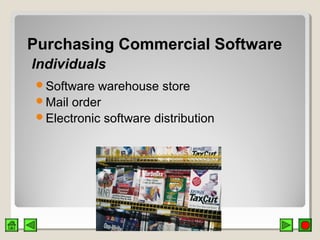
Purchasing Commercial SoftwarePurchasing Commercial Software
IndividualsIndividuals
Software warehouse store
Mail order
Electronic software distribution
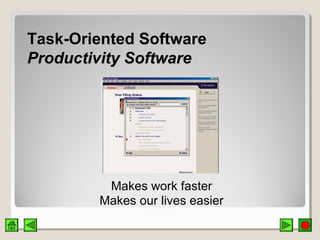
Task-Oriented SoftwareTask-Oriented Software
Productivity SoftwareProductivity Software
Makes work faster
Makes our lives easier
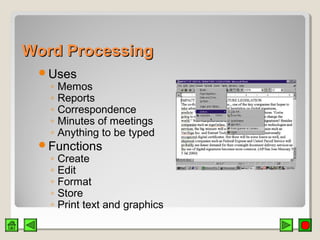
Word ProcessingWord Processing
Uses
◦ Memos
◦ Reports
◦ Correspondence
◦ Minutes of meetings
◦ Anything to be typed
Functions
◦ Create
◦ Edit
◦ Format
◦ Store
◦ Print text and graphics
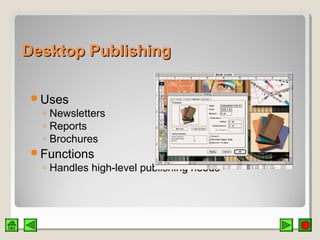
Desktop PublishingDesktop Publishing
Uses
◦ Newsletters
◦ Reports
◦ Brochures
Functions
◦ Handles high-level publishing needs
Electronic SpreadsheetsElectronic Spreadsheets
Uses
◦ Comparing mortgage interest rates
◦ Preparing budgets
◦ Tracking weight loss
Functions
◦ Manipulates numbers in rows and columns
◦ Recalculates the results when a number is
changed
◦ What if?
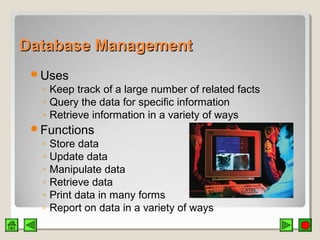
Database ManagementDatabase Management
Uses
◦ Keep track of a large number of related facts
◦ Query the data for specific information
◦ Retrieve information in a variety of ways
Functions
◦ Store data
◦ Update data
◦ Manipulate data
◦ Retrieve data
◦ Print data in many forms
◦ Report on data in a variety of ways
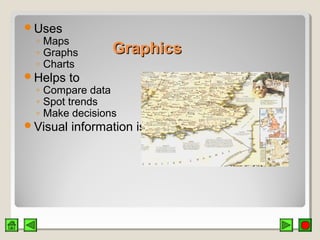
GraphicsGraphics
Uses
◦ Maps
◦ Graphs
◦ Charts
Helps to
◦ Compare data
◦ Spot trends
◦ Make decisions
Visual information is more compelling
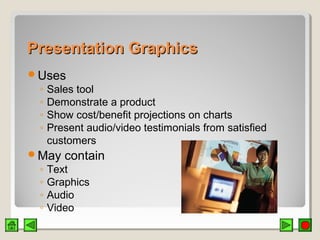
Presentation GraphicsPresentation Graphics
Uses
◦ Sales tool
◦ Demonstrate a product
◦ Show cost/benefit projections on charts
◦ Present audio/video testimonials from satisfied
customers
May contain
◦ Text
◦ Graphics
◦ Audio
◦ Video
Computer ArtComputer Art
Use software to
◦ Produce art
◦ Express ideas
Graphic artist
◦ Artistic ability
◦ Computer skills
◦ Produces computer art
CommunicationsCommunications
Communicate from home with computer at
office
Access data stored in another computer in
another location
Stock exchange updates
Weather information
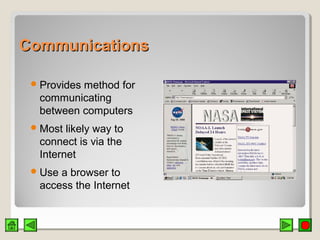
CommunicationsCommunications
Provides method for
communicating
between computers
Most likely way to
connect is via the
Internet
Use a browser to
access the Internet
Office SuitesOffice Suites
Group of basic software applications designed
to work together
Data is portable between basic applications of
the suite
Various applications in the suite have the same
“look and feel”
Cost of suite is less than purchasing individual
applications
Integrated ApplicationsIntegrated Applications
Combine basic word processing,
spreadsheet, and graphics capabilities
More limited than a suite
Easier to learn and use
Software Development FocusSoftware Development Focus
Ease of use
Personal use programs
◦ Personal time organizers
◦ To-do list makers
◦ E-mail programs
Internet access
Business SoftwareBusiness Software
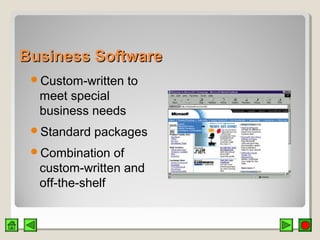
Custom-written to
meet special
business needs
Standard packages
Combination of
custom-written and
off-the-shelf
Vertical Market SoftwareVertical Market Software
Written for a particular type of business
◦ Dentist’s office
◦ Drugstore
◦ Auto shop
Software may be part of complete package
◦ Hardware
◦ Installation
◦ Training
◦ Support
Software for WorkgroupsSoftware for Workgroups
Groupware / collaborative software
Lets a group of people share information or
track information together
Data being used is located in central database
Data can be accessed and updated by anyone
in the project group
Software for WorkgroupsSoftware for Workgroups
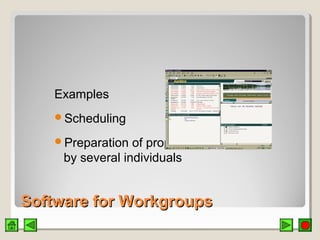
Examples
Scheduling
Preparation of proposals
by several individuals
The Information CenterThe Information Center
Help DeskHelp Desk
Software selection
Software training
Software and hardware installations
Software and hardware updates
Troubleshooting
Software for Small BusinessSoftware for Small Business
Accounting
◦ Spreadsheet software
◦ Accounting package – Basic accounting, financial
statements, tax summaries, payroll
Writing and Advertising
◦ Word processing
◦ Desktop publishing
Customer Service
◦ Database management
Small Office, Home OfficeSmall Office, Home Office SOHOSOHO
Moderately priced to solve typical needs
All-in-one software package
Software PiracySoftware Piracy
Making illegal copies of copyrighted software
Why the fuss?
◦ Very easy to duplicate software vs. a text book
◦ Software company may lose hundreds of dollars
per pirated copy
Prosecution
◦ Yes: Small-medium sized business who purchase
a few copies and distribute to many users
◦ No: Individual users who probably would not have
purchased software on their own anyway
CounterfeitingCounterfeiting
Software is copied onto CD-ROMS / DVD-
ROMS
Package duplicates the original
Sold in flea markets or small stores
Cheaper price
Occurs more overseas
Copying SoftwareCopying Software
Legitimate reasons
◦ Backup copy
◦ Copy to hard disk
Illegitimate reasons
◦ Obtain software without paying for it

Application software