JAVA APPLET
By: PRIYANKA
PRADHAN
1
Applet
 An applet is a Java program that runs in a Web
browser. An applet can be a fully functional Java
application because it has the entire Java API at its
disposal.
PRIYANKA PRADHAN 2
Differences between an applet and
a standalone Java application.
 An applet is a Java class that extends the java.applet.Applet class.
 A main() method is not invoked on an applet, and an applet class will
not define main().
 Applets are designed to be embedded within an HTML page.
 When a user views an HTML page that contains an applet, the code for
the applet is downloaded to the user's machine.
 A JVM is required to view an applet. The JVM can be either a plug-in of
the Web browser or a separate runtime environment.
 The JVM on the user's machine creates an instance of the applet class
and invokes various methods during the applet's lifetime.
 Applets have strict security rules that are enforced by the Web browser.
PRIYANKA PRADHAN 3
Life Cycle of an Applet
 init − This method is intended for whatever initialization is needed for your applet. It is
called after the param tags inside the applet tag have been processed.
 start − This method is automatically called after the browser calls the init method. It is
also called whenever the user returns to the page containing the applet after having gone
off to other pages.
 stop − This method is automatically called when the user moves off the page on which
the applet sits. It can, therefore, be called repeatedly in the same applet.
 destroy − This method is only called when the browser shuts down normally. Because
applets are meant to live on an HTML page, you should not normally leave resources
behind after a user leaves the page that contains the applet.
 paint − Invoked immediately after the start() method, and also any time the applet needs
to repaint itself in the browser. The paint() method is actually inherited from the
java.awt.
PRIYANKA PRADHAN 4
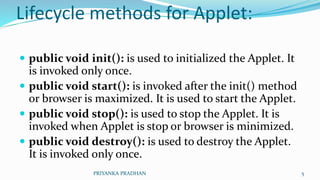
Lifecycle methods for Applet:
 public void init(): is used to initialized the Applet. It
is invoked only once.
 public void start(): is invoked after the init() method
or browser is maximized. It is used to start the Applet.
 public void stop(): is used to stop the Applet. It is
invoked when Applet is stop or browser is minimized.
 public void destroy(): is used to destroy the Applet.
It is invoked only once.
PRIYANKA PRADHAN 5
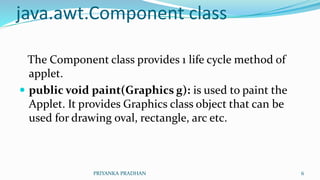
java.awt.Component class
The Component class provides 1 life cycle method of
applet.
 public void paint(Graphics g): is used to paint the
Applet. It provides Graphics class object that can be
used for drawing oval, rectangle, arc etc.
PRIYANKA PRADHAN 6
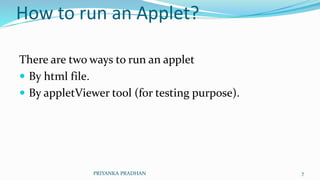
How to run an Applet?
There are two ways to run an applet
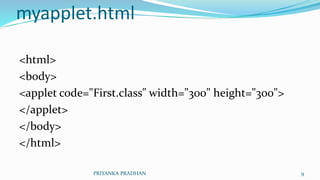
 By html file.
 By appletViewer tool (for testing purpose).
PRIYANKA PRADHAN 7
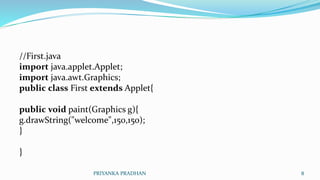
//First.java
import java.applet.Applet;
import java.awt.Graphics;
public class First extends Applet{
public void paint(Graphics g){
g.drawString("welcome",150,150);
}
}
PRIYANKA PRADHAN 8
myapplet.html
<html>
<body>
<applet code="First.class" width="300" height="300">
</applet>
</body>
</html>
PRIYANKA PRADHAN 9
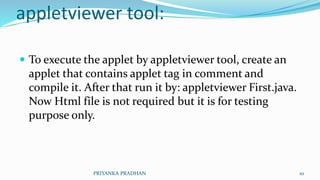
appletviewer tool:
 To execute the applet by appletviewer tool, create an
applet that contains applet tag in comment and
compile it. After that run it by: appletviewer First.java.
Now Html file is not required but it is for testing
purpose only.
PRIYANKA PRADHAN 10
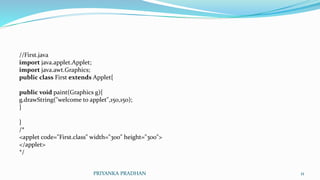
//First.java
import java.applet.Applet;
import java.awt.Graphics;
public class First extends Applet{
public void paint(Graphics g){
g.drawString("welcome to applet",150,150);
}
}
/*
<applet code="First.class" width="300" height="300">
</applet>
*/
PRIYANKA PRADHAN 11
appletviewer tool, write in
command prompt:
 c:>javac First.java
 c:>appletviewer First.java
PRIYANKA PRADHAN 12
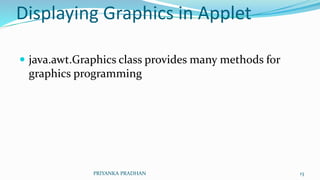
Displaying Graphics in Applet
 java.awt.Graphics class provides many methods for
graphics programming
PRIYANKA PRADHAN 13
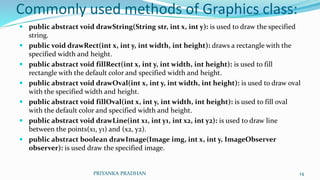
Commonly used methods of Graphics class:
 public abstract void drawString(String str, int x, int y): is used to draw the specified
string.
 public void drawRect(int x, int y, int width, int height): draws a rectangle with the
specified width and height.
 public abstract void fillRect(int x, int y, int width, int height): is used to fill
rectangle with the default color and specified width and height.
 public abstract void drawOval(int x, int y, int width, int height): is used to draw oval
with the specified width and height.
 public abstract void fillOval(int x, int y, int width, int height): is used to fill oval
with the default color and specified width and height.
 public abstract void drawLine(int x1, int y1, int x2, int y2): is used to draw line
between the points(x1, y1) and (x2, y2).
 public abstract boolean drawImage(Image img, int x, int y, ImageObserver
observer): is used draw the specified image.
PRIYANKA PRADHAN 14
Example of Graphics in applet:
import java.applet.Applet;
import java.awt.*;
public class GraphicsDemo extends Applet{
public void paint(Graphics g){
g.setColor(Color.red);
g.drawString("Welcome",50, 50);
g.drawLine(20,30,20,300);
g.drawRect(70,100,30,30);
g.fillRect(170,100,30,30);
g.drawOval(70,200,30,30);
g.setColor(Color.pink);
g.fillOval(170,200,30,30);
g.drawArc(90,150,30,30,30,270);
g.fillArc(270,150,30,30,0,180);
} } PRIYANKA PRADHAN 15
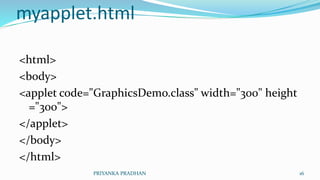
myapplet.html
<html>
<body>
<applet code="GraphicsDemo.class" width="300" height
="300">
</applet>
</body>
</html>
PRIYANKA PRADHAN 16
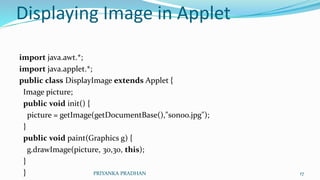
Displaying Image in Applet
import java.awt.*;
import java.applet.*;
public class DisplayImage extends Applet {
Image picture;
public void init() {
picture = getImage(getDocumentBase(),"sonoo.jpg");
}
public void paint(Graphics g) {
g.drawImage(picture, 30,30, this);
}
} PRIYANKA PRADHAN 17
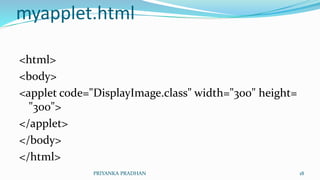
myapplet.html
<html>
<body>
<applet code="DisplayImage.class" width="300" height=
"300">
</applet>
</body>
</html>
PRIYANKA PRADHAN 18
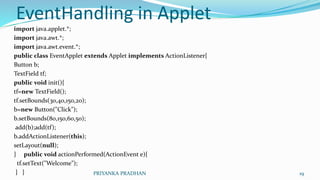
EventHandling in Applet
import java.applet.*;
import java.awt.*;
import java.awt.event.*;
public class EventApplet extends Applet implements ActionListener{
Button b;
TextField tf;
public void init(){
tf=new TextField();
tf.setBounds(30,40,150,20);
b=new Button("Click");
b.setBounds(80,150,60,50);
add(b);add(tf);
b.addActionListener(this);
setLayout(null);
} public void actionPerformed(ActionEvent e){
tf.setText("Welcome");
} } PRIYANKA PRADHAN 19
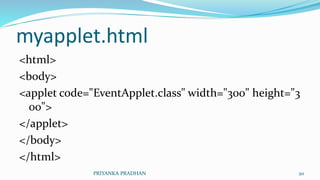
myapplet.html
<html>
<body>
<applet code="EventApplet.class" width="300" height="3
00">
</applet>
</body>
</html>
PRIYANKA PRADHAN 20
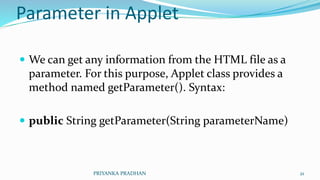
Parameter in Applet
 We can get any information from the HTML file as a
parameter. For this purpose, Applet class provides a
method named getParameter(). Syntax:
 public String getParameter(String parameterName)
PRIYANKA PRADHAN 21
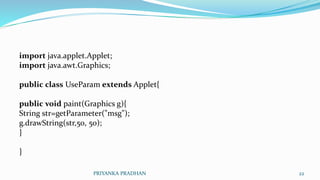
import java.applet.Applet;
import java.awt.Graphics;
public class UseParam extends Applet{
public void paint(Graphics g){
String str=getParameter("msg");
g.drawString(str,50, 50);
}
}
PRIYANKA PRADHAN 22
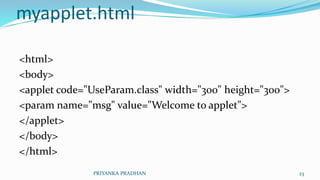
myapplet.html
<html>
<body>
<applet code="UseParam.class" width="300" height="300">
<param name="msg" value="Welcome to applet">
</applet>
</body>
</html>
PRIYANKA PRADHAN 23

Applet

  • 1.
  • 2.
    Applet  An appletis a Java program that runs in a Web browser. An applet can be a fully functional Java application because it has the entire Java API at its disposal. PRIYANKA PRADHAN 2
  • 3.
    Differences between anapplet and a standalone Java application.  An applet is a Java class that extends the java.applet.Applet class.  A main() method is not invoked on an applet, and an applet class will not define main().  Applets are designed to be embedded within an HTML page.  When a user views an HTML page that contains an applet, the code for the applet is downloaded to the user's machine.  A JVM is required to view an applet. The JVM can be either a plug-in of the Web browser or a separate runtime environment.  The JVM on the user's machine creates an instance of the applet class and invokes various methods during the applet's lifetime.  Applets have strict security rules that are enforced by the Web browser. PRIYANKA PRADHAN 3
  • 4.
    Life Cycle ofan Applet  init − This method is intended for whatever initialization is needed for your applet. It is called after the param tags inside the applet tag have been processed.  start − This method is automatically called after the browser calls the init method. It is also called whenever the user returns to the page containing the applet after having gone off to other pages.  stop − This method is automatically called when the user moves off the page on which the applet sits. It can, therefore, be called repeatedly in the same applet.  destroy − This method is only called when the browser shuts down normally. Because applets are meant to live on an HTML page, you should not normally leave resources behind after a user leaves the page that contains the applet.  paint − Invoked immediately after the start() method, and also any time the applet needs to repaint itself in the browser. The paint() method is actually inherited from the java.awt. PRIYANKA PRADHAN 4
  • 5.
    Lifecycle methods forApplet:  public void init(): is used to initialized the Applet. It is invoked only once.  public void start(): is invoked after the init() method or browser is maximized. It is used to start the Applet.  public void stop(): is used to stop the Applet. It is invoked when Applet is stop or browser is minimized.  public void destroy(): is used to destroy the Applet. It is invoked only once. PRIYANKA PRADHAN 5
  • 6.
    java.awt.Component class The Componentclass provides 1 life cycle method of applet.  public void paint(Graphics g): is used to paint the Applet. It provides Graphics class object that can be used for drawing oval, rectangle, arc etc. PRIYANKA PRADHAN 6
  • 7.
    How to runan Applet? There are two ways to run an applet  By html file.  By appletViewer tool (for testing purpose). PRIYANKA PRADHAN 7
  • 8.
    //First.java import java.applet.Applet; import java.awt.Graphics; publicclass First extends Applet{ public void paint(Graphics g){ g.drawString("welcome",150,150); } } PRIYANKA PRADHAN 8
  • 9.
    myapplet.html <html> <body> <applet code="First.class" width="300"height="300"> </applet> </body> </html> PRIYANKA PRADHAN 9
  • 10.
    appletviewer tool:  Toexecute the applet by appletviewer tool, create an applet that contains applet tag in comment and compile it. After that run it by: appletviewer First.java. Now Html file is not required but it is for testing purpose only. PRIYANKA PRADHAN 10
  • 11.
    //First.java import java.applet.Applet; import java.awt.Graphics; publicclass First extends Applet{ public void paint(Graphics g){ g.drawString("welcome to applet",150,150); } } /* <applet code="First.class" width="300" height="300"> </applet> */ PRIYANKA PRADHAN 11
  • 12.
    appletviewer tool, writein command prompt:  c:>javac First.java  c:>appletviewer First.java PRIYANKA PRADHAN 12
  • 13.
    Displaying Graphics inApplet  java.awt.Graphics class provides many methods for graphics programming PRIYANKA PRADHAN 13
  • 14.
    Commonly used methodsof Graphics class:  public abstract void drawString(String str, int x, int y): is used to draw the specified string.  public void drawRect(int x, int y, int width, int height): draws a rectangle with the specified width and height.  public abstract void fillRect(int x, int y, int width, int height): is used to fill rectangle with the default color and specified width and height.  public abstract void drawOval(int x, int y, int width, int height): is used to draw oval with the specified width and height.  public abstract void fillOval(int x, int y, int width, int height): is used to fill oval with the default color and specified width and height.  public abstract void drawLine(int x1, int y1, int x2, int y2): is used to draw line between the points(x1, y1) and (x2, y2).  public abstract boolean drawImage(Image img, int x, int y, ImageObserver observer): is used draw the specified image. PRIYANKA PRADHAN 14
  • 15.
    Example of Graphicsin applet: import java.applet.Applet; import java.awt.*; public class GraphicsDemo extends Applet{ public void paint(Graphics g){ g.setColor(Color.red); g.drawString("Welcome",50, 50); g.drawLine(20,30,20,300); g.drawRect(70,100,30,30); g.fillRect(170,100,30,30); g.drawOval(70,200,30,30); g.setColor(Color.pink); g.fillOval(170,200,30,30); g.drawArc(90,150,30,30,30,270); g.fillArc(270,150,30,30,0,180); } } PRIYANKA PRADHAN 15
  • 16.
    myapplet.html <html> <body> <applet code="GraphicsDemo.class" width="300"height ="300"> </applet> </body> </html> PRIYANKA PRADHAN 16
  • 17.
    Displaying Image inApplet import java.awt.*; import java.applet.*; public class DisplayImage extends Applet { Image picture; public void init() { picture = getImage(getDocumentBase(),"sonoo.jpg"); } public void paint(Graphics g) { g.drawImage(picture, 30,30, this); } } PRIYANKA PRADHAN 17
  • 18.
    myapplet.html <html> <body> <applet code="DisplayImage.class" width="300"height= "300"> </applet> </body> </html> PRIYANKA PRADHAN 18
  • 19.
    EventHandling in Applet importjava.applet.*; import java.awt.*; import java.awt.event.*; public class EventApplet extends Applet implements ActionListener{ Button b; TextField tf; public void init(){ tf=new TextField(); tf.setBounds(30,40,150,20); b=new Button("Click"); b.setBounds(80,150,60,50); add(b);add(tf); b.addActionListener(this); setLayout(null); } public void actionPerformed(ActionEvent e){ tf.setText("Welcome"); } } PRIYANKA PRADHAN 19
  • 20.
    myapplet.html <html> <body> <applet code="EventApplet.class" width="300"height="3 00"> </applet> </body> </html> PRIYANKA PRADHAN 20
  • 21.
    Parameter in Applet We can get any information from the HTML file as a parameter. For this purpose, Applet class provides a method named getParameter(). Syntax:  public String getParameter(String parameterName) PRIYANKA PRADHAN 21
  • 22.
    import java.applet.Applet; import java.awt.Graphics; publicclass UseParam extends Applet{ public void paint(Graphics g){ String str=getParameter("msg"); g.drawString(str,50, 50); } } PRIYANKA PRADHAN 22
  • 23.
    myapplet.html <html> <body> <applet code="UseParam.class" width="300"height="300"> <param name="msg" value="Welcome to applet"> </applet> </body> </html> PRIYANKA PRADHAN 23