AUTOMATED MOBILE
TESTING - APPIUM
Mail: training@qa-masters.com
Mobile : +91 9160021120
Mobile automation Testing Course
• What is Appium
• Appium Basics
• Competitors
• Advantages
• Disadvantages
2
3
Need of Mobile
Application Automation
Testing
• Smartphone Apps have experienced explosive growth
since 2007
• Mobile App are more reliable for Organizations
• Mobile Apps bringing half of their Web Traffic
• In some cases, mobile apps are the only way
customers interact with their products.
4
• No Wonder, that Mobile Apps Development Process has
become quick and efficient, which also have high priority
for organizations.
• Fortunately, Mobile development tools are evolving to
meet these needs, with modern dev teams.
• Development of Mobile Apps has become faster
• But, what about the Testing approaches??
5
Testing Mobile Applications are:
• More complex
• Time consuming
• Platform Variations
• Quality Concerns
So, alike Manual Mobile Testing process,we should also
adopt Mobile Automation Testing
6
7
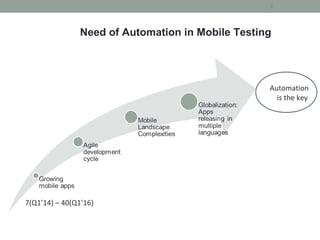
Need of Automation in Mobile Testing
Automation
is the key
7(Q1’14) – 40(Q1’16)
Various factors to adopt Mobile Automation:
• Efficient
• Faster
• Reusability
• Reliable
• Cost Reduction
8
Which Mobile
Automation Tool to be
Used?
9
10
What is Appium?
&
Why Appium?
11
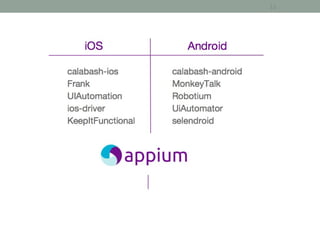
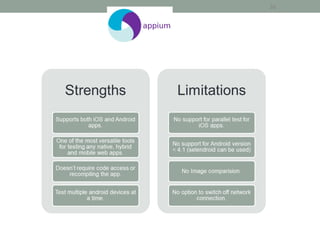
• Appium is an open-source test automation tool
• Allows testing for all types of Mobile Applications:
Native Apps, Hybrid Apps and Mobile Web Apps
• Importantly, it is Cross-Platform
12
13
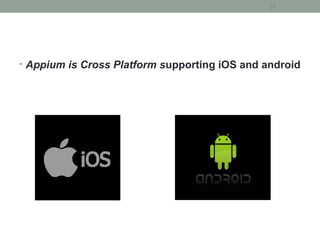
• Appium is Cross Platform supporting iOS and android
14
15
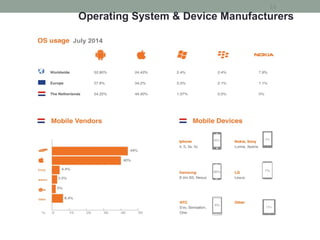
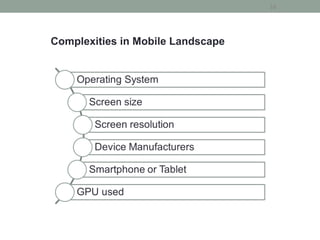
Operating System & Device Manufacturers
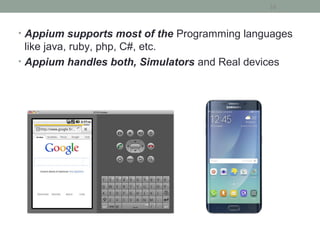
• Appium supports most of the Programming languages
like java, ruby, php, C#, etc.
• Appium handles both, Simulators and Real devices
16
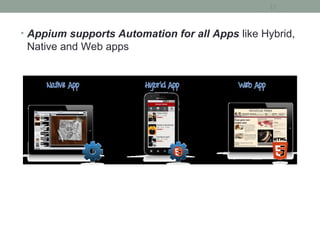
• Appium supports Automation for all Apps like Hybrid,
Native and Web apps
17
18
Complexities in Mobile Landscape
19
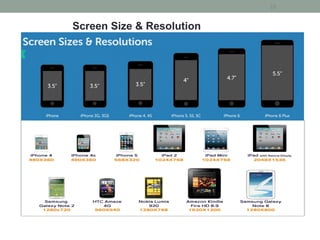
Screen Size & Resolution
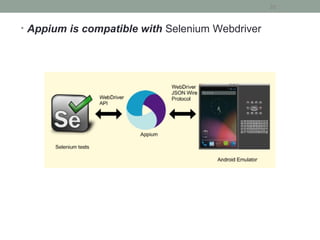
• Appium is compatible with Selenium Webdriver
20
• Appium is very well supported and Active group,
Building a large and thriving open source community effort
21
22
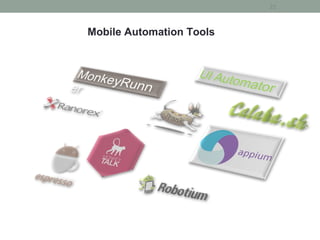
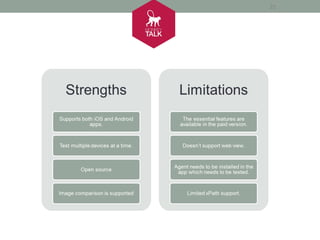
Mobile Automation Tools
23
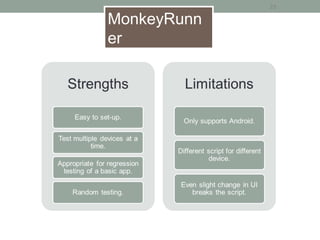
MonkeyRunn
er
24
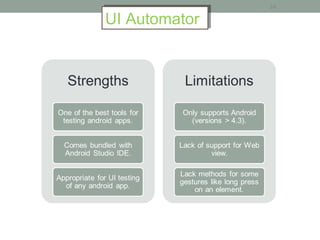
UI AutomatorUI Automator
25
26
27
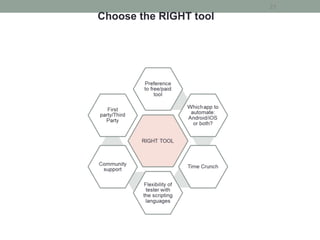
Choose the RIGHT tool
28
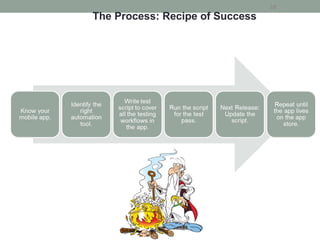
The Process: Recipe of Success
Getting Started with
Appium
29
Prerequisite to use Appium:
• JDK (Java Development Kit) - V1.6(+)
• Eclipse - Indigo(+)
• Android SDK – With API level 17(+)
• Selenium WebDriver JAR – 2.43.0(+)
• Appium for Mac/Windows – 1.3.7.2(+)
• APK App info from Play Store
30
How Appium works?
31
Working
Architecture
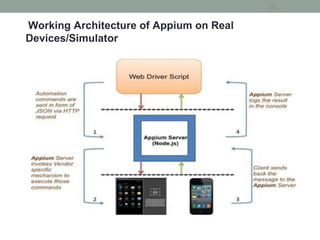
Working Architecture of Appium on Real
Devices/Simulator
32
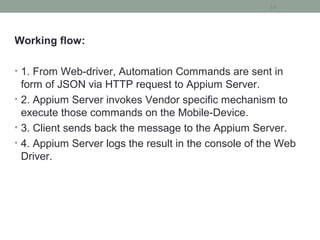
Working flow:
• 1. From Web-driver, Automation Commands are sent in
form of JSON via HTTP request to Appium Server.
• 2. Appium Server invokes Vendor specific mechanism to
execute those commands on the Mobile-Device.
• 3. Client sends back the message to the Appium Server.
• 4. Appium Server logs the result in the console of the Web
Driver.
33
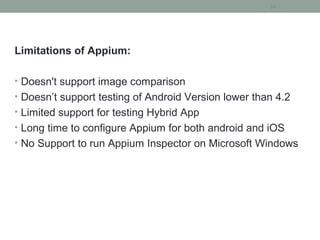
Limitations of Appium:
• Doesn't support image comparison
• Doesn’t support testing of Android Version lower than 4.2
• Limited support for testing Hybrid App
• Long time to configure Appium for both android and iOS
• No Support to run Appium Inspector on Microsoft Windows
34
35
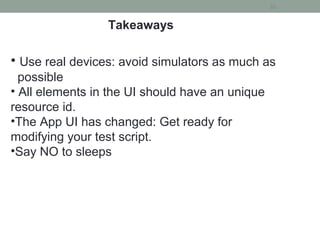
Takeaways
• Use real devices: avoid simulators as much as
possible
• All elements in the UI should have an unique
resource id.
•The App UI has changed: Get ready for
modifying your test script.
•Say NO to sleeps
Any Questions?
36
Thank You
37
Mail: training@qa-masters.com
Mobile : +91 9160021120

Appium training online|Mobile automation testing with appium