rumar@microsoft.com
http://ruimarinho.net
Native User Interfaces Native API Access Native Performance
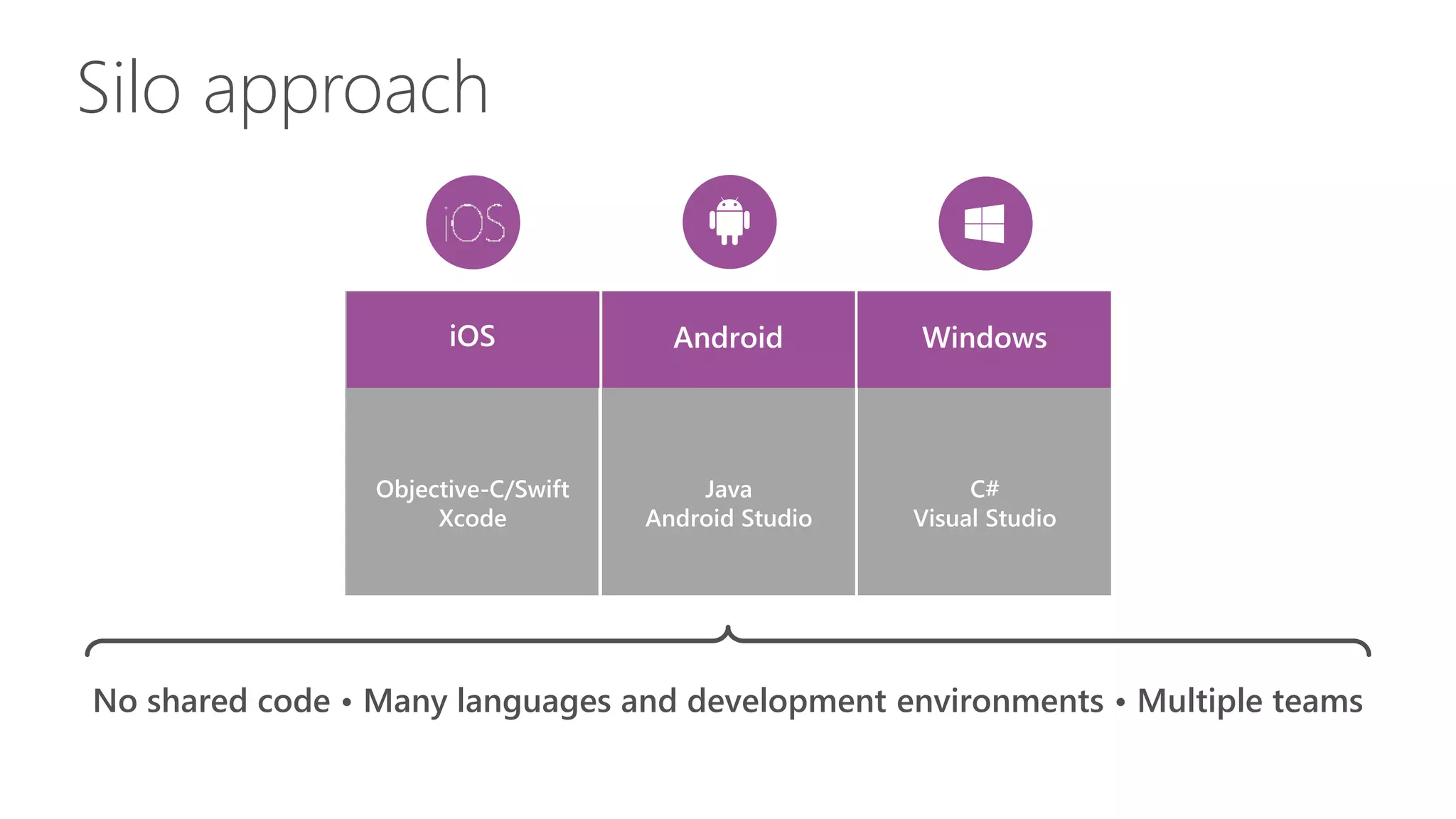
Silo approach
iOS WindowsAndroid
Objective-C/Swift
Xcode
C#
Visual Studio
Java
Android Studio
No shared code • Many languages and development environments • Multiple teams
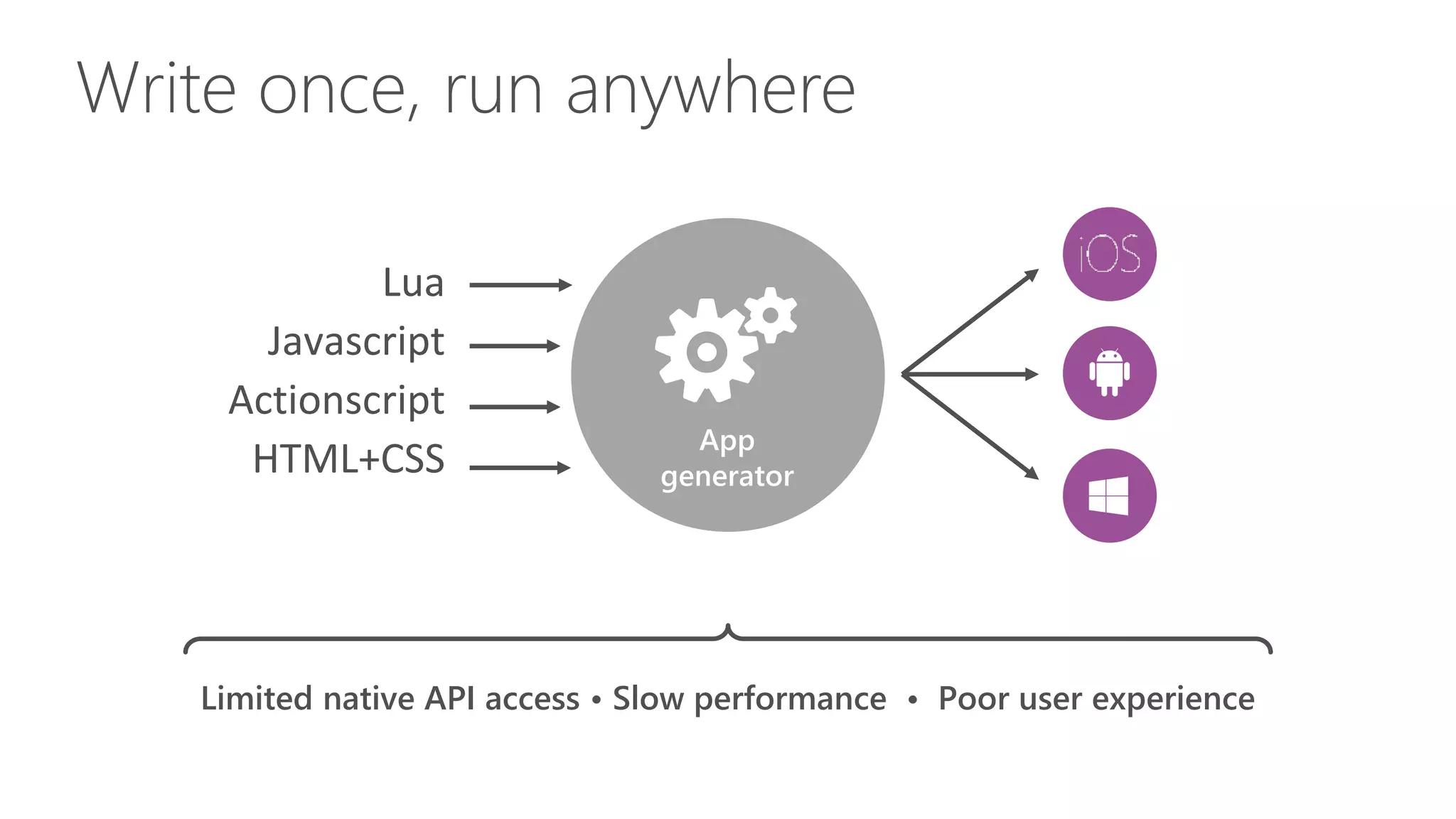
Write once, run anywhere
Lua
Javascript
Actionscript
HTML+CSS
Limited native API access • Slow performance • Poor user experience
App
generator
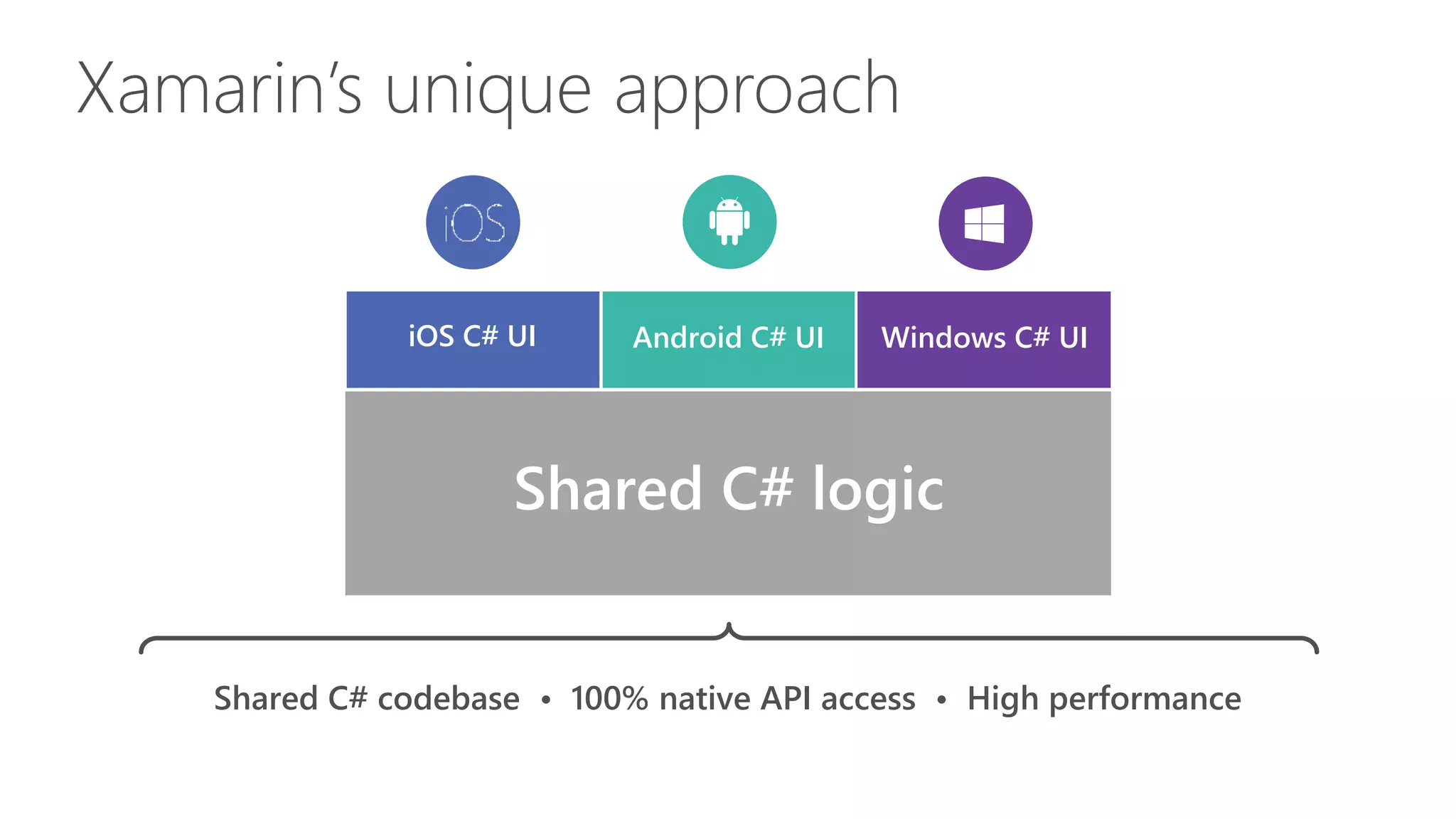
iOS C# UI Windows C# UIAndroid C# UI
Shared C# logic
Xamarin’s unique approach
Shared C# codebase • 100% native API access • High performance
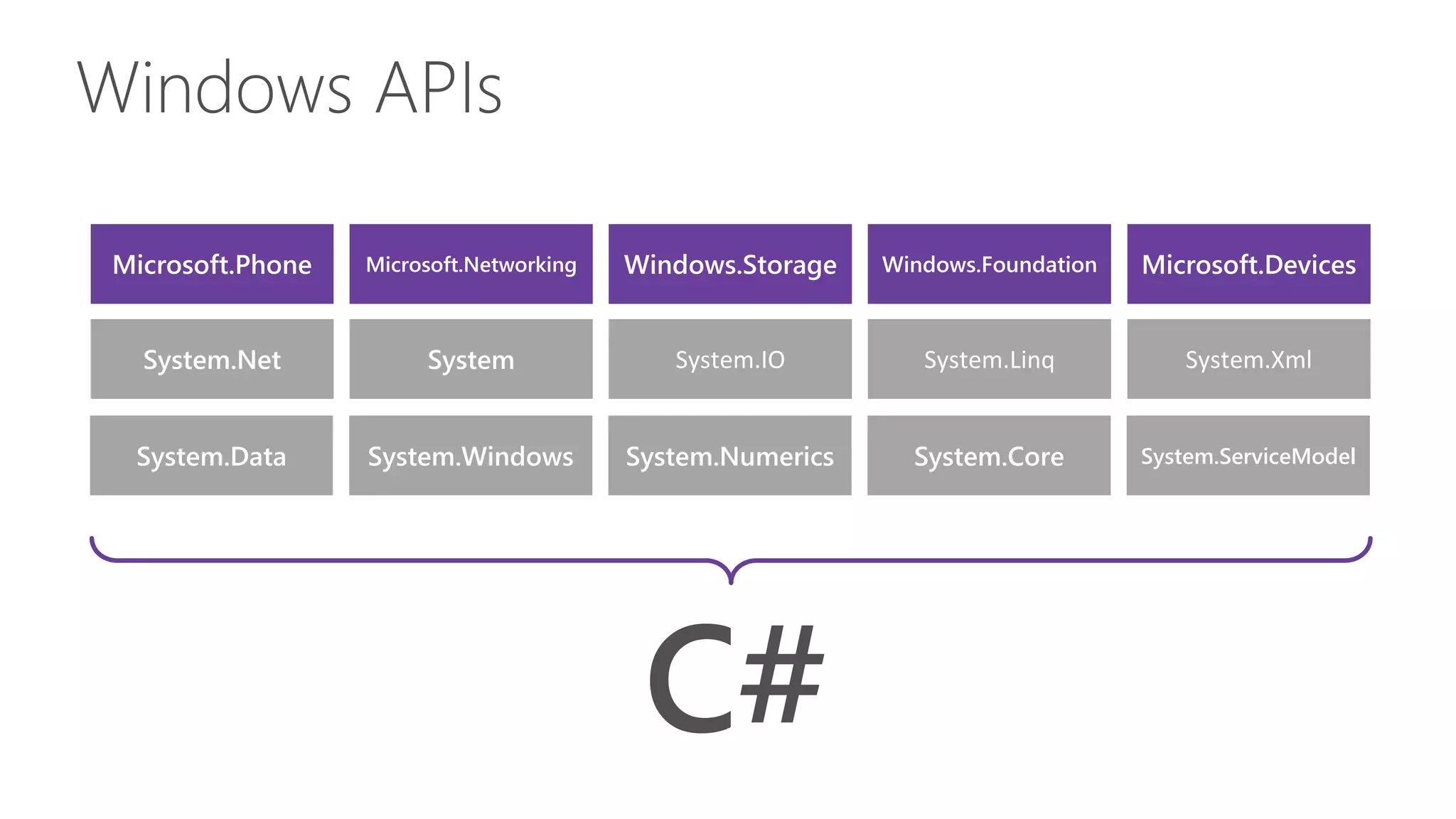
Windows APIs
Microsoft.Phone Microsoft.Networking Windows.Storage Windows.Foundation Microsoft.Devices
System.Data System.Windows System.Numerics System.Core System.ServiceModel
System.Net System System.IO System.Linq System.Xml
C#
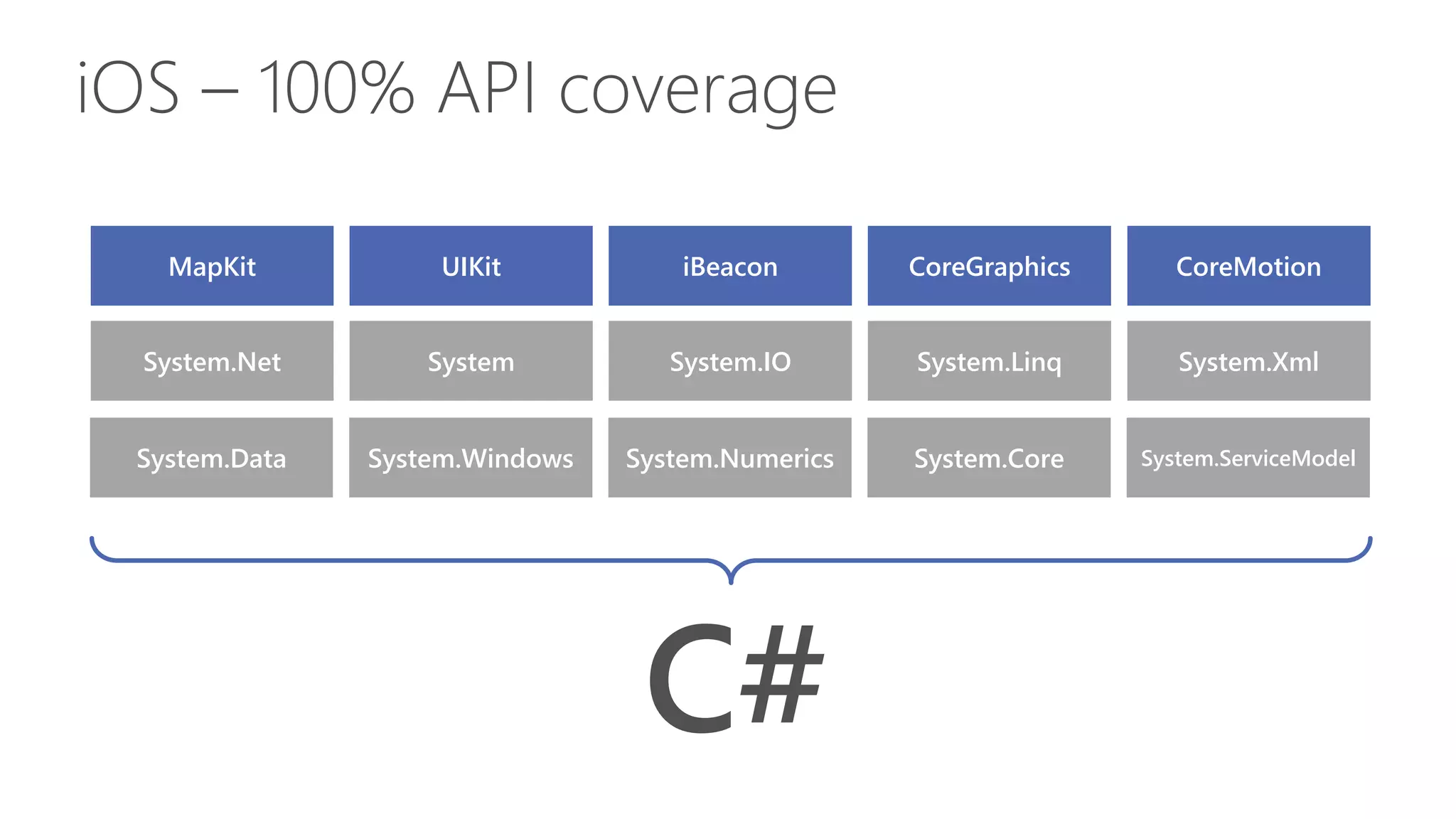
iOS – 100% API coverage
MapKit UIKit iBeacon CoreGraphics CoreMotion
System.Data System.Windows System.Numerics System.Core System.ServiceModel
System.Net System System.IO System.Linq System.Xml
C#
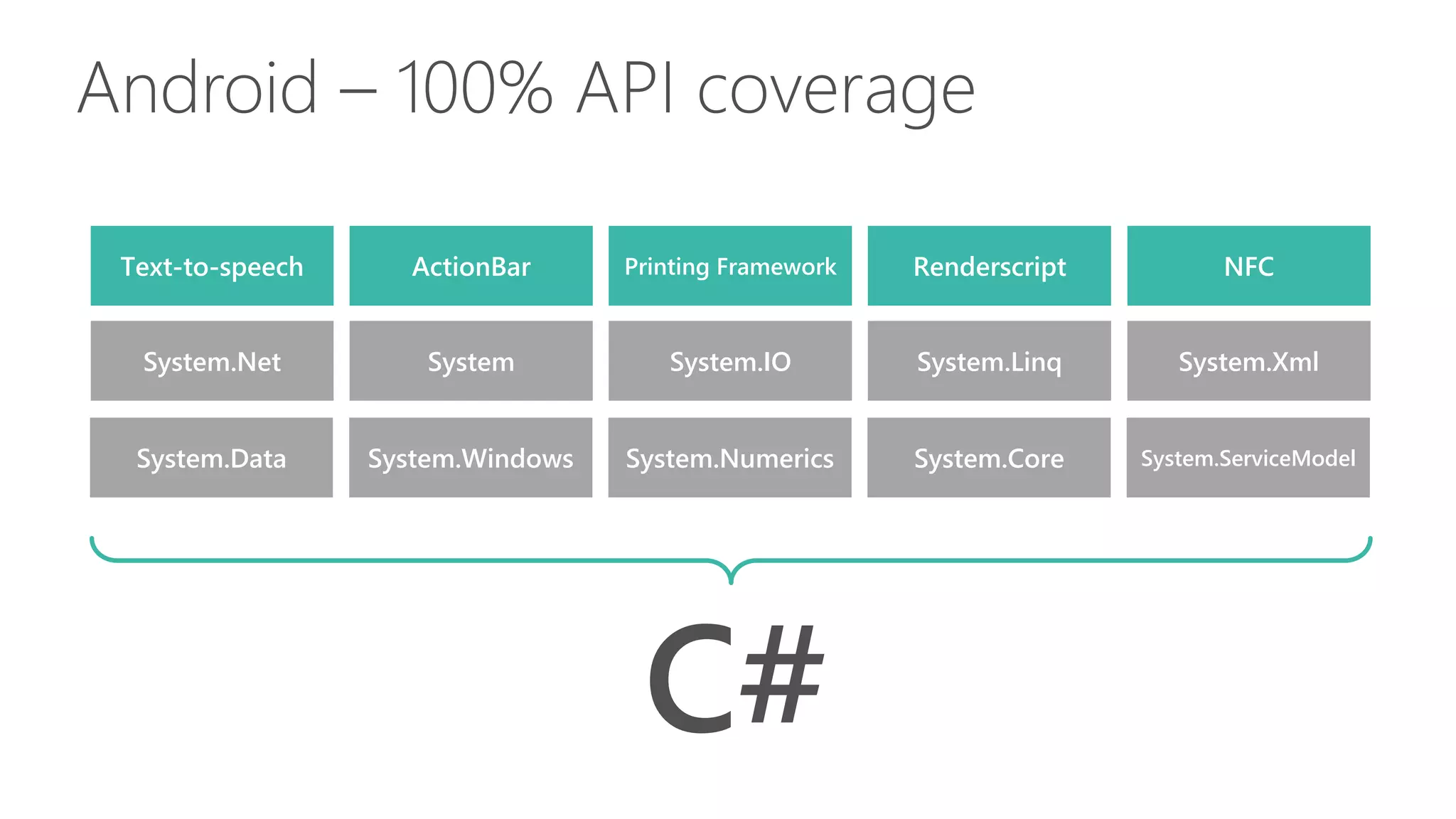
Android – 100% API coverage
Text-to-speech ActionBar Printing Framework Renderscript NFC
System.Data System.Windows System.Numerics System.Core System.ServiceModel
System.Net System System.IO System.Linq System.Xml
C#
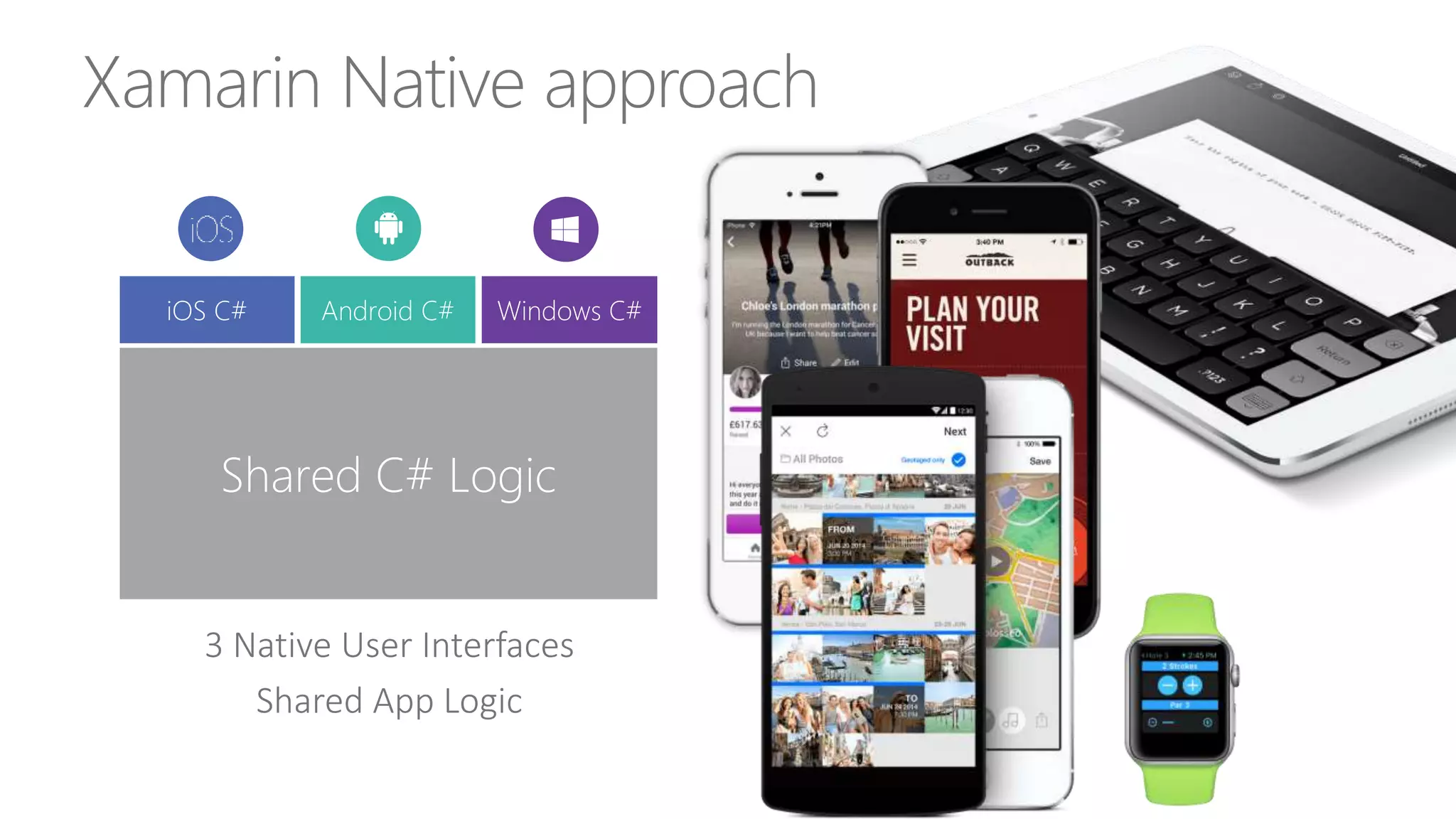
Xamarin Native approach
3 Native User Interfaces
Shared App Logic
Shared C# Logic
Windows C#Android C#iOS C#
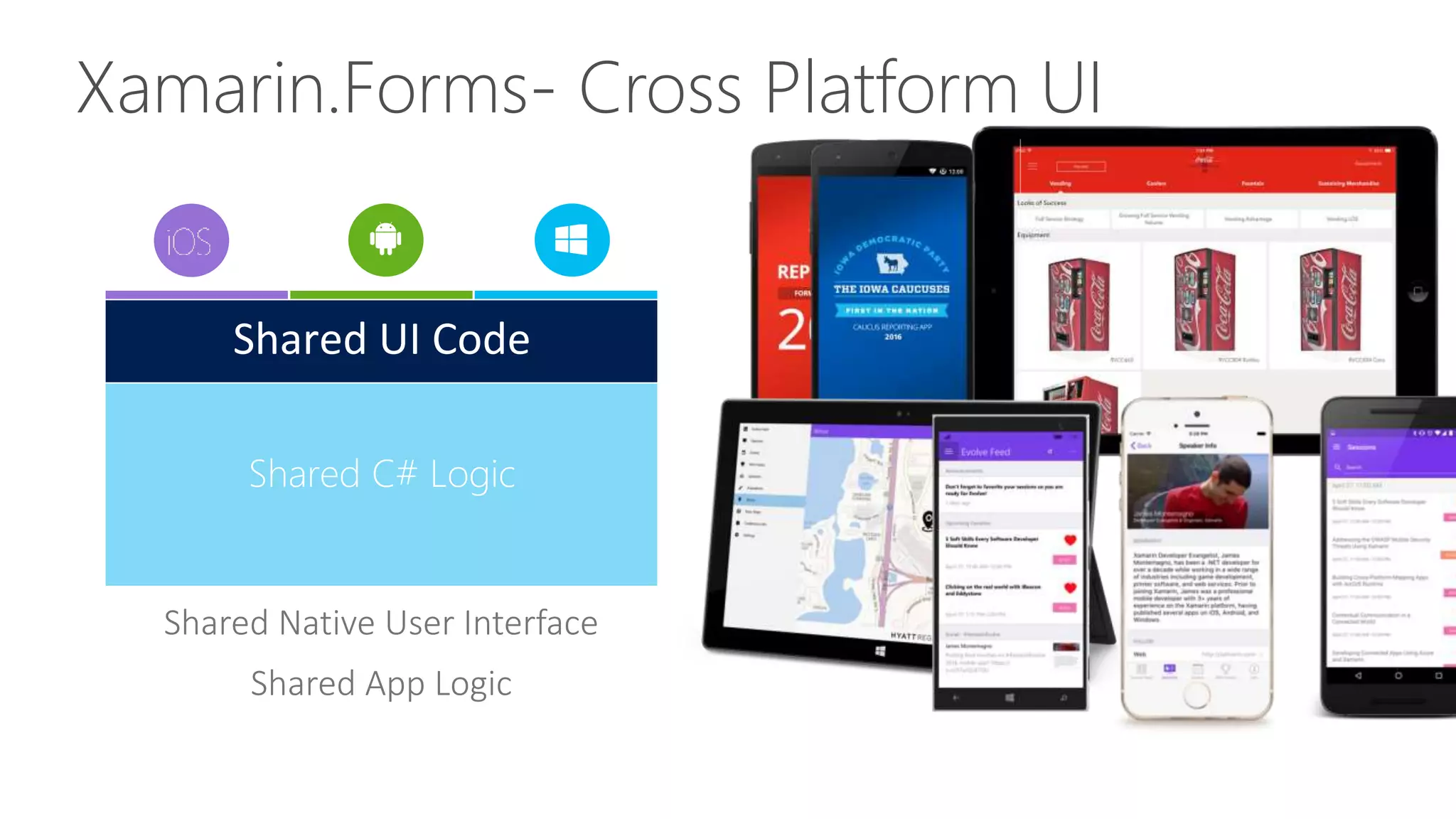
Xamarin.Forms- Cross Platform UI
Shared Native User Interface
Shared App Logic
Shared C# Logic
Shared UI Code
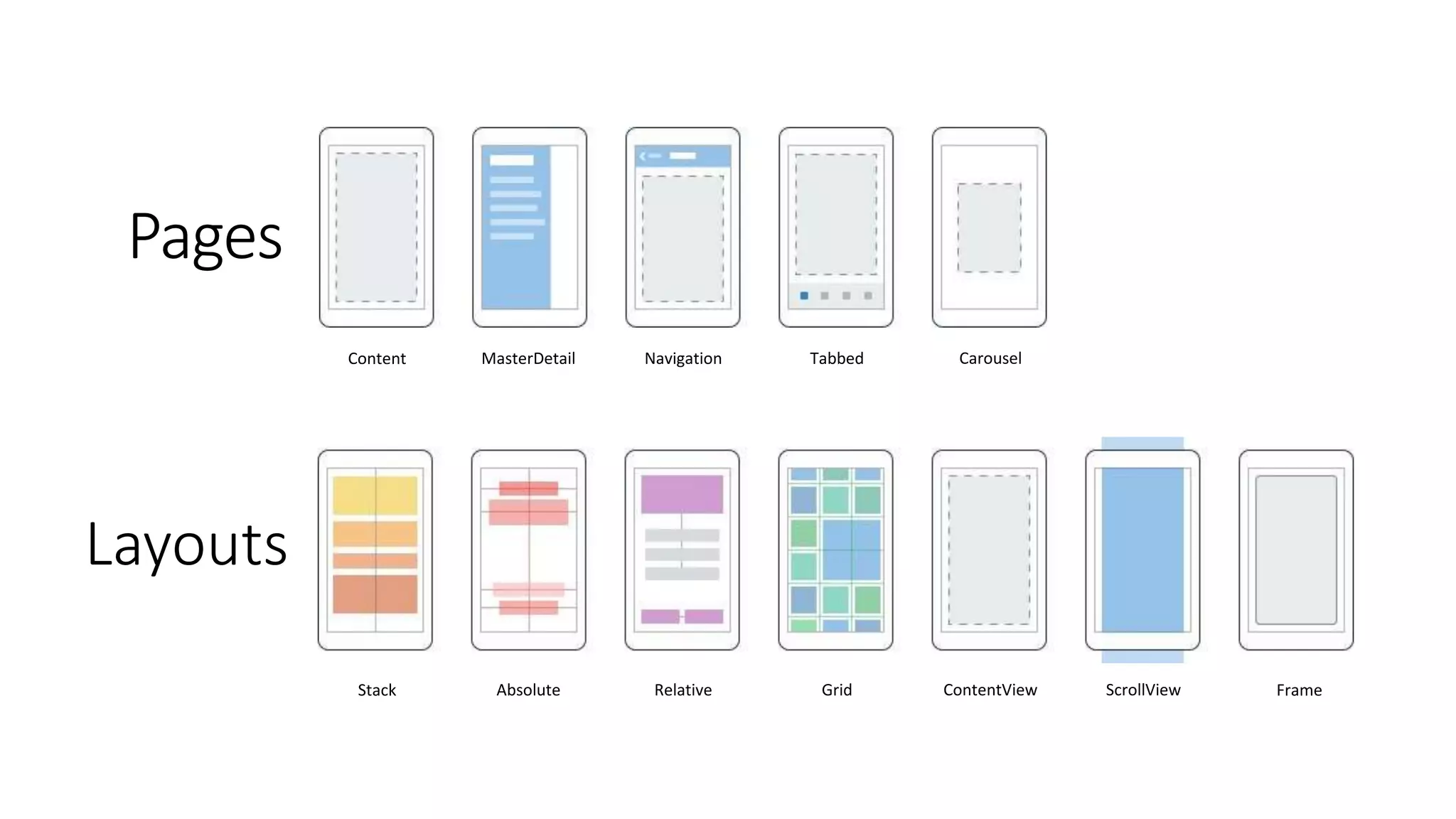
Layouts
Pages
Stack Absolute Relative Grid ContentView ScrollView Frame
Content MasterDetail Navigation Tabbed Carousel
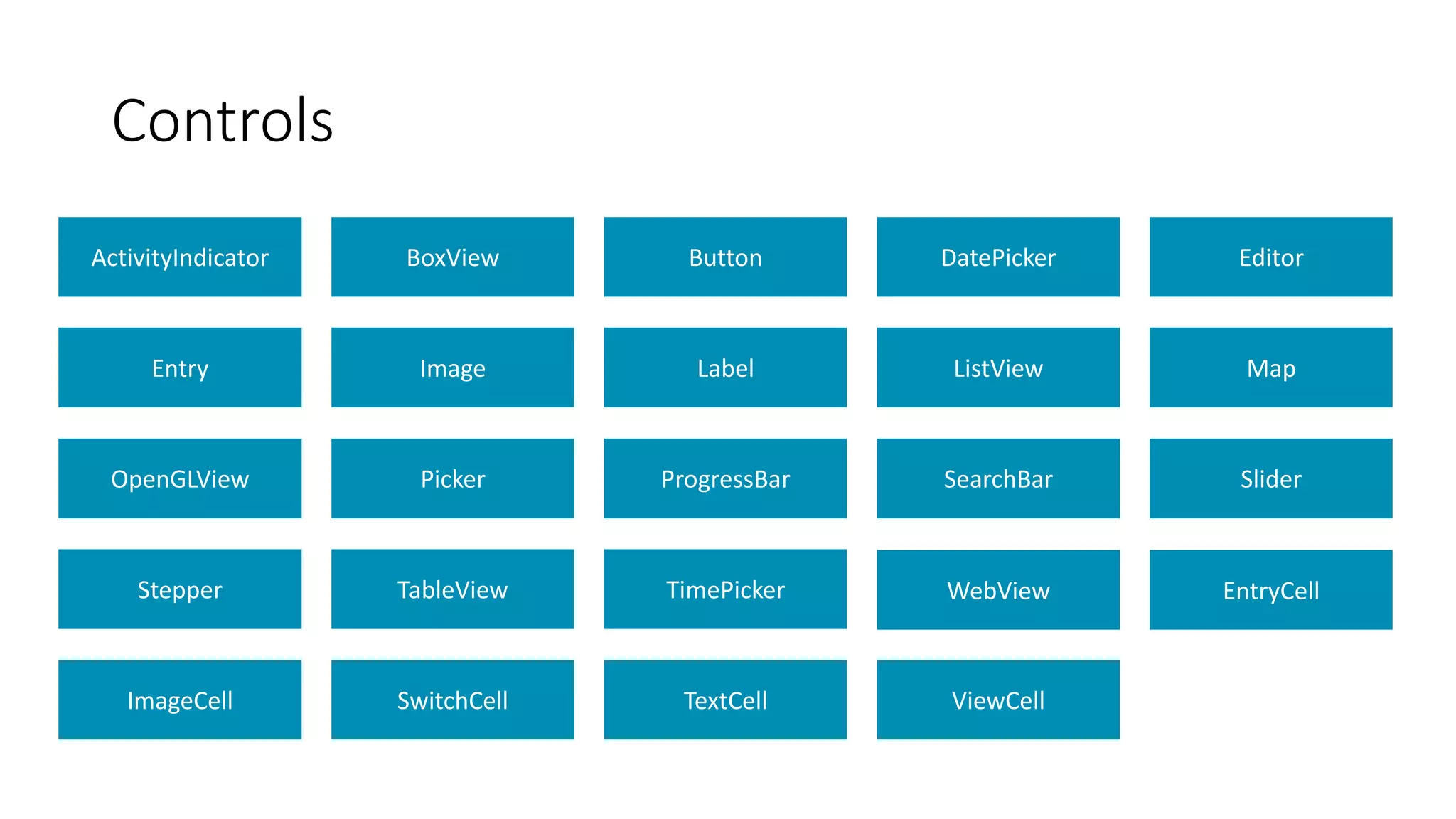
ActivityIndicator BoxView Button DatePicker Editor
Entry Image Label ListView Map
OpenGLView Picker ProgressBar SearchBar Slider
Stepper TableView TimePicker WebView EntryCell
ImageCell SwitchCell TextCell ViewCell
Controls
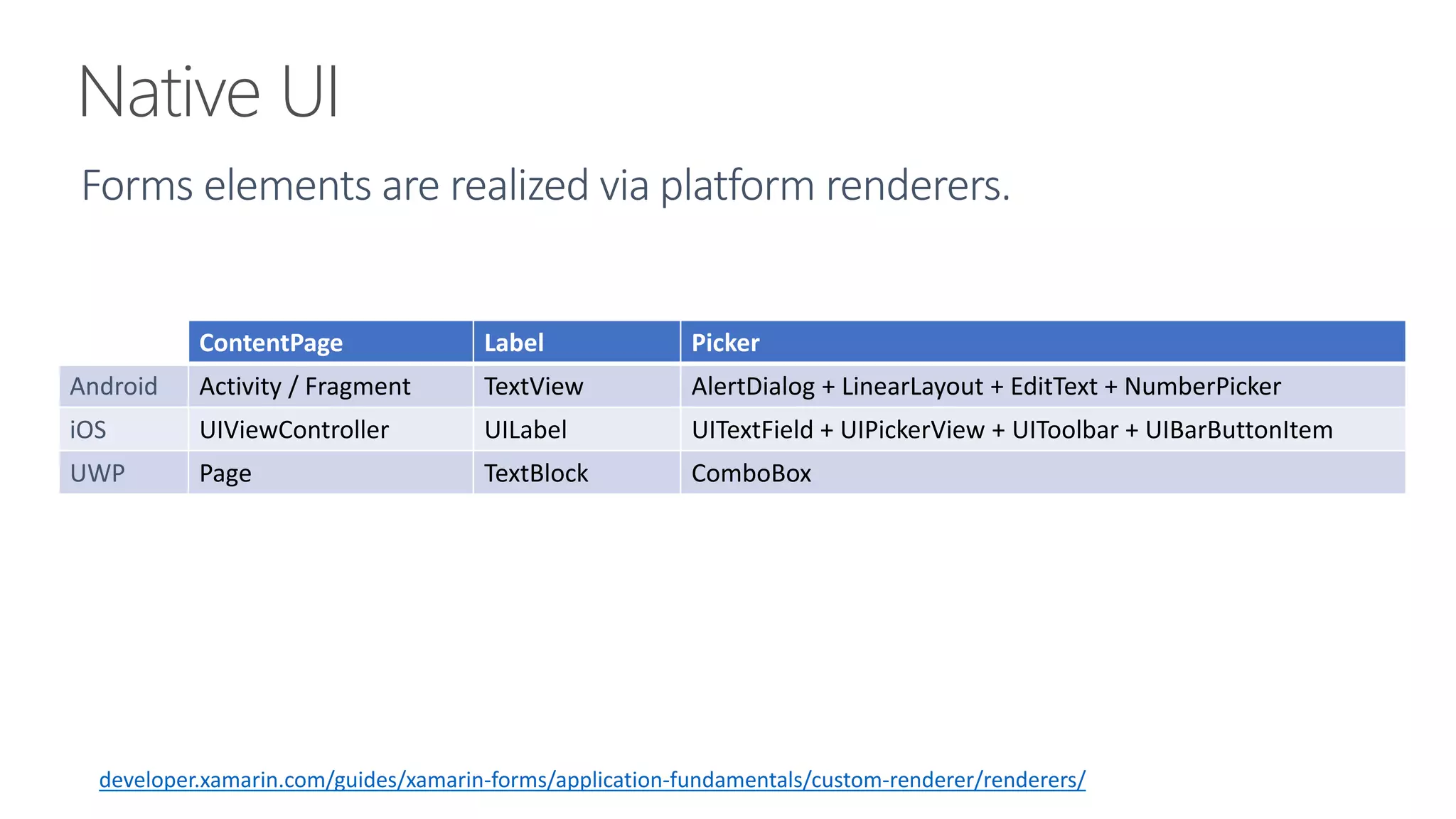
Native UI
ContentPage Label Picker
Android Activity / Fragment TextView AlertDialog + LinearLayout + EditText + NumberPicker
iOS UIViewController UILabel UITextField + UIPickerView + UIToolbar + UIBarButtonItem
UWP Page TextBlock ComboBox
developer.xamarin.com/guides/xamarin-forms/application-fundamentals/custom-renderer/renderers/
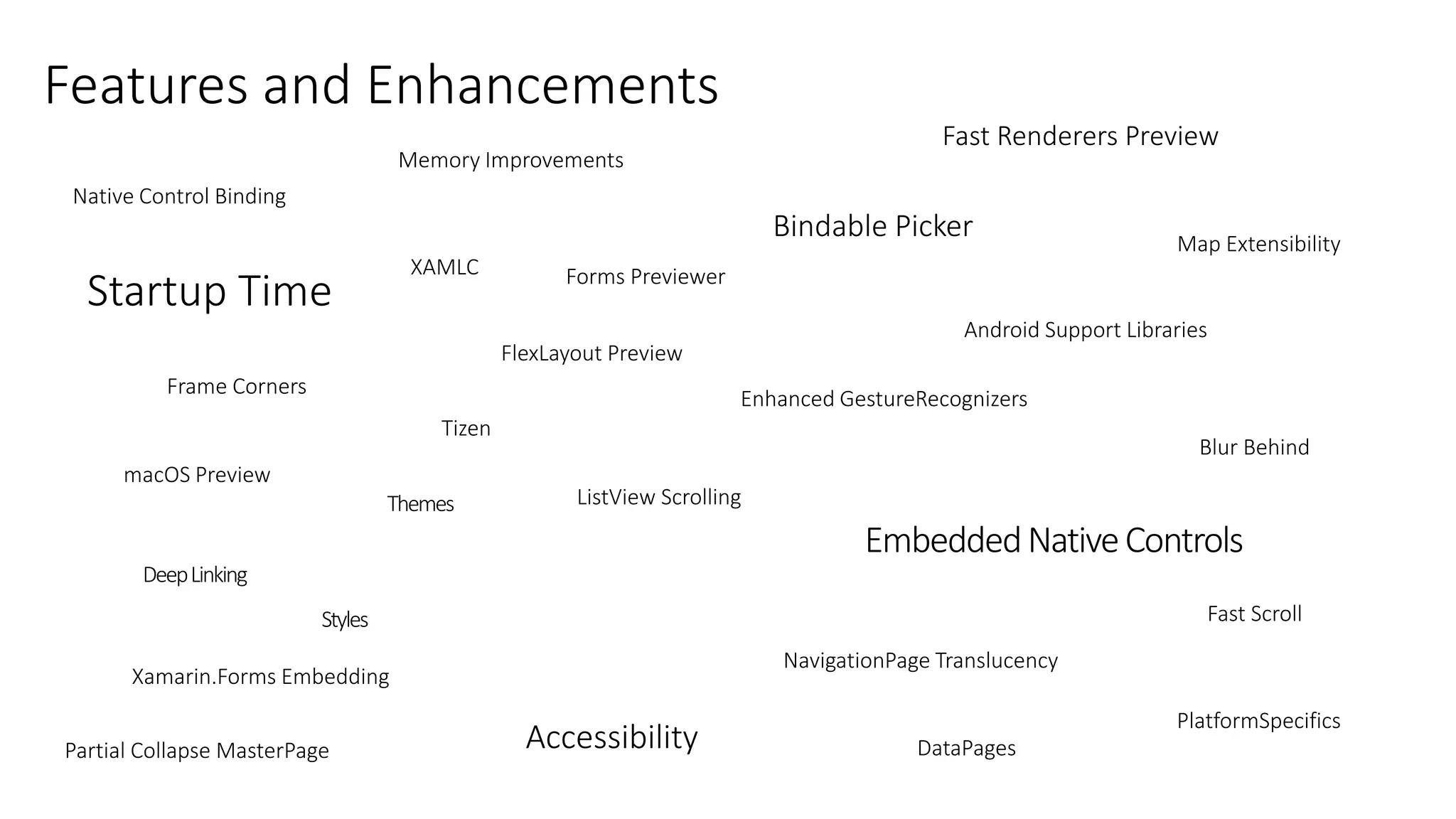
macOS Preview
Enhanced GestureRecognizers
Android Support Libraries
PlatformSpecifics
Fast Scroll
NavigationPage Translucency
Blur Behind
.netstandard support
Partial Collapse MasterPage
Native Control Binding
Map Extensibility
Fast Renderers Preview
Startup Time
ListView Scrolling
Memory Improvements
XAMLC
Bindable Picker
Frame Corners
Tizen
Forms Previewer
FlexLayout Preview
Xamarin.Forms Embedding
DataPages
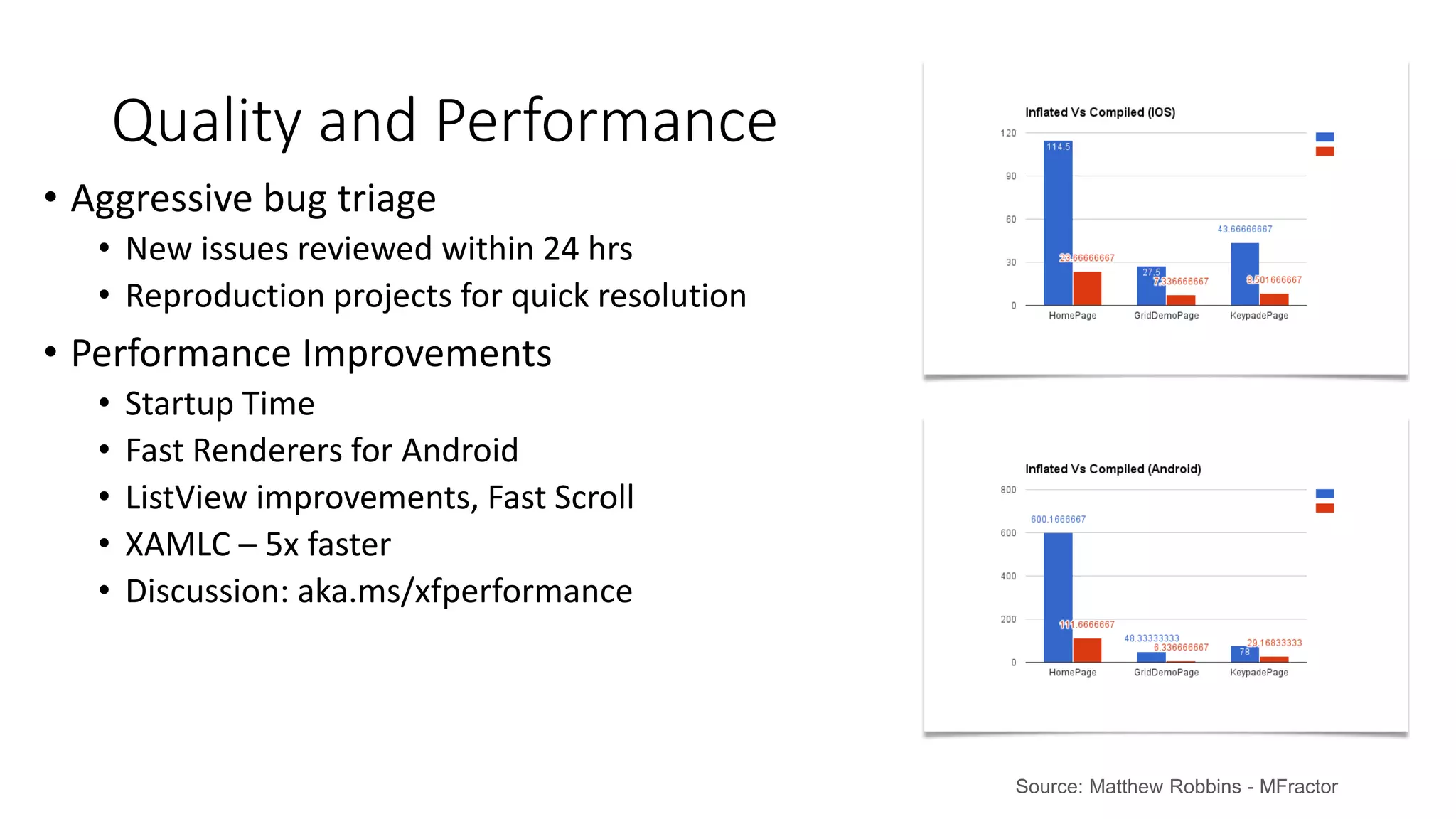
• Aggressive bug triage
• New issues reviewed within 24 hrs
• Reproduction projects for quick resolution
• Performance Improvements
• Startup Time
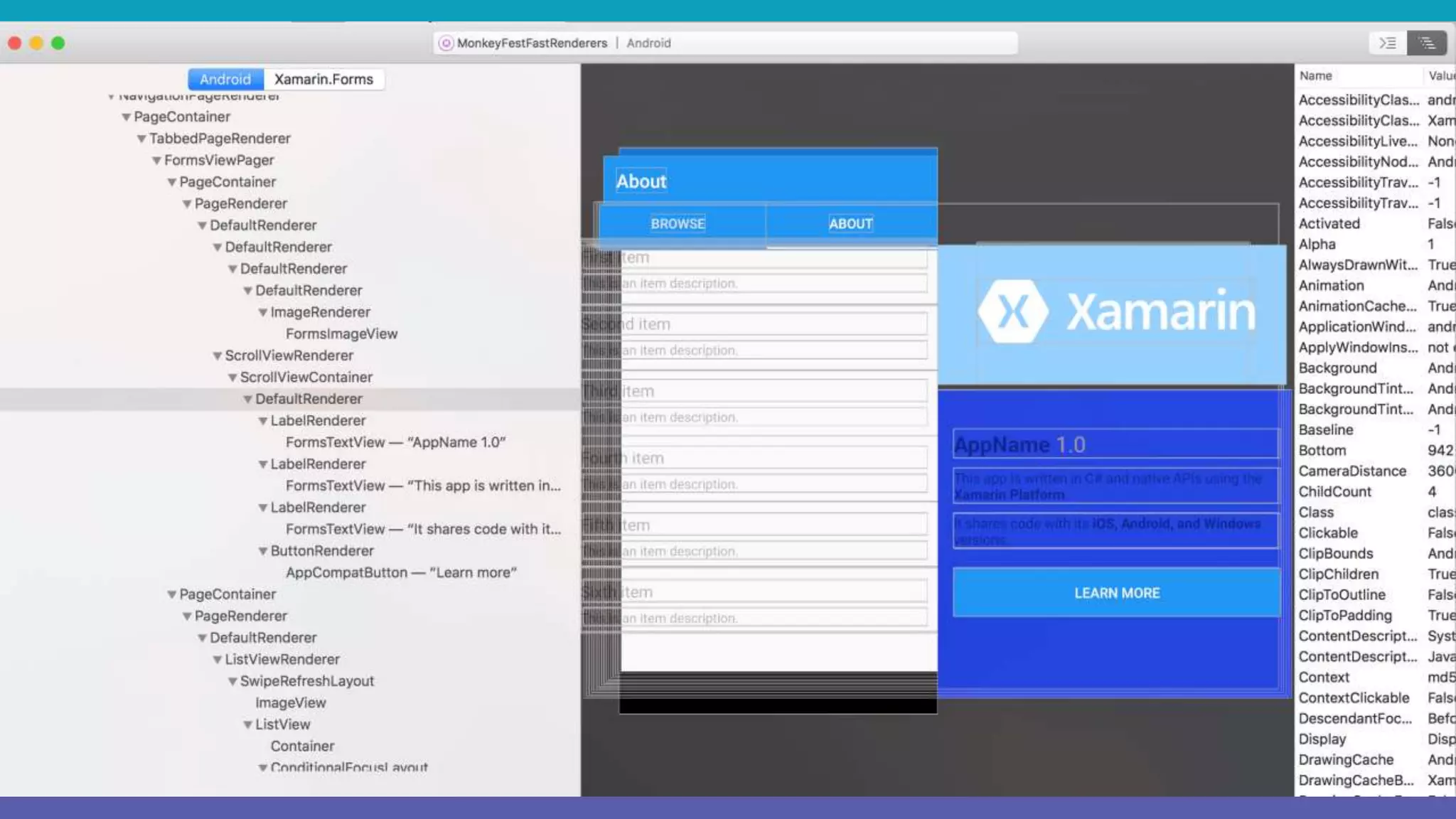
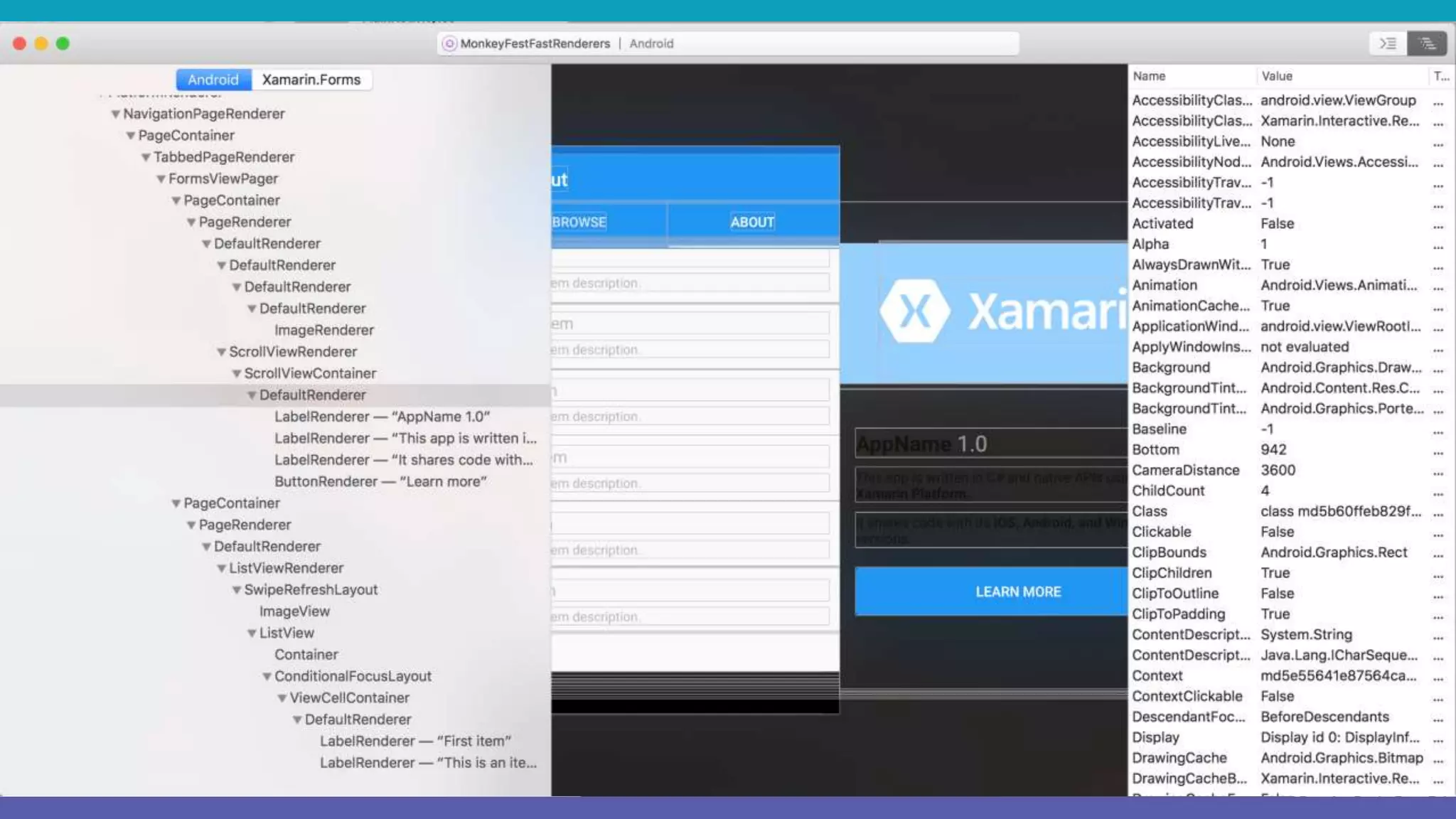
• Fast Renderers for Android
• ListView improvements, Fast Scroll
• XAMLC – 5x faster
• Discussion: aka.ms/xfperformance
Quality and Performance
Source: Matthew Robbins - MFractor
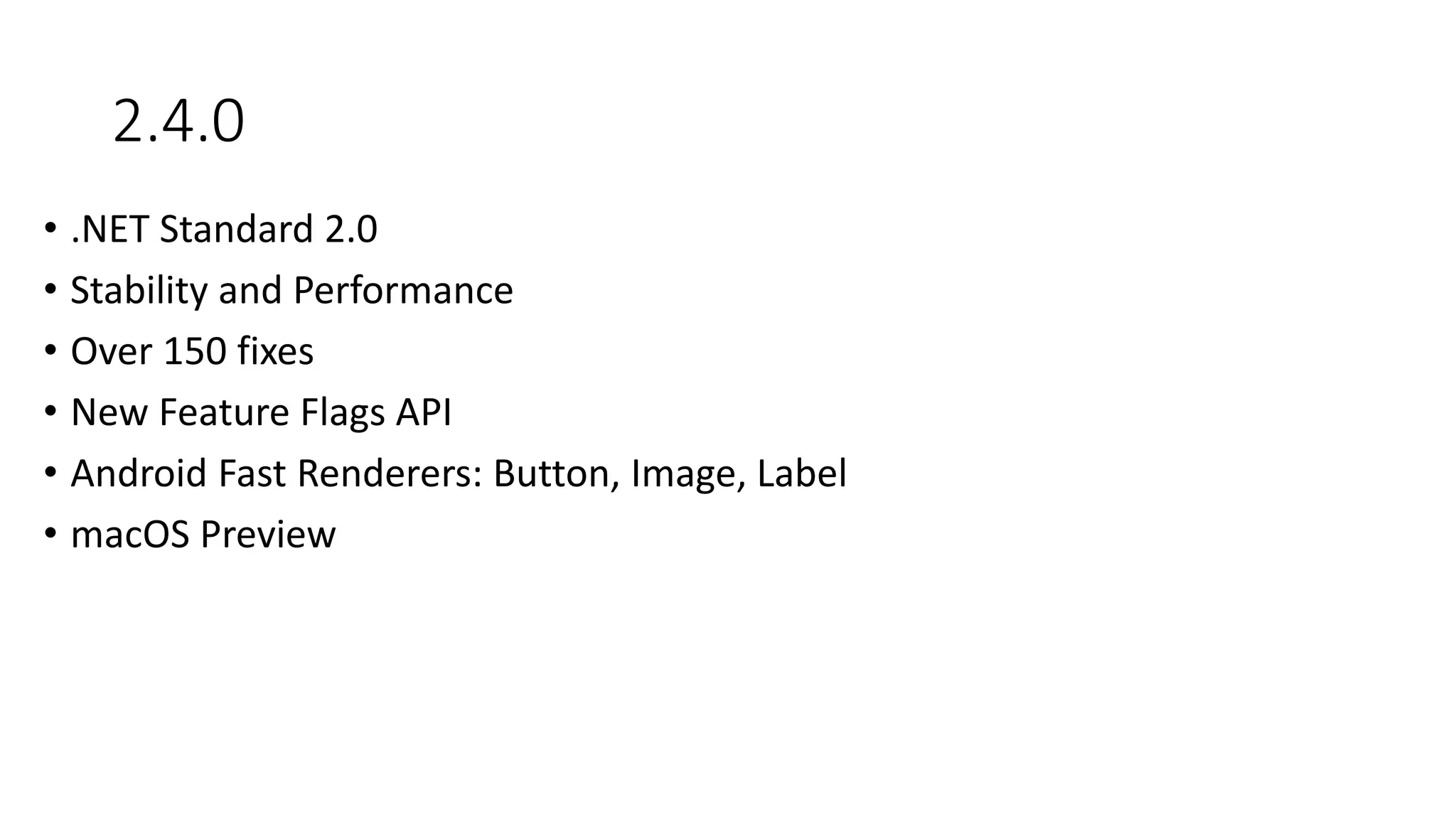
2.4.0
• .NET Standard 2.0
• Stability and Performance
• Over 150 fixes
• New Feature Flags API
• Android Fast Renderers: Button, Image, Label
• macOS Preview
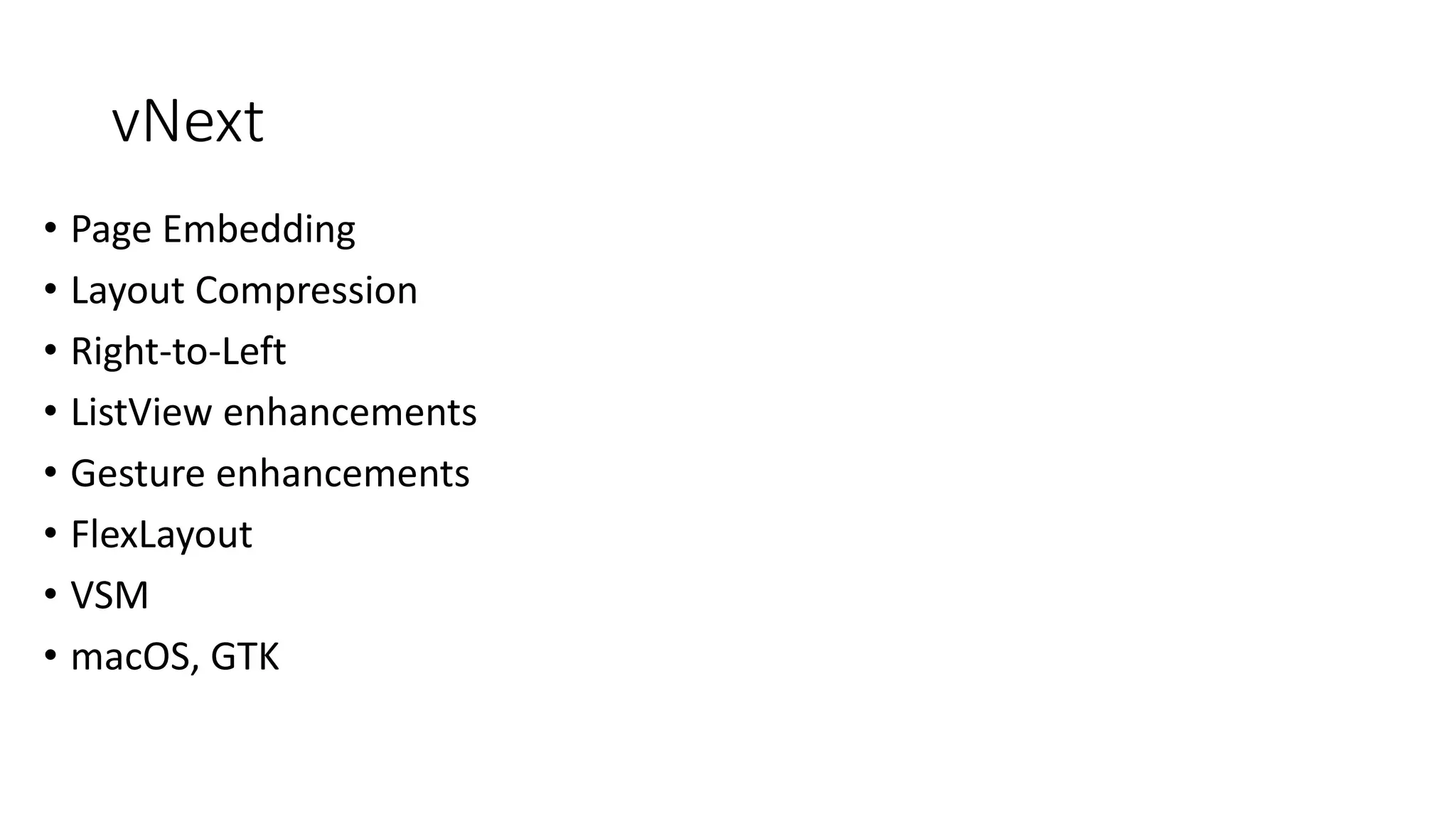
vNext
• Page Embedding
• Layout Compression
• Right-to-Left
• ListView enhancements
• Gesture enhancements
• FlexLayout
• VSM
• macOS, GTK
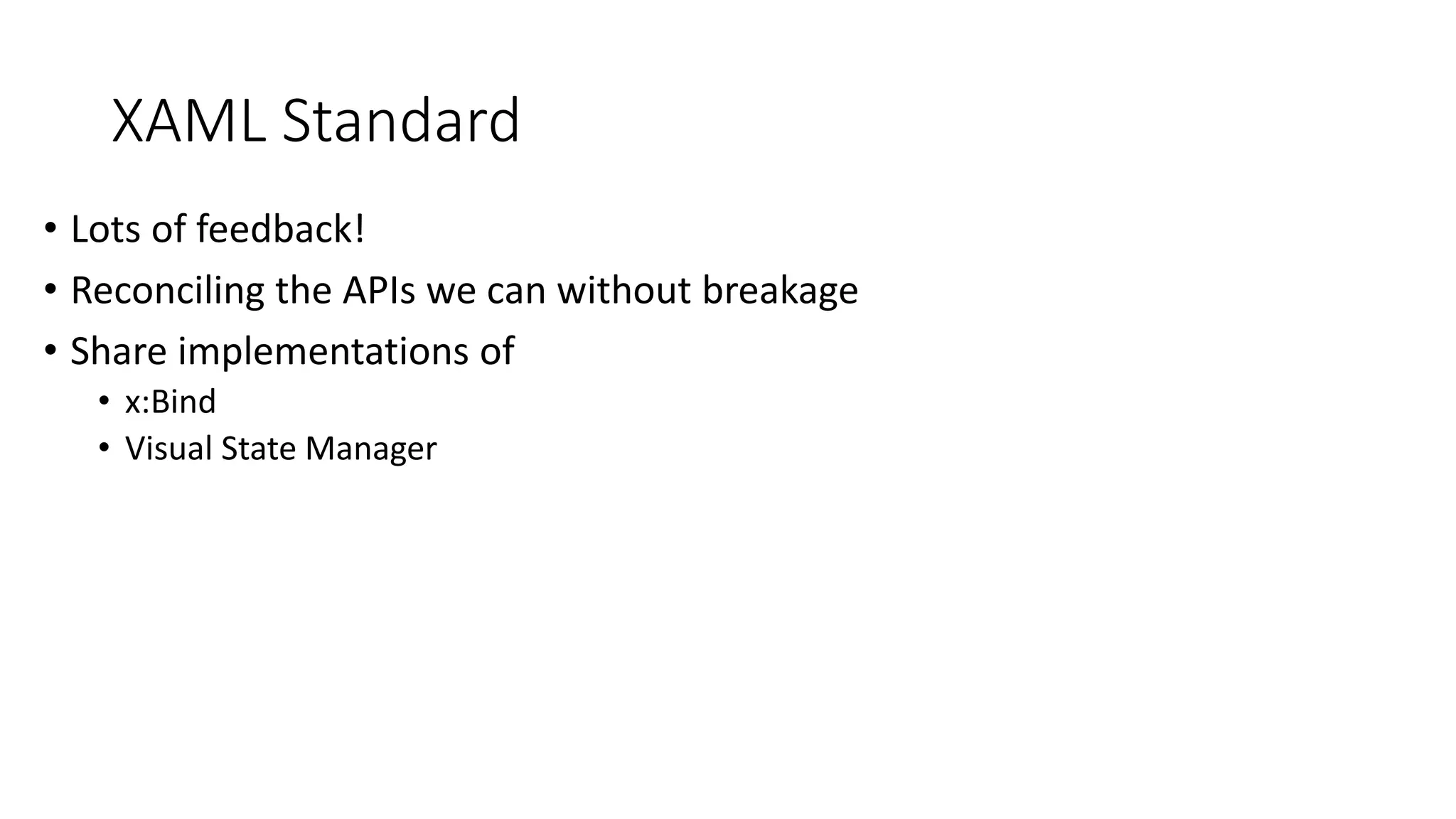
XAML Standard
• Lots of feedback!
• Reconciling the APIs we can without breakage
• Share implementations of
• x:Bind
• Visual State Manager
Xamarin.Forms
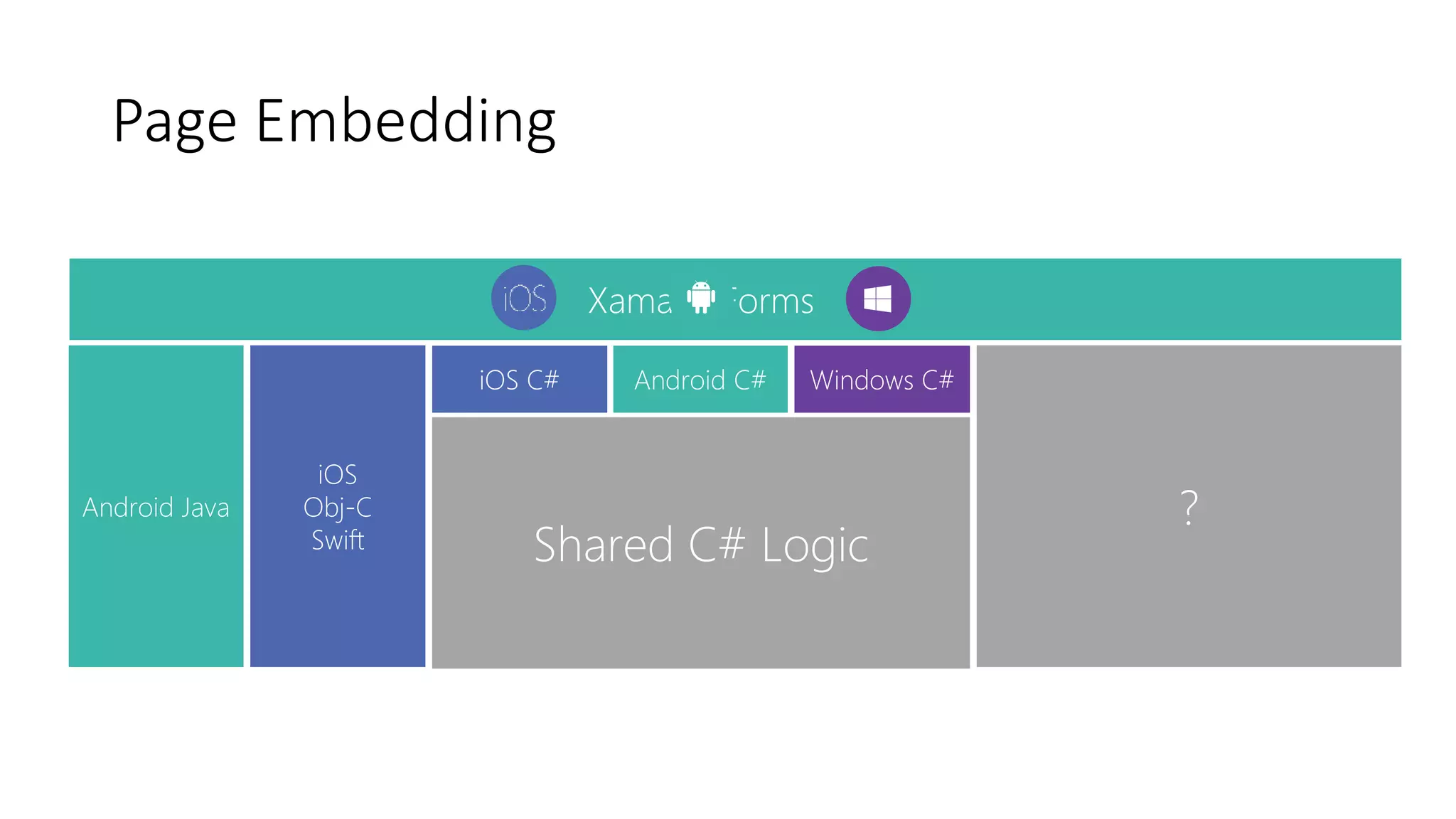
Page Embedding
Shared C# Logic
Windows C#Android C#iOS C#
iOS
Obj-C
Swift
Android Java ?
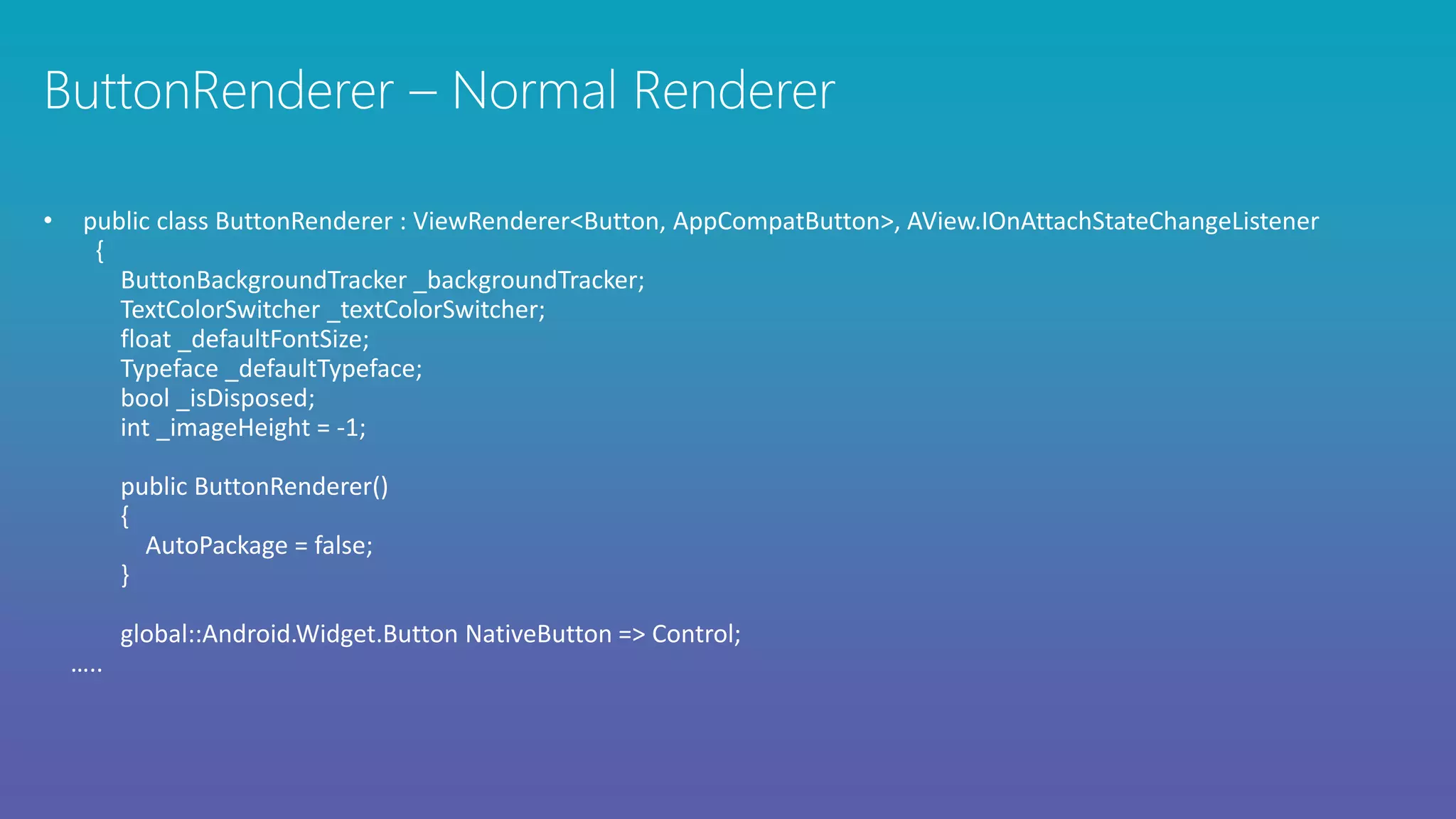
• public class ButtonRenderer : ViewRenderer<Button, AppCompatButton>, AView.IOnAttachStateChangeListener
{
ButtonBackgroundTracker _backgroundTracker;
TextColorSwitcher _textColorSwitcher;
float _defaultFontSize;
Typeface _defaultTypeface;
bool _isDisposed;
int _imageHeight = -1;
public ButtonRenderer()
{
AutoPackage = false;
}
global::Android.Widget.Button NativeButton => Control;
…..
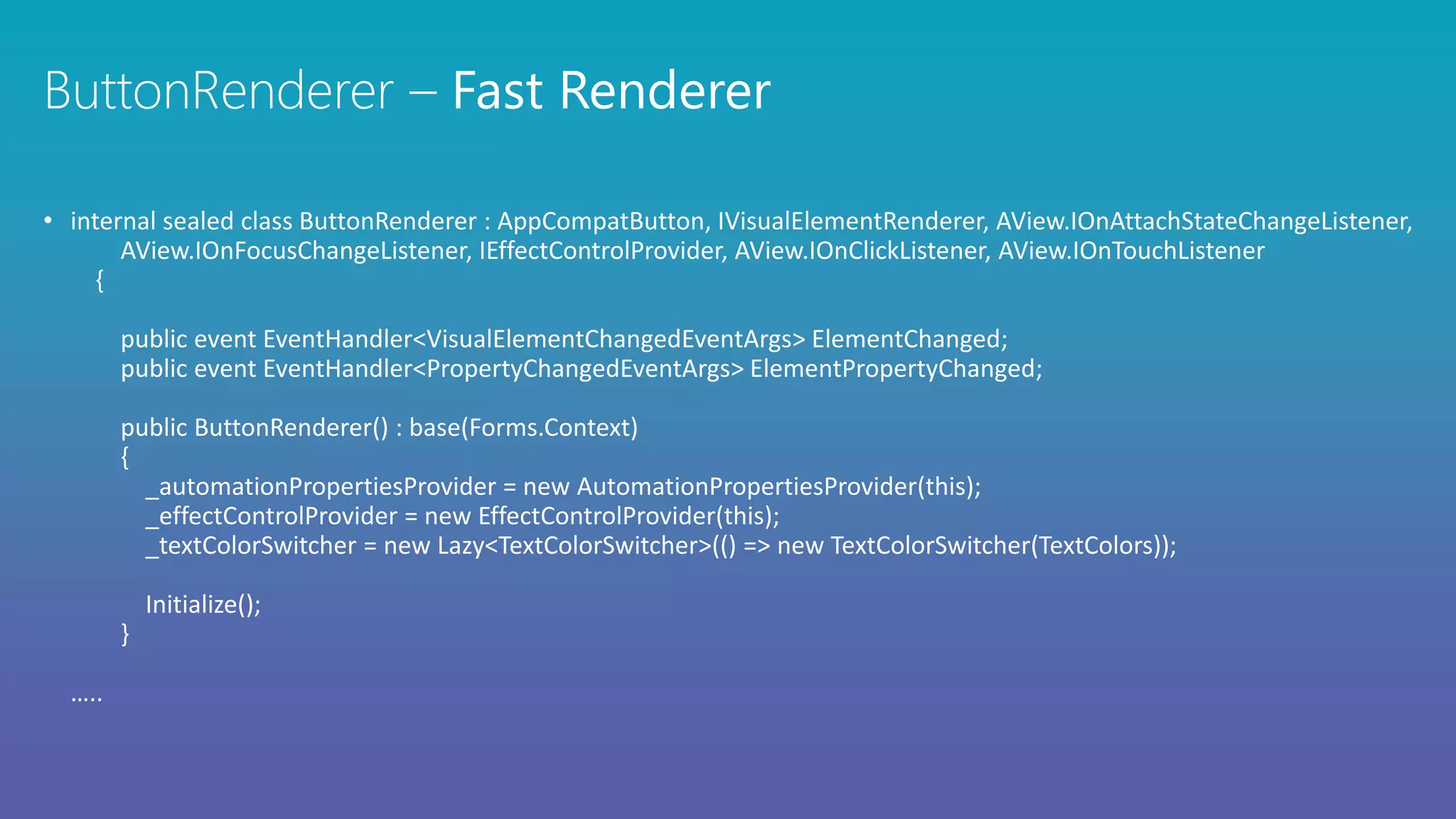
• internal sealed class ButtonRenderer : AppCompatButton, IVisualElementRenderer, AView.IOnAttachStateChangeListener,
AView.IOnFocusChangeListener, IEffectControlProvider, AView.IOnClickListener, AView.IOnTouchListener
{
public event EventHandler<VisualElementChangedEventArgs> ElementChanged;
public event EventHandler<PropertyChangedEventArgs> ElementPropertyChanged;
public ButtonRenderer() : base(Forms.Context)
{
_automationPropertiesProvider = new AutomationPropertiesProvider(this);
_effectControlProvider = new EffectControlProvider(this);
_textColorSwitcher = new Lazy<TextColorSwitcher>(() => new TextColorSwitcher(TextColors));
Initialize();
}
…..
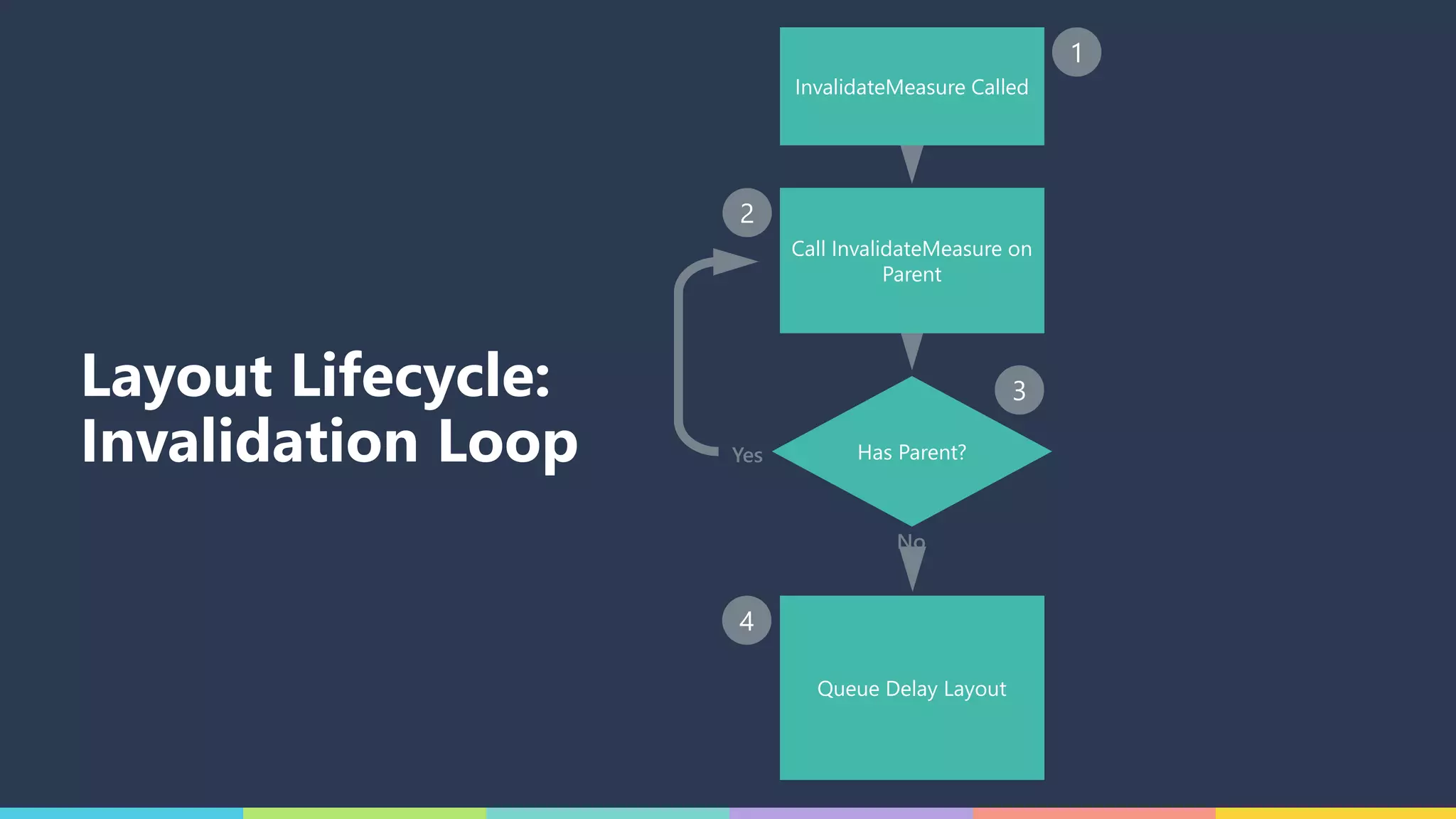
Layout Lifecycle:
Invalidation Loop Has Parent?
InvalidateMeasure Called
Call InvalidateMeasure on
Parent
Queue Delay Layout
Yes
No
1
2
3
4
Has Parent?
InvalidateMeasure Called
Call InvalidateMeasure on
Parent
Queue Delay Layout
Yes
No
1
2
3
4
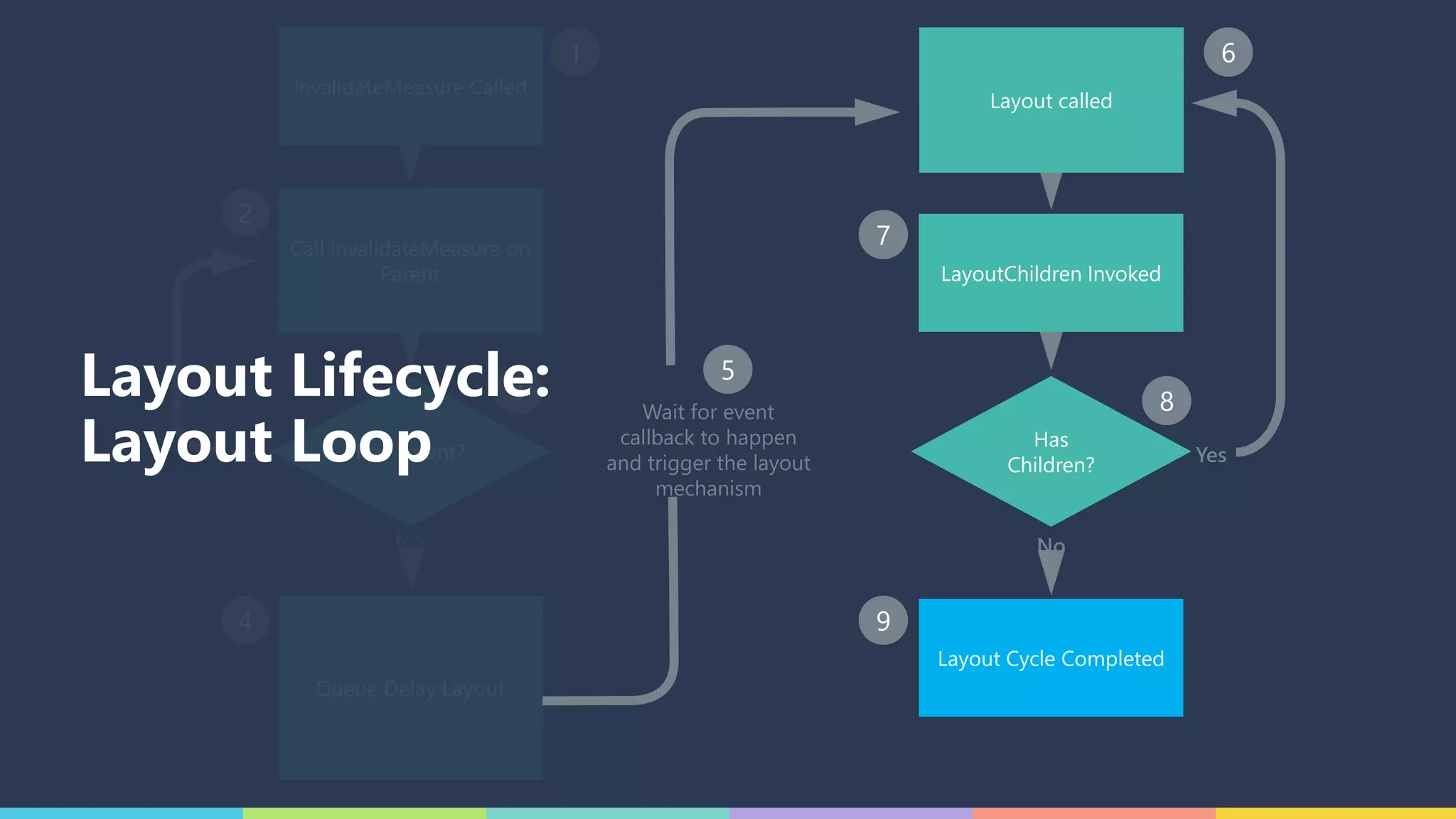
Wait for event
callback to happen
and trigger the layout
mechanism
5
Has
Children?
LayoutChildren Invoked
Layout called
6
7
8
Yes
No
Layout Cycle Completed
9
Layout Lifecycle:
Layout Loop
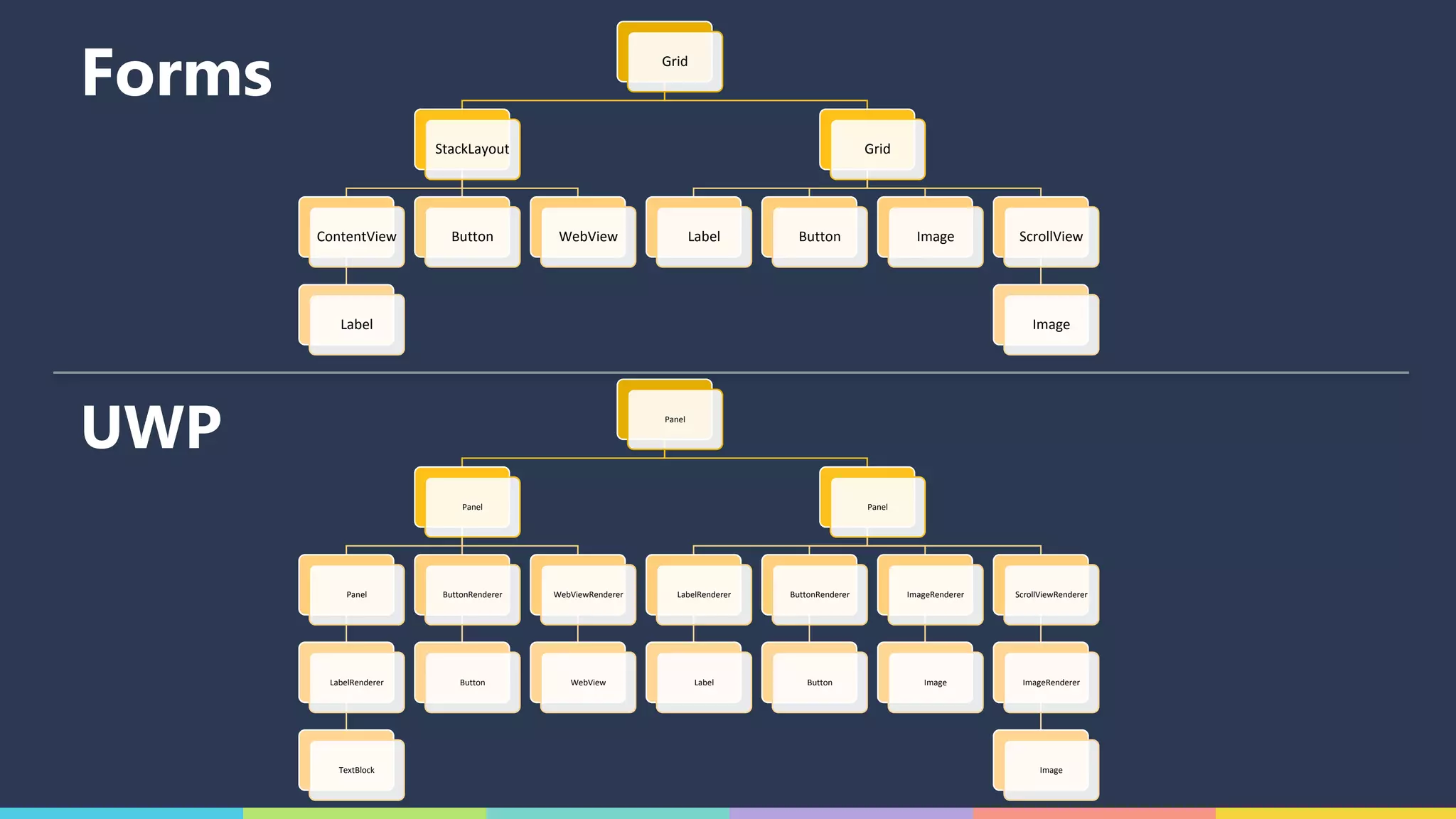
Grid
StackLayout
ContentView
Label
Button WebView
Grid
Label Button Image ScrollView
Image
Panel
Panel
Panel
LabelRenderer
TextBlock
ButtonRenderer
Button
WebViewRenderer
WebView
Panel
LabelRenderer
Label
ButtonRenderer
Button
ImageRenderer
Image
ScrollViewRenderer
ImageRenderer
Image
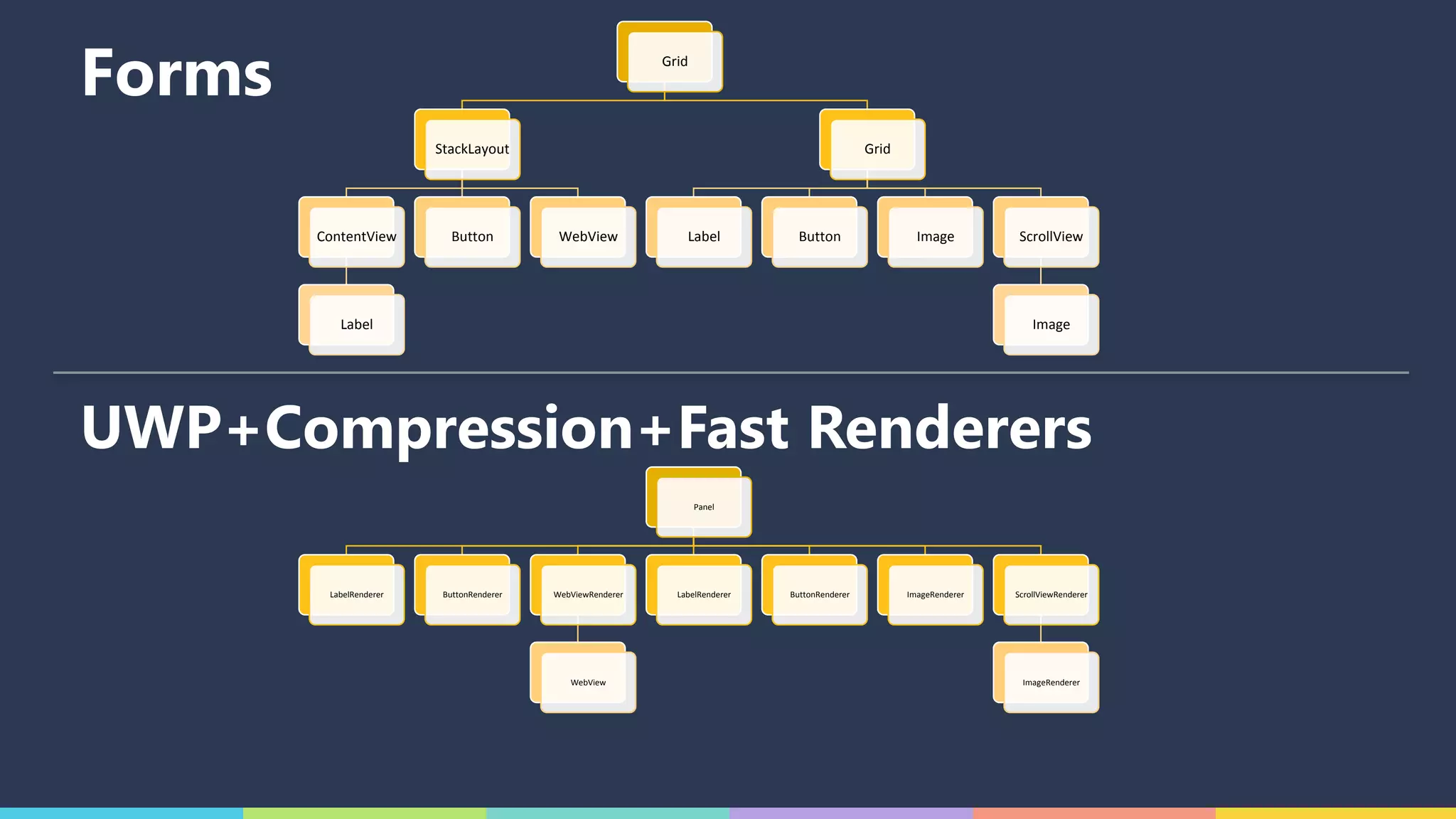
Forms
UWP
Grid
StackLayout
ContentView
Label
Button WebView
Grid
Label Button Image ScrollView
Image
Panel
LabelRenderer
TextBlock
ButtonRenderer
Button
WebViewRenderer
WebView
LabelRenderer
Label
ButtonRenderer
Button
ImageRenderer
Image
ScrollViewRenderer
ImageRenderer
Image
Forms
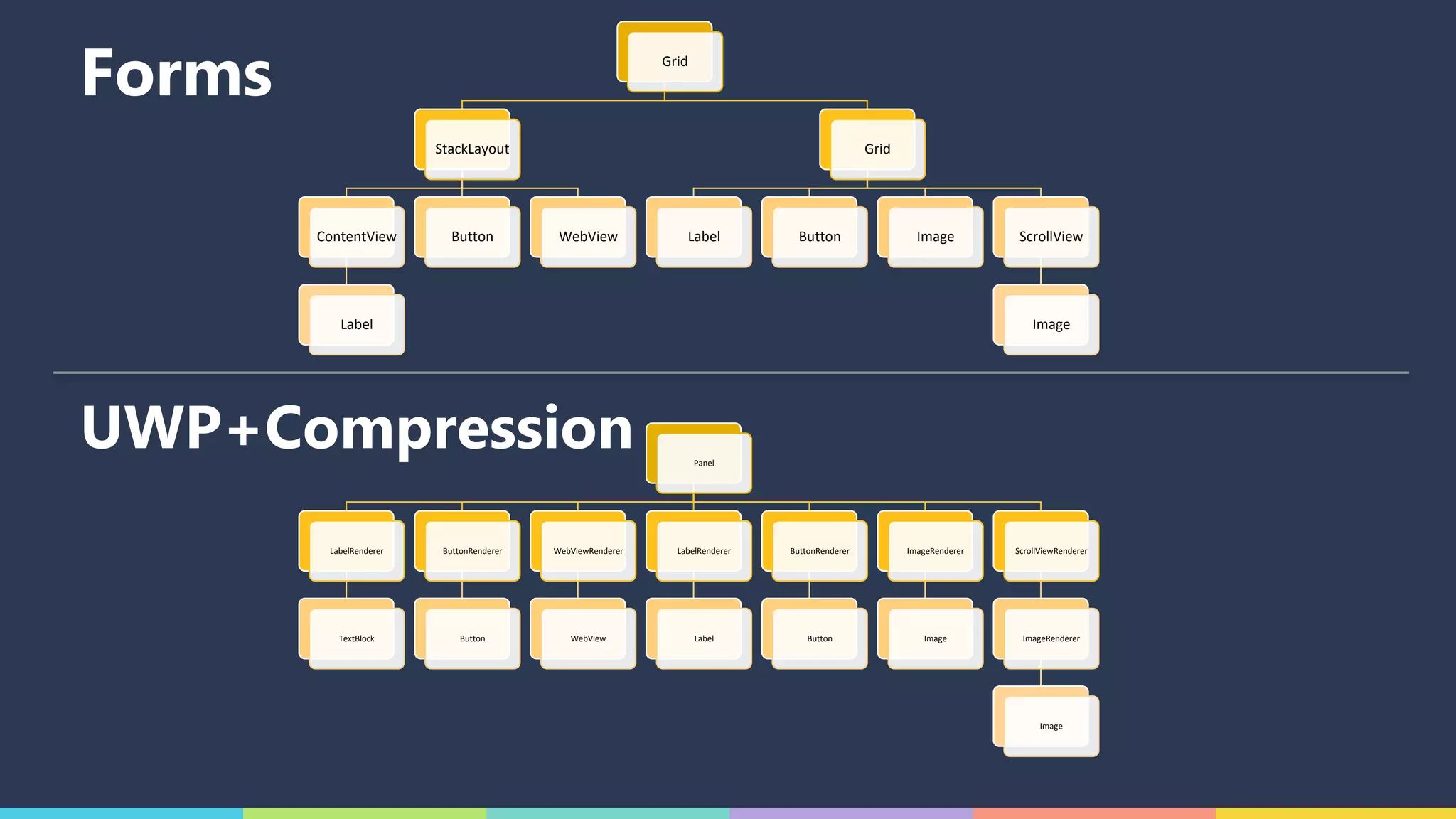
UWP+Compression
Grid
StackLayout
ContentView
Label
Button WebView
Grid
Label Button Image ScrollView
Image
Panel
LabelRenderer ButtonRenderer WebViewRenderer
WebView
LabelRenderer ButtonRenderer ImageRenderer ScrollViewRenderer
ImageRenderer
Forms
UWP+Compression+Fast Renderers
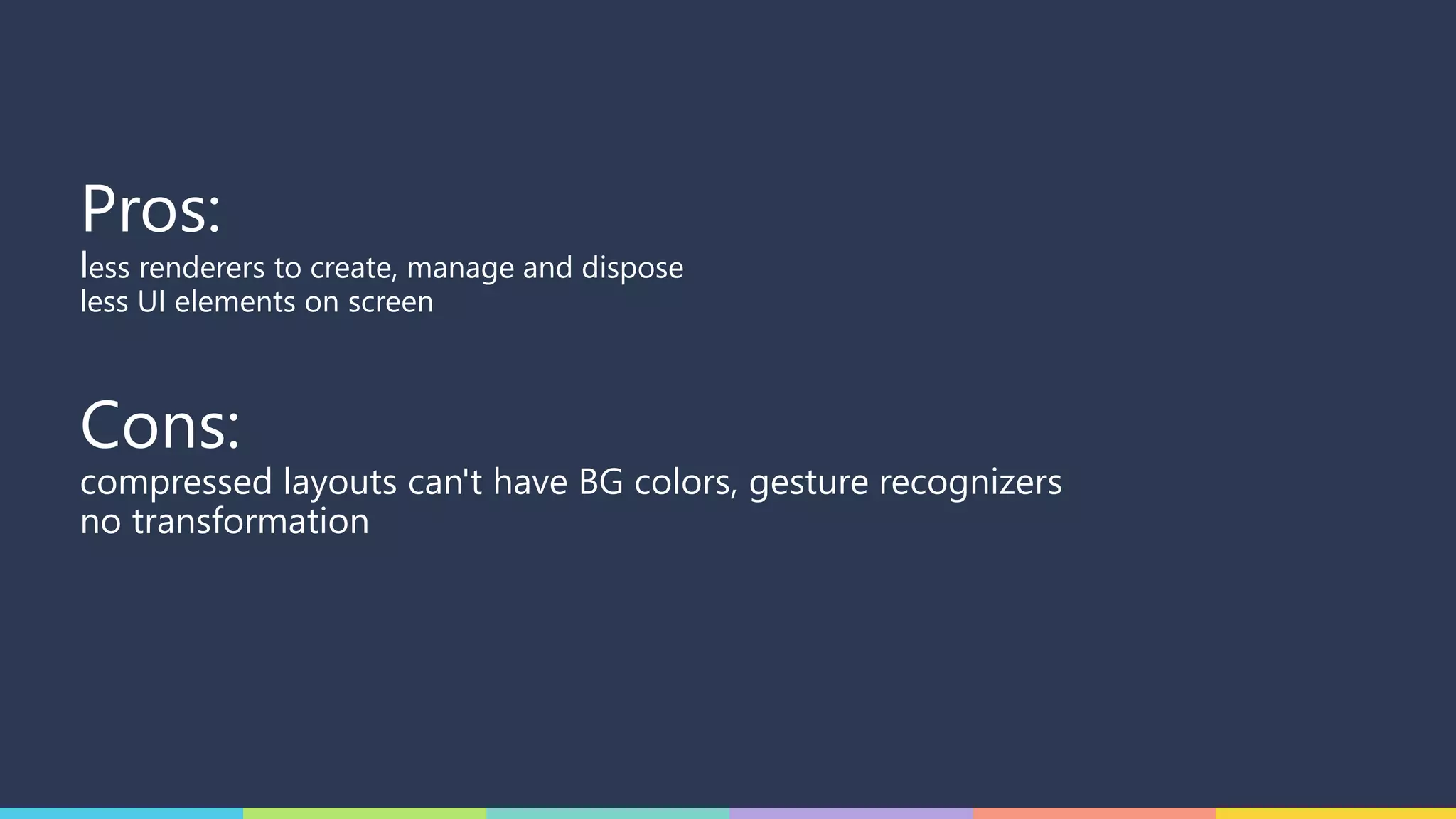
Pros:
less renderers to create, manage and dispose
less UI elements on screen
Cons:
compressed layouts can't have BG colors, gesture recognizers
no transformation
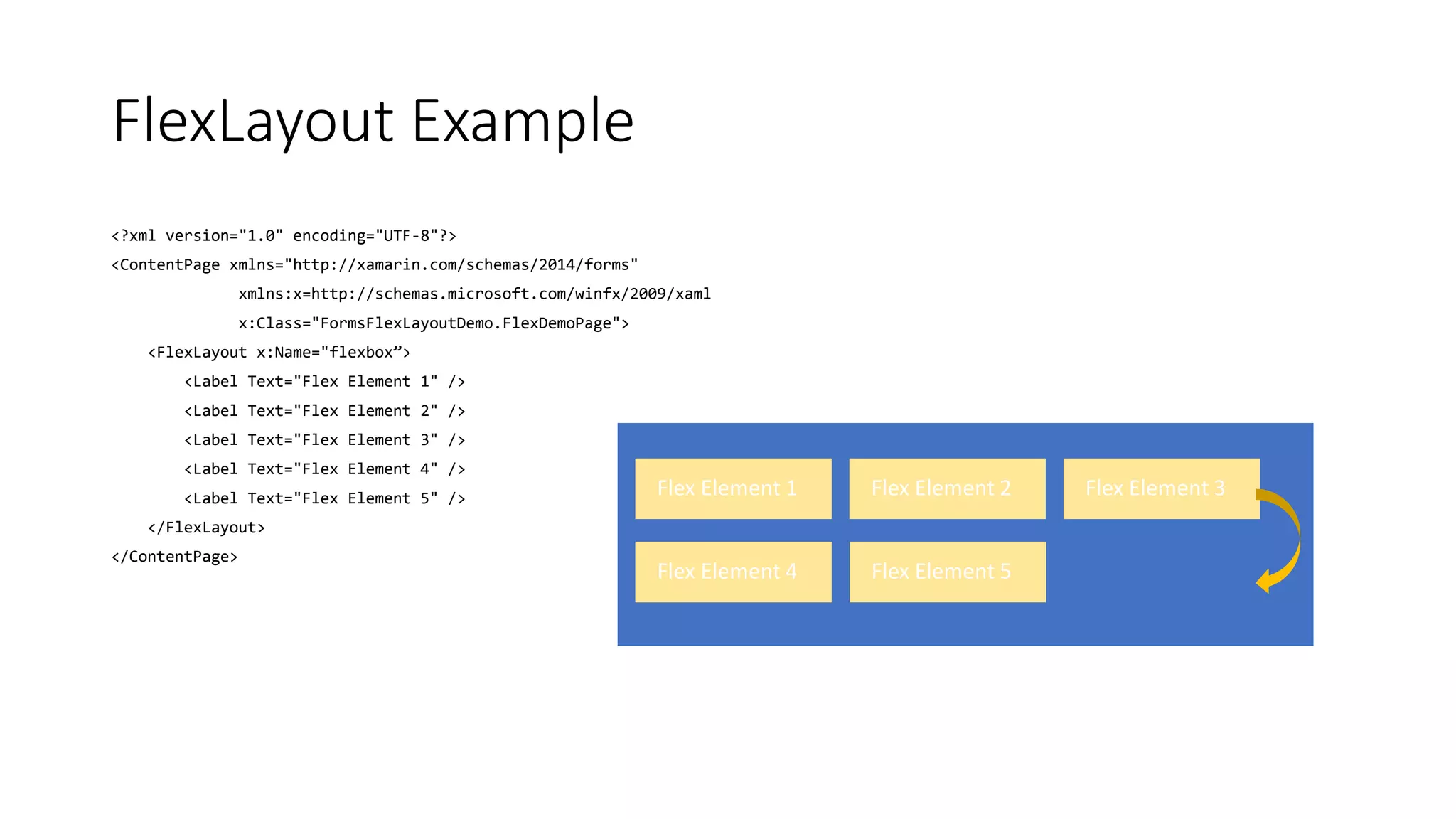
FlexLayout Example
<?xml version="1.0" encoding="UTF-8"?>
<ContentPage xmlns="http://xamarin.com/schemas/2014/forms"
xmlns:x=http://schemas.microsoft.com/winfx/2009/xaml
x:Class="FormsFlexLayoutDemo.FlexDemoPage">
<FlexLayout x:Name="flexbox”>
<Label Text="Flex Element 1" />
<Label Text="Flex Element 2" />
<Label Text="Flex Element 3" />
<Label Text="Flex Element 4" />
<Label Text="Flex Element 5" />
</FlexLayout>
</ContentPage>
Flex Element 1 Flex Element 2 Flex Element 3
Flex Element 4 Flex Element 5
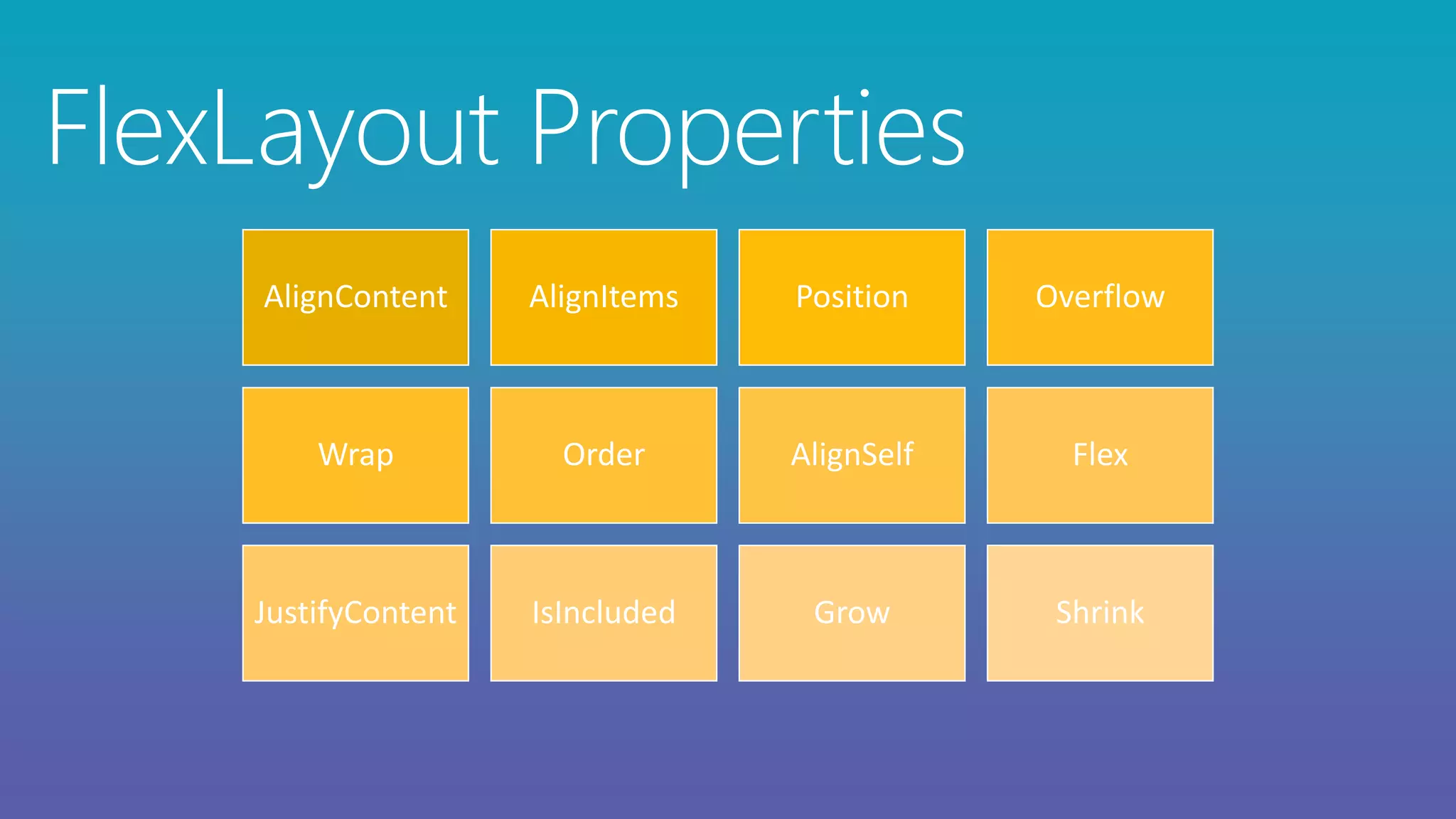
AlignContent AlignItems Position Overflow
Wrap Order AlignSelf Flex
JustifyContent IsIncluded Grow Shrink
FlexLayout Properties
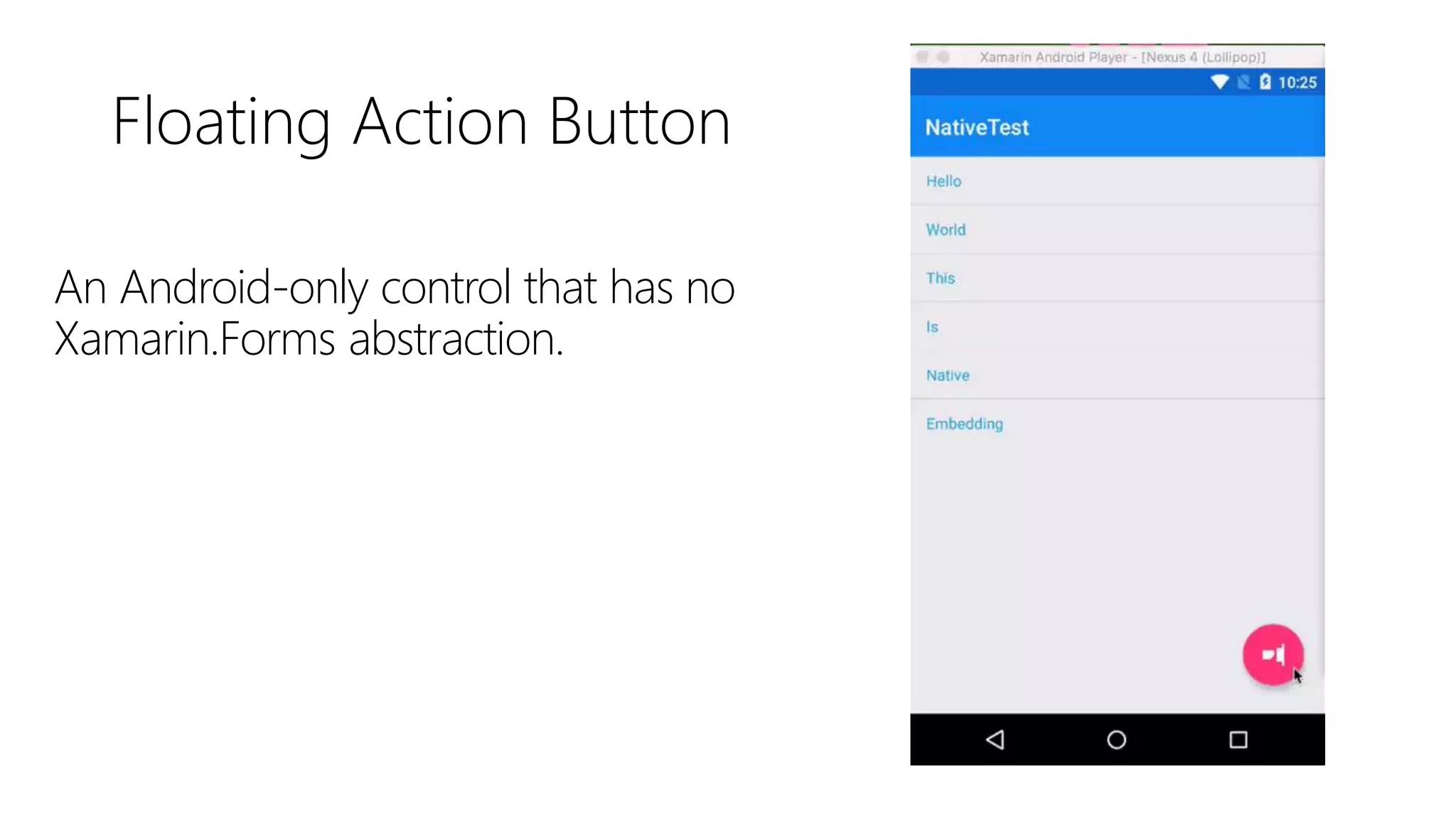
Floating Action Button
An Android-only control that has no
Xamarin.Forms abstraction.
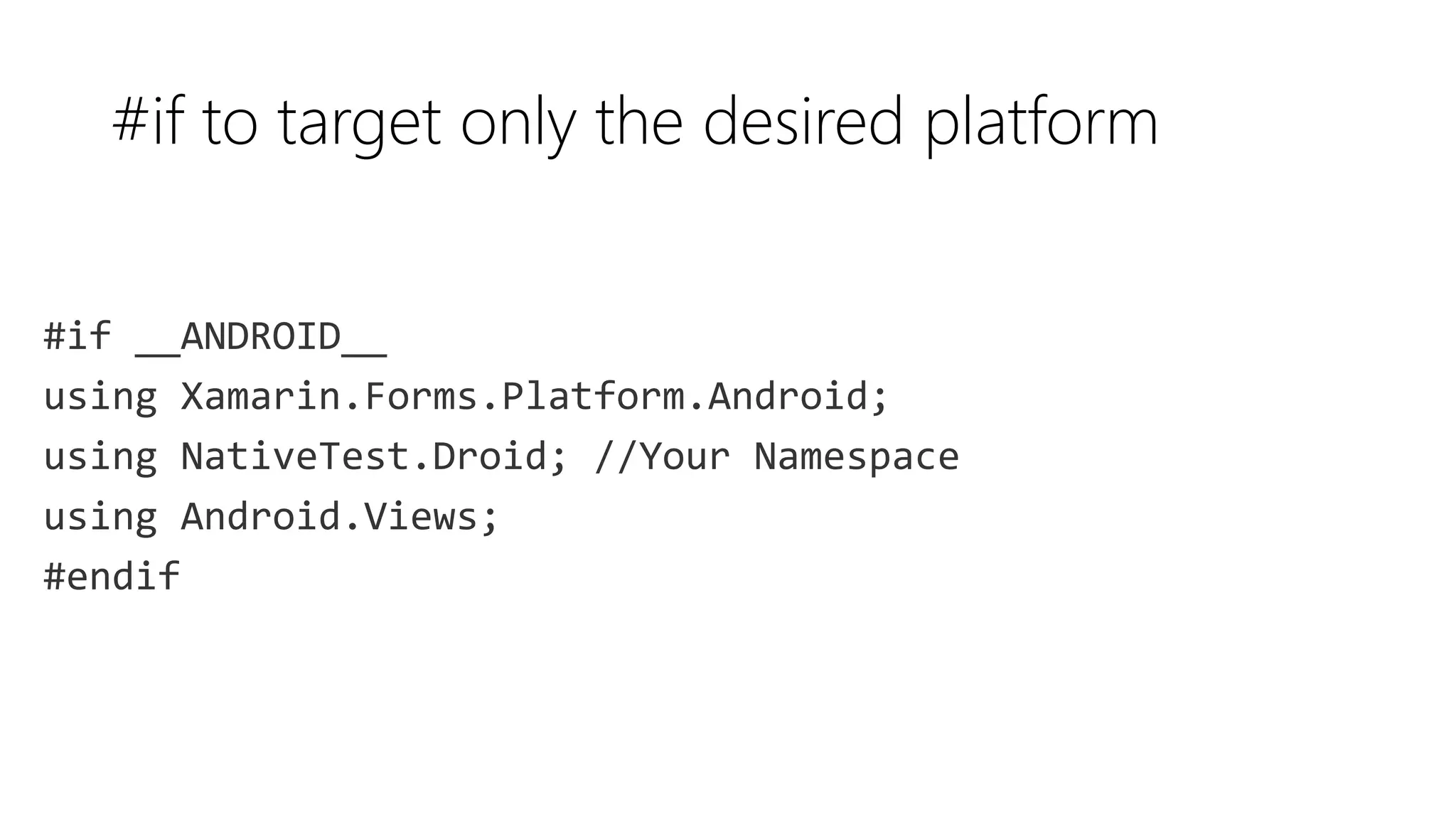
#if to target only the desired platform
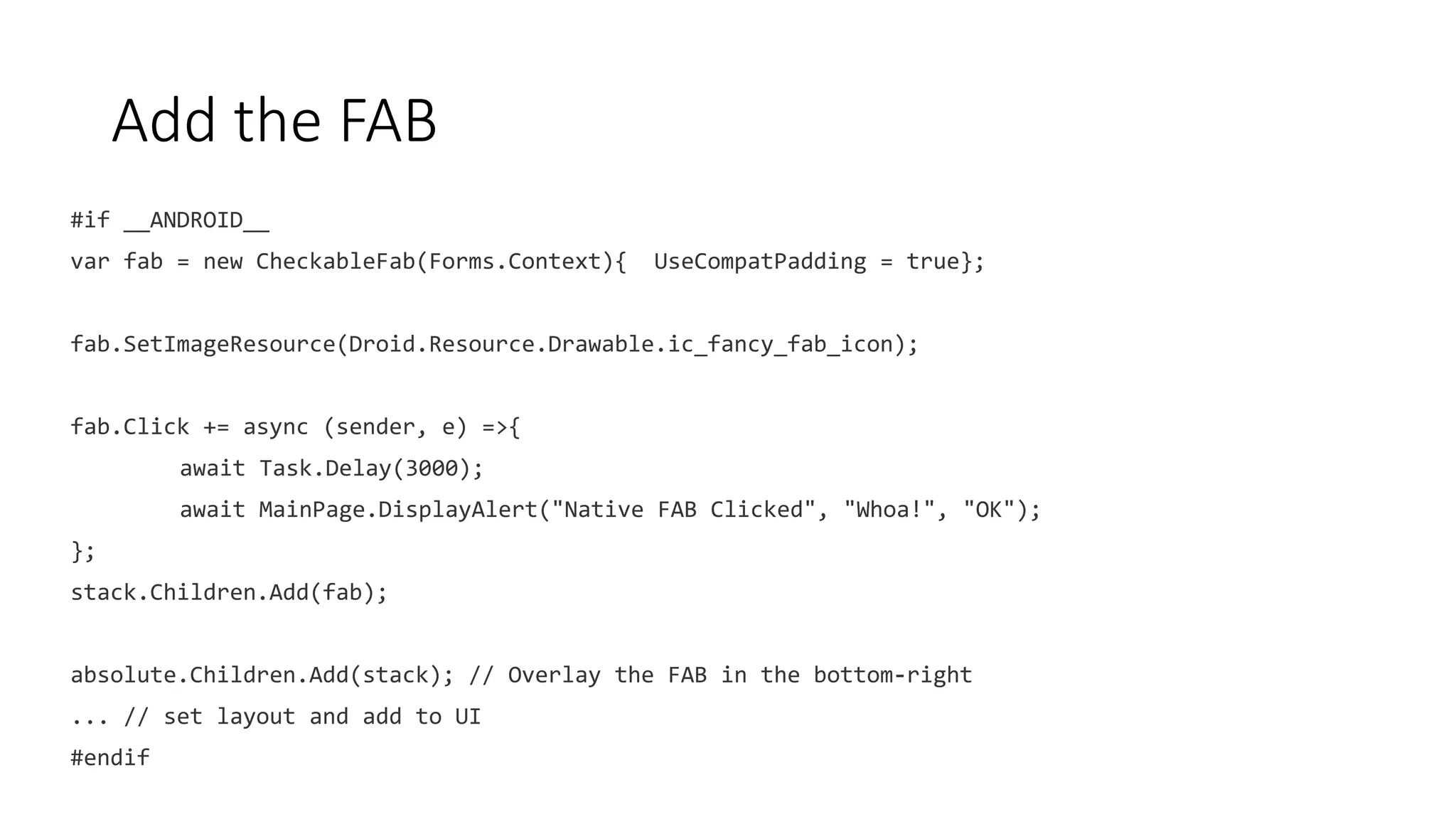
Add the FAB
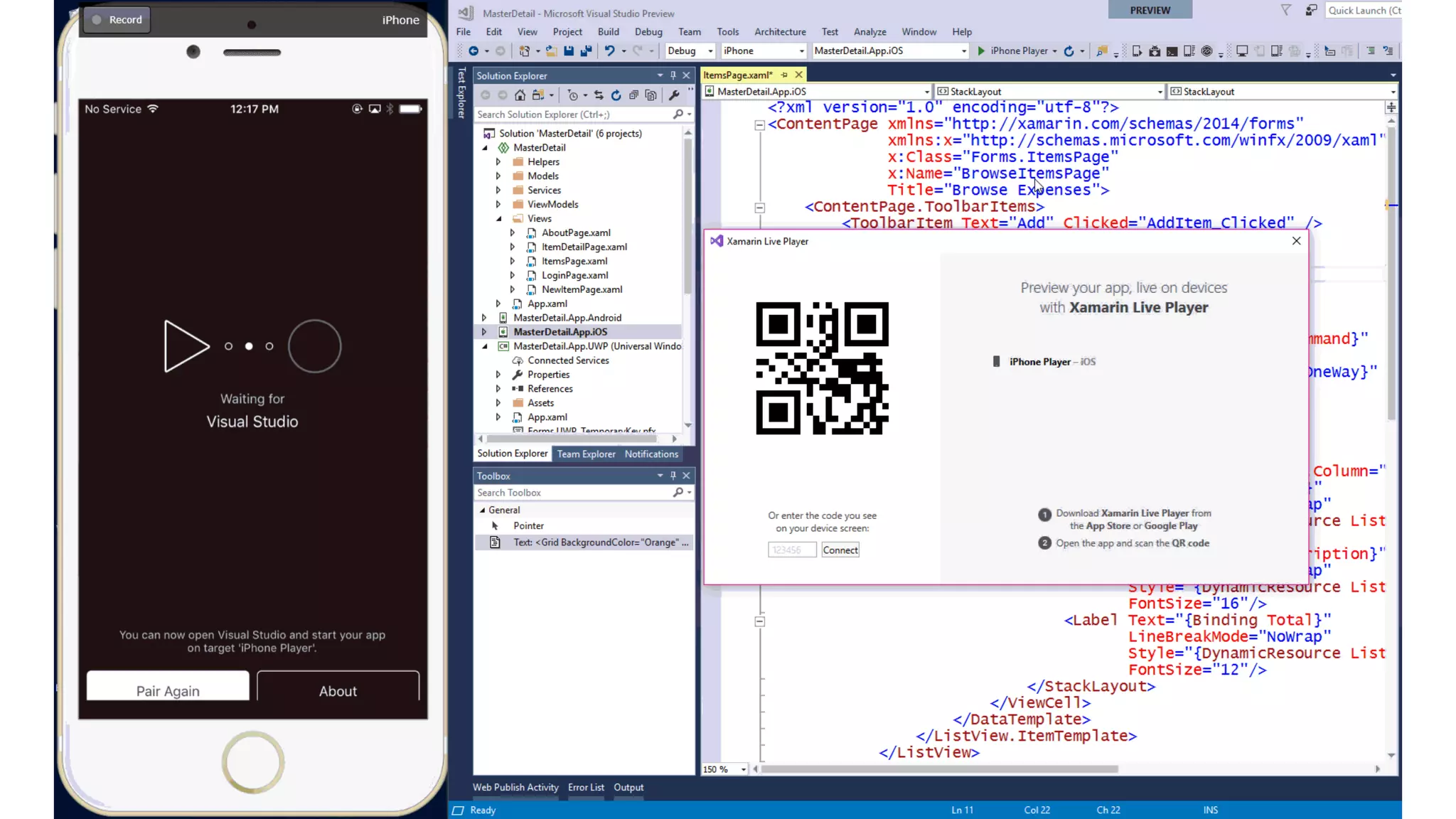
• Continuously deploy & debug apps
Xamarin Live Player
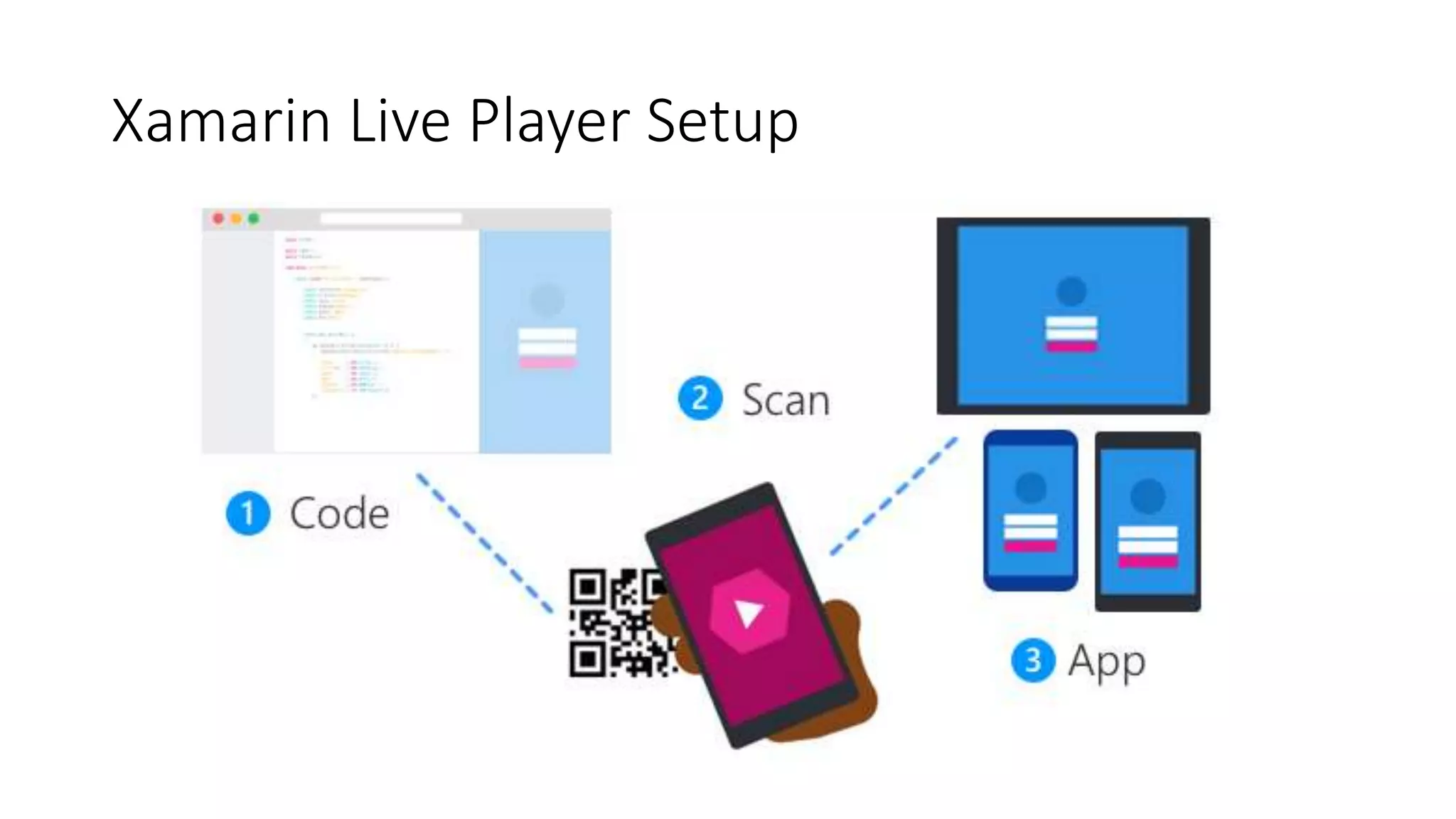
Xamarin Live Player Setup
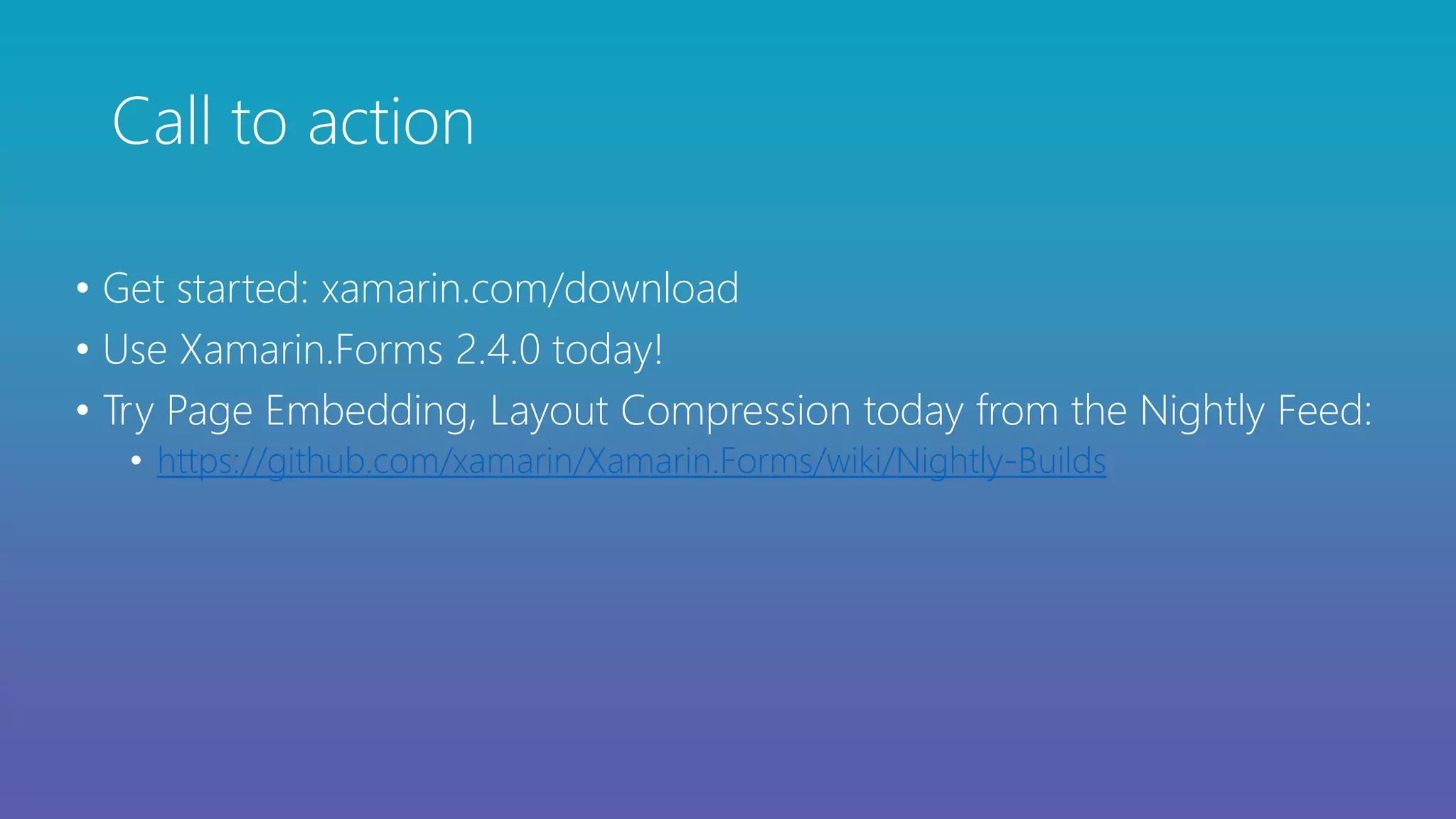
Call to action
• Get started: xamarin.com/download
• Use Xamarin.Forms 2.4.0 today!
• Try Page Embedding, Layout Compression today from the Nightly Feed:
• https://github.com/xamarin/Xamarin.Forms/wiki/Nightly-Builds
Open Source – open.xamarin.com
Sponsored By
Thank you.
Questions?
Rui Marinho
Software Engineer, Xamarin Forms, Mobile Developer Tools
@ruiespinho

What's new in Xamarin.Forms

  • 3.
  • 5.
    Native User InterfacesNative API Access Native Performance
  • 7.
    Silo approach iOS WindowsAndroid Objective-C/Swift Xcode C# VisualStudio Java Android Studio No shared code • Many languages and development environments • Multiple teams
  • 8.
    Write once, runanywhere Lua Javascript Actionscript HTML+CSS Limited native API access • Slow performance • Poor user experience App generator
  • 9.
    iOS C# UIWindows C# UIAndroid C# UI Shared C# logic Xamarin’s unique approach Shared C# codebase • 100% native API access • High performance
  • 11.
    Windows APIs Microsoft.Phone Microsoft.NetworkingWindows.Storage Windows.Foundation Microsoft.Devices System.Data System.Windows System.Numerics System.Core System.ServiceModel System.Net System System.IO System.Linq System.Xml C#
  • 12.
    iOS – 100%API coverage MapKit UIKit iBeacon CoreGraphics CoreMotion System.Data System.Windows System.Numerics System.Core System.ServiceModel System.Net System System.IO System.Linq System.Xml C#
  • 13.
    Android – 100%API coverage Text-to-speech ActionBar Printing Framework Renderscript NFC System.Data System.Windows System.Numerics System.Core System.ServiceModel System.Net System System.IO System.Linq System.Xml C#
  • 15.
    Xamarin Native approach 3Native User Interfaces Shared App Logic Shared C# Logic Windows C#Android C#iOS C#
  • 16.
    Xamarin.Forms- Cross PlatformUI Shared Native User Interface Shared App Logic Shared C# Logic Shared UI Code
  • 17.
    Layouts Pages Stack Absolute RelativeGrid ContentView ScrollView Frame Content MasterDetail Navigation Tabbed Carousel
  • 18.
    ActivityIndicator BoxView ButtonDatePicker Editor Entry Image Label ListView Map OpenGLView Picker ProgressBar SearchBar Slider Stepper TableView TimePicker WebView EntryCell ImageCell SwitchCell TextCell ViewCell Controls
  • 19.
    Native UI ContentPage LabelPicker Android Activity / Fragment TextView AlertDialog + LinearLayout + EditText + NumberPicker iOS UIViewController UILabel UITextField + UIPickerView + UIToolbar + UIBarButtonItem UWP Page TextBlock ComboBox developer.xamarin.com/guides/xamarin-forms/application-fundamentals/custom-renderer/renderers/
  • 20.
    macOS Preview Enhanced GestureRecognizers AndroidSupport Libraries PlatformSpecifics Fast Scroll NavigationPage Translucency Blur Behind .netstandard support Partial Collapse MasterPage Native Control Binding Map Extensibility Fast Renderers Preview Startup Time ListView Scrolling Memory Improvements XAMLC Bindable Picker Frame Corners Tizen Forms Previewer FlexLayout Preview Xamarin.Forms Embedding DataPages
  • 21.
    • Aggressive bugtriage • New issues reviewed within 24 hrs • Reproduction projects for quick resolution • Performance Improvements • Startup Time • Fast Renderers for Android • ListView improvements, Fast Scroll • XAMLC – 5x faster • Discussion: aka.ms/xfperformance Quality and Performance Source: Matthew Robbins - MFractor
  • 23.
    2.4.0 • .NET Standard2.0 • Stability and Performance • Over 150 fixes • New Feature Flags API • Android Fast Renderers: Button, Image, Label • macOS Preview
  • 24.
    vNext • Page Embedding •Layout Compression • Right-to-Left • ListView enhancements • Gesture enhancements • FlexLayout • VSM • macOS, GTK
  • 25.
    XAML Standard • Lotsof feedback! • Reconciling the APIs we can without breakage • Share implementations of • x:Bind • Visual State Manager
  • 27.
    Xamarin.Forms Page Embedding Shared C#Logic Windows C#Android C#iOS C# iOS Obj-C Swift Android Java ?
  • 30.
    • public classButtonRenderer : ViewRenderer<Button, AppCompatButton>, AView.IOnAttachStateChangeListener { ButtonBackgroundTracker _backgroundTracker; TextColorSwitcher _textColorSwitcher; float _defaultFontSize; Typeface _defaultTypeface; bool _isDisposed; int _imageHeight = -1; public ButtonRenderer() { AutoPackage = false; } global::Android.Widget.Button NativeButton => Control; …..
  • 31.
    • internal sealedclass ButtonRenderer : AppCompatButton, IVisualElementRenderer, AView.IOnAttachStateChangeListener, AView.IOnFocusChangeListener, IEffectControlProvider, AView.IOnClickListener, AView.IOnTouchListener { public event EventHandler<VisualElementChangedEventArgs> ElementChanged; public event EventHandler<PropertyChangedEventArgs> ElementPropertyChanged; public ButtonRenderer() : base(Forms.Context) { _automationPropertiesProvider = new AutomationPropertiesProvider(this); _effectControlProvider = new EffectControlProvider(this); _textColorSwitcher = new Lazy<TextColorSwitcher>(() => new TextColorSwitcher(TextColors)); Initialize(); } …..
  • 36.
    Layout Lifecycle: Invalidation LoopHas Parent? InvalidateMeasure Called Call InvalidateMeasure on Parent Queue Delay Layout Yes No 1 2 3 4
  • 37.
    Has Parent? InvalidateMeasure Called CallInvalidateMeasure on Parent Queue Delay Layout Yes No 1 2 3 4 Wait for event callback to happen and trigger the layout mechanism 5 Has Children? LayoutChildren Invoked Layout called 6 7 8 Yes No Layout Cycle Completed 9 Layout Lifecycle: Layout Loop
  • 38.
    Grid StackLayout ContentView Label Button WebView Grid Label ButtonImage ScrollView Image Panel Panel Panel LabelRenderer TextBlock ButtonRenderer Button WebViewRenderer WebView Panel LabelRenderer Label ButtonRenderer Button ImageRenderer Image ScrollViewRenderer ImageRenderer Image Forms UWP
  • 39.
    Grid StackLayout ContentView Label Button WebView Grid Label ButtonImage ScrollView Image Panel LabelRenderer TextBlock ButtonRenderer Button WebViewRenderer WebView LabelRenderer Label ButtonRenderer Button ImageRenderer Image ScrollViewRenderer ImageRenderer Image Forms UWP+Compression
  • 40.
    Grid StackLayout ContentView Label Button WebView Grid Label ButtonImage ScrollView Image Panel LabelRenderer ButtonRenderer WebViewRenderer WebView LabelRenderer ButtonRenderer ImageRenderer ScrollViewRenderer ImageRenderer Forms UWP+Compression+Fast Renderers
  • 41.
    Pros: less renderers tocreate, manage and dispose less UI elements on screen Cons: compressed layouts can't have BG colors, gesture recognizers no transformation
  • 48.
    FlexLayout Example <?xml version="1.0"encoding="UTF-8"?> <ContentPage xmlns="http://xamarin.com/schemas/2014/forms" xmlns:x=http://schemas.microsoft.com/winfx/2009/xaml x:Class="FormsFlexLayoutDemo.FlexDemoPage"> <FlexLayout x:Name="flexbox”> <Label Text="Flex Element 1" /> <Label Text="Flex Element 2" /> <Label Text="Flex Element 3" /> <Label Text="Flex Element 4" /> <Label Text="Flex Element 5" /> </FlexLayout> </ContentPage> Flex Element 1 Flex Element 2 Flex Element 3 Flex Element 4 Flex Element 5
  • 49.
    AlignContent AlignItems PositionOverflow Wrap Order AlignSelf Flex JustifyContent IsIncluded Grow Shrink FlexLayout Properties
  • 51.
    Floating Action Button AnAndroid-only control that has no Xamarin.Forms abstraction.
  • 52.
    #if to targetonly the desired platform
  • 53.
  • 54.
    • Continuously deploy& debug apps Xamarin Live Player
  • 55.
  • 57.
    Call to action •Get started: xamarin.com/download • Use Xamarin.Forms 2.4.0 today! • Try Page Embedding, Layout Compression today from the Nightly Feed: • https://github.com/xamarin/Xamarin.Forms/wiki/Nightly-Builds
  • 58.
    Open Source –open.xamarin.com
  • 59.
  • 60.
    Thank you. Questions? Rui Marinho SoftwareEngineer, Xamarin Forms, Mobile Developer Tools @ruiespinho

Editor's Notes

  • #2 https://github.com/jsuarezruiz/xamarin-forms-goodlooking-UI
  • #4 Specially xaml and .net platforms
  • #8 Multiple Teams Multiple Code Bases Expensive & Slow Positive = Great apps delivered to user’s platform Negative = Development hampered by multiple code bases & fragmentation
  • #18 Inside of a page are layouts A lot of options from something simple like a stack panel to complex and powerful grids
  • #19 You have more than 40 controls, layouts, and pages to mix and match from. These are all of the controls you have out of the box, you can of course create your own. What is unique is you get the native control and have access to it. Consider an Entry Field On iOS it is mapped to UITextField Android it is EditText Windows Phoen it is a TextBox
  • #22 Screenshots of app UI tested. Maybe graph the improvement.
  • #23 Kick off File > New with Live Player running What do we want to cover about building an app?
  • #25 Listview - get rid xamarin of viewcells.. Add insert methods…
  • #27 Kick off File > New with Live Player running What do we want to cover about building an app?
  • #28 Possible embedding in Android or native Obj-C apps Navigate a Native level New Possibilities .. Just bring what you need to iOS or Android
  • #36 Been working on layout compression for a while Initial testing is showing very positive results Will be a slow burn to get it fully implemented
  • #37 2 key parts of the layout lifecycle to know about First is invalidation loop Kicked off whenever a child calls invalidate measure The child will then begin chaining the call up to its parents, over and over This chart is of course an over-simplification and there are optimizations that can prevent this chaining from happening.
  • #38 Second is the layout loop Occurs some undefined time AFTER the invalidation loop, may be immediate, not required to be Layout is called on a View View then calls Layout on all children, who then recurse into this Completes when all Layout cycles are finished
  • #39 They are duplicate..
  • #40 Pros: less renderers to create, manage and dispose less UI elements on screen Cons: compressed layouts can't have BG colors, gesture recognizers no transformation ...
  • #44 Kick off File > New with Live Player running What do we want to cover about building an app?
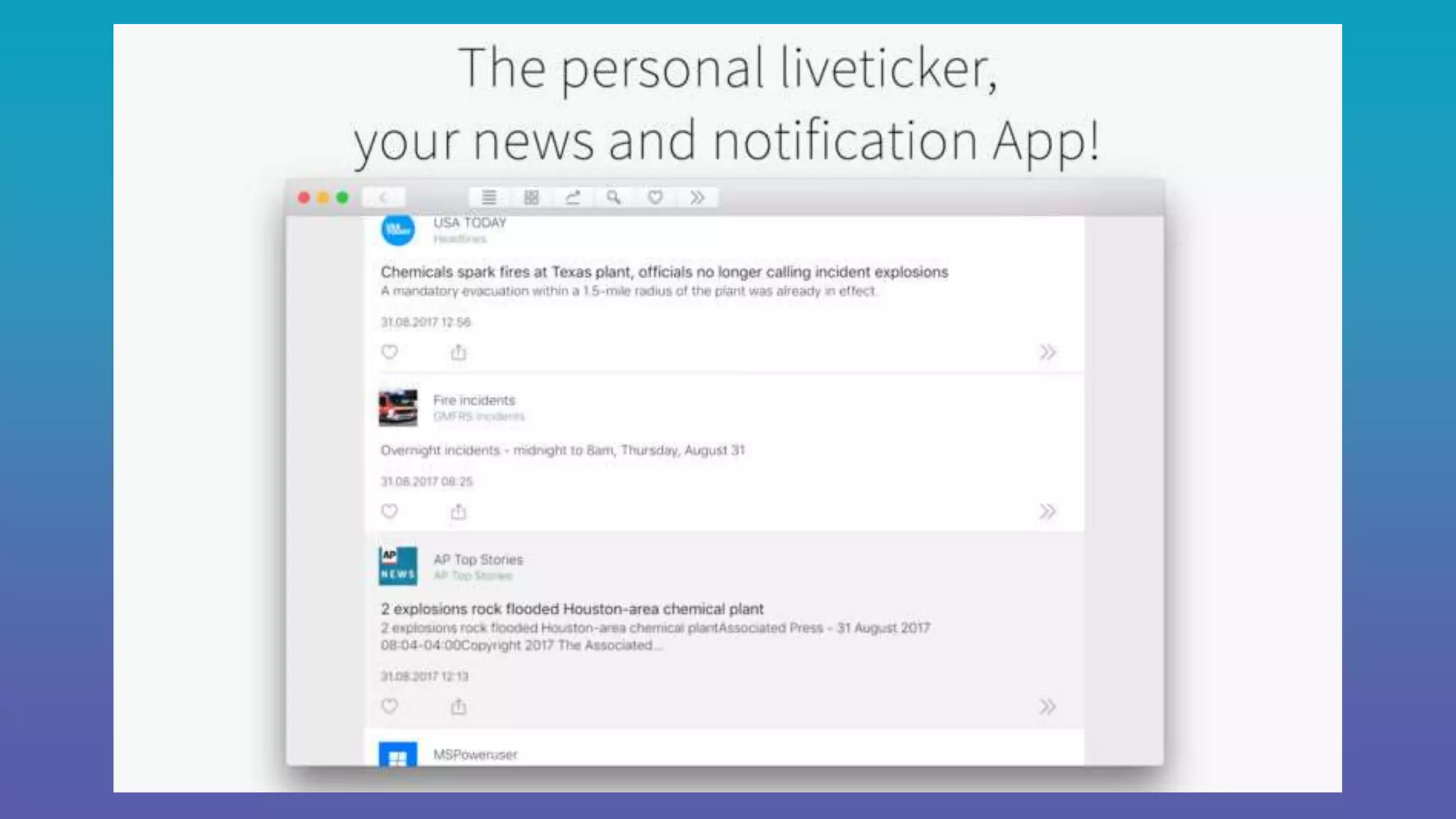
  • #45 https://itunes.apple.com/app/tickers/id1259870423?mt=12
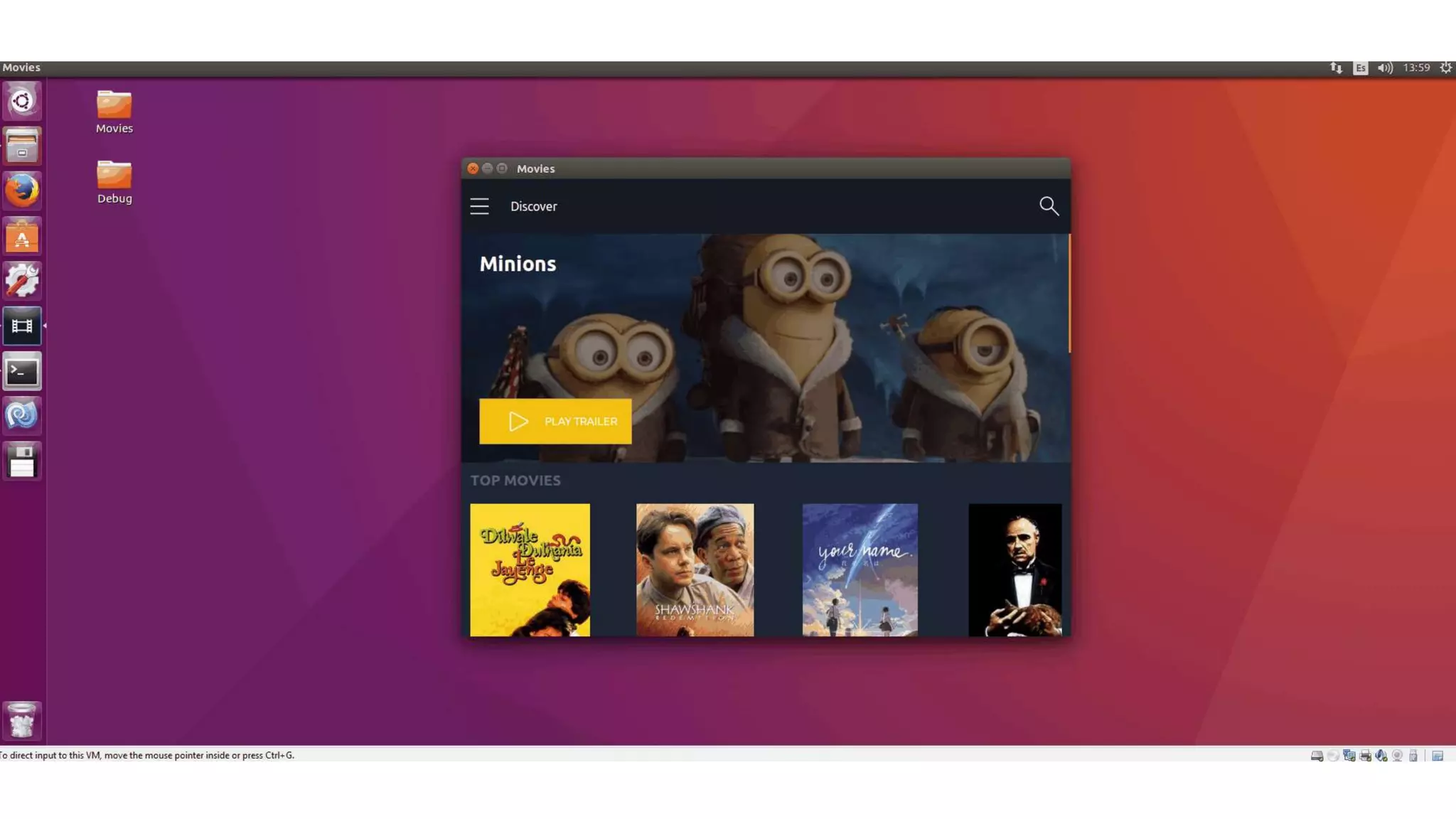
  • #46 Gtk# is a Graphical User Interface Toolkit for mono and .Net. The project binds the gtk+ toolkit and assorted GNOME libraries, enabling fully native graphical Gnome application development using the Mono and .Net development frameworks
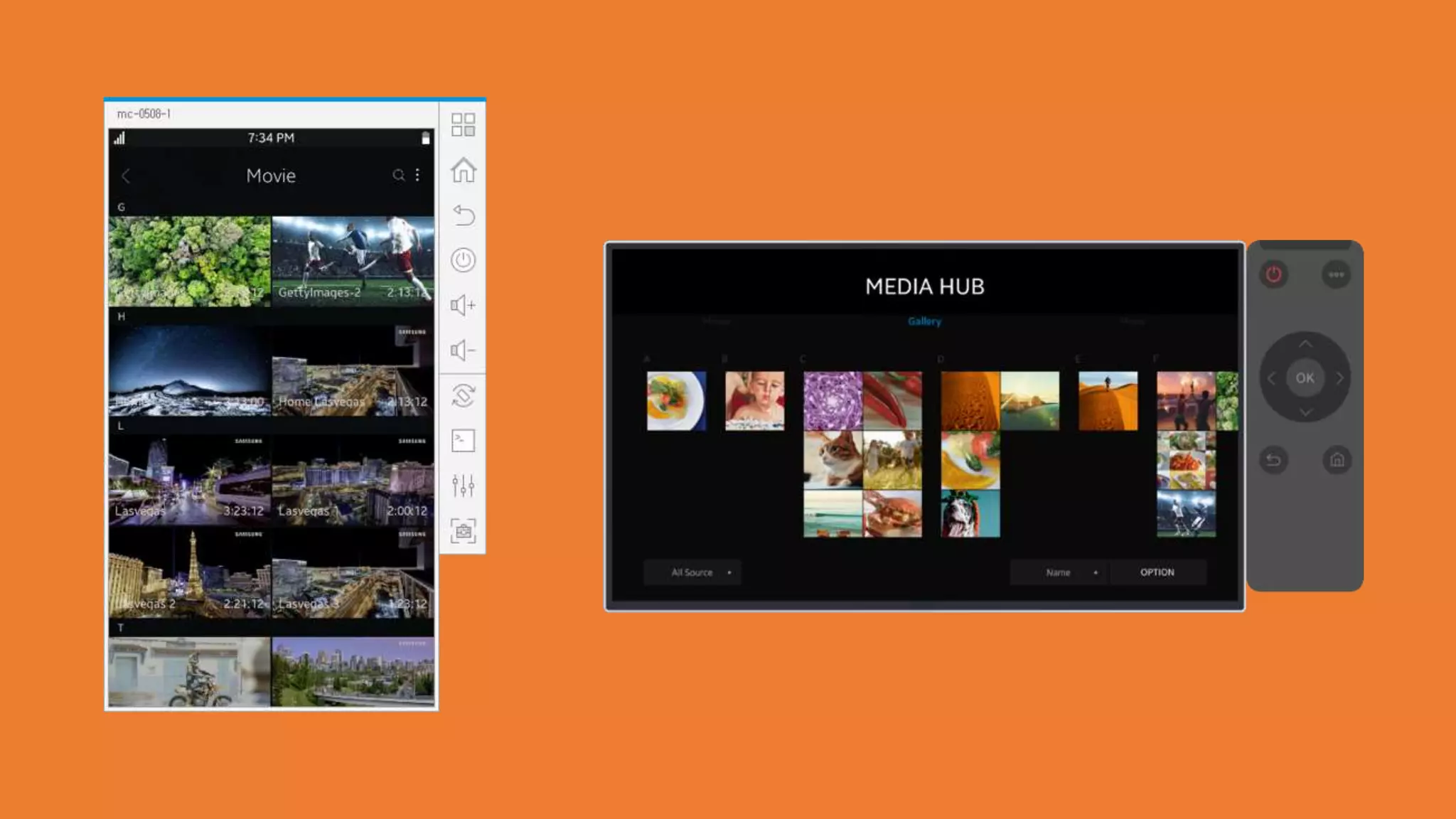
  • #47 Really beautiful, isn’t it. The talented people over at Samsung have done an incredible job.
  • #48 Kick off File > New with Live Player running What do we want to cover about building an app?
  • #51 Kick off File > New with Live Player running What do we want to cover about building an app?
  • #52 https://github.com/rmarinho/XFNativeMix
  • #53 https://developer.xamarin.com/guides/xamarin-forms/platform-features/platform-specifics/creating/
  • #54 CheckableFab is a button implementation from Jeremie Laval https://blog.xamarin.com/embedding-native-controls-into-xamarin-forms/