
What is the Catalog?
The Catalog is everywhere. It is all
around us. Even now, in this very room.
You can see it when you look out the
window. Or when you turn on your
television. You can feel it when you go to
work… when you go to church.. When you pay
your taxes. It is the...
                    What the..?!!
                     You wish!
                                    © http://www.flickr.com/photos/fernando/21613765/
Catalog

                                         You   © http://picasaweb.google.com/aruchi


                  Bala
  © http://picasaweb.google.com/aruchi         © http://picasaweb.google.com/aruchi
Señor
Bala Parthasarathy
Sr Product Manager, eBay Catalogs
library of structured product
information that can be readily used by you

Millions of products
The iPhone                 My iPhone
                             That product +
      Brand = Apple,         Condition = Used +
Blueprint for= 1234,
      UPC an Item a        Instance of a Product
          Lives in           Item Photo = Y a
                                   Lives in +
      Carrier = AT&T,        List Price = $150 +/
           Catalog
≡ “Class” in programming        Marketplace
                           ≡ “Object” in programming
      Stock Photo = X,       Payment, Shipping,
      Avg Price = $200             Storefront
                             Return Policy, Etc…
Sellers
    Efficiency! Create professional quality
    Get access to key product both
    Increase search exposure, data, on
    listings, quickly and easily, by automatically
    such and external search engines!
    eBay as average selling price, etc!
    Including product details on your item!
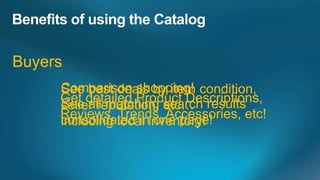
Buyers
     Comparison shopping! condition,
     See best deals by item
     Get detailed Product Descriptions,
     seller reputation, etc…
     See all matching search results
     Reviews, Trends, Accessories, etc!
     consolidated ininventory!
     including local one page!
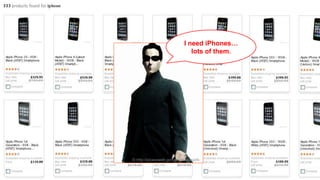
I need iPhones…
                              lots of them.


© http://picasaweb.google.com/aruchi
Shopping API >> FindProducts Service


           Input                  Output
    - Keywords              - Matching Products
    - Detail Level          - Requested Details
    - Product Identifiers
<FindProductsRequest xmlns="urn:ebay:apis:eBLBaseComponents">
      <QueryKeywords> Harry Potter </QueryKeywords>
      <MaxEntries>2</MaxEntries>
      <AvailableItemsOnly>true</AvailableItemsOnly>
</FindProductsRequest>
<FindProductsResponse xmlns="urn:ebay:apis:eBLBaseComponents">
<Ack>Success</Ack>
 ...
 ...
  <Product>
   <Title> Harry Potter and the Half-Blood Prince (DVD, 2009, WS) </Title>
   <DomainName>DVDs</DomainName>
   <DetailsURL>http://syicatalogs.ebay.com/ws...1:1:1:1399134402</DetailsURL>
   <ProductID type="Reference">78413115</ProductID>
   <ProductID type="UPC"> 085391200390 </ProductID>
   <ItemSpecifics>
     <NameValueList>
       <Name>Format</Name> <Value>DVD</Value>
     </NameValueList>
     …
   </ItemSpecifics>
   <ReviewCount>201</ReviewCount>
   <StockPhotoURL> http://i.ebayimg.com/00... </StockPhotoURL>
   …
  </Product>
 ...
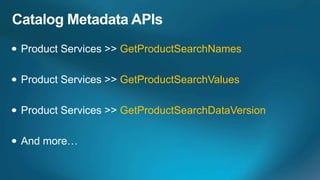
GetProductXXX
Metadata APIs
GetProductSearchNames

GetProductSearchValues

GetProductSearchDataVersion
Listing with Products
>> AddItem

Just specify a product identifier
<AddItemRequest xmlns="urn:ebay:apis:eBLBaseComponents">
  ...
  <Item>
    <PrimaryCategory> <CategoryID>111422</CategoryID> </PrimaryCategory>
    <StartPrice>500.0</StartPrice>
    <ConditionID>1000</ConditionID>
    ...
    <ProductListingDetails>
     <UPC> 885909298594 </UPC>
     <IncludeStockPhotoURL>true</IncludeStockPhotoURL>
     <IncludePrefilledItemInformation>true</IncludePrefilledItemInformation>
     <UseFirstProduct>true</UseFirstProduct>
     <UseStockPhotoURLAsGallery>true</UseStockPhotoURLAsGallery>
    </ProductListingDetails>
    <ReturnPolicy> ... </ReturnPolicy>
    <ShippingDetails> ... </ShippingDetails>
    ...
  </Item>
</AddItemRequest>
UseFirstProduct = True

IncludeStockPhotoURL = False

IncludePrefilledItemInformation = False
EPID

                       GUID

Avoid listing in two categories

Listing with catalog is mandatory in some categories
© http://picasaweb.google.com/aruchi
Community members can now add products
1
                          Web Tool
                    Create products using a
                     simple web interface


              2
                       File Exchange
                  Create products in bulk using    eBay
                       a CSV file format
                                                  Catalog

              3

  Your               Product Service
Application          API to create products
1
       Get the metadata needed for product creation
    (Product Metadata Service : Get Product Metadata)


     Request your product to be added to the catalog
2
            (Product Service : Add Product)
Creating Items         Vs        Creating Products

1   Call Item Metadata APIs          1   Call Product Metadata API
    (Get Category Features,              (Get Product Metadata)
    Get Item Recommendations)


2                                    2
    Call Add Item API                    Call Add Product API
<getProductMetadataBulkResponse xmlns="http://www.ebay.com/mar...">
   ...
   <productMetadata>
         <propertyMetadata>
<?xml version="1.0" encoding="UTF-8"?>
             <propertyName> Brand </propertyName>
             <dataType> STRING </dataType>
<getProductMetadataBulkRequest
                <stringTypeSpecificInformation>
 xmlns="http://www.ebay.com/marketplace/marketplacecatalog/v1/services">
                   <managedValue> Garmin </managedValue>
    <productMetadataRequest>
                   <managedValue> TomTom </managedValue>
        <categoryId> 156955 </categoryId>
                  ...
                   <maximumCharactersAllowed> 100 </maximumCharactersAllowed>
    </productMetadataRequest>
                </stringTypeSpecificInformation>
</getProductMetadataBulkRequest>
                <multiValued> false </multiValued>
          </propertyMetadata>
         ...
         <groupProperties>
                <groupType> GUID_PROPERTIES </groupType>
                <groupProperty> <propertyName>EAN</propertyName> </groupProperty>
                <groupProperty> <propertyName>MPN</propertyName> </groupProperty>
         </groupProperties>
   </productMetadata>
</getProductMetadataBulkResponse>
<?xml version="1.0" encoding="UTF-8"?>
<addProductsRequest xmlns="http://www.ebay.com/marke...">
   <addProductRequest>
<addProductsResponse xmlns="http://www.ebay.com/marke...">
      <categoryId> 156955 </categoryId>
   <ack>Success</ack>
      <productPropertyValue>
   <errorMessage/>
         <propertyName> Title </propertyName>
   <version>1.3.1</version>
        <value><text><value> Garmin Nuvi 1490T
  <timestamp>2011-05-02T20:14:22.569Z</timestamp>   With Traffic   </value></text></value>
     </productPropertyValue>
  <addProducResponse>
     <productPropertyValue>
     <errorMessage/>
        <propertyName> Brand </propertyName>
     <invocationId>0123456789</invocationId>
      <status>
        <value><text><value> Garmin </value></text></value>
         <statusCode> Success </statusCode>
     </productPropertyValue>
     ... <createdEPID> 123456789 </createdEPID>
      <media>
          <productSubmissionId> 5000102408 </productSubmissionId>
          <mediaType> Image </mediaType>
        </status>
          <mediaIdentifier>
   </addProducResponse>
             <url> http://www.blaaa.com/whatever/garmin1490t.jpg </url>
   <clientBatchId>54321</clientBatchId>
</addProductsResponse>
          </mediaIdentifier>
      </media>
   </addProductRequest>
</addProductsRequest>
DOs


DON’Ts
[A] Use Trading API >> GetCategoryFeatures


[A] Yes, and yes.
Visit our website to learn more, @
http://www.x.com
© http://picasaweb.google.com/aruchi
Thank You!


      © http://picasaweb.google.com/aruchi
Q&A

APIs for catalogs

  • 2.
    What is theCatalog? The Catalog is everywhere. It is all around us. Even now, in this very room. You can see it when you look out the window. Or when you turn on your television. You can feel it when you go to work… when you go to church.. When you pay your taxes. It is the... What the..?!! You wish! © http://www.flickr.com/photos/fernando/21613765/
  • 3.
    Catalog You © http://picasaweb.google.com/aruchi Bala © http://picasaweb.google.com/aruchi © http://picasaweb.google.com/aruchi
  • 4.
  • 5.
    library of structuredproduct information that can be readily used by you Millions of products
  • 7.
    The iPhone My iPhone That product + Brand = Apple, Condition = Used + Blueprint for= 1234, UPC an Item a Instance of a Product Lives in Item Photo = Y a Lives in + Carrier = AT&T, List Price = $150 +/ Catalog ≡ “Class” in programming Marketplace ≡ “Object” in programming Stock Photo = X, Payment, Shipping, Avg Price = $200 Storefront Return Policy, Etc…
  • 8.
    Sellers Efficiency! Create professional quality Get access to key product both Increase search exposure, data, on listings, quickly and easily, by automatically such and external search engines! eBay as average selling price, etc! Including product details on your item!
  • 9.
    Buyers Comparison shopping! condition, See best deals by item Get detailed Product Descriptions, seller reputation, etc… See all matching search results Reviews, Trends, Accessories, etc! consolidated ininventory! including local one page!
  • 11.
    I need iPhones… lots of them. © http://picasaweb.google.com/aruchi
  • 12.
    Shopping API >>FindProducts Service Input Output - Keywords - Matching Products - Detail Level - Requested Details - Product Identifiers
  • 13.
    <FindProductsRequest xmlns="urn:ebay:apis:eBLBaseComponents"> <QueryKeywords> Harry Potter </QueryKeywords> <MaxEntries>2</MaxEntries> <AvailableItemsOnly>true</AvailableItemsOnly> </FindProductsRequest>
  • 14.
    <FindProductsResponse xmlns="urn:ebay:apis:eBLBaseComponents"> <Ack>Success</Ack> ... ... <Product> <Title> Harry Potter and the Half-Blood Prince (DVD, 2009, WS) </Title> <DomainName>DVDs</DomainName> <DetailsURL>http://syicatalogs.ebay.com/ws...1:1:1:1399134402</DetailsURL> <ProductID type="Reference">78413115</ProductID> <ProductID type="UPC"> 085391200390 </ProductID> <ItemSpecifics> <NameValueList> <Name>Format</Name> <Value>DVD</Value> </NameValueList> … </ItemSpecifics> <ReviewCount>201</ReviewCount> <StockPhotoURL> http://i.ebayimg.com/00... </StockPhotoURL> … </Product> ...
  • 15.
  • 16.
  • 17.
  • 18.
  • 20.
    >> AddItem Just specifya product identifier
  • 21.
    <AddItemRequest xmlns="urn:ebay:apis:eBLBaseComponents"> ... <Item> <PrimaryCategory> <CategoryID>111422</CategoryID> </PrimaryCategory> <StartPrice>500.0</StartPrice> <ConditionID>1000</ConditionID> ... <ProductListingDetails> <UPC> 885909298594 </UPC> <IncludeStockPhotoURL>true</IncludeStockPhotoURL> <IncludePrefilledItemInformation>true</IncludePrefilledItemInformation> <UseFirstProduct>true</UseFirstProduct> <UseStockPhotoURLAsGallery>true</UseStockPhotoURLAsGallery> </ProductListingDetails> <ReturnPolicy> ... </ReturnPolicy> <ShippingDetails> ... </ShippingDetails> ... </Item> </AddItemRequest>
  • 22.
    UseFirstProduct = True IncludeStockPhotoURL= False IncludePrefilledItemInformation = False
  • 23.
    EPID GUID Avoid listing in two categories Listing with catalog is mandatory in some categories
  • 24.
  • 25.
    Community members cannow add products
  • 26.
    1 Web Tool Create products using a simple web interface 2 File Exchange Create products in bulk using eBay a CSV file format Catalog 3 Your Product Service Application API to create products
  • 28.
    1 Get the metadata needed for product creation (Product Metadata Service : Get Product Metadata) Request your product to be added to the catalog 2 (Product Service : Add Product)
  • 29.
    Creating Items Vs Creating Products 1 Call Item Metadata APIs 1 Call Product Metadata API (Get Category Features, (Get Product Metadata) Get Item Recommendations) 2 2 Call Add Item API Call Add Product API
  • 30.
    <getProductMetadataBulkResponse xmlns="http://www.ebay.com/mar..."> ... <productMetadata> <propertyMetadata> <?xml version="1.0" encoding="UTF-8"?> <propertyName> Brand </propertyName> <dataType> STRING </dataType> <getProductMetadataBulkRequest <stringTypeSpecificInformation> xmlns="http://www.ebay.com/marketplace/marketplacecatalog/v1/services"> <managedValue> Garmin </managedValue> <productMetadataRequest> <managedValue> TomTom </managedValue> <categoryId> 156955 </categoryId> ... <maximumCharactersAllowed> 100 </maximumCharactersAllowed> </productMetadataRequest> </stringTypeSpecificInformation> </getProductMetadataBulkRequest> <multiValued> false </multiValued> </propertyMetadata> ... <groupProperties> <groupType> GUID_PROPERTIES </groupType> <groupProperty> <propertyName>EAN</propertyName> </groupProperty> <groupProperty> <propertyName>MPN</propertyName> </groupProperty> </groupProperties> </productMetadata> </getProductMetadataBulkResponse>
  • 31.
    <?xml version="1.0" encoding="UTF-8"?> <addProductsRequestxmlns="http://www.ebay.com/marke..."> <addProductRequest> <addProductsResponse xmlns="http://www.ebay.com/marke..."> <categoryId> 156955 </categoryId> <ack>Success</ack> <productPropertyValue> <errorMessage/> <propertyName> Title </propertyName> <version>1.3.1</version> <value><text><value> Garmin Nuvi 1490T <timestamp>2011-05-02T20:14:22.569Z</timestamp> With Traffic </value></text></value> </productPropertyValue> <addProducResponse> <productPropertyValue> <errorMessage/> <propertyName> Brand </propertyName> <invocationId>0123456789</invocationId> <status> <value><text><value> Garmin </value></text></value> <statusCode> Success </statusCode> </productPropertyValue> ... <createdEPID> 123456789 </createdEPID> <media> <productSubmissionId> 5000102408 </productSubmissionId> <mediaType> Image </mediaType> </status> <mediaIdentifier> </addProducResponse> <url> http://www.blaaa.com/whatever/garmin1490t.jpg </url> <clientBatchId>54321</clientBatchId> </addProductsResponse> </mediaIdentifier> </media> </addProductRequest> </addProductsRequest>
  • 32.
  • 33.
    [A] Use TradingAPI >> GetCategoryFeatures [A] Yes, and yes.
  • 34.
    Visit our websiteto learn more, @ http://www.x.com
  • 35.
  • 38.
    Thank You! © http://picasaweb.google.com/aruchi Q&A

Editor's Notes