Welcome to Boot Camp! Each month we will be covering basic lessons in photography such as camera settings, lighting, composition, etc… Aperture Priority
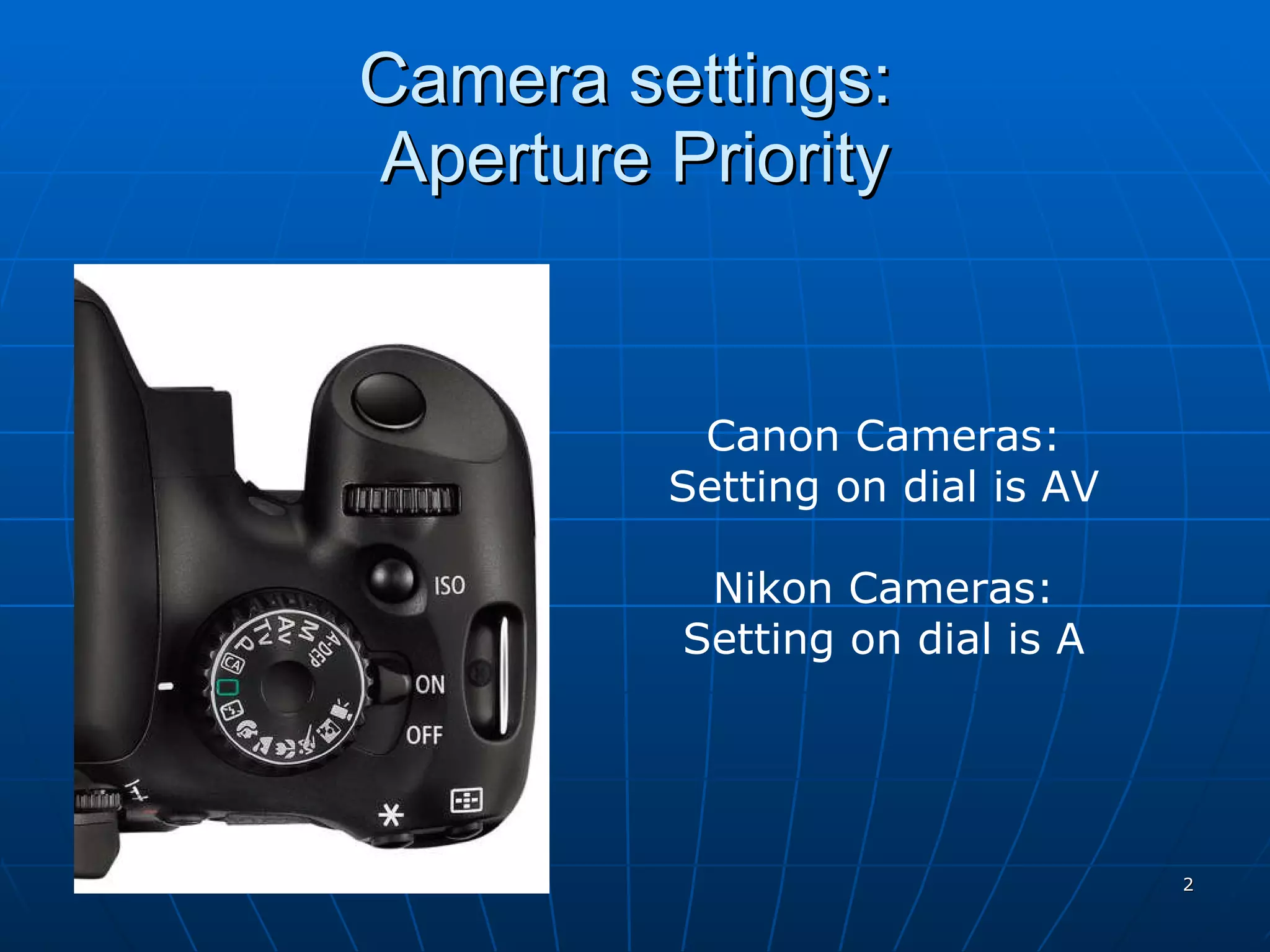
Camera settings:  Aperture Priority Canon Cameras: Setting on dial is AV Nikon Cameras: Setting on dial is A
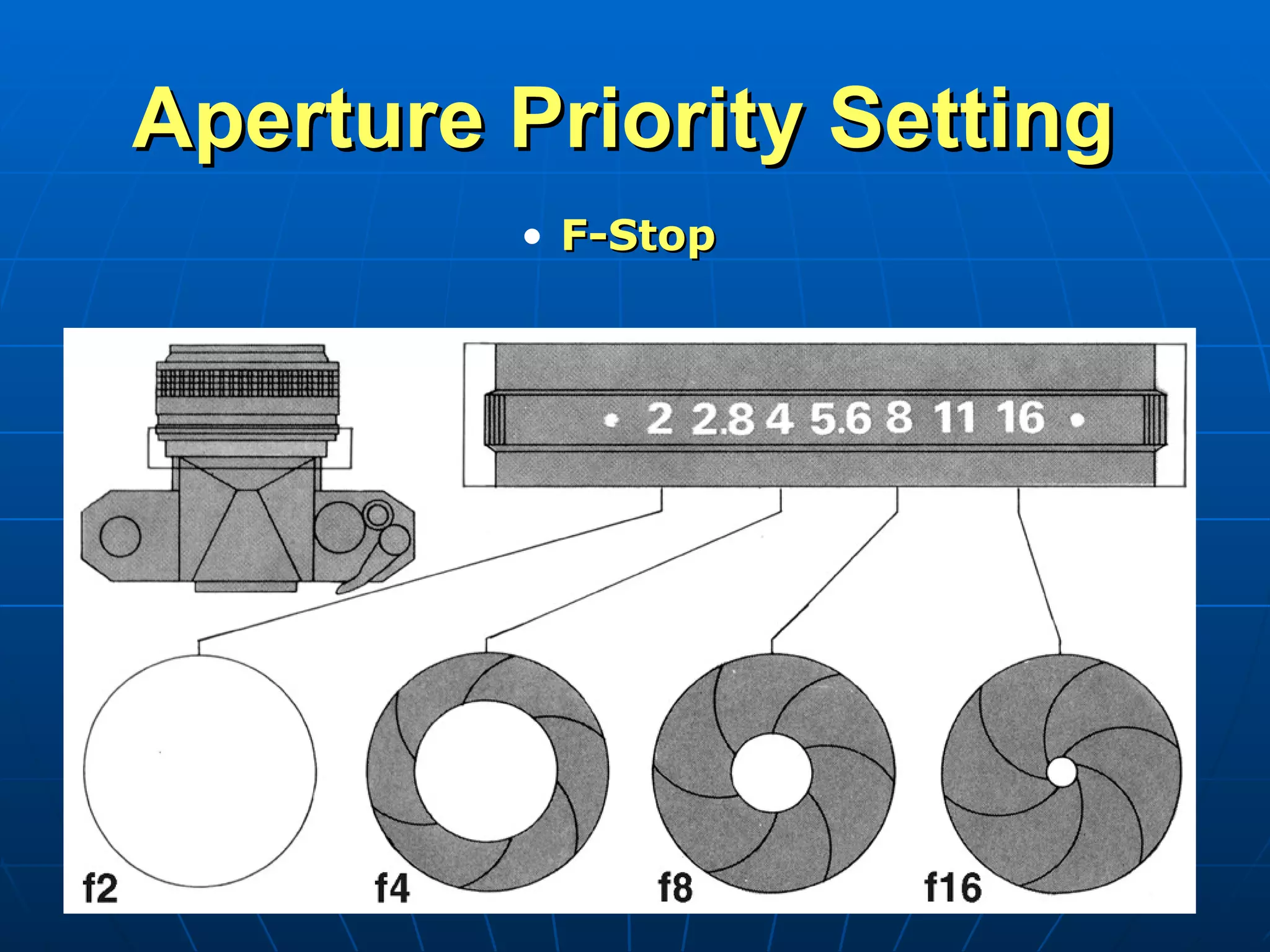
Aperture Priority Setting  F-Stop
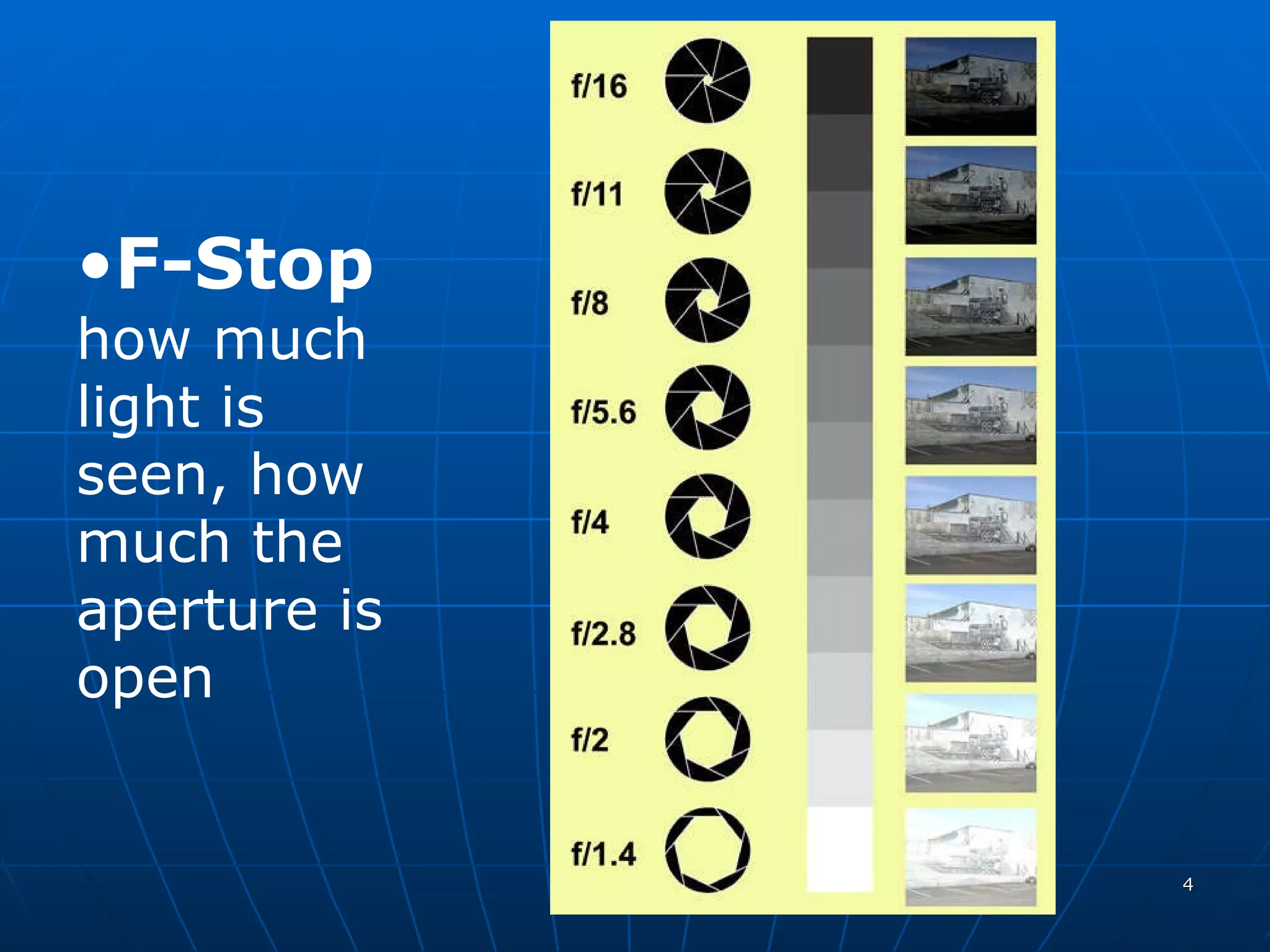
F-Stop  how much light is seen, how much the aperture is open
Aperture Priority Setting You set the opening size depending on how much area you want in focus Camera sets shutter speed based upon how much light is being let into camera
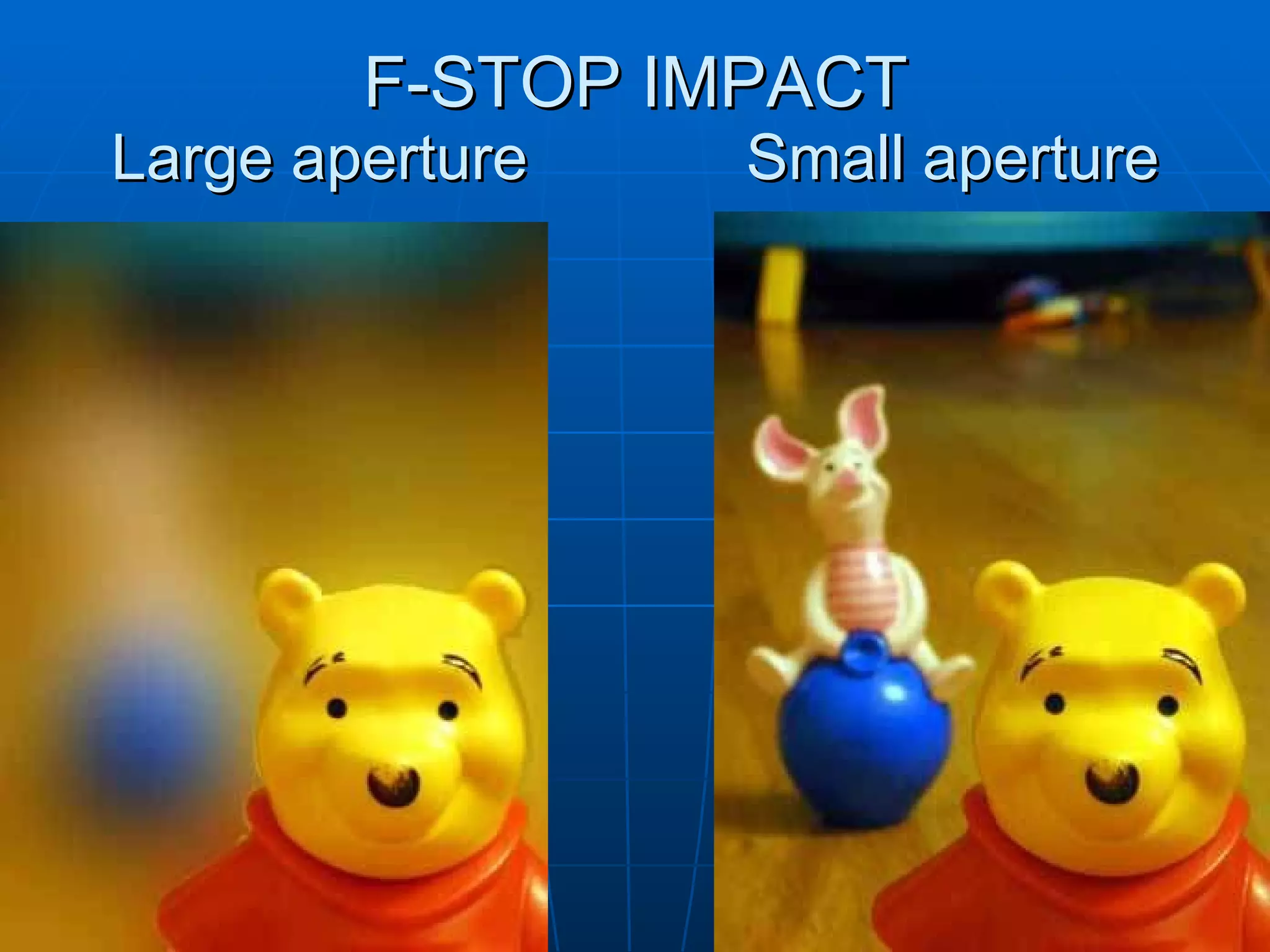
Aperture = F-stop larger F-stop (i.e. 3.5) ADVANTAGES Decreased  depth of field , i.e. image background is blurry DISADVANTAGES Too much light, i.e. higher shutter speed.
Aperture = F-stop Smaller F-stop (i.e. 16) ADVANTAGES Increased  depth of field , i.e. image background is not blurry DISADVANTAGES Needs more light, i.e. slower shutter speed.
F-STOP HOW MUCH LIGHT IS SEEN Sometimes known as ‘aperture’ Ranges from about 1.8 to 32 A higher number (i.e. 32) means less light is ‘seen’. A lower number (i.e. 1.8) means more light is ‘seen’.
F-STOP LOWER F-STOP (i.e. F1.8) ADVANTAGES Lets plenty of light in! Better to use in darker settings. Less blurry since faster shutter speed may be needed to compensate for more light. DISADVANTAGES No depth of field, i.e.  background of image likely out of focus.
Aperture Adjustments Increasing the opening  (large aperture) Increasing the opening lets in more light Make adjustments to offset too much light Increase shutter speed allowing less light to flow to sensor Decrease ISO to allow for less light to register on the sensor Allows less area to be in focus
Aperture Adjustments Decreasing the opening (small aperture) Smaller f-stop allows less light in Make adjustments to correct low light Decrease shutter speed Increase ISO to allow more light to be registered Allows more area to be in focus
F-STOP IMPACT Large aperture Small aperture

Aperture priority

  • 1.
    Welcome to BootCamp! Each month we will be covering basic lessons in photography such as camera settings, lighting, composition, etc… Aperture Priority
  • 2.
    Camera settings: Aperture Priority Canon Cameras: Setting on dial is AV Nikon Cameras: Setting on dial is A
  • 3.
  • 4.
    F-Stop howmuch light is seen, how much the aperture is open
  • 5.
    Aperture Priority SettingYou set the opening size depending on how much area you want in focus Camera sets shutter speed based upon how much light is being let into camera
  • 6.
    Aperture = F-stoplarger F-stop (i.e. 3.5) ADVANTAGES Decreased depth of field , i.e. image background is blurry DISADVANTAGES Too much light, i.e. higher shutter speed.
  • 7.
    Aperture = F-stopSmaller F-stop (i.e. 16) ADVANTAGES Increased depth of field , i.e. image background is not blurry DISADVANTAGES Needs more light, i.e. slower shutter speed.
  • 8.
    F-STOP HOW MUCHLIGHT IS SEEN Sometimes known as ‘aperture’ Ranges from about 1.8 to 32 A higher number (i.e. 32) means less light is ‘seen’. A lower number (i.e. 1.8) means more light is ‘seen’.
  • 9.
    F-STOP LOWER F-STOP(i.e. F1.8) ADVANTAGES Lets plenty of light in! Better to use in darker settings. Less blurry since faster shutter speed may be needed to compensate for more light. DISADVANTAGES No depth of field, i.e. background of image likely out of focus.
  • 10.
    Aperture Adjustments Increasingthe opening (large aperture) Increasing the opening lets in more light Make adjustments to offset too much light Increase shutter speed allowing less light to flow to sensor Decrease ISO to allow for less light to register on the sensor Allows less area to be in focus
  • 11.
    Aperture Adjustments Decreasingthe opening (small aperture) Smaller f-stop allows less light in Make adjustments to correct low light Decrease shutter speed Increase ISO to allow more light to be registered Allows more area to be in focus
  • 12.
    F-STOP IMPACT Largeaperture Small aperture