Gary Hessler CEO Open Source Integration, LLC
Overview of Apache Commons Overview of APIs Highlight Specific API Logging © 2008 Open Source Integration, LLC. All rights reserved.
Main Level Apache Project http://commons.apache.org Collection of frequently needed utilities and APIs Organization Components  Repository Sandbox Components Dormant © 2008 Open Source Integration, LLC. All rights reserved.
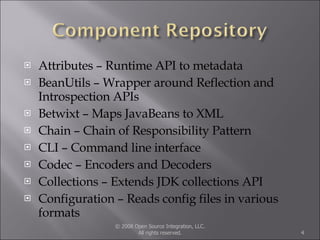
Attributes – Runtime API to metadata  BeanUtils – Wrapper around Reflection and Introspection APIs Betwixt – Maps JavaBeans to XML Chain – Chain of Responsibility Pattern CLI – Command line interface Codec – Encoders and Decoders Collections – Extends JDK collections API Configuration – Reads config files in various formats © 2008 Open Source Integration, LLC. All rights reserved.
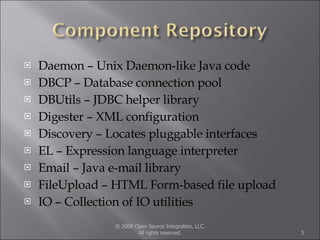
Daemon – Unix Daemon-like Java code DBCP – Database connection pool DBUtils – JDBC helper library Digester – XML configuration Discovery – Locates pluggable interfaces EL – Expression language interpreter Email – Java e-mail library FileUpload – HTML Form-based file upload IO – Collection of IO utilities © 2008 Open Source Integration, LLC. All rights reserved.
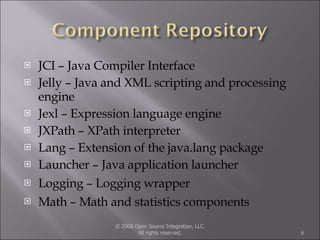
JCI – Java Compiler Interface Jelly – Java and XML scripting and processing engine Jexl – Expression language engine JXPath – XPath interpreter Lang – Extension of the java.lang package Launcher – Java application launcher Logging – Logging wrapper Math – Math and statistics components © 2008 Open Source Integration, LLC. All rights reserved.
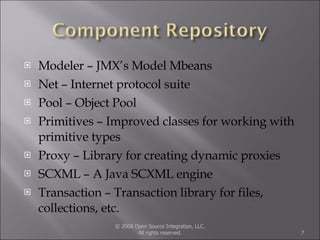
Modeler – JMX’s Model Mbeans Net – Internet protocol suite Pool – Object Pool Primitives – Improved classes for working with primitive types Proxy – Library for creating dynamic proxies SCXML – A Java SCXML engine Transaction – Transaction library for files, collections, etc. © 2008 Open Source Integration, LLC. All rights reserved.
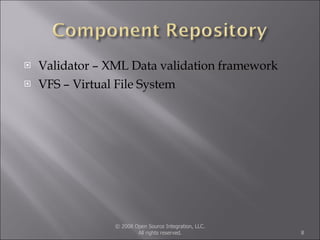
Validator – XML Data validation framework VFS – Virtual File System © 2008 Open Source Integration, LLC. All rights reserved.
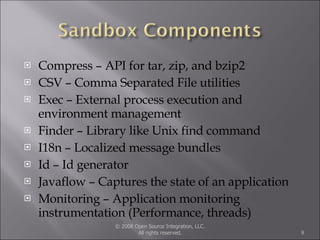
Compress – API for tar, zip, and bzip2 CSV – Comma Separated File utilities Exec – External process execution and environment management Finder – Library like Unix find command I18n – Localized message bundles Id – Id generator Javaflow – Captures the state of an application Monitoring – Application monitoring instrumentation (Performance, threads) © 2008 Open Source Integration, LLC. All rights reserved.
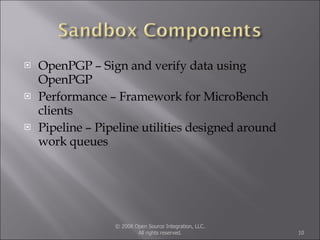
OpenPGP – Sign and verify data using OpenPGP Performance – Framework for MicroBench clients Pipeline – Pipeline utilities designed around work queues © 2008 Open Source Integration, LLC. All rights reserved.
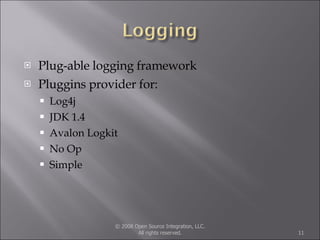
Plug-able logging framework Pluggins provider for: Log4j JDK 1.4 Avalon Logkit No Op Simple © 2008 Open Source Integration, LLC. All rights reserved.
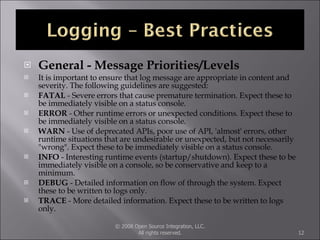
General - Message Priorities/Levels It is important to ensure that log message are appropriate in content and severity. The following guidelines are suggested:  FATAL  - Severe errors that cause premature termination. Expect these to be immediately visible on a status console.  ERROR  - Other runtime errors or unexpected conditions. Expect these to be immediately visible on a status console.  WARN  - Use of deprecated APIs, poor use of API, 'almost' errors, other runtime situations that are undesirable or unexpected, but not necessarily "wrong". Expect these to be immediately visible on a status console.  INFO  - Interesting runtime events (startup/shutdown). Expect these to be immediately visible on a console, so be conservative and keep to a minimum.  DEBUG  - Detailed information on flow of through the system. Expect these to be written to logs only.  TRACE  - More detailed information. Expect these to be written to logs only.  © 2008 Open Source Integration, LLC. All rights reserved.
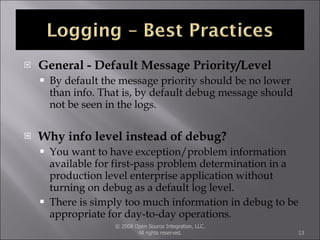
General - Default Message Priority/Level By default the message priority should be no lower than info. That is, by default debug message should not be seen in the logs.  Why info level instead of debug? You want to have exception/problem information available for first-pass problem determination in a production level enterprise application without turning on debug as a default log level. There is simply too much information in debug to be appropriate for day-to-day operations.  © 2008 Open Source Integration, LLC. All rights reserved.
© 2008 Open Source Integration, LLC. All rights reserved. Carbon Severity Enum Commons Log Log4J JDK 1.4 Logger LogKit Fatal Fatal Fatal Severe Fatal_Error Error Error Error Severe Error Warn Warn Warn Warning Warn Info Info Info Info Info Debug Debug Debug Fine Debug Trace Trace Debug Finest Debug
Example of using Commons Logging Shows different logging levels Shows logging level checks Shows exception logging Includes 2 jars (Commons & Log4j) Show simple Log4j configuration file © 2008 Open Source Integration, LLC. All rights reserved.
Simple logging example Can get quite elaborate with logging Use rolling file appenders Log to XML Log to database Log to JMX Log to JMS Log to SMTP Log to Socket © 2008 Open Source Integration, LLC. All rights reserved.
Don’t reinvent the wheel Reduce time Reduce expenses Use as example code and a learning tool Too much out there to know everything about libraries Explore the commons website and experiment! © 2008 Open Source Integration, LLC. All rights reserved.
© 2008 Open Source Integration, LLC. All rights reserved. Questions ?

Apache Commons Overview

  • 1.
    Gary Hessler CEOOpen Source Integration, LLC
  • 2.
    Overview of ApacheCommons Overview of APIs Highlight Specific API Logging © 2008 Open Source Integration, LLC. All rights reserved.
  • 3.
    Main Level ApacheProject http://commons.apache.org Collection of frequently needed utilities and APIs Organization Components Repository Sandbox Components Dormant © 2008 Open Source Integration, LLC. All rights reserved.
  • 4.
    Attributes – RuntimeAPI to metadata BeanUtils – Wrapper around Reflection and Introspection APIs Betwixt – Maps JavaBeans to XML Chain – Chain of Responsibility Pattern CLI – Command line interface Codec – Encoders and Decoders Collections – Extends JDK collections API Configuration – Reads config files in various formats © 2008 Open Source Integration, LLC. All rights reserved.
  • 5.
    Daemon – UnixDaemon-like Java code DBCP – Database connection pool DBUtils – JDBC helper library Digester – XML configuration Discovery – Locates pluggable interfaces EL – Expression language interpreter Email – Java e-mail library FileUpload – HTML Form-based file upload IO – Collection of IO utilities © 2008 Open Source Integration, LLC. All rights reserved.
  • 6.
    JCI – JavaCompiler Interface Jelly – Java and XML scripting and processing engine Jexl – Expression language engine JXPath – XPath interpreter Lang – Extension of the java.lang package Launcher – Java application launcher Logging – Logging wrapper Math – Math and statistics components © 2008 Open Source Integration, LLC. All rights reserved.
  • 7.
    Modeler – JMX’sModel Mbeans Net – Internet protocol suite Pool – Object Pool Primitives – Improved classes for working with primitive types Proxy – Library for creating dynamic proxies SCXML – A Java SCXML engine Transaction – Transaction library for files, collections, etc. © 2008 Open Source Integration, LLC. All rights reserved.
  • 8.
    Validator – XMLData validation framework VFS – Virtual File System © 2008 Open Source Integration, LLC. All rights reserved.
  • 9.
    Compress – APIfor tar, zip, and bzip2 CSV – Comma Separated File utilities Exec – External process execution and environment management Finder – Library like Unix find command I18n – Localized message bundles Id – Id generator Javaflow – Captures the state of an application Monitoring – Application monitoring instrumentation (Performance, threads) © 2008 Open Source Integration, LLC. All rights reserved.
  • 10.
    OpenPGP – Signand verify data using OpenPGP Performance – Framework for MicroBench clients Pipeline – Pipeline utilities designed around work queues © 2008 Open Source Integration, LLC. All rights reserved.
  • 11.
    Plug-able logging frameworkPluggins provider for: Log4j JDK 1.4 Avalon Logkit No Op Simple © 2008 Open Source Integration, LLC. All rights reserved.
  • 12.
    General - MessagePriorities/Levels It is important to ensure that log message are appropriate in content and severity. The following guidelines are suggested: FATAL - Severe errors that cause premature termination. Expect these to be immediately visible on a status console. ERROR - Other runtime errors or unexpected conditions. Expect these to be immediately visible on a status console. WARN - Use of deprecated APIs, poor use of API, 'almost' errors, other runtime situations that are undesirable or unexpected, but not necessarily "wrong". Expect these to be immediately visible on a status console. INFO - Interesting runtime events (startup/shutdown). Expect these to be immediately visible on a console, so be conservative and keep to a minimum. DEBUG - Detailed information on flow of through the system. Expect these to be written to logs only. TRACE - More detailed information. Expect these to be written to logs only. © 2008 Open Source Integration, LLC. All rights reserved.
  • 13.
    General - DefaultMessage Priority/Level By default the message priority should be no lower than info. That is, by default debug message should not be seen in the logs. Why info level instead of debug? You want to have exception/problem information available for first-pass problem determination in a production level enterprise application without turning on debug as a default log level. There is simply too much information in debug to be appropriate for day-to-day operations. © 2008 Open Source Integration, LLC. All rights reserved.
  • 14.
    © 2008 OpenSource Integration, LLC. All rights reserved. Carbon Severity Enum Commons Log Log4J JDK 1.4 Logger LogKit Fatal Fatal Fatal Severe Fatal_Error Error Error Error Severe Error Warn Warn Warn Warning Warn Info Info Info Info Info Debug Debug Debug Fine Debug Trace Trace Debug Finest Debug
  • 15.
    Example of usingCommons Logging Shows different logging levels Shows logging level checks Shows exception logging Includes 2 jars (Commons & Log4j) Show simple Log4j configuration file © 2008 Open Source Integration, LLC. All rights reserved.
  • 16.
    Simple logging exampleCan get quite elaborate with logging Use rolling file appenders Log to XML Log to database Log to JMX Log to JMS Log to SMTP Log to Socket © 2008 Open Source Integration, LLC. All rights reserved.
  • 17.
    Don’t reinvent thewheel Reduce time Reduce expenses Use as example code and a learning tool Too much out there to know everything about libraries Explore the commons website and experiment! © 2008 Open Source Integration, LLC. All rights reserved.
  • 18.
    © 2008 OpenSource Integration, LLC. All rights reserved. Questions ?

Editor's Notes

  • #2 Welcome Talk about company 06/03/09