







Android 

Marshmallow
+YossiElkrief
MaTriXy

Tikal Knowledge
+NirHartmann
nirhart

Drippler
Android 

Marshmallow
+YossiElkrief
MaTriXy

Tikal Knowledge
+NirHartmann
nirhart

Drippler
Android 

Marshmallow
+YossiElkrief
MaTriXy

Tikal Knowledge
+NirHartmann
nirhart

Drippler
Demos
Seeing is just the beginning
App Permissions
Visit The
Permission Lab
Runtime permissions
Voice Interactions
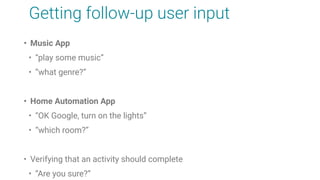
Getting follow-up user input
• Music App
• “play some music”
• “what genre?”
• Home Automation App
• “OK Google, turn on the lights”
• “which room?”
• Verifying that an activity should complete
• “Are you sure?”
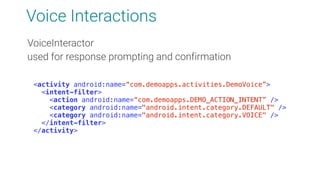
Voice Interactions
VoiceInteractor 

used for response prompting and confirmation

<activity android:name=“com.demoapps.activities.DemoVoice”>

<intent-filter>

<action android:name=“com.demoapps.DEMO_ACTION_INTENT” />

<category android:name="android.intent.category.DEFAULT" />

<category android:name="android.intent.category.VOICE" />

</intent-filter>

</activity>
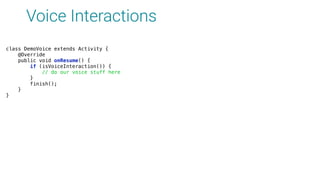
Voice Interactions
class DemoVoice extends Activity {

@Override

public void onResume() {

if (isVoiceInteraction()) {

// do our voice stuff here

}

finish();

}

}
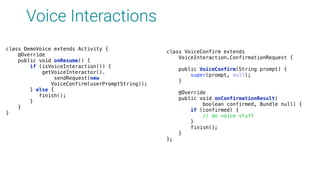
Voice Interactions
class VoiceConfirm extends

VoiceInteraction.ConfirmationRequest {


public VoiceConfirm(String prompt) {

super(prompt, null);

}


@Override

public void onConfirmationResult(

boolean confirmed, Bundle null) {

if (confirmed) {

// do voice stuff

}

finish();

}

};
class DemoVoice extends Activity {

@Override

public void onResume() {

if (isVoiceInteraction()) {

getVoiceInteractor().
sendRequest(new
VoiceConfirm(userPromptString));

} else {

finish();

}
}
}
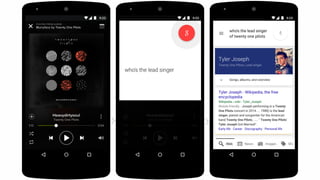
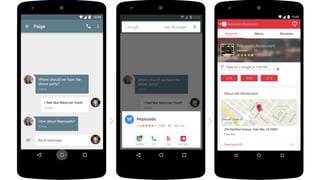
Now On Tap
“Google's 'Now on Tap' is Android's next killer feature” (CNET)
“Google Now on Tap is the coolest Android feature” (ANDROIDPIT)
“The next evolution of the digital concierge” (Tech Republic)
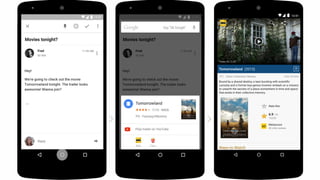
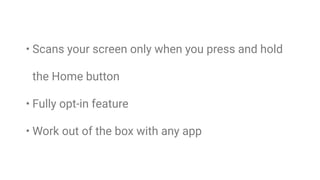
• Scans your screen only when you press and hold
the Home button
• Fully opt-in feature
• Work out of the box with any app
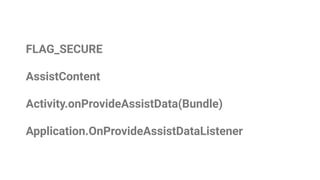
FLAG_SECURE
AssistContent
Activity.onProvideAssistData(Bundle)
Application.OnProvideAssistDataListener
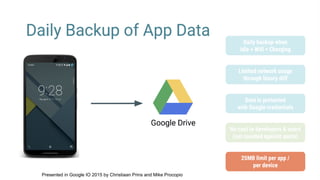
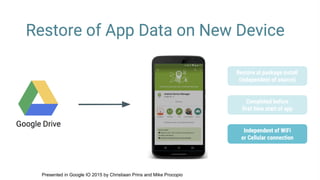
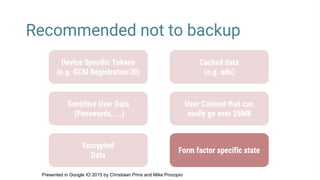
Android Backup
RESTORATION SOFTWARE
Presented in Google IO 2015 by Christiaan Prins and Mike Procopio
Notifications
Look ma, We got an update
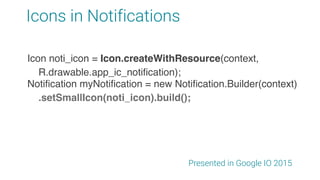
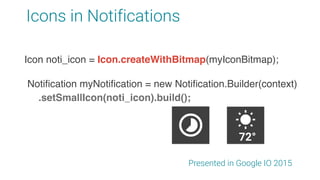
Icons in Notifications
Presented in Google IO 2015
Notification myNotification = new Notification.Builder(context)
.setSmallIcon(noti_icon).build();
Icon noti_icon = Icon.createWithResource(context,
R.drawable.app_ic_notification);
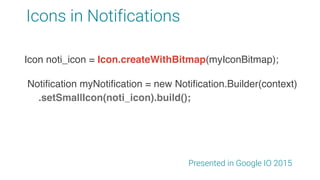
Icons in Notifications
Presented in Google IO 2015
Notification myNotification = new Notification.Builder(context)
.setSmallIcon(noti_icon).build();
Icon noti_icon = Icon.createWithResource(context,
R.drawable.app_ic_notification);
Icon noti_icon = Icon.createWithBitmap(myIconBitmap);
Icons in Notifications
Presented in Google IO 2015
Notification myNotification = new Notification.Builder(context)
.setSmallIcon(noti_icon).build();
Icon noti_icon = Icon.createWithResource(context,
R.drawable.app_ic_notification);
Icon noti_icon = Icon.createWithBitmap(myIconBitmap);
72°
android.graphics.drawable.Icon
Presented in Google IO 2015
Can be either:
Drawable resource id
Bitmap
PNG or JPEG represented by a byte[]
android.graphics.drawable.Icon
Presented in Google IO 2015
Pay Attention to guidelines
https://www.google.com/design/spec/style/icons.html
Text
Now you can float
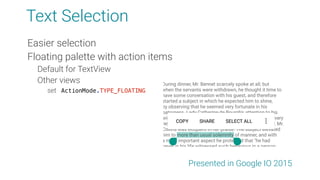
Text Selection
Easier selection
Floating palette with action items
Default for TextView
Other views
set ActionMode.TYPE_FLOATING
Presented in Google IO 2015
Higher Quality Text Formatting
TextView.setBreakStrategy(int);
TextView.setHyphenationFrequency(int);
TextView.setIndents(int[] left, int[] right);
Presented in Google IO 2015
Higher Quality Text Formatting
TextView.setBreakStrategy(int);
TextView.setHyphenationFrequency(int);
TextView.setIndents(int[] left, int[] right);
Presented in Google IO 2015
App Linking
SEAMLESS HANDOFF FROM WEB TO APP
[{
"relation": ["delegate_permission/common.handle_all_urls"],
"target": {
"namespace": "android_app",
"package_name": "com.example.myapp",
"sha256_cert_fingerprints": ["01:23:45:67:89:AB:CD:..."]
}
}]
https://example.com/.well-known/statements.json
Presented in Google IO 2015
[{
"relation": ["delegate_permission/common.handle_all_urls"],
"target": {
"namespace": "android_app",
"package_name": "com.example.myapp",
"sha256_cert_fingerprints": ["01:23:45:67:89:AB:CD:..."]
}
}]
https://example.com/.well-known/statements.json
keytool -list -v -keystore release.keystore
Presented in Google IO 2015
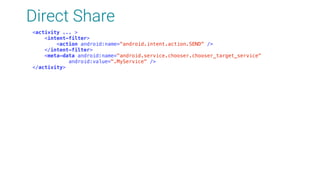
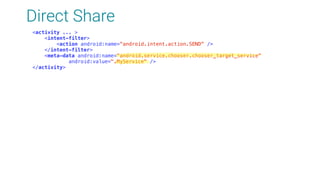
Direct Share
BECAUSE SHARING IS CARING
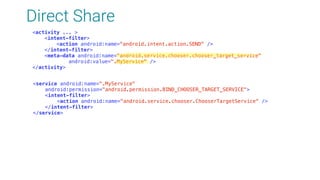
Direct Share
<activity ... >

<intent-filter>

<action android:name="android.intent.action.SEND" />

</intent-filter>

<meta-data android:name="android.service.chooser.chooser_target_service"

android:value=".MyService" />

</activity>
Direct Share
<activity ... >

<intent-filter>

<action android:name="android.intent.action.SEND" />

</intent-filter>

<meta-data android:name="android.service.chooser.chooser_target_service"

android:value=".MyService" />

</activity>
Direct Share
<activity ... >

<intent-filter>

<action android:name="android.intent.action.SEND" />

</intent-filter>

<meta-data android:name="android.service.chooser.chooser_target_service"

android:value=".MyService" />

</activity>
<service android:name=".MyService"

android:permission="android.permission.BIND_CHOOSER_TARGET_SERVICE">

<intent-filter>

<action android:name="android.service.chooser.ChooserTargetService" />

</intent-filter>

</service>
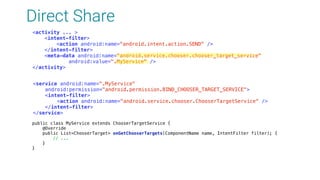
Direct Share
<activity ... >

<intent-filter>

<action android:name="android.intent.action.SEND" />

</intent-filter>

<meta-data android:name="android.service.chooser.chooser_target_service"

android:value=".MyService" />

</activity>
<service android:name=".MyService"

android:permission="android.permission.BIND_CHOOSER_TARGET_SERVICE">

<intent-filter>

<action android:name="android.service.chooser.ChooserTargetService" />

</intent-filter>

</service>
public class MyService extends ChooserTargetService {

@Override

public List<ChooserTarget> onGetChooserTargets(ComponentName name, IntentFilter filter); {

// ...

}

}

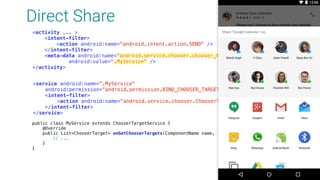
Direct Share
<activity ... >

<intent-filter>

<action android:name="android.intent.action.SEND" />

</intent-filter>

<meta-data android:name="android.service.chooser.chooser_target_service"

android:value=".MyService" />

</activity>
<service android:name=".MyService"

android:permission="android.permission.BIND_CHOOSER_TARGET_SERVICE">

<intent-filter>

<action android:name="android.service.chooser.ChooserTargetService" />

</intent-filter>

</service>
public class MyService extends ChooserTargetService {

@Override

public List<ChooserTarget> onGetChooserTargets(ComponentName name, IntentFilter filter); {

// ...

}

}

Thank You!
+YossiElkrief
MaTriXy
+NirHartmann
nirhart
some slides were presented in Google IO 2015

Android Marshmallow demos