Android Fragments
RAHUL KUMAR
ROLL NO. 1322232
Android Fragments❓
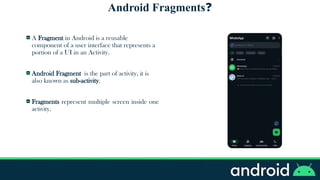
A Fragment in Android is a reusable
component of a user interface that represents a
portion of a UI in an Activity.
Android Fragment is the part of activity, it is
also known as sub-activity.
Fragments represent multiple screen inside one
activity.
Android Fragments❓
A Fragment has its own layout and its own behavior with
its own lifecycle callbacks.
You can add or remove fragments in an activity while the
activity is running.
You can combine multiple fragments in a single activity to
build a multi-pane UI.
A fragment can be used in multiple activities.
The Fragment Lifecycle
Android Fragment Lifecycle Methods
The lifecycle of android fragment is like the activity lifecycle. The lifecycle methods for fragment are:
Sr. No. Methods Description
1. onAttach( ) Called when the fragment is first attached to its host activity. It's the first step
in the fragment lifecycle.
2. onCreate( ) Initializes the fragment, similar to an activity's onCreate(). This method is
used for setting up essential components but doesn't involve the UI.
3. onCreateView( ) Called to create the fragment’s UI. The layout for the fragment is inflated
here (convert XML layout to view objects).
4. onActivityCreated( ) Called when the host activity’s onCreate() method has completed. It indicates
that the activity is fully created.
5. onStart( ) The fragment becomes visible to the user but cannot yet interact with the
user.
6. onResume( ): The fragment is fully visible and active, and can now interact with the user.
Android Fragment Lifecycle Methods
Sr. No. Methods Description
7. onPause( ) The fragment is no longer interacting with the user, typically when the
activity goes into the background.
8. onStop( ) The fragment is no longer visible, usually because the activity is no
longer visible.
9. onDestroyView( ) Cleans up the resources related to the fragment's view. It is called
before the fragment’s view is destroyed.
10. onDestroy( ) Cleans up any remaining resources. The fragment is about to be
destroyed.
11. onDetach( ) The fragment is detached from the activity, completing the lifecycle. It
is now no longer associated with its host activity.
Single frame fragments
List fragments
Fragment transaction
Types of Fragments
 Basically, Fragments are divided into three stages as shown here:
Single frame fragments: This is the simplest type of
fragment where a single fragment is used within an activity.
It's typically used in apps that run on devices with smaller
screens like phones.
Example: A single-page detail screen or form where the
fragment handles the entire UI.
Types of Fragments
List fragments: Fragments having a special
list view are called list fragments.
Suitable for apps that need to display data
in list format, like settings menus, contact
lists, or message lists.
Example: A fragment that shows a list of
contacts or settings options, allowing users to
select an item to view its details.
Types of Fragments
Fragment transaction: Using fragment transaction, we can move one fragment to another
fragment.
Useful for switching between different fragments within the same activity
Example: Navigating between different fragments in a single activity, such as switching
between tabs or sections in an app.
Types of Fragments
Fragment transaction Examples:
Fragment For “Chats” Fragment For “Updates” Fragment For “Communities” Fragment For “Calls”
Creating and Fragments
Creating a Fragment: To create a fragment, extend the Fragment class and override
necessary lifecycle mehods, typically onCreateView() to inflate the layout.
Java Code:
public class ExampleFragment extends Fragment {
@Override
public View onCreateView(LayoutInflater inflater, ViewGroup container,
Bundle savedInstanceState) {
// Inflate the layout for this fragment
return inflater.inflate(R.layout.fragment_example, container, false);
}
}
Creating and Fragments
Adding Fragments to an Activity: Fragments can be added to an activity via XML.
XML Code:
<LinearLayout xmlns:android="http://schemas.android.com/apk/res/android"
android:orientation="vertical"
android:layout_width="match_parent"
android:layout_height="match_parent">
<fragment
android:id="@+id/example_fragment"
android:name="com.example.app.ExampleFragment"
android:layout_width="match_parent"
android:layout_height="wrap_content" />
</LinearLayout>
Thank-You
contact Me:
https://x.com/Rahullibraz https://www.linkedin.com/in/rahullibraz/ rahul.leox@gmail.com

Android Fragments

  • 1.
  • 2.
    Android Fragments❓ A Fragmentin Android is a reusable component of a user interface that represents a portion of a UI in an Activity. Android Fragment is the part of activity, it is also known as sub-activity. Fragments represent multiple screen inside one activity.
  • 3.
    Android Fragments❓ A Fragmenthas its own layout and its own behavior with its own lifecycle callbacks. You can add or remove fragments in an activity while the activity is running. You can combine multiple fragments in a single activity to build a multi-pane UI. A fragment can be used in multiple activities.
  • 4.
  • 5.
    Android Fragment LifecycleMethods The lifecycle of android fragment is like the activity lifecycle. The lifecycle methods for fragment are: Sr. No. Methods Description 1. onAttach( ) Called when the fragment is first attached to its host activity. It's the first step in the fragment lifecycle. 2. onCreate( ) Initializes the fragment, similar to an activity's onCreate(). This method is used for setting up essential components but doesn't involve the UI. 3. onCreateView( ) Called to create the fragment’s UI. The layout for the fragment is inflated here (convert XML layout to view objects). 4. onActivityCreated( ) Called when the host activity’s onCreate() method has completed. It indicates that the activity is fully created. 5. onStart( ) The fragment becomes visible to the user but cannot yet interact with the user. 6. onResume( ): The fragment is fully visible and active, and can now interact with the user.
  • 6.
    Android Fragment LifecycleMethods Sr. No. Methods Description 7. onPause( ) The fragment is no longer interacting with the user, typically when the activity goes into the background. 8. onStop( ) The fragment is no longer visible, usually because the activity is no longer visible. 9. onDestroyView( ) Cleans up the resources related to the fragment's view. It is called before the fragment’s view is destroyed. 10. onDestroy( ) Cleans up any remaining resources. The fragment is about to be destroyed. 11. onDetach( ) The fragment is detached from the activity, completing the lifecycle. It is now no longer associated with its host activity.
  • 7.
    Single frame fragments Listfragments Fragment transaction Types of Fragments  Basically, Fragments are divided into three stages as shown here:
  • 8.
    Single frame fragments:This is the simplest type of fragment where a single fragment is used within an activity. It's typically used in apps that run on devices with smaller screens like phones. Example: A single-page detail screen or form where the fragment handles the entire UI. Types of Fragments
  • 9.
    List fragments: Fragmentshaving a special list view are called list fragments. Suitable for apps that need to display data in list format, like settings menus, contact lists, or message lists. Example: A fragment that shows a list of contacts or settings options, allowing users to select an item to view its details. Types of Fragments
  • 10.
    Fragment transaction: Usingfragment transaction, we can move one fragment to another fragment. Useful for switching between different fragments within the same activity Example: Navigating between different fragments in a single activity, such as switching between tabs or sections in an app. Types of Fragments
  • 11.
    Fragment transaction Examples: FragmentFor “Chats” Fragment For “Updates” Fragment For “Communities” Fragment For “Calls”
  • 12.
    Creating and Fragments Creatinga Fragment: To create a fragment, extend the Fragment class and override necessary lifecycle mehods, typically onCreateView() to inflate the layout. Java Code: public class ExampleFragment extends Fragment { @Override public View onCreateView(LayoutInflater inflater, ViewGroup container, Bundle savedInstanceState) { // Inflate the layout for this fragment return inflater.inflate(R.layout.fragment_example, container, false); } }
  • 13.
    Creating and Fragments AddingFragments to an Activity: Fragments can be added to an activity via XML. XML Code: <LinearLayout xmlns:android="http://schemas.android.com/apk/res/android" android:orientation="vertical" android:layout_width="match_parent" android:layout_height="match_parent"> <fragment android:id="@+id/example_fragment" android:name="com.example.app.ExampleFragment" android:layout_width="match_parent" android:layout_height="wrap_content" /> </LinearLayout>
  • 14.