5 ANDROID APP DEVELOPMENT
FUNDAMENTALS FOR BEGINNERS
VISIT : HTTP://WWW.ASTERIXSOLUTION.COM/ANDROID-
DEVELOPMENT-TRAINING.HTML
• The cool features that come along with apps are what draw the
interests of users. Apps make phones “smart” and through their
benefits, apps have drastically transformed how we function
today.
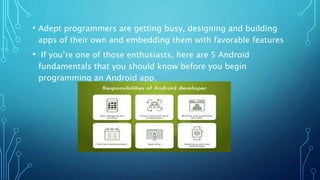
• Adept programmers are getting busy, designing and building
apps of their own and embedding them with favorable features
• If you’re one of those enthusiasts, here are 5 Android
fundamentals that you should know before you begin
programming an Android app.
•1. Master the Language
• Java and XML are the two main programming languages used in
Android App development. Knowledge and mastery over these
programming languages are, therefore, prerequisites to
developing an Android app.
• Some of the fundamentals of the Java programming language
include:
• Packages
• Objects & classes
• Inheritance & interfaces
• Strings & numbers, generics,
• Collections
• Concurrency
• Proper understanding of Java and XML will help you build/develop a more
robust and elegant android app.
• 2. Familiarity with the Right Development Tools and
Environment
• It is very important that you familiarize yourself with the build automation
tools as well as the integrated development environment before you start
developing your app.
• You can use Android app studio IDE or the Eclipse for the tools; they will
help you learn the basics and many other things that will help improve your
code.
• You can learn Apache Maven, Apache Ant and Gradle as they
provide a powerful set of tools to help in managing your builds.
• It is also important that you familiarize yourself with source
control tools and concepts. Learn the git and then create a git-
source repository (by creating an account on Bitbucket or
GitHub).
• To understand the basic concepts and terms of how the
platform operates, you can use the Git Pocket Guide.
•3. Knowledge of the Application Components
• Application components are the essential building blocks of Android
app development.
• Each of the components is a different point by which the system can
enter your app.
• Although each one of them exists as its own entity and plays a
specific role, there are some which depend on each other, and not all
of them are actual entry points.
• There are five different types of app components each serving a
distinct purpose with a distinct life cycle which defines how it is
created and destroyed. They include:
• Activities: This is a component that represents a single screen with a
user interface (for instance, an email app may have one activity
showing a list of new emails, another activity composing emails, and
another one reading emails). Activities work together to form a
cohesive user experience in the app. However, each one of them is
independent.
•
Services: This is a component which runs in the background to
perform work for remote processes or long-running operations. It
does not provide user interface (for instance it might play music in
the background while the user is in a different app).
Content providers: This is the component that manages a shared set
of app data. Through this component, the data that you store either
in the file system, on the web, a SQLite database can be queried or
even modified (as long as the content provider allows it). This
component is also useful for writing and reading data that is not
shared and is private to your app.
• Broadcast receivers: This is the component that responds to
system-wide broadcast announcements. Most of the broadcast
receivers originate from the system, and although they do not
display a user interface, they can create a status bar
notification that alerts the user when a broadcast event occurs.
Generally, it is a gateway to the other components and it only
does minimal work.
• Activating components: A synchronous message referred to as
intent activates 3 of the 4 components (i.e. services, activities
and broadcast receivers). Intents also bind individual
components to one another at runtime whether the component
belongs to your app or not.
•4. Awareness over Fragmentations, Android
Application,Threads, Loaders and Tasks
• Android is a fragmented market with many different devices and operating
system versions. Note that, if your device supports more devices and/or
versions it will definitely require more maintenance and testing as well as
the related costs. The vice-versa is also true. You also require appropriate
fonts, assets and layouts that will help in ensuring that the best possible
experiences in the various screen characteristics are given. You should also
consider the array of android supported sensors or UI facilities. All android
apps have an application class, one or more activities and one or more
fragments.
• Sometimes, you may have services for background tasks that should run
continuously but other times you may not. If you want to deliver a great and
smooth user interface, always ensure that the thread is never blocked.
Therefore, the long operations (computations, I/O, network, etc.) should all
be run asynchronously in the background (mainly on a different thread of
execution). This is why it is important to learn the Java language
concurrency facilities.
•5. Making the Right Choice over Needed Tools
• The simple tools that you need for Android app development
are just a Mac or Windows PC, any type of Linux, and Eclipse,
the ADT Plug in, and the Android SDK—all of which are free.
You can go through the installation guide on Google to learn
how to set up your development environment; it provides
documentation of everything needed. Android has some unique
parameters that you should consider when writing an Android
app. Some of them include:
• Performance and responsiveness: You should always respond
to user input within five seconds otherwise the operating
system will ANR you. (ANR-application not responding – the
only option that you will have is to force close your app.)
• Lags of more than 100ms will be noticed by the users: As
mentioned above, the UI thread should never be blocked
because it is only one.
• Limited resources: Wake-locks (mechanism that forces the
device to do a certain thing despite the recommendation to put
the device to sleep by the battery manager) should be used
sparingly. Do not unnecessarily poll hardware (e.g. GPS or
accelerometer) because it will quickly run down the battery.
• Check out our video that takes you through the introduction to
Android Application Development to get a taste of what the
course entails.
•Conclusion
• 77% of Americans today own a smartphone, and apps are
where the majority of their time is spent. In fact, in 2017, 197
billion apps were downloaded, ensuring that a career as an
Android App Developer is a stable one with lots of opportunity
for growth.
• There’s a lot to learn, so consider getting started with
Simplilearn’s Google-authorized Certified Android App
Developertraining course.
• You’ll learn to master Android fundamentals along with the
other skills you need with hands-on experience, developing six
trending applications during the course.
• The course is aligned with the Associate Android Developer
(AAD) Exam conducted by Google. Happy app-developing!
www.asterixsolution.com
www.facebook.com/asterixsolutionlab
www.plus.google.com/+Asterixsolutionlab

android development training in mumbai

  • 1.
    5 ANDROID APPDEVELOPMENT FUNDAMENTALS FOR BEGINNERS VISIT : HTTP://WWW.ASTERIXSOLUTION.COM/ANDROID- DEVELOPMENT-TRAINING.HTML
  • 2.
    • The coolfeatures that come along with apps are what draw the interests of users. Apps make phones “smart” and through their benefits, apps have drastically transformed how we function today.
  • 3.
    • Adept programmersare getting busy, designing and building apps of their own and embedding them with favorable features • If you’re one of those enthusiasts, here are 5 Android fundamentals that you should know before you begin programming an Android app.
  • 4.
    •1. Master theLanguage • Java and XML are the two main programming languages used in Android App development. Knowledge and mastery over these programming languages are, therefore, prerequisites to developing an Android app. • Some of the fundamentals of the Java programming language include: • Packages • Objects & classes • Inheritance & interfaces
  • 5.
    • Strings &numbers, generics, • Collections • Concurrency • Proper understanding of Java and XML will help you build/develop a more robust and elegant android app. • 2. Familiarity with the Right Development Tools and Environment • It is very important that you familiarize yourself with the build automation tools as well as the integrated development environment before you start developing your app. • You can use Android app studio IDE or the Eclipse for the tools; they will help you learn the basics and many other things that will help improve your code.
  • 6.
    • You canlearn Apache Maven, Apache Ant and Gradle as they provide a powerful set of tools to help in managing your builds. • It is also important that you familiarize yourself with source control tools and concepts. Learn the git and then create a git- source repository (by creating an account on Bitbucket or GitHub). • To understand the basic concepts and terms of how the platform operates, you can use the Git Pocket Guide.
  • 7.
    •3. Knowledge ofthe Application Components • Application components are the essential building blocks of Android app development. • Each of the components is a different point by which the system can enter your app. • Although each one of them exists as its own entity and plays a specific role, there are some which depend on each other, and not all of them are actual entry points. • There are five different types of app components each serving a distinct purpose with a distinct life cycle which defines how it is created and destroyed. They include:
  • 8.
    • Activities: Thisis a component that represents a single screen with a user interface (for instance, an email app may have one activity showing a list of new emails, another activity composing emails, and another one reading emails). Activities work together to form a cohesive user experience in the app. However, each one of them is independent. • Services: This is a component which runs in the background to perform work for remote processes or long-running operations. It does not provide user interface (for instance it might play music in the background while the user is in a different app). Content providers: This is the component that manages a shared set of app data. Through this component, the data that you store either in the file system, on the web, a SQLite database can be queried or even modified (as long as the content provider allows it). This component is also useful for writing and reading data that is not shared and is private to your app.
  • 9.
    • Broadcast receivers:This is the component that responds to system-wide broadcast announcements. Most of the broadcast receivers originate from the system, and although they do not display a user interface, they can create a status bar notification that alerts the user when a broadcast event occurs. Generally, it is a gateway to the other components and it only does minimal work. • Activating components: A synchronous message referred to as intent activates 3 of the 4 components (i.e. services, activities and broadcast receivers). Intents also bind individual components to one another at runtime whether the component belongs to your app or not. •4. Awareness over Fragmentations, Android Application,Threads, Loaders and Tasks
  • 10.
    • Android isa fragmented market with many different devices and operating system versions. Note that, if your device supports more devices and/or versions it will definitely require more maintenance and testing as well as the related costs. The vice-versa is also true. You also require appropriate fonts, assets and layouts that will help in ensuring that the best possible experiences in the various screen characteristics are given. You should also consider the array of android supported sensors or UI facilities. All android apps have an application class, one or more activities and one or more fragments. • Sometimes, you may have services for background tasks that should run continuously but other times you may not. If you want to deliver a great and smooth user interface, always ensure that the thread is never blocked. Therefore, the long operations (computations, I/O, network, etc.) should all be run asynchronously in the background (mainly on a different thread of execution). This is why it is important to learn the Java language concurrency facilities.
  • 11.
    •5. Making theRight Choice over Needed Tools • The simple tools that you need for Android app development are just a Mac or Windows PC, any type of Linux, and Eclipse, the ADT Plug in, and the Android SDK—all of which are free. You can go through the installation guide on Google to learn how to set up your development environment; it provides documentation of everything needed. Android has some unique parameters that you should consider when writing an Android app. Some of them include: • Performance and responsiveness: You should always respond to user input within five seconds otherwise the operating system will ANR you. (ANR-application not responding – the only option that you will have is to force close your app.)
  • 12.
    • Lags ofmore than 100ms will be noticed by the users: As mentioned above, the UI thread should never be blocked because it is only one. • Limited resources: Wake-locks (mechanism that forces the device to do a certain thing despite the recommendation to put the device to sleep by the battery manager) should be used sparingly. Do not unnecessarily poll hardware (e.g. GPS or accelerometer) because it will quickly run down the battery. • Check out our video that takes you through the introduction to Android Application Development to get a taste of what the course entails.
  • 13.
    •Conclusion • 77% ofAmericans today own a smartphone, and apps are where the majority of their time is spent. In fact, in 2017, 197 billion apps were downloaded, ensuring that a career as an Android App Developer is a stable one with lots of opportunity for growth. • There’s a lot to learn, so consider getting started with Simplilearn’s Google-authorized Certified Android App Developertraining course. • You’ll learn to master Android fundamentals along with the other skills you need with hands-on experience, developing six trending applications during the course. • The course is aligned with the Associate Android Developer (AAD) Exam conducted by Google. Happy app-developing!
  • 14.