MENDIX
DATABASE CONNECTOR
+
Hi I’m Kamala Nathan, Mendix
Expert Certified, Senior Technical
Lead, MxTechies
+
+
I am here to explain what Mendix
“Database Connector” is
and how it works.
What is
+
 Mendix is the pioneer of low-code development
providing great yet simple digital transformation
methods.
 MxTechies is a digital transformation leader in
the Mendix Low Code space.
 Out of the several methods for
migration/extension of the current database from
any legacy system to Mendix, Database Connector
is the best.
This presentation will cover everything you need
when you start working with the Database connector
for Mendix.
+
Why
Database Connector?
+
Let’s Find Out.
+
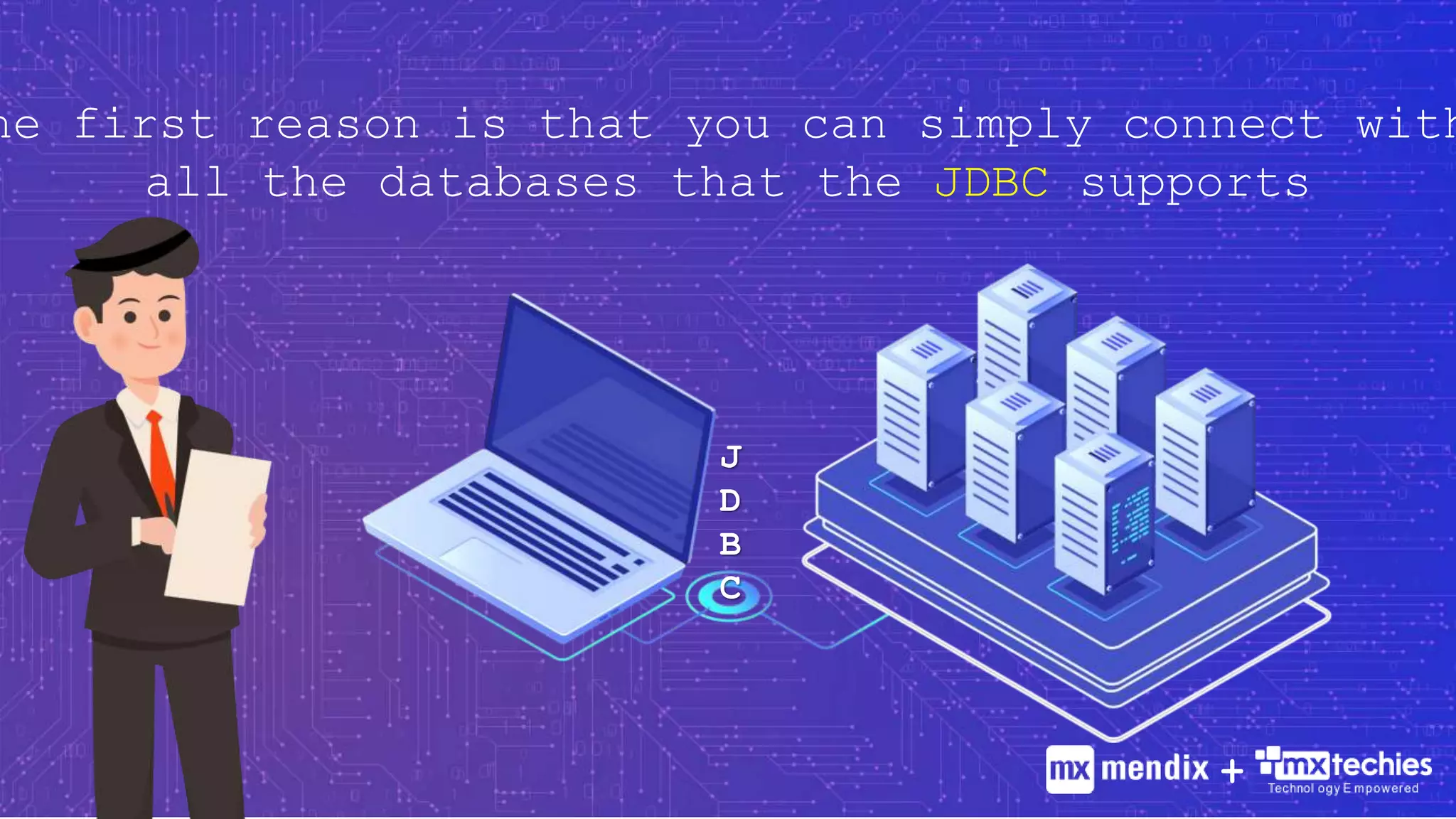
J
D
B
C
he first reason is that you can simply connect with
all the databases that the JDBC supports
+
Like all other Mendix components, Database
Connector works well as a plug-and-play
activity. No customization or setup is
necessary.
+
The big part is writing the SQL statements,
which is a little different from how we usually
do it. Once we get the hang of it, it becomes
very simple.
+
Need further assistance? Don’t worry,
I’m going to help you with
4 Simple Steps.
Step 01 How to secure your database credentials from attack
Step 02 How to execute and SQL Statement
Step 03 How to pass your values to a SQL statement
Step 04 Fixes and precautions to avoid a few common errors
+
1. How to secure your database credentials from
attack?
 To re-use the database configuration in multiple
requests, go for a configuration page instead of
constants.
 Make sure to store your password in an encrypted
format.
 Upon saving, move it to another attribute allowing
the configuration page to display an empty value
whenever opened.. +
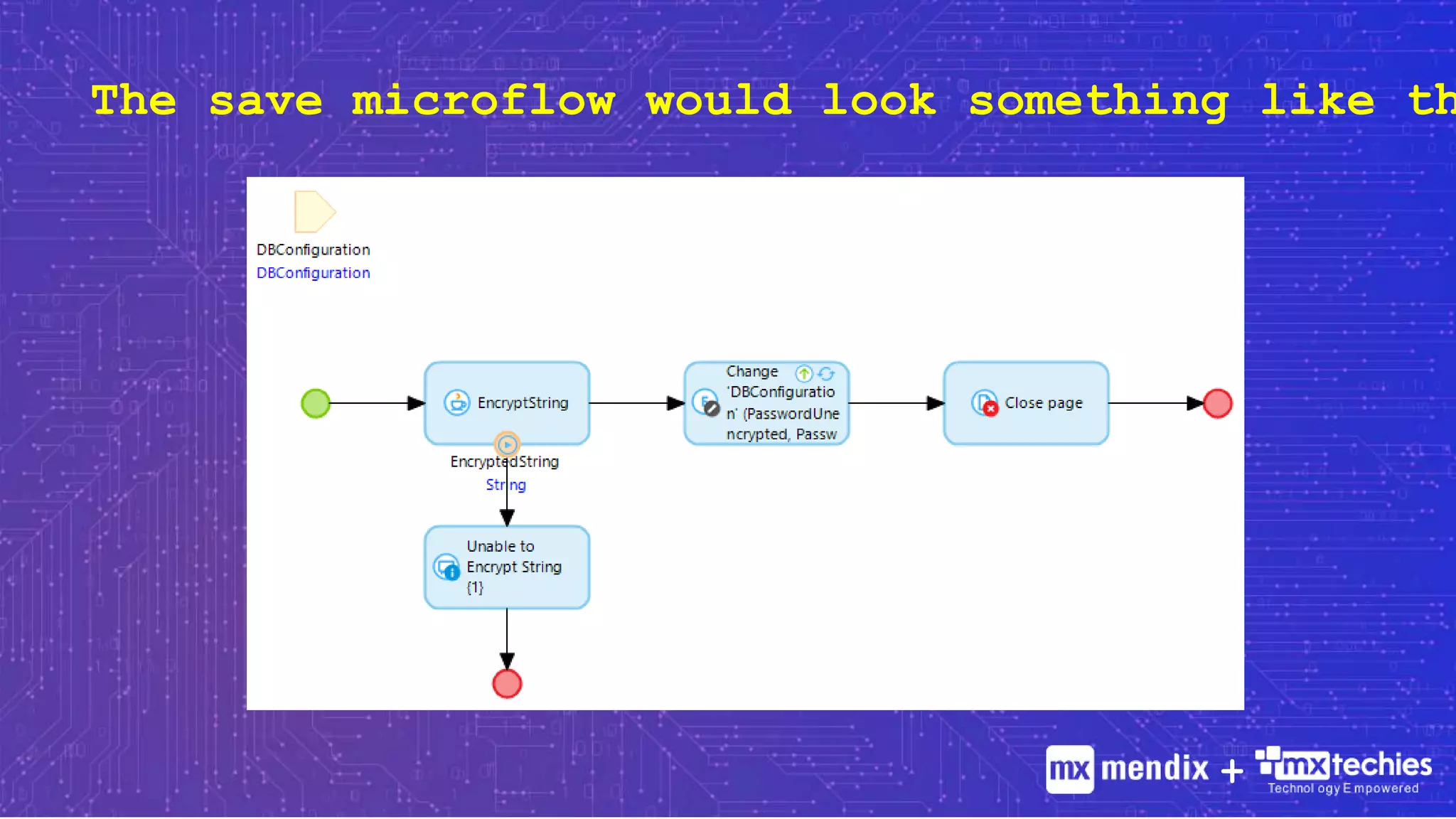
The save microflow would look something like th
+
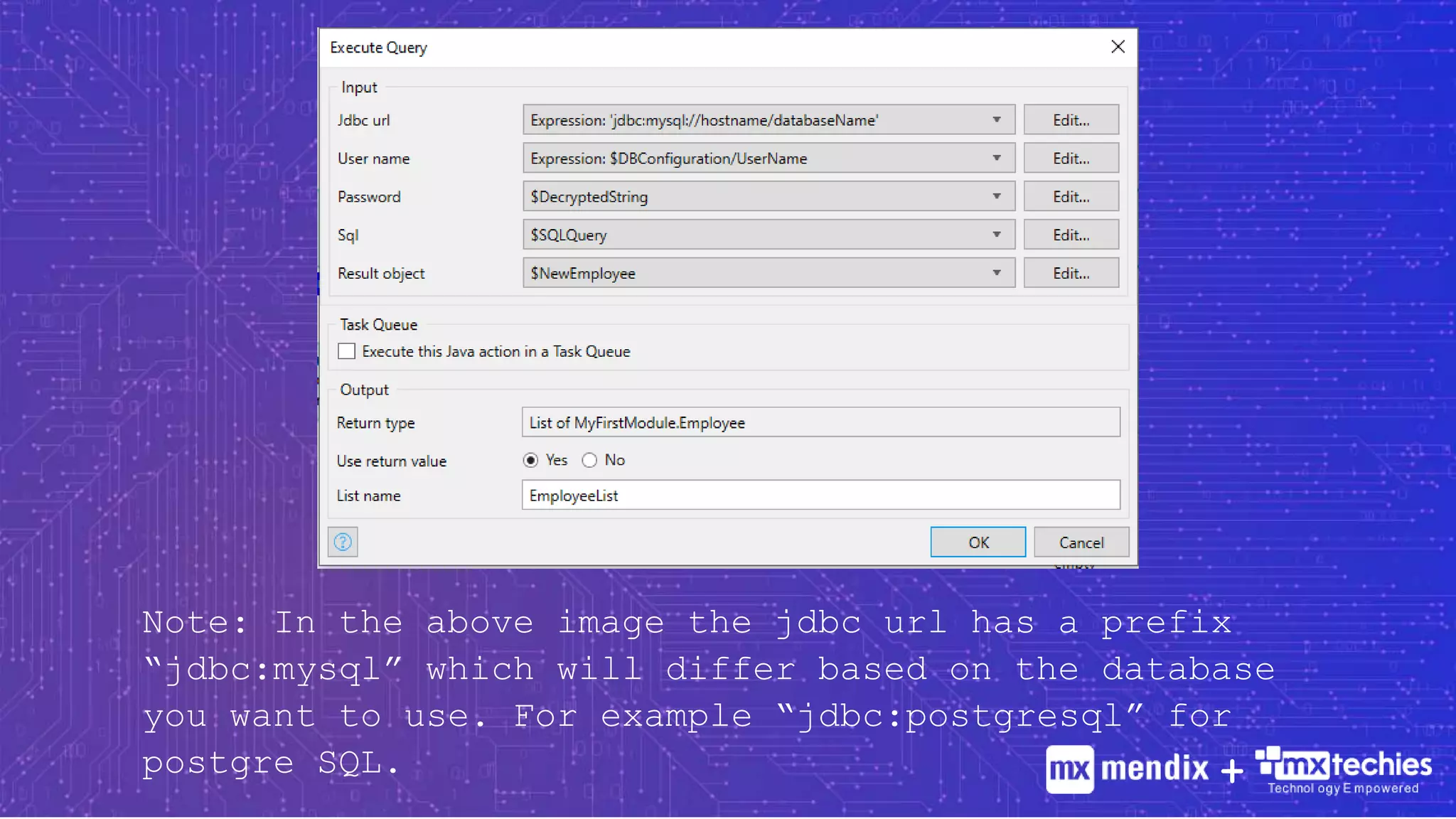
2. How to execute an SQL
Statement
 Store your SQL statement in a Variable
 Add the action activity Execute Query when you want
to fetch data from database and Execute Statement
for any other operations.
 Execute Query will expect an object to create a list
of the same objects fetched from database.
+
Note: In the above image the jdbc url has a prefix
“jdbc:mysql” which will differ based on the database
you want to use. For example “jdbc:postgresql” for
postgre SQL. +
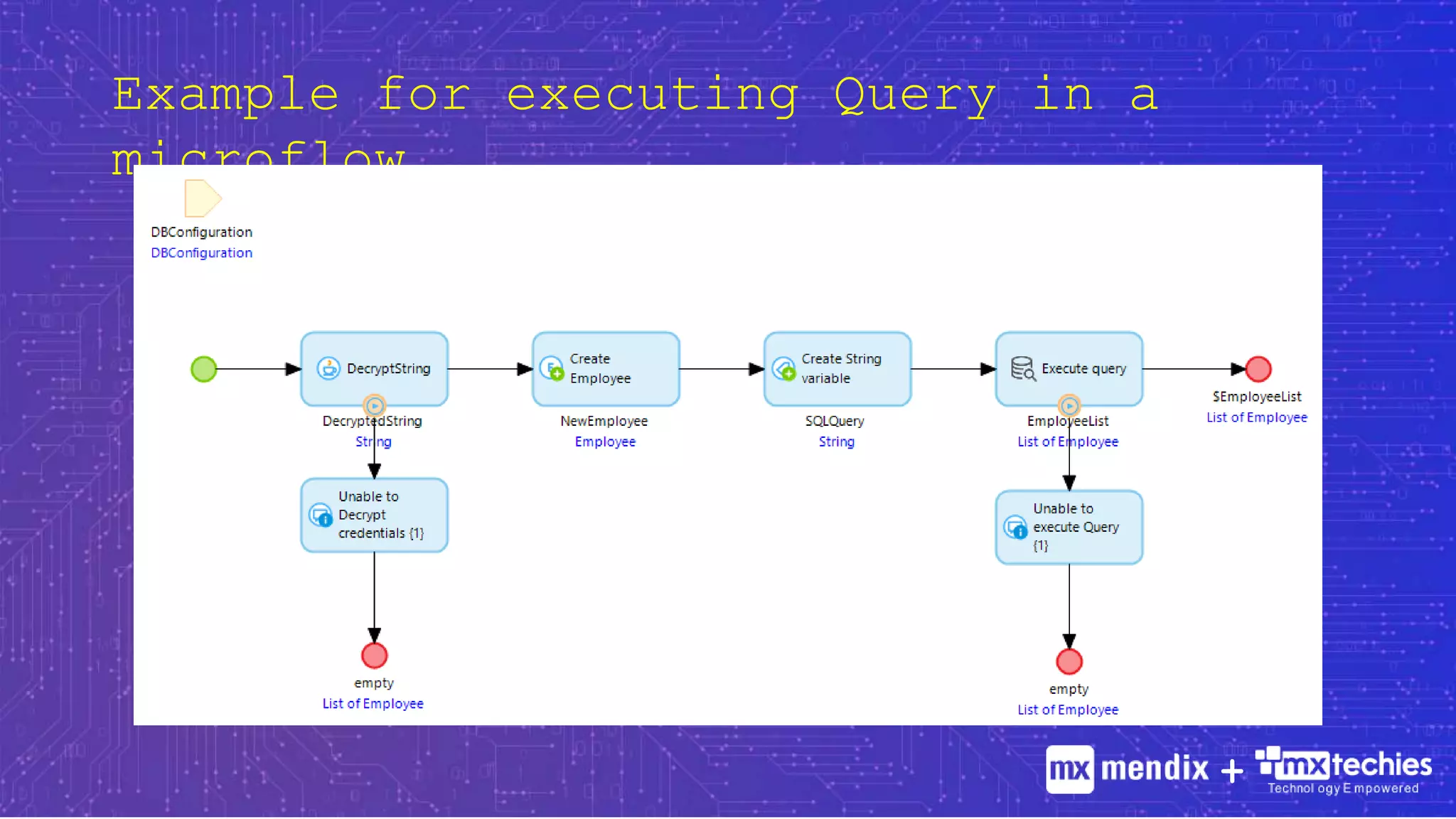
Example for executing Query in a
microflow.
+
3.How to pass your values to an SQL
statement
 When you want to pass inputs to an SQL statement Mendix
uses single quotes to define a String which is similar
to SQL.
 This makes writing an SQL Statement tricky.
 Here’s what we need to keep in mind.
+
3.How to pass your values to an SQL
statement
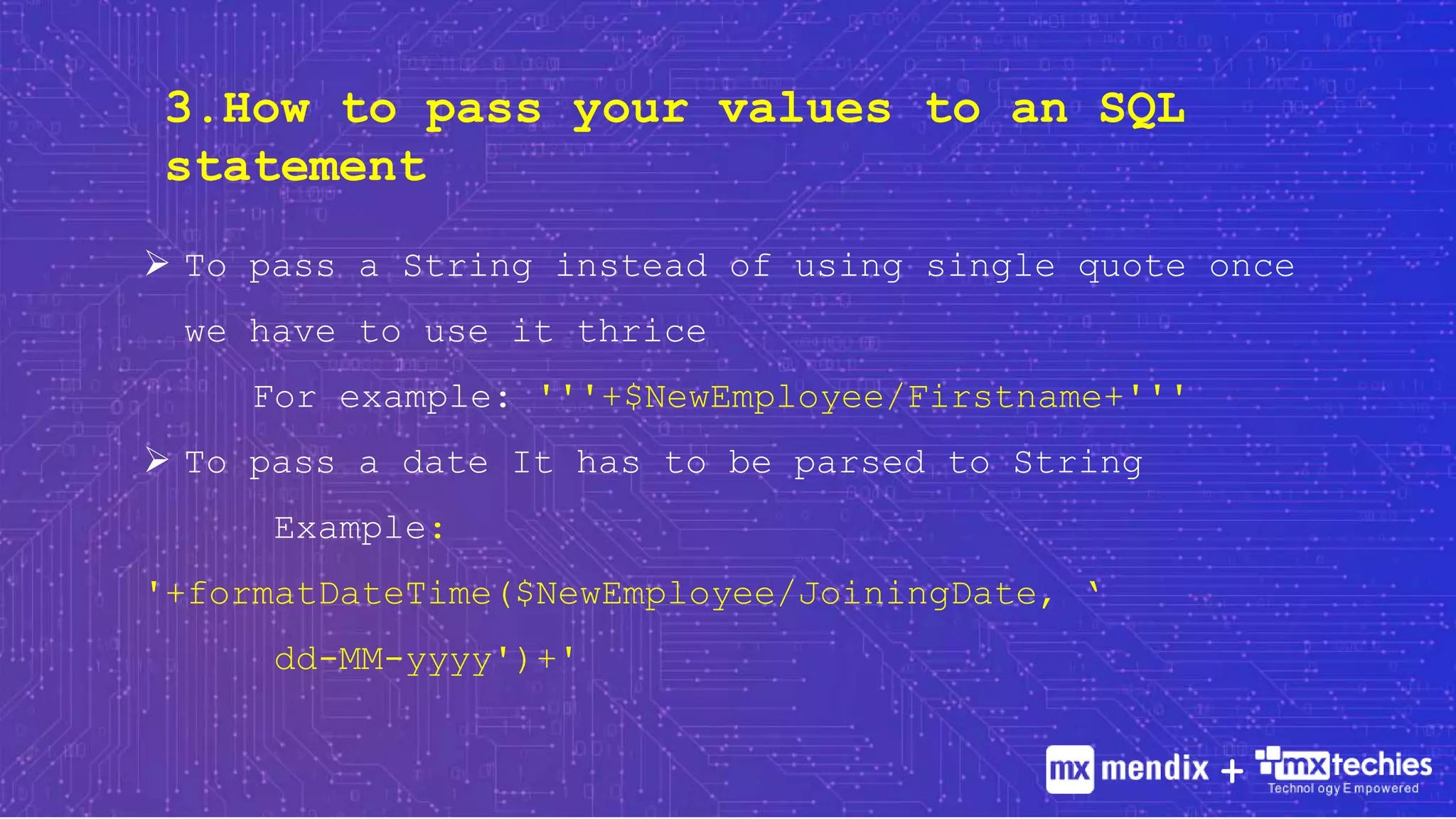
 To pass a String instead of using single quote once
we have to use it thrice
For example: '''+$NewEmployee/Firstname+'''
 To pass a date It has to be parsed to String
Example:
'+formatDateTime($NewEmployee/JoiningDate, ‘
dd-MM-yyyy')+'
+

All You need to know about "Database Connector" in Mendix

  • 1.
  • 2.
    Hi I’m KamalaNathan, Mendix Expert Certified, Senior Technical Lead, MxTechies +
  • 3.
    + I am hereto explain what Mendix “Database Connector” is and how it works.
  • 4.
  • 5.
     Mendix isthe pioneer of low-code development providing great yet simple digital transformation methods.  MxTechies is a digital transformation leader in the Mendix Low Code space.  Out of the several methods for migration/extension of the current database from any legacy system to Mendix, Database Connector is the best. This presentation will cover everything you need when you start working with the Database connector for Mendix. +
  • 6.
  • 7.
  • 8.
    J D B C he first reasonis that you can simply connect with all the databases that the JDBC supports +
  • 9.
    Like all otherMendix components, Database Connector works well as a plug-and-play activity. No customization or setup is necessary. +
  • 10.
    The big partis writing the SQL statements, which is a little different from how we usually do it. Once we get the hang of it, it becomes very simple. +
  • 11.
    Need further assistance?Don’t worry, I’m going to help you with 4 Simple Steps. Step 01 How to secure your database credentials from attack Step 02 How to execute and SQL Statement Step 03 How to pass your values to a SQL statement Step 04 Fixes and precautions to avoid a few common errors +
  • 12.
    1. How tosecure your database credentials from attack?  To re-use the database configuration in multiple requests, go for a configuration page instead of constants.  Make sure to store your password in an encrypted format.  Upon saving, move it to another attribute allowing the configuration page to display an empty value whenever opened.. +
  • 13.
    The save microflowwould look something like th +
  • 14.
    2. How toexecute an SQL Statement  Store your SQL statement in a Variable  Add the action activity Execute Query when you want to fetch data from database and Execute Statement for any other operations.  Execute Query will expect an object to create a list of the same objects fetched from database. +
  • 15.
    Note: In theabove image the jdbc url has a prefix “jdbc:mysql” which will differ based on the database you want to use. For example “jdbc:postgresql” for postgre SQL. +
  • 16.
    Example for executingQuery in a microflow. +
  • 17.
    3.How to passyour values to an SQL statement  When you want to pass inputs to an SQL statement Mendix uses single quotes to define a String which is similar to SQL.  This makes writing an SQL Statement tricky.  Here’s what we need to keep in mind. +
  • 18.
    3.How to passyour values to an SQL statement  To pass a String instead of using single quote once we have to use it thrice For example: '''+$NewEmployee/Firstname+'''  To pass a date It has to be parsed to String Example: '+formatDateTime($NewEmployee/JoiningDate, ‘ dd-MM-yyyy')+' +