Click anywhere on the screen to move to the next slide
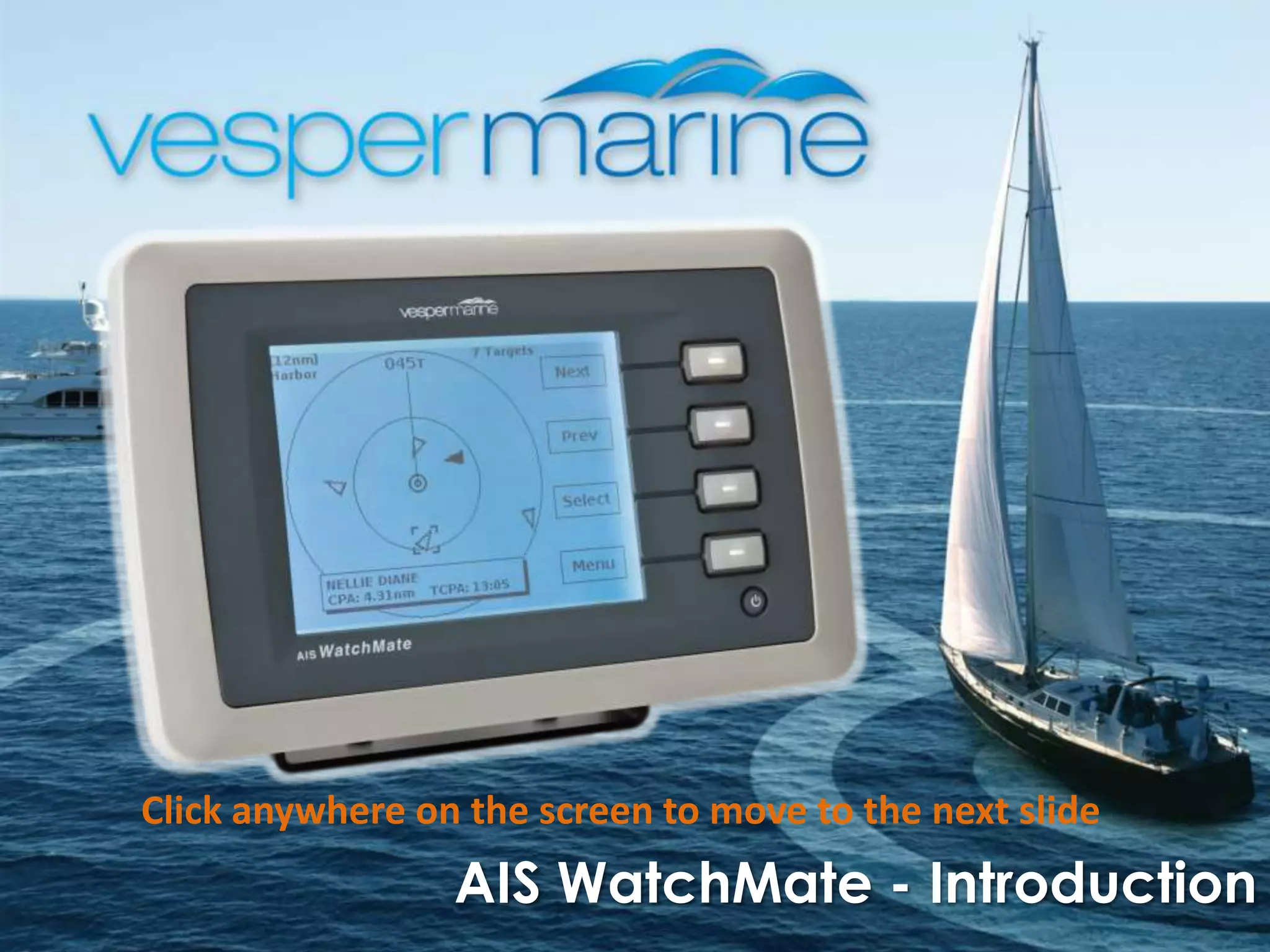
                 AIS WatchMate - Introduction
The WatchMate Product Set


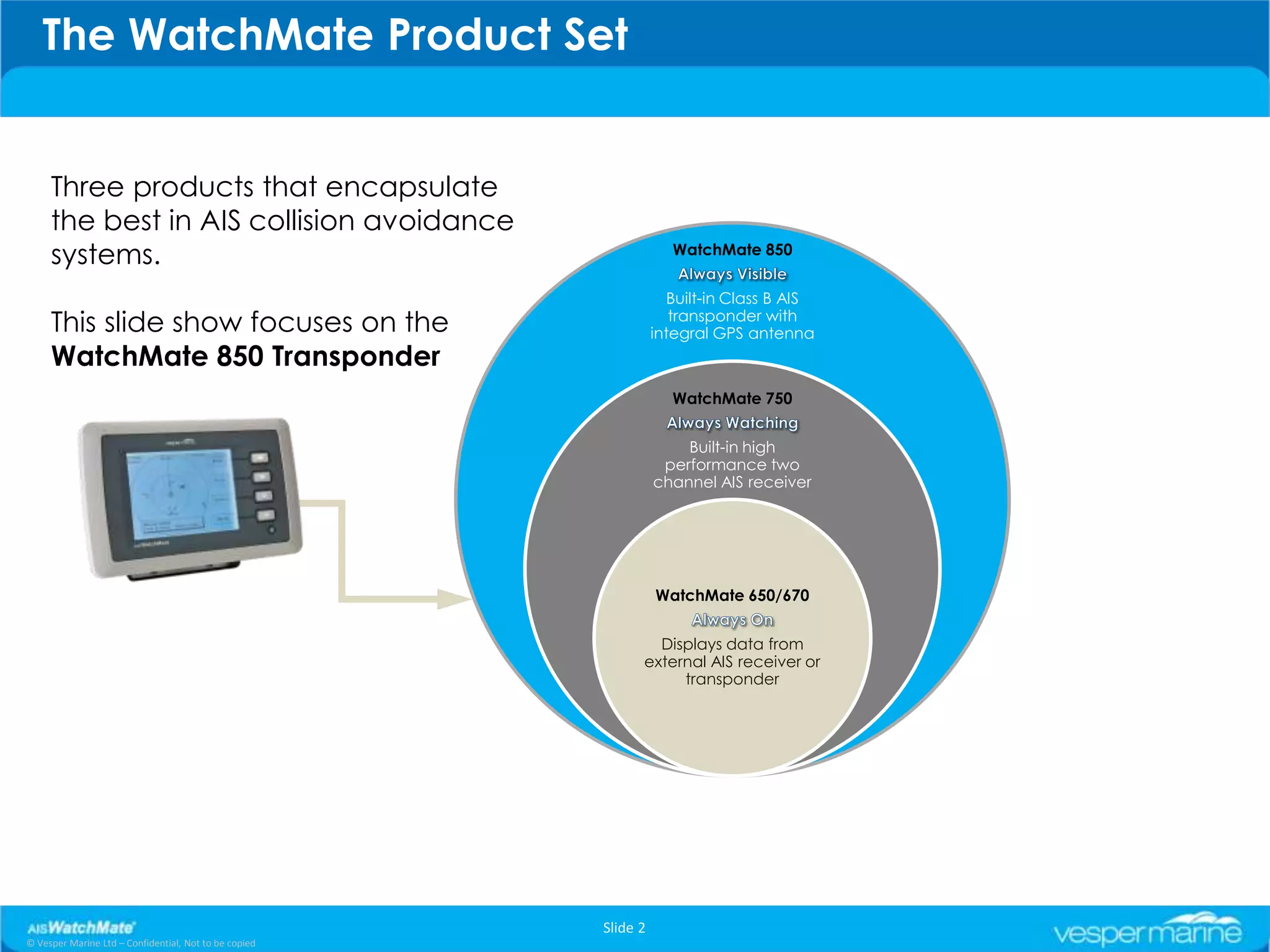
     Three products that encapsulate
     the best in AIS collision avoidance
     systems.                                                      WatchMate 850


                                                                   Built-in Class B AIS
     This slide show focuses on the                                 transponder with
                                                                 integral GPS antenna
     WatchMate 850 Transponder
                                                                   WatchMate 750


                                                                     Built-in high
                                                                  performance two
                                                                 channel AIS receiver


                                                                 WatchMate 650/670


                                                               Displays data from
                                                             external AIS receiver or
                                                                  transponder


                                                       Slide 2
© Vesper Marine Ltd – Confidential, Not to be copied
Why The Need for AIS WatchMate?
               An independent and dedicated safety instrument


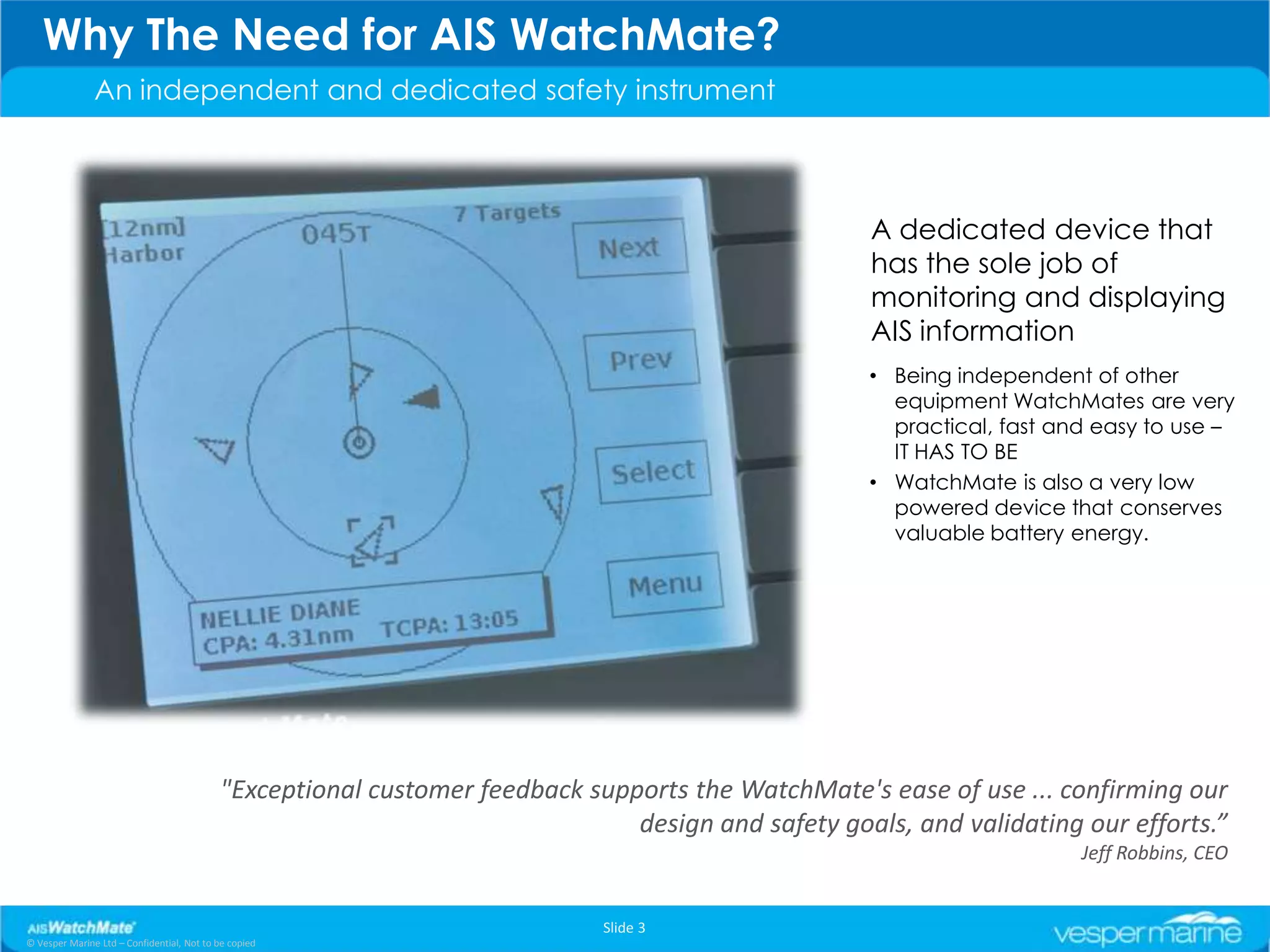
                                                                                                   A dedicated device that
                                                                                                   has the sole job of
                                                                                                   monitoring and displaying
                                                                                                   AIS information
                                                                                                   • Being independent of other
                                                                                                     equipment WatchMates are very
                                                                                                     practical, fast and easy to use –
                                                                                                     IT HAS TO BE
                                                                                                   • WatchMate is also a very low
                                                                                                     powered device that conserves
                                                                                                     valuable battery energy.


                                           "Exceptional customer feedback supports the WatchMate's ease of use ... confirming our
                                                                              design and safety goals, and validating our efforts.”
                                                                                                                       Jeff Robbins, CEO


                                                                            Slide 3
© Vesper Marine Ltd – Confidential, Not to be copied
The Home Screen
               Situation Display


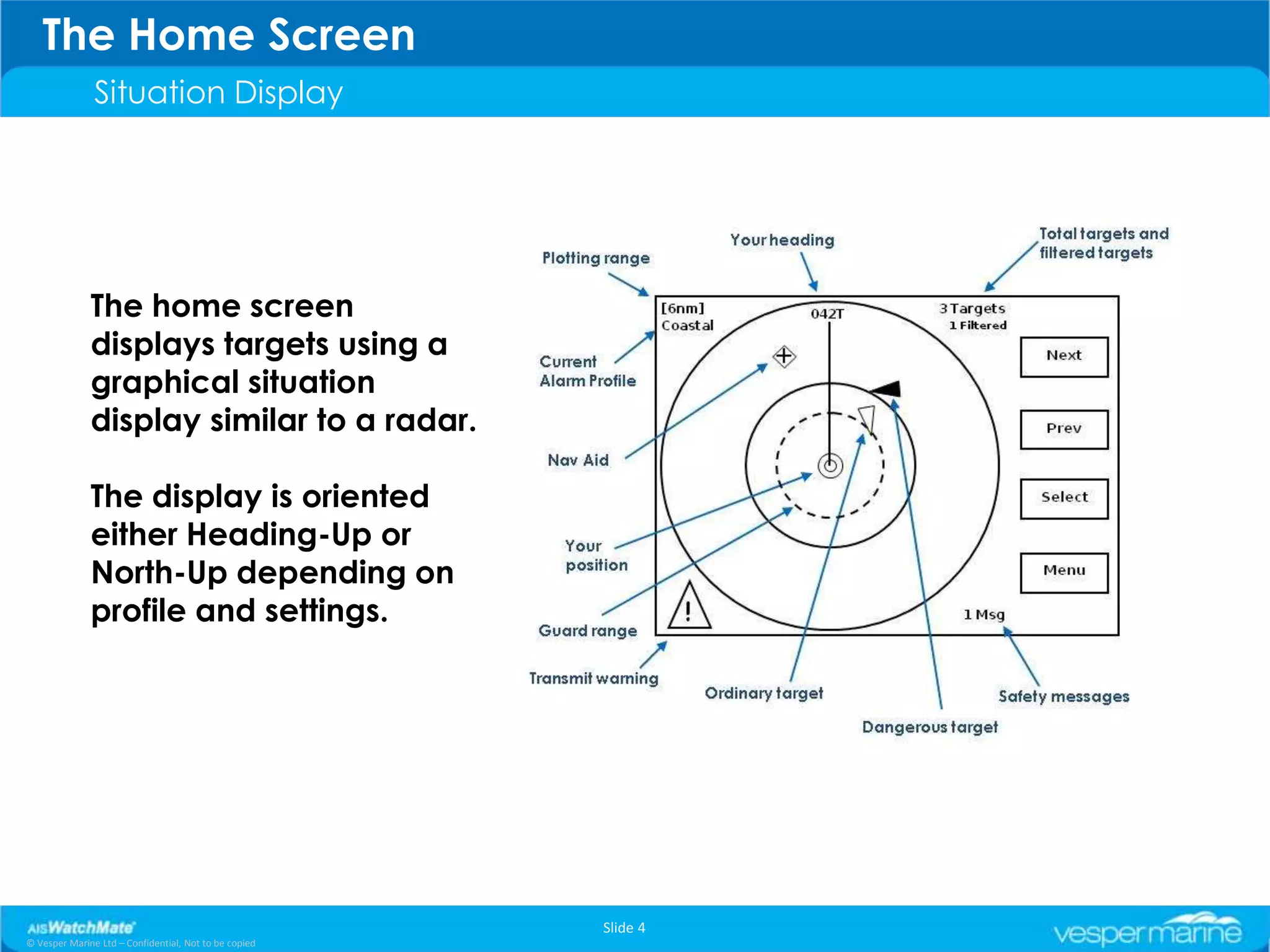
              The home screen
              displays targets using a
              graphical situation
              display similar to a radar.

              The display is oriented
              either Heading-Up or
              North-Up depending on
              profile and settings.


                                                       Slide 4
© Vesper Marine Ltd – Confidential, Not to be copied
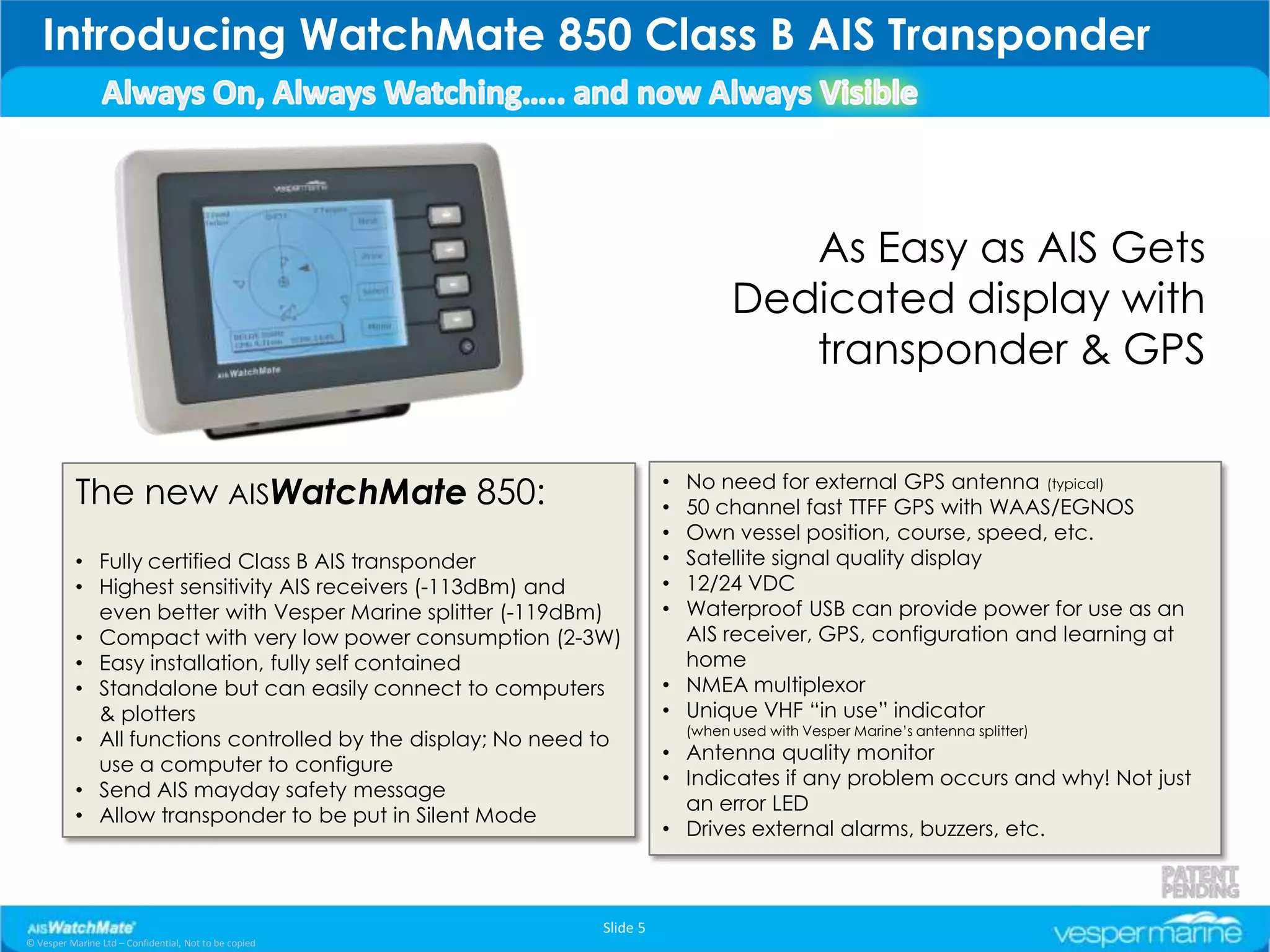
Introducing WatchMate 850 Class B AIS Transponder


                                                                                     As Easy as AIS Gets
                                                                                  Dedicated display with
                                                                                     transponder & GPS

                                                                          No need for external GPS antenna (typical)
           The new AISWatchMate 850:                                    •
                                                                        • 50 channel fast TTFF GPS with WAAS/EGNOS
                                                                        • Own vessel position, course, speed, etc.
           • Fully certified Class B AIS transponder                    • Satellite signal quality display
           • Highest sensitivity AIS receivers (-113dBm) and            • 12/24 VDC
             even better with Vesper Marine splitter (-119dBm)          • Waterproof USB can provide power for use as an
           • Compact with very low power consumption (2-3W)               AIS receiver, GPS, configuration and learning at
           • Easy installation, fully self contained                      home
           • Standalone but can easily connect to computers             • NMEA multiplexor
             & plotters                                                 • Unique VHF “in use” indicator
                                                                            (when used with Vesper Marine’s antenna splitter)
           • All functions controlled by the display; No need to
                                                                        • Antenna quality monitor
             use a computer to configure
                                                                        • Indicates if any problem occurs and why! Not just
           • Send AIS mayday safety message
                                                                          an error LED
           • Allow transponder to be put in Silent Mode
                                                                        • Drives external alarms, buzzers, etc.


                                                              Slide 5
© Vesper Marine Ltd – Confidential, Not to be copied
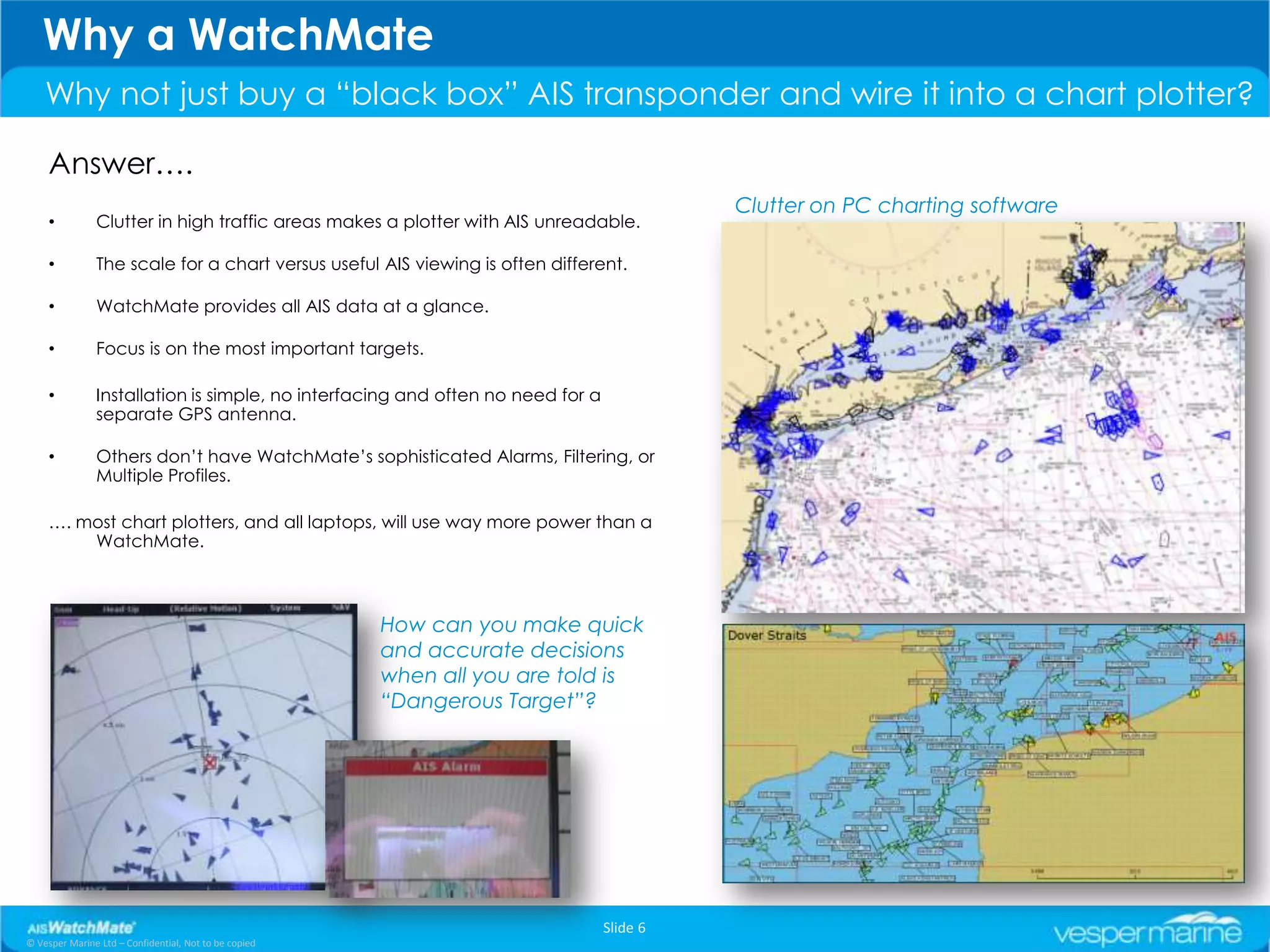
Why a WatchMate
    Why not just buy a “black box” AIS transponder and wire it into a chart plotter?

     Answer….
                                                                                          Clutter on PC charting software
     •         Clutter in high traffic areas makes a plotter with AIS unreadable.

     •         The scale for a chart versus useful AIS viewing is often different.

     •         WatchMate provides all AIS data at a glance.

     •         Focus is on the most important targets.

     •         Installation is simple, no interfacing and often no need for a
               separate GPS antenna.

     •         Others don’t have WatchMate’s sophisticated Alarms, Filtering, or
               Multiple Profiles.

     …. most chart plotters, and all laptops, will use way more power than a
         WatchMate.


                                                       How can you make quick
                                                       and accurate decisions
                                                       when all you are told is
                                                       “Dangerous Target”?


                                                                                Slide 6
© Vesper Marine Ltd – Confidential, Not to be copied
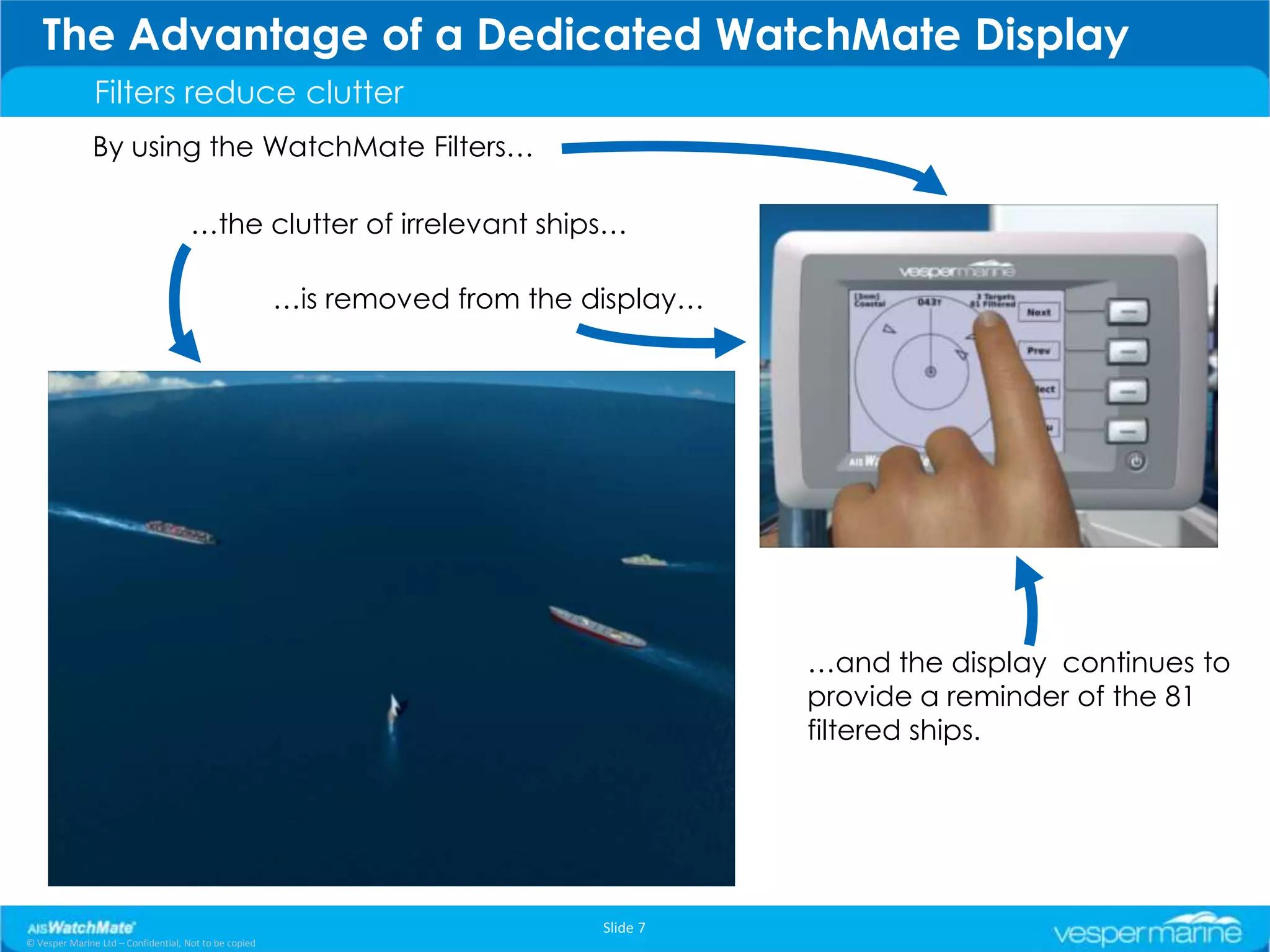
The Advantage of a Dedicated WatchMate Display
               Filters reduce clutter
               By using the WatchMate Filters…

                                     …the clutter of irrelevant ships…

                                                       …is removed from the display…


                                                                                       …and the display continues to
                                                                                       provide a reminder of the 81
                                                                                       filtered ships.


                                                                             Slide 7
© Vesper Marine Ltd – Confidential, Not to be copied
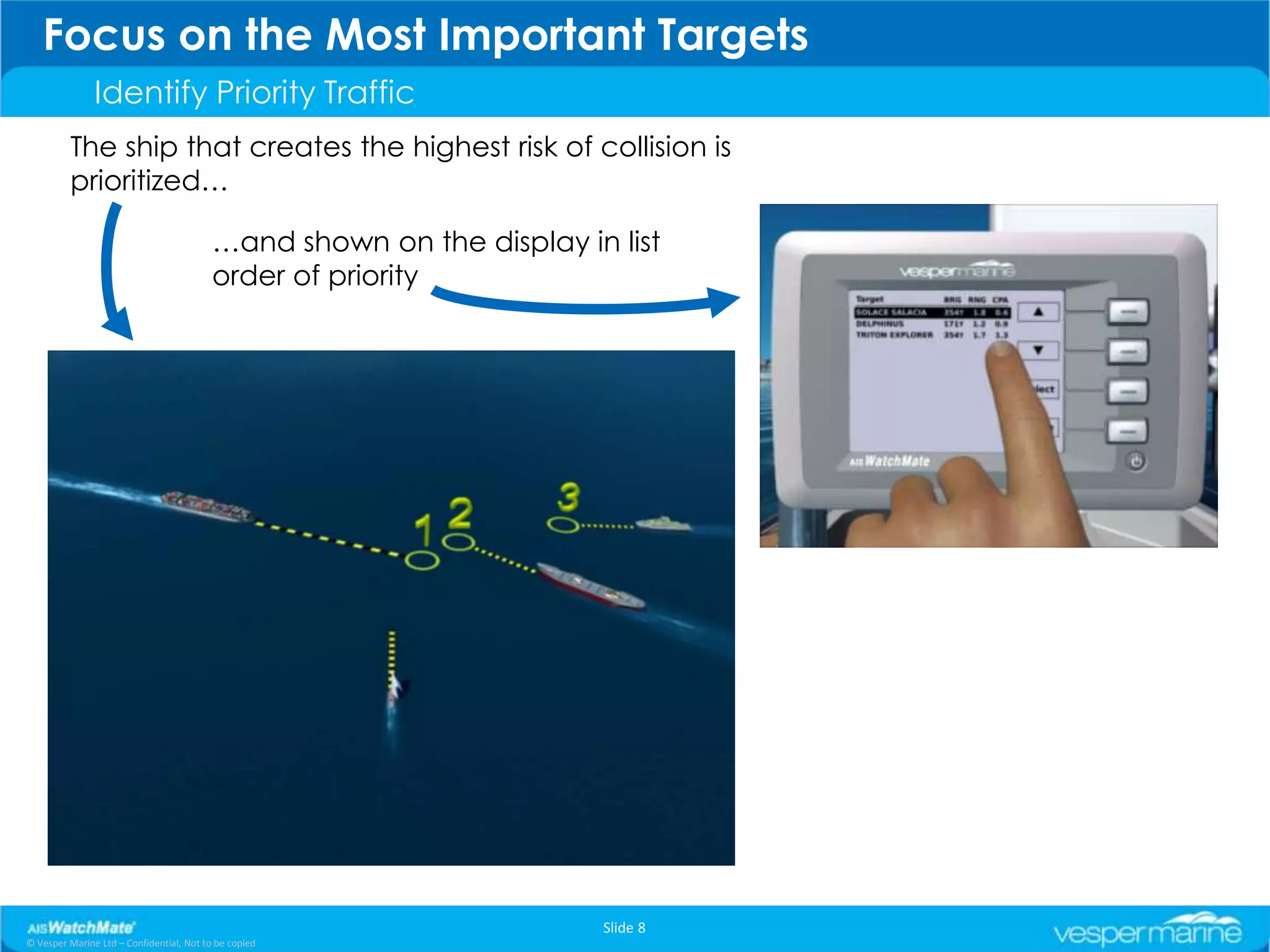
Focus on the Most Important Targets
               Identify Priority Traffic
         The ship that creates the highest risk of collision is
         prioritized…

                                          …and shown on the display in list
                                          order of priority


                                                                      Slide 8
© Vesper Marine Ltd – Confidential, Not to be copied
The unique Course Crossing feature
               Closest Point of Approach - Rolling time forward using Course Crossing


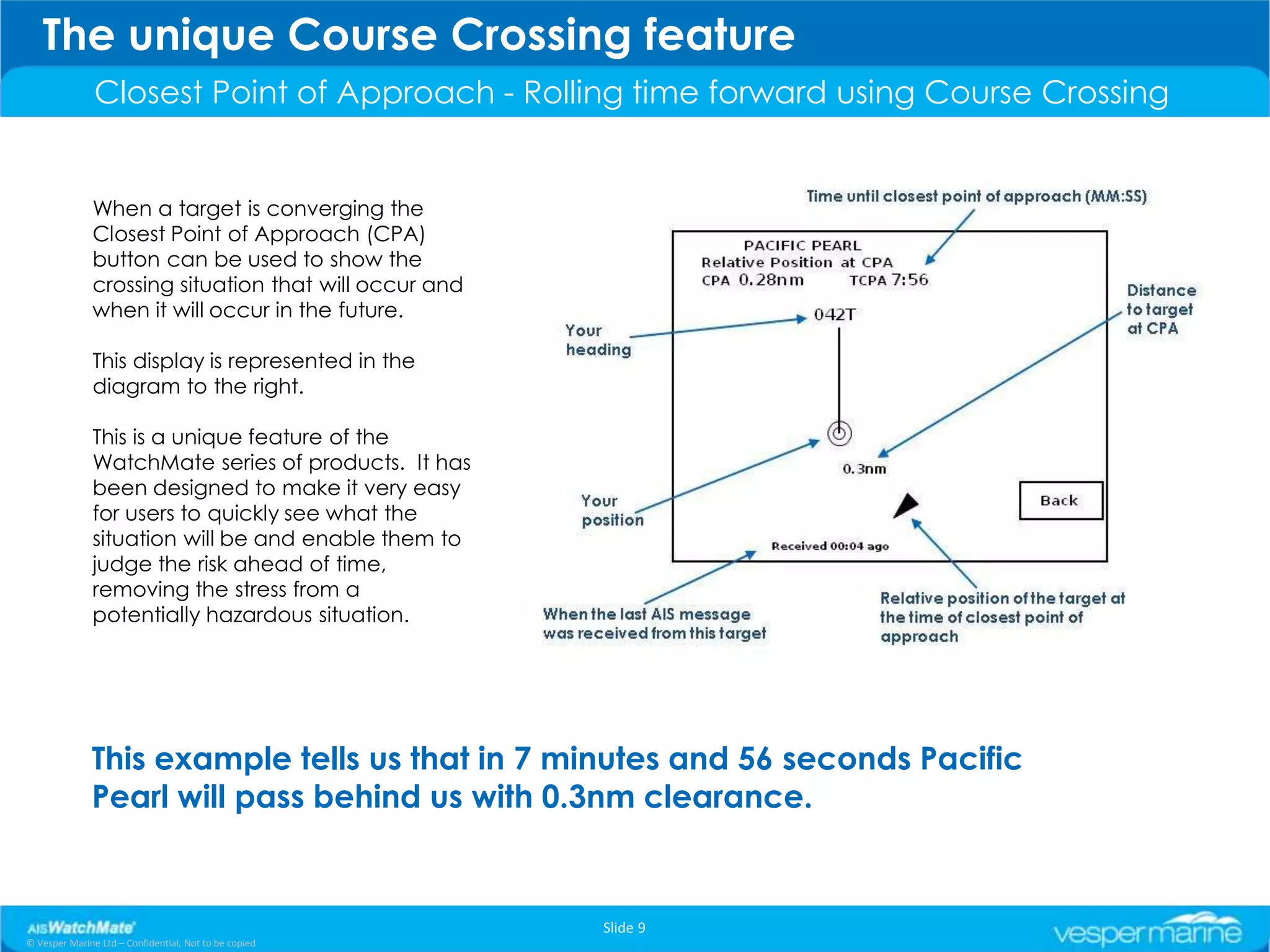
               When a target is converging the
               Closest Point of Approach (CPA)
               button can be used to show the
               crossing situation that will occur and
               when it will occur in the future.

               This display is represented in the
               diagram to the right.

               This is a unique feature of the
               WatchMate series of products. It has
               been designed to make it very easy
               for users to quickly see what the
               situation will be and enable them to
               judge the risk ahead of time,
               removing the stress from a
               potentially hazardous situation.


              This example tells us that in 7 minutes and 56 seconds Pacific
              Pearl will pass behind us with 0.3nm clearance.


                                                        Slide 9
© Vesper Marine Ltd – Confidential, Not to be copied
The Anchor Watch Feature
               For the WatchMate 850, 750 and 670


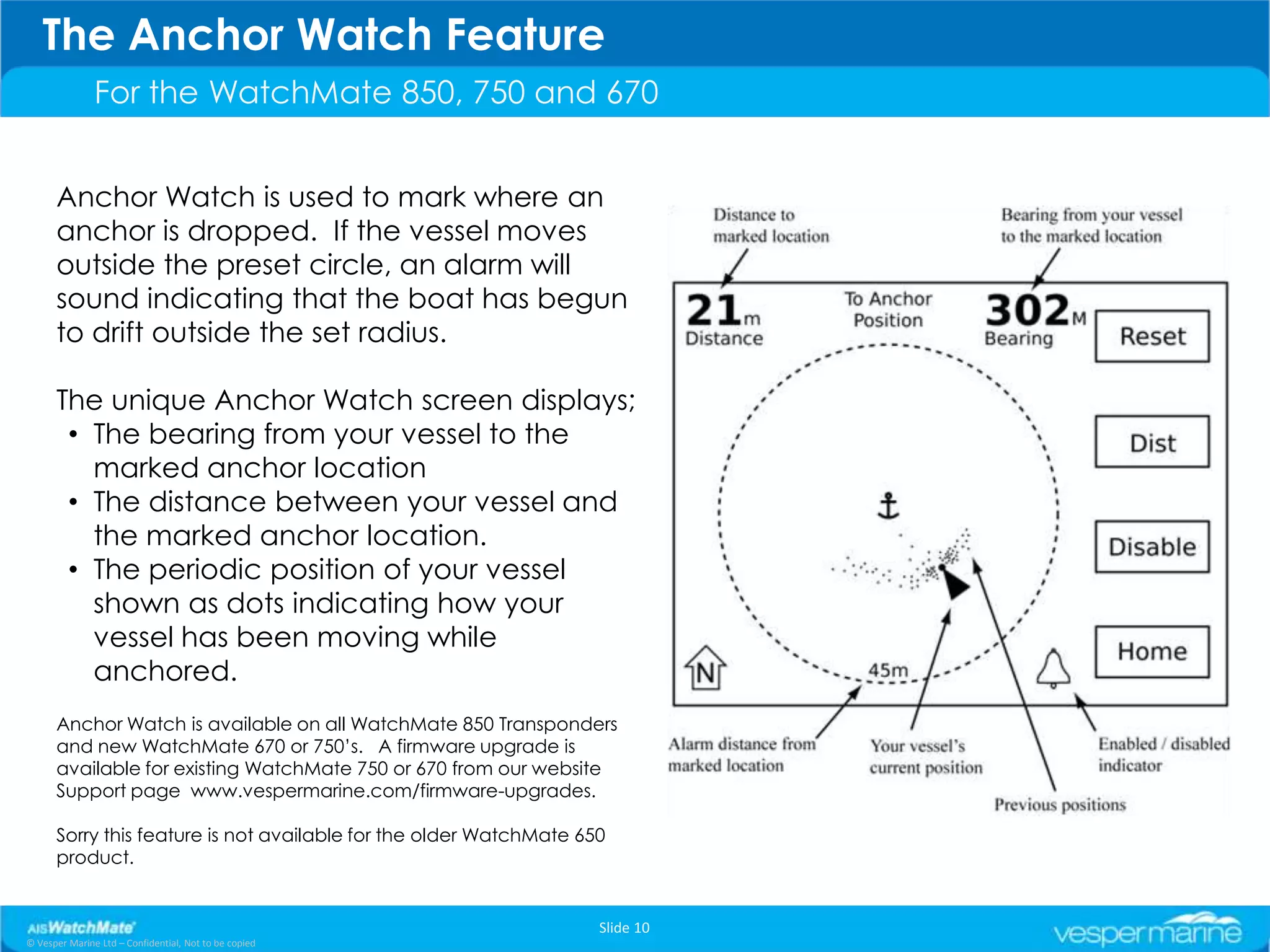
      Anchor Watch is used to mark where an
      anchor is dropped. If the vessel moves
      outside the preset circle, an alarm will
      sound indicating that the boat has begun
      to drift outside the set radius.

      The unique Anchor Watch screen displays;
       • The bearing from your vessel to the
         marked anchor location
       • The distance between your vessel and
         the marked anchor location.
       • The periodic position of your vessel
         shown as dots indicating how your
         vessel has been moving while
         anchored.
      Anchor Watch is available on all WatchMate 850 Transponders
      and new WatchMate 670 or 750’s. A firmware upgrade is
      available for existing WatchMate 750 or 670 from our website
      Support page www.vespermarine.com/firmware-upgrades.

      Sorry this feature is not available for the older WatchMate 650
      product.


                                                                    Slide 10
© Vesper Marine Ltd – Confidential, Not to be copied
See WatchMate in action
               Click video clips - WatchMate going through its key functions

         The problems WatchMate solves for customer – An overview

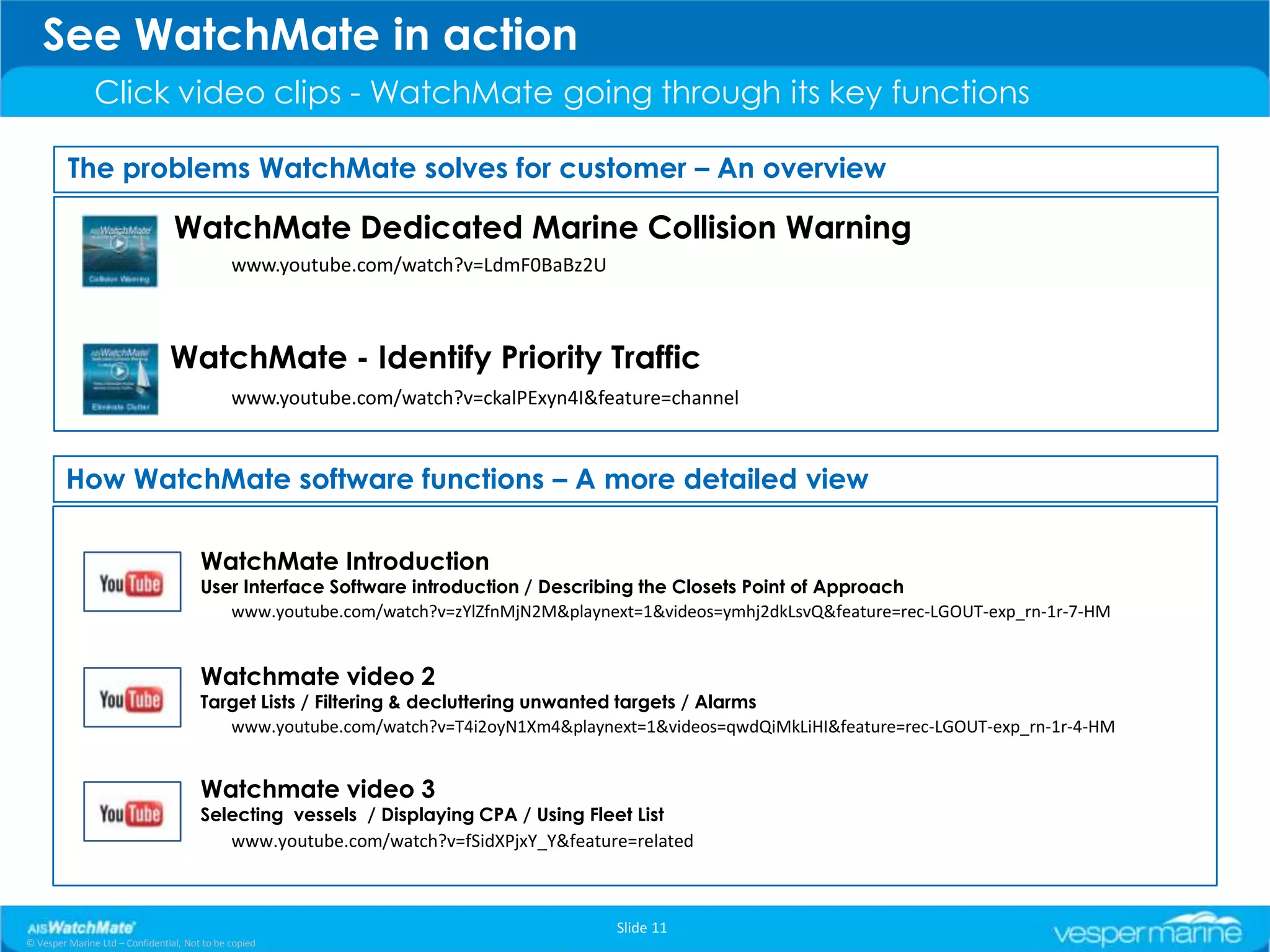
                                 WatchMate Dedicated Marine Collision Warning
                                              www.youtube.com/watch?v=LdmF0BaBz2U


                                WatchMate - Identify Priority Traffic
                                              www.youtube.com/watch?v=ckalPExyn4I&feature=channel


        How WatchMate software functions – A more detailed view

                                       WatchMate Introduction
                                       User Interface Software introduction / Describing the Closets Point of Approach
                                          www.youtube.com/watch?v=zYlZfnMjN2M&playnext=1&videos=ymhj2dkLsvQ&feature=rec-LGOUT-exp_rn-1r-7-HM


                                       Watchmate video 2
                                       Target Lists / Filtering & decluttering unwanted targets / Alarms
                                          www.youtube.com/watch?v=T4i2oyN1Xm4&playnext=1&videos=qwdQiMkLiHI&feature=rec-LGOUT-exp_rn-1r-4-HM


                                       Watchmate video 3
                                       Selecting vessels / Displaying CPA / Using Fleet List
                                          www.youtube.com/watch?v=fSidXPjxY_Y&feature=related


                                                                                     Slide 11
© Vesper Marine Ltd – Confidential, Not to be copied
Easy to Use as Well as Easy to Install
               WatchMate 850 Transponder


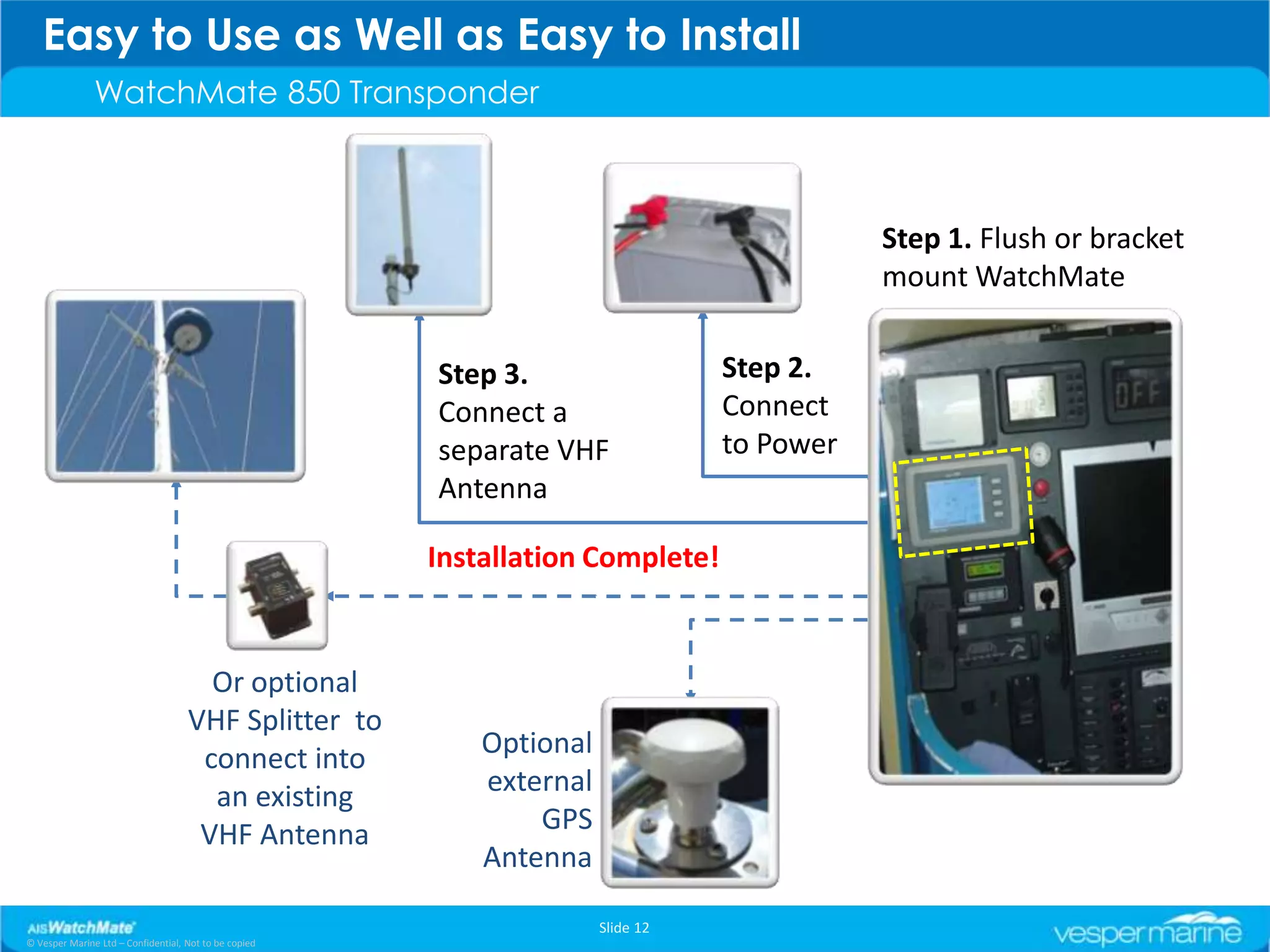
                                                                                            Step 1. Flush or bracket
                                                                                            mount WatchMate


                                                       Step 3.                   Step 2.
                                                       Connect a                 Connect
                                                       separate VHF              to Power
                                                       Antenna

                                                       Installation Complete!


                                      Or optional
                                    VHF Splitter to
                                     connect into          Optional
                                      an existing          external
                                     VHF Antenna               GPS
                                                           Antenna

                                                                      Slide 12
© Vesper Marine Ltd – Confidential, Not to be copied
Thanks for taking the time
                     to review this introduction
                       to the WatchMate 850
                            Transponder
                                  -
                                                       End

                                                       Slide 13
© Vesper Marine Ltd – Confidential, Not to be copied

AIS WatchMate 850 Transponder Introduction

  • 1.
    Click anywhere onthe screen to move to the next slide AIS WatchMate - Introduction
  • 2.
    The WatchMate ProductSet Three products that encapsulate the best in AIS collision avoidance systems. WatchMate 850 Built-in Class B AIS This slide show focuses on the transponder with integral GPS antenna WatchMate 850 Transponder WatchMate 750 Built-in high performance two channel AIS receiver WatchMate 650/670 Displays data from external AIS receiver or transponder Slide 2 © Vesper Marine Ltd – Confidential, Not to be copied
  • 3.
    Why The Needfor AIS WatchMate? An independent and dedicated safety instrument A dedicated device that has the sole job of monitoring and displaying AIS information • Being independent of other equipment WatchMates are very practical, fast and easy to use – IT HAS TO BE • WatchMate is also a very low powered device that conserves valuable battery energy. "Exceptional customer feedback supports the WatchMate's ease of use ... confirming our design and safety goals, and validating our efforts.” Jeff Robbins, CEO Slide 3 © Vesper Marine Ltd – Confidential, Not to be copied
  • 4.
    The Home Screen Situation Display The home screen displays targets using a graphical situation display similar to a radar. The display is oriented either Heading-Up or North-Up depending on profile and settings. Slide 4 © Vesper Marine Ltd – Confidential, Not to be copied
  • 5.
    Introducing WatchMate 850Class B AIS Transponder As Easy as AIS Gets Dedicated display with transponder & GPS No need for external GPS antenna (typical) The new AISWatchMate 850: • • 50 channel fast TTFF GPS with WAAS/EGNOS • Own vessel position, course, speed, etc. • Fully certified Class B AIS transponder • Satellite signal quality display • Highest sensitivity AIS receivers (-113dBm) and • 12/24 VDC even better with Vesper Marine splitter (-119dBm) • Waterproof USB can provide power for use as an • Compact with very low power consumption (2-3W) AIS receiver, GPS, configuration and learning at • Easy installation, fully self contained home • Standalone but can easily connect to computers • NMEA multiplexor & plotters • Unique VHF “in use” indicator (when used with Vesper Marine’s antenna splitter) • All functions controlled by the display; No need to • Antenna quality monitor use a computer to configure • Indicates if any problem occurs and why! Not just • Send AIS mayday safety message an error LED • Allow transponder to be put in Silent Mode • Drives external alarms, buzzers, etc. Slide 5 © Vesper Marine Ltd – Confidential, Not to be copied
  • 6.
    Why a WatchMate Why not just buy a “black box” AIS transponder and wire it into a chart plotter? Answer…. Clutter on PC charting software • Clutter in high traffic areas makes a plotter with AIS unreadable. • The scale for a chart versus useful AIS viewing is often different. • WatchMate provides all AIS data at a glance. • Focus is on the most important targets. • Installation is simple, no interfacing and often no need for a separate GPS antenna. • Others don’t have WatchMate’s sophisticated Alarms, Filtering, or Multiple Profiles. …. most chart plotters, and all laptops, will use way more power than a WatchMate. How can you make quick and accurate decisions when all you are told is “Dangerous Target”? Slide 6 © Vesper Marine Ltd – Confidential, Not to be copied
  • 7.
    The Advantage ofa Dedicated WatchMate Display Filters reduce clutter By using the WatchMate Filters… …the clutter of irrelevant ships… …is removed from the display… …and the display continues to provide a reminder of the 81 filtered ships. Slide 7 © Vesper Marine Ltd – Confidential, Not to be copied
  • 8.
    Focus on theMost Important Targets Identify Priority Traffic The ship that creates the highest risk of collision is prioritized… …and shown on the display in list order of priority Slide 8 © Vesper Marine Ltd – Confidential, Not to be copied
  • 9.
    The unique CourseCrossing feature Closest Point of Approach - Rolling time forward using Course Crossing When a target is converging the Closest Point of Approach (CPA) button can be used to show the crossing situation that will occur and when it will occur in the future. This display is represented in the diagram to the right. This is a unique feature of the WatchMate series of products. It has been designed to make it very easy for users to quickly see what the situation will be and enable them to judge the risk ahead of time, removing the stress from a potentially hazardous situation. This example tells us that in 7 minutes and 56 seconds Pacific Pearl will pass behind us with 0.3nm clearance. Slide 9 © Vesper Marine Ltd – Confidential, Not to be copied
  • 10.
    The Anchor WatchFeature For the WatchMate 850, 750 and 670 Anchor Watch is used to mark where an anchor is dropped. If the vessel moves outside the preset circle, an alarm will sound indicating that the boat has begun to drift outside the set radius. The unique Anchor Watch screen displays; • The bearing from your vessel to the marked anchor location • The distance between your vessel and the marked anchor location. • The periodic position of your vessel shown as dots indicating how your vessel has been moving while anchored. Anchor Watch is available on all WatchMate 850 Transponders and new WatchMate 670 or 750’s. A firmware upgrade is available for existing WatchMate 750 or 670 from our website Support page www.vespermarine.com/firmware-upgrades. Sorry this feature is not available for the older WatchMate 650 product. Slide 10 © Vesper Marine Ltd – Confidential, Not to be copied
  • 11.
    See WatchMate inaction Click video clips - WatchMate going through its key functions The problems WatchMate solves for customer – An overview WatchMate Dedicated Marine Collision Warning www.youtube.com/watch?v=LdmF0BaBz2U WatchMate - Identify Priority Traffic www.youtube.com/watch?v=ckalPExyn4I&feature=channel How WatchMate software functions – A more detailed view WatchMate Introduction User Interface Software introduction / Describing the Closets Point of Approach www.youtube.com/watch?v=zYlZfnMjN2M&playnext=1&videos=ymhj2dkLsvQ&feature=rec-LGOUT-exp_rn-1r-7-HM Watchmate video 2 Target Lists / Filtering & decluttering unwanted targets / Alarms www.youtube.com/watch?v=T4i2oyN1Xm4&playnext=1&videos=qwdQiMkLiHI&feature=rec-LGOUT-exp_rn-1r-4-HM Watchmate video 3 Selecting vessels / Displaying CPA / Using Fleet List www.youtube.com/watch?v=fSidXPjxY_Y&feature=related Slide 11 © Vesper Marine Ltd – Confidential, Not to be copied
  • 12.
    Easy to Useas Well as Easy to Install WatchMate 850 Transponder Step 1. Flush or bracket mount WatchMate Step 3. Step 2. Connect a Connect separate VHF to Power Antenna Installation Complete! Or optional VHF Splitter to connect into Optional an existing external VHF Antenna GPS Antenna Slide 12 © Vesper Marine Ltd – Confidential, Not to be copied
  • 13.
    Thanks for takingthe time to review this introduction to the WatchMate 850 Transponder - End Slide 13 © Vesper Marine Ltd – Confidential, Not to be copied