RSC East Midlands

Accessibility and Inclusion Forum

6 March 2014
Martin Cooke, ILT Advisor
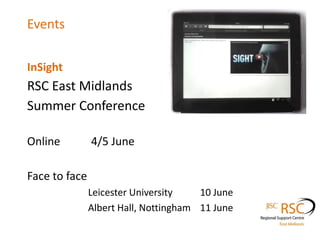
Events
InSight

RSC East Midlands
Summer Conference
Online
4/5 June

Face to face
Leicester University
10 June
Albert Hall, Nottingham 11 June
Children and Families Bill
http://www.councilfordisabledchildren.org.uk/media/527417/countdown-to-change-fe-final.pdf
AOC and Natspec document

What do FE and ISPs need to do in the wake of the
Children and Families Bill becoming law in Feb 2014?
•
•
•
•
•

Build links with LAs, and funders of high needs students
Contribute to the local offer
Raise awareness of the reforms amongst colleagues
Consider workforce development
Consider new funding and study programme for supported
internships, traineeships/apprenticeships, in partnership with
employers
• Develop transition partnerships with LA/schools
Children and families Bill 2014
Code of Practice LLDD post-16
http://goo.gl/32163K

•
•
•
•
•
•
•

EHC plans and collaboration between services
Big focus on transition and right of students to be heard
Greater choice for parents and young ppl
Positive outcomes: employment, HE, etc
Preparation for adulthood
Extends to 19-25 yr olds
Students and Teachers can request an assessment

respond online
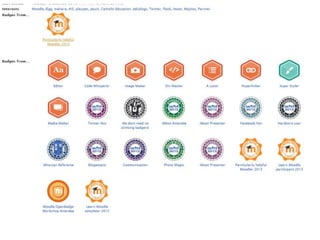
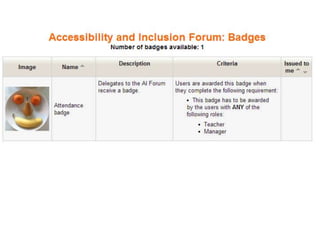
Badge for delegates
Chesterfield College
Runners-up for the AoC Beacon Award
Microlink and AoC Charitable Trust

Inclusive Learning Award
for students with
learning Difficulties and/or Disabilities
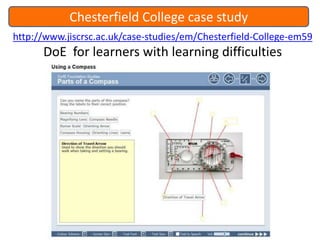
Chesterfield College case study
http://www.jiscrsc.ac.uk/case-studies/em/Chesterfield-College-em59

DoE for learners with learning difficulties
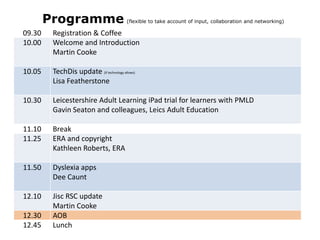
Programme

(flexible to take account of input, collaboration and networking)

09.30
10.00

Registration & Coffee
Welcome and Introduction
Martin Cooke

10.05

TechDis update (if technology allows)
Lisa Featherstone
10.30

Leicestershire Adult Learning iPad trial for learners with PMLD
Gavin Seaton and colleagues, Leics Adult Education

11.10
11.25

Break
ERA and copyright
Kathleen Roberts, ERA

11.50

Dyslexia apps
Dee Caunt

12.10

Jisc RSC update
Martin Cooke
AOB
Lunch

12.30
12.45
Communications tech to support Transition
http://supportingtransition.co.uk/

Isolation can have detrimental impact
on transition process from ISP to independence.
Using Skype and other such technologies to link students with others.

Using readily available technology to develop and maintain
communication will support the transition process allowing students
to integrate back into their own community or to a new community
away from their home environment more easily.
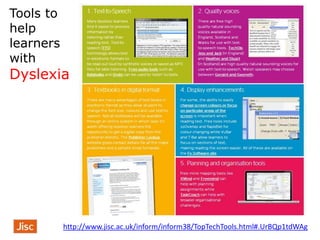
Tools to
help
learners
with

Dyslexia

http://www.jisc.ac.uk/inform/inform38/TopTechTools.html#.UrBQp1tdWAg
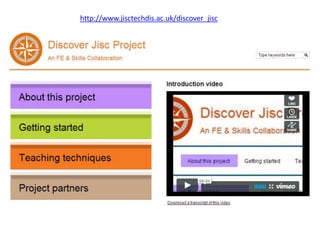
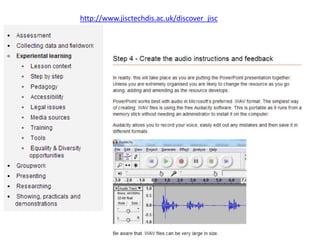
http://www.jisctechdis.ac.uk/discover_jisc
Involve Me
http://goo.gl/DsdKZw
How would you help facilitate Learner

Padlet

Voice and self-advocacy for LLDD ?
Involve Me
http://goo.gl/DsdKZw
The eight key messages for Learner

Voice and self-advocacy for LLDD

• Know the person really well
• Take lots of time
• Don’t make assumptions
• Be responsive to the person
• Be creative and try out new ideas.
• Learn from what the person ‘tells’ you
• Act on what you learn
• Help the person recall and share things about their life
Disability Confident campaign
July 2013, ‘Disability Confident’, a new 2 yr campaign encouraging businesses to employ
more disabled workers, and to take on more apprentices, trainees and interns with
disabilities or learning difficulties.
https://www.gov.uk/government/news/drive-to-get-more-disabled-people-into-mainstream-jobs

Guidance on employing disabled people
http://goo.gl/YTSa32
open badges: case studies
Open Badge Adventure at Borders College
Mozilla Open Badges ecosystem offers an opportunity to increase student engagement,
retention and employability.
Chesterfield College
Inclusive Learning, Advocacy, Enrichment and Work Experience in Foundation Studies

In Brief: Open Badges
Resources from the latest webinar

http://moodle.rsc-em.ac.uk/course/view.php?id=24
open badges
Do you want to make links with employability skills?
Badges related to real world skills will be worth having in your eportfolio.
non-traditional skills
eg Mozilla’s web literacy standards: not formal education but important
skills in today’s online world.
No academic qualifications but online learning skills or community
involvement recognised.
Wicked competences and soft skills
teamworking, empathy, honesty, integrity, participation, collaboration etc

esafety
Digital footprint
open badges in Moodle 2.5
Moodle 2.5 includes Open Badges
Part 1 - http://www.screenr.com/Jf67
Part 2 – Setting up the Quiz and Looking at Badges http://www.screenr.com/7v67
Part 3 – Making the Badge http://www.screenr.com/hv67
Part 4 – Setting up the Backpack http://www.screenr.com/4v67
Part 5 – Getting my Badge http://www.screenr.com/Lv67
Part 6 – Getting my Badge pt 2 http://www.screenr.com/3v67

Moodle is the first widely-used platform to support badges.
Teachers can now design and award their own badges for any users on their sites,
using their own criteria. These badges are compatible with the Open Badges standard
from Mozilla, and can be used outside Moodle as well.
For more on open badges:
http://www.slideshare.net/dajbelshaw/jisc-rsc-scotland-open-badges-workshop
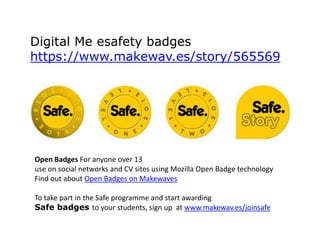
Digital Me esafety badges
https://www.makewav.es/story/565569

Open Badges For anyone over 13
use on social networks and CV sites using Mozilla Open Badge technology
Find out about Open Badges on Makewaves
To take part in the Safe programme and start awarding
Safe badges to your students, sign up at www.makewav.es/joinsafe
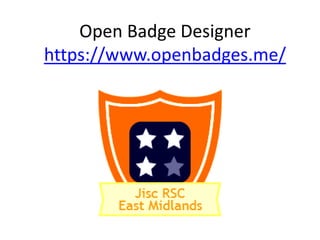
Open Badge Designer
https://www.openbadges.me/
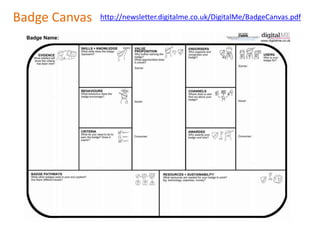
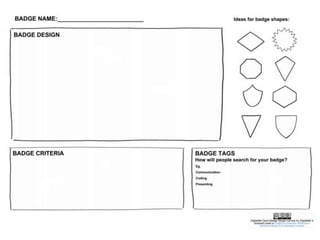
Badge Canvas

http://newsletter.digitalme.co.uk/DigitalMe/BadgeCanvas.pdf
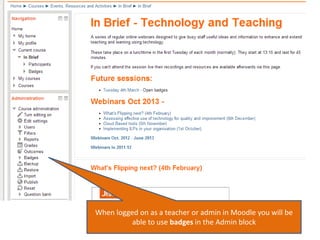
When logged on as a teacher or admin in Moodle you will be
able to use badges in the Admin block
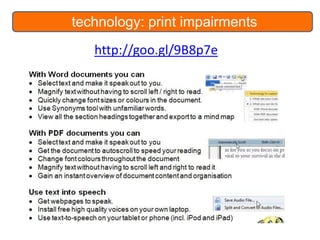
technology: print impairments
http://goo.gl/9B8p7e
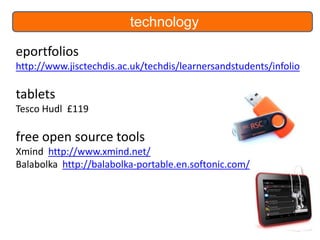
technology
eportfolios
http://www.jisctechdis.ac.uk/techdis/learnersandstudents/infolio

tablets
Tesco Hudl £119

free open source tools
Xmind http://www.xmind.net/
Balabolka http://balabolka-portable.en.softonic.com/
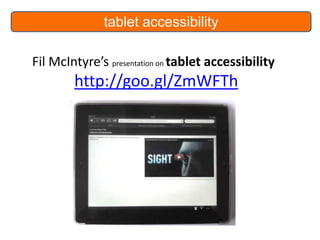
tablet accessibility

Fil McIntyre’s presentation on tablet accessibility

http://goo.gl/ZmWFTh
xerte accessibility
http://vle.jisctechdis.ac.uk/xerte/play_427
SD on acc content
http://vle.jisctechdis.ac.uk/sandpit/play.php?template_id=1642

xerte 2.1 download
xerte.org.uk
Xerte 2.1 is available from the download page. Do you need it? If you are still on 1.9
then most certainly as xerte is now html5 and playable on mobile devices.
http://xerte.org.uk
New look and some additional features:

• accessibility button for changing colours
• ARIA landmarks (for the blind using screenreaders)
• SCORM improvements to track how long spent on each page
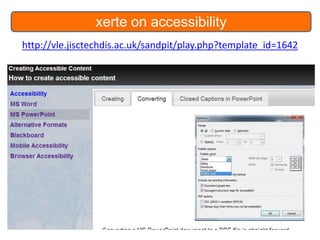
xerte on accessibility
http://vle.jisctechdis.ac.uk/sandpit/play.php?template_id=1642
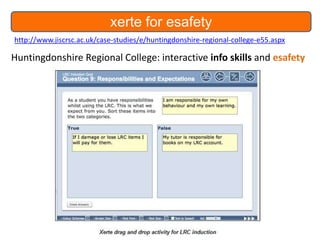
xerte for esafety
http://www.jiscrsc.ac.uk/case-studies/e/huntingdonshire-regional-college-e55.aspx

Huntingdonshire Regional College: interactive info skills and esafety
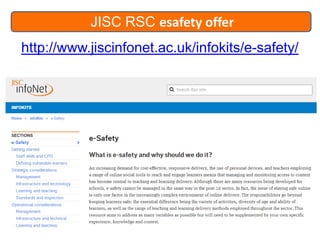
JISC RSC esafety offer
http://www.jiscinfonet.ac.uk/infokits/e-safety/
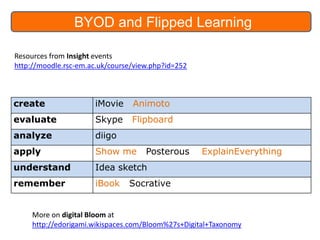
BYOD and Flipped Learning
Resources from Insight events
http://moodle.rsc-em.ac.uk/course/view.php?id=252

create

iMovie

Animoto

evaluate

Skype

Flipboard

analyze

diigo

apply

Show me

understand

Idea sketch

remember

iBook

Posterous

ExplainEverything

Socrative

More on digital Bloom at
http://edorigami.wikispaces.com/Bloom%27s+Digital+Taxonomy
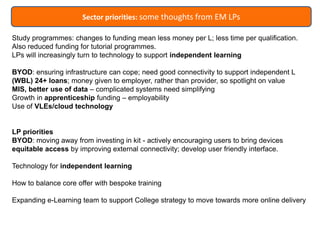
Sector priorities: some thoughts from EM LPs
Study programmes: changes to funding mean less money per L; less time per qualification.
Also reduced funding for tutorial programmes.
LPs will increasingly turn to technology to support independent learning

BYOD: ensuring infrastructure can cope; need good connectivity to support independent L
(WBL) 24+ loans; money given to employer, rather than provider, so spotlight on value
MIS, better use of data – complicated systems need simplifying
Growth in apprenticeship funding – employability
Use of VLEs/cloud technology

LP priorities
BYOD: moving away from investing in kit - actively encouraging users to bring devices
equitable access by improving external connectivity; develop user friendly interface.
Technology for independent learning

How to balance core offer with bespoke training
Expanding e-Learning team to support College strategy to move towards more online delivery
Jisc RSC East Midlands
• email:

martin.cooke@rsc-em.ac.uk

• RSC Moodle

http://moodle.rsc-em.ac.uk/

Accessibility Forum

36
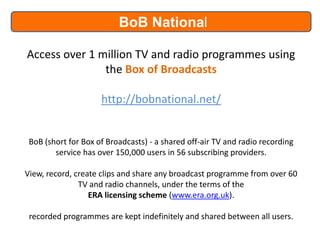
BoB National
Access over 1 million TV and radio programmes using
the Box of Broadcasts
http://bobnational.net/

BoB (short for Box of Broadcasts) - a shared off-air TV and radio recording
service has over 150,000 users in 56 subscribing providers.
View, record, create clips and share any broadcast programme from over 60
TV and radio channels, under the terms of the
ERA licensing scheme (www.era.org.uk).
recorded programmes are kept indefinitely and shared between all users.
Accessibility Forum 6 March 2014

Accessibility Forum 6 March 2014

  • 1.
    RSC East Midlands Accessibilityand Inclusion Forum 6 March 2014 Martin Cooke, ILT Advisor
  • 2.
    Events InSight RSC East Midlands SummerConference Online 4/5 June Face to face Leicester University 10 June Albert Hall, Nottingham 11 June
  • 3.
    Children and FamiliesBill http://www.councilfordisabledchildren.org.uk/media/527417/countdown-to-change-fe-final.pdf AOC and Natspec document What do FE and ISPs need to do in the wake of the Children and Families Bill becoming law in Feb 2014? • • • • • Build links with LAs, and funders of high needs students Contribute to the local offer Raise awareness of the reforms amongst colleagues Consider workforce development Consider new funding and study programme for supported internships, traineeships/apprenticeships, in partnership with employers • Develop transition partnerships with LA/schools
  • 4.
    Children and familiesBill 2014 Code of Practice LLDD post-16 http://goo.gl/32163K • • • • • • • EHC plans and collaboration between services Big focus on transition and right of students to be heard Greater choice for parents and young ppl Positive outcomes: employment, HE, etc Preparation for adulthood Extends to 19-25 yr olds Students and Teachers can request an assessment respond online
  • 5.
  • 6.
    Chesterfield College Runners-up forthe AoC Beacon Award Microlink and AoC Charitable Trust Inclusive Learning Award for students with learning Difficulties and/or Disabilities
  • 7.
    Chesterfield College casestudy http://www.jiscrsc.ac.uk/case-studies/em/Chesterfield-College-em59 DoE for learners with learning difficulties
  • 8.
    Programme (flexible to takeaccount of input, collaboration and networking) 09.30 10.00 Registration & Coffee Welcome and Introduction Martin Cooke 10.05 TechDis update (if technology allows) Lisa Featherstone 10.30 Leicestershire Adult Learning iPad trial for learners with PMLD Gavin Seaton and colleagues, Leics Adult Education 11.10 11.25 Break ERA and copyright Kathleen Roberts, ERA 11.50 Dyslexia apps Dee Caunt 12.10 Jisc RSC update Martin Cooke AOB Lunch 12.30 12.45
  • 9.
    Communications tech tosupport Transition http://supportingtransition.co.uk/ Isolation can have detrimental impact on transition process from ISP to independence. Using Skype and other such technologies to link students with others. Using readily available technology to develop and maintain communication will support the transition process allowing students to integrate back into their own community or to a new community away from their home environment more easily.
  • 10.
  • 11.
  • 12.
  • 13.
    Involve Me http://goo.gl/DsdKZw How wouldyou help facilitate Learner Padlet Voice and self-advocacy for LLDD ?
  • 14.
    Involve Me http://goo.gl/DsdKZw The eightkey messages for Learner Voice and self-advocacy for LLDD • Know the person really well • Take lots of time • Don’t make assumptions • Be responsive to the person • Be creative and try out new ideas. • Learn from what the person ‘tells’ you • Act on what you learn • Help the person recall and share things about their life
  • 15.
    Disability Confident campaign July2013, ‘Disability Confident’, a new 2 yr campaign encouraging businesses to employ more disabled workers, and to take on more apprentices, trainees and interns with disabilities or learning difficulties. https://www.gov.uk/government/news/drive-to-get-more-disabled-people-into-mainstream-jobs Guidance on employing disabled people http://goo.gl/YTSa32
  • 18.
    open badges: casestudies Open Badge Adventure at Borders College Mozilla Open Badges ecosystem offers an opportunity to increase student engagement, retention and employability. Chesterfield College Inclusive Learning, Advocacy, Enrichment and Work Experience in Foundation Studies In Brief: Open Badges Resources from the latest webinar http://moodle.rsc-em.ac.uk/course/view.php?id=24
  • 19.
    open badges Do youwant to make links with employability skills? Badges related to real world skills will be worth having in your eportfolio. non-traditional skills eg Mozilla’s web literacy standards: not formal education but important skills in today’s online world. No academic qualifications but online learning skills or community involvement recognised. Wicked competences and soft skills teamworking, empathy, honesty, integrity, participation, collaboration etc esafety Digital footprint
  • 20.
    open badges inMoodle 2.5 Moodle 2.5 includes Open Badges Part 1 - http://www.screenr.com/Jf67 Part 2 – Setting up the Quiz and Looking at Badges http://www.screenr.com/7v67 Part 3 – Making the Badge http://www.screenr.com/hv67 Part 4 – Setting up the Backpack http://www.screenr.com/4v67 Part 5 – Getting my Badge http://www.screenr.com/Lv67 Part 6 – Getting my Badge pt 2 http://www.screenr.com/3v67 Moodle is the first widely-used platform to support badges. Teachers can now design and award their own badges for any users on their sites, using their own criteria. These badges are compatible with the Open Badges standard from Mozilla, and can be used outside Moodle as well. For more on open badges: http://www.slideshare.net/dajbelshaw/jisc-rsc-scotland-open-badges-workshop
  • 21.
    Digital Me esafetybadges https://www.makewav.es/story/565569 Open Badges For anyone over 13 use on social networks and CV sites using Mozilla Open Badge technology Find out about Open Badges on Makewaves To take part in the Safe programme and start awarding Safe badges to your students, sign up at www.makewav.es/joinsafe
  • 22.
  • 23.
  • 25.
    When logged onas a teacher or admin in Moodle you will be able to use badges in the Admin block
  • 27.
  • 28.
    technology eportfolios http://www.jisctechdis.ac.uk/techdis/learnersandstudents/infolio tablets Tesco Hudl £119 freeopen source tools Xmind http://www.xmind.net/ Balabolka http://balabolka-portable.en.softonic.com/
  • 29.
    tablet accessibility Fil McIntyre’spresentation on tablet accessibility http://goo.gl/ZmWFTh
  • 30.
    xerte accessibility http://vle.jisctechdis.ac.uk/xerte/play_427 SD onacc content http://vle.jisctechdis.ac.uk/sandpit/play.php?template_id=1642 xerte 2.1 download xerte.org.uk Xerte 2.1 is available from the download page. Do you need it? If you are still on 1.9 then most certainly as xerte is now html5 and playable on mobile devices. http://xerte.org.uk New look and some additional features: • accessibility button for changing colours • ARIA landmarks (for the blind using screenreaders) • SCORM improvements to track how long spent on each page
  • 31.
  • 32.
  • 33.
    JISC RSC esafetyoffer http://www.jiscinfonet.ac.uk/infokits/e-safety/
  • 34.
    BYOD and FlippedLearning Resources from Insight events http://moodle.rsc-em.ac.uk/course/view.php?id=252 create iMovie Animoto evaluate Skype Flipboard analyze diigo apply Show me understand Idea sketch remember iBook Posterous ExplainEverything Socrative More on digital Bloom at http://edorigami.wikispaces.com/Bloom%27s+Digital+Taxonomy
  • 35.
    Sector priorities: somethoughts from EM LPs Study programmes: changes to funding mean less money per L; less time per qualification. Also reduced funding for tutorial programmes. LPs will increasingly turn to technology to support independent learning BYOD: ensuring infrastructure can cope; need good connectivity to support independent L (WBL) 24+ loans; money given to employer, rather than provider, so spotlight on value MIS, better use of data – complicated systems need simplifying Growth in apprenticeship funding – employability Use of VLEs/cloud technology LP priorities BYOD: moving away from investing in kit - actively encouraging users to bring devices equitable access by improving external connectivity; develop user friendly interface. Technology for independent learning How to balance core offer with bespoke training Expanding e-Learning team to support College strategy to move towards more online delivery
  • 36.
    Jisc RSC EastMidlands • email: martin.cooke@rsc-em.ac.uk • RSC Moodle http://moodle.rsc-em.ac.uk/ Accessibility Forum 36
  • 37.
    BoB National Access over1 million TV and radio programmes using the Box of Broadcasts http://bobnational.net/ BoB (short for Box of Broadcasts) - a shared off-air TV and radio recording service has over 150,000 users in 56 subscribing providers. View, record, create clips and share any broadcast programme from over 60 TV and radio channels, under the terms of the ERA licensing scheme (www.era.org.uk). recorded programmes are kept indefinitely and shared between all users.

Editor's Notes

  • #5 replacing statements with birth- to-25 education, health and care planimproving cooperation between all services and requiring LAs and health authorities to work together.
  • #7 Chesterfield case studyInclusion, Advocacy and Extension for Learners with Learning Difficulties and/or Disabilities in Foundation Studies  Enrichment Programmehttp://www.chesterfield.ac.uk/enrichment-programme-1Duke of Edinburgh AwardThe Award scheme gives participants the opportunity to develop personal skills, challenge themselves and discover new talents. At the same time, they will help their community, keep fit, form new friendships and make memories that will stay with them forever. Visit www.dofe.org for more information. Darren Hirst Lecturer, Accessibility Lead and DofE ManagerHe has designed the course for Foundation students Prezzi included use of the London tube design to signpost areas that the initiative included. AoC Beacon Awards: Runners-up for Microlink and AoC Charitable Trust Inclusive Learning Award for students with LLDD Success stories for LLDD students. Supported internships. Enterprise activities. Work experience.  Possible work?Targets n enrichment.  Used Prezzi for the AoC presentation.  DofE covers so many areas. Most of the examples come from the Expedition. No record books like in the old days so lends itself to techSimple route cards.  Drag widget symbols so dont have to read n write.Xerte map symbols eg parts of compass drag and drop. (If u can, get screenshots of the tube and xerte symbols, maps etc )Kit list with images. Print impaired will draw symbols etc.  Action plan downloaded from Moodle and onto DofE site. Uploaded multimedia.  One learner had some behavioural issues and  DofE was a carrot to get her on board, with some success! As part of Foundation Studies LLDD students will choose Winding Wheel as an activityhttp://www.chesterfield.ac.uk/news/foundation-students-put-fantastic-show-winding-wheel-0 Other providers use DofELoughborough use DofE with public services. Individ with ltd L skills up to gold?Malcolm Skelton (SLIC Training) doing DofE two groups one to act as pointers to the LDDgp 
  • #13 Discover Jischttp://www.jisctechdis.ac.uk/discover_jisc/national programme funded via the FE & Skills (FES) funding to create and disseminate examples of effective practice in the planning and use of technology in TLA. It seeks to help providers use Jisc resources to deliver inclusive learning and teaching.Several exemplar learning activities are included, each containing valuable information about pedagogy, uses of technology and capturing resources. As you drill down you will encounter various resources for eg assessment, training, EDI, copyright, multimedia.Includes valuable tools like xerte and services like Jisc Media. Well worth investigating and sampling.
  • #18 Phil Hardcastle on Badges in Moodle http://jiscrsc.jiscinvolve.org/wp/2013/12/moodle-badges/#more-1358Badges given out by staff either automatically on completion of courses or tasks or manually by the course tutor.A badge picture is attached to the badge. When the user gets a badge it is kept in the “My Profile” area of the Moodle.The Mozilla Open Badge system is the big brother of the Moodle system. As an organisation you don’t have to be part of the Mozilla Open Badge in order to give out Moodle badges, but if learners want to take away the badges they will have to be part of this wider system by signing up for a “digital backpack” LPs can become distributors of Mozilla Open Badges in this wider system by configuring a web server to do this. They will then be able to distribute badges via channels other than Moodle, for example via WordPress sites or web pages.- See more at: http://jiscrsc.jiscinvolve.org/wp/2013/12/moodle-badges/#more-1358
  • #20 esafety and employability skillsPadletORSheets : badge canvas
  • #28 esafety and employability skillsPadletORSheets : badge canvas
  • #31 meeting L needshttp://vle.jisctechdis.ac.uk/xerte/play_427http://vle.jisctechdis.ac.uk/xerte/play_487
  • #37 Go to ‘View’ menu > ‘Header and Footer…’ to edit the footers on this slide (click ‘Apply’ to change only the currently selected slide, or ‘Apply to All’ to change the footers on all slides).
  • #39 From Geoff Rebbeckhttp://moodle.rsc-eastern.ac.uk/pluginfile.php/23834/mod_resource/intro/OfSTED%20and%20the%20VLE.pdf