17th April 2021 12 PM IST TO 2PM IST
Ahmedabad MuleSoft Meetup
Group #4
Mule 4 Cryptography Module
2
● Please keep yourself unless you have any questions.
● We encourage you to keep your video on for interactive session.
● You can write down your question in the chat session.
● Once join please write down your name and email id in chat so that we can have attendance.
● Please provide your valuable feedback. Thanks.
Guidelines
3
● Networking and Knowledge Sharing
● Mule 4 Cryptography Module
● Q&A and then Quiz for all participants
● Discussion for next Meetup, Stay connected, and Happy Learning.
Agenda
4
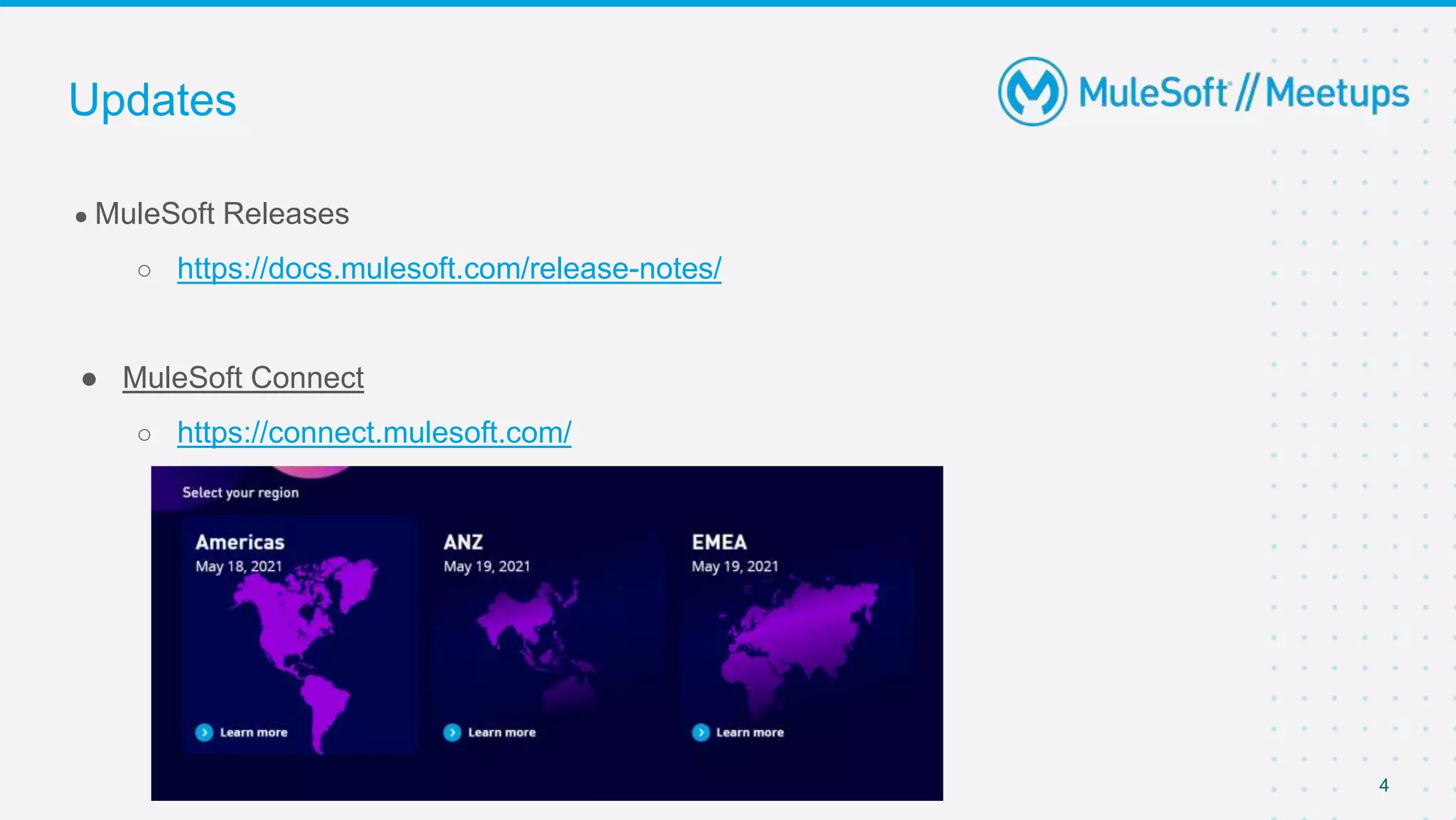
● MuleSoft Releases
○ https://docs.mulesoft.com/release-notes/
● MuleSoft Connect
○ https://connect.mulesoft.com/
Updates
5
●About the organizer: About the Sponsors:
■ - MuleSoft
■
Introductions
6
● About the Speakers:
Technical Expertise:
Good exposure to each of the phases of Software Development Life
Cycle, developing projects from stage of concept to full implementation .
Experience developing on the Mule ESB platform to deliver
SOAP & REST based APIs Worked as an Individual contributor and
as a lead.
Introductions
Preetam Deshmukh
Apisero Inc
Preetam Deshmukh
Mule 4 Cryptography Module
8
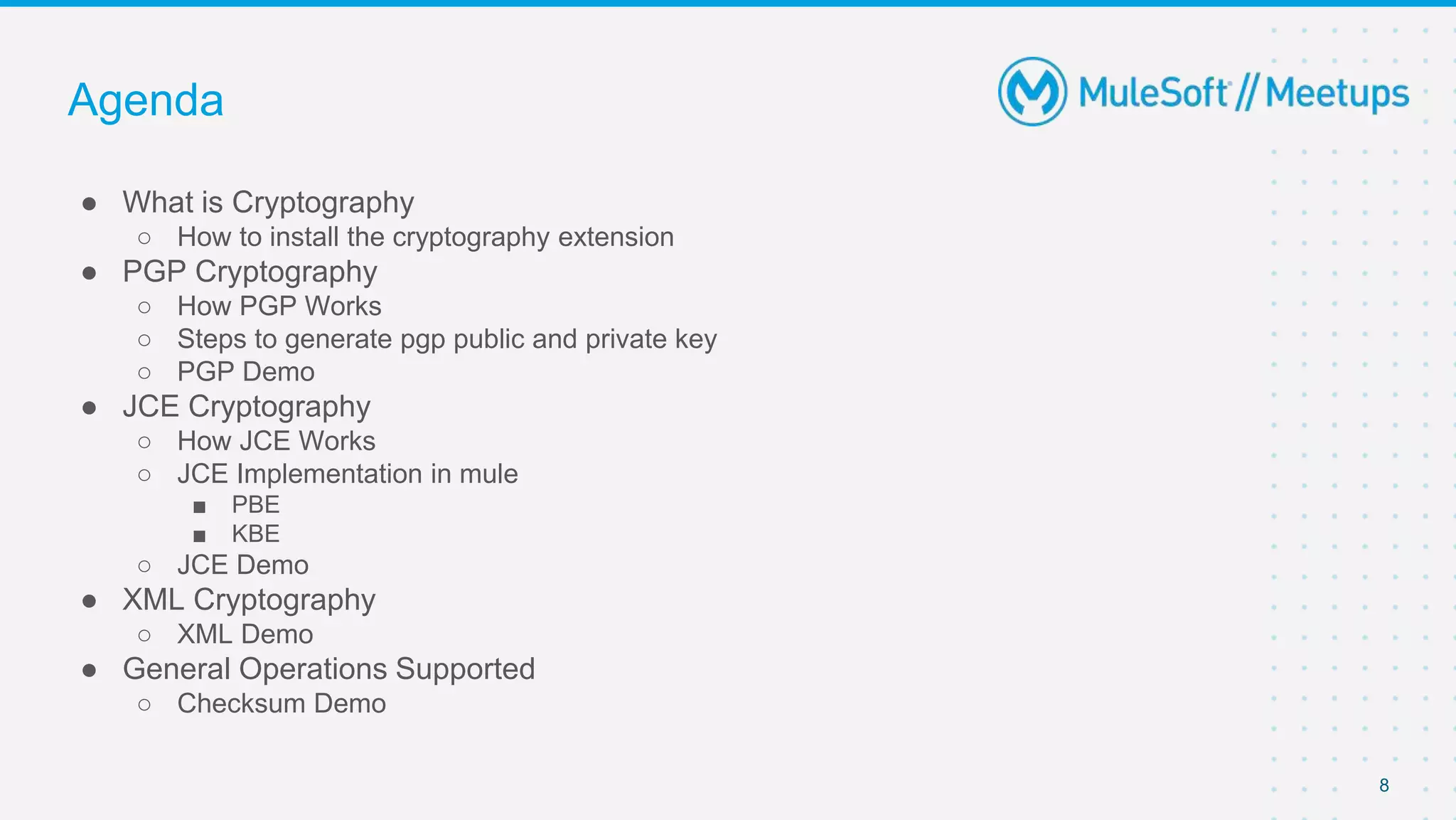
● What is Cryptography
○ How to install the cryptography extension
● PGP Cryptography
○ How PGP Works
○ Steps to generate pgp public and private key
○ PGP Demo
● JCE Cryptography
○ How JCE Works
○ JCE Implementation in mule
■ PBE
■ KBE
○ JCE Demo
● XML Cryptography
○ XML Demo
● General Operations Supported
○ Checksum Demo
Agenda
9
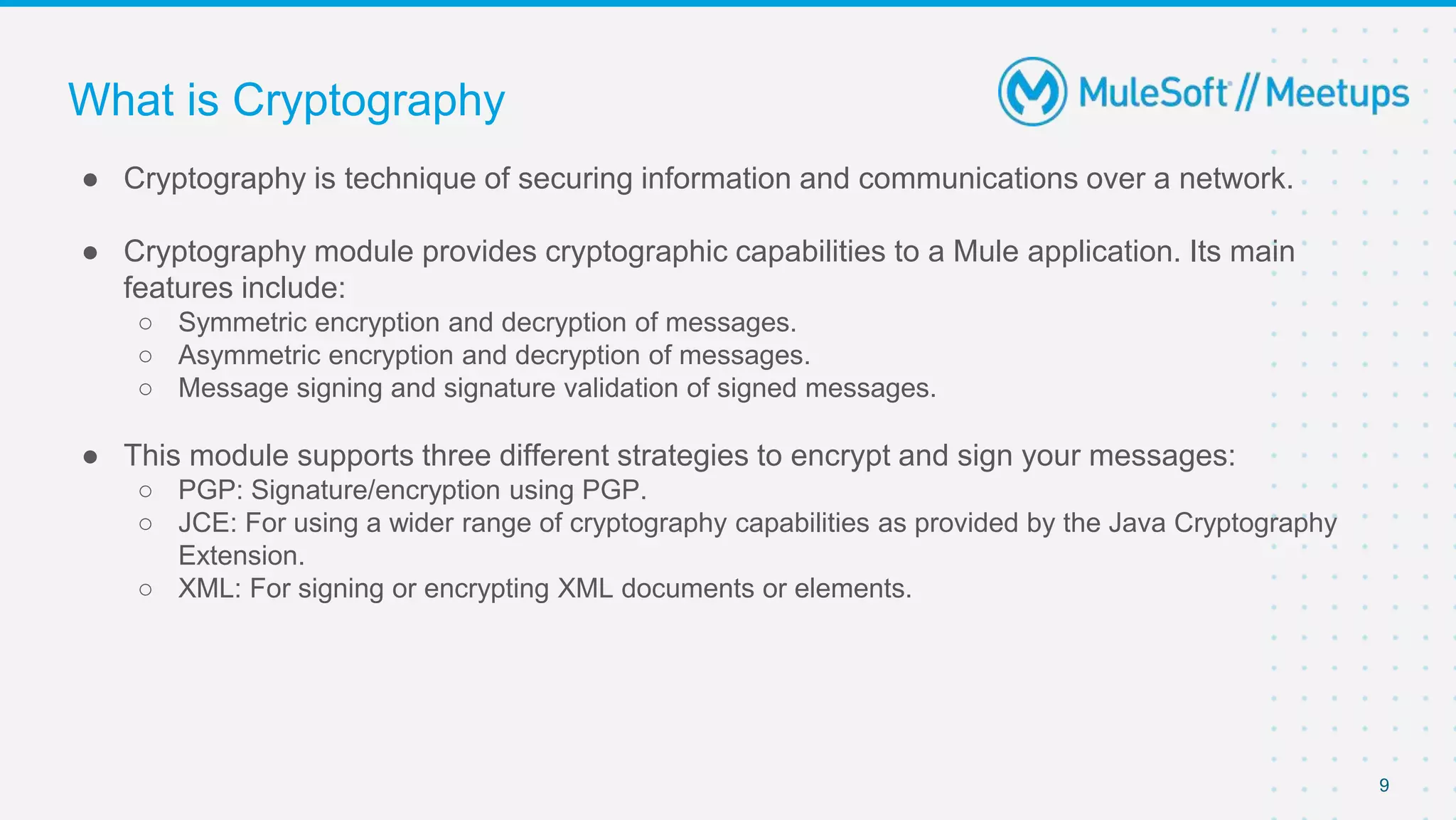
● Cryptography is technique of securing information and communications over a network.
● Cryptography module provides cryptographic capabilities to a Mule application. Its main
features include:
○ Symmetric encryption and decryption of messages.
○ Asymmetric encryption and decryption of messages.
○ Message signing and signature validation of signed messages.
● This module supports three different strategies to encrypt and sign your messages:
○ PGP: Signature/encryption using PGP.
○ JCE: For using a wider range of cryptography capabilities as provided by the Java Cryptography
Extension.
○ XML: For signing or encrypting XML documents or elements.
What is Cryptography
10
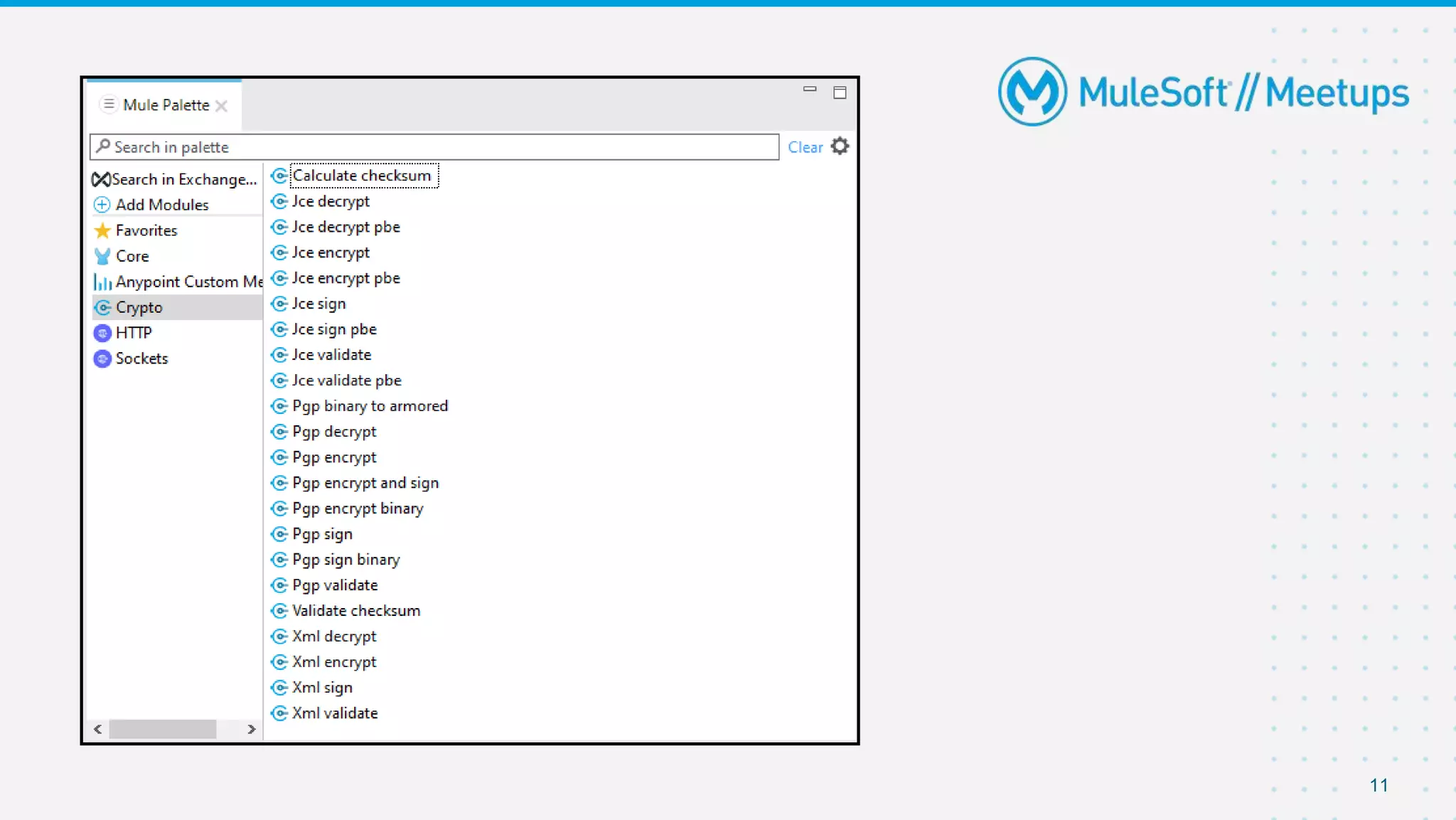
● Open your Mule project in Anypoint Studio.
● Go to the Mule Palette.
● Select Search in Exchange, and search for the Cryptography Module.
● Add the extension.
● You can now search in the mule Palette for operations of the Cryptography module.
Installing the Extension
11
PGP Cryptography
● Pretty Good Privacy (PGP) is an encryption program that provides cryptographic privacy and
authentication for data communication.
● PGP is used for signing, encrypting, and decrypting texts, e-mails, files, directories, and whole
disk partitions and to increase the security of e-mail communications.
● Mule can encrypt all or part of a message using PGP.
● PGP combines data compression and data encryption to secure messages. The compression
reduces the size of the payload to help reduce the transmission time later on your application.
12
How PGP Works
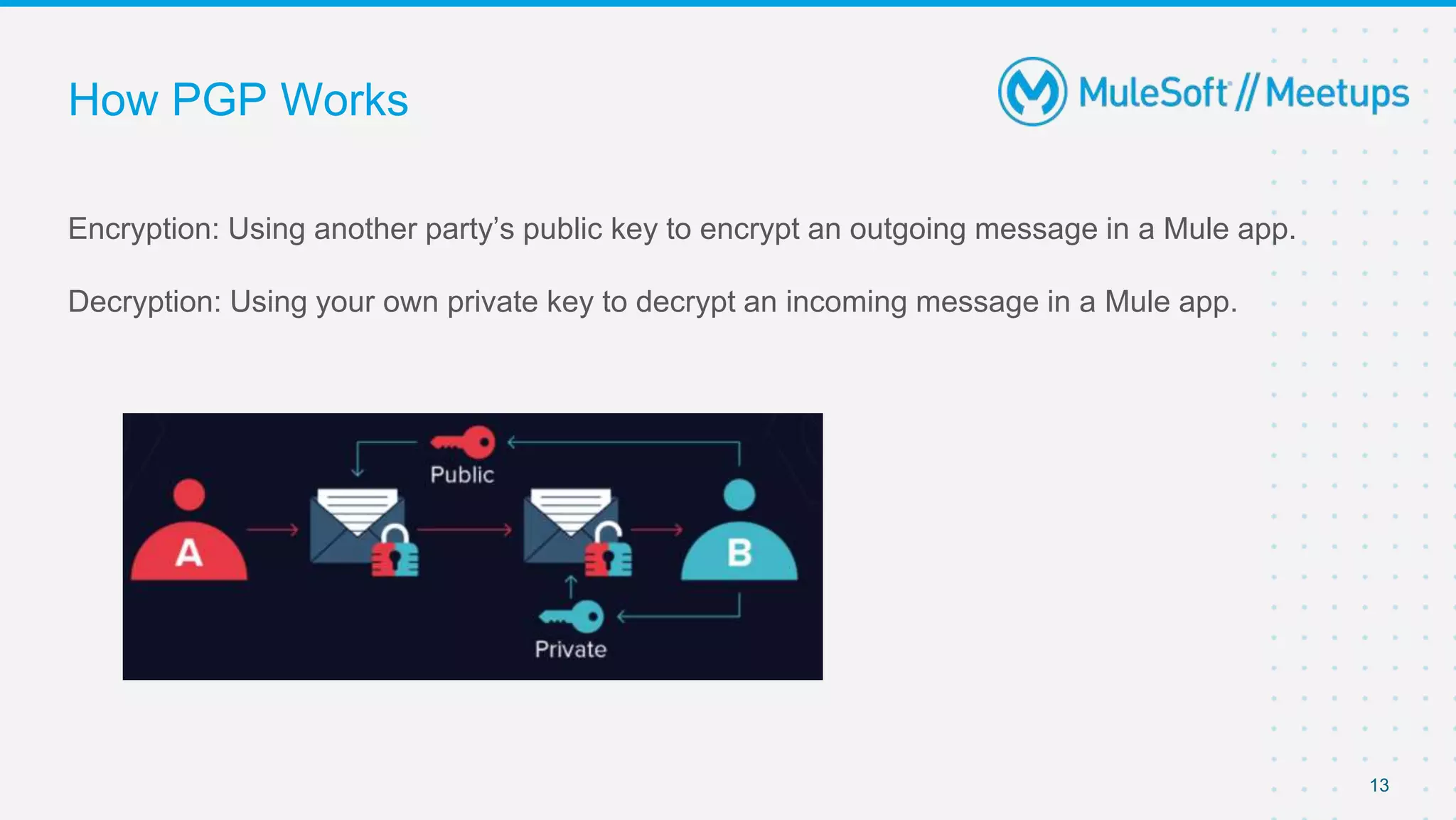
Encryption: Using another party’s public key to encrypt an outgoing message in a Mule app.
Decryption: Using your own private key to decrypt an incoming message in a Mule app.
13
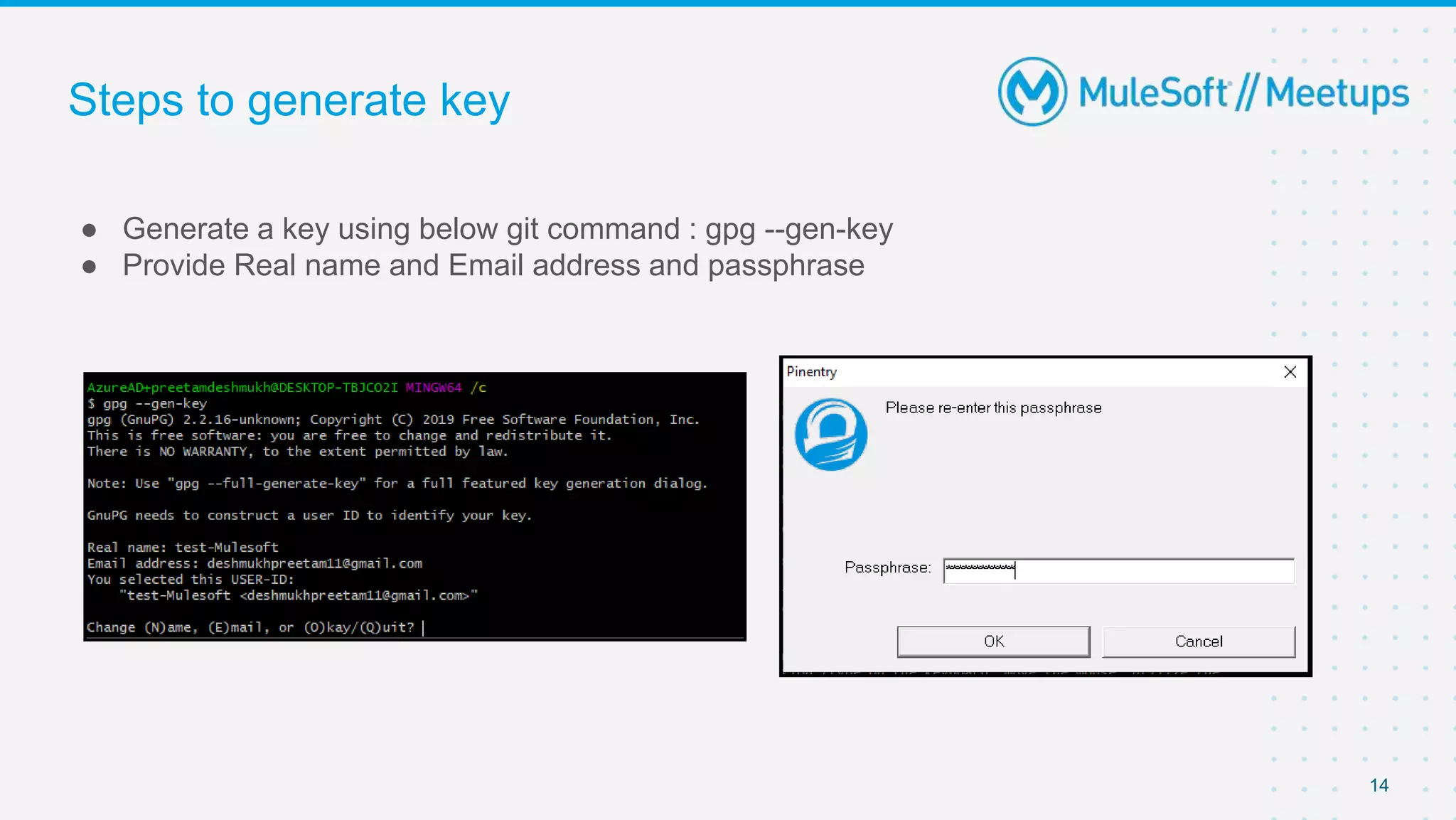
Steps to generate key
● Generate a key using below git command : gpg --gen-key
● Provide Real name and Email address and passphrase
14
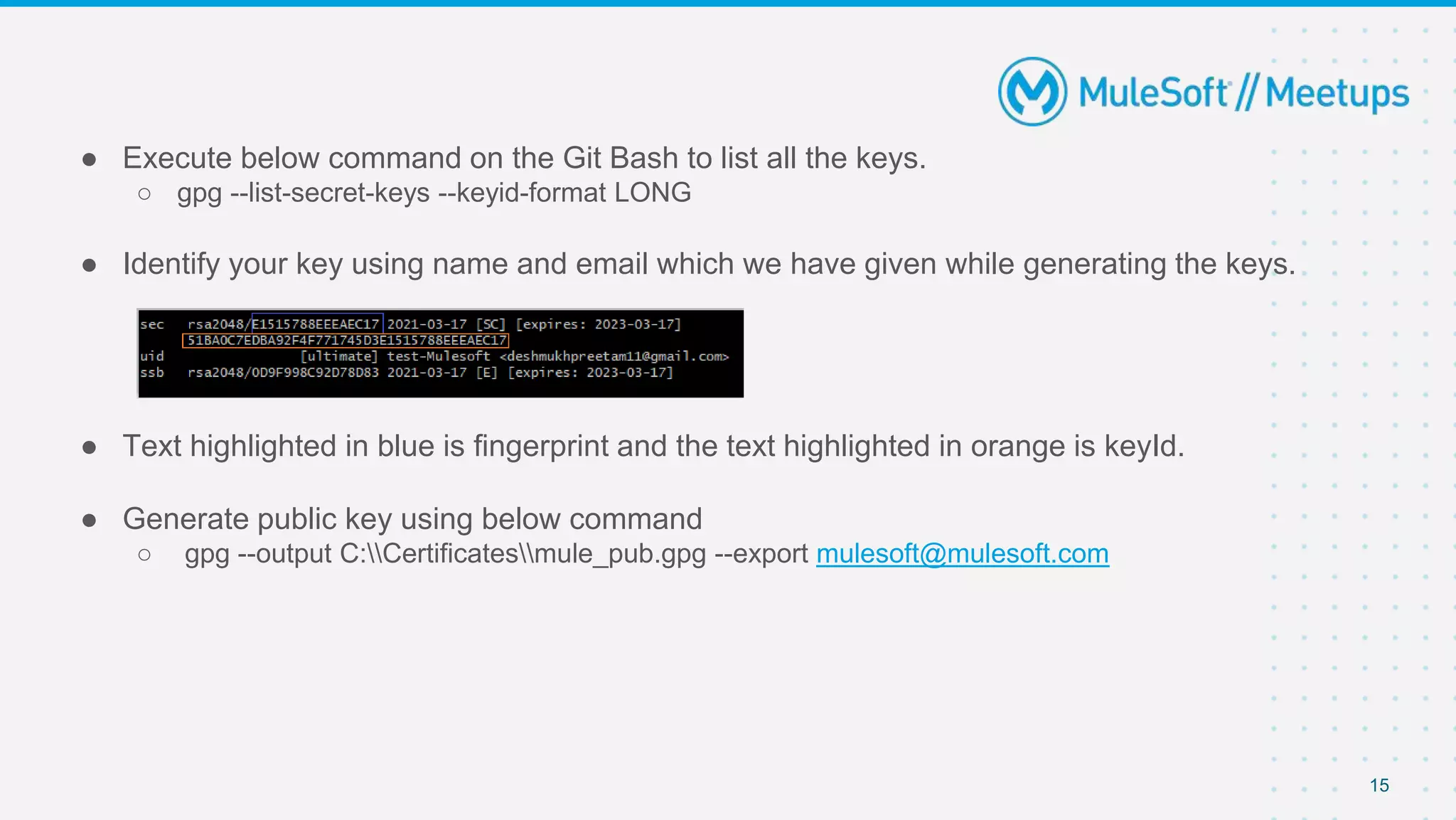
● Execute below command on the Git Bash to list all the keys.
○ gpg --list-secret-keys --keyid-format LONG
● Identify your key using name and email which we have given while generating the keys.
● Text highlighted in blue is fingerprint and the text highlighted in orange is keyId.
● Generate public key using below command
○ gpg --output C:Certificatesmule_pub.gpg --export mulesoft@mulesoft.com
15
● Generate private key using below command
○ gpg --export-secret-keys 51BA0C7EDBA92F4F771745D3E1515788EEEAEC17 >
C:Certificatesmule_private.gpg
● Once we execute the command, it will prompt for the Passphrase and we should give same
Passphrase that has been provided during key generation.
● This will generate a private key in given location.
16
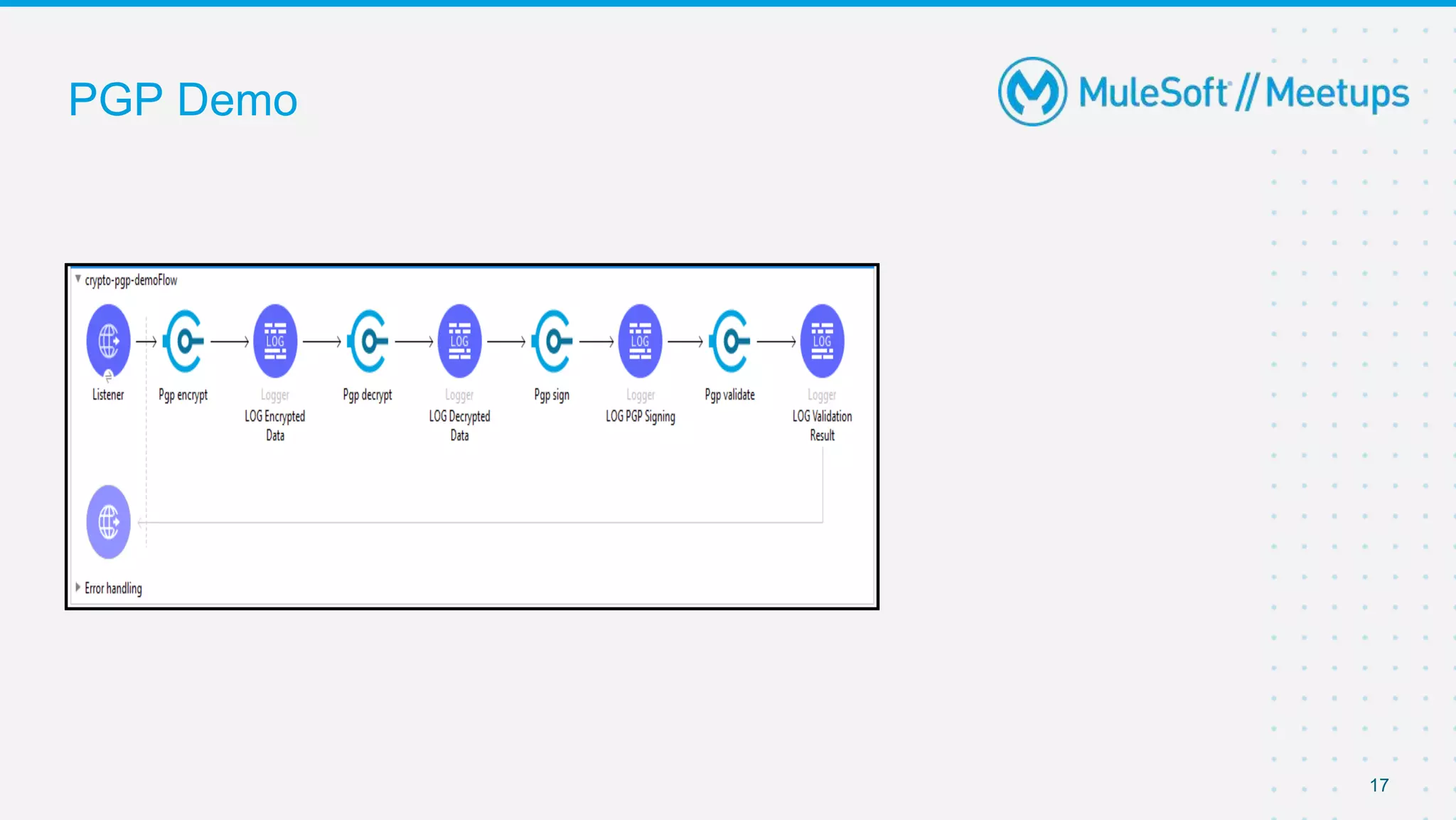
PGP Demo
17
JCE Cryptography
● The Java Cryptography Extension (JCE) is an officially released Standard Extension to the
Java Platform and part of Java Cryptography Architecture (JCA).
● JCE provides a framework and implementation for encryption, key generation and key
agreement, and Message Authentication Code (MAC) algorithms.
18
How JCE Works
● We can use JCE cryptography capabilities in two ways:
○ Password-based encryption (PBE):
■ This method enables you to encrypt and sign content by providing only an encryption password.
○ Key-based encryption:
■ Similar to how PGP and XML encryption works, this method enables you to configure a symmetric or
asymmetric key to perform encryption and signing operations.
19
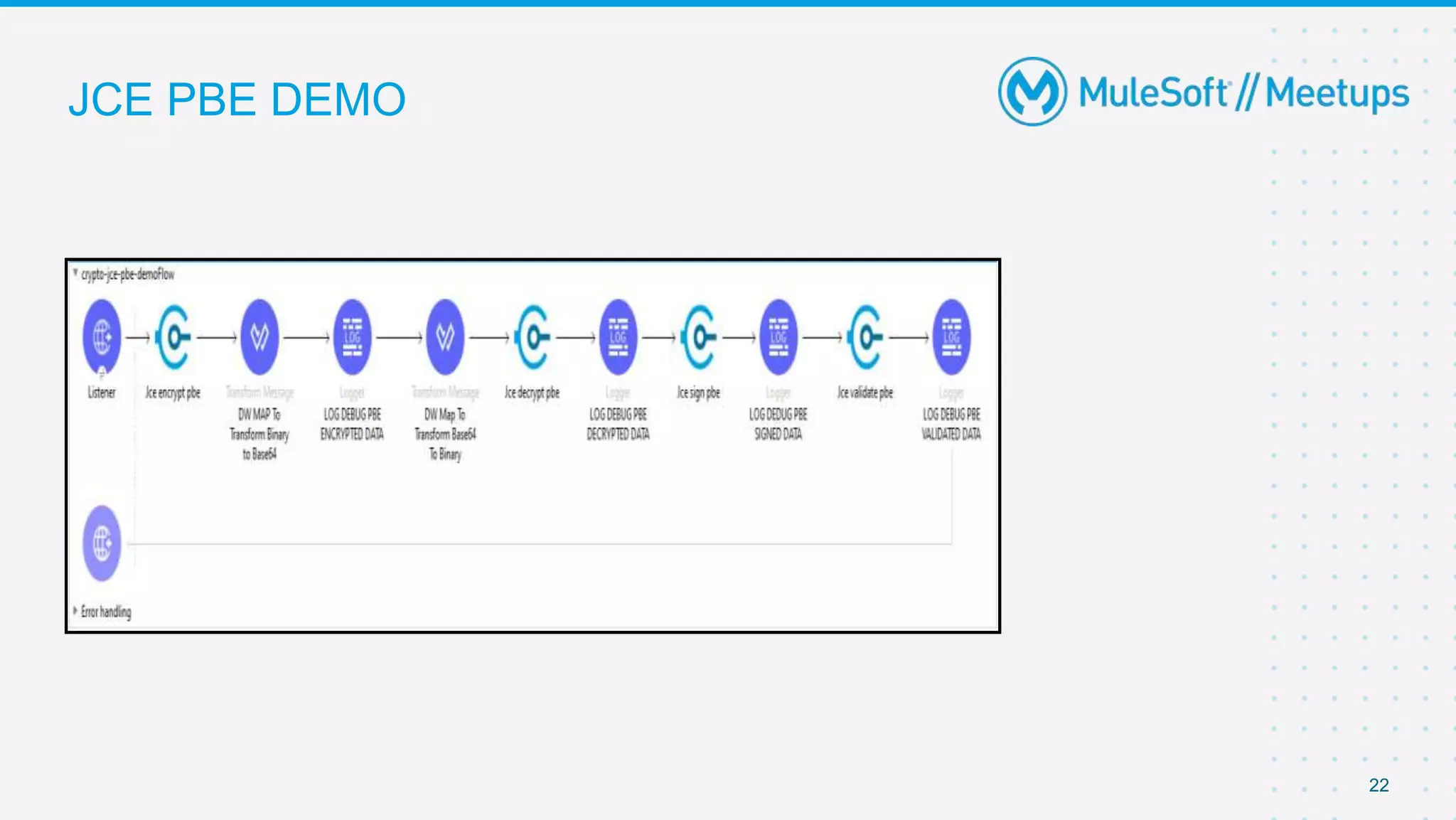
JCE PBE
● This method applies a hash function over the provided password to generate a symmetric key
that is compatible with standard encryption algorithms.
● Because PBE only requires a password, a global configuration element is not needed for the
PBE operations.
20
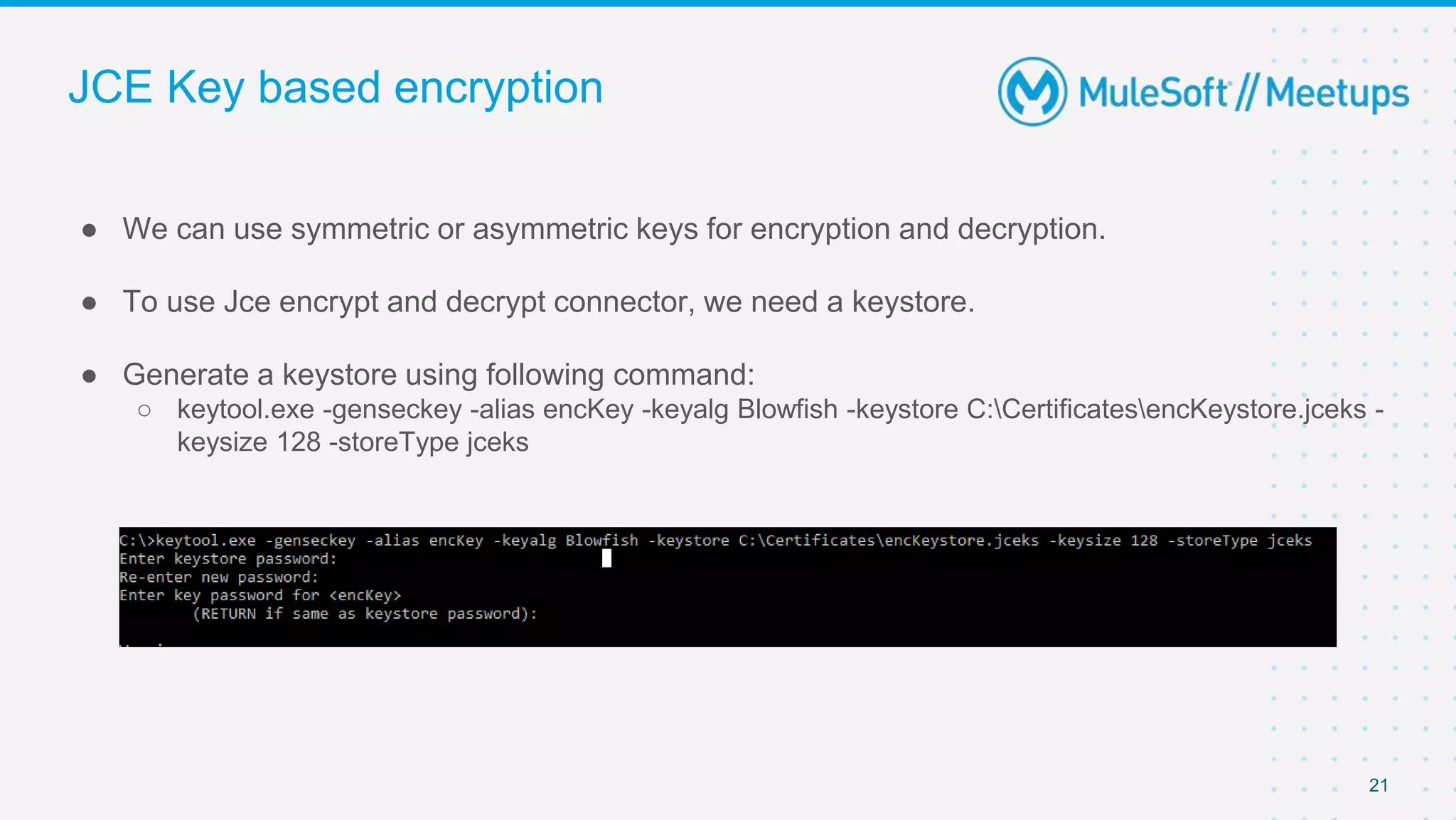
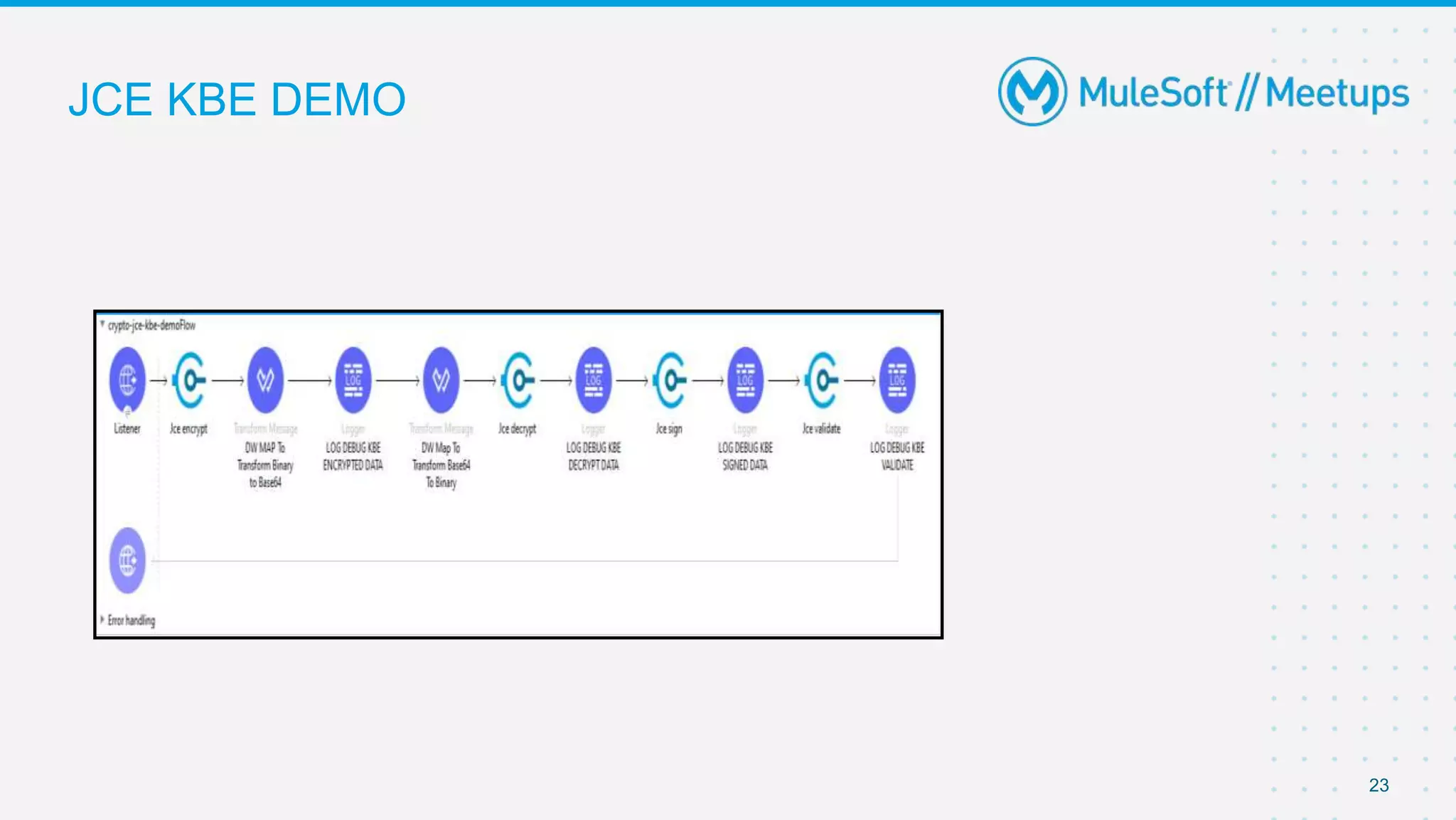
JCE Key based encryption
● We can use symmetric or asymmetric keys for encryption and decryption.
● To use Jce encrypt and decrypt connector, we need a keystore.
● Generate a keystore using following command:
○ keytool.exe -genseckey -alias encKey -keyalg Blowfish -keystore C:CertificatesencKeystore.jceks -
keysize 128 -storeType jceks
21
JCE PBE DEMO
22
JCE KBE DEMO
23
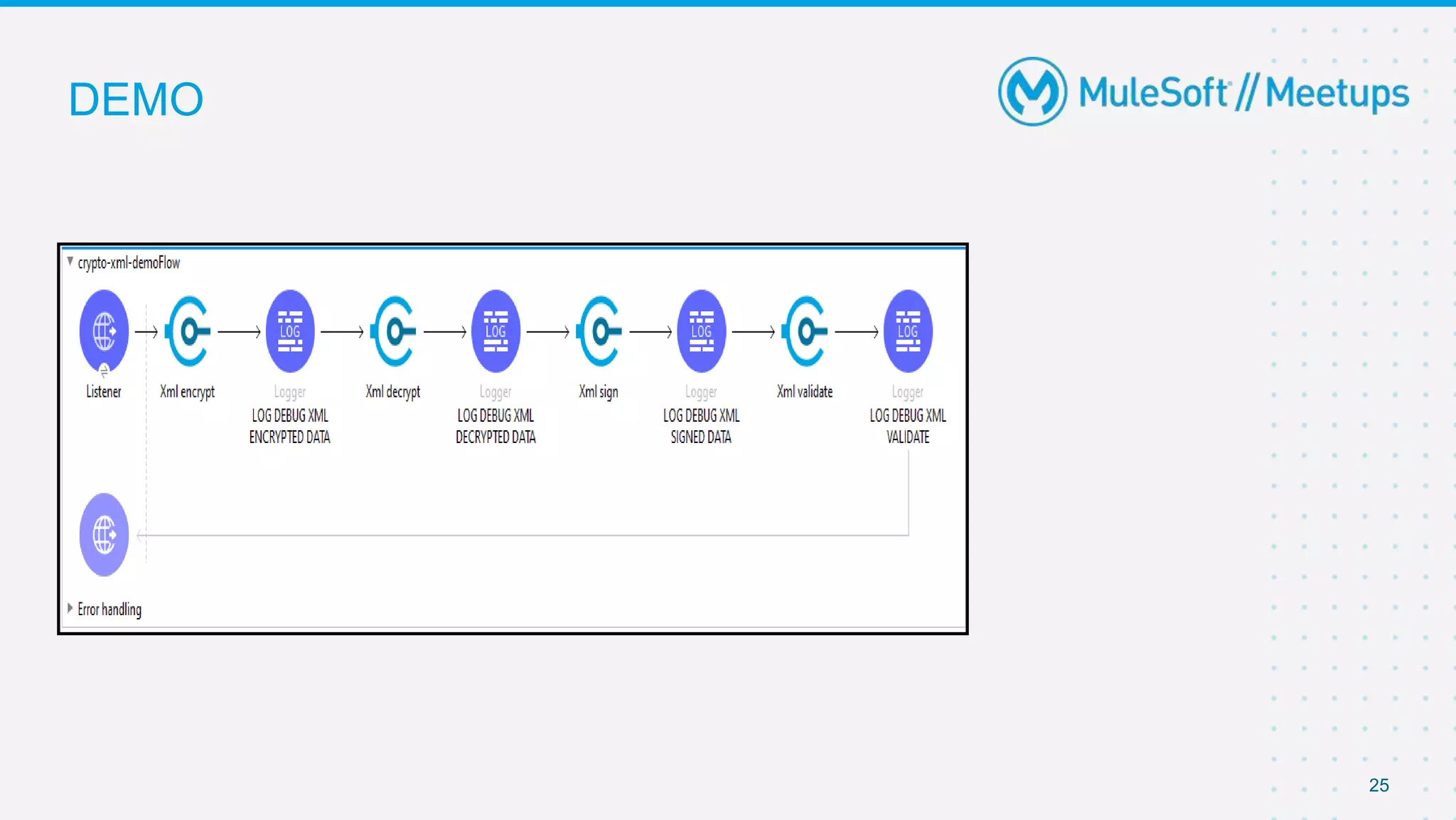
XML Cryptography
● The XML cryptography provides encryption/decryption of an element within an XML
document
● It consist of elementPath which is an XPath expression that identifies the element to encrypt.
● Depending on your needs, you can use a symmetric or asymmetric key for encrypting an
XML document.
24
DEMO
25
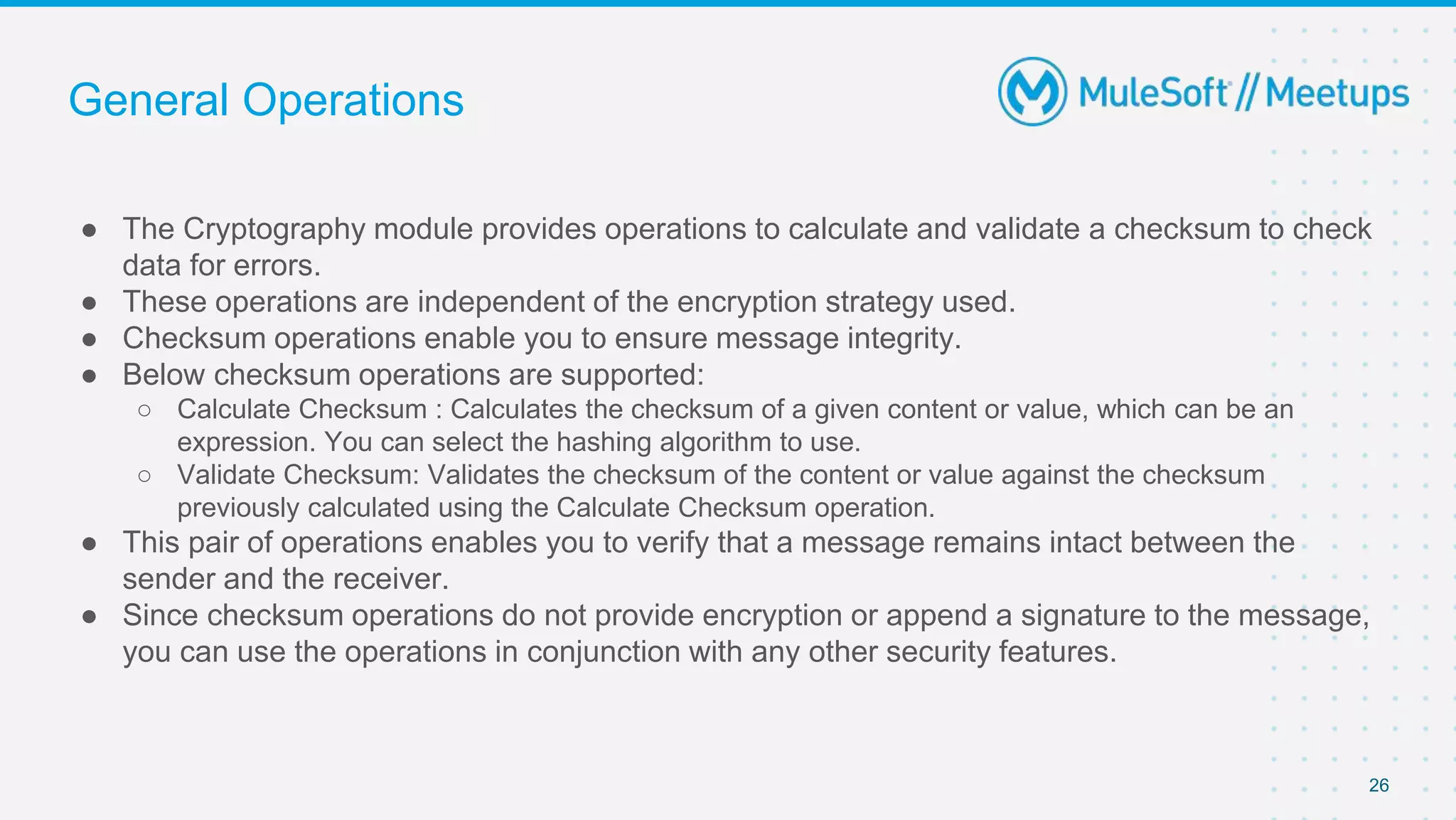
General Operations
● The Cryptography module provides operations to calculate and validate a checksum to check
data for errors.
● These operations are independent of the encryption strategy used.
● Checksum operations enable you to ensure message integrity.
● Below checksum operations are supported:
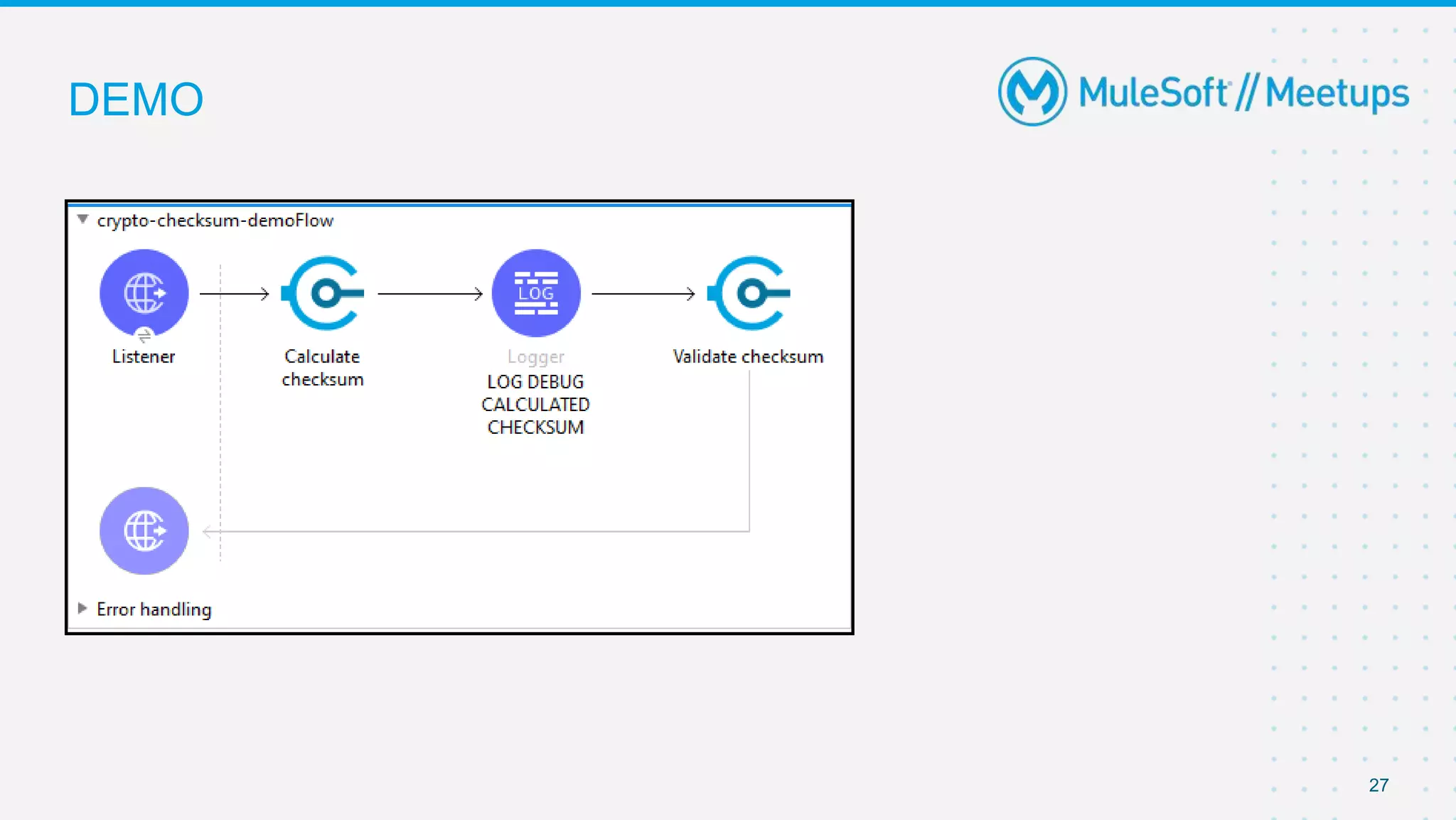
○ Calculate Checksum : Calculates the checksum of a given content or value, which can be an
expression. You can select the hashing algorithm to use.
○ Validate Checksum: Validates the checksum of the content or value against the checksum
previously calculated using the Calculate Checksum operation.
● This pair of operations enables you to verify that a message remains intact between the
sender and the receiver.
● Since checksum operations do not provide encryption or append a signature to the message,
you can use the operations in conjunction with any other security features.
26
DEMO
27
28
● Share:
○ Tweet using the hashtag #MuleSoftMeetups
○ Invite your network to join: https://meetups.mulesoft.com/ahmedabad/
● Feedback:
○ Fill out the survey feedback.
○ Contact your Organizer Shekh Muenuddeen to suggest topics for upcoming events.
○ Contact MuleSoft at meetups@mulesoft.com for ways to improve the program
● Our Next Meetup
○ Date: TBD
○ Location: TBD
○ Topic: TBD
What’s next?
29
Take a Stand !
Thank you

Ahmadabad mule soft_meetup_17april2021_mule4_cryptography

  • 1.
    17th April 202112 PM IST TO 2PM IST Ahmedabad MuleSoft Meetup Group #4 Mule 4 Cryptography Module
  • 2.
    2 ● Please keepyourself unless you have any questions. ● We encourage you to keep your video on for interactive session. ● You can write down your question in the chat session. ● Once join please write down your name and email id in chat so that we can have attendance. ● Please provide your valuable feedback. Thanks. Guidelines
  • 3.
    3 ● Networking andKnowledge Sharing ● Mule 4 Cryptography Module ● Q&A and then Quiz for all participants ● Discussion for next Meetup, Stay connected, and Happy Learning. Agenda
  • 4.
    4 ● MuleSoft Releases ○https://docs.mulesoft.com/release-notes/ ● MuleSoft Connect ○ https://connect.mulesoft.com/ Updates
  • 5.
    5 ●About the organizer:About the Sponsors: ■ - MuleSoft ■ Introductions
  • 6.
    6 ● About theSpeakers: Technical Expertise: Good exposure to each of the phases of Software Development Life Cycle, developing projects from stage of concept to full implementation . Experience developing on the Mule ESB platform to deliver SOAP & REST based APIs Worked as an Individual contributor and as a lead. Introductions Preetam Deshmukh Apisero Inc
  • 7.
    Preetam Deshmukh Mule 4Cryptography Module
  • 8.
    8 ● What isCryptography ○ How to install the cryptography extension ● PGP Cryptography ○ How PGP Works ○ Steps to generate pgp public and private key ○ PGP Demo ● JCE Cryptography ○ How JCE Works ○ JCE Implementation in mule ■ PBE ■ KBE ○ JCE Demo ● XML Cryptography ○ XML Demo ● General Operations Supported ○ Checksum Demo Agenda
  • 9.
    9 ● Cryptography istechnique of securing information and communications over a network. ● Cryptography module provides cryptographic capabilities to a Mule application. Its main features include: ○ Symmetric encryption and decryption of messages. ○ Asymmetric encryption and decryption of messages. ○ Message signing and signature validation of signed messages. ● This module supports three different strategies to encrypt and sign your messages: ○ PGP: Signature/encryption using PGP. ○ JCE: For using a wider range of cryptography capabilities as provided by the Java Cryptography Extension. ○ XML: For signing or encrypting XML documents or elements. What is Cryptography
  • 10.
    10 ● Open yourMule project in Anypoint Studio. ● Go to the Mule Palette. ● Select Search in Exchange, and search for the Cryptography Module. ● Add the extension. ● You can now search in the mule Palette for operations of the Cryptography module. Installing the Extension
  • 11.
  • 12.
    PGP Cryptography ● PrettyGood Privacy (PGP) is an encryption program that provides cryptographic privacy and authentication for data communication. ● PGP is used for signing, encrypting, and decrypting texts, e-mails, files, directories, and whole disk partitions and to increase the security of e-mail communications. ● Mule can encrypt all or part of a message using PGP. ● PGP combines data compression and data encryption to secure messages. The compression reduces the size of the payload to help reduce the transmission time later on your application. 12
  • 13.
    How PGP Works Encryption:Using another party’s public key to encrypt an outgoing message in a Mule app. Decryption: Using your own private key to decrypt an incoming message in a Mule app. 13
  • 14.
    Steps to generatekey ● Generate a key using below git command : gpg --gen-key ● Provide Real name and Email address and passphrase 14
  • 15.
    ● Execute belowcommand on the Git Bash to list all the keys. ○ gpg --list-secret-keys --keyid-format LONG ● Identify your key using name and email which we have given while generating the keys. ● Text highlighted in blue is fingerprint and the text highlighted in orange is keyId. ● Generate public key using below command ○ gpg --output C:Certificatesmule_pub.gpg --export mulesoft@mulesoft.com 15
  • 16.
    ● Generate privatekey using below command ○ gpg --export-secret-keys 51BA0C7EDBA92F4F771745D3E1515788EEEAEC17 > C:Certificatesmule_private.gpg ● Once we execute the command, it will prompt for the Passphrase and we should give same Passphrase that has been provided during key generation. ● This will generate a private key in given location. 16
  • 17.
  • 18.
    JCE Cryptography ● TheJava Cryptography Extension (JCE) is an officially released Standard Extension to the Java Platform and part of Java Cryptography Architecture (JCA). ● JCE provides a framework and implementation for encryption, key generation and key agreement, and Message Authentication Code (MAC) algorithms. 18
  • 19.
    How JCE Works ●We can use JCE cryptography capabilities in two ways: ○ Password-based encryption (PBE): ■ This method enables you to encrypt and sign content by providing only an encryption password. ○ Key-based encryption: ■ Similar to how PGP and XML encryption works, this method enables you to configure a symmetric or asymmetric key to perform encryption and signing operations. 19
  • 20.
    JCE PBE ● Thismethod applies a hash function over the provided password to generate a symmetric key that is compatible with standard encryption algorithms. ● Because PBE only requires a password, a global configuration element is not needed for the PBE operations. 20
  • 21.
    JCE Key basedencryption ● We can use symmetric or asymmetric keys for encryption and decryption. ● To use Jce encrypt and decrypt connector, we need a keystore. ● Generate a keystore using following command: ○ keytool.exe -genseckey -alias encKey -keyalg Blowfish -keystore C:CertificatesencKeystore.jceks - keysize 128 -storeType jceks 21
  • 22.
  • 23.
  • 24.
    XML Cryptography ● TheXML cryptography provides encryption/decryption of an element within an XML document ● It consist of elementPath which is an XPath expression that identifies the element to encrypt. ● Depending on your needs, you can use a symmetric or asymmetric key for encrypting an XML document. 24
  • 25.
  • 26.
    General Operations ● TheCryptography module provides operations to calculate and validate a checksum to check data for errors. ● These operations are independent of the encryption strategy used. ● Checksum operations enable you to ensure message integrity. ● Below checksum operations are supported: ○ Calculate Checksum : Calculates the checksum of a given content or value, which can be an expression. You can select the hashing algorithm to use. ○ Validate Checksum: Validates the checksum of the content or value against the checksum previously calculated using the Calculate Checksum operation. ● This pair of operations enables you to verify that a message remains intact between the sender and the receiver. ● Since checksum operations do not provide encryption or append a signature to the message, you can use the operations in conjunction with any other security features. 26
  • 27.
  • 28.
    28 ● Share: ○ Tweetusing the hashtag #MuleSoftMeetups ○ Invite your network to join: https://meetups.mulesoft.com/ahmedabad/ ● Feedback: ○ Fill out the survey feedback. ○ Contact your Organizer Shekh Muenuddeen to suggest topics for upcoming events. ○ Contact MuleSoft at meetups@mulesoft.com for ways to improve the program ● Our Next Meetup ○ Date: TBD ○ Location: TBD ○ Topic: TBD What’s next?
  • 29.
  • 30.