
2021-07-21
MuleSoft for Java Devs - Meetup
Group
Building APIs with Mule and SpringBoot
2
● Introductions
● Mule & Java
● API Lifecycle
○ Building MuleSoft API
○ Building SpringBoot API
● Wrap-up
● Trivia - Win a MuleSoft Course
Agenda
Sponsor:
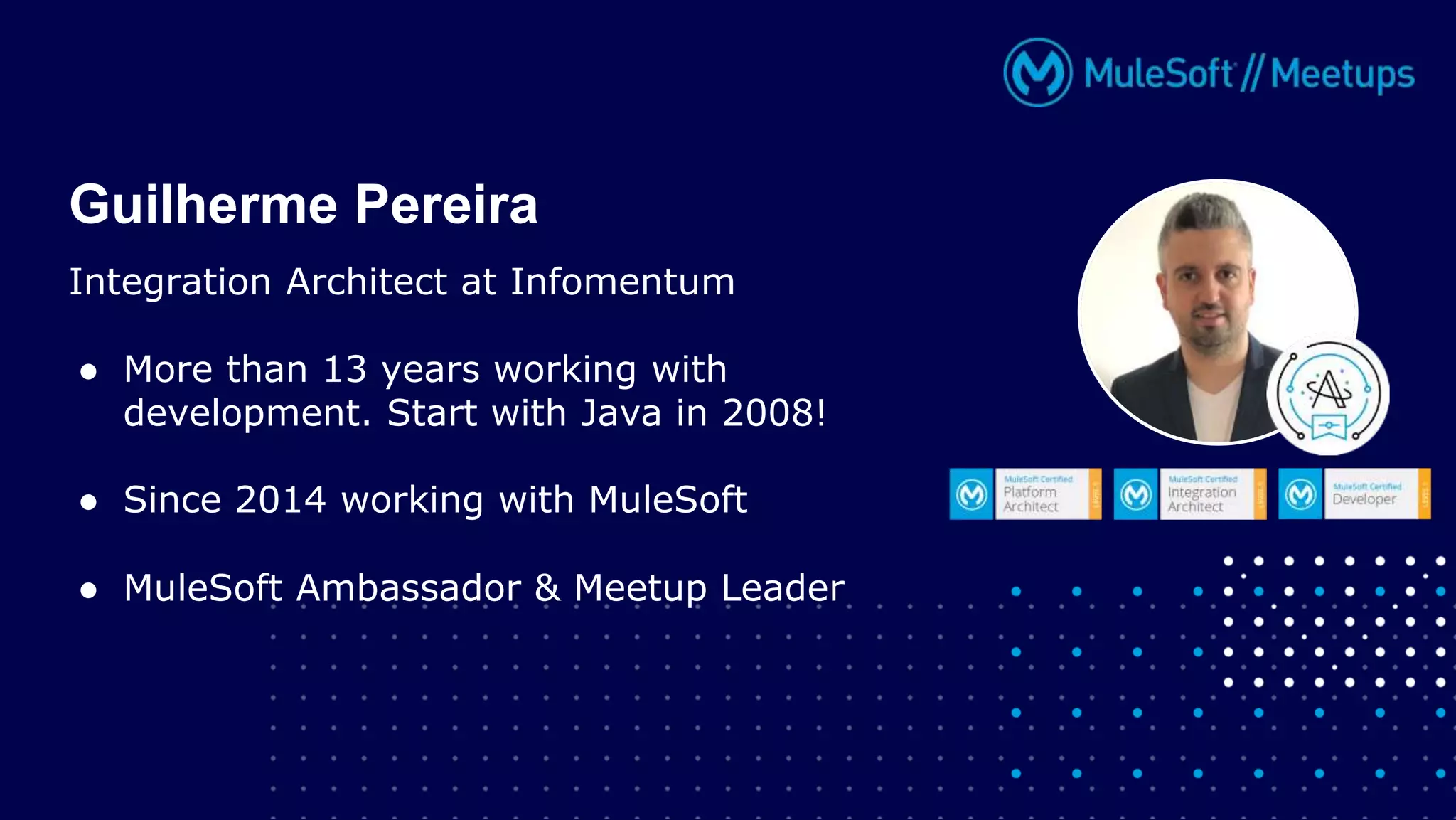
Integration Architect at Infomentum
● More than 13 years working with
development. Start with Java in 2008!
● Since 2014 working with MuleSoft
● MuleSoft Ambassador & Meetup Leader
Guilherme Pereira
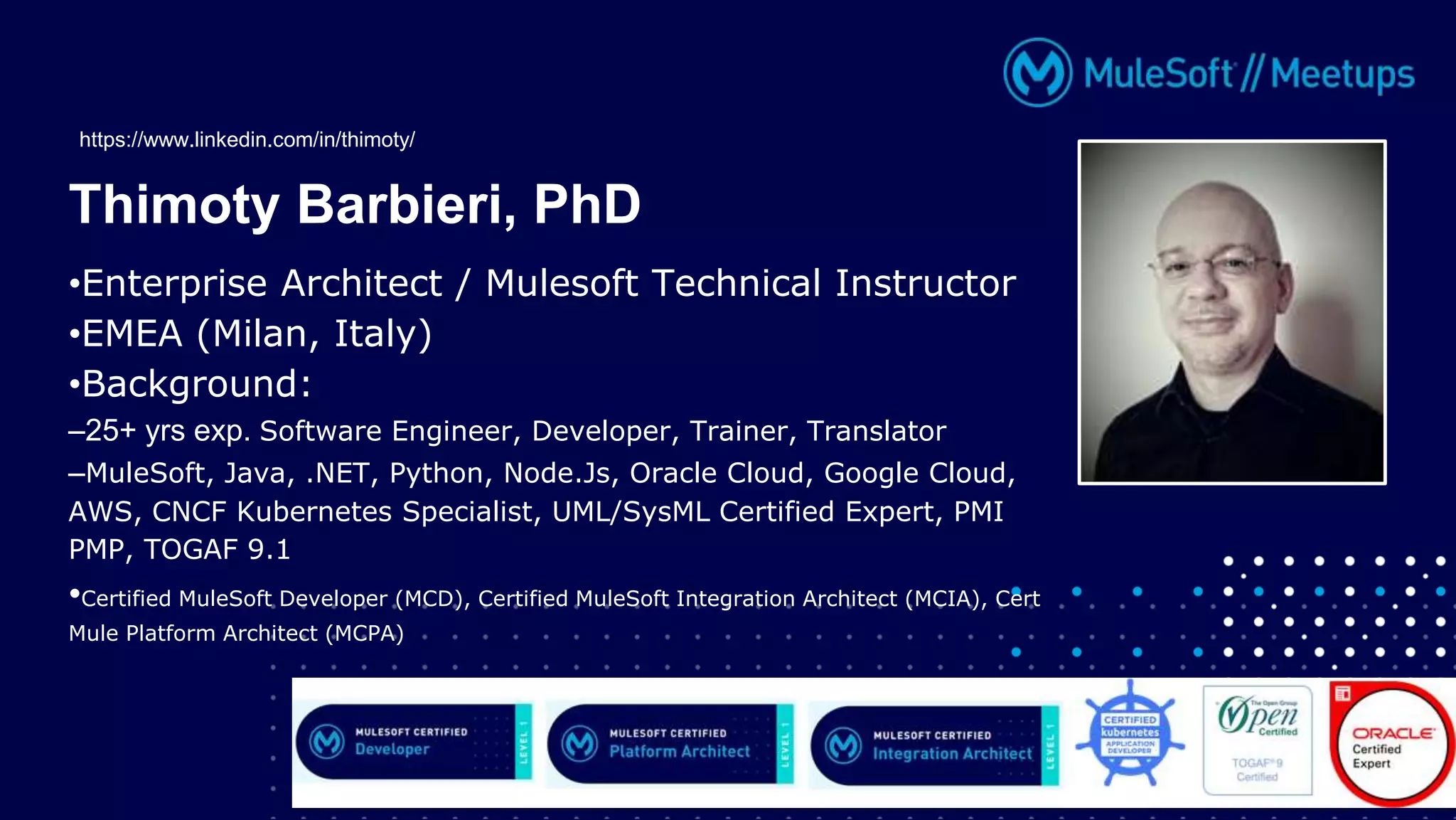
•Enterprise Architect / Mulesoft Technical Instructor
•EMEA (Milan, Italy)
•Background:
–25+ yrs exp. Software Engineer, Developer, Trainer, Translator
–MuleSoft, Java, .NET, Python, Node.Js, Oracle Cloud, Google Cloud,
AWS, CNCF Kubernetes Specialist, UML/SysML Certified Expert, PMI
PMP, TOGAF 9.1
•Certified MuleSoft Developer (MCD), Certified MuleSoft Integration Architect (MCIA), Cert
Mule Platform Architect (MCPA)
Thimoty Barbieri, PhD
https://www.linkedin.com/in/thimoty/
Better together
Mule & Java
6
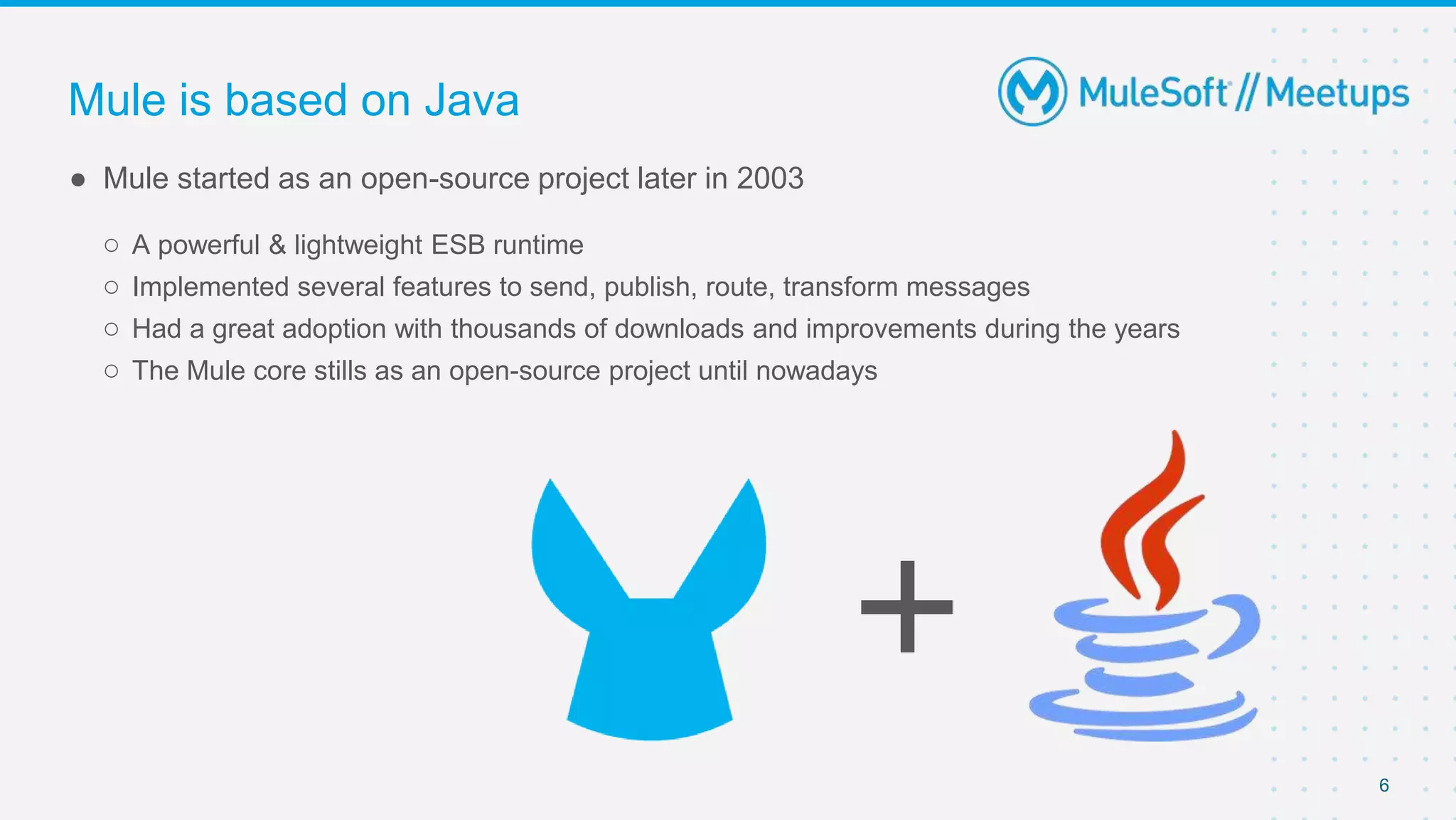
● Mule started as an open-source project later in 2003
○ A powerful & lightweight ESB runtime
○ Implemented several features to send, publish, route, transform messages
○ Had a great adoption with thousands of downloads and improvements during the years
○ The Mule core stills as an open-source project until nowadays
Mule is based on Java
7
From open-source to the Anypoint Platform
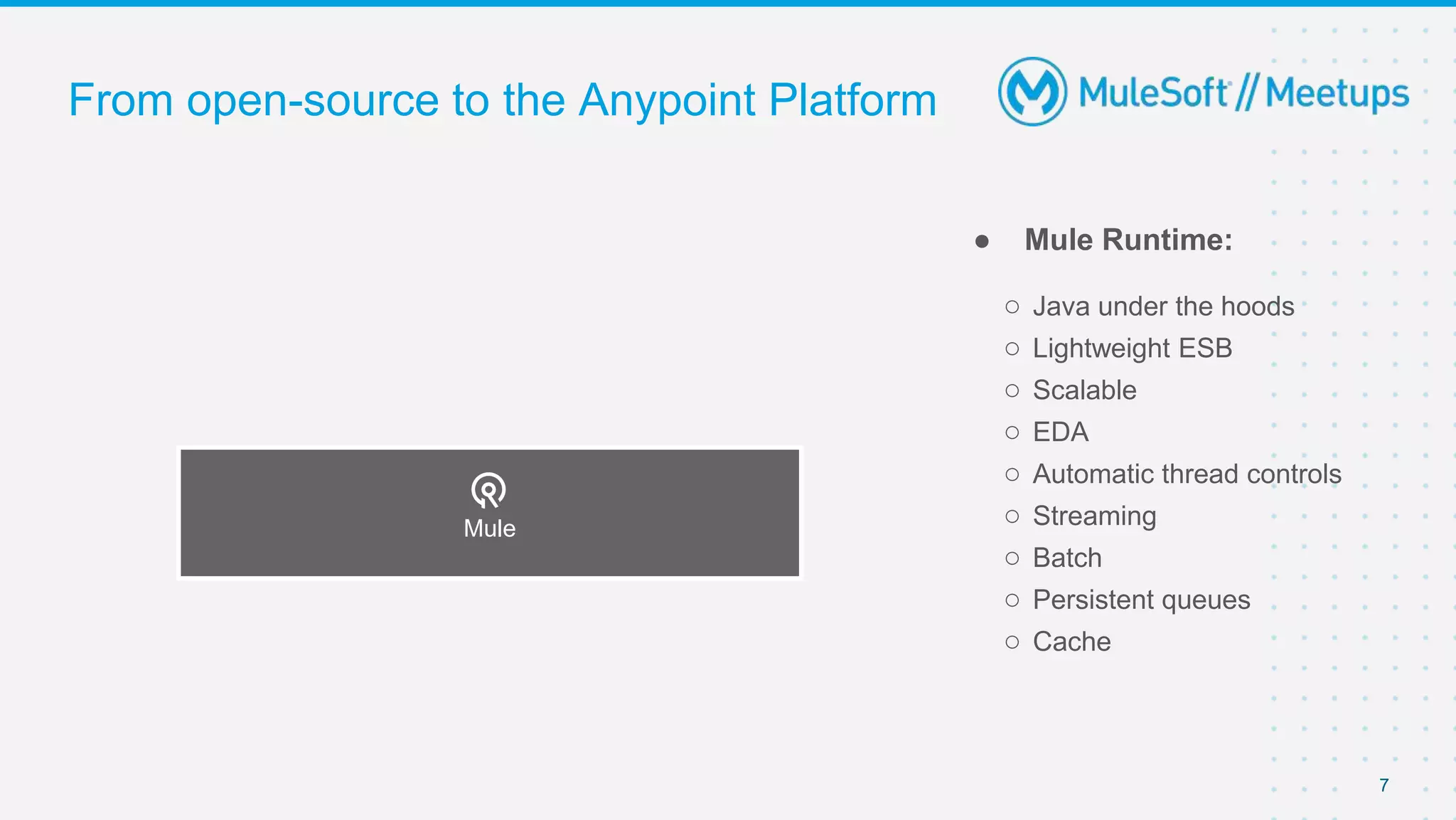
● Mule Runtime:
○ Java under the hoods
○ Lightweight ESB
○ Scalable
○ EDA
○ Automatic thread controls
○ Streaming
○ Batch
○ Persistent queues
○ Cache
Mule
8
From open-source to the Anypoint Platform
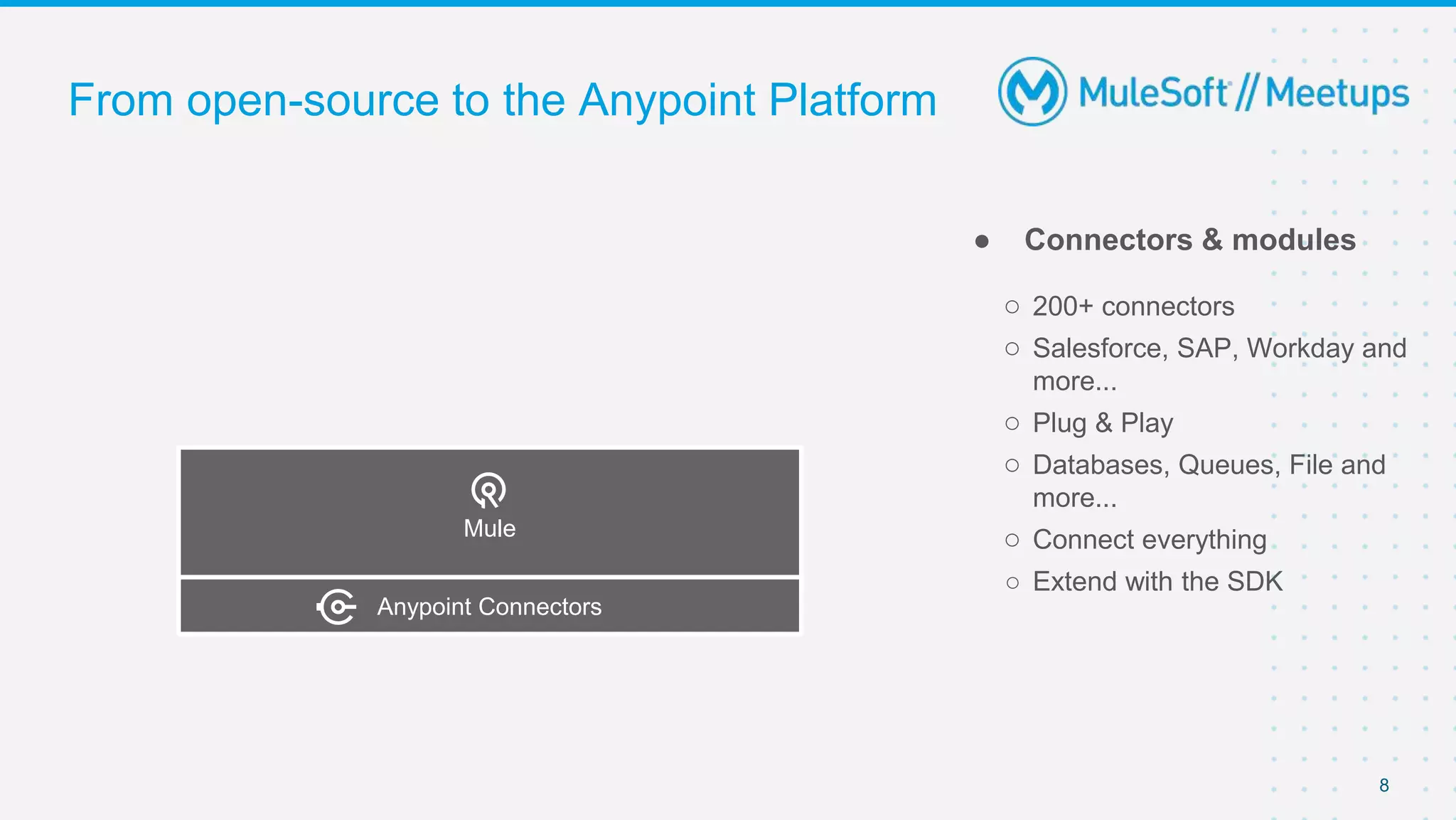
● Connectors & modules
○ 200+ connectors
○ Salesforce, SAP, Workday and
more...
○ Plug & Play
○ Databases, Queues, File and
more...
○ Connect everything
○ Extend with the SDK
Mule
Anypoint Connectors
9
From open-source to the Anypoint Platform
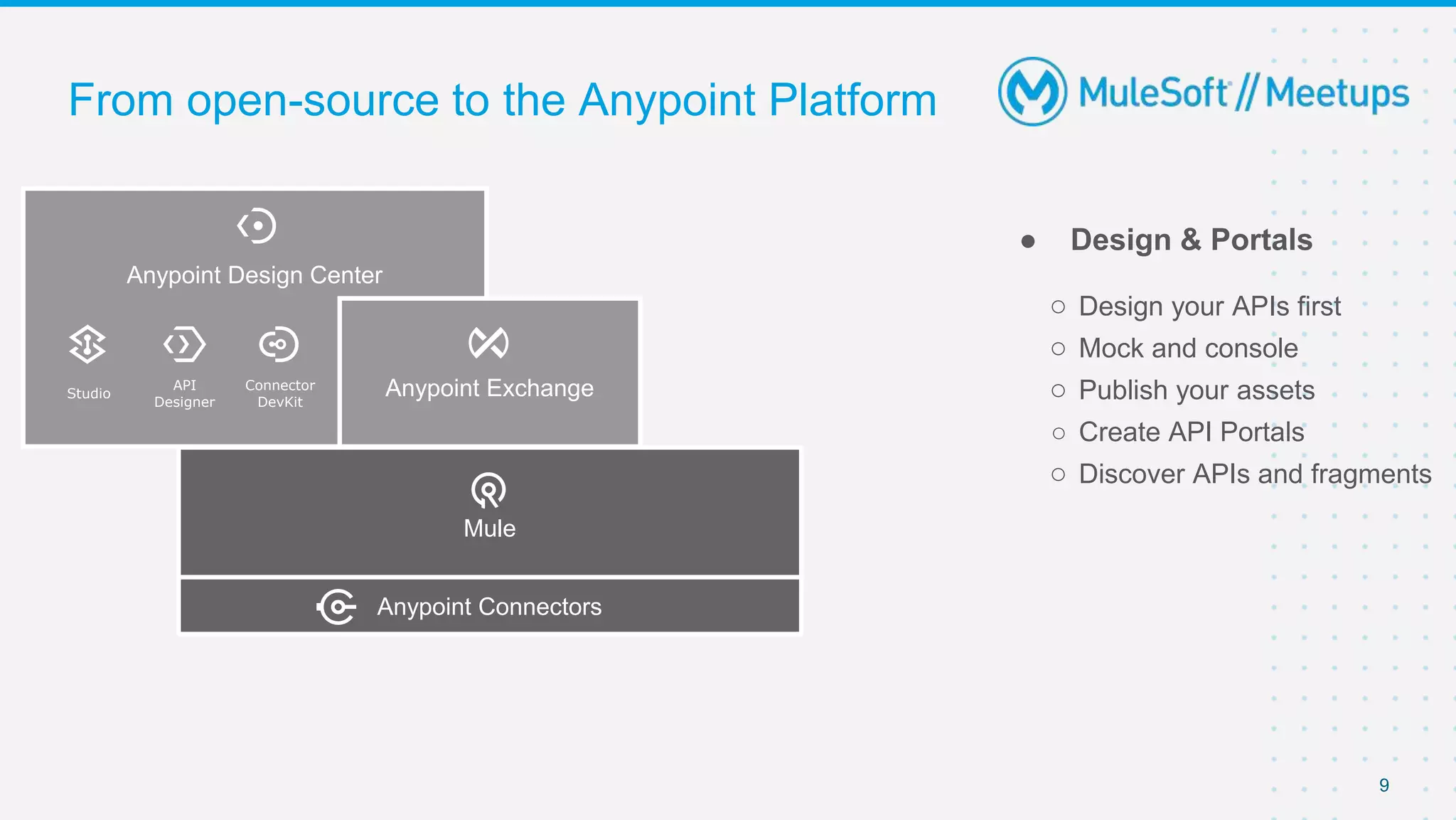
● Design & Portals
○ Design your APIs first
○ Mock and console
○ Publish your assets
○ Create API Portals
○ Discover APIs and fragments
Anypoint Design Center
Anypoint Exchange
Studio
API
Designer
Connector
DevKit
Mule
Anypoint Connectors
10
From open-source to the Anypoint Platform
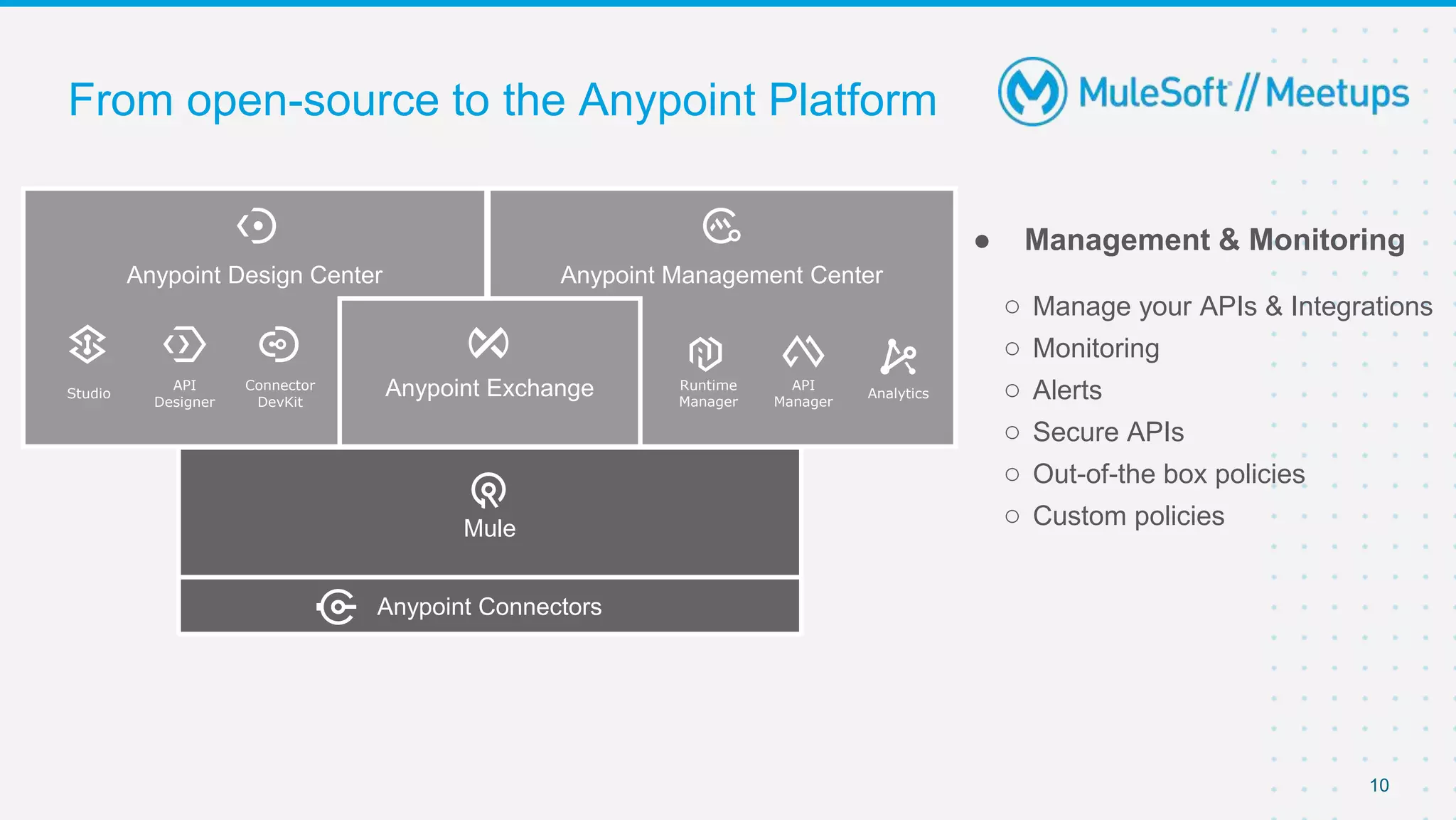
● Management & Monitoring
○ Manage your APIs & Integrations
○ Monitoring
○ Alerts
○ Secure APIs
○ Out-of-the box policies
○ Custom policies
Anypoint Design Center Anypoint Management Center
Anypoint Exchange
Studio
API
Designer
Connector
DevKit
Runtime
Manager
API
Manager
Analytics
Mule
Anypoint Connectors
11
From open-source to the Anypoint Platform
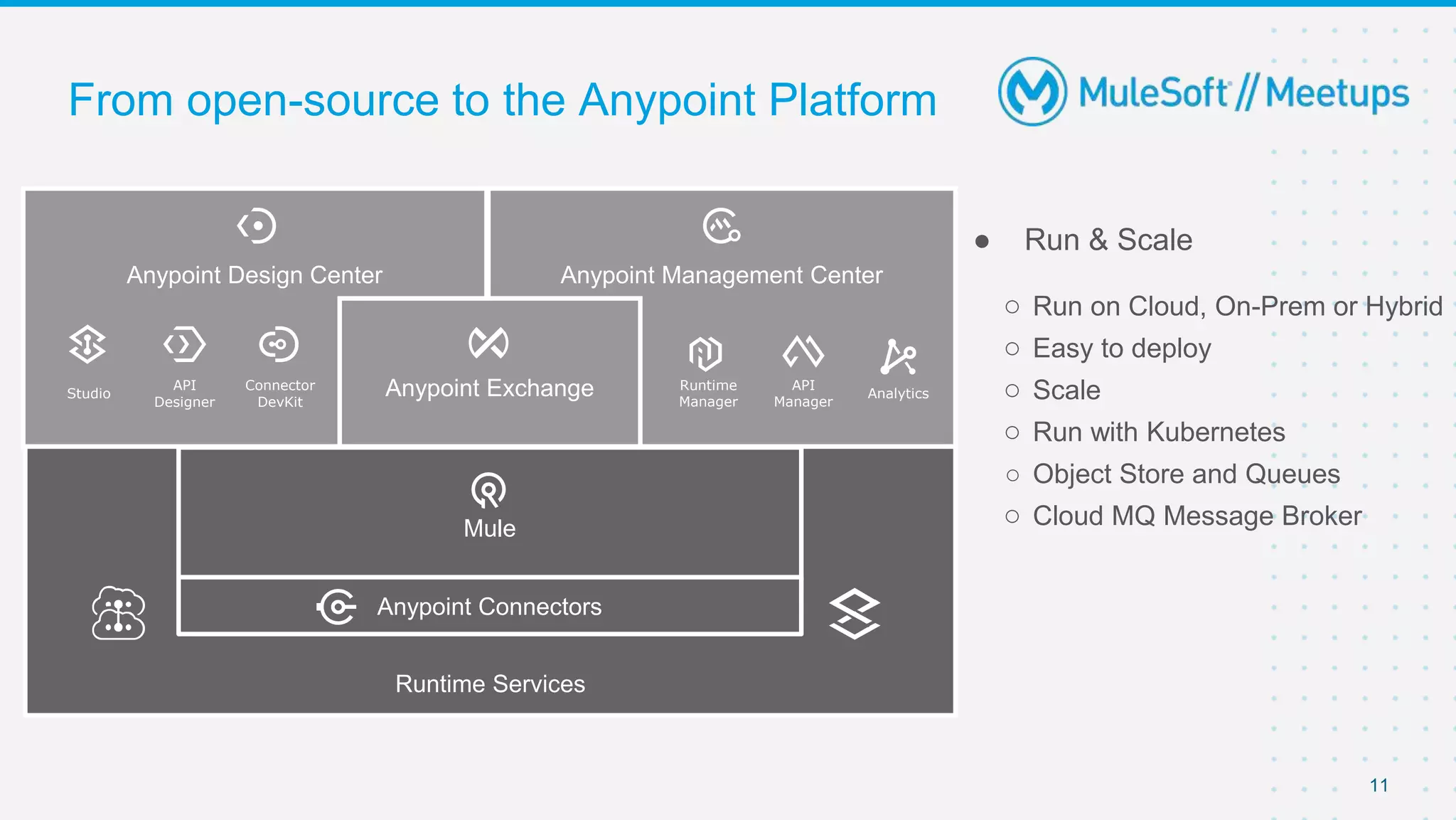
Anypoint Design Center Anypoint Management Center
Anypoint Exchange
Studio
API
Designer
Connector
DevKit
Runtime
Manager
API
Manager
Analytics
Runtime Services
Mule
Anypoint Connectors
● Run & Scale
○ Run on Cloud, On-Prem or Hybrid
○ Easy to deploy
○ Scale
○ Run with Kubernetes
○ Object Store and Queues
○ Cloud MQ Message Broker
Building APIs
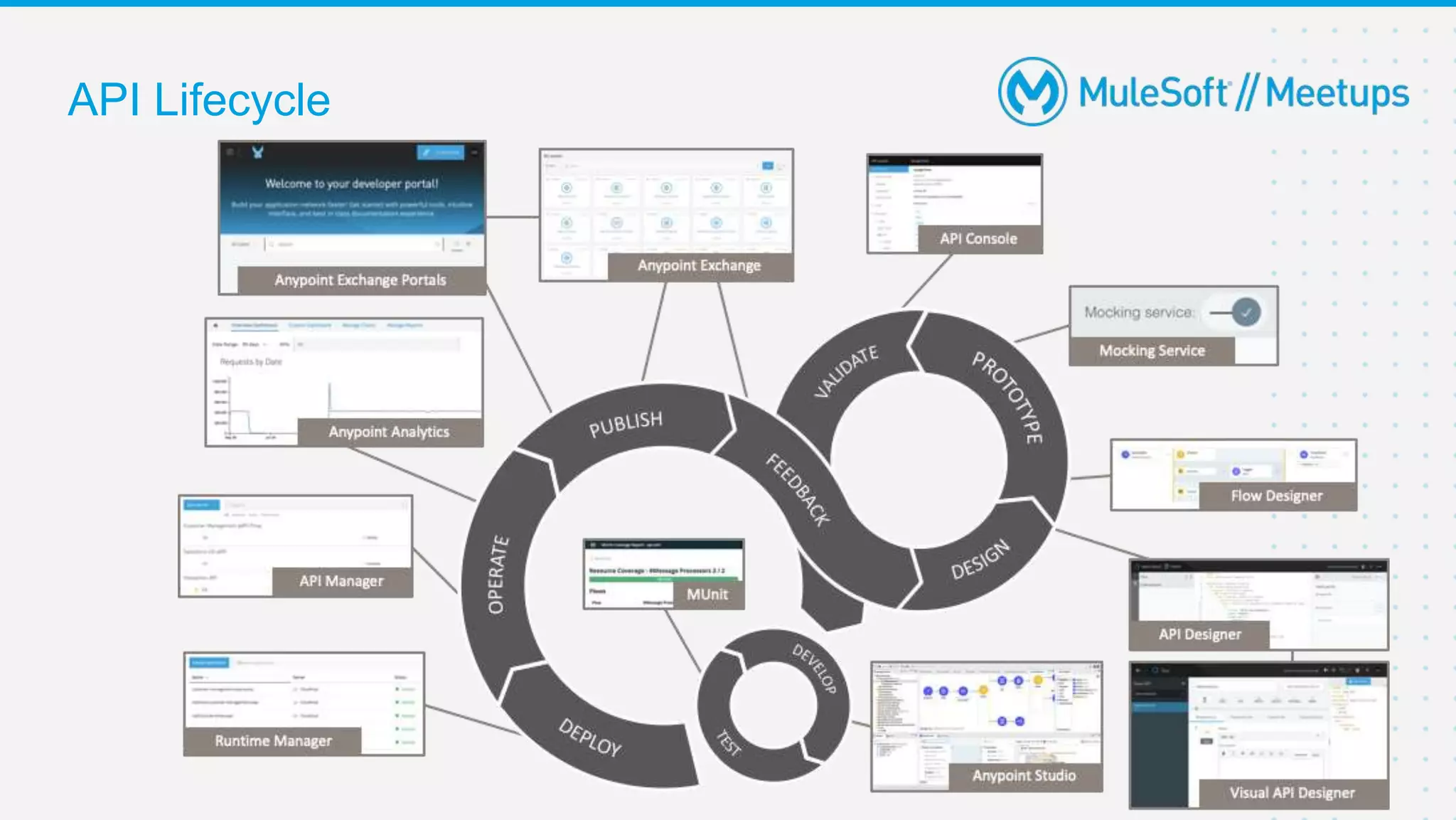
API Lifecycle
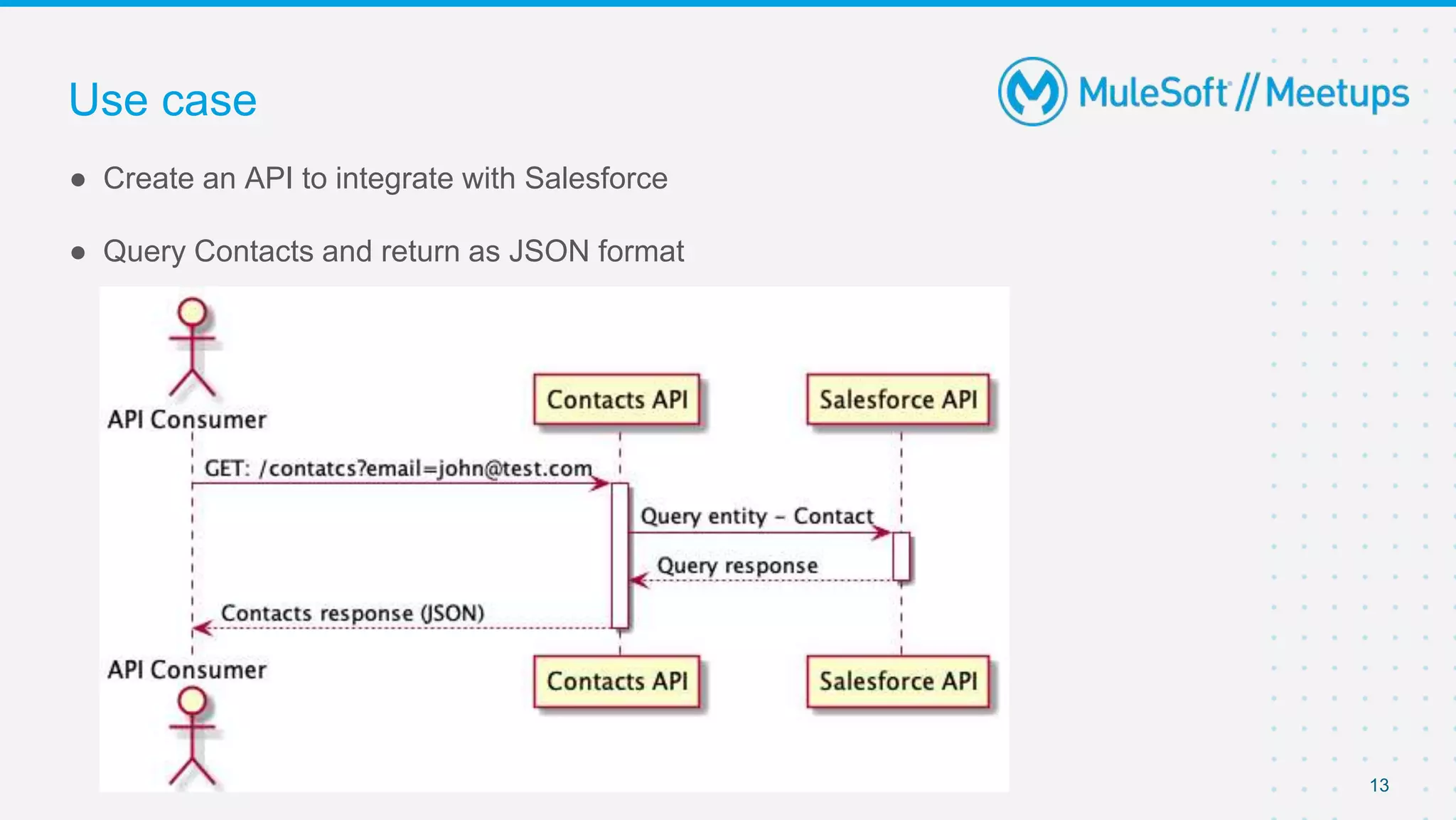
Use case
13
● Create an API to integrate with Salesforce
● Query Contacts and return as JSON format
“Doing It All” with MuleSoft
(clone full working demo from:
https://github.com/gui1207/sfdc-contacts-sys-api)
15
API Lifecycle
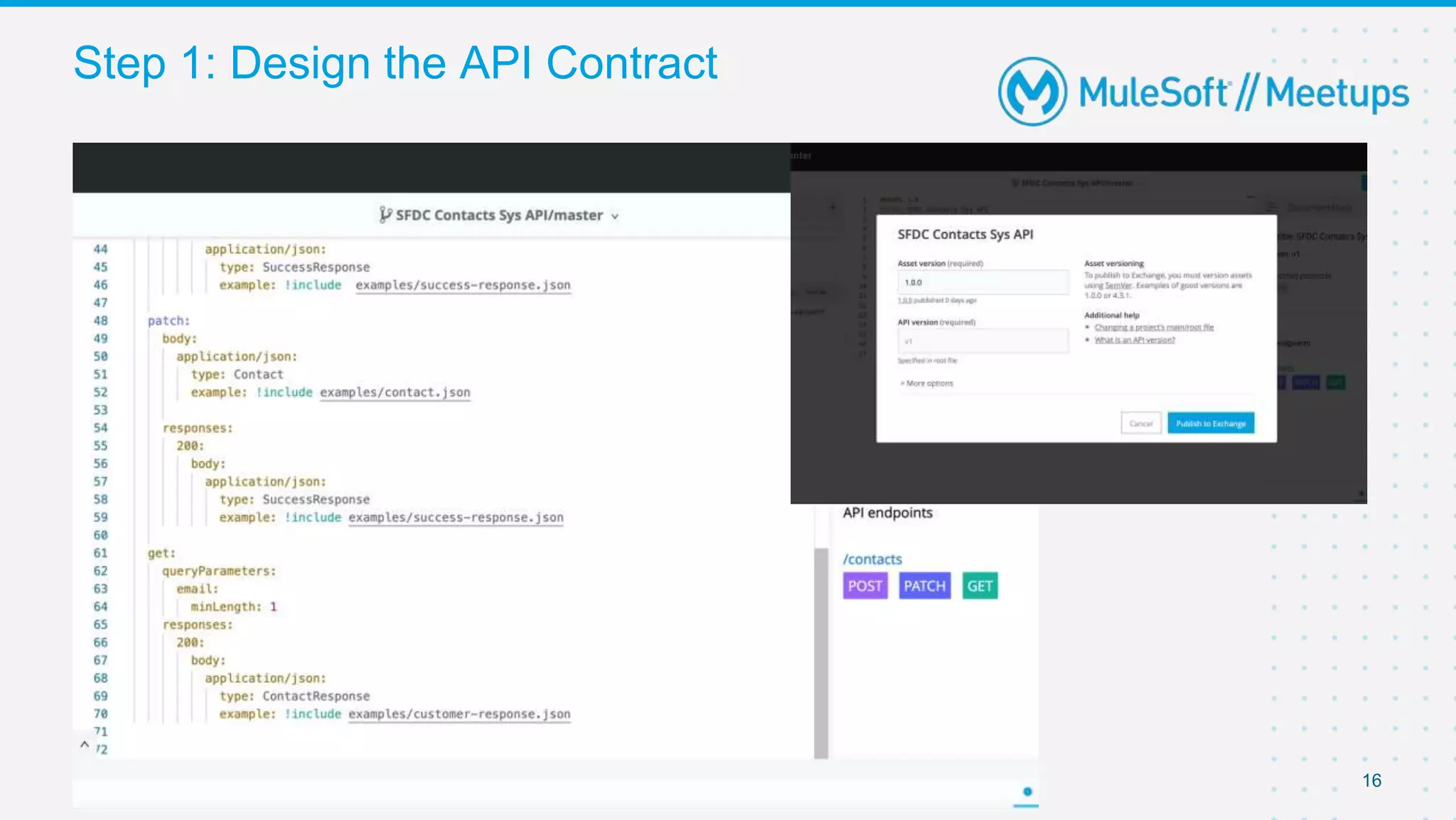
Step 1: Design the API Contract
16
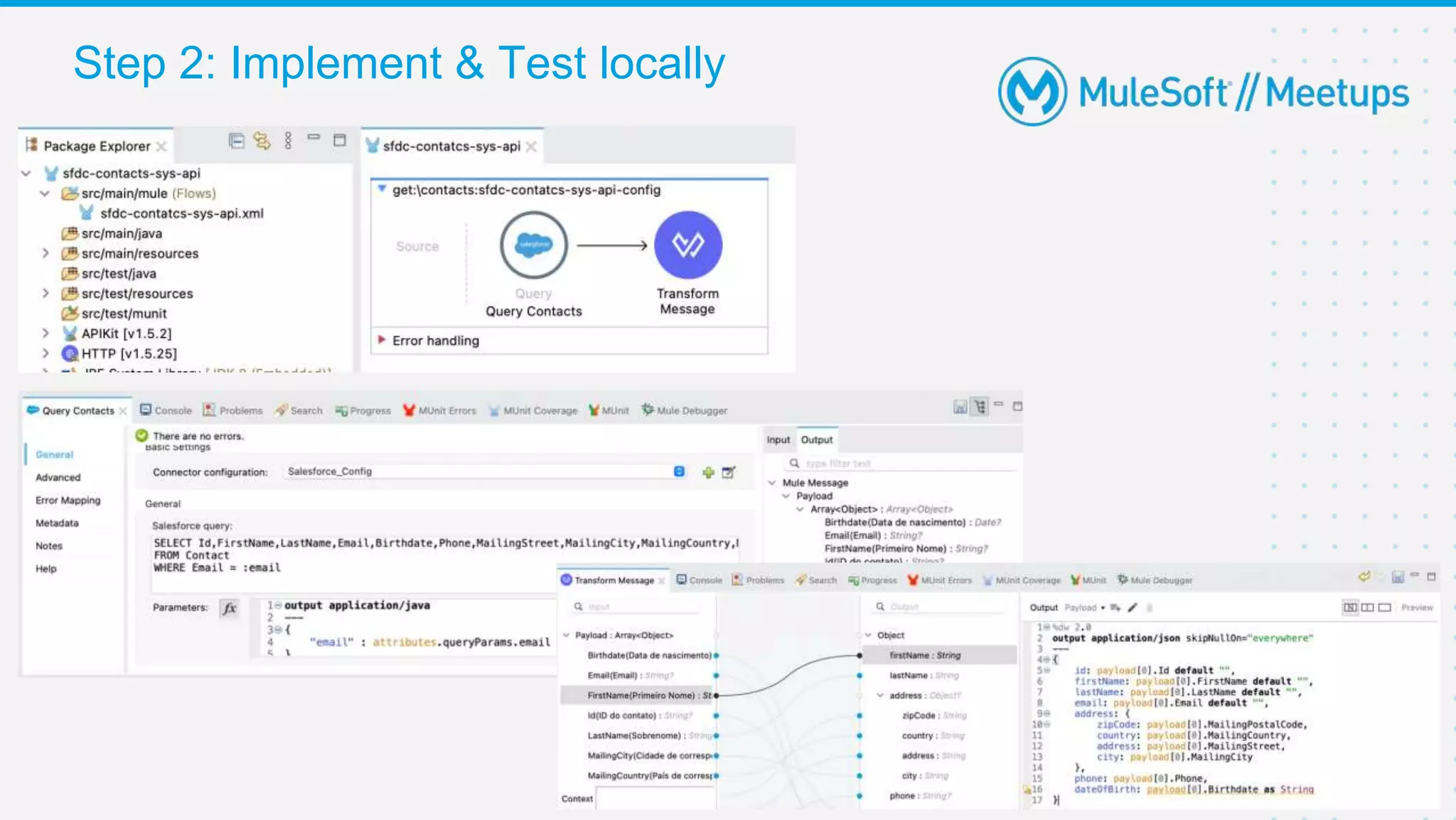
Step 2: Implement & Test locally
17
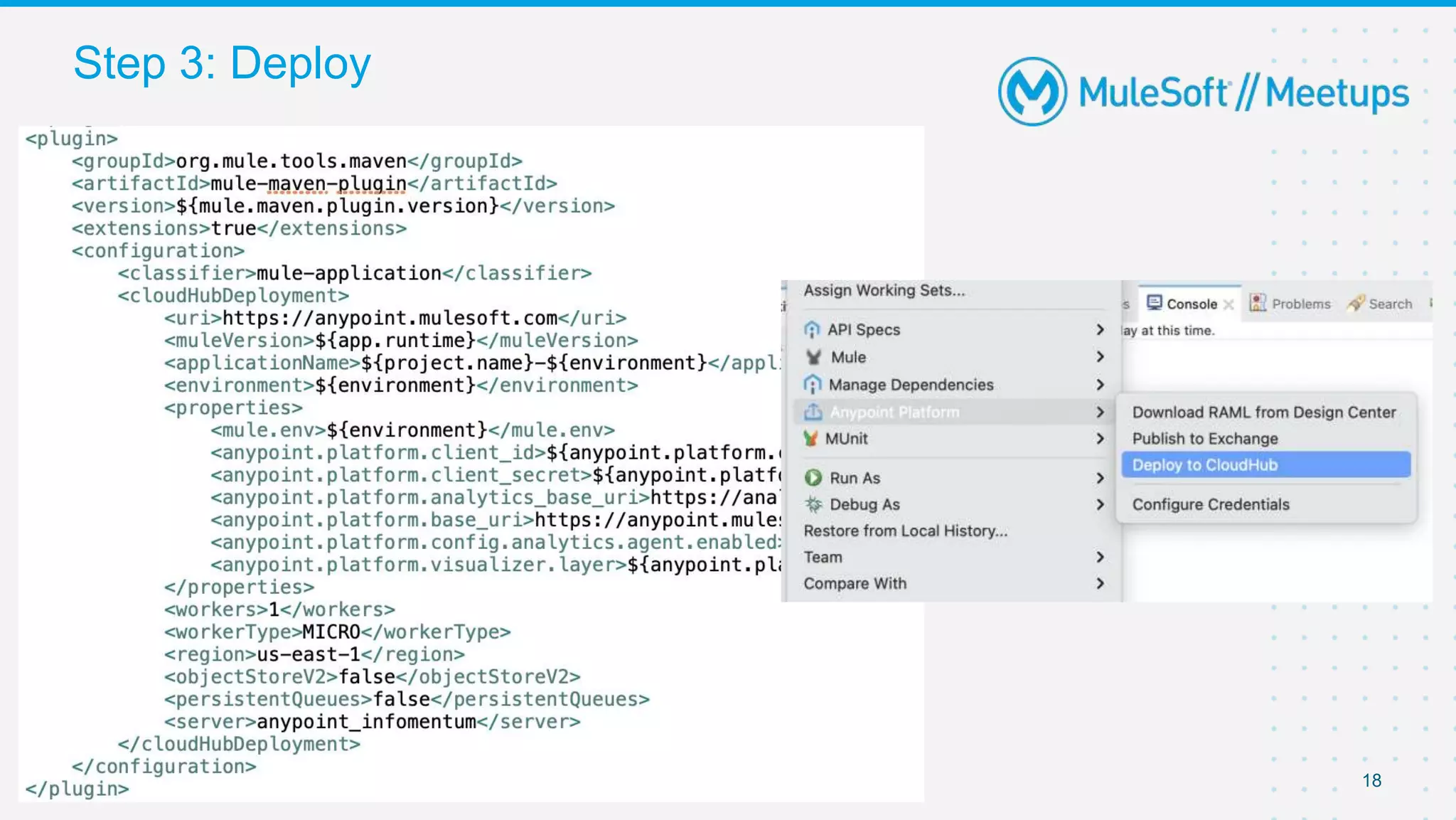
Step 3: Deploy
18
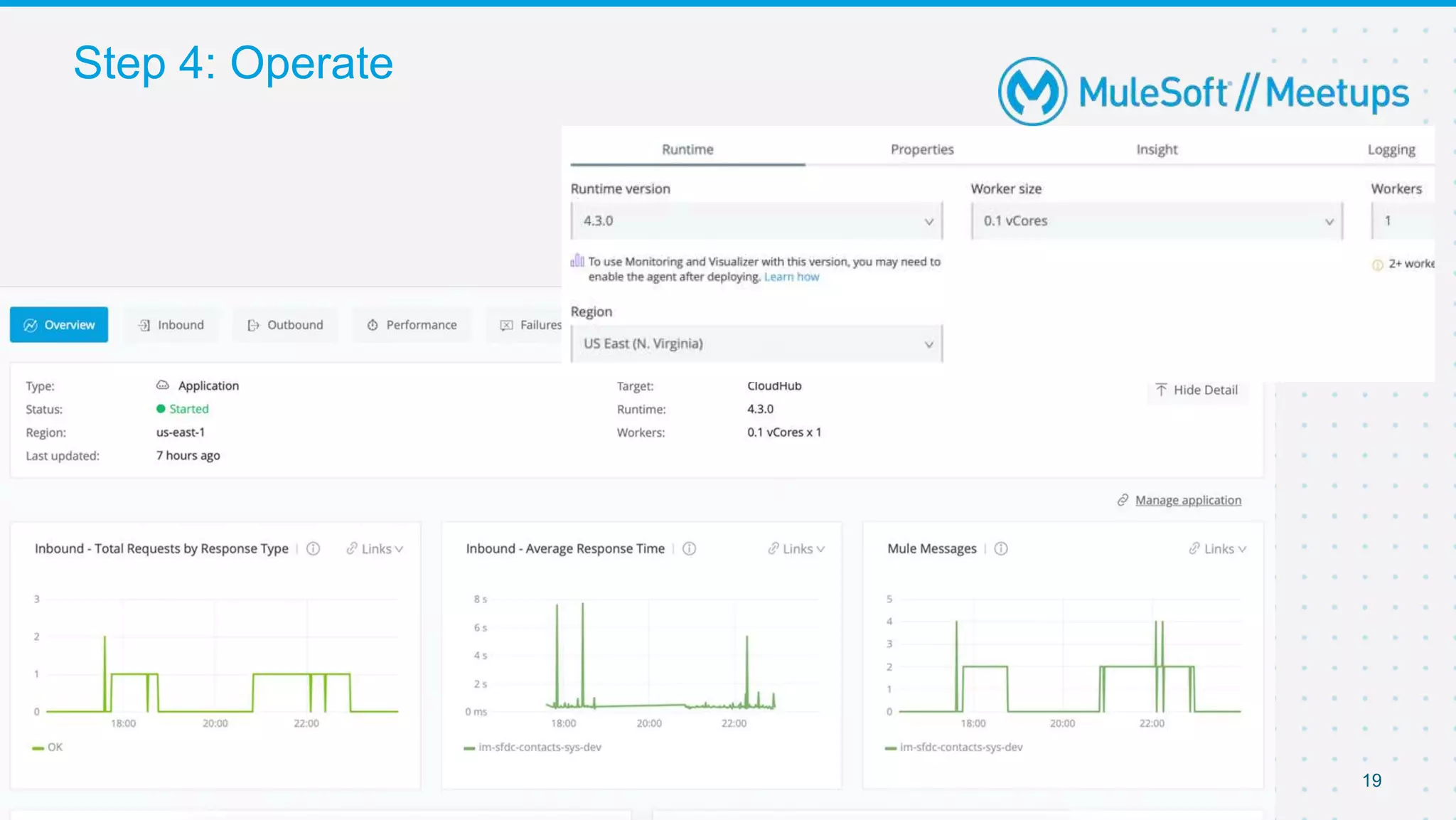
Step 4: Operate
19
“Doing It All” with Spring Boot
(clone full working demo from:
https://github.com/thimotyb/salesforce-springboot-demo)
Step 1: Connecting to SalesForce
21
- We will use the Enterprise SOAP API with the approach described at
- https://developer.salesforce.com/docs/atlas.en-
us.api.meta/api/sforce_api_quickstart_steps.htm
- There are other you can use, e.g. Bulk API 2.0 https://developer.salesforce.com/docs/atlas.en-
us.api_asynch.meta/api_asynch/api_asynch_introduction_bulk_api.htm
- Or Streaming API https://developer.salesforce.com/docs/atlas.en-
us.api_streaming.meta/api_streaming/intro_stream.htm
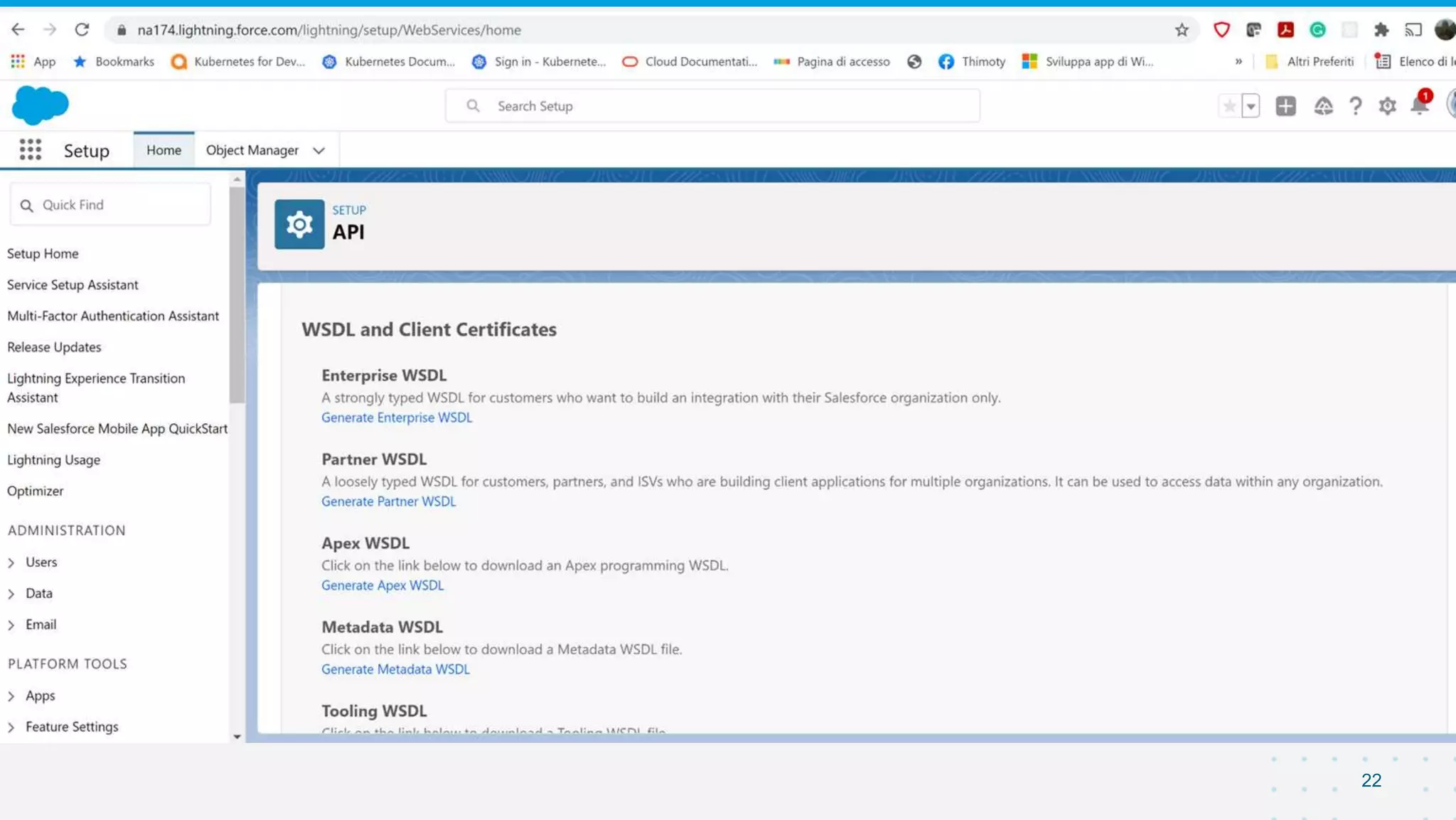
- Download Enterprise WSDL for correct Salesforce Version from DevPortal
- Use WSC tool to generate Java skeletons and Data Models of the entire
Enterprise API
- java –classpath pathToJAR/wsc-22.jar com.sforce.ws.tools.wsdlc
pathToWsdl/WsdlFilename​ pathToOutputJar/OutputJarFilename
- The WSDL is huge, lots of problems trying to auto-generate in-line with the maven jax2
tooling
- An enterprise.jar system dependency specific for your Salesforce version is
created, to be included in the project
22
23
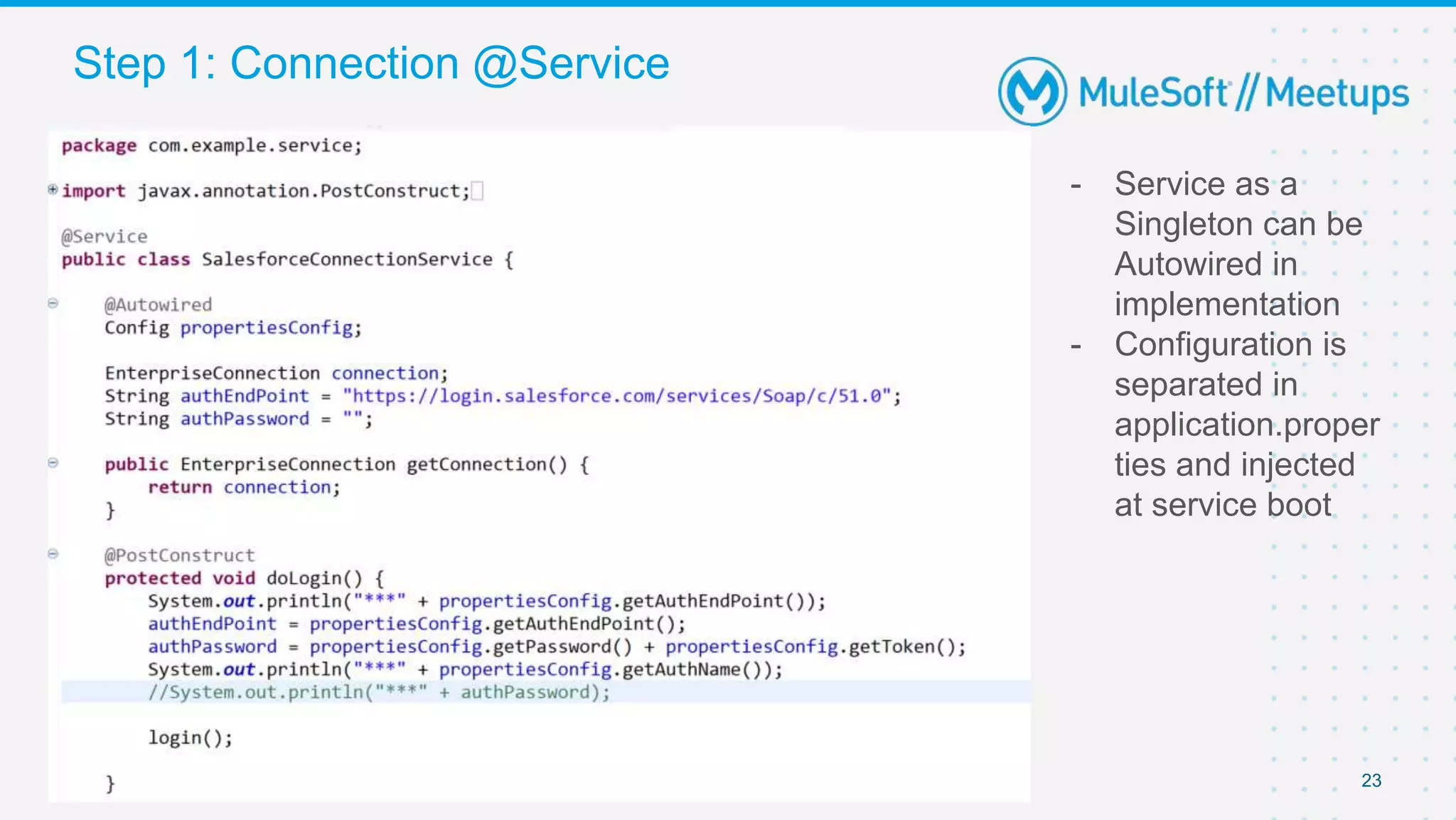
- Service as a
Singleton can be
Autowired in
implementation
- Configuration is
separated in
application.proper
ties and injected
at service boot
Step 1: Connection @Service
24
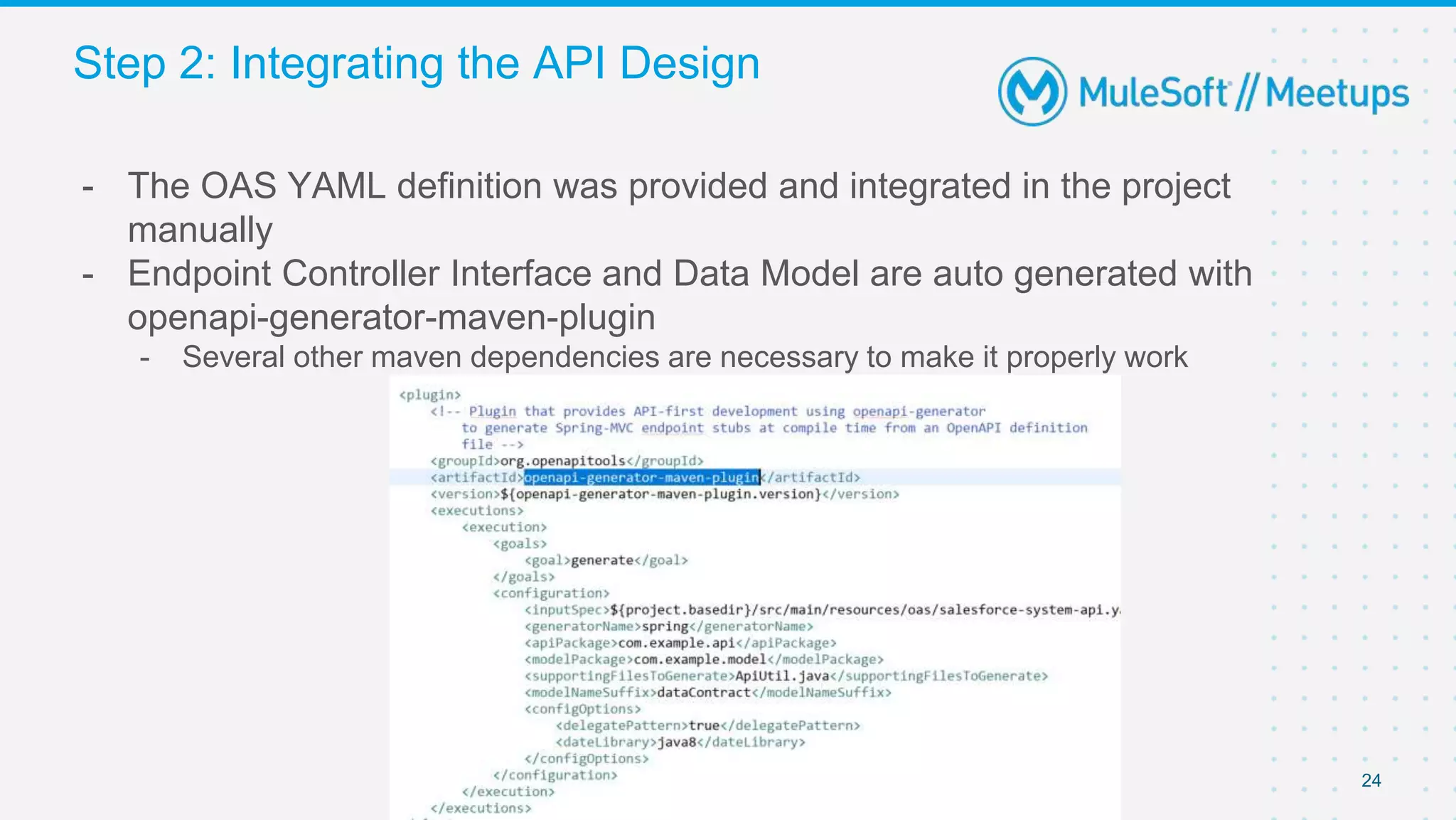
- The OAS YAML definition was provided and integrated in the project
manually
- Endpoint Controller Interface and Data Model are auto generated with
openapi-generator-maven-plugin
- Several other maven dependencies are necessary to make it properly work
Step 2: Integrating the API Design
25
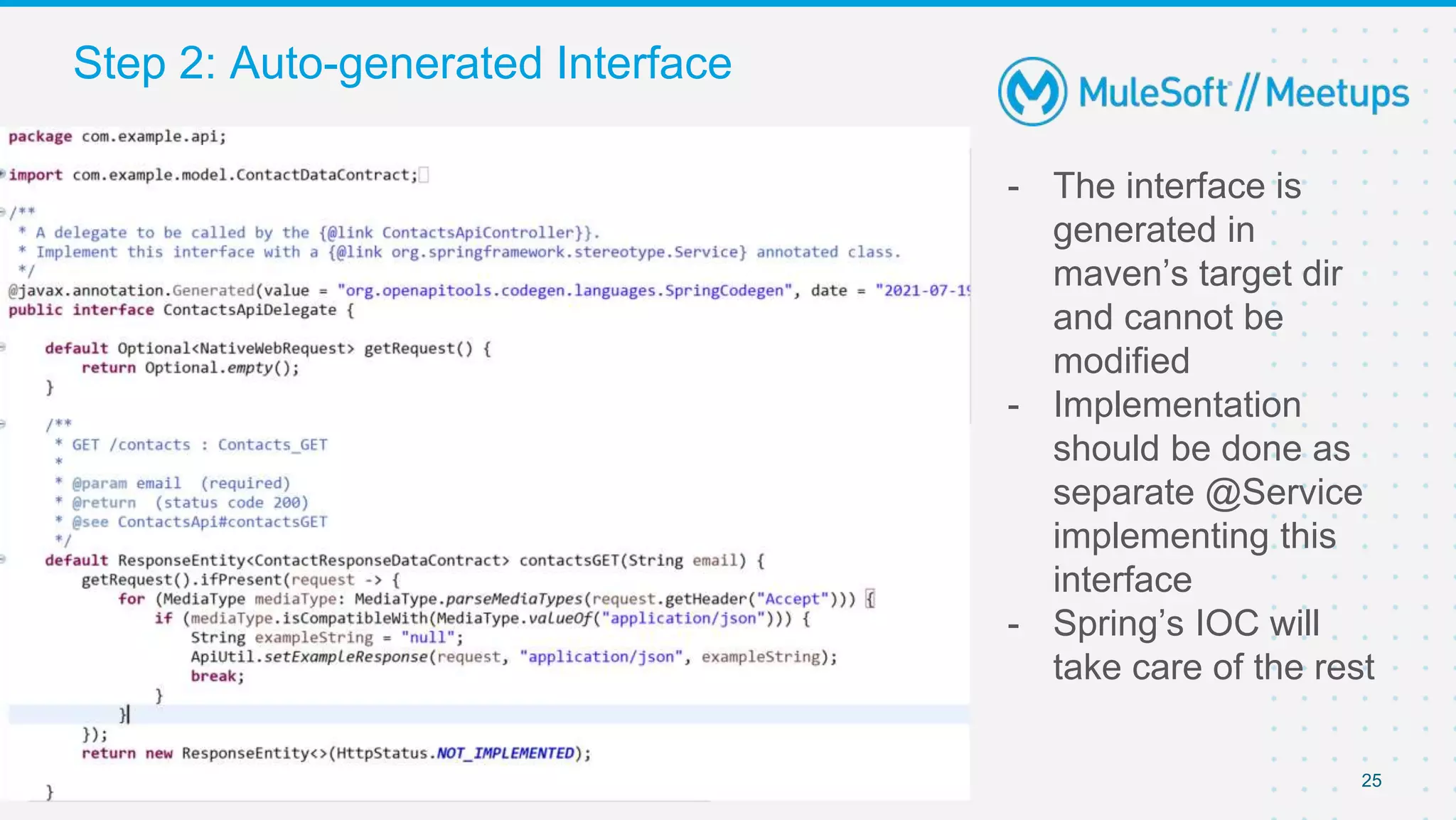
- The interface is
generated in
maven’s target dir
and cannot be
modified
- Implementation
should be done as
separate @Service
implementing this
interface
- Spring’s IOC will
take care of the rest
Step 2: Auto-generated Interface
26
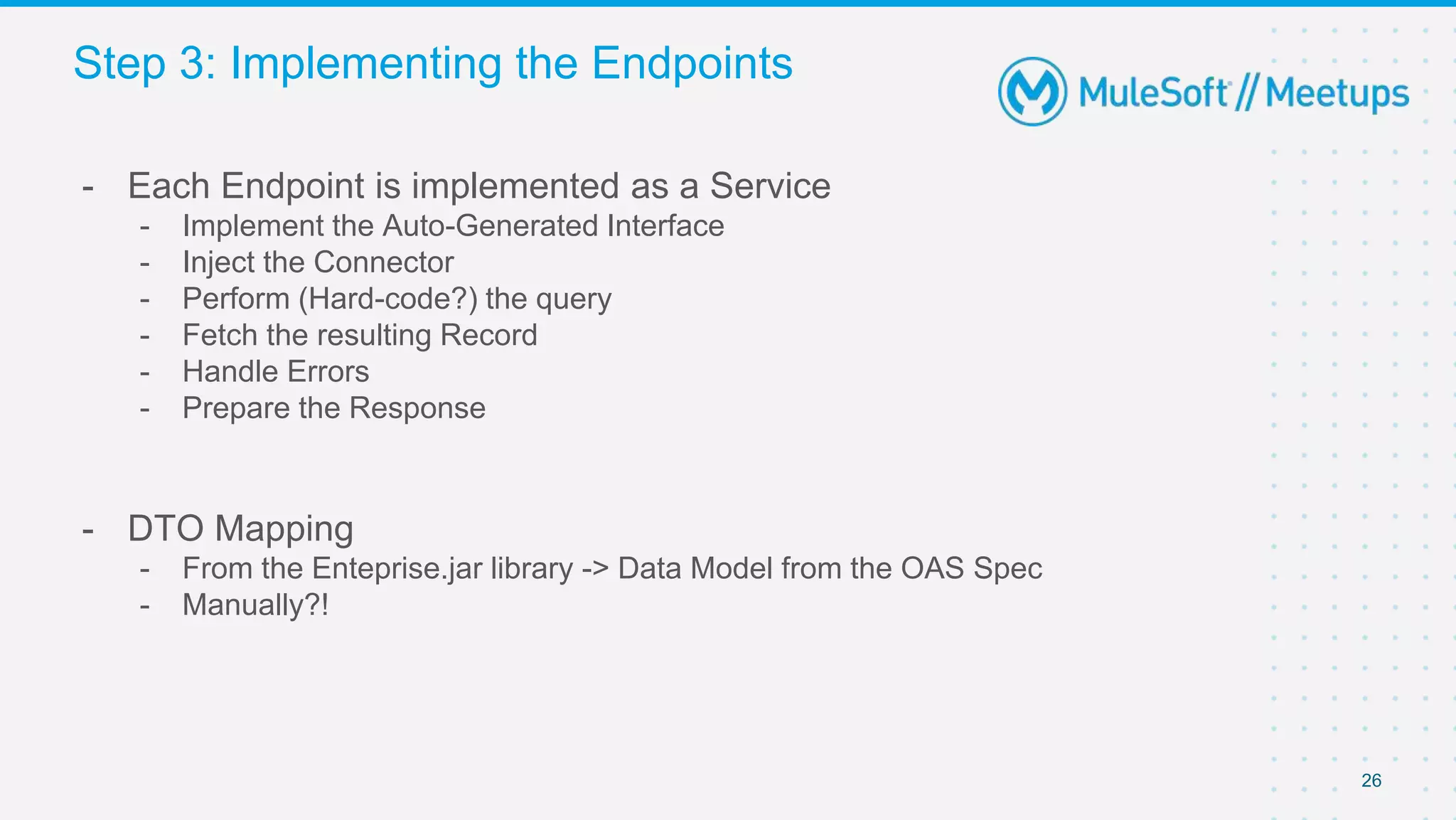
- Each Endpoint is implemented as a Service
- Implement the Auto-Generated Interface
- Inject the Connector
- Perform (Hard-code?) the query
- Fetch the resulting Record
- Handle Errors
- Prepare the Response
- DTO Mapping
- From the Enteprise.jar library -> Data Model from the OAS Spec
- Manually?!
Step 3: Implementing the Endpoints
27
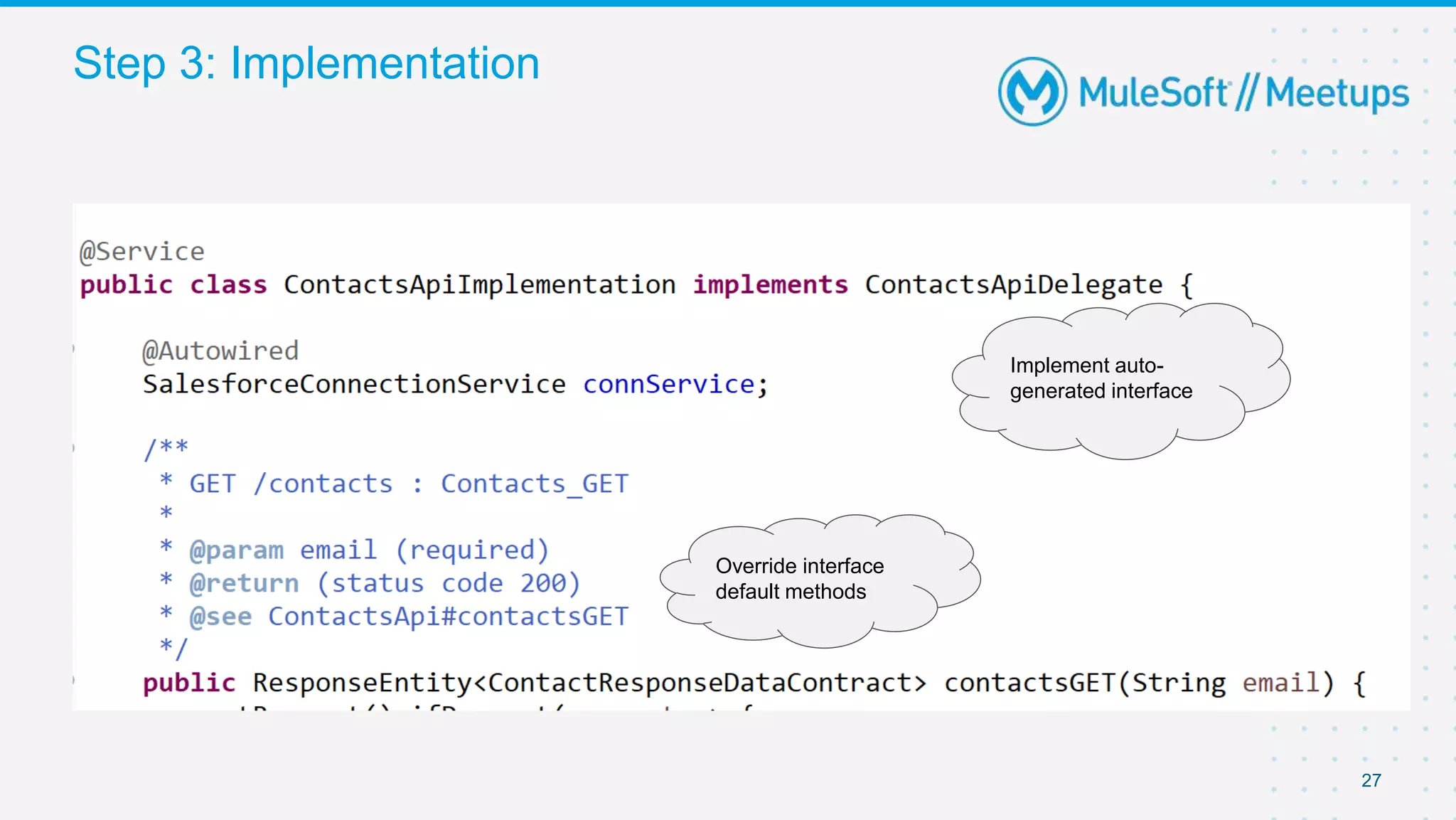
Step 3: Implementation
Implement auto-
generated interface
Override interface
default methods
28
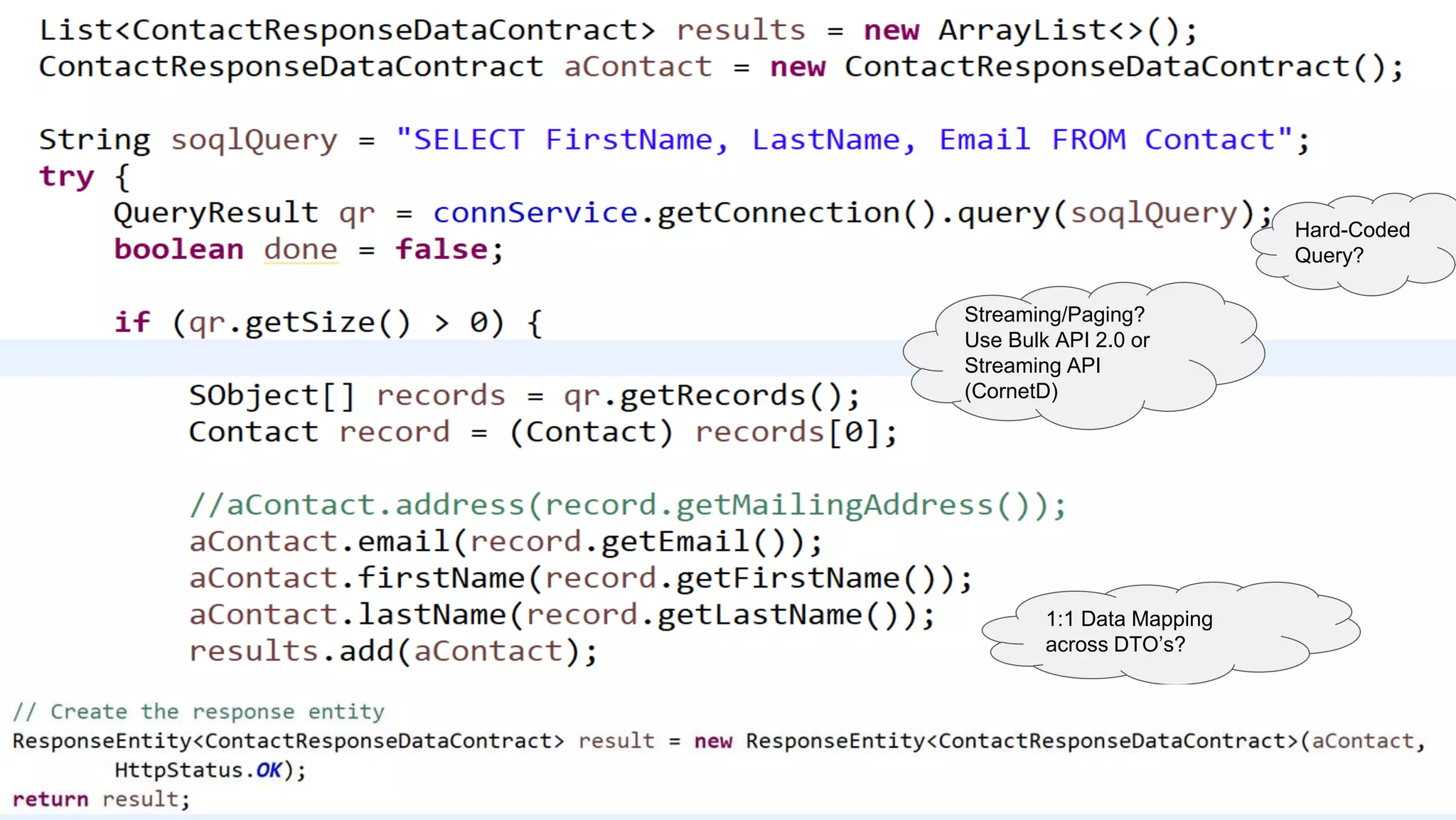
Streaming/Paging?
Use Bulk API 2.0 or
Streaming API
(CornetD)
1:1 Data Mapping
across DTO’s?
Hard-Coded
Query?
29
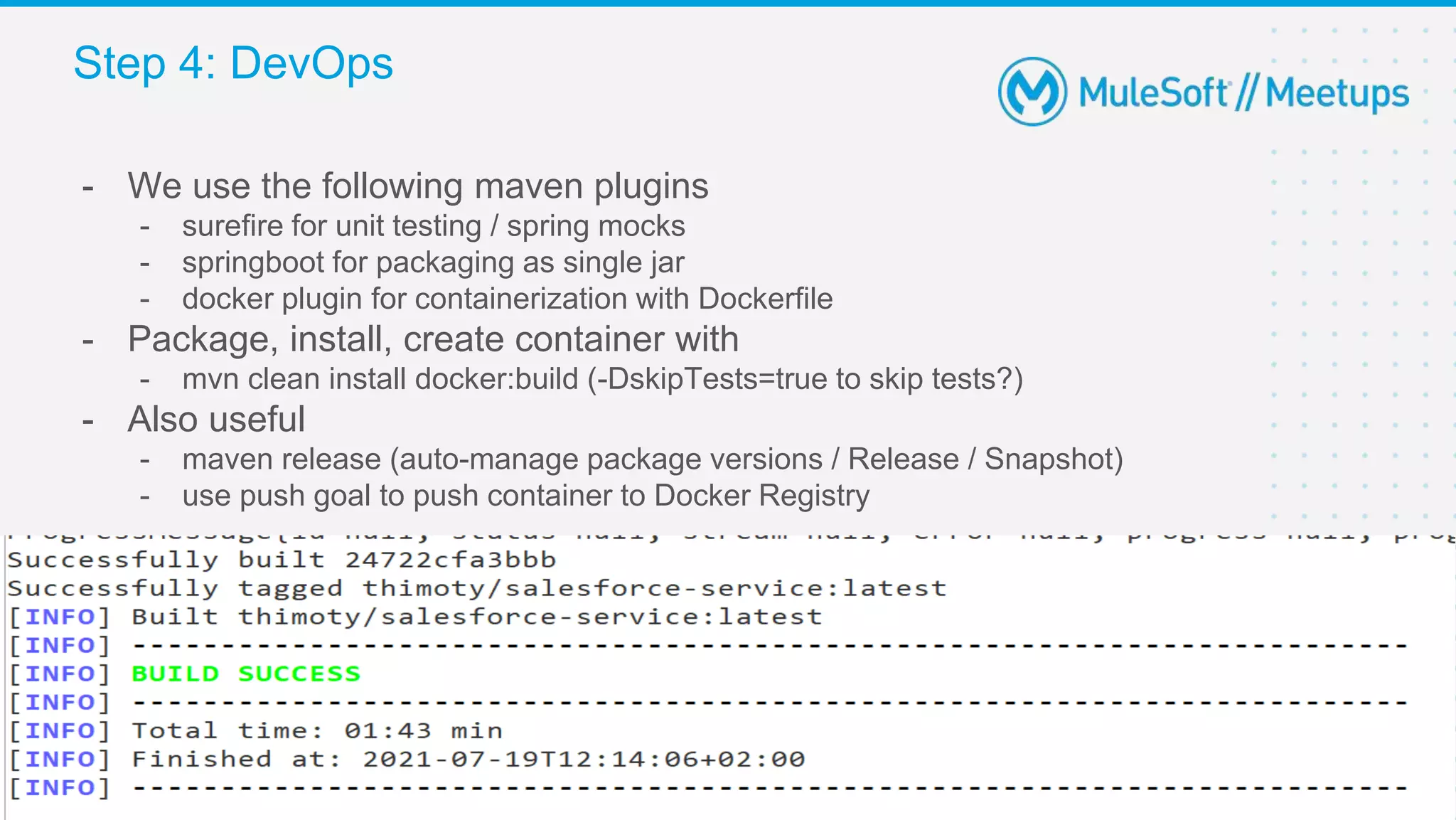
- We use the following maven plugins
- surefire for unit testing / spring mocks
- springboot for packaging as single jar
- docker plugin for containerization with Dockerfile
- Package, install, create container with
- mvn clean install docker:build (-DskipTests=true to skip tests?)
- Also useful
- maven release (auto-manage package versions / Release / Snapshot)
- use push goal to push container to Docker Registry
Step 4: DevOps
30
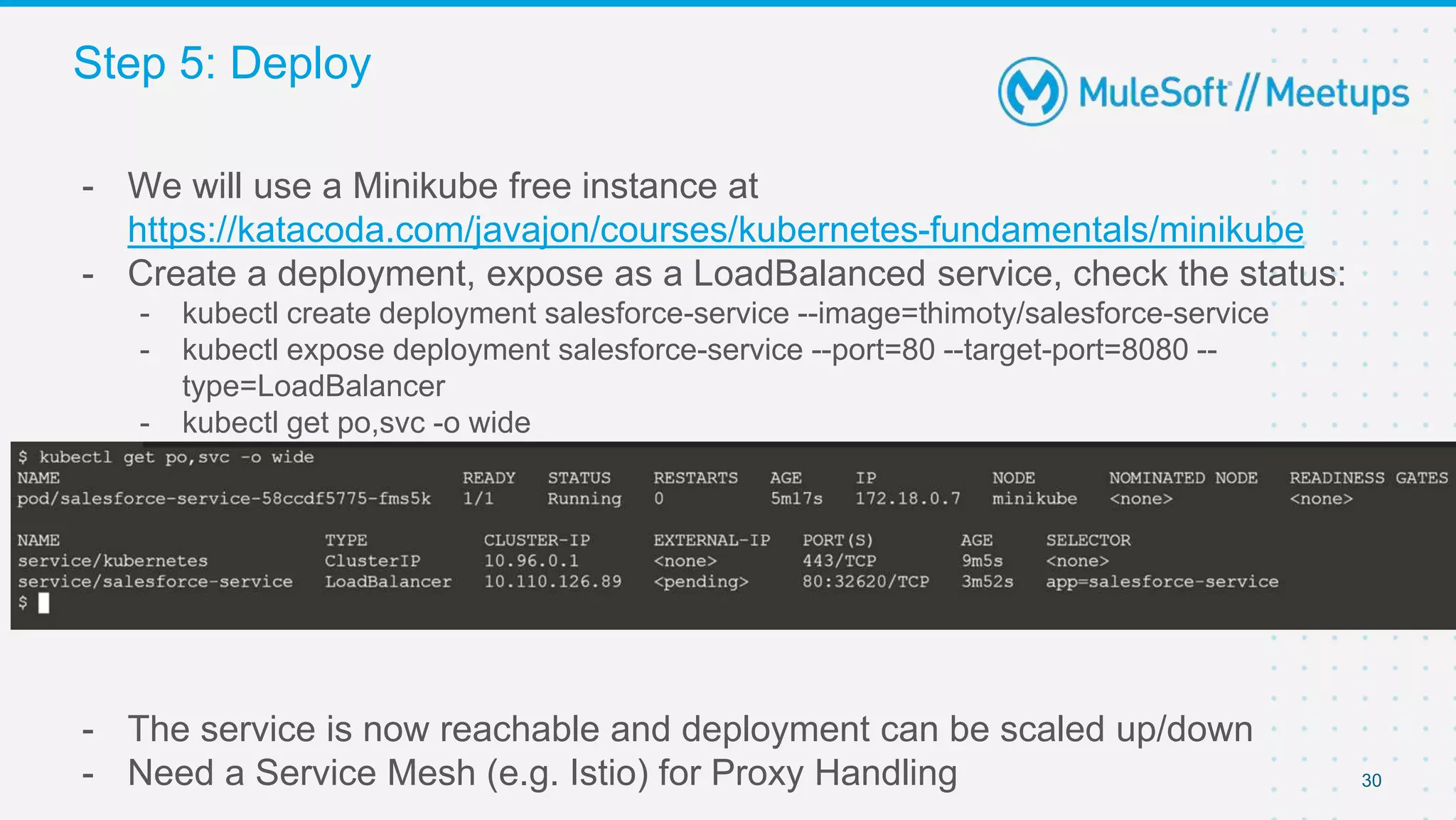
- We will use a Minikube free instance at
https://katacoda.com/javajon/courses/kubernetes-fundamentals/minikube
- Create a deployment, expose as a LoadBalanced service, check the status:
- kubectl create deployment salesforce-service --image=thimoty/salesforce-service
- kubectl expose deployment salesforce-service --port=80 --target-port=8080 --
type=LoadBalancer
- kubectl get po,svc -o wide
- The service is now reachable and deployment can be scaled up/down
- Need a Service Mesh (e.g. Istio) for Proxy Handling
Step 5: Deploy
31
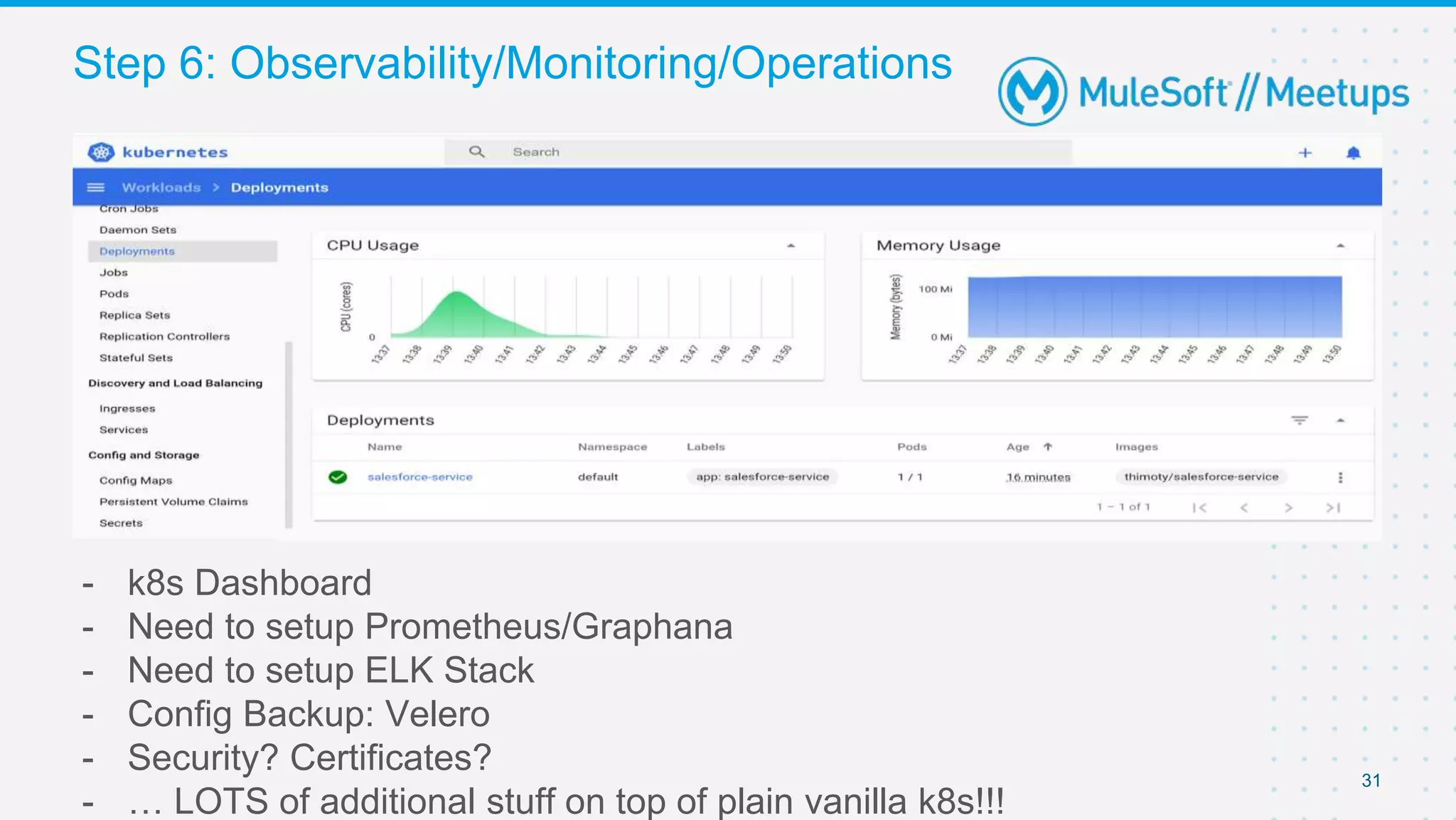
- k8s Dashboard
- Need to setup Prometheus/Graphana
- Need to setup ELK Stack
- Config Backup: Velero
- Security? Certificates?
- … LOTS of additional stuff on top of plain vanilla k8s!!!
Step 6: Observability/Monitoring/Operations
Final considerations
Wrap up
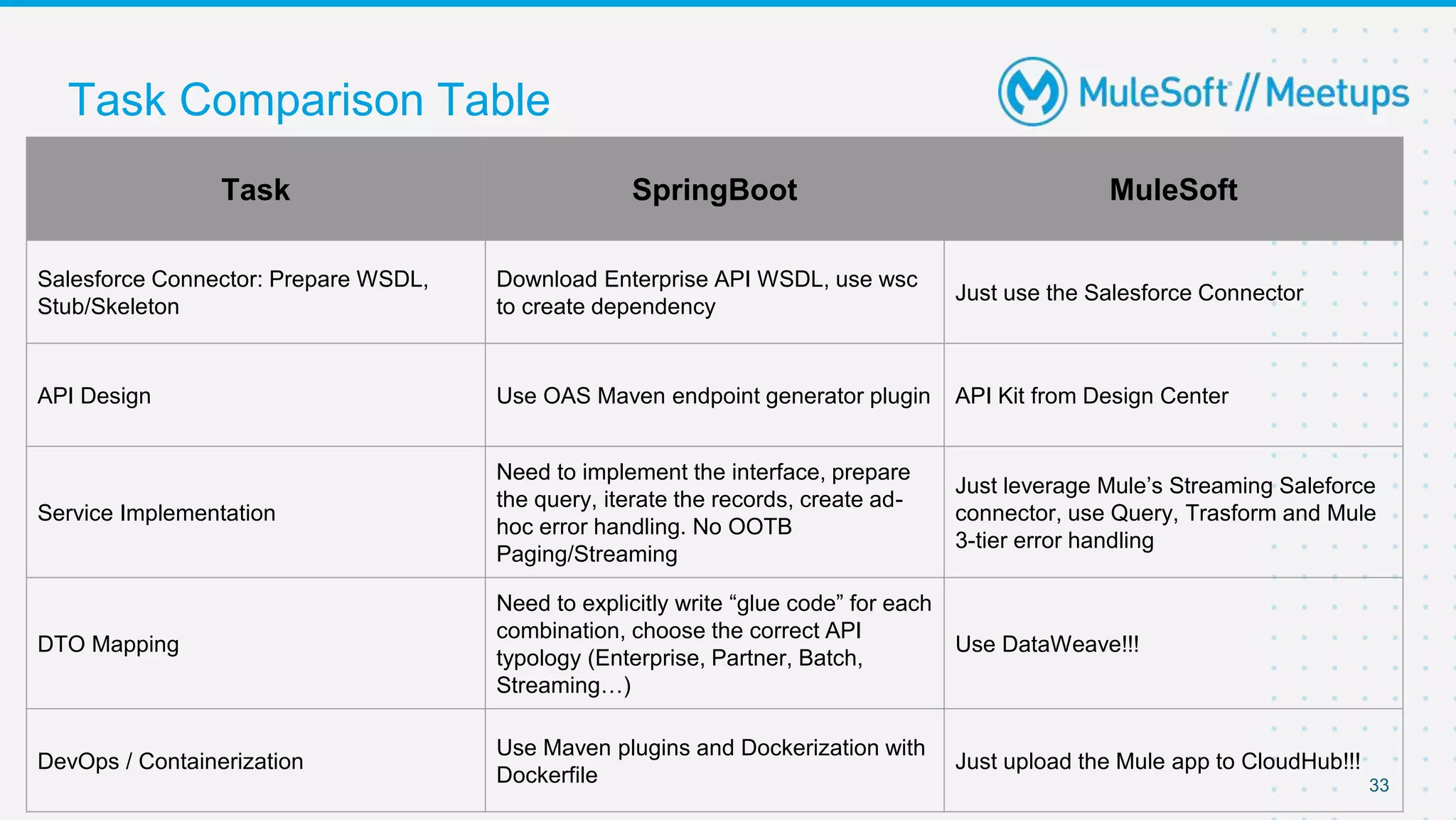
Task Comparison Table
33
Task SpringBoot MuleSoft
Salesforce Connector: Prepare WSDL,
Stub/Skeleton
Download Enterprise API WSDL, use wsc
to create dependency
Just use the Salesforce Connector
API Design Use OAS Maven endpoint generator plugin API Kit from Design Center
Service Implementation
Need to implement the interface, prepare
the query, iterate the records, create ad-
hoc error handling. No OOTB
Paging/Streaming
Just leverage Mule’s Streaming Saleforce
connector, use Query, Trasform and Mule
3-tier error handling
DTO Mapping
Need to explicitly write “glue code” for each
combination, choose the correct API
typology (Enterprise, Partner, Batch,
Streaming…)
Use DataWeave!!!
DevOps / Containerization
Use Maven plugins and Dockerization with
Dockerfile
Just upload the Mule app to CloudHub!!!
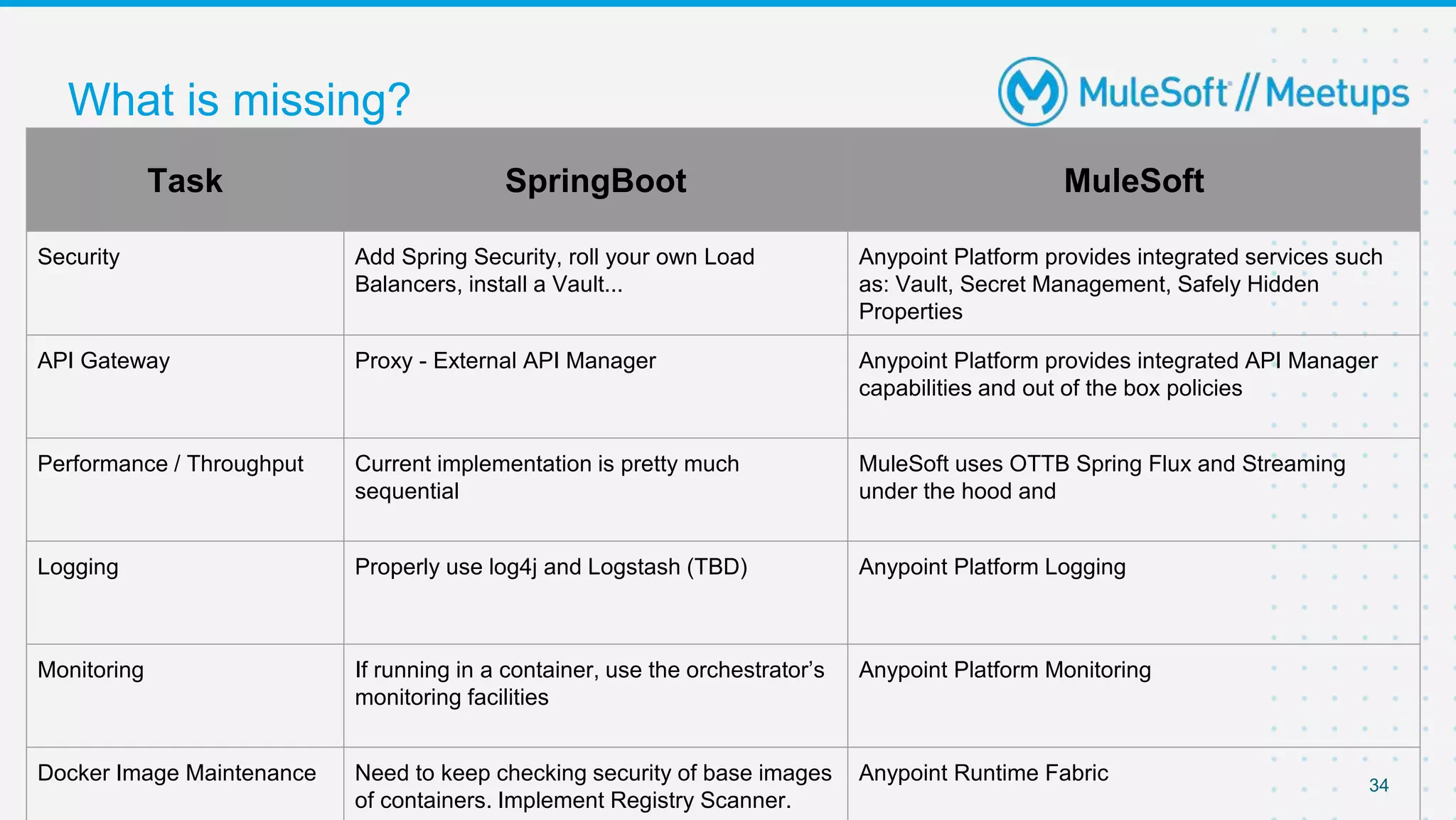
What is missing?
34
Task SpringBoot MuleSoft
Security Add Spring Security, roll your own Load
Balancers, install a Vault...
Anypoint Platform provides integrated services such
as: Vault, Secret Management, Safely Hidden
Properties
API Gateway Proxy - External API Manager Anypoint Platform provides integrated API Manager
capabilities and out of the box policies
Performance / Throughput Current implementation is pretty much
sequential
MuleSoft uses OTTB Spring Flux and Streaming
under the hood and
Logging Properly use log4j and Logstash (TBD) Anypoint Platform Logging
Monitoring If running in a container, use the orchestrator’s
monitoring facilities
Anypoint Platform Monitoring
Docker Image Maintenance Need to keep checking security of base images
of containers. Implement Registry Scanner.
Anypoint Runtime Fabric
35
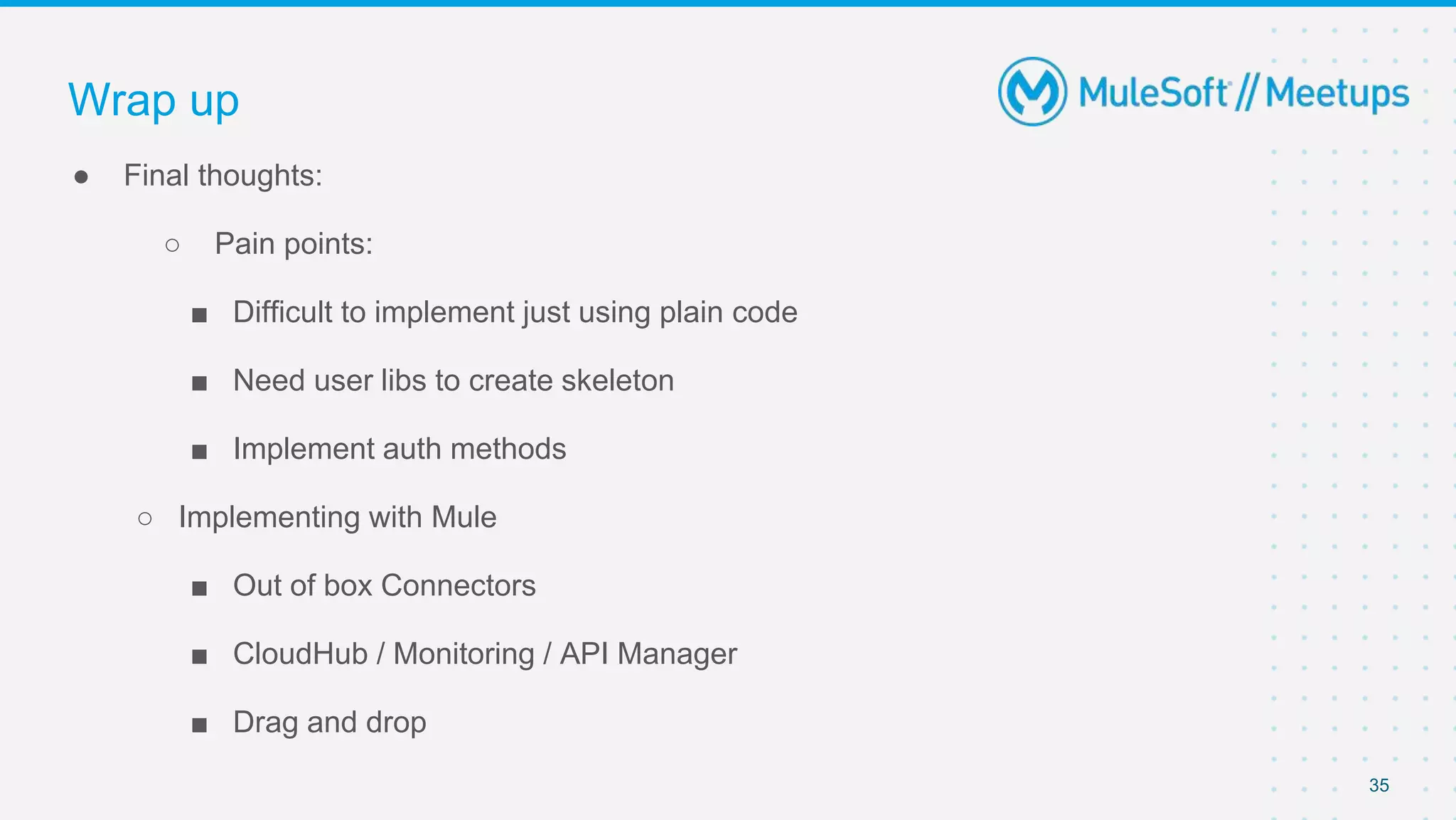
● Final thoughts:
○ Pain points:
■ Difficult to implement just using plain code
■ Need user libs to create skeleton
■ Implement auth methods
○ Implementing with Mule
■ Out of box Connectors
■ CloudHub / Monitoring / API Manager
■ Drag and drop
Wrap up
36
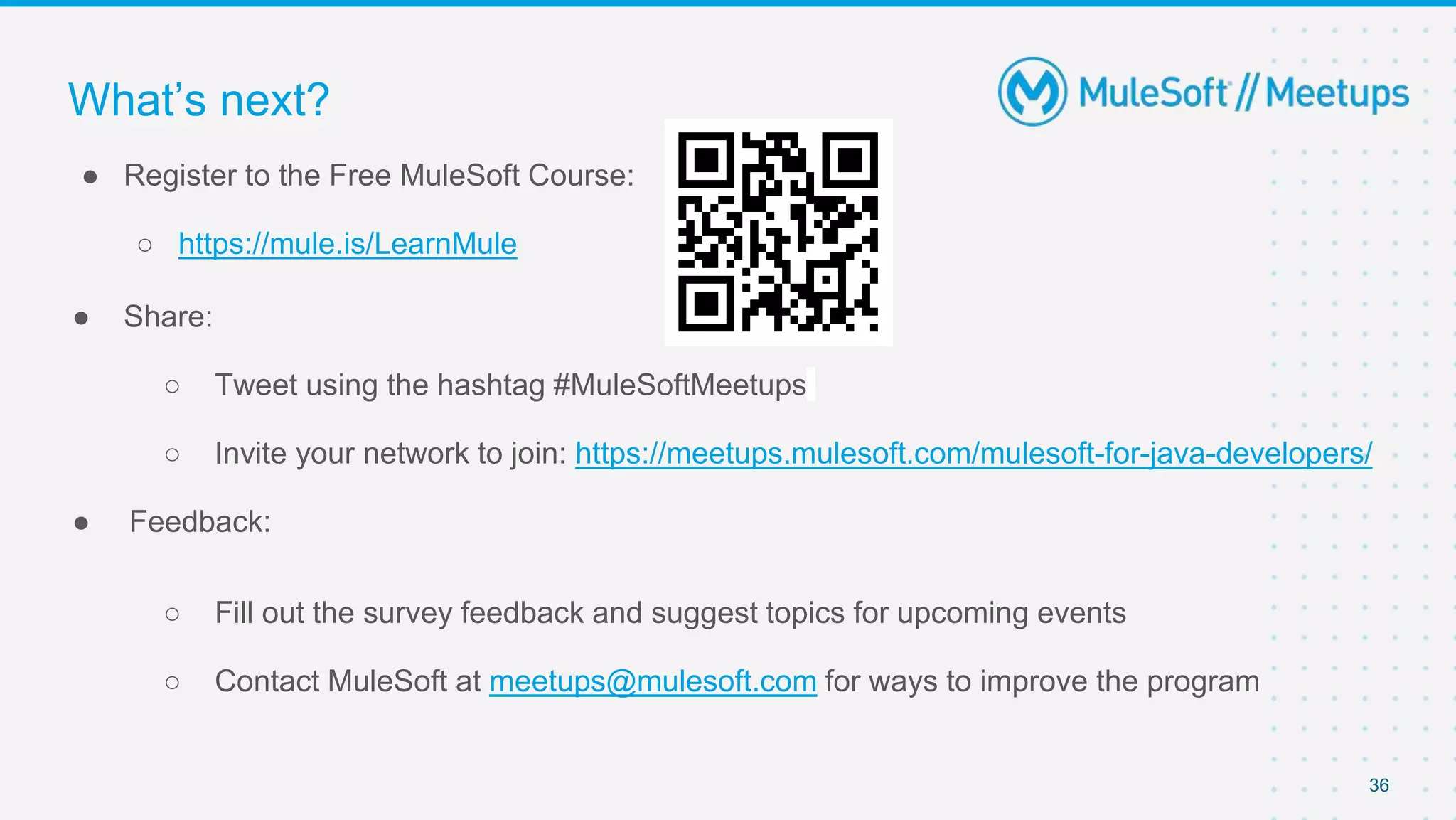
● Register to the Free MuleSoft Course:
○ https://mule.is/LearnMule
● Share:
○ Tweet using the hashtag #MuleSoftMeetups
○ Invite your network to join: https://meetups.mulesoft.com/mulesoft-for-java-developers/
● Feedback:
○ Fill out the survey feedback and suggest topics for upcoming events
○ Contact MuleSoft at meetups@mulesoft.com for ways to improve the program
What’s next?
Your chance to win an Instructor-led MuleSoft course
Trivia
38
● You can win only 1 voucher per month, across all Meetups. If you already won 1 voucher in
the month from another event, you will not receive a new one.
● The first 3 ranked in the game win a voucher
● Use your name in the game - avoid nicknames
● To request the voucher you should send a email to gui1207@gmail.com or use the "contact
the organizer form" on the meetup group page
● If using Kahoot, go to kahoot.com with your browser on desktop or smartphone
○ Select “Play”
○ Type the Game PIN you are given during the session
○ The contest with kahoot could be capped, so only the first 100 users that log in get to participate
Rules
Thank you

Building APIs with Mule and Spring Boot

  • 1.
    2021-07-21 MuleSoft for JavaDevs - Meetup Group Building APIs with Mule and SpringBoot
  • 2.
    2 ● Introductions ● Mule& Java ● API Lifecycle ○ Building MuleSoft API ○ Building SpringBoot API ● Wrap-up ● Trivia - Win a MuleSoft Course Agenda Sponsor:
  • 3.
    Integration Architect atInfomentum ● More than 13 years working with development. Start with Java in 2008! ● Since 2014 working with MuleSoft ● MuleSoft Ambassador & Meetup Leader Guilherme Pereira
  • 4.
    •Enterprise Architect /Mulesoft Technical Instructor •EMEA (Milan, Italy) •Background: –25+ yrs exp. Software Engineer, Developer, Trainer, Translator –MuleSoft, Java, .NET, Python, Node.Js, Oracle Cloud, Google Cloud, AWS, CNCF Kubernetes Specialist, UML/SysML Certified Expert, PMI PMP, TOGAF 9.1 •Certified MuleSoft Developer (MCD), Certified MuleSoft Integration Architect (MCIA), Cert Mule Platform Architect (MCPA) Thimoty Barbieri, PhD https://www.linkedin.com/in/thimoty/
  • 5.
  • 6.
    6 ● Mule startedas an open-source project later in 2003 ○ A powerful & lightweight ESB runtime ○ Implemented several features to send, publish, route, transform messages ○ Had a great adoption with thousands of downloads and improvements during the years ○ The Mule core stills as an open-source project until nowadays Mule is based on Java
  • 7.
    7 From open-source tothe Anypoint Platform ● Mule Runtime: ○ Java under the hoods ○ Lightweight ESB ○ Scalable ○ EDA ○ Automatic thread controls ○ Streaming ○ Batch ○ Persistent queues ○ Cache Mule
  • 8.
    8 From open-source tothe Anypoint Platform ● Connectors & modules ○ 200+ connectors ○ Salesforce, SAP, Workday and more... ○ Plug & Play ○ Databases, Queues, File and more... ○ Connect everything ○ Extend with the SDK Mule Anypoint Connectors
  • 9.
    9 From open-source tothe Anypoint Platform ● Design & Portals ○ Design your APIs first ○ Mock and console ○ Publish your assets ○ Create API Portals ○ Discover APIs and fragments Anypoint Design Center Anypoint Exchange Studio API Designer Connector DevKit Mule Anypoint Connectors
  • 10.
    10 From open-source tothe Anypoint Platform ● Management & Monitoring ○ Manage your APIs & Integrations ○ Monitoring ○ Alerts ○ Secure APIs ○ Out-of-the box policies ○ Custom policies Anypoint Design Center Anypoint Management Center Anypoint Exchange Studio API Designer Connector DevKit Runtime Manager API Manager Analytics Mule Anypoint Connectors
  • 11.
    11 From open-source tothe Anypoint Platform Anypoint Design Center Anypoint Management Center Anypoint Exchange Studio API Designer Connector DevKit Runtime Manager API Manager Analytics Runtime Services Mule Anypoint Connectors ● Run & Scale ○ Run on Cloud, On-Prem or Hybrid ○ Easy to deploy ○ Scale ○ Run with Kubernetes ○ Object Store and Queues ○ Cloud MQ Message Broker
  • 12.
  • 13.
    Use case 13 ● Createan API to integrate with Salesforce ● Query Contacts and return as JSON format
  • 14.
    “Doing It All”with MuleSoft (clone full working demo from: https://github.com/gui1207/sfdc-contacts-sys-api)
  • 15.
  • 16.
    Step 1: Designthe API Contract 16
  • 17.
    Step 2: Implement& Test locally 17
  • 18.
  • 19.
  • 20.
    “Doing It All”with Spring Boot (clone full working demo from: https://github.com/thimotyb/salesforce-springboot-demo)
  • 21.
    Step 1: Connectingto SalesForce 21 - We will use the Enterprise SOAP API with the approach described at - https://developer.salesforce.com/docs/atlas.en- us.api.meta/api/sforce_api_quickstart_steps.htm - There are other you can use, e.g. Bulk API 2.0 https://developer.salesforce.com/docs/atlas.en- us.api_asynch.meta/api_asynch/api_asynch_introduction_bulk_api.htm - Or Streaming API https://developer.salesforce.com/docs/atlas.en- us.api_streaming.meta/api_streaming/intro_stream.htm - Download Enterprise WSDL for correct Salesforce Version from DevPortal - Use WSC tool to generate Java skeletons and Data Models of the entire Enterprise API - java –classpath pathToJAR/wsc-22.jar com.sforce.ws.tools.wsdlc pathToWsdl/WsdlFilename​ pathToOutputJar/OutputJarFilename - The WSDL is huge, lots of problems trying to auto-generate in-line with the maven jax2 tooling - An enterprise.jar system dependency specific for your Salesforce version is created, to be included in the project
  • 22.
  • 23.
    23 - Service asa Singleton can be Autowired in implementation - Configuration is separated in application.proper ties and injected at service boot Step 1: Connection @Service
  • 24.
    24 - The OASYAML definition was provided and integrated in the project manually - Endpoint Controller Interface and Data Model are auto generated with openapi-generator-maven-plugin - Several other maven dependencies are necessary to make it properly work Step 2: Integrating the API Design
  • 25.
    25 - The interfaceis generated in maven’s target dir and cannot be modified - Implementation should be done as separate @Service implementing this interface - Spring’s IOC will take care of the rest Step 2: Auto-generated Interface
  • 26.
    26 - Each Endpointis implemented as a Service - Implement the Auto-Generated Interface - Inject the Connector - Perform (Hard-code?) the query - Fetch the resulting Record - Handle Errors - Prepare the Response - DTO Mapping - From the Enteprise.jar library -> Data Model from the OAS Spec - Manually?! Step 3: Implementing the Endpoints
  • 27.
    27 Step 3: Implementation Implementauto- generated interface Override interface default methods
  • 28.
    28 Streaming/Paging? Use Bulk API2.0 or Streaming API (CornetD) 1:1 Data Mapping across DTO’s? Hard-Coded Query?
  • 29.
    29 - We usethe following maven plugins - surefire for unit testing / spring mocks - springboot for packaging as single jar - docker plugin for containerization with Dockerfile - Package, install, create container with - mvn clean install docker:build (-DskipTests=true to skip tests?) - Also useful - maven release (auto-manage package versions / Release / Snapshot) - use push goal to push container to Docker Registry Step 4: DevOps
  • 30.
    30 - We willuse a Minikube free instance at https://katacoda.com/javajon/courses/kubernetes-fundamentals/minikube - Create a deployment, expose as a LoadBalanced service, check the status: - kubectl create deployment salesforce-service --image=thimoty/salesforce-service - kubectl expose deployment salesforce-service --port=80 --target-port=8080 -- type=LoadBalancer - kubectl get po,svc -o wide - The service is now reachable and deployment can be scaled up/down - Need a Service Mesh (e.g. Istio) for Proxy Handling Step 5: Deploy
  • 31.
    31 - k8s Dashboard -Need to setup Prometheus/Graphana - Need to setup ELK Stack - Config Backup: Velero - Security? Certificates? - … LOTS of additional stuff on top of plain vanilla k8s!!! Step 6: Observability/Monitoring/Operations
  • 32.
  • 33.
    Task Comparison Table 33 TaskSpringBoot MuleSoft Salesforce Connector: Prepare WSDL, Stub/Skeleton Download Enterprise API WSDL, use wsc to create dependency Just use the Salesforce Connector API Design Use OAS Maven endpoint generator plugin API Kit from Design Center Service Implementation Need to implement the interface, prepare the query, iterate the records, create ad- hoc error handling. No OOTB Paging/Streaming Just leverage Mule’s Streaming Saleforce connector, use Query, Trasform and Mule 3-tier error handling DTO Mapping Need to explicitly write “glue code” for each combination, choose the correct API typology (Enterprise, Partner, Batch, Streaming…) Use DataWeave!!! DevOps / Containerization Use Maven plugins and Dockerization with Dockerfile Just upload the Mule app to CloudHub!!!
  • 34.
    What is missing? 34 TaskSpringBoot MuleSoft Security Add Spring Security, roll your own Load Balancers, install a Vault... Anypoint Platform provides integrated services such as: Vault, Secret Management, Safely Hidden Properties API Gateway Proxy - External API Manager Anypoint Platform provides integrated API Manager capabilities and out of the box policies Performance / Throughput Current implementation is pretty much sequential MuleSoft uses OTTB Spring Flux and Streaming under the hood and Logging Properly use log4j and Logstash (TBD) Anypoint Platform Logging Monitoring If running in a container, use the orchestrator’s monitoring facilities Anypoint Platform Monitoring Docker Image Maintenance Need to keep checking security of base images of containers. Implement Registry Scanner. Anypoint Runtime Fabric
  • 35.
    35 ● Final thoughts: ○Pain points: ■ Difficult to implement just using plain code ■ Need user libs to create skeleton ■ Implement auth methods ○ Implementing with Mule ■ Out of box Connectors ■ CloudHub / Monitoring / API Manager ■ Drag and drop Wrap up
  • 36.
    36 ● Register tothe Free MuleSoft Course: ○ https://mule.is/LearnMule ● Share: ○ Tweet using the hashtag #MuleSoftMeetups ○ Invite your network to join: https://meetups.mulesoft.com/mulesoft-for-java-developers/ ● Feedback: ○ Fill out the survey feedback and suggest topics for upcoming events ○ Contact MuleSoft at meetups@mulesoft.com for ways to improve the program What’s next?
  • 37.
    Your chance towin an Instructor-led MuleSoft course Trivia
  • 38.
    38 ● You canwin only 1 voucher per month, across all Meetups. If you already won 1 voucher in the month from another event, you will not receive a new one. ● The first 3 ranked in the game win a voucher ● Use your name in the game - avoid nicknames ● To request the voucher you should send a email to gui1207@gmail.com or use the "contact the organizer form" on the meetup group page ● If using Kahoot, go to kahoot.com with your browser on desktop or smartphone ○ Select “Play” ○ Type the Game PIN you are given during the session ○ The contest with kahoot could be capped, so only the first 100 users that log in get to participate Rules
  • 39.