Download free for 30 days
Sign in
Upload
Language (EN)
Support
Business
Mobile
Social Media
Marketing
Technology
Art & Photos
Career
Design
Education
Presentations & Public Speaking
Government & Nonprofit
Healthcare
Internet
Law
Leadership & Management
Automotive
Engineering
Software
Recruiting & HR
Retail
Sales
Services
Science
Small Business & Entrepreneurship
Food
Environment
Economy & Finance
Data & Analytics
Investor Relations
Sports
Spiritual
News & Politics
Travel
Self Improvement
Real Estate
Entertainment & Humor
Health & Medicine
Devices & Hardware
Lifestyle
Change Language
Language
English
Español
Português
Français
Deutsche
Cancel
Save
EN
Uploaded by
Chemical Engineering Dept. NIT Rourkela-769008, Odisha, India
29 views
AERMOD Air Dispersion Modeling Workshop-Lakes_AERMOD_Course_Slides.pdf
AERMOD Air Dispersion Modeling Workshop
Engineering
◦
Read more
0
Save
Share
Embed
Embed presentation
Download
Download to read offline
1
/ 158
2
/ 158
Most read
3
/ 158
Most read
4
/ 158
Most read
5
/ 158
6
/ 158
7
/ 158
8
/ 158
9
/ 158
10
/ 158
11
/ 158
12
/ 158
13
/ 158
14
/ 158
15
/ 158
16
/ 158
17
/ 158
18
/ 158
19
/ 158
20
/ 158
21
/ 158
22
/ 158
23
/ 158
24
/ 158
25
/ 158
26
/ 158
27
/ 158
28
/ 158
29
/ 158
30
/ 158
31
/ 158
32
/ 158
33
/ 158
34
/ 158
35
/ 158
36
/ 158
37
/ 158
38
/ 158
39
/ 158
40
/ 158
41
/ 158
42
/ 158
43
/ 158
44
/ 158
45
/ 158
46
/ 158
47
/ 158
48
/ 158
49
/ 158
50
/ 158
51
/ 158
52
/ 158
53
/ 158
54
/ 158
55
/ 158
56
/ 158
57
/ 158
58
/ 158
59
/ 158
60
/ 158
61
/ 158
62
/ 158
63
/ 158
64
/ 158
65
/ 158
66
/ 158
67
/ 158
68
/ 158
69
/ 158
70
/ 158
71
/ 158
72
/ 158
73
/ 158
74
/ 158
75
/ 158
76
/ 158
77
/ 158
78
/ 158
79
/ 158
80
/ 158
81
/ 158
82
/ 158
83
/ 158
84
/ 158
85
/ 158
86
/ 158
87
/ 158
88
/ 158
89
/ 158
90
/ 158
91
/ 158
92
/ 158
93
/ 158
94
/ 158
95
/ 158
96
/ 158
97
/ 158
98
/ 158
99
/ 158
100
/ 158
101
/ 158
102
/ 158
103
/ 158
104
/ 158
105
/ 158
106
/ 158
107
/ 158
108
/ 158
109
/ 158
110
/ 158
111
/ 158
112
/ 158
113
/ 158
114
/ 158
115
/ 158
116
/ 158
117
/ 158
118
/ 158
119
/ 158
120
/ 158
121
/ 158
122
/ 158
123
/ 158
124
/ 158
125
/ 158
126
/ 158
127
/ 158
128
/ 158
129
/ 158
130
/ 158
131
/ 158
132
/ 158
133
/ 158
134
/ 158
135
/ 158
136
/ 158
137
/ 158
138
/ 158
139
/ 158
140
/ 158
141
/ 158
142
/ 158
143
/ 158
144
/ 158
145
/ 158
146
/ 158
147
/ 158
148
/ 158
149
/ 158
150
/ 158
151
/ 158
152
/ 158
153
/ 158
154
/ 158
155
/ 158
156
/ 158
157
/ 158
158
/ 158
More Related Content
PPTX
different air pollution model Aermod model,
by
Naveen Bind
PPTX
Different Step of Processing The AERMOD Modeling.pptx
by
SullivanEnviornmenta
PPTX
AERMOD
by
Morshad Ahmed
PPTX
AERMOD.pptx
by
SameerShekhar13
PDF
Case Studies in Air Dispersion Modeling for Young Professionals
by
Sergio A. Guerra
PDF
Model Intercomparison Between Adms 3.1, Aermod And Aermod Prime
by
BREEZE Software
PDF
AERMOD CHANGES AND UPDATES
by
Sergio A. Guerra
PPT
Airpollution Dispersion And Modelling Using Computers Ub Chitranshi
by
Ketan Wadodkar
different air pollution model Aermod model,
by
Naveen Bind
Different Step of Processing The AERMOD Modeling.pptx
by
SullivanEnviornmenta
AERMOD
by
Morshad Ahmed
AERMOD.pptx
by
SameerShekhar13
Case Studies in Air Dispersion Modeling for Young Professionals
by
Sergio A. Guerra
Model Intercomparison Between Adms 3.1, Aermod And Aermod Prime
by
BREEZE Software
AERMOD CHANGES AND UPDATES
by
Sergio A. Guerra
Airpollution Dispersion And Modelling Using Computers Ub Chitranshi
by
Ketan Wadodkar
Similar to AERMOD Air Dispersion Modeling Workshop-Lakes_AERMOD_Course_Slides.pdf
PDF
Revising State Air Quality Modeling Guidance for the Incorporation of AERMOD ...
by
BREEZE Software
PDF
Air Pollution Modeling – An Overview
by
zubeditufail
PDF
Technical paper chapter 2
by
Ali_kamal
PPTX
AERMOD
by
Ying Wang
PPTX
Class notes topic 2
by
Ali_kamal
PDF
Air Dispersion Modeling Facts Sheet
by
Patrick Ryan, Ph.D.
PDF
Managing Air Quality During Regulatory Changes
by
BREEZE Software
PDF
Sensitivity Analysis Study Considering the Selection of Appropriate Land-Use ...
by
BREEZE Software
PDF
AIR DISPERSION MODELING HIGHLIGHTS FROM 2012 ACE
by
Sergio A. Guerra
PDF
Comparison of Features and Data Requirements among the CALPUFF, AERMOD, and A...
by
BREEZE Software
PDF
Comparison between AERMOD and ISCST3 using Data from Three Industrial Plants
by
BREEZE Software
DOCX
MEE 6501, Advanced Air Quality Control 1 Course Le.docx
by
gertrudebellgrove
PPT
AWMA Presentation Application of Two State-of-the-art Dispersion Models
by
mtingle
PDF
Comparison of Two Dispersion Models_A Bulk Petroleum Storage Terminal Case St...
by
BREEZE Software
PPTX
Presentation on Airpollution Modeling
by
MuntasirMuhit
PDF
Air Quality Modelling Tools (Aberdeen Pilot Project) Dr. Alan Hills, SEPA
by
STEP_scotland
PDF
AERMOD and AUSPLUME: Understanding the Similarities and Differences
by
BREEZE Software
PDF
Highlights from the 2016 Guideline on Air Quality Models Conference
by
Sergio A. Guerra
PDF
Conference on the Environment- GUERRA presentation Nov 19, 2014
by
Sergio A. Guerra
PPTX
Advanced Modeling Techniques for Permit Modeling - Turning challenges into o...
by
Sergio A. Guerra
Revising State Air Quality Modeling Guidance for the Incorporation of AERMOD ...
by
BREEZE Software
Air Pollution Modeling – An Overview
by
zubeditufail
Technical paper chapter 2
by
Ali_kamal
AERMOD
by
Ying Wang
Class notes topic 2
by
Ali_kamal
Air Dispersion Modeling Facts Sheet
by
Patrick Ryan, Ph.D.
Managing Air Quality During Regulatory Changes
by
BREEZE Software
Sensitivity Analysis Study Considering the Selection of Appropriate Land-Use ...
by
BREEZE Software
AIR DISPERSION MODELING HIGHLIGHTS FROM 2012 ACE
by
Sergio A. Guerra
Comparison of Features and Data Requirements among the CALPUFF, AERMOD, and A...
by
BREEZE Software
Comparison between AERMOD and ISCST3 using Data from Three Industrial Plants
by
BREEZE Software
MEE 6501, Advanced Air Quality Control 1 Course Le.docx
by
gertrudebellgrove
AWMA Presentation Application of Two State-of-the-art Dispersion Models
by
mtingle
Comparison of Two Dispersion Models_A Bulk Petroleum Storage Terminal Case St...
by
BREEZE Software
Presentation on Airpollution Modeling
by
MuntasirMuhit
Air Quality Modelling Tools (Aberdeen Pilot Project) Dr. Alan Hills, SEPA
by
STEP_scotland
AERMOD and AUSPLUME: Understanding the Similarities and Differences
by
BREEZE Software
Highlights from the 2016 Guideline on Air Quality Models Conference
by
Sergio A. Guerra
Conference on the Environment- GUERRA presentation Nov 19, 2014
by
Sergio A. Guerra
Advanced Modeling Techniques for Permit Modeling - Turning challenges into o...
by
Sergio A. Guerra
More from Chemical Engineering Dept. NIT Rourkela-769008, Odisha, India
PPTX
Filtration-slow sand filtration and rapid sand filtration.pptx
by
Chemical Engineering Dept. NIT Rourkela-769008, Odisha, India
PPTX
TRICKLING FILTER PROCESS FOR WASTEWATER TREATMENT.pptx
by
Chemical Engineering Dept. NIT Rourkela-769008, Odisha, India
PPTX
Coagulation, flocculation and settling.pptx
by
Chemical Engineering Dept. NIT Rourkela-769008, Odisha, India
PDF
introduction to wastewater-SEDIMENTATION.pdf
by
Chemical Engineering Dept. NIT Rourkela-769008, Odisha, India
PDF
CH1400 ENVIRONMENT AND SAFETY ENGINEERING.pdf
by
Chemical Engineering Dept. NIT Rourkela-769008, Odisha, India
PDF
DISINFECTANTS & DISINFECTION process.pdf
by
Chemical Engineering Dept. NIT Rourkela-769008, Odisha, India
PPTX
DISINFECTANT & DISINFECTION PROCESS.pptx
by
Chemical Engineering Dept. NIT Rourkela-769008, Odisha, India
PPTX
Calculation of hardness of Water on Ion Exchange.pptx
by
Chemical Engineering Dept. NIT Rourkela-769008, Odisha, India
PPTX
Ion exchange or demineralization to soften water.pptx
by
Chemical Engineering Dept. NIT Rourkela-769008, Odisha, India
PPTX
Calculation of Water Hardness and softening-2026.pptx
by
Chemical Engineering Dept. NIT Rourkela-769008, Odisha, India
PPTX
Biological Oxygen Demand (BOD) Numericals-2026.pptx
by
Chemical Engineering Dept. NIT Rourkela-769008, Odisha, India
PDF
lime soda process -All types Water Treatment.pdf
by
Chemical Engineering Dept. NIT Rourkela-769008, Odisha, India
DOCX
Water Hardness and alkalinity Calculations.docx
by
Chemical Engineering Dept. NIT Rourkela-769008, Odisha, India
PDF
ENVIRONMENTAL ENGINEERING LABORATORY MANUAL UG Lab Manual - Dept of ESE.pdf
by
Chemical Engineering Dept. NIT Rourkela-769008, Odisha, India
PDF
Environmental Engineering (3-0-2) Laboratory.pdf
by
Chemical Engineering Dept. NIT Rourkela-769008, Odisha, India
DOCX
ENVIRONMENTAL ENGINEERING LABORATORY MANUAL .docx
by
Chemical Engineering Dept. NIT Rourkela-769008, Odisha, India
PDF
ENVIRONMENTAL WATER QUALITY & POLLUTION.pdf
by
Chemical Engineering Dept. NIT Rourkela-769008, Odisha, India
PDF
Mackenzie L. Davis, Susan J. Masten - Principles of Environmental Engineering...
by
Chemical Engineering Dept. NIT Rourkela-769008, Odisha, India
PDF
Susan J. Masten and Mackenzie L. Davis - Principles of Environmental Engineer...
by
Chemical Engineering Dept. NIT Rourkela-769008, Odisha, India
PDF
Masters, Gilbert M. - Introduction to environmental engineering and science _...
by
Chemical Engineering Dept. NIT Rourkela-769008, Odisha, India
Filtration-slow sand filtration and rapid sand filtration.pptx
by
Chemical Engineering Dept. NIT Rourkela-769008, Odisha, India
TRICKLING FILTER PROCESS FOR WASTEWATER TREATMENT.pptx
by
Chemical Engineering Dept. NIT Rourkela-769008, Odisha, India
Coagulation, flocculation and settling.pptx
by
Chemical Engineering Dept. NIT Rourkela-769008, Odisha, India
introduction to wastewater-SEDIMENTATION.pdf
by
Chemical Engineering Dept. NIT Rourkela-769008, Odisha, India
CH1400 ENVIRONMENT AND SAFETY ENGINEERING.pdf
by
Chemical Engineering Dept. NIT Rourkela-769008, Odisha, India
DISINFECTANTS & DISINFECTION process.pdf
by
Chemical Engineering Dept. NIT Rourkela-769008, Odisha, India
DISINFECTANT & DISINFECTION PROCESS.pptx
by
Chemical Engineering Dept. NIT Rourkela-769008, Odisha, India
Calculation of hardness of Water on Ion Exchange.pptx
by
Chemical Engineering Dept. NIT Rourkela-769008, Odisha, India
Ion exchange or demineralization to soften water.pptx
by
Chemical Engineering Dept. NIT Rourkela-769008, Odisha, India
Calculation of Water Hardness and softening-2026.pptx
by
Chemical Engineering Dept. NIT Rourkela-769008, Odisha, India
Biological Oxygen Demand (BOD) Numericals-2026.pptx
by
Chemical Engineering Dept. NIT Rourkela-769008, Odisha, India
lime soda process -All types Water Treatment.pdf
by
Chemical Engineering Dept. NIT Rourkela-769008, Odisha, India
Water Hardness and alkalinity Calculations.docx
by
Chemical Engineering Dept. NIT Rourkela-769008, Odisha, India
ENVIRONMENTAL ENGINEERING LABORATORY MANUAL UG Lab Manual - Dept of ESE.pdf
by
Chemical Engineering Dept. NIT Rourkela-769008, Odisha, India
Environmental Engineering (3-0-2) Laboratory.pdf
by
Chemical Engineering Dept. NIT Rourkela-769008, Odisha, India
ENVIRONMENTAL ENGINEERING LABORATORY MANUAL .docx
by
Chemical Engineering Dept. NIT Rourkela-769008, Odisha, India
ENVIRONMENTAL WATER QUALITY & POLLUTION.pdf
by
Chemical Engineering Dept. NIT Rourkela-769008, Odisha, India
Mackenzie L. Davis, Susan J. Masten - Principles of Environmental Engineering...
by
Chemical Engineering Dept. NIT Rourkela-769008, Odisha, India
Susan J. Masten and Mackenzie L. Davis - Principles of Environmental Engineer...
by
Chemical Engineering Dept. NIT Rourkela-769008, Odisha, India
Masters, Gilbert M. - Introduction to environmental engineering and science _...
by
Chemical Engineering Dept. NIT Rourkela-769008, Odisha, India
Recently uploaded
PDF
JVM in the Age of AI: 2026 Edition - Deep Dive
by
Artur Skowroński
PPTX
AI-Agents-Concepts-Applications-and-Types.pptx
by
palbalaram2018
PPTX
Unit-2: Network Models--OSI Reference Model, TCP/IP Reference Model
by
SuvarnaSharma5
PDF
Code-Compliant As-Built BIM Deliverables for California Public and Government...
by
TejjyInc2
PPTX
Basic Volume Mass Relationship and unit weight as function of volumetric wate...
by
MahmoodKhalid11
PPTX
The #1 Reason Your MRO Budget Exploded — And How Predictive Maintenance Fixes It
by
MaintWiz Technologies Private Limited
PDF
Murdoca Arquictetura de computadoras 2026
by
silviosalicacordoba
PDF
Shear Strength of Soil/Mohr Coulomb Failure Criteria-1.pdf
by
MahmoodKhalid11
PPTX
Origin of Soil and Grain Size with Introduction and explanation
by
MahmoodKhalid11
PDF
Feedback and Network Architectures - Dynamics and Memory
by
Adri Jovin
PDF
Basic Thumb rule For switchgear Selection
by
Vimal Kr
PDF
3.2 Log & antilog amplifiers.pdf analog electronics
by
anu200770
PPTX
UNIT 2 - Electronics Device - EC25C01 - PN Junction Diodes
by
Mathavan N
PPTX
Introduction to AI and Applications Module-4.pptx
by
KalaiselviSubramania2
PDF
Soil Compressibility (Elastic Settlement).pdf
by
MahmoodKhalid11
PPTX
Theory to Practice of Unsaturated Soil Mechanics-1.pptx
by
MahmoodKhalid11
PDF
Manual de instalacion de notifire NFS320
by
MarcoPolitoPerez
PPTX
The Most Controversial TPM Debate in Maintenance Today Checklist TPM vs Outco...
by
MaintWiz Technologies Private Limited
PDF
BOQ LESSON 2-QUANTITY TAKE-OFF & RATE BUILD-UP.pdf
by
GabrielTambwe1
PDF
Decision-Support-Systems-and-Decision-Making-Processes.pdf
by
PatankarNikhil
JVM in the Age of AI: 2026 Edition - Deep Dive
by
Artur Skowroński
AI-Agents-Concepts-Applications-and-Types.pptx
by
palbalaram2018
Unit-2: Network Models--OSI Reference Model, TCP/IP Reference Model
by
SuvarnaSharma5
Code-Compliant As-Built BIM Deliverables for California Public and Government...
by
TejjyInc2
Basic Volume Mass Relationship and unit weight as function of volumetric wate...
by
MahmoodKhalid11
The #1 Reason Your MRO Budget Exploded — And How Predictive Maintenance Fixes It
by
MaintWiz Technologies Private Limited
Murdoca Arquictetura de computadoras 2026
by
silviosalicacordoba
Shear Strength of Soil/Mohr Coulomb Failure Criteria-1.pdf
by
MahmoodKhalid11
Origin of Soil and Grain Size with Introduction and explanation
by
MahmoodKhalid11
Feedback and Network Architectures - Dynamics and Memory
by
Adri Jovin
Basic Thumb rule For switchgear Selection
by
Vimal Kr
3.2 Log & antilog amplifiers.pdf analog electronics
by
anu200770
UNIT 2 - Electronics Device - EC25C01 - PN Junction Diodes
by
Mathavan N
Introduction to AI and Applications Module-4.pptx
by
KalaiselviSubramania2
Soil Compressibility (Elastic Settlement).pdf
by
MahmoodKhalid11
Theory to Practice of Unsaturated Soil Mechanics-1.pptx
by
MahmoodKhalid11
Manual de instalacion de notifire NFS320
by
MarcoPolitoPerez
The Most Controversial TPM Debate in Maintenance Today Checklist TPM vs Outco...
by
MaintWiz Technologies Private Limited
BOQ LESSON 2-QUANTITY TAKE-OFF & RATE BUILD-UP.pdf
by
GabrielTambwe1
Decision-Support-Systems-and-Decision-Making-Processes.pdf
by
PatankarNikhil
AERMOD Air Dispersion Modeling Workshop-Lakes_AERMOD_Course_Slides.pdf
1.
AERMOD Air Dispersion
Modeling Workshop Copyright 1996-2014 – Lakes Environmental Software - www.webLakes.com 1 AERMOD AIR DISPERSION MODELING WORKSHOP © 1996–2014 Lakes Environmental Software AERMOD Course © Copyright 1996-2014 – Lakes Environmental Software 2 Acknowledgements LaGa Systems Pvt Ltd Nayudu S. Sunkaraa www.lagasys.com
2.
AERMOD Air Dispersion
Modeling Workshop Copyright 1996-2014 – Lakes Environmental Software - www.webLakes.com 2 © Copyright 1996-2014 – Lakes Environmental Software 3 Polite Request Set cell phone to vibrate No cell phone rings Take calls outside © Copyright 1996-2014 – Lakes Environmental Software 4 Good Morning! Instructors Prof. Jesse Thé, Ph.D., P.Eng. Cris Thé, M.A.Sc. Introductions Timeline Printed slides are available at the end of your Course Notes
3.
AERMOD Air Dispersion
Modeling Workshop Copyright 1996-2014 – Lakes Environmental Software - www.webLakes.com 3 © Copyright 1996-2014 – Lakes Environmental Software 8 Introductions Name/Company Experience in Air Dispersion Modeling (ADM) Expectations © Copyright 1996-2014 – Lakes Environmental Software 9 Timeline – Day 1 Day 1 – Morning Introductions Physics of Air Dispersion Break (10-min) Met Preprocessing Hands-On Met Preprocessing Coordinate System Maps Lunch Break (1-hour)
4.
AERMOD Air Dispersion
Modeling Workshop Copyright 1996-2014 – Lakes Environmental Software - www.webLakes.com 4 © Copyright 1996-2014 – Lakes Environmental Software 10 Timeline – Day 1 Day 1 - Afternoon Hands-On BPIP Hands-On AERMOD Break (10-min) Terrain Theory Hands-On AERMAP Interpreting Results Puff versus Plume ADM © Copyright 1996-2014 – Lakes Environmental Software 13 Timeline – Day 2 Day 2 – Morning 1st Day Review Introduction to Turbulence Break Hands-On DIY Project Special Topics Lunch Break (1-hour)
5.
AERMOD Air Dispersion
Modeling Workshop Copyright 1996-2014 – Lakes Environmental Software - www.webLakes.com 5 © Copyright 1996-2014 – Lakes Environmental Software 14 Timeline – Day 2 Day 2 – Afternoon Detailed Project Hands-On Detailed Project Break Multi-Chemical Runs Hands-On Wet and Dry Deposition Closure © Copyright 1996-2014 – Lakes Environmental Software 19 Objectives The participant should: Understand the basic principles of the US EPA ADM – AERMOD. Have a working knowledge of air dispersion modeling by using various models.
6.
AERMOD Air Dispersion
Modeling Workshop Copyright 1996-2014 – Lakes Environmental Software - www.webLakes.com 6 © Copyright 1996-2014 – Lakes Environmental Software 20 Objectives Not to learn how to use an AERMOD interface!!! © Copyright 1996-2014 – Lakes Environmental Software 21 ADM Course Warning!
7.
AERMOD Air Dispersion
Modeling Workshop Copyright 1996-2014 – Lakes Environmental Software - www.webLakes.com 7 © Copyright 1996-2014 – Lakes Environmental Software 22 The Need for ADM 1. Permitting 2. Design of stacks 3. Design of APC equipment 4. “Culpability” analysis 5. Prediction of air quality 6. Selection of air monitoring sites 7. Evaluation of the impact of new pollution sources © Copyright 1996-2014 – Lakes Environmental Software 23 Warnings on the Use of ADM Air dispersion is complex and models cannot be used in all situations Models are being used: 1. Out of their range of validity 2. Out of the scope for which it was designed
8.
AERMOD Air Dispersion
Modeling Workshop Copyright 1996-2014 – Lakes Environmental Software - www.webLakes.com 8 AERMOD AIR DISPERSION MODELING WORKSHOP © 1996–2014 Lakes Environmental Software ADM Concepts © Copyright 1996-2014 – Lakes Environmental Software 25 Fate of Pollutants
9.
AERMOD Air Dispersion
Modeling Workshop Copyright 1996-2014 – Lakes Environmental Software - www.webLakes.com 9 © Copyright 1996-2014 – Lakes Environmental Software 26 Coordinate System © Copyright 1996-2014 – Lakes Environmental Software 27 Stability Classes
10.
AERMOD Air Dispersion
Modeling Workshop Copyright 1996-2014 – Lakes Environmental Software - www.webLakes.com 10 © Copyright 1996-2014 – Lakes Environmental Software 28 Stability Classes Pasquill Stability Classes 1 A Very Unstable 2 B Unstable 3 C Slightly Unstable 4 D Neutral 5 E Stable 6 F Very Stable © Copyright 1996-2014 – Lakes Environmental Software 29 Dispersion Coefficients Instantaneous 10 min average Instantaneous 15-minute average
11.
AERMOD Air Dispersion
Modeling Workshop Copyright 1996-2014 – Lakes Environmental Software - www.webLakes.com 11 © Copyright 1996-2014 – Lakes Environmental Software 30 Important Note AERMOD does NOT use Stability Classes! © Copyright 1996-2014 – Lakes Environmental Software 31 Instability – Convection Cells Unstable = Convective
12.
AERMOD Air Dispersion
Modeling Workshop Copyright 1996-2014 – Lakes Environmental Software - www.webLakes.com 12 © Copyright 1996-2014 – Lakes Environmental Software 32 Stability Classes - DALR Dry Adiabatic Lapse Rate ~ -10˚C/km Temperature (°C) Height (km) © Copyright 1996-2014 – Lakes Environmental Software 33 Mixing Height (MH) Mixing Height (MH) The height to which significant mixing of added pollutants occurs within the atmosphere Higher MH Lower MH Unstable Air Stable Air Summer Winter Day Time Night Time
13.
AERMOD Air Dispersion
Modeling Workshop Copyright 1996-2014 – Lakes Environmental Software - www.webLakes.com 13 © Copyright 1996-2014 – Lakes Environmental Software 34 Mixing Height © Copyright 1996-2014 – Lakes Environmental Software 35 Mixing Height Problems 1. LONDON, UK – 1952 12,000 deaths 2. DENORA, PA, USA – 1948 • 50 deaths in a 14,000 city – 5,000 sick. 3. WHO estimates 7,000,000 death / yearly (www.airimpactct.org)
14.
AERMOD Air Dispersion
Modeling Workshop Copyright 1996-2014 – Lakes Environmental Software - www.webLakes.com 14 © Copyright 1996-2014 – Lakes Environmental Software 36 Met. Effect on Stack Plume © Copyright 1996-2014 – Lakes Environmental Software 37 Brookhaven Experiment
15.
AERMOD Air Dispersion
Modeling Workshop Copyright 1996-2014 – Lakes Environmental Software - www.webLakes.com 15 © Copyright 1996-2014 – Lakes Environmental Software 38 Air Model - Example A B Which source has the higher Ground Level Concentration (GLC)? B A ? © Copyright 1996-2014 – Lakes Environmental Software 39 Air Model – Example Stack A: Height=50m, Temp=400K A B
16.
AERMOD Air Dispersion
Modeling Workshop Copyright 1996-2014 – Lakes Environmental Software - www.webLakes.com 16 © Copyright 1996-2014 – Lakes Environmental Software 40 Air Model – Example Stack B: Height=25m, Temp=450K A B © Copyright 1996-2014 – Lakes Environmental Software 41 Plume Rise
17.
AERMOD Air Dispersion
Modeling Workshop Copyright 1996-2014 – Lakes Environmental Software - www.webLakes.com 17 © Copyright 1996-2014 – Lakes Environmental Software 42 Plume Rise © Copyright 1996-2014 – Lakes Environmental Software 43 Plume Rise
18.
AERMOD Air Dispersion
Modeling Workshop Copyright 1996-2014 – Lakes Environmental Software - www.webLakes.com 18 © Copyright 1996-2014 – Lakes Environmental Software 44 Building Downwash © Copyright 1996-2014 – Lakes Environmental Software 45 Building Downwash Cavity Length Cavity Length Reattach Cavity Length
19.
AERMOD Air Dispersion
Modeling Workshop Copyright 1996-2014 – Lakes Environmental Software - www.webLakes.com 19 © Copyright 1996-2014 – Lakes Environmental Software 46 Building Downwash © Copyright 1996-2014 – Lakes Environmental Software 47 Building Downwash Example
20.
AERMOD Air Dispersion
Modeling Workshop Copyright 1996-2014 – Lakes Environmental Software - www.webLakes.com 20 © Copyright 1996-2014 – Lakes Environmental Software 48 Building Downwash L = Lesser of the BH or PBW BH = Building Height PBW = Projected Building Width Structure Influence Zone (SIZ) © Copyright 1996-2014 – Lakes Environmental Software 49 Building Downwash 5L Area of Influence
21.
AERMOD Air Dispersion
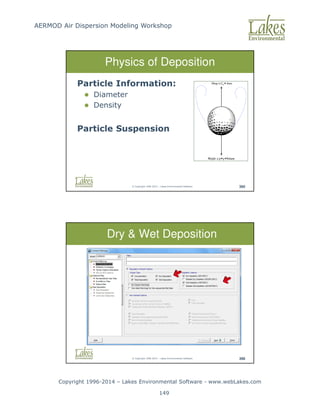
Modeling Workshop Copyright 1996-2014 – Lakes Environmental Software - www.webLakes.com 21 © Copyright 1996-2014 – Lakes Environmental Software 52 Physics of Deposition Particle Information: 1. Diameter 2. Density Particle Suspension Drag C Area D ≅ • Weight g Volume ≅ • • ρ © Copyright 1996-2014 – Lakes Environmental Software 53 Physics of Deposition Concentration within a pollution plume is reduced by two mechanisms: Dispersion Depletion
22.
AERMOD Air Dispersion
Modeling Workshop Copyright 1996-2014 – Lakes Environmental Software - www.webLakes.com 22 © Copyright 1996-2014 – Lakes Environmental Software 54 Flat Elevated Terrain Flat Terrain Terrain heights at or below stack base Elevated Terrain Terrain heights exceed stack base but are below stack height © Copyright 1996-2014 – Lakes Environmental Software 55 Complex Terrain Complex Terrain Terrain heights exceed stack height
23.
AERMOD Air Dispersion
Modeling Workshop Copyright 1996-2014 – Lakes Environmental Software - www.webLakes.com 23 © Copyright 1996-2014 – Lakes Environmental Software 56 Gaussian Plume 1-Hr Average Instantaneous 10 min average Instantaneous 15-minute average 15-minute average © Copyright 1996-2014 – Lakes Environmental Software 57 Z X Y Plume Centerline Y' Z' Gaussian Plume – 1Hr Average
24.
AERMOD Air Dispersion
Modeling Workshop Copyright 1996-2014 – Lakes Environmental Software - www.webLakes.com 24 © Copyright 1996-2014 – Lakes Environmental Software 58 Gaussian Plume Model C ~ Q C ~ 1/U © Copyright 1996-2014 – Lakes Environmental Software 59 End of ADM Concepts Any Questions Instantaneous 15-minute average US EPA Fluid Modeling Facility
25.
AERMOD Air Dispersion
Modeling Workshop Copyright 1996-2014 – Lakes Environmental Software - www.webLakes.com 25 AERMOD AIR DISPERSION MODELING WORKSHOP © 1996–2014 Lakes Environmental Software AERMOD Modeling System © Copyright 1996-2014 – Lakes Environmental Software 61 AERMOD Modeling System 1. U.S. EPA regulatory Gaussian plume air dispersion model 2. For near-field impacts (50-km max) 3. Preferred model for complex terrain 4. Improved treatment of urban effects
26.
AERMOD Air Dispersion
Modeling Workshop Copyright 1996-2014 – Lakes Environmental Software - www.webLakes.com 26 © Copyright 1996-2014 – Lakes Environmental Software 62 AERMOD Modeling System Latest Version: 14 134 Year Julian Day Previous Releases: 13350, 12345, 12060, 11353, 11103, 11059, 09292, 07026, 06341, 04300 © Copyright 1996-2014 – Lakes Environmental Software 63 ADM Flowchart
27.
AERMOD Air Dispersion
Modeling Workshop Copyright 1996-2014 – Lakes Environmental Software - www.webLakes.com 27 © Copyright 1996-2014 – Lakes Environmental Software 64 AERMOD Modeling System © Copyright 1996-2014 – Lakes Environmental Software 65 Levels of Models Screening Models Simple estimation of air quality SCREEN3, AERSCREEN Refined Models Need more detailed and precise input data, more specialized concentration estimates AERMOD, CALPUFF, SCIPUFF
28.
AERMOD Air Dispersion
Modeling Workshop Copyright 1996-2014 – Lakes Environmental Software - www.webLakes.com 28 © Copyright 1996-2014 – Lakes Environmental Software 66 ADM Software Modules Application Description AERMET View Meteorological preprocessor for AERMOD AERMET AERSURFACE, AERMINUTE WRPLOT View Wind rose plots for AERMOD meteorological data AERMOD View Source contribution Building downwash Terrain processing Post-processing of results AERMOD AIR DISPERSION MODELING WORKSHOP © 1996–2014 Lakes Environmental Software AERMET Meteorological Preprocessor
29.
AERMOD Air Dispersion
Modeling Workshop Copyright 1996-2014 – Lakes Environmental Software - www.webLakes.com 29 © Copyright 1996-2014 – Lakes Environmental Software 68 Wind Direction Wind Direction/Angles Blowing From Blowing To North = 360˚ (0˚denotes calm wind) South = 180˚ East = 90˚ West = 270˚ © Copyright 1996-2014 – Lakes Environmental Software 69 Met Preprocessor Computes: 1. Planetary boundary layer turbulence 2. Turbulence scaling parameters AERMET
30.
AERMOD Air Dispersion
Modeling Workshop Copyright 1996-2014 – Lakes Environmental Software - www.webLakes.com 30 © Copyright 1996-2014 – Lakes Environmental Software 70 AERMET System © Copyright 1996-2014 – Lakes Environmental Software 71 AERMET Surface Data Acceptable Surface Formats: 1. SCRAM 2. CD-144 3. SAMSON 4. HUSWO 5. TD-3280 6. TD-3505 (ISHD): Reported in GMT Notes: - Formats 1 to 5 are reported in local standard time - Format 6 is the only format currently supported by U.S. National Climatic Data Center (NCDC)
31.
AERMOD Air Dispersion
Modeling Workshop Copyright 1996-2014 – Lakes Environmental Software - www.webLakes.com 31 © Copyright 1996-2014 – Lakes Environmental Software 72 Hourly Surface Met Data Minimum Parameters: 1. Year, Month, Day, Hour 2. Wind Speed 3. Wind Direction 4. Dry Bulb Temperature 5. Cloud Cover (tenths) © Copyright 1996-2014 – Lakes Environmental Software 73 Hourly Surface Met Data For Deposition Studies: 1. Station Pressure (1013.25mb default) 2. Relative Humidity 3. Precipitation Amount (for Wet Deposition)
32.
AERMOD Air Dispersion
Modeling Workshop Copyright 1996-2014 – Lakes Environmental Software - www.webLakes.com 32 © Copyright 1996-2014 – Lakes Environmental Software 74 AERMET Upper Air Data Acceptable Upper Air Formats: 1. TD-6201 Fixed Block 2. TD-6201 Variable Block 3. FSL All Reported in GMT © Copyright 1996-2014 – Lakes Environmental Software 75 Upper Air Data ● Reported in GMT ● Need Adjustment to covert GMT to Local Standard Time (LST) ● Adjustment = -(Time Zone)
33.
AERMOD Air Dispersion
Modeling Workshop Copyright 1996-2014 – Lakes Environmental Software - www.webLakes.com 33 © Copyright 1996-2014 – Lakes Environmental Software 76 Surface Characteristics AERMET Surface Characteristics: 1. Albedo (r) 2. Bowen Ratio (BO) 3. Surface Roughness (zO) © Copyright 1996-2014 – Lakes Environmental Software 77 Albedo (r) Fraction of solar energy reflected (0 to 1) Noon time (normal incidence) value used Land Use / Season Albedo (r) Water/Summer 0.1 Snow/Winter 0.6
34.
AERMOD Air Dispersion
Modeling Workshop Copyright 1996-2014 – Lakes Environmental Software - www.webLakes.com 34 © Copyright 1996-2014 – Lakes Environmental Software 78 Bowen Ratio (Bo) 1. A measure of the dryness at the surface 2. Values varies by land-use, season, and moisture conditions 3. “The Higher the Drier” Land-Use Bowen Ratio (Bo) Water 0.1 Desert 10 © Copyright 1996-2014 – Lakes Environmental Software 79 Surface Roughness (zo) 1. The height at which wind speed approaches zero 2. Ranges from 0.001 to 1 Land-Use Surface Roughness (zo) Water 0.001 m (1mm) Urban 1.00 m
35.
AERMOD Air Dispersion
Modeling Workshop Copyright 1996-2014 – Lakes Environmental Software - www.webLakes.com 35 © Copyright 1996-2014 – Lakes Environmental Software 80 AERMET Sectors Defining Sectors: 1. Define sectors around site or met station? 2. 0.1 to 5 km from origin 3. Sectors no smaller than a 30 degrees 4. Weighted average of surface characteristics by surface area within each sector © Copyright 1996-2014 – Lakes Environmental Software 81 Defining Sectors Desert = Sector 7-210 deg Water = Sector 210-7 deg Water = Sector 210-7 deg
36.
AERMOD Air Dispersion
Modeling Workshop Copyright 1996-2014 – Lakes Environmental Software - www.webLakes.com 36 © Copyright 1996-2014 – Lakes Environmental Software 82 Surfaces Parameters Water = Sector 210-7 deg AERMOD AIR DISPERSION MODELING WORKSHOP © 1996–2014 Lakes Environmental Software AERSURFACE
37.
AERMOD Air Dispersion
Modeling Workshop Copyright 1996-2014 – Lakes Environmental Software - www.webLakes.com 37 © Copyright 1996-2014 – Lakes Environmental Software 84 AERSURFACE US EPA AERSURFACE Tool: 1. Released Jan/2008, updated Jan/2013 2. Calculates surface parameters from land use files (USGS NLCD92 format) 3. USGS NLCD92 files available for download for USA locations only 4. You can create your own NLCD92 land use file using AERMET View Land Use Creator. © Copyright 1996-2014 – Lakes Environmental Software 85 AERSURFACE 1. Surface Roughness: inverse distance weighted geometric mean over 0.1 to 5km – direction specific 2. Bowen Ratio: geometric mean over 10km 3. Albedo: arithmetic mean over 10km
38.
AERMOD Air Dispersion
Modeling Workshop Copyright 1996-2014 – Lakes Environmental Software - www.webLakes.com 38 © Copyright 1996-2014 – Lakes Environmental Software 86 AERSURFACE Domains 10 km 10 km Surface Roughness Domain (0.1 to 5 km) Albedo/Bowen Ratio Domain (10x10 km) Raleigh/Durham (RDU) airport located in North Carolina (Source: US EPA AERSURFACE User’s Guide) © Copyright 1996-2014 – Lakes Environmental Software 87 AERMET View AERSURFACE Utility
39.
AERMOD Air Dispersion
Modeling Workshop Copyright 1996-2014 – Lakes Environmental Software - www.webLakes.com 39 © Copyright 1996-2014 – Lakes Environmental Software 88 Land Use Creator Create your own land use file, in NLCD92 format, to be used in AERSURFACE. “Tools | Land Use Creator” menu option © Copyright 1996-2014 – Lakes Environmental Software 95 Instructor Demonstration
40.
AERMOD Air Dispersion
Modeling Workshop Copyright 1996-2014 – Lakes Environmental Software - www.webLakes.com 40 © Copyright 1996-2014 – Lakes Environmental Software 96 Hands-On BPIP Objectives 1. Use AERMET 2. Enter Surface Upper Data 3. Work with AERSURFACE 4. Understand results © Copyright 1996-2014 – Lakes Environmental Software 97 Hands-On AERMET Follow Course Notes – Chapter 1 1. Start AERMET View 2. New Project Name: Met_Terrain.amf 3. Save Project In: C:Course_AERMODCase_TerrainMet 4. Data Files: C:Course_AERMODCase_TerrainMet 40 min
41.
AERMOD Air Dispersion
Modeling Workshop Copyright 1996-2014 – Lakes Environmental Software - www.webLakes.com 41 © Copyright 1996-2014 – Lakes Environmental Software 99 AERMET Conclusion Any questions about running AERMET? Review AERMET Output tomorrow AERMET View Utilities: Multi-Year Met Data File Import Surface Data (Excel) © Copyright 1996-2014 – Lakes Environmental Software 100 AERMET View Utility Multi-Year Met Data File Utility
42.
AERMOD Air Dispersion
Modeling Workshop Copyright 1996-2014 – Lakes Environmental Software - www.webLakes.com 42 © Copyright 1996-2014 – Lakes Environmental Software 101 AERMET View Utility Import Surface Data from Excel © Copyright 1996-2014 – Lakes Environmental Software 102 Met Data Resources Surface/Upper Air Met Data: http://www.webMET.com Hourly Surface Data (TD-3505 Format): http://ftp3.ncdc.noaa.gov/pub/data/noaa/ Upper Air Data (FSL Format): http://www.esrl.noaa.gov/raobs/
43.
AERMOD Air Dispersion
Modeling Workshop Copyright 1996-2014 – Lakes Environmental Software - www.webLakes.com 43 © Copyright 1996-2014 – Lakes Environmental Software 103 What is Representative? Not just a function of proximity Things to consider: 1. Terrain features (e.g. valleys) 2. Coastal effects 3. Urban effects © Copyright 1996-2014 – Lakes Environmental Software 104 Not Representative!
44.
AERMOD Air Dispersion
Modeling Workshop Copyright 1996-2014 – Lakes Environmental Software - www.webLakes.com 44 © Copyright 1996-2014 – Lakes Environmental Software 105 Met Data - Problems 1. Representative met data is not always available 2. Met stations are far away (25 km to 100 km) 3. Met data gaps 4. Onsite met data not available © Copyright 1996-2014 – Lakes Environmental Software 106 Met Data – Possible Solution 1. Use output from prognostic gridded meteorological models (e.g., WRF) 2. MM5 (Mesoscale Model) or WRF data already used with CALPUFF
45.
AERMOD Air Dispersion
Modeling Workshop Copyright 1996-2014 – Lakes Environmental Software - www.webLakes.com 45 © Copyright 1996-2014 – Lakes Environmental Software 107 Satellite Obs “95% of data available to NWP comes from satellites” SCIENCE, Feb 26, 2010, VOL 327 © Copyright 1996-2014 – Lakes Environmental Software 108 Modeled Measured WRPLOT View - Lakes Environmental Software PROJECT NO.: DATE: 11/2/2008 MODELER: Meteor. Silvio de Oliveira. COMPANY NAME: LAKES ENVIRONMENTAL SOFTWARE COMMENTS: WIND ROSE PLOT: PECEM BEACH - CEARÁ - PRODUCED FROM MM5 DATA ANUAL WIND ROSE NORTH SOUTH WEST EAST 6% 12% 18% 24% 30% DATA PERIOD: 2007 Jan 1 - Dec 31 00:00 - 23:00 WIND SPEED (m/s) = 11.1 8.8 - 11.1 5.7 - 8.8 3.6 - 5.7 2.1 - 3.6 0.5 - 2.1 Calms: 0.09% AVG. WIND SPEED: 4.00 m/s CALM WINDS: 0.09% TOTAL COUNT: 8760 hrs. DISPLAY: Wind Speed Direction (blowing from)
46.
AERMOD Air Dispersion
Modeling Workshop Copyright 1996-2014 – Lakes Environmental Software - www.webLakes.com 46 © Copyright 1996-2014 – Lakes Environmental Software 109 MM5 vs Met Station 12-Km MM5 Grid Wind Speed: Model vs. Measured (Nov-Dec 2012) 0.0 5.0 10.0 15.0 20.0 25.0 30.0 35.0 40.0 45.0 50.0 0 45 90 135 180 225 270 315 360 405 450 495 540 585 630 675 720 765 810 855 900 945 990 1035 1080 1125 1170 1215 1260 1305 1350 1395 1440 Hour Wind Speed (km/h) Measured Model Wind Speed: Model vs. Measured (Nov-Dec 2012) 0.0 5.0 10.0 15.0 20.0 25.0 30.0 35.0 40.0 45.0 50.0 0 45 90 135 180 225 270 315 360 405 450 495 540 585 630 675 720 765 810 855 900 945 990 1035 1080 1125 1170 1215 1260 1305 1350 1395 1440 Hour Wind Speed (km/h) Measured Model Wind Direction: Model vs. Measured (Nov-Dec 2012) 0.0 50.0 100.0 150.0 200.0 250.0 300.0 350.0 400.0 0 46 92 138 184 230 276 322 368 414 460 506 552 598 644 690 736 782 828 874 920 966 1012 1058 1104 1150 1196 1242 1288 1334 1380 1426 Hour Wind Direction Measured Model Wind Direction: Model vs. Measured (Nov-Dec 2012) 0.0 50.0 100.0 150.0 200.0 250.0 300.0 350.0 400.0 0 46 92 138 184 230 276 322 368 414 460 506 552 598 644 690 736 782 828 874 920 966 1012 1058 1104 1150 1196 1242 1288 1334 1380 1426 Hour Wind Direction Measured Model © Copyright 1996-2014 – Lakes Environmental Software 110 Met Questions ?
47.
AERMOD Air Dispersion
Modeling Workshop Copyright 1996-2014 – Lakes Environmental Software - www.webLakes.com 47 AERMOD AIR DISPERSION MODELING WORKSHOP © 1996–2014 Lakes Environmental Software Coordinate System Maps © Copyright 1996-2014 – Lakes Environmental Software 112 Maps We use different kinds of Maps 1. Terrain maps 2. Land use maps 3. Base maps We need coordinate systems for these maps
48.
AERMOD Air Dispersion
Modeling Workshop Copyright 1996-2014 – Lakes Environmental Software - www.webLakes.com 48 © Copyright 1996-2014 – Lakes Environmental Software 113 Theory of the Globe 1. We live on a BALL! 2. We read from flat surfaces 3. We need to project GEODE to a plane © Copyright 1996-2014 – Lakes Environmental Software 114 Map Projections Conical Projection: Lambert Conic Conformal (LCC)
49.
AERMOD Air Dispersion
Modeling Workshop Copyright 1996-2014 – Lakes Environmental Software - www.webLakes.com 49 © Copyright 1996-2014 – Lakes Environmental Software 115 UTM Coordinates © Copyright 1996-2014 – Lakes Environmental Software 116 World UTM Zones 60 UTM Zones (1 to 60) – North and South
50.
AERMOD Air Dispersion
Modeling Workshop Copyright 1996-2014 – Lakes Environmental Software - www.webLakes.com 50 © Copyright 1996-2014 – Lakes Environmental Software 121 UTM Zones - India © Copyright 1996-2014 – Lakes Environmental Software 122 UTM Zones Source: Ryerson University (http://www.ryerson.ca/madar/geospatial/internet/static/World_UTM_Map%5B1%5D.pdf)
51.
AERMOD Air Dispersion
Modeling Workshop Copyright 1996-2014 – Lakes Environmental Software - www.webLakes.com 51 © Copyright 1996-2014 – Lakes Environmental Software 126 Datum A model of the shape of the Earth 1. WGS-84 2. NAD-83 3. NAD-27 4. GDA-94 5. Many others Inconsistent datums can cause errors up to 200m © Copyright 1996-2014 – Lakes Environmental Software 127 Google Earth (GE) Setting UTM Coordinates in GE 1 2 UTM Zone: 13 UTM Coordinates Elevation: 1611m (MSL) 3
52.
AERMOD Air Dispersion
Modeling Workshop Copyright 1996-2014 – Lakes Environmental Software - www.webLakes.com 52 © Copyright 1996-2014 – Lakes Environmental Software 128 Supported Base Maps Base Maps DLG (USGS) DXF (AutoCAD) LULC (USGS) MrSID Raster Images (BMP, JPEG, TIFF, PNG, GIF) Shapefile (ArcView) © Copyright 1996-2014 – Lakes Environmental Software 129 Tile Maps Automated Download of Geo-Referenced Base Maps Satellite and Street Maps
53.
AERMOD Air Dispersion
Modeling Workshop Copyright 1996-2014 – Lakes Environmental Software - www.webLakes.com 53 © Copyright 1996-2014 – Lakes Environmental Software 130 Base Maps - Example JPEG Maps from Google Earth Note: See the Course CD for notes on how to create and georeference a base map from Google Earth. Mark coordinates of 2 reference points © Copyright 1996-2014 – Lakes Environmental Software 131 Overlays / Layers Overlay Control
54.
AERMOD Air Dispersion
Modeling Workshop Copyright 1996-2014 – Lakes Environmental Software - www.webLakes.com 54 © Copyright 1996-2014 – Lakes Environmental Software 132 Export to Google Earth © Copyright 1996-2014 – Lakes Environmental Software 133 End of Mapping Any Questions
55.
AERMOD Air Dispersion
Modeling Workshop Copyright 1996-2014 – Lakes Environmental Software - www.webLakes.com 55 AERMOD AIR DISPERSION MODELING WORKSHOP © 1996–2014 Lakes Environmental Software BPIP Building Downwash Analysis © Copyright 1996-2014 – Lakes Environmental Software 135 BPIP 1. BPIP - Building Profile Input Program 2. Geometry for building downwash 3. Parameters: Point sources and building locations/dimensions
56.
AERMOD Air Dispersion
Modeling Workshop Copyright 1996-2014 – Lakes Environmental Software - www.webLakes.com 56 © Copyright 1996-2014 – Lakes Environmental Software 136 Instructor Demonstration © Copyright 1996-2014 – Lakes Environmental Software 137 Hands-On BPIP Objectives 1. Use BPIP 2. Work with Maps 3. Enter Sources and Buildings 4. Understand BPIP results
57.
AERMOD Air Dispersion
Modeling Workshop Copyright 1996-2014 – Lakes Environmental Software - www.webLakes.com 57 © Copyright 1996-2014 – Lakes Environmental Software 138 Follow Course Notes – Chapter 2 1. Start AERMOD View 2. New Project Name: Case_Terrain.isc 3. Save Project In: C:Course_AERMODCase_Terrain 4. Base Maps: …Case_TerrainBase_Maps Hands-On BPIP 30 min © Copyright 1996-2014 – Lakes Environmental Software 140 BPIP Output Building Heights Building Widths Building Lengths Along Flow Across Flow
58.
AERMOD Air Dispersion
Modeling Workshop Copyright 1996-2014 – Lakes Environmental Software - www.webLakes.com 58 © Copyright 1996-2014 – Lakes Environmental Software 141 BPIP Output Definitions © Copyright 1996-2014 – Lakes Environmental Software 142 Area of Influence
59.
AERMOD Air Dispersion
Modeling Workshop Copyright 1996-2014 – Lakes Environmental Software - www.webLakes.com 59 © Copyright 1996-2014 – Lakes Environmental Software 143 Instructor Demonstration AERMOD in 5 Minutes or Less! © Copyright 1996-2014 – Lakes Environmental Software 144 Hands-On AERMOD Objectives 1. Specify Pollutant 2. Specify Met Data 3. Specify Receptors 4. Run AERMOD Model 5. Post-Process AERMOD Results
60.
AERMOD Air Dispersion
Modeling Workshop Copyright 1996-2014 – Lakes Environmental Software - www.webLakes.com 60 © Copyright 1996-2014 – Lakes Environmental Software 145 Follow Course Notes – Chapter 3 1. Start AERMOD View 2. Open project created in Chapter 2 Case_Terrain.isc 3. Project folder: C:Course_AERMODCase_TerrainCase_Terrain Hands-On AERMOD 30 min © Copyright 1996-2014 – Lakes Environmental Software 147 Summary AERMOD Met Data Buildings Sources Receptors Model Run
61.
AERMOD Air Dispersion
Modeling Workshop Copyright 1996-2014 – Lakes Environmental Software - www.webLakes.com 61 AERMOD AIR DISPERSION MODELING WORKSHOP © 1996–2014 Lakes Environmental Software AERMOD Interpreting Results © Copyright 1996-2014 – Lakes Environmental Software 149 Output Types AERMOD Output Types: 1. Main Output file 2. Summary file 3. Plot file 4. Post file 5. Threshold violations 6. Others… Use outputs appropriate for your purpose
62.
AERMOD Air Dispersion
Modeling Workshop Copyright 1996-2014 – Lakes Environmental Software - www.webLakes.com 62 © Copyright 1996-2014 – Lakes Environmental Software 150 Main Output File 1. Automatically created 2. Contains input and output summaries 3. Lists errors and warnings 4. Contains optional output data tables © Copyright 1996-2014 – Lakes Environmental Software 151 Summary File 1. Contains output summaries 2. Lists errors and warnings
63.
AERMOD Air Dispersion
Modeling Workshop Copyright 1996-2014 – Lakes Environmental Software - www.webLakes.com 63 © Copyright 1996-2014 – Lakes Environmental Software 152 Main Output File Highest Values Table 1. Reports the nth highest concentration at each receptor 2. n = 1 to 10 (specified by user) © Copyright 1996-2014 – Lakes Environmental Software 153 Main Output File Maximum Values Table Reports the x highest concentrations, at any receptor, at any time x (specified by user)
64.
AERMOD Air Dispersion
Modeling Workshop Copyright 1996-2014 – Lakes Environmental Software - www.webLakes.com 64 © Copyright 1996-2014 – Lakes Environmental Software 154 Main Output File Daily Values Table Reports concentrations at each receptor, day by day A lot of data! © Copyright 1996-2014 – Lakes Environmental Software 155 PLOTFILE Plot Files Used to create contours Same data as highest values table Not a snapshot in time
65.
AERMOD Air Dispersion
Modeling Workshop Copyright 1996-2014 – Lakes Environmental Software - www.webLakes.com 65 © Copyright 1996-2014 – Lakes Environmental Software 156 MAXIFILE Threshold Violation File (MAXIFILE) Lists all concentrations above a user specified threshold © Copyright 1996-2014 – Lakes Environmental Software 157 POSTFILE POST File Reports all concentrations at each hour and at every receptor Large Files!
66.
AERMOD Air Dispersion
Modeling Workshop Copyright 1996-2014 – Lakes Environmental Software - www.webLakes.com 66 © Copyright 1996-2014 – Lakes Environmental Software 158 Source Contributions Source Groups Identify the significant sources Determine individual and group contributions © Copyright 1996-2014 – Lakes Environmental Software 159 Source Contributions Using EVENT Model 1. Select EVENT option in Control Pathway 2. Run AERMOD (EVENT input file generated) 3. Run EVENT model 4. Review EVENT output file for source contributions
67.
AERMOD Air Dispersion
Modeling Workshop Copyright 1996-2014 – Lakes Environmental Software - www.webLakes.com 67 © Copyright 1996-2014 – Lakes Environmental Software 160 Determine Significant Factors Downwash Turn downwash on/off and rerun the model to see the impact © Copyright 1996-2014 – Lakes Environmental Software 161 Determine Significant Factors Date and Time Check the date/time maximums occur Maximums occurring all at the same time? Maximums at different dates, but same time of day? Is a particular met condition to blame? 3D View Are terrain features causing impacts?
68.
AERMOD Air Dispersion
Modeling Workshop Copyright 1996-2014 – Lakes Environmental Software - www.webLakes.com 68 © Copyright 1996-2014 – Lakes Environmental Software 162 Common Situations No Concentration Around Source © Copyright 1996-2014 – Lakes Environmental Software 163 Common Situations Maximums not downwind in the prevailing wind direction Isolated low wind speed hours may be causing your maximums
69.
AERMOD Air Dispersion
Modeling Workshop Copyright 1996-2014 – Lakes Environmental Software - www.webLakes.com 69 © Copyright 1996-2014 – Lakes Environmental Software 164 Common Situations Zero Contours Small concentrations need scientific notation © Copyright 1996-2014 – Lakes Environmental Software 165 End AERMOD Hands-On Any Questions
70.
AERMOD Air Dispersion
Modeling Workshop Copyright 1996-2014 – Lakes Environmental Software - www.webLakes.com 70 AERMOD AIR DISPERSION MODELING WORKSHOP © 1996–2014 Lakes Environmental Software AERMAP Terrain Processing © Copyright 1996-2014 – Lakes Environmental Software 167 AERMAP - Terrain Processor Calculates: 1. Terrain Elevations for sources and receptors 2. Hill Height Scale to determine dividing streamline height
71.
AERMOD Air Dispersion
Modeling Workshop Copyright 1996-2014 – Lakes Environmental Software - www.webLakes.com 71 © Copyright 1996-2014 – Lakes Environmental Software 168 Terrain Interpolation © Copyright 1996-2014 – Lakes Environmental Software 169 AERMOD Terrain Treatment AERMOD uses the dividing streamline height concept Dividing Streamline Height
72.
AERMOD Air Dispersion
Modeling Workshop Copyright 1996-2014 – Lakes Environmental Software - www.webLakes.com 72 © Copyright 1996-2014 – Lakes Environmental Software 170 Dividing Streamline Height In Stable Conditions: If a “particle” of air has just enough kinetic energy to reach the top of a hill (Froude No. = 1.0), it is at the dividing streamline height If higher: goes over the hill If lower: goes into or around the hill © Copyright 1996-2014 – Lakes Environmental Software 171 Dividing Streamline Height In Convective Conditions: All flow is over the hill, as with flow above the dividing streamline height
73.
AERMOD Air Dispersion
Modeling Workshop Copyright 1996-2014 – Lakes Environmental Software - www.webLakes.com 73 © Copyright 1996-2014 – Lakes Environmental Software 172 Hill Height Effects Mount Taranaki, New Zealand Peak Elevation: 2,518 m Plume goes around the hill © Copyright 1996-2014 – Lakes Environmental Software 173 Elevations vs Hill Heights Mount Taranaki, New Zealand Hill Heights (ZHILL) Elevations (ZELEV)
74.
AERMOD Air Dispersion
Modeling Workshop Copyright 1996-2014 – Lakes Environmental Software - www.webLakes.com 74 © Copyright 1996-2014 – Lakes Environmental Software 174 AERMAP Domain Select major hills surrounding modeling domain © Copyright 1996-2014 – Lakes Environmental Software 175 US EPA Model Evaluation Using AERMAP hill height scale, AERMOD is able to represent the effect of terrain on concentration values. US EPA Model Evaluation Results – Tracy data set, a rural complex terrain site east of Reno, NV.
75.
AERMOD Air Dispersion
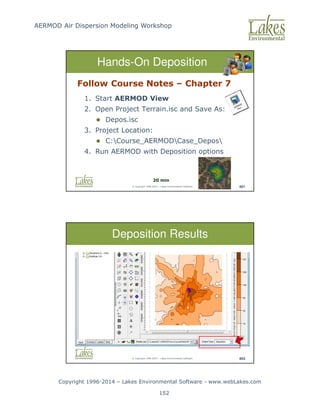
Modeling Workshop Copyright 1996-2014 – Lakes Environmental Software - www.webLakes.com 75 © Copyright 1996-2014 – Lakes Environmental Software 176 Terrain Processing 1. Click Terrain button 2. Select Map Type 3. Download Terrain Data 4. Process + Run AERMAP © Copyright 1996-2014 – Lakes Environmental Software 177 Hands-On AERMAP Objectives 1. Specify and process Terrain data 2. Use AERMOD with Terrain 3. Compare AERMOD results
76.
AERMOD Air Dispersion
Modeling Workshop Copyright 1996-2014 – Lakes Environmental Software - www.webLakes.com 76 © Copyright 1996-2014 – Lakes Environmental Software 178 Follow Course Notes – Chapter 4 1. Start AERMOD View 2. Open project created in Chapter 2/3 Case_Terrain.isc 3. Project folder: C:Course_AERMODCase_TerrainCase_Terrain Hands-On AERMAP 30 min © Copyright 1996-2014 – Lakes Environmental Software 180 Terrain Data Formats United States: USGS NED GeoTIFF (~30m, ~10m, ~3m) USGS 7.5-Min DEM (~30m) USGS 1-Deg DEM (~90m) SRTM1 (~30m) Canada: 15-Min DEM (CDED) (~60m) International: SRTM3 (~ 90m) SRTM30 GTOPO30 (~900m)
77.
AERMOD Air Dispersion
Modeling Workshop Copyright 1996-2014 – Lakes Environmental Software - www.webLakes.com 77 © Copyright 1996-2014 – Lakes Environmental Software 183 http://www.webGIS.com Where to Get SRTM / DEM? © Copyright 1996-2014 – Lakes Environmental Software 184 Terrain Processing Conclusion Analysis of results Where to get terrain data…
78.
AERMOD Air Dispersion
Modeling Workshop Copyright 1996-2014 – Lakes Environmental Software - www.webLakes.com 78 AERMOD AIR DISPERSION MODELING WORKSHOP © 1996–2014 Lakes Environmental Software Puff Vs Plume Models © Copyright 1996-2014 – Lakes Environmental Software 186 Plume Limitations Example: AERMOD Steady-State 50 km domain 10 km/hr wind Run AERMOD for 1 hour only
79.
AERMOD Air Dispersion
Modeling Workshop Copyright 1996-2014 – Lakes Environmental Software - www.webLakes.com 79 © Copyright 1996-2014 – Lakes Environmental Software 187 Homogeneous Wind Field Plume Limitation © Copyright 1996-2014 – Lakes Environmental Software 188 Plume
80.
AERMOD Air Dispersion
Modeling Workshop Copyright 1996-2014 – Lakes Environmental Software - www.webLakes.com 80 © Copyright 1996-2014 – Lakes Environmental Software 189 Puff Vs Plume (CALPUFF, SCIPUFF) Non Steady-State (AERMOD) Steady-State © Copyright 1996-2014 – Lakes Environmental Software 190 PUFF Models Example: CALPUFF Simulates pollutant releases as a series of puffs U.S. EPA Regulatory Model Simple 3-D “Diagnostic” Wind Field
81.
AERMOD Air Dispersion
Modeling Workshop Copyright 1996-2014 – Lakes Environmental Software - www.webLakes.com 81 © Copyright 1996-2014 – Lakes Environmental Software 191 CALPUFF View – Wind Field © Copyright 1996-2014 – Lakes Environmental Software 192 Hour 1 (theta = 1800)
82.
AERMOD Air Dispersion
Modeling Workshop Copyright 1996-2014 – Lakes Environmental Software - www.webLakes.com 82 © Copyright 1996-2014 – Lakes Environmental Software 193 Hour 2 (theta = 2100) © Copyright 1996-2014 – Lakes Environmental Software 194 Hour 3 (theta = 2400)
83.
AERMOD Air Dispersion
Modeling Workshop Copyright 1996-2014 – Lakes Environmental Software - www.webLakes.com 83 © Copyright 1996-2014 – Lakes Environmental Software 195 Hour 4 (theta = 2700) © Copyright 1996-2014 – Lakes Environmental Software 196 Hour 5 (theta = 3000)
84.
AERMOD Air Dispersion
Modeling Workshop Copyright 1996-2014 – Lakes Environmental Software - www.webLakes.com 84 © Copyright 1996-2014 – Lakes Environmental Software 197 Hour 6 (theta = 3300) © Copyright 1996-2014 – Lakes Environmental Software 198 Puff “Memory”
85.
AERMOD Air Dispersion
Modeling Workshop Copyright 1996-2014 – Lakes Environmental Software - www.webLakes.com 85 © Copyright 1996-2014 – Lakes Environmental Software 199 CALPUFF vs AERMOD vs Monitor NJDEP Martin Creek Evaluation Brode_10thMC_CALPFUFF_Nearfield_Validation_03-13-2012.pdf © Copyright 1996-2014 – Lakes Environmental Software 200 Puff Limitation
86.
AERMOD Air Dispersion
Modeling Workshop Copyright 1996-2014 – Lakes Environmental Software - www.webLakes.com 86 © Copyright 1996-2014 – Lakes Environmental Software 201 Lagrangian Particle Model 1. Prognostic Wind Field 2. Multiple Met Stations 3. 1,000 times more resources than Plume Models © Copyright 1996-2014 – Lakes Environmental Software 202 Lagrangian Particle Model Example: AUSTAL2000
87.
AERMOD Air Dispersion
Modeling Workshop Copyright 1996-2014 – Lakes Environmental Software - www.webLakes.com 87 © Copyright 1996-2014 – Lakes Environmental Software 203 Conclusion Plume |Puff | Tracer “Balancing Act” among approaches © Copyright 1996-2014 – Lakes Environmental Software 204 Conclusion AERMOD – Day 1 Met Files Buildings Sources Receptors Avg. Periods Run AERMOD Post- Process
88.
AERMOD Air Dispersion
Modeling Workshop Copyright 1996-2014 – Lakes Environmental Software - www.webLakes.com 88 © Copyright 1996-2014 – Lakes Environmental Software 205 Day 1 - Concluded Sleep early Boost your caffeine in the morning Get here before 9:00 am AERMOD AIR DISPERSION MODELING WORKSHOP © 1996–2014 Lakes Environmental Software AERMOD Course Day 2
89.
AERMOD Air Dispersion
Modeling Workshop Copyright 1996-2014 – Lakes Environmental Software - www.webLakes.com 89 © Copyright 1996-2014 – Lakes Environmental Software 207 Polite Request Set cell phone to vibrate No cell phone rings Take calls outside © Copyright 1996-2014 – Lakes Environmental Software 208 Remember !!!
90.
AERMOD Air Dispersion
Modeling Workshop Copyright 1996-2014 – Lakes Environmental Software - www.webLakes.com 90 © Copyright 1996-2014 – Lakes Environmental Software 209 Timeline – Day 2 Day 2 – Morning 1st Day Review Introduction to Turbulence Break Hands-On DIY Project Special Topics Lunch Break (1-hour) © Copyright 1996-2014 – Lakes Environmental Software 210 Timeline – Day 2 Day 2 – Afternoon Detailed Project Hands-On Detailed Project Break Multi-Chemical Runs Hands-On Wet and Dry Deposition Closure
91.
AERMOD Air Dispersion
Modeling Workshop Copyright 1996-2014 – Lakes Environmental Software - www.webLakes.com 91 © Copyright 1996-2014 – Lakes Environmental Software 215 Review – Day 1 Met Files Buildings Sources Receptors Avg. Periods Run AERMOD Post- Process © Copyright 1996-2014 – Lakes Environmental Software 216 Review Concepts – Day 1 What is? 1. Stability Classes 2. Mixing Height 3. Building Downwash 4. Main Variables in Deposition 5. Meteorological Preprocessing 6. Terrain Preprocessing 5 MINUTES
92.
AERMOD Air Dispersion
Modeling Workshop Copyright 1996-2014 – Lakes Environmental Software - www.webLakes.com 92 AERMOD AIR DISPERSION MODELING WORKSHOP © 1996–2014 Lakes Environmental Software Introduction to Turbulence © Copyright 1996-2014 – Lakes Environmental Software 218 Introduction to Turbulence 1. Maybe your first introduction to turbulence concepts 2. Don’t expect to understand it all now
93.
AERMOD Air Dispersion
Modeling Workshop Copyright 1996-2014 – Lakes Environmental Software - www.webLakes.com 93 © Copyright 1996-2014 – Lakes Environmental Software 219 Fluid Shear Stress = ∙ © Copyright 1996-2014 – Lakes Environmental Software 220 Characterizing Turbulence Both Mechanical and Convective turbulence are important for dispersion 1. Velocity scale 2. Length scale
94.
AERMOD Air Dispersion
Modeling Workshop Copyright 1996-2014 – Lakes Environmental Software - www.webLakes.com 94 © Copyright 1996-2014 – Lakes Environmental Software 221 What Do We Need? Mechanical Velocity Scale Convective Velocity Scale Convective Length Scale Mechanical Length Scale © Copyright 1996-2014 – Lakes Environmental Software 222 Viscous Flow (a) (b) (c)
95.
AERMOD Air Dispersion
Modeling Workshop Copyright 1996-2014 – Lakes Environmental Software - www.webLakes.com 95 © Copyright 1996-2014 – Lakes Environmental Software 223 The Reynolds Number © Copyright 1996-2014 – Lakes Environmental Software 224 The Froude Number Used in the treatment of terrain
96.
AERMOD Air Dispersion
Modeling Workshop Copyright 1996-2014 – Lakes Environmental Software - www.webLakes.com 96 © Copyright 1996-2014 – Lakes Environmental Software 226 Ground Heating © Copyright 1996-2014 – Lakes Environmental Software 227 Net Solar Radiation 1. Solar Angle 2. Cloud Cover 3. Albedo
97.
AERMOD Air Dispersion
Modeling Workshop Copyright 1996-2014 – Lakes Environmental Software - www.webLakes.com 97 © Copyright 1996-2014 – Lakes Environmental Software 228 Solar Angle © Copyright 1996-2014 – Lakes Environmental Software 229 Relevant Thermal Scale T / g ρ ρ ρ ρ * Cp / H
98.
AERMOD Air Dispersion
Modeling Workshop Copyright 1996-2014 – Lakes Environmental Software - www.webLakes.com 98 © Copyright 1996-2014 – Lakes Environmental Software 231 Sensible Heat Flux (H) Tsurface Tair Tsurface Tair © Copyright 1996-2014 – Lakes Environmental Software 232 Convective Velocity Scale (w*) • w* ~ Convective eddies • Zic = Convective mix height • ρ = Air density w*
99.
AERMOD Air Dispersion
Modeling Workshop Copyright 1996-2014 – Lakes Environmental Software - www.webLakes.com 99 © Copyright 1996-2014 – Lakes Environmental Software 234 Check List Mechanical Velocity Scale Convective Velocity Scale Convective Length Scale Mechanical Length Scale w* © Copyright 1996-2014 – Lakes Environmental Software 235 Surface Friction Velocity (u*) 1. Function of Kinetic Energy and surface roughness 2. What is surface roughness?
100.
AERMOD Air Dispersion
Modeling Workshop Copyright 1996-2014 – Lakes Environmental Software - www.webLakes.com 100 © Copyright 1996-2014 – Lakes Environmental Software 238 Check List Mechanical Velocity Scale Convective Velocity Scale Convective Length Scale Mechanical Length Scale w* U* © Copyright 1996-2014 – Lakes Environmental Software 239 L* = Monin-Obukhov Length [m] k = Von Karman’s Constant [0.4] u* = Friction Velocity [m/s] Monin-Obukhov Length (L*) ∗ = − ∗
101.
AERMOD Air Dispersion
Modeling Workshop Copyright 1996-2014 – Lakes Environmental Software - www.webLakes.com 101 © Copyright 1996-2014 – Lakes Environmental Software 241 L* - Unstable Atmosphere |L| |L| Slightly Convective [C] Very Convective [A] © Copyright 1996-2014 – Lakes Environmental Software 242 L* - Stable Atmosphere |L| |L| Slightly Stable [E] Very Stable [F]
102.
AERMOD Air Dispersion
Modeling Workshop Copyright 1996-2014 – Lakes Environmental Software - www.webLakes.com 102 © Copyright 1996-2014 – Lakes Environmental Software 243 Monin-Obukhov Length Roughness [m] ~ L* [m] Stability Class 0.1 -12.5 A (Very Unstable) -25 B (Unstable) -65 C (Slightly Unstable) -- D (Neutral) +65 E (Stable) +30 F (Very Stable) Roughness [m] ~ L* [m] Stability Class 0.5 -16 A (Very Unstable) -50 B (Unstable) -100 C (Slightly Unstable) -- D (Neutral) +100 E (Stable) +50 F (Very Stable) © Copyright 1996-2014 – Lakes Environmental Software 244 Check List Mechanical Velocity Scale Convective Velocity Scale Convective Length Scale Mechanical Length Scale w* U* L* L*
103.
AERMOD Air Dispersion
Modeling Workshop Copyright 1996-2014 – Lakes Environmental Software - www.webLakes.com 103 © Copyright 1996-2014 – Lakes Environmental Software 246 Example use of L*, u*, and w* © Copyright 1996-2014 – Lakes Environmental Software 248 Inspecting AERMET Output Specifically the Surface Output File (*.SFC)
104.
AERMOD Air Dispersion
Modeling Workshop Copyright 1996-2014 – Lakes Environmental Software - www.webLakes.com 104 © Copyright 1996-2014 – Lakes Environmental Software 249 Sensible Heat Flux and Monin-Obukhov Length A Look at AERMET Output [H] [L*] © Copyright 1996-2014 – Lakes Environmental Software 250 A Look at AERMET Output Surface Friction Velocity (u*) and Wind Speed [U*] [W*]
105.
AERMOD Air Dispersion
Modeling Workshop Copyright 1996-2014 – Lakes Environmental Software - www.webLakes.com 105 © Copyright 1996-2014 – Lakes Environmental Software 251 Turbulent Profiles Conclusions Very complex Not solved directly Use “simplified” parameters Understanding these parameters is a major help to QA your modeling results AERMOD AIR DISPERSION MODELING WORKSHOP © 1996–2014 Lakes Environmental Software AERMOD Pathways
106.
AERMOD Air Dispersion
Modeling Workshop Copyright 1996-2014 – Lakes Environmental Software - www.webLakes.com 106 © Copyright 1996-2014 – Lakes Environmental Software 253 AERMOD Pathways 1. CO – Control 2. SO – Source 3. RE – Receptor 4. ME – Meteorology 5. OU – Output Options -------------------------- 6. BU – Building Inputs 7. TE – Terrain Processor © Copyright 1996-2014 – Lakes Environmental Software 254 Control Pathway (CO) 1. Dispersion Options 2. Pollutant Type 3. Averaging Period
107.
AERMOD Air Dispersion
Modeling Workshop Copyright 1996-2014 – Lakes Environmental Software - www.webLakes.com 107 © Copyright 1996-2014 – Lakes Environmental Software 255 CO Pathway – Input File © Copyright 1996-2014 – Lakes Environmental Software 256 1. Source Types and Locations 2. Release Parameters 3. Building Downwash Data 4. Background Concentrations 5. Source Groups Source Pathway (SO)
108.
AERMOD Air Dispersion
Modeling Workshop Copyright 1996-2014 – Lakes Environmental Software - www.webLakes.com 108 © Copyright 1996-2014 – Lakes Environmental Software 257 SO Pathway – Input File © Copyright 1996-2014 – Lakes Environmental Software 258 Receptor Pathway (RE) 1. Grids (Polar, Cartesian) 2. Discrete Receptors 3. Fenceline Receptors 4. Flagpole Receptors
109.
AERMOD Air Dispersion
Modeling Workshop Copyright 1996-2014 – Lakes Environmental Software - www.webLakes.com 109 © Copyright 1996-2014 – Lakes Environmental Software 259 RE Pathway – Input File © Copyright 1996-2014 – Lakes Environmental Software 260 • 2 Met Files (*.SFC, *.PFL) • Data Period to Process: Entire or subset of the met data period Meteorology Pathway (ME)
110.
AERMOD Air Dispersion
Modeling Workshop Copyright 1996-2014 – Lakes Environmental Software - www.webLakes.com 110 © Copyright 1996-2014 – Lakes Environmental Software 261 ME Pathway – Input File © Copyright 1996-2014 – Lakes Environmental Software 262 1. Main Output File:Tabular outputs 2. Summary: Summary of high ranked values 3. PLOTFILE: Contour plot files 4. MAXIFILE: Threshold violation files 5. POSTFILE: Post-processing files 6. Others Output Pathway (OU)
111.
AERMOD Air Dispersion
Modeling Workshop Copyright 1996-2014 – Lakes Environmental Software - www.webLakes.com 111 © Copyright 1996-2014 – Lakes Environmental Software 263 OU Pathway – Input File © Copyright 1996-2014 – Lakes Environmental Software 264 Building Parameters 1. Tiers 2. Dimensions 3. Base Elevations Building Pathway (BU)
112.
AERMOD Air Dispersion
Modeling Workshop Copyright 1996-2014 – Lakes Environmental Software - www.webLakes.com 112 © Copyright 1996-2014 – Lakes Environmental Software 265 Questions ? AERMOD AIR DISPERSION MODELING WORKSHOP © 1996–2014 Lakes Environmental Software Do-It-Yourself Project (DIY)
113.
AERMOD Air Dispersion
Modeling Workshop Copyright 1996-2014 – Lakes Environmental Software - www.webLakes.com 113 © Copyright 1996-2014 – Lakes Environmental Software 267 Hands-On DIY No Course Notes to Follow 1. Create new project: DIY.isc 2. Folder: …Course_AERMODCase_DIY 3. Met Files: …Case_DIYMet 4. Use projection: UTM – WGS84 5. Choose reference coordinates from your facility 6. Choose suitable receptors 7. Flowchart in Quick Reference section © Copyright 1996-2014 – Lakes Environmental Software 268 DIY – Building Layout
114.
AERMOD Air Dispersion
Modeling Workshop Copyright 1996-2014 – Lakes Environmental Software - www.webLakes.com 114 © Copyright 1996-2014 – Lakes Environmental Software 269 DIY – Project Parameters Parameter Value Pollutant CO Averaging Time 1h, 24h, Period Dispersion Option Rural Met Station Base Elevation 0 m Stack Parameters X: ?, Y: ? – Your UTM Coordinates Base Elevation = 0m Release Height = 80m Emission Rate = 1g/s Diameter = 4m Exit Velocity = 14m/s Exit Temp = 400K © Copyright 1996-2014 – Lakes Environmental Software 270 Defining Receptors 1. Modeling Domain? 2. Receptor Spacing? 3. Number of Receptors? 4. Type of Receptors ?
115.
AERMOD Air Dispersion
Modeling Workshop Copyright 1996-2014 – Lakes Environmental Software - www.webLakes.com 115 © Copyright 1996-2014 – Lakes Environmental Software 271 Results for Different Grids Max: 1.70 ug/m3 Max: 1.71 ug/m3 Cartesian Grid Polar Grid © Copyright 1996-2014 – Lakes Environmental Software 272 Plant Boundary Options 1. Enter Plant Boundary 2. Eliminate Receptors within Plant Boundary 3. Add Fenceline Receptors 4. Re-Run Project
116.
AERMOD Air Dispersion
Modeling Workshop Copyright 1996-2014 – Lakes Environmental Software - www.webLakes.com 116 © Copyright 1996-2014 – Lakes Environmental Software 273 Plant Blanking Boundary 1. Hides contours 2. Calculations at receptors still occur © Copyright 1996-2014 – Lakes Environmental Software 274 Conclusion Questions?
117.
AERMOD Air Dispersion
Modeling Workshop Copyright 1996-2014 – Lakes Environmental Software - www.webLakes.com 117 AERMOD AIR DISPERSION MODELING WORKSHOP © 1996–2014 Lakes Environmental Software Special Topics © Copyright 1996-2014 – Lakes Environmental Software 276 Coastal Effects - Day Migration Warmer Day Time/Summer
118.
AERMOD Air Dispersion
Modeling Workshop Copyright 1996-2014 – Lakes Environmental Software - www.webLakes.com 118 © Copyright 1996-2014 – Lakes Environmental Software 277 Coastal Effects - Night © Copyright 1996-2014 – Lakes Environmental Software 278 Valley - Morning
119.
AERMOD Air Dispersion
Modeling Workshop Copyright 1996-2014 – Lakes Environmental Software - www.webLakes.com 119 © Copyright 1996-2014 – Lakes Environmental Software 279 Valley - Afternoon © Copyright 1996-2014 – Lakes Environmental Software 280 Anthropogenic Heat Flux
120.
AERMOD Air Dispersion
Modeling Workshop Copyright 1996-2014 – Lakes Environmental Software - www.webLakes.com 120 © Copyright 1996-2014 – Lakes Environmental Software 281 Odor Unit (OU) based odor threshold Time averaging Gaussian plume approx. Odor Modeling Cnew = Cold (Told / Tnew)q C = concentration T = averaging time q = decay factor © Copyright 1996-2014 – Lakes Environmental Software 282 Odor Units Emission Output Unit
121.
AERMOD Air Dispersion
Modeling Workshop Copyright 1996-2014 – Lakes Environmental Software - www.webLakes.com 121 © Copyright 1996-2014 – Lakes Environmental Software 283 Concentration Converter Convert 1-hour odor results into smaller averaging periods (e.g., 10 min) © Copyright 1996-2014 – Lakes Environmental Software 284 Odor Thresholds Odorant Level Acetic Acid 1. ppm Acetone 100. ppm Ammonia 1.5 ppm H2S 0.5 (3) ppb Phenol 50 ppb
122.
AERMOD Air Dispersion
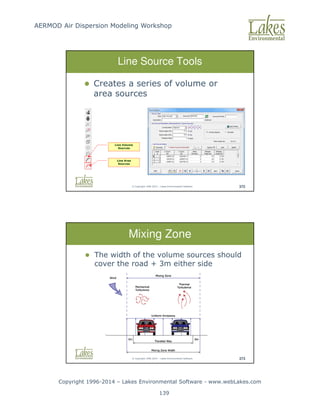
Modeling Workshop Copyright 1996-2014 – Lakes Environmental Software - www.webLakes.com 122 © Copyright 1996-2014 – Lakes Environmental Software 285 AERMOD – Source Types AERMOD Source Types: 1. POINT 2. VOLUME 3. AREA (rectangular, circular, polygonal) 4. OPEN PIT 5. LINE (modified area source) © Copyright 1996-2014 – Lakes Environmental Software 286 Additional Source Types Only in AERMOD View 1. FLARE 2. LINE a. Line VOLUME (collection of volume sources along a polyline) b. Line AREA (collection of area sources along a polyline)
123.
AERMOD Air Dispersion
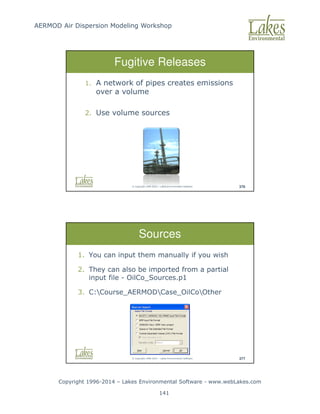
Modeling Workshop Copyright 1996-2014 – Lakes Environmental Software - www.webLakes.com 123 © Copyright 1996-2014 – Lakes Environmental Software 287 POINT Sources 1. Pollutant release rate (mass/time) 2. Stack location 3. Stack height and diameter 4. Stack gas temperature and exit velocity Examples: Stacks, chimneys, vents © Copyright 1996-2014 – Lakes Environmental Software 288 VOLUME Sources 1. Pollutant release rate (mass/time) 2. Location 3. Release height 4. Initial lateral and vertical dimensions Examples: building roof monitors, multiple vents, conveyor belts, haul roads
124.
AERMOD Air Dispersion
Modeling Workshop Copyright 1996-2014 – Lakes Environmental Software - www.webLakes.com 124 © Copyright 1996-2014 – Lakes Environmental Software 289 AREA Sources Area Sources: low level or ground level releases with no plume rise (plume meander not implemented) 1. Pollutant release rate (mass/time/area) [g/s/m2] 2. Release height 3. Location and dimensions 4. Initial plume vertical dimension (optional) Examples: material storage piles, forest fires, landfills, waste lagoons © Copyright 1996-2014 – Lakes Environmental Software 290 OPEN PIT Sources Open Pit Sources: used to model particulate emissions from open pits (no plume rise) 1. Pollutant release rate (mass/time/area) 2. Average release height, 3. Dimensions and volume, 4. Orientation angle Examples: surface mines and quarries
125.
AERMOD Air Dispersion
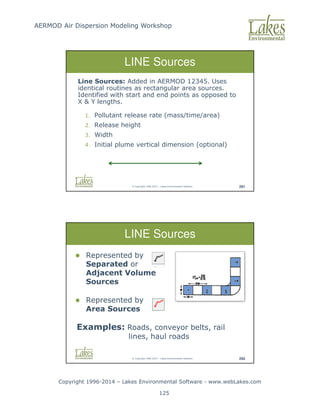
Modeling Workshop Copyright 1996-2014 – Lakes Environmental Software - www.webLakes.com 125 © Copyright 1996-2014 – Lakes Environmental Software 291 LINE Sources Line Sources: Added in AERMOD 12345. Uses identical routines as rectangular area sources. Identified with start and end points as opposed to X Y lengths. 1. Pollutant release rate (mass/time/area) 2. Release height 3. Width 4. Initial plume vertical dimension (optional) © Copyright 1996-2014 – Lakes Environmental Software 292 LINE Sources Represented by Separated or Adjacent Volume Sources Represented by Area Sources Examples: Roads, conveyor belts, rail lines, haul roads
126.
AERMOD Air Dispersion
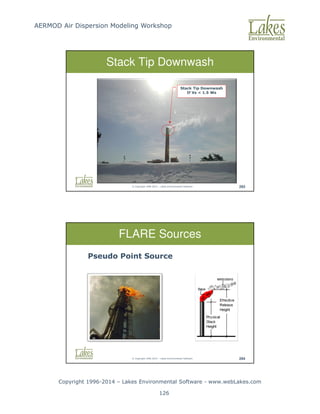
Modeling Workshop Copyright 1996-2014 – Lakes Environmental Software - www.webLakes.com 126 © Copyright 1996-2014 – Lakes Environmental Software 293 Stack Tip Downwash Stack Tip Downwash If Vs 1.5 Ws © Copyright 1996-2014 – Lakes Environmental Software 294 FLARE Sources Pseudo Point Source
127.
AERMOD Air Dispersion
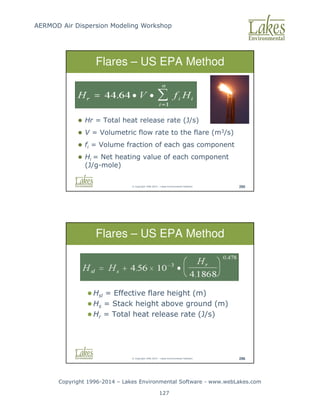
Modeling Workshop Copyright 1996-2014 – Lakes Environmental Software - www.webLakes.com 127 © Copyright 1996-2014 – Lakes Environmental Software 295 Hr = Total heat release rate (J/s) V = Volumetric flow rate to the flare (m3/s) fi = Volume fraction of each gas component Hi = Net heating value of each component (J/g-mole) Flares – US EPA Method © Copyright 1996-2014 – Lakes Environmental Software 296 Hsl = Effective flare height (m) Hs = Stack height above ground (m) Hr = Total heat release rate (J/s) Flares – US EPA Method
128.
AERMOD Air Dispersion
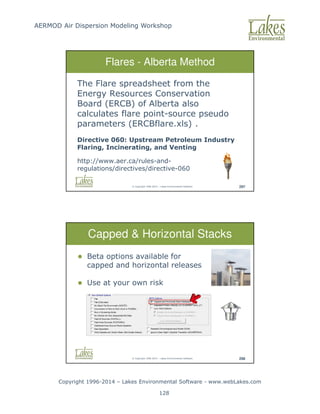
Modeling Workshop Copyright 1996-2014 – Lakes Environmental Software - www.webLakes.com 128 © Copyright 1996-2014 – Lakes Environmental Software 297 Flares - Alberta Method The Flare spreadsheet from the Energy Resources Conservation Board (ERCB) of Alberta also calculates flare point-source pseudo parameters (ERCBflare.xls) . Directive 060: Upstream Petroleum Industry Flaring, Incinerating, and Venting http://www.aer.ca/rules-and- regulations/directives/directive-060 © Copyright 1996-2014 – Lakes Environmental Software 298 Capped Horizontal Stacks Beta options available for capped and horizontal releases Use at your own risk
129.
AERMOD Air Dispersion
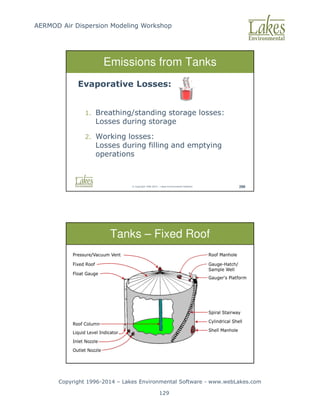
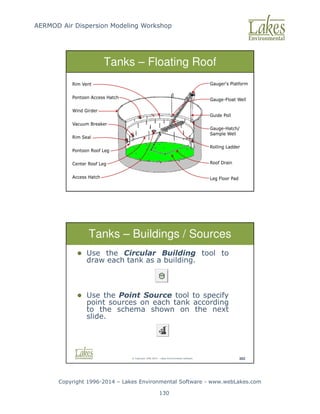
Modeling Workshop Copyright 1996-2014 – Lakes Environmental Software - www.webLakes.com 129 © Copyright 1996-2014 – Lakes Environmental Software 299 Emissions from Tanks Evaporative Losses: 1. Breathing/standing storage losses: Losses during storage 2. Working losses: Losses during filling and emptying operations © Copyright 1996-2014 – Lakes Environmental Software 300 Tanks – Fixed Roof
130.
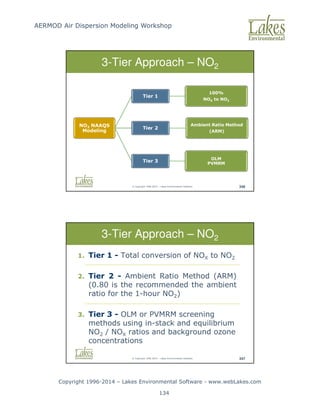
AERMOD Air Dispersion
Modeling Workshop Copyright 1996-2014 – Lakes Environmental Software - www.webLakes.com 130 © Copyright 1996-2014 – Lakes Environmental Software 301 Tanks – Floating Roof © Copyright 1996-2014 – Lakes Environmental Software 302 Tanks – Buildings / Sources Use the Circular Building tool to draw each tank as a building. Use the Point Source tool to specify point sources on each tank according to the schema shown on the next slide.
131.
AERMOD Air Dispersion
Modeling Workshop Copyright 1996-2014 – Lakes Environmental Software - www.webLakes.com 131 © Copyright 1996-2014 – Lakes Environmental Software 303 Storage Tanks Floating Roofs Fixed Roofs 8 point sources around the perimeter of the tank 1 point source at the center of the tank Exit Velocity Stack Diameter Exit Temperature Near zero i.e. 0.001 m/s Near zero i.e. 0.001m Ambient – 0.0 sets models to use ambient temperature © Copyright 1996-2014 – Lakes Environmental Software 304 Example Tanks with Fixed Roofs Tanks with Floating Roofs
132.
AERMOD Air Dispersion
Modeling Workshop Copyright 1996-2014 – Lakes Environmental Software - www.webLakes.com 132 © Copyright 1996-2014 – Lakes Environmental Software 306 Variable Emissions © Copyright 1996-2014 – Lakes Environmental Software 307 Conclusion Questions?
133.
AERMOD Air Dispersion
Modeling Workshop Copyright 1996-2014 – Lakes Environmental Software - www.webLakes.com 133 AERMOD AIR DISPERSION MODELING WORKSHOP © 1996–2014 Lakes Environmental Software NO2 Modeling Options © Copyright 1996-2014 – Lakes Environmental Software 345 NO2 Chemistry Day Time NO2 + Light + O2 = NO + O3 Night Time NO + O3 = NO2 + O2
134.
AERMOD Air Dispersion
Modeling Workshop Copyright 1996-2014 – Lakes Environmental Software - www.webLakes.com 134 © Copyright 1996-2014 – Lakes Environmental Software 346 3-Tier Approach – NO2 NO2 NAAQS Modeling Tier 1 100% NOX to NO2 Tier 2 Ambient Ratio Method (ARM) Tier 3 OLM PVMRM © Copyright 1996-2014 – Lakes Environmental Software 347 3-Tier Approach – NO2 1. Tier 1 - Total conversion of NOX to NO2 2. Tier 2 - Ambient Ratio Method (ARM) (0.80 is the recommended the ambient ratio for the 1-hour NO2) 3. Tier 3 - OLM or PVMRM screening methods using in-stack and equilibrium NO2 / NOX ratios and background ozone concentrations
135.
AERMOD Air Dispersion
Modeling Workshop Copyright 1996-2014 – Lakes Environmental Software - www.webLakes.com 135 © Copyright 1996-2014 – Lakes Environmental Software 348 OLM PVMRM 1. For OLM, must use OLM Group ALL for combining plumes. 2. Default In-Stack NO2 / NOX Ratio = 0.5 can be used in the absence of more detailed information. 3. PVMRM may not be as good as OLM for low level sources. © Copyright 1996-2014 – Lakes Environmental Software 349 NO2 Options: Default Select Pollutant NO2 Choose Tier 1 or Tier 2 analysis
136.
AERMOD Air Dispersion
Modeling Workshop Copyright 1996-2014 – Lakes Environmental Software - www.webLakes.com 136 © Copyright 1996-2014 – Lakes Environmental Software 350 NO2 Options: Non-Default Select Pollutant NO2 Enable Non-Default model option Select desired tier and modeling option Add background ozone data for Tier 3 © Copyright 1996-2014 – Lakes Environmental Software 352 AERMOD View - NO2 Options Step 3: If in USA: Select the US EPA 1-HR NO2 NAAQS Step 3: If Outside USA: Disable US NAAQS Special Processing Step 2: Averaging Period Specify 1-Hour Step 1: Pollutant Select NO2
137.
AERMOD Air Dispersion
Modeling Workshop Copyright 1996-2014 – Lakes Environmental Software - www.webLakes.com 137 AERMOD AIR DISPERSION MODELING WORKSHOP © 1996–2014 Lakes Environmental Software Detailed Project © Copyright 1996-2014 – Lakes Environmental Software 369 The Task 1. You are a consultant for OilCo Refineries. 2. You need to conduct an air dispersion model for benzene.
138.
AERMOD Air Dispersion
Modeling Workshop Copyright 1996-2014 – Lakes Environmental Software - www.webLakes.com 138 © Copyright 1996-2014 – Lakes Environmental Software 370 Source Types Included 1. Furnaces, Boilers and Exhausts (point) 2. Tanks 3. Roads (line) 4. Fugitive release from pipes (volume) © Copyright 1996-2014 – Lakes Environmental Software 371 AERMOD and Line Sources 1. Roads are line sources. 2. AERMOD does not model line sources directly. 3. A line source can be approximated by a series of volume or area sources.
139.
AERMOD Air Dispersion
Modeling Workshop Copyright 1996-2014 – Lakes Environmental Software - www.webLakes.com 139 © Copyright 1996-2014 – Lakes Environmental Software 372 Line Source Tools Creates a series of volume or area sources Line Area Sources Line Volume Sources © Copyright 1996-2014 – Lakes Environmental Software 373 Mixing Zone The width of the volume sources should cover the road + 3m either side
140.
AERMOD Air Dispersion
Modeling Workshop Copyright 1996-2014 – Lakes Environmental Software - www.webLakes.com 140 © Copyright 1996-2014 – Lakes Environmental Software 374 Vertical Dimension Vertical dimension: 1.7 x vehicle height Typical heights: Car: 1.5m x 1.7 = 2.55m Truck: 3m x 1.7 = 5.1m Note: 1.7 is the recommended factor in the Haul Road Workgroup Final Report (March 2012) available at SCRAM web site. © Copyright 1996-2014 – Lakes Environmental Software 375 Initial Vertical Dimension Initial Vertical Dimension = σz0 Vertical Dimension / 2.15 (surface-based)
141.
AERMOD Air Dispersion
Modeling Workshop Copyright 1996-2014 – Lakes Environmental Software - www.webLakes.com 141 © Copyright 1996-2014 – Lakes Environmental Software 376 Fugitive Releases 1. A network of pipes creates emissions over a volume 2. Use volume sources © Copyright 1996-2014 – Lakes Environmental Software 377 Sources 1. You can input them manually if you wish 2. They can also be imported from a partial input file - OilCo_Sources.p1 3. C:Course_AERMODCase_OilCoOther
142.
AERMOD Air Dispersion
Modeling Workshop Copyright 1996-2014 – Lakes Environmental Software - www.webLakes.com 142 © Copyright 1996-2014 – Lakes Environmental Software 379 Objective 1. Work with: a. Line Sources b. Area Sources c. Volume Sources d. Source Groups 2. Import Sources © Copyright 1996-2014 – Lakes Environmental Software 380 Hands-On Detailed Project Follow Course Notes – Chapter 5 1. Start AERMOD View 2. New Project Name: OilCo.isc 3. Save Project In: C:Course_AERMODCase_OilCo 4. Data Files: …Case_OilCoMet …Case_OilCoBase_Maps …Case_OilCoTerrain 30 min
143.
AERMOD Air Dispersion
Modeling Workshop Copyright 1996-2014 – Lakes Environmental Software - www.webLakes.com 143 © Copyright 1996-2014 – Lakes Environmental Software 382 Conclusion Oil Co Questions? AERMOD AIR DISPERSION MODELING WORKSHOP © 1996–2014 Lakes Environmental Software Multi-Chem
144.
AERMOD Air Dispersion
Modeling Workshop Copyright 1996-2014 – Lakes Environmental Software - www.webLakes.com 144 © Copyright 1996-2014 – Lakes Environmental Software 384 Unit Emission Concept © Copyright 1996-2014 – Lakes Environmental Software 385 Summation Concept
145.
AERMOD Air Dispersion
Modeling Workshop Copyright 1996-2014 – Lakes Environmental Software - www.webLakes.com 145 © Copyright 1996-2014 – Lakes Environmental Software 386 Multi-Chemical © Copyright 1996-2014 – Lakes Environmental Software 387 Batcher
146.
AERMOD Air Dispersion
Modeling Workshop Copyright 1996-2014 – Lakes Environmental Software - www.webLakes.com 146 © Copyright 1996-2014 – Lakes Environmental Software 388 Instructor Demonstration Multi-Chemical Run © Copyright 1996-2014 – Lakes Environmental Software 389 Objective Work with: 1. Multi-Chemical 2. Practice Options
147.
AERMOD Air Dispersion
Modeling Workshop Copyright 1996-2014 – Lakes Environmental Software - www.webLakes.com 147 © Copyright 1996-2014 – Lakes Environmental Software 390 Hands-On Multi-Chem Follow Course Notes – Chapter 6 1. Start AERMOD View 2. Open project created in Chapter 2/3: Case_Terrain.isc 3. Project Location: C:Course_AERMODCase_TerrainCase_Terrain 4. Use Multi-Chemical Utility 20 min © Copyright 1996-2014 – Lakes Environmental Software 392 Multi-Chem Conclusion Viewing results
148.
AERMOD Air Dispersion
Modeling Workshop Copyright 1996-2014 – Lakes Environmental Software - www.webLakes.com 148 © Copyright 1996-2014 – Lakes Environmental Software 393 Conclusion Multi-Chem Questions? AERMOD AIR DISPERSION MODELING WORKSHOP © 1996–2014 Lakes Environmental Software Wet and Dry Deposition
149.
AERMOD Air Dispersion
Modeling Workshop Copyright 1996-2014 – Lakes Environmental Software - www.webLakes.com 149 © Copyright 1996-2014 – Lakes Environmental Software 395 Physics of Deposition Particle Information: Diameter Density Particle Suspension Drag C Area D ≅ • Weight g Volume ≅ • • ρ © Copyright 1996-2014 – Lakes Environmental Software 396 Dry Wet Deposition
150.
AERMOD Air Dispersion
Modeling Workshop Copyright 1996-2014 – Lakes Environmental Software - www.webLakes.com 150 © Copyright 1996-2014 – Lakes Environmental Software 397 Deposition Data SO Pathway – Gas Particle Data © Copyright 1996-2014 – Lakes Environmental Software 398 Particle Size Distributions US EPA AP-42: Appendix B.2 1. “Generic” particle size distributions 2. Examples: Internal Combustion Engines (Gasoline/Diesel Fuels) External Combustion (Mixed Fuels) Fugitive Aggregates, etc.
151.
AERMOD Air Dispersion
Modeling Workshop Copyright 1996-2014 – Lakes Environmental Software - www.webLakes.com 151 © Copyright 1996-2014 – Lakes Environmental Software 399 AP-42 Generic Distribution Example: Exhaust Emissions (Tailpipe Emissions) Source: AP-42, Appendix B.2, Table B.2.2 Calculated Mass Fractions for AERMOD © Copyright 1996-2014 – Lakes Environmental Software 400 Deposition Flux Deposition Unit: g/m2/year
152.
AERMOD Air Dispersion
Modeling Workshop Copyright 1996-2014 – Lakes Environmental Software - www.webLakes.com 152 © Copyright 1996-2014 – Lakes Environmental Software 401 Hands-On Deposition Follow Course Notes – Chapter 7 1. Start AERMOD View 2. Open Project Terrain.isc and Save As: Depos.isc 3. Project Location: C:Course_AERMODCase_Depos 4. Run AERMOD with Deposition options 20 min © Copyright 1996-2014 – Lakes Environmental Software 403 Deposition Results
153.
AERMOD Air Dispersion
Modeling Workshop Copyright 1996-2014 – Lakes Environmental Software - www.webLakes.com 153 © Copyright 1996-2014 – Lakes Environmental Software 404 Deposition Conclusion Questions? © Copyright 1996-2014 – Lakes Environmental Software 405 Hands-On Mining Project Follow Course Notes – Chapter 8 1. Start AERMOD View 2. New Project Name: Rosemont.isc 3. Save Project In: C:Course_AERMODCase_Mine 4. Data Files: …Case_MineMet …Case_MineTerrain 30 min
154.
AERMOD Air Dispersion
Modeling Workshop Copyright 1996-2014 – Lakes Environmental Software - www.webLakes.com 154 © Copyright 1996-2014 – Lakes Environmental Software 406 Hands-On Mining Project Objectives ● Modeling mining operations ● Work with open pit, volume, and line sources AERMOD AIR DISPERSION MODELING WORKSHOP © 1996–2014 Lakes Environmental Software Additional Course Resources
155.
AERMOD Air Dispersion
Modeling Workshop Copyright 1996-2014 – Lakes Environmental Software - www.webLakes.com 155 © Copyright 1996-2014 – Lakes Environmental Software 408 Future Air Modeling Topics Long Range Transport CALPUFF SCIPUFF AUSTAL2000 Particle Model Risk Assessment Human Health Risk Ecological Risk Residual Risk © Copyright 1996-2014 – Lakes Environmental Software 409 ADM Resources FREE MODELING RESOURCES www.webMET.com www.webGIS.com www.webLAKES.com
156.
AERMOD Air Dispersion
Modeling Workshop Copyright 1996-2014 – Lakes Environmental Software - www.webLakes.com 156 © Copyright 1996-2014 – Lakes Environmental Software 410 ADM Resources US EPA SCRAM www.epa.gov/scram001 © Copyright 1996-2014 – Lakes Environmental Software 411 Example Guidance Ontario MOE Air Dispersion Modelling Guidance Prepared by Lakes Environmental http://www.ene.gov.on.ca/publications/6830e.pdf Helpful modeling advice
157.
AERMOD Air Dispersion
Modeling Workshop Copyright 1996-2014 – Lakes Environmental Software - www.webLakes.com 157 © Copyright 1996-2014 – Lakes Environmental Software 412 Course Material Course Notes Case studies Course CD Case studies data files Modeling resources Screen View WRPLOT View © Copyright 1996-2014 – Lakes Environmental Software 413 Course Slides Course Presentation: Two color slides per page available in the Course CD.
158.
AERMOD Air Dispersion
Modeling Workshop Copyright 1996-2014 – Lakes Environmental Software - www.webLakes.com 158 © Copyright 1996-2014 – Lakes Environmental Software 418 Closure Thank You All !!! Jesse L. Thé Cris L. Thé support@webLakes.com
Download





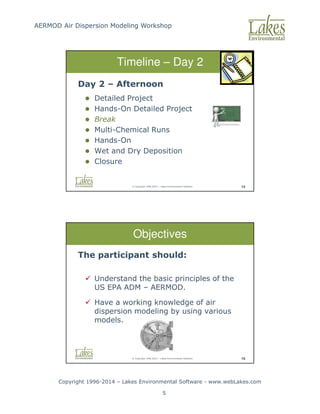

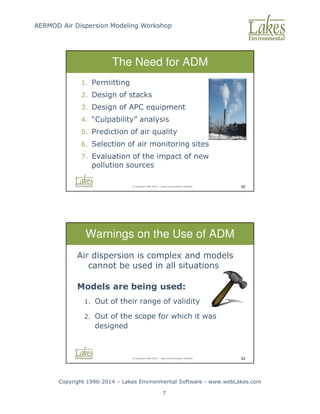
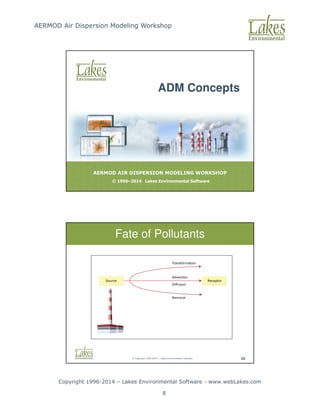
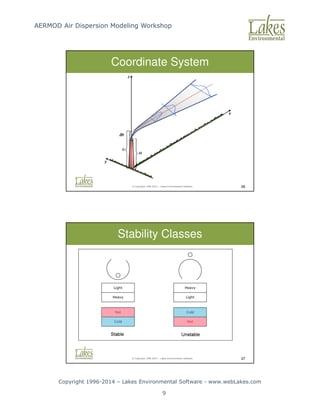
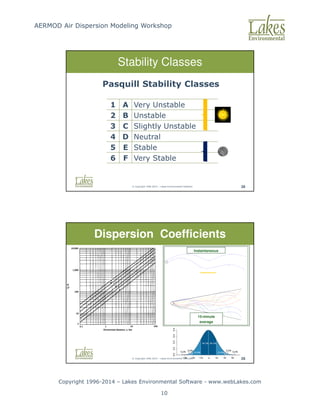
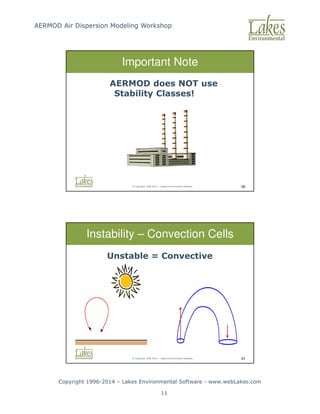
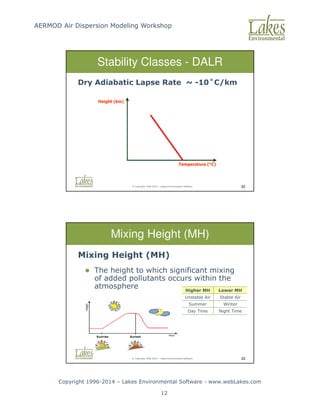
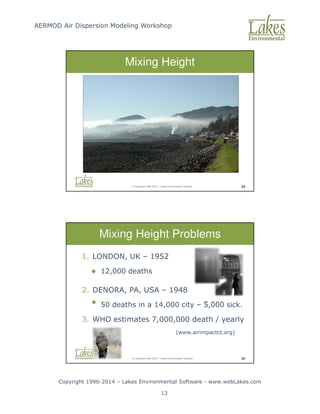
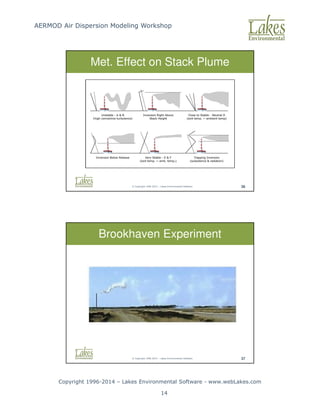
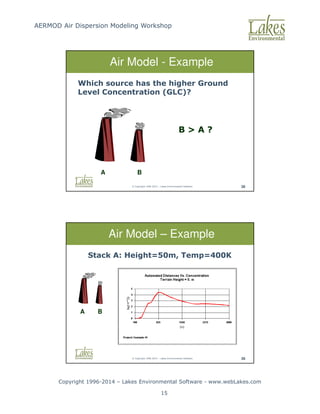
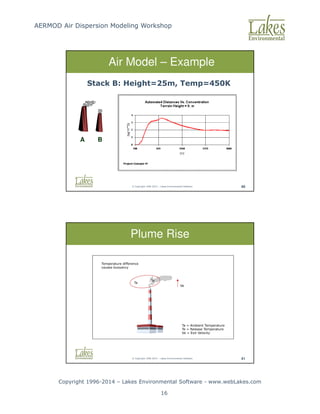
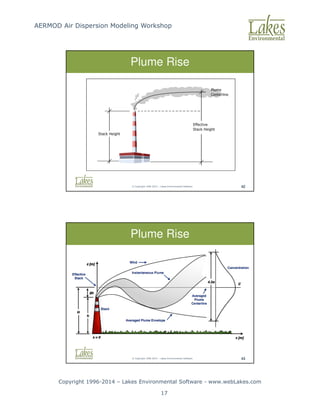
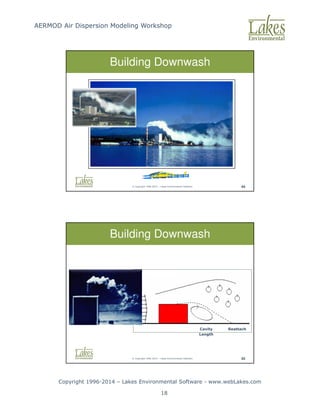
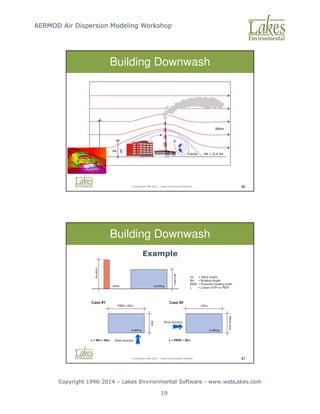
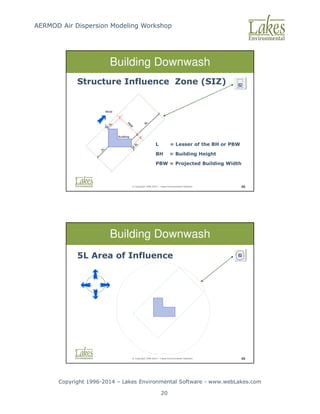
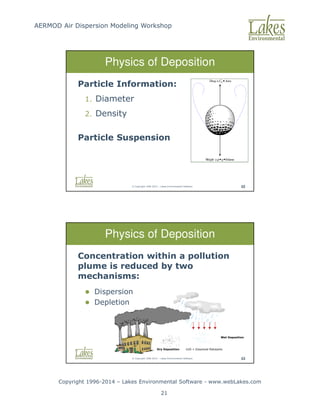
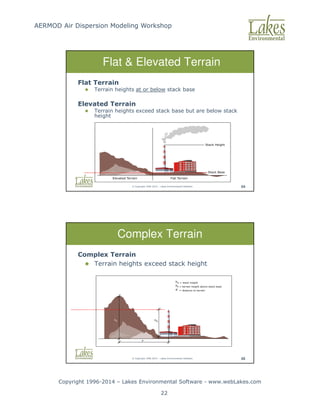
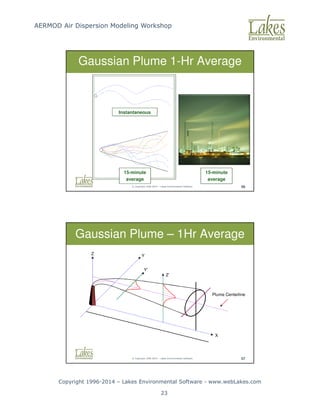
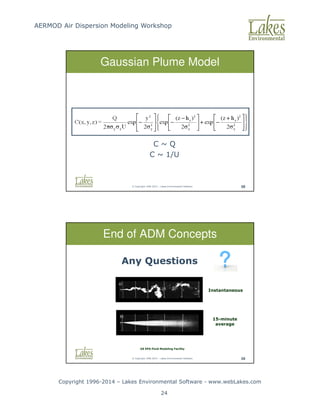
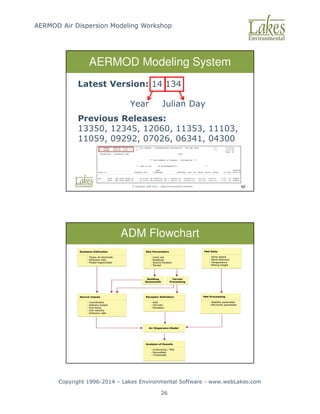
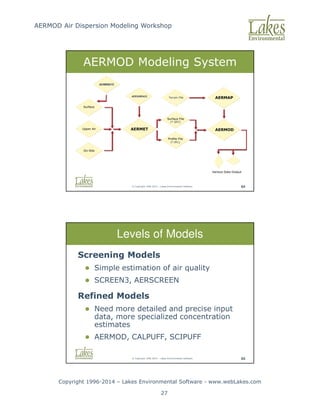
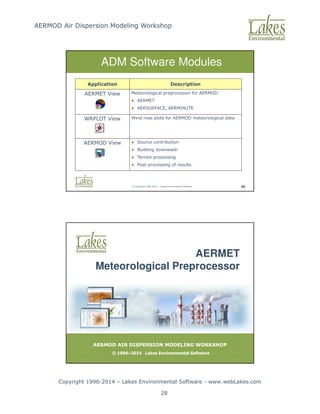
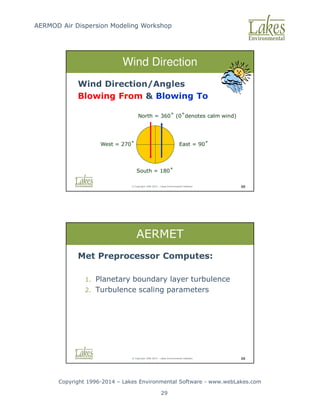
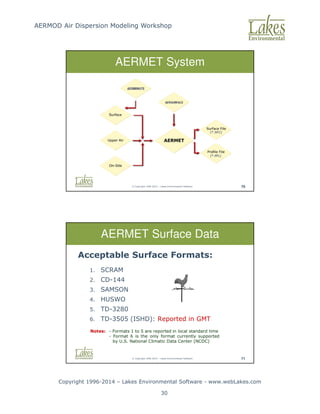
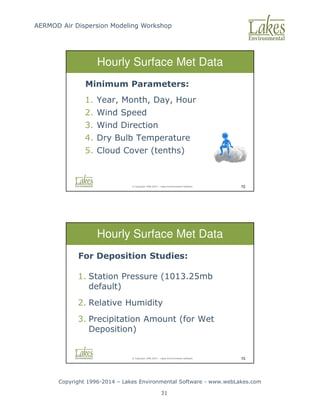
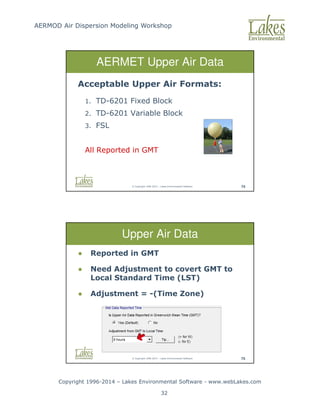
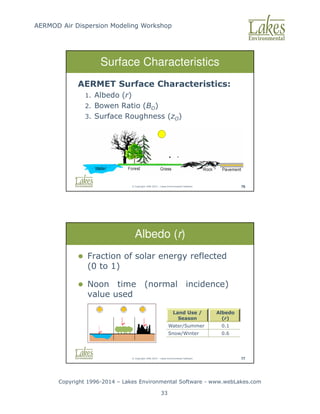
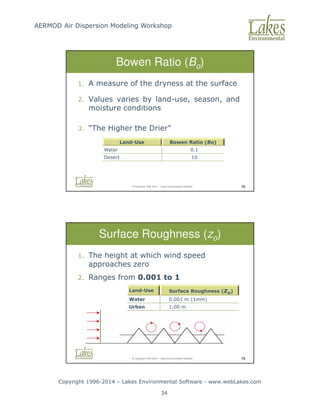
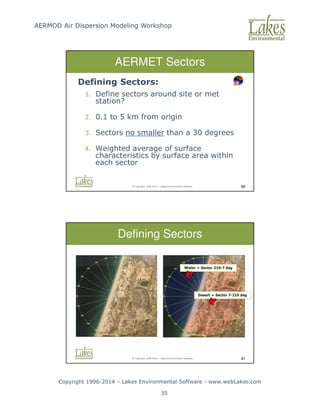
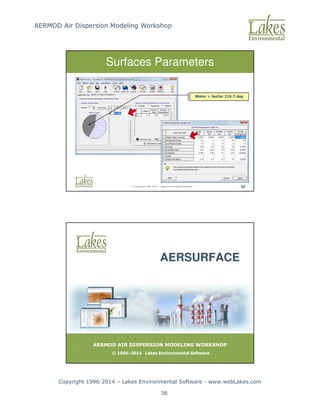
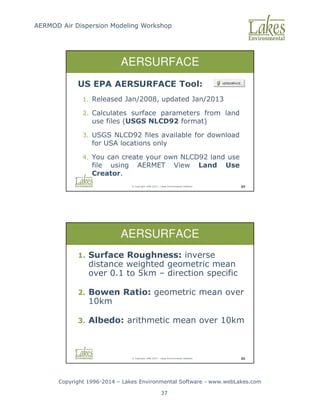
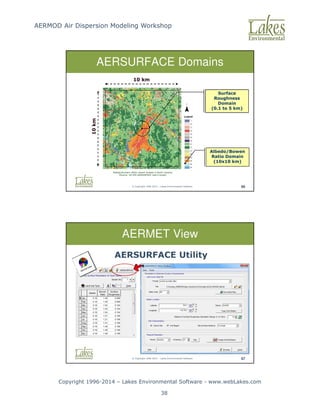
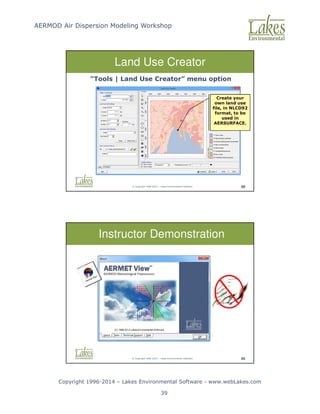

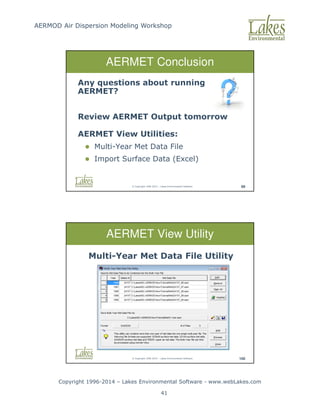
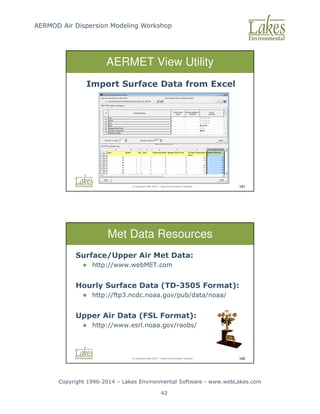
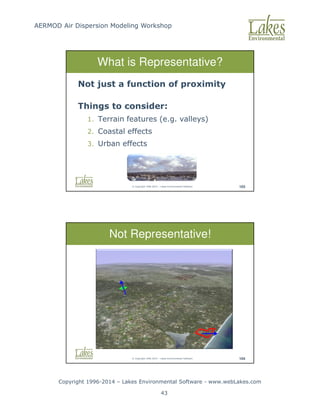
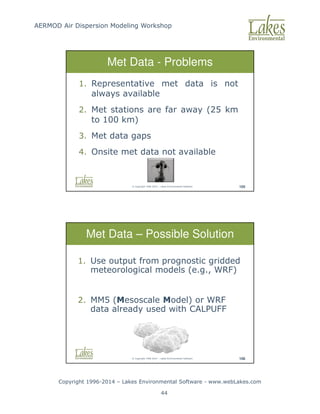
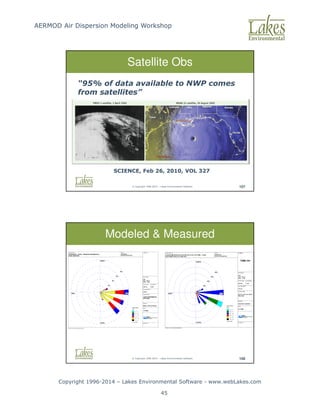
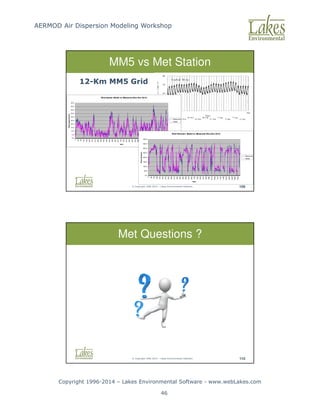

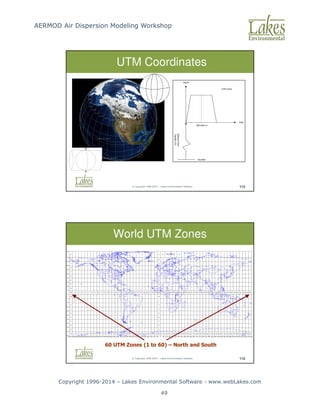
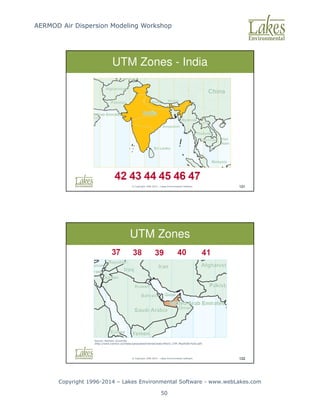
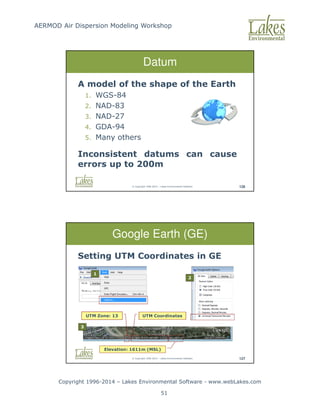
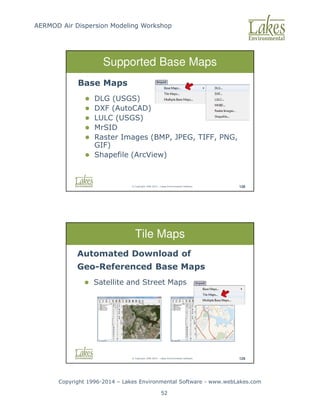
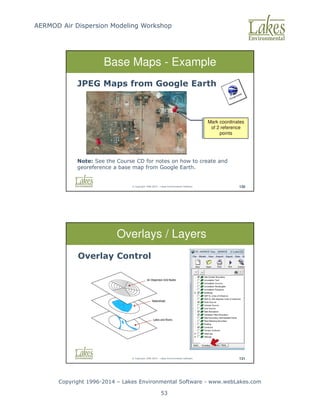
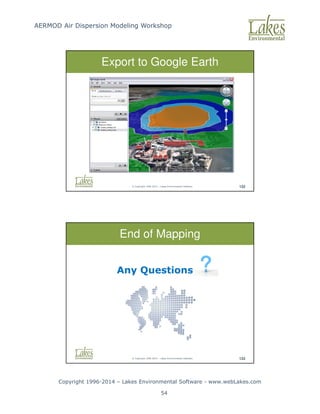
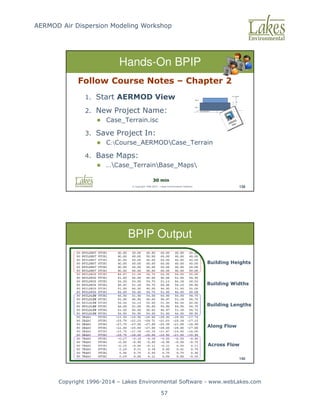
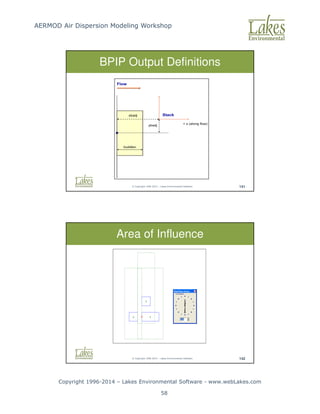
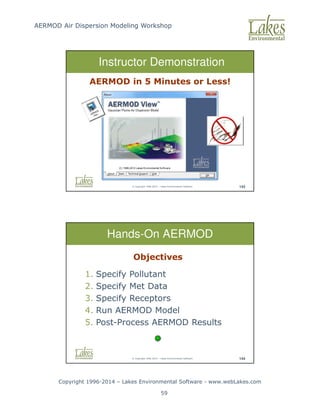


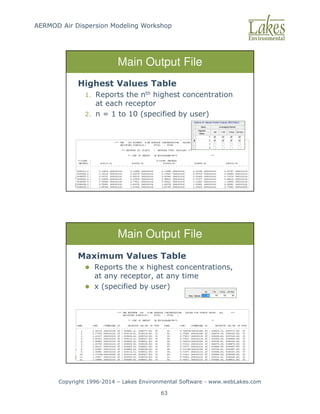
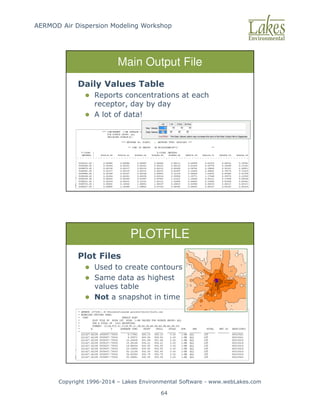
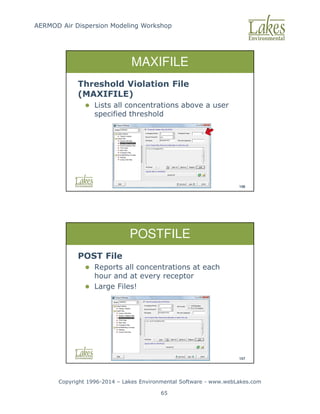
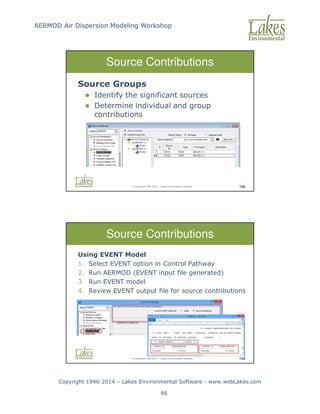
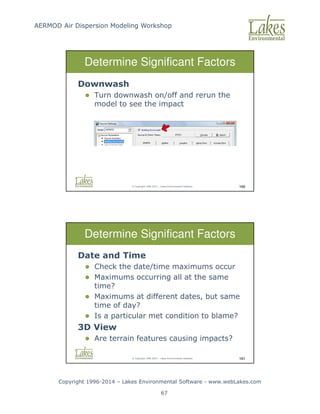
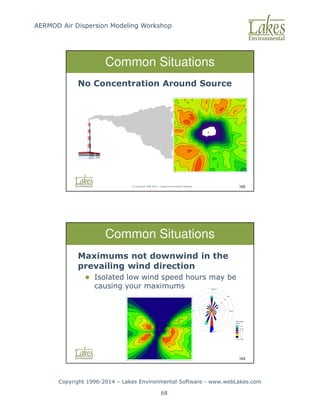
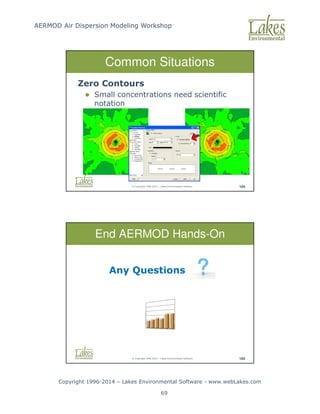
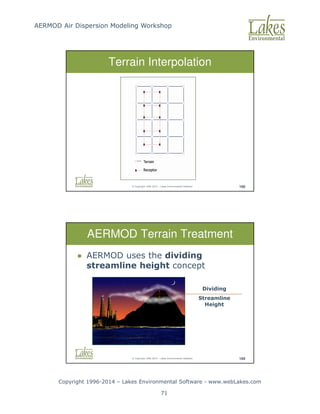
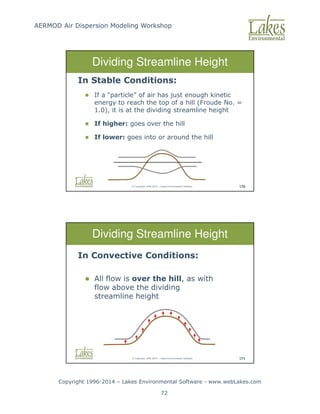
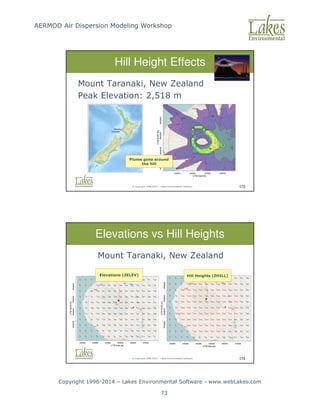
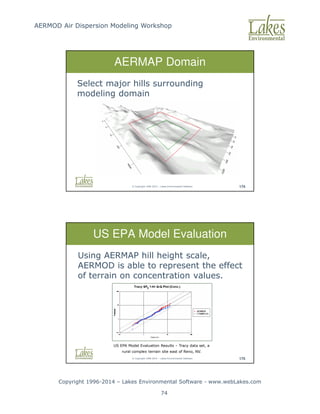
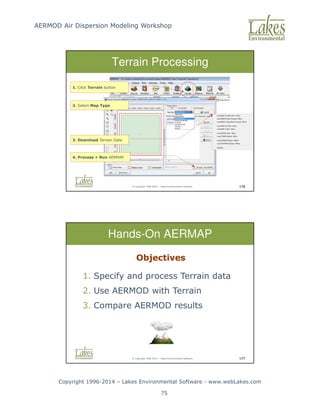
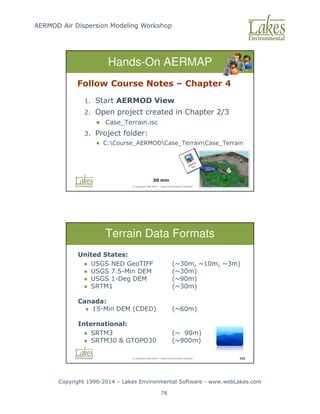
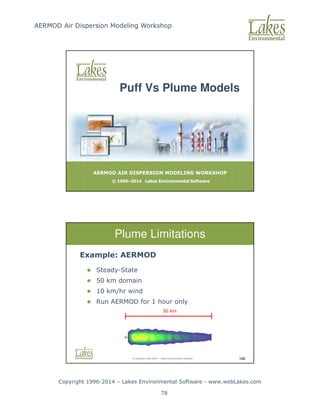
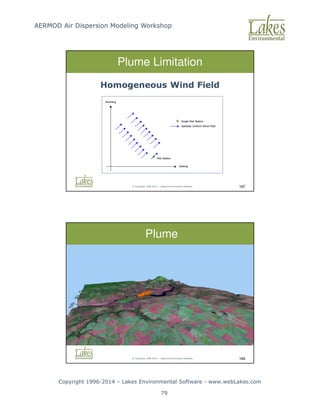
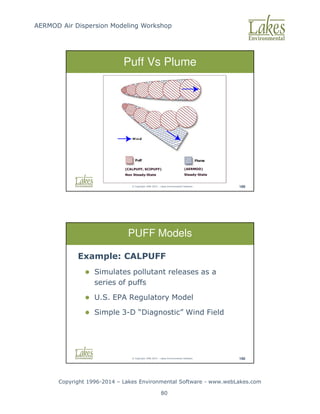
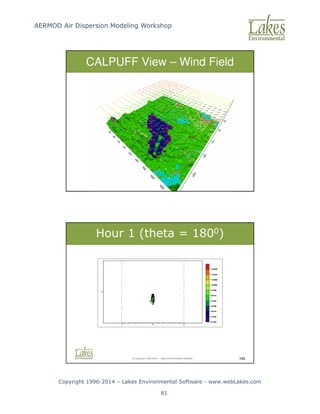
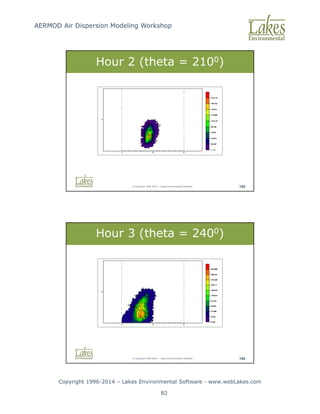
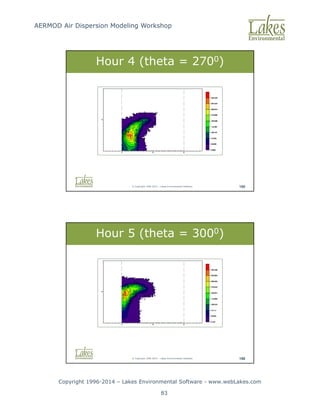
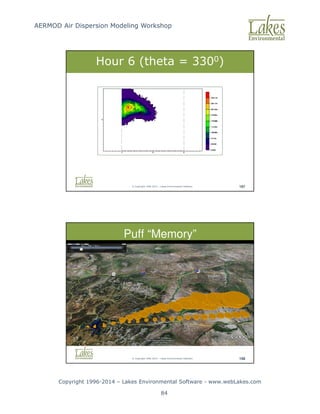
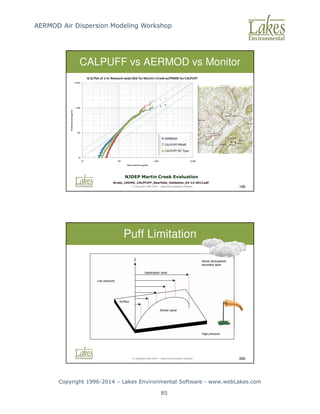
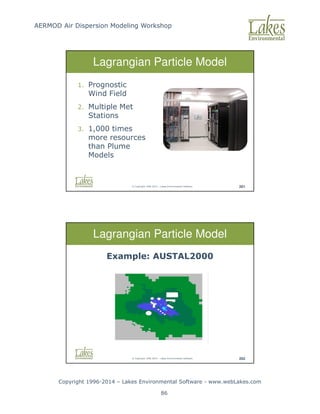
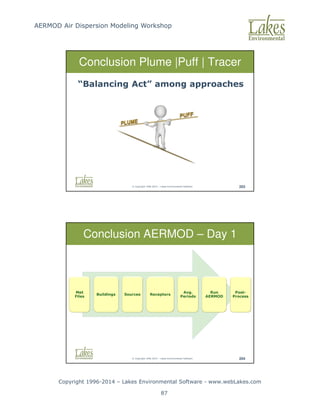

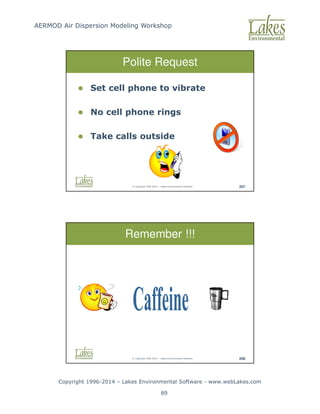
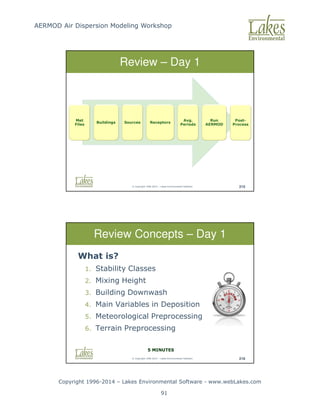

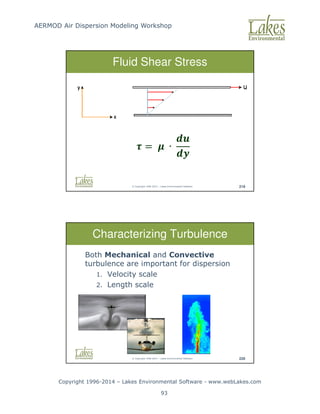
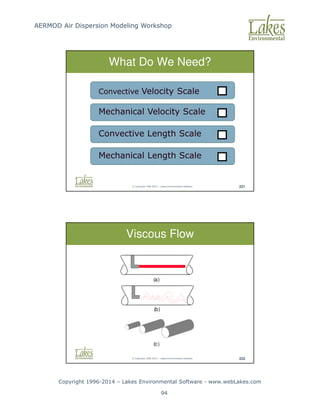
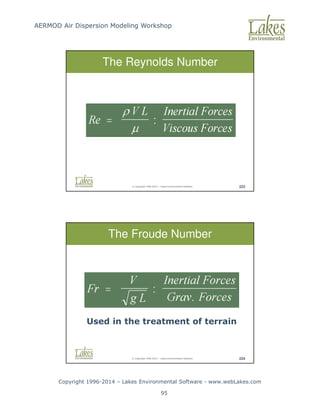
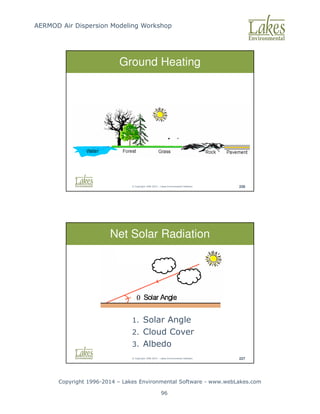
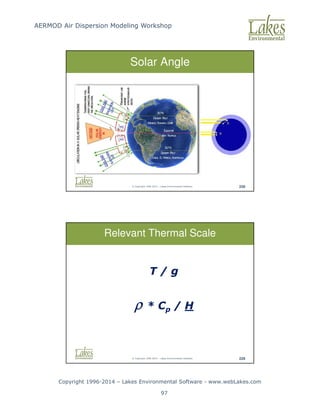
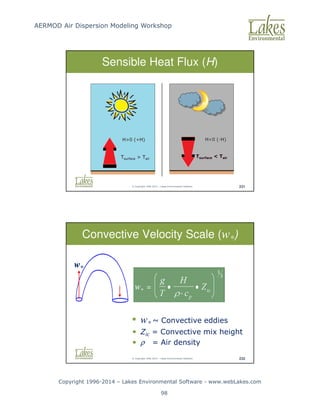
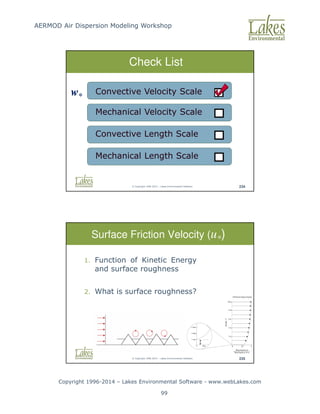
![AERMOD Air Dispersion Modeling Workshop
Copyright 1996-2014 – Lakes Environmental Software - www.webLakes.com
100
© Copyright 1996-2014 – Lakes Environmental Software 238
Check List
Mechanical Velocity Scale
Convective Velocity Scale
Convective Length Scale
Mechanical Length Scale
w*
U*
© Copyright 1996-2014 – Lakes Environmental Software 239
L* = Monin-Obukhov Length [m]
k = Von Karman’s Constant [0.4]
u* = Friction Velocity [m/s]
Monin-Obukhov Length (L*)
∗ = −
∗](https://image.slidesharecdn.com/lakesaermodcourseslides-251119141528-c754f697/85/AERMOD-Air-Dispersion-Modeling-Workshop-Lakes_AERMOD_Course_Slides-pdf-100-320.jpg)
![AERMOD Air Dispersion Modeling Workshop
Copyright 1996-2014 – Lakes Environmental Software - www.webLakes.com
101
© Copyright 1996-2014 – Lakes Environmental Software 241
L* - Unstable Atmosphere
|L|
|L|
Slightly
Convective
[C]
Very
Convective
[A]
© Copyright 1996-2014 – Lakes Environmental Software 242
L* - Stable Atmosphere
|L|
|L|
Slightly
Stable
[E]
Very
Stable
[F]](https://image.slidesharecdn.com/lakesaermodcourseslides-251119141528-c754f697/85/AERMOD-Air-Dispersion-Modeling-Workshop-Lakes_AERMOD_Course_Slides-pdf-101-320.jpg)
![AERMOD Air Dispersion Modeling Workshop
Copyright 1996-2014 – Lakes Environmental Software - www.webLakes.com
102
© Copyright 1996-2014 – Lakes Environmental Software 243
Monin-Obukhov Length
Roughness [m] ~ L* [m] Stability Class
0.1 -12.5 A (Very Unstable)
-25 B (Unstable)
-65 C (Slightly Unstable)
-- D (Neutral)
+65 E (Stable)
+30 F (Very Stable)
Roughness [m] ~ L* [m] Stability Class
0.5 -16 A (Very Unstable)
-50 B (Unstable)
-100 C (Slightly Unstable)
-- D (Neutral)
+100 E (Stable)
+50 F (Very Stable)
© Copyright 1996-2014 – Lakes Environmental Software 244
Check List
Mechanical Velocity Scale
Convective Velocity Scale
Convective Length Scale
Mechanical Length Scale
w*
U*
L*
L*](https://image.slidesharecdn.com/lakesaermodcourseslides-251119141528-c754f697/85/AERMOD-Air-Dispersion-Modeling-Workshop-Lakes_AERMOD_Course_Slides-pdf-102-320.jpg)
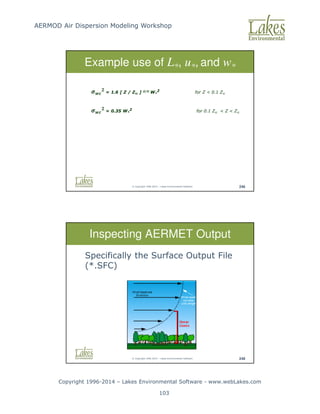
![AERMOD Air Dispersion Modeling Workshop
Copyright 1996-2014 – Lakes Environmental Software - www.webLakes.com
104
© Copyright 1996-2014 – Lakes Environmental Software 249
Sensible Heat Flux and Monin-Obukhov Length
A Look at AERMET Output
[H] [L*]
© Copyright 1996-2014 – Lakes Environmental Software 250
A Look at AERMET Output
Surface Friction Velocity (u*) and Wind Speed
[U*] [W*]](https://image.slidesharecdn.com/lakesaermodcourseslides-251119141528-c754f697/85/AERMOD-Air-Dispersion-Modeling-Workshop-Lakes_AERMOD_Course_Slides-pdf-104-320.jpg)

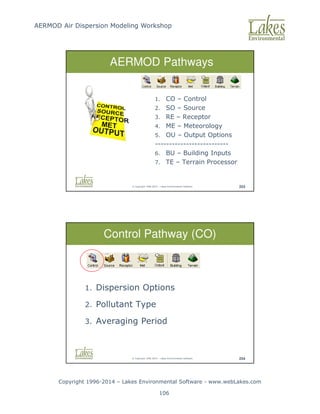
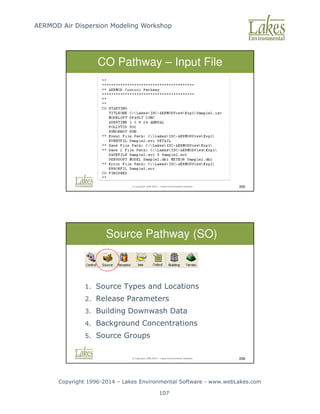
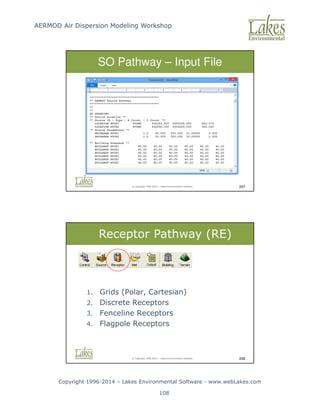
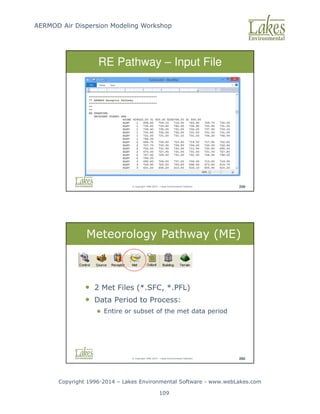
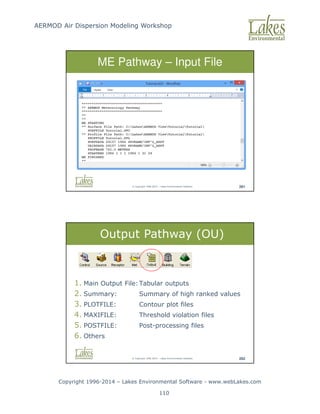
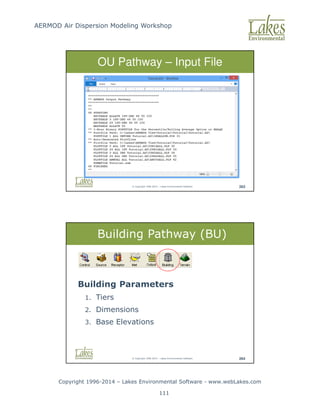

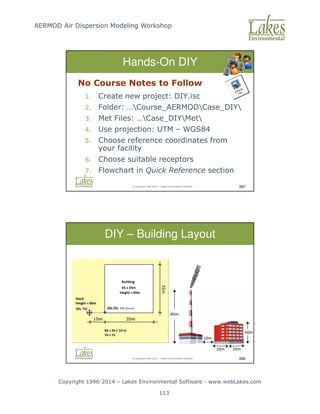
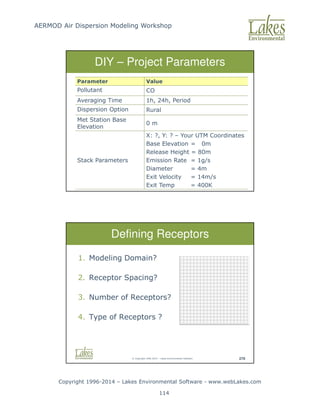
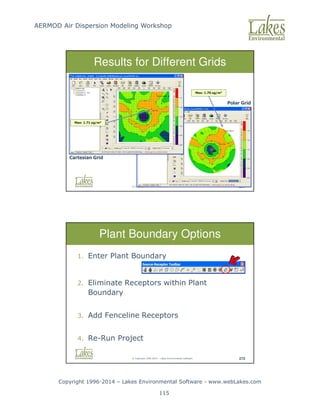
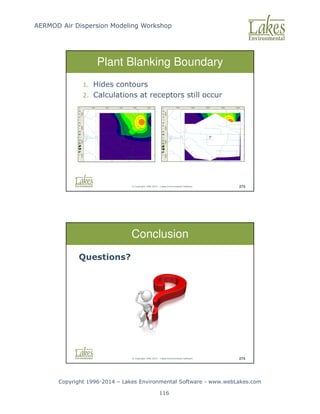

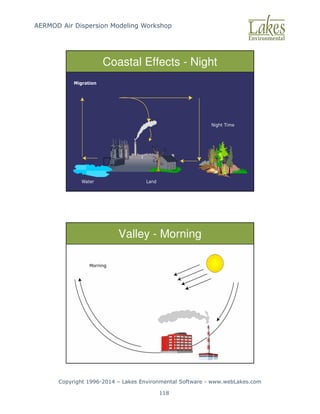
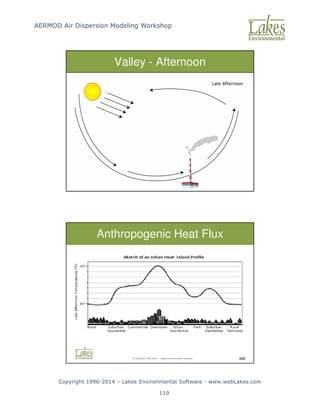
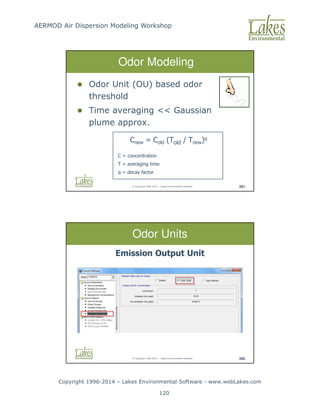
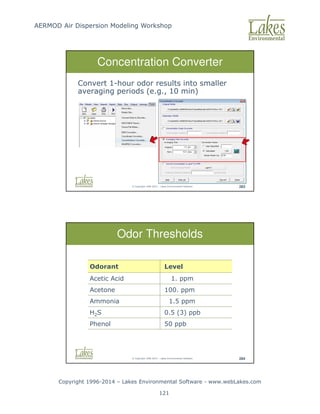
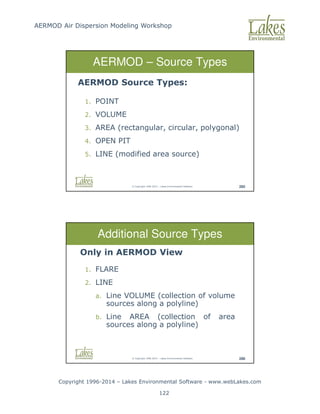
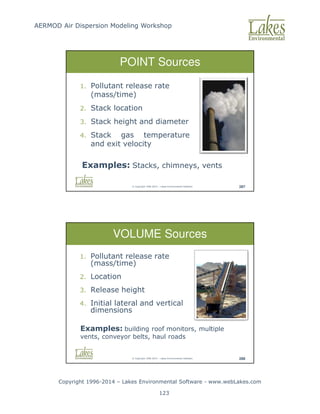
![AERMOD Air Dispersion Modeling Workshop
Copyright 1996-2014 – Lakes Environmental Software - www.webLakes.com
124
© Copyright 1996-2014 – Lakes Environmental Software 289
AREA Sources
Area Sources: low level or ground level releases
with no plume rise (plume meander not
implemented)
1. Pollutant release rate (mass/time/area) [g/s/m2]
2. Release height
3. Location and dimensions
4. Initial plume vertical dimension (optional)
Examples: material storage
piles, forest fires, landfills,
waste lagoons
© Copyright 1996-2014 – Lakes Environmental Software 290
OPEN PIT Sources
Open Pit Sources: used to model particulate
emissions from open pits (no plume rise)
1. Pollutant release rate (mass/time/area)
2. Average release height,
3. Dimensions and volume,
4. Orientation angle
Examples: surface mines and
quarries](https://image.slidesharecdn.com/lakesaermodcourseslides-251119141528-c754f697/85/AERMOD-Air-Dispersion-Modeling-Workshop-Lakes_AERMOD_Course_Slides-pdf-124-320.jpg)