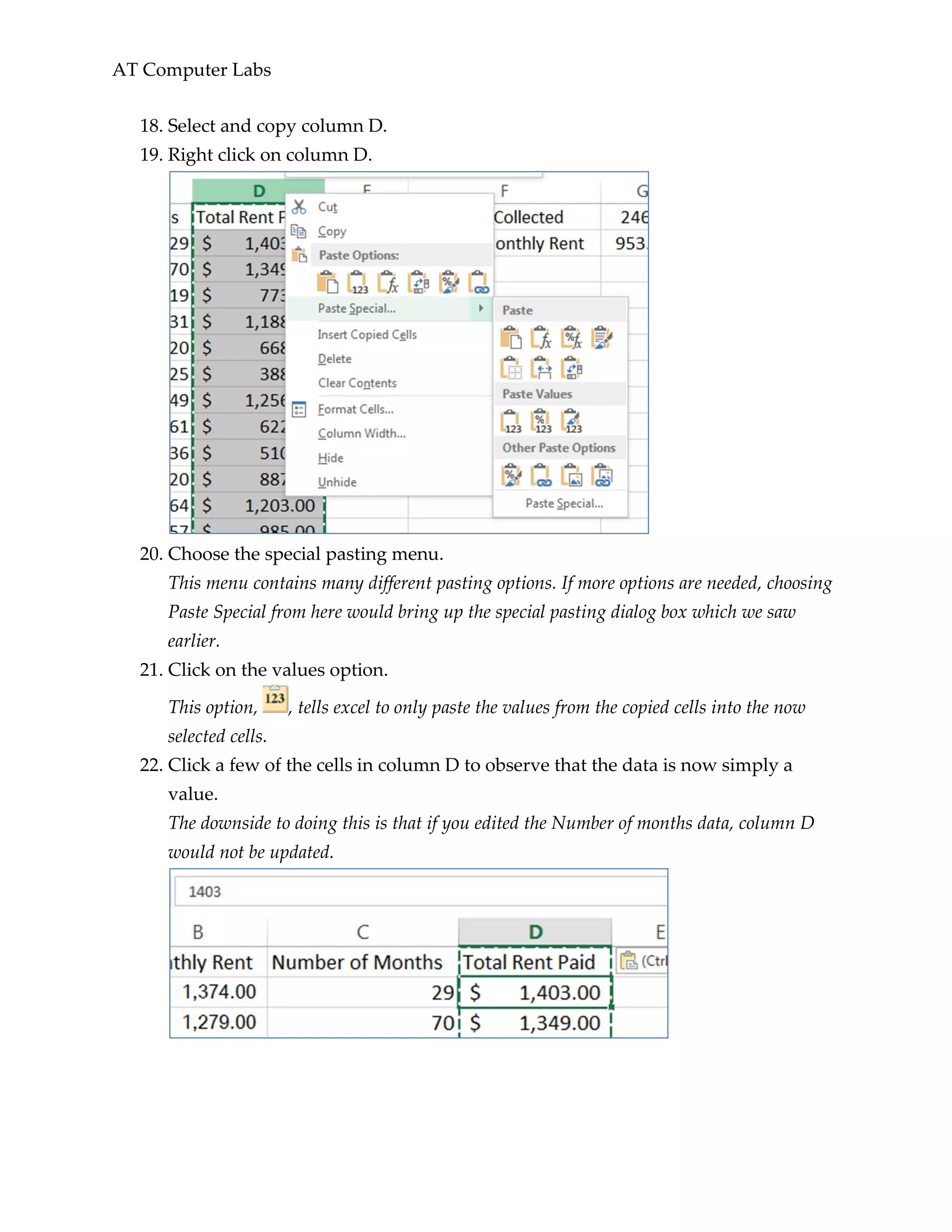
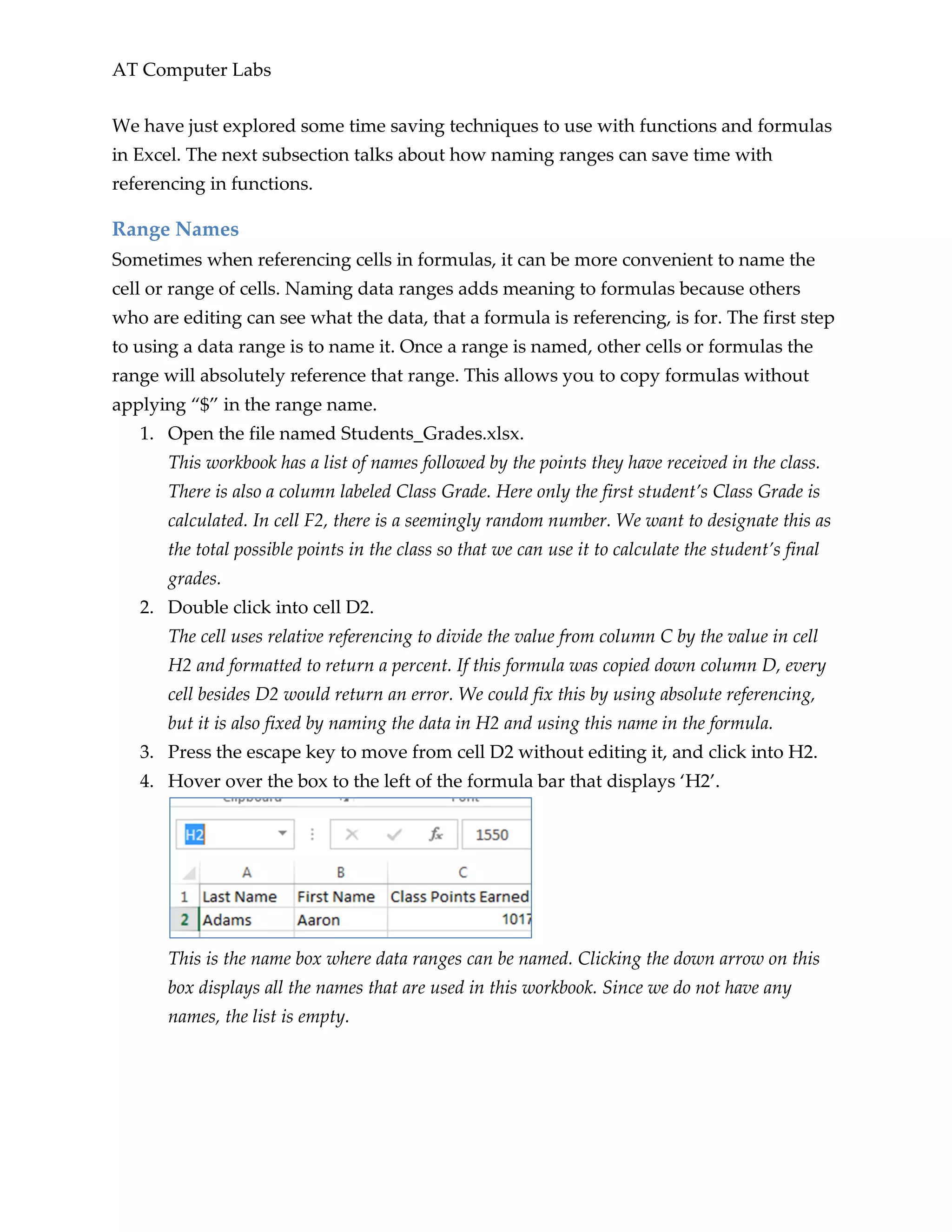
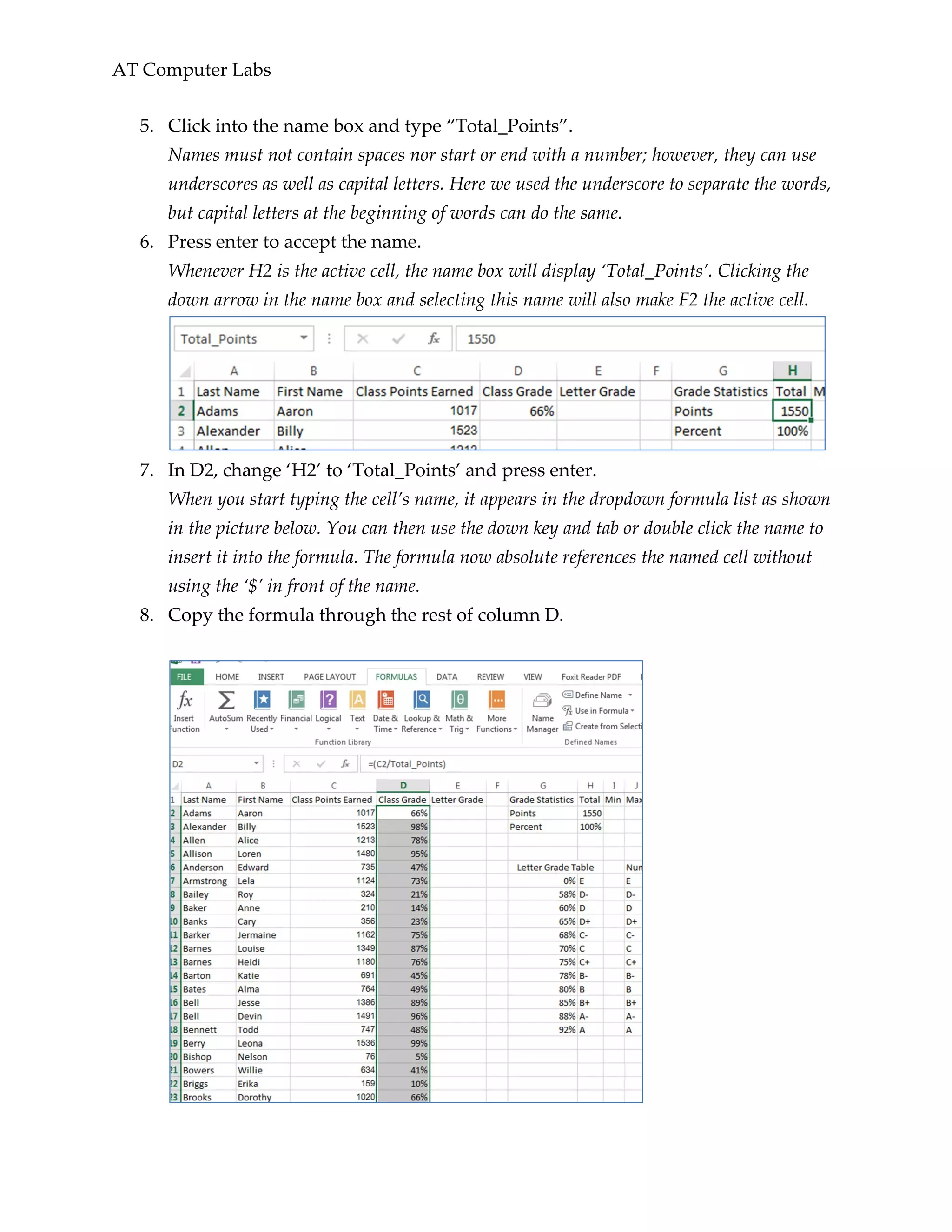
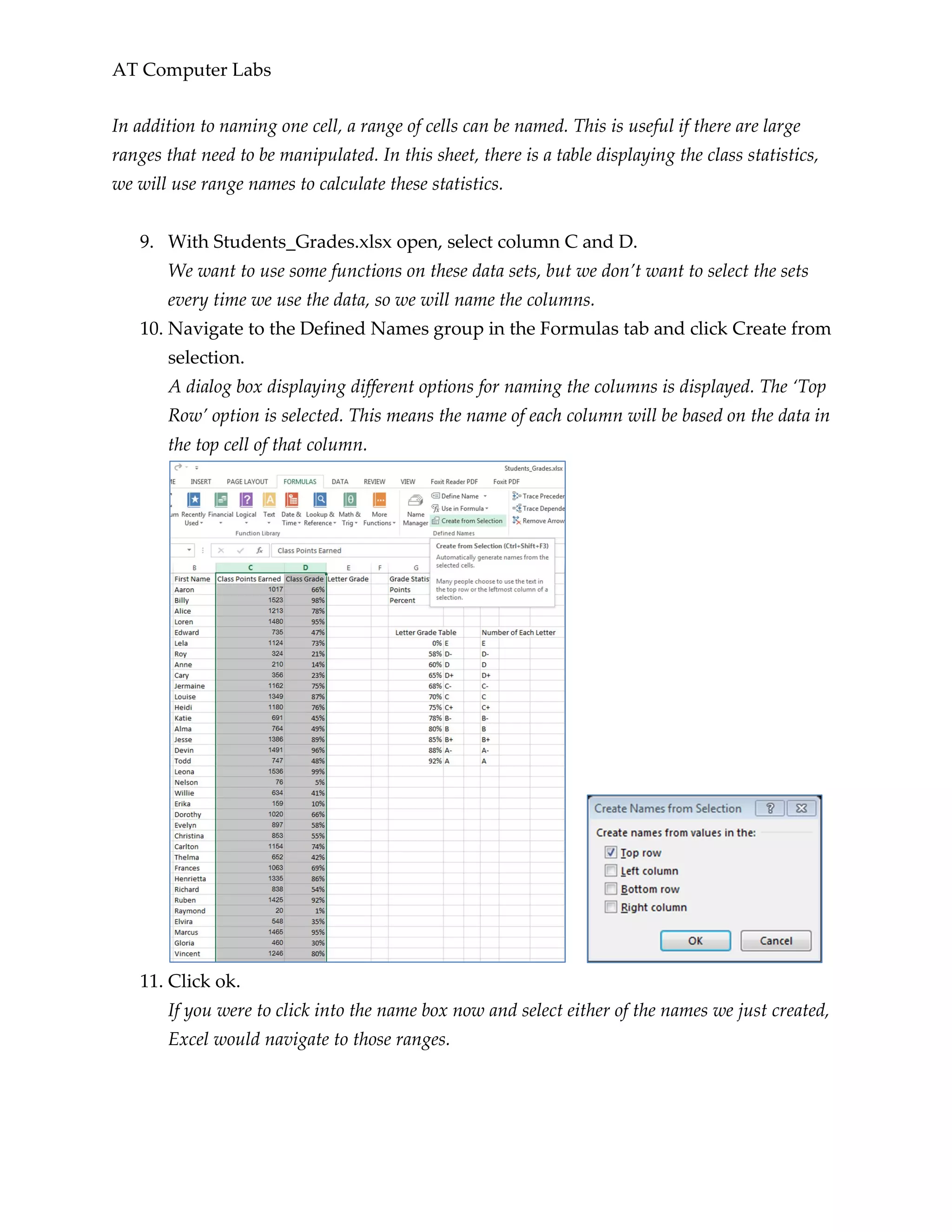
This document provides an introduction to an advanced Microsoft Excel lesson. It discusses learning advanced customization and formatting features to allow for easier data manipulation and organization. The objectives covered include learning how to customize the Excel interface, use advanced formatting techniques, reference across sheets, use advanced formulas and data ranges, and apply data validation. The lesson then covers customizing the ribbon interface and status bar, navigating between windows and using panes, and referencing cells across different sheets.
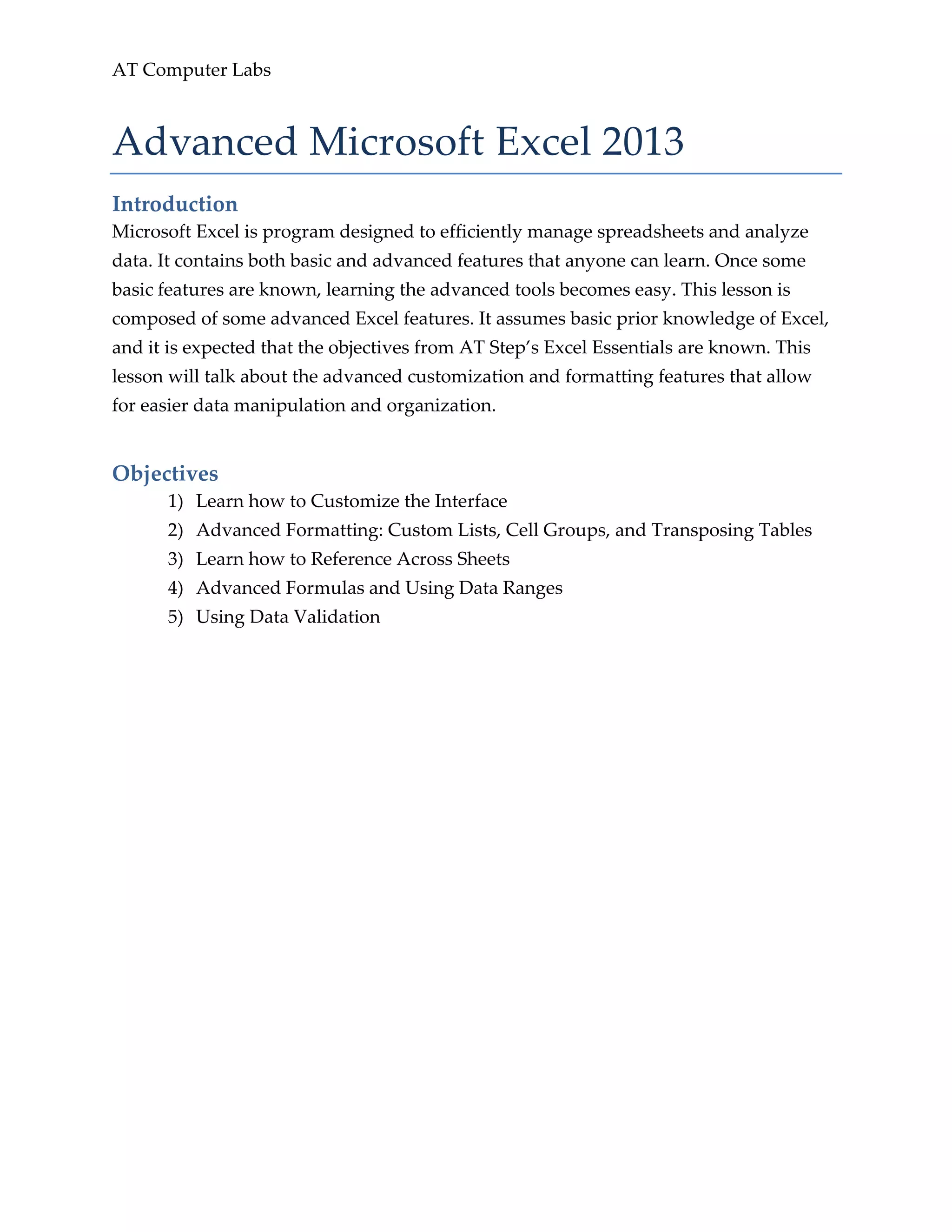
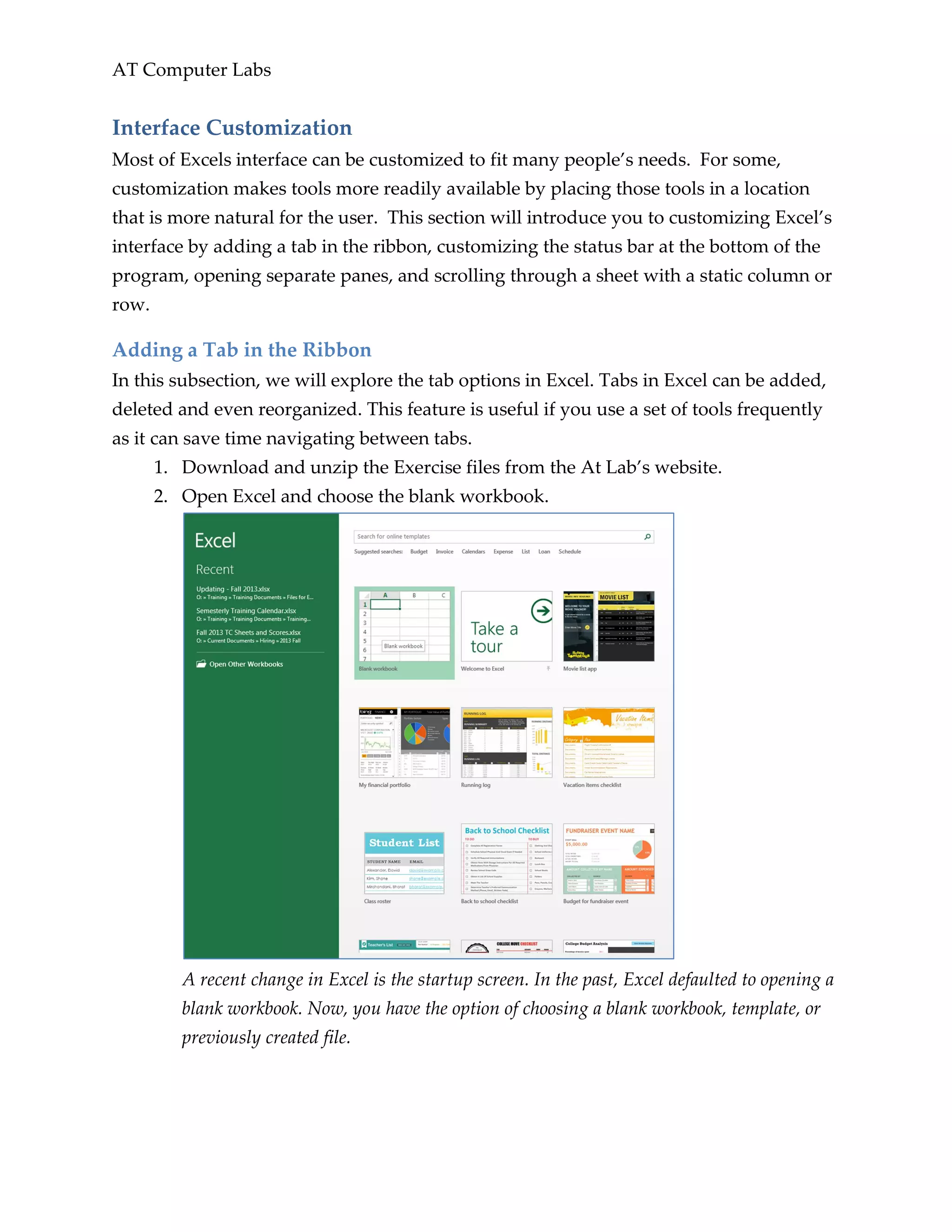
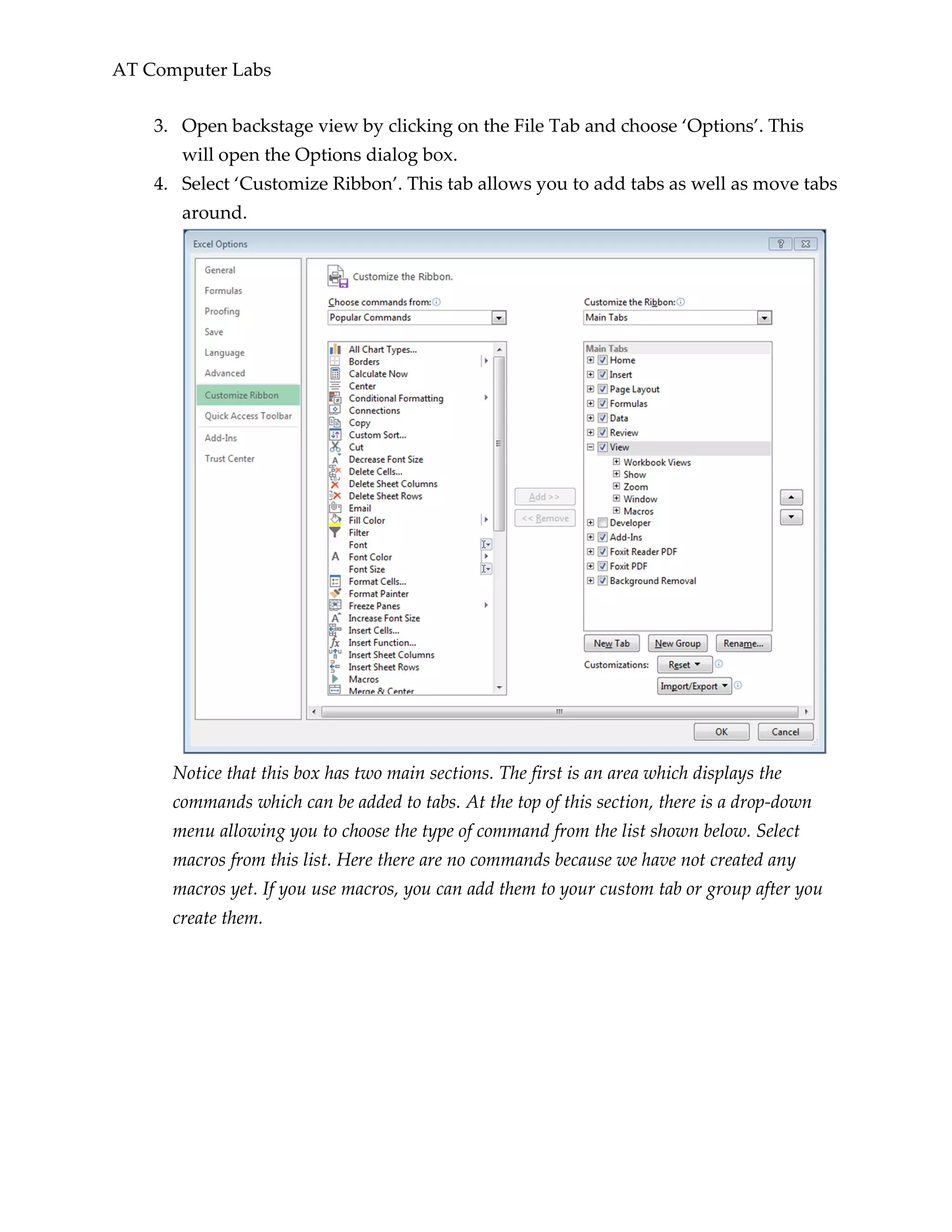
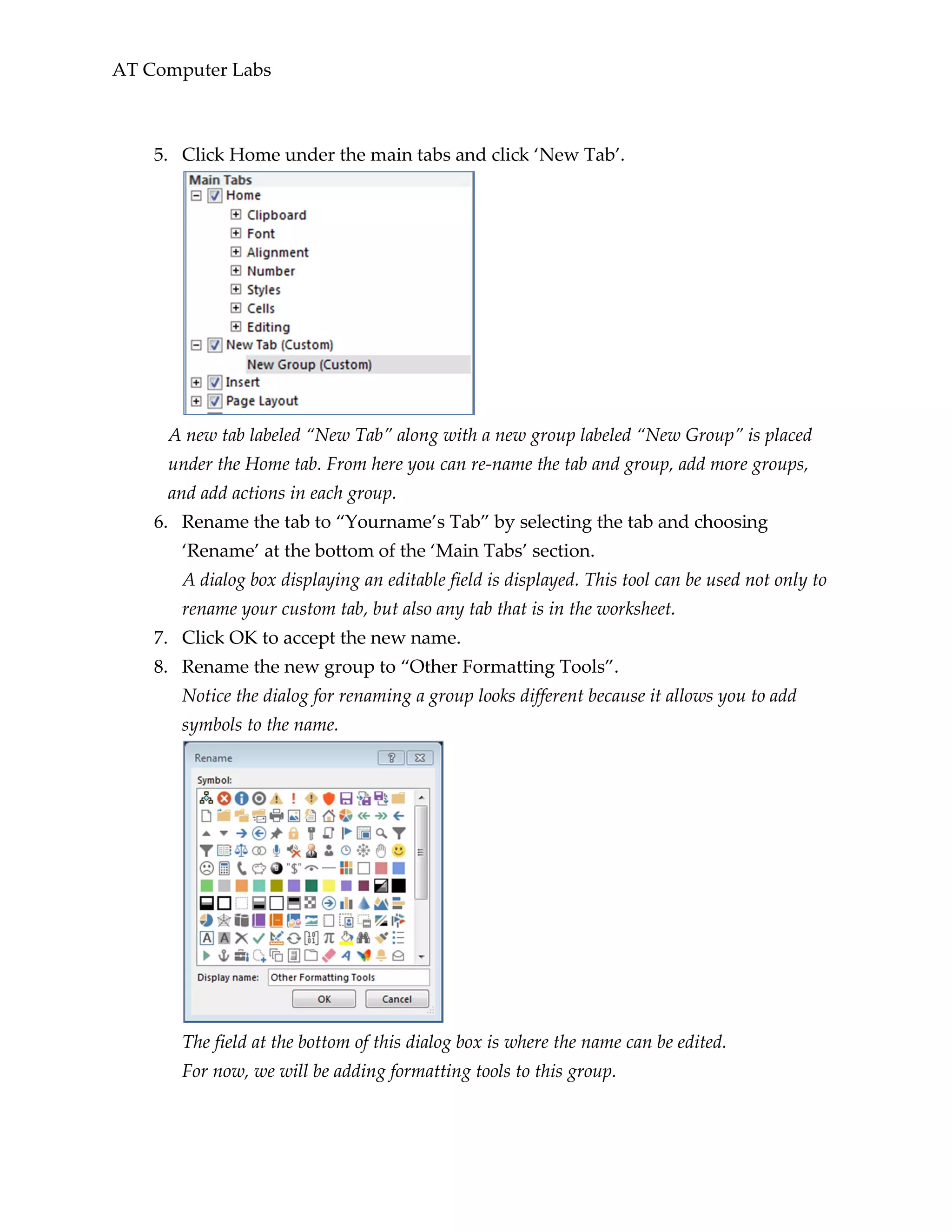

![AT Computer Labs
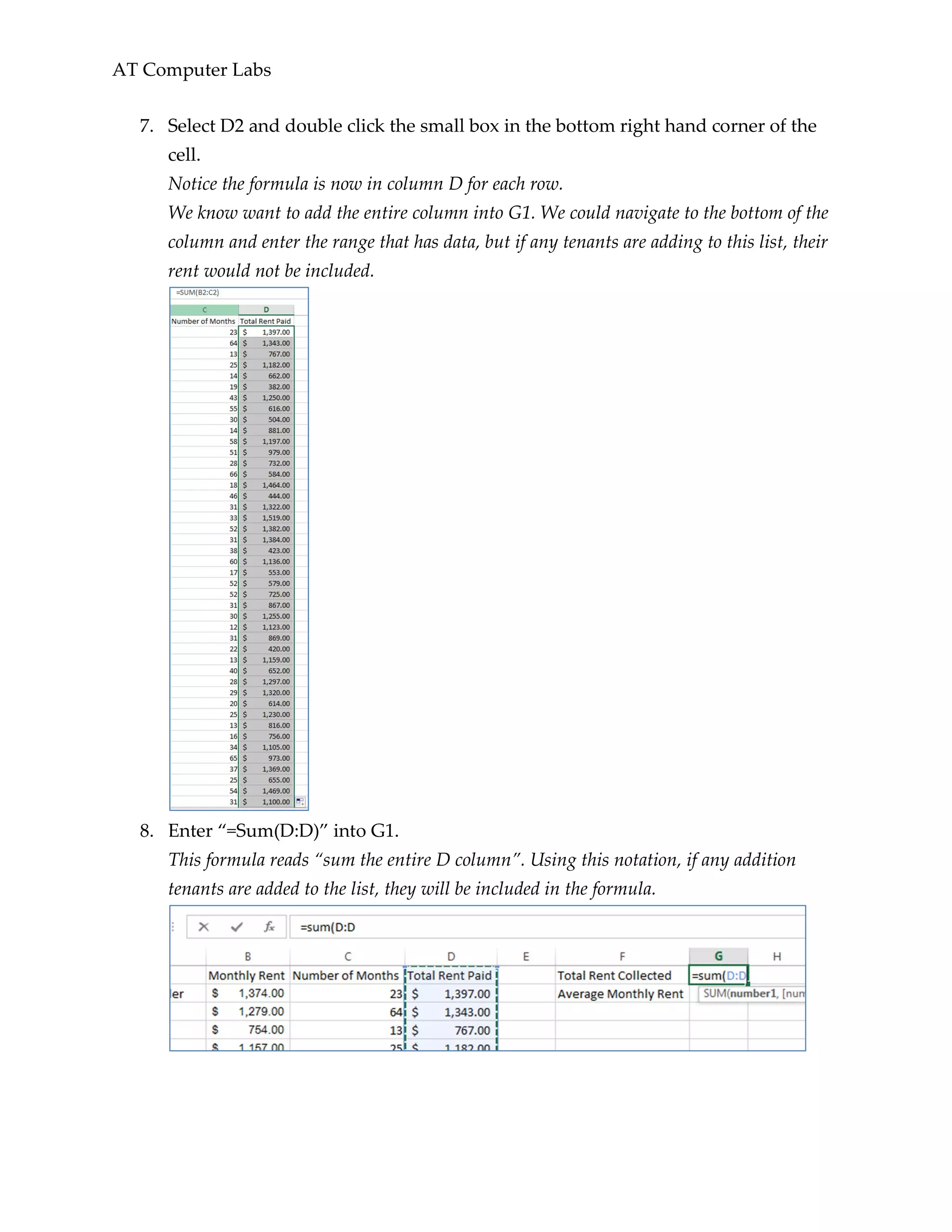
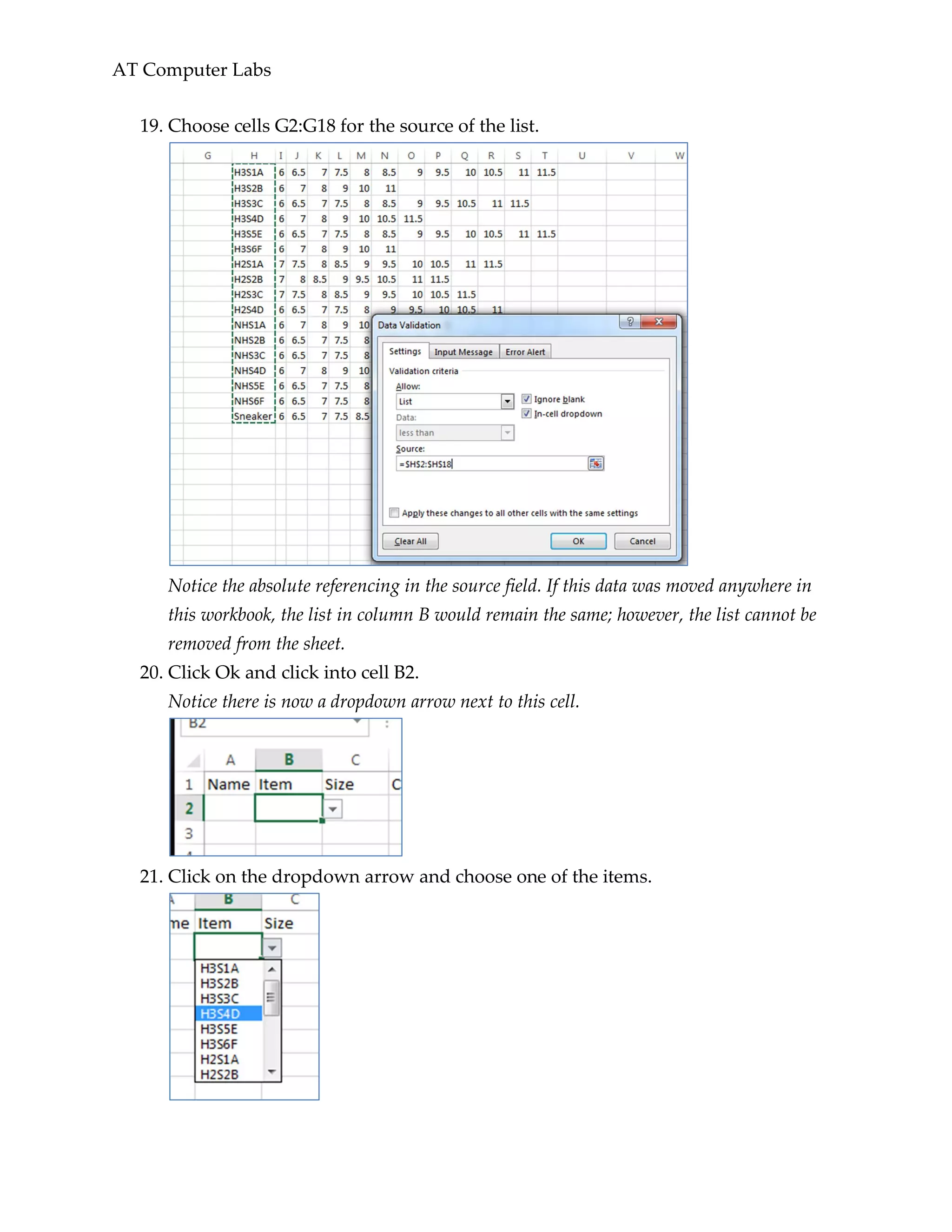
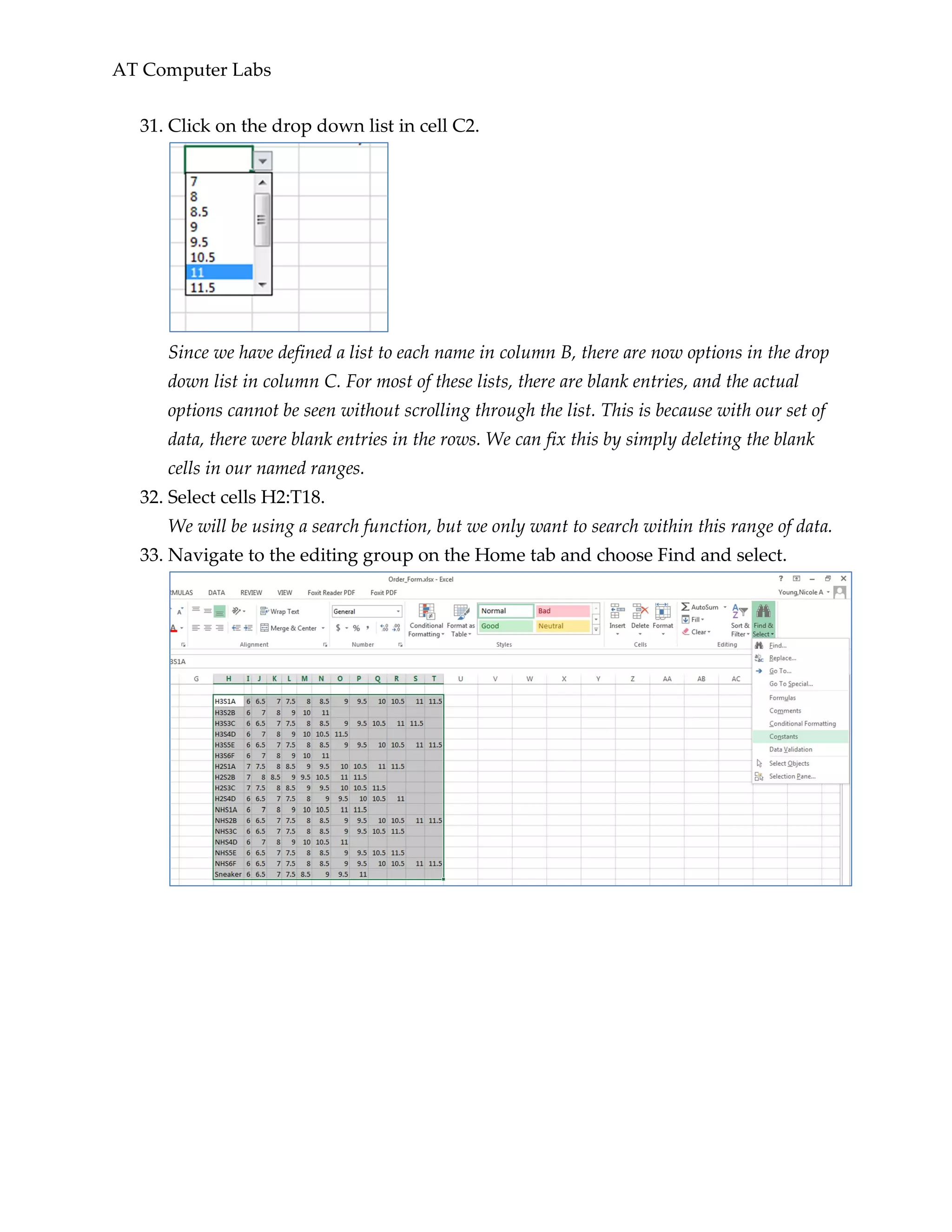
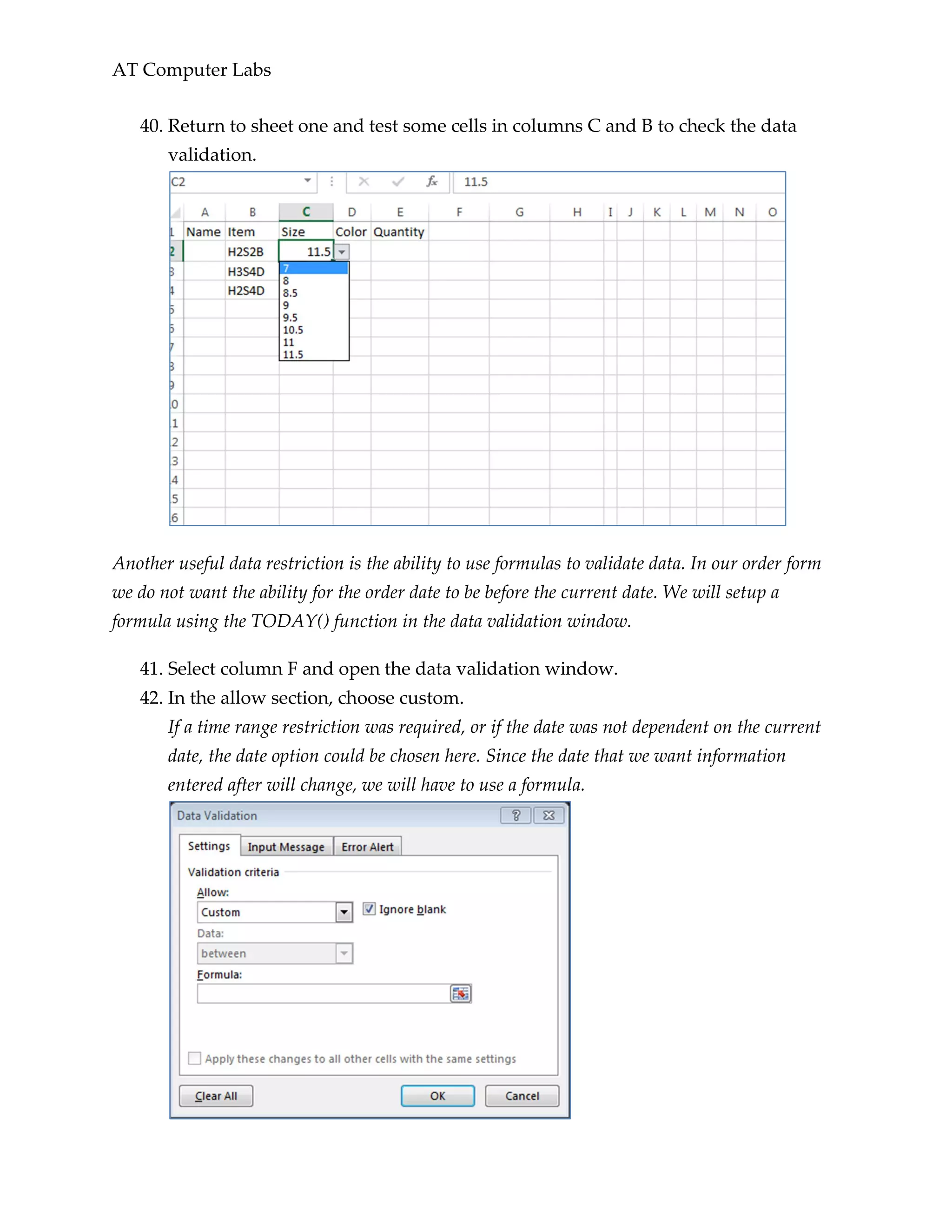
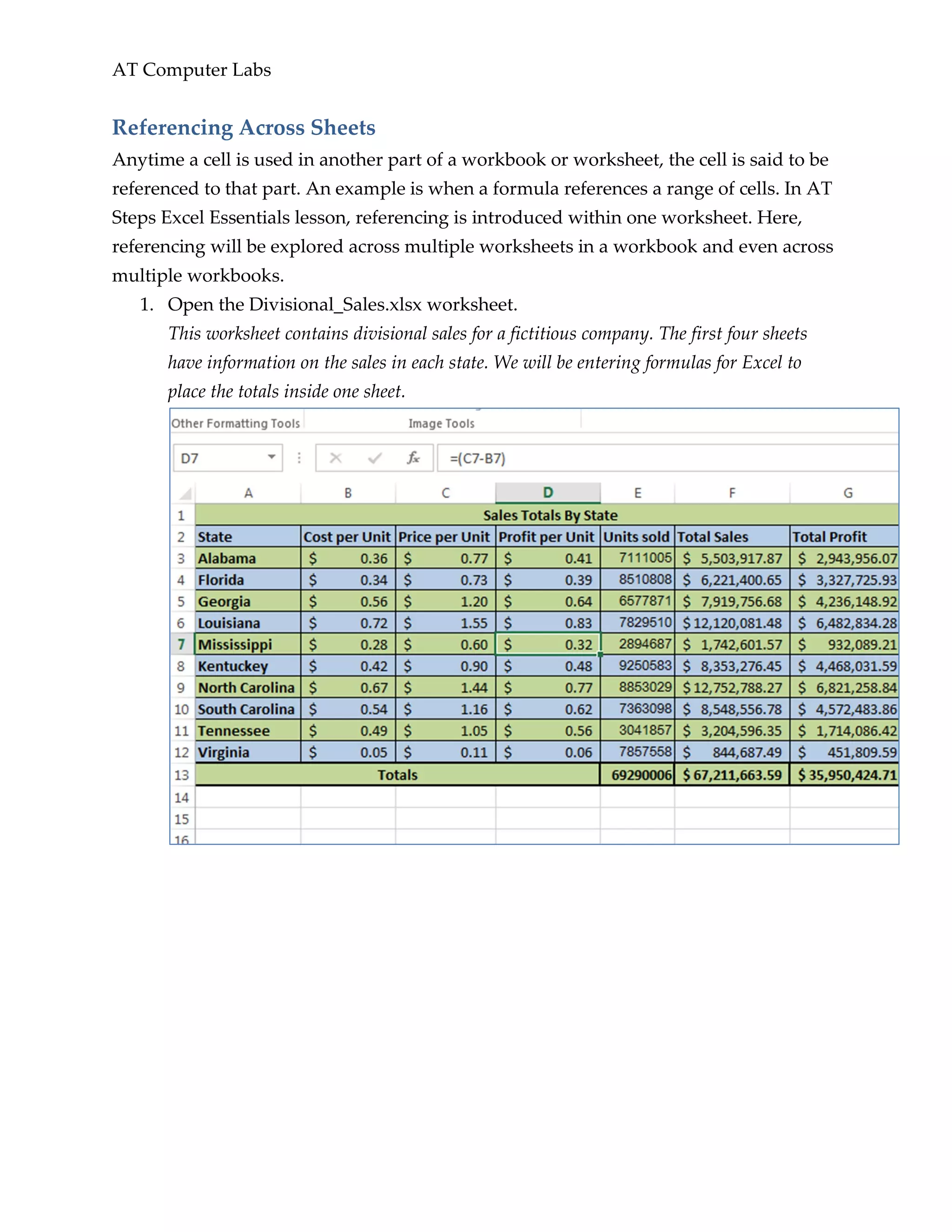
14. Continue referencing the appropriate cells for the rest of this table.
To practice referencing multiple sheets in a specific cell, use cells F13 and G13 in the
other sheets for cells C7 and D7 in the ‘January Totals’ worksheet respectively. Your
‘January Totals’ worksheet should now look like the following picture.
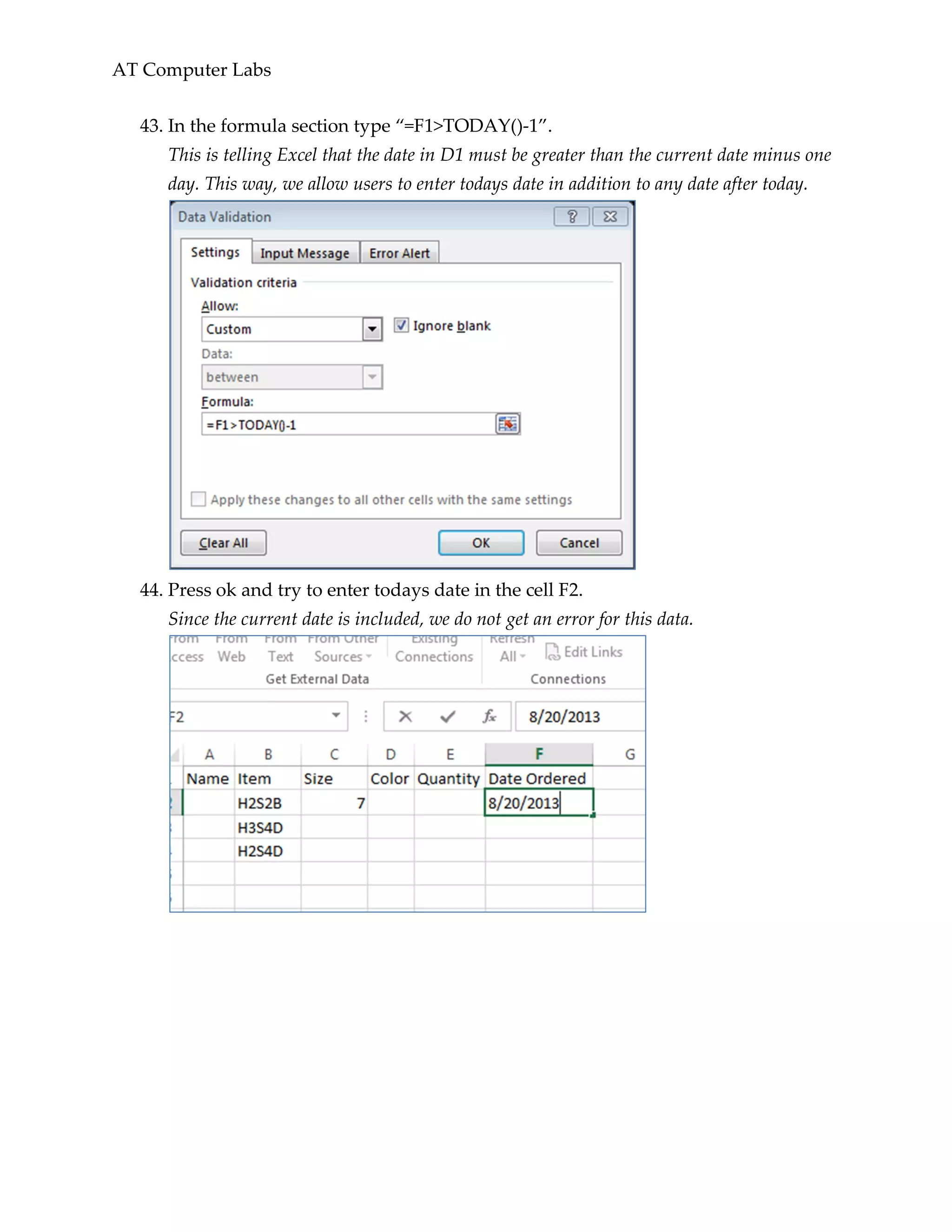
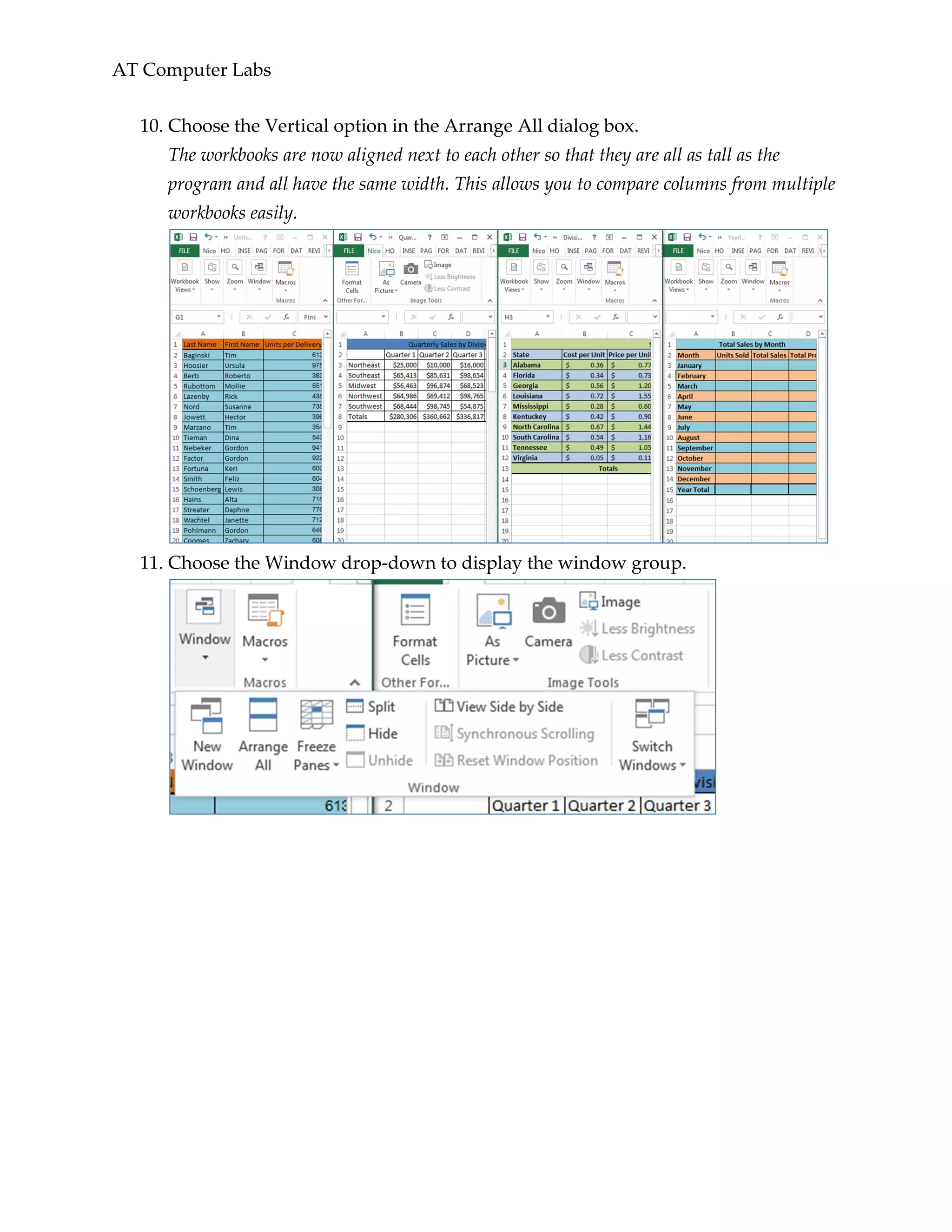
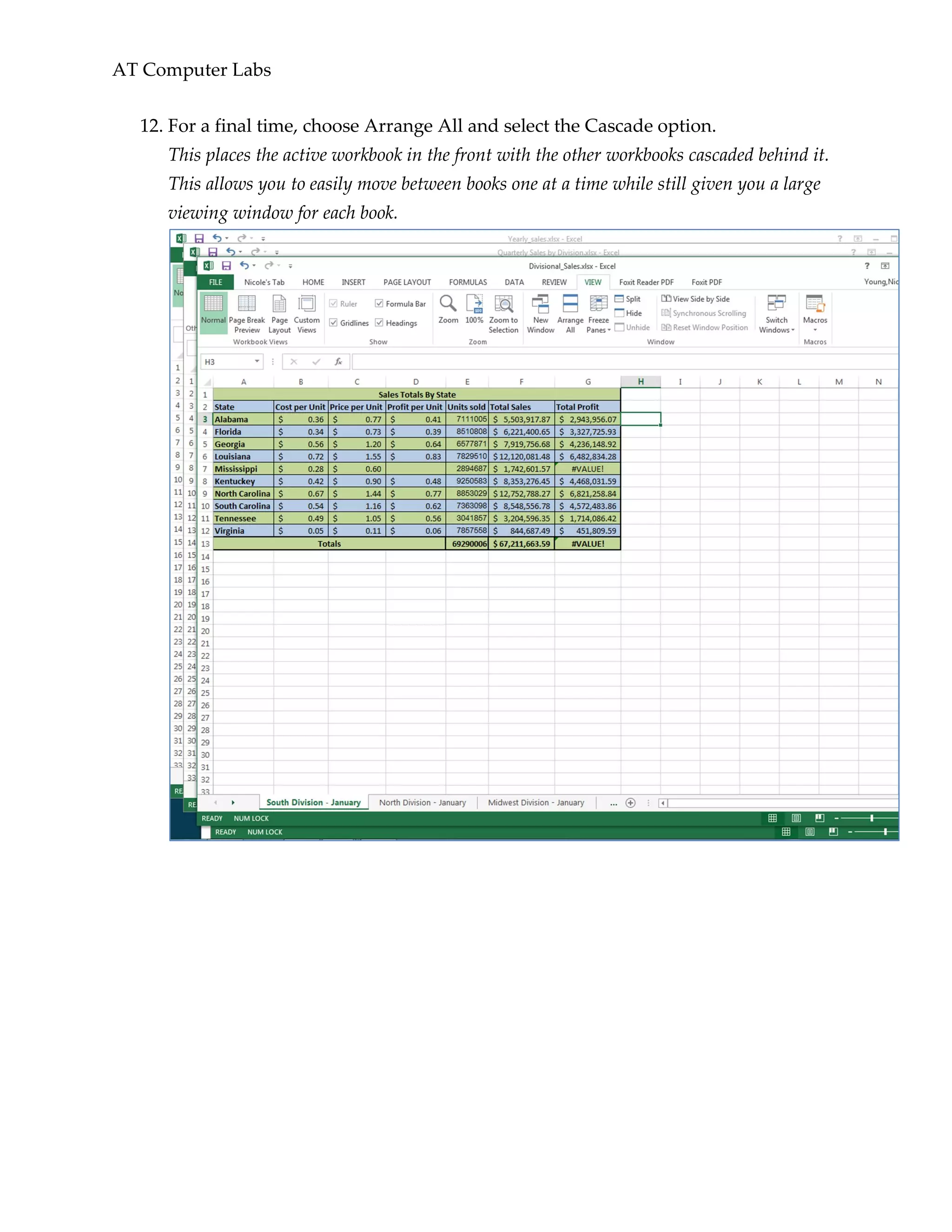
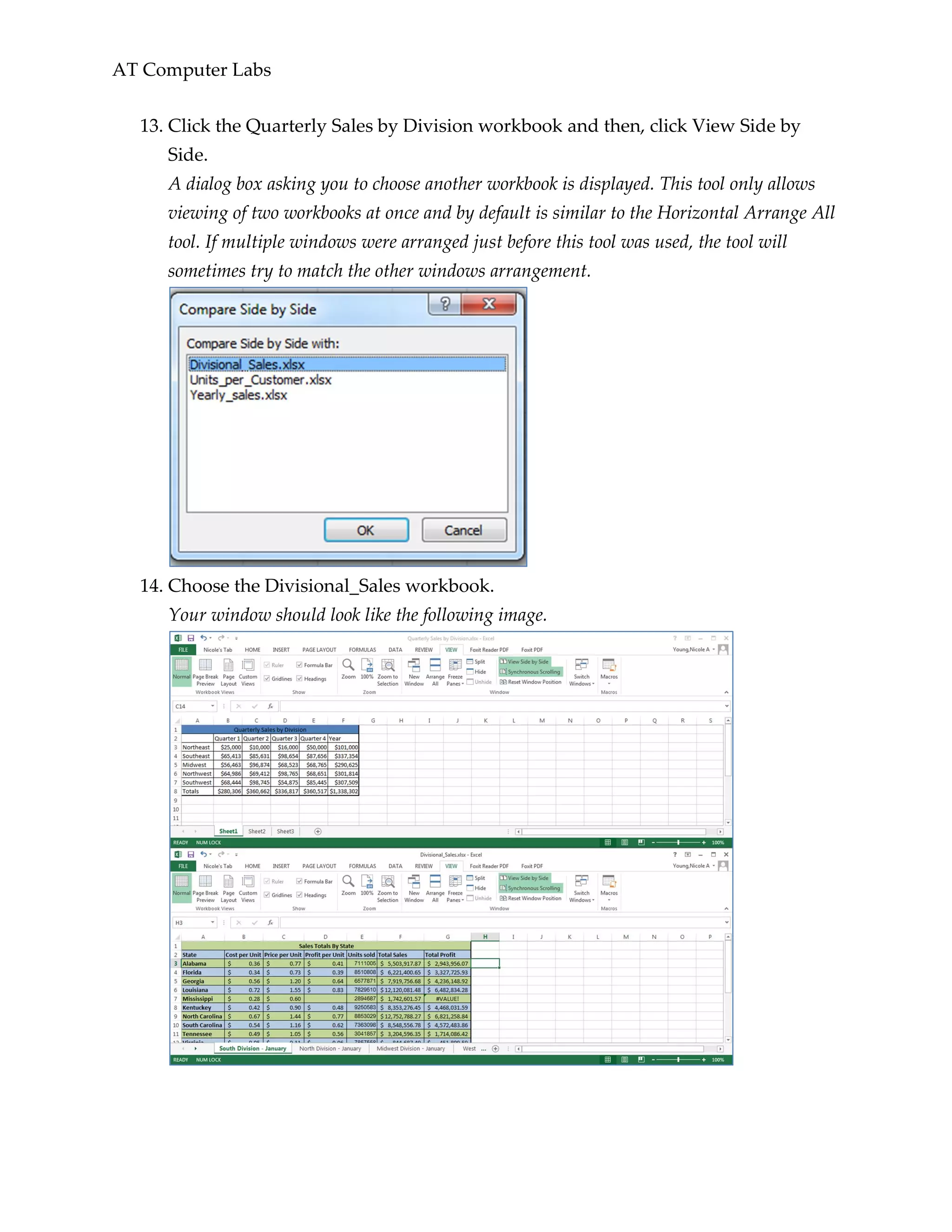
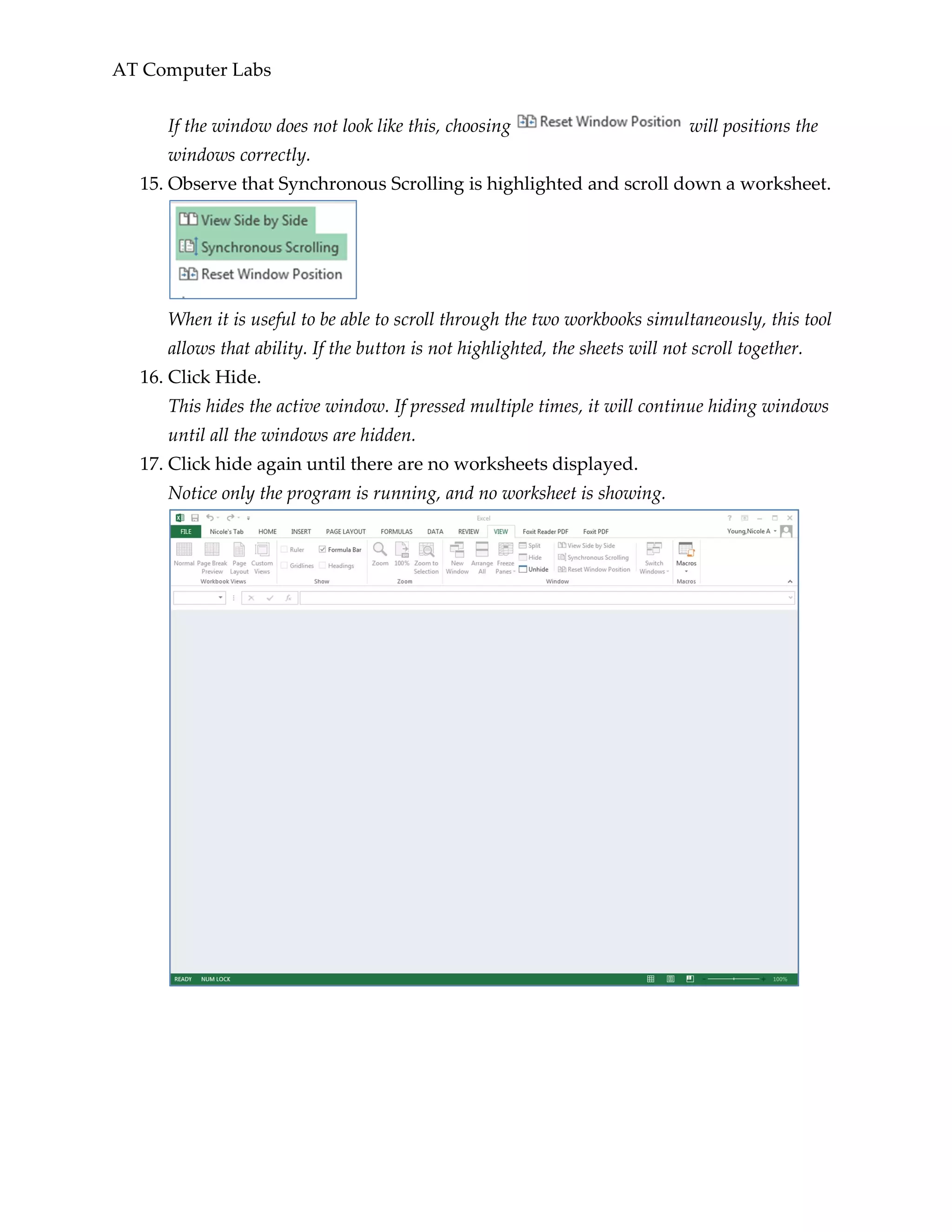
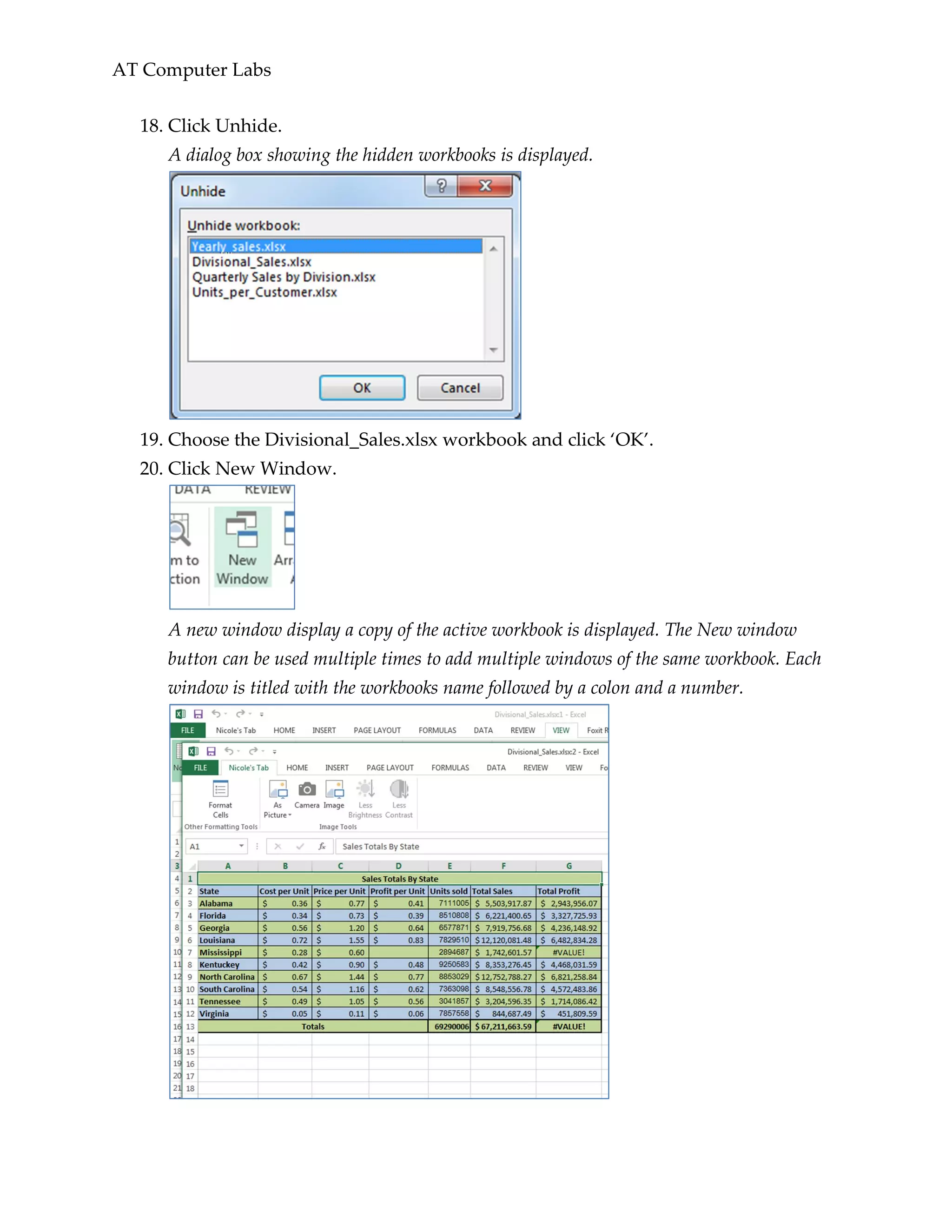
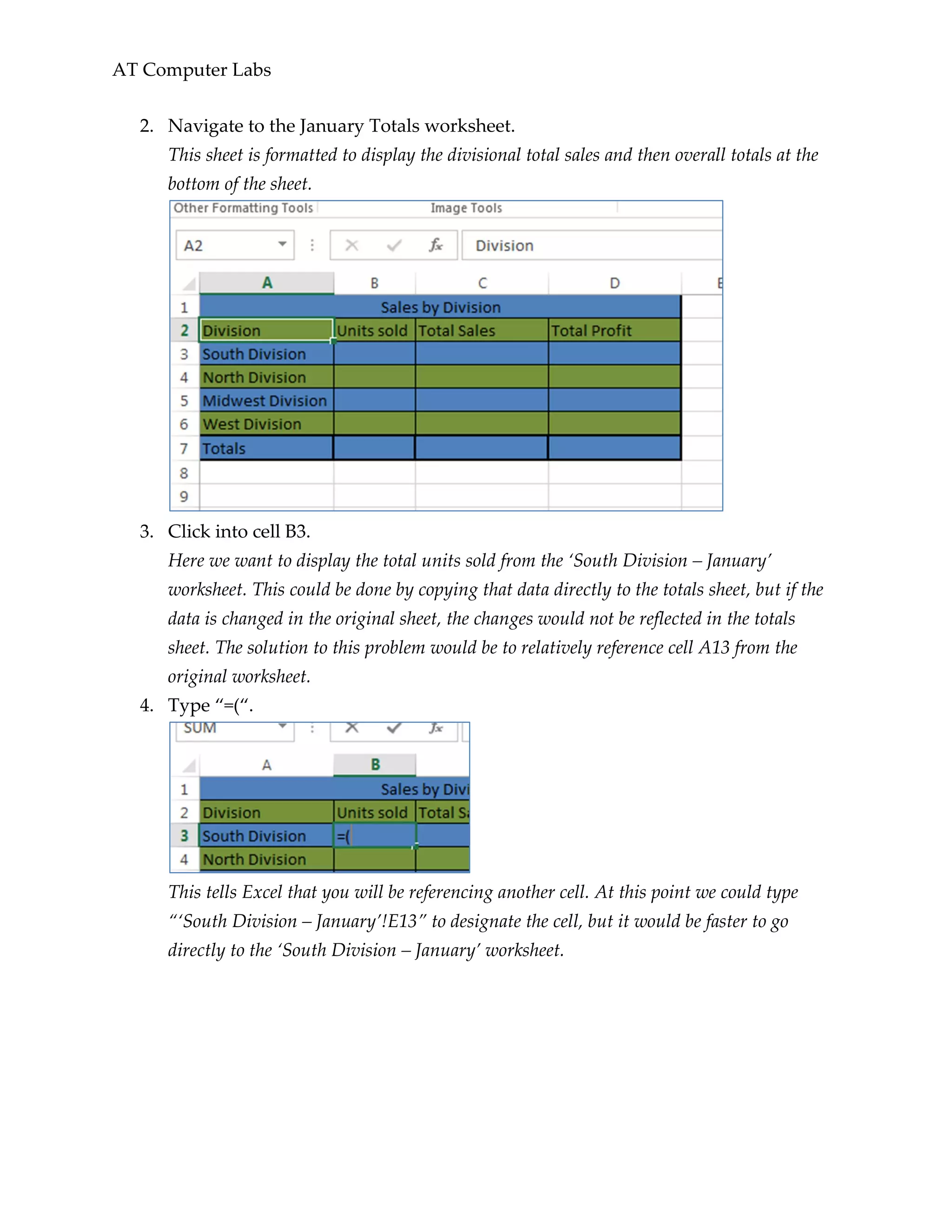
15. Open the Yearly_sales.xlsx workbook and display the two workbooks side-by-
side.
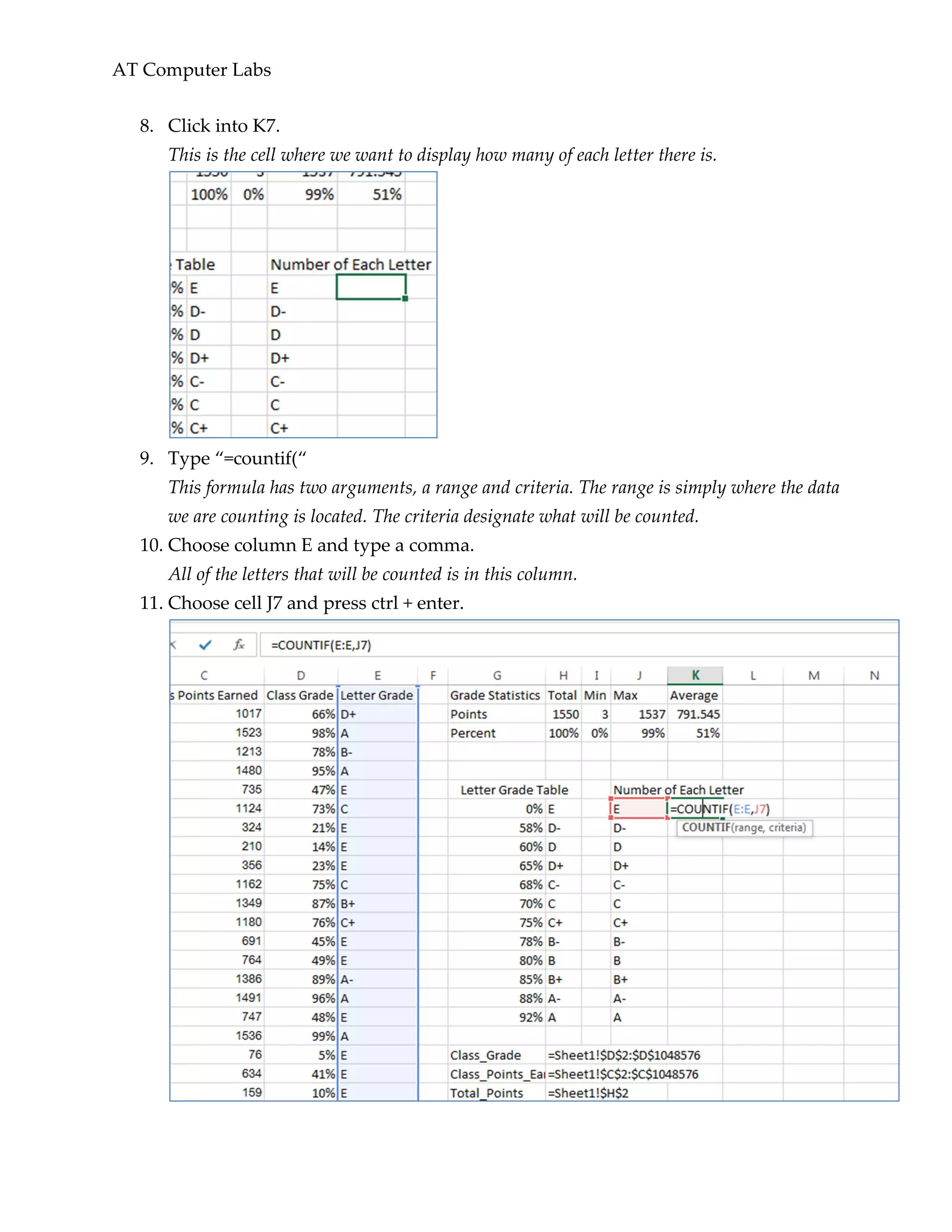
This sheet contains the yearly totals based on the month. We want to reference the totals
in the ‘Divisional_Sales’ workbook.
16. Type ‘=(‘ into cell B3 on the ‘2012 Sales’ worksheet.
17. Now click into cell B7 on the ‘January Totals’.
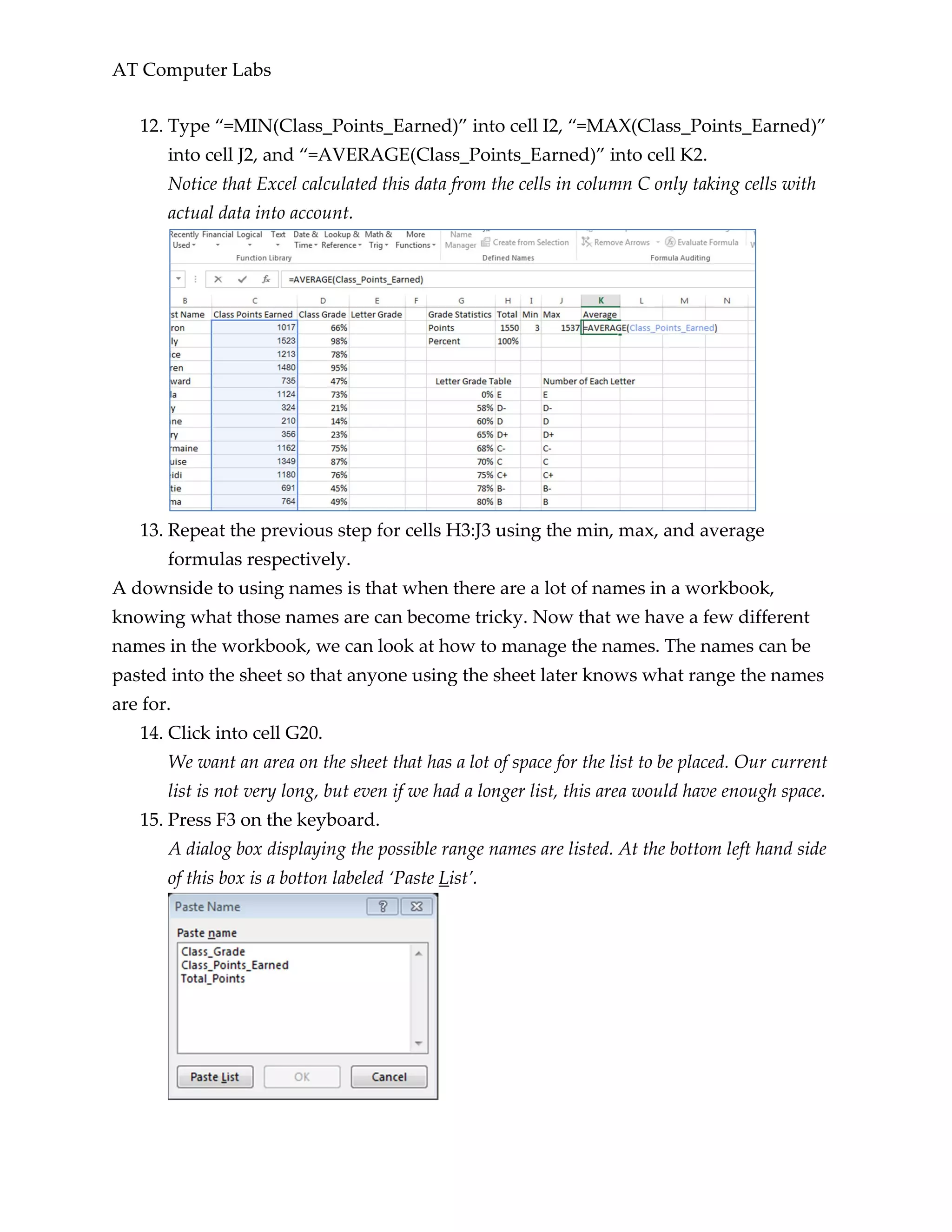
This worksheet is in the ‘Divisional_Sales’ workbook. The formula bar now reads
“=('[Divisional_Sales.xlsx]January Totals'!$B$7” indicating that it is using absolute
referencing from cell B7. Notice that Excel now also references the file name including
the .xlsx.It is important to keep the files being referenced in the same folder as the file
doing the referencing. Excel automatically creates this as an absolute reference whenever
a cell is referenced from another workbook, but you can change that referencing to be
relative.](https://image.slidesharecdn.com/advexcellp-160427121039/75/Advexcellp-30-2048.jpg)
![AT Computer Labs
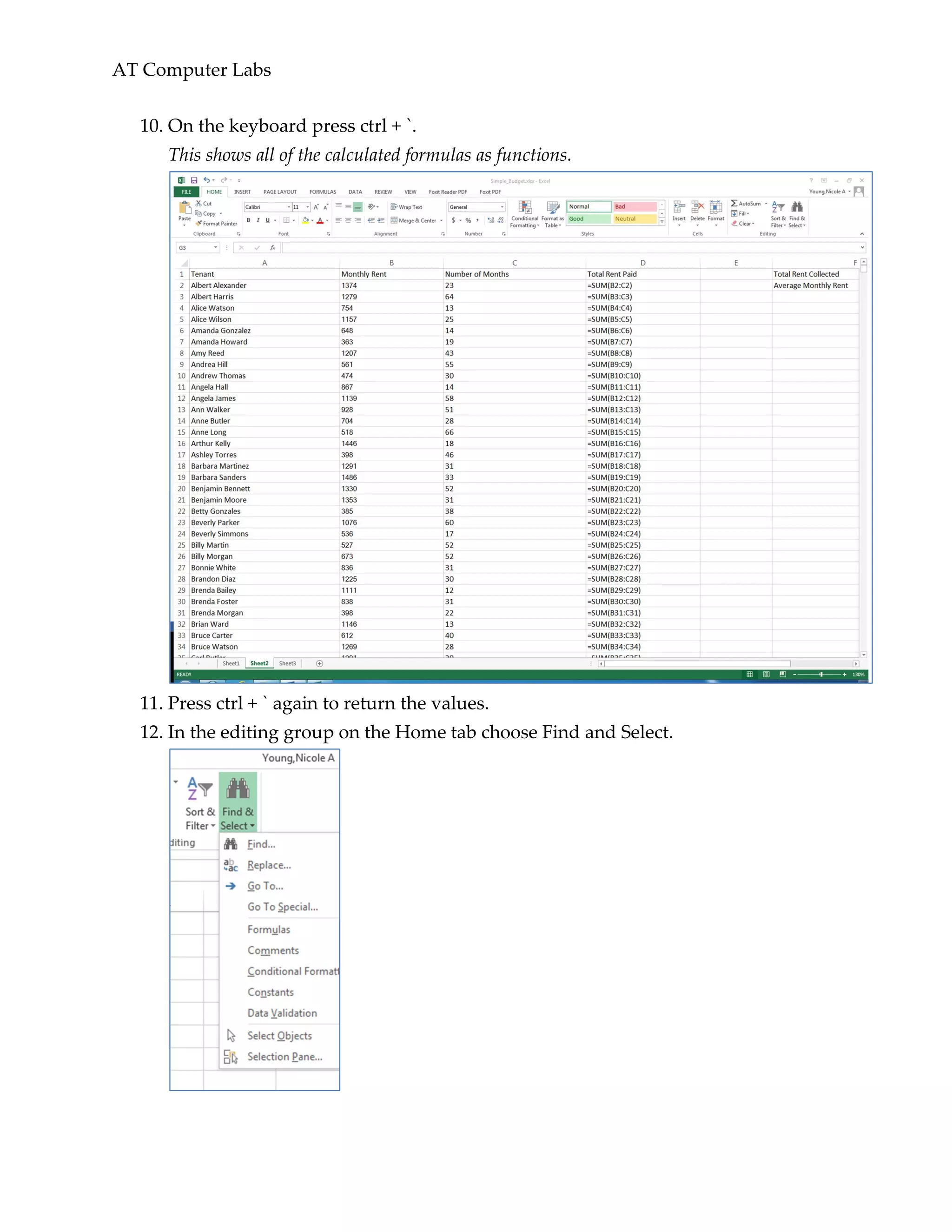
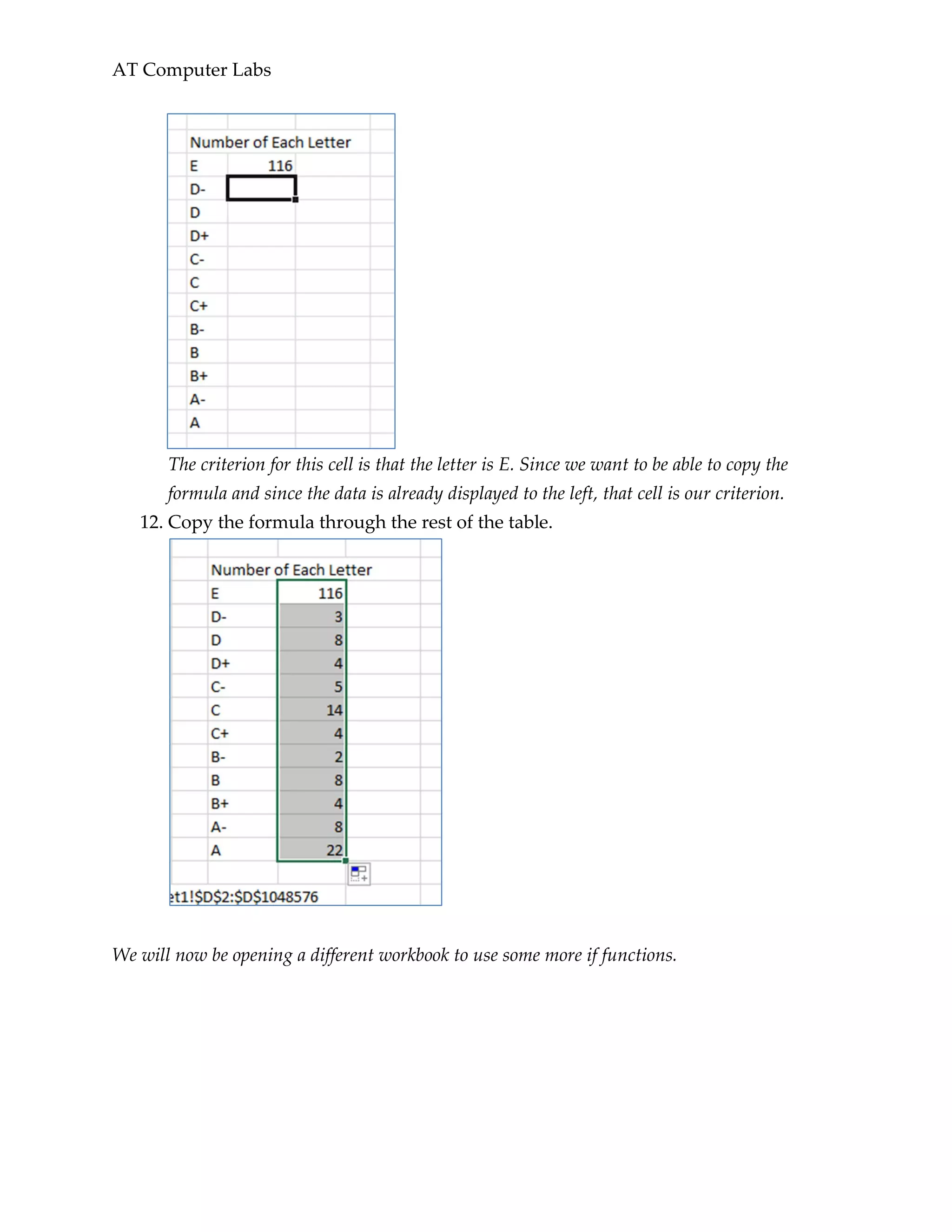
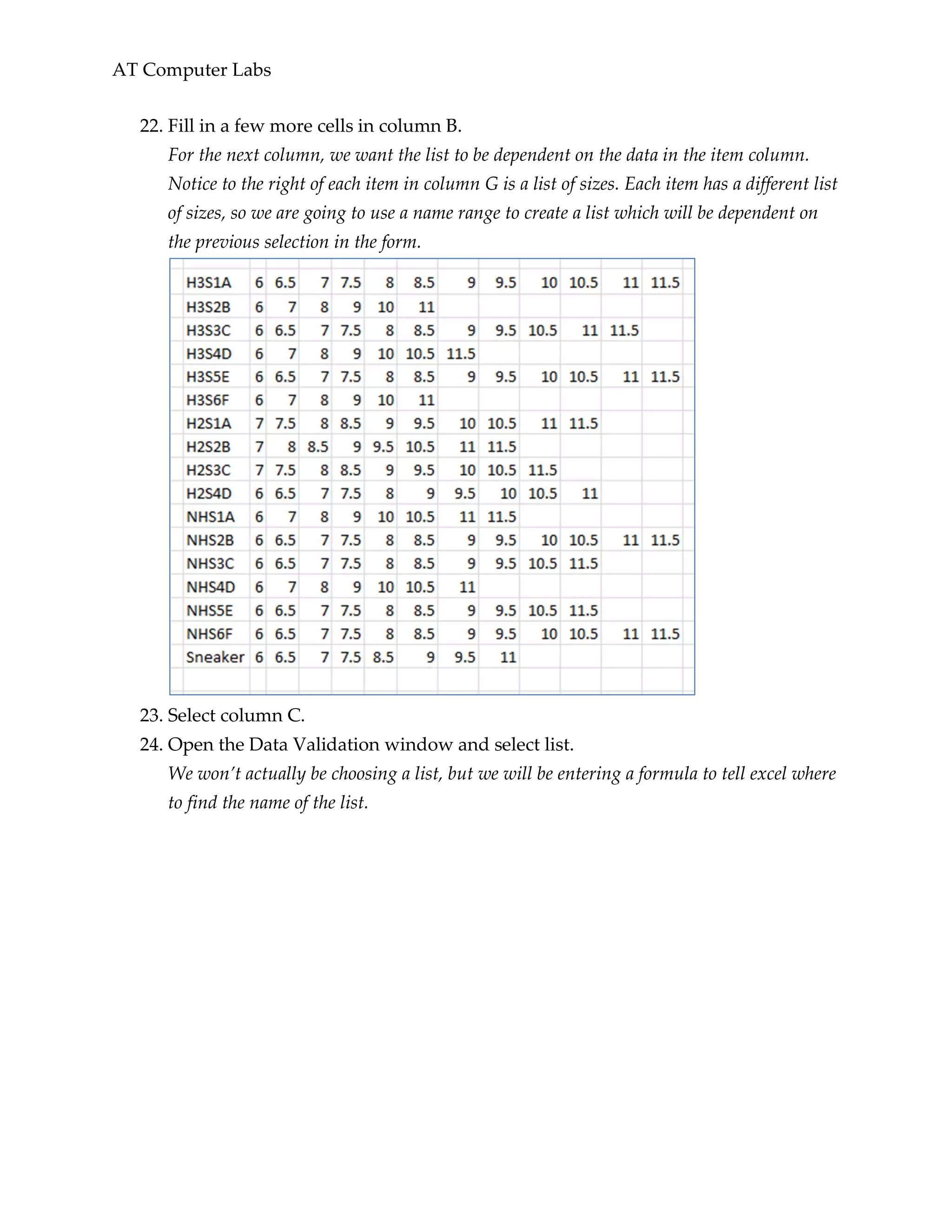
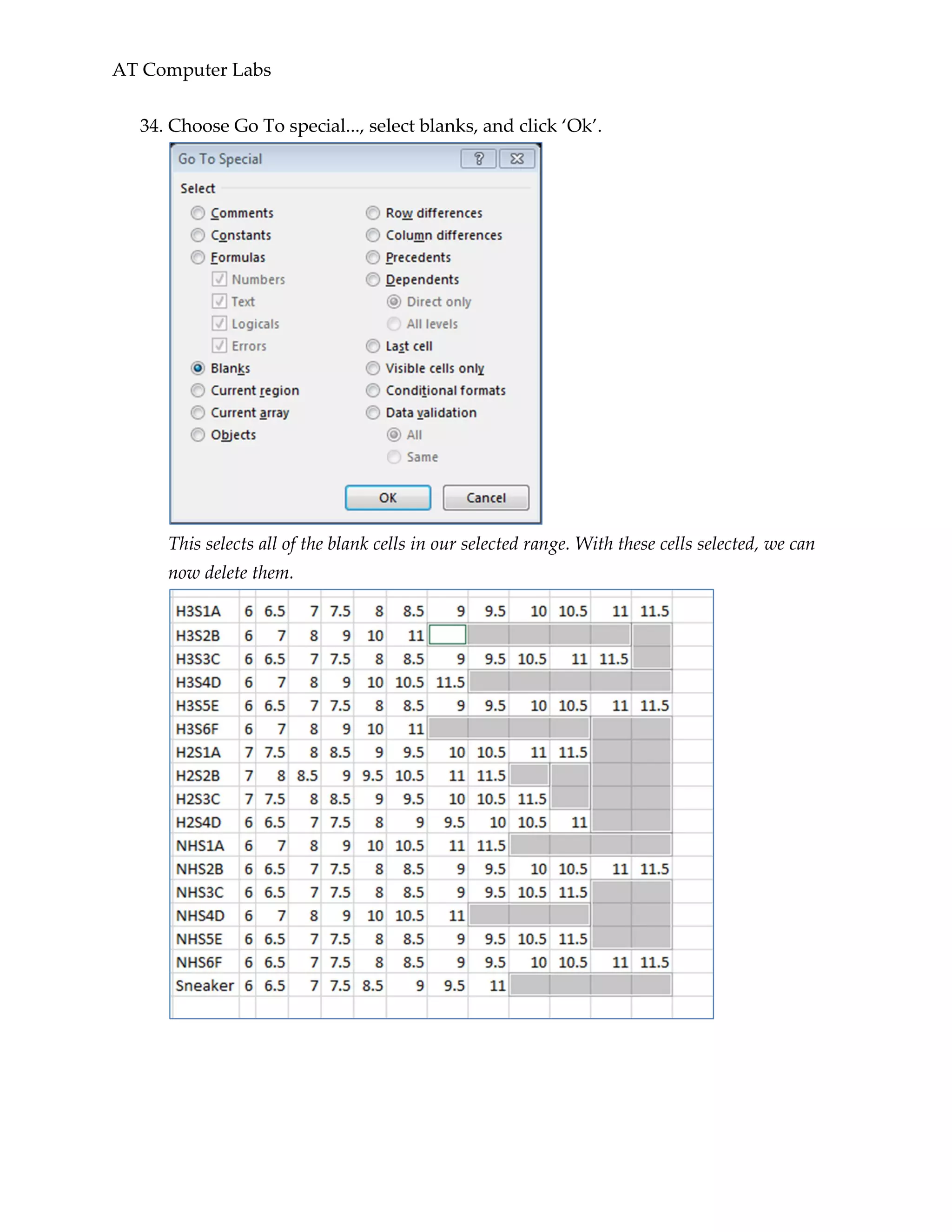
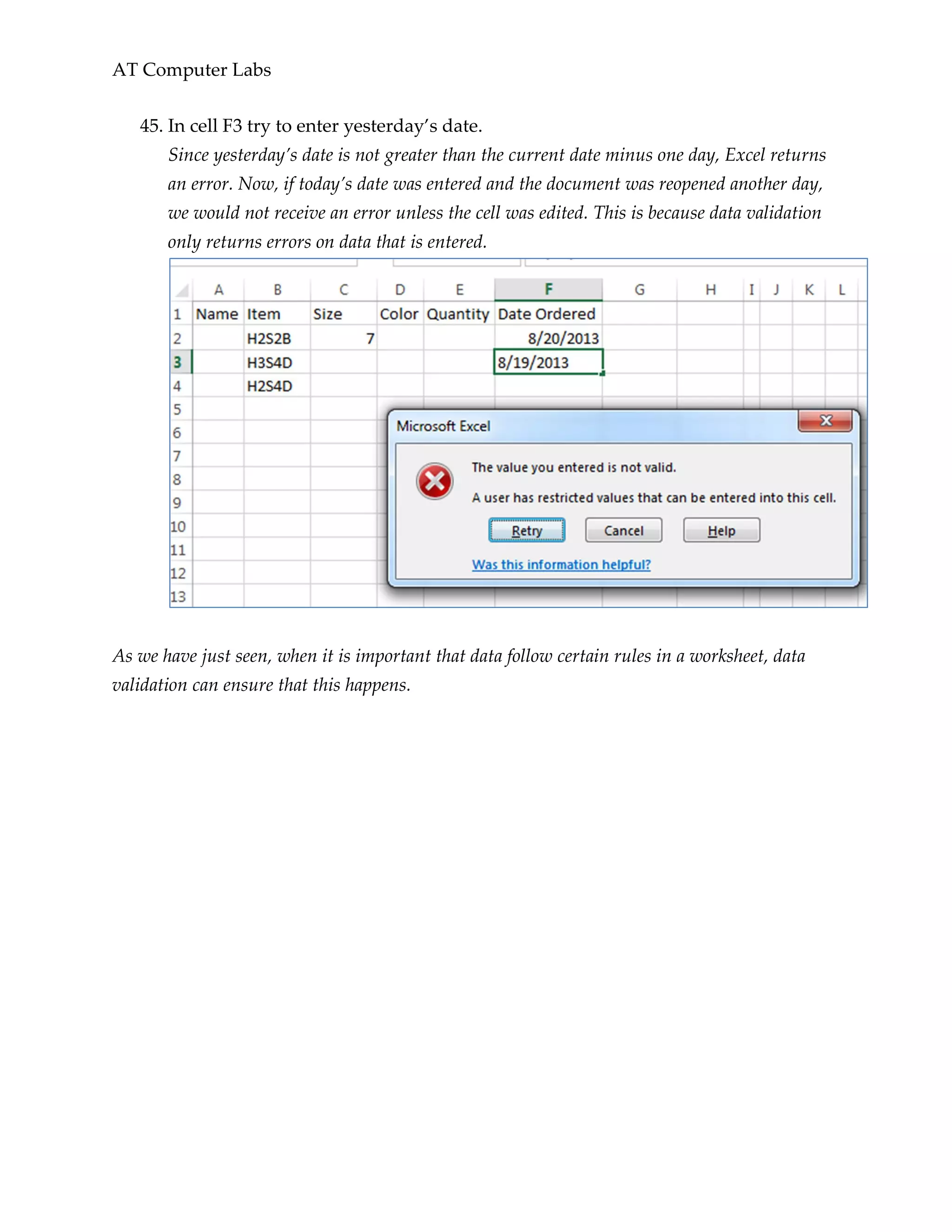
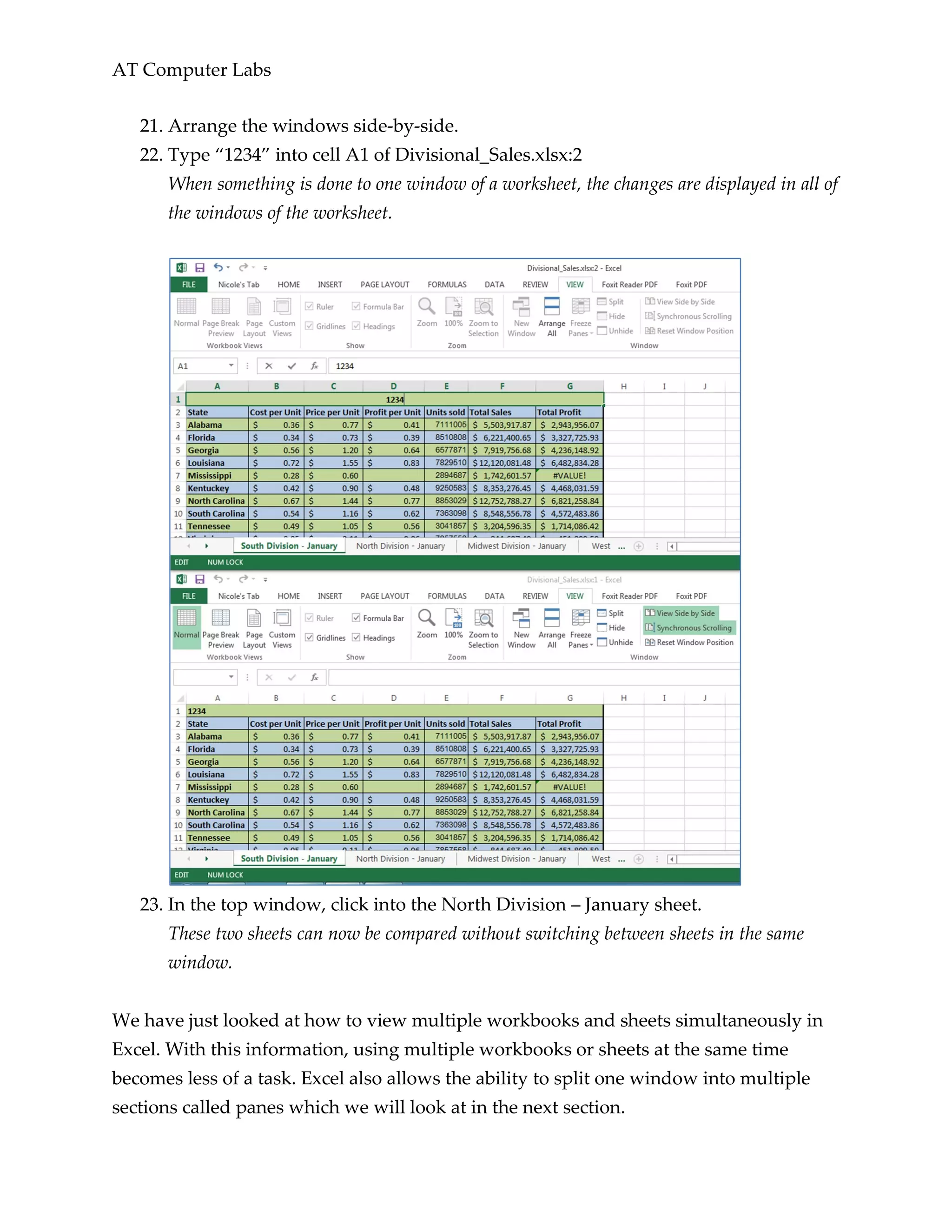
18. Type ‘)’ and press enter to return to the original workbook.
We want to drag this reference through the rest of the row, but we want to change the
reference from an absolute reference to a relative reference.
19. Click into cell B3 and then into the formula bar.
20. Remove the ‘$’ from “=('[Divisional_Sales.xlsx]January Totals'!$B$7)”.
Now that we have a relative reference, we can drag this through the rest of the row which
will fill in the rest of the information with respect to the ‘January Totals’ sheet.
21. Drag the reference through the row.
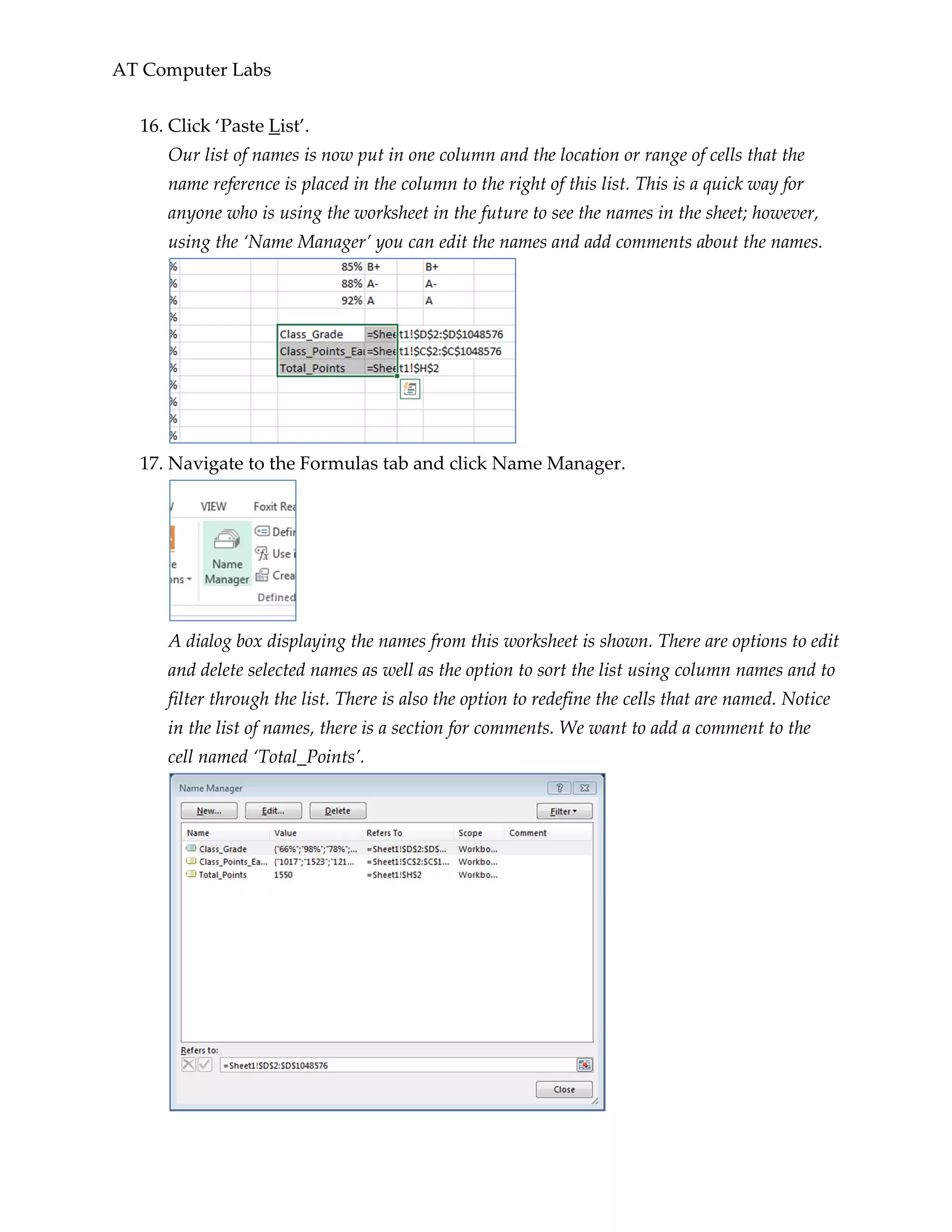
The values in cells C3 and D3 now correspond to cells C7 and B7 in the ‘January Totals’
sheet.
In this section, we explored relative referencing across sheets and workbooks. We also
saw that one cell can reference more than one sheet. In the next section we will see some
formatting features that also involved multiple sheets.](https://image.slidesharecdn.com/advexcellp-160427121039/75/Advexcellp-31-2048.jpg)


![AT Computer Labs
Advanced Formulas and Features
In this section, we will be discussing the advanced tools, features, and formulas that
Excel has to offer. Though some of the following features are not formulas or functions
themselves, they are still useful, and can save time, when working with functions. We
will first be exploring some techniques that allow you to easily work with formulas that
were previously created, then we will see how range names help functions, and last, we
will apply this knowledge in some advanced formulas that are contained in Excel.
Formula Tools
When working with formulas in Excel, it’s useful to know when a cell is used in a
formula and what formula it is being used in. There are some keyboard shortcuts that
can help us do this. In addition, you can format formulas so that others looking at the
sheet can tell which cells contain information from a formula. There is also a trick to
quickly populate a formula down a column.
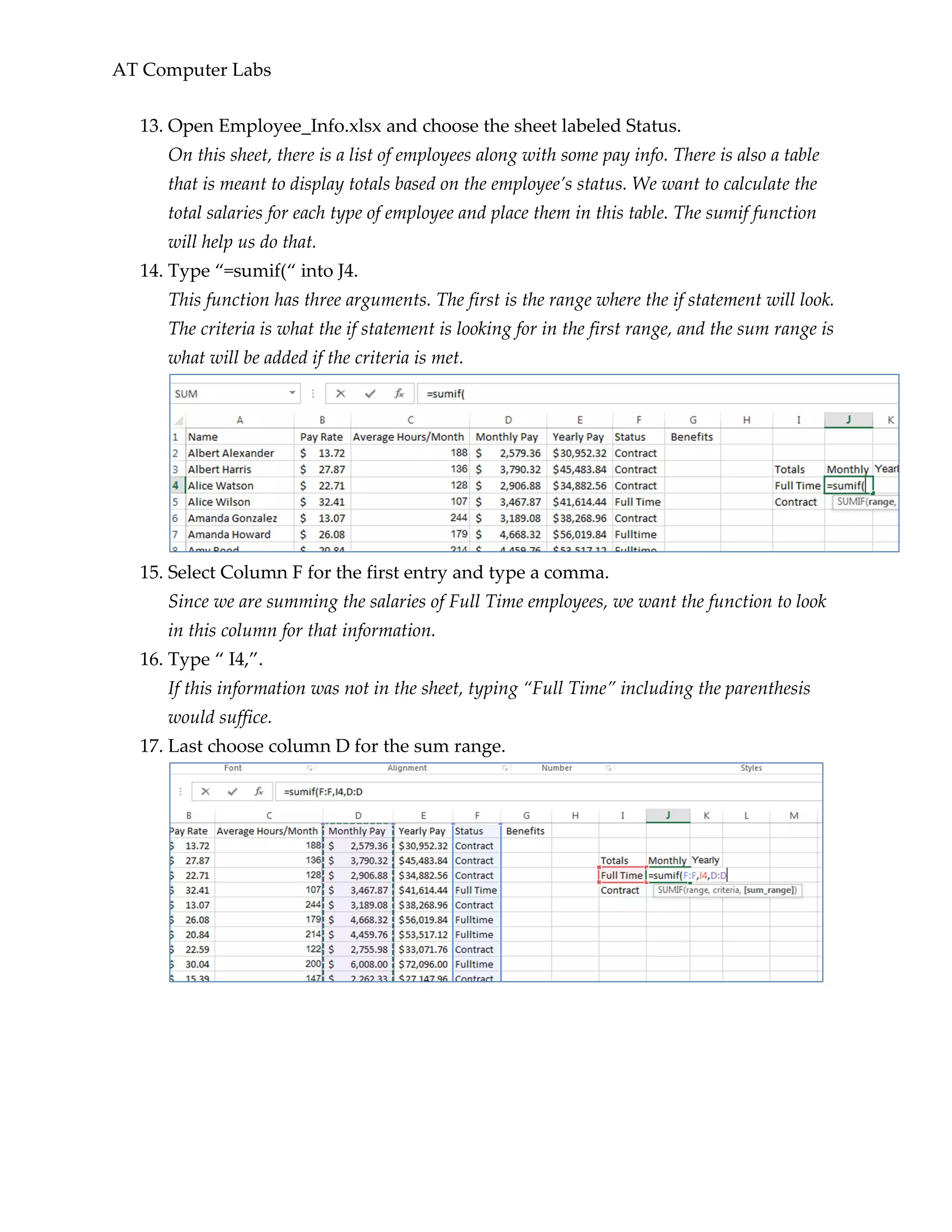
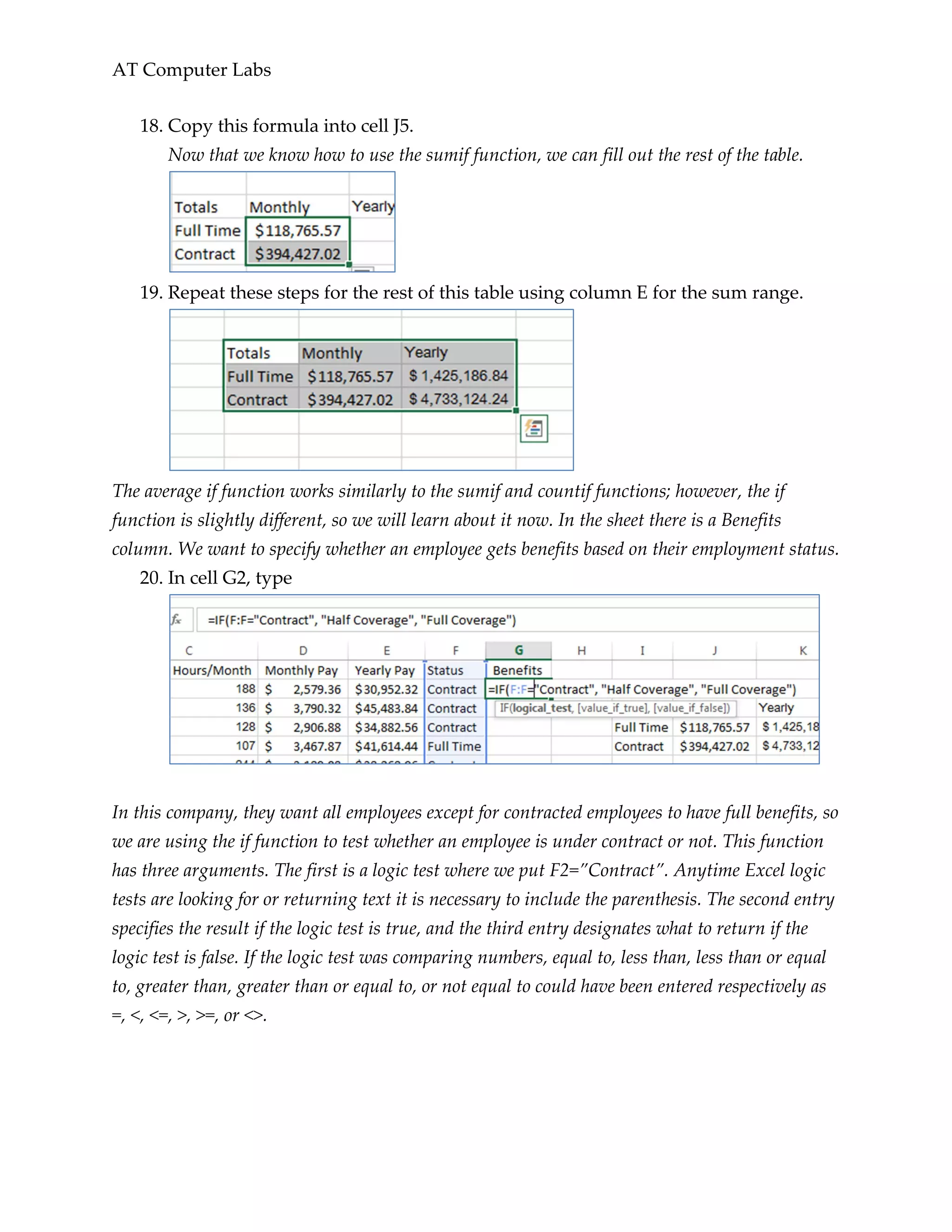
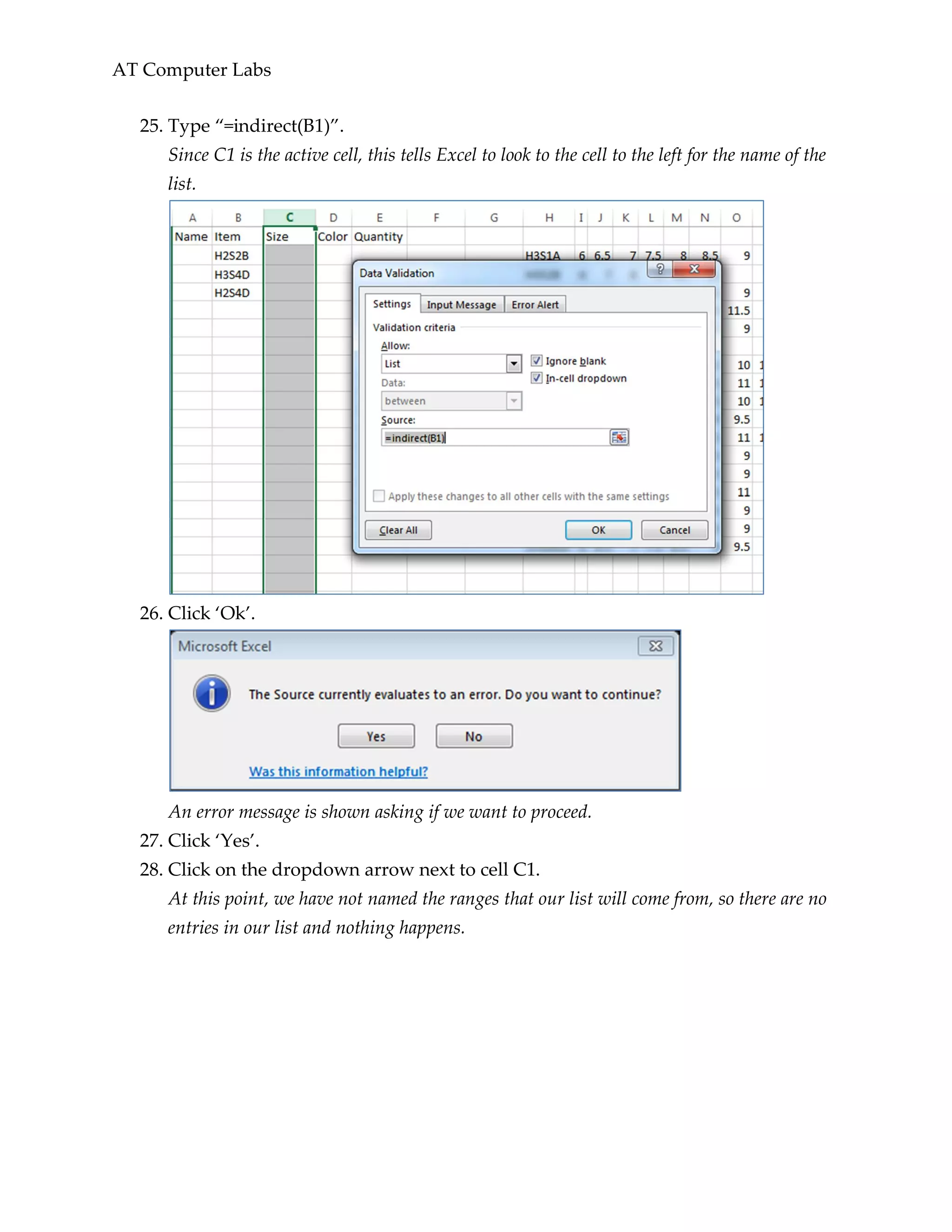
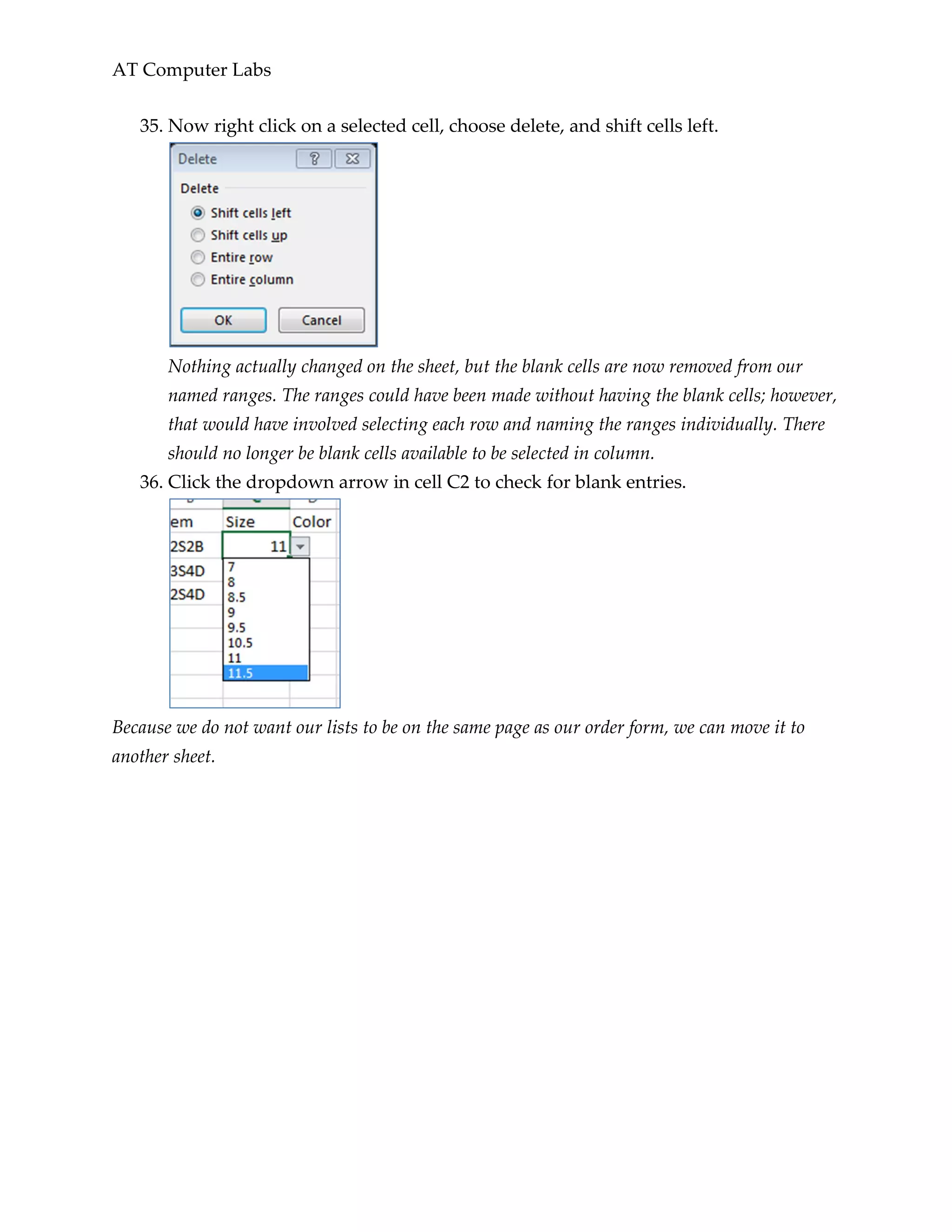
1. Open the Simple_Budget.xslsx worksheet.
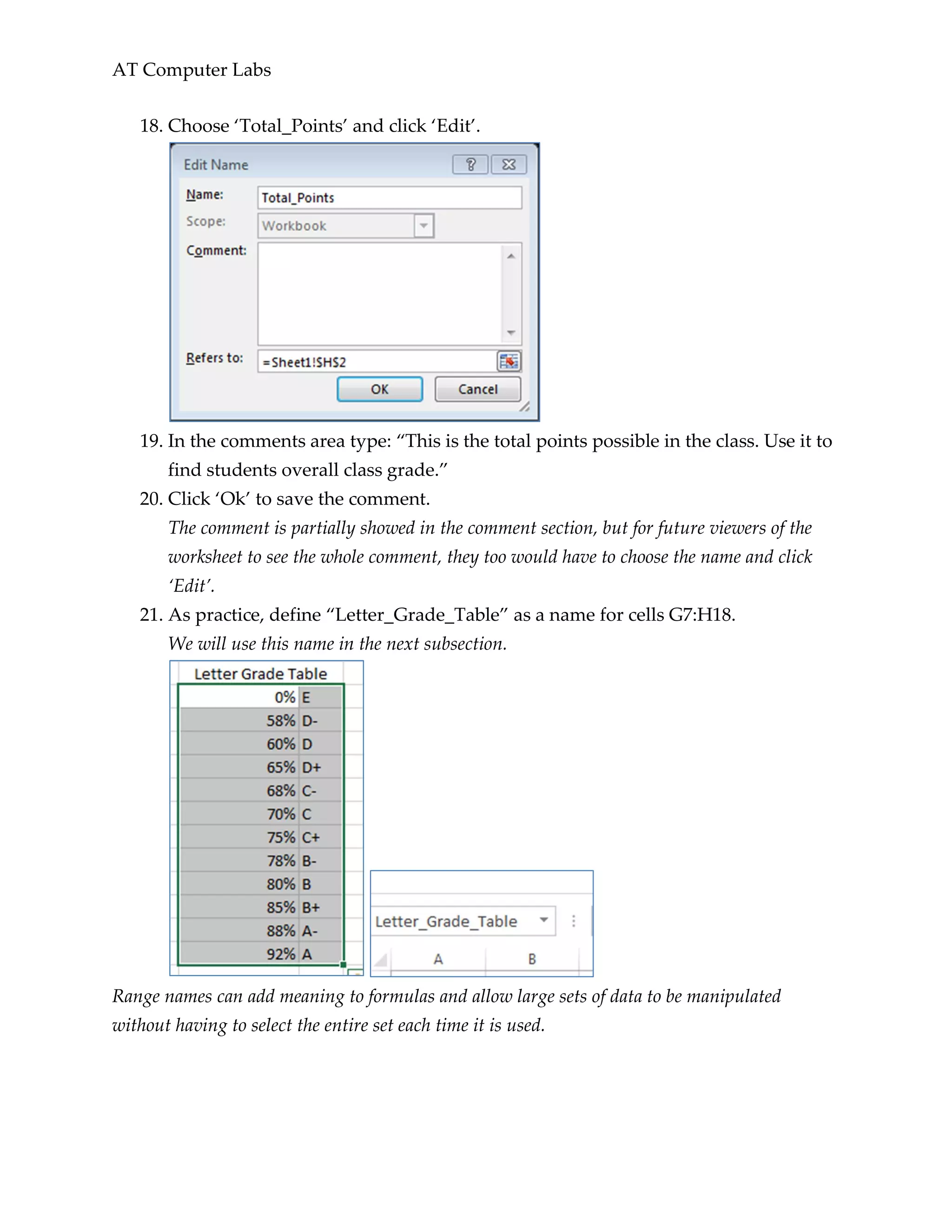
In this worksheet, there are some calculations that have not been labeled. Every cell in
this sheet is either an output from a function or used in a function.
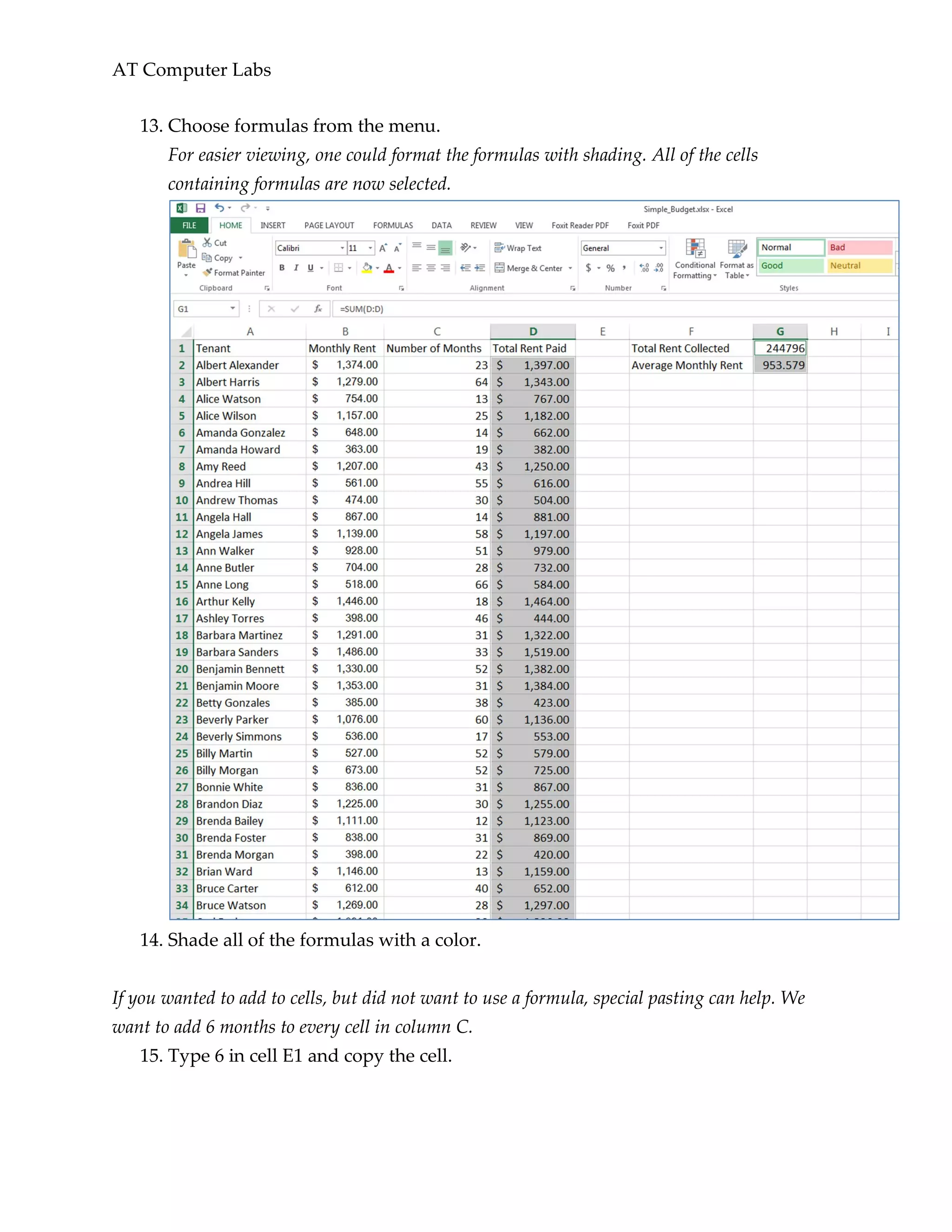
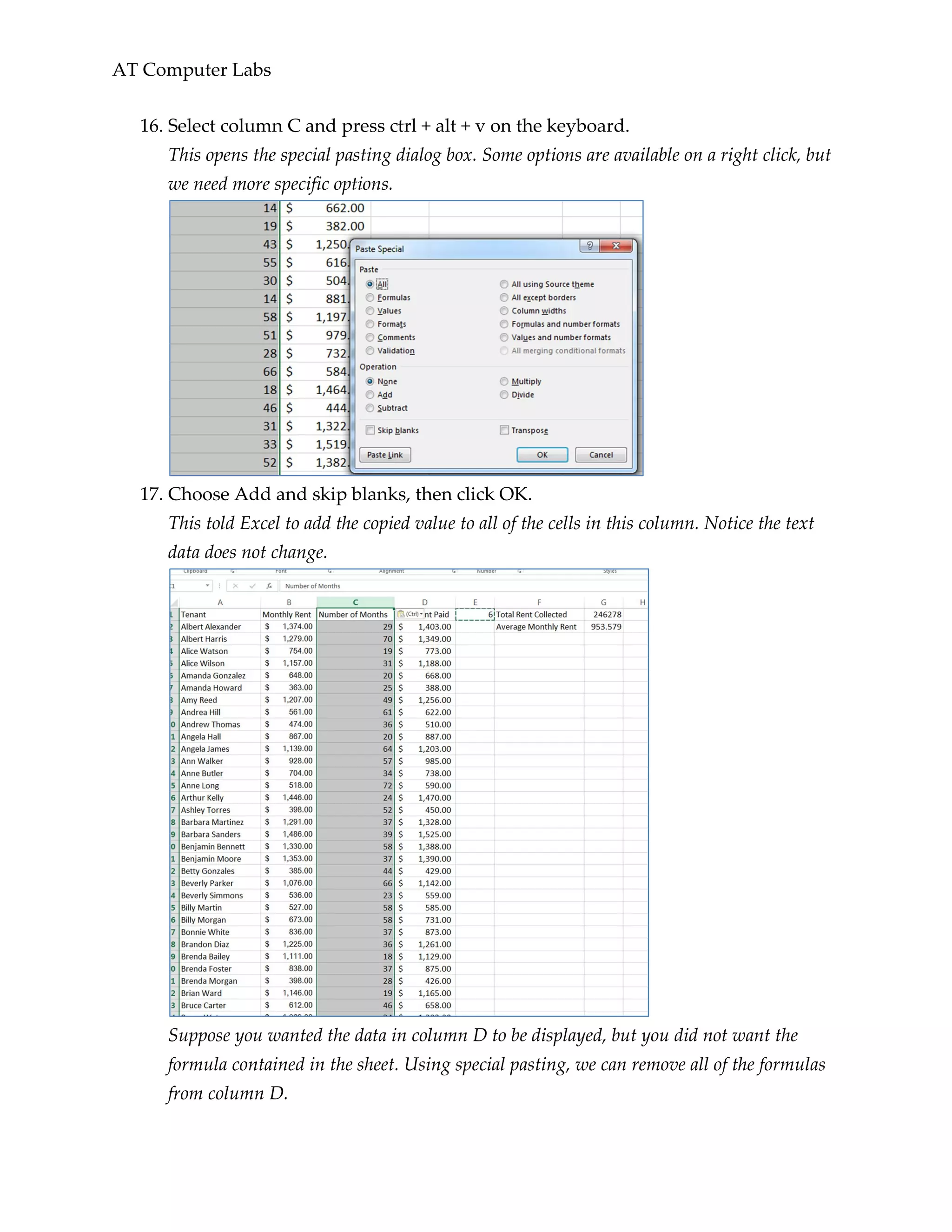
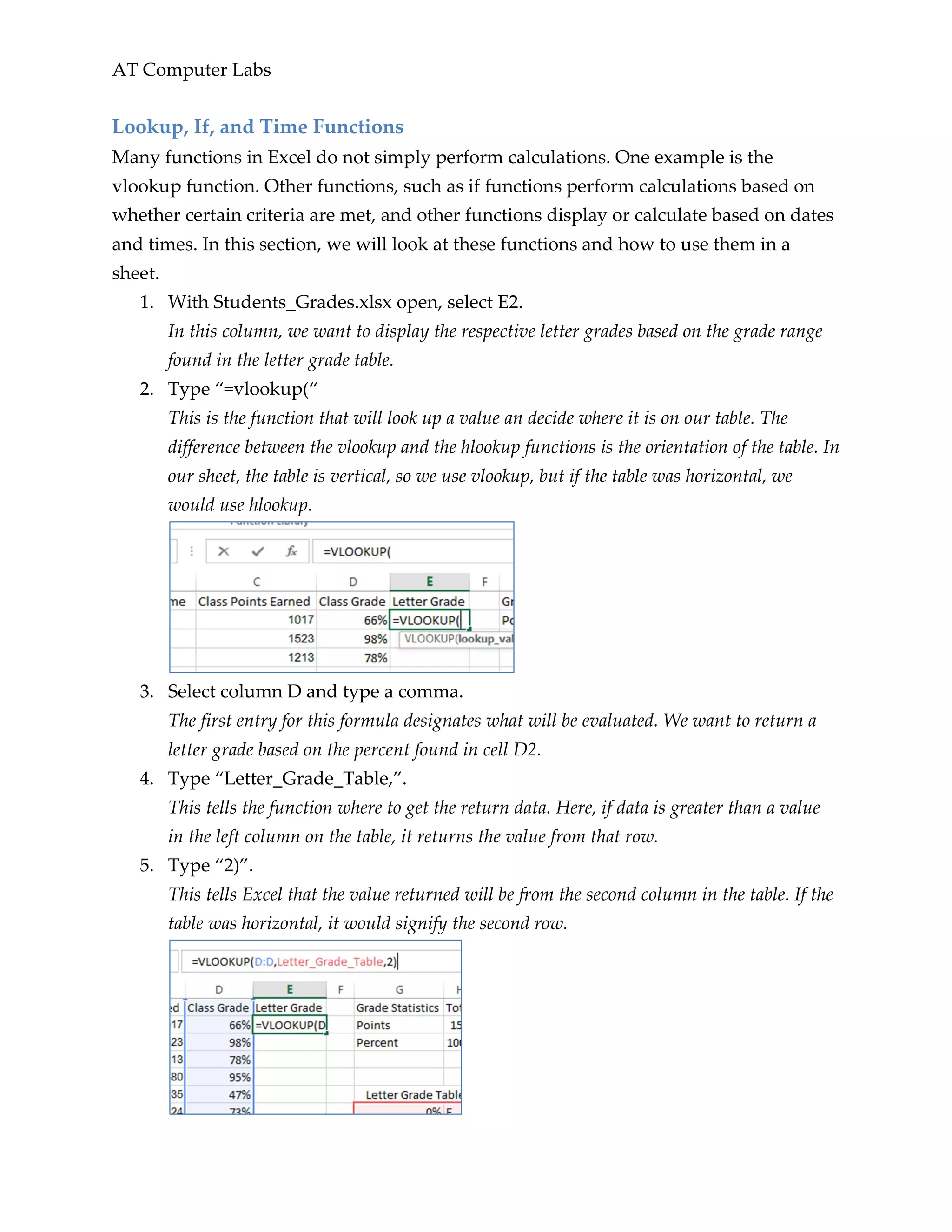
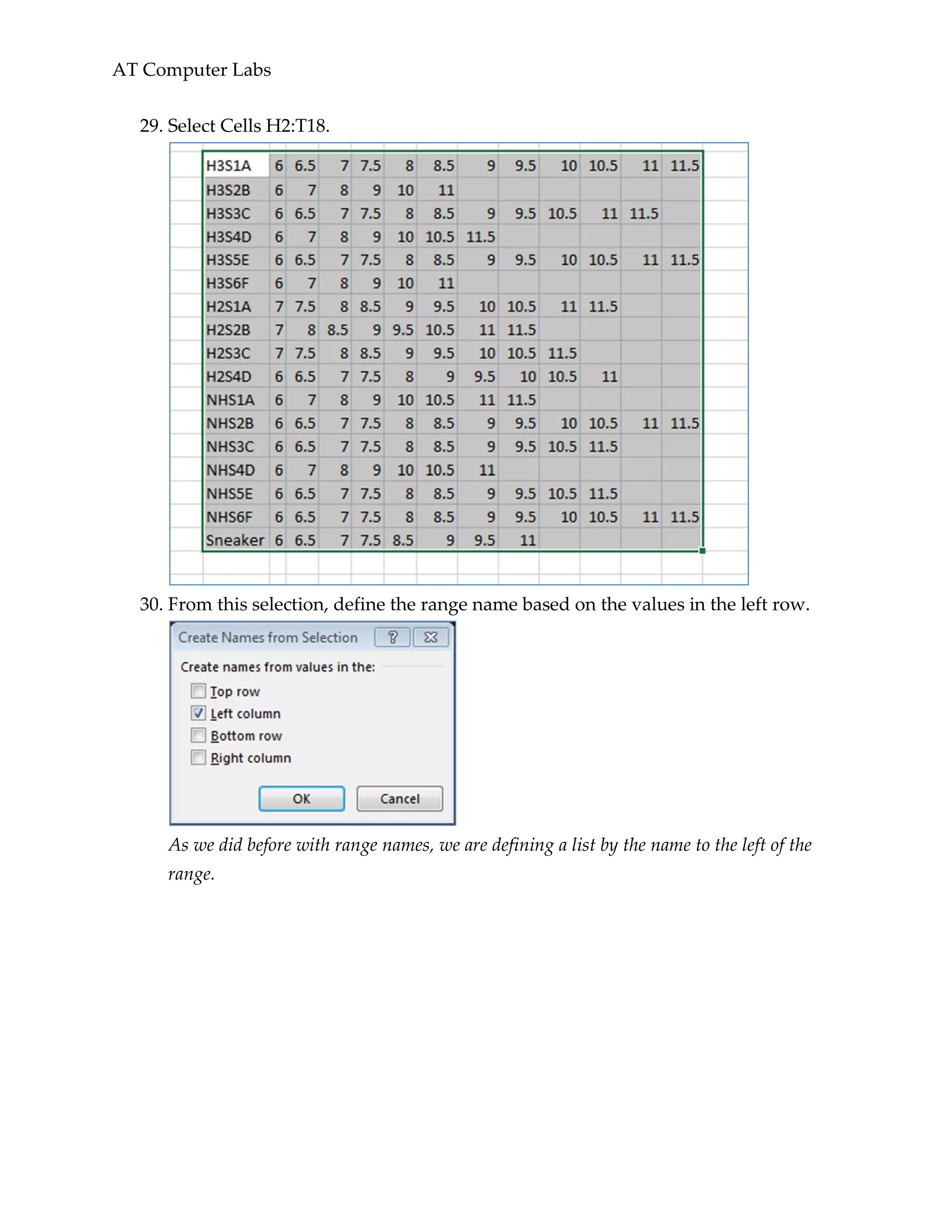
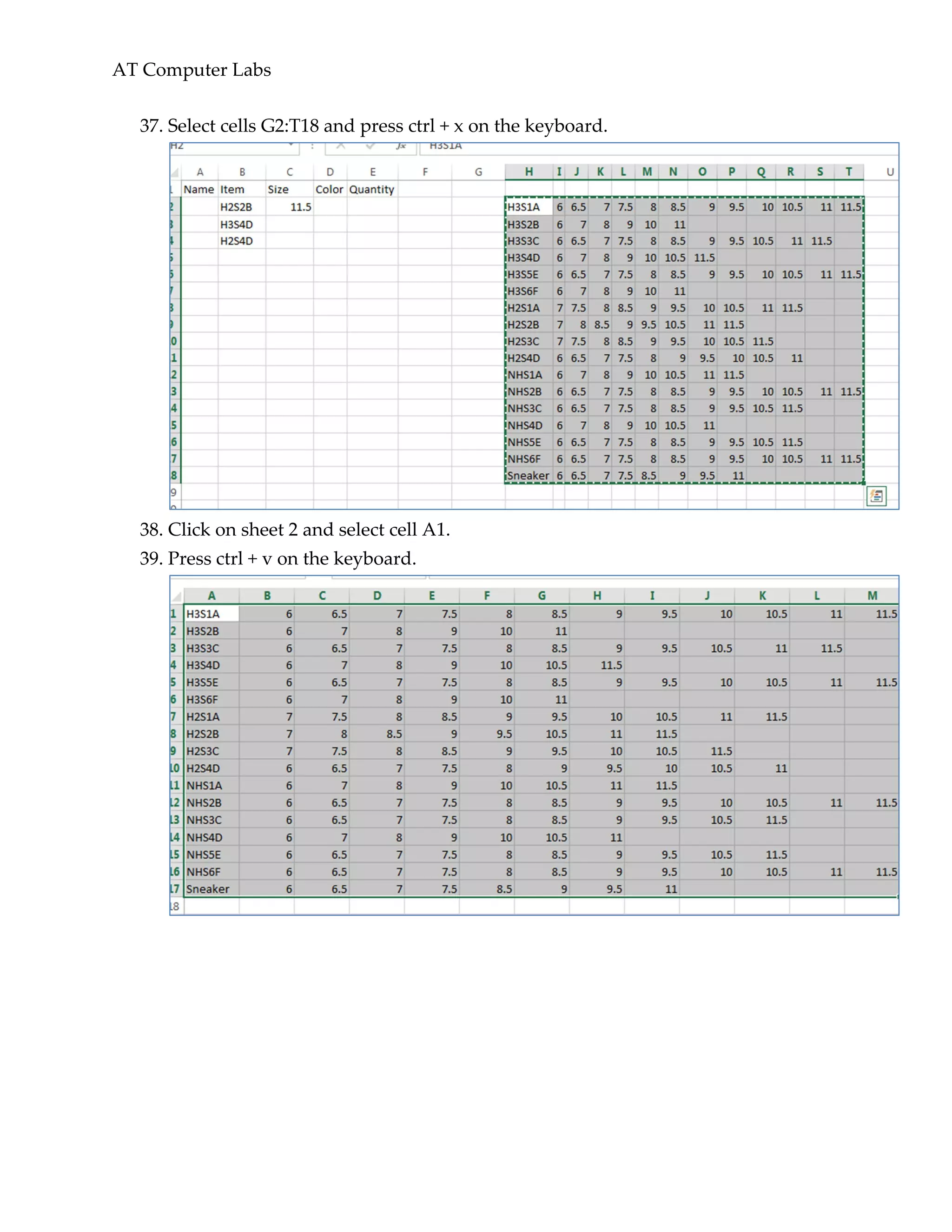
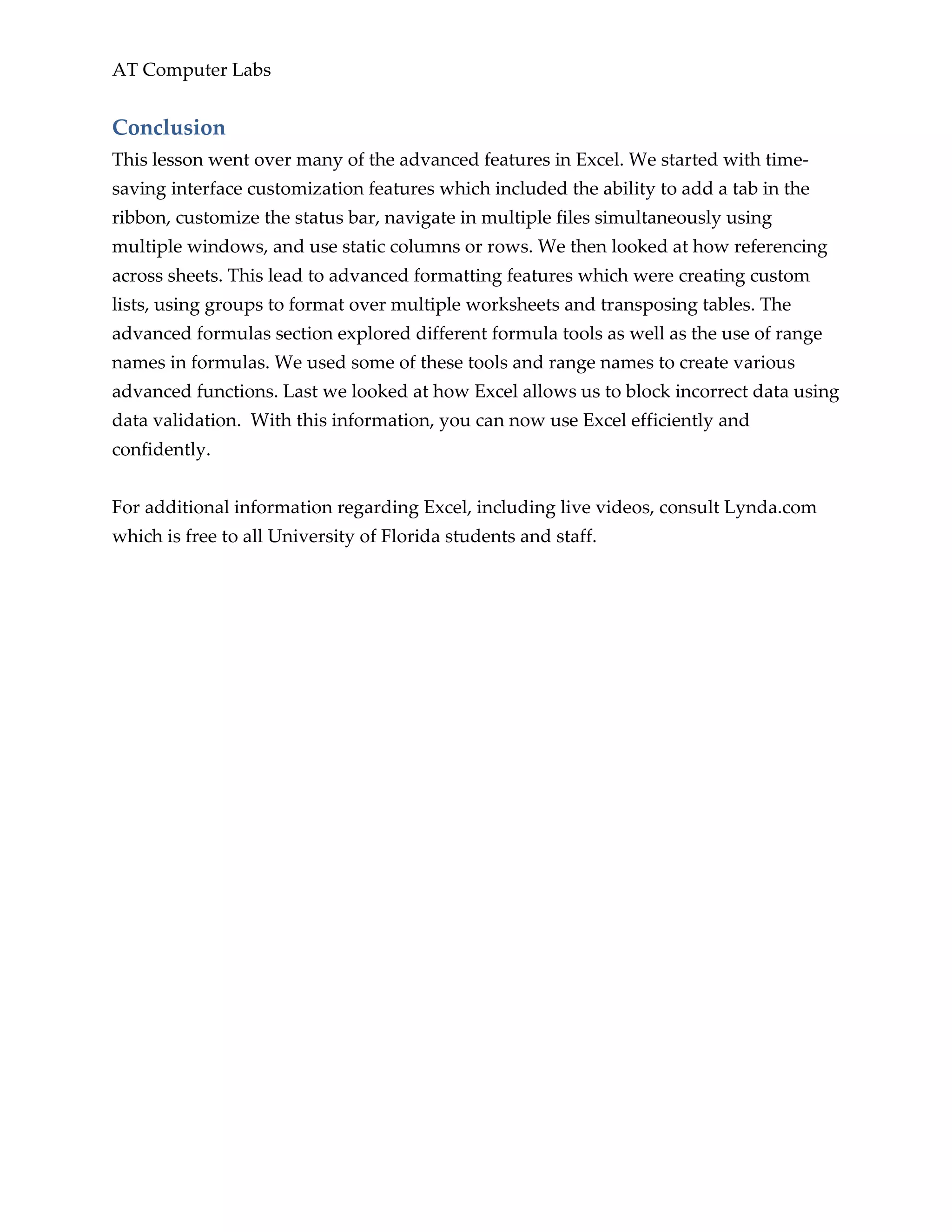
2. Click into B2 and press ctrl +] on the keyboard.
This will show us what cells contain functions that reference this cell. In this case, there
are only two which are both in the screen, but if not, we can use enter to navigate to the
other functions.
3. Press enter to move to the second formula that uses this cell.
4. Click into cell C13 and press ctrl + [on the keyboard.
The active cell is now a cell that is used in the function which is located in C13. Pressing
enter will also move between cells here similar to step 4.](https://image.slidesharecdn.com/advexcellp-160427121039/75/Advexcellp-43-2048.jpg)