

Advanced Google
   Analytics
        Ben MacNeill
  ben.macneill@extension.org
• Goals
• Custom Reports
• Custom Variables
• Advanced Segments
• Bonus: New GA UI
Goals
• What do you want your site visitors to do?
   • Download a PDF?
   • Submit a form?
   • Click the "contact us" link?
   • Sign up for a newsletter?
• How many visitors reach the goal?
• Where do visitors abandon goals?
Example:
        Ask an Expert
• How many visitors are "Asking an Expert"?
• What happens when they use the Ask an
  Expert form?
• Problem: the search results for the form
  create unique URLs
Solution: Virtual Pages
• The solution is create a virtual page with
  the GATC method: _trackPageview()
• We're going to overwrite the actual,
  dynamic URL with a made-up, virtual URL
Step 1. Define the Goal
• "Question submitted" page
• Problem: it's not a hardcoded web page
  (there is no thankyou.html page)

•   (The "thank you" page URL is dynamic because the
    visitor is returned to their previous page)
Make Up a
             Descriptive URL
    Before:
    _gaq.push(['_trackPageview']);

    After:
    _gaq.push(['_trackPageview', '/ask-
    an-expert-question-submitted']);


In GA, this page view shows up as:
www.extension.org/ask-an-expert-question-submitted
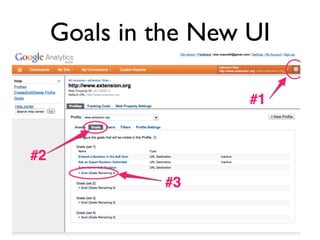
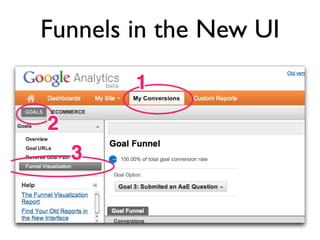
Goals in the New UI
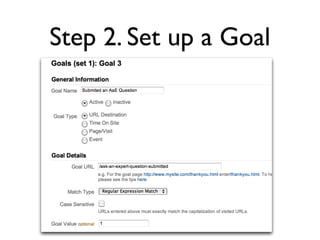
Step 2. Set up a Goal
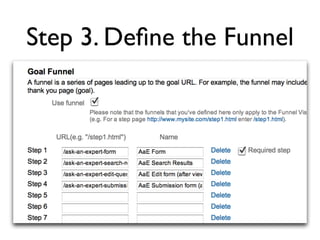
Step 3. Define the Funnel
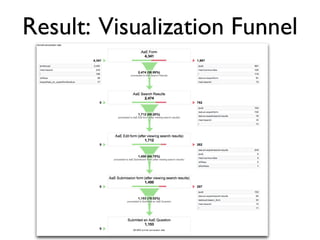
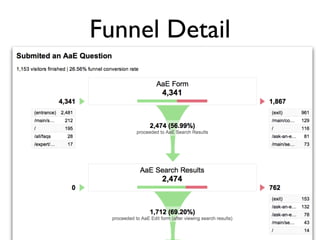
Result: Visualization Funnel
Funnel Detail
Analyze

• Are visitors doing what you expect?
• Where are they dropping off?
• What's wrong with those pages?
  (focus redesign efforts there.)
Funnels in the New UI
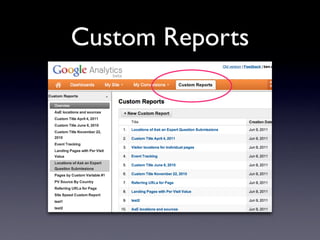
Custom Reports
Why Custom Reports?
• When you want more than the general GA
  reports: traffic sources, pageviews, search
  terms, visitor location, etc.
• Only the metrics you want to see
• Organized exactly how you want to see it
• Create report combinations that don't
  exist by default
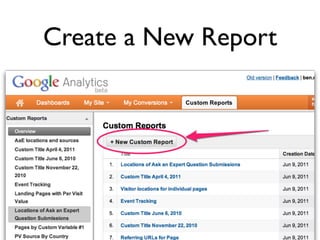
Create a New Report
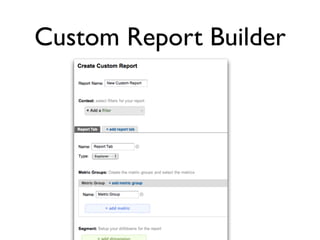
Custom Report Builder
Metrics vs. Dimensions
 • Metrics: think Numbers
   (145 visitors, pages, or goals)


 • Dimensions: think Descriptions
   (145 visitors in NC who came
   from Organic Search)
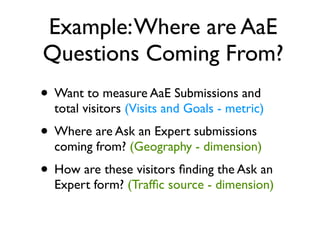
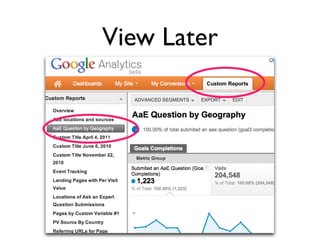
Example: Where are AaE
Questions Coming From?
• Want to measure AaE Submissions and
  total visitors (Visits and Goals - metric)
• Where are Ask an Expert submissions
  coming from? (Geography - dimension)
• How are these visitors finding the Ask an
  Expert form? (Traffic source - dimension)
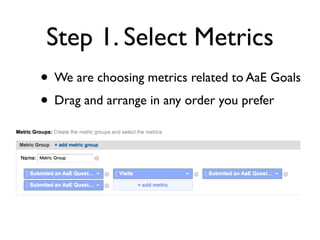
Step 1. Select Metrics
• We are choosing metrics related to AaE Goals
• Drag and arrange in any order you prefer
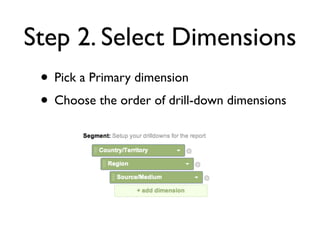
Step 2. Select Dimensions
 • Pick a Primary dimension
 • Choose the order of drill-down dimensions
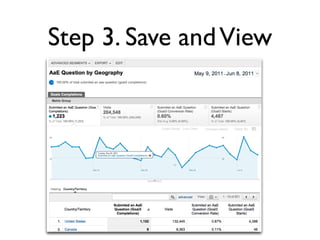
Step 3. Save and View
View Later
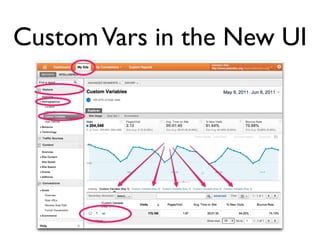
Custom Variables

• Create additional, custom traffic segments
   • visitor types
   • which sections are most popular
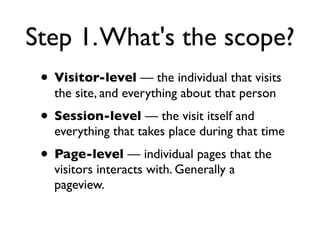
Step 1. What's the scope?
 • Visitor-level — the individual that visits
   the site, and everything about that person
 • Session-level — the visit itself and
   everything that takes place during that time
 • Page-level — individual pages that the
   visitors interacts with. Generally a
   pageview.
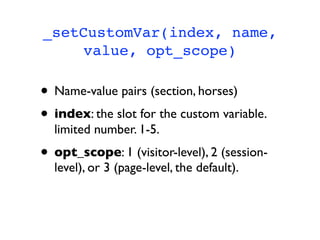
_setCustomVar(index, name,
    value, opt_scope)

• Name-value pairs (section, horses)
• index: the slot for the custom variable.
  limited number. 1-5.
• opt_scope: 1 (visitor-level), 2 (session-
  level), or 3 (page-level, the default).
Examples
Category tracking? Use page-level scope (3).
(rat = resource area tag)
_gaq.push(['_setCustomVar', 1, 'rat',
'horses', 3]);

User-type tracking? Visitor-level scope (1).
_gaq.push(['_setCustomVar', 2, 'login',
'internal', 1]);
Custom Vars in the New UI
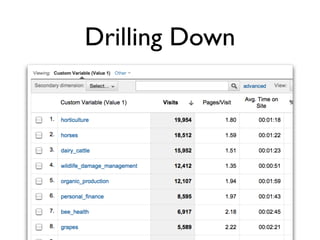
Drilling Down
Advanced Segments

• Define the specific slice of traffic that you
  are interested in
• Activate that segment and view any report
  in Google Analytics
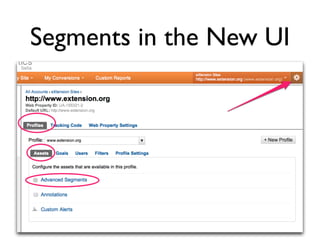
Segments in the New UI
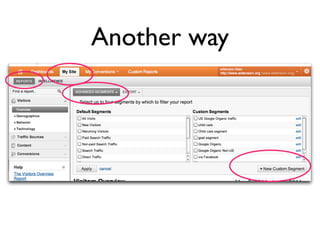
Another way
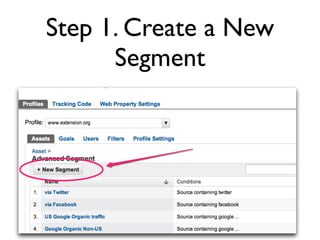
Step 1. Create a New
      Segment
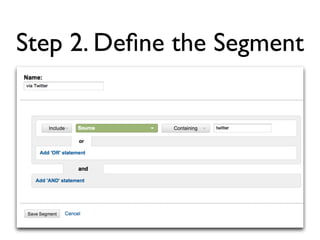
Step 2. Define the Segment
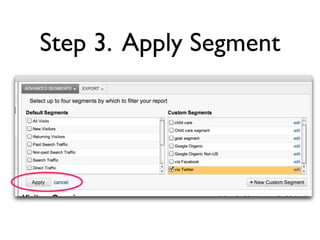
Step 3. Apply Segment
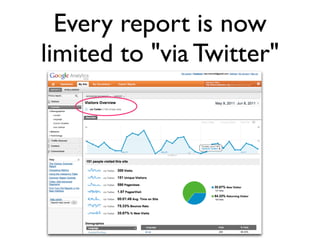
Every report is now
limited to "via Twitter"
New GA UI

• Faster
• Can switch between profiles and
  stay on the same report
• Doesn't have PDF export or report
  emailing yet
Happy Analyzing!


• ben.macneill@extension.org
• http://www.slideshare.net/chillnc/
• twitter: @chillnc

Advanced Google Analytics Techniques

  • 1.
    Advanced Google Analytics Ben MacNeill ben.macneill@extension.org
  • 2.
    • Goals • CustomReports • Custom Variables • Advanced Segments • Bonus: New GA UI
  • 3.
    Goals • What doyou want your site visitors to do? • Download a PDF? • Submit a form? • Click the "contact us" link? • Sign up for a newsletter? • How many visitors reach the goal? • Where do visitors abandon goals?
  • 4.
    Example: Ask an Expert • How many visitors are "Asking an Expert"? • What happens when they use the Ask an Expert form? • Problem: the search results for the form create unique URLs
  • 5.
    Solution: Virtual Pages •The solution is create a virtual page with the GATC method: _trackPageview() • We're going to overwrite the actual, dynamic URL with a made-up, virtual URL
  • 6.
    Step 1. Definethe Goal • "Question submitted" page • Problem: it's not a hardcoded web page (there is no thankyou.html page) • (The "thank you" page URL is dynamic because the visitor is returned to their previous page)
  • 7.
    Make Up a Descriptive URL Before: _gaq.push(['_trackPageview']); After: _gaq.push(['_trackPageview', '/ask- an-expert-question-submitted']); In GA, this page view shows up as: www.extension.org/ask-an-expert-question-submitted
  • 8.
  • 9.
    Step 2. Setup a Goal
  • 10.
    Step 3. Definethe Funnel
  • 11.
  • 12.
  • 13.
    Analyze • Are visitorsdoing what you expect? • Where are they dropping off? • What's wrong with those pages? (focus redesign efforts there.)
  • 15.
  • 16.
  • 17.
    Why Custom Reports? •When you want more than the general GA reports: traffic sources, pageviews, search terms, visitor location, etc. • Only the metrics you want to see • Organized exactly how you want to see it • Create report combinations that don't exist by default
  • 18.
  • 19.
  • 20.
    Metrics vs. Dimensions • Metrics: think Numbers (145 visitors, pages, or goals) • Dimensions: think Descriptions (145 visitors in NC who came from Organic Search)
  • 21.
    Example: Where areAaE Questions Coming From? • Want to measure AaE Submissions and total visitors (Visits and Goals - metric) • Where are Ask an Expert submissions coming from? (Geography - dimension) • How are these visitors finding the Ask an Expert form? (Traffic source - dimension)
  • 22.
    Step 1. SelectMetrics • We are choosing metrics related to AaE Goals • Drag and arrange in any order you prefer
  • 23.
    Step 2. SelectDimensions • Pick a Primary dimension • Choose the order of drill-down dimensions
  • 24.
    Step 3. Saveand View
  • 25.
  • 26.
    Custom Variables • Createadditional, custom traffic segments • visitor types • which sections are most popular
  • 27.
    Step 1. What'sthe scope? • Visitor-level — the individual that visits the site, and everything about that person • Session-level — the visit itself and everything that takes place during that time • Page-level — individual pages that the visitors interacts with. Generally a pageview.
  • 28.
    _setCustomVar(index, name, value, opt_scope) • Name-value pairs (section, horses) • index: the slot for the custom variable. limited number. 1-5. • opt_scope: 1 (visitor-level), 2 (session- level), or 3 (page-level, the default).
  • 29.
    Examples Category tracking? Usepage-level scope (3). (rat = resource area tag) _gaq.push(['_setCustomVar', 1, 'rat', 'horses', 3]); User-type tracking? Visitor-level scope (1). _gaq.push(['_setCustomVar', 2, 'login', 'internal', 1]);
  • 30.
    Custom Vars inthe New UI
  • 31.
  • 32.
    Advanced Segments • Definethe specific slice of traffic that you are interested in • Activate that segment and view any report in Google Analytics
  • 33.
  • 34.
  • 35.
    Step 1. Createa New Segment
  • 36.
    Step 2. Definethe Segment
  • 37.
  • 38.
    Every report isnow limited to "via Twitter"
  • 39.
    New GA UI •Faster • Can switch between profiles and stay on the same report • Doesn't have PDF export or report emailing yet
  • 40.
    Happy Analyzing! • ben.macneill@extension.org •http://www.slideshare.net/chillnc/ • twitter: @chillnc