What‟s new with
Publishing in 2013
#spsbe
Adam Burcher
Thanks to our
Sponsors
Platinum
Gold
Silver
About me
Adam Burcher
SharePoint Consultant, MCPD & MCITP
@sharepointbaker
adam@thesharepointbaker.co.uk
www.thesharepointbaker.co.uk
What are we
looking at
today?
• Introduce some new features
• Design Manager
• Image Renditions
• Device Channels
• Walkthrough Design Manager
• Build a Master page
• Build a Page layout
• Look at how we can use Image Rendition
• Look at how we can use Device Channels
• Some other features
• New SEO Properties
• Nice URLs/Metadata Navigation
• Lessons learnt from the Real World
• Q&A
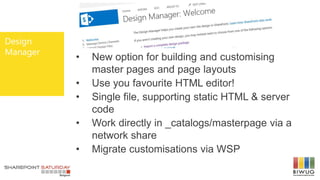
Design
Manager
• New option for building and customising
master pages and page layouts
• Use you favourite HTML editor!
• Single file, supporting static HTML & server
code
• Work directly in _catalogs/masterpage via a
network share
• Migrate customisations via WSP
Image
Rendition
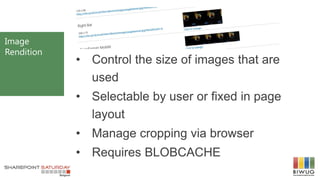
• Control the size of images that are
used
• Selectable by user or fixed in page
layout
• Manage cropping via browser
• Requires BLOBCACHE
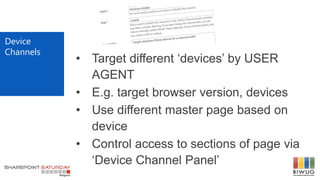
• Target different „devices‟ by USER
AGENT
• E.g. target browser version, devices
• Use different master page based on
device
• Control access to sections of page via
„Device Channel Panel‟
Device
Channels
Demo
Some
Real World
Lessons
Learnt
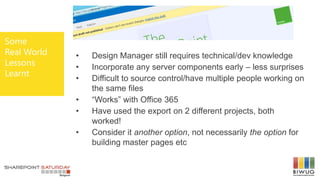
• Design Manager still requires technical/dev knowledge
• Incorporate any server components early – less surprises
• Difficult to source control/have multiple people working on
the same files
• “Works” with Office 365
• Have used the export on 2 different projects, both
worked!
• Consider it another option, not necessarily the option for
building master pages etc
Questions?
THANK YOU
Adam Burcher
@sharepointbaker
adam@thesharepointbaker.co.uk
www.thesharepointbaker.co.uk

SPSBE 2013 what's new with publishing 2

  • 1.
    What‟s new with Publishingin 2013 #spsbe Adam Burcher
  • 2.
  • 3.
    About me Adam Burcher SharePointConsultant, MCPD & MCITP @sharepointbaker adam@thesharepointbaker.co.uk www.thesharepointbaker.co.uk
  • 4.
    What are we lookingat today? • Introduce some new features • Design Manager • Image Renditions • Device Channels • Walkthrough Design Manager • Build a Master page • Build a Page layout • Look at how we can use Image Rendition • Look at how we can use Device Channels • Some other features • New SEO Properties • Nice URLs/Metadata Navigation • Lessons learnt from the Real World • Q&A
  • 5.
    Design Manager • New optionfor building and customising master pages and page layouts • Use you favourite HTML editor! • Single file, supporting static HTML & server code • Work directly in _catalogs/masterpage via a network share • Migrate customisations via WSP
  • 6.
    Image Rendition • Control thesize of images that are used • Selectable by user or fixed in page layout • Manage cropping via browser • Requires BLOBCACHE
  • 7.
    • Target different„devices‟ by USER AGENT • E.g. target browser version, devices • Use different master page based on device • Control access to sections of page via „Device Channel Panel‟ Device Channels
  • 8.
  • 9.
    Some Real World Lessons Learnt • DesignManager still requires technical/dev knowledge • Incorporate any server components early – less surprises • Difficult to source control/have multiple people working on the same files • “Works” with Office 365 • Have used the export on 2 different projects, both worked! • Consider it another option, not necessarily the option for building master pages etc
  • 10.
  • 11.

Editor's Notes

  • #2 Template may not be modified Twitter hashtag: #spsbe for all sessions
  • #12 Please use a picture of yourself in a mountain/cloudscene