“Our hope is that by building more
accessible products, we can make a
meaningful difference in the lives of
people around the world.”

Google
“Amazon’s vision is to be Earth’s
most customer-centric company,
and that includes customers
with disabilities”

Amazon
“Technology is most powerful
when it empowers everyone.”

Apple
“We design to embrace the things that
make us human. It’s what drives us to
create a world that makes lives better.
The result is technology that’s inclusive.”

Microsoft
Intro to Accessibility
MilwaukeeJS
September 25, 2018
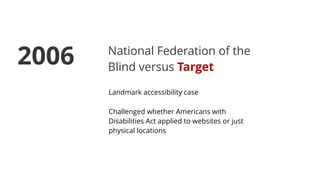
National Federation of the
Blind versus Target
Landmark accessibility case
Challenged whether Americans with
Disabilities Act applied to websites or just
physical locations
2006
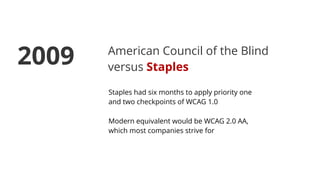
American Council of the Blind
versus Staples
Staples had six months to apply priority one
and two checkpoints of WCAG 1.0
Modern equivalent would be WCAG 2.0 AA,
which most companies strive for
2009
National Association for the
Deaf versus Netflix
Netflix violated Title III of ADA by not providing
closed captioning
Netflix agreed to make “good faith, diligent
efforts" ensure compatibility on most devices
but is not obligated to get it 100% device
compatible
Had to provide captions on all new content
2012
Ashley Cwikla versus Bank
of America
Bank of America Credit Card Rewards
redemption was hard to complete for visually
impaired individuals
BoA had to meet WCAG Level AA standards and
conduct internal training for customer service
staff to assist with visually impaired clients
2015
Confidential Plaintiff versus
Kmart, McDonalds, GrubHub
Confidential plaintiff and terms
The cases were filed early 2017 and settled
within weeks
2017
Marial Mendizabal versus
Burger King
Latest high profile accessibility case
Case is expected to go to court soon
Claimant seeks a permanent injunction for
Burger King to ensure its website accessibility
2018
In 2017, plaintiffs filed at least 814
federal lawsuits about allegedly
inaccessible websites.
In the first half of 2018, plaintiffs filed
at least 1,000 federal lawsuits about
allegedly inaccessible websites.
In 2018, this number is expected to
grow to more than 2,000.
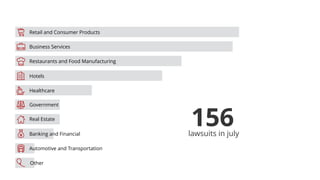
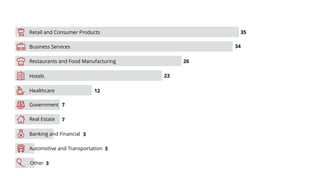
Retail and eCommerce lawsuits grew
significantly in 2017, joining healthcare
and financial accessibility lawsuits.
156lawsuits in july
! Business Services
Retail and Consumer Products
Restaurants and Food Manufacturing
Healthcare
Hotels
Government
Banking and Financial
Real Estate
Automotive and Transportation
"
Other
#
$
%
&
'
(
)
*
! Business Services
Retail and Consumer Products
Restaurants and Food Manufacturing
Healthcare
Hotels
Government
Banking and Financial
Real Estate
Automotive and Transportation
"
Other
#
$
%
&
'
(
)
*
35
34
26
23
12
7
7
3
3
3
Even if you are not in danger of being
sued, you should strive to be
accessibility compliant.
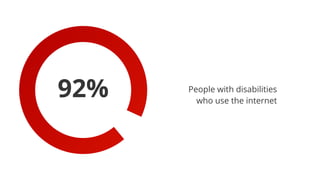
92% People with disabilities
who use the internet
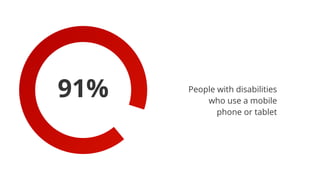
91% People with disabilities
who use a mobile
phone or tablet
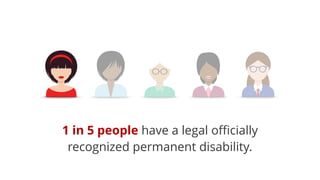
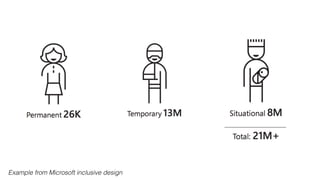
1 in 5 people have a legal officially
recognized permanent disability.
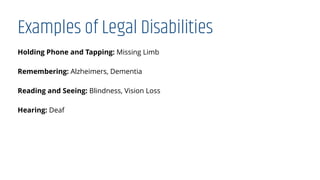
Examples of Legal Disabilities
Holding Phone and Tapping: Missing Limb
Remembering: Alzheimers, Dementia
Reading and Seeing: Blindness, Vision Loss
Hearing: Deaf
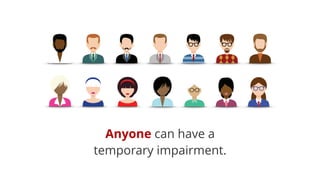
Anyone can have a
temporary impairment.
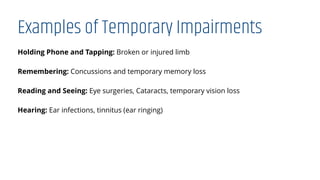
Examples of Temporary Impairments
Holding Phone and Tapping: Broken or injured limb
Remembering: Concussions and temporary memory loss
Reading and Seeing: Eye surgeries, Cataracts, temporary vision loss
Hearing: Ear infections, tinnitus (ear ringing)
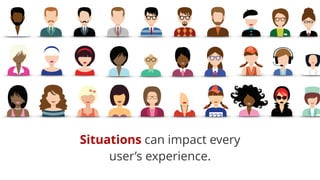
Situations can impact every
user’s experience.
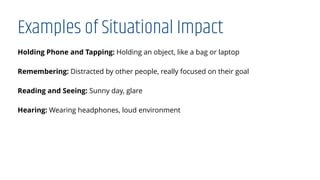
Examples of Situational Impact
Holding Phone and Tapping: Holding an object, like a bag or laptop
Remembering: Distracted by other people, really focused on their goal
Reading and Seeing: Sunny day, glare
Hearing: Wearing headphones, loud environment
Example from Microsoft inclusive design
Microsoft
We design to embrace the things
that make us human. It’s what drives
us to create a world that makes
lives better. The result is technology
that’s inclusive.”
Accessibility Guidelines
Who makes the rules?
Web Accessibility Initiative (WAI) of World Wide Web Consortium (W3C)
Guidelines for inclusive design
Influence accessibility and disability law
Both website and mobile apps
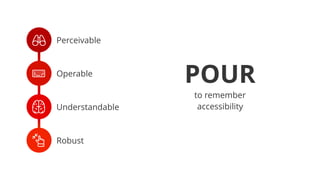
Perceivable, Operable, Understandable, Robust (POUR)
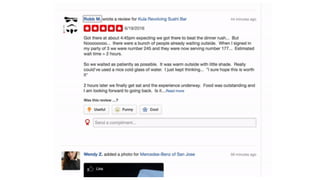
“Information and user interface
components must be
presentable to users in ways
they can perceive”
Perceivable
Users can find all the info they need
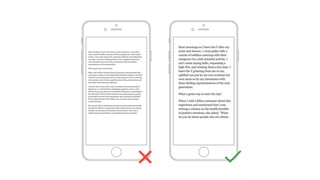
Text and images should be readable
Media has a sound alternative
Color isn’t used to solely convey info
Perceivable
Make sure everything is readable
Aim for higher color contrast
Use readable fonts
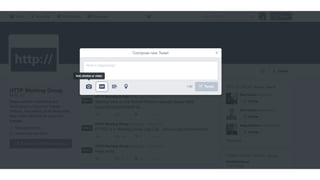
“User interface components
and navigation must be
operable.”
Operable
Users need to be able to get to (and from) all non-decorative elements on the
screen
Information should be organized in a way that’s easy to understand
Additional plugins can interfere with assistive devices
Operable
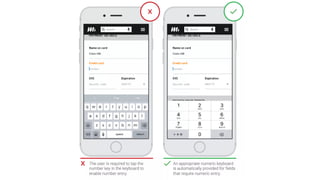
Design for a variety of contexts
Watch out for keyboard traps
Build a hierarchy
“Information and the
operation of user interface
must be understandable.”
Understandable
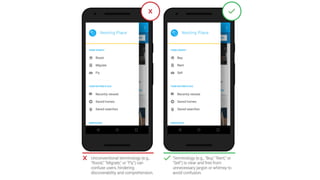
Users should be able to understand how your app works
Can understand what the info means
Messaging is consistent without using overwhelming jargon
Understandable
Don’t use overly complex language
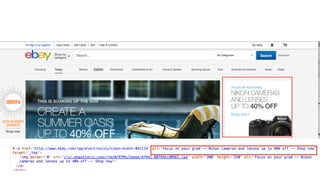
Label everything
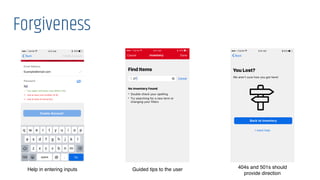
Provide forgiveness
Forgiveness
Help in entering inputs Guided tips to the user 404s and 501s should
provide direction
Layout
Rely on layout conventions (top nav, menu placements, etc)
Android and iOS default SDKs have accessibility in mind
Consistency between screen sizes and mediums is not a requirement
Important elements positioned prior to the screen break
“Content must be robust
enough that it can be interpreted
reliably by a wide variety of user
agents, including assistive
technologies.”
Robust
Users can access your app through a variety of ways
Taps and touches
Voice assistants (Siri, Alexa, Cortana)
Screen readers
Resizing
Robust
Make sure screen readers can use your design
Look out for slowness or performance issues
Responsive
User shouldn’t be able to easily break your website/app/product
Screen readers
Android: TalkBack, iOS: VoiceOver
Avoid unnecessary sounds
Multiple ways to navigate screens with a screen reader
May use screen reader by itself or with other assistive technology
+ Perceivable
, Operable
- Understandable
. Robust
POUR
to remember
accessibility
What are the WCAG levels?
A: Lowest level. These are easier to implement, have a high impact on the overall
population
AA: High impact, but a lower portion of the population
AAA: Focused improvements for specific users
Level A Examples (not a complete list)
• Include text alternatives for media
• Provide captions for videos with audio
• Avoid jargon
• Don’t rely solely on color to give information (think error messages)
• Label form fields
• Use a meaningful header structure
• No major code errors
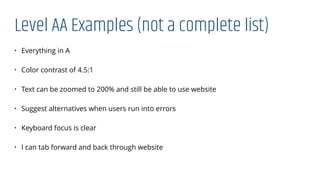
Level AA Examples (not a complete list)
• Everything in A
• Color contrast of 4.5:1
• Text can be zoomed to 200% and still be able to use website
• Suggest alternatives when users run into errors
• Keyboard focus is clear
• I can tab forward and back through website
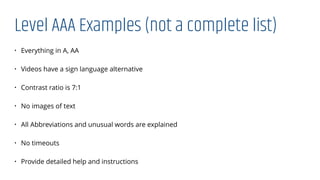
Level AAA Examples (not a complete list)
• Everything in A, AA
• Videos have a sign language alternative
• Contrast ratio is 7:1
• No images of text
• All Abbreviations and unusual words are explained
• No timeouts
• Provide detailed help and instructions
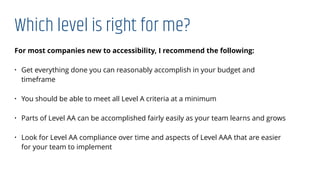
Which level is right for me?
For most companies new to accessibility, I recommend the following:
• Get everything done you can reasonably accomplish in your budget and
timeframe
• You should be able to meet all Level A criteria at a minimum
• Parts of Level AA can be accomplished fairly easily as your team learns and grows
• Look for Level AA compliance over time and aspects of Level AAA that are easier
for your team to implement
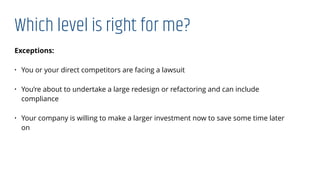
Which level is right for me?
Exceptions:
• You or your direct competitors are facing a lawsuit
• You’re about to undertake a large redesign or refactoring and can include
compliance
• Your company is willing to make a larger investment now to save some time later
on
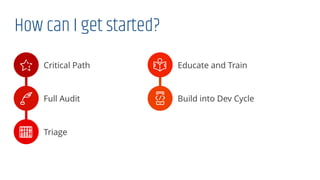
How can I get started?
/ Critical Path
0 Full Audit
1 Triage
2 Educate and Train
3 Build into Dev Cycle
Accessibility Demos
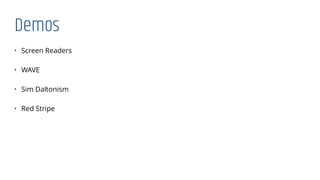
Demos
• Screen Readers
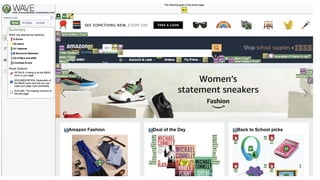
• WAVE
• Sim Daltonism
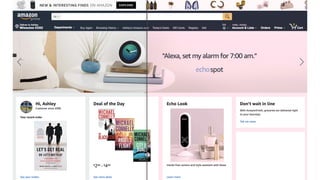
• Red Stripe
Red Stripe
Questions?
Ashley Dzick
Principal UX Consultant
adzick@safenetconsulting.com

@ashleydzick
Get in Touch!

Intro to Web Accessibility

  • 1.
    “Our hope isthat by building more accessible products, we can make a meaningful difference in the lives of people around the world.”
 Google
  • 2.
    “Amazon’s vision isto be Earth’s most customer-centric company, and that includes customers with disabilities”
 Amazon
  • 3.
    “Technology is mostpowerful when it empowers everyone.”
 Apple
  • 4.
    “We design toembrace the things that make us human. It’s what drives us to create a world that makes lives better. The result is technology that’s inclusive.”
 Microsoft
  • 6.
  • 7.
    National Federation ofthe Blind versus Target Landmark accessibility case Challenged whether Americans with Disabilities Act applied to websites or just physical locations 2006
  • 8.
    American Council ofthe Blind versus Staples Staples had six months to apply priority one and two checkpoints of WCAG 1.0 Modern equivalent would be WCAG 2.0 AA, which most companies strive for 2009
  • 9.
    National Association forthe Deaf versus Netflix Netflix violated Title III of ADA by not providing closed captioning Netflix agreed to make “good faith, diligent efforts" ensure compatibility on most devices but is not obligated to get it 100% device compatible Had to provide captions on all new content 2012
  • 10.
    Ashley Cwikla versusBank of America Bank of America Credit Card Rewards redemption was hard to complete for visually impaired individuals BoA had to meet WCAG Level AA standards and conduct internal training for customer service staff to assist with visually impaired clients 2015
  • 11.
    Confidential Plaintiff versus Kmart,McDonalds, GrubHub Confidential plaintiff and terms The cases were filed early 2017 and settled within weeks 2017
  • 12.
    Marial Mendizabal versus BurgerKing Latest high profile accessibility case Case is expected to go to court soon Claimant seeks a permanent injunction for Burger King to ensure its website accessibility 2018
  • 13.
    In 2017, plaintiffsfiled at least 814 federal lawsuits about allegedly inaccessible websites.
  • 14.
    In the firsthalf of 2018, plaintiffs filed at least 1,000 federal lawsuits about allegedly inaccessible websites.
  • 15.
    In 2018, thisnumber is expected to grow to more than 2,000.
  • 16.
    Retail and eCommercelawsuits grew significantly in 2017, joining healthcare and financial accessibility lawsuits.
  • 17.
    156lawsuits in july !Business Services Retail and Consumer Products Restaurants and Food Manufacturing Healthcare Hotels Government Banking and Financial Real Estate Automotive and Transportation " Other # $ % & ' ( ) *
  • 18.
    ! Business Services Retailand Consumer Products Restaurants and Food Manufacturing Healthcare Hotels Government Banking and Financial Real Estate Automotive and Transportation " Other # $ % & ' ( ) * 35 34 26 23 12 7 7 3 3 3
  • 19.
    Even if youare not in danger of being sued, you should strive to be accessibility compliant.
  • 20.
    92% People withdisabilities who use the internet
  • 21.
    91% People withdisabilities who use a mobile phone or tablet
  • 22.
    1 in 5people have a legal officially recognized permanent disability.
  • 23.
    Examples of LegalDisabilities Holding Phone and Tapping: Missing Limb Remembering: Alzheimers, Dementia Reading and Seeing: Blindness, Vision Loss Hearing: Deaf
  • 25.
    Anyone can havea temporary impairment.
  • 26.
    Examples of TemporaryImpairments Holding Phone and Tapping: Broken or injured limb Remembering: Concussions and temporary memory loss Reading and Seeing: Eye surgeries, Cataracts, temporary vision loss Hearing: Ear infections, tinnitus (ear ringing)
  • 28.
    Situations can impactevery user’s experience.
  • 29.
    Examples of SituationalImpact Holding Phone and Tapping: Holding an object, like a bag or laptop Remembering: Distracted by other people, really focused on their goal Reading and Seeing: Sunny day, glare Hearing: Wearing headphones, loud environment
  • 30.
    Example from Microsoftinclusive design
  • 31.
    Microsoft We design toembrace the things that make us human. It’s what drives us to create a world that makes lives better. The result is technology that’s inclusive.”
  • 32.
  • 33.
    Who makes therules? Web Accessibility Initiative (WAI) of World Wide Web Consortium (W3C) Guidelines for inclusive design Influence accessibility and disability law Both website and mobile apps Perceivable, Operable, Understandable, Robust (POUR)
  • 34.
    “Information and userinterface components must be presentable to users in ways they can perceive”
  • 35.
    Perceivable Users can findall the info they need Text and images should be readable Media has a sound alternative Color isn’t used to solely convey info
  • 36.
    Perceivable Make sure everythingis readable Aim for higher color contrast Use readable fonts
  • 40.
    “User interface components andnavigation must be operable.”
  • 41.
    Operable Users need tobe able to get to (and from) all non-decorative elements on the screen Information should be organized in a way that’s easy to understand Additional plugins can interfere with assistive devices
  • 42.
    Operable Design for avariety of contexts Watch out for keyboard traps Build a hierarchy
  • 46.
    “Information and the operationof user interface must be understandable.”
  • 47.
    Understandable Users should beable to understand how your app works Can understand what the info means Messaging is consistent without using overwhelming jargon
  • 48.
    Understandable Don’t use overlycomplex language Label everything Provide forgiveness
  • 52.
    Forgiveness Help in enteringinputs Guided tips to the user 404s and 501s should provide direction
  • 54.
    Layout Rely on layoutconventions (top nav, menu placements, etc) Android and iOS default SDKs have accessibility in mind Consistency between screen sizes and mediums is not a requirement Important elements positioned prior to the screen break
  • 56.
    “Content must berobust enough that it can be interpreted reliably by a wide variety of user agents, including assistive technologies.”
  • 57.
    Robust Users can accessyour app through a variety of ways Taps and touches Voice assistants (Siri, Alexa, Cortana) Screen readers Resizing
  • 58.
    Robust Make sure screenreaders can use your design Look out for slowness or performance issues Responsive User shouldn’t be able to easily break your website/app/product
  • 59.
    Screen readers Android: TalkBack,iOS: VoiceOver Avoid unnecessary sounds Multiple ways to navigate screens with a screen reader May use screen reader by itself or with other assistive technology
  • 60.
    + Perceivable , Operable -Understandable . Robust POUR to remember accessibility
  • 61.
    What are theWCAG levels? A: Lowest level. These are easier to implement, have a high impact on the overall population AA: High impact, but a lower portion of the population AAA: Focused improvements for specific users
  • 62.
    Level A Examples(not a complete list) • Include text alternatives for media • Provide captions for videos with audio • Avoid jargon • Don’t rely solely on color to give information (think error messages) • Label form fields • Use a meaningful header structure • No major code errors
  • 63.
    Level AA Examples(not a complete list) • Everything in A • Color contrast of 4.5:1 • Text can be zoomed to 200% and still be able to use website • Suggest alternatives when users run into errors • Keyboard focus is clear • I can tab forward and back through website
  • 64.
    Level AAA Examples(not a complete list) • Everything in A, AA • Videos have a sign language alternative • Contrast ratio is 7:1 • No images of text • All Abbreviations and unusual words are explained • No timeouts • Provide detailed help and instructions
  • 65.
    Which level isright for me? For most companies new to accessibility, I recommend the following: • Get everything done you can reasonably accomplish in your budget and timeframe • You should be able to meet all Level A criteria at a minimum • Parts of Level AA can be accomplished fairly easily as your team learns and grows • Look for Level AA compliance over time and aspects of Level AAA that are easier for your team to implement
  • 66.
    Which level isright for me? Exceptions: • You or your direct competitors are facing a lawsuit • You’re about to undertake a large redesign or refactoring and can include compliance • Your company is willing to make a larger investment now to save some time later on
  • 67.
    How can Iget started? / Critical Path 0 Full Audit 1 Triage 2 Educate and Train 3 Build into Dev Cycle
  • 68.
  • 69.
    Demos • Screen Readers •WAVE • Sim Daltonism • Red Stripe
  • 73.
  • 74.
    Questions? Ashley Dzick Principal UXConsultant adzick@safenetconsulting.com
 @ashleydzick Get in Touch!