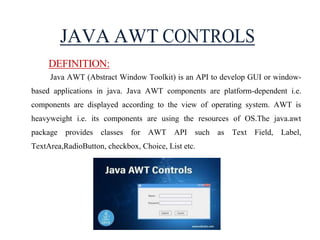
JAVA AWT CONTROLS
DEFINITION:
JavaAWT (Abstract Window Toolkit) is an API to develop GUI or window-
based applications in java. Java AWT components are platform-dependent i.e.
components are displayed according to the view of operating system. AWT is
heavyweight i.e. its components are using the resources of OS.The java.awt
package provides classes for AWT API such as Text Field, Label,
TextArea,RadioButton, checkbox, Choice, List etc.
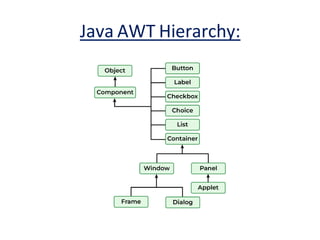
AWT IN JAVA:HIERARCHY
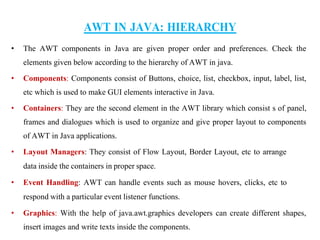
• The AWT components in Java are given proper order and preferences. Check the
elements given below according to the hierarchy of AWT in java.
• Components: Components consist of Buttons, choice, list, checkbox, input, label, list,
etc which is used to make GUI elements interactive in Java.
• Containers: They are the second element in the AWT library which consist s of panel,
frames and dialogues which is used to organize and give proper layout to components
of AWT in Java applications.
• Layout Managers: They consist of Flow Layout, Border Layout, etc to arrange
data inside the containers in proper space.
• Event Handling: AWT can handle events such as mouse hovers, clicks, etc to
respond with a particular event listener functions.
• Graphics: With the help of java.awt.graphics developers can create different shapes,
insert images and write texts inside the components.
5.
AWT COMPONENTS INJAVA:
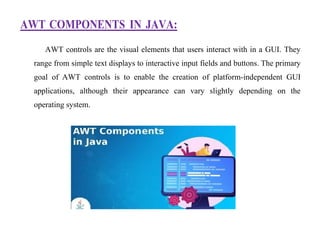
AWT controls are the visual elements that users interact with in a GUI. They
range from simple text displays to interactive input fields and buttons. The primary
goal of AWT controls is to enable the creation of platform-independent GUI
applications, although their appearance can vary slightly depending on the
operating system.
6.
DIFFERENT AWT COMPONENTS
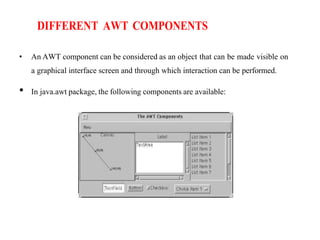
•An AWT component can be considered as an object that can be made visible on
a graphical interface screen and through which interaction can be performed.
• In java.awt package, the following components are available:
7.
CONTAINER:
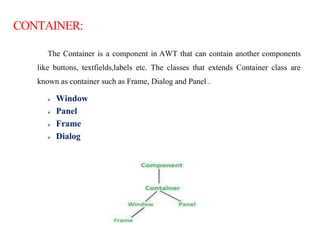
The Container isa component in AWT that can contain another components
like buttons, textfields,labels etc. The classes that extends Container class are
known as container such as Frame, Dialog and Panel .
Window
Panel
Frame
Dialog
8.
TYPES OF CONTAINERSIN JAVA AWT
WINDOW:
The window is the container that have no borders and menu bars.You must use
frame, dialog or another window for creating a window.
PANEL:
The Panel is the container that doesn't contain title bar and menu bars. It can
have other components like button, textfield etc.
FRAME:
The Frame is the container that contain title bar and can have menu bars. It
can have other components like button, text field etc.
DIALOG:
A dialog box is a temporary window an application creates to retrieve
user input.
9.
JAVA AWT EXAMPLE
Tocreate simple awt example, you need a frame.
There are two ways to create a frame inAWT.
By extending Frame class (inheritance)
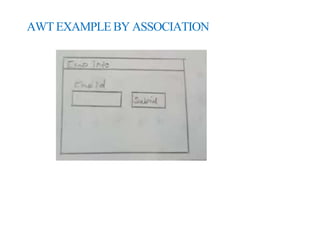
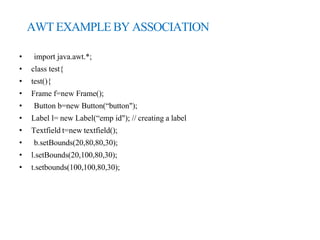
By creating the object of Frame class (association)
10.
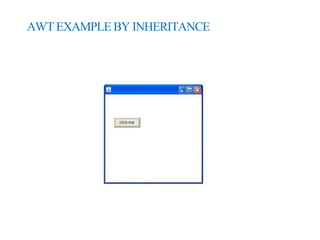
AWT EXAMPLE BYINHERITANCE
• import java.awt.*;
• public class awtexample extends frame
• {
• awtexample()
• {
• Button b=new Button("click me");
• b.setBounds(30,100,80,30);// setting button position
• add(b);//adding button into frame
• setSize(300,300);//frame size 300 width and 300 height
• setLayout(null);//no layout manager
• setVisible(true);//now frame will be visible, by default not visible
• }
• public static void main(String args[]){
awtexample a=new awtexample();
• }}
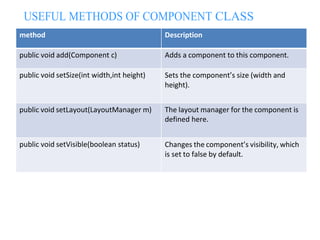
USEFUL METHODS OFCOMPONENT CLASS
method Description
public void add(Component c) Adds a component to this component.
public void setSize(int width,int height) Sets the component’s size (width and
height).
public void setLayout(LayoutManager m) The layout manager for the component is
defined here.
public void setVisible(boolean status) Changes the component’s visibility, which
is set to false by default.
16.
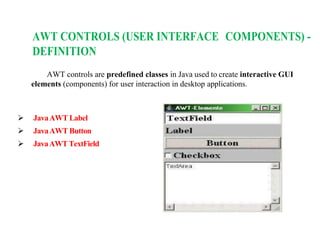
AWT CONTROLS (USERINTERFACE COMPONENTS) -
DEFINITION
AWT controls are predefined classes in Java used to create interactive GUI
elements (components) for user interaction in desktop applications.
JavaAWT Label
JavaAWT Button
JavaAWT TextField
17.
JAVA AWT LABEL
DEFINITION:
In JavaAWT, a Label is a GUI component used to display a single line of read-
only text.
It is part of the java.awt package and is commonly used to show static text (like
instructions or descriptions) on a window or form.
SYNTAX:
Label label = new Label(“string");
18.
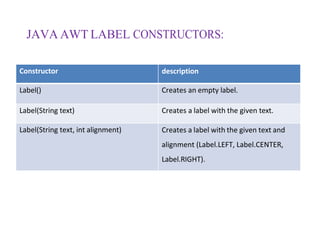
JAVA AWT LABELCONSTRUCTORS:
Constructor description
Label() Creates an empty label.
Label(String text) Creates a label with the given text.
Label(String text, int alignment) Creates a label with the given text and
alignment (Label.LEFT, Label.CENTER,
Label.RIGHT).
19.
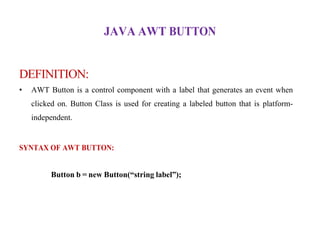
JAVA AWT BUTTON
DEFINITION:
•AWT Button is a control component with a label that generates an event when
clicked on. Button Class is used for creating a labeled button that is platform-
independent.
SYNTAX OF AWT BUTTON:
Button b = new Button(“string label”);
20.
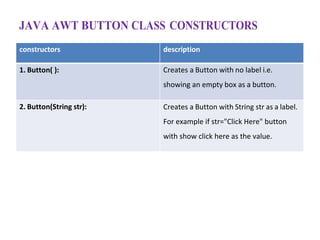
JAVA AWT BUTTONCLASS CONSTRUCTORS
constructors description
1. Button( ): Creates a Button with no label i.e.
showing an empty box as a button.
2. Button(String str): Creates a Button with String str as a label.
For example if str="Click Here" button
with show click here as the value.
21.
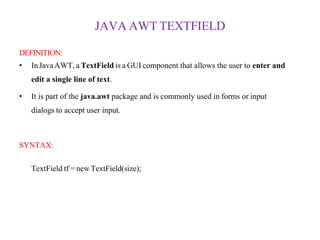
JAVA AWT TEXTFIELD
DEFINITION:
•InJavaAWT, a TextField is a GUI component that allows the user to enter and
edit a single line of text.
• It is part of the java.awt package and is commonly used in forms or input
dialogs to accept user input.
SYNTAX:
TextField tf = new TextField(size);
22.
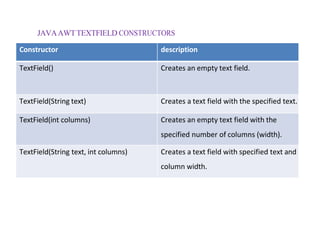
JAVAAWTTEXTFIELD CONSTRUCTORS
Constructor description
TextField()Creates an empty text field.
TextField(String text) Creates a text field with the specified text.
TextField(int columns) Creates an empty text field with the
specified number of columns (width).
TextField(String text, int columns) Creates a text field with specified text and
column width.
![AWT EXAMPLE BY INHERITANCE
• import java.awt.*;
• public class awtexample extends frame
• {
• awtexample()
• {
• Button b=new Button("click me");
• b.setBounds(30,100,80,30);// setting button position
• add(b);//adding button into frame
• setSize(300,300);//frame size 300 width and 300 height
• setLayout(null);//no layout manager
• setVisible(true);//now frame will be visible, by default not visible
• }
• public static void main(String args[]){
awtexample a=new awtexample();
• }}](https://image.slidesharecdn.com/awtcontrol-251104063558-114f0051/85/Abstract-Window-Toolkit-Control-in-java-10-320.jpg)
![AWT EXAMPLE BY ASSOCIATION
• f.add(b);
• f.add(l);
• f.add(t);
• f.settitle(“emp info”);
• f.setSize(300,300);
• f.setLayout(null);
• f.setVisible(true);
• }
• public static void main(String args[])
• {
• Test obj=new test();
• }}](https://image.slidesharecdn.com/awtcontrol-251104063558-114f0051/85/Abstract-Window-Toolkit-Control-in-java-13-320.jpg)