Designing A Successful Website

Robert H. Wagner, MD   Jerome D. Smith

Capitol Spine & Pain    brandEvolve
      Centers           Corporation
Page 2
                                         Page 2


Overview
• The Presenters
   • Robert H. Wagner, MD
   • Jerome D. Smith

• Designing A Successful Website
   o Toot Your Own Horn!
   o Organize Your Content
   o Create Compelling Presentation
   o Make Your Website Part of Your Business
Page 3
                                        Page 3


The Presenters


Robert H. Wagner, MD   Jerome D. Smith, WD
Page 4
                                                                     Page 4


Designing A Successful Website
Effectively designed websites have common ground in several areas:

• Compelling First Impression

• Well Organized User Interface

• Tells A Story and Positions Organization

• Balance of Well Written Content &
  Engaging Visuals

• Incorporates User Centric Approach

• Easily Found on Search Engines
Page 5
                                                                                               Page 5


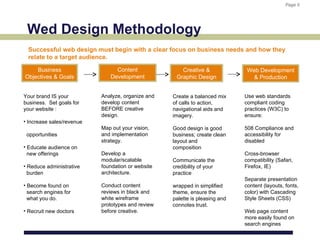
 Wed Design Methodology
  Successful web design must begin with a clear focus on business needs and how they
  relate to a target audience.

    Business                    Content               Creative &              Web Development
Objectives & Goals            Development           Graphic Design              & Production


Your brand IS your         Analyze, organize and   Create a balanced mix     Use web standards
business. Set goals for    develop content         of calls to action,       compliant coding
your website :             BEFORE creative         navigational aids and     practices (W3C) to
                           design.                 imagery.                  ensure:
• Increase sales/revenue
                           Map out your vision,    Good design is good       508 Compliance and
 opportunities             and implementation      business; create clean    accessibility for
                           strategy.               layout and                disabled
• Educate audience on                              composition
  new offerings            Develop a                                         Cross-browser
                           modular/scalable        Communicate the           compatibility (Safari,
• Reduce administrative    foundation or website   credibility of your       Firefox, IE)
  burden                   architecture.           practice
                                                                             Separate presentation
• Become found on          Conduct content         wrapped in simplified     content (layouts, fonts,
  search engines for       reviews in black and    theme, ensure the         color) with Cascading
  what you do.             white wireframe         palette is pleasing and   Style Sheets (CSS)
                           prototypes and review   connotes trust.
• Recruit new doctors      before creative.                                  Web page content
                                                                             more easily found on
                                                                             search engines
Page 6
                                                                        Page 6


Practice Web Design Tip #1
Develop a deeper connection between “doctor-patient” through an engaging,
educational and interactive web experience.


What are prospective patients
looking for? Credible physicians
who can treat their pain.

• History

• Locations

• Diagnosis & Treatments

• Testimonials
                                        Patients qualify physicians
• Contact                              through research of website
Page 7
                                                                              Page 7


Toot Your Own Horn!
Sell yourself. If new patients are not finding you – they are finding your competitors.


                               • Communicate Your Practice Vision, Achievements
                                 and Accomplishments

                               • Focus on What You Do Best & Establish Credibility

                               • Define Your Brand & What Makes You Unique

                               • Hire Someone You Trust to Bring Out Your Best
Page 8
                                                                            Page 8


Become Known for What You Do
Target market your practice to your patient population.


Explore all the low cost and
effective ways to sell your practice
and drive traffic to your website.

• Homepage Announcements

• Email Marketing

• Published Articles

• Search Engine Optimization
  (SEO)

• Social Media
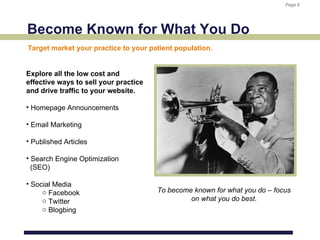
     o Facebook                        To become known for what you do – focus
     o Twitter                                  on what you do best.
     o Blogbing
Page 9
                                                                           Page 9


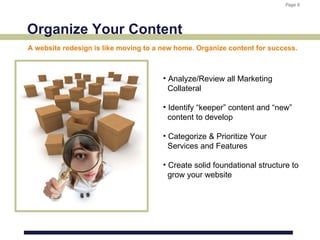
Organize Your Content
A website redesign is like moving to a new home. Organize content for success.


                                       • Analyze/Review all Marketing
                                         Collateral

                                       • Identify “keeper” content and “new”
                                         content to develop

                                       • Categorize & Prioritize Your
                                         Services and Features

                                       • Create solid foundational structure to
                                         grow your website
Page 10
                                                                            Page 10


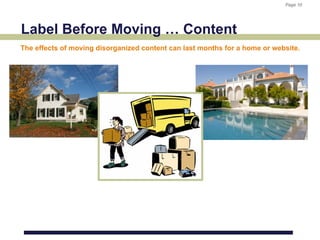
Label Before Moving … Content
The effects of moving disorganized content can last months for a home or website.
Page 11
                                                                              Page 11


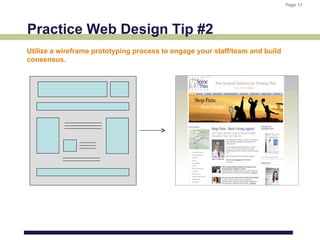
Practice Web Design Tip #2
Utilize a wireframe prototyping process to engage your staff/team and build
consensus.
Page 12
                                   Page 12


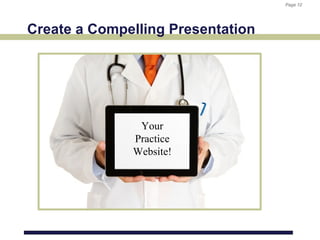
Create a Compelling Presentation


               Your
              Practice
              Website!
Page 13
                                                  Page 13


Create Compelling Presentation


                     • Engaging User Experience

                     • Site Layout & Navigation

                     • Custom Design vs Templates

                     • Consider back-end support
                       systems
Page 14
                                                                          Page 14


Practice Web Design Tip #3
Always begin the creative design process – after you have reviewed your
content.
Page 15
                             Page 15


Custom Design vs Templates

• Cost vs Value
• Pros & Cons
• In House vs Outsource
Page 16
                                                    Page 16


Make Your Website Part of Business

• Value of SEO (Search Engine Optimization)
• Get Interactive With Your Web Audience
• Digital Marketing & Social Media Considerations
• Examples of Success
Page 17
                                                                         Page 17


Practice Web Design Tip #4
Once your website is completed, make time to cultivate and nurture the
development of your website. Add content regularly.
Page 18
                                                                 Page 18


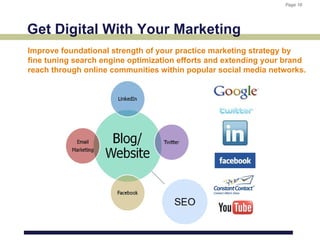
Get Digital With Your Marketing
Improve foundational strength of your practice marketing strategy by
fine tuning search engine optimization efforts and extending your brand
reach through online communities within popular social media networks.
Page 19
                         Page 19


SEO: Design by Numbers
Page 20
                             Page 20


Successful Website Example
Page 21
     Page 21


Q&
A

Aaom 2012 smith and wagner

  • 1.
    Designing A SuccessfulWebsite Robert H. Wagner, MD Jerome D. Smith Capitol Spine & Pain brandEvolve Centers Corporation
  • 2.
    Page 2 Page 2 Overview • The Presenters • Robert H. Wagner, MD • Jerome D. Smith • Designing A Successful Website o Toot Your Own Horn! o Organize Your Content o Create Compelling Presentation o Make Your Website Part of Your Business
  • 3.
    Page 3 Page 3 The Presenters Robert H. Wagner, MD Jerome D. Smith, WD
  • 4.
    Page 4 Page 4 Designing A Successful Website Effectively designed websites have common ground in several areas: • Compelling First Impression • Well Organized User Interface • Tells A Story and Positions Organization • Balance of Well Written Content & Engaging Visuals • Incorporates User Centric Approach • Easily Found on Search Engines
  • 5.
    Page 5 Page 5 Wed Design Methodology Successful web design must begin with a clear focus on business needs and how they relate to a target audience. Business Content Creative & Web Development Objectives & Goals Development Graphic Design & Production Your brand IS your Analyze, organize and Create a balanced mix Use web standards business. Set goals for develop content of calls to action, compliant coding your website : BEFORE creative navigational aids and practices (W3C) to design. imagery. ensure: • Increase sales/revenue Map out your vision, Good design is good 508 Compliance and opportunities and implementation business; create clean accessibility for strategy. layout and disabled • Educate audience on composition new offerings Develop a Cross-browser modular/scalable Communicate the compatibility (Safari, • Reduce administrative foundation or website credibility of your Firefox, IE) burden architecture. practice Separate presentation • Become found on Conduct content wrapped in simplified content (layouts, fonts, search engines for reviews in black and theme, ensure the color) with Cascading what you do. white wireframe palette is pleasing and Style Sheets (CSS) prototypes and review connotes trust. • Recruit new doctors before creative. Web page content more easily found on search engines
  • 6.
    Page 6 Page 6 Practice Web Design Tip #1 Develop a deeper connection between “doctor-patient” through an engaging, educational and interactive web experience. What are prospective patients looking for? Credible physicians who can treat their pain. • History • Locations • Diagnosis & Treatments • Testimonials Patients qualify physicians • Contact through research of website
  • 7.
    Page 7 Page 7 Toot Your Own Horn! Sell yourself. If new patients are not finding you – they are finding your competitors. • Communicate Your Practice Vision, Achievements and Accomplishments • Focus on What You Do Best & Establish Credibility • Define Your Brand & What Makes You Unique • Hire Someone You Trust to Bring Out Your Best
  • 8.
    Page 8 Page 8 Become Known for What You Do Target market your practice to your patient population. Explore all the low cost and effective ways to sell your practice and drive traffic to your website. • Homepage Announcements • Email Marketing • Published Articles • Search Engine Optimization (SEO) • Social Media o Facebook To become known for what you do – focus o Twitter on what you do best. o Blogbing
  • 9.
    Page 9 Page 9 Organize Your Content A website redesign is like moving to a new home. Organize content for success. • Analyze/Review all Marketing Collateral • Identify “keeper” content and “new” content to develop • Categorize & Prioritize Your Services and Features • Create solid foundational structure to grow your website
  • 10.
    Page 10 Page 10 Label Before Moving … Content The effects of moving disorganized content can last months for a home or website.
  • 11.
    Page 11 Page 11 Practice Web Design Tip #2 Utilize a wireframe prototyping process to engage your staff/team and build consensus.
  • 12.
    Page 12 Page 12 Create a Compelling Presentation Your Practice Website!
  • 13.
    Page 13 Page 13 Create Compelling Presentation • Engaging User Experience • Site Layout & Navigation • Custom Design vs Templates • Consider back-end support systems
  • 14.
    Page 14 Page 14 Practice Web Design Tip #3 Always begin the creative design process – after you have reviewed your content.
  • 15.
    Page 15 Page 15 Custom Design vs Templates • Cost vs Value • Pros & Cons • In House vs Outsource
  • 16.
    Page 16 Page 16 Make Your Website Part of Business • Value of SEO (Search Engine Optimization) • Get Interactive With Your Web Audience • Digital Marketing & Social Media Considerations • Examples of Success
  • 17.
    Page 17 Page 17 Practice Web Design Tip #4 Once your website is completed, make time to cultivate and nurture the development of your website. Add content regularly.

  • 18.
    Page 18 Page 18 Get Digital With Your Marketing Improve foundational strength of your practice marketing strategy by fine tuning search engine optimization efforts and extending your brand reach through online communities within popular social media networks.
  • 19.
    Page 19 Page 19 SEO: Design by Numbers
  • 20.
    Page 20 Page 20 Successful Website Example
  • 21.
    Page 21 Page 21 Q& A