⇢ a perfect match for App Security
14.06.2023 – DotNet User Group Bern
Creating secure .Net applications
T
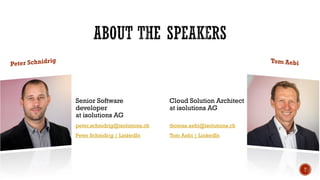
Senior Software
developer
at isolutions AG
peter.schnidrig@isolutions.ch
Peter Schnidrig | LinkedIn
Cloud Solution Architect
at isolutions AG
thomas.aebi@isolutions.ch
Tom Aebi | LinkedIn
T
T
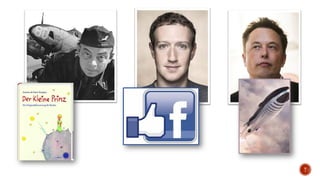
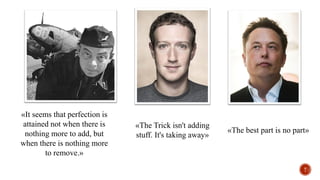
«It seems that perfection is
attained not when there is
nothing more to add, but
when there is nothing more
to remove.»
«The Trick isn't adding
stuff. It's taking away»
«The best part is no part»
T
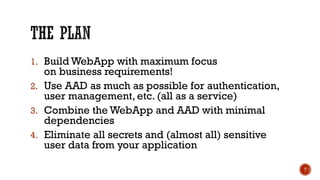
1. Build WebApp with maximum focus
on business requirements!
2. Use AAD as much as possible for authentication,
user management, etc. (all as a service)
3. Combine the WebApp and AAD with minimal
dependencies
4. Eliminate all secrets and (almost all) sensitive
user data from your application
T
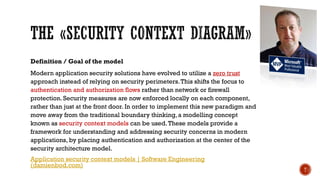
Definition / Goal of the model
Modern application security solutions have evolved to utilize a zero trust
approach instead of relying on security perimeters.This shifts the focus to
authentication and authorization flows rather than network or firewall
protection. Security measures are now enforced locally on each component,
rather than just at the front door. In order to implement this new paradigm and
move away from the traditional boundary thinking, a modelling concept
known as security context models can be used.These models provide a
framework for understanding and addressing security concerns in modern
applications, by placing authentication and authorization at the center of the
security architecture model.
Application security context models | Software Engineering
(damienbod.com)
T
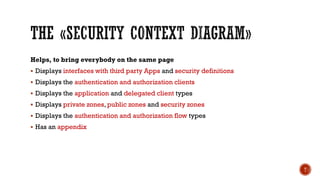
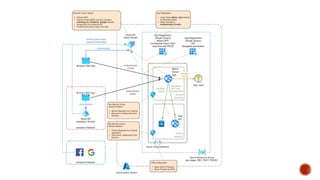
Helps, to bring everybody on the same page
▪ Displays interfaces with third party Apps and security definitions
▪ Displays the authentication and authorization clients
▪ Displays the application and delegated client types
▪ Displays private zones, public zones and security zones
▪ Displays the authentication and authorization flow types
▪ Has an appendix
T
P
P
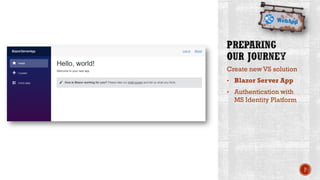
Create new VS solution
• Blazor Server App
• Authentication with
MS Identity Platform
P
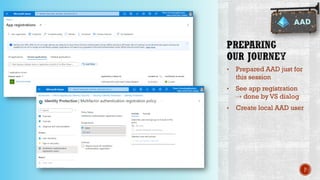
• Prepared AAD just for
this session
• See app registration
⇢ done by VS dialog
• Create local AAD user
P
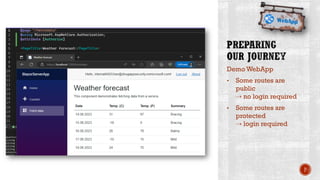
Demo WebApp
• Some routes are
public
⇢ no login required
• Some routes are
protected
⇢ login required
P
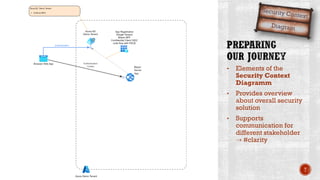
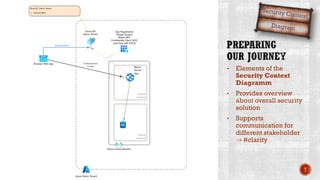
• Elements of the
Security Context
Diagramm
• Provides overview
about overall security
solution
• Supports
communication for
different stakeholder
⇢ #clarity
T
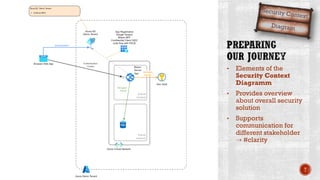
• Elements of the
Security Context
Diagramm
• Provides overview
about overall security
solution
• Supports
communication for
different stakeholder
⇢ #clarity
T
• Elements of the
Security Context
Diagramm
• Provides overview
about overall security
solution
• Supports
communication for
different stakeholder
⇢ #clarity
T
T
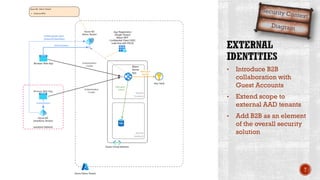
• Introduce B2B
collaboration with
Guest Accounts
• Extend scope to
external AAD tenants
• Add B2B as an element
of the overall security
solution
T
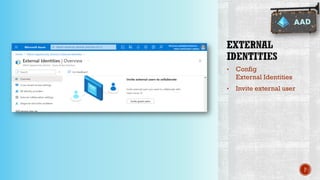
• Config
External Identities
• Invite external user
P
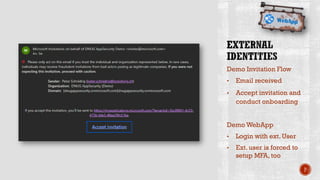
Demo Invitation Flow
• Email received
• Accept invitation and
conduct onboarding
Demo WebApp
• Login with ext. User
• Ext. user is forced to
setup MFA, too
P
T
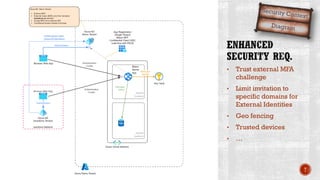
• Trust external MFA
challenge
• Limit invitation to
specific domains for
External Identities
• Geo fencing
• Trusted devices
• …
T
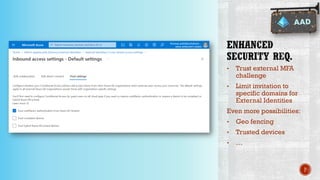
• Trust external MFA
challenge
• Limit invitation to
specific domains for
External Identities
Even more possibilities:
• Geo fencing
• Trusted devices
• …
P
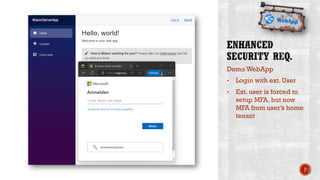
Demo WebApp
• Login with ext. User
• Ext. user is forced to
setup MFA, but now
MFA from user’s home
tenant
P
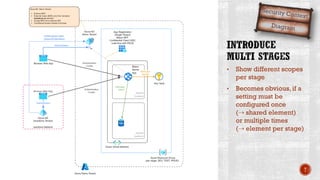
• Show different scopes
per stage
• Becomes obvious, if a
setting must be
configured once
(⇢ shared element)
or multiple times
(⇢ element per stage)
T
T
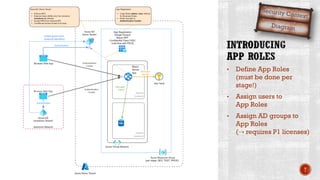
• Define App Roles
(must be done per
stage!)
• Assign users to
App Roles
• Assign AD groups to
App Roles
(⇢ requires P1 licenses)
T
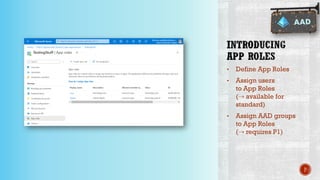
• Define App Roles
• Assign users
to App Roles
(⇢ available for
standard)
• Assign AAD groups
to App Roles
(⇢ requires P1)
P
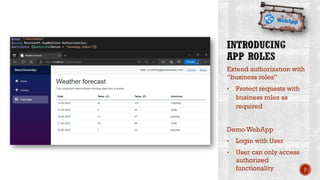
Extend authorization with
“business roles”
• Protect requests with
business roles as
required
Demo WebApp
• Login with User
• User can only access
authorized
functionality P
T
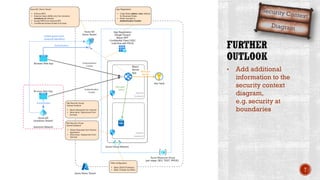
• Add additional
information to the
security context
diagram,
e.g. security at
boundaries
T
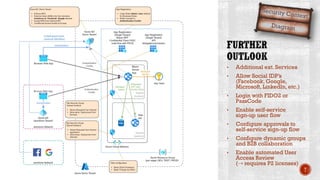
• Additional ext. Services
• Allow Social IDP’s
(Facebook, Google,
Microsoft, LinkedIn, etc.)
• Login with FIDO2 or
PassCode
• Enable self-service
sign-up user flow
• Configure approvals to
self-service sign-up flow
• Configure dynamic groups
and B2B collaboration
• Enable automated User
Access Review
(⇢ requires P2 licenses)
T
T
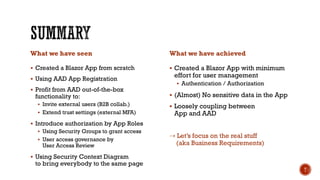
What we have seen
▪ Created a Blazor App from scratch
▪ Using AAD App Registration
▪ Profit from AAD out-of-the-box
functionality to:
▪ Invite external users (B2B collab.)
▪ Extend trust settings (external MFA)
▪ Introduce authorization by App Roles
▪ Using Security Groups to grant access
▪ User access governance by
User Access Review
▪ Using Security Context Diagram
to bring everybody to the same page
What we have achieved
▪ Created a Blazor App with minimum
effort for user management
▪ Authentication / Authorization
▪ (Almost) No sensitive data in the App
▪ Loosely coupling between
App and AAD
⇢ Let’s focus on the real stuff
(aka Business Requirements)
T
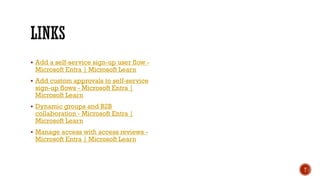
▪ Add a self-service sign-up user flow -
Microsoft Entra | Microsoft Learn
▪ Add custom approvals to self-service
sign-up flows - Microsoft Entra |
Microsoft Learn
▪ Dynamic groups and B2B
collaboration - Microsoft Entra |
Microsoft Learn
▪ Manage access with access reviews -
Microsoft Entra | Microsoft Learn
T
T

AAD und .NET

  • 1.
    ⇢ a perfectmatch for App Security 14.06.2023 – DotNet User Group Bern Creating secure .Net applications T
  • 2.
    Senior Software developer at isolutionsAG peter.schnidrig@isolutions.ch Peter Schnidrig | LinkedIn Cloud Solution Architect at isolutions AG thomas.aebi@isolutions.ch Tom Aebi | LinkedIn T
  • 3.
  • 4.
    «It seems thatperfection is attained not when there is nothing more to add, but when there is nothing more to remove.» «The Trick isn't adding stuff. It's taking away» «The best part is no part» T
  • 5.
    1. Build WebAppwith maximum focus on business requirements! 2. Use AAD as much as possible for authentication, user management, etc. (all as a service) 3. Combine the WebApp and AAD with minimal dependencies 4. Eliminate all secrets and (almost all) sensitive user data from your application T
  • 6.
    Definition / Goalof the model Modern application security solutions have evolved to utilize a zero trust approach instead of relying on security perimeters.This shifts the focus to authentication and authorization flows rather than network or firewall protection. Security measures are now enforced locally on each component, rather than just at the front door. In order to implement this new paradigm and move away from the traditional boundary thinking, a modelling concept known as security context models can be used.These models provide a framework for understanding and addressing security concerns in modern applications, by placing authentication and authorization at the center of the security architecture model. Application security context models | Software Engineering (damienbod.com) T
  • 7.
    Helps, to bringeverybody on the same page ▪ Displays interfaces with third party Apps and security definitions ▪ Displays the authentication and authorization clients ▪ Displays the application and delegated client types ▪ Displays private zones, public zones and security zones ▪ Displays the authentication and authorization flow types ▪ Has an appendix T
  • 8.
  • 9.
  • 10.
    Create new VSsolution • Blazor Server App • Authentication with MS Identity Platform P
  • 11.
    • Prepared AADjust for this session • See app registration ⇢ done by VS dialog • Create local AAD user P
  • 12.
    Demo WebApp • Someroutes are public ⇢ no login required • Some routes are protected ⇢ login required P
  • 13.
    • Elements ofthe Security Context Diagramm • Provides overview about overall security solution • Supports communication for different stakeholder ⇢ #clarity T
  • 14.
    • Elements ofthe Security Context Diagramm • Provides overview about overall security solution • Supports communication for different stakeholder ⇢ #clarity T
  • 15.
    • Elements ofthe Security Context Diagramm • Provides overview about overall security solution • Supports communication for different stakeholder ⇢ #clarity T
  • 16.
  • 17.
    • Introduce B2B collaborationwith Guest Accounts • Extend scope to external AAD tenants • Add B2B as an element of the overall security solution T
  • 18.
    • Config External Identities •Invite external user P
  • 19.
    Demo Invitation Flow •Email received • Accept invitation and conduct onboarding Demo WebApp • Login with ext. User • Ext. user is forced to setup MFA, too P
  • 20.
  • 21.
    • Trust externalMFA challenge • Limit invitation to specific domains for External Identities • Geo fencing • Trusted devices • … T
  • 22.
    • Trust externalMFA challenge • Limit invitation to specific domains for External Identities Even more possibilities: • Geo fencing • Trusted devices • … P
  • 23.
    Demo WebApp • Loginwith ext. User • Ext. user is forced to setup MFA, but now MFA from user’s home tenant P
  • 24.
    • Show differentscopes per stage • Becomes obvious, if a setting must be configured once (⇢ shared element) or multiple times (⇢ element per stage) T
  • 25.
  • 26.
    • Define AppRoles (must be done per stage!) • Assign users to App Roles • Assign AD groups to App Roles (⇢ requires P1 licenses) T
  • 27.
    • Define AppRoles • Assign users to App Roles (⇢ available for standard) • Assign AAD groups to App Roles (⇢ requires P1) P
  • 28.
    Extend authorization with “businessroles” • Protect requests with business roles as required Demo WebApp • Login with User • User can only access authorized functionality P
  • 29.
  • 30.
    • Add additional informationto the security context diagram, e.g. security at boundaries T
  • 31.
    • Additional ext.Services • Allow Social IDP’s (Facebook, Google, Microsoft, LinkedIn, etc.) • Login with FIDO2 or PassCode • Enable self-service sign-up user flow • Configure approvals to self-service sign-up flow • Configure dynamic groups and B2B collaboration • Enable automated User Access Review (⇢ requires P2 licenses) T
  • 32.
  • 33.
    What we haveseen ▪ Created a Blazor App from scratch ▪ Using AAD App Registration ▪ Profit from AAD out-of-the-box functionality to: ▪ Invite external users (B2B collab.) ▪ Extend trust settings (external MFA) ▪ Introduce authorization by App Roles ▪ Using Security Groups to grant access ▪ User access governance by User Access Review ▪ Using Security Context Diagram to bring everybody to the same page What we have achieved ▪ Created a Blazor App with minimum effort for user management ▪ Authentication / Authorization ▪ (Almost) No sensitive data in the App ▪ Loosely coupling between App and AAD ⇢ Let’s focus on the real stuff (aka Business Requirements) T
  • 34.
    ▪ Add aself-service sign-up user flow - Microsoft Entra | Microsoft Learn ▪ Add custom approvals to self-service sign-up flows - Microsoft Entra | Microsoft Learn ▪ Dynamic groups and B2B collaboration - Microsoft Entra | Microsoft Learn ▪ Manage access with access reviews - Microsoft Entra | Microsoft Learn T
  • 36.