Oracle® Forms Developer


Form Builder Reference, Volume 1


Release 6i


January, 2000

Part No:     A73074-01
Oracle Forms Developer: Form Builder Reference, Release 6i

Volume 1

Part No: A73074-01

Copyright © 1999, Oracle Corporation. All rights reserved.

Contributors: Fred Bethke, Joan Carter, Ken Chu, Kate Dumont, Tom Haunert, Colleen McCann, Leanne
Soylemez, Poh Lee Tan, Tony Wolfram

The programs are not intended for use in any nuclear, aviation, mass transit, medical, or other inherently
dangerous applications. It shall be the licensee’s responsibility to take all appropriate fail-safe, backup,
redundancy, and other measures to ensure the safe use of such applications if the programs are used for such
purposes, and Oracle Corporation disclaims liability for any damages caused by such use of the programs.

The programs (which include both the software and documentation) contain proprietary information of Oracle
Corporation; they are provided under a license agreement containing restrictions on use and disclosure and are
also protected by copyright, patent, and other intellectual and industrial property laws. Reverse engineering,
disassembly, or decompilation of the programs is prohibited.

The information contained in this document is subject to change without notice. If you find any problems in the
documentation, please report them to us in writing. Oracle Corporation does not warrant that this document is
error free. Except as may be expressly permitted in your license agreement for these programs, no part of these
programs may be reproduced or transmitted in any form or by any means, electronic or mechanical, for any
purpose, without the express written permission of Oracle Corporation.

If the programs are delivered to the U.S. Government or anyone licensing or using the programs on behalf of
the U.S. Government, the following notice is applicable:

Restricted Rights Notice Programs delivered subject to the DOD FAR Supplement are "commercial computer
software" and use, duplication, and disclosure of the programs, including documentation, shall be subject to the
licensing restrictions set forth in the applicable Oracle license agreement. Otherwise, programs delivered
subject to the Federal Acquisition Regulations are "restricted computer software" and use, duplication, and
disclosure of the programs shall be subject to the restrictions in FAR 52.227-19, Commercial Computer
Software - Restricted Rights (June, 1987). Oracle Corporation, 500 Oracle Parkway, Redwood City, CA 94065.

Oracle is a registered trademark, and JDeveloper, JInitiator, Oracle7, Oracle8, Oracle8i, and PL/SQL are
trademarks or registered trademarks of Oracle Corporation. All other company or product names mentioned are
used for identification purposes only and may be trademarks of their respective owners.
Table of Contents


TABLE OF CONTENTS .................................................................................................. I

SEND US YOUR COMMENTS .................................................................................XIII

PREFACE.......................................................................................................................XV

BUILT-IN SUBPROGRAMS .......................................................................................... 1
      Built-ins overview...................................................................................................................................1
      Built-in syntax.........................................................................................................................................1
      Built-in named parameters ......................................................................................................................2
      Built-in code examples............................................................................................................................2
      Built-in object IDs...................................................................................................................................2
      Built-in form coordinate units .................................................................................................................2
      Built-in uppercase return values..............................................................................................................3
      Restricted built-in subprograms ..............................................................................................................3
      Built-in constants ....................................................................................................................................4
      Individual built-in descriptions ...............................................................................................................4
      ABORT_QUERY built-in.......................................................................................................................5
      ACTIVATE_SERVER built-in...............................................................................................................6
      ADD_GROUP_COLUMN built-in.........................................................................................................7
      ADD_GROUP_ROW built-in ................................................................................................................9
      ADD_LIST_ELEMENT built-in ..........................................................................................................11
      ADD_OLEARGS built-in.....................................................................................................................13
      ADD_PARAMETER built-in ...............................................................................................................14
      ADD_TREE_DATA built-in ................................................................................................................16
      ADD_TREE_NODE built-in ................................................................................................................19
      APPLICATION_PARAMETER built-in..............................................................................................21
      BELL built-in........................................................................................................................................22
      BLOCK_MENU built-in.......................................................................................................................23
      BREAK built-in ....................................................................................................................................24
      CALL_FORM built-in ..........................................................................................................................25
      CALL_INPUT built-in..........................................................................................................................28
      CALL_OLE ..........................................................................................................................................29
      CALL_OLE_<returntype> built-in .......................................................................................................30
      CANCEL_REPORT_OBJECT built-in ................................................................................................31
      CHECKBOX_CHECKED built-in .......................................................................................................32
      CHECK_RECORD_UNIQUENESS built-in .......................................................................................34
      CLEAR_BLOCK built-in .....................................................................................................................35
      CLEAR_EOL built-in ...........................................................................................................................37
      CLEAR_FORM built-in........................................................................................................................38
      CLEAR_ITEM built-in .........................................................................................................................40
      CLEAR_LIST built-in ..........................................................................................................................41
      CLEAR_MESSAGE built-in ................................................................................................................43


                                                                                                                                                             i
CLEAR_RECORD built-in...................................................................................................................44
     CLOSE_FORM built-in ........................................................................................................................45
     CLOSE_SERVER built-in ....................................................................................................................46
     COMMIT_FORM built-in ....................................................................................................................47
     CONVERT_OTHER_VALUE built-in ................................................................................................49
     COPY built-in .......................................................................................................................................50
     COPY_REGION built-in ......................................................................................................................52
     COPY_REPORT_OBJECT_OUTPUT built-in ...................................................................................53
     COUNT_QUERY built-in ....................................................................................................................54
     CREATE_GROUP built-in...................................................................................................................56
     CREATE_GROUP_FROM_QUERY built-in ......................................................................................58
     CREATE_OLEOBJ built-in..................................................................................................................60
     CREATE_PARAMETER_LIST built-in ..............................................................................................61
     CREATE_QUERIED_RECORD built-in .............................................................................................63
     CREATE_RECORD built-in ................................................................................................................65
     CREATE_TIMER built-in ....................................................................................................................66
     CREATE_VAR built-in ........................................................................................................................68
     CUT_REGION built-in.........................................................................................................................69
     DBMS_ERROR_CODE built-in...........................................................................................................70
     DBMS_ERROR_TEXT built-in ...........................................................................................................72
     DEBUG_MODE built-in ......................................................................................................................74
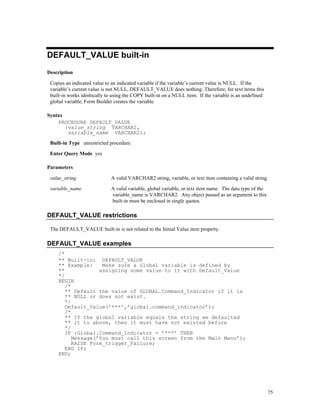
     DEFAULT_VALUE built-in ................................................................................................................75
     DELETE_GROUP built-in ...................................................................................................................76
     DELETE_GROUP_ROW built-in ........................................................................................................77
     DELETE_LIST_ELEMENT built-in ....................................................................................................79
     DELETE_PARAMETER built-in.........................................................................................................81
     DELETE_RECORD built-in.................................................................................................................82
     DELETE_TIMER built-in ....................................................................................................................84
     DELETE_TREE_NODE built-in..........................................................................................................86
     DESTROY_PARAMETER_LIST built-in ...........................................................................................88
     DESTROY_VARIANT built-in............................................................................................................89
     DISPATCH_EVENT built-in ...............................................................................................................90
     DISPLAY_ERROR built-in..................................................................................................................91
     DISPLAY_ITEM built-in .....................................................................................................................92
     DOWN built-in .....................................................................................................................................94
     DO_KEY built-in..................................................................................................................................95
     DUMMY_REFERENCE built-in .........................................................................................................97
     DUPLICATE_ITEM built-in ................................................................................................................98
     DUPLICATE_RECORD built-in..........................................................................................................99
     EDIT_TEXTITEM built-in.................................................................................................................100
     ENFORCE_COLUMN_SECURITY built-in .....................................................................................102
     ENTER built-in...................................................................................................................................103
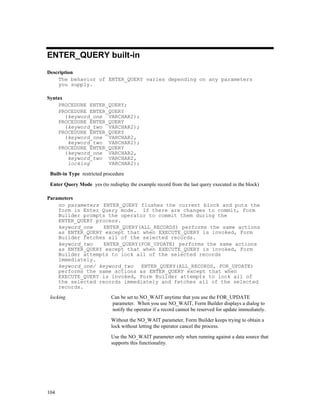
     ENTER_QUERY built-in ...................................................................................................................104
     ERASE built-in ...................................................................................................................................106
     ERROR_CODE built-in......................................................................................................................107
     ERROR_TEXT built-in ......................................................................................................................108
     ERROR_TYPE built-in.......................................................................................................................109
     EXEC_VERB built-in.........................................................................................................................111
     EXECUTE_QUERY built-in ..............................................................................................................113
     EXECUTE_TRIGGER built-in ..........................................................................................................115
     EXIT_FORM built-in .........................................................................................................................117
     FETCH_RECORDS built-in...............................................................................................................119
     FIND_ALERT built-in........................................................................................................................121
     FIND_BLOCK built-in .......................................................................................................................123
     FIND_CANVAS built-in ....................................................................................................................124


ii
FIND_COLUMN built-in ...................................................................................................................125
FIND_EDITOR built-in ......................................................................................................................126
FIND_FORM built-in .........................................................................................................................127
FIND_GROUP built-in .......................................................................................................................128
FIND_ITEM built-in...........................................................................................................................129
FIND_LOV built-in ............................................................................................................................130
FIND_MENU_ITEM built-in .............................................................................................................131
FIND_OLE_VERB built-in ................................................................................................................132
FIND_RELATION built-in.................................................................................................................134
FIND_REPORT_OBJECT built-in.....................................................................................................135
FIND_TAB_PAGE built-in ................................................................................................................136
FIND_TIMER built-in ........................................................................................................................137
FIND_TREE_NODE built-in .............................................................................................................138
FIND_VA built-in...............................................................................................................................140
FIND_VIEW built-in ..........................................................................................................................141
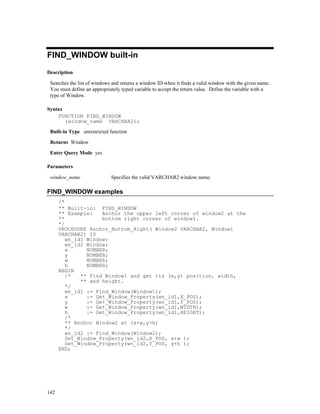
FIND_WINDOW built-in ...................................................................................................................142
FIRST_RECORD built-in...................................................................................................................143
FORM_FAILURE built-in..................................................................................................................144
FORM_FATAL built-in......................................................................................................................146
FORM_SUCCESS built-in .................................................................................................................148
FORMS_DDL built-in ........................................................................................................................150
GENERATE_SEQUENCE_NUMBER built-in .................................................................................153
GET_APPLICATION_PROPERTY built-in......................................................................................154
GET_BLOCK_PROPERTY built-in ..................................................................................................158
GET_CANVAS_PROPERTY built-in ...............................................................................................164
GET_CUSTOM_PROPERTY built-in ...............................................................................................166
GET_FILE_NAME built-in ................................................................................................................167
GET_FORM_PROPERTY built-in ....................................................................................................169
GET_GROUP_CHAR_CELL built-in................................................................................................173
GET_GROUP_DATE_CELL built-in ................................................................................................175
GET_GROUP_NUMBER_CELL built-in..........................................................................................177
GET_GROUP_RECORD_NUMBER built-in....................................................................................179
GET_GROUP_ROW_COUNT built-in..............................................................................................181
GET_GROUP_SELECTION built-in .................................................................................................182
GET_GROUP_SELECTION_COUNT built-in .................................................................................184
GET_INTERFACE_POINTER built-in .............................................................................................185
GET_ITEM_INSTANCE_PROPERTY built-in ................................................................................186
GET_ITEM_PROPERTY built-in ......................................................................................................188
GET_LIST_ELEMENT_COUNT built-in .........................................................................................198
GET_LIST_ELEMENT_LABEL built-in ..........................................................................................200
GET_LIST_ELEMENT_VALUE built-in..........................................................................................201
GET_LOV_PROPERTY built-in .......................................................................................................202
GET_MENU_ITEM_PROPERTY built-in ........................................................................................204
GET_MESSAGE built-in ...................................................................................................................206
GET_OLE_<proptype> built-in..........................................................................................................207
GET_OLEARG_<type> built-in.........................................................................................................208
GET_OLE_MEMBERID built-in .......................................................................................................209
GET_PARAMETER_ATTR built-in..................................................................................................210
GET_PARAMETER_LIST built-in....................................................................................................211
GET_RADIO_BUTTON_PROPERTY built-in .................................................................................212
GET_RECORD_PROPERTY built-in................................................................................................215
GET_RELATION_PROPERTY built-in ............................................................................................218
GET_REPORT_OBJECT_PROPERTY built-in ................................................................................220
GET_TAB_PAGE_PROPERTY built-in ...........................................................................................222
GET_TREE_NODE_PARENT built-in..............................................................................................224


                                                                                                                                               iii
GET_TREE_NODE_PROPERTY built-in .........................................................................................226
     GET_TREE_PROPERTY built-in......................................................................................................228
     GET_TREE_SELECTION built-in ....................................................................................................230
     GET_VA_PROPERTY built-in ..........................................................................................................232
     GET_VAR_BOUNDS built-in ...........................................................................................................234
     GET_VAR_DIMS built-in..................................................................................................................235
     GET_VAR_TYPE built-in..................................................................................................................236
     GET_VERB_COUNT built-in............................................................................................................237
     GET_VERB_NAME built-in..............................................................................................................239
     GET_VIEW_PROPERTY built-in .....................................................................................................240
     GET_WINDOW_PROPERTY built-in ..............................................................................................242
     GO_BLOCK built-in...........................................................................................................................244
     GO_FORM built-in.............................................................................................................................245
     GO_ITEM built-in ..............................................................................................................................246
     GO_RECORD built-in........................................................................................................................247
     HELP built-in......................................................................................................................................248
     HIDE_MENU built-in.........................................................................................................................249
     HIDE_VIEW built-in..........................................................................................................................250
     HIDE_WINDOW built-in...................................................................................................................251
     HOST built-in .....................................................................................................................................253
     ID_NULL built-in ...............................................................................................................................255
     IMAGE_SCROLL built-in..................................................................................................................257
     IMAGE_ZOOM built-in .....................................................................................................................258
     INIT_OLEARGS built-in....................................................................................................................260
     INITIALIZE_CONTAINER built-in ..................................................................................................261
     INSERT_RECORD built-in................................................................................................................262
     ISSUE_ROLLBACK built-in .............................................................................................................263
     ISSUE_SAVEPOINT built-in.............................................................................................................264
     ITEM_ENABLED built-in .................................................................................................................266
     LAST_OLE_ERROR built-in .............................................................................................................267
     LAST_OLE_EXCEPTION built-in ....................................................................................................268
     LAST_RECORD built-in....................................................................................................................269
     LIST_VALUES built-in......................................................................................................................270
     LOCK_RECORD built-in...................................................................................................................271
     LOGON built-in..................................................................................................................................272
     LOGON_SCREEN built-in.................................................................................................................274
     LOGOUT built-in ...............................................................................................................................276
     MENU_CLEAR_FIELD built-in........................................................................................................277
     MENU_NEXT_FIELD built-in ..........................................................................................................278
     MENU_PARAMETER built-in ..........................................................................................................279
     MENU_PREVIOUS_FIELD built-in .................................................................................................280
     MENU_REDISPLAY built-in ............................................................................................................281
     MENU_SHOW_KEYS built-in ..........................................................................................................282
     MESSAGE built-in .............................................................................................................................283
     MESSAGE_CODE built-in ................................................................................................................285
     MESSAGE_TEXT built-in .................................................................................................................286
     MESSAGE_TYPE built-in .................................................................................................................287
     MOVE_WINDOW built-in.................................................................................................................289
     NAME_IN built-in..............................................................................................................................291
     NEW_FORM built-in .........................................................................................................................295
     NEXT_BLOCK built-in......................................................................................................................298
     NEXT_FORM built-in........................................................................................................................299
     NEXT_ITEM built-in .........................................................................................................................300
     NEXT_KEY built-in ...........................................................................................................................301
     NEXT_MENU_ITEM built-in............................................................................................................302


iv
NEXT_RECORD built-in ...................................................................................................................303
NEXT_SET built-in ............................................................................................................................304
OLEVAR_EMPTY built-in ................................................................................................................305
OPEN_FORM built-in ........................................................................................................................306
PASTE_REGION built-in...................................................................................................................309
PAUSE built-in ...................................................................................................................................310
PLAY_SOUND built-in......................................................................................................................311
POPULATE_GROUP built-in ............................................................................................................312
POPULATE_GROUP_FROM_TREE built-in ...................................................................................313
POPULATE_GROUP_WITH_QUERY built-in ................................................................................315
POPULATE_LIST built-in .................................................................................................................317
POPULATE_TREE built-in ...............................................................................................................319
POST built-in ......................................................................................................................................320
PREVIOUS_BLOCK built-in .............................................................................................................321
PREVIOUS_FORM built-in ...............................................................................................................322
PREVIOUS_ITEM built-in.................................................................................................................323
PREVIOUS_MENU built-in...............................................................................................................324
PREVIOUS_MENU_ITEM built-in ...................................................................................................325
PREVIOUS_RECORD built-in ..........................................................................................................326
PRINT built-in ....................................................................................................................................327
PTR_TO_VAR built-in.......................................................................................................................328
QUERY_PARAMETER built-in ........................................................................................................329
READ_IMAGE_FILE built-in............................................................................................................331
READ_SOUND_FILE built-in ...........................................................................................................333
RECALCULATE built-in ...................................................................................................................335
REDISPLAY built-in..........................................................................................................................336
RELEASE_OBJ built-in .....................................................................................................................337
REPLACE_CONTENT_VIEW built-in .............................................................................................338
REPLACE_MENU built-in ................................................................................................................340
REPORT_OBJECT_STATUS built-in ...............................................................................................342
RESET_GROUP_SELECTION built-in.............................................................................................343
RESIZE_WINDOW built-in...............................................................................................................344
RETRIEVE_LIST built-in ..................................................................................................................346
RUN_PRODUCT built-in...................................................................................................................347
RUN_REPORT_OBJECT built-in .....................................................................................................350
SCROLL_DOWN built-in ..................................................................................................................351
SCROLL_UP built-in..........................................................................................................................352
SCROLL_VIEW built-in ....................................................................................................................353
SELECT_ALL built-in........................................................................................................................355
SELECT_RECORDS built-in .............................................................................................................356
SERVER_ACTIVE built-in ................................................................................................................357
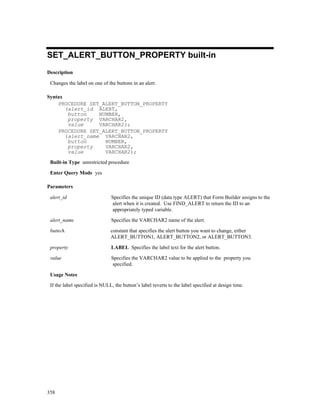
SET_ALERT_BUTTON_PROPERTY built-in .................................................................................358
SET_ALERT_PROPERTY built-in....................................................................................................359
SET_APPLICATION_PROPERTY built-in ......................................................................................361
SET_BLOCK_PROPERTY built-in ...................................................................................................362
SET_CANVAS_PROPERTY built-in ................................................................................................367
SET_CUSTOM_ITEM_PROPERTY built-in ....................................................................................369
SET_CUSTOM_PROPERTY built-in ................................................................................................370
SET_FORM_PROPERTY built-in .....................................................................................................372
SET_GROUP_CHAR_CELL built-in ................................................................................................376
SET_GROUP_DATE_CELL built-in.................................................................................................377
SET_GROUP_NUMBER_CELL built-in ..........................................................................................379
SET_GROUP_SELECTION built-in..................................................................................................380
SET_INPUT_FOCUS built-in ............................................................................................................381
SET_ITEM_INSTANCE_PROPERTY built-in .................................................................................382


                                                                                                                                                    v
SET_ITEM_PROPERTY built-in ......................................................................................................385
      SET_LOV_COLUMN_PROPERTY built-in .....................................................................................397
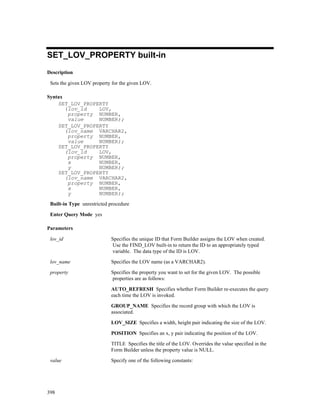
      SET_LOV_PROPERTY built-in ........................................................................................................398
      SET_MENU_ITEM_PROPERTY built-in .........................................................................................400
      SET_OLE built-in ...............................................................................................................................402
      SET_PARAMETER_ATTR built-in ..................................................................................................403
      SET_RADIO_BUTTON_PROPERTY built-in..................................................................................404
      SET_RECORD_PROPERTY built-in ................................................................................................407
      SET_RELATION_PROPERTY built-in ............................................................................................409
      SET_REPORT_OBJECT_PROPERTY built-in ................................................................................411
      SET_TAB_PAGE_PROPERTY built-in ............................................................................................413
      SET_TIMER built-in ..........................................................................................................................415
      SET_TREE_NODE_PROPERTY built-in .........................................................................................417
      SET_TREE_PROPERTY built-in ......................................................................................................419
      SET_TREE_SELECTION built-in .....................................................................................................422
      SET_VA_PROPERTY built-in...........................................................................................................424
      SET_VAR built-in ..............................................................................................................................426
      SET_VIEW_PROPERTY built-in ......................................................................................................427
      SET_WINDOW_PROPERTY built-in ...............................................................................................429
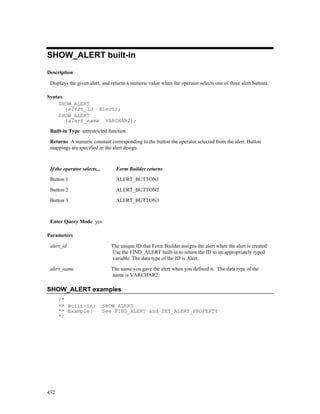
      SHOW_ALERT built-in .....................................................................................................................432
      SHOW_EDITOR built-in ...................................................................................................................433
      SHOW_KEYS built-in........................................................................................................................435
      SHOW_LOV built-in..........................................................................................................................436
      SHOW_MENU built-in ......................................................................................................................438
      SHOW_VIEW built-in........................................................................................................................439
      SHOW_WINDOW built-in.................................................................................................................440
      SYNCHRONIZE built-in....................................................................................................................441
      TERMINATE built-in.........................................................................................................................442
      TO_VARIANT built-in.......................................................................................................................443
      UNSET_GROUP_SELECTION built-in ............................................................................................445
      UP built-in.................................................................................................................... .......................446
      UPDATE_CHART built-in.................................................................................................................447
      UPDATE_RECORD built-in ..............................................................................................................448
      USER_EXIT built-in ..........................................................................................................................449
      VALIDATE built-in............................................................................................................................451
      VARPTR_TO_VAR built-in ..............................................................................................................453
      VAR_TO_TABLE built-in .................................................................................................................454
      VAR_TO_<type> built-in...................................................................................................................455
      VAR_TO_VARPTR built-in ..............................................................................................................456
      VBX.FIRE_EVENT built-in...............................................................................................................457
      VBX.GET_PROPERTY built-in ........................................................................................................459
      VBX.GET_VALUE_PROPERTY built-in .........................................................................................461
      VBX.INVOKE_METHOD built-in ....................................................................................................462
      VBX.SET_PROPERTY built-in .........................................................................................................463
      VBX.SET_VALUE_PROPERTY built-in..........................................................................................465
      WEB.SHOW_DOCUMENT built-in..................................................................................................466
      WHERE_DISPLAY built-in...............................................................................................................467
      WRITE_IMAGE_FILE built-in..........................................................................................................468
      WRITE_SOUND_FILE built-in .........................................................................................................470


OPTIONS....................................................................................................................... 472
      About Form Builder Components .......................................................................................................472
      Starting Form Builder Components ....................................................................................................473
      Starting Form Builder Components from the Command Line ............................................................474


vi
Logging on to the Database.................................................................................................................477
Forms Runtime Options ......................................................................................................................478
Array (Forms Runtime).......................................................................................................................480
Block_Menu (Forms Runtime) ...........................................................................................................481
Buffer_Records (Forms Runtime).......................................................................................................482
Debug (Forms Runtime)......................................................................................................................483
Debug_Messages (Forms Runtime) ....................................................................................................484
Help (Forms Runtime) ........................................................................................................................485
Interactive (Forms Runtime) ...............................................................................................................486
Keyin (Forms Runtime) ......................................................................................................................487
Keyout (Forms Runtime) ....................................................................................................................488
Logon_Screen (Forms Runtime).........................................................................................................489
Optimize SQL Processing (Forms Runtime).......................................................................................490
Optimize Transaction Mode Processing (Forms Runtime) .................................................................491
Options_Screen (Forms Runtime).......................................................................................................492
Output_File (Forms Runtime).............................................................................................................493
PECS (Forms Runtime).......................................................................................................................494
Query_Only (Forms Runtime) ............................................................................................................495
Quiet (Forms Runtime) .......................................................................................................................496
Statistics (Forms Runtime)..................................................................................................................497
Term (Forms Runtime) .......................................................................................................................498
Window_State (Forms Runtime).........................................................................................................499
Setting Form Compiler Options ..........................................................................................................500
Add_Triggers (Form Compiler) ..........................................................................................................502
Batch (Form Compiler).......................................................................................................................503
Build (Form Compiler) .......................................................................................................................504
Compile_All (Form Compiler)............................................................................................................505
CRT_File (Form Compiler) ................................................................................................................506
Debug (Form Compiler)......................................................................................................................507
Delete (Form Compiler)......................................................................................................................508
Extract (Form Compiler).....................................................................................................................509
Help (Form Compiler) ........................................................................................................................510
Insert (Form Compiler) .......................................................................................................................511
Logon (Form Compiler)......................................................................................................................512
Module_Access (Form Compiler).......................................................................................................513
Module_Type (Form Compiler)..........................................................................................................514
Nofail (Form Compiler) ......................................................................................................................515
Options_Screen (Form Compiler).......................................................................................................516
Output_File (Form Compiler) .............................................................................................................517
Parse (Form Compiler)........................................................................................................................518
Script (Form Compiler).......................................................................................................................519
Statistics (Form Compiler)..................................................................................................................520
Strip_Source (Form Compiler) ...........................................................................................................521
Upgrade (Form Compiler) ..................................................................................................................522
Upgrade_Roles (Form Compiler) .......................................................................................................523
Version (Form Compiler)....................................................................................................................524
Widen_Fields (Form Compiler) ..........................................................................................................525
Setting Form Builder Preferences .......................................................................................................526
Color Mode ..................................................................................................................... ....................528
Color Palette .......................................................................................................................................529
Build Before Running .........................................................................................................................530
Help (Form Builder) ...........................................................................................................................531
HTML File Name ...............................................................................................................................532
Access preference (Form Builder) ......................................................................................................533
Module_Type (Form Builder).............................................................................................................534


                                                                                                                                                    vii
Printer .................................................................................................................................................535
       Run Modules Asynchronously ............................................................................................................536
       Save Before Building ..........................................................................................................................537
       Subclassing Path .................................................................................................................................538
       Suppress Hints ....................................................................................................................................539
       Term (Form Builder)...........................................................................................................................540
       USESDI (Forms Runtime and Web Forms Runtime) .........................................................................541
       Use System Editor...............................................................................................................................542
       User Preference File............................................................................................................................543
       Welcome Dialog .................................................................................................................................544
       Welcome Pages...................................................................................................................................545


PROPERTIES ............................................................................................................... 546
       What are properties? ...........................................................................................................................546
       About setting and modifying properties..............................................................................................546
       Reading property descriptions.............................................................................................................547
       About Control property .......................................................................................................................548
       Access Key property ...........................................................................................................................549
       Alert Style property.............................................................................................................................550
       Alias property......................................................................................................................................551
       Allow Expansion property ..................................................................................................................552
       Allow Empty Branches property.........................................................................................................553
       Allow Multi-Line Prompts property....................................................................................................554
       Allow Start-Attached Prompts property..............................................................................................555
       Allow Top-Attached Prompts property...............................................................................................556
       Application Instance property .............................................................................................................557
       Arrow Style property...........................................................................................................................558
       Associated Menus property.................................................................................................................559
       Audio Channels property ....................................................................................................................560
       Automatic Column Width property.....................................................................................................561
       Automatic Display property................................................................................................................562
       Automatic Position property ...............................................................................................................563
       Automatic Query property ..................................................................................................................564
       Automatic Refresh property................................................................................................................565
       Automatic Select property...................................................................................................................567
       Automatic Skip (Item) property ..........................................................................................................568
       Automatic Skip (LOV) property .........................................................................................................569
       Background_Color property ...............................................................................................................570
       Bevel property.....................................................................................................................................571
       Block Description property .................................................................................................................572
       Bottom Title (Editor) property ............................................................................................................573
       Bounding Box Scalable property ........................................................................................................574
       Builtin_Date_Format property ............................................................................................................575
       Button 1 Label, Button 2 Label, Button 3 Label properties ................................................................577
       Calculation Mode property .................................................................................................................578
       Calling_Form property........................................................................................................................579
       Canvas property ..................................................................................................................................580
       Canvas Type property .........................................................................................................................581
       Cap Style property ..............................................................................................................................582
       Case Insensitive Query property .........................................................................................................583
       Case Restriction property....................................................................................................................584
       Character Cell WD/HT properties ......................................................................................................585
       Chart Type property ............................................................................................................................586
       Chart Subtype property .......................................................................................................................587


viii
Check Box Mapping of Other Values property...................................................................................588
Checked property ................................................................................................................................589
Clip Height property ...........................................................................................................................590
Clip Width property ............................................................................................................................591
Clip X Position property .....................................................................................................................592
Clip Y Position property .....................................................................................................................593
Close Allowed property ......................................................................................................................594
Closed property...................................................................................................................................595
Column Mapping Properties property.................................................................................................596
Column Name property.......................................................................................................................598
Column Specifications property..........................................................................................................599
Column Title (LOV) property .............................................................................................................601
Column Value (Record Group) property ............................................................................................602
Command Text property .....................................................................................................................603
Command Type property ....................................................................................................................604
Comments property.............................................................................................................................606
Communication Mode (Chart) property..............................................................................................607
Communication Mode (Report) property............................................................................................608
Compress property ..............................................................................................................................609
Compression Quality property ............................................................................................................610
Conceal Data property ........................................................................................................................611
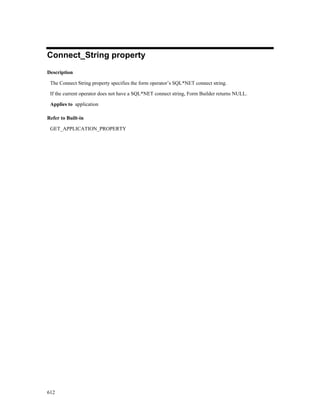
Connect_String property .....................................................................................................................612
Console Window property ..................................................................................................................613
Control Help property .........................................................................................................................614
Control Properties property.................................................................................................................615
Coordinate System property................................................................................................................616
Coordination property .........................................................................................................................618
Coordination_Status property .............................................................................................................620
Copy Value from Item property ..........................................................................................................621
Current Record Visual Attribute Group property................................................................................622
Current_Form property .......................................................................................................................623
Current_Form_Name property............................................................................................................624
Current_Record property ....................................................................................................................625
Current_Row_Background_Color property ........................................................................................626
Current_Row_Fill_Pattern property....................................................................................................627
Current_Row_Font_Name property....................................................................................................628
Current_Row_Font_Size property ......................................................................................................629
Current_Row_Font_Spacing property ................................................................................................630
Current_Row_Font_Style property .....................................................................................................631
Current_Row_Font_Weight property..................................................................................................632
Current_Row_Foreground_Color property .........................................................................................633
Current_Row_White_On_Black property...........................................................................................634
Cursor Mode property.........................................................................................................................635
Cursor_Style property .........................................................................................................................637
Custom Spacing property....................................................................................................................638
Dash Style property.............................................................................................................................639
Data Block Description property ........................................................................................................640
Data Query property............................................................................................................................641
Data Source Data Block (Chart) property ...........................................................................................642
Data Source Data Block (Report) property .........................................................................................643
Data Source X Axis property ..............................................................................................................644
Data Source Y Axis property ..............................................................................................................645
Data Type property .............................................................................................................................646
Data Type (Record Group) property ...................................................................................................651
Database Block property .....................................................................................................................652


                                                                                                                                                  ix
Database_Value property ....................................................................................................................653
    Datasource property ............................................................................................................................654
    Date_Format_Compatibility_Mode property......................................................................................655
    Default Alert Button property .............................................................................................................656
    Default Button property ......................................................................................................................657
    Default Font Scaling property .............................................................................................................658
    Deferred property................................................................................................................................659
    Defer Required Enforcement property ................................................................................................660
    Delete Allowed property .....................................................................................................................661
    Delete Procedure Arguments property ................................................................................................662
    Delete Procedure Name property ........................................................................................................663
    Delete Procedure Result Set Columns property ..................................................................................664
    Delete Record Behavior property .......................................................................................................665
    Detail Block property..........................................................................................................................666
    Detail Reference Item property ...........................................................................................................667
    Direction property ...............................................................................................................................668
    Display Hint Automatically property ..................................................................................................672
    Display in ’Keyboard Help’/’Keyboard Text’ property                          .........................................................................673
    Display Quality property.....................................................................................................................674
    Display Width (LOV) property ...........................................................................................................675
    Display without Privilege property .....................................................................................................676
    Display_Height property.....................................................................................................................677
    Display_Width property......................................................................................................................678
    Displayed property..............................................................................................................................679
    Distance Between Records property ...................................................................................................680
    Dither property....................................................................................................................................681
    DML Array Size property ...................................................................................................................682
    DML Data Target Name property.......................................................................................................683
    DML Data Target Type property ........................................................................................................684
    DML Returning Value property..........................................................................................................685
    Edge Background Color property .......................................................................................................686
    Edge Foreground Color property ........................................................................................................687
    Edge Pattern property .........................................................................................................................688
    Editor property ....................................................................................................................................689
    Editor X Position, Editor Y Position properties ..................................................................................690
    Elements in List property ....................................................................................................................691
    Enabled (Item) property ......................................................................................................................692
    Enabled (Menu Item) property............................................................................................................693
    Enabled (Tab Page) property ..............................................................................................................694
    End Angle property.............................................................................................................................695
    Enforce Column Security property......................................................................................................696
    Enforce Primary Key (Block) property ...............................................................................................697
    Enterable property...............................................................................................................................698
    Error_Date/Datetime_Format property ...............................................................................................699
    Execution Mode properties .................................................................................................................700
    Execution Mode (Chart) property .......................................................................................................701
    Execution Mode (Report) property .....................................................................................................702
    Execution Hierarchy property .............................................................................................................703
    Filename property ...............................................................................................................................704
    Fill property ........................................................................................................................................705
    Fill_Pattern property ...........................................................................................................................706
    Filter Before Display property ............................................................................................................707
    Fire in Enter-Query Mode property ....................................................................................................708
    First Navigation Block property..........................................................................................................709
    First_Block property ...........................................................................................................................710


x
First_Detail_Relation property............................................................................................................711
      First_Item property .............................................................................................................................712
      First_Master_Relation property ..........................................................................................................713
      Fixed Bounding Box property.............................................................................................................714
      Fixed Length (Item) property..............................................................................................................715
      Fixed Length (Menu Substitution Parameter) property.......................................................................716
      Flag User Value Too Long property ...................................................................................................717
      Font_Name property ...........................................................................................................................718
      Font_Size property..............................................................................................................................719
      Font_Spacing property........................................................................................................................720
      Font_Style property.............................................................................................................................721
      Font_Weight property .........................................................................................................................722
      Foreground_Color property ................................................................................................................723
      Form Horizontal Toolbar Canvas property .........................................................................................724
      Form Vertical Toolbar Canvas property .............................................................................................725


INDEX............................................................................................................................ 726


                                                                                                                                                       xi
Send Us Your Comments

Forms Developer Form Builder Reference, Release 6i
Volume 1
Part No:   A73074-01
Oracle Corporation welcomes your comments and suggestions on the quality and usefulness of this
publication. Your input is an important part of the information used for revision.
 •   Did you find any errors?
 •   Is the information clearly presented?
 •   Do you need more information? If so, where?
 •   Are the examples correct? Do you need more examples?
 •   What features did you like most about this manual?
If you find any errors or have any other suggestions for improvement, please indicate the part number,
chapter, section, and page number (if available). You can send comments to us by electronic mail to
oddoc@us.oracle.com.
If you have any problems with the software, please contact your local Oracle World Wide Support Center.


                                                                                                         xiii
Preface

Welcome to Release 6i of the Forms Developer Form Builder Reference.
This reference guide includes information to help you effectively work with Forms Developer Form Builder
and contains detailed information about the following:
•    Built-in subprograms
•    Options
•    Properties
•    System variables
•    Triggers
This preface explains how this user’s guide is organized and introduces other sources of information that
can help you use Forms Developer Form Builder.

Prerequisites

You should be familiar with your computer and its operating system. For example, you should know the
commands for deleting and copying files and understand the concepts of search paths, subdirectories, and
path names. Refer to your Microsoft Windows 95 or NT and DOS product documentation for more
information. You should also understand the fundamentals of Microsoft Windows, such as the elements of
an application window. You should also be familiar with such programs as the Explorer, Taskbar or Task
Manager, and Registry.

Notational Conventions

The following typographical conventions are used in this guide:


Convention                  Meaning
fixed-width font            Text in a fixed-width font indicates commands that you enter exactly as shown.
                            Text typed on a PC is not case-sensitive unless otherwise noted.
                            In commands, punctuation other than brackets and vertical bars must be entered
                            exactly as shown.
lowercase                   Lowercase characters in a command statement represent a variable. Substitute
                            and appropriate value.
UPPERCASE                   Uppercase characters within the text represent command names, SQL reserved
                            words, and keywords.
boldface                    Boldface is used to indicate user interface items such as menu choices and
                            buttons.
C>                          Represents the DOS prompt. Your prompt may differ.


                                                                                                            xv
Built-in Subprograms


Built-ins overview
Form Builder provides built-in subprograms that you can call from triggers and user-named subprograms
that you write yourself. Built-ins provide programmatic control over standard application functions,
including navigation, interface control, and transaction processing.

This section includes information on the following:

•   Built-in syntax
•   Built-in named parameters
•   Built-in code examples
•   Built-in object IDs
•   Restricted built-in subprograms
•   Built-in constants


Built-in syntax
Named parameters are shown in an italic monospaced font. You can replace any named parameter with
the actual parameter, which can be a constant, a literal, a bind variable, or a number.
    SET_TIMER(timer_name, milliseconds, iterate);
In this example, the timer name you supply must be enclosed in single quotes, because the timer_name is
a CHAR value. The milliseconds parameter is passed as a number and, as such, does not require single
quotes. The iterate parameter is passed as a constant, and, as such, must be entered exactly as shown in
the parameter description, without single quotes. Capitalization is unimportant.

In those cases where a number of optional elements are available, various alternate syntax statements are
presented. These alternatives are presented to preclude having to decipher various complicated
syntactical conventions.

Note that you sometimes use variables instead of including a specific object name. In those cases, do not
enclose the variable within single quotes. The following example illustrates a When-Timer-Expired
trigger that calls the SET_TIMER built-in and references a variable that contains a valid timer name:
    DECLARE
         the_timer CHAR := GET_APPLICATION_PROPERTY(TIMER_NAME);
    BEGIN
         SET_TIMER(the_timer, 60000, REPEAT);
    END;


                                                                                                            1
Built-in named parameters
    The named parameter should be followed with the equal/greater than signs (=>), which point to the
    actual parameter that follows the named parameter. For example, if you intend to change the
    milliseconds in the SET_TIMER Built-in you can directly use that parameter with the following syntax:
        SET_TIMER(timer_name => ’my_timer’, milliseconds => 12000,
                                  iterate => NO_REPEAT);
    Also, you can continue to call the built-in with the following syntax:
       SET_TIMER(’my_timer’, 12000, NO_REPEAT);


Built-in code examples
    Examples have been included for the built-in subprograms. Some examples are simple illustrations of
    the syntax. Others are more complex illustrations of how to use the Built-in either alone or in
    conjunction with other built-ins. A few points to keep in mind regarding the syntax of examples:

    •   Examples are shown exactly as they can be entered.
    •   Casing and use of italics can be ignored and is included for readability.
    •   Built-in names and other PL/SQL reserved words, such as IF, THEN, ELSE, BEGIN, and END are
        shown in capital letters for easier readability.
    •   Named parameters, when illustrated, are shown in an italic typeface. If you choose to use named
        parameters, enter these parameter names exactly as shown, without quotes and follow them with the
        equal/greater than symbols (=>).
    •   CHAR type arguments must be enclosed in single quotes.
    •   Any other data type argument should not be enclosed in quotes.
    •   Special characters other than single quotes (’), commas (,), parentheses, underscores (_), and
        semicolons(;) should be ignored.


Built-in object IDs
    Some built-in subprograms accept object IDs as actual parameters. An object ID is an internal, opaque
    handle that is assigned to each object when created in the Form Builder. Object IDs are internally
    managed and cannot be externally viewed by the user. The only method you can use to retrieve the ID is
    to define a local or global variable and assign the return value of the object to the variable.

    You make the assignment by way of the FIND_ built-in functions. Once you have used FIND_ within a
    PL/SQL block, you can use the variable as an object ID while still in that block. The valid PL/SQL type
    for each object is included in the syntax descriptions for each parameter. The description for the
    FIND_BLOCK built-in provides an example of how to obtain an object ID.


Built-in form coordinate units
    Many built-in subprograms allow you to specify size and position coordinates, using properties such as:

    •   HEIGHT


2
•    WIDTH
•    DISPLAY_POSITION
•    VIEWPORT_X_POS
•    VIEWPORT_Y_POS
•    VIEW_SIZE
•    VIEWPORT_X_POS_ON_CANVAS
•    VIEWPORT_Y_POS_ON_CANVAS
When you specify coordinates or width and height, you express these measurements in units of the
current form coordinate system, set on the Form Module property sheet. The form coordinate system
defines the units for specifying size and position coordinates of objects in the Form Builder. Use the
Coordinate System form module property to set the form’s coordinate units:

•    character cells or
•     real units:
    inches
    centimeters
    pixels
    points

When you design in the character cell coordinate system, all object dimensions and position coordinates
are expressed in character cells, so Form Builder accepts only whole numbers for size and position
properties.

When you design using real units (inches, centimeters, or points), all object dimensions and position
coordinates are expressed in the units you specify, so Form Builder will accept decimals as well as whole
numbers for size and position properties. The precision of real units is three digits, so you can specify
coordinates to thousandths. If you use pixels or character cells, coordinates are truncated to whole
numbers.


Built-in uppercase return values
The GET_X_PROPERTY built-ins, such as GET_FORM_PROPERTY, return CHAR arguments as
uppercase values. This will affect the way you compare results in IF statements.


Restricted built-in subprograms
Restricted built-ins affect navigation in your form, either external screen navigation, or internal
navigation. You can call these built-ins only from triggers while no internal navigation is occurring.

Restricted built-ins cannot be called from the Pre and Post triggers, which fire when Form Builder is
navigating from object to another.

Restricted built-ins can be called from the When triggers that are specific to interface items, such as
When-Button-Pressed or When-Checkbox-Changed. Restricted built-ins can also be called from any of
the When-New-"object"-Instance triggers and from key triggers.

Unrestricted built-ins do not affect logical or physical navigation and can be called from any trigger.


                                                                                                            3
The built-in descriptions include a heading, Built-In Type, that indicates if the built-in is restricted or
    unrestricted.


Built-in constants
    Many of the built-in subprograms take numeric values as arguments. Often, constants have been defined
    for these numeric arguments. A constant is a named numeric value. When passing a constant to a built-
    in do not enclose the constant value in quotation marks.

    Constants can only appear on the right side of an operator in an expression.

    In some cases, a built-in can take a number of possible constants as arguments. Possible constants are
    listed in the descriptions for each parameter.

    In the following example, BLOCK_SCOPE is a constant that can be supplied for the parameter constant
    VALIDATION_UNIT. Other constants listed in the description are FORM, RECORD, and ITEM.
        SET_FORM_PROPERTY(’my_form’, VALIDATION_UNIT, BLOCK_SCOPE);


Individual built-in descriptions
    The remainder of this chapter presents individual built-in descriptions. Each built-in is presented in the
    following format or a subset of the format, as applicable:

Syntax

    Describes the syntax of the built-in. If there are multiple formats for a Built-in then all formats are
    shown. For example, if the target object of a built-in can be called by name or by object ID, then both
    forms of syntax are displayed

    Built-in Type Indicates whether the built-in is restricted or unrestricted

    Returns Indicates the return value or data type of a built-in function

    Enter Query Mode Indicates the capability to call the built-in during enter query mode.

Description

    Indicates the general purpose and use of the built-in.

Parameters

    Describes the parameters that are included in the syntax diagrams. Underlined parameters usually are the
    default.

Individual built-in descriptions restrictions

    Indicates any restrictions.

Individual built-in descriptions examples

    Provides an actual example that can be used in conjunction with the syntax to develop a realistic call to
    the built-in.


4
ABORT_QUERY built-in
Description

 Closes a query that is open in the current block.

 A query is open between the time the SELECT statement is issued and the time when all the rows have
 been fetched from the database. In particular, a query is not open when the form is in Enter Query mode,
 because the SELECT statement has not yet been issued.

Syntax
    PROCEDURE ABORT_QUERY;

 Built-in Type unrestricted procedure

 Enter Query Mode yes

 A query is open between the time the SELECT statement is issued and the time when all the rows have
 been fetched from the database. In particular, a query is not open when the form is in Enter Query mode,
 because the SELECT statement has not yet been issued.

Parameters

 none

Usage Notes

 ABORT_QUERY is not the equivalent of the Query, Cancel runtime default menu command. It does not
 prevent the initial fetch from the database, but rather interrupts fetch processing, thus preventing
 subsequent fetches.

ABORT_QUERY restrictions

 Do not use ABORT_QUERY in the following triggers:

 •   On-Fetch. The On-Fetch trigger is provided for applications using transactional triggers to replace
     default Form Builder functions when running against non-Oracle data sources. To signal that your
     On-Fetch trigger is done fetching rows, exit the On-Fetch trigger without issuing the
     CREATE_QUERIED_RECORD built-in.
 •   Pre-Query. The Pre-Query trigger fires before the query is open, so there is no open query to close
     and ABORT_QUERY is ignored. To programmatically cancel Enter Query mode, call the built-in
     EXIT_FORM, using a When-New-Record-Instance trigger to check a flag as follows:
     IF (:global.cancel_query = ’Y’
            and :system.mode = ’ENTER-QUERY’)
     THEN
           Exit_Form;
           :global.cancel_query = ’N’;
     END IF;

 •   Then set the flag to ’TRUE’ either from a Pre-Query trigger or an On-Error trigger that traps for the
     FRM-40301 error.


                                                                                                             5
ACTIVATE_SERVER built-in
Description

    Activates an OLE server associated with an OLE container and prepares the OLE server to receive OLE
    automation events from the OLE container.

Syntax
    PROCEDURE ACTIVATE_SERVER
       (item_id Item);
    PROCEDURE ACTIVATE_SERVER
       (item_name VARCHAR2);

    Built-in Type unrestricted procedure

    Enter Query Mode no

Parameters

    item_id                    Specifies the unique ID that Form Builder assigns to the item when created.
                               Use the FIND_ITEM built-in to return the ID to an appropriately typed
                               variable. The data type of the ID is Item.

    item_name                  Specifies the name of the object created at design time. The data type of
                               the name is VARCHAR2 string.

Usage Notes

    •   The OLE container must contain an OLE object and the OLE Server must be available for
        activation.

ACTIVATE_SERVER restrictions

    Valid only on Microsoft Windows and Macintosh.

ACTIVATE_SERVER examples
        /*
        ** Built-in: ACTIVATE_SERVER
        ** Example: Activates the OLE server associated with the object
        **            in the OLE container.
        ** trigger: When-Button-Pressed
        */
        DECLARE
         item_id ITEM;
         item_name VARCHAR(25) := ’OLEITM’;
        BEGIN
         item_id := Find_Item(item_name);
         IF Id_Null(item_id) THEN
           message(’No such item: ’||item_name);
         ELSE
           Forms_OLE.Activate_Server(item_id);
         END IF;
        END;


6
ADD_GROUP_COLUMN built-in
Description

 Adds a column of the specified type to the given record group.

Syntax
    FUNCTION ADD_GROUP_COLUMN
       (recordgroup_id   RecordGroup,
        groupcolumn_name VARCHAR2,
        column_type      NUMBER);
    FUNCTION ADD_GROUP_COLUMN
       (recordgroup_name VARCHAR2,
        groupcolumn_name VARCHAR2,
        column_type      NUMBER);
    FUNCTION ADD_GROUP_COLUMN
       (recordgroup_id,  RecordGroup
        groupcolumn_name VARCHAR2,
        column_type      NUMBER,
        column_width     NUMBER);
    FUNCTION ADD_GROUP_COLUMN
       (recordgroup_name VARCHAR2,
        groupcolumn_name VARCHAR2,
        column_type      NUMBER,
        column_width     NUMBER);

 Built-in Type unrestricted function

 Enter Query Mode yes

 Returns GroupColumn

Parameters

 recordgroup_id               The unique ID that Form Builder assigns when it creates the group. The
                              data type of the ID is RecordGroup.

 recordgroup_name             The name you gave to the record group when creating it. The data type of
                              the name is VARCHAR2.

 groupcolumn_name             Specifies the name of the column. The data type of the column name is
                              VARCHAR2.

 column_type                  Specifies the data type of the column. The allowable values are the
                              following constants:

                              CHAR_COLUMN Specify if the column can only accept VARCHAR2
                              data.

                              DATE_COLUMN Specify if the column can only accept DATE data.

                              LONG_COLUMN Specify if the column can only accept LONG data.

                              NUMBER_COLUMN Specify if the column can only accept NUMBER
                              data.


                                                                                                         7
column_width                 If you specify CHAR_COLUMN as the column_type, you must indicate the
                                  maximum length of the data. COLUMN_WIDTH cannot exceed 2000,
                                  and must be passed as a whole number.

    Error Conditions:
    An error is returned under the following conditions:

    •   You enter the name of a non-existent record group.
    •   You specify the name for a group or a column that does not adhere to standard Oracle naming
        conventions.
    •   You enter a column type other than CHAR, NUMBER, DATE, or LONG.

ADD_GROUP_COLUMN restrictions

    •   You must add columns to a group before adding rows.
    •   You cannot add a column to a group that already has rows; instead, delete the rows with
        DELETE_GROUP_ROW, then add the column.
    •   You can only add columns to a group after it is created with a call to CREATE_GROUP.
    •   If the column corresponds to a database column, the width of CHAR_COLUMN-typed columns
        cannot be less than the width of the corresponding database column.
    •   If the column corresponds to a database column, the width of CHAR_COLUMN-typed columns can
        be greater than the width of the corresponding database column.
    •   Only columns of type CHAR_COLUMN require the width parameter.
    •   Performance is affected if a record group has a large number of columns.
    •   There can only be one LONG column per record group.

ADD_GROUP_COLUMN examples
        /*
        ** Built-in: ADD_GROUP_COLUMN
        ** Example:     Add one Number and one Char column to a new
        **              record group.
        */
        PROCEDURE Create_My_Group IS
           rg_name VARCHAR2(15) := ’My_Group’;
           rg_id    RecordGroup;
           gc_id    GroupColumn;
        BEGIN
           /*
           ** Check to see if Record Group already exists
           */
           rg_id := Find_Group( rg_name );
           /*
           ** If Not, then create it with one number column and one
        ** Char column
           */
           IF Id_Null(rg_id) THEN
              rg_id := Create_Group( rg_name );
              gc_id := Add_Group_Column(rg_id, ’NumCol’,NUMBER_COLUMN);
              gc_id := Add_Group_Column(rg_id, ’CharCol’,CHAR_COLUMN,15);
           END IF;
        END;


8
ADD_GROUP_ROW built-in
Description

 Adds a row to the given record group.

Syntax
    PROCEDURE ADD_GROUP_ROW
       (recordgroup_id RecordGroup,
        row_number      NUMBER);
    PROCEDURE ADD_GROUP_ROW
       (recordgroup_name VARCHAR2,
        row_number        NUMBER);

 Built-in Type unrestricted procedure

 Enter Query Mode yes

Parameters

 recordgroup_id               The unique ID that Form Builder assigns when it creates the group. The
                              data type of the ID is RecordGroup.

 recordgroup_name             The name you gave to the record group when creating it. The data type of
                              the name is VARCHAR2.

 row_number                   A whole number that specifies a row in the group. If you add a row to any
                              but the last position in a group, all rows below that are logically
                              renumbered. To add a row to the end of a group, use the
                              END_OF_GROUP constant.

 Error Conditions:

 Form Builder returns a runtime error given either of the following conditions:

 •   If you enter the name of a non-existent record group.
 •   If you supply a row number that is out of range or is invalid (for example, an alphabetic character).

ADD_GROUP_ROW restrictions

 •   A group can consist of 0 or more rows.
 •   You can add rows to a group only after it has been created and columns have been added.
 •   If you specify a row number greater than the number of rows already in the group (or a negative
     number), the row is inserted at the end of the group.
 •   You cannot add rows to a static group without a query.

ADD_GROUP_ROW examples
     /*
     ** Built-in:         ADD_GROUP_ROW
     ** Example:          Add ten rows to a new record group and populate.
     */


                                                                                                             9
PROCEDURE Populate_My_Group IS
       rg_name VARCHAR2(20) := ’My_Group’;
       rg_col1 VARCHAR2(20) := rg_name||’.NumCol’;
       rg_col2 VARCHAR2(20) := rg_name||’.CharCol’;
       rg_id       RecordGroup;
       gc_id       GroupColumn;
       in_words VARCHAR2(15);
     BEGIN
       /*
       ** Check to see if Record Group already exists
       */
       rg_id := Find_Group( rg_name );
       /*
       ** If it does, then clear all the rows from the group and
       ** populate ten rows with the numbers from 1..10 along
       ** with the equivalent number in words.
       **
       **      Row#     NumCol  CharCol
       **      ----     ------  -------
       **        1         1      one
       **        2         2      two
       **        :         :       :
       **       10        10      ten
       */
       IF NOT Id_Null(rg_id) THEN
          Delete_Group_Row( rg_id, ALL_ROWS );
          FOR i IN 1..10 LOOP
            /*
            ** Add the i-th Row to the end (bottom) of the
            ** record group, and set the values of the two cells
            */
            in_words := TO_CHAR(TO_DATE(i,’YYYY’),’year’);
            Add_Group_Row( rg_id, END_OF_GROUP );
            Set_Group_Number_Cell( rg_col1, i, i);
            Set_Group_Char_Cell( rg_col2, i, in_words);
          END LOOP;
       END IF;
     END;


10
ADD_LIST_ELEMENT built-in
Description

 Adds a single element to a list item.

Syntax
    PROCEDURE ADD_LIST_ELEMENT
       (list_name   VARCHAR2,
        list_index, NUMBER
        list_label VARCHAR2,
        list_value NUMBER);
    PROCEDURE ADD_LIST_ELEMENT
       (list_id     ITEM,
        list_index VARCHAR2,
        list_label VARCHAR2,
        list_value NUMBER);
 Built-in Type unrestricted procedure

 Enter Query Mode yes

Parameters

 list_id                       Specifies the unique ID that Form Builder assigns when it creates the list
                               item. Use the FIND_ITEM built-in to return the ID to an appropriately
                               typed variable. The data type of the ID is ITEM.

 list_name                     The name you gave to the list item when you created it. The data type of
                               the name is VARCHAR2.

 list_index                    Specifies the list index value. The list index is 1 based.

 list_label                    Specifies the VARCHAR2 string that you want displayed as the label of the
                               list element.

 list_value                    The actual list element value you intend to add to the list item.

ADD_LIST_ELEMENT restrictions

 For a base table list with the List Style property set to Poplist or T-list, Form Builder does not allow you
 to add another values element when the block contains queried or changed records. Doing so causes an
 error. This situation can occur if you have previously used DELETE_LIST_ELEMENT or
 CLEAR_LIST to remove the other values element that was specified at design time by the Mapping of
 Other Values list item property setting.

 Note: The block status is QUERY when a block contains queried records. The block status is
 CHANGED when a block contains records that have been either inserted or updated.

ADD_LIST_ELEMENT examples
     /*
     **       Built-in: ADD_LIST_ELEMENT
     **       Example: Deletes index value 1 and adds the value "1994" to


                                                                                                                11
**            the list item called years when a button is
     pressed.
     ** trigger: When-Button-Pressed
     */
     BEGIN
        Delete_List_Element(’years’,1);
        Add_List_Element(’years’, 1, ’1994’, ’1994’);
     END;


12
ADD_OLEARGS built-in
Description

 Establishes the type and value of an argument that will be passed to the OLE object’s method.

Syntax
    PROCEDURE      ADD_OLEARG
       (newvar     NUMBER, vtype VT_TYPE := VT_R8);
    ...or...
    PROCEDURE      ADD_OLEARG
       (newvar     VARCHAR2, vtype VT_TYPE := VT_BSTR);
    ...or...
    PROCEDURE      ADD_OLEARG
       (newvar     OLEVAR, vtype VT_TYPE := VT_VARIANT);

Built-in Type unrestricted procedure

Parameters

newvar         The value of this argument. Its type (NUMBER,
               VARCHAR2, or OLEVAR) is its FORMS or PL/SQL data
               type.

vtype          The type of the argument as understood by the OLE method

               For a NUMBER argument, the default is VT_TYPE :=
               VT_R8.

               For a VARCHAR2 argument, the default is VT_TYPE :=
               VT_BSTR.

               For an OLEVAR argument, the default is VT_TYPE :=
               VT_VARIANT.

Usage Notes

 A separate ADD_OLEARG call is needed for each argument to be passed. The calls should be in order,
 starting with the first argument.

 A list of the supported OLE VT_TYPEs can be found in OLE Variant Types .


                                                                                                      13
ADD_PARAMETER built-in
Description

 Adds parameters to a parameter list. Each parameter consists of a key, its type, and an associated value.

Syntax
    PROCEDURE ADD_PARAMETER
       (list      VARCHAR2,
        key       VARCHAR2,
        paramtype VARCHAR2,
        value     VARCHAR2);
    PROCEDURE ADD_PARAMETER
       (name      VARCHAR2,
        key       VARCHAR2,
        paramtype VARCHAR2,
        value     VARCHAR2);

 Built-in Type unrestricted procedure

 Enter Query Mode yes

Parameters

 list or name                   Specifies the parameter list to which the parameter is assigned. The actual
                                parameter can be either a parameter list ID of type PARAMLIST, or the
                                VARCHAR2 name of the parameter list.

 key                            The name of the parameter. The data type of the key is VARCHAR2.

 paramtype                      Specifies one of the following two types:

                                TEXT_PARAMETER A VARCHAR2 string literal.

                                DATA_PARAMETER A VARCHAR2 string specifying the name of a
                                record group defined in the current form. When Form Builder passes a data
                                parameter to Report Builder or Graphics Builder, the data in the specified
                                record group can substitute for a query that Report Builder or Graphics
                                Builder would ordinarily execute to run the report or display.

 value                          The actual value you intend to pass to the called module. If you are passing
                                a text parameter, the maximum length is 64K characters. Data type of the
                                value is VARCHAR2.

ADD_PARAMETER restrictions

 •     A parameter list can consist of 0 (zero) or more parameters.
 •     You cannot create a parameter list if one already exists; to do so will cause an error. To avoid this
       error, use ID_NULL to check to see if a parameter list already exists before creating one. If a
       parameter list already exists, delete it with DESTROY_PARAMETER_LIST before creating a new
       list.
 •     You cannot add a parameter of type DATA_PARAMETER if the parameter list is being passed to
       another form.


14
ADD_PARAMETER examples
  /*
  ** Built-in: ADD_PARAMETER
  ** Example:    Add a value parameter to an existing Parameter
  **             List ’TEMPDATA’, then add a data parameter to
  **             the list to associate named query ’DEPT_QUERY’
  **             with record group ’DEPT_RECORDGROUP’.
  */
  DECLARE
     pl_id ParamList;
  BEGIN
     pl_id := Get_Parameter_List(’tempdata’);
     IF NOT Id_Null(pl_id) THEN
       Add_Parameter(pl_id,’number_of_copies’,TEXT_PARAMETER,’19’);

       Add_Parameter(pl_id, ’dept_query’, DATA_PARAMETER,
            ’dept_recordgroup’);
    END IF;
  END;


                                                                      15
ADD_TREE_DATA built-in
Description

 Adds a data set under the specified node of a hierarchical tree item.

Syntax
    PROCEDURE ADD_TREE_DATA
       (item_id ITEM,
        node FTREE.NODE,
        offset_type NUMBER,
        offset NUMBER,
        data_source NUMBER,
        data VARCHAR2);
    PROCEDURE ADD_TREE_DATA
       (item_name VARCHAR2,
        node FTREE.NODE,
        offset_type NUMBER,
        offset NUMBER,
        data_source NUMBER,
        data VARCHAR2);
    PROCEDURE ADD_TREE_DATA
       (item_name VARCHAR2,
        node FTREE.NODE,
        offset_type NUMBER,
        offset NUMBER,
        data_source NUMBER,
        data RECORDGROUP);
    PROCEDURE ADD_TREE_DATA
       (item_id ITEM,
        node FTREE.NODE,
        offset_type NUMBER,
        offset NUMBER,
        data_source NUMBER,
        data RECORDGROUP);
 Built-in Type unrestricted procedure

 Enter Query Mode no

Parameters

item_name           Specifies the name of the object created at design time.
                    The data type of the name is VARCHAR2 string.

Item_id             Specifies the unique ID that Form Builder assigns to the
                    item when created. Use the FIND_ITEM built-in to
                    return the ID to an appropriately typed variable. The
                    data type of the ID is ITEM.

node                Specifies a valid node.


16
offset_type        Specifies the type of offset for the node. Possible values
                   are:

                   PARENT_OFFSET

                   SIBLING_OFFSET

                   If offset_type is PARENT_OFFSET, adds a data subset
                   immediately under the specified node at the location
                   among its children indicated by offset.

                   If offset_type is SIBLING_OFFSET, adds the new data
                   as a sibling to the specified node.

offset             Indicates the position of the new node.

                   If offset_type is PARENT_OFFSET, then offset can be
                   either 1-n or LAST_CHILD.

                   If offset_type is SIBLING_OFFSET, then offset can be
                   either NEXT_NODE or PREVIOUS_NODE.

data_source        Indicates the type of data source. Possible values are:

                   RECORD_GROUP

                   QUERY_TEXT

data               Specifies the data to be added. If data source is
                   QUERY_TEXT, then data is the text of the query. If
                   data source is RECORD_GROUP, then data is an item
                   of type RECORDGROUP or the name of a record
                   group.


ADD_TREE_DATA examples
       /*
       ** Built-in:     ADD_TREE_DATA
       */

       --   This code copies a set         of values from a record group
       --   and adds them as a top         level node with any children
       --   nodes specified by the         structure of the record group.
       --   The new top level node         will be inserted as the last
       --   top level node.

       DECLARE
          htree         ITEM;
          rg_data       RECORDGROUP;
       BEGIN
          -- Find the tree itself.
          htree := Find_Item(’tree_block.htree3’);

            -- Find the record group.
            rg_data := FIND_GROUP(’new_data_rg’);


                                                                                17
-- Add the new node at the top level and children.
        Ftree.Add_Tree_Data(htree,
                            Ftree.ROOT_NODE,
                            Ftree.PARENT_OFFSET,
                            Ftree.LAST_CHILD,
                            Ftree.RECORD_GROUP,
                            rg_data);
     END;


18
ADD_TREE_NODE built-in
Description

 Adds a data element to a hierarchical tree item.

Syntax
    FUNCTION ADD_TREE_NODE
       (item_name VARCHAR2,
        node FTREE.NODE,
        offset_type NUMBER,
        offset NUMBER,
        state NUMBER,
        label VARCHAR2,
        icon VARCHAR2,
        value VARCHAR2);
    FUNCTION ADD_TREE_NODE
       (item_id ITEM,
        node FTREE.NODE,
        offset_type NUMBER,
        offset NUMBER,
        state NUMBER,
        label VARCHAR2,
        icon VARCHAR2,
        value VARCHAR2);
 Built-in Type unrestricted procedure

 Returns NODE

 Enter Query Mode no

Parameters

item_name           Specifies the name of the object created at design time.
                    The data type of the name is VARCHAR2 string.

Item_id             Specifies the unique ID that Form Builder assigns to the
                    item when created. Use the FIND_ITEM built-in to
                    return the ID to an appropriately typed variable. The
                    data type of the ID is ITEM.

node                Specifies a valid node.

offset_type         Specifies the type of offset for the node. Possible values
                    are:

                    PARENT_OFFSET

                    SIBLING_OFFSET

offset              Indicates the position of the new node.


                                                                                 19
If offset_type is PARENT_OFFSET, then offset can be
                  either 1-n or LAST_CHILD.

                  If offset_type is SIBLING_OFFSET, then offset can be
                  either NEXT_NODE or PREVIOUS_NODE.

state             Specifies the state of the node. Possible vaues are:

                  COLLAPSED_NODE

                  EXPANDED_NODE

                  LEAF_NODE

label             The displayed text for the node.

icon              The filename for the node’s icon.

value             Specifies the VARCHAR2 value of the node.


ADD_TREE_NODE examples
        /*
        ** Built-in: ADD_TREE_NODE
        */
        -- This code copies a value from a Form item and
        -- adds it to the tree as a top level node. The
        -- value is set to be the same as the label.
        DECLARE
           htree         ITEM;
           top_node      FTREE.NODE;
           new_node      FTREE.NODE;
           item_value    VARCHAR2(30);
        BEGIN
           -- Find the tree itself.
           htree := Find_Item(’tree_block.htree3’);
           -- Copy the item value to a local variable.
           item_value := :wizard_block.new_node_data;
           -- Add an expanded top level node to the tree
           -- with no icon.
           new_node := Ftree.Add_Tree_Node(htree,
                                           Ftree.ROOT_NODE,
                                           Ftree.PARENT_OFFSET,
                                           Ftree.LAST_CHILD,
                                           Ftree.EXPANDED_NODE,
                                           item_value,
                                           NULL,
                                           item_value);
        END;


20
APPLICATION_PARAMETER built-in
Description

 Displays all the parameters associated with the current menu, and their current values, in the Enter
 Parameter Values dialog box.

Syntax
    PROCEDURE APPLICATION_PARAMETER;

 Built-in Type unrestricted procedure

 Enter Query Mode yes

 Failure:
     If no parameters are defined for the current menu, Form Builder
     issues error message FRM-10201: No parameters needed.


                                                                                                        21
BELL built-in
Description

 Sets the terminal bell to ring the next time the terminal screen synchronizes with the internal state of the
 form. This synchronization can occur as the result of internal processing or as the result of a call to the
 SYNCHRONIZE built-in subprogram.

Syntax
    PROCEDURE BELL;

 Built-in Type unrestricted procedure

 Enter Query Mode yes

Parameters

 none

BELL examples

 The following example rings the bell three times:
    FOR i in 1..3 LOOP
        BELL;
        SYNCHRONIZE;
    END LOOP;


22
BLOCK_MENU built-in
Description

 Displays a list of values (LOV) containing the sequence number and names of valid blocks in your form.
 Form Builder sets the input focus to the first enterable item in the block you select from the LOV.

Syntax
    PROCEDURE BLOCK_MENU;

 Built-in Type restricted procedure

 Enter Query Mode yes; however, it is illegal to navigate out of the current block in Enter Query mode

Parameters

 none

BLOCK_MENU examples
    /*
    ** Built-in: BLOCK_MENU
    ** Example:    Calls up the list of blocks in the form when the
    **             user clicks a button, and prints a message if
    **             the user chooses a new block out of the list to
    **             which to navigate.
    */
    DECLARE
       prev_blk VARCHAR2(40) := :System.Cursor_Block;
    BEGIN
       BLOCK_MENU;
       IF :System.Cursor_Block <> prev_blk THEN
         Message(’You successfully navigated to a new block!’);
       END IF;
    END;


                                                                                                         23
BREAK built-in
Description

 Halts form execution and displays the Debugger, while the current form is running in debug mode. From
 the Debugger you can make selections to view the values of global and system variables. The BREAK
 built-in is primarily useful when you need to inspect the state of a form during trigger execution.

Syntax
    PROCEDURE BREAK;

 Built-in Type unrestricted procedure

 Enter Query Mode yes

Parameters

 none

BREAK restrictions

 If the current form is not running in debug mode, issuing a call to the BREAK built-in subprogram has
 no effect.

BREAK examples
     /*
     ** Built-in: BREAK
     ** Example:    Brings up the debugging window for a particular
     **             value of the ’JOB’ item anytime the user
     **             changes records.
     ** trigger:    When-New-Record-Instance
     */
     BEGIN
        IF :Emp.Job = ’CLERK’ THEN
          Break;
          Call_Form(’clerk_timesheet’);
          Break;
        END IF;
     END;


24
CALL_FORM built-in
Description

 Runs an indicated form while keeping the parent form active. Form Builder runs the called form with the
 same Runform preferences as the parent form. When the called form is exited Form Builder processing
 resumes in the calling form at the point from which you initiated the call to CALL_FORM.

Syntax
    PROCEDURE CALL_FORM
       (formmodule_name           VARCHAR2);
    PROCEDURE CALL_FORM
       (formmodule_name           VARCHAR2,
        display                   NUMBER);
    PROCEDURE CALL_FORM
       (formmodule_name           VARCHAR2,
        display                   NUMBER,
        switch_menu               NUMBER);
    PROCEDURE CALL_FORM
       (formmodule_name           VARCHAR2,
        display                   NUMBER,
        switch_menu               NUMBER,
        query_mode                NUMBER);
    PROCEDURE CALL_FORM
       (formmodule_name           VARCHAR2,
        display                   NUMBER,
        switch_menu               NUMBER,
        query_mode                NUMBER,
        data_mode                 NUMBER);
    PROCEDURE CALL_FORM
       (formmodule_name           VARCHAR2,
        display                   NUMBER,
        switch_menu               NUMBER,
        query_mode                NUMBER,
        paramlist_id              PARAMLIST);
    PROCEDURE CALL_FORM
       (formmodule_name           VARCHAR2,
        display                   NUMBER,
        switch_menu               NUMBER,
        query_mode                NUMBER,
        paramlist_name            VARCHAR2);
    PROCEDURE CALL_FORM
       (formmodule_name           VARCHAR2,
        display                   NUMBER,
        switch_menu               NUMBER,
        query_mode                NUMBER,
        data_mode                 NUMBER,
        paramlist_id              PARAMLIST);
    PROCEDURE CALL_FORM
       (formmodule_name           VARCHAR2,
        display                   NUMBER,
        switch_menu               NUMBER,
        query_mode                NUMBER,
        data_mode                 NUMBER,
        paramlist_name            VARCHAR2);

 Built-in Type unrestricted procedure

 Enter Query Mode yes


                                                                                                      25
Parameters

 formmodule_name            The name of the called form (must be enclosed in single quotes). Datatype
                            is VARCHAR2.

 display                    HIDE (The default.) Form Builder will hide the calling form before
                            drawing the called form.

                            NO_HIDE Form Builder will display the called form without hiding the
                            calling form.

 switch_menu                NO_REPLACE (The default.) Form Builder will keep the default menu
                            module of the calling form active for the called form.

                            DO_REPLACE Form Builder will replace the default menu module of the
                            calling form with the default menu module of the called form.

 query_mode                 NO_QUERY_ONLY (The default.) Form Builder will run the indicated
                            form in normal mode, allowing the end user to perform inserts, updates,
                            and deletes from within the called form.

                            QUERY_ONLY Form Builder will run the indicated form in query-only
                            mode, allowing the end user to query, but not to insert, update, or delete
                            records.

 data_mode                  NO_SHARE_LIBRARY_DATA (The default.) At runtime, Form
                            Builder will not share data between forms that have identical libraries
                            attached (at design time).

                            SHARE_LIBRARY_DATA At runtime, Form Builder will share data
                            between forms that have identical libraries attached (at design time).

 paramlist_id               The unique ID Form Builder assigns when it creates the parameter list.
                            You can optionally include a parameter list as initial input to the called
                            form. Datatype is PARAMLIST.

 paramlist_name             The name you gave the parameter list object when you defined it. Datatype
                            is VARCHAR2.

CALL_FORM restrictions

 •   Form Builder ignores the query_mode parameter when the calling form is running in
     QUERY_ONLY mode. Form Builder runs any form that is called from a QUERY_ONLY form as a
     QUERY_ONLY form, even if the CALL_FORM syntax specifies that the called form is to run in
     NO_QUERY_ONLY (normal) mode.
 •   A parameter list passed to a form via CALL_FORM cannot contain parameters of type
     DATA_PARAMETER. Only text parameters can be passed with CALL_FORM.
 •   Some memory allocated for CALL_FORM is not deallocated until the Runform session ends.
     Exercise caution when creating a large stack of called forms.
 •   When you execute CALL_FORM in a Pre-Logon, On-Logon, or Post-Logon trigger, always specify
     the DO_REPLACE parameter to replace the calling form’s menu with the called form’s menu.
     Failing to specify DO_REPLACE will result in no menu being displayed for the called form. (An
     alternative solution is to call the REPLACE_MENU built-in from a When-New-Form-Instance
     trigger in the called form.)


26
CALL_FORM examples
  /* Example 1:
  ** Call a form in query-only mode.
  */
  BEGIN
     CALL_FORM(’empbrowser’, no_hide, no_replace, query_only);
  END;

  /* Example 2:
  ** Call a form, pass a parameter list (if it exists)
  */
  DECLARE
     pl_id        PARAMLIST;
     theformname VARCHAR2(20);
  BEGIN
     theformname := ’addcust’;

    /* Try to lookup the ’TEMPDATA’ parameter list */
    pl_id := GET_PARAMETER_LIST(’tempdata’);
    IF ID_NULL(pl_id) THEN
      CALL_FORM(theformname);
    ELSE
      CALL_FORM(theformname,
                hide,
                no_replace,
                no_query_only,
                pl_id);
    END IF;

    CALL_FORM(’lookcust’, no_hide, do_replace, query_only);
  END;


                                                                 27
CALL_INPUT built-in
Description

 Accepts and processes function key input from the end user. When CALL_INPUT is terminated, Form
 Builder resumes processing from the point at which the call to CALL_INPUT occurred.

Syntax
    PROCEDURE CALL_INPUT;

 Built-in Type restricted procedure

 Enter Query Mode no

Parameters

 none

CALL_INPUT restrictions

 CALL_INPUT is included for compatibility with previous versions. You should not include this built-in
 in new applications.


28
CALL_OLE
Description

 Passes control to the identified OLE object’s method.

 Syntax
    PROCEDURE CALL_OLE
       (obj OLEOBJ, memberid PLS_INTEGER);

Built-in Type unrestricted procedure

Parameters

obj              Name of the OLE object.

memberid         Member ID of the method to be run.

Usage Notes

 •    Before this call is issued, the number, type, and value of the arguments must have been established,
      using the INIT_OLEARGS and ADD_OLEARGS procedures.

 •    As a procedure call, no values are returned. To obtain a return value from the method, use one of
      the function versions of this call (CALL_OLE_CHAR, _NUM, _OBJ, or _VAR).

 •    The method can raise a FORM_OLE_FAILURE exception. If so, you can use the function
      LAST_OLE_EXCEPTION to obtain more information.


                                                                                                             29
CALL_OLE_<returntype> built-in
Description

 Passes control to the identified OLE object’s method. Receives a return value of the specified type.

 There are four versions of the function (denoted by the value in returntype), one for each of the argument
 types CHAR, NUM, OBJ, and VAR.


Syntax
    FUNCTION CALL_OLE_CHAR
       (obj OLEOBJ, memberid PLS_INTEGER)
    RETURN returnval VARCHAR2;
    ...or...
    FUNCTION CALL_OLE_NUM
       (obj OLEOBJ, memberid PLS_INTEGER)
    RETURN returnval NUMBER;
    ...or...
    FUNCTION CALL_OLE_OBJ
       (obj OLEOBJ, memberid PLS_INTEGER)
    RETURN returnval OLEOBJ;
    ...or...
    FUNCTION CALL_OLE_VAR
       (obj OLEOBJ, memberid PLS_INTEGER)
    RETURN returnval OLEVAR;

Built-in Type unrestricted function

Returns the method’s return value in the specified format

Parameters

obj              Name of the OLE object.

memberid         Member ID of the object’s method.

Usage Notes

 •    Before this call is issued, the number, type, and value of the arguments must have been established,
      using the INIT-OLEARGS and ADD-OLEARGS procedures.

 •    The method can raise a FORM_OLE_FAILURE exception. If so, you can use the function
      LAST_OLE_EXCEPTION to obtain more information.


30
CANCEL_REPORT_OBJECT built-in
Description

 Cancels a long-running, asynchronous report. You should verify the report is canceled by checking the
 status of the report using REPORT_OBJECT_STATUS .


Syntax
    PROCEDURE CANCEL_REPORT_OBJECT
       (report_id VARCHAR2
    );
 Built-in Type unrestricted procedure

 Enter Query Mode yes

Parameters

 report_id                   The VARCHAR2 value returned by the RUN_REPORT_OBJECT built-in.
                             This value uniquely identifies the report that is currently running either
                             locally or on a remote report server.

Usage Notes

 •   CANCEL_REPORT_OBJECT is useful only when a report is run asynchronously. You cannot
     cancel an report that is run synchronously.


                                                                                                         31
CHECKBOX_CHECKED built-in
Description

 A call to the CHECKBOX_CHECKED function returns a BOOLEAN value indicating the state of the
 given check box. If the item is not a check box, Form Builder returns the following error:
     FRM-41038: Item <item_name> is not a check box.


Syntax
    FUNCTION CHECKBOX_CHECKED
       (item_id ITEM);
    FUNCTION CHECKBOX_CHECKED
       (item_name VARCHAR2);

 Built-in Type unrestricted function

 Returns BOOLEAN

 Enter Query Mode yes

 A call to GET_ITEM_PROPERTY(item_name, ITEM_TYPE) can be used to verify the item type
 before calling CHECKBOX_CHECKED.

 To set the value of a check box programmatically, assign a valid value to the check box using standard
 bind variable syntax.

Parameters

 item_id                      Specifies the unique ID that Form Builder assigns to the item when it
                              creates it. The data type of the ID is ITEM.

 item_name                    Specifies the string you defined as the name of the item at design time. The
                              data type of the name is VARCHAR2.

CHECKBOX_CHECKED restrictions

 The CHECKBOX_CHECKED built-in returns a BOOLEAN value regarding the state of the given check
 box. It does not return the actual value of the check box nor does it return the value you might have
 indicated for the Mapping of Other Values property.

CHECKBOX_CHECKED examples
     /*
     ** Built-in: CHECKBOX_CHECKED
     ** Example:    Sets the query case-sensitivity of the item
     **             whose name is passed as an argument, depending
     **             on an indicator checkbox item.
     */
     PROCEDURE Set_Case_Sensitivity( it_name VARCHAR2) IS
        indicator_name VARCHAR2(80) := ’control.case_indicator’;
        it_id          Item;
     BEGIN
        it_id := Find_Item(it_name);


32
IF Checkbox_Checked(indicator_name) THEN
     /*
     ** Set the item whose name was passed in to query case-
     ** sensitively (i.e., Case Insensitive is False)
     */
     Set_Item_Property(it_id, CASE_INSENSITIVE_QUERY,
                       PROPERTY_FALSE );
ELSE
     /*
     ** Set the item whose name was passed in to query case-
     ** insensitively (ie Case Insensitive True)
     */

Set_Item_Property(it_id,CASE_INSENSITIVE_QUERY,PROPERTY_TRUE);
  END IF;
END;


                                                                 33
CHECK_RECORD_UNIQUENESS built-in
Description

 When called from an On-Check-Unique trigger, initiates the default Form Builder processing for
 checking the primary key uniqueness of a record.

 This built-in is included primarily for applications that will run against a non-ORACLE data source.

Syntax
    PROCEDURE CHECK_RECORD_UNIQUENESS;

 Built-in Type unrestricted procedure

 Enter Query Mode yes

Parameters

 none

CHECK_RECORD_UNIQUENESS restrictions

 Valid only in an On-Check-Unique trigger.

CHECK_RECORD_UNIQUENESS examples
     /*
     ** Built-in: CHECK_RECORD_UNIQUENESS
     ** Example:     Perform Form Builder record uniqueness checking
     **              from the fields in the block that are marked as
     **              primary keys based on a global flag setup at
     **              startup by the form, perhaps based on a
     **              parameter.
     ** trigger: On-Check-Unique
     */
     BEGIN
        /*
        ** Check the global flag we set during form startup
        */
        IF :Global.Using_Transactional_Triggers = ’TRUE’ THEN
           User_Exit(’chkuniq block=EMP’);
        /*
        ** Otherwise, do the right thing.
        */
        ELSE
           Check_Record_Uniqueness;
        END IF;
     END;


34
CLEAR_BLOCK built-in
Description

 Causes Form Builder to remove all records from, or "flush," the current block.

Syntax
    PROCEDURE CLEAR_BLOCK;
    PROCEDURE CLEAR_BLOCK
       (commit_mode NUMBER);

 Built-in Type restricted procedure

 Enter Query Mode no

Parameters

 If the end user has made changes to records in the current block that have not been posted or committed,
 Form Builder processes the records, following the directions indicated by the argument supplied for the
 commit_mode parameter:

 commit_mode                  The optional action parameter takes the following possible constants as
                              arguments:

                              ASK_COMMIT Form Builder prompts the end user to commit the
                              changes during CLEAR_BLOCK processing.

                              DO_COMMIT Form Builder validates the changes, performs a commit,
                              and flushes the current block without prompting the end user.

                              NO_COMMIT Form Builder validates the changes and flushes the current
                              block without performing a commit or prompting the end user.

                              NO_VALIDATE Form Builder flushes the current block without
                              validating the changes, committing the changes, or prompting the end user.

CLEAR_BLOCK examples
    /*
    ** Built-in: CLEAR_BLOCK
    ** Example:    Clears the current block without validation, and
    **             deposits the primary key value which the user
    **             has typed into a global variable which a
    **             Pre-Query trigger will use to include it as a
    **             query criterion.
    ** trigger:    When-New-Item-Instance
    */
    BEGIN
       IF :Emp.Empno IS NOT NULL THEN
         :Global.Employee_Id := :Emp.Empno;
         Clear_Block(No_Validate);
       END IF;
    END;
    /*
    ** trigger: Pre-Query
    */


                                                                                                            35
BEGIN
       Default_Value(NULL, ’Global.Employee_Id’);
       IF :Global.Employee_Id IS NOT NULL THEN
          :Emp.Empno := :Global.Employee_Id;
       END IF;
     END;


36
CLEAR_EOL built-in
Description

 Clears the current text item’s value from the current cursor position to the end of the line.

Syntax
    PROCEDURE CLEAR_EOL;

 Built-in Type restricted procedure

 Enter Query Mode yes

CLEAR_EOL examples
     /*
     ** Built-in: CLEAR_EOL
     ** Example:    Clears out the contents of any number field when
     **             the end user navigates to it.
     ** trigger:    When-New-Item-Instance
     */
     BEGIN
        IF Get_Item_Property(:System.trigger_Item, DATATYPE) =
     ’NUMBER’ THEN
            Clear_Eol;
        END IF;
     END;


                                                                                                 37
CLEAR_FORM built-in
Description

 Causes Form Builder to remove all records from, or flush, the current form, and puts the input focus in
 the first item of the first block.

Syntax
    POROCEDURE CLEAR_FORM;
    PROCEDURE CLEAR_FORM
       (commit_mode NUMBER);
    PROCEDURE CLEAR_FORM
       (commit_mode   NUMBER,
        rollback_mode NUMBER);
 Built-in Type restricted procedure

 Enter Query Mode no

Parameters

 If the end user has made changes to records in the current form or any called form, and those records
 have not been posted or committed, Form Builder processes the records, following the directions
 indicated by the argument supplied for the following parameter:

 commit_mode                  ASK_COMMIT Form Builder prompts the end user to commit the
                              changes during CLEAR_FORM processing.

                              DO_COMMIT Form Builder validates the changes, performs a commit,
                              and flushes the current form without prompting the end user.

                              NO_COMMIT Form Builder validates the changes and flushes the current
                              form without performing a commit or prompting the end user.

                              NO_VALIDATE Form Builder flushes the current form without
                              validating the changes, committing the changes, or prompting the end user.

 rollback_mode                TO_SAVEPOINT Form Builder rolls back all uncommitted changes
                              (including posted changes) to the current form’s savepoint.

                              FULL_ROLLBACK Form Builder rolls back all uncommitted changes
                              (including posted changes) which were made during the current Runform
                              session. You cannot specify a FULL_ROLLBACK from a form that is
                              running in post-only mode. (Post-only mode can occur when your form
                              issues a call to another form while unposted records exist in the calling
                              form. To prevent losing the locks issued by the calling form, Form Builder
                              prevents any commit processing in the called form.)

CLEAR_FORM restrictions

 If you use a PL/SQL ROLLBACK statement in an anonymous block or a user-defined subprogram, Form
 Builder interprets that statement as a CLEAR_FORM built-in subprogram with no parameters.


38
CLEAR_FORM examples
  /*
  ** Built-in: CLEAR_FORM
  ** Example:    Clear any changes made in the current form,
  **             without prompting to commit.
  */
  BEGIN
     Clear_Form(No_Validate);
  END;


                                                               39
CLEAR_ITEM built-in
Description

 Clears the value from the current text item, regardless of the current cursor position, and changes the text
 item value to NULL.

Syntax
    PROCEDURE CLEAR_ITEM;

 Built-in Type restricted procedure

 Enter Query Mode yes

CLEAR_ITEM examples
     /*
     ** Built-in: CLEAR_ITEM
     ** Example:    Clear the current item if it does not represent
     **             the first day of a month.
     ** trigger:    When-New-Item-Instance
     */
     BEGIN
        IF TO_CHAR(:Emp.Hiredate,’DD’) <> ’01’ THEN
          Clear_Item;
          Message(’This date must be of the form 01-MON-YY’);
        END IF;
     END;


40
CLEAR_LIST built-in
Description

 Clears all elements from a list item. After Form Builder clears the list, the list will contain only one
 element (the null element), regardless of the item’s Required property.

Syntax
    PROCEDURE CLEAR_LIST
       (list_id ITEM);
    PROCEDURE CLEAR_LIST
       (list_name VARCHAR2);

 Built-in Type unrestricted procedure

 Enter Query Mode yes

Parameters

 list_id                        Specifies the unique ID that Form Builder assigns when it creates the list
                                item. Use the FIND_ITEM built-in to return the ID to an appropriately
                                typed variable. The data type of the ID is ITEM.

 list_name                      The name you gave to the list item when you created it. The data type of
                                the name is VARCHAR2.

Usage Notes

 •     Do not use the CLEAR_LIST built-in if the Mapping of Other Values property is defined and there
       are queried records in the block. Doing so may cause Form Builder to be unable to display records
       that have already been fetched.
     For example, assume that a list item contains the values A, B, and C and the Mapping of Other Values
     property is defined. Assume also that these values have been fetched from the database (a query is
     open). At this point, if you clear the list with CLEAR_LIST, an error will occur because Form Builder
     will attempt to display the previously fetched values (A, B, and C), but will be unable to because the
     list was cleared.

     Before clearing a list, close any open queries. Use the ABORT_QUERY built-in to close an open
     query.

     Note: The block status is QUERY when a block contains queried records. The block status is
     CHANGED when a block contains records that have been either inserted or updated (queried records
     have been modified).

CLEAR_LIST restrictions

 •     For a Poplist or T-list-style list item, CLEAR_LIST will not clear the default value element or the
       other values element from the list if they do not meet the criteria specified for deleting these
       elements with DELETE_LIST_ELEMENT.


                                                                                                             41
When either the default value or other values element cannot be deleted, CLEAR_LIST leaves these
     elements in the list and clears all other elements. Refer to the restrictions on
     DELETE_LIST_ELEMENT for more information.

CLEAR_LIST examples
      /*
      **    Built-in:       CLEAR_LIST
      **    Example:        See POPULATE_LIST
      */


42
CLEAR_MESSAGE built-in
Description

 Removes the current message from the screen message area.

Syntax
    PROCEDURE CLEAR_MESSAGE;

 Built-in Type restricted procedure

 Enter Query Mode yes

CLEAR_MESSAGE examples
    /*
    ** Built-in: CLEAR_MESSAGE
    ** Example:    Clear the message from the message line.
    */
    BEGIN
       Message(’Working...’,No_Acknowledge);
       SELECT current_tax
         INTO :Emp.Tax_Rate
         FROM tax_table
        WHERE state_abbrev = :Emp.State;
       Clear_Message;
    END;


                                                              43
CLEAR_RECORD built-in
Description

 Causes Form Builder to remove, or flush, the current record from the block, without performing
 validation. If a query is open in the block, Form Builder fetches the next record to refill the block, if the
 record space is no longer filled after removing the current record.

 A database record that has been cleared is not processed as a delete by the next Post and Commit
 Transactions process.

 In a default master-detail block relation, clearing the master record causes all corresponding detail
 records to be cleared without validation.

Syntax
    PROCEDURE CLEAR_RECORD;

 Built-in Type restricted procedure

 Enter Query Mode yes

CLEAR_RECORD examples
     /*
     ** Built-in: CLEAR_RECORD
     ** Example:    Clear the current record if it’s not the last
     **             record in the block.
     */
     BEGIN
        IF :System.Last_Record = ’TRUE’ AND :System.Cursor_Record =
     ’1’ THEN
          Message(’You cannot clear the only remaining entry.’);
          Bell;
        ELSE
          Clear_Record;
        END IF;
     END;


44
CLOSE_FORM built-in
Description

 In a multiple-form application, closes the indicated form. When the indicated form is the current form,
 CLOSE_FORM is equivalent to EXIT_FORM.

Syntax
    PROCEDURE CLOSE_FORM
       (form_name VARCHAR2);
    PROCEDURE CLOSE_FORM
       (form_id FORMMODULE);

 Built-in Type restricted procedure

 Enter Query Mode no

Parameters

 form_name                    Specifies the name of the form to close as a VARCHAR2.

 form_id                      The unique ID that is assigned to the form dynamically when it is
                              instantiated at runtime. Use the FIND_FORM built-in to an appropriately
                              typed variable. The data type of the form ID is FORMMODULE.

CLOSE_FORM restrictions

 •   You cannot close a form that is currently disabled as a result of having issued CALL_FORM to
     invoke a modal called form.

 •   You cannot close a form that has called you. For example, if Form_A calls Form_B, then Form_B
     cannot close Form_A.


                                                                                                           45
CLOSE_SERVER built-in
Description

 Deactivates the OLE server associated with an OLE container. Terminates the connection between an
 OLE server and the OLE container.

Syntax
    PROCEDURE CLOSE_SERVER
       (item_id Item);
    PROCEDURE CLOSE_SERVER
       (item_name VARCHAR2);

 Built-in Type unrestricted procedure

 Enter Query Mode no

Parameters

 item_id                    Specifies the unique ID that Form Builder assigns to the item when created.
                            Use the FIND_ITEM built-in to return the ID to an appropriately typed
                            variable. The data type of the ID is Item.

 item_name                  Specifies the name of the object created at design time. The data type of
                            the name is VARCHAR2 string.

CLOSE_SERVER restrictions

 Valid only on Microsoft Windows and Macintosh.

CLOSE_SERVER examples
     /*
     ** Built-in: CLOSE_SERVER
     ** Example: Deactivates the OLE server associated with the
     object
     **            in the OLE container.
     ** trigger: When-Button-Pressed
     */
     DECLARE
      item_id ITEM;
      item_name VARCHAR(25) := ’OLEITM’;
     BEGIN
      item_id := Find_Item(item_name);
      IF Id_Null(item_id) THEN
        message(’No such item: ’||item_name);
      ELSE
        Forms_OLE.Close_Server(item_id);
      END IF;
     END;


46
COMMIT_FORM built-in
Description

 Causes Form Builder to update data in the database to match data in the form. Form Builder first
 validates the form, then, for each block in the form, deletes, inserts, and updates to the database, and
 performs a database commit. As a result of the database commit, the database releases all row and table
 locks.

 If the end user has posted data to the database during the current Runform session, a call to the
 COMMIT_FORM built-in commits this data to the database.

 Following a commit operation, Form Builder treats all records in all base-table blocks as if they are
 queried records from the database. Form Builder does not recognize changes that occur in triggers that
 fire during commit processing.

Syntax
    PROCEDURE COMMIT_FORM;

 Built-in Type restricted procedure

 Enter Query Mode no

COMMIT_FORM restrictions

 If you use a PL/SQL COMMIT statement in an anonymous block or a form-level procedure, Form
 Builder interprets that statement as a call to the COMMIT_FORM built-in.

COMMIT_FORM examples

Example 1
    /*
    ** Built-in: COMMIT_FORM
    ** Example:     If there are records in the form to be
    **              committed, then do so. Raise an error if the
    **              commit was not successful.
    */
    BEGIN
       /*
       ** Force validation to happen first
       */
       Enter;
       IF NOT Form_Success THEN
          RAISE Form_trigger_Failure;
       END IF;
       /*
       ** Commit if anything is changed
       */
       IF :System.Form_Status = ’CHANGED’ THEN
          Commit_Form;
          /*
          ** A successful commit operation sets Form_Status back
          ** to ’QUERY’.
          */


                                                                                                            47
IF :System.Form_Status <> ’QUERY’ THEN
            Message(’An error prevented your changes from being
                     committed.’);
            Bell;
            RAISE Form_trigger_Failure;
          END IF;
       END IF;
     END;

Example 2
    /*
    ** Built-in: COMMIT_FORM
    ** Example:     Perform Form Builder database commit during commit
    **              processing. Decide whether to use this Built-in
    **              or a user exit based on a global flag setup at
    **              startup by the form, perhaps based on a
    **
    ** trigger:     On-Commit
    */
    BEGIN
       /*
       ** Check the global flag we set during form startup
       */
       IF :Global.Using_Transactional_Triggers = ’TRUE’ THEN
          User_Exit(’my_commit’);
       /*
       ** Otherwise, do the right thing.
       */
       ELSE
          Commit_Form;
       END IF;
    END;


48
CONVERT_OTHER_VALUE built-in
Description

 Converts the current value of a check box, radio group, or list item to the value associated with the
 current check box state (Checked/Unchecked), or with the current radio group button or list item
 element.

Syntax
    PROCEDURE CONVERT_OTHER_VALUE
       (item_id ITEM);
    PROCEDURE CONVERT_OTHER_VALUE
       (item_name VARCHAR2);

 Built-in Type restricted procedure

 Enter Query Mode yes

Parameters

 item_id                       Specifies the unique ID that Form Builder assigns to the item when it
                               creates the item. The data type of the ID is ITEM.

 item_name                     Specifies the VARCHAR2 string you defined as the name of the item at
                               design time.

CONVERT_OTHER_VALUE restrictions
     If the item is not a check box, radio group, or list item, Form
     Builder returns error FRM-41026: Item does not understand
     operation. To avoid this error, determine the item type by
     issuing a call to GET_ITEM_PROPERTY(item_name, ITEM_TYPE) before
     calling CONVERT_OTHER_VALUE.

CONVERT_OTHER_VALUE examples
     /*
     ** Built-in: CONVERT_OTHER_VALUE
     ** Example:    Ensure that a particular checkbox’s value
     **             represents either the checked or unchecked
     **             value before updating the record.
     ** trigger:    Pre-Update
     */
     BEGIN
        Convert_Other_Value(’Emp.Marital_Status’);
     END;


                                                                                                         49
COPY built-in
Description

 Copies a value from one item or variable into another item or global variable. Use specifically to write a
 value into an item that is referenced through the NAME_IN built-in. COPY exists for two reasons:

 •   You cannot use standard PL/SQL syntax to set a referenced item equal to a value.
 •   You might intend to programmatically place characters such as relational operators in NUMBER
     and DATE fields while a form is in Enter Query mode.

Syntax
    PROCEDURE COPY
       (source               VARCHAR2,
        destination          VARCHAR2);

 Built-in Type unrestricted procedure

 Enter Query Mode yes

Parameters

 source                       The source is a literal value.

 destinatioThe destination can be either a text item or another global variable.

 Usage Notes

 •   When using COPY with date values, the format defined in the BUILTIN_DATE_FORMAT
     property will be used if the DATE_FORMAT_COMPATIBILITY_MODE property is set to 5.0. If
     this property is set to 4.5 COPY will expect date strings to be formatted using the default American
     format.
 •   To use a text item as the source reference, you can use the following code:
     COPY(NAME_IN( source), destination);

COPY restrictions

 No validation is performed on a value copied to a text item. However, for all other types of items,
 standard validation checks are performed on the copied value.

COPY examples

Example 1
    /*
    ** Built-in: COPY
    ** Example:    Force a wildcard search on the EmpNo item during
    **             query.
    ** trigger:    Pre-Query
    */
    DECLARE
       cur_val VARCHAR2(40);
    BEGIN


50
/*
     ** Get the value of EMP.EMPNO as a string
     */
     cur_val := Name_In(’Emp.Empno’);
     /*
     ** Add a percent to the end of the string.
     */
     cur_val := cur_val || ’%’;
     /*
     ** Copy the new value back into the item so Form Builder
     ** will use it as a query criterion.
     */
     Copy( cur_val, ’Emp.Empno’ );
   END;

Example 2
    /*
    ** Built-in: COPY
    ** Example:     Set the value of a global variable whose name is
    **              dynamically constructed.
    */
    DECLARE
       global_var_name VARCHAR2(80);
    BEGIN
       IF :Selection.Choice = 5 THEN
          global_var_name := ’Storage_1’;
       ELSE
          global_var_name := ’Storage_2’;
       END IF;
       /*
       ** Use the name in the ’global_var_name’ variable as the
       ** name of the global variable in which to copy the
       ** current ’Yes’ value.
       */
       COPY( ’Yes’, ’GLOBAL.’||global_var_name );
    END;


                                                                       51
COPY_REGION built-in
Description

 Copies the selected region of a text item or image item from the screen and stores it in the paste buffer
 until you cut or copy another selected region.

Syntax
    PROCEDURE COPY_REGION;

 Built-in Type restricted procedure

 Enter Query Mode yes

Parameters

 none

Usage Notes

 Use COPY_REGION, as well as the other editing functions, on text and image items only. The cut and
 copy functions transfer the selected region into the system clipboard until you indicate the paste target.
 At that time, the cut or copied content is pasted onto the target location.


52
COPY_REPORT_OBJECT_OUTPUT built-in
Description

 Copies the output of a report to a file.


Syntax
    PROCEDURE COPY_REPORT_OBJECT_OUTPUT
       (report_id VARCHAR2(20),
        output_file VARCHAR2
    );
 Built-in Type unrestricted procedure

 Enter Query Mode yes

Parameters

 report_id                      The VARCHAR2 value returned by the RUN_REPORT_OBJECT built-in.
                                This value uniquely identifies the report that is currently running either
                                locally or on a remote report server.

 output_file                    The name of the file where the report output will be copied.

Usage Notes

 •   Use the Report Destination Type property to specify the format of the output file.
 •   To copy the output of a report from a remote machine, you must set the Report Destination Type
     property to Cache.

COPY_REPORT_OBJECT_OUTPUT examples
     DECLARE
       repid REPORT_OBJECT;
       v_rep VARCHAR2(100);
       rep_status varchar2(20);
     BEGIN
       repid := find_report_object(’report4’);
       v_rep := RUN_REPORT_OBJECT(repid);
       rep_status := report_object_status(v_rep);

       if rep_status = ’FINISHED’ then
             message(’Report Completed’);
             copy_report_object_output(v_rep,’d:temp local.pdf’);
             host(’netscape d:templocal.pdf’);
       else
             message(’Error when running report.’);
       end if;
     END;


                                                                                                         53
COUNT_QUERY built-in
Description

 In an On-Count trigger, performs the default Form Builder processing for identifying the number of rows
 that a query will retrieve for the current block, and clears the current block. If there are changes to
 commit in the block, Form Builder prompts the end user to commit them during COUNT_QUERY
 processing. Form Builder returns the following message as a result of a valid call to COUNT_QUERY:
     FRM-40355: Query will retrieve <number> records.
 This built-in is included primarily for applications that will run against a non-ORACLE data source.

Syntax
    PROCEDURE COUNT_QUERY;

 Built-in Type restricted procedure

 Enter Query Mode yes

Parameters

 none

COUNT_QUERY restrictions

 Valid only in triggers that allow restricted built-ins.

COUNT_QUERY examples

Example 1
    /*
    ** Built-in: COUNT_QUERY
    ** Example:     Display the number of records that will be
    retrieved
    **              by the current query.
    */
    BEGIN
       Count_Query;
    END;

Example 2
    /*
    ** Built-in: COUNT_QUERY
    ** Example:    Perform Form Builder count query hits processing.
    **             Decide whether to use this Built-in or a user
    **             exit based on a global flag setup at startup by
    **             the form, perhaps based on a parameter.
    ** trigger:    On-Count
    */
    BEGIN
       /*
       ** Check the global flag we set during form startup
       */


54
IF :Global.Using_Transactional_Triggers = ’TRUE’ THEN
     /*
     ** User exit returns query hits count back into the
     ** CONTROL.HITS item.
     */
     User_Exit(’my_count’);
     /*
     ** Deposit the number of query hits in the appropriate
     ** block property so Form Builder can display its normal
     ** status message.
     */
     Set_Block_Property(:System.trigger_Block,QUERY_HITS,
                      :control.hits);
  /*
  ** Otherwise, do the right thing.
  */
  ELSE
     Count_Query;
  END IF;
END;


                                                                55
CREATE_GROUP built-in
Description

 Creates a non-query record group with the given name. The new record group has no columns and no
 rows until you explicitly add them using the ADD_GROUP_COLUMN, the ADD_GROUP_ROW, and
 the POPULATE_GROUP_WITH_QUERY built-ins.

Syntax
    FUNCTION CREATE_GROUP
       (recordgroup_name VARCHAR2,
        scope             NUMBER,
        array_fetch_size NUMBER);
 Built-in Type unrestricted function

 Returns RecordGroup

 Enter Query Mode yes

Parameters

 recordgroup_name            The string you defined as the name of the record group at design time.
                             When Form Builder creates the record group object it also assigns the
                             object a unique ID of type RecordGroup. You can call the record group by
                             name or by ID in later calls to record group or record group column built-
                             in subprograms.

 scope                       Specifies whether tlhe record group can be used only within the current
                             form or within every form in a multi-form application. Takes the following
                             constants as arguments:

                             FORM_SCOPE Indicates that the record group can by used only within the current
                             form. This is the default value.

                             GLOBAL_SCOPE Indicates that the record group is global, and that it can be used
                             within all forms in the application. Once created, a global record group persists for
                             the remainder of the runtime session.

 array_fetch_size            Specifies the array fetch size. The default array size is 20.

CREATE_GROUP examples
     /*
     ** Built-in: CREATE_GROUP
     ** Example: Creates a record group and populates its values
     **            from a query.
     */
     DECLARE
        rg_name VARCHAR2(40) := ’Salary_Range’;
        rg_id    RecordGroup;
        gc_id    GroupColumn;
        errcode NUMBER;
     BEGIN
        /*
        ** Make sure the record group does not already exist.


56
*/
  rg_id := Find_Group(rg_name);
  /*
  ** If it does not exist, create it and add the two
  ** necessary columns to it.
  */
  IF Id_Null(rg_id) THEN
     rg_id := Create_Group(rg_name);
     /* Add two number columns to the record group */
     gc_id := Add_Group_Column(rg_id, ’Base_Sal_Range’,
                               NUMBER_COLUMN);
     gc_id := Add_Group_Column(rg_id, ’Emps_In_Range’,
                               NUMBER_COLUMN);
  END IF;
  /*
  ** Populate group with a query
  */
  errcode := Populate_Group_With_Query( rg_id,
                   ’SELECT SAL-MOD(SAL,1000),COUNT(EMPNO) ’
                 ||’FROM EMP ’
                 ||’GROUP BY SAL-MOD(SAL,1000) ’
                 ||’ORDER BY 1’);
END;


                                                              57
CREATE_GROUP_FROM_QUERY built-in
Description

 Creates a record group with the given name. The record group has columns representing each column
 you include in the select list of the query. Add rows to the record group with the POPULATE_GROUP
 built-in.
     Note: If you do not pass a formal column name or alias for a
     column in the SELECT statement, Form Builder creates ICRGGQ with
     a dummy counter <NUM>.                  This happens whenever the column name
     would have been invalid. The first dummy name-counter always
     takes the number one. For example, the query SELECT 1 + 1 FROM
     DUAL would result in a column named ICRGGQ_1.

Syntax
    FUNCTION CREATE_GROUP_FROM_QUERY
       (recordgroup_name VARCHAR2,
        query            VARCHAR2,
        scope            NUMBER,
        array_fetch_size NUMBER);
 Built-in Type unrestricted function

 Returns RecordGroup

 Enter Query Mode yes

Parameters

 recordgroup_name            The name of the record group. When Form Builder creates the record
                             group object it also assigns the object a unique ID of type RecordGroup.

 query                       A valid SQL SELECT statement, enclosed in single quotes. Any columns
                             retrieved as a result of the query take the data types of the columns in the
                             table. If you restrict the query to a subset of the columns in the table, then
                             Form Builder creates only those columns in the record group

 scope                       Specifies whether tlhe record group can be used only within the current
                             form or within every form in a multi-form application. Takes the following
                             constants as arguments:

                             FORM_SCOPE Indicates that the record group can by used only within the current
                             form. This is the default value.

                             GLOBAL_SCOPE Indicates that the record group is global, and that it can be used
                             within all forms in the application. Once created, a global record group persists for
                             the remainder of the runtime session.


 array_fetch_size            Specifies the array fetch size. The default array size is 20.

CREATE_GROUP_FROM_QUERY restrictions

 •   If a global record group is created from (or populated with) a query while executing form A, and the


58
query string contains bind variable references which are local to A (:block.item or
   :PARAMETER.param), when form A terminates execution, the global query record group is
   converted to a global non-query record group (it retains the data, but a subsequent call to
   POPULATE_GROUP is considered an error).

CREATE_GROUP_FROM_QUERY examples
  /*
  ** Built-in: CREATE_GROUP_FROM_QUERY
  ** Example:     Create a record group from a query, and populate
  it.
  */
  DECLARE
     rg_name VARCHAR2(40) := ’Salary_Range’;
     rg_id     RecordGroup;
     errcode NUMBER;
  BEGIN
     /*
     ** Make sure group doesn’t already exist
     */
     rg_id := Find_Group( rg_name );
     /*
     ** If it does not exist, create it and add the two
     ** necessary columns to it.
     */
     IF Id_Null(rg_id) THEN
        rg_id := Create_Group_From_Query( rg_name,
                    ’SELECT SAL-MOD(SAL,1000) BASE_SAL_RANGE,’
                   ||’COUNT(EMPNO) EMPS_IN_RANGE ’
                   ||’FROM EMP ’
                   ||’GROUP BY SAL-MOD(SAL,1000) ’
                   ||’ORDER BY 1’);
     END IF;
     /*
     ** Populate the record group
     */
     errcode := Populate_Group( rg_id );
  END;


                                                                                                 59
CREATE_OLEOBJ built-in
Description

 In its first form, creates an OLE object, and establishes the object’s persistence. In its second form, alters
 the persistence of a previously-instantiated OLE object.

Syntax
    FUNCTION CREATE_OLEOBJ
       (name OLEOBJ, persistence_boolean := TRUE)
    RETURN objpointer OLEOBJ;
    ...or...
    FUNCTION CREATE_OLEOBJ
       (localobject VARCHAR2,
        persistence_boolean := TRUE)
    RETURN objpointer OLEOBJ;

Built-in Type unrestricted function

Returns pointer to the OLE object

Parameters

name                        The program ID of the OLE object’s server.

localobject                 A pointer to the OLE object whose status is to be
                            changed from non-persistent to persistent.

persistence_boolean         A boolean value of TRUE establishes the object as
                            persistent. This is an optional parameter. If not
                            supplied, the default value is persistent.

Usage Notes

 A persistent object exists across trigger invocations. A non-persistent object exists only as long as the
 trigger that spawned the call runs.


60
CREATE_PARAMETER_LIST built-in
Description

 Creates a parameter list with the given name. The parameter list has no parameters when it is created;
 they must be added using the ADD_PARAMETER built-in subprogram. A parameter list can be passed
 as an argument to the CALL_FORM, NEW_FORM, OPEN_FORM, and RUN_PRODUCT built-in
 subprograms.

Syntax
    FUNCTION CREATE_PARAMETER_LIST
       (name VARCHAR2);

 Built-in Type unrestricted function

 Returns ParamList

 Enter Query Mode yes

Parameters

 name                         Specifies the VARCHAR2 name of the parameter list object.

                              When Form Builder creates the object, it assigns it a unique ID of type
                              PARAMLIST. You can call the parameter list by name or by ID in later
                              calls to parameter list-related built-in subprograms.

CREATE_PARAMETER_LIST restrictions

 •   You cannot create a parameter list named DEFAULT. DEFAULT is reserved for the parameter list
     that Form Builder creates at the initiation of a runtime session.
 •   You cannot create a parameter list if one already exists; to do so will cause an error. To avoid this
     error, use ID_NULL to check to see if a parameter list already exists before creating one. If a
     parameter list already exists, delete it before creating a new list.

CREATE_PARAMETER_LIST examples
     /*
     ** Built-in: CREATE_PARAMETER_LIST
     ** Example:    Create a parameter list named ’TEMPDATA’. First
     **             make sure the list does not already exist, then
     **             attempt to create a new list. Signal an error
     **             if the list already exists or if creating the
     **             list fails.
     */
     DECLARE
        pl_id   ParamList;
        pl_name VARCHAR2(10) := ’tempdata’;
     BEGIN
        pl_id := Get_Parameter_List(pl_name);
        IF Id_Null(pl_id) THEN
          pl_id := Create_Parameter_List(pl_name);
          IF Id_Null(pl_id) THEN
            Message(’Error creating parameter list ’||pl_name);


                                                                                                             61
RAISE Form_trigger_Failure;
          END IF;
       ELSE
          Message(’Parameter list ’||pl_name||’ already exists!’);
          RAISE Form_trigger_Failure;
       END IF;
     END;


62
CREATE_QUERIED_RECORD built-in
Description

 When called from an On-Fetch trigger, creates a record on the block’s waiting list. The waiting list is an
 intermediary record buffer that contains records that have been fetched from the data source but have not
 yet been placed on the block’s list of active records. This built-in is included primarily for applications
 using transactional triggers to run against a non-ORACLE data source.

 Note that there is no way to remove a record from the waiting list. Consequently, the application must
 ensure that there is data available to be used for populating the record programmatically.

Syntax
    PROCEDURE CREATE_QUERIED_RECORD;

 Built-in Type restricted procedure

 Enter Query Mode no

Parameters

 none

CREATE_QUERIED_RECORD restrictions

 •   In blocks with a large number of records, this procedure can have side effects on disk I/O, memory
     allocation, or both.

CREATE_QUERIED_RECORD examples
     /*
     ** Built-in: CREATE_QUERIED_RECORD
     ** Example:     Fetch the next N records into this block. Record
     **              count kept in Global.Record_Count.
     ** trigger:     On-Fetch
     */
     DECLARE
        fetch_count NUMBER;
        FUNCTION The_Next_Seq
        RETURN NUMBER IS
           CURSOR next_seq IS SELECT uniq_seq.NEXTVAL FROM DUAL;
           tmp NUMBER;
        BEGIN
           OPEN next_seq;
           FETCH next_seq INTO tmp;
           CLOSE next_seq;
           RETURN tmp;
        END;
     BEGIN
        /*
        ** Determine how many records Form Builder is expecting us to
        ** fetch
        */
        fetch_count := Get_Block_Property(’MYBLOCK’,RECORDS_TO_FETCH);
        FOR i IN 1..fetch_count LOOP
           /*


                                                                                                           63
** Create the Queried Record into which we’ll deposit
          ** the values we’re about to fetch;
          */
          Create_Queried_Record;
          :Global.Record_Count := NVL(:Global.Record_Count,0)+1;
          /*
          ** Populate the item in the queried record with a
          ** sequence function we declared above
          */
        :myblock.numbercol := the_next_seq;
       END LOOP;
     END;


64
CREATE_RECORD built-in
Description

 Creates a new record in the current block after the current record. Form Builder then navigates to the
 new record.

Syntax
    PROCEDURE CREATE_RECORD;

 Built-in Type restricted procedure

 Enter Query Mode no

Parameters

 none

CREATE_RECORD examples
    /*
    ** Built-in: CREATE_RECORD
    ** Example:     Populate new records in a block based on return
    **              values from a query
    */
    PROCEDURE Populate_Rows_Into_Block( projid NUMBER) IS
       CURSOR tempcur( cp_projid NUMBER ) IS
         SELECT milestone_name, due_date
            FROM milestone
          WHERE project_id = cp_projid
         ORDER BY due_date;
    BEGIN
       /* Add these records to the bottom of the block */
       Last_Record;
       /* Loop thru the records in the cursor */
       FOR rec IN tempcur( projid ) LOOP
         /*
         ** Create an empty record and set the current row’s
         ** Milestone_Name and Due_Date items.
         */
         Create_Record;
       : Milestone.Milestone_Name := rec.milestone_name;
       : Milestone.Due_Date        := rec.due_date;
       END LOOP;
       First_Record;
    END;


                                                                                                          65
CREATE_TIMER built-in
Description

 Creates a new timer with the given name. You can indicate the interval and whether the timer should
 repeat upon expiration or execute once only. When the timer expires, Form Builder fires the When-
 Timer-Expired trigger.

Syntax
    FUNCTION CREATE_TIMER
       (timer_name   VARCHAR2,
        milliseconds NUMBER,
        iterate      NUMBER);

 Built-in Type unrestricted function

 Returns Timer

 Enter Query Mode yes

Parameters

 timer_name                   Specifies the timer name of up to 30 alphanumeric characters. The name
                              must begin with an alphabetic character. The data type of the name is
                              VARCHAR2.

 milliseconds                 Specifies the duration of the timer in milliseconds. The range of values
                              allowed for this parameter is 1 to 2147483648 milliseconds. Values >
                              2147483648 will be rounded down to 2147483648. Note that only
                              positive numbers are allowed. The data type of the parameter is
                              NUMBER. See Restrictions below for more information.

 iterate                      Specifies whether the timer should repeat or not upon expiration. Takes the
                              following constants as arguments:

                              REPEAT Indicates that the timer should repeat upon expiration. Default.

                              NO_REPEAT Indicates that the timer should not repeat upon expiration,
                              but is to be used once only, until explicitly called again.

CREATE_TIMER restrictions

 •   Values > 2147483648 will be rounded down to 2147483648.
 •   Milliseconds cannot be expressed as a decimal.
 •   No two timers can share the same name in the same form instance, regardless of case.
 •   If there is no When-Timer-Expired trigger defined at the execution of a timer, Form Builder returns
     an error.
 •   If there is no When-Timer-Expired trigger defined at the execution of a timer, and the timer is a
     repeating timer, subsequent repetitions are canceled, but the timer is retained.
 •   If there is no When-Timer-Expired trigger defined at the execution of a timer, and the timer is not a


66
repeating timer, the timer is deleted.

CREATE_TIMER examples

The following example creates a timer called EMP_TIMER, and sets it to 60 seconds and an iterate
value of NO_REPEAT:
    DECLARE
          timer_id Timer;
          one_minute NUMBER(5) := 60000;
    BEGIN
          timer_id := CREATE_TIMER(’emp_timer’, one_minute,
    NO_REPEAT);
    END;


                                                                                                   67
CREATE_VAR built-in
Description

 Creates an empty, unnamed variant.

 There are two versions of the function, one for scalars and the other for arrays.

Syntax
    FUNCTION CREATE_VAR
       (persistence BOOLEAN)
    RETURN newvar OLEVAR;
    ...or...
    FUNCTION CREATE_VAR
       (bounds OLE_SAFEARRAYBOUNDS,
        vtype VT_TYPE,
        persistence BOOLEAN)
    RETURN newvar OLEVAR;

Built-in Type unrestricted function

Returns the created OLE variant.

Parameters

persistence          Controls the persistence of the variant after its creation. A
                     boolean value of TRUE establishes the variant as
                     persistent; a value of FALSE establishes the variant as
                     non-persistent.

                     This is an optional parameter. If not specified, the default
                     value is non-persistent.

bounds               A PL/SQL table that specifies the dimensions to be given
                     to the created array.

                     For more information about the contents and layout of this
                     parameter and the type OLE_SAFEARRAYBOUNDS,
                     see ARRAY TYPES FOR OLE SUPPORT.

vtype                The OLE variant type (VT_TYPE) of the elements in the
                     created array. If the array will contain mixed element
                     types, specify VT_VARIANT.

Usage Notes

 •      The created variant is untyped, unless it is an array -- in which case its elements have the type you
        specify.

 •      The created variant is also without a value. Use the SET_VAR function to assign an initial value
        and type to the variant.

 •      A persistent variant exists across trigger invocations. A non-persistent variant exists only as long as
        the trigger that spawned the call runs. See also DESTROY_VARIANT


68
CUT_REGION built-in
Description

 Removes a selected region of a text item or an image item from the screen and stores it in the paste
 buffer until you cut or copy another selected region.

Syntax
    PROCEDURE CUT_REGION;

 Built-in Type restricted procedure

 Enter Query Mode yes

Parameters

 none

Usage Notes

 Use CUT_REGION, as well as the other editing functions, on text and image items only. The cut and
 copy functions transfer the selected region into the system clipboard until you indicate the paste target.
 At that time, the cut or copied content is pasted onto the target location.


                                                                                                              69
DBMS_ERROR_CODE built-in
Description

 Returns the error number of the last database error that was detected.
    Syntax
    FUNCTION DBMS_ERROR_CODE;

 Built-in Type unrestricted function

 Enter Query Mode yes

Parameters

 none

Usage Notes

 For recursive errors, this built-in returns the code of the first message in the stack, so the error text must
 be parsed for numbers of subsequent messages.

DBMS_ERROR_CODE examples
     /*
     ** Built-in: DBMS_ERROR_CODE,DBMS_ERROR_TEXT
     ** Example:    Reword certain Form Builder error messages by
     **             evaluating the DBMS error code that caused them
     ** trigger:    On-Error
     */
     DECLARE
        errcode     NUMBER         := ERROR_CODE;
        dbmserrcode NUMBER;
        dbmserrtext VARCHAR2(200);
     BEGIN
        IF errcode = 40508 THEN
          /*
          ** Form Builder had a problem INSERTing, so
          ** look at the Database error which
          ** caused the problem.
          */
          dbmserrcode := DBMS_ERROR_CODE;
          dbmserrtext := DBMS_ERROR_TEXT;

           IF dbmserrcode = -1438 THEN
             /*
             ** ORA-01438 is "value too large for column"
             */
             Message(’Your number is too large. Try again.’);
           ELSIF dbmserrcode = -1400 THEN
             /*
             ** ORA-01400 is "Mandatory column is NULL"
             */
             Message(’You forgot to provide a value. Try again.’);
           ELSE
             /*
             ** Printout a generic message with the database
             ** error string in it.


70
*/
       Message(’Insert failed because of ’||dbmserrtext);
     END IF;
  END IF;
END;


                                                            71
DBMS_ERROR_TEXT built-in
Description

 Returns the message number (such as ORA-01438) and message text of the database error.

Syntax
    FUNCTION DBMS_ERROR_TEXT;

 Built-in Type unrestricted function

 Enter Query Mode yes

Parameters

 none

Usage Notes

 You can use this function to test database error messages during exception handling routines.

 DBMS_ERROR_TEXT returns the entire sequence of recursive errors.

DBMS_ERROR_TEXT examples
     /*
     ** Built-in: DBMS_ERROR_CODE,DBMS_ERROR_TEXT
     ** Example:    Reword certain Form Builder error messages by
     **             evaluating the DBMS error code that caused them
     ** trigger:    On-Error
     */
     DECLARE
        errcode     NUMBER         := ERROR_CODE;
        dbmserrcode NUMBER;
        dbmserrtext VARCHAR2(200);
     BEGIN
        IF errcode = 40508 THEN
          /*
          ** Form Builder had a problem INSERTing, so
          ** look at the Database error which
          ** caused the problem.
          */
          dbmserrcode := DBMS_ERROR_CODE;
          dbmserrtext := DBMS_ERROR_TEXT;

          IF dbmserrcode = -1438 THEN
            /*
            ** ORA-01438 is "value too large for column"
            */
            Message(’Your number is too large. Try again.’);
          ELSIF dbmserrcode = -1400 THEN
            /*
            ** ORA-01400 is "Mandatory column is NULL"
            */
            Message(’You forgot to provide a value. Try again.’);
          ELSE
            /*


72
** Printout a generic message with the database
       ** error string in it.
       */
       Message(’Insert failed because of ’||dbmserrtext);
     END IF;
  END IF;
END;


                                                            73
DEBUG_MODE built-in
Description

 Toggles debug mode on and off in a menu. When debug mode is on in a menu, Form Builder issues an
 appropriate message when a menu item command executes.

Syntax
    PROCEDURE DEBUG_MODE;

 Built-in Type unrestricted procedure

 Enter Query Mode yes

Parameters

 none

DEBUG_MODE restrictions

 The DEBUG_MODE applies only to a menu module. It does not place the form in Debug Mode.


74
DEFAULT_VALUE built-in
Description

 Copies an indicated value to an indicated variable if the variable’s current value is NULL. If the
 variable’s current value is not NULL, DEFAULT_VALUE does nothing. Therefore, for text items this
 built-in works identically to using the COPY built-in on a NULL item. If the variable is an undefined
 global variable, Form Builder creates the variable.

Syntax
    PROCEDURE DEFAULT_VALUE
       (value_string VARCHAR2,
        variable_name VARCHAR2);
 Built-in Type unrestricted procedure

 Enter Query Mode yes

Parameters

 value_string                A valid VARCHAR2 string, variable, or text item containing a valid string.

 variable_name               A valid variable, global variable, or text item name. The data type of the
                             variable_name is VARCHAR2. Any object passed as an argument to this
                             built-in must be enclosed in single quotes.

DEFAULT_VALUE restrictions

 The DEFAULT_VALUE built-in is not related to the Initial Value item property.

DEFAULT_VALUE examples
    /*
    ** Built-in: DEFAULT_VALUE
    ** Example:     Make sure a Global variable is defined by
    **             assigning some value to it with Default_Value
    */
    BEGIN
       /*
       ** Default the value of GLOBAL.Command_Indicator if it is
       ** NULL or does not exist.
       */
       Default_Value(’***’,’global.command_indicator’);
       /*
       ** If the global variable equals the string we defaulted
       ** it to above, then it must have not existed before
       */
       IF :Global.Command_Indicator = ’***’ THEN
          Message(’You must call this screen from the Main Menu’);
          RAISE Form_trigger_Failure;
       END IF;
    END;


                                                                                                          75
DELETE_GROUP built-in
Description

 Deletes a programmatically created record group.

Syntax
    PROCEDURE DELETE_GROUP
       (recordgroup_id RecordGroup);
    PROCEDURE DELETE_GROUP
       (recordgroup_name VARCHAR2);

 Built-in Type unrestricted procedure

 Enter Query Mode yes

Parameters

 recordgroup_id               The unique ID that Form Builder assigns when it creates the group. The
                              data type of the ID is RecordGroup.

 recordgroup_name             The name you gave to the record group when creating it. The data type of
                              the name is VARCHAR2.

DELETE_GROUP restrictions

 This built-in cannot be used to delete a record group that was created at design time.

DELETE_GROUP examples
     /*
     ** Built-in: DELETE_GROUP
     ** Example:     Delete a programmatically created record group
     */
     PROCEDURE Remove_Record_Group( rg_name VARCHAR2 ) IS
        rg_id RecordGroup;
     BEGIN
        /*
        ** Make sure the Record Group exists before trying to
        ** delete it.
        */
        rg_id := Find_Group( rg_name );
        IF NOT Id_Null(rg_id) THEN
           Delete_Group( rg_id );
        END IF;
     END;


76
DELETE_GROUP_ROW built-in
Description

 Deletes the indicated row or all rows of the given record group. Form Builder automatically decrements
 the row numbers of all rows that follow a deleted row. When rows are deleted, the appropriate memory
 is freed and available to Form Builder.

 If you choose to delete all rows of the group by supplying the ALL_ROWS constant, Form Builder
 deletes the rows, but the group still exists until you perform the DELETE_GROUP subprogram.

 When a single row is deleted, subsequent rows are renumbered so that row numbers remain contiguous.

Syntax
    PROCEDURE DELETE_GROUP_ROW
       (recordgroup_id RecordGroup,
        row_number      NUMBER);
    PROCEDURE DELETE_GROUP_ROW
       (recordgroup_name VARCHAR2,
        row_number        NUMBER);

 Built-in Type unrestricted procedure

 Enter Query Mode yes

Parameters

 recordgroup_id               The unique ID that Form Builder assigns the group when it creates it. The
                              data type of the ID is RecordGroup.

 recordgroup_name             The name you gave to the record group when you created it. The data type
                              of the name is VARCHAR2.

 row_number                   Specifies the row to be deleted from the record group. Rows are
                              automatically numbered from 1 to n. Row number parameter data type is
                              NUMBER.

                              ALL_ROWS Specifies that Form Builder is to delete all rows without
                              deleting the record group. ALL_ROWS is a constant.

DELETE_GROUP_ROW restrictions

 This built-in cannot be used to delete rows from a static record group.

DELETE_GROUP_ROW examples
     /*
     ** Built-in: DELETE_GROUP_ROW
     ** Example:   Delete certain number of records from the tail
     **            of the specified record group.
     */
     PROCEDURE Delete_Tail_Records( recs_to_del NUMBER,
                                    rg_name VARCHAR2 ) IS
        rg_id    RecordGroup;


                                                                                                          77
rec_count NUMBER;
     BEGIN
       /*
       ** Check to see if Record Group exists
       */
       rg_id := Find_Group( rg_name );
       /*
       ** Get a count of the records in the record group
       */
       rec_Count := Get_Group_Row_Count( rg_id );
       IF rec_Count < recs_to_del THEN
          Message(’There are only ’||TO_CHAR(rec_Count)||
                 ’ records in the group.’);
          RAISE Form_trigger_Failure;
       END IF;
       /*
       ** Loop thru and delete the last ’recs_to_del’ records
       */
       FOR j IN 1..recs_to_del LOOP
          Delete_Group_Row( rg_id, rec_Count - j + 1 );
       END LOOP;
     END;


78
DELETE_LIST_ELEMENT built-in
Description

 Deletes a specific list element from a list item.

Syntax
    PROCEDURE DELETE_LIST_ELEMENT
       (list_name  VARCHAR2,
        list_index NUMBER);
    PROCEDURE DELETE_LIST_ELEMENT
       (list_id,   ITEM
        list_index NUMBER);
 Built-in Type unrestricted procedure

 Enter Query Mode yes

Parameters

 list_id                        Specifies the unique ID that Form Builder assigns when it creates the list
                                item. Use the FIND_ITEM built-in to return the ID to an appropriately
                                typed variable. The data type of the ID is ITEM.

 list_name                      The name you gave to the list item when you created it. The data type of
                                the name is VARCHAR2.

 list_index                     Specifies the list index value. The list index is 1 based.

Usage Notes

 •     Do not use the DELETE_LIST_ELEMENT built-in if the Mapping of Other Values property is
       defined and there are queried records in the block. Doing so may cause Form Builder to be unable
       to display records that have already been fetched.
     For example, assume that a list item contains the values A, B, and C and the Mapping of Other Values
     property is defined. Assume also that these values have been fetched from the database (a query is
     open). At this point, if you delete B from the list using DELETE_LIST_ELEMENT, an error will
     occur because Form Builder will attempt to display the previously fetched values (A, B, and C), but
     will be unable to because B was deleted from the list.

     Before deleting a list element, close any open queries. Use the ABORT_QUERY built-in to close an
     open query.

     Note: A list does not contain an other values element if none was specified at design time or if it was
     programmatically deleted from the list at runtime.

DELETE_LIST_ELEMENT restrictions
      For a Poplist or T-list-style list item, Form Builder returns
      error FRM-41331: Could not delete element from <list_item> if
      you attempt to delete the default value element.
 The default value element is the element whose label or value was specified at design time for the Initial
 Value property setting.


                                                                                                               79
For a Combobox list item, you can delete the default value element only if the Initial Value property was
 set to an actual value, rather than an element label.
      For a base table Poplist or T-list list item, Form Builder
      returns error FRM-41331: Could not delete element from
      <list_item> if you:

 •     attempt to delete the other values element when the block contains queried or changed records.
 •     attempt to delete any element from a list that does not contain an other values element when the
       block contains queried or changed records.
     Note: The block status is QUERY when a block contains queried records. The block status is
     CHANGED when a block contains records that have been either inserted or updated (queried records
     have been modified).

DELETE_LIST_ELEMENT examples
      /*
      **    Built-in:        DELETE_LIST_ELEMENT
      **    Example:         See ADD_LIST_ELEMENT
      */


80
DELETE_PARAMETER built-in
Description

 Deletes the parameter with the given key from the parameter list.

Syntax
    PROCEDURE DELETE_PARAMETER
       (list VARCHAR2,
        key  VARCHAR2);
    PROCEDURE DELETE_PARAMETER
       (name VARCHAR2,
        key  VARCHAR2);

 Built-in Type unrestricted procedure

 Enter Query Mode yes

Parameters

 list or name                   Specifies the parameter list, either by list ID or name. The actual parameter
                                can be either a parameter list ID of type PARAMLIST, or the
                                VARCHAR2 name of the parameter list.

 key                            The name of the parameter. The data type of the key is VARCHAR2.

DELETE_PARAMETER restrictions

 •     Deleting the last parameter from a list does not automatically delete the list itself. To delete the
       parameter list, issue a call to the DESTROY_PARAMETER_LIST subprogram.

DELETE_PARAMETER examples
       /*
       ** Built-in: DELETE_PARAMETER
       ** Example:    Remove the ’NUMBER_OF_COPIES’ parameter from the
       **             already existing ’TEMPDATA’ parameter list.
       */
       BEGIN
          Delete_Parameter(’tempdata’,’number_of_copies’);
       END;


                                                                                                              81
DELETE_RECORD built-in
Description

 When used outside an On-Delete trigger, removes the current record from the block and marks the record
 as a delete. Records removed with this built-in are not removed one at a time, but are added to a list of
 records that are deleted during the next available commit process.

 If the record corresponds to a row in the database, Form Builder locks the record before removing it and
 marking it as a delete.

 If a query is open in the block, Form Builder fetches a record to refill the block if necessary. See also the
 description for the CLEAR_RECORD built-in subprogram.

 In an On-Delete trigger, DELETE_RECORD initiates the default Form Builder processing for deleting a
 record during the Post and Commit Transaction process, as shown in Example 2 below.

Syntax
    PROCEDURE DELETE_RECORD;

 Built-in Type restricted procedure

 Enter Query Mode no

Parameters

 none

DELETE_RECORD examples
     Example 1
     /*
     ** Built-in: DELETE_RECORD
     ** Example:    Mark the current record in the current block for
     **             deletion.
     */
     BEGIN
        Delete_Record;
     END;

     Example 2
     /*
     ** Built-in: DELETE_RECORD
     ** Example:     Perform Form Builder delete record processing
     **              during commit-time. Decide whether to use this
     **              Built-in or a user exit based on a global flag
     **              setup at startup by the form, perhaps based on
     **              a parameter.
     ** trigger:     On-Delete
     */
     BEGIN
        /*
        ** Check the global flag we set during form startup
        */
        IF :Global.Using_Transactional_Triggers = ’TRUE’ THEN
           User_Exit(’my_delrec block=EMP’);


82
/*
  ** Otherwise, do the right thing.
  */
  ELSE
     Delete_Record;
  END IF;
END;


                                      83
DELETE_TIMER built-in
Description

 Deletes the given timer from the form.

Syntax
    PROCEDURE DELETE_TIMER
       (timer_id Timer);
    PROCEDURE DELETE_TIMER
       (timer_name VARCHAR2);

 Built-in Type unrestricted procedure

 Enter Query Mode yes

Parameters

 timer_id                     Specifies the unique ID that Form Builder assigns when it creates the timer,
                              specifically as a response to a successful call to the CREATE_TIMER
                              built-in. Use the FIND_TIMER built-in to return the ID to an
                              appropriately typed variable. That data type of the ID is Timer.

 timer_name                   Specifies the name you gave the timer when you defined it. The data type
                              of the timer_name is VARCHAR2.

DELETE_TIMER restrictions

 •   If you delete a timer, you must issue a FIND_TIMER call before attempting to call ID_NULL to
     check on availability of the timer object. For instance, the following example is incorrect because
     the call to DELETE_TIMER does not set the value of the ID. In other words, the timer is deleted,
     but the ID continues to exist, yet points to a non-existent timer, hence, it is not null.
     -- Invalid Example
         timer_id := Find_Timer(’my_timer’);
         Delete_Timer(timer_id);
         IF (ID_Null(timer_id))...


DELETE_TIMER examples
     /*
     ** Built-in: DELETE_TIMER
     ** Example:     Remove a timer after first checking to see if
     **              it exists
     */
     PROCEDURE Cancel_Timer( tm_name VARCHAR2 ) IS
        tm_id Timer;
     BEGIN
        tm_id := Find_Timer( tm_name );

        IF NOT Id_Null(tm_id) THEN
          Delete_Timer(tm_id);
        ELSE
          Message(’Timer ’||tm_name||’ has already been cancelled.’);
        END IF;


84
END;


       85
DELETE_TREE_NODE built-in
Description

 Removes the data element from the tree.

Syntax
    PROCEDURE DELETE_TREE_NODE
       (item_name VARCHAR2,
        node NODE);
    PROCEDURE DELETE_TREE_NODE
       (item_id ITEM,
        node NODE);
 Built-in Type unrestricted procedure

 Enter Query Mode no

Parameters

item_name         Specifies the name of the object created at design time.
                  The data type of the name is VARCHAR2 string.

Item_id           Specifies the unique ID that Form Builder assigns to the
                  item when created. Use the FIND_ITEM built-in to
                  return the ID to an appropriately typed variable. The
                  data type of the ID is ITEM.

node              Specifies a valid node.

Usage Notes

 Removing a branch node also removes all child nodes.


DELETE_TREE_NODE examples
       /*
       ** Built-in:      DELETE_TREE_NODE
       */

       -- This code finds a node with the label "Zetie"
       -- and deletes it and all of its children.

       DECLARE
          htree         ITEM;
          delete_node   FTREE.NODE;
       BEGIN
          -- Find the tree itself.
          htree := Find_Item(’tree_block.htree3’);


86
-- Find the node with a label of "Zetie".
   -- Start searching from the root of the tree.
   delete_node := Ftree.Find_Tree_Node(htree,
                                       ’Zetie’,
                                       Ftree.FIND_NEXT,
                                       Ftree.NODE_LABEL,
                                       Ftree.ROOT_NODE,
                                       Ftree.ROOT_NODE);

   -- Delete the node and all of its children.
   IF NOT Ftree.ID_NULL(delete_node) then
      Ftree.Delete_Tree_Node(htree, delete_node);
   END IF;
END;


                                                           87
DESTROY_PARAMETER_LIST built-in
Description

 Deletes a dynamically created parameter list and all parameters it contains.

Syntax
    PROCEDURE DESTROY_PARAMETER_LIST
       (list VARCHAR2);
    PROCEDURE DESTROY_PARAMETER_LIST
       (name VARCHAR2);

 Built-in Type unrestricted procedure

 Enter Query Mode yes

Parameters

 list or name                 Specifies the parameter list, either by list ID or name. The actual parameter
                              can be either a parameter list ID of type PARAMLIST, or the
                              VARCHAR2 name of the parameter list.

Usage Notes:

 When a parameter list is destroyed using DESTROY_PARAMETER_LIST the parameter list handle is
 NOT set to NULL.

 Use the GET_PARAMETER_LIST built-in to return the ID to a variable of the type PARAMLIST.

DESTROY_PARAMETER_LIST examples
     /*
     ** Built-in: DESTROY_PARAMETER_LIST
     ** Example:    Remove the parameter list ’tempdata’ after first
     **             checking to see if it exists
     */
     DECLARE
        pl_id ParamList;
     BEGIN
        pl_id := Get_Parameter_List(’tempdata’);
        IF NOT Id_Null(pl_id) THEN
          Destroy_Parameter_List(pl_id);
        END IF;
     END;


88
DESTROY_VARIANT built-in
Description

 Destroys a variant that was created by the CREATE_VAR function.

Syntax
    PROCEDURE DESTROY_VARIANT (variant OLEVAR);

Built-in Type unrestricted procedure

Parameters

variant       The OLE variant to be destroyed.


                                                                   89
DISPATCH_EVENT built-in
Description

 Specifies the dispatch mode for ActiveX control events. By default, all PL/SQL event procedures that are
 associated with ActiveX events are restricted. This means that go_item cannot be called from within the
 procedure code and OUT parameters are not observed. However, there are instances when the same
 event may apply to multiple items and a go_item is necessary. This requires that the event be dispatched
 as unrestricted. Using the On-Dispatch-Event trigger, you can call DISPATCH_EVENT to specify the
 dispatch mode as either restricted or unrestricted. For more information about working with ActiveX
 control events, see Responding to ActiveX Control Events in the online help system.

Syntax
    PROCEDURE DISPATCH_EVENT
       (sync NUMBER,
    );
    PROCEDURE DISPATCH_EVENT
    );
 Built-in Type unrestricted procedure

 Enter Query Mode yes

Parameters

 sync                        Specifies the dispatch mode as either restricted (RESTRICTED), or
                             unrestricted (RESTRICTED_ALLOWED).

DISPATCH_EVENT examples
     /*
     ON-DISPATCH-EVENT trigger
     */
     BEGIN
        IF :SYSTEM.CUSTOM_ITEM_EVENT = 4294966696 THEN
              /*when event occurs, allow it to apply to different
     items */
              FORMS4W.DISPATCH_EVENT(RESTRICTED_ALLOWED);
        ELSE
              /*run the default, that does not allow applying any
     other                      item */
              FORMS4W.DISPATCH_EVENT(RESTRICTED);
        END IF;
     END;


90
DISPLAY_ERROR built-in
Description

 Displays the Display Error screen if there is a logged error. When the operator presses a function key
 while viewing the Display Error screen, Form Builder redisplays the form. If there is no error to display
 when you call this built-in, Form Builder ignores the call and does not display the DISPLAY ERROR
 screen.

Syntax
    PROCEDURE DISPLAY_ERROR;

 Built-in Type unrestricted procedure

 Enter Query Mode yes

Parameters

 none


                                                                                                             91
DISPLAY_ITEM built-in
Description

 Maintained for backward compatibility only. For new applications, you should use the
 SET_ITEM_INSTANCE_PROPERTY built-in. DISPLAY_ITEM modifies an item’s appearance by
 assigning a specified display attribute to the item. DISPLAY_ITEM has the side-effect of also changing
 the appearance of any items that mirror the changed instance. SET_ITEM_INSTANCE_PROPERTY
 does not change mirror items.

 You can reference any item in the current form.

 Any change made by a DISPLAY_ITEM built-in is effective until:

 •   the same item instance is referenced by another DISPLAY_ITEM built-in, or
 •   the same item instance is referenced by the SET_ITEM_INSTANCE_PROPERTY built-in (with
     VISUAL_ATTRIBUTE property), or
 •   the instance of the item is removed (e.g., through a CLEAR_RECORD or a query), or
 •   you modify a record (whose status is NEW), navigate out of the record, then re-enter the record, or
 •   the current form is exited

Syntax
    PROCEDURE DISPLAY_ITEM
       (item_id   ITEM,
        attribute VARCHAR2);
    PROCEDURE DISPLAY_ITEM
       (item_name VARCHAR2,
        attribute VARCHAR2);
 Built-in Type unrestricted procedure

 Enter Query Mode yes

Parameters

 item_id                      Specifies the unique ID that Form Builder assigns to the item when it
                              creates the item. The data type of the ID is ITEM.

 item_name                    Specifies the VARCHAR2 string you gave to the item when you created it.

 attribute                    Specifies a named visual attribute that should exist. You can also specify a
                              valid attribute from your Oracle*Terminal resource file. Form Builder will
                              search for named visual attribute first. Note: You can specify Normal as
                              a method for applying the default attributes to an item, but only if your
                              form does not contain a visual attribute or logical (character mode or
                              otherwise) called Normal. You can also specify NULL as a method for
                              returning an item to its initial visual attributes (default, custom, or named).

DISPLAY_ITEM examples
     /*
     ** Built-in:         DISPLAY_ITEM


92
** Example:    Change the visual attribute of each item in the
**             current record.
*/
DECLARE
   cur_itm   VARCHAR2(80);
   cur_block VARCHAR2(80) := :System.Cursor_Block;
BEGIN
   cur_itm   := Get_Block_Property( cur_block, FIRST_ITEM );
   WHILE ( cur_itm IS NOT NULL ) LOOP
     cur_itm := cur_block||’.’||cur_itm;
     Display_Item( cur_itm, ’My_Favorite_Named_Attribute’);
     cur_itm := Get_Item_Property( cur_itm, NEXTITEM );
   END LOOP;
END;


                                                                 93
DOWN built-in
Description

 Navigates to the instance of the current item in the record with the next higher sequence number. If
 necessary, Form Builder fetches a record. If Form Builder has to create a record, DOWN navigates to
 the first navigable item in the record.

Syntax
    PROCEDURE DOWN;

 Built-in Type restricted procedure

 Enter Query Mode no

Parameters

 none


94
DO_KEY built-in
Description

 Executes the key trigger that corresponds to the specified built-in subprogram. If no such key trigger
 exists, then the specified subprogram executes. This behavior is analogous to pressing the corresponding
 function key.

Syntax
    PROCEDURE DO_KEY
       (built-in_subprogram_name                 VARCHAR2);

 Built-in Type restricted procedure

 Enter Query Mode yes

Parameters

 built-in_subprogram_name Specifies the name of a valid built-in subprogram.


 Built-in                          Key trigger                Associated Function Key

 BLOCK_MENU                        Key-MENU                   [Block Menu]

 CLEAR_BLOCK                       Key-CLRBLK                 [Clear Block]

 CLEAR_FORM                        Key-CLRFRM                 [Clear Form]

 CLEAR_RECORD                      Key-CLRREC                 [Clear Record]

 COMMIT_FORM                       Key-COMMIT                 [Commit]

 COUNT_QUERY                       Key-CQUERY                 [Count Query Hits]

 CREATE_RECORD                     Key-CREREC                 [Insert Record]

 DELETE_RECORD                     Key-DELREC                 [Delete Record]

 DOWN                              Key-DOWN                   [Down]

 DUPLICATE_ITEM                    Key-DUP-ITEM               [Duplicate Item]

 DUPLICATE_RECORD                  Key-DUPREC                 [Duplicate Record]

 EDIT_TEXTITEM                     Key-EDIT                   [Edit]

 ENTER                             Key-ENTER                  [Enter]

 ENTER_QUERY                       Key-ENTQRY                 [Enter Query]

 EXECUTE_QUERY                     Key-EXEQRY                 [Execute Query]

 EXIT_FORM                         Key-EXIT                   [Exit/Cancel]

 HELP                              Key-HELP                   [Help]


                                                                                                        95
LIST_VALUES                  Key-LISTVAL             [List]

 LOCK_RECORD                  Key-UPDREC              [Lock Record]

 NEXT_BLOCK                   Key-NXTBLK              [Next Block]

 NEXT_ITEM                    Key-NEXT-ITEM           [Next Item]

 NEXT_KEY                     Key-NXTKEY              [Next Primary Key Fld]

 NEXT_RECORD                  Key-NXTREC              [Next Record]

 NEXT_SET                     Key-NXTSET              [Next Set of Records]

 PREVIOUS_BLOCK               Key-PRVBLK              [Previous Block]

 PREVIOUS_ITEM                Key-PREV-ITEM           [Previous Item]

 PREVIOUS_RECORD              Key-PRVREC              [Previous Record]

 PRINT                        Key-PRINT               [Print]

 SCROLL_DOWN                  Key-SCRDOWN             [Scroll Down]

 SCROLL_UP                    Key-SCRUP               [Scroll Up]

 UP                           Key-UP                  [Up]


DO_KEY restrictions

 DO_KEY accepts built-in names only, not key names: DO_KEY(ENTER_QUERY). To accept a
 specific key name, use the EXECUTE_TRIGGER built-in: EXECUTE_TRIGGER(’KEY_F11’).

DO_KEY examples
      /*
      ** Built-in: DO_KEY
      ** Example:    Simulate pressing the [Execute Query] key.
      */
      BEGIN
         Do_Key(’Execute_Query’);
      END;


96
DUMMY_REFERENCE built-in
Description

 Provides a mechanism for coding an explicit reference to a bind variable that otherwise would be
 referred to only indirectly in a formula (or in a function or procedure called by the formula). Use
 DUMMY_REFERENCE to ensure that a formula calculated item (that contains indirect references to
 bind variables) will be marked for recalculation by Form Builder.

 The expression can be an arbitrary expression of type Char, Number, or Date. Typically the expression
 will consist of a single reference to a bind variable.

 Note: DUMMY_REFERENCE need not be executed for the referenced bind variable to be recognized
 by Form Builder (thereby causing the related formula calculated item to be marked for recalcuation).

Syntax
    PROCEDURE DUMMY_REFERENCE(expression);

 Built-in Type unrestricted procedure

 Enter Query Mode yes

Parameters

 none

DUMMY_REFERENCE restrictions

 none


                                                                                                         97
DUPLICATE_ITEM built-in
Description

 Assigns the current item the same value as the instance of this item in the previous record.

Syntax
    PROCEDURE DUPLICATE_ITEM;

 Built-in Type restricted procedure

 Enter Query Mode no

Parameters

 none

DUPLICATE_ITEM restrictions
     A previous record must exist in your current session, or Form
     Builder returns error FRM-41803: No previous record to copy
     value from.


98
DUPLICATE_RECORD built-in
Description

 Copies the value of each item in the record with the next lower sequence number to the corresponding
 items in the current record. The current record must not correspond to a row in the database. If it does,
 an error occurs.

 Note: The duplicate record does not inherit the record status of the source record; instead, its record
 status is INSERT.

Syntax
    PROCEDURE DUPLICATE_RECORD;

 Built-in Type restricted procedure

 Enter Query Mode no

Parameters

 none

DUPLICATE_RECORD restrictions

 A previous record must exist in your current session.

DUPLICATE_RECORD examples
     /*
     ** Built-in: DUPLICATE_RECORD;
     ** Example:    Make a copy of the current record and increment
     **             the "line_sequence" item by one.
     */
     DECLARE
        n NUMBER;
     BEGIN
        /*
        ** Remember the value of the ’line_sequence’ from the
        ** current record
        */
        n := :my_block.line_sequence;
        /*
        ** Create a new record, and copy all the values from the
        ** previous record into it.
        */
        Create_Record;
        Duplicate_Record;
        /*
        ** Set the new record’s ’line_sequence’ to one more than
        ** the last record’s.
        */
        :my_block.line_sequence := n + 1;
     END;


                                                                                                             99
EDIT_TEXTITEM built-in
Description

 Invokes the Runform item editor for the current text item and puts the form in Edit mode.

Syntax
    PROCEDURE EDIT_TEXTITEM;
    PROCEDURE EDIT_TEXTITEM
       (x NUMBER,
        y NUMBER);
    PROCEDURE EDIT_TEXTITEM
       (x      NUMBER,
        y      NUMBER,
        width, NUMBER
        height NUMBER);
 Built-in Type restricted procedure

 Enter Query Mode yes

Parameters

 x                            Specifies the x coordinate on the screen where you want to place the upper
                              left corner of the pop-up item editor.

 y                            Specifies the y coordinate on the screen where you want to place the upper
                              left corner of the pop-up item editor.

 width                        Specifies the width of the entire editor window, including buttons.

 height                       Specifies the height of the entire editor window, including buttons.

                              If you specify a height less than 6 character cells, or its equivalent, Form
                              Builder sets the height equal to 6.

 You can use the optional EDIT_TEXTITEM parameters to specify the location and dimensions of the
 pop-up window with which the item editor is associated. If you do not use these parameters, Form
 Builder invokes the item editor with its default location and dimensions.

EDIT_TEXTITEM restrictions

 •    The Width must be at least wide enough to display the buttons at the bottom of the editor window.

EDIT_TEXTITEM examples
      /*
      ** Built-in: EDIT_TEXTITEM
      ** Example:    Determine the x-position of the current item
      **             then bring up the editor either on the left
      **             side or right side of the screen so as to not
      **             cover the item on the screen.
      */
      DECLARE
         itm_x_pos NUMBER;


100
BEGIN
  itm_x_pos := Get_Item_Property(:System.Cursor_Item,X_POS);
  IF itm_x_pos > 40 THEN
     Edit_TextItem(1,1,20,8);
  ELSE
     Edit_TextItem(60,1,20,8);
  END IF;
END;


                                                               101
ENFORCE_COLUMN_SECURITY built-in
Description

 Executes default processing for checking column security on a database column. This built-in is
 included primarily for applications that run against a non-ORACLE data source, and use transactional
 triggers to replace default Form Builder transaction processing.

 Default Check Column Security processing refers to the sequence of events that occurs when Form
 Builder enforces column-level security for each block that has the Enforce Column Security block
 property set Yes. To enforce column security, Form Builder queries the database to determine the base
 table columns to which the current form operator has update privileges. For columns to which the
 operator does not have update privileges, Form Builder makes the corresponding base table items in the
 form non-updateable by setting the Update Allowed item property to No dynamically. By default, Form
 Builder performs this operation at form startup, processing each block in sequence.

 For more information, refer to Form Builder Advanced Techniques, Chapter 4, "Connecting to Non-
 Oracle Data Sources."

Syntax
    PROCEDURE ENFORCE_COLUMN_SECURITY

 Built-in Type unrestricted procedure

 Enter Query Mode yes

Usage Notes

 You can include this built-in subprogram in the On-Column-Security trigger if you intend to augment the
 behavior of that trigger rather than completely replace the behavior. For more information, refer to
 Chapter , "Triggers," in this manual.

ENFORCE_COLUMN_SECURITY restrictions

 Valid only in an On-Column-Security trigger.


102
ENTER built-in
Description

 Validates data in the current validation unit. (The default validation unit is Item.)

Syntax
    PROCEDURE ENTER;

 Built-in Type restricted procedure

 Enter Query Mode yes

Parameters

 none

ENTER examples
     /*
     ** Built-in: ENTER
     ** Example:    Force Validation to occur before calling another
     **             form
     */
     BEGIN
        Enter;
        IF NOT Form_Success THEN
          RAISE Form_trigger_Failure;
        END IF;
        Call_Form(’newcust’);
     END;


                                                                                         103
ENTER_QUERY built-in
Description
    The behavior of ENTER_QUERY varies depending on any parameters
    you supply.

Syntax
    PROCEDURE ENTER_QUERY;
    PROCEDURE ENTER_QUERY
       (keyword_one VARCHAR2);
    PROCEDURE ENTER_QUERY
       (keyword_two VARCHAR2);
    PROCEDURE ENTER_QUERY
       (keyword_one VARCHAR2,
        keyword_two VARCHAR2);
    PROCEDURE ENTER_QUERY
       (keyword_one VARCHAR2,
        keyword_two VARCHAR2,
        locking     VARCHAR2);

 Built-in Type restricted procedure

 Enter Query Mode yes (to redisplay the example record from the last query executed in the block)

Parameters
    no parameters ENTER_QUERY flushes the current block and puts the
    form in Enter Query mode. If there are changes to commit, Form
    Builder prompts the operator to commit them during the
    ENTER_QUERY process.
    keyword_one   ENTER_QUERY(ALL_RECORDS) performs the same actions
    as ENTER_QUERY except that when EXECUTE_QUERY is invoked, Form
    Builder fetches all of the selected records.
    keyword_two   ENTER_QUERY(FOR_UPDATE) performs the same actions
    as ENTER_QUERY except that when EXECUTE_QUERY is invoked, Form
    Builder attempts to lock all of the selected records
    immediately.
    keyword_one/ keyword_two ENTER_QUERY(ALL_RECORDS, FOR_UPDATE)
    performs the same actions as ENTER_QUERY except that when
    EXECUTE_QUERY is invoked, Form Builder attempts to lock all of
    the selected records immediately and fetches all of the selected
    records.
 locking                     Can be set to NO_WAIT anytime that you use the FOR_UPDATE
                             parameter. When you use NO_WAIT, Form Builder displays a dialog to
                             notify the operator if a record cannot be reserved for update immediately.

                             Without the NO_WAIT parameter, Form Builder keeps trying to obtain a
                             lock without letting the operator cancel the process.

                             Use the NO_WAIT parameter only when running against a data source that
                             supports this functionality.


104
ENTER_QUERY restrictions

Use the ALL_RECORDS and FOR_UPDATE parameters with caution. Locking and fetching a large
number of rows can result in long delays due to the many resources that must be acquired to accomplish
the task.

ENTER_QUERY examples
   /*
   ** Built-in: ENTER_QUERY
   ** Example:     Go Into Enter-Query mode, and exit the form if
   **              the user cancels out of enter-query mode.
   */
   BEGIN
      Enter_Query;
      /*
      ** Check to see if the record status of the first record
      ** is ’NEW’ immediately after returning from enter-query
      ** mode. It should be ’QUERY’ if at least one row was
      ** returned.
      */

     IF :System.Record_Status = ’NEW’ THEN
        Exit_Form(No_Validate);
     END IF;
   END;


                                                                                                     105
ERASE built-in
Description

 Removes an indicated global variable, so that it no longer exists, and releases the memory associated
 with the global variable. Globals always allocate 255 bytes of storage. To ensure that performance is
 not impacted more than necessary, always erase any global variable when it is no longer needed.

Syntax
    PROCEDURE ERASE
       (global_variable_name              VARCHAR2);

 Built-in Type unrestricted procedure

 Enter Query Mode yes

Parameters

 global_variable_name         Specifies the name of a valid global variable.

ERASE examples
      ERASE(’global.var’);


106
ERROR_CODE built-in
Description

 Returns the error number of the Form Builder error.

Syntax
    PROCEDURE ERROR_CODE;

 Built-in Type unrestricted function

 Enter Query Mode yes

Parameters

 none

ERROR_CODE examples
    /*
    ** Built-in: ERROR_CODE,ERROR_TEXT,ERROR_TYPE
    ** Example:    Reword certain FRM error messages by checking
    **             the Error_Code in an ON-ERROR trigger
    ** trigger:    On-Error
    */
    DECLARE
       errnum NUMBER        := ERROR_CODE;
       errtxt VARCHAR2(80) := ERROR_TEXT;
       errtyp VARCHAR2(3) := ERROR_TYPE;
    BEGIN
       IF errnum = 40301 THEN
         Message(’Your search criteria identified no matches...
                   Try Again.’);
       ELSIF errnum = 40350 THEN
         Message(’Your selection does not correspond to an
    employee.’);
       ELSE
         /*
         ** Print the Normal Message that would have appeared
         **
         ** Default Error Message Text Goes Here
         */
         Message(errtyp||’-’||TO_CHAR(errnum)||’: ’||errtxt);
         RAISE Form_trigger_Failure;
       END IF;
    END;


                                                                   107
ERROR_TEXT built-in
Description

 Returns the message text of the Form Builder error.

Syntax
    FUNCTION ERROR_TEXT;

 Built-in Type unrestricted function

 Enter Query Mode yes

Description

 Returns the message text of the Form Builder error.

Parameters

 none

Usage Notes

 You can use this function to test error messages during exception handling subprograms.

ERROR_TEXT examples
      /*
      ** Built-in: ERROR_CODE,ERROR_TEXT,ERROR_TYPE
      ** Example:    Reword certain FRM error messages by checking
      **             the Error_Code in an ON-ERROR trigger
      ** trigger:    On-Error
      */
      DECLARE
         errnum NUMBER        := ERROR_CODE;
         errtxt VARCHAR2(80) := ERROR_TEXT;
         errtyp VARCHAR2(3) := ERROR_TYPE;
      BEGIN
         IF errnum = 40301 THEN
           Message(’Your search criteria identified no matches...
                    Try Again.’);
         ELSIF errnum = 40350 THEN
           Message(’Your selection does not correspond to an
      employee.’);
         ELSE
           /*
           ** Print the Normal Message that would have appeared
           **
           ** Default Error Message Text Goes Here
           */
           Message(errtyp||’-’||TO_CHAR(errnum)||’: ’||errtxt);
           RAISE Form_trigger_Failure;
         END IF;


108
ERROR_TYPE built-in
Description

 Returns the error message type for the action most recently performed during the current Runform
 session.

Syntax
    FUNCTION ERROR_TYPE;

 Built-in Type unrestricted function

 Returns ERROR_TYPE returns one of the following values for the error message type:

 FRM                           Indicates an Form Builder error.

 ORA                           Indicates an ORACLE error.

 Enter Query Mode yes

Parameters

 none

Usage Notes

 You can use this function to do one of the following:

 •   test the outcome of a user action, such as pressing a key, to determine processing within an On-Error
     trigger
 •   test the outcome of a built-in to determine further processing within any trigger
 To get the correct results in either type of test, you must perform the test immediately after the action
 executes, before any other action occurs.

ERROR_TYPE examples
     /*
     ** Built-in: ERROR_CODE,ERROR_TEXT,ERROR_TYPE
     ** Example:    Reword certain FRM error messages by checking
     **             the Error_Code in an ON-ERROR trigger
     ** trigger:    On-Error
     */
     DECLARE
        errnum NUMBER        := ERROR_CODE;
        errtxt VARCHAR2(80) := ERROR_TEXT;
        errtyp VARCHAR2(3) := ERROR_TYPE;
     BEGIN
        IF errnum = 40107 THEN
          Message(’You cannot navigate to this non-displayed item...
                Try again.’);
        ELSIF errnum = 40109 THEN
          Message(’If you want to leave this block,
                you must first cancel Enter Query mode.’);
        ELSE
          /*


                                                                                                             109
** Print the Normal Message that would have appeared
           **
           ** Default Error Message Text Goes Here
           */
           Message(errtyp||’-’||TO_CHAR(errnum)||’: ’||errtxt);
           RAISE Form_trigger_Failure;
        END IF;
      END;


110
EXEC_VERB built-in
Description

 Causes the OLE server to execute the verb identified by the verb name or the verb index. An OLE verb
 specifies the action that you can perform on an OLE object.

Syntax
    PROCEDURE EXEC_VERB
       (item_id     Item,
        verb_index VARCHAR2);
    PROCEDURE EXEC_VERB
       (item_id    Item,
        verb_name VARCHAR2);
    PROCEDURE EXEC_VERB
       (item_name   VARCHAR2,
        verb_index VARCHAR2);
    PROCEDURE EXEC_VERB
       (item_name VARCHAR2,
        verb_name VARCHAR2);
 Built-in Type unrestricted procedure

 Enter Query Mode no

Parameters

 item_id                     Specifies the unique ID that Form Builder assigns to the item when created.
                             Use the FIND_ITEM built-in to return the ID to an appropriately typed
                             variable. The data type of the ID is Item.

 item_name                   Specifies the name of the object created at design time. The data type of
                             the name is VARCHAR2 string.

 verb_index                  Specifies the numeric index of a verb. Use the
                             Forms_OLE.Find_OLE_Verb built-in to obtain this value. The data type
                             of index is VARCHAR2 string.

 verb_name                   Specifies the name of a verb. Use the Forms_OLE.Get_Verb_Name built-
                             in to obtain this value. The data type of the name is VARCHAR2 char.

EXEC_VERB restrictions

 Valid only on Microsoft Windows and Macintosh.

EXEC_VERB examples
    /*
    ** Built-in:       EXEC_VERB
    ** Example:        Deactivates the OLE server associated with the
    object
    **                 in the OLE container.
    ** trigger:        When-Button-Pressed
    */
    DECLARE


                                                                                                         111
item_id ITEM;
       item_name VARCHAR(25) := ’OLEITM’;
       verb_cnt_str VARCHAR(20);
       verb_cnt NUMBER;
       verb_name VARCHAR(20);
       loop_cntr NUMBER;
      BEGIN
       item_id := Find_Item(item_name);
       IF Id_Null(item_id) THEN
        message(’No such item: ’||item_name);
       ELSE
        verb_cnt_str := Forms_OLE.Get_Verb_Count(item_id);
        verb_cnt := TO_NUMBER(verb_cnt_str);
        FOR loop_cntr in 1..verb_cnt LOOP
           verb_name := Forms_OLE.Get_Verb_Name(item_id,loop_cntr);
           IF verb_name = ’Edit’ THEN
         EXEC_VERB(item_id,verb_name);
           END IF;
        END LOOP;
       END IF;
      END;


112
EXECUTE_QUERY built-in
Description

 Flushes the current block, opens a query, and fetches a number of selected records. If there are changes
 to commit, Form Builder prompts the operator to commit them before continuing EXECUTE_QUERY
 processing.

Syntax
    PROCEDURE EXECUTE_QUERY;
    PROCEDURE EXECUTE_QUERY
       (keyword_one VARCHAR2);
    PROCEDURE EXECUTE_QUERY
       (keyword_two VARCHAR2);
    PROCEDURE EXECUTE_QUERY
       (keyword_one VARCHAR2,
        keyword_two VARCHAR2);
    PROCEDURE EXECUTE_QUERY
       (keyword_one VARCHAR2,
        keyword_two VARCHAR2,
        locking     VARCHAR2);

 Built-in Type restricted procedure

 Enter Query Mode yes

Parameters
    no parameters EXECUTE_QUERY flushes the current block, opens a
    query, and fetches a number of selected records.
    keyword_one   EXECUTE_QUERY(ALL_RECORDS) performs the same
    actions as EXECUTE_QUERY except that Form Builder fetches all of
    the selected records.
    keyword_two   EXECUTE_QUERY(FOR_UPDATE) performs the same
    actions as EXECUTE_QUERY except that Form Builder attempts to
    lock all of the selected records immediately.
    keyword_one/ keyword_two EXECUTE_QUERY(ALL_RECORDS, FOR_UPDATE)
    performs the same actions as EXECUTE_QUERY except that Form
    Builder attempts to lock all of the selected records immediately
    and fetches all of the selected records.
 locking                      Can be set to NO_WAIT anytime that you use the FOR_UPDATE
                              parameter. When you use NO_WAIT, Form Builder displays a dialog to
                              notify the operator if a record cannot be reserved for update immediately.

                              Without the NO_WAIT parameter, Form Builder keeps trying to obtain a
                              lock without letting the operator cancel the process.

                              Use the NO_WAIT parameter only when running against a data source that
                              supports this functionality.


                                                                                                        113
EXECUTE_QUERY restrictions

 Oracle Corporation recommends that you use the ALL_RECORDS and FOR_UPDATE parameters with
 caution. Fetching a large number of rows could cause a long delay. Locking a large number of rows at
 once requires many resources.

EXECUTE_QUERY examples
      /*
      ** Built-in: EXECUTE_QUERY
      ** Example:    Visit several blocks and query their contents,
      **             then go back to the block where original block.
      */
      DECLARE
         block_before VARCHAR2(80) := :System.Cursor_Block;
      BEGIN
         Go_Block(’Exceptions_List’);
         Execute_Query;
         Go_Block(’User_Profile’);
         Execute_Query;
         Go_Block(’Tasks_Competed’);
         Execute_Query;
         Go_Block( block_before );
      END;


114
EXECUTE_TRIGGER built-in
Description

 EXECUTE_TRIGGER executes an indicated trigger.

Syntax
    PROCEDURE EXECUTE_TRIGGER
       (trigger_name VARCHAR2);

 Built-in Type restricted procedure (if the user-defined trigger calls any restricted built-in subprograms)

 Enter Query Mode yes

 Note: EXECUTE_TRIGGER is not the preferred method for executing a user-named trigger: writing a
 user-named subprogram is the preferred method.

Parameters

 trigger_name                  Specifies the name of a valid user-named trigger.

Usage Notes

 Because you cannot specify scope for this built-in, Form Builder always looks for the trigger starting at
 the lowest level, then working up.

 To execute a built-in associated with a key, use the DO_KEY built-in instead of EXECUTE_TRIGGER.
 For example, rather than:
     Execute_trigger (’KEY-NEXT-ITEM’);
 Use instead:
    Do_Key(’NEXT_ITEM’);

EXECUTE_TRIGGER restrictions

 Although you can use EXECUTE_TRIGGER to execute a built-in trigger as well as a user-named
 trigger, this usage is not recommended, because the default fail behavior follows a different rule than
 when invoked automatically by Form Builder as part of default processing. For example, in default
 processing, if the When-Validate-Item trigger fails, it raises an exception and stops the processing of the
 form. However, if the When-Validate-Item trigger fails when it is invoked by EXECUTE_TRIGGER,
 that failure does not stop the processing of the form, but only sets Form_Failure to FALSE on return
 from the EXECUTE_TRIGGER built-in.

EXECUTE_TRIGGER examples
     /*
     ** Built-in:         EXECUTE_TRIGGER
     ** Example:          Execute a trigger dynamically from the PL/SQL
     **                   code of a Menu item, depending on a menu
     **                   checkbox.
     */
     DECLARE
        Cur_Setting          VARCHAR2(5);


                                                                                                          115
Advanced_Mode BOOLEAN;
      BEGIN
        /*
        ** Check whether the ’Advanced’ menu item under the
        ** ’Preferences’ submenu is checked on or not.
        */
        Cur_Setting := Get_Menu_Item_Property
                           (’Preferences.Advanced’,CHECKED);
        /*
        ** If it is checked on, then Advanced_Mode is boolean
        ** true.
        */
        Advanced_Mode := (Cur_Setting = ’TRUE’);
        /*
        ** Run the appropriate trigger from the underlying form
        **
        */
        IF Advanced_Mode THEN
           Execute_trigger(’Launch_Advanced_Help’);
        ELSE
           Execute_trigger(’Launch_Beginner_Help’);
        END IF;
      END;


116
EXIT_FORM built-in
Description

 Provides a means to exit a form, confirming commits and specifying rollback action.

 •   In most contexts, EXIT_FORM navigates outside the form. If there are changes in the current form
     that have not been posted or committed, Form Builder prompts the operator to commit before
     continuing EXIT_FORM processing.
 •   If the operator is in Enter Query mode, EXIT_FORM navigates out of Enter Query mode, not out of
     the form.
 •   During a CALL_INPUT, EXIT_FORM terminates the CALL_INPUT function.

Syntax
    PROCEDURE EXIT_FORM;
    PROCEDURE EXIT_FORM
       (commit_mode NUMBER);
    PROCEDURE EXIT_FORM
       (commit_mode   NUMBER,
        rollback_mode NUMBER);
 Built-in Type restricted procedure

 Enter Query Mode yes

Parameters

 commit_mode                 ASK_COMMIT Form Builder prompts the operator to commit the
                             changes during EXIT_FORM processing.

                              However, if RECORD_STATUS is INSERT but the record is not valid,
                              Form Builder instead asks the operator if the form should be closed. If the
                              operator says yes, the changes are rolled back before the form is closed.

                             DO_COMMIT Form Builder validates the changes, performs a commit,
                             and exits the current form without prompting the operator.

                             NO_COMMIT Form Builder validates the changes and exits the current
                             form without performing a commit or prompting the operator.

                             NO_VALIDATE Form Builder exits the current form without validating
                             the changes, committing the changes, or prompting the operator.

 rollback_mode               TO_SAVEPOINT Form Builder rolls back all uncommitted changes
                             (including posted changes) to the current form’s savepoint.

                             FULL_ROLLBACK Form Builder rolls back all uncommitted changes
                             (including posted changes) that were made during the current Runform
                             session. You cannot specify a FULL_ROLLBACK from a form that is
                             running in post-only mode. (Post-only mode can occur when your form
                             issues a call to another form while unposted records exist in the calling
                             form. To prevent losing the locks issued by the calling form, Form Builder
                             prevents any commit processing in the called form.)


                                                                                                       117
NO_ROLLBACK Form Builder exits the current form without rolling
                             back to a savepoint. You can leave the top level form without performing a
                             rollback, which means that you retain the locks across a NEW_FORM
                             operation. These locks can also occur when running Form Builder from an
                             external 3GL program. The locks remain in effect when Form Builder
                             returns control to the program.

Usage Notes

 Because the default parameters of EXIT_FORM are ASK_COMMIT for commit_mode and
 TO_SAVEPOINT for rollback_mode, invoking EXIT_FORM without specifying any parameters in
 some contexts may produce undesired results. For example, if the form is in POST only mode and
 EXIT_FORM is invoked without parameters, the user will be prompted to commit the changes.
 However, regardless of the user’s input at that prompt, the default rollback_mode of TO_SAVEPOINT
 rolls back the changes to the form despite a message confirming that changes have been made. To avoid
 conflicts explicitly specify parameters.

EXIT_FORM examples
      /*
      ** Built-in:       EXIT_FORM and POST
      ** Example:        Leave the called form, without rolling back the
      **                 posted changes so they may be posted and
      **                 committed by the calling form as part of the
      **                 same transaction.
      */
      BEGIN
         Post;

        /*
        ** Form_Status should be ’QUERY’ if all records were
        ** successfully posted.
        */
        IF :System.Form_Status <> ’QUERY’ THEN
           Message(’An error prevented the system from posting
      changes’);
           RAISE Form_trigger_Failure;
        END IF;
        /*
        ** By default, Exit_Form asks to commit and performs a
        ** rollback to savepoint. We’ve already posted, so we do
        ** not need to commit, and we don’t want the posted changes
        ** to be rolled back.
        */
        Exit_Form(NO_COMMIT, NO_ROLLBACK);
      END;


118
FETCH_RECORDS built-in
Description

 When called from an On-Fetch trigger, initiates the default Form Builder processing for fetching records
 that have been identified by SELECT processing.

Syntax
    PROCEDURE FETCH_RECORDS;

 Built-in Type unrestricted procedure

 Enter Query Mode no

 This built-in is included primarily for applications that will run against a non-ORACLE data source.

Parameters

 none

FETCH_RECORDS examples
    /*
    ** Built-in: FETCH_RECORDS
    ** Example:     Perform Form Builder record fetch processing
    during
    **              query time. Decide whether to use this built-in
    **              or a user exit based on a global flag setup at
    **              startup by the form, perhaps based on a
    **              parameter. The block property RECORDS_TO_FETCH
    **              allows you to know how many records Form Builder
    **              is expecting.
    ** trigger:     On-Fetch
    */
    DECLARE
       numrecs NUMBER;
    BEGIN
       /*
       ** Check the global flag we set during form startup
       */
       IF :Global.Using_Transactional_Triggers = ’TRUE’ THEN
          /*
          ** How many records is the form expecting us to
          ** fetch?
          */
          numrecs := Get_Block_Property(’EMP’,RECORDS_TO_FETCH);
          /*
          ** Call user exit to determine if there are any
          ** more records to fetch from its cursor. User Exit
          ** will return failure if there are no more
          ** records to fetch.
          */
          User_Exit(’my_fetch block=EMP remaining_records’);
          /*
          ** If there ARE more records, then loop thru
          ** and create/populate the proper number of queried
          ** records. If there are no more records, we drop through
          ** and do nothing. Form Builder takes this as a signal that


                                                                                                        119
** we are done.
         */
         IF Form_Success THEN
            /* Create and Populate ’numrecs’ records */
            FOR j IN 1..numrecs LOOP
              Create_Queried_Record;
              /*
              ** User exit returns false if there are no more
              ** records left to fetch. We break out of the
              ** if we’ve hit the last record.
              */
              User_Exit(’my_fetch block=EMP get_next_record’);
              IF NOT Form_Success THEN
                 EXIT;
              END IF;
            END LOOP;
         END IF;
        /*
        ** Otherwise, do the right thing.
        */
        ELSE
           Fetch_Records;
        END IF;
      END;


120
FIND_ALERT built-in
Description

 Searches the list of valid alerts in Form Builder. When the given alert is located, the subprogram returns
 an alert ID. You must return the ID to an appropriately typed variable. Define the variable with a type
 of Alert.

Syntax
    FUNCTION FIND_ALERT
       (alert_name VARCHAR2);

 Built-in Type unrestricted function

 Returns Alert

 Enter Query Mode yes

Parameters

 alert_name                   Specifies the VARCHAR2 alert name.

FIND_ALERT examples
     /*
     ** Built-in: FIND_ALERT
     ** Example:     Show a user-warning alert. If the user presses
     **              the OK button, then make REALLY sure they want
     **              to continue with another alert.
     */
     DECLARE
        al_id      Alert;
        al_button NUMBER;
     BEGIN
        al_id := Find_Alert(’User_Warning’);
        IF Id_Null(al_id) THEN
          Message(’User_Warning alert does not exist’);
          RAISE Form_trigger_Failure;
        ELSE
         /*
         ** Show the warning alert
         */
         al_button := Show_Alert(al_id);
         /*
         ** If user pressed OK (button 1) then bring up another
         ** alert to confirm -- button mappings are specified
         ** in the alert design
         */
         IF al_button = ALERT_BUTTON1 THEN
             al_id := Find_Alert(’Are_You_Sure’);

           IF Id_Null(al_id) THEN
              Message(’The alert named: Are you sure? does not
     exist’);
              RAISE Form_trigger_Failure;
            ELSE
               al_button := Show_Alert(al_id);


                                                                                                         121
IF al_button = ALERT_BUTTON2 THEN
                 Erase_All_Employee_Records;
               END IF;
             END IF;
           END IF;
         END IF;
      END;


122
FIND_BLOCK built-in
Description

 Searches the list of valid blocks and returns a unique block ID. You must define an appropriately typed
 variable to accept the return value. Define the variable with a type of Block.

Syntax
    FUNCTION FIND_BLOCK
       (block_name VARCHAR2);

 Built-in Type unrestricted function

 Returns Block

 Enter Query Mode yes

Parameters

 block_name                   Specifies the VARCHAR2 block name.

FIND_BLOCK examples
    /*
    ** Built-in: FIND_BLOCK
    ** Example: Return true if a certain blockname exists
    */
    FUNCTION Does_Block_Exist( bk_name VARCHAR2 )
    RETURN BOOLEAN IS
       bk_id Block;
    BEGIN
       /*
       ** Try to locate the block by name
       */
       bk_id := Find_Block( bk_name );
       /*
       ** Return the boolean result of whether we found it.
       ** Finding the block means that its bk_id will NOT be NULL
       */
       RETURN (NOT Id_Null(bk_id));
    END;


                                                                                                       123
FIND_CANVAS built-in
Description

 Searches the list of canvases and returns a canvas ID when it finds a valid canvas with the given name.
 You must define an appropriately typed variable to accept the return value. Define the variable with a
 type of Canvas.

Syntax
    FUNCTION FIND_CANVAS
       (canvas_name VARCHAR2);

 Built-in Type unrestricted function

 Returns Canvas

 Enter Query Mode yes

Parameters

 canvas_name                  Specifies the VARCHAR2 canvas name you gave the canvas when defining
                              it.

FIND_CANVAS examples
      DECLARE
        my_canvas Canvas;
      BEGIN
        my_canvas := Find_Canvas(’my_canvas’);
      END;


124
FIND_COLUMN built-in
Description

 Searches the list of record group columns and returns a groupcolumn ID when it finds a valid column
 with the given name. You must define an appropriately typed variable to accept the return value. Define
 the variable with a type of GroupColumn.

Syntax
    FUNCTION FIND_COLUMN
       (recordgroup.groupcolumn_name                 VARCHAR2);

 Built-in Type unrestricted function

 Returns GroupColumn

 Enter Query Mode yes

Parameters

 recordgroup. groupcolumn_name Specifies the fully qualified VARCHAR2 record group column name.

FIND_COLUMN examples
    /*
    ** Built-in: FIND_COLUMN
    ** Example:    Get column IDs for three columns in a record
    **             group before performing multiple Get’s or Set’s
    **             of the record group’s column values
    */
    PROCEDURE Record_Machine_Stats( mach_number NUMBER,
                               pph          NUMBER,
                               temperature NUMBER) IS
       rg_id RecordGroup;
       col1   GroupColumn;
       col2   GroupColumn;
       col3   GroupColumn;
       row_no NUMBER;
    BEGIN
       rg_id := Find_Group(’machine’);
       col1 := Find_Column(’machine.machine_no’);
       col2 := Find_Column(’machine.parts_per_hour’);
       col3 := Find_Column(’machine.current_temp’);
       /*
       ** Add a new row at the bottom of the ’machine’ record
       ** group, and make a note of what row number we just
       ** added.
       */
       Add_Group_Row( rg_id, END_OF_GROUP);
       row_no := Get_Group_Row_Count(rg_id);
       Set_Group_Number_Cell(col1, row_no, mach_number);
       Set_Group_Number_Cell(col2, row_no, pph);
       Set_Group_Number_Cell(col3, row_no, temperature);
    END;


                                                                                                     125
FIND_EDITOR built-in
Description

 Searches the list of editors and returns an editor ID when it finds a valid editor with the given name. You
 must define an appropriately typed variable to accept the return value. Define the variable with a type of
 Editor.

Syntax
    FUNCTION FIND_EDITOR
       (editor_name VARCHAR2);

 Built-in Type unrestricted function

 Returns Editor

 Enter Query Mode yes

Parameters

 editor_name                  Specifies a valid VARCHAR2 editor name.

FIND_EDITOR examples
      /*
      ** Built-in: FIND_EDITOR
      ** Example:    Find and show a user-defined editor
      */
      DECLARE
         ed_id Editor;
         status BOOLEAN;
      BEGIN
         ed_id := Find_Editor(’Happy_Edit_Window’);

        IF NOT Id_Null(ed_id) THEN
           Show_Editor(ed_id, NULL, :emp.comments, status);
        ELSE
           Message(’Editor "Happy_Edit_Window" not found’);
           RAISE Form_trigger_Failure;
        END IF;
      END;


126
FIND_FORM built-in
Description

 Searches the list of forms and returns a form module ID when it finds a valid form with the given name.
 You must define an appropriately typed variable to accept the return value. Define the variable with a
 type of Formmodule.

Syntax
    FUNCTION FIND_FORM
       (formmodule_name           VARCHAR2);

 Built-in Type unrestricted function

 Returns FormModule

 Enter Query Mode yes

Parameters

 formmodule_name              Specifies a valid VARCHAR2 form name.

FIND_FORM examples
    /*
    ** Built-in: FIND_FORM
    ** Example:    Find a form’s Id before inquiring about several
    **             of its properties
    */
    DECLARE
       fm_id FormModule;
       tmpstr VARCHAR2(80);
    BEGIN
       fm_id := Find_Form(:System.Current_Form);
       tmpstr := Get_Form_Property(fm_id,CURSOR_MODE);
       tmpstr :=
    tmpstr||’,’||Get_Form_Property(fm_id,SAVEPOINT_MODE);
       Message(’Form is configured as: ’||tmpstr);
    END;


                                                                                                       127
FIND_GROUP built-in
Description

 Searches the list of record groups and returns a record group ID when it finds a valid group with the
 given name. You must define an appropriately typed variable to accept the return value. Define the
 variable with a type of RecordGroup.

Syntax
    FUNCTION FIND_GROUP
       (recordgroup_name VARCHAR2);

 Built-in Type unrestricted function

 Returns RecordGroup

 Enter Query Mode yes

Parameters

 recordgroup_name             Specifies the valid VARCHAR2 record group name.

FIND_GROUP restrictions

 Performance of this function depends upon the number of record groups.

FIND_GROUP examples
      /*
      ** Built-in: FIND_GROUP
      ** Example: See CREATE_GROUP and DELETE_GROUP_ROW
      */


128
FIND_ITEM built-in
Description

 Searches the list of items in a given block and returns an item ID when it finds a valid item with the given
 name. You must define an appropriately typed variable to accept the return value. Define the variable
 with a type of Item.

Syntax
    FUNCTION FIND_ITEM
       (block.item_name            VARCHAR2);

 Built-in Type unrestricted function

 Returns Item

 Enter Query Mode yes

Parameters

 block_name. item_name        Specifies the fully qualified item name. The data type of the name is
                              VARCHAR2.

FIND_ITEM examples
     /*
     ** Built-in: FIND_ITEM
     ** Example:     Find an item’s Id before setting several
     **              of its properties.
     */
     PROCEDURE Hide_an_Item( item_name VARCHAR2, hide_it BOOLEAN) IS
        it_id    Item;
     BEGIN
        it_id := Find_Item(item_name);
        IF Id_Null(it_id) THEN
          Message(’No such item: ’||item_name);
          RAISE Form_trigger_Failure;
        ELSE
          IF hide_it THEN
             Set_Item_Property(it_id,VISIBLE,PROPERTY_FALSE);
          ELSE
             Set_Item_Property(it_id,VISIBLE,PROPERTY_TRUE);
             Set_Item_Property(it_id,ENABLED,PROPERTY_TRUE);
             Set_Item_Property(it_id,NAVIGABLE,PROPERTY_TRUE);
          END IF;
        END IF;
     END;


                                                                                                          129
FIND_LOV built-in
Description

 Searches the list of LOVs and returns an LOV ID when it finds a valid LOV with the given name. You
 must define an appropriately typed variable to accept the return value. Define the variable with a type of
 LOV.

Syntax
    FUNCTION FIND_LOV
       (LOV_name VARCHAR2);

 Built-in Type unrestricted function

 Returns LOV

 Enter Query Mode yes

Parameters

 LOV_name                     Specifies the valid VARCHAR2 LOV name.

FIND_LOV examples
      /*
      ** Built-in: FIND_LOV
      ** Example:     Determine if an LOV exists before showing it.
      */
      DECLARE
         lv_id LOV;
         status BOOLEAN;
      BEGIN
         lv_id := Find_LOV(’My_Shared_LOV’);
         /*
         ** If the ’My_Shared_LOV’ is not part of the current form,
         ** then use the ’My_Private_LOV’ instead.
         */
         IF Id_Null(lv_id) THEN
            lv_id := Find_LOV(’My_Private_LOV’);
         END IF;
         status := Show_LOV(lv_id,10,20);
      END;


130
FIND_MENU_ITEM built-in
Description

 Searches the list of menu items and returns a menu item ID when it finds a valid menu item with the
 given name. You must define an appropriately typed variable to accept the return value. Define the
 variable with a type of MenuItem.

Syntax
    FUNCTION FIND_MENU_ITEM
       (menu_name.menu_item_name                VARCHAR2);

 Built-in Type unrestricted function

 Returns MenuItem

 Enter Query Mode yes

Parameters

 menu_name. menu_item_name         Specifies a valid fully-qualified VARCHAR2 menu item name.

FIND_MENU_ITEM examples
    /*
    ** Built-in: FIND_MENU_ITEM
    ** Example:     Find the id of a menu item before setting
    **              multiple properties
    */
    PROCEDURE Toggle_AutoCommit_Mode IS
       mi_id MenuItem;
       val    VARCHAR2(10);
    BEGIN
       mi_id := Find_Menu_Item(’Preferences.AutoCommit’);
       /*
       ** Determine the current checked state of the AutoCommit
       ** menu checkbox item
       */
       val := Get_Menu_Item_Property(mi_id,CHECKED);
       /*
       ** Toggle the checked state
       */
       IF val = ’TRUE’ THEN
          Set_Menu_Item_Property(mi_id,CHECKED,PROPERTY_FALSE);
       ELSE
          Set_Menu_Item_Property(mi_id,CHECKED,PROPERTY_TRUE);
       END IF;
    END;


                                                                                                       131
FIND_OLE_VERB built-in
Description

 Returns an OLE verb index. An OLE verb specifies the action that you can perform on an OLE object,
 and each OLE verb has a corresponding OLE verb index. The OLE verb index is returned as a
 VARCHAR2 string and must be converted to NUMBER when used in FORMS_OLE.EXE_VERB. You
 must define an appropriately typed variable to accept the return value.

Syntax
    FUNCTION FIND_OLE_VERB
       (item_id   Item,
        verb_name VARCHAR2);
    FUNCTION FIND_OLE_VERB
       (item_name VARCHAR2,
        verb_name VARCHAR2);
 Returns VARCHAR2

 Built-in Type unrestricted function

 Enter Query Mode no

Parameters

 item_id                     Specifies the unique ID that Form Builder assigns to the item when created.
                             Use the FIND_ITEM built-in to return the ID to an appropriately typed
                             variable. The data type of the ID is Item.

 item_name                   Specifies the name of the object created at design time. The data type of
                             the name is VARCHAR2 string.

 verb_name                   Specifies the name of an OLE verb. An OLE verb specifies the action that
                             you can perform on an OLE object. Use the Forms_OLE.Get_Verb_Name
                             built-in to obtain this value. The data type of the name is VARCHAR2
                             string.

FIND_OLE_VERB restrictions

 Valid only on Microsoft Windows and Macintosh.

FIND_OLE_VERB examples
      /*
      ** Built-in: EXEC_VERB
      ** Example: Finds an OLE verb index for use with the
      **           Forms_OLE.Exec_Verb built-in.
      ** trigger: When-Button-Pressed
      */
      DECLARE
       item_id ITEM;
       item_name VARCHAR(25) := ’OLEITM’;
       verb_index_str VARCHAR(20);
       verb_index NUMBER;


132
BEGIN
 item_id := Find_Item(item_name);
 IF Id_Null(item_id) THEN
  message(’No such item: ’||item_name);
 ELSE
  verb_index_str := Forms_OLE.Find_OLE_Verb(item_id,’Edit’);
  verb_index := TO_NUMBER(verb_index_str);
  Forms_OLE.Exec_Verb(item_id,verb_index);
 END IF;
END;


                                                               133
FIND_RELATION built-in
Description

 Searches the list of relations and returns a relation ID when it finds a valid relation with the given name.
 You must define an appropriately typed variable to accept the return value. Define the variable with a
 type of Relation.

Syntax
    FUNCTION FIND_RELATION
       (relation_name VARCHAR2);

 Built-in Type unrestricted function

 Returns Relation

 Enter Query Mode yes

Parameters

 relation_name                 Specifies a valid VARCHAR2 relation name.

FIND_RELATION examples
      /*
      ** Built-in: FIND_RELATION
      ** Example:    Find the id of a relation before inquiring about
      **             multiple properties
      */
      FUNCTION Detail_of( Relation_Name VARCHAR2 )
      RETURN VARCHAR2 IS
         rl_id Relation;
      BEGIN
         rl_id := Find_Relation( Relation_Name );

        /*
        ** Signal error if relation does not exist
        */
        IF Id_Null(rl_id) THEN
           Message(’Relation ’||Relation_Name||’ does not exist.’);
           RAISE Form_trigger_Failure;
        ELSE
           RETURN Get_Relation_Property(rl_id,DETAIL_NAME);
        END IF;
      END;


134
FIND_REPORT_OBJECT built-in
Description

 Returns the report_id for a specified report. You can use this ID as a parameter for other built-ins, such
 as RUN_REPORT_OBJECT .

Syntax
    FUNCTION FIND_REPORT_OBJECT
       (report_name VARCHAR2
    );
 Built-in Type unrestricted procedure

Returns report_id of data type REPORT

 Enter Query Mode yes

Parameters

 report_name                   Specifies the unique name of the report to be found.

 •

FIND_REPORT_OBJECT examples
     DECLARE
       repid REPORT_OBJECT;
       v_rep VARCHAR2(100);
     BEGIN
       repid := find_report_object(’report4’);
       v_rep := RUN_REPORT_OBJECT(repid);
       ....
     END;


                                                                                                              135
FIND_TAB_PAGE built-in
Description

 Searches the list of tab pages in a given tab canvas and returns a tab page ID when it finds a valid tab
 page with the given name. You must define a variable of type TAB_PAGE to accept the return value.

Syntax
    FUNCTION FIND_TAB_PAGE
       (tab_page_name VARCHAR2);
 Built-in Type unrestricted function

 Returns tab_page

 Enter Query Mode yes

Parameters

 tab_page_name                The unique tab page name. Datatype is VARCHAR2. (Note: if multiple
                              tab canvases have tab pages with identical names, you must provide a
                              fully-qualified name for the tab page (i.e.,
                              MY_TAB_CVS.TAB_PAGE_1).

FIND_TAB_PAGE examples
      /* Use FIND_TAB_PAGE to find the ID of the top-most tab
      ** page on tab canvas TAB_PAGE_1, then use the ID to set
      ** properties of the tab page:
      */
      DECLARE
         tp_nm  VARCHAR2(30);
         tp_id  TAB_PAGE;

      BEGIN
        tp_nm := GET_CANVAS_PROPERTY(’tab_page_1’, topmost_tab_page);
        tp_id := FIND_TAB_PAGE(tp_nm);
        SET_TAB_PAGE_PROPERTY(tp_id, visible, property_true);
        SET_TAB_PAGE_PROPERTY(tp_id, label, ’Order Info’);
      END;


136
FIND_TIMER built-in
Description

 Searches the list of timers and returns a timer ID when it finds a valid timer with the given name. You
 must define an appropriately typed variable to accept the return value. Define the variable with a type of
 Timer.

Syntax
    FUNCTION FIND_TIMER
       (timer_name VARCHAR2);

 Built-in Type unrestricted function

 Returns Timer

 Enter Query Mode yes

Parameters

 timer_name                   Specifies a valid VARCHAR2 timer name.

FIND_TIMER examples
     /*
     ** Built-in: FIND_TIMER
     ** Example:     If the timer exists, reset it. Otherwise create
     **              it.
     */
     PROCEDURE Reset_Timer_Interval( Timer_Name VARCHAR2,
                                 Timer_Intv NUMBER ) IS
        tm_id        Timer;
        tm_interval NUMBER;
     BEGIN
        /*
        ** User gives the interval in seconds, the timer subprograms
        ** expect milliseconds
        */
        tm_interval := 1000 * Timer_Intv;
        /* Lookup the timer by name */
        tm_id := Find_Timer(Timer_Name);
        /* If timer does not exist, create it */
        IF Id_Null(tm_id) THEN
           tm_id := Create_Timer(Timer_Name,tm_interval,NO_REPEAT);
        /*
        ** Otherwise, just restart the timer with the new interval
        */
        ELSE
           Set_Timer(tm_id,tm_interval,NO_REPEAT);
        END IF;
     END;


                                                                                                         137
FIND_TREE_NODE built-in
Description

 Finds the next node in the tree whose label or value matches the search string.

Syntax
    FUNCTION FIND_TREE_NODE
       (item_name VARCHAR2,
        search_string VARCHAR2,
        search_type NUMBER,
        search_by NUMBER,
        search_root NODE,
        start_point NODE);
    FUNCTION FIND_TREE_NODE
       (item_id ITEM,
        search_string VARCHAR2,
        search_type NUMBER,
        search_by NUMBER,
        search_root NODE,
        start_point NODE);
 Built-in Type unrestricted function

 Returns NODE

 Enter Query Mode no

Parameters

item_name          Specifies the name of the object created at design time.
                   The data type of the name is VARCHAR2 string.

Item_id            Specifies the unique ID that Form Builder assigns to the
                   item when created. Use the FIND_ITEM built-in to
                   return the ID to an appropriately typed variable. The
                   data type of the ID is ITEM.

search_strin       Specifies the VARCHAR2 search string.
g

search_type        Specifies the NUMBER search type. Possible values are:

                   FIND_NEXT

                   FIND_NEXT_CHILD Searches just the children of the
                   search_root node.

search_by          Specifies the NUMBER to search by. Possible values
                   are:

                   NODE_LABEL

                   NODE_VALUE


138
search_root    Specifies the root of the search tree.

start_point    Specifies the starting point in the NODE search.


FIND_TREE_NODE examples
    /*
    **   Built-in:    FIND_TREE_NODE
    */
    --   This code finds a node with a label of "Doran"
    --   within the subtree beginning with the a node
    --   with a label of "Zetie".

    DECLARE
       htree         ITEM;
       find_node     Ftree.NODE;
    BEGIN
       -- Find the tree itself.
       htree := Find_Item(’tree_block.htree3’);

       -- Find the node with a label "Zetie".
       find_node := Ftree.Find_Tree_Node(htree, ’Zetie’,
    Ftree.FIND_NEXT,
                      Ftree.NODE_LABEL, Ftree.ROOT_NODE,
    Ftree.ROOT_NODE);

       -- Find the node with a label "Doran"
       -- starting at the first occurance of "Zetie".
       find_node := Ftree.Find_Tree_Node(htree, ’Doran’,
    Ftree.FIND_NEXT,
                     Ftree.NODE_LABEL, find_node, find_node);

       IF NOT Ftree.ID_NULL(find_node) then
          ...
       END IF;
    END;


                                                                  139
FIND_VA built-in
Description

 Searches for the visual attributes of an item in a given block and returns the value of that attribute as a
 text string.

Syntax
    FUNCTION FIND_VA
       (va_name PROPERTY);

 Built-in Type unrestricted function

 Returns Visual Attribute

 Enter Query Mode yes

Parameters

va_name             The name you gave the visual attribute when you created
                    it. The data type is VARCHAR2.


140
FIND_VIEW built-in
Description

 Searches the list of canvases and returns a view ID when it finds a valid canvas with the given name.
 You must define an appropriately typed variable to accept the return value. Define the variable with a
 type of ViewPort.

Syntax
    FUNCTION FIND_VIEW
       (viewcanvas_name            VARCHAR2);

 Built-in Type unrestricted function

 Returns ViewPort

 Enter Query Mode yes

Parameters

 viewcanvas_name              Specifies the VARCHAR2 name of the canvas.

FIND_VIEW examples
    /*
    ** Built-in: FIND_VIEW
    ** Example: Change the visual attribute and display position
    **            of a stacked view before making it visible to
    **            the user.
    */
    DECLARE
       vw_id ViewPort;
    BEGIN
       vw_id := Find_View(’Sales_Summary’);
       Set_Canvas_Property(’Sales_Summary’, VISUAL_ATTRIBUTE,
                   ’Salmon_On_Yellow’);
       Set_View_Property(vw_id, VIEWPORT_X_POS, 30);
       Set_View_Property(vw_id, VIEWPORT_Y_POS, 5);
       Set_View_Property(vw_id, VISIBLE, PROPERTY_TRUE);
    END;


                                                                                                          141
FIND_WINDOW built-in
Description

 Searches the list of windows and returns a window ID when it finds a valid window with the given name.
 You must define an appropriately typed variable to accept the return value. Define the variable with a
 type of Window.

Syntax
    FUNCTION FIND_WINDOW
       (window_name VARCHAR2);

 Built-in Type unrestricted function

 Returns Window

 Enter Query Mode yes

Parameters

 window_name                 Specifies the valid VARCHAR2 window name.

FIND_WINDOW examples
      /*
      ** Built-in: FIND_WINDOW
      ** Example:    Anchor the upper left corner of window2 at the
      **             bottom right corner of window1.
      */
      PROCEDURE Anchor_Bottom_Right( Window2 VARCHAR2, Window1
      VARCHAR2) IS
         wn_id1 Window;
         wn_id2 Window;
         x      NUMBER;
         y      NUMBER;
         w      NUMBER;
         h      NUMBER;
      BEGIN
         /*   ** Find Window1 and get its (x,y) position, width,
              ** and height.
         */
         wn_id1 := Find_Window(Window1);
         x      := Get_Window_Property(wn_id1,X_POS);
         y      := Get_Window_Property(wn_id1,Y_POS);
         w      := Get_Window_Property(wn_id1,WIDTH);
         h      := Get_Window_Property(wn_id1,HEIGHT);
         /*
         ** Anchor Window2 at (x+w,y+h)
         */
         wn_id2 := Find_Window(Window2);
         Set_Window_Property(wn_id2,X_POS, x+w );
         Set_Window_Property(wn_id2,Y_POS, y+h );
      END;


142
FIRST_RECORD built-in
Description

 Navigates to the first record in the block’s list of records.

Syntax
    PROCEDURE FIRST_RECORD;

 Built-in Type restricted procedure

 Enter Query Mode no

Parameters

 none

FIRST_RECORD examples
     /*
     ** Built-in: FIRST_RECORD
     ** Example:     Have a button toggle between the first and last
     **              records in a block.
     ** trigger: When-Button-Pressed
     */
     BEGIN
        /*
        ** If we’re not at the bottom, then go to the last record
        */
        IF :System.Last_Record <> ’TRUE’ THEN
           Last_Record;
        ELSE
           First_Record;
        END IF;
     END;


                                                                       143
FORM_FAILURE built-in
Description

 Returns a value that indicates the outcome of the action most recently performed during the current
 Runform session.


 Outcome                         Returned Value
 success                         FALSE

 failure                         TRUE

 fatal error                     FALSE


 If no action has executed in the current Runform session, FORM_FAILURE returns FALSE.

 Use FORM_FAILURE to test the outcome of a built-in to determine further processing within any
 trigger. To get the correct results, you must perform the test immediately after the action executes. That
 is, another action should not occur prior to the test.

 Note: "Another action" includes both built-ins and PL/SQL assignment statements. If another action
 occurs, FORM_FAILURE may not reflect the status of the built-in you are testing, but of the other,
 more recently executed action. A more accurate technique is, for example, when performing a
 COMMIT_FORM, to check that the SYSTEM.FORM_STATUS variable is set to ’QUERY’ after the
 operation is done.

Syntax
    FUNCTION FORM_FAILURE;

 Built-in Type unrestricted function

 Returns BOOLEAN

 Enter Query Mode yes

Parameters

 none

FORM_FAILURE examples
      /*
      ** Built-in: FORM_FAILURE
      ** Example:    Determine if the most recently executed built-in
      **             failed.
      */
      BEGIN
         GO_BLOCK(’Success_Factor’);
         /*
         ** If some validation failed and prevented us from leaving
         ** the current block, then stop executing this trigger.


144
**
  ** Generally it is recommended to test
  **      IF NOT Form_Success THEN ...
  ** Rather than explicitly testing for FORM_FAILURE
  */
  IF Form_Failure THEN
     RAISE Form_trigger_Failure;
  END IF;
END;


                                                       145
FORM_FATAL built-in
Description

 Returns the outcome of the action most recently performed during the current Runform session.


 Outcome                        Returned Value
 success                        FALSE

 failure                        FALSE

 fatal error                    TRUE


  Use FORM_FATAL to test the outcome of a built-in to determine further processing within any trigger.
 To get the correct results, you must perform the test immediately after the action executes. That is,
 another action should not occur prior to the test.

 Note: "Another action" includes both built-ins and PL/SQL assignment statements. If another action
 occurs, FORM_FATAL may not reflect the status of the built-in you are testing, but of the other, more
 recently executed action. A more accurate technique is, for example, when performing a
 COMMIT_FORM, to check that the SYSTEM.FORM_STATUS variable is set to ’QUERY’ after the
 operation is done.

Syntax
    FUNCTION FORM_FATAL;

 Built-in Type unrestricted function

 Return Type:
 BOOLEAN

 Enter Query Mode yes

Parameters

 none

FORM_FATAL examples
      /*
      ** Built-in: FORM_FATAL
      ** Example:    Check whether the most-recently executed built-in
      **             had a fatal error.
      */
      BEGIN
         User_Exit(’Calculate_Line_Integral control.start
      control.stop’);
         /*
         ** If the user exit code returned a fatal error, print a
         ** message and stop executing this trigger.


146
**
  ** Generally it is recommended to test    **
  **     IF NOT FORM_SUCCESS THEN ...    **
  ** Rather than explicitly testing for FORM_FATAL
  */

  IF Form_Fatal THEN
     Message(’Cannot calculate the Line Integral due to internal
              error.’);
     RAISE Form_trigger_Failure;
  END IF;
END;


                                                                   147
FORM_SUCCESS built-in
Description

 Returns the outcome of the action most recently performed during the current Runform session.


 Outcome                         Returned Value
 success                         TRUE

 failure                         FALSE

 fatal error                     FALSE


Syntax
    FUNCTION FORM_SUCCESS;

 Built-in Type unrestricted function

 Return Type:

 BOOLEAN

 Enter Query Mode yes

Parameters

 none

Usage Notes

 •    Use FORM_SUCCESS to test the outcome of a built-in to determine further processing within any
      trigger. To get the correct results, you must perform the test immediately after the action executes.
      That is, another action should not occur prior to the test. "Another action" includes both built-ins
      and PL/SQL assignment statements. If another action occurs, FORM_SUCCESS may not reflect
      the status of the built-in you are testing, but of the other, more recently executed action.

 •    FORM_SUCCESS should not be used to test whether a COMMIT_FORM or POST built-in has
      succeeded. Because COMMIT_FORM may cause many other triggers to fire, when you evaluate
      FORM_SUCCESS it may not reflect the status of COMMIT_FORM but of some other, more
      recently executed built-in. A more accurate technique is to check that the
      SYSTEM.FORM_STATUS variable is set to ’QUERY’ after the operation is done.

 •    On Microsoft Windows NT, when using HOST to execute a 16-bit application, the
      FORM_SUCCESS built-in will return TRUE whether the application succeeds or fails. This is a
      Microsoft a Win32 issue. 32-bit applications and OS commands will correctly return TRUE if
      executed sucessfully and FALSE if failed. Invalid commands will return FALSE.

 •    On Windows 95 platforms the FORM_SUCCESS built-in will always return TRUE for HOST
      commands which fail. This includes calls to command.com or OS functions, any 16-bit DOS or


148
GUI application, or an invalid command. FORM_SUCCESS will return TRUE for 32-bit
   applications executed sucessfully and FALSE if failed.

FORM_SUCCESS examples
  /*
  ** Built-in: FORM_SUCCESS
  ** Example:    Check whether the most-recently executed built-in
  **             succeeded.
  */
  BEGIN
     /*
     ** Force validation to occur
     */
     Enter;
     /*
     ** If the validation succeeded, then Commit the data.
     **

    */
    IF Form_Success THEN
       Commit;
       IF :System.Form_Status <> ’QUERY’ THEN
         Message(’Error prevented Commit’);
         RAISE Form_trigger_Failure;
       END IF;
    END IF;
  END;


                                                                                      149
FORMS_DDL built-in
Description

 Issues dynamic SQL statements at runtime, including server-side PL/SQL and DDL.

 Note: All DDL operations issue an implicit COMMIT and will end the current transaction without
 allowing Form Builder to process any pending changes.

Syntax
    FUNCTION FORMS_DDL
       (statement VARCHAR2);

 Built-in Type unrestricted function

 Enter Query Mode yes

Parameters

 statement                     Any string expression up to 32K:
                                   a literal
                                   an expression or a variable representing the text of a block of
                                      dynamically created PL/SQL code
                                   a DML statement or
                                   a DDL statement

Usage Notes

 Commit (or roll back) all pending changes before you issue the FORMS_DDL command. All DDL
 operations issue an implicit COMMIT and will end the current transaction without allowing Form
 Builder to process any pending changes, as well as losing any locks Form Builder may have acquired.

 Some supplied stored procedures issue COMMIT or ROLLBACK commands as part of their logic.
 Make sure all pending changes in the form are committed or rolled back before you call those built-ins.
 Use the SYSTEM.FORM_STATUS variable to check whether there are pending changes in the current
 form before you issue the FORMS_DDL command. (See Example 4.)

 If you use FORMS_DDL to execute a valid PL/SQL block:

 •    Use semicolons where appropriate.
 •    Enclose the PL/SQL block in a valid BEGIN/END block structure.
 •    Do not end the PL/SQL block with a slash.
 •    Line breaks, while permitted, are not required.
 If you use FORMS_DDL to execute a single DML or DDL statement:

 •    Omit the trailing semicolon to avoid an invalid character error.
 To check whether the statement issued using FORMS_DDL executed correctly, use the
 FORM_SUCCESS or FORM_FAILURE Boolean functions. If the statement did not execute correctly,
 check the error code and error text using DBMS_ERROR_CODE and DBMS_ERROR_TEXT. Note
 that the values of DBMS_ERROR_CODE and DBMS_ERROR_TEXT are not automatically reset


150
following successful execution, so their values should only be examined after an error has been detected
 by a call to FORM_SUCCESS or FORM_FAILURE.

FORMS_DDL restrictions

 The statement you pass to FORMS_DDL may not contain bind variable references in the string, but the
 values of bind variables can be concatenated into the string before passing the result to FORMS_DDL.
 For example, this statement is not valid:
     Forms_DDL (’Begin Update_Employee (:emp.empno); End;’);
 However, this statement is valid, and would have the desired effect:
    Forms_DDL (’Begin Update_Employee (’||TO_CHAR(:emp.empno)
             ||’);End;’);
 However, you could also call a stored procedure directly, using Oracle8’s shared SQL area over multiple
 executions with different values for emp.empno:
    Update_Employee (:emp.empno);
 SQL statements and PL/SQL blocks executed using FORMS_DDL cannot return results to Form Builder
 directly. (See Example 4.)

 In addition, some DDL operations cannot be performed using FORMS_DDL, such as dropping a table or
 database link, if Form Builder is holding a cursor open against the object being operated upon.

FORMS_DDL examples

Example 1
    /*
    ** Built-in: FORMS_DDL
    ** Example:     The expression can be a string literal.
    */
    BEGIN
       Forms_DDL(’create table temp(n NUMBER)’);
       IF NOT Form_Success THEN
          Message (’Table Creation Failed’);
       ELSE
          Message (’Table Created’);
       END IF;
    END;

Example 2
    /*
    ** Built-in: FORMS_DDL
    ** Example:     The string can be an expression or variable.
    **              Create a table with n Number columns.
    **              TEMP(COL1, COL2, ..., COLn).
    */
    PROCEDURE Create_N_Column_Number_Table (n NUMBER) IS
       my_stmt VARCHAR2(2000);
    BEGIN
       my_stmt := ’create table tmp(COL1 NUMBER’;
       FOR I in 2..N LOOP
          my_stmt := my_stmt||’,COL’||TO_CHAR(i)||’ NUMBER’;
       END LOOP;
       my_stmt := my_stmt||’)’;
       /*
       ** Now, create the table...


                                                                                                       151
*/
        Forms_DDL(my_stmt);
        IF NOT Form_Success THEN
           Message (’Table Creation Failed’);
        ELSE
           Message (’Table Created’);
        END IF;
      END;

Example 3:
    /*
    ** Built-in: FORMS_DDL
    ** Example:    The statement parameter can be a block
    **             of dynamically created PL/SQL code.
    */
    DECLARE
       procname VARCHAR2(30);
    BEGIN
       IF :global.flag = ’TRUE’ THEN
         procname := ’Assign_New_Employer’;
       ELSE
         procname := ’Update_New_Employer’;
       END IF;
       Forms_DDL(’Begin ’|| procname ||’; End;’);
       IF NOT Form_Success THEN
         Message (’Employee Maintenance Failed’);
       ELSE
         Message (’Employee Maintenance Successful’);
       END IF;
    END;

Example 4:
    /*
    ** Built-in: FORMS_DDL
    ** Example: Issue the SQL statement passed in as an argument,
    **            and return a number representing the outcome of
    **            executing the SQL statement.
    **            A result of zero represents success.
    */
    FUNCTION Do_Sql (stmt VARCHAR2, check_for_locks BOOLEAN := TRUE)
    RETURN NUMBER
    IS
       SQL_SUCCESS CONSTANT NUMBER := 0;
    BEGIN
       IF stmt IS NULL THEN
         Message (’DO_SQL: Passed a null statement.’);
         RETURN SQL_SUCCESS;
       END IF;
       IF Check_For_Locks AND :System.Form_Status = ’CHANGED’ THEN
         Message (’DO_SQL: Form has outstanding locks pending.’);
         RETURN SQL_SUCCESS;
       END IF;
         Forms_DDL(stmt);
       IF Form_Success THEN
         RETURN SQL_SUCCESS;
       ELSE
         RETURN Dbms_Error_Code;
       END IF;
    END;


152
GENERATE_SEQUENCE_NUMBER built-in
Description

 Initiates the default Form Builder processing for generating a unique sequence number when a record is
 created. When a sequence object is defined in the database, you can reference it as a default value for an
 item by setting the Initial Value property to SEQUENCE.my_seq.NEXTVAL. By default, Form Builder
 gets the next value from the sequence whenever a record is created. When you are connecting to a non-
 ORACLE data source, you can include a call to this built-in in the On-Sequence-Number trigger

Syntax
    PROCEDURE GENERATE_SEQUENCE_NUMBER;

 Built-in Type unrestricted procedure

 Enter Query Mode yes

Parameters

 none

GENERATE_SEQUENCE_NUMBER restrictions

 Valid only in an On-Sequence-Number trigger.

GENERATE_SEQUENCE_NUMBER examples

     /*
     ** Built-in: GENERATE_SEQUENCE_NUMBER
     ** Example:     Perform Form Builder standard sequence number
     **              processing based on a global flag setup at
     **              startup by the form, perhaps based on a
     **              parameter.
     ** trigger:     On-Sequence-Number
     */
     BEGIN
        /*
        ** Check the global flag we setup at form startup
        */
        IF :Global.Using_Transactional_Triggers = ’TRUE’ THEN
           User_Exit(’my_seqnum seq=EMPNO_SEQ’);
        /*
        ** Otherwise, do the right thing.
        */
        ELSE
           Generate_Sequence_Number;
        END IF;
     END;


                                                                                                         153
GET_APPLICATION_PROPERTY built-in
Description

 Returns information about the current Form Builder application. You must call the built-in once for each
 value you want to retrieve.

Syntax
    FUNCTION GET_APPLICATION_PROPERTY
       (property NUMBER);

 Built-in Type unrestricted function

 Returns VARCHAR2

 Enter Query Mode yes

Parameters

 property                    Specify one of the following constants to return information about your
                             application:

                             APPLICATION_INSTANCE Returns the pointer value of an instance
                             handle. Only applies to the Microsoft Windows platform. For all other
                             platforms, Form Builder returns NULL.

                             BUILTIN_DATE_FORMAT Returns the current value of the Builtin
                             date format mask (which is held in the Builtin_Date_Format property).

                             CALLING_FORM Returns the name of the calling form if the current
                             form was invoked by the CALL_FORM built-in. If the current form is not
                             a called form, Form Builder returns NULL.

                             CONNECT_STRING Returns the database connect string of the current
                             operator. If the current operator does not have a connect string, Form
                             Builder returns NULL.

                             CURRENT_FORM Returns the .FMX file name of the form currently
                             being executed.

                             CURRENT_FORM_NAME Returns the name of the current form as
                             indicated by the form module Name property.

                             CURSOR_STYLE Returns the name of the current cursor style property.
                             Valid VARCHAR2 return values are BUSY, CROSSHAIR, DEFAULT,
                             HELP, and INSERTION.

                             DATASOURCE Returns the name of the database that is currently in use.
                             Valid return values are NULL, ORACLE, DB2, NONSTOP, TERADATA,
                             NCR/3600/NCR/3700, and SQLSERVER. This call returns the database
                             name only for connections established by Form Builder, not for connections
                             established by On-Logon triggers.

                             DATE_FORMAT_COMPATIBILITY_MODE Returns the compatibility
                             setting contained in this property.


154
DISPLAY_HEIGHT Returns the height of the display. The size of each
unit depends on how you defined the Coordinate System property for the
form module.

DISPLAY_WIDTH Returns the width of the display. The size of each
unit depends on how you defined the Coordinate System property for the
form module.

ERROR_DATE/DATETIME_FORMAT Returns the current value of the
error date or datetime format mask (which is established in the
FORMSnn_Error_Date/Datetime_Format environment variable).

FLAG_USER_VALUE_TOO_LONG Returns the current value of this
property, either ‘TRUE’ or ‘FALSE’, which controls truncation of user-
entered values that exceed an item’s Maximum Length property.

OPERATING_SYSTEM Returns the name of the operating system that is
currently in use. Valid return values are MSWINDOWS,
MSWINDOWS32, WIN32COMMON, UNIX, SunOS, MACINTOSH,
VMS, and HP-UX.

OUTPUT_DATE/DATETIME_FORMAT Returns the current value of the
output date or datetime format mask (which is established in the
FORMSnn_Output_Date/Datetime_Format environment variable).

PASSWORD Returns the password of the current operator.

PLSQL_DATE_FORMAT Returns the current value of the PLSQL date
format mask (which is held in the PLSQL_Date_Format property).

RUNTIME_COMPATIBILITY_MODE Returns the compatibility setting
contained in this property.

SAVEPOINT_NAME Returns the name of the last savepoint Form
Builder has issued. This call is valid only from an On-Savepoint or On-
Rollback trigger. It is included primarily for developers who are using
transactional triggers to access a non-ORACLE data source.

TIMER_NAME Returns the name of the most recently expired timer.
Form Builder returns NULL in response to this constant if there is no timer.

USER_DATE/DATETIME_FORMAT Returns the current value of the
user date or datetime format mask (which is established in the
FORMSnn_User_Date/Datetime_Format environment variable).

USER_INTERFACE Returns the name of the user interface that is
currently in use. Valid return values are MOTIF, MACINTOSH,
MSWINDOWS, MSWINDOWS32, WIN32COMMON, WEB, PM,
CHARMODE, BLOCKMODE, X, and UNKNOWN.

USER_NLS_CHARACTER_SET Returns the current value of the
character set portion only of the USER_NLS_LANG environment variable
defined for the form operator. If USER_NLS_LANG is not explicitly set, it
defaults to the setting of NLS_LANG.

USER_NLS_LANG Returns the complete current value of the
USER_NLS_LANG environment variable defined for the form operator,
for national language support. If USER_NLS_LANG is not explicitly set, it
defaults to the setting of NLS_LANG. USER_NLS_LANG is the


                                                                          155
equivalent of concatenating USER_NLS_LANGUAGE,
                               USER_NLS_TERRITORY, and USER_NLS_CHARACTER_SET.

                               USER_NLS_LANGUAGE Returns the current value of the language
                               portion only of the USER_NLS_LANG environment variable defined for
                               the form operator. If USER_NLS_LANG is not explicitly set, it defaults to
                               the setting of NLS_LANG.

                               USER_NLS_TERRITORY Returns the current value of the territory
                               portion only of the USER_NLS_LANG environment variable defined for
                               the form operator. If USER_NLS_LANG is not explicitly set, it defaults to
                               the setting of NLS_LANG

                               USERNAME Returns the name of the current operator. Note: If the user
                               connects by using an OPS$ account,
                               GET_APPLICATION_PROPERTY(USERNAME) will not return the
                               actual username. In this case, you should use
                               GET_APPLICATION_PROPERTY(CONNECT_STRING) to retrieve
                               username information.

Usage Notes

 To request a complete login, including an appended connect string, use the Username, Password, and
 Connect_String properties. For instance, assume that the user has initiated an Microsoft Windows
 Runform session specifying the following connect string:
     ifrun60 my_form scott/tiger@corpDB1
 Form Builder returns the following string as the result of a call to
 GET_APPLICATION_PROPERTY(USERNAME):
    scott
 Form Builder returns the following string as the result of a call to
 GET_APPLICATION_PROPERTY(PASSWORD):
    tiger
 Form Builder returns the following string as the result of a call to
 GET_APPLICATION_PROPERTY(CONNECT_STRING):
    corpDB1

GET_APPLICATION_PROPERTY restrictions

 To retrieve the timer name of the most recently executed timer, you must initiate a call to
 GET_APPLICATION_PROPERTY from within a When-Timer-Expired trigger. Otherwise, the results
 of the built-in are undefined.

GET_APPLICATION_PROPERTY examples

Example 1
    /*
    ** Built-in:           GET_APPLICATION_PROPERTY
    ** Example:            Determine the name of the timer that just
    **                     expired, and based on the username perform a
    **                     task.
    ** trigger:            When-Timer-Expired
    */


156
DECLARE
     tm_name   VARCHAR2(40);
   BEGIN
     tm_name   := Get_Application_Property(TIMER_NAME);

     IF tm_name = ’MY_ONCE_EVERY_FIVE_MINUTES_TIMER’ THEN

     :control.onscreen_clock := SYSDATE;

     ELSIF tm_name = ’MY_ONCE_PER_HOUR_TIMER’ THEN

       Go_Block(’connected_users’);
       Execute_Query;

     END IF;
   END;

Example 2
    /*
    ** Built-in: GET_APPLICATION_PROPERTY
    ** Example:    Capture the username and password of the
    **             currently logged-on user, for use in calling
    **             another Tool.
    */
    PROCEDURE Get_Connect_Info( the_username IN OUT VARCHAR2,
                   the_password IN OUT VARCHAR2,
                   the_connect IN OUT VARCHAR2) IS
    BEGIN
       the_username := Get_Application_Property(USERNAME);
       the_password := Get_Application_Property(PASSWORD);
       the_connect := Get_Application_Property(CONNECT_STRING);
    END;


                                                                  157
GET_BLOCK_PROPERTY built-in
Description

 Returns information about a specified block. You must issue a call to the built-in once for each property
 value you want to retrieve.

Syntax
    FUNCTION GET_BLOCK_PROPERTY
       (block_id Block,
        property NUMBER);
    FUNCTION GET_BLOCK_PROPERTY
       (block_name VARCHAR2,
        property   NUMBER);

 Built-in Type unrestricted function

 Returns VARCHAR2

 Enter Query Mode yes

Parameters

 block_id                     The unique ID Form Builder assigned to the block when you created it.
                              Datatype is BLOCK.

 block_name                   The name you gave the block when you created it. Datatype is
                              VARCHAR2.

 property                     Specify one of the following constants to return information about the given
                              block:

                              ALL_RECORDS Specifies whether all the records matching the query
                              criteria should be fetched into the data block when a query is executed.

                              BLOCKSCROLLBAR_X_POS Returns the x position of the block’s
                              scroll bar as a number specified in the form coordinate units indicated by
                              the Coordinate System form property.

                              BLOCKSCROLLBAR_Y_POS Returns the y position of the block’s
                              scroll bar as a number specified in the form coordinate units indicated by
                              the Coordinate System form property.

                              COLUMN_SECURITY Returns the VARCHAR2 value of TRUE if
                              column security is set to Yes, and the VARCHAR2 string FALSE if it is set
                              to No.

                              COORDINATION_STATUS For a block that is a detail block in a
                              master-detail block relation, this property specifies the coordination status
                              of the block with respect to its master block(s). Returns the VARCHAR2
                              value COORDINATED if the block is coordinated with all of its master
                              blocks. If it is not coordinated with all of its master blocks, the built-in
                              returns the VARCHAR2 value NON_COORDINATED. Immediately after
                              records are fetched to the detail block, the status of the detail block is
                              COORDINATED. When a different record becomes the current record in


158
the master block, the status of the detail block again becomes
NON_COORDINATED.

CURRENT_RECORD Returns the number of the current record.

CURRENT_RECORD_ATTRIBUTE Returns the VARCHAR2 name of
the named visual attribute of the given block.

CURRENT_ROW_BACKGROUND_COLOR The color of the object’s
background region.

CURRENT_ROW_FILL_PATTERN The pattern to be used for the
object’s fill region. Patterns are rendered in the two colors specified by
Background Color and Foreground Color.

CURRENT_ROW_FONT_NAME The font family, or typeface, that
should be used for text in the object. The list of fonts available is system-
dependent.

CURRENT_ROW_FONT_SIZE The size of the font, specified in points.

CURRENT_ROW_FONT_SPACING The width of the font, that is, the
amount of space between characters (kerning).

CURRENT_ROW_FONT_STYLE The style of the font.

CURRENT_ROW_FONT_WEIGHT The weight of the font.

CURRENT_ROW_FOREGROUND_COLOR The color of the object’s
foreground region. For items, the Foreground Color attribute defines the
color of text displayed in the item.

CURRENT_ROW_WHITE_ON_BLACK Specifies that the object is to
appear on a monochrome bitmap display device as white text on a black
background.

DEFAULT_WHERE Returns the default WHERE clause in effect for the
block, as indicated by the current setting of the WHERE block property.

DELETE_ALLOWED Returns the VARCHAR2 value TRUE if the
Delete Allowed block property is Yes, FALSE if it is No. This property
determines whether the operator or the application is allowed to delete
records in the block.

DML_DATA_TARGET_NAME Returns the VARCHAR2 name of the
block’s DML data source.

DML_DATA_TARGET_TYPE Returns the VARCHAR2 value that
indicates the current setting of the DML Data Target Type property. Return
values for this property are NONE, TABLE, STORED PROCEDURE, or
TRANSACTIONAL TRIGGER.

ENFORCE_PRIMARY_KEY Returns the VARCHAR2 value TRUE if
the Enforce Primary Key property is set to Yes for the block. Otherwise, if
the Enforce Primary Key property is set to No, this parameter returns the
VARCHAR2 value FALSE.

ENTERABLE Returns the VARCHAR2 value TRUE if the block is
enterable, that is, if any item in the block has its Enabled and Keyboard


                                                                                159
Navigable properties set to Yes. Returns the VARCHAR2 string FALSE if
      the block is not enterable.

      FIRST_DETAIL_RELATION Returns the VARCHAR2 name of the first
      relation in which the given block is a detail. Returns NULL if one does not
      exist.

      FIRST_ITEM Returns the VARCHAR2 name of the first item in the given
      block.

      FIRST_MASTER_RELATION Returns the VARCHAR2 name of the
      first relation in which the given block is a master. Returns NULL if one
      does not exist.

      INSERT_ALLOWED Returns the VARCHAR2 value TRUE if the Insert
      Allowed block property is Yes, FALSE if it is No. This property
      determines whether the operator or the application is allowed to insert
      records in the block.

      KEY_MODE Returns the VARCHAR2 value that indicates the current
      setting of the Key Mode block property. Return values for this property are
      UNIQUE_KEY, UPDATEABLE_PRIMARY_KEY, or
      NON_UPDATEABLE_PRIMARY_KEY.

      LAST_ITEM Returns the name of the last item in the given block.

      LAST_QUERY Returns the SQL statement of the last query in the
      specified block.

      LOCKING_MODE Returns the VARCHAR2 value IMMEDIATE if
      rows are to be locked immediately on a change to a base table item;
      otherwise, it returns the VARCHAR2 value DELAYED if row locks are to
      be attempted just prior to a commit.

      MAX_QUERY_TIME Returns the VARCHAR2 value that indicates the
      current setting of the Maximum Query Time property. This property
      determines whether the operator can abort a query when the elapsed time of
      the query exceeds the value of this property.

      MAX_RECORDS_FETCHED Returns a number representing the
      maximum number of records that can be fetched. This property is only
      useful when the Query All Records property is set to Yes.

      NAVIGATION_STYLE Returns the VARCHAR2 value that indicates the
      current setting of the block’s NAVIGATION_STYLE property, either
      SAME_RECORD, CHANGE_RECORD, or CHANGE_BLOCK.

      NEXTBLOCK Returns the name of the next block. Returns NULL if the
      indicated block is the last block in the form. Note that the setting of the
      block’s NEXT_NAVIGATION_BLOCK property has no effect on the value
      of NEXTBLOCK.

      NEXT_NAVIGATION_BLOCK Returns the VARCHAR2 name of the
      block’s next navigation block. By default, the next navigation block is the
      next block as defined by the order of blocks in the Object Navigator;
      however, the NEXT_NAVIGATION_BLOCK block property can be set to
      override the default block navigation sequence.


160
OPTIMIZER_HINT Returns a hint in the form of a VARCHAR2 string
that Form Builder passes on to the RDBMS optimizer when constructing
queries.

ORDER_BY Returns the default ORDER BY clause in effect for the
block, as indicated by the current setting of the ORDER BY block property.

PRECOMPUTE_SUMMARIES[Under Construction]

PREVIOUSBLOCK Returns the name of the block that has the next lower
sequence in the form, as defined by the order of blocks in the Object
Navigator. Returns NULL if the indicated block is the first block in the
form. Note that the setting of the block’s
PREVIOUS_NAVIGATION_BLOCK property has no effect on the value
of PREVIOUSBLOCK.

PREVIOUS_NAVIGATION_BLOCK Returns the VARCHAR2 name of
the block’s previous navigation block. By default, the previous navigation
block is the block with the next lower sequence, as defined by the order of
blocks in the Object Navigator; however, the
NEXT_NAVIGATION_BLOCK block property can be set to override the
default block navigation sequence.

QUERY_ALLOWED Returns the VARCHAR2 value TRUE if the Query
Allowed block property is Yes, FALSE if it is No. This property
determines whether the operator or the application is allowed to query
records in the block.

QUERY_DATA_SOURCE_NAME Returns the VARCHAR2 name of
the block’s query data source.

QUERY_DATA_SOURCE_TYPE Returns the VARCHAR2 value that
indicates the current setting of the Query Data Source Type property.
Return values for this property are NONE, TABLE, STORED
PROCEDURE, TRANSACTIONAL TRIGGER, or SUB-QUERY.

QUERY_HITS Returns the VARCHAR2 value that indicates the number
of records identified by the COUNT_QUERY operation. If this value is
examined while records are being retrieved from a query, QUERY_HITS
specifies the number of records that have been retrieved.

QUERY_OPTIONS Returns the VARCHAR2 values VIEW,
FOR_UPDATE, COUNT_QUERY, or a null value if there are no options.
You can call GET_BLOCK_PROPERTY with this parameter from within a
transactional trigger when your user exit needs to know what type of query
operation Form Builder would be doing by default if you had not
circumvented default processing.

RECORDS_DISPLAYED Returns the number of records that the given
block can display. Corresponds to the Number of Records Displayed block
property.

RECORDS_TO_FETCH Returns the number of records Form Builder
expects an On-Fetch trigger to fetch and create as queried records.

STATUS Returns the VARCHAR2 value NEW if the block contains only
new records, CHANGED if the block contains at least one changed record,


                                                                        161
and QUERY if the block contains only valid records that have been
                       retrieved from the database.

                       TOP_RECORD Returns the record number of the topmost visible record
                       in the given block.

                       UPDATE_ALLOWED Returns the VARCHAR2 value TRUE if the
                       Update Allowed block property is Yes, FALSE if it is No. This property
                       determines whether the operator or the application is allowed to update
                       records in the block.

                       UPDATE_CHANGED_COLUMNS Specifies that only those columns
                       updated by an operator will be sent to the database. When Update Changed
                       Columns Only is set to No, all columns are sent, regardless of whether they
                       have been updated. This can result in considerable network traffic,
                       particularly if the block contains a LONG data type.

GET_BLOCK_PROPERTY examples

      /*
      ** Built-in: GET_BLOCK_PROPERTY
      ** Example:    Return the screen line of the current record in
      **             a multi-record block. Could be used to
      **             dynamically position LOV to a place on the
      **             screen above or below the current line so as to
      **             not obscure the current record in question.
      */
      FUNCTION Current_Screen_Line
      RETURN NUMBER IS
         cur_blk VARCHAR2(40) := :System.Cursor_Block;
         cur_rec NUMBER;
         top_rec NUMBER;
         itm_lin NUMBER;
         cur_lin NUMBER;
         bk_id   Block;
      BEGIN
         /*
         ** Get the block id since we’ll be doing multiple
         ** Get_Block_Property operations for the same block
         */
         bk_id := Find_Block( cur_blk );
         /*
         ** Determine the (1) Current Record the cursor is in,
         **               (2) Current Record which is visible at the
         **                   first (top) line of the multirecord
         **                   block.
         */
         cur_rec := Get_Block_Property( bk_id, CURRENT_RECORD);
         top_rec := Get_Block_Property( bk_id, TOP_RECORD);
         /*
         ** Determine the position on the screen the first field in
         ** the multirecord block
         */
         itm_lin := Get_Item_Property( Get_Block_Property
                            (bk_id,FIRST_ITEM),Y_POS);
         /*
         ** Add the difference between the current record and the
         ** top record visible in the block to the screen position
         ** of the first item in the block to get the screen
         ** position of the current record:
         */


162
cur_lin := itm_lin + (cur_rec - top_rec);
  RETURN cur_lin;
END;


                                              163
GET_CANVAS_PROPERTY built-in
Description

 Returns the given canvas property for the given canvas. .

Syntax
    FUNCTION GET_CANVAS_PROPERTY
       (canvas_id Canvas,
        property   NUMBER);
    FUNCTION GET_CANVAS_PROPERTY
       (canvas_name VARCHAR2,
        property     NUMBER);

 Built-in Type unrestricted function

 Returns VARCHAR2

 Enter Query Mode yes

Parameters

 canvas_id                    The unique ID that Form Builder assigns the canvas object when it creates
                              it. Use the FIND_CANVAS built-in to return the ID to a variable with
                              datatype of CANVAS.

 canvas_name                  The name you gave the canvas object when you defined it.

 property                     The property for which you want to get a value for the given canvas. You
                              can enter the following constants for return values:

                              BACKGROUND_COLOR The color of the object’s background region.

                              FILL_PATTERN The pattern to be used for the object’s fill region.
                              Patterns are rendered in the two colors specified by Background Color and
                              Foreground Color.

                              FONT_NAME The font family, or typeface, that should be used for text in
                              the object. The list of fonts available is system-dependent.

                              FONT_SIZE The size of the font, specified in points.

                              FONT_SPACING The width of the font, that is, the amount of space
                              between characters (kerning).

                              FONT_STYLE The style of the font.

                              FONT_WEIGHT The weight of the font.

                              FOREGROUND_COLOR The color of the object’s foreground region.
                              For items, the Foreground Color attribute defines the color of text displayed
                              in the item.

                              HEIGHT Returns the height of the canvas, specified in the form
                              coordinate units indicated by the Coordinate System form property.


164
TAB_PAGE_X_OFFSET Returns the distance between the left edge of
                     the tab canvas and the left edge of the tab page. The value returned
                     depends on the form coordinate system—pixel, centimeter, inch, or point.

                     TAB_PAGE_Y_OFFSET Returns the distance between the top edge of
                     the tab canvas and the top edge of the tab page. The value returned
                     depends on the form coordinate system—pixel, centimeter, inch, or point.

                     TOPMOST_TAB_PAGE Returns the name of the tab page currently top-
                     most on the named tab canvas.

                     WHITE_ON_BLACK Specifies that the object is to appear on a
                     monochrome bitmap display device as white text on a black background.

                     WIDTH Returns the width of the canvas, specified in the form coordinate
                     units indicated by the Coordinate System form property.

                     VISUAL_ATTRIBUTE Returns the name of the visual attribute currently
                     in force. If no named visual attribute is assigned to the canvas, returns
                     CUSTOM for a custom visual attribute or DEFAULT for a default visual
                     attribute.

GET_CANVAS_PROPERTY examples

  /*
  ** Built-in:     GET_CANVAS_PROPERTY
  ** Example:      Can get the width/height of the canvas.
  */
  DECLARE
     the_width    NUMBER;
     the_height   NUMBER;
     cn_id        CANVAS;
  BEGIN
     cn_id        := FIND_CANVAS(’my_canvas_1’);
     the_width    := GET_CANVAS_PROPERTY(cn_id, WIDTH);
     the_height   := GET_CANVAS_PROPERTY(cn_id,HEIGHT);
  END;


                                                                                                165
GET_CUSTOM_PROPERTY built-in
Description

 Gets the value of a user-defined property in a Java pluggable component.

Syntax

 The built-in returns a VARCHAR2 value containing the string, numeric, or boolean data.
    GET_CUSTOM_PROPERTY
       (item,
         row-number,
         prop-name);


 Built-in Type unrestricted procedure

 Returns VARCHAR2

 Enter Query Mode yes

Parameters

 item                           The name or ID of the item associated with the target Java pluggable
                                component. The name can be in the form of either a varchar2 literal or a
                                variable set to the value of the name.

 row-number                     The row number of the instance of the item that you want to get. (Instance
                                row numbers begin with 1.)

 prop-name                      The particular property of the Java component that you want to get.

Usage Notes

 •      In the Java pluggable component, each custom property type must be represented by a single
        instance of the ID class, created by using ID.registerProperty.

 •      For each Get_Custom_Property built-in executed in the form, the Java component’s getProperty
        method is called.

 •      The name of the item can be gained through either Find_Item(‘Item_Name’), or simply via
        ‘Item_Name’.


166
GET_FILE_NAME built-in
Description

 Displays the standard open file dialog box where the user can select an existing file or specify a new file.

Syntax
    FUNCTION GET_FILE_NAME
       (directory_name  VARCHAR2,
        file_name       VARCHAR2,
        file_filter     VARCHAR2,
        message         VARCHAR2,
        dialog_type     NUMBER,
        select_file     BOOLEAN;


 Built-in Type unrestricted function

 Returns VARCHAR2

 Enter Query Mode yes

Parameters

 directory_name                Specifies the name of the directory containing the file you want to open.
                               The default value is NULL. If directory_name is NULL, subsequent
                               invocations of the dialog may open the last directory visited.

 file_name                     Specifies the name of the file you want to open. The default value is
                               NULL.

 file_filter                   Specifies that only particular files be shown. The default value is NULL.
                               File filters take on different forms, and currently are ignored on the motif
                               and character mode platforms. On Windows, they take the form of Write
                               Files (*.WRI)|*.WRI| defaulting to All Files (*.*)|*.*| if NULL. On the
                               Macintosh the attribute currently accepts a string such as Text.

 message                       Specifies the type of file that is being selected. The default value is NULL.

 dialog_type                   Specifies the intended dialog to OPEN_FILE or SAVE_FILE. The default
                               value is OPEN_FILE.

 select_file                   Specifies whether the user is selecting files or directories. The default
                               value is TRUE. If dialog_type is set to SAVE_FILE, select_file is
                               internally set to TRUE.

GET_FILE_NAME examples

     /*
     ** Built-in:         GET_FILE_NAME
     ** Example:          Can get an image of type TIFF.
     */


                                                                                                           167
DECLARE
        filename VARCHAR2(256)
      BEGIN
        filename := GET_FILE_NAME(File_Filter=> ’TIFF Files
      (*.tif)|*.tif|’);
        READ_IMAGE_FILE(filename, ’TIFF’, ’block5.imagefld);
      END;


168
GET_FORM_PROPERTY built-in
Description

 Returns information about the given form. If your application is a multi-form application, then you can
 call this built-in to return information about the calling form, as well as about the current, or called form.

Syntax
    FUNCTION GET_FORM_PROPERTY
       (formmodule_id FormModule,
        property       NUMBER);
    FUNCTION GET_FORM_PROPERTY
       (formmodule_name VARCHAR2,
        property         NUMBER);

 Built-in Type unrestricted function

 Returns VARCHAR2

 Enter Query Mode yes

Parameters

 formmodule_id                 Specifies the unique ID Form Builder assigns when it creates the form
                               module. Use the FIND_FORM built-in to return the ID to an appropriately
                               typed variable. The data type of the ID is FormModule.

 formmodule_name               Specifies the VARCHAR2 name that you gave to the form module when
                               you defined it.

 property                      Returns information about specific elements of the form based on which of
                               the following constants are supplied to the built-in:

                               CHARACTER_CELL_HEIGHT Returns the dimensions of the character
                               cell in the form units specified by the Coordinate System property. When
                               Coordinate System is Character Cells, the value is returned in pixels.

                               CHARACTER_CELL_WIDTH Returns the dimensions of the character
                               cell in the form units specified by the Coordinate System property. When
                               Coordinate System is Character Cells, the value is returned in pixels.

                               COORDINATE_SYSTEM Returns a VARCHAR2 string indicating the
                               coordinate system used in the form module.
                                    CHARACTER_CELL if the current coordinate system for the form is
                                      character cell based.
                                    POINTS if the current coordinate system for the form is points.
                                    CENTIMETERS if the current coordinate system for the form is
                                      centimeters.
                                    INCHES if the current coordinate system for the form is inches.
                                    PIXELS if the current coordinate system for the form is pixels.

                               CURRENT_RECORD_ATTRIBUTE Returns the VARCHAR2 name of
                               the named visual attribute that should be used for the current row.


                                                                                                             169
CURRENT_ROW_BACKGROUND_COLOR The color of the object’s
      background region.

      CURRENT_ROW_FILL_PATTERN The pattern to be used for the
      object’s fill region. Patterns are rendered in the two colors specified by
      Background Color and Foreground Color.

      CURRENT_ROW_FONT_NAME The font family, or typeface, that
      should be used for text in the object. The list of fonts available is system-
      dependent.

      CURRENT_ROW_FONT_SIZE The size of the font, specified in points.

      CURRENT_ROW_FONT_SPACING The width of the font, that is, the
      amount of space between characters (kerning).

      CURRENT_ROW_FONT_STYLE The style of the font.

      CURRENT_ROW_FONT_WEIGHT The weight of the font.

      CURRENT_ROW_FOREGROUND_COLOR The color of the object’s
      foreground region. For items, the Foreground Color attribute defines the
      color of text displayed in the item.

      CURRENT_ROW_WHITE_ON_BLACK Specifies that the object is to
      appear on a monochrome bitmap display device as white text on a black
      background.

      CURSOR_MODE Returns the setting that indicates the intended effect of
      a commit action on existing cursors.

      DEFER_REQUIRED_ENFORCEMENT Returns the setting that
      indicates whether enforcement of required fields has been deferred from
      item validation to record validation. Valid return values are TRUE, 4.5,
      and FALSE.

      DIRECTION Returns the layout direction for bidirectional objects. Valid
      return values are RIGHT_TO_LEFT, LEFT_TO_RIGHT.

      FILE_NAME Returns the name of the file where the named form is
      stored.

      FIRST_BLOCK Returns the name of the block with the lowest sequence
      number in the indicated form.

      FIRST_NAVIGATION_BLOCK Returns the name of the block into
      which Form Builder attempts to navigate at form startup. By default, the
      first navigation block is the first block defined in the Object Navigator;
      however, the FIRST_NAVIGATION_BLOCK block property can be set to
      specify a different block as the first block at form startup.

      FORM_NAME Returns the name of the form.

      INTERACTION_MODE Returns the interaction mode for the form. Valid
      return values are BLOCKING or NONBLOCKING.

      ISOLATION_MODE Returns the form’s isolation mode setting, either
      READ_COMMITTED or SERIALIZABLE.


170
LAST_BLOCK Returns the name of the block with the highest sequence
                     number in the indicated form.

                     MAX_QUERY_TIME Returns the VARCHAR2 value that indicates the
                     current setting of the Maximum Query Time property. This property
                     determines whether the operator can abort a query when the elapsed time of
                     the query exceeds the value of this property.

                     MAX_RECORDS_FETCHED Returns a number representing the
                     maximum number of records that can be fetched. This property is only
                     useful when the Query All Records property is set to Yes.

                     MODULE_NLS_CHARACTER_SET Returns the current value of the
                     character set portion only of the DEVELOPER_NLS_LANG environment
                     variable defined for the form. If DEVELOPER_NLS_LANG is not
                     explicitly set, it defaults to the setting of NLS_LANG.

                     MODULE_NLS_LANG Returns the complete current value for national
                     language support contained in the DEVELOPER_NLS_LANG
                     environment variable defined for the form. If DEVELOPER_NLS_LANG
                     is not explicitly set, it defaults to the setting of NLS_LANG.
                     MODULE_NLS_LANG is the equivalent of concatenating
                     MODULE_NLS_LANGUAGE, MODULE_NLS_TERRITORY, and
                     MODULE_NLS_CHACTER_SET.

                     MODULE_NLS_LANGUAGE Returns the current value of the language
                     portion only of the DEVELOPER_NLS_LANG environment variable
                     defined for the form. If DEVELOPER_NLS_LANG is not explicitly set, it
                     defaults to the setting of NLS_LANG.

                     MODULE_NLS_TERRITORY Returns the current value of the territory
                     portion only of the DEVELOPER_NLS_LANG environment variable
                     defined for the form. If DEVELOPER_NLS_LANG is not explicitly set, it
                     defaults to the setting of NLS_LANG.

                     SAVEPOINT_MODE Returns PROPERTY_ON or PROPERTY_OFF
                     to indicate whether savepoints are supported in the data source.

                     VALIDATION Returns TRUE or FALSE to indicate whether default
                     Form Builder validation is enabled.

                     VALIDATION_UNIT Returns a VARCHAR2 string indicating the
                     current validation unit for the form:
                          FORM_SCOPE if the current validation unit is the form.
                          BLOCK_SCOPE if the current validation unit is the block.
                          RECORD_SCOPE if the current validation unit is the record.
                          ITEM_SCOPE if the current validation unit is the item or if the
                             current validation unit is set to DEFAULT.

GET_FORM_PROPERTY examples

Example 1
    /*
    ** Built-in:   GET_FORM_PROPERTY
    ** Example:    Determine the name of the first block in the form.


                                                                                             171
*/
      DECLARE
         curform   VARCHAR2(40);
         blkname   VARCHAR2(40);
      BEGIN
         curform   := :System.Current_Form;
         blkname   := Get_Form_Property(curform,FIRST_BLOCK);
      END;

Example 2
    /*
    ** Built-in: GET_FORM_PROPERTY
    ** Example:     Evaluate the current setting of the
    **              Validate property.
    */
    BEGIN
       IF Get_Form_Property(’curform’, VALIDATION) = ’FALSE’
       THEN
          Message (’Form currently has Validation turned OFF’);
       END IF;
    END;


172
GET_GROUP_CHAR_CELL built-in
Description

 Returns the VARCHAR2 or LONG value for a record group cell identified by the given row and column.
 A cell is an intersection of a row and column.

Syntax
    FUNCTION GET_GROUP_CHAR_CELL
       (groupcolumn_id GroupColumn,
        row_number      NUMBER);
    FUNCTION GET_GROUP_CHAR_CELL
       (groupcolumn_name VARCHAR2,
        row_number        NUMBER);

 Built-in Type unrestricted function

 Returns VARCHAR2

 Enter Query Mode yes

Parameters

 groupcolumn_id              Specifies the unique ID that Form Builder assigns when it creates the record
                             group column. Use the FIND_COLUMN built-in to return the ID to an
                             appropriately typed variable. The data type of the ID is GroupColumn.

 groupcolumn_name            Specifies the fully qualified VARCHAR2 record group column name you
                             gave the column when you defined it, preceded by the record group name
                             and a dot, as in recordgroup_name.groupcolumn_name. If the column was
                             defined as a result of a query, its name is the same as its corresponding
                             database column.

 row_number                  Specifies the row from which to retrieve the value of the cell.

GET_GROUP_CHAR_CELL restrictions

 The row_number specified must be within the bounds implied by the number of rows in the record
 group. A non-existent row_number results in an index out of bounds error.

GET_GROUP_CHAR_CELL examples

    /*
    ** Built-in: GET_GROUP_CHAR_CELL
    ** Example:   Search thru names in a static record group to
    **            determine if the value passed into this subprogram
    **            exists in the list. Returns the row number
    **            where the record was first located, or zero (0)
    **            if no match was found.
    */
    FUNCTION Is_Value_In_List( the_value     VARCHAR2,
                   the_rg_name   VARCHAR2,
                   the_rg_column VARCHAR2)


                                                                                                      173
RETURN NUMBER IS
        the_Rowcount   NUMBER;
        rg_id          RecordGroup;
        gc_id          GroupColumn;
        col_val        VARCHAR2(80);
        Exit_Function Exception;
      BEGIN
        /*
        ** Determine if record group exists, and if so get its ID.
        */
        rg_id := Find_Group( the_rg_name );

        IF Id_Null(rg_id) THEN
          Message(’Record Group ’||the_rg_name||’ does not exist.’);
          RAISE Exit_Function;
        END IF;

        /*
        ** Make sure the column name specified exists in the
        ** record Group.
        */
        gc_id := Find_Column( the_rg_name||’.’||the_rg_column );

        IF Id_Null(gc_id) THEN
           Message(’Column ’||the_rg_column||’ does not exist.’);
           RAISE Exit_Function;
        END IF;
        /*
        ** Get a count of the number of records in the record
        ** group
        */
        the_Rowcount := Get_Group_Row_Count( rg_id );

        /*
        ** Loop through the records, getting the specified column’s
        ** value at each iteration and comparing it to ’the_value’
        ** passed in. Compare the values in a case insensitive
        ** manner.
        */
        FOR j IN 1..the_Rowcount LOOP
           col_val := GET_GROUP_CHAR_CELL( gc_id, j );
           /*
           ** If we find a match, stop and return the
           ** current row number.
           */
           IF UPPER(col_val) = UPPER(the_value) THEN
              RETURN j;
           END IF;
        END LOOP;

        /*
        ** If we get here, we didn’t find any matches.
        */
        RAISE Exit_Function;
      EXCEPTION
        WHEN Exit_Function THEN
           RETURN 0;
      END;


174
GET_GROUP_DATE_CELL built-in
Description

 Returns the DATE value for a record group cell identified by the given row and column. A cell is an
 intersection of a row and column.

Syntax
    FUNCTION GET_GROUP_DATE_CELL
       (groupcolumn_id GroupColumn,
        row_number      NUMBER);
    FUNCTION GET_GROUP_DATE_CELL
       (groupcolumn_name VARCHAR2,
        row_number        NUMBER);

 Built-in Type unrestricted function

 Returns DATE

 Enter Query Mode yes

Parameters

 groupcolumn_id            Specifies the unique ID that Form Builder assigns when it creates the record
 group column. Use the FIND_COLUMN built-in to return the ID to an appropriately typed variable.
 The data type of the ID is GroupColumn.

 groupcolumn_name             Specifies the fully qualified VARCHAR2 record group column name you
                              gave the column when you defined it, preceded by the record group name
                              and a dot, as in recordgroup_name.groupcolumn_name. If the column was
                              defined as a result of a query, its name is the same as its corresponding
                              database column.

 row_number                   Specifies the row from which to retrieve the value of the cell.

GET_GROUP_DATE_CELL restrictions

 The row_number specified must be within the bounds implied by the number of rows in the record
 group. A non-existent row_number results in an index out of bounds error.

GET_GROUP_DATE_CELL examples

    /*
    ** Built-in: GET_GROUP_DATE_CELL
    ** Example:    Lookup a row in a record group, and return the
    **             minimum order date associated with that row in
    **             the record group. Uses the ’is_value_in_list’
    **             function from the GET_GROUP_CHAR_CELL example.
    */
    FUNCTION Max_Order_Date_Of( part_no VARCHAR2 )
    RETURN DATE IS
       fnd_row NUMBER;
    BEGIN


                                                                                                          175
/*
        ** Try to lookup the part number among the temporary part
        ** list record group named ’TMPPART’ in its ’PARTNO’
        ** column.
        */
        fnd_row := Is_Value_In_List( part_no, ’TMPPART’, ’PARTNO’);
        IF fnd_row = 0 THEN
           Message(’Part Number ’||part_no||’ not found.’);
           RETURN NULL;
        ELSE
           /*
           ** Get the corresponding Date cell value from the
           ** matching row.
           */
           RETURN Get_Group_Date_Cell( ’TMPPART.MAXORDDATE’, fnd_row );
       END IF;
      END;


176
GET_GROUP_NUMBER_CELL built-in
Description

 Returns the NUMBER value for a record group cell identified by the given row and column. A cell is an
 intersection of a row and column.

Syntax
    FUNCTION GET_GROUP_NUMBER_CELL
       (groupcolumn_id GroupColumn,
        row_number      NUMBER);
    FUNCTION GET_GROUP_NUMBER_CELL
       (groupcolumn_name VARCHAR2,
        row_number        NUMBER);

 Built-in Type unrestricted function

 Returns NUMBER

 Enter Query Mode yes

Parameters

 groupcolumn_id              Specifies the unique ID that Form Builder assigns when it creates the record
                             group column. Use the FIND_COLUMN built-in to return the ID to an
                             appropriately typed variable. The data type of the ID is GroupColumn.

 groupcolumn_name            Specifies the fully qualified VARCHAR2 record group column name you
                             gave the column when you defined it, preceded by the record group name
                             and a dot, as in recordgroup_name.groupcolumn_name. If the column was
                             defined as a result of a query, its name is the same as its corresponding
                             database column.

 row_number                  Specifies the row from which to retrieve the value of the cell.

GET_GROUP_NUMBER_CELL restrictions

 The row_number specified must be within the bounds implied by the number of rows in the record
 group. A non-existent row_number results in an index out of bounds error.

GET_GROUP_NUMBER_CELL examples

    /*
    ** Built-in: GET_GROUP_NUMBER_CELL
    ** Example:    Lookup a row in a record group, and return the
    **             minimum order quantity associated with that row
    **             in the record group. Uses the
    **             ’is_value_in_list’ function from the
    **             GET_GROUP_CHAR_CELL example.
    */
    FUNCTION Min_Order_Qty_Of( part_no VARCHAR2 )
    RETURN NUMBER IS
       fnd_row NUMBER;


                                                                                                      177
BEGIN
        /*
        ** Try to lookup the part number among the temporary part
        ** list record group named ’TMPPART’ in its ’PARTNO’
        ** column.
        */
        fnd_row := Is_Value_In_List( part_no, ’TMPPART’, ’PARTNO’);

        IF fnd_row = 0 THEN
           Message(’Part Number ’||part_no||’ not found.’);
           RETURN NULL;
        ELSE
           /*
           ** Get the corresponding Number cell value from the
           ** matching row.
           */
           RETURN Get_Group_Number_Cell( ’TMPPART.MINQTY’, fnd_row );
        END IF;
      END;


178
GET_GROUP_RECORD_NUMBER built-in
Description

 Returns the record number of the first record in the record group with a column value equal to the
 cell_value parameter. If there is no match, 0 (zero) is returned.

Syntax
    FUNCTION GET_GROUP_RECORD_NUMBER
       (groupcolumn _id GroupColumn,
        cell_value       NUMBER);
    FUNCTION GET_GROUP_RECORD_NUMBER
       (groupcolumn _name VARCHAR2,
        cell_value       NUMBER);

 Built-in Type unrestricted function

 Returns NUMBER

 Enter Query Mode yes

Parameters

 groupcolumn_id               Specifies the unique ID that Form Builder assigns to the record group
                              column when it creates it. Use the FIND_COLUMN built-in to return the
                              ID to a variable. The data type of the ID is GroupColumn.

 groupcolumn_name             Specifies the name of the record group column that you gave to the group
                              when creating it. The data type of the name is VARCHAR2.

 cell_value                   Specifies the value to find in the specified record group column. The data
                              type of the name is VARCHAR2, NUMBER, or DATE.

GET_GROUP_RECORD_NUMBER restrictions

 The dataype of the cell_value parameter must match the datatype of the record group column. The
 comparison is case-sensitive for VARCHAR2 comparisons.

GET_GROUP_RECORD_NUMBER examples

    /*
    ** Built-in: GET_GROUP_RECORD_NUMBER
    ** Example: Find the first record in the record group with a
    **       cell in a column that is identical to the value
    **     specified in the cell_value parameter.
    */
    DECLARE
       rg_id          RecordGroup;
       match          NUMBER := 2212;
       status         NUMBER;
       the_recordnum NUMBER;
    BEGIN
       rg_id := Create_Group_From_Query(’QGROUP’,
                ’SELECT ENAME,EMPNO,SAL FROM EMP ORDER BY SAL DESC’);


                                                                                                         179
status := Populate_Group( rg_id );
        */ *** Zero status is success*** /
        IF status = 0 THEN
           the_recordnum
      :=Get_Group_Record_Number(’QGROUP.ENAME’,match);
           Message(’The first match is record number
      ’||to_CHAR(the_recordnum));
        ELSE
           Message(’Error creating query record group.’);
           RAISE Form_trigger_Failure;
        END IF;
      END;


180
GET_GROUP_ROW_COUNT built-in
Description

 Returns the number of rows in the record group.

Syntax
    FUNCTION GET_GROUP_ROW_COUNT
       (recordgroup_id RecordGroup);
    FUNCTION GET_GROUP_ROW_COUNT
       (recordgroup_name VARCHAR2);

 Built-in Type unrestricted function

 Returns NUMBER

 Enter Query Mode yes

Parameters

 recordgroup_id              Specifies the unique ID that Form Builder assigns to the record group when
                             it creates it. Use the FIND_GROUP built-in to return the ID to a variable.
                             The data type of the ID is RecordGroup.

 recordgroup_name            Specifies the name of the record group that you gave to the group when
                             creating it. The data type of the name is VARCHAR2.

GET_GROUP_ROW_COUNT examples

    /*
    ** Built-in: GET_GROUP_ROW_COUNT
    ** Example:    Determine how many rows were retrieved by a
    **             Populate_Group for a query record group.
    */
    DECLARE
       rg_id        RecordGroup;
       status       NUMBER;
       the_rowcount NUMBER;
    BEGIN
       rg_id := Create_Group_From_Query(’MY_QRY_GROUP’,
               ’SELECT ENAME,EMPNO,SAL FROM EMP ORDER BY SAL DESC’);
       status := Populate_Group( rg_id );
       */ *** Zero status is success*** /
       IF status = 0 THEN
         the_rowcount := Get_Group_Row_Count( rg_id );
         Message(’The query retrieved ’||to_CHAR(the_rowcount)||
                ’ record(s)’);
       ELSE
         Message(’Error creating query record group.’);
         RAISE Form_trigger_Failure;
       END IF;
    END;


                                                                                                      181
GET_GROUP_SELECTION built-in
Description

 Retrieves the sequence number of the selected row for the given group.

Syntax
    FUNCTION GET_GROUP_SELECTION
       (recordgroup_id   RecordGroup,
        selection_number NUMBER);
    FUNCTION GET_GROUP_SELECTION
       (recordgroup_name VARCHAR2,
        selection_number NUMBER);
 Built-in Type unrestricted function

 Returns NUMBER

 Enter Query Mode yes

Parameters

 recordgroup_id              Specifies the unique ID that Form Builder assigns to the record group when
                             it creates it. Use the FIND_GROUP built-in to return the ID to a variable.
                             The data type of the ID is RecordGroup.

 recordgroup_name            Specifies the name of the record group that you gave to the group when
                             creating it.

 selection_number            Identifies the selected rows in order of their selection. For example, given
                              that rows 3, 7, and 21 are selected, their respective selection values are 1,
                              2, and 3. The selection_number argument takes a value of the NUMBER
                              data type.

GET_GROUP_SELECTION examples

      /*
      ** Built-in: GET_GROUP_SELECTION
      ** Example:    Return a comma-separated list (string) of the
      **             selected part numbers from the presumed
      **             existent PARTNUMS record group.
      */
      FUNCTION Comma_Separated_Partnumbers
      RETURN VARCHAR2 IS
         tmp_str      VARCHAR2(2000);
         rg_id        RecordGroup;
         gc_id        GroupColumn;
         the_Rowcount NUMBER;
         sel_row      NUMBER;
         the_val      VARCHAR2(20);
      BEGIN
         rg_id := Find_Group(’PARTNUMS’);
         gc_id := Find_Column(’PARTNUMS.PARTNO’);
         /*
         ** Get a count of how many rows in the record group have


182
** been marked as "selected"
  */
  the_Rowcount := Get_Group_Selection_Count( rg_id );
  FOR j IN 1..the_Rowcount LOOP
     /*
     ** Get the Row number of the J-th selected row.
     */
     sel_row := Get_Group_Selection( rg_id, j );
     /*
     ** Get the (VARCHAR2) value of the J-th row.
     */
     the_val := Get_Group_CHAR_Cell( gc_id, sel_row );
     IF j = 1 THEN
        tmp_str := the_val;
     ELSE
        tmp_str := tmp_str||’,’||the_val;
     END IF;
  END LOOP;
  RETURN tmp_str;
END;


                                                         183
GET_GROUP_SELECTION_COUNT built-in
Description

 Returns the number of rows in the indicated record group that have been programmatically marked as
 selected by a call to SET_GROUP_SELECTION.

Syntax
    FUNCTION GET_GROUP_SELECTION_COUNT
       (recordgroup_id RecordGroup);
    FUNCTION GET_GROUP_SELECTION_COUNT
       (recordgroup_name VARCHAR2);

 Built-in Type unrestricted function

 Returns NUMBER

 Enter Query Mode yes

Parameters

 recordgroup_id              Specifies the unique ID that Form Builder assigns to the record group when
                             it creates it. Use the FIND_GROUP built-in to return the ID to a variable.
                             The data type of the ID is RecordGroup.

 recordgroup_name            Specifies the name of the record group that you gave to the group when
                             creating it.

GET_GROUP_SELECTION_COUNT examples

      /*
      ** Built-in:       GET_GROUP_SELECTION_COUNT
      ** Example:        See GET_GROUP_SELECTION
      */


184
GET_INTERFACE_POINTER built-in
Description

 Returns a handle to an OLE2 automation object.

Syntax
    FUNCTION GET_INTERFACE_POINTER
       (item_id Item);
    FUNCTION GET_INTERFACE_POINTER
       (item_name VARCHAR2);

 Returns PLS_INTEGER

 Built-in Type unrestricted function

 Enter Query Mode no

Parameters

 item_id                     Specifies the unique ID that Form Builder assigns to the item when created.
                             Use the FIND_ITEM built-in to return the ID to an appropriately typed
                             variable. The data type of the ID is Item.

 item_name                   Specifies the name of the object created at design time. The data type of
                             the name is VARCHAR2 string.

GET_INTERFACE_POINTER restrictions

 Valid only on Microsoft Windows and Macintosh.

GET_INTERFACE_POINTER examples

    /*
    ** Built-in: GET_INTERFACE_POINTER
    ** Example: Finds a handle to an OLE object
    */
    FUNCTION HandleMap(MapName VARCHAR2) RETURN OLE2.obj_type is
    BEGIN
     RETURN(Get_interface_Pointer(MapName));
    END;


                                                                                                         185
GET_ITEM_INSTANCE_PROPERTY built-in
Description

 Returns property values for the specified item instance. GET_ITEM_INSTANCE_PROPERTY returns
 the initial value or the value last specified by SET_ITEM_INSTANCE_PROPERTY for the specified
 item instance. It does not return the effective value of a property (i.e. the value derived from combining
 properties specified at the item instance, item, and block levels). See
 SET_ITEM_INSTANCE_PROPERTY for information about effective property values.

Syntax
    FUNCTION GET_ITEM_INSTANCE_PROPERTY
       (item_id ITEM,
        record_number NUMBER,
        property NUMBER);
    FUNCTION GET_ITEM_INSTANCE_PROPERTY
       (item_name VARCHAR2,
        record_number NUMBER,
        property   NUMBER);

 Built-in Type unrestricted function

 Returns VARCHAR2

 Enter Query Mode yes

Parameters

 item_id                       The unique ID that Form Builder assigns to the object when it creates it.
                               Use the FIND_ITEM built-in to return the ID to a variable of datatype
                               ITEM.

 item_name                     The name you gave the object when you created it.

 record_number                 A record number or CURRENT_RECORD.

 property                      The property the value of which you want to get for the given item. Valid
                               properties are:

                               BORDER_BEVEL Returns RAISED, LOWERED, or PLAIN if the
                               BORDER_BEVEL property is set to RAISED, LOWERED, or PLAIN,
                               respectively at the item instance level. If BORDER_BEVEL is not specfied
                               at the item instance level, this property returns " ".

                               INSERT_ALLOWED Returns the VARCHAR2 string TRUE if the item
                               instance INSERT_ALLOWED property is set to true. Returns the string
                               FALSE if the property is set to false.

                               NAVIGABLE Returns the VARCHAR2 string TRUE if the item instance
                               NAVIGABLE property is set to true. Returns the string FALSE if the
                               property is set to false.

                               REQUIRED Returns the VARCHAR2 string TRUE if the item instance
                               REQUIRED property is set to true. Returns the string FALSE if the
                               property is set to false.


186
SELECTED_RADIO_BUTTON Returns the label of the selected radio
button within the radio group in the specified record. Returns NULL if the
radio group for the specified record does not have a selected radio button or
if the specified record has been scrolled out of view.

UPDATE_ALLOWED Returns the VARCHAR2 string TRUE if the item
instance UPDATE_ALLOWED property is set to true. Returns the string
FALSE if the property is set to false.

VISUAL_ATTRIBUTE Returns the name of the visual attribute currently
in force. If no named visual attribute is assigned to the item instance,
returns DEFAULT for a default visual attribute. Returns ’’ if
VISUAL_ATTRIBUTE is not specified at the item instance level.


                                                                           187
GET_ITEM_PROPERTY built-in
Description

 Returns property values for the specified item. Note that in some cases you may be able to get—but not
 set—certain object properties.

Syntax
    FUNCTION GET_ITEM_PROPERTY
       (item_id, ITEM
        property NUMBER);
    FUNCTION GET_ITEM_PROPERTY
       (item_name VARCHAR2,
        property  NUMBER);

 Built-in Type unrestricted function

 Returns VARCHAR2

 Enter Query Mode yes

Parameters

 item_id                     The unique ID that Form Builder assigns to the object when it creates it.
                             Use the FIND_ITEM built-in to return the ID to a variable of datatype
                             ITEM.

 item_name                   The name you gave the object when you created it.

 property                    The property the value of which you want to get for the given item. Valid
                             properties are:

                             AUTO_HINT Returns the VARCHAR2 string TRUE if the Automatic
                             Hint property is set to Yes, and the VARCHAR2 string FALSE if it is set to
                             No.

                             AUTO_SKIP Returns the VARCHAR2 string TRUE if Automatic Skip is
                             set to Yes for the item, and the string FALSE if it is set to No for the item.

                             BACKGROUND_COLOR The color of the object's background region.

                             BLOCK_NAME Returns the VARCHAR2 block name for the item.

                             BORDER_BEVEL Returns RAISED, LOWERED, or PLAIN if the
                             BORDER_BEVEL property is set to RAISED, LOWERED, or PLAIN,
                             respectively at the item level.

                             CASE_INSENSITIVE_QUERY Returns the VARCHAR2 string TRUE
                             if this property is set to Yes for the item, and the string FALSE if the
                             property is set to No.

                             CASE_RESTRICTION Returns UPPERCASE if text for the item is to
                             display in upper case, LOWERCASE if the text is to display in lower case,
                             or NONE if no case restriction is in force.


188
COLUMN_NAME Returns the name of the column in the database to
which the datablock item is associated.

COMPRESS Returns a value (either TRUE or FALSE) that indicates
whether the sound object being read into a form from a file should be
compressed when converting to the Oracle internal format.

CONCEAL_DATA Returns the VARCHAR2 string TRUE if the text an
operator types into the text item is to be hidden, and the VARCHAR2 string
FALSE if the text an operator types into the text item is to be displayed.

CURRENT_RECORD_ATTRIBUTE Returns the VARCHAR2 name of
the named visual attribute of the given item.

CURRENT_ROW_BACKGROUND_COLOR The color of the object’s
background region.

CURRENT_ROW_FILL_PATTERN The pattern to be used for the
object’s fill region. Patterns are rendered in the two colors specified by
Background Color and Foreground Color.

CURRENT_ROW_FONT_NAME The font family, or typeface, that
should be used for text in the object. The list of fonts available is system-
dependent.

CURRENT_ROW_FONT_SIZE The size of the font, specified in points.

CURRENT_ROW_FONT_SPACING The width of the font, that is, the
amount of space between characters (kerning).

CURRENT_ROW_FONT_STYLE The style of the font.

CURRENT_ROW_FONT_WEIGHT The weight of the font.

CURRENT_ROW_FOREGROUND_COLOR The color of the object’s
foreground region. For items, the Foreground Color attribute defines the
color of text displayed in the item.

CURRENT_ROW_WHITE_ON_BLACK Specifies that the object is to
appear on a monochrome bitmap display device as white text on a black
background.

DATABASE_VALUE For a base table item, returns the value that was
originally fetched from the database.

DATATYPE Returns the data type of the item: ALPHA, CHAR, DATE,
JDATE, EDATE, DATETIME, INT, RINT, MONEY, RMONEY,
NUMBER, RNUMBER, TIME, LONG, GRAPHICS, or IMAGE. Note
that some item types, such as buttons and charts, do not have data types. To
avoid an error message in these situations, screen for item type before
getting data type.

DIRECTION Returns the layout direction for bidirectional objects. Valid
return values are RIGHT_TO_LEFT, LEFT_TO_RIGHT.

DISPLAYED Returns the VARCHAR2 string TRUE or FALSE.


                                                                                189
ECHO Returns the VARCHAR2 string TRUE if the Conceal Data
      property is set to No for the item, and the VARCHAR2 string FALSE if the
      Conceal Data property is set to Yes for the item.

      EDITOR_NAME Returns the name of the editor attached to the text item.

      EDITOR_X_POS Returns the x coordinate of the editor attached to the
      text item. (Corresponds to the Editor Position property.)

      EDITOR_Y_POS Returns the y coordinate of the editor attached to the
      edit item. (Corresponds to the Editor Position property.)

      ENFORCE_KEY Returns the name of the item whose value is copied to
      this item as a foreign key when a new record is created as part of a master-
      detail relation. (Corresponds to the Copy property.)

      ENABLED Returns TRUE if enabled property is set to Yes, FALSE if set
      to No.

      FILL_PATTERN The pattern to be used for the object’s fill region.
      Patterns are rendered in the two colors specified by Background Color and
      Foreground Color.

      FIXED_LENGTH Returns the VARCHAR2 string TRUE if the property
      is set to Yes for the item, and the VARCHAR2 string FALSE if the
      property is set to No for the item.

      FONT_NAME The font family, or typeface, that should be used for text in
      the object. The list of fonts available is system-dependent.

      FONT_SIZE The size of the font, specified in hundredths of a point (i.e.,
      an item with a font size of 8 points will return 800).

      FONT_SPACING The width of the font, that is, the amount of space
      between characters (kerning).

      FONT_STYLE The style of the font.

      FONT_WEIGHT The weight of the font.

      FOREGROUND_COLOR The color of the object’s foreground region.
      For items, the Foreground Color attribute defines the color of text displayed
      in the item.

      FORMAT_MASK Returns the format mask used for the text item.

      HEIGHT Returns the height of the item. The size of the units depends on
      the Coordinate System and default font scaling you specified for the form.

      HINT_TEXT Returns the item-specific help text displayed on the message
      line at runtime.

      ICON_NAME Returns the file name of the icon resource associated with a
      button item having the iconic property set to TRUE.

      ICONIC_BUTTON Returns the VARCHAR2 value TRUE if the button is
      defined as iconic, and the VARCHAR2 value FALSE if it is not an iconic
      button.

      IMAGE_DEPTH Returns the color depth of the specified image item.


190
IMAGE_FORMAT Returns the format of the specified image item.

INSERT_ALLOWED Returns the VARCHAR2 string TRUE if the
INSERT_ALLOWED property is set to true at the item level. Returns the
string FALSE if the property is set to false.

ITEM_CANVAS Returns the name of the canvas to which the item is
assigned.

ITEM_IS_VALID Returns the VARCHAR2 string TRUE if the current
item is valid, and the VARCHAR2 string FALSE if the current item is not
valid.

ITEM_NAME Returns the name of the item.

ITEM_TAB_PAGE Returns the name of the tab page to which the item is
assigned. Note that the item must be assigned to a tab canvas in order for
Form Builder to return the name of the item’s tab page.

ITEM_TYPE Returns the type of the item. Returns BUTTON if the item
is a button, CHART ITEM if the item is a chart item, CHECKBOX if the
item is a check box, DISPLAY ITEM if the item is a display item, IMAGE
if the item is an image item, LIST if the item is a list item, OLE OBJECT if
the item is an OCX control or an OLE container, RADIO GROUP if the
item is a radio group, TEXT ITEM if the item is a text item, USER AREA
if the item is a user area, and VBX CONTROL if the item is a custom item
that is a VBX control.

JUSTIFICATION Returns the text alignment for text items and display
items only. Valid return values are START, END, LEFT, CENTER,
RIGHT.

KEEP_POSITION Returns the VARCHAR2 string TRUE if the cursor is
to re-enter at the identical location it was in when it left the item, and the
VARCHAR2 string FALSE if the cursor is to re-enter the item at its default
position.

LABEL Returns the VARCHAR2 value defined for the item’s Label
property. This property is valid only for items that have labels, such as
buttons and check boxes.

LIST Returns the VARCHAR2 string TRUE if the item is a text item to
which a list of values (LOV) is attached; otherwise returns the VARCHAR2
string FALSE.

LOCK_RECORD_ON_CHANGE Returns the VARCHAR2 string
TRUE if Form Builder should attempt to lock a row based on a potential
change to this item, and returns the VARCHAR2 string FALSE if no lock
should be attempted.

LOV_NAME Returns the VARCHAR2 name of the LOV associated with
the given item. If the LOV name does not exist, you will get an error
message.

LOV_X_POS Returns the x coordinate of the LOV associated with the text
item. (Corresponds to the List X Position property.)


                                                                            191
LOV_Y_POS Returns the y coordinate of the LOV associated with the
      text item. (Corresponds to the List Y Position property.)

      MAX_LENGTH Returns the maximum length setting for the item. The
      value is returned as a whole NUMBER.

      MERGE_CURRENT_ROW_VA Merges the contents of the specified
      visual attribute with the current row’s visual attribute (rather than replacing
      it).

      MERGE_TOOLTIP_ATTRIBUTE Merges the contents of the specified
      visual attribute with the tooltip’s current visual attribute (rather than
      replacing it).

      MERGE_VISUAL_ATTRIBUTE Merges the contents of the specified
      visual attribute with the object’s current visual attribute (rather than
      replacing it).

      MOUSE_NAVIGATE Returns the VARCHAR2 string TRUE if Mouse
      Navigate is set to Yes for the item, and the VARCHAR2 string FALSE if it
      is set to No for the item.

      MULTI_LINE Returns the VARCHAR2 value TRUE if the item is a
      multi-line text item, and the VARCHAR2 string FALSE if it is a single-line
      text item.

      NAVIGABLE Returns the VARCHAR2 string TRUE if the
      NAVIGABLE property is set to true at the item level. Returns the string
      FALSE if the property is set to false.

      NEXTITEM Returns the name of the next item in the default navigation
      sequence, as defined by the order of items in the Object Navigator.

      NEXT_NAVIGATION_ITEM Returns the name of the item that is
      defined as the "next navigation item" with respect to this current item.

      POPUPMENU_CONTENT_ITEM Returns the setting for any of the
      OLE popup menu item properties:
          POPUPMENU_COPY_ITEM
          POPUPMENU_CUT_ITEM
          POPUPMENU_DELOBJ_ITEM
          POPUPMENU_INSOBJ_ITEM
          POPUPMENU_LINKS_ITEM
          POPUPMENU_OBJECT_ITEM
          POPUPMENU_PASTE_ITEM
          POPUPEMNU_PASTESPEC_ITEM

      Returns the VARCHAR2 string HIDDEN if the OLE popup menu item is
      not displayed. Returns the VARCHAR2 string ENABLED if the OLE
      popup menu item is displayed and enabled. Returns the VARCHAR2
      string DISABLED if the OLE popup menu item is displayed and not
      enabled. Returns the VARCHAR2 string UNSUPPORTED if the platform
      is not Microsoft Windows.

      PREVIOUSITEM Returns the name of the previous item.


192
PREVIOUS_NAVIGATION_ITEM Returns the name of the item that is
defined as the "previous navigation item" with respect to this current item.

PRIMARY_KEY Returns the VARCHAR2 value TRUE if the item is a
primary key, and the VARCHAR2 string FALSE if it is not.

PROMPT_ALIGNMENT_OFFSET Returns the distance between the
item and its prompt as a VARCHAR2 value.

PROMPT_BACKGROUND_COLOR The color of the object’s
background region.

PROMPT_DISPLAY_STYLE Returns the prompt’s display style, either
FIRST_RECORD, HIDDEN, or ALL_RECORDS.

PROMPT_EDGE Returns a value that indicates which edge the item’s
prompt is attached to, either START, END, TOP, or BOTTOM.

PROMPT_EDGE_ALIGNMENT Returns a value that indicates which
edge the item’s prompt is aligned to, either START, END, or CENTER.

PROMPT_EDGE_OFFSET Returns the distance between the item and
its prompt as a VARCHAR2 value.

PROMPT_FILL_PATTERN The pattern to be used for the object's fill
region. Patterns are rendered in the two colors specified by Background
Color and Foreground Color.

PROMPT_FONT_NAME The font family, or typeface, that should be
used for text in the object. The list of fonts available is system-dependent.

PROMPT_FONT_SIZE The size of the font, specified in points.

PROMPT_FONT_SPACING The width of the font, that is, the amount
of space between characters (kerning).

PROMPT_FONT_STYLE The style of the font.

PROMPT_FONT_WEIGHT The weight of the font.

PROMPT_FOREGROUND_COLOR The color of the object's
foreground region. For items, the Foreground Color attribute defines the
color of text displayed in the item.

PROMPT_TEXT Returns the text label that displays for an item.

PROMPT_TEXT_ALIGNMENT Returns a value that indicates how the
prompt is justified, either START, LEFT, RIGHT, CENTER, or END.

PROMPT_VISUAL_ATTRIBUTE Returns a value that indicates the
prompt’s named visual attribute .

PROMPT_WHITE_ON_BLACK Specifies that the object is to appear
on a monochrome bitmap display device as white text on a black
background.

QUERYABLE Returns the VARCHAR2 string TRUE if the item can be
included in a query, and the VARCHAR2 string FALSE if it cannot.


                                                                                193
QUERY_LENGTH Returns the number of characters an operator is
      allowed to enter in the text item when the form is in Enter Query mode.

      QUERY_ONLY Returns the VARCHAR2 string TRUE if property is set
      to Yes for the item, and the VARCHAR2 string FALSE if the property is
      set to No for the item.

      RANGE_HIGH Returns the high value of the range limit. (Corresponds
      to the Range property.)

      RANGE_LOW Returns the low value of the range limit. (Corresponds to
      the Range property.)

      REQUIRED For multi-line text items, returns the VARCHAR2 string
      TRUE if the REQUIRED property is set to true at the item level. Returns
      the string FALSE if the property is set to false.

      SCROLLBAR Returns the VARCHAR2 string TRUE if the Show Scroll
      Bar property is Yes, and the VARCHAR2 string FALSE if the Show Scroll
      Bar property is No.

      SHOW_FAST_FORWARD_BUTTON Returns the VARCHAR2 value
      TRUE if is displayed on the specified sound item, FALSE if not.

      SHOW_PALETTE Returns the VARCHAR2 value TRUE if the image-
      manipulation palette is displayed adjacent to the specified image item,
      FALSE if not.

      SHOW_PLAY_BUTTON Returns the VARCHAR2 value TRUE if                             is
      displayed on the specified sound item, FALSE if not.

      SHOW_RECORD_BUTTON Returns the VARCHAR2 value TRUE if
        is displayed on the specified sound item, FALSE if not.

      SHOW_REWIND_BUTTON Returns the VARCHAR2 value TRUE if
        is displayed on the specified sound item, FALSE if not.

      SHOW_SLIDER Returns the VARCHAR2 value TRUE if the Slider
      position control is displayed on the specified sound item, FALSE if not.

      SHOW_TIME_INDICATOR Returns the VARCHAR2 value TRUE if
        is displayed on the specified sound item, FALSE if not.

      SHOW_VOLUME_CONTROL Returns the VARCHAR2 value TRUE
      if is displayed on the specified sound item, FALSE if not.

      TOOLTIP_BACKGROUND_COLOR The color of the object’s
      background region.

      TOOLTIP_FILL_PATTERN The pattern to be used for the object’s fill
      region. Patterns are rendered in the two colors specified by Background
      Color and Foreground Color.

      TOOLTIP_FONT_NAME The font family, or typeface, that should be
      used for text in the object. The list of fonts available is system-dependent.

      TOOLTIP_FONT_SIZE The size of the font, specified in points.


194
TOOLTIP_FONT_SPACING The width of the font, that is, the amount
of space between characters (kerning).

TOOLTIP_FONT_STYLE The style of the font.

TOOLTIP_FONT_WEIGHT The weight of the font.

TOOLTIP_FOREGROUND_COLOR The color of the object’s
foreground region. For items, the Foreground Color attribute defines the
color of text displayed in the item.

TOOLTIP_WHITE_ON_BLACK Specifies that the object is to appear
on a monochrome bitmap display device as white text on a black
background.

TOOLTIP_TEXT Returns the item’s tooltip text.

UPDATE_ALLOWED Returns the VARCHAR2 string TRUE if the
UPDATE_ALLOWED property is set to true at the item level. Returns the
string FALSE if the property is set to false.

UPDATE_COLUMN Returns the VARCHAR2 string TRUE if Form
Builder should treat the item as updated, and FALSE if it should not.

UPDATE_NULL Returns the VARCHAR2 string TRUE if the item
should be updated only if it is NULL, and the VARCHAR2 string FALSE if
it can always be updated. (Corresponds to the Update if NULL property.)

UPDATE_PERMISSION Returns the VARCHAR2 string TRUE if the
UPDATE_PERMISSION property is set to ON, turning on the item's
UPDATEABLE and UPDATE_NULL properties. The VARCHAR2 string
FALSE indicates that UPDATEABLE and UPDATE_NULL are turned off.

VALIDATE_FROM_LIST Returns the VARCHAR2 string TRUE if
Form Builder should validate the value of the text item against the values in
the attached LOV; otherwise returns the VARCHAR2 string FALSE.

VISIBLE Returns the VARCHAR2 string TRUE if the property is set to
Yes for the item, and the VARCHAR2 string FALSE if the property is set
to No for the item.

VISUAL_ATTRIBUTE Returns the name of the visual attribute currently
in force. If no named visual attribute is assigned to the item, returns
DEFAULT for a default visual attribute.

WHITE_ON_BLACK Specifies that the object is to appear on a
monochrome bitmap display device as white text on a black background.

WIDTH Returns the width of the item.

WINDOW_HANDLE Returns the a unique internal VARCHAR2
constant that is used to refer to objects. Returns the VARCHAR2 value ‘0’
if the platform is not Microsoft Windows.

WRAP_STYLE Returns VARCHAR2 if the item has wrap style set to
VARCHAR2, WORD if word wrap is set, NONE if no wrap style is
specified for the item.


                                                                           195
X_POS Returns the x coordinate that reflects the current placement of the
                             item’s upper left corner relative to the upper left corner of the canvas.

                             Y_POS Returns the y coordinate that reflects the current placement of the
                             item’s upper left corner relative to the upper left corner of the canvas.

Usage Notes

 If you attempt to use GET_ITEM_PROPERTY to get a property for an item that is not valid for that
 item, an error will occur. For example, an error will occur when you attempt to get LIST from a radio
 group because LIST is valid only for text items.

GET_ITEM_PROPERTY examples

      /*
      ** Built-in: GET_ITEM_PROPERTY
      ** Example:      Navigate to the next required item in the
      **               current block.       */
      PROCEDURE Go_Next_Required_Item IS
         cur_blk          VARCHAR2(40);
         cur_itm          VARCHAR2(80);
         orig_itm         VARCHAR2(80);
         first_itm        VARCHAR2(80);
         wrapped          BOOLEAN := FALSE;
         found            BOOLEAN := FALSE;
         Exit_Procedure EXCEPTION;
         /*
         ** Local function returning the name of the item after the
         ** one passed in. Using NVL we make the item after the
         ** last one in the block equal the first item again.
         */
         FUNCTION The_Item_After(itm VARCHAR2)
         RETURN VARCHAR2 IS
       BEGIN
            RETURN cur_blk||’.’||
              NVL(Get_Item_Property(itm,NEXTITEM),
              first_itm);
       END;
      BEGIN
         cur_blk    := :System.Cursor_Block;
         first_itm := Get_Block_Property( cur_blk, FIRST_ITEM );
         orig_itm := :System.Cursor_Item;
         cur_itm    := The_Item_After(orig_itm);
         /*
         ** Loop until we come back to the item name where we started
         */
         WHILE (orig_itm <> cur_itm) LOOP

           /*
           ** If required item, set the found flag and exit procedure
           */
           IF Get_Item_Property(cur_itm,REQUIRED) = ’TRUE’ THEN
              found := TRUE;
              RAISE Exit_Procedure;
           END IF;
           /*
           ** Setup for next iteration
           */
           cur_itm := The_Item_After(cur_itm);
        END LOOP;
        /*


196
** If we get here we wrapped all the way around the
  ** block’s item names
  */
  wrapped := TRUE;
  RAISE Exit_Procedure;
EXCEPTION
  WHEN Exit_Procedure THEN
     /*
     ** If we found a required item and we didn’t come back
     ** to the item we started in, then navigate there
     */
     IF found AND NOT wrapped THEN
        Go_Item(cur_itm);
     END IF;
END;


                                                              197
GET_LIST_ELEMENT_COUNT built-in
Description

 Returns the total number of list item elements in a list, including elements with NULL values.

Syntax
    FUNCTION GET_LIST_ELEMENT_COUNT
       (list_id Item);
    FUNCTION GET_LIST_ELEMENT_COUNT
       (list_name VARCHAR2);

 Built-in Type unrestricted function

 Returns VARCHAR2

 Enter Query Mode yes

Parameters

 list_id                      Specifies the unique ID that Form Builder assigns when it creates the list
                              item. Use the FIND_ITEM built-in to return the ID to an appropriately
                              typed variable. The data type of the ID is ITEM.

 list_name                    The name you gave to the list item when you created it. The data type of
                              the name is VARCHAR2.

GET_LIST_ELEMENT_COUNT examples

      /*
      ** Built-in: GET_LIST_ELEMENT_COUNT
      ** Example:     Add an element to the list item. Before adding
      **              the element, verify that the element is not in
      **              the current list.
      */
      DECLARE
         total_list_count     NUMBER(2);
         loop_index_var       NUMBER(2) := 1;
         list_element         VARCHAR2(50);
         list_element_value VARCHAR2(50);
         list_element_to_add    VARCHAR2(50);
         list_value_to_add    VARCHAR2(50);
         element_match        VARCHAR2(5) := ’TRUE’;
         value_match          VARCHAR2(5) := ’TRUE’;
      BEGIN
      /*
      ** Determine the total number of list elements.
      */
         total_list_count := Get_List_Element_Count(list_id);
      /*
      ** Compare the current list item elements with the element that
      ** will be added.
      */
         LOOP
            list_element := Get_List_Element_Value(list_id,
            loop_index_var);


198
loop_index_var := loop_index_var + 1;
     IF list_element_to_add = list_element THEN
       element_match := ’FALSE’;
     END IF;
     EXIT WHEN list_element = list_element_to_add OR
     loop_index_var = total_list_count;
   END LOOP;
/*
** Compare the current list item values with the value that
** will be added.
*/
   loop_index_var := 1;
   LOOP
     list_element_value:= Get_List_Element_Value(list_id,
         loop_index_var);
     loop_index_var := loop_index_var + 1;
     IF list_value_to_add = list_element_value THEN
        value_match := ’FALSE’;
     END IF;
     EXIT WHEN list_element_value = list_value_to_add OR
     loop_index_var = total_list_count;
   END LOOP;
/*
** Add the element and value if it is not in the current list
*/
   IF element_match AND value_match = ’TRUE’ THEN
     Add_List_Element(list_id, list_name, list_element_to_add,
     list_value_to_add);
   END IF
END;


                                                                 199
GET_LIST_ELEMENT_LABEL built-in
Description

 Returns information about the requested list element label.

Syntax
    FUNCTION GET_LIST_ELEMENT_LABEL
       (list_id    ITEM,
        list_name  VARCHAR2,
        list_index NUMBER);
    FUNCTION GET_LIST_ELEMENT_LABEL
       (list_name  VARCHAR2,
        list_index NUMBER);
 Built-in Type unrestricted function

 Returns VARCHAR2

 Enter Query Mode yes

Parameters

 list_id                       Specifies the unique ID that Form Builder assigns when it creates the list
                               item. Use the FIND_ITEM built-in to return the ID to an appropriately
                               typed variable. The data type of the ID is ITEM.

 list_name                     The name you gave to the list item when you created it. The data type of
                               the name is VARCHAR2.

 list_index                    Specifies the list index value. The list index is 1 based. If the index is
                               greater than the count of elements in the list,
                               GET_LIST_ELEMENT_LABEL will fail.

Usage Notes

 The value associated with a list item element is not necessarily the list item’s current value. That is, the
 value of :block.list_item.

GET_LIST_ELEMENT_LABEL examples
      /*
      **      Built-in:     GET_LIST_ELEMENT_LABEL
      **      Example:      See GET_LIST_ELEMENT_COUNT
      */


200
GET_LIST_ELEMENT_VALUE built-in
Description

 Returns the value associated with the specified list item element.

Syntax
    FUNCTION GET_LIST_ELEMENT_VALUE
       (list_id    ITEM,
        list_index NUMBER);
    FUNCTION GET_LIST_ELEMENT_VALUE
       (list_name  VARCHAR2,
        list_index NUMBER);
 Built-in Type unrestricted function

 Returns VARCHAR2

 Enter Query Mode yes

Parameters

 list_id                      Specifies the unique ID that Form Builder assigns when it creates the list
                              item. Use the FIND_ITEM built-in to return the ID to an appropriately
                              typed variable. The data type of the ID is ITEM.

 list_name                    The name you gave to the list item when you created it. The data type of
                              the name is VARCHAR2.

 list_index                   Specifies the list index value. The list index is 1 based. It will return a
                              string containing the value of the requested element. If the index is greater
                              than the count of elements in the list, GET_LIST_ELEMENT_VALUE
                              will fail.

GET_LIST_ELEMENT_VALUE examples

     /*
     **       Built-in:     GET_LIST_ELEMENT_VALUE
     **       Example:      See GET_LIST_ELEMENT_COUNT
     */


                                                                                                           201
GET_LOV_PROPERTY built-in
Description

 Returns information about a specified list of values (LOV).

 You must issue a call to the built-in once for each property value you want to retrieve.

Syntax
    FUNCTION GET_LOV_PROPERTY
       (lov_id, property LOV);
    FUNCTION GET_LOV_PROPERTY
       (lov_name VARCHAR2,
        property NUMBER);
 Built-in Type unrestricted function

 Returns VARCHAR2

 Enter Query Mode yes

Parameters

 lov_id                       Specifies the unique ID that Form Builder assigns the object at the time it
                              creates it. Use the FIND_LOV built-in to return the ID to an appropriately
                              typed variable. The data type of the ID is LOV.

 lov_name                     Specifies the name that you gave the object when creating it.

 property                     Specifies the property you want to set for the given LOV. The possible
                              properties are as follows:

                              AUTO_REFRESH Returns the VARCHAR2 string TRUE if the property
                              is set to Yes; that is, if Form Builder re-executes the query each time the
                              LOV is invoked. Returns the VARCHAR2 string FALSE if the property is
                              set to No.

                              GROUP_NAME Returns the name of the record group currently
                              associated with this LOV. The data type of the name is VARCHAR2.

                              HEIGHT Returns the height of the LOV. The size of the units depends
                              on the Coordinate System and default font scaling you specified for the
                              form.

                              WIDTH Returns the width of the LOV. The size of the units depends on
                              the Coordinate System and default font scaling you specified for the form.

                              X_POS Returns the x coordinate that reflects the current placement of the
                              LOV’s upper left corner relative to the upper left corner of the screen.

                              Y_POS Returns the y coordinate that reflects the current placement of the
                              LOV’s upper left corner relative to the upper left corner of the screen.


202
GET_LOV_PROPERTY examples

  /*
  ** Built-in: GET_LOV_PROPERTY
  ** Example: Can get the width/height of the LOV.
  */
  DECLARE
     the_width NUMBER;
     the_height NUMBER;
     lov_id      LOV;
  BEGIN
     lov_id     := Find_LOV(’My_LOV_1’);
     the_width := Get_LOV_Property(lov_id, WIDTH);
     the_height := Get_LOV_Property(lov_id,HEIGHT);
  END;


                                                      203
GET_MENU_ITEM_PROPERTY built-in
Description

 Returns the state of the menu item given the specific property. You can use this built-in function to get
 the state and then you can change the state of the property with the SET_MENU_ITEM_PROPERTY
 built-in.

Syntax
    FUNCTION GET_MENU_ITEM_PROPERTY
       (menuitem_id MenuItem,
        property     NUMBER);
    FUNCTION GET_MENU_ITEM_PROPERTY
       (menu_name.menuitem_name VARCHAR2,
        property                NUMBER);

 Built-in Type unrestricted function

 Returns VARCHAR2

 Enter Query Mode yes

Parameters

 menuitem_id                  The unique ID Form Builder assigns to the menu item when you create it.
                              Use the FIND_MENU_ITEM built-in to return the ID to an appropriately
                              typed variable. Datatype is MenuItem.

 menu_name. menuitem_name The name you gave the menu item when you created it. If you specify the
                          menu item by name, include the qualifying menu name, for example,
                          menu_name.menuitem_name. Datatype is VARCHAR2.

 property                     Specify one of the following constants to retrieve information about the
                              menu item:

                              CHECKED Returns the VARCHAR2 string TRUE if a check box menu
                              item is checked, FALSE if it is unchecked. Returns the VARCHAR2 string
                              TRUE if a radio menu item is the selected item in the radio group, FALSE
                              if some other radio item in the group is selected. Returns TRUE for other
                              menu item types.

                              ENABLED Returns the VARCHAR2 string TRUE if a menu item is
                              enabled, FALSE if it is disabled (thus grayed out and unavailable).

                              ICON_NAME Returns the file name of the icon resource associated with a
                              menu item having the Icon in Menu property set to TRUE.

                              LABEL Returns the VARCHAR2 string for the menu item label.

                              VISIBLE Returns the VARCHAR2 string TRUE if a menu item is visible,
                              FALSE if it is hidden from view.

GET_MENU_ITEM_PROPERTY examples


204
/*
** Built-in: GET_MENU_ITEM_PROPERTY
** Example: Toggle the enabled/disable status of the menu
**            item whose name is passed in. Pass in a string
**            of the form ’MENUNAME.MENUITEM’.
*/
PROCEDURE Toggle_Enabled( menuitem_name VARCHAR2) IS
   mi_id MenuItem;
BEGIN
   mi_id := Find_Menu_Item( menuitem_name );
   IF Get_Menu_Item_Property(mi_id,ENABLED) = ’TRUE’ THEN
     Set_Menu_Item_Property(mi_id,ENABLED,PROPERTY_FALSE);
   ELSE
     Set_Menu_Item_Property(mi_id,ENABLED,PROPERTY_TRUE);
   END IF;
END;


                                                               205
GET_MESSAGE built-in
Description

 Returns the current message, regardless of type.

Syntax
    FUNCTION GET_MESSAGE;

 Built-in Type unrestricted function

 Returns VARCHAR2

 Enter Query Mode yes

Parameters

 none

GET_MESSAGE restrictions

 GET_MESSAGE is only instantiated when a message is directed to the display device, either by Form
 Builder or by a call to the MESSAGE built-in. If you redirect messages using the On-Message trigger, a
 call to GET_MESSAGE does not return a value. Refer to the On-Message trigger for more information.

GET_MESSAGE examples

      /*
      ** Built-in: GET_MESSAGE
      ** Example:    Capture the contents of the Message Line in a
      **             local variable
      */
      DECLARE
         string_var VARCHAR2(200);
      BEGIN
         string_var := Get_Message;
      END;


206
GET_OLE_<proptype> built-in
Description

 Obtains an OLE property.

 There are four versions of the function (denoted by the value in proptype), one for each of the argument
 types CHAR, NUM, OBJ, and VAR.

Syntax
    FUNCTION GET_OLE_CHAR
       (obj OLEOBJ, memberid PLS_INTEGER)
    RETURN oleprop VARCHAR2;
    ...or...
    FUNCTION GET_OLE_NUM
       (obj OLEOBJ, memberid PLS_INTEGER)
    RETURN oleprop NUMBER;
    ...or...
    FUNCTION GET_OLE_OBJ
       (obj OLEOBJ, memberid PLS_INTEGER)
    RETURN oleprop OLEOBJ;
    ...or...
    FUNCTION GET_OLE_VAR
       (obj OLEOBJ, memberid PLS_INTEGER,
        persistence BOOLEAN)
    RETURN oleprop OLEVAR;

Built-in Type unrestricted function

Returns the OLE property. Note that the type varies according to the form of the function chosen.

Parameters

obj              A pointer to the OLE object.

memberid         The member ID of the OLE property.

persistenc       Controls the persistence of the OLEVAR argument after
e                its retrieval. This is an optional parameter; if not
                 specified, the default value is FALSE (that is, non-
                 persistent).

Usage Notes

 •    If INIT_OLEARGS and ADD_OLEARG calls precede this GET_OLE_type call, and there have
      been no intervening GET_OLE, SET_OLE, or CALL_OLE calls, then this call will retrieve the
      property by using the arguments specified in those INIT_OLEARGS and ADD_OLEARG calls.

 •    In contrast to a returned OLEVAR argument, whose persistence can be user-controlled, a returned
      OLEOBJ argument is always set to be non-persistent.


                                                                                                        207
GET_OLEARG_<type> built-in
Description

 Obtains the nth argument from the OLE argument stack.

 There are four versions of the function (denoted by the value in type), one for each of the argument types
 CHAR, NUM, OBJ, and VAR.

Syntax
    FUNCTION GET_OLEARG_CHAR
       (which NUMBER)
    RETURN olearg VARCHAR2;
    ...or...
    FUNCTION GET_OLEARG_NUM
       (which NUMBER)
    RETURN olearg NUMBER;
    ...or...
    FUNCTION GET_OLEARG_OBJ
       (which NUMBER)
    RETURN olearg OLEOBJ;
    ...or...
    FUNCTION GET_OLEARG_VAR
       (which NUMBER, persistence BOOLEAN)
    RETURN olearg OLEVAR;

Built-in Type unrestricted function

Returns the indicated argument. Note that the type varies according to the form of the function
used.

Parameters

which             A relative number indicating which argument in the OLE
                  argument stack should be retrieved.

persistence       Controls the persistence of the OLEVAR argument after
                  its retrieval. This is an optional parameter; if not
                  specified, the default value is FALSE (that is, non-
                  persistent).

Usage Notes

 •    Use this function to retrieve arguments whose value might change as a result of the method call.

 •    In contrast to a returned OLEVAR argument, whose persistence can be user-controlled, a returned
      OLEOBJ argument is always set to be non-persistent.


208
GET_OLE_MEMBERID built-in
Description

 Obtains the member ID of a named method or property of an OLE object.

Syntax
    FUNCTION GET_OLE_MEMBERID
       (obj OLEOBJ, name VARCHAR2)
    RETURN memberid PLS_INTEGER;

Built-in Type unrestricted function

Returns member ID of the method or property

Parameters

obj            Pointer to the OLE object.

name           Name of the object’s method or property.

Usage Notes

 The member ID is a hard-coded value. The result returned may vary depending on the language used to
 run the OLE server.


                                                                                                   209
GET_PARAMETER_ATTR built-in
Description

 Returns the current value and type of an indicated parameter in an indicated parameter list.

Syntax
    FUNCTION GET_PARAMETER_ATTR
       (list      VARCHAR2,
        key       VARCHAR2,
        paramtype NUMBER,
        value     VARCHAR2);
    FUNCTION GET_PARAMETER_ATTR
       (name      VARCHAR2,
        key       VARCHAR2,
        paramtype NUMBER,
        value     VARCHAR2);

 Built-in Type unrestricted procedure that returns two OUT parameters

 Enter Query Mode yes

Parameters

 list or name                 Specifies the parameter list to which the parameter is assigned. The actual
                              parameter can be either a parameter list ID of type PARAMLIST, or the
                              VARCHAR2 name of the parameter list.

 key                          The VARCHAR2 name of the parameter.

 paramtype                    An OUT parameter of type NUMBER. The actual parameter you supply
                              must be a variable of type NUMBER, and cannot be an expression.
                              Executing the parameter sets the value of the variable to one of the
                              following numeric constants:

                              DATA_PARAMETER Indicates that the parameter’s value is the name of
                              a record group.

                              TEXT_PARAMETER Indicates that the parameter’s value is an actual
                              data value.

 value                        An OUT parameter of type VARCHAR2. If the parameter is a data type
                              parameter, the value is the name of a record group. If the parameter is a
                              text parameter, the value is an actual text parameter.

 For an overview of using OUT parameters with PL/SQL procedures, refer to the PL/SQL 2.0 User’s
 Guide and Reference.


210
GET_PARAMETER_LIST built-in
Description

 Searches the list of parameter lists and returns a parameter list ID when it finds a valid parameter list
 with the given name. You must define an variable of type PARAMLIST to accept the return value. This
 function is similar to the FIND_ functions available for other objects.

Syntax
    FUNCTION GET_PARAMETER_LIST
       (name VARCHAR2);

 Built-in Type unrestricted function

 Returns ParamList

 Enter Query Mode yes

Parameters

 name                         Specifies a valid VARCHAR2 parameter list name.

GET_PARAMETER_LIST examples


 See CREATE_PARAMETER_LIST


                                                                                                        211
GET_RADIO_BUTTON_PROPERTY built-in
Description

 Returns information about a specified radio button.

Syntax
    FUNCTION GET_RADIO_BUTTON_PROPERTY
       (item_id      ITEM,
        button_name VARCHAR2,
        property     NUMBER);
    FUNCTION GET_RADIO_BUTTON_PROPERTY(
       item_name    VARCHAR2,
       button_name VARCHAR2,
       property     NUMBER);

 Built-in Type unrestricted function

 Returns VARCHAR2

 Enter Query Mode yes

Parameters

 item_id                      Specifies the radio group item ID. Form Builder assigns the unique ID at
                              the time it creates the object. Use the FIND_ITEM built-in to return the
                              ID to an appropriately typed variable. The data type of the ID is ITEM.

 item_name                    Specifies the name of the radio group. The radio group is the owner or
                              parent of its subordinate radio buttons. The data type of the name is
                              VARCHAR2.

 button_name                  Specifies the name of the radio button whose property you want. The data
                              type of the name is VARCHAR2.

 property                     Specifies the property for which you want the current state. The possible
                              property constants you can indicate are as follows:

                              BACKGROUND_COLOR The color of the object’s background region.

                              ENABLED Returns the VARCHAR2 string TRUE if property is set to
                              Yes, and the VARCHAR2 string FALSE if property is set to No.

                              FILL_PATTERN The pattern to be used for the object’s fill region.
                              Patterns are rendered in the two colors specified by Background Color and
                              Foreground Color.

                              FONT_NAME The font family, or typeface, that should be used for text in
                              the object. The list of fonts available is system-dependent.

                              FONT_SIZE The size of the font, specified in points.

                              FONT_SPACING The width of the font, that is, the amount of space
                              between characters (kerning).

                              FONT_STYLE The style of the font.


212
FONT_WEIGHT The weight of the font.

FOREGROUND_COLOR The color of the object’s foreground region.
For items, the Foreground Color attribute defines the color of text displayed
in the item.

HEIGHT Returns the height of the radio button. The value is returned as
a VARCHAR2 and is expressed in the units as set for the form by the form
module Coordinate System property.

LABEL Returns the actual string label for that radio button.

PROMPT_BACKGROUND_COLOR The color of the object’s
background region.

PROMPT_FILL_PATTERN The pattern to be used for the object’s fill
region. Patterns are rendered in the two colors specified by Background
Color and Foreground Color.

PROMPT_FONT_NAME The font family, or typeface, that should be
used for text in the object. The list of fonts available is system-dependent.

PROMPT_FONT_SIZE The size of the font, specified in points.

PROMPT_FONT_SPACING The width of the font, that is, the amount
of space between characters (kerning).

PROMPT_FONT_STYLE The style of the font.

PROMPT_FONT_WEIGHT The weight of the font.

PROMPT_FOREGROUND_COLOR The color of the object’s
foreground region. For items, the Foreground Color attribute defines the
color of text displayed in the item.

PROMPT_WHITE_ON_BLACK Specifies that the object is to appear
on a monochrome bitmap display device as white text on a black
background.

VISIBLE Returns the VARCHAR2 string TRUE if property is set to Yes,
returns and the VARCHAR2 string FALSE if property is set to No.

VISUAL_ATTRIBUTE Returns the name of the visual attribute currently
in force. If no named visual attribute is assigned to the radio button, returns
CUSTOM for a custom visual attribute or DEFAULT for a default visual
attribute.

WHITE_ON_BLACK Specifies that the object is to appear on a
monochrome bitmap display device as white text on a black background.

WIDTH Returns the width of the radio button, including the label part.
The value is returned as a VARCHAR2 and is expressed in the units as set
for the form by the form module Coordinate System property.

WINDOW_HANDLE Returns the a unique internal VARCHAR2
constant that is used to refer to objects. Returns the number 0 if the
platform is not Microsoft Windows.

X_POS Returns the x coordinate that reflects the current placement of the
button’s upper left corner relative to the upper left corner of the canvas.


                                                                                213
The value is returned as a VARCHAR2 and is expressed in the units
                       defined by the form module Coordinate System property.

                       Y_POS Returns the y coordinate that reflects the current placement of the
                       button’s upper left corner relative to the upper left corner of the canvas.
                       The value is returned as a VARCHAR2 and is expressed in the units
                       defined by the form module Coordinate System property.

GET_RADIO_BUTTON_PROPERTY examples

      /*
      ** Built-in: GET_RADIO_BUTTON_PROPERTY
      ** Example:    Determine whether a given radio button is
      **             displayed and has a particular visual
      **             attribute.
      */
      DECLARE
         it_id   Item;
         disp    VARCHAR2(5);
         va_name VARCHAR2(40);
      BEGIN
         it_id := Find_Item(’My_Favorite_Radio_Grp’);
         disp    := Get_Radio_Button_Property( it_id, ’REJECTED’,
      VISIBLE);
         va_name := Get_Radio_Button_Property( it_id, ’REJECTED’,
                 VISUAL_ATTRIBUTE);

        IF disp = ’TRUE’ AND va_name = ’BLACK_ON_PEACH’ THEN
           Message(’You win a prize!’);
        ELSE
           Message(’Sorry, no luck today.’);
        END IF;
      END;


214
GET_RECORD_PROPERTY built-in
Description

 Returns the value for the given property for the given record number in the given block. The three
 parameters are required. If you do not pass the proper constants, Form Builder issues an error. For
 example, you must pass a valid record number as the argument to the record_number parameter.

Syntax
    FUNCTION GET_RECORD_PROPERTY
       (record_number NUMBER,
        block_name    VARCHAR2,
        property      NUMBER);

 Built-in Type unrestricted function

 Returns VARCHAR2

 Enter Query Mode yes

Parameters

 record_number                   Specifies the record in a block for which you want property information.
                                 The number must correspond to a record number.

 block_name                      Specifies the block containing the target record.

 property                        Specifies the property for which you want the current state. One property
                                 constant is supported: Status.

                                 STATUS returns NEW if the record is marked as new and there is no
                                 changed record in the block. Returns CHANGED if the record is marked
                                 as changed. Returns QUERY if the record is marked as query. Returns
                                 INSERT if the record is marked as insert.

Usage Notes

 The following table illustrates the situations which return a NEW status.


                                       Record          Block            Form
                                       Status          Status           Status
 Created record with no modified       NEW             <N|Q|C>          <N|Q|C>
 fields

 ...and all records in current         NEW             NEW              <N|Q|C>
 block are NEW

 ...and all blocks in current form     NEW             NEW              NEW
 are NEW


                                                                                                             215
The following table illustrates the effect on record, block, and form status of changes to base table items
 and control item in base table and control blocks.


 Type of             Record          Record          Block           Form
 Block/Type of       Status          Status          Status          Status
 Item Changed        Before          After
                     Change          Change

 In a Base Table     NEW             INSERT          CHANGED         CHANGED
 Block: Change a
 Base Table Item

 In a Base Table     QUERY           CHANGED         CHANGED         CHANGED
 Block:Change a
 Base Table Item

 In a Base Table     QUERY           QUERY           <Q|C>           <Q|C>
 Block:Change a
 Control Item

 ...and no record                    QUERY           QUERY           <Q|C>
 in current block
 is changed

 ...and no block                     QUERY           QUERY           QUERY
 in current form
 is changed


 In a Base Table     NEW             INSERT          <Q|C>           <Q|C>
 Block: Change a
 Control Item

 In a Control        NEW             INSERT          <Q>             <Q|C>
 Block: Change
 a Control Item

 ...and no record                    INSERT          QUERY           <Q|C>
 in current block
 is changed

 ...and no block                     INSERT          QUERY           QUERY
 in current form
 is changed

 Note:
 In general, any assignment to a database item will change a record’s status from QUERY to CHANGED
 (or from NEW to INSERT), even if the value being assigned is the same as the previous value. Passing
 an item to a procedure as OUT or IN OUT parameter counts as an assignment to it.

 Both GET_RECORD_PROPERTY and the system variable SYSTEM.RECORD_STATUS return the
 status of a record in a given block, and in most cases, they return the same status. However, there are
 specific cases in which the results may differ.


216
GET_RECORD_PROPERTY always has a value of NEW, CHANGED, QUERY, or INSERT, because
GET_RECORD_PROPERTY returns the status of a specific record without regard to the processing
sequence or whether the record is the current record.

SYSTEM.RECORD_STATUS, on the other hand, can in certain cases return a value of NULL, because
SYSTEM.RECORD_STATUS is undefined when there is no current record in the system. For example,
in a When-Clear-Block trigger, Form Builder is at the block level in its processing sequence, so there is
no current record to report on, and the value of SYSTEM.RECORD_STATUS is NULL.

GET_RECORD_PROPERTY examples

   /*
   ** built-in: GET_RECORD_PROPERTY
   ** Example:    Obtain the status of a record in given block
   */
   BEGIN
      IF Get_Record_Property(1,’orders’,STATUS) = ’NEW’ AND
         Get_Record_Property(1,’customers’,STATUS) = ’NEW’ THEN
        Message(’You must enter a customer and order first!’);
        RAISE Form_trigger_Failure;
      END IF;
   END;


                                                                                                       217
GET_RELATION_PROPERTY built-in
Description

 Returns the state of the given relation property.

Syntax
    FUNCTION GET_RELATION_PROPERTY
       (relation_id Relation,
        property     NUMBER);
    FUNCTION GET_RELATION_PROPERTY
       (relation_name VARCHAR2,
        property       NUMBER);

 Built-in Type unrestricted function

 Returns VARCHAR2

 Enter Query Mode yes

Parameters

 relation_id                   Specifies the unique ID Form Builder assigns when it creates the relation.
                               Use the FIND_RELATION built-in to return the ID to an appropriately
                               typed variable. The data type of the ID is Relation.

 relation_name                 Specifies the VARCHAR2 name you gave to the relation when you defined
                               it, or the name that Form Builder assigned to the relation when created.

 property                      Specifies the property for which you want the current state. The property
                               constants you can use are as follows:

                               AUTOQUERY Returns the VARCHAR2 value TRUE if the Automatic
                               Query relation property is Yes, FALSE if it is No. When the Deferred
                               relation property is set to Yes, this property determines whether Form
                               Builder automatically populates the detail block when a different record
                               becomes the current record in the master block.

                               DEFERRED_COORDINATION Returns the VARCHAR2 value TRUE
                               if the Deferred relation property is Yes, FALSE if it is No. This property
                               determines whether the detail block is to be immediately coordinated with
                               the current master record, or left clear until the operator navigates to the
                               detail block.

                               DETAIL_NAME Returns the VARCHAR2 name of the detail block in the
                               given master-detail relationship.

                               MASTER_DELETES Returns one of the following VARCHAR2 values
                               to indicate the current setting of the block’s Delete Record Behavior
                               property: NON_ISOLATED, ISOLATED, or CASCADING.

                               MASTER_NAME Returns the VARCHAR2 name of the master block in
                               the given master-detail relationship.


218
NEXT_DETAIL_RELATION Returns the VARCHAR2 name of the
                   next detail relation, if one exists. To get the name of the first detail for a
                   given block, issue a call to GET_BLOCK_PROPERTY. Returns NULL if
                   none exists.

                   NEXT_MASTER_RELATION Returns the VARCHAR2 name of the
                   next relation, if one exists. To get the name of the first relation for a given
                   block, issue a call to GET_BLOCK_PROPERTY. Returns NULL if one
                   does not exist.

                   PREVENT_MASTERLESS_OPERATION Returns the VARCHAR2
                   value TRUE if this relation property is Yes, FALSE if it is No. When set to
                   Yes, Form Builder does not allow records to be inserted in the detail block
                   when there is no master record in the master block, and does not allow
                   querying in the detail block when there is no master record from the
                   database.

GET_RELATION_PROPERTY examples

  /*
  ** Built-in: GET_RELATION_PROPERTY
  ** Example:     If the relation is not deferred, then go
  **              coordinate the detail block. Otherwise, mark
  **              the detail block as being in need of
  **              coordination for an eventual deferred query.
  */
  PROCEDURE Query_The_Details(rel_id Relation,
       detail VARCHAR2) IS
  BEGIN
     IF Get_Relation_Property(rel_id, DEFERRED_COORDINATION)
      = ’FALSE’ THEN
       Go_Block(detail);
       IF NOT Form_Success THEN
          RAISE Form_trigger_Failure;
       END IF;
       Execute_Query;
     ELSE
       Set_Block_Property(detail, coordination_status,
                 NON_COORDINATED);
     END IF;
  End;


                                                                                                 219
GET_REPORT_OBJECT_PROPERTY built-in
Description

 Programmatically obtain a property of a report object.

Syntax
    FUNCTION GET_REPORT_OBJECT_PROPERTY
       (report_id REPORT_OBJECT ,
        property NUMBER
    );
    FUNCTION GET_REPORT_OBJECT_PROPERTY
       (report_name VARCHAR2,
        property NUMBER
    );

 Built-in Type unrestricted procedure

 Enter Query Mode yes

Parameters

 report_id                    Specifies the unique ID of the report. You can get the report ID for a
                              particular report using FIND_REPORT_OBJECT .

 report_name                  Specifies the unique name of the report.

 property                     One of the following constants:

                              REPORT_EXECUTION_MODE: Returns a string value of the report
                              execution mode, either BATCH or RUNTIME

                              REPORT_COMM_MODE: Returns a string value of the report
                              communication mode, either SYNCHRONOUS or ASYNCHRONOUS

                              REPORT_DESTYPE: Returns a string value of the report destination type,
                              either PREVIEW, FILE, PRINTER, MAIL, CACHE or SCREEN

                              REPORT_FILENAME: Returns a string value of the report filename

                              REPORT_SOURCE_BLOCK: Returns a string value of the report source
                              block name

                              REPORT_QUERY_NAME: Returns a string value of the report query
                              name

                              REPORT_DESNAME: Returns a string value of the report destination
                              name

                              REPORT_DESFORMAT: Returns a string value of the report destination
                              format

                              REPORT_SERVER: Returns a string value of the report server name

                              REPORT_OTHER: Returns a string value of the other user-specified report
                              properties


220
Usage Notes

 •   GET_REPORT_OBJECT_PROPERTY returns a string value for all properties. In contrast,
     SET_REPORT_OBJECT_PROPERTY sets properties using constant or string values. The value
     type depends on the particular property being set.

GET_REPORT_OBJECT_PROPERTY examples

     DECLARE
       repid REPORT_OBJECT;
       report_prop VARCHAR2(20);
     BEGIN
       repid := find_report_object(’report4’);
       report_prop := get_report_object_property(repid,
               REPORT_EXECUTION_MODE);
       message(’REPORT EXECUTION MODE PROPERTY IS ’ || report_prop);
       report_prop := get_report_object_property(repid,
     REPORT_COMM_MODE);
       message(’REPORT COMM_MODE PROPERTY IS ’ || report_prop);
       report_prop := get_report_object_property(repid,
     REPORT_DESTYPE);
       message(’REPORT DESTYPE PROPERTY IS ’ || report_prop);
       report_prop := get_report_object_property(repid,
     REPORT_FILENAME);
       message(’REPORT_FILENAME PROPERTY IS ’ || report_prop);
     END;


                                                                                             221
GET_TAB_PAGE_PROPERTY built-in
Description

 Returns property values for a specified tab page.

Syntax
    FUNCTION GET_TAB_PAGE_PROPERTY
       (tab_page_id TAB_PAGE,
        property     NUMBER);
    FUNCTION GET_TAB_PAGE_PROPERTY
       (tab_page_name VARCHAR2,
        property       NUMBER);

 Built-in Type unrestricted function

 Returns VARCHAR2

 Enter Query Mode yes

Parameters

 tab_page_id                  The unique ID Form Builder assigned to the tab page object when you
                              created it. Use the FIND_TAB_PAGE built-in to return the ID to a
                              variable of datatype TAB_PAGE.

 tab page_name                The name you gave the tab page object when you created it. Note: if two
                              tab pages in the same form module share the same name, you must provide
                              the canvas and tab page (e.g., CVS_1.TAB_PG_1).

 property                     The property the value of which you want to get for the given tab page.
                              The possible properties are as follows:

                              BACKGROUND_COLOR The color of the object’s background region.

                              CANVAS_NAME Returns the VARCHAR2 name of the canvas to which
                              the tab page belongs.

                              ENABLED Returns the VARCHAR2 string TRUE if a tab page is
                              enabled, FALSE if it is disabled (i.e., greyed out and unavailable).

                              FILL_PATTERN The pattern to be used for the object’s fill region.
                              Patterns are rendered in the two colors specified by Background Color and
                              Foreground Color.

                              FONT_NAME The font family, or typeface, that should be used for text in
                              the object. The list of fonts available is system-dependent.

                              FONT_SIZE The size of the font, specified in points.

                              FONT_SPACING The width of the font, that is, the amount of space
                              between characters (kerning).

                              FONT_STYLE The style of the font.

                              FONT_WEIGHT The weight of the font.


222
FOREGROUND_COLOR The color of the object’s foreground region.
                  For items, the Foreground Color attribute defines the color of text displayed
                  in the item.

                  LABEL Returns the VARCHAR2 string for the tab page label.

                  VISIBLE Returns the VARCHAR2 value TRUE if the tab page is visible,
                  FALSE if it is not. A tab page is reported visible if it is currently mapped
                  to the screen, even if it is entirely hidden behind another tab page.

                  VISUAL_ATTRIBUTE Returns the name of the visual attribute currently
                  in force. If no named visual attribute is assigned to the tab page, returns
                  CUSTOM for a custom visual attribute or DEFAULT for a default visual
                  attribute.

                  WHITE_ON_BLACK Specifies that the object is to appear on a
                  monochrome bitmap display device as white text on a black background.

GET_TAB_PAGE_PROPERTY examples

  /* Use FIND_TAB_PAGE and GET_TAB_PAGE_PROPERTY to check
  ** if a tab page is enabled:
  */
  DECLARE
     tp_id TAB_PAGE;
     live  VARCHAR2(32);

  BEGIN
    tp_id := FIND_TAB_PAGE(’tab_page_1’);
    live := GET_TAB_PAGE_PROPERTY(tp_id, enabled);
  END;


                                                                                            223
GET_TREE_NODE_PARENT built-in
Description

 Returns the parent of the specified node.

Syntax
    FUNCTION GET_TREE_NODE_PARENT
       (item_name VARCHAR2
        node NODE);
    FUNCTION GET_TREE_NODE_PARENT
       (item_id ITEM
        node NODE);
 Returns NODE

 Built-in Type unrestricted function

 Enter Query Mode no

Parameters

item_name          Specifies the name of the object created at design time.
                   The data type of the name is VARCHAR2 string.

Item_id            Specifies the unique ID that Form Builder assigns to the
                   item when created. Use the FIND_ITEM built-in to
                   return the ID to an appropriately typed variable. The
                   data type of the ID is ITEM.

node               Specifies a valid node.


GET_TREE_NODE_PARENT examples
       /*
       ** Built-in:       GET_TREE_NODE_PARENT
       */

       -- This code could be used in a WHEN-TREE-NODE-SELECTED
       -- trigger to locate the parent of the node that was
       -- clicked on.

       DECLARE
          htree         ITEM;
          parent_node   FTREE.NODE;
       BEGIN
          -- Find the tree itself.
          htree := Find_Item(’tree_block.htree3’);

          -- Get the parent of the node clicked on.


224
parent_node := Ftree.Get_Tree_Node_Parent(htree,
:SYSTEM.TRIGGER_NODE);

   ...
END;


                                                      225
GET_TREE_NODE_PROPERTY built-in
Description

 Returns the value of the specified property of the hierarchical tree node.

Syntax
    FUNCTION GET_TREE_NODE_PROPERTY
       (item_name VARCHAR2,
        node NODE,
        property NUMBER);
    FUNCTION GET_TREE_NODE_PROPERTY
       (item_id ITEM,
        node NODE,
        property NUMBER);
 Returns VARCHAR2

 Built-in Type unrestricted function

 Enter Query Mode no

Parameters

item_name          Specifies the name of the object created at design time.
                   The data type of the name is VARCHAR2 string.

Item_id            Specifies the unique ID that Form Builder assigns to the
                   item when created. Use the FIND_ITEM built-in to
                   return the ID to an appropriately typed variable. The
                   data type of the ID is ITEM.

node               Specifies a valid node.

property           Specify one of the following properties:

                   NODE_STATE Returns the state of the hierarchical
                   tree node. This is either EXPANDED_NODE,
                   COLLAPSED_NODE, or LEAF_NODE.

                   NODE_DEPTH Returns the nesting level of the
                   hierarchical tree node.

                   NODE_LABEL Returns the label

                   NODE_ICON Returns the icon name

                   NODE_VALUE Returns the value of the hierarchical
                   tree node.


GET_TREE_NODE_PROPERTY examples
       /*


226
** Built-in:   GET_TREE_NODE_PROPERTY
*/

-- This code could be used in a WHEN-TREE-NODE-SELECTED
-- trigger to return the value of the node that was
-- clicked on.

DECLARE
   htree         ITEM;
   node_value    VARCHAR2(100);
BEGIN
   -- Find the tree itself.
   htree := Find_Item(’tree_block.htree3’);

   -- Find the value of the node clicked on.
   node_value := Ftree.Get_Tree_Node_Property(htree,
:SYSTEM.TRIGGER_NODE, Ftree.NODE_VALUE);

   ...
END;


                                                          227
GET_TREE_PROPERTY built-in
Description

 Returns property values of the specified hierarchical tree.

Syntax
    FUNCTION GET_TREE_PROPERTY
       (item_name VARCHAR2,
        property NUMBER);
    FUNCTION GET_TREE_PROPERTY
       (item_id ITEM,
        property NUMBER);
 Returns VARCHAR2

 Built-in Type unrestricted function

 Enter Query Mode no

Parameters

item_name          Specifies the name you gave the object when you created
                   it. The data type of the name is VARCHAR2 string.

Item_id            Specifies the unique ID that Form Builder assigns to the
                   item when created. Use the FIND_ITEM built-in to
                   return the ID to an appropriately typed variable. The
                   data type of the ID is ITEM.

property           Specify one of the following properties:

                   DATASOURCE Returns the source used to initially
                   populate the hierarchical tree, either in Form Builder or
                   by using the SET_TREE_PROPERTY built-in. Returns
                   EXTERNAL if neither property was set in Form Builder.

                   RECORD_GROUP Returns the RecordGroup used to
                   initially populate the hierarchical tree, either in Form
                   Builder or by using the SET_TREE_PROPERTY built-
                   in. This may be a null string.

                   QUERY_TEXT Returns the text of the query used to
                   initially populate the hierarchical tree, either in Form
                   Builder or by using the SET_TREE_PROPERTY built-
                   in.. This may be a null string.

                   NODE_COUNT Returns the number of rows in the
                   hierarchical tree data set.

                   SELECTION_COUNT Returns the number of selected
                   rows in the hierarchical tree.

                   ALLOW_EMPTY_BRANCHES Returns the character


228
string TRUE or FALSE.

                   ALLOW_MULTI-SELECT Returns the character
                   string TRUE or FALSE.

Usage Notes

 The values returned by datasource RECORD_GROUP and QUERY_TEXT do not necessarily reflect
 the current data or state of the tree. The values returned are those that were set in Form Builder and not
 those set using the SET_TREE_PROPERTY built-in.


GET_TREE_PROPERTY examples
     /*
     ** Built-in:         GET_TREE_PROPERTY
     */

     -- This code could be used to find out how many nodes are
     -- in a given tree.

     DECLARE
        htree         ITEM;
        node_count    NUMBER;
     BEGIN
        -- Find the tree itself.
        htree := Find_Item(’tree_block.htree3’);

        -- Get the node count of the tree.
        node_count := Ftree.Get_Tree_Property(htree,
     Ftree.NODE_COUNT);

        ...
     END;


                                                                                                              229
GET_TREE_SELECTION built-in
Description

 Returns the data node indicated by selection. Selection is an index into the list of selected nodes.

Syntax
    FUNCTION GET_TREE_SELECTION
       (item_name VARCHAR2,
        selection NUMBER);
    FUNCTION GET_TREE_SELECTION
       (item_id ITEM,
        selection NUMBER);
    Returns FTREE.NODE

 Built-in Type unrestricted function

 Enter Query Mode no

Parameters

item_name          Specifies the name of the object created at design time.
                   The data type of the name is VARCHAR2 string.

Item_id            Specifies the unique ID that Form Builder assigns to the
                   item when created. Use the FIND_ITEM built-in to
                   return the ID to an appropriately typed variable. The
                   data type of the ID is ITEM.

selection          Specifies the selection of a single node.

GET_TREE_SELECTION examples
      /*
      ** Built-in:        GET_TREE_SELECTION
      */

      -- This code will process all tree nodes marked as selected.
      See the
      -- Ftree.Set_Tree_Selection built-in for a definition of
      "selected".

      DECLARE
         htree         ITEM;
         num_selected NUMBER;
         current_node FTREE.NODE;
      BEGIN
         -- Find the tree itself.
         htree := Find_Item(’tree_block.htree3’);

            -- Find the number of nodes marked as selected.
            num_selected := Ftree.Get_Tree_Property(htree,


230
Ftree.SELECTION_COUNT);

   -- Loop through selected nodes and process them. If you are
deleting
   -- nodes, be sure to loop in reverse!
   FOR j IN 1..num_selected LOOP
      current_node := Ftree.Get_Tree_Selection(htree, j);
      ...
   END LOOP;
END;


                                                                 231
GET_VA_PROPERTY built-in
Description

 Returns visual attribute property values for the specified property.

Syntax
    FUNCTION GET_VA_PROPERTY
       (va_id VISUALATTRIBUTE
        property NUMBER);
    FUNCTION GET_VA_PROPERTY
       (va_name VARCHAR2
        property NUMBER);
 Built-in Type unrestricted function

 Returns VARCHAR2

 Enter Query Mode yes

Parameters

va_id              The unique ID Form Builder assinged to the visual
                   attribute when you created it. The data type is
                   VISUALATTRIBUTE.

va_name            The name you gave the visual attribute when you created
                   it. The data type is VARCHAR2.

property           Specify one of the following properties:

                   BACKGROUND_COLOR The color of the object’s
                   background region.

                   FILL_PATTERN The pattern to be used for the object’s
                   fill region. Patterns are rendered in the two colors
                   specified by Background Color and Foreground Color.

                   FONT_NAME The font family, or typeface, that should
                   be used for text in the object. The list of fonts available
                   is system-dependent.

                   FONT_SIZE The size of the font, specified in hundreds
                   of points. For example, 8pt. would be 800.

                   FONT_SPACING The width of the font, that is, the
                   amount of space between characters (kerning).

                   FONT_STYLE The style of the font.

                   FONT_WEIGHT The weight of the font.

                   FOREGROUND_COLOR The color of the object’s
                   foreground region. For items, the Foreground Color
                   attribute defines the color of text displayed in the item.


232
WHITE_ON_BLACK Specifies that the object is to
appear on a monochrome bitmap display device as white
text on a black background.


                                                        233
GET_VAR_BOUNDS built-in
Description

 Obtains the bounds of an OLE variant’s array.

Syntax
    PROCEDURE GET_VAR_BOUNDS
       (var OLEVAR, bounds OLE_SAFEARRAYBOUNDS);

Built-in Type unrestricted procedure

Parameters

var              The variant.

bounds           The PL/SQL table that is populated with the bounds of
                 the array.

                 For more information about the contents and layout of
                 this parameter, see Array Types for OLE Support


234
GET_VAR_DIMS built-in
Description

 Determines if an OLE variant is an array, and if so, obtains the number of dimensions in that array.

Syntax
    FUNCTION GET_VAR_DIMS
       (var OLEVAR)
    RETURN vardims PLS_INTEGER;

Built-in Type unrestricted function

Returns A value of zero (0) if the variant is not an array. Otherwise, the return value is the number of
dimensions in the array.

Parameters

var              The variant.


                                                                                                           235
GET_VAR_TYPE built-in
Description

 Obtains the type of an OLE variant.

Syntax
    FUNCTION GET_VAR_TYPE
       (var OLEVAR)
    RETURN vartype VT_TYPE;

Built-in Type unrestricted function

Returns type of the variable

Parameters

var             The variant.

vartype         Type of the variant.

Usage Notes

 A list of the supported VT_TYPEs can be found in OLE Variant Types .


236
GET_VERB_COUNT built-in
Description

 Returns the number of verbs that an OLE server recognizes. An OLE verb specifies the action that you
 can perform on an OLE object, and the number of verbs available depends on the OLE server. The
 number of verbs is returned as a VARCHAR2 string and must be converted to NUMBER for use in
 determining the verb index and verb name for each verb. You must define an appropriately typed
 variable to accept the return value.

Syntax
    FUNCTION GET_VERB_COUNT
       (item_id Item);
    FUNCTION GET_VERB_COUNT
       (item_name VARCHAR2);

 Returns VARCHAR2

 Built-in Type unrestricted function

 Enter Query Mode no

Parameters

 item_id                     Specifies the unique ID that Form Builder assigns to the item when created.
                             Use the FIND_ITEM built-in to return the ID to an appropriately typed
                             variable. The data type of the ID is Item.

 item_name                   Specifies the name of the object created at design time. The data type of
                             the name is VARCHAR2 string.

GET_VERB_COUNT restrictions

 Valid only on Microsoft Windows and Macintosh.

GET_VERB_COUNT examples

    /*
    ** Built-in: GET_VERB_COUNT
    ** Example: Obtains the number of verbs that the OLE server
    ** issues and recognizes when executed from the OLE container.
    ** trigger: When-Button-Pressed
    */
    DECLARE
     item_id ITEM;
     item_name VARCHAR(25) := ’OLEITM’;
     verb_cnt_str VARCHAR(20);
     verb_cnt NUMBER;
     verb_name VARCHAR(20);
     loop_cntr NUMBER;
    BEGIN
     item_id := Find_Item(item_name);
     IF Id_Null(item_id) THEN


                                                                                                         237
message(’No such item: ’||item_name);
       ELSE
        verb_cnt_str := Get_Verb_Count(item_id);
        verb_cnt := TO_NUMBER(verb_cnt_str);
        FOR loop_cntr in 1..verb_cnt LOOP
           verb_name := Get_Verb_Name(item_id,loop_cntr);
           IF verb_name = ’Edit’ THEN
         Exec_Verb(item_id,verb_name);
           END IF;
        END LOOP;
       END IF;
      END;


238
GET_VERB_NAME built-in
Description

 Returns the name of the verb that is associated with the given verb index. An OLE verb specifies the
 action that you can perform on an OLE object, and each OLE verb has a corresponding OLE verb index.
 You must define an appropriately typed variable to accept the return value.

Syntax
    FUNCTION GET_VERB_NAME
       (item_id    Item,
        verb_index VARCHAR2);
    FUNCTION GET_VERB_NAME
       (item_name  VARCHAR2,
        verb_index VARCHAR2);
 Returns VARCHAR 2

 Built-in Type unrestricted function

 Enter Query Mode no

Parameters

 item_id                     Specifies the unique ID that Form Builder assigns to the item when created.
                             Use the FIND_ITEM built-in to return the ID to an appropriately typed
                             variable. The data type of the ID is Item.

 item_name                   Specifies the name of the object created at design time. The data type of
                             the name is VARCHAR2.

 verb_index                  Specifies the numeric index of a verb. Use the FIND_OLE_VERB built-in
                             to obtain this value. The data type of index is VARCHAR2.

GET_VERB_NAME restrictions

 Valid only on Microsoft Windows and Macintosh.

GET_VERB_NAME examples

    /*
    ** Built-in: GET_VERB_COUNT
    ** Example: See EXEC_VERB and GET_VERB_COUNT
    */


                                                                                                         239
GET_VIEW_PROPERTY built-in
Description

 Returns the indicated property setting for the indicated canvas.

Syntax
    FUNCTION GET_VIEW_PROPERTY
       (view_id   ViewPort,
        property NUMBER);
    FUNCTION GET_VIEW_PROPERTY
       (view_name VARCHAR2,
        property   NUMBER);

 Built-in Type unrestricted function

 Returns VARCHAR2

 Enter Query Mode yes

Parameters

 view_id                      Specifies the unique ID that Form Builder assigns the canvas when it
                              creates the object. Use the FIND_VIEW built-in to return the ID to an
                              appropriately typed variable. The data type of the ID is ViewPort.

 view_name                    Specifies the name that you gave the object when defining it.

 property                     Specifies the property whose state you want to get for the given canvas.
                              You must make a separate call to GET_VIEW_PROPERTY for each
                              property you need, as shown in the example. You can enter one of the
                              following constants to obtain return values:

                              DIRECTION Returns the layout direction for bidirectional objects. Valid
                              return values are RIGHT_TO_LEFT, LEFT_TO_RIGHT.

                              HEIGHT Returns the height of the view. For a content view, the height of
                              the view is actually the height of the window in which the view is currently
                              displayed. The size of each unit depends on how you defined the
                              Coordinate System property for the form module.

                              VIEWPORT_X_POS For a stacked canvas, returns the x coordinate that
                              reflects the current placement of the view’s upper left corner relative to the
                              upper left corner of the window’s current content canvas. For a content
                              view, returns 0. The value is returned as a VARCHAR2 and is expressed in
                              the units defined by the form module Coordinate System property.

                              VIEWPORT_Y_POS For a stacked canvas, returns the y coordinate that
                              reflects the current placement of the view’s upper left corner relative to the
                              upper left corner of the window’s current content canvas. For a content
                              view, returns 0. The value is returned as a VARCHAR2 and is expressed in
                              the units defined by the form module Coordinate System property.

                              VIEWPORT_X_POS_ON_CANVAS Returns the x coordinate that
                              reflects the current placement of the view’s upper left corner relative to the


240
upper left corner of its canvas. The value is returned as a VARCHAR2 and
                   is expressed in the units defined by the form module Coordinate System
                   property.

                   VIEWPORT_Y_POS_ON_CANVAS Returns the y coordinate that
                   reflects the current placement of the view’s upper left corner relative to the
                   upper left corner of its canvas. The value is returned as a VARCHAR2 and
                   is expressed in the units defined by the form module Coordinate System
                   property.

                   VISIBLE Returns the VARCHAR2 value TRUE if the view is visible,
                   FALSE if it is not. A view is reported visible when it is a) in front of all
                   other views in the window or b) only partially obscured by another view. A
                   view is reported not visible when it is a) a stacked view that is behind the
                   content view or b) completely obscured by a single stacked view. Note that
                   this property is independent of the current window display state. Thus a
                   view can be reported visible even when its window is currently hidden or
                   iconified.

                   WIDTH Returns the width of the view. For a content view, the width of
                   the view is actually the width of the window in which the view is currently
                   displayed. The size of each unit depends on how you defined the
                   Coordinate System property for the form module.

                   WINDOW_NAME Returns the name of the window where this canvas is
                   displayed.

GET_VIEW_PROPERTY examples
  /*
  ** Built-in: GET_VIEW_PROPERTY
  ** Example:    Use the Width, and display position of one
  **             stacked view (View1) to determine where to
  **             position another one (View2) immediately to its
  **             right.
  */
  PROCEDURE Anchor_To_Right( View2 VARCHAR2, View1 VARCHAR2) IS
     vw_id1 ViewPort;
     vw_id2 ViewPort;
     x      NUMBER;
     y      NUMBER;
     w      NUMBER;
  BEGIN
     /* Find View1 and get its (x,y) position, width */
     vw_id1 := Find_View(View1);
     x      := Get_View_Property(vw_id1,VIEWPORT_X_POS);
     y      := Get_View_Property(vw_id1,VIEWPORT_Y_POS);
     w      := Get_View_Property(vw_id1,WIDTH);
     /*
     ** Anchor View2 at (x+w,y+h)
     */
     vw_id2 := Find_View(View2);
     Set_View_Property(vw_id2,VIEWPORT_X_POS, x+w );
     Set_View_Property(vw_id2,VIEWPORT_Y_POS, y );
  END;


                                                                                               241
GET_WINDOW_PROPERTY built-in
Description

 Returns the current setting for the indicated window property for the given window.

Syntax
    FUNCTION GET_WINDOW_PROPERTY
       (window_id Window,
        property   NUMBER);
    FUNCTION GET_WINDOW_PROPERTY
       (window_name VARCHAR2,
        property     NUMBER);

 Built-in Type unrestricted function

 Returns VARCHAR2

 Enter Query Mode yes

Usage Notes

 On Microsoft Windows, you can reference the MDI application window with the constant
 FORMS_MDI_WINDOW.

Parameters

 window_id                   Specifies the unique ID that Form Builder assigns the window at the time it
                             creates it. Use the FIND_WINDOW built-in to return the ID to an
                             appropriately typed variable. The data type of the ID is Window.

 window_name                 Specifies the name that you gave the window when creating it.

 property                    You must make a separate call to GET_WINDOW_PROPERTY for each
                             property you need, as shown in the FIND_WINDOW example. Specify
                             one of the following constants to get the current value or state of the
                             property:

                             BACKGROUND_COLOR The color of the object’s background region.

                             DIRECTION Returns the layout direction for bidirectional objects. Valid
                             return values are RIGHT_TO_LEFT, LEFT_TO_RIGHT.

                             FILL_PATTERN The pattern to be used for the object’s fill region.
                             Patterns are rendered in the two colors specified by Background Color and
                             Foreground Color.

                             FONT_NAME The font family, or typeface, that should be used for text in
                             the object. The list of fonts available is system-dependent.

                             FONT_SIZE The size of the font, specified in points.

                             FONT_SPACING The width of the font, that is, the amount of space
                             between characters (kerning).


242
FONT_STYLE The style of the font.

FONT_WEIGHT The weight of the font.

FOREGROUND_COLOR The color of the object’s foreground region.
For items, the Foreground Color attribute defines the color of text displayed
in the item.

HEIGHT Returns the height of the window.

HIDE_ON_EXIT Returns the VARCHAR2 value TRUE if the window
has the Remove On Exit property set to Yes, otherwise, it is FALSE.

ICON_NAME Returns the file name of the icon resource associated with a
window item when it is minimized.

TITLE Returns the title of the window.

VISIBLE Returns the VARCHAR2 value TRUE if the window is visible,
FALSE if it is not. A window is reported visible if it is currently mapped to
the screen, even if it is entirely hidden behind another window or iconified
(minimized).

WHITE_ON_BLACK Specifies that the object is to appear on a
monochrome bitmap display device as white text on a black background.

WIDTH Returns the width of the window.

WINDOW_HANDLE Returns the a unique internal VARCHAR2
constant that is used to refer to objects. Returns the number 0 if the
platform is not Microsoft Windows.

WIDOW_SIZE Returns the width and height of the window as a string,
separated by commas.

WINDOW_STATE Returns the current display state of the window. The
display state of a window is the VARCHAR2 string NORMAL,
MAXIMIZE, or MINIMIZE.

X_POS Returns the x coordinate that reflects the window’s current display
position on the screen.

Y_POS Returns the y coordinate that reflects the window’s current display
position on the screen.


                                                                          243
GO_BLOCK built-in
Description

 GO_BLOCK navigates to an indicated block. If the target block is non-enterable, an error occurs.

Syntax
    PROCEDURE GO_BLOCK
       (block_name VARCHAR2);

 Built-in Type restricted procedure

 Enter Query Mode no

Parameters

 block_name                  Specifies the name you gave the block when defining it. The data type of
                             the name is VARCHAR2.

GO_BLOCK examples

      /*
      ** Built-in: GO_BLOCK
      ** Example:     Navigate to a block by name. Make sure to check
      **              that the Go_Block succeeds by checking
      FORM_SUCCESS.
      */
      BEGIN
         IF :Global.Flag_Indicator = ’NIGHT’ THEN
           Go_Block(’Night_Schedule’);
           /*
           ** One method of checking for block navigation success.
           */
           IF NOT FORM_SUCCESS THEN
              RAISE Form_trigger_Failure;
           END IF;
         ELSIF :Global.Flag_Indicator = ’DAY’ THEN
           Go_Block(’Day_Schedule’);
           /*
           ** Another way of checking that block navigation
           ** succeeds. If the block the cursor is in hasn’t
           ** changed after a block navigation, something went
           ** wrong. This method is more reliable than simply
           ** checking FORM_SUCCESS.
           */
           IF :System.trigger_Block = :System.Cursor_Block THEN
              RAISE Form_trigger_Failure;
           END IF;
         END IF;
         Execute_Query;
         Go_Block(’Main’);
      END;


244
GO_FORM built-in
Description

 In a multiple-form application, navigates from the current form to the indicated target form. When
 navigating with GO_FORM, no validation occurs and no triggers fire except WHEN-WINDOW-
 DEACTIVATED, which fires for the form that initiates navigation, and WHEN-WINDOW-
 ACTIVATED, which fires for the target window in the target form.

 Attempting to navigate to a form that has not yet been opened raises an error.

Syntax
    PROCEDURE GO_FORM
       (form_id FORMMODULE);
    PROCEDURE GO_FORM
       (form_name VARCHAR2);

 Built-in Type restricted procedure

 Enter Query Mode no

Parameters

 form_id                      The unique ID that is assigned to the form dynamically when it is
                              instantiated at runtime. Use the FIND_FORM built-in to return the ID to
                              an appropriately typed variable. The data type of the ID is
                              FORMMODULE.

 form_name                    The name of the target form. The data type of name is VARCHAR2. The
                              GO_FORM built-in attempts to search for the form module name, not the
                              name of the .fmx file.

GO_FORM restrictions

 The target form cannot be a form that is currently disabled as a result of having invoked another form
 with CALL_FORM.


                                                                                                          245
GO_ITEM built-in
Description

 GO_ITEM navigates to an indicated item. GO_ITEM succeeds even if the target item has the Keyboard
 Navigable property set to No.

Syntax
    PROCEDURE GO_ITEM
       (item_id Item);
    PROCEDURE GO_ITEM
       (item_name VARCHAR2);

 Built-in Type restricted procedure

 Enter Query Mode yes

Parameters

 item_id                     Specifies the unique ID that Form Builder assigns to the item when created.
                             The data type of the ID is Item.

 item_name                   Specifies the string you defined as the name of the item at design time. The
                             data type of the name is VARCHAR2.

GO_ITEM restrictions
      GO_ITEM(’emp.ename’);

 •    In Enter Query mode, GO_ITEM cannot be used to navigate to an item in a different block.
 •    You cannot use GO_ITEM to navigate to a non-navigable item, such as a VARCHAR2 item or
      display item.

GO_ITEM examples

      /*
      ** Built-in: GO_ITEM
      ** Example:   Invoke a dialog window by navigating to
      **            an item which is on the canvas which the window
      **            displays.
      */
      PROCEDURE Open_Preference_Dialog IS
      BEGIN
       Go_Item(’pref_dialog.printer_name’);
      END;


246
GO_RECORD built-in
Description

 Navigates to the record with the specified record number.

Syntax
    PROCEDURE GO_RECORD
       (record_number NUMBER);

 Built-in Type restricted procedure

 Enter Query Mode no

Parameters
    record_number Specifies any integer value that PL/SQL can
    evaluate to a number. This includes values derived from calls
    to system variables, such as TO_NUMBER(:SYSTEM.TRIGGER_RECORD) +
    8.
 You can use the system variables SYSTEM.CURSOR_RECORD or SYSTEM.TRIGGER_RECORD to
 determine a record’s sequence number.

GO_RECORD restrictions

 •   If the query is open and the specified record number is greater than the number of records already
     fetched, Form Builder fetches additional records to satisfy the call to this built-in.

GO_RECORD examples

     /*
     ** Built-in: GO_RECORD
     ** Example:    Navigate to a record in the current block
     **             by record number. Also see FIRST_RECORD and
     **             LAST_RECORD built-ins.
     */
     BEGIN
        Go_Record( :control.last_record_number );
     END;


                                                                                                          247
HELP built-in
Description

 Displays the current item’s hint message on the message line. If the hint message is already displayed,
 HELP displays the detailed help screen for the item.

Syntax
    PROCEDURE HELP;

 Built-in Type restricted procedure

 Enter Query Mode yes

Parameters

 none

HELP examples
      /*
      ** Built-in:        HELP
      ** Example:         Gives item-level hint/help.
      */
      BEGIN
         Help;
      END;


248
HIDE_MENU built-in
Description

 On character mode platforms, makes the current menu disappear if it is currently displayed, uncovering
 any part of the form display that the menu had covered. The menu will redisplay if the SHOW_MENU
 built-in is invoked or the operator presses [Menu].

Syntax
    PROCEDURE HIDE_MENU;

 Built-in Type unrestricted procedure

 Enter Query Mode yes

Parameters

 none

HIDE_MENU examples
    /*
    ** Built-in: HIDE_MENU
    ** Example: Hides the menu from view on character-mode or
    **            block-mode devices
    */
    BEGIN
       Hide_Menu;
    END;


                                                                                                      249
HIDE_VIEW built-in
Description

 Hides the indicated canvas.

Syntax
    PROCEDURE HIDE_VIEW
       (view_id ViewPort);
    PROCEDURE HIDE_VIEW
       (view_name VARCHAR2);

 Built-in Type unrestricted procedure

 Enter Query Mode yes

Description

 Hides the indicated canvas.

Parameters

 view_id                       Specifies the unique ID that Form Builder assigns the view at the time it
                               creates it. Use the FIND_VIEW built-in to return the ID to an
                               appropriately typed variable. The data type of the ID is ViewPort.

 view_name                     Specifies the name that you gave the view when creating it.

HIDE_VIEW examples
      /*
      ** Built-in: HIDE_VIEW
      ** Example:    Programmatically dismiss a stacked view from the
      **             operator’s sight.
      */
      PROCEDURE Hide_Button_Bar IS
      BEGIN
         Hide_View(’Button_Bar’);
      END;


250
HIDE_WINDOW built-in
Description

 Hides the given window. HIDE_WINDOW is equivalent to setting VISIBLE to No by calling
 SET_WINDOW_PROPERTY.

Syntax
    PROCEDURE HIDE_WINDOW
       (window_id Window);
    PROCEDURE HIDE_WINDOW
       (window_name VARCHAR2);

 Built-in Type unrestricted procedure

 Enter Query Mode yes

Parameters

 window_id                  Specifies the unique ID that Form Builder assigns the window at the time it
                            creates it. Use the FIND_WINDOW built-in to return the ID to an
                            appropriately typed variable. The data type of the ID is Window.

 window_name                Specifies the name that you gave the window when creating it.

HIDE_WINDOW examples
    /*
    ** Built-in: HIDE_WINDOW
    ** Example:     When a main window is closed, hide other
    **              "subordinate" windows automatically. To
    **              establish this window hierarchy we might define
    **              a static record group in the form called
    **              ’WINDOW_HIERARCHY’ with a structure of:
    **
    **                 Parent_Window      Child_Window
    **                 -------------      -------------
    **                   MAIN                DETAIL1
    **                   MAIN                DETAIL2
    **                   DETAIL1             DETAIL3
    **                   DETAIL1             DETAIL4
    **                   DETAIL2             DETAIL5
    **                   DETAIL3             DETAIL6
    **
    **             We also have to make sure we navigate to some
    **             item not on any of the canvases shown in the
    **             windows we are closing, or else that window
    **             will automatically be re-displayed by forms
    **             since it has input focus.
    */
    PROCEDURE Close_Window( wn_name VARCHAR2,
                 dest_item VARCHAR2 ) IS
       rg_id         RecordGroup;
       gc_parent     GroupColumn;
       gc_child      GroupColumn;
       the_Rowcount NUMBER;
       /*


                                                                                                     251
** Local function called recursively to close children at
        ** all levels of the hierarchy.
        */
        PROCEDURE Close_Win_With_Children( parent_win VARCHAR2 ) IS
           the_child VARCHAR2(40);
           the_parent VARCHAR2(40);
        BEGIN
           FOR j IN 1..the_Rowcount LOOP
              the_parent := Get_Group_Char_Cell(gc_parent,j);
              /* If we find a matching parent in the table */
              IF UPPER(the_parent) = UPPER(parent_win) THEN
           the_child := Get_Group_Char_Cell(gc_child,j);
           /*
           ** Close this child and any of its children
           */
           Close_Win_With_Children( the_child );
              END IF;
           END LOOP;
           /*
           ** Close the Parent
           */
           Hide_Window( parent_win );
        END;
      BEGIN
        /*
        ** Setup
        */
        rg_id          := Find_Group(’WINDOW_HIERARCHY’);
        gc_parent      := Find_Column(’WINDOW_HIERARCHY.PARENT_WINDOW’);
        gc_child       := Find_Column(’WINDOW_HIERARCHY.CHILD_WINDOW’);
        the_Rowcount := Get_Group_Row_Count(rg_id);
        /* Close all the child windows of ’wn_name’ */
        Close_Win_With_Children( wn_name );
        /* Navigate to the Destination Item supplied by the caller */
        Go_Item( dest_item );
      END;


252
HOST built-in
Description

 Executes an indicated operating system command.

Syntax
    PROCEDURE HOST
       (system_command_string              VARCHAR2);
    PROCEDURE HOST
       (system_command_string              VARCHAR2,
        screen_action                      NUMBER);

 Built-in Type unrestricted procedure

 Enter Query Mode yes

Parameters

 system_command_ string      Specifies the system command you want to pass to your particular operating
                             system.

 screen_actioSpecifies one of the following constants:

                             no parameter Specifies that Form Builder will:
                                  clear the screen
                                  prompt the operator to return from the command

                             NO_PROMPT Specifies that Form Builder will:
                                clear the screen (does not prompt the operator to return from the
                                  command)

                             NO_SCREEN Specifies that Form Builder will:
                                not clear the screen
                                not prompt the operator to return from the system command

                             (The HOST command should not send output to the screen when using the
                             NO_SCREEN parameter.)

Usage notes

 •    Thescreen_action parameter is only relevant to applications running in character mode, where the
      output of the Host command is displayed in the same window as the form. In GUI applications, the
      output of the Host command is displayed in a separate window.
     • Note that the command interpreter for Microsoft Windows NT is
     cmd, while on Windows 95 it is command. Before using the HOST
     built-in to run an external command, be sure to check for the
     operating system and pass the appropriate command string.
 •   On Microsoft Windows NT, when using HOST to execute a 16-bit application, the
     FORM_SUCCESS built-in will return TRUE whether the application succeeds or fails. This is a
     Microsoft Win32 issue. 32-bit applications and OS commands will correctly return TRUE if
     executed sucessfully and FALSE if failed. Invalid commands will return FALSE.


                                                                                                    253
•    On Windows 95 platforms the FORM_SUCCESS built-in will always return TRUE for HOST
      commands which fail. This includes calls to command.com or OS functions, any 16-bit DOS or
      GUI application, or an invalid command. 32-bit applications will correctly return TRUE if executed
      sucessfully and FALSE if failed.

HOST examples
      /*
      ** built-in: HOST
      ** Example:    Execute an operating system command in a
      **             subprocess or subshell. Uses the
      **             ’Get_Connect_Info’ procedure from the
      **             GET_APPLICATION_PROPERTY example.
      */
      PROCEDURE Mail_Warning( send_to VARCHAR2) IS
         the_username VARCHAR2(40);
         the_password VARCHAR2(40);
         the_connect VARCHAR2(40);
         the_command VARCHAR2(2000);
      BEGIN
         /*
         ** Get Username, Password, Connect information
         */
         Get_Connect_Info(the_username,the_password,the_connect);
         /*
         ** Concatenate together the static text and values of
         ** local variables to prepare the operating system command
         ** string.
         */
         the_command := ’orasend ’||
             ’ to=’||send_to||
             ’ std_warn.txt ’||
             ’ subject="## LATE PAYMENT ##"’||
             ’ user=’||the_username||
             ’ password=’||the_password||
             ’ connect=’||the_connect;

        Message(’Sending Message...’, NO_ACKNOWLEDGE);
        Synchronize;
        /*
        ** Execute the command string as an O/S command The
        ** NO_SCREEN option tells forms not to clear the screen
        ** while we do our work at the O/S level "silently".
        */
        Host( the_command, NO_SCREEN );
        /*
        ** Check whether the command succeeded or not
        */
        IF NOT Form_Success THEN
           Message(’Error -- Message not sent.’);
        ELSE
           Message(’Message Sent.’);
        END IF;
      END;


254
ID_NULL built-in
Description

 Returns a BOOLEAN value that indicates whether the object ID is available.

Syntax
    FUNCTION ID_NULL
       (Alert BOOLEAN);
    FUNCTION ID_NULL
       (Block BOOLEAN);
    FUNCTION ID_NULL
       (Canvas BOOLEAN);
    FUNCTION ID_NULL
       (Editor BOOLEAN);
    FUNCTION ID_NULL
       (FormModule BOOLEAN);
    FUNCTION ID_NULL
       (GroupColumn BOOLEAN);
    FUNCTION ID_NULL
       (Item BOOLEAN);
    FUNCTION ID_NULL
       (LOV BOOLEAN);
    FUNCTION ID_NULL
       (MenuItem BOOLEAN);
    FUNCTION ID_NULL
       (ParamList BOOLEAN);
    FUNCTION ID_NULL
       (RecordGroup BOOLEAN);
    FUNCTION ID_NULL
       (Relation BOOLEAN);
    FUNCTION ID_NULL
       (Timer BOOLEAN);
    FUNCTION ID_NULL
       (Viewport BOOLEAN);
    FUNCTION ID_NULL
       (Window BOOLEAN);

 Built-in Type unrestricted function

 Returns BOOLEAN

 Enter Query Mode yes

Parameters

 object_id                   You can call this function to test results of the following object ID types:

                                •      Alert
                                •      Block
                                •      Canvas
                                •      Editor
                                •      FormModule
                                •      GroupColumn


                                                                                                            255
•   Item
                                    •   LOV
                                    •   MenuItem
                                    •   ParamList
                                    •   RecordGroup
                                    •   Relation
                                    •   Timer
                                    •   Viewport
                                    •   Window
 Usage Notes
 Use ID_NULL when you want to check for the existence of an object created dynamically at runtime.
 For example, if a specific record group already exists, you will receive an error message if you try to
 create that record group. To perform this check, follow this general process:

 •    Use the appropriate FIND_ built-in to obtain the object ID.
 •    Use ID_NULL to check whether an object with that ID already exists.
 •    If the object does not exist, proceed to create it.
 If you are going to test for an object’s existence at various times (that is, more than once during a run),
 then you need to reissue the appropriate FIND_ every time -- once preceding each use of ID_NULL.

ID_NULL examples

 See CREATE_GROUP


256
IMAGE_SCROLL built-in
Description

 Scrolls the image item as close to the specified offset (the X,Y coordinates) as possible. This is useful if
 the image is bigger than the image item.

Syntax
    PROCEDURE IMAGE_SCROLL
       (item_name VARCHAR2,
        X NUMBER,
        Y NUMBER
    );


     PROCEDURE IMAGE_SCROLL
       (item_id ITEM,
        X NUMBER,
        Y NUMBER
     );


 Built-in Type unrestricted procedure

 Enter Query Mode yes

Parameters

 item_id                       Specifies the unique ID Form Builder assigns when it creates the image
                               item.

 item_name                     Specifies the name you gave the image when defining it.

 X                             The X coordinate of the offset.

 Y                             The Y coordinate of the offset.

IMAGE_SCROLL examples

 For example, suppose the image is twice the size of the image item, that is, the image coordinates are 0,
 200, and the item coordinates are 0, 100. To roughly center the image, you can set IMAGE_SCROLL X,
 Y coordinates to 50, 50. This sets the top left corner of the item at 50 50 instead of 0, 0, which offsets the
 image so that it is displayed from its coordinates of 50 to 150.


                                                                                                            257
IMAGE_ZOOM built-in
Description

 Zooms the image in or out using the effect specified in zoom_type and the amount specified in
 zoom_factor.

Syntax
    PROCEDURE IMAGE_ZOOM
       (image_id   ITEM,
        zoom_type NUMBER);
    PROCEDURE IMAGE_ZOOM
       (image_name VARCHAR2,
        zoom_type   NUMBER);
    PROCEDURE IMAGE_ZOOM
       (image_id     ITEM,
        zoom_type    NUMBER,
        zoom_factor NUMBER);
    PROCEDURE IMAGE_ZOOM
       (image_name   VARCHAR2,
        zoom_type    NUMBER,
        zoom_factor NUMBER);
 Built-in Type unrestricted procedure

 Enter Query Mode yes

Parameters

 image_id                    Specifies the unique ID Form Builder assigns when it creates the image
                             item. The data type of the ID is ITEM.

 image_name                  Specifies the name you gave the image when defining it.

 zoom_type                   Specify one of the following constants to describe the effect you want to
                             have on the image displayed:

                             ADJUST_TO_FIT Scales the image to fit within the display rectangle:
                             the entire image is visible and the image fills as much of the image item as
                             possible without distorting the image.

                             SELECTION_RECTANGLE Scales the image so the selected region
                             fully fills the image item.

                             ZOOM_IN_FACTOR Enlarges the image by the zoom_factor.

                             ZOOM_OUT_FACTOR Reduces the image by the zoom_factor.

                             ZOOM_PERCENT Scales the image to the percentage indicated in
                             zoom_factor.

 zoom_factor                 Specifies either the factor or the percentage to which you want the image
                             zoomed. Supply a whole number for this argument.

 Usage Notes

 •    Check zoom_factor for reasonableness. For example, specifying a ZOOM_IN_FACTOR of 100


258
would increase the size of your image 100 times, and could cause your application to run out of
    memory.
•   When specifying ZOOM_IN_FACTOR or ZOOM_OUT_FACTOR, you can use any positive
    integer value for zoom_factor, but performance is optimal if you use 2, 4, or 8.
•   When specifying ZOOM_PERCENT, you can use any positive integer value for zoom_factor. To
    enlarge the image, specify a percentage greater than 100.
•   The operator must use the mouse to select a region before specifying SELECTION_RECTANGLE,
    or Form Builder will return an error message.
•   Your design should include scroll bars on images that use SELECTION_RECTANGLE.
•   Valid for both color and black-and-white images.

IMAGE_ZOOM examples

The following example shows a When-Button-Pressed trigger that doubles the size of the image every
time the button is pressed.
    Image_Zoom(’my_image’, zoom_in_factor, 2 );


                                                                                                      259
INIT_OLEARGS built-in
Description

 Establishes how many arguments are going to be defined and passed to the OLE object’s method,

Syntax
    PROCEDURE INIT_OLEARGS (num_args NUMBER);

Built-in Type unrestricted procedure

Parameters

num_args           Number of arguments that are to be passed to the
                   method -- plus one.

Usage Notes

 •    This built-in should be called before establishing the arguments’ types and values with
      ADD_OLEARG.

 •    This built-in and ADD_OLEARG would also be used to prepare for GET_OLE_* calls if the
      property is accessed (for example, with an index).

 •    It is not necessary to use INIT_OLEARGS before a GET_OLE_* call if that call does not take OLE
      parameters.

 •    Note that the number specified in num_args should be one more than the number of actual
      arguments. (Thus, if four arguments are to be passed, set num_arg to be five ). This increase is
      required only in preparation for GET_OLE_* calls, not for CALL_OLE, but does no harm in the
      latter case.


260
INITIALIZE_CONTAINER built-in
Description

 Inserts an OLE object from a server-compatible file into an OLE container.

Syntax
    PROCEDURE INITIALIZE_CONTAINER
       (item_id   Item,
        file_name VARCHAR2);
    PROCEDURE INITIALIZE_CONTAINER
       (item_name VARCHAR2,
        file_name VARCHAR2);
 Built-in Type unrestricted procedure

 Enter Query Mode no

Parameters

 item_id                     Specifies the unique ID that Form Builder assigns to the item when created.
                             Use the FIND_ITEM built-in to return the ID to an appropriately typed
                             variable. The data type of the ID is Item.

 item_name                   Specifies the name of the object created at design time. The data type of
                             the name is VARCHAR2 string.

 file_name                   Specifies the name of the file containing the object for insertion into an
                             OLE container. Include the path of the file location.

INITIALIZE_CONTAINER restrictions

 Valid only on Microsoft Windows and Macintosh.

INITIALIZE_CONTAINER examples
    /* Built-in: INITIALIZE_CONTAINER
    ** Example: Initializes an OLE container by inserting an object
    **            from a specified file into an OLE container.
    ** trigger: When-Button-Pressed
    */
    DECLARE
     item_id ITEM;
     item_name VARCHAR(25) := ’OLEITM’;
    BEGIN
     item_id := Find_Item(item_name);
     IF Id_Null(item_id) THEN
       message(’No such item: ’||item_name);
     ELSE
       Initialize_Container(item_id,’c:OLEoleobj.xls’);
     END IF;
    END;


                                                                                                          261
INSERT_RECORD built-in
Description

 When called from an On-Insert trigger, inserts the current record into the database during Post and
 Commit Transactions processing. This built-in is included primarily for applications that will run against
 a non-ORACLE datasource.

Syntax
    PROCEDURE INSERT_RECORD;

 Built-in Type restricted procedure

 Enter Query Mode no

Parameters

 none

INSERT_RECORD restrictions

 Valid only in an On-Insert trigger.

INSERT_RECORD examples
      /*
      ** Built-in: INSERT_RECORD
      ** Example : Perform Form Builder standard insert processing
      **              based on a global flag setup at startup by the
      **              form, perhaps based on a parameter.
      ** trigger:     On-Insert
      */
      BEGIN
         /*
         ** Check the global flag we setup at form startup
         */
         IF :Global.Using_Transactional_Triggers = ’TRUE’ THEN
            User_Exit(’my_insrec block=EMP’);
         /*
         ** Otherwise, do the right thing.
         */
         ELSE
            Insert_Record;
         END IF;
      END;


262
ISSUE_ROLLBACK built-in
Description

 When called from an On-Rollback trigger, initiates the default Form Builder processing for rolling back
 to the indicated savepoint. This built-in is included primarily for applications that will run against a non-
 ORACLE data source.

Syntax
    PROCEDURE ISSUE_ROLLBACK
       (savepoint_name VARCHAR2);

 Built-in Type unrestricted procedure

 Enter Query Mode no

Parameters

 savepoint name                Name of the savepoint to which you want to rollback. A null
                               savepoint_name causes a full rollback.

ISSUE_ROLLBACK restrictions

 Results are unpredictable when ISSUE_ROLLBACK is used outside an On-Rollback trigger or when
 used with a savepoint other than that provided by a call to
 GET_APPLICATION_PROPERTY(SAVEPOINT_NAME).

ISSUE_ROLLBACK examples
     /*
     ** Built-in: ISSUE_ROLLBACK
     ** Example:     Perform Form Builder standard Rollback processing.
     **              Decide whether to use this built-in based on a
     **              global flag setup at startup by the form.
     **              perhaps based on a parameter.
     ** trigger:     On-Rollback
     */
     DECLARE
        sp_name VARCHAR2(80);
     BEGIN
        /*
        ** Get name of the savepoint to which Form Builder needs to
        ** rollback. (NULL = Full Rollback)
        */
        sp_name := Get_Application_Property(SAVEPOINT_NAME);
        /*
        ** Check the global flag we setup at form startup
        */
        IF :Global.Using_Transactional_Triggers = ’TRUE’ THEN
           User_Exit(’my_rollbk name=’||sp_name);
        ELSE
           Issue_Rollback(sp_name);
      END IF;
     END;


                                                                                                            263
ISSUE_SAVEPOINT built-in
Description

 When called from an On-Savepoint trigger, ISSUE_SAVEPOINT initiates the default processing for
 issuing a savepoint. You can use GET_APPLICATION_PROPERTY (SAVEPOINT_NAME) to
 determine the name of the savepoint that Form Builder would be issuing by default, if no On-Savepoint
 trigger were present.

 This built-in is included primarily for applications that will run against a non-ORACLE datasource.

Syntax
    PROCEDURE ISSUE_SAVEPOINT
       (savepoint_name VARCHAR2);

 Built-in Type unrestricted procedure

 Enter Query Mode no

Parameters

 savepoint _name              Name of the savepoint you want to be issued

ISSUE_SAVEPOINT restrictions

 Never issue a savepoint with the name FM_<number>, unless the savepoint name was provided by a call
 to GET_APPLICATION_PROPERTY. Doing so may cause a conflict with savepoints issued by Form
 Builder.

ISSUE_SAVEPOINT examples
      /*
      ** Built-in: ISSUE_SAVEPOINT
      ** Example:     Perform Form Builder standard savepoint
      processing.
      **              Decide whether to use this built-in based on a
      **              global flag setup at startup by the form,
      **              perhaps based on a parameter.
      ** trigger:     On-Savepoint
      */
      DECLARE
       sp_name VARCHAR2(80);
      BEGIN
         /* Get the name of the savepoint Form Builder needs to issue
         */
         sp_name := Get_Application_Property(SAVEPOINT_NAME);
         /* Check the global flag we setup at form startup
         */
         IF :Global.Using_Transactional_Triggers = ’TRUE’ THEN
            User_Exit(’my_savept name=’||sp_name);
         /* Otherwise, do the right thing.
         */
         ELSE
            Issue_Savepoint(sp_name);
         END IF;


264
END;


       265
ITEM_ENABLED built-in
Description

 Returns the Boolean value TRUE when the menu item is enabled. Returns the Boolean value FALSE
 when the menu item is disabled.

 Note: ITEM_ENABLED is equivalent to GET_MENU_ITEM_PROPERTY (MENU_ITEM,
 ENABLED).

Syntax
    FUNCTION ITEM_ENABLED
       (mnunam VARCHAR2,
        itmnam VARCHAR2);
 Built-in Type unrestricted function

 Returns BOOLEAN

 Enter Query Mode yes

Parameters

 mnunam                     Specifies the VARCHAR2 name of the menu.

 itmnam                     Specifies the VARCHAR2 name of the menu item.


266
LAST_OLE_ERROR built-in
Description

 Returns the identifying number of the most recent OLE error condition

Syntax
    FUNCTION LAST_OLE_ERROR RETURN number;

Built-in Type unrestricted function

 Returns number

Parameters None

Usage Notes

 •   This function can be used for most error conditions. However, if the error was a PL/SQL exception,
     use the LAST_OLE_EXCEPTION function instead.

 •   For more information about error values and their meanings, refer to winerror.h. Winerror.h is
     supplied by your C compiler vendor.


                                                                                                      267
LAST_OLE_EXCEPTION built-in
Description

 Returns the identifying number of the most recent OLE exception that occurred in the called object.

Syntax
    FUNCTION LAST_OLE_EXCEPTION
       (source OUT VARCHAR2, description OUT VARCHAR2,
        helpfile OUT VARCHAR2,
        helpcontextid OUT PLS_INTEGER)
    RETURN errornumber PLS_INTEGER;

Built-in Type unrestricted function

Returns error number that the OLE server assigned to this exception condition

Parameters

source                         Name of the OLE server that raised the
                               exception condition.

description                    Error message text.

helpfile                       Name of the file in which the OLE server has
                               additional error information.

helpcontextid                  ID of a specific document in the above help
                               file.

Usage Notes

 This function can be used after a PL/SQL FORM_OLE_FAILURE exception has occurred as a result of
 calling an OLE object server. For information about other types of errors (not PL/SQL exceptions), use
 the LAST_OLE_ERROR function.


268
LAST_RECORD built-in
Description

 Navigates to the last record in the block’s list of records. If a query is open in the block, Form Builder
 fetches the remaining selected records into the block’s list of records, and closes the query.

Syntax
    PROCEDURE LAST_RECORD;

 Built-in Type restricted procedure

 Enter Query Mode no

Parameters

 none

LAST_RECORD examples

 See FIRST_RECORD


                                                                                                              269
LIST_VALUES built-in
Description

 LIST_VALUES displays the list of values for the current item, as long as the input focus is in a text item
 that has an attached LOV. The list of values remains displayed until the operator dismisses the LOV or
 selects a value.

 By default, LIST_VALUES uses the NO_RESTRICT parameter. This parameter causes Form Builder
 not to use the automatic search and complete feature. If you use the RESTRICT parameter, Form
 Builder uses the automatic search and complete feature.

 Automatic Search and Complete Feature With the automatic search and complete feature, an LOV
 evaluates a text item’s current value as a search value. That is, if an operator presses [List] in a text item
 that has an LOV, Form Builder checks to see if the item contains a value.

 If the text item contains a value, Form Builder automatically uses that value as if the operator had entered
 the value into the LOV’s search field and pressed [List] to narrow the list.

 If the item value would narrow the list to only one value, Form Builder does not display the LOV, but
 automatically reads the correct value into the field.

Syntax
    PROCEDURE LIST_VALUES
       (kwd NUMBER);

 Built-in Type restricted procedure

 Enter Query Mode no

Parameters

 kwd                           Specifies one of the following constants:

                               NO_RESTRICT Specifies that Form Builder will not use the automatic
                               search and complete feature.

                               RESTRICT Specifies that Form Builder will use the automatic search and
                               complete feature.


270
LOCK_RECORD built-in
Description

 Attempts to lock the row in the database that corresponds to the current record. LOCK_RECORD locks
 the record immediately, regardless of whether the Locking Mode block property is set to Immediate (the
 default) or Delayed.

 When executed from within an On-Lock trigger, LOCK_RECORD initiates default database locking.
 The following example illustrates this technique.

Syntax
    PROCEDURE LOCK_RECORD;

 Built-in Type unrestricted procedure

 Enter Query Mode no

Parameters

 none

LOCK_RECORD examples
    /*
    ** Built-in: LOCK_RECORD
    ** Example:     Perform Form Builder standard record locking on
    the
    **              queried record which has just been deleted or
    **              updated. Decide whether to use default
    **              processing or a user exit by consulting a
    **              global flag setup at startup by the form,
    **              perhaps based on a parameter.
    ** trigger:     On-Lock
    */
    BEGIN
       /*
       ** Check the global flag we set up at form startup
       */
       IF :Global.Non_Oracle_Datasource = ’TRUE’ THEN
          User_Exit(’my_lockrec block=EMP’);
       /*
       ** Otherwise, do the right thing.
       */
       ELSE
          Lock_Record;
       END IF;
    END;


                                                                                                     271
LOGON built-in
Description

 Performs the default Form Builder logon processing with an indicated username and password. Call this
 procedure from an On-Logon trigger when you want to augment default logon processing.

Syntax
    PROCEDURE LOGON
       (username VARCHAR2,
        password VARCHAR2);
    PROCEDURE LOGON
       (username                            VARCHAR2,
        password                            VARCHAR2,
        logon_screen_on_error               VARCHAR2);

 Built-in Type unrestricted procedure

 Enter Query Mode yes

Parameters

 This built-in takes the following arguments:

 username                     Any valid username of up to 80 characters.

 password                     Any valid password of up to 80 characters, including a database connect
                              string.

 logon_screen_ on_error       An optional BOOLEAN parameter that, when set to TRUE (default), causes
                              Form Builder to automatically display the logon screen if the logon
                              specified fails (usually because of a incorrect username/password). When
                              logon_screen_on_error is set to FALSE and the logon fails, the logon
                              screen will not display and FORM_FAILURE is set to TRUE so the
                              designer can handle the condition in an appropriate manner.

Usage Notes:

      When using LOGON to connect to an OPS$ database use a slash ’/’ for the user.name and the
      database name for the password..

LOGON restrictions

 •    If you identify a remote database, a SQL*Net connection to that database must exist at runtime.
 •    Form Builder can connect to only one database at a time. However, database links may be used to
      access multiple databases with a single connection.

LOGON examples
      /*
      ** Built-in:        LOGON
      ** Example:         Perform Form Builder standard logon to the ORACLE
      **                  database. Decide whether to use Form Builder


272
**               built-in processing or a user exit by consulting a
**               global flag setup at startup by the form,
**               perhaps based on a parameter. This example
**               uses the ’Get_Connect_Info’ procedure from the
**               GET_APPLICATION_PROPERTY example.
** trigger:      On-Logon
*/
DECLARE
   un VARCHAR2(80);
   pw VARCHAR2(80);
   cn VARCHAR2(80);
BEGIN
   /*
   ** Get the connection info
   */
   Get_Connect_Info(un,pw,cn);
   /*
   ** If at startup we set the flag to tell our form that we
   ** are not running against ORACLE, then call our
   ** appropriate MY_LOGON userexit to logon.
   */
   IF :Global.Non_Oracle_Datasource = ’TRUE’ THEN
      User_Exit(’my_logon username=’||un||’ password=’||pw);
   /*
   ** Otherwise, call the LOGON built-in
   */
   ELSE
   /*
   ** Use the following to place a slash in the username field
for OPS$ logon
   */
      IF un IS NULL THEN
        un:=’/’;
      END IF
      IF cn IS NOT NULL THEN
        LOGON(un,pw||’@’||cn);
      ELSE
        LOGON(un,pw);
      END IF;
   END IF;
END;


                                                                      273
LOGON_SCREEN built-in
Description

 Displays the default Form Builder logon screen and requests a valid username and password. Most
 commonly, you will include this built-in subprogram in an On-Logon trigger to connect to a non-
 ORACLE data source.

Syntax
    PROCEDURE LOGON_SCREEN;

 Built-in Type unrestricted procedure

 Enter Query Mode yes

Parameters

 none

LOGON_SCREEN restrictions

 •    You must issue a call to the LOGON built-in to create the connection to your data source.

LOGON_SCREEN examples
      /*
      ** Built-in: LOGON_SCREEN
      ** Example:     Use the default Form Builder logon screen to
      prompt
      **              for username and password before logging on to
      **              the database. This uses the ’Get_Connect_Info’
      **              procedure from the GET_APPLICATION_PROPERTY
      **              example.
      */
      DECLARE
         un VARCHAR2(80);
         pw VARCHAR2(80);
         cn VARCHAR2(80);
      BEGIN
         /*
         ** Bring up the logon screen
         */
         Logon_Screen;
         /*
         ** Get the username, password and
         ** connect string.
         */
         Get_Connect_Info( un, pw, cn );
         /*
         ** Log the user onto the database
         */
         IF cn IS NOT NULL THEN
            LOGON(un,pw||’@’||cn);
         ELSE
            LOGON(un,pw);
         END IF;


274
END;


       275
LOGOUT built-in
Description

 Disconnects the application from the ORACLE RDBMS. All open cursors are automatically closed
 when you issue a call to the LOGOUT built-in. You can programmatically log back on with LOGON. If
 you LOGOUT of a multiple-form application with multiple connections, Form Builder tries to re-
 establish all of those connections when you subsequently execute LOGON.

Syntax
    PROCEDURE LOGOUT;

 Built-in Type unrestricted procedure

 Enter Query Mode yes

Parameters

 none

LOGOUT examples
      /*
      ** Built-in: LOGOUT
      ** Example:     Perform Form Builder standard logout. Decide
      **              whether to use Form Builder built-in processing or
      a
      **              user exit by consulting a global flag setup at
      **              startup by the form, perhaps based on a
      **              parameter.
      ** trigger:     On-Logout
      */
      BEGIN
         /*
         ** Check the flag we setup at form startup
         */
         IF :Global.Non_Oracle_Datasource = ’TRUE’ THEN
            User_Exit(’my_logout’);
         /*
         ** Otherwise, do the right thing.
         */
         ELSE
            Logout;
         END IF;


276
MENU_CLEAR_FIELD built-in
Description

 MENU_CLEAR_FIELD clears the current field’s value from the current cursor position to the end of the
 field. If the current cursor position is to the right of the last nonblank character,
 MENU_CLEAR_FIELD clears the entire field, making its value NULL.

Syntax
    PROCEDURE MENU_CLEAR_FIELD;

 Built-in Type unrestricted procedure

 Enter Query Mode yes

Parameters

 none

MENU_CLEAR_FIELD restrictions

 The Enter Parameter Values dialog must be displayed.


                                                                                                  277
MENU_NEXT_FIELD built-in
Description

 MENU_NEXT_FIELD navigates to the next field in an Enter Parameter Values dialog.

Syntax
    PROCEDURE MENU_NEXT_FIELD;

 Built-in Type restricted procedure

 Enter Query Mode yes

Parameters

 none

MENU_NEXT_FIELD restrictions

 You must be in an Enter Parameter Values dialog.


278
MENU_PARAMETER built-in
Description

 MENU_PARAMETER displays all the parameters associated with the current menu, and their current
 values, in the Enter Parameter Values dialog box.

Syntax
    PROCEDURE MENU_PARAMETER;

 Built-in Type unrestricted procedure

 Enter Query Mode yes

Parameters

 none

MENU_PARAMETER restrictions

 Valid only for menus running in full-screen display style.


                                                                                                  279
MENU_PREVIOUS_FIELD built-in
Description

 MENU_PREVIOUS_FIELD returns to the previous field in an Enter Parameter Values dialog.

Syntax
    PROCEDURE MENU_PREVIOUS_FIELD;

 Built-in Type unrestricted procedure

 Enter Query Mode yes

Parameters

 none

MENU_PREVIOUS_FIELD restrictions

 You must be in an Enter Parameter Values dialog box.


280
MENU_REDISPLAY built-in
Description

 This procedure redraws the screen in a menu.

Syntax
    PROCEDURE MENU_REDISPLAY;

 Built-in Type unrestricted procedure

 Enter Query Mode yes

Parameters

 none

MENU_REDISPLAY restrictions

 You must be on a character mode or block mode platform.


                                                           281
MENU_SHOW_KEYS built-in
Description

 MENU_SHOW_KEYS displays the Keys screen for the menu module at runtime.

Syntax
    PROCEDURE MENU_SHOW_KEYS;

 Built-in Type unrestricted procedure

 Enter Query Mode yes

Parameters

 none

MENU_SHOW_KEYS restrictions

 MENU_SHOW_KEYS is available in any context.


282
MESSAGE built-in
Description

 Displays specified text on the message line.

Syntax
    PROCEDURE MESSAGE
       (message_string           VARCHAR2,
        user_response            NUMBER);

 Built-in Type unrestricted procedure

 Enter Query Mode yes

Parameters

 message_string               Specify a character string enclosed in single quotes or a variable of
                              VARCHAR2 data type.

 user_response                Specifies one of the following constants:

                              ACKNOWLEDGE Specifies that Form Builder is to display a modal alert
                              that the operator must dismiss explicitly, whenever two consecutive
                              messages are issued. ACKNOWLEDGE forces the first message to be
                              acknowledged before the second message can be displayed. This is the
                              default.

                              NO_ACKNOWLEDGE Specifies that, when two consecutive messages
                              are issued, the operator is not expected to respond to the first message
                              displayed before Form Builder displays a second message. Using
                              NO_ACKNOWLEDGE creates a risk that the operator may not see the first
                              message, because the second message immediately overwrites it without
                              prompting the operator for acknowledgement.

MESSAGE restrictions

 The message_string can be up to 200 characters long. Note, however, that several factors affect the
 maximum number of characters that can be displayed, including the current font and the limitations of
 the runtime window manager.

MESSAGE examples
     /*
     ** Built-in: MESSAGE
     ** Example:    Display several messages to the command line
     **             throughout the progress of a particular
     **             subprogram. By using the NO_ACKNOWLEDGE parameter,
     **             we can avoid the operator’s having to
     **             acknowledge each message explicitly.
     */
     PROCEDURE Do_Large_Series_Of_Updates IS
     BEGIN
        Message(’Working... (0%)’, NO_ACKNOWLEDGE);


                                                                                                         283
/*
        ** Long-running update statement goes here
        */
        SYNCHRONIZE;
        Message(’Working... (30%)’, NO_ACKNOWLEDGE);
        /*
        ** Another long-running update statement goes here
        */
        Message(’Working... (80%)’, NO_ACKNOWLEDGE);
        /*
        ** Last long-running statement here
        */
        Message(’Done...’, NO_ACKNOWLEDGE);
      END;


284
MESSAGE_CODE built-in
Description

 Returns a message number for the message that Form Builder most recently generated during the current
 Runform session. MESSAGE_CODE returns zero at the beginning of a session, before Form Builder
 generates any messages.

 Use MESSAGE_CODE to test the outcome of a user action (e.g., pressing a key) to determine
 processing within an On-Message trigger.

 Refer to the Messages appendix for a list of messages and message numbers.

Syntax
    FUNCTION MESSAGE_CODE;

 Built-in Type unrestricted function
    Returns NUMBER

 Enter Query Mode yes

Parameters

 none

MESSAGE_CODE examples
    /*
    ** Built-in: MESSAGE_CODE,MESSAGE_TEXT,MESSAGE_TYPE
    ** Example:    Reword certain FRM message messages by checking
    **             the Message_Code in an ON-MESSAGE trigger
    ** trigger:    On-Message
    */
    DECLARE
       msgnum NUMBER       := MESSAGE_CODE;
       msgtxt VARCHAR2(80) := MESSAGE_TEXT;
       msgtyp VARCHAR2(3) := MESSAGE_TYPE;
    BEGIN
       IF msgnum = 40400 THEN
         Message(’Your changes have been made permanent.’);
       ELSIF msgnum = 40401 THEN
         Message(’You have no unsaved changes outstanding.’);
       ELSE
         /*
         ** Print the Normal Message that would have appeared
         **
         ** FRM-12345: Message Text Goes Here
         */
         Message(msgtyp||’-’||TO_CHAR(msgnum)||’: ’||msgtxt);
       END IF;
    END;


                                                                                                    285
MESSAGE_TEXT built-in
Description

 Returns message text for the message that Form Builder most recently generated during the current
 Runform session. MESSAGE_TEXT returns NULL at the beginning of a session, before Form Builder
 generates any messages.

 Use MESSAGE_TEXT to test the outcome of a user action (e.g., pressing a key) to determine processing
 within an On-Message trigger.

 Note: If your applications must be supported in more than one language, use the MESSAGE_CODE
 built-in instead of the MESSAGE_TEXT built-in. Referencing message codes rather than message text is
 particularly useful in applications that provide national language support.

Syntax
    FUNCTION MESSAGE_TEXT;

 Built-in Type unrestricted function

 Returns VARCHAR2

 Enter Query Mode yes

Parameters

 none

MESSAGE_TEXT examples
      /*
      ** Built-in: MESSAGE_CODE,MESSAGE_TEXT,MESSAGE_TYPE
      ** Example:    Reword certain FRM message messages by checking
      **             the Message_Code in an ON-MESSAGE trigger
      ** trigger:    On-Message
      */
      DECLARE
         msgnum NUMBER       := MESSAGE_CODE;
         msgtxt VARCHAR2(80) := MESSAGE_TEXT;
         msgtyp VARCHAR2(3) := MESSAGE_TYPE;
      BEGIN
         IF msgnum = 40400 THEN
           Message(’Your changes have been made permanent.’);
         ELSIF msgnum = 40401 THEN
           Message(’You have no unsaved changes outstanding.’);
         ELSE
           /*
           ** Print the Normal Message that would have appeared
           **
           ** FRM-12345: Message Text Goes Here
           */
           Message(msgtyp||’-’||TO_CHAR(msgnum)||’: ’||msgtxt);
         END IF;
      END;


286
MESSAGE_TYPE built-in
Description

 Returns a message type for the message that Form Builder most recently generated during the current
 Runform session.

 Use MESSAGE_TYPE to test the outcome of a user action (e.g., pressing a key) to determine processing
 within an On-Message trigger.

Syntax
    FUNCTION MESSAGE_TYPE;

 Built-in Type unrestricted function

 Returns VARCHAR2

 MESSAGE_TYPE returns one of three values for the message type:

 FRM                         Indicates that an Form Builder message was generated.

 ORA                         Indicates that an ORACLE message was generated.

 NULL                        Indicates that Form Builder has not yet issued any messages during the
                              session.

 Enter Query Mode yes

Parameters

 none

MESSAGE_TYPE examples
    /*
    ** Built-in: MESSAGE_CODE,MESSAGE_TEXT,MESSAGE_TYPE
    ** Example:    Reword certain FRM message messages by checking
    **             the Message_Code in an ON-MESSAGE trigger
    ** trigger:    On-Message
    */
    DECLARE
       msgnum NUMBER       := MESSAGE_CODE;
       msgtxt VARCHAR2(80) := MESSAGE_TEXT;
       msgtyp VARCHAR2(3) := MESSAGE_TYPE;
    BEGIN
       IF msgnum = 40400 THEN
         Message(’Your changes have been made permanent.’);
       ELSIF msgnum = 40401 THEN
         Message(’You have no unsaved changes outstanding.’);
       ELSE
         /*
         ** Print the Normal Message that would have appeared
         **
         ** FRM-12345: Message Text Goes Here
         */
         Message(msgtyp||’-’||TO_CHAR(msgnum)||’: ’||msgtxt);
       END IF;


                                                                                                       287
END;


288
MOVE_WINDOW built-in
Description

 Moves the given window to the location specified by the given coordinates.

 If you have specified the form property Coordinate System as Character, then your x, y coordinates are
 specified in characters. If the Coordinate System is specified as Real, then your x, y coordinates are
 specified in the real units you have selected--pixels, inches, centimeters, or points.

Syntax
    FUNCTION MOVE_WINDOW
       (window_id Window,
        x          NUMBER,
        y          NUMBER);
    FUNCTION MOVE_WINDOW
       (window_name VARCHAR2,
        x            NUMBER,
        y            NUMBER);

 Built-in Type unrestricted function

 Enter Query Mode yes

Parameters

 window_id                   Specifies the unique ID that Form Builder assigns the window when
                             created. Use the FIND_WINDOW built-in to return the ID to an
                             appropriately typed variable. The data type of the ID is Window.

 window_name                 Specifies the name that you gave the window when creating it.

 x                           Specifies the x coordinate on the screen where you want to place the upper
                             left corner of a window.

 y                           Specifies the y coordinate on the screen where you want to place the upper
                             left corner of a window.

MOVE_WINDOW examples
     /*
     ** Built-in: MOVE_WINDOW
     ** Example:    Move window2 to be anchored at the bottom right
     **             corner of window1.
     */
     PROCEDURE Anchor_Bottom_Right2( Window2 VARCHAR2, Window1
     VARCHAR2) IS
        wn_id1 Window;
        wn_id2 Window;
        x      NUMBER;
        y      NUMBER;
        w      NUMBER;
        h      NUMBER;
     BEGIN
        /*
        ** Find Window1 and get its (x,y) position, width, and


                                                                                                      289
** height.
        */
        wn_id1 := Find_Window(Window1);
        x      := Get_Window_Property(wn_id1,X_POS);
        y      := Get_Window_Property(wn_id1,Y_POS);
        w      := Get_Window_Property(wn_id1,WIDTH);
        h      := Get_Window_Property(wn_id1,HEIGHT);
        /*
        ** Anchor Window2 at (x+w,y+h)
        */
        wn_id2 := Find_Window(Window2);
        Move_Window( wn_id2, x+w, y+h );
      END;


290
NAME_IN built-in
Description

 Returns the value of the indicated variable.

 The returned value is in the form of a character string. However, you can use NAME_IN to return
 numbers and dates as character strings and then convert those strings to the appropriate data types. You
 can use the returned value as you would use any value within an executable statement.

 If you nest the NAME_IN function, Form Builder evaluates the individual NAME_IN functions from the
 innermost one to the outermost one.

Syntax
    FUNCTION NAME_IN
       (variable_name           VARCHAR2);

 Built-in Type unrestricted function

 Returns VARCHAR2

 Enter Query Mode yes

Parameters

 variable_name                 Specifies a valid variable or text item. The data type of the name is
                               VARCHAR2.

 Usage Notes
 If the returned value is a date string, NAME_IN will use the format mask specified in the
 BUILTIN_DATE_FORMAT property. If the DATE_FORMAT_COMPATIBILITY_MODE property
 is set to 4.5 the default American format is used to format the returned string.

NAME_IN examples
     /*
     ** Built-in: NAME_IN
     ** Example: Simple implementation of a Last-In-First-Out
     **           stack mechanism using Global variables.
     **           For each named stack, a global variable
     **           GLOBAL.<stackname>_PTR points to the largest
     **           element on the stack. PUSH increments this
     **           value as new elements are added. Values
     **           PUSH’ed on or POP’ed off the named stack are
     **           actually stored in GLOBAL variables of a
     **           conveniently formed name: GLOBAL.<stackname>nnn
     **           where ’nnn’ is the number of the element on the
     **           stack.
     **
     **           Usage:
     **           Push(’MYSTACKNAME’, ’1’);
     **           Push(’MYSTACKNAME’, ’2’);
     **
     **           str_var := Pop(’MYSTACKNAME’); -- Gets ’2’
     **           str_var := Pop(’MYSTACKNAME’); -- Gets ’1’
     **           str_var := Pop(’MYSTACKNAME’); -- Gets ’EOS’


                                                                                                        291
**
      */
      PROCEDURE Push ( the_stackname VARCHAR2,
               the_value     VARCHAR2 ) IS

        ptr_name VARCHAR2(40); -- This stack’s pointer name
        prefix   VARCHAR2(40); -- Common prefix for storage vars
        elt_name VARCHAR2(40); -- Name of storage element
        new_idx VARCHAR2(4) ; -- New stack pointer value
      BEGIN
        /*
        ** For any named stack that we reference, the global
        ** variables used for storing the stack’s values and the
        ** stack’s pointer all begin with a common prefix:
        ** GLOBAL.<stackname>
        */
        prefix := ’GLOBAL.’ || the_stackname;
        /*
        ** This named stack’s pointer resides in
        ** GLOBAL.<stackname>_PTR Remember that this is the *name*
        ** of the pointer.
        */
        ptr_name := prefix || ’_PTR’;
        /*
        ** Initialize the stack pointer with a default value of
        ** zero if the stack pointer did not exist previously, ie
        ** the GLOBAL.<stackname>_PTR had yet to be created.
        */
        Default_Value( ’0’, ptr_name );
        /*
        ** Since we’re PUSH’ing a new element on the stack,
        ** increment the stack pointer to reflect this new
        ** element’s position. Remember that GLOBAL variables are
        ** always of type VARCHAR2, so we must convert them TO_NUMBER
        ** before any calculations.
        */
        new_idx := TO_CHAR( TO_NUMBER( Name_In( ptr_name ) ) + 1 ) ;
        Copy( new_idx   , ptr_name );
        /*
        ** Determine the name of the global variable which will
        ** store the value passed in, GLOBAL.<stackname><new_idx>.
        ** This is simply the prefix concatenated to the new index
        ** number we just calculated above.
        */
        elt_name := prefix||new_idx;
        Copy( the_value , elt_name );
      END;

      FUNCTION Pop ( the_stackname VARCHAR2)
      RETURN VARCHAR2 IS
        ptr_name VARCHAR2(40); -- This stack’s pointer name
        prefix   VARCHAR2(40); -- Common prefix for storage vars
        elt_name VARCHAR2(40); -- Name of storage element
        new_idx VARCHAR2(4) ; -- New stack pointer value
        cur_idx VARCHAR2(4) ; -- Current stack pointer value
        the_val VARCHAR2(255);

        EMPTY_STACK   CONSTANT VARCHAR2(3) := ’EOS’;
        NO_SUCH_STACK CONSTANT VARCHAR2(3) := ’NSS’;
      BEGIN
        /*
        ** For any named stack that we reference, the global
        ** variables used for storing the stack’s values and the
        ** stack’s pointer all begin with a common prefix:
        ** GLOBAL.<stackname>


292
*/
 prefix     := ’GLOBAL.’ || the_stackname;
 /*
 ** This named stack’s pointer resides in
 ** GLOBAL.<stackname>_PTR Remember that this is the *name*
 ** of the pointer.
 */
 ptr_name := prefix || ’_PTR’;
 /*
 ** Force a default value of NULL so we can test if the
 ** pointer exists (as a global variable). If it does not
 ** exist, we can test in a moment for the NULL, and avoid
 ** the typical error due to referencing non-existent
 ** global variables.
 */
 Default_Value( NULL, ptr_name );
 /*
 ** If the *value* contained in the pointer is NULL, then
 ** the pointer must not have existed prior to the
 ** Default_Value statement above. Return the constant
 ** NO_SUCH_STACK in this case and erase the global
 ** variable that the Default_Value implicitly created.
 */
IF Name_In( ptr_name ) IS NULL THEN
   the_val := NO_SUCH_STACK;
 Erase( ptr_name );
/*
** Otherwise, the named stack already exists. Get the
** index of the largest stack element from this stack’s
** pointer.
*/
ELSE
   cur_idx := Name_In( ptr_name ) ;
   /*
   ** If the index is zero, then the named stack is already
   ** empty, so return the constant EMPTY_STACK, and leave
   ** the stack’s pointer around for later use, ie don’t
   ** ERASE it.
   **
   ** Note that a stack can only be empty if some values
   ** have been PUSH’ed and then all values subsequently
   ** POP’ed. If no values were ever PUSH’ed on this named
   ** stack, then no associated stack pointer would have
   ** been created, and we would flag that error with the
   ** NO_SUCH_STACK case above.
   */
   IF cur_idx = ’0’ THEN
      the_val := EMPTY_STACK;
    /*
    ** If the index is non-zero, then:
    ** (1) Determine the name of the global variable in
    **      which the value to be POP’ed is stored,
    **      GLOBAL.<stackname><cur_idx>
    ** (2) Get the value of the (cur_idx)-th element to
    **      return
    ** (3) Decrement the stack pointer
    ** (4) Erase the global variable which was used for
    **      value storage
    */
    ELSE
       elt_name:= prefix || cur_idx;
       the_val := Name_In( elt_name );
       new_idx := TO_CHAR( TO_NUMBER( Name_In(ptr_name) ) - 1 ) ;
       Copy( new_idx , ptr_name );
       Erase( elt_name );


                                                                    293
END IF;
        END IF;
        RETURN the_val;
      END;


294
NEW_FORM built-in
Description

 Exits the current form and enters the indicated form. The calling form is terminated as the parent form.
 If the calling form had been called by a higher form, Form Builder keeps the higher call active and treats
 it as a call to the new form. Form Builder releases memory (such as database cursors) that the terminated
 form was using.

 Form Builder runs the new form with the same Runform options as the parent form. If the parent form
 was a called form, Form Builder runs the new form with the same options as the parent form.

Syntax
    PROCEDURE NEW_FORM
       (formmodule_name            VARCHAR2);
    PROCEDURE NEW_FORM
       (formmodule_name            VARCHAR2,
        rollback_mode              NUMBER);
    PROCEDURE NEW_FORM
       (formmodule_name            VARCHAR2,
        rollback_mode              NUMBER,
        query_mode                 NUMBER);
    PROCEDURE NEW_FORM
       (formmodule_name            VARCHAR2,
        rollback_mode              NUMBER,
        query_mode                 NUMBER,
        data_mode                  NUMBER);
    PROCEDURE NEW_FORM
       (formmodule_name            VARCHAR2,
        rollback_mode              NUMBER,
        query_mode                 NUMBER,
        paramlist_id               PARAMLIST);
    PROCEDURE NEW_FORM
       (formmodule_name            VARCHAR2,
        rollback_mode              NUMBER,
        query_mode                 NUMBER,
        paramlist_name             VARCHAR2);
    PROCEDURE NEW_FORM
       (formmodule_name            VARCHAR2,
        rollback_mode              NUMBER,
        query_mode                 NUMBER,
        data_mode                  NUMBER,
        paramlist_id               PARAMLIST);
    PROCEDURE NEW_FORM
       (formmodule_name            VARCHAR2,
        rollback_mode              NUMBER,
        query_mode                 NUMBER,
        data_mode                  NUMBER,
        paramlist_name             VARCHAR2);

 Built-in Type restricted procedure

 Enter Query Mode no

Parameters


                                                                                                        295
formmodule_name         Then name of the called form (must be enclosed in single quotes).
                         Datatype is VARCHAR2.

 rollback_mode           TO_SAVEPOINT (The default.) Form Builder will roll back all
                         uncommitted changes (including posted changes) to the current form’s
                         savepoint.

                         NO_ROLLBACK Form Builder will exit the current form without rolling
                         back to a savepoint. You can leave the top level form without performing a
                         rollback, which means that you retain any locks across a NEW_FORM
                         operation. These locks can also occur when invoking Form Builder from
                         an external 3GL program. The locks are still in effect when you regain
                         control from Form Builder.

                         FULL_ROLLBACK Form Builder rolls back all uncommitted changes
                         (including posted changes) that were made during the current Runform
                         session. You cannot specify a FULL_ROLLBACK from a form that is
                         running in post-only mode. (Post-only mode can occur when your form
                         issues a call to another form while unposted records exist in the calling
                         form. To avoid losing the locks issued by the calling form, Form Builder
                         prevents any commit processing in the called form.)

 query_mode              NO_QUERY_ONLY (The default.) Runs the indicated form normally,
                         allowing the end user to perform inserts, updates, and deletes in the form.

                         QUERY_ONLY Runs the indicated form in query-only mode; end users
                         can query records, but cannot perform inserts, updates or deletes.

 data_mode               NO_SHARE_LIBRARY_DATA (The default.) At runtime, Form
                         Builder will not share data between forms that have identical libraries
                         attached (at design time).

                         SHARE_LIBRARY_DATA At runtime, Form Builder will share data
                         between forms that have identical libraries attached (at design time).

paramlist_id             The unique ID Form Builder assigns when it creates the parameter list.
                         Specify a parameter list when you want to pass parameters from the calling
                         form to the new form. Datatype is PARAMLIST. A parameter list passed
                         to a form via NEW_FORM cannot contain parameters of type
                         DATA_PARAMETER (a pointer to record group).

 paramlist_name          The name you gave the parameter list object when you defined it. Datatype
                         is VARCHAR2. A parameter list passed to a form via NEW_FORM
                         cannot contain parameters of type DATA_PARAMETER (a pointer to
                         record group).

NEW_FORM examples
      /* Create a generic procedure that will invoke the
      ** formname passed-in using the method indicated by
      ** the ’newform’ and ’queryonly’ parameters.
      */
      PROCEDURE GENERIC_CALL(formname   VARCHAR2,
                             newform    VARCHAR2,
                             queryonly VARCHAR2) IS

        msglvl            VARCHAR2(2);
        error_occurred    EXCEPTION;
      BEGIN


296
/*
  ** Remember the current message level and temporarily
  ** set it to 10 to suppress errors if an incorrect
  ** formname is called
  */
  msglvl := :SYSTEM.MESSAGE_LEVEL;
  :SYSTEM.MESSAGE_LEVEL := ’10’;

  IF newform = ’Y’ THEN
      IF queryonly = ’Y’ THEN
         NEW_FORM(formname, to_savepoint, query_only);
      ELSIF queryonly = ’N’ THEN
         NEW_FORM(formname);
      END IF;
  ELSIF newform = ’N’ THEN
      IF queryonly = ’Y’ THEN
         CALL_FORM(formname, hide, no_replace, query_only);
      ELSIF queryonly = ’N’ THEN
         CALL_FORM(formname);
      END IF;
  END IF;
  IF NOT form_success THEN
      MESSAGE(’Cannot call form ’||UPPER(formname)||
              ’. Please contact your SysAdmin for help.’);
      RAISE error_occurred;
  END IF;
  :SYSTEM.MESSAGE_LEVEL := msglvl;
EXCEPTION
  WHEN error_occurred THEN
      :SYSTEM.MESSAGE_LEVEL := msglvl;
     RAISE form_trigger_failure;
END;


                                                              297
NEXT_BLOCK built-in
Description

 Navigates to the first navigable item in the next enterable block in the navigation sequence. By default,
 the next block in the navigation sequence is the block with the next higher sequence number, as defined
 by the order of blocks in the Object Navigator. However, the Next Navigation Block block property can
 be set to specify a different block as the next block for navigation purposes.

 If there is no enterable block with a higher sequence, NEXT_BLOCK navigates to the enterable block
 with the lowest sequence number.

Syntax
    PROCEDURE NEXT_BLOCK;

 Built-in Type restricted procedure

 Enter Query Mode no

Parameters

 none

NEXT_BLOCK examples
      /*
      ** Built-in: NEXT_BLOCK
      ** Example:     If the current item is the last item in the
      **              block, then skip to the next block instead of
      **              the default of going back to the first item in
      **              the same block
      ** trigger:     Key-Next-Item
      */
      DECLARE
         cur_itm VARCHAR2(80) := :System.Cursor_Item;
         cur_blk VARCHAR2(80) := :System.Cursor_Block;
         lst_itm VARCHAR2(80);
      BEGIN
         lst_itm :=
      cur_blk||’.’||Get_Block_Property(cur_blk,LAST_ITEM);
         IF cur_itm = lst_itm THEN
           Next_Block;
         ELSE
           Next_Item;
         END IF;
      END;


298
NEXT_FORM built-in
Description

 In a multiple-form application, navigates to the independent form with the next highest sequence number.
 (Forms are sequenced in the order they were invoked at runtime.) If there is no form with a higher
 sequence number, NEXT_FORM navigates to the form with the lowest sequence number. If there is no
 such form, the current form remains current.

 When navigating with NEXT_FORM, no validation occurs and no triggers fire except WHEN-
 WINDOW-DEACTIVATED, which fires for the form that initiates navigation, and WHEN-WINDOW-
 ACTIVATED, which fires for the target form.

Syntax
    PROCEDURE NEXT_FORM;

 Built-in Type restricted procedure

 Enter Query Mode no

NEXT_FORM restrictions

 The target form cannot be a form that is currently disabled as a result of having invoked another form
 with CALL_FORM.


                                                                                                          299
NEXT_ITEM built-in
Description

 Navigates to the navigable item with the next higher sequence number than the current item. If there is
 no such item, NEXT_ITEM navigates to the item with the lowest sequence number. If there is no such
 item, NEXT_ITEM navigates to the current item.

 If the validation unit is the item, NEXT_ITEM validates any fields with sequence numbers greater than
 the current item or less than the target item.

 The function of NEXT_ITEM from the last navigable item in the block depends on the setting of the
 Navigation Style block property. The valid settings for Navigation Style include:

 Same Record (Default): A Next Item operation from a block’s last item moves the input focus to the first
 navigable item in the block, in that same record.

 Change Record: A Next Item operation from a block’s last item moves the input focus to the first
 navigable item in the block, in the next record. If the current record is the last record in the block and
 there is no open query, Form Builder creates a new record. If there is an open query in the block (the
 block contains queried records), Oracle forms retrieves additional records as needed.

 Change Block: A Next Item operation from a block’s last item moves the input focus to the first
 navigable item in the first record of the next block.

Syntax
    PROCEDURE NEXT_ITEM;

 Built-in Type restricted procedure

 Enter Query Mode yes

Parameters

 none

NEXT_ITEM examples
      /*
      ** Built-in:         NEXT_ITEM
      ** Example:          See NEXT_BLOCK
      */


300
NEXT_KEY built-in
Description

 Navigates to the enabled and navigable primary key item with the next higher sequence number than the
 current item. If there is no such item, NEXT_KEY navigates to the enabled and navigable primary key
 item with the lowest sequence number. If there is no primary key item in the current block, an error
 occurs.

 If the validation unit is the item, NEXT_KEY validates any fields with sequence numbers greater than
 the current item or less than the target item.

Syntax
    PROCEDURE NEXT_KEY;

 Built-in Type restricted procedure

 Enter Query Mode yes

Parameters

 none

NEXT_KEY examples
    /*
    ** Built-in:         NEXT_KEY
    ** Example:          Jump the cursor to the next primary key item in
    **                   in the current block.
    */
    BEGIN
       Next_Key;
    END;


                                                                                                        301
NEXT_MENU_ITEM built-in
Description

 Navigates to the next menu item in the current menu.

Syntax
    PROCEDURE NEXT_MENU_ITEM;

 Built-in Type restricted procedure

Parameters

 none

NEXT_MENU_ITEM restrictions

 NEXT_MENU_ITEM is available only in a custom menu running in the full-screen menu display style.


302
NEXT_RECORD built-in
Description

 Navigates to the first enabled and navigable item in the record with the next higher sequence number
 than the current record. If there is no such record, Form Builder will fetch or create a record. If the
 current record is a new record, NEXT_RECORD fails.

Syntax
    PROCEDURE NEXT_RECORD;

 Built-in Type restricted procedure

 Enter Query Mode no

Parameters

 none

NEXT_RECORD restrictions

 Not allowed in Enter Query mode.

NEXT_RECORD examples
     /*
     ** Built-in: NEXT_RECORD
     ** Example: If the current item is the last item in the
     **            block, then skip to the next record instead of
     **            the default of going back to the first item in
     **            the same block
     ** trigger:     Key-Next-Item
     */
     DECLARE
        cur_itm VARCHAR2(80) := :System.Cursor_Item;
        cur_blk VARCHAR2(80) := :System.Cursor_Block;
        lst_itm VARCHAR2(80);
     BEGIN
        lst_itm :=
     cur_blk||’.’||Get_Block_Property(cur_blk,LAST_ITEM);
        IF cur_itm = lst_itm THEN
          Next_Record;
        ELSE
          Next_Item;
        END IF;
     END;


                                                                                                           303
NEXT_SET built-in
Description

 Fetches another set of records from the database and navigates to the first record that the fetch retrieves.
 NEXT_SET succeeds only if a query is open in the current block.

Syntax
    PROCEDURE NEXT_SET;

 Built-in Type restricted procedure

 Enter Query Mode no

Parameters

 none

NEXT_SET examples
      /*
      ** Built-in:        NEXT_SET
      ** Example:         Fetch the next set of records from the database
      **                  when a button is pressed.
      ** trigger:         When-Button-Pressed
      */
      BEGIN
         Next_Set;
      END;


304
OLEVAR_EMPTY built-in
Description

 An OLE variant of type VT_EMPTY.

Syntax
    OLEVAR_EMPTY OLEVAR;

Usage Notes

 This is a non-settable variable. It is useful for supplying empty or non-existant arguments to an OLE
 call.


                                                                                                         305
OPEN_FORM built-in
Description

 Opens the indicated form. Use OPEN_FORM to create multiple-form applications, that is, applications
 that open more than one form at the same time.

Syntax
    PROCEDURE OPEN_FORM
       (form_name VARCHAR2);
    PROCEDURE OPEN_FORM
       (form_name      VARCHAR2,
        activate_mode NUMBER);
    PROCEDURE OPEN_FORM
       (form_name      VARCHAR2,
        activate_mode NUMBER,
        session_mode   NUMBER);
    PROCEDURE OPEN_FORM
       (form_name      VARCHAR2,
        activate_mode NUMBER,
        session_mode   NUMBER,
        data_mode      NUMBER);
    PROCEDURE OPEN_FORM
       (form_name       VARCHAR2,
        activate_mode   NUMBER,
        session_mode    NUMBER,
        paramlist_name VARCHAR2);
    PROCEDURE OPEN_FORM
       (form_name      VARCHAR2,
        activate_mode NUMBER,
        session_mode   NUMBER,
        paramlist_id   PARAMLIST);
    PROCEDURE OPEN_FORM
       (form_name       VARCHAR2,
        activate_mode   NUMBER,
        session_mode    NUMBER,
        data_mode       NUMBER,
        paramlist_name VARCHAR2);
    PROCEDURE OPEN_FORM
       (form_name      VARCHAR2,
        activate_mode NUMBER,
        session_mode   NUMBER,
        data_mode      NUMBER,
        paramlist_id   PARAMLIST);

 Built-in Type restricted procedure

 Enter Query Mode no

Parameters:

 form_name                   The name of the form to open. Datatype is VARCHAR2. Required

 activate_mode               ACTIVATE (The default.) Sets focus to the form to make it the active
                             form in the application.

                             NO_ACTIVATE Opens the form but does not set focus to the form. The
                             current form remains current.


306
session_mode                 NO_SESSION (The default.) Specifies that the opened form should
                             share the same database session as the current form. POST and COMMIT
                             operations in any form will cause posting, validation, and commit
                             processing to occur for all forms running in the same session.

                             SESSION Specifies that a new, separate database session should be
                             created for the opened form.

data_mode                    NO_SHARE_LIBRARY_DATA (The default.) At runtime, Form
                             Builder will not share data between forms that have identical libraries
                             attached (at design time).

                             SHARE_LIBRARY_DATA At runtime, Form Builder will share data
                             between forms that have identical libraries attached (at design time).

paramlist_name               The name of a parameter list to be passed to the opened form. Datatype is
                             VARCHAR2.

paramlist_id                 The unique ID that Form Builder assigns to the parameter list at the time it
                             is created. Use the GET_PARAMETER_LIST function to return the ID to
                             a variable of type PARAMLIST.

Usage Notes

•   Whether you open a form with ACTIVATE or NO_ACTIVATE specified, any startup triggers that
    would normally fire will execute in the opened form. (However, see the usage note regarding
    SESSION-specified below.)
•   When you open a form with ACTIVATE specified (the default), the opened form receives focus
    immediately; trigger statements that follow the call to OPEN_FORM never execute.
•   When you open a form with NO_ACTIVATE specified, trigger statements that follow the call to
    OPEN_FORM will execute after the opened form has been loaded into memory and its initial start-
    up triggers have fired.
•   When you open a form with SESSION specified, the PRE-LOGON, ON-LOGON, and POST-
    LOGON triggers will not fire.
•   If the form that issues the OPEN_FORM built-in is running in QUERY_ONLY mode, then the
    opened form will also run in QUERY_ONLY mode.
•   On Microsoft Windows, if any window in the form that opens the independent form is maximized,
    the first window displayed by the opened form will also be maximized, regardless of its original
    design-time setting. (The GUI display state of a window is controlled by the Window_State
    property.)
•   For most applications, you should avoid using OPEN_FORM with forms that contain root windows.
    Because there can be only one root window displayed at a time, canvases that are assigned to the
    root window in the current form and in the opened form will be displayed in the same window. This
    causes the opened form to "take over" the root window from the original form, thus hiding the
    canvases in the original form partially or completely.

OPEN_FORM restrictions

•   You can set session On for all Runform invocations by setting the FORMSnn_SESSION
    environment variable to TRUE. When you set the FORMSnn_SESSION variable, all Runform
    invocations inherit its setting, unless you override the environment variable by setting the Session
    option from the Runform command line.


                                                                                                           307
•    If you set session_mode to SESSION when you use OPEN_FORM to create a multiple-form
      application, you cannot set data_mode to SHARE_LIBRARY_DATA (Form Builder will display a
      runtime error message).


308
PASTE_REGION built-in
Description

 Pastes the contents of the clipboard (i.e., the selected region that was cut or copied most recently),
 positioning the upper left corner of the pasted area at the cursor position.

Syntax
    PROCEDURE PASTE_REGION;

 Built-in Type restricted procedure

 Enter Query Mode yes

Parameters

 none

 Usage Notes

 Use PASTE_REGION, as well as the other editing functions, on text and image items only. The cut and
 copy functions transfer the selected region into the system clipboard until you indicate the paste target.
 At that time, the cut or copied content is pasted onto the target location.


                                                                                                          309
PAUSE built-in
Description

 Suspends processing until the end user presses a function key. PAUSE might display an alert.

Syntax
    PROCEDURE PAUSE;

 Built-in Type unrestricted procedure

 Enter Query Mode yes

Description

 Suspends processing until the end user presses a function key. PAUSE might display an alert.

Parameters

 none


310
PLAY_SOUND built-in
Description

 Plays the sound object in the specified sound item.

Syntax
    PLAY_SOUND(item_id ITEM);
    PLAY_SOUND(item_name VARCHAR2);

 Built-in Type restricted

 Enter Query Mode No

Parameters:

 item_id                      The unique ID Form Builder gave the sound item when you created it.

 item_name                    The name you gave the sound item when you created it.

PLAY_SOUND examples
     /* Example 1: This procedure call (attached to a menu item)
     ** plays a sound object from the specified sound item:
     */
     GO_ITEM(’about.abc_inc’);
     PLAY_SOUND(’about.abc_inc’);

     /* Example 2: These procedure calls (attached to a
     ** When-Button-Pressed trigger) read a sound object from the
     ** file system and play it. Note: since an item must have focus
     ** in order to play a sound, the trigger code includes a call
     ** to the built-in procedure GO_ITEM:
     */
     BEGIN
        IF :clerks.last_name EQ ’BARNES’ THEN
          GO_ITEM(’orders.filled_by’);
          READ_SOUND_FILE(’t:ordersclerkbarnes.wav’,
                          ’wave’,
                          ’orders.filled_by’);
          PLAY_SOUND(’orders.filled_by’);
        END IF;
     END;


                                                                                                    311
POPULATE_GROUP built-in
Description

 Executes the query associated with the given record group and returns a number indicating success or
 failure of the query. Upon a successful query, POPULATE_GROUP returns a 0 (zero). An unsuccessful
 query generates an ORACLE error number that corresponds to the particular SELECT statement failure.
 The rows that are retrieved as a result of a successful query replace any rows that exist in the group.

 Note: Be aware that the POPULATE_GROUP array fetches 100 records at a time. To improve network
 performance, you may want to restrict queries, thus limiting network traffic.

Syntax
    FUNCTION POPULATE_GROUP
       (recordgroup_id RecordGroup);
    FUNCTION POPULATE_GROUP
       (recordgroup_name VARCHAR2);

 Built-in Type unrestricted function

 Returns NUMBER

 Enter Query Mode yes

Parameters

 recordgroup_id                 The unique ID that Form Builder assigns when it creates the group. The
                                data type of the ID is RecordGroup.

 recordgroup_name               The name you gave to the record group when creating it. The data type of
                                the name is VARCHAR2.

POPULATE_GROUP restrictions

 Valid only for record groups

 •    that were created at design time with a query
 •    that were created by a call to the CREATE_GROUP_FROM_QUERY built-in
 •    that have been previously populated with the POPULATE_GROUP_WITH_QUERY built-in
      (which associates a query with the record group)

POPULATE_GROUP examples
      /*
      ** Built-in: POPULATE_GROUP
      ** Example:   See GET_GROUP_ROW_COUNT and
      CREATE_GROUP_FROM_QUERY
      */


312
POPULATE_GROUP_FROM_TREE built-in
Description

 Populates a record group with the data from the hierarchical tree.

Syntax
    PROCEDURE POPULATE_GROUP_FROM_TREE
       (group_name VARCHAR2,
        item_name VARCHAR2,
        node NODE);
    PROCEDURE POPULATE_GROUP_FROM_TREE
       (group_name VARCHAR2,
        item_id ITEM,
        node NODE);
    PROCEDURE POPULATE_GROUP_FROM_TREE
       (group_id RECORDGROUP,
        item_name VARCHAR2,
        node NODE);
    PROCEDURE POPULATE_GROUP_FROM_TREE
       (group_id RECORDGROUP,
        item_id ITEM,
        node NODE);
 Built-in Type unrestricted procedure

 Enter Query Mode no

Parameters

group_name          Specifies the name of the group.

group_id            Specifies the ID assigned to the group.

item_name           Specifies the name of the object created at design time.
                    The data type of the name is VARCHAR2 string.

Item_id             Specifies the unique ID that Form Builder assigns to the
                    item when created. Use the FIND_ITEM built-in to
                    return the ID to an appropriately typed variable. The
                    data type of the ID is ITEM.

node                Specifies a valid node. If specified, indicates a sub-tree
                    used to populate the RecordGroup, including the
                    specified node.

Usage Notes

 The record group is cleared prior to inserting the hierarchical tree’s data set.


                                                                                    313
POPULATE_GROUP_FROM_TREE examples
      /*
      ** Built-in:    POPULATE_GROUP_FROM_TREE
      */

      --   This code will transfer all the data from a hierarchical tree
      --   that is parented by the node with a label of "Zetie" to a
      --   pre-created record group. Please see the documentation
      --   for the structure of the required record group.

      DECLARE
         htree         ITEM;
         find_node     NODE;
      BEGIN
         -- Find the tree itself.
         htree := Find_Item(’tree_block.htree3’);

         -- Find the node with a label "Zetie".
         find_node := Ftree.Find_Tree_Node(htree, ’Zetie’,
      Ftree.FIND_NEXT,
                       Ftree.NODE_LABEL, Ftree.ROOT_NODE,
      Ftree.ROOT_NODE);

         -- Populate the record group with the tree data.
         -- The record group must already exist.
         Ftree.Populate_Group_From_Tree(’tree_data_rg’, htree,
      find_node);
      END;


314
POPULATE_GROUP_WITH_QUERY built-in
Description

 Populates a record group with the given query. The record group is cleared and rows that are fetched
 replace any existing rows in the record group.

 If the SELECT statement fails, Form Builder returns an ORACLE error number. If the query is
 successful, this built-in returns 0 (zero).

 You can use this built-in to populate record groups that were created by a call to either:

 •   the CREATE_GROUP built-in or
 •   the CREATE_GROUP_FROM_QUERY built-in
 When you use this built-in, the indicated query becomes the default query for the group, and will be
 executed whenever the POPULATE_GROUP built-in is subsequently called.

 Note: Be aware that the POPULATE_GROUP_WITH_QUERY array fetches 20 records at a time. To
 improve network performance, you may want to restrict queries, thus limiting network traffic.

Syntax
    FUNCTION POPULATE_GROUP_WITH_QUERY
       (recordgroup_id RecordGroup,
        query           VARCHAR2);
    FUNCTION POPULATE_GROUP_WITH_QUERY
       (recordgroup_name VARCHAR2,
        query             VARCHAR2);

 Built-in Type unrestricted function

 Returns NUMBER

 Enter Query Mode yes

Parameters

 recordgroup_id                The unique ID that Form Builder assigns when it creates the group. The
                               data type of the ID is RecordGroup.

 recordgroup_name              The name you gave to the record group when creating it. The data type of
                               the name is VARCHAR2.

 query                         A valid SELECT statement, enclosed in single quotes. Any columns
                               retrieved as a result of the query take the data types of the columns in the
                               table. If you restrict the query to a subset of the columns in the table, then
                               Form Builder creates only those columns in the record group. The data
                               type of the query is VARCHAR2.

POPULATE_GROUP_WITH_QUERY restrictions

 •   The columns specified in the SELECT statement must match the record group columns in number
     and type.


                                                                                                           315
POPULATE_GROUP_WITH_QUERY examples
      /*
      ** Built-in:   POPULATE_GROUP_WITH_QUERY
      ** Example:    See CREATE_GROUP
      */


316
POPULATE_LIST built-in
Description

 Removes the contents of the current list and populates the list with the values from a record group. The
 record group must be created at runtime and it must have the following two column (VARCHAR2)
 structure:

 Column 1:        Column 2:

 the list label   the list value

Syntax
    PROCEDURE POPULATE_LIST
       (list_id    ITEM,
        recgrp_id RecordGroup);
    PROCEDURE POPULATE_LIST
       (list_id      ITEM,
        recgrp_name VARCHAR2);
    PROCEDURE POPULATE_LIST
       (list_name VARCHAR2,
        recgrp_id RecordGroup);
    PROCEDURE POPULATE_LIST
       (list_name    VARCHAR2,
        recgrp_name VARCHAR2);

Built-in Type

 unrestricted procedure

 Enter Query Mode yes

Parameters

 list_id                       Specifies the unique ID that Form Builder assigns when it creates the list
                               item. Use the FIND_ITEM built-in to return the ID to an appropriately
                               typed variable. The data type of the ID is ITEM.

 list_name                     The name you gave to the list item when you created it. The data type of
                               the name is VARCHAR2.

 recgrp_id                     Specifies the unique ID that Form Builder assigns when it creates the record
                               group. The data type of the ID is RecordGroup.

 recgrp_name                   The VARCHAR2 name you gave to the record group when you created it.

 Usage Notes

 •     Do not use the POPULATE_LIST built-in if the Mapping of Other Values property is defined and
       there are queried records in the block. Doing so may cause Form Builder to be unable to display
       records that have already been fetched.
     For example, assume that a list item contains the values A, B, and C and the Mapping of Other Values
     property is defined. Assume also that these values have been fetched from the database (a query is
     open). At this point, if you populate the list using POPULATE_LIST, an error will occur because


                                                                                                            317
Form Builder will attempt to display the previously fetched values (A, B, and C), but will be unable to
      because these values were removed from the list and replaced with new values.

 •      Before populating a list, close any open queries. Use the ABORT_QUERY built-in to close an open
        query.

POPULATE_LIST restrictions
       POPULATE_LIST returns error FRM-41337: Cannot populate the list
       from the record group if:

 •      the record group does not contain either the default value element or the other values element and
        the list does not meet the criteria specified for deleting these elements with
        DELETE_LIST_ELEMENT. Refer to the restrictions on DELETE_LIST_ELEMENT for more
        information.
 •      the record group contains an other value element but the list does not meet the criteria specified for
        adding an other value element with ADD_LIST_ELEMENT. Refer to the restrictions on
        ADD_LIST_ELEMENT for more information.

POPULATE_LIST examples
       /*
       ** Built-in: POPULATE_LIST
       ** Example:    Retrieves the values from the current list item
       **             into record group one, clears the list, and
       **             populates the list with values from record group
       **             two when a button is pressed.
       ** trigger:    When-Button-Pressed
       */
       BEGIN
          Retrieve_List(list_id, ’RECGRP_ONE’);
          Clear_List(list_id);
          Populate_List(list_id, ’RECGRP_TWO’);
       END;


318
POPULATE_TREE built-in
Description

 Clears out any data already in the hierarchical tree, and obtains the data set specified by the
 RecordGroup or QueryText properties.

Syntax
    PROCEDURE POPULATE_TREE
       (item_name VARCHAR2);
    PROCEDURE POPULATE_TREE
       (item_id ITEM);


 Built-in Type unrestricted procedure

 Enter Query Mode no

Parameters

item_name           Specifies the name of the object created at design time.
                    The data type of the name is VARCHAR2 string.

item_id             Specifies the unique ID that Form Builder assigns to the
                    item when created. Use the FIND_ITEM built-in to
                    return the ID to an appropriately typed variable. The
                    data type of the ID is ITEM.


POPULATE_TREE examples
     /*
     ** Built-in: POPULATE_TREE
     */
     -- This code will cause a tree to be re-populated using
     -- either the record group or query already specified
     -- for the hierarchical tree.
     DECLARE
        htree         ITEM;
        top_node      FTREE.NODE;
        find_node     FTREE.NODE;
     BEGIN
        -- Find the tree itself.
        htree := Find_Item(’tree_block.htree3’);

        -- Populate the tree with data.
        Ftree.Populate_Tree(htree);
     END;


                                                                                                   319
POST built-in
Description

 Writes data in the form to the database, but does not perform a database commit. Form Builder first
 validates the form. If there are changes to post to the database, for each block in the form Form Builder
 writes deletes, inserts, and updates to the database.

 Any data that you post to the database is committed to the database by the next COMMIT_FORM that
 executes during the current Runform session. Alternatively, this data can be rolled back by the next
 CLEAR_FORM.

Syntax
    PROCEDURE POST;

 Built-in Type restricted procedure

 Enter Query Mode no

Parameters

 none

Usage Notes

 If this form was called via OPEN_FORM with the NO_SESSION parameter specified, then the POST
 will validate and write the data both in this form and in the calling form.

POST examples
      /*
      ** Built-in: POST and EXIT_FORM
      ** Example:     Leave the called form, without rolling back the
      **              posted changes so they may be posted and
      **              committed by the calling form as part of the
      **              same transaction.
      */
      BEGIN
         Post;
         /*
         ** Form_Status should be ’QUERY’ if all records were
         ** successfully posted.
         */
         IF :System.Form_Status <> ’QUERY’ THEN
            Message(’An error prevented the system from posting
      changes’);
            RAISE Form_trigger_Failure;
         END IF;
         /*
         ** By default, Exit_Form asks to commit and performs a
         ** rollback to savepoint. We’ve already posted, so we do
         ** not need to commit, and we don’t want the posted changes
         ** to be rolled back.
         */
         Exit_Form(NO_COMMIT, NO_ROLLBACK);
      END;


320
PREVIOUS_BLOCK built-in
Description

 Navigates to the first navigable item in the previous enterable block in the navigation sequence. By
 default, the previous block in the navigation sequence is the block with the next lower sequence number,
 as defined by the block order in the Object Navigator. However, the Previous Navigation Block block
 property can be set to specify a different block as the previous block for navigation purposes.

 If there is no enterable block with a lower sequence, PREVIOUS_BLOCK navigates to the enterable
 block with the highest sequence number.

Syntax
    PROCEDURE PREVIOUS_BLOCK;

 Built-in Type restricted procedure

 Enter Query Mode no

Parameters

 none

PREVIOUS_BLOCK examples
    /*
    ** Built-in: PREVIOUS_BLOCK
    ** Example:    If the current item is the first item in the
    **             block, then skip back the previous block
    **             instead of the default of going to the last
    **             item in the same block
    ** trigger:    Key-Previous-Item
    */
    DECLARE
       cur_itm VARCHAR2(80) := :System.Cursor_Item;
       cur_blk VARCHAR2(80) := :System.Cursor_Block;
       frs_itm VARCHAR2(80);
    BEGIN
       frs_itm :=
    cur_blk||’.’||Get_Block_Property(cur_blk,FIRST_ITEM);
       IF cur_itm = frs_itm THEN
         Previous_Block;
       ELSE
         Previous_Item;
       END IF;
    END;


                                                                                                       321
PREVIOUS_FORM built-in
Description

 In a multiple-form application, navigates to the form with the next lowest sequence number. (Forms are
 sequenced in the order they were invoked at runtime.) If there is no form with a lower sequence number,
 PREVIOUS_FORM navigates to the form with the highest sequence number. If there is no such form,
 the current form remains current.

 When navigating with PREVIOUS_FORM, no validation occurs and no triggers fire except WHEN-
 WINDOW-DEACTIVATED, which fires for the form that initiates navigation, and WHEN-WINDOW-
 ACTIVATED, which fires for the target form.

Syntax
    PROCEDURE PREVIOUS_FORM;

 Built-in Type restricted procedure

 Enter Query Mode no

PREVIOUS_FORM restrictions

 The target form cannot be a form that is currently disabled as a result of having invoked another form
 with CALL_FORM.


322
PREVIOUS_ITEM built-in
Description

 Navigates to the navigable item with the next lower sequence number than the current item. If there is no
 such item, PREVIOUS_ITEM navigates to the navigable item with the highest sequence number. If
 there is no such item, PREVIOUS_ITEM navigates to the current item.

 The function of PREVIOUS_ITEM from the first navigable item in the block depends on the setting of
 the Navigation Style block property. The valid settings for Navigation Style include:

 Same Record (Default): A Previous Item operation from a block’s first item moves the input focus to
 the last navigable item in the block, in that same record.

 Change Record: A Previous Item operation from a block’s first item moves the input focus to the last
 navigable item in the block, in the previous record.

 Change Block: A Previous Item operation from a block’s first item moves the input focus to the last
 navigable item in the current record of the previous block.

Syntax
    PROCEDURE PREVIOUS_ITEM;

 Built-in Type restricted procedure

 Enter Query Mode yes

Parameters

 none

PREVIOUS_ITEM examples
    /*
    ** Built-in:         PREVIOUS_ITEM
    ** Example:          See PREVIOUS_BLOCK
    */


                                                                                                        323
PREVIOUS_MENU built-in
Description

 PREVIOUS_MENU navigates to the previously active item in the previous menu.

Syntax
    PROCEDURE PREVIOUS_MENU;

 Built-in Type restricted procedure

Parameters

 none

PREVIOUS_MENU restrictions

 PREVIOUS_MENU applies only in full-screen and bar menus.


324
PREVIOUS_MENU_ITEM built-in
Description

 PREVIOUS_MENU_ITEM navigates to the previous menu item in the current menu.

Syntax
    PROCEDURE PREVIOUS_MENU_ITEM;

 Built-in Type restricted procedure

Parameters

 none

PREVIOUS_MENU_ITEM restrictions

 PREVIOUS_MENU_ITEM applies only in full-screen menus.


                                                                               325
PREVIOUS_RECORD built-in
Description

 Navigates to the first enabled and navigable item in the record with the next lower sequence number than
 the current record.

Syntax
    PROCEDURE PREVIOUS_RECORD;

 Built-in Type restricted procedure

 Enter Query Mode no

Parameters

 none

PREVIOUS_RECORD examples
      /*
      ** Built-in: PREVIOUS_RECORD
      ** Example:    If the current item is the first item in the
      **             block, then skip back to the previous record
      **             instead of the default of going to the last
      **             item in the same block
      ** trigger:    Key-Previous-Item
      */
      DECLARE
         cur_itm VARCHAR2(80) := :System.Cursor_Item;
         cur_blk VARCHAR2(80) := :System.Cursor_Block;
         frs_itm VARCHAR2(80);
      BEGIN
         frs_itm :=
      cur_blk||’.’||Get_Block_Property(cur_blk,FIRST_ITEM);
         IF cur_itm = frs_itm THEN
           Previous_Record;
         ELSE
           Previous_Item;
         END IF;
      END;


326
PRINT built-in
Description

 Prints the current window to a file or to the printer.

Syntax
    PROCEDURE PRINT;

 Built-in Type unrestricted procedure

 Enter Query Mode yes

Parameters

 none

PRINT examples
     /*
     ** Built-in:          PRINT
     ** Example:           Print the current window.
     */
     BEGIN
        Print;
     END;


                                                          327
PTR_TO_VAR built-in
Description

 First, creates an OLE variant of type VT_PTR that contains the supplied address. Then, passes that
 variant and type through the function VARPTR_TO_VAR.

 Syntax
    FUNCTION PTR_TO_VAR
       (address PLS_INTEGER, vtype VT_TYPE)
    RETURN newvar OLEVAR;

Built-in Type unrestricted function

Returns the created and transformed OLE variant.

Parameters

address          A variable whose value is an address.

vtype            The type to be given to the final version of the OLE
                 variant (after its processing by VARPTR_TO_VAR).

Usage Notes

 In most applications, there is no need to use this function. If the function is used, care must be taken to
 ensure that the correct address value is placed in the new variant.


328
QUERY_PARAMETER built-in
Description

 Displays the Query Parameter dialog showing the current values of the specified substitution parameters.
 End users can set the value of any parameter you include in the list.

 The Query Parameter dialog is modal, and control does not return to the calling trigger or procedure until
 the end user either accepts or cancels the dialog. This means that any PL/SQL statements that follow the
 call to QUERY_PARAMETER are not executed until the Query Parameter dialog is dismissed.

Syntax
    PROCEDURE QUERY_PARAMETER
       (parameter_string VARCHAR2);

 Built-in Type unrestricted procedure

Parameters

 parameter_string             Specifies a string of substitution parameters for a menu item. The syntax
                              for specifying the parameter_string parameter requires the ampersand
                              &parm_name. Substitution parameters are referenced in PL/SQL code
                              with the colon syntax ":param_name" used for all bind variables).

QUERY_PARAMETER examples
     /*
     ** Built-in: QUERY_PARAMETER
     ** Example:     Prompt for several menu parameters
     **              programmatically, validating their contents.
     */
     PROCEDURE Update_Warehouse IS
        validation_Err BOOLEAN;
     BEGIN
        WHILE TRUE LOOP
          Query_Parameter(’&p1 &q2 &z6’);
          /*
          ** If the user did not Cancel the box the Menu_Success
          ** function will return boolean TRUE.
          */
          IF Menu_Success THEN
             IF TO_NUMBER( :q2 ) NOT BETWEEN 100 AND 5000 THEN
             Message(’Qty must be in the range 100..5000’);
             Bell;
             Validation_Err := TRUE;
               END IF;
          /*
          ** Start a sub-block so we can catch a Value_Error
          ** exception in a local handler
          */
             BEGIN
          IF TO_DATE( :z6 ) < SYSDATE THEN
             Message(’Target Date must name a day in the future.’);
             Bell;
             Validation_Err := TRUE;
          END IF;
             EXCEPTION


                                                                                                          329
WHEN VALUE_ERROR THEN
             Message(’Target Date must be of the form DD-MON-YY’);
             Bell;
             Validation_Err := TRUE;
             END;
             /*
             ** If we get here, all parameters were valid so do the
             ** Update Statement.
             */
             IF NOT Validation_Err THEN
           UPDATE WAREHOUSE
             SET QTY_TO_ORDER = QTY_TO_ORDER*0.18
           WHERE TARGET_DATE = TO_DATE(:z6)
             AND QTY_ON_HAND > TO_NUMBER(:q2)
             AND COST_CODE LIKE :p1||’%’;
             END IF;
           ELSE
             /*
             ** If Menu_Success is boolean false, then return back
             ** from the procedure since user cancelled the dialog
             */
             RETURN;
           END IF;
        END LOOP;
      END;


330
READ_IMAGE_FILE built-in
Description

 Reads an image of the given type from the given file and displays it in the Form Builder image item.

Syntax
    PROCEDURE READ_IMAGE_FILE
       (file_name VARCHAR2,
        file_type VARCHAR2,
        item_id   ITEM);
    PROCEDURE READ_IMAGE_FILE
       (file_name VARCHAR2,
        file_type VARCHAR2,
        item_name VARCHAR2);
 Built-in Type unrestricted procedure

 Enter Query Mode yes

Parameters

 file_name                    Valid file name. The file name designation can include a full path
                              statement appropriate to your operating system.

 file_type                    The valid image file type: BMP, CALS, GIF, JFIF, JPG, PICT, RAS,
                              TIFF, or TPIC. (Note: File type is optional, as Form Builder will attempt
                              to deduce it from the source image file. To optimize performance,
                              however, you should specify the file type.)

 item_id                      The unique ID Form Builder assigns to the image item when it creates it.
                              Use the FIND_ITEM built-in to return the ID to an appropriately typed
                              variable. Datatype is ITEM.

 item_name                    The name you gave the image item when you created it. Datatype is
                              VARCHAR2.

 Usage Notes
 Form Builder searches for the image file along the same default path as it searches for an .FMX file. For
 more information on the specific search path for your platform, refer to the Form Builder documentation
 for your operating system.

READ_IMAGE_FILE examples
     /* Read an image from the filesystem into an image item on the
     ** form. In this example, the scanned picture identification
     ** for each employee is NOT saved to the database, but is
     ** stored on the filesystem. An employee’s photo is a TIFF
     ** image stored in a file named <Userid>.TIF Each employee’s
     ** Userid is unique.
     ** trigger: Post-Query
     */
     DECLARE
        tiff_image_dir VARCHAR2(80) := ’/usr/staff/photos/’;
        photo_filename VARCHAR2(80);


                                                                                                         331
BEGIN
        /*
        ** Set the message level high so we can gracefully handle
        ** an error reading the file if it occurs
        */
        :System.Message_Level := ’25’;
        /*
        ** After fetching an employee record, take the employee’s
        ** Userid and concatenate the ’.TIF’ extension to derive
        ** the filename from which to load the TIFF image. The EMP
        ** record has a non-database image item named ’EMP_PHOTO’
        ** into which we read the image.
        */
        photo_filename := tiff_image_dir||LOWER(:emp.userid)||’.tif’;

        /*
        ** For example ’photo_filename’ might look like:
        **
        **     /usr/staff/photos/jgetty.tif
        **                       ------
        **
        ** Now, read in the appropriate image.
        */

        READ_IMAGE_FILE(photo_filename, ’TIFF’, ’emp.emp_photo’);
        IF NOT FORM_SUCCESS THEN
           MESSAGE(’This employee does not have a photo on file.’);
        END IF;
        :SYSTEM.MESSAGE_LEVEL := ’0’;
      END;


332
READ_SOUND_FILE built-in
Description

 Reads sound object from the specified file into the specified sound item.

Syntax
    READ_SOUND_FILE(file_name VARCHAR2,
                    file_type VARCHAR2,
                    item_id ITEM);
    READ_SOUND_FILE(file_name VARCHAR2,
                    file_type VARCHAR2,
                    item_name VARCHAR2);

 Built-in Type

 unrestricted

 Enter Query Mode Yes

Parameters:

 file_name                    The fully-qualified file name of the file that contains the sound object to be
                              read.

 file_type                    The file type for the sound data file. Valid values are: AU, AIFF, AIFF-C,
                              and WAVE. (Note: file type is optional, but should be specified if known
                              for increased performance.)

 item_id                      The unique ID Form Builder gave the sound item when you created it.

 item_name                    The name you gave the sound item when you created it.

 Usage Notes

 •   Specifying a file type for the sound file is optional. If you know the file type, however, specifying it
     can increase performance.

READ_SOUND_FILE restrictions

READ_SOUND_FILE examples
     /* These procedure calls (attached to a When-Button-Pressed
     ** trigger) reads a sound object from the file system and plays
     ** it. Note: since a sound item must have focus in order to play
     ** a sound object, the trigger code includes a call to the
     ** built-in procedure GO_ITEM:
     */
     BEGIN
        IF :clerks.last_name EQ ’BARNES’ THEN
          GO_ITEM(’orders.filled_by’);
          READ_SOUND_FILE(’t:ordersclerkbarnes.wav’,
                          ’wave’,
                          ’orders.filled_by’);
          PLAY_SOUND(’orders.filled_by’);
        END IF;


                                                                                                           333
END;


334
RECALCULATE built-in
Description

 Marks the value of the specified formula calculated item (in each record of the block) for recalculation.
 Typically you would invoke this when the formula (or function or procedure that it invokes) refers to a
 system variable or built-in function which now would return a different value.

 Note that actual recalculation doesn’t happen immediately; it occurs sometime after the item is marked
 but before the new value of the calculated item is referenced or displayed to the end user. Your
 application’s logic should not depend on recalculation of a calculated item occurring at a specific time.

Syntax
    PROCEDURE RECALCULATE
       (item_name VARCHAR2);
    PROCEDURE RECALCULATE
       (item_id Item);

 Built-in Type unrestricted procedure

 Enter Query Mode yes

Parameters

 item_name                    The name you gave the item when you defined it. Datatype is
                              VARCHAR2.

 item_id                      The unique ID Form Builder assigned to the item when it created the item.
                              Use the FIND_ITEM built-in to return the ID to an appropriately typed
                              variable. Datatype is Item.

RECALCULATE restrictions

 You can use the RECALCULATE built-in to recalculate formula calculated items only; if you specify a
 summary item (or a non-calculated item) as the argument to RECALCULATE, Form Builder will return
 an error message:
          FRM-41379: Cannot recalculate non-formula item
     <block_name.item_name>.


                                                                                                         335
REDISPLAY built-in
Description

 Redraws the screen. This clears any existing system messages displayed on the screen.

Syntax
    PROCEDURE REDISPLAY;

 Built-in Type unrestricted procedure

 Enter Query Mode yes

Parameters

 none


336
RELEASE_OBJ built-in
 Description
 Shuts down the connection to the OLE object.

Syntax
    PROCEDURE RELEASE_OBJ
       (obj OLEOBJ, kill_persistence_boolean := NULL);

Built-in Type unrestricted procedure

Parameters

obj                             Pointer to the OLE object to be released.

Kill_persistence_boolean        A boolean value of NULL releases the
                                object, ending its persistence.

                                A boolean value of TRUE releases only a
                                persistent object. If you don’t have a pointer
                                to a persistent object, your code will
                                misbehave.

                                A boolean value of FALSE releases only a
                                non-persistent object. If you don’t have a
                                pointer to a non-persistent object, you will
                                get error FRM-40935.

                                This is an optional parameter. If not
                                supplied, the default value is NULL (release
                                object unconditionally).

Usage Notes

 In general, you should not access an object after you release it.

 The conditional form of this procedure (boolean TRUE or FALSE) should be used only in those rare
 cases when two instances of an object have been created, each carrying different persistence values, and
 the pointer is ambiguous. The procedure will release one of the two objects, leaving the other as the sole
 instance.


                                                                                                         337
REPLACE_CONTENT_VIEW built-in
Description

 Replaces the content canvas currently displayed in the indicated window with a different content canvas.

Syntax
    PROCEDURE REPLACE_CONTENT_VIEW
       (window_id Window,
        view_id    ViewPort);
    PROCEDURE REPLACE_CONTENT_VIEW
       (window_name VARCHAR2,
        view_id      ViewPort);
    PROCEDURE REPLACE_CONTENT_VIEW
       (window_id Window,
        view_name VARCHAR2);
    PROCEDURE REPLACE_CONTENT_VIEW
       (window_name VARCHAR2,
        view_name    VARCHAR2);

 Built-in Type unrestricted procedure

 Enter Query Mode yes

Parameters

 window_id                     Specifies the unique ID that Form Builder assigns the window when
                               created. Use the FIND_WINDOW built-in to return the ID to an
                               appropriately typed variable. The data type of the ID is Window.

 window_name                   Specifies the name that you gave the window when creating it. The data
                               type of the name is VARCHAR2.

 view_id                       Specifies the unique ID that Form Builder assigns the view when it creates
                               the object. Use the FIND_VIEW built-in to return the ID to an
                               appropriately typed variable. The data type of the ID is ViewPort.

 view_name                     Specifies the name that you gave the object when defining it. The data type
                               of the name is VARCHAR2.

REPLACE_CONTENT_VIEW restrictions

 •    The canvas that replaces the window’s current content canvas must have been assigned to that
      window at design time. That is, you cannot replace a window’s content view with a content view
      from a different window.
 •    If you replace a content canvas that contains the item that currently has focus, Form Builder will
      immediately undo the replacement to keep the focus item visible to the end user.

REPLACE_CONTENT_VIEW examples
      /*
      ** Built-in:        REPLACE_CONTENT_VIEW
      ** Example:         Replace the ’salary’ view with the ’history’
      **                  view in the ’employee_status’ window.


338
*/
BEGIN
   Replace_Content_View(’employee_status’,’history’);
END;


                                                        339
REPLACE_MENU built-in
Description

 Replaces the current menu with the specified menu, but does not make the new menu active.
 REPLACE_MENU also allows you to change the way the menu displays and the role.

 Because REPLACE_MENU does not make the new menu active, Form Builder does not allow the menu
 to obscure any part of the active canvas. Therefore, all or part of the menu does not appear on the screen
 if the active canvas would cover it.

Syntax
    REPLACE_MENU;
    PROCEDURE REPLACE_MENU
       (menu_module_name VARCHAR2);
    PROCEDURE REPLACE_MENU
       (menu_module_name VARCHAR2,
        menu_type        NUMBER);
    PROCEDURE REPLACE_MENU
       (menu_module_name    VARCHAR2,
        menu_type           NUMBER,
        starting_menu_name VARCHAR2);
    PROCEDURE REPLACE_MENU
       (menu_module_name VARCHAR2,
        menu_type         NUMBER,
        starting_menu     VARCHAR2,
        group_name        VARCHAR2);
    PROCEDURE REPLACE_MENU
       (menu_module_name VARCHAR2,
        menu_type         NUMBER,
        starting_menu     VARCHAR2,
        group_name        VARCHAR2,
        use_file          BOOLEAN);

 Built-in Type unrestricted procedure

 Enter Query Mode yes

 Usage Notes

 REPLACE_MENU replaces the menu for all windows in the application. If you are using
 CALL_FORM, REPLACE_MENU will replace the menu for both the calling form and the called form
 with the specified menu.

Parameters

 menu_module _name            Name of the menu module that should replace the current menu module.
                              Datatype is VARCHAR2. This parameter is optional; if it is omitted, Form
                              Builder runs the form without a menu.

 menu_type                    The display style of the menu. The following constants can be passed as
                              arguments for this parameter:

                              PULL_DOWN Specifies that you want Form Builder to display the menus
                              in a pull-down style that is characteristic of most GUI platforms and some
                              character mode platforms.


340
BAR Specifies that you want Form Builder to display the menu in a bar
                     style horizontally across the top of the root window.

                     FULL_SCREEN Specifies that you want Form Builder to display the
                     menu in a full-screen style.

starting_menu        Specifies the menu within the menu module that Form Builder should use
                     as the starting menu. The data type of the name is VARCHAR2.

group_name           Specifies the security role that Form Builder is to use. If you do not specify
                     a role name, Form Builder uses the current username to determine the role.

use_file             Indicates how Form Builder should locate the menu .MMX file to be run.
                      Corresponds to the Menu Source form module property. The data type of
                      use_file is BOOLEAN.

                     NULL Specifies that Form Builder should read the current form’s Menu
                     Source property and execute REPLACE_MENU accordingly. For
                     example, if the form module Menu Source property is set to Yes for the
                     current form, Form Builder executes REPLACE_MENU as if the use_file
                     actual parameter was TRUE.

                     FALSE Specifies that Form Builder should treat the menu_module value
                     as a reference to a .MMB (binary) menu module in the database, and should
                     query this module to get the actual name of the .MMX (executable).

                     TRUE Specifies that Form Builder should treat the menu_module value as
                     a direct reference to a .MMX menu runfile in the file system.

REPLACE_MENU examples
    /*
    ** Built-in:     REPLACE_MENU
    ** Example:      Use a standard procedure to change which root
    **               menu in the current menu application appears in
    **               the menu bar. A single menu application may
    **               have multiple "root-menus" which an application
    **               can dynamically set at runtime.
    */
    PROCEDURE Change_Root_To(root_menu_name VARCHAR2) IS
    BEGIN
       Replace_Menu(’MYAPPLSTD’, PULL_DOWN, root_menu_name);
    END;


                                                                                                341
REPORT_OBJECT_STATUS built-in
    Description

     Provides status of a report object run within a form by the RUN_REPORT_OBJECT built-in.

    Syntax
        FUNCTION REPORT_OBJECT_STATUS
           (report_id VARCHAR2(20)
        );

     Built-in Type unrestricted function

     Enter Query Mode yes

    Parameters

     report_id                     The VARCHAR2 value returned by the RUN_REPORT_OBJECT built-in.
                                   This value uniquely identifies the report that is currently running either
                                   locally or on a remote report server.

    Usage Notes

•    There are eight possible return values for this built-in: finished, running, canceled, opening_report,
     enqueued, invalid_job, terminated_with_error, and crashed.
•

    REPORT_OBJECT_STATUS examples
          DECLARE
            repid REPORT_OBJECT;
            v_rep VARCHAR2(100);
            rep_status varchar2(20);
          BEGIN
            repid := find_report_object(’report4’);
            v_rep := RUN_REPORT_OBJECT(repid);
            rep_status := REPORT_OBJECT_STATUS(v_rep);

            if rep_status = ’FINISHED’ then
                  message(’Report Completed’);
                  copy_report_object_output(v_rep,’d:templocal.pdf’);
                  host(’netscape d:templocal.pdf’);
            else
                  message(’Error when running report.’);
            end if;
          END;


    342
RESET_GROUP_SELECTION built-in
Description

 Deselects any selected rows in the given group. Use this built-in to deselect all record group rows that
 have been programmatically marked as selected by executing SET_GROUP_SELECTION on individual
 rows.

Syntax
    PROCEDURE RESET_GROUP_SELECTION
       (recordgroup_id RecordGroup);
    PROCEDURE RESET_GROUP_SELECTION
       (recordgroup_name VARCHAR2);

 Built-in Type unrestricted procedure

 Enter Query Mode yes

Parameters

 recordgroup_id               The unique ID that Form Builder assigns when it creates the group. The
                              data type of the ID is RecordGroup.

 recordgroup_name             The name you gave to the record group when creating it. The data type of
                              the name is VARCHAR2.

RESET_GROUP_SELECTION examples
    /*
    ** Built-in: RESET_GROUP_SELECTION
    ** Example:    If the user presses the (Cancel) button, forget
    **             all of the records in the ’USERSEL’ record
    **             group that we may have previously marked as
    **             selected records.
    ** trigger:    When-Button-Pressed
    */
    BEGIN
       Reset_Group_Selection( ’usersel’ );
    END;


                                                                                                       343
RESIZE_WINDOW built-in
Description

 Changes the size of the given window to the given width and height. A call to RESIZE_WINDOW sets
 the width and height of the window, even if the window is not currently displayed. RESIZE_WINDOW
 does not change the position of the window, as specified by the x and y coordinates of the window’s
 upper left corner on the screen.

 On Microsoft Windows, you can resize the MDI application window by specifying the constant
 FORMS_MDI_WINDOW as the window name.

 You can also resize a window with SET_WINDOW_PROPERTY.

Syntax
    PROCEDURE RESIZE_WINDOW
       (window_id Window,
        width      NUMBER,
        height     NUMBER);
    PROCEDURE RESIZE_WINDOW
       (window_name VARCHAR2,
        width        NUMBER,
        height       NUMBER);

 Built-in Type unrestricted procedure

 Enter Query Mode yes

Parameters

 window_id                  Specifies the unique ID that Form Builder assigns the window when
                            created. Use the FIND_WINDOW built-in to return the ID to an
                            appropriately typed variable. The data type of the ID is Window.

 window_name                Specifies the name that you gave the window when creating it. The data
                            type of the name is VARCHAR2.

 width                      Specifies the new width of the window, in form coordinate units.

 height                     Specifies the new height of the window, in form coordinate units.

RESIZE_WINDOW examples
      /*
      ** Built-in: RESIZE_WINDOW
      ** Example:    Set Window2 to be the same size as Window1
      */
      PROCEDURE Make_Same_Size_Win( Window1 VARCHAR2, Window2
      VARCHAR2) IS
         wn_id1 Window;
         w      NUMBER;
         h      NUMBER;
      BEGIN
         /*
         ** Find Window1 and get it’s width and height.
         */


344
wn_id1 := Find_Window(Window1);
  w      := Get_Window_Property(wn_id1,WIDTH);
  h      := Get_Window_Property(wn_id1,HEIGHT);
  /*
  ** Resize Window2 to the same size
  */
  Resize_Window( Window2, w, h );
END;


                                                  345
RETRIEVE_LIST built-in
Description

 Retrieves and stores the contents of the current list into the specified record group. The target record
 group must have the following two-column (VARCHAR2) structure:

 Column 1:        Column 2:
 the list label   the list value

 Storing the contents of a list item allows you to restore the list with its former contents.

Syntax
    PROCEDURE RETRIEVE_LIST
       (list_id      ITEM,
        recgrp_name VARCHAR2);
    PROCEDURE RETRIEVE_LIST
       (list_id    ITEM,
        recgrp_id RecordGroup);
    PROCEDURE RETRIEVE_LIST
       (list_name VARCHAR2,
        recgrp_id RecordGroup);
    PROCEDURE RETRIEVE_LIST
       (list_name    VARCHAR2,
        recgrp_name VARCHAR2);
 Built-in Type unrestricted procedure

 Returns VARCHAR2

 Enter Query Mode yes

Parameters

 list_id                       Specifies the unique ID that Form Builder assigns when it creates the list
                               item. Use the FIND_ITEM built-in to return the ID to an appropriately
                               typed variable. The data type of the ID is ITEM.

 list_name                     The name you gave to the list item when you created it. The data type of
                               the name is VARCHAR2.

 recgrp_id                     Specifies the unique ID that Form Builder assigns when it creates the record
                               group. The data type of the ID is RecordGroup.

 recgrp_name                   The VARCHAR2 name you gave to the record group when you created it.

RETRIEVE_LIST examples
      /*
      **     Built-in:      RETRIEVE_LIST
      **     Example:       See POPULATE_LIST
      */


346
RUN_PRODUCT built-in
Description

 Invokes one of the supported Oracle tools products and specifies the name of the module or module to be
 run. If the called product is unavailable at the time of the call, Form Builder returns a message to the end
 user.

 If you create a parameter list and then reference it in the call to RUN_PRODUCT, the form can pass text
 and data parameters to the called product that represent values for command line parameters, bind or
 lexical references, and named queries. Parameters of type DATA_PARAMETER are pointers to record
 groups in Form Builder. You can pass DATA_PARAMETERs to Report Builder and Graphics Builder,
 but not to Form Builder.

 To run a report from within a form, you can alternatively use the dedicated report integration built-in
 RUN_REPORT_OBJECT .

Syntax
    PROCEDURE RUN_PRODUCT
       (product   NUMBER,
        module VARCHAR2,
        commmode NUMBER,
        execmode NUMBER,
        location NUMBER,
        paramlist_id      VARCHAR2,
        display   VARCHAR2);
    PROCEDURE RUN_PRODUCT
       (product   NUMBER,
        module VARCHAR2,
        commmode NUMBER,
        execmode NUMBER,
        location NUMBER,
        paramlist_name       VARCHAR2,
        display   VARCHAR2);

 Built-in Type unrestricted procedure

 Enter Query Mode yes

Parameters

 product                       Specifies a numeric constant for the Oracle product you want to invoke:
                               FORMS specifies a Runform session. GRAPHICS specifies Graphics
                               Builder. REPORTS specifies Report Builder. BOOK specifies Oracle
                               Book.

 module                        Specifies the VARCHAR2 name of the module or module to be executed
                               by the called product. Valid values are the name of a form module, report,
                               Graphics Builder display, or Oracle Book module. The application looks
                               for the module or module in the default paths defined for the called
                               product.

 commmode                      Specifies the communication mode to be used when running the called
                               product. Valid numeric constants for this parameter are SYNCHRONOUS
                               and ASYNCHRONOUS.


                                                                                                           347
SYNCHRONOUS specifies that control returns to Form Builder only after
                              the called product has been exited. The end user cannot work in the form
                              while the called product is running.

                              ASYNCHRONOUS specifies that control returns to the calling application
                              immediately, even if the called application has not completed its display.

 execmode                     Specifies the execution mode to be used when running the called product.
                              Valid numeric constants for this parameter are BATCH and RUNTIME.
                              When you run Report Builder and Graphics Builder, execmode can be
                              either BATCH or RUNTIME. When you run Form Builder, always set
                              execmode to RUNTIME.

 locatioSpecifies the location of the module or module you want the called product to execute, either the
                               file system or the database. Valid constants for this property are
                               FILESYSTEM and DB.

 Paramlist_name or paramlist_ID Specifies the parameter list to be passed to the called product. Valid
                            values for this parameter are the VARCHAR2 name of the parameter list,
                            the ID of the parameter list, or a null string (’’). To specify a parameter list
                            ID, use a variable of type PARAMLIST.

                              You can pass text parameters to called products in both SYNCHRONOUS
                              and ASYNCHRONOUS mode. However, parameter lists that contain
                              parameters of type DATA_PARAMETER (pointers to record groups) can
                              only be passed to Report Builder and Graphics Builder in
                              SYNCHRONOUS mode. (SYNCHRONOUS mode is required when
                              invoking Graphics Builder to return an Graphics Builder display that will
                              be displayed in a form chart item.)

                              Note: You can prevent Graphics Builder from logging on by passing a
                              parameter list that includes a parameter with key set to LOGON and value
                              set to NO.

                              Note: You cannot pass a DATA_PARAMETER to a child query in Report
                              Builder. Data passing is supported only for master queries.

 display                      Specifies the VARCHAR2 name of the Form Builder chart item that will
                              contain the display (such as a pie chart, bar chart, or graph) generated by
                              Graphics Builder. The name of the chart item must be specified in the
                              format block_name.item_name. (This parameter is only required when you
                              are using an Graphics Builder chart item in a form.)

RUN_PRODUCT examples
      /*
      ** Built-in: RUN_PRODUCT
      ** Example:    Call a Report Builder report, passing the
      **             data in record group ’EMP_RECS’ to substitute
      **             for the report’s query named ’EMP_QUERY’.
      **             Presumes the Emp_Recs record group already
      **             exists and has the same column/data type
      **             structure as the report’s Emp_Query query.
      */
      PROCEDURE Run_Emp_Report IS
         pl_id ParamList;
      BEGIN
         /*
         ** Check to see if the ’tmpdata’ parameter list exists.


348
*/
  pl_id := Get_Parameter_List(’tmpdata’);
  /*
  ** If it does, then delete it before we create it again in
  ** case it contains parameters that are not useful for our
  ** purposes here.
  */
  IF NOT Id_Null(pl_id) THEN
     Destroy_Parameter_List( pl_id );
  END IF;
  /*
  ** Create the ’tmpdata’ parameter list afresh.
  */
  pl_id := Create_Parameter_List(’tmpdata’);
  /*
  ** Add a data parameter to this parameter list that will
  ** establish the relationship between the named query
  ** ’EMP_QUERY’ in the report, and the record group named
  ** ’EMP_RECS’ in the form.
  */
  Add_Parameter(pl_id,’EMP_QUERY’,DATA_PARAMETER,’EMP_RECS’);
  /*
  **Pass a Parameter into PARAMFORM so that a parameter dialog
will not appear
  **for the parameters being passing in.
  */
  Add_Parameter(pl_id, ’PARAMFORM’, TEXT_PARAMETER, ’NO’);
  /*
  ** Run the report synchronously, passing the parameter list
  */
  Run_Product(REPORTS, ’empreport’, SYNCHRONOUS, RUNTIME,
            FILESYSTEM, pl_id, NULL);
END;


                                                                 349
RUN_REPORT_OBJECT built-in
Description

 Use this built-in to run a report from within a form. You can run the report against either a local or
 remote database server. Executing this built-in is similar using the RUN_PRODUCT built-in on a report.

Syntax
    FUNCTION RUN_REPORT_OBJECT
       (report_id REPORT_OBJECT
    );
 Built-in Type unrestricted procedure

 Returns VARCHAR2

 Enter Query Mode yes

Parameters

 report_id                      Specifies the unique ID of the report to be run. You can get the report ID
                                for a particular report using the built-in FIND_REPORT_OBJECT.

Usage Notes

 •       Returns a VARCHAR2 value that uniquely identifies the report that is running either locally or on a
         remote report server. You can use this report ID string as a parameter to
         REPORT_OBJECT_STATUS , COPY_REPORT_OBJECT , and CANCEL_REPORT_OBJECT.
      If you invoke Run_Report_Object with a blank Report Server property, the return value will be
      NULL. In that case, you cannot then use the built-ins Report_Object_Status and
      Copy_Report_Object_Output, because they require an actual ID value.

RUN_REPORT_OBJECT examples
       DECLARE
         repid REPORT_OBJECT;
         v_rep VARCHAR2(100);
         rep_status varchar2(20);
       BEGIN
         repid := find_report_object(’report4’);
         v_rep := RUN_REPORT_OBJECT(repid);
         ......
       END;


350
SCROLL_DOWN built-in
Description

 Scrolls the current block’s list of records so that previously hidden records with higher sequence numbers
 are displayed. If there are available records and a query is open in the block, Form Builder fetches
 records during SCROLL_DOWN processing. In a single-line block, SCROLL_DOWN displays the next
 record in the block’s list of records. SCROLL_DOWN puts the input focus in the instance of the current
 item in the displayed record with the lowest sequence number.

Syntax
    PROCEDURE SCROLL_DOWN;

 Built-in Type restricted procedure

 Enter Query Mode no

Parameters

 none

SCROLL_DOWN examples
    /*
    ** Built-in:          SCROLL_DOWN
    ** Example:           Scroll records down some.
    */
    BEGIN
    Scroll_Down;
    END;


                                                                                                        351
SCROLL_UP built-in
Description

 Scrolls the current block’s list of records so that previously hidden records with lower sequence numbers
 are displayed. This action displays records that were "above" the block’s display.

 SCROLL_UP puts the input focus in the instance of the current item in the displayed record that has the
 highest sequence number.

Syntax
    PROCEDURE SCROLL_UP;

 Built-in Type restricted procedure

 Enter Query Mode no

Parameters

 none

SCROLL_UP examples
      /*
      ** Built-in:       SCROLL_UP
      ** Example:        Scroll records up some.
      */
      BEGIN
         Scroll_Up;
      END;


352
SCROLL_VIEW built-in
Description

 Moves the view to a different position on its canvas by changing the Viewport X Position on Canvas and
 Viewport Y Position on Canvas properties. Moving the view makes a different area of the canvas visible
 to the operator, but does not change the position of the view within the window.

 Note: For a content or toolbar canvas, the window in which the canvas is displayed represents the view
 for that canvas. For a stacked canvas, the view size is controlled by setting the Viewport Width and
 Viewport Height properties.

Syntax
    PROCEDURE SCROLL_VIEW
       (view_id ViewPort,
        x        NUMBER,
        y        NUMBER);
    PROCEDURE SCROLL_VIEW
       (view_name VARCHAR2,
        x          NUMBER,
        y          NUMBER);

 Built-in Type unrestricted procedure

 Enter Query Mode yes

Parameters

 view_id                      Specifies the unique ID that Form Builder assigns the view when it creates
                              the object. Use the FIND_VIEW built-in to return the ID to an
                              appropriately typed variable. The data type of the ID is ViewPort.

 view_name                    Specifies the name that you gave the object when defining it. The data type
                              of the name is VARCHAR2.

 x                            Specifies the x coordinate of the view’s upper left corner relative to the
                              upper left corner of the canvas.

 y                            Specifies the y coordinate of the view’s upper left corner relative to the
                              upper left corner of the canvas.

SCROLL_VIEW examples
     /*
     ** Built-in: SCROLL_VIEW
     ** Example:   Scroll the view whose name is passed in 10% to
     **            the right or left depending on the ’direction’
     **            parameter.
     */
     PROCEDURE Scroll_Ten_Percent( viewname VARCHAR2,
                      direction VARCHAR2 ) IS
        vw_id       ViewPort;
        vw_wid      NUMBER;
        vw_x        NUMBER;
        cn_id       Canvas;
        cn_wid      NUMBER;


                                                                                                           353
ten_percent NUMBER;
        new_x        NUMBER;
        old_y        NUMBER;
      BEGIN
        /*
        ** Get the id’s for the View and its corresponding canvas
        */
        vw_id := Find_View( viewname );
        cn_id := Find_Canvas( viewname );

        /*
        ** Determine the view width and corresponding canvas
        ** width.
        */
        vw_wid := Get_View_Property(vw_id,WIDTH);
        cn_wid := Get_Canvas_Property(cn_id,WIDTH);
        /*
        ** Calculate how many units of canvas width are outside of
        ** view, and determine 10% of that.
        */
        ten_percent := 0.10 * (cn_wid - vw_wid);
        /*
        ** Determine at what horizontal position the view
        ** currently is on the corresponding canvas
        */
        vw_x:= Get_View_Property(vw_id,VIEWPORT_X_POS_ON_CANVAS);
        /*
        ** Calculate the new x position of the view on its canvas
        ** to effect the 10% scroll in the proper direction.
        ** Closer than ten percent of the distance to the edge
        ** towards which we are moving, then position the view
        ** against that edge.
        */
        IF direction=’LEFT’ THEN
           IF vw_x > ten_percent THEN
             new_x := vw_x - ten_percent;
           ELSE
             new_x := 0;
           END IF;
        ELSIF direction=’RIGHT’ THEN
           IF vw_x < cn_wid - vw_wid - ten_percent THEN
             new_x := vw_x + ten_percent;
           ELSE
             new_x := cn_wid - vw_wid;
           END IF;
        END IF;
        /*
        ** Scroll the view that much horizontally
        */
        old_y := Get_View_Property(vw_id,VIEWPORT_Y_POS_ON_CANVAS);
        Scroll_View( vw_id, new_x , old_y );
      END;


354
SELECT_ALL built-in
Description

 Selects the text in the current item. Call this procedure prior to issuing a call to CUT_REGION or
 COPY_REGION, when you want to cut or copy the entire contents of a text item.

Syntax
    PROCEDURE SELECT_ALL;

 Built-in Type restricted procedure

 Enter Query Mode yes

Parameters

 none


                                                                                                      355
SELECT_RECORDS built-in
Description

 When called from an On-Select trigger, initiates default Form Builder SELECT processing. This built-in
 is included primarily for applications that run against a non-ORACLE data source, and use transactional
 triggers to replace default Form Builder transaction processing.

Syntax
    PROCEDURE SELECT_RECORDS;

 Built-in Type restricted procedure

 Enter Query Mode no

Parameters

 none

SELECT_RECORDS restrictions

 Valid only within an On-Select trigger.

SELECT_RECORDS examples
      /*
      ** Built-in: SELECT_RECORDS
      ** Example:     Perform Form Builder standard SELECT processing
      **              based on a global flag setup at startup by the
      **              form, perhaps based on a parameter.
      ** trigger: On-Select
      */
      BEGIN
         /*
         ** Check the flag variable we setup at form startup
         */
         IF :Global.Using_Transactional_Triggers = ’TRUE’ THEN
            User_Exit(’my_select block=EMP’);
         /*
         ** Otherwise, do the right thing.
         */
         ELSE
            Select_Records;
         END IF;
      END;


356
SERVER_ACTIVE built-in
Description

 Indicates whether or not the server associated with a given container is running: Returns TRUE if the
 OLE server is running, FALSE if the OLE server is not running. You must define an appropriately typed
 variable to accept the return value.

Syntax
    FUNCTION SERVER_ACTIVE
       (item_id Item);
    FUNCTION SERVER_ACTIVE
       (item_name VARCHAR2);

 Returns BOOLEAN

 Built-in Type unrestricted function

 Enter Query Mode no

Parameters

 item_id                     Specifies the unique ID that Form Builder assigns to the item when created.
                             Use the FIND_ITEM built-in to return the ID to an appropriately typed
                             variable. The data type of the ID is Item.

 item_name                   Specifies the name of the object created at design time. The data type of
                             the name is VARCHAR2 string.

SERVER_ACTIVE restrictions

 Valid only on Microsoft Windows and Macintosh.

SERVER_ACTIVE examples
    /*
    ** Built-in: SERVER_ACTIVE
    ** Example: Checks to see if the OLE server is active.
    ** trigger: When-Button-Pressed
    */
    DECLARE
     item_id ITEM;
     item_name VARCHAR(25) := ’OLEITM’;
     active_serv BOOLEAN;
    BEGIN
     item_id := Find_Item(item_name);
     IF Id_Null(item_id) THEN
       message(’No such item: ’||item_name);
     ELSE
       active_serv := Forms_OLE.Server_Active(item_id);
       IF active_serv = FALSE THEN
        Forms_OLE.Activate_Server(item_id);
       END IF;
     END IF;
    END;


                                                                                                         357
SET_ALERT_BUTTON_PROPERTY built-in
Description

 Changes the label on one of the buttons in an alert.

Syntax
    PROCEDURE SET_ALERT_BUTTON_PROPERTY
       (alert_id ALERT,
        button    NUMBER,
        property VARCHAR2,
        value     VARCHAR2);
    PROCEDURE SET_ALERT_BUTTON_PROPERTY
       (alert_name VARCHAR2,
        button      NUMBER,
        property    VARCHAR2,
        value       VARCHAR2);

 Built-in Type unrestricted procedure

 Enter Query Mode yes

Parameters

 alert_id                      Specifies the unique ID (data type ALERT) that Form Builder assigns to the
                               alert when it is created. Use FIND_ALERT to return the ID to an
                               appropriately typed variable.

 alert_name                    Specifies the VARCHAR2 name of the alert.

 buttoA                        constant that specifies the alert button you want to change, either
                               ALERT_BUTTON1, ALERT_BUTTON2, or ALERT_BUTTON3.

 property                      LABEL Specifies the label text for the alert button.

 value                         Specifies the VARCHAR2 value to be applied to the property you
                               specified.

 Usage Notes

 If the label specified is NULL, the button’s label reverts to the label specified at design time.


358
SET_ALERT_PROPERTY built-in
Description

 Changes the message text for an existing alert.

Syntax
    SET_ALERT_PROPERTY
       (alert_id ALERT,
        property NUMBER,
        message   VARCHAR2);
    SET_ALERT_PROPERTY
       (alert_name VARCHAR2,
        property    NUMBER,
        message     VARCHAR2);

 Built-in Type unrestricted procedure

 Enter Query Mode yes

Parameters

 alert_id                      Specifies the unique ID (data type ALERT) that Form Builder assigns to the
                               alert when it is created. Return the ID to an appropriately typed variable.

 alert_name                    Specifies the VARCHAR2 name of the alert.

 property                      Specifies the specific alert property you are setting:

                               ALERT_MESSAGE_TEXT Specifies that you are setting the text of the
                               alert message.

                               TITLE Specifies the title of the alert. Overrides the value specified in
                               Form Builder unless the property value is NULL.

 message                       Specifies the message that is to replace the current alert message. Pass the
                               message as a string enclosed in single quotes, as a variable, or in a
                               string/variable construction.

SET_ALERT_PROPERTY restrictions

 If the message text exceeds 200 characters, it will be truncated.

SET_ALERT_PROPERTY examples
     /*
     ** Built-in: SET_ALERT_PROPERTY
     ** Example:    Places the error message into a user-defined alert
     **             named ’My_Error_Alert’ and displays the alert.
     ** trigger:    On-Error
     */
     DECLARE
        err_txt   VARCHAR2(80) := Error_Text;
        al_id     Alert;
        al_button Number;


                                                                                                          359
BEGIN
        al_id := Find_Alert(’My_Error_Alert’);
        Set_Alert_Property(al_id, alert_message_text, err_txt );
        al_button := Show_Alert( al_id );
      END;


360
SET_APPLICATION_PROPERTY built-in
Description

 Sets (or resets) the application property for the current application.

Syntax
    SET_APPLICATION_PROPERTY
       (property NUMBER,
        value    VARCHAR2)

 Built-in Type unrestricted procedure

 Enter Query Mode yes

Parameters

 property                      Specifies the property you want to set for the given application. The
                               possible properties are as follows:

                               BUILTIN_DATE_FORMAT Specifies the Builtin date format mask.

                               CURSOR_STYLE Specifies the cursor style for the given application.

                               DATE_FORMAT_COMPATIBILITY_MODE Specifies how certain date
                               format conversion operations will be performed.

                               FLAG_USER_VALUE_TOO_LONG Specifies how Form Builder should
                               handle user-entered values that exceed an item’s Maximum Length
                               property. Valid values are PROPERTY_TRUE and PROPERTY_FALSE.

                               PLSQL_DATE_FORMAT Specifies the PLSQL date format mask.

 value                         The new value to be set for this property.


                                                                                                       361
SET_BLOCK_PROPERTY built-in
Description

 Sets the given block characteristic of the given block.

Syntax
    SET_BLOCK_PROPERTY
       (block_id     Block,
        property     VARCHAR,
        value VARCHAR);
    SET_BLOCK_PROPERTY
       (block_id     Block,
        property     VARCHAR,
        x     NUMBER);
    SET_BLOCK_PROPERTY
       (block_id Block,
        property VARCHAR,
        x     NUMBER
        y     NUMBER);
    SET_BLOCK_PROPERTY
       (block_name VARCHAR2,
        property     VARCHAR,
        value VARCHAR);
    SET_BLOCK_PROPERTY
       (block_name VARCHAR2,
        property     VARCHAR,
        x     NUMBER);
    SET_BLOCK_PROPERTY
       (block_name VARCHAR2,
        property     VARCHAR,
        x     NUMBER,
        y     NUMBER);

 Built-in Type unrestricted procedure

 Enter Query Mode yes

Parameters

 block_id                      The unique ID Form Builder assigned to the block when you created it.
                               Datatype is BLOCK.

 block_name                    The name you gave the block when you created it. Datatype is
                               VARCHAR2.

 property                      Specify one of the following constants:

                               ALL_RECORDS Specifies whether all the records matching the query
                               criteria should be fetched into the data block when a query is executed.

                               BLOCKSCROLLBAR_POSITION Specifies both the x and y positions
                               of the block’s scroll bar in the form coordinate units indicated by the
                               Coordinate System form property.


362
BLOCKSCROLLBAR_X_POS Specifies the x position of the block’s
scroll bar in the form coordinate units indicated by the Coordinate System
form property.

BLOCKSCROLLBAR_Y_POS Specifies the y position of the block
scroll bar in the form coordinate units indicated by the Coordinate System
form property.

COORDINATION_STATUS Specifies a status that indicates whether a
block that is a detail block in a master-detail relation is currently
coordinated with all of its master blocks; that is, whether the detail records
in the block correspond correctly to the current master record in the master
block. Valid values are COORDINATED and NON_COORDINATED

CURRENT_RECORD_ATTRIBUTE Specify the VARCHAR2 name of
a named visual attribute to be associated with the given block. If the named
visual attribute does not exist, you will get an error message.

CURRENT_ROW_BACKGROUND_COLOR The color of the object’s
background region.

CURRENT_ROW_FILL_PATTERN The pattern to be used for the
object’s fill region. Patterns are rendered in the two colors specified by
Background Color and Foreground Color.

CURRENT_ROW_FONT_NAME The font family, or typeface, that
should be used for text in the object. The list of fonts available is system-
dependent.

CURRENT_ROW_FONT_SIZE The size of the font, specified in points.

CURRENT_ROW_FONT_SPACING The width of the font, that is, the
amount of space between characters (kerning).

CURRENT_ROW_FONT_STYLE The style of the font.

CURRENT_ROW_FONT_WEIGHT The weight of the font.

CURRENT_ROW_FOREGROUND_COLOR The color of the object’s
foreground region. For items, the Foreground Color attribute defines the
color of text displayed in the item.

CURRENT_ROW_WHITE_ON_BLACK Specifies that the object is to
appear on a monochrome bitmap display device as white text on a black
background.

DEFAULT_WHERE Specifies a default WHERE clause for the block,
overriding previous WHERE clauses. (Note: this will not override a value
established at design time via the Property Palette for the data block’s
WHERE clause property.)

Enclose in single quotes. The WHERE reserved word is optional. The
default WHERE clause can include references to global variables, form
parameters, and item values, specified with standard bind variable syntax.

DELETE_ALLOWED Specifies whether the operator or the application
is allowed to delete records in the given block. Valid values are
PROPERTY_TRUE or PROPERTY_FALSE.


                                                                                363
DML_DATA_TARGET_NAME Specifies the name of the block’s DML
      data source.

      ENFORCE_PRIMARY_KEY Specifies that any record inserted or
      updated in the block must have a unique characteristic in order to be
      committed to the database. Valid values are PROPERTY_TRUE or
      PROPERTY_FALSE.

      INSERT_ALLOWED Specifies whether the operator or the application is
      allowed to insert records in the given block. Valid values are
      PROPERTY_TRUE or PROPERTY_FALSE.

      KEY_MODE Specifies the key mode for the block. This is particularly
      useful when running Form Builder against non-ORACLE data sources.
      Valid values are UPDATEABLE_PRIMARY_KEY and
      NONUPDATEABLE_PRIMARY_KEY.

      LOCKING_MODE Specifies the block’s LOCKING_MODE property.
      Valid values are DELAYED or IMMEDIATE.

      MAX_QUERY_TIME Specifies the maximum query time. The operator
      can abort a query when the elapsed time of the query exceeds the value of
      this property.

      MAX_RECORDS_FETCHED Specifies the maximum number of
      records that can be fetched. This property is only useful when the Query
      All Records property is set to Yes.

      NAVIGATION_STYLE Specifies the block’s NAVIGATION_STYLE
      property. Valid values are SAME_RECORD, CHANGE_RECORD, or
      CHANGE_BLOCK.

      NEXT_NAVIGATION_BLOCK Specifies the name of the block’s next
      navigation block. By default, the next navigation block is the block with
      the next higher sequence number; however, the
      NEXT_NAVIGATION_BLOCK block property can be set to override the
      default block navigation sequence.

      OPTIMIZER_HINT Specifies a hint that Form Builder passes on to the
      RDBMS optimizer when constructing queries. This allows the form
      designer to achieve the highest possible performance when querying blocks.

      ORDER_BY Specifies a default ORDER BY clause for the block,
      overriding any prior ORDER BY clause. Enclose in single quotes but do
      not include the actual words ’ORDER BY’. Form Builder automatically
      prefixes the statement you supply with "ORDER BY."

      PRECOMPUTE_SUMMARIES[Under Construction]

      PREVIOUS_NAVIGATION_BLOCK Specifies the name of the block’s
      previous navigation block. By default, the previous navigation block is the
      block with the next lower sequence number; however, the
      NEXT_NAVIGATION_BLOCK block property can be set to override the
      default block navigation sequence.

      QUERY_ALLOWED Specifies whether a query can be issued from the
      block, either by an operator or programmatically. Valid values are
      PROPERTY_TRUE or PROPERTY_FALSE.


364
QUERY_DATA_SOURCE_NAME Specifies the name of the block’s
        query data source. Note: You cannot set a blocks’
        QUERY_DATA_SOURCE_NAME when the block’s datasource is a
        procedure.

        QUERY_HITS Specifies the NUMBER value that indicates the number of
        records identified by the COUNT_QUERY operation.

        UPDATE_ALLOWED Specifies whether the operator or the application
        is allowed to update records in the given block. Valid values are
        PROPERTY_TRUE or PROPERTY_FALSE.

        UPDATE_CHANGED_COLUMNS Specifies that only those columns
        updated by an operator will be sent to the database. When Update Changed
        Columns Only is set to No, all columns are sent, regardless of whether they
        have been updated. This can result in considerable network traffic,
        particularly if the block contains a LONG data type.

value   The following constants can be passed as arguments to the property values
        described earlier:

        COORDINATED Specifies that the COORDINATION_STATUS
        property should be set to COORDINATED for a block that is a detail block
        in a master-detail relation.

        DELAYED Specifies that you want Form Builder to lock detail records
        only at the execution of a commit action.

        IMMEDIATE Specifies that you want Form Builder to lock detail records
        immediately whenever a database record has been modified.

        NON_COORDINATED Specifies that the COORDINATION_STATUS
        property should be set to NON_COORDINATED for a block that is a
        detail block in a master-detail relation.

        NON_UPDATEABLE_PRIMARY_KEY Specifies that you want Form
        Builder to process records in the block on the basis that the underlying data
        source does not allow primary keys to be updated.

        PROPERTY_TRUE Specifies that the property is to be set to the TRUE
        state. Specifically, supply as the value for DELETE_ALLOWED,
        INSERT_ALLOWED, QUERY_HITS, and UPDATE_ALLOWED.

        PROPERTY_FALSE Specifies that the property is to be set to the
        FALSE state.

        UNIQUE_KEY Specifies that you want Form Builder to process records
        in the block on the basis that the underlying data source uses some form of
        unique key, or ROWID.

        UPDATEABLE_PRIMARY_KEY Specifies that you want Form Builder
        to process records in the block on the basis that the underlying data source
        allows for primary keys to be updated.

x       The NUMBER value of the axis coordinate specified in form coordinate
        system units. If setting both x and y positions this value refers to the x
        coordinate. When setting the y position only, this value refers to the y
        coordinate.


                                                                                     365
y                       The NUMBER value of the y axis coordinate specified in form coordinate
                         system units. This value applies when setting both x and y positions, and
                         can be ignored for all other properties.

SET_BLOCK_PROPERTY examples
      /*
      ** Built-in: SET_BLOCK_PROPERTY
      ** Example:     Prevent future inserts, updates, and deletes to
      **              queried records in the block whose name is
      **              passed as an argument to this procedure.
      */
      PROCEDURE Make_Block_Query_Only( blk_name IN VARCHAR2 )
      IS
         blk_id Block;
      BEGIN
         /* Lookup the block’s internal ID */
         blk_id := Find_Block(blk_name);
         /*
         ** If the block exists (ie the ID is Not NULL) then set
         ** the three properties for this block. Otherwise signal
         ** an error.
         */
         IF NOT Id_Null(blk_id) THEN
            Set_Block_Property(blk_id,INSERT_ALLOWED,PROPERTY_FALSE);
            Set_Block_Property(blk_id,UPDATE_ALLOWED,PROPERTY_FALSE);
            Set_Block_Property(blk_id,DELETE_ALLOWED,PROPERTY_FALSE);
         ELSE
            Message(’Block ’||blk_name||’ does not exist.’);
            RAISE Form_trigger_Failure;
         END IF;
      END;
      Using BLOCKSCROLLBAR_POSITION:
      /*
      ** Built-in: SET_BLOCK_PROPERTY
      ** Example:     Set the x and y position of the block’s scrollbar
      **        to the passed x and y coordinates
      */
      PROCEDURE Set_Scrollbar_Pos( blk_name IN VARCHAR2, xpos IN
         NUMBER, ypos IN NUMBER )
      IS
      BEGIN
         Set_Block_Property(blk_name, BLOCKSCROLLBAR_POSITION, xpos, ypos);
      END;


366
SET_CANVAS_PROPERTY built-in
Description

 Sets the given canvas property for the given canvas.

Syntax
    SET_CANVAS_PROPERTY
       (canvas_id CANVAS,
        property   NUMBER,
        value      VARCHAR2);
    SET_CANVAS_PROPERTY
       (canvas_id CANVAS,
        property   NUMBER,
        x          NUMBER);
    SET_CANVAS_PROPERTY
       (canvas_id CANVAS,
        property   NUMBER,
        x          NUMBER,
        y          NUMBER);
    SET_CANVAS_PROPERTY
       (canvas_name VARCHAR2,
        property     NUMBER,
        value        VARCHAR2);
    SET_CANVAS_PROPERTY
       (canvas_name VARCHAR2,
        property     NUMBER,
        x            NUMBER);
    SET_CANVAS_PROPERTY
       (canvas_name VARCHAR2,
        property     NUMBER,
        x            NUMBER,
        y            NUMBER);

 Built-in Type unrestricted procedure

 Enter Query Mode yes

Parameters

 canvas_id                    The unique ID Form Builder assigned to the canvas object when you
                              created it. Use the FIND_CANVAS built-in to return the ID to a variable
                              of datatype CANVAS.

 canvas_name                  The name you gave the canvas object when you defined it. Datatype is
                              VARCHAR2.

 property                     The property you want to set for the given canvas. Possible properties are:

                              BACKGROUND_COLOR The color of the object’s background region.

                              CANVAS_SIZE The dimensions of the canvas (width, height).

                              FILL_PATTERN The pattern to be used for the object’s fill region.
                              Patterns are rendered in the two colors specified by Background Color and
                              Foreground Color.


                                                                                                        367
FONT_NAME The font family, or typeface, that should be used for text in
                              the object. The list of fonts available is system-dependent.

                              FONT_SIZE The size of the font, specified in points.

                              FONT_SPACING The width of the font, that is, the amount of space
                              between characters (kerning).

                              FONT_STYLE The style of the font.

                              FONT_WEIGHT The weight of the font.

                              FOREGROUND_COLOR The color of the object’s foreground region.
                              For items, the Foreground Color attribute defines the color of text displayed
                              in the item.

                              HEIGHT The height of the canvas in characters.

                              TOPMOST_TAB_PAGE The name of the tab page that will appear to
                              operators as the top-most (i.e., overlaying all other tab pages in the tab
                              canvas).

                              VISUAL_ATTRIBUTE Either a valid named visual attribute that exists in
                              the current form, or the name of a logical attribute definition in a runtime
                              resource file that you want Form Builder to apply to the canvas.

                              WHITE_ON_BLACK Specifies that the object is to appear on a
                              monochrome bitmap display device as white text on a black background.

                              WIDTH The width of the canvas in characters.

 value                        The VARCHAR2 value to be applied to the property you specified.

 x                            The NUMBER value of the x coordinate or the width, depending on the
                              property you specified. Specify the argument in form coordinate system
                              units.

 y                            The NUMBER value of the y coordinate or the height, depending on the
                              property you specified. Specify the argument in form coordinate system
                              units.

SET_CANVAS_PROPERTY restrictions

 •    You cannot enter a non-existent named visual attribute.
 •    If Form Builder cannot find a named visual attribute by the name you supply, it looks for the display
      attribute in your Oracle*Terminal resource file.

SET_CANVAS_PROPERTY examples
      /* Change the "background color" by dynamically setting the
      ** canvas color at runtime to the name of a visual attribute
      ** you created:
      */
      BEGIN
         SET_CANVAS_PROPERTY(’my_cvs’, visual_attribute, ’blue_txt’);
      END;


368
SET_CUSTOM_ITEM_PROPERTY built-in
Note:

 This built-in has been replaced by the SET_CUSTOM_PROPERTY built-in You should use that built-
 in in any new form. The following information is provided only for maintenance purposes.

Description

 Sets the value of a property of a JavaBean associated with a Bean Area item.

Syntax

 The built-in is available for types VARCHAR2, NUMBER, or BOOLEAN.
    SET_CUSTOM_ITEM_PROPERTY
       (item,
         prop-name,
         varchar2 value );
    SET_CUSTOM_ITEM_PROPERTY
       (item,
         prop-name,
         number value );
    SET_CUSTOM_ITEM_PROPERTY
       (item,
         prop-name,
         boolean value );
 Built-in Type unrestricted procedure

 Enter Query Mode yes

Parameters

 item                           The name of the Bean Area item associated with the target JavaBean. The
                                name can be in the form of either a varchar2 literal or a variable set to the
                                value of the name.

 prop-name                      The particular property of the JavaBean container associated with this Bean
                                Area.

 value                          The value for the specified property. Value must be of type varchar2,
                                integer, or boolean.

Usage Notes

 •      In the JavaBean container, each property type must be represented by a single instance of the ID
        class,. created by using ID.registerProperty.

 •      For each Set_Custom_Item_Property built-in executed in the form, the JavaBean container’s
        setProperty method is called.

 •      The name of the Bean Area item can be gained through either Find_Item(‘Item_Name’), or simply
        via ‘Item_Name’.


                                                                                                            369
SET_CUSTOM_PROPERTY built-in
Description

 Sets the value of a user-defined property in a Java pluggable component.

Syntax

 The built-in is available for types VARCHAR2, NUMBER, or BOOLEAN.
    SET_CUSTOM_PROPERTY
       (item,
         row-number,
         prop-name,
         value         VARCHAR2);
    SET_CUSTOM_PROPERTY
       (item,
         row-number,
         prop-name,
         value         NUMBER);
    SET_CUSTOM_PROPERTY
       (item,
         row-number,
         prop-name,
         value         BOOLEAN);

 Built-in Type unrestricted procedure

 Enter Query Mode yes

Parameters

 item                           The name or ID of the item associated with the target Java pluggable
                                component. The name can be in the form of either a varchar2 literal or a
                                variable set to the value of the name.

 row-number                     The row number of the instance of the item that you want to set. (Instance
                                row numbers begin with 1.) If you want to set all the instances, specify the
                                constant ALL_ROWS.

 prop-name                      The particular property of the Java component that you want to set.

 value                          The new value for the specified property. Value must be of type varchar2,
                                number, or boolean.

Usage Notes

 •      In the Java pluggable component, each custom property must be represented by a single instance of
        the ID class, created by using ID.registerProperty.

 •      For each Set_Custom_Property built-in executed in the form, the Java component’s setProperty
        method is called.

 •      The name of the item can be gained through either Find_Item(‘Item_Name’), or simply via
        ‘Item_Name’.


370
SET_CUSTOM_PROPERTY examples

In this example, the Java pluggable component is a JavaBean. (To see the full context for this partial
code, look at the complete example.)

In the container (or wrapper) for the JavaBean:
            private static final ID SETRATE =
    ID.registerProperty(SetAnimationRate);
In the form, as part of the PL/SQL code activated by a When_Button_Pressed trigger on a faster button
on the end-user’s screen:
         NewAnimationRate := gb.CurAnimationRate + 25
           . . .
         Set_Custom_Property(’Juggler_Bean’, ALL_ROWS,
    ’SetAnimationRate’, NewAnimationRate);
In this SET_CUSTOM_PROPERTY built-in:

•   Juggler_Bean is the name of the Bean Area item in the form. The item is associated with the
    container of the JavaBean.

•   SetAnimationRate is a property in the container for the JavaBean.

•   NewAnimationRate is a variable holding the new value for that property that is being passed to the
    JavaBean container.


                                                                                                         371
SET_FORM_PROPERTY built-in
Description

 Sets a property of the given form.

Syntax
    SET_FORM_PROPERTY
       (formmodule_id FormModule,
        property       NUMBER,
        value          NUMBER);
    SET_FORM_PROPERTY
       (formmodule_name VARCHAR2,
        property         NUMBER,
        value            NUMBER);

 Built-in Type unrestricted procedure

 Enter Query Mode yes

Parameters

 formmodule_id                Specifies the unique ID that Form Builder assigns to the form when created.
                              The data type of the ID is FormModule.

 formmodule_name              Specifies the name of the form module that you gave the form when
                              creating it. The data type of the name is VARCHAR2.

 property                     Specifies the property you want to set for the form:

                              CURRENT_RECORD_ATTRIBUTE Specify the VARCHAR2 name of
                              a named visual attribute to be associated with the given form. If the named
                              visual attribute does not exist, you will get an error message.

                              CURRENT_ROW_BACKGROUND_COLOR The color of the object’s
                              background region.

                              CURRENT_ROW_FILL_PATTERN The pattern to be used for the
                              object’s fill region. Patterns are rendered in the two colors specified by
                              Background Color and Foreground Color.

                              CURRENT_ROW_FONT_NAME The font family, or typeface, that
                              should be used for text in the object. The list of fonts available is system-
                              dependent.

                              CURRENT_ROW_FONT_SIZE The size of the font, specified in points.

                              CURRENT_ROW_FONT_SPACING The width of the font, that is, the
                              amount of space between characters (kerning).

                              CURRENT_ROW_FONT_STYLE The style of the font.

                              CURRENT_ROW_FONT_WEIGHT The weight of the font.


372
CURRENT_ROW_FOREGROUND_COLOR The color of the object’s
        foreground region. For items, the Foreground Color attribute defines the
        color of text displayed in the item.

        CURRENT_ROW_WHITE_ON_BLACK Specifies that the object is to
        appear on a monochrome bitmap display device as white text on a black
        background.

        CURSOR_MODE Specifies the cursor state Form Builder should attempt
        to define. Primarily used when connecting to non-ORACLE data sources.
        Valid values are OPEN_AT_COMMIT and CLOSE_AT_COMMIT.

        DEFER_REQUIRED_ENFORCEMENT Specifies whether
        enforcement of required fields has been deferred from item validation to
        record validation. Valid values are PROPERTY_TRUE,
        PROPERTY_4_5, and PROPERTY_FALSE.

        DIRECTION Specifies the layout direction for bidirectional objects.
        Valid values are DIRECTION_DEFAULT, RIGHT_TO_LEFT,
        LEFT_TO_RIGHT.

        FIRST_NAVIGATION_BLOCK Returns the name of the block into
        which Form Builder attempts to navigate at form startup. By default, the
        first navigation block is the first block defined in the Object Navigator;
        however, the FIRST_NAVIGATION_BLOCK block property can be set to
        specify a different block as the first block at form startup.

        SAVEPOINT_MODE Specifies whether Form Builder is to issue
        savepoints. Valid values are PROPERTY_TRUE and
        PROPERTY_FALSE.

        VALIDATION Specifies whether Form Builder is to perform default
        validation. Valid values are PROPERTY_TRUE and
        PROPERTY_FALSE.

        VALIDATION_UNIT Specifies the scope of validation for the form.
        Valid values are DEFAULT_SCOPE, BLOCK_SCOPE,
        RECORD_SCOPE, and ITEM_SCOPE.

value   The following constants can be passed as arguments to the property values
        described earlier:

        BLOCK_SCOPE Specify when you want Form Builder to validate data
        only at the block level. This means, for instance, that Form Builder
        validates all the records in a block when a navigation event forces
        validation by leaving the block.

        CLOSE_AT_COMMIT Specify when you do not want cursors to remain
        open across database commits; for example, when a form is running against
        a non-ORACLE database.

        DEFAULT_SCOPE Sets the Validation Unit form module property to the
        default setting. On GUI window managers, the default validation unit is
        ITEM.

        FORM_SCOPE Specify when you want validation to occur at the form
        level only.


                                                                                   373
ITEM_SCOPE. Specify when you want Form Builder to validate at the
                     item level. This means, for instance, that Form Builder validates each
                     changed item upon navigating out of an item as a result of a navigation
                     event.

                     OPEN_AT_COMMIT Specify when you want cursors to remain open
                     across database commits. This is the normal setting when running against
                     ORACLE.

                     PROPERTY_TRUE Specifies that the property is to be set to the TRUE
                     state.

                     PROPERTY_FALSE Specifies that the property is to be set to the
                     FALSE state.

                     RECORD_SCOPE Specify when you want Form Builder to validate at
                     the record level. This means that Form Builder validates each changed
                     record when, for instance, it leaves the record.

SET_FORM_PROPERTY examples

Example 1
    /*
    ** Built-in: SET_FORM_PROPERTY
    ** Example:     Set the Cursor Mode property in the current form
    **              to CLOSE_AT_COMMIT and changes the form
    **              Validation unit to the Block level.
    */
    DECLARE
       fm_id FormModule;
    BEGIN
          fm_id := Find_Form(:System.Current_Form);
          Set_Form_Property(fm_id,CURSOR_MODE,CLOSE_AT_COMMIT);
          Set_Form_Property(fm_id,VALIDATION_UNIT,BLOCK_SCOPE);
    END;

Example 2
    /*
    ** Built-in: SET_FORM_PROPERTY
    ** Example:    Setup form and block properties required to run
    **             against a particular non-Oracle datasource.
    **             Procedure accepts the appropriate numerical
    **             constants like DELAYED as arguments.
    **
    ** Usage:      Setup_Non_Oracle(PROPERTY_FALSE,
    **                              CLOSE_AT_COMMIT,
    **                              UPDATEABLE_PRIMARY_KEY,
    **                              DELAYED);
    */
    PROCEDURE Setup_Non_Oracle( the_savepoint_mode NUMBER,
                         the_cursor_mode    NUMBER,
                         the_key_mode       NUMBER,
                         the_locking_mode   NUMBER ) IS
       fm_id   FormModule;
       bk_id   Block;
       bk_name VARCHAR2(40);
    BEGIN
       /* ** Validate the settings of the parameters ** */
       IF the_savepoint_mode NOT IN (PROPERTY_TRUE,PROPERTY_FALSE)


374
THEN
     Message(’Invalid setting for Savepoint Mode.’);
     RAISE Form_trigger_Failure;
  END IF;
  IF the_cursor_mode NOT IN (CLOSE_AT_COMMIT,OPEN_AT_COMMIT)
THEN
     Message(’Invalid setting for Cursor Mode.’);
     RAISE Form_trigger_Failure;
  END IF;
  IF the_key_mode NOT IN (UNIQUE_KEY,UPDATEABLE_PRIMARY_KEY,
               NON_UPDATEABLE_PRIMARY_KEY) THEN
     Message(’Invalid setting for Key Mode.’);
     RAISE Form_trigger_Failure;
  END IF;
  IF the_locking_mode NOT IN (IMMEDIATE,DELAYED) THEN
     Message(’Invalid setting for Locking Mode.’);
     RAISE Form_trigger_Failure;
  END IF;
  /*
  ** Get the id of the current form
  */
  fm_id := Find_Form(:System.Current_Form);
  /*
  ** Set the two form-level properties
  */
  Set_Form_Property(fm_id, SAVEPOINT_MODE, the_savepoint_mode);
  Set_Form_Property(fm_id, CURSOR_MODE, the_cursor_mode);
  /*
  ** Set the block properties for each block in the form
  */
  bk_name := Get_Form_Property(fm_id,FIRST_BLOCK);
  WHILE bk_name IS NOT NULL LOOP
     bk_id := Find_Block(bk_name);

    Set_Block_Property(bk_id,LOCKING_MODE,the_locking_mode);

    Set_Block_Property(bk_id,KEY_MODE,the_key_mode);
    IF the_key_mode IN (UPDATEABLE_PRIMARY_KEY,
               NON_UPDATEABLE_PRIMARY_KEY) THEN
      Set_Block_Property(bk_id,PRIMARY_KEY,PROPERTY_TRUE);
    END IF;

     bk_name := Get_Block_Property(bk_id, NEXTBLOCK);
  END LOOP;
END;


                                                                  375
SET_GROUP_CHAR_CELL built-in
Description

 Sets the value for the record group cell identified by the given row and column.

Syntax
    SET_GROUP_CHAR_CELL
       (groupcolumn_id GroupColumn,
        row_number      NUMBER,
        cell_value      VARCHAR2);
    SET_GROUP_CHAR_CELL
       (groupcolumn_name VARCHAR2,
        row_number        NUMBER,
        cell_value        VARCHAR2);

 Built-in Type unrestricted procedure

 Enter Query Mode yes

Parameters

 groupcolumn_id                The unique ID that Form Builder assigns when it creates the column for the
                               record group. Use the FIND_COLUMN built-in to return the ID to an
                               appropriately typed variable. The data type of the ID is GroupColumn.

 groupcolumn_name              The name you gave to the column when you created it, preceded by the
                               record group name and a dot, as in recordgroup_name.groupcolumn_name.
                               The data type of the name is VARCHAR2.

 row_number                    Specifies the row number that contains the cell whose value you intend to
                               set. Specify as a whole NUMBER.

 cell_value                    For a VARCHAR2 column, specifies the VARCHAR2 value you intend to
                               enter into a cell; for a LONG column, specifies the LONG value you
                               intend to enter into a cell.

SET_GROUP_CHAR_CELL restrictions

 •    You must create the specified row before setting the value of a cell in that row. Form Builder does
      not automatically create a new row when you indicate one in this built-in. Explicitly add the row
      with the ADD_GROUP_ROW built-in or populate the group with either POPULATE_GROUP or
      POPULATE_GROUP_WITH_QUERY.
 •    Not valid for a static record group. A static record group is a record group that was created at
      design time and that has the Record Group Type property set to Static.

SET_GROUP_CHAR_CELL examples
      /* Built-in:        SET_GROUP_CHAR_CELL
      ** Example:         See ADD_GROUP_ROW */


376
SET_GROUP_DATE_CELL built-in
Description

 Sets the value for the record group cell identified by the given row and column.

Syntax
    SET_GROUP_DATE_CELL
       (groupcolumn_id GroupColumn,
        row_number      NUMBER,
        cell_value      DATE);
    SET_GROUP_DATE_CELL
       (groupcolumn_name VARCHAR2,
        row_number        NUMBER,
        cell_value        DATE);

 Built-in Type unrestricted procedure

 Enter Query Mode yes

Parameters

 groupcolumn_id               The unique ID that Form Builder assigns when it creates the column for the
                              record group. Use the FIND_COLUMN built-in to return the ID to an
                              appropriately typed variable. The data type of the ID is GroupColumn.

 groupcolumn_name             The name you gave to the column when you created it, preceded by the
                              record group name and a dot, as in recordgroup_name.groupcolumn_name.
                              The data type of the name is VARCHAR2.

 row_number                   Specifies the row number that contains the cell whose value you intend to
                              set. Specify as a whole NUMBER.

 cell_value                   Specifies the DATE value you intend to enter into a cell.

SET_GROUP_DATE_CELL restrictions

 •   You must create the specified row before setting the value of a cell in that row. Form Builder does
     not automatically create a new row when you indicate one in this built-in. Explicitly add the row
     with the ADD_GROUP_ROW built-in or populate the group with either POPULATE_GROUP or
     POPULATE_GROUP_WITH_QUERY.
 •   Not valid for a static record group. A static record group is a record group that was created at
     design time and that has the Record Group Type property set to Static.

SET_GROUP_DATE_CELL examples
     /*
     ** Built-in: SET_GROUP_DATE_CELL
     ** Example:   Lookup a row in a record group, and set the
     **            minimum order date associated with that row in
     **            the record group. Uses the ’is_value_in_list’
     **            function from the GET_GROUP_CHAR_CELL example.
     */
     PROCEDURE Set_Max_Order_Date_Of( part_no VARCHAR2,


                                                                                                        377
new_date DATE ) IS
        fnd_row NUMBER;
      BEGIN
        /*
        ** Try to lookup the part number among the temporary part list
        ** record group named ’TMPPART’ in its ’PARTNO’ column.
        */
        fnd_row := Is_Value_In_List( part_no, ’TMPPART’, ’PARTNO’);

        IF fnd_row = 0 THEN
           Message(’Part Number ’||part_no||’ not found.’);
           RETURN;
        ELSE
           /*
           ** Set the corresponding Date cell value from the
           ** matching row.
           */
           Set_Group_Date_Cell(’TMPPART.MAXORDDATE’,fnd_row,new_date );
        END IF;
      END;


378
SET_GROUP_NUMBER_CELL built-in
Description

 Sets the value for the record group cell identified by the given row and column.

Syntax
    SET_GROUP_NUMBER_CELL
       (groupcolumn_id GroupColumn,
        row_number      NUMBER,
        cell_value      NUMBER);
    SET_GROUP_NUMBER_CELL
       (groupcolumn_name VARCHAR2,
        row_number        NUMBER,
        cell_value        NUMBER);

 Built-in Type unrestricted procedure

 Enter Query Mode yes

Parameters

 groupcolumn_id               The unique ID that Form Builder assigns when it creates the column for the
                              record group. Use the FIND_COLUMN built-in to return the ID to an
                              appropriately typed variable. The data type of the ID is GroupColumn.

 groupcolumn_name             The name you gave to the column when you created it, preceded by the
                              record group name and a dot, as in recordgroup_name.groupcolumn_name.
                              The data type of the name is VARCHAR2.

 row_number                   Specifies the row number that contains the cell whose value you intend to
                              set. Specify as a whole NUMBER.

 cell_value                   Specifies the NUMBER value you intend to enter into a cell.

SET_GROUP_NUMBER_CELL restrictions

 •   You must create the specified row before setting the value of a cell in that row. Explicitly add a row
     with the ADD_GROUP_ROW built-in or populate the group with either POPULATE_GROUP or
     POPULATE_GROUP_WITH_QUERY.
 •   Not valid for a static record group. A static record group is a record group that was created at
     design time and that has the Record Group Type property set to Static.

SET_GROUP_NUMBER_CELL examples
     /*
     ** Built-in:         SET_GROUP_NUMBER_CELL
     ** Example:          See ADD_GROUP_ROW
     */


                                                                                                         379
SET_GROUP_SELECTION built-in
Description

 Marks the specified row in the given record group for subsequent programmatic row operations. Rows
 are numbered sequentially starting at 1. If you select rows 3, 8, and 12, for example, those rows are
 considered by Form Builder to be selections 1, 2, and 3. You can undo any row selections for the entire
 group by calling the RESET_GROUP_SELECTION built-in.

Syntax
    SET_GROUP_SELECTION
       (recordgroup_id RecordGroup,
        row_number      NUMBER);
    SET_GROUP_SELECTION
       (recordgroup_name VARCHAR2,
        row_number        NUMBER);

 Built-in Type unrestricted procedure

 Enter Query Mode yes

Parameters

 recordgroup_id               Specifies the unique ID that Form Builder assigns to the record group when
                              created. Use the FIND_GROUP built-in to return the ID to a variable.
                              The data type of the ID is RecordGroup.

 recordgroup_name             Specifies the name of the record group that you gave to the group when
                              creating it. The data type of the name is VARCHAR2.

 row_number                   Specifies the number of the record group row that you want to select. The
                              value you specify is a NUMBER.

SET_GROUP_SELECTION examples
      /*
      ** Built-in: SET_GROUP_SELECTION
      ** Example:    Set all of the even rows as selected in the
      **             record group whose id is passed-in as a
      **             parameter.
      */
      PROCEDURE Select_Even_Rows ( rg_id RecordGroup ) IS
      BEGIN
         FOR j IN 1..Get_Group_Row_Count(rg_id) LOOP
           IF MOD(j,2)=0 THEN
             Set_Group_Selection( rg_id, j );
           END IF;
         END LOOP;
      END;


380
SET_INPUT_FOCUS built-in
Description

 Sets the input focus on the menu of the current form. Once trigger processing is completed, Form
 Builder activates the menu.

Syntax
    SET_INPUT_FOCUS
       (MENU );

 Built-in Type unrestricted procedure

 Enter Query Mode yes

Parameters

 MENU

SET_INPUT_FOCUS restrictions

 Only for use in character mode and block mode environments.

SET_INPUT_FOCUS examples
    /*
    ** Built-in: SET_INPUT_FOCUS
    ** Example:    Directs the users input focus to the Menu when
    **             used with the only support parameter, MENU.
    **             Only has an effect on character-mode or
    **             block-mode devices.
    */
    BEGIN
       Set_Input_Focus(MENU);
    END;


                                                                                                    381
SET_ITEM_INSTANCE_PROPERTY built-in
Description

 Modifies the current item instance in a block by changing the specified item property.
 SET_ITEM_INSTANCE_PROPERTY does not change the appearance of items that mirror the current
 instance.

 You can reference any item in the current form. Note that SET_ITEM_INSTANCE_PROPERTY only
 affects the display of the current instance of the item; other instances of the specified item are not
 affected. This means that if you specify a display change for an item that exists in a multi-record block,
 SET_ITEM_INSTANCE_PROPERTY only changes the instance of that item that belongs to the block’s
 current record. If you want to change all instances of an item in a multi-record block, use
 SET_ITEM_PROPERTY .

 Any change made by a SET_ITEM_INSTANCE_PROPERTY remains in effect until:

 •    the same item instance is referenced by another SET_ITEM_INSTANCE_PROPERTY, or
 •    the same item instance is referenced by the DISPLAY_ITEM built-in, or
 •    the instance of the item is removed (e.g., through a CLEAR_RECORD or a query), or
 •    the current form is exited

Syntax
    SET_ITEM_INSTANCE_PROPERTY
       (item_id   ITEM,
        record_number NUMBER,
        property NUMBER,
        value     VARCHAR2);
    SET_ITEM_INSTANCE_PROPERTY
       (item_name VARCHAR2,
        record_number NUMBER,
        property   NUMBER,
        value      VARCHAR2);
    SET_ITEM_INSTANCE_PROPERTY
       (item_name VARCHAR2,
        record_number NUMBER,
        property   NUMBER,
        value      NUMBER);

 Built-in Type unrestricted procedure

 Enter Query Mode yes

Parameters

 item_id                       The unique ID that Form Builder assigned to the object when it created it.
                               Use the FIND_ITEM built-in to return the ID to a variable with datatype of
                               ITEM.

 record_number                 The record number that you want to set. The record number is the record’s
                               position in the block. Specify as a whole number. You can specify
                               CURRENT_RECORD if you want to set the block’s current record.


382
item_name                    The name you gave the item when you created it. Datatype is
                             VARCHAR2.

property                     The property you want to set for the given item. Possible properties are:

                             BORDER_BEVEL Specifies the item border bevel for the specified item
                             instance. Valid values are RAISED, LOWERED, PLAIN (unbeveled), or "
                             ". A value of " " causes the border bevel to be determined by the value
                             specified at the item level at design-time or by SET_ITEM_PROPERTY at
                             runtime.

                             Note: You cannot set BORDER_BEVEL if the item’s Bevel property is set
                             to None in Form Builder.

                             INSERT_ALLOWED Applies only to records not retrieved from the
                             database. When set to PROPERTY_TRUE at the item instance, item, and
                             block levels, allows the end user to modify the item instance. Setting this
                             property to PROPERTY_FALSE at the item instance, item, or block levels,
                             prohibits the end user from modifying the item instance.

                             NAVIGABLE When set to PROPERTY_TRUE at the item instance and
                             item levels, allows the end user to be able to navigate to the item instance
                             using default keyboard navigation. Setting this property to
                             PROPERTY_FALSE at the item instance or item levels, disables default
                             keyboard navigation to the item instance.

                             REQUIRED Specify the constant PROPERTY_TRUE if you want to
                             force the end user to enter a non-null value for the item instance. Setting
                             this property to PROPERTY_FALSE at the item instance and item levels,
                             indicates that the item instance is not required.

                             UPDATE_ALLOWED Applies only to records retrieved from the
                             database. When set to PROPERTY_TRUE at the item instance, item, and
                             block levels, allows the end user to modify the item instance. When set to
                             PROPERTY_FALSE at the instance, item, or block levels, prohibits the
                             end user from modifying the item instance.

                             VISUAL_ATTRIBUTE Specify a valid named visual attribute that exists
                             in the current form or ’’. Specifying ’’ leaves visual attribute unspecified at
                             the item instance level.

Usage Notes
When working with properties specified at multiple levels (item instance, item, and block), consider the
following guidelines:

•   Required properties specified at multiple levels are ORed together
•   Other boolean properties specified at multiple levels are ANDed together
The value derived from combining properties specified at the item instance, item, and block levels is
called the effective value. Some of the effects of these two rules are as follows:

•   setting INSERT_ALLOWED to true has no effect at the item instance level unless it is set
    consistently at the block and item levels. For example, your user cannot type data into an item
    instance if INSERT_ALLOWED is true at the instance level, but not at the item or block levels.
•   setting NAVIGABLE to true has no effect at the item instance level unless it is set consistently at
    the item and item instance levels


                                                                                                            383
•    Setting NAVIGABLE to true may affect whether the block is considered enterable. A block’s read-
          only Enterable property will be true if and only if its current record contains an item instance whose
          effective value for the NAVIGABLE property is true.
     •    setting REQUIRED to false has no effect at the item instance level unless it is set consistently at the
          item and item instance levels.
     •    setting UPDATE_ALLOWED to true has no effect at the item instance level unless it is set
          consistently at the block, item, and item instance levels.
     •    setting BORDER_BEVEL at the item instance level will override the item level BORDER_BEVEL
          setting, except when the item instance BORDER_BEVEL property is unspecified (that is, set to " ").
     •    setting VISUAL_ATTRIBUTE at the item instance level will override the properties at the item and
          block levels unless you specify a partial visual attribute, in which case a merge will occur between
          the partial visual attribute and the item's current visual attribute. If VISUAL_ATTRIBUTE is set to
          " " at the item instance level, the item-level settings of this property are used.
     •    When a new record is created, its item instance properties are set to values that do not override the
          values specified at higher levels. For example, the BORDER_BEVEL and VISUAL_ATTRIBUTE
          properties get set to " ", REQUIRED is set to false, and other boolean properties are set to true.
     •    Setting an item instance property does not affect the item instance properties of any items that mirror
          the specified item.
     •    An instance of a poplist will, when selected, display an extra null value if its current value is NULL
          or if its Required property is set to false. When selecting the current value of an instance of a text
          list (t-list), it will be unselected (leaving the t-list with no selected value) if its Required property is
          set to false. If its Required property is set to true, selecting a t-list instance's current value will have
          no effect, that is, the value will remain selected.
•

    SET_ITEM_INSTANCE_PROPERTY examples
          /*
          ** Built-in: SET_ITEM_INSTANCE_PROPERTY
          ** Example: Change visual attribute of each item instance in the
          **             current record
          */
          DECLARE
             cur_itm   VARCHAR2(80);
             cur_block VARCHAR2(80) := :System.Cursor_Block;
          BEGIN
             cur_itm   := Get_Block_Property( cur_block, FIRST_ITEM );
             WHILE ( cur_itm IS NOT NULL ) LOOP
               cur_itm := cur_block||’.’||cur_itm;
               Set_Item_Instance_Property( cur_itm, CURRENT_RECORD,
                   VISUAL_ATTRIBUTE,’My_Favorite_Named_Attribute’);
               cur_itm := Get_Item_Property( cur_itm, NEXTITEM );
             END LOOP;
          END;


    384
SET_ITEM_PROPERTY built-in
Description

 Modifies all instances of an item in a block by changing a specified item property. Note that in some
 cases you can get but not set certain object properties.

Syntax
    SET_ITEM_PROPERTY
       (item_id   ITEM,
        property NUMBER,
        value     VARCHAR2);
    SET_ITEM_PROPERTY
       (item_name VARCHAR2,
        property   NUMBER,
        value      VARCHAR2);
    SET_ITEM_PROPERTY
       (item_id   ITEM,
        property NUMBER,
        x         NUMBER);
    SET_ITEM_PROPERTY
       (item_name VARCHAR2,
        property   NUMBER,
        x          NUMBER);
    SET_ITEM_PROPERTY
       (item_id   ITEM,
        property NUMBER,
        x         NUMBER,
        y         NUMBER);
    SET_ITEM_PROPERTY
       (item_name VARCHAR2,
        property   NUMBER,
        x          NUMBER,
        y          NUMBER);

 Built-in Type unrestricted procedure

 Enter Query Mode yes

Parameters

 item_id                      The unique ID that Form Builder assigned to the object when it created it.
                              Use the FIND_ITEM built-in to return the ID to a variable with datatype of
                              ITEM.

 item_name                    The name you gave the item when you created it. Datatype is
                              VARCHAR2.

 property                     The property you want to set for the given item. Possible properties are:

                              ALIGNMENT The text alignment (text and display items only). Valid
                              values are ALIGNMENT_START, ALIGNMENT_END,
                              ALIGNMENT_LEFT, ALIGNMENT_ CENTER, ALIGNMENT_RIGHT.


                                                                                                          385
AUTO_HINT Determines if Form Builder will display help hints on the
      status line automatically when input focus is in the specified item. Valid
      values are PROPERTY_TRUE and PROPERTY_FALSE.

      AUTO_SKIP Specifies whether the cursor should skip to the next item
      automatically when the end user enters the last character in a text item.
      Valid only for a text item. Valid values are PROPERTY_TRUE and
      PROPERTY_FALSE.

      BACKGROUND_COLOR The color of the object’s background region.

      BORDER_BEVEL Specifies the item border bevel for the specified item
      instance. Valid values are RAISED, LOWERED, or PLAIN (unbeveled).

      Note: You cannot set BORDER_BEVEL if the item’s Bevel property is set
      to None in Form Builder.

      CASE_INSENSITIVE_QUERY Specifies whether query conditions
      entered in the item should be case-sensitive. Valid values are
      PROPERTY_TRUE and PROPERTY_FALSE.

      CASE_RESTRICTION Specifies the case restriction applied to any text
      entered in the indicated text item. Valid values are UPPERCASE,
      LOWERCASE, or NONE.

      COMPRESSSpecifies whether the sound data from a sound object should
      be compressed before Form Builder writes the data to the file. Valid values
      are COMPRESSION_ON, COMPRESSION_OFF, and
      ORIGINAL_SETTING (retain the default compression setting of the data).

      CONCEAL_DATA Specify the constant PROPERTY_TRUE if you want
      the item to remain blank or otherwise obscured when the end user enters a
      value. Specify the constant PROPERTY_FALSE if you want any value
      that is typed into the text item to be visible.

      CURRENT_RECORD_ATTRIBUTE Specifies the VARCHAR2 name
      of a named visual attribute to be associated with the given item. If the
      named visual attribute does not exist, you will get an error message.

      CURRENT_ROW_BACKGROUND_COLOR The color of the object’s
      background region.

      CURRENT_ROW_FILL_PATTERN The pattern to be used for the
      object’s fill region. Patterns are rendered in the two colors specified by
      Background Color and Foreground Color.

      CURRENT_ROW_FONT_NAME The font family, or typeface, that
      should be used for text in the object. The list of fonts available is system-
      dependent.

      CURRENT_ROW_FONT_SIZE The size of the font, specified in points.

      CURRENT_ROW_FONT_SPACING The width of the font, that is, the
      amount of space between characters (kerning).

      CURRENT_ROW_FONT_STYLE The style of the font.

      CURRENT_ROW_FONT_WEIGHT The weight of the font.


386
CURRENT_ROW_FOREGROUND_COLOR The color of the object’s
foreground region. For items, the Foreground Color attribute defines the
color of text displayed in the item.

CURRENT_ROW_WHITE_ON_BLACK Specifies that the object is to
appear on a monochrome bitmap display device as white text on a black
background.

DIRECTION Specifies the layout direction for bidirectional objects.
Valid values are DIRECTION_DEFAULT, RIGHT_TO_LEFT,
LEFT_TO_RIGHT.

DISPLAYED Specifies whether the item will be displayed/enabled or
hidden/disabled.

ECHO Specifies whether characters an end user types into a text item
should be visible. When Echo is false, the characters typed are hidden.
Used for password protection. Valid values are PROPERTY_TRUE and
PROPERTY_FALSE.

ENABLED Specifies whether end users should be able to manipulate an
item. Valid values are PROPERTY_TRUE and PROPERTY_FALSE.

Note: Setting Enabled to false will cause other item property settings to
change. Consult the "Propagation of Property Changes" section for details.

FILL_PATTERN The pattern to be used for the object’s fill region.
Patterns are rendered in the two colors specified by Background Color and
Foreground Color.

FIXED_LENGTH Specifies whether the item’s value should be validated
against the setting of the item’s Max Length property. When
FIXED_LENGTH is true, the item is valid only if the number of characters
in its value equals the Max Length setting. Valid values are
PROPERTY_TRUE and PROPERTY_FALSE.

FONT_NAME The font family, or typeface, that should be used for text in
the object. The list of fonts available is system-dependent.

FONT_SIZE The size of the font, specified in hundredths of a point (i.e.,
for a font size of 8 points, the value should be set to 800).

FONT_SPACING The width of the font, that is, the amount of space
between characters (kerning).

FONT_STYLE The style of the font.

FONT_WEIGHT The weight of the font.

FOREGROUND_COLOR The color of the object’s foreground region.
For items, the Foreground Color attribute defines the color of text displayed
in the item.

FORMAT_MASK Specifies the display format and input accepted for
data in text items.

HEIGHT Specifies the height of the item.


                                                                          387
HINT_TEXT Specifies the item-specific help text displayed on the
      message line at runtime. If the text specified is NULL, the original hint text,
      specified in Form Builder, will be restored.

      ICON_NAME Specifies the file name of the icon resource associated with
      a button item having the Iconic property set to YES.

      IMAGE_DEPTH Specifies the depth of color to be applied to an image
      item.

      INSERT_ALLOWED In a new record, allows end user to insert items
      normally when set to PROPERTY_TRUE. Specify PROPERTY_FALSE
      to specify that the item does not accept modification, but is displayed
      normally (not grayed out). (Insert_Allowed does not propagate changes to
      the Enabled property.)

      ITEM_IS_VALID Specifies whether the current item should be
      considered valid. Set to PROPERTY_TRUE or PROPERTY_FALSE.

      ITEM_SIZE Specifies a width and height for the item as two numbers
      separated by a comma. Use the syntax that includes x, y.

      KEEP_POSITION Specifies whether the Keep Cursor Position property
      should be true or false. When Keep Cursor Position is true, the cursor
      returns to the same position it was in when it left the text item. When Keep
      Cursor Position is false, the cursor returns to the default position in the text
      item. Valid values are PROPERTY_TRUE and PROPERTY_FALSE.

      LABEL Specifies the VARCHAR2 string that you want displayed as the
      label of the item. This property is only valid for items that have labels,
      such as buttons.

      LOCK_RECORD_ON_CHANGE Specify the constant
      PROPERTY_TRUE if you want the record to be locked when this item is
      changed. Specify the constant PROPERTY_FALSE if you do not want the
      record locked when this item is changed. Use primarily when connecting to
      a non-ORACLE data source that does not have row-level locking.

      LOV_NAME Specify the VARCHAR2 name of an LOV to be associated
      with the given item. If the LOV name does not exist, you will get an error
      message.

      MERGE_CURRENT_ROW_VA Merges the contents of the specified
      visual attribute with the current row’s visual attribute (rather than replacing
      it).

      MERGE_TOOLTIP_ATTRIBUTE Merges the contents of the specified
      visual attribute with the tooltip’s current visual attribute (rather than
      replacing it).

      MERGE_VISUAL_ATTRIBUTE Merges the contents of the specified
      visual attribute with the object’s current visual attribute (rather than
      replacing it).

      MOUSE_NAVIGATE Specifies whether Form Builder should navigate
      and set focus to the item when the end user activates the item with the
      mouse. Specify the constant PROPERTY_TRUE if you want the end user
      to be able to navigate to the item using the mouse. Specify the constant


388
PROPERTY_FALSE if you want a mouse click to keep the input focus in
the current item.

NAVIGABLE Specify the constant PROPERTY_TRUE if you want the
end user to be able to navigate to the item using default keyboard
navigation. Specify the constant PROPERTY_FALSE if you want to
disable default keyboard navigation to the item. (Keyboard Navigable does
not propagate changes to the Enabled property.)

NEXT_NAVIGATION_ITEM Specifies the name of the item that is
defined as the "next navigation item" with respect to this current item.

POPUPMENU_CONTENT_ITEM Specifies the setting for any of the
OLE popup menu item properties:
    POPUPMENU_COPY_ITEM
    POPUPMENU_CUT_ITEM
    POPUPMENU_DELOBJ_ITEM
    POPUPMENU_INSOBJ_ITEM
    POPUPMENU_LINKS_ITEM
    POPUPMENU_OBJECT_ITEM
    POPUPMENU_PASTE_ITEM
    POPUPEMNU_PASTESPEC_ITEM

Specify the character string HIDDEN for the OLE popup menu item not to
be displayed on the OLE popup menu. Specify the character string
ENABLED for the OLE popup menu item to be displayed and enabled.
Specify the character string DISABLED for the OLE popup menu item to
be displayed and not enabled.

POSITION Specify the x, y coordinates for the item as NUMBERs
separated by a comma. Use the syntax that includes x, y.

PREVIOUS_NAVIGATION_ITEM Specifies the name of the item that
is defined as the "previous navigation item" with respect to this current
item.

PRIMARY_KEY Specify the constant PROPERTY_TRUE to indicate
that any record inserted or updated in the block must have a unique
characteristic in order to be committed to the database. Otherwise, specify
the constant PROPERTY_FALSE.

PROMPT_ALIGNMENT_OFFSET Determines the distance between
the item and its prompt.

PROMPT_BACKGROUND_COLOR The color of the object’s
background region.

PROMPT_DISPLAY_STYLE Determines the prompt’s display style,
either PROMPT_FIRST_RECORD, PROMPT_HIDDEN, or
PROMPT_ALL_RECORDS.

PROMPT_EDGE Determines which edge the item’s prompt is attached
to, either START_EDGE, END_EDGE, TOP_EDGE, or
BOTTOM_EDGE.


                                                                           389
PROMPT_EDGE_ALIGNMENT Determines which edge the item’s
      prompt is aligned to, either ALIGNMENT_START, ALIGNMENT_END,
      or ALIGNMENT_CENTER.

      PROMPT_EDGE_OFFSET Determines the distance between the item
      and its prompt as a VARCHAR2 value.

      PROMPT_FILL_PATTERN The pattern to be used for the object's fill
      region. Patterns are rendered in the two colors specified by Background
      Color and Foreground Color.

      PROMPT_FONT_NAME The font family, or typeface, that should be
      used for text in the object. The list of fonts available is system-dependent.

      PROMPT_FONT_SIZE The size of the font, specified in points.

      PROMPT_FONT_SPACING The width of the font, that is, the amount
      of space between characters (kerning).

      PROMPT_FONT_STYLE The style of the font.

      PROMPT_FONT_WEIGHT The weight of the font.

      PROMPT_FOREGROUND_COLOR The color of the object's
      foreground region. For items, the Foreground Color attribute defines the
      color of text displayed in the item.

      PROMPT_TEXT Determines the text label that displays for an item.

      PROMPT_TEXT_ALIGNMENT Determines how the prompt is
      justified, either ALIGNMENT_START, ALIGNMENT_LEFT,
      ALIGNMENT_RIGHT, ALIGNMENT_CENTER, or
      ALIGNMENT_END.

      PROMPT_VISUAL_ATTRIBUTE Specifies the named visual attribute
      that should be applied to the prompt at runtime.

      PROMPT_WHITE_ON_BLACK Specifies that the object is to appear
      on a monochrome bitmap display device as white text on a black
      background.

      QUERYABLE Specify the constant PROPERTY_TRUE if you want the
      end user to be able to initiate a query against the item. Specify the constant
      PROPERTY_FALSE if you want to disallow the use of the item in a query.

      QUERY_ONLY Specify an item to be queried, preventing that item from
      becoming part of insert or update statements. QUERY_ONLY is
      applicable to text items, radio groups, and check boxes. Enclose the fully-
      qualified item name in single quotes.

      REQUIRED Specify the constant PROPERTY_TRUE if you want to
      force the end user to enter a value for the item. Specify the constant
      PROPERTY_FALSE if the item is not to be required.

      SHOW_FAST_FORWARD_BUTTON Specify the constant
      PROPERTY_TRUE to display the fast forward button on a sound item,
      PROPERTY_FALSE to hide it.


390
SHOW_PLAY_BUTTON Specify the constant PROPERTY_TRUE to
display the play button on a sound item, PROPERTY_FALSE to hide it.
Note that Form Builder will hide either play or record, but not both.

SHOW_RECORD_BUTTON Specify the constant PROPERTY_TRUE
to display the record on a sound item, PROPERTY_FALSE to hide it.
Note that Form Builder will hide either play or record, but not both.

SHOW_REWIND_BUTTON Specify the constant PROPERTY_TRUE
to display the rewind button on a sound item, PROPERTY_FALSE to hide
it.

SHOW_SLIDER Specify the constant PROPERTY_TRUE to display the
slider on a sound item, PROPERTY_FALSE to hide it.

SHOW_TIME_INDICATOR Specify the constant PROPERTY_TRUE
to display the time indicator button on a sound item, PROPERTY_FALSE
to hide it.

SHOW_VOLUME_CONTROL Specify the constant
PROPERTY_TRUE to display the volume control on a sound item,
PROPERTY_FALSE to hide it.

TOOLTIP_BACKGROUND_COLOR The color of the object’s
background region.

TOOLTIP_FILL_PATTERN The pattern to be used for the object’s fill
region. Patterns are rendered in the two colors specified by Background
Color and Foreground Color.

TOOLTIP_FONT_NAME The font family, or typeface, that should be
used for text in the object. The list of fonts available is system-dependent.

TOOLTIP_FONT_SIZE The size of the font, specified in points.

TOOLTIP_FONT_SPACING The width of the font, that is, the amount
of space between characters (kerning).

TOOLTIP_FONT_STYLE The style of the font.

TOOLTIP_FONT_WEIGHT The weight of the font.

TOOLTIP_FOREGROUND_COLOR The color of the object’s
foreground region. For items, the Foreground Color attribute defines the
color of text displayed in the item.

TOOLTIP_TEXT Determines the item’s tooltip text.

TOOLTIP_WHITE_ON_BLACK Specifies that the object is to appear
on a monochrome bitmap display device as white text on a black
background.

UPDATE_ALLOWED Specify the constant PROPERTY_TRUE if you
want the end user to be able to update the item. Specify the constant
PROPERTY_FALSE if you want the item protected from update.

UPDATE_COLUMN Specify the constant PROPERTY_TRUE if this
column should be treated as updated, and included in the columns to be
written to the database. Specify the constant PROPERTY_FALSE if this


                                                                                391
column should be treated as not updated, and not be included in the
         columns to be written to the database.

         UPDATE_NULL Specify the constant PROPERTY_TRUE if you want
         the end user to be able to update the item only if its value is NULL.
         Specify the constant PROPERTY_FALSE if you want the end user to be
         able to update the value of the item regardless of whether the value is
         NULL.

         UPDATE_PERMISSION Use UPDATE_ ALLOWED when you run
         against non-ORACLE data sources. Specify the constant
         PROPERTY_TRUE to turn on the item’s UPDATEABLE and
         UPDATE_NULL properties. Specify the constant PROPERTY_FALSE to
         turn off the item’s UPDATEABLE and UPDATE_NULL properties.

         VALIDATE_FROM_LIST Specifies that Form Builder should validate
         the value of the text item against the values in the attached LOV when set to
         PROPERTY_TRUE. Specify PROPERTY_FALSE to specify that Form
         Builder should not use the LOV for validation.

         VISIBLE Specifies whether the indicated item should be visible or hidden.
         Valid values are PROPERTY_TRUE and PROPERTY_FALSE.

         Note: Setting Visible to false will cause other item property settings to
         change. Consult the "Propagation of Property Changes" section for details.

         VISUAL_ATTRIBUTE Specify a valid named visual attribute that exists
         in the current form.

         Note: You cannot set the visual attribute for an image item.

         WHITE_ON_BLACK Specifies that the object is to appear on a
         monochrome bitmap display device as white text on a black background.

         WIDTH Specify the width of the item as a NUMBER. The size of the
         units depends on how you set the Coordinate System property and default
         font scaling for the form.

         X_POS Specify the x coordinate as a NUMBER.

         Y_POS Specify the y coordinate as a NUMBER.

 value   Specify the value to be applied to the given property. The data type of the
         property determines the data type of the value you enter. For instance, if
         you want to set the VISIBLE property to true, you specify the constant
         PROPERTY_TRUE for the value. If you want to change the LABEL for
         the item, you specify the value, in other words, the label, as a VARCHAR2
         string.

         PROPERTY_TRUE Specifies that the property is to be set to the TRUE
         state.

         PROPERTY_FALSE Specifies that the property is to be set to the
         FALSE state.

         If you want to reset the value of the property to be the value originally
         established for it at design time, enter two single quotes with no space
         between: ‘’. For example, SET_ITEM_PROPERTY(‘DEPTNO’,


392
FORMAT_MASK, ‘’); would reset that format mask to its design-time
                             value.

x                            Specifies the NUMBER value of the x coordinate or the width, depending
                             on the property you specified. Specify the argument in form coordinate
                             system units.

y                            Specifies the NUMBER value of the y coordinate or the height, depending
                             on the property you specified. Specify the argument in form coordinate
                             system units.

Usage Notes

The following issues can affect your decisions on how to apply certain property values to an item:

•   validation of property changes
•   propagation of property changes
Validation of Property Changes When you specify a change through the SET_ITEM_PROPERTY
built-in, Form Builder validates the change before it adjusts the property. If the change is validated,
Form Builder makes the change and leaves it in effect until another SET_ITEM_PROPERTY changes
the same property or the current form is exited.

Illegal Settings If the change is not validated, Form Builder issues an error message. You cannot use
SET_ITEM_PROPERTY to set the following item properties true or false, given the following target
item conditions.


You cannot set this        To this restricted setting   If this target item
property parameter...                                   condition is true:

(All)                      true/false                   •   NULL-canvas item
                                                            (item's canvas
                                                            property is null)


ENABLED                     true/false                  •   current item
                            true                        •   Visible item
                                                            property is false


INSERT_ALLOWED              true                        •   Enabled item
                                                            property is false
                            true                        •   Visible item
                                                            property is false


NAVIGABLE                   true/false                  •   current item
                            true                        •   Visible item
                                                            property is false


                                                                                                          393
QUERYABLE                   true                        •   Visible item
  (Query Allowed)                                            property is false


 UPDATE_ALLOWED              true                        •   Enabled item
                                                             property is false
                             true                        •   Conceal Data item
                                                             property is true


 UPDATE_NULL                 true                        •   Enabled item
  (Update if NULL)                                           property is false
                             true                        •   Conceal Data item
                                                             property is true


 VISIBLE                     true/false                  •   current item
                                                         •
 Form Builder does not consider the current contents of an item before allowing a property change. If
 SET_ITEM_PROPERTY changes an item property that would affect how Form Builder validates the
 data in an item (for example, FIXED_LENGTH or REQUIRED), the validation consequences are not
 retroactive. The new validation rules do not apply to the item until Form Builder next validates it under
 normal circumstances.

 For example, suppose the application has a required text item, such as Employee ID. In the application,
 the end user needs to be able to leave this item (behavior not allowed for a REQUIRED item), so you
 temporarily set the REQUIRED property to False. At this point, Form Builder marks an existing NULL
 value as VALID. Later in the application, when you set the REQUIRED property to true again, Form
 Builder does not automatically change the VALID/INVALID marking. In order to have a NULL value
 marked as INVALID (expected for a REQUIRED item), you must make a change in the item that will
 cause Form Builder to validate it, such as:
     IF :block.item IS NULL
     THEN :block.item := NULL;

 Propagation of Property Changes You can only specify a change to one item property at a time
 through the SET_ITEM_PROPERTY built-in. However, one SET_ITEM_PROPERTY statement can
 cause changes to more than one item property if the additional changes are necessary to complete, or
 propagate, the intended change. This is included primarily for compatibility with prior versions.

 The following table shows the SET_ITEM_PROPERTY settings that cause Form Builder to propagate
 changes across item properties:


 Setting this property       To this setting             Also causes these
 parameter...                                            propagated changes:
 ENABLED                     False                       •   sets the Navigable
                                                             item property to
                                                             False
                                                         •   sets the
                                                             Update_Null item


394
property to False
                                     •   sets the Updateable
                                         item property to
                                         False
                                     •   sets the Required
                                         item property to
                                         False
DISPLAYED         False              •   sets the Enabled
                                         and Navigable item
                                         properties to False
                                     •   sets the Updateable
                                         item property to
                                         False
                                     •   sets the
                                         Update_Null item
                                         property to False
                                     •   sets the Required
                                         item property to
                                         False
                                     •   sets the Queryable
                                         item property to
                                         False
UPDATEABLE        True               •   sets the
                                         Update_Null item
                                         property to False
UPDATE_NULL       True               •   sets the Updateable
                                         item property to
                                         False

SET_ITEM_PROPERTY examples
  /*
  ** Built-in: SET_ITEM_PROPERTY
  ** Example:    Change the icon of an iconic button dynamically
  **             at runtime by changing its icon_name. The user
  **             clicks on this button to go into enter query
  **             mode, then clicks on it again (after the icon
  **             changed) to execute the query. After the query
  **             is executed the user sees the original icon
  **             again.
  ** trigger:    When-Button-Pressed
  */
  DECLARE
     it_id Item;
  BEGIN
     it_id := Find_Item(’CONTROL.QUERY_BUTTON’);
     IF :System.Mode = ’ENTER-QUERY’ THEN
       /*
       ** Change the icon back to the enter query icon, and
       ** execute the query.
       */
       Set_Item_Property(it_id,ICON_NAME,’entquery’);
       Execute_Query;


                                                                   395
ELSE
           /*
           ** Change the icon to the execute query icon and get
           ** into enter query mode.
           */
           Set_Item_Property(it_id,ICON_NAME,’exequery’);
           Enter_Query;
        END IF;
      END;


396
SET_LOV_COLUMN_PROPERTY built-in
Description

 Sets the given LOV property for the given LOV.

Syntax
    SET_LOV_COLUMN_PROPERTY
       (lov_id   LOV,
        colnum   NUMBER,
        property NUMBER,
        value    VARCHAR2);
    SET_LOV_COLUMN_PROPERTY
       (lov_name VARCHAR2,
        colnum   NUMBER,
        property NUMBER,
        value    VARCHAR2);

 Built-in Type unrestricted procedure

 Enter Query Mode yes

Parameters

 lov_id                     Specifies the unique ID that Form Builder assigns the LOV when created.
                            Use the FIND_LOV built-in to return the ID to an appropriately typed
                            variable. The data type of the ID is LOV.

 lov_name                   Specifies the LOV name (as a VARCHAR2).

 colnum                     Specifies the column to be modified (as a NUMBER). The first column is
                            column 1.

 property                   Specifies the property you want to set for the given LOV. The possible
                            properties are as follows:

                            TITLE Sets the Column Title property that controls the title that displays
                            above an LOV column.

                            Note: Setting the column title to NULL resets the column title to the title
                            specified at design time.

                            WIDTH Specifies the width to be reserved in the LOV for displaying
                            column values.

                            Note: Setting the column width to NULL results in a hidden, or non-
                            displayed, column.

 value                      The VARCHAR2 or NUMBER value that represents the desired property
                            setting.


                                                                                                          397
SET_LOV_PROPERTY built-in
Description

 Sets the given LOV property for the given LOV.

Syntax
    SET_LOV_PROPERTY
       (lov_id   LOV,
        property NUMBER,
        value    NUMBER);
    SET_LOV_PROPERTY
       (lov_name VARCHAR2,
        property NUMBER,
        value    NUMBER);
    SET_LOV_PROPERTY
       (lov_id   LOV,
        property NUMBER,
        x        NUMBER,
        y        NUMBER);
    SET_LOV_PROPERTY
       (lov_name VARCHAR2,
        property NUMBER,
        x        NUMBER,
        y        NUMBER);
 Built-in Type unrestricted procedure

 Enter Query Mode yes

Parameters

 lov_id                     Specifies the unique ID that Form Builder assigns the LOV when created.
                            Use the FIND_LOV built-in to return the ID to an appropriately typed
                            variable. The data type of the ID is LOV.

 lov_name                   Specifies the LOV name (as a VARCHAR2).

 property                   Specifies the property you want to set for the given LOV. The possible
                            properties are as follows:

                            AUTO_REFRESH Specifies whether Form Builder re-executes the query
                            each time the LOV is invoked.

                            GROUP_NAME Specifies the record group with which the LOV is
                            associated.

                            LOV_SIZE Specifies a width, height pair indicating the size of the LOV.

                            POSITION Specifies an x, y pair indicating the position of the LOV.

                            TITLE Specifies the title of the LOV. Overrides the value specified in the
                            Form Builder unless the property value is NULL.

 value                      Specify one of the following constants:


398
PROPERTY_TRUE Specifies that the property is to be set to the TRUE
                             state.

                             PROPERTY_FALSE Specifies that the property is to be set to the
                             FALSE state.

Recordgroup Name             Specify the VARCHAR2 name of the record group you are setting. You
                             can create this record group in Form Builder or programmatically, as long
                             as the record group exists when the SET_LOV_PROPERTY is called.

x                            Specify either the x coordinate or the width, depending on the property you
                             specified.

y                            Specify either the y coordinate or the height, depending on the property you
                             specified.

SET_LOV_PROPERTY restrictions

•   You can set only one property per call to the built-in.

SET_LOV_PROPERTY examples
    /*
    ** Built-in: SET_LOV_PROPERTY
    ** Example:    if LOV is currently base on GROUP1,
    **             make LOV use GROUP2
    */
    DECLARE
       lov_id      LOV;
    BEGIN
       lov_id     := Find_LOV(’My_LOV_1’);
       IF Get_LOV_Property(lov_id,GROUP_NAME) = ’GROUP1’ THEN
         Set_LOV_Property(lov_id,GROUP_NAME,’GROUP2’);
       ENDIF;
    END;


                                                                                                      399
SET_MENU_ITEM_PROPERTY built-in
Description

 Modifies the given properties of a menu item.

Syntax
    SET_MENU_ITEM_PROPERTY
       (menuitem_id MenuItem,
        property     NUMBER,
        value        NUMBER);
    SET_MENU_ITEM_PROPERTY
       (menu_name.menuitem_name                  VARCHAR2,
        property                                 NUMBER,
        value                                    NUMBER);

 Built-in Type unrestricted procedure

 Enter Query Mode yes

Parameters

 menuitem_id                 Specifies the unique ID Form Builder assigns when it creates the menu
                             item. Use the FIND_MENU_ITEM built-in to return the ID to an
                             appropriately typed variable. The data type of the ID is MenuItem.

 menu_name.menuitem_name Specifies the VARCHAR2 name you gave to the menu item when you
                         defined it. If you specify the menu item by name, include the qualifying
                         menu name, as shown in the syntax.

 property                    Specify one of the following constants to set information about the menu
                             item:

                             CHECKED Specifies the Checked property, which indicates if a check
                             box menu item or a radio menu item is in the checked state or unchecked
                             state.

                             ENABLED Specifies whether the menu item is enabled (thus active) or
                             disabled (thus greyed out and unavailable to the operator).

                             ICON_NAME Specifies the file name of the icon resource associated with
                             a menu item having the Icon in Menu property set to TRUE.

                             LABEL Specifies the character string for the menu item label.

                             VISIBLE Specifies whether the menu item is visibly displayed.

 value                       Specify one of the following constants:

                             PROPERTY_TRUE Specifies that the property is to be set to the TRUE
                             state.

                             PROPERTY_FALSE Specifies that the property is to be set to the
                             FALSE state.

 Label                       Specify the VARCHAR2 label name.


400
SET_MENU_ITEM_PROPERTY restrictions

These restrictions apply only if the menu module’s Use Security property is set to Yes:

•   If the menu module Use Security property is Yes, whether you can set the property of a menu item
    using SET_MENU_ITEM_PROPERTY depends on whether the form operator has access
    privileges for that item.
•   If the menu item is hidden and the operator does not have security access to a menu item, Runform
    does not display that item. You cannot set the property of a menu item using
    SET_MENU_ITEM_PROPERTY if the item is currently hidden.
•   If the menu item is displayed, but disabled and the Display w/o Priv property for this menu item was
    set in Form Builder, Runform displays the item in a disabled state. In this case, you can set the
    menu item properties programmatically.

SET_MENU_ITEM_PROPERTY examples
    /*
    ** Built-in: SET_MENU_ITEM_PROPERTY
    ** Example: See GET_MENU_ITEM_PROPERTY
    */


                                                                                                       401
SET_OLE built-in
Description

 Changes the value of an OLE property.

 There are three versions of the procedure, one for each of the new-value types: NUMBER, VARCHAR,
 and OLEVAR.

Syntax
    PROCEDURE SET_OLE
       (obj OLEOBJ, memberid PLS_INTEGER
        newval NUMBER, vtype VT_TYPE);
    PROCEDURE SET_OLE
       (obj OLEOBJ, memberid PLS_INTEGER
        newval VARCHAR2, vtype VT_TYPE);
    PROCEDURE SET_OLE
       (obj OLEOBJ, memberid PLS_INTEGER
        newval OLEVAR, vtype VT_TYPE);

Built-in Type unrestricted procedure

Parameters

obj             A pointer to the OLE object.

memberid        The member ID of the OLE property.

newval          A new value of the specified type to replace the OLE
                property.

vtype           The VT_TYPE of the original variant.

                This is an optional parameter. If not specified, the default
                value for the NUMBER version of the procedure is
                VT_R8. For the VARCHAR2 version, the default is
                VT_BSTR. For the OLEVAR version, the default is
                VT_VARIANT: that is, whatever type the variant itself
                actually specifies .

Usage Notes

 If INIT_OLEARGS and ADD_OLEARG calls precede this SET_OLE call, and there have been no
 intervening GET_OLE, SET_OLE, or CALL_OLE calls, then this call will access the property by using
 the arguments specified in those INIT_OLEARGS and ADD_OLEARG calls.


402
SET_PARAMETER_ATTR built-in
Description

 Sets the type and value of an indicated parameter in an indicated parameter list.

Syntax
    SET_PARAMETER_ATTR
       (list      PARAMLIST,
        key       VARCHAR2,
        paramtype NUMBER,
        value     VARCHAR2);
    SET_PARAMETER_ATTR
       (name      VARCHAR2,
        key       VARCHAR2,
        paramtype NUMBER,
        value     VARCHAR2);

 Built-in Type unrestricted procedure

 Enter Query Mode yes

Parameters

 list or name                 Specifies the parameter list. The actual parameter can be either a parameter
                              list ID of type PARAMLIST, or the VARCHAR2 name of the parameter
                              list.

 key                          The VARCHAR2 name of the parameter.

 paramtype                    Specifies the type of parameter you intend to pass:

                              DATA_PARAMETER Indicates that the parameter’s value is the name of
                              a record group.

                              TEXT_PARAMETER Indicates that the parameter’s value is an actual
                              data value.

 value                        The value of the parameter specified as a VARCHAR2 string.


                                                                                                        403
SET_RADIO_BUTTON_PROPERTY built-in
Description

 Sets the given property for a radio button that is part of the given radio group specified by the item_name
 or item_id.

Syntax
    SET_RADIO_BUTTON_PROPERTY
       (item_id     VARCHAR2,
        button_name VARCHAR2,
        property    NUMBER,
        value       NUMBER);
    SET_RADIO_BUTTON_PROPERTY
       (item_id     VARCHAR2,
        button_name VARCHAR2,
        property    NUMBER,
        x           NUMBER,
        y           NUMBER);
    SET_RADIO_BUTTON_PROPERTY
       (item_name   VARCHAR2,
        button_name VARCHAR2,
        property    NUMBER,
        x           NUMBER,
        y           NUMBER);
    SET_RADIO_BUTTON_PROPERTY
       (item_name   VARCHAR2,
        button_name VARCHAR2,
        property    NUMBER,
        value       NUMBER);

 Built-in Type unrestricted procedure

 Enter Query Mode yes

Parameters

 item_id                      Specifies the radio group item ID. Form Builder assigns the unique ID at
                              the time it creates the object. Use the FIND_ITEM built-in to return the
                              ID to an appropriately typed variable.

 item_name                    Specifies the name of the radio group. The radio group is the owner or
                              parent of its subordinate radio buttons. The data type of the name is
                              VARCHAR2.

 button_name                  Specifies the name of the radio button whose property you want to set. The
                              data type of the name is VARCHAR2.

 property                     Specifies the property you want to set. The possible property constants you
                              can set are as follows:

                              BACKGROUND_COLOR The color of the object’s background region.

                              ENABLED Specify PROPERTY_TRUE constant if you want to enable
                              the radio button. Specify PROPERTY_FALSE if you want to disable the
                              radio button from operator control.


404
FILL_PATTERN The pattern to be used for the object’s fill region.
Patterns are rendered in the two colors specified by Background Color and
Foreground Color.

FONT_NAME The font family, or typeface, that should be used for text in
the object. The list of fonts available is system-dependent.

FONT_SIZE The size of the font, specified in points.

FONT_SPACING The width of the font, that is, the amount of space
between characters (kerning).

FONT_STYLE The style of the font.

FONT_WEIGHT The weight of the font.

FOREGROUND_COLOR The color of the object’s foreground region.
For items, the Foreground Color attribute defines the color of text displayed
in the item.

HEIGHT Specify the height of the given radio button. Specify the value
as a number.

ITEM_SIZE Sets the width and height of the given radio button. Use the
syntax that shows an x,y coordinate pair and specify the values as numbers.

LABEL Specify the actual string label for that radio button.

POSITION Sets the position of the given radio button. Use the syntax
that shows an x,y coordinate pair and specify the values as numbers.

PROMPT The text displayed in the object.

PROMPT_BACKGROUND_COLOR The color of the object’s
background region.

PROMPT_FILL_PATTERN The pattern to be used for the object’s fill
region. Patterns are rendered in the two colors specified by Background
Color and Foreground Color.

PROMPT_FONT_NAME The font family, or typeface, that should be
used for text in the object. The list of fonts available is system-dependent.

PROMPT_FONT_SIZE The size of the font, specified in points.

PROMPT_FONT_SPACING The width of the font, that is, the amount
of space between characters (kerning).

PROMPT_FONT_STYLE The style of the font.

PROMPT_FONT_WEIGHT The weight of the font.

PROMPT_FOREGROUND_COLOR The color of the object’s
foreground region. For items, the Foreground Color attribute defines the
color of text displayed in the item.

PROMPT_WHITE_ON_BLACK Specifies that the object is to appear
on a monochrome bitmap display device as white text on a black
background.


                                                                                405
VISIBLE Specify PROPERTY_TRUE constant if you want the radio
                       button to be displayed. Specify PROPERTY_FALSE constant if you want
                       the radio button to be hidden.

                       VISUAL_ATTRIBUTE Specifies either a valid named visual attribute
                       that exists in the current form, or the name of a logical attribute definition in
                       a runtime resource file that you want Form Builder to apply to the radio
                       button.

                       WHITE_ON_BLACK Specifies that the object is to appear on a
                       monochrome bitmap display device as white text on a black background.

                       WIDTH Specify the width of the given radio button. Specify the value as
                       a number.

                       X_POS Specify the x-coordinate for the radio button. Specify the value as
                       a number.

                       Y_POS Specify the y-coordinate for the radio button. Specify the value as
                       a number.

 value                 Specifies a NUMBER or a VARCHAR2 value. The data type of the value
                       you enter is determined by the data type of the property you specified. If
                       you enter a VARCHAR2 value, you must enclose it in quotes, unless you
                       reference a text item or variable.

                       PROPERTY_TRUE Specifies that the property is to be set to the TRUE
                       state.

                       PROPERTY_FALSE Specifies that the property is to be set to the
                       FALSE state.

 x                     Specifies the first numeric value for the ITEM_SIZE and POSITION
                       properties.

 y                     Specifies the second numeric value for the ITEM_SIZE and POSITION
                       properties.

SET_RADIO_BUTTON_PROPERTY examples
      /*
      ** Built-in: SET_RADIO_BUTTON_PROPERTY
      ** Example:    Set a particular radio button to disabled.
      */
      BEGIN
         Set_Radio_Button_Property(’MYBLOCK.FLIGHT_STATUS’,
                                ’GROUNDED’,ENABLED,PROPERTY_FALSE);
      END;


406
SET_RECORD_PROPERTY built-in
Description

 Sets the specified record property to the specified value.

Syntax
    SET_RECORD_PROPERTY
       (record_number NUMBER,
        block_name    VARCHAR2,
        property      NUMBER,
        value         NUMBER);

 Built-in Type unrestricted procedure

 Enter Query Mode yes

Parameters

 record_number                  Specifies the number of the record whose status you want to set. The
                                record number is the record’s position in the block. Specify as a whole
                                number.

 block_name                     Specifies the name of the block in which the target record exists. The data
                                type of the name is VARCHAR2.

 property                       Use the following property:

                                STATUS Specifies that you intend to change the record status. STATUS
                                is a constant.

 value                          Use one of the following values:

                                CHANGED_STATUS Specifies that the record should be marked for
                                update and should be treated as an update when the next commit action
                                occurs.

                                INSERT_STATUS Specifies that the record is to be marked as an
                                INSERT and should be inserted into the appropriate table when the next
                                commit action occurs.

                                NEW_STATUS Specifies that the record is to be treated as a NEW
                                record, that is, a record that has not been marked for insert, update, or
                                query. Changed but uncleared or uncommitted records cannot be assigned
                                a status of NEW.

                                QUERY_STATUS Specifies that the record is to be treated as a QUERY
                                record, whether it actually is. See also the
                                CREATE_QUERIED_RECORD built-in.

SET_RECORD_PROPERTY restrictions

 The following table illustrates the valid transition states of a record.


                                                                                                          407
Current Status         Target
                        Status

                        NEW              QUERY               INSERT       CHANGED

 NEW                    yes              yes1                yes2         no

 QUERY                  yes4             yes                 no           yes

 INSERT                 yes4             yes3                yes          no

 CHANGED                yes4             no                  no           yes


1.    Adheres to the rules described in footnotes 2 and 3.
2.    This transition is not allowed in query mode, because QUERY and INSERT are not valid in query
      mode.
3.    If this transition is performed while Runform is running in Unique Key mode and not all of the
      transactional triggers exist, then you must enter a valid value in the ROWID field. Put another way, if
      you are connected to a non-ORACLE data source that does not support ROWID, but you are using a
      unique key, you must supply the key for a record that goes from Insert to Query, in one of the
      transactional triggers, either On-Lock, On-Update, or On-Delete. Otherwise Form Builder returns an
      error.
4.    Records that have been changed but not yet committed or cleared cannot be assigned a status of NEW.

SET_RECORD_PROPERTY examples
      /*
      ** Built-in: SET_RECORD_PROPERTY
      ** Example:    Mark the third record in the EMP block as if it
      **             were a queried record.
      */
      BEGIN
         Set_Record_Property( 3, ’EMP’, STATUS, QUERY_STATUS);
      END;


408
SET_RELATION_PROPERTY built-in
Description

 Sets the given relation property in a master-detail relationship.

Syntax
    SET_RELATION_PROPERTY
       (relation_id Relation,
        property     NUMBER,
        value        NUMBER);
    SET_RELATION_PROPERTY
       (relation_name VARCHAR2,
        property       NUMBER,
        value          NUMBER);

 Built-in Type unrestricted procedure

 Enter Query Mode yes

Parameters

 relation_id                   Specifies the unique ID that Form Builder assigns the relation when it
                               creates the relation object. This can occur automatically when you define a
                               master-detail relationship in the Form Builder, or you can explicitly create
                               the relation. The data type of the ID is Relation.

 relation_name                 Specifies the name you or Form Builder gave the relation object when
                               defining it. The data type of the name is VARCHAR2.

 property                      Use one of the following relation properties, which can be passed to the
                               built-in as a constant:

                               AUTOQUERY Specifies that the detail block of this relation is to be
                               automatically coordinated upon instantiation of the block. This allows
                               potentially expensive processing to be deferred until blocks that are
                               involved in relations are actually visited. Valid values are
                               PROPERTY_TRUE and PROPERTY_FALSE.

                               DEFERRED_COORDINATION Specifies that a block requiring
                               coordination is to be marked but not coordinated until the detail blocks are
                               instantiated. Deferred coordination refers only to the population phase of
                               coordination. Even deferred detail blocks are cleared during the clear
                               phase of coordination to present the form in a visually consistent state.
                               Valid values are PROPERTY_TRUE and PROPERTY_FALSE.

                               MASTER_DELETES Specifies the default relation behavior for deletion
                               of a detail record in the detail block when there is a corresponding master
                               record in the master block. Valid values are NON-ISOLATED,
                               ISOLATED, or CASCADING. The ability to set this property
                               programmatically is included only for designers who are coding their own
                               master-detail coordination. It does not alter a default relation that was
                               created at design time.


                                                                                                          409
PREVENT_MASTERLESS_OPERATION Specifies that operations in
                               a detail block are not allowed when no corresponding master record exists.
                               Valid values are PROPERTY_TRUE and PROPERTY_FALSE.

 value                         The following constants can be supplied for the properties described
                               earlier:

                               CASCADING Specifies that the MASTER_DELETES property is to be
                               set so that when an operator deletes a master record, its corresponding
                               detail records are locked at the same time as the master records are locked.

                               ISOLATED Specifies that the MASTER_DELETES property is to be set
                               so that an operator can delete a master record for which detail records exist.
                               This does not cause subsequent locking and deletion of detail records,
                               however, Form Builder still initiates detail block coordination in this case.

                               NON_ISOLATED Specifies that the MASTER_DELETES property is to
                               be set so that if the operator attempts to delete a master record for which
                               detail records exist, Form Builder issues an error message and disallows the
                               deletion.

                               PROPERTY_TRUE Specifies that the property is to be set to the TRUE
                               state.

                               PROPERTY_FALSE Specifies that the property is to be set to the
                               FALSE state.

SET_RELATION_PROPERTY restrictions

 You can only set one property per call to this built-in.

SET_RELATION_PROPERTY examples
      /*
      ** Built-in: SET_RELATION_PROPERTY
      ** Example:    Set the coordination behavior of a relation to
      **             be deferred, and auto-query.
      */
      PROCEDURE Make_Relation_Deferred( rl_name VARCHAR2 ) IS
         rl_id Relation;
      BEGIN
         /*
         ** Look for the relation’s ID
         */
         rl_id := Find_Relation( rl_name );
         /*
         ** Set the two required properties
         */
         Set_Relation_Property(rl_id,AUTOQUERY,PROPERTY_TRUE);
      END;


410
SET_REPORT_OBJECT_PROPERTY built-in
Description

 Programmatically sets the value of a report property.

Syntax
    PROCEDURE SET_REPORT_OBJECT_PROPERTY
    (report_id REPORT_OBJECT ,
        property NUMBER,
        value VARCHAR2
    );
    PROCEDURE SET_REPORT_OBJECT_PROPERTY
       (report_name VARCHAR2,
        property NUMBER,
        value VARCHAR2
    );
    PROCEDURE SET_REPORT_OBJECT_PROPERTY
    (report_id REPORT_OBJECT ,
        property NUMBER,
        value NUMBER
    );
    PROCEDURE SET_REPORT_OBJECT_PROPERTY
       (report_name VARCHAR2,
        property NUMBER,
        value NUMBER
    );

 Built-in Type unrestricted procedure

 Enter Query Mode yes

Parameters

 report_id                    Specifies the unique ID of the report. You can get the report ID for a
                              particular report using FIND_REPORT_OBJECT .

 report_name                  Specifies the unique name of the report.

 property                     One of the following constants:

                              REPORT_EXECUTION_MODE: The report execution mode, either
                              BATCH or RUNTIME

                              REPORT_COMM_MODE: The report communication mode, either
                              SYNCHRONOUS or ASYNCHRONOUS

                              REPORT_DESTYPE: The report destination type, either PREVIEW,
                              FILE, PRINTER, MAIL, CACHE or SCREEN

                              One of the following strings:

                              REPORT_FILENAME: The report filename

                              REPORT_SOURCE_BLOCK: The report source block name

                              REPORT_QUERY_NAME: The report query name


                                                                                                       411
REPORT_DESNAME: The report destination name

                           REPORT_DESFORMAT: The report destination format

                           REPORT_SERVER: The report server name

                           REPORT_OTHER: The other user-specified report prop erties

 value                     One of the following constants:

                           REPORT_EXECUTION_MODE: Value must be BATCH or RUNTIME

                           REPORT_COMM_MODE: Value must be SYNCHRONOUS or
                           ASYNCHRONOUS

                           REPORT_DESTYPE: Value must be PREVIEW, FILE, PRINTER, MAIL,
                           CACHE, or SCREEN

                           One of the following strings:

                           REPORT_FILENAME: Value must be of type VARCHAR2

                           REPORT_SOURCE_BLOCK: Value must be of type VARCHAR2

                           REPORT_QUERY_NAME: Value must be of type VARCHAR2

                           REPORT_DEST_NAME: Value must be of type VARCHAR2

                           REPORT_DEST_FORMAT: Value must be of type VARCHAR2

                           REPORT_SERVER: Value must be of type VARCHAR2

                           REPORT_OTHER: Value must be of type VARCHAR2

Usage Notes

 •    SET_REPORT_OBJECT_PROPERTY sets properties using constant or string values. The value
      type depends on the particular property being set, as specified above. In contrast,
      GET_REPORT_OBJECT_PROPERTY returns a string value for all properties.

SET_REPORT_OBJECT_PROPERTY examples
      DECLARE
        repid REPORT_OBJECT;
        report_prop VARCHAR2(20);
      BEGIN
        repid := find_report_object(’report4’);
        SET_REPORT_OBJECT_PROPERTY(repid, REPORT_EXECUTION_MODE,
      BATCH);
        SET_REPORT_OBJECT_PROPERTY(repid, REPORT_COMM_MODE,
      SYNCHRONOUS);
        SET_REPORT_OBJECT_PROPERTY(repid, REPORT_DESTYPE, FILE);
      END;


412
SET_TAB_PAGE_PROPERTY built-in
Description

 Sets the tab page properties of the specified tab canvas page.

Syntax
    SET_TAB_PAGE_PROPERTY
       (tab_page_id TAB_PAGE,
        property     NUMBER,
        value        NUMBER);
    SET_TAB_PAGE_PROPERTY
       (tab_page_name VARCHAR2,
        property       NUMBER,
        value          NUMBER);

 Built-in Type unrestricted procedure

 Enter Query Mode yes

Parameters

 tab_page_id                  The unique ID Form Builder assigns to the tab page when it creates it.
                              Datatype is TAB_PAGE.

 tab_page_name                The name you gave the tab page when you defined it. Datatype is
                              VARCHAR2.

 property                     The property you want to set for the given tab page. Possible values are:

                              BACKGROUND_COLOR The color of the object’s background region.

                              ENABLED Specify TRUE to enable the tab page, FALSE to disable it
                              (i.e., make it greyed out and unavailable).

                              FILL_PATTERN The pattern to be used for the object’s fill region.
                              Patterns are rendered in the two colors specified by Background Color and
                              Foreground Color.

                              FONT_NAME The font family, or typeface, that should be used for text in
                              the object. The list of fonts available is system-dependent.

                              FONT_SIZE The size of the font, specified in points.

                              FONT_SPACING The width of the font, that is, the amount of space
                              between characters (kerning).

                              FONT_STYLE The style of the font.

                              FONT_WEIGHT The weight of the font.

                              FOREGROUND_COLOR The color of the object’s foreground region.
                              For items, the Foreground Color attribute defines the color of text displayed
                              in the item.

                              LABEL The character string for the tab page label.


                                                                                                          413
VISIBLE Specify TRUE to make the tab page visible, FALSE to make it
                       not visible. A tab page is reported visible if it is currently mapped to the
                       screen, even if it is entirely hidden behind another tab page.

                       VISUAL_ATTRIBUTE Specifies the name of the visual attribute
                       currently in force.

                       WHITE_ON_BLACK Specifies that the object is to appear on a
                       monochrome bitmap display device as white text on a black background.

 value                 You can pass the following constants as arguments to the property values
                       described earlier:

                       PROPERTY_TRUE (sets the property to the TRUE state)

                       PROPERTY_FALSE (sets the property to the FALSE state)

SET_TAB_PAGE_PROPERTY examples
      /* Example 1: Use SET_TAB_PAGE_PROPERTY to set the
      ** ENABLED property to TRUE for a tab page (if it currently
      ** is set to FALSE:
      */

      DECLARE
        tb_pg_id   TAB_PAGE;

      BEGIN
        tb_pg_id := FIND_TAB_PAGE(’tab_page_1’);
        IF GET_TAB_PAGE_PROPERTY(tb_pg_id, enabled) = ’FALSE’ THEN
            SET_TAB_PAGE_PROPERTY(tb_pg_id, enabled, property_true);
        END IF;
      END;


414
SET_TIMER built-in
Description

 Changes the settings for an existing timer. You can modify the interval, the repeat parameter, or both.

Syntax
    SET_TIMER
       (timer_id               Timer,
        milliseconds           NUMBER,
        iterate                NUMBER);
    SET_TIMER
       (timer_name             VARCHAR2,
        milliseconds           NUMBER,
        iterate                NUMBER);

 Built-in Type unrestricted procedure

 Enter Query Mode yes

Parameters

 timer_id                     Specifies the unique ID that Form Builder assigns when it creates the timer,
                              specifically as a response to a successful call to the CREATE_TIMER
                              built-in. Use the FIND_TIMER built-in to return the ID to an
                              appropriately typed variable. The data type of the ID is Timer.

 timer_name                   Specifies the name you gave the timer when you defined it. The data type
                              of the name is VARCHAR2.

 milliseconds                 Specifies the duration of the timer in milliseconds. The range of values
                              allowed for this parameter is 1 to 2147483648 milliseconds. Values >
                              2147483648 will be rounded down to 2147483648. Note that only
                              positive numbers are allowed. The data type of the parameter is
                              NUMBER. See Restrictions below for more information.

                              NO_CHANGE Specifies that the milliseconds property is to remain at its
                              current setting.

 iterate                      Specifies the iteration of the timer.

                              REPEAT Indicates that the timer should repeat upon expiration. Default.

                              NO_REPEAT Indicates that the timer should not repeat upon expiration,
                              but is to be used once only, until explicitly called again.

                              NO_CHANGE Specifies that the iterate property is to remain at its current
                              setting.

SET_TIMER restrictions

 •   Values > 2147483648 will be rounded down to 2147483648.
 •   A value less than 1 results in a runtime error.


                                                                                                           415
•    A value greater than the stated upper bound results in an integer overflow.
 •    Milliseconds cannot be expressed as a negative number.
 •    No two timers can share the same name in the same form instance, regardless of case.
 •    If there is no When-Timer-Expired trigger defined at the execution of a timer, Form Builder returns
      an error.
 •    If there is no When-Timer-Expired trigger defined at the execution of a timer, and the timer is a
      repeating timer, subsequent repetitions are canceled, but the timer is retained.

SET_TIMER examples
      /*
      ** Built-in:        SET_TIMER
      ** Example:         See FIND_TIMER
      */


416
SET_TREE_NODE_PROPERTY built-in
Description

 Sets the state of a branch node.

Syntax
    PROCEDURE SET_TREE_NODE_PROPERTY
       (item_name VARCHAR2,
        node FTREE.NODE,
        property NUMBER,
        value NUMBER);
    PROCEDURE SET_TREE_NODE_PROPERTY
       (item_name VARCHAR2,
        node FTREE.NODE,
        property NUMBER,
        value VARCHAR2);
    PROCEDURE SET_TREE_NODE_PROPERTY
       (item_id ITEM,
        node FTREE.NODE,
        property NUMBER,
        value NUMBER);
    PROCEDURE SET_TREE_NODE_PROPERTY
       (item_id ITEM,
        node FTREE.NODE,
        property NUMBER,
        value VARCHAR2);
 Built-in Type unrestricted procedure

 Enter Query Mode no

Parameters

item_name          Specifies the name of the object created at design time.
                   The data type of the name is VARCHAR2 string.

Item_id            Specifies the unique ID that Form Builder assigns to the
                   item when created. Use the FIND_ITEM built-in to
                   return the ID to an appropriately typed variable. The
                   data type of the ID is ITEM.

node               Specifies a valid node.

property           Specify one of the following properties:

                   NODE_STATE Possible values are
                   EXPANDED_NODE, COLLAPSED_NODE, and
                   LEAF_NODE.

                   NODE_LABEL Sets the label of the node.

                   NODE_ICON Sets the icon of the node.


                                                                              417
NODE_VALUE Sets the value of the node.

value          The actual value you intend to pass.


SET_TREE_NODE_PROPERTY examples
      /*
      ** Built-in:   SET_TREE_NODE_PROPERTY
      */

      -- This code could be used in a WHEN-TREE-NODE-SELECTED
      -- trigger to change the icon of the node clicked on.

      DECLARE
         htree         ITEM;
         current_node FTREE.NODE;
         find_node     FTREE.NODE;
      BEGIN
         -- Find the tree itself.
         htree := Find_Item(’tree_block.htree3’);

         -- Change it icon of the clicked node.
         -- The icon file will be located using the
         -- UI60_ICON environment variable in client/server
         -- or in the virtual directory for web deployment.
         Ftree.Set_Tree_Node_Property(htree, :SYSTEM.TRIGGER_NODE,
      Ftree.NODE_ICON, ’Open’);
      END;


418
SET_TREE_PROPERTY built-in
Description

 Sets the value of the indicated hierarchical tree property.

Syntax
    PROCEDURE SET_TREE_PROPERTY
       (item_name VARCHAR2,
        property NUMBER,
        value NUMBER);
    PROCEDURE SET_TREE_PROPERTY
       (item_name VARCHAR2,
        property NUMBER,
        value VARCHAR2);
    PROCEDURE SET_TREE_PROPERTY
       (item_name VARCHAR2,
        property NUMBER,
        value RECORDGROUP);
    PROCEDURE SET_TREE_PROPERTY
       (item_id ITEM,
        property NUMBER,
        value NUMBER);
    PROCEDURE SET_TREE_PROPERTY
       (item_id ITEM,
        property NUMBER,
        value VARCHAR2);
    PROCEDURE SET_TREE_PROPERTY
       (item_id ITEM,
        property NUMBER,
        value RECORDGROUP);
 Built-in Type unrestricted procedure

 Enter Query Mode no

Parameters

item_name           Specifies the name of the object created at design time.
                    The data type of the name is VARCHAR2 string.

Item_id             Specifies the unique ID that Form Builder assigns to the
                    item when created. Use the FIND_ITEM built-in to
                    return the ID to an appropriately typed variable. The
                    data type of the ID is ITEM.

property            Specify one of the following properties:

                    RECORD_GROUP Replaces the data set of the
                    hierarchical tree with a record group and causes it to
                    display.


                                                                               419
QUERY_TEXT Replaces the data set of the
               hierarchical tree with an SQL query and causes it to
               display.

               ALLOW_EMPTY_BRANCHES Possible values are
               PROPERTY_TRUE and PROPERTY_FALSE.

value          Specify the value appropriate to the property you are
               setting:

               PROPERTY_TRUE The property is to be set to the
               TRUE state.

               PROPERTY_FALSE The property is to be set to the
               FALSE state.


SET_TREE_PROPERTY examples
      /*
      ** Built-in:   SET_TREE_PROPERTY
      */

      -- This code could be used in a WHEN-NEW-FORM-INSTANCE
      -- trigger to initially populate the hierarchical tree
      -- with data.

      DECLARE
         htree         ITEM;
         v_ignore      NUMBER;
         rg_emps       RECORDGROUP;
      BEGIN
         -- Find the tree itself.
         htree := Find_Item(’tree_block.htree3’);

         -- Check for the existence of the record group.
         rg_emps := Find_Group(’emps’);
         IF NOT Id_Null(rg_emps) THEN
            DELETE_GROUP(rg_emps);
         END IF;

         -- Create the record group.
         rg_emps := Create_Group_From_Query(’rg_emps’,
                   ’select 1, level, ename, NULL, to_char(empno) ’ ||
                   ’from emp ’                                     ||
                   ’connect by prior empno = mgr ’                 ||
                   ’start with job = ’’PRESIDENT’’’);

         -- Populate the record group with data.
         v_ignore := Populate_Group(rg_emps);

         -- Transfer the data from the record group to the
      hierarchical


420
-- tree and cause it to display.
   Ftree.Set_Tree_Property(htree, Ftree.RECORD_GROUP, rg_emps);
END;


                                                                  421
SET_TREE_SELECTION built-in
Description

 Specifies the selection of a single node.

Syntax
    PROCEDURE SET_TREE_SELECTION
       (item_name VARCHAR2,
        node NODE,
        selection_type NUMBER);
    PROCEDURE SET_TREE_SELECTION
       (item_id ITEM,
        node NODE,
        selection_type NUMBER);

 Built-in Type unrestricted procedure

 Enter Query Mode no

Parameters

item_name            Specifies the name of the object created at design time.
                     The data type of the name is VARCHAR2 string.

Item_id              Specifies the unique ID that Form Builder assigns to the
                     item when created. Use the FIND_ITEM built-in to
                     return the ID to an appropriately typed variable. The
                     data type of the ID is ITEM.

node                 Specifies a valid node.

selection_type       Specifies the type of selection.

                     SELECT_ON Selects the node.

                     SELECT_OFF Deselects the node.

                     SELECT_TOGGLE Toggles the selection state of the
                     node.


SET_TREE_SELECTION examples
       /*
       ** Built-in:       SET_TREE_SELECTION
       */

       -- This code could be used in a WHEN-TREE-NODE-EXPANDED
       -- trigger and will mark the clicked node as selected.

       DECLARE
          htree                ITEM;


422
BEGIN
   -- Find the tree itself.
   htree := Find_Item(’tree_block.htree3’);

   -- Mark the clicked node as selected.
   Ftree.Set_Tree_Selection(htree, :SYSTEM.TRIGGER_NODE,
Ftree.SELECT_ON);
END;


                                                           423
SET_VA_PROPERTY built-in
Description

 Modifies visual attribute property values for the specified property.

Syntax
    SET_VA_PROPERTY
       (va_id VISUALATTRIBUTE
        property NUMBER
        value VARCHAR2);
    SET_VA_PROPERTY
       (va_name VARCHAR2
        property NUMBER
        value VARCHAR2);
    SET_VA_PROPERTY
       (va_id VISUALATTRIBUTE
        property NUMBER
        value NUMBER);
    SET_VA_PROPERTY
       (va_name VARCHAR2
        property NUMBER
        value NUMBER);
 Built-in Type unrestricted function

 Enter Query Mode yes

Parameters

va_id              The unique ID Form Builder assinged to the visual
                   attribute when you created it. The data type is
                   VISUALATTRIBUTE.

va_name            The name you gave the visual attribute when you created
                   it. The data type is VARCHAR2.

Property           Specify one of the following properties:

                   BACKGROUND_COLOR The color of the object’s
                   background region.

                   FILL_PATTERN The pattern to be used for the object’s
                   fill region. Patterns are rendered in the two colors
                   specified by Background Color and Foreground Color.

                   FONT_NAME The font family, or typeface, that should
                   be used for text in the object. The list of fonts available
                   is system-dependent.

                   FONT_SIZE The size of the font, specified in hundreds
                   of points.


424
FONT_SPACING The width of the font, that is, the
        amount of space between characters (kerning).

        FONT_STYLE The style of the font.

        FONT_WEIGHT The weight of the font.

        FOREGROUND_COLOR The color of the object’s
        foreground region. For items, the Foreground Color
        attribute defines the color of text displayed in the item.

        WHITE_ON_BLACK Specifies that the object is to
        appear on a monochrome bitmap display device as white
        text on a black background.

value   Specify the value to be applied to the given property.
        The data type of the property determines the data type of
        the value you enter. For instance, if you want to set the
        WHITE_ON_BLACK property to true, specify the
        constant PROPERTY_TRUE for the value. If you want
        to change the FONT_NAME for the item, specify the
        value, in other words, the label, as a VARCHAR2 string.

        PROPERTY_TRUE Specifies that the property is to be
        set to the TRUE state.

        PROPERTY_FALSE Specifies that the property is to be
        set to the FALSE state.

        If you want to reset the value of the property to be the
        value originally established for it at design time, enter
        two single quotes with no space between: ’’. For example,
        SET_ITEM_PROPERTY(’DEPTNO’, FONT_SIZE, ’’);
        would reset that format size to its design-time value.


                                                                     425
SET_VAR built-in
Description

 Sets a newly-created OLE variant to its initial value. Or, resets an existing OLE variant to a new value.

 There are four versions of the procedure, one for each of the new value types CHAR, NUMBER,
 OLEVAR, and table.

Syntax
    PROCEDURE SET_VAR
       (var OLEVAR, newval CHAR
        vtype VT_TYPE, arrspec VARCHAR2);
    PROCEDURE SET_VAR
       (var OLEVAR, newval NUMBER
        vtype VT_TYPE, arrspec VARCHAR2);
    PROCEDURE SET_VAR
       (var OLEVAR, newval OLEVAR
        vtype VT_TYPE, arrspec VARCHAR2);
    PROCEDURE SET_VAR
       (var OLEVAR, source_table,
        vtype VT_TYPE, arrspec VARCHAR2);

Built-in Type unrestricted procedure

Parameters

var                The variant to be set.

newval             The value to be given to the variant.

vtype              The OLE VT_TYPE to be given to the variant.

                   This is an optional parameter. If not specified, the
                   default value for the NUMBER version of the procedure
                   is VT_R8. For the VARCHAR2 version, the default is
                   VT_BSTR. For the OLEVAR version, the default is
                   VT_VARIANT: that is, whatever type the variant value
                   actually specifies .

source_table       A PL/SQL table whose dimensions and element values
                   are to be given to the variant.

arrspec            Indicates which selected element or elements of the
                   source table are to be used in the creation of the new
                   variant. For more information, see Specifiers for OLE
                   Arrays

                   This is an optional parameter. If not specified, the entire
                   source table is used..

Usage Notes

 The target variant in this SET_VAR procedure must first be created with the CREATE_VAR function.


426
SET_VIEW_PROPERTY built-in
Description

 Sets a property for the indicated canvas. You can set only one property per call to the built-in. In other
 words, you cannot split the argument in such a way that the x coordinate applies to X_POS and the y
 coordinate applies to the HEIGHT.

Syntax
    SET_VIEW_PROPERTY
       (view_id   ViewPort,
        property NUMBER,
        value     NUMBER);
    SET_VIEW_PROPERTY
       (view_id   ViewPort,
        property NUMBER,
        x         NUMBER,
        y         NUMBER);
    SET_VIEW_PROPERTY
       (view_name VARCHAR2,
        property   NUMBER,
        value      NUMBER);
    SET_VIEW_PROPERTY
       (view_name ViewPort,
        property   NUMBER,
        x          NUMBER,
        y          NUMBER);

 Built-in Type unrestricted procedure

 Enter Query Mode yes

Parameters

 view_id                       The unique ID Form Builder assigned the view when you created the
                               canvas/view. Use the FIND_VIEW built-in to return the ID to an
                               appropriately typed variable. Datatype is VIEWPORT.

 view_name                     The name you gave the canvas object when you defined it. Datatype is
                               VARCHAR2.

 property                      Specifies one of the following properties:

                               DIRECTION The layout direction for bidirectional objects. Valid values
                               are DIRECTION_DEFAULT, RIGHT_TO_LEFT, LEFT_TO_RIGHT.

                               DISPLAY_POSITION For a stacked view, the position of the view’s
                               upper-left corner relative to the window’s content view, as an X, Y pair.
                               Determines where the view is displayed in the window.

                               HEIGHT For a stacked canvas, the height of the view. To change the size
                               of the canvas itself, use SET_CANVAS_PROPERTY.

                               POSITION_ON_CANVAS An X, Y pair indicating the location of the
                               view’s upper-left corner relative to its canvas.


                                                                                                              427
VIEWPORT_X_POS For a stacked view, the X coordinate for the view’s
         upper-left corner relative to the window’s content view.

         VIEWPORT_Y_POS For a stacked view, the Y coordinate for the view’s
         upper-left corner relative to the window’s content view.

         VIEWPORT_X_POS_ON_CANVAS The X coordinate for the view’s
         upper-left corner relative to its canvas.

         VIEWPORT_Y_POS_ON_CANVAS The Y coordinate for the the
         view’s upper-left corner relative to its canvas.

         VIEW_SIZE For a stacked canvas, the size of the view, as a width, height
         pair. To change the size of the canvas itself, use
         SET_CANVAS_PROPERTY.

         VISIBLE Whether the view is to be displayed. Valid values are
         PROPERTY_TRUE and PROPERTY_FALSE.

         WIDTH For a stacked canvas, the width of the view. To change the size
         of the canvas itself, use SET_CANVAS_PROPERTY.

 value   Specify the value appropriate to the property you are setting:

         PROPERTY_TRUE The property is to be set to the TRUE state.

         PROPERTY_FALSE The property is to be set to the FALSE state.

 x       The NUMBER value of the X coordinate or the width, depending on the
         property you specified. Specify the argument in form coordinate system
         units.

 y       The NUMBER value of the Y coordinate or the height, depending on the
         property you specified. Specify the argument in form coordinate system
         units.


428
SET_WINDOW_PROPERTY built-in
Description

 Sets a property for the indicated window.

Syntax
    SET_WINDOW_PROPERTY
       (window_id Window,
        property   NUMBER,
        value      VARCHAR2);
    SET_WINDOW_PROPERTY
       (window_id Window,
        property   NUMBER,
        x          NUMBER);
    SET_WINDOW_PROPERTY
       (window_id Window,
        property   NUMBER,
        x          NUMBER,
        y          NUMBER);
    SET_WINDOW_PROPERTY
       (window_name VARCHAR2,
        property     NUMBER,
        value        VARCHAR2);
    SET_WINDOW_PROPERTY
       (window_name VARCHAR2,
        property     NUMBER,
        x            NUMBER);
    SET_WINDOW_PROPERTY
       (window_name VARCHAR2,
        property     NUMBER,
        x            NUMBER,
        y            NUMBER);

 Built-in Type unrestricted procedure

 Enter Query Mode yes

Parameters

 window_id                    Specifies the unique ID that Form Builder assigns the window when
                              created. Use the FIND_WINDOW built-in to return the ID to an
                              appropriately typed variable. The data type of the ID is Window.

 window_name                  Specifies the name that you gave the window when creating it. The data
                              type of the name is VARCHAR2.

 property                     Specify one of the following window properties:

                              BACKGROUND_COLOR The color of the object’s background region.

                              DIRECTION Specifies the layout direction for bidirectional objects.
                              Valid values are DIRECTION_DEFAULT, RIGHT_TO_LEFT,
                              LEFT_TO_RIGHT.


                                                                                                       429
FILL_PATTERN The pattern to be used for the object’s fill region.
         Patterns are rendered in the two colors specified by Background Color and
         Foreground Color.

         FONT_NAME The font family, or typeface, that should be used for text in
         the object. The list of fonts available is system-dependent.

         FONT_SIZE The size of the font, specified in points.

         FONT_SPACING The width of the font, that is, the amount of space
         between characters (kerning).

         FONT_STYLE The style of the font.

         FONT_WEIGHT The weight of the font.

         FOREGROUND_COLOR The color of the object’s foreground region.
         For items, the Foreground Color attribute defines the color of text displayed
         in the item.

         HEIGHT Specifies the height of the window.

         HIDE_ON_EXIT Specifies whether Form Builder hides the current
         window automatically when the operator navigates to an item in another
         window. Valid values are PROPERTY_TRUE and PROPERTY_FALSE.

         ICON_NAME Specifies the file name of the icon resource associated with
         a window item when the window is minimized.

         POSITION Specifies an x, y pair indicating the location for the window
         on the screen.

         TITLE Sets the title of the window.

         VISIBLE Specifies whether the window is to be displayed. Valid values
         are PROPERTY_TRUE and PROPERTY_FALSE.

         WHITE_ON_BLACK Specifies that the object is to appear on a
         monochrome bitmap display device as white text on a black background.

         WINDOW_SIZE Specifies a width, height pair indicating the size of the
         window on the screen.

         WINDOW_STATE Specifies the current display state of the window.
         Valid values are NORMAL, MAXIMIZE, or MINIMIZE.

         WIDTH Specifies the width of the window.

         X_POS Sets the x coordinate for the window’s upper left corner on the
         screen.

         Y_POS Sets the y coordinate for the window’s upper left corner on the
         screen.

 value   The following constants can be passed as arguments to the property values
         described earlier:

         PROPERTY_TRUE Specifies that the property is to be set to the TRUE
         state. This applies specifically to the VISIBLE property.


430
PROPERTY_FALSE Specifies that the property is to be set to the
                            FALSE state. This applies specifically to the VISIBLE property.

                            The following constants can be passed as arguments for use with the
                            WINDOW_STATE property:

                            NORMAL Specifies that the window is displayed normally according to
                            the current Width, Height, X Position, and Y Position property settings.

                            MAXIMIZE Specifies that the window is enlarged to fill the screen
                            according to the display style of the window manager.

                            MINIMIZE Specifies that the window is minimized, or iconified.

x                           Specifies the NUMBER value of the x coordinate or the width, depending
                            on the property you specified. Specify the argument in form coordinate
                            system units.

y                           Specifies the NUMBER value of the y coordinate or the height, depending
                            on the property you specified. Specify the argument in form coordinate
                            system units.

Usage Notes

On Microsoft Windows, forms run inside the MDI application window. You can use
SET_WINDOW_PROPERTY to set the following properties of the MDI application window:

•   TITLE
•   POSITION
•   WIDTH, HEIGHT
•   WINDOW_SIZE
•   WINDOW_STATE
•   X_POS, Y_POS
To reference the MDI application window in a call to SET_WINDOW_PROPERTY, use the constant
FORMS_MDI_WINDOW:
    Set_Window_Property(FORMS_MDI_WINDOW, POSITION, 5,10)
    Set_Window_Property(FORMS_MDI_WINDOW, WINDOW_STATE, MINIMIZE)


SET_WINDOW_PROPERTY restrictions

•   If you change the size or position of a window, the change remains in effect for as long as the form
    is running, or until you explicitly change the window’s size or position again. Closing the window
    and reopening it does not reset the window to its design-time defaults. You must assign the design-
    time defaults to variables if you intend to set the window back to those defaults.

SET_WINDOW_PROPERTY examples
    /*
    ** Built-in:        SET_WINDOW_PROPERTY
    ** Example:         See FIND_WINDOW
    */


                                                                                                       431
SHOW_ALERT built-in
Description

 Displays the given alert, and returns a numeric value when the operator selects one of three alert buttons.

Syntax
    SHOW_ALERT
       (alert_id Alert);
    SHOW_ALERT
       (alert_name VARCHAR2);

 Built-in Type unrestricted function

 Returns A numeric constant corresponding to the button the operator selected from the alert. Button
 mappings are specified in the alert design.


 If the operator selects...       Form Builder returns

 Button 1                         ALERT_BUTTON1

 Button 2                         ALERT_BUTTON2

 Button 3                         ALERT_BUTTON3


 Enter Query Mode yes

Parameters

 alert_id                       The unique ID that Form Builder assigns the alert when the alert is created.
                                Use the FIND_ALERT built-in to return the ID to an appropriately typed
                                variable. The data type of the ID is Alert.

 alert_name                     The name you gave the alert when you defined it. The data type of the
                                name is VARCHAR2.

SHOW_ALERT examples
      /*
      ** Built-in:            SHOW_ALERT
      ** Example:             See FIND_ALERT and SET_ALERT_PROPERTY
      */


432
SHOW_EDITOR built-in
Description

 Displays the given editor at the given coordinates and passes a string to the editor, or retrieves an
 existing string from the editor. If no coordinates are supplied, the editor is displayed in the default
 position specified for the editor at design time.

Syntax
    SHOW_EDITOR
       (editor_id             Editor,
        message_in            VARCHAR2,
        message_out           VARCHAR2,
        result                BOOLKAN);
    SHOW_EDITOR
       (editor_id             Editor,
        message_in            VARCHAR2,
        x                     NUMBER,
        y                     NUMBER,
        message_out           VARCHAR2,
        result                BOOLEAN);
    SHOW_EDITOR
       (editor_name           VARCHAR2,
        message_in            VARCHAR2,
        message_out           VARCHAR2,
        result                BOOLEAN);
    SHOW_EDITOR
       (editor_name           VARCHAR2,
        message_in            VARCHAR2,
        x                     NUMBER,
        y                     NUMBER,
        message_out           VARCHAR2,
        result                BOOLEAN);

 Built-in Type unrestricted procedure that returns two OUT parameters (result and message_out)

 Enter Query Mode yes

Parameters

 editor_id                     Specifies the unique ID that Form Builder assigns when it creates the
                               editor. Use the FIND_EDITOR built-in to return the ID to a variable of
                               the appropriate data type. The data type of the ID is Editor.

 editor_name                   Specifies the name you gave to the editor when you defined it. The data
                               type of the name is VARCHAR2.

 message_i                     Specifies a required IN parameter of VARCHAR2 data type. The value
                               passed to this parameter can be NULL. You can also reference a text item
                               or variable.

 x                             Specifies the x coordinate of the editor. Supply a whole number for this
                               argument.

 y                             Specifies the y coordinate of the editor. Supply a whole number for this
                               argument.


                                                                                                           433
message_out                  Specifies a required OUT parameter of VARCHAR2 data type. You can
                              also reference a text item or variable. If the operator cancels the editor,
                              result is FALSE and message_out is NULL.

 result                       Specifies a required OUT parameter of BOOLEAN data type. If the
                              operator accepts the editor, result is TRUE. If the operator cancels the
                              editor, result is FALSE and message_out is NULL.

SHOW_EDITOR restrictions

 •    Message_out should be at least as long as message_in, because the length of the variable or text
      item specified for message_out determines the maximum number of characters the editor can accept.
 •    The message_in parameter values are always converted to VARCHAR2 by Form Builder when
      passed to the editor. However, if you are passing message_out to something other than a
      VARCHAR2 type object, you must first perform the conversion by passing the value to a variable
      and then perform type conversion on that variable with PL/SQL functions TO_DATE or
      TO_NUMBER.
 •    The Width must be at least wide enough to display the buttons at the bottom of the editor window.

SHOW_EDITOR examples
      /*
      ** Built-in: SHOW_EDITOR
      ** Example:    Accept input from the operator in a user-defined
      **             editor. Use the system editor if the user has
      **             checked the "System_Editor" menu item under the
      **             "Preferences" menu in our custom menu module.
      */
      DECLARE
         ed_id   Editor;
         mi_id   MenuItem;
         ed_name VARCHAR2(40);
         val     VARCHAR2(32000);
         ed_ok   BOOLEAN;
      BEGIN
         mi_id := Find_Menu_Item(’PREFERENCES.SYSTEM_EDITOR’);
         IF Get_Menu_Item_Property(mi_id,CHECKED) = ’TRUE’ THEN
           ed_name := ’system_editor’;
         ELSE
           ed_name := ’my_editor1’;
         END IF;

        ed_id := Find_Editor( ed_name );
        /*
        ** Show the appropriate editor at position (10,14) on the
        ** screen. Pass the contents of the :emp.comments item
        ** into the editor and reassign the edited contents if
        ** ’ed_ok’ returns boolean TRUE.
        */
        val := :emp.comments;
        Show_Editor( ed_id, val, 10,14, val, ed_ok);
        IF ed_ok THEN
           :emp.comments := val;
        END IF;
      END;


434
SHOW_KEYS built-in
Description

 Displays the Keys screen. When the operator presses a function key, Form Builder redisplays the form
 as it was before invoking the SHOW_KEYS built-in.

Syntax
    SHOW_KEYS;

 Built-in Type unrestricted procedure

 Enter Query Mode yes

Parameters

 none

SHOW_KEYS examples
    /*
    ** Built-in:         SHOW_KEYS
    ** Example:          Display valid function key bindings
    */
    BEGIN
       Show_Keys;
    END;


                                                                                                        435
SHOW_LOV built-in
Description

 Displays a list of values (LOV) window at the given coordinates, and returns TRUE if the operator
 selects a value from the list, and FALSE if the operator Cancels and dismisses the list.

Syntax
    SHOW_LOV
       (lov_id LOV);
    SHOW_LOV
       (lov_id LOV,
        x       NUMBER,
        y       NUMBER);
    SHOW_LOV
       (lov_name VARCHAR2);
    SHOW_LOV
       (lov_name VARCHAR2,
        x         NUMBER,
        y         NUMBER);

 Built-in Type unrestricted function

 Returns BOOLEAN

 Enter Query Mode yes

Parameters

 lov_id                      Specifies the unique ID that Form Builder assigns the LOV when created.
                             Use the FIND_LOV built-in to return the ID to an appropriately typed
                             variable. The data type of the ID is LOV.

 lov_name                    The name you gave to the LOV when you defined it. The data type of the
                             name is VARCHAR2.

 x                           Specifies the x coordinate of the LOV.

 y                           Specifies the y coordinate of the LOV.

 Usage Notes

 When SHOW_LOV is used to display an LOV, Form Builder ignores the LOV’s Automatic Skip
 property.

 If you want to move the cursor to the next navigable item, use the LIST_VALUES built-in.

SHOW_LOV restrictions

 If the lov_name argument is not supplied and there is no LOV associated with the current item, Form
 Builder issues an error.

 If the record group underlying the LOV contains 0 records, the BOOLEAN return value for
 SHOW_LOV will be FALSE.


436
SHOW_LOV examples
  /*
  ** Built-in:    SHOW_LOV
  ** Example:     Display a named List of Values (LOV)
  */
  DECLARE
     a_value_chosen BOOLEAN;
  BEGIN
     a_value_chosen := Show_Lov(’my_employee_status_lov’);
     IF NOT a_value_chosen THEN
       Message(’You have not selected a value.’);
       Bell;
       RAISE Form_trigger_Failure;
     END IF;
  END;


                                                             437
SHOW_MENU built-in
Description

 Displays the current menu if it is not currently displayed. It does not make the menu active.

 Because SHOW_MENU does not make the menu active, Form Builder does not allow the menu to
 obscure any part of the current canvas. Therefore, all or part of the menu does not appear on the screen
 if the current canvas would cover it.

Syntax
    SHOW_MENU;

 Built-in Type unrestricted procedure

 Enter Query Mode yes

Parameters

 none

SHOW_MENU restrictions

 Only for use in character mode environments.

SHOW_MENU examples
      /*
      ** Built-in:        SHOW_MENU
      ** Example:         Display the menu if no canvas overlays it.
      */
      BEGIN
         Show_Menu;
      END;


438
SHOW_VIEW built-in
Description

 Displays the indicated canvas at the coordinates specified by the canvas’s X Position and Y Position
 property settings. If the view is already displayed, SHOW_VIEW raises it in front of any other views in
 the same window.

Syntax
    SHOW_VIEW
       (view_id ViewPort);
    SHOW_VIEW
       (view_name VARCHAR2);

 Built-in Type unrestricted procedure

 Enter Query Mode yes

Parameters

 view_id                     Specifies the unique ID that Form Builder assigns the view when it creates
                             the object. Use the FIND_VIEW built-in to return the ID to an
                             appropriately typed variable. The data type of the ID is ViewPort.

 view_name                   Specifies the name that you gave the view when defining it. The data type
                             of the name is VARCHAR2.

SHOW_VIEW examples
    /*
    ** Built-in: SHOW_VIEW
    ** Example:    Programmatically display a view in the window to
    **             which it was assigned at design time.
    */
    BEGIN
       Show_View(’My_Stacked_Overlay’);
    END;


                                                                                                      439
SHOW_WINDOW built-in
Description

 Displays the indicated window at either the optionally included X,Y coordinates, or at the window’s
 current X,Y coordinates. If the indicated window is a modal window, SHOW_WINDOW is executed as
 a GO_ITEM call to the first navigable item in the modal window.

Syntax
    SHOW_WINDOW
       (window_id Window);
    SHOW_WINDOW
       (window_id Window,
        x          NUMBER,
        y          NUMBER);
    SHOW_WINDOW
       (window_name VARCHAR2);
    SHOW_WINDOW
       (window_name VARCHAR2,
        x            NUMBER,
        y            NUMBER);

 Built-in Type unrestricted procedure

 Enter Query Mode yes

Parameters

 window_id                  Specifies the unique ID that Form Builder assigns the window when
                            created. Use the FIND_WINDOW built-in to return the ID to an
                            appropriately typed variable. The data type of the ID is Window.

 window_name                Specifies the name that you gave the window when defining it. The data
                            type of the name is VARCHAR2.

 x                          Specifies the x coordinate of the window. Supply a whole number for this
                            argument.

 y                          Specifies the y coordinate of the window. Specify this value as a whole
                            NUMBER.

SHOW_WINDOW examples
      /*
      ** Built-in: SHOW_WINDOW
      ** Example:    Override the default (x,y) coordinates for a
      **             windows location while showing it.
      */
      BEGIN
         Show_Window(’online_help’,20,5);
      END;


440
SYNCHRONIZE built-in
Description

 Synchronizes the terminal screen with the internal state of the form. That is, SYNCHRONIZE updates
 the screen display to reflect the information that Form Builder has in its internal representation of the
 screen.

Syntax
    SYNCHRONIZE;

 Built-in Type unrestricted procedure

 Enter Query Mode yes

Parameters

 none

SYNCHRONIZE restrictions

 SYNCHRONIZE only updates the screen display if both of the following conditions are true:

 •   Form Builder is at the item level in the forms hierarchy (i.e., SYSTEM.CURRENT_ITEM is not
     NULL).
 •

SYNCHRONIZE examples
     /*
     ** Built-in: SYNCHRONIZE
     ** Example:    Achieve an odometer effect by updating the
     **             screen as an items value changes quickly.
     **             Without synchronize, the screen is typically
     **             only updated when Form Builder completes all
     trigger
     **             execution and comes back for user input.
     */
     BEGIN
        FOR j IN 1..1000 LOOP
          :control.units_processed := j;
          SYNCHRONIZE;
          Process_Element(j);
        END LOOP;
     END;


                                                                                                             441
TERMINATE built-in
Description

 TERMINATE terminates input in a form or dialog box. This function is equivalent to the operator
 pressing [ACCEPT].

Syntax
    TERMINATE;

 Built-in Type restricted function

Parameters

 none

TERMINATE restrictions

 Terminate applies only in the Enter Parameter Values dialog.


442
TO_VARIANT built-in
Description

 Creates an OLE variant and assigns it a value. There are four versions of the function.

Syntax
    FUNCTION TO_VARIANT
       (newval NUMBER,
        vtype VT_TYPE
        persistence BOOLEAN)
    RETURN newvar OLEVAR;
    ...or...
    FUNCTION TO_VARIANT
       (newval VARCHAR2,
        vtype VT_TYPE
        persistence BOOLEAN)
    RETURN newvar OLEVAR;
    ...or...
    FUNCTION TO_VARIANT
       (source_table,
        vtype VT_TYPE
        arrspec VARCHAR2, persistence BOOLEAN)
    RETURN newvar OLEVAR;
    ...or...
    FUNCTION TO_VARIANT
       (var OLEVAR,
        vtype VT_TYPE
        arrspec VARCHAR2, persistence BOOLEAN)
    RETURN newvar OLEVAR;

Built-in Type unrestricted function

Returns the newly-created OLE variant.

Parameters

newval             The value to be given to the newly-created OLE variant.

vtype              The OLE VT_TYPE to be given to the newly-created
                   variant.

                   This is an optional parameter. If not specified, the
                   default value for the NUMBER version of the function is
                   VT_R8. For the VARCHAR2 version, the default is
                   VT_BSTR. For the table version, the default is
                   determined from the PL/SQL types of the table For the
                   OLEVAR version, the default is the type of the source
                   variant.

persistence        Controls the persistence of the variant after its creation.
                   A boolean value of TRUE establishes the variant as
                   persistent; a value of FALSE establishes the variant as
                   non-persistent.


                                                                                           443
This is an optional parameter. If not specified, the
                    default value is non-persistent.

source_table        An existing PL/SQL table that is used to establish the
                    bounds and values of the newly-created variant table.
                    The source table can be of any type.

arrspec             Indicates which selected element or elements of a source
                    table are to be used in the creation of the new variant.
                    The lower bound always starts at 1. For more
                    information, see Specifiers for OLE Arrays.

                    This is an optional parameter. If not specified, the entire
                    source table or source variant is used.

var                 An existing OLE variant whose value is to be given to
                    the new variant. (This source variant may be a table.)

Usage Notes

 •    This function first creates an empty variant and then gives it a value. It offers a combined version of
      the CREATE_VAR and SET_VAR operations.

 •    This TO_VARIANT function can also be thought of as the inverse version of the VAR_TO_*
      function.

 •    Note that the OLEVAR version of this function differs from the NUMBER, VARCHAR2, and table
      versions in that it uses an existing OLE variant as the source, rather than a PL/SQL equivalent value.


444
UNSET_GROUP_SELECTION built-in
Syntax
    UNSET_GROUP_SELECTION
       (recordgroup_id RecordGroup,
        row_number      NUMBER);
    UNSET_GROUP_SELECTION
       (recordgroup_name VARCHAR2,
        row_number        NUMBER);

 Built-in Type unrestricted procedure

 Enter Query Mode yes

Description

 Unmarks the specified row in the indicated record group. Use the procedure to unmark rows that have
 been programmatically selected by a previous call to SET_GROUP_SELECTION.

 Rows are numbered sequentially starting at 1. If you select rows 3, 8, and 12, for example, those rows
 are considered by Form Builder to be selections 1, 2, and 3. You can undo any row selections for the
 entire group by calling the RESET_GROUP_SELECTION built-in.

Parameters

 recordgroup_id               Specifies the unique ID that Form Builder assigns to the record group when
                              created. Use the FIND_GROUP built-in to return the ID to a variable.
                              The data type of the ID is RecordGroup.

 recordgroup_name             Specifies the name of the record group that you gave to the group when
                              creating it. The data type of the name is VARCHAR2.

 row_number                   Specifies the number of the record group row that you want to select. The
                              value you specify is a NUMBER.

UNSET_GROUP_SELECTION examples
    /*
    ** Built-in: UNSET_GROUP_SELECTION
    ** Example:    Clear all of the even rows as selected in the
    **             record group whose id is passed-in as a
    **             parameter.
    */
    PROCEDURE Clear_Even_Rows ( rg_id RecordGroup ) IS
    BEGIN
       FOR j IN 1..Get_Group_Row_Count(rg_id) LOOP
         IF MOD(j,2)=0 THEN
           Unset_Group_Selection( rg_id, j );
         END IF;
       END LOOP;
    END;


                                                                                                          445
UP built-in
Description

 Navigates to the instance of the current item in the record with the next lowest sequence number.

Syntax
    UP;

 Built-in Type restricted procedure

 Enter Query Mode no

Parameters

 none


446
UPDATE_CHART built-in
Description

 A data block is updated whenever it is queried or when changes to it are committed. By default, when the
 block is updated, any charts based on the data block are automatically updated. You can use the
 UPDATE_CHART built-in to explicitly cause a chart item to be updated, even if the data block on
 which it is based has not been updated. For example, you may want update the chart to reflect
 uncommitted changes in the data block.

Syntax
    PROCEDURE UPDATE_CHART
       (chart_name VARCHAR2,
        param_list_id TOOLS.PARAMLIST
    );
    PROCEDURE UPDATE_CHART
       (chart_name VARCHAR2,
        param_list_name VARCHAR2
    );
    PROCEDURE UPDATE_CHART
       (chart_id FORMS4C.ITEM ,
        param_list_id TOOLS.PARAMLIST
    );
    PROCEDURE UPDATE_CHART
       (chart_id FORMS4C.ITEM ,
        param_list_name VARCHAR2
    );
    PROCEDURE UPDATE_CHART
       (chart_id FORMS4C.ITEM
    );
    PROCEDURE UPDATE_CHART
       (chart_name VARCHAR2
    );
 Built-in Type unrestricted procedure

 Enter Query Mode yes

Parameters

 chart_id                    Specifies the unique ID of the chart.

 chart_name                  Specifies the unique name of the chart.

 param_list_id               Specifies the unique ID of the chart parameter list.

 param_list_name             Specifies the unique name of the chart parameter list.


                                                                                                      447
UPDATE_RECORD built-in
Description

 When called from an On-Update trigger, initiates the default Form Builder processing for updating a
 record in the database during the Post and Commit Transaction process.

 This built-in is included primarily for applications that run against a non-ORACLE data source.

Syntax
    UPDATE RECORD;

 Built-in Type   restricted procedure

 Enter Query Mode no

Parameters

 none

UPDATE_RECORD restrictions

 Valid only in an On-Update trigger.


448
USER_EXIT built-in
Description

 Calls the user exit named in the user_exit_string.

Syntax
    USER_EXIT
       (user_exit_string             VARCHAR2);
    USER_EXIT
       (user_exit_string             VARCHAR2,
        error_string                 VARCHAR2);

 Built-in Type unrestricted procedure

 Enter Query Mode yes

Parameters

 user_exit_string             Specifies the name of the user exit you want to call, including any
                              parameters.

 error_string                 Specifies a user-defined error message that Form Builder should display if
                              the user exit fails.

USER_EXIT examples
     /*
     ** Built-in: USER_EXIT
     ** Example:     Invoke a 3GL program by name which has been
     **              properly linked into your current Form Builder
     **              executable. The user exit subprogram must parse
     **              the string argument it is passed to decide what
     **              functionality to perform.
     */
     PROCEDURE Command_Robotic_Arm( cmd_string VARCHAR2 ) IS
     BEGIN
        /*
        ** Call a C function ’RobotLnk’ to initialize the
        ** communication card before sending the robot a message.
        */
        User_Exit(’RobotLnk INITIALIZE Unit=6,CmdToFollow=1’);
        IF NOT Form_Success THEN
           Message(’Failed to initialize Robot 6’);
           RAISE Form_trigger_Failure;
        END IF;
        /*
        ** Pass the string argument as a command to the robot
        */
        User_Exit(’RobotLnk SEND Unit=6,Msg=’||cmd_string );
        IF NOT Form_Success THEN
           Message(’Command not understood by Robot 6’);
           RAISE Form_trigger_Failure;
        END IF;
        /*
        ** Close the robot’s communication channel
        */


                                                                                                       449
User_Exit(’RobotLnk DEACTIVATE Unit=6’);
        IF NOT Form_Success THEN
          Message(’Failed to Deactivate Robot’);
          RAISE Form_trigger_Failure;
        END IF;

        /*
        ** The user exit will deposit a timing code into the item
        ** called ’CONTROL.ROBOT_STATUS’.
        */
        Message(’Command Successfully Completed by Robot 6’||
            ’ in ’||TO_CHAR(:control.robot_timing)||
            ’ seconds.’);
      END;


450
VALIDATE built-in
Description

 VALIDATE forces Form Builder to immediately execute validation processing for the indicated
 validation scope.

Syntax
    VALIDATE
       (validation_scope             NUMBER);

 Built-in Type:
 unrestricted procedure

 Enter Query Mode yes

Parameters

 validation scope              Specify one of the following scopes:

                               DEFAULT_SCOPE Perform normal validation for the default scope,
                               determined by the runtime platform.

                               Note: If you change the scope via
                               SET_FORM_PROPERTY(VALIDATION UNIT) and then call
                               VALIDATE(DEFAULT_SCOPE), you will override the default scope as
                               defined in the form module. In this case, Form Builder will not validate at
                               the default scope but at the scope defined by SET_FORM_PROPERTY.

                               FORM_SCOPE Perform normal validation for the current form.

                               BLOCK_SCOPE Perform normal validation for the current block.

                               RECORD_SCOPE Perform normal validation for the current record.

                               ITEM_SCOPE Perform normal validation for the current item.

 Note on runtime behavior
 If an invalid field is detected when validation is performed, the cursor does not move to that field.
 Instead, the cursor remains in its previous position.

VALIDATE examples
     /*
     ** Built-in: VALIDATE
     ** Example: Deposits the primary key value, which the user
     **            has typed, into a global variable, and then
     **            validates the current block.
     ** trigger: When-New-Item-Instance
     */
     BEGIN
        IF :Emp.Empno IS NOT NULL THEN
         :Global.Employee_Id := :Emp.Empno;
          Validate(block_scope);


                                                                                                         451
IF NOT Form_Success THEN
               RAISE Form_trigger_Failure;
             END IF;
           Execute_Query;
        END IF;
      END;


452
VARPTR_TO_VAR built-in
Description

 Changes a variant pointer into a simple variant.

Syntax
    FUNCTION VARPTR_TO_VAR
       (variant OLEVAR, vtype VT_TYPE)
    RETURN changed OLEVAR;

Built-in Type unrestricted function

Returns the transformed variant.

Parameters

variant            The OLE variant pointer to be changed into a variant.

vtype              The OLE VT_TYPE to be given to the transformed
                   variant.

                   This is an optional parameter. If not specified, the default
                   value is VT_VARIANT.

Usage Notes

 •      This function removes VT_BYREF typing from the variant.

 •      If the variant’s type was not VT_BYREF, the variant is assumed to hold an address to the type
        specified in the vtype, and is de-referenced accordingly.

 •      If the pointer was NULL or the variant was of type VT_NULL, then VT_EMPTY is returned.


                                                                                                        453
VAR_TO_TABLE built-in
Description

 Reads an OLE array variant and populates a PL/SQL table from it.

 Syntax
    PROCEDURE VAR_TO_TABLE
       (var OLEVAR,
        target_table,
        arrspec VARCHAR2);

Built-in Type unrestricted procedure

Parameters

var              The OLE variant that is the source array.

target_table     The PL/SQL table to be populated.

arrspec          Indicates which rows, columns, or elements of the source
                 array are to be used. See Specifiers for OLE Arrays for
                 more information.

                 This is an optional parameter. If not specified, all
                 elements in the source array are used.

Usage Notes

 For similar operations on other data types, use the function VAR_TO_type .


454
VAR_TO_<type> built-in
Description

 Reads an OLE variant and transforms its value into an equivalent PL/SQL type.

 There are three versions of the function (denoted by the value in type), one for each for of the types
 CHAR, NUMBER, and OBJ.


Syntax
    FUNCTION VAR_TO_CHAR
       (var OLEVAR, arrspec VARCHAR2)
    RETURN retval VARCHAR2;
    ...or...
    FUNCTION VAR_TO_NUMBER
       (var OLEVAR, arrspec VARCHAR2)
    RETURN retval NUMBER;
    ...or...
    FUNCTION VAR_TO_OBJ
       (var OLEVAR, arrspec VARCHAR2)
    RETURN retval OLEOBJ;

Built-in Type unrestricted function

Returns The variant with its value changed into an equivalent PL/SQL-type. Note that the type of
the return depends on the version of the function chosen.

Parameters

var             The OLE variant to be read.

arrspec         This parameter is used only if the OLE variant is an array.
                It indicates which element of the array is to be read and
                returned.

                See Specifiers for OLE Arrays for more information.

Usage Notes

 •    To return a table, use the procedure VAR_TO_TABLE .

 •    In the VAR_TO_OBJ version of this function, the returned object is local (non-persistent).


                                                                                                          455
VAR_TO_VARPTR built-in
Description

 Creates an OLE variant that points to an existing variant.

Syntax
    FUNCTION VAR_TO_VARPTR
       (variant OLEVAR, vtype VT_TYPE)
    RETURN newpointer OLEVAR;

Built-in Type unrestricted function

Returns the created variant

Parameters

variant            The existing OLE variant to be pointed to.

vtype              The type to be assigned to the created OLE variant.

                   Permissible types are VT_BYREF, VT_PTR, and
                   VT_NULL.

                   This is an optional parameter. If not specified, the default
                   value is VT_BYREF.

Usage Notes

 •      If the variant to be pointed to is of type VT_EMPTY, then the created pointer will be of type
        VT_NULL, regardless of the vtype specification in the function.

 •      If vtype is specified as VT_BYREF, or defaults to VT_BYREF, then the created pointer will be of
        type VT_BYREF plus the source variant’s type.

 •      If the vtype does not have a VT_BYREF in it, then the created pointer will be of type VT_PTR, and
        it will point to the content within the variant.


456
VBX.FIRE_EVENT built-in
Description

 Raises an event for the VBX control.

Syntax
    VBX.FIRE_EVENT
       (item_id       ITEM,
        event_name    VARCHAR2,
        paramlist_id PARAMLIST);
    VBX.FIRE_EVENT
       (item_id         ITEM,
        event_name      VARCHAR2,
        paramlist_name VARCHAR2);
    VBX.FIRE_EVENT
       (item_name     VARCHAR2,
        event_name    VARCHAR2,
        paramlist_id PARAMLIST);
    VBX.FIRE_EVENT
       (item_name       VARCHAR2,
        event_name      VARCHAR2,
        paramlist_name VARCHAR2);
 Built-in Type unrestricted procedure

 Enter Query Mode yes

Parameters

 item_id                     Specifies the unique ID that Form Builder assigns to the item when created.
                             Use the FIND_ITEM built-in to return the ID to an appropriately typed
                             variable. The data type of the ID is ITEM.

 item_name                   Specifies the name of the object created at design time. The data type of
                             the name is VARCHAR2 string.

 event_name                  Specifies the name of a VBX event sent to the VBX control. The data type
                             of the name is VARCHAR2 string.

 paramlist_id                Specifies the unique ID Form Builder assigns when a parameter list is
                             created. The data type of the ID is PARAMLIST.

 paramlist_name              The name you give the parameter list object when it is defined. The data
                             type of the name is VARCHAR2 string.

VBX.FIRE_EVENT restrictions

 Valid only on Microsoft Windows.

VBX.FIRE_EVENT examples
    /*
    ** Built-in:         VBX.FIRE_EVENT
    ** Example:          The VBX.FIRE_EVENT built-in triggers a SpinDown


                                                                                                         457
**             event for the SpinButton VBX control.
      ** trigger:    When-Button-Pressed
      */
      DECLARE
       ItemName VARCHAR2(40) := ’SPINBUTTON’;
       PL_ID PARAMLIST;
       PL_NAME VARCHAR2(20) := ’EName’;
      BEGIN
       PL_ID := Get_Parameter_List(PL_NAME);
       IF id_null(PL_ID) THEN
         PL_ID := Create_Parameter_List(PL_NAME);
       END IF;
       VBX.FIRE_EVENT(ItemName,’SpinDown’,PL_ID);
      END;


458
VBX.GET_PROPERTY built-in
Description

 Obtains the value of a property from a VBX control.

Syntax
    VBX.GET_PROPERTY
       (item_id   ITEM,
        property VARCHAR2);
    VBX.GET_PROPERTY
       (item_name VARCHAR2,
        property   VARCHAR2);

 Built-in Type unrestricted function

 Returns VARCHAR2

 Enter Query Mode yes

Parameters

 item_id                     Specifies the unique ID that Form Builder assigns to the item when created.
                             Use the FIND_ITEM built-in to return the ID to an appropriately typed
                             variable. The data type of the ID is ITEM.

 item_name                   Specifies the name of the object created at design time. The data type of
                             the name is VARCHAR2 string.

 property                    Specifies a property or an element of a property array for a VBX control. A
                             set of VBX properties exists for any given VBX control. Examples of
                             VBX properties are Width, Height, and FontSize. The data type of
                             property is a VARCHAR2 string.

VBX.GET_PROPERTY restrictions

 Valid only on Microsoft Windows.

VBX.GET_PROPERTY examples
    /*
    ** Built-in: VBX.GET_PROPERTY
    ** Example:   Uses the VBX.GET_PROPERTY built-in to obtain the
    **            CURRTAB property of the VBX item named TABCONTROL.
    **            The property value of CURRTAB is returned to the
    **            TabNumber variable and is used as input in the
    **            user-defined Goto_Tab_Page subprogram.
    ** trigger:   When-Custom-Item-Event
    */
    DECLARE
     TabEvent varchar2(80);
     TabNumber char;
    BEGIN
     TabEvent := :system.custom_item_event;
     IF (UPPER(TabEvent) = ’CLICK’) then


                                                                                                         459
TabNumber := VBX.Get_Property(’TABCONTROL’,’CurrTab’);
        Goto_Tab_Page(TO_NUMBER(TabNumber));
       END IF;
      END;


460
VBX.GET_VALUE_PROPERTY built-in
Description

 Gets the VBX Control Value Property of a VBX control.

Syntax
    VBX.GET_VALUE_PROPERTY
       (item_id ITEM);
    VBX.GET_VALUE_PROPERTY
       (item_name VARCHAR2);

 Built-in Type unrestricted function

 Returns property

 Enter Query Mode yes

Parameters

 item_id                     Specifies the unique ID that Form Builder assigns to the item when created.
                             Use the FIND_ITEM built-in to return the ID to an appropriately typed
                             variable. The data type of the ID is ITEM.

 item_name                   Specifies the name of the object created at design time. The data type of
                             the name is VARCHAR2 string.

VBX.GET_VALUE_PROPERTY restrictions

 Valid only on Microsoft Windows.

VBX.GET_VALUE_PROPERTY examples
    /*
    ** Built-in: VBX.GET_VALUE_PROPERTY
    ** Example:   Passes the VBX Control Value to the user-defined
    **            Verify_Item_Value subprogram. Verify_Item_Value
    **            ensures the display value is the expected value.
    */
    DECLARE
     ItemName VARCHAR2(40) := ’SPINBUTTON’;
     VBX_VAL_PROP VARCHAR2(40);
    BEGIN
     VBX_VAL_PROP := VBX.Get_Value_Property(ItemName);
     Verify_Item_Value(VBX_VAL_PROP);
    END;


                                                                                                         461
VBX.INVOKE_METHOD built-in
Syntax
    VBX.INVOKE_METHOD( item_id, method_name, w, x, y, z );
    VBX.INVOKE_METHOD( item_name, method_name, w, x, y, z );

 Built-in Type:
 unrestricted procedure

 Enter Query Mode yes

Description

 Invokes the specified method on the item. If the method takes arguments, they should be specified. The
 arguments should be provided in the order that the VBX control expects them. The methods that are
 valid for VBX controls and a listing of the arguments they expect can be found in the moduleation that
 accompanies the VBX control.

Parameters

 item_id                     Specifies the unique ID that Form Builder assigns to the item when created.
                             Use the FIND_ITEM built-in to return the ID to an appropriately typed
                             variable. The data type of the ID is ITEM.

 item_name                   Specifies the name of the object created at design time. The data type of
                             the name is VARCHAR2 string.

 method_name                 Specifies the name of the method to invoke. The data type of the name is
                             VARCHAR2 string.

 w, x, y, z                  Specifies optional arguments that might be required for VBX controls. The
                             data type of the arguments is VARCHAR2 string.

VBX.INVOKE_METHOD restrictions

 Valid only on Microsoft Windows.

VBX.INVOKE_METHOD examples
      /*
      ** Built-in: VBX.INVOKE_METHOD_PROPERTY
      ** Example:   Adds an entry to a combobox. The entry to
      **            add to the combobox is first optional argument.
      **            The position where the entry appears is the second
      **            optional argument.
      */
      DECLARE
       ItemName VARCHAR2(40) := ’COMBOBOX’;
      BEGIN
       VBX.Invoke_Method(ItemName,’ADDITEM’,’blue’,’2’);
      END;


462
VBX.SET_PROPERTY built-in
Description

 Sets the specified property for a VBX control.

Syntax
    VBX.SET_PROPERTY
       (item_id   ITEM,
        property VARCHAR2,
        value     VARCHAR2);
    VBX.SET_PROPERTY
       (item_name VARCHAR2,
        property   VARCHAR2,
        value      VARCHAR2);

 Built-in Type:
 unrestricted procedure

 Enter Query Mode yes

Parameters

 item_id                      Specifies the unique ID that Form Builder assigns to the item when created.
                              Use the FIND_ITEM built-in to return the ID to an appropriately typed
                              variable. The data type of the ID is ITEM.

 item_name                    Specifies the name of the object created at design time. The data type of
                              the name is VARCHAR2 string.

 property                     Specifies a property or an element of a property array for a VBX control. A
                              set of VBX properties exists for any given VBX control. Examples of
                              VBX properties are Width, Height, and FontSize. The data type of
                              property is a VARCHAR2 string.

 value                        Specifies the value to be applied to the VBX property. The data type of
                              value is a VARCHAR2 string.

VBX.SET_PROPERTY restrictions

 Valid only on Microsoft Windows.

VBX.SET_PROPERTY examples
    /*
    ** Built-in: VBX.SET_PROPERTY
    ** Example:   Uses the VBX.SET_PROPERTY built-in to set the
    Index
    **            property of the SpinButton VBX control.
    ** trigger:   When-Button-Pressed
    */
    DECLARE
     ItemName VARCHAR2(40) := ’SPINBUTTON’;
     VBX_VAL_PROP VARCHAR2(40);


                                                                                                          463
VBX_VAL VARCHAR2(40);
      BEGIN
       IF :System.Custom_Item_Event = ’SpinDown’ THEN
        VBX_VAL_PROP := ’Index’;
        VBX_VAL := ’5’;
        VBX.Set_Property(ItemName,VBX_VAL_PROP,VBX_VAL);
       END IF;
      END;


464
VBX.SET_VALUE_PROPERTY built-in
Description

 Sets the VBX Control Value Property of a VBX control.

Syntax
    VBX.SET_VALUE_PROPERTY
       (item_id   ITEM,
        property VARCHAR2);
    VBX.SET_VALUE_PROPERTY
       (item_name VARCHAR2,
        property   VARCHAR2);

 Built-in Type unrestricted procedure

 Enter Query Mode yes

Parameters

 item_id                    Specifies the unique ID that Form Builder assigns to the item when created.
                            Use the FIND_ITEM built-in to return the ID to an appropriately typed
                            variable. The data type of the ID is ITEM.

 item_name                  Specifies the name of the object created at design time. The data type of
                            the name is VARCHAR2 string.

 property                   Specifies a property for the Form Builder VBX Control Value Property. A
                            set of VBX properties exists for any given VBX control. Examples of
                            VBX properties are Width, Height, and FontSize. The data type of
                            property is a VARCHAR2 string.

VBX.SET_VALUE_PROPERTY restrictions

 Valid only on Microsoft Windows.

VBX.SET_VALUE_PROPERTY examples
    /*
    ** Built-in: VBX.SET_VALUE_PROPERTY
    ** Example:    Uses VBX.SET_VALUE_PROPERTY built-in to set the
    **             VBX Control Value property.
    */
    DECLARE
     ItemName VARCHAR2(40) := ’SPINBUTTON’;
     VBX_VAL_PROP VARCHAR2(40);
    BEGIN
     IF :System.Custom_Item_Event = ’SpinDown’ THEN
       VBX_VAL_PROP := ’Index’;
       VBX.Set_Value_Property(ItemName,VBX_VAL_PROP);
     END IF;
    END;


                                                                                                        465
WEB.SHOW_DOCUMENT built-in
Syntax:
    SHOW_DOCUMENT (url, target);

 Built-in Type: unrestricted procedure

 Enter Query Mode: yes

Description:

 Specifies the URL and target window of a Web application.

Parameters:

 url                        Datatype is VARCHAR2. Specifies the Uniform Resource Locator of the
                            document to be loaded.

 target                     Datatype is VARCHAR2. Specifies one of the following targets:

                            _SELF Causes the document to load into the same frame or window as the
                            source document.

                            _PARENT Causes the target document to load into the parent window or
                            frameset containing the hypertext reference. If the reference is in a window
                            or top-level frame, it is equivalent to the target _self.

                            _TOP Causes the document to load into the window containing the
                            hypertext link, replacing any frames currently displayed in the window.

                            _BLANK Causes the document to load into a new, unnamed top-level
                            window.

Restrictions:

 Can only be used from within a form run from the Web.

Example:
    /*
    ** Built-in: WEB.SHOW_DOCUMENT
    ** Example:    Display the specified URL in the target window.
    */
    BEGIN
       Web.Show_Document(‘http://www.abc.com’, ‘_self’);
    END;


466
WHERE_DISPLAY built-in
Description

 Toggles the Where menu navigation option on and off. In a full-screen menu, the Where option displays
 information about the operator’s current location in the menu hierarchy.

Syntax
    WHERE_DISPLAY;

 Built-in Type:
 unrestricted procedure

 Enter Query Mode yes

Parameters

 none

WHERE_DISPLAY restrictions

 WHERE_DISPLAY is valid only in a full-screen menu.


                                                                                                    467
WRITE_IMAGE_FILE built-in
Description

 Writes the image from a Form Builder image item into the specified file.

Syntax
    WRITE_IMAGE_FILE
      (file_name                         VARCHAR2 ,
       file_type                         VARCHAR2 ,
       item_id                           ITEM,
       compression_quality               NUMBER,
       image_depth                       NUMBER);
    WRITE_IMAGE_FILE
       (file_name                          VARCHAR2,
        file_type                          VARCHAR2,
        item_name                          VARCHAR2,
        compression_quality                NUMBER,
        image_depth                        NUMBER);

 Built-in Type unrestricted procedure

 Enter Query Mode yes

Parameters

 file_name                     The name of the file where the image is stored. The file name must adhere
                               to your operating system requirements.

 file_type                     The file type of the image: BMP, CALS, GIF, JFIF, JPEG, PICT, RAS,
                               TIFF, or TPIC. The parameter takes a VARCHAR2 argument.

 item_id                       The unique ID Form Builder assigned to the image item when you created
                               it. Use the FIND_ITEM built-in to return the ID to an appropriately typed
                               variable. Datatype is ITEM.

 item_name                     The name you gave the image item when you defined it. Datatype is
                               VARCHAR2.

 compression_quality           The degree of compression Form Builder will apply to the image when it
                               stores it to the file (optional). Datatype is VARCHAR2. Valid values
                               are:NO_COMPRESSION, MINIMIZE_COMPRESSION,
                               LOW_COMPRESSION, MEDIUM_COMPRESSION,
                               HIGH_COMPRESSION, MAXIMIZE_COMPRESSION

 image_depth                   The degree of depth Form Builder will apply to the image when it stores it
                               to the file (optional). Datatype is VARCHAR2. Valid values
                               are:ORIGINAL_DEPTH, MONOCHROME, GRAYSCALE, LUT
                               (Lookup Table), RGB (Red, Green, Blue)

WRITE_IMAGE_FILE restrictions

 •    The indicated file type must be compatible with the actual file type of the image.
 •    As with any file, if you write the image to an existing file, you overwrite the contents of that file


468
with the contents of the image item.
•   Though you can read PCD and PCX files from the filesystem or the database, you cannot write
    image files to the filesystem in PCD or PCX format (using WRITE_IMAGE_FILE). (If you use a
    restricted file type when writing images to the filesystem, Form Builder defaults the image file to
    TIFF format.)
•   Writing a JPEG file from a Form Builder image item will result in loss of resolution.

WRITE_IMAGE_FILE examples
    /* Built-in: WRITE_IMAGE_FILE
    **
    ** Save the contents of an image item out to a file
    ** on the filesystem in a supported image format.
    */
    BEGIN
       WRITE_IMAGE_FILE(’output.tif’,
                        ’TIFF’,
                        ’emp.photo_image_data’,
                        maximize_compression,
                        original_depth);
    END;


                                                                                                          469
WRITE_SOUND_FILE built-in
Description

 Writes sound data from the specified sound item to the specified file.

Syntax
    WRITE_SOUND_FILE( file_name     VARCHAR2,
                       file_type     VARCHAR2,
                       item_id       ITEM,
                       compression   NUMBER,
                       sound_quality NUMBER,
                       channels      NUMBER);
    WRITE_SOUND_FILE( file_name      VARCHAR2,
                      file_type      VARCHAR2,
                      item_name      VARCHAR2,
                      compression    NUMBER,
                      sound_quality NUMBER,
                      channels       NUMBER);

 Built-in Type unrestricted

 Enter Query Mode Yes

Parameters:

 file_name                    The fully-qualified file name of the file to which you wish to write sound
                              data.

 file_type                    The file type for the sound data file. Valid values are: AU, AIFF, AIFF-C,
                              and WAVE. Note: File type is optional, but should be specified if known
                              for increased performance. If omitted, Form Builder applies a default file
                              type: WAVE (Microsoft Windows), AIFF-C (Macintosh), or AU (all
                              others).

 item_id                      The unique ID Form Builder gave the sound item when you created it.

 item_name                    The name you gave the sound item when you created it.

 compressioWhether the sound data should be compressed before Form Builder writes the data to the file.
                            Possible values are COMPRESSION_ON, COMPRESSION_OFF, and
                            ORIGINAL_SETTING (retain the default compression setting of the data).
                            Compression is optional: the default value, if omitted, is
                            ORIGINAL_SETTING.

 sound_quality                The quality of data sampling rate and depth for the sound data. Possible
                              values are: HIGHEST_SOUND_QUALITY, HIGH_SOUND_QUALITY,
                              MEDIUM_SOUND_QUALITY, LOW_SOUND_QUALITY,
                              LOWEST_SOUND_QUALITY, and ORIGINAL_QUALITY. Sound
                              quality is optional: the default value, if omitted, is
                              ORIGINAL_QUALITY.

 channels                     Whether Form Builder should write the sound data to the file as
                              monophonic or stereophonic. Valid values are MONOPHONIC,
                              STEREOPHONIC, and ORIGINAL_SETTING (retain the default channel


470
setting of the data). Channels is optional: the default value, if omitted, is
                             ORIGINAL_SETTING.

WRITE_SOUND_FILE restrictions

•   To use the PLAY_SOUND, READ_SOUND_FILE and WRITE_SOUND_FILE built-ins to play
    and/or record sound data in a file, you must create a sound item and place focus in that item before
    the call to the built-ins are executed. Although the sound item will be represented by the sound item
    control at design-time, the control will not function for end users at runtime. Therefore, you must
    "hide" the sound item behind another object on the canvas so users will not see the control at
    runtime. (To place focus in an item, it cannot be assigned to a null canvas or have its Displayed
    property set to No.) For example, to call the READ_SOUND_FILE and PLAY_SOUND built-ins
    from a When-Button-Pressed trigger, place focus in the "hidden" sound item by including a call to
    the built-in procedure GO_ITEM in the trigger code prior to calling READ_SOUND_FILE and
    PLAY_SOUND.


                                                                                                         471
Options


About Form Builder Components
 Form Builder consists of the following programs, or components, which you can execute independently
 from the command line or by clicking on an icon:

 Form Builder           Form Builder is the design component you use to create,
                        compile, and run Form Builder applications. Using Form
                        Builder, you can create three types of modules: forms, menus,
                        and libraries.

 Forms Runtime          Form operators use Forms Runtime to run the completed
                        application. As an application designer, you can also use
                        Forms Runtime to test and debug forms during the design
                        stage. Forms Runtime reads the machine-readable file created
                        by the Form Compiler, and executes the form.

 Web Previewer          Application developers use the Web Previewer to test forms
                        locally as though they were being run from Forms Server in a
                        browser or in the Appletviewer. Like Forms Runtime, the
                        Web Previewer reads the machine-readable file created by the
                        Form Compiler, and executes the form.

 Form Compiler          Most often, you use the Form Compiler to create a machine-
                        readable file that Forms Runtime can execute.

                        Form Compiler also allows you to convert various
                        representations of a form. Using Form Compiler, you can:
                            Convert files between binary, text, and database module
                               storage formats.
                            Insert module definitions into database tables.
                            Delete module definitions from the database.
                            Recompile application modules when porting to different
                               platforms.
                            Upgrade applications created with previous versions of
                               Form Builder, SQL*Forms, and SQL*Menu.


472
Starting Form Builder Components
Some platforms support icons, and some support command lines. You can start the Form Builder, Form
Compiler, Web Previewer, or Forms Runtime components in one of two ways, depending on your
computer platform:

 icon                  You will see a different icon for each component:
                       Form Builder, Forms Runtime, and Forms Compiler.
                       To launch a component, double-click it.

 command line          When you start a component by entering a command
                       on the command line, you can indicate the options you
                       want to use for this session by entering keyword
                       parameters on the command line.

For more information on starting Form Builder components, refer to the Form Builder documentation for
your operating system.


                                                                                                   473
Starting Form Builder Components from the Command
Line
 To start any Form Builder component from the command line, enter this statement at the system prompt:
     component_name [module_name] [userid/password] [parameters]
 where:
    component_name Specifies the Form Builder component you want to
    use:

                                 •   Form Builder - ifbld60
                                 •   Forms Runtime - ifrun60
                                 •   Web Previewer - ifweb60
                                 •   Form Compiler - ifcmp60

Starting Form Builder Components examples
      ifrun60 Starts the Forms Runtime component on Microsoft Windows,
      with no calls to the user exit interface.
      To indicate that foreign functions accessible through the user
      exit interface have been linked into the executable, add an x to
      component_name .
                       For more information on valid component names, refer to the Form Builder
                       documentation for your operating system.
      module_name   Specifies the module you want to load: a form,
      menu, or library name. If you omit the module name, Form
      Builder displays a dialog allowing you to choose the module to
      open.
      userid/password       Specifies your ORACLE username and password.
      parameters    Specifies any optional command line parameters you
      want to activate for this session. Optional parameters are
      entered in this format:keyword1=value1 keyword2=value2...


      ifrun60 custform scott/tiger statistics=yes

 Note: The examples assume that you’re running Form Builder on Microsoft Windows, with no calls to
 the user exit interface, so the Forms Runtime component name is shown as "ifrun60." You should
 substitute the correct value of component_name for your platform and application.

Keyword Usage

 There are three categories of parameters in Form Builder:

 •    MODULE and USERID
 •    options (command line parameters for setting options)
 •    form parameters
 The first two parameters, MODULE and USERID, are unique because you can use either positional or
 keyword notation to enter them. Use keyword notation to enter optional parameters, on the command


474
line. (Many optional parameters can also be set using dialogs.) Form parameters are optional input
 variables that are defined at design time for a specific form.

MODULE and USERID

 If you enter the first two parameters, MODULE and USERID, in the specified order, you may omit the
 keywords and enter only values, as shown in the following example:
     ifrun60 custform scott/tiger

Invalid Example:
     ifrun60 scott/tiger
 This sequence is invalid because the value for username/password is out of sequence, so it must be
 preceded by the USERID keyword. To use positional notation instead of keywords would require
 inserting the value of the MODULE parameter immediately after the component name, as in the previous
 example.

Valid Examples:
     ifrun60 module=custform userid=scott/tiger
     ifrun60 userid=scott/tiger
     ifrun60
 If you indicate only the module name, Form Builder will prompt you for module name and
 username/password.

Options

 Use keyword notation for setting options on the command line. For information on options, see:

 •   Setting Forms Runtime Options
 •   Setting Form Compiler Options
 •   Setting Form Builder Options
 The following syntax rules apply to all keyword parameters, including options and form parameters:

 •   No spaces should be placed before or after the equal sign of an argument.
 •   Separate arguments with one or more spaces; do not use commas to separate arguments.

Invalid Example:
     ifrun60 custform scott/tiger statistics = yes
     ifrun60 custform scott/tiger statistics=yes,debug=yes

Valid Examples:
     ifrun60 custform scott/tiger statistics=yes
     ifrun60 custform scott/tiger statistics=yes debug=yes

Form Parameters

 Form parameters are variables that you define at design time. Form parameters provide a simple
 mechanism for defining and setting the value of inputs that are required by a form at startup. Operators
 can specify values for form parameters by entering them on the command line using standard command
 line syntax.


                                                                                                        475
The default value for a form parameter is taken from the Default Value field of the Properties window.
 The operator can override the default value when starting Forms Runtime by specifying a new value for
 the form parameter on the command line.

 In the following example, myname_param is a user-defined form parameter that was defined in Form
 Builder.

 Note: If a form parameter value includes a space or punctuation, enclose the value in double quotes.

Example
    ifrun60 empform scott/tiger myname_param="Msr. Dubois"

Displaying Hint Text on Command Line Options

 To receive help on syntax and parameters, type the component name followed by "help=yes" at the
 system prompt.

Example
    ifrun60 help=yes


476
Logging on to the Database
 To explicitly log on to the database, use the USERID command line keyword or, in Form Builder,
 choose File->Connect.

USERID

 USERID is your ORACLE username and password with an optional SQL*Net connect string. The
 maximum length for the connect string is 255 characters.

 To log on, use one of the following forms:
     username/password
     username/password@node

Expired password

 The Oracle8 database server offers a password expiration feature that database administrators can
 employ to force users to update their password on a regular basis.

 If your password has expired, Forms will offer you an opportunity to enter a new password when you log
 on. (You can also use the Forms startup dialog box to change your password before it expires.)

Logging on to the Database examples

 You might specify the following command to run the ORDER_ENTRY form on the default database of
 the LONDON node:
     ifrun60 order_entry scott/tiger@D:london
 For information on SQL*Net, refer to the SQL*Net User’s Guide. For help with your ORACLE
 username, see your Database Administrator.


                                                                                                     477
Forms Runtime Options
 Forms Runtime options specify Form Builder default behavior during a Forms Runtime session. You can
 set Forms Runtime options in two ways:

 •    Set options in the Forms Runtime Options dialog box.
 •    Pass parameters to Form Builder on the command line when you invoke Forms Runtime.
 In addition, you can set Forms Runtime options to specify the defaults for forms you run from Form
 Builder in the Preferences dialog box. To display the Preferences dialog box, choose Tools
 Preferences.

 Note: Forms Runtime preferences set in Form Builder apply only to forms run from within Form
 Builder.

 Options may also be set for the Web Previewer in the serverargs parameter of a base HTML file. You
 can specify this HTML filename in the Runtime tab of the Preferences dialog box, or on the command
 line.

 The following chart lists the Forms Runtime options from the Options window and their corresponding
 keyword parameters.

 If you enter these keyword parameters as command line options, you can enter more than one at a time,
 in any order:
     ifrun60 module=myform userid=scott/tiger debug=YES
     statistics=YES


 Option Name                                     Keyword Parameter              Default
 Oracle terminal resource file                   Term

 Run in debug mode                               Debug                               No

 Debug messages                                  Debug_Messages *                    No

 Write input keystrokes to file                  Keyout

 Read input keystrokes from file                 Keyin

 Write output to file                            Output_File

 Write output to display                         Interactive                         Yes

 Array processing                                Array                               Yes

 Buffer records to temporary file                Buffer_Records                      No

 Display screen to specify logon                 Logon_Screen                        No

 Display block menu on startup                   Block_Menu                          No

 Optimize V2-style trigger step SQL              OptimizeSQL                         Yes
 processing

 Optimize transaction mode processing            OptimizeTP                          Yes


478
Run in quiet mode                             Quiet                              No

Show statistics                               Statistics                         No

Run in query only mode                        Query_Only                         No

Show help information                         Help                               No

Window state                                  Window_State                   NORMAL

Collect PECS data?                            PECS                              OFF

Options screen                                Options_Screen *                   No

Use SDI mode                                  USESDI                             No

Path for HTML file (Web Runtime only)         HTML

* Use from command line only; not available from the Forms Runtime Options dialog box.


                                                                                         479
Array (Forms Runtime)
Description

 Use array processing during a Forms Runtime session.

 When you suppress array processing, Forms requests that the database only returns a single row of query
 results at a time from server to client. Similarly, Forms requests that the database only send a single row
 at a time from the client to the server for an INSERT, UPDATE, or DELETE when array processing is
 suppressed.

 Suppressing array processing usually results in the first retrieved record displaying faster than it would if
 you fetched a number of records with array processing. However, the total time required to fetch and
 display a number of records is shorter with array processing because network overhead can be reduced.

 Option Name Array Processing
    Default YES

Array (Forms Runtime) examples

      ifrun60 module=myform userid=scott/tiger array=NO


480
Block_Menu (Forms Runtime)
Description

 Automatically displays the block menu as the first screen (after the login screen, if it displays) instead of
 the form.

 Preference Name Display Block Menu
    Default NO

Block_Menu (Forms Runtime) examples

     ifrun60 module=myform userid=scott/tiger block_menu=YES


                                                                                                            481
Buffer_Records (Forms Runtime)
Description

 Sets the number of records buffered in memory to the minimum allowable number of rows displayed plus
 3 (for each block). If a block retrieves any records by a query beyond this minimum, Form Builder
 buffers these additional records to a temporary file on disk.

 Setting this option saves Forms Runtime memory, but may slow down processing because of disk I/O.

 Buffer_Records=NO tells Form Builder to set the minimum to the number specified using the Buffered
 property from each block.

 Option Name Buffer Records to Temporary File
    Default NO

Buffer_Records (Forms Runtime) examples

      ifrun60 module=myform userid=scott/tiger buffer_records=YES


482
Debug (Forms Runtime)
Description

 Invokes the debug mode for the Forms Runtime session. Debug mode invokes break processing if the
 BREAK built-in is used in any trigger or if you use the Help->Debug command from the Form Builder
 menu.

 To invoke debug mode on non-Windows platforms, you must use the debug runform executable:
     ifdbg60 module=myform userid=scott/tiger debug=YES

 Option Name Run in Debug Mode
    Default NO

Debug (Forms Runtime) examples

    ifdbg60 module=myform userid=scott/tiger debug=YES


                                                                                                     483
Debug_Messages (Forms Runtime)
Description

 Debug_Messages displays ongoing messages about trigger execution while the form runs.
    Default NO

Debug_Messages (Forms Runtime) examples

      ifrun60 module=myform userid=scott/tiger debug_messages=YES


484
Help (Forms Runtime)
Description

 Invokes the Form Builder help screen.

 Option Name Show Help Information
    Default NO

Help (Forms Runtime) examples

    ifrun60 help=YES


                                         485
Interactive (Forms Runtime)
Description

 Interactive specifies that, when you are using a keyscript file as input, Form Builder will display the
 output on the terminal screen (i.e., run interactively) as well as print the output to a file. Use
 Interactive=NO to suppress screen output when running forms in batch mode.

 This parameter applies to character-mode terminals only.

 Note: You must use the Keyin and Output_File parameters whenever you use Interactive. The Keyin file
 specifies the input, or keyscript, file; Output_File specifies the output, or display log, file.

 Option Name Write Output to Display
    Default YES

Interactive (Forms Runtime) examples

      ifrun60 module=myform userid=scott/tiger keyin=myfile.key
      output_file=mydisplay.out interactive=NO


486
Keyin (Forms Runtime)
Description

 Allows you to read a keyscript file into a form as input. The keyscript file starts, executes, and ends the
 Forms Runtime session.

 The file name specified is the input, or keyscript, file.

 By default, Form Builder performs all actions on the terminal screen. If you want to suppress screen
 output, specify Interactive=NO and use Output_File to specify the output file.

 This parameter applies to character-mode terminals only.

 Option Name Read Input Keystrokes from File

Keyin (Forms Runtime) examples

     ifrun60 module=myform userid=scott/tiger keyin=myfile.key


                                                                                                           487
Keyout (Forms Runtime)
Description

 Captures in a keyscript file the keystrokes involved during the Forms Runtime session. The keyscript file
 includes the keystrokes involved in navigating within a form, invoking functions, and performing
 transactions.

 The file name specifies the output, or keyscript, file.

 This parameter applies to character-mode terminals only.

 Option Name Write Input Keystrokes to File

Keyout (Forms Runtime) examples

      ifrun60 module=myform userid=scott/tiger keyout=newfile.key


488
Logon_Screen (Forms Runtime)
Description

 Forces the logon screen to display if you have not entered the password. Do not specify a username and
 password when you use Logon_Screen (Form Builder will ignore it if you do).

 Use Logon_Screen when you do not want to type your password on the command line (where it is
 visible).

 Option Name Display Screen to Specify Logon
    Default NO

Logon_Screen (Forms Runtime) examples

    ifrun60 module=myform userid=scott/tiger logon_screen=YES


                                                                                                     489
Optimize SQL Processing (Forms Runtime)
Description

 Specifies that Form Builder is to optimize SQL statement processing in V2-style triggers by sharing
 database cursors.

 By default, Form Builder assigns a separate database cursor for each SQL statement that a form executes
 explicitly in a V2 trigger. This behavior enhances processing because the statements in each cursor need
 to be parsed only the first time they are executed in a Forms Runtime session¾not every time.

 When you specify OptimizeSQL=NO, Form Builder assigns a single cursor for all SQL statements in V2
 triggers. These statements share, or reuse, that cursor. This behavior saves memory, but slows
 processing because the SQL statements must be parsed every time they are executed.

 You can fine-tune this behavior through the New Cursor Area trigger step characteristic. If a trigger step
 that contains a SQL statement has this characteristic turned on, Form Builder assigns a separate cursor to
 the statement, in effect overriding the OptimizeSQL parameter for that statement.

 Note: OptimizeSQL has no effect on statements in PL/SQL triggers.
    Option Name Optimize V2-Style trigger Step SQL Processing
    optimizesql
    Default YES

Optimize SQL Processing (Forms Runtime) examples

      ifrun60 module=myform userid=scott/tiger optimizesql=NO


490
Optimize Transaction Mode Processing (Forms Runtime)
Description

 Optimizes transaction mode processing.

 By default, Form Builder assigns a separate database cursor for each SQL statement that a form executes
 implicitly as part of posting or querying data. This behavior enhances processing because the statements
 in each cursor are parsed only the first time they are executed in a Forms Runtime session, not every
 time.

 Note that the cursors that are assigned to query SELECT statements must be parsed every time they are
 executed. This exception exists because queries can vary from execution to execution.

 When you specify OptimizeTP=NO, Form Builder assigns a separate cursor only for each query
 SELECT statement. All other implicit SQL statements share, or reuse, cursors. This behavior saves
 memory but slows processing because all INSERT, UPDATE, DELETE, and SELECT FOR UPDATE
 statements must be parsed every time they are executed.
     Option Name Optimize Transaction Mode Processing                           optimizetp
     Default YES

Optimize Transaction Mode Processing (Forms Runtime) restrictions

 The OptimizeTP parameter has no effect if you replace standard Form Builder processing with On-
 Insert, On-Update, and On-Delete triggers because these triggers replace the implicit issuance of
 INSERT, UPDATE, and DELETE statements.

Optimize Transaction Mode Processing (Forms Runtime) examples
    ifrun60 module=myform userid=scott/tiger optimizetp=NO


                                                                                                       491
Options_Screen (Forms Runtime)
 Description
 Displays the Options window.

 This parameter applies on GUI displays only.
     Default NO

Options_Screen (Forms Runtime) examples

      ifrun60 module=myform userid=scott/tiger options_screen=YES


492
Output_File (Forms Runtime)
Description

 Captures the terminal output for a form in a display log file, as well as displaying it on the screen. If you
 want to suppress screen output, use Interactive=NO and then specify an Output_File.

 This parameter applies to character-mode terminals only.

 Note: You must use the Keyin parameter whenever you use Output_File. The Keyin file specifies the
 input, or keyscript, file; Output_File specifies the output, or display log, file.

 Option Name Write Output to File

Output_File (Forms Runtime) examples


     ifrun60 module=myform userid=scott/tiger keyin=myfile.key
     output_file=mydisplay.out


                                                                                                            493
PECS (Forms Runtime)
Description

 Runs a form with Performance Event Collection Services (PECS) enabled.

 PECS is a performance measurement tool you can use to perform the following tasks:

 •    Measure resource usage (CPU time per event or transactions processed per hour) of Form Builder or
      application-specific events
 •    Locate performance problems (elapsed time per event)
 •    Measure object coverage (whether a specific object, such as a trigger, alert, or window, is visited
      during test execution)
 •    Measure line-by-line coverage (for PL/SQL code in triggers and procedures)
 The PECS option can be set to ON, OFF, or FULL:
    For object coverage, set PECS=ON

 •    For object coverage and line coverage:
      Compile with Debug=ON
      Run with PECS=FULL
      The default is PECS=OFF
 To use PECS on non-Windows platforms, you must use the debug runform executable:
    ifdbg60 module=myform userid=scott/tiger PECS=ON
    Default:       OFF

PECS (Forms Runtime) examples


      ifdbg60 module=myform userid=scott/tiger PECS=ON


494
Query_Only (Forms Runtime)
Description

 Invokes the form in query-only mode. Setting this option to On is equivalent to using the
 CALL_FORM(query_only) built-in.

 Preference Name Query Only Mode
    Default NO

Query_Only (Forms Runtime) examples

    ifrun60 module=myform userid=scott/tiger query_only=YES


                                                                                             495
Quiet (Forms Runtime)
Description

 Invokes the quiet mode for the Forms Runtime session. In quiet mode, messages do not produce an
 audible beep. You can explicitly ring the bell from a trigger by way of a call to the BELL built-in. The
 default of quiet=NO means that the bell rings. To turn off the bell, set quiet=YES.

 Option Name Run in Quiet Mode
    Default NO

Quiet (Forms Runtime) examples

      ifrun60 module=myform userid=scott/tiger quiet=YES


496
Statistics (Forms Runtime)
Description

 Displays a message at the end of the session that states the maximum number of simultaneous cursors
 that were used during the session. This message appears on the terminal screen, not on the message line.

 This option also issues the following command to the database:
     ALTER SESSION SET SQL_TRACE TRUE
 This command enables the SQL trace facility for the current session, displaying the trace file directory on
 the server. For more information on this facility¾which gathers database performance information¾refer
 to the Oracle RDBMS Performance Tuning Guide.

 If you are running a form within Form Builder and you want to use this feature, activate the Statistics
 Forms Runtime option.

 Option Name Show Statistics
    Default NO

Statistics (Forms Runtime) examples

     ifrun60 module=myform userid=scott/tiger statistics=YES


                                                                                                           497
Term (Forms Runtime)
Description

 Specifies a mapping other than the default mapping for the current device and product:
    resfile The file name specified is the name of your Oracle
    Terminal resource file. If you do not specify resfile, Form
    Builder defaults to a file name that is platform-specific, but
    begins with "FMR" on most platforms. For example, the Microsoft
    Windows default file is FMRUSW.
 resfile                      The file name specified is the name of your Oracle Terminal resource file.
                              If you do not specify resfile, Form Builder defaults to a file name that is
                              platform-specific, but begins with “FMR” on most platforms. For example,
                              the Microsoft Windows default file is FMRUSW.

 mymapping                    The mapping name specified is the mapping you want to use for this Form
                              Builder session.

 Note: You or the DBA define mappings with Oracle Terminal. For more information on resource files,
 refer to the Form Builder documentation for your operating system.

 When running forms on the web use only the resfile argument to specify the full path of the resource file
 to be used.

 Option Name Oracle Terminal Resource File

Term (Forms Runtime) examples
      ifrun60 module=myform userid=scott/tiger@<alias>
      term=resfile:mymapping
When running a form on the web use:
    serverargs="myform.fmx scott/tiger@<alias>
    term=c:formdirresfile.res"


498
Window_State (Forms Runtime)
Description

 Sets the size of the MDI application window at the beginning of Forms Runtime.

 When set to MAXIMIZE, the MDI application window is maximized at the beginning of a Forms
 Runtime session. When set to MINIMIZE, the MDI application window is minimized at the beginning
 of a Forms Runtime session. The NORMAL setting starts up an MDI application window that is normal
 size.

 Option Name Window State
    Default NORMAL

Window_State (Forms Runtime) restrictions

 Valid only on Microsoft Windows. Not supported for forms running from the web.

Window_State (Forms Runtime) examples
    ifrun60 module=myform userid=scott/tiger window_state=MAXIMIZE


                                                                                                499
Setting Form Compiler Options
 Form Compiler options specify Form Builder default behavior during a Form Compiler session. Some of
 these options apply to file generation during development, for running and testing forms; other options
 apply only when you are converting files from earlier versions to Version 6.0.

 You can set Form Compiler options in two ways:

 •      Set options in the "Form Compiler Options" dialog box.
 •      Pass parameters to Form Builder on the command line when you invoke Form Compiler.
 The following chart lists the Form Compiler options from the "Form Compiler Options" window and
 their corresponding keyword parameters. For information on a specific Form Compiler option, see the
 corresponding parameter in the alphabetical list that follows the chart.

 In the alphabetical list of Form Compiler parameters, the following information is shown for each
 parameter:

 •      example, showing the parameter set to a value other than its default
 •      relevant module type: Form, Menu, Library, or All
 •      description
 •      default
 If you enter these keyword parameters as command line options, you can enter more than one at a time,
 in any order:
     ifcmp60 module=myform userid=scott/tiger batch=YES
     statistics=YES


 Option Name                                             Keyword Parameter

 File                                                    Module

 Userid/Password                                         Userid

 Module type is Form, Menu, or Library                   Module_Type

 Module access is File or Database                       Module_Access

 Compile in Debug mode                                   Debug

 Show statistics                                         Statistics

 Logon to the database                                   Logon

 Write output to file                                    Output_File

 Write script file                                       Script

 Delete module from database                             Delete

 Insert module into database                             Insert

 Extract module from database into file                  Extract


500
Upgrade 3.0 Form or 5.0 Menu to 4.5 Module        Upgrade

Upgrade SQL*Menu 5.0 table privileges             Upgrade_Roles

Version to upgrade                                Version

CRT file to use when upgrading                    CRT_File

Compile a runform/runmenu file when upgrading     Build

Add key-up and down triggers when upgrading       Add_Triggers

Add NOFAIL to exemacro steps when upgrading       Nofail

Show help information                             Help

Options_Screen                                    Options_Screen*

Batch                                             Batch*


*Use from command line only; not available from the Form Compiler Options dialog.


                                                                                    501
Add_Triggers (Form Compiler)
Description

 Indicates whether to add key-up and key-down triggers when upgrading from Forms 2.0 or 2.3 to 4.0
 wherever KEY-PRVREC and KEY-NXTREC triggers existed.

 Module: Form
   Default NO

Add_Triggers (Form Compiler) examples

      ifcmp60 module=myform userid=scott/tiger upgrade=yes version=23
      add_triggers=YES


502
Batch (Form Compiler)
Description

 Suppresses interactive messages; use when performing a batch generation.

 Module: Form
   Default NO

Batch (Form Compiler) examples

    ifcmp60 module=myform userid=scott/tiger batch=YES


                                                                            503
Build (Form Compiler)
Description

Use the Build option in conjunction with Upgrade. Form Builder creates two files when you specify
upgrade=YES and omit build, thus accepting the default of build=YES:
 •    an upgraded binary design module (.FMB or .MMB file)
 •    an upgraded Forms Runtime executable module (.FMX or .MMX file)
If you do not want to automatically create the Forms Runtime module, specify build=NO.
 Module: Form, Menu
   Default YES

Build (Form Compiler) examples

      ifcmp60 module=myform userid=scott/tiger upgrade=YES build=NO


504
Compile_All (Form Compiler)
Description

 Compiles the program units within the specified module.

 Note: The output file will be placed in the current directory unless you specify a different location using
 Output_File.

 Module: Form, Menu, Library
   Default NO

Compile_All (Form Compiler) examples

     ifcmp60 module=myform userid=scott/tiger compile_all=YES


                                                                                                          505
CRT_File (Form Compiler)
Description

 Indicates CRT file to use when upgrading from SQL*Forms Version 2.0 or 2.3.

 Module: Form

CRT_File (Form Compiler) examples

      ifcmp60 module=myform userid=scott/tiger upgrade=yes version=20
      crt_file=myfile.crt


506
Debug (Form Compiler)
Description

 Creates a debug-capable form.

 The debug Form Compiler option creates entries in your .FMX file used by the runtime source-level
 debugger, so set debug=yes for Form Compiler whenever you plan to set debug=yes for runtime.

 Option Name Compile in Debug Mode

Default NO

Debug (Form Compiler) examples

    ifcmp60 module=myform userid=scott/tiger debug=yes


                                                                                                     507
Delete (Form Compiler)
Description

 Deletes the module directly from the database.

 Module: All
   Default NO

Delete (Form Compiler) examples

      ifcmp60 module=myform userid=scott/tiger delete=YES


508
Extract (Form Compiler)
Description

 Extracts the module from the database into a file with the same module name.

 Module: All
   Default NO

Extract (Form Compiler) examples

    ifcmp60 module=myform userid=scott/tiger extract=YES


                                                                                509
Help (Form Compiler)
Description

 Invokes the Form Builder help screen.

 Module: All
   Default NO

Help (Form Compiler) examples

      ifcmp60 help=YES


510
Insert (Form Compiler)
Description

 Inserts a module directly into the database from the Form Compiler command line.

 Module: All
   Default NO

 Usage Notes
 The Insert option does not work in combination with the Upgrade option.

Insert (Form Compiler) examples

    ifcmp60 module=myform userid=scott/tiger insert=YES


                                                                                    511
Logon (Form Compiler)
Description

 Specifies whether Form Compiler should log on to the database. If the module contains any PL/SQL
 code with table references, a connection will be required for generation.

 Module: Form
   Default YES

Logon (Form Compiler) examples

      ifcmp60 module=myform userid=scott/tiger logon=NO


512
Module_Access (Form Compiler)
Description

 Specifies whether you want to open and save modules to the file system or to the database.

 Module: All
   Default FILE

Module_Access (Form Compiler) examples

    ifcmp60 module=myform userid=scott/tiger module_access=database


                                                                                              513
Module_Type (Form Compiler)
Description

 Specifies module type for current module. By specifying Module_Type, you can have form, menu and
 library modules with the same name.

 Module: All
   Default FORM

Module_Type (Form Compiler) examples

      ifcmp60 module=orders userid=scott/tiger module_type=menu


514
Nofail (Form Compiler)
Description

 Indicates whether to add the NOFAIL keyword to exemacro steps when upgrading from Forms 2.0 only.

 Module: Form
   Default NO

Nofail (Form Compiler) examples

    ifcmp60 module=myform userid=scott/tiger upgrade=yes version=20
    nofail=YES


                                                                                                515
Options_Screen (Form Compiler)
Description

 Invokes the Options window.

 This parameter applies to GUI displays only.

 Module: All
   Default NO

Options_Screen (Form Compiler) examples

      ifcmp60 module=myform userid=scott/tiger options_screen=YES


516
Output_File (Form Compiler)
Description

Specifies the file name for the generated file.
When used with upgrade=yes, output_file specifies:
 •    the complete name of the upgraded binary design module(.FMB,.MMB, or .PLL file)
Note: To specify the name of the generated library file, you must use Strip_Source in conjunction with
Output_File.
 •    the root name (without extension) of the upgraded Forms Runtime executable module (.FMX or
      .MMX file)
When used with upgrade=yes and build=no, the file extension is ignored.
 Module: All

Output_File (Form Compiler) examples

     ifcmp60 module=myform userid=scott/tiger upgrade=yes
     output_file=myform.fmb


                                                                                                         517
Parse (Form Compiler)
Description

 Converts the text file format of a module (.FMT, .MMT, .PLD) to a binary format (.FMB, .MMB, .PLL).

 This operation can also be done from within Form Builder by using the Convert command.

 Module: All

Default NO

Parse (Form Compiler) examples

      ifcmp60 module=myform parse=YES


518
Script (Form Compiler)
Description

 Converts a binary file format (.FMB, .MMB, or .PLL) to a text format (.FMT, .MMT, or .PLD).

 This operation can also be done within Form Builder by using the Convert command.

 Module: All
   Default NO

Script (Form Compiler) examples

    ifcmp60 module=myform script=YES


                                                                                               519
Statistics (Form Compiler)
Description

 Displays a message at the end of the session listing the number of various objects in the compiled form:

 •    Object Statistics: The number of alerts, editors, lists of values, procedures, record groups, canvases,
      visual attributes, windows, and total number of objects.
 •    trigger Statistics: The number of form triggers, block triggers, item triggers, and total number of
      triggers.
 •    Block Statistics: The number of blocks with Array Fetch ON, the average array fetch size, and the
      total number of blocks.
 •    Item Statistics: The number of buttons, check boxes, display items, image items, list items, radio
      groups, text items, user areas, and total number of items.
 Module: Form
   Default NO

Statistics (Form Compiler) examples

      ifcmp60 module=myform userid=scott/tiger statistics=YES


520
Strip_Source (Form Compiler)
Description

 Removes the source code from the library file and generates a library file that only contains pcode. The
 resulting file can be used for final deployment, but cannot be subsequently edited in Form Builder.

 When you use Strip_Source, you must specify an output file by using the Output_File (Forms Runtime)
 parameter.

 Module: Library
   Default NO

Strip_Source (Form Compiler) examples

    ifcmp60 module=old_lib.pll userid=scott/tiger strip_source=YES
    output_file=new_lib.pll


                                                                                                        521
Upgrade (Form Compiler)
Description

Upgrades modules from SQL*Forms 2.0, 2.3, or 3.0 to Form Builder 4.5, or from SQL*Menu 5.0 to an
Form Builder 4.5 menu module:
To upgrade from SQL*Forms 3.0 or SQL*Menu 5.0 to Form Builder 4.5, specify upgrade=yes and omit
version.
To upgrade from SQL*Forms 2.0, specify upgrade=yes and version=20.
To upgrade from SQL*Forms 2.3, specify upgrade=yes and version=23.
 Module: Form, Menu
   Default NO

 Usage Notes
 The Upgrade option does not work in combination with the Insert option.

Upgrade (Form Compiler) examples

      ifcmp60 module=myform userid=scott/tiger upgrade=YES


522
Upgrade_Roles (Form Compiler)
Description

 Upgrades SQL*Menu 5.0 table privileges to Oracle8 database roles.

Note: Menu roles are independent of any specific menu application (no module name is specified). You
cannot specify upgrade=yes and upgrade_roles=yes in one run.
 Module: none
   Default NO

Upgrade_Roles (Form Compiler) examples

     ifcmp60 userid=system/manager upgrade_roles=YES


                                                                                                   523
Version (Form Compiler)
Description

Indicates version from which to upgrade. Use in conjunction with upgrade=yes to upgrade from version 2.3
(version=23) or version 2.0 (version=20).
To upgrade from version 3.0, specify upgrade=yes and omit the version parameter.
 Module: Form

Default version=30

Version (Form Compiler) examples

      ifcmp60 module=myform userid=scott/tiger upgrade=yes version=23


524
Widen_Fields (Form Compiler)
Description

 Use the Widen_Fields option in conjunction with Upgrade. When upgrading to Version 4.5, the bevels
 on each field can cause the loss of up to one character per field. Specify this option when upgrading to
 automatically add one character to the Display Width of each field. Note: This has no effect on the
 maximum allowable data length.

 This option is most useful for upgrading Form Builder 3.0 character-mode applications with a large
 number of 1-6 character fields. The effects of the Widen_Fields option will depend on your interface
 design, and should be tested carefully. Effects can include:

 •   Text items may overlap boilerplate text if space between fields is limited.
 •   If two fields are currently flush against each other, the Widen_Fields option will cause the fields to
     overlap.
 Module: Form
   Default NO

Widen_Fields (Form Compiler) examples

     ifcmp60 module=myform userid=scott/tiger upgrade=yes
     widen_fields=YES


                                                                                                            525
Setting Form Builder Preferences
 Form Builder preferences specify Form Builder session default behavior. Choose Tools Preferences
 in Form Builder to invoke the Preferences dialog box. To set options, click on the check boxes or fill in
 file names for the options you choose.

 The Preferences dialog box includes both Form Builder and Forms Runtime preferences.

Form Builder Preferences

 You can set the following design options to specify the defaults for the current Form Builder session:

 •    Save Before Building
 •    Build Before Running
 •    Suppress Hints
 •    Run Module Asynchronously
 •    Use System Editor
 •    Module Access (File, Database, File/Database)
 •    Module Filter (Forms, Menus, Libraries, All)
 •    Printer
 •    Color Palette
 •    Color Mode
 For information on a specific design option, see the alphabetical list that follows.

Runtime Options

 You can set the following Runtime options to specify the defaults for forms that you run from Form
 Builder:

 •    Buffer Records in File
 •    Debug Mode
 •    Array Processing
 •    Optimize SQL Processing
 •    Optimize Transaction Mode Processing
 •    Statistics
 •    Display Block Menu
 •    Query Only Mode
 •    Quiet Mode
 Runtime options are listed earlier in this chapter.

Keyword Parameters


526
In addition to the options listed in the Options dialog, you can set these keyword parameters on the Form
Builder command line:

•   Module_Type
•   Module_Access
•   Help

Setting Form Builder Options examples


    ifbld60 module=orders userid=scott/tiger module_type=menu


                                                                                                       527
Color Mode
 Determines how an Form Builder color palette will be loaded on your system. Each time you load, open,
 or create a form, Form Builder loads the Form Builder color palette into your current system color table.
 Because this system color table can handle only a limited number of colors at once, Form Builder may
 not be able to accurately modify multiple forms simultaneously if they use different color palettes. For
 this reason, use the Read Only - Shared option except when you are actively modifying the Form Builder
 color palette.

 Color Mode options:
 Editable                     Select Editable mode only when you want to change the Form Builder color
                              palette. Once you have changed the color palette, return to Read Only -
                              Shared mode. In Editable mode, each color has its own unique entry in the
                              current system color table, and if there is no more room in the table, the
                              color palette may refuse to load.

                              To change the Form Builder color palette:

                                 •   Change Color Mode to Editable and save your options (Tools ->
                                     Preferences, General tab, Color Mode).
                                 •   Restart Form Builder.
                                 •   Use Formet -> Layout Options -> Color Palette to make changes to
                                     the color palette (only when the Layout Editor is open).
                                 •   Use File -> Export -> Color Palette to save the Form Builder color
                                     palette to a file (only when the Layout Editor is open).
                                 •   Change your options to use the new color file (Tools ->
                                     Preferences, General tab, Color Palette).
                                 •   Change Color Mode back to Read Only - Shared and save your
                                     options.
                                 •   Restart Form Builder.
 Read Only-Shared             In Read Only - Shared mode, Form Builder maps duplicate colors to the
                               same entry in the current system color table before appending new entries
                               from your Form Builder color palette. Read Only - Shared will help you
                               avoid the color flicker that can result when you switch between Form
                               Builder color palettes and is the recommended setting for Color Mode
                               unless you are modifying the palette.

 Read Only-Private     This option is provided for consistency with Graphics Builder, and is not
                       relevant for Form Builder. In Form Builder, it maps to Read Only -
                       Shared.
      Default Read Only - Shared


528
Color Palette
Description

 Specifies the name of the Form Builder color palette that is automatically loaded when you create a new
 form. If this field is left blank, the Form Builder default color palette is loaded.

 For more information about color palettes, refer to About Color Palettes.


                                                                                                      529
Build Before Running
Description

 Determines whether Form Builder automatically compiles the active module before running a form.
 When Build Before Running is checked, Form Builder does the following when you issue the Program-
 >Run Form command to run a specified form:

 •    builds the active form, menu, or library module to create an executable runfile having the same
      name as the module
      runs the .FMX file (form runfile) you specify in the Run dialog
      box.
 This option lets you avoid issuing separate Compile and Run commands each time you modify and then
 run a form. However, this option does not save the module. You must issue the File Save command
 to save the module, or check the Save Before Building preference.

 Also, when the Build Before Running option is checked, Form Builder does not automatically compile
 any menu or library modules attached to that form. You must compile menu and library modules
 separately before running a form that references them.
     Default: Off


530
Help (Form Builder)
Description

 Invokes the Form Builder help screen.

 Module: All
   Default NO

Help (Form Builder) examples

    ifbld60 help=YES


                                         531
HTML File Name
Description
 Specifies the HTML file to be used to run the form using the Web Previewer.

 When you preview a form in the Web Previewer, a container HTML file is created dynamically with the
 runtime options specified by preferences or by default. This file is sent to the Web Previewer to execute
 your form. Enter the path and filename of a custom HTML file to supersede the one Form Builder
 creates.


532
Access preference (Form Builder)
Description

 Specifies whether to open and save modules to the file system or to the database.

 This option can be set on the command line using the Module_Access parameter or within the Form
 Builder Access tab of the Preferences dialog box.

The command line parameter establishes access on a one-time basis for the current Form Builder session.
On the command line, the Module_Access option can be set to file or database.
 To set this option for future Form Builder sessions, use the Access preference (Tools->Preferences
 Access tab) to change your Preferences file.

 In the Module Access option, you can specify one of the following storage preferences for opening and
 saving modules:

File            Modules are loaded from and saved to the file system.

Database        Modules are loaded from and saved to the database.

Ask             Modules can be loaded from and saved to either the file system or the database. Form
                Builder will prompt for the location of the file each time you perform these operations.

 Module: All
   Default FILE

Access preference (Form Builder) examples

       ifbld60 module=myform userid=scott/tiger module_access=database


                                                                                                           533
Module_Type (Form Builder)
Description

 Specifies module type for current module. By specifying Module_Type, you can have form, menu and
 library modules with the same name.

 Module: All
   Default FORM

Module_Type (Form Builder) examples

      ifbld60 module=orders userid=scott/tiger module_type=menu


534
Printer
The name of the default printer. This name is operating-system dependent.

For more information about printers, refer to the Form Builder documentation for your operating system.


                                                                                                     535
Run Modules Asynchronously
 Determines whether forms that you run from Form Builder are executed synchronously or
 asynchronously with respect to Form Builder itself:

 •    When Run Modules Asynchronously is Off, forms you run from Form Builder are synchronous.
      That is, you cannot work in Form Builder until you exit the form.
 •    When Run Modules Asynchronously is On, forms you run from Form Builder are asynchronous, so
      you can move back and forth between Form Builder and Forms Runtime.
 When you run a form synchronously, Form Builder notifies you of any Forms Runtime startup errors that
 occur by displaying an alert in Form Builder. When you run a form asynchronously, no such
 communication between Forms Runtime and Form Builder occurs, and Forms Runtime startup errors are
 not reported in Form Builder.
     Default Off


536
Save Before Building
Determines whether Form Builder saves the current module automatically before it is built either when
you choose File->Administration->Compile File or when the form is built before running when the
Build Before Running preference is checked.
    Default        Off


                                                                                                        537
Subclassing Path
Description

 Specifies whether to save the path of an original object with the subclassed object.

 Specify one of the following preferences for saving the path of original objects with subclassed objects:

  Remove                        The path will be removed from the filename of the original object
                                referenced in the subclassed object.

  Keep                          The subclassed object will reference the original object according to the
                                full path.

  Ask                           Each time you subclass an object Form Builder will display a dialog box
                                prompting whether to remove or keep the path.
      Default ASK

Notes

A subclassed object inherits property values from the original object and references the original object by
the file name of the form in which it is saved. The full path name of the form may be saved with the
subclassed object or only the filename. When the form containing the subclassed object is opened, Form
Builder looks for the file specified for the subclassed object. If the filename is specified without the path,
Form Builder looks in the current directory in which Form Builder was started.


538
Suppress Hints
Determines whether hints are suppressed from the message line as you work in Form Builder.
   Default       Off


                                                                                             539
Term (Form Builder)
Description

 Specifies a mapping other than the default mapping for the current device and product:

 resfile                      The file name specified is the name of your Oracle Terminal resource file.
                              If you do not specify resfile, Form Builder defaults to a file name that is
                              platform-specific, but begins with "FMR" on most platforms. For
                              example, the Microsoft Windows default file is FMRUSW.

 mymapping                    The mapping name specified is the mapping you want to use for this Form
                              Builder session.

 For more information on resource files, refer to the Form Builder documentation for your operating
 system.

 Note: You or the DBA define mappings with Oracle Terminal.

Term (Form Builder) examples

      ifbld60 module=myform userid=scott/tiger term=resfile:mymapping


540
USESDI (Forms Runtime and Web Forms Runtime)
Description

 Use single document interface (SDI) system of window management during a Forms Runtime or Web
 Forms Runtime session.

 There is no multiple document interface (MDI) root window. MDI toolbars exist in parent windows and
 menus will be attached to each window.

 Calls to the FORMS_MDI_WINDOW constant returns NULL as the MDI window handle when
 usesdi=YES.

 Option Name None
    Default YES

 Usage Notes:
 SDI Forms are not native windows and you cannot navigate to the SDI window by using certain native
 OS methods to access windows, such as Alt-TAB on Microsoft Windows.

USESDI (Forms Runtime) examples

    ifrun60 module=myform userid=scott/tiger usesdi=YES


                                                                                                      541
Use System Editor
 Determines which editor Form Builder uses when you invoke an editor from a multi-line text item.
 When Use System Editor is unchecked, Form Builder displays the default editor. When Use System
 Editor is checked, Form Builder displays the default system editor defined on your system.

 Note: If Use System Editor is checked and you are using an editor with a native document format, you
 must save the document as ASCII text (with line breaks), instead of saving the document in that editor’s
 format.

 For more information about defining the default system editors, refer to the Form Builder documentation
 for your operating system.
     Default        Off


542
User Preference File
 Although the Preferences dialog box is the most convenient way to set preferences, you can also set them
 directly in the preference file (usually called PREFS.ORA).

 The preference file that enforces Form Builder options is automatically updated every time you change
 your preferences. Form Builder reads the updated preference file when you start Form Builder. This file
 contains keywords and settings that allow you to preset each of the Form Builder and Forms Runtime
 options.

 You can use any of the Form Builder or Forms Runtime keyword parameters listed in this chapter in a
 user preference file. For example, to ensure that any form that you run from Form Builder runs in quiet
 mode, you would include the following line in the user preference file:
     FORMS.QUIET=ON
 The preference file also allows you to preset a mapping for Form Builder. On most platforms, the
 preference file must be named PREFS.ORA and must reside in the login directory.

 If you start Form Builder with a command line parameter that specifies a preference setting or mapping,
 the command line parameter overrides the setting in the preference file. Also, if a line in the preference
 file contains an error, Form Builder ignores that line when it reads the file.

Syntax for Options

 To preset a Form Builder or Forms Runtime option, include the appropriate keyword and setting in the
 preference file, just as you would on the command line. Use the following syntax:

 KEYWORD = {ON | OFF | STRING}

 For a list of keywords and appropriate values, save your preferences, then examine the current contents
 of your PREFS.ORA file.


                                                                                                          543
Welcome Dialog
Description

 Determines whether the welcome screen is displayed when Form Builder is started.

 When checked, the welcome screen will be displayed when Form Builder is started. When unchecked,
 Form Builder starts with a new, blank module called module1.
    Default ON


544
Welcome Pages
Description

 Determines whether the welcome page for a specific wizard is displayed when the wizard is invoked.

 When checked, the welcome page will be displayed when the wizard is started. When unchecked, the
 wizard does not display the welcome page.

Applies to

 Data Block Wizard

 LOV Wizard

 Layout Wizard

 Chart Wizard
    Default      ON


                                                                                                      545
Properties


What are properties?
 Each object in a Form Builder application possesses characteristics known as properties. An object’s
 properties determine its appearance and functionality.


About setting and modifying properties
 Each property description includes a Set heading that describes how you can set the property; either
 declaratively in Form Builder (using the Property Palette), programmatically at runtime, or both.

 Setting Properties Programmatically

 To dynamically modify object properties programmatically, use the following Form Builder built-ins
 subprograms:

 •    SET_APPLICATION_PROPERTY
 •    SET_BLOCK_PROPERTY
 •    SET_CANVAS_PROPERTY
 •    SET_FORM_PROPERTY
 •    SET_ITEM_PROPERTY
 •    SET_ITEM_INSTANCE_PROPERTY
 •    SET_LOV_PROPERTY
 •    SET_MENU_ITEM_PROPERTY
 •    SET_PARAMETER_ATTR
 •    SET_RADIO_BUTTON_PROPERTY
 •    SET_RECORD_PROPERTY
 •    SET_RELATION_PROPERTY
 •    SET_REPORT_OBJECT_PROPERTY
 •    SET_TAB_PAGE_PROPERTY
 •    SET_VIEW_PROPERTY
 •    SET_WINDOW_PROPERTY
 You can programmatically determine the settings of most properties by using the set of corresponding
 built-ins to get properties (e.g., GET_ITEM_PROPERTY).


546
Reading property descriptions
Description

 The property descriptions follow a general pattern. The property name is printed in a bold typeface and
 is followed by a brief description.

 The headings in the following table are included for those properties to which they apply.


 Heading                    Description

 Applies to                 The object class or classes for which this property is
                            meaningful.

 Set                        Where you can set the property: in Form Builder (using
                            the Property Palette), programmatically at runtime, or
                            both.

 Refer to Built-in          Built-in(s) you can use to set the property, if you can set
                            the property programmatically.

 Default                    The default value of the property.

 Required/Optional          Whether the property is required or optional.

 Restrictions:              Any restrictions potentially affecting usage of the
                            property.

 Usage Notes                Any particular usage considerations you should keep in
                            mind when using the property.


                                                                                                       547
About Control property
Description

 For ActiveX (OCX) control items in the layout editor. Provides a link to an about screen describing the
 current OCX control.

 Applies to ActiveX items

 Set Form Builder

 Required/Optional optional


548
Access Key property
Description

 Specifies the character that will be used as the access key, allowing the operator to select or execute an
 item by pressing a key combination, such as Alt-C.

 The access key character is displayed with an underscore in the item label.

 For example, assume that Push_Button1’s label is "Commit" and the access key is defined as "c". When
 the operator presses Alt-C (on Microsoft Windows), Form Builder executes the "Commit" command.

 Applies to button, radio button, and check box

 Set Form Builder

Default

 No

 Required/Optional Optional

Usage Notes

 •    When the operator initiates an action via an access key, any triggers associated with the action fire.
      For example, assume that Push_Button1 has an access key assigned to it. Assume also that there is
      a When-Button-Pressed trigger associated with Push_Button1. When the operator presses the
      access key, the When-Button-Pressed trigger fires for Push_Button1.

Access Key restrictions

 •    Buttons with the Iconic property set to Yes cannot have an access key.


                                                                                                              549
Alert Style property
Description

 Specifies the alert style: caution, warning, or informational. On GUI platforms, the alert style determines
 which bitmap icon is displayed in the alert.

 Applies to alert

 Set Form Builder

Default

 warning


550
Alias property
Description

 Establishes an alias for the table that the data block is associated with.

 Applies to table/columns associated with a data block

 Set Form Builder

Default

 The Data Block wizard sets the Alias property to the first letter of the table name. (For example, a table
 named DEPT would have a default alias of D.)

 Required/Optional required for Oracle8 tables that contain column objects or REFs

Usage Notes

 For Oracle8 tables, SELECT statements that include column objects or REF columns must identify both
 the table name and its alias, and must qualify the column name by using that alias as a prefix.

 For example:
           CREATE TYPE ADDRESS_TYPE AS OBJECT
                        (STREET   VARCHAR2(30),
                         CITY     VARCHAR2(30),
                         STATE    VARCHAR2(2));
             CREATE TABLE EMP
                         (EMPNO     NUMBER,
                          ADDRESS   ADDRESS_TYPE);
 If the alias for this EMP table were E, then a SELECT statement would need to be qualified as follows:
                SELECT EMPNO, E.ADDRESS.CITY FROM EMP E;
 In this case, the alias is E. The column object ADDRESS.CITY is qualified with that alias, and the alias
 is also given after the table name. (The column EMPNO, which is a normal relational column, requires
 no such qualification.)

 In most situations, Form Builder will handle this alias naming for you. It will establish an alias name at
 design-time, and then automatically use the qualified name at runtime when it fetches the data from the
 Oracle8 Server. You only need to concern yourself with this alias naming if you are doing such things as
 coding a block WHERE clause.


                                                                                                          551
Allow Expansion property
Description

 Specifies whether Form Builder can automatically expand a frame when the contents of the frame extend
 beyond the frame’s borders.

 Applies to frame

 Set Form Builder

Default

 Yes

 Required/Optional required


552
Allow Empty Branches property
Description

 Specifies whether branch nodes may exist with no children. If set to FALSE, branch nodes with no
 children will be converted to leaf nodes. If set to TRUE, an empty branch will be displayed as a
 collapsed node.

 Applies to hierarchical tree

 Set Form Builder, programmatically

Default

 False

 Required/Optional required


                                                                                                    553
Allow Multi-Line Prompts property
Description

 Specifies whether Form Builder can conserve space within a frame by splitting a prompt into multiple
 lines. Prompts can only span two lines.

 Applies to frame

 Set Form Builder

Default

 Yes

 Required/Optional required


554
Allow Start-Attached Prompts property
Description

 Specifies whether space usage can be optimized when arranging items in tablular-style frames.

 By default, this property is set to No, and prompts are attached to the item’s top edge. Setting Allow
 Start-Attached Prompts to Yes allows you to attach prompts to the item’s start edge if there is enough
 space.

 Applies to frame

 Set Form Builder

Default

 No

 Required/Optional required


                                                                                                          555
Allow Top-Attached Prompts property
Description

 Specifies whether space usage can be optimized when arranging items in form-style frames.

 By default, this property is set to No, and prompts are attached to the item’s start edge. Setting Allow
 Top-Attached Prompts to Yes allows you to attach prompts to the item’s top edge if there is enough
 space.

 Applies to frame

 Set Form Builder

Default

 No

 Required/Optional required


556
Application Instance property
Description

 Specifies a reference to an instance of an application on the Microsoft Windows platform. Other
 platforms always return the NULL value.

 Applies to form, block, or item

Refer to Built-in

 GET_APPLICATION_PROPERTY

Default

 NULL

Usage Notes

 Specify the APPLICATION_INSTANCE property in GET_APPLICATION_PROPERTY to obtain the
 pointer value of an instance handle. To use the instance handle when calling the Windows API, this
 pointer value must be converted with TO_PLS_INTEGER.

Application Instance restrictions

 Valid only on Microsoft Windows (Returns NULL on other platforms).


                                                                                                   557
Arrow Style property
Description

 Specifies the arrow style of the line as None, Start, End, Both ends, Middle to Start, or Middle to End.

 Applies to graphic line

 Set Form Builder

Default

 None

 Required/Optional required


558
Associated Menus property
Description

 Indicates the name of the individual menu in the module with which the parameter is associated. When
 the operator navigates to a menu that has an associated parameter, Form Builder prompts the operator to
 enter a value in the Enter Parameter Values dialog box.

 Applies to menu parameter

 Set Form Builder

 Required/Optional optional

Associated Menus restrictions

 Applies only to full-screen menus.


                                                                                                      559
Audio Channels property
Description

 Specifies the number of channels with which the sound item will be stored in the database: either
 Automatic, Mono, or Stereo.

 When you use the or WRITE_SOUND_FILE built-in subprogram to write sound data to the filesystem,
 use the channels parameter to control the number of channels with which the sound data will be written
 to the filesystem.

 Applies to sound item

 Set Form Builder, programmatically

Refer to Built-in

 •    WRITE_SOUND_FILE

Default

 Automatic

 Required/Optional required


560
Automatic Column Width property
Description

 Specifies whether LOV column width is set automatically.

 •    When Automatic Column Width is set to Yes, the width of each column is set automatically to the
      greater of the two following settings:
 the width specified by the Display Width property
   or
 the width necessary to display the column’s title as specified in the Column Title property.

 •    When Automatic Column Width is set to No, the width of each column is set to the value specified
      by the Display Width property.
 Applies to LOV

 Set Form Builder

Default

 No


                                                                                                        561
Automatic Display property
Description

 Specifies whether Form Builder displays the LOV automatically when the operator or the application
 navigates into a text item to which the LOV is attached.

 Applies to LOV

 Set Form Builder

Default

 No


562
Automatic Position property
Description

 Specifies whether Form Builder automatically positions the LOV near the field from which it was
 invoked.

 Applies to LOV

 Set Form Builder

Default

 No


                                                                                                   563
Automatic Query property
Description

 See Coordination.


564
Automatic Refresh property
Description

 Determines whether Form Builder re-executes the query to populate an LOV that is based on a query
 record group. By default, Form Builder executes the query to populate an LOV’s underlying record
 group whenever the LOV is invoked; that is, whenever the LOV is displayed, or whenever Form Builder
 validates a text item that has the Use LOV for Validation property set to Yes.

 •     When Automatic Refresh is set to Yes (the default), Form Builder executes the query each time the
       LOV is invoked. This behavior ensures that the LOV’s underlying record group contains the most
       recent database values.
 •     When Automatic Refresh is set to No, Form Builder executes the query only if the LOV’s underlying
       record group is not flagged as having been populated by a query that occurred because this or any
       other LOV was invoked. (Remember that more than one LOV can be based on the same record
       group.) If the LOV’s underlying record group has already been populated as a result of an LOV
       displaying, Form Builder does not re-execute the query, but instead displays the LOV using the
       records currently stored in the record group.
 The Automatic Refresh property also determines how long records retrieved by the query remain stored
 in the underlying record group:

 •     When Automatic Refresh is set to Yes, records returned by the query are stored in the underlying
       record group only as long as the LOV is needed. Once the operator dismisses the LOV, or
       validation is completed, the record cache is destroyed.
 •     When Automatic Refresh is set to No, records from the initial query remain stored in the LOV’s
       underlying record group until they are removed or replaced. You can manipulate these records
       programmatically. For example, you can explicitly replace the records in an LOV’s underlying
       record group by calling the POPULATE_GROUP built-in. Other record group built-ins allow you
       to get and set the values of cells in a record group.
 Applies to LOV

 Set Form Builder, programmatically

Refer to Built-in

 •     GET_LOV_PROPERTY
 •     SET_LOV_PROPERTY

Default

 Yes

Usage Notes

 •     When multiple LOVs are based on the same record group, it is usually appropriate to use the same
       Automatic Refresh setting for each one. This is not, however, a strict requirement; the following
       scenario describes refresh behavior when one LOV has Automatic Refresh set to Yes and another
       has Automatic Refresh set to No.


                                                                                                           565
LOV1 and LOV2 are based on the same record group; LOV1 has Automatic Refresh set to Yes, LOV2
      has Automatic Refresh set to No. When LOV1 is invoked, Form Builder executes the query to
      populate the underlying record group. When the operator dismisses LOV1, Form Builder destroys the
      record cache, and clears the record group.

      When LOV2 is subsequently invoked, Form Builder again executes the query to populate the record
      group, even though LOV2 has Automatic Refresh set to No. Because LOV2’s underlying record group
      was cleared when LOV1 was dismissed, Form Builder does not consider it to have been queried by an
      LOV invocation, and so re-executes the query.

      If, on the other hand, both LOV1 and LOV2 had Automatic Refresh set to No, Form Builder would
      execute the query when LOV1 was invoked, but would not re-execute the query for LOV2. This is
      true even if the initial query returned no rows.

 •      When Automatic Refresh is set to No, you can programmatically replace the rows that were returned
        by the initial query with POPULATE_GROUP. Form Builder ignores this operation when deciding
        whether to re-execute the query. (Form Builder looks only at the internal flag that indicates whether
        a query has occurred, not at the actual rows returned by that query.)

Automatic Refresh restrictions

 Valid only for an LOV based on a query record group, rather than a static or non-query record group.


566
Automatic Select property
Description

 Specifies what happens when an LOV has been invoked and the user reduces the list to a single choice
 when using auto-reduction or searching:

 •    When Automatic Confirm is set to Yes, the LOV is dismissed automatically and column values from
      the single row are assigned to their corresponding return items.
 •    When Automatic Confirm is set to No, the LOV remains displayed, giving the operator the option to
      explicitly select the remaining choice or dismiss the LOV.
 Applies to LOV

 Set Form Builder

Default

 No


                                                                                                        567
Automatic Skip (Item) property
Description

 Moves the cursor to the next navigable item when adding or changing data in the last character of the
 current item. The last character is defined by the Maximum Length property.

 Applies to text item

 Set Form Builder, programmatically

Refer to Built-in

 •    GET_ITEM_PROPERTY
 •    SET_ITEM_PROPERTY

Default

 No

Usage Notes

 Combine the Automatic Skip property with the Fixed Length property to move the cursor to the next
 applicable text item when an operator enters the last required character.

Automatic Skip (Item) restrictions

 •    Valid only for single-line text items.
 •    The Key-NXT-ITEM trigger does not fire when the cursor moves as a result of this property. This
      behavior is consistent with the fact that the operator did not press [Next Item].


568
Automatic Skip (LOV) property
Description

 Moves the cursor to the next navigable item when the operator makes a selection from an LOV to a text
 item. When Automatic Skip is set to No, the focus remains in the text item after the operator makes a
 selection from the LOV.

 Applies to LOV

 Set Form Builder, programmatically

Refer to Built-in

 SET_ITEM_PROPERTY

Default

 No

Automatic Skip (LOV) restrictions

 •    The Key-NXT-ITEM trigger does not fire when the cursor moves as a result of this property. This
      behavior is consistent with the fact that the operator did not press [Next Item].


                                                                                                     569
Background_Color property
Description

 Specifies the color of the object’s background region.

 Applies to item, tab page, canvas, window, radio button

 Set Programmatically

Default

 Unspecified

Refer to Built-in

 •    GET_ITEM_PROPERTY
 •    SET_ITEM_PROPERTY
 •    GET_RADIO_BUTTON_PROPERTY
 •    SET_RADIO_BUTTON_PROPERTY
 •    GET_TAB_PAGE_PROPERTY
 •    SET_TAB_PAGE_PROPERTY
 •    GET_CANVAS_PROPERTY
 •    SET_CANVAS_PROPERTY
 •    GET_WINDOW_PROPERTY
 •    SET_WINDOW_PROPERTY


570
Bevel property
Description

 Specifies the appearance of the object border, either RAISED, LOWERED, INSET, OUTSET, or
 NONE. Can also be set programmatically at the item instance level to indicate the property is unspecified
 at this level. That is, if you set this property programmatically at the item instance level using
 SET_ITEM_INSTANCE_PROPERTY, the border bevel is determined by the item-level value specified
 at design-time or by SET_ITEM_PROPERTY at runtime.

 Applies to chart item, image item, custom item, stacked canvases, text items (Microsoft Windows only)

 Set Form Builder, programmatically [BORDER_BEVEL]

Refer to Built-in

 •   GET_ITEM_INSTANCE_PROPERTY
 •   GET_ITEM_PROPERTY
 •   SET_ITEM_INSTANCE_PROPERTY
 •   SET_ITEM_PROPERTY

Default

 LOWERED

Usage Notes

 •   To create a scrolling window, the Bevel property should be set to RAISED or LOWERED.

Bevel restrictions

 •   On window managers that do not support beveling, the RAISED, LOWERED, and NONE options
     are equivalent, and simply specify that the item should have a border.
 •   If the item’s Bevel property is set to None in Form Builder, you cannot set BORDER_BEVEL
     programmatically.
 •   You cannot programmatically set BORDER_BEVEL to NONE.


                                                                                                       571
Block Description property
Description

 See Listed in Block Menu/Block Description.


572
Bottom Title (Editor) property
Description

 Specifies a title of up to 72 characters to appear at the bottom of the editor window.

 Applies to editor

 Set Form Builder

 Required/Optional optional


                                                                                          573
Bounding Box Scalable property
Description

 Specifies whether the text object’s bounding box should be scaled when the text object is scaled.

 Applies to graphic text

 Set Form Builder

Default

 Yes

 Required/Optional required


574
Builtin_Date_Format property
Description
This property establishes the format mask used in converting a date value to or from a string that is not
potentially visible to the end user. This format mask is most commonly used when executing a built-in
subprogram.

Applies to application (global value)

Set programmatically

Refer to Built-in

•   GET_APPLICATION_PROPERTY built-in
•   SET_APPLICATION_PROPERTY built-in
Required/Optional optional. However, it is STRONGLY RECOMMENDED that, for a new
application, you set this property to a format mask containing full century and time information. It is
also recommended that this format mask be the same as the one specified in the
PLSQL_DATE_FORMAT property .

Default

As noted above, it is strongly recommended that you explicitly set this value for a new application.
However, if you do not, the default value used will depend on the context.

Forms first determines whether the item is a DATE2, DATE4, or DATETIME object, and then tries a
series of format masks accordingly. (These default masks are used for compatibility with prior releases.)

Object types are determined as shown in the following table:

       Date object                                        Type
       Item of datatype DATETIME                          DATETIME

       Item of datatype DATE:

       …having a format mask that contains yyyy,          DATE4
       YYYY, rrrr, or RRRR

       …having a format mask that does not                DATE2
       contain yyyy, YYYY, rrrr, or RRRR

       …not having a format mask, and its length          DATE4
       (Maximum Length) is 10 or more

       …not having a format mask, and its length          DATE2
       (Maximum Length) is 9 or less

       Parameter (as in :PARAMETER.myparam)               DATE2
       of datatype DATE. (Note that there are no
       DATETIME parameters, and that a
       parameter's Maximum Length property
       applies only to CHAR parameters.)

       LOV column of datatype DATE. (Note that            DATE2


                                                                                                            575
there are no DATETIME LOV columns.)

         Internal value of system variables                DATETIME
         CURRENT_DATETIME and
         EFFECTIVE_DATE


 After determining the object type of the item to be converted, Forms uses one of the masks listed below.
 There are two sets of masks -- one set for YY operations, and another set for RR operations.

 For a date-to-string operation, only the first (primary) format mask is used. For a string-to-date
 operation, Form Builder first tries the first/primary format mask. If that conversion is unsuccessful, it
 tries the other (secondary) masks, in the order shown

 For YY:


Object Type        Format Masks Used
DATE2              DD-MON-YY

                   DD-MM-SYYYY HH24:MI:SS

DATE4              DD-MON-YYYY

                   DD-MM-SYYYY HH24:MI:SS

DATETIME           DD-MON-YYYY HH24:MI:SS

                   DD-MON-YYYY HH24:MI

                   DD-MM-SYYYY HH24:MI:SS


 For RR:


Object Type        Format Masks Used
DATE2              DD-MON-RR

                   DD-MM-SYYYY HH24:MI:SS

DATE4              DD-MON-RRRR

                   DD-MM-SYYYY HH24:MI:SS

DATETIME           DD-MON-RRRR HH24:MI:SS

                   DD-MON-RRRR HH24:MI

                   DD-MM-SYYYY HH24:MI:SS


576
Button 1 Label, Button 2 Label, Button 3 Label
properties
Description

 Specifies the text labels for the three available alert buttons.

 Applies to alert

 Set Form Builder, programmatically

Refer to Built-in

 SET_ALERT_BUTTON_PROPERTY

 Required/Optional At least one button must have a label.

Default

 Button 1 Label: OK, Button 2 Label: Cancel, Button 3 Label: NULL


                                                                    577
Calculation Mode property
Description

 Specifies the method of computing the value of a calculated item. Valid values are:

 None                         The default. Indicates the item is not a calculated item.

 Formula                      Indicates the item’s value will be calculated as the result of a user-written
                              formula. You must enter a single PL/SQL expression for an item’s formula.
                              The expression can compute a value, and also can call a Form Builder or
                              user-written subprogram.

 Summary                      Indicates the item’s value will be calculated as the result of a summary
                              operation on a single form item. You must specify the summary type, and
                              the item to be summarized.

 Applies to item

 Set Form Builder

 Required/Optional optional

Default

 None


578
Calling_Form property
Description

 Specifies the name of the calling form, as indicated by the form module Name property.

 Applies to application

 Set not settable

Refer to Built-in

 GET_APPLICATION_PROPERTY

Default

 NULL

Usage Notes

 Only valid in a called form; that is, a form that was invoked from a calling form by the execution of the
 CALL_FORM built-in procedure.


                                                                                                         579
Canvas property
Description

 Specifies the canvas on which you want the item to be displayed.

 Applies to item

 Set Form Builder

Default

 The item’s current canvas assignment.

 Required/Optional optional

Usage Notes

 •    Items are assigned to a specific canvas, which in turn is assigned to a specific window.
 •    If you leave the Canvas property blank, the item is a NULL-canvas item; that is, an item that is not
      assigned to any canvas and so cannot be displayed in the Form Editor or at runtime.
 •    If you change the name of a canvas in the Form Builder, Form Builder automatically updates the
      Canvas property for all items assigned to that canvas.

Canvas restrictions

 The canvas specified must already exist in the form.


580
Canvas Type property
Description

 Specifies the type of canvas, either Content, Stacked, Vertical Toolbar Canvas, or Horizontal Toolbar
 Canvas. The type determines how the canvas is displayed in the window to which it is assigned, and
 determines which properties make sense for the canvas.

Content                       The default. Specifies that the canvas should occupy the entire content area
                              of the window to which it is assigned. Most canvases are content canvases.

Stacked                       Specifies that the canvas should be displayed in its window at the same time
                              as the window’s content canvas. Stacked views are usually displayed
                              programmatically and overlay some portion of the content view displayed
                              in the same window.

Vertical Toolbar Canvas       Specifies that the canvas should be displayed as a vertical toolbar under the
                              menu bar of the window. You can define iconic buttons, pop-lists, and other
                              items on the toolbar as desired.

Horizontal Toolbar            Specifies that the canvas should be displayed as a horizontal toolbar at the
Canvas                        left side of the window to which it is assigned.

 Applies to canvas

 Set Form Builder

Default

 Content

Usage Notes

 In the Property Palette, the properties listed under the Stacked View heading are valid only for a canvas
 with the Canvas Type property set to Stacked.


                                                                                                         581
Cap Style property
Description

 Specifies the cap style of the graphic object’s edge as either Butt, Round, or Projecting.

 Applies to graphic physical

 Set Form Builder

Default

 Butt

 Required/Optional required


582
Case Insensitive Query property
Description

 Determines whether the operator can perform case-insensitive queries on the text item.

 Applies to text item

 Set Form Builder, programmatically

Refer to Built-in

 •    GET_ITEM_PROPERTY
 •    SET_ITEM_PROPERTY

Default

 No

Usage Notes

 Case-insensitive queries are optimized to take advantage of an index. For example, assume you perform
 the following steps:

 •    Create an index on the EMP table.
 •    Set the Case Insensitive Query property on ENAME to Yes.
 •    In Enter Query mode, enter the name ’BLAKE’ into :ENAME.
 •    Execute the query.
 Form Builder constructs the following statement:
    SELECT * FROM EMP WHERE UPPER(ENAME) = ’BLAKE’ AND
        (ENAME LIKE ’Bl%’ OR ENAME LIKE ’bL%’ OR
        ENAME LIKE ’BL%’ OR ENAME LIKE ’bl%’);
 The last part of the WHERE clause is performed first, making use of the index. Once the database finds
 an entry that begins with bl, it checks the UPPER(ENAME) = ’BLAKE’ part of the statement, and makes
 the exact match.

Case Insensitive Query restrictions

 If you set this property to Yes, queries may take longer to execute.


                                                                                                    583
Case Restriction property
Description

 Specifies the case for text entered in the text item or menu substitution parameter. The allowable values
 for this property are as follows:


 Value                  Result
 MIXED                  Text appears as typed.

 UPPER                  Lower case text converted to upper case as it is typed.

 LOWER                  Upper case text converted to lower case as it is typed.


  Applies to text item, menu substitution parameters

 Set Form Builder, programmatically

Refer to Built-in

 •      GET_ITEM_PROPERTY
 •      SET_ITEM _PROPERTY

Case Restriction restrictions

 •      Values assigned to the text item through triggers are not effected.
 •      Case Restriction governs the display of all strings, whether they are entered by an operator or
        assigned programmatically, because Case Restriction serves as both an input and output format
        mask enforced by the user interface.
      If you programmatically assign string values that conflict with the setting for Case Restriction, you will
      not see the effect in the text item because its display will be forced to conform to the current setting of
      Case Restriction. This also means that if data that violates the Case Restriction setting is queried into
      or programmatically assigned to an item, then what the end user sees on the screen may differ from the
      internal value of that text item. For example, if Case Restriction is set to UPPER and the data retrieved
      from the data source is in mixed case, the form will display it in UPPER, but the actual value of the
      data will remain mixed case. However, If the data is subsequently modified in that field and the change
      is committed, the value of the data will change to upper case.


584
Character Cell WD/HT properties
Description

 Specifies the width and height of a character cell when the Coordinate System property is set to Real,
 rather than Character. The width and height are expressed in the current real units (centimeters, inches,
 or points) indicated by the Real Unit property setting.

 Applies to form module

 Set Form Builder

 Required/Optional optional

Usage Notes

 The character cell size is specified in the Coordinate System dialog in pixels but displayed in the Layout
 Editor in points.


                                                                                                         585
Chart Type property
Description

 Specifies the base chart type. Available types of charts are Column, Pie, Bar, Table, Line, Scatter,
 Mixed, High-low, Double-Y, and Gantt.

 Applies to chart item

 Set Form Builder

Default

 Column


586
Chart Subtype property
Description

 Specifies a variation of the chart type. Each variation is based on the specified chart type, with various
 properties set to achieve a different look.

 Applies to chart item

 Set Form Builder

Default

 Column


                                                                                                              587
Check Box Mapping of Other Values property
Description

 Specifies how any fetched or assigned value that is not one of the pre-defined "checked" or "unchecked"
 values should be interpreted.

 Applies to check box

 Set Form Builder

Default

 NOT ALLOWED

Usage Notes

 The following settings are valid for this property:


 Setting             Description

 Not Allowed         Any queried record that contains a value other than the user-
                     defined checked and unchecked values is rejected and no error is
                     raised. Any attempt to assign an other value is disallowed.

 Checked             Any value other than the user-defined unchecked value is
                     interpreted as the checked state.

 Unchecked           Any value other than the user-defined checked value is
                     interpreted as the unchecked state.


588
Checked property
Description

 Specifies the state of a check box- or radio-style menu item, either CHECKED or UNCHECKED.

 Applies to menu item

 Set programmatically

Refer to Built-in

 •   GET_MENU_ITEM_PROPERTY
 •   SET_MENU_ITEM_PROPERTY

Default

 NULL

 Required/Optional optional

Checked restrictions

 Valid only for a menu item with the Menu Item Type property set to Check or Radio.


                                                                                              589
Clip Height property
Description

 Specifies the height of a clipped (cropped) image in layout units. If you specify a value less than the
 original image height, the image clips from the bottom.

 Applies to graphic image

 Set Form Builder

Default

 original image height

 Required/Optional required


590
Clip Width property
Description

 Specifies the width of a clipped (cropped) image in layout units. If you specify a value less than the
 original image’s width, the image clips from the right.

 Applies to graphic image

 Set Form Builder

Default

 original image width

 Required/Optional required


                                                                                                          591
Clip X Position property
Description

 Specifies how much (in layout units) to clip off the left side of the image.

 Applies to graphic image

 Set Form Builder

Default

 0

 Required/Optional required


592
Clip Y Position property
Description

 Specifies how much (in layout units) to clip off the top of the image.

 Applies to graphic image

 Set Form Builder

Default

 0

 Required/Optional required


                                                                          593
Close Allowed property
Description

 Specifies whether the window manager-specific Close command is enabled or disabled for a window. On
 GUI window managers, the Close command is available on the window’s system menu, or by double-
 clicking the close box in the upper-left corner of the window.

 Applies to window

 Set Form Builder

Default

 Yes

Usage Notes

 •     Setting Close Allowed to Yes enables the Close command so that the Close Window event can be
       sent to Form Builder when the operator issues the Close command. However, to actually close the
       window in response to this event, you must write a When-Window-Closed trigger that explicitly
       closes the window. You can close a window programmatically by calling HIDE_WINDOW,
       SET_WINDOW_PROPERTY, or EXIT_FORM.
 •     On Microsoft Windows, if the operator closes the MDI parent window, Form Builder executes
       DO_KEY(’Exit_Form’) by default.

Close Allowed restrictions

 Cannot be set for a root window. A root window is always closeable.


594
Closed property
Description

 Specifies whether an arc is closed.

 Applies to graphic arc

 Set Form Builder

Default

 Yes

 Required/Optional required


                                       595
Column Mapping Properties property
Description

 The Column Mapping Properties group includes Column Name, Column Title, Display Width, and
 Return Item.

 Applies to LOV

 Set Form Builder

 Column Name

 Specifies the names of the columns in an LOV.

 Required/Optional At least one column must be defined.

Default

 The names of the columns in the underlying record group.

Usage Notes

 The column names must adhere to object naming standards.

 Column Title

 Specifies the title that displays above the column currently selected in the column name list.

 Display Width
 Specifies the width for the column currently selected in the Column Name list.

 Required/Optional optional

Usage Notes

 •    Set the Display Width property to the width in appropriate units (points, pixels, centimeters, inches,
      or characters as specified by the form’s Coordinate System property) that you want Form Builder to
      reserve for the column in the LOV window. Column value truncation may occur if the Display
      Width is smaller than the width of the column value. To avoid this situation, increase the Display
      Width for the column.
 •   To make the column a hidden column, set Display Width to 0. (You can specify a return item for a
     hidden column, just as you would for a displayed column.)
 To add extra space between columns in the LOV window, set the Display Width wider than the column’s
   default width. Note, however, that as an exception to this rule, you cannot increase the width between
   a NUMBER column and a non-NUMBER column by increasing the display width for the NUMBER
   column because LOVs display numbers right-justified. For example, assume that your LOV contains 3
   columns: column 1 and 3 are type CHAR and column 2 is type NUMBER. To increase the width
   between each column, increase the Display Width for columns 1 and 3.

 Return Item
 Specifies the name of the form item or variable to which Form Builder should assign the column’s value
 whenever the operator selects an LOV record.


596
Default

 NULL

 Required/Optional optional

Usage Notes

 The Return Item can be any of the following entries:

 •   form item (block_name.item_name)
 •   form parameter (PARAMETER.my_parameter)
 •   global parameter (GLOBAL.my_global)
 Do not put a colon in front of the object name.


                                                        597
Column Name property
Description

 Establishes that an item corresponds to a column in the table associated with the data block.

 Applies to any item except button, chart, VBX (on 16-bit Microsoft Windows 3.x), or ActiveX (on 32-
 bit Windows) controls

 Set Form Builder

Refer to Built-in

 GET_ITEM_PROPERTY

Default

 Yes

 Required/Optional optional

Usage notes

 When a selected item is from a column object or REF column in a table, Form Builder creates a
 compound name for it using dot notation: ObjectColumnName.AttributeName.

 For example, assume dept_type were an object type having attributes of dnum, dname, and dloc, and we
 had a column object called dept based on dept_type. If we then selected dname to become an item in the
 data block, its column name property would become dept.dname.


598
Column Specifications property
Description

 The Column Specifications group of properties include Column Name, Column Value, Data Type,
 Length.

 Applies to record group

 Set Form Builder

 Column Name

 Specifies the names of the columns in a record group.

 Required/Optional At least one column must be defined.

Default

 Names of the columns in the underlying record group.

Usage Notes

 The column names must adhere to object naming standards. There can be up to 255 columns in a record
 group.

 Column Value

 For a static record group, specifies the row values for the column currently selected in the Column Name
 list.

Default

 NULL

 Data Type
 Specifies the data type for a given record group column.

Default

 CHAR, except when you define a query record group, in which case, the data type of each column
 defaults to the data type of the corresponding database column.

 Restrictions
 The data type of a record group column can only be CHAR, NUMBER, or DATE.

 Length

 Specifies the length, in characters, of the record group column currently selected in the Column Name
 list.

Default


                                                                                                         599
For a query record group, the default is the width specified for the column in the database. For a static
 record group, the default is 30.

 Required/Optional required

Column Specifications restrictions

 •    You cannot reference an uninitialized variable or an item for this property, as that action constitutes
      a forward reference that Form Builder is unable to validate at design time.
 •    The data type of the value must correspond to the data type of its associated column, as indicated in
      the Column Name property.


600
Column Title (LOV) property
Description

 See Column Mapping Properties.


                                  601
Column Value (Record Group) property
Description

 See Column Specifications.


602
Command Text property
Description

 Specifies menu item command text for the current menu item. Valid values depend on the current setting
 of the menu item Command Type property. For instance, when the command type is MENU, valid
 command text is the name of a submenu in the menu module. When the command type is PL/SQL, valid
 command text is any valid PL/SQL statements.

 Applies to menu item

 Set Form Builder

 Required/Optional Required for all command types except NULL.

Command Text restrictions

 The value can be up to 240 characters in length.


                                                                                                    603
Command Type property
Description

 Specifies the nature of the menu item command. This property determines how Form Builder interprets
 the text in the Command Text property.

 Applies to menu item

 Set Form Builder

Default

 NULL

 Required/Optional required


 Command Type            Description

 Null                    Specifies that the menu item does not issue a command.
                         The NULL command is required for separator menu items
                         and optional for all other types of items.

 Menu                    Invokes a submenu. Valid command text is the name of the
                         submenu to be invoked.

 PL/SQL                  The default command type. Executes a PL/SQL command.
                         Valid command text is PL/SQL statements, including calls
                         to built-in and user-named subprograms.
                         Note: PL/SQL in a menu module cannot refer directly to
                         the values of items, variables, or parameters in a form
                         module. Instead, use the built-ins NAME_IN and COPY to
                         indirectly reference such values.
                             Avoid. To invoke SQL*Plus, use the
 Plus*                       PL/SQL command type, and execute
                             the HOST built-in to launch
                             SQL*Plus. (On Windows platforms,
                             use plus80.exe as the executable
                             name.)
 Current Forms*          Avoid. To invoke Form Builder, use the PL/SQL command
                         type, and execute the HOST or RUN_PRODUCT built-ins
                         to execute a valid Form Builder login.

 Macro*                  Avoid. Executes a SQL*Menu macro.

 *This command type
 is included for
 compatibility with
 previous versions. Do
 not use this command
 type in new
 applications.


604
605
Comments property
Description

 The Comments property specifies general information about any Form Builder object that you create.
 Use comments to record information that will be useful to you or to other designers who develop,
 maintain, and debug your applications.

 Applies to all objects

 Set Form Builder

 Required/Optional optional


606
Communication Mode (Chart) property
Description

 When calling Graphics Builder from Form Builder to create a chart, specifies the communication mode
 to be used as either Synchronous or Asynchronous. Synchronous specifies that control returns to the
 calling application only after the called product has finished. The end user cannot work in the form while
 the called product is running. Asynchronous specifies that control returns to the calling application
 immediately, even if the called application has not completed its display.

 When data is returned from the called product, such as when updating a chart item, communication mode
 must be synchronous.

 Applies to chart items

 Set Form Builder

Default

 Synchronous

 Required/Optional required


                                                                                                         607
Communication Mode (Report) property
Description

 For report/form integration, specifies communication mode between the form and the report as either
 Synchronous or Asynchronous. Synchronous specifies that control returns to the calling application only
 after the called product has finished. The end user cannot work in the form while the called product is
 running. Asynchronous specifies that control returns to the calling application immediately, even if the
 called application has not completed its display.

 When data is returned from the called product, communication mode must be synchronous.

 Applies to report integration

 Set Form Builder

Default

 Synchronous

 Required/Optional required


608
Compress property
Description

 Specifies whether a sound object being read into a form from a file should be compressed when
 converting to the Oracle internal format.

 Applies to sound item

 Set Form Builder, programmatically

Refer to Built-in

 •   WRITE_SOUND_FILE

Default

 Automatic (uses the compression setting of the sound data, if any).


                                                                                                 609
Compression Quality property
Description

 Specifies whether an image object being read into a form from a file, or written to a file (with the
 WRITE_IMAGE_FILE built-in) should be compressed, and if so, to what degree. Valid values are:

 •    None
 •    Minimum
 •    Low
 •    Medium
 •    High
 •    Maximum
 Applies to image item

 Set Form Builder, programmatically

Refer to Built-in

 •    GET_ITEM_PROPERTY
 •    SET_ITEM_PROPERTY

Default

 None


610
Conceal Data property
Description

 Hides characters that the operator types into the text item. This setting is typically used for password
 protection.

 The following list describes the allowable values for this property:

 Yes                           Disables the echoing back of data entered by the operator.

 No                            Enables echoing of data entered by the operator.

 Applies to text item

 Set Form Builder, programmatically

Refer to Built-in

 •     GET_ITEM_PROPERTY
 •     SET_ITEM_PROPERTY

Default

 No

Conceal Data restrictions

 Valid only for single-line text items.


                                                                                                            611
Connect_String property
Description

 The Connect String property specifies the form operator’s SQL*NET connect string.

 If the current operator does not have a SQL*NET connect string, Form Builder returns NULL.

 Applies to application

Refer to Built-in

 GET_APPLICATION_PROPERTY


612
Console Window property
Description

 Specifies the name of the window that should display the Form Builder console. The console includes
 the status line and message line, and is displayed at the bottom of the window.

 On Microsoft Windows, the console is always displayed on the MDI application window, rather than on
 any particular window in the form; however, you must still set this property to the name of a form
 window to indicate that you want the console to be displayed.

 If you do not want a form to have a console, set this property to <Null>.

 Applies to form

 Set Form Builder

Default

 WINDOW1

 Required/Optional optional


                                                                                                       613
Control Help property
Description

 For ActiveX (OCX) control items in the layout editor. Provides a link to the OCX help documentation
 about the current OCX control.

 Applies to ActiveX control

 Set Form Builder

Default

 More...

 Required/Optional optional


614
Control Properties property
Description

 Activates the control-specific property sheet for the currently-selected OLE or ActiveX control. The
 control must be visible in the Layout Editor in order to view its property sheet.

 Applies to OLE/ ActiveX control

 Set Form Builder


                                                                                                        615
Coordinate System property
Description

 Specifies whether object size and position values should be interpreted as character cell values, or as real
 units (centimeters, inches, pixels, or points). The following settings are valid for this property:

 Character                     Sets the coordinate system to a character cell-based measurement. The
                               actual size and position of objects will depend on the size of a default
                               character on your particular platform.

 Real                          Sets the coordinate system to the unit of measure specified by the Real Unit
                               property (centimeters, inches, pixels, or points.)

 Changing the coordinate system for the form changes the ruler units displayed on Form Editor rulers, but
 does not change the grid spacing and snap-points settings.

 Applies to form

 Set Form Builder

Default

 Centimeter

Usage Notes

 The coordinate system you select is enforced at design time and at runtime. For example, if you
 programmatically move a window with SET_WINDOW_PROPERTY, the position coordinates you pass
 to the built-in are interpreted in the current form coordinate units.

 When you convert from one coordinate system to another, Form Builder automatically converts object
 size and position values that were specified declaratively at design time. Loss of precision can occur
 when you convert to less precise units.

 If portability is a concern, setting the Coordinate System to Character provides the most portable unit
 across platforms, but sets a coarse grid that reduces the ability to fine-tune the layout. If your application
 runs in both character-mode and GUI, the decision about which coordinate system to use depends on
 which interface style you want to optimize.

 If you want to optimize for GUIs, the Real setting provides maximum flexibility for proportional fonts,
 but may require some fine-tuning to avoid overlapping fields on the character-mode side.

 If you want to optimize for character-mode, choose the Character setting. This setting provides less
 flexibility for the proportional fonts used on GUIs, but lets you line up character cell boundaries exactly.


 For this type of application...               Set Coordinate System to...

 GUI only                                      Real: inches, centimeters, or points

 Character-mode only                           Character

 Mixed character-mode and GUI:


616
Optimize for GUI              Real

Optimize for character-mode   Character


                                          617
Coordination property
Description

 Specifies how and when the population phase of block coordination should occur. Specify the
 coordination desired by setting the Deferred and Automatic Query properties. When you set these
 properties at design time, Form Builder creates or modifies the appropriate master-detail triggers to
 enforce the coordination setting you choose.

 Applies to:
 relation

 Set:
 Form Builder, programmatically

Refer to Built-in

 •      GET_RELATION_PROPERTY
 •      SET_RELATION_PROPERTY

Default

 Immediate coordination (Deferred No, Automatic Query No)

Usage Notes

 Whenever the current record in the master block changes at runtime (a coordination-causing event),
 Form Builder needs to populate the detail block with a new set of records. You can specify exactly how
 and when that population should occur by setting this property to one of three valid settings:


 Deferred=No,Automatic        The default setting. When a coordination-causing event
 Query ignored                occurs in the master block, the detail records are fetched
                              immediately.

 Deferred=Yes,                When a coordination-causing event occurs, Form Builder
 Automatic Query=Yes          defers fetching the associated detail records until the
                              operator navigates to the detail block.

 Deferred=Yes,                When a coordination-causing event occurs, Form Builder
 Automatic Query=No           defers fetching the associated detail records until the
                              operator navigates to the detail block and explicitly
                              executes a query.

 Deferred=No,Automatic        Not a valid setting.
 Query=Yes


618
Coordination restrictions

 The ability to set and get these properties programmatically is included only for applications that require
 a custom master-detail scheme. For a default master-detail relation created at design time, Form Builder
 generates the appropriate triggers to enforce coordination, and setting the coordination properties at
 runtime has no effect on the default trigger text.


                                                                                                          619
Coordination_Status property
Description

 For a block that is a detail block in a master-detail block relation, this property specifies the current
 coordination status of the block with respect to its master block(s). This property is set to the value
 COORDINATED when the block is coordinated with all of its master blocks. When the block is not
 coordinated with all of its master blocks, Coordination_Status is set to NON_COORDINATED.

 Immediately after records are fetched to the detail block, the status of a detail block is COORDINATED.
 When a different record becomes the current record in the master block, the status of the detail block
 again becomes NON_COORDINATED.

 Applies to relation

 Set programmatically

Refer to Built-in

 •    GET_BLOCK_PROPERTY
 •    SET_BLOCK_PROPERTY

Usage Notes

 This property is included for designers who are programmatically enforcing a custom master-detail block
 coordination scheme. Its use is not required when you are using Form Builder declarative master-detail
 coordination.


620
Copy Value from Item property
Description

 Specifies the source of the value that Form Builder uses to populate the item. When you define a master-
 detail relation, Form Builder sets this property automatically on the foreign key item(s) in the detail
 block. In such cases, the Copy Value from Item property names the primary key item in the master block
 whose value gets copied to the foreign key item in the detail block whenever a detail record is created or
 queried.

 Applies to all items except buttons, chart items, and image items

 Set Form Builder

Refer to Built-in

 GET_ITEM_PROPERTY

 Required/Optional optional

Usage Notes

 •   Specify this property in the form <block_name>.<block_item_name>.
 •   Setting the Copy Value from Item property does not affect record status at runtime, because the
     copying occurs during default record processing.
 •   To prevent operators from de-enforcing the foreign key relationship, set the Enabled property to No
     for the foreign key items.
 •   To get the Copy Value from Item property programmatically with GET_ITEM_PROPERTY, use
     the constant ENFORCE_KEY.


                                                                                                        621
Current Record Visual Attribute Group property
Description

 Specifies the named visual attribute used when an item is part of the current record.

 Applies to form, block, item

 Set Form Builder, programmatically

Refer to Built-in

 •    GET_FORM_PROPERTY
 •    SET_FORM_PROPERTY
 •    GET_BLOCK_PROPERTY
 •    SET_BLOCK_PROPERTY
 •    GET_ITEM_PROPERTY
 •    SET_ITEM_PROPERTY
 Required/Optional optional

Usage Notes

 This property can be set at the form, block, or item level, or at any combination of levels. If you specify
 named visual attributes at each level, the item-level attribute overrides all others, and the block-level
 overrides the form-level.

 Note that if you define a form-level Current Record Visual Attribute, any toolbars in the form will be
 displayed using that Current Record Visual Attribute. You can avoid this by defining block-level Current
 Record Visual Attributes for the blocks that need them instead of defining them at the form level. If you
 wish to retain the form-level Current Record Visual Attribute, you can set the block-level Current Record
 Visual Attribute for the toolbar to something acceptable.

 Current Record Visual Attribute is frequently used at the block level to display the current row in a
 multi-record block in a special color. For example, if you define Vis_Att_Blue for the Emp block which
 displays four detail records, the current record will display as blue, because it contains the item that is
 part of the current record.

 If you define an item-level Current Record Visual Attribute, you can display a pre-determined item in a
 special color when it is part of the current record, but you cannot dynamically highlight the current item,
 as the input focus changes. For example, if you set the Current Record Visual Attribute for EmpNo to
 Vis_Att_Green, the EmpNo item in the current record would display as green. When the input focus
 moved to EmpName, EmpNo would still be green and EmpName would not change.


622
Current_Form property
Description
    Specifies the name of the .FMX file of the form currently being
    executed.

 Applies to application

 Set not settable

Refer to Built-in

 GET_APPLICATION_PROPERTY

Usage Notes

 Get the value of this property to determine the name of the file the current form came from in an
 application that has multiple called forms.

 Current_Form at the application level corresponds to File_Name at the form level. File_Name is
 gettable with GET_FORM_PROPERTY.


                                                                                                     623
Current_Form_Name property
Description

 Specifies the name of the current form, as indicated by the form module Name property.

 Applies to application

 Set not settable

Refer to Built-in

 GET_APPLICATION_PROPERTY

Usage Notes

 Get the value of this property to determine the name of the current form in an application that has
 multiple called forms.

 Current_Form_Name at the application level corresponds to Form_Name at the form level. Form_Name
 is gettable with GET_FORM_PROPERTY.


624
Current_Record property
Description

 Specifies the number of the current record in the block’s list of records.

 Applies to block

 Set not settable

Refer to Built-in

 GET_BLOCK_PROPERTY


                                                                              625
Current_Row_Background_Color property
Description

 Specifies the color of the object’s background region.

 Applies to item, block, form

 Set Programmatically

Default

 NULL

Refer to Built-in

 •    GET_ITEM_PROPERTY
 •    SET_ITEM_PROPERTY
 •    GET_BLOCK_PROPERTY
 •    SET_BLOCK_PROPERTY
 •    GET_FORM_PROPERTY
 •    SET_FORM_PROPERTY


626
Current_Row_Fill_Pattern property
Description

 Specifies the pattern to be used for the object’s fill region. Patterns are rendered in the two colors
 specified by Background_Color and Foreground_Color.

 Applies to item, block, form

 Set Programmatically

Default

 Unspecified

Refer to Built-in

 •   GET_ITEM_PROPERTY
 •   SET_ITEM_PROPERTY
 •   GET_BLOCK_PROPERTY
 •   SET_BLOCK_PROPERTY
 •   GET_FORM_PROPERTY
 •   SET_FORM_PROPERTY


                                                                                                          627
Current_Row_Font_Name property
Description

 Specifies the font family, or typeface, to be used for text in the object. The list of fonts available is
 system-dependent.

 Applies to item, block, form

 Set Programmatically

Default

 NULL

Refer to Built-in

 •    GET_ITEM_PROPERTY
 •    SET_ITEM_PROPERTY
 •    GET_BLOCK_PROPERTY
 •    SET_BLOCK_PROPERTY
 •    GET_FORM_PROPERTY
 •    SET_FORM_PROPERTY


628
Current_Row_Font_Size property
Description

 Specifes the size of the font in points.

 Applies to item, block, form

 Set Programmatically

Default

 NULL

Refer to Built-in

 •   GET_ITEM_PROPERTY
 •   SET_ITEM_PROPERTY
 •   GET_BLOCK_PROPERTY
 •   SET_BLOCK_PROPERTY
 •   GET_FORM_PROPERTY
 •   SET_FORM_PROPERTY


                                            629
Current_Row_Font_Spacing property
Description

 Specifies the width of the font (i.e., the amount of space between characters, or kerning).

 Applies to item, block, form

 Set Programmatically

Default

 NULL

Refer to Built-in

 •    GET_ITEM_PROPERTY
 •    SET_ITEM_PROPERTY
 •    GET_BLOCK_PROPERTY
 •    SET_BLOCK_PROPERTY
 •    GET_FORM_PROPERTY
 •    SET_FORM_PROPERTY


630
Current_Row_Font_Style property
Description

 Specifies the style of the font.

 Applies to item, block, form

 Set Programmatically

Default

 NULL

Refer to Built-in

 •   GET_ITEM_PROPERTY
 •   SET_ITEM_PROPERTY
 •   GET_BLOCK_PROPERTY
 •   SET_BLOCK_PROPERTY
 •   GET_FORM_PROPERTY
 •   SET_FORM_PROPERTY


                                    631
Current_Row_Font_Weight property
Description

 Specifies the weight of the font.

 Applies to item, block, form

 Set Programmatically

Default

 NULL

Refer to Built-in

 •    GET_ITEM_PROPERTY
 •    SET_ITEM_PROPERTY
 •    GET_BLOCK_PROPERTY
 •    SET_BLOCK_PROPERTY
 •    GET_FORM_PROPERTY
 •    SET_FORM_PROPERTY


632
Current_Row_Foreground_Color property
Description

 Specifies the color of the object’s foreground region. For items, defines the color of the text displayed in
 the item.

 Applies to item, block, form

 Set Programmatically

Default

 NULL

Refer to Built-in

 •   GET_ITEM_PROPERTY
 •   SET_ITEM_PROPERTY
 •   GET_BLOCK_PROPERTY
 •   SET_BLOCK_PROPERTY
 •   GET_FORM_PROPERTY
 •   SET_FORM_PROPERTY


                                                                                                           633
Current_Row_White_On_Black property
Description

 Specifies that the object is to appear on a monochrome bitmap display device as white text on a black
 background.

 Applies to item, block, form

 Set Programmatically

Default

 NULL

Refer to Built-in

 •    GET_ITEM_PROPERTY
 •    SET_ITEM_PROPERTY
 •    GET_BLOCK_PROPERTY
 •    SET_BLOCK_PROPERTY
 •    GET_FORM_PROPERTY
 •    SET_FORM_PROPERTY


634
Cursor Mode property
Note:

In Release 5.0 and later, cursor mode is handled automatically by Form Builder. This property is
now obsolete, and should not be used. In particular, cursor mode should never be set to Close. The
following information is provided only for historical and maintenance purposes.

Description

 Defines the cursor state across transactions. The cursor refers to the memory work area in which SQL
 statements are executed. For more information on cursors, refer to the ORACLE RDBMS Database
 Administrator’s Guide. This property is useful for applications running against a non-ORACLE data
 source.

 The following settings are valid for the Cursor_Mode property:


 Setting                        Description

 Open (the default)             Specifies that cursors should remain open across
                                transactions.

 Close                          Specifies that cursors should be closed when a commit
                                is issued.


 Applies to form

 Set programmatically

Refer to Built-in

 •      GET_FORM_PROPERTY
 •      SET_FORM_PROPERTY

Default

 OPEN_AT_COMMIT

Usage Notes

 •      Because ORACLE allows the database state to be maintained across transactions, Form Builder
        allows cursors to remain open across COMMIT operations. This reduces overhead for subsequent
        execution of the same SQL statement because the cursor does not need to be re-opened and the SQL
        statement does not always need to be re-parsed.
 •      Some non-ORACLE databases do not allow database state to be maintained across transactions.
        Therefore, you can specify the CLOSE_AT_COMMIT parameter of the Cursor_Mode option to
        satisfy those requirements.
 •      Closing cursors at commit time and re-opening them at execute time can degrade performance in


                                                                                                        635
three areas:
 •      during the COMMIT operation
 •      during future execution of other SQL statements against the same records
 •      during execution of queries
 •      Form Builder does not explicitly close cursors following commit processing if you set the property
        to CLOSE_AT_COMMIT. This setting is primarily a hint to Form Builder that the cursor state can
        be undefined after a commit.
      Form Builder maintains a transaction ID during all types of transaction processing. For instance, Form
      Builder increments the transaction ID each time it opens a cursor, performs a commit, or performs a
      rollback.

      When Form Builder attempts to re-execute a cursor, it checks the transaction ID. If it is not the current
      transaction ID, then Form Builder opens, parses, and executes a new cursor. Only the last transaction
      ID is maintained.

 •      If you query, change data, then commit, Form Builder increments the transaction ID. Subsequent
        fetches do not re-open and execute the cursor, for the following reasons:
 •      Form Builder does not attempt to handle read consistency issues, nor does it handle re-positioning in
        the cursor.
 •      Form Builder expects ORACLE or the connect to return an end-of-fetch error when trying to fetch
        from an implicitly closed cursor.
      On a subsequent execution of the query, Form Builder opens a new cursor.

 •      When using this property in conjunction with transactional triggers, you, the designer, must manage
        your cursors. For example, you might want to close any open queries on the block whenever you
        perform a commit.


636
Cursor_Style property
Description

 Specifies the mouse cursor style. Use this property to dynamically change the shape of the cursor.

 The following settings are valid for the Cursor Style property:

 Setting                      Description

 BUSY                         Displays a GUI-specific busy symbol.

 CROSSHAIR                    Displays a GUI-specific crosshair symbol.

 DEFAULT                      Displays a GUI-specific arrow symbol.

 HELP                         Displays a GUI-specific help symbol.

 INSERTIODisplays a GUI-specific insertion symbol.

 Applies to application

 Set Programmatically

Refer to Built-in

 •   GET_APPLICATION_PROPERTY
 •   SET_APPLICATION_PROPERTY

Default

 Arrow symbol

Usage Notes

 When Form Builder is performing a long operation, it displays the "Working" message and replaces any
 cursor style specified with the BUSY cursor.

 For example, if you set the cursor style to "HELP" and the operator executes a large query, the HELP
 cursor is replaced by the BUSY cursor while the query is being executed. After Form Builder executes
 the query, the BUSY cursor reverts to the HELP cursor.

 Note, however, if you change the cursor style while Form Builder is displaying the BUSY cursor, the
 cursor style changes immediately rather than waiting for Form Builder to complete the operation before
 changing cursor styles.


                                                                                                      637
Custom Spacing property
Description

 Specifies the custom spacing for the text object in layout units.

 Applies to graphic text

 Set Form Builder

Default

 0

 Required/Optional required


638
Dash Style property
Description

 Specifies the dash style of the graphic object’s edge as Solid, Dotted, Dashed, Dash Dot, Double Dot,
 Long dash, or dash Double Dot.

 Applies to graphic physical

 Set Form Builder

Default

 Solid

 Required/Optional required


                                                                                                         639
Data Block Description property
Description

 Describes the data block.

 Applies to data block database

 Set Form Builder

Default

 Null

 Required/Optional optional


640
Data Query property
Description

 Specifies the query-based data source.

 Applies to hierarchical tree

 Set Form Builder, programmatically

Refer to Built-in

 ADD_TREE_DATA

Default

 NULL

 Required/Optional optional


                                          641
Data Source Data Block (Chart) property
Description

 When running Graphics Builder from Form Builder to create a chart, specifies the data block to be used
 as the source of a chart item.

 Applies to chart item

 Set Form Builder

Default

 Null

 Required/Optional optional


642
Data Source Data Block (Report) property
Description

 For report/form integration, specifies the data block to be used as the source of the report as either Null
 or a block name.

 Applies to report integration

 Set Form Builder

Default

 Null

 Required/Optional optional


                                                                                                               643
Data Source X Axis property
Description

 Specifies the data block column to be used as the basis of the X axis of a chart item.

 Applies to chart item

 Set Form Builder


644
Data Source Y Axis property
Description

 Specifies the data block column to be used as the basis of the Y axis of a chart item.

 Applies to chart item

 Set Form Builder


                                                                                          645
Data Type property
Description

 Specifies what kinds of values Form Builder allows as input and how Form Builder displays those
 values.

 Applies to check box, display item, list item, radio group, text item, custom item, and form parameter
 (form parameter supports CHAR, DATE, DATETIME, and NUMBER only)

 Note: All data types do not apply to each item type.

 Set Form Builder

Usage Notes

 •     In Form Builder 6.0 and later, it is recommended that you use only the standard data types CHAR,
       DATE, DATETIME, and NUMBER for data. These data types are based on native ORACLE data
       types, and offer better performance and application portability. The other data types are valid only
       for text items, and are included primarily for compatibility with previous versions. You can achieve
       the same formatting characteristics by using a standard data type with an appropriate format mask.
 •     The data type of a base table item must be compatible with the data type of the corresponding
       database column. Use the CHAR data type for items that correspond to ORACLE VARCHAR2
       database columns.
 •     Do not create items that correspond to database CHAR columns if those items will be used in
       queries or as the join condition for a master-detail relation; use VARCHAR2 database columns
       instead.
 •      Form Builder will perform the following actions on items, as appropriate:
      remove any trailing blanks
      change the item to NULL if it consists of all blanks
      remove leading zeros if the data type is NUMBER, INT, MONEY, RINT, RMONEY, or RNUMBER
      (unless the item’s format mask permits leading zeros)

 •     The form parameter Data Type property supports the data types CHAR, DATE, and NUMBER.
 ALPHA
 Contains any combination of letters (upper and/or lower case).

  Default                    Null

  Example                    "Employee", "SMITH"


 CHAR
 Supports VARCHAR2 up to 2000 characters. Contains any combination of the following characters:

 •     Letters (upper and/or lower case)
 •     Digits
 •     Blank spaces


646
•     Special characters ($, #, @, and _)
 Default                     Null

 Example                     "100 Main Street", "CHAR_EXAMPLE_2"


DATE
Contains a valid date. You can display a DATE item in any other valid format by changing the item’s
format mask.

 Default                             DD-MON-YY

 Restrictions                Refers to a DATE column in the database and is processed as a true date, not a
                             character string.

                             The DATE data type is not intended to store a time component.

 Example                     01-JAN-92


DATETIME

Contains a valid date and time.

 Default                     DD-MON-YY HH24:MI[:SS]

 Restrictions                Refers to a DATE column in the database and is processed as a true date, not a
                             character string.

                             The DATETIME data type contains a four digit year. If the year input to a
                             DATETIME data type is two digits, the year is interpreted as 00YY.

 Example                     31-DEC-88 23:59:59


EDATE

Contains a valid European date.

 Default                     DD/MM/YY

 Restrictions                V3 data type.

                             Must refer to a NUMBER column in the database.

                             Included for backward compatibility. Instead, follow these recommendations:

                             Use the DATE data type.

                             Apply a format mask to produce the European date format.

                             Reference a DATE column in the database, rather than a NUMBER column.

 Example                     23/10/92 (October 23, 1992)

                             01/06/93 (June 1, 1993)

INT


                                                                                                         647
Contains any integer (signed or unsigned whole number).

   Default                       0

   Example                       1, 100, -1000


 JDATE
 Contains a valid Julian date.

  Default                    MM/DD/YY

  Restrictions               V3 data type.

                             Must refer to a NUMBER column in the database.

                             Included for backward compatibility. Instead, follow these recommendations:

                             Use the DATE data type.

                             Apply a format mask to produce the Julian date format.

                             Reference a DATE column in the database, rather than a NUMBER column.

  Example                    10/23/92 (October 23, 1992)

                             06/01/93 (June 1, 1993)


 LONG

 Contains any combination of characters. Stored in ORACLE as variable-length character strings. Forms
 allows a LONG field to be up to 65,534 bytes. However, PL/SQL has a maximum of 32,760 bytes. If a
 LONG variable is to be used as a bind variable in a PL/SQL statement, it cannot exceed that 32,760 byte
 limit.

  Default                    Null

  Restrictions               Not allowed as a reference in the WHERE or ORDER BY clauses of any SELECT
                             statement.

                             LONG items are not queryable in Enter Query mode.


 MONEY

 Contains a signed or unsigned number to represent a sum of money.

  Restrictions               V3 data type

                             Included for backward compatibility. Instead, use a format mask with a number to
                             produce the same result.

  Example                    10.95, 0.99, -15.47


 NUMBER


648
Contains fixed or floating point numbers, in the range of 1.0x10-129 to 9.99x10124, with one or more of
the following characteristics:

•   signed
•   unsigned
•   containing a decimal point
•   in regular notation
•   in scientific notation
•   up to 38 digits of precision
NUMBER items refer to NUMBER or FLOAT columns in the database, and Form Builder processes
their values as true numbers (not character strings).

 Default                     0

 Restrictions                Commas cannot be entered into a number item (e.g., 99,999). Use a format mask
                             instead.

 Example                     -1, 1, 1.01, 10.001, 1.85E3


RINT
Displays integer values as right-justified.

 Restrictions                V3 data type

                             Included for backward compatibility. Instead, follow these recommendations:

                             Use the NUMBER data type.

                             Apply a format mask such as 999 to produce a right-justified number.


RMONEY

Displays MONEY values as right-justified.

 Restrictions                V3 data type

                             Included for backward compatibility. Instead, follow these recommendations:

                             Use the NUMBER data type

                             Apply a format mask such as $999.99 to produce a right-justified number.


RNUMBER
Displays NUMBER values as right-justified.

 Restrictions                V3 data type

                             Included for backward compatibility. Instead, follow these recommendations:

                             Use the NUMBER data type.


                                                                                                        649
Apply a format mask such as 999.999 to produce a right-justified number.


 TIME
 Contains numbers and colons that refer to NUMBER columns in the database.

  Default                 HH24:MI[:SS]

  Restrictions            V3 data type

                          Included for backward compatibility. Instead, follow these recommendations:

                          Use the DATETIME data type.

                          Apply a format mask to produce only the time.

                          Not allowed as a reference to DATE columns in the database.

  Example                 :10:23:05

                          21:07:13


650
Data Type (Record Group) property
Description

 See Column Specifications.


                                    651
Database Block property
Description

 Specifies that the block is based on any of the following block data source types: table, procedure,
 transactional trigger, or sub-query. (Table source includes relational tables, object tables, and relational
 tables containing column objects or REFs.) Also specifies that the block is not a control block. When
 the Database Block property is set to No, form builder grays-out and ignores the datasource properties
 for the block.

 Applies to block

 Set Form Builder

Default

 Yes

 Required/Optional required


652
Database_Value property
Description

 For a base table item that is part of a database record whose status is QUERY or UPDATE,
 Database_Value returns the value that was originally fetched from the database. When a fetched value
 has been updated and then subsequently committed, Database_Value returns the committed value.

 For a control item that is part of a database record, Database_Value returns the value that was originally
 assigned to the item when the record was fetched from the database.

 For any item that is part of a non-database record whose status is NEW or INSERT, Database_Value
 returns the current value of the item.

 Note: You can examine the Database_Value property to determine what the value of an item in a
 database record was before it was modified by the end user.

 Note: You can examine the SYSTEM.RECORD_STATUS system variable or use the
 GET_RECORD_PROPERTY built-in to determine if a record has been queried from the database.

 Applies to:
 all items except buttons, chart items, and image items

 Set not settable

Refer to Built-in:

 GET_ITEM_PROPERTY


                                                                                                          653
Datasource property
Description

 Specifies the name of the database currently in use.

 Applies to application

 Set not settable

Refer to Built-in

 GET_APPLICATION_PROPERTY

Default

 ORACLE

Usage Notes

 This property is used in connection with non-Oracle data sources. It returns the name of the database for
 connections established by Form Builder, not for connections established by On-Logon triggers. The
 following settings are valid for this property:

 •    ORACLE
 •    DB2
 •    NULL (Unspecified database, or not logged on)
 •    NONSTOP
 •    TERADATA
 •    NCR/3600
 •    NCR/3700
 •    SQLSERVER
 •


654
Date_Format_Compatibility_Mode property
 Description
 Establishes what date format masks will be used in certain conversion operations. A setting of 4.5
 chooses the types of conversions done in Release 4.5 and earlier. A setting of 5.0 chooses the types of
 conversions done in Release 5.0 and later.

 The conversion operations and masks affected by this choice are noted in About format masks for dates

 Applies to application

 Set settable from within Form Builder.

Refer to Built-in

 GET_APPLICATION_PROPERTY

 SET_APPLICATION_PROPERTY

Default

 5.0

 Required/Optional required

Usage Notes

 If this Date_Format_Compatibility_Mode property is set to 4.5 but the Runtime_Compatibility_Mode
 property is set to 5.0, the 5.0 value will override the Date_Format_Compatibility_Mode setting.

 •


                                                                                                           655
Default Alert Button property
Description

 Specifies which of three possible alert buttons is to be the default alert button. The default alert button is
 normally bordered uniquely or highlighted in some specific manner to visually distinguish it from other
 buttons.

 Applies to alert

 Set Form Builder

Default

 Button 1

 Required/Optional optional


656
Default Button property
Description

 Specifies that the button should be identified as the default button. At runtime, the end user can invoke
 the default button by pressing [Select] if focus is within the window that contains the default button.

 On some window managers, the default button is bordered or highlighted in a unique fashion to
 distinguish it from other buttons in the interface.

 Applies to button

 Set Form Builder

Default

 No

 Required/Optional optional


                                                                                                         657
Default Font Scaling property
Description

 Specifies that the font indicated for use in a form defaults to the relative character scale of the display
 device in use.

 Applies to form module

 Set Form Builder

Default

 Yes

Default Font Scaling restrictions

 Valid only when the Coordinate System property is set to Character Cell.


658
Deferred property
Description

 See Coordination.


                     659
Defer Required Enforcement property
Description

 For an item that has the Required property set to true, it specifies whether Form Builder should defer
 enforcement of the Required item attribute until the record is validated.

 There are three settings for this property: Yes, 4.5, and No.

 Applies to form

 Set Form Builder, programmatically

Refer to Built-in

 •    GET_FORM_PROPERTY
 •    SET_FORM_PROPERTY

Default

 No

Usage Notes

 This property applies only when item-level validation is in effect. By default, when an item has Required
 set to true, Form Builder will not allow navigation out of the item until a valid value is entered. This
 behavior will be in effect if you set Defer Required Enforcement to No. (An exception is made when the
 item instance does not allow end-user update; in this unusual case, a Defer Required Enforcement setting
 of No is ignored and item-level validation does not take place.)

 If you set Defer Required Enforcement to Yes (PROPERTY_TRUE for runtime) or to 4.5
 (PROPERTY_4_5 for runtime), you allow the end user to move freely among the items in the record,
 even if they are null, postponing enforcement of the Required attribute until validation occurs at the
 record level.

 When Defer Required Enforcement is set to Yes, null-valued Required items are not validated when
 navigated out of. That is, the WHEN-VALIDATE-ITEM trigger (if any) does not fire, and the item’s
 Item Is Valid property is unchanged. If the item value is still null when record-level validation occurs
 later, Form Builder will issue an error.

 When Defer Required Enforcement is set to 4.5, null-valued Required items are not validated when
 navigated out of, and the item’s Item Is Valid property is unchanged. However, the WHEN-VALIDATE-
 ITEM trigger (if any) does fire. If it fails (raises Form_trigger_Failure), the item is considered to have
 failed validation and Form Builder will issue an error. If the trigger ends normally, processing continues
 normally. If the item value is still null when record-level validation occurs later, Form Builder will issue
 an error at that time.

 Setting a value of 4.5 for Defer Required Enforcement allows you to code logic in a WHEN-
 VALIDATE-ITEM trigger that will be executed immediately whenever the end-user changes the item’s
 value (even to null) and then navigates out. Such logic might, for example, update the values of other
 items. (The name 4.5 for this setting reflects the fact that in Release 4.5, and subsequent releases
 running in 4.5 mode, the WHEN-VALIDATE-ITEM trigger always fired during item-level validation.)


660
Delete Allowed property
Description

 Specifies whether records can be deleted from the block.

 Applies to block

 Set Form Builder, programmatically

Default

 Yes

Refer to Built-in

 •     GET_BLOCK_PROPERTY
 •     SET_BLOCK_PROPERTY


                                                            661
Delete Procedure Arguments property
Description

 Specifies the names, datatypes, and values of the arguments that are to be passed to the procedure for
 deleting data. The Delete Procedure Arguments property is valid only when the DML Data Target Type
 property is set to Procedure.

 Applies to block

 Set Form Builder

Default

 NULL

 Required/Optional optional


662
Delete Procedure Name property
Description

 Specifies the name of the procedure to be used for deleting data. The Delete Procedure Name property
 is valid only when the DML Data Target Type property is set to Procedure.

 Applies to block

 Set Form Builder

Default

 NULL

 Required/Optional optional


                                                                                                        663
Delete Procedure Result Set Columns property
Description

 Specifies the names and the datatypes of the result set columns associated with the procedure for deleting
 data. The Delete Procedure Result Set Columns property is valid only when the DML Data Target Type
 property is set to Procedure.

 Applies to block

 Set Form Builder

Default

 NULL

 Required/Optional optional


664
Delete Record Behavior property
Description

 (Note : this property was formerly called the Master Deletes property.)

 Specifies how the deletion of a record in the master block should affect records in the detail block:


 Setting               Description
 Non-Isolated          The default setting. Prevents the deletion of a master record
                       when associated detail records exist in the database.

 Isolated              Allows the master record to be deleted and does not affect
                       associated detail records in the database.

 Cascading             Allows the master record to be deleted and automatically deletes
                       any associated detail records in the detail block’s base table at
                       commit time. In a master-detail-detail relation, where relations
                       are nested, only records in the immediate detail block are
                       deleted (deletions do not cascade to multiple levels of a relation
                       chain automatically).


 Applies to relation

 Set Form Builder, programmatically

Refer to Built-in

 •   GET_RELATION_PROPERTY
 •   SET_RELATION_PROPERTY

Default

 Non-Isolated

Delete Record Behavior restrictions

 •   Setting this property at runtime has no effect for a default master-detail relation. At design time,
     Form Builder creates the appropriate triggers to enforce the relation, and changing the Delete
     Record Behavior property at runtime does not alter the default trigger text. The ability to set and get
     this property programmatically is included only for designers who are coding custom master-detail
     coordination.


                                                                                                          665
Detail Block property
Description

 Specifies the name of the detail block in a master-detail block relation.

 Applies to relation

 Set Form Builder

Refer to Built-in

 GET_RELATION_PROPERTY (Detail_Name)

Default:

 NULL

 Required/Optional required

Detail Block restrictions

 The block specified must exist in the active form.


666
Detail Reference Item property
Description

 Identifies the REF item in the relation’s detail data block that forms the link to the master data block.
 This property applies only when the Relation Type property is set to REF.

 Applies to Relation

 Set Form Builder

Refer to Built-in

 •      GET_ITEM_PROPERTY
 •      SET_ITEM_PROPERTY

Default

 Null

Usage Notes

 This property applies only when the Relation type property is set to REF


                                                                                                             667
Direction property
Description

 Note: This property is specific to bidirectional National Language Support (NLS) applications.

 Specifies the layout direction for bidirectional objects.

 For the purposes of this property, assume that Local refers to languages displayed Right-To-Left, and
 Roman refers to languages displayed Left-To-Right.

 Direction is an umbrella property that provides as much functionality for each object as possible. For all
 objects except text items and display items, the Direction property is the only bidirectional property, and
 its setting controls the other aspects of bidirectional function. (List items, however, have both a
 Direction property and an Initial Keyboard Direction property.)

 The form-level Direction property is the highest level setting of the property. When you accept the
 Default setting for the form-level Direction property, the layout direction for the form is inherited from
 the natural writing direction specified by the NLS language environment variable.

 In most cases, leaving all the other Direction properties set to Default will provide the desired
 functionality--that is, the NLS language environment variable layout direction will ripple down to each
 subsequent level. You only need to specify the bidirectional properties when you want to override the
 inherited default values.

 This chart summarizes inheritance for the Direction property.


                            Default Setting Derives Value
                            From This Object

 Form                       NLS environment variable

 All objects, such as       Form
 Alert, Block, LOV,
 Window, and Canvas

 All items, such as Text    Canvas
 Item, Display Item,
 Check Box, Button,
 Radio Group, and List
 Item


  This table summarizes the functions controlled by the Direction property for each object type. (Text
 items and display items do not have a Direction property; instead, in the Form Builder, you can
 specifically set Justification, Reading Order, and Initial Keyboard Direction properties for these items.
 However, programmatically, you can get and set the Direction property only for all items, including text
 items and display items.)


                     Layout          Text           Text         Scrollbar    Initial
                     Direction       Reading        Alignment    Position     Keyboard


668
Order                                  Direction
 Form                X

 Alert               X              X                                      X

 Block(for future
 use)

 LOV(for future
 use)

 Window              X(of           X                                      X
                     menu)

 Canvas              X(also         X(boilerpla                X(and
                     point of       te text)                   rulers)
                     origin)

 Check Box           X              X                                      X

 Button              X              X                                      X

 Radio Group         X              X                                      X

 List Item           X              X              X           X


 Note: The headings listed above represent functions, not properties: for example, the Direction property
 for alerts does not set the Initial Keyboard Direction property, it controls the initial keyboard state
 function.

 The allowable values for this property are:


 Value               Description

 Default             Direction based on the property shown in the table.

 Right-To-Left       Direction is right-to-left.

 Left-To-Right       Direction is left-to-right.


 Applies to all objects listed in the table

 Set Form Builder, programmatically

Refer to Built-in

 •
 •   GET_WINDOW_PROPERTY
 •   GET_VIEW_PROPERTY
 •   GET_ITEM_PROPERTY
 •   SET_FORM_PROPERTY


                                                                                                      669
•    SET_WINDOW_PROPERTY
 •    SET_VIEW_PROPERTY
 •    SET_ITEM_PROPERTY

General Usage Notes:

 •    If you want all items on your form to default to the natural writing direction specified by the
      language environment variable, set Language Direction at the Form level to Default, and allow all
      other Direction properties to be Default, as well.
 •    In most cases, the Default setting will provide the functionality you need. Occasionally, however,
      you may want to override the default by setting the Direction property for a specific object that
      needs to be displayed differently from the higher-level Direction property. For example, you may
      want to have most items on a canvas inherit their Direction from the canvas Direction property, but
      in the case of a specific text item, you might set the Direction property to override the default.
 •    If you are developing a bilingual application and need to display both Local and Roman menus,
      create a trigger to display the correct version of the menu based on the USER_NLS_LANG property
      of the GET_APPLICATION_PROPERTY built-in.
 •    Follow these guidelines when choosing a Direction property value:
 •    If you are developing a bilingual application and want to display a Local object in Right-To-Left
      mode and a Roman object in Left-To-Right, use the Default value.
 •    If the object is normally composed of Local text, choose the Right-To-Left value.
 •    If the object is normally composed of Roman text, choose the Left-To-Right value.
 Direction (Alert)
 Specifies the layout direction of the alert interface items, including the reading order of the text displayed
 within the alert window.

 Direction (Button)
 Specifies the reading order of button text and the initial keyboard state when the button receives input
 focus.

 Direction (Canvas)

 Specifies the layout direction of the canvas, including:

 •    layout direction used in the Layout Editor
 •    point of origin (for Right-to-Left, point of origin is top right corner; for Left-to-Right, point of origin
      is top left corner)
 •    display of rulers and scrollbars
 •    reading order of boilerplate text

Canvas Usage Notes:

 •    Refer to the Usage Notes for the form-level Direction property to determine which value to choose.
 •    To develop an application with blocks laid out in different directions, place each block on a
      different canvas. This will provide:
 •    automatic layout of blocks in the canvas Direction property


670
•   boilerplate text reading order will default to the canvas Direction property
 •   If a block spans multiple canvases, keep the canvas Direction property the same for all canvases,
     unless you intend to have part of the block displayed with a different Direction.
 •   In the Form Builder, if you change the canvas Direction property while the Layout Editor is open,
     the change will not take place until you reopen the Layout Editor.
 Direction (Check Box)
 Specifies the layout direction of a check box, including:

 •   the position of the box relative to the text
 •   reading order of check box label
 •   initial keyboard state when the check box receives input focus
 Direction (Form)
 Specifies the layout direction of a form. Setting the form-level Direction property to Default lets the
 form inherit layout direction from the natural writing direction of the language specified in the NLS
 environment variable.

Form Usage Notes:

 •   If you are developing a bilingual application that must run in both Right-To-Left and Left-To-Right
     directions, use the Default value.
 •   During testing, set Direction to either Right-To-Left or Left-To-Right, to test your form in Local or
     Roman direction. Before generating the final executable, return the setting to Default.
 •   If your application must run in one direction only, choose the corresponding value.
 Direction (List Item)
 Specifies the layout direction of the list items in both popup lists and combo boxes, including:

 •   position of the scroll bar
 •   alignment of list text
 •   reading order of list text
 •   initial keyboard state when the list item gains input focus
 Direction (Radio Group)

 Specifies layout direction of the radio buttons of a group (position of the circle relative to the text),
 including:

 •   reading order of text
 •   initial keyboard state when the radio group gains input focus
 Direction (Windows)

 Specifies layout direction of the window object, including:

 •   layout direction of the menu
 •   reading order of any text displayed within the window area that is not part of an object that has its
     own Direction property (for example, the window title)


                                                                                                             671
Display Hint Automatically property
Description

 Determines when the help text specified by the item property, Hint, is displayed:

 •    Set Display Hint Automatically to Yes to have Form Builder display the hint text whenever the input
      focus enters the item.
 •    Set Display Hint Automatically to No to have Form Builder display the hint text only when the input
      focus is in the item and the end user presses [Help] or selects the Help command on the default
      menu.
 Applies to all items except chart item, display item, and custom item

 Set Form Builder, programmatically

Refer to Built-in

 •    GET_ITEM_PROPERTY
 •    SET_ITEM_PROPERTY

Default

 No

Usage Notes

 If a trigger causes Form Builder to navigate through several items before stopping at the target item, the
 help text does not display for the traversed items, but only for the target item.

Display Hint Automatically restrictions

 Not applicable when the Hint property is NULL.


672
Display in ’Keyboard Help’/’Keyboard Text’ property
Description

 Specifies whether a key trigger description is displayed in the runtime Keys help screen. An entry in the
 Keys screen includes a text description for the key name and the physical keystroke associated with it,
 for example, Ctrl-S.

 Applies to trigger

 Set Form Builder

Default

 No

Usage Notes

 •    If you do not want the name or the description to appear in the Show Keys window, set the Display
      Keyboard Help property to No. This is the default setting.
 •    If you want the name of the key that corresponds to the trigger and its default description to be
      displayed in the Keys window, set the Display Keyboard Help property to Yes and leave the
      Keyboard Help Text blank.
 •    If you want to replace the default key description, set the Display Keyboard Help property to Yes,
      then enter the desired description in the Keyboard Help Text property.

Display in Keyboard Help restrictions

 Valid only for key triggers.


                                                                                                           673
Display Quality property
Description

 Determines the level of quality used to display an image item, allowing you to control the tradeoff
 between image quality and memory/performance.

 The following settings are valid for this property:

 High                          Displays the image with high quality, which requires more resources.

 Medium                        Displays the image with medium quality.

 Low                           Displays the image with low quality, which requires fewer resources.

 Applies to image item

 Set Form Builder

Default

 High

Display Quality restrictions

 none


674
Display Width (LOV) property
Description

 See Column Mapping Properties.


                                  675
Display without Privilege property
Description

 Determines whether the current menu item is displayed when the current form end user is not a member
 of a security role that has access privileges to the item:

 •    When Display without Privilege is No, Form Builder does not display the item if the end user does
      not have access to it.
 •    When Display without Privilege is Yes, Form Builder displays the item as a disabled (grayed) menu
      item. The end user can see the item on the menu, but cannot execute the command associated with
      the item.
 You can only grant access to members of those roles displayed in the roles list. To add a database role to
 this list, set the menu module property, Menu Module Roles. For more information on establishing the
 roles list and assigning a role access to menu items, see the Form Builder online help system.

 Applies to menu item

 Set Form Builder

Default

 No

Display without Privilege restrictions

 Valid only when the name of at least one database role has been specified in the roles list.


676
Display_Height property
Description

 Specifies the height of the display device, in the units specified by the current setting of the Coordinate
 Units form property. Use this property to dynamically calculate the optimum display position for
 windows on the screen.

 Applies to application

 Set not settable

Refer to Built-in

 GET_APPLICATION_PROPERTY


                                                                                                               677
Display_Width property
Description

 Specifies the width of the display device, in the units specified by the current setting of the Coordinate
 Units form property. Use this property to dynamically calculate the optimum display position for
 windows on the screen.

 Applies to application

 Set not settable

Refer to Built-in

 GET_APPLICATION_PROPERTY


678
Displayed property
Descriptiuon

 Enables/unhides or deisbles/hides an item. When an itme is disabled and hidden it is not navigable,
 queryable, or updateable.

 Values: TRUE/FALSE

 Applies to: item

 Set: programmatically

Usage notes

 You should make sure an item is not selected before setting the Displayed property to FALSE. Setting a
 selected item’s Diaplayed property to false will generate an error: FRM-41016.

Refer to Built-in

 GET_ITEM_PROPERTY

 SET_ITEM_PROPERTY

Displayed property restrictions

 You cannot set the Displayed property of an item that is selected or has focus.


                                                                                                       679
Distance Between Records property
Description

 Specifies the amount of space between instances of items in a multi-record block. A multi-record block is
 a block that has the Number of Records Displayed property set to greater than 1.

 Applies to item

 Set Form Builder

Default

 0

 Required/Optional optional

Usage Notes

 If you are working in character cell ruler units, the amount of space between item instances must be at
 least as large as the height of a single cell.

 For example, to increase the amount of space between item instances in a 5 record item, you must set the
 Distance Between Records property to at least 4, one cell for each space between item instances.


680
Dither property
Description

 Specifies the whether the image is dithered when it is displayed.

 Applies to graphic image

 Set Form Builder

Default

 No

 Required/Optional required


                                                                     681
DML Array Size property
Description

 Specifies the maximum array size for inserting, updating, and deleting records in the database at one
 time.

 Applies to block

 Set form builder

Default

 1

Usage Notes

 A larger size reduces transaction processing time by reducing network traffic to the database, but
 requires more memory. The optimal size is the number of records a user modifies in one transaction.

DML Array Size restrictions

 Minimium number of records is 1; there is no maximum.

 •    When the DML Array Size is greater than 1 and Insert Allowed is Yes, you must specify one or
      more items as a primary key, because you cannot get the ROWID of the records. ROWID is the
      default construct ORACLE uses to identify each record. With single record processing, the ROWID
      of a record is obtained for future reference (update or delete). During array processing, the ROWID
      of each record in the array is not returned, resulting in the need to designate one or more primary
      key items in the block. The primary key is used to specify the row to lock, and the ROWID is used
      for updating and deleting. BLOCK.ROWID is not available until the record is locked. You should
      specify one or more items in the block as the primary key even if the Key Mode value is Unique (the
      default).
 •    When DML Array Size is greater than 1, Update Changed Columns Only is always set to No at
      runtime, even if Update Changed Columns Only is Yes in the form builder. Update Changed
      Columns Only specifies that only columns whose values are actually changed should be included in
      the UPDATE statement during a COMMIT.
 •    If a long raw item (such as an image, sound or OLE item) appears in the block, the DML Array Size
      is always set to 1 at runtime.


682
DML Data Target Name property
Description

 Specifies the name of the block’s DML data target. The DML Data Target Name property is valid only
 when the DML Data Target Type property is set to Table.

 Applies to block

 Set Form Builder, programmatically

Refer to Built-in

 •   GET_BLOCK_PROPERTY
 •   SET_ITEM_PROPERTY

Default

 NULL

 Required/Optional optional

DML Data Target Name restrictions

 Prior to setting the DML Data Target Name property you must perform a COMMIT_FORM or a
 CLEAR_FORM.


                                                                                                  683
DML Data Target Type property
Description

 Specifies the block’s DML data target type. A DML data target type can be a Table, Procedure, or
 Transactional trigger.

 Applies to block

 Set Form Builder, programmatically

Refer to Built-in

 GET_BLOCK_PROPERTY

Default

 Table

 Required/Optional required


684
DML Returning Value property
Description

 Specifies whether Forms should use new or old behavior when updating client-side data with changed
 values after a database update or insert. A Yes setting for this property selects new behavior (new as of
 Release 6). A No setting selects old behavior (behavior of Release 5 and earlier).

 A database update or insert action may initiate server-side triggers that cause alterations or additional
 changes in the data. In Release 6, when using an Oracle8 database server, Forms uses the DML
 Returning clause to immediately bring back any such changes. When this property is set to Yes, Forms
 will automatically update the client-side version of the data, and the user will not need to re-query the
 database to obtain the changed values.

 When this property is set to No, Forms will not automatically update the client-side version of the data.
 (This is its pre-Release 6 behavior.) In this case, if the user subsequently tries to update a row whose
 values were altered on the server side, the user receives a warning message and is asked to re-query to
 obtain the latest values. This No setting is available as a compatibility option.

 Applies to block

 Set Form Builder

 Valid values Yes/No

 Default No

 Required/Optional required

Restrictions

 •   Forms uses the DML Returning clause only with an Oracle8 database server. This property is
     ignored when using a non-Oracle8 server.
 •   Forms uses the Returning clause with Insert and Update statements, but (currently) not with Delete
     statements.
 •   Forms does not use the Returning clause when processing LONGs.
 •   The updating of unchanged columns is controlled by the setting of the Update Changed Columns
     Only property, which in turn is affected by the setting of the DML Array Size property.


                                                                                                         685
Edge Background Color property
Description

 Specifies the background color of the graphic object’s edge.

 Applies to graphic font & color

 Set Form Builder

Default

 Null

 Required/Optional optional


686
Edge Foreground Color property
Description

 Specifies the foreground color of the graphic object’s edge.

 Applies to graphic font & color

 Set Form Builder

Default

 Null

 Required/Optional optional


                                                                687
Edge Pattern property
Description

 Specifies the pattern of the graphic object’s edge.

 Applies to graphic font & color

 Set Form Builder

Default

 Null

 Required/Optional optional


688
Editor property
Description

 Specifies that one of the following editors should be used as the default editor for this text item:

 •   a user-named editor that you defined in the form or
 •   a system editor outside of Form Builder that you specified by setting the SYSTEM_EDITOR
     environment variable
 Applies to text item

 Set Form Builder

Refer to Built-in

 GET_ITEM_PROPERTY

Default

 blank, indicating the default Form Builder editor

 Required/Optional optional

Usage Notes

 To specify a system editor:

 •   Define the system editor by setting the FORMS60_EDITOR environment variable.
 •   Enter the value SYSTEM_EDITOR in the Editor Name field.

Editor restrictions

 The editor specified must exist in the active form.


                                                                                                        689
Editor X Position, Editor Y Position properties
Description

 Specifies the horizontal (x) and vertical (y) coordinates of the upper left corner of the editor relative to
 the upper left corner of the window’s content canvas. When you set the Editor property, you can set the
 Editor position properties to override the default display coordinates specified for the editor.

 Applies to text item

 Set Form Builder

Refer to Built-in

 GET_ITEM_PROPERTY

Default

 0, 0; indicating that Form Builder should use the default editor display coordinates, as specified by the
 editor Position property.

 Required/Optional optional


690
Elements in List property
Description

 The Elements in List property group includes the List Item and List Item Value properties.

 Applies to list item

 Set Form Builder

 List Item
 Specifies the text label for each element in a list item.

 Required/Optional required

 List Item Value

 Specifies the value associated with a specific element in a list item.

Default

 NULL

 Required/Optional required

Usage Notes

 When you leave the List Item Value field blank, the value associated with the element is NULL.

Elements in List restrictions

 •   Must be unique among values associated with element values.


                                                                                                  691
Enabled (Item) property
Description

 Determines whether end users can use the mouse to manipulate an item.

 On most window managers, Enabled set to No grays out the item.

 Applies to all items except buttons, chart items, and display items

 Set Form Builder, programmatically

Refer to Built-in

 •     GET_ITEM_PROPERTY
 •     SET_ITEM_PROPERTY
 •     GET_RADIO_BUTTON_PROPERTY
 •     SET_RADIO_BUTTON_PROPERTY

Default

 Yes

Usage Notes

 When Enabled is set to Yes, Keyboard Navigable can be set to Yes or No. When Enabled is No, an item
 is always non-Keyboard Navigable. At runtime, when the Enabled property is set to
 PROPERTY_FALSE, the Keyboard_Navigable property is also set to PROPERTY_FALSE.

 Enabled set to No grays out the item. If you want the item to appear normally so the user can inspect it
 but without being able to change it, set the following properties:
    Insert Allowed (Item) to No
    Update Allowed (Item) to No
    Enabled to Yes


692
Enabled (Menu Item) property
Description

 Specifies whether the menu item should be displayed as an enabled (normal) item or disabled (grayed)
 item.

 Applies to menu item

 Set Form Builder, programmatically

Refer to Built-in

 •     GET_MENU_ITEM_PROPERTY
 •

Default

 Yes

Enabled (Menu Item) restrictions

 You cannot programmatically enable or disable a menu item that is hidden as a result of the following
 conditions:

 •     The menu module Use Security property is Yes.
 •     The menu item Display without Privilege property is set to No.
 •     The current end user is not a member of a role that has access to the menu item.


                                                                                                         693
Enabled (Tab Page) property
Description

 Specifies whether the tab page should be displayed as enabled (normal) or disabled (greyed out).

 Applies to tab page

 Set Form Builder, programmatically

Refer to Built-in

 •     GET_TAB_PAGE_PROPERTY
 •     SET_TAB_PAGE_PROPERTY

Default

 Yes


694
End Angle property
Description

 Specifies the ending angle of the arc, using the horizontal axis as an origin.

 Applies to graphic arc

 Set Form Builder

Default

 180

 Required/Optional required


                                                                                  695
Enforce Column Security property
Description

 Specifies when Form Builder should enforce update privileges on a column-by-column basis for the
 block’s base table. If an end user does not have update privileges on a particular column in the base
 table, Form Builder makes the corresponding item non-updateable for this end user only, by turning off
 the Update Allowed item property at form startup.

 The following table describes the effects of the allowable values for this property:


 State          Effect
 Yes            Form Builder enforces the update privileges that are defined in the
                database for the current end user.

 No             Form Builder does not enforce the defined update privileges.


  Applies to block

 Set Form Builder

Refer to Built-in

 GET_BLOCK_PROPERTY

Default

 No


696
Enforce Primary Key (Block) property
Description

 Indicates that any record inserted or updated in the block must have a unique key in order to avoid
 committing duplicate rows to the block’s base table.

 Applies to block

 Set Form Builder, programmatically

Refer to Built-in

 •    GET_BLOCK_PROPERTY
 •    SET_BLOCK_PROPERTY

Default

 No

Enforce Primary Key (Block) restrictions

 •    The Primary Key item property must be set to Yes for one or more items in the block.


                                                                                                       697
Enterable property
Description

 Specifies whether the block is enterable.

 Applies to block

 Set not settable

Refer to Built-in

 GET_BLOCK_PROPERTY

 Usage Notes

 •    A block is enterable when its current record contains an item instance whose Keyboard Navigable
      property has an effective value of true. See the Keyboard Navigable property and
      SET_ITEM_INSTANCE_PROPERTY built-in for information about effective Keyboard Navigable
      values.

 •


698
Error_Date/Datetime_Format property
Description

 Holds the current error date or datetime format mask established by the environment variable
 FORMSnn_ERROR_DATE_FORMAT or FORMSnn_ERROR_DATETIME_FORMAT. Forms uses
 these format masks as defaults in its runtime error processing.

 There are two separate properties: Error_Date_Format and Error_Datetime_Format.

 Applies to application

 Set Not settable from within Form Builder.

Refer to Built-in

 GET_APPLICATION_PROPERTY


                                                                                                699
Execution Mode properties
 Execution Mode (Chart) property

 Execution Mode (Report) property


700
Execution Mode (Chart) property
Description

 When running Graphics Builder from Form Builder to create a chart, this property specifies the
 execution mode to be used as either Batch or Runtime. Batch mode executes the report or graphic
 without user interaction. Runtime mode enables user interaction during the execution.

 Applies to chart items

 Set Form Builder

Default

 Batch

 Required/Optional required


                                                                                                   701
Execution Mode (Report) property
Description

 For report integration with a form, this property specifies the execution mode of the report as either
 Batch or Runtime. Batch mode executes the report or graphic without user interaction. Runtime mode
 enables user interaction during the execution.

 Applies to report Developer integration

 Set Form Builder

Default

 Batch

 Required/Optional required


702
Execution Hierarchy property
Description

 Specifies how the current trigger code should execute if there is a trigger with the same name defined at a
 higher level in the object hierarchy.

 The following settings are valid for this property:

 Override                      Specifies that the current trigger fire instead of any trigger by the same
                               name at any higher scope. This is known as "override parent" behavior.

 Before                        Specifies that the current trigger fire before firing the same trigger at the
                               next-higher scope. This is known as "fire before parent" behavior.

 After                         Specifies that the current trigger fire after firing the same trigger at the
                               next-higher scope. This is known as "fire after parent" behavior.

 Applies to trigger

 Set Form Builder

Default

 Override


                                                                                                               703
Filename property
Description

 Specifies the name of the file where the named object is stored.

 Applies to form, report

 Set not settable

Refer to Built-in

 GET_FORM_PROPERTY

 Required/Optional optional

Usage Notes

 Filename at the form level corresponds to Current_Form at the application level. Current_Form is
 gettable with GET_APPLICATION_PROPERTY.

Filename property restrictions

 If two or more forms share the same name, Filename supplies the name of the file where the most
 recently-accessed form is stored.


704
Fill property
Description

 Specifies the fill shape of the arc as either Pie or Chord. Pie renders the arc from the center point of the
 circle described by the arc. Chord renders the arc from a line segment between the arc’s two end points.

 Applies to graphic arc

 Set Form Builder

Default

 Pie

 Required/Optional required


                                                                                                           705
Fill_Pattern property
Description

 Specifies the pattern to be used for the object’s fill region. Patterns are rendered in the two colors
 specified by Background_Color and Foreground_Color.

 Applies to item, tab page, canvas, window, radio button

 Set Programmatically

Default

 Unspecified

Refer to Built-in

 •    GET_ITEM_PROPERTY
 •    SET_ITEM_PROPERTY
 •    GET_RADIO_BUTTON_PROPERTY
 •    SET_RADIO_BUTTON_PROPERTY
 •    GET_TAB_PAGE_PROPERTY
 •    SET_TAB_PAGE_PROPERTY
 •    GET_CANVAS_PROPERTY
 •    SET_CANVAS_PROPERTY
 •    GET_WINDOW_PROPERTY
 •    SET_WINDOW_PROPERTY


706
Filter Before Display property
Description

 When Filter Before Display is set to Yes, Form Builder displays a query criteria dialog before displaying
 the LOV. End users can enter a value in the query criteria dialog to further restrict the rows that are
 returned by the default SELECT statement that populates the LOV’s underlying record group. Form
 Builder uses the value entered in the query criteria dialog to construct a WHERE clause for the SELECT
 statement. The value is applied to the first column displayed in the LOV. A hidden LOV column is not
 displayed.

 The WHERE clause constructed by Form Builder appends the wildcard symbol to the value entered by
 the end user. For example, if the end user enters 7, the WHERE clause reads LIKE ’7%’ and would
 return 7, 712, and 7290.

 Keep in mind that once the end user enters a value in the query criteria dialog and the LOV is displayed,
 the LOV effectively contains only those rows that correspond to both the the default SELECT statement
 and the WHERE clause created by the value in the query criteria dialog. For example, consider an LOV
 whose default SELECT statement returns the values FOO, FAR, and BAZ. If the end user enters the
 value F or F% in the query criteria dialog, the resulting LOV contains only the values FOO and FAR. If
 the user then enters the value B% in the LOV’s selection field, nothing will be returned because BAZ has
 already been selected against in the query criteria dialog.

 Applies to LOV

 Set Form Builder

Default

 No

Filter Before Display restrictions

 •    If the SELECT statement for the LOV's underlying record group joins tables, the name of the first
      column displayed in the LOV must be unique among all columns in all joined tables. If it is not, an
      error occurs when the end user attempts to use the Filter Before Display feature. For example, when
      joining the EMP and DEPT tables, the DEPTNO column would not be unique because it occurs in
      both tables. An alternative is to create a view in the database, and assign a unique name to the
      column you want end users to reference in the query criteria dialog.
 •    When a long-list LOV is used for item validation, the query criteria dialog is not displayed so that
      LOV validation is transparent to the forms end user. Instead, Form Builder uses the current value of
      the text item to construct the WHERE clause used to reduce the size of the list by applying the
      wildcard criteria to the first visible column in the LOV.


                                                                                                        707
Fire in Enter-Query Mode property
Description

 Specifies that the trigger should fire when the form is in Enter-Query mode, as well as in Normal mode.

 Applies to trigger

 Set Form Builder

Default

 no

Usage Notes

 Only applicable to the following triggers:

 •    Key
 •    On-Error
 •    On-Message
 •    When- triggers, except:
 •    When-Database-Record
 •    When-Image-Activated
 •    When-New-Block-Instance
 •    When-New-Form-Instance
 •    When-Create-Record
 •    When-Remove-Record
 •    When-Validate-Record
 •    When-Validate-Item


708
First Navigation Block property
Description

 Specifies the name of the block to which Form Builder should navigate at form startup and after a
 CLEAR_FORM operation. By default, the First_Navigation_Block is the first block in the form’s
 commit sequence, as indicated by the sequence of blocks in the Object Navigator. You can set the
 First_Navigation_Block property programmatically to specify a different block as the first navigation
 block.

 Applies to form module

 Set Form Builder, programmatic

Refer to Built-in

 •   GET_FORM_PROPERTY
 •   SET_FORM_PROPERTY

Default

 The first block in the form; that is, the block that is listed first in the Object Navigator.

 Required/Optional optional

Usage Notes

 You can set this property from a When-New-Form-Instance trigger, which fires at form startup, before
 Form Builder navigates internally to the first block in the form.


                                                                                                         709
First_Block property
Description

 Specifies the block that is the first block in the form, as indicated by the sequence of blocks in the Object
 Navigator. At startup, Form Builder navigates to the first item in the first block.

 Applies to form

 Set not settable

Refer to Built-in

 GET_FORM_PROPERTY


710
First_Detail_Relation property
Description

 Specifies the name of the first master-detail block relation in which the given block is the detail block.

 Applies to block

 Set not settable

Refer to Built-in

 GET_BLOCK_PROPERTY

Usage Notes

 This property is useful when you are writing your own master-detail coordination scheme. It can be used
 in conjunction with the Next_Master_Relation and Next_Detail_Relation properties to traverse a list of
 relations.


                                                                                                              711
First_Item property
Description

 Specifies the item that is the first item in the block, as indicated by the sequence of items in the Object
 Navigator. At startup, Form Builder navigates to the first item in the first block.

 Applies to block

 Set not settable

Refer to Built-in

 GET_BLOCK_PROPERTY


712
First_Master_Relation property
Description

 Specifies the name of the first master-detail block relation in which the given block is the master block.

 Applies to block

 Set not settable

Refer to Built-in

 GET_BLOCK_PROPERTY

Usage Notes

 This property is useful when you are writing your own master-detail coordination scheme. It can be used
 in conjunction with the Next_Master_Relation and Next_Detail_Relation properties to traverse a list of
 relations.


                                                                                                          713
Fixed Bounding Box property
Description

 Specifies whether the text object’s bounding box should remain a fixed size. If this property is set to
 Yes, the values of the Width and Height properties determine the size of the bounding box.

 Applies to graphic text

 Set Form Builder

Default

 No

 Required/Optional required


714
Fixed Length (Item) property
Description

 When set to Yes, Fixed Length specifies that the item should be considered valid only when it contains
 the maximum number of characters allowed. The maximum number of characters allowed is determined
 by the Maximum Length property setting.

 Applies to text item

 Set Form Builder, programmatically

Refer to Built-in

 •    GET_ITEM_PROPERTY
 •    SET_ITEM_PROPERTY

Default

 No

Fixed Length (Item) restrictions

 •    The Visible and Enabled properties must be set to Yes.
 •    A text item value of the NUMBER data type cannot contain leading zeroes. Form Builder
      automatically removes leading zeroes and interprets the text item as "not filled."


                                                                                                     715
Fixed Length (Menu Substitution Parameter) property
Description

 When set to Yes, Fixed Length specifies that the parameter should be considered valid only when it
 contains the maximum number of characters allowed. The maximum number of characters allowed is
 determined by the Maximum Length property setting.

 Applies to menu substitution parameter

 Set Form Builder

Default

 No


716
Flag User Value Too Long property
Description

 Specifies how Forms should handle a user-entered value that exceeds the item’s Maximum Length
 property.

 This property applies only in a 3-tier environment in which the middle tier (the Forms server) specifies a
 multi-byte character set other than UTF8.

 Applies to application

 Set programmatically

Default

 Property_False (‘FALSE’)

Refer to Built-in

 GET_APPLICATION_PROPERTY

 SET_APPLICATION_PROPERTY

Usage Notes

 In a 3-tier, non-UTF8 multi-byte character set environment, it is possible for an end user to type more
 bytes into an item than the item’s Maximum Length property specifies.

 When the Flag User Value Too Long property has been set or defaulted to FALSE and this situation
 arises, then the user’s typed-in value is truncated (on a character boundary) so that its size in bytes does
 not exceed the item’s Maximum Length. When item-level validation is performed, the truncated value is
 validated. If validation (and any navigational triggers) succeeds, then the end user is allowed to navigate
 out of the item. No error or warning message is displayed.

 When the Flag User Value Too Long property has been set to TRUE and this situation arises, then the
 user’s typed-in value is not truncated. When item-level validation is performed, it will fail (with an error
 message indicating that truncation would be necessary). This means that the end user is not allowed to
 leave the current validation unit (as specified by the current form’s Validation Unit property).


                                                                                                           717
Font_Name property
Description

 Specifies the font family, or typeface, to be used for text in the object. The list of fonts available is
 system-dependent.

 Applies to item, tab page, canvas, window, radio button

 Set Programmatically

Default

 Unspecified

Refer to Built-in

 •    GET_ITEM_PROPERTY
 •    SET_ITEM_PROPERTY
 •    GET_RADIO_BUTTON_PROPERTY
 •    SET_RADIO_BUTTON_PROPERTY
 •    GET_TAB_PAGE_PROPERTY
 •    SET_TAB_PAGE_PROPERTY
 •    GET_CANVAS_PROPERTY
 •    SET_CANVAS_PROPERTY
 •    GET_WINDOW_PROPERTY
 •    SET_WINDOW_PROPERTY


718
Font_Size property
Description

 Specifes the size of the font in points.

 Applies to item, tab page, canvas, window, radio button

 Set Programmatically

Default

 Unspecified

Refer to Built-in

 •   GET_ITEM_PROPERTY
 •   SET_ITEM_PROPERTY
 •   GET_RADIO_BUTTON_PROPERTY
 •   SET_RADIO_BUTTON_PROPERTY
 •   GET_TAB_PAGE_PROPERTY
 •   SET_TAB_PAGE_PROPERTY
 •   GET_CANVAS_PROPERTY
 •   SET_CANVAS_PROPERTY
 •   GET_WINDOW_PROPERTY
 •   SET_WINDOW_PROPERTY


                                                           719
Font_Spacing property
Description

 Specifies the width of the font (i.e., the amount of space between characters, or kerning). Valid values
 are:
      FONT_NORMAL
      FONT_ULTRADENSE
      FONT_EXTRADENSE
      FONT_DENSE
      FONT_SEMIDENSE
      FONT_SEMIEXPAND
      FONT_EXPAND
      FONT_EXTRAEXPAND
      FONT_ULTRAEXPAND

 Applies to item, tab page, canvas, window, radio button

 Set Programmatically

Default
    FONT_NORMAL

Refer to Built-in

 •    GET_CANVAS_PROPERTY
 •    SET_CANVAS_PROPERTY
 •    GET_ITEM_PROPERTY
 •    SET_ITEM_PROPERTY
 •    GET_RADIO_BUTTON_PROPERTY
 •    SET_RADIO_BUTTON_PROPERTY
 •    GET_TAB_PAGE_PROPERTY
 •    SET_TAB_PAGE_PROPERTY
 •    GET_VA_PROPERTY
 •    SET_VA_PROPERTY
 •    GET_WINDOW_PROPERTY
 •    SET_WINDOW_PROPERTY


720
Font_Style property
Description

 Specifies the style of the font. Valid values are:
    FONT_PLAIN
    FONT_ITALIC
    FONT_OBLIQUE
    FONT_UNDERLINE
    FONT_OUTLINE
    FONT_SHADOW
    FONT_INVERTED
    FONT_OVERSTRIKE
    FONT_BLINK

 Applies to item, tab page, canvas, window, radio button

 Set Programmatically

Default
    FONT_PLAIN

Refer to Built-in

 •   GET_CANVAS_PROPERTY
 •   SET_CANVAS_PROPERTY
 •   GET_ITEM_PROPERTY
 •   SET_ITEM_PROPERTY
 •   GET_RADIO_BUTTON_PROPERTY
 •   SET_RADIO_BUTTON_PROPERTY
 •   GET_TAB_PAGE_PROPERTY
 •   SET_TAB_PAGE_PROPERTY
 •   GET_VA_PROPERTY
 •   SET_VA_PROPERTY
 •   GET_WINDOW_PROPERTY
 •   SET_WINDOW_PROPERTY


                                                           721
Font_Weight property
Description

 Specifies the weight of the font. Valid values are:
    FONT_MEDIUM
    FONT_ULTRALIGHT
    FONT_EXTRALIGHT
    FONT_LIGHT
    FONT_DEMILIGHT
    FONT_DEMIBOLD
    FONT_BOLD
    FONT_EXTRABOLD
    FONT_ULTRABOLD

 Applies to item, tab page, canvas, window, radio button

 Set Programmatically

Default
    FONT_MEDIUM

Refer to Built-in

 •    GET_CANVAS_PROPERTY
 •    SET_CANVAS_PROPERTY
 •    GET_ITEM_PROPERTY
 •    SET_ITEM_PROPERTY
 •    GET_RADIO_BUTTON_PROPERTY
 •    SET_RADIO_BUTTON_PROPERTY
 •    GET_TAB_PAGE_PROPERTY
 •    SET_TAB_PAGE_PROPERTY
 •    GET_VA_PROPERTY
 •    SET_VA_PROPERTY
 •    GET_WINDOW_PROPERTY
 •    SET_WINDOW_PROPERTY


722
Foreground_Color property
Description

 Specifies the color of the object’s foreground region. For items, defines the color of the text displayed in
 the item.

 Applies to item, tab page, canvas, window, radio button

 Set Programmatically

Default

 Unspecified

Refer to Built-in

 •   GET_ITEM_PROPERTY
 •   SET_ITEM_PROPERTY
 •   GET_RADIO_BUTTON_PROPERTY
 •   SET_RADIO_BUTTON_PROPERTY
 •   GET_TAB_PAGE_PROPERTY
 •   SET_TAB_PAGE_PROPERTY
 •   GET_CANVAS_PROPERTY
 •   SET_CANVAS_PROPERTY
 •   GET_WINDOW_PROPERTY
 •   SET_WINDOW_PROPERTY


                                                                                                           723
Form Horizontal Toolbar Canvas property
Description

 On Microsoft Windows, specifies the canvas that should be displayed as a horizontal toolbar on the MDI
 application window. The canvas specified must have the Canvas Type property set to Horizontal
 Toolbar.

 Applies to form

 Set Form Builder

Default

 Null

 Required/Optional optional

Form Horizontal Toolbar Canvas restrictions

 Valid only on Microsoft Windows. On other platforms, the Form Horizontal Toolbar Canvas property is
 ignored and the canvas is mapped to the window indicated by its Window property setting.


724
Form Vertical Toolbar Canvas property
Description

 On Microsoft Windows, specifies the toolbar canvas that should be displayed as a vertical toolbar on the
 MDI application window. The canvas specified must have the Canvas Type property set to Vertical
 Toolbar.

 Applies to form

 Set Form Builder

Default

 Null

 Required/Optional optional

Form Vertical Toolbar Canvas restrictions

 Valid only on Microsoft Windows. On other platforms, the Form Vertical Toolbar Canvas property is
 ignored and the toolbar canvas is mapped to the window indicated by its Window property setting.


                                                                                                       725
Index

                                             Build (Form Compiler) option, 517
                                             Build Before Running option, 543
                        A                    built-in packages
ABORT_QUERY built-in, 6                        overview, 1
About Control property, 561                  Builtin_Date_Format property, 588
Access Key property, 562                     Button 1 Label
Access preference (Form Builder), 546          Alert button labels, 590
ACTIVATE_SERVER, 7
ADD_GROUP_COLUMN built-in, 9                                         C
ADD_GROUP_ROW built-in, 12
ADD_LIST_ELEMENT built-in, 14                Calculation Mode property, 591
ADD_OLEARGS, 16                              CALL_FORM built-in, 28
ADD_PARAMETER built-in, 17                   CALL_INPUT built-in, 31
ADD_TREE_DATA built-in, 19                   CALL_OLE, 32
ADD_TREE_NODE built-in, 22                   CALL_OLE_returntype, 33
Add_Triggers (Form Compiler) options, 515    Calling_Form property, 592
Alert Style property, 563                    CANCEL_REPORT_OBJECT built-in, 34
Alias property, 564                          Canvas property, 593
Allow Empty Branches property, 566           Canvas Type property, 594
Allow Expansion property, 565                Cap Style property, 595
Allow Multi-Line Prompts property, 567       Case Insensitive Query property, 596
Allow Start-Attached Prompts property, 568   Case Restriction property, 597
Allow Top-Attached Prompts property, 569     CHAR, 659
Application Instance property, 570           Character Cell WD/HT, 598
APPLICATION_PARAMETER built-in, 24           Chart Subtype property, 600
Array (Forms Runtime) option, 493            Chart Type property, 599
Arrow Style property, 571                    Check Box Mapping of Other Values property, 601
Associated Menus property, 572               CHECK_RECORD_UNIQUENESS built-in, 37
asynchronously                               CHECKBOX_CHECKED built-in, 35
   Run Modules, 549                          Checked property, 602
Audio Channels property, 573                 CLEAR_BLOCK built-in, 38
Automatic Column Width property, 574         CLEAR_EOL built-in, 40
Automatic Display property, 575              CLEAR_FORM built-in, 41
Automatic Position property, 576             CLEAR_ITEM built-in, 43
Automatic Query property, 577                CLEAR_LIST built-in, 44
Automatic Refresh property, 578              CLEAR_MESSAGE built-in, 46
Automatic Select property, 580               CLEAR_RECORD built-in, 47
Automatic Skip (Item) property, 581          Clip Height property, 603
Automatic Skip (LOV) property, 582           Clip Width property, 604
                                             Clip X Position property, 605
                                             Clip Y Position property, 606
                        B                    Close Allowed property, 607
Background_Color property, 583               CLOSE_FORM built-in, 48
Batch (Form Compiler) option, 516            CLOSE_SERVER, 49
BELL built-in, 25                            Closed property, 608
Bevel property, 584                          Color Mode option, 541
blanks converted to null, 659                Color Palette option, 542
Block Description property, 585              Column Mapping Properties property, 609
Block_Menu (Forms Runtime) option, 494       Column Name property, 611
BLOCK_MENU built-in, 26                      Column Specifications property, 612
Bottom Title (Editor) property, 586          Column Title (LOV) property, 614
Bounding Box Scalable property, 587          Column Value (Record Group) property, 615
BREAK built-in, 27                           Command Text property, 616
Buffer Records (Forms Runtime) option, 495   Command Type property, 617


726
Comments property, 619                                Data Source X Axis property, 657
COMMIT_FORM built-in, 50                              Data Source Y Axis property, 658
Communication Mode (Chart) property, 620              data synchronization, 700
Communication Mode (Report) property, 621             Data Type (Record Group) property, 664
Compile in Debug Mode, 520                            Data Type property, 659
Compile_All (Form Compiler) option, 518               Data types:, 659
Compress property, 622                                database
Compression Quality property, 623                        logging in to, 490
Conceal Data property, 624                            Database Block property, 665
Connect_String property, 625                          Database_Value property, 666
Console Window property, 626                          Datasource property, 667
Control Help property, 627                            DATE, 659, 660, 661, 663
Control Properties property, 628                      Date_Format_Compatibility_Mode property, 668
CONVERT_OTHER_VALUE built-in, 52                      DATETIME, 659, 660, 663
Coordinate System property, 629                       DBMS_ERROR_CODE built-in, 74
Coordination property, 631                            DBMS_ERROR_TEXT built-in, 76
Coordination_Status property, 633                     Debug (Form Compiler) option, 520
COPY built-in, 53                                     Debug Messages (Forms Runtime) option, 497
Copy Value from Item property, 634                    Debug Mode (Runtime option), 496
COPY_REGION built-in, 55                              DEBUG_MODE built-in, 78
COPY_REPORT_OBJECT_OUTPUT built-in, 56                Default Alert Button property, 669
COUNT_QUERY built-in, 57                              Default Button property, 670
CREATE_GROUP built-in, 59                             Default Font Scaling property, 671
CREATE_GROUP_FROM_QUERY built-in, 61                  DEFAULT_VALUE built-in, 79
CREATE_OLEOBJ, 63                                     Defer Required Enforcement property, 673
CREATE_PARAMETER_LIST built-in, 64                    Deferred property, 672
CREATE_QUERIED_RECORD built-in, 66                    Delete (Form Compiler) option, 521
CREATE_RECORD built-in, 68                            Delete Allowed property, 675
CREATE_TIMER built-in, 69                             Delete Procedure Arguments property, 676
CREATE_VAR, 71                                        Delete Procedure Name property, 677
CRT_File (Form Compiler) option, 519                  Delete Procedure Result Set Columns property, 678
Current Record Visual Attribute Group property, 635   Delete Record Behavior property, 679
Current_Form property, 636                            DELETE_GROUP built-in, 80
Current_Form_Name property, 637                       DELETE_GROUP_ROW built-in, 81
Current_Record property, 638                          DELETE_LIST_ELEMENT built-in, 83
Current_Row_Background_Color property, 639            DELETE_PARAMETER built-in, 85
Current_Row_Fill_Pattern property, 640                DELETE_RECORD built-in, 86
Current_Row_Font_Name property, 641                   DELETE_TIMER built-in, 88
Current_Row_Font_Size property, 642                   DELETE_TREE_NODE built-in, 90
Current_Row_Font_Spacing property, 643                DESTROY_PARAMETER_LIST built-in, 92
Current_Row_Font_Style property, 644                  DESTROY_VARIANT, 93
Current_Row_Font_Weight property, 645                 Detail Block property, 680
Current_Row_Foreground_Color property, 646            Detail Reference Item property, 681
Current_Row_White_on_Black property, 647              Direction property, 682, 683, 684, 685, 686
Cursor Mode property, 648                             DISPATCH_EVENT built-in, 94
Cursor_Style property, 650                            Display Block Menu preference, 494
cursors                                               Display Hint Automatically property, 687
  Optimize SQL Processing option, 503                 Display in Keyboard Help property, 688
  Optimize Transaction Mode Processing, 504           Display Quality property, 689
  statistics (Forms Runtime) option), 510             Display Screen to Specify Logon option, 502
custom item, 379                                      Display Width (LOV) property, 690
Custom Spacing property, 651                          Display without Privilege property, 691
CUT_REGION built-in, 73                               DISPLAY_ERROR built-in, 95
                                                      Display_Height property, 692
                                                      DISPLAY_ITEM built-in, 96
                         D                            Display_Width property, 693
Dash Style property, 652                              Distance Between Records property, 695
Data Block Description property, 653                  Dither property, 696
Data Query property, 654                              DML Array Size property, 697
Data Source Data Block (Chart) property, 655          DML Data Target Name property, 698
Data Source Data Block (Report) property, 656         DML Data Target Type property, 699


                                                                                                     727
DML Returning Value property, 700           FIND_OLE_VERB, 136
DO_KEY built-in, 99                         FIND_RELATION built-in, 138
DOWN built-in, 98                           FIND_REPORT_OBJECT built-in, 139
DUMMY_REFERENCE built-in, 101               FIND_TAB_PAGE built-in, 140
DUPLICATE_ITEM built-in, 102                FIND_TIMER built-in, 141
DUPLICATE_RECORD built-in, 103              FIND_TREE_NODE built-in, 142
                                            FIND_VA built-in, 144
                                            FIND_VIEW built-in, 145
                          E                 FIND_WINDOW built-in, 146
Edge Background Color property, 701         Fire in Enter-Query Mode, 723
Edge Foreground Color property, 702         First Navigation Block property, 724
Edge Pattern property, 703                  First_Block property, 725
EDIT_TEXTITEM built-in, 104                 First_Detail_Relation property, 726
Editor property, 704                        First_Item property, 727
Editor X Position                           First_Master_Relation property, 728
  Editor Y Position, 705                    FIRST_RECORD built-in, 147
Elements in List property, 706              Fixed Bounding Box property, 729
Enabled (Item) property, 707                Fixed Length (Item) property, 730
Enabled (Menu Item) property, 708           Fixed Length (Menu Substitution Parameter)
Enabled (Tab Page) property, 709               property), 731
End Angle property, 710                     Flag User Value Too Long property, 732
Enforce Column Security property, 711       Font_Name property, 733
Enforce Primary Key (Block) property, 712   Font_Size property, 734
ENFORCE_COLUMN_SECURITY built-in, 106       Font_Spacing property, 735
ENTER built-in, 107                         Font_Style property, 736
ENTER_QUERY built-in, 108                   Font_Weight property, 737
Enterable property, 713                     Foreground_Color property, 738
ERASE built-in, 110                         Form Builder options
ERROR_CODE built-in, 111                       setting, 539
Error_Date/Datetime_Format property, 714    Form Builder preferences, 491
ERROR_TEXT built-in, 112                    Form Compiler options
ERROR_TYPE built-in, 113                       setting Form Compiler options, 513
EXEC_VERB, 115                              Form Compiler options:, 513
EXECUTE_QUERY built-in, 117                 Form Horizontal Toolbar Canvas property, 739
EXECUTE_TRIGGER built-in, 119               Form Vertical Toolbar Canvas property, 740
Execution Hierarchy property, 718           FORM_FAILURE built-in, 148
Execution Mode (Chart) property, 716        FORM_FATAL built-in, 150
Execution Mode (Report) property, 717       FORM_SUCCESS built-in, 152
EXIT_FORM built-in, 121                     Forms Runtime
expired password, 490                          starting, 486
Extract (Form Compiler) option, 522         FORMS_DDL built-in, 154
                                            FORMS_OLE.SERVER_ACTIVE, 365
                          F
                                                                    G
FETCH_RECORDS built-in, 123
Filename property, 719                      GENERATE_SEQUENCE_NUMBER built-in, 158
files                                       GET_APPLICATION_PROPERTY built-in, 159
   Filename property, 719                   GET_BLOCK_PROPERTY built-in, 163
Fill property, 720                          GET_CANVAS_PROPERTY built-in, 169
Fill_Pattern property, 721                  GET_CUSTOM_PROPERTY built-in, 171
Filter Before Display property, 722         GET_FILE_NAME built-in, 172
FIND_ALERT built-in, 125                    GET_FORM_PROPERTY built-in, 174
FIND_BLOCK built-in, 127                    GET_GROUP_CHAR_CELL built-in, 178
FIND_CANVAS built-in, 128                   GET_GROUP_DATE_CELL built-in, 181
FIND_COLUMN built-in, 129                   GET_GROUP_NUMBER_CELL built-in, 183
FIND_EDITOR built-in, 130                   GET_GROUP_RECORD_NUMBER built-in, 185
FIND_FORM built-in, 131                     GET_GROUP_ROW_COUNT built-in, 187
FIND_GROUP built-in, 132                    GET_GROUP_SELECTION built-in, 188
FIND_ITEM built-in, 133                     GET_GROUP_SELECTION_COUNT built-in, 190
FIND_LOV built-in, 134                      GET_INTERFACE_POINTER, 191
FIND_MENU_ITEM built-in, 135                GET_ITEM_INSTANCE_PROPERTY built-in, 192


728
GET_ITEM_PROPERTY built-in, 194                                    K
GET_LIST_ELEMENT_COUNT built-in, 204
GET_LIST_ELEMENT_LABEL built-in, 206       Keyboard Text property, 688
GET_LIST_ELEMENT_VALUE built-in, 207       Keyin (Forms Runtime) option, 500
GET_LOV_PROPERTY built-in, 208             Keyout (Forms Runtime) option, 501
GET_MENU_ITEM_PROPERTY built-in, 210
GET_MESSAGE built-in, 212
GET_OLE_proptype, 213
                                                                   L
GET_OLEARG_type, 214                       LAST_OLE_ERROR, 274
GET_PARAMETER_ATTR built-in, 216           LAST_OLE_EXCEPTION, 275
GET_PARAMETER_LIST built-in, 217           LAST_RECORD built-in, 276
GET_RADIO_BUTTON_PROPERTY built-in, 218    LIST_VALUES built-in, 277
GET_RECORD_PROPERTY built-in, 221          LOCK_RECORD built-in, 278
GET_RELATION_PROPERTY built-in, 224        logging in to the database, 490
GET_REPORT_OBJECT_PROPERTY built-in, 226   login to the database, 490
GET_TAB_PAGE_PROPERTY built-in, 228        Logon (Form Compiler) option, 525
GET_TREE_NODE_PARENT built-in, 230         LOGON built-in, 279
GET_TREE_NODE_PROPERTY built-in, 232       Logon_Screen (Forms Runtime) option, 502
GET_TREE_PROPERTY built-in, 234            LOGON_SCREEN built-in, 281
GET_TREE_SELECTION built-in, 236           LOGOUT built-in, 283
GET_VA_PROPERTY built-in, 238
GET_VAR_BOUNDS, 240
GET_VAR_DIMS, 241                                                  M
GET_VAR_TYPE, 242                          Master Deletes property, 679
GET_VERB_COUNT, 243                        MENU_CLEAR_FIELD built-in, 284
GET_VERB_NAME, 245                         MENU_NEXT_FIELD built-in, 285
GET_VIEW_PROPERTY built-in, 246            MENU_PARAMETER built-in, 286
GET_WINDOW_PROPERTY built-in, 248          MENU_PREVIOUS_FIELD built-in, 287
GET-OLE-MEMBERID, 215                      MENU_REDISPLAY built-in, 288
GO_BLOCK built-in, 250                     MENU_SHOW_KEYS built-in, 289
GO_FORM built-in, 251                      MESSAGE built-in, 290
GO_ITEM built-in, 252                      MESSAGE_CODE built-in, 292
GO_RECORD built-in, 253                    MESSAGE_TEXT built-in, 293
                                           MESSAGE_TYPE built-in, 294
                         H                 modifying
                                             properties, 559
handles (Object IDs), 1                    Module Access (Form Builder) preference, 546
Help (Form Builder) option, 544            Module_Access (Form Compiler) option, 526
Help (Form Compiler) option, 523           Module_Type (Form Builder) option, 547
Help (Forms Runtime) option, 498           Module_Type (Form Compiler) option, 527
HELP built-in, 254                         MOVE_WINDOW built-in, 296
HIDE_MENU built-in, 255
HIDE_VIEW built-in, 256
HIDE_WINDOW built-in, 257                                          N
HOST built-in, 259                         NAME_IN built-in, 298
HTML File Name, 545                        names
                                             Filename property, 719
                         I                 NEW_FORM built-in, 302
                                           NewTopic 1, 381
ID_NULL built-in, 261                      NEXT_BLOCK built-in, 305
IMAGE_SCROLL built-in, 263                 NEXT_FORM built-in, 306
IMAGE_ZOOM built-in, 264                   NEXT_ITEM built-in, 307
INIT_OLEARGS, 266                          NEXT_KEY built-in, 308
INITIALIZE_CONTAINER, 267                  NEXT_MENU_ITEM built-in, 309
Insert (Form Compiler) option, 524         NEXT_RECORD built-in, 310
INSERT_RECORD built-in, 268                NEXT_SET built-in, 311
Interactive (Forms Runtime) option, 499    Nofail (Form Compiler) option, 528
ISSUE_ROLLBACK built-in, 269               null
ISSUE_SAVEPOINT built-in, 271                blanks converted to, 659
ITEM_ENABLED built-in, 273                 NUMBER, 659, 660, 661, 662, 663


                                                                                          729
O                            QUERY_PARAMETER built-in, 337
                                                     Quiet (Forms Runtime) option, 509
object ID, 1
object name aliases, 564
OLEVAR_EMPTY, 312
                                                                             R
OPEN_FORM built-in, 314                              Read Input Keystrokes from File option, 500
Optimize SQL Processing (Forms Runtime)              READ_IMAGE_FILE built-in, 339
  preference, 503                                    READ_SOUND_FILE built-in, 341
Optimize Transaction Mode Processing (Forms          RECALCULATE built-in, 343
  Runtime), 504                                      REDISPLAY built-in, 344
Optimize V2-Style Trigger Step SQL Processing, 503   RELEASE_OBJ, 345
options, 491, 492                                    REPLACE_CONTENT_VIEW built-in, 346
  Forms Runtime options, 491                         REPLACE_MENU built-in, 348
  preference file, 556                               REPORT_OBJECT_STATUS built-in, 350
  setting Form Builder options, 539                  re-querying, 700
  setting Form Compiler options, 513                 RESET_GROUP_SELECTION built-in, 351
Options_Screen (Form Compiler) option, 529           RESIZE_WINDOW built-in, 352
Options_Screen (Forms Runtime) option, 505           restricted built-in subprograms, 1
Oracle Terminal Resource File option, 511            RETRIEVE_LIST built-in, 354
Output_File (Form Compiler) option, 530              Returning clause in DML usage, 700
Output_File (Forms Runtime) option, 506              Rollbacks, 42
                                                     Run in Query Only Mode, 508
                        P                            Run in Quiet Mode, 509
                                                     Run Modules Asynchronously option, 549
Palette option, 542                                  RUN_PRODUCT built-in, 355
Parse (Form Compiler) option, 531                    RUN_REPORT_OBJECT built-in, 358
password, 490                                        runtime, 491, 492
PASTE_REGION built-in, 316                           runtime:, 491
PAUSE built-in, 317                                  Runtime_Compatibility_Mode property, 668
PECS (Forms Runtime) option, 507
PLAY_SOUND built-in, 318
POPULATE_GROUP built-in, 319
                                                                              S
POPULATE_GROUP_FROM_TREE built-in, 320               Save Before Building option, 550
POPULATE_GROUP_WITH_QUERY built-in, 322              Script (Form Compiler) option, 532
POPULATE_LIST built-in, 324                          SCROLL_DOWN built-in, 359
POPULATE_TREE built-in, 326                          SCROLL_UP built-in, 360
POST built-in, 327                                   SCROLL_VIEW built-in, 361
preferences                                          SELECT_ALL built-in, 363
   Form Builder options, 539                         SELECT_RECORDS built-in, 364
   user preference file, 556                         server-side data changes, 700
PREVIOUS_BLOCK built-in, 329                         SET_ALERT_BUTTON_PROPERTY built-in, 367
PREVIOUS_FORM built-in, 330                          SET_ALERT_PROPERTY built-in, 368
PREVIOUS_ITEM built-in, 331                          SET_APPLICATION_PROPERTY built-in, 370
PREVIOUS_MENU built-in, 332                          SET_BLOCK_PROPERTY built-in, 371
PREVIOUS_MENU_ITEM built-in, 333                     SET_CANVAS_PROPERTY built-in, 376
PREVIOUS_RECORD built-in, 334                        SET_CUSTOM_ITEM_PROPERTY built-in, 379
PRINT built-in, 335                                  SET_CUSTOM_PROPERTY built-in, 380
Printer option, 548                                  SET_FORM_PROPERTY built-in, 382
properties                                           SET_GROUP_CHAR_CELL built-in, 386
   Cursor Mode, 648                                  SET_GROUP_DATE_CELL built-in, 387
   modifying, 559                                    SET_GROUP_NUMBER_CELL built-in, 389
   overview, 559                                     SET_GROUP_SELECTION built-in, 390
   reading property descriptions, 560                SET_INPUT_FOCUS built-in, 391
   setting and modifying, 559                        SET_ITEM_INSTANCE_PROPERTY built-in, 392
properties:, 648                                     SET_ITEM_PROPERTY built-in, 403, 404
PTR_TO_VAR, 336                                      SET_LOV_COLUMN_PROPERTY built-in, 407
                                                     SET_LOV_PROPERTY built-in, 408
                        Q                            SET_MENU_ITEM_PROPERTY built-in, 410
                                                     SET_OLE, 412
qualifying table names, 564                          SET_PARAMETER_ATTR built-in, 413
Query Only (Forms Runtime) option, 508               SET_RADIO_BUTTON_PROPERTY built-in, 414


730
SET_RECORD_PROPERTY built-in, 417                     tuning applications:, 503
SET_RELATION_PROPERTY built-in, 419
SET_REPORT_OBJECT_PROPERTY built-in, 421
SET_TAB_PAGE_PROPERTY built-in, 423
                                                                                  U
SET_TIMER built-in, 425                               unrestricted built-in subprograms, 1
SET_TREE_NODE_PROPERTY built-in, 427                  UNSET_GROUP_SELECTION built-in, 458
SET_TREE_PROPERTY built-in, 429                       UP built-in, 459
SET_TREE_SELECTION built-in, 432                      UPDATE_CHART built-in, 460
SET_VA_PROPERTY built-in, 434                         UPDATE_RECORD built-in, 461
SET_VAR, 436, 437                                     Upgrade (Form Compiler) option, 535
SET_VIEW_PROPERTY built-in, 438                       Upgrade_Roles (Form Compiler) option, 536
SET_WINDOW_PROPERTY built-in, 440                     Use System Editor option, 555
setting                                               user preference file option, 556
   Form Builder options, 539                          USER_EXIT built-in, 462
   Form Compiler options, 513, 514                    userid, 490
   properties, 559                                    USESDI (Forms Runtime) option, 554
Show Help Information option, 498
Show Statistics, 510
SHOW_ALERT built-in, 444                                                          V
SHOW_EDITOR built-in, 445                             VALIDATE built-in, 464
SHOW_KEYS built-in, 448                               VAR_TO_CHAR, 468
SHOW_LOV built-in, 449                                VAR_TO_NUMBER
SHOW_MENU built-in, 451                                  VAR_TO_OBJ, 468
SHOW_VIEW built-in, 452                               VAR_TO_TABLE, 467
SHOW_WINDOW built-in, 453                             VAR_TO_type, 468
SQL Processing                                        VAR_TO_VARPTR, 469
   Optimize SQL Porcessing (Forms Runtime)            VARPTR_TO_VAR, 466
      preference, 503                                 VBX.FIRE_EVENT, 470
Statistics (Form Compiler) option, 533                VBX.GET_PROPERTY, 472
Statistics (Forms Runtime) option, 510                VBX.GET_VALUE_PROPERTY, 474
Strip_Source (Form Compiler) option, 534              VBX.INVOKE_METHOD, 475
Subclassing Path, 551                                 VBX.SET_PROPERTY, 476
Suppress Hints option, 552                            VBX.SET_VALUE_PROPERTY, 478
SYNCHRONIZE built-in, 454                             Version (Form Compiler) option, 537
synchronously                                         visual attributes
   Run Modules, 549                                      Oracle Terminal Resource File option, 511

                         T                                                        W
table name qualification, 564                         Web Runtime options, 491
Term (Form Builder) option, 553                       WEB.SHOW_DOCUMENT, 479
Term (Forms Runtime) option, 511                      Webforms, 554
TERMINATE built-in, 455                                 USESDI option, 554
time (as part of DATETIME), 659                       Welcome Dialog preference (Form Builder), 557
TO_VARIANT built-in, 456                              Welcome Pages, 558
triggers                                              WHERE_DISPLAY built-in, 480
   Add_Triggers Form Compiler option, 515             Widen_Fields (Form Compiler) option, 538
   Optimizing V2-style triggers, 503                  Window_State (Forms Runtime) option, 512
truncation, 732                                       Write Input Keystrokes to File option, 501
   of user-entered value, 732                         Write Output to Display option, 499
tuning applications                                   Write Output to File option, 506
   Optimize transaction mode processing preference,   WRITE_IMAGE_FILE built-in, 481
      504                                             WRITE_SOUND_FILE built-in, 483
   OptimizeSQL option, 503


                                                                                                      731
Oracle® Forms Developer


Form Builder Reference, Volume 2


Release 6i


January, 2000

Part No:     A73074-01
Oracle Forms Developer: Form Builder Reference, Release 6i

Volume 2

Part No: A73074-01

Copyright © 1999, Oracle Corporation. All rights reserved.

Contributors: Fred Bethke, Joan Carter, Ken Chu, Kate Dumont, Tom Haunert, Colleen McCann, Leanne
Soylemez, Poh Lee Tan, Tony Wolfram

The programs are not intended for use in any nuclear, aviation, mass transit, medical, or other inherently
dangerous applications. It shall be the licensee’s responsibility to take all appropriate fail-safe, backup,
redundancy, and other measures to ensure the safe use of such applications if the programs are used for such
purposes, and Oracle Corporation disclaims liability for any damages caused by such use of the programs.

The programs (which include both the software and documentation) contain proprietary information of Oracle
Corporation; they are provided under a license agreement containing restrictions on use and disclosure and are
also protected by copyright, patent, and other intellectual and industrial property laws. Reverse engineering,
disassembly, or decompilation of the programs is prohibited.

The information contained in this document is subject to change without notice. If you find any problems in the
documentation, please report them to us in writing. Oracle Corporation does not warrant that this document is
error free. Except as may be expressly permitted in your license agreement for these programs, no part of these
programs may be reproduced or transmitted in any form or by any means, electronic or mechanical, for any
purpose, without the express written permission of Oracle Corporation.

If the programs are delivered to the U.S. Government or anyone licensing or using the programs on behalf of
the U.S. Government, the following notice is applicable:

Restricted Rights Notice Programs delivered subject to the DOD FAR Supplement are "commercial computer
software" and use, duplication, and disclosure of the programs, including documentation, shall be subject to the
licensing restrictions set forth in the applicable Oracle license agreement. Otherwise, programs delivered
subject to the Federal Acquisition Regulations are "restricted computer software" and use, duplication, and
disclosure of the programs shall be subject to the restrictions in FAR 52.227-19, Commercial Computer
Software - Restricted Rights (June, 1987). Oracle Corporation, 500 Oracle Parkway, Redwood City, CA 94065.

Oracle is a registered trademark, and JDeveloper, JInitiator, Oracle7, Oracle8, Oracle8i, and PL/SQL are
trademarks or registered trademarks of Oracle Corporation. All other company or product names mentioned are
used for identification purposes only and may be trademarks of their respective owners.
Table of Contents


TABLE OF CONTENTS .................................................................................................. I

SEND US YOUR COMMENTS .................................................................................... XI

PREFACE.....................................................................................................................XIII

PROPERTIES (CONTINUED)....................................................................................... 1
      Format Mask property.............................................................................................................................1
      Form_Name property..............................................................................................................................8
      Formula property ....................................................................................................................................9
      Frame Alignment property....................................................................................................................10
      Frame Title property .............................................................................................................................11
      Frame Title Alignment property............................................................................................................12
      Frame Title Background Color property ...............................................................................................13
      Frame Title Font Name property...........................................................................................................14
      Frame Title Font Size property .............................................................................................................15
      Frame Title Font Spacing property .......................................................................................................16
      Frame Title Font Style property ............................................................................................................17
      Frame Title Font Weight property ........................................................................................................18
      Frame Title Foreground Color property................................................................................................19
      Frame Title Offset property ..................................................................................................................20
      Frame Title Reading Order property .....................................................................................................21
      Frame Title Spacing property................................................................................................................22
      Frame Title Visual Attribute Group property........................................................................................23
      Graphics Type property ........................................................................................................................25
      Group_Name property ..........................................................................................................................26
      Help property ........................................................................................................................................27
      Hide on Exit property............................................................................................................................28
      Highest Allowed Value/Lowest Allowed Value property.....................................................................29
      Hint (Item) property ..............................................................................................................................30
      Hint (Menu Item) property....................................................................................................................31
      Hint (Menu Substitution Parameter) property.......................................................................................32
      Horizontal Justification property...........................................................................................................33
      Horizontal Margin property ..................................................................................................................34
      Horizontal Object Offset property ........................................................................................................35
      Horizontal Origin property....................................................................................................................36
      Horizontal Toolbar Canvas property.....................................................................................................37
      Icon Filename property .........................................................................................................................38
      Icon in Menu property...........................................................................................................................39
      Iconic property ......................................................................................................................................40
      Image Depth property ...........................................................................................................................41
      Image Format property..........................................................................................................................42
      Implementation Class property .............................................................................................................43
      Include REF Item property....................................................................................................................44


                                                                                                                                                            i
Inherit Menu property ...........................................................................................................................45
     Initial Keyboard State property .............................................................................................................46
     Initial Menu property ............................................................................................................................47
     Initial Value (Item) property .................................................................................................................48
     Insert Allowed (Block) property ...........................................................................................................50
     Insert Allowed (Item) property .............................................................................................................51
     Insert Procedure Arguments property ...................................................................................................53
     Insert Procedure Name property ...........................................................................................................54
     Insert Procedure Result Set Columns property .....................................................................................55
     Interaction Mode property ....................................................................................................................56
     Isolation Mode property........................................................................................................................57
     Item Roles property...............................................................................................................................58
     Item Type property ...............................................................................................................................59
     Item_Is_Valid property .........................................................................................................................60
     Item_Tab_Page property.......................................................................................................................61
     Join Condition property ........................................................................................................................62
     Join Style property ................................................................................................................................63
     Justification property.............................................................................................................................64
     Keep Cursor Position property..............................................................................................................66
     Key Mode property ...............................................................................................................................67
     Keyboard Accelerator property.............................................................................................................69
     Keyboard Help Description property ....................................................................................................70
     Keyboard Navigable property ...............................................................................................................71
     Keyboard State property .......................................................................................................................72
     Label (Item) property ............................................................................................................................73
     Label (Menu Item) property..................................................................................................................74
     Label (Menu Substitution Parameter) property.....................................................................................75
     Label (Tab Page) property ....................................................................................................................76
     Last_Block property..............................................................................................................................77
     Last_Item property................................................................................................................................78
     Last_Query property .............................................................................................................................79
     Layout Data Block property..................................................................................................................80
     Layout Style property............................................................................................................................81
     Length (Record Group) property ..........................................................................................................82
     Line Spacing property...........................................................................................................................83
     Line Width property..............................................................................................................................84
     List Item Value property .......................................................................................................................85
     List of Values property .........................................................................................................................86
     List Style property.................................................................................................................................87
     List Type property.................................................................................................................................88
     List X Position property ........................................................................................................................89
     List Y Position property ........................................................................................................................90
     Listed in Data Block Menu/Data Block Description.............................................................................91
     Lock Procedure Arguments property ....................................................................................................92
     Lock Procedure Name property ............................................................................................................93
     Lock Procedure Result Set Columns property ......................................................................................94
     Lock Record property ...........................................................................................................................95
     Locking Mode property ........................................................................................................................96
     Magic Item property..............................................................................................................................97
     Main Menu property .............................................................................................................................99
     Mapping of Other Values property .....................................................................................................100
     Maximize Allowed property ...............................................................................................................101
     Maximum Length property .................................................................................................................102
     Maximum Length (Form Parameter) property ....................................................................................103
     Maximum Length (Menu Substitution Parameter) property ...............................................................104


ii
Maximum Objects Per Line property..................................................................................................105
Maximum Query Time property .........................................................................................................106
Maximum Records Fetched property ..................................................................................................107
Menu Description property .................................................................................................................108
Menu Directory property ....................................................................................................................109
Menu Filename property .....................................................................................................................110
Menu Item Code property ...................................................................................................................111
Menu Item Radio Group property.......................................................................................................112
Menu Item Type property ...................................................................................................................113
Menu Module property .......................................................................................................................115
Menu Role property ............................................................................................................................116
Menu Source property.........................................................................................................................117
Menu Style property............................................................................................................................119
Message property ................................................................................................................................120
Minimize Allowed property................................................................................................................121
Minimized Title property ....................................................................................................................122
Modal property ...................................................................................................................................123
Module_NLS_Lang property ..............................................................................................................124
Module Roles property .......................................................................................................................125
Mouse Navigate property....................................................................................................................126
Mouse Navigation Limit property.......................................................................................................127
Move Allowed property ......................................................................................................................128
Multi-Line property.............................................................................................................................129
Multi-Selection property .....................................................................................................................130
Name property ....................................................................................................................................131
Navigation Style property ...................................................................................................................133
Next Navigation Block property .........................................................................................................134
Next Navigation Item property ...........................................................................................................135
NextBlock property.............................................................................................................................136
NextItem property ...............................................................................................................................137
Next_Detail_Relation property ...........................................................................................................138
Next_Master_Relation property..........................................................................................................139
Number of Items Displayed property..................................................................................................140
Number of Records Buffered property................................................................................................141
Number of Records Displayed property..............................................................................................142
OLE Activation Style property ...........................................................................................................143
OLE Class property.............................................................................................................................144
OLE In-place Activation property.......................................................................................................145
OLE Inside-Out Support property.......................................................................................................146
OLE Popup Menu Items property .......................................................................................................147
OLE Resize Style property..................................................................................................................150
OLE Tenant Aspect property ..............................................................................................................151
OLE Tenant Types property ...............................................................................................................152
Operating_System property.................................................................................................................153
Optimizer Hint property......................................................................................................................154
Order By property ...............................................................................................................................155
Other Reports Parameters property .....................................................................................................156
Output_Date/Datetime_Format property ............................................................................................157
Parameter Data Type property ............................................................................................................158
Parameter Initial Value (Form Parameter) property............................................................................163
Menu Parameter Initial Value (Menu Substitution Parameter) property.............................................164
Password property...............................................................................................................................165
PLSQL_Date_Format property ...........................................................................................................166
PL/SQL Library Location property.....................................................................................................167
PL/SQL Library Source property........................................................................................................168


                                                                                                                                                  iii
Popup Menu property .........................................................................................................................169
     Precompute Summaries property ........................................................................................................170
     Prevent Masterless Operations property .............................................................................................171
     Previous Navigation Block property ...................................................................................................172
     Previous Navigation Item property .....................................................................................................173
     PreviousBlock property ......................................................................................................................174
     PreviousItem property.........................................................................................................................175
     Primary Canvas property.....................................................................................................................176
     Primary Key (Item) property...............................................................................................................177
     Program Unit Text property ................................................................................................................178
     Prompt property ..................................................................................................................................179
     Prompt Alignment property ................................................................................................................180
     Prompt Alignment Offset property......................................................................................................181
     Prompt Attachment Edge property......................................................................................................182
     Prompt Attachment Offset property ....................................................................................................183
     Prompt Background Color property ....................................................................................................184
     Prompt Display Style property............................................................................................................185
     Prompt Fill Pattern property ...............................................................................................................186
     Prompt Font Name property................................................................................................................187
     Prompt Font Size property ..................................................................................................................188
     Prompt Font Spacing property ............................................................................................................189
     Prompt Font Style property.................................................................................................................190
     Prompt Font Weight property .............................................................................................................191
     Prompt Foreground Color property.....................................................................................................192
     Prompt Justification property..............................................................................................................193
     Prompt Reading Order property..........................................................................................................194
     Prompt Visual Attribute Group property ............................................................................................195
     Prompt_White_On_Black property ....................................................................................................196
     Property Class property.......................................................................................................................197
     Query All Records property ................................................................................................................198
     Query Allowed (Block) property ........................................................................................................199
     Query Allowed (Item) property...........................................................................................................200
     Query Array Size property ..................................................................................................................201
     Query Data Source Arguments property .............................................................................................202
     Query Data Source Columns property ................................................................................................203
     Query Data Source Name property .....................................................................................................204
     Query Data Source Type property ......................................................................................................205
     Query Length property........................................................................................................................206
     Query Name property..........................................................................................................................207
     Query Only property ...........................................................................................................................208
     Query_Hits property ...........................................................................................................................209
     Query_Options property .....................................................................................................................210
     Radio Button Value Property ..............................................................................................................211
     Raise on Entry property ......................................................................................................................212
     Reading Order property ......................................................................................................................213
     Real Unit property...............................................................................................................................214
     Record Group property .......................................................................................................................215
     Record Group Fetch Size property......................................................................................................216
     Record Group Query property ............................................................................................................217
     Record Group Type property ..............................................................................................................218
     Record Orientation property ...............................................................................................................219
     Records_to_Fetch property .................................................................................................................220
     Relation Type property .......................................................................................................................222
     Rendered property...............................................................................................................................223
     Report Destination Format property ...................................................................................................224


iv
Report Destination Name property .....................................................................................................225
Report Destination Type property.......................................................................................................226
Report Server property........................................................................................................................227
Required (Item) property ....................................................................................................................228
Required (Menu Parameter) property .................................................................................................229
Resize Allowed property.....................................................................................................................230
Return Item (LOV) property ...............................................................................................................231
Rotation Angle property......................................................................................................................232
Runtime Compatibility Mode property ...............................................................................................233
Savepoint Mode property....................................................................................................................234
Savepoint_Name property...................................................................................................................235
Scroll Bar Alignment property............................................................................................................236
Scroll Bar Height property ..................................................................................................................237
Scroll Bar Width property...................................................................................................................238
Secure (Menu Parameter) property .....................................................................................................239
Share Library with Form property.......................................................................................................240
Show Fast Forward Button property ...................................................................................................241
Show Horizontal Scroll Bar property..................................................................................................242
Show Lines property ...........................................................................................................................243
Show OLE Popup Menu property.......................................................................................................244
Show OLE Tenant Type property .......................................................................................................245
Show Palette property .........................................................................................................................246
Show Play Button property .................................................................................................................247
Show Record Button property.............................................................................................................248
Show Rewind Button property............................................................................................................249
Show Scroll Bar property....................................................................................................................250
Show Slider property ..........................................................................................................................252
Show Symbols property ......................................................................................................................253
Show Time Indicator property ............................................................................................................254
Show Vertical Scroll Bar property ......................................................................................................255
Show Volume Control property ..........................................................................................................256
Shrinkwrap property ...........................................................................................................................257
Single Object Alignment property ......................................................................................................258
Single Record property .......................................................................................................................259
Size property .......................................................................................................................................260
Sizing Style property...........................................................................................................................262
Sound Format property .......................................................................................................................263
Sound Quality property.......................................................................................................................264
Start Angle property............................................................................................................................265
Start Prompt Alignment property........................................................................................................266
Start Prompt Offset property...............................................................................................................267
Startup Code property .........................................................................................................................268
Status (Block) property .......................................................................................................................269
Status (Record) property .....................................................................................................................270
Subclass Information property ............................................................................................................271
Submenu Name property.....................................................................................................................272
Summarized Block property ...............................................................................................................273
Summarized Item property..................................................................................................................274
Summary Function property................................................................................................................275
Synchronize with Item property..........................................................................................................276
Tab Attachment Edge property ...........................................................................................................277
Tab Page property ...............................................................................................................................278
Tab Page X Offset property ................................................................................................................279
Tab Page Y Offset property ................................................................................................................280
Tab Style property...............................................................................................................................281


                                                                                                                                                      v
Tear-Off Menu property......................................................................................................................282
     Timer_Name property.........................................................................................................................283
     Title property ......................................................................................................................................284
     Tooltip property ..................................................................................................................................285
     Tooltip Background Color property ....................................................................................................286
     Tooltip Fill Pattern property ...............................................................................................................287
     Tooltip Font Name property ...............................................................................................................288
     Tooltip Font Size property ..................................................................................................................289
     Tooltip Font Spacing property ............................................................................................................290
     Tooltip Font Style property.................................................................................................................291
     Tooltip Font Weight property .............................................................................................................292
     Tooltip Foreground Color property.....................................................................................................293
     Tooltip Visual Attribute Group property ............................................................................................294
     Tooltip White on Black property ........................................................................................................295
     Top Prompt Alignment property .........................................................................................................296
     Top Prompt Offset property ................................................................................................................297
     Top_Record property ..........................................................................................................................298
     Top Title property ...............................................................................................................................299
     Topmost_Tab_Page property ..............................................................................................................300
     Transactional Triggers property ..........................................................................................................301
     Trigger Style property.........................................................................................................................302
     Trigger Text property..........................................................................................................................303
     Trigger Type property.........................................................................................................................304
     Update Allowed (Block) property.......................................................................................................305
     Update Allowed (Item) property .........................................................................................................306
     Update Changed Columns Only property ...........................................................................................307
     Update_Column property....................................................................................................................308
     Update Commit property.....................................................................................................................309
     Update Layout property ......................................................................................................................310
     Update Only if NULL property...........................................................................................................311
     Update_Permission property...............................................................................................................312
     Update Procedure Arguments property...............................................................................................313
     Update Procedure Name property .......................................................................................................314
     Update Procedure Result Set Columns property .................................................................................315
     Update Query property........................................................................................................................316
     Use Security property..........................................................................................................................317
     Use 3D Controls property ...................................................................................................................318
     Username property..............................................................................................................................319
     User_Date/Datetime_Format property ................................................................................................320
     User_Interface property ......................................................................................................................321
     User_NLS_Date_Format property ......................................................................................................322
     User_NLS_Lang property...................................................................................................................323
     Validate from List property.................................................................................................................324
     Validation property .............................................................................................................................325
     Validation Unit property .....................................................................................................................326
     Value when Checked property ............................................................................................................327
     Value when Unchecked property ........................................................................................................328
     VBX Control File property .................................................................................................................329
     VBX Control Name property ..............................................................................................................330
     VBX Control Value property ..............................................................................................................331
     Vertical Fill property...........................................................................................................................332
     Vertical Justification property.............................................................................................................333
     Vertical Margin property ....................................................................................................................334
     Vertical Object Offset property...........................................................................................................335
     Vertical Origin property......................................................................................................................336


vi
Vertical Toolbar Canvas property .......................................................................................................337
     Viewport Height, Viewport Width property .......................................................................................338
     Viewport X Position, Viewport Y Position property ..........................................................................339
     Viewport X Position on Canvas, Viewport Y Position on Canvas property .......................................340
     Visible property ..................................................................................................................................341
     Visible (Canvas) property ...................................................................................................................342
     Visible (Item) property........................................................................................................................343
     Visible (Tab Page) property ................................................................................................................344
     Visible in Horizontal/Vertical Menu Toolbar property .......................................................................345
     Visible in Menu property ....................................................................................................................346
     Visual Attribute property ....................................................................................................................347
     Visual Attribute Group property .........................................................................................................348
     Visual Attribute Type property ...........................................................................................................350
     WHERE Clause/ORDER BY Clause properties .................................................................................351
     White on Black property .....................................................................................................................353
     Width/Height (WD, HT) properties ....................................................................................................354
     Window property ................................................................................................................................355
     Window_Handle property...................................................................................................................356
     Window_State property ......................................................................................................................357
     Window Style property .......................................................................................................................358
     Wrap Style property ............................................................................................................................359
     Wrap Text property.............................................................................................................................360
     X Corner Radius property ...................................................................................................................361
     X Position, Y Position property ..........................................................................................................362
     Y Corner Radius property ...................................................................................................................364


SYSTEM VARIABLES................................................
A73074 01
A73074 01
A73074 01
A73074 01
A73074 01
A73074 01
A73074 01
A73074 01
A73074 01
A73074 01
A73074 01
A73074 01
A73074 01
A73074 01
A73074 01
A73074 01
A73074 01
A73074 01
A73074 01
A73074 01
A73074 01
A73074 01
A73074 01
A73074 01
A73074 01
A73074 01
A73074 01
A73074 01
A73074 01
A73074 01
A73074 01
A73074 01
A73074 01
A73074 01
A73074 01
A73074 01
A73074 01
A73074 01
A73074 01
A73074 01
A73074 01
A73074 01
A73074 01
A73074 01
A73074 01
A73074 01
A73074 01
A73074 01
A73074 01
A73074 01
A73074 01
A73074 01
A73074 01
A73074 01
A73074 01
A73074 01
A73074 01
A73074 01
A73074 01
A73074 01
A73074 01
A73074 01
A73074 01
A73074 01
A73074 01
A73074 01
A73074 01
A73074 01
A73074 01
A73074 01
A73074 01
A73074 01
A73074 01
A73074 01
A73074 01
A73074 01
A73074 01
A73074 01
A73074 01
A73074 01
A73074 01
A73074 01
A73074 01
A73074 01
A73074 01
A73074 01
A73074 01
A73074 01
A73074 01
A73074 01
A73074 01
A73074 01
A73074 01
A73074 01
A73074 01
A73074 01
A73074 01
A73074 01
A73074 01
A73074 01
A73074 01
A73074 01
A73074 01
A73074 01
A73074 01
A73074 01
A73074 01
A73074 01
A73074 01
A73074 01
A73074 01
A73074 01
A73074 01
A73074 01
A73074 01
A73074 01
A73074 01
A73074 01
A73074 01
A73074 01
A73074 01
A73074 01
A73074 01
A73074 01
A73074 01
A73074 01
A73074 01
A73074 01
A73074 01
A73074 01
A73074 01
A73074 01
A73074 01
A73074 01
A73074 01
A73074 01
A73074 01
A73074 01
A73074 01
A73074 01
A73074 01
A73074 01
A73074 01
A73074 01
A73074 01
A73074 01
A73074 01
A73074 01
A73074 01
A73074 01
A73074 01
A73074 01
A73074 01
A73074 01
A73074 01
A73074 01
A73074 01
A73074 01
A73074 01
A73074 01
A73074 01
A73074 01
A73074 01
A73074 01
A73074 01
A73074 01
A73074 01
A73074 01
A73074 01
A73074 01
A73074 01
A73074 01
A73074 01
A73074 01
A73074 01
A73074 01
A73074 01
A73074 01
A73074 01
A73074 01
A73074 01
A73074 01
A73074 01
A73074 01
A73074 01
A73074 01
A73074 01
A73074 01
A73074 01
A73074 01
A73074 01
A73074 01
A73074 01
A73074 01
A73074 01
A73074 01
A73074 01
A73074 01
A73074 01
A73074 01
A73074 01
A73074 01
A73074 01
A73074 01
A73074 01
A73074 01
A73074 01
A73074 01
A73074 01
A73074 01
A73074 01
A73074 01
A73074 01
A73074 01
A73074 01
A73074 01
A73074 01
A73074 01
A73074 01
A73074 01
A73074 01
A73074 01
A73074 01
A73074 01
A73074 01
A73074 01
A73074 01
A73074 01
A73074 01
A73074 01
A73074 01
A73074 01
A73074 01
A73074 01
A73074 01
A73074 01
A73074 01
A73074 01
A73074 01
A73074 01
A73074 01
A73074 01
A73074 01
A73074 01
A73074 01
A73074 01
A73074 01
A73074 01
A73074 01
A73074 01
A73074 01
A73074 01
A73074 01
A73074 01
A73074 01
A73074 01
A73074 01
A73074 01
A73074 01
A73074 01
A73074 01
A73074 01
A73074 01
A73074 01
A73074 01
A73074 01
A73074 01
A73074 01
A73074 01
A73074 01
A73074 01
A73074 01
A73074 01
A73074 01
A73074 01
A73074 01
A73074 01
A73074 01
A73074 01
A73074 01
A73074 01
A73074 01
A73074 01
A73074 01
A73074 01
A73074 01
A73074 01
A73074 01
A73074 01
A73074 01
A73074 01
A73074 01
A73074 01
A73074 01
A73074 01
A73074 01
A73074 01
A73074 01
A73074 01
A73074 01
A73074 01
A73074 01
A73074 01
A73074 01
A73074 01
A73074 01
A73074 01
A73074 01
A73074 01
A73074 01
A73074 01
A73074 01
A73074 01
A73074 01
A73074 01
A73074 01
A73074 01
A73074 01
A73074 01
A73074 01
A73074 01
A73074 01
A73074 01
A73074 01
A73074 01
A73074 01
A73074 01
A73074 01
A73074 01
A73074 01
A73074 01
A73074 01
A73074 01
A73074 01
A73074 01
A73074 01
A73074 01
A73074 01
A73074 01
A73074 01
A73074 01
A73074 01
A73074 01
A73074 01
A73074 01
A73074 01
A73074 01
A73074 01
A73074 01
A73074 01
A73074 01
A73074 01
A73074 01
A73074 01
A73074 01
A73074 01
A73074 01
A73074 01
A73074 01
A73074 01
A73074 01
A73074 01
A73074 01
A73074 01
A73074 01
A73074 01
A73074 01
A73074 01
A73074 01
A73074 01
A73074 01
A73074 01
A73074 01
A73074 01
A73074 01
A73074 01
A73074 01
A73074 01
A73074 01
A73074 01
A73074 01
A73074 01
A73074 01
A73074 01
A73074 01
A73074 01
A73074 01
A73074 01
A73074 01
A73074 01
A73074 01
A73074 01
A73074 01
A73074 01
A73074 01
A73074 01
A73074 01
A73074 01
A73074 01
A73074 01
A73074 01
A73074 01
A73074 01
A73074 01
A73074 01
A73074 01
A73074 01
A73074 01
A73074 01
A73074 01
A73074 01
A73074 01
A73074 01
A73074 01
A73074 01
A73074 01
A73074 01
A73074 01
A73074 01
A73074 01
A73074 01
A73074 01
A73074 01
A73074 01
A73074 01
A73074 01
A73074 01
A73074 01
A73074 01
A73074 01
A73074 01
A73074 01
A73074 01
A73074 01
A73074 01
A73074 01
A73074 01
A73074 01
A73074 01
A73074 01
A73074 01
A73074 01
A73074 01
A73074 01
A73074 01
A73074 01
A73074 01
A73074 01
A73074 01
A73074 01
A73074 01
A73074 01
A73074 01
A73074 01
A73074 01
A73074 01
A73074 01
A73074 01
A73074 01
A73074 01
A73074 01
A73074 01
A73074 01
A73074 01
A73074 01
A73074 01
A73074 01
A73074 01
A73074 01
A73074 01
A73074 01
A73074 01
A73074 01
A73074 01
A73074 01
A73074 01
A73074 01
A73074 01
A73074 01
A73074 01
A73074 01
A73074 01
A73074 01
A73074 01
A73074 01
A73074 01
A73074 01
A73074 01
A73074 01
A73074 01
A73074 01
A73074 01
A73074 01
A73074 01
A73074 01
A73074 01
A73074 01
A73074 01
A73074 01
A73074 01
A73074 01
A73074 01
A73074 01
A73074 01
A73074 01
A73074 01
A73074 01
A73074 01
A73074 01
A73074 01
A73074 01
A73074 01
A73074 01
A73074 01
A73074 01
A73074 01
A73074 01
A73074 01
A73074 01
A73074 01
A73074 01
A73074 01
A73074 01
A73074 01
A73074 01
A73074 01
A73074 01
A73074 01
A73074 01
A73074 01
A73074 01
A73074 01
A73074 01
A73074 01
A73074 01
A73074 01
A73074 01
A73074 01
A73074 01
A73074 01
A73074 01
A73074 01
A73074 01
A73074 01
A73074 01
A73074 01
A73074 01
A73074 01
A73074 01
A73074 01
A73074 01
A73074 01
A73074 01
A73074 01

A73074 01

  • 1.
    Oracle® Forms Developer FormBuilder Reference, Volume 1 Release 6i January, 2000 Part No: A73074-01
  • 2.
    Oracle Forms Developer:Form Builder Reference, Release 6i Volume 1 Part No: A73074-01 Copyright © 1999, Oracle Corporation. All rights reserved. Contributors: Fred Bethke, Joan Carter, Ken Chu, Kate Dumont, Tom Haunert, Colleen McCann, Leanne Soylemez, Poh Lee Tan, Tony Wolfram The programs are not intended for use in any nuclear, aviation, mass transit, medical, or other inherently dangerous applications. It shall be the licensee’s responsibility to take all appropriate fail-safe, backup, redundancy, and other measures to ensure the safe use of such applications if the programs are used for such purposes, and Oracle Corporation disclaims liability for any damages caused by such use of the programs. The programs (which include both the software and documentation) contain proprietary information of Oracle Corporation; they are provided under a license agreement containing restrictions on use and disclosure and are also protected by copyright, patent, and other intellectual and industrial property laws. Reverse engineering, disassembly, or decompilation of the programs is prohibited. The information contained in this document is subject to change without notice. If you find any problems in the documentation, please report them to us in writing. Oracle Corporation does not warrant that this document is error free. Except as may be expressly permitted in your license agreement for these programs, no part of these programs may be reproduced or transmitted in any form or by any means, electronic or mechanical, for any purpose, without the express written permission of Oracle Corporation. If the programs are delivered to the U.S. Government or anyone licensing or using the programs on behalf of the U.S. Government, the following notice is applicable: Restricted Rights Notice Programs delivered subject to the DOD FAR Supplement are "commercial computer software" and use, duplication, and disclosure of the programs, including documentation, shall be subject to the licensing restrictions set forth in the applicable Oracle license agreement. Otherwise, programs delivered subject to the Federal Acquisition Regulations are "restricted computer software" and use, duplication, and disclosure of the programs shall be subject to the restrictions in FAR 52.227-19, Commercial Computer Software - Restricted Rights (June, 1987). Oracle Corporation, 500 Oracle Parkway, Redwood City, CA 94065. Oracle is a registered trademark, and JDeveloper, JInitiator, Oracle7, Oracle8, Oracle8i, and PL/SQL are trademarks or registered trademarks of Oracle Corporation. All other company or product names mentioned are used for identification purposes only and may be trademarks of their respective owners.
  • 3.
    Table of Contents TABLEOF CONTENTS .................................................................................................. I SEND US YOUR COMMENTS .................................................................................XIII PREFACE.......................................................................................................................XV BUILT-IN SUBPROGRAMS .......................................................................................... 1 Built-ins overview...................................................................................................................................1 Built-in syntax.........................................................................................................................................1 Built-in named parameters ......................................................................................................................2 Built-in code examples............................................................................................................................2 Built-in object IDs...................................................................................................................................2 Built-in form coordinate units .................................................................................................................2 Built-in uppercase return values..............................................................................................................3 Restricted built-in subprograms ..............................................................................................................3 Built-in constants ....................................................................................................................................4 Individual built-in descriptions ...............................................................................................................4 ABORT_QUERY built-in.......................................................................................................................5 ACTIVATE_SERVER built-in...............................................................................................................6 ADD_GROUP_COLUMN built-in.........................................................................................................7 ADD_GROUP_ROW built-in ................................................................................................................9 ADD_LIST_ELEMENT built-in ..........................................................................................................11 ADD_OLEARGS built-in.....................................................................................................................13 ADD_PARAMETER built-in ...............................................................................................................14 ADD_TREE_DATA built-in ................................................................................................................16 ADD_TREE_NODE built-in ................................................................................................................19 APPLICATION_PARAMETER built-in..............................................................................................21 BELL built-in........................................................................................................................................22 BLOCK_MENU built-in.......................................................................................................................23 BREAK built-in ....................................................................................................................................24 CALL_FORM built-in ..........................................................................................................................25 CALL_INPUT built-in..........................................................................................................................28 CALL_OLE ..........................................................................................................................................29 CALL_OLE_<returntype> built-in .......................................................................................................30 CANCEL_REPORT_OBJECT built-in ................................................................................................31 CHECKBOX_CHECKED built-in .......................................................................................................32 CHECK_RECORD_UNIQUENESS built-in .......................................................................................34 CLEAR_BLOCK built-in .....................................................................................................................35 CLEAR_EOL built-in ...........................................................................................................................37 CLEAR_FORM built-in........................................................................................................................38 CLEAR_ITEM built-in .........................................................................................................................40 CLEAR_LIST built-in ..........................................................................................................................41 CLEAR_MESSAGE built-in ................................................................................................................43 i
  • 4.
    CLEAR_RECORD built-in...................................................................................................................44 CLOSE_FORM built-in ........................................................................................................................45 CLOSE_SERVER built-in ....................................................................................................................46 COMMIT_FORM built-in ....................................................................................................................47 CONVERT_OTHER_VALUE built-in ................................................................................................49 COPY built-in .......................................................................................................................................50 COPY_REGION built-in ......................................................................................................................52 COPY_REPORT_OBJECT_OUTPUT built-in ...................................................................................53 COUNT_QUERY built-in ....................................................................................................................54 CREATE_GROUP built-in...................................................................................................................56 CREATE_GROUP_FROM_QUERY built-in ......................................................................................58 CREATE_OLEOBJ built-in..................................................................................................................60 CREATE_PARAMETER_LIST built-in ..............................................................................................61 CREATE_QUERIED_RECORD built-in .............................................................................................63 CREATE_RECORD built-in ................................................................................................................65 CREATE_TIMER built-in ....................................................................................................................66 CREATE_VAR built-in ........................................................................................................................68 CUT_REGION built-in.........................................................................................................................69 DBMS_ERROR_CODE built-in...........................................................................................................70 DBMS_ERROR_TEXT built-in ...........................................................................................................72 DEBUG_MODE built-in ......................................................................................................................74 DEFAULT_VALUE built-in ................................................................................................................75 DELETE_GROUP built-in ...................................................................................................................76 DELETE_GROUP_ROW built-in ........................................................................................................77 DELETE_LIST_ELEMENT built-in ....................................................................................................79 DELETE_PARAMETER built-in.........................................................................................................81 DELETE_RECORD built-in.................................................................................................................82 DELETE_TIMER built-in ....................................................................................................................84 DELETE_TREE_NODE built-in..........................................................................................................86 DESTROY_PARAMETER_LIST built-in ...........................................................................................88 DESTROY_VARIANT built-in............................................................................................................89 DISPATCH_EVENT built-in ...............................................................................................................90 DISPLAY_ERROR built-in..................................................................................................................91 DISPLAY_ITEM built-in .....................................................................................................................92 DOWN built-in .....................................................................................................................................94 DO_KEY built-in..................................................................................................................................95 DUMMY_REFERENCE built-in .........................................................................................................97 DUPLICATE_ITEM built-in ................................................................................................................98 DUPLICATE_RECORD built-in..........................................................................................................99 EDIT_TEXTITEM built-in.................................................................................................................100 ENFORCE_COLUMN_SECURITY built-in .....................................................................................102 ENTER built-in...................................................................................................................................103 ENTER_QUERY built-in ...................................................................................................................104 ERASE built-in ...................................................................................................................................106 ERROR_CODE built-in......................................................................................................................107 ERROR_TEXT built-in ......................................................................................................................108 ERROR_TYPE built-in.......................................................................................................................109 EXEC_VERB built-in.........................................................................................................................111 EXECUTE_QUERY built-in ..............................................................................................................113 EXECUTE_TRIGGER built-in ..........................................................................................................115 EXIT_FORM built-in .........................................................................................................................117 FETCH_RECORDS built-in...............................................................................................................119 FIND_ALERT built-in........................................................................................................................121 FIND_BLOCK built-in .......................................................................................................................123 FIND_CANVAS built-in ....................................................................................................................124 ii
  • 5.
    FIND_COLUMN built-in ...................................................................................................................125 FIND_EDITORbuilt-in ......................................................................................................................126 FIND_FORM built-in .........................................................................................................................127 FIND_GROUP built-in .......................................................................................................................128 FIND_ITEM built-in...........................................................................................................................129 FIND_LOV built-in ............................................................................................................................130 FIND_MENU_ITEM built-in .............................................................................................................131 FIND_OLE_VERB built-in ................................................................................................................132 FIND_RELATION built-in.................................................................................................................134 FIND_REPORT_OBJECT built-in.....................................................................................................135 FIND_TAB_PAGE built-in ................................................................................................................136 FIND_TIMER built-in ........................................................................................................................137 FIND_TREE_NODE built-in .............................................................................................................138 FIND_VA built-in...............................................................................................................................140 FIND_VIEW built-in ..........................................................................................................................141 FIND_WINDOW built-in ...................................................................................................................142 FIRST_RECORD built-in...................................................................................................................143 FORM_FAILURE built-in..................................................................................................................144 FORM_FATAL built-in......................................................................................................................146 FORM_SUCCESS built-in .................................................................................................................148 FORMS_DDL built-in ........................................................................................................................150 GENERATE_SEQUENCE_NUMBER built-in .................................................................................153 GET_APPLICATION_PROPERTY built-in......................................................................................154 GET_BLOCK_PROPERTY built-in ..................................................................................................158 GET_CANVAS_PROPERTY built-in ...............................................................................................164 GET_CUSTOM_PROPERTY built-in ...............................................................................................166 GET_FILE_NAME built-in ................................................................................................................167 GET_FORM_PROPERTY built-in ....................................................................................................169 GET_GROUP_CHAR_CELL built-in................................................................................................173 GET_GROUP_DATE_CELL built-in ................................................................................................175 GET_GROUP_NUMBER_CELL built-in..........................................................................................177 GET_GROUP_RECORD_NUMBER built-in....................................................................................179 GET_GROUP_ROW_COUNT built-in..............................................................................................181 GET_GROUP_SELECTION built-in .................................................................................................182 GET_GROUP_SELECTION_COUNT built-in .................................................................................184 GET_INTERFACE_POINTER built-in .............................................................................................185 GET_ITEM_INSTANCE_PROPERTY built-in ................................................................................186 GET_ITEM_PROPERTY built-in ......................................................................................................188 GET_LIST_ELEMENT_COUNT built-in .........................................................................................198 GET_LIST_ELEMENT_LABEL built-in ..........................................................................................200 GET_LIST_ELEMENT_VALUE built-in..........................................................................................201 GET_LOV_PROPERTY built-in .......................................................................................................202 GET_MENU_ITEM_PROPERTY built-in ........................................................................................204 GET_MESSAGE built-in ...................................................................................................................206 GET_OLE_<proptype> built-in..........................................................................................................207 GET_OLEARG_<type> built-in.........................................................................................................208 GET_OLE_MEMBERID built-in .......................................................................................................209 GET_PARAMETER_ATTR built-in..................................................................................................210 GET_PARAMETER_LIST built-in....................................................................................................211 GET_RADIO_BUTTON_PROPERTY built-in .................................................................................212 GET_RECORD_PROPERTY built-in................................................................................................215 GET_RELATION_PROPERTY built-in ............................................................................................218 GET_REPORT_OBJECT_PROPERTY built-in ................................................................................220 GET_TAB_PAGE_PROPERTY built-in ...........................................................................................222 GET_TREE_NODE_PARENT built-in..............................................................................................224 iii
  • 6.
    GET_TREE_NODE_PROPERTY built-in .........................................................................................226 GET_TREE_PROPERTY built-in......................................................................................................228 GET_TREE_SELECTION built-in ....................................................................................................230 GET_VA_PROPERTY built-in ..........................................................................................................232 GET_VAR_BOUNDS built-in ...........................................................................................................234 GET_VAR_DIMS built-in..................................................................................................................235 GET_VAR_TYPE built-in..................................................................................................................236 GET_VERB_COUNT built-in............................................................................................................237 GET_VERB_NAME built-in..............................................................................................................239 GET_VIEW_PROPERTY built-in .....................................................................................................240 GET_WINDOW_PROPERTY built-in ..............................................................................................242 GO_BLOCK built-in...........................................................................................................................244 GO_FORM built-in.............................................................................................................................245 GO_ITEM built-in ..............................................................................................................................246 GO_RECORD built-in........................................................................................................................247 HELP built-in......................................................................................................................................248 HIDE_MENU built-in.........................................................................................................................249 HIDE_VIEW built-in..........................................................................................................................250 HIDE_WINDOW built-in...................................................................................................................251 HOST built-in .....................................................................................................................................253 ID_NULL built-in ...............................................................................................................................255 IMAGE_SCROLL built-in..................................................................................................................257 IMAGE_ZOOM built-in .....................................................................................................................258 INIT_OLEARGS built-in....................................................................................................................260 INITIALIZE_CONTAINER built-in ..................................................................................................261 INSERT_RECORD built-in................................................................................................................262 ISSUE_ROLLBACK built-in .............................................................................................................263 ISSUE_SAVEPOINT built-in.............................................................................................................264 ITEM_ENABLED built-in .................................................................................................................266 LAST_OLE_ERROR built-in .............................................................................................................267 LAST_OLE_EXCEPTION built-in ....................................................................................................268 LAST_RECORD built-in....................................................................................................................269 LIST_VALUES built-in......................................................................................................................270 LOCK_RECORD built-in...................................................................................................................271 LOGON built-in..................................................................................................................................272 LOGON_SCREEN built-in.................................................................................................................274 LOGOUT built-in ...............................................................................................................................276 MENU_CLEAR_FIELD built-in........................................................................................................277 MENU_NEXT_FIELD built-in ..........................................................................................................278 MENU_PARAMETER built-in ..........................................................................................................279 MENU_PREVIOUS_FIELD built-in .................................................................................................280 MENU_REDISPLAY built-in ............................................................................................................281 MENU_SHOW_KEYS built-in ..........................................................................................................282 MESSAGE built-in .............................................................................................................................283 MESSAGE_CODE built-in ................................................................................................................285 MESSAGE_TEXT built-in .................................................................................................................286 MESSAGE_TYPE built-in .................................................................................................................287 MOVE_WINDOW built-in.................................................................................................................289 NAME_IN built-in..............................................................................................................................291 NEW_FORM built-in .........................................................................................................................295 NEXT_BLOCK built-in......................................................................................................................298 NEXT_FORM built-in........................................................................................................................299 NEXT_ITEM built-in .........................................................................................................................300 NEXT_KEY built-in ...........................................................................................................................301 NEXT_MENU_ITEM built-in............................................................................................................302 iv
  • 7.
    NEXT_RECORD built-in ...................................................................................................................303 NEXT_SETbuilt-in ............................................................................................................................304 OLEVAR_EMPTY built-in ................................................................................................................305 OPEN_FORM built-in ........................................................................................................................306 PASTE_REGION built-in...................................................................................................................309 PAUSE built-in ...................................................................................................................................310 PLAY_SOUND built-in......................................................................................................................311 POPULATE_GROUP built-in ............................................................................................................312 POPULATE_GROUP_FROM_TREE built-in ...................................................................................313 POPULATE_GROUP_WITH_QUERY built-in ................................................................................315 POPULATE_LIST built-in .................................................................................................................317 POPULATE_TREE built-in ...............................................................................................................319 POST built-in ......................................................................................................................................320 PREVIOUS_BLOCK built-in .............................................................................................................321 PREVIOUS_FORM built-in ...............................................................................................................322 PREVIOUS_ITEM built-in.................................................................................................................323 PREVIOUS_MENU built-in...............................................................................................................324 PREVIOUS_MENU_ITEM built-in ...................................................................................................325 PREVIOUS_RECORD built-in ..........................................................................................................326 PRINT built-in ....................................................................................................................................327 PTR_TO_VAR built-in.......................................................................................................................328 QUERY_PARAMETER built-in ........................................................................................................329 READ_IMAGE_FILE built-in............................................................................................................331 READ_SOUND_FILE built-in ...........................................................................................................333 RECALCULATE built-in ...................................................................................................................335 REDISPLAY built-in..........................................................................................................................336 RELEASE_OBJ built-in .....................................................................................................................337 REPLACE_CONTENT_VIEW built-in .............................................................................................338 REPLACE_MENU built-in ................................................................................................................340 REPORT_OBJECT_STATUS built-in ...............................................................................................342 RESET_GROUP_SELECTION built-in.............................................................................................343 RESIZE_WINDOW built-in...............................................................................................................344 RETRIEVE_LIST built-in ..................................................................................................................346 RUN_PRODUCT built-in...................................................................................................................347 RUN_REPORT_OBJECT built-in .....................................................................................................350 SCROLL_DOWN built-in ..................................................................................................................351 SCROLL_UP built-in..........................................................................................................................352 SCROLL_VIEW built-in ....................................................................................................................353 SELECT_ALL built-in........................................................................................................................355 SELECT_RECORDS built-in .............................................................................................................356 SERVER_ACTIVE built-in ................................................................................................................357 SET_ALERT_BUTTON_PROPERTY built-in .................................................................................358 SET_ALERT_PROPERTY built-in....................................................................................................359 SET_APPLICATION_PROPERTY built-in ......................................................................................361 SET_BLOCK_PROPERTY built-in ...................................................................................................362 SET_CANVAS_PROPERTY built-in ................................................................................................367 SET_CUSTOM_ITEM_PROPERTY built-in ....................................................................................369 SET_CUSTOM_PROPERTY built-in ................................................................................................370 SET_FORM_PROPERTY built-in .....................................................................................................372 SET_GROUP_CHAR_CELL built-in ................................................................................................376 SET_GROUP_DATE_CELL built-in.................................................................................................377 SET_GROUP_NUMBER_CELL built-in ..........................................................................................379 SET_GROUP_SELECTION built-in..................................................................................................380 SET_INPUT_FOCUS built-in ............................................................................................................381 SET_ITEM_INSTANCE_PROPERTY built-in .................................................................................382 v
  • 8.
    SET_ITEM_PROPERTY built-in ......................................................................................................385 SET_LOV_COLUMN_PROPERTY built-in .....................................................................................397 SET_LOV_PROPERTY built-in ........................................................................................................398 SET_MENU_ITEM_PROPERTY built-in .........................................................................................400 SET_OLE built-in ...............................................................................................................................402 SET_PARAMETER_ATTR built-in ..................................................................................................403 SET_RADIO_BUTTON_PROPERTY built-in..................................................................................404 SET_RECORD_PROPERTY built-in ................................................................................................407 SET_RELATION_PROPERTY built-in ............................................................................................409 SET_REPORT_OBJECT_PROPERTY built-in ................................................................................411 SET_TAB_PAGE_PROPERTY built-in ............................................................................................413 SET_TIMER built-in ..........................................................................................................................415 SET_TREE_NODE_PROPERTY built-in .........................................................................................417 SET_TREE_PROPERTY built-in ......................................................................................................419 SET_TREE_SELECTION built-in .....................................................................................................422 SET_VA_PROPERTY built-in...........................................................................................................424 SET_VAR built-in ..............................................................................................................................426 SET_VIEW_PROPERTY built-in ......................................................................................................427 SET_WINDOW_PROPERTY built-in ...............................................................................................429 SHOW_ALERT built-in .....................................................................................................................432 SHOW_EDITOR built-in ...................................................................................................................433 SHOW_KEYS built-in........................................................................................................................435 SHOW_LOV built-in..........................................................................................................................436 SHOW_MENU built-in ......................................................................................................................438 SHOW_VIEW built-in........................................................................................................................439 SHOW_WINDOW built-in.................................................................................................................440 SYNCHRONIZE built-in....................................................................................................................441 TERMINATE built-in.........................................................................................................................442 TO_VARIANT built-in.......................................................................................................................443 UNSET_GROUP_SELECTION built-in ............................................................................................445 UP built-in.................................................................................................................... .......................446 UPDATE_CHART built-in.................................................................................................................447 UPDATE_RECORD built-in ..............................................................................................................448 USER_EXIT built-in ..........................................................................................................................449 VALIDATE built-in............................................................................................................................451 VARPTR_TO_VAR built-in ..............................................................................................................453 VAR_TO_TABLE built-in .................................................................................................................454 VAR_TO_<type> built-in...................................................................................................................455 VAR_TO_VARPTR built-in ..............................................................................................................456 VBX.FIRE_EVENT built-in...............................................................................................................457 VBX.GET_PROPERTY built-in ........................................................................................................459 VBX.GET_VALUE_PROPERTY built-in .........................................................................................461 VBX.INVOKE_METHOD built-in ....................................................................................................462 VBX.SET_PROPERTY built-in .........................................................................................................463 VBX.SET_VALUE_PROPERTY built-in..........................................................................................465 WEB.SHOW_DOCUMENT built-in..................................................................................................466 WHERE_DISPLAY built-in...............................................................................................................467 WRITE_IMAGE_FILE built-in..........................................................................................................468 WRITE_SOUND_FILE built-in .........................................................................................................470 OPTIONS....................................................................................................................... 472 About Form Builder Components .......................................................................................................472 Starting Form Builder Components ....................................................................................................473 Starting Form Builder Components from the Command Line ............................................................474 vi
  • 9.
    Logging on tothe Database.................................................................................................................477 Forms Runtime Options ......................................................................................................................478 Array (Forms Runtime).......................................................................................................................480 Block_Menu (Forms Runtime) ...........................................................................................................481 Buffer_Records (Forms Runtime).......................................................................................................482 Debug (Forms Runtime)......................................................................................................................483 Debug_Messages (Forms Runtime) ....................................................................................................484 Help (Forms Runtime) ........................................................................................................................485 Interactive (Forms Runtime) ...............................................................................................................486 Keyin (Forms Runtime) ......................................................................................................................487 Keyout (Forms Runtime) ....................................................................................................................488 Logon_Screen (Forms Runtime).........................................................................................................489 Optimize SQL Processing (Forms Runtime).......................................................................................490 Optimize Transaction Mode Processing (Forms Runtime) .................................................................491 Options_Screen (Forms Runtime).......................................................................................................492 Output_File (Forms Runtime).............................................................................................................493 PECS (Forms Runtime).......................................................................................................................494 Query_Only (Forms Runtime) ............................................................................................................495 Quiet (Forms Runtime) .......................................................................................................................496 Statistics (Forms Runtime)..................................................................................................................497 Term (Forms Runtime) .......................................................................................................................498 Window_State (Forms Runtime).........................................................................................................499 Setting Form Compiler Options ..........................................................................................................500 Add_Triggers (Form Compiler) ..........................................................................................................502 Batch (Form Compiler).......................................................................................................................503 Build (Form Compiler) .......................................................................................................................504 Compile_All (Form Compiler)............................................................................................................505 CRT_File (Form Compiler) ................................................................................................................506 Debug (Form Compiler)......................................................................................................................507 Delete (Form Compiler)......................................................................................................................508 Extract (Form Compiler).....................................................................................................................509 Help (Form Compiler) ........................................................................................................................510 Insert (Form Compiler) .......................................................................................................................511 Logon (Form Compiler)......................................................................................................................512 Module_Access (Form Compiler).......................................................................................................513 Module_Type (Form Compiler)..........................................................................................................514 Nofail (Form Compiler) ......................................................................................................................515 Options_Screen (Form Compiler).......................................................................................................516 Output_File (Form Compiler) .............................................................................................................517 Parse (Form Compiler)........................................................................................................................518 Script (Form Compiler).......................................................................................................................519 Statistics (Form Compiler)..................................................................................................................520 Strip_Source (Form Compiler) ...........................................................................................................521 Upgrade (Form Compiler) ..................................................................................................................522 Upgrade_Roles (Form Compiler) .......................................................................................................523 Version (Form Compiler)....................................................................................................................524 Widen_Fields (Form Compiler) ..........................................................................................................525 Setting Form Builder Preferences .......................................................................................................526 Color Mode ..................................................................................................................... ....................528 Color Palette .......................................................................................................................................529 Build Before Running .........................................................................................................................530 Help (Form Builder) ...........................................................................................................................531 HTML File Name ...............................................................................................................................532 Access preference (Form Builder) ......................................................................................................533 Module_Type (Form Builder).............................................................................................................534 vii
  • 10.
    Printer .................................................................................................................................................535 Run Modules Asynchronously ............................................................................................................536 Save Before Building ..........................................................................................................................537 Subclassing Path .................................................................................................................................538 Suppress Hints ....................................................................................................................................539 Term (Form Builder)...........................................................................................................................540 USESDI (Forms Runtime and Web Forms Runtime) .........................................................................541 Use System Editor...............................................................................................................................542 User Preference File............................................................................................................................543 Welcome Dialog .................................................................................................................................544 Welcome Pages...................................................................................................................................545 PROPERTIES ............................................................................................................... 546 What are properties? ...........................................................................................................................546 About setting and modifying properties..............................................................................................546 Reading property descriptions.............................................................................................................547 About Control property .......................................................................................................................548 Access Key property ...........................................................................................................................549 Alert Style property.............................................................................................................................550 Alias property......................................................................................................................................551 Allow Expansion property ..................................................................................................................552 Allow Empty Branches property.........................................................................................................553 Allow Multi-Line Prompts property....................................................................................................554 Allow Start-Attached Prompts property..............................................................................................555 Allow Top-Attached Prompts property...............................................................................................556 Application Instance property .............................................................................................................557 Arrow Style property...........................................................................................................................558 Associated Menus property.................................................................................................................559 Audio Channels property ....................................................................................................................560 Automatic Column Width property.....................................................................................................561 Automatic Display property................................................................................................................562 Automatic Position property ...............................................................................................................563 Automatic Query property ..................................................................................................................564 Automatic Refresh property................................................................................................................565 Automatic Select property...................................................................................................................567 Automatic Skip (Item) property ..........................................................................................................568 Automatic Skip (LOV) property .........................................................................................................569 Background_Color property ...............................................................................................................570 Bevel property.....................................................................................................................................571 Block Description property .................................................................................................................572 Bottom Title (Editor) property ............................................................................................................573 Bounding Box Scalable property ........................................................................................................574 Builtin_Date_Format property ............................................................................................................575 Button 1 Label, Button 2 Label, Button 3 Label properties ................................................................577 Calculation Mode property .................................................................................................................578 Calling_Form property........................................................................................................................579 Canvas property ..................................................................................................................................580 Canvas Type property .........................................................................................................................581 Cap Style property ..............................................................................................................................582 Case Insensitive Query property .........................................................................................................583 Case Restriction property....................................................................................................................584 Character Cell WD/HT properties ......................................................................................................585 Chart Type property ............................................................................................................................586 Chart Subtype property .......................................................................................................................587 viii
  • 11.
    Check Box Mappingof Other Values property...................................................................................588 Checked property ................................................................................................................................589 Clip Height property ...........................................................................................................................590 Clip Width property ............................................................................................................................591 Clip X Position property .....................................................................................................................592 Clip Y Position property .....................................................................................................................593 Close Allowed property ......................................................................................................................594 Closed property...................................................................................................................................595 Column Mapping Properties property.................................................................................................596 Column Name property.......................................................................................................................598 Column Specifications property..........................................................................................................599 Column Title (LOV) property .............................................................................................................601 Column Value (Record Group) property ............................................................................................602 Command Text property .....................................................................................................................603 Command Type property ....................................................................................................................604 Comments property.............................................................................................................................606 Communication Mode (Chart) property..............................................................................................607 Communication Mode (Report) property............................................................................................608 Compress property ..............................................................................................................................609 Compression Quality property ............................................................................................................610 Conceal Data property ........................................................................................................................611 Connect_String property .....................................................................................................................612 Console Window property ..................................................................................................................613 Control Help property .........................................................................................................................614 Control Properties property.................................................................................................................615 Coordinate System property................................................................................................................616 Coordination property .........................................................................................................................618 Coordination_Status property .............................................................................................................620 Copy Value from Item property ..........................................................................................................621 Current Record Visual Attribute Group property................................................................................622 Current_Form property .......................................................................................................................623 Current_Form_Name property............................................................................................................624 Current_Record property ....................................................................................................................625 Current_Row_Background_Color property ........................................................................................626 Current_Row_Fill_Pattern property....................................................................................................627 Current_Row_Font_Name property....................................................................................................628 Current_Row_Font_Size property ......................................................................................................629 Current_Row_Font_Spacing property ................................................................................................630 Current_Row_Font_Style property .....................................................................................................631 Current_Row_Font_Weight property..................................................................................................632 Current_Row_Foreground_Color property .........................................................................................633 Current_Row_White_On_Black property...........................................................................................634 Cursor Mode property.........................................................................................................................635 Cursor_Style property .........................................................................................................................637 Custom Spacing property....................................................................................................................638 Dash Style property.............................................................................................................................639 Data Block Description property ........................................................................................................640 Data Query property............................................................................................................................641 Data Source Data Block (Chart) property ...........................................................................................642 Data Source Data Block (Report) property .........................................................................................643 Data Source X Axis property ..............................................................................................................644 Data Source Y Axis property ..............................................................................................................645 Data Type property .............................................................................................................................646 Data Type (Record Group) property ...................................................................................................651 Database Block property .....................................................................................................................652 ix
  • 12.
    Database_Value property ....................................................................................................................653 Datasource property ............................................................................................................................654 Date_Format_Compatibility_Mode property......................................................................................655 Default Alert Button property .............................................................................................................656 Default Button property ......................................................................................................................657 Default Font Scaling property .............................................................................................................658 Deferred property................................................................................................................................659 Defer Required Enforcement property ................................................................................................660 Delete Allowed property .....................................................................................................................661 Delete Procedure Arguments property ................................................................................................662 Delete Procedure Name property ........................................................................................................663 Delete Procedure Result Set Columns property ..................................................................................664 Delete Record Behavior property .......................................................................................................665 Detail Block property..........................................................................................................................666 Detail Reference Item property ...........................................................................................................667 Direction property ...............................................................................................................................668 Display Hint Automatically property ..................................................................................................672 Display in ’Keyboard Help’/’Keyboard Text’ property .........................................................................673 Display Quality property.....................................................................................................................674 Display Width (LOV) property ...........................................................................................................675 Display without Privilege property .....................................................................................................676 Display_Height property.....................................................................................................................677 Display_Width property......................................................................................................................678 Displayed property..............................................................................................................................679 Distance Between Records property ...................................................................................................680 Dither property....................................................................................................................................681 DML Array Size property ...................................................................................................................682 DML Data Target Name property.......................................................................................................683 DML Data Target Type property ........................................................................................................684 DML Returning Value property..........................................................................................................685 Edge Background Color property .......................................................................................................686 Edge Foreground Color property ........................................................................................................687 Edge Pattern property .........................................................................................................................688 Editor property ....................................................................................................................................689 Editor X Position, Editor Y Position properties ..................................................................................690 Elements in List property ....................................................................................................................691 Enabled (Item) property ......................................................................................................................692 Enabled (Menu Item) property............................................................................................................693 Enabled (Tab Page) property ..............................................................................................................694 End Angle property.............................................................................................................................695 Enforce Column Security property......................................................................................................696 Enforce Primary Key (Block) property ...............................................................................................697 Enterable property...............................................................................................................................698 Error_Date/Datetime_Format property ...............................................................................................699 Execution Mode properties .................................................................................................................700 Execution Mode (Chart) property .......................................................................................................701 Execution Mode (Report) property .....................................................................................................702 Execution Hierarchy property .............................................................................................................703 Filename property ...............................................................................................................................704 Fill property ........................................................................................................................................705 Fill_Pattern property ...........................................................................................................................706 Filter Before Display property ............................................................................................................707 Fire in Enter-Query Mode property ....................................................................................................708 First Navigation Block property..........................................................................................................709 First_Block property ...........................................................................................................................710 x
  • 13.
    First_Detail_Relation property............................................................................................................711 First_Item property .............................................................................................................................712 First_Master_Relation property ..........................................................................................................713 Fixed Bounding Box property.............................................................................................................714 Fixed Length (Item) property..............................................................................................................715 Fixed Length (Menu Substitution Parameter) property.......................................................................716 Flag User Value Too Long property ...................................................................................................717 Font_Name property ...........................................................................................................................718 Font_Size property..............................................................................................................................719 Font_Spacing property........................................................................................................................720 Font_Style property.............................................................................................................................721 Font_Weight property .........................................................................................................................722 Foreground_Color property ................................................................................................................723 Form Horizontal Toolbar Canvas property .........................................................................................724 Form Vertical Toolbar Canvas property .............................................................................................725 INDEX............................................................................................................................ 726 xi
  • 15.
    Send Us YourComments Forms Developer Form Builder Reference, Release 6i Volume 1 Part No: A73074-01 Oracle Corporation welcomes your comments and suggestions on the quality and usefulness of this publication. Your input is an important part of the information used for revision. • Did you find any errors? • Is the information clearly presented? • Do you need more information? If so, where? • Are the examples correct? Do you need more examples? • What features did you like most about this manual? If you find any errors or have any other suggestions for improvement, please indicate the part number, chapter, section, and page number (if available). You can send comments to us by electronic mail to oddoc@us.oracle.com. If you have any problems with the software, please contact your local Oracle World Wide Support Center. xiii
  • 17.
    Preface Welcome to Release6i of the Forms Developer Form Builder Reference. This reference guide includes information to help you effectively work with Forms Developer Form Builder and contains detailed information about the following: • Built-in subprograms • Options • Properties • System variables • Triggers This preface explains how this user’s guide is organized and introduces other sources of information that can help you use Forms Developer Form Builder. Prerequisites You should be familiar with your computer and its operating system. For example, you should know the commands for deleting and copying files and understand the concepts of search paths, subdirectories, and path names. Refer to your Microsoft Windows 95 or NT and DOS product documentation for more information. You should also understand the fundamentals of Microsoft Windows, such as the elements of an application window. You should also be familiar with such programs as the Explorer, Taskbar or Task Manager, and Registry. Notational Conventions The following typographical conventions are used in this guide: Convention Meaning fixed-width font Text in a fixed-width font indicates commands that you enter exactly as shown. Text typed on a PC is not case-sensitive unless otherwise noted. In commands, punctuation other than brackets and vertical bars must be entered exactly as shown. lowercase Lowercase characters in a command statement represent a variable. Substitute and appropriate value. UPPERCASE Uppercase characters within the text represent command names, SQL reserved words, and keywords. boldface Boldface is used to indicate user interface items such as menu choices and buttons. C> Represents the DOS prompt. Your prompt may differ. xv
  • 19.
    Built-in Subprograms Built-ins overview FormBuilder provides built-in subprograms that you can call from triggers and user-named subprograms that you write yourself. Built-ins provide programmatic control over standard application functions, including navigation, interface control, and transaction processing. This section includes information on the following: • Built-in syntax • Built-in named parameters • Built-in code examples • Built-in object IDs • Restricted built-in subprograms • Built-in constants Built-in syntax Named parameters are shown in an italic monospaced font. You can replace any named parameter with the actual parameter, which can be a constant, a literal, a bind variable, or a number. SET_TIMER(timer_name, milliseconds, iterate); In this example, the timer name you supply must be enclosed in single quotes, because the timer_name is a CHAR value. The milliseconds parameter is passed as a number and, as such, does not require single quotes. The iterate parameter is passed as a constant, and, as such, must be entered exactly as shown in the parameter description, without single quotes. Capitalization is unimportant. In those cases where a number of optional elements are available, various alternate syntax statements are presented. These alternatives are presented to preclude having to decipher various complicated syntactical conventions. Note that you sometimes use variables instead of including a specific object name. In those cases, do not enclose the variable within single quotes. The following example illustrates a When-Timer-Expired trigger that calls the SET_TIMER built-in and references a variable that contains a valid timer name: DECLARE the_timer CHAR := GET_APPLICATION_PROPERTY(TIMER_NAME); BEGIN SET_TIMER(the_timer, 60000, REPEAT); END; 1
  • 20.
    Built-in named parameters The named parameter should be followed with the equal/greater than signs (=>), which point to the actual parameter that follows the named parameter. For example, if you intend to change the milliseconds in the SET_TIMER Built-in you can directly use that parameter with the following syntax: SET_TIMER(timer_name => ’my_timer’, milliseconds => 12000, iterate => NO_REPEAT); Also, you can continue to call the built-in with the following syntax: SET_TIMER(’my_timer’, 12000, NO_REPEAT); Built-in code examples Examples have been included for the built-in subprograms. Some examples are simple illustrations of the syntax. Others are more complex illustrations of how to use the Built-in either alone or in conjunction with other built-ins. A few points to keep in mind regarding the syntax of examples: • Examples are shown exactly as they can be entered. • Casing and use of italics can be ignored and is included for readability. • Built-in names and other PL/SQL reserved words, such as IF, THEN, ELSE, BEGIN, and END are shown in capital letters for easier readability. • Named parameters, when illustrated, are shown in an italic typeface. If you choose to use named parameters, enter these parameter names exactly as shown, without quotes and follow them with the equal/greater than symbols (=>). • CHAR type arguments must be enclosed in single quotes. • Any other data type argument should not be enclosed in quotes. • Special characters other than single quotes (’), commas (,), parentheses, underscores (_), and semicolons(;) should be ignored. Built-in object IDs Some built-in subprograms accept object IDs as actual parameters. An object ID is an internal, opaque handle that is assigned to each object when created in the Form Builder. Object IDs are internally managed and cannot be externally viewed by the user. The only method you can use to retrieve the ID is to define a local or global variable and assign the return value of the object to the variable. You make the assignment by way of the FIND_ built-in functions. Once you have used FIND_ within a PL/SQL block, you can use the variable as an object ID while still in that block. The valid PL/SQL type for each object is included in the syntax descriptions for each parameter. The description for the FIND_BLOCK built-in provides an example of how to obtain an object ID. Built-in form coordinate units Many built-in subprograms allow you to specify size and position coordinates, using properties such as: • HEIGHT 2
  • 21.
    WIDTH • DISPLAY_POSITION • VIEWPORT_X_POS • VIEWPORT_Y_POS • VIEW_SIZE • VIEWPORT_X_POS_ON_CANVAS • VIEWPORT_Y_POS_ON_CANVAS When you specify coordinates or width and height, you express these measurements in units of the current form coordinate system, set on the Form Module property sheet. The form coordinate system defines the units for specifying size and position coordinates of objects in the Form Builder. Use the Coordinate System form module property to set the form’s coordinate units: • character cells or • real units: inches centimeters pixels points When you design in the character cell coordinate system, all object dimensions and position coordinates are expressed in character cells, so Form Builder accepts only whole numbers for size and position properties. When you design using real units (inches, centimeters, or points), all object dimensions and position coordinates are expressed in the units you specify, so Form Builder will accept decimals as well as whole numbers for size and position properties. The precision of real units is three digits, so you can specify coordinates to thousandths. If you use pixels or character cells, coordinates are truncated to whole numbers. Built-in uppercase return values The GET_X_PROPERTY built-ins, such as GET_FORM_PROPERTY, return CHAR arguments as uppercase values. This will affect the way you compare results in IF statements. Restricted built-in subprograms Restricted built-ins affect navigation in your form, either external screen navigation, or internal navigation. You can call these built-ins only from triggers while no internal navigation is occurring. Restricted built-ins cannot be called from the Pre and Post triggers, which fire when Form Builder is navigating from object to another. Restricted built-ins can be called from the When triggers that are specific to interface items, such as When-Button-Pressed or When-Checkbox-Changed. Restricted built-ins can also be called from any of the When-New-"object"-Instance triggers and from key triggers. Unrestricted built-ins do not affect logical or physical navigation and can be called from any trigger. 3
  • 22.
    The built-in descriptionsinclude a heading, Built-In Type, that indicates if the built-in is restricted or unrestricted. Built-in constants Many of the built-in subprograms take numeric values as arguments. Often, constants have been defined for these numeric arguments. A constant is a named numeric value. When passing a constant to a built- in do not enclose the constant value in quotation marks. Constants can only appear on the right side of an operator in an expression. In some cases, a built-in can take a number of possible constants as arguments. Possible constants are listed in the descriptions for each parameter. In the following example, BLOCK_SCOPE is a constant that can be supplied for the parameter constant VALIDATION_UNIT. Other constants listed in the description are FORM, RECORD, and ITEM. SET_FORM_PROPERTY(’my_form’, VALIDATION_UNIT, BLOCK_SCOPE); Individual built-in descriptions The remainder of this chapter presents individual built-in descriptions. Each built-in is presented in the following format or a subset of the format, as applicable: Syntax Describes the syntax of the built-in. If there are multiple formats for a Built-in then all formats are shown. For example, if the target object of a built-in can be called by name or by object ID, then both forms of syntax are displayed Built-in Type Indicates whether the built-in is restricted or unrestricted Returns Indicates the return value or data type of a built-in function Enter Query Mode Indicates the capability to call the built-in during enter query mode. Description Indicates the general purpose and use of the built-in. Parameters Describes the parameters that are included in the syntax diagrams. Underlined parameters usually are the default. Individual built-in descriptions restrictions Indicates any restrictions. Individual built-in descriptions examples Provides an actual example that can be used in conjunction with the syntax to develop a realistic call to the built-in. 4
  • 23.
    ABORT_QUERY built-in Description Closesa query that is open in the current block. A query is open between the time the SELECT statement is issued and the time when all the rows have been fetched from the database. In particular, a query is not open when the form is in Enter Query mode, because the SELECT statement has not yet been issued. Syntax PROCEDURE ABORT_QUERY; Built-in Type unrestricted procedure Enter Query Mode yes A query is open between the time the SELECT statement is issued and the time when all the rows have been fetched from the database. In particular, a query is not open when the form is in Enter Query mode, because the SELECT statement has not yet been issued. Parameters none Usage Notes ABORT_QUERY is not the equivalent of the Query, Cancel runtime default menu command. It does not prevent the initial fetch from the database, but rather interrupts fetch processing, thus preventing subsequent fetches. ABORT_QUERY restrictions Do not use ABORT_QUERY in the following triggers: • On-Fetch. The On-Fetch trigger is provided for applications using transactional triggers to replace default Form Builder functions when running against non-Oracle data sources. To signal that your On-Fetch trigger is done fetching rows, exit the On-Fetch trigger without issuing the CREATE_QUERIED_RECORD built-in. • Pre-Query. The Pre-Query trigger fires before the query is open, so there is no open query to close and ABORT_QUERY is ignored. To programmatically cancel Enter Query mode, call the built-in EXIT_FORM, using a When-New-Record-Instance trigger to check a flag as follows: IF (:global.cancel_query = ’Y’ and :system.mode = ’ENTER-QUERY’) THEN Exit_Form; :global.cancel_query = ’N’; END IF; • Then set the flag to ’TRUE’ either from a Pre-Query trigger or an On-Error trigger that traps for the FRM-40301 error. 5
  • 24.
    ACTIVATE_SERVER built-in Description Activates an OLE server associated with an OLE container and prepares the OLE server to receive OLE automation events from the OLE container. Syntax PROCEDURE ACTIVATE_SERVER (item_id Item); PROCEDURE ACTIVATE_SERVER (item_name VARCHAR2); Built-in Type unrestricted procedure Enter Query Mode no Parameters item_id Specifies the unique ID that Form Builder assigns to the item when created. Use the FIND_ITEM built-in to return the ID to an appropriately typed variable. The data type of the ID is Item. item_name Specifies the name of the object created at design time. The data type of the name is VARCHAR2 string. Usage Notes • The OLE container must contain an OLE object and the OLE Server must be available for activation. ACTIVATE_SERVER restrictions Valid only on Microsoft Windows and Macintosh. ACTIVATE_SERVER examples /* ** Built-in: ACTIVATE_SERVER ** Example: Activates the OLE server associated with the object ** in the OLE container. ** trigger: When-Button-Pressed */ DECLARE item_id ITEM; item_name VARCHAR(25) := ’OLEITM’; BEGIN item_id := Find_Item(item_name); IF Id_Null(item_id) THEN message(’No such item: ’||item_name); ELSE Forms_OLE.Activate_Server(item_id); END IF; END; 6
  • 25.
    ADD_GROUP_COLUMN built-in Description Addsa column of the specified type to the given record group. Syntax FUNCTION ADD_GROUP_COLUMN (recordgroup_id RecordGroup, groupcolumn_name VARCHAR2, column_type NUMBER); FUNCTION ADD_GROUP_COLUMN (recordgroup_name VARCHAR2, groupcolumn_name VARCHAR2, column_type NUMBER); FUNCTION ADD_GROUP_COLUMN (recordgroup_id, RecordGroup groupcolumn_name VARCHAR2, column_type NUMBER, column_width NUMBER); FUNCTION ADD_GROUP_COLUMN (recordgroup_name VARCHAR2, groupcolumn_name VARCHAR2, column_type NUMBER, column_width NUMBER); Built-in Type unrestricted function Enter Query Mode yes Returns GroupColumn Parameters recordgroup_id The unique ID that Form Builder assigns when it creates the group. The data type of the ID is RecordGroup. recordgroup_name The name you gave to the record group when creating it. The data type of the name is VARCHAR2. groupcolumn_name Specifies the name of the column. The data type of the column name is VARCHAR2. column_type Specifies the data type of the column. The allowable values are the following constants: CHAR_COLUMN Specify if the column can only accept VARCHAR2 data. DATE_COLUMN Specify if the column can only accept DATE data. LONG_COLUMN Specify if the column can only accept LONG data. NUMBER_COLUMN Specify if the column can only accept NUMBER data. 7
  • 26.
    column_width If you specify CHAR_COLUMN as the column_type, you must indicate the maximum length of the data. COLUMN_WIDTH cannot exceed 2000, and must be passed as a whole number. Error Conditions: An error is returned under the following conditions: • You enter the name of a non-existent record group. • You specify the name for a group or a column that does not adhere to standard Oracle naming conventions. • You enter a column type other than CHAR, NUMBER, DATE, or LONG. ADD_GROUP_COLUMN restrictions • You must add columns to a group before adding rows. • You cannot add a column to a group that already has rows; instead, delete the rows with DELETE_GROUP_ROW, then add the column. • You can only add columns to a group after it is created with a call to CREATE_GROUP. • If the column corresponds to a database column, the width of CHAR_COLUMN-typed columns cannot be less than the width of the corresponding database column. • If the column corresponds to a database column, the width of CHAR_COLUMN-typed columns can be greater than the width of the corresponding database column. • Only columns of type CHAR_COLUMN require the width parameter. • Performance is affected if a record group has a large number of columns. • There can only be one LONG column per record group. ADD_GROUP_COLUMN examples /* ** Built-in: ADD_GROUP_COLUMN ** Example: Add one Number and one Char column to a new ** record group. */ PROCEDURE Create_My_Group IS rg_name VARCHAR2(15) := ’My_Group’; rg_id RecordGroup; gc_id GroupColumn; BEGIN /* ** Check to see if Record Group already exists */ rg_id := Find_Group( rg_name ); /* ** If Not, then create it with one number column and one ** Char column */ IF Id_Null(rg_id) THEN rg_id := Create_Group( rg_name ); gc_id := Add_Group_Column(rg_id, ’NumCol’,NUMBER_COLUMN); gc_id := Add_Group_Column(rg_id, ’CharCol’,CHAR_COLUMN,15); END IF; END; 8
  • 27.
    ADD_GROUP_ROW built-in Description Addsa row to the given record group. Syntax PROCEDURE ADD_GROUP_ROW (recordgroup_id RecordGroup, row_number NUMBER); PROCEDURE ADD_GROUP_ROW (recordgroup_name VARCHAR2, row_number NUMBER); Built-in Type unrestricted procedure Enter Query Mode yes Parameters recordgroup_id The unique ID that Form Builder assigns when it creates the group. The data type of the ID is RecordGroup. recordgroup_name The name you gave to the record group when creating it. The data type of the name is VARCHAR2. row_number A whole number that specifies a row in the group. If you add a row to any but the last position in a group, all rows below that are logically renumbered. To add a row to the end of a group, use the END_OF_GROUP constant. Error Conditions: Form Builder returns a runtime error given either of the following conditions: • If you enter the name of a non-existent record group. • If you supply a row number that is out of range or is invalid (for example, an alphabetic character). ADD_GROUP_ROW restrictions • A group can consist of 0 or more rows. • You can add rows to a group only after it has been created and columns have been added. • If you specify a row number greater than the number of rows already in the group (or a negative number), the row is inserted at the end of the group. • You cannot add rows to a static group without a query. ADD_GROUP_ROW examples /* ** Built-in: ADD_GROUP_ROW ** Example: Add ten rows to a new record group and populate. */ 9
  • 28.
    PROCEDURE Populate_My_Group IS rg_name VARCHAR2(20) := ’My_Group’; rg_col1 VARCHAR2(20) := rg_name||’.NumCol’; rg_col2 VARCHAR2(20) := rg_name||’.CharCol’; rg_id RecordGroup; gc_id GroupColumn; in_words VARCHAR2(15); BEGIN /* ** Check to see if Record Group already exists */ rg_id := Find_Group( rg_name ); /* ** If it does, then clear all the rows from the group and ** populate ten rows with the numbers from 1..10 along ** with the equivalent number in words. ** ** Row# NumCol CharCol ** ---- ------ ------- ** 1 1 one ** 2 2 two ** : : : ** 10 10 ten */ IF NOT Id_Null(rg_id) THEN Delete_Group_Row( rg_id, ALL_ROWS ); FOR i IN 1..10 LOOP /* ** Add the i-th Row to the end (bottom) of the ** record group, and set the values of the two cells */ in_words := TO_CHAR(TO_DATE(i,’YYYY’),’year’); Add_Group_Row( rg_id, END_OF_GROUP ); Set_Group_Number_Cell( rg_col1, i, i); Set_Group_Char_Cell( rg_col2, i, in_words); END LOOP; END IF; END; 10
  • 29.
    ADD_LIST_ELEMENT built-in Description Addsa single element to a list item. Syntax PROCEDURE ADD_LIST_ELEMENT (list_name VARCHAR2, list_index, NUMBER list_label VARCHAR2, list_value NUMBER); PROCEDURE ADD_LIST_ELEMENT (list_id ITEM, list_index VARCHAR2, list_label VARCHAR2, list_value NUMBER); Built-in Type unrestricted procedure Enter Query Mode yes Parameters list_id Specifies the unique ID that Form Builder assigns when it creates the list item. Use the FIND_ITEM built-in to return the ID to an appropriately typed variable. The data type of the ID is ITEM. list_name The name you gave to the list item when you created it. The data type of the name is VARCHAR2. list_index Specifies the list index value. The list index is 1 based. list_label Specifies the VARCHAR2 string that you want displayed as the label of the list element. list_value The actual list element value you intend to add to the list item. ADD_LIST_ELEMENT restrictions For a base table list with the List Style property set to Poplist or T-list, Form Builder does not allow you to add another values element when the block contains queried or changed records. Doing so causes an error. This situation can occur if you have previously used DELETE_LIST_ELEMENT or CLEAR_LIST to remove the other values element that was specified at design time by the Mapping of Other Values list item property setting. Note: The block status is QUERY when a block contains queried records. The block status is CHANGED when a block contains records that have been either inserted or updated. ADD_LIST_ELEMENT examples /* ** Built-in: ADD_LIST_ELEMENT ** Example: Deletes index value 1 and adds the value "1994" to 11
  • 30.
    ** the list item called years when a button is pressed. ** trigger: When-Button-Pressed */ BEGIN Delete_List_Element(’years’,1); Add_List_Element(’years’, 1, ’1994’, ’1994’); END; 12
  • 31.
    ADD_OLEARGS built-in Description Establishesthe type and value of an argument that will be passed to the OLE object’s method. Syntax PROCEDURE ADD_OLEARG (newvar NUMBER, vtype VT_TYPE := VT_R8); ...or... PROCEDURE ADD_OLEARG (newvar VARCHAR2, vtype VT_TYPE := VT_BSTR); ...or... PROCEDURE ADD_OLEARG (newvar OLEVAR, vtype VT_TYPE := VT_VARIANT); Built-in Type unrestricted procedure Parameters newvar The value of this argument. Its type (NUMBER, VARCHAR2, or OLEVAR) is its FORMS or PL/SQL data type. vtype The type of the argument as understood by the OLE method For a NUMBER argument, the default is VT_TYPE := VT_R8. For a VARCHAR2 argument, the default is VT_TYPE := VT_BSTR. For an OLEVAR argument, the default is VT_TYPE := VT_VARIANT. Usage Notes A separate ADD_OLEARG call is needed for each argument to be passed. The calls should be in order, starting with the first argument. A list of the supported OLE VT_TYPEs can be found in OLE Variant Types . 13
  • 32.
    ADD_PARAMETER built-in Description Addsparameters to a parameter list. Each parameter consists of a key, its type, and an associated value. Syntax PROCEDURE ADD_PARAMETER (list VARCHAR2, key VARCHAR2, paramtype VARCHAR2, value VARCHAR2); PROCEDURE ADD_PARAMETER (name VARCHAR2, key VARCHAR2, paramtype VARCHAR2, value VARCHAR2); Built-in Type unrestricted procedure Enter Query Mode yes Parameters list or name Specifies the parameter list to which the parameter is assigned. The actual parameter can be either a parameter list ID of type PARAMLIST, or the VARCHAR2 name of the parameter list. key The name of the parameter. The data type of the key is VARCHAR2. paramtype Specifies one of the following two types: TEXT_PARAMETER A VARCHAR2 string literal. DATA_PARAMETER A VARCHAR2 string specifying the name of a record group defined in the current form. When Form Builder passes a data parameter to Report Builder or Graphics Builder, the data in the specified record group can substitute for a query that Report Builder or Graphics Builder would ordinarily execute to run the report or display. value The actual value you intend to pass to the called module. If you are passing a text parameter, the maximum length is 64K characters. Data type of the value is VARCHAR2. ADD_PARAMETER restrictions • A parameter list can consist of 0 (zero) or more parameters. • You cannot create a parameter list if one already exists; to do so will cause an error. To avoid this error, use ID_NULL to check to see if a parameter list already exists before creating one. If a parameter list already exists, delete it with DESTROY_PARAMETER_LIST before creating a new list. • You cannot add a parameter of type DATA_PARAMETER if the parameter list is being passed to another form. 14
  • 33.
    ADD_PARAMETER examples /* ** Built-in: ADD_PARAMETER ** Example: Add a value parameter to an existing Parameter ** List ’TEMPDATA’, then add a data parameter to ** the list to associate named query ’DEPT_QUERY’ ** with record group ’DEPT_RECORDGROUP’. */ DECLARE pl_id ParamList; BEGIN pl_id := Get_Parameter_List(’tempdata’); IF NOT Id_Null(pl_id) THEN Add_Parameter(pl_id,’number_of_copies’,TEXT_PARAMETER,’19’); Add_Parameter(pl_id, ’dept_query’, DATA_PARAMETER, ’dept_recordgroup’); END IF; END; 15
  • 34.
    ADD_TREE_DATA built-in Description Addsa data set under the specified node of a hierarchical tree item. Syntax PROCEDURE ADD_TREE_DATA (item_id ITEM, node FTREE.NODE, offset_type NUMBER, offset NUMBER, data_source NUMBER, data VARCHAR2); PROCEDURE ADD_TREE_DATA (item_name VARCHAR2, node FTREE.NODE, offset_type NUMBER, offset NUMBER, data_source NUMBER, data VARCHAR2); PROCEDURE ADD_TREE_DATA (item_name VARCHAR2, node FTREE.NODE, offset_type NUMBER, offset NUMBER, data_source NUMBER, data RECORDGROUP); PROCEDURE ADD_TREE_DATA (item_id ITEM, node FTREE.NODE, offset_type NUMBER, offset NUMBER, data_source NUMBER, data RECORDGROUP); Built-in Type unrestricted procedure Enter Query Mode no Parameters item_name Specifies the name of the object created at design time. The data type of the name is VARCHAR2 string. Item_id Specifies the unique ID that Form Builder assigns to the item when created. Use the FIND_ITEM built-in to return the ID to an appropriately typed variable. The data type of the ID is ITEM. node Specifies a valid node. 16
  • 35.
    offset_type Specifies the type of offset for the node. Possible values are: PARENT_OFFSET SIBLING_OFFSET If offset_type is PARENT_OFFSET, adds a data subset immediately under the specified node at the location among its children indicated by offset. If offset_type is SIBLING_OFFSET, adds the new data as a sibling to the specified node. offset Indicates the position of the new node. If offset_type is PARENT_OFFSET, then offset can be either 1-n or LAST_CHILD. If offset_type is SIBLING_OFFSET, then offset can be either NEXT_NODE or PREVIOUS_NODE. data_source Indicates the type of data source. Possible values are: RECORD_GROUP QUERY_TEXT data Specifies the data to be added. If data source is QUERY_TEXT, then data is the text of the query. If data source is RECORD_GROUP, then data is an item of type RECORDGROUP or the name of a record group. ADD_TREE_DATA examples /* ** Built-in: ADD_TREE_DATA */ -- This code copies a set of values from a record group -- and adds them as a top level node with any children -- nodes specified by the structure of the record group. -- The new top level node will be inserted as the last -- top level node. DECLARE htree ITEM; rg_data RECORDGROUP; BEGIN -- Find the tree itself. htree := Find_Item(’tree_block.htree3’); -- Find the record group. rg_data := FIND_GROUP(’new_data_rg’); 17
  • 36.
    -- Add thenew node at the top level and children. Ftree.Add_Tree_Data(htree, Ftree.ROOT_NODE, Ftree.PARENT_OFFSET, Ftree.LAST_CHILD, Ftree.RECORD_GROUP, rg_data); END; 18
  • 37.
    ADD_TREE_NODE built-in Description Addsa data element to a hierarchical tree item. Syntax FUNCTION ADD_TREE_NODE (item_name VARCHAR2, node FTREE.NODE, offset_type NUMBER, offset NUMBER, state NUMBER, label VARCHAR2, icon VARCHAR2, value VARCHAR2); FUNCTION ADD_TREE_NODE (item_id ITEM, node FTREE.NODE, offset_type NUMBER, offset NUMBER, state NUMBER, label VARCHAR2, icon VARCHAR2, value VARCHAR2); Built-in Type unrestricted procedure Returns NODE Enter Query Mode no Parameters item_name Specifies the name of the object created at design time. The data type of the name is VARCHAR2 string. Item_id Specifies the unique ID that Form Builder assigns to the item when created. Use the FIND_ITEM built-in to return the ID to an appropriately typed variable. The data type of the ID is ITEM. node Specifies a valid node. offset_type Specifies the type of offset for the node. Possible values are: PARENT_OFFSET SIBLING_OFFSET offset Indicates the position of the new node. 19
  • 38.
    If offset_type isPARENT_OFFSET, then offset can be either 1-n or LAST_CHILD. If offset_type is SIBLING_OFFSET, then offset can be either NEXT_NODE or PREVIOUS_NODE. state Specifies the state of the node. Possible vaues are: COLLAPSED_NODE EXPANDED_NODE LEAF_NODE label The displayed text for the node. icon The filename for the node’s icon. value Specifies the VARCHAR2 value of the node. ADD_TREE_NODE examples /* ** Built-in: ADD_TREE_NODE */ -- This code copies a value from a Form item and -- adds it to the tree as a top level node. The -- value is set to be the same as the label. DECLARE htree ITEM; top_node FTREE.NODE; new_node FTREE.NODE; item_value VARCHAR2(30); BEGIN -- Find the tree itself. htree := Find_Item(’tree_block.htree3’); -- Copy the item value to a local variable. item_value := :wizard_block.new_node_data; -- Add an expanded top level node to the tree -- with no icon. new_node := Ftree.Add_Tree_Node(htree, Ftree.ROOT_NODE, Ftree.PARENT_OFFSET, Ftree.LAST_CHILD, Ftree.EXPANDED_NODE, item_value, NULL, item_value); END; 20
  • 39.
    APPLICATION_PARAMETER built-in Description Displaysall the parameters associated with the current menu, and their current values, in the Enter Parameter Values dialog box. Syntax PROCEDURE APPLICATION_PARAMETER; Built-in Type unrestricted procedure Enter Query Mode yes Failure: If no parameters are defined for the current menu, Form Builder issues error message FRM-10201: No parameters needed. 21
  • 40.
    BELL built-in Description Setsthe terminal bell to ring the next time the terminal screen synchronizes with the internal state of the form. This synchronization can occur as the result of internal processing or as the result of a call to the SYNCHRONIZE built-in subprogram. Syntax PROCEDURE BELL; Built-in Type unrestricted procedure Enter Query Mode yes Parameters none BELL examples The following example rings the bell three times: FOR i in 1..3 LOOP BELL; SYNCHRONIZE; END LOOP; 22
  • 41.
    BLOCK_MENU built-in Description Displaysa list of values (LOV) containing the sequence number and names of valid blocks in your form. Form Builder sets the input focus to the first enterable item in the block you select from the LOV. Syntax PROCEDURE BLOCK_MENU; Built-in Type restricted procedure Enter Query Mode yes; however, it is illegal to navigate out of the current block in Enter Query mode Parameters none BLOCK_MENU examples /* ** Built-in: BLOCK_MENU ** Example: Calls up the list of blocks in the form when the ** user clicks a button, and prints a message if ** the user chooses a new block out of the list to ** which to navigate. */ DECLARE prev_blk VARCHAR2(40) := :System.Cursor_Block; BEGIN BLOCK_MENU; IF :System.Cursor_Block <> prev_blk THEN Message(’You successfully navigated to a new block!’); END IF; END; 23
  • 42.
    BREAK built-in Description Haltsform execution and displays the Debugger, while the current form is running in debug mode. From the Debugger you can make selections to view the values of global and system variables. The BREAK built-in is primarily useful when you need to inspect the state of a form during trigger execution. Syntax PROCEDURE BREAK; Built-in Type unrestricted procedure Enter Query Mode yes Parameters none BREAK restrictions If the current form is not running in debug mode, issuing a call to the BREAK built-in subprogram has no effect. BREAK examples /* ** Built-in: BREAK ** Example: Brings up the debugging window for a particular ** value of the ’JOB’ item anytime the user ** changes records. ** trigger: When-New-Record-Instance */ BEGIN IF :Emp.Job = ’CLERK’ THEN Break; Call_Form(’clerk_timesheet’); Break; END IF; END; 24
  • 43.
    CALL_FORM built-in Description Runsan indicated form while keeping the parent form active. Form Builder runs the called form with the same Runform preferences as the parent form. When the called form is exited Form Builder processing resumes in the calling form at the point from which you initiated the call to CALL_FORM. Syntax PROCEDURE CALL_FORM (formmodule_name VARCHAR2); PROCEDURE CALL_FORM (formmodule_name VARCHAR2, display NUMBER); PROCEDURE CALL_FORM (formmodule_name VARCHAR2, display NUMBER, switch_menu NUMBER); PROCEDURE CALL_FORM (formmodule_name VARCHAR2, display NUMBER, switch_menu NUMBER, query_mode NUMBER); PROCEDURE CALL_FORM (formmodule_name VARCHAR2, display NUMBER, switch_menu NUMBER, query_mode NUMBER, data_mode NUMBER); PROCEDURE CALL_FORM (formmodule_name VARCHAR2, display NUMBER, switch_menu NUMBER, query_mode NUMBER, paramlist_id PARAMLIST); PROCEDURE CALL_FORM (formmodule_name VARCHAR2, display NUMBER, switch_menu NUMBER, query_mode NUMBER, paramlist_name VARCHAR2); PROCEDURE CALL_FORM (formmodule_name VARCHAR2, display NUMBER, switch_menu NUMBER, query_mode NUMBER, data_mode NUMBER, paramlist_id PARAMLIST); PROCEDURE CALL_FORM (formmodule_name VARCHAR2, display NUMBER, switch_menu NUMBER, query_mode NUMBER, data_mode NUMBER, paramlist_name VARCHAR2); Built-in Type unrestricted procedure Enter Query Mode yes 25
  • 44.
    Parameters formmodule_name The name of the called form (must be enclosed in single quotes). Datatype is VARCHAR2. display HIDE (The default.) Form Builder will hide the calling form before drawing the called form. NO_HIDE Form Builder will display the called form without hiding the calling form. switch_menu NO_REPLACE (The default.) Form Builder will keep the default menu module of the calling form active for the called form. DO_REPLACE Form Builder will replace the default menu module of the calling form with the default menu module of the called form. query_mode NO_QUERY_ONLY (The default.) Form Builder will run the indicated form in normal mode, allowing the end user to perform inserts, updates, and deletes from within the called form. QUERY_ONLY Form Builder will run the indicated form in query-only mode, allowing the end user to query, but not to insert, update, or delete records. data_mode NO_SHARE_LIBRARY_DATA (The default.) At runtime, Form Builder will not share data between forms that have identical libraries attached (at design time). SHARE_LIBRARY_DATA At runtime, Form Builder will share data between forms that have identical libraries attached (at design time). paramlist_id The unique ID Form Builder assigns when it creates the parameter list. You can optionally include a parameter list as initial input to the called form. Datatype is PARAMLIST. paramlist_name The name you gave the parameter list object when you defined it. Datatype is VARCHAR2. CALL_FORM restrictions • Form Builder ignores the query_mode parameter when the calling form is running in QUERY_ONLY mode. Form Builder runs any form that is called from a QUERY_ONLY form as a QUERY_ONLY form, even if the CALL_FORM syntax specifies that the called form is to run in NO_QUERY_ONLY (normal) mode. • A parameter list passed to a form via CALL_FORM cannot contain parameters of type DATA_PARAMETER. Only text parameters can be passed with CALL_FORM. • Some memory allocated for CALL_FORM is not deallocated until the Runform session ends. Exercise caution when creating a large stack of called forms. • When you execute CALL_FORM in a Pre-Logon, On-Logon, or Post-Logon trigger, always specify the DO_REPLACE parameter to replace the calling form’s menu with the called form’s menu. Failing to specify DO_REPLACE will result in no menu being displayed for the called form. (An alternative solution is to call the REPLACE_MENU built-in from a When-New-Form-Instance trigger in the called form.) 26
  • 45.
    CALL_FORM examples /* Example 1: ** Call a form in query-only mode. */ BEGIN CALL_FORM(’empbrowser’, no_hide, no_replace, query_only); END; /* Example 2: ** Call a form, pass a parameter list (if it exists) */ DECLARE pl_id PARAMLIST; theformname VARCHAR2(20); BEGIN theformname := ’addcust’; /* Try to lookup the ’TEMPDATA’ parameter list */ pl_id := GET_PARAMETER_LIST(’tempdata’); IF ID_NULL(pl_id) THEN CALL_FORM(theformname); ELSE CALL_FORM(theformname, hide, no_replace, no_query_only, pl_id); END IF; CALL_FORM(’lookcust’, no_hide, do_replace, query_only); END; 27
  • 46.
    CALL_INPUT built-in Description Acceptsand processes function key input from the end user. When CALL_INPUT is terminated, Form Builder resumes processing from the point at which the call to CALL_INPUT occurred. Syntax PROCEDURE CALL_INPUT; Built-in Type restricted procedure Enter Query Mode no Parameters none CALL_INPUT restrictions CALL_INPUT is included for compatibility with previous versions. You should not include this built-in in new applications. 28
  • 47.
    CALL_OLE Description Passes controlto the identified OLE object’s method. Syntax PROCEDURE CALL_OLE (obj OLEOBJ, memberid PLS_INTEGER); Built-in Type unrestricted procedure Parameters obj Name of the OLE object. memberid Member ID of the method to be run. Usage Notes • Before this call is issued, the number, type, and value of the arguments must have been established, using the INIT_OLEARGS and ADD_OLEARGS procedures. • As a procedure call, no values are returned. To obtain a return value from the method, use one of the function versions of this call (CALL_OLE_CHAR, _NUM, _OBJ, or _VAR). • The method can raise a FORM_OLE_FAILURE exception. If so, you can use the function LAST_OLE_EXCEPTION to obtain more information. 29
  • 48.
    CALL_OLE_<returntype> built-in Description Passescontrol to the identified OLE object’s method. Receives a return value of the specified type. There are four versions of the function (denoted by the value in returntype), one for each of the argument types CHAR, NUM, OBJ, and VAR. Syntax FUNCTION CALL_OLE_CHAR (obj OLEOBJ, memberid PLS_INTEGER) RETURN returnval VARCHAR2; ...or... FUNCTION CALL_OLE_NUM (obj OLEOBJ, memberid PLS_INTEGER) RETURN returnval NUMBER; ...or... FUNCTION CALL_OLE_OBJ (obj OLEOBJ, memberid PLS_INTEGER) RETURN returnval OLEOBJ; ...or... FUNCTION CALL_OLE_VAR (obj OLEOBJ, memberid PLS_INTEGER) RETURN returnval OLEVAR; Built-in Type unrestricted function Returns the method’s return value in the specified format Parameters obj Name of the OLE object. memberid Member ID of the object’s method. Usage Notes • Before this call is issued, the number, type, and value of the arguments must have been established, using the INIT-OLEARGS and ADD-OLEARGS procedures. • The method can raise a FORM_OLE_FAILURE exception. If so, you can use the function LAST_OLE_EXCEPTION to obtain more information. 30
  • 49.
    CANCEL_REPORT_OBJECT built-in Description Cancelsa long-running, asynchronous report. You should verify the report is canceled by checking the status of the report using REPORT_OBJECT_STATUS . Syntax PROCEDURE CANCEL_REPORT_OBJECT (report_id VARCHAR2 ); Built-in Type unrestricted procedure Enter Query Mode yes Parameters report_id The VARCHAR2 value returned by the RUN_REPORT_OBJECT built-in. This value uniquely identifies the report that is currently running either locally or on a remote report server. Usage Notes • CANCEL_REPORT_OBJECT is useful only when a report is run asynchronously. You cannot cancel an report that is run synchronously. 31
  • 50.
    CHECKBOX_CHECKED built-in Description Acall to the CHECKBOX_CHECKED function returns a BOOLEAN value indicating the state of the given check box. If the item is not a check box, Form Builder returns the following error: FRM-41038: Item <item_name> is not a check box. Syntax FUNCTION CHECKBOX_CHECKED (item_id ITEM); FUNCTION CHECKBOX_CHECKED (item_name VARCHAR2); Built-in Type unrestricted function Returns BOOLEAN Enter Query Mode yes A call to GET_ITEM_PROPERTY(item_name, ITEM_TYPE) can be used to verify the item type before calling CHECKBOX_CHECKED. To set the value of a check box programmatically, assign a valid value to the check box using standard bind variable syntax. Parameters item_id Specifies the unique ID that Form Builder assigns to the item when it creates it. The data type of the ID is ITEM. item_name Specifies the string you defined as the name of the item at design time. The data type of the name is VARCHAR2. CHECKBOX_CHECKED restrictions The CHECKBOX_CHECKED built-in returns a BOOLEAN value regarding the state of the given check box. It does not return the actual value of the check box nor does it return the value you might have indicated for the Mapping of Other Values property. CHECKBOX_CHECKED examples /* ** Built-in: CHECKBOX_CHECKED ** Example: Sets the query case-sensitivity of the item ** whose name is passed as an argument, depending ** on an indicator checkbox item. */ PROCEDURE Set_Case_Sensitivity( it_name VARCHAR2) IS indicator_name VARCHAR2(80) := ’control.case_indicator’; it_id Item; BEGIN it_id := Find_Item(it_name); 32
  • 51.
    IF Checkbox_Checked(indicator_name) THEN /* ** Set the item whose name was passed in to query case- ** sensitively (i.e., Case Insensitive is False) */ Set_Item_Property(it_id, CASE_INSENSITIVE_QUERY, PROPERTY_FALSE ); ELSE /* ** Set the item whose name was passed in to query case- ** insensitively (ie Case Insensitive True) */ Set_Item_Property(it_id,CASE_INSENSITIVE_QUERY,PROPERTY_TRUE); END IF; END; 33
  • 52.
    CHECK_RECORD_UNIQUENESS built-in Description Whencalled from an On-Check-Unique trigger, initiates the default Form Builder processing for checking the primary key uniqueness of a record. This built-in is included primarily for applications that will run against a non-ORACLE data source. Syntax PROCEDURE CHECK_RECORD_UNIQUENESS; Built-in Type unrestricted procedure Enter Query Mode yes Parameters none CHECK_RECORD_UNIQUENESS restrictions Valid only in an On-Check-Unique trigger. CHECK_RECORD_UNIQUENESS examples /* ** Built-in: CHECK_RECORD_UNIQUENESS ** Example: Perform Form Builder record uniqueness checking ** from the fields in the block that are marked as ** primary keys based on a global flag setup at ** startup by the form, perhaps based on a ** parameter. ** trigger: On-Check-Unique */ BEGIN /* ** Check the global flag we set during form startup */ IF :Global.Using_Transactional_Triggers = ’TRUE’ THEN User_Exit(’chkuniq block=EMP’); /* ** Otherwise, do the right thing. */ ELSE Check_Record_Uniqueness; END IF; END; 34
  • 53.
    CLEAR_BLOCK built-in Description CausesForm Builder to remove all records from, or "flush," the current block. Syntax PROCEDURE CLEAR_BLOCK; PROCEDURE CLEAR_BLOCK (commit_mode NUMBER); Built-in Type restricted procedure Enter Query Mode no Parameters If the end user has made changes to records in the current block that have not been posted or committed, Form Builder processes the records, following the directions indicated by the argument supplied for the commit_mode parameter: commit_mode The optional action parameter takes the following possible constants as arguments: ASK_COMMIT Form Builder prompts the end user to commit the changes during CLEAR_BLOCK processing. DO_COMMIT Form Builder validates the changes, performs a commit, and flushes the current block without prompting the end user. NO_COMMIT Form Builder validates the changes and flushes the current block without performing a commit or prompting the end user. NO_VALIDATE Form Builder flushes the current block without validating the changes, committing the changes, or prompting the end user. CLEAR_BLOCK examples /* ** Built-in: CLEAR_BLOCK ** Example: Clears the current block without validation, and ** deposits the primary key value which the user ** has typed into a global variable which a ** Pre-Query trigger will use to include it as a ** query criterion. ** trigger: When-New-Item-Instance */ BEGIN IF :Emp.Empno IS NOT NULL THEN :Global.Employee_Id := :Emp.Empno; Clear_Block(No_Validate); END IF; END; /* ** trigger: Pre-Query */ 35
  • 54.
    BEGIN Default_Value(NULL, ’Global.Employee_Id’); IF :Global.Employee_Id IS NOT NULL THEN :Emp.Empno := :Global.Employee_Id; END IF; END; 36
  • 55.
    CLEAR_EOL built-in Description Clearsthe current text item’s value from the current cursor position to the end of the line. Syntax PROCEDURE CLEAR_EOL; Built-in Type restricted procedure Enter Query Mode yes CLEAR_EOL examples /* ** Built-in: CLEAR_EOL ** Example: Clears out the contents of any number field when ** the end user navigates to it. ** trigger: When-New-Item-Instance */ BEGIN IF Get_Item_Property(:System.trigger_Item, DATATYPE) = ’NUMBER’ THEN Clear_Eol; END IF; END; 37
  • 56.
    CLEAR_FORM built-in Description CausesForm Builder to remove all records from, or flush, the current form, and puts the input focus in the first item of the first block. Syntax POROCEDURE CLEAR_FORM; PROCEDURE CLEAR_FORM (commit_mode NUMBER); PROCEDURE CLEAR_FORM (commit_mode NUMBER, rollback_mode NUMBER); Built-in Type restricted procedure Enter Query Mode no Parameters If the end user has made changes to records in the current form or any called form, and those records have not been posted or committed, Form Builder processes the records, following the directions indicated by the argument supplied for the following parameter: commit_mode ASK_COMMIT Form Builder prompts the end user to commit the changes during CLEAR_FORM processing. DO_COMMIT Form Builder validates the changes, performs a commit, and flushes the current form without prompting the end user. NO_COMMIT Form Builder validates the changes and flushes the current form without performing a commit or prompting the end user. NO_VALIDATE Form Builder flushes the current form without validating the changes, committing the changes, or prompting the end user. rollback_mode TO_SAVEPOINT Form Builder rolls back all uncommitted changes (including posted changes) to the current form’s savepoint. FULL_ROLLBACK Form Builder rolls back all uncommitted changes (including posted changes) which were made during the current Runform session. You cannot specify a FULL_ROLLBACK from a form that is running in post-only mode. (Post-only mode can occur when your form issues a call to another form while unposted records exist in the calling form. To prevent losing the locks issued by the calling form, Form Builder prevents any commit processing in the called form.) CLEAR_FORM restrictions If you use a PL/SQL ROLLBACK statement in an anonymous block or a user-defined subprogram, Form Builder interprets that statement as a CLEAR_FORM built-in subprogram with no parameters. 38
  • 57.
    CLEAR_FORM examples /* ** Built-in: CLEAR_FORM ** Example: Clear any changes made in the current form, ** without prompting to commit. */ BEGIN Clear_Form(No_Validate); END; 39
  • 58.
    CLEAR_ITEM built-in Description Clearsthe value from the current text item, regardless of the current cursor position, and changes the text item value to NULL. Syntax PROCEDURE CLEAR_ITEM; Built-in Type restricted procedure Enter Query Mode yes CLEAR_ITEM examples /* ** Built-in: CLEAR_ITEM ** Example: Clear the current item if it does not represent ** the first day of a month. ** trigger: When-New-Item-Instance */ BEGIN IF TO_CHAR(:Emp.Hiredate,’DD’) <> ’01’ THEN Clear_Item; Message(’This date must be of the form 01-MON-YY’); END IF; END; 40
  • 59.
    CLEAR_LIST built-in Description Clearsall elements from a list item. After Form Builder clears the list, the list will contain only one element (the null element), regardless of the item’s Required property. Syntax PROCEDURE CLEAR_LIST (list_id ITEM); PROCEDURE CLEAR_LIST (list_name VARCHAR2); Built-in Type unrestricted procedure Enter Query Mode yes Parameters list_id Specifies the unique ID that Form Builder assigns when it creates the list item. Use the FIND_ITEM built-in to return the ID to an appropriately typed variable. The data type of the ID is ITEM. list_name The name you gave to the list item when you created it. The data type of the name is VARCHAR2. Usage Notes • Do not use the CLEAR_LIST built-in if the Mapping of Other Values property is defined and there are queried records in the block. Doing so may cause Form Builder to be unable to display records that have already been fetched. For example, assume that a list item contains the values A, B, and C and the Mapping of Other Values property is defined. Assume also that these values have been fetched from the database (a query is open). At this point, if you clear the list with CLEAR_LIST, an error will occur because Form Builder will attempt to display the previously fetched values (A, B, and C), but will be unable to because the list was cleared. Before clearing a list, close any open queries. Use the ABORT_QUERY built-in to close an open query. Note: The block status is QUERY when a block contains queried records. The block status is CHANGED when a block contains records that have been either inserted or updated (queried records have been modified). CLEAR_LIST restrictions • For a Poplist or T-list-style list item, CLEAR_LIST will not clear the default value element or the other values element from the list if they do not meet the criteria specified for deleting these elements with DELETE_LIST_ELEMENT. 41
  • 60.
    When either thedefault value or other values element cannot be deleted, CLEAR_LIST leaves these elements in the list and clears all other elements. Refer to the restrictions on DELETE_LIST_ELEMENT for more information. CLEAR_LIST examples /* ** Built-in: CLEAR_LIST ** Example: See POPULATE_LIST */ 42
  • 61.
    CLEAR_MESSAGE built-in Description Removesthe current message from the screen message area. Syntax PROCEDURE CLEAR_MESSAGE; Built-in Type restricted procedure Enter Query Mode yes CLEAR_MESSAGE examples /* ** Built-in: CLEAR_MESSAGE ** Example: Clear the message from the message line. */ BEGIN Message(’Working...’,No_Acknowledge); SELECT current_tax INTO :Emp.Tax_Rate FROM tax_table WHERE state_abbrev = :Emp.State; Clear_Message; END; 43
  • 62.
    CLEAR_RECORD built-in Description CausesForm Builder to remove, or flush, the current record from the block, without performing validation. If a query is open in the block, Form Builder fetches the next record to refill the block, if the record space is no longer filled after removing the current record. A database record that has been cleared is not processed as a delete by the next Post and Commit Transactions process. In a default master-detail block relation, clearing the master record causes all corresponding detail records to be cleared without validation. Syntax PROCEDURE CLEAR_RECORD; Built-in Type restricted procedure Enter Query Mode yes CLEAR_RECORD examples /* ** Built-in: CLEAR_RECORD ** Example: Clear the current record if it’s not the last ** record in the block. */ BEGIN IF :System.Last_Record = ’TRUE’ AND :System.Cursor_Record = ’1’ THEN Message(’You cannot clear the only remaining entry.’); Bell; ELSE Clear_Record; END IF; END; 44
  • 63.
    CLOSE_FORM built-in Description Ina multiple-form application, closes the indicated form. When the indicated form is the current form, CLOSE_FORM is equivalent to EXIT_FORM. Syntax PROCEDURE CLOSE_FORM (form_name VARCHAR2); PROCEDURE CLOSE_FORM (form_id FORMMODULE); Built-in Type restricted procedure Enter Query Mode no Parameters form_name Specifies the name of the form to close as a VARCHAR2. form_id The unique ID that is assigned to the form dynamically when it is instantiated at runtime. Use the FIND_FORM built-in to an appropriately typed variable. The data type of the form ID is FORMMODULE. CLOSE_FORM restrictions • You cannot close a form that is currently disabled as a result of having issued CALL_FORM to invoke a modal called form. • You cannot close a form that has called you. For example, if Form_A calls Form_B, then Form_B cannot close Form_A. 45
  • 64.
    CLOSE_SERVER built-in Description Deactivatesthe OLE server associated with an OLE container. Terminates the connection between an OLE server and the OLE container. Syntax PROCEDURE CLOSE_SERVER (item_id Item); PROCEDURE CLOSE_SERVER (item_name VARCHAR2); Built-in Type unrestricted procedure Enter Query Mode no Parameters item_id Specifies the unique ID that Form Builder assigns to the item when created. Use the FIND_ITEM built-in to return the ID to an appropriately typed variable. The data type of the ID is Item. item_name Specifies the name of the object created at design time. The data type of the name is VARCHAR2 string. CLOSE_SERVER restrictions Valid only on Microsoft Windows and Macintosh. CLOSE_SERVER examples /* ** Built-in: CLOSE_SERVER ** Example: Deactivates the OLE server associated with the object ** in the OLE container. ** trigger: When-Button-Pressed */ DECLARE item_id ITEM; item_name VARCHAR(25) := ’OLEITM’; BEGIN item_id := Find_Item(item_name); IF Id_Null(item_id) THEN message(’No such item: ’||item_name); ELSE Forms_OLE.Close_Server(item_id); END IF; END; 46
  • 65.
    COMMIT_FORM built-in Description CausesForm Builder to update data in the database to match data in the form. Form Builder first validates the form, then, for each block in the form, deletes, inserts, and updates to the database, and performs a database commit. As a result of the database commit, the database releases all row and table locks. If the end user has posted data to the database during the current Runform session, a call to the COMMIT_FORM built-in commits this data to the database. Following a commit operation, Form Builder treats all records in all base-table blocks as if they are queried records from the database. Form Builder does not recognize changes that occur in triggers that fire during commit processing. Syntax PROCEDURE COMMIT_FORM; Built-in Type restricted procedure Enter Query Mode no COMMIT_FORM restrictions If you use a PL/SQL COMMIT statement in an anonymous block or a form-level procedure, Form Builder interprets that statement as a call to the COMMIT_FORM built-in. COMMIT_FORM examples Example 1 /* ** Built-in: COMMIT_FORM ** Example: If there are records in the form to be ** committed, then do so. Raise an error if the ** commit was not successful. */ BEGIN /* ** Force validation to happen first */ Enter; IF NOT Form_Success THEN RAISE Form_trigger_Failure; END IF; /* ** Commit if anything is changed */ IF :System.Form_Status = ’CHANGED’ THEN Commit_Form; /* ** A successful commit operation sets Form_Status back ** to ’QUERY’. */ 47
  • 66.
    IF :System.Form_Status <>’QUERY’ THEN Message(’An error prevented your changes from being committed.’); Bell; RAISE Form_trigger_Failure; END IF; END IF; END; Example 2 /* ** Built-in: COMMIT_FORM ** Example: Perform Form Builder database commit during commit ** processing. Decide whether to use this Built-in ** or a user exit based on a global flag setup at ** startup by the form, perhaps based on a ** ** trigger: On-Commit */ BEGIN /* ** Check the global flag we set during form startup */ IF :Global.Using_Transactional_Triggers = ’TRUE’ THEN User_Exit(’my_commit’); /* ** Otherwise, do the right thing. */ ELSE Commit_Form; END IF; END; 48
  • 67.
    CONVERT_OTHER_VALUE built-in Description Convertsthe current value of a check box, radio group, or list item to the value associated with the current check box state (Checked/Unchecked), or with the current radio group button or list item element. Syntax PROCEDURE CONVERT_OTHER_VALUE (item_id ITEM); PROCEDURE CONVERT_OTHER_VALUE (item_name VARCHAR2); Built-in Type restricted procedure Enter Query Mode yes Parameters item_id Specifies the unique ID that Form Builder assigns to the item when it creates the item. The data type of the ID is ITEM. item_name Specifies the VARCHAR2 string you defined as the name of the item at design time. CONVERT_OTHER_VALUE restrictions If the item is not a check box, radio group, or list item, Form Builder returns error FRM-41026: Item does not understand operation. To avoid this error, determine the item type by issuing a call to GET_ITEM_PROPERTY(item_name, ITEM_TYPE) before calling CONVERT_OTHER_VALUE. CONVERT_OTHER_VALUE examples /* ** Built-in: CONVERT_OTHER_VALUE ** Example: Ensure that a particular checkbox’s value ** represents either the checked or unchecked ** value before updating the record. ** trigger: Pre-Update */ BEGIN Convert_Other_Value(’Emp.Marital_Status’); END; 49
  • 68.
    COPY built-in Description Copiesa value from one item or variable into another item or global variable. Use specifically to write a value into an item that is referenced through the NAME_IN built-in. COPY exists for two reasons: • You cannot use standard PL/SQL syntax to set a referenced item equal to a value. • You might intend to programmatically place characters such as relational operators in NUMBER and DATE fields while a form is in Enter Query mode. Syntax PROCEDURE COPY (source VARCHAR2, destination VARCHAR2); Built-in Type unrestricted procedure Enter Query Mode yes Parameters source The source is a literal value. destinatioThe destination can be either a text item or another global variable. Usage Notes • When using COPY with date values, the format defined in the BUILTIN_DATE_FORMAT property will be used if the DATE_FORMAT_COMPATIBILITY_MODE property is set to 5.0. If this property is set to 4.5 COPY will expect date strings to be formatted using the default American format. • To use a text item as the source reference, you can use the following code: COPY(NAME_IN( source), destination); COPY restrictions No validation is performed on a value copied to a text item. However, for all other types of items, standard validation checks are performed on the copied value. COPY examples Example 1 /* ** Built-in: COPY ** Example: Force a wildcard search on the EmpNo item during ** query. ** trigger: Pre-Query */ DECLARE cur_val VARCHAR2(40); BEGIN 50
  • 69.
    /* ** Get the value of EMP.EMPNO as a string */ cur_val := Name_In(’Emp.Empno’); /* ** Add a percent to the end of the string. */ cur_val := cur_val || ’%’; /* ** Copy the new value back into the item so Form Builder ** will use it as a query criterion. */ Copy( cur_val, ’Emp.Empno’ ); END; Example 2 /* ** Built-in: COPY ** Example: Set the value of a global variable whose name is ** dynamically constructed. */ DECLARE global_var_name VARCHAR2(80); BEGIN IF :Selection.Choice = 5 THEN global_var_name := ’Storage_1’; ELSE global_var_name := ’Storage_2’; END IF; /* ** Use the name in the ’global_var_name’ variable as the ** name of the global variable in which to copy the ** current ’Yes’ value. */ COPY( ’Yes’, ’GLOBAL.’||global_var_name ); END; 51
  • 70.
    COPY_REGION built-in Description Copiesthe selected region of a text item or image item from the screen and stores it in the paste buffer until you cut or copy another selected region. Syntax PROCEDURE COPY_REGION; Built-in Type restricted procedure Enter Query Mode yes Parameters none Usage Notes Use COPY_REGION, as well as the other editing functions, on text and image items only. The cut and copy functions transfer the selected region into the system clipboard until you indicate the paste target. At that time, the cut or copied content is pasted onto the target location. 52
  • 71.
    COPY_REPORT_OBJECT_OUTPUT built-in Description Copiesthe output of a report to a file. Syntax PROCEDURE COPY_REPORT_OBJECT_OUTPUT (report_id VARCHAR2(20), output_file VARCHAR2 ); Built-in Type unrestricted procedure Enter Query Mode yes Parameters report_id The VARCHAR2 value returned by the RUN_REPORT_OBJECT built-in. This value uniquely identifies the report that is currently running either locally or on a remote report server. output_file The name of the file where the report output will be copied. Usage Notes • Use the Report Destination Type property to specify the format of the output file. • To copy the output of a report from a remote machine, you must set the Report Destination Type property to Cache. COPY_REPORT_OBJECT_OUTPUT examples DECLARE repid REPORT_OBJECT; v_rep VARCHAR2(100); rep_status varchar2(20); BEGIN repid := find_report_object(’report4’); v_rep := RUN_REPORT_OBJECT(repid); rep_status := report_object_status(v_rep); if rep_status = ’FINISHED’ then message(’Report Completed’); copy_report_object_output(v_rep,’d:temp local.pdf’); host(’netscape d:templocal.pdf’); else message(’Error when running report.’); end if; END; 53
  • 72.
    COUNT_QUERY built-in Description Inan On-Count trigger, performs the default Form Builder processing for identifying the number of rows that a query will retrieve for the current block, and clears the current block. If there are changes to commit in the block, Form Builder prompts the end user to commit them during COUNT_QUERY processing. Form Builder returns the following message as a result of a valid call to COUNT_QUERY: FRM-40355: Query will retrieve <number> records. This built-in is included primarily for applications that will run against a non-ORACLE data source. Syntax PROCEDURE COUNT_QUERY; Built-in Type restricted procedure Enter Query Mode yes Parameters none COUNT_QUERY restrictions Valid only in triggers that allow restricted built-ins. COUNT_QUERY examples Example 1 /* ** Built-in: COUNT_QUERY ** Example: Display the number of records that will be retrieved ** by the current query. */ BEGIN Count_Query; END; Example 2 /* ** Built-in: COUNT_QUERY ** Example: Perform Form Builder count query hits processing. ** Decide whether to use this Built-in or a user ** exit based on a global flag setup at startup by ** the form, perhaps based on a parameter. ** trigger: On-Count */ BEGIN /* ** Check the global flag we set during form startup */ 54
  • 73.
    IF :Global.Using_Transactional_Triggers =’TRUE’ THEN /* ** User exit returns query hits count back into the ** CONTROL.HITS item. */ User_Exit(’my_count’); /* ** Deposit the number of query hits in the appropriate ** block property so Form Builder can display its normal ** status message. */ Set_Block_Property(:System.trigger_Block,QUERY_HITS, :control.hits); /* ** Otherwise, do the right thing. */ ELSE Count_Query; END IF; END; 55
  • 74.
    CREATE_GROUP built-in Description Createsa non-query record group with the given name. The new record group has no columns and no rows until you explicitly add them using the ADD_GROUP_COLUMN, the ADD_GROUP_ROW, and the POPULATE_GROUP_WITH_QUERY built-ins. Syntax FUNCTION CREATE_GROUP (recordgroup_name VARCHAR2, scope NUMBER, array_fetch_size NUMBER); Built-in Type unrestricted function Returns RecordGroup Enter Query Mode yes Parameters recordgroup_name The string you defined as the name of the record group at design time. When Form Builder creates the record group object it also assigns the object a unique ID of type RecordGroup. You can call the record group by name or by ID in later calls to record group or record group column built- in subprograms. scope Specifies whether tlhe record group can be used only within the current form or within every form in a multi-form application. Takes the following constants as arguments: FORM_SCOPE Indicates that the record group can by used only within the current form. This is the default value. GLOBAL_SCOPE Indicates that the record group is global, and that it can be used within all forms in the application. Once created, a global record group persists for the remainder of the runtime session. array_fetch_size Specifies the array fetch size. The default array size is 20. CREATE_GROUP examples /* ** Built-in: CREATE_GROUP ** Example: Creates a record group and populates its values ** from a query. */ DECLARE rg_name VARCHAR2(40) := ’Salary_Range’; rg_id RecordGroup; gc_id GroupColumn; errcode NUMBER; BEGIN /* ** Make sure the record group does not already exist. 56
  • 75.
    */ rg_id:= Find_Group(rg_name); /* ** If it does not exist, create it and add the two ** necessary columns to it. */ IF Id_Null(rg_id) THEN rg_id := Create_Group(rg_name); /* Add two number columns to the record group */ gc_id := Add_Group_Column(rg_id, ’Base_Sal_Range’, NUMBER_COLUMN); gc_id := Add_Group_Column(rg_id, ’Emps_In_Range’, NUMBER_COLUMN); END IF; /* ** Populate group with a query */ errcode := Populate_Group_With_Query( rg_id, ’SELECT SAL-MOD(SAL,1000),COUNT(EMPNO) ’ ||’FROM EMP ’ ||’GROUP BY SAL-MOD(SAL,1000) ’ ||’ORDER BY 1’); END; 57
  • 76.
    CREATE_GROUP_FROM_QUERY built-in Description Createsa record group with the given name. The record group has columns representing each column you include in the select list of the query. Add rows to the record group with the POPULATE_GROUP built-in. Note: If you do not pass a formal column name or alias for a column in the SELECT statement, Form Builder creates ICRGGQ with a dummy counter <NUM>. This happens whenever the column name would have been invalid. The first dummy name-counter always takes the number one. For example, the query SELECT 1 + 1 FROM DUAL would result in a column named ICRGGQ_1. Syntax FUNCTION CREATE_GROUP_FROM_QUERY (recordgroup_name VARCHAR2, query VARCHAR2, scope NUMBER, array_fetch_size NUMBER); Built-in Type unrestricted function Returns RecordGroup Enter Query Mode yes Parameters recordgroup_name The name of the record group. When Form Builder creates the record group object it also assigns the object a unique ID of type RecordGroup. query A valid SQL SELECT statement, enclosed in single quotes. Any columns retrieved as a result of the query take the data types of the columns in the table. If you restrict the query to a subset of the columns in the table, then Form Builder creates only those columns in the record group scope Specifies whether tlhe record group can be used only within the current form or within every form in a multi-form application. Takes the following constants as arguments: FORM_SCOPE Indicates that the record group can by used only within the current form. This is the default value. GLOBAL_SCOPE Indicates that the record group is global, and that it can be used within all forms in the application. Once created, a global record group persists for the remainder of the runtime session. array_fetch_size Specifies the array fetch size. The default array size is 20. CREATE_GROUP_FROM_QUERY restrictions • If a global record group is created from (or populated with) a query while executing form A, and the 58
  • 77.
    query string containsbind variable references which are local to A (:block.item or :PARAMETER.param), when form A terminates execution, the global query record group is converted to a global non-query record group (it retains the data, but a subsequent call to POPULATE_GROUP is considered an error). CREATE_GROUP_FROM_QUERY examples /* ** Built-in: CREATE_GROUP_FROM_QUERY ** Example: Create a record group from a query, and populate it. */ DECLARE rg_name VARCHAR2(40) := ’Salary_Range’; rg_id RecordGroup; errcode NUMBER; BEGIN /* ** Make sure group doesn’t already exist */ rg_id := Find_Group( rg_name ); /* ** If it does not exist, create it and add the two ** necessary columns to it. */ IF Id_Null(rg_id) THEN rg_id := Create_Group_From_Query( rg_name, ’SELECT SAL-MOD(SAL,1000) BASE_SAL_RANGE,’ ||’COUNT(EMPNO) EMPS_IN_RANGE ’ ||’FROM EMP ’ ||’GROUP BY SAL-MOD(SAL,1000) ’ ||’ORDER BY 1’); END IF; /* ** Populate the record group */ errcode := Populate_Group( rg_id ); END; 59
  • 78.
    CREATE_OLEOBJ built-in Description Inits first form, creates an OLE object, and establishes the object’s persistence. In its second form, alters the persistence of a previously-instantiated OLE object. Syntax FUNCTION CREATE_OLEOBJ (name OLEOBJ, persistence_boolean := TRUE) RETURN objpointer OLEOBJ; ...or... FUNCTION CREATE_OLEOBJ (localobject VARCHAR2, persistence_boolean := TRUE) RETURN objpointer OLEOBJ; Built-in Type unrestricted function Returns pointer to the OLE object Parameters name The program ID of the OLE object’s server. localobject A pointer to the OLE object whose status is to be changed from non-persistent to persistent. persistence_boolean A boolean value of TRUE establishes the object as persistent. This is an optional parameter. If not supplied, the default value is persistent. Usage Notes A persistent object exists across trigger invocations. A non-persistent object exists only as long as the trigger that spawned the call runs. 60
  • 79.
    CREATE_PARAMETER_LIST built-in Description Createsa parameter list with the given name. The parameter list has no parameters when it is created; they must be added using the ADD_PARAMETER built-in subprogram. A parameter list can be passed as an argument to the CALL_FORM, NEW_FORM, OPEN_FORM, and RUN_PRODUCT built-in subprograms. Syntax FUNCTION CREATE_PARAMETER_LIST (name VARCHAR2); Built-in Type unrestricted function Returns ParamList Enter Query Mode yes Parameters name Specifies the VARCHAR2 name of the parameter list object. When Form Builder creates the object, it assigns it a unique ID of type PARAMLIST. You can call the parameter list by name or by ID in later calls to parameter list-related built-in subprograms. CREATE_PARAMETER_LIST restrictions • You cannot create a parameter list named DEFAULT. DEFAULT is reserved for the parameter list that Form Builder creates at the initiation of a runtime session. • You cannot create a parameter list if one already exists; to do so will cause an error. To avoid this error, use ID_NULL to check to see if a parameter list already exists before creating one. If a parameter list already exists, delete it before creating a new list. CREATE_PARAMETER_LIST examples /* ** Built-in: CREATE_PARAMETER_LIST ** Example: Create a parameter list named ’TEMPDATA’. First ** make sure the list does not already exist, then ** attempt to create a new list. Signal an error ** if the list already exists or if creating the ** list fails. */ DECLARE pl_id ParamList; pl_name VARCHAR2(10) := ’tempdata’; BEGIN pl_id := Get_Parameter_List(pl_name); IF Id_Null(pl_id) THEN pl_id := Create_Parameter_List(pl_name); IF Id_Null(pl_id) THEN Message(’Error creating parameter list ’||pl_name); 61
  • 80.
    RAISE Form_trigger_Failure; END IF; ELSE Message(’Parameter list ’||pl_name||’ already exists!’); RAISE Form_trigger_Failure; END IF; END; 62
  • 81.
    CREATE_QUERIED_RECORD built-in Description Whencalled from an On-Fetch trigger, creates a record on the block’s waiting list. The waiting list is an intermediary record buffer that contains records that have been fetched from the data source but have not yet been placed on the block’s list of active records. This built-in is included primarily for applications using transactional triggers to run against a non-ORACLE data source. Note that there is no way to remove a record from the waiting list. Consequently, the application must ensure that there is data available to be used for populating the record programmatically. Syntax PROCEDURE CREATE_QUERIED_RECORD; Built-in Type restricted procedure Enter Query Mode no Parameters none CREATE_QUERIED_RECORD restrictions • In blocks with a large number of records, this procedure can have side effects on disk I/O, memory allocation, or both. CREATE_QUERIED_RECORD examples /* ** Built-in: CREATE_QUERIED_RECORD ** Example: Fetch the next N records into this block. Record ** count kept in Global.Record_Count. ** trigger: On-Fetch */ DECLARE fetch_count NUMBER; FUNCTION The_Next_Seq RETURN NUMBER IS CURSOR next_seq IS SELECT uniq_seq.NEXTVAL FROM DUAL; tmp NUMBER; BEGIN OPEN next_seq; FETCH next_seq INTO tmp; CLOSE next_seq; RETURN tmp; END; BEGIN /* ** Determine how many records Form Builder is expecting us to ** fetch */ fetch_count := Get_Block_Property(’MYBLOCK’,RECORDS_TO_FETCH); FOR i IN 1..fetch_count LOOP /* 63
  • 82.
    ** Create theQueried Record into which we’ll deposit ** the values we’re about to fetch; */ Create_Queried_Record; :Global.Record_Count := NVL(:Global.Record_Count,0)+1; /* ** Populate the item in the queried record with a ** sequence function we declared above */ :myblock.numbercol := the_next_seq; END LOOP; END; 64
  • 83.
    CREATE_RECORD built-in Description Createsa new record in the current block after the current record. Form Builder then navigates to the new record. Syntax PROCEDURE CREATE_RECORD; Built-in Type restricted procedure Enter Query Mode no Parameters none CREATE_RECORD examples /* ** Built-in: CREATE_RECORD ** Example: Populate new records in a block based on return ** values from a query */ PROCEDURE Populate_Rows_Into_Block( projid NUMBER) IS CURSOR tempcur( cp_projid NUMBER ) IS SELECT milestone_name, due_date FROM milestone WHERE project_id = cp_projid ORDER BY due_date; BEGIN /* Add these records to the bottom of the block */ Last_Record; /* Loop thru the records in the cursor */ FOR rec IN tempcur( projid ) LOOP /* ** Create an empty record and set the current row’s ** Milestone_Name and Due_Date items. */ Create_Record; : Milestone.Milestone_Name := rec.milestone_name; : Milestone.Due_Date := rec.due_date; END LOOP; First_Record; END; 65
  • 84.
    CREATE_TIMER built-in Description Createsa new timer with the given name. You can indicate the interval and whether the timer should repeat upon expiration or execute once only. When the timer expires, Form Builder fires the When- Timer-Expired trigger. Syntax FUNCTION CREATE_TIMER (timer_name VARCHAR2, milliseconds NUMBER, iterate NUMBER); Built-in Type unrestricted function Returns Timer Enter Query Mode yes Parameters timer_name Specifies the timer name of up to 30 alphanumeric characters. The name must begin with an alphabetic character. The data type of the name is VARCHAR2. milliseconds Specifies the duration of the timer in milliseconds. The range of values allowed for this parameter is 1 to 2147483648 milliseconds. Values > 2147483648 will be rounded down to 2147483648. Note that only positive numbers are allowed. The data type of the parameter is NUMBER. See Restrictions below for more information. iterate Specifies whether the timer should repeat or not upon expiration. Takes the following constants as arguments: REPEAT Indicates that the timer should repeat upon expiration. Default. NO_REPEAT Indicates that the timer should not repeat upon expiration, but is to be used once only, until explicitly called again. CREATE_TIMER restrictions • Values > 2147483648 will be rounded down to 2147483648. • Milliseconds cannot be expressed as a decimal. • No two timers can share the same name in the same form instance, regardless of case. • If there is no When-Timer-Expired trigger defined at the execution of a timer, Form Builder returns an error. • If there is no When-Timer-Expired trigger defined at the execution of a timer, and the timer is a repeating timer, subsequent repetitions are canceled, but the timer is retained. • If there is no When-Timer-Expired trigger defined at the execution of a timer, and the timer is not a 66
  • 85.
    repeating timer, thetimer is deleted. CREATE_TIMER examples The following example creates a timer called EMP_TIMER, and sets it to 60 seconds and an iterate value of NO_REPEAT: DECLARE timer_id Timer; one_minute NUMBER(5) := 60000; BEGIN timer_id := CREATE_TIMER(’emp_timer’, one_minute, NO_REPEAT); END; 67
  • 86.
    CREATE_VAR built-in Description Createsan empty, unnamed variant. There are two versions of the function, one for scalars and the other for arrays. Syntax FUNCTION CREATE_VAR (persistence BOOLEAN) RETURN newvar OLEVAR; ...or... FUNCTION CREATE_VAR (bounds OLE_SAFEARRAYBOUNDS, vtype VT_TYPE, persistence BOOLEAN) RETURN newvar OLEVAR; Built-in Type unrestricted function Returns the created OLE variant. Parameters persistence Controls the persistence of the variant after its creation. A boolean value of TRUE establishes the variant as persistent; a value of FALSE establishes the variant as non-persistent. This is an optional parameter. If not specified, the default value is non-persistent. bounds A PL/SQL table that specifies the dimensions to be given to the created array. For more information about the contents and layout of this parameter and the type OLE_SAFEARRAYBOUNDS, see ARRAY TYPES FOR OLE SUPPORT. vtype The OLE variant type (VT_TYPE) of the elements in the created array. If the array will contain mixed element types, specify VT_VARIANT. Usage Notes • The created variant is untyped, unless it is an array -- in which case its elements have the type you specify. • The created variant is also without a value. Use the SET_VAR function to assign an initial value and type to the variant. • A persistent variant exists across trigger invocations. A non-persistent variant exists only as long as the trigger that spawned the call runs. See also DESTROY_VARIANT 68
  • 87.
    CUT_REGION built-in Description Removesa selected region of a text item or an image item from the screen and stores it in the paste buffer until you cut or copy another selected region. Syntax PROCEDURE CUT_REGION; Built-in Type restricted procedure Enter Query Mode yes Parameters none Usage Notes Use CUT_REGION, as well as the other editing functions, on text and image items only. The cut and copy functions transfer the selected region into the system clipboard until you indicate the paste target. At that time, the cut or copied content is pasted onto the target location. 69
  • 88.
    DBMS_ERROR_CODE built-in Description Returnsthe error number of the last database error that was detected. Syntax FUNCTION DBMS_ERROR_CODE; Built-in Type unrestricted function Enter Query Mode yes Parameters none Usage Notes For recursive errors, this built-in returns the code of the first message in the stack, so the error text must be parsed for numbers of subsequent messages. DBMS_ERROR_CODE examples /* ** Built-in: DBMS_ERROR_CODE,DBMS_ERROR_TEXT ** Example: Reword certain Form Builder error messages by ** evaluating the DBMS error code that caused them ** trigger: On-Error */ DECLARE errcode NUMBER := ERROR_CODE; dbmserrcode NUMBER; dbmserrtext VARCHAR2(200); BEGIN IF errcode = 40508 THEN /* ** Form Builder had a problem INSERTing, so ** look at the Database error which ** caused the problem. */ dbmserrcode := DBMS_ERROR_CODE; dbmserrtext := DBMS_ERROR_TEXT; IF dbmserrcode = -1438 THEN /* ** ORA-01438 is "value too large for column" */ Message(’Your number is too large. Try again.’); ELSIF dbmserrcode = -1400 THEN /* ** ORA-01400 is "Mandatory column is NULL" */ Message(’You forgot to provide a value. Try again.’); ELSE /* ** Printout a generic message with the database ** error string in it. 70
  • 89.
    */ Message(’Insert failed because of ’||dbmserrtext); END IF; END IF; END; 71
  • 90.
    DBMS_ERROR_TEXT built-in Description Returnsthe message number (such as ORA-01438) and message text of the database error. Syntax FUNCTION DBMS_ERROR_TEXT; Built-in Type unrestricted function Enter Query Mode yes Parameters none Usage Notes You can use this function to test database error messages during exception handling routines. DBMS_ERROR_TEXT returns the entire sequence of recursive errors. DBMS_ERROR_TEXT examples /* ** Built-in: DBMS_ERROR_CODE,DBMS_ERROR_TEXT ** Example: Reword certain Form Builder error messages by ** evaluating the DBMS error code that caused them ** trigger: On-Error */ DECLARE errcode NUMBER := ERROR_CODE; dbmserrcode NUMBER; dbmserrtext VARCHAR2(200); BEGIN IF errcode = 40508 THEN /* ** Form Builder had a problem INSERTing, so ** look at the Database error which ** caused the problem. */ dbmserrcode := DBMS_ERROR_CODE; dbmserrtext := DBMS_ERROR_TEXT; IF dbmserrcode = -1438 THEN /* ** ORA-01438 is "value too large for column" */ Message(’Your number is too large. Try again.’); ELSIF dbmserrcode = -1400 THEN /* ** ORA-01400 is "Mandatory column is NULL" */ Message(’You forgot to provide a value. Try again.’); ELSE /* 72
  • 91.
    ** Printout ageneric message with the database ** error string in it. */ Message(’Insert failed because of ’||dbmserrtext); END IF; END IF; END; 73
  • 92.
    DEBUG_MODE built-in Description Togglesdebug mode on and off in a menu. When debug mode is on in a menu, Form Builder issues an appropriate message when a menu item command executes. Syntax PROCEDURE DEBUG_MODE; Built-in Type unrestricted procedure Enter Query Mode yes Parameters none DEBUG_MODE restrictions The DEBUG_MODE applies only to a menu module. It does not place the form in Debug Mode. 74
  • 93.
    DEFAULT_VALUE built-in Description Copiesan indicated value to an indicated variable if the variable’s current value is NULL. If the variable’s current value is not NULL, DEFAULT_VALUE does nothing. Therefore, for text items this built-in works identically to using the COPY built-in on a NULL item. If the variable is an undefined global variable, Form Builder creates the variable. Syntax PROCEDURE DEFAULT_VALUE (value_string VARCHAR2, variable_name VARCHAR2); Built-in Type unrestricted procedure Enter Query Mode yes Parameters value_string A valid VARCHAR2 string, variable, or text item containing a valid string. variable_name A valid variable, global variable, or text item name. The data type of the variable_name is VARCHAR2. Any object passed as an argument to this built-in must be enclosed in single quotes. DEFAULT_VALUE restrictions The DEFAULT_VALUE built-in is not related to the Initial Value item property. DEFAULT_VALUE examples /* ** Built-in: DEFAULT_VALUE ** Example: Make sure a Global variable is defined by ** assigning some value to it with Default_Value */ BEGIN /* ** Default the value of GLOBAL.Command_Indicator if it is ** NULL or does not exist. */ Default_Value(’***’,’global.command_indicator’); /* ** If the global variable equals the string we defaulted ** it to above, then it must have not existed before */ IF :Global.Command_Indicator = ’***’ THEN Message(’You must call this screen from the Main Menu’); RAISE Form_trigger_Failure; END IF; END; 75
  • 94.
    DELETE_GROUP built-in Description Deletesa programmatically created record group. Syntax PROCEDURE DELETE_GROUP (recordgroup_id RecordGroup); PROCEDURE DELETE_GROUP (recordgroup_name VARCHAR2); Built-in Type unrestricted procedure Enter Query Mode yes Parameters recordgroup_id The unique ID that Form Builder assigns when it creates the group. The data type of the ID is RecordGroup. recordgroup_name The name you gave to the record group when creating it. The data type of the name is VARCHAR2. DELETE_GROUP restrictions This built-in cannot be used to delete a record group that was created at design time. DELETE_GROUP examples /* ** Built-in: DELETE_GROUP ** Example: Delete a programmatically created record group */ PROCEDURE Remove_Record_Group( rg_name VARCHAR2 ) IS rg_id RecordGroup; BEGIN /* ** Make sure the Record Group exists before trying to ** delete it. */ rg_id := Find_Group( rg_name ); IF NOT Id_Null(rg_id) THEN Delete_Group( rg_id ); END IF; END; 76
  • 95.
    DELETE_GROUP_ROW built-in Description Deletesthe indicated row or all rows of the given record group. Form Builder automatically decrements the row numbers of all rows that follow a deleted row. When rows are deleted, the appropriate memory is freed and available to Form Builder. If you choose to delete all rows of the group by supplying the ALL_ROWS constant, Form Builder deletes the rows, but the group still exists until you perform the DELETE_GROUP subprogram. When a single row is deleted, subsequent rows are renumbered so that row numbers remain contiguous. Syntax PROCEDURE DELETE_GROUP_ROW (recordgroup_id RecordGroup, row_number NUMBER); PROCEDURE DELETE_GROUP_ROW (recordgroup_name VARCHAR2, row_number NUMBER); Built-in Type unrestricted procedure Enter Query Mode yes Parameters recordgroup_id The unique ID that Form Builder assigns the group when it creates it. The data type of the ID is RecordGroup. recordgroup_name The name you gave to the record group when you created it. The data type of the name is VARCHAR2. row_number Specifies the row to be deleted from the record group. Rows are automatically numbered from 1 to n. Row number parameter data type is NUMBER. ALL_ROWS Specifies that Form Builder is to delete all rows without deleting the record group. ALL_ROWS is a constant. DELETE_GROUP_ROW restrictions This built-in cannot be used to delete rows from a static record group. DELETE_GROUP_ROW examples /* ** Built-in: DELETE_GROUP_ROW ** Example: Delete certain number of records from the tail ** of the specified record group. */ PROCEDURE Delete_Tail_Records( recs_to_del NUMBER, rg_name VARCHAR2 ) IS rg_id RecordGroup; 77
  • 96.
    rec_count NUMBER; BEGIN /* ** Check to see if Record Group exists */ rg_id := Find_Group( rg_name ); /* ** Get a count of the records in the record group */ rec_Count := Get_Group_Row_Count( rg_id ); IF rec_Count < recs_to_del THEN Message(’There are only ’||TO_CHAR(rec_Count)|| ’ records in the group.’); RAISE Form_trigger_Failure; END IF; /* ** Loop thru and delete the last ’recs_to_del’ records */ FOR j IN 1..recs_to_del LOOP Delete_Group_Row( rg_id, rec_Count - j + 1 ); END LOOP; END; 78
  • 97.
    DELETE_LIST_ELEMENT built-in Description Deletesa specific list element from a list item. Syntax PROCEDURE DELETE_LIST_ELEMENT (list_name VARCHAR2, list_index NUMBER); PROCEDURE DELETE_LIST_ELEMENT (list_id, ITEM list_index NUMBER); Built-in Type unrestricted procedure Enter Query Mode yes Parameters list_id Specifies the unique ID that Form Builder assigns when it creates the list item. Use the FIND_ITEM built-in to return the ID to an appropriately typed variable. The data type of the ID is ITEM. list_name The name you gave to the list item when you created it. The data type of the name is VARCHAR2. list_index Specifies the list index value. The list index is 1 based. Usage Notes • Do not use the DELETE_LIST_ELEMENT built-in if the Mapping of Other Values property is defined and there are queried records in the block. Doing so may cause Form Builder to be unable to display records that have already been fetched. For example, assume that a list item contains the values A, B, and C and the Mapping of Other Values property is defined. Assume also that these values have been fetched from the database (a query is open). At this point, if you delete B from the list using DELETE_LIST_ELEMENT, an error will occur because Form Builder will attempt to display the previously fetched values (A, B, and C), but will be unable to because B was deleted from the list. Before deleting a list element, close any open queries. Use the ABORT_QUERY built-in to close an open query. Note: A list does not contain an other values element if none was specified at design time or if it was programmatically deleted from the list at runtime. DELETE_LIST_ELEMENT restrictions For a Poplist or T-list-style list item, Form Builder returns error FRM-41331: Could not delete element from <list_item> if you attempt to delete the default value element. The default value element is the element whose label or value was specified at design time for the Initial Value property setting. 79
  • 98.
    For a Comboboxlist item, you can delete the default value element only if the Initial Value property was set to an actual value, rather than an element label. For a base table Poplist or T-list list item, Form Builder returns error FRM-41331: Could not delete element from <list_item> if you: • attempt to delete the other values element when the block contains queried or changed records. • attempt to delete any element from a list that does not contain an other values element when the block contains queried or changed records. Note: The block status is QUERY when a block contains queried records. The block status is CHANGED when a block contains records that have been either inserted or updated (queried records have been modified). DELETE_LIST_ELEMENT examples /* ** Built-in: DELETE_LIST_ELEMENT ** Example: See ADD_LIST_ELEMENT */ 80
  • 99.
    DELETE_PARAMETER built-in Description Deletesthe parameter with the given key from the parameter list. Syntax PROCEDURE DELETE_PARAMETER (list VARCHAR2, key VARCHAR2); PROCEDURE DELETE_PARAMETER (name VARCHAR2, key VARCHAR2); Built-in Type unrestricted procedure Enter Query Mode yes Parameters list or name Specifies the parameter list, either by list ID or name. The actual parameter can be either a parameter list ID of type PARAMLIST, or the VARCHAR2 name of the parameter list. key The name of the parameter. The data type of the key is VARCHAR2. DELETE_PARAMETER restrictions • Deleting the last parameter from a list does not automatically delete the list itself. To delete the parameter list, issue a call to the DESTROY_PARAMETER_LIST subprogram. DELETE_PARAMETER examples /* ** Built-in: DELETE_PARAMETER ** Example: Remove the ’NUMBER_OF_COPIES’ parameter from the ** already existing ’TEMPDATA’ parameter list. */ BEGIN Delete_Parameter(’tempdata’,’number_of_copies’); END; 81
  • 100.
    DELETE_RECORD built-in Description Whenused outside an On-Delete trigger, removes the current record from the block and marks the record as a delete. Records removed with this built-in are not removed one at a time, but are added to a list of records that are deleted during the next available commit process. If the record corresponds to a row in the database, Form Builder locks the record before removing it and marking it as a delete. If a query is open in the block, Form Builder fetches a record to refill the block if necessary. See also the description for the CLEAR_RECORD built-in subprogram. In an On-Delete trigger, DELETE_RECORD initiates the default Form Builder processing for deleting a record during the Post and Commit Transaction process, as shown in Example 2 below. Syntax PROCEDURE DELETE_RECORD; Built-in Type restricted procedure Enter Query Mode no Parameters none DELETE_RECORD examples Example 1 /* ** Built-in: DELETE_RECORD ** Example: Mark the current record in the current block for ** deletion. */ BEGIN Delete_Record; END; Example 2 /* ** Built-in: DELETE_RECORD ** Example: Perform Form Builder delete record processing ** during commit-time. Decide whether to use this ** Built-in or a user exit based on a global flag ** setup at startup by the form, perhaps based on ** a parameter. ** trigger: On-Delete */ BEGIN /* ** Check the global flag we set during form startup */ IF :Global.Using_Transactional_Triggers = ’TRUE’ THEN User_Exit(’my_delrec block=EMP’); 82
  • 101.
    /* **Otherwise, do the right thing. */ ELSE Delete_Record; END IF; END; 83
  • 102.
    DELETE_TIMER built-in Description Deletesthe given timer from the form. Syntax PROCEDURE DELETE_TIMER (timer_id Timer); PROCEDURE DELETE_TIMER (timer_name VARCHAR2); Built-in Type unrestricted procedure Enter Query Mode yes Parameters timer_id Specifies the unique ID that Form Builder assigns when it creates the timer, specifically as a response to a successful call to the CREATE_TIMER built-in. Use the FIND_TIMER built-in to return the ID to an appropriately typed variable. That data type of the ID is Timer. timer_name Specifies the name you gave the timer when you defined it. The data type of the timer_name is VARCHAR2. DELETE_TIMER restrictions • If you delete a timer, you must issue a FIND_TIMER call before attempting to call ID_NULL to check on availability of the timer object. For instance, the following example is incorrect because the call to DELETE_TIMER does not set the value of the ID. In other words, the timer is deleted, but the ID continues to exist, yet points to a non-existent timer, hence, it is not null. -- Invalid Example timer_id := Find_Timer(’my_timer’); Delete_Timer(timer_id); IF (ID_Null(timer_id))... DELETE_TIMER examples /* ** Built-in: DELETE_TIMER ** Example: Remove a timer after first checking to see if ** it exists */ PROCEDURE Cancel_Timer( tm_name VARCHAR2 ) IS tm_id Timer; BEGIN tm_id := Find_Timer( tm_name ); IF NOT Id_Null(tm_id) THEN Delete_Timer(tm_id); ELSE Message(’Timer ’||tm_name||’ has already been cancelled.’); END IF; 84
  • 103.
  • 104.
    DELETE_TREE_NODE built-in Description Removesthe data element from the tree. Syntax PROCEDURE DELETE_TREE_NODE (item_name VARCHAR2, node NODE); PROCEDURE DELETE_TREE_NODE (item_id ITEM, node NODE); Built-in Type unrestricted procedure Enter Query Mode no Parameters item_name Specifies the name of the object created at design time. The data type of the name is VARCHAR2 string. Item_id Specifies the unique ID that Form Builder assigns to the item when created. Use the FIND_ITEM built-in to return the ID to an appropriately typed variable. The data type of the ID is ITEM. node Specifies a valid node. Usage Notes Removing a branch node also removes all child nodes. DELETE_TREE_NODE examples /* ** Built-in: DELETE_TREE_NODE */ -- This code finds a node with the label "Zetie" -- and deletes it and all of its children. DECLARE htree ITEM; delete_node FTREE.NODE; BEGIN -- Find the tree itself. htree := Find_Item(’tree_block.htree3’); 86
  • 105.
    -- Find thenode with a label of "Zetie". -- Start searching from the root of the tree. delete_node := Ftree.Find_Tree_Node(htree, ’Zetie’, Ftree.FIND_NEXT, Ftree.NODE_LABEL, Ftree.ROOT_NODE, Ftree.ROOT_NODE); -- Delete the node and all of its children. IF NOT Ftree.ID_NULL(delete_node) then Ftree.Delete_Tree_Node(htree, delete_node); END IF; END; 87
  • 106.
    DESTROY_PARAMETER_LIST built-in Description Deletesa dynamically created parameter list and all parameters it contains. Syntax PROCEDURE DESTROY_PARAMETER_LIST (list VARCHAR2); PROCEDURE DESTROY_PARAMETER_LIST (name VARCHAR2); Built-in Type unrestricted procedure Enter Query Mode yes Parameters list or name Specifies the parameter list, either by list ID or name. The actual parameter can be either a parameter list ID of type PARAMLIST, or the VARCHAR2 name of the parameter list. Usage Notes: When a parameter list is destroyed using DESTROY_PARAMETER_LIST the parameter list handle is NOT set to NULL. Use the GET_PARAMETER_LIST built-in to return the ID to a variable of the type PARAMLIST. DESTROY_PARAMETER_LIST examples /* ** Built-in: DESTROY_PARAMETER_LIST ** Example: Remove the parameter list ’tempdata’ after first ** checking to see if it exists */ DECLARE pl_id ParamList; BEGIN pl_id := Get_Parameter_List(’tempdata’); IF NOT Id_Null(pl_id) THEN Destroy_Parameter_List(pl_id); END IF; END; 88
  • 107.
    DESTROY_VARIANT built-in Description Destroysa variant that was created by the CREATE_VAR function. Syntax PROCEDURE DESTROY_VARIANT (variant OLEVAR); Built-in Type unrestricted procedure Parameters variant The OLE variant to be destroyed. 89
  • 108.
    DISPATCH_EVENT built-in Description Specifiesthe dispatch mode for ActiveX control events. By default, all PL/SQL event procedures that are associated with ActiveX events are restricted. This means that go_item cannot be called from within the procedure code and OUT parameters are not observed. However, there are instances when the same event may apply to multiple items and a go_item is necessary. This requires that the event be dispatched as unrestricted. Using the On-Dispatch-Event trigger, you can call DISPATCH_EVENT to specify the dispatch mode as either restricted or unrestricted. For more information about working with ActiveX control events, see Responding to ActiveX Control Events in the online help system. Syntax PROCEDURE DISPATCH_EVENT (sync NUMBER, ); PROCEDURE DISPATCH_EVENT ); Built-in Type unrestricted procedure Enter Query Mode yes Parameters sync Specifies the dispatch mode as either restricted (RESTRICTED), or unrestricted (RESTRICTED_ALLOWED). DISPATCH_EVENT examples /* ON-DISPATCH-EVENT trigger */ BEGIN IF :SYSTEM.CUSTOM_ITEM_EVENT = 4294966696 THEN /*when event occurs, allow it to apply to different items */ FORMS4W.DISPATCH_EVENT(RESTRICTED_ALLOWED); ELSE /*run the default, that does not allow applying any other item */ FORMS4W.DISPATCH_EVENT(RESTRICTED); END IF; END; 90
  • 109.
    DISPLAY_ERROR built-in Description Displaysthe Display Error screen if there is a logged error. When the operator presses a function key while viewing the Display Error screen, Form Builder redisplays the form. If there is no error to display when you call this built-in, Form Builder ignores the call and does not display the DISPLAY ERROR screen. Syntax PROCEDURE DISPLAY_ERROR; Built-in Type unrestricted procedure Enter Query Mode yes Parameters none 91
  • 110.
    DISPLAY_ITEM built-in Description Maintainedfor backward compatibility only. For new applications, you should use the SET_ITEM_INSTANCE_PROPERTY built-in. DISPLAY_ITEM modifies an item’s appearance by assigning a specified display attribute to the item. DISPLAY_ITEM has the side-effect of also changing the appearance of any items that mirror the changed instance. SET_ITEM_INSTANCE_PROPERTY does not change mirror items. You can reference any item in the current form. Any change made by a DISPLAY_ITEM built-in is effective until: • the same item instance is referenced by another DISPLAY_ITEM built-in, or • the same item instance is referenced by the SET_ITEM_INSTANCE_PROPERTY built-in (with VISUAL_ATTRIBUTE property), or • the instance of the item is removed (e.g., through a CLEAR_RECORD or a query), or • you modify a record (whose status is NEW), navigate out of the record, then re-enter the record, or • the current form is exited Syntax PROCEDURE DISPLAY_ITEM (item_id ITEM, attribute VARCHAR2); PROCEDURE DISPLAY_ITEM (item_name VARCHAR2, attribute VARCHAR2); Built-in Type unrestricted procedure Enter Query Mode yes Parameters item_id Specifies the unique ID that Form Builder assigns to the item when it creates the item. The data type of the ID is ITEM. item_name Specifies the VARCHAR2 string you gave to the item when you created it. attribute Specifies a named visual attribute that should exist. You can also specify a valid attribute from your Oracle*Terminal resource file. Form Builder will search for named visual attribute first. Note: You can specify Normal as a method for applying the default attributes to an item, but only if your form does not contain a visual attribute or logical (character mode or otherwise) called Normal. You can also specify NULL as a method for returning an item to its initial visual attributes (default, custom, or named). DISPLAY_ITEM examples /* ** Built-in: DISPLAY_ITEM 92
  • 111.
    ** Example: Change the visual attribute of each item in the ** current record. */ DECLARE cur_itm VARCHAR2(80); cur_block VARCHAR2(80) := :System.Cursor_Block; BEGIN cur_itm := Get_Block_Property( cur_block, FIRST_ITEM ); WHILE ( cur_itm IS NOT NULL ) LOOP cur_itm := cur_block||’.’||cur_itm; Display_Item( cur_itm, ’My_Favorite_Named_Attribute’); cur_itm := Get_Item_Property( cur_itm, NEXTITEM ); END LOOP; END; 93
  • 112.
    DOWN built-in Description Navigatesto the instance of the current item in the record with the next higher sequence number. If necessary, Form Builder fetches a record. If Form Builder has to create a record, DOWN navigates to the first navigable item in the record. Syntax PROCEDURE DOWN; Built-in Type restricted procedure Enter Query Mode no Parameters none 94
  • 113.
    DO_KEY built-in Description Executesthe key trigger that corresponds to the specified built-in subprogram. If no such key trigger exists, then the specified subprogram executes. This behavior is analogous to pressing the corresponding function key. Syntax PROCEDURE DO_KEY (built-in_subprogram_name VARCHAR2); Built-in Type restricted procedure Enter Query Mode yes Parameters built-in_subprogram_name Specifies the name of a valid built-in subprogram. Built-in Key trigger Associated Function Key BLOCK_MENU Key-MENU [Block Menu] CLEAR_BLOCK Key-CLRBLK [Clear Block] CLEAR_FORM Key-CLRFRM [Clear Form] CLEAR_RECORD Key-CLRREC [Clear Record] COMMIT_FORM Key-COMMIT [Commit] COUNT_QUERY Key-CQUERY [Count Query Hits] CREATE_RECORD Key-CREREC [Insert Record] DELETE_RECORD Key-DELREC [Delete Record] DOWN Key-DOWN [Down] DUPLICATE_ITEM Key-DUP-ITEM [Duplicate Item] DUPLICATE_RECORD Key-DUPREC [Duplicate Record] EDIT_TEXTITEM Key-EDIT [Edit] ENTER Key-ENTER [Enter] ENTER_QUERY Key-ENTQRY [Enter Query] EXECUTE_QUERY Key-EXEQRY [Execute Query] EXIT_FORM Key-EXIT [Exit/Cancel] HELP Key-HELP [Help] 95
  • 114.
    LIST_VALUES Key-LISTVAL [List] LOCK_RECORD Key-UPDREC [Lock Record] NEXT_BLOCK Key-NXTBLK [Next Block] NEXT_ITEM Key-NEXT-ITEM [Next Item] NEXT_KEY Key-NXTKEY [Next Primary Key Fld] NEXT_RECORD Key-NXTREC [Next Record] NEXT_SET Key-NXTSET [Next Set of Records] PREVIOUS_BLOCK Key-PRVBLK [Previous Block] PREVIOUS_ITEM Key-PREV-ITEM [Previous Item] PREVIOUS_RECORD Key-PRVREC [Previous Record] PRINT Key-PRINT [Print] SCROLL_DOWN Key-SCRDOWN [Scroll Down] SCROLL_UP Key-SCRUP [Scroll Up] UP Key-UP [Up] DO_KEY restrictions DO_KEY accepts built-in names only, not key names: DO_KEY(ENTER_QUERY). To accept a specific key name, use the EXECUTE_TRIGGER built-in: EXECUTE_TRIGGER(’KEY_F11’). DO_KEY examples /* ** Built-in: DO_KEY ** Example: Simulate pressing the [Execute Query] key. */ BEGIN Do_Key(’Execute_Query’); END; 96
  • 115.
    DUMMY_REFERENCE built-in Description Providesa mechanism for coding an explicit reference to a bind variable that otherwise would be referred to only indirectly in a formula (or in a function or procedure called by the formula). Use DUMMY_REFERENCE to ensure that a formula calculated item (that contains indirect references to bind variables) will be marked for recalculation by Form Builder. The expression can be an arbitrary expression of type Char, Number, or Date. Typically the expression will consist of a single reference to a bind variable. Note: DUMMY_REFERENCE need not be executed for the referenced bind variable to be recognized by Form Builder (thereby causing the related formula calculated item to be marked for recalcuation). Syntax PROCEDURE DUMMY_REFERENCE(expression); Built-in Type unrestricted procedure Enter Query Mode yes Parameters none DUMMY_REFERENCE restrictions none 97
  • 116.
    DUPLICATE_ITEM built-in Description Assignsthe current item the same value as the instance of this item in the previous record. Syntax PROCEDURE DUPLICATE_ITEM; Built-in Type restricted procedure Enter Query Mode no Parameters none DUPLICATE_ITEM restrictions A previous record must exist in your current session, or Form Builder returns error FRM-41803: No previous record to copy value from. 98
  • 117.
    DUPLICATE_RECORD built-in Description Copiesthe value of each item in the record with the next lower sequence number to the corresponding items in the current record. The current record must not correspond to a row in the database. If it does, an error occurs. Note: The duplicate record does not inherit the record status of the source record; instead, its record status is INSERT. Syntax PROCEDURE DUPLICATE_RECORD; Built-in Type restricted procedure Enter Query Mode no Parameters none DUPLICATE_RECORD restrictions A previous record must exist in your current session. DUPLICATE_RECORD examples /* ** Built-in: DUPLICATE_RECORD; ** Example: Make a copy of the current record and increment ** the "line_sequence" item by one. */ DECLARE n NUMBER; BEGIN /* ** Remember the value of the ’line_sequence’ from the ** current record */ n := :my_block.line_sequence; /* ** Create a new record, and copy all the values from the ** previous record into it. */ Create_Record; Duplicate_Record; /* ** Set the new record’s ’line_sequence’ to one more than ** the last record’s. */ :my_block.line_sequence := n + 1; END; 99
  • 118.
    EDIT_TEXTITEM built-in Description Invokesthe Runform item editor for the current text item and puts the form in Edit mode. Syntax PROCEDURE EDIT_TEXTITEM; PROCEDURE EDIT_TEXTITEM (x NUMBER, y NUMBER); PROCEDURE EDIT_TEXTITEM (x NUMBER, y NUMBER, width, NUMBER height NUMBER); Built-in Type restricted procedure Enter Query Mode yes Parameters x Specifies the x coordinate on the screen where you want to place the upper left corner of the pop-up item editor. y Specifies the y coordinate on the screen where you want to place the upper left corner of the pop-up item editor. width Specifies the width of the entire editor window, including buttons. height Specifies the height of the entire editor window, including buttons. If you specify a height less than 6 character cells, or its equivalent, Form Builder sets the height equal to 6. You can use the optional EDIT_TEXTITEM parameters to specify the location and dimensions of the pop-up window with which the item editor is associated. If you do not use these parameters, Form Builder invokes the item editor with its default location and dimensions. EDIT_TEXTITEM restrictions • The Width must be at least wide enough to display the buttons at the bottom of the editor window. EDIT_TEXTITEM examples /* ** Built-in: EDIT_TEXTITEM ** Example: Determine the x-position of the current item ** then bring up the editor either on the left ** side or right side of the screen so as to not ** cover the item on the screen. */ DECLARE itm_x_pos NUMBER; 100
  • 119.
    BEGIN itm_x_pos:= Get_Item_Property(:System.Cursor_Item,X_POS); IF itm_x_pos > 40 THEN Edit_TextItem(1,1,20,8); ELSE Edit_TextItem(60,1,20,8); END IF; END; 101
  • 120.
    ENFORCE_COLUMN_SECURITY built-in Description Executesdefault processing for checking column security on a database column. This built-in is included primarily for applications that run against a non-ORACLE data source, and use transactional triggers to replace default Form Builder transaction processing. Default Check Column Security processing refers to the sequence of events that occurs when Form Builder enforces column-level security for each block that has the Enforce Column Security block property set Yes. To enforce column security, Form Builder queries the database to determine the base table columns to which the current form operator has update privileges. For columns to which the operator does not have update privileges, Form Builder makes the corresponding base table items in the form non-updateable by setting the Update Allowed item property to No dynamically. By default, Form Builder performs this operation at form startup, processing each block in sequence. For more information, refer to Form Builder Advanced Techniques, Chapter 4, "Connecting to Non- Oracle Data Sources." Syntax PROCEDURE ENFORCE_COLUMN_SECURITY Built-in Type unrestricted procedure Enter Query Mode yes Usage Notes You can include this built-in subprogram in the On-Column-Security trigger if you intend to augment the behavior of that trigger rather than completely replace the behavior. For more information, refer to Chapter , "Triggers," in this manual. ENFORCE_COLUMN_SECURITY restrictions Valid only in an On-Column-Security trigger. 102
  • 121.
    ENTER built-in Description Validatesdata in the current validation unit. (The default validation unit is Item.) Syntax PROCEDURE ENTER; Built-in Type restricted procedure Enter Query Mode yes Parameters none ENTER examples /* ** Built-in: ENTER ** Example: Force Validation to occur before calling another ** form */ BEGIN Enter; IF NOT Form_Success THEN RAISE Form_trigger_Failure; END IF; Call_Form(’newcust’); END; 103
  • 122.
    ENTER_QUERY built-in Description The behavior of ENTER_QUERY varies depending on any parameters you supply. Syntax PROCEDURE ENTER_QUERY; PROCEDURE ENTER_QUERY (keyword_one VARCHAR2); PROCEDURE ENTER_QUERY (keyword_two VARCHAR2); PROCEDURE ENTER_QUERY (keyword_one VARCHAR2, keyword_two VARCHAR2); PROCEDURE ENTER_QUERY (keyword_one VARCHAR2, keyword_two VARCHAR2, locking VARCHAR2); Built-in Type restricted procedure Enter Query Mode yes (to redisplay the example record from the last query executed in the block) Parameters no parameters ENTER_QUERY flushes the current block and puts the form in Enter Query mode. If there are changes to commit, Form Builder prompts the operator to commit them during the ENTER_QUERY process. keyword_one ENTER_QUERY(ALL_RECORDS) performs the same actions as ENTER_QUERY except that when EXECUTE_QUERY is invoked, Form Builder fetches all of the selected records. keyword_two ENTER_QUERY(FOR_UPDATE) performs the same actions as ENTER_QUERY except that when EXECUTE_QUERY is invoked, Form Builder attempts to lock all of the selected records immediately. keyword_one/ keyword_two ENTER_QUERY(ALL_RECORDS, FOR_UPDATE) performs the same actions as ENTER_QUERY except that when EXECUTE_QUERY is invoked, Form Builder attempts to lock all of the selected records immediately and fetches all of the selected records. locking Can be set to NO_WAIT anytime that you use the FOR_UPDATE parameter. When you use NO_WAIT, Form Builder displays a dialog to notify the operator if a record cannot be reserved for update immediately. Without the NO_WAIT parameter, Form Builder keeps trying to obtain a lock without letting the operator cancel the process. Use the NO_WAIT parameter only when running against a data source that supports this functionality. 104
  • 123.
    ENTER_QUERY restrictions Use theALL_RECORDS and FOR_UPDATE parameters with caution. Locking and fetching a large number of rows can result in long delays due to the many resources that must be acquired to accomplish the task. ENTER_QUERY examples /* ** Built-in: ENTER_QUERY ** Example: Go Into Enter-Query mode, and exit the form if ** the user cancels out of enter-query mode. */ BEGIN Enter_Query; /* ** Check to see if the record status of the first record ** is ’NEW’ immediately after returning from enter-query ** mode. It should be ’QUERY’ if at least one row was ** returned. */ IF :System.Record_Status = ’NEW’ THEN Exit_Form(No_Validate); END IF; END; 105
  • 124.
    ERASE built-in Description Removesan indicated global variable, so that it no longer exists, and releases the memory associated with the global variable. Globals always allocate 255 bytes of storage. To ensure that performance is not impacted more than necessary, always erase any global variable when it is no longer needed. Syntax PROCEDURE ERASE (global_variable_name VARCHAR2); Built-in Type unrestricted procedure Enter Query Mode yes Parameters global_variable_name Specifies the name of a valid global variable. ERASE examples ERASE(’global.var’); 106
  • 125.
    ERROR_CODE built-in Description Returnsthe error number of the Form Builder error. Syntax PROCEDURE ERROR_CODE; Built-in Type unrestricted function Enter Query Mode yes Parameters none ERROR_CODE examples /* ** Built-in: ERROR_CODE,ERROR_TEXT,ERROR_TYPE ** Example: Reword certain FRM error messages by checking ** the Error_Code in an ON-ERROR trigger ** trigger: On-Error */ DECLARE errnum NUMBER := ERROR_CODE; errtxt VARCHAR2(80) := ERROR_TEXT; errtyp VARCHAR2(3) := ERROR_TYPE; BEGIN IF errnum = 40301 THEN Message(’Your search criteria identified no matches... Try Again.’); ELSIF errnum = 40350 THEN Message(’Your selection does not correspond to an employee.’); ELSE /* ** Print the Normal Message that would have appeared ** ** Default Error Message Text Goes Here */ Message(errtyp||’-’||TO_CHAR(errnum)||’: ’||errtxt); RAISE Form_trigger_Failure; END IF; END; 107
  • 126.
    ERROR_TEXT built-in Description Returnsthe message text of the Form Builder error. Syntax FUNCTION ERROR_TEXT; Built-in Type unrestricted function Enter Query Mode yes Description Returns the message text of the Form Builder error. Parameters none Usage Notes You can use this function to test error messages during exception handling subprograms. ERROR_TEXT examples /* ** Built-in: ERROR_CODE,ERROR_TEXT,ERROR_TYPE ** Example: Reword certain FRM error messages by checking ** the Error_Code in an ON-ERROR trigger ** trigger: On-Error */ DECLARE errnum NUMBER := ERROR_CODE; errtxt VARCHAR2(80) := ERROR_TEXT; errtyp VARCHAR2(3) := ERROR_TYPE; BEGIN IF errnum = 40301 THEN Message(’Your search criteria identified no matches... Try Again.’); ELSIF errnum = 40350 THEN Message(’Your selection does not correspond to an employee.’); ELSE /* ** Print the Normal Message that would have appeared ** ** Default Error Message Text Goes Here */ Message(errtyp||’-’||TO_CHAR(errnum)||’: ’||errtxt); RAISE Form_trigger_Failure; END IF; 108
  • 127.
    ERROR_TYPE built-in Description Returnsthe error message type for the action most recently performed during the current Runform session. Syntax FUNCTION ERROR_TYPE; Built-in Type unrestricted function Returns ERROR_TYPE returns one of the following values for the error message type: FRM Indicates an Form Builder error. ORA Indicates an ORACLE error. Enter Query Mode yes Parameters none Usage Notes You can use this function to do one of the following: • test the outcome of a user action, such as pressing a key, to determine processing within an On-Error trigger • test the outcome of a built-in to determine further processing within any trigger To get the correct results in either type of test, you must perform the test immediately after the action executes, before any other action occurs. ERROR_TYPE examples /* ** Built-in: ERROR_CODE,ERROR_TEXT,ERROR_TYPE ** Example: Reword certain FRM error messages by checking ** the Error_Code in an ON-ERROR trigger ** trigger: On-Error */ DECLARE errnum NUMBER := ERROR_CODE; errtxt VARCHAR2(80) := ERROR_TEXT; errtyp VARCHAR2(3) := ERROR_TYPE; BEGIN IF errnum = 40107 THEN Message(’You cannot navigate to this non-displayed item... Try again.’); ELSIF errnum = 40109 THEN Message(’If you want to leave this block, you must first cancel Enter Query mode.’); ELSE /* 109
  • 128.
    ** Print theNormal Message that would have appeared ** ** Default Error Message Text Goes Here */ Message(errtyp||’-’||TO_CHAR(errnum)||’: ’||errtxt); RAISE Form_trigger_Failure; END IF; END; 110
  • 129.
    EXEC_VERB built-in Description Causesthe OLE server to execute the verb identified by the verb name or the verb index. An OLE verb specifies the action that you can perform on an OLE object. Syntax PROCEDURE EXEC_VERB (item_id Item, verb_index VARCHAR2); PROCEDURE EXEC_VERB (item_id Item, verb_name VARCHAR2); PROCEDURE EXEC_VERB (item_name VARCHAR2, verb_index VARCHAR2); PROCEDURE EXEC_VERB (item_name VARCHAR2, verb_name VARCHAR2); Built-in Type unrestricted procedure Enter Query Mode no Parameters item_id Specifies the unique ID that Form Builder assigns to the item when created. Use the FIND_ITEM built-in to return the ID to an appropriately typed variable. The data type of the ID is Item. item_name Specifies the name of the object created at design time. The data type of the name is VARCHAR2 string. verb_index Specifies the numeric index of a verb. Use the Forms_OLE.Find_OLE_Verb built-in to obtain this value. The data type of index is VARCHAR2 string. verb_name Specifies the name of a verb. Use the Forms_OLE.Get_Verb_Name built- in to obtain this value. The data type of the name is VARCHAR2 char. EXEC_VERB restrictions Valid only on Microsoft Windows and Macintosh. EXEC_VERB examples /* ** Built-in: EXEC_VERB ** Example: Deactivates the OLE server associated with the object ** in the OLE container. ** trigger: When-Button-Pressed */ DECLARE 111
  • 130.
    item_id ITEM; item_name VARCHAR(25) := ’OLEITM’; verb_cnt_str VARCHAR(20); verb_cnt NUMBER; verb_name VARCHAR(20); loop_cntr NUMBER; BEGIN item_id := Find_Item(item_name); IF Id_Null(item_id) THEN message(’No such item: ’||item_name); ELSE verb_cnt_str := Forms_OLE.Get_Verb_Count(item_id); verb_cnt := TO_NUMBER(verb_cnt_str); FOR loop_cntr in 1..verb_cnt LOOP verb_name := Forms_OLE.Get_Verb_Name(item_id,loop_cntr); IF verb_name = ’Edit’ THEN EXEC_VERB(item_id,verb_name); END IF; END LOOP; END IF; END; 112
  • 131.
    EXECUTE_QUERY built-in Description Flushesthe current block, opens a query, and fetches a number of selected records. If there are changes to commit, Form Builder prompts the operator to commit them before continuing EXECUTE_QUERY processing. Syntax PROCEDURE EXECUTE_QUERY; PROCEDURE EXECUTE_QUERY (keyword_one VARCHAR2); PROCEDURE EXECUTE_QUERY (keyword_two VARCHAR2); PROCEDURE EXECUTE_QUERY (keyword_one VARCHAR2, keyword_two VARCHAR2); PROCEDURE EXECUTE_QUERY (keyword_one VARCHAR2, keyword_two VARCHAR2, locking VARCHAR2); Built-in Type restricted procedure Enter Query Mode yes Parameters no parameters EXECUTE_QUERY flushes the current block, opens a query, and fetches a number of selected records. keyword_one EXECUTE_QUERY(ALL_RECORDS) performs the same actions as EXECUTE_QUERY except that Form Builder fetches all of the selected records. keyword_two EXECUTE_QUERY(FOR_UPDATE) performs the same actions as EXECUTE_QUERY except that Form Builder attempts to lock all of the selected records immediately. keyword_one/ keyword_two EXECUTE_QUERY(ALL_RECORDS, FOR_UPDATE) performs the same actions as EXECUTE_QUERY except that Form Builder attempts to lock all of the selected records immediately and fetches all of the selected records. locking Can be set to NO_WAIT anytime that you use the FOR_UPDATE parameter. When you use NO_WAIT, Form Builder displays a dialog to notify the operator if a record cannot be reserved for update immediately. Without the NO_WAIT parameter, Form Builder keeps trying to obtain a lock without letting the operator cancel the process. Use the NO_WAIT parameter only when running against a data source that supports this functionality. 113
  • 132.
    EXECUTE_QUERY restrictions OracleCorporation recommends that you use the ALL_RECORDS and FOR_UPDATE parameters with caution. Fetching a large number of rows could cause a long delay. Locking a large number of rows at once requires many resources. EXECUTE_QUERY examples /* ** Built-in: EXECUTE_QUERY ** Example: Visit several blocks and query their contents, ** then go back to the block where original block. */ DECLARE block_before VARCHAR2(80) := :System.Cursor_Block; BEGIN Go_Block(’Exceptions_List’); Execute_Query; Go_Block(’User_Profile’); Execute_Query; Go_Block(’Tasks_Competed’); Execute_Query; Go_Block( block_before ); END; 114
  • 133.
    EXECUTE_TRIGGER built-in Description EXECUTE_TRIGGERexecutes an indicated trigger. Syntax PROCEDURE EXECUTE_TRIGGER (trigger_name VARCHAR2); Built-in Type restricted procedure (if the user-defined trigger calls any restricted built-in subprograms) Enter Query Mode yes Note: EXECUTE_TRIGGER is not the preferred method for executing a user-named trigger: writing a user-named subprogram is the preferred method. Parameters trigger_name Specifies the name of a valid user-named trigger. Usage Notes Because you cannot specify scope for this built-in, Form Builder always looks for the trigger starting at the lowest level, then working up. To execute a built-in associated with a key, use the DO_KEY built-in instead of EXECUTE_TRIGGER. For example, rather than: Execute_trigger (’KEY-NEXT-ITEM’); Use instead: Do_Key(’NEXT_ITEM’); EXECUTE_TRIGGER restrictions Although you can use EXECUTE_TRIGGER to execute a built-in trigger as well as a user-named trigger, this usage is not recommended, because the default fail behavior follows a different rule than when invoked automatically by Form Builder as part of default processing. For example, in default processing, if the When-Validate-Item trigger fails, it raises an exception and stops the processing of the form. However, if the When-Validate-Item trigger fails when it is invoked by EXECUTE_TRIGGER, that failure does not stop the processing of the form, but only sets Form_Failure to FALSE on return from the EXECUTE_TRIGGER built-in. EXECUTE_TRIGGER examples /* ** Built-in: EXECUTE_TRIGGER ** Example: Execute a trigger dynamically from the PL/SQL ** code of a Menu item, depending on a menu ** checkbox. */ DECLARE Cur_Setting VARCHAR2(5); 115
  • 134.
    Advanced_Mode BOOLEAN; BEGIN /* ** Check whether the ’Advanced’ menu item under the ** ’Preferences’ submenu is checked on or not. */ Cur_Setting := Get_Menu_Item_Property (’Preferences.Advanced’,CHECKED); /* ** If it is checked on, then Advanced_Mode is boolean ** true. */ Advanced_Mode := (Cur_Setting = ’TRUE’); /* ** Run the appropriate trigger from the underlying form ** */ IF Advanced_Mode THEN Execute_trigger(’Launch_Advanced_Help’); ELSE Execute_trigger(’Launch_Beginner_Help’); END IF; END; 116
  • 135.
    EXIT_FORM built-in Description Providesa means to exit a form, confirming commits and specifying rollback action. • In most contexts, EXIT_FORM navigates outside the form. If there are changes in the current form that have not been posted or committed, Form Builder prompts the operator to commit before continuing EXIT_FORM processing. • If the operator is in Enter Query mode, EXIT_FORM navigates out of Enter Query mode, not out of the form. • During a CALL_INPUT, EXIT_FORM terminates the CALL_INPUT function. Syntax PROCEDURE EXIT_FORM; PROCEDURE EXIT_FORM (commit_mode NUMBER); PROCEDURE EXIT_FORM (commit_mode NUMBER, rollback_mode NUMBER); Built-in Type restricted procedure Enter Query Mode yes Parameters commit_mode ASK_COMMIT Form Builder prompts the operator to commit the changes during EXIT_FORM processing. However, if RECORD_STATUS is INSERT but the record is not valid, Form Builder instead asks the operator if the form should be closed. If the operator says yes, the changes are rolled back before the form is closed. DO_COMMIT Form Builder validates the changes, performs a commit, and exits the current form without prompting the operator. NO_COMMIT Form Builder validates the changes and exits the current form without performing a commit or prompting the operator. NO_VALIDATE Form Builder exits the current form without validating the changes, committing the changes, or prompting the operator. rollback_mode TO_SAVEPOINT Form Builder rolls back all uncommitted changes (including posted changes) to the current form’s savepoint. FULL_ROLLBACK Form Builder rolls back all uncommitted changes (including posted changes) that were made during the current Runform session. You cannot specify a FULL_ROLLBACK from a form that is running in post-only mode. (Post-only mode can occur when your form issues a call to another form while unposted records exist in the calling form. To prevent losing the locks issued by the calling form, Form Builder prevents any commit processing in the called form.) 117
  • 136.
    NO_ROLLBACK Form Builderexits the current form without rolling back to a savepoint. You can leave the top level form without performing a rollback, which means that you retain the locks across a NEW_FORM operation. These locks can also occur when running Form Builder from an external 3GL program. The locks remain in effect when Form Builder returns control to the program. Usage Notes Because the default parameters of EXIT_FORM are ASK_COMMIT for commit_mode and TO_SAVEPOINT for rollback_mode, invoking EXIT_FORM without specifying any parameters in some contexts may produce undesired results. For example, if the form is in POST only mode and EXIT_FORM is invoked without parameters, the user will be prompted to commit the changes. However, regardless of the user’s input at that prompt, the default rollback_mode of TO_SAVEPOINT rolls back the changes to the form despite a message confirming that changes have been made. To avoid conflicts explicitly specify parameters. EXIT_FORM examples /* ** Built-in: EXIT_FORM and POST ** Example: Leave the called form, without rolling back the ** posted changes so they may be posted and ** committed by the calling form as part of the ** same transaction. */ BEGIN Post; /* ** Form_Status should be ’QUERY’ if all records were ** successfully posted. */ IF :System.Form_Status <> ’QUERY’ THEN Message(’An error prevented the system from posting changes’); RAISE Form_trigger_Failure; END IF; /* ** By default, Exit_Form asks to commit and performs a ** rollback to savepoint. We’ve already posted, so we do ** not need to commit, and we don’t want the posted changes ** to be rolled back. */ Exit_Form(NO_COMMIT, NO_ROLLBACK); END; 118
  • 137.
    FETCH_RECORDS built-in Description Whencalled from an On-Fetch trigger, initiates the default Form Builder processing for fetching records that have been identified by SELECT processing. Syntax PROCEDURE FETCH_RECORDS; Built-in Type unrestricted procedure Enter Query Mode no This built-in is included primarily for applications that will run against a non-ORACLE data source. Parameters none FETCH_RECORDS examples /* ** Built-in: FETCH_RECORDS ** Example: Perform Form Builder record fetch processing during ** query time. Decide whether to use this built-in ** or a user exit based on a global flag setup at ** startup by the form, perhaps based on a ** parameter. The block property RECORDS_TO_FETCH ** allows you to know how many records Form Builder ** is expecting. ** trigger: On-Fetch */ DECLARE numrecs NUMBER; BEGIN /* ** Check the global flag we set during form startup */ IF :Global.Using_Transactional_Triggers = ’TRUE’ THEN /* ** How many records is the form expecting us to ** fetch? */ numrecs := Get_Block_Property(’EMP’,RECORDS_TO_FETCH); /* ** Call user exit to determine if there are any ** more records to fetch from its cursor. User Exit ** will return failure if there are no more ** records to fetch. */ User_Exit(’my_fetch block=EMP remaining_records’); /* ** If there ARE more records, then loop thru ** and create/populate the proper number of queried ** records. If there are no more records, we drop through ** and do nothing. Form Builder takes this as a signal that 119
  • 138.
    ** we aredone. */ IF Form_Success THEN /* Create and Populate ’numrecs’ records */ FOR j IN 1..numrecs LOOP Create_Queried_Record; /* ** User exit returns false if there are no more ** records left to fetch. We break out of the ** if we’ve hit the last record. */ User_Exit(’my_fetch block=EMP get_next_record’); IF NOT Form_Success THEN EXIT; END IF; END LOOP; END IF; /* ** Otherwise, do the right thing. */ ELSE Fetch_Records; END IF; END; 120
  • 139.
    FIND_ALERT built-in Description Searchesthe list of valid alerts in Form Builder. When the given alert is located, the subprogram returns an alert ID. You must return the ID to an appropriately typed variable. Define the variable with a type of Alert. Syntax FUNCTION FIND_ALERT (alert_name VARCHAR2); Built-in Type unrestricted function Returns Alert Enter Query Mode yes Parameters alert_name Specifies the VARCHAR2 alert name. FIND_ALERT examples /* ** Built-in: FIND_ALERT ** Example: Show a user-warning alert. If the user presses ** the OK button, then make REALLY sure they want ** to continue with another alert. */ DECLARE al_id Alert; al_button NUMBER; BEGIN al_id := Find_Alert(’User_Warning’); IF Id_Null(al_id) THEN Message(’User_Warning alert does not exist’); RAISE Form_trigger_Failure; ELSE /* ** Show the warning alert */ al_button := Show_Alert(al_id); /* ** If user pressed OK (button 1) then bring up another ** alert to confirm -- button mappings are specified ** in the alert design */ IF al_button = ALERT_BUTTON1 THEN al_id := Find_Alert(’Are_You_Sure’); IF Id_Null(al_id) THEN Message(’The alert named: Are you sure? does not exist’); RAISE Form_trigger_Failure; ELSE al_button := Show_Alert(al_id); 121
  • 140.
    IF al_button =ALERT_BUTTON2 THEN Erase_All_Employee_Records; END IF; END IF; END IF; END IF; END; 122
  • 141.
    FIND_BLOCK built-in Description Searchesthe list of valid blocks and returns a unique block ID. You must define an appropriately typed variable to accept the return value. Define the variable with a type of Block. Syntax FUNCTION FIND_BLOCK (block_name VARCHAR2); Built-in Type unrestricted function Returns Block Enter Query Mode yes Parameters block_name Specifies the VARCHAR2 block name. FIND_BLOCK examples /* ** Built-in: FIND_BLOCK ** Example: Return true if a certain blockname exists */ FUNCTION Does_Block_Exist( bk_name VARCHAR2 ) RETURN BOOLEAN IS bk_id Block; BEGIN /* ** Try to locate the block by name */ bk_id := Find_Block( bk_name ); /* ** Return the boolean result of whether we found it. ** Finding the block means that its bk_id will NOT be NULL */ RETURN (NOT Id_Null(bk_id)); END; 123
  • 142.
    FIND_CANVAS built-in Description Searchesthe list of canvases and returns a canvas ID when it finds a valid canvas with the given name. You must define an appropriately typed variable to accept the return value. Define the variable with a type of Canvas. Syntax FUNCTION FIND_CANVAS (canvas_name VARCHAR2); Built-in Type unrestricted function Returns Canvas Enter Query Mode yes Parameters canvas_name Specifies the VARCHAR2 canvas name you gave the canvas when defining it. FIND_CANVAS examples DECLARE my_canvas Canvas; BEGIN my_canvas := Find_Canvas(’my_canvas’); END; 124
  • 143.
    FIND_COLUMN built-in Description Searchesthe list of record group columns and returns a groupcolumn ID when it finds a valid column with the given name. You must define an appropriately typed variable to accept the return value. Define the variable with a type of GroupColumn. Syntax FUNCTION FIND_COLUMN (recordgroup.groupcolumn_name VARCHAR2); Built-in Type unrestricted function Returns GroupColumn Enter Query Mode yes Parameters recordgroup. groupcolumn_name Specifies the fully qualified VARCHAR2 record group column name. FIND_COLUMN examples /* ** Built-in: FIND_COLUMN ** Example: Get column IDs for three columns in a record ** group before performing multiple Get’s or Set’s ** of the record group’s column values */ PROCEDURE Record_Machine_Stats( mach_number NUMBER, pph NUMBER, temperature NUMBER) IS rg_id RecordGroup; col1 GroupColumn; col2 GroupColumn; col3 GroupColumn; row_no NUMBER; BEGIN rg_id := Find_Group(’machine’); col1 := Find_Column(’machine.machine_no’); col2 := Find_Column(’machine.parts_per_hour’); col3 := Find_Column(’machine.current_temp’); /* ** Add a new row at the bottom of the ’machine’ record ** group, and make a note of what row number we just ** added. */ Add_Group_Row( rg_id, END_OF_GROUP); row_no := Get_Group_Row_Count(rg_id); Set_Group_Number_Cell(col1, row_no, mach_number); Set_Group_Number_Cell(col2, row_no, pph); Set_Group_Number_Cell(col3, row_no, temperature); END; 125
  • 144.
    FIND_EDITOR built-in Description Searchesthe list of editors and returns an editor ID when it finds a valid editor with the given name. You must define an appropriately typed variable to accept the return value. Define the variable with a type of Editor. Syntax FUNCTION FIND_EDITOR (editor_name VARCHAR2); Built-in Type unrestricted function Returns Editor Enter Query Mode yes Parameters editor_name Specifies a valid VARCHAR2 editor name. FIND_EDITOR examples /* ** Built-in: FIND_EDITOR ** Example: Find and show a user-defined editor */ DECLARE ed_id Editor; status BOOLEAN; BEGIN ed_id := Find_Editor(’Happy_Edit_Window’); IF NOT Id_Null(ed_id) THEN Show_Editor(ed_id, NULL, :emp.comments, status); ELSE Message(’Editor "Happy_Edit_Window" not found’); RAISE Form_trigger_Failure; END IF; END; 126
  • 145.
    FIND_FORM built-in Description Searchesthe list of forms and returns a form module ID when it finds a valid form with the given name. You must define an appropriately typed variable to accept the return value. Define the variable with a type of Formmodule. Syntax FUNCTION FIND_FORM (formmodule_name VARCHAR2); Built-in Type unrestricted function Returns FormModule Enter Query Mode yes Parameters formmodule_name Specifies a valid VARCHAR2 form name. FIND_FORM examples /* ** Built-in: FIND_FORM ** Example: Find a form’s Id before inquiring about several ** of its properties */ DECLARE fm_id FormModule; tmpstr VARCHAR2(80); BEGIN fm_id := Find_Form(:System.Current_Form); tmpstr := Get_Form_Property(fm_id,CURSOR_MODE); tmpstr := tmpstr||’,’||Get_Form_Property(fm_id,SAVEPOINT_MODE); Message(’Form is configured as: ’||tmpstr); END; 127
  • 146.
    FIND_GROUP built-in Description Searchesthe list of record groups and returns a record group ID when it finds a valid group with the given name. You must define an appropriately typed variable to accept the return value. Define the variable with a type of RecordGroup. Syntax FUNCTION FIND_GROUP (recordgroup_name VARCHAR2); Built-in Type unrestricted function Returns RecordGroup Enter Query Mode yes Parameters recordgroup_name Specifies the valid VARCHAR2 record group name. FIND_GROUP restrictions Performance of this function depends upon the number of record groups. FIND_GROUP examples /* ** Built-in: FIND_GROUP ** Example: See CREATE_GROUP and DELETE_GROUP_ROW */ 128
  • 147.
    FIND_ITEM built-in Description Searchesthe list of items in a given block and returns an item ID when it finds a valid item with the given name. You must define an appropriately typed variable to accept the return value. Define the variable with a type of Item. Syntax FUNCTION FIND_ITEM (block.item_name VARCHAR2); Built-in Type unrestricted function Returns Item Enter Query Mode yes Parameters block_name. item_name Specifies the fully qualified item name. The data type of the name is VARCHAR2. FIND_ITEM examples /* ** Built-in: FIND_ITEM ** Example: Find an item’s Id before setting several ** of its properties. */ PROCEDURE Hide_an_Item( item_name VARCHAR2, hide_it BOOLEAN) IS it_id Item; BEGIN it_id := Find_Item(item_name); IF Id_Null(it_id) THEN Message(’No such item: ’||item_name); RAISE Form_trigger_Failure; ELSE IF hide_it THEN Set_Item_Property(it_id,VISIBLE,PROPERTY_FALSE); ELSE Set_Item_Property(it_id,VISIBLE,PROPERTY_TRUE); Set_Item_Property(it_id,ENABLED,PROPERTY_TRUE); Set_Item_Property(it_id,NAVIGABLE,PROPERTY_TRUE); END IF; END IF; END; 129
  • 148.
    FIND_LOV built-in Description Searchesthe list of LOVs and returns an LOV ID when it finds a valid LOV with the given name. You must define an appropriately typed variable to accept the return value. Define the variable with a type of LOV. Syntax FUNCTION FIND_LOV (LOV_name VARCHAR2); Built-in Type unrestricted function Returns LOV Enter Query Mode yes Parameters LOV_name Specifies the valid VARCHAR2 LOV name. FIND_LOV examples /* ** Built-in: FIND_LOV ** Example: Determine if an LOV exists before showing it. */ DECLARE lv_id LOV; status BOOLEAN; BEGIN lv_id := Find_LOV(’My_Shared_LOV’); /* ** If the ’My_Shared_LOV’ is not part of the current form, ** then use the ’My_Private_LOV’ instead. */ IF Id_Null(lv_id) THEN lv_id := Find_LOV(’My_Private_LOV’); END IF; status := Show_LOV(lv_id,10,20); END; 130
  • 149.
    FIND_MENU_ITEM built-in Description Searchesthe list of menu items and returns a menu item ID when it finds a valid menu item with the given name. You must define an appropriately typed variable to accept the return value. Define the variable with a type of MenuItem. Syntax FUNCTION FIND_MENU_ITEM (menu_name.menu_item_name VARCHAR2); Built-in Type unrestricted function Returns MenuItem Enter Query Mode yes Parameters menu_name. menu_item_name Specifies a valid fully-qualified VARCHAR2 menu item name. FIND_MENU_ITEM examples /* ** Built-in: FIND_MENU_ITEM ** Example: Find the id of a menu item before setting ** multiple properties */ PROCEDURE Toggle_AutoCommit_Mode IS mi_id MenuItem; val VARCHAR2(10); BEGIN mi_id := Find_Menu_Item(’Preferences.AutoCommit’); /* ** Determine the current checked state of the AutoCommit ** menu checkbox item */ val := Get_Menu_Item_Property(mi_id,CHECKED); /* ** Toggle the checked state */ IF val = ’TRUE’ THEN Set_Menu_Item_Property(mi_id,CHECKED,PROPERTY_FALSE); ELSE Set_Menu_Item_Property(mi_id,CHECKED,PROPERTY_TRUE); END IF; END; 131
  • 150.
    FIND_OLE_VERB built-in Description Returnsan OLE verb index. An OLE verb specifies the action that you can perform on an OLE object, and each OLE verb has a corresponding OLE verb index. The OLE verb index is returned as a VARCHAR2 string and must be converted to NUMBER when used in FORMS_OLE.EXE_VERB. You must define an appropriately typed variable to accept the return value. Syntax FUNCTION FIND_OLE_VERB (item_id Item, verb_name VARCHAR2); FUNCTION FIND_OLE_VERB (item_name VARCHAR2, verb_name VARCHAR2); Returns VARCHAR2 Built-in Type unrestricted function Enter Query Mode no Parameters item_id Specifies the unique ID that Form Builder assigns to the item when created. Use the FIND_ITEM built-in to return the ID to an appropriately typed variable. The data type of the ID is Item. item_name Specifies the name of the object created at design time. The data type of the name is VARCHAR2 string. verb_name Specifies the name of an OLE verb. An OLE verb specifies the action that you can perform on an OLE object. Use the Forms_OLE.Get_Verb_Name built-in to obtain this value. The data type of the name is VARCHAR2 string. FIND_OLE_VERB restrictions Valid only on Microsoft Windows and Macintosh. FIND_OLE_VERB examples /* ** Built-in: EXEC_VERB ** Example: Finds an OLE verb index for use with the ** Forms_OLE.Exec_Verb built-in. ** trigger: When-Button-Pressed */ DECLARE item_id ITEM; item_name VARCHAR(25) := ’OLEITM’; verb_index_str VARCHAR(20); verb_index NUMBER; 132
  • 151.
    BEGIN item_id :=Find_Item(item_name); IF Id_Null(item_id) THEN message(’No such item: ’||item_name); ELSE verb_index_str := Forms_OLE.Find_OLE_Verb(item_id,’Edit’); verb_index := TO_NUMBER(verb_index_str); Forms_OLE.Exec_Verb(item_id,verb_index); END IF; END; 133
  • 152.
    FIND_RELATION built-in Description Searchesthe list of relations and returns a relation ID when it finds a valid relation with the given name. You must define an appropriately typed variable to accept the return value. Define the variable with a type of Relation. Syntax FUNCTION FIND_RELATION (relation_name VARCHAR2); Built-in Type unrestricted function Returns Relation Enter Query Mode yes Parameters relation_name Specifies a valid VARCHAR2 relation name. FIND_RELATION examples /* ** Built-in: FIND_RELATION ** Example: Find the id of a relation before inquiring about ** multiple properties */ FUNCTION Detail_of( Relation_Name VARCHAR2 ) RETURN VARCHAR2 IS rl_id Relation; BEGIN rl_id := Find_Relation( Relation_Name ); /* ** Signal error if relation does not exist */ IF Id_Null(rl_id) THEN Message(’Relation ’||Relation_Name||’ does not exist.’); RAISE Form_trigger_Failure; ELSE RETURN Get_Relation_Property(rl_id,DETAIL_NAME); END IF; END; 134
  • 153.
    FIND_REPORT_OBJECT built-in Description Returnsthe report_id for a specified report. You can use this ID as a parameter for other built-ins, such as RUN_REPORT_OBJECT . Syntax FUNCTION FIND_REPORT_OBJECT (report_name VARCHAR2 ); Built-in Type unrestricted procedure Returns report_id of data type REPORT Enter Query Mode yes Parameters report_name Specifies the unique name of the report to be found. • FIND_REPORT_OBJECT examples DECLARE repid REPORT_OBJECT; v_rep VARCHAR2(100); BEGIN repid := find_report_object(’report4’); v_rep := RUN_REPORT_OBJECT(repid); .... END; 135
  • 154.
    FIND_TAB_PAGE built-in Description Searchesthe list of tab pages in a given tab canvas and returns a tab page ID when it finds a valid tab page with the given name. You must define a variable of type TAB_PAGE to accept the return value. Syntax FUNCTION FIND_TAB_PAGE (tab_page_name VARCHAR2); Built-in Type unrestricted function Returns tab_page Enter Query Mode yes Parameters tab_page_name The unique tab page name. Datatype is VARCHAR2. (Note: if multiple tab canvases have tab pages with identical names, you must provide a fully-qualified name for the tab page (i.e., MY_TAB_CVS.TAB_PAGE_1). FIND_TAB_PAGE examples /* Use FIND_TAB_PAGE to find the ID of the top-most tab ** page on tab canvas TAB_PAGE_1, then use the ID to set ** properties of the tab page: */ DECLARE tp_nm VARCHAR2(30); tp_id TAB_PAGE; BEGIN tp_nm := GET_CANVAS_PROPERTY(’tab_page_1’, topmost_tab_page); tp_id := FIND_TAB_PAGE(tp_nm); SET_TAB_PAGE_PROPERTY(tp_id, visible, property_true); SET_TAB_PAGE_PROPERTY(tp_id, label, ’Order Info’); END; 136
  • 155.
    FIND_TIMER built-in Description Searchesthe list of timers and returns a timer ID when it finds a valid timer with the given name. You must define an appropriately typed variable to accept the return value. Define the variable with a type of Timer. Syntax FUNCTION FIND_TIMER (timer_name VARCHAR2); Built-in Type unrestricted function Returns Timer Enter Query Mode yes Parameters timer_name Specifies a valid VARCHAR2 timer name. FIND_TIMER examples /* ** Built-in: FIND_TIMER ** Example: If the timer exists, reset it. Otherwise create ** it. */ PROCEDURE Reset_Timer_Interval( Timer_Name VARCHAR2, Timer_Intv NUMBER ) IS tm_id Timer; tm_interval NUMBER; BEGIN /* ** User gives the interval in seconds, the timer subprograms ** expect milliseconds */ tm_interval := 1000 * Timer_Intv; /* Lookup the timer by name */ tm_id := Find_Timer(Timer_Name); /* If timer does not exist, create it */ IF Id_Null(tm_id) THEN tm_id := Create_Timer(Timer_Name,tm_interval,NO_REPEAT); /* ** Otherwise, just restart the timer with the new interval */ ELSE Set_Timer(tm_id,tm_interval,NO_REPEAT); END IF; END; 137
  • 156.
    FIND_TREE_NODE built-in Description Findsthe next node in the tree whose label or value matches the search string. Syntax FUNCTION FIND_TREE_NODE (item_name VARCHAR2, search_string VARCHAR2, search_type NUMBER, search_by NUMBER, search_root NODE, start_point NODE); FUNCTION FIND_TREE_NODE (item_id ITEM, search_string VARCHAR2, search_type NUMBER, search_by NUMBER, search_root NODE, start_point NODE); Built-in Type unrestricted function Returns NODE Enter Query Mode no Parameters item_name Specifies the name of the object created at design time. The data type of the name is VARCHAR2 string. Item_id Specifies the unique ID that Form Builder assigns to the item when created. Use the FIND_ITEM built-in to return the ID to an appropriately typed variable. The data type of the ID is ITEM. search_strin Specifies the VARCHAR2 search string. g search_type Specifies the NUMBER search type. Possible values are: FIND_NEXT FIND_NEXT_CHILD Searches just the children of the search_root node. search_by Specifies the NUMBER to search by. Possible values are: NODE_LABEL NODE_VALUE 138
  • 157.
    search_root Specifies the root of the search tree. start_point Specifies the starting point in the NODE search. FIND_TREE_NODE examples /* ** Built-in: FIND_TREE_NODE */ -- This code finds a node with a label of "Doran" -- within the subtree beginning with the a node -- with a label of "Zetie". DECLARE htree ITEM; find_node Ftree.NODE; BEGIN -- Find the tree itself. htree := Find_Item(’tree_block.htree3’); -- Find the node with a label "Zetie". find_node := Ftree.Find_Tree_Node(htree, ’Zetie’, Ftree.FIND_NEXT, Ftree.NODE_LABEL, Ftree.ROOT_NODE, Ftree.ROOT_NODE); -- Find the node with a label "Doran" -- starting at the first occurance of "Zetie". find_node := Ftree.Find_Tree_Node(htree, ’Doran’, Ftree.FIND_NEXT, Ftree.NODE_LABEL, find_node, find_node); IF NOT Ftree.ID_NULL(find_node) then ... END IF; END; 139
  • 158.
    FIND_VA built-in Description Searchesfor the visual attributes of an item in a given block and returns the value of that attribute as a text string. Syntax FUNCTION FIND_VA (va_name PROPERTY); Built-in Type unrestricted function Returns Visual Attribute Enter Query Mode yes Parameters va_name The name you gave the visual attribute when you created it. The data type is VARCHAR2. 140
  • 159.
    FIND_VIEW built-in Description Searchesthe list of canvases and returns a view ID when it finds a valid canvas with the given name. You must define an appropriately typed variable to accept the return value. Define the variable with a type of ViewPort. Syntax FUNCTION FIND_VIEW (viewcanvas_name VARCHAR2); Built-in Type unrestricted function Returns ViewPort Enter Query Mode yes Parameters viewcanvas_name Specifies the VARCHAR2 name of the canvas. FIND_VIEW examples /* ** Built-in: FIND_VIEW ** Example: Change the visual attribute and display position ** of a stacked view before making it visible to ** the user. */ DECLARE vw_id ViewPort; BEGIN vw_id := Find_View(’Sales_Summary’); Set_Canvas_Property(’Sales_Summary’, VISUAL_ATTRIBUTE, ’Salmon_On_Yellow’); Set_View_Property(vw_id, VIEWPORT_X_POS, 30); Set_View_Property(vw_id, VIEWPORT_Y_POS, 5); Set_View_Property(vw_id, VISIBLE, PROPERTY_TRUE); END; 141
  • 160.
    FIND_WINDOW built-in Description Searchesthe list of windows and returns a window ID when it finds a valid window with the given name. You must define an appropriately typed variable to accept the return value. Define the variable with a type of Window. Syntax FUNCTION FIND_WINDOW (window_name VARCHAR2); Built-in Type unrestricted function Returns Window Enter Query Mode yes Parameters window_name Specifies the valid VARCHAR2 window name. FIND_WINDOW examples /* ** Built-in: FIND_WINDOW ** Example: Anchor the upper left corner of window2 at the ** bottom right corner of window1. */ PROCEDURE Anchor_Bottom_Right( Window2 VARCHAR2, Window1 VARCHAR2) IS wn_id1 Window; wn_id2 Window; x NUMBER; y NUMBER; w NUMBER; h NUMBER; BEGIN /* ** Find Window1 and get its (x,y) position, width, ** and height. */ wn_id1 := Find_Window(Window1); x := Get_Window_Property(wn_id1,X_POS); y := Get_Window_Property(wn_id1,Y_POS); w := Get_Window_Property(wn_id1,WIDTH); h := Get_Window_Property(wn_id1,HEIGHT); /* ** Anchor Window2 at (x+w,y+h) */ wn_id2 := Find_Window(Window2); Set_Window_Property(wn_id2,X_POS, x+w ); Set_Window_Property(wn_id2,Y_POS, y+h ); END; 142
  • 161.
    FIRST_RECORD built-in Description Navigatesto the first record in the block’s list of records. Syntax PROCEDURE FIRST_RECORD; Built-in Type restricted procedure Enter Query Mode no Parameters none FIRST_RECORD examples /* ** Built-in: FIRST_RECORD ** Example: Have a button toggle between the first and last ** records in a block. ** trigger: When-Button-Pressed */ BEGIN /* ** If we’re not at the bottom, then go to the last record */ IF :System.Last_Record <> ’TRUE’ THEN Last_Record; ELSE First_Record; END IF; END; 143
  • 162.
    FORM_FAILURE built-in Description Returnsa value that indicates the outcome of the action most recently performed during the current Runform session. Outcome Returned Value success FALSE failure TRUE fatal error FALSE If no action has executed in the current Runform session, FORM_FAILURE returns FALSE. Use FORM_FAILURE to test the outcome of a built-in to determine further processing within any trigger. To get the correct results, you must perform the test immediately after the action executes. That is, another action should not occur prior to the test. Note: "Another action" includes both built-ins and PL/SQL assignment statements. If another action occurs, FORM_FAILURE may not reflect the status of the built-in you are testing, but of the other, more recently executed action. A more accurate technique is, for example, when performing a COMMIT_FORM, to check that the SYSTEM.FORM_STATUS variable is set to ’QUERY’ after the operation is done. Syntax FUNCTION FORM_FAILURE; Built-in Type unrestricted function Returns BOOLEAN Enter Query Mode yes Parameters none FORM_FAILURE examples /* ** Built-in: FORM_FAILURE ** Example: Determine if the most recently executed built-in ** failed. */ BEGIN GO_BLOCK(’Success_Factor’); /* ** If some validation failed and prevented us from leaving ** the current block, then stop executing this trigger. 144
  • 163.
    ** **Generally it is recommended to test ** IF NOT Form_Success THEN ... ** Rather than explicitly testing for FORM_FAILURE */ IF Form_Failure THEN RAISE Form_trigger_Failure; END IF; END; 145
  • 164.
    FORM_FATAL built-in Description Returnsthe outcome of the action most recently performed during the current Runform session. Outcome Returned Value success FALSE failure FALSE fatal error TRUE Use FORM_FATAL to test the outcome of a built-in to determine further processing within any trigger. To get the correct results, you must perform the test immediately after the action executes. That is, another action should not occur prior to the test. Note: "Another action" includes both built-ins and PL/SQL assignment statements. If another action occurs, FORM_FATAL may not reflect the status of the built-in you are testing, but of the other, more recently executed action. A more accurate technique is, for example, when performing a COMMIT_FORM, to check that the SYSTEM.FORM_STATUS variable is set to ’QUERY’ after the operation is done. Syntax FUNCTION FORM_FATAL; Built-in Type unrestricted function Return Type: BOOLEAN Enter Query Mode yes Parameters none FORM_FATAL examples /* ** Built-in: FORM_FATAL ** Example: Check whether the most-recently executed built-in ** had a fatal error. */ BEGIN User_Exit(’Calculate_Line_Integral control.start control.stop’); /* ** If the user exit code returned a fatal error, print a ** message and stop executing this trigger. 146
  • 165.
    ** **Generally it is recommended to test ** ** IF NOT FORM_SUCCESS THEN ... ** ** Rather than explicitly testing for FORM_FATAL */ IF Form_Fatal THEN Message(’Cannot calculate the Line Integral due to internal error.’); RAISE Form_trigger_Failure; END IF; END; 147
  • 166.
    FORM_SUCCESS built-in Description Returnsthe outcome of the action most recently performed during the current Runform session. Outcome Returned Value success TRUE failure FALSE fatal error FALSE Syntax FUNCTION FORM_SUCCESS; Built-in Type unrestricted function Return Type: BOOLEAN Enter Query Mode yes Parameters none Usage Notes • Use FORM_SUCCESS to test the outcome of a built-in to determine further processing within any trigger. To get the correct results, you must perform the test immediately after the action executes. That is, another action should not occur prior to the test. "Another action" includes both built-ins and PL/SQL assignment statements. If another action occurs, FORM_SUCCESS may not reflect the status of the built-in you are testing, but of the other, more recently executed action. • FORM_SUCCESS should not be used to test whether a COMMIT_FORM or POST built-in has succeeded. Because COMMIT_FORM may cause many other triggers to fire, when you evaluate FORM_SUCCESS it may not reflect the status of COMMIT_FORM but of some other, more recently executed built-in. A more accurate technique is to check that the SYSTEM.FORM_STATUS variable is set to ’QUERY’ after the operation is done. • On Microsoft Windows NT, when using HOST to execute a 16-bit application, the FORM_SUCCESS built-in will return TRUE whether the application succeeds or fails. This is a Microsoft a Win32 issue. 32-bit applications and OS commands will correctly return TRUE if executed sucessfully and FALSE if failed. Invalid commands will return FALSE. • On Windows 95 platforms the FORM_SUCCESS built-in will always return TRUE for HOST commands which fail. This includes calls to command.com or OS functions, any 16-bit DOS or 148
  • 167.
    GUI application, oran invalid command. FORM_SUCCESS will return TRUE for 32-bit applications executed sucessfully and FALSE if failed. FORM_SUCCESS examples /* ** Built-in: FORM_SUCCESS ** Example: Check whether the most-recently executed built-in ** succeeded. */ BEGIN /* ** Force validation to occur */ Enter; /* ** If the validation succeeded, then Commit the data. ** */ IF Form_Success THEN Commit; IF :System.Form_Status <> ’QUERY’ THEN Message(’Error prevented Commit’); RAISE Form_trigger_Failure; END IF; END IF; END; 149
  • 168.
    FORMS_DDL built-in Description Issuesdynamic SQL statements at runtime, including server-side PL/SQL and DDL. Note: All DDL operations issue an implicit COMMIT and will end the current transaction without allowing Form Builder to process any pending changes. Syntax FUNCTION FORMS_DDL (statement VARCHAR2); Built-in Type unrestricted function Enter Query Mode yes Parameters statement Any string expression up to 32K: a literal an expression or a variable representing the text of a block of dynamically created PL/SQL code a DML statement or a DDL statement Usage Notes Commit (or roll back) all pending changes before you issue the FORMS_DDL command. All DDL operations issue an implicit COMMIT and will end the current transaction without allowing Form Builder to process any pending changes, as well as losing any locks Form Builder may have acquired. Some supplied stored procedures issue COMMIT or ROLLBACK commands as part of their logic. Make sure all pending changes in the form are committed or rolled back before you call those built-ins. Use the SYSTEM.FORM_STATUS variable to check whether there are pending changes in the current form before you issue the FORMS_DDL command. (See Example 4.) If you use FORMS_DDL to execute a valid PL/SQL block: • Use semicolons where appropriate. • Enclose the PL/SQL block in a valid BEGIN/END block structure. • Do not end the PL/SQL block with a slash. • Line breaks, while permitted, are not required. If you use FORMS_DDL to execute a single DML or DDL statement: • Omit the trailing semicolon to avoid an invalid character error. To check whether the statement issued using FORMS_DDL executed correctly, use the FORM_SUCCESS or FORM_FAILURE Boolean functions. If the statement did not execute correctly, check the error code and error text using DBMS_ERROR_CODE and DBMS_ERROR_TEXT. Note that the values of DBMS_ERROR_CODE and DBMS_ERROR_TEXT are not automatically reset 150
  • 169.
    following successful execution,so their values should only be examined after an error has been detected by a call to FORM_SUCCESS or FORM_FAILURE. FORMS_DDL restrictions The statement you pass to FORMS_DDL may not contain bind variable references in the string, but the values of bind variables can be concatenated into the string before passing the result to FORMS_DDL. For example, this statement is not valid: Forms_DDL (’Begin Update_Employee (:emp.empno); End;’); However, this statement is valid, and would have the desired effect: Forms_DDL (’Begin Update_Employee (’||TO_CHAR(:emp.empno) ||’);End;’); However, you could also call a stored procedure directly, using Oracle8’s shared SQL area over multiple executions with different values for emp.empno: Update_Employee (:emp.empno); SQL statements and PL/SQL blocks executed using FORMS_DDL cannot return results to Form Builder directly. (See Example 4.) In addition, some DDL operations cannot be performed using FORMS_DDL, such as dropping a table or database link, if Form Builder is holding a cursor open against the object being operated upon. FORMS_DDL examples Example 1 /* ** Built-in: FORMS_DDL ** Example: The expression can be a string literal. */ BEGIN Forms_DDL(’create table temp(n NUMBER)’); IF NOT Form_Success THEN Message (’Table Creation Failed’); ELSE Message (’Table Created’); END IF; END; Example 2 /* ** Built-in: FORMS_DDL ** Example: The string can be an expression or variable. ** Create a table with n Number columns. ** TEMP(COL1, COL2, ..., COLn). */ PROCEDURE Create_N_Column_Number_Table (n NUMBER) IS my_stmt VARCHAR2(2000); BEGIN my_stmt := ’create table tmp(COL1 NUMBER’; FOR I in 2..N LOOP my_stmt := my_stmt||’,COL’||TO_CHAR(i)||’ NUMBER’; END LOOP; my_stmt := my_stmt||’)’; /* ** Now, create the table... 151
  • 170.
    */ Forms_DDL(my_stmt); IF NOT Form_Success THEN Message (’Table Creation Failed’); ELSE Message (’Table Created’); END IF; END; Example 3: /* ** Built-in: FORMS_DDL ** Example: The statement parameter can be a block ** of dynamically created PL/SQL code. */ DECLARE procname VARCHAR2(30); BEGIN IF :global.flag = ’TRUE’ THEN procname := ’Assign_New_Employer’; ELSE procname := ’Update_New_Employer’; END IF; Forms_DDL(’Begin ’|| procname ||’; End;’); IF NOT Form_Success THEN Message (’Employee Maintenance Failed’); ELSE Message (’Employee Maintenance Successful’); END IF; END; Example 4: /* ** Built-in: FORMS_DDL ** Example: Issue the SQL statement passed in as an argument, ** and return a number representing the outcome of ** executing the SQL statement. ** A result of zero represents success. */ FUNCTION Do_Sql (stmt VARCHAR2, check_for_locks BOOLEAN := TRUE) RETURN NUMBER IS SQL_SUCCESS CONSTANT NUMBER := 0; BEGIN IF stmt IS NULL THEN Message (’DO_SQL: Passed a null statement.’); RETURN SQL_SUCCESS; END IF; IF Check_For_Locks AND :System.Form_Status = ’CHANGED’ THEN Message (’DO_SQL: Form has outstanding locks pending.’); RETURN SQL_SUCCESS; END IF; Forms_DDL(stmt); IF Form_Success THEN RETURN SQL_SUCCESS; ELSE RETURN Dbms_Error_Code; END IF; END; 152
  • 171.
    GENERATE_SEQUENCE_NUMBER built-in Description Initiatesthe default Form Builder processing for generating a unique sequence number when a record is created. When a sequence object is defined in the database, you can reference it as a default value for an item by setting the Initial Value property to SEQUENCE.my_seq.NEXTVAL. By default, Form Builder gets the next value from the sequence whenever a record is created. When you are connecting to a non- ORACLE data source, you can include a call to this built-in in the On-Sequence-Number trigger Syntax PROCEDURE GENERATE_SEQUENCE_NUMBER; Built-in Type unrestricted procedure Enter Query Mode yes Parameters none GENERATE_SEQUENCE_NUMBER restrictions Valid only in an On-Sequence-Number trigger. GENERATE_SEQUENCE_NUMBER examples /* ** Built-in: GENERATE_SEQUENCE_NUMBER ** Example: Perform Form Builder standard sequence number ** processing based on a global flag setup at ** startup by the form, perhaps based on a ** parameter. ** trigger: On-Sequence-Number */ BEGIN /* ** Check the global flag we setup at form startup */ IF :Global.Using_Transactional_Triggers = ’TRUE’ THEN User_Exit(’my_seqnum seq=EMPNO_SEQ’); /* ** Otherwise, do the right thing. */ ELSE Generate_Sequence_Number; END IF; END; 153
  • 172.
    GET_APPLICATION_PROPERTY built-in Description Returnsinformation about the current Form Builder application. You must call the built-in once for each value you want to retrieve. Syntax FUNCTION GET_APPLICATION_PROPERTY (property NUMBER); Built-in Type unrestricted function Returns VARCHAR2 Enter Query Mode yes Parameters property Specify one of the following constants to return information about your application: APPLICATION_INSTANCE Returns the pointer value of an instance handle. Only applies to the Microsoft Windows platform. For all other platforms, Form Builder returns NULL. BUILTIN_DATE_FORMAT Returns the current value of the Builtin date format mask (which is held in the Builtin_Date_Format property). CALLING_FORM Returns the name of the calling form if the current form was invoked by the CALL_FORM built-in. If the current form is not a called form, Form Builder returns NULL. CONNECT_STRING Returns the database connect string of the current operator. If the current operator does not have a connect string, Form Builder returns NULL. CURRENT_FORM Returns the .FMX file name of the form currently being executed. CURRENT_FORM_NAME Returns the name of the current form as indicated by the form module Name property. CURSOR_STYLE Returns the name of the current cursor style property. Valid VARCHAR2 return values are BUSY, CROSSHAIR, DEFAULT, HELP, and INSERTION. DATASOURCE Returns the name of the database that is currently in use. Valid return values are NULL, ORACLE, DB2, NONSTOP, TERADATA, NCR/3600/NCR/3700, and SQLSERVER. This call returns the database name only for connections established by Form Builder, not for connections established by On-Logon triggers. DATE_FORMAT_COMPATIBILITY_MODE Returns the compatibility setting contained in this property. 154
  • 173.
    DISPLAY_HEIGHT Returns theheight of the display. The size of each unit depends on how you defined the Coordinate System property for the form module. DISPLAY_WIDTH Returns the width of the display. The size of each unit depends on how you defined the Coordinate System property for the form module. ERROR_DATE/DATETIME_FORMAT Returns the current value of the error date or datetime format mask (which is established in the FORMSnn_Error_Date/Datetime_Format environment variable). FLAG_USER_VALUE_TOO_LONG Returns the current value of this property, either ‘TRUE’ or ‘FALSE’, which controls truncation of user- entered values that exceed an item’s Maximum Length property. OPERATING_SYSTEM Returns the name of the operating system that is currently in use. Valid return values are MSWINDOWS, MSWINDOWS32, WIN32COMMON, UNIX, SunOS, MACINTOSH, VMS, and HP-UX. OUTPUT_DATE/DATETIME_FORMAT Returns the current value of the output date or datetime format mask (which is established in the FORMSnn_Output_Date/Datetime_Format environment variable). PASSWORD Returns the password of the current operator. PLSQL_DATE_FORMAT Returns the current value of the PLSQL date format mask (which is held in the PLSQL_Date_Format property). RUNTIME_COMPATIBILITY_MODE Returns the compatibility setting contained in this property. SAVEPOINT_NAME Returns the name of the last savepoint Form Builder has issued. This call is valid only from an On-Savepoint or On- Rollback trigger. It is included primarily for developers who are using transactional triggers to access a non-ORACLE data source. TIMER_NAME Returns the name of the most recently expired timer. Form Builder returns NULL in response to this constant if there is no timer. USER_DATE/DATETIME_FORMAT Returns the current value of the user date or datetime format mask (which is established in the FORMSnn_User_Date/Datetime_Format environment variable). USER_INTERFACE Returns the name of the user interface that is currently in use. Valid return values are MOTIF, MACINTOSH, MSWINDOWS, MSWINDOWS32, WIN32COMMON, WEB, PM, CHARMODE, BLOCKMODE, X, and UNKNOWN. USER_NLS_CHARACTER_SET Returns the current value of the character set portion only of the USER_NLS_LANG environment variable defined for the form operator. If USER_NLS_LANG is not explicitly set, it defaults to the setting of NLS_LANG. USER_NLS_LANG Returns the complete current value of the USER_NLS_LANG environment variable defined for the form operator, for national language support. If USER_NLS_LANG is not explicitly set, it defaults to the setting of NLS_LANG. USER_NLS_LANG is the 155
  • 174.
    equivalent of concatenatingUSER_NLS_LANGUAGE, USER_NLS_TERRITORY, and USER_NLS_CHARACTER_SET. USER_NLS_LANGUAGE Returns the current value of the language portion only of the USER_NLS_LANG environment variable defined for the form operator. If USER_NLS_LANG is not explicitly set, it defaults to the setting of NLS_LANG. USER_NLS_TERRITORY Returns the current value of the territory portion only of the USER_NLS_LANG environment variable defined for the form operator. If USER_NLS_LANG is not explicitly set, it defaults to the setting of NLS_LANG USERNAME Returns the name of the current operator. Note: If the user connects by using an OPS$ account, GET_APPLICATION_PROPERTY(USERNAME) will not return the actual username. In this case, you should use GET_APPLICATION_PROPERTY(CONNECT_STRING) to retrieve username information. Usage Notes To request a complete login, including an appended connect string, use the Username, Password, and Connect_String properties. For instance, assume that the user has initiated an Microsoft Windows Runform session specifying the following connect string: ifrun60 my_form scott/tiger@corpDB1 Form Builder returns the following string as the result of a call to GET_APPLICATION_PROPERTY(USERNAME): scott Form Builder returns the following string as the result of a call to GET_APPLICATION_PROPERTY(PASSWORD): tiger Form Builder returns the following string as the result of a call to GET_APPLICATION_PROPERTY(CONNECT_STRING): corpDB1 GET_APPLICATION_PROPERTY restrictions To retrieve the timer name of the most recently executed timer, you must initiate a call to GET_APPLICATION_PROPERTY from within a When-Timer-Expired trigger. Otherwise, the results of the built-in are undefined. GET_APPLICATION_PROPERTY examples Example 1 /* ** Built-in: GET_APPLICATION_PROPERTY ** Example: Determine the name of the timer that just ** expired, and based on the username perform a ** task. ** trigger: When-Timer-Expired */ 156
  • 175.
    DECLARE tm_name VARCHAR2(40); BEGIN tm_name := Get_Application_Property(TIMER_NAME); IF tm_name = ’MY_ONCE_EVERY_FIVE_MINUTES_TIMER’ THEN :control.onscreen_clock := SYSDATE; ELSIF tm_name = ’MY_ONCE_PER_HOUR_TIMER’ THEN Go_Block(’connected_users’); Execute_Query; END IF; END; Example 2 /* ** Built-in: GET_APPLICATION_PROPERTY ** Example: Capture the username and password of the ** currently logged-on user, for use in calling ** another Tool. */ PROCEDURE Get_Connect_Info( the_username IN OUT VARCHAR2, the_password IN OUT VARCHAR2, the_connect IN OUT VARCHAR2) IS BEGIN the_username := Get_Application_Property(USERNAME); the_password := Get_Application_Property(PASSWORD); the_connect := Get_Application_Property(CONNECT_STRING); END; 157
  • 176.
    GET_BLOCK_PROPERTY built-in Description Returnsinformation about a specified block. You must issue a call to the built-in once for each property value you want to retrieve. Syntax FUNCTION GET_BLOCK_PROPERTY (block_id Block, property NUMBER); FUNCTION GET_BLOCK_PROPERTY (block_name VARCHAR2, property NUMBER); Built-in Type unrestricted function Returns VARCHAR2 Enter Query Mode yes Parameters block_id The unique ID Form Builder assigned to the block when you created it. Datatype is BLOCK. block_name The name you gave the block when you created it. Datatype is VARCHAR2. property Specify one of the following constants to return information about the given block: ALL_RECORDS Specifies whether all the records matching the query criteria should be fetched into the data block when a query is executed. BLOCKSCROLLBAR_X_POS Returns the x position of the block’s scroll bar as a number specified in the form coordinate units indicated by the Coordinate System form property. BLOCKSCROLLBAR_Y_POS Returns the y position of the block’s scroll bar as a number specified in the form coordinate units indicated by the Coordinate System form property. COLUMN_SECURITY Returns the VARCHAR2 value of TRUE if column security is set to Yes, and the VARCHAR2 string FALSE if it is set to No. COORDINATION_STATUS For a block that is a detail block in a master-detail block relation, this property specifies the coordination status of the block with respect to its master block(s). Returns the VARCHAR2 value COORDINATED if the block is coordinated with all of its master blocks. If it is not coordinated with all of its master blocks, the built-in returns the VARCHAR2 value NON_COORDINATED. Immediately after records are fetched to the detail block, the status of the detail block is COORDINATED. When a different record becomes the current record in 158
  • 177.
    the master block,the status of the detail block again becomes NON_COORDINATED. CURRENT_RECORD Returns the number of the current record. CURRENT_RECORD_ATTRIBUTE Returns the VARCHAR2 name of the named visual attribute of the given block. CURRENT_ROW_BACKGROUND_COLOR The color of the object’s background region. CURRENT_ROW_FILL_PATTERN The pattern to be used for the object’s fill region. Patterns are rendered in the two colors specified by Background Color and Foreground Color. CURRENT_ROW_FONT_NAME The font family, or typeface, that should be used for text in the object. The list of fonts available is system- dependent. CURRENT_ROW_FONT_SIZE The size of the font, specified in points. CURRENT_ROW_FONT_SPACING The width of the font, that is, the amount of space between characters (kerning). CURRENT_ROW_FONT_STYLE The style of the font. CURRENT_ROW_FONT_WEIGHT The weight of the font. CURRENT_ROW_FOREGROUND_COLOR The color of the object’s foreground region. For items, the Foreground Color attribute defines the color of text displayed in the item. CURRENT_ROW_WHITE_ON_BLACK Specifies that the object is to appear on a monochrome bitmap display device as white text on a black background. DEFAULT_WHERE Returns the default WHERE clause in effect for the block, as indicated by the current setting of the WHERE block property. DELETE_ALLOWED Returns the VARCHAR2 value TRUE if the Delete Allowed block property is Yes, FALSE if it is No. This property determines whether the operator or the application is allowed to delete records in the block. DML_DATA_TARGET_NAME Returns the VARCHAR2 name of the block’s DML data source. DML_DATA_TARGET_TYPE Returns the VARCHAR2 value that indicates the current setting of the DML Data Target Type property. Return values for this property are NONE, TABLE, STORED PROCEDURE, or TRANSACTIONAL TRIGGER. ENFORCE_PRIMARY_KEY Returns the VARCHAR2 value TRUE if the Enforce Primary Key property is set to Yes for the block. Otherwise, if the Enforce Primary Key property is set to No, this parameter returns the VARCHAR2 value FALSE. ENTERABLE Returns the VARCHAR2 value TRUE if the block is enterable, that is, if any item in the block has its Enabled and Keyboard 159
  • 178.
    Navigable properties setto Yes. Returns the VARCHAR2 string FALSE if the block is not enterable. FIRST_DETAIL_RELATION Returns the VARCHAR2 name of the first relation in which the given block is a detail. Returns NULL if one does not exist. FIRST_ITEM Returns the VARCHAR2 name of the first item in the given block. FIRST_MASTER_RELATION Returns the VARCHAR2 name of the first relation in which the given block is a master. Returns NULL if one does not exist. INSERT_ALLOWED Returns the VARCHAR2 value TRUE if the Insert Allowed block property is Yes, FALSE if it is No. This property determines whether the operator or the application is allowed to insert records in the block. KEY_MODE Returns the VARCHAR2 value that indicates the current setting of the Key Mode block property. Return values for this property are UNIQUE_KEY, UPDATEABLE_PRIMARY_KEY, or NON_UPDATEABLE_PRIMARY_KEY. LAST_ITEM Returns the name of the last item in the given block. LAST_QUERY Returns the SQL statement of the last query in the specified block. LOCKING_MODE Returns the VARCHAR2 value IMMEDIATE if rows are to be locked immediately on a change to a base table item; otherwise, it returns the VARCHAR2 value DELAYED if row locks are to be attempted just prior to a commit. MAX_QUERY_TIME Returns the VARCHAR2 value that indicates the current setting of the Maximum Query Time property. This property determines whether the operator can abort a query when the elapsed time of the query exceeds the value of this property. MAX_RECORDS_FETCHED Returns a number representing the maximum number of records that can be fetched. This property is only useful when the Query All Records property is set to Yes. NAVIGATION_STYLE Returns the VARCHAR2 value that indicates the current setting of the block’s NAVIGATION_STYLE property, either SAME_RECORD, CHANGE_RECORD, or CHANGE_BLOCK. NEXTBLOCK Returns the name of the next block. Returns NULL if the indicated block is the last block in the form. Note that the setting of the block’s NEXT_NAVIGATION_BLOCK property has no effect on the value of NEXTBLOCK. NEXT_NAVIGATION_BLOCK Returns the VARCHAR2 name of the block’s next navigation block. By default, the next navigation block is the next block as defined by the order of blocks in the Object Navigator; however, the NEXT_NAVIGATION_BLOCK block property can be set to override the default block navigation sequence. 160
  • 179.
    OPTIMIZER_HINT Returns ahint in the form of a VARCHAR2 string that Form Builder passes on to the RDBMS optimizer when constructing queries. ORDER_BY Returns the default ORDER BY clause in effect for the block, as indicated by the current setting of the ORDER BY block property. PRECOMPUTE_SUMMARIES[Under Construction] PREVIOUSBLOCK Returns the name of the block that has the next lower sequence in the form, as defined by the order of blocks in the Object Navigator. Returns NULL if the indicated block is the first block in the form. Note that the setting of the block’s PREVIOUS_NAVIGATION_BLOCK property has no effect on the value of PREVIOUSBLOCK. PREVIOUS_NAVIGATION_BLOCK Returns the VARCHAR2 name of the block’s previous navigation block. By default, the previous navigation block is the block with the next lower sequence, as defined by the order of blocks in the Object Navigator; however, the NEXT_NAVIGATION_BLOCK block property can be set to override the default block navigation sequence. QUERY_ALLOWED Returns the VARCHAR2 value TRUE if the Query Allowed block property is Yes, FALSE if it is No. This property determines whether the operator or the application is allowed to query records in the block. QUERY_DATA_SOURCE_NAME Returns the VARCHAR2 name of the block’s query data source. QUERY_DATA_SOURCE_TYPE Returns the VARCHAR2 value that indicates the current setting of the Query Data Source Type property. Return values for this property are NONE, TABLE, STORED PROCEDURE, TRANSACTIONAL TRIGGER, or SUB-QUERY. QUERY_HITS Returns the VARCHAR2 value that indicates the number of records identified by the COUNT_QUERY operation. If this value is examined while records are being retrieved from a query, QUERY_HITS specifies the number of records that have been retrieved. QUERY_OPTIONS Returns the VARCHAR2 values VIEW, FOR_UPDATE, COUNT_QUERY, or a null value if there are no options. You can call GET_BLOCK_PROPERTY with this parameter from within a transactional trigger when your user exit needs to know what type of query operation Form Builder would be doing by default if you had not circumvented default processing. RECORDS_DISPLAYED Returns the number of records that the given block can display. Corresponds to the Number of Records Displayed block property. RECORDS_TO_FETCH Returns the number of records Form Builder expects an On-Fetch trigger to fetch and create as queried records. STATUS Returns the VARCHAR2 value NEW if the block contains only new records, CHANGED if the block contains at least one changed record, 161
  • 180.
    and QUERY ifthe block contains only valid records that have been retrieved from the database. TOP_RECORD Returns the record number of the topmost visible record in the given block. UPDATE_ALLOWED Returns the VARCHAR2 value TRUE if the Update Allowed block property is Yes, FALSE if it is No. This property determines whether the operator or the application is allowed to update records in the block. UPDATE_CHANGED_COLUMNS Specifies that only those columns updated by an operator will be sent to the database. When Update Changed Columns Only is set to No, all columns are sent, regardless of whether they have been updated. This can result in considerable network traffic, particularly if the block contains a LONG data type. GET_BLOCK_PROPERTY examples /* ** Built-in: GET_BLOCK_PROPERTY ** Example: Return the screen line of the current record in ** a multi-record block. Could be used to ** dynamically position LOV to a place on the ** screen above or below the current line so as to ** not obscure the current record in question. */ FUNCTION Current_Screen_Line RETURN NUMBER IS cur_blk VARCHAR2(40) := :System.Cursor_Block; cur_rec NUMBER; top_rec NUMBER; itm_lin NUMBER; cur_lin NUMBER; bk_id Block; BEGIN /* ** Get the block id since we’ll be doing multiple ** Get_Block_Property operations for the same block */ bk_id := Find_Block( cur_blk ); /* ** Determine the (1) Current Record the cursor is in, ** (2) Current Record which is visible at the ** first (top) line of the multirecord ** block. */ cur_rec := Get_Block_Property( bk_id, CURRENT_RECORD); top_rec := Get_Block_Property( bk_id, TOP_RECORD); /* ** Determine the position on the screen the first field in ** the multirecord block */ itm_lin := Get_Item_Property( Get_Block_Property (bk_id,FIRST_ITEM),Y_POS); /* ** Add the difference between the current record and the ** top record visible in the block to the screen position ** of the first item in the block to get the screen ** position of the current record: */ 162
  • 181.
    cur_lin := itm_lin+ (cur_rec - top_rec); RETURN cur_lin; END; 163
  • 182.
    GET_CANVAS_PROPERTY built-in Description Returnsthe given canvas property for the given canvas. . Syntax FUNCTION GET_CANVAS_PROPERTY (canvas_id Canvas, property NUMBER); FUNCTION GET_CANVAS_PROPERTY (canvas_name VARCHAR2, property NUMBER); Built-in Type unrestricted function Returns VARCHAR2 Enter Query Mode yes Parameters canvas_id The unique ID that Form Builder assigns the canvas object when it creates it. Use the FIND_CANVAS built-in to return the ID to a variable with datatype of CANVAS. canvas_name The name you gave the canvas object when you defined it. property The property for which you want to get a value for the given canvas. You can enter the following constants for return values: BACKGROUND_COLOR The color of the object’s background region. FILL_PATTERN The pattern to be used for the object’s fill region. Patterns are rendered in the two colors specified by Background Color and Foreground Color. FONT_NAME The font family, or typeface, that should be used for text in the object. The list of fonts available is system-dependent. FONT_SIZE The size of the font, specified in points. FONT_SPACING The width of the font, that is, the amount of space between characters (kerning). FONT_STYLE The style of the font. FONT_WEIGHT The weight of the font. FOREGROUND_COLOR The color of the object’s foreground region. For items, the Foreground Color attribute defines the color of text displayed in the item. HEIGHT Returns the height of the canvas, specified in the form coordinate units indicated by the Coordinate System form property. 164
  • 183.
    TAB_PAGE_X_OFFSET Returns thedistance between the left edge of the tab canvas and the left edge of the tab page. The value returned depends on the form coordinate system—pixel, centimeter, inch, or point. TAB_PAGE_Y_OFFSET Returns the distance between the top edge of the tab canvas and the top edge of the tab page. The value returned depends on the form coordinate system—pixel, centimeter, inch, or point. TOPMOST_TAB_PAGE Returns the name of the tab page currently top- most on the named tab canvas. WHITE_ON_BLACK Specifies that the object is to appear on a monochrome bitmap display device as white text on a black background. WIDTH Returns the width of the canvas, specified in the form coordinate units indicated by the Coordinate System form property. VISUAL_ATTRIBUTE Returns the name of the visual attribute currently in force. If no named visual attribute is assigned to the canvas, returns CUSTOM for a custom visual attribute or DEFAULT for a default visual attribute. GET_CANVAS_PROPERTY examples /* ** Built-in: GET_CANVAS_PROPERTY ** Example: Can get the width/height of the canvas. */ DECLARE the_width NUMBER; the_height NUMBER; cn_id CANVAS; BEGIN cn_id := FIND_CANVAS(’my_canvas_1’); the_width := GET_CANVAS_PROPERTY(cn_id, WIDTH); the_height := GET_CANVAS_PROPERTY(cn_id,HEIGHT); END; 165
  • 184.
    GET_CUSTOM_PROPERTY built-in Description Getsthe value of a user-defined property in a Java pluggable component. Syntax The built-in returns a VARCHAR2 value containing the string, numeric, or boolean data. GET_CUSTOM_PROPERTY (item, row-number, prop-name); Built-in Type unrestricted procedure Returns VARCHAR2 Enter Query Mode yes Parameters item The name or ID of the item associated with the target Java pluggable component. The name can be in the form of either a varchar2 literal or a variable set to the value of the name. row-number The row number of the instance of the item that you want to get. (Instance row numbers begin with 1.) prop-name The particular property of the Java component that you want to get. Usage Notes • In the Java pluggable component, each custom property type must be represented by a single instance of the ID class, created by using ID.registerProperty. • For each Get_Custom_Property built-in executed in the form, the Java component’s getProperty method is called. • The name of the item can be gained through either Find_Item(‘Item_Name’), or simply via ‘Item_Name’. 166
  • 185.
    GET_FILE_NAME built-in Description Displaysthe standard open file dialog box where the user can select an existing file or specify a new file. Syntax FUNCTION GET_FILE_NAME (directory_name VARCHAR2, file_name VARCHAR2, file_filter VARCHAR2, message VARCHAR2, dialog_type NUMBER, select_file BOOLEAN; Built-in Type unrestricted function Returns VARCHAR2 Enter Query Mode yes Parameters directory_name Specifies the name of the directory containing the file you want to open. The default value is NULL. If directory_name is NULL, subsequent invocations of the dialog may open the last directory visited. file_name Specifies the name of the file you want to open. The default value is NULL. file_filter Specifies that only particular files be shown. The default value is NULL. File filters take on different forms, and currently are ignored on the motif and character mode platforms. On Windows, they take the form of Write Files (*.WRI)|*.WRI| defaulting to All Files (*.*)|*.*| if NULL. On the Macintosh the attribute currently accepts a string such as Text. message Specifies the type of file that is being selected. The default value is NULL. dialog_type Specifies the intended dialog to OPEN_FILE or SAVE_FILE. The default value is OPEN_FILE. select_file Specifies whether the user is selecting files or directories. The default value is TRUE. If dialog_type is set to SAVE_FILE, select_file is internally set to TRUE. GET_FILE_NAME examples /* ** Built-in: GET_FILE_NAME ** Example: Can get an image of type TIFF. */ 167
  • 186.
    DECLARE filename VARCHAR2(256) BEGIN filename := GET_FILE_NAME(File_Filter=> ’TIFF Files (*.tif)|*.tif|’); READ_IMAGE_FILE(filename, ’TIFF’, ’block5.imagefld); END; 168
  • 187.
    GET_FORM_PROPERTY built-in Description Returnsinformation about the given form. If your application is a multi-form application, then you can call this built-in to return information about the calling form, as well as about the current, or called form. Syntax FUNCTION GET_FORM_PROPERTY (formmodule_id FormModule, property NUMBER); FUNCTION GET_FORM_PROPERTY (formmodule_name VARCHAR2, property NUMBER); Built-in Type unrestricted function Returns VARCHAR2 Enter Query Mode yes Parameters formmodule_id Specifies the unique ID Form Builder assigns when it creates the form module. Use the FIND_FORM built-in to return the ID to an appropriately typed variable. The data type of the ID is FormModule. formmodule_name Specifies the VARCHAR2 name that you gave to the form module when you defined it. property Returns information about specific elements of the form based on which of the following constants are supplied to the built-in: CHARACTER_CELL_HEIGHT Returns the dimensions of the character cell in the form units specified by the Coordinate System property. When Coordinate System is Character Cells, the value is returned in pixels. CHARACTER_CELL_WIDTH Returns the dimensions of the character cell in the form units specified by the Coordinate System property. When Coordinate System is Character Cells, the value is returned in pixels. COORDINATE_SYSTEM Returns a VARCHAR2 string indicating the coordinate system used in the form module. CHARACTER_CELL if the current coordinate system for the form is character cell based. POINTS if the current coordinate system for the form is points. CENTIMETERS if the current coordinate system for the form is centimeters. INCHES if the current coordinate system for the form is inches. PIXELS if the current coordinate system for the form is pixels. CURRENT_RECORD_ATTRIBUTE Returns the VARCHAR2 name of the named visual attribute that should be used for the current row. 169
  • 188.
    CURRENT_ROW_BACKGROUND_COLOR The colorof the object’s background region. CURRENT_ROW_FILL_PATTERN The pattern to be used for the object’s fill region. Patterns are rendered in the two colors specified by Background Color and Foreground Color. CURRENT_ROW_FONT_NAME The font family, or typeface, that should be used for text in the object. The list of fonts available is system- dependent. CURRENT_ROW_FONT_SIZE The size of the font, specified in points. CURRENT_ROW_FONT_SPACING The width of the font, that is, the amount of space between characters (kerning). CURRENT_ROW_FONT_STYLE The style of the font. CURRENT_ROW_FONT_WEIGHT The weight of the font. CURRENT_ROW_FOREGROUND_COLOR The color of the object’s foreground region. For items, the Foreground Color attribute defines the color of text displayed in the item. CURRENT_ROW_WHITE_ON_BLACK Specifies that the object is to appear on a monochrome bitmap display device as white text on a black background. CURSOR_MODE Returns the setting that indicates the intended effect of a commit action on existing cursors. DEFER_REQUIRED_ENFORCEMENT Returns the setting that indicates whether enforcement of required fields has been deferred from item validation to record validation. Valid return values are TRUE, 4.5, and FALSE. DIRECTION Returns the layout direction for bidirectional objects. Valid return values are RIGHT_TO_LEFT, LEFT_TO_RIGHT. FILE_NAME Returns the name of the file where the named form is stored. FIRST_BLOCK Returns the name of the block with the lowest sequence number in the indicated form. FIRST_NAVIGATION_BLOCK Returns the name of the block into which Form Builder attempts to navigate at form startup. By default, the first navigation block is the first block defined in the Object Navigator; however, the FIRST_NAVIGATION_BLOCK block property can be set to specify a different block as the first block at form startup. FORM_NAME Returns the name of the form. INTERACTION_MODE Returns the interaction mode for the form. Valid return values are BLOCKING or NONBLOCKING. ISOLATION_MODE Returns the form’s isolation mode setting, either READ_COMMITTED or SERIALIZABLE. 170
  • 189.
    LAST_BLOCK Returns thename of the block with the highest sequence number in the indicated form. MAX_QUERY_TIME Returns the VARCHAR2 value that indicates the current setting of the Maximum Query Time property. This property determines whether the operator can abort a query when the elapsed time of the query exceeds the value of this property. MAX_RECORDS_FETCHED Returns a number representing the maximum number of records that can be fetched. This property is only useful when the Query All Records property is set to Yes. MODULE_NLS_CHARACTER_SET Returns the current value of the character set portion only of the DEVELOPER_NLS_LANG environment variable defined for the form. If DEVELOPER_NLS_LANG is not explicitly set, it defaults to the setting of NLS_LANG. MODULE_NLS_LANG Returns the complete current value for national language support contained in the DEVELOPER_NLS_LANG environment variable defined for the form. If DEVELOPER_NLS_LANG is not explicitly set, it defaults to the setting of NLS_LANG. MODULE_NLS_LANG is the equivalent of concatenating MODULE_NLS_LANGUAGE, MODULE_NLS_TERRITORY, and MODULE_NLS_CHACTER_SET. MODULE_NLS_LANGUAGE Returns the current value of the language portion only of the DEVELOPER_NLS_LANG environment variable defined for the form. If DEVELOPER_NLS_LANG is not explicitly set, it defaults to the setting of NLS_LANG. MODULE_NLS_TERRITORY Returns the current value of the territory portion only of the DEVELOPER_NLS_LANG environment variable defined for the form. If DEVELOPER_NLS_LANG is not explicitly set, it defaults to the setting of NLS_LANG. SAVEPOINT_MODE Returns PROPERTY_ON or PROPERTY_OFF to indicate whether savepoints are supported in the data source. VALIDATION Returns TRUE or FALSE to indicate whether default Form Builder validation is enabled. VALIDATION_UNIT Returns a VARCHAR2 string indicating the current validation unit for the form: FORM_SCOPE if the current validation unit is the form. BLOCK_SCOPE if the current validation unit is the block. RECORD_SCOPE if the current validation unit is the record. ITEM_SCOPE if the current validation unit is the item or if the current validation unit is set to DEFAULT. GET_FORM_PROPERTY examples Example 1 /* ** Built-in: GET_FORM_PROPERTY ** Example: Determine the name of the first block in the form. 171
  • 190.
    */ DECLARE curform VARCHAR2(40); blkname VARCHAR2(40); BEGIN curform := :System.Current_Form; blkname := Get_Form_Property(curform,FIRST_BLOCK); END; Example 2 /* ** Built-in: GET_FORM_PROPERTY ** Example: Evaluate the current setting of the ** Validate property. */ BEGIN IF Get_Form_Property(’curform’, VALIDATION) = ’FALSE’ THEN Message (’Form currently has Validation turned OFF’); END IF; END; 172
  • 191.
    GET_GROUP_CHAR_CELL built-in Description Returnsthe VARCHAR2 or LONG value for a record group cell identified by the given row and column. A cell is an intersection of a row and column. Syntax FUNCTION GET_GROUP_CHAR_CELL (groupcolumn_id GroupColumn, row_number NUMBER); FUNCTION GET_GROUP_CHAR_CELL (groupcolumn_name VARCHAR2, row_number NUMBER); Built-in Type unrestricted function Returns VARCHAR2 Enter Query Mode yes Parameters groupcolumn_id Specifies the unique ID that Form Builder assigns when it creates the record group column. Use the FIND_COLUMN built-in to return the ID to an appropriately typed variable. The data type of the ID is GroupColumn. groupcolumn_name Specifies the fully qualified VARCHAR2 record group column name you gave the column when you defined it, preceded by the record group name and a dot, as in recordgroup_name.groupcolumn_name. If the column was defined as a result of a query, its name is the same as its corresponding database column. row_number Specifies the row from which to retrieve the value of the cell. GET_GROUP_CHAR_CELL restrictions The row_number specified must be within the bounds implied by the number of rows in the record group. A non-existent row_number results in an index out of bounds error. GET_GROUP_CHAR_CELL examples /* ** Built-in: GET_GROUP_CHAR_CELL ** Example: Search thru names in a static record group to ** determine if the value passed into this subprogram ** exists in the list. Returns the row number ** where the record was first located, or zero (0) ** if no match was found. */ FUNCTION Is_Value_In_List( the_value VARCHAR2, the_rg_name VARCHAR2, the_rg_column VARCHAR2) 173
  • 192.
    RETURN NUMBER IS the_Rowcount NUMBER; rg_id RecordGroup; gc_id GroupColumn; col_val VARCHAR2(80); Exit_Function Exception; BEGIN /* ** Determine if record group exists, and if so get its ID. */ rg_id := Find_Group( the_rg_name ); IF Id_Null(rg_id) THEN Message(’Record Group ’||the_rg_name||’ does not exist.’); RAISE Exit_Function; END IF; /* ** Make sure the column name specified exists in the ** record Group. */ gc_id := Find_Column( the_rg_name||’.’||the_rg_column ); IF Id_Null(gc_id) THEN Message(’Column ’||the_rg_column||’ does not exist.’); RAISE Exit_Function; END IF; /* ** Get a count of the number of records in the record ** group */ the_Rowcount := Get_Group_Row_Count( rg_id ); /* ** Loop through the records, getting the specified column’s ** value at each iteration and comparing it to ’the_value’ ** passed in. Compare the values in a case insensitive ** manner. */ FOR j IN 1..the_Rowcount LOOP col_val := GET_GROUP_CHAR_CELL( gc_id, j ); /* ** If we find a match, stop and return the ** current row number. */ IF UPPER(col_val) = UPPER(the_value) THEN RETURN j; END IF; END LOOP; /* ** If we get here, we didn’t find any matches. */ RAISE Exit_Function; EXCEPTION WHEN Exit_Function THEN RETURN 0; END; 174
  • 193.
    GET_GROUP_DATE_CELL built-in Description Returnsthe DATE value for a record group cell identified by the given row and column. A cell is an intersection of a row and column. Syntax FUNCTION GET_GROUP_DATE_CELL (groupcolumn_id GroupColumn, row_number NUMBER); FUNCTION GET_GROUP_DATE_CELL (groupcolumn_name VARCHAR2, row_number NUMBER); Built-in Type unrestricted function Returns DATE Enter Query Mode yes Parameters groupcolumn_id Specifies the unique ID that Form Builder assigns when it creates the record group column. Use the FIND_COLUMN built-in to return the ID to an appropriately typed variable. The data type of the ID is GroupColumn. groupcolumn_name Specifies the fully qualified VARCHAR2 record group column name you gave the column when you defined it, preceded by the record group name and a dot, as in recordgroup_name.groupcolumn_name. If the column was defined as a result of a query, its name is the same as its corresponding database column. row_number Specifies the row from which to retrieve the value of the cell. GET_GROUP_DATE_CELL restrictions The row_number specified must be within the bounds implied by the number of rows in the record group. A non-existent row_number results in an index out of bounds error. GET_GROUP_DATE_CELL examples /* ** Built-in: GET_GROUP_DATE_CELL ** Example: Lookup a row in a record group, and return the ** minimum order date associated with that row in ** the record group. Uses the ’is_value_in_list’ ** function from the GET_GROUP_CHAR_CELL example. */ FUNCTION Max_Order_Date_Of( part_no VARCHAR2 ) RETURN DATE IS fnd_row NUMBER; BEGIN 175
  • 194.
    /* ** Try to lookup the part number among the temporary part ** list record group named ’TMPPART’ in its ’PARTNO’ ** column. */ fnd_row := Is_Value_In_List( part_no, ’TMPPART’, ’PARTNO’); IF fnd_row = 0 THEN Message(’Part Number ’||part_no||’ not found.’); RETURN NULL; ELSE /* ** Get the corresponding Date cell value from the ** matching row. */ RETURN Get_Group_Date_Cell( ’TMPPART.MAXORDDATE’, fnd_row ); END IF; END; 176
  • 195.
    GET_GROUP_NUMBER_CELL built-in Description Returnsthe NUMBER value for a record group cell identified by the given row and column. A cell is an intersection of a row and column. Syntax FUNCTION GET_GROUP_NUMBER_CELL (groupcolumn_id GroupColumn, row_number NUMBER); FUNCTION GET_GROUP_NUMBER_CELL (groupcolumn_name VARCHAR2, row_number NUMBER); Built-in Type unrestricted function Returns NUMBER Enter Query Mode yes Parameters groupcolumn_id Specifies the unique ID that Form Builder assigns when it creates the record group column. Use the FIND_COLUMN built-in to return the ID to an appropriately typed variable. The data type of the ID is GroupColumn. groupcolumn_name Specifies the fully qualified VARCHAR2 record group column name you gave the column when you defined it, preceded by the record group name and a dot, as in recordgroup_name.groupcolumn_name. If the column was defined as a result of a query, its name is the same as its corresponding database column. row_number Specifies the row from which to retrieve the value of the cell. GET_GROUP_NUMBER_CELL restrictions The row_number specified must be within the bounds implied by the number of rows in the record group. A non-existent row_number results in an index out of bounds error. GET_GROUP_NUMBER_CELL examples /* ** Built-in: GET_GROUP_NUMBER_CELL ** Example: Lookup a row in a record group, and return the ** minimum order quantity associated with that row ** in the record group. Uses the ** ’is_value_in_list’ function from the ** GET_GROUP_CHAR_CELL example. */ FUNCTION Min_Order_Qty_Of( part_no VARCHAR2 ) RETURN NUMBER IS fnd_row NUMBER; 177
  • 196.
    BEGIN /* ** Try to lookup the part number among the temporary part ** list record group named ’TMPPART’ in its ’PARTNO’ ** column. */ fnd_row := Is_Value_In_List( part_no, ’TMPPART’, ’PARTNO’); IF fnd_row = 0 THEN Message(’Part Number ’||part_no||’ not found.’); RETURN NULL; ELSE /* ** Get the corresponding Number cell value from the ** matching row. */ RETURN Get_Group_Number_Cell( ’TMPPART.MINQTY’, fnd_row ); END IF; END; 178
  • 197.
    GET_GROUP_RECORD_NUMBER built-in Description Returnsthe record number of the first record in the record group with a column value equal to the cell_value parameter. If there is no match, 0 (zero) is returned. Syntax FUNCTION GET_GROUP_RECORD_NUMBER (groupcolumn _id GroupColumn, cell_value NUMBER); FUNCTION GET_GROUP_RECORD_NUMBER (groupcolumn _name VARCHAR2, cell_value NUMBER); Built-in Type unrestricted function Returns NUMBER Enter Query Mode yes Parameters groupcolumn_id Specifies the unique ID that Form Builder assigns to the record group column when it creates it. Use the FIND_COLUMN built-in to return the ID to a variable. The data type of the ID is GroupColumn. groupcolumn_name Specifies the name of the record group column that you gave to the group when creating it. The data type of the name is VARCHAR2. cell_value Specifies the value to find in the specified record group column. The data type of the name is VARCHAR2, NUMBER, or DATE. GET_GROUP_RECORD_NUMBER restrictions The dataype of the cell_value parameter must match the datatype of the record group column. The comparison is case-sensitive for VARCHAR2 comparisons. GET_GROUP_RECORD_NUMBER examples /* ** Built-in: GET_GROUP_RECORD_NUMBER ** Example: Find the first record in the record group with a ** cell in a column that is identical to the value ** specified in the cell_value parameter. */ DECLARE rg_id RecordGroup; match NUMBER := 2212; status NUMBER; the_recordnum NUMBER; BEGIN rg_id := Create_Group_From_Query(’QGROUP’, ’SELECT ENAME,EMPNO,SAL FROM EMP ORDER BY SAL DESC’); 179
  • 198.
    status := Populate_Group(rg_id ); */ *** Zero status is success*** / IF status = 0 THEN the_recordnum :=Get_Group_Record_Number(’QGROUP.ENAME’,match); Message(’The first match is record number ’||to_CHAR(the_recordnum)); ELSE Message(’Error creating query record group.’); RAISE Form_trigger_Failure; END IF; END; 180
  • 199.
    GET_GROUP_ROW_COUNT built-in Description Returnsthe number of rows in the record group. Syntax FUNCTION GET_GROUP_ROW_COUNT (recordgroup_id RecordGroup); FUNCTION GET_GROUP_ROW_COUNT (recordgroup_name VARCHAR2); Built-in Type unrestricted function Returns NUMBER Enter Query Mode yes Parameters recordgroup_id Specifies the unique ID that Form Builder assigns to the record group when it creates it. Use the FIND_GROUP built-in to return the ID to a variable. The data type of the ID is RecordGroup. recordgroup_name Specifies the name of the record group that you gave to the group when creating it. The data type of the name is VARCHAR2. GET_GROUP_ROW_COUNT examples /* ** Built-in: GET_GROUP_ROW_COUNT ** Example: Determine how many rows were retrieved by a ** Populate_Group for a query record group. */ DECLARE rg_id RecordGroup; status NUMBER; the_rowcount NUMBER; BEGIN rg_id := Create_Group_From_Query(’MY_QRY_GROUP’, ’SELECT ENAME,EMPNO,SAL FROM EMP ORDER BY SAL DESC’); status := Populate_Group( rg_id ); */ *** Zero status is success*** / IF status = 0 THEN the_rowcount := Get_Group_Row_Count( rg_id ); Message(’The query retrieved ’||to_CHAR(the_rowcount)|| ’ record(s)’); ELSE Message(’Error creating query record group.’); RAISE Form_trigger_Failure; END IF; END; 181
  • 200.
    GET_GROUP_SELECTION built-in Description Retrievesthe sequence number of the selected row for the given group. Syntax FUNCTION GET_GROUP_SELECTION (recordgroup_id RecordGroup, selection_number NUMBER); FUNCTION GET_GROUP_SELECTION (recordgroup_name VARCHAR2, selection_number NUMBER); Built-in Type unrestricted function Returns NUMBER Enter Query Mode yes Parameters recordgroup_id Specifies the unique ID that Form Builder assigns to the record group when it creates it. Use the FIND_GROUP built-in to return the ID to a variable. The data type of the ID is RecordGroup. recordgroup_name Specifies the name of the record group that you gave to the group when creating it. selection_number Identifies the selected rows in order of their selection. For example, given that rows 3, 7, and 21 are selected, their respective selection values are 1, 2, and 3. The selection_number argument takes a value of the NUMBER data type. GET_GROUP_SELECTION examples /* ** Built-in: GET_GROUP_SELECTION ** Example: Return a comma-separated list (string) of the ** selected part numbers from the presumed ** existent PARTNUMS record group. */ FUNCTION Comma_Separated_Partnumbers RETURN VARCHAR2 IS tmp_str VARCHAR2(2000); rg_id RecordGroup; gc_id GroupColumn; the_Rowcount NUMBER; sel_row NUMBER; the_val VARCHAR2(20); BEGIN rg_id := Find_Group(’PARTNUMS’); gc_id := Find_Column(’PARTNUMS.PARTNO’); /* ** Get a count of how many rows in the record group have 182
  • 201.
    ** been markedas "selected" */ the_Rowcount := Get_Group_Selection_Count( rg_id ); FOR j IN 1..the_Rowcount LOOP /* ** Get the Row number of the J-th selected row. */ sel_row := Get_Group_Selection( rg_id, j ); /* ** Get the (VARCHAR2) value of the J-th row. */ the_val := Get_Group_CHAR_Cell( gc_id, sel_row ); IF j = 1 THEN tmp_str := the_val; ELSE tmp_str := tmp_str||’,’||the_val; END IF; END LOOP; RETURN tmp_str; END; 183
  • 202.
    GET_GROUP_SELECTION_COUNT built-in Description Returnsthe number of rows in the indicated record group that have been programmatically marked as selected by a call to SET_GROUP_SELECTION. Syntax FUNCTION GET_GROUP_SELECTION_COUNT (recordgroup_id RecordGroup); FUNCTION GET_GROUP_SELECTION_COUNT (recordgroup_name VARCHAR2); Built-in Type unrestricted function Returns NUMBER Enter Query Mode yes Parameters recordgroup_id Specifies the unique ID that Form Builder assigns to the record group when it creates it. Use the FIND_GROUP built-in to return the ID to a variable. The data type of the ID is RecordGroup. recordgroup_name Specifies the name of the record group that you gave to the group when creating it. GET_GROUP_SELECTION_COUNT examples /* ** Built-in: GET_GROUP_SELECTION_COUNT ** Example: See GET_GROUP_SELECTION */ 184
  • 203.
    GET_INTERFACE_POINTER built-in Description Returnsa handle to an OLE2 automation object. Syntax FUNCTION GET_INTERFACE_POINTER (item_id Item); FUNCTION GET_INTERFACE_POINTER (item_name VARCHAR2); Returns PLS_INTEGER Built-in Type unrestricted function Enter Query Mode no Parameters item_id Specifies the unique ID that Form Builder assigns to the item when created. Use the FIND_ITEM built-in to return the ID to an appropriately typed variable. The data type of the ID is Item. item_name Specifies the name of the object created at design time. The data type of the name is VARCHAR2 string. GET_INTERFACE_POINTER restrictions Valid only on Microsoft Windows and Macintosh. GET_INTERFACE_POINTER examples /* ** Built-in: GET_INTERFACE_POINTER ** Example: Finds a handle to an OLE object */ FUNCTION HandleMap(MapName VARCHAR2) RETURN OLE2.obj_type is BEGIN RETURN(Get_interface_Pointer(MapName)); END; 185
  • 204.
    GET_ITEM_INSTANCE_PROPERTY built-in Description Returnsproperty values for the specified item instance. GET_ITEM_INSTANCE_PROPERTY returns the initial value or the value last specified by SET_ITEM_INSTANCE_PROPERTY for the specified item instance. It does not return the effective value of a property (i.e. the value derived from combining properties specified at the item instance, item, and block levels). See SET_ITEM_INSTANCE_PROPERTY for information about effective property values. Syntax FUNCTION GET_ITEM_INSTANCE_PROPERTY (item_id ITEM, record_number NUMBER, property NUMBER); FUNCTION GET_ITEM_INSTANCE_PROPERTY (item_name VARCHAR2, record_number NUMBER, property NUMBER); Built-in Type unrestricted function Returns VARCHAR2 Enter Query Mode yes Parameters item_id The unique ID that Form Builder assigns to the object when it creates it. Use the FIND_ITEM built-in to return the ID to a variable of datatype ITEM. item_name The name you gave the object when you created it. record_number A record number or CURRENT_RECORD. property The property the value of which you want to get for the given item. Valid properties are: BORDER_BEVEL Returns RAISED, LOWERED, or PLAIN if the BORDER_BEVEL property is set to RAISED, LOWERED, or PLAIN, respectively at the item instance level. If BORDER_BEVEL is not specfied at the item instance level, this property returns " ". INSERT_ALLOWED Returns the VARCHAR2 string TRUE if the item instance INSERT_ALLOWED property is set to true. Returns the string FALSE if the property is set to false. NAVIGABLE Returns the VARCHAR2 string TRUE if the item instance NAVIGABLE property is set to true. Returns the string FALSE if the property is set to false. REQUIRED Returns the VARCHAR2 string TRUE if the item instance REQUIRED property is set to true. Returns the string FALSE if the property is set to false. 186
  • 205.
    SELECTED_RADIO_BUTTON Returns thelabel of the selected radio button within the radio group in the specified record. Returns NULL if the radio group for the specified record does not have a selected radio button or if the specified record has been scrolled out of view. UPDATE_ALLOWED Returns the VARCHAR2 string TRUE if the item instance UPDATE_ALLOWED property is set to true. Returns the string FALSE if the property is set to false. VISUAL_ATTRIBUTE Returns the name of the visual attribute currently in force. If no named visual attribute is assigned to the item instance, returns DEFAULT for a default visual attribute. Returns ’’ if VISUAL_ATTRIBUTE is not specified at the item instance level. 187
  • 206.
    GET_ITEM_PROPERTY built-in Description Returnsproperty values for the specified item. Note that in some cases you may be able to get—but not set—certain object properties. Syntax FUNCTION GET_ITEM_PROPERTY (item_id, ITEM property NUMBER); FUNCTION GET_ITEM_PROPERTY (item_name VARCHAR2, property NUMBER); Built-in Type unrestricted function Returns VARCHAR2 Enter Query Mode yes Parameters item_id The unique ID that Form Builder assigns to the object when it creates it. Use the FIND_ITEM built-in to return the ID to a variable of datatype ITEM. item_name The name you gave the object when you created it. property The property the value of which you want to get for the given item. Valid properties are: AUTO_HINT Returns the VARCHAR2 string TRUE if the Automatic Hint property is set to Yes, and the VARCHAR2 string FALSE if it is set to No. AUTO_SKIP Returns the VARCHAR2 string TRUE if Automatic Skip is set to Yes for the item, and the string FALSE if it is set to No for the item. BACKGROUND_COLOR The color of the object's background region. BLOCK_NAME Returns the VARCHAR2 block name for the item. BORDER_BEVEL Returns RAISED, LOWERED, or PLAIN if the BORDER_BEVEL property is set to RAISED, LOWERED, or PLAIN, respectively at the item level. CASE_INSENSITIVE_QUERY Returns the VARCHAR2 string TRUE if this property is set to Yes for the item, and the string FALSE if the property is set to No. CASE_RESTRICTION Returns UPPERCASE if text for the item is to display in upper case, LOWERCASE if the text is to display in lower case, or NONE if no case restriction is in force. 188
  • 207.
    COLUMN_NAME Returns thename of the column in the database to which the datablock item is associated. COMPRESS Returns a value (either TRUE or FALSE) that indicates whether the sound object being read into a form from a file should be compressed when converting to the Oracle internal format. CONCEAL_DATA Returns the VARCHAR2 string TRUE if the text an operator types into the text item is to be hidden, and the VARCHAR2 string FALSE if the text an operator types into the text item is to be displayed. CURRENT_RECORD_ATTRIBUTE Returns the VARCHAR2 name of the named visual attribute of the given item. CURRENT_ROW_BACKGROUND_COLOR The color of the object’s background region. CURRENT_ROW_FILL_PATTERN The pattern to be used for the object’s fill region. Patterns are rendered in the two colors specified by Background Color and Foreground Color. CURRENT_ROW_FONT_NAME The font family, or typeface, that should be used for text in the object. The list of fonts available is system- dependent. CURRENT_ROW_FONT_SIZE The size of the font, specified in points. CURRENT_ROW_FONT_SPACING The width of the font, that is, the amount of space between characters (kerning). CURRENT_ROW_FONT_STYLE The style of the font. CURRENT_ROW_FONT_WEIGHT The weight of the font. CURRENT_ROW_FOREGROUND_COLOR The color of the object’s foreground region. For items, the Foreground Color attribute defines the color of text displayed in the item. CURRENT_ROW_WHITE_ON_BLACK Specifies that the object is to appear on a monochrome bitmap display device as white text on a black background. DATABASE_VALUE For a base table item, returns the value that was originally fetched from the database. DATATYPE Returns the data type of the item: ALPHA, CHAR, DATE, JDATE, EDATE, DATETIME, INT, RINT, MONEY, RMONEY, NUMBER, RNUMBER, TIME, LONG, GRAPHICS, or IMAGE. Note that some item types, such as buttons and charts, do not have data types. To avoid an error message in these situations, screen for item type before getting data type. DIRECTION Returns the layout direction for bidirectional objects. Valid return values are RIGHT_TO_LEFT, LEFT_TO_RIGHT. DISPLAYED Returns the VARCHAR2 string TRUE or FALSE. 189
  • 208.
    ECHO Returns theVARCHAR2 string TRUE if the Conceal Data property is set to No for the item, and the VARCHAR2 string FALSE if the Conceal Data property is set to Yes for the item. EDITOR_NAME Returns the name of the editor attached to the text item. EDITOR_X_POS Returns the x coordinate of the editor attached to the text item. (Corresponds to the Editor Position property.) EDITOR_Y_POS Returns the y coordinate of the editor attached to the edit item. (Corresponds to the Editor Position property.) ENFORCE_KEY Returns the name of the item whose value is copied to this item as a foreign key when a new record is created as part of a master- detail relation. (Corresponds to the Copy property.) ENABLED Returns TRUE if enabled property is set to Yes, FALSE if set to No. FILL_PATTERN The pattern to be used for the object’s fill region. Patterns are rendered in the two colors specified by Background Color and Foreground Color. FIXED_LENGTH Returns the VARCHAR2 string TRUE if the property is set to Yes for the item, and the VARCHAR2 string FALSE if the property is set to No for the item. FONT_NAME The font family, or typeface, that should be used for text in the object. The list of fonts available is system-dependent. FONT_SIZE The size of the font, specified in hundredths of a point (i.e., an item with a font size of 8 points will return 800). FONT_SPACING The width of the font, that is, the amount of space between characters (kerning). FONT_STYLE The style of the font. FONT_WEIGHT The weight of the font. FOREGROUND_COLOR The color of the object’s foreground region. For items, the Foreground Color attribute defines the color of text displayed in the item. FORMAT_MASK Returns the format mask used for the text item. HEIGHT Returns the height of the item. The size of the units depends on the Coordinate System and default font scaling you specified for the form. HINT_TEXT Returns the item-specific help text displayed on the message line at runtime. ICON_NAME Returns the file name of the icon resource associated with a button item having the iconic property set to TRUE. ICONIC_BUTTON Returns the VARCHAR2 value TRUE if the button is defined as iconic, and the VARCHAR2 value FALSE if it is not an iconic button. IMAGE_DEPTH Returns the color depth of the specified image item. 190
  • 209.
    IMAGE_FORMAT Returns theformat of the specified image item. INSERT_ALLOWED Returns the VARCHAR2 string TRUE if the INSERT_ALLOWED property is set to true at the item level. Returns the string FALSE if the property is set to false. ITEM_CANVAS Returns the name of the canvas to which the item is assigned. ITEM_IS_VALID Returns the VARCHAR2 string TRUE if the current item is valid, and the VARCHAR2 string FALSE if the current item is not valid. ITEM_NAME Returns the name of the item. ITEM_TAB_PAGE Returns the name of the tab page to which the item is assigned. Note that the item must be assigned to a tab canvas in order for Form Builder to return the name of the item’s tab page. ITEM_TYPE Returns the type of the item. Returns BUTTON if the item is a button, CHART ITEM if the item is a chart item, CHECKBOX if the item is a check box, DISPLAY ITEM if the item is a display item, IMAGE if the item is an image item, LIST if the item is a list item, OLE OBJECT if the item is an OCX control or an OLE container, RADIO GROUP if the item is a radio group, TEXT ITEM if the item is a text item, USER AREA if the item is a user area, and VBX CONTROL if the item is a custom item that is a VBX control. JUSTIFICATION Returns the text alignment for text items and display items only. Valid return values are START, END, LEFT, CENTER, RIGHT. KEEP_POSITION Returns the VARCHAR2 string TRUE if the cursor is to re-enter at the identical location it was in when it left the item, and the VARCHAR2 string FALSE if the cursor is to re-enter the item at its default position. LABEL Returns the VARCHAR2 value defined for the item’s Label property. This property is valid only for items that have labels, such as buttons and check boxes. LIST Returns the VARCHAR2 string TRUE if the item is a text item to which a list of values (LOV) is attached; otherwise returns the VARCHAR2 string FALSE. LOCK_RECORD_ON_CHANGE Returns the VARCHAR2 string TRUE if Form Builder should attempt to lock a row based on a potential change to this item, and returns the VARCHAR2 string FALSE if no lock should be attempted. LOV_NAME Returns the VARCHAR2 name of the LOV associated with the given item. If the LOV name does not exist, you will get an error message. LOV_X_POS Returns the x coordinate of the LOV associated with the text item. (Corresponds to the List X Position property.) 191
  • 210.
    LOV_Y_POS Returns they coordinate of the LOV associated with the text item. (Corresponds to the List Y Position property.) MAX_LENGTH Returns the maximum length setting for the item. The value is returned as a whole NUMBER. MERGE_CURRENT_ROW_VA Merges the contents of the specified visual attribute with the current row’s visual attribute (rather than replacing it). MERGE_TOOLTIP_ATTRIBUTE Merges the contents of the specified visual attribute with the tooltip’s current visual attribute (rather than replacing it). MERGE_VISUAL_ATTRIBUTE Merges the contents of the specified visual attribute with the object’s current visual attribute (rather than replacing it). MOUSE_NAVIGATE Returns the VARCHAR2 string TRUE if Mouse Navigate is set to Yes for the item, and the VARCHAR2 string FALSE if it is set to No for the item. MULTI_LINE Returns the VARCHAR2 value TRUE if the item is a multi-line text item, and the VARCHAR2 string FALSE if it is a single-line text item. NAVIGABLE Returns the VARCHAR2 string TRUE if the NAVIGABLE property is set to true at the item level. Returns the string FALSE if the property is set to false. NEXTITEM Returns the name of the next item in the default navigation sequence, as defined by the order of items in the Object Navigator. NEXT_NAVIGATION_ITEM Returns the name of the item that is defined as the "next navigation item" with respect to this current item. POPUPMENU_CONTENT_ITEM Returns the setting for any of the OLE popup menu item properties: POPUPMENU_COPY_ITEM POPUPMENU_CUT_ITEM POPUPMENU_DELOBJ_ITEM POPUPMENU_INSOBJ_ITEM POPUPMENU_LINKS_ITEM POPUPMENU_OBJECT_ITEM POPUPMENU_PASTE_ITEM POPUPEMNU_PASTESPEC_ITEM Returns the VARCHAR2 string HIDDEN if the OLE popup menu item is not displayed. Returns the VARCHAR2 string ENABLED if the OLE popup menu item is displayed and enabled. Returns the VARCHAR2 string DISABLED if the OLE popup menu item is displayed and not enabled. Returns the VARCHAR2 string UNSUPPORTED if the platform is not Microsoft Windows. PREVIOUSITEM Returns the name of the previous item. 192
  • 211.
    PREVIOUS_NAVIGATION_ITEM Returns thename of the item that is defined as the "previous navigation item" with respect to this current item. PRIMARY_KEY Returns the VARCHAR2 value TRUE if the item is a primary key, and the VARCHAR2 string FALSE if it is not. PROMPT_ALIGNMENT_OFFSET Returns the distance between the item and its prompt as a VARCHAR2 value. PROMPT_BACKGROUND_COLOR The color of the object’s background region. PROMPT_DISPLAY_STYLE Returns the prompt’s display style, either FIRST_RECORD, HIDDEN, or ALL_RECORDS. PROMPT_EDGE Returns a value that indicates which edge the item’s prompt is attached to, either START, END, TOP, or BOTTOM. PROMPT_EDGE_ALIGNMENT Returns a value that indicates which edge the item’s prompt is aligned to, either START, END, or CENTER. PROMPT_EDGE_OFFSET Returns the distance between the item and its prompt as a VARCHAR2 value. PROMPT_FILL_PATTERN The pattern to be used for the object's fill region. Patterns are rendered in the two colors specified by Background Color and Foreground Color. PROMPT_FONT_NAME The font family, or typeface, that should be used for text in the object. The list of fonts available is system-dependent. PROMPT_FONT_SIZE The size of the font, specified in points. PROMPT_FONT_SPACING The width of the font, that is, the amount of space between characters (kerning). PROMPT_FONT_STYLE The style of the font. PROMPT_FONT_WEIGHT The weight of the font. PROMPT_FOREGROUND_COLOR The color of the object's foreground region. For items, the Foreground Color attribute defines the color of text displayed in the item. PROMPT_TEXT Returns the text label that displays for an item. PROMPT_TEXT_ALIGNMENT Returns a value that indicates how the prompt is justified, either START, LEFT, RIGHT, CENTER, or END. PROMPT_VISUAL_ATTRIBUTE Returns a value that indicates the prompt’s named visual attribute . PROMPT_WHITE_ON_BLACK Specifies that the object is to appear on a monochrome bitmap display device as white text on a black background. QUERYABLE Returns the VARCHAR2 string TRUE if the item can be included in a query, and the VARCHAR2 string FALSE if it cannot. 193
  • 212.
    QUERY_LENGTH Returns thenumber of characters an operator is allowed to enter in the text item when the form is in Enter Query mode. QUERY_ONLY Returns the VARCHAR2 string TRUE if property is set to Yes for the item, and the VARCHAR2 string FALSE if the property is set to No for the item. RANGE_HIGH Returns the high value of the range limit. (Corresponds to the Range property.) RANGE_LOW Returns the low value of the range limit. (Corresponds to the Range property.) REQUIRED For multi-line text items, returns the VARCHAR2 string TRUE if the REQUIRED property is set to true at the item level. Returns the string FALSE if the property is set to false. SCROLLBAR Returns the VARCHAR2 string TRUE if the Show Scroll Bar property is Yes, and the VARCHAR2 string FALSE if the Show Scroll Bar property is No. SHOW_FAST_FORWARD_BUTTON Returns the VARCHAR2 value TRUE if is displayed on the specified sound item, FALSE if not. SHOW_PALETTE Returns the VARCHAR2 value TRUE if the image- manipulation palette is displayed adjacent to the specified image item, FALSE if not. SHOW_PLAY_BUTTON Returns the VARCHAR2 value TRUE if is displayed on the specified sound item, FALSE if not. SHOW_RECORD_BUTTON Returns the VARCHAR2 value TRUE if is displayed on the specified sound item, FALSE if not. SHOW_REWIND_BUTTON Returns the VARCHAR2 value TRUE if is displayed on the specified sound item, FALSE if not. SHOW_SLIDER Returns the VARCHAR2 value TRUE if the Slider position control is displayed on the specified sound item, FALSE if not. SHOW_TIME_INDICATOR Returns the VARCHAR2 value TRUE if is displayed on the specified sound item, FALSE if not. SHOW_VOLUME_CONTROL Returns the VARCHAR2 value TRUE if is displayed on the specified sound item, FALSE if not. TOOLTIP_BACKGROUND_COLOR The color of the object’s background region. TOOLTIP_FILL_PATTERN The pattern to be used for the object’s fill region. Patterns are rendered in the two colors specified by Background Color and Foreground Color. TOOLTIP_FONT_NAME The font family, or typeface, that should be used for text in the object. The list of fonts available is system-dependent. TOOLTIP_FONT_SIZE The size of the font, specified in points. 194
  • 213.
    TOOLTIP_FONT_SPACING The widthof the font, that is, the amount of space between characters (kerning). TOOLTIP_FONT_STYLE The style of the font. TOOLTIP_FONT_WEIGHT The weight of the font. TOOLTIP_FOREGROUND_COLOR The color of the object’s foreground region. For items, the Foreground Color attribute defines the color of text displayed in the item. TOOLTIP_WHITE_ON_BLACK Specifies that the object is to appear on a monochrome bitmap display device as white text on a black background. TOOLTIP_TEXT Returns the item’s tooltip text. UPDATE_ALLOWED Returns the VARCHAR2 string TRUE if the UPDATE_ALLOWED property is set to true at the item level. Returns the string FALSE if the property is set to false. UPDATE_COLUMN Returns the VARCHAR2 string TRUE if Form Builder should treat the item as updated, and FALSE if it should not. UPDATE_NULL Returns the VARCHAR2 string TRUE if the item should be updated only if it is NULL, and the VARCHAR2 string FALSE if it can always be updated. (Corresponds to the Update if NULL property.) UPDATE_PERMISSION Returns the VARCHAR2 string TRUE if the UPDATE_PERMISSION property is set to ON, turning on the item's UPDATEABLE and UPDATE_NULL properties. The VARCHAR2 string FALSE indicates that UPDATEABLE and UPDATE_NULL are turned off. VALIDATE_FROM_LIST Returns the VARCHAR2 string TRUE if Form Builder should validate the value of the text item against the values in the attached LOV; otherwise returns the VARCHAR2 string FALSE. VISIBLE Returns the VARCHAR2 string TRUE if the property is set to Yes for the item, and the VARCHAR2 string FALSE if the property is set to No for the item. VISUAL_ATTRIBUTE Returns the name of the visual attribute currently in force. If no named visual attribute is assigned to the item, returns DEFAULT for a default visual attribute. WHITE_ON_BLACK Specifies that the object is to appear on a monochrome bitmap display device as white text on a black background. WIDTH Returns the width of the item. WINDOW_HANDLE Returns the a unique internal VARCHAR2 constant that is used to refer to objects. Returns the VARCHAR2 value ‘0’ if the platform is not Microsoft Windows. WRAP_STYLE Returns VARCHAR2 if the item has wrap style set to VARCHAR2, WORD if word wrap is set, NONE if no wrap style is specified for the item. 195
  • 214.
    X_POS Returns thex coordinate that reflects the current placement of the item’s upper left corner relative to the upper left corner of the canvas. Y_POS Returns the y coordinate that reflects the current placement of the item’s upper left corner relative to the upper left corner of the canvas. Usage Notes If you attempt to use GET_ITEM_PROPERTY to get a property for an item that is not valid for that item, an error will occur. For example, an error will occur when you attempt to get LIST from a radio group because LIST is valid only for text items. GET_ITEM_PROPERTY examples /* ** Built-in: GET_ITEM_PROPERTY ** Example: Navigate to the next required item in the ** current block. */ PROCEDURE Go_Next_Required_Item IS cur_blk VARCHAR2(40); cur_itm VARCHAR2(80); orig_itm VARCHAR2(80); first_itm VARCHAR2(80); wrapped BOOLEAN := FALSE; found BOOLEAN := FALSE; Exit_Procedure EXCEPTION; /* ** Local function returning the name of the item after the ** one passed in. Using NVL we make the item after the ** last one in the block equal the first item again. */ FUNCTION The_Item_After(itm VARCHAR2) RETURN VARCHAR2 IS BEGIN RETURN cur_blk||’.’|| NVL(Get_Item_Property(itm,NEXTITEM), first_itm); END; BEGIN cur_blk := :System.Cursor_Block; first_itm := Get_Block_Property( cur_blk, FIRST_ITEM ); orig_itm := :System.Cursor_Item; cur_itm := The_Item_After(orig_itm); /* ** Loop until we come back to the item name where we started */ WHILE (orig_itm <> cur_itm) LOOP /* ** If required item, set the found flag and exit procedure */ IF Get_Item_Property(cur_itm,REQUIRED) = ’TRUE’ THEN found := TRUE; RAISE Exit_Procedure; END IF; /* ** Setup for next iteration */ cur_itm := The_Item_After(cur_itm); END LOOP; /* 196
  • 215.
    ** If weget here we wrapped all the way around the ** block’s item names */ wrapped := TRUE; RAISE Exit_Procedure; EXCEPTION WHEN Exit_Procedure THEN /* ** If we found a required item and we didn’t come back ** to the item we started in, then navigate there */ IF found AND NOT wrapped THEN Go_Item(cur_itm); END IF; END; 197
  • 216.
    GET_LIST_ELEMENT_COUNT built-in Description Returnsthe total number of list item elements in a list, including elements with NULL values. Syntax FUNCTION GET_LIST_ELEMENT_COUNT (list_id Item); FUNCTION GET_LIST_ELEMENT_COUNT (list_name VARCHAR2); Built-in Type unrestricted function Returns VARCHAR2 Enter Query Mode yes Parameters list_id Specifies the unique ID that Form Builder assigns when it creates the list item. Use the FIND_ITEM built-in to return the ID to an appropriately typed variable. The data type of the ID is ITEM. list_name The name you gave to the list item when you created it. The data type of the name is VARCHAR2. GET_LIST_ELEMENT_COUNT examples /* ** Built-in: GET_LIST_ELEMENT_COUNT ** Example: Add an element to the list item. Before adding ** the element, verify that the element is not in ** the current list. */ DECLARE total_list_count NUMBER(2); loop_index_var NUMBER(2) := 1; list_element VARCHAR2(50); list_element_value VARCHAR2(50); list_element_to_add VARCHAR2(50); list_value_to_add VARCHAR2(50); element_match VARCHAR2(5) := ’TRUE’; value_match VARCHAR2(5) := ’TRUE’; BEGIN /* ** Determine the total number of list elements. */ total_list_count := Get_List_Element_Count(list_id); /* ** Compare the current list item elements with the element that ** will be added. */ LOOP list_element := Get_List_Element_Value(list_id, loop_index_var); 198
  • 217.
    loop_index_var := loop_index_var+ 1; IF list_element_to_add = list_element THEN element_match := ’FALSE’; END IF; EXIT WHEN list_element = list_element_to_add OR loop_index_var = total_list_count; END LOOP; /* ** Compare the current list item values with the value that ** will be added. */ loop_index_var := 1; LOOP list_element_value:= Get_List_Element_Value(list_id, loop_index_var); loop_index_var := loop_index_var + 1; IF list_value_to_add = list_element_value THEN value_match := ’FALSE’; END IF; EXIT WHEN list_element_value = list_value_to_add OR loop_index_var = total_list_count; END LOOP; /* ** Add the element and value if it is not in the current list */ IF element_match AND value_match = ’TRUE’ THEN Add_List_Element(list_id, list_name, list_element_to_add, list_value_to_add); END IF END; 199
  • 218.
    GET_LIST_ELEMENT_LABEL built-in Description Returnsinformation about the requested list element label. Syntax FUNCTION GET_LIST_ELEMENT_LABEL (list_id ITEM, list_name VARCHAR2, list_index NUMBER); FUNCTION GET_LIST_ELEMENT_LABEL (list_name VARCHAR2, list_index NUMBER); Built-in Type unrestricted function Returns VARCHAR2 Enter Query Mode yes Parameters list_id Specifies the unique ID that Form Builder assigns when it creates the list item. Use the FIND_ITEM built-in to return the ID to an appropriately typed variable. The data type of the ID is ITEM. list_name The name you gave to the list item when you created it. The data type of the name is VARCHAR2. list_index Specifies the list index value. The list index is 1 based. If the index is greater than the count of elements in the list, GET_LIST_ELEMENT_LABEL will fail. Usage Notes The value associated with a list item element is not necessarily the list item’s current value. That is, the value of :block.list_item. GET_LIST_ELEMENT_LABEL examples /* ** Built-in: GET_LIST_ELEMENT_LABEL ** Example: See GET_LIST_ELEMENT_COUNT */ 200
  • 219.
    GET_LIST_ELEMENT_VALUE built-in Description Returnsthe value associated with the specified list item element. Syntax FUNCTION GET_LIST_ELEMENT_VALUE (list_id ITEM, list_index NUMBER); FUNCTION GET_LIST_ELEMENT_VALUE (list_name VARCHAR2, list_index NUMBER); Built-in Type unrestricted function Returns VARCHAR2 Enter Query Mode yes Parameters list_id Specifies the unique ID that Form Builder assigns when it creates the list item. Use the FIND_ITEM built-in to return the ID to an appropriately typed variable. The data type of the ID is ITEM. list_name The name you gave to the list item when you created it. The data type of the name is VARCHAR2. list_index Specifies the list index value. The list index is 1 based. It will return a string containing the value of the requested element. If the index is greater than the count of elements in the list, GET_LIST_ELEMENT_VALUE will fail. GET_LIST_ELEMENT_VALUE examples /* ** Built-in: GET_LIST_ELEMENT_VALUE ** Example: See GET_LIST_ELEMENT_COUNT */ 201
  • 220.
    GET_LOV_PROPERTY built-in Description Returnsinformation about a specified list of values (LOV). You must issue a call to the built-in once for each property value you want to retrieve. Syntax FUNCTION GET_LOV_PROPERTY (lov_id, property LOV); FUNCTION GET_LOV_PROPERTY (lov_name VARCHAR2, property NUMBER); Built-in Type unrestricted function Returns VARCHAR2 Enter Query Mode yes Parameters lov_id Specifies the unique ID that Form Builder assigns the object at the time it creates it. Use the FIND_LOV built-in to return the ID to an appropriately typed variable. The data type of the ID is LOV. lov_name Specifies the name that you gave the object when creating it. property Specifies the property you want to set for the given LOV. The possible properties are as follows: AUTO_REFRESH Returns the VARCHAR2 string TRUE if the property is set to Yes; that is, if Form Builder re-executes the query each time the LOV is invoked. Returns the VARCHAR2 string FALSE if the property is set to No. GROUP_NAME Returns the name of the record group currently associated with this LOV. The data type of the name is VARCHAR2. HEIGHT Returns the height of the LOV. The size of the units depends on the Coordinate System and default font scaling you specified for the form. WIDTH Returns the width of the LOV. The size of the units depends on the Coordinate System and default font scaling you specified for the form. X_POS Returns the x coordinate that reflects the current placement of the LOV’s upper left corner relative to the upper left corner of the screen. Y_POS Returns the y coordinate that reflects the current placement of the LOV’s upper left corner relative to the upper left corner of the screen. 202
  • 221.
    GET_LOV_PROPERTY examples /* ** Built-in: GET_LOV_PROPERTY ** Example: Can get the width/height of the LOV. */ DECLARE the_width NUMBER; the_height NUMBER; lov_id LOV; BEGIN lov_id := Find_LOV(’My_LOV_1’); the_width := Get_LOV_Property(lov_id, WIDTH); the_height := Get_LOV_Property(lov_id,HEIGHT); END; 203
  • 222.
    GET_MENU_ITEM_PROPERTY built-in Description Returnsthe state of the menu item given the specific property. You can use this built-in function to get the state and then you can change the state of the property with the SET_MENU_ITEM_PROPERTY built-in. Syntax FUNCTION GET_MENU_ITEM_PROPERTY (menuitem_id MenuItem, property NUMBER); FUNCTION GET_MENU_ITEM_PROPERTY (menu_name.menuitem_name VARCHAR2, property NUMBER); Built-in Type unrestricted function Returns VARCHAR2 Enter Query Mode yes Parameters menuitem_id The unique ID Form Builder assigns to the menu item when you create it. Use the FIND_MENU_ITEM built-in to return the ID to an appropriately typed variable. Datatype is MenuItem. menu_name. menuitem_name The name you gave the menu item when you created it. If you specify the menu item by name, include the qualifying menu name, for example, menu_name.menuitem_name. Datatype is VARCHAR2. property Specify one of the following constants to retrieve information about the menu item: CHECKED Returns the VARCHAR2 string TRUE if a check box menu item is checked, FALSE if it is unchecked. Returns the VARCHAR2 string TRUE if a radio menu item is the selected item in the radio group, FALSE if some other radio item in the group is selected. Returns TRUE for other menu item types. ENABLED Returns the VARCHAR2 string TRUE if a menu item is enabled, FALSE if it is disabled (thus grayed out and unavailable). ICON_NAME Returns the file name of the icon resource associated with a menu item having the Icon in Menu property set to TRUE. LABEL Returns the VARCHAR2 string for the menu item label. VISIBLE Returns the VARCHAR2 string TRUE if a menu item is visible, FALSE if it is hidden from view. GET_MENU_ITEM_PROPERTY examples 204
  • 223.
    /* ** Built-in: GET_MENU_ITEM_PROPERTY **Example: Toggle the enabled/disable status of the menu ** item whose name is passed in. Pass in a string ** of the form ’MENUNAME.MENUITEM’. */ PROCEDURE Toggle_Enabled( menuitem_name VARCHAR2) IS mi_id MenuItem; BEGIN mi_id := Find_Menu_Item( menuitem_name ); IF Get_Menu_Item_Property(mi_id,ENABLED) = ’TRUE’ THEN Set_Menu_Item_Property(mi_id,ENABLED,PROPERTY_FALSE); ELSE Set_Menu_Item_Property(mi_id,ENABLED,PROPERTY_TRUE); END IF; END; 205
  • 224.
    GET_MESSAGE built-in Description Returnsthe current message, regardless of type. Syntax FUNCTION GET_MESSAGE; Built-in Type unrestricted function Returns VARCHAR2 Enter Query Mode yes Parameters none GET_MESSAGE restrictions GET_MESSAGE is only instantiated when a message is directed to the display device, either by Form Builder or by a call to the MESSAGE built-in. If you redirect messages using the On-Message trigger, a call to GET_MESSAGE does not return a value. Refer to the On-Message trigger for more information. GET_MESSAGE examples /* ** Built-in: GET_MESSAGE ** Example: Capture the contents of the Message Line in a ** local variable */ DECLARE string_var VARCHAR2(200); BEGIN string_var := Get_Message; END; 206
  • 225.
    GET_OLE_<proptype> built-in Description Obtainsan OLE property. There are four versions of the function (denoted by the value in proptype), one for each of the argument types CHAR, NUM, OBJ, and VAR. Syntax FUNCTION GET_OLE_CHAR (obj OLEOBJ, memberid PLS_INTEGER) RETURN oleprop VARCHAR2; ...or... FUNCTION GET_OLE_NUM (obj OLEOBJ, memberid PLS_INTEGER) RETURN oleprop NUMBER; ...or... FUNCTION GET_OLE_OBJ (obj OLEOBJ, memberid PLS_INTEGER) RETURN oleprop OLEOBJ; ...or... FUNCTION GET_OLE_VAR (obj OLEOBJ, memberid PLS_INTEGER, persistence BOOLEAN) RETURN oleprop OLEVAR; Built-in Type unrestricted function Returns the OLE property. Note that the type varies according to the form of the function chosen. Parameters obj A pointer to the OLE object. memberid The member ID of the OLE property. persistenc Controls the persistence of the OLEVAR argument after e its retrieval. This is an optional parameter; if not specified, the default value is FALSE (that is, non- persistent). Usage Notes • If INIT_OLEARGS and ADD_OLEARG calls precede this GET_OLE_type call, and there have been no intervening GET_OLE, SET_OLE, or CALL_OLE calls, then this call will retrieve the property by using the arguments specified in those INIT_OLEARGS and ADD_OLEARG calls. • In contrast to a returned OLEVAR argument, whose persistence can be user-controlled, a returned OLEOBJ argument is always set to be non-persistent. 207
  • 226.
    GET_OLEARG_<type> built-in Description Obtainsthe nth argument from the OLE argument stack. There are four versions of the function (denoted by the value in type), one for each of the argument types CHAR, NUM, OBJ, and VAR. Syntax FUNCTION GET_OLEARG_CHAR (which NUMBER) RETURN olearg VARCHAR2; ...or... FUNCTION GET_OLEARG_NUM (which NUMBER) RETURN olearg NUMBER; ...or... FUNCTION GET_OLEARG_OBJ (which NUMBER) RETURN olearg OLEOBJ; ...or... FUNCTION GET_OLEARG_VAR (which NUMBER, persistence BOOLEAN) RETURN olearg OLEVAR; Built-in Type unrestricted function Returns the indicated argument. Note that the type varies according to the form of the function used. Parameters which A relative number indicating which argument in the OLE argument stack should be retrieved. persistence Controls the persistence of the OLEVAR argument after its retrieval. This is an optional parameter; if not specified, the default value is FALSE (that is, non- persistent). Usage Notes • Use this function to retrieve arguments whose value might change as a result of the method call. • In contrast to a returned OLEVAR argument, whose persistence can be user-controlled, a returned OLEOBJ argument is always set to be non-persistent. 208
  • 227.
    GET_OLE_MEMBERID built-in Description Obtainsthe member ID of a named method or property of an OLE object. Syntax FUNCTION GET_OLE_MEMBERID (obj OLEOBJ, name VARCHAR2) RETURN memberid PLS_INTEGER; Built-in Type unrestricted function Returns member ID of the method or property Parameters obj Pointer to the OLE object. name Name of the object’s method or property. Usage Notes The member ID is a hard-coded value. The result returned may vary depending on the language used to run the OLE server. 209
  • 228.
    GET_PARAMETER_ATTR built-in Description Returnsthe current value and type of an indicated parameter in an indicated parameter list. Syntax FUNCTION GET_PARAMETER_ATTR (list VARCHAR2, key VARCHAR2, paramtype NUMBER, value VARCHAR2); FUNCTION GET_PARAMETER_ATTR (name VARCHAR2, key VARCHAR2, paramtype NUMBER, value VARCHAR2); Built-in Type unrestricted procedure that returns two OUT parameters Enter Query Mode yes Parameters list or name Specifies the parameter list to which the parameter is assigned. The actual parameter can be either a parameter list ID of type PARAMLIST, or the VARCHAR2 name of the parameter list. key The VARCHAR2 name of the parameter. paramtype An OUT parameter of type NUMBER. The actual parameter you supply must be a variable of type NUMBER, and cannot be an expression. Executing the parameter sets the value of the variable to one of the following numeric constants: DATA_PARAMETER Indicates that the parameter’s value is the name of a record group. TEXT_PARAMETER Indicates that the parameter’s value is an actual data value. value An OUT parameter of type VARCHAR2. If the parameter is a data type parameter, the value is the name of a record group. If the parameter is a text parameter, the value is an actual text parameter. For an overview of using OUT parameters with PL/SQL procedures, refer to the PL/SQL 2.0 User’s Guide and Reference. 210
  • 229.
    GET_PARAMETER_LIST built-in Description Searchesthe list of parameter lists and returns a parameter list ID when it finds a valid parameter list with the given name. You must define an variable of type PARAMLIST to accept the return value. This function is similar to the FIND_ functions available for other objects. Syntax FUNCTION GET_PARAMETER_LIST (name VARCHAR2); Built-in Type unrestricted function Returns ParamList Enter Query Mode yes Parameters name Specifies a valid VARCHAR2 parameter list name. GET_PARAMETER_LIST examples See CREATE_PARAMETER_LIST 211
  • 230.
    GET_RADIO_BUTTON_PROPERTY built-in Description Returnsinformation about a specified radio button. Syntax FUNCTION GET_RADIO_BUTTON_PROPERTY (item_id ITEM, button_name VARCHAR2, property NUMBER); FUNCTION GET_RADIO_BUTTON_PROPERTY( item_name VARCHAR2, button_name VARCHAR2, property NUMBER); Built-in Type unrestricted function Returns VARCHAR2 Enter Query Mode yes Parameters item_id Specifies the radio group item ID. Form Builder assigns the unique ID at the time it creates the object. Use the FIND_ITEM built-in to return the ID to an appropriately typed variable. The data type of the ID is ITEM. item_name Specifies the name of the radio group. The radio group is the owner or parent of its subordinate radio buttons. The data type of the name is VARCHAR2. button_name Specifies the name of the radio button whose property you want. The data type of the name is VARCHAR2. property Specifies the property for which you want the current state. The possible property constants you can indicate are as follows: BACKGROUND_COLOR The color of the object’s background region. ENABLED Returns the VARCHAR2 string TRUE if property is set to Yes, and the VARCHAR2 string FALSE if property is set to No. FILL_PATTERN The pattern to be used for the object’s fill region. Patterns are rendered in the two colors specified by Background Color and Foreground Color. FONT_NAME The font family, or typeface, that should be used for text in the object. The list of fonts available is system-dependent. FONT_SIZE The size of the font, specified in points. FONT_SPACING The width of the font, that is, the amount of space between characters (kerning). FONT_STYLE The style of the font. 212
  • 231.
    FONT_WEIGHT The weightof the font. FOREGROUND_COLOR The color of the object’s foreground region. For items, the Foreground Color attribute defines the color of text displayed in the item. HEIGHT Returns the height of the radio button. The value is returned as a VARCHAR2 and is expressed in the units as set for the form by the form module Coordinate System property. LABEL Returns the actual string label for that radio button. PROMPT_BACKGROUND_COLOR The color of the object’s background region. PROMPT_FILL_PATTERN The pattern to be used for the object’s fill region. Patterns are rendered in the two colors specified by Background Color and Foreground Color. PROMPT_FONT_NAME The font family, or typeface, that should be used for text in the object. The list of fonts available is system-dependent. PROMPT_FONT_SIZE The size of the font, specified in points. PROMPT_FONT_SPACING The width of the font, that is, the amount of space between characters (kerning). PROMPT_FONT_STYLE The style of the font. PROMPT_FONT_WEIGHT The weight of the font. PROMPT_FOREGROUND_COLOR The color of the object’s foreground region. For items, the Foreground Color attribute defines the color of text displayed in the item. PROMPT_WHITE_ON_BLACK Specifies that the object is to appear on a monochrome bitmap display device as white text on a black background. VISIBLE Returns the VARCHAR2 string TRUE if property is set to Yes, returns and the VARCHAR2 string FALSE if property is set to No. VISUAL_ATTRIBUTE Returns the name of the visual attribute currently in force. If no named visual attribute is assigned to the radio button, returns CUSTOM for a custom visual attribute or DEFAULT for a default visual attribute. WHITE_ON_BLACK Specifies that the object is to appear on a monochrome bitmap display device as white text on a black background. WIDTH Returns the width of the radio button, including the label part. The value is returned as a VARCHAR2 and is expressed in the units as set for the form by the form module Coordinate System property. WINDOW_HANDLE Returns the a unique internal VARCHAR2 constant that is used to refer to objects. Returns the number 0 if the platform is not Microsoft Windows. X_POS Returns the x coordinate that reflects the current placement of the button’s upper left corner relative to the upper left corner of the canvas. 213
  • 232.
    The value isreturned as a VARCHAR2 and is expressed in the units defined by the form module Coordinate System property. Y_POS Returns the y coordinate that reflects the current placement of the button’s upper left corner relative to the upper left corner of the canvas. The value is returned as a VARCHAR2 and is expressed in the units defined by the form module Coordinate System property. GET_RADIO_BUTTON_PROPERTY examples /* ** Built-in: GET_RADIO_BUTTON_PROPERTY ** Example: Determine whether a given radio button is ** displayed and has a particular visual ** attribute. */ DECLARE it_id Item; disp VARCHAR2(5); va_name VARCHAR2(40); BEGIN it_id := Find_Item(’My_Favorite_Radio_Grp’); disp := Get_Radio_Button_Property( it_id, ’REJECTED’, VISIBLE); va_name := Get_Radio_Button_Property( it_id, ’REJECTED’, VISUAL_ATTRIBUTE); IF disp = ’TRUE’ AND va_name = ’BLACK_ON_PEACH’ THEN Message(’You win a prize!’); ELSE Message(’Sorry, no luck today.’); END IF; END; 214
  • 233.
    GET_RECORD_PROPERTY built-in Description Returnsthe value for the given property for the given record number in the given block. The three parameters are required. If you do not pass the proper constants, Form Builder issues an error. For example, you must pass a valid record number as the argument to the record_number parameter. Syntax FUNCTION GET_RECORD_PROPERTY (record_number NUMBER, block_name VARCHAR2, property NUMBER); Built-in Type unrestricted function Returns VARCHAR2 Enter Query Mode yes Parameters record_number Specifies the record in a block for which you want property information. The number must correspond to a record number. block_name Specifies the block containing the target record. property Specifies the property for which you want the current state. One property constant is supported: Status. STATUS returns NEW if the record is marked as new and there is no changed record in the block. Returns CHANGED if the record is marked as changed. Returns QUERY if the record is marked as query. Returns INSERT if the record is marked as insert. Usage Notes The following table illustrates the situations which return a NEW status. Record Block Form Status Status Status Created record with no modified NEW <N|Q|C> <N|Q|C> fields ...and all records in current NEW NEW <N|Q|C> block are NEW ...and all blocks in current form NEW NEW NEW are NEW 215
  • 234.
    The following tableillustrates the effect on record, block, and form status of changes to base table items and control item in base table and control blocks. Type of Record Record Block Form Block/Type of Status Status Status Status Item Changed Before After Change Change In a Base Table NEW INSERT CHANGED CHANGED Block: Change a Base Table Item In a Base Table QUERY CHANGED CHANGED CHANGED Block:Change a Base Table Item In a Base Table QUERY QUERY <Q|C> <Q|C> Block:Change a Control Item ...and no record QUERY QUERY <Q|C> in current block is changed ...and no block QUERY QUERY QUERY in current form is changed In a Base Table NEW INSERT <Q|C> <Q|C> Block: Change a Control Item In a Control NEW INSERT <Q> <Q|C> Block: Change a Control Item ...and no record INSERT QUERY <Q|C> in current block is changed ...and no block INSERT QUERY QUERY in current form is changed Note: In general, any assignment to a database item will change a record’s status from QUERY to CHANGED (or from NEW to INSERT), even if the value being assigned is the same as the previous value. Passing an item to a procedure as OUT or IN OUT parameter counts as an assignment to it. Both GET_RECORD_PROPERTY and the system variable SYSTEM.RECORD_STATUS return the status of a record in a given block, and in most cases, they return the same status. However, there are specific cases in which the results may differ. 216
  • 235.
    GET_RECORD_PROPERTY always hasa value of NEW, CHANGED, QUERY, or INSERT, because GET_RECORD_PROPERTY returns the status of a specific record without regard to the processing sequence or whether the record is the current record. SYSTEM.RECORD_STATUS, on the other hand, can in certain cases return a value of NULL, because SYSTEM.RECORD_STATUS is undefined when there is no current record in the system. For example, in a When-Clear-Block trigger, Form Builder is at the block level in its processing sequence, so there is no current record to report on, and the value of SYSTEM.RECORD_STATUS is NULL. GET_RECORD_PROPERTY examples /* ** built-in: GET_RECORD_PROPERTY ** Example: Obtain the status of a record in given block */ BEGIN IF Get_Record_Property(1,’orders’,STATUS) = ’NEW’ AND Get_Record_Property(1,’customers’,STATUS) = ’NEW’ THEN Message(’You must enter a customer and order first!’); RAISE Form_trigger_Failure; END IF; END; 217
  • 236.
    GET_RELATION_PROPERTY built-in Description Returnsthe state of the given relation property. Syntax FUNCTION GET_RELATION_PROPERTY (relation_id Relation, property NUMBER); FUNCTION GET_RELATION_PROPERTY (relation_name VARCHAR2, property NUMBER); Built-in Type unrestricted function Returns VARCHAR2 Enter Query Mode yes Parameters relation_id Specifies the unique ID Form Builder assigns when it creates the relation. Use the FIND_RELATION built-in to return the ID to an appropriately typed variable. The data type of the ID is Relation. relation_name Specifies the VARCHAR2 name you gave to the relation when you defined it, or the name that Form Builder assigned to the relation when created. property Specifies the property for which you want the current state. The property constants you can use are as follows: AUTOQUERY Returns the VARCHAR2 value TRUE if the Automatic Query relation property is Yes, FALSE if it is No. When the Deferred relation property is set to Yes, this property determines whether Form Builder automatically populates the detail block when a different record becomes the current record in the master block. DEFERRED_COORDINATION Returns the VARCHAR2 value TRUE if the Deferred relation property is Yes, FALSE if it is No. This property determines whether the detail block is to be immediately coordinated with the current master record, or left clear until the operator navigates to the detail block. DETAIL_NAME Returns the VARCHAR2 name of the detail block in the given master-detail relationship. MASTER_DELETES Returns one of the following VARCHAR2 values to indicate the current setting of the block’s Delete Record Behavior property: NON_ISOLATED, ISOLATED, or CASCADING. MASTER_NAME Returns the VARCHAR2 name of the master block in the given master-detail relationship. 218
  • 237.
    NEXT_DETAIL_RELATION Returns theVARCHAR2 name of the next detail relation, if one exists. To get the name of the first detail for a given block, issue a call to GET_BLOCK_PROPERTY. Returns NULL if none exists. NEXT_MASTER_RELATION Returns the VARCHAR2 name of the next relation, if one exists. To get the name of the first relation for a given block, issue a call to GET_BLOCK_PROPERTY. Returns NULL if one does not exist. PREVENT_MASTERLESS_OPERATION Returns the VARCHAR2 value TRUE if this relation property is Yes, FALSE if it is No. When set to Yes, Form Builder does not allow records to be inserted in the detail block when there is no master record in the master block, and does not allow querying in the detail block when there is no master record from the database. GET_RELATION_PROPERTY examples /* ** Built-in: GET_RELATION_PROPERTY ** Example: If the relation is not deferred, then go ** coordinate the detail block. Otherwise, mark ** the detail block as being in need of ** coordination for an eventual deferred query. */ PROCEDURE Query_The_Details(rel_id Relation, detail VARCHAR2) IS BEGIN IF Get_Relation_Property(rel_id, DEFERRED_COORDINATION) = ’FALSE’ THEN Go_Block(detail); IF NOT Form_Success THEN RAISE Form_trigger_Failure; END IF; Execute_Query; ELSE Set_Block_Property(detail, coordination_status, NON_COORDINATED); END IF; End; 219
  • 238.
    GET_REPORT_OBJECT_PROPERTY built-in Description Programmaticallyobtain a property of a report object. Syntax FUNCTION GET_REPORT_OBJECT_PROPERTY (report_id REPORT_OBJECT , property NUMBER ); FUNCTION GET_REPORT_OBJECT_PROPERTY (report_name VARCHAR2, property NUMBER ); Built-in Type unrestricted procedure Enter Query Mode yes Parameters report_id Specifies the unique ID of the report. You can get the report ID for a particular report using FIND_REPORT_OBJECT . report_name Specifies the unique name of the report. property One of the following constants: REPORT_EXECUTION_MODE: Returns a string value of the report execution mode, either BATCH or RUNTIME REPORT_COMM_MODE: Returns a string value of the report communication mode, either SYNCHRONOUS or ASYNCHRONOUS REPORT_DESTYPE: Returns a string value of the report destination type, either PREVIEW, FILE, PRINTER, MAIL, CACHE or SCREEN REPORT_FILENAME: Returns a string value of the report filename REPORT_SOURCE_BLOCK: Returns a string value of the report source block name REPORT_QUERY_NAME: Returns a string value of the report query name REPORT_DESNAME: Returns a string value of the report destination name REPORT_DESFORMAT: Returns a string value of the report destination format REPORT_SERVER: Returns a string value of the report server name REPORT_OTHER: Returns a string value of the other user-specified report properties 220
  • 239.
    Usage Notes • GET_REPORT_OBJECT_PROPERTY returns a string value for all properties. In contrast, SET_REPORT_OBJECT_PROPERTY sets properties using constant or string values. The value type depends on the particular property being set. GET_REPORT_OBJECT_PROPERTY examples DECLARE repid REPORT_OBJECT; report_prop VARCHAR2(20); BEGIN repid := find_report_object(’report4’); report_prop := get_report_object_property(repid, REPORT_EXECUTION_MODE); message(’REPORT EXECUTION MODE PROPERTY IS ’ || report_prop); report_prop := get_report_object_property(repid, REPORT_COMM_MODE); message(’REPORT COMM_MODE PROPERTY IS ’ || report_prop); report_prop := get_report_object_property(repid, REPORT_DESTYPE); message(’REPORT DESTYPE PROPERTY IS ’ || report_prop); report_prop := get_report_object_property(repid, REPORT_FILENAME); message(’REPORT_FILENAME PROPERTY IS ’ || report_prop); END; 221
  • 240.
    GET_TAB_PAGE_PROPERTY built-in Description Returnsproperty values for a specified tab page. Syntax FUNCTION GET_TAB_PAGE_PROPERTY (tab_page_id TAB_PAGE, property NUMBER); FUNCTION GET_TAB_PAGE_PROPERTY (tab_page_name VARCHAR2, property NUMBER); Built-in Type unrestricted function Returns VARCHAR2 Enter Query Mode yes Parameters tab_page_id The unique ID Form Builder assigned to the tab page object when you created it. Use the FIND_TAB_PAGE built-in to return the ID to a variable of datatype TAB_PAGE. tab page_name The name you gave the tab page object when you created it. Note: if two tab pages in the same form module share the same name, you must provide the canvas and tab page (e.g., CVS_1.TAB_PG_1). property The property the value of which you want to get for the given tab page. The possible properties are as follows: BACKGROUND_COLOR The color of the object’s background region. CANVAS_NAME Returns the VARCHAR2 name of the canvas to which the tab page belongs. ENABLED Returns the VARCHAR2 string TRUE if a tab page is enabled, FALSE if it is disabled (i.e., greyed out and unavailable). FILL_PATTERN The pattern to be used for the object’s fill region. Patterns are rendered in the two colors specified by Background Color and Foreground Color. FONT_NAME The font family, or typeface, that should be used for text in the object. The list of fonts available is system-dependent. FONT_SIZE The size of the font, specified in points. FONT_SPACING The width of the font, that is, the amount of space between characters (kerning). FONT_STYLE The style of the font. FONT_WEIGHT The weight of the font. 222
  • 241.
    FOREGROUND_COLOR The colorof the object’s foreground region. For items, the Foreground Color attribute defines the color of text displayed in the item. LABEL Returns the VARCHAR2 string for the tab page label. VISIBLE Returns the VARCHAR2 value TRUE if the tab page is visible, FALSE if it is not. A tab page is reported visible if it is currently mapped to the screen, even if it is entirely hidden behind another tab page. VISUAL_ATTRIBUTE Returns the name of the visual attribute currently in force. If no named visual attribute is assigned to the tab page, returns CUSTOM for a custom visual attribute or DEFAULT for a default visual attribute. WHITE_ON_BLACK Specifies that the object is to appear on a monochrome bitmap display device as white text on a black background. GET_TAB_PAGE_PROPERTY examples /* Use FIND_TAB_PAGE and GET_TAB_PAGE_PROPERTY to check ** if a tab page is enabled: */ DECLARE tp_id TAB_PAGE; live VARCHAR2(32); BEGIN tp_id := FIND_TAB_PAGE(’tab_page_1’); live := GET_TAB_PAGE_PROPERTY(tp_id, enabled); END; 223
  • 242.
    GET_TREE_NODE_PARENT built-in Description Returnsthe parent of the specified node. Syntax FUNCTION GET_TREE_NODE_PARENT (item_name VARCHAR2 node NODE); FUNCTION GET_TREE_NODE_PARENT (item_id ITEM node NODE); Returns NODE Built-in Type unrestricted function Enter Query Mode no Parameters item_name Specifies the name of the object created at design time. The data type of the name is VARCHAR2 string. Item_id Specifies the unique ID that Form Builder assigns to the item when created. Use the FIND_ITEM built-in to return the ID to an appropriately typed variable. The data type of the ID is ITEM. node Specifies a valid node. GET_TREE_NODE_PARENT examples /* ** Built-in: GET_TREE_NODE_PARENT */ -- This code could be used in a WHEN-TREE-NODE-SELECTED -- trigger to locate the parent of the node that was -- clicked on. DECLARE htree ITEM; parent_node FTREE.NODE; BEGIN -- Find the tree itself. htree := Find_Item(’tree_block.htree3’); -- Get the parent of the node clicked on. 224
  • 243.
  • 244.
    GET_TREE_NODE_PROPERTY built-in Description Returnsthe value of the specified property of the hierarchical tree node. Syntax FUNCTION GET_TREE_NODE_PROPERTY (item_name VARCHAR2, node NODE, property NUMBER); FUNCTION GET_TREE_NODE_PROPERTY (item_id ITEM, node NODE, property NUMBER); Returns VARCHAR2 Built-in Type unrestricted function Enter Query Mode no Parameters item_name Specifies the name of the object created at design time. The data type of the name is VARCHAR2 string. Item_id Specifies the unique ID that Form Builder assigns to the item when created. Use the FIND_ITEM built-in to return the ID to an appropriately typed variable. The data type of the ID is ITEM. node Specifies a valid node. property Specify one of the following properties: NODE_STATE Returns the state of the hierarchical tree node. This is either EXPANDED_NODE, COLLAPSED_NODE, or LEAF_NODE. NODE_DEPTH Returns the nesting level of the hierarchical tree node. NODE_LABEL Returns the label NODE_ICON Returns the icon name NODE_VALUE Returns the value of the hierarchical tree node. GET_TREE_NODE_PROPERTY examples /* 226
  • 245.
    ** Built-in: GET_TREE_NODE_PROPERTY */ -- This code could be used in a WHEN-TREE-NODE-SELECTED -- trigger to return the value of the node that was -- clicked on. DECLARE htree ITEM; node_value VARCHAR2(100); BEGIN -- Find the tree itself. htree := Find_Item(’tree_block.htree3’); -- Find the value of the node clicked on. node_value := Ftree.Get_Tree_Node_Property(htree, :SYSTEM.TRIGGER_NODE, Ftree.NODE_VALUE); ... END; 227
  • 246.
    GET_TREE_PROPERTY built-in Description Returnsproperty values of the specified hierarchical tree. Syntax FUNCTION GET_TREE_PROPERTY (item_name VARCHAR2, property NUMBER); FUNCTION GET_TREE_PROPERTY (item_id ITEM, property NUMBER); Returns VARCHAR2 Built-in Type unrestricted function Enter Query Mode no Parameters item_name Specifies the name you gave the object when you created it. The data type of the name is VARCHAR2 string. Item_id Specifies the unique ID that Form Builder assigns to the item when created. Use the FIND_ITEM built-in to return the ID to an appropriately typed variable. The data type of the ID is ITEM. property Specify one of the following properties: DATASOURCE Returns the source used to initially populate the hierarchical tree, either in Form Builder or by using the SET_TREE_PROPERTY built-in. Returns EXTERNAL if neither property was set in Form Builder. RECORD_GROUP Returns the RecordGroup used to initially populate the hierarchical tree, either in Form Builder or by using the SET_TREE_PROPERTY built- in. This may be a null string. QUERY_TEXT Returns the text of the query used to initially populate the hierarchical tree, either in Form Builder or by using the SET_TREE_PROPERTY built- in.. This may be a null string. NODE_COUNT Returns the number of rows in the hierarchical tree data set. SELECTION_COUNT Returns the number of selected rows in the hierarchical tree. ALLOW_EMPTY_BRANCHES Returns the character 228
  • 247.
    string TRUE orFALSE. ALLOW_MULTI-SELECT Returns the character string TRUE or FALSE. Usage Notes The values returned by datasource RECORD_GROUP and QUERY_TEXT do not necessarily reflect the current data or state of the tree. The values returned are those that were set in Form Builder and not those set using the SET_TREE_PROPERTY built-in. GET_TREE_PROPERTY examples /* ** Built-in: GET_TREE_PROPERTY */ -- This code could be used to find out how many nodes are -- in a given tree. DECLARE htree ITEM; node_count NUMBER; BEGIN -- Find the tree itself. htree := Find_Item(’tree_block.htree3’); -- Get the node count of the tree. node_count := Ftree.Get_Tree_Property(htree, Ftree.NODE_COUNT); ... END; 229
  • 248.
    GET_TREE_SELECTION built-in Description Returnsthe data node indicated by selection. Selection is an index into the list of selected nodes. Syntax FUNCTION GET_TREE_SELECTION (item_name VARCHAR2, selection NUMBER); FUNCTION GET_TREE_SELECTION (item_id ITEM, selection NUMBER); Returns FTREE.NODE Built-in Type unrestricted function Enter Query Mode no Parameters item_name Specifies the name of the object created at design time. The data type of the name is VARCHAR2 string. Item_id Specifies the unique ID that Form Builder assigns to the item when created. Use the FIND_ITEM built-in to return the ID to an appropriately typed variable. The data type of the ID is ITEM. selection Specifies the selection of a single node. GET_TREE_SELECTION examples /* ** Built-in: GET_TREE_SELECTION */ -- This code will process all tree nodes marked as selected. See the -- Ftree.Set_Tree_Selection built-in for a definition of "selected". DECLARE htree ITEM; num_selected NUMBER; current_node FTREE.NODE; BEGIN -- Find the tree itself. htree := Find_Item(’tree_block.htree3’); -- Find the number of nodes marked as selected. num_selected := Ftree.Get_Tree_Property(htree, 230
  • 249.
    Ftree.SELECTION_COUNT); -- Loop through selected nodes and process them. If you are deleting -- nodes, be sure to loop in reverse! FOR j IN 1..num_selected LOOP current_node := Ftree.Get_Tree_Selection(htree, j); ... END LOOP; END; 231
  • 250.
    GET_VA_PROPERTY built-in Description Returnsvisual attribute property values for the specified property. Syntax FUNCTION GET_VA_PROPERTY (va_id VISUALATTRIBUTE property NUMBER); FUNCTION GET_VA_PROPERTY (va_name VARCHAR2 property NUMBER); Built-in Type unrestricted function Returns VARCHAR2 Enter Query Mode yes Parameters va_id The unique ID Form Builder assinged to the visual attribute when you created it. The data type is VISUALATTRIBUTE. va_name The name you gave the visual attribute when you created it. The data type is VARCHAR2. property Specify one of the following properties: BACKGROUND_COLOR The color of the object’s background region. FILL_PATTERN The pattern to be used for the object’s fill region. Patterns are rendered in the two colors specified by Background Color and Foreground Color. FONT_NAME The font family, or typeface, that should be used for text in the object. The list of fonts available is system-dependent. FONT_SIZE The size of the font, specified in hundreds of points. For example, 8pt. would be 800. FONT_SPACING The width of the font, that is, the amount of space between characters (kerning). FONT_STYLE The style of the font. FONT_WEIGHT The weight of the font. FOREGROUND_COLOR The color of the object’s foreground region. For items, the Foreground Color attribute defines the color of text displayed in the item. 232
  • 251.
    WHITE_ON_BLACK Specifies thatthe object is to appear on a monochrome bitmap display device as white text on a black background. 233
  • 252.
    GET_VAR_BOUNDS built-in Description Obtainsthe bounds of an OLE variant’s array. Syntax PROCEDURE GET_VAR_BOUNDS (var OLEVAR, bounds OLE_SAFEARRAYBOUNDS); Built-in Type unrestricted procedure Parameters var The variant. bounds The PL/SQL table that is populated with the bounds of the array. For more information about the contents and layout of this parameter, see Array Types for OLE Support 234
  • 253.
    GET_VAR_DIMS built-in Description Determinesif an OLE variant is an array, and if so, obtains the number of dimensions in that array. Syntax FUNCTION GET_VAR_DIMS (var OLEVAR) RETURN vardims PLS_INTEGER; Built-in Type unrestricted function Returns A value of zero (0) if the variant is not an array. Otherwise, the return value is the number of dimensions in the array. Parameters var The variant. 235
  • 254.
    GET_VAR_TYPE built-in Description Obtainsthe type of an OLE variant. Syntax FUNCTION GET_VAR_TYPE (var OLEVAR) RETURN vartype VT_TYPE; Built-in Type unrestricted function Returns type of the variable Parameters var The variant. vartype Type of the variant. Usage Notes A list of the supported VT_TYPEs can be found in OLE Variant Types . 236
  • 255.
    GET_VERB_COUNT built-in Description Returnsthe number of verbs that an OLE server recognizes. An OLE verb specifies the action that you can perform on an OLE object, and the number of verbs available depends on the OLE server. The number of verbs is returned as a VARCHAR2 string and must be converted to NUMBER for use in determining the verb index and verb name for each verb. You must define an appropriately typed variable to accept the return value. Syntax FUNCTION GET_VERB_COUNT (item_id Item); FUNCTION GET_VERB_COUNT (item_name VARCHAR2); Returns VARCHAR2 Built-in Type unrestricted function Enter Query Mode no Parameters item_id Specifies the unique ID that Form Builder assigns to the item when created. Use the FIND_ITEM built-in to return the ID to an appropriately typed variable. The data type of the ID is Item. item_name Specifies the name of the object created at design time. The data type of the name is VARCHAR2 string. GET_VERB_COUNT restrictions Valid only on Microsoft Windows and Macintosh. GET_VERB_COUNT examples /* ** Built-in: GET_VERB_COUNT ** Example: Obtains the number of verbs that the OLE server ** issues and recognizes when executed from the OLE container. ** trigger: When-Button-Pressed */ DECLARE item_id ITEM; item_name VARCHAR(25) := ’OLEITM’; verb_cnt_str VARCHAR(20); verb_cnt NUMBER; verb_name VARCHAR(20); loop_cntr NUMBER; BEGIN item_id := Find_Item(item_name); IF Id_Null(item_id) THEN 237
  • 256.
    message(’No such item:’||item_name); ELSE verb_cnt_str := Get_Verb_Count(item_id); verb_cnt := TO_NUMBER(verb_cnt_str); FOR loop_cntr in 1..verb_cnt LOOP verb_name := Get_Verb_Name(item_id,loop_cntr); IF verb_name = ’Edit’ THEN Exec_Verb(item_id,verb_name); END IF; END LOOP; END IF; END; 238
  • 257.
    GET_VERB_NAME built-in Description Returnsthe name of the verb that is associated with the given verb index. An OLE verb specifies the action that you can perform on an OLE object, and each OLE verb has a corresponding OLE verb index. You must define an appropriately typed variable to accept the return value. Syntax FUNCTION GET_VERB_NAME (item_id Item, verb_index VARCHAR2); FUNCTION GET_VERB_NAME (item_name VARCHAR2, verb_index VARCHAR2); Returns VARCHAR 2 Built-in Type unrestricted function Enter Query Mode no Parameters item_id Specifies the unique ID that Form Builder assigns to the item when created. Use the FIND_ITEM built-in to return the ID to an appropriately typed variable. The data type of the ID is Item. item_name Specifies the name of the object created at design time. The data type of the name is VARCHAR2. verb_index Specifies the numeric index of a verb. Use the FIND_OLE_VERB built-in to obtain this value. The data type of index is VARCHAR2. GET_VERB_NAME restrictions Valid only on Microsoft Windows and Macintosh. GET_VERB_NAME examples /* ** Built-in: GET_VERB_COUNT ** Example: See EXEC_VERB and GET_VERB_COUNT */ 239
  • 258.
    GET_VIEW_PROPERTY built-in Description Returnsthe indicated property setting for the indicated canvas. Syntax FUNCTION GET_VIEW_PROPERTY (view_id ViewPort, property NUMBER); FUNCTION GET_VIEW_PROPERTY (view_name VARCHAR2, property NUMBER); Built-in Type unrestricted function Returns VARCHAR2 Enter Query Mode yes Parameters view_id Specifies the unique ID that Form Builder assigns the canvas when it creates the object. Use the FIND_VIEW built-in to return the ID to an appropriately typed variable. The data type of the ID is ViewPort. view_name Specifies the name that you gave the object when defining it. property Specifies the property whose state you want to get for the given canvas. You must make a separate call to GET_VIEW_PROPERTY for each property you need, as shown in the example. You can enter one of the following constants to obtain return values: DIRECTION Returns the layout direction for bidirectional objects. Valid return values are RIGHT_TO_LEFT, LEFT_TO_RIGHT. HEIGHT Returns the height of the view. For a content view, the height of the view is actually the height of the window in which the view is currently displayed. The size of each unit depends on how you defined the Coordinate System property for the form module. VIEWPORT_X_POS For a stacked canvas, returns the x coordinate that reflects the current placement of the view’s upper left corner relative to the upper left corner of the window’s current content canvas. For a content view, returns 0. The value is returned as a VARCHAR2 and is expressed in the units defined by the form module Coordinate System property. VIEWPORT_Y_POS For a stacked canvas, returns the y coordinate that reflects the current placement of the view’s upper left corner relative to the upper left corner of the window’s current content canvas. For a content view, returns 0. The value is returned as a VARCHAR2 and is expressed in the units defined by the form module Coordinate System property. VIEWPORT_X_POS_ON_CANVAS Returns the x coordinate that reflects the current placement of the view’s upper left corner relative to the 240
  • 259.
    upper left cornerof its canvas. The value is returned as a VARCHAR2 and is expressed in the units defined by the form module Coordinate System property. VIEWPORT_Y_POS_ON_CANVAS Returns the y coordinate that reflects the current placement of the view’s upper left corner relative to the upper left corner of its canvas. The value is returned as a VARCHAR2 and is expressed in the units defined by the form module Coordinate System property. VISIBLE Returns the VARCHAR2 value TRUE if the view is visible, FALSE if it is not. A view is reported visible when it is a) in front of all other views in the window or b) only partially obscured by another view. A view is reported not visible when it is a) a stacked view that is behind the content view or b) completely obscured by a single stacked view. Note that this property is independent of the current window display state. Thus a view can be reported visible even when its window is currently hidden or iconified. WIDTH Returns the width of the view. For a content view, the width of the view is actually the width of the window in which the view is currently displayed. The size of each unit depends on how you defined the Coordinate System property for the form module. WINDOW_NAME Returns the name of the window where this canvas is displayed. GET_VIEW_PROPERTY examples /* ** Built-in: GET_VIEW_PROPERTY ** Example: Use the Width, and display position of one ** stacked view (View1) to determine where to ** position another one (View2) immediately to its ** right. */ PROCEDURE Anchor_To_Right( View2 VARCHAR2, View1 VARCHAR2) IS vw_id1 ViewPort; vw_id2 ViewPort; x NUMBER; y NUMBER; w NUMBER; BEGIN /* Find View1 and get its (x,y) position, width */ vw_id1 := Find_View(View1); x := Get_View_Property(vw_id1,VIEWPORT_X_POS); y := Get_View_Property(vw_id1,VIEWPORT_Y_POS); w := Get_View_Property(vw_id1,WIDTH); /* ** Anchor View2 at (x+w,y+h) */ vw_id2 := Find_View(View2); Set_View_Property(vw_id2,VIEWPORT_X_POS, x+w ); Set_View_Property(vw_id2,VIEWPORT_Y_POS, y ); END; 241
  • 260.
    GET_WINDOW_PROPERTY built-in Description Returnsthe current setting for the indicated window property for the given window. Syntax FUNCTION GET_WINDOW_PROPERTY (window_id Window, property NUMBER); FUNCTION GET_WINDOW_PROPERTY (window_name VARCHAR2, property NUMBER); Built-in Type unrestricted function Returns VARCHAR2 Enter Query Mode yes Usage Notes On Microsoft Windows, you can reference the MDI application window with the constant FORMS_MDI_WINDOW. Parameters window_id Specifies the unique ID that Form Builder assigns the window at the time it creates it. Use the FIND_WINDOW built-in to return the ID to an appropriately typed variable. The data type of the ID is Window. window_name Specifies the name that you gave the window when creating it. property You must make a separate call to GET_WINDOW_PROPERTY for each property you need, as shown in the FIND_WINDOW example. Specify one of the following constants to get the current value or state of the property: BACKGROUND_COLOR The color of the object’s background region. DIRECTION Returns the layout direction for bidirectional objects. Valid return values are RIGHT_TO_LEFT, LEFT_TO_RIGHT. FILL_PATTERN The pattern to be used for the object’s fill region. Patterns are rendered in the two colors specified by Background Color and Foreground Color. FONT_NAME The font family, or typeface, that should be used for text in the object. The list of fonts available is system-dependent. FONT_SIZE The size of the font, specified in points. FONT_SPACING The width of the font, that is, the amount of space between characters (kerning). 242
  • 261.
    FONT_STYLE The styleof the font. FONT_WEIGHT The weight of the font. FOREGROUND_COLOR The color of the object’s foreground region. For items, the Foreground Color attribute defines the color of text displayed in the item. HEIGHT Returns the height of the window. HIDE_ON_EXIT Returns the VARCHAR2 value TRUE if the window has the Remove On Exit property set to Yes, otherwise, it is FALSE. ICON_NAME Returns the file name of the icon resource associated with a window item when it is minimized. TITLE Returns the title of the window. VISIBLE Returns the VARCHAR2 value TRUE if the window is visible, FALSE if it is not. A window is reported visible if it is currently mapped to the screen, even if it is entirely hidden behind another window or iconified (minimized). WHITE_ON_BLACK Specifies that the object is to appear on a monochrome bitmap display device as white text on a black background. WIDTH Returns the width of the window. WINDOW_HANDLE Returns the a unique internal VARCHAR2 constant that is used to refer to objects. Returns the number 0 if the platform is not Microsoft Windows. WIDOW_SIZE Returns the width and height of the window as a string, separated by commas. WINDOW_STATE Returns the current display state of the window. The display state of a window is the VARCHAR2 string NORMAL, MAXIMIZE, or MINIMIZE. X_POS Returns the x coordinate that reflects the window’s current display position on the screen. Y_POS Returns the y coordinate that reflects the window’s current display position on the screen. 243
  • 262.
    GO_BLOCK built-in Description GO_BLOCKnavigates to an indicated block. If the target block is non-enterable, an error occurs. Syntax PROCEDURE GO_BLOCK (block_name VARCHAR2); Built-in Type restricted procedure Enter Query Mode no Parameters block_name Specifies the name you gave the block when defining it. The data type of the name is VARCHAR2. GO_BLOCK examples /* ** Built-in: GO_BLOCK ** Example: Navigate to a block by name. Make sure to check ** that the Go_Block succeeds by checking FORM_SUCCESS. */ BEGIN IF :Global.Flag_Indicator = ’NIGHT’ THEN Go_Block(’Night_Schedule’); /* ** One method of checking for block navigation success. */ IF NOT FORM_SUCCESS THEN RAISE Form_trigger_Failure; END IF; ELSIF :Global.Flag_Indicator = ’DAY’ THEN Go_Block(’Day_Schedule’); /* ** Another way of checking that block navigation ** succeeds. If the block the cursor is in hasn’t ** changed after a block navigation, something went ** wrong. This method is more reliable than simply ** checking FORM_SUCCESS. */ IF :System.trigger_Block = :System.Cursor_Block THEN RAISE Form_trigger_Failure; END IF; END IF; Execute_Query; Go_Block(’Main’); END; 244
  • 263.
    GO_FORM built-in Description Ina multiple-form application, navigates from the current form to the indicated target form. When navigating with GO_FORM, no validation occurs and no triggers fire except WHEN-WINDOW- DEACTIVATED, which fires for the form that initiates navigation, and WHEN-WINDOW- ACTIVATED, which fires for the target window in the target form. Attempting to navigate to a form that has not yet been opened raises an error. Syntax PROCEDURE GO_FORM (form_id FORMMODULE); PROCEDURE GO_FORM (form_name VARCHAR2); Built-in Type restricted procedure Enter Query Mode no Parameters form_id The unique ID that is assigned to the form dynamically when it is instantiated at runtime. Use the FIND_FORM built-in to return the ID to an appropriately typed variable. The data type of the ID is FORMMODULE. form_name The name of the target form. The data type of name is VARCHAR2. The GO_FORM built-in attempts to search for the form module name, not the name of the .fmx file. GO_FORM restrictions The target form cannot be a form that is currently disabled as a result of having invoked another form with CALL_FORM. 245
  • 264.
    GO_ITEM built-in Description GO_ITEMnavigates to an indicated item. GO_ITEM succeeds even if the target item has the Keyboard Navigable property set to No. Syntax PROCEDURE GO_ITEM (item_id Item); PROCEDURE GO_ITEM (item_name VARCHAR2); Built-in Type restricted procedure Enter Query Mode yes Parameters item_id Specifies the unique ID that Form Builder assigns to the item when created. The data type of the ID is Item. item_name Specifies the string you defined as the name of the item at design time. The data type of the name is VARCHAR2. GO_ITEM restrictions GO_ITEM(’emp.ename’); • In Enter Query mode, GO_ITEM cannot be used to navigate to an item in a different block. • You cannot use GO_ITEM to navigate to a non-navigable item, such as a VARCHAR2 item or display item. GO_ITEM examples /* ** Built-in: GO_ITEM ** Example: Invoke a dialog window by navigating to ** an item which is on the canvas which the window ** displays. */ PROCEDURE Open_Preference_Dialog IS BEGIN Go_Item(’pref_dialog.printer_name’); END; 246
  • 265.
    GO_RECORD built-in Description Navigatesto the record with the specified record number. Syntax PROCEDURE GO_RECORD (record_number NUMBER); Built-in Type restricted procedure Enter Query Mode no Parameters record_number Specifies any integer value that PL/SQL can evaluate to a number. This includes values derived from calls to system variables, such as TO_NUMBER(:SYSTEM.TRIGGER_RECORD) + 8. You can use the system variables SYSTEM.CURSOR_RECORD or SYSTEM.TRIGGER_RECORD to determine a record’s sequence number. GO_RECORD restrictions • If the query is open and the specified record number is greater than the number of records already fetched, Form Builder fetches additional records to satisfy the call to this built-in. GO_RECORD examples /* ** Built-in: GO_RECORD ** Example: Navigate to a record in the current block ** by record number. Also see FIRST_RECORD and ** LAST_RECORD built-ins. */ BEGIN Go_Record( :control.last_record_number ); END; 247
  • 266.
    HELP built-in Description Displaysthe current item’s hint message on the message line. If the hint message is already displayed, HELP displays the detailed help screen for the item. Syntax PROCEDURE HELP; Built-in Type restricted procedure Enter Query Mode yes Parameters none HELP examples /* ** Built-in: HELP ** Example: Gives item-level hint/help. */ BEGIN Help; END; 248
  • 267.
    HIDE_MENU built-in Description Oncharacter mode platforms, makes the current menu disappear if it is currently displayed, uncovering any part of the form display that the menu had covered. The menu will redisplay if the SHOW_MENU built-in is invoked or the operator presses [Menu]. Syntax PROCEDURE HIDE_MENU; Built-in Type unrestricted procedure Enter Query Mode yes Parameters none HIDE_MENU examples /* ** Built-in: HIDE_MENU ** Example: Hides the menu from view on character-mode or ** block-mode devices */ BEGIN Hide_Menu; END; 249
  • 268.
    HIDE_VIEW built-in Description Hidesthe indicated canvas. Syntax PROCEDURE HIDE_VIEW (view_id ViewPort); PROCEDURE HIDE_VIEW (view_name VARCHAR2); Built-in Type unrestricted procedure Enter Query Mode yes Description Hides the indicated canvas. Parameters view_id Specifies the unique ID that Form Builder assigns the view at the time it creates it. Use the FIND_VIEW built-in to return the ID to an appropriately typed variable. The data type of the ID is ViewPort. view_name Specifies the name that you gave the view when creating it. HIDE_VIEW examples /* ** Built-in: HIDE_VIEW ** Example: Programmatically dismiss a stacked view from the ** operator’s sight. */ PROCEDURE Hide_Button_Bar IS BEGIN Hide_View(’Button_Bar’); END; 250
  • 269.
    HIDE_WINDOW built-in Description Hidesthe given window. HIDE_WINDOW is equivalent to setting VISIBLE to No by calling SET_WINDOW_PROPERTY. Syntax PROCEDURE HIDE_WINDOW (window_id Window); PROCEDURE HIDE_WINDOW (window_name VARCHAR2); Built-in Type unrestricted procedure Enter Query Mode yes Parameters window_id Specifies the unique ID that Form Builder assigns the window at the time it creates it. Use the FIND_WINDOW built-in to return the ID to an appropriately typed variable. The data type of the ID is Window. window_name Specifies the name that you gave the window when creating it. HIDE_WINDOW examples /* ** Built-in: HIDE_WINDOW ** Example: When a main window is closed, hide other ** "subordinate" windows automatically. To ** establish this window hierarchy we might define ** a static record group in the form called ** ’WINDOW_HIERARCHY’ with a structure of: ** ** Parent_Window Child_Window ** ------------- ------------- ** MAIN DETAIL1 ** MAIN DETAIL2 ** DETAIL1 DETAIL3 ** DETAIL1 DETAIL4 ** DETAIL2 DETAIL5 ** DETAIL3 DETAIL6 ** ** We also have to make sure we navigate to some ** item not on any of the canvases shown in the ** windows we are closing, or else that window ** will automatically be re-displayed by forms ** since it has input focus. */ PROCEDURE Close_Window( wn_name VARCHAR2, dest_item VARCHAR2 ) IS rg_id RecordGroup; gc_parent GroupColumn; gc_child GroupColumn; the_Rowcount NUMBER; /* 251
  • 270.
    ** Local functioncalled recursively to close children at ** all levels of the hierarchy. */ PROCEDURE Close_Win_With_Children( parent_win VARCHAR2 ) IS the_child VARCHAR2(40); the_parent VARCHAR2(40); BEGIN FOR j IN 1..the_Rowcount LOOP the_parent := Get_Group_Char_Cell(gc_parent,j); /* If we find a matching parent in the table */ IF UPPER(the_parent) = UPPER(parent_win) THEN the_child := Get_Group_Char_Cell(gc_child,j); /* ** Close this child and any of its children */ Close_Win_With_Children( the_child ); END IF; END LOOP; /* ** Close the Parent */ Hide_Window( parent_win ); END; BEGIN /* ** Setup */ rg_id := Find_Group(’WINDOW_HIERARCHY’); gc_parent := Find_Column(’WINDOW_HIERARCHY.PARENT_WINDOW’); gc_child := Find_Column(’WINDOW_HIERARCHY.CHILD_WINDOW’); the_Rowcount := Get_Group_Row_Count(rg_id); /* Close all the child windows of ’wn_name’ */ Close_Win_With_Children( wn_name ); /* Navigate to the Destination Item supplied by the caller */ Go_Item( dest_item ); END; 252
  • 271.
    HOST built-in Description Executesan indicated operating system command. Syntax PROCEDURE HOST (system_command_string VARCHAR2); PROCEDURE HOST (system_command_string VARCHAR2, screen_action NUMBER); Built-in Type unrestricted procedure Enter Query Mode yes Parameters system_command_ string Specifies the system command you want to pass to your particular operating system. screen_actioSpecifies one of the following constants: no parameter Specifies that Form Builder will: clear the screen prompt the operator to return from the command NO_PROMPT Specifies that Form Builder will: clear the screen (does not prompt the operator to return from the command) NO_SCREEN Specifies that Form Builder will: not clear the screen not prompt the operator to return from the system command (The HOST command should not send output to the screen when using the NO_SCREEN parameter.) Usage notes • Thescreen_action parameter is only relevant to applications running in character mode, where the output of the Host command is displayed in the same window as the form. In GUI applications, the output of the Host command is displayed in a separate window. • Note that the command interpreter for Microsoft Windows NT is cmd, while on Windows 95 it is command. Before using the HOST built-in to run an external command, be sure to check for the operating system and pass the appropriate command string. • On Microsoft Windows NT, when using HOST to execute a 16-bit application, the FORM_SUCCESS built-in will return TRUE whether the application succeeds or fails. This is a Microsoft Win32 issue. 32-bit applications and OS commands will correctly return TRUE if executed sucessfully and FALSE if failed. Invalid commands will return FALSE. 253
  • 272.
    On Windows 95 platforms the FORM_SUCCESS built-in will always return TRUE for HOST commands which fail. This includes calls to command.com or OS functions, any 16-bit DOS or GUI application, or an invalid command. 32-bit applications will correctly return TRUE if executed sucessfully and FALSE if failed. HOST examples /* ** built-in: HOST ** Example: Execute an operating system command in a ** subprocess or subshell. Uses the ** ’Get_Connect_Info’ procedure from the ** GET_APPLICATION_PROPERTY example. */ PROCEDURE Mail_Warning( send_to VARCHAR2) IS the_username VARCHAR2(40); the_password VARCHAR2(40); the_connect VARCHAR2(40); the_command VARCHAR2(2000); BEGIN /* ** Get Username, Password, Connect information */ Get_Connect_Info(the_username,the_password,the_connect); /* ** Concatenate together the static text and values of ** local variables to prepare the operating system command ** string. */ the_command := ’orasend ’|| ’ to=’||send_to|| ’ std_warn.txt ’|| ’ subject="## LATE PAYMENT ##"’|| ’ user=’||the_username|| ’ password=’||the_password|| ’ connect=’||the_connect; Message(’Sending Message...’, NO_ACKNOWLEDGE); Synchronize; /* ** Execute the command string as an O/S command The ** NO_SCREEN option tells forms not to clear the screen ** while we do our work at the O/S level "silently". */ Host( the_command, NO_SCREEN ); /* ** Check whether the command succeeded or not */ IF NOT Form_Success THEN Message(’Error -- Message not sent.’); ELSE Message(’Message Sent.’); END IF; END; 254
  • 273.
    ID_NULL built-in Description Returnsa BOOLEAN value that indicates whether the object ID is available. Syntax FUNCTION ID_NULL (Alert BOOLEAN); FUNCTION ID_NULL (Block BOOLEAN); FUNCTION ID_NULL (Canvas BOOLEAN); FUNCTION ID_NULL (Editor BOOLEAN); FUNCTION ID_NULL (FormModule BOOLEAN); FUNCTION ID_NULL (GroupColumn BOOLEAN); FUNCTION ID_NULL (Item BOOLEAN); FUNCTION ID_NULL (LOV BOOLEAN); FUNCTION ID_NULL (MenuItem BOOLEAN); FUNCTION ID_NULL (ParamList BOOLEAN); FUNCTION ID_NULL (RecordGroup BOOLEAN); FUNCTION ID_NULL (Relation BOOLEAN); FUNCTION ID_NULL (Timer BOOLEAN); FUNCTION ID_NULL (Viewport BOOLEAN); FUNCTION ID_NULL (Window BOOLEAN); Built-in Type unrestricted function Returns BOOLEAN Enter Query Mode yes Parameters object_id You can call this function to test results of the following object ID types: • Alert • Block • Canvas • Editor • FormModule • GroupColumn 255
  • 274.
    Item • LOV • MenuItem • ParamList • RecordGroup • Relation • Timer • Viewport • Window Usage Notes Use ID_NULL when you want to check for the existence of an object created dynamically at runtime. For example, if a specific record group already exists, you will receive an error message if you try to create that record group. To perform this check, follow this general process: • Use the appropriate FIND_ built-in to obtain the object ID. • Use ID_NULL to check whether an object with that ID already exists. • If the object does not exist, proceed to create it. If you are going to test for an object’s existence at various times (that is, more than once during a run), then you need to reissue the appropriate FIND_ every time -- once preceding each use of ID_NULL. ID_NULL examples See CREATE_GROUP 256
  • 275.
    IMAGE_SCROLL built-in Description Scrollsthe image item as close to the specified offset (the X,Y coordinates) as possible. This is useful if the image is bigger than the image item. Syntax PROCEDURE IMAGE_SCROLL (item_name VARCHAR2, X NUMBER, Y NUMBER ); PROCEDURE IMAGE_SCROLL (item_id ITEM, X NUMBER, Y NUMBER ); Built-in Type unrestricted procedure Enter Query Mode yes Parameters item_id Specifies the unique ID Form Builder assigns when it creates the image item. item_name Specifies the name you gave the image when defining it. X The X coordinate of the offset. Y The Y coordinate of the offset. IMAGE_SCROLL examples For example, suppose the image is twice the size of the image item, that is, the image coordinates are 0, 200, and the item coordinates are 0, 100. To roughly center the image, you can set IMAGE_SCROLL X, Y coordinates to 50, 50. This sets the top left corner of the item at 50 50 instead of 0, 0, which offsets the image so that it is displayed from its coordinates of 50 to 150. 257
  • 276.
    IMAGE_ZOOM built-in Description Zoomsthe image in or out using the effect specified in zoom_type and the amount specified in zoom_factor. Syntax PROCEDURE IMAGE_ZOOM (image_id ITEM, zoom_type NUMBER); PROCEDURE IMAGE_ZOOM (image_name VARCHAR2, zoom_type NUMBER); PROCEDURE IMAGE_ZOOM (image_id ITEM, zoom_type NUMBER, zoom_factor NUMBER); PROCEDURE IMAGE_ZOOM (image_name VARCHAR2, zoom_type NUMBER, zoom_factor NUMBER); Built-in Type unrestricted procedure Enter Query Mode yes Parameters image_id Specifies the unique ID Form Builder assigns when it creates the image item. The data type of the ID is ITEM. image_name Specifies the name you gave the image when defining it. zoom_type Specify one of the following constants to describe the effect you want to have on the image displayed: ADJUST_TO_FIT Scales the image to fit within the display rectangle: the entire image is visible and the image fills as much of the image item as possible without distorting the image. SELECTION_RECTANGLE Scales the image so the selected region fully fills the image item. ZOOM_IN_FACTOR Enlarges the image by the zoom_factor. ZOOM_OUT_FACTOR Reduces the image by the zoom_factor. ZOOM_PERCENT Scales the image to the percentage indicated in zoom_factor. zoom_factor Specifies either the factor or the percentage to which you want the image zoomed. Supply a whole number for this argument. Usage Notes • Check zoom_factor for reasonableness. For example, specifying a ZOOM_IN_FACTOR of 100 258
  • 277.
    would increase thesize of your image 100 times, and could cause your application to run out of memory. • When specifying ZOOM_IN_FACTOR or ZOOM_OUT_FACTOR, you can use any positive integer value for zoom_factor, but performance is optimal if you use 2, 4, or 8. • When specifying ZOOM_PERCENT, you can use any positive integer value for zoom_factor. To enlarge the image, specify a percentage greater than 100. • The operator must use the mouse to select a region before specifying SELECTION_RECTANGLE, or Form Builder will return an error message. • Your design should include scroll bars on images that use SELECTION_RECTANGLE. • Valid for both color and black-and-white images. IMAGE_ZOOM examples The following example shows a When-Button-Pressed trigger that doubles the size of the image every time the button is pressed. Image_Zoom(’my_image’, zoom_in_factor, 2 ); 259
  • 278.
    INIT_OLEARGS built-in Description Establisheshow many arguments are going to be defined and passed to the OLE object’s method, Syntax PROCEDURE INIT_OLEARGS (num_args NUMBER); Built-in Type unrestricted procedure Parameters num_args Number of arguments that are to be passed to the method -- plus one. Usage Notes • This built-in should be called before establishing the arguments’ types and values with ADD_OLEARG. • This built-in and ADD_OLEARG would also be used to prepare for GET_OLE_* calls if the property is accessed (for example, with an index). • It is not necessary to use INIT_OLEARGS before a GET_OLE_* call if that call does not take OLE parameters. • Note that the number specified in num_args should be one more than the number of actual arguments. (Thus, if four arguments are to be passed, set num_arg to be five ). This increase is required only in preparation for GET_OLE_* calls, not for CALL_OLE, but does no harm in the latter case. 260
  • 279.
    INITIALIZE_CONTAINER built-in Description Insertsan OLE object from a server-compatible file into an OLE container. Syntax PROCEDURE INITIALIZE_CONTAINER (item_id Item, file_name VARCHAR2); PROCEDURE INITIALIZE_CONTAINER (item_name VARCHAR2, file_name VARCHAR2); Built-in Type unrestricted procedure Enter Query Mode no Parameters item_id Specifies the unique ID that Form Builder assigns to the item when created. Use the FIND_ITEM built-in to return the ID to an appropriately typed variable. The data type of the ID is Item. item_name Specifies the name of the object created at design time. The data type of the name is VARCHAR2 string. file_name Specifies the name of the file containing the object for insertion into an OLE container. Include the path of the file location. INITIALIZE_CONTAINER restrictions Valid only on Microsoft Windows and Macintosh. INITIALIZE_CONTAINER examples /* Built-in: INITIALIZE_CONTAINER ** Example: Initializes an OLE container by inserting an object ** from a specified file into an OLE container. ** trigger: When-Button-Pressed */ DECLARE item_id ITEM; item_name VARCHAR(25) := ’OLEITM’; BEGIN item_id := Find_Item(item_name); IF Id_Null(item_id) THEN message(’No such item: ’||item_name); ELSE Initialize_Container(item_id,’c:OLEoleobj.xls’); END IF; END; 261
  • 280.
    INSERT_RECORD built-in Description Whencalled from an On-Insert trigger, inserts the current record into the database during Post and Commit Transactions processing. This built-in is included primarily for applications that will run against a non-ORACLE datasource. Syntax PROCEDURE INSERT_RECORD; Built-in Type restricted procedure Enter Query Mode no Parameters none INSERT_RECORD restrictions Valid only in an On-Insert trigger. INSERT_RECORD examples /* ** Built-in: INSERT_RECORD ** Example : Perform Form Builder standard insert processing ** based on a global flag setup at startup by the ** form, perhaps based on a parameter. ** trigger: On-Insert */ BEGIN /* ** Check the global flag we setup at form startup */ IF :Global.Using_Transactional_Triggers = ’TRUE’ THEN User_Exit(’my_insrec block=EMP’); /* ** Otherwise, do the right thing. */ ELSE Insert_Record; END IF; END; 262
  • 281.
    ISSUE_ROLLBACK built-in Description Whencalled from an On-Rollback trigger, initiates the default Form Builder processing for rolling back to the indicated savepoint. This built-in is included primarily for applications that will run against a non- ORACLE data source. Syntax PROCEDURE ISSUE_ROLLBACK (savepoint_name VARCHAR2); Built-in Type unrestricted procedure Enter Query Mode no Parameters savepoint name Name of the savepoint to which you want to rollback. A null savepoint_name causes a full rollback. ISSUE_ROLLBACK restrictions Results are unpredictable when ISSUE_ROLLBACK is used outside an On-Rollback trigger or when used with a savepoint other than that provided by a call to GET_APPLICATION_PROPERTY(SAVEPOINT_NAME). ISSUE_ROLLBACK examples /* ** Built-in: ISSUE_ROLLBACK ** Example: Perform Form Builder standard Rollback processing. ** Decide whether to use this built-in based on a ** global flag setup at startup by the form. ** perhaps based on a parameter. ** trigger: On-Rollback */ DECLARE sp_name VARCHAR2(80); BEGIN /* ** Get name of the savepoint to which Form Builder needs to ** rollback. (NULL = Full Rollback) */ sp_name := Get_Application_Property(SAVEPOINT_NAME); /* ** Check the global flag we setup at form startup */ IF :Global.Using_Transactional_Triggers = ’TRUE’ THEN User_Exit(’my_rollbk name=’||sp_name); ELSE Issue_Rollback(sp_name); END IF; END; 263
  • 282.
    ISSUE_SAVEPOINT built-in Description Whencalled from an On-Savepoint trigger, ISSUE_SAVEPOINT initiates the default processing for issuing a savepoint. You can use GET_APPLICATION_PROPERTY (SAVEPOINT_NAME) to determine the name of the savepoint that Form Builder would be issuing by default, if no On-Savepoint trigger were present. This built-in is included primarily for applications that will run against a non-ORACLE datasource. Syntax PROCEDURE ISSUE_SAVEPOINT (savepoint_name VARCHAR2); Built-in Type unrestricted procedure Enter Query Mode no Parameters savepoint _name Name of the savepoint you want to be issued ISSUE_SAVEPOINT restrictions Never issue a savepoint with the name FM_<number>, unless the savepoint name was provided by a call to GET_APPLICATION_PROPERTY. Doing so may cause a conflict with savepoints issued by Form Builder. ISSUE_SAVEPOINT examples /* ** Built-in: ISSUE_SAVEPOINT ** Example: Perform Form Builder standard savepoint processing. ** Decide whether to use this built-in based on a ** global flag setup at startup by the form, ** perhaps based on a parameter. ** trigger: On-Savepoint */ DECLARE sp_name VARCHAR2(80); BEGIN /* Get the name of the savepoint Form Builder needs to issue */ sp_name := Get_Application_Property(SAVEPOINT_NAME); /* Check the global flag we setup at form startup */ IF :Global.Using_Transactional_Triggers = ’TRUE’ THEN User_Exit(’my_savept name=’||sp_name); /* Otherwise, do the right thing. */ ELSE Issue_Savepoint(sp_name); END IF; 264
  • 283.
    END; 265
  • 284.
    ITEM_ENABLED built-in Description Returnsthe Boolean value TRUE when the menu item is enabled. Returns the Boolean value FALSE when the menu item is disabled. Note: ITEM_ENABLED is equivalent to GET_MENU_ITEM_PROPERTY (MENU_ITEM, ENABLED). Syntax FUNCTION ITEM_ENABLED (mnunam VARCHAR2, itmnam VARCHAR2); Built-in Type unrestricted function Returns BOOLEAN Enter Query Mode yes Parameters mnunam Specifies the VARCHAR2 name of the menu. itmnam Specifies the VARCHAR2 name of the menu item. 266
  • 285.
    LAST_OLE_ERROR built-in Description Returnsthe identifying number of the most recent OLE error condition Syntax FUNCTION LAST_OLE_ERROR RETURN number; Built-in Type unrestricted function Returns number Parameters None Usage Notes • This function can be used for most error conditions. However, if the error was a PL/SQL exception, use the LAST_OLE_EXCEPTION function instead. • For more information about error values and their meanings, refer to winerror.h. Winerror.h is supplied by your C compiler vendor. 267
  • 286.
    LAST_OLE_EXCEPTION built-in Description Returnsthe identifying number of the most recent OLE exception that occurred in the called object. Syntax FUNCTION LAST_OLE_EXCEPTION (source OUT VARCHAR2, description OUT VARCHAR2, helpfile OUT VARCHAR2, helpcontextid OUT PLS_INTEGER) RETURN errornumber PLS_INTEGER; Built-in Type unrestricted function Returns error number that the OLE server assigned to this exception condition Parameters source Name of the OLE server that raised the exception condition. description Error message text. helpfile Name of the file in which the OLE server has additional error information. helpcontextid ID of a specific document in the above help file. Usage Notes This function can be used after a PL/SQL FORM_OLE_FAILURE exception has occurred as a result of calling an OLE object server. For information about other types of errors (not PL/SQL exceptions), use the LAST_OLE_ERROR function. 268
  • 287.
    LAST_RECORD built-in Description Navigatesto the last record in the block’s list of records. If a query is open in the block, Form Builder fetches the remaining selected records into the block’s list of records, and closes the query. Syntax PROCEDURE LAST_RECORD; Built-in Type restricted procedure Enter Query Mode no Parameters none LAST_RECORD examples See FIRST_RECORD 269
  • 288.
    LIST_VALUES built-in Description LIST_VALUESdisplays the list of values for the current item, as long as the input focus is in a text item that has an attached LOV. The list of values remains displayed until the operator dismisses the LOV or selects a value. By default, LIST_VALUES uses the NO_RESTRICT parameter. This parameter causes Form Builder not to use the automatic search and complete feature. If you use the RESTRICT parameter, Form Builder uses the automatic search and complete feature. Automatic Search and Complete Feature With the automatic search and complete feature, an LOV evaluates a text item’s current value as a search value. That is, if an operator presses [List] in a text item that has an LOV, Form Builder checks to see if the item contains a value. If the text item contains a value, Form Builder automatically uses that value as if the operator had entered the value into the LOV’s search field and pressed [List] to narrow the list. If the item value would narrow the list to only one value, Form Builder does not display the LOV, but automatically reads the correct value into the field. Syntax PROCEDURE LIST_VALUES (kwd NUMBER); Built-in Type restricted procedure Enter Query Mode no Parameters kwd Specifies one of the following constants: NO_RESTRICT Specifies that Form Builder will not use the automatic search and complete feature. RESTRICT Specifies that Form Builder will use the automatic search and complete feature. 270
  • 289.
    LOCK_RECORD built-in Description Attemptsto lock the row in the database that corresponds to the current record. LOCK_RECORD locks the record immediately, regardless of whether the Locking Mode block property is set to Immediate (the default) or Delayed. When executed from within an On-Lock trigger, LOCK_RECORD initiates default database locking. The following example illustrates this technique. Syntax PROCEDURE LOCK_RECORD; Built-in Type unrestricted procedure Enter Query Mode no Parameters none LOCK_RECORD examples /* ** Built-in: LOCK_RECORD ** Example: Perform Form Builder standard record locking on the ** queried record which has just been deleted or ** updated. Decide whether to use default ** processing or a user exit by consulting a ** global flag setup at startup by the form, ** perhaps based on a parameter. ** trigger: On-Lock */ BEGIN /* ** Check the global flag we set up at form startup */ IF :Global.Non_Oracle_Datasource = ’TRUE’ THEN User_Exit(’my_lockrec block=EMP’); /* ** Otherwise, do the right thing. */ ELSE Lock_Record; END IF; END; 271
  • 290.
    LOGON built-in Description Performsthe default Form Builder logon processing with an indicated username and password. Call this procedure from an On-Logon trigger when you want to augment default logon processing. Syntax PROCEDURE LOGON (username VARCHAR2, password VARCHAR2); PROCEDURE LOGON (username VARCHAR2, password VARCHAR2, logon_screen_on_error VARCHAR2); Built-in Type unrestricted procedure Enter Query Mode yes Parameters This built-in takes the following arguments: username Any valid username of up to 80 characters. password Any valid password of up to 80 characters, including a database connect string. logon_screen_ on_error An optional BOOLEAN parameter that, when set to TRUE (default), causes Form Builder to automatically display the logon screen if the logon specified fails (usually because of a incorrect username/password). When logon_screen_on_error is set to FALSE and the logon fails, the logon screen will not display and FORM_FAILURE is set to TRUE so the designer can handle the condition in an appropriate manner. Usage Notes: When using LOGON to connect to an OPS$ database use a slash ’/’ for the user.name and the database name for the password.. LOGON restrictions • If you identify a remote database, a SQL*Net connection to that database must exist at runtime. • Form Builder can connect to only one database at a time. However, database links may be used to access multiple databases with a single connection. LOGON examples /* ** Built-in: LOGON ** Example: Perform Form Builder standard logon to the ORACLE ** database. Decide whether to use Form Builder 272
  • 291.
    ** built-in processing or a user exit by consulting a ** global flag setup at startup by the form, ** perhaps based on a parameter. This example ** uses the ’Get_Connect_Info’ procedure from the ** GET_APPLICATION_PROPERTY example. ** trigger: On-Logon */ DECLARE un VARCHAR2(80); pw VARCHAR2(80); cn VARCHAR2(80); BEGIN /* ** Get the connection info */ Get_Connect_Info(un,pw,cn); /* ** If at startup we set the flag to tell our form that we ** are not running against ORACLE, then call our ** appropriate MY_LOGON userexit to logon. */ IF :Global.Non_Oracle_Datasource = ’TRUE’ THEN User_Exit(’my_logon username=’||un||’ password=’||pw); /* ** Otherwise, call the LOGON built-in */ ELSE /* ** Use the following to place a slash in the username field for OPS$ logon */ IF un IS NULL THEN un:=’/’; END IF IF cn IS NOT NULL THEN LOGON(un,pw||’@’||cn); ELSE LOGON(un,pw); END IF; END IF; END; 273
  • 292.
    LOGON_SCREEN built-in Description Displaysthe default Form Builder logon screen and requests a valid username and password. Most commonly, you will include this built-in subprogram in an On-Logon trigger to connect to a non- ORACLE data source. Syntax PROCEDURE LOGON_SCREEN; Built-in Type unrestricted procedure Enter Query Mode yes Parameters none LOGON_SCREEN restrictions • You must issue a call to the LOGON built-in to create the connection to your data source. LOGON_SCREEN examples /* ** Built-in: LOGON_SCREEN ** Example: Use the default Form Builder logon screen to prompt ** for username and password before logging on to ** the database. This uses the ’Get_Connect_Info’ ** procedure from the GET_APPLICATION_PROPERTY ** example. */ DECLARE un VARCHAR2(80); pw VARCHAR2(80); cn VARCHAR2(80); BEGIN /* ** Bring up the logon screen */ Logon_Screen; /* ** Get the username, password and ** connect string. */ Get_Connect_Info( un, pw, cn ); /* ** Log the user onto the database */ IF cn IS NOT NULL THEN LOGON(un,pw||’@’||cn); ELSE LOGON(un,pw); END IF; 274
  • 293.
    END; 275
  • 294.
    LOGOUT built-in Description Disconnectsthe application from the ORACLE RDBMS. All open cursors are automatically closed when you issue a call to the LOGOUT built-in. You can programmatically log back on with LOGON. If you LOGOUT of a multiple-form application with multiple connections, Form Builder tries to re- establish all of those connections when you subsequently execute LOGON. Syntax PROCEDURE LOGOUT; Built-in Type unrestricted procedure Enter Query Mode yes Parameters none LOGOUT examples /* ** Built-in: LOGOUT ** Example: Perform Form Builder standard logout. Decide ** whether to use Form Builder built-in processing or a ** user exit by consulting a global flag setup at ** startup by the form, perhaps based on a ** parameter. ** trigger: On-Logout */ BEGIN /* ** Check the flag we setup at form startup */ IF :Global.Non_Oracle_Datasource = ’TRUE’ THEN User_Exit(’my_logout’); /* ** Otherwise, do the right thing. */ ELSE Logout; END IF; 276
  • 295.
    MENU_CLEAR_FIELD built-in Description MENU_CLEAR_FIELDclears the current field’s value from the current cursor position to the end of the field. If the current cursor position is to the right of the last nonblank character, MENU_CLEAR_FIELD clears the entire field, making its value NULL. Syntax PROCEDURE MENU_CLEAR_FIELD; Built-in Type unrestricted procedure Enter Query Mode yes Parameters none MENU_CLEAR_FIELD restrictions The Enter Parameter Values dialog must be displayed. 277
  • 296.
    MENU_NEXT_FIELD built-in Description MENU_NEXT_FIELDnavigates to the next field in an Enter Parameter Values dialog. Syntax PROCEDURE MENU_NEXT_FIELD; Built-in Type restricted procedure Enter Query Mode yes Parameters none MENU_NEXT_FIELD restrictions You must be in an Enter Parameter Values dialog. 278
  • 297.
    MENU_PARAMETER built-in Description MENU_PARAMETERdisplays all the parameters associated with the current menu, and their current values, in the Enter Parameter Values dialog box. Syntax PROCEDURE MENU_PARAMETER; Built-in Type unrestricted procedure Enter Query Mode yes Parameters none MENU_PARAMETER restrictions Valid only for menus running in full-screen display style. 279
  • 298.
    MENU_PREVIOUS_FIELD built-in Description MENU_PREVIOUS_FIELDreturns to the previous field in an Enter Parameter Values dialog. Syntax PROCEDURE MENU_PREVIOUS_FIELD; Built-in Type unrestricted procedure Enter Query Mode yes Parameters none MENU_PREVIOUS_FIELD restrictions You must be in an Enter Parameter Values dialog box. 280
  • 299.
    MENU_REDISPLAY built-in Description Thisprocedure redraws the screen in a menu. Syntax PROCEDURE MENU_REDISPLAY; Built-in Type unrestricted procedure Enter Query Mode yes Parameters none MENU_REDISPLAY restrictions You must be on a character mode or block mode platform. 281
  • 300.
    MENU_SHOW_KEYS built-in Description MENU_SHOW_KEYSdisplays the Keys screen for the menu module at runtime. Syntax PROCEDURE MENU_SHOW_KEYS; Built-in Type unrestricted procedure Enter Query Mode yes Parameters none MENU_SHOW_KEYS restrictions MENU_SHOW_KEYS is available in any context. 282
  • 301.
    MESSAGE built-in Description Displaysspecified text on the message line. Syntax PROCEDURE MESSAGE (message_string VARCHAR2, user_response NUMBER); Built-in Type unrestricted procedure Enter Query Mode yes Parameters message_string Specify a character string enclosed in single quotes or a variable of VARCHAR2 data type. user_response Specifies one of the following constants: ACKNOWLEDGE Specifies that Form Builder is to display a modal alert that the operator must dismiss explicitly, whenever two consecutive messages are issued. ACKNOWLEDGE forces the first message to be acknowledged before the second message can be displayed. This is the default. NO_ACKNOWLEDGE Specifies that, when two consecutive messages are issued, the operator is not expected to respond to the first message displayed before Form Builder displays a second message. Using NO_ACKNOWLEDGE creates a risk that the operator may not see the first message, because the second message immediately overwrites it without prompting the operator for acknowledgement. MESSAGE restrictions The message_string can be up to 200 characters long. Note, however, that several factors affect the maximum number of characters that can be displayed, including the current font and the limitations of the runtime window manager. MESSAGE examples /* ** Built-in: MESSAGE ** Example: Display several messages to the command line ** throughout the progress of a particular ** subprogram. By using the NO_ACKNOWLEDGE parameter, ** we can avoid the operator’s having to ** acknowledge each message explicitly. */ PROCEDURE Do_Large_Series_Of_Updates IS BEGIN Message(’Working... (0%)’, NO_ACKNOWLEDGE); 283
  • 302.
    /* ** Long-running update statement goes here */ SYNCHRONIZE; Message(’Working... (30%)’, NO_ACKNOWLEDGE); /* ** Another long-running update statement goes here */ Message(’Working... (80%)’, NO_ACKNOWLEDGE); /* ** Last long-running statement here */ Message(’Done...’, NO_ACKNOWLEDGE); END; 284
  • 303.
    MESSAGE_CODE built-in Description Returnsa message number for the message that Form Builder most recently generated during the current Runform session. MESSAGE_CODE returns zero at the beginning of a session, before Form Builder generates any messages. Use MESSAGE_CODE to test the outcome of a user action (e.g., pressing a key) to determine processing within an On-Message trigger. Refer to the Messages appendix for a list of messages and message numbers. Syntax FUNCTION MESSAGE_CODE; Built-in Type unrestricted function Returns NUMBER Enter Query Mode yes Parameters none MESSAGE_CODE examples /* ** Built-in: MESSAGE_CODE,MESSAGE_TEXT,MESSAGE_TYPE ** Example: Reword certain FRM message messages by checking ** the Message_Code in an ON-MESSAGE trigger ** trigger: On-Message */ DECLARE msgnum NUMBER := MESSAGE_CODE; msgtxt VARCHAR2(80) := MESSAGE_TEXT; msgtyp VARCHAR2(3) := MESSAGE_TYPE; BEGIN IF msgnum = 40400 THEN Message(’Your changes have been made permanent.’); ELSIF msgnum = 40401 THEN Message(’You have no unsaved changes outstanding.’); ELSE /* ** Print the Normal Message that would have appeared ** ** FRM-12345: Message Text Goes Here */ Message(msgtyp||’-’||TO_CHAR(msgnum)||’: ’||msgtxt); END IF; END; 285
  • 304.
    MESSAGE_TEXT built-in Description Returnsmessage text for the message that Form Builder most recently generated during the current Runform session. MESSAGE_TEXT returns NULL at the beginning of a session, before Form Builder generates any messages. Use MESSAGE_TEXT to test the outcome of a user action (e.g., pressing a key) to determine processing within an On-Message trigger. Note: If your applications must be supported in more than one language, use the MESSAGE_CODE built-in instead of the MESSAGE_TEXT built-in. Referencing message codes rather than message text is particularly useful in applications that provide national language support. Syntax FUNCTION MESSAGE_TEXT; Built-in Type unrestricted function Returns VARCHAR2 Enter Query Mode yes Parameters none MESSAGE_TEXT examples /* ** Built-in: MESSAGE_CODE,MESSAGE_TEXT,MESSAGE_TYPE ** Example: Reword certain FRM message messages by checking ** the Message_Code in an ON-MESSAGE trigger ** trigger: On-Message */ DECLARE msgnum NUMBER := MESSAGE_CODE; msgtxt VARCHAR2(80) := MESSAGE_TEXT; msgtyp VARCHAR2(3) := MESSAGE_TYPE; BEGIN IF msgnum = 40400 THEN Message(’Your changes have been made permanent.’); ELSIF msgnum = 40401 THEN Message(’You have no unsaved changes outstanding.’); ELSE /* ** Print the Normal Message that would have appeared ** ** FRM-12345: Message Text Goes Here */ Message(msgtyp||’-’||TO_CHAR(msgnum)||’: ’||msgtxt); END IF; END; 286
  • 305.
    MESSAGE_TYPE built-in Description Returnsa message type for the message that Form Builder most recently generated during the current Runform session. Use MESSAGE_TYPE to test the outcome of a user action (e.g., pressing a key) to determine processing within an On-Message trigger. Syntax FUNCTION MESSAGE_TYPE; Built-in Type unrestricted function Returns VARCHAR2 MESSAGE_TYPE returns one of three values for the message type: FRM Indicates that an Form Builder message was generated. ORA Indicates that an ORACLE message was generated. NULL Indicates that Form Builder has not yet issued any messages during the session. Enter Query Mode yes Parameters none MESSAGE_TYPE examples /* ** Built-in: MESSAGE_CODE,MESSAGE_TEXT,MESSAGE_TYPE ** Example: Reword certain FRM message messages by checking ** the Message_Code in an ON-MESSAGE trigger ** trigger: On-Message */ DECLARE msgnum NUMBER := MESSAGE_CODE; msgtxt VARCHAR2(80) := MESSAGE_TEXT; msgtyp VARCHAR2(3) := MESSAGE_TYPE; BEGIN IF msgnum = 40400 THEN Message(’Your changes have been made permanent.’); ELSIF msgnum = 40401 THEN Message(’You have no unsaved changes outstanding.’); ELSE /* ** Print the Normal Message that would have appeared ** ** FRM-12345: Message Text Goes Here */ Message(msgtyp||’-’||TO_CHAR(msgnum)||’: ’||msgtxt); END IF; 287
  • 306.
  • 307.
    MOVE_WINDOW built-in Description Movesthe given window to the location specified by the given coordinates. If you have specified the form property Coordinate System as Character, then your x, y coordinates are specified in characters. If the Coordinate System is specified as Real, then your x, y coordinates are specified in the real units you have selected--pixels, inches, centimeters, or points. Syntax FUNCTION MOVE_WINDOW (window_id Window, x NUMBER, y NUMBER); FUNCTION MOVE_WINDOW (window_name VARCHAR2, x NUMBER, y NUMBER); Built-in Type unrestricted function Enter Query Mode yes Parameters window_id Specifies the unique ID that Form Builder assigns the window when created. Use the FIND_WINDOW built-in to return the ID to an appropriately typed variable. The data type of the ID is Window. window_name Specifies the name that you gave the window when creating it. x Specifies the x coordinate on the screen where you want to place the upper left corner of a window. y Specifies the y coordinate on the screen where you want to place the upper left corner of a window. MOVE_WINDOW examples /* ** Built-in: MOVE_WINDOW ** Example: Move window2 to be anchored at the bottom right ** corner of window1. */ PROCEDURE Anchor_Bottom_Right2( Window2 VARCHAR2, Window1 VARCHAR2) IS wn_id1 Window; wn_id2 Window; x NUMBER; y NUMBER; w NUMBER; h NUMBER; BEGIN /* ** Find Window1 and get its (x,y) position, width, and 289
  • 308.
    ** height. */ wn_id1 := Find_Window(Window1); x := Get_Window_Property(wn_id1,X_POS); y := Get_Window_Property(wn_id1,Y_POS); w := Get_Window_Property(wn_id1,WIDTH); h := Get_Window_Property(wn_id1,HEIGHT); /* ** Anchor Window2 at (x+w,y+h) */ wn_id2 := Find_Window(Window2); Move_Window( wn_id2, x+w, y+h ); END; 290
  • 309.
    NAME_IN built-in Description Returnsthe value of the indicated variable. The returned value is in the form of a character string. However, you can use NAME_IN to return numbers and dates as character strings and then convert those strings to the appropriate data types. You can use the returned value as you would use any value within an executable statement. If you nest the NAME_IN function, Form Builder evaluates the individual NAME_IN functions from the innermost one to the outermost one. Syntax FUNCTION NAME_IN (variable_name VARCHAR2); Built-in Type unrestricted function Returns VARCHAR2 Enter Query Mode yes Parameters variable_name Specifies a valid variable or text item. The data type of the name is VARCHAR2. Usage Notes If the returned value is a date string, NAME_IN will use the format mask specified in the BUILTIN_DATE_FORMAT property. If the DATE_FORMAT_COMPATIBILITY_MODE property is set to 4.5 the default American format is used to format the returned string. NAME_IN examples /* ** Built-in: NAME_IN ** Example: Simple implementation of a Last-In-First-Out ** stack mechanism using Global variables. ** For each named stack, a global variable ** GLOBAL.<stackname>_PTR points to the largest ** element on the stack. PUSH increments this ** value as new elements are added. Values ** PUSH’ed on or POP’ed off the named stack are ** actually stored in GLOBAL variables of a ** conveniently formed name: GLOBAL.<stackname>nnn ** where ’nnn’ is the number of the element on the ** stack. ** ** Usage: ** Push(’MYSTACKNAME’, ’1’); ** Push(’MYSTACKNAME’, ’2’); ** ** str_var := Pop(’MYSTACKNAME’); -- Gets ’2’ ** str_var := Pop(’MYSTACKNAME’); -- Gets ’1’ ** str_var := Pop(’MYSTACKNAME’); -- Gets ’EOS’ 291
  • 310.
    ** */ PROCEDURE Push ( the_stackname VARCHAR2, the_value VARCHAR2 ) IS ptr_name VARCHAR2(40); -- This stack’s pointer name prefix VARCHAR2(40); -- Common prefix for storage vars elt_name VARCHAR2(40); -- Name of storage element new_idx VARCHAR2(4) ; -- New stack pointer value BEGIN /* ** For any named stack that we reference, the global ** variables used for storing the stack’s values and the ** stack’s pointer all begin with a common prefix: ** GLOBAL.<stackname> */ prefix := ’GLOBAL.’ || the_stackname; /* ** This named stack’s pointer resides in ** GLOBAL.<stackname>_PTR Remember that this is the *name* ** of the pointer. */ ptr_name := prefix || ’_PTR’; /* ** Initialize the stack pointer with a default value of ** zero if the stack pointer did not exist previously, ie ** the GLOBAL.<stackname>_PTR had yet to be created. */ Default_Value( ’0’, ptr_name ); /* ** Since we’re PUSH’ing a new element on the stack, ** increment the stack pointer to reflect this new ** element’s position. Remember that GLOBAL variables are ** always of type VARCHAR2, so we must convert them TO_NUMBER ** before any calculations. */ new_idx := TO_CHAR( TO_NUMBER( Name_In( ptr_name ) ) + 1 ) ; Copy( new_idx , ptr_name ); /* ** Determine the name of the global variable which will ** store the value passed in, GLOBAL.<stackname><new_idx>. ** This is simply the prefix concatenated to the new index ** number we just calculated above. */ elt_name := prefix||new_idx; Copy( the_value , elt_name ); END; FUNCTION Pop ( the_stackname VARCHAR2) RETURN VARCHAR2 IS ptr_name VARCHAR2(40); -- This stack’s pointer name prefix VARCHAR2(40); -- Common prefix for storage vars elt_name VARCHAR2(40); -- Name of storage element new_idx VARCHAR2(4) ; -- New stack pointer value cur_idx VARCHAR2(4) ; -- Current stack pointer value the_val VARCHAR2(255); EMPTY_STACK CONSTANT VARCHAR2(3) := ’EOS’; NO_SUCH_STACK CONSTANT VARCHAR2(3) := ’NSS’; BEGIN /* ** For any named stack that we reference, the global ** variables used for storing the stack’s values and the ** stack’s pointer all begin with a common prefix: ** GLOBAL.<stackname> 292
  • 311.
    */ prefix := ’GLOBAL.’ || the_stackname; /* ** This named stack’s pointer resides in ** GLOBAL.<stackname>_PTR Remember that this is the *name* ** of the pointer. */ ptr_name := prefix || ’_PTR’; /* ** Force a default value of NULL so we can test if the ** pointer exists (as a global variable). If it does not ** exist, we can test in a moment for the NULL, and avoid ** the typical error due to referencing non-existent ** global variables. */ Default_Value( NULL, ptr_name ); /* ** If the *value* contained in the pointer is NULL, then ** the pointer must not have existed prior to the ** Default_Value statement above. Return the constant ** NO_SUCH_STACK in this case and erase the global ** variable that the Default_Value implicitly created. */ IF Name_In( ptr_name ) IS NULL THEN the_val := NO_SUCH_STACK; Erase( ptr_name ); /* ** Otherwise, the named stack already exists. Get the ** index of the largest stack element from this stack’s ** pointer. */ ELSE cur_idx := Name_In( ptr_name ) ; /* ** If the index is zero, then the named stack is already ** empty, so return the constant EMPTY_STACK, and leave ** the stack’s pointer around for later use, ie don’t ** ERASE it. ** ** Note that a stack can only be empty if some values ** have been PUSH’ed and then all values subsequently ** POP’ed. If no values were ever PUSH’ed on this named ** stack, then no associated stack pointer would have ** been created, and we would flag that error with the ** NO_SUCH_STACK case above. */ IF cur_idx = ’0’ THEN the_val := EMPTY_STACK; /* ** If the index is non-zero, then: ** (1) Determine the name of the global variable in ** which the value to be POP’ed is stored, ** GLOBAL.<stackname><cur_idx> ** (2) Get the value of the (cur_idx)-th element to ** return ** (3) Decrement the stack pointer ** (4) Erase the global variable which was used for ** value storage */ ELSE elt_name:= prefix || cur_idx; the_val := Name_In( elt_name ); new_idx := TO_CHAR( TO_NUMBER( Name_In(ptr_name) ) - 1 ) ; Copy( new_idx , ptr_name ); Erase( elt_name ); 293
  • 312.
    END IF; END IF; RETURN the_val; END; 294
  • 313.
    NEW_FORM built-in Description Exitsthe current form and enters the indicated form. The calling form is terminated as the parent form. If the calling form had been called by a higher form, Form Builder keeps the higher call active and treats it as a call to the new form. Form Builder releases memory (such as database cursors) that the terminated form was using. Form Builder runs the new form with the same Runform options as the parent form. If the parent form was a called form, Form Builder runs the new form with the same options as the parent form. Syntax PROCEDURE NEW_FORM (formmodule_name VARCHAR2); PROCEDURE NEW_FORM (formmodule_name VARCHAR2, rollback_mode NUMBER); PROCEDURE NEW_FORM (formmodule_name VARCHAR2, rollback_mode NUMBER, query_mode NUMBER); PROCEDURE NEW_FORM (formmodule_name VARCHAR2, rollback_mode NUMBER, query_mode NUMBER, data_mode NUMBER); PROCEDURE NEW_FORM (formmodule_name VARCHAR2, rollback_mode NUMBER, query_mode NUMBER, paramlist_id PARAMLIST); PROCEDURE NEW_FORM (formmodule_name VARCHAR2, rollback_mode NUMBER, query_mode NUMBER, paramlist_name VARCHAR2); PROCEDURE NEW_FORM (formmodule_name VARCHAR2, rollback_mode NUMBER, query_mode NUMBER, data_mode NUMBER, paramlist_id PARAMLIST); PROCEDURE NEW_FORM (formmodule_name VARCHAR2, rollback_mode NUMBER, query_mode NUMBER, data_mode NUMBER, paramlist_name VARCHAR2); Built-in Type restricted procedure Enter Query Mode no Parameters 295
  • 314.
    formmodule_name Then name of the called form (must be enclosed in single quotes). Datatype is VARCHAR2. rollback_mode TO_SAVEPOINT (The default.) Form Builder will roll back all uncommitted changes (including posted changes) to the current form’s savepoint. NO_ROLLBACK Form Builder will exit the current form without rolling back to a savepoint. You can leave the top level form without performing a rollback, which means that you retain any locks across a NEW_FORM operation. These locks can also occur when invoking Form Builder from an external 3GL program. The locks are still in effect when you regain control from Form Builder. FULL_ROLLBACK Form Builder rolls back all uncommitted changes (including posted changes) that were made during the current Runform session. You cannot specify a FULL_ROLLBACK from a form that is running in post-only mode. (Post-only mode can occur when your form issues a call to another form while unposted records exist in the calling form. To avoid losing the locks issued by the calling form, Form Builder prevents any commit processing in the called form.) query_mode NO_QUERY_ONLY (The default.) Runs the indicated form normally, allowing the end user to perform inserts, updates, and deletes in the form. QUERY_ONLY Runs the indicated form in query-only mode; end users can query records, but cannot perform inserts, updates or deletes. data_mode NO_SHARE_LIBRARY_DATA (The default.) At runtime, Form Builder will not share data between forms that have identical libraries attached (at design time). SHARE_LIBRARY_DATA At runtime, Form Builder will share data between forms that have identical libraries attached (at design time). paramlist_id The unique ID Form Builder assigns when it creates the parameter list. Specify a parameter list when you want to pass parameters from the calling form to the new form. Datatype is PARAMLIST. A parameter list passed to a form via NEW_FORM cannot contain parameters of type DATA_PARAMETER (a pointer to record group). paramlist_name The name you gave the parameter list object when you defined it. Datatype is VARCHAR2. A parameter list passed to a form via NEW_FORM cannot contain parameters of type DATA_PARAMETER (a pointer to record group). NEW_FORM examples /* Create a generic procedure that will invoke the ** formname passed-in using the method indicated by ** the ’newform’ and ’queryonly’ parameters. */ PROCEDURE GENERIC_CALL(formname VARCHAR2, newform VARCHAR2, queryonly VARCHAR2) IS msglvl VARCHAR2(2); error_occurred EXCEPTION; BEGIN 296
  • 315.
    /* **Remember the current message level and temporarily ** set it to 10 to suppress errors if an incorrect ** formname is called */ msglvl := :SYSTEM.MESSAGE_LEVEL; :SYSTEM.MESSAGE_LEVEL := ’10’; IF newform = ’Y’ THEN IF queryonly = ’Y’ THEN NEW_FORM(formname, to_savepoint, query_only); ELSIF queryonly = ’N’ THEN NEW_FORM(formname); END IF; ELSIF newform = ’N’ THEN IF queryonly = ’Y’ THEN CALL_FORM(formname, hide, no_replace, query_only); ELSIF queryonly = ’N’ THEN CALL_FORM(formname); END IF; END IF; IF NOT form_success THEN MESSAGE(’Cannot call form ’||UPPER(formname)|| ’. Please contact your SysAdmin for help.’); RAISE error_occurred; END IF; :SYSTEM.MESSAGE_LEVEL := msglvl; EXCEPTION WHEN error_occurred THEN :SYSTEM.MESSAGE_LEVEL := msglvl; RAISE form_trigger_failure; END; 297
  • 316.
    NEXT_BLOCK built-in Description Navigatesto the first navigable item in the next enterable block in the navigation sequence. By default, the next block in the navigation sequence is the block with the next higher sequence number, as defined by the order of blocks in the Object Navigator. However, the Next Navigation Block block property can be set to specify a different block as the next block for navigation purposes. If there is no enterable block with a higher sequence, NEXT_BLOCK navigates to the enterable block with the lowest sequence number. Syntax PROCEDURE NEXT_BLOCK; Built-in Type restricted procedure Enter Query Mode no Parameters none NEXT_BLOCK examples /* ** Built-in: NEXT_BLOCK ** Example: If the current item is the last item in the ** block, then skip to the next block instead of ** the default of going back to the first item in ** the same block ** trigger: Key-Next-Item */ DECLARE cur_itm VARCHAR2(80) := :System.Cursor_Item; cur_blk VARCHAR2(80) := :System.Cursor_Block; lst_itm VARCHAR2(80); BEGIN lst_itm := cur_blk||’.’||Get_Block_Property(cur_blk,LAST_ITEM); IF cur_itm = lst_itm THEN Next_Block; ELSE Next_Item; END IF; END; 298
  • 317.
    NEXT_FORM built-in Description Ina multiple-form application, navigates to the independent form with the next highest sequence number. (Forms are sequenced in the order they were invoked at runtime.) If there is no form with a higher sequence number, NEXT_FORM navigates to the form with the lowest sequence number. If there is no such form, the current form remains current. When navigating with NEXT_FORM, no validation occurs and no triggers fire except WHEN- WINDOW-DEACTIVATED, which fires for the form that initiates navigation, and WHEN-WINDOW- ACTIVATED, which fires for the target form. Syntax PROCEDURE NEXT_FORM; Built-in Type restricted procedure Enter Query Mode no NEXT_FORM restrictions The target form cannot be a form that is currently disabled as a result of having invoked another form with CALL_FORM. 299
  • 318.
    NEXT_ITEM built-in Description Navigatesto the navigable item with the next higher sequence number than the current item. If there is no such item, NEXT_ITEM navigates to the item with the lowest sequence number. If there is no such item, NEXT_ITEM navigates to the current item. If the validation unit is the item, NEXT_ITEM validates any fields with sequence numbers greater than the current item or less than the target item. The function of NEXT_ITEM from the last navigable item in the block depends on the setting of the Navigation Style block property. The valid settings for Navigation Style include: Same Record (Default): A Next Item operation from a block’s last item moves the input focus to the first navigable item in the block, in that same record. Change Record: A Next Item operation from a block’s last item moves the input focus to the first navigable item in the block, in the next record. If the current record is the last record in the block and there is no open query, Form Builder creates a new record. If there is an open query in the block (the block contains queried records), Oracle forms retrieves additional records as needed. Change Block: A Next Item operation from a block’s last item moves the input focus to the first navigable item in the first record of the next block. Syntax PROCEDURE NEXT_ITEM; Built-in Type restricted procedure Enter Query Mode yes Parameters none NEXT_ITEM examples /* ** Built-in: NEXT_ITEM ** Example: See NEXT_BLOCK */ 300
  • 319.
    NEXT_KEY built-in Description Navigatesto the enabled and navigable primary key item with the next higher sequence number than the current item. If there is no such item, NEXT_KEY navigates to the enabled and navigable primary key item with the lowest sequence number. If there is no primary key item in the current block, an error occurs. If the validation unit is the item, NEXT_KEY validates any fields with sequence numbers greater than the current item or less than the target item. Syntax PROCEDURE NEXT_KEY; Built-in Type restricted procedure Enter Query Mode yes Parameters none NEXT_KEY examples /* ** Built-in: NEXT_KEY ** Example: Jump the cursor to the next primary key item in ** in the current block. */ BEGIN Next_Key; END; 301
  • 320.
    NEXT_MENU_ITEM built-in Description Navigatesto the next menu item in the current menu. Syntax PROCEDURE NEXT_MENU_ITEM; Built-in Type restricted procedure Parameters none NEXT_MENU_ITEM restrictions NEXT_MENU_ITEM is available only in a custom menu running in the full-screen menu display style. 302
  • 321.
    NEXT_RECORD built-in Description Navigatesto the first enabled and navigable item in the record with the next higher sequence number than the current record. If there is no such record, Form Builder will fetch or create a record. If the current record is a new record, NEXT_RECORD fails. Syntax PROCEDURE NEXT_RECORD; Built-in Type restricted procedure Enter Query Mode no Parameters none NEXT_RECORD restrictions Not allowed in Enter Query mode. NEXT_RECORD examples /* ** Built-in: NEXT_RECORD ** Example: If the current item is the last item in the ** block, then skip to the next record instead of ** the default of going back to the first item in ** the same block ** trigger: Key-Next-Item */ DECLARE cur_itm VARCHAR2(80) := :System.Cursor_Item; cur_blk VARCHAR2(80) := :System.Cursor_Block; lst_itm VARCHAR2(80); BEGIN lst_itm := cur_blk||’.’||Get_Block_Property(cur_blk,LAST_ITEM); IF cur_itm = lst_itm THEN Next_Record; ELSE Next_Item; END IF; END; 303
  • 322.
    NEXT_SET built-in Description Fetchesanother set of records from the database and navigates to the first record that the fetch retrieves. NEXT_SET succeeds only if a query is open in the current block. Syntax PROCEDURE NEXT_SET; Built-in Type restricted procedure Enter Query Mode no Parameters none NEXT_SET examples /* ** Built-in: NEXT_SET ** Example: Fetch the next set of records from the database ** when a button is pressed. ** trigger: When-Button-Pressed */ BEGIN Next_Set; END; 304
  • 323.
    OLEVAR_EMPTY built-in Description AnOLE variant of type VT_EMPTY. Syntax OLEVAR_EMPTY OLEVAR; Usage Notes This is a non-settable variable. It is useful for supplying empty or non-existant arguments to an OLE call. 305
  • 324.
    OPEN_FORM built-in Description Opensthe indicated form. Use OPEN_FORM to create multiple-form applications, that is, applications that open more than one form at the same time. Syntax PROCEDURE OPEN_FORM (form_name VARCHAR2); PROCEDURE OPEN_FORM (form_name VARCHAR2, activate_mode NUMBER); PROCEDURE OPEN_FORM (form_name VARCHAR2, activate_mode NUMBER, session_mode NUMBER); PROCEDURE OPEN_FORM (form_name VARCHAR2, activate_mode NUMBER, session_mode NUMBER, data_mode NUMBER); PROCEDURE OPEN_FORM (form_name VARCHAR2, activate_mode NUMBER, session_mode NUMBER, paramlist_name VARCHAR2); PROCEDURE OPEN_FORM (form_name VARCHAR2, activate_mode NUMBER, session_mode NUMBER, paramlist_id PARAMLIST); PROCEDURE OPEN_FORM (form_name VARCHAR2, activate_mode NUMBER, session_mode NUMBER, data_mode NUMBER, paramlist_name VARCHAR2); PROCEDURE OPEN_FORM (form_name VARCHAR2, activate_mode NUMBER, session_mode NUMBER, data_mode NUMBER, paramlist_id PARAMLIST); Built-in Type restricted procedure Enter Query Mode no Parameters: form_name The name of the form to open. Datatype is VARCHAR2. Required activate_mode ACTIVATE (The default.) Sets focus to the form to make it the active form in the application. NO_ACTIVATE Opens the form but does not set focus to the form. The current form remains current. 306
  • 325.
    session_mode NO_SESSION (The default.) Specifies that the opened form should share the same database session as the current form. POST and COMMIT operations in any form will cause posting, validation, and commit processing to occur for all forms running in the same session. SESSION Specifies that a new, separate database session should be created for the opened form. data_mode NO_SHARE_LIBRARY_DATA (The default.) At runtime, Form Builder will not share data between forms that have identical libraries attached (at design time). SHARE_LIBRARY_DATA At runtime, Form Builder will share data between forms that have identical libraries attached (at design time). paramlist_name The name of a parameter list to be passed to the opened form. Datatype is VARCHAR2. paramlist_id The unique ID that Form Builder assigns to the parameter list at the time it is created. Use the GET_PARAMETER_LIST function to return the ID to a variable of type PARAMLIST. Usage Notes • Whether you open a form with ACTIVATE or NO_ACTIVATE specified, any startup triggers that would normally fire will execute in the opened form. (However, see the usage note regarding SESSION-specified below.) • When you open a form with ACTIVATE specified (the default), the opened form receives focus immediately; trigger statements that follow the call to OPEN_FORM never execute. • When you open a form with NO_ACTIVATE specified, trigger statements that follow the call to OPEN_FORM will execute after the opened form has been loaded into memory and its initial start- up triggers have fired. • When you open a form with SESSION specified, the PRE-LOGON, ON-LOGON, and POST- LOGON triggers will not fire. • If the form that issues the OPEN_FORM built-in is running in QUERY_ONLY mode, then the opened form will also run in QUERY_ONLY mode. • On Microsoft Windows, if any window in the form that opens the independent form is maximized, the first window displayed by the opened form will also be maximized, regardless of its original design-time setting. (The GUI display state of a window is controlled by the Window_State property.) • For most applications, you should avoid using OPEN_FORM with forms that contain root windows. Because there can be only one root window displayed at a time, canvases that are assigned to the root window in the current form and in the opened form will be displayed in the same window. This causes the opened form to "take over" the root window from the original form, thus hiding the canvases in the original form partially or completely. OPEN_FORM restrictions • You can set session On for all Runform invocations by setting the FORMSnn_SESSION environment variable to TRUE. When you set the FORMSnn_SESSION variable, all Runform invocations inherit its setting, unless you override the environment variable by setting the Session option from the Runform command line. 307
  • 326.
    If you set session_mode to SESSION when you use OPEN_FORM to create a multiple-form application, you cannot set data_mode to SHARE_LIBRARY_DATA (Form Builder will display a runtime error message). 308
  • 327.
    PASTE_REGION built-in Description Pastesthe contents of the clipboard (i.e., the selected region that was cut or copied most recently), positioning the upper left corner of the pasted area at the cursor position. Syntax PROCEDURE PASTE_REGION; Built-in Type restricted procedure Enter Query Mode yes Parameters none Usage Notes Use PASTE_REGION, as well as the other editing functions, on text and image items only. The cut and copy functions transfer the selected region into the system clipboard until you indicate the paste target. At that time, the cut or copied content is pasted onto the target location. 309
  • 328.
    PAUSE built-in Description Suspendsprocessing until the end user presses a function key. PAUSE might display an alert. Syntax PROCEDURE PAUSE; Built-in Type unrestricted procedure Enter Query Mode yes Description Suspends processing until the end user presses a function key. PAUSE might display an alert. Parameters none 310
  • 329.
    PLAY_SOUND built-in Description Playsthe sound object in the specified sound item. Syntax PLAY_SOUND(item_id ITEM); PLAY_SOUND(item_name VARCHAR2); Built-in Type restricted Enter Query Mode No Parameters: item_id The unique ID Form Builder gave the sound item when you created it. item_name The name you gave the sound item when you created it. PLAY_SOUND examples /* Example 1: This procedure call (attached to a menu item) ** plays a sound object from the specified sound item: */ GO_ITEM(’about.abc_inc’); PLAY_SOUND(’about.abc_inc’); /* Example 2: These procedure calls (attached to a ** When-Button-Pressed trigger) read a sound object from the ** file system and play it. Note: since an item must have focus ** in order to play a sound, the trigger code includes a call ** to the built-in procedure GO_ITEM: */ BEGIN IF :clerks.last_name EQ ’BARNES’ THEN GO_ITEM(’orders.filled_by’); READ_SOUND_FILE(’t:ordersclerkbarnes.wav’, ’wave’, ’orders.filled_by’); PLAY_SOUND(’orders.filled_by’); END IF; END; 311
  • 330.
    POPULATE_GROUP built-in Description Executesthe query associated with the given record group and returns a number indicating success or failure of the query. Upon a successful query, POPULATE_GROUP returns a 0 (zero). An unsuccessful query generates an ORACLE error number that corresponds to the particular SELECT statement failure. The rows that are retrieved as a result of a successful query replace any rows that exist in the group. Note: Be aware that the POPULATE_GROUP array fetches 100 records at a time. To improve network performance, you may want to restrict queries, thus limiting network traffic. Syntax FUNCTION POPULATE_GROUP (recordgroup_id RecordGroup); FUNCTION POPULATE_GROUP (recordgroup_name VARCHAR2); Built-in Type unrestricted function Returns NUMBER Enter Query Mode yes Parameters recordgroup_id The unique ID that Form Builder assigns when it creates the group. The data type of the ID is RecordGroup. recordgroup_name The name you gave to the record group when creating it. The data type of the name is VARCHAR2. POPULATE_GROUP restrictions Valid only for record groups • that were created at design time with a query • that were created by a call to the CREATE_GROUP_FROM_QUERY built-in • that have been previously populated with the POPULATE_GROUP_WITH_QUERY built-in (which associates a query with the record group) POPULATE_GROUP examples /* ** Built-in: POPULATE_GROUP ** Example: See GET_GROUP_ROW_COUNT and CREATE_GROUP_FROM_QUERY */ 312
  • 331.
    POPULATE_GROUP_FROM_TREE built-in Description Populatesa record group with the data from the hierarchical tree. Syntax PROCEDURE POPULATE_GROUP_FROM_TREE (group_name VARCHAR2, item_name VARCHAR2, node NODE); PROCEDURE POPULATE_GROUP_FROM_TREE (group_name VARCHAR2, item_id ITEM, node NODE); PROCEDURE POPULATE_GROUP_FROM_TREE (group_id RECORDGROUP, item_name VARCHAR2, node NODE); PROCEDURE POPULATE_GROUP_FROM_TREE (group_id RECORDGROUP, item_id ITEM, node NODE); Built-in Type unrestricted procedure Enter Query Mode no Parameters group_name Specifies the name of the group. group_id Specifies the ID assigned to the group. item_name Specifies the name of the object created at design time. The data type of the name is VARCHAR2 string. Item_id Specifies the unique ID that Form Builder assigns to the item when created. Use the FIND_ITEM built-in to return the ID to an appropriately typed variable. The data type of the ID is ITEM. node Specifies a valid node. If specified, indicates a sub-tree used to populate the RecordGroup, including the specified node. Usage Notes The record group is cleared prior to inserting the hierarchical tree’s data set. 313
  • 332.
    POPULATE_GROUP_FROM_TREE examples /* ** Built-in: POPULATE_GROUP_FROM_TREE */ -- This code will transfer all the data from a hierarchical tree -- that is parented by the node with a label of "Zetie" to a -- pre-created record group. Please see the documentation -- for the structure of the required record group. DECLARE htree ITEM; find_node NODE; BEGIN -- Find the tree itself. htree := Find_Item(’tree_block.htree3’); -- Find the node with a label "Zetie". find_node := Ftree.Find_Tree_Node(htree, ’Zetie’, Ftree.FIND_NEXT, Ftree.NODE_LABEL, Ftree.ROOT_NODE, Ftree.ROOT_NODE); -- Populate the record group with the tree data. -- The record group must already exist. Ftree.Populate_Group_From_Tree(’tree_data_rg’, htree, find_node); END; 314
  • 333.
    POPULATE_GROUP_WITH_QUERY built-in Description Populatesa record group with the given query. The record group is cleared and rows that are fetched replace any existing rows in the record group. If the SELECT statement fails, Form Builder returns an ORACLE error number. If the query is successful, this built-in returns 0 (zero). You can use this built-in to populate record groups that were created by a call to either: • the CREATE_GROUP built-in or • the CREATE_GROUP_FROM_QUERY built-in When you use this built-in, the indicated query becomes the default query for the group, and will be executed whenever the POPULATE_GROUP built-in is subsequently called. Note: Be aware that the POPULATE_GROUP_WITH_QUERY array fetches 20 records at a time. To improve network performance, you may want to restrict queries, thus limiting network traffic. Syntax FUNCTION POPULATE_GROUP_WITH_QUERY (recordgroup_id RecordGroup, query VARCHAR2); FUNCTION POPULATE_GROUP_WITH_QUERY (recordgroup_name VARCHAR2, query VARCHAR2); Built-in Type unrestricted function Returns NUMBER Enter Query Mode yes Parameters recordgroup_id The unique ID that Form Builder assigns when it creates the group. The data type of the ID is RecordGroup. recordgroup_name The name you gave to the record group when creating it. The data type of the name is VARCHAR2. query A valid SELECT statement, enclosed in single quotes. Any columns retrieved as a result of the query take the data types of the columns in the table. If you restrict the query to a subset of the columns in the table, then Form Builder creates only those columns in the record group. The data type of the query is VARCHAR2. POPULATE_GROUP_WITH_QUERY restrictions • The columns specified in the SELECT statement must match the record group columns in number and type. 315
  • 334.
    POPULATE_GROUP_WITH_QUERY examples /* ** Built-in: POPULATE_GROUP_WITH_QUERY ** Example: See CREATE_GROUP */ 316
  • 335.
    POPULATE_LIST built-in Description Removesthe contents of the current list and populates the list with the values from a record group. The record group must be created at runtime and it must have the following two column (VARCHAR2) structure: Column 1: Column 2: the list label the list value Syntax PROCEDURE POPULATE_LIST (list_id ITEM, recgrp_id RecordGroup); PROCEDURE POPULATE_LIST (list_id ITEM, recgrp_name VARCHAR2); PROCEDURE POPULATE_LIST (list_name VARCHAR2, recgrp_id RecordGroup); PROCEDURE POPULATE_LIST (list_name VARCHAR2, recgrp_name VARCHAR2); Built-in Type unrestricted procedure Enter Query Mode yes Parameters list_id Specifies the unique ID that Form Builder assigns when it creates the list item. Use the FIND_ITEM built-in to return the ID to an appropriately typed variable. The data type of the ID is ITEM. list_name The name you gave to the list item when you created it. The data type of the name is VARCHAR2. recgrp_id Specifies the unique ID that Form Builder assigns when it creates the record group. The data type of the ID is RecordGroup. recgrp_name The VARCHAR2 name you gave to the record group when you created it. Usage Notes • Do not use the POPULATE_LIST built-in if the Mapping of Other Values property is defined and there are queried records in the block. Doing so may cause Form Builder to be unable to display records that have already been fetched. For example, assume that a list item contains the values A, B, and C and the Mapping of Other Values property is defined. Assume also that these values have been fetched from the database (a query is open). At this point, if you populate the list using POPULATE_LIST, an error will occur because 317
  • 336.
    Form Builder willattempt to display the previously fetched values (A, B, and C), but will be unable to because these values were removed from the list and replaced with new values. • Before populating a list, close any open queries. Use the ABORT_QUERY built-in to close an open query. POPULATE_LIST restrictions POPULATE_LIST returns error FRM-41337: Cannot populate the list from the record group if: • the record group does not contain either the default value element or the other values element and the list does not meet the criteria specified for deleting these elements with DELETE_LIST_ELEMENT. Refer to the restrictions on DELETE_LIST_ELEMENT for more information. • the record group contains an other value element but the list does not meet the criteria specified for adding an other value element with ADD_LIST_ELEMENT. Refer to the restrictions on ADD_LIST_ELEMENT for more information. POPULATE_LIST examples /* ** Built-in: POPULATE_LIST ** Example: Retrieves the values from the current list item ** into record group one, clears the list, and ** populates the list with values from record group ** two when a button is pressed. ** trigger: When-Button-Pressed */ BEGIN Retrieve_List(list_id, ’RECGRP_ONE’); Clear_List(list_id); Populate_List(list_id, ’RECGRP_TWO’); END; 318
  • 337.
    POPULATE_TREE built-in Description Clearsout any data already in the hierarchical tree, and obtains the data set specified by the RecordGroup or QueryText properties. Syntax PROCEDURE POPULATE_TREE (item_name VARCHAR2); PROCEDURE POPULATE_TREE (item_id ITEM); Built-in Type unrestricted procedure Enter Query Mode no Parameters item_name Specifies the name of the object created at design time. The data type of the name is VARCHAR2 string. item_id Specifies the unique ID that Form Builder assigns to the item when created. Use the FIND_ITEM built-in to return the ID to an appropriately typed variable. The data type of the ID is ITEM. POPULATE_TREE examples /* ** Built-in: POPULATE_TREE */ -- This code will cause a tree to be re-populated using -- either the record group or query already specified -- for the hierarchical tree. DECLARE htree ITEM; top_node FTREE.NODE; find_node FTREE.NODE; BEGIN -- Find the tree itself. htree := Find_Item(’tree_block.htree3’); -- Populate the tree with data. Ftree.Populate_Tree(htree); END; 319
  • 338.
    POST built-in Description Writesdata in the form to the database, but does not perform a database commit. Form Builder first validates the form. If there are changes to post to the database, for each block in the form Form Builder writes deletes, inserts, and updates to the database. Any data that you post to the database is committed to the database by the next COMMIT_FORM that executes during the current Runform session. Alternatively, this data can be rolled back by the next CLEAR_FORM. Syntax PROCEDURE POST; Built-in Type restricted procedure Enter Query Mode no Parameters none Usage Notes If this form was called via OPEN_FORM with the NO_SESSION parameter specified, then the POST will validate and write the data both in this form and in the calling form. POST examples /* ** Built-in: POST and EXIT_FORM ** Example: Leave the called form, without rolling back the ** posted changes so they may be posted and ** committed by the calling form as part of the ** same transaction. */ BEGIN Post; /* ** Form_Status should be ’QUERY’ if all records were ** successfully posted. */ IF :System.Form_Status <> ’QUERY’ THEN Message(’An error prevented the system from posting changes’); RAISE Form_trigger_Failure; END IF; /* ** By default, Exit_Form asks to commit and performs a ** rollback to savepoint. We’ve already posted, so we do ** not need to commit, and we don’t want the posted changes ** to be rolled back. */ Exit_Form(NO_COMMIT, NO_ROLLBACK); END; 320
  • 339.
    PREVIOUS_BLOCK built-in Description Navigatesto the first navigable item in the previous enterable block in the navigation sequence. By default, the previous block in the navigation sequence is the block with the next lower sequence number, as defined by the block order in the Object Navigator. However, the Previous Navigation Block block property can be set to specify a different block as the previous block for navigation purposes. If there is no enterable block with a lower sequence, PREVIOUS_BLOCK navigates to the enterable block with the highest sequence number. Syntax PROCEDURE PREVIOUS_BLOCK; Built-in Type restricted procedure Enter Query Mode no Parameters none PREVIOUS_BLOCK examples /* ** Built-in: PREVIOUS_BLOCK ** Example: If the current item is the first item in the ** block, then skip back the previous block ** instead of the default of going to the last ** item in the same block ** trigger: Key-Previous-Item */ DECLARE cur_itm VARCHAR2(80) := :System.Cursor_Item; cur_blk VARCHAR2(80) := :System.Cursor_Block; frs_itm VARCHAR2(80); BEGIN frs_itm := cur_blk||’.’||Get_Block_Property(cur_blk,FIRST_ITEM); IF cur_itm = frs_itm THEN Previous_Block; ELSE Previous_Item; END IF; END; 321
  • 340.
    PREVIOUS_FORM built-in Description Ina multiple-form application, navigates to the form with the next lowest sequence number. (Forms are sequenced in the order they were invoked at runtime.) If there is no form with a lower sequence number, PREVIOUS_FORM navigates to the form with the highest sequence number. If there is no such form, the current form remains current. When navigating with PREVIOUS_FORM, no validation occurs and no triggers fire except WHEN- WINDOW-DEACTIVATED, which fires for the form that initiates navigation, and WHEN-WINDOW- ACTIVATED, which fires for the target form. Syntax PROCEDURE PREVIOUS_FORM; Built-in Type restricted procedure Enter Query Mode no PREVIOUS_FORM restrictions The target form cannot be a form that is currently disabled as a result of having invoked another form with CALL_FORM. 322
  • 341.
    PREVIOUS_ITEM built-in Description Navigatesto the navigable item with the next lower sequence number than the current item. If there is no such item, PREVIOUS_ITEM navigates to the navigable item with the highest sequence number. If there is no such item, PREVIOUS_ITEM navigates to the current item. The function of PREVIOUS_ITEM from the first navigable item in the block depends on the setting of the Navigation Style block property. The valid settings for Navigation Style include: Same Record (Default): A Previous Item operation from a block’s first item moves the input focus to the last navigable item in the block, in that same record. Change Record: A Previous Item operation from a block’s first item moves the input focus to the last navigable item in the block, in the previous record. Change Block: A Previous Item operation from a block’s first item moves the input focus to the last navigable item in the current record of the previous block. Syntax PROCEDURE PREVIOUS_ITEM; Built-in Type restricted procedure Enter Query Mode yes Parameters none PREVIOUS_ITEM examples /* ** Built-in: PREVIOUS_ITEM ** Example: See PREVIOUS_BLOCK */ 323
  • 342.
    PREVIOUS_MENU built-in Description PREVIOUS_MENUnavigates to the previously active item in the previous menu. Syntax PROCEDURE PREVIOUS_MENU; Built-in Type restricted procedure Parameters none PREVIOUS_MENU restrictions PREVIOUS_MENU applies only in full-screen and bar menus. 324
  • 343.
    PREVIOUS_MENU_ITEM built-in Description PREVIOUS_MENU_ITEMnavigates to the previous menu item in the current menu. Syntax PROCEDURE PREVIOUS_MENU_ITEM; Built-in Type restricted procedure Parameters none PREVIOUS_MENU_ITEM restrictions PREVIOUS_MENU_ITEM applies only in full-screen menus. 325
  • 344.
    PREVIOUS_RECORD built-in Description Navigatesto the first enabled and navigable item in the record with the next lower sequence number than the current record. Syntax PROCEDURE PREVIOUS_RECORD; Built-in Type restricted procedure Enter Query Mode no Parameters none PREVIOUS_RECORD examples /* ** Built-in: PREVIOUS_RECORD ** Example: If the current item is the first item in the ** block, then skip back to the previous record ** instead of the default of going to the last ** item in the same block ** trigger: Key-Previous-Item */ DECLARE cur_itm VARCHAR2(80) := :System.Cursor_Item; cur_blk VARCHAR2(80) := :System.Cursor_Block; frs_itm VARCHAR2(80); BEGIN frs_itm := cur_blk||’.’||Get_Block_Property(cur_blk,FIRST_ITEM); IF cur_itm = frs_itm THEN Previous_Record; ELSE Previous_Item; END IF; END; 326
  • 345.
    PRINT built-in Description Printsthe current window to a file or to the printer. Syntax PROCEDURE PRINT; Built-in Type unrestricted procedure Enter Query Mode yes Parameters none PRINT examples /* ** Built-in: PRINT ** Example: Print the current window. */ BEGIN Print; END; 327
  • 346.
    PTR_TO_VAR built-in Description First,creates an OLE variant of type VT_PTR that contains the supplied address. Then, passes that variant and type through the function VARPTR_TO_VAR. Syntax FUNCTION PTR_TO_VAR (address PLS_INTEGER, vtype VT_TYPE) RETURN newvar OLEVAR; Built-in Type unrestricted function Returns the created and transformed OLE variant. Parameters address A variable whose value is an address. vtype The type to be given to the final version of the OLE variant (after its processing by VARPTR_TO_VAR). Usage Notes In most applications, there is no need to use this function. If the function is used, care must be taken to ensure that the correct address value is placed in the new variant. 328
  • 347.
    QUERY_PARAMETER built-in Description Displaysthe Query Parameter dialog showing the current values of the specified substitution parameters. End users can set the value of any parameter you include in the list. The Query Parameter dialog is modal, and control does not return to the calling trigger or procedure until the end user either accepts or cancels the dialog. This means that any PL/SQL statements that follow the call to QUERY_PARAMETER are not executed until the Query Parameter dialog is dismissed. Syntax PROCEDURE QUERY_PARAMETER (parameter_string VARCHAR2); Built-in Type unrestricted procedure Parameters parameter_string Specifies a string of substitution parameters for a menu item. The syntax for specifying the parameter_string parameter requires the ampersand &parm_name. Substitution parameters are referenced in PL/SQL code with the colon syntax ":param_name" used for all bind variables). QUERY_PARAMETER examples /* ** Built-in: QUERY_PARAMETER ** Example: Prompt for several menu parameters ** programmatically, validating their contents. */ PROCEDURE Update_Warehouse IS validation_Err BOOLEAN; BEGIN WHILE TRUE LOOP Query_Parameter(’&p1 &q2 &z6’); /* ** If the user did not Cancel the box the Menu_Success ** function will return boolean TRUE. */ IF Menu_Success THEN IF TO_NUMBER( :q2 ) NOT BETWEEN 100 AND 5000 THEN Message(’Qty must be in the range 100..5000’); Bell; Validation_Err := TRUE; END IF; /* ** Start a sub-block so we can catch a Value_Error ** exception in a local handler */ BEGIN IF TO_DATE( :z6 ) < SYSDATE THEN Message(’Target Date must name a day in the future.’); Bell; Validation_Err := TRUE; END IF; EXCEPTION 329
  • 348.
    WHEN VALUE_ERROR THEN Message(’Target Date must be of the form DD-MON-YY’); Bell; Validation_Err := TRUE; END; /* ** If we get here, all parameters were valid so do the ** Update Statement. */ IF NOT Validation_Err THEN UPDATE WAREHOUSE SET QTY_TO_ORDER = QTY_TO_ORDER*0.18 WHERE TARGET_DATE = TO_DATE(:z6) AND QTY_ON_HAND > TO_NUMBER(:q2) AND COST_CODE LIKE :p1||’%’; END IF; ELSE /* ** If Menu_Success is boolean false, then return back ** from the procedure since user cancelled the dialog */ RETURN; END IF; END LOOP; END; 330
  • 349.
    READ_IMAGE_FILE built-in Description Readsan image of the given type from the given file and displays it in the Form Builder image item. Syntax PROCEDURE READ_IMAGE_FILE (file_name VARCHAR2, file_type VARCHAR2, item_id ITEM); PROCEDURE READ_IMAGE_FILE (file_name VARCHAR2, file_type VARCHAR2, item_name VARCHAR2); Built-in Type unrestricted procedure Enter Query Mode yes Parameters file_name Valid file name. The file name designation can include a full path statement appropriate to your operating system. file_type The valid image file type: BMP, CALS, GIF, JFIF, JPG, PICT, RAS, TIFF, or TPIC. (Note: File type is optional, as Form Builder will attempt to deduce it from the source image file. To optimize performance, however, you should specify the file type.) item_id The unique ID Form Builder assigns to the image item when it creates it. Use the FIND_ITEM built-in to return the ID to an appropriately typed variable. Datatype is ITEM. item_name The name you gave the image item when you created it. Datatype is VARCHAR2. Usage Notes Form Builder searches for the image file along the same default path as it searches for an .FMX file. For more information on the specific search path for your platform, refer to the Form Builder documentation for your operating system. READ_IMAGE_FILE examples /* Read an image from the filesystem into an image item on the ** form. In this example, the scanned picture identification ** for each employee is NOT saved to the database, but is ** stored on the filesystem. An employee’s photo is a TIFF ** image stored in a file named <Userid>.TIF Each employee’s ** Userid is unique. ** trigger: Post-Query */ DECLARE tiff_image_dir VARCHAR2(80) := ’/usr/staff/photos/’; photo_filename VARCHAR2(80); 331
  • 350.
    BEGIN /* ** Set the message level high so we can gracefully handle ** an error reading the file if it occurs */ :System.Message_Level := ’25’; /* ** After fetching an employee record, take the employee’s ** Userid and concatenate the ’.TIF’ extension to derive ** the filename from which to load the TIFF image. The EMP ** record has a non-database image item named ’EMP_PHOTO’ ** into which we read the image. */ photo_filename := tiff_image_dir||LOWER(:emp.userid)||’.tif’; /* ** For example ’photo_filename’ might look like: ** ** /usr/staff/photos/jgetty.tif ** ------ ** ** Now, read in the appropriate image. */ READ_IMAGE_FILE(photo_filename, ’TIFF’, ’emp.emp_photo’); IF NOT FORM_SUCCESS THEN MESSAGE(’This employee does not have a photo on file.’); END IF; :SYSTEM.MESSAGE_LEVEL := ’0’; END; 332
  • 351.
    READ_SOUND_FILE built-in Description Readssound object from the specified file into the specified sound item. Syntax READ_SOUND_FILE(file_name VARCHAR2, file_type VARCHAR2, item_id ITEM); READ_SOUND_FILE(file_name VARCHAR2, file_type VARCHAR2, item_name VARCHAR2); Built-in Type unrestricted Enter Query Mode Yes Parameters: file_name The fully-qualified file name of the file that contains the sound object to be read. file_type The file type for the sound data file. Valid values are: AU, AIFF, AIFF-C, and WAVE. (Note: file type is optional, but should be specified if known for increased performance.) item_id The unique ID Form Builder gave the sound item when you created it. item_name The name you gave the sound item when you created it. Usage Notes • Specifying a file type for the sound file is optional. If you know the file type, however, specifying it can increase performance. READ_SOUND_FILE restrictions READ_SOUND_FILE examples /* These procedure calls (attached to a When-Button-Pressed ** trigger) reads a sound object from the file system and plays ** it. Note: since a sound item must have focus in order to play ** a sound object, the trigger code includes a call to the ** built-in procedure GO_ITEM: */ BEGIN IF :clerks.last_name EQ ’BARNES’ THEN GO_ITEM(’orders.filled_by’); READ_SOUND_FILE(’t:ordersclerkbarnes.wav’, ’wave’, ’orders.filled_by’); PLAY_SOUND(’orders.filled_by’); END IF; 333
  • 352.
  • 353.
    RECALCULATE built-in Description Marksthe value of the specified formula calculated item (in each record of the block) for recalculation. Typically you would invoke this when the formula (or function or procedure that it invokes) refers to a system variable or built-in function which now would return a different value. Note that actual recalculation doesn’t happen immediately; it occurs sometime after the item is marked but before the new value of the calculated item is referenced or displayed to the end user. Your application’s logic should not depend on recalculation of a calculated item occurring at a specific time. Syntax PROCEDURE RECALCULATE (item_name VARCHAR2); PROCEDURE RECALCULATE (item_id Item); Built-in Type unrestricted procedure Enter Query Mode yes Parameters item_name The name you gave the item when you defined it. Datatype is VARCHAR2. item_id The unique ID Form Builder assigned to the item when it created the item. Use the FIND_ITEM built-in to return the ID to an appropriately typed variable. Datatype is Item. RECALCULATE restrictions You can use the RECALCULATE built-in to recalculate formula calculated items only; if you specify a summary item (or a non-calculated item) as the argument to RECALCULATE, Form Builder will return an error message: FRM-41379: Cannot recalculate non-formula item <block_name.item_name>. 335
  • 354.
    REDISPLAY built-in Description Redrawsthe screen. This clears any existing system messages displayed on the screen. Syntax PROCEDURE REDISPLAY; Built-in Type unrestricted procedure Enter Query Mode yes Parameters none 336
  • 355.
    RELEASE_OBJ built-in Description Shuts down the connection to the OLE object. Syntax PROCEDURE RELEASE_OBJ (obj OLEOBJ, kill_persistence_boolean := NULL); Built-in Type unrestricted procedure Parameters obj Pointer to the OLE object to be released. Kill_persistence_boolean A boolean value of NULL releases the object, ending its persistence. A boolean value of TRUE releases only a persistent object. If you don’t have a pointer to a persistent object, your code will misbehave. A boolean value of FALSE releases only a non-persistent object. If you don’t have a pointer to a non-persistent object, you will get error FRM-40935. This is an optional parameter. If not supplied, the default value is NULL (release object unconditionally). Usage Notes In general, you should not access an object after you release it. The conditional form of this procedure (boolean TRUE or FALSE) should be used only in those rare cases when two instances of an object have been created, each carrying different persistence values, and the pointer is ambiguous. The procedure will release one of the two objects, leaving the other as the sole instance. 337
  • 356.
    REPLACE_CONTENT_VIEW built-in Description Replacesthe content canvas currently displayed in the indicated window with a different content canvas. Syntax PROCEDURE REPLACE_CONTENT_VIEW (window_id Window, view_id ViewPort); PROCEDURE REPLACE_CONTENT_VIEW (window_name VARCHAR2, view_id ViewPort); PROCEDURE REPLACE_CONTENT_VIEW (window_id Window, view_name VARCHAR2); PROCEDURE REPLACE_CONTENT_VIEW (window_name VARCHAR2, view_name VARCHAR2); Built-in Type unrestricted procedure Enter Query Mode yes Parameters window_id Specifies the unique ID that Form Builder assigns the window when created. Use the FIND_WINDOW built-in to return the ID to an appropriately typed variable. The data type of the ID is Window. window_name Specifies the name that you gave the window when creating it. The data type of the name is VARCHAR2. view_id Specifies the unique ID that Form Builder assigns the view when it creates the object. Use the FIND_VIEW built-in to return the ID to an appropriately typed variable. The data type of the ID is ViewPort. view_name Specifies the name that you gave the object when defining it. The data type of the name is VARCHAR2. REPLACE_CONTENT_VIEW restrictions • The canvas that replaces the window’s current content canvas must have been assigned to that window at design time. That is, you cannot replace a window’s content view with a content view from a different window. • If you replace a content canvas that contains the item that currently has focus, Form Builder will immediately undo the replacement to keep the focus item visible to the end user. REPLACE_CONTENT_VIEW examples /* ** Built-in: REPLACE_CONTENT_VIEW ** Example: Replace the ’salary’ view with the ’history’ ** view in the ’employee_status’ window. 338
  • 357.
    */ BEGIN Replace_Content_View(’employee_status’,’history’); END; 339
  • 358.
    REPLACE_MENU built-in Description Replacesthe current menu with the specified menu, but does not make the new menu active. REPLACE_MENU also allows you to change the way the menu displays and the role. Because REPLACE_MENU does not make the new menu active, Form Builder does not allow the menu to obscure any part of the active canvas. Therefore, all or part of the menu does not appear on the screen if the active canvas would cover it. Syntax REPLACE_MENU; PROCEDURE REPLACE_MENU (menu_module_name VARCHAR2); PROCEDURE REPLACE_MENU (menu_module_name VARCHAR2, menu_type NUMBER); PROCEDURE REPLACE_MENU (menu_module_name VARCHAR2, menu_type NUMBER, starting_menu_name VARCHAR2); PROCEDURE REPLACE_MENU (menu_module_name VARCHAR2, menu_type NUMBER, starting_menu VARCHAR2, group_name VARCHAR2); PROCEDURE REPLACE_MENU (menu_module_name VARCHAR2, menu_type NUMBER, starting_menu VARCHAR2, group_name VARCHAR2, use_file BOOLEAN); Built-in Type unrestricted procedure Enter Query Mode yes Usage Notes REPLACE_MENU replaces the menu for all windows in the application. If you are using CALL_FORM, REPLACE_MENU will replace the menu for both the calling form and the called form with the specified menu. Parameters menu_module _name Name of the menu module that should replace the current menu module. Datatype is VARCHAR2. This parameter is optional; if it is omitted, Form Builder runs the form without a menu. menu_type The display style of the menu. The following constants can be passed as arguments for this parameter: PULL_DOWN Specifies that you want Form Builder to display the menus in a pull-down style that is characteristic of most GUI platforms and some character mode platforms. 340
  • 359.
    BAR Specifies thatyou want Form Builder to display the menu in a bar style horizontally across the top of the root window. FULL_SCREEN Specifies that you want Form Builder to display the menu in a full-screen style. starting_menu Specifies the menu within the menu module that Form Builder should use as the starting menu. The data type of the name is VARCHAR2. group_name Specifies the security role that Form Builder is to use. If you do not specify a role name, Form Builder uses the current username to determine the role. use_file Indicates how Form Builder should locate the menu .MMX file to be run. Corresponds to the Menu Source form module property. The data type of use_file is BOOLEAN. NULL Specifies that Form Builder should read the current form’s Menu Source property and execute REPLACE_MENU accordingly. For example, if the form module Menu Source property is set to Yes for the current form, Form Builder executes REPLACE_MENU as if the use_file actual parameter was TRUE. FALSE Specifies that Form Builder should treat the menu_module value as a reference to a .MMB (binary) menu module in the database, and should query this module to get the actual name of the .MMX (executable). TRUE Specifies that Form Builder should treat the menu_module value as a direct reference to a .MMX menu runfile in the file system. REPLACE_MENU examples /* ** Built-in: REPLACE_MENU ** Example: Use a standard procedure to change which root ** menu in the current menu application appears in ** the menu bar. A single menu application may ** have multiple "root-menus" which an application ** can dynamically set at runtime. */ PROCEDURE Change_Root_To(root_menu_name VARCHAR2) IS BEGIN Replace_Menu(’MYAPPLSTD’, PULL_DOWN, root_menu_name); END; 341
  • 360.
    REPORT_OBJECT_STATUS built-in Description Provides status of a report object run within a form by the RUN_REPORT_OBJECT built-in. Syntax FUNCTION REPORT_OBJECT_STATUS (report_id VARCHAR2(20) ); Built-in Type unrestricted function Enter Query Mode yes Parameters report_id The VARCHAR2 value returned by the RUN_REPORT_OBJECT built-in. This value uniquely identifies the report that is currently running either locally or on a remote report server. Usage Notes • There are eight possible return values for this built-in: finished, running, canceled, opening_report, enqueued, invalid_job, terminated_with_error, and crashed. • REPORT_OBJECT_STATUS examples DECLARE repid REPORT_OBJECT; v_rep VARCHAR2(100); rep_status varchar2(20); BEGIN repid := find_report_object(’report4’); v_rep := RUN_REPORT_OBJECT(repid); rep_status := REPORT_OBJECT_STATUS(v_rep); if rep_status = ’FINISHED’ then message(’Report Completed’); copy_report_object_output(v_rep,’d:templocal.pdf’); host(’netscape d:templocal.pdf’); else message(’Error when running report.’); end if; END; 342
  • 361.
    RESET_GROUP_SELECTION built-in Description Deselectsany selected rows in the given group. Use this built-in to deselect all record group rows that have been programmatically marked as selected by executing SET_GROUP_SELECTION on individual rows. Syntax PROCEDURE RESET_GROUP_SELECTION (recordgroup_id RecordGroup); PROCEDURE RESET_GROUP_SELECTION (recordgroup_name VARCHAR2); Built-in Type unrestricted procedure Enter Query Mode yes Parameters recordgroup_id The unique ID that Form Builder assigns when it creates the group. The data type of the ID is RecordGroup. recordgroup_name The name you gave to the record group when creating it. The data type of the name is VARCHAR2. RESET_GROUP_SELECTION examples /* ** Built-in: RESET_GROUP_SELECTION ** Example: If the user presses the (Cancel) button, forget ** all of the records in the ’USERSEL’ record ** group that we may have previously marked as ** selected records. ** trigger: When-Button-Pressed */ BEGIN Reset_Group_Selection( ’usersel’ ); END; 343
  • 362.
    RESIZE_WINDOW built-in Description Changesthe size of the given window to the given width and height. A call to RESIZE_WINDOW sets the width and height of the window, even if the window is not currently displayed. RESIZE_WINDOW does not change the position of the window, as specified by the x and y coordinates of the window’s upper left corner on the screen. On Microsoft Windows, you can resize the MDI application window by specifying the constant FORMS_MDI_WINDOW as the window name. You can also resize a window with SET_WINDOW_PROPERTY. Syntax PROCEDURE RESIZE_WINDOW (window_id Window, width NUMBER, height NUMBER); PROCEDURE RESIZE_WINDOW (window_name VARCHAR2, width NUMBER, height NUMBER); Built-in Type unrestricted procedure Enter Query Mode yes Parameters window_id Specifies the unique ID that Form Builder assigns the window when created. Use the FIND_WINDOW built-in to return the ID to an appropriately typed variable. The data type of the ID is Window. window_name Specifies the name that you gave the window when creating it. The data type of the name is VARCHAR2. width Specifies the new width of the window, in form coordinate units. height Specifies the new height of the window, in form coordinate units. RESIZE_WINDOW examples /* ** Built-in: RESIZE_WINDOW ** Example: Set Window2 to be the same size as Window1 */ PROCEDURE Make_Same_Size_Win( Window1 VARCHAR2, Window2 VARCHAR2) IS wn_id1 Window; w NUMBER; h NUMBER; BEGIN /* ** Find Window1 and get it’s width and height. */ 344
  • 363.
    wn_id1 := Find_Window(Window1); w := Get_Window_Property(wn_id1,WIDTH); h := Get_Window_Property(wn_id1,HEIGHT); /* ** Resize Window2 to the same size */ Resize_Window( Window2, w, h ); END; 345
  • 364.
    RETRIEVE_LIST built-in Description Retrievesand stores the contents of the current list into the specified record group. The target record group must have the following two-column (VARCHAR2) structure: Column 1: Column 2: the list label the list value Storing the contents of a list item allows you to restore the list with its former contents. Syntax PROCEDURE RETRIEVE_LIST (list_id ITEM, recgrp_name VARCHAR2); PROCEDURE RETRIEVE_LIST (list_id ITEM, recgrp_id RecordGroup); PROCEDURE RETRIEVE_LIST (list_name VARCHAR2, recgrp_id RecordGroup); PROCEDURE RETRIEVE_LIST (list_name VARCHAR2, recgrp_name VARCHAR2); Built-in Type unrestricted procedure Returns VARCHAR2 Enter Query Mode yes Parameters list_id Specifies the unique ID that Form Builder assigns when it creates the list item. Use the FIND_ITEM built-in to return the ID to an appropriately typed variable. The data type of the ID is ITEM. list_name The name you gave to the list item when you created it. The data type of the name is VARCHAR2. recgrp_id Specifies the unique ID that Form Builder assigns when it creates the record group. The data type of the ID is RecordGroup. recgrp_name The VARCHAR2 name you gave to the record group when you created it. RETRIEVE_LIST examples /* ** Built-in: RETRIEVE_LIST ** Example: See POPULATE_LIST */ 346
  • 365.
    RUN_PRODUCT built-in Description Invokesone of the supported Oracle tools products and specifies the name of the module or module to be run. If the called product is unavailable at the time of the call, Form Builder returns a message to the end user. If you create a parameter list and then reference it in the call to RUN_PRODUCT, the form can pass text and data parameters to the called product that represent values for command line parameters, bind or lexical references, and named queries. Parameters of type DATA_PARAMETER are pointers to record groups in Form Builder. You can pass DATA_PARAMETERs to Report Builder and Graphics Builder, but not to Form Builder. To run a report from within a form, you can alternatively use the dedicated report integration built-in RUN_REPORT_OBJECT . Syntax PROCEDURE RUN_PRODUCT (product NUMBER, module VARCHAR2, commmode NUMBER, execmode NUMBER, location NUMBER, paramlist_id VARCHAR2, display VARCHAR2); PROCEDURE RUN_PRODUCT (product NUMBER, module VARCHAR2, commmode NUMBER, execmode NUMBER, location NUMBER, paramlist_name VARCHAR2, display VARCHAR2); Built-in Type unrestricted procedure Enter Query Mode yes Parameters product Specifies a numeric constant for the Oracle product you want to invoke: FORMS specifies a Runform session. GRAPHICS specifies Graphics Builder. REPORTS specifies Report Builder. BOOK specifies Oracle Book. module Specifies the VARCHAR2 name of the module or module to be executed by the called product. Valid values are the name of a form module, report, Graphics Builder display, or Oracle Book module. The application looks for the module or module in the default paths defined for the called product. commmode Specifies the communication mode to be used when running the called product. Valid numeric constants for this parameter are SYNCHRONOUS and ASYNCHRONOUS. 347
  • 366.
    SYNCHRONOUS specifies thatcontrol returns to Form Builder only after the called product has been exited. The end user cannot work in the form while the called product is running. ASYNCHRONOUS specifies that control returns to the calling application immediately, even if the called application has not completed its display. execmode Specifies the execution mode to be used when running the called product. Valid numeric constants for this parameter are BATCH and RUNTIME. When you run Report Builder and Graphics Builder, execmode can be either BATCH or RUNTIME. When you run Form Builder, always set execmode to RUNTIME. locatioSpecifies the location of the module or module you want the called product to execute, either the file system or the database. Valid constants for this property are FILESYSTEM and DB. Paramlist_name or paramlist_ID Specifies the parameter list to be passed to the called product. Valid values for this parameter are the VARCHAR2 name of the parameter list, the ID of the parameter list, or a null string (’’). To specify a parameter list ID, use a variable of type PARAMLIST. You can pass text parameters to called products in both SYNCHRONOUS and ASYNCHRONOUS mode. However, parameter lists that contain parameters of type DATA_PARAMETER (pointers to record groups) can only be passed to Report Builder and Graphics Builder in SYNCHRONOUS mode. (SYNCHRONOUS mode is required when invoking Graphics Builder to return an Graphics Builder display that will be displayed in a form chart item.) Note: You can prevent Graphics Builder from logging on by passing a parameter list that includes a parameter with key set to LOGON and value set to NO. Note: You cannot pass a DATA_PARAMETER to a child query in Report Builder. Data passing is supported only for master queries. display Specifies the VARCHAR2 name of the Form Builder chart item that will contain the display (such as a pie chart, bar chart, or graph) generated by Graphics Builder. The name of the chart item must be specified in the format block_name.item_name. (This parameter is only required when you are using an Graphics Builder chart item in a form.) RUN_PRODUCT examples /* ** Built-in: RUN_PRODUCT ** Example: Call a Report Builder report, passing the ** data in record group ’EMP_RECS’ to substitute ** for the report’s query named ’EMP_QUERY’. ** Presumes the Emp_Recs record group already ** exists and has the same column/data type ** structure as the report’s Emp_Query query. */ PROCEDURE Run_Emp_Report IS pl_id ParamList; BEGIN /* ** Check to see if the ’tmpdata’ parameter list exists. 348
  • 367.
    */ pl_id:= Get_Parameter_List(’tmpdata’); /* ** If it does, then delete it before we create it again in ** case it contains parameters that are not useful for our ** purposes here. */ IF NOT Id_Null(pl_id) THEN Destroy_Parameter_List( pl_id ); END IF; /* ** Create the ’tmpdata’ parameter list afresh. */ pl_id := Create_Parameter_List(’tmpdata’); /* ** Add a data parameter to this parameter list that will ** establish the relationship between the named query ** ’EMP_QUERY’ in the report, and the record group named ** ’EMP_RECS’ in the form. */ Add_Parameter(pl_id,’EMP_QUERY’,DATA_PARAMETER,’EMP_RECS’); /* **Pass a Parameter into PARAMFORM so that a parameter dialog will not appear **for the parameters being passing in. */ Add_Parameter(pl_id, ’PARAMFORM’, TEXT_PARAMETER, ’NO’); /* ** Run the report synchronously, passing the parameter list */ Run_Product(REPORTS, ’empreport’, SYNCHRONOUS, RUNTIME, FILESYSTEM, pl_id, NULL); END; 349
  • 368.
    RUN_REPORT_OBJECT built-in Description Usethis built-in to run a report from within a form. You can run the report against either a local or remote database server. Executing this built-in is similar using the RUN_PRODUCT built-in on a report. Syntax FUNCTION RUN_REPORT_OBJECT (report_id REPORT_OBJECT ); Built-in Type unrestricted procedure Returns VARCHAR2 Enter Query Mode yes Parameters report_id Specifies the unique ID of the report to be run. You can get the report ID for a particular report using the built-in FIND_REPORT_OBJECT. Usage Notes • Returns a VARCHAR2 value that uniquely identifies the report that is running either locally or on a remote report server. You can use this report ID string as a parameter to REPORT_OBJECT_STATUS , COPY_REPORT_OBJECT , and CANCEL_REPORT_OBJECT. If you invoke Run_Report_Object with a blank Report Server property, the return value will be NULL. In that case, you cannot then use the built-ins Report_Object_Status and Copy_Report_Object_Output, because they require an actual ID value. RUN_REPORT_OBJECT examples DECLARE repid REPORT_OBJECT; v_rep VARCHAR2(100); rep_status varchar2(20); BEGIN repid := find_report_object(’report4’); v_rep := RUN_REPORT_OBJECT(repid); ...... END; 350
  • 369.
    SCROLL_DOWN built-in Description Scrollsthe current block’s list of records so that previously hidden records with higher sequence numbers are displayed. If there are available records and a query is open in the block, Form Builder fetches records during SCROLL_DOWN processing. In a single-line block, SCROLL_DOWN displays the next record in the block’s list of records. SCROLL_DOWN puts the input focus in the instance of the current item in the displayed record with the lowest sequence number. Syntax PROCEDURE SCROLL_DOWN; Built-in Type restricted procedure Enter Query Mode no Parameters none SCROLL_DOWN examples /* ** Built-in: SCROLL_DOWN ** Example: Scroll records down some. */ BEGIN Scroll_Down; END; 351
  • 370.
    SCROLL_UP built-in Description Scrollsthe current block’s list of records so that previously hidden records with lower sequence numbers are displayed. This action displays records that were "above" the block’s display. SCROLL_UP puts the input focus in the instance of the current item in the displayed record that has the highest sequence number. Syntax PROCEDURE SCROLL_UP; Built-in Type restricted procedure Enter Query Mode no Parameters none SCROLL_UP examples /* ** Built-in: SCROLL_UP ** Example: Scroll records up some. */ BEGIN Scroll_Up; END; 352
  • 371.
    SCROLL_VIEW built-in Description Movesthe view to a different position on its canvas by changing the Viewport X Position on Canvas and Viewport Y Position on Canvas properties. Moving the view makes a different area of the canvas visible to the operator, but does not change the position of the view within the window. Note: For a content or toolbar canvas, the window in which the canvas is displayed represents the view for that canvas. For a stacked canvas, the view size is controlled by setting the Viewport Width and Viewport Height properties. Syntax PROCEDURE SCROLL_VIEW (view_id ViewPort, x NUMBER, y NUMBER); PROCEDURE SCROLL_VIEW (view_name VARCHAR2, x NUMBER, y NUMBER); Built-in Type unrestricted procedure Enter Query Mode yes Parameters view_id Specifies the unique ID that Form Builder assigns the view when it creates the object. Use the FIND_VIEW built-in to return the ID to an appropriately typed variable. The data type of the ID is ViewPort. view_name Specifies the name that you gave the object when defining it. The data type of the name is VARCHAR2. x Specifies the x coordinate of the view’s upper left corner relative to the upper left corner of the canvas. y Specifies the y coordinate of the view’s upper left corner relative to the upper left corner of the canvas. SCROLL_VIEW examples /* ** Built-in: SCROLL_VIEW ** Example: Scroll the view whose name is passed in 10% to ** the right or left depending on the ’direction’ ** parameter. */ PROCEDURE Scroll_Ten_Percent( viewname VARCHAR2, direction VARCHAR2 ) IS vw_id ViewPort; vw_wid NUMBER; vw_x NUMBER; cn_id Canvas; cn_wid NUMBER; 353
  • 372.
    ten_percent NUMBER; new_x NUMBER; old_y NUMBER; BEGIN /* ** Get the id’s for the View and its corresponding canvas */ vw_id := Find_View( viewname ); cn_id := Find_Canvas( viewname ); /* ** Determine the view width and corresponding canvas ** width. */ vw_wid := Get_View_Property(vw_id,WIDTH); cn_wid := Get_Canvas_Property(cn_id,WIDTH); /* ** Calculate how many units of canvas width are outside of ** view, and determine 10% of that. */ ten_percent := 0.10 * (cn_wid - vw_wid); /* ** Determine at what horizontal position the view ** currently is on the corresponding canvas */ vw_x:= Get_View_Property(vw_id,VIEWPORT_X_POS_ON_CANVAS); /* ** Calculate the new x position of the view on its canvas ** to effect the 10% scroll in the proper direction. ** Closer than ten percent of the distance to the edge ** towards which we are moving, then position the view ** against that edge. */ IF direction=’LEFT’ THEN IF vw_x > ten_percent THEN new_x := vw_x - ten_percent; ELSE new_x := 0; END IF; ELSIF direction=’RIGHT’ THEN IF vw_x < cn_wid - vw_wid - ten_percent THEN new_x := vw_x + ten_percent; ELSE new_x := cn_wid - vw_wid; END IF; END IF; /* ** Scroll the view that much horizontally */ old_y := Get_View_Property(vw_id,VIEWPORT_Y_POS_ON_CANVAS); Scroll_View( vw_id, new_x , old_y ); END; 354
  • 373.
    SELECT_ALL built-in Description Selectsthe text in the current item. Call this procedure prior to issuing a call to CUT_REGION or COPY_REGION, when you want to cut or copy the entire contents of a text item. Syntax PROCEDURE SELECT_ALL; Built-in Type restricted procedure Enter Query Mode yes Parameters none 355
  • 374.
    SELECT_RECORDS built-in Description Whencalled from an On-Select trigger, initiates default Form Builder SELECT processing. This built-in is included primarily for applications that run against a non-ORACLE data source, and use transactional triggers to replace default Form Builder transaction processing. Syntax PROCEDURE SELECT_RECORDS; Built-in Type restricted procedure Enter Query Mode no Parameters none SELECT_RECORDS restrictions Valid only within an On-Select trigger. SELECT_RECORDS examples /* ** Built-in: SELECT_RECORDS ** Example: Perform Form Builder standard SELECT processing ** based on a global flag setup at startup by the ** form, perhaps based on a parameter. ** trigger: On-Select */ BEGIN /* ** Check the flag variable we setup at form startup */ IF :Global.Using_Transactional_Triggers = ’TRUE’ THEN User_Exit(’my_select block=EMP’); /* ** Otherwise, do the right thing. */ ELSE Select_Records; END IF; END; 356
  • 375.
    SERVER_ACTIVE built-in Description Indicateswhether or not the server associated with a given container is running: Returns TRUE if the OLE server is running, FALSE if the OLE server is not running. You must define an appropriately typed variable to accept the return value. Syntax FUNCTION SERVER_ACTIVE (item_id Item); FUNCTION SERVER_ACTIVE (item_name VARCHAR2); Returns BOOLEAN Built-in Type unrestricted function Enter Query Mode no Parameters item_id Specifies the unique ID that Form Builder assigns to the item when created. Use the FIND_ITEM built-in to return the ID to an appropriately typed variable. The data type of the ID is Item. item_name Specifies the name of the object created at design time. The data type of the name is VARCHAR2 string. SERVER_ACTIVE restrictions Valid only on Microsoft Windows and Macintosh. SERVER_ACTIVE examples /* ** Built-in: SERVER_ACTIVE ** Example: Checks to see if the OLE server is active. ** trigger: When-Button-Pressed */ DECLARE item_id ITEM; item_name VARCHAR(25) := ’OLEITM’; active_serv BOOLEAN; BEGIN item_id := Find_Item(item_name); IF Id_Null(item_id) THEN message(’No such item: ’||item_name); ELSE active_serv := Forms_OLE.Server_Active(item_id); IF active_serv = FALSE THEN Forms_OLE.Activate_Server(item_id); END IF; END IF; END; 357
  • 376.
    SET_ALERT_BUTTON_PROPERTY built-in Description Changesthe label on one of the buttons in an alert. Syntax PROCEDURE SET_ALERT_BUTTON_PROPERTY (alert_id ALERT, button NUMBER, property VARCHAR2, value VARCHAR2); PROCEDURE SET_ALERT_BUTTON_PROPERTY (alert_name VARCHAR2, button NUMBER, property VARCHAR2, value VARCHAR2); Built-in Type unrestricted procedure Enter Query Mode yes Parameters alert_id Specifies the unique ID (data type ALERT) that Form Builder assigns to the alert when it is created. Use FIND_ALERT to return the ID to an appropriately typed variable. alert_name Specifies the VARCHAR2 name of the alert. buttoA constant that specifies the alert button you want to change, either ALERT_BUTTON1, ALERT_BUTTON2, or ALERT_BUTTON3. property LABEL Specifies the label text for the alert button. value Specifies the VARCHAR2 value to be applied to the property you specified. Usage Notes If the label specified is NULL, the button’s label reverts to the label specified at design time. 358
  • 377.
    SET_ALERT_PROPERTY built-in Description Changesthe message text for an existing alert. Syntax SET_ALERT_PROPERTY (alert_id ALERT, property NUMBER, message VARCHAR2); SET_ALERT_PROPERTY (alert_name VARCHAR2, property NUMBER, message VARCHAR2); Built-in Type unrestricted procedure Enter Query Mode yes Parameters alert_id Specifies the unique ID (data type ALERT) that Form Builder assigns to the alert when it is created. Return the ID to an appropriately typed variable. alert_name Specifies the VARCHAR2 name of the alert. property Specifies the specific alert property you are setting: ALERT_MESSAGE_TEXT Specifies that you are setting the text of the alert message. TITLE Specifies the title of the alert. Overrides the value specified in Form Builder unless the property value is NULL. message Specifies the message that is to replace the current alert message. Pass the message as a string enclosed in single quotes, as a variable, or in a string/variable construction. SET_ALERT_PROPERTY restrictions If the message text exceeds 200 characters, it will be truncated. SET_ALERT_PROPERTY examples /* ** Built-in: SET_ALERT_PROPERTY ** Example: Places the error message into a user-defined alert ** named ’My_Error_Alert’ and displays the alert. ** trigger: On-Error */ DECLARE err_txt VARCHAR2(80) := Error_Text; al_id Alert; al_button Number; 359
  • 378.
    BEGIN al_id := Find_Alert(’My_Error_Alert’); Set_Alert_Property(al_id, alert_message_text, err_txt ); al_button := Show_Alert( al_id ); END; 360
  • 379.
    SET_APPLICATION_PROPERTY built-in Description Sets(or resets) the application property for the current application. Syntax SET_APPLICATION_PROPERTY (property NUMBER, value VARCHAR2) Built-in Type unrestricted procedure Enter Query Mode yes Parameters property Specifies the property you want to set for the given application. The possible properties are as follows: BUILTIN_DATE_FORMAT Specifies the Builtin date format mask. CURSOR_STYLE Specifies the cursor style for the given application. DATE_FORMAT_COMPATIBILITY_MODE Specifies how certain date format conversion operations will be performed. FLAG_USER_VALUE_TOO_LONG Specifies how Form Builder should handle user-entered values that exceed an item’s Maximum Length property. Valid values are PROPERTY_TRUE and PROPERTY_FALSE. PLSQL_DATE_FORMAT Specifies the PLSQL date format mask. value The new value to be set for this property. 361
  • 380.
    SET_BLOCK_PROPERTY built-in Description Setsthe given block characteristic of the given block. Syntax SET_BLOCK_PROPERTY (block_id Block, property VARCHAR, value VARCHAR); SET_BLOCK_PROPERTY (block_id Block, property VARCHAR, x NUMBER); SET_BLOCK_PROPERTY (block_id Block, property VARCHAR, x NUMBER y NUMBER); SET_BLOCK_PROPERTY (block_name VARCHAR2, property VARCHAR, value VARCHAR); SET_BLOCK_PROPERTY (block_name VARCHAR2, property VARCHAR, x NUMBER); SET_BLOCK_PROPERTY (block_name VARCHAR2, property VARCHAR, x NUMBER, y NUMBER); Built-in Type unrestricted procedure Enter Query Mode yes Parameters block_id The unique ID Form Builder assigned to the block when you created it. Datatype is BLOCK. block_name The name you gave the block when you created it. Datatype is VARCHAR2. property Specify one of the following constants: ALL_RECORDS Specifies whether all the records matching the query criteria should be fetched into the data block when a query is executed. BLOCKSCROLLBAR_POSITION Specifies both the x and y positions of the block’s scroll bar in the form coordinate units indicated by the Coordinate System form property. 362
  • 381.
    BLOCKSCROLLBAR_X_POS Specifies thex position of the block’s scroll bar in the form coordinate units indicated by the Coordinate System form property. BLOCKSCROLLBAR_Y_POS Specifies the y position of the block scroll bar in the form coordinate units indicated by the Coordinate System form property. COORDINATION_STATUS Specifies a status that indicates whether a block that is a detail block in a master-detail relation is currently coordinated with all of its master blocks; that is, whether the detail records in the block correspond correctly to the current master record in the master block. Valid values are COORDINATED and NON_COORDINATED CURRENT_RECORD_ATTRIBUTE Specify the VARCHAR2 name of a named visual attribute to be associated with the given block. If the named visual attribute does not exist, you will get an error message. CURRENT_ROW_BACKGROUND_COLOR The color of the object’s background region. CURRENT_ROW_FILL_PATTERN The pattern to be used for the object’s fill region. Patterns are rendered in the two colors specified by Background Color and Foreground Color. CURRENT_ROW_FONT_NAME The font family, or typeface, that should be used for text in the object. The list of fonts available is system- dependent. CURRENT_ROW_FONT_SIZE The size of the font, specified in points. CURRENT_ROW_FONT_SPACING The width of the font, that is, the amount of space between characters (kerning). CURRENT_ROW_FONT_STYLE The style of the font. CURRENT_ROW_FONT_WEIGHT The weight of the font. CURRENT_ROW_FOREGROUND_COLOR The color of the object’s foreground region. For items, the Foreground Color attribute defines the color of text displayed in the item. CURRENT_ROW_WHITE_ON_BLACK Specifies that the object is to appear on a monochrome bitmap display device as white text on a black background. DEFAULT_WHERE Specifies a default WHERE clause for the block, overriding previous WHERE clauses. (Note: this will not override a value established at design time via the Property Palette for the data block’s WHERE clause property.) Enclose in single quotes. The WHERE reserved word is optional. The default WHERE clause can include references to global variables, form parameters, and item values, specified with standard bind variable syntax. DELETE_ALLOWED Specifies whether the operator or the application is allowed to delete records in the given block. Valid values are PROPERTY_TRUE or PROPERTY_FALSE. 363
  • 382.
    DML_DATA_TARGET_NAME Specifies thename of the block’s DML data source. ENFORCE_PRIMARY_KEY Specifies that any record inserted or updated in the block must have a unique characteristic in order to be committed to the database. Valid values are PROPERTY_TRUE or PROPERTY_FALSE. INSERT_ALLOWED Specifies whether the operator or the application is allowed to insert records in the given block. Valid values are PROPERTY_TRUE or PROPERTY_FALSE. KEY_MODE Specifies the key mode for the block. This is particularly useful when running Form Builder against non-ORACLE data sources. Valid values are UPDATEABLE_PRIMARY_KEY and NONUPDATEABLE_PRIMARY_KEY. LOCKING_MODE Specifies the block’s LOCKING_MODE property. Valid values are DELAYED or IMMEDIATE. MAX_QUERY_TIME Specifies the maximum query time. The operator can abort a query when the elapsed time of the query exceeds the value of this property. MAX_RECORDS_FETCHED Specifies the maximum number of records that can be fetched. This property is only useful when the Query All Records property is set to Yes. NAVIGATION_STYLE Specifies the block’s NAVIGATION_STYLE property. Valid values are SAME_RECORD, CHANGE_RECORD, or CHANGE_BLOCK. NEXT_NAVIGATION_BLOCK Specifies the name of the block’s next navigation block. By default, the next navigation block is the block with the next higher sequence number; however, the NEXT_NAVIGATION_BLOCK block property can be set to override the default block navigation sequence. OPTIMIZER_HINT Specifies a hint that Form Builder passes on to the RDBMS optimizer when constructing queries. This allows the form designer to achieve the highest possible performance when querying blocks. ORDER_BY Specifies a default ORDER BY clause for the block, overriding any prior ORDER BY clause. Enclose in single quotes but do not include the actual words ’ORDER BY’. Form Builder automatically prefixes the statement you supply with "ORDER BY." PRECOMPUTE_SUMMARIES[Under Construction] PREVIOUS_NAVIGATION_BLOCK Specifies the name of the block’s previous navigation block. By default, the previous navigation block is the block with the next lower sequence number; however, the NEXT_NAVIGATION_BLOCK block property can be set to override the default block navigation sequence. QUERY_ALLOWED Specifies whether a query can be issued from the block, either by an operator or programmatically. Valid values are PROPERTY_TRUE or PROPERTY_FALSE. 364
  • 383.
    QUERY_DATA_SOURCE_NAME Specifies thename of the block’s query data source. Note: You cannot set a blocks’ QUERY_DATA_SOURCE_NAME when the block’s datasource is a procedure. QUERY_HITS Specifies the NUMBER value that indicates the number of records identified by the COUNT_QUERY operation. UPDATE_ALLOWED Specifies whether the operator or the application is allowed to update records in the given block. Valid values are PROPERTY_TRUE or PROPERTY_FALSE. UPDATE_CHANGED_COLUMNS Specifies that only those columns updated by an operator will be sent to the database. When Update Changed Columns Only is set to No, all columns are sent, regardless of whether they have been updated. This can result in considerable network traffic, particularly if the block contains a LONG data type. value The following constants can be passed as arguments to the property values described earlier: COORDINATED Specifies that the COORDINATION_STATUS property should be set to COORDINATED for a block that is a detail block in a master-detail relation. DELAYED Specifies that you want Form Builder to lock detail records only at the execution of a commit action. IMMEDIATE Specifies that you want Form Builder to lock detail records immediately whenever a database record has been modified. NON_COORDINATED Specifies that the COORDINATION_STATUS property should be set to NON_COORDINATED for a block that is a detail block in a master-detail relation. NON_UPDATEABLE_PRIMARY_KEY Specifies that you want Form Builder to process records in the block on the basis that the underlying data source does not allow primary keys to be updated. PROPERTY_TRUE Specifies that the property is to be set to the TRUE state. Specifically, supply as the value for DELETE_ALLOWED, INSERT_ALLOWED, QUERY_HITS, and UPDATE_ALLOWED. PROPERTY_FALSE Specifies that the property is to be set to the FALSE state. UNIQUE_KEY Specifies that you want Form Builder to process records in the block on the basis that the underlying data source uses some form of unique key, or ROWID. UPDATEABLE_PRIMARY_KEY Specifies that you want Form Builder to process records in the block on the basis that the underlying data source allows for primary keys to be updated. x The NUMBER value of the axis coordinate specified in form coordinate system units. If setting both x and y positions this value refers to the x coordinate. When setting the y position only, this value refers to the y coordinate. 365
  • 384.
    y The NUMBER value of the y axis coordinate specified in form coordinate system units. This value applies when setting both x and y positions, and can be ignored for all other properties. SET_BLOCK_PROPERTY examples /* ** Built-in: SET_BLOCK_PROPERTY ** Example: Prevent future inserts, updates, and deletes to ** queried records in the block whose name is ** passed as an argument to this procedure. */ PROCEDURE Make_Block_Query_Only( blk_name IN VARCHAR2 ) IS blk_id Block; BEGIN /* Lookup the block’s internal ID */ blk_id := Find_Block(blk_name); /* ** If the block exists (ie the ID is Not NULL) then set ** the three properties for this block. Otherwise signal ** an error. */ IF NOT Id_Null(blk_id) THEN Set_Block_Property(blk_id,INSERT_ALLOWED,PROPERTY_FALSE); Set_Block_Property(blk_id,UPDATE_ALLOWED,PROPERTY_FALSE); Set_Block_Property(blk_id,DELETE_ALLOWED,PROPERTY_FALSE); ELSE Message(’Block ’||blk_name||’ does not exist.’); RAISE Form_trigger_Failure; END IF; END; Using BLOCKSCROLLBAR_POSITION: /* ** Built-in: SET_BLOCK_PROPERTY ** Example: Set the x and y position of the block’s scrollbar ** to the passed x and y coordinates */ PROCEDURE Set_Scrollbar_Pos( blk_name IN VARCHAR2, xpos IN NUMBER, ypos IN NUMBER ) IS BEGIN Set_Block_Property(blk_name, BLOCKSCROLLBAR_POSITION, xpos, ypos); END; 366
  • 385.
    SET_CANVAS_PROPERTY built-in Description Setsthe given canvas property for the given canvas. Syntax SET_CANVAS_PROPERTY (canvas_id CANVAS, property NUMBER, value VARCHAR2); SET_CANVAS_PROPERTY (canvas_id CANVAS, property NUMBER, x NUMBER); SET_CANVAS_PROPERTY (canvas_id CANVAS, property NUMBER, x NUMBER, y NUMBER); SET_CANVAS_PROPERTY (canvas_name VARCHAR2, property NUMBER, value VARCHAR2); SET_CANVAS_PROPERTY (canvas_name VARCHAR2, property NUMBER, x NUMBER); SET_CANVAS_PROPERTY (canvas_name VARCHAR2, property NUMBER, x NUMBER, y NUMBER); Built-in Type unrestricted procedure Enter Query Mode yes Parameters canvas_id The unique ID Form Builder assigned to the canvas object when you created it. Use the FIND_CANVAS built-in to return the ID to a variable of datatype CANVAS. canvas_name The name you gave the canvas object when you defined it. Datatype is VARCHAR2. property The property you want to set for the given canvas. Possible properties are: BACKGROUND_COLOR The color of the object’s background region. CANVAS_SIZE The dimensions of the canvas (width, height). FILL_PATTERN The pattern to be used for the object’s fill region. Patterns are rendered in the two colors specified by Background Color and Foreground Color. 367
  • 386.
    FONT_NAME The fontfamily, or typeface, that should be used for text in the object. The list of fonts available is system-dependent. FONT_SIZE The size of the font, specified in points. FONT_SPACING The width of the font, that is, the amount of space between characters (kerning). FONT_STYLE The style of the font. FONT_WEIGHT The weight of the font. FOREGROUND_COLOR The color of the object’s foreground region. For items, the Foreground Color attribute defines the color of text displayed in the item. HEIGHT The height of the canvas in characters. TOPMOST_TAB_PAGE The name of the tab page that will appear to operators as the top-most (i.e., overlaying all other tab pages in the tab canvas). VISUAL_ATTRIBUTE Either a valid named visual attribute that exists in the current form, or the name of a logical attribute definition in a runtime resource file that you want Form Builder to apply to the canvas. WHITE_ON_BLACK Specifies that the object is to appear on a monochrome bitmap display device as white text on a black background. WIDTH The width of the canvas in characters. value The VARCHAR2 value to be applied to the property you specified. x The NUMBER value of the x coordinate or the width, depending on the property you specified. Specify the argument in form coordinate system units. y The NUMBER value of the y coordinate or the height, depending on the property you specified. Specify the argument in form coordinate system units. SET_CANVAS_PROPERTY restrictions • You cannot enter a non-existent named visual attribute. • If Form Builder cannot find a named visual attribute by the name you supply, it looks for the display attribute in your Oracle*Terminal resource file. SET_CANVAS_PROPERTY examples /* Change the "background color" by dynamically setting the ** canvas color at runtime to the name of a visual attribute ** you created: */ BEGIN SET_CANVAS_PROPERTY(’my_cvs’, visual_attribute, ’blue_txt’); END; 368
  • 387.
    SET_CUSTOM_ITEM_PROPERTY built-in Note: Thisbuilt-in has been replaced by the SET_CUSTOM_PROPERTY built-in You should use that built- in in any new form. The following information is provided only for maintenance purposes. Description Sets the value of a property of a JavaBean associated with a Bean Area item. Syntax The built-in is available for types VARCHAR2, NUMBER, or BOOLEAN. SET_CUSTOM_ITEM_PROPERTY (item, prop-name, varchar2 value ); SET_CUSTOM_ITEM_PROPERTY (item, prop-name, number value ); SET_CUSTOM_ITEM_PROPERTY (item, prop-name, boolean value ); Built-in Type unrestricted procedure Enter Query Mode yes Parameters item The name of the Bean Area item associated with the target JavaBean. The name can be in the form of either a varchar2 literal or a variable set to the value of the name. prop-name The particular property of the JavaBean container associated with this Bean Area. value The value for the specified property. Value must be of type varchar2, integer, or boolean. Usage Notes • In the JavaBean container, each property type must be represented by a single instance of the ID class,. created by using ID.registerProperty. • For each Set_Custom_Item_Property built-in executed in the form, the JavaBean container’s setProperty method is called. • The name of the Bean Area item can be gained through either Find_Item(‘Item_Name’), or simply via ‘Item_Name’. 369
  • 388.
    SET_CUSTOM_PROPERTY built-in Description Setsthe value of a user-defined property in a Java pluggable component. Syntax The built-in is available for types VARCHAR2, NUMBER, or BOOLEAN. SET_CUSTOM_PROPERTY (item, row-number, prop-name, value VARCHAR2); SET_CUSTOM_PROPERTY (item, row-number, prop-name, value NUMBER); SET_CUSTOM_PROPERTY (item, row-number, prop-name, value BOOLEAN); Built-in Type unrestricted procedure Enter Query Mode yes Parameters item The name or ID of the item associated with the target Java pluggable component. The name can be in the form of either a varchar2 literal or a variable set to the value of the name. row-number The row number of the instance of the item that you want to set. (Instance row numbers begin with 1.) If you want to set all the instances, specify the constant ALL_ROWS. prop-name The particular property of the Java component that you want to set. value The new value for the specified property. Value must be of type varchar2, number, or boolean. Usage Notes • In the Java pluggable component, each custom property must be represented by a single instance of the ID class, created by using ID.registerProperty. • For each Set_Custom_Property built-in executed in the form, the Java component’s setProperty method is called. • The name of the item can be gained through either Find_Item(‘Item_Name’), or simply via ‘Item_Name’. 370
  • 389.
    SET_CUSTOM_PROPERTY examples In thisexample, the Java pluggable component is a JavaBean. (To see the full context for this partial code, look at the complete example.) In the container (or wrapper) for the JavaBean: private static final ID SETRATE = ID.registerProperty(SetAnimationRate); In the form, as part of the PL/SQL code activated by a When_Button_Pressed trigger on a faster button on the end-user’s screen: NewAnimationRate := gb.CurAnimationRate + 25 . . . Set_Custom_Property(’Juggler_Bean’, ALL_ROWS, ’SetAnimationRate’, NewAnimationRate); In this SET_CUSTOM_PROPERTY built-in: • Juggler_Bean is the name of the Bean Area item in the form. The item is associated with the container of the JavaBean. • SetAnimationRate is a property in the container for the JavaBean. • NewAnimationRate is a variable holding the new value for that property that is being passed to the JavaBean container. 371
  • 390.
    SET_FORM_PROPERTY built-in Description Setsa property of the given form. Syntax SET_FORM_PROPERTY (formmodule_id FormModule, property NUMBER, value NUMBER); SET_FORM_PROPERTY (formmodule_name VARCHAR2, property NUMBER, value NUMBER); Built-in Type unrestricted procedure Enter Query Mode yes Parameters formmodule_id Specifies the unique ID that Form Builder assigns to the form when created. The data type of the ID is FormModule. formmodule_name Specifies the name of the form module that you gave the form when creating it. The data type of the name is VARCHAR2. property Specifies the property you want to set for the form: CURRENT_RECORD_ATTRIBUTE Specify the VARCHAR2 name of a named visual attribute to be associated with the given form. If the named visual attribute does not exist, you will get an error message. CURRENT_ROW_BACKGROUND_COLOR The color of the object’s background region. CURRENT_ROW_FILL_PATTERN The pattern to be used for the object’s fill region. Patterns are rendered in the two colors specified by Background Color and Foreground Color. CURRENT_ROW_FONT_NAME The font family, or typeface, that should be used for text in the object. The list of fonts available is system- dependent. CURRENT_ROW_FONT_SIZE The size of the font, specified in points. CURRENT_ROW_FONT_SPACING The width of the font, that is, the amount of space between characters (kerning). CURRENT_ROW_FONT_STYLE The style of the font. CURRENT_ROW_FONT_WEIGHT The weight of the font. 372
  • 391.
    CURRENT_ROW_FOREGROUND_COLOR The colorof the object’s foreground region. For items, the Foreground Color attribute defines the color of text displayed in the item. CURRENT_ROW_WHITE_ON_BLACK Specifies that the object is to appear on a monochrome bitmap display device as white text on a black background. CURSOR_MODE Specifies the cursor state Form Builder should attempt to define. Primarily used when connecting to non-ORACLE data sources. Valid values are OPEN_AT_COMMIT and CLOSE_AT_COMMIT. DEFER_REQUIRED_ENFORCEMENT Specifies whether enforcement of required fields has been deferred from item validation to record validation. Valid values are PROPERTY_TRUE, PROPERTY_4_5, and PROPERTY_FALSE. DIRECTION Specifies the layout direction for bidirectional objects. Valid values are DIRECTION_DEFAULT, RIGHT_TO_LEFT, LEFT_TO_RIGHT. FIRST_NAVIGATION_BLOCK Returns the name of the block into which Form Builder attempts to navigate at form startup. By default, the first navigation block is the first block defined in the Object Navigator; however, the FIRST_NAVIGATION_BLOCK block property can be set to specify a different block as the first block at form startup. SAVEPOINT_MODE Specifies whether Form Builder is to issue savepoints. Valid values are PROPERTY_TRUE and PROPERTY_FALSE. VALIDATION Specifies whether Form Builder is to perform default validation. Valid values are PROPERTY_TRUE and PROPERTY_FALSE. VALIDATION_UNIT Specifies the scope of validation for the form. Valid values are DEFAULT_SCOPE, BLOCK_SCOPE, RECORD_SCOPE, and ITEM_SCOPE. value The following constants can be passed as arguments to the property values described earlier: BLOCK_SCOPE Specify when you want Form Builder to validate data only at the block level. This means, for instance, that Form Builder validates all the records in a block when a navigation event forces validation by leaving the block. CLOSE_AT_COMMIT Specify when you do not want cursors to remain open across database commits; for example, when a form is running against a non-ORACLE database. DEFAULT_SCOPE Sets the Validation Unit form module property to the default setting. On GUI window managers, the default validation unit is ITEM. FORM_SCOPE Specify when you want validation to occur at the form level only. 373
  • 392.
    ITEM_SCOPE. Specify whenyou want Form Builder to validate at the item level. This means, for instance, that Form Builder validates each changed item upon navigating out of an item as a result of a navigation event. OPEN_AT_COMMIT Specify when you want cursors to remain open across database commits. This is the normal setting when running against ORACLE. PROPERTY_TRUE Specifies that the property is to be set to the TRUE state. PROPERTY_FALSE Specifies that the property is to be set to the FALSE state. RECORD_SCOPE Specify when you want Form Builder to validate at the record level. This means that Form Builder validates each changed record when, for instance, it leaves the record. SET_FORM_PROPERTY examples Example 1 /* ** Built-in: SET_FORM_PROPERTY ** Example: Set the Cursor Mode property in the current form ** to CLOSE_AT_COMMIT and changes the form ** Validation unit to the Block level. */ DECLARE fm_id FormModule; BEGIN fm_id := Find_Form(:System.Current_Form); Set_Form_Property(fm_id,CURSOR_MODE,CLOSE_AT_COMMIT); Set_Form_Property(fm_id,VALIDATION_UNIT,BLOCK_SCOPE); END; Example 2 /* ** Built-in: SET_FORM_PROPERTY ** Example: Setup form and block properties required to run ** against a particular non-Oracle datasource. ** Procedure accepts the appropriate numerical ** constants like DELAYED as arguments. ** ** Usage: Setup_Non_Oracle(PROPERTY_FALSE, ** CLOSE_AT_COMMIT, ** UPDATEABLE_PRIMARY_KEY, ** DELAYED); */ PROCEDURE Setup_Non_Oracle( the_savepoint_mode NUMBER, the_cursor_mode NUMBER, the_key_mode NUMBER, the_locking_mode NUMBER ) IS fm_id FormModule; bk_id Block; bk_name VARCHAR2(40); BEGIN /* ** Validate the settings of the parameters ** */ IF the_savepoint_mode NOT IN (PROPERTY_TRUE,PROPERTY_FALSE) 374
  • 393.
    THEN Message(’Invalid setting for Savepoint Mode.’); RAISE Form_trigger_Failure; END IF; IF the_cursor_mode NOT IN (CLOSE_AT_COMMIT,OPEN_AT_COMMIT) THEN Message(’Invalid setting for Cursor Mode.’); RAISE Form_trigger_Failure; END IF; IF the_key_mode NOT IN (UNIQUE_KEY,UPDATEABLE_PRIMARY_KEY, NON_UPDATEABLE_PRIMARY_KEY) THEN Message(’Invalid setting for Key Mode.’); RAISE Form_trigger_Failure; END IF; IF the_locking_mode NOT IN (IMMEDIATE,DELAYED) THEN Message(’Invalid setting for Locking Mode.’); RAISE Form_trigger_Failure; END IF; /* ** Get the id of the current form */ fm_id := Find_Form(:System.Current_Form); /* ** Set the two form-level properties */ Set_Form_Property(fm_id, SAVEPOINT_MODE, the_savepoint_mode); Set_Form_Property(fm_id, CURSOR_MODE, the_cursor_mode); /* ** Set the block properties for each block in the form */ bk_name := Get_Form_Property(fm_id,FIRST_BLOCK); WHILE bk_name IS NOT NULL LOOP bk_id := Find_Block(bk_name); Set_Block_Property(bk_id,LOCKING_MODE,the_locking_mode); Set_Block_Property(bk_id,KEY_MODE,the_key_mode); IF the_key_mode IN (UPDATEABLE_PRIMARY_KEY, NON_UPDATEABLE_PRIMARY_KEY) THEN Set_Block_Property(bk_id,PRIMARY_KEY,PROPERTY_TRUE); END IF; bk_name := Get_Block_Property(bk_id, NEXTBLOCK); END LOOP; END; 375
  • 394.
    SET_GROUP_CHAR_CELL built-in Description Setsthe value for the record group cell identified by the given row and column. Syntax SET_GROUP_CHAR_CELL (groupcolumn_id GroupColumn, row_number NUMBER, cell_value VARCHAR2); SET_GROUP_CHAR_CELL (groupcolumn_name VARCHAR2, row_number NUMBER, cell_value VARCHAR2); Built-in Type unrestricted procedure Enter Query Mode yes Parameters groupcolumn_id The unique ID that Form Builder assigns when it creates the column for the record group. Use the FIND_COLUMN built-in to return the ID to an appropriately typed variable. The data type of the ID is GroupColumn. groupcolumn_name The name you gave to the column when you created it, preceded by the record group name and a dot, as in recordgroup_name.groupcolumn_name. The data type of the name is VARCHAR2. row_number Specifies the row number that contains the cell whose value you intend to set. Specify as a whole NUMBER. cell_value For a VARCHAR2 column, specifies the VARCHAR2 value you intend to enter into a cell; for a LONG column, specifies the LONG value you intend to enter into a cell. SET_GROUP_CHAR_CELL restrictions • You must create the specified row before setting the value of a cell in that row. Form Builder does not automatically create a new row when you indicate one in this built-in. Explicitly add the row with the ADD_GROUP_ROW built-in or populate the group with either POPULATE_GROUP or POPULATE_GROUP_WITH_QUERY. • Not valid for a static record group. A static record group is a record group that was created at design time and that has the Record Group Type property set to Static. SET_GROUP_CHAR_CELL examples /* Built-in: SET_GROUP_CHAR_CELL ** Example: See ADD_GROUP_ROW */ 376
  • 395.
    SET_GROUP_DATE_CELL built-in Description Setsthe value for the record group cell identified by the given row and column. Syntax SET_GROUP_DATE_CELL (groupcolumn_id GroupColumn, row_number NUMBER, cell_value DATE); SET_GROUP_DATE_CELL (groupcolumn_name VARCHAR2, row_number NUMBER, cell_value DATE); Built-in Type unrestricted procedure Enter Query Mode yes Parameters groupcolumn_id The unique ID that Form Builder assigns when it creates the column for the record group. Use the FIND_COLUMN built-in to return the ID to an appropriately typed variable. The data type of the ID is GroupColumn. groupcolumn_name The name you gave to the column when you created it, preceded by the record group name and a dot, as in recordgroup_name.groupcolumn_name. The data type of the name is VARCHAR2. row_number Specifies the row number that contains the cell whose value you intend to set. Specify as a whole NUMBER. cell_value Specifies the DATE value you intend to enter into a cell. SET_GROUP_DATE_CELL restrictions • You must create the specified row before setting the value of a cell in that row. Form Builder does not automatically create a new row when you indicate one in this built-in. Explicitly add the row with the ADD_GROUP_ROW built-in or populate the group with either POPULATE_GROUP or POPULATE_GROUP_WITH_QUERY. • Not valid for a static record group. A static record group is a record group that was created at design time and that has the Record Group Type property set to Static. SET_GROUP_DATE_CELL examples /* ** Built-in: SET_GROUP_DATE_CELL ** Example: Lookup a row in a record group, and set the ** minimum order date associated with that row in ** the record group. Uses the ’is_value_in_list’ ** function from the GET_GROUP_CHAR_CELL example. */ PROCEDURE Set_Max_Order_Date_Of( part_no VARCHAR2, 377
  • 396.
    new_date DATE )IS fnd_row NUMBER; BEGIN /* ** Try to lookup the part number among the temporary part list ** record group named ’TMPPART’ in its ’PARTNO’ column. */ fnd_row := Is_Value_In_List( part_no, ’TMPPART’, ’PARTNO’); IF fnd_row = 0 THEN Message(’Part Number ’||part_no||’ not found.’); RETURN; ELSE /* ** Set the corresponding Date cell value from the ** matching row. */ Set_Group_Date_Cell(’TMPPART.MAXORDDATE’,fnd_row,new_date ); END IF; END; 378
  • 397.
    SET_GROUP_NUMBER_CELL built-in Description Setsthe value for the record group cell identified by the given row and column. Syntax SET_GROUP_NUMBER_CELL (groupcolumn_id GroupColumn, row_number NUMBER, cell_value NUMBER); SET_GROUP_NUMBER_CELL (groupcolumn_name VARCHAR2, row_number NUMBER, cell_value NUMBER); Built-in Type unrestricted procedure Enter Query Mode yes Parameters groupcolumn_id The unique ID that Form Builder assigns when it creates the column for the record group. Use the FIND_COLUMN built-in to return the ID to an appropriately typed variable. The data type of the ID is GroupColumn. groupcolumn_name The name you gave to the column when you created it, preceded by the record group name and a dot, as in recordgroup_name.groupcolumn_name. The data type of the name is VARCHAR2. row_number Specifies the row number that contains the cell whose value you intend to set. Specify as a whole NUMBER. cell_value Specifies the NUMBER value you intend to enter into a cell. SET_GROUP_NUMBER_CELL restrictions • You must create the specified row before setting the value of a cell in that row. Explicitly add a row with the ADD_GROUP_ROW built-in or populate the group with either POPULATE_GROUP or POPULATE_GROUP_WITH_QUERY. • Not valid for a static record group. A static record group is a record group that was created at design time and that has the Record Group Type property set to Static. SET_GROUP_NUMBER_CELL examples /* ** Built-in: SET_GROUP_NUMBER_CELL ** Example: See ADD_GROUP_ROW */ 379
  • 398.
    SET_GROUP_SELECTION built-in Description Marksthe specified row in the given record group for subsequent programmatic row operations. Rows are numbered sequentially starting at 1. If you select rows 3, 8, and 12, for example, those rows are considered by Form Builder to be selections 1, 2, and 3. You can undo any row selections for the entire group by calling the RESET_GROUP_SELECTION built-in. Syntax SET_GROUP_SELECTION (recordgroup_id RecordGroup, row_number NUMBER); SET_GROUP_SELECTION (recordgroup_name VARCHAR2, row_number NUMBER); Built-in Type unrestricted procedure Enter Query Mode yes Parameters recordgroup_id Specifies the unique ID that Form Builder assigns to the record group when created. Use the FIND_GROUP built-in to return the ID to a variable. The data type of the ID is RecordGroup. recordgroup_name Specifies the name of the record group that you gave to the group when creating it. The data type of the name is VARCHAR2. row_number Specifies the number of the record group row that you want to select. The value you specify is a NUMBER. SET_GROUP_SELECTION examples /* ** Built-in: SET_GROUP_SELECTION ** Example: Set all of the even rows as selected in the ** record group whose id is passed-in as a ** parameter. */ PROCEDURE Select_Even_Rows ( rg_id RecordGroup ) IS BEGIN FOR j IN 1..Get_Group_Row_Count(rg_id) LOOP IF MOD(j,2)=0 THEN Set_Group_Selection( rg_id, j ); END IF; END LOOP; END; 380
  • 399.
    SET_INPUT_FOCUS built-in Description Setsthe input focus on the menu of the current form. Once trigger processing is completed, Form Builder activates the menu. Syntax SET_INPUT_FOCUS (MENU ); Built-in Type unrestricted procedure Enter Query Mode yes Parameters MENU SET_INPUT_FOCUS restrictions Only for use in character mode and block mode environments. SET_INPUT_FOCUS examples /* ** Built-in: SET_INPUT_FOCUS ** Example: Directs the users input focus to the Menu when ** used with the only support parameter, MENU. ** Only has an effect on character-mode or ** block-mode devices. */ BEGIN Set_Input_Focus(MENU); END; 381
  • 400.
    SET_ITEM_INSTANCE_PROPERTY built-in Description Modifiesthe current item instance in a block by changing the specified item property. SET_ITEM_INSTANCE_PROPERTY does not change the appearance of items that mirror the current instance. You can reference any item in the current form. Note that SET_ITEM_INSTANCE_PROPERTY only affects the display of the current instance of the item; other instances of the specified item are not affected. This means that if you specify a display change for an item that exists in a multi-record block, SET_ITEM_INSTANCE_PROPERTY only changes the instance of that item that belongs to the block’s current record. If you want to change all instances of an item in a multi-record block, use SET_ITEM_PROPERTY . Any change made by a SET_ITEM_INSTANCE_PROPERTY remains in effect until: • the same item instance is referenced by another SET_ITEM_INSTANCE_PROPERTY, or • the same item instance is referenced by the DISPLAY_ITEM built-in, or • the instance of the item is removed (e.g., through a CLEAR_RECORD or a query), or • the current form is exited Syntax SET_ITEM_INSTANCE_PROPERTY (item_id ITEM, record_number NUMBER, property NUMBER, value VARCHAR2); SET_ITEM_INSTANCE_PROPERTY (item_name VARCHAR2, record_number NUMBER, property NUMBER, value VARCHAR2); SET_ITEM_INSTANCE_PROPERTY (item_name VARCHAR2, record_number NUMBER, property NUMBER, value NUMBER); Built-in Type unrestricted procedure Enter Query Mode yes Parameters item_id The unique ID that Form Builder assigned to the object when it created it. Use the FIND_ITEM built-in to return the ID to a variable with datatype of ITEM. record_number The record number that you want to set. The record number is the record’s position in the block. Specify as a whole number. You can specify CURRENT_RECORD if you want to set the block’s current record. 382
  • 401.
    item_name The name you gave the item when you created it. Datatype is VARCHAR2. property The property you want to set for the given item. Possible properties are: BORDER_BEVEL Specifies the item border bevel for the specified item instance. Valid values are RAISED, LOWERED, PLAIN (unbeveled), or " ". A value of " " causes the border bevel to be determined by the value specified at the item level at design-time or by SET_ITEM_PROPERTY at runtime. Note: You cannot set BORDER_BEVEL if the item’s Bevel property is set to None in Form Builder. INSERT_ALLOWED Applies only to records not retrieved from the database. When set to PROPERTY_TRUE at the item instance, item, and block levels, allows the end user to modify the item instance. Setting this property to PROPERTY_FALSE at the item instance, item, or block levels, prohibits the end user from modifying the item instance. NAVIGABLE When set to PROPERTY_TRUE at the item instance and item levels, allows the end user to be able to navigate to the item instance using default keyboard navigation. Setting this property to PROPERTY_FALSE at the item instance or item levels, disables default keyboard navigation to the item instance. REQUIRED Specify the constant PROPERTY_TRUE if you want to force the end user to enter a non-null value for the item instance. Setting this property to PROPERTY_FALSE at the item instance and item levels, indicates that the item instance is not required. UPDATE_ALLOWED Applies only to records retrieved from the database. When set to PROPERTY_TRUE at the item instance, item, and block levels, allows the end user to modify the item instance. When set to PROPERTY_FALSE at the instance, item, or block levels, prohibits the end user from modifying the item instance. VISUAL_ATTRIBUTE Specify a valid named visual attribute that exists in the current form or ’’. Specifying ’’ leaves visual attribute unspecified at the item instance level. Usage Notes When working with properties specified at multiple levels (item instance, item, and block), consider the following guidelines: • Required properties specified at multiple levels are ORed together • Other boolean properties specified at multiple levels are ANDed together The value derived from combining properties specified at the item instance, item, and block levels is called the effective value. Some of the effects of these two rules are as follows: • setting INSERT_ALLOWED to true has no effect at the item instance level unless it is set consistently at the block and item levels. For example, your user cannot type data into an item instance if INSERT_ALLOWED is true at the instance level, but not at the item or block levels. • setting NAVIGABLE to true has no effect at the item instance level unless it is set consistently at the item and item instance levels 383
  • 402.
    Setting NAVIGABLE to true may affect whether the block is considered enterable. A block’s read- only Enterable property will be true if and only if its current record contains an item instance whose effective value for the NAVIGABLE property is true. • setting REQUIRED to false has no effect at the item instance level unless it is set consistently at the item and item instance levels. • setting UPDATE_ALLOWED to true has no effect at the item instance level unless it is set consistently at the block, item, and item instance levels. • setting BORDER_BEVEL at the item instance level will override the item level BORDER_BEVEL setting, except when the item instance BORDER_BEVEL property is unspecified (that is, set to " "). • setting VISUAL_ATTRIBUTE at the item instance level will override the properties at the item and block levels unless you specify a partial visual attribute, in which case a merge will occur between the partial visual attribute and the item's current visual attribute. If VISUAL_ATTRIBUTE is set to " " at the item instance level, the item-level settings of this property are used. • When a new record is created, its item instance properties are set to values that do not override the values specified at higher levels. For example, the BORDER_BEVEL and VISUAL_ATTRIBUTE properties get set to " ", REQUIRED is set to false, and other boolean properties are set to true. • Setting an item instance property does not affect the item instance properties of any items that mirror the specified item. • An instance of a poplist will, when selected, display an extra null value if its current value is NULL or if its Required property is set to false. When selecting the current value of an instance of a text list (t-list), it will be unselected (leaving the t-list with no selected value) if its Required property is set to false. If its Required property is set to true, selecting a t-list instance's current value will have no effect, that is, the value will remain selected. • SET_ITEM_INSTANCE_PROPERTY examples /* ** Built-in: SET_ITEM_INSTANCE_PROPERTY ** Example: Change visual attribute of each item instance in the ** current record */ DECLARE cur_itm VARCHAR2(80); cur_block VARCHAR2(80) := :System.Cursor_Block; BEGIN cur_itm := Get_Block_Property( cur_block, FIRST_ITEM ); WHILE ( cur_itm IS NOT NULL ) LOOP cur_itm := cur_block||’.’||cur_itm; Set_Item_Instance_Property( cur_itm, CURRENT_RECORD, VISUAL_ATTRIBUTE,’My_Favorite_Named_Attribute’); cur_itm := Get_Item_Property( cur_itm, NEXTITEM ); END LOOP; END; 384
  • 403.
    SET_ITEM_PROPERTY built-in Description Modifiesall instances of an item in a block by changing a specified item property. Note that in some cases you can get but not set certain object properties. Syntax SET_ITEM_PROPERTY (item_id ITEM, property NUMBER, value VARCHAR2); SET_ITEM_PROPERTY (item_name VARCHAR2, property NUMBER, value VARCHAR2); SET_ITEM_PROPERTY (item_id ITEM, property NUMBER, x NUMBER); SET_ITEM_PROPERTY (item_name VARCHAR2, property NUMBER, x NUMBER); SET_ITEM_PROPERTY (item_id ITEM, property NUMBER, x NUMBER, y NUMBER); SET_ITEM_PROPERTY (item_name VARCHAR2, property NUMBER, x NUMBER, y NUMBER); Built-in Type unrestricted procedure Enter Query Mode yes Parameters item_id The unique ID that Form Builder assigned to the object when it created it. Use the FIND_ITEM built-in to return the ID to a variable with datatype of ITEM. item_name The name you gave the item when you created it. Datatype is VARCHAR2. property The property you want to set for the given item. Possible properties are: ALIGNMENT The text alignment (text and display items only). Valid values are ALIGNMENT_START, ALIGNMENT_END, ALIGNMENT_LEFT, ALIGNMENT_ CENTER, ALIGNMENT_RIGHT. 385
  • 404.
    AUTO_HINT Determines ifForm Builder will display help hints on the status line automatically when input focus is in the specified item. Valid values are PROPERTY_TRUE and PROPERTY_FALSE. AUTO_SKIP Specifies whether the cursor should skip to the next item automatically when the end user enters the last character in a text item. Valid only for a text item. Valid values are PROPERTY_TRUE and PROPERTY_FALSE. BACKGROUND_COLOR The color of the object’s background region. BORDER_BEVEL Specifies the item border bevel for the specified item instance. Valid values are RAISED, LOWERED, or PLAIN (unbeveled). Note: You cannot set BORDER_BEVEL if the item’s Bevel property is set to None in Form Builder. CASE_INSENSITIVE_QUERY Specifies whether query conditions entered in the item should be case-sensitive. Valid values are PROPERTY_TRUE and PROPERTY_FALSE. CASE_RESTRICTION Specifies the case restriction applied to any text entered in the indicated text item. Valid values are UPPERCASE, LOWERCASE, or NONE. COMPRESSSpecifies whether the sound data from a sound object should be compressed before Form Builder writes the data to the file. Valid values are COMPRESSION_ON, COMPRESSION_OFF, and ORIGINAL_SETTING (retain the default compression setting of the data). CONCEAL_DATA Specify the constant PROPERTY_TRUE if you want the item to remain blank or otherwise obscured when the end user enters a value. Specify the constant PROPERTY_FALSE if you want any value that is typed into the text item to be visible. CURRENT_RECORD_ATTRIBUTE Specifies the VARCHAR2 name of a named visual attribute to be associated with the given item. If the named visual attribute does not exist, you will get an error message. CURRENT_ROW_BACKGROUND_COLOR The color of the object’s background region. CURRENT_ROW_FILL_PATTERN The pattern to be used for the object’s fill region. Patterns are rendered in the two colors specified by Background Color and Foreground Color. CURRENT_ROW_FONT_NAME The font family, or typeface, that should be used for text in the object. The list of fonts available is system- dependent. CURRENT_ROW_FONT_SIZE The size of the font, specified in points. CURRENT_ROW_FONT_SPACING The width of the font, that is, the amount of space between characters (kerning). CURRENT_ROW_FONT_STYLE The style of the font. CURRENT_ROW_FONT_WEIGHT The weight of the font. 386
  • 405.
    CURRENT_ROW_FOREGROUND_COLOR The colorof the object’s foreground region. For items, the Foreground Color attribute defines the color of text displayed in the item. CURRENT_ROW_WHITE_ON_BLACK Specifies that the object is to appear on a monochrome bitmap display device as white text on a black background. DIRECTION Specifies the layout direction for bidirectional objects. Valid values are DIRECTION_DEFAULT, RIGHT_TO_LEFT, LEFT_TO_RIGHT. DISPLAYED Specifies whether the item will be displayed/enabled or hidden/disabled. ECHO Specifies whether characters an end user types into a text item should be visible. When Echo is false, the characters typed are hidden. Used for password protection. Valid values are PROPERTY_TRUE and PROPERTY_FALSE. ENABLED Specifies whether end users should be able to manipulate an item. Valid values are PROPERTY_TRUE and PROPERTY_FALSE. Note: Setting Enabled to false will cause other item property settings to change. Consult the "Propagation of Property Changes" section for details. FILL_PATTERN The pattern to be used for the object’s fill region. Patterns are rendered in the two colors specified by Background Color and Foreground Color. FIXED_LENGTH Specifies whether the item’s value should be validated against the setting of the item’s Max Length property. When FIXED_LENGTH is true, the item is valid only if the number of characters in its value equals the Max Length setting. Valid values are PROPERTY_TRUE and PROPERTY_FALSE. FONT_NAME The font family, or typeface, that should be used for text in the object. The list of fonts available is system-dependent. FONT_SIZE The size of the font, specified in hundredths of a point (i.e., for a font size of 8 points, the value should be set to 800). FONT_SPACING The width of the font, that is, the amount of space between characters (kerning). FONT_STYLE The style of the font. FONT_WEIGHT The weight of the font. FOREGROUND_COLOR The color of the object’s foreground region. For items, the Foreground Color attribute defines the color of text displayed in the item. FORMAT_MASK Specifies the display format and input accepted for data in text items. HEIGHT Specifies the height of the item. 387
  • 406.
    HINT_TEXT Specifies theitem-specific help text displayed on the message line at runtime. If the text specified is NULL, the original hint text, specified in Form Builder, will be restored. ICON_NAME Specifies the file name of the icon resource associated with a button item having the Iconic property set to YES. IMAGE_DEPTH Specifies the depth of color to be applied to an image item. INSERT_ALLOWED In a new record, allows end user to insert items normally when set to PROPERTY_TRUE. Specify PROPERTY_FALSE to specify that the item does not accept modification, but is displayed normally (not grayed out). (Insert_Allowed does not propagate changes to the Enabled property.) ITEM_IS_VALID Specifies whether the current item should be considered valid. Set to PROPERTY_TRUE or PROPERTY_FALSE. ITEM_SIZE Specifies a width and height for the item as two numbers separated by a comma. Use the syntax that includes x, y. KEEP_POSITION Specifies whether the Keep Cursor Position property should be true or false. When Keep Cursor Position is true, the cursor returns to the same position it was in when it left the text item. When Keep Cursor Position is false, the cursor returns to the default position in the text item. Valid values are PROPERTY_TRUE and PROPERTY_FALSE. LABEL Specifies the VARCHAR2 string that you want displayed as the label of the item. This property is only valid for items that have labels, such as buttons. LOCK_RECORD_ON_CHANGE Specify the constant PROPERTY_TRUE if you want the record to be locked when this item is changed. Specify the constant PROPERTY_FALSE if you do not want the record locked when this item is changed. Use primarily when connecting to a non-ORACLE data source that does not have row-level locking. LOV_NAME Specify the VARCHAR2 name of an LOV to be associated with the given item. If the LOV name does not exist, you will get an error message. MERGE_CURRENT_ROW_VA Merges the contents of the specified visual attribute with the current row’s visual attribute (rather than replacing it). MERGE_TOOLTIP_ATTRIBUTE Merges the contents of the specified visual attribute with the tooltip’s current visual attribute (rather than replacing it). MERGE_VISUAL_ATTRIBUTE Merges the contents of the specified visual attribute with the object’s current visual attribute (rather than replacing it). MOUSE_NAVIGATE Specifies whether Form Builder should navigate and set focus to the item when the end user activates the item with the mouse. Specify the constant PROPERTY_TRUE if you want the end user to be able to navigate to the item using the mouse. Specify the constant 388
  • 407.
    PROPERTY_FALSE if youwant a mouse click to keep the input focus in the current item. NAVIGABLE Specify the constant PROPERTY_TRUE if you want the end user to be able to navigate to the item using default keyboard navigation. Specify the constant PROPERTY_FALSE if you want to disable default keyboard navigation to the item. (Keyboard Navigable does not propagate changes to the Enabled property.) NEXT_NAVIGATION_ITEM Specifies the name of the item that is defined as the "next navigation item" with respect to this current item. POPUPMENU_CONTENT_ITEM Specifies the setting for any of the OLE popup menu item properties: POPUPMENU_COPY_ITEM POPUPMENU_CUT_ITEM POPUPMENU_DELOBJ_ITEM POPUPMENU_INSOBJ_ITEM POPUPMENU_LINKS_ITEM POPUPMENU_OBJECT_ITEM POPUPMENU_PASTE_ITEM POPUPEMNU_PASTESPEC_ITEM Specify the character string HIDDEN for the OLE popup menu item not to be displayed on the OLE popup menu. Specify the character string ENABLED for the OLE popup menu item to be displayed and enabled. Specify the character string DISABLED for the OLE popup menu item to be displayed and not enabled. POSITION Specify the x, y coordinates for the item as NUMBERs separated by a comma. Use the syntax that includes x, y. PREVIOUS_NAVIGATION_ITEM Specifies the name of the item that is defined as the "previous navigation item" with respect to this current item. PRIMARY_KEY Specify the constant PROPERTY_TRUE to indicate that any record inserted or updated in the block must have a unique characteristic in order to be committed to the database. Otherwise, specify the constant PROPERTY_FALSE. PROMPT_ALIGNMENT_OFFSET Determines the distance between the item and its prompt. PROMPT_BACKGROUND_COLOR The color of the object’s background region. PROMPT_DISPLAY_STYLE Determines the prompt’s display style, either PROMPT_FIRST_RECORD, PROMPT_HIDDEN, or PROMPT_ALL_RECORDS. PROMPT_EDGE Determines which edge the item’s prompt is attached to, either START_EDGE, END_EDGE, TOP_EDGE, or BOTTOM_EDGE. 389
  • 408.
    PROMPT_EDGE_ALIGNMENT Determines whichedge the item’s prompt is aligned to, either ALIGNMENT_START, ALIGNMENT_END, or ALIGNMENT_CENTER. PROMPT_EDGE_OFFSET Determines the distance between the item and its prompt as a VARCHAR2 value. PROMPT_FILL_PATTERN The pattern to be used for the object's fill region. Patterns are rendered in the two colors specified by Background Color and Foreground Color. PROMPT_FONT_NAME The font family, or typeface, that should be used for text in the object. The list of fonts available is system-dependent. PROMPT_FONT_SIZE The size of the font, specified in points. PROMPT_FONT_SPACING The width of the font, that is, the amount of space between characters (kerning). PROMPT_FONT_STYLE The style of the font. PROMPT_FONT_WEIGHT The weight of the font. PROMPT_FOREGROUND_COLOR The color of the object's foreground region. For items, the Foreground Color attribute defines the color of text displayed in the item. PROMPT_TEXT Determines the text label that displays for an item. PROMPT_TEXT_ALIGNMENT Determines how the prompt is justified, either ALIGNMENT_START, ALIGNMENT_LEFT, ALIGNMENT_RIGHT, ALIGNMENT_CENTER, or ALIGNMENT_END. PROMPT_VISUAL_ATTRIBUTE Specifies the named visual attribute that should be applied to the prompt at runtime. PROMPT_WHITE_ON_BLACK Specifies that the object is to appear on a monochrome bitmap display device as white text on a black background. QUERYABLE Specify the constant PROPERTY_TRUE if you want the end user to be able to initiate a query against the item. Specify the constant PROPERTY_FALSE if you want to disallow the use of the item in a query. QUERY_ONLY Specify an item to be queried, preventing that item from becoming part of insert or update statements. QUERY_ONLY is applicable to text items, radio groups, and check boxes. Enclose the fully- qualified item name in single quotes. REQUIRED Specify the constant PROPERTY_TRUE if you want to force the end user to enter a value for the item. Specify the constant PROPERTY_FALSE if the item is not to be required. SHOW_FAST_FORWARD_BUTTON Specify the constant PROPERTY_TRUE to display the fast forward button on a sound item, PROPERTY_FALSE to hide it. 390
  • 409.
    SHOW_PLAY_BUTTON Specify theconstant PROPERTY_TRUE to display the play button on a sound item, PROPERTY_FALSE to hide it. Note that Form Builder will hide either play or record, but not both. SHOW_RECORD_BUTTON Specify the constant PROPERTY_TRUE to display the record on a sound item, PROPERTY_FALSE to hide it. Note that Form Builder will hide either play or record, but not both. SHOW_REWIND_BUTTON Specify the constant PROPERTY_TRUE to display the rewind button on a sound item, PROPERTY_FALSE to hide it. SHOW_SLIDER Specify the constant PROPERTY_TRUE to display the slider on a sound item, PROPERTY_FALSE to hide it. SHOW_TIME_INDICATOR Specify the constant PROPERTY_TRUE to display the time indicator button on a sound item, PROPERTY_FALSE to hide it. SHOW_VOLUME_CONTROL Specify the constant PROPERTY_TRUE to display the volume control on a sound item, PROPERTY_FALSE to hide it. TOOLTIP_BACKGROUND_COLOR The color of the object’s background region. TOOLTIP_FILL_PATTERN The pattern to be used for the object’s fill region. Patterns are rendered in the two colors specified by Background Color and Foreground Color. TOOLTIP_FONT_NAME The font family, or typeface, that should be used for text in the object. The list of fonts available is system-dependent. TOOLTIP_FONT_SIZE The size of the font, specified in points. TOOLTIP_FONT_SPACING The width of the font, that is, the amount of space between characters (kerning). TOOLTIP_FONT_STYLE The style of the font. TOOLTIP_FONT_WEIGHT The weight of the font. TOOLTIP_FOREGROUND_COLOR The color of the object’s foreground region. For items, the Foreground Color attribute defines the color of text displayed in the item. TOOLTIP_TEXT Determines the item’s tooltip text. TOOLTIP_WHITE_ON_BLACK Specifies that the object is to appear on a monochrome bitmap display device as white text on a black background. UPDATE_ALLOWED Specify the constant PROPERTY_TRUE if you want the end user to be able to update the item. Specify the constant PROPERTY_FALSE if you want the item protected from update. UPDATE_COLUMN Specify the constant PROPERTY_TRUE if this column should be treated as updated, and included in the columns to be written to the database. Specify the constant PROPERTY_FALSE if this 391
  • 410.
    column should betreated as not updated, and not be included in the columns to be written to the database. UPDATE_NULL Specify the constant PROPERTY_TRUE if you want the end user to be able to update the item only if its value is NULL. Specify the constant PROPERTY_FALSE if you want the end user to be able to update the value of the item regardless of whether the value is NULL. UPDATE_PERMISSION Use UPDATE_ ALLOWED when you run against non-ORACLE data sources. Specify the constant PROPERTY_TRUE to turn on the item’s UPDATEABLE and UPDATE_NULL properties. Specify the constant PROPERTY_FALSE to turn off the item’s UPDATEABLE and UPDATE_NULL properties. VALIDATE_FROM_LIST Specifies that Form Builder should validate the value of the text item against the values in the attached LOV when set to PROPERTY_TRUE. Specify PROPERTY_FALSE to specify that Form Builder should not use the LOV for validation. VISIBLE Specifies whether the indicated item should be visible or hidden. Valid values are PROPERTY_TRUE and PROPERTY_FALSE. Note: Setting Visible to false will cause other item property settings to change. Consult the "Propagation of Property Changes" section for details. VISUAL_ATTRIBUTE Specify a valid named visual attribute that exists in the current form. Note: You cannot set the visual attribute for an image item. WHITE_ON_BLACK Specifies that the object is to appear on a monochrome bitmap display device as white text on a black background. WIDTH Specify the width of the item as a NUMBER. The size of the units depends on how you set the Coordinate System property and default font scaling for the form. X_POS Specify the x coordinate as a NUMBER. Y_POS Specify the y coordinate as a NUMBER. value Specify the value to be applied to the given property. The data type of the property determines the data type of the value you enter. For instance, if you want to set the VISIBLE property to true, you specify the constant PROPERTY_TRUE for the value. If you want to change the LABEL for the item, you specify the value, in other words, the label, as a VARCHAR2 string. PROPERTY_TRUE Specifies that the property is to be set to the TRUE state. PROPERTY_FALSE Specifies that the property is to be set to the FALSE state. If you want to reset the value of the property to be the value originally established for it at design time, enter two single quotes with no space between: ‘’. For example, SET_ITEM_PROPERTY(‘DEPTNO’, 392
  • 411.
    FORMAT_MASK, ‘’); wouldreset that format mask to its design-time value. x Specifies the NUMBER value of the x coordinate or the width, depending on the property you specified. Specify the argument in form coordinate system units. y Specifies the NUMBER value of the y coordinate or the height, depending on the property you specified. Specify the argument in form coordinate system units. Usage Notes The following issues can affect your decisions on how to apply certain property values to an item: • validation of property changes • propagation of property changes Validation of Property Changes When you specify a change through the SET_ITEM_PROPERTY built-in, Form Builder validates the change before it adjusts the property. If the change is validated, Form Builder makes the change and leaves it in effect until another SET_ITEM_PROPERTY changes the same property or the current form is exited. Illegal Settings If the change is not validated, Form Builder issues an error message. You cannot use SET_ITEM_PROPERTY to set the following item properties true or false, given the following target item conditions. You cannot set this To this restricted setting If this target item property parameter... condition is true: (All) true/false • NULL-canvas item (item's canvas property is null) ENABLED true/false • current item true • Visible item property is false INSERT_ALLOWED true • Enabled item property is false true • Visible item property is false NAVIGABLE true/false • current item true • Visible item property is false 393
  • 412.
    QUERYABLE true • Visible item (Query Allowed) property is false UPDATE_ALLOWED true • Enabled item property is false true • Conceal Data item property is true UPDATE_NULL true • Enabled item (Update if NULL) property is false true • Conceal Data item property is true VISIBLE true/false • current item • Form Builder does not consider the current contents of an item before allowing a property change. If SET_ITEM_PROPERTY changes an item property that would affect how Form Builder validates the data in an item (for example, FIXED_LENGTH or REQUIRED), the validation consequences are not retroactive. The new validation rules do not apply to the item until Form Builder next validates it under normal circumstances. For example, suppose the application has a required text item, such as Employee ID. In the application, the end user needs to be able to leave this item (behavior not allowed for a REQUIRED item), so you temporarily set the REQUIRED property to False. At this point, Form Builder marks an existing NULL value as VALID. Later in the application, when you set the REQUIRED property to true again, Form Builder does not automatically change the VALID/INVALID marking. In order to have a NULL value marked as INVALID (expected for a REQUIRED item), you must make a change in the item that will cause Form Builder to validate it, such as: IF :block.item IS NULL THEN :block.item := NULL; Propagation of Property Changes You can only specify a change to one item property at a time through the SET_ITEM_PROPERTY built-in. However, one SET_ITEM_PROPERTY statement can cause changes to more than one item property if the additional changes are necessary to complete, or propagate, the intended change. This is included primarily for compatibility with prior versions. The following table shows the SET_ITEM_PROPERTY settings that cause Form Builder to propagate changes across item properties: Setting this property To this setting Also causes these parameter... propagated changes: ENABLED False • sets the Navigable item property to False • sets the Update_Null item 394
  • 413.
    property to False • sets the Updateable item property to False • sets the Required item property to False DISPLAYED False • sets the Enabled and Navigable item properties to False • sets the Updateable item property to False • sets the Update_Null item property to False • sets the Required item property to False • sets the Queryable item property to False UPDATEABLE True • sets the Update_Null item property to False UPDATE_NULL True • sets the Updateable item property to False SET_ITEM_PROPERTY examples /* ** Built-in: SET_ITEM_PROPERTY ** Example: Change the icon of an iconic button dynamically ** at runtime by changing its icon_name. The user ** clicks on this button to go into enter query ** mode, then clicks on it again (after the icon ** changed) to execute the query. After the query ** is executed the user sees the original icon ** again. ** trigger: When-Button-Pressed */ DECLARE it_id Item; BEGIN it_id := Find_Item(’CONTROL.QUERY_BUTTON’); IF :System.Mode = ’ENTER-QUERY’ THEN /* ** Change the icon back to the enter query icon, and ** execute the query. */ Set_Item_Property(it_id,ICON_NAME,’entquery’); Execute_Query; 395
  • 414.
    ELSE /* ** Change the icon to the execute query icon and get ** into enter query mode. */ Set_Item_Property(it_id,ICON_NAME,’exequery’); Enter_Query; END IF; END; 396
  • 415.
    SET_LOV_COLUMN_PROPERTY built-in Description Setsthe given LOV property for the given LOV. Syntax SET_LOV_COLUMN_PROPERTY (lov_id LOV, colnum NUMBER, property NUMBER, value VARCHAR2); SET_LOV_COLUMN_PROPERTY (lov_name VARCHAR2, colnum NUMBER, property NUMBER, value VARCHAR2); Built-in Type unrestricted procedure Enter Query Mode yes Parameters lov_id Specifies the unique ID that Form Builder assigns the LOV when created. Use the FIND_LOV built-in to return the ID to an appropriately typed variable. The data type of the ID is LOV. lov_name Specifies the LOV name (as a VARCHAR2). colnum Specifies the column to be modified (as a NUMBER). The first column is column 1. property Specifies the property you want to set for the given LOV. The possible properties are as follows: TITLE Sets the Column Title property that controls the title that displays above an LOV column. Note: Setting the column title to NULL resets the column title to the title specified at design time. WIDTH Specifies the width to be reserved in the LOV for displaying column values. Note: Setting the column width to NULL results in a hidden, or non- displayed, column. value The VARCHAR2 or NUMBER value that represents the desired property setting. 397
  • 416.
    SET_LOV_PROPERTY built-in Description Setsthe given LOV property for the given LOV. Syntax SET_LOV_PROPERTY (lov_id LOV, property NUMBER, value NUMBER); SET_LOV_PROPERTY (lov_name VARCHAR2, property NUMBER, value NUMBER); SET_LOV_PROPERTY (lov_id LOV, property NUMBER, x NUMBER, y NUMBER); SET_LOV_PROPERTY (lov_name VARCHAR2, property NUMBER, x NUMBER, y NUMBER); Built-in Type unrestricted procedure Enter Query Mode yes Parameters lov_id Specifies the unique ID that Form Builder assigns the LOV when created. Use the FIND_LOV built-in to return the ID to an appropriately typed variable. The data type of the ID is LOV. lov_name Specifies the LOV name (as a VARCHAR2). property Specifies the property you want to set for the given LOV. The possible properties are as follows: AUTO_REFRESH Specifies whether Form Builder re-executes the query each time the LOV is invoked. GROUP_NAME Specifies the record group with which the LOV is associated. LOV_SIZE Specifies a width, height pair indicating the size of the LOV. POSITION Specifies an x, y pair indicating the position of the LOV. TITLE Specifies the title of the LOV. Overrides the value specified in the Form Builder unless the property value is NULL. value Specify one of the following constants: 398
  • 417.
    PROPERTY_TRUE Specifies thatthe property is to be set to the TRUE state. PROPERTY_FALSE Specifies that the property is to be set to the FALSE state. Recordgroup Name Specify the VARCHAR2 name of the record group you are setting. You can create this record group in Form Builder or programmatically, as long as the record group exists when the SET_LOV_PROPERTY is called. x Specify either the x coordinate or the width, depending on the property you specified. y Specify either the y coordinate or the height, depending on the property you specified. SET_LOV_PROPERTY restrictions • You can set only one property per call to the built-in. SET_LOV_PROPERTY examples /* ** Built-in: SET_LOV_PROPERTY ** Example: if LOV is currently base on GROUP1, ** make LOV use GROUP2 */ DECLARE lov_id LOV; BEGIN lov_id := Find_LOV(’My_LOV_1’); IF Get_LOV_Property(lov_id,GROUP_NAME) = ’GROUP1’ THEN Set_LOV_Property(lov_id,GROUP_NAME,’GROUP2’); ENDIF; END; 399
  • 418.
    SET_MENU_ITEM_PROPERTY built-in Description Modifiesthe given properties of a menu item. Syntax SET_MENU_ITEM_PROPERTY (menuitem_id MenuItem, property NUMBER, value NUMBER); SET_MENU_ITEM_PROPERTY (menu_name.menuitem_name VARCHAR2, property NUMBER, value NUMBER); Built-in Type unrestricted procedure Enter Query Mode yes Parameters menuitem_id Specifies the unique ID Form Builder assigns when it creates the menu item. Use the FIND_MENU_ITEM built-in to return the ID to an appropriately typed variable. The data type of the ID is MenuItem. menu_name.menuitem_name Specifies the VARCHAR2 name you gave to the menu item when you defined it. If you specify the menu item by name, include the qualifying menu name, as shown in the syntax. property Specify one of the following constants to set information about the menu item: CHECKED Specifies the Checked property, which indicates if a check box menu item or a radio menu item is in the checked state or unchecked state. ENABLED Specifies whether the menu item is enabled (thus active) or disabled (thus greyed out and unavailable to the operator). ICON_NAME Specifies the file name of the icon resource associated with a menu item having the Icon in Menu property set to TRUE. LABEL Specifies the character string for the menu item label. VISIBLE Specifies whether the menu item is visibly displayed. value Specify one of the following constants: PROPERTY_TRUE Specifies that the property is to be set to the TRUE state. PROPERTY_FALSE Specifies that the property is to be set to the FALSE state. Label Specify the VARCHAR2 label name. 400
  • 419.
    SET_MENU_ITEM_PROPERTY restrictions These restrictionsapply only if the menu module’s Use Security property is set to Yes: • If the menu module Use Security property is Yes, whether you can set the property of a menu item using SET_MENU_ITEM_PROPERTY depends on whether the form operator has access privileges for that item. • If the menu item is hidden and the operator does not have security access to a menu item, Runform does not display that item. You cannot set the property of a menu item using SET_MENU_ITEM_PROPERTY if the item is currently hidden. • If the menu item is displayed, but disabled and the Display w/o Priv property for this menu item was set in Form Builder, Runform displays the item in a disabled state. In this case, you can set the menu item properties programmatically. SET_MENU_ITEM_PROPERTY examples /* ** Built-in: SET_MENU_ITEM_PROPERTY ** Example: See GET_MENU_ITEM_PROPERTY */ 401
  • 420.
    SET_OLE built-in Description Changesthe value of an OLE property. There are three versions of the procedure, one for each of the new-value types: NUMBER, VARCHAR, and OLEVAR. Syntax PROCEDURE SET_OLE (obj OLEOBJ, memberid PLS_INTEGER newval NUMBER, vtype VT_TYPE); PROCEDURE SET_OLE (obj OLEOBJ, memberid PLS_INTEGER newval VARCHAR2, vtype VT_TYPE); PROCEDURE SET_OLE (obj OLEOBJ, memberid PLS_INTEGER newval OLEVAR, vtype VT_TYPE); Built-in Type unrestricted procedure Parameters obj A pointer to the OLE object. memberid The member ID of the OLE property. newval A new value of the specified type to replace the OLE property. vtype The VT_TYPE of the original variant. This is an optional parameter. If not specified, the default value for the NUMBER version of the procedure is VT_R8. For the VARCHAR2 version, the default is VT_BSTR. For the OLEVAR version, the default is VT_VARIANT: that is, whatever type the variant itself actually specifies . Usage Notes If INIT_OLEARGS and ADD_OLEARG calls precede this SET_OLE call, and there have been no intervening GET_OLE, SET_OLE, or CALL_OLE calls, then this call will access the property by using the arguments specified in those INIT_OLEARGS and ADD_OLEARG calls. 402
  • 421.
    SET_PARAMETER_ATTR built-in Description Setsthe type and value of an indicated parameter in an indicated parameter list. Syntax SET_PARAMETER_ATTR (list PARAMLIST, key VARCHAR2, paramtype NUMBER, value VARCHAR2); SET_PARAMETER_ATTR (name VARCHAR2, key VARCHAR2, paramtype NUMBER, value VARCHAR2); Built-in Type unrestricted procedure Enter Query Mode yes Parameters list or name Specifies the parameter list. The actual parameter can be either a parameter list ID of type PARAMLIST, or the VARCHAR2 name of the parameter list. key The VARCHAR2 name of the parameter. paramtype Specifies the type of parameter you intend to pass: DATA_PARAMETER Indicates that the parameter’s value is the name of a record group. TEXT_PARAMETER Indicates that the parameter’s value is an actual data value. value The value of the parameter specified as a VARCHAR2 string. 403
  • 422.
    SET_RADIO_BUTTON_PROPERTY built-in Description Setsthe given property for a radio button that is part of the given radio group specified by the item_name or item_id. Syntax SET_RADIO_BUTTON_PROPERTY (item_id VARCHAR2, button_name VARCHAR2, property NUMBER, value NUMBER); SET_RADIO_BUTTON_PROPERTY (item_id VARCHAR2, button_name VARCHAR2, property NUMBER, x NUMBER, y NUMBER); SET_RADIO_BUTTON_PROPERTY (item_name VARCHAR2, button_name VARCHAR2, property NUMBER, x NUMBER, y NUMBER); SET_RADIO_BUTTON_PROPERTY (item_name VARCHAR2, button_name VARCHAR2, property NUMBER, value NUMBER); Built-in Type unrestricted procedure Enter Query Mode yes Parameters item_id Specifies the radio group item ID. Form Builder assigns the unique ID at the time it creates the object. Use the FIND_ITEM built-in to return the ID to an appropriately typed variable. item_name Specifies the name of the radio group. The radio group is the owner or parent of its subordinate radio buttons. The data type of the name is VARCHAR2. button_name Specifies the name of the radio button whose property you want to set. The data type of the name is VARCHAR2. property Specifies the property you want to set. The possible property constants you can set are as follows: BACKGROUND_COLOR The color of the object’s background region. ENABLED Specify PROPERTY_TRUE constant if you want to enable the radio button. Specify PROPERTY_FALSE if you want to disable the radio button from operator control. 404
  • 423.
    FILL_PATTERN The patternto be used for the object’s fill region. Patterns are rendered in the two colors specified by Background Color and Foreground Color. FONT_NAME The font family, or typeface, that should be used for text in the object. The list of fonts available is system-dependent. FONT_SIZE The size of the font, specified in points. FONT_SPACING The width of the font, that is, the amount of space between characters (kerning). FONT_STYLE The style of the font. FONT_WEIGHT The weight of the font. FOREGROUND_COLOR The color of the object’s foreground region. For items, the Foreground Color attribute defines the color of text displayed in the item. HEIGHT Specify the height of the given radio button. Specify the value as a number. ITEM_SIZE Sets the width and height of the given radio button. Use the syntax that shows an x,y coordinate pair and specify the values as numbers. LABEL Specify the actual string label for that radio button. POSITION Sets the position of the given radio button. Use the syntax that shows an x,y coordinate pair and specify the values as numbers. PROMPT The text displayed in the object. PROMPT_BACKGROUND_COLOR The color of the object’s background region. PROMPT_FILL_PATTERN The pattern to be used for the object’s fill region. Patterns are rendered in the two colors specified by Background Color and Foreground Color. PROMPT_FONT_NAME The font family, or typeface, that should be used for text in the object. The list of fonts available is system-dependent. PROMPT_FONT_SIZE The size of the font, specified in points. PROMPT_FONT_SPACING The width of the font, that is, the amount of space between characters (kerning). PROMPT_FONT_STYLE The style of the font. PROMPT_FONT_WEIGHT The weight of the font. PROMPT_FOREGROUND_COLOR The color of the object’s foreground region. For items, the Foreground Color attribute defines the color of text displayed in the item. PROMPT_WHITE_ON_BLACK Specifies that the object is to appear on a monochrome bitmap display device as white text on a black background. 405
  • 424.
    VISIBLE Specify PROPERTY_TRUEconstant if you want the radio button to be displayed. Specify PROPERTY_FALSE constant if you want the radio button to be hidden. VISUAL_ATTRIBUTE Specifies either a valid named visual attribute that exists in the current form, or the name of a logical attribute definition in a runtime resource file that you want Form Builder to apply to the radio button. WHITE_ON_BLACK Specifies that the object is to appear on a monochrome bitmap display device as white text on a black background. WIDTH Specify the width of the given radio button. Specify the value as a number. X_POS Specify the x-coordinate for the radio button. Specify the value as a number. Y_POS Specify the y-coordinate for the radio button. Specify the value as a number. value Specifies a NUMBER or a VARCHAR2 value. The data type of the value you enter is determined by the data type of the property you specified. If you enter a VARCHAR2 value, you must enclose it in quotes, unless you reference a text item or variable. PROPERTY_TRUE Specifies that the property is to be set to the TRUE state. PROPERTY_FALSE Specifies that the property is to be set to the FALSE state. x Specifies the first numeric value for the ITEM_SIZE and POSITION properties. y Specifies the second numeric value for the ITEM_SIZE and POSITION properties. SET_RADIO_BUTTON_PROPERTY examples /* ** Built-in: SET_RADIO_BUTTON_PROPERTY ** Example: Set a particular radio button to disabled. */ BEGIN Set_Radio_Button_Property(’MYBLOCK.FLIGHT_STATUS’, ’GROUNDED’,ENABLED,PROPERTY_FALSE); END; 406
  • 425.
    SET_RECORD_PROPERTY built-in Description Setsthe specified record property to the specified value. Syntax SET_RECORD_PROPERTY (record_number NUMBER, block_name VARCHAR2, property NUMBER, value NUMBER); Built-in Type unrestricted procedure Enter Query Mode yes Parameters record_number Specifies the number of the record whose status you want to set. The record number is the record’s position in the block. Specify as a whole number. block_name Specifies the name of the block in which the target record exists. The data type of the name is VARCHAR2. property Use the following property: STATUS Specifies that you intend to change the record status. STATUS is a constant. value Use one of the following values: CHANGED_STATUS Specifies that the record should be marked for update and should be treated as an update when the next commit action occurs. INSERT_STATUS Specifies that the record is to be marked as an INSERT and should be inserted into the appropriate table when the next commit action occurs. NEW_STATUS Specifies that the record is to be treated as a NEW record, that is, a record that has not been marked for insert, update, or query. Changed but uncleared or uncommitted records cannot be assigned a status of NEW. QUERY_STATUS Specifies that the record is to be treated as a QUERY record, whether it actually is. See also the CREATE_QUERIED_RECORD built-in. SET_RECORD_PROPERTY restrictions The following table illustrates the valid transition states of a record. 407
  • 426.
    Current Status Target Status NEW QUERY INSERT CHANGED NEW yes yes1 yes2 no QUERY yes4 yes no yes INSERT yes4 yes3 yes no CHANGED yes4 no no yes 1. Adheres to the rules described in footnotes 2 and 3. 2. This transition is not allowed in query mode, because QUERY and INSERT are not valid in query mode. 3. If this transition is performed while Runform is running in Unique Key mode and not all of the transactional triggers exist, then you must enter a valid value in the ROWID field. Put another way, if you are connected to a non-ORACLE data source that does not support ROWID, but you are using a unique key, you must supply the key for a record that goes from Insert to Query, in one of the transactional triggers, either On-Lock, On-Update, or On-Delete. Otherwise Form Builder returns an error. 4. Records that have been changed but not yet committed or cleared cannot be assigned a status of NEW. SET_RECORD_PROPERTY examples /* ** Built-in: SET_RECORD_PROPERTY ** Example: Mark the third record in the EMP block as if it ** were a queried record. */ BEGIN Set_Record_Property( 3, ’EMP’, STATUS, QUERY_STATUS); END; 408
  • 427.
    SET_RELATION_PROPERTY built-in Description Setsthe given relation property in a master-detail relationship. Syntax SET_RELATION_PROPERTY (relation_id Relation, property NUMBER, value NUMBER); SET_RELATION_PROPERTY (relation_name VARCHAR2, property NUMBER, value NUMBER); Built-in Type unrestricted procedure Enter Query Mode yes Parameters relation_id Specifies the unique ID that Form Builder assigns the relation when it creates the relation object. This can occur automatically when you define a master-detail relationship in the Form Builder, or you can explicitly create the relation. The data type of the ID is Relation. relation_name Specifies the name you or Form Builder gave the relation object when defining it. The data type of the name is VARCHAR2. property Use one of the following relation properties, which can be passed to the built-in as a constant: AUTOQUERY Specifies that the detail block of this relation is to be automatically coordinated upon instantiation of the block. This allows potentially expensive processing to be deferred until blocks that are involved in relations are actually visited. Valid values are PROPERTY_TRUE and PROPERTY_FALSE. DEFERRED_COORDINATION Specifies that a block requiring coordination is to be marked but not coordinated until the detail blocks are instantiated. Deferred coordination refers only to the population phase of coordination. Even deferred detail blocks are cleared during the clear phase of coordination to present the form in a visually consistent state. Valid values are PROPERTY_TRUE and PROPERTY_FALSE. MASTER_DELETES Specifies the default relation behavior for deletion of a detail record in the detail block when there is a corresponding master record in the master block. Valid values are NON-ISOLATED, ISOLATED, or CASCADING. The ability to set this property programmatically is included only for designers who are coding their own master-detail coordination. It does not alter a default relation that was created at design time. 409
  • 428.
    PREVENT_MASTERLESS_OPERATION Specifies thatoperations in a detail block are not allowed when no corresponding master record exists. Valid values are PROPERTY_TRUE and PROPERTY_FALSE. value The following constants can be supplied for the properties described earlier: CASCADING Specifies that the MASTER_DELETES property is to be set so that when an operator deletes a master record, its corresponding detail records are locked at the same time as the master records are locked. ISOLATED Specifies that the MASTER_DELETES property is to be set so that an operator can delete a master record for which detail records exist. This does not cause subsequent locking and deletion of detail records, however, Form Builder still initiates detail block coordination in this case. NON_ISOLATED Specifies that the MASTER_DELETES property is to be set so that if the operator attempts to delete a master record for which detail records exist, Form Builder issues an error message and disallows the deletion. PROPERTY_TRUE Specifies that the property is to be set to the TRUE state. PROPERTY_FALSE Specifies that the property is to be set to the FALSE state. SET_RELATION_PROPERTY restrictions You can only set one property per call to this built-in. SET_RELATION_PROPERTY examples /* ** Built-in: SET_RELATION_PROPERTY ** Example: Set the coordination behavior of a relation to ** be deferred, and auto-query. */ PROCEDURE Make_Relation_Deferred( rl_name VARCHAR2 ) IS rl_id Relation; BEGIN /* ** Look for the relation’s ID */ rl_id := Find_Relation( rl_name ); /* ** Set the two required properties */ Set_Relation_Property(rl_id,AUTOQUERY,PROPERTY_TRUE); END; 410
  • 429.
    SET_REPORT_OBJECT_PROPERTY built-in Description Programmaticallysets the value of a report property. Syntax PROCEDURE SET_REPORT_OBJECT_PROPERTY (report_id REPORT_OBJECT , property NUMBER, value VARCHAR2 ); PROCEDURE SET_REPORT_OBJECT_PROPERTY (report_name VARCHAR2, property NUMBER, value VARCHAR2 ); PROCEDURE SET_REPORT_OBJECT_PROPERTY (report_id REPORT_OBJECT , property NUMBER, value NUMBER ); PROCEDURE SET_REPORT_OBJECT_PROPERTY (report_name VARCHAR2, property NUMBER, value NUMBER ); Built-in Type unrestricted procedure Enter Query Mode yes Parameters report_id Specifies the unique ID of the report. You can get the report ID for a particular report using FIND_REPORT_OBJECT . report_name Specifies the unique name of the report. property One of the following constants: REPORT_EXECUTION_MODE: The report execution mode, either BATCH or RUNTIME REPORT_COMM_MODE: The report communication mode, either SYNCHRONOUS or ASYNCHRONOUS REPORT_DESTYPE: The report destination type, either PREVIEW, FILE, PRINTER, MAIL, CACHE or SCREEN One of the following strings: REPORT_FILENAME: The report filename REPORT_SOURCE_BLOCK: The report source block name REPORT_QUERY_NAME: The report query name 411
  • 430.
    REPORT_DESNAME: The reportdestination name REPORT_DESFORMAT: The report destination format REPORT_SERVER: The report server name REPORT_OTHER: The other user-specified report prop erties value One of the following constants: REPORT_EXECUTION_MODE: Value must be BATCH or RUNTIME REPORT_COMM_MODE: Value must be SYNCHRONOUS or ASYNCHRONOUS REPORT_DESTYPE: Value must be PREVIEW, FILE, PRINTER, MAIL, CACHE, or SCREEN One of the following strings: REPORT_FILENAME: Value must be of type VARCHAR2 REPORT_SOURCE_BLOCK: Value must be of type VARCHAR2 REPORT_QUERY_NAME: Value must be of type VARCHAR2 REPORT_DEST_NAME: Value must be of type VARCHAR2 REPORT_DEST_FORMAT: Value must be of type VARCHAR2 REPORT_SERVER: Value must be of type VARCHAR2 REPORT_OTHER: Value must be of type VARCHAR2 Usage Notes • SET_REPORT_OBJECT_PROPERTY sets properties using constant or string values. The value type depends on the particular property being set, as specified above. In contrast, GET_REPORT_OBJECT_PROPERTY returns a string value for all properties. SET_REPORT_OBJECT_PROPERTY examples DECLARE repid REPORT_OBJECT; report_prop VARCHAR2(20); BEGIN repid := find_report_object(’report4’); SET_REPORT_OBJECT_PROPERTY(repid, REPORT_EXECUTION_MODE, BATCH); SET_REPORT_OBJECT_PROPERTY(repid, REPORT_COMM_MODE, SYNCHRONOUS); SET_REPORT_OBJECT_PROPERTY(repid, REPORT_DESTYPE, FILE); END; 412
  • 431.
    SET_TAB_PAGE_PROPERTY built-in Description Setsthe tab page properties of the specified tab canvas page. Syntax SET_TAB_PAGE_PROPERTY (tab_page_id TAB_PAGE, property NUMBER, value NUMBER); SET_TAB_PAGE_PROPERTY (tab_page_name VARCHAR2, property NUMBER, value NUMBER); Built-in Type unrestricted procedure Enter Query Mode yes Parameters tab_page_id The unique ID Form Builder assigns to the tab page when it creates it. Datatype is TAB_PAGE. tab_page_name The name you gave the tab page when you defined it. Datatype is VARCHAR2. property The property you want to set for the given tab page. Possible values are: BACKGROUND_COLOR The color of the object’s background region. ENABLED Specify TRUE to enable the tab page, FALSE to disable it (i.e., make it greyed out and unavailable). FILL_PATTERN The pattern to be used for the object’s fill region. Patterns are rendered in the two colors specified by Background Color and Foreground Color. FONT_NAME The font family, or typeface, that should be used for text in the object. The list of fonts available is system-dependent. FONT_SIZE The size of the font, specified in points. FONT_SPACING The width of the font, that is, the amount of space between characters (kerning). FONT_STYLE The style of the font. FONT_WEIGHT The weight of the font. FOREGROUND_COLOR The color of the object’s foreground region. For items, the Foreground Color attribute defines the color of text displayed in the item. LABEL The character string for the tab page label. 413
  • 432.
    VISIBLE Specify TRUEto make the tab page visible, FALSE to make it not visible. A tab page is reported visible if it is currently mapped to the screen, even if it is entirely hidden behind another tab page. VISUAL_ATTRIBUTE Specifies the name of the visual attribute currently in force. WHITE_ON_BLACK Specifies that the object is to appear on a monochrome bitmap display device as white text on a black background. value You can pass the following constants as arguments to the property values described earlier: PROPERTY_TRUE (sets the property to the TRUE state) PROPERTY_FALSE (sets the property to the FALSE state) SET_TAB_PAGE_PROPERTY examples /* Example 1: Use SET_TAB_PAGE_PROPERTY to set the ** ENABLED property to TRUE for a tab page (if it currently ** is set to FALSE: */ DECLARE tb_pg_id TAB_PAGE; BEGIN tb_pg_id := FIND_TAB_PAGE(’tab_page_1’); IF GET_TAB_PAGE_PROPERTY(tb_pg_id, enabled) = ’FALSE’ THEN SET_TAB_PAGE_PROPERTY(tb_pg_id, enabled, property_true); END IF; END; 414
  • 433.
    SET_TIMER built-in Description Changesthe settings for an existing timer. You can modify the interval, the repeat parameter, or both. Syntax SET_TIMER (timer_id Timer, milliseconds NUMBER, iterate NUMBER); SET_TIMER (timer_name VARCHAR2, milliseconds NUMBER, iterate NUMBER); Built-in Type unrestricted procedure Enter Query Mode yes Parameters timer_id Specifies the unique ID that Form Builder assigns when it creates the timer, specifically as a response to a successful call to the CREATE_TIMER built-in. Use the FIND_TIMER built-in to return the ID to an appropriately typed variable. The data type of the ID is Timer. timer_name Specifies the name you gave the timer when you defined it. The data type of the name is VARCHAR2. milliseconds Specifies the duration of the timer in milliseconds. The range of values allowed for this parameter is 1 to 2147483648 milliseconds. Values > 2147483648 will be rounded down to 2147483648. Note that only positive numbers are allowed. The data type of the parameter is NUMBER. See Restrictions below for more information. NO_CHANGE Specifies that the milliseconds property is to remain at its current setting. iterate Specifies the iteration of the timer. REPEAT Indicates that the timer should repeat upon expiration. Default. NO_REPEAT Indicates that the timer should not repeat upon expiration, but is to be used once only, until explicitly called again. NO_CHANGE Specifies that the iterate property is to remain at its current setting. SET_TIMER restrictions • Values > 2147483648 will be rounded down to 2147483648. • A value less than 1 results in a runtime error. 415
  • 434.
    A value greater than the stated upper bound results in an integer overflow. • Milliseconds cannot be expressed as a negative number. • No two timers can share the same name in the same form instance, regardless of case. • If there is no When-Timer-Expired trigger defined at the execution of a timer, Form Builder returns an error. • If there is no When-Timer-Expired trigger defined at the execution of a timer, and the timer is a repeating timer, subsequent repetitions are canceled, but the timer is retained. SET_TIMER examples /* ** Built-in: SET_TIMER ** Example: See FIND_TIMER */ 416
  • 435.
    SET_TREE_NODE_PROPERTY built-in Description Setsthe state of a branch node. Syntax PROCEDURE SET_TREE_NODE_PROPERTY (item_name VARCHAR2, node FTREE.NODE, property NUMBER, value NUMBER); PROCEDURE SET_TREE_NODE_PROPERTY (item_name VARCHAR2, node FTREE.NODE, property NUMBER, value VARCHAR2); PROCEDURE SET_TREE_NODE_PROPERTY (item_id ITEM, node FTREE.NODE, property NUMBER, value NUMBER); PROCEDURE SET_TREE_NODE_PROPERTY (item_id ITEM, node FTREE.NODE, property NUMBER, value VARCHAR2); Built-in Type unrestricted procedure Enter Query Mode no Parameters item_name Specifies the name of the object created at design time. The data type of the name is VARCHAR2 string. Item_id Specifies the unique ID that Form Builder assigns to the item when created. Use the FIND_ITEM built-in to return the ID to an appropriately typed variable. The data type of the ID is ITEM. node Specifies a valid node. property Specify one of the following properties: NODE_STATE Possible values are EXPANDED_NODE, COLLAPSED_NODE, and LEAF_NODE. NODE_LABEL Sets the label of the node. NODE_ICON Sets the icon of the node. 417
  • 436.
    NODE_VALUE Sets thevalue of the node. value The actual value you intend to pass. SET_TREE_NODE_PROPERTY examples /* ** Built-in: SET_TREE_NODE_PROPERTY */ -- This code could be used in a WHEN-TREE-NODE-SELECTED -- trigger to change the icon of the node clicked on. DECLARE htree ITEM; current_node FTREE.NODE; find_node FTREE.NODE; BEGIN -- Find the tree itself. htree := Find_Item(’tree_block.htree3’); -- Change it icon of the clicked node. -- The icon file will be located using the -- UI60_ICON environment variable in client/server -- or in the virtual directory for web deployment. Ftree.Set_Tree_Node_Property(htree, :SYSTEM.TRIGGER_NODE, Ftree.NODE_ICON, ’Open’); END; 418
  • 437.
    SET_TREE_PROPERTY built-in Description Setsthe value of the indicated hierarchical tree property. Syntax PROCEDURE SET_TREE_PROPERTY (item_name VARCHAR2, property NUMBER, value NUMBER); PROCEDURE SET_TREE_PROPERTY (item_name VARCHAR2, property NUMBER, value VARCHAR2); PROCEDURE SET_TREE_PROPERTY (item_name VARCHAR2, property NUMBER, value RECORDGROUP); PROCEDURE SET_TREE_PROPERTY (item_id ITEM, property NUMBER, value NUMBER); PROCEDURE SET_TREE_PROPERTY (item_id ITEM, property NUMBER, value VARCHAR2); PROCEDURE SET_TREE_PROPERTY (item_id ITEM, property NUMBER, value RECORDGROUP); Built-in Type unrestricted procedure Enter Query Mode no Parameters item_name Specifies the name of the object created at design time. The data type of the name is VARCHAR2 string. Item_id Specifies the unique ID that Form Builder assigns to the item when created. Use the FIND_ITEM built-in to return the ID to an appropriately typed variable. The data type of the ID is ITEM. property Specify one of the following properties: RECORD_GROUP Replaces the data set of the hierarchical tree with a record group and causes it to display. 419
  • 438.
    QUERY_TEXT Replaces thedata set of the hierarchical tree with an SQL query and causes it to display. ALLOW_EMPTY_BRANCHES Possible values are PROPERTY_TRUE and PROPERTY_FALSE. value Specify the value appropriate to the property you are setting: PROPERTY_TRUE The property is to be set to the TRUE state. PROPERTY_FALSE The property is to be set to the FALSE state. SET_TREE_PROPERTY examples /* ** Built-in: SET_TREE_PROPERTY */ -- This code could be used in a WHEN-NEW-FORM-INSTANCE -- trigger to initially populate the hierarchical tree -- with data. DECLARE htree ITEM; v_ignore NUMBER; rg_emps RECORDGROUP; BEGIN -- Find the tree itself. htree := Find_Item(’tree_block.htree3’); -- Check for the existence of the record group. rg_emps := Find_Group(’emps’); IF NOT Id_Null(rg_emps) THEN DELETE_GROUP(rg_emps); END IF; -- Create the record group. rg_emps := Create_Group_From_Query(’rg_emps’, ’select 1, level, ename, NULL, to_char(empno) ’ || ’from emp ’ || ’connect by prior empno = mgr ’ || ’start with job = ’’PRESIDENT’’’); -- Populate the record group with data. v_ignore := Populate_Group(rg_emps); -- Transfer the data from the record group to the hierarchical 420
  • 439.
    -- tree andcause it to display. Ftree.Set_Tree_Property(htree, Ftree.RECORD_GROUP, rg_emps); END; 421
  • 440.
    SET_TREE_SELECTION built-in Description Specifiesthe selection of a single node. Syntax PROCEDURE SET_TREE_SELECTION (item_name VARCHAR2, node NODE, selection_type NUMBER); PROCEDURE SET_TREE_SELECTION (item_id ITEM, node NODE, selection_type NUMBER); Built-in Type unrestricted procedure Enter Query Mode no Parameters item_name Specifies the name of the object created at design time. The data type of the name is VARCHAR2 string. Item_id Specifies the unique ID that Form Builder assigns to the item when created. Use the FIND_ITEM built-in to return the ID to an appropriately typed variable. The data type of the ID is ITEM. node Specifies a valid node. selection_type Specifies the type of selection. SELECT_ON Selects the node. SELECT_OFF Deselects the node. SELECT_TOGGLE Toggles the selection state of the node. SET_TREE_SELECTION examples /* ** Built-in: SET_TREE_SELECTION */ -- This code could be used in a WHEN-TREE-NODE-EXPANDED -- trigger and will mark the clicked node as selected. DECLARE htree ITEM; 422
  • 441.
    BEGIN -- Find the tree itself. htree := Find_Item(’tree_block.htree3’); -- Mark the clicked node as selected. Ftree.Set_Tree_Selection(htree, :SYSTEM.TRIGGER_NODE, Ftree.SELECT_ON); END; 423
  • 442.
    SET_VA_PROPERTY built-in Description Modifiesvisual attribute property values for the specified property. Syntax SET_VA_PROPERTY (va_id VISUALATTRIBUTE property NUMBER value VARCHAR2); SET_VA_PROPERTY (va_name VARCHAR2 property NUMBER value VARCHAR2); SET_VA_PROPERTY (va_id VISUALATTRIBUTE property NUMBER value NUMBER); SET_VA_PROPERTY (va_name VARCHAR2 property NUMBER value NUMBER); Built-in Type unrestricted function Enter Query Mode yes Parameters va_id The unique ID Form Builder assinged to the visual attribute when you created it. The data type is VISUALATTRIBUTE. va_name The name you gave the visual attribute when you created it. The data type is VARCHAR2. Property Specify one of the following properties: BACKGROUND_COLOR The color of the object’s background region. FILL_PATTERN The pattern to be used for the object’s fill region. Patterns are rendered in the two colors specified by Background Color and Foreground Color. FONT_NAME The font family, or typeface, that should be used for text in the object. The list of fonts available is system-dependent. FONT_SIZE The size of the font, specified in hundreds of points. 424
  • 443.
    FONT_SPACING The widthof the font, that is, the amount of space between characters (kerning). FONT_STYLE The style of the font. FONT_WEIGHT The weight of the font. FOREGROUND_COLOR The color of the object’s foreground region. For items, the Foreground Color attribute defines the color of text displayed in the item. WHITE_ON_BLACK Specifies that the object is to appear on a monochrome bitmap display device as white text on a black background. value Specify the value to be applied to the given property. The data type of the property determines the data type of the value you enter. For instance, if you want to set the WHITE_ON_BLACK property to true, specify the constant PROPERTY_TRUE for the value. If you want to change the FONT_NAME for the item, specify the value, in other words, the label, as a VARCHAR2 string. PROPERTY_TRUE Specifies that the property is to be set to the TRUE state. PROPERTY_FALSE Specifies that the property is to be set to the FALSE state. If you want to reset the value of the property to be the value originally established for it at design time, enter two single quotes with no space between: ’’. For example, SET_ITEM_PROPERTY(’DEPTNO’, FONT_SIZE, ’’); would reset that format size to its design-time value. 425
  • 444.
    SET_VAR built-in Description Setsa newly-created OLE variant to its initial value. Or, resets an existing OLE variant to a new value. There are four versions of the procedure, one for each of the new value types CHAR, NUMBER, OLEVAR, and table. Syntax PROCEDURE SET_VAR (var OLEVAR, newval CHAR vtype VT_TYPE, arrspec VARCHAR2); PROCEDURE SET_VAR (var OLEVAR, newval NUMBER vtype VT_TYPE, arrspec VARCHAR2); PROCEDURE SET_VAR (var OLEVAR, newval OLEVAR vtype VT_TYPE, arrspec VARCHAR2); PROCEDURE SET_VAR (var OLEVAR, source_table, vtype VT_TYPE, arrspec VARCHAR2); Built-in Type unrestricted procedure Parameters var The variant to be set. newval The value to be given to the variant. vtype The OLE VT_TYPE to be given to the variant. This is an optional parameter. If not specified, the default value for the NUMBER version of the procedure is VT_R8. For the VARCHAR2 version, the default is VT_BSTR. For the OLEVAR version, the default is VT_VARIANT: that is, whatever type the variant value actually specifies . source_table A PL/SQL table whose dimensions and element values are to be given to the variant. arrspec Indicates which selected element or elements of the source table are to be used in the creation of the new variant. For more information, see Specifiers for OLE Arrays This is an optional parameter. If not specified, the entire source table is used.. Usage Notes The target variant in this SET_VAR procedure must first be created with the CREATE_VAR function. 426
  • 445.
    SET_VIEW_PROPERTY built-in Description Setsa property for the indicated canvas. You can set only one property per call to the built-in. In other words, you cannot split the argument in such a way that the x coordinate applies to X_POS and the y coordinate applies to the HEIGHT. Syntax SET_VIEW_PROPERTY (view_id ViewPort, property NUMBER, value NUMBER); SET_VIEW_PROPERTY (view_id ViewPort, property NUMBER, x NUMBER, y NUMBER); SET_VIEW_PROPERTY (view_name VARCHAR2, property NUMBER, value NUMBER); SET_VIEW_PROPERTY (view_name ViewPort, property NUMBER, x NUMBER, y NUMBER); Built-in Type unrestricted procedure Enter Query Mode yes Parameters view_id The unique ID Form Builder assigned the view when you created the canvas/view. Use the FIND_VIEW built-in to return the ID to an appropriately typed variable. Datatype is VIEWPORT. view_name The name you gave the canvas object when you defined it. Datatype is VARCHAR2. property Specifies one of the following properties: DIRECTION The layout direction for bidirectional objects. Valid values are DIRECTION_DEFAULT, RIGHT_TO_LEFT, LEFT_TO_RIGHT. DISPLAY_POSITION For a stacked view, the position of the view’s upper-left corner relative to the window’s content view, as an X, Y pair. Determines where the view is displayed in the window. HEIGHT For a stacked canvas, the height of the view. To change the size of the canvas itself, use SET_CANVAS_PROPERTY. POSITION_ON_CANVAS An X, Y pair indicating the location of the view’s upper-left corner relative to its canvas. 427
  • 446.
    VIEWPORT_X_POS For astacked view, the X coordinate for the view’s upper-left corner relative to the window’s content view. VIEWPORT_Y_POS For a stacked view, the Y coordinate for the view’s upper-left corner relative to the window’s content view. VIEWPORT_X_POS_ON_CANVAS The X coordinate for the view’s upper-left corner relative to its canvas. VIEWPORT_Y_POS_ON_CANVAS The Y coordinate for the the view’s upper-left corner relative to its canvas. VIEW_SIZE For a stacked canvas, the size of the view, as a width, height pair. To change the size of the canvas itself, use SET_CANVAS_PROPERTY. VISIBLE Whether the view is to be displayed. Valid values are PROPERTY_TRUE and PROPERTY_FALSE. WIDTH For a stacked canvas, the width of the view. To change the size of the canvas itself, use SET_CANVAS_PROPERTY. value Specify the value appropriate to the property you are setting: PROPERTY_TRUE The property is to be set to the TRUE state. PROPERTY_FALSE The property is to be set to the FALSE state. x The NUMBER value of the X coordinate or the width, depending on the property you specified. Specify the argument in form coordinate system units. y The NUMBER value of the Y coordinate or the height, depending on the property you specified. Specify the argument in form coordinate system units. 428
  • 447.
    SET_WINDOW_PROPERTY built-in Description Setsa property for the indicated window. Syntax SET_WINDOW_PROPERTY (window_id Window, property NUMBER, value VARCHAR2); SET_WINDOW_PROPERTY (window_id Window, property NUMBER, x NUMBER); SET_WINDOW_PROPERTY (window_id Window, property NUMBER, x NUMBER, y NUMBER); SET_WINDOW_PROPERTY (window_name VARCHAR2, property NUMBER, value VARCHAR2); SET_WINDOW_PROPERTY (window_name VARCHAR2, property NUMBER, x NUMBER); SET_WINDOW_PROPERTY (window_name VARCHAR2, property NUMBER, x NUMBER, y NUMBER); Built-in Type unrestricted procedure Enter Query Mode yes Parameters window_id Specifies the unique ID that Form Builder assigns the window when created. Use the FIND_WINDOW built-in to return the ID to an appropriately typed variable. The data type of the ID is Window. window_name Specifies the name that you gave the window when creating it. The data type of the name is VARCHAR2. property Specify one of the following window properties: BACKGROUND_COLOR The color of the object’s background region. DIRECTION Specifies the layout direction for bidirectional objects. Valid values are DIRECTION_DEFAULT, RIGHT_TO_LEFT, LEFT_TO_RIGHT. 429
  • 448.
    FILL_PATTERN The patternto be used for the object’s fill region. Patterns are rendered in the two colors specified by Background Color and Foreground Color. FONT_NAME The font family, or typeface, that should be used for text in the object. The list of fonts available is system-dependent. FONT_SIZE The size of the font, specified in points. FONT_SPACING The width of the font, that is, the amount of space between characters (kerning). FONT_STYLE The style of the font. FONT_WEIGHT The weight of the font. FOREGROUND_COLOR The color of the object’s foreground region. For items, the Foreground Color attribute defines the color of text displayed in the item. HEIGHT Specifies the height of the window. HIDE_ON_EXIT Specifies whether Form Builder hides the current window automatically when the operator navigates to an item in another window. Valid values are PROPERTY_TRUE and PROPERTY_FALSE. ICON_NAME Specifies the file name of the icon resource associated with a window item when the window is minimized. POSITION Specifies an x, y pair indicating the location for the window on the screen. TITLE Sets the title of the window. VISIBLE Specifies whether the window is to be displayed. Valid values are PROPERTY_TRUE and PROPERTY_FALSE. WHITE_ON_BLACK Specifies that the object is to appear on a monochrome bitmap display device as white text on a black background. WINDOW_SIZE Specifies a width, height pair indicating the size of the window on the screen. WINDOW_STATE Specifies the current display state of the window. Valid values are NORMAL, MAXIMIZE, or MINIMIZE. WIDTH Specifies the width of the window. X_POS Sets the x coordinate for the window’s upper left corner on the screen. Y_POS Sets the y coordinate for the window’s upper left corner on the screen. value The following constants can be passed as arguments to the property values described earlier: PROPERTY_TRUE Specifies that the property is to be set to the TRUE state. This applies specifically to the VISIBLE property. 430
  • 449.
    PROPERTY_FALSE Specifies thatthe property is to be set to the FALSE state. This applies specifically to the VISIBLE property. The following constants can be passed as arguments for use with the WINDOW_STATE property: NORMAL Specifies that the window is displayed normally according to the current Width, Height, X Position, and Y Position property settings. MAXIMIZE Specifies that the window is enlarged to fill the screen according to the display style of the window manager. MINIMIZE Specifies that the window is minimized, or iconified. x Specifies the NUMBER value of the x coordinate or the width, depending on the property you specified. Specify the argument in form coordinate system units. y Specifies the NUMBER value of the y coordinate or the height, depending on the property you specified. Specify the argument in form coordinate system units. Usage Notes On Microsoft Windows, forms run inside the MDI application window. You can use SET_WINDOW_PROPERTY to set the following properties of the MDI application window: • TITLE • POSITION • WIDTH, HEIGHT • WINDOW_SIZE • WINDOW_STATE • X_POS, Y_POS To reference the MDI application window in a call to SET_WINDOW_PROPERTY, use the constant FORMS_MDI_WINDOW: Set_Window_Property(FORMS_MDI_WINDOW, POSITION, 5,10) Set_Window_Property(FORMS_MDI_WINDOW, WINDOW_STATE, MINIMIZE) SET_WINDOW_PROPERTY restrictions • If you change the size or position of a window, the change remains in effect for as long as the form is running, or until you explicitly change the window’s size or position again. Closing the window and reopening it does not reset the window to its design-time defaults. You must assign the design- time defaults to variables if you intend to set the window back to those defaults. SET_WINDOW_PROPERTY examples /* ** Built-in: SET_WINDOW_PROPERTY ** Example: See FIND_WINDOW */ 431
  • 450.
    SHOW_ALERT built-in Description Displaysthe given alert, and returns a numeric value when the operator selects one of three alert buttons. Syntax SHOW_ALERT (alert_id Alert); SHOW_ALERT (alert_name VARCHAR2); Built-in Type unrestricted function Returns A numeric constant corresponding to the button the operator selected from the alert. Button mappings are specified in the alert design. If the operator selects... Form Builder returns Button 1 ALERT_BUTTON1 Button 2 ALERT_BUTTON2 Button 3 ALERT_BUTTON3 Enter Query Mode yes Parameters alert_id The unique ID that Form Builder assigns the alert when the alert is created. Use the FIND_ALERT built-in to return the ID to an appropriately typed variable. The data type of the ID is Alert. alert_name The name you gave the alert when you defined it. The data type of the name is VARCHAR2. SHOW_ALERT examples /* ** Built-in: SHOW_ALERT ** Example: See FIND_ALERT and SET_ALERT_PROPERTY */ 432
  • 451.
    SHOW_EDITOR built-in Description Displaysthe given editor at the given coordinates and passes a string to the editor, or retrieves an existing string from the editor. If no coordinates are supplied, the editor is displayed in the default position specified for the editor at design time. Syntax SHOW_EDITOR (editor_id Editor, message_in VARCHAR2, message_out VARCHAR2, result BOOLKAN); SHOW_EDITOR (editor_id Editor, message_in VARCHAR2, x NUMBER, y NUMBER, message_out VARCHAR2, result BOOLEAN); SHOW_EDITOR (editor_name VARCHAR2, message_in VARCHAR2, message_out VARCHAR2, result BOOLEAN); SHOW_EDITOR (editor_name VARCHAR2, message_in VARCHAR2, x NUMBER, y NUMBER, message_out VARCHAR2, result BOOLEAN); Built-in Type unrestricted procedure that returns two OUT parameters (result and message_out) Enter Query Mode yes Parameters editor_id Specifies the unique ID that Form Builder assigns when it creates the editor. Use the FIND_EDITOR built-in to return the ID to a variable of the appropriate data type. The data type of the ID is Editor. editor_name Specifies the name you gave to the editor when you defined it. The data type of the name is VARCHAR2. message_i Specifies a required IN parameter of VARCHAR2 data type. The value passed to this parameter can be NULL. You can also reference a text item or variable. x Specifies the x coordinate of the editor. Supply a whole number for this argument. y Specifies the y coordinate of the editor. Supply a whole number for this argument. 433
  • 452.
    message_out Specifies a required OUT parameter of VARCHAR2 data type. You can also reference a text item or variable. If the operator cancels the editor, result is FALSE and message_out is NULL. result Specifies a required OUT parameter of BOOLEAN data type. If the operator accepts the editor, result is TRUE. If the operator cancels the editor, result is FALSE and message_out is NULL. SHOW_EDITOR restrictions • Message_out should be at least as long as message_in, because the length of the variable or text item specified for message_out determines the maximum number of characters the editor can accept. • The message_in parameter values are always converted to VARCHAR2 by Form Builder when passed to the editor. However, if you are passing message_out to something other than a VARCHAR2 type object, you must first perform the conversion by passing the value to a variable and then perform type conversion on that variable with PL/SQL functions TO_DATE or TO_NUMBER. • The Width must be at least wide enough to display the buttons at the bottom of the editor window. SHOW_EDITOR examples /* ** Built-in: SHOW_EDITOR ** Example: Accept input from the operator in a user-defined ** editor. Use the system editor if the user has ** checked the "System_Editor" menu item under the ** "Preferences" menu in our custom menu module. */ DECLARE ed_id Editor; mi_id MenuItem; ed_name VARCHAR2(40); val VARCHAR2(32000); ed_ok BOOLEAN; BEGIN mi_id := Find_Menu_Item(’PREFERENCES.SYSTEM_EDITOR’); IF Get_Menu_Item_Property(mi_id,CHECKED) = ’TRUE’ THEN ed_name := ’system_editor’; ELSE ed_name := ’my_editor1’; END IF; ed_id := Find_Editor( ed_name ); /* ** Show the appropriate editor at position (10,14) on the ** screen. Pass the contents of the :emp.comments item ** into the editor and reassign the edited contents if ** ’ed_ok’ returns boolean TRUE. */ val := :emp.comments; Show_Editor( ed_id, val, 10,14, val, ed_ok); IF ed_ok THEN :emp.comments := val; END IF; END; 434
  • 453.
    SHOW_KEYS built-in Description Displaysthe Keys screen. When the operator presses a function key, Form Builder redisplays the form as it was before invoking the SHOW_KEYS built-in. Syntax SHOW_KEYS; Built-in Type unrestricted procedure Enter Query Mode yes Parameters none SHOW_KEYS examples /* ** Built-in: SHOW_KEYS ** Example: Display valid function key bindings */ BEGIN Show_Keys; END; 435
  • 454.
    SHOW_LOV built-in Description Displaysa list of values (LOV) window at the given coordinates, and returns TRUE if the operator selects a value from the list, and FALSE if the operator Cancels and dismisses the list. Syntax SHOW_LOV (lov_id LOV); SHOW_LOV (lov_id LOV, x NUMBER, y NUMBER); SHOW_LOV (lov_name VARCHAR2); SHOW_LOV (lov_name VARCHAR2, x NUMBER, y NUMBER); Built-in Type unrestricted function Returns BOOLEAN Enter Query Mode yes Parameters lov_id Specifies the unique ID that Form Builder assigns the LOV when created. Use the FIND_LOV built-in to return the ID to an appropriately typed variable. The data type of the ID is LOV. lov_name The name you gave to the LOV when you defined it. The data type of the name is VARCHAR2. x Specifies the x coordinate of the LOV. y Specifies the y coordinate of the LOV. Usage Notes When SHOW_LOV is used to display an LOV, Form Builder ignores the LOV’s Automatic Skip property. If you want to move the cursor to the next navigable item, use the LIST_VALUES built-in. SHOW_LOV restrictions If the lov_name argument is not supplied and there is no LOV associated with the current item, Form Builder issues an error. If the record group underlying the LOV contains 0 records, the BOOLEAN return value for SHOW_LOV will be FALSE. 436
  • 455.
    SHOW_LOV examples /* ** Built-in: SHOW_LOV ** Example: Display a named List of Values (LOV) */ DECLARE a_value_chosen BOOLEAN; BEGIN a_value_chosen := Show_Lov(’my_employee_status_lov’); IF NOT a_value_chosen THEN Message(’You have not selected a value.’); Bell; RAISE Form_trigger_Failure; END IF; END; 437
  • 456.
    SHOW_MENU built-in Description Displaysthe current menu if it is not currently displayed. It does not make the menu active. Because SHOW_MENU does not make the menu active, Form Builder does not allow the menu to obscure any part of the current canvas. Therefore, all or part of the menu does not appear on the screen if the current canvas would cover it. Syntax SHOW_MENU; Built-in Type unrestricted procedure Enter Query Mode yes Parameters none SHOW_MENU restrictions Only for use in character mode environments. SHOW_MENU examples /* ** Built-in: SHOW_MENU ** Example: Display the menu if no canvas overlays it. */ BEGIN Show_Menu; END; 438
  • 457.
    SHOW_VIEW built-in Description Displaysthe indicated canvas at the coordinates specified by the canvas’s X Position and Y Position property settings. If the view is already displayed, SHOW_VIEW raises it in front of any other views in the same window. Syntax SHOW_VIEW (view_id ViewPort); SHOW_VIEW (view_name VARCHAR2); Built-in Type unrestricted procedure Enter Query Mode yes Parameters view_id Specifies the unique ID that Form Builder assigns the view when it creates the object. Use the FIND_VIEW built-in to return the ID to an appropriately typed variable. The data type of the ID is ViewPort. view_name Specifies the name that you gave the view when defining it. The data type of the name is VARCHAR2. SHOW_VIEW examples /* ** Built-in: SHOW_VIEW ** Example: Programmatically display a view in the window to ** which it was assigned at design time. */ BEGIN Show_View(’My_Stacked_Overlay’); END; 439
  • 458.
    SHOW_WINDOW built-in Description Displaysthe indicated window at either the optionally included X,Y coordinates, or at the window’s current X,Y coordinates. If the indicated window is a modal window, SHOW_WINDOW is executed as a GO_ITEM call to the first navigable item in the modal window. Syntax SHOW_WINDOW (window_id Window); SHOW_WINDOW (window_id Window, x NUMBER, y NUMBER); SHOW_WINDOW (window_name VARCHAR2); SHOW_WINDOW (window_name VARCHAR2, x NUMBER, y NUMBER); Built-in Type unrestricted procedure Enter Query Mode yes Parameters window_id Specifies the unique ID that Form Builder assigns the window when created. Use the FIND_WINDOW built-in to return the ID to an appropriately typed variable. The data type of the ID is Window. window_name Specifies the name that you gave the window when defining it. The data type of the name is VARCHAR2. x Specifies the x coordinate of the window. Supply a whole number for this argument. y Specifies the y coordinate of the window. Specify this value as a whole NUMBER. SHOW_WINDOW examples /* ** Built-in: SHOW_WINDOW ** Example: Override the default (x,y) coordinates for a ** windows location while showing it. */ BEGIN Show_Window(’online_help’,20,5); END; 440
  • 459.
    SYNCHRONIZE built-in Description Synchronizesthe terminal screen with the internal state of the form. That is, SYNCHRONIZE updates the screen display to reflect the information that Form Builder has in its internal representation of the screen. Syntax SYNCHRONIZE; Built-in Type unrestricted procedure Enter Query Mode yes Parameters none SYNCHRONIZE restrictions SYNCHRONIZE only updates the screen display if both of the following conditions are true: • Form Builder is at the item level in the forms hierarchy (i.e., SYSTEM.CURRENT_ITEM is not NULL). • SYNCHRONIZE examples /* ** Built-in: SYNCHRONIZE ** Example: Achieve an odometer effect by updating the ** screen as an items value changes quickly. ** Without synchronize, the screen is typically ** only updated when Form Builder completes all trigger ** execution and comes back for user input. */ BEGIN FOR j IN 1..1000 LOOP :control.units_processed := j; SYNCHRONIZE; Process_Element(j); END LOOP; END; 441
  • 460.
    TERMINATE built-in Description TERMINATEterminates input in a form or dialog box. This function is equivalent to the operator pressing [ACCEPT]. Syntax TERMINATE; Built-in Type restricted function Parameters none TERMINATE restrictions Terminate applies only in the Enter Parameter Values dialog. 442
  • 461.
    TO_VARIANT built-in Description Createsan OLE variant and assigns it a value. There are four versions of the function. Syntax FUNCTION TO_VARIANT (newval NUMBER, vtype VT_TYPE persistence BOOLEAN) RETURN newvar OLEVAR; ...or... FUNCTION TO_VARIANT (newval VARCHAR2, vtype VT_TYPE persistence BOOLEAN) RETURN newvar OLEVAR; ...or... FUNCTION TO_VARIANT (source_table, vtype VT_TYPE arrspec VARCHAR2, persistence BOOLEAN) RETURN newvar OLEVAR; ...or... FUNCTION TO_VARIANT (var OLEVAR, vtype VT_TYPE arrspec VARCHAR2, persistence BOOLEAN) RETURN newvar OLEVAR; Built-in Type unrestricted function Returns the newly-created OLE variant. Parameters newval The value to be given to the newly-created OLE variant. vtype The OLE VT_TYPE to be given to the newly-created variant. This is an optional parameter. If not specified, the default value for the NUMBER version of the function is VT_R8. For the VARCHAR2 version, the default is VT_BSTR. For the table version, the default is determined from the PL/SQL types of the table For the OLEVAR version, the default is the type of the source variant. persistence Controls the persistence of the variant after its creation. A boolean value of TRUE establishes the variant as persistent; a value of FALSE establishes the variant as non-persistent. 443
  • 462.
    This is anoptional parameter. If not specified, the default value is non-persistent. source_table An existing PL/SQL table that is used to establish the bounds and values of the newly-created variant table. The source table can be of any type. arrspec Indicates which selected element or elements of a source table are to be used in the creation of the new variant. The lower bound always starts at 1. For more information, see Specifiers for OLE Arrays. This is an optional parameter. If not specified, the entire source table or source variant is used. var An existing OLE variant whose value is to be given to the new variant. (This source variant may be a table.) Usage Notes • This function first creates an empty variant and then gives it a value. It offers a combined version of the CREATE_VAR and SET_VAR operations. • This TO_VARIANT function can also be thought of as the inverse version of the VAR_TO_* function. • Note that the OLEVAR version of this function differs from the NUMBER, VARCHAR2, and table versions in that it uses an existing OLE variant as the source, rather than a PL/SQL equivalent value. 444
  • 463.
    UNSET_GROUP_SELECTION built-in Syntax UNSET_GROUP_SELECTION (recordgroup_id RecordGroup, row_number NUMBER); UNSET_GROUP_SELECTION (recordgroup_name VARCHAR2, row_number NUMBER); Built-in Type unrestricted procedure Enter Query Mode yes Description Unmarks the specified row in the indicated record group. Use the procedure to unmark rows that have been programmatically selected by a previous call to SET_GROUP_SELECTION. Rows are numbered sequentially starting at 1. If you select rows 3, 8, and 12, for example, those rows are considered by Form Builder to be selections 1, 2, and 3. You can undo any row selections for the entire group by calling the RESET_GROUP_SELECTION built-in. Parameters recordgroup_id Specifies the unique ID that Form Builder assigns to the record group when created. Use the FIND_GROUP built-in to return the ID to a variable. The data type of the ID is RecordGroup. recordgroup_name Specifies the name of the record group that you gave to the group when creating it. The data type of the name is VARCHAR2. row_number Specifies the number of the record group row that you want to select. The value you specify is a NUMBER. UNSET_GROUP_SELECTION examples /* ** Built-in: UNSET_GROUP_SELECTION ** Example: Clear all of the even rows as selected in the ** record group whose id is passed-in as a ** parameter. */ PROCEDURE Clear_Even_Rows ( rg_id RecordGroup ) IS BEGIN FOR j IN 1..Get_Group_Row_Count(rg_id) LOOP IF MOD(j,2)=0 THEN Unset_Group_Selection( rg_id, j ); END IF; END LOOP; END; 445
  • 464.
    UP built-in Description Navigatesto the instance of the current item in the record with the next lowest sequence number. Syntax UP; Built-in Type restricted procedure Enter Query Mode no Parameters none 446
  • 465.
    UPDATE_CHART built-in Description Adata block is updated whenever it is queried or when changes to it are committed. By default, when the block is updated, any charts based on the data block are automatically updated. You can use the UPDATE_CHART built-in to explicitly cause a chart item to be updated, even if the data block on which it is based has not been updated. For example, you may want update the chart to reflect uncommitted changes in the data block. Syntax PROCEDURE UPDATE_CHART (chart_name VARCHAR2, param_list_id TOOLS.PARAMLIST ); PROCEDURE UPDATE_CHART (chart_name VARCHAR2, param_list_name VARCHAR2 ); PROCEDURE UPDATE_CHART (chart_id FORMS4C.ITEM , param_list_id TOOLS.PARAMLIST ); PROCEDURE UPDATE_CHART (chart_id FORMS4C.ITEM , param_list_name VARCHAR2 ); PROCEDURE UPDATE_CHART (chart_id FORMS4C.ITEM ); PROCEDURE UPDATE_CHART (chart_name VARCHAR2 ); Built-in Type unrestricted procedure Enter Query Mode yes Parameters chart_id Specifies the unique ID of the chart. chart_name Specifies the unique name of the chart. param_list_id Specifies the unique ID of the chart parameter list. param_list_name Specifies the unique name of the chart parameter list. 447
  • 466.
    UPDATE_RECORD built-in Description Whencalled from an On-Update trigger, initiates the default Form Builder processing for updating a record in the database during the Post and Commit Transaction process. This built-in is included primarily for applications that run against a non-ORACLE data source. Syntax UPDATE RECORD; Built-in Type restricted procedure Enter Query Mode no Parameters none UPDATE_RECORD restrictions Valid only in an On-Update trigger. 448
  • 467.
    USER_EXIT built-in Description Callsthe user exit named in the user_exit_string. Syntax USER_EXIT (user_exit_string VARCHAR2); USER_EXIT (user_exit_string VARCHAR2, error_string VARCHAR2); Built-in Type unrestricted procedure Enter Query Mode yes Parameters user_exit_string Specifies the name of the user exit you want to call, including any parameters. error_string Specifies a user-defined error message that Form Builder should display if the user exit fails. USER_EXIT examples /* ** Built-in: USER_EXIT ** Example: Invoke a 3GL program by name which has been ** properly linked into your current Form Builder ** executable. The user exit subprogram must parse ** the string argument it is passed to decide what ** functionality to perform. */ PROCEDURE Command_Robotic_Arm( cmd_string VARCHAR2 ) IS BEGIN /* ** Call a C function ’RobotLnk’ to initialize the ** communication card before sending the robot a message. */ User_Exit(’RobotLnk INITIALIZE Unit=6,CmdToFollow=1’); IF NOT Form_Success THEN Message(’Failed to initialize Robot 6’); RAISE Form_trigger_Failure; END IF; /* ** Pass the string argument as a command to the robot */ User_Exit(’RobotLnk SEND Unit=6,Msg=’||cmd_string ); IF NOT Form_Success THEN Message(’Command not understood by Robot 6’); RAISE Form_trigger_Failure; END IF; /* ** Close the robot’s communication channel */ 449
  • 468.
    User_Exit(’RobotLnk DEACTIVATE Unit=6’); IF NOT Form_Success THEN Message(’Failed to Deactivate Robot’); RAISE Form_trigger_Failure; END IF; /* ** The user exit will deposit a timing code into the item ** called ’CONTROL.ROBOT_STATUS’. */ Message(’Command Successfully Completed by Robot 6’|| ’ in ’||TO_CHAR(:control.robot_timing)|| ’ seconds.’); END; 450
  • 469.
    VALIDATE built-in Description VALIDATEforces Form Builder to immediately execute validation processing for the indicated validation scope. Syntax VALIDATE (validation_scope NUMBER); Built-in Type: unrestricted procedure Enter Query Mode yes Parameters validation scope Specify one of the following scopes: DEFAULT_SCOPE Perform normal validation for the default scope, determined by the runtime platform. Note: If you change the scope via SET_FORM_PROPERTY(VALIDATION UNIT) and then call VALIDATE(DEFAULT_SCOPE), you will override the default scope as defined in the form module. In this case, Form Builder will not validate at the default scope but at the scope defined by SET_FORM_PROPERTY. FORM_SCOPE Perform normal validation for the current form. BLOCK_SCOPE Perform normal validation for the current block. RECORD_SCOPE Perform normal validation for the current record. ITEM_SCOPE Perform normal validation for the current item. Note on runtime behavior If an invalid field is detected when validation is performed, the cursor does not move to that field. Instead, the cursor remains in its previous position. VALIDATE examples /* ** Built-in: VALIDATE ** Example: Deposits the primary key value, which the user ** has typed, into a global variable, and then ** validates the current block. ** trigger: When-New-Item-Instance */ BEGIN IF :Emp.Empno IS NOT NULL THEN :Global.Employee_Id := :Emp.Empno; Validate(block_scope); 451
  • 470.
    IF NOT Form_SuccessTHEN RAISE Form_trigger_Failure; END IF; Execute_Query; END IF; END; 452
  • 471.
    VARPTR_TO_VAR built-in Description Changesa variant pointer into a simple variant. Syntax FUNCTION VARPTR_TO_VAR (variant OLEVAR, vtype VT_TYPE) RETURN changed OLEVAR; Built-in Type unrestricted function Returns the transformed variant. Parameters variant The OLE variant pointer to be changed into a variant. vtype The OLE VT_TYPE to be given to the transformed variant. This is an optional parameter. If not specified, the default value is VT_VARIANT. Usage Notes • This function removes VT_BYREF typing from the variant. • If the variant’s type was not VT_BYREF, the variant is assumed to hold an address to the type specified in the vtype, and is de-referenced accordingly. • If the pointer was NULL or the variant was of type VT_NULL, then VT_EMPTY is returned. 453
  • 472.
    VAR_TO_TABLE built-in Description Readsan OLE array variant and populates a PL/SQL table from it. Syntax PROCEDURE VAR_TO_TABLE (var OLEVAR, target_table, arrspec VARCHAR2); Built-in Type unrestricted procedure Parameters var The OLE variant that is the source array. target_table The PL/SQL table to be populated. arrspec Indicates which rows, columns, or elements of the source array are to be used. See Specifiers for OLE Arrays for more information. This is an optional parameter. If not specified, all elements in the source array are used. Usage Notes For similar operations on other data types, use the function VAR_TO_type . 454
  • 473.
    VAR_TO_<type> built-in Description Readsan OLE variant and transforms its value into an equivalent PL/SQL type. There are three versions of the function (denoted by the value in type), one for each for of the types CHAR, NUMBER, and OBJ. Syntax FUNCTION VAR_TO_CHAR (var OLEVAR, arrspec VARCHAR2) RETURN retval VARCHAR2; ...or... FUNCTION VAR_TO_NUMBER (var OLEVAR, arrspec VARCHAR2) RETURN retval NUMBER; ...or... FUNCTION VAR_TO_OBJ (var OLEVAR, arrspec VARCHAR2) RETURN retval OLEOBJ; Built-in Type unrestricted function Returns The variant with its value changed into an equivalent PL/SQL-type. Note that the type of the return depends on the version of the function chosen. Parameters var The OLE variant to be read. arrspec This parameter is used only if the OLE variant is an array. It indicates which element of the array is to be read and returned. See Specifiers for OLE Arrays for more information. Usage Notes • To return a table, use the procedure VAR_TO_TABLE . • In the VAR_TO_OBJ version of this function, the returned object is local (non-persistent). 455
  • 474.
    VAR_TO_VARPTR built-in Description Createsan OLE variant that points to an existing variant. Syntax FUNCTION VAR_TO_VARPTR (variant OLEVAR, vtype VT_TYPE) RETURN newpointer OLEVAR; Built-in Type unrestricted function Returns the created variant Parameters variant The existing OLE variant to be pointed to. vtype The type to be assigned to the created OLE variant. Permissible types are VT_BYREF, VT_PTR, and VT_NULL. This is an optional parameter. If not specified, the default value is VT_BYREF. Usage Notes • If the variant to be pointed to is of type VT_EMPTY, then the created pointer will be of type VT_NULL, regardless of the vtype specification in the function. • If vtype is specified as VT_BYREF, or defaults to VT_BYREF, then the created pointer will be of type VT_BYREF plus the source variant’s type. • If the vtype does not have a VT_BYREF in it, then the created pointer will be of type VT_PTR, and it will point to the content within the variant. 456
  • 475.
    VBX.FIRE_EVENT built-in Description Raisesan event for the VBX control. Syntax VBX.FIRE_EVENT (item_id ITEM, event_name VARCHAR2, paramlist_id PARAMLIST); VBX.FIRE_EVENT (item_id ITEM, event_name VARCHAR2, paramlist_name VARCHAR2); VBX.FIRE_EVENT (item_name VARCHAR2, event_name VARCHAR2, paramlist_id PARAMLIST); VBX.FIRE_EVENT (item_name VARCHAR2, event_name VARCHAR2, paramlist_name VARCHAR2); Built-in Type unrestricted procedure Enter Query Mode yes Parameters item_id Specifies the unique ID that Form Builder assigns to the item when created. Use the FIND_ITEM built-in to return the ID to an appropriately typed variable. The data type of the ID is ITEM. item_name Specifies the name of the object created at design time. The data type of the name is VARCHAR2 string. event_name Specifies the name of a VBX event sent to the VBX control. The data type of the name is VARCHAR2 string. paramlist_id Specifies the unique ID Form Builder assigns when a parameter list is created. The data type of the ID is PARAMLIST. paramlist_name The name you give the parameter list object when it is defined. The data type of the name is VARCHAR2 string. VBX.FIRE_EVENT restrictions Valid only on Microsoft Windows. VBX.FIRE_EVENT examples /* ** Built-in: VBX.FIRE_EVENT ** Example: The VBX.FIRE_EVENT built-in triggers a SpinDown 457
  • 476.
    ** event for the SpinButton VBX control. ** trigger: When-Button-Pressed */ DECLARE ItemName VARCHAR2(40) := ’SPINBUTTON’; PL_ID PARAMLIST; PL_NAME VARCHAR2(20) := ’EName’; BEGIN PL_ID := Get_Parameter_List(PL_NAME); IF id_null(PL_ID) THEN PL_ID := Create_Parameter_List(PL_NAME); END IF; VBX.FIRE_EVENT(ItemName,’SpinDown’,PL_ID); END; 458
  • 477.
    VBX.GET_PROPERTY built-in Description Obtainsthe value of a property from a VBX control. Syntax VBX.GET_PROPERTY (item_id ITEM, property VARCHAR2); VBX.GET_PROPERTY (item_name VARCHAR2, property VARCHAR2); Built-in Type unrestricted function Returns VARCHAR2 Enter Query Mode yes Parameters item_id Specifies the unique ID that Form Builder assigns to the item when created. Use the FIND_ITEM built-in to return the ID to an appropriately typed variable. The data type of the ID is ITEM. item_name Specifies the name of the object created at design time. The data type of the name is VARCHAR2 string. property Specifies a property or an element of a property array for a VBX control. A set of VBX properties exists for any given VBX control. Examples of VBX properties are Width, Height, and FontSize. The data type of property is a VARCHAR2 string. VBX.GET_PROPERTY restrictions Valid only on Microsoft Windows. VBX.GET_PROPERTY examples /* ** Built-in: VBX.GET_PROPERTY ** Example: Uses the VBX.GET_PROPERTY built-in to obtain the ** CURRTAB property of the VBX item named TABCONTROL. ** The property value of CURRTAB is returned to the ** TabNumber variable and is used as input in the ** user-defined Goto_Tab_Page subprogram. ** trigger: When-Custom-Item-Event */ DECLARE TabEvent varchar2(80); TabNumber char; BEGIN TabEvent := :system.custom_item_event; IF (UPPER(TabEvent) = ’CLICK’) then 459
  • 478.
    TabNumber := VBX.Get_Property(’TABCONTROL’,’CurrTab’); Goto_Tab_Page(TO_NUMBER(TabNumber)); END IF; END; 460
  • 479.
    VBX.GET_VALUE_PROPERTY built-in Description Getsthe VBX Control Value Property of a VBX control. Syntax VBX.GET_VALUE_PROPERTY (item_id ITEM); VBX.GET_VALUE_PROPERTY (item_name VARCHAR2); Built-in Type unrestricted function Returns property Enter Query Mode yes Parameters item_id Specifies the unique ID that Form Builder assigns to the item when created. Use the FIND_ITEM built-in to return the ID to an appropriately typed variable. The data type of the ID is ITEM. item_name Specifies the name of the object created at design time. The data type of the name is VARCHAR2 string. VBX.GET_VALUE_PROPERTY restrictions Valid only on Microsoft Windows. VBX.GET_VALUE_PROPERTY examples /* ** Built-in: VBX.GET_VALUE_PROPERTY ** Example: Passes the VBX Control Value to the user-defined ** Verify_Item_Value subprogram. Verify_Item_Value ** ensures the display value is the expected value. */ DECLARE ItemName VARCHAR2(40) := ’SPINBUTTON’; VBX_VAL_PROP VARCHAR2(40); BEGIN VBX_VAL_PROP := VBX.Get_Value_Property(ItemName); Verify_Item_Value(VBX_VAL_PROP); END; 461
  • 480.
    VBX.INVOKE_METHOD built-in Syntax VBX.INVOKE_METHOD( item_id, method_name, w, x, y, z ); VBX.INVOKE_METHOD( item_name, method_name, w, x, y, z ); Built-in Type: unrestricted procedure Enter Query Mode yes Description Invokes the specified method on the item. If the method takes arguments, they should be specified. The arguments should be provided in the order that the VBX control expects them. The methods that are valid for VBX controls and a listing of the arguments they expect can be found in the moduleation that accompanies the VBX control. Parameters item_id Specifies the unique ID that Form Builder assigns to the item when created. Use the FIND_ITEM built-in to return the ID to an appropriately typed variable. The data type of the ID is ITEM. item_name Specifies the name of the object created at design time. The data type of the name is VARCHAR2 string. method_name Specifies the name of the method to invoke. The data type of the name is VARCHAR2 string. w, x, y, z Specifies optional arguments that might be required for VBX controls. The data type of the arguments is VARCHAR2 string. VBX.INVOKE_METHOD restrictions Valid only on Microsoft Windows. VBX.INVOKE_METHOD examples /* ** Built-in: VBX.INVOKE_METHOD_PROPERTY ** Example: Adds an entry to a combobox. The entry to ** add to the combobox is first optional argument. ** The position where the entry appears is the second ** optional argument. */ DECLARE ItemName VARCHAR2(40) := ’COMBOBOX’; BEGIN VBX.Invoke_Method(ItemName,’ADDITEM’,’blue’,’2’); END; 462
  • 481.
    VBX.SET_PROPERTY built-in Description Setsthe specified property for a VBX control. Syntax VBX.SET_PROPERTY (item_id ITEM, property VARCHAR2, value VARCHAR2); VBX.SET_PROPERTY (item_name VARCHAR2, property VARCHAR2, value VARCHAR2); Built-in Type: unrestricted procedure Enter Query Mode yes Parameters item_id Specifies the unique ID that Form Builder assigns to the item when created. Use the FIND_ITEM built-in to return the ID to an appropriately typed variable. The data type of the ID is ITEM. item_name Specifies the name of the object created at design time. The data type of the name is VARCHAR2 string. property Specifies a property or an element of a property array for a VBX control. A set of VBX properties exists for any given VBX control. Examples of VBX properties are Width, Height, and FontSize. The data type of property is a VARCHAR2 string. value Specifies the value to be applied to the VBX property. The data type of value is a VARCHAR2 string. VBX.SET_PROPERTY restrictions Valid only on Microsoft Windows. VBX.SET_PROPERTY examples /* ** Built-in: VBX.SET_PROPERTY ** Example: Uses the VBX.SET_PROPERTY built-in to set the Index ** property of the SpinButton VBX control. ** trigger: When-Button-Pressed */ DECLARE ItemName VARCHAR2(40) := ’SPINBUTTON’; VBX_VAL_PROP VARCHAR2(40); 463
  • 482.
    VBX_VAL VARCHAR2(40); BEGIN IF :System.Custom_Item_Event = ’SpinDown’ THEN VBX_VAL_PROP := ’Index’; VBX_VAL := ’5’; VBX.Set_Property(ItemName,VBX_VAL_PROP,VBX_VAL); END IF; END; 464
  • 483.
    VBX.SET_VALUE_PROPERTY built-in Description Setsthe VBX Control Value Property of a VBX control. Syntax VBX.SET_VALUE_PROPERTY (item_id ITEM, property VARCHAR2); VBX.SET_VALUE_PROPERTY (item_name VARCHAR2, property VARCHAR2); Built-in Type unrestricted procedure Enter Query Mode yes Parameters item_id Specifies the unique ID that Form Builder assigns to the item when created. Use the FIND_ITEM built-in to return the ID to an appropriately typed variable. The data type of the ID is ITEM. item_name Specifies the name of the object created at design time. The data type of the name is VARCHAR2 string. property Specifies a property for the Form Builder VBX Control Value Property. A set of VBX properties exists for any given VBX control. Examples of VBX properties are Width, Height, and FontSize. The data type of property is a VARCHAR2 string. VBX.SET_VALUE_PROPERTY restrictions Valid only on Microsoft Windows. VBX.SET_VALUE_PROPERTY examples /* ** Built-in: VBX.SET_VALUE_PROPERTY ** Example: Uses VBX.SET_VALUE_PROPERTY built-in to set the ** VBX Control Value property. */ DECLARE ItemName VARCHAR2(40) := ’SPINBUTTON’; VBX_VAL_PROP VARCHAR2(40); BEGIN IF :System.Custom_Item_Event = ’SpinDown’ THEN VBX_VAL_PROP := ’Index’; VBX.Set_Value_Property(ItemName,VBX_VAL_PROP); END IF; END; 465
  • 484.
    WEB.SHOW_DOCUMENT built-in Syntax: SHOW_DOCUMENT (url, target); Built-in Type: unrestricted procedure Enter Query Mode: yes Description: Specifies the URL and target window of a Web application. Parameters: url Datatype is VARCHAR2. Specifies the Uniform Resource Locator of the document to be loaded. target Datatype is VARCHAR2. Specifies one of the following targets: _SELF Causes the document to load into the same frame or window as the source document. _PARENT Causes the target document to load into the parent window or frameset containing the hypertext reference. If the reference is in a window or top-level frame, it is equivalent to the target _self. _TOP Causes the document to load into the window containing the hypertext link, replacing any frames currently displayed in the window. _BLANK Causes the document to load into a new, unnamed top-level window. Restrictions: Can only be used from within a form run from the Web. Example: /* ** Built-in: WEB.SHOW_DOCUMENT ** Example: Display the specified URL in the target window. */ BEGIN Web.Show_Document(‘http://www.abc.com’, ‘_self’); END; 466
  • 485.
    WHERE_DISPLAY built-in Description Togglesthe Where menu navigation option on and off. In a full-screen menu, the Where option displays information about the operator’s current location in the menu hierarchy. Syntax WHERE_DISPLAY; Built-in Type: unrestricted procedure Enter Query Mode yes Parameters none WHERE_DISPLAY restrictions WHERE_DISPLAY is valid only in a full-screen menu. 467
  • 486.
    WRITE_IMAGE_FILE built-in Description Writesthe image from a Form Builder image item into the specified file. Syntax WRITE_IMAGE_FILE (file_name VARCHAR2 , file_type VARCHAR2 , item_id ITEM, compression_quality NUMBER, image_depth NUMBER); WRITE_IMAGE_FILE (file_name VARCHAR2, file_type VARCHAR2, item_name VARCHAR2, compression_quality NUMBER, image_depth NUMBER); Built-in Type unrestricted procedure Enter Query Mode yes Parameters file_name The name of the file where the image is stored. The file name must adhere to your operating system requirements. file_type The file type of the image: BMP, CALS, GIF, JFIF, JPEG, PICT, RAS, TIFF, or TPIC. The parameter takes a VARCHAR2 argument. item_id The unique ID Form Builder assigned to the image item when you created it. Use the FIND_ITEM built-in to return the ID to an appropriately typed variable. Datatype is ITEM. item_name The name you gave the image item when you defined it. Datatype is VARCHAR2. compression_quality The degree of compression Form Builder will apply to the image when it stores it to the file (optional). Datatype is VARCHAR2. Valid values are:NO_COMPRESSION, MINIMIZE_COMPRESSION, LOW_COMPRESSION, MEDIUM_COMPRESSION, HIGH_COMPRESSION, MAXIMIZE_COMPRESSION image_depth The degree of depth Form Builder will apply to the image when it stores it to the file (optional). Datatype is VARCHAR2. Valid values are:ORIGINAL_DEPTH, MONOCHROME, GRAYSCALE, LUT (Lookup Table), RGB (Red, Green, Blue) WRITE_IMAGE_FILE restrictions • The indicated file type must be compatible with the actual file type of the image. • As with any file, if you write the image to an existing file, you overwrite the contents of that file 468
  • 487.
    with the contentsof the image item. • Though you can read PCD and PCX files from the filesystem or the database, you cannot write image files to the filesystem in PCD or PCX format (using WRITE_IMAGE_FILE). (If you use a restricted file type when writing images to the filesystem, Form Builder defaults the image file to TIFF format.) • Writing a JPEG file from a Form Builder image item will result in loss of resolution. WRITE_IMAGE_FILE examples /* Built-in: WRITE_IMAGE_FILE ** ** Save the contents of an image item out to a file ** on the filesystem in a supported image format. */ BEGIN WRITE_IMAGE_FILE(’output.tif’, ’TIFF’, ’emp.photo_image_data’, maximize_compression, original_depth); END; 469
  • 488.
    WRITE_SOUND_FILE built-in Description Writessound data from the specified sound item to the specified file. Syntax WRITE_SOUND_FILE( file_name VARCHAR2, file_type VARCHAR2, item_id ITEM, compression NUMBER, sound_quality NUMBER, channels NUMBER); WRITE_SOUND_FILE( file_name VARCHAR2, file_type VARCHAR2, item_name VARCHAR2, compression NUMBER, sound_quality NUMBER, channels NUMBER); Built-in Type unrestricted Enter Query Mode Yes Parameters: file_name The fully-qualified file name of the file to which you wish to write sound data. file_type The file type for the sound data file. Valid values are: AU, AIFF, AIFF-C, and WAVE. Note: File type is optional, but should be specified if known for increased performance. If omitted, Form Builder applies a default file type: WAVE (Microsoft Windows), AIFF-C (Macintosh), or AU (all others). item_id The unique ID Form Builder gave the sound item when you created it. item_name The name you gave the sound item when you created it. compressioWhether the sound data should be compressed before Form Builder writes the data to the file. Possible values are COMPRESSION_ON, COMPRESSION_OFF, and ORIGINAL_SETTING (retain the default compression setting of the data). Compression is optional: the default value, if omitted, is ORIGINAL_SETTING. sound_quality The quality of data sampling rate and depth for the sound data. Possible values are: HIGHEST_SOUND_QUALITY, HIGH_SOUND_QUALITY, MEDIUM_SOUND_QUALITY, LOW_SOUND_QUALITY, LOWEST_SOUND_QUALITY, and ORIGINAL_QUALITY. Sound quality is optional: the default value, if omitted, is ORIGINAL_QUALITY. channels Whether Form Builder should write the sound data to the file as monophonic or stereophonic. Valid values are MONOPHONIC, STEREOPHONIC, and ORIGINAL_SETTING (retain the default channel 470
  • 489.
    setting of thedata). Channels is optional: the default value, if omitted, is ORIGINAL_SETTING. WRITE_SOUND_FILE restrictions • To use the PLAY_SOUND, READ_SOUND_FILE and WRITE_SOUND_FILE built-ins to play and/or record sound data in a file, you must create a sound item and place focus in that item before the call to the built-ins are executed. Although the sound item will be represented by the sound item control at design-time, the control will not function for end users at runtime. Therefore, you must "hide" the sound item behind another object on the canvas so users will not see the control at runtime. (To place focus in an item, it cannot be assigned to a null canvas or have its Displayed property set to No.) For example, to call the READ_SOUND_FILE and PLAY_SOUND built-ins from a When-Button-Pressed trigger, place focus in the "hidden" sound item by including a call to the built-in procedure GO_ITEM in the trigger code prior to calling READ_SOUND_FILE and PLAY_SOUND. 471
  • 490.
    Options About Form BuilderComponents Form Builder consists of the following programs, or components, which you can execute independently from the command line or by clicking on an icon: Form Builder Form Builder is the design component you use to create, compile, and run Form Builder applications. Using Form Builder, you can create three types of modules: forms, menus, and libraries. Forms Runtime Form operators use Forms Runtime to run the completed application. As an application designer, you can also use Forms Runtime to test and debug forms during the design stage. Forms Runtime reads the machine-readable file created by the Form Compiler, and executes the form. Web Previewer Application developers use the Web Previewer to test forms locally as though they were being run from Forms Server in a browser or in the Appletviewer. Like Forms Runtime, the Web Previewer reads the machine-readable file created by the Form Compiler, and executes the form. Form Compiler Most often, you use the Form Compiler to create a machine- readable file that Forms Runtime can execute. Form Compiler also allows you to convert various representations of a form. Using Form Compiler, you can: Convert files between binary, text, and database module storage formats. Insert module definitions into database tables. Delete module definitions from the database. Recompile application modules when porting to different platforms. Upgrade applications created with previous versions of Form Builder, SQL*Forms, and SQL*Menu. 472
  • 491.
    Starting Form BuilderComponents Some platforms support icons, and some support command lines. You can start the Form Builder, Form Compiler, Web Previewer, or Forms Runtime components in one of two ways, depending on your computer platform: icon You will see a different icon for each component: Form Builder, Forms Runtime, and Forms Compiler. To launch a component, double-click it. command line When you start a component by entering a command on the command line, you can indicate the options you want to use for this session by entering keyword parameters on the command line. For more information on starting Form Builder components, refer to the Form Builder documentation for your operating system. 473
  • 492.
    Starting Form BuilderComponents from the Command Line To start any Form Builder component from the command line, enter this statement at the system prompt: component_name [module_name] [userid/password] [parameters] where: component_name Specifies the Form Builder component you want to use: • Form Builder - ifbld60 • Forms Runtime - ifrun60 • Web Previewer - ifweb60 • Form Compiler - ifcmp60 Starting Form Builder Components examples ifrun60 Starts the Forms Runtime component on Microsoft Windows, with no calls to the user exit interface. To indicate that foreign functions accessible through the user exit interface have been linked into the executable, add an x to component_name . For more information on valid component names, refer to the Form Builder documentation for your operating system. module_name Specifies the module you want to load: a form, menu, or library name. If you omit the module name, Form Builder displays a dialog allowing you to choose the module to open. userid/password Specifies your ORACLE username and password. parameters Specifies any optional command line parameters you want to activate for this session. Optional parameters are entered in this format:keyword1=value1 keyword2=value2... ifrun60 custform scott/tiger statistics=yes Note: The examples assume that you’re running Form Builder on Microsoft Windows, with no calls to the user exit interface, so the Forms Runtime component name is shown as "ifrun60." You should substitute the correct value of component_name for your platform and application. Keyword Usage There are three categories of parameters in Form Builder: • MODULE and USERID • options (command line parameters for setting options) • form parameters The first two parameters, MODULE and USERID, are unique because you can use either positional or keyword notation to enter them. Use keyword notation to enter optional parameters, on the command 474
  • 493.
    line. (Many optionalparameters can also be set using dialogs.) Form parameters are optional input variables that are defined at design time for a specific form. MODULE and USERID If you enter the first two parameters, MODULE and USERID, in the specified order, you may omit the keywords and enter only values, as shown in the following example: ifrun60 custform scott/tiger Invalid Example: ifrun60 scott/tiger This sequence is invalid because the value for username/password is out of sequence, so it must be preceded by the USERID keyword. To use positional notation instead of keywords would require inserting the value of the MODULE parameter immediately after the component name, as in the previous example. Valid Examples: ifrun60 module=custform userid=scott/tiger ifrun60 userid=scott/tiger ifrun60 If you indicate only the module name, Form Builder will prompt you for module name and username/password. Options Use keyword notation for setting options on the command line. For information on options, see: • Setting Forms Runtime Options • Setting Form Compiler Options • Setting Form Builder Options The following syntax rules apply to all keyword parameters, including options and form parameters: • No spaces should be placed before or after the equal sign of an argument. • Separate arguments with one or more spaces; do not use commas to separate arguments. Invalid Example: ifrun60 custform scott/tiger statistics = yes ifrun60 custform scott/tiger statistics=yes,debug=yes Valid Examples: ifrun60 custform scott/tiger statistics=yes ifrun60 custform scott/tiger statistics=yes debug=yes Form Parameters Form parameters are variables that you define at design time. Form parameters provide a simple mechanism for defining and setting the value of inputs that are required by a form at startup. Operators can specify values for form parameters by entering them on the command line using standard command line syntax. 475
  • 494.
    The default valuefor a form parameter is taken from the Default Value field of the Properties window. The operator can override the default value when starting Forms Runtime by specifying a new value for the form parameter on the command line. In the following example, myname_param is a user-defined form parameter that was defined in Form Builder. Note: If a form parameter value includes a space or punctuation, enclose the value in double quotes. Example ifrun60 empform scott/tiger myname_param="Msr. Dubois" Displaying Hint Text on Command Line Options To receive help on syntax and parameters, type the component name followed by "help=yes" at the system prompt. Example ifrun60 help=yes 476
  • 495.
    Logging on tothe Database To explicitly log on to the database, use the USERID command line keyword or, in Form Builder, choose File->Connect. USERID USERID is your ORACLE username and password with an optional SQL*Net connect string. The maximum length for the connect string is 255 characters. To log on, use one of the following forms: username/password username/password@node Expired password The Oracle8 database server offers a password expiration feature that database administrators can employ to force users to update their password on a regular basis. If your password has expired, Forms will offer you an opportunity to enter a new password when you log on. (You can also use the Forms startup dialog box to change your password before it expires.) Logging on to the Database examples You might specify the following command to run the ORDER_ENTRY form on the default database of the LONDON node: ifrun60 order_entry scott/tiger@D:london For information on SQL*Net, refer to the SQL*Net User’s Guide. For help with your ORACLE username, see your Database Administrator. 477
  • 496.
    Forms Runtime Options Forms Runtime options specify Form Builder default behavior during a Forms Runtime session. You can set Forms Runtime options in two ways: • Set options in the Forms Runtime Options dialog box. • Pass parameters to Form Builder on the command line when you invoke Forms Runtime. In addition, you can set Forms Runtime options to specify the defaults for forms you run from Form Builder in the Preferences dialog box. To display the Preferences dialog box, choose Tools Preferences. Note: Forms Runtime preferences set in Form Builder apply only to forms run from within Form Builder. Options may also be set for the Web Previewer in the serverargs parameter of a base HTML file. You can specify this HTML filename in the Runtime tab of the Preferences dialog box, or on the command line. The following chart lists the Forms Runtime options from the Options window and their corresponding keyword parameters. If you enter these keyword parameters as command line options, you can enter more than one at a time, in any order: ifrun60 module=myform userid=scott/tiger debug=YES statistics=YES Option Name Keyword Parameter Default Oracle terminal resource file Term Run in debug mode Debug No Debug messages Debug_Messages * No Write input keystrokes to file Keyout Read input keystrokes from file Keyin Write output to file Output_File Write output to display Interactive Yes Array processing Array Yes Buffer records to temporary file Buffer_Records No Display screen to specify logon Logon_Screen No Display block menu on startup Block_Menu No Optimize V2-style trigger step SQL OptimizeSQL Yes processing Optimize transaction mode processing OptimizeTP Yes 478
  • 497.
    Run in quietmode Quiet No Show statistics Statistics No Run in query only mode Query_Only No Show help information Help No Window state Window_State NORMAL Collect PECS data? PECS OFF Options screen Options_Screen * No Use SDI mode USESDI No Path for HTML file (Web Runtime only) HTML * Use from command line only; not available from the Forms Runtime Options dialog box. 479
  • 498.
    Array (Forms Runtime) Description Use array processing during a Forms Runtime session. When you suppress array processing, Forms requests that the database only returns a single row of query results at a time from server to client. Similarly, Forms requests that the database only send a single row at a time from the client to the server for an INSERT, UPDATE, or DELETE when array processing is suppressed. Suppressing array processing usually results in the first retrieved record displaying faster than it would if you fetched a number of records with array processing. However, the total time required to fetch and display a number of records is shorter with array processing because network overhead can be reduced. Option Name Array Processing Default YES Array (Forms Runtime) examples ifrun60 module=myform userid=scott/tiger array=NO 480
  • 499.
    Block_Menu (Forms Runtime) Description Automatically displays the block menu as the first screen (after the login screen, if it displays) instead of the form. Preference Name Display Block Menu Default NO Block_Menu (Forms Runtime) examples ifrun60 module=myform userid=scott/tiger block_menu=YES 481
  • 500.
    Buffer_Records (Forms Runtime) Description Sets the number of records buffered in memory to the minimum allowable number of rows displayed plus 3 (for each block). If a block retrieves any records by a query beyond this minimum, Form Builder buffers these additional records to a temporary file on disk. Setting this option saves Forms Runtime memory, but may slow down processing because of disk I/O. Buffer_Records=NO tells Form Builder to set the minimum to the number specified using the Buffered property from each block. Option Name Buffer Records to Temporary File Default NO Buffer_Records (Forms Runtime) examples ifrun60 module=myform userid=scott/tiger buffer_records=YES 482
  • 501.
    Debug (Forms Runtime) Description Invokes the debug mode for the Forms Runtime session. Debug mode invokes break processing if the BREAK built-in is used in any trigger or if you use the Help->Debug command from the Form Builder menu. To invoke debug mode on non-Windows platforms, you must use the debug runform executable: ifdbg60 module=myform userid=scott/tiger debug=YES Option Name Run in Debug Mode Default NO Debug (Forms Runtime) examples ifdbg60 module=myform userid=scott/tiger debug=YES 483
  • 502.
    Debug_Messages (Forms Runtime) Description Debug_Messages displays ongoing messages about trigger execution while the form runs. Default NO Debug_Messages (Forms Runtime) examples ifrun60 module=myform userid=scott/tiger debug_messages=YES 484
  • 503.
    Help (Forms Runtime) Description Invokes the Form Builder help screen. Option Name Show Help Information Default NO Help (Forms Runtime) examples ifrun60 help=YES 485
  • 504.
    Interactive (Forms Runtime) Description Interactive specifies that, when you are using a keyscript file as input, Form Builder will display the output on the terminal screen (i.e., run interactively) as well as print the output to a file. Use Interactive=NO to suppress screen output when running forms in batch mode. This parameter applies to character-mode terminals only. Note: You must use the Keyin and Output_File parameters whenever you use Interactive. The Keyin file specifies the input, or keyscript, file; Output_File specifies the output, or display log, file. Option Name Write Output to Display Default YES Interactive (Forms Runtime) examples ifrun60 module=myform userid=scott/tiger keyin=myfile.key output_file=mydisplay.out interactive=NO 486
  • 505.
    Keyin (Forms Runtime) Description Allows you to read a keyscript file into a form as input. The keyscript file starts, executes, and ends the Forms Runtime session. The file name specified is the input, or keyscript, file. By default, Form Builder performs all actions on the terminal screen. If you want to suppress screen output, specify Interactive=NO and use Output_File to specify the output file. This parameter applies to character-mode terminals only. Option Name Read Input Keystrokes from File Keyin (Forms Runtime) examples ifrun60 module=myform userid=scott/tiger keyin=myfile.key 487
  • 506.
    Keyout (Forms Runtime) Description Captures in a keyscript file the keystrokes involved during the Forms Runtime session. The keyscript file includes the keystrokes involved in navigating within a form, invoking functions, and performing transactions. The file name specifies the output, or keyscript, file. This parameter applies to character-mode terminals only. Option Name Write Input Keystrokes to File Keyout (Forms Runtime) examples ifrun60 module=myform userid=scott/tiger keyout=newfile.key 488
  • 507.
    Logon_Screen (Forms Runtime) Description Forces the logon screen to display if you have not entered the password. Do not specify a username and password when you use Logon_Screen (Form Builder will ignore it if you do). Use Logon_Screen when you do not want to type your password on the command line (where it is visible). Option Name Display Screen to Specify Logon Default NO Logon_Screen (Forms Runtime) examples ifrun60 module=myform userid=scott/tiger logon_screen=YES 489
  • 508.
    Optimize SQL Processing(Forms Runtime) Description Specifies that Form Builder is to optimize SQL statement processing in V2-style triggers by sharing database cursors. By default, Form Builder assigns a separate database cursor for each SQL statement that a form executes explicitly in a V2 trigger. This behavior enhances processing because the statements in each cursor need to be parsed only the first time they are executed in a Forms Runtime session¾not every time. When you specify OptimizeSQL=NO, Form Builder assigns a single cursor for all SQL statements in V2 triggers. These statements share, or reuse, that cursor. This behavior saves memory, but slows processing because the SQL statements must be parsed every time they are executed. You can fine-tune this behavior through the New Cursor Area trigger step characteristic. If a trigger step that contains a SQL statement has this characteristic turned on, Form Builder assigns a separate cursor to the statement, in effect overriding the OptimizeSQL parameter for that statement. Note: OptimizeSQL has no effect on statements in PL/SQL triggers. Option Name Optimize V2-Style trigger Step SQL Processing optimizesql Default YES Optimize SQL Processing (Forms Runtime) examples ifrun60 module=myform userid=scott/tiger optimizesql=NO 490
  • 509.
    Optimize Transaction ModeProcessing (Forms Runtime) Description Optimizes transaction mode processing. By default, Form Builder assigns a separate database cursor for each SQL statement that a form executes implicitly as part of posting or querying data. This behavior enhances processing because the statements in each cursor are parsed only the first time they are executed in a Forms Runtime session, not every time. Note that the cursors that are assigned to query SELECT statements must be parsed every time they are executed. This exception exists because queries can vary from execution to execution. When you specify OptimizeTP=NO, Form Builder assigns a separate cursor only for each query SELECT statement. All other implicit SQL statements share, or reuse, cursors. This behavior saves memory but slows processing because all INSERT, UPDATE, DELETE, and SELECT FOR UPDATE statements must be parsed every time they are executed. Option Name Optimize Transaction Mode Processing optimizetp Default YES Optimize Transaction Mode Processing (Forms Runtime) restrictions The OptimizeTP parameter has no effect if you replace standard Form Builder processing with On- Insert, On-Update, and On-Delete triggers because these triggers replace the implicit issuance of INSERT, UPDATE, and DELETE statements. Optimize Transaction Mode Processing (Forms Runtime) examples ifrun60 module=myform userid=scott/tiger optimizetp=NO 491
  • 510.
    Options_Screen (Forms Runtime) Description Displays the Options window. This parameter applies on GUI displays only. Default NO Options_Screen (Forms Runtime) examples ifrun60 module=myform userid=scott/tiger options_screen=YES 492
  • 511.
    Output_File (Forms Runtime) Description Captures the terminal output for a form in a display log file, as well as displaying it on the screen. If you want to suppress screen output, use Interactive=NO and then specify an Output_File. This parameter applies to character-mode terminals only. Note: You must use the Keyin parameter whenever you use Output_File. The Keyin file specifies the input, or keyscript, file; Output_File specifies the output, or display log, file. Option Name Write Output to File Output_File (Forms Runtime) examples ifrun60 module=myform userid=scott/tiger keyin=myfile.key output_file=mydisplay.out 493
  • 512.
    PECS (Forms Runtime) Description Runs a form with Performance Event Collection Services (PECS) enabled. PECS is a performance measurement tool you can use to perform the following tasks: • Measure resource usage (CPU time per event or transactions processed per hour) of Form Builder or application-specific events • Locate performance problems (elapsed time per event) • Measure object coverage (whether a specific object, such as a trigger, alert, or window, is visited during test execution) • Measure line-by-line coverage (for PL/SQL code in triggers and procedures) The PECS option can be set to ON, OFF, or FULL: For object coverage, set PECS=ON • For object coverage and line coverage: Compile with Debug=ON Run with PECS=FULL The default is PECS=OFF To use PECS on non-Windows platforms, you must use the debug runform executable: ifdbg60 module=myform userid=scott/tiger PECS=ON Default: OFF PECS (Forms Runtime) examples ifdbg60 module=myform userid=scott/tiger PECS=ON 494
  • 513.
    Query_Only (Forms Runtime) Description Invokes the form in query-only mode. Setting this option to On is equivalent to using the CALL_FORM(query_only) built-in. Preference Name Query Only Mode Default NO Query_Only (Forms Runtime) examples ifrun60 module=myform userid=scott/tiger query_only=YES 495
  • 514.
    Quiet (Forms Runtime) Description Invokes the quiet mode for the Forms Runtime session. In quiet mode, messages do not produce an audible beep. You can explicitly ring the bell from a trigger by way of a call to the BELL built-in. The default of quiet=NO means that the bell rings. To turn off the bell, set quiet=YES. Option Name Run in Quiet Mode Default NO Quiet (Forms Runtime) examples ifrun60 module=myform userid=scott/tiger quiet=YES 496
  • 515.
    Statistics (Forms Runtime) Description Displays a message at the end of the session that states the maximum number of simultaneous cursors that were used during the session. This message appears on the terminal screen, not on the message line. This option also issues the following command to the database: ALTER SESSION SET SQL_TRACE TRUE This command enables the SQL trace facility for the current session, displaying the trace file directory on the server. For more information on this facility¾which gathers database performance information¾refer to the Oracle RDBMS Performance Tuning Guide. If you are running a form within Form Builder and you want to use this feature, activate the Statistics Forms Runtime option. Option Name Show Statistics Default NO Statistics (Forms Runtime) examples ifrun60 module=myform userid=scott/tiger statistics=YES 497
  • 516.
    Term (Forms Runtime) Description Specifies a mapping other than the default mapping for the current device and product: resfile The file name specified is the name of your Oracle Terminal resource file. If you do not specify resfile, Form Builder defaults to a file name that is platform-specific, but begins with "FMR" on most platforms. For example, the Microsoft Windows default file is FMRUSW. resfile The file name specified is the name of your Oracle Terminal resource file. If you do not specify resfile, Form Builder defaults to a file name that is platform-specific, but begins with “FMR” on most platforms. For example, the Microsoft Windows default file is FMRUSW. mymapping The mapping name specified is the mapping you want to use for this Form Builder session. Note: You or the DBA define mappings with Oracle Terminal. For more information on resource files, refer to the Form Builder documentation for your operating system. When running forms on the web use only the resfile argument to specify the full path of the resource file to be used. Option Name Oracle Terminal Resource File Term (Forms Runtime) examples ifrun60 module=myform userid=scott/tiger@<alias> term=resfile:mymapping When running a form on the web use: serverargs="myform.fmx scott/tiger@<alias> term=c:formdirresfile.res" 498
  • 517.
    Window_State (Forms Runtime) Description Sets the size of the MDI application window at the beginning of Forms Runtime. When set to MAXIMIZE, the MDI application window is maximized at the beginning of a Forms Runtime session. When set to MINIMIZE, the MDI application window is minimized at the beginning of a Forms Runtime session. The NORMAL setting starts up an MDI application window that is normal size. Option Name Window State Default NORMAL Window_State (Forms Runtime) restrictions Valid only on Microsoft Windows. Not supported for forms running from the web. Window_State (Forms Runtime) examples ifrun60 module=myform userid=scott/tiger window_state=MAXIMIZE 499
  • 518.
    Setting Form CompilerOptions Form Compiler options specify Form Builder default behavior during a Form Compiler session. Some of these options apply to file generation during development, for running and testing forms; other options apply only when you are converting files from earlier versions to Version 6.0. You can set Form Compiler options in two ways: • Set options in the "Form Compiler Options" dialog box. • Pass parameters to Form Builder on the command line when you invoke Form Compiler. The following chart lists the Form Compiler options from the "Form Compiler Options" window and their corresponding keyword parameters. For information on a specific Form Compiler option, see the corresponding parameter in the alphabetical list that follows the chart. In the alphabetical list of Form Compiler parameters, the following information is shown for each parameter: • example, showing the parameter set to a value other than its default • relevant module type: Form, Menu, Library, or All • description • default If you enter these keyword parameters as command line options, you can enter more than one at a time, in any order: ifcmp60 module=myform userid=scott/tiger batch=YES statistics=YES Option Name Keyword Parameter File Module Userid/Password Userid Module type is Form, Menu, or Library Module_Type Module access is File or Database Module_Access Compile in Debug mode Debug Show statistics Statistics Logon to the database Logon Write output to file Output_File Write script file Script Delete module from database Delete Insert module into database Insert Extract module from database into file Extract 500
  • 519.
    Upgrade 3.0 Formor 5.0 Menu to 4.5 Module Upgrade Upgrade SQL*Menu 5.0 table privileges Upgrade_Roles Version to upgrade Version CRT file to use when upgrading CRT_File Compile a runform/runmenu file when upgrading Build Add key-up and down triggers when upgrading Add_Triggers Add NOFAIL to exemacro steps when upgrading Nofail Show help information Help Options_Screen Options_Screen* Batch Batch* *Use from command line only; not available from the Form Compiler Options dialog. 501
  • 520.
    Add_Triggers (Form Compiler) Description Indicates whether to add key-up and key-down triggers when upgrading from Forms 2.0 or 2.3 to 4.0 wherever KEY-PRVREC and KEY-NXTREC triggers existed. Module: Form Default NO Add_Triggers (Form Compiler) examples ifcmp60 module=myform userid=scott/tiger upgrade=yes version=23 add_triggers=YES 502
  • 521.
    Batch (Form Compiler) Description Suppresses interactive messages; use when performing a batch generation. Module: Form Default NO Batch (Form Compiler) examples ifcmp60 module=myform userid=scott/tiger batch=YES 503
  • 522.
    Build (Form Compiler) Description Usethe Build option in conjunction with Upgrade. Form Builder creates two files when you specify upgrade=YES and omit build, thus accepting the default of build=YES: • an upgraded binary design module (.FMB or .MMB file) • an upgraded Forms Runtime executable module (.FMX or .MMX file) If you do not want to automatically create the Forms Runtime module, specify build=NO. Module: Form, Menu Default YES Build (Form Compiler) examples ifcmp60 module=myform userid=scott/tiger upgrade=YES build=NO 504
  • 523.
    Compile_All (Form Compiler) Description Compiles the program units within the specified module. Note: The output file will be placed in the current directory unless you specify a different location using Output_File. Module: Form, Menu, Library Default NO Compile_All (Form Compiler) examples ifcmp60 module=myform userid=scott/tiger compile_all=YES 505
  • 524.
    CRT_File (Form Compiler) Description Indicates CRT file to use when upgrading from SQL*Forms Version 2.0 or 2.3. Module: Form CRT_File (Form Compiler) examples ifcmp60 module=myform userid=scott/tiger upgrade=yes version=20 crt_file=myfile.crt 506
  • 525.
    Debug (Form Compiler) Description Creates a debug-capable form. The debug Form Compiler option creates entries in your .FMX file used by the runtime source-level debugger, so set debug=yes for Form Compiler whenever you plan to set debug=yes for runtime. Option Name Compile in Debug Mode Default NO Debug (Form Compiler) examples ifcmp60 module=myform userid=scott/tiger debug=yes 507
  • 526.
    Delete (Form Compiler) Description Deletes the module directly from the database. Module: All Default NO Delete (Form Compiler) examples ifcmp60 module=myform userid=scott/tiger delete=YES 508
  • 527.
    Extract (Form Compiler) Description Extracts the module from the database into a file with the same module name. Module: All Default NO Extract (Form Compiler) examples ifcmp60 module=myform userid=scott/tiger extract=YES 509
  • 528.
    Help (Form Compiler) Description Invokes the Form Builder help screen. Module: All Default NO Help (Form Compiler) examples ifcmp60 help=YES 510
  • 529.
    Insert (Form Compiler) Description Inserts a module directly into the database from the Form Compiler command line. Module: All Default NO Usage Notes The Insert option does not work in combination with the Upgrade option. Insert (Form Compiler) examples ifcmp60 module=myform userid=scott/tiger insert=YES 511
  • 530.
    Logon (Form Compiler) Description Specifies whether Form Compiler should log on to the database. If the module contains any PL/SQL code with table references, a connection will be required for generation. Module: Form Default YES Logon (Form Compiler) examples ifcmp60 module=myform userid=scott/tiger logon=NO 512
  • 531.
    Module_Access (Form Compiler) Description Specifies whether you want to open and save modules to the file system or to the database. Module: All Default FILE Module_Access (Form Compiler) examples ifcmp60 module=myform userid=scott/tiger module_access=database 513
  • 532.
    Module_Type (Form Compiler) Description Specifies module type for current module. By specifying Module_Type, you can have form, menu and library modules with the same name. Module: All Default FORM Module_Type (Form Compiler) examples ifcmp60 module=orders userid=scott/tiger module_type=menu 514
  • 533.
    Nofail (Form Compiler) Description Indicates whether to add the NOFAIL keyword to exemacro steps when upgrading from Forms 2.0 only. Module: Form Default NO Nofail (Form Compiler) examples ifcmp60 module=myform userid=scott/tiger upgrade=yes version=20 nofail=YES 515
  • 534.
    Options_Screen (Form Compiler) Description Invokes the Options window. This parameter applies to GUI displays only. Module: All Default NO Options_Screen (Form Compiler) examples ifcmp60 module=myform userid=scott/tiger options_screen=YES 516
  • 535.
    Output_File (Form Compiler) Description Specifiesthe file name for the generated file. When used with upgrade=yes, output_file specifies: • the complete name of the upgraded binary design module(.FMB,.MMB, or .PLL file) Note: To specify the name of the generated library file, you must use Strip_Source in conjunction with Output_File. • the root name (without extension) of the upgraded Forms Runtime executable module (.FMX or .MMX file) When used with upgrade=yes and build=no, the file extension is ignored. Module: All Output_File (Form Compiler) examples ifcmp60 module=myform userid=scott/tiger upgrade=yes output_file=myform.fmb 517
  • 536.
    Parse (Form Compiler) Description Converts the text file format of a module (.FMT, .MMT, .PLD) to a binary format (.FMB, .MMB, .PLL). This operation can also be done from within Form Builder by using the Convert command. Module: All Default NO Parse (Form Compiler) examples ifcmp60 module=myform parse=YES 518
  • 537.
    Script (Form Compiler) Description Converts a binary file format (.FMB, .MMB, or .PLL) to a text format (.FMT, .MMT, or .PLD). This operation can also be done within Form Builder by using the Convert command. Module: All Default NO Script (Form Compiler) examples ifcmp60 module=myform script=YES 519
  • 538.
    Statistics (Form Compiler) Description Displays a message at the end of the session listing the number of various objects in the compiled form: • Object Statistics: The number of alerts, editors, lists of values, procedures, record groups, canvases, visual attributes, windows, and total number of objects. • trigger Statistics: The number of form triggers, block triggers, item triggers, and total number of triggers. • Block Statistics: The number of blocks with Array Fetch ON, the average array fetch size, and the total number of blocks. • Item Statistics: The number of buttons, check boxes, display items, image items, list items, radio groups, text items, user areas, and total number of items. Module: Form Default NO Statistics (Form Compiler) examples ifcmp60 module=myform userid=scott/tiger statistics=YES 520
  • 539.
    Strip_Source (Form Compiler) Description Removes the source code from the library file and generates a library file that only contains pcode. The resulting file can be used for final deployment, but cannot be subsequently edited in Form Builder. When you use Strip_Source, you must specify an output file by using the Output_File (Forms Runtime) parameter. Module: Library Default NO Strip_Source (Form Compiler) examples ifcmp60 module=old_lib.pll userid=scott/tiger strip_source=YES output_file=new_lib.pll 521
  • 540.
    Upgrade (Form Compiler) Description Upgradesmodules from SQL*Forms 2.0, 2.3, or 3.0 to Form Builder 4.5, or from SQL*Menu 5.0 to an Form Builder 4.5 menu module: To upgrade from SQL*Forms 3.0 or SQL*Menu 5.0 to Form Builder 4.5, specify upgrade=yes and omit version. To upgrade from SQL*Forms 2.0, specify upgrade=yes and version=20. To upgrade from SQL*Forms 2.3, specify upgrade=yes and version=23. Module: Form, Menu Default NO Usage Notes The Upgrade option does not work in combination with the Insert option. Upgrade (Form Compiler) examples ifcmp60 module=myform userid=scott/tiger upgrade=YES 522
  • 541.
    Upgrade_Roles (Form Compiler) Description Upgrades SQL*Menu 5.0 table privileges to Oracle8 database roles. Note: Menu roles are independent of any specific menu application (no module name is specified). You cannot specify upgrade=yes and upgrade_roles=yes in one run. Module: none Default NO Upgrade_Roles (Form Compiler) examples ifcmp60 userid=system/manager upgrade_roles=YES 523
  • 542.
    Version (Form Compiler) Description Indicatesversion from which to upgrade. Use in conjunction with upgrade=yes to upgrade from version 2.3 (version=23) or version 2.0 (version=20). To upgrade from version 3.0, specify upgrade=yes and omit the version parameter. Module: Form Default version=30 Version (Form Compiler) examples ifcmp60 module=myform userid=scott/tiger upgrade=yes version=23 524
  • 543.
    Widen_Fields (Form Compiler) Description Use the Widen_Fields option in conjunction with Upgrade. When upgrading to Version 4.5, the bevels on each field can cause the loss of up to one character per field. Specify this option when upgrading to automatically add one character to the Display Width of each field. Note: This has no effect on the maximum allowable data length. This option is most useful for upgrading Form Builder 3.0 character-mode applications with a large number of 1-6 character fields. The effects of the Widen_Fields option will depend on your interface design, and should be tested carefully. Effects can include: • Text items may overlap boilerplate text if space between fields is limited. • If two fields are currently flush against each other, the Widen_Fields option will cause the fields to overlap. Module: Form Default NO Widen_Fields (Form Compiler) examples ifcmp60 module=myform userid=scott/tiger upgrade=yes widen_fields=YES 525
  • 544.
    Setting Form BuilderPreferences Form Builder preferences specify Form Builder session default behavior. Choose Tools Preferences in Form Builder to invoke the Preferences dialog box. To set options, click on the check boxes or fill in file names for the options you choose. The Preferences dialog box includes both Form Builder and Forms Runtime preferences. Form Builder Preferences You can set the following design options to specify the defaults for the current Form Builder session: • Save Before Building • Build Before Running • Suppress Hints • Run Module Asynchronously • Use System Editor • Module Access (File, Database, File/Database) • Module Filter (Forms, Menus, Libraries, All) • Printer • Color Palette • Color Mode For information on a specific design option, see the alphabetical list that follows. Runtime Options You can set the following Runtime options to specify the defaults for forms that you run from Form Builder: • Buffer Records in File • Debug Mode • Array Processing • Optimize SQL Processing • Optimize Transaction Mode Processing • Statistics • Display Block Menu • Query Only Mode • Quiet Mode Runtime options are listed earlier in this chapter. Keyword Parameters 526
  • 545.
    In addition tothe options listed in the Options dialog, you can set these keyword parameters on the Form Builder command line: • Module_Type • Module_Access • Help Setting Form Builder Options examples ifbld60 module=orders userid=scott/tiger module_type=menu 527
  • 546.
    Color Mode Determineshow an Form Builder color palette will be loaded on your system. Each time you load, open, or create a form, Form Builder loads the Form Builder color palette into your current system color table. Because this system color table can handle only a limited number of colors at once, Form Builder may not be able to accurately modify multiple forms simultaneously if they use different color palettes. For this reason, use the Read Only - Shared option except when you are actively modifying the Form Builder color palette. Color Mode options: Editable Select Editable mode only when you want to change the Form Builder color palette. Once you have changed the color palette, return to Read Only - Shared mode. In Editable mode, each color has its own unique entry in the current system color table, and if there is no more room in the table, the color palette may refuse to load. To change the Form Builder color palette: • Change Color Mode to Editable and save your options (Tools -> Preferences, General tab, Color Mode). • Restart Form Builder. • Use Formet -> Layout Options -> Color Palette to make changes to the color palette (only when the Layout Editor is open). • Use File -> Export -> Color Palette to save the Form Builder color palette to a file (only when the Layout Editor is open). • Change your options to use the new color file (Tools -> Preferences, General tab, Color Palette). • Change Color Mode back to Read Only - Shared and save your options. • Restart Form Builder. Read Only-Shared In Read Only - Shared mode, Form Builder maps duplicate colors to the same entry in the current system color table before appending new entries from your Form Builder color palette. Read Only - Shared will help you avoid the color flicker that can result when you switch between Form Builder color palettes and is the recommended setting for Color Mode unless you are modifying the palette. Read Only-Private This option is provided for consistency with Graphics Builder, and is not relevant for Form Builder. In Form Builder, it maps to Read Only - Shared. Default Read Only - Shared 528
  • 547.
    Color Palette Description Specifiesthe name of the Form Builder color palette that is automatically loaded when you create a new form. If this field is left blank, the Form Builder default color palette is loaded. For more information about color palettes, refer to About Color Palettes. 529
  • 548.
    Build Before Running Description Determines whether Form Builder automatically compiles the active module before running a form. When Build Before Running is checked, Form Builder does the following when you issue the Program- >Run Form command to run a specified form: • builds the active form, menu, or library module to create an executable runfile having the same name as the module runs the .FMX file (form runfile) you specify in the Run dialog box. This option lets you avoid issuing separate Compile and Run commands each time you modify and then run a form. However, this option does not save the module. You must issue the File Save command to save the module, or check the Save Before Building preference. Also, when the Build Before Running option is checked, Form Builder does not automatically compile any menu or library modules attached to that form. You must compile menu and library modules separately before running a form that references them. Default: Off 530
  • 549.
    Help (Form Builder) Description Invokes the Form Builder help screen. Module: All Default NO Help (Form Builder) examples ifbld60 help=YES 531
  • 550.
    HTML File Name Description Specifies the HTML file to be used to run the form using the Web Previewer. When you preview a form in the Web Previewer, a container HTML file is created dynamically with the runtime options specified by preferences or by default. This file is sent to the Web Previewer to execute your form. Enter the path and filename of a custom HTML file to supersede the one Form Builder creates. 532
  • 551.
    Access preference (FormBuilder) Description Specifies whether to open and save modules to the file system or to the database. This option can be set on the command line using the Module_Access parameter or within the Form Builder Access tab of the Preferences dialog box. The command line parameter establishes access on a one-time basis for the current Form Builder session. On the command line, the Module_Access option can be set to file or database. To set this option for future Form Builder sessions, use the Access preference (Tools->Preferences Access tab) to change your Preferences file. In the Module Access option, you can specify one of the following storage preferences for opening and saving modules: File Modules are loaded from and saved to the file system. Database Modules are loaded from and saved to the database. Ask Modules can be loaded from and saved to either the file system or the database. Form Builder will prompt for the location of the file each time you perform these operations. Module: All Default FILE Access preference (Form Builder) examples ifbld60 module=myform userid=scott/tiger module_access=database 533
  • 552.
    Module_Type (Form Builder) Description Specifies module type for current module. By specifying Module_Type, you can have form, menu and library modules with the same name. Module: All Default FORM Module_Type (Form Builder) examples ifbld60 module=orders userid=scott/tiger module_type=menu 534
  • 553.
    Printer The name ofthe default printer. This name is operating-system dependent. For more information about printers, refer to the Form Builder documentation for your operating system. 535
  • 554.
    Run Modules Asynchronously Determines whether forms that you run from Form Builder are executed synchronously or asynchronously with respect to Form Builder itself: • When Run Modules Asynchronously is Off, forms you run from Form Builder are synchronous. That is, you cannot work in Form Builder until you exit the form. • When Run Modules Asynchronously is On, forms you run from Form Builder are asynchronous, so you can move back and forth between Form Builder and Forms Runtime. When you run a form synchronously, Form Builder notifies you of any Forms Runtime startup errors that occur by displaying an alert in Form Builder. When you run a form asynchronously, no such communication between Forms Runtime and Form Builder occurs, and Forms Runtime startup errors are not reported in Form Builder. Default Off 536
  • 555.
    Save Before Building Determineswhether Form Builder saves the current module automatically before it is built either when you choose File->Administration->Compile File or when the form is built before running when the Build Before Running preference is checked. Default Off 537
  • 556.
    Subclassing Path Description Specifieswhether to save the path of an original object with the subclassed object. Specify one of the following preferences for saving the path of original objects with subclassed objects: Remove The path will be removed from the filename of the original object referenced in the subclassed object. Keep The subclassed object will reference the original object according to the full path. Ask Each time you subclass an object Form Builder will display a dialog box prompting whether to remove or keep the path. Default ASK Notes A subclassed object inherits property values from the original object and references the original object by the file name of the form in which it is saved. The full path name of the form may be saved with the subclassed object or only the filename. When the form containing the subclassed object is opened, Form Builder looks for the file specified for the subclassed object. If the filename is specified without the path, Form Builder looks in the current directory in which Form Builder was started. 538
  • 557.
    Suppress Hints Determines whetherhints are suppressed from the message line as you work in Form Builder. Default Off 539
  • 558.
    Term (Form Builder) Description Specifies a mapping other than the default mapping for the current device and product: resfile The file name specified is the name of your Oracle Terminal resource file. If you do not specify resfile, Form Builder defaults to a file name that is platform-specific, but begins with "FMR" on most platforms. For example, the Microsoft Windows default file is FMRUSW. mymapping The mapping name specified is the mapping you want to use for this Form Builder session. For more information on resource files, refer to the Form Builder documentation for your operating system. Note: You or the DBA define mappings with Oracle Terminal. Term (Form Builder) examples ifbld60 module=myform userid=scott/tiger term=resfile:mymapping 540
  • 559.
    USESDI (Forms Runtimeand Web Forms Runtime) Description Use single document interface (SDI) system of window management during a Forms Runtime or Web Forms Runtime session. There is no multiple document interface (MDI) root window. MDI toolbars exist in parent windows and menus will be attached to each window. Calls to the FORMS_MDI_WINDOW constant returns NULL as the MDI window handle when usesdi=YES. Option Name None Default YES Usage Notes: SDI Forms are not native windows and you cannot navigate to the SDI window by using certain native OS methods to access windows, such as Alt-TAB on Microsoft Windows. USESDI (Forms Runtime) examples ifrun60 module=myform userid=scott/tiger usesdi=YES 541
  • 560.
    Use System Editor Determines which editor Form Builder uses when you invoke an editor from a multi-line text item. When Use System Editor is unchecked, Form Builder displays the default editor. When Use System Editor is checked, Form Builder displays the default system editor defined on your system. Note: If Use System Editor is checked and you are using an editor with a native document format, you must save the document as ASCII text (with line breaks), instead of saving the document in that editor’s format. For more information about defining the default system editors, refer to the Form Builder documentation for your operating system. Default Off 542
  • 561.
    User Preference File Although the Preferences dialog box is the most convenient way to set preferences, you can also set them directly in the preference file (usually called PREFS.ORA). The preference file that enforces Form Builder options is automatically updated every time you change your preferences. Form Builder reads the updated preference file when you start Form Builder. This file contains keywords and settings that allow you to preset each of the Form Builder and Forms Runtime options. You can use any of the Form Builder or Forms Runtime keyword parameters listed in this chapter in a user preference file. For example, to ensure that any form that you run from Form Builder runs in quiet mode, you would include the following line in the user preference file: FORMS.QUIET=ON The preference file also allows you to preset a mapping for Form Builder. On most platforms, the preference file must be named PREFS.ORA and must reside in the login directory. If you start Form Builder with a command line parameter that specifies a preference setting or mapping, the command line parameter overrides the setting in the preference file. Also, if a line in the preference file contains an error, Form Builder ignores that line when it reads the file. Syntax for Options To preset a Form Builder or Forms Runtime option, include the appropriate keyword and setting in the preference file, just as you would on the command line. Use the following syntax: KEYWORD = {ON | OFF | STRING} For a list of keywords and appropriate values, save your preferences, then examine the current contents of your PREFS.ORA file. 543
  • 562.
    Welcome Dialog Description Determineswhether the welcome screen is displayed when Form Builder is started. When checked, the welcome screen will be displayed when Form Builder is started. When unchecked, Form Builder starts with a new, blank module called module1. Default ON 544
  • 563.
    Welcome Pages Description Determineswhether the welcome page for a specific wizard is displayed when the wizard is invoked. When checked, the welcome page will be displayed when the wizard is started. When unchecked, the wizard does not display the welcome page. Applies to Data Block Wizard LOV Wizard Layout Wizard Chart Wizard Default ON 545
  • 564.
    Properties What are properties? Each object in a Form Builder application possesses characteristics known as properties. An object’s properties determine its appearance and functionality. About setting and modifying properties Each property description includes a Set heading that describes how you can set the property; either declaratively in Form Builder (using the Property Palette), programmatically at runtime, or both. Setting Properties Programmatically To dynamically modify object properties programmatically, use the following Form Builder built-ins subprograms: • SET_APPLICATION_PROPERTY • SET_BLOCK_PROPERTY • SET_CANVAS_PROPERTY • SET_FORM_PROPERTY • SET_ITEM_PROPERTY • SET_ITEM_INSTANCE_PROPERTY • SET_LOV_PROPERTY • SET_MENU_ITEM_PROPERTY • SET_PARAMETER_ATTR • SET_RADIO_BUTTON_PROPERTY • SET_RECORD_PROPERTY • SET_RELATION_PROPERTY • SET_REPORT_OBJECT_PROPERTY • SET_TAB_PAGE_PROPERTY • SET_VIEW_PROPERTY • SET_WINDOW_PROPERTY You can programmatically determine the settings of most properties by using the set of corresponding built-ins to get properties (e.g., GET_ITEM_PROPERTY). 546
  • 565.
    Reading property descriptions Description The property descriptions follow a general pattern. The property name is printed in a bold typeface and is followed by a brief description. The headings in the following table are included for those properties to which they apply. Heading Description Applies to The object class or classes for which this property is meaningful. Set Where you can set the property: in Form Builder (using the Property Palette), programmatically at runtime, or both. Refer to Built-in Built-in(s) you can use to set the property, if you can set the property programmatically. Default The default value of the property. Required/Optional Whether the property is required or optional. Restrictions: Any restrictions potentially affecting usage of the property. Usage Notes Any particular usage considerations you should keep in mind when using the property. 547
  • 566.
    About Control property Description For ActiveX (OCX) control items in the layout editor. Provides a link to an about screen describing the current OCX control. Applies to ActiveX items Set Form Builder Required/Optional optional 548
  • 567.
    Access Key property Description Specifies the character that will be used as the access key, allowing the operator to select or execute an item by pressing a key combination, such as Alt-C. The access key character is displayed with an underscore in the item label. For example, assume that Push_Button1’s label is "Commit" and the access key is defined as "c". When the operator presses Alt-C (on Microsoft Windows), Form Builder executes the "Commit" command. Applies to button, radio button, and check box Set Form Builder Default No Required/Optional Optional Usage Notes • When the operator initiates an action via an access key, any triggers associated with the action fire. For example, assume that Push_Button1 has an access key assigned to it. Assume also that there is a When-Button-Pressed trigger associated with Push_Button1. When the operator presses the access key, the When-Button-Pressed trigger fires for Push_Button1. Access Key restrictions • Buttons with the Iconic property set to Yes cannot have an access key. 549
  • 568.
    Alert Style property Description Specifies the alert style: caution, warning, or informational. On GUI platforms, the alert style determines which bitmap icon is displayed in the alert. Applies to alert Set Form Builder Default warning 550
  • 569.
    Alias property Description Establishesan alias for the table that the data block is associated with. Applies to table/columns associated with a data block Set Form Builder Default The Data Block wizard sets the Alias property to the first letter of the table name. (For example, a table named DEPT would have a default alias of D.) Required/Optional required for Oracle8 tables that contain column objects or REFs Usage Notes For Oracle8 tables, SELECT statements that include column objects or REF columns must identify both the table name and its alias, and must qualify the column name by using that alias as a prefix. For example: CREATE TYPE ADDRESS_TYPE AS OBJECT (STREET VARCHAR2(30), CITY VARCHAR2(30), STATE VARCHAR2(2)); CREATE TABLE EMP (EMPNO NUMBER, ADDRESS ADDRESS_TYPE); If the alias for this EMP table were E, then a SELECT statement would need to be qualified as follows: SELECT EMPNO, E.ADDRESS.CITY FROM EMP E; In this case, the alias is E. The column object ADDRESS.CITY is qualified with that alias, and the alias is also given after the table name. (The column EMPNO, which is a normal relational column, requires no such qualification.) In most situations, Form Builder will handle this alias naming for you. It will establish an alias name at design-time, and then automatically use the qualified name at runtime when it fetches the data from the Oracle8 Server. You only need to concern yourself with this alias naming if you are doing such things as coding a block WHERE clause. 551
  • 570.
    Allow Expansion property Description Specifies whether Form Builder can automatically expand a frame when the contents of the frame extend beyond the frame’s borders. Applies to frame Set Form Builder Default Yes Required/Optional required 552
  • 571.
    Allow Empty Branchesproperty Description Specifies whether branch nodes may exist with no children. If set to FALSE, branch nodes with no children will be converted to leaf nodes. If set to TRUE, an empty branch will be displayed as a collapsed node. Applies to hierarchical tree Set Form Builder, programmatically Default False Required/Optional required 553
  • 572.
    Allow Multi-Line Promptsproperty Description Specifies whether Form Builder can conserve space within a frame by splitting a prompt into multiple lines. Prompts can only span two lines. Applies to frame Set Form Builder Default Yes Required/Optional required 554
  • 573.
    Allow Start-Attached Promptsproperty Description Specifies whether space usage can be optimized when arranging items in tablular-style frames. By default, this property is set to No, and prompts are attached to the item’s top edge. Setting Allow Start-Attached Prompts to Yes allows you to attach prompts to the item’s start edge if there is enough space. Applies to frame Set Form Builder Default No Required/Optional required 555
  • 574.
    Allow Top-Attached Promptsproperty Description Specifies whether space usage can be optimized when arranging items in form-style frames. By default, this property is set to No, and prompts are attached to the item’s start edge. Setting Allow Top-Attached Prompts to Yes allows you to attach prompts to the item’s top edge if there is enough space. Applies to frame Set Form Builder Default No Required/Optional required 556
  • 575.
    Application Instance property Description Specifies a reference to an instance of an application on the Microsoft Windows platform. Other platforms always return the NULL value. Applies to form, block, or item Refer to Built-in GET_APPLICATION_PROPERTY Default NULL Usage Notes Specify the APPLICATION_INSTANCE property in GET_APPLICATION_PROPERTY to obtain the pointer value of an instance handle. To use the instance handle when calling the Windows API, this pointer value must be converted with TO_PLS_INTEGER. Application Instance restrictions Valid only on Microsoft Windows (Returns NULL on other platforms). 557
  • 576.
    Arrow Style property Description Specifies the arrow style of the line as None, Start, End, Both ends, Middle to Start, or Middle to End. Applies to graphic line Set Form Builder Default None Required/Optional required 558
  • 577.
    Associated Menus property Description Indicates the name of the individual menu in the module with which the parameter is associated. When the operator navigates to a menu that has an associated parameter, Form Builder prompts the operator to enter a value in the Enter Parameter Values dialog box. Applies to menu parameter Set Form Builder Required/Optional optional Associated Menus restrictions Applies only to full-screen menus. 559
  • 578.
    Audio Channels property Description Specifies the number of channels with which the sound item will be stored in the database: either Automatic, Mono, or Stereo. When you use the or WRITE_SOUND_FILE built-in subprogram to write sound data to the filesystem, use the channels parameter to control the number of channels with which the sound data will be written to the filesystem. Applies to sound item Set Form Builder, programmatically Refer to Built-in • WRITE_SOUND_FILE Default Automatic Required/Optional required 560
  • 579.
    Automatic Column Widthproperty Description Specifies whether LOV column width is set automatically. • When Automatic Column Width is set to Yes, the width of each column is set automatically to the greater of the two following settings: the width specified by the Display Width property or the width necessary to display the column’s title as specified in the Column Title property. • When Automatic Column Width is set to No, the width of each column is set to the value specified by the Display Width property. Applies to LOV Set Form Builder Default No 561
  • 580.
    Automatic Display property Description Specifies whether Form Builder displays the LOV automatically when the operator or the application navigates into a text item to which the LOV is attached. Applies to LOV Set Form Builder Default No 562
  • 581.
    Automatic Position property Description Specifies whether Form Builder automatically positions the LOV near the field from which it was invoked. Applies to LOV Set Form Builder Default No 563
  • 582.
  • 583.
    Automatic Refresh property Description Determines whether Form Builder re-executes the query to populate an LOV that is based on a query record group. By default, Form Builder executes the query to populate an LOV’s underlying record group whenever the LOV is invoked; that is, whenever the LOV is displayed, or whenever Form Builder validates a text item that has the Use LOV for Validation property set to Yes. • When Automatic Refresh is set to Yes (the default), Form Builder executes the query each time the LOV is invoked. This behavior ensures that the LOV’s underlying record group contains the most recent database values. • When Automatic Refresh is set to No, Form Builder executes the query only if the LOV’s underlying record group is not flagged as having been populated by a query that occurred because this or any other LOV was invoked. (Remember that more than one LOV can be based on the same record group.) If the LOV’s underlying record group has already been populated as a result of an LOV displaying, Form Builder does not re-execute the query, but instead displays the LOV using the records currently stored in the record group. The Automatic Refresh property also determines how long records retrieved by the query remain stored in the underlying record group: • When Automatic Refresh is set to Yes, records returned by the query are stored in the underlying record group only as long as the LOV is needed. Once the operator dismisses the LOV, or validation is completed, the record cache is destroyed. • When Automatic Refresh is set to No, records from the initial query remain stored in the LOV’s underlying record group until they are removed or replaced. You can manipulate these records programmatically. For example, you can explicitly replace the records in an LOV’s underlying record group by calling the POPULATE_GROUP built-in. Other record group built-ins allow you to get and set the values of cells in a record group. Applies to LOV Set Form Builder, programmatically Refer to Built-in • GET_LOV_PROPERTY • SET_LOV_PROPERTY Default Yes Usage Notes • When multiple LOVs are based on the same record group, it is usually appropriate to use the same Automatic Refresh setting for each one. This is not, however, a strict requirement; the following scenario describes refresh behavior when one LOV has Automatic Refresh set to Yes and another has Automatic Refresh set to No. 565
  • 584.
    LOV1 and LOV2are based on the same record group; LOV1 has Automatic Refresh set to Yes, LOV2 has Automatic Refresh set to No. When LOV1 is invoked, Form Builder executes the query to populate the underlying record group. When the operator dismisses LOV1, Form Builder destroys the record cache, and clears the record group. When LOV2 is subsequently invoked, Form Builder again executes the query to populate the record group, even though LOV2 has Automatic Refresh set to No. Because LOV2’s underlying record group was cleared when LOV1 was dismissed, Form Builder does not consider it to have been queried by an LOV invocation, and so re-executes the query. If, on the other hand, both LOV1 and LOV2 had Automatic Refresh set to No, Form Builder would execute the query when LOV1 was invoked, but would not re-execute the query for LOV2. This is true even if the initial query returned no rows. • When Automatic Refresh is set to No, you can programmatically replace the rows that were returned by the initial query with POPULATE_GROUP. Form Builder ignores this operation when deciding whether to re-execute the query. (Form Builder looks only at the internal flag that indicates whether a query has occurred, not at the actual rows returned by that query.) Automatic Refresh restrictions Valid only for an LOV based on a query record group, rather than a static or non-query record group. 566
  • 585.
    Automatic Select property Description Specifies what happens when an LOV has been invoked and the user reduces the list to a single choice when using auto-reduction or searching: • When Automatic Confirm is set to Yes, the LOV is dismissed automatically and column values from the single row are assigned to their corresponding return items. • When Automatic Confirm is set to No, the LOV remains displayed, giving the operator the option to explicitly select the remaining choice or dismiss the LOV. Applies to LOV Set Form Builder Default No 567
  • 586.
    Automatic Skip (Item)property Description Moves the cursor to the next navigable item when adding or changing data in the last character of the current item. The last character is defined by the Maximum Length property. Applies to text item Set Form Builder, programmatically Refer to Built-in • GET_ITEM_PROPERTY • SET_ITEM_PROPERTY Default No Usage Notes Combine the Automatic Skip property with the Fixed Length property to move the cursor to the next applicable text item when an operator enters the last required character. Automatic Skip (Item) restrictions • Valid only for single-line text items. • The Key-NXT-ITEM trigger does not fire when the cursor moves as a result of this property. This behavior is consistent with the fact that the operator did not press [Next Item]. 568
  • 587.
    Automatic Skip (LOV)property Description Moves the cursor to the next navigable item when the operator makes a selection from an LOV to a text item. When Automatic Skip is set to No, the focus remains in the text item after the operator makes a selection from the LOV. Applies to LOV Set Form Builder, programmatically Refer to Built-in SET_ITEM_PROPERTY Default No Automatic Skip (LOV) restrictions • The Key-NXT-ITEM trigger does not fire when the cursor moves as a result of this property. This behavior is consistent with the fact that the operator did not press [Next Item]. 569
  • 588.
    Background_Color property Description Specifiesthe color of the object’s background region. Applies to item, tab page, canvas, window, radio button Set Programmatically Default Unspecified Refer to Built-in • GET_ITEM_PROPERTY • SET_ITEM_PROPERTY • GET_RADIO_BUTTON_PROPERTY • SET_RADIO_BUTTON_PROPERTY • GET_TAB_PAGE_PROPERTY • SET_TAB_PAGE_PROPERTY • GET_CANVAS_PROPERTY • SET_CANVAS_PROPERTY • GET_WINDOW_PROPERTY • SET_WINDOW_PROPERTY 570
  • 589.
    Bevel property Description Specifiesthe appearance of the object border, either RAISED, LOWERED, INSET, OUTSET, or NONE. Can also be set programmatically at the item instance level to indicate the property is unspecified at this level. That is, if you set this property programmatically at the item instance level using SET_ITEM_INSTANCE_PROPERTY, the border bevel is determined by the item-level value specified at design-time or by SET_ITEM_PROPERTY at runtime. Applies to chart item, image item, custom item, stacked canvases, text items (Microsoft Windows only) Set Form Builder, programmatically [BORDER_BEVEL] Refer to Built-in • GET_ITEM_INSTANCE_PROPERTY • GET_ITEM_PROPERTY • SET_ITEM_INSTANCE_PROPERTY • SET_ITEM_PROPERTY Default LOWERED Usage Notes • To create a scrolling window, the Bevel property should be set to RAISED or LOWERED. Bevel restrictions • On window managers that do not support beveling, the RAISED, LOWERED, and NONE options are equivalent, and simply specify that the item should have a border. • If the item’s Bevel property is set to None in Form Builder, you cannot set BORDER_BEVEL programmatically. • You cannot programmatically set BORDER_BEVEL to NONE. 571
  • 590.
    Block Description property Description See Listed in Block Menu/Block Description. 572
  • 591.
    Bottom Title (Editor)property Description Specifies a title of up to 72 characters to appear at the bottom of the editor window. Applies to editor Set Form Builder Required/Optional optional 573
  • 592.
    Bounding Box Scalableproperty Description Specifies whether the text object’s bounding box should be scaled when the text object is scaled. Applies to graphic text Set Form Builder Default Yes Required/Optional required 574
  • 593.
    Builtin_Date_Format property Description This propertyestablishes the format mask used in converting a date value to or from a string that is not potentially visible to the end user. This format mask is most commonly used when executing a built-in subprogram. Applies to application (global value) Set programmatically Refer to Built-in • GET_APPLICATION_PROPERTY built-in • SET_APPLICATION_PROPERTY built-in Required/Optional optional. However, it is STRONGLY RECOMMENDED that, for a new application, you set this property to a format mask containing full century and time information. It is also recommended that this format mask be the same as the one specified in the PLSQL_DATE_FORMAT property . Default As noted above, it is strongly recommended that you explicitly set this value for a new application. However, if you do not, the default value used will depend on the context. Forms first determines whether the item is a DATE2, DATE4, or DATETIME object, and then tries a series of format masks accordingly. (These default masks are used for compatibility with prior releases.) Object types are determined as shown in the following table: Date object Type Item of datatype DATETIME DATETIME Item of datatype DATE: …having a format mask that contains yyyy, DATE4 YYYY, rrrr, or RRRR …having a format mask that does not DATE2 contain yyyy, YYYY, rrrr, or RRRR …not having a format mask, and its length DATE4 (Maximum Length) is 10 or more …not having a format mask, and its length DATE2 (Maximum Length) is 9 or less Parameter (as in :PARAMETER.myparam) DATE2 of datatype DATE. (Note that there are no DATETIME parameters, and that a parameter's Maximum Length property applies only to CHAR parameters.) LOV column of datatype DATE. (Note that DATE2 575
  • 594.
    there are noDATETIME LOV columns.) Internal value of system variables DATETIME CURRENT_DATETIME and EFFECTIVE_DATE After determining the object type of the item to be converted, Forms uses one of the masks listed below. There are two sets of masks -- one set for YY operations, and another set for RR operations. For a date-to-string operation, only the first (primary) format mask is used. For a string-to-date operation, Form Builder first tries the first/primary format mask. If that conversion is unsuccessful, it tries the other (secondary) masks, in the order shown For YY: Object Type Format Masks Used DATE2 DD-MON-YY DD-MM-SYYYY HH24:MI:SS DATE4 DD-MON-YYYY DD-MM-SYYYY HH24:MI:SS DATETIME DD-MON-YYYY HH24:MI:SS DD-MON-YYYY HH24:MI DD-MM-SYYYY HH24:MI:SS For RR: Object Type Format Masks Used DATE2 DD-MON-RR DD-MM-SYYYY HH24:MI:SS DATE4 DD-MON-RRRR DD-MM-SYYYY HH24:MI:SS DATETIME DD-MON-RRRR HH24:MI:SS DD-MON-RRRR HH24:MI DD-MM-SYYYY HH24:MI:SS 576
  • 595.
    Button 1 Label,Button 2 Label, Button 3 Label properties Description Specifies the text labels for the three available alert buttons. Applies to alert Set Form Builder, programmatically Refer to Built-in SET_ALERT_BUTTON_PROPERTY Required/Optional At least one button must have a label. Default Button 1 Label: OK, Button 2 Label: Cancel, Button 3 Label: NULL 577
  • 596.
    Calculation Mode property Description Specifies the method of computing the value of a calculated item. Valid values are: None The default. Indicates the item is not a calculated item. Formula Indicates the item’s value will be calculated as the result of a user-written formula. You must enter a single PL/SQL expression for an item’s formula. The expression can compute a value, and also can call a Form Builder or user-written subprogram. Summary Indicates the item’s value will be calculated as the result of a summary operation on a single form item. You must specify the summary type, and the item to be summarized. Applies to item Set Form Builder Required/Optional optional Default None 578
  • 597.
    Calling_Form property Description Specifiesthe name of the calling form, as indicated by the form module Name property. Applies to application Set not settable Refer to Built-in GET_APPLICATION_PROPERTY Default NULL Usage Notes Only valid in a called form; that is, a form that was invoked from a calling form by the execution of the CALL_FORM built-in procedure. 579
  • 598.
    Canvas property Description Specifiesthe canvas on which you want the item to be displayed. Applies to item Set Form Builder Default The item’s current canvas assignment. Required/Optional optional Usage Notes • Items are assigned to a specific canvas, which in turn is assigned to a specific window. • If you leave the Canvas property blank, the item is a NULL-canvas item; that is, an item that is not assigned to any canvas and so cannot be displayed in the Form Editor or at runtime. • If you change the name of a canvas in the Form Builder, Form Builder automatically updates the Canvas property for all items assigned to that canvas. Canvas restrictions The canvas specified must already exist in the form. 580
  • 599.
    Canvas Type property Description Specifies the type of canvas, either Content, Stacked, Vertical Toolbar Canvas, or Horizontal Toolbar Canvas. The type determines how the canvas is displayed in the window to which it is assigned, and determines which properties make sense for the canvas. Content The default. Specifies that the canvas should occupy the entire content area of the window to which it is assigned. Most canvases are content canvases. Stacked Specifies that the canvas should be displayed in its window at the same time as the window’s content canvas. Stacked views are usually displayed programmatically and overlay some portion of the content view displayed in the same window. Vertical Toolbar Canvas Specifies that the canvas should be displayed as a vertical toolbar under the menu bar of the window. You can define iconic buttons, pop-lists, and other items on the toolbar as desired. Horizontal Toolbar Specifies that the canvas should be displayed as a horizontal toolbar at the Canvas left side of the window to which it is assigned. Applies to canvas Set Form Builder Default Content Usage Notes In the Property Palette, the properties listed under the Stacked View heading are valid only for a canvas with the Canvas Type property set to Stacked. 581
  • 600.
    Cap Style property Description Specifies the cap style of the graphic object’s edge as either Butt, Round, or Projecting. Applies to graphic physical Set Form Builder Default Butt Required/Optional required 582
  • 601.
    Case Insensitive Queryproperty Description Determines whether the operator can perform case-insensitive queries on the text item. Applies to text item Set Form Builder, programmatically Refer to Built-in • GET_ITEM_PROPERTY • SET_ITEM_PROPERTY Default No Usage Notes Case-insensitive queries are optimized to take advantage of an index. For example, assume you perform the following steps: • Create an index on the EMP table. • Set the Case Insensitive Query property on ENAME to Yes. • In Enter Query mode, enter the name ’BLAKE’ into :ENAME. • Execute the query. Form Builder constructs the following statement: SELECT * FROM EMP WHERE UPPER(ENAME) = ’BLAKE’ AND (ENAME LIKE ’Bl%’ OR ENAME LIKE ’bL%’ OR ENAME LIKE ’BL%’ OR ENAME LIKE ’bl%’); The last part of the WHERE clause is performed first, making use of the index. Once the database finds an entry that begins with bl, it checks the UPPER(ENAME) = ’BLAKE’ part of the statement, and makes the exact match. Case Insensitive Query restrictions If you set this property to Yes, queries may take longer to execute. 583
  • 602.
    Case Restriction property Description Specifies the case for text entered in the text item or menu substitution parameter. The allowable values for this property are as follows: Value Result MIXED Text appears as typed. UPPER Lower case text converted to upper case as it is typed. LOWER Upper case text converted to lower case as it is typed. Applies to text item, menu substitution parameters Set Form Builder, programmatically Refer to Built-in • GET_ITEM_PROPERTY • SET_ITEM _PROPERTY Case Restriction restrictions • Values assigned to the text item through triggers are not effected. • Case Restriction governs the display of all strings, whether they are entered by an operator or assigned programmatically, because Case Restriction serves as both an input and output format mask enforced by the user interface. If you programmatically assign string values that conflict with the setting for Case Restriction, you will not see the effect in the text item because its display will be forced to conform to the current setting of Case Restriction. This also means that if data that violates the Case Restriction setting is queried into or programmatically assigned to an item, then what the end user sees on the screen may differ from the internal value of that text item. For example, if Case Restriction is set to UPPER and the data retrieved from the data source is in mixed case, the form will display it in UPPER, but the actual value of the data will remain mixed case. However, If the data is subsequently modified in that field and the change is committed, the value of the data will change to upper case. 584
  • 603.
    Character Cell WD/HTproperties Description Specifies the width and height of a character cell when the Coordinate System property is set to Real, rather than Character. The width and height are expressed in the current real units (centimeters, inches, or points) indicated by the Real Unit property setting. Applies to form module Set Form Builder Required/Optional optional Usage Notes The character cell size is specified in the Coordinate System dialog in pixels but displayed in the Layout Editor in points. 585
  • 604.
    Chart Type property Description Specifies the base chart type. Available types of charts are Column, Pie, Bar, Table, Line, Scatter, Mixed, High-low, Double-Y, and Gantt. Applies to chart item Set Form Builder Default Column 586
  • 605.
    Chart Subtype property Description Specifies a variation of the chart type. Each variation is based on the specified chart type, with various properties set to achieve a different look. Applies to chart item Set Form Builder Default Column 587
  • 606.
    Check Box Mappingof Other Values property Description Specifies how any fetched or assigned value that is not one of the pre-defined "checked" or "unchecked" values should be interpreted. Applies to check box Set Form Builder Default NOT ALLOWED Usage Notes The following settings are valid for this property: Setting Description Not Allowed Any queried record that contains a value other than the user- defined checked and unchecked values is rejected and no error is raised. Any attempt to assign an other value is disallowed. Checked Any value other than the user-defined unchecked value is interpreted as the checked state. Unchecked Any value other than the user-defined checked value is interpreted as the unchecked state. 588
  • 607.
    Checked property Description Specifiesthe state of a check box- or radio-style menu item, either CHECKED or UNCHECKED. Applies to menu item Set programmatically Refer to Built-in • GET_MENU_ITEM_PROPERTY • SET_MENU_ITEM_PROPERTY Default NULL Required/Optional optional Checked restrictions Valid only for a menu item with the Menu Item Type property set to Check or Radio. 589
  • 608.
    Clip Height property Description Specifies the height of a clipped (cropped) image in layout units. If you specify a value less than the original image height, the image clips from the bottom. Applies to graphic image Set Form Builder Default original image height Required/Optional required 590
  • 609.
    Clip Width property Description Specifies the width of a clipped (cropped) image in layout units. If you specify a value less than the original image’s width, the image clips from the right. Applies to graphic image Set Form Builder Default original image width Required/Optional required 591
  • 610.
    Clip X Positionproperty Description Specifies how much (in layout units) to clip off the left side of the image. Applies to graphic image Set Form Builder Default 0 Required/Optional required 592
  • 611.
    Clip Y Positionproperty Description Specifies how much (in layout units) to clip off the top of the image. Applies to graphic image Set Form Builder Default 0 Required/Optional required 593
  • 612.
    Close Allowed property Description Specifies whether the window manager-specific Close command is enabled or disabled for a window. On GUI window managers, the Close command is available on the window’s system menu, or by double- clicking the close box in the upper-left corner of the window. Applies to window Set Form Builder Default Yes Usage Notes • Setting Close Allowed to Yes enables the Close command so that the Close Window event can be sent to Form Builder when the operator issues the Close command. However, to actually close the window in response to this event, you must write a When-Window-Closed trigger that explicitly closes the window. You can close a window programmatically by calling HIDE_WINDOW, SET_WINDOW_PROPERTY, or EXIT_FORM. • On Microsoft Windows, if the operator closes the MDI parent window, Form Builder executes DO_KEY(’Exit_Form’) by default. Close Allowed restrictions Cannot be set for a root window. A root window is always closeable. 594
  • 613.
    Closed property Description Specifieswhether an arc is closed. Applies to graphic arc Set Form Builder Default Yes Required/Optional required 595
  • 614.
    Column Mapping Propertiesproperty Description The Column Mapping Properties group includes Column Name, Column Title, Display Width, and Return Item. Applies to LOV Set Form Builder Column Name Specifies the names of the columns in an LOV. Required/Optional At least one column must be defined. Default The names of the columns in the underlying record group. Usage Notes The column names must adhere to object naming standards. Column Title Specifies the title that displays above the column currently selected in the column name list. Display Width Specifies the width for the column currently selected in the Column Name list. Required/Optional optional Usage Notes • Set the Display Width property to the width in appropriate units (points, pixels, centimeters, inches, or characters as specified by the form’s Coordinate System property) that you want Form Builder to reserve for the column in the LOV window. Column value truncation may occur if the Display Width is smaller than the width of the column value. To avoid this situation, increase the Display Width for the column. • To make the column a hidden column, set Display Width to 0. (You can specify a return item for a hidden column, just as you would for a displayed column.) To add extra space between columns in the LOV window, set the Display Width wider than the column’s default width. Note, however, that as an exception to this rule, you cannot increase the width between a NUMBER column and a non-NUMBER column by increasing the display width for the NUMBER column because LOVs display numbers right-justified. For example, assume that your LOV contains 3 columns: column 1 and 3 are type CHAR and column 2 is type NUMBER. To increase the width between each column, increase the Display Width for columns 1 and 3. Return Item Specifies the name of the form item or variable to which Form Builder should assign the column’s value whenever the operator selects an LOV record. 596
  • 615.
    Default NULL Required/Optionaloptional Usage Notes The Return Item can be any of the following entries: • form item (block_name.item_name) • form parameter (PARAMETER.my_parameter) • global parameter (GLOBAL.my_global) Do not put a colon in front of the object name. 597
  • 616.
    Column Name property Description Establishes that an item corresponds to a column in the table associated with the data block. Applies to any item except button, chart, VBX (on 16-bit Microsoft Windows 3.x), or ActiveX (on 32- bit Windows) controls Set Form Builder Refer to Built-in GET_ITEM_PROPERTY Default Yes Required/Optional optional Usage notes When a selected item is from a column object or REF column in a table, Form Builder creates a compound name for it using dot notation: ObjectColumnName.AttributeName. For example, assume dept_type were an object type having attributes of dnum, dname, and dloc, and we had a column object called dept based on dept_type. If we then selected dname to become an item in the data block, its column name property would become dept.dname. 598
  • 617.
    Column Specifications property Description The Column Specifications group of properties include Column Name, Column Value, Data Type, Length. Applies to record group Set Form Builder Column Name Specifies the names of the columns in a record group. Required/Optional At least one column must be defined. Default Names of the columns in the underlying record group. Usage Notes The column names must adhere to object naming standards. There can be up to 255 columns in a record group. Column Value For a static record group, specifies the row values for the column currently selected in the Column Name list. Default NULL Data Type Specifies the data type for a given record group column. Default CHAR, except when you define a query record group, in which case, the data type of each column defaults to the data type of the corresponding database column. Restrictions The data type of a record group column can only be CHAR, NUMBER, or DATE. Length Specifies the length, in characters, of the record group column currently selected in the Column Name list. Default 599
  • 618.
    For a queryrecord group, the default is the width specified for the column in the database. For a static record group, the default is 30. Required/Optional required Column Specifications restrictions • You cannot reference an uninitialized variable or an item for this property, as that action constitutes a forward reference that Form Builder is unable to validate at design time. • The data type of the value must correspond to the data type of its associated column, as indicated in the Column Name property. 600
  • 619.
    Column Title (LOV)property Description See Column Mapping Properties. 601
  • 620.
    Column Value (RecordGroup) property Description See Column Specifications. 602
  • 621.
    Command Text property Description Specifies menu item command text for the current menu item. Valid values depend on the current setting of the menu item Command Type property. For instance, when the command type is MENU, valid command text is the name of a submenu in the menu module. When the command type is PL/SQL, valid command text is any valid PL/SQL statements. Applies to menu item Set Form Builder Required/Optional Required for all command types except NULL. Command Text restrictions The value can be up to 240 characters in length. 603
  • 622.
    Command Type property Description Specifies the nature of the menu item command. This property determines how Form Builder interprets the text in the Command Text property. Applies to menu item Set Form Builder Default NULL Required/Optional required Command Type Description Null Specifies that the menu item does not issue a command. The NULL command is required for separator menu items and optional for all other types of items. Menu Invokes a submenu. Valid command text is the name of the submenu to be invoked. PL/SQL The default command type. Executes a PL/SQL command. Valid command text is PL/SQL statements, including calls to built-in and user-named subprograms. Note: PL/SQL in a menu module cannot refer directly to the values of items, variables, or parameters in a form module. Instead, use the built-ins NAME_IN and COPY to indirectly reference such values. Avoid. To invoke SQL*Plus, use the Plus* PL/SQL command type, and execute the HOST built-in to launch SQL*Plus. (On Windows platforms, use plus80.exe as the executable name.) Current Forms* Avoid. To invoke Form Builder, use the PL/SQL command type, and execute the HOST or RUN_PRODUCT built-ins to execute a valid Form Builder login. Macro* Avoid. Executes a SQL*Menu macro. *This command type is included for compatibility with previous versions. Do not use this command type in new applications. 604
  • 623.
  • 624.
    Comments property Description TheComments property specifies general information about any Form Builder object that you create. Use comments to record information that will be useful to you or to other designers who develop, maintain, and debug your applications. Applies to all objects Set Form Builder Required/Optional optional 606
  • 625.
    Communication Mode (Chart)property Description When calling Graphics Builder from Form Builder to create a chart, specifies the communication mode to be used as either Synchronous or Asynchronous. Synchronous specifies that control returns to the calling application only after the called product has finished. The end user cannot work in the form while the called product is running. Asynchronous specifies that control returns to the calling application immediately, even if the called application has not completed its display. When data is returned from the called product, such as when updating a chart item, communication mode must be synchronous. Applies to chart items Set Form Builder Default Synchronous Required/Optional required 607
  • 626.
    Communication Mode (Report)property Description For report/form integration, specifies communication mode between the form and the report as either Synchronous or Asynchronous. Synchronous specifies that control returns to the calling application only after the called product has finished. The end user cannot work in the form while the called product is running. Asynchronous specifies that control returns to the calling application immediately, even if the called application has not completed its display. When data is returned from the called product, communication mode must be synchronous. Applies to report integration Set Form Builder Default Synchronous Required/Optional required 608
  • 627.
    Compress property Description Specifieswhether a sound object being read into a form from a file should be compressed when converting to the Oracle internal format. Applies to sound item Set Form Builder, programmatically Refer to Built-in • WRITE_SOUND_FILE Default Automatic (uses the compression setting of the sound data, if any). 609
  • 628.
    Compression Quality property Description Specifies whether an image object being read into a form from a file, or written to a file (with the WRITE_IMAGE_FILE built-in) should be compressed, and if so, to what degree. Valid values are: • None • Minimum • Low • Medium • High • Maximum Applies to image item Set Form Builder, programmatically Refer to Built-in • GET_ITEM_PROPERTY • SET_ITEM_PROPERTY Default None 610
  • 629.
    Conceal Data property Description Hides characters that the operator types into the text item. This setting is typically used for password protection. The following list describes the allowable values for this property: Yes Disables the echoing back of data entered by the operator. No Enables echoing of data entered by the operator. Applies to text item Set Form Builder, programmatically Refer to Built-in • GET_ITEM_PROPERTY • SET_ITEM_PROPERTY Default No Conceal Data restrictions Valid only for single-line text items. 611
  • 630.
    Connect_String property Description TheConnect String property specifies the form operator’s SQL*NET connect string. If the current operator does not have a SQL*NET connect string, Form Builder returns NULL. Applies to application Refer to Built-in GET_APPLICATION_PROPERTY 612
  • 631.
    Console Window property Description Specifies the name of the window that should display the Form Builder console. The console includes the status line and message line, and is displayed at the bottom of the window. On Microsoft Windows, the console is always displayed on the MDI application window, rather than on any particular window in the form; however, you must still set this property to the name of a form window to indicate that you want the console to be displayed. If you do not want a form to have a console, set this property to <Null>. Applies to form Set Form Builder Default WINDOW1 Required/Optional optional 613
  • 632.
    Control Help property Description For ActiveX (OCX) control items in the layout editor. Provides a link to the OCX help documentation about the current OCX control. Applies to ActiveX control Set Form Builder Default More... Required/Optional optional 614
  • 633.
    Control Properties property Description Activates the control-specific property sheet for the currently-selected OLE or ActiveX control. The control must be visible in the Layout Editor in order to view its property sheet. Applies to OLE/ ActiveX control Set Form Builder 615
  • 634.
    Coordinate System property Description Specifies whether object size and position values should be interpreted as character cell values, or as real units (centimeters, inches, pixels, or points). The following settings are valid for this property: Character Sets the coordinate system to a character cell-based measurement. The actual size and position of objects will depend on the size of a default character on your particular platform. Real Sets the coordinate system to the unit of measure specified by the Real Unit property (centimeters, inches, pixels, or points.) Changing the coordinate system for the form changes the ruler units displayed on Form Editor rulers, but does not change the grid spacing and snap-points settings. Applies to form Set Form Builder Default Centimeter Usage Notes The coordinate system you select is enforced at design time and at runtime. For example, if you programmatically move a window with SET_WINDOW_PROPERTY, the position coordinates you pass to the built-in are interpreted in the current form coordinate units. When you convert from one coordinate system to another, Form Builder automatically converts object size and position values that were specified declaratively at design time. Loss of precision can occur when you convert to less precise units. If portability is a concern, setting the Coordinate System to Character provides the most portable unit across platforms, but sets a coarse grid that reduces the ability to fine-tune the layout. If your application runs in both character-mode and GUI, the decision about which coordinate system to use depends on which interface style you want to optimize. If you want to optimize for GUIs, the Real setting provides maximum flexibility for proportional fonts, but may require some fine-tuning to avoid overlapping fields on the character-mode side. If you want to optimize for character-mode, choose the Character setting. This setting provides less flexibility for the proportional fonts used on GUIs, but lets you line up character cell boundaries exactly. For this type of application... Set Coordinate System to... GUI only Real: inches, centimeters, or points Character-mode only Character Mixed character-mode and GUI: 616
  • 635.
    Optimize for GUI Real Optimize for character-mode Character 617
  • 636.
    Coordination property Description Specifieshow and when the population phase of block coordination should occur. Specify the coordination desired by setting the Deferred and Automatic Query properties. When you set these properties at design time, Form Builder creates or modifies the appropriate master-detail triggers to enforce the coordination setting you choose. Applies to: relation Set: Form Builder, programmatically Refer to Built-in • GET_RELATION_PROPERTY • SET_RELATION_PROPERTY Default Immediate coordination (Deferred No, Automatic Query No) Usage Notes Whenever the current record in the master block changes at runtime (a coordination-causing event), Form Builder needs to populate the detail block with a new set of records. You can specify exactly how and when that population should occur by setting this property to one of three valid settings: Deferred=No,Automatic The default setting. When a coordination-causing event Query ignored occurs in the master block, the detail records are fetched immediately. Deferred=Yes, When a coordination-causing event occurs, Form Builder Automatic Query=Yes defers fetching the associated detail records until the operator navigates to the detail block. Deferred=Yes, When a coordination-causing event occurs, Form Builder Automatic Query=No defers fetching the associated detail records until the operator navigates to the detail block and explicitly executes a query. Deferred=No,Automatic Not a valid setting. Query=Yes 618
  • 637.
    Coordination restrictions Theability to set and get these properties programmatically is included only for applications that require a custom master-detail scheme. For a default master-detail relation created at design time, Form Builder generates the appropriate triggers to enforce coordination, and setting the coordination properties at runtime has no effect on the default trigger text. 619
  • 638.
    Coordination_Status property Description Fora block that is a detail block in a master-detail block relation, this property specifies the current coordination status of the block with respect to its master block(s). This property is set to the value COORDINATED when the block is coordinated with all of its master blocks. When the block is not coordinated with all of its master blocks, Coordination_Status is set to NON_COORDINATED. Immediately after records are fetched to the detail block, the status of a detail block is COORDINATED. When a different record becomes the current record in the master block, the status of the detail block again becomes NON_COORDINATED. Applies to relation Set programmatically Refer to Built-in • GET_BLOCK_PROPERTY • SET_BLOCK_PROPERTY Usage Notes This property is included for designers who are programmatically enforcing a custom master-detail block coordination scheme. Its use is not required when you are using Form Builder declarative master-detail coordination. 620
  • 639.
    Copy Value fromItem property Description Specifies the source of the value that Form Builder uses to populate the item. When you define a master- detail relation, Form Builder sets this property automatically on the foreign key item(s) in the detail block. In such cases, the Copy Value from Item property names the primary key item in the master block whose value gets copied to the foreign key item in the detail block whenever a detail record is created or queried. Applies to all items except buttons, chart items, and image items Set Form Builder Refer to Built-in GET_ITEM_PROPERTY Required/Optional optional Usage Notes • Specify this property in the form <block_name>.<block_item_name>. • Setting the Copy Value from Item property does not affect record status at runtime, because the copying occurs during default record processing. • To prevent operators from de-enforcing the foreign key relationship, set the Enabled property to No for the foreign key items. • To get the Copy Value from Item property programmatically with GET_ITEM_PROPERTY, use the constant ENFORCE_KEY. 621
  • 640.
    Current Record VisualAttribute Group property Description Specifies the named visual attribute used when an item is part of the current record. Applies to form, block, item Set Form Builder, programmatically Refer to Built-in • GET_FORM_PROPERTY • SET_FORM_PROPERTY • GET_BLOCK_PROPERTY • SET_BLOCK_PROPERTY • GET_ITEM_PROPERTY • SET_ITEM_PROPERTY Required/Optional optional Usage Notes This property can be set at the form, block, or item level, or at any combination of levels. If you specify named visual attributes at each level, the item-level attribute overrides all others, and the block-level overrides the form-level. Note that if you define a form-level Current Record Visual Attribute, any toolbars in the form will be displayed using that Current Record Visual Attribute. You can avoid this by defining block-level Current Record Visual Attributes for the blocks that need them instead of defining them at the form level. If you wish to retain the form-level Current Record Visual Attribute, you can set the block-level Current Record Visual Attribute for the toolbar to something acceptable. Current Record Visual Attribute is frequently used at the block level to display the current row in a multi-record block in a special color. For example, if you define Vis_Att_Blue for the Emp block which displays four detail records, the current record will display as blue, because it contains the item that is part of the current record. If you define an item-level Current Record Visual Attribute, you can display a pre-determined item in a special color when it is part of the current record, but you cannot dynamically highlight the current item, as the input focus changes. For example, if you set the Current Record Visual Attribute for EmpNo to Vis_Att_Green, the EmpNo item in the current record would display as green. When the input focus moved to EmpName, EmpNo would still be green and EmpName would not change. 622
  • 641.
    Current_Form property Description Specifies the name of the .FMX file of the form currently being executed. Applies to application Set not settable Refer to Built-in GET_APPLICATION_PROPERTY Usage Notes Get the value of this property to determine the name of the file the current form came from in an application that has multiple called forms. Current_Form at the application level corresponds to File_Name at the form level. File_Name is gettable with GET_FORM_PROPERTY. 623
  • 642.
    Current_Form_Name property Description Specifiesthe name of the current form, as indicated by the form module Name property. Applies to application Set not settable Refer to Built-in GET_APPLICATION_PROPERTY Usage Notes Get the value of this property to determine the name of the current form in an application that has multiple called forms. Current_Form_Name at the application level corresponds to Form_Name at the form level. Form_Name is gettable with GET_FORM_PROPERTY. 624
  • 643.
    Current_Record property Description Specifiesthe number of the current record in the block’s list of records. Applies to block Set not settable Refer to Built-in GET_BLOCK_PROPERTY 625
  • 644.
    Current_Row_Background_Color property Description Specifiesthe color of the object’s background region. Applies to item, block, form Set Programmatically Default NULL Refer to Built-in • GET_ITEM_PROPERTY • SET_ITEM_PROPERTY • GET_BLOCK_PROPERTY • SET_BLOCK_PROPERTY • GET_FORM_PROPERTY • SET_FORM_PROPERTY 626
  • 645.
    Current_Row_Fill_Pattern property Description Specifiesthe pattern to be used for the object’s fill region. Patterns are rendered in the two colors specified by Background_Color and Foreground_Color. Applies to item, block, form Set Programmatically Default Unspecified Refer to Built-in • GET_ITEM_PROPERTY • SET_ITEM_PROPERTY • GET_BLOCK_PROPERTY • SET_BLOCK_PROPERTY • GET_FORM_PROPERTY • SET_FORM_PROPERTY 627
  • 646.
    Current_Row_Font_Name property Description Specifiesthe font family, or typeface, to be used for text in the object. The list of fonts available is system-dependent. Applies to item, block, form Set Programmatically Default NULL Refer to Built-in • GET_ITEM_PROPERTY • SET_ITEM_PROPERTY • GET_BLOCK_PROPERTY • SET_BLOCK_PROPERTY • GET_FORM_PROPERTY • SET_FORM_PROPERTY 628
  • 647.
    Current_Row_Font_Size property Description Specifesthe size of the font in points. Applies to item, block, form Set Programmatically Default NULL Refer to Built-in • GET_ITEM_PROPERTY • SET_ITEM_PROPERTY • GET_BLOCK_PROPERTY • SET_BLOCK_PROPERTY • GET_FORM_PROPERTY • SET_FORM_PROPERTY 629
  • 648.
    Current_Row_Font_Spacing property Description Specifiesthe width of the font (i.e., the amount of space between characters, or kerning). Applies to item, block, form Set Programmatically Default NULL Refer to Built-in • GET_ITEM_PROPERTY • SET_ITEM_PROPERTY • GET_BLOCK_PROPERTY • SET_BLOCK_PROPERTY • GET_FORM_PROPERTY • SET_FORM_PROPERTY 630
  • 649.
    Current_Row_Font_Style property Description Specifiesthe style of the font. Applies to item, block, form Set Programmatically Default NULL Refer to Built-in • GET_ITEM_PROPERTY • SET_ITEM_PROPERTY • GET_BLOCK_PROPERTY • SET_BLOCK_PROPERTY • GET_FORM_PROPERTY • SET_FORM_PROPERTY 631
  • 650.
    Current_Row_Font_Weight property Description Specifiesthe weight of the font. Applies to item, block, form Set Programmatically Default NULL Refer to Built-in • GET_ITEM_PROPERTY • SET_ITEM_PROPERTY • GET_BLOCK_PROPERTY • SET_BLOCK_PROPERTY • GET_FORM_PROPERTY • SET_FORM_PROPERTY 632
  • 651.
    Current_Row_Foreground_Color property Description Specifiesthe color of the object’s foreground region. For items, defines the color of the text displayed in the item. Applies to item, block, form Set Programmatically Default NULL Refer to Built-in • GET_ITEM_PROPERTY • SET_ITEM_PROPERTY • GET_BLOCK_PROPERTY • SET_BLOCK_PROPERTY • GET_FORM_PROPERTY • SET_FORM_PROPERTY 633
  • 652.
    Current_Row_White_On_Black property Description Specifiesthat the object is to appear on a monochrome bitmap display device as white text on a black background. Applies to item, block, form Set Programmatically Default NULL Refer to Built-in • GET_ITEM_PROPERTY • SET_ITEM_PROPERTY • GET_BLOCK_PROPERTY • SET_BLOCK_PROPERTY • GET_FORM_PROPERTY • SET_FORM_PROPERTY 634
  • 653.
    Cursor Mode property Note: InRelease 5.0 and later, cursor mode is handled automatically by Form Builder. This property is now obsolete, and should not be used. In particular, cursor mode should never be set to Close. The following information is provided only for historical and maintenance purposes. Description Defines the cursor state across transactions. The cursor refers to the memory work area in which SQL statements are executed. For more information on cursors, refer to the ORACLE RDBMS Database Administrator’s Guide. This property is useful for applications running against a non-ORACLE data source. The following settings are valid for the Cursor_Mode property: Setting Description Open (the default) Specifies that cursors should remain open across transactions. Close Specifies that cursors should be closed when a commit is issued. Applies to form Set programmatically Refer to Built-in • GET_FORM_PROPERTY • SET_FORM_PROPERTY Default OPEN_AT_COMMIT Usage Notes • Because ORACLE allows the database state to be maintained across transactions, Form Builder allows cursors to remain open across COMMIT operations. This reduces overhead for subsequent execution of the same SQL statement because the cursor does not need to be re-opened and the SQL statement does not always need to be re-parsed. • Some non-ORACLE databases do not allow database state to be maintained across transactions. Therefore, you can specify the CLOSE_AT_COMMIT parameter of the Cursor_Mode option to satisfy those requirements. • Closing cursors at commit time and re-opening them at execute time can degrade performance in 635
  • 654.
    three areas: • during the COMMIT operation • during future execution of other SQL statements against the same records • during execution of queries • Form Builder does not explicitly close cursors following commit processing if you set the property to CLOSE_AT_COMMIT. This setting is primarily a hint to Form Builder that the cursor state can be undefined after a commit. Form Builder maintains a transaction ID during all types of transaction processing. For instance, Form Builder increments the transaction ID each time it opens a cursor, performs a commit, or performs a rollback. When Form Builder attempts to re-execute a cursor, it checks the transaction ID. If it is not the current transaction ID, then Form Builder opens, parses, and executes a new cursor. Only the last transaction ID is maintained. • If you query, change data, then commit, Form Builder increments the transaction ID. Subsequent fetches do not re-open and execute the cursor, for the following reasons: • Form Builder does not attempt to handle read consistency issues, nor does it handle re-positioning in the cursor. • Form Builder expects ORACLE or the connect to return an end-of-fetch error when trying to fetch from an implicitly closed cursor. On a subsequent execution of the query, Form Builder opens a new cursor. • When using this property in conjunction with transactional triggers, you, the designer, must manage your cursors. For example, you might want to close any open queries on the block whenever you perform a commit. 636
  • 655.
    Cursor_Style property Description Specifiesthe mouse cursor style. Use this property to dynamically change the shape of the cursor. The following settings are valid for the Cursor Style property: Setting Description BUSY Displays a GUI-specific busy symbol. CROSSHAIR Displays a GUI-specific crosshair symbol. DEFAULT Displays a GUI-specific arrow symbol. HELP Displays a GUI-specific help symbol. INSERTIODisplays a GUI-specific insertion symbol. Applies to application Set Programmatically Refer to Built-in • GET_APPLICATION_PROPERTY • SET_APPLICATION_PROPERTY Default Arrow symbol Usage Notes When Form Builder is performing a long operation, it displays the "Working" message and replaces any cursor style specified with the BUSY cursor. For example, if you set the cursor style to "HELP" and the operator executes a large query, the HELP cursor is replaced by the BUSY cursor while the query is being executed. After Form Builder executes the query, the BUSY cursor reverts to the HELP cursor. Note, however, if you change the cursor style while Form Builder is displaying the BUSY cursor, the cursor style changes immediately rather than waiting for Form Builder to complete the operation before changing cursor styles. 637
  • 656.
    Custom Spacing property Description Specifies the custom spacing for the text object in layout units. Applies to graphic text Set Form Builder Default 0 Required/Optional required 638
  • 657.
    Dash Style property Description Specifies the dash style of the graphic object’s edge as Solid, Dotted, Dashed, Dash Dot, Double Dot, Long dash, or dash Double Dot. Applies to graphic physical Set Form Builder Default Solid Required/Optional required 639
  • 658.
    Data Block Descriptionproperty Description Describes the data block. Applies to data block database Set Form Builder Default Null Required/Optional optional 640
  • 659.
    Data Query property Description Specifies the query-based data source. Applies to hierarchical tree Set Form Builder, programmatically Refer to Built-in ADD_TREE_DATA Default NULL Required/Optional optional 641
  • 660.
    Data Source DataBlock (Chart) property Description When running Graphics Builder from Form Builder to create a chart, specifies the data block to be used as the source of a chart item. Applies to chart item Set Form Builder Default Null Required/Optional optional 642
  • 661.
    Data Source DataBlock (Report) property Description For report/form integration, specifies the data block to be used as the source of the report as either Null or a block name. Applies to report integration Set Form Builder Default Null Required/Optional optional 643
  • 662.
    Data Source XAxis property Description Specifies the data block column to be used as the basis of the X axis of a chart item. Applies to chart item Set Form Builder 644
  • 663.
    Data Source YAxis property Description Specifies the data block column to be used as the basis of the Y axis of a chart item. Applies to chart item Set Form Builder 645
  • 664.
    Data Type property Description Specifies what kinds of values Form Builder allows as input and how Form Builder displays those values. Applies to check box, display item, list item, radio group, text item, custom item, and form parameter (form parameter supports CHAR, DATE, DATETIME, and NUMBER only) Note: All data types do not apply to each item type. Set Form Builder Usage Notes • In Form Builder 6.0 and later, it is recommended that you use only the standard data types CHAR, DATE, DATETIME, and NUMBER for data. These data types are based on native ORACLE data types, and offer better performance and application portability. The other data types are valid only for text items, and are included primarily for compatibility with previous versions. You can achieve the same formatting characteristics by using a standard data type with an appropriate format mask. • The data type of a base table item must be compatible with the data type of the corresponding database column. Use the CHAR data type for items that correspond to ORACLE VARCHAR2 database columns. • Do not create items that correspond to database CHAR columns if those items will be used in queries or as the join condition for a master-detail relation; use VARCHAR2 database columns instead. • Form Builder will perform the following actions on items, as appropriate: remove any trailing blanks change the item to NULL if it consists of all blanks remove leading zeros if the data type is NUMBER, INT, MONEY, RINT, RMONEY, or RNUMBER (unless the item’s format mask permits leading zeros) • The form parameter Data Type property supports the data types CHAR, DATE, and NUMBER. ALPHA Contains any combination of letters (upper and/or lower case). Default Null Example "Employee", "SMITH" CHAR Supports VARCHAR2 up to 2000 characters. Contains any combination of the following characters: • Letters (upper and/or lower case) • Digits • Blank spaces 646
  • 665.
    Special characters ($, #, @, and _) Default Null Example "100 Main Street", "CHAR_EXAMPLE_2" DATE Contains a valid date. You can display a DATE item in any other valid format by changing the item’s format mask. Default DD-MON-YY Restrictions Refers to a DATE column in the database and is processed as a true date, not a character string. The DATE data type is not intended to store a time component. Example 01-JAN-92 DATETIME Contains a valid date and time. Default DD-MON-YY HH24:MI[:SS] Restrictions Refers to a DATE column in the database and is processed as a true date, not a character string. The DATETIME data type contains a four digit year. If the year input to a DATETIME data type is two digits, the year is interpreted as 00YY. Example 31-DEC-88 23:59:59 EDATE Contains a valid European date. Default DD/MM/YY Restrictions V3 data type. Must refer to a NUMBER column in the database. Included for backward compatibility. Instead, follow these recommendations: Use the DATE data type. Apply a format mask to produce the European date format. Reference a DATE column in the database, rather than a NUMBER column. Example 23/10/92 (October 23, 1992) 01/06/93 (June 1, 1993) INT 647
  • 666.
    Contains any integer(signed or unsigned whole number). Default 0 Example 1, 100, -1000 JDATE Contains a valid Julian date. Default MM/DD/YY Restrictions V3 data type. Must refer to a NUMBER column in the database. Included for backward compatibility. Instead, follow these recommendations: Use the DATE data type. Apply a format mask to produce the Julian date format. Reference a DATE column in the database, rather than a NUMBER column. Example 10/23/92 (October 23, 1992) 06/01/93 (June 1, 1993) LONG Contains any combination of characters. Stored in ORACLE as variable-length character strings. Forms allows a LONG field to be up to 65,534 bytes. However, PL/SQL has a maximum of 32,760 bytes. If a LONG variable is to be used as a bind variable in a PL/SQL statement, it cannot exceed that 32,760 byte limit. Default Null Restrictions Not allowed as a reference in the WHERE or ORDER BY clauses of any SELECT statement. LONG items are not queryable in Enter Query mode. MONEY Contains a signed or unsigned number to represent a sum of money. Restrictions V3 data type Included for backward compatibility. Instead, use a format mask with a number to produce the same result. Example 10.95, 0.99, -15.47 NUMBER 648
  • 667.
    Contains fixed orfloating point numbers, in the range of 1.0x10-129 to 9.99x10124, with one or more of the following characteristics: • signed • unsigned • containing a decimal point • in regular notation • in scientific notation • up to 38 digits of precision NUMBER items refer to NUMBER or FLOAT columns in the database, and Form Builder processes their values as true numbers (not character strings). Default 0 Restrictions Commas cannot be entered into a number item (e.g., 99,999). Use a format mask instead. Example -1, 1, 1.01, 10.001, 1.85E3 RINT Displays integer values as right-justified. Restrictions V3 data type Included for backward compatibility. Instead, follow these recommendations: Use the NUMBER data type. Apply a format mask such as 999 to produce a right-justified number. RMONEY Displays MONEY values as right-justified. Restrictions V3 data type Included for backward compatibility. Instead, follow these recommendations: Use the NUMBER data type Apply a format mask such as $999.99 to produce a right-justified number. RNUMBER Displays NUMBER values as right-justified. Restrictions V3 data type Included for backward compatibility. Instead, follow these recommendations: Use the NUMBER data type. 649
  • 668.
    Apply a formatmask such as 999.999 to produce a right-justified number. TIME Contains numbers and colons that refer to NUMBER columns in the database. Default HH24:MI[:SS] Restrictions V3 data type Included for backward compatibility. Instead, follow these recommendations: Use the DATETIME data type. Apply a format mask to produce only the time. Not allowed as a reference to DATE columns in the database. Example :10:23:05 21:07:13 650
  • 669.
    Data Type (RecordGroup) property Description See Column Specifications. 651
  • 670.
    Database Block property Description Specifies that the block is based on any of the following block data source types: table, procedure, transactional trigger, or sub-query. (Table source includes relational tables, object tables, and relational tables containing column objects or REFs.) Also specifies that the block is not a control block. When the Database Block property is set to No, form builder grays-out and ignores the datasource properties for the block. Applies to block Set Form Builder Default Yes Required/Optional required 652
  • 671.
    Database_Value property Description Fora base table item that is part of a database record whose status is QUERY or UPDATE, Database_Value returns the value that was originally fetched from the database. When a fetched value has been updated and then subsequently committed, Database_Value returns the committed value. For a control item that is part of a database record, Database_Value returns the value that was originally assigned to the item when the record was fetched from the database. For any item that is part of a non-database record whose status is NEW or INSERT, Database_Value returns the current value of the item. Note: You can examine the Database_Value property to determine what the value of an item in a database record was before it was modified by the end user. Note: You can examine the SYSTEM.RECORD_STATUS system variable or use the GET_RECORD_PROPERTY built-in to determine if a record has been queried from the database. Applies to: all items except buttons, chart items, and image items Set not settable Refer to Built-in: GET_ITEM_PROPERTY 653
  • 672.
    Datasource property Description Specifiesthe name of the database currently in use. Applies to application Set not settable Refer to Built-in GET_APPLICATION_PROPERTY Default ORACLE Usage Notes This property is used in connection with non-Oracle data sources. It returns the name of the database for connections established by Form Builder, not for connections established by On-Logon triggers. The following settings are valid for this property: • ORACLE • DB2 • NULL (Unspecified database, or not logged on) • NONSTOP • TERADATA • NCR/3600 • NCR/3700 • SQLSERVER • 654
  • 673.
    Date_Format_Compatibility_Mode property Description Establishes what date format masks will be used in certain conversion operations. A setting of 4.5 chooses the types of conversions done in Release 4.5 and earlier. A setting of 5.0 chooses the types of conversions done in Release 5.0 and later. The conversion operations and masks affected by this choice are noted in About format masks for dates Applies to application Set settable from within Form Builder. Refer to Built-in GET_APPLICATION_PROPERTY SET_APPLICATION_PROPERTY Default 5.0 Required/Optional required Usage Notes If this Date_Format_Compatibility_Mode property is set to 4.5 but the Runtime_Compatibility_Mode property is set to 5.0, the 5.0 value will override the Date_Format_Compatibility_Mode setting. • 655
  • 674.
    Default Alert Buttonproperty Description Specifies which of three possible alert buttons is to be the default alert button. The default alert button is normally bordered uniquely or highlighted in some specific manner to visually distinguish it from other buttons. Applies to alert Set Form Builder Default Button 1 Required/Optional optional 656
  • 675.
    Default Button property Description Specifies that the button should be identified as the default button. At runtime, the end user can invoke the default button by pressing [Select] if focus is within the window that contains the default button. On some window managers, the default button is bordered or highlighted in a unique fashion to distinguish it from other buttons in the interface. Applies to button Set Form Builder Default No Required/Optional optional 657
  • 676.
    Default Font Scalingproperty Description Specifies that the font indicated for use in a form defaults to the relative character scale of the display device in use. Applies to form module Set Form Builder Default Yes Default Font Scaling restrictions Valid only when the Coordinate System property is set to Character Cell. 658
  • 677.
  • 678.
    Defer Required Enforcementproperty Description For an item that has the Required property set to true, it specifies whether Form Builder should defer enforcement of the Required item attribute until the record is validated. There are three settings for this property: Yes, 4.5, and No. Applies to form Set Form Builder, programmatically Refer to Built-in • GET_FORM_PROPERTY • SET_FORM_PROPERTY Default No Usage Notes This property applies only when item-level validation is in effect. By default, when an item has Required set to true, Form Builder will not allow navigation out of the item until a valid value is entered. This behavior will be in effect if you set Defer Required Enforcement to No. (An exception is made when the item instance does not allow end-user update; in this unusual case, a Defer Required Enforcement setting of No is ignored and item-level validation does not take place.) If you set Defer Required Enforcement to Yes (PROPERTY_TRUE for runtime) or to 4.5 (PROPERTY_4_5 for runtime), you allow the end user to move freely among the items in the record, even if they are null, postponing enforcement of the Required attribute until validation occurs at the record level. When Defer Required Enforcement is set to Yes, null-valued Required items are not validated when navigated out of. That is, the WHEN-VALIDATE-ITEM trigger (if any) does not fire, and the item’s Item Is Valid property is unchanged. If the item value is still null when record-level validation occurs later, Form Builder will issue an error. When Defer Required Enforcement is set to 4.5, null-valued Required items are not validated when navigated out of, and the item’s Item Is Valid property is unchanged. However, the WHEN-VALIDATE- ITEM trigger (if any) does fire. If it fails (raises Form_trigger_Failure), the item is considered to have failed validation and Form Builder will issue an error. If the trigger ends normally, processing continues normally. If the item value is still null when record-level validation occurs later, Form Builder will issue an error at that time. Setting a value of 4.5 for Defer Required Enforcement allows you to code logic in a WHEN- VALIDATE-ITEM trigger that will be executed immediately whenever the end-user changes the item’s value (even to null) and then navigates out. Such logic might, for example, update the values of other items. (The name 4.5 for this setting reflects the fact that in Release 4.5, and subsequent releases running in 4.5 mode, the WHEN-VALIDATE-ITEM trigger always fired during item-level validation.) 660
  • 679.
    Delete Allowed property Description Specifies whether records can be deleted from the block. Applies to block Set Form Builder, programmatically Default Yes Refer to Built-in • GET_BLOCK_PROPERTY • SET_BLOCK_PROPERTY 661
  • 680.
    Delete Procedure Argumentsproperty Description Specifies the names, datatypes, and values of the arguments that are to be passed to the procedure for deleting data. The Delete Procedure Arguments property is valid only when the DML Data Target Type property is set to Procedure. Applies to block Set Form Builder Default NULL Required/Optional optional 662
  • 681.
    Delete Procedure Nameproperty Description Specifies the name of the procedure to be used for deleting data. The Delete Procedure Name property is valid only when the DML Data Target Type property is set to Procedure. Applies to block Set Form Builder Default NULL Required/Optional optional 663
  • 682.
    Delete Procedure ResultSet Columns property Description Specifies the names and the datatypes of the result set columns associated with the procedure for deleting data. The Delete Procedure Result Set Columns property is valid only when the DML Data Target Type property is set to Procedure. Applies to block Set Form Builder Default NULL Required/Optional optional 664
  • 683.
    Delete Record Behaviorproperty Description (Note : this property was formerly called the Master Deletes property.) Specifies how the deletion of a record in the master block should affect records in the detail block: Setting Description Non-Isolated The default setting. Prevents the deletion of a master record when associated detail records exist in the database. Isolated Allows the master record to be deleted and does not affect associated detail records in the database. Cascading Allows the master record to be deleted and automatically deletes any associated detail records in the detail block’s base table at commit time. In a master-detail-detail relation, where relations are nested, only records in the immediate detail block are deleted (deletions do not cascade to multiple levels of a relation chain automatically). Applies to relation Set Form Builder, programmatically Refer to Built-in • GET_RELATION_PROPERTY • SET_RELATION_PROPERTY Default Non-Isolated Delete Record Behavior restrictions • Setting this property at runtime has no effect for a default master-detail relation. At design time, Form Builder creates the appropriate triggers to enforce the relation, and changing the Delete Record Behavior property at runtime does not alter the default trigger text. The ability to set and get this property programmatically is included only for designers who are coding custom master-detail coordination. 665
  • 684.
    Detail Block property Description Specifies the name of the detail block in a master-detail block relation. Applies to relation Set Form Builder Refer to Built-in GET_RELATION_PROPERTY (Detail_Name) Default: NULL Required/Optional required Detail Block restrictions The block specified must exist in the active form. 666
  • 685.
    Detail Reference Itemproperty Description Identifies the REF item in the relation’s detail data block that forms the link to the master data block. This property applies only when the Relation Type property is set to REF. Applies to Relation Set Form Builder Refer to Built-in • GET_ITEM_PROPERTY • SET_ITEM_PROPERTY Default Null Usage Notes This property applies only when the Relation type property is set to REF 667
  • 686.
    Direction property Description Note:This property is specific to bidirectional National Language Support (NLS) applications. Specifies the layout direction for bidirectional objects. For the purposes of this property, assume that Local refers to languages displayed Right-To-Left, and Roman refers to languages displayed Left-To-Right. Direction is an umbrella property that provides as much functionality for each object as possible. For all objects except text items and display items, the Direction property is the only bidirectional property, and its setting controls the other aspects of bidirectional function. (List items, however, have both a Direction property and an Initial Keyboard Direction property.) The form-level Direction property is the highest level setting of the property. When you accept the Default setting for the form-level Direction property, the layout direction for the form is inherited from the natural writing direction specified by the NLS language environment variable. In most cases, leaving all the other Direction properties set to Default will provide the desired functionality--that is, the NLS language environment variable layout direction will ripple down to each subsequent level. You only need to specify the bidirectional properties when you want to override the inherited default values. This chart summarizes inheritance for the Direction property. Default Setting Derives Value From This Object Form NLS environment variable All objects, such as Form Alert, Block, LOV, Window, and Canvas All items, such as Text Canvas Item, Display Item, Check Box, Button, Radio Group, and List Item This table summarizes the functions controlled by the Direction property for each object type. (Text items and display items do not have a Direction property; instead, in the Form Builder, you can specifically set Justification, Reading Order, and Initial Keyboard Direction properties for these items. However, programmatically, you can get and set the Direction property only for all items, including text items and display items.) Layout Text Text Scrollbar Initial Direction Reading Alignment Position Keyboard 668
  • 687.
    Order Direction Form X Alert X X X Block(for future use) LOV(for future use) Window X(of X X menu) Canvas X(also X(boilerpla X(and point of te text) rulers) origin) Check Box X X X Button X X X Radio Group X X X List Item X X X X Note: The headings listed above represent functions, not properties: for example, the Direction property for alerts does not set the Initial Keyboard Direction property, it controls the initial keyboard state function. The allowable values for this property are: Value Description Default Direction based on the property shown in the table. Right-To-Left Direction is right-to-left. Left-To-Right Direction is left-to-right. Applies to all objects listed in the table Set Form Builder, programmatically Refer to Built-in • • GET_WINDOW_PROPERTY • GET_VIEW_PROPERTY • GET_ITEM_PROPERTY • SET_FORM_PROPERTY 669
  • 688.
    SET_WINDOW_PROPERTY • SET_VIEW_PROPERTY • SET_ITEM_PROPERTY General Usage Notes: • If you want all items on your form to default to the natural writing direction specified by the language environment variable, set Language Direction at the Form level to Default, and allow all other Direction properties to be Default, as well. • In most cases, the Default setting will provide the functionality you need. Occasionally, however, you may want to override the default by setting the Direction property for a specific object that needs to be displayed differently from the higher-level Direction property. For example, you may want to have most items on a canvas inherit their Direction from the canvas Direction property, but in the case of a specific text item, you might set the Direction property to override the default. • If you are developing a bilingual application and need to display both Local and Roman menus, create a trigger to display the correct version of the menu based on the USER_NLS_LANG property of the GET_APPLICATION_PROPERTY built-in. • Follow these guidelines when choosing a Direction property value: • If you are developing a bilingual application and want to display a Local object in Right-To-Left mode and a Roman object in Left-To-Right, use the Default value. • If the object is normally composed of Local text, choose the Right-To-Left value. • If the object is normally composed of Roman text, choose the Left-To-Right value. Direction (Alert) Specifies the layout direction of the alert interface items, including the reading order of the text displayed within the alert window. Direction (Button) Specifies the reading order of button text and the initial keyboard state when the button receives input focus. Direction (Canvas) Specifies the layout direction of the canvas, including: • layout direction used in the Layout Editor • point of origin (for Right-to-Left, point of origin is top right corner; for Left-to-Right, point of origin is top left corner) • display of rulers and scrollbars • reading order of boilerplate text Canvas Usage Notes: • Refer to the Usage Notes for the form-level Direction property to determine which value to choose. • To develop an application with blocks laid out in different directions, place each block on a different canvas. This will provide: • automatic layout of blocks in the canvas Direction property 670
  • 689.
    boilerplate text reading order will default to the canvas Direction property • If a block spans multiple canvases, keep the canvas Direction property the same for all canvases, unless you intend to have part of the block displayed with a different Direction. • In the Form Builder, if you change the canvas Direction property while the Layout Editor is open, the change will not take place until you reopen the Layout Editor. Direction (Check Box) Specifies the layout direction of a check box, including: • the position of the box relative to the text • reading order of check box label • initial keyboard state when the check box receives input focus Direction (Form) Specifies the layout direction of a form. Setting the form-level Direction property to Default lets the form inherit layout direction from the natural writing direction of the language specified in the NLS environment variable. Form Usage Notes: • If you are developing a bilingual application that must run in both Right-To-Left and Left-To-Right directions, use the Default value. • During testing, set Direction to either Right-To-Left or Left-To-Right, to test your form in Local or Roman direction. Before generating the final executable, return the setting to Default. • If your application must run in one direction only, choose the corresponding value. Direction (List Item) Specifies the layout direction of the list items in both popup lists and combo boxes, including: • position of the scroll bar • alignment of list text • reading order of list text • initial keyboard state when the list item gains input focus Direction (Radio Group) Specifies layout direction of the radio buttons of a group (position of the circle relative to the text), including: • reading order of text • initial keyboard state when the radio group gains input focus Direction (Windows) Specifies layout direction of the window object, including: • layout direction of the menu • reading order of any text displayed within the window area that is not part of an object that has its own Direction property (for example, the window title) 671
  • 690.
    Display Hint Automaticallyproperty Description Determines when the help text specified by the item property, Hint, is displayed: • Set Display Hint Automatically to Yes to have Form Builder display the hint text whenever the input focus enters the item. • Set Display Hint Automatically to No to have Form Builder display the hint text only when the input focus is in the item and the end user presses [Help] or selects the Help command on the default menu. Applies to all items except chart item, display item, and custom item Set Form Builder, programmatically Refer to Built-in • GET_ITEM_PROPERTY • SET_ITEM_PROPERTY Default No Usage Notes If a trigger causes Form Builder to navigate through several items before stopping at the target item, the help text does not display for the traversed items, but only for the target item. Display Hint Automatically restrictions Not applicable when the Hint property is NULL. 672
  • 691.
    Display in ’KeyboardHelp’/’Keyboard Text’ property Description Specifies whether a key trigger description is displayed in the runtime Keys help screen. An entry in the Keys screen includes a text description for the key name and the physical keystroke associated with it, for example, Ctrl-S. Applies to trigger Set Form Builder Default No Usage Notes • If you do not want the name or the description to appear in the Show Keys window, set the Display Keyboard Help property to No. This is the default setting. • If you want the name of the key that corresponds to the trigger and its default description to be displayed in the Keys window, set the Display Keyboard Help property to Yes and leave the Keyboard Help Text blank. • If you want to replace the default key description, set the Display Keyboard Help property to Yes, then enter the desired description in the Keyboard Help Text property. Display in Keyboard Help restrictions Valid only for key triggers. 673
  • 692.
    Display Quality property Description Determines the level of quality used to display an image item, allowing you to control the tradeoff between image quality and memory/performance. The following settings are valid for this property: High Displays the image with high quality, which requires more resources. Medium Displays the image with medium quality. Low Displays the image with low quality, which requires fewer resources. Applies to image item Set Form Builder Default High Display Quality restrictions none 674
  • 693.
    Display Width (LOV)property Description See Column Mapping Properties. 675
  • 694.
    Display without Privilegeproperty Description Determines whether the current menu item is displayed when the current form end user is not a member of a security role that has access privileges to the item: • When Display without Privilege is No, Form Builder does not display the item if the end user does not have access to it. • When Display without Privilege is Yes, Form Builder displays the item as a disabled (grayed) menu item. The end user can see the item on the menu, but cannot execute the command associated with the item. You can only grant access to members of those roles displayed in the roles list. To add a database role to this list, set the menu module property, Menu Module Roles. For more information on establishing the roles list and assigning a role access to menu items, see the Form Builder online help system. Applies to menu item Set Form Builder Default No Display without Privilege restrictions Valid only when the name of at least one database role has been specified in the roles list. 676
  • 695.
    Display_Height property Description Specifiesthe height of the display device, in the units specified by the current setting of the Coordinate Units form property. Use this property to dynamically calculate the optimum display position for windows on the screen. Applies to application Set not settable Refer to Built-in GET_APPLICATION_PROPERTY 677
  • 696.
    Display_Width property Description Specifiesthe width of the display device, in the units specified by the current setting of the Coordinate Units form property. Use this property to dynamically calculate the optimum display position for windows on the screen. Applies to application Set not settable Refer to Built-in GET_APPLICATION_PROPERTY 678
  • 697.
    Displayed property Descriptiuon Enables/unhidesor deisbles/hides an item. When an itme is disabled and hidden it is not navigable, queryable, or updateable. Values: TRUE/FALSE Applies to: item Set: programmatically Usage notes You should make sure an item is not selected before setting the Displayed property to FALSE. Setting a selected item’s Diaplayed property to false will generate an error: FRM-41016. Refer to Built-in GET_ITEM_PROPERTY SET_ITEM_PROPERTY Displayed property restrictions You cannot set the Displayed property of an item that is selected or has focus. 679
  • 698.
    Distance Between Recordsproperty Description Specifies the amount of space between instances of items in a multi-record block. A multi-record block is a block that has the Number of Records Displayed property set to greater than 1. Applies to item Set Form Builder Default 0 Required/Optional optional Usage Notes If you are working in character cell ruler units, the amount of space between item instances must be at least as large as the height of a single cell. For example, to increase the amount of space between item instances in a 5 record item, you must set the Distance Between Records property to at least 4, one cell for each space between item instances. 680
  • 699.
    Dither property Description Specifiesthe whether the image is dithered when it is displayed. Applies to graphic image Set Form Builder Default No Required/Optional required 681
  • 700.
    DML Array Sizeproperty Description Specifies the maximum array size for inserting, updating, and deleting records in the database at one time. Applies to block Set form builder Default 1 Usage Notes A larger size reduces transaction processing time by reducing network traffic to the database, but requires more memory. The optimal size is the number of records a user modifies in one transaction. DML Array Size restrictions Minimium number of records is 1; there is no maximum. • When the DML Array Size is greater than 1 and Insert Allowed is Yes, you must specify one or more items as a primary key, because you cannot get the ROWID of the records. ROWID is the default construct ORACLE uses to identify each record. With single record processing, the ROWID of a record is obtained for future reference (update or delete). During array processing, the ROWID of each record in the array is not returned, resulting in the need to designate one or more primary key items in the block. The primary key is used to specify the row to lock, and the ROWID is used for updating and deleting. BLOCK.ROWID is not available until the record is locked. You should specify one or more items in the block as the primary key even if the Key Mode value is Unique (the default). • When DML Array Size is greater than 1, Update Changed Columns Only is always set to No at runtime, even if Update Changed Columns Only is Yes in the form builder. Update Changed Columns Only specifies that only columns whose values are actually changed should be included in the UPDATE statement during a COMMIT. • If a long raw item (such as an image, sound or OLE item) appears in the block, the DML Array Size is always set to 1 at runtime. 682
  • 701.
    DML Data TargetName property Description Specifies the name of the block’s DML data target. The DML Data Target Name property is valid only when the DML Data Target Type property is set to Table. Applies to block Set Form Builder, programmatically Refer to Built-in • GET_BLOCK_PROPERTY • SET_ITEM_PROPERTY Default NULL Required/Optional optional DML Data Target Name restrictions Prior to setting the DML Data Target Name property you must perform a COMMIT_FORM or a CLEAR_FORM. 683
  • 702.
    DML Data TargetType property Description Specifies the block’s DML data target type. A DML data target type can be a Table, Procedure, or Transactional trigger. Applies to block Set Form Builder, programmatically Refer to Built-in GET_BLOCK_PROPERTY Default Table Required/Optional required 684
  • 703.
    DML Returning Valueproperty Description Specifies whether Forms should use new or old behavior when updating client-side data with changed values after a database update or insert. A Yes setting for this property selects new behavior (new as of Release 6). A No setting selects old behavior (behavior of Release 5 and earlier). A database update or insert action may initiate server-side triggers that cause alterations or additional changes in the data. In Release 6, when using an Oracle8 database server, Forms uses the DML Returning clause to immediately bring back any such changes. When this property is set to Yes, Forms will automatically update the client-side version of the data, and the user will not need to re-query the database to obtain the changed values. When this property is set to No, Forms will not automatically update the client-side version of the data. (This is its pre-Release 6 behavior.) In this case, if the user subsequently tries to update a row whose values were altered on the server side, the user receives a warning message and is asked to re-query to obtain the latest values. This No setting is available as a compatibility option. Applies to block Set Form Builder Valid values Yes/No Default No Required/Optional required Restrictions • Forms uses the DML Returning clause only with an Oracle8 database server. This property is ignored when using a non-Oracle8 server. • Forms uses the Returning clause with Insert and Update statements, but (currently) not with Delete statements. • Forms does not use the Returning clause when processing LONGs. • The updating of unchanged columns is controlled by the setting of the Update Changed Columns Only property, which in turn is affected by the setting of the DML Array Size property. 685
  • 704.
    Edge Background Colorproperty Description Specifies the background color of the graphic object’s edge. Applies to graphic font & color Set Form Builder Default Null Required/Optional optional 686
  • 705.
    Edge Foreground Colorproperty Description Specifies the foreground color of the graphic object’s edge. Applies to graphic font & color Set Form Builder Default Null Required/Optional optional 687
  • 706.
    Edge Pattern property Description Specifies the pattern of the graphic object’s edge. Applies to graphic font & color Set Form Builder Default Null Required/Optional optional 688
  • 707.
    Editor property Description Specifiesthat one of the following editors should be used as the default editor for this text item: • a user-named editor that you defined in the form or • a system editor outside of Form Builder that you specified by setting the SYSTEM_EDITOR environment variable Applies to text item Set Form Builder Refer to Built-in GET_ITEM_PROPERTY Default blank, indicating the default Form Builder editor Required/Optional optional Usage Notes To specify a system editor: • Define the system editor by setting the FORMS60_EDITOR environment variable. • Enter the value SYSTEM_EDITOR in the Editor Name field. Editor restrictions The editor specified must exist in the active form. 689
  • 708.
    Editor X Position,Editor Y Position properties Description Specifies the horizontal (x) and vertical (y) coordinates of the upper left corner of the editor relative to the upper left corner of the window’s content canvas. When you set the Editor property, you can set the Editor position properties to override the default display coordinates specified for the editor. Applies to text item Set Form Builder Refer to Built-in GET_ITEM_PROPERTY Default 0, 0; indicating that Form Builder should use the default editor display coordinates, as specified by the editor Position property. Required/Optional optional 690
  • 709.
    Elements in Listproperty Description The Elements in List property group includes the List Item and List Item Value properties. Applies to list item Set Form Builder List Item Specifies the text label for each element in a list item. Required/Optional required List Item Value Specifies the value associated with a specific element in a list item. Default NULL Required/Optional required Usage Notes When you leave the List Item Value field blank, the value associated with the element is NULL. Elements in List restrictions • Must be unique among values associated with element values. 691
  • 710.
    Enabled (Item) property Description Determines whether end users can use the mouse to manipulate an item. On most window managers, Enabled set to No grays out the item. Applies to all items except buttons, chart items, and display items Set Form Builder, programmatically Refer to Built-in • GET_ITEM_PROPERTY • SET_ITEM_PROPERTY • GET_RADIO_BUTTON_PROPERTY • SET_RADIO_BUTTON_PROPERTY Default Yes Usage Notes When Enabled is set to Yes, Keyboard Navigable can be set to Yes or No. When Enabled is No, an item is always non-Keyboard Navigable. At runtime, when the Enabled property is set to PROPERTY_FALSE, the Keyboard_Navigable property is also set to PROPERTY_FALSE. Enabled set to No grays out the item. If you want the item to appear normally so the user can inspect it but without being able to change it, set the following properties: Insert Allowed (Item) to No Update Allowed (Item) to No Enabled to Yes 692
  • 711.
    Enabled (Menu Item)property Description Specifies whether the menu item should be displayed as an enabled (normal) item or disabled (grayed) item. Applies to menu item Set Form Builder, programmatically Refer to Built-in • GET_MENU_ITEM_PROPERTY • Default Yes Enabled (Menu Item) restrictions You cannot programmatically enable or disable a menu item that is hidden as a result of the following conditions: • The menu module Use Security property is Yes. • The menu item Display without Privilege property is set to No. • The current end user is not a member of a role that has access to the menu item. 693
  • 712.
    Enabled (Tab Page)property Description Specifies whether the tab page should be displayed as enabled (normal) or disabled (greyed out). Applies to tab page Set Form Builder, programmatically Refer to Built-in • GET_TAB_PAGE_PROPERTY • SET_TAB_PAGE_PROPERTY Default Yes 694
  • 713.
    End Angle property Description Specifies the ending angle of the arc, using the horizontal axis as an origin. Applies to graphic arc Set Form Builder Default 180 Required/Optional required 695
  • 714.
    Enforce Column Securityproperty Description Specifies when Form Builder should enforce update privileges on a column-by-column basis for the block’s base table. If an end user does not have update privileges on a particular column in the base table, Form Builder makes the corresponding item non-updateable for this end user only, by turning off the Update Allowed item property at form startup. The following table describes the effects of the allowable values for this property: State Effect Yes Form Builder enforces the update privileges that are defined in the database for the current end user. No Form Builder does not enforce the defined update privileges. Applies to block Set Form Builder Refer to Built-in GET_BLOCK_PROPERTY Default No 696
  • 715.
    Enforce Primary Key(Block) property Description Indicates that any record inserted or updated in the block must have a unique key in order to avoid committing duplicate rows to the block’s base table. Applies to block Set Form Builder, programmatically Refer to Built-in • GET_BLOCK_PROPERTY • SET_BLOCK_PROPERTY Default No Enforce Primary Key (Block) restrictions • The Primary Key item property must be set to Yes for one or more items in the block. 697
  • 716.
    Enterable property Description Specifieswhether the block is enterable. Applies to block Set not settable Refer to Built-in GET_BLOCK_PROPERTY Usage Notes • A block is enterable when its current record contains an item instance whose Keyboard Navigable property has an effective value of true. See the Keyboard Navigable property and SET_ITEM_INSTANCE_PROPERTY built-in for information about effective Keyboard Navigable values. • 698
  • 717.
    Error_Date/Datetime_Format property Description Holdsthe current error date or datetime format mask established by the environment variable FORMSnn_ERROR_DATE_FORMAT or FORMSnn_ERROR_DATETIME_FORMAT. Forms uses these format masks as defaults in its runtime error processing. There are two separate properties: Error_Date_Format and Error_Datetime_Format. Applies to application Set Not settable from within Form Builder. Refer to Built-in GET_APPLICATION_PROPERTY 699
  • 718.
    Execution Mode properties Execution Mode (Chart) property Execution Mode (Report) property 700
  • 719.
    Execution Mode (Chart)property Description When running Graphics Builder from Form Builder to create a chart, this property specifies the execution mode to be used as either Batch or Runtime. Batch mode executes the report or graphic without user interaction. Runtime mode enables user interaction during the execution. Applies to chart items Set Form Builder Default Batch Required/Optional required 701
  • 720.
    Execution Mode (Report)property Description For report integration with a form, this property specifies the execution mode of the report as either Batch or Runtime. Batch mode executes the report or graphic without user interaction. Runtime mode enables user interaction during the execution. Applies to report Developer integration Set Form Builder Default Batch Required/Optional required 702
  • 721.
    Execution Hierarchy property Description Specifies how the current trigger code should execute if there is a trigger with the same name defined at a higher level in the object hierarchy. The following settings are valid for this property: Override Specifies that the current trigger fire instead of any trigger by the same name at any higher scope. This is known as "override parent" behavior. Before Specifies that the current trigger fire before firing the same trigger at the next-higher scope. This is known as "fire before parent" behavior. After Specifies that the current trigger fire after firing the same trigger at the next-higher scope. This is known as "fire after parent" behavior. Applies to trigger Set Form Builder Default Override 703
  • 722.
    Filename property Description Specifiesthe name of the file where the named object is stored. Applies to form, report Set not settable Refer to Built-in GET_FORM_PROPERTY Required/Optional optional Usage Notes Filename at the form level corresponds to Current_Form at the application level. Current_Form is gettable with GET_APPLICATION_PROPERTY. Filename property restrictions If two or more forms share the same name, Filename supplies the name of the file where the most recently-accessed form is stored. 704
  • 723.
    Fill property Description Specifiesthe fill shape of the arc as either Pie or Chord. Pie renders the arc from the center point of the circle described by the arc. Chord renders the arc from a line segment between the arc’s two end points. Applies to graphic arc Set Form Builder Default Pie Required/Optional required 705
  • 724.
    Fill_Pattern property Description Specifiesthe pattern to be used for the object’s fill region. Patterns are rendered in the two colors specified by Background_Color and Foreground_Color. Applies to item, tab page, canvas, window, radio button Set Programmatically Default Unspecified Refer to Built-in • GET_ITEM_PROPERTY • SET_ITEM_PROPERTY • GET_RADIO_BUTTON_PROPERTY • SET_RADIO_BUTTON_PROPERTY • GET_TAB_PAGE_PROPERTY • SET_TAB_PAGE_PROPERTY • GET_CANVAS_PROPERTY • SET_CANVAS_PROPERTY • GET_WINDOW_PROPERTY • SET_WINDOW_PROPERTY 706
  • 725.
    Filter Before Displayproperty Description When Filter Before Display is set to Yes, Form Builder displays a query criteria dialog before displaying the LOV. End users can enter a value in the query criteria dialog to further restrict the rows that are returned by the default SELECT statement that populates the LOV’s underlying record group. Form Builder uses the value entered in the query criteria dialog to construct a WHERE clause for the SELECT statement. The value is applied to the first column displayed in the LOV. A hidden LOV column is not displayed. The WHERE clause constructed by Form Builder appends the wildcard symbol to the value entered by the end user. For example, if the end user enters 7, the WHERE clause reads LIKE ’7%’ and would return 7, 712, and 7290. Keep in mind that once the end user enters a value in the query criteria dialog and the LOV is displayed, the LOV effectively contains only those rows that correspond to both the the default SELECT statement and the WHERE clause created by the value in the query criteria dialog. For example, consider an LOV whose default SELECT statement returns the values FOO, FAR, and BAZ. If the end user enters the value F or F% in the query criteria dialog, the resulting LOV contains only the values FOO and FAR. If the user then enters the value B% in the LOV’s selection field, nothing will be returned because BAZ has already been selected against in the query criteria dialog. Applies to LOV Set Form Builder Default No Filter Before Display restrictions • If the SELECT statement for the LOV's underlying record group joins tables, the name of the first column displayed in the LOV must be unique among all columns in all joined tables. If it is not, an error occurs when the end user attempts to use the Filter Before Display feature. For example, when joining the EMP and DEPT tables, the DEPTNO column would not be unique because it occurs in both tables. An alternative is to create a view in the database, and assign a unique name to the column you want end users to reference in the query criteria dialog. • When a long-list LOV is used for item validation, the query criteria dialog is not displayed so that LOV validation is transparent to the forms end user. Instead, Form Builder uses the current value of the text item to construct the WHERE clause used to reduce the size of the list by applying the wildcard criteria to the first visible column in the LOV. 707
  • 726.
    Fire in Enter-QueryMode property Description Specifies that the trigger should fire when the form is in Enter-Query mode, as well as in Normal mode. Applies to trigger Set Form Builder Default no Usage Notes Only applicable to the following triggers: • Key • On-Error • On-Message • When- triggers, except: • When-Database-Record • When-Image-Activated • When-New-Block-Instance • When-New-Form-Instance • When-Create-Record • When-Remove-Record • When-Validate-Record • When-Validate-Item 708
  • 727.
    First Navigation Blockproperty Description Specifies the name of the block to which Form Builder should navigate at form startup and after a CLEAR_FORM operation. By default, the First_Navigation_Block is the first block in the form’s commit sequence, as indicated by the sequence of blocks in the Object Navigator. You can set the First_Navigation_Block property programmatically to specify a different block as the first navigation block. Applies to form module Set Form Builder, programmatic Refer to Built-in • GET_FORM_PROPERTY • SET_FORM_PROPERTY Default The first block in the form; that is, the block that is listed first in the Object Navigator. Required/Optional optional Usage Notes You can set this property from a When-New-Form-Instance trigger, which fires at form startup, before Form Builder navigates internally to the first block in the form. 709
  • 728.
    First_Block property Description Specifiesthe block that is the first block in the form, as indicated by the sequence of blocks in the Object Navigator. At startup, Form Builder navigates to the first item in the first block. Applies to form Set not settable Refer to Built-in GET_FORM_PROPERTY 710
  • 729.
    First_Detail_Relation property Description Specifiesthe name of the first master-detail block relation in which the given block is the detail block. Applies to block Set not settable Refer to Built-in GET_BLOCK_PROPERTY Usage Notes This property is useful when you are writing your own master-detail coordination scheme. It can be used in conjunction with the Next_Master_Relation and Next_Detail_Relation properties to traverse a list of relations. 711
  • 730.
    First_Item property Description Specifiesthe item that is the first item in the block, as indicated by the sequence of items in the Object Navigator. At startup, Form Builder navigates to the first item in the first block. Applies to block Set not settable Refer to Built-in GET_BLOCK_PROPERTY 712
  • 731.
    First_Master_Relation property Description Specifiesthe name of the first master-detail block relation in which the given block is the master block. Applies to block Set not settable Refer to Built-in GET_BLOCK_PROPERTY Usage Notes This property is useful when you are writing your own master-detail coordination scheme. It can be used in conjunction with the Next_Master_Relation and Next_Detail_Relation properties to traverse a list of relations. 713
  • 732.
    Fixed Bounding Boxproperty Description Specifies whether the text object’s bounding box should remain a fixed size. If this property is set to Yes, the values of the Width and Height properties determine the size of the bounding box. Applies to graphic text Set Form Builder Default No Required/Optional required 714
  • 733.
    Fixed Length (Item)property Description When set to Yes, Fixed Length specifies that the item should be considered valid only when it contains the maximum number of characters allowed. The maximum number of characters allowed is determined by the Maximum Length property setting. Applies to text item Set Form Builder, programmatically Refer to Built-in • GET_ITEM_PROPERTY • SET_ITEM_PROPERTY Default No Fixed Length (Item) restrictions • The Visible and Enabled properties must be set to Yes. • A text item value of the NUMBER data type cannot contain leading zeroes. Form Builder automatically removes leading zeroes and interprets the text item as "not filled." 715
  • 734.
    Fixed Length (MenuSubstitution Parameter) property Description When set to Yes, Fixed Length specifies that the parameter should be considered valid only when it contains the maximum number of characters allowed. The maximum number of characters allowed is determined by the Maximum Length property setting. Applies to menu substitution parameter Set Form Builder Default No 716
  • 735.
    Flag User ValueToo Long property Description Specifies how Forms should handle a user-entered value that exceeds the item’s Maximum Length property. This property applies only in a 3-tier environment in which the middle tier (the Forms server) specifies a multi-byte character set other than UTF8. Applies to application Set programmatically Default Property_False (‘FALSE’) Refer to Built-in GET_APPLICATION_PROPERTY SET_APPLICATION_PROPERTY Usage Notes In a 3-tier, non-UTF8 multi-byte character set environment, it is possible for an end user to type more bytes into an item than the item’s Maximum Length property specifies. When the Flag User Value Too Long property has been set or defaulted to FALSE and this situation arises, then the user’s typed-in value is truncated (on a character boundary) so that its size in bytes does not exceed the item’s Maximum Length. When item-level validation is performed, the truncated value is validated. If validation (and any navigational triggers) succeeds, then the end user is allowed to navigate out of the item. No error or warning message is displayed. When the Flag User Value Too Long property has been set to TRUE and this situation arises, then the user’s typed-in value is not truncated. When item-level validation is performed, it will fail (with an error message indicating that truncation would be necessary). This means that the end user is not allowed to leave the current validation unit (as specified by the current form’s Validation Unit property). 717
  • 736.
    Font_Name property Description Specifiesthe font family, or typeface, to be used for text in the object. The list of fonts available is system-dependent. Applies to item, tab page, canvas, window, radio button Set Programmatically Default Unspecified Refer to Built-in • GET_ITEM_PROPERTY • SET_ITEM_PROPERTY • GET_RADIO_BUTTON_PROPERTY • SET_RADIO_BUTTON_PROPERTY • GET_TAB_PAGE_PROPERTY • SET_TAB_PAGE_PROPERTY • GET_CANVAS_PROPERTY • SET_CANVAS_PROPERTY • GET_WINDOW_PROPERTY • SET_WINDOW_PROPERTY 718
  • 737.
    Font_Size property Description Specifesthe size of the font in points. Applies to item, tab page, canvas, window, radio button Set Programmatically Default Unspecified Refer to Built-in • GET_ITEM_PROPERTY • SET_ITEM_PROPERTY • GET_RADIO_BUTTON_PROPERTY • SET_RADIO_BUTTON_PROPERTY • GET_TAB_PAGE_PROPERTY • SET_TAB_PAGE_PROPERTY • GET_CANVAS_PROPERTY • SET_CANVAS_PROPERTY • GET_WINDOW_PROPERTY • SET_WINDOW_PROPERTY 719
  • 738.
    Font_Spacing property Description Specifiesthe width of the font (i.e., the amount of space between characters, or kerning). Valid values are: FONT_NORMAL FONT_ULTRADENSE FONT_EXTRADENSE FONT_DENSE FONT_SEMIDENSE FONT_SEMIEXPAND FONT_EXPAND FONT_EXTRAEXPAND FONT_ULTRAEXPAND Applies to item, tab page, canvas, window, radio button Set Programmatically Default FONT_NORMAL Refer to Built-in • GET_CANVAS_PROPERTY • SET_CANVAS_PROPERTY • GET_ITEM_PROPERTY • SET_ITEM_PROPERTY • GET_RADIO_BUTTON_PROPERTY • SET_RADIO_BUTTON_PROPERTY • GET_TAB_PAGE_PROPERTY • SET_TAB_PAGE_PROPERTY • GET_VA_PROPERTY • SET_VA_PROPERTY • GET_WINDOW_PROPERTY • SET_WINDOW_PROPERTY 720
  • 739.
    Font_Style property Description Specifiesthe style of the font. Valid values are: FONT_PLAIN FONT_ITALIC FONT_OBLIQUE FONT_UNDERLINE FONT_OUTLINE FONT_SHADOW FONT_INVERTED FONT_OVERSTRIKE FONT_BLINK Applies to item, tab page, canvas, window, radio button Set Programmatically Default FONT_PLAIN Refer to Built-in • GET_CANVAS_PROPERTY • SET_CANVAS_PROPERTY • GET_ITEM_PROPERTY • SET_ITEM_PROPERTY • GET_RADIO_BUTTON_PROPERTY • SET_RADIO_BUTTON_PROPERTY • GET_TAB_PAGE_PROPERTY • SET_TAB_PAGE_PROPERTY • GET_VA_PROPERTY • SET_VA_PROPERTY • GET_WINDOW_PROPERTY • SET_WINDOW_PROPERTY 721
  • 740.
    Font_Weight property Description Specifiesthe weight of the font. Valid values are: FONT_MEDIUM FONT_ULTRALIGHT FONT_EXTRALIGHT FONT_LIGHT FONT_DEMILIGHT FONT_DEMIBOLD FONT_BOLD FONT_EXTRABOLD FONT_ULTRABOLD Applies to item, tab page, canvas, window, radio button Set Programmatically Default FONT_MEDIUM Refer to Built-in • GET_CANVAS_PROPERTY • SET_CANVAS_PROPERTY • GET_ITEM_PROPERTY • SET_ITEM_PROPERTY • GET_RADIO_BUTTON_PROPERTY • SET_RADIO_BUTTON_PROPERTY • GET_TAB_PAGE_PROPERTY • SET_TAB_PAGE_PROPERTY • GET_VA_PROPERTY • SET_VA_PROPERTY • GET_WINDOW_PROPERTY • SET_WINDOW_PROPERTY 722
  • 741.
    Foreground_Color property Description Specifiesthe color of the object’s foreground region. For items, defines the color of the text displayed in the item. Applies to item, tab page, canvas, window, radio button Set Programmatically Default Unspecified Refer to Built-in • GET_ITEM_PROPERTY • SET_ITEM_PROPERTY • GET_RADIO_BUTTON_PROPERTY • SET_RADIO_BUTTON_PROPERTY • GET_TAB_PAGE_PROPERTY • SET_TAB_PAGE_PROPERTY • GET_CANVAS_PROPERTY • SET_CANVAS_PROPERTY • GET_WINDOW_PROPERTY • SET_WINDOW_PROPERTY 723
  • 742.
    Form Horizontal ToolbarCanvas property Description On Microsoft Windows, specifies the canvas that should be displayed as a horizontal toolbar on the MDI application window. The canvas specified must have the Canvas Type property set to Horizontal Toolbar. Applies to form Set Form Builder Default Null Required/Optional optional Form Horizontal Toolbar Canvas restrictions Valid only on Microsoft Windows. On other platforms, the Form Horizontal Toolbar Canvas property is ignored and the canvas is mapped to the window indicated by its Window property setting. 724
  • 743.
    Form Vertical ToolbarCanvas property Description On Microsoft Windows, specifies the toolbar canvas that should be displayed as a vertical toolbar on the MDI application window. The canvas specified must have the Canvas Type property set to Vertical Toolbar. Applies to form Set Form Builder Default Null Required/Optional optional Form Vertical Toolbar Canvas restrictions Valid only on Microsoft Windows. On other platforms, the Form Vertical Toolbar Canvas property is ignored and the toolbar canvas is mapped to the window indicated by its Window property setting. 725
  • 744.
    Index Build (Form Compiler) option, 517 Build Before Running option, 543 A built-in packages ABORT_QUERY built-in, 6 overview, 1 About Control property, 561 Builtin_Date_Format property, 588 Access Key property, 562 Button 1 Label Access preference (Form Builder), 546 Alert button labels, 590 ACTIVATE_SERVER, 7 ADD_GROUP_COLUMN built-in, 9 C ADD_GROUP_ROW built-in, 12 ADD_LIST_ELEMENT built-in, 14 Calculation Mode property, 591 ADD_OLEARGS, 16 CALL_FORM built-in, 28 ADD_PARAMETER built-in, 17 CALL_INPUT built-in, 31 ADD_TREE_DATA built-in, 19 CALL_OLE, 32 ADD_TREE_NODE built-in, 22 CALL_OLE_returntype, 33 Add_Triggers (Form Compiler) options, 515 Calling_Form property, 592 Alert Style property, 563 CANCEL_REPORT_OBJECT built-in, 34 Alias property, 564 Canvas property, 593 Allow Empty Branches property, 566 Canvas Type property, 594 Allow Expansion property, 565 Cap Style property, 595 Allow Multi-Line Prompts property, 567 Case Insensitive Query property, 596 Allow Start-Attached Prompts property, 568 Case Restriction property, 597 Allow Top-Attached Prompts property, 569 CHAR, 659 Application Instance property, 570 Character Cell WD/HT, 598 APPLICATION_PARAMETER built-in, 24 Chart Subtype property, 600 Array (Forms Runtime) option, 493 Chart Type property, 599 Arrow Style property, 571 Check Box Mapping of Other Values property, 601 Associated Menus property, 572 CHECK_RECORD_UNIQUENESS built-in, 37 asynchronously CHECKBOX_CHECKED built-in, 35 Run Modules, 549 Checked property, 602 Audio Channels property, 573 CLEAR_BLOCK built-in, 38 Automatic Column Width property, 574 CLEAR_EOL built-in, 40 Automatic Display property, 575 CLEAR_FORM built-in, 41 Automatic Position property, 576 CLEAR_ITEM built-in, 43 Automatic Query property, 577 CLEAR_LIST built-in, 44 Automatic Refresh property, 578 CLEAR_MESSAGE built-in, 46 Automatic Select property, 580 CLEAR_RECORD built-in, 47 Automatic Skip (Item) property, 581 Clip Height property, 603 Automatic Skip (LOV) property, 582 Clip Width property, 604 Clip X Position property, 605 Clip Y Position property, 606 B Close Allowed property, 607 Background_Color property, 583 CLOSE_FORM built-in, 48 Batch (Form Compiler) option, 516 CLOSE_SERVER, 49 BELL built-in, 25 Closed property, 608 Bevel property, 584 Color Mode option, 541 blanks converted to null, 659 Color Palette option, 542 Block Description property, 585 Column Mapping Properties property, 609 Block_Menu (Forms Runtime) option, 494 Column Name property, 611 BLOCK_MENU built-in, 26 Column Specifications property, 612 Bottom Title (Editor) property, 586 Column Title (LOV) property, 614 Bounding Box Scalable property, 587 Column Value (Record Group) property, 615 BREAK built-in, 27 Command Text property, 616 Buffer Records (Forms Runtime) option, 495 Command Type property, 617 726
  • 745.
    Comments property, 619 Data Source X Axis property, 657 COMMIT_FORM built-in, 50 Data Source Y Axis property, 658 Communication Mode (Chart) property, 620 data synchronization, 700 Communication Mode (Report) property, 621 Data Type (Record Group) property, 664 Compile in Debug Mode, 520 Data Type property, 659 Compile_All (Form Compiler) option, 518 Data types:, 659 Compress property, 622 database Compression Quality property, 623 logging in to, 490 Conceal Data property, 624 Database Block property, 665 Connect_String property, 625 Database_Value property, 666 Console Window property, 626 Datasource property, 667 Control Help property, 627 DATE, 659, 660, 661, 663 Control Properties property, 628 Date_Format_Compatibility_Mode property, 668 CONVERT_OTHER_VALUE built-in, 52 DATETIME, 659, 660, 663 Coordinate System property, 629 DBMS_ERROR_CODE built-in, 74 Coordination property, 631 DBMS_ERROR_TEXT built-in, 76 Coordination_Status property, 633 Debug (Form Compiler) option, 520 COPY built-in, 53 Debug Messages (Forms Runtime) option, 497 Copy Value from Item property, 634 Debug Mode (Runtime option), 496 COPY_REGION built-in, 55 DEBUG_MODE built-in, 78 COPY_REPORT_OBJECT_OUTPUT built-in, 56 Default Alert Button property, 669 COUNT_QUERY built-in, 57 Default Button property, 670 CREATE_GROUP built-in, 59 Default Font Scaling property, 671 CREATE_GROUP_FROM_QUERY built-in, 61 DEFAULT_VALUE built-in, 79 CREATE_OLEOBJ, 63 Defer Required Enforcement property, 673 CREATE_PARAMETER_LIST built-in, 64 Deferred property, 672 CREATE_QUERIED_RECORD built-in, 66 Delete (Form Compiler) option, 521 CREATE_RECORD built-in, 68 Delete Allowed property, 675 CREATE_TIMER built-in, 69 Delete Procedure Arguments property, 676 CREATE_VAR, 71 Delete Procedure Name property, 677 CRT_File (Form Compiler) option, 519 Delete Procedure Result Set Columns property, 678 Current Record Visual Attribute Group property, 635 Delete Record Behavior property, 679 Current_Form property, 636 DELETE_GROUP built-in, 80 Current_Form_Name property, 637 DELETE_GROUP_ROW built-in, 81 Current_Record property, 638 DELETE_LIST_ELEMENT built-in, 83 Current_Row_Background_Color property, 639 DELETE_PARAMETER built-in, 85 Current_Row_Fill_Pattern property, 640 DELETE_RECORD built-in, 86 Current_Row_Font_Name property, 641 DELETE_TIMER built-in, 88 Current_Row_Font_Size property, 642 DELETE_TREE_NODE built-in, 90 Current_Row_Font_Spacing property, 643 DESTROY_PARAMETER_LIST built-in, 92 Current_Row_Font_Style property, 644 DESTROY_VARIANT, 93 Current_Row_Font_Weight property, 645 Detail Block property, 680 Current_Row_Foreground_Color property, 646 Detail Reference Item property, 681 Current_Row_White_on_Black property, 647 Direction property, 682, 683, 684, 685, 686 Cursor Mode property, 648 DISPATCH_EVENT built-in, 94 Cursor_Style property, 650 Display Block Menu preference, 494 cursors Display Hint Automatically property, 687 Optimize SQL Processing option, 503 Display in Keyboard Help property, 688 Optimize Transaction Mode Processing, 504 Display Quality property, 689 statistics (Forms Runtime) option), 510 Display Screen to Specify Logon option, 502 custom item, 379 Display Width (LOV) property, 690 Custom Spacing property, 651 Display without Privilege property, 691 CUT_REGION built-in, 73 DISPLAY_ERROR built-in, 95 Display_Height property, 692 DISPLAY_ITEM built-in, 96 D Display_Width property, 693 Dash Style property, 652 Distance Between Records property, 695 Data Block Description property, 653 Dither property, 696 Data Query property, 654 DML Array Size property, 697 Data Source Data Block (Chart) property, 655 DML Data Target Name property, 698 Data Source Data Block (Report) property, 656 DML Data Target Type property, 699 727
  • 746.
    DML Returning Valueproperty, 700 FIND_OLE_VERB, 136 DO_KEY built-in, 99 FIND_RELATION built-in, 138 DOWN built-in, 98 FIND_REPORT_OBJECT built-in, 139 DUMMY_REFERENCE built-in, 101 FIND_TAB_PAGE built-in, 140 DUPLICATE_ITEM built-in, 102 FIND_TIMER built-in, 141 DUPLICATE_RECORD built-in, 103 FIND_TREE_NODE built-in, 142 FIND_VA built-in, 144 FIND_VIEW built-in, 145 E FIND_WINDOW built-in, 146 Edge Background Color property, 701 Fire in Enter-Query Mode, 723 Edge Foreground Color property, 702 First Navigation Block property, 724 Edge Pattern property, 703 First_Block property, 725 EDIT_TEXTITEM built-in, 104 First_Detail_Relation property, 726 Editor property, 704 First_Item property, 727 Editor X Position First_Master_Relation property, 728 Editor Y Position, 705 FIRST_RECORD built-in, 147 Elements in List property, 706 Fixed Bounding Box property, 729 Enabled (Item) property, 707 Fixed Length (Item) property, 730 Enabled (Menu Item) property, 708 Fixed Length (Menu Substitution Parameter) Enabled (Tab Page) property, 709 property), 731 End Angle property, 710 Flag User Value Too Long property, 732 Enforce Column Security property, 711 Font_Name property, 733 Enforce Primary Key (Block) property, 712 Font_Size property, 734 ENFORCE_COLUMN_SECURITY built-in, 106 Font_Spacing property, 735 ENTER built-in, 107 Font_Style property, 736 ENTER_QUERY built-in, 108 Font_Weight property, 737 Enterable property, 713 Foreground_Color property, 738 ERASE built-in, 110 Form Builder options ERROR_CODE built-in, 111 setting, 539 Error_Date/Datetime_Format property, 714 Form Builder preferences, 491 ERROR_TEXT built-in, 112 Form Compiler options ERROR_TYPE built-in, 113 setting Form Compiler options, 513 EXEC_VERB, 115 Form Compiler options:, 513 EXECUTE_QUERY built-in, 117 Form Horizontal Toolbar Canvas property, 739 EXECUTE_TRIGGER built-in, 119 Form Vertical Toolbar Canvas property, 740 Execution Hierarchy property, 718 FORM_FAILURE built-in, 148 Execution Mode (Chart) property, 716 FORM_FATAL built-in, 150 Execution Mode (Report) property, 717 FORM_SUCCESS built-in, 152 EXIT_FORM built-in, 121 Forms Runtime expired password, 490 starting, 486 Extract (Form Compiler) option, 522 FORMS_DDL built-in, 154 FORMS_OLE.SERVER_ACTIVE, 365 F G FETCH_RECORDS built-in, 123 Filename property, 719 GENERATE_SEQUENCE_NUMBER built-in, 158 files GET_APPLICATION_PROPERTY built-in, 159 Filename property, 719 GET_BLOCK_PROPERTY built-in, 163 Fill property, 720 GET_CANVAS_PROPERTY built-in, 169 Fill_Pattern property, 721 GET_CUSTOM_PROPERTY built-in, 171 Filter Before Display property, 722 GET_FILE_NAME built-in, 172 FIND_ALERT built-in, 125 GET_FORM_PROPERTY built-in, 174 FIND_BLOCK built-in, 127 GET_GROUP_CHAR_CELL built-in, 178 FIND_CANVAS built-in, 128 GET_GROUP_DATE_CELL built-in, 181 FIND_COLUMN built-in, 129 GET_GROUP_NUMBER_CELL built-in, 183 FIND_EDITOR built-in, 130 GET_GROUP_RECORD_NUMBER built-in, 185 FIND_FORM built-in, 131 GET_GROUP_ROW_COUNT built-in, 187 FIND_GROUP built-in, 132 GET_GROUP_SELECTION built-in, 188 FIND_ITEM built-in, 133 GET_GROUP_SELECTION_COUNT built-in, 190 FIND_LOV built-in, 134 GET_INTERFACE_POINTER, 191 FIND_MENU_ITEM built-in, 135 GET_ITEM_INSTANCE_PROPERTY built-in, 192 728
  • 747.
    GET_ITEM_PROPERTY built-in, 194 K GET_LIST_ELEMENT_COUNT built-in, 204 GET_LIST_ELEMENT_LABEL built-in, 206 Keyboard Text property, 688 GET_LIST_ELEMENT_VALUE built-in, 207 Keyin (Forms Runtime) option, 500 GET_LOV_PROPERTY built-in, 208 Keyout (Forms Runtime) option, 501 GET_MENU_ITEM_PROPERTY built-in, 210 GET_MESSAGE built-in, 212 GET_OLE_proptype, 213 L GET_OLEARG_type, 214 LAST_OLE_ERROR, 274 GET_PARAMETER_ATTR built-in, 216 LAST_OLE_EXCEPTION, 275 GET_PARAMETER_LIST built-in, 217 LAST_RECORD built-in, 276 GET_RADIO_BUTTON_PROPERTY built-in, 218 LIST_VALUES built-in, 277 GET_RECORD_PROPERTY built-in, 221 LOCK_RECORD built-in, 278 GET_RELATION_PROPERTY built-in, 224 logging in to the database, 490 GET_REPORT_OBJECT_PROPERTY built-in, 226 login to the database, 490 GET_TAB_PAGE_PROPERTY built-in, 228 Logon (Form Compiler) option, 525 GET_TREE_NODE_PARENT built-in, 230 LOGON built-in, 279 GET_TREE_NODE_PROPERTY built-in, 232 Logon_Screen (Forms Runtime) option, 502 GET_TREE_PROPERTY built-in, 234 LOGON_SCREEN built-in, 281 GET_TREE_SELECTION built-in, 236 LOGOUT built-in, 283 GET_VA_PROPERTY built-in, 238 GET_VAR_BOUNDS, 240 GET_VAR_DIMS, 241 M GET_VAR_TYPE, 242 Master Deletes property, 679 GET_VERB_COUNT, 243 MENU_CLEAR_FIELD built-in, 284 GET_VERB_NAME, 245 MENU_NEXT_FIELD built-in, 285 GET_VIEW_PROPERTY built-in, 246 MENU_PARAMETER built-in, 286 GET_WINDOW_PROPERTY built-in, 248 MENU_PREVIOUS_FIELD built-in, 287 GET-OLE-MEMBERID, 215 MENU_REDISPLAY built-in, 288 GO_BLOCK built-in, 250 MENU_SHOW_KEYS built-in, 289 GO_FORM built-in, 251 MESSAGE built-in, 290 GO_ITEM built-in, 252 MESSAGE_CODE built-in, 292 GO_RECORD built-in, 253 MESSAGE_TEXT built-in, 293 MESSAGE_TYPE built-in, 294 H modifying properties, 559 handles (Object IDs), 1 Module Access (Form Builder) preference, 546 Help (Form Builder) option, 544 Module_Access (Form Compiler) option, 526 Help (Form Compiler) option, 523 Module_Type (Form Builder) option, 547 Help (Forms Runtime) option, 498 Module_Type (Form Compiler) option, 527 HELP built-in, 254 MOVE_WINDOW built-in, 296 HIDE_MENU built-in, 255 HIDE_VIEW built-in, 256 HIDE_WINDOW built-in, 257 N HOST built-in, 259 NAME_IN built-in, 298 HTML File Name, 545 names Filename property, 719 I NEW_FORM built-in, 302 NewTopic 1, 381 ID_NULL built-in, 261 NEXT_BLOCK built-in, 305 IMAGE_SCROLL built-in, 263 NEXT_FORM built-in, 306 IMAGE_ZOOM built-in, 264 NEXT_ITEM built-in, 307 INIT_OLEARGS, 266 NEXT_KEY built-in, 308 INITIALIZE_CONTAINER, 267 NEXT_MENU_ITEM built-in, 309 Insert (Form Compiler) option, 524 NEXT_RECORD built-in, 310 INSERT_RECORD built-in, 268 NEXT_SET built-in, 311 Interactive (Forms Runtime) option, 499 Nofail (Form Compiler) option, 528 ISSUE_ROLLBACK built-in, 269 null ISSUE_SAVEPOINT built-in, 271 blanks converted to, 659 ITEM_ENABLED built-in, 273 NUMBER, 659, 660, 661, 662, 663 729
  • 748.
    O QUERY_PARAMETER built-in, 337 Quiet (Forms Runtime) option, 509 object ID, 1 object name aliases, 564 OLEVAR_EMPTY, 312 R OPEN_FORM built-in, 314 Read Input Keystrokes from File option, 500 Optimize SQL Processing (Forms Runtime) READ_IMAGE_FILE built-in, 339 preference, 503 READ_SOUND_FILE built-in, 341 Optimize Transaction Mode Processing (Forms RECALCULATE built-in, 343 Runtime), 504 REDISPLAY built-in, 344 Optimize V2-Style Trigger Step SQL Processing, 503 RELEASE_OBJ, 345 options, 491, 492 REPLACE_CONTENT_VIEW built-in, 346 Forms Runtime options, 491 REPLACE_MENU built-in, 348 preference file, 556 REPORT_OBJECT_STATUS built-in, 350 setting Form Builder options, 539 re-querying, 700 setting Form Compiler options, 513 RESET_GROUP_SELECTION built-in, 351 Options_Screen (Form Compiler) option, 529 RESIZE_WINDOW built-in, 352 Options_Screen (Forms Runtime) option, 505 restricted built-in subprograms, 1 Oracle Terminal Resource File option, 511 RETRIEVE_LIST built-in, 354 Output_File (Form Compiler) option, 530 Returning clause in DML usage, 700 Output_File (Forms Runtime) option, 506 Rollbacks, 42 Run in Query Only Mode, 508 P Run in Quiet Mode, 509 Run Modules Asynchronously option, 549 Palette option, 542 RUN_PRODUCT built-in, 355 Parse (Form Compiler) option, 531 RUN_REPORT_OBJECT built-in, 358 password, 490 runtime, 491, 492 PASTE_REGION built-in, 316 runtime:, 491 PAUSE built-in, 317 Runtime_Compatibility_Mode property, 668 PECS (Forms Runtime) option, 507 PLAY_SOUND built-in, 318 POPULATE_GROUP built-in, 319 S POPULATE_GROUP_FROM_TREE built-in, 320 Save Before Building option, 550 POPULATE_GROUP_WITH_QUERY built-in, 322 Script (Form Compiler) option, 532 POPULATE_LIST built-in, 324 SCROLL_DOWN built-in, 359 POPULATE_TREE built-in, 326 SCROLL_UP built-in, 360 POST built-in, 327 SCROLL_VIEW built-in, 361 preferences SELECT_ALL built-in, 363 Form Builder options, 539 SELECT_RECORDS built-in, 364 user preference file, 556 server-side data changes, 700 PREVIOUS_BLOCK built-in, 329 SET_ALERT_BUTTON_PROPERTY built-in, 367 PREVIOUS_FORM built-in, 330 SET_ALERT_PROPERTY built-in, 368 PREVIOUS_ITEM built-in, 331 SET_APPLICATION_PROPERTY built-in, 370 PREVIOUS_MENU built-in, 332 SET_BLOCK_PROPERTY built-in, 371 PREVIOUS_MENU_ITEM built-in, 333 SET_CANVAS_PROPERTY built-in, 376 PREVIOUS_RECORD built-in, 334 SET_CUSTOM_ITEM_PROPERTY built-in, 379 PRINT built-in, 335 SET_CUSTOM_PROPERTY built-in, 380 Printer option, 548 SET_FORM_PROPERTY built-in, 382 properties SET_GROUP_CHAR_CELL built-in, 386 Cursor Mode, 648 SET_GROUP_DATE_CELL built-in, 387 modifying, 559 SET_GROUP_NUMBER_CELL built-in, 389 overview, 559 SET_GROUP_SELECTION built-in, 390 reading property descriptions, 560 SET_INPUT_FOCUS built-in, 391 setting and modifying, 559 SET_ITEM_INSTANCE_PROPERTY built-in, 392 properties:, 648 SET_ITEM_PROPERTY built-in, 403, 404 PTR_TO_VAR, 336 SET_LOV_COLUMN_PROPERTY built-in, 407 SET_LOV_PROPERTY built-in, 408 Q SET_MENU_ITEM_PROPERTY built-in, 410 SET_OLE, 412 qualifying table names, 564 SET_PARAMETER_ATTR built-in, 413 Query Only (Forms Runtime) option, 508 SET_RADIO_BUTTON_PROPERTY built-in, 414 730
  • 749.
    SET_RECORD_PROPERTY built-in, 417 tuning applications:, 503 SET_RELATION_PROPERTY built-in, 419 SET_REPORT_OBJECT_PROPERTY built-in, 421 SET_TAB_PAGE_PROPERTY built-in, 423 U SET_TIMER built-in, 425 unrestricted built-in subprograms, 1 SET_TREE_NODE_PROPERTY built-in, 427 UNSET_GROUP_SELECTION built-in, 458 SET_TREE_PROPERTY built-in, 429 UP built-in, 459 SET_TREE_SELECTION built-in, 432 UPDATE_CHART built-in, 460 SET_VA_PROPERTY built-in, 434 UPDATE_RECORD built-in, 461 SET_VAR, 436, 437 Upgrade (Form Compiler) option, 535 SET_VIEW_PROPERTY built-in, 438 Upgrade_Roles (Form Compiler) option, 536 SET_WINDOW_PROPERTY built-in, 440 Use System Editor option, 555 setting user preference file option, 556 Form Builder options, 539 USER_EXIT built-in, 462 Form Compiler options, 513, 514 userid, 490 properties, 559 USESDI (Forms Runtime) option, 554 Show Help Information option, 498 Show Statistics, 510 SHOW_ALERT built-in, 444 V SHOW_EDITOR built-in, 445 VALIDATE built-in, 464 SHOW_KEYS built-in, 448 VAR_TO_CHAR, 468 SHOW_LOV built-in, 449 VAR_TO_NUMBER SHOW_MENU built-in, 451 VAR_TO_OBJ, 468 SHOW_VIEW built-in, 452 VAR_TO_TABLE, 467 SHOW_WINDOW built-in, 453 VAR_TO_type, 468 SQL Processing VAR_TO_VARPTR, 469 Optimize SQL Porcessing (Forms Runtime) VARPTR_TO_VAR, 466 preference, 503 VBX.FIRE_EVENT, 470 Statistics (Form Compiler) option, 533 VBX.GET_PROPERTY, 472 Statistics (Forms Runtime) option, 510 VBX.GET_VALUE_PROPERTY, 474 Strip_Source (Form Compiler) option, 534 VBX.INVOKE_METHOD, 475 Subclassing Path, 551 VBX.SET_PROPERTY, 476 Suppress Hints option, 552 VBX.SET_VALUE_PROPERTY, 478 SYNCHRONIZE built-in, 454 Version (Form Compiler) option, 537 synchronously visual attributes Run Modules, 549 Oracle Terminal Resource File option, 511 T W table name qualification, 564 Web Runtime options, 491 Term (Form Builder) option, 553 WEB.SHOW_DOCUMENT, 479 Term (Forms Runtime) option, 511 Webforms, 554 TERMINATE built-in, 455 USESDI option, 554 time (as part of DATETIME), 659 Welcome Dialog preference (Form Builder), 557 TO_VARIANT built-in, 456 Welcome Pages, 558 triggers WHERE_DISPLAY built-in, 480 Add_Triggers Form Compiler option, 515 Widen_Fields (Form Compiler) option, 538 Optimizing V2-style triggers, 503 Window_State (Forms Runtime) option, 512 truncation, 732 Write Input Keystrokes to File option, 501 of user-entered value, 732 Write Output to Display option, 499 tuning applications Write Output to File option, 506 Optimize transaction mode processing preference, WRITE_IMAGE_FILE built-in, 481 504 WRITE_SOUND_FILE built-in, 483 OptimizeSQL option, 503 731
  • 751.
    Oracle® Forms Developer FormBuilder Reference, Volume 2 Release 6i January, 2000 Part No: A73074-01
  • 752.
    Oracle Forms Developer:Form Builder Reference, Release 6i Volume 2 Part No: A73074-01 Copyright © 1999, Oracle Corporation. All rights reserved. Contributors: Fred Bethke, Joan Carter, Ken Chu, Kate Dumont, Tom Haunert, Colleen McCann, Leanne Soylemez, Poh Lee Tan, Tony Wolfram The programs are not intended for use in any nuclear, aviation, mass transit, medical, or other inherently dangerous applications. It shall be the licensee’s responsibility to take all appropriate fail-safe, backup, redundancy, and other measures to ensure the safe use of such applications if the programs are used for such purposes, and Oracle Corporation disclaims liability for any damages caused by such use of the programs. The programs (which include both the software and documentation) contain proprietary information of Oracle Corporation; they are provided under a license agreement containing restrictions on use and disclosure and are also protected by copyright, patent, and other intellectual and industrial property laws. Reverse engineering, disassembly, or decompilation of the programs is prohibited. The information contained in this document is subject to change without notice. If you find any problems in the documentation, please report them to us in writing. Oracle Corporation does not warrant that this document is error free. Except as may be expressly permitted in your license agreement for these programs, no part of these programs may be reproduced or transmitted in any form or by any means, electronic or mechanical, for any purpose, without the express written permission of Oracle Corporation. If the programs are delivered to the U.S. Government or anyone licensing or using the programs on behalf of the U.S. Government, the following notice is applicable: Restricted Rights Notice Programs delivered subject to the DOD FAR Supplement are "commercial computer software" and use, duplication, and disclosure of the programs, including documentation, shall be subject to the licensing restrictions set forth in the applicable Oracle license agreement. Otherwise, programs delivered subject to the Federal Acquisition Regulations are "restricted computer software" and use, duplication, and disclosure of the programs shall be subject to the restrictions in FAR 52.227-19, Commercial Computer Software - Restricted Rights (June, 1987). Oracle Corporation, 500 Oracle Parkway, Redwood City, CA 94065. Oracle is a registered trademark, and JDeveloper, JInitiator, Oracle7, Oracle8, Oracle8i, and PL/SQL are trademarks or registered trademarks of Oracle Corporation. All other company or product names mentioned are used for identification purposes only and may be trademarks of their respective owners.
  • 753.
    Table of Contents TABLEOF CONTENTS .................................................................................................. I SEND US YOUR COMMENTS .................................................................................... XI PREFACE.....................................................................................................................XIII PROPERTIES (CONTINUED)....................................................................................... 1 Format Mask property.............................................................................................................................1 Form_Name property..............................................................................................................................8 Formula property ....................................................................................................................................9 Frame Alignment property....................................................................................................................10 Frame Title property .............................................................................................................................11 Frame Title Alignment property............................................................................................................12 Frame Title Background Color property ...............................................................................................13 Frame Title Font Name property...........................................................................................................14 Frame Title Font Size property .............................................................................................................15 Frame Title Font Spacing property .......................................................................................................16 Frame Title Font Style property ............................................................................................................17 Frame Title Font Weight property ........................................................................................................18 Frame Title Foreground Color property................................................................................................19 Frame Title Offset property ..................................................................................................................20 Frame Title Reading Order property .....................................................................................................21 Frame Title Spacing property................................................................................................................22 Frame Title Visual Attribute Group property........................................................................................23 Graphics Type property ........................................................................................................................25 Group_Name property ..........................................................................................................................26 Help property ........................................................................................................................................27 Hide on Exit property............................................................................................................................28 Highest Allowed Value/Lowest Allowed Value property.....................................................................29 Hint (Item) property ..............................................................................................................................30 Hint (Menu Item) property....................................................................................................................31 Hint (Menu Substitution Parameter) property.......................................................................................32 Horizontal Justification property...........................................................................................................33 Horizontal Margin property ..................................................................................................................34 Horizontal Object Offset property ........................................................................................................35 Horizontal Origin property....................................................................................................................36 Horizontal Toolbar Canvas property.....................................................................................................37 Icon Filename property .........................................................................................................................38 Icon in Menu property...........................................................................................................................39 Iconic property ......................................................................................................................................40 Image Depth property ...........................................................................................................................41 Image Format property..........................................................................................................................42 Implementation Class property .............................................................................................................43 Include REF Item property....................................................................................................................44 i
  • 754.
    Inherit Menu property...........................................................................................................................45 Initial Keyboard State property .............................................................................................................46 Initial Menu property ............................................................................................................................47 Initial Value (Item) property .................................................................................................................48 Insert Allowed (Block) property ...........................................................................................................50 Insert Allowed (Item) property .............................................................................................................51 Insert Procedure Arguments property ...................................................................................................53 Insert Procedure Name property ...........................................................................................................54 Insert Procedure Result Set Columns property .....................................................................................55 Interaction Mode property ....................................................................................................................56 Isolation Mode property........................................................................................................................57 Item Roles property...............................................................................................................................58 Item Type property ...............................................................................................................................59 Item_Is_Valid property .........................................................................................................................60 Item_Tab_Page property.......................................................................................................................61 Join Condition property ........................................................................................................................62 Join Style property ................................................................................................................................63 Justification property.............................................................................................................................64 Keep Cursor Position property..............................................................................................................66 Key Mode property ...............................................................................................................................67 Keyboard Accelerator property.............................................................................................................69 Keyboard Help Description property ....................................................................................................70 Keyboard Navigable property ...............................................................................................................71 Keyboard State property .......................................................................................................................72 Label (Item) property ............................................................................................................................73 Label (Menu Item) property..................................................................................................................74 Label (Menu Substitution Parameter) property.....................................................................................75 Label (Tab Page) property ....................................................................................................................76 Last_Block property..............................................................................................................................77 Last_Item property................................................................................................................................78 Last_Query property .............................................................................................................................79 Layout Data Block property..................................................................................................................80 Layout Style property............................................................................................................................81 Length (Record Group) property ..........................................................................................................82 Line Spacing property...........................................................................................................................83 Line Width property..............................................................................................................................84 List Item Value property .......................................................................................................................85 List of Values property .........................................................................................................................86 List Style property.................................................................................................................................87 List Type property.................................................................................................................................88 List X Position property ........................................................................................................................89 List Y Position property ........................................................................................................................90 Listed in Data Block Menu/Data Block Description.............................................................................91 Lock Procedure Arguments property ....................................................................................................92 Lock Procedure Name property ............................................................................................................93 Lock Procedure Result Set Columns property ......................................................................................94 Lock Record property ...........................................................................................................................95 Locking Mode property ........................................................................................................................96 Magic Item property..............................................................................................................................97 Main Menu property .............................................................................................................................99 Mapping of Other Values property .....................................................................................................100 Maximize Allowed property ...............................................................................................................101 Maximum Length property .................................................................................................................102 Maximum Length (Form Parameter) property ....................................................................................103 Maximum Length (Menu Substitution Parameter) property ...............................................................104 ii
  • 755.
    Maximum Objects PerLine property..................................................................................................105 Maximum Query Time property .........................................................................................................106 Maximum Records Fetched property ..................................................................................................107 Menu Description property .................................................................................................................108 Menu Directory property ....................................................................................................................109 Menu Filename property .....................................................................................................................110 Menu Item Code property ...................................................................................................................111 Menu Item Radio Group property.......................................................................................................112 Menu Item Type property ...................................................................................................................113 Menu Module property .......................................................................................................................115 Menu Role property ............................................................................................................................116 Menu Source property.........................................................................................................................117 Menu Style property............................................................................................................................119 Message property ................................................................................................................................120 Minimize Allowed property................................................................................................................121 Minimized Title property ....................................................................................................................122 Modal property ...................................................................................................................................123 Module_NLS_Lang property ..............................................................................................................124 Module Roles property .......................................................................................................................125 Mouse Navigate property....................................................................................................................126 Mouse Navigation Limit property.......................................................................................................127 Move Allowed property ......................................................................................................................128 Multi-Line property.............................................................................................................................129 Multi-Selection property .....................................................................................................................130 Name property ....................................................................................................................................131 Navigation Style property ...................................................................................................................133 Next Navigation Block property .........................................................................................................134 Next Navigation Item property ...........................................................................................................135 NextBlock property.............................................................................................................................136 NextItem property ...............................................................................................................................137 Next_Detail_Relation property ...........................................................................................................138 Next_Master_Relation property..........................................................................................................139 Number of Items Displayed property..................................................................................................140 Number of Records Buffered property................................................................................................141 Number of Records Displayed property..............................................................................................142 OLE Activation Style property ...........................................................................................................143 OLE Class property.............................................................................................................................144 OLE In-place Activation property.......................................................................................................145 OLE Inside-Out Support property.......................................................................................................146 OLE Popup Menu Items property .......................................................................................................147 OLE Resize Style property..................................................................................................................150 OLE Tenant Aspect property ..............................................................................................................151 OLE Tenant Types property ...............................................................................................................152 Operating_System property.................................................................................................................153 Optimizer Hint property......................................................................................................................154 Order By property ...............................................................................................................................155 Other Reports Parameters property .....................................................................................................156 Output_Date/Datetime_Format property ............................................................................................157 Parameter Data Type property ............................................................................................................158 Parameter Initial Value (Form Parameter) property............................................................................163 Menu Parameter Initial Value (Menu Substitution Parameter) property.............................................164 Password property...............................................................................................................................165 PLSQL_Date_Format property ...........................................................................................................166 PL/SQL Library Location property.....................................................................................................167 PL/SQL Library Source property........................................................................................................168 iii
  • 756.
    Popup Menu property.........................................................................................................................169 Precompute Summaries property ........................................................................................................170 Prevent Masterless Operations property .............................................................................................171 Previous Navigation Block property ...................................................................................................172 Previous Navigation Item property .....................................................................................................173 PreviousBlock property ......................................................................................................................174 PreviousItem property.........................................................................................................................175 Primary Canvas property.....................................................................................................................176 Primary Key (Item) property...............................................................................................................177 Program Unit Text property ................................................................................................................178 Prompt property ..................................................................................................................................179 Prompt Alignment property ................................................................................................................180 Prompt Alignment Offset property......................................................................................................181 Prompt Attachment Edge property......................................................................................................182 Prompt Attachment Offset property ....................................................................................................183 Prompt Background Color property ....................................................................................................184 Prompt Display Style property............................................................................................................185 Prompt Fill Pattern property ...............................................................................................................186 Prompt Font Name property................................................................................................................187 Prompt Font Size property ..................................................................................................................188 Prompt Font Spacing property ............................................................................................................189 Prompt Font Style property.................................................................................................................190 Prompt Font Weight property .............................................................................................................191 Prompt Foreground Color property.....................................................................................................192 Prompt Justification property..............................................................................................................193 Prompt Reading Order property..........................................................................................................194 Prompt Visual Attribute Group property ............................................................................................195 Prompt_White_On_Black property ....................................................................................................196 Property Class property.......................................................................................................................197 Query All Records property ................................................................................................................198 Query Allowed (Block) property ........................................................................................................199 Query Allowed (Item) property...........................................................................................................200 Query Array Size property ..................................................................................................................201 Query Data Source Arguments property .............................................................................................202 Query Data Source Columns property ................................................................................................203 Query Data Source Name property .....................................................................................................204 Query Data Source Type property ......................................................................................................205 Query Length property........................................................................................................................206 Query Name property..........................................................................................................................207 Query Only property ...........................................................................................................................208 Query_Hits property ...........................................................................................................................209 Query_Options property .....................................................................................................................210 Radio Button Value Property ..............................................................................................................211 Raise on Entry property ......................................................................................................................212 Reading Order property ......................................................................................................................213 Real Unit property...............................................................................................................................214 Record Group property .......................................................................................................................215 Record Group Fetch Size property......................................................................................................216 Record Group Query property ............................................................................................................217 Record Group Type property ..............................................................................................................218 Record Orientation property ...............................................................................................................219 Records_to_Fetch property .................................................................................................................220 Relation Type property .......................................................................................................................222 Rendered property...............................................................................................................................223 Report Destination Format property ...................................................................................................224 iv
  • 757.
    Report Destination Nameproperty .....................................................................................................225 Report Destination Type property.......................................................................................................226 Report Server property........................................................................................................................227 Required (Item) property ....................................................................................................................228 Required (Menu Parameter) property .................................................................................................229 Resize Allowed property.....................................................................................................................230 Return Item (LOV) property ...............................................................................................................231 Rotation Angle property......................................................................................................................232 Runtime Compatibility Mode property ...............................................................................................233 Savepoint Mode property....................................................................................................................234 Savepoint_Name property...................................................................................................................235 Scroll Bar Alignment property............................................................................................................236 Scroll Bar Height property ..................................................................................................................237 Scroll Bar Width property...................................................................................................................238 Secure (Menu Parameter) property .....................................................................................................239 Share Library with Form property.......................................................................................................240 Show Fast Forward Button property ...................................................................................................241 Show Horizontal Scroll Bar property..................................................................................................242 Show Lines property ...........................................................................................................................243 Show OLE Popup Menu property.......................................................................................................244 Show OLE Tenant Type property .......................................................................................................245 Show Palette property .........................................................................................................................246 Show Play Button property .................................................................................................................247 Show Record Button property.............................................................................................................248 Show Rewind Button property............................................................................................................249 Show Scroll Bar property....................................................................................................................250 Show Slider property ..........................................................................................................................252 Show Symbols property ......................................................................................................................253 Show Time Indicator property ............................................................................................................254 Show Vertical Scroll Bar property ......................................................................................................255 Show Volume Control property ..........................................................................................................256 Shrinkwrap property ...........................................................................................................................257 Single Object Alignment property ......................................................................................................258 Single Record property .......................................................................................................................259 Size property .......................................................................................................................................260 Sizing Style property...........................................................................................................................262 Sound Format property .......................................................................................................................263 Sound Quality property.......................................................................................................................264 Start Angle property............................................................................................................................265 Start Prompt Alignment property........................................................................................................266 Start Prompt Offset property...............................................................................................................267 Startup Code property .........................................................................................................................268 Status (Block) property .......................................................................................................................269 Status (Record) property .....................................................................................................................270 Subclass Information property ............................................................................................................271 Submenu Name property.....................................................................................................................272 Summarized Block property ...............................................................................................................273 Summarized Item property..................................................................................................................274 Summary Function property................................................................................................................275 Synchronize with Item property..........................................................................................................276 Tab Attachment Edge property ...........................................................................................................277 Tab Page property ...............................................................................................................................278 Tab Page X Offset property ................................................................................................................279 Tab Page Y Offset property ................................................................................................................280 Tab Style property...............................................................................................................................281 v
  • 758.
    Tear-Off Menu property......................................................................................................................282 Timer_Name property.........................................................................................................................283 Title property ......................................................................................................................................284 Tooltip property ..................................................................................................................................285 Tooltip Background Color property ....................................................................................................286 Tooltip Fill Pattern property ...............................................................................................................287 Tooltip Font Name property ...............................................................................................................288 Tooltip Font Size property ..................................................................................................................289 Tooltip Font Spacing property ............................................................................................................290 Tooltip Font Style property.................................................................................................................291 Tooltip Font Weight property .............................................................................................................292 Tooltip Foreground Color property.....................................................................................................293 Tooltip Visual Attribute Group property ............................................................................................294 Tooltip White on Black property ........................................................................................................295 Top Prompt Alignment property .........................................................................................................296 Top Prompt Offset property ................................................................................................................297 Top_Record property ..........................................................................................................................298 Top Title property ...............................................................................................................................299 Topmost_Tab_Page property ..............................................................................................................300 Transactional Triggers property ..........................................................................................................301 Trigger Style property.........................................................................................................................302 Trigger Text property..........................................................................................................................303 Trigger Type property.........................................................................................................................304 Update Allowed (Block) property.......................................................................................................305 Update Allowed (Item) property .........................................................................................................306 Update Changed Columns Only property ...........................................................................................307 Update_Column property....................................................................................................................308 Update Commit property.....................................................................................................................309 Update Layout property ......................................................................................................................310 Update Only if NULL property...........................................................................................................311 Update_Permission property...............................................................................................................312 Update Procedure Arguments property...............................................................................................313 Update Procedure Name property .......................................................................................................314 Update Procedure Result Set Columns property .................................................................................315 Update Query property........................................................................................................................316 Use Security property..........................................................................................................................317 Use 3D Controls property ...................................................................................................................318 Username property..............................................................................................................................319 User_Date/Datetime_Format property ................................................................................................320 User_Interface property ......................................................................................................................321 User_NLS_Date_Format property ......................................................................................................322 User_NLS_Lang property...................................................................................................................323 Validate from List property.................................................................................................................324 Validation property .............................................................................................................................325 Validation Unit property .....................................................................................................................326 Value when Checked property ............................................................................................................327 Value when Unchecked property ........................................................................................................328 VBX Control File property .................................................................................................................329 VBX Control Name property ..............................................................................................................330 VBX Control Value property ..............................................................................................................331 Vertical Fill property...........................................................................................................................332 Vertical Justification property.............................................................................................................333 Vertical Margin property ....................................................................................................................334 Vertical Object Offset property...........................................................................................................335 Vertical Origin property......................................................................................................................336 vi
  • 759.
    Vertical Toolbar Canvasproperty .......................................................................................................337 Viewport Height, Viewport Width property .......................................................................................338 Viewport X Position, Viewport Y Position property ..........................................................................339 Viewport X Position on Canvas, Viewport Y Position on Canvas property .......................................340 Visible property ..................................................................................................................................341 Visible (Canvas) property ...................................................................................................................342 Visible (Item) property........................................................................................................................343 Visible (Tab Page) property ................................................................................................................344 Visible in Horizontal/Vertical Menu Toolbar property .......................................................................345 Visible in Menu property ....................................................................................................................346 Visual Attribute property ....................................................................................................................347 Visual Attribute Group property .........................................................................................................348 Visual Attribute Type property ...........................................................................................................350 WHERE Clause/ORDER BY Clause properties .................................................................................351 White on Black property .....................................................................................................................353 Width/Height (WD, HT) properties ....................................................................................................354 Window property ................................................................................................................................355 Window_Handle property...................................................................................................................356 Window_State property ......................................................................................................................357 Window Style property .......................................................................................................................358 Wrap Style property ............................................................................................................................359 Wrap Text property.............................................................................................................................360 X Corner Radius property ...................................................................................................................361 X Position, Y Position property ..........................................................................................................362 Y Corner Radius property ...................................................................................................................364 SYSTEM VARIABLES................................................