A Glance at
The Java Performance
Toolbox
Java Champion Alumni, Certified Architect
Senior Developer Advocate at Oracle
Passionate about solving complex scenarios involving
Java and Kubernetes.
ammbra1508 ammbra1508.mastondon.social
Run on Clouds by Walking
The Oceans of Tools
Developer Questions Using Java Applications
in Containers
• Which tools help you create container images with only what is needed at runtime?
• How to run the JDK tools in containers and proxy their output?
• Why and how to capture performance relevant JVM and application events?
• Which tools help you fine tune the JVM flags and keep application overhead at
minimum?
• How to correlate data from JVM monitoring tools with the one from tools like
Prometheus, Grafana?
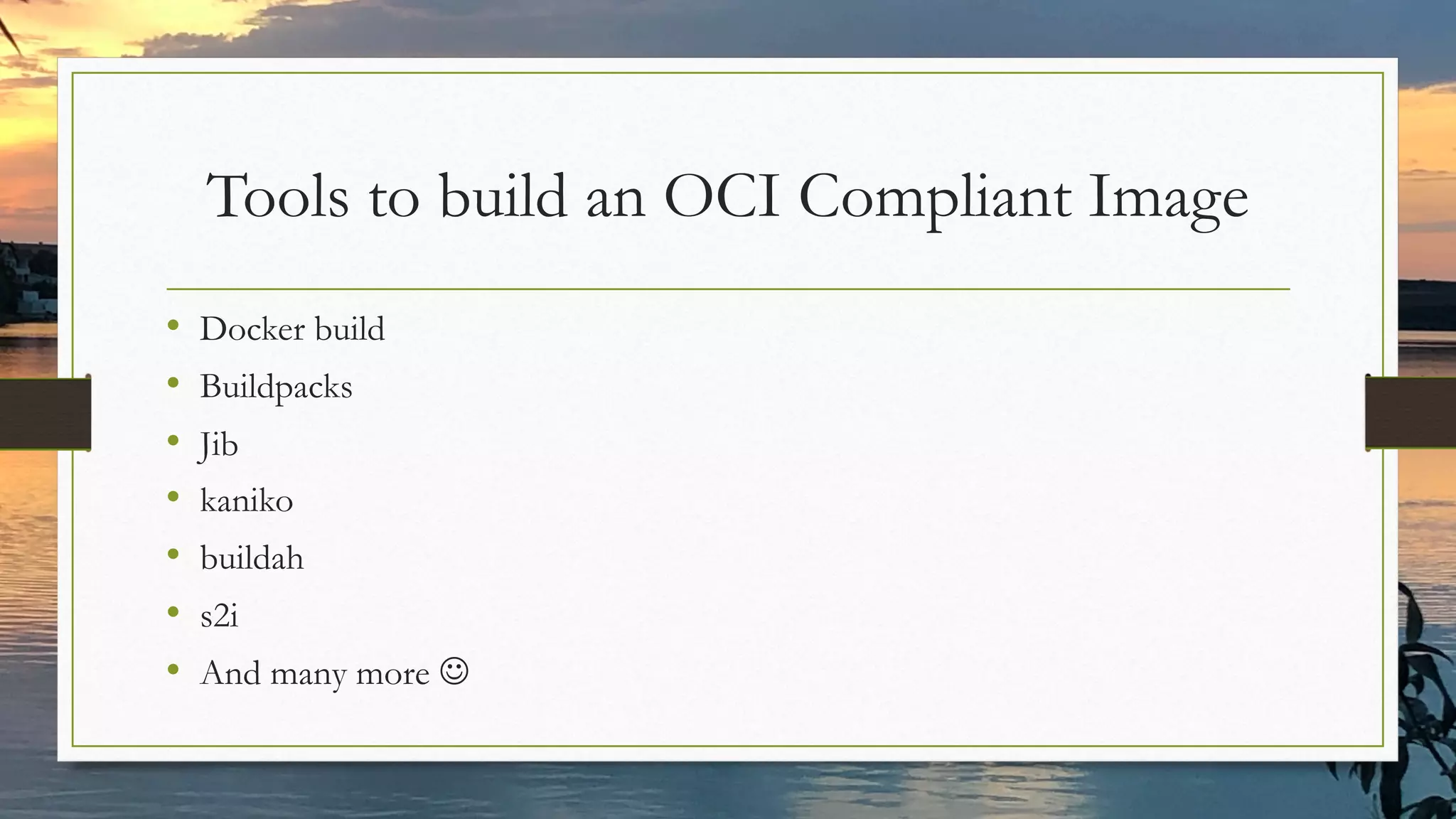
Tools to build an OCI Compliant Image
• Docker build
• Buildpacks
• Jib
• kaniko
• buildah
• s2i
• And many more J
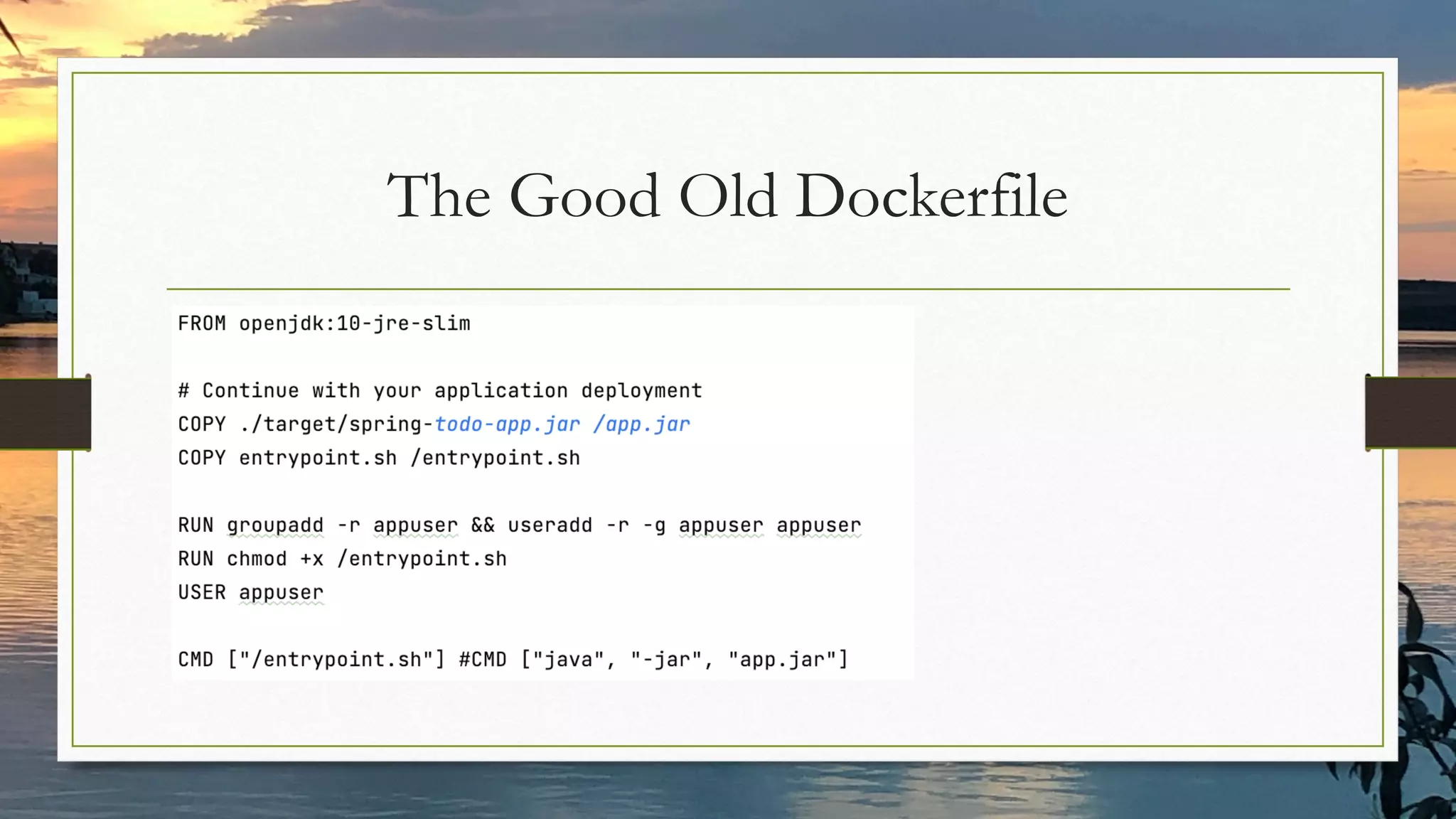
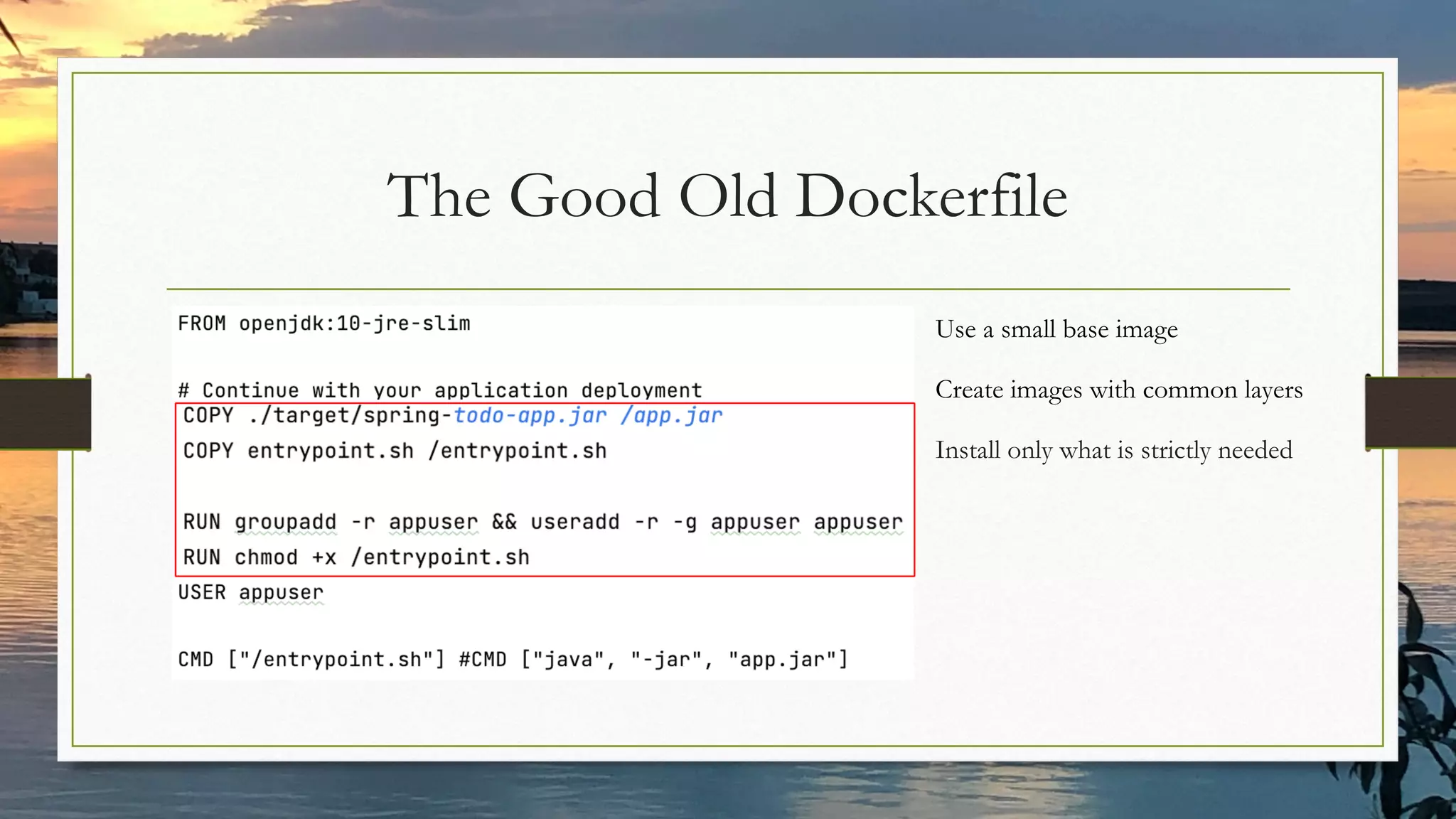
The Good Old Dockerfile
Use a small base image
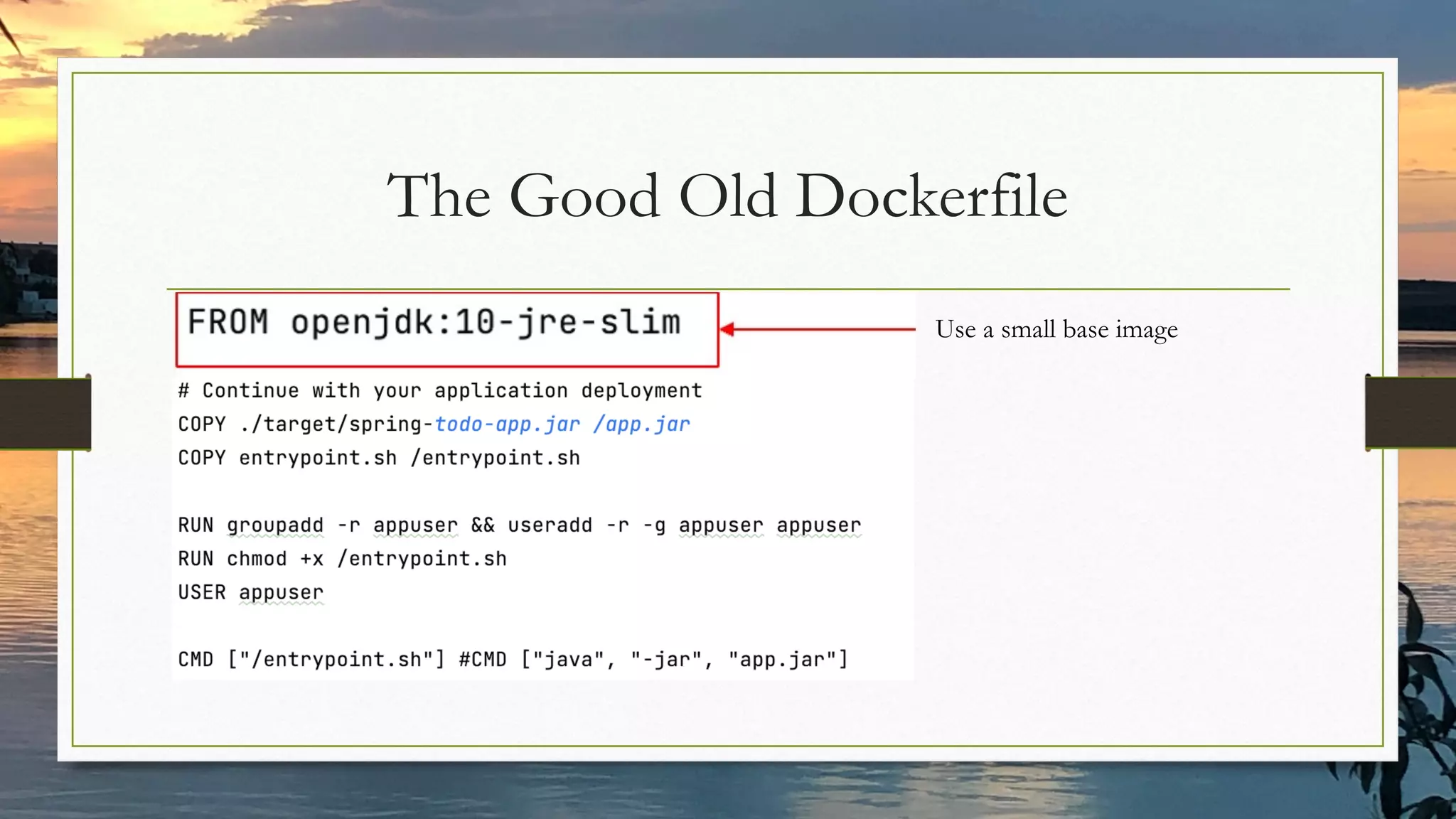
The Good Old Dockerfile
Use a small base image
Create images with common layers
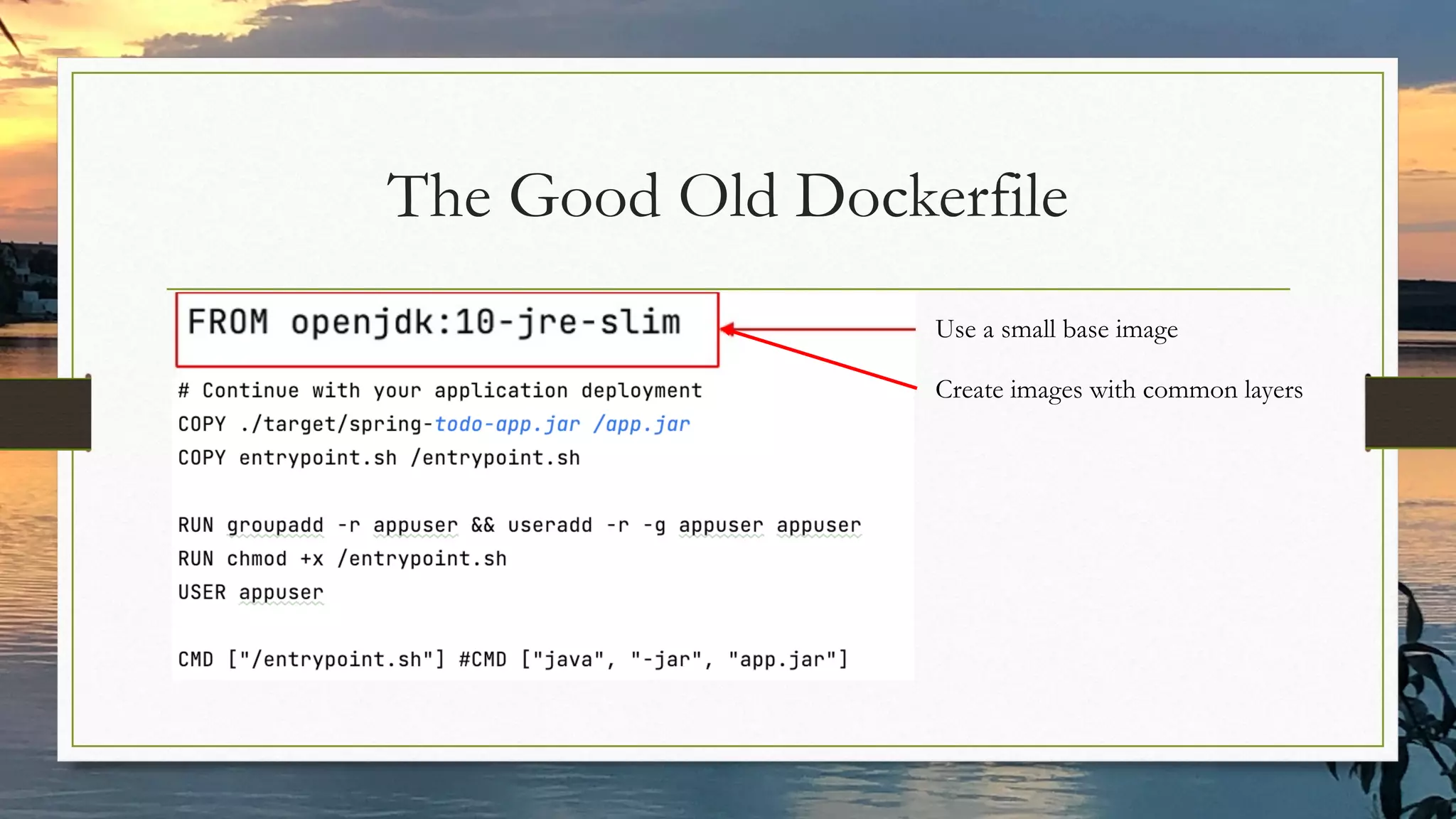
The Good Old Dockerfile
Use a small base image
Install only what is strictly needed
Create images with common layers
Creating Custom Java
Runtimes for Container
Images
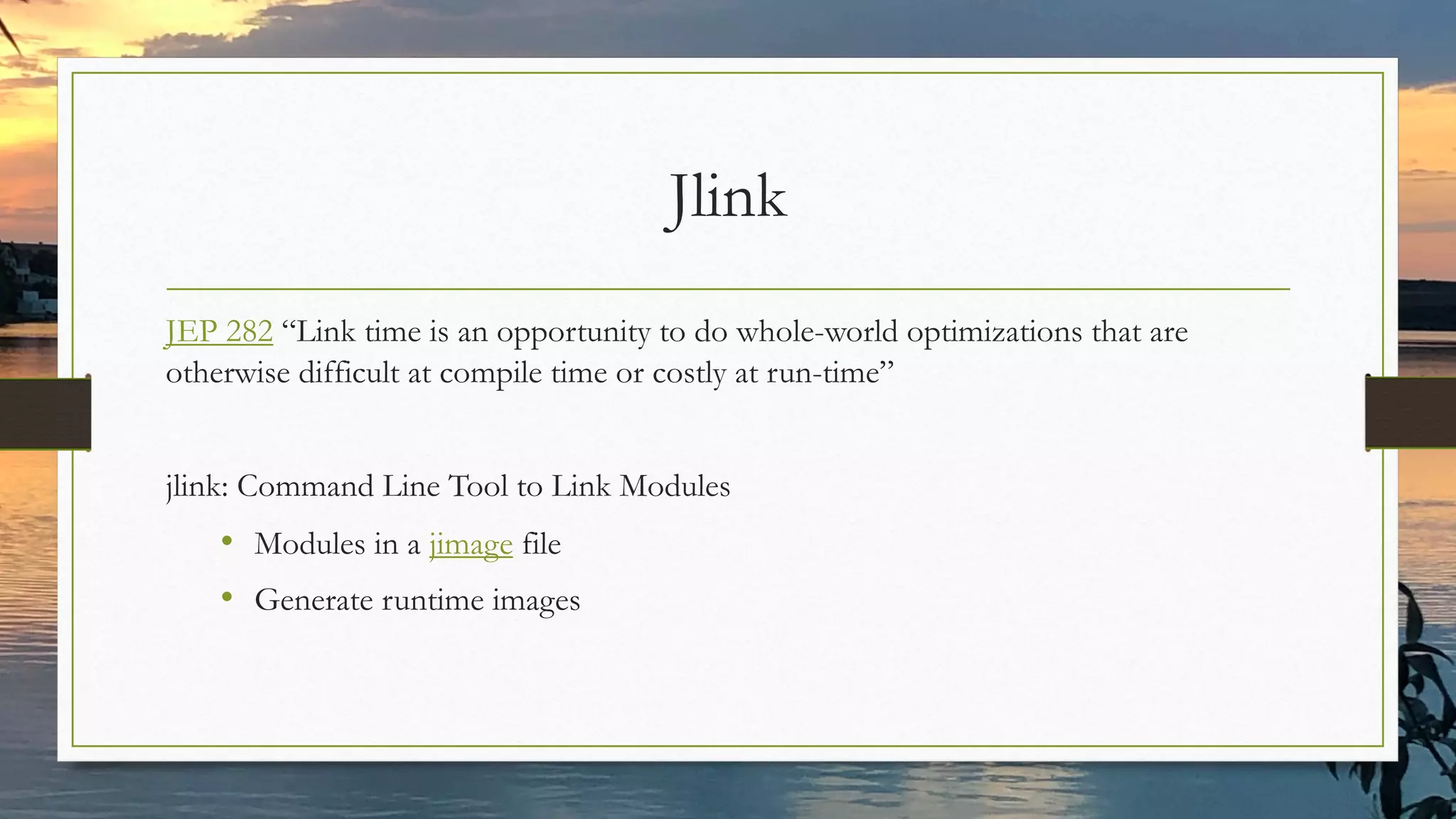
Jlink
JEP 282 “Link time is an opportunity to do whole-world optimizations that are
otherwise difficult at compile time or costly at run-time”
jlink: Command Line Tool to Link Modules
• Modules in a jimage file
• Generate runtime images
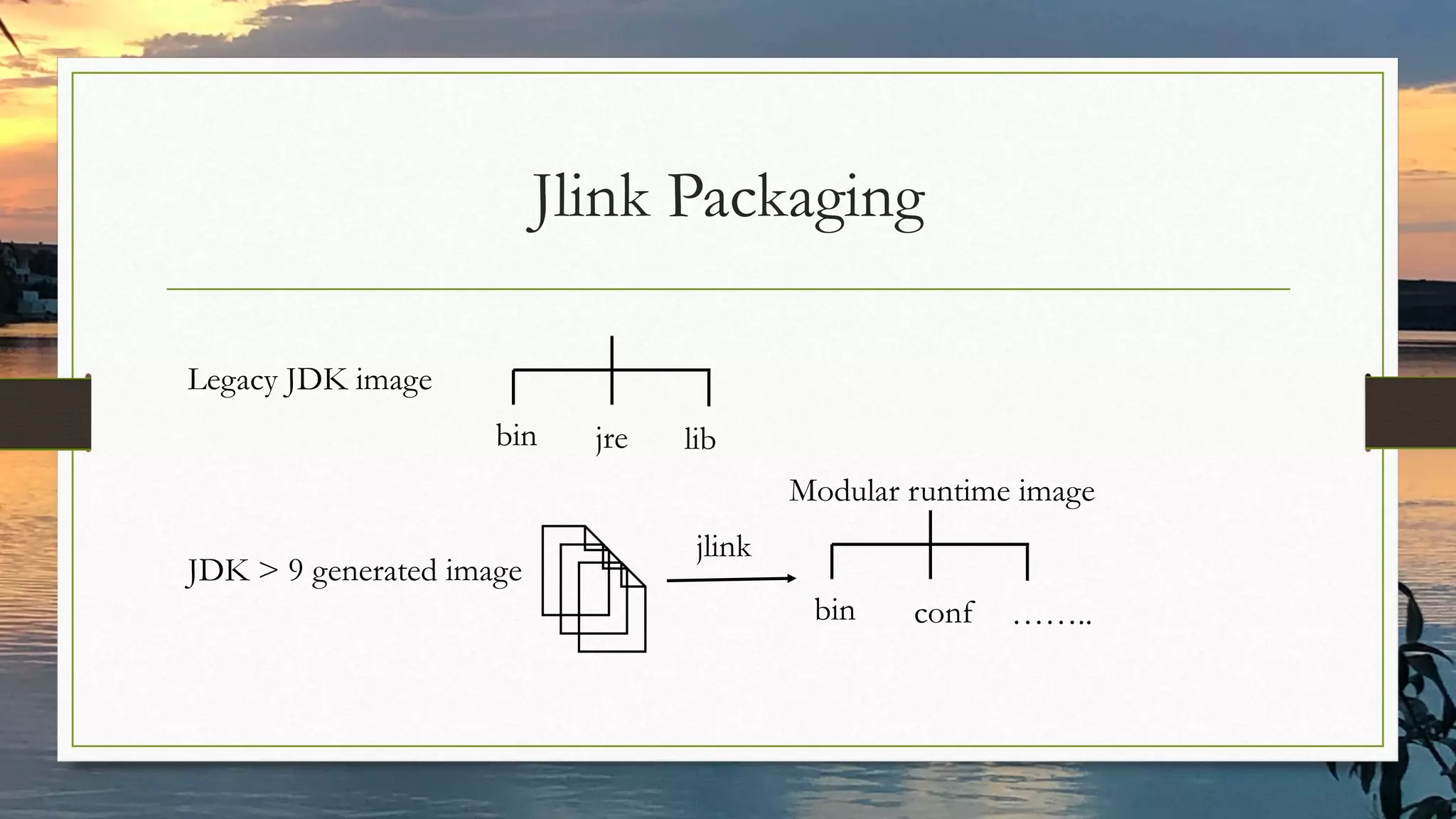
Jlink Packaging
Legacy JDK image
JDK > 9 generated image
bin jre lib
bin conf ……..
Modular runtime image
jlink
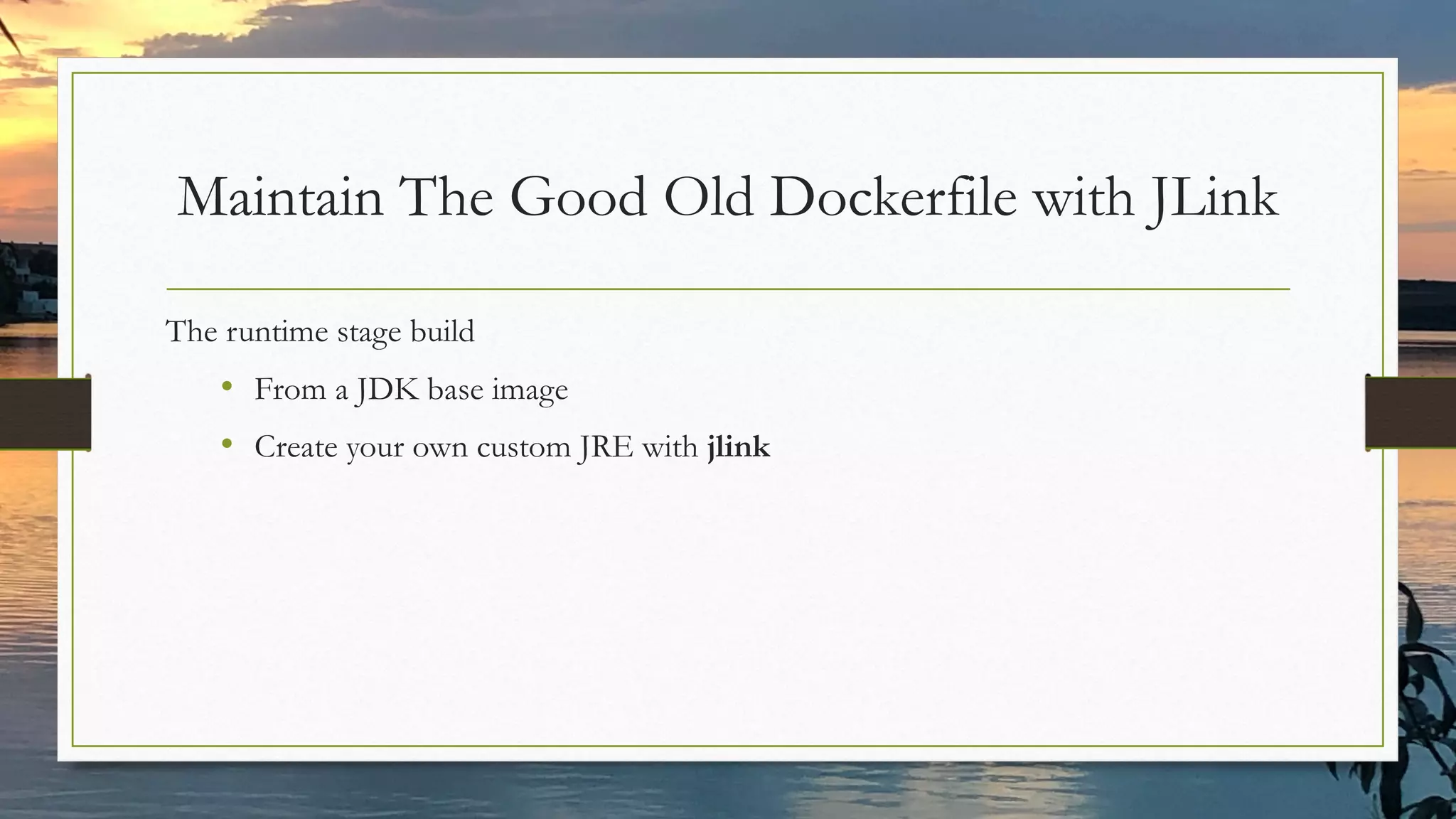
Maintain The Good Old Dockerfile with JLink
The runtime stage build
• From a JDK base image
• Create your own custom JRE with jlink
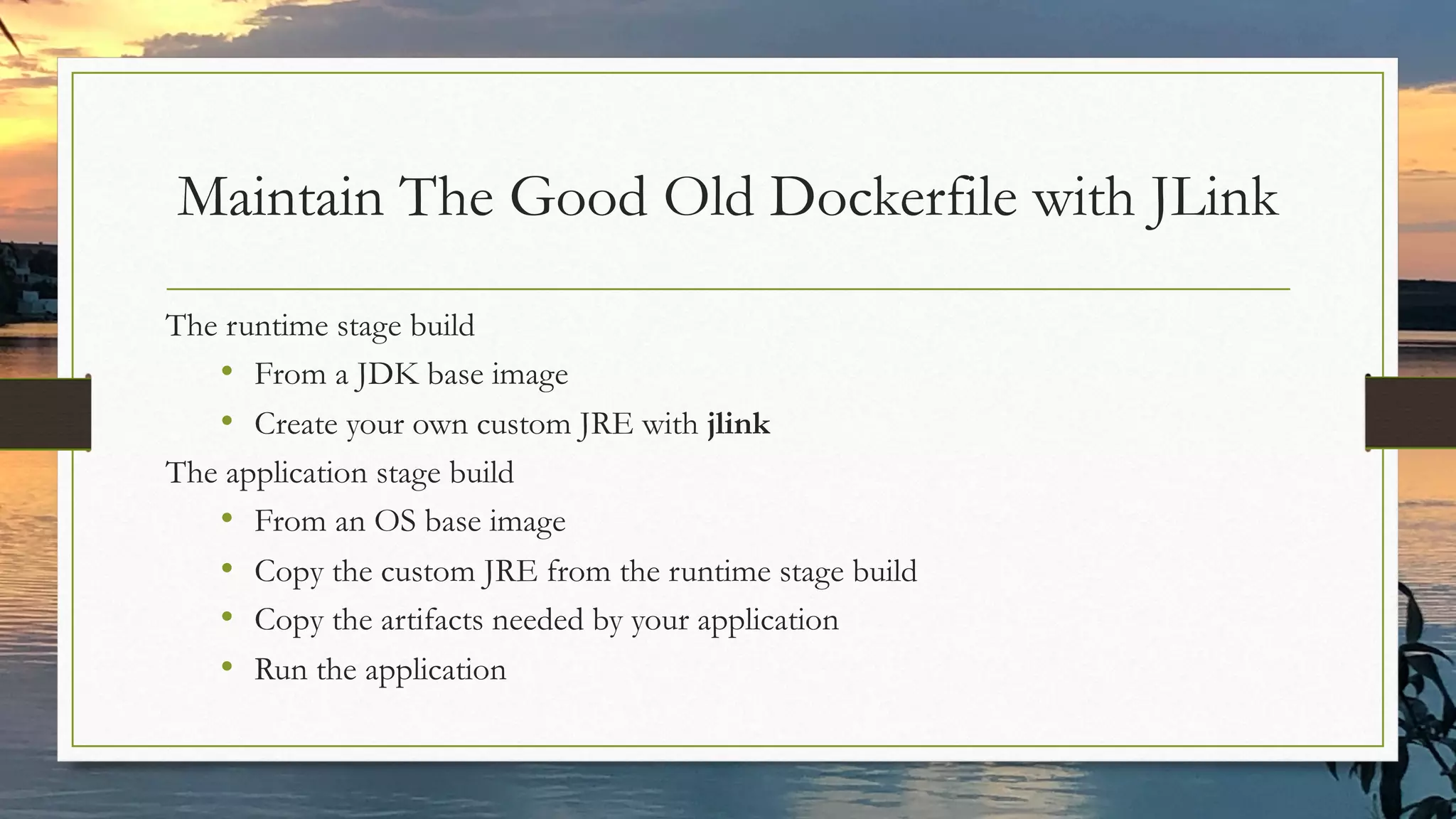
Maintain The Good Old Dockerfile with JLink
The runtime stage build
• From a JDK base image
• Create your own custom JRE with jlink
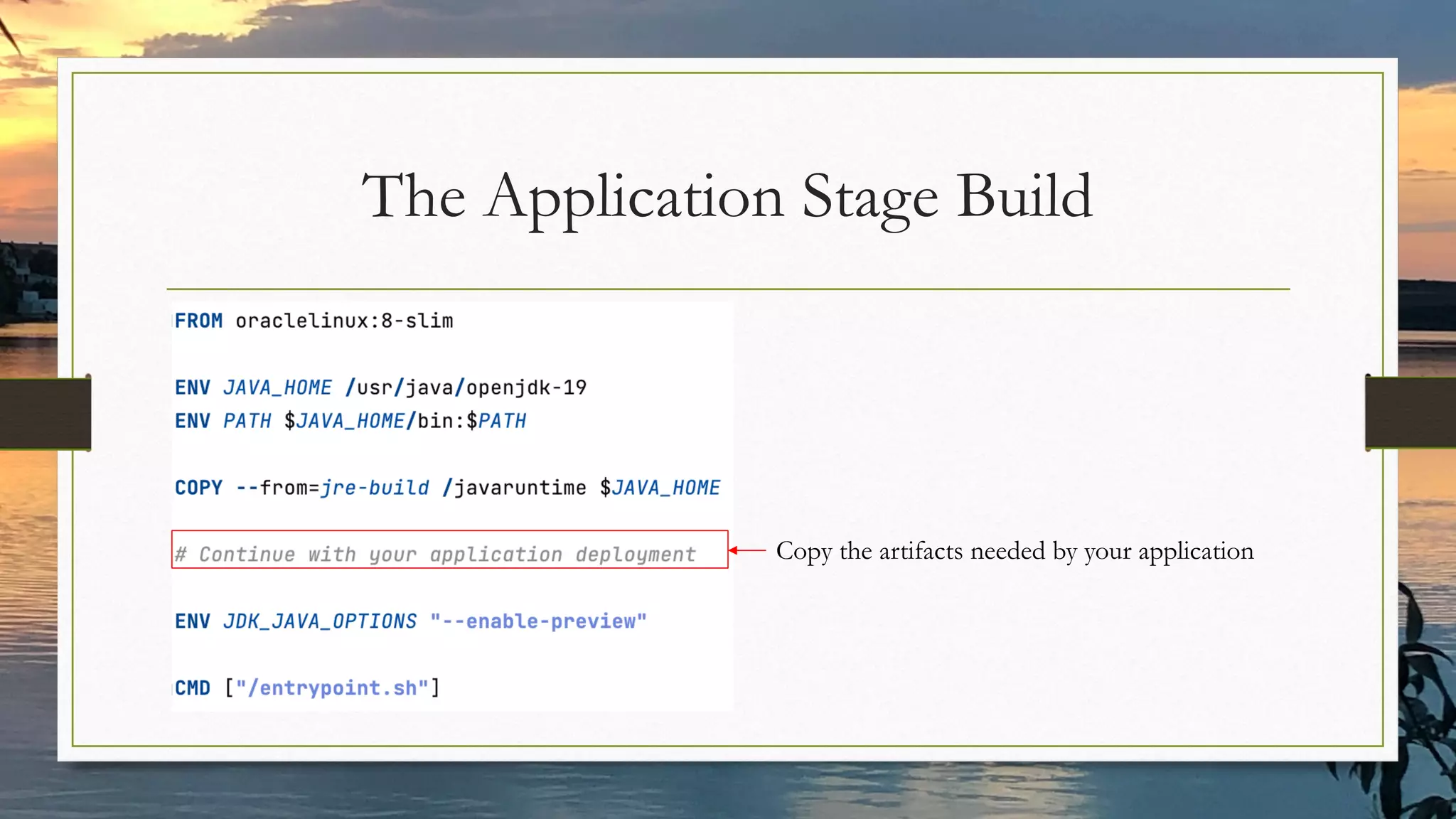
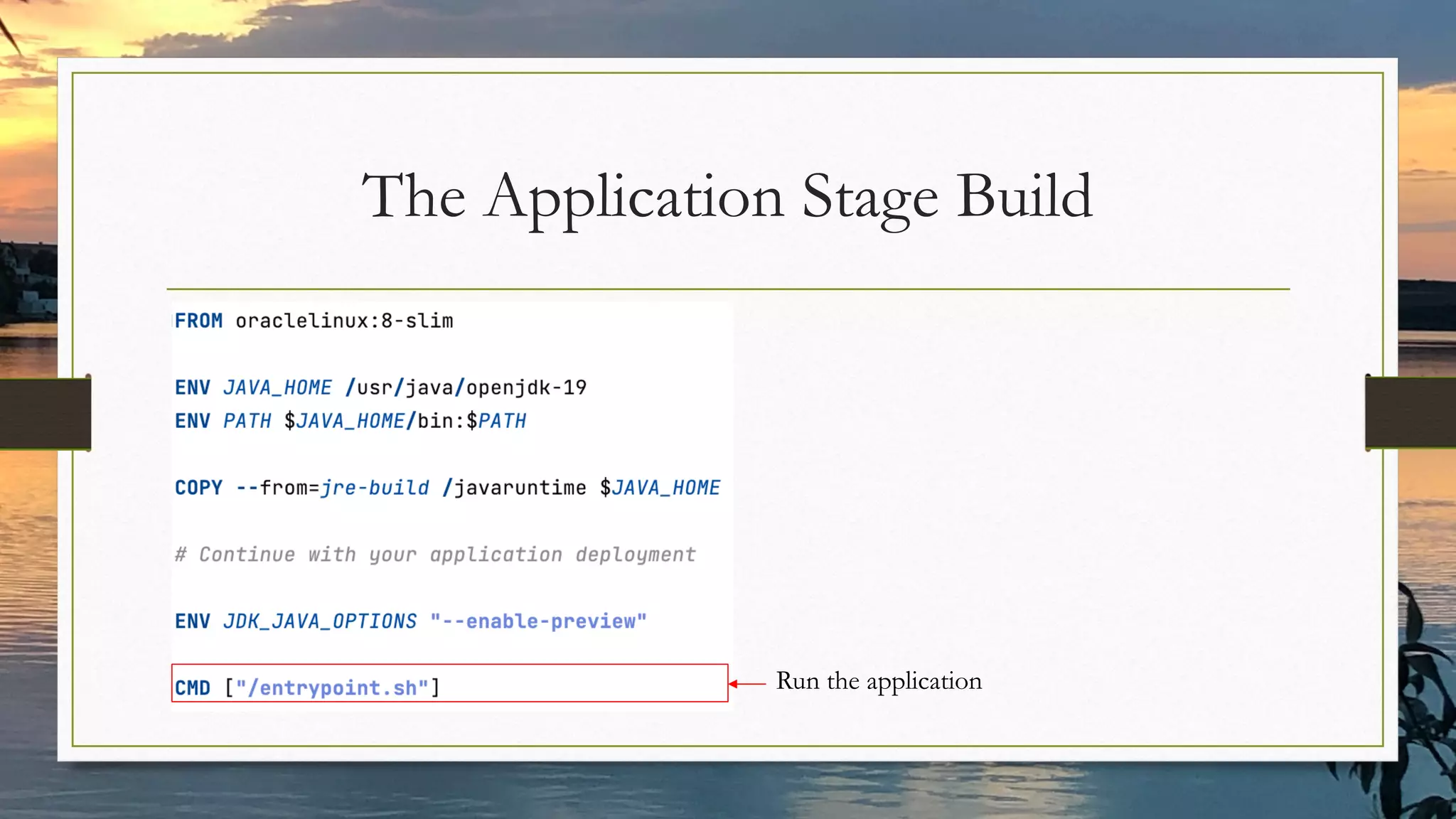
The application stage build
• From an OS base image
• Copy the custom JRE from the runtime stage build
• Copy the artifacts needed by your application
• Run the application
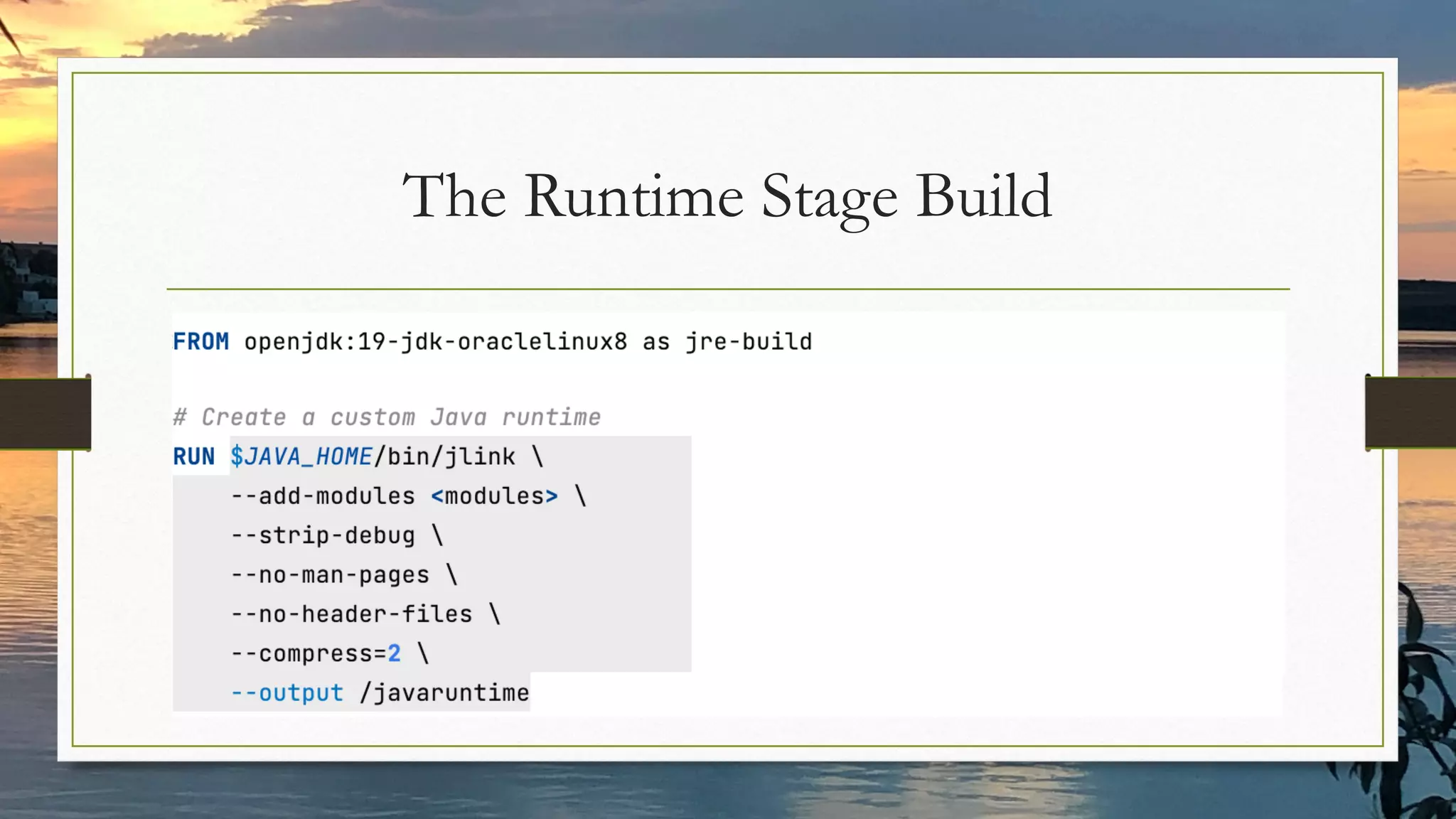
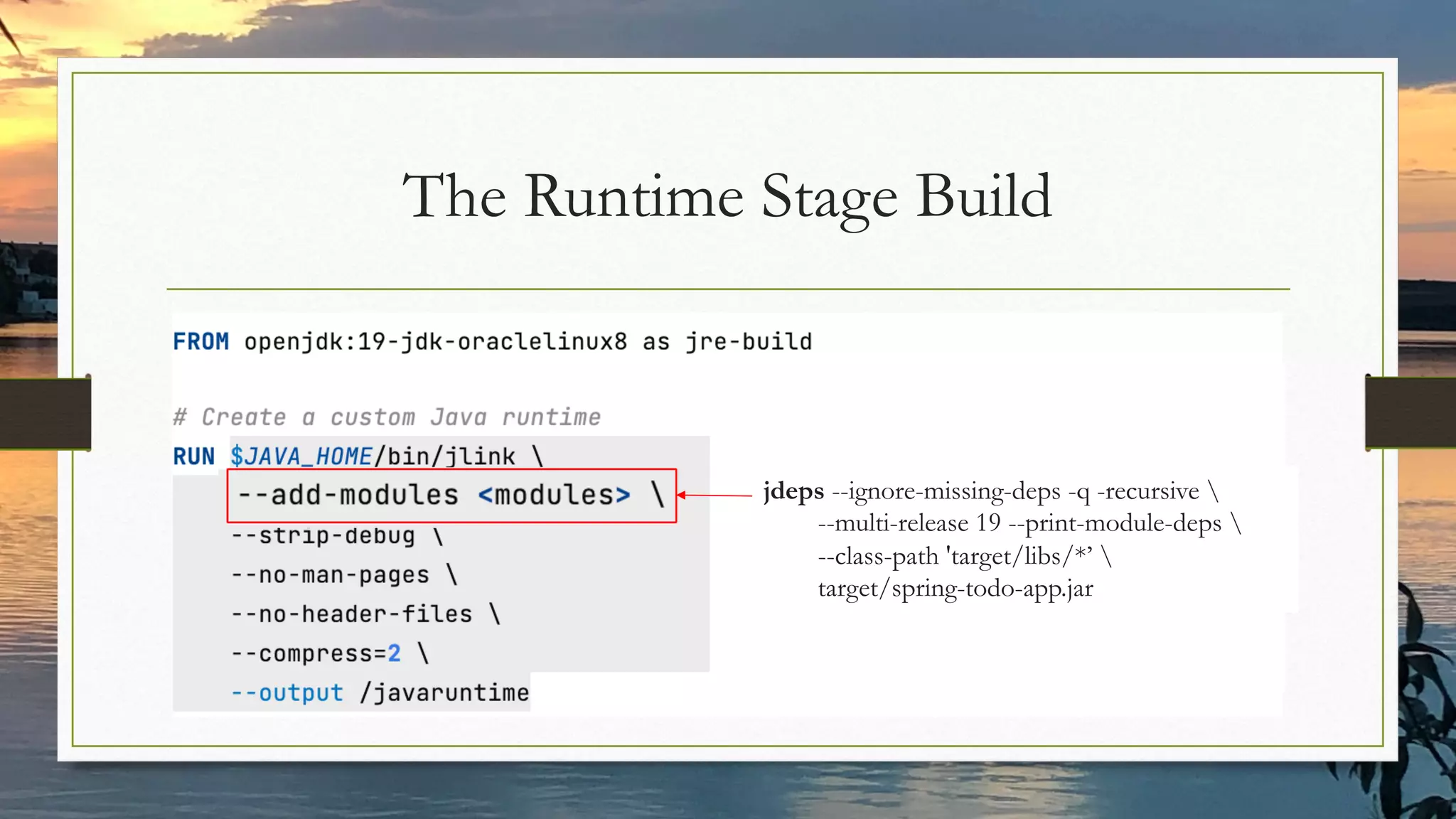
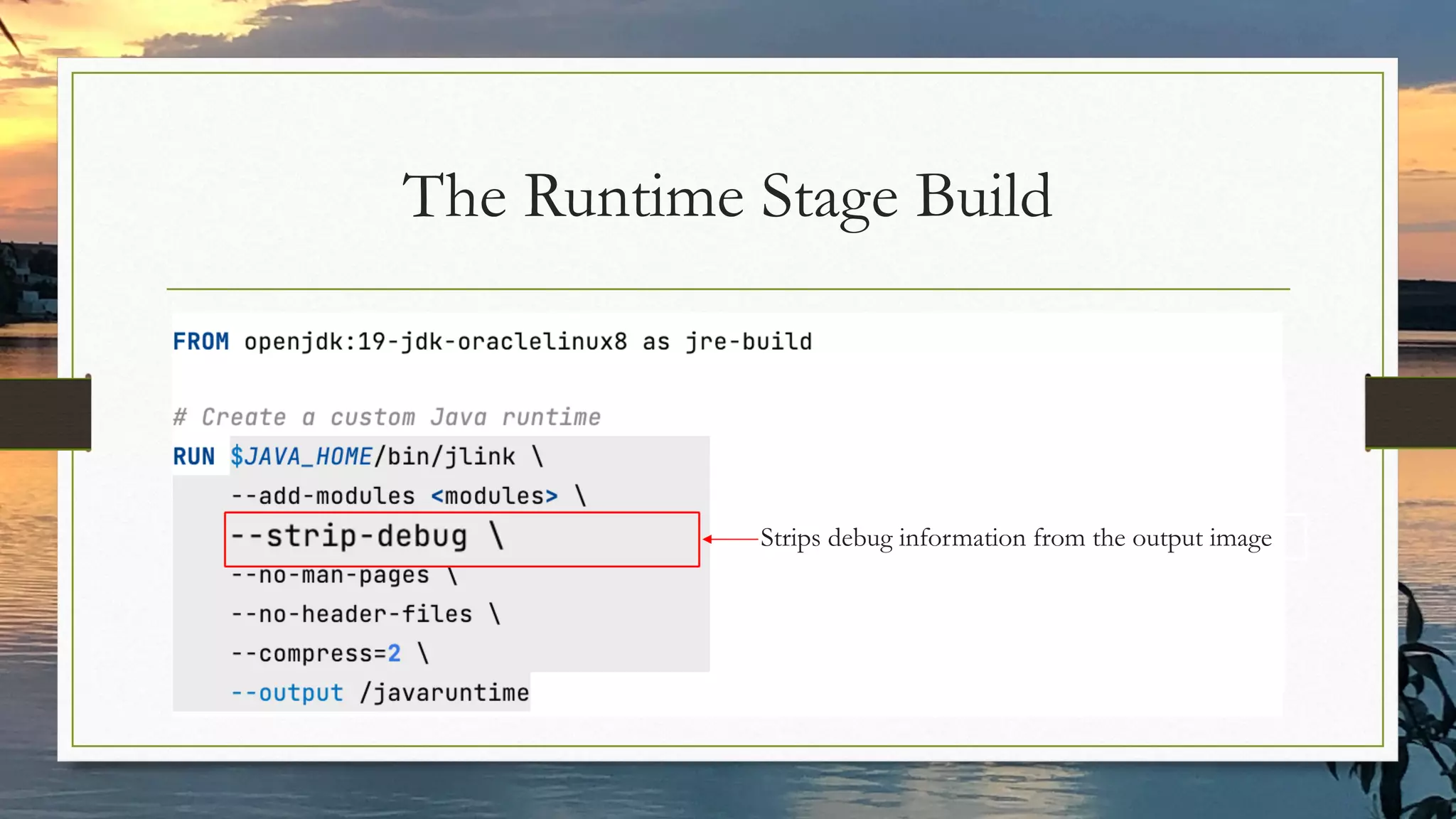
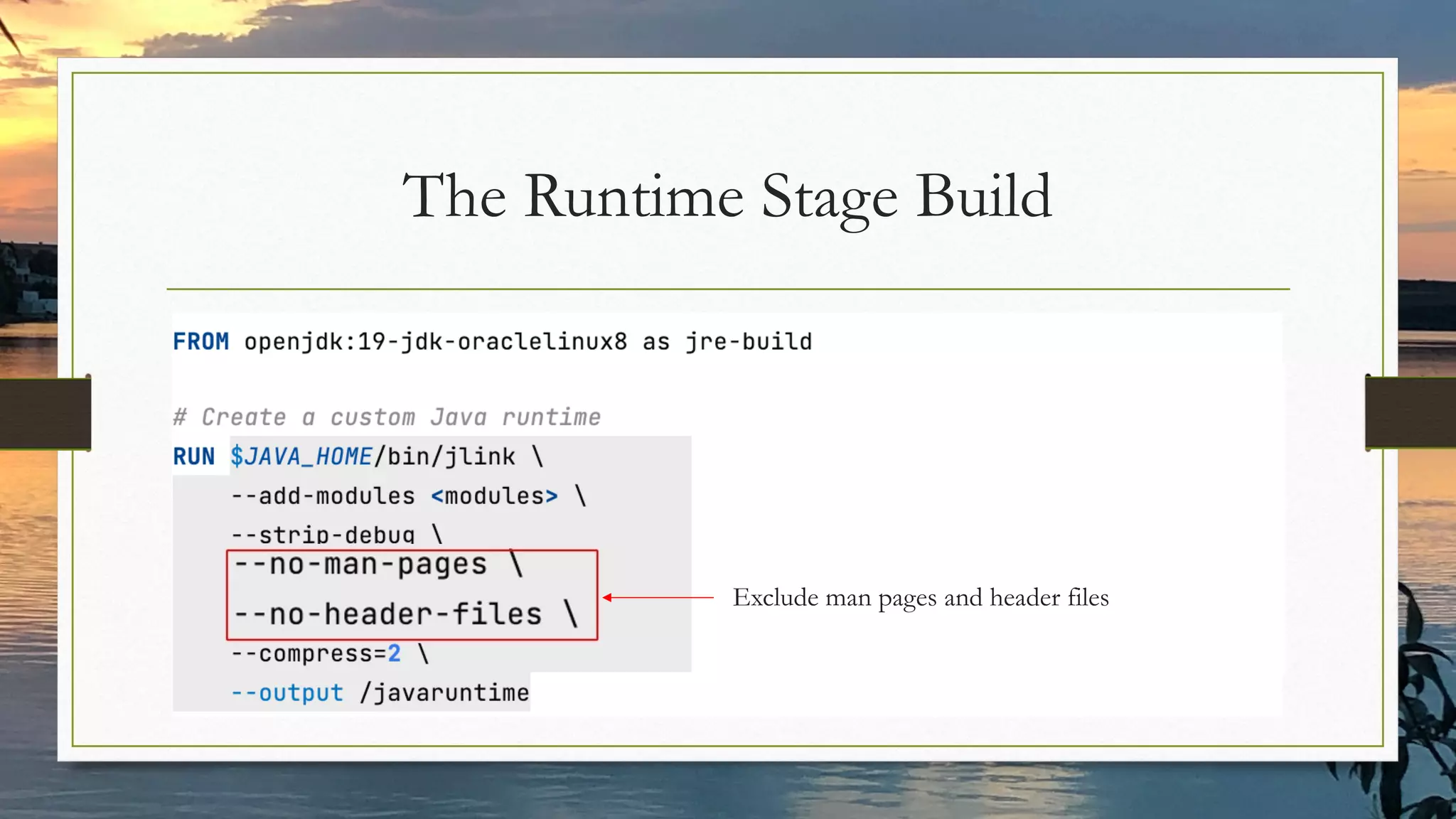
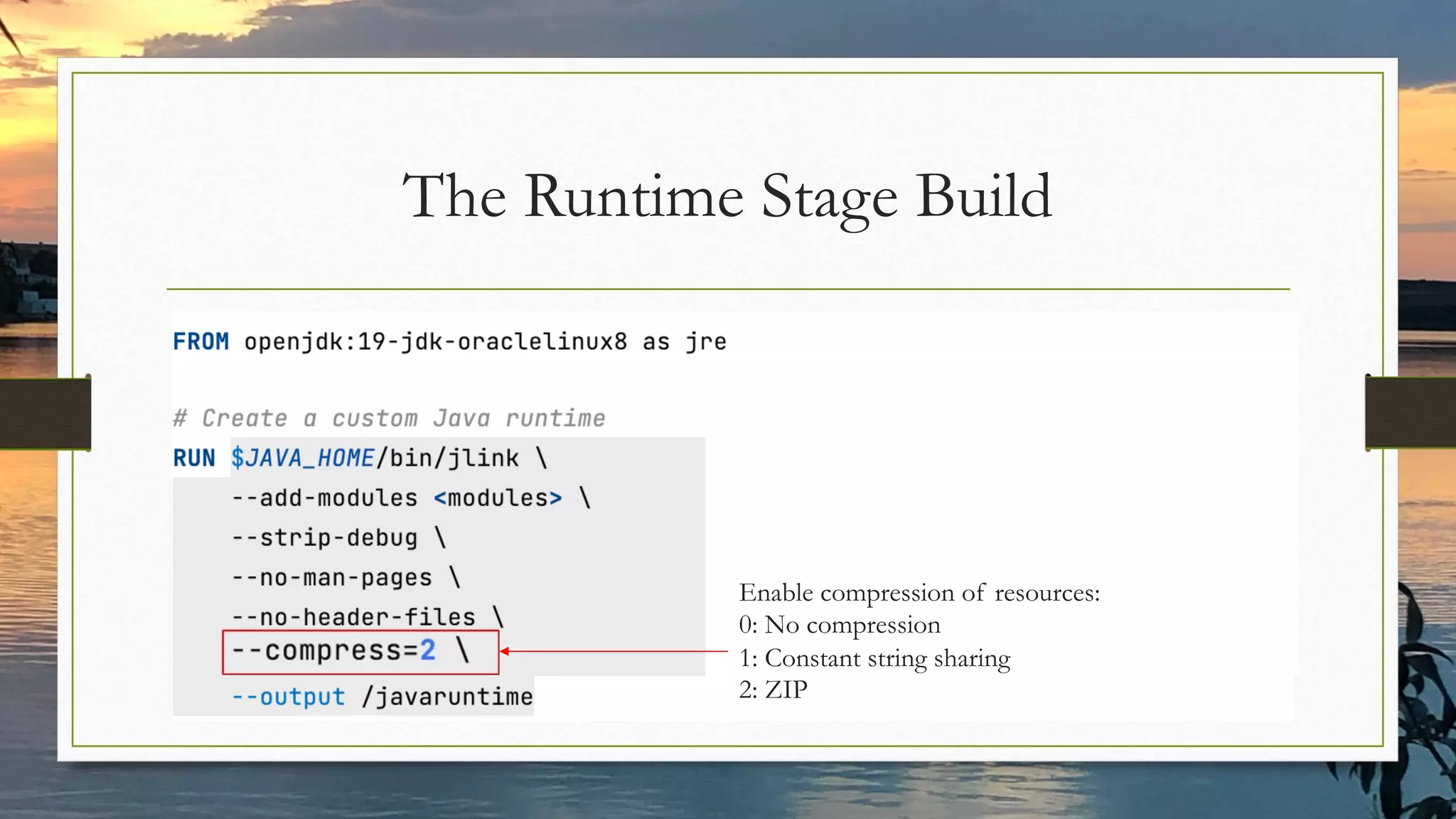
The Runtime Stage Build
jdeps --ignore-missing-deps -q -recursive 
--multi-release 19 --print-module-deps 
--class-path 'target/libs/*’ 
target/spring-todo-app.jar
The Runtime Stage Build
Strips debug information from the output image
The Runtime Stage Build
Exclude man pages and header files
The Runtime Stage Build
Enable compression of resources:
0: No compression
1: Constant string sharing
2: ZIP
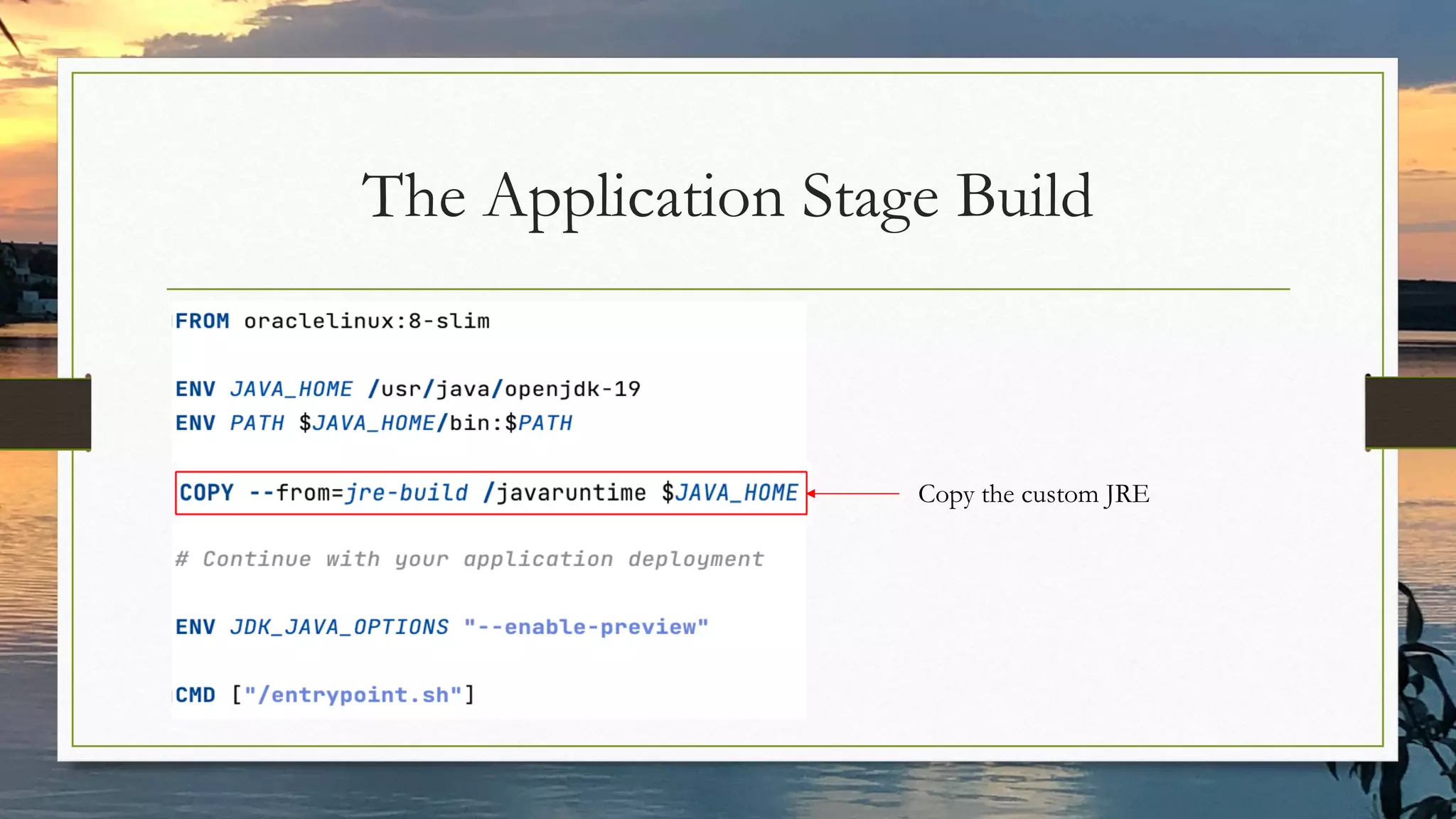
The Application Stage Build
Copy the custom JRE
The Application Stage Build
Copy the artifacts needed by your application
The Application Stage Build
Run the application
Fine Tuning JVM Flags
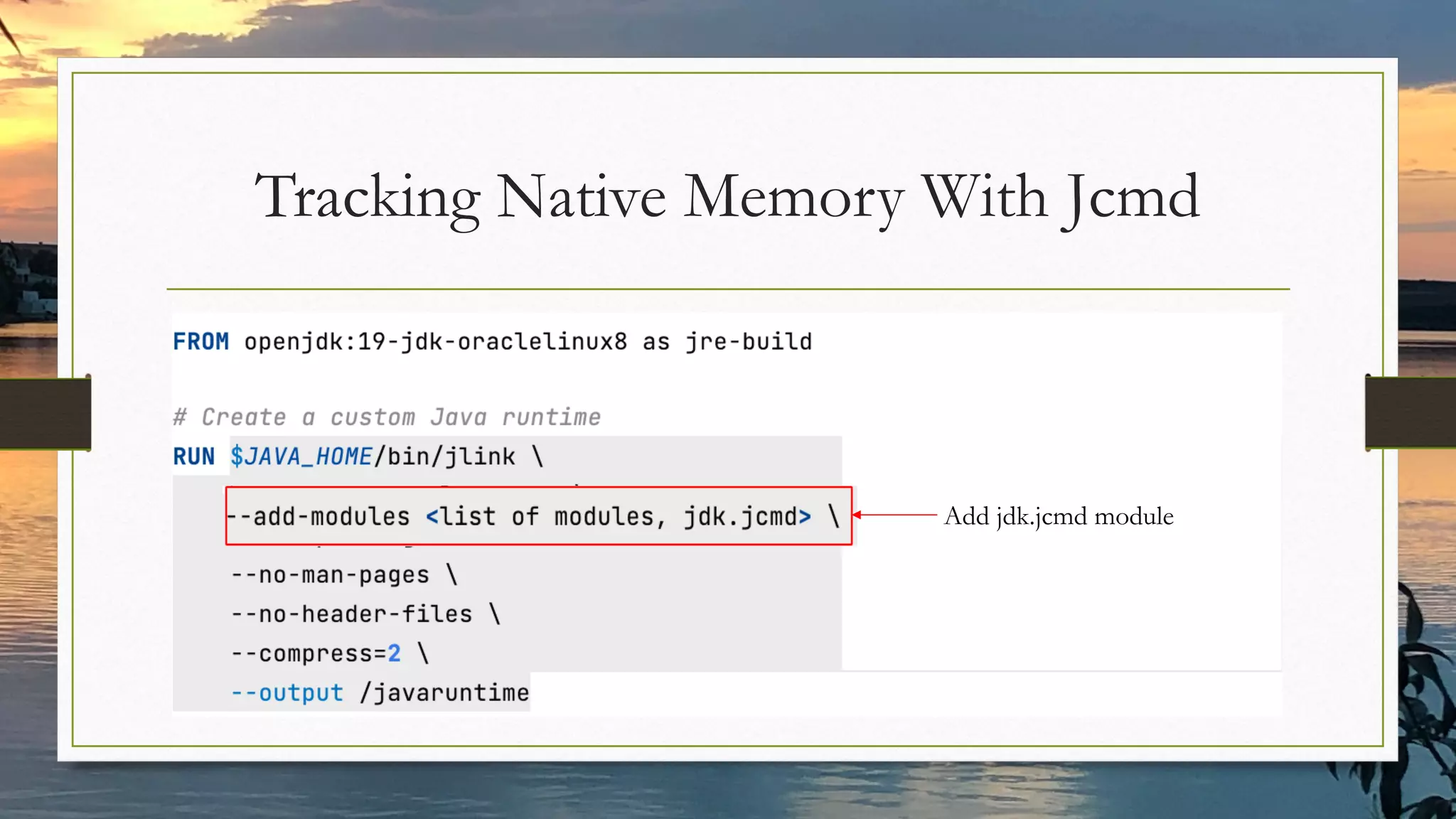
Tracking Native Memory With Jcmd
Add jdk.jcmd module
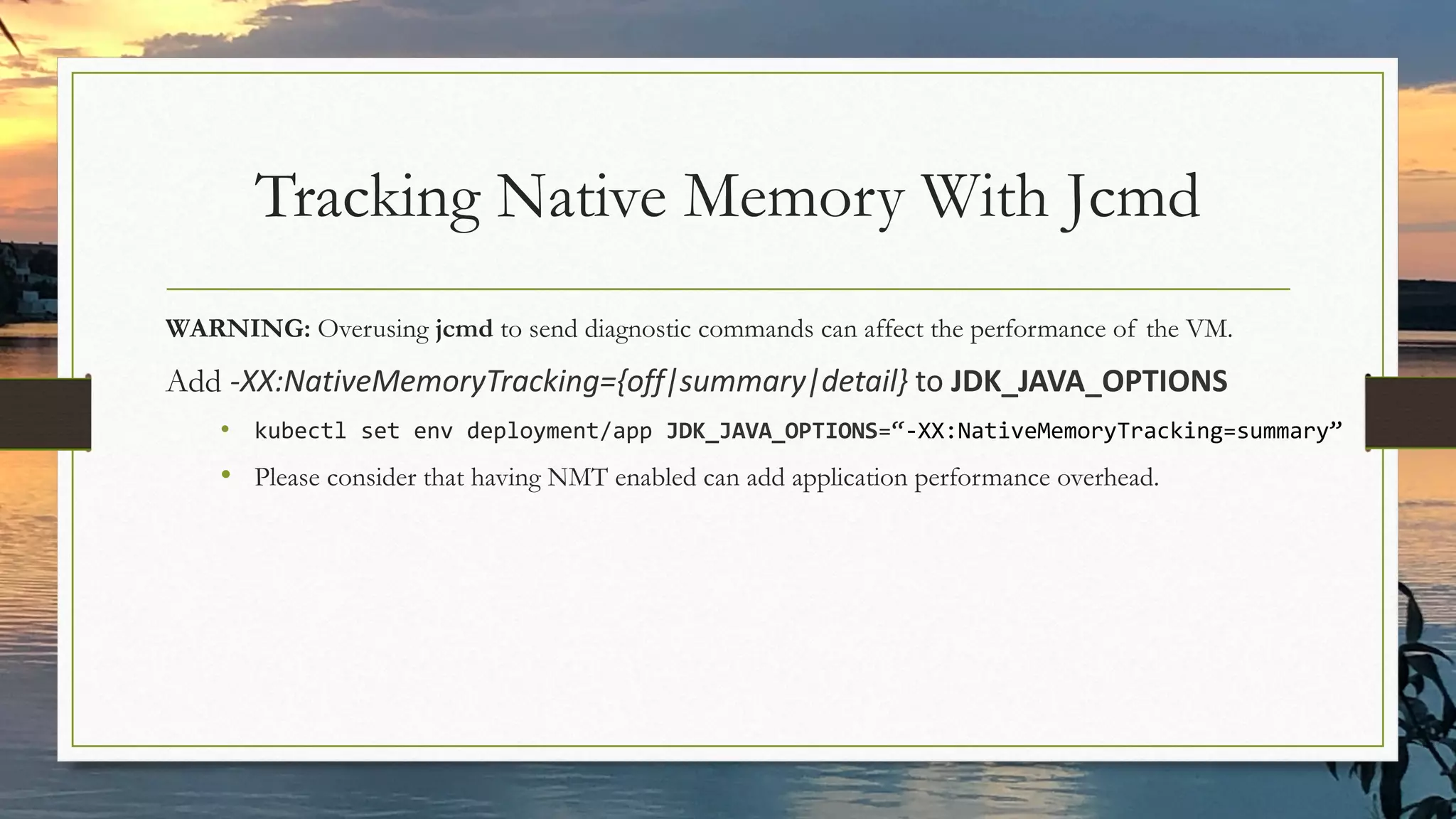
Tracking Native Memory With Jcmd
WARNING: Overusing jcmd to send diagnostic commands can affect the performance of the VM.
Add -XX:NativeMemoryTracking={off|summary|detail} to JDK_JAVA_OPTIONS
• kubectl set env deployment/app JDK_JAVA_OPTIONS=“-XX:NativeMemoryTracking=summary”
• Please consider that having NMT enabled can add application performance overhead.
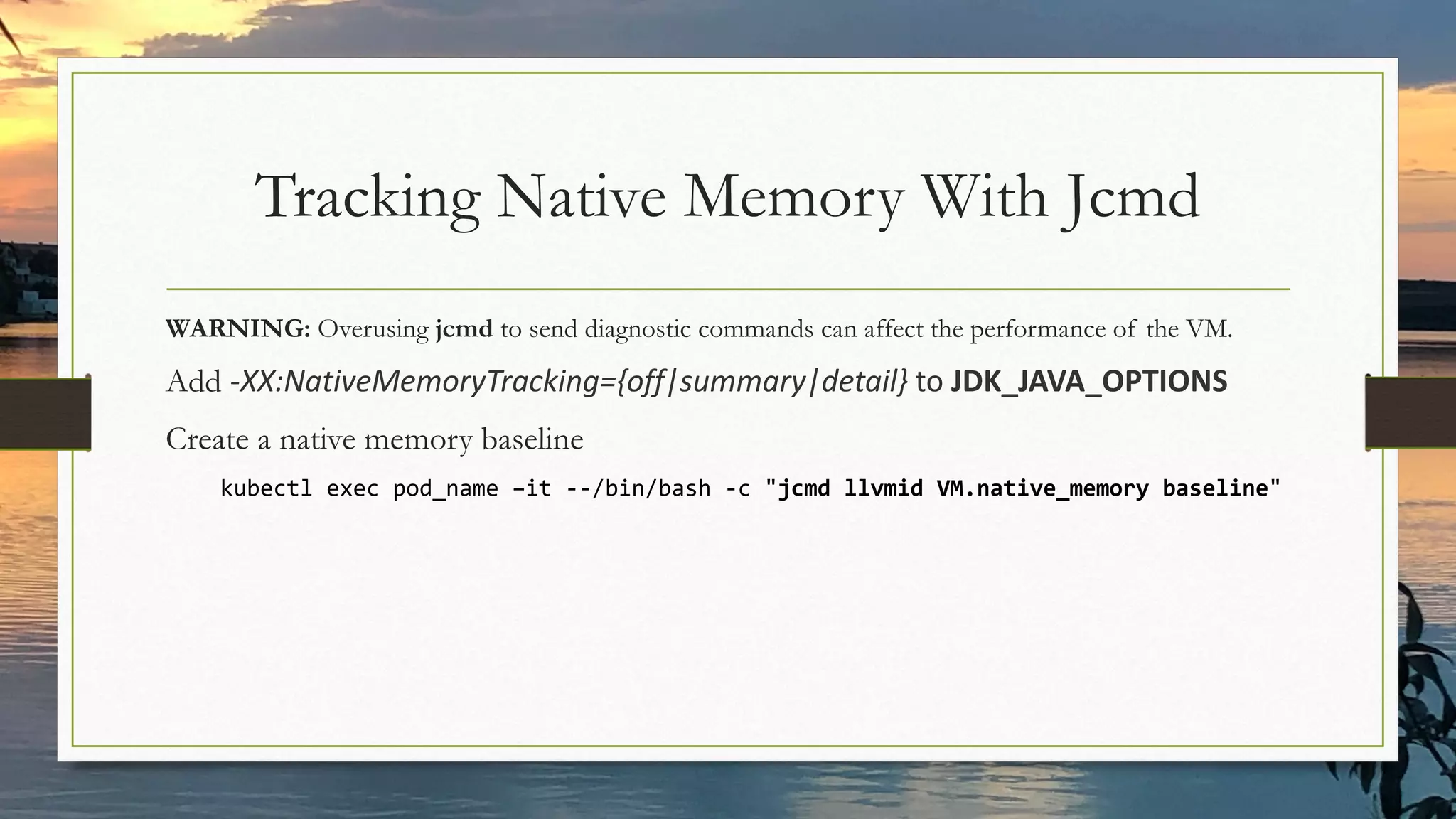
Tracking Native Memory With Jcmd
WARNING: Overusing jcmd to send diagnostic commands can affect the performance of the VM.
Add -XX:NativeMemoryTracking={off|summary|detail} to JDK_JAVA_OPTIONS
Create a native memory baseline
kubectl exec pod_name –it --/bin/bash -c "jcmd llvmid VM.native_memory baseline"
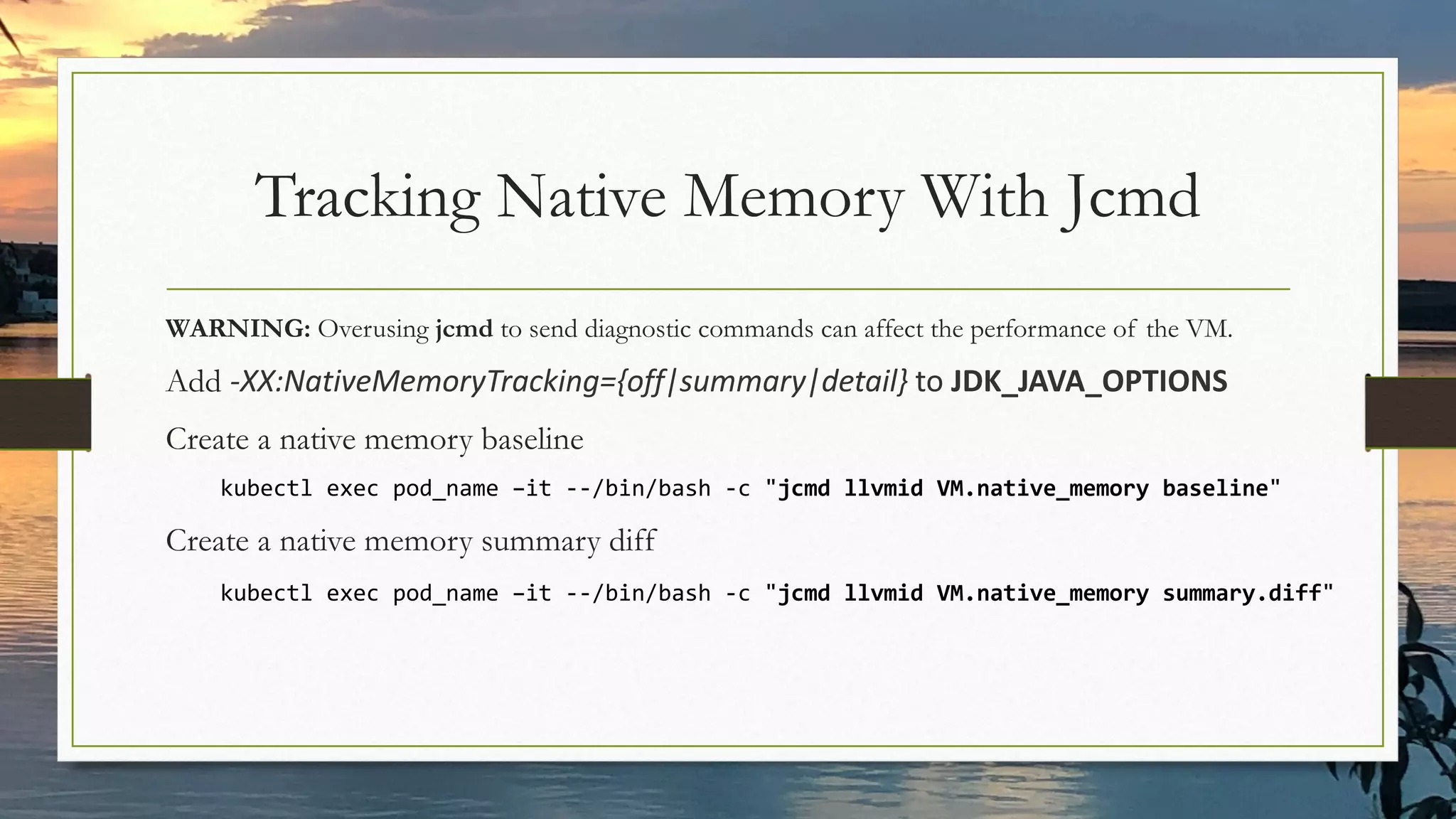
Tracking Native Memory With Jcmd
WARNING: Overusing jcmd to send diagnostic commands can affect the performance of the VM.
Add -XX:NativeMemoryTracking={off|summary|detail} to JDK_JAVA_OPTIONS
Create a native memory baseline
kubectl exec pod_name –it --/bin/bash -c "jcmd llvmid VM.native_memory baseline"
Create a native memory summary diff
kubectl exec pod_name –it --/bin/bash -c "jcmd llvmid VM.native_memory summary.diff"
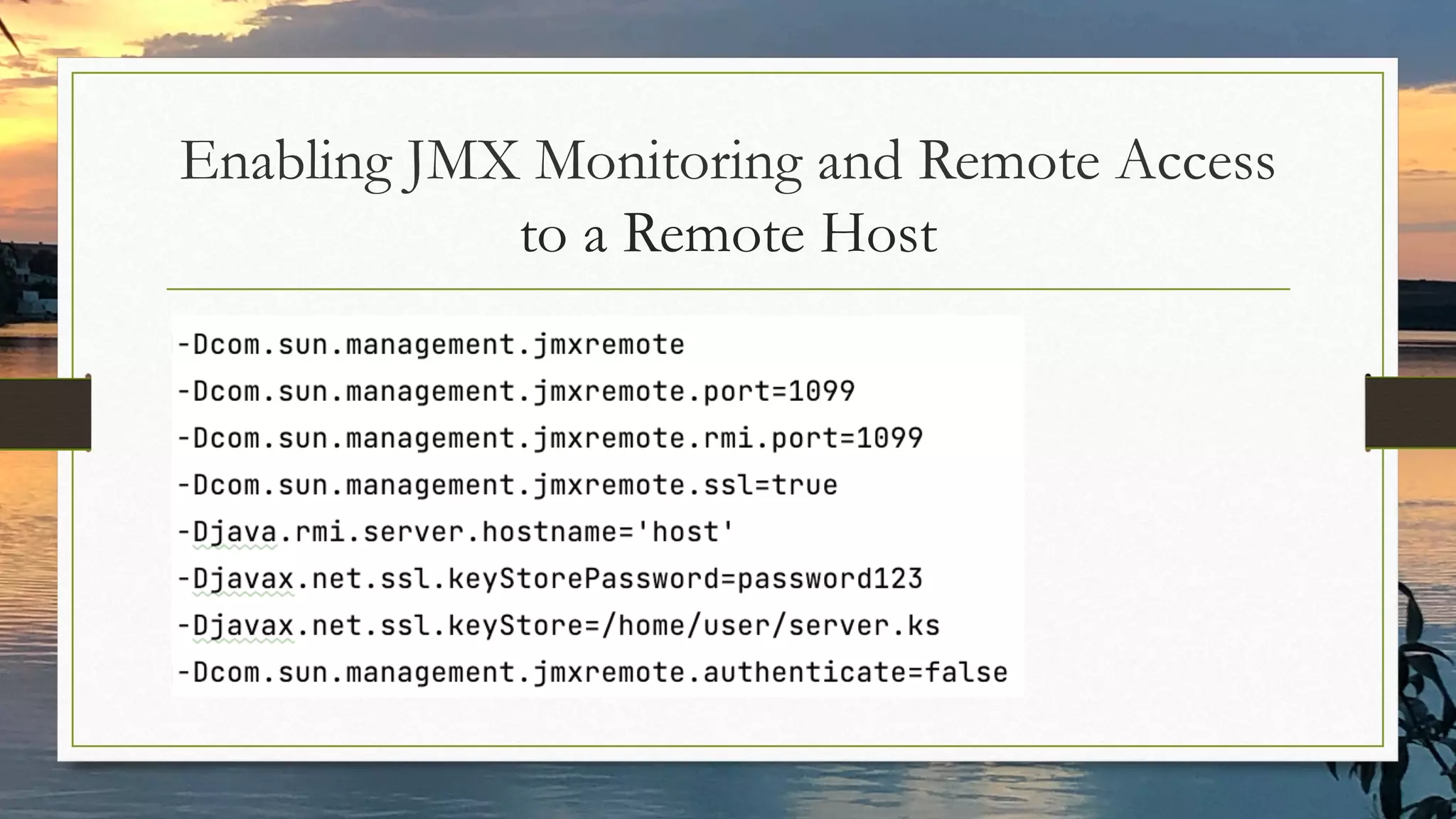
Enabling JMX Monitoring and Remote Access
to a Remote Host
Get Statistics About
Running Java Processes
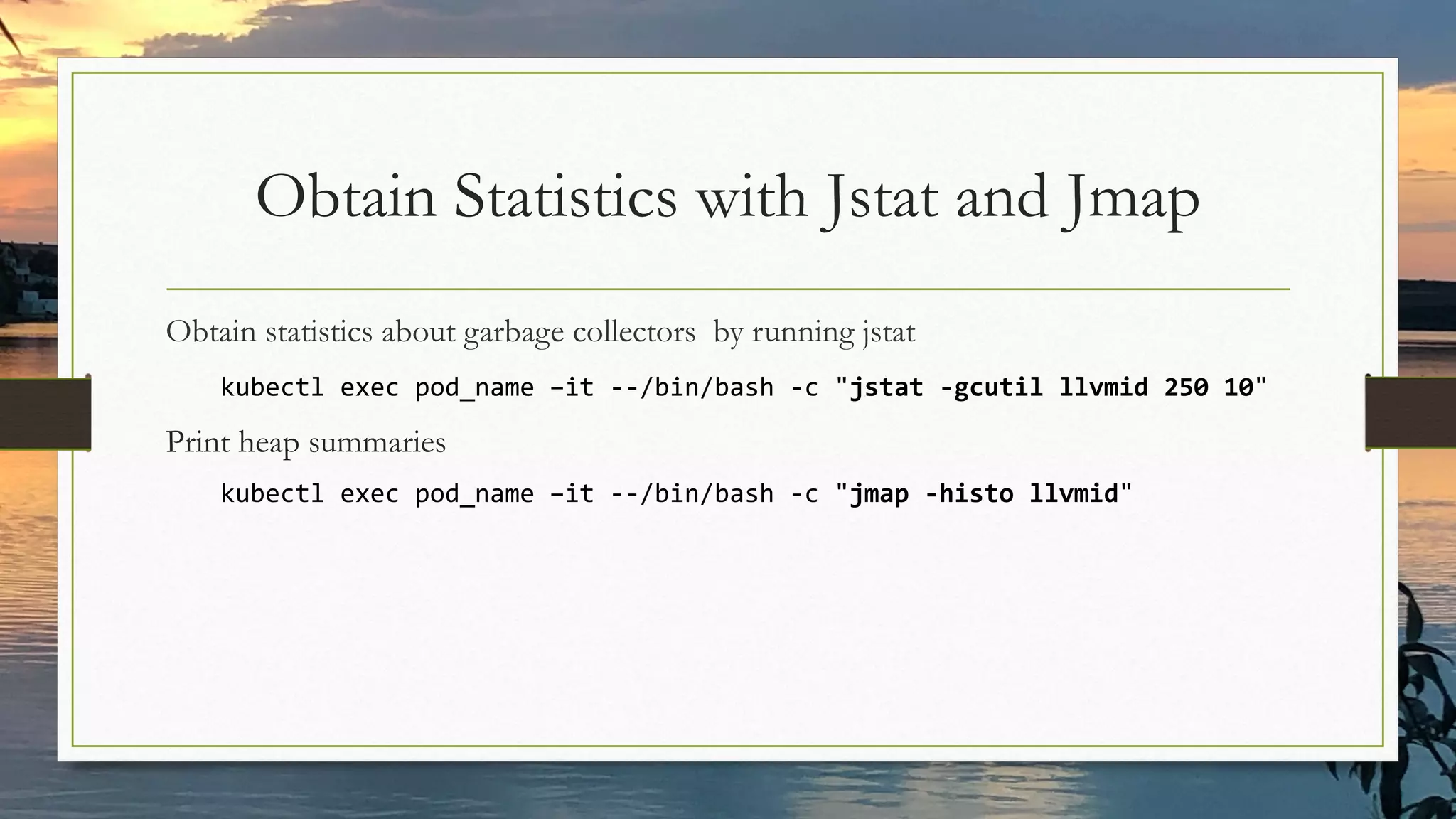
Obtain Statistics with Jstat and Jmap
Obtain statistics about garbage collectors by running jstat
kubectl exec pod_name –it --/bin/bash -c "jstat -gcutil llvmid 250 10"
Print heap summaries
kubectl exec pod_name –it --/bin/bash -c "jmap -histo llvmid"
Capture Performance
Relevant JVM And
Application Events
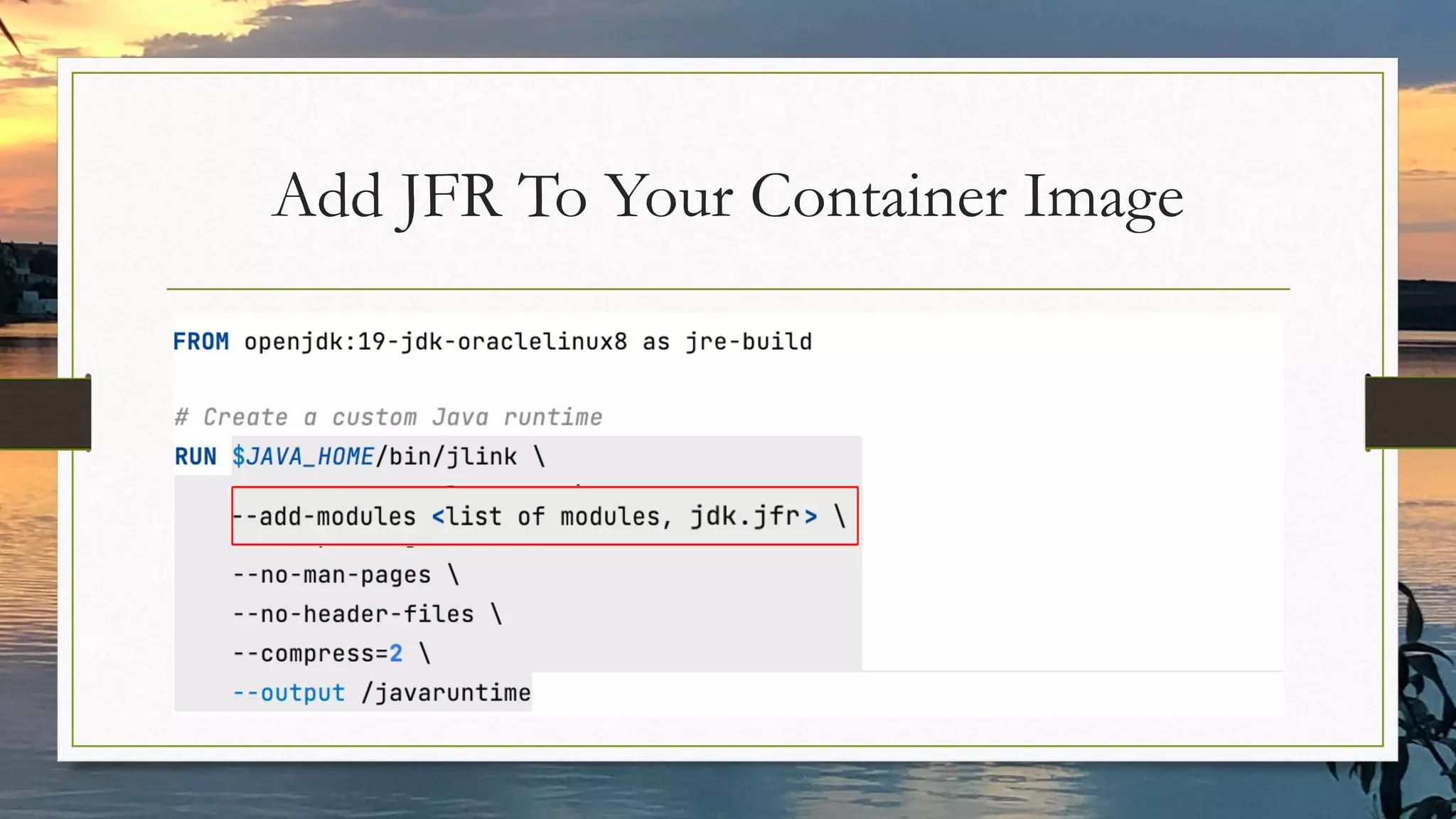
Add JFR To Your Container Image
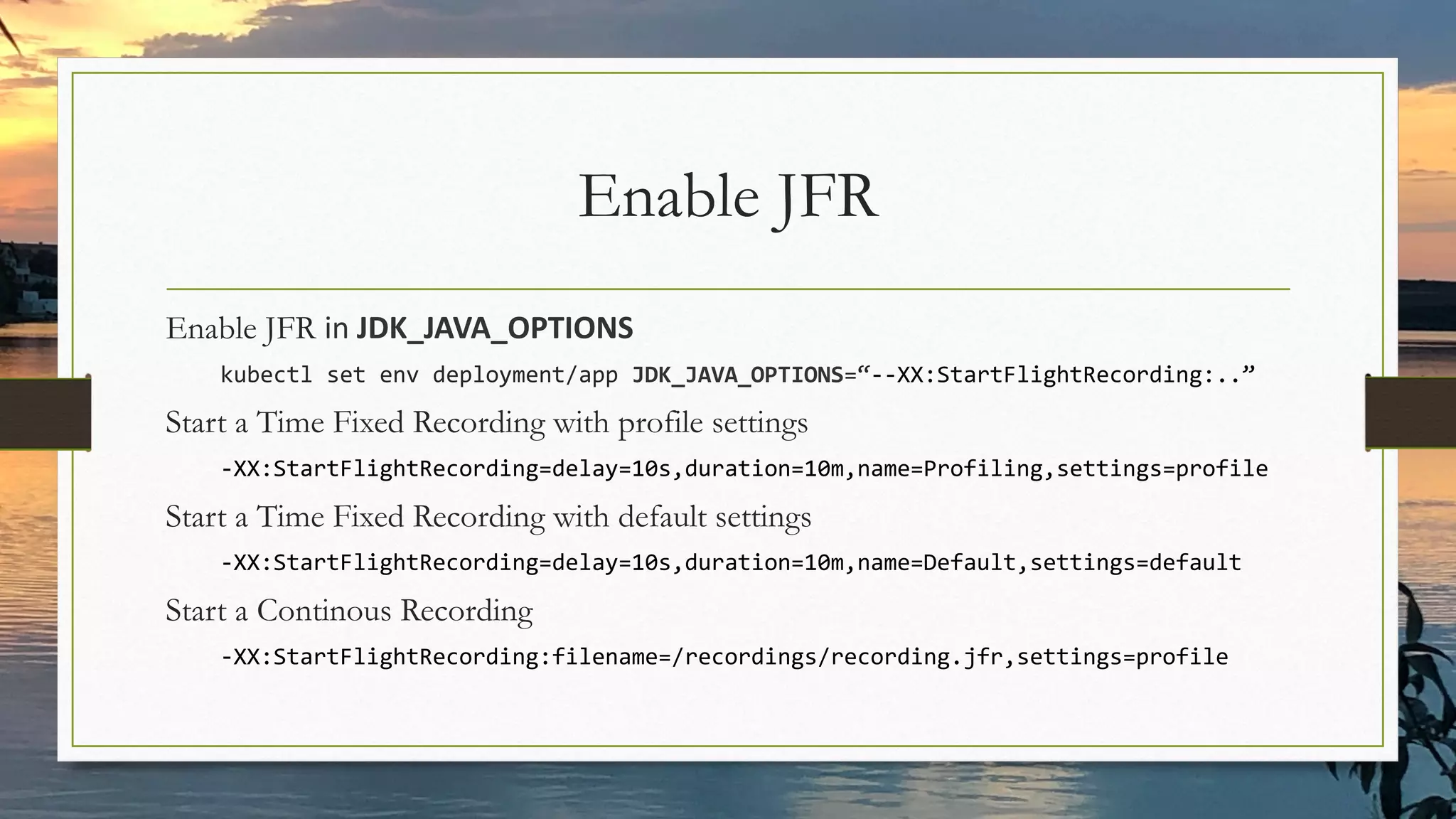
Enable JFR
Enable JFR in JDK_JAVA_OPTIONS
kubectl set env deployment/app JDK_JAVA_OPTIONS=“--XX:StartFlightRecording:..”
Start a Time Fixed Recording with profile settings
-XX:StartFlightRecording=delay=10s,duration=10m,name=Profiling,settings=profile
Start a Time Fixed Recording with default settings
-XX:StartFlightRecording=delay=10s,duration=10m,name=Default,settings=default
Start a Continous Recording
-XX:StartFlightRecording:filename=/recordings/recording.jfr,settings=profile
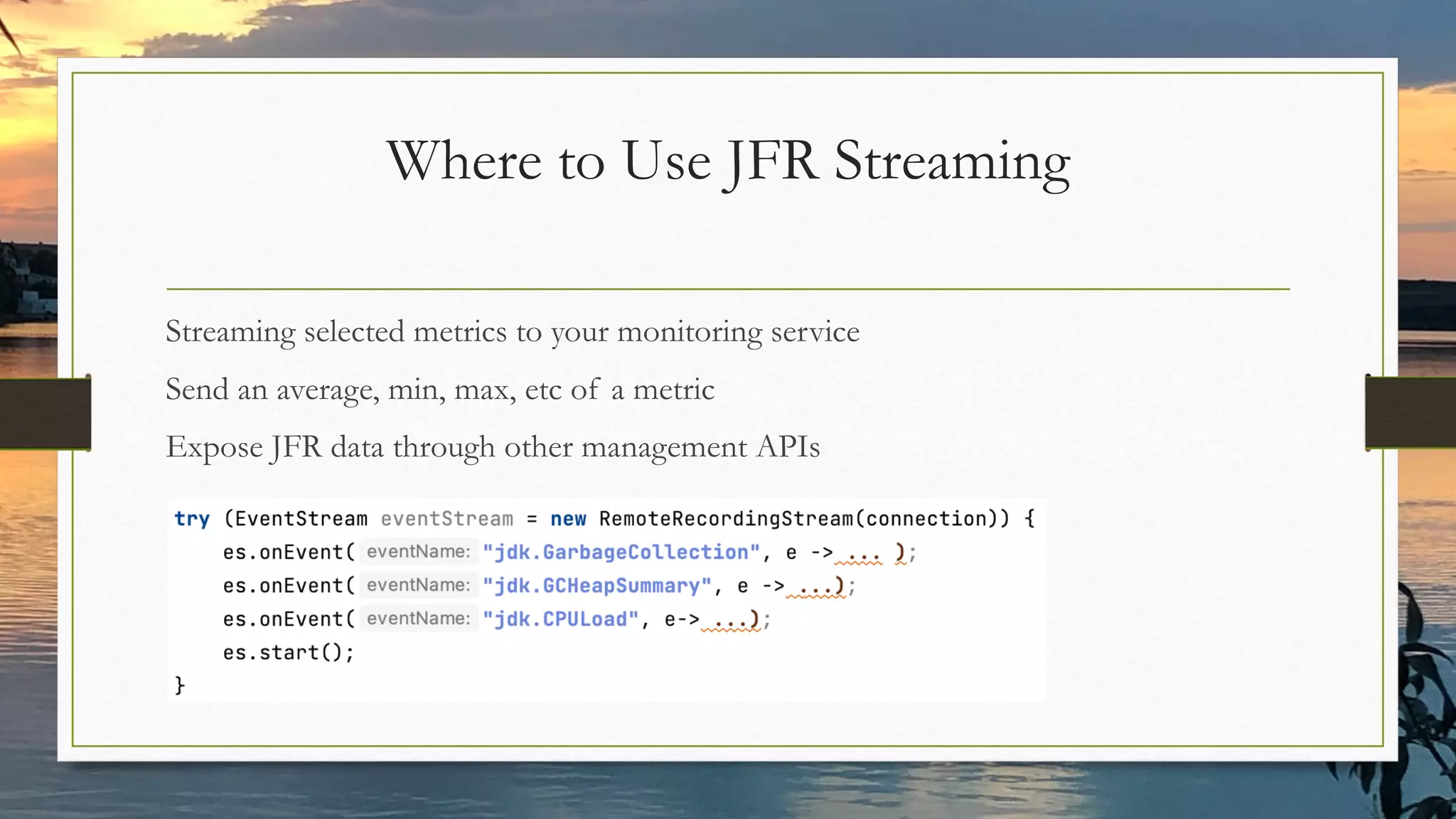
Where to Use JFR Streaming
Streaming selected metrics to your monitoring service
Send an average, min, max, etc of a metric
Expose JFR data through other management APIs
Where NOT to Use JFR Streaming
“To consume the data today, a user must start a recording, stop it, dump the
contents to disk and then parse the recording file. This works well for
application profiling, where typically at least a minute of data is being
recorded at a time, but not for monitoring purposes.“
source: JEP 349
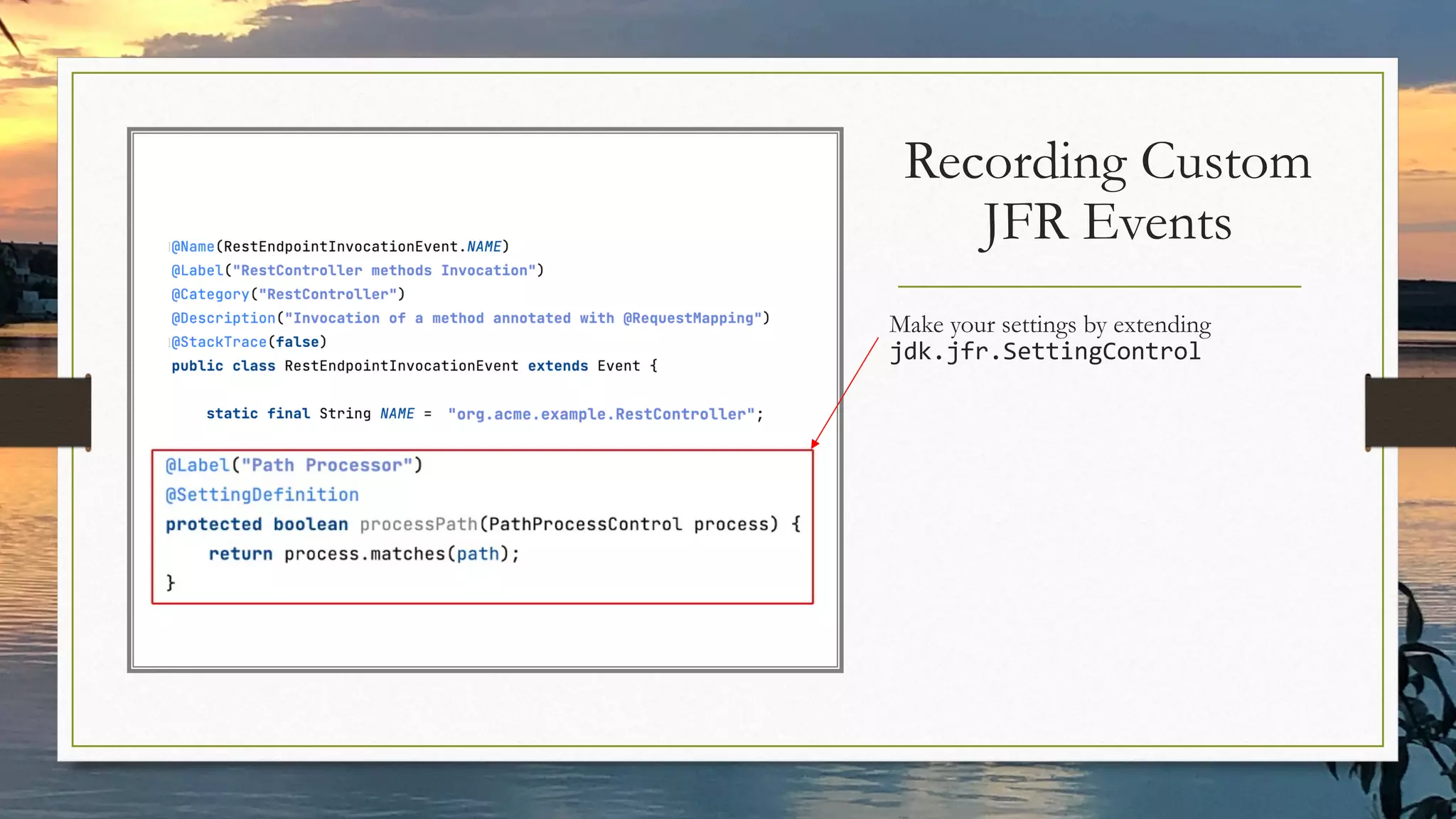
Make your settings by extending
jdk.jfr.SettingControl
Recording Custom
JFR Events
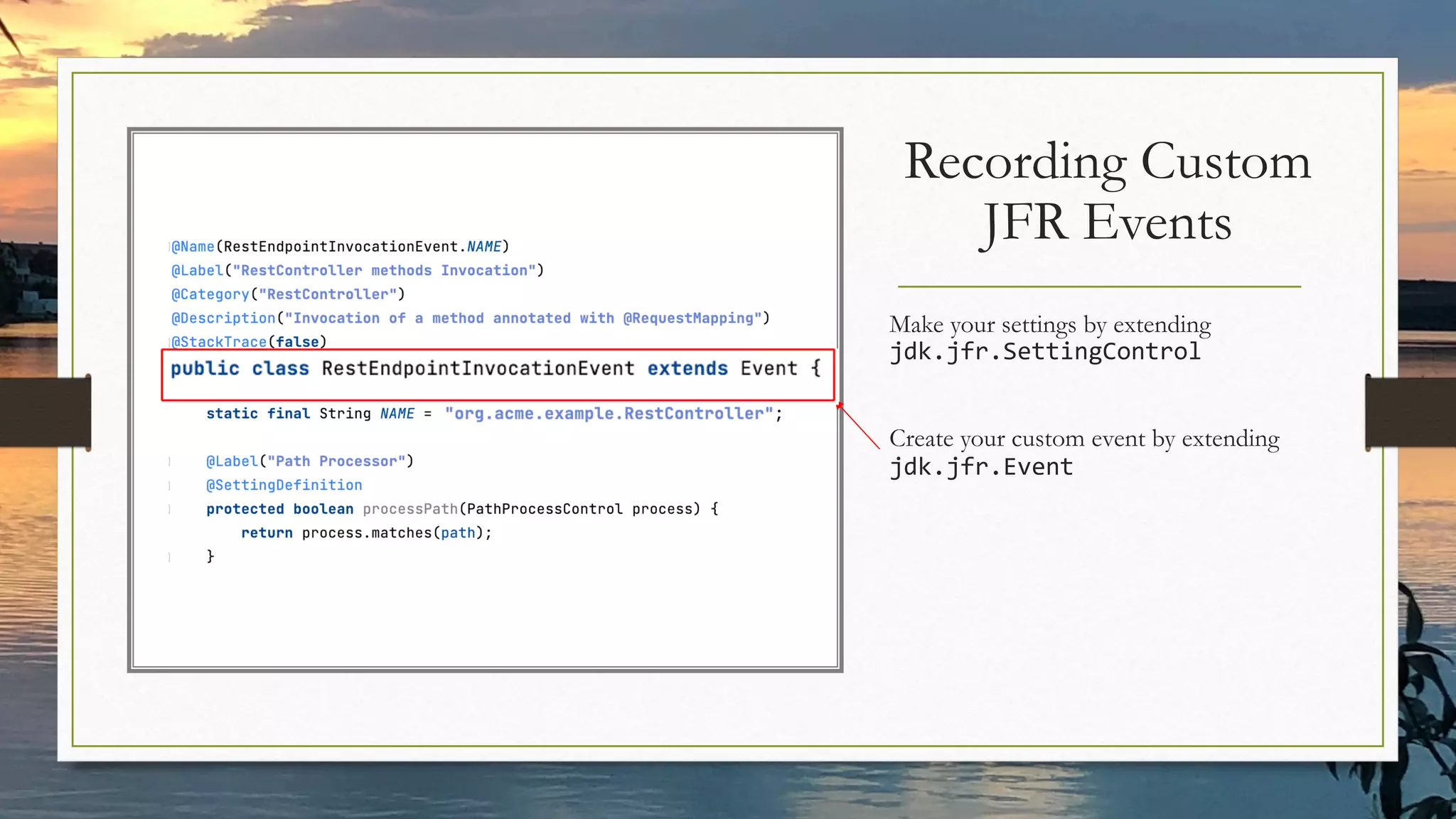
Make your settings by extending
jdk.jfr.SettingControl
Create your custom event by extending
jdk.jfr.Event
Recording Custom
JFR Events
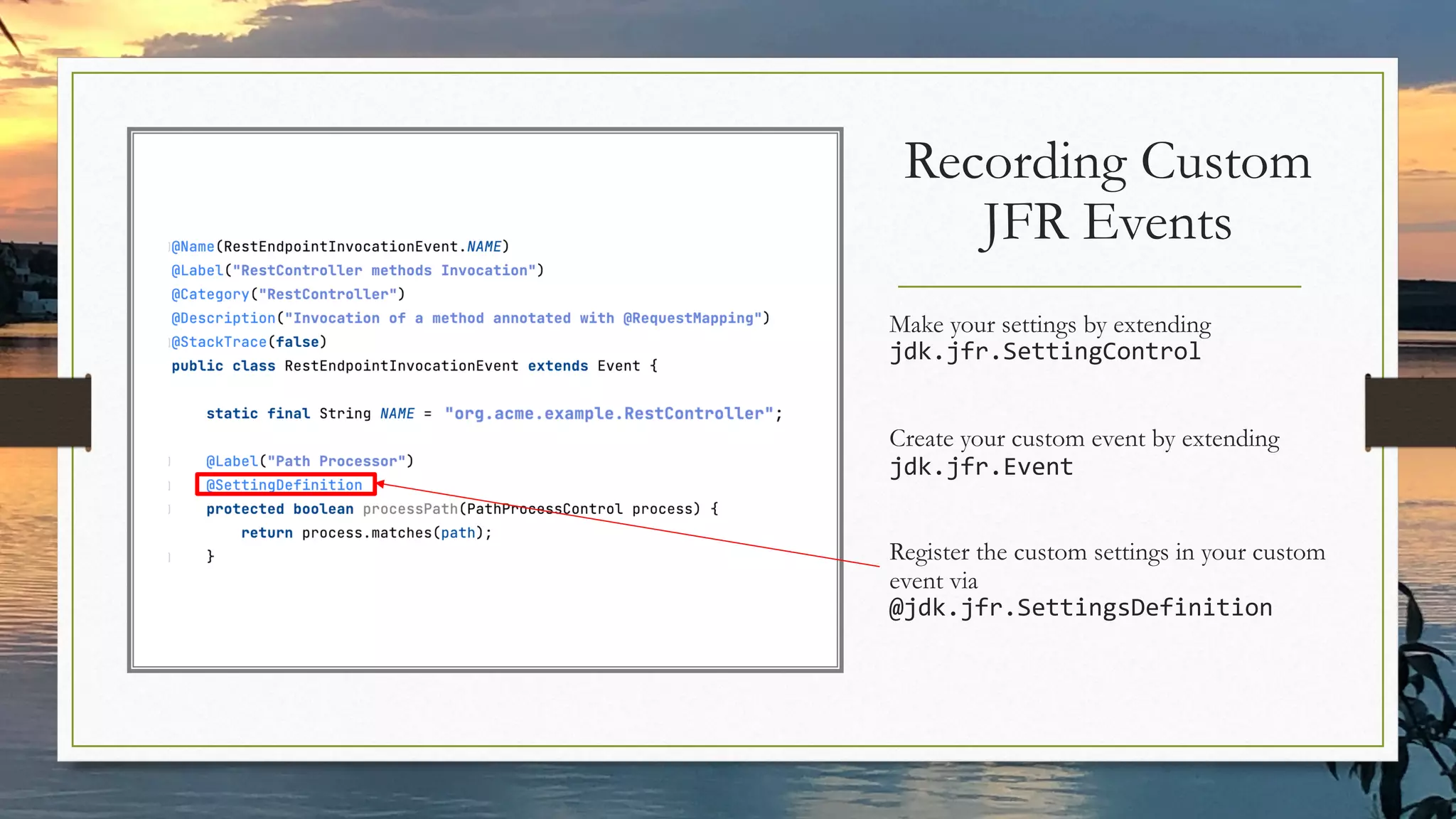
Recording Custom
JFR Events
Make your settings by extending
jdk.jfr.SettingControl
Create your custom event by extending
jdk.jfr.Event
Register the custom settings in your custom
event via
@jdk.jfr.SettingsDefinition
Recording Custom Events in Spring Boot
(example)
Capture the custom JFR events in a dedicated filter and register it
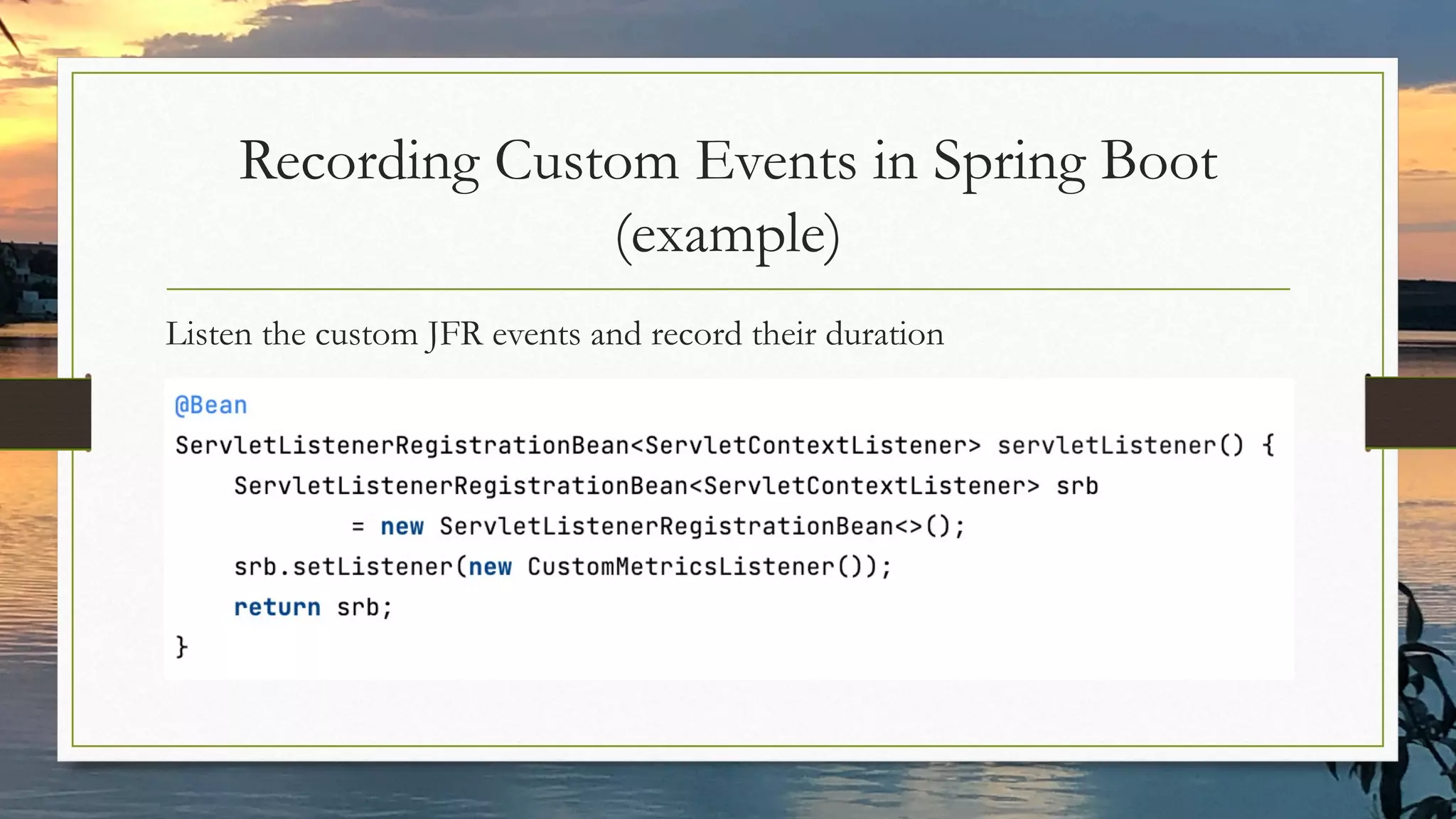
Recording Custom Events in Spring Boot
(example)
Listen the custom JFR events and record their duration
Thank You!
https://github.com/ammbra/performance-glance
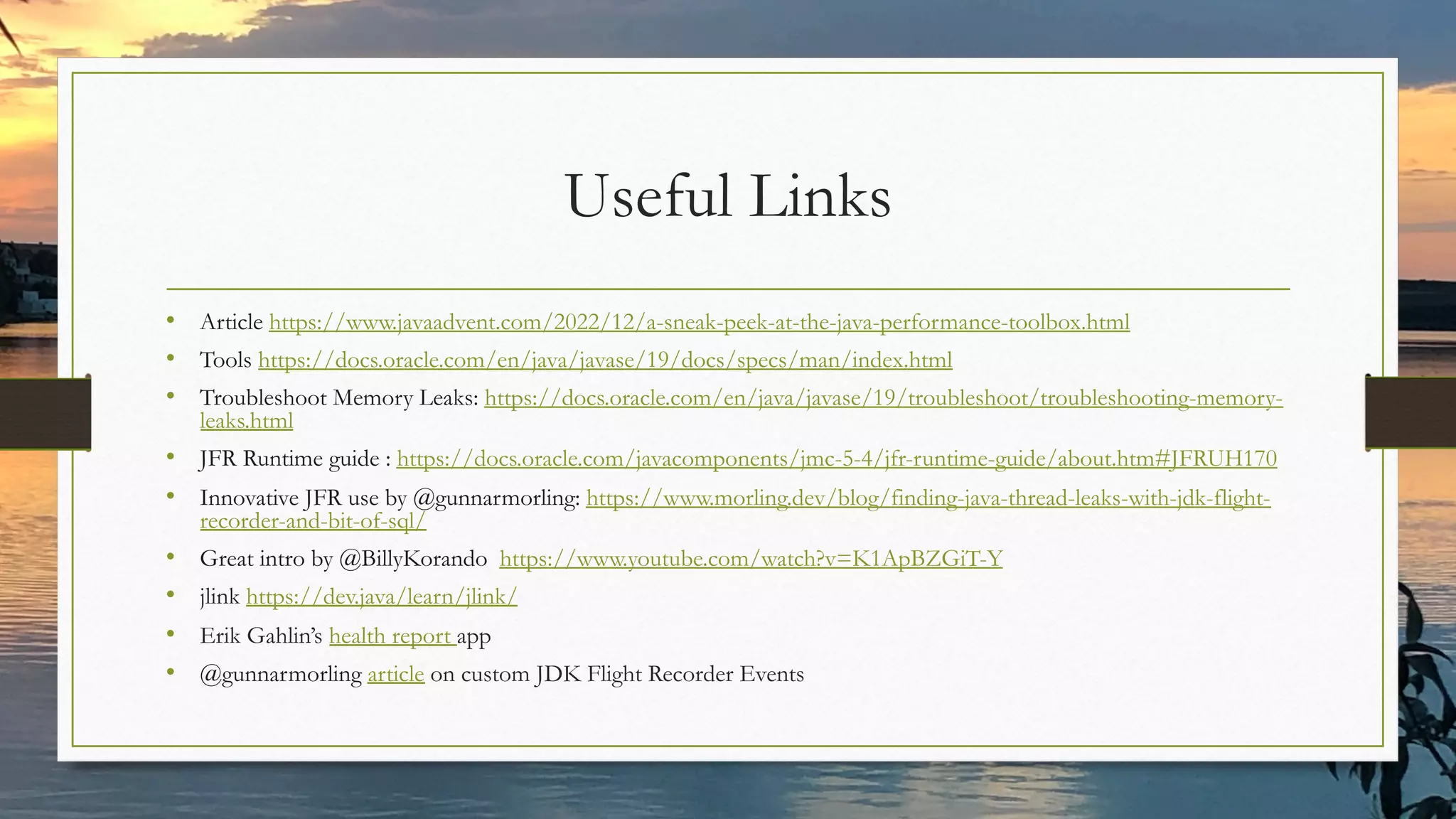
Useful Links
• Article https://www.javaadvent.com/2022/12/a-sneak-peek-at-the-java-performance-toolbox.html
• Tools https://docs.oracle.com/en/java/javase/19/docs/specs/man/index.html
• Troubleshoot Memory Leaks: https://docs.oracle.com/en/java/javase/19/troubleshoot/troubleshooting-memory-
leaks.html
• JFR Runtime guide : https://docs.oracle.com/javacomponents/jmc-5-4/jfr-runtime-guide/about.htm#JFRUH170
• Innovative JFR use by @gunnarmorling: https://www.morling.dev/blog/finding-java-thread-leaks-with-jdk-flight-
recorder-and-bit-of-sql/
• Great intro by @BillyKorando https://www.youtube.com/watch?v=K1ApBZGiT-Y
• jlink https://dev.java/learn/jlink/
• Erik Gahlin’s health report app
• @gunnarmorling article on custom JDK Flight Recorder Events

A Glance At The Java Performance Toolbox.pdf

  • 1.
    A Glance at TheJava Performance Toolbox
  • 2.
    Java Champion Alumni,Certified Architect Senior Developer Advocate at Oracle Passionate about solving complex scenarios involving Java and Kubernetes. ammbra1508 ammbra1508.mastondon.social
  • 3.
    Run on Cloudsby Walking The Oceans of Tools
  • 4.
    Developer Questions UsingJava Applications in Containers • Which tools help you create container images with only what is needed at runtime? • How to run the JDK tools in containers and proxy their output? • Why and how to capture performance relevant JVM and application events? • Which tools help you fine tune the JVM flags and keep application overhead at minimum? • How to correlate data from JVM monitoring tools with the one from tools like Prometheus, Grafana?
  • 5.
    Tools to buildan OCI Compliant Image • Docker build • Buildpacks • Jib • kaniko • buildah • s2i • And many more J
  • 6.
    The Good OldDockerfile
  • 7.
    The Good OldDockerfile Use a small base image
  • 8.
    The Good OldDockerfile Use a small base image Create images with common layers
  • 9.
    The Good OldDockerfile Use a small base image Install only what is strictly needed Create images with common layers
  • 10.
    Creating Custom Java Runtimesfor Container Images
  • 11.
    Jlink JEP 282 “Linktime is an opportunity to do whole-world optimizations that are otherwise difficult at compile time or costly at run-time” jlink: Command Line Tool to Link Modules • Modules in a jimage file • Generate runtime images
  • 12.
    Jlink Packaging Legacy JDKimage JDK > 9 generated image bin jre lib bin conf …….. Modular runtime image jlink
  • 13.
    Maintain The GoodOld Dockerfile with JLink The runtime stage build • From a JDK base image • Create your own custom JRE with jlink
  • 14.
    Maintain The GoodOld Dockerfile with JLink The runtime stage build • From a JDK base image • Create your own custom JRE with jlink The application stage build • From an OS base image • Copy the custom JRE from the runtime stage build • Copy the artifacts needed by your application • Run the application
  • 15.
  • 16.
    The Runtime StageBuild jdeps --ignore-missing-deps -q -recursive --multi-release 19 --print-module-deps --class-path 'target/libs/*’ target/spring-todo-app.jar
  • 17.
    The Runtime StageBuild Strips debug information from the output image
  • 18.
    The Runtime StageBuild Exclude man pages and header files
  • 19.
    The Runtime StageBuild Enable compression of resources: 0: No compression 1: Constant string sharing 2: ZIP
  • 20.
    The Application StageBuild Copy the custom JRE
  • 21.
    The Application StageBuild Copy the artifacts needed by your application
  • 22.
    The Application StageBuild Run the application
  • 23.
  • 24.
    Tracking Native MemoryWith Jcmd Add jdk.jcmd module
  • 25.
    Tracking Native MemoryWith Jcmd WARNING: Overusing jcmd to send diagnostic commands can affect the performance of the VM. Add -XX:NativeMemoryTracking={off|summary|detail} to JDK_JAVA_OPTIONS • kubectl set env deployment/app JDK_JAVA_OPTIONS=“-XX:NativeMemoryTracking=summary” • Please consider that having NMT enabled can add application performance overhead.
  • 26.
    Tracking Native MemoryWith Jcmd WARNING: Overusing jcmd to send diagnostic commands can affect the performance of the VM. Add -XX:NativeMemoryTracking={off|summary|detail} to JDK_JAVA_OPTIONS Create a native memory baseline kubectl exec pod_name –it --/bin/bash -c "jcmd llvmid VM.native_memory baseline"
  • 27.
    Tracking Native MemoryWith Jcmd WARNING: Overusing jcmd to send diagnostic commands can affect the performance of the VM. Add -XX:NativeMemoryTracking={off|summary|detail} to JDK_JAVA_OPTIONS Create a native memory baseline kubectl exec pod_name –it --/bin/bash -c "jcmd llvmid VM.native_memory baseline" Create a native memory summary diff kubectl exec pod_name –it --/bin/bash -c "jcmd llvmid VM.native_memory summary.diff"
  • 28.
    Enabling JMX Monitoringand Remote Access to a Remote Host
  • 29.
  • 30.
    Obtain Statistics withJstat and Jmap Obtain statistics about garbage collectors by running jstat kubectl exec pod_name –it --/bin/bash -c "jstat -gcutil llvmid 250 10" Print heap summaries kubectl exec pod_name –it --/bin/bash -c "jmap -histo llvmid"
  • 31.
    Capture Performance Relevant JVMAnd Application Events
  • 32.
    Add JFR ToYour Container Image
  • 33.
    Enable JFR Enable JFRin JDK_JAVA_OPTIONS kubectl set env deployment/app JDK_JAVA_OPTIONS=“--XX:StartFlightRecording:..” Start a Time Fixed Recording with profile settings -XX:StartFlightRecording=delay=10s,duration=10m,name=Profiling,settings=profile Start a Time Fixed Recording with default settings -XX:StartFlightRecording=delay=10s,duration=10m,name=Default,settings=default Start a Continous Recording -XX:StartFlightRecording:filename=/recordings/recording.jfr,settings=profile
  • 34.
    Where to UseJFR Streaming Streaming selected metrics to your monitoring service Send an average, min, max, etc of a metric Expose JFR data through other management APIs
  • 35.
    Where NOT toUse JFR Streaming “To consume the data today, a user must start a recording, stop it, dump the contents to disk and then parse the recording file. This works well for application profiling, where typically at least a minute of data is being recorded at a time, but not for monitoring purposes.“ source: JEP 349
  • 36.
    Make your settingsby extending jdk.jfr.SettingControl Recording Custom JFR Events
  • 37.
    Make your settingsby extending jdk.jfr.SettingControl Create your custom event by extending jdk.jfr.Event Recording Custom JFR Events
  • 38.
    Recording Custom JFR Events Makeyour settings by extending jdk.jfr.SettingControl Create your custom event by extending jdk.jfr.Event Register the custom settings in your custom event via @jdk.jfr.SettingsDefinition
  • 39.
    Recording Custom Eventsin Spring Boot (example) Capture the custom JFR events in a dedicated filter and register it
  • 40.
    Recording Custom Eventsin Spring Boot (example) Listen the custom JFR events and record their duration
  • 41.
  • 42.
    Useful Links • Articlehttps://www.javaadvent.com/2022/12/a-sneak-peek-at-the-java-performance-toolbox.html • Tools https://docs.oracle.com/en/java/javase/19/docs/specs/man/index.html • Troubleshoot Memory Leaks: https://docs.oracle.com/en/java/javase/19/troubleshoot/troubleshooting-memory- leaks.html • JFR Runtime guide : https://docs.oracle.com/javacomponents/jmc-5-4/jfr-runtime-guide/about.htm#JFRUH170 • Innovative JFR use by @gunnarmorling: https://www.morling.dev/blog/finding-java-thread-leaks-with-jdk-flight- recorder-and-bit-of-sql/ • Great intro by @BillyKorando https://www.youtube.com/watch?v=K1ApBZGiT-Y • jlink https://dev.java/learn/jlink/ • Erik Gahlin’s health report app • @gunnarmorling article on custom JDK Flight Recorder Events