© Husch Blackwell LLP
A Case For Information Protection
Programs
Mike Annis & Terry Potter
Protection Programs – why have one?
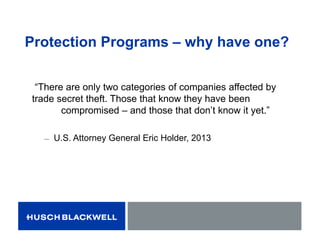
“There are only two categories of companies affected by
trade secret theft. Those that know they have been
compromised – and those that don’t know it yet.”
̶ U.S. Attorney General Eric Holder, 2013
Protection Programs – why have one?
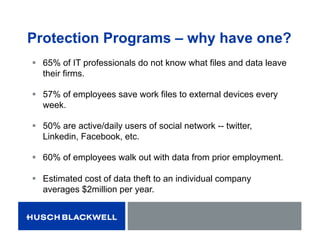
 65% of IT professionals do not know what files and data leave
their firms.
 57% of employees save work files to external devices every
week.
 50% are active/daily users of social network -- twitter,
Linkedin, Facebook, etc.
 60% of employees walk out with data from prior employment.
 Estimated cost of data theft to an individual company
averages $2million per year.
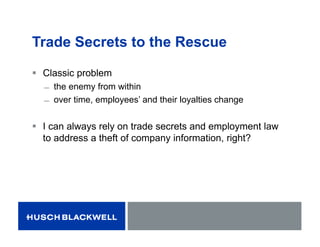
Trade Secrets to the Rescue
 Classic problem
̶ the enemy from within
̶ over time, employees’ and their loyalties change
 I can always rely on trade secrets and employment law
to address a theft of company information, right?
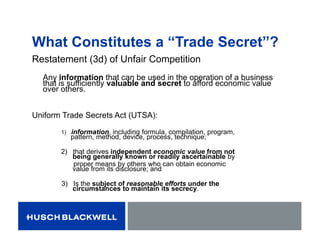
What Constitutes a “Trade Secret”?
Restatement (3d) of Unfair Competition
Any information that can be used in the operation of a business
that is sufficiently valuable and secret to afford economic value
over others.
Uniform Trade Secrets Act (UTSA):
1) information, including formula, compilation, program,
pattern, method, device, process, technique;
2) that derives independent economic value from not
being generally known or readily ascertainable by
proper means by others who can obtain economic
value from its disclosure; and
3) Is the subject of reasonable efforts under the
circumstances to maintain its secrecy.
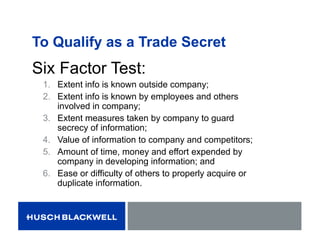
To Qualify as a Trade Secret
Six Factor Test:
1. Extent info is known outside company;
2. Extent info is known by employees and others
involved in company;
3. Extent measures taken by company to guard
secrecy of information;
4. Value of information to company and competitors;
5. Amount of time, money and effort expended by
company in developing information; and
6. Ease or difficulty of others to properly acquire or
duplicate information.
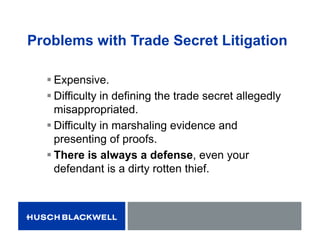
Problems with Trade Secret Litigation
 Expensive.
 Difficulty in defining the trade secret allegedly
misappropriated.
 Difficulty in marshaling evidence and
presenting of proofs.
 There is always a defense, even your
defendant is a dirty rotten thief.
Common Defenses to Trade Secret
Misappropriation
 It isn’t a secret
̶ Reasonable steps have not been taken to protect the secret
nature of the info
 Too much/broad access within the company
 Not kept segregated/not passcode protected
 Information shared with non-related third parties (i.e., pricing)
 “Got it off your website”
̶ Alleged “trade secret” is not a secret within the industry – it is
industry-known information (maybe disclosed in a patent)
 Independent development
 Reverse engineered
What is an Information Protection
Program?
 A customized management program to identify,
define, designate, and preserve a business’
sensitive or valuable business information.
Information Protection Programs
Protect More Than “Trade Secrets.”
Also protects:
 Confidential/Proprietary Information.
 Costs/Pricing Strategies.
 Research and Development.
 Customer/Vendor/Supplier Information.
 Employment/Workforce Information.
 Database Compilations.
 More…
Benefits of an Information
Protection Program
 Acts as a deterrent for theft in the first instance --
Diligence Creates Deterrence
 Establishes Employee Expectations and Understanding
 Cost-Efficient/Less Risky
 Provides Assurance of “Reasonable Efforts to Protect
Secrecy” of Information
 Probably already have some aspects in place
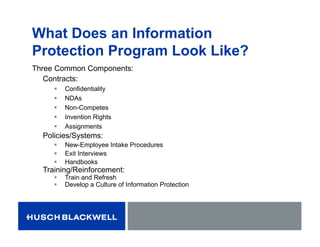
What Does an Information
Protection Program Look Like?
Three Common Components:
Contracts:
 Confidentiality
 NDAs
 Non-Competes
 Invention Rights
 Assignments
Policies/Systems:
 New-Employee Intake Procedures
 Exit Interviews
 Handbooks
Training/Reinforcement:
 Train and Refresh
 Develop a Culture of Information Protection
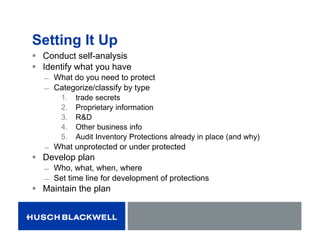
Setting It Up
 Conduct self-analysis
 Identify what you have
̶ What do you need to protect
̶ Categorize/classify by type
1. trade secrets
2. Proprietary information
3. R&D
4. Other business info
5. Audit Inventory Protections already in place (and why)
̶ What unprotected or under protected
 Develop plan
̶ Who, what, when, where
̶ Set time line for development of protections
 Maintain the plan
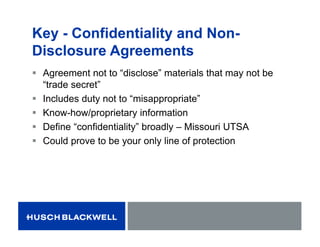
Key - Confidentiality and Non-
Disclosure Agreements
 Agreement not to “disclose” materials that may not be
“trade secret”
 Includes duty not to “misappropriate”
 Know-how/proprietary information
 Define “confidentiality” broadly – Missouri UTSA
 Could prove to be your only line of protection
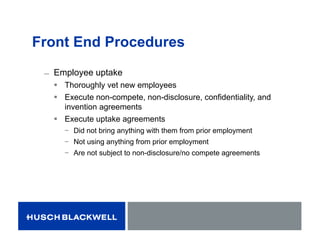
Front End Procedures
̶ Employee uptake
 Thoroughly vet new employees
 Execute non-compete, non-disclosure, confidentiality, and
invention agreements
 Execute uptake agreements
− Did not bring anything with them from prior employment
− Not using anything from prior employment
− Are not subject to non-disclosure/no compete agreements
During Employment
̶ Periodic reminder materials sent to employees
 Shows you have been “ever viligent”
 Keeps secrecy/confidentiality requirements top-of-mind
̶ Provide training on a regular basis
̶ Education and training are key to successful deployment of program
̶ Teach and remind employees about the rules
 Monitor usage
 Passcode protect
 Mark
 Segregate
 Educate
 Reinforce culture
Back-End Procedures
Exit activities
 Exist interviews
− Where they are going, what they will be doing
 Execution of affidavits/check-in procedures – did not take
anything or have returned everything they had
 Review of IT activity
 Audit key employees’ activities before they set off for a new
job
− Take care all company property and data has either been returned
or destroyed
− Check for suspicious computer and premises access
Employee Handbooks/Manuals
 Define “secrets” and “confidentiality”
 Duty to maintain secret nature of info
 Define e-mail, social media, data access, transmission
and copying protocols/rules
 Address policy regarding use of personal technology at
workplace
 Identify conflicts of interest
Classify Data
̶ Create and stick to a “need-to-know”
system
 Restrict employees ability to access certain
data
 No need for all employees to be able to view a
company’s research and development data or
strategic business plans
− Only employees with an absolute need to see such
vital info should be able to do so
 Have a simple, flexible policy
Limiting Access to Data
 In practice, companies can limit access to certain info in
a variety of ways:
̶ Locking file cabinets
̶ Marking confidential documents
̶ Creating password protected access to databases
̶ Encrypt sensitive information or data transfers
Strategies for Minimizing Leaks and
Dangerous Communications
 Segregate data by category.
 Establish electronic protocols that catalog access to
highly sensitive data and that restrict access, transfer
and copy of that data to unauthorized users.
̶ Only the most senior management should be given access
to the most sensitive data.
 Encrypt – regardless whether sensitive data is “in
motion,” “at rest,” or at an “end point,” it should be
encrypted
Problems in the Information Age
 External devices
̶ Risks posed by external devices are heightened with employees
working remotely
 Options to address
̶ Use software that allows for a secure connection to your network.
̶ Monitor employee activities on electronic devices and limit
access to critical information.
̶ Make sure information on external hard drives, thumb drives or
employee’s personal computers is well protected and can be
recovered.
̶ Have policies in place to address if a device is lost or stolen.
̶ Monitor sizable downloads or emails with large attachments.
Limit Use of Personal Devices
 Employees must understand that no internal information is to
be used or transferred to any device or program that does
not belong to the company.
 Employees should sign a release indicating they are aware
of the company’s policy and that any “private” device or
program used to conduct business or that is accessed from
the company will be subject to inspection, copy and seizure.
 Employees should be advised that communications to and
from work carry no expectation of privacy and that the
company periodically monitors e-mails for compliance with its
protocols.
Not All Business Is Cloud Business
 Must take reasonable steps to protect
̶ Q: What is “Reasonable?”
̶ A: Look at nature of info and circumstances in
which data is stored and used.
 More important the data, the more security measures must be
taken to protect
 Highly sensitive data should not be stored with a
third party.
Laws that are there to Help you
 Statutory Schemes Directed at Curbing Misappropriation
 State
− (Uniform)Trade Secrets Act (adopted in 48 states)
− Computer Tampering (RSMo §§569.095-.099 and 537.525)
 Federal
− Economic Espionage Act (18 U.S.C. § 832)
− Computer Fraud and Abuse Act (18 U.S.C. § 1030)
 (H.R. 2466 – private right of action)
Better Safe Than Sorry
 Business Information is very valuable, but it is very easy
to lose.
 Once lost ….. probably lost forever.
 Business can’t let valuable information walk out the door
(or the window, or the wires, or the wireless).

A Case For Information Protection Programs

  • 1.
    © Husch BlackwellLLP A Case For Information Protection Programs Mike Annis & Terry Potter
  • 2.
    Protection Programs –why have one? “There are only two categories of companies affected by trade secret theft. Those that know they have been compromised – and those that don’t know it yet.” ̶ U.S. Attorney General Eric Holder, 2013
  • 3.
    Protection Programs –why have one?  65% of IT professionals do not know what files and data leave their firms.  57% of employees save work files to external devices every week.  50% are active/daily users of social network -- twitter, Linkedin, Facebook, etc.  60% of employees walk out with data from prior employment.  Estimated cost of data theft to an individual company averages $2million per year.
  • 4.
    Trade Secrets tothe Rescue  Classic problem ̶ the enemy from within ̶ over time, employees’ and their loyalties change  I can always rely on trade secrets and employment law to address a theft of company information, right?
  • 5.
    What Constitutes a“Trade Secret”? Restatement (3d) of Unfair Competition Any information that can be used in the operation of a business that is sufficiently valuable and secret to afford economic value over others. Uniform Trade Secrets Act (UTSA): 1) information, including formula, compilation, program, pattern, method, device, process, technique; 2) that derives independent economic value from not being generally known or readily ascertainable by proper means by others who can obtain economic value from its disclosure; and 3) Is the subject of reasonable efforts under the circumstances to maintain its secrecy.
  • 6.
    To Qualify asa Trade Secret Six Factor Test: 1. Extent info is known outside company; 2. Extent info is known by employees and others involved in company; 3. Extent measures taken by company to guard secrecy of information; 4. Value of information to company and competitors; 5. Amount of time, money and effort expended by company in developing information; and 6. Ease or difficulty of others to properly acquire or duplicate information.
  • 7.
    Problems with TradeSecret Litigation  Expensive.  Difficulty in defining the trade secret allegedly misappropriated.  Difficulty in marshaling evidence and presenting of proofs.  There is always a defense, even your defendant is a dirty rotten thief.
  • 8.
    Common Defenses toTrade Secret Misappropriation  It isn’t a secret ̶ Reasonable steps have not been taken to protect the secret nature of the info  Too much/broad access within the company  Not kept segregated/not passcode protected  Information shared with non-related third parties (i.e., pricing)  “Got it off your website” ̶ Alleged “trade secret” is not a secret within the industry – it is industry-known information (maybe disclosed in a patent)  Independent development  Reverse engineered
  • 9.
    What is anInformation Protection Program?  A customized management program to identify, define, designate, and preserve a business’ sensitive or valuable business information.
  • 10.
    Information Protection Programs ProtectMore Than “Trade Secrets.” Also protects:  Confidential/Proprietary Information.  Costs/Pricing Strategies.  Research and Development.  Customer/Vendor/Supplier Information.  Employment/Workforce Information.  Database Compilations.  More…
  • 11.
    Benefits of anInformation Protection Program  Acts as a deterrent for theft in the first instance -- Diligence Creates Deterrence  Establishes Employee Expectations and Understanding  Cost-Efficient/Less Risky  Provides Assurance of “Reasonable Efforts to Protect Secrecy” of Information  Probably already have some aspects in place
  • 12.
    What Does anInformation Protection Program Look Like? Three Common Components: Contracts:  Confidentiality  NDAs  Non-Competes  Invention Rights  Assignments Policies/Systems:  New-Employee Intake Procedures  Exit Interviews  Handbooks Training/Reinforcement:  Train and Refresh  Develop a Culture of Information Protection
  • 13.
    Setting It Up Conduct self-analysis  Identify what you have ̶ What do you need to protect ̶ Categorize/classify by type 1. trade secrets 2. Proprietary information 3. R&D 4. Other business info 5. Audit Inventory Protections already in place (and why) ̶ What unprotected or under protected  Develop plan ̶ Who, what, when, where ̶ Set time line for development of protections  Maintain the plan
  • 14.
    Key - Confidentialityand Non- Disclosure Agreements  Agreement not to “disclose” materials that may not be “trade secret”  Includes duty not to “misappropriate”  Know-how/proprietary information  Define “confidentiality” broadly – Missouri UTSA  Could prove to be your only line of protection
  • 15.
    Front End Procedures ̶Employee uptake  Thoroughly vet new employees  Execute non-compete, non-disclosure, confidentiality, and invention agreements  Execute uptake agreements − Did not bring anything with them from prior employment − Not using anything from prior employment − Are not subject to non-disclosure/no compete agreements
  • 16.
    During Employment ̶ Periodicreminder materials sent to employees  Shows you have been “ever viligent”  Keeps secrecy/confidentiality requirements top-of-mind ̶ Provide training on a regular basis ̶ Education and training are key to successful deployment of program ̶ Teach and remind employees about the rules  Monitor usage  Passcode protect  Mark  Segregate  Educate  Reinforce culture
  • 17.
    Back-End Procedures Exit activities Exist interviews − Where they are going, what they will be doing  Execution of affidavits/check-in procedures – did not take anything or have returned everything they had  Review of IT activity  Audit key employees’ activities before they set off for a new job − Take care all company property and data has either been returned or destroyed − Check for suspicious computer and premises access
  • 18.
    Employee Handbooks/Manuals  Define“secrets” and “confidentiality”  Duty to maintain secret nature of info  Define e-mail, social media, data access, transmission and copying protocols/rules  Address policy regarding use of personal technology at workplace  Identify conflicts of interest
  • 19.
    Classify Data ̶ Createand stick to a “need-to-know” system  Restrict employees ability to access certain data  No need for all employees to be able to view a company’s research and development data or strategic business plans − Only employees with an absolute need to see such vital info should be able to do so  Have a simple, flexible policy
  • 20.
    Limiting Access toData  In practice, companies can limit access to certain info in a variety of ways: ̶ Locking file cabinets ̶ Marking confidential documents ̶ Creating password protected access to databases ̶ Encrypt sensitive information or data transfers
  • 21.
    Strategies for MinimizingLeaks and Dangerous Communications  Segregate data by category.  Establish electronic protocols that catalog access to highly sensitive data and that restrict access, transfer and copy of that data to unauthorized users. ̶ Only the most senior management should be given access to the most sensitive data.  Encrypt – regardless whether sensitive data is “in motion,” “at rest,” or at an “end point,” it should be encrypted
  • 22.
    Problems in theInformation Age  External devices ̶ Risks posed by external devices are heightened with employees working remotely  Options to address ̶ Use software that allows for a secure connection to your network. ̶ Monitor employee activities on electronic devices and limit access to critical information. ̶ Make sure information on external hard drives, thumb drives or employee’s personal computers is well protected and can be recovered. ̶ Have policies in place to address if a device is lost or stolen. ̶ Monitor sizable downloads or emails with large attachments.
  • 23.
    Limit Use ofPersonal Devices  Employees must understand that no internal information is to be used or transferred to any device or program that does not belong to the company.  Employees should sign a release indicating they are aware of the company’s policy and that any “private” device or program used to conduct business or that is accessed from the company will be subject to inspection, copy and seizure.  Employees should be advised that communications to and from work carry no expectation of privacy and that the company periodically monitors e-mails for compliance with its protocols.
  • 24.
    Not All BusinessIs Cloud Business  Must take reasonable steps to protect ̶ Q: What is “Reasonable?” ̶ A: Look at nature of info and circumstances in which data is stored and used.  More important the data, the more security measures must be taken to protect  Highly sensitive data should not be stored with a third party.
  • 25.
    Laws that arethere to Help you  Statutory Schemes Directed at Curbing Misappropriation  State − (Uniform)Trade Secrets Act (adopted in 48 states) − Computer Tampering (RSMo §§569.095-.099 and 537.525)  Federal − Economic Espionage Act (18 U.S.C. § 832) − Computer Fraud and Abuse Act (18 U.S.C. § 1030)  (H.R. 2466 – private right of action)
  • 26.
    Better Safe ThanSorry  Business Information is very valuable, but it is very easy to lose.  Once lost ….. probably lost forever.  Business can’t let valuable information walk out the door (or the window, or the wires, or the wireless).