Enterprise Manager Grid Control Presented by: Brandon Cole 2008
Session Rules of Etiquette Please silence your cell phone If you must leave the session early, please do so quitely Please avoid side conversation during the presentation
Introduction Brandon Cole, Sr. Oracle Database Administrator, Idaho State University [email_address] Banner DBA for about 9 months now Previously worked as an Oracle DBA at the Idaho National Laboratory (INL)
Goal Oracle Grid Control Architecture Installation Use To get everyone using Grid Control!!
Benefits Scalability Consolidate Management of the entire Oracle infrastructure Logical grouping of targets Automation of tasks Only costs are servers, power, and time (oh, and massively useful but expensive management packs if you want them)
Architecture
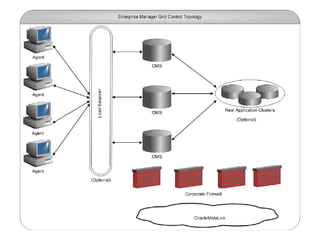
Quick and Dirty Architecture All three of these normally reside on the same server Repository Database OMS – Oracle Management Server Oracle Application Server Local Agent Can be set up for High Availability You can make this massively complicated if you want Remote Agents Communicate to OMS by uploading xml files We ran GC on a 1.7Ghz Compaq desktop with 1.5Gb ram for 6 months while waiting for our Virtual server
Quick and Dirty Architecture
Installation
Experienced DBA’s can install in about a day Quick install guides are straightforward Requires OS admins and Network admins Installation on RedHat ES 5 is not recommended at this time
Database Install database software and patch first Saves time – no need to upgrade or patch DB Create database for repository The GC database can be used as RMAN repository also Ensure label security option is installed Backup Do not attempt to use 11g database for 10g GC May upgrade db after GC install
OMS + Local Agent When performing OMS install, select ‘using existing database’ OMS and Local Agent install using Oracle Universal Installer
Remote Agent Software can be installed locally on each remote agent host Pushing software out remotely from GC server Set up user equivalency Allows Oracle to log in to the remote server without prompting for a password $OMS_HOME/sysman/prov/resources/scripts Install multiple agents at once
Server Controls The controls for starting and stopping the OMS are:  $OMS_HOME/opmn/opmnctl startall $OMS_HOME/opmn/opmnctl stopall $OMS_HOME/opmn/opmnctl status The controls for the Agent are: $AGENT_HOME/bin/emctl status $AGENT_HOME/bin/emctl start agent $AGENT_HOME/bin/emctl stop agent $AGENT_HOME/bin/emctl upload agent  --to force an upload $AGENT_HOME/bin/emctl secure agen t --to secure communications
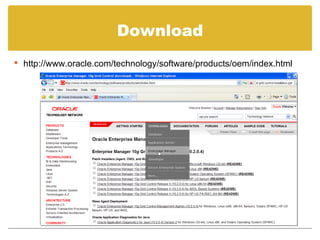
Download http://www.oracle.com/technology/software/products/oem/index.html
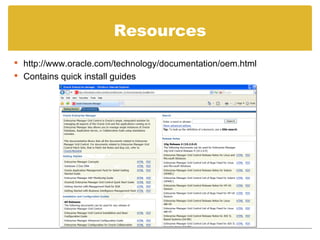
Resources http://www.oracle.com/technology/documentation/oem.html Contains quick install guides
Use
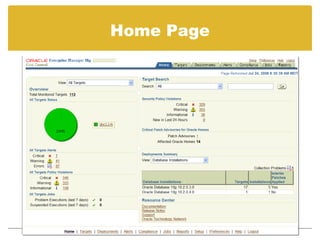
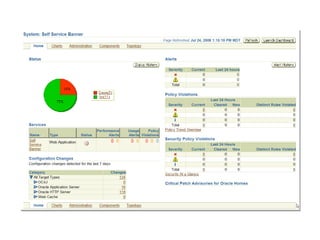
Home Page
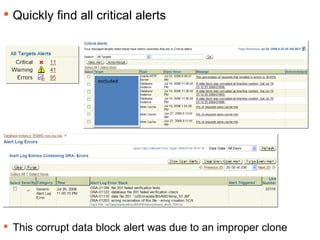
Keeping Track Quickly find all critical alerts This corrupt data block alert was due to an improper clone
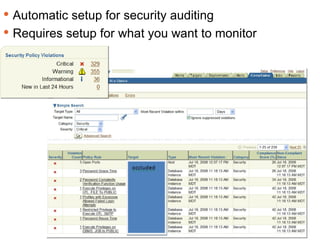
Keeping Track Automatic setup for security auditing Requires setup for what you want to monitor
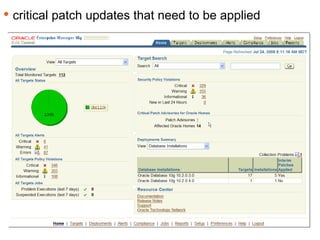
Keeping Track critical patch updates that need to be applied
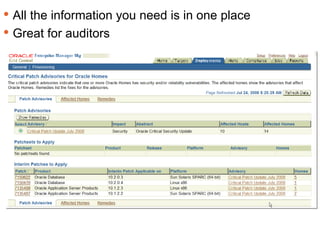
Keeping Track All the information you need is in one place Great for auditors
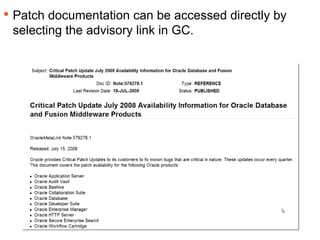
Keeping Track Patch documentation can be accessed directly by selecting the advisory link in GC.
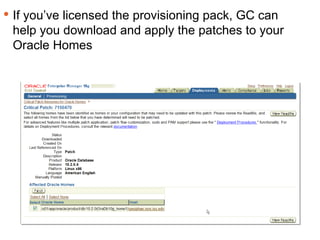
Keeping Track If you’ve licensed the provisioning pack, GC can help you download and apply the patches to your Oracle Homes
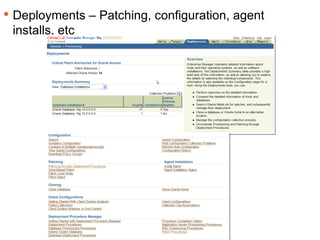
Keeping Track Deployments – Patching, configuration, agent installs, etc
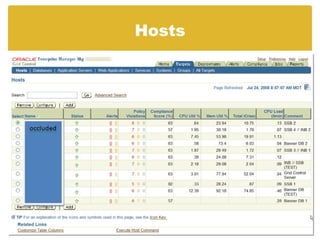
Hosts
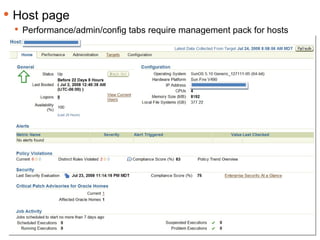
Keeping Track Host page Performance/admin/config tabs require management pack for hosts
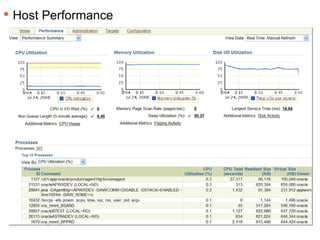
Keeping Track Host Performance
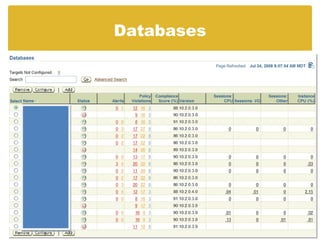
Databases
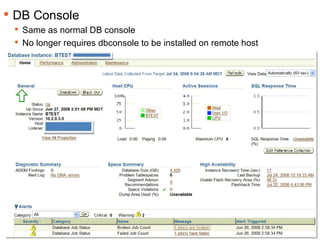
Keeping Track DB Console Same as normal DB console No longer requires dbconsole to be installed on remote host
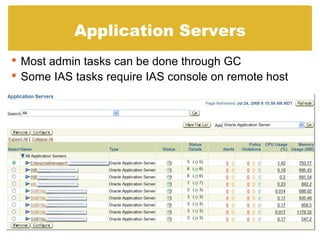
Application Servers Most admin tasks can be done through GC Some IAS tasks require IAS console on remote host
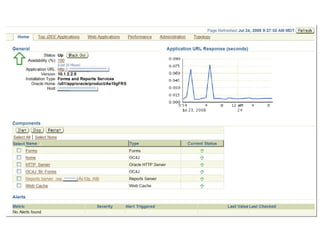
Keeping Track
Putting it together
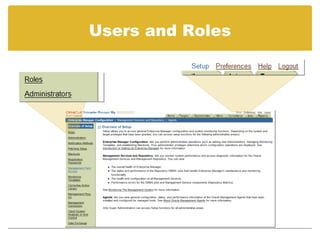
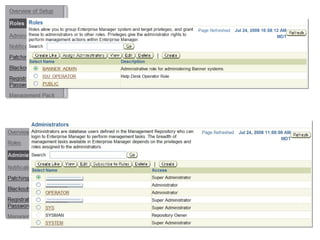
Users and Roles
Keeping Track
Keeping Track
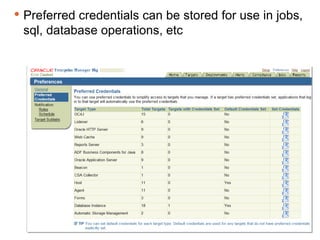
Keeping Track Preferred credentials can be stored for use in jobs, sql, database operations, etc
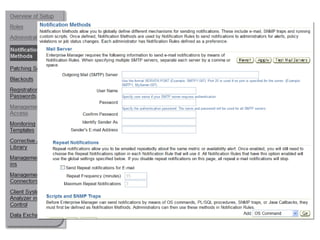
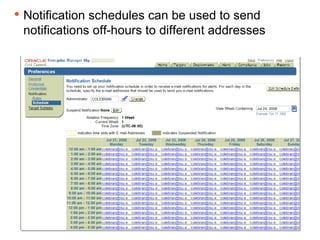
Keeping Track Notification schedules can be used to send notifications off-hours to different addresses
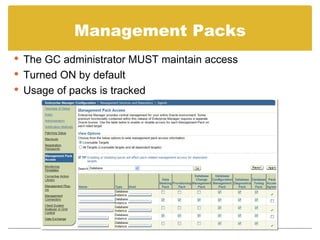
Management Packs The GC administrator MUST maintain access Turned ON by default Usage of packs is tracked
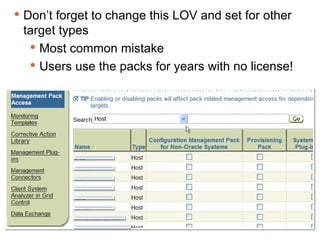
Don’t forget to change this LOV and set for other target types Most common mistake Users use the packs for years with no license!
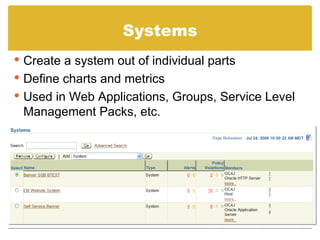
Systems Create a system out of individual parts Define charts and metrics Used in Web Applications, Groups, Service Level Management Packs, etc.
Keeping Track
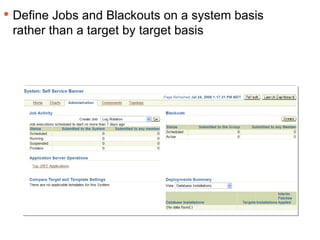
Keeping Track Define Jobs and Blackouts on a system basis rather than a target by target basis
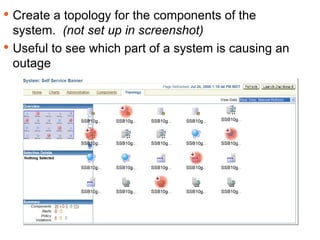
Keeping Track Create a topology for the components of the system.  (not set up in screenshot) Useful to see which part of a system is causing an outage
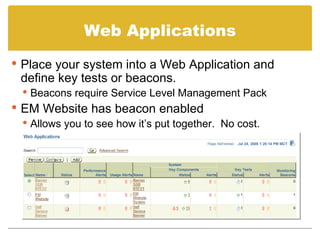
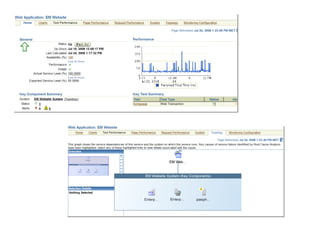
Web Applications Place your system into a Web Application and define key tests or beacons. Beacons require Service Level Management Pack EM Website has beacon enabled Allows you to see how it’s put together.  No cost.
Keeping Track
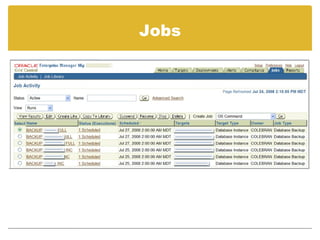
Jobs
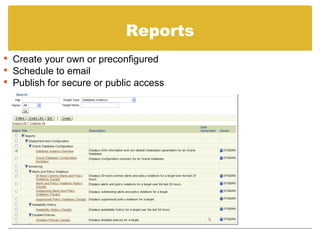
Reports Create your own or preconfigured Schedule to email Publish for secure or public access
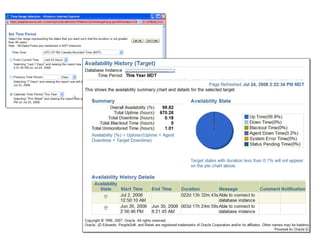
Keeping Track
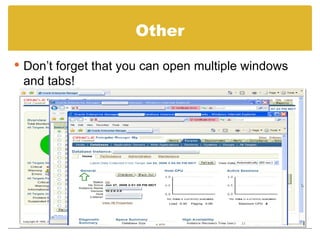
Other Don’t forget that you can open multiple windows and tabs!
Summary Grid Control makes you more efficient Get more done with fewer resources Create the visibility that shows how hard you’re working ISU help desk operators have read only access to GC dashboards and DB consoles
Questions and Answers Thank you for attending Brandon Cole [email_address]

Grid Control

  • 1.
    Enterprise Manager GridControl Presented by: Brandon Cole 2008
  • 2.
    Session Rules ofEtiquette Please silence your cell phone If you must leave the session early, please do so quitely Please avoid side conversation during the presentation
  • 3.
    Introduction Brandon Cole,Sr. Oracle Database Administrator, Idaho State University [email_address] Banner DBA for about 9 months now Previously worked as an Oracle DBA at the Idaho National Laboratory (INL)
  • 4.
    Goal Oracle GridControl Architecture Installation Use To get everyone using Grid Control!!
  • 5.
    Benefits Scalability ConsolidateManagement of the entire Oracle infrastructure Logical grouping of targets Automation of tasks Only costs are servers, power, and time (oh, and massively useful but expensive management packs if you want them)
  • 6.
  • 7.
    Quick and DirtyArchitecture All three of these normally reside on the same server Repository Database OMS – Oracle Management Server Oracle Application Server Local Agent Can be set up for High Availability You can make this massively complicated if you want Remote Agents Communicate to OMS by uploading xml files We ran GC on a 1.7Ghz Compaq desktop with 1.5Gb ram for 6 months while waiting for our Virtual server
  • 8.
    Quick and DirtyArchitecture
  • 9.
  • 10.
    Experienced DBA’s caninstall in about a day Quick install guides are straightforward Requires OS admins and Network admins Installation on RedHat ES 5 is not recommended at this time
  • 11.
    Database Install databasesoftware and patch first Saves time – no need to upgrade or patch DB Create database for repository The GC database can be used as RMAN repository also Ensure label security option is installed Backup Do not attempt to use 11g database for 10g GC May upgrade db after GC install
  • 12.
    OMS + LocalAgent When performing OMS install, select ‘using existing database’ OMS and Local Agent install using Oracle Universal Installer
  • 13.
    Remote Agent Softwarecan be installed locally on each remote agent host Pushing software out remotely from GC server Set up user equivalency Allows Oracle to log in to the remote server without prompting for a password $OMS_HOME/sysman/prov/resources/scripts Install multiple agents at once
  • 14.
    Server Controls Thecontrols for starting and stopping the OMS are: $OMS_HOME/opmn/opmnctl startall $OMS_HOME/opmn/opmnctl stopall $OMS_HOME/opmn/opmnctl status The controls for the Agent are: $AGENT_HOME/bin/emctl status $AGENT_HOME/bin/emctl start agent $AGENT_HOME/bin/emctl stop agent $AGENT_HOME/bin/emctl upload agent --to force an upload $AGENT_HOME/bin/emctl secure agen t --to secure communications
  • 15.
  • 16.
  • 17.
  • 18.
  • 19.
    Keeping Track Quicklyfind all critical alerts This corrupt data block alert was due to an improper clone
  • 20.
    Keeping Track Automaticsetup for security auditing Requires setup for what you want to monitor
  • 21.
    Keeping Track criticalpatch updates that need to be applied
  • 22.
    Keeping Track Allthe information you need is in one place Great for auditors
  • 23.
    Keeping Track Patchdocumentation can be accessed directly by selecting the advisory link in GC.
  • 24.
    Keeping Track Ifyou’ve licensed the provisioning pack, GC can help you download and apply the patches to your Oracle Homes
  • 25.
    Keeping Track Deployments– Patching, configuration, agent installs, etc
  • 26.
  • 27.
    Keeping Track Hostpage Performance/admin/config tabs require management pack for hosts
  • 28.
    Keeping Track HostPerformance
  • 29.
  • 30.
    Keeping Track DBConsole Same as normal DB console No longer requires dbconsole to be installed on remote host
  • 31.
    Application Servers Mostadmin tasks can be done through GC Some IAS tasks require IAS console on remote host
  • 32.
  • 33.
  • 34.
  • 35.
  • 36.
  • 37.
    Keeping Track Preferredcredentials can be stored for use in jobs, sql, database operations, etc
  • 38.
    Keeping Track Notificationschedules can be used to send notifications off-hours to different addresses
  • 39.
    Management Packs TheGC administrator MUST maintain access Turned ON by default Usage of packs is tracked
  • 40.
    Don’t forget tochange this LOV and set for other target types Most common mistake Users use the packs for years with no license!
  • 41.
    Systems Create asystem out of individual parts Define charts and metrics Used in Web Applications, Groups, Service Level Management Packs, etc.
  • 42.
  • 43.
    Keeping Track DefineJobs and Blackouts on a system basis rather than a target by target basis
  • 44.
    Keeping Track Createa topology for the components of the system. (not set up in screenshot) Useful to see which part of a system is causing an outage
  • 45.
    Web Applications Placeyour system into a Web Application and define key tests or beacons. Beacons require Service Level Management Pack EM Website has beacon enabled Allows you to see how it’s put together. No cost.
  • 46.
  • 47.
  • 48.
    Reports Create yourown or preconfigured Schedule to email Publish for secure or public access
  • 49.
  • 50.
    Other Don’t forgetthat you can open multiple windows and tabs!
  • 51.
    Summary Grid Controlmakes you more efficient Get more done with fewer resources Create the visibility that shows how hard you’re working ISU help desk operators have read only access to GC dashboards and DB consoles
  • 52.
    Questions and AnswersThank you for attending Brandon Cole [email_address]