Welcome
• Can you hear me?
• New webinar layout “60 min tech talk”
• Apps in the Cloud… why won’t they use them
• Join in via the chat
• Guests
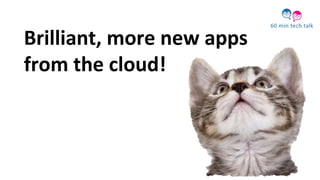
Brilliant, more new apps
from the cloud!
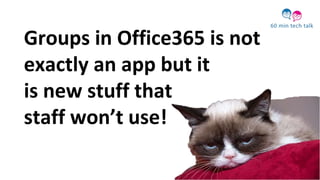
Groups in Office365 is not
exactly an app but it
is new stuff that
staff won’t use!
Groups in Office365 is actually
sharepoint!
“I think we should
stop focussing on
the technology”
Office365 is all
about experiences
“I don’t think I’m
ready for new
experiences and I
don’t think I’m
ready for Groups”
Groups is a new way
to work together
OK, OK already!
So what do you get?
Conversations
Calendar
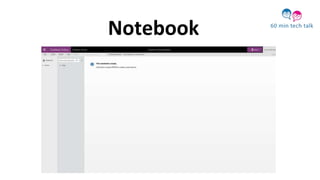
Notebook
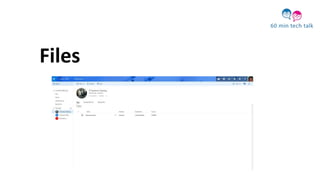
Files
Storage
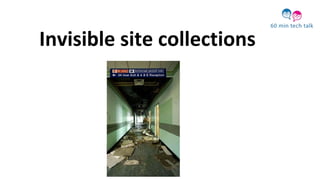
Invisible site collections
Anyone can
create a group
by default
But it can become chaotic
without control
How does this and other cloud apps
impact on IT Administration?
Valente Panattoni
Senior Desktop Services Analyst
Impact of new tools to IT Admins
1.Office 365 at St George’s University of London
2.Office 365 group admin control
3.Should it be managed?
4.How should it be supported?
Office 365 at St Georges, University of
London
•Migrated all customer mailboxes from an on premise Oracle mail
system to Exchange online in the summer of 2014.
•Our main focus has been exchange online with no management of
office 365 groups thus far.
•Should we use groups, sharepoint or yammer for team
collaboration?
•http://en.share-gate.com/blog/microsoft-modern-workplace
Office 365 groups admin control
•Ediscovery and Litigation Hold
•Security and compliance
•Group Naming Policies
•Powershell management
•Dynamic group membership
•Obfuscate group membership
•Group expiry
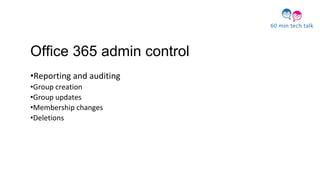
Office 365 admin control
•Reporting and auditing
•Group creation
•Group updates
•Membership changes
•Deletions
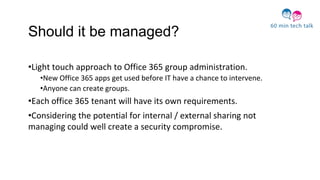
Should it be managed?
•Light touch approach to Office 365 group administration.
•New Office 365 apps get used before IT have a chance to intervene.
•Anyone can create groups.
•Each office 365 tenant will have its own requirements.
•Considering the potential for internal / external sharing not
managing could well create a security compromise.
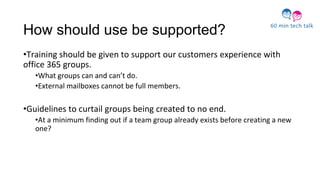
How should use be supported?
•Training should be given to support our customers experience with
office 365 groups.
•What groups can and can’t do.
•External mailboxes cannot be full members.
•Guidelines to curtail groups being created to no end.
•At a minimum finding out if a team group already exists before creating a new
one?
My contact details:
Valente Panttoni
Senior Desktop Services Analyst
St George’s, University of London
Email and skype: vpanatto@sgul.ac.uk
Tel: 0208 725 0233
Twitter: @valpan
How are apps from the cloud
managed in your institution?
Is the release of such tools done in
a coordinated way that involves all
stakeholders?
Strategies are a good way of
generating policies and
guidelines when none exist.
What strategy would cover
this?
Join in the talk!
1.
2.
3.
How do we get everyone to use them?
Khalid Joomaye
Learning and Development Manager
Staff Development Perspectives
Khalid Joomaye
Learning and Development Manager
St George’s, University of London
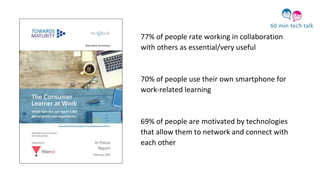
77% of people rate working in collaboration
with others as essential/very useful
70% of people use their own smartphone for
work-related learning
69% of people are motivated by technologies
that allow them to network and connect with
each other
People will say “this is great”, or “this is just what we
need”, there is a flurry of emails, maybe the sharing of
some resources, and then… nothing.
WIIFM?
“What’s in it for me?”
Q: Why are you using such technologies
within your organisation?
Q: What value does it offer those involved
and the organisation?
Q: To control or not to control?
What happens outside the group is just as
important as what happens within the
group!
Feel free to contact me:
Khalid Joomaye
Learning and Development Manager
St George’s, University of London
Email: kjoomaye@sgul.ac.uk
Tel: 020 8725 0696
@khalidjoomaye
What’s are the benefits
for staff to adopt such
new technologies?
How can we motivate
them to use such tools?
What institutional strategies linked
in this respect?
Join in the talk!
1.
2.
3.
Do we train on these tools and if
so, how do we deliver the training?
Adrian Sharkey
Senior IT Trainer
University of Portsmouth
www.google.com/+AdrianSharkey
023 9284 3724
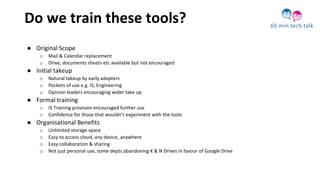
Do we train these tools?
● Original Scope
o Mail & Calendar replacement
o Drive, documents sheets etc available but not encouraged
● Initial takeup
o Natural takeup by early adopters
o Pockets of use e.g. IS, Engineering
o Opinion leaders encouraging wider take up
● Formal training
o IS Training provision encouraged further use
o Confidence for those that wouldn’t experiment with the tools
● Organisational Benefits
o Unlimited storage space
o Easy to access cloud, any device, anywhere
o Easy collaboration & sharing
o Not just personal use, some depts abandoning K & N Drives in favour of Google Drive
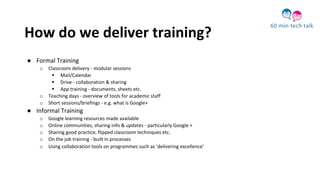
How do we deliver training?
● Formal Training
o Classroom delivery - modular sessions
 Mail/Calendar
 Drive - collaboration & sharing
 App training - documents, sheets etc.
o Teaching days - overview of tools for academic staff
o Short sessions/briefings - e.g. what is Google+
● Informal Training
o Google learning resources made available
o Online communities, sharing info & updates - particularly Google +
o Sharing good practice, flipped classroom techniques etc.
o On the job training - built in processes
o Using collaboration tools on programmes such as ‘delivering excellence’
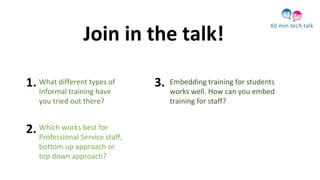
What different types of
Informal training have
you tried out there?
Embedding training for students
works well. How can you embed
training for staff?
Which works best for
Professional Service staff,
bottom up approach or
top down approach?
Join in the talk!
1.
2.
3.
Current trends appearing are the
use of existing frameworks or
creating your own.
Daniel Clark
Senior Lecturer
What is BPP’s core activity ?
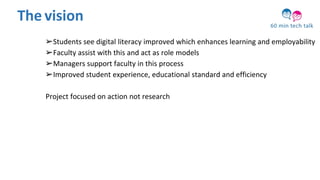
➢Students see digital literacy improved which enhances learning and employability
➢Faculty assist with this and act as role models
➢Managers support faculty in this process
➢Improved student experience, educational standard and efficiency
Project focused on action not research
The vision
What is BPP’s core activity ?
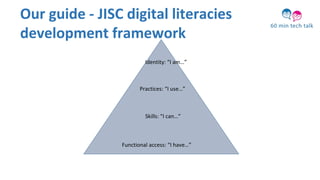
Our guide - JISC digital literacies
development framework
Functional access: “I have…”
Skills: “I can…”
Practices: “I use…”
Identity: “I am…”
48
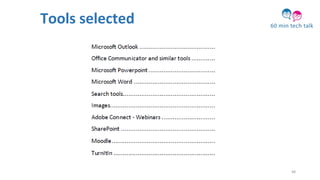
Tools selected
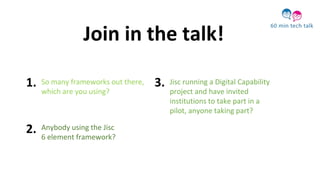
Anybody using the Jisc
6 element framework?
Jisc running a Digital Capability
project and have invited
institutions to take part in a
pilot, anyone taking part?
So many frameworks out there,
which are you using?
Join in the talk!
1.
2.
3.
Does it work, does it make a difference?
Annette Webb
UCISA Digital Capabilities group
member
So what now?... Digital Capabilities Report
recommendations
1. UCISA work with other agencies.
2. Strategic cross-institutional approach.
3. Senior management involvement
4. Share Toolkits etc.
5. Holistic training opportunities
6. Collaboration from national organisations
7. Open educational and research resources
8. Develop requirements and specs for commercial systems
9. Partnership working
10. Sharing existing good practice
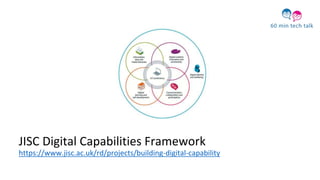
JISC Digital Capabilities Framework
https://www.jisc.ac.uk/rd/projects/building-digital-capability
Further reading
• 2014 Digital Survey Findings Report
http://www.ucisa.ac.uk/~/media/Files/publications/surveys/Digital_Capabilities_su
rvey_report_2014.ashx
• Case Studies Report
http://www.ucisa.ac.uk/bestpractice/surveys/digcap.aspx
• JISC digital capabilities framework
https://www.jisc.ac.uk/rd/projects/building-digital-capability
• UCISA Social Media ToolKit
http://www.ucisa.ac.uk/socialmedia
Upcoming events
• Spotlight on Digital Capabilities Conference 25th and 26th May 2016
http://www.ucisa.ac.uk/groups/dsdg/Events/2016/digcaps.aspx
• Webinar in April – Digital Capabilities Survey, how was it for you?
http://www.ucisa.ac.uk/
Anyone attending the Spotlight
on Digital Capabilities 2
conference in Birmingham on
the 25th & 26th of May?
Have you got any good
practises or approaches
that you would like to
share with 60 min Tech
Talk?
Join in the talk!
1. 2.
Contact details
Lorraine Barclay
St George's University of London
e: lbarclay@sgul.ac.uk
Annette Webb
York St John University
E: a.webb@yorksj.ac.uk
• Groups is just a new experience
• There is a need for policies and guidance for
usage - Communications strategy?
• Tools can help staff develop 70:20:10
• Both formal and informal training works well
• Use a framework
• Recommendations include working together
and embedding
Our next
UCISA DC 60 min tech talk
Digital Capabilities Survey: How was it for you?
Hosted by Gillian Fielding
19th of April, 2016

60mintechtalk apps in the cloud 18 03 16

  • 1.
    Welcome • Can youhear me? • New webinar layout “60 min tech talk” • Apps in the Cloud… why won’t they use them • Join in via the chat • Guests
  • 2.
    Brilliant, more newapps from the cloud!
  • 3.
    Groups in Office365is not exactly an app but it is new stuff that staff won’t use!
  • 4.
    Groups in Office365is actually sharepoint!
  • 5.
    “I think weshould stop focussing on the technology”
  • 6.
  • 7.
    “I don’t thinkI’m ready for new experiences and I don’t think I’m ready for Groups”
  • 8.
    Groups is anew way to work together
  • 9.
    OK, OK already! Sowhat do you get?
  • 10.
  • 11.
  • 12.
  • 13.
  • 14.
  • 15.
  • 16.
    Anyone can create agroup by default
  • 17.
    But it canbecome chaotic without control
  • 18.
    How does thisand other cloud apps impact on IT Administration? Valente Panattoni Senior Desktop Services Analyst
  • 20.
    Impact of newtools to IT Admins 1.Office 365 at St George’s University of London 2.Office 365 group admin control 3.Should it be managed? 4.How should it be supported?
  • 21.
    Office 365 atSt Georges, University of London •Migrated all customer mailboxes from an on premise Oracle mail system to Exchange online in the summer of 2014. •Our main focus has been exchange online with no management of office 365 groups thus far. •Should we use groups, sharepoint or yammer for team collaboration? •http://en.share-gate.com/blog/microsoft-modern-workplace
  • 22.
    Office 365 groupsadmin control •Ediscovery and Litigation Hold •Security and compliance •Group Naming Policies •Powershell management •Dynamic group membership •Obfuscate group membership •Group expiry
  • 23.
    Office 365 admincontrol •Reporting and auditing •Group creation •Group updates •Membership changes •Deletions
  • 24.
    Should it bemanaged? •Light touch approach to Office 365 group administration. •New Office 365 apps get used before IT have a chance to intervene. •Anyone can create groups. •Each office 365 tenant will have its own requirements. •Considering the potential for internal / external sharing not managing could well create a security compromise.
  • 25.
    How should usebe supported? •Training should be given to support our customers experience with office 365 groups. •What groups can and can’t do. •External mailboxes cannot be full members. •Guidelines to curtail groups being created to no end. •At a minimum finding out if a team group already exists before creating a new one?
  • 26.
    My contact details: ValentePanttoni Senior Desktop Services Analyst St George’s, University of London Email and skype: vpanatto@sgul.ac.uk Tel: 0208 725 0233 Twitter: @valpan
  • 27.
    How are appsfrom the cloud managed in your institution? Is the release of such tools done in a coordinated way that involves all stakeholders? Strategies are a good way of generating policies and guidelines when none exist. What strategy would cover this? Join in the talk! 1. 2. 3.
  • 28.
    How do weget everyone to use them? Khalid Joomaye Learning and Development Manager
  • 29.
    Staff Development Perspectives KhalidJoomaye Learning and Development Manager St George’s, University of London
  • 31.
    77% of peoplerate working in collaboration with others as essential/very useful 70% of people use their own smartphone for work-related learning 69% of people are motivated by technologies that allow them to network and connect with each other
  • 32.
    People will say“this is great”, or “this is just what we need”, there is a flurry of emails, maybe the sharing of some resources, and then… nothing.
  • 33.
  • 34.
    Q: Why areyou using such technologies within your organisation?
  • 35.
    Q: What valuedoes it offer those involved and the organisation?
  • 36.
    Q: To controlor not to control?
  • 37.
    What happens outsidethe group is just as important as what happens within the group!
  • 38.
    Feel free tocontact me: Khalid Joomaye Learning and Development Manager St George’s, University of London Email: kjoomaye@sgul.ac.uk Tel: 020 8725 0696 @khalidjoomaye
  • 39.
    What’s are thebenefits for staff to adopt such new technologies? How can we motivate them to use such tools? What institutional strategies linked in this respect? Join in the talk! 1. 2. 3.
  • 40.
    Do we trainon these tools and if so, how do we deliver the training? Adrian Sharkey Senior IT Trainer University of Portsmouth www.google.com/+AdrianSharkey 023 9284 3724
  • 41.
    Do we trainthese tools? ● Original Scope o Mail & Calendar replacement o Drive, documents sheets etc available but not encouraged ● Initial takeup o Natural takeup by early adopters o Pockets of use e.g. IS, Engineering o Opinion leaders encouraging wider take up ● Formal training o IS Training provision encouraged further use o Confidence for those that wouldn’t experiment with the tools ● Organisational Benefits o Unlimited storage space o Easy to access cloud, any device, anywhere o Easy collaboration & sharing o Not just personal use, some depts abandoning K & N Drives in favour of Google Drive
  • 42.
    How do wedeliver training? ● Formal Training o Classroom delivery - modular sessions  Mail/Calendar  Drive - collaboration & sharing  App training - documents, sheets etc. o Teaching days - overview of tools for academic staff o Short sessions/briefings - e.g. what is Google+ ● Informal Training o Google learning resources made available o Online communities, sharing info & updates - particularly Google + o Sharing good practice, flipped classroom techniques etc. o On the job training - built in processes o Using collaboration tools on programmes such as ‘delivering excellence’
  • 43.
    What different typesof Informal training have you tried out there? Embedding training for students works well. How can you embed training for staff? Which works best for Professional Service staff, bottom up approach or top down approach? Join in the talk! 1. 2. 3.
  • 44.
    Current trends appearingare the use of existing frameworks or creating your own. Daniel Clark Senior Lecturer
  • 45.
    What is BPP’score activity ? ➢Students see digital literacy improved which enhances learning and employability ➢Faculty assist with this and act as role models ➢Managers support faculty in this process ➢Improved student experience, educational standard and efficiency Project focused on action not research The vision
  • 46.
    What is BPP’score activity ? Our guide - JISC digital literacies development framework Functional access: “I have…” Skills: “I can…” Practices: “I use…” Identity: “I am…”
  • 48.
  • 49.
    Anybody using theJisc 6 element framework? Jisc running a Digital Capability project and have invited institutions to take part in a pilot, anyone taking part? So many frameworks out there, which are you using? Join in the talk! 1. 2. 3.
  • 50.
    Does it work,does it make a difference? Annette Webb UCISA Digital Capabilities group member
  • 51.
    So what now?...Digital Capabilities Report recommendations 1. UCISA work with other agencies. 2. Strategic cross-institutional approach. 3. Senior management involvement 4. Share Toolkits etc. 5. Holistic training opportunities 6. Collaboration from national organisations 7. Open educational and research resources 8. Develop requirements and specs for commercial systems 9. Partnership working 10. Sharing existing good practice
  • 52.
    JISC Digital CapabilitiesFramework https://www.jisc.ac.uk/rd/projects/building-digital-capability
  • 53.
    Further reading • 2014Digital Survey Findings Report http://www.ucisa.ac.uk/~/media/Files/publications/surveys/Digital_Capabilities_su rvey_report_2014.ashx • Case Studies Report http://www.ucisa.ac.uk/bestpractice/surveys/digcap.aspx • JISC digital capabilities framework https://www.jisc.ac.uk/rd/projects/building-digital-capability • UCISA Social Media ToolKit http://www.ucisa.ac.uk/socialmedia
  • 54.
    Upcoming events • Spotlighton Digital Capabilities Conference 25th and 26th May 2016 http://www.ucisa.ac.uk/groups/dsdg/Events/2016/digcaps.aspx • Webinar in April – Digital Capabilities Survey, how was it for you? http://www.ucisa.ac.uk/
  • 55.
    Anyone attending theSpotlight on Digital Capabilities 2 conference in Birmingham on the 25th & 26th of May? Have you got any good practises or approaches that you would like to share with 60 min Tech Talk? Join in the talk! 1. 2. Contact details Lorraine Barclay St George's University of London e: lbarclay@sgul.ac.uk Annette Webb York St John University E: a.webb@yorksj.ac.uk
  • 56.
    • Groups isjust a new experience • There is a need for policies and guidance for usage - Communications strategy? • Tools can help staff develop 70:20:10 • Both formal and informal training works well • Use a framework • Recommendations include working together and embedding
  • 57.
    Our next UCISA DC60 min tech talk Digital Capabilities Survey: How was it for you? Hosted by Gillian Fielding 19th of April, 2016