Stage 5
Production Reflections
Matthew Burniston
Production reflections
• This proforma is to record how you worked on your production
• You should complete this each week during production
• Consider all relevant areas that you covered that week
• Think about what worked/what didn’t work/how you can improve
and actions for the following sessions/weeks
Process – week 1
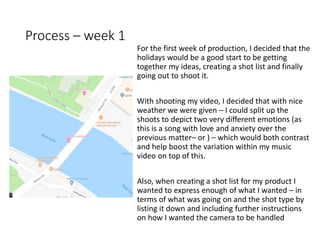
For the first week of production, I decided that the
holidays would be a good start to be getting
together my ideas, creating a shot list and finally
going out to shoot it.
With shooting my video, I decided that with nice
weather we were given – I could split up the
shoots to depict two very different emotions (as
this is a song with love and anxiety over the
previous matter– or ) – which would both contrast
and help boost the variation within my music
video on top of this.
Also, when creating a shot list for my product I
wanted to express enough of what I wanted – in
terms of what was going on and the shot type by
listing it down and including further instructions
on how I wanted the camera to be handled
Process – week 2
For the second week of production I put
together what footage I had – as a quick edit
(missing both shots of the female actor and
male actor's lip synching to the song,) into
Sony Vegas – as that's what I had available on
my laptop and if I did most of my work on my
laptop, it'd be easier to catchup on or do in
my own time. However, I'd only edit the
footage to the beat to later drop it into
Premier on the college Macs, for colour
grading and additional effects such as 3D look
to it, film grain and black bars on the top and
bottom of the video – as to give it an old
school cinematic look to the video – though
not actually changing the aspect ratio.
Process – week 3
Unfortunately, by the third week of
production, my hard-drive broke, leaving me
with what little footage I had remaining –
from the early renders I did and backed up to
my one drive, although that was still only half
finished.
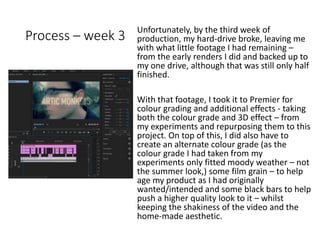
With that footage, I took it to Premier for
colour grading and additional effects - taking
both the colour grade and 3D effect – from
my experiments and repurposing them to this
project. On top of this, I did also have to
create an alternate colour grade (as the
colour grade I had taken from my
experiments only fitted moody weather – not
the summer look,) some film grain – to help
age my product as I had originally
wanted/intended and some black bars to help
push a higher quality look to it – whilst
keeping the shakiness of the video and the
home-made aesthetic.
Process – week 4
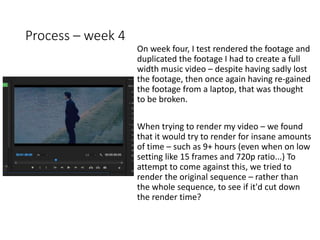
On week four, I test rendered the footage and
duplicated the footage I had to create a full
width music video – despite having sadly lost
the footage, then once again having re-gained
the footage from a laptop, that was thought
to be broken.
When trying to render my video – we found
that it would try to render for insane amounts
of time – such as 9+ hours (even when on low
setting like 15 frames and 720p ratio...) To
attempt to come against this, we tried to
render the original sequence – rather than
the whole sequence, to see if it'd cut down
the render time?

5. production reflection mv 2018

  • 1.
  • 2.
    Production reflections • Thisproforma is to record how you worked on your production • You should complete this each week during production • Consider all relevant areas that you covered that week • Think about what worked/what didn’t work/how you can improve and actions for the following sessions/weeks
  • 3.
    Process – week1 For the first week of production, I decided that the holidays would be a good start to be getting together my ideas, creating a shot list and finally going out to shoot it. With shooting my video, I decided that with nice weather we were given – I could split up the shoots to depict two very different emotions (as this is a song with love and anxiety over the previous matter– or ) – which would both contrast and help boost the variation within my music video on top of this. Also, when creating a shot list for my product I wanted to express enough of what I wanted – in terms of what was going on and the shot type by listing it down and including further instructions on how I wanted the camera to be handled
  • 4.
    Process – week2 For the second week of production I put together what footage I had – as a quick edit (missing both shots of the female actor and male actor's lip synching to the song,) into Sony Vegas – as that's what I had available on my laptop and if I did most of my work on my laptop, it'd be easier to catchup on or do in my own time. However, I'd only edit the footage to the beat to later drop it into Premier on the college Macs, for colour grading and additional effects such as 3D look to it, film grain and black bars on the top and bottom of the video – as to give it an old school cinematic look to the video – though not actually changing the aspect ratio.
  • 5.
    Process – week3 Unfortunately, by the third week of production, my hard-drive broke, leaving me with what little footage I had remaining – from the early renders I did and backed up to my one drive, although that was still only half finished. With that footage, I took it to Premier for colour grading and additional effects - taking both the colour grade and 3D effect – from my experiments and repurposing them to this project. On top of this, I did also have to create an alternate colour grade (as the colour grade I had taken from my experiments only fitted moody weather – not the summer look,) some film grain – to help age my product as I had originally wanted/intended and some black bars to help push a higher quality look to it – whilst keeping the shakiness of the video and the home-made aesthetic.
  • 6.
    Process – week4 On week four, I test rendered the footage and duplicated the footage I had to create a full width music video – despite having sadly lost the footage, then once again having re-gained the footage from a laptop, that was thought to be broken. When trying to render my video – we found that it would try to render for insane amounts of time – such as 9+ hours (even when on low setting like 15 frames and 720p ratio...) To attempt to come against this, we tried to render the original sequence – rather than the whole sequence, to see if it'd cut down the render time?

Editor's Notes

  • #4 Discuss the tools and processes used in your production. Log your thoughts and feelings about your work.
  • #5 Discuss the tools and processes used in your production. Log your thoughts and feelings about your work.
  • #6 Discuss the tools and processes used in your production. Log your thoughts and feelings about your work.
  • #7 Discuss the tools and processes used in your production. Log your thoughts and feelings about your work.