Pre-Production
James Gannon
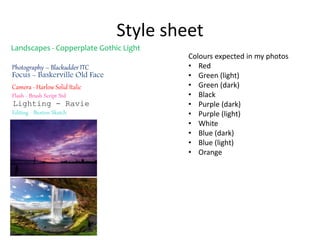
Style sheet
Photography – Blackadder ITC
Landscapes - Copperplate Gothic Light
Camera - Harlow Solid Italic
Lighting - Ravie
Focus - Baskerville Old Face
Flash - Brush Script Std
Editing - Buxton Sketch
Colours expected in my photos
• Red
• Green (light)
• Green (dark)
• Black
• Purple (dark)
• Purple (light)
• White
• Blue (dark)
• Blue (light)
• Orange
Layout 1
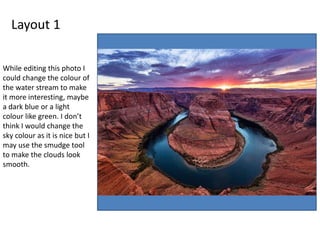
While editing this photo I
could change the colour of
the water stream to make
it more interesting, maybe
a dark blue or a light
colour like green. I don’t
think I would change the
sky colour as it is nice but I
may use the smudge tool
to make the clouds look
smooth.
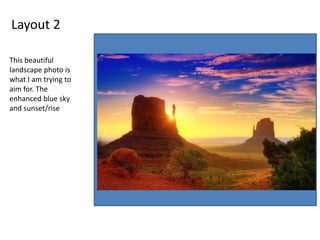
Layout 2
This beautiful
landscape photo is
what I am trying to
aim for. The
enhanced blue sky
and sunset/rise
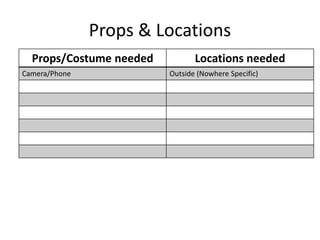
Props & Locations
Props/Costume needed Locations needed
Camera/Phone Outside (Nowhere Specific)
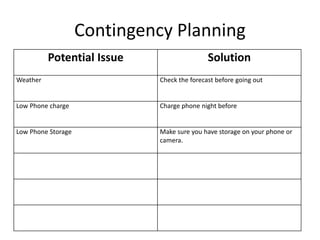
Contingency Planning
Potential Issue Solution
Weather Check the forecast before going out
Low Phone charge Charge phone night before
Low Phone Storage Make sure you have storage on your phone or
camera.
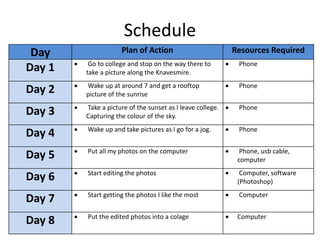
Schedule
Day Plan of Action Resources Required
Day 1  Go to college and stop on the way there to
take a picture along the Knavesmire.
 Phone
Day 2  Wake up at around 7 and get a rooftop
picture of the sunrise
 Phone
Day 3  Take a picture of the sunset as I leave college.
Capturing the colour of the sky.
 Phone
Day 4  Wake up and take pictures as I go for a jog.  Phone
Day 5  Put all my photos on the computer  Phone, usb cable,
computer
Day 6  Start editing the photos  Computer, software
(Photoshop)
Day 7  Start getting the photos I like the most  Computer
Day 8  Put the edited photos into a colage  Computer

5. pre production

  • 1.
  • 2.
    Style sheet Photography –Blackadder ITC Landscapes - Copperplate Gothic Light Camera - Harlow Solid Italic Lighting - Ravie Focus - Baskerville Old Face Flash - Brush Script Std Editing - Buxton Sketch Colours expected in my photos • Red • Green (light) • Green (dark) • Black • Purple (dark) • Purple (light) • White • Blue (dark) • Blue (light) • Orange
  • 3.
    Layout 1 While editingthis photo I could change the colour of the water stream to make it more interesting, maybe a dark blue or a light colour like green. I don’t think I would change the sky colour as it is nice but I may use the smudge tool to make the clouds look smooth.
  • 4.
    Layout 2 This beautiful landscapephoto is what I am trying to aim for. The enhanced blue sky and sunset/rise
  • 5.
    Props & Locations Props/Costumeneeded Locations needed Camera/Phone Outside (Nowhere Specific)
  • 6.
    Contingency Planning Potential IssueSolution Weather Check the forecast before going out Low Phone charge Charge phone night before Low Phone Storage Make sure you have storage on your phone or camera.
  • 7.
    Schedule Day Plan ofAction Resources Required Day 1  Go to college and stop on the way there to take a picture along the Knavesmire.  Phone Day 2  Wake up at around 7 and get a rooftop picture of the sunrise  Phone Day 3  Take a picture of the sunset as I leave college. Capturing the colour of the sky.  Phone Day 4  Wake up and take pictures as I go for a jog.  Phone Day 5  Put all my photos on the computer  Phone, usb cable, computer Day 6  Start editing the photos  Computer, software (Photoshop) Day 7  Start getting the photos I like the most  Computer Day 8  Put the edited photos into a colage  Computer

Editor's Notes

  • #3 Explore colours, fonts and image styles similar to what you want to produce. Discuss all three elements in relation to why you chose them and where you may use them in your project. Go over as many pages as you need to
  • #4 Mock up of a potential design using the colours and fonts established in your style sheet and sourced images
  • #5 Mock up of a potential design using the colours and fonts established in your style sheet and sourced images