Real-time capabilities in ASP.NET Core
web applications
Tomasz Pęczek
@tpeczek
Cross Frame Communication
(Long) Polling
Historical real-time techniques
WebSockets
Server-Sent Events
and beyond ...
Push Noti cations
Real-time technologies in HTML 5
Bidirectional
Message oriented
Text and binary
"It is the closest API to a raw network socket in the browser."
Ilya Grigorik
WebSockets
Custom protocol
Binary framing
With great power comes... complexity
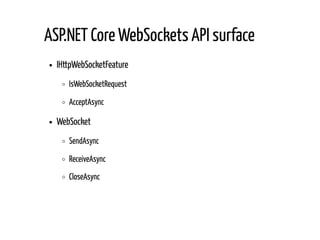
IHttpWebSocketFeature
IsWebSocketRequest
AcceptAsync
WebSocket
SendAsync
ReceiveAsync
CloseAsync
ASP.NET Core WebSockets API surface
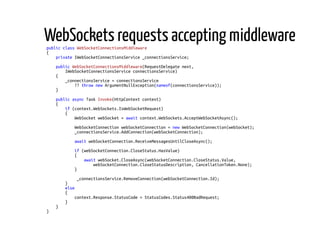
public class WebSocketConnectionsMiddleware
{
private IWebSocketConnectionsService _connectionsService;
public WebSocketConnectionsMiddleware(RequestDelegate next,
IWebSocketConnectionsService connectionsService)
{
_connectionsService = connectionsService
?? throw new ArgumentNullException(nameof(connectionsService));
}
public async Task Invoke(HttpContext context)
{
if (context.WebSockets.IsWebSocketRequest)
{
WebSocket webSocket = await context.WebSockets.AcceptWebSocketAsync();
WebSocketConnection webSocketConnection = new WebSocketConnection(webSocket);
_connectionsService.AddConnection(webSocketConnection);
await webSocketConnection.ReceiveMessagesUntilCloseAsync();
if (webSocketConnection.CloseStatus.HasValue)
{
await webSocket.CloseAsync(webSocketConnection.CloseStatus.Value,
webSocketConnection.CloseStatusDescription, CancellationToken.None);
}
_connectionsService.RemoveConnection(webSocketConnection.Id);
}
else
{
context.Response.StatusCode = StatusCodes.Status400BadRequest;
}
}
}
WebSockets requests accepting middleware
public async Task ReceiveMessagesUntilCloseAsync()
{
byte[] receivePayloadBuffer = new byte[_receivePayloadBufferSize];
WebSocketReceiveResult webSocketReceiveResult =
await _webSocket.ReceiveAsync(new ArraySegment<byte>(receivePayloadBuffer),
CancellationToken.None);
while (webSocketReceiveResult.MessageType != WebSocketMessageType.Close)
{
if (webSocketReceiveResult.MessageType == WebSocketMessageType.Binary)
{
byte[] webSocketMessage = await ReceiveMessagePayloadAsync(webSocketReceiveResult,
receivePayloadBuffer);
ReceiveBinary?.Invoke(this, webSocketMessage);
}
else
{
byte[] webSocketMessage = await ReceiveMessagePayloadAsync(webSocketReceiveResult,
receivePayloadBuffer);
ReceiveText?.Invoke(this, Encoding.UTF8.GetString(webSocketMessage));
}
webSocketReceiveResult =
await _webSocket.ReceiveAsync(new ArraySegment<byte>(receivePayloadBuffer),
CancellationToken.None);
}
CloseStatus = webSocketReceiveResult.CloseStatus.Value;
CloseStatusDescription = webSocketReceiveResult.CloseStatusDescription;
}
Receiving loop in details
private static async Task<byte[]> ReceiveMessagePayloadAsync(
WebSocketReceiveResult webSocketReceiveResult, byte[] receivePayloadBuffer)
{
byte[] messagePayload = null;
if (webSocketReceiveResult.EndOfMessage)
{
messagePayload = new byte[webSocketReceiveResult.Count];
Array.Copy(receivePayloadBuffer, messagePayload, webSocketReceiveResult.Count);
}
else
{
using (MemoryStream messagePayloadStream = new MemoryStream())
{
messagePayloadStream.Write(receivePayloadBuffer, 0, webSocketReceiveResult.Count);
while (!webSocketReceiveResult.EndOfMessage)
{
webSocketReceiveResult =
await _webSocket.ReceiveAsync(new ArraySegment<byte>(receivePayloadBuffer),
CancellationToken.None);
messagePayloadStream.Write(receivePayloadBuffer, 0, webSocketReceiveResult.Count);
}
messagePayload = messagePayloadStream.ToArray();
}
}
return messagePayload;
}
Receiving loop in details
public async Task ReceiveMessagesUntilCloseAsync()
{
try
{
byte[] receivePayloadBuffer = new byte[_receivePayloadBufferSize];
WebSocketReceiveResult webSocketReceiveResult =
await _webSocket.ReceiveAsync(new ArraySegment<byte>(receivePayloadBuffer),
CancellationToken.None);
while (webSocketReceiveResult.MessageType != WebSocketMessageType.Close)
{
...
webSocketReceiveResult =
await _webSocket.ReceiveAsync(new ArraySegment<byte>(receivePayloadBuffer),
CancellationToken.None);
}
CloseStatus = webSocketReceiveResult.CloseStatus.Value;
CloseStatusDescription = webSocketReceiveResult.CloseStatusDescription;
}
catch (WebSocketException wsex)
when (wsex.WebSocketErrorCode == WebSocketError.ConnectionClosedPrematurely)
{
// Maybe perform some logging
}
}
Receiving loop in details
private static Task SendAsync(WebSocket webSocket, byte[] message,
WebSocketMessageType messageType, bool endOfMessage, CancellationToken cancellationToken)
{
ArraySegment<byte> messageSegment = new ArraySegment<byte>(message, 0, message.Length);
return _webSocket.SendAsync(messageSegment, messageType, endOfMessage, cancellationToken);
}
How about sending messages?
Subprotocols
Extensions
There is more!
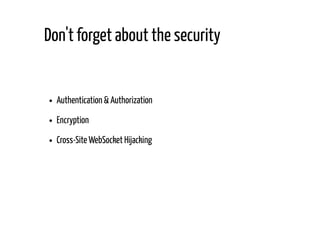
Authentication & Authorization
Encryption
Cross-Site WebSocket Hijacking
Don't forget about the security
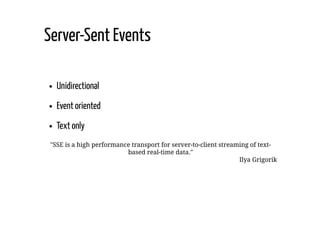
Unidirectional
Event oriented
Text only
"SSE is a high performance transport for server-to-client streaming of text-
based real-time data."
Ilya Grigorik
Server-Sent Events
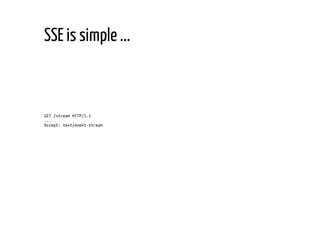
GET /stream HTTP/1.1
...
Accept: text/event-stream
SSE is simple ...
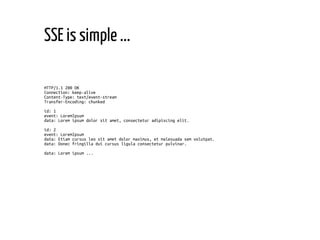
HTTP/1.1 200 OK
Connection: keep-alive
Content-Type: text/event-stream
Transfer-Encoding: chunked
id: 1
event: LoremIpsum
data: Lorem ipsum dolor sit amet, consectetur adipiscing elit.
id: 2
event: LoremIpsum
data: Etiam cursus leo sit amet dolor maximus, et malesuada sem volutpat.
data: Donec fringilla dui cursus ligula consectetur pulvinar.
data: Lorem ipsum ...
SSE is simple ...
Authentication & Authorization
Same-origin policy & CORS
In ight compression
Out of the box multiplexing (HTTP/2)
and more...
... it inherits all HTTP capabilities
public class ServerSentEventsMiddleware
{
private readonly RequestDelegate _next;
private readonly IServerSentEventsConnectionsService _connectionsService;
public ServerSentEventsMiddleware(RequestDelegate next,
IServerSentEventsConnectionsService connectionsService)
{
_next = next ?? throw new ArgumentNullException(nameof(next));
_connectionsService = connectionsService
?? throw new ArgumentNullException(nameof(connectionsService));
}
public async Task Invoke(HttpContext context)
{
if (context.Request.Headers["Accept"] == "text/event-stream")
{
IHttpBufferingFeature bufferingFeature = context.Features.Get<IHttpBufferingFeature>();
if (bufferingFeature != null)
{
bufferingFeature.DisableResponseBuffering();
}
response.ContentType = "text/event-stream";
await response.Body.FlushAsync();
ServerSentEventsConnection serverSentEventsConnection = new ServerSentEventsConnection(
Guid.NewGuid(), context.User, context.Response);
_connectionsService.AddClient(client);
await context.RequestAborted.WaitAsync();
_connectionsService.RemoveClient(serverSentEventsConnection.Id);
}
else
{
await _next(context);
}
}
SSE middleware implementation
Use id with your messages
Client observes last seen id
Client transmits last seen id on reconnect
Automatic reconnect
"Incredibly simple real-time web for ASP.NET Core"
SignalR Hub Protocol
Transports (Duplex, Binary-safe, Text-safe)
WebSockets
Server-Sent Events + HTTP Post
Long Polling + HTTP Post
Quick mention of SignalR
In-browser push noti cations
Immediate delivery when client on-line
Delayed delivery when client o -line
HTTP Web Push & Push API
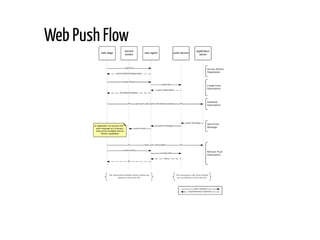
Web Push Flow
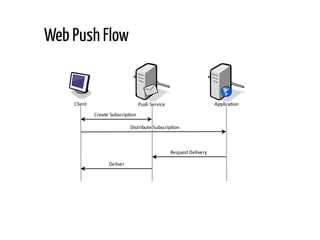
Web Push Flow
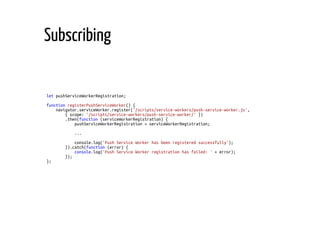
let pushServiceWorkerRegistration;
function registerPushServiceWorker() {
navigator.serviceWorker.register('/scripts/service-workers/push-service-worker.js',
{ scope: '/scripts/service-workers/push-service-worker/' })
.then(function (serviceWorkerRegistration) {
pushServiceWorkerRegistration = serviceWorkerRegistration;
...
console.log('Push Service Worker has been registered successfully');
}).catch(function (error) {
console.log('Push Service Worker registration has failed: ' + error);
});
};
Subscribing
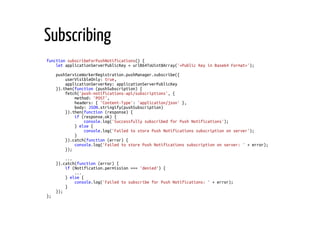
function subscribeForPushNotifications() {
let applicationServerPublicKey = urlB64ToUint8Array('<Public Key in Base64 Format>');
pushServiceWorkerRegistration.pushManager.subscribe({
userVisibleOnly: true,
applicationServerKey: applicationServerPublicKey
}).then(function (pushSubscription) {
fetch('push-notifications-api/subscriptions', {
method: 'POST',
headers: { 'Content-Type': 'application/json' },
body: JSON.stringify(pushSubscription)
}).then(function (response) {
if (response.ok) {
console.log('Successfully subscribed for Push Notifications');
} else {
console.log('Failed to store Push Notifications subscription on server');
}
}).catch(function (error) {
console.log('Failed to store Push Notifications subscription on server: ' + error);
});
...
}).catch(function (error) {
if (Notification.permission === 'denied') {
...
} else {
console.log('Failed to subscribe for Push Notifications: ' + error);
}
});
};
Subscribing
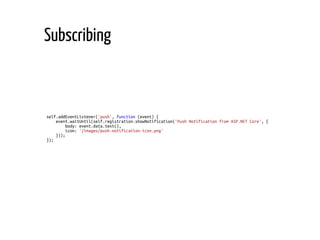
self.addEventListener('push', function (event) {
event.waitUntil(self.registration.showNotification('Push Notification from ASP.NET Core', {
body: event.data.text(),
icon: '/images/push-notification-icon.png'
}));
});
Subscribing
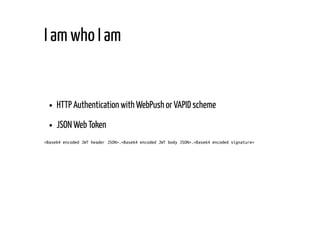
HTTP Authentication with WebPush or VAPID scheme
JSON Web Token
<Base64 encoded JWT header JSON>.<Base64 encoded JWT body JSON>.<Base64 encoded signature>
I am who I am
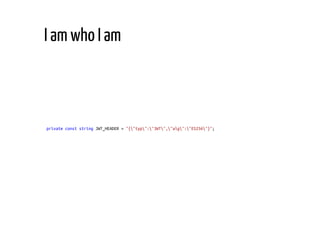
private const string JWT_HEADER = "{"typ":"JWT","alg":"ES256"}";
I am who I am
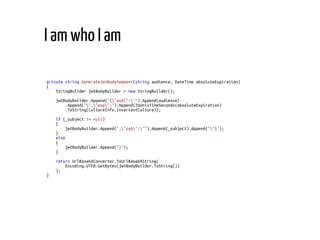
private string GenerateJwtBodySegment(string audience, DateTime absoluteExpiration)
{
StringBuilder jwtBodyBuilder = new StringBuilder();
jwtBodyBuilder.Append("{"aud":"").Append(audience)
.Append("","exp":").Append(ToUnixTimeSeconds(absoluteExpiration)
.ToString(CultureInfo.InvariantCulture));
if (_subject != null)
{
jwtBodyBuilder.Append(","sub":"").Append(_subject).Append(""}");
}
else
{
jwtBodyBuilder.Append("}");
}
return UrlBase64Converter.ToUrlBase64String(
Encoding.UTF8.GetBytes(jwtBodyBuilder.ToString())
);
}
I am who I am
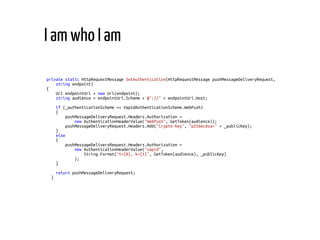
private static HttpRequestMessage SetAuthentication(HttpRequestMessage pushMessageDeliveryRequest,
string endpoint)
{
Uri endpointUri = new Uri(endpoint);
string audience = endpointUri.Scheme + @"://" + endpointUri.Host;
if (_authenticationScheme == VapidAuthenticationScheme.WebPush)
{
pushMessageDeliveryRequest.Headers.Authorization =
new AuthenticationHeaderValue("WebPush", GetToken(audience));
pushMessageDeliveryRequest.Headers.Add("Crypto-Key", "p256ecdsa=" + _publicKey);
}
else
{
pushMessageDeliveryRequest.Headers.Authorization =
new AuthenticationHeaderValue("vapid",
String.Format("t={0}, k={1}", GetToken(audience), _publicKey)
);
}
return pushMessageDeliveryRequest;
}
I am who I am
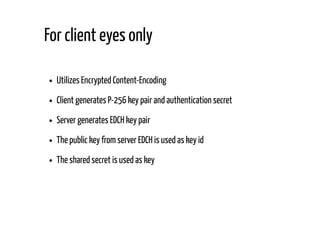
Utilizes Encrypted Content-Encoding
Client generates P-256 key pair and authentication secret
Server generates EDCH key pair
The public key from server EDCH is used as key id
The shared secret is used as key
For client eyes only
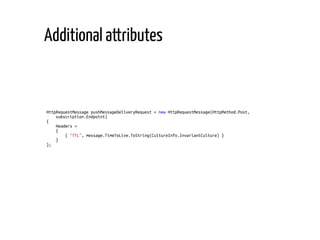
HttpRequestMessage pushMessageDeliveryRequest = new HttpRequestMessage(HttpMethod.Post,
subscription.Endpoint)
{
Headers =
{
{ "TTL", message.TimeToLive.ToString(CultureInfo.InvariantCulture) }
}
};
Additional attributes
private static HttpRequestMessage SetUrgency(HttpRequestMessage pushMessageDeliveryRequest,
PushMessage message)
{
switch (message.Urgency)
{
case PushMessageUrgency.Normal:
break;
case PushMessageUrgency.VeryLow:
case PushMessageUrgency.Low:
case PushMessageUrgency.High:
pushMessageDeliveryRequest.Headers
.Add("Urgency", _urgencyHeaderValues[message.Urgency]);
break;
default:
throw new NotSupportedException($"Not supported {nameof(PushMessageUrgency)}.");
}
return pushMessageDeliveryRequest;
}
Additional attributes
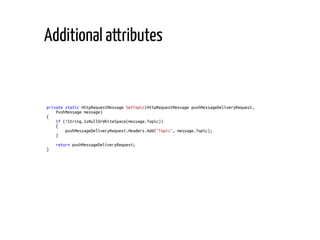
private static HttpRequestMessage SetTopic(HttpRequestMessage pushMessageDeliveryRequest,
PushMessage message)
{
if (!String.IsNullOrWhiteSpace(message.Topic))
{
pushMessageDeliveryRequest.Headers.Add("Topic", message.Topic);
}
return pushMessageDeliveryRequest;
}
Additional attributes
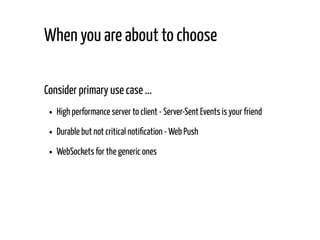
Consider primary use case ...
High performance server to client - Server-Sent Events is your friend
Durable but not critical noti cation - Web Push
WebSockets for the generic ones
When you are about to choose
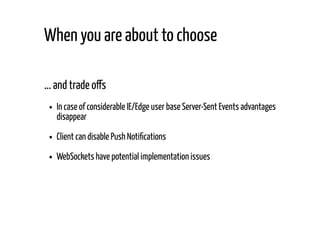
... and trade o s
In case of considerable IE/Edge user base Server-Sent Events advantages
disappear
Client can disable Push Noti cations
WebSockets have potential implementation issues
When you are about to choose
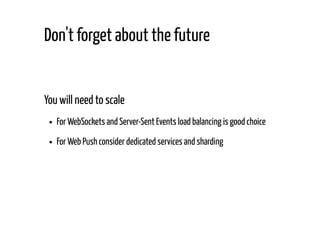
You will need to scale
For WebSockets and Server-Sent Events load balancing is good choice
For Web Push consider dedicated services and sharding
Don't forget about the future
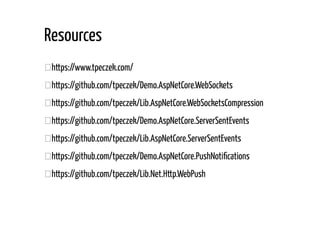
https://www.tpeczek.com/
https://github.com/tpeczek/Demo.AspNetCore.WebSockets
https://github.com/tpeczek/Lib.AspNetCore.WebSocketsCompression
https://github.com/tpeczek/Demo.AspNetCore.ServerSentEvents
https://github.com/tpeczek/Lib.AspNetCore.ServerSentEvents
https://github.com/tpeczek/Demo.AspNetCore.PushNoti cations
https://github.com/tpeczek/Lib.Net.Http.WebPush
Resources
Thank You!

4Developers 2018: Real-time capabilities in ASP.NET Core web applications (Tomasz Pęczek)

  • 1.
    Real-time capabilities inASP.NET Core web applications Tomasz Pęczek @tpeczek
  • 2.
    Cross Frame Communication (Long)Polling Historical real-time techniques
  • 3.
    WebSockets Server-Sent Events and beyond... Push Noti cations Real-time technologies in HTML 5
  • 4.
    Bidirectional Message oriented Text andbinary "It is the closest API to a raw network socket in the browser." Ilya Grigorik WebSockets
  • 5.
    Custom protocol Binary framing Withgreat power comes... complexity
  • 6.
  • 7.
    public class WebSocketConnectionsMiddleware { privateIWebSocketConnectionsService _connectionsService; public WebSocketConnectionsMiddleware(RequestDelegate next, IWebSocketConnectionsService connectionsService) { _connectionsService = connectionsService ?? throw new ArgumentNullException(nameof(connectionsService)); } public async Task Invoke(HttpContext context) { if (context.WebSockets.IsWebSocketRequest) { WebSocket webSocket = await context.WebSockets.AcceptWebSocketAsync(); WebSocketConnection webSocketConnection = new WebSocketConnection(webSocket); _connectionsService.AddConnection(webSocketConnection); await webSocketConnection.ReceiveMessagesUntilCloseAsync(); if (webSocketConnection.CloseStatus.HasValue) { await webSocket.CloseAsync(webSocketConnection.CloseStatus.Value, webSocketConnection.CloseStatusDescription, CancellationToken.None); } _connectionsService.RemoveConnection(webSocketConnection.Id); } else { context.Response.StatusCode = StatusCodes.Status400BadRequest; } } } WebSockets requests accepting middleware
  • 8.
    public async TaskReceiveMessagesUntilCloseAsync() { byte[] receivePayloadBuffer = new byte[_receivePayloadBufferSize]; WebSocketReceiveResult webSocketReceiveResult = await _webSocket.ReceiveAsync(new ArraySegment<byte>(receivePayloadBuffer), CancellationToken.None); while (webSocketReceiveResult.MessageType != WebSocketMessageType.Close) { if (webSocketReceiveResult.MessageType == WebSocketMessageType.Binary) { byte[] webSocketMessage = await ReceiveMessagePayloadAsync(webSocketReceiveResult, receivePayloadBuffer); ReceiveBinary?.Invoke(this, webSocketMessage); } else { byte[] webSocketMessage = await ReceiveMessagePayloadAsync(webSocketReceiveResult, receivePayloadBuffer); ReceiveText?.Invoke(this, Encoding.UTF8.GetString(webSocketMessage)); } webSocketReceiveResult = await _webSocket.ReceiveAsync(new ArraySegment<byte>(receivePayloadBuffer), CancellationToken.None); } CloseStatus = webSocketReceiveResult.CloseStatus.Value; CloseStatusDescription = webSocketReceiveResult.CloseStatusDescription; } Receiving loop in details
  • 9.
    private static asyncTask<byte[]> ReceiveMessagePayloadAsync( WebSocketReceiveResult webSocketReceiveResult, byte[] receivePayloadBuffer) { byte[] messagePayload = null; if (webSocketReceiveResult.EndOfMessage) { messagePayload = new byte[webSocketReceiveResult.Count]; Array.Copy(receivePayloadBuffer, messagePayload, webSocketReceiveResult.Count); } else { using (MemoryStream messagePayloadStream = new MemoryStream()) { messagePayloadStream.Write(receivePayloadBuffer, 0, webSocketReceiveResult.Count); while (!webSocketReceiveResult.EndOfMessage) { webSocketReceiveResult = await _webSocket.ReceiveAsync(new ArraySegment<byte>(receivePayloadBuffer), CancellationToken.None); messagePayloadStream.Write(receivePayloadBuffer, 0, webSocketReceiveResult.Count); } messagePayload = messagePayloadStream.ToArray(); } } return messagePayload; } Receiving loop in details
  • 10.
    public async TaskReceiveMessagesUntilCloseAsync() { try { byte[] receivePayloadBuffer = new byte[_receivePayloadBufferSize]; WebSocketReceiveResult webSocketReceiveResult = await _webSocket.ReceiveAsync(new ArraySegment<byte>(receivePayloadBuffer), CancellationToken.None); while (webSocketReceiveResult.MessageType != WebSocketMessageType.Close) { ... webSocketReceiveResult = await _webSocket.ReceiveAsync(new ArraySegment<byte>(receivePayloadBuffer), CancellationToken.None); } CloseStatus = webSocketReceiveResult.CloseStatus.Value; CloseStatusDescription = webSocketReceiveResult.CloseStatusDescription; } catch (WebSocketException wsex) when (wsex.WebSocketErrorCode == WebSocketError.ConnectionClosedPrematurely) { // Maybe perform some logging } } Receiving loop in details
  • 11.
    private static TaskSendAsync(WebSocket webSocket, byte[] message, WebSocketMessageType messageType, bool endOfMessage, CancellationToken cancellationToken) { ArraySegment<byte> messageSegment = new ArraySegment<byte>(message, 0, message.Length); return _webSocket.SendAsync(messageSegment, messageType, endOfMessage, cancellationToken); } How about sending messages?
  • 12.
  • 13.
    Authentication & Authorization Encryption Cross-SiteWebSocket Hijacking Don't forget about the security
  • 14.
    Unidirectional Event oriented Text only "SSEis a high performance transport for server-to-client streaming of text- based real-time data." Ilya Grigorik Server-Sent Events
  • 15.
    GET /stream HTTP/1.1 ... Accept:text/event-stream SSE is simple ...
  • 16.
    HTTP/1.1 200 OK Connection:keep-alive Content-Type: text/event-stream Transfer-Encoding: chunked id: 1 event: LoremIpsum data: Lorem ipsum dolor sit amet, consectetur adipiscing elit. id: 2 event: LoremIpsum data: Etiam cursus leo sit amet dolor maximus, et malesuada sem volutpat. data: Donec fringilla dui cursus ligula consectetur pulvinar. data: Lorem ipsum ... SSE is simple ...
  • 17.
    Authentication & Authorization Same-originpolicy & CORS In ight compression Out of the box multiplexing (HTTP/2) and more... ... it inherits all HTTP capabilities
  • 18.
    public class ServerSentEventsMiddleware { privatereadonly RequestDelegate _next; private readonly IServerSentEventsConnectionsService _connectionsService; public ServerSentEventsMiddleware(RequestDelegate next, IServerSentEventsConnectionsService connectionsService) { _next = next ?? throw new ArgumentNullException(nameof(next)); _connectionsService = connectionsService ?? throw new ArgumentNullException(nameof(connectionsService)); } public async Task Invoke(HttpContext context) { if (context.Request.Headers["Accept"] == "text/event-stream") { IHttpBufferingFeature bufferingFeature = context.Features.Get<IHttpBufferingFeature>(); if (bufferingFeature != null) { bufferingFeature.DisableResponseBuffering(); } response.ContentType = "text/event-stream"; await response.Body.FlushAsync(); ServerSentEventsConnection serverSentEventsConnection = new ServerSentEventsConnection( Guid.NewGuid(), context.User, context.Response); _connectionsService.AddClient(client); await context.RequestAborted.WaitAsync(); _connectionsService.RemoveClient(serverSentEventsConnection.Id); } else { await _next(context); } } SSE middleware implementation
  • 19.
    Use id withyour messages Client observes last seen id Client transmits last seen id on reconnect Automatic reconnect
  • 20.
    "Incredibly simple real-timeweb for ASP.NET Core" SignalR Hub Protocol Transports (Duplex, Binary-safe, Text-safe) WebSockets Server-Sent Events + HTTP Post Long Polling + HTTP Post Quick mention of SignalR
  • 21.
    In-browser push notications Immediate delivery when client on-line Delayed delivery when client o -line HTTP Web Push & Push API
  • 22.
  • 23.
  • 24.
    let pushServiceWorkerRegistration; function registerPushServiceWorker(){ navigator.serviceWorker.register('/scripts/service-workers/push-service-worker.js', { scope: '/scripts/service-workers/push-service-worker/' }) .then(function (serviceWorkerRegistration) { pushServiceWorkerRegistration = serviceWorkerRegistration; ... console.log('Push Service Worker has been registered successfully'); }).catch(function (error) { console.log('Push Service Worker registration has failed: ' + error); }); }; Subscribing
  • 25.
    function subscribeForPushNotifications() { letapplicationServerPublicKey = urlB64ToUint8Array('<Public Key in Base64 Format>'); pushServiceWorkerRegistration.pushManager.subscribe({ userVisibleOnly: true, applicationServerKey: applicationServerPublicKey }).then(function (pushSubscription) { fetch('push-notifications-api/subscriptions', { method: 'POST', headers: { 'Content-Type': 'application/json' }, body: JSON.stringify(pushSubscription) }).then(function (response) { if (response.ok) { console.log('Successfully subscribed for Push Notifications'); } else { console.log('Failed to store Push Notifications subscription on server'); } }).catch(function (error) { console.log('Failed to store Push Notifications subscription on server: ' + error); }); ... }).catch(function (error) { if (Notification.permission === 'denied') { ... } else { console.log('Failed to subscribe for Push Notifications: ' + error); } }); }; Subscribing
  • 26.
    self.addEventListener('push', function (event){ event.waitUntil(self.registration.showNotification('Push Notification from ASP.NET Core', { body: event.data.text(), icon: '/images/push-notification-icon.png' })); }); Subscribing
  • 27.
    HTTP Authentication withWebPush or VAPID scheme JSON Web Token <Base64 encoded JWT header JSON>.<Base64 encoded JWT body JSON>.<Base64 encoded signature> I am who I am
  • 28.
    private const stringJWT_HEADER = "{"typ":"JWT","alg":"ES256"}"; I am who I am
  • 29.
    private string GenerateJwtBodySegment(stringaudience, DateTime absoluteExpiration) { StringBuilder jwtBodyBuilder = new StringBuilder(); jwtBodyBuilder.Append("{"aud":"").Append(audience) .Append("","exp":").Append(ToUnixTimeSeconds(absoluteExpiration) .ToString(CultureInfo.InvariantCulture)); if (_subject != null) { jwtBodyBuilder.Append(","sub":"").Append(_subject).Append(""}"); } else { jwtBodyBuilder.Append("}"); } return UrlBase64Converter.ToUrlBase64String( Encoding.UTF8.GetBytes(jwtBodyBuilder.ToString()) ); } I am who I am
  • 30.
    private static HttpRequestMessageSetAuthentication(HttpRequestMessage pushMessageDeliveryRequest, string endpoint) { Uri endpointUri = new Uri(endpoint); string audience = endpointUri.Scheme + @"://" + endpointUri.Host; if (_authenticationScheme == VapidAuthenticationScheme.WebPush) { pushMessageDeliveryRequest.Headers.Authorization = new AuthenticationHeaderValue("WebPush", GetToken(audience)); pushMessageDeliveryRequest.Headers.Add("Crypto-Key", "p256ecdsa=" + _publicKey); } else { pushMessageDeliveryRequest.Headers.Authorization = new AuthenticationHeaderValue("vapid", String.Format("t={0}, k={1}", GetToken(audience), _publicKey) ); } return pushMessageDeliveryRequest; } I am who I am
  • 31.
    Utilizes Encrypted Content-Encoding Clientgenerates P-256 key pair and authentication secret Server generates EDCH key pair The public key from server EDCH is used as key id The shared secret is used as key For client eyes only
  • 32.
    HttpRequestMessage pushMessageDeliveryRequest =new HttpRequestMessage(HttpMethod.Post, subscription.Endpoint) { Headers = { { "TTL", message.TimeToLive.ToString(CultureInfo.InvariantCulture) } } }; Additional attributes
  • 33.
    private static HttpRequestMessageSetUrgency(HttpRequestMessage pushMessageDeliveryRequest, PushMessage message) { switch (message.Urgency) { case PushMessageUrgency.Normal: break; case PushMessageUrgency.VeryLow: case PushMessageUrgency.Low: case PushMessageUrgency.High: pushMessageDeliveryRequest.Headers .Add("Urgency", _urgencyHeaderValues[message.Urgency]); break; default: throw new NotSupportedException($"Not supported {nameof(PushMessageUrgency)}."); } return pushMessageDeliveryRequest; } Additional attributes
  • 34.
    private static HttpRequestMessageSetTopic(HttpRequestMessage pushMessageDeliveryRequest, PushMessage message) { if (!String.IsNullOrWhiteSpace(message.Topic)) { pushMessageDeliveryRequest.Headers.Add("Topic", message.Topic); } return pushMessageDeliveryRequest; } Additional attributes
  • 35.
    Consider primary usecase ... High performance server to client - Server-Sent Events is your friend Durable but not critical noti cation - Web Push WebSockets for the generic ones When you are about to choose
  • 36.
    ... and tradeo s In case of considerable IE/Edge user base Server-Sent Events advantages disappear Client can disable Push Noti cations WebSockets have potential implementation issues When you are about to choose
  • 37.
    You will needto scale For WebSockets and Server-Sent Events load balancing is good choice For Web Push consider dedicated services and sharding Don't forget about the future
  • 38.
  • 39.