1
Chapter 15
Duplicating Databases and
Transporting Data
2
RMAN Duplication Features
 You can duplicate a database without even making a backup of
the source database first by using the new Oracle Database
11g technique of network-enabled duplication
 You can register in the same recovery catalog as the primary
database, since the duplicate database will have its own unique
DBID
 You can exclude certain tablespaces, such as the read-only
tablespaces
 You can duplicate the database on the same server or on a
remote host
 You can duplicate a database to a past point in time if you want
3
Filenames Might be Different from
Source to Duplicate
 Datafiles
 Control files
 Online redo log files
 Temp files
4
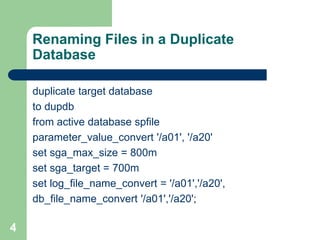
Renaming Files in a Duplicate
Database
duplicate target database
to dupdb
from active database spfile
parameter_value_convert '/a01', '/a20'
set sga_max_size = 800m
set sga_target = 700m
set log_file_name_convert = '/a01','/a20',
db_file_name_convert '/a01','/a20';
5
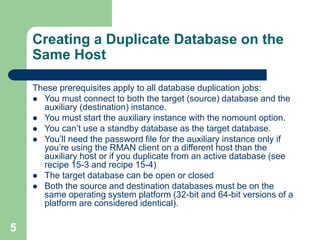
Creating a Duplicate Database on the
Same Host
These prerequisites apply to all database duplication jobs:
 You must connect to both the target (source) database and the
auxiliary (destination) instance.
 You must start the auxiliary instance with the nomount option.
 You can’t use a standby database as the target database.
 You’ll need the password file for the auxiliary instance only if
you’re using the RMAN client on a different host than the
auxiliary host or if you duplicate from an active database (see
recipe 15-3 and recipe 15-4)
 The target database can be open or closed
 Both the source and destination databases must be on the
same operating system platform (32-bit and 64-bit versions of a
platform are considered identical).
6
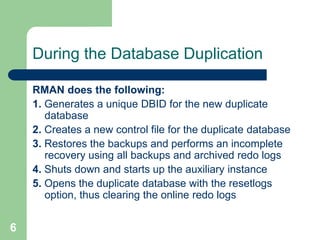
During the Database Duplication
RMAN does the following:
1. Generates a unique DBID for the new duplicate
database
2. Creates a new control file for the duplicate database
3. Restores the backups and performs an incomplete
recovery using all backups and archived redo logs
4. Shuts down and starts up the auxiliary instance
5. Opens the duplicate database with the resetlogs
option, thus clearing the online redo logs
7
Duplicating a Database Without Any
RMAN Backups
 In Oracle Database 11g you duplicate a
database without having a backup
 Use active database clause of duplicate
database command
 Network enabled database duplication
8
Duplicating a Database to a Remote
Host w/same Filestructure
 Nice feature for automating the replication of
a database to another host
 Might need to replicate a production
database to another box for testing purposes
 Troubleshooting production problems in a
non-production environment
9
Steps for Replicating
1. Backup database
2. Verify the backup
3. Create directories and modify duplicate
database initialization file
4. Startup auxiliary database in nomount mode
5. Check Oracle Net connections
6. Run duplicate database command
10
Duplicating a Database When
Directories are Different
 Quite often source and duplicate make have
different directory structures
 Use the db_file_name_convert parameter
 Creates a new locations for datafiles and
online redo log files
11
Creating a Standby Database on
Different Host from Primary
 Standby database (Data Guard) is Oracle’s
disaster recovery tool
 Physical standby database is a block for
block copy of primary database
 Use the syntax “backup current controlfile for
standby format”
12
Duplicating a Database to a Point in
Time in Past
 May want to rebuild production database to a
point in time in the past for testing purposes
 May want to see a database as data existed
for a point in time in the past
 Use duplicate...until clause
13
Skipping Tablespaces
 You may only need to duplicate part of a
database
 May not need tablespaces like tools or users
in your duplicated tablespace
 Use skip tablespace clause
14
Duplicating a Database with a Specific
Backup Tag
 You want to force RMAN to use a specific
backup to be used when duplicating
RMAN> list backup of database;
 Change backupsets that you don’t want
RMAN to use marked as unavailable
RMAN> change backupset <primary key>
unavailable;
15
Resynchronizing a Duplicate Database
 You can periodically synchronize a duplicate
database with the primary
 Rerun the duplicate database command
 Recopies the datafiles over
16
Transporting Tablespaces on the Same
OS Platform
 Use RMAN transport tablespace command
 Tablespace must be self contained (no
referential integrity to other objects in other
tablespaces)
 RMAN creates an auxiliary tablespace which
it uses to create transportable tablespaces
17
Transporting Tablespaces Across
Different Operating System Platforms
 Big endian vis little endian format
 If two operating systems use the same
endian format, then no differences from
previous example
 If endian format different then you must
convert the tablespaces being transported to
match target operating system format
18
Transporting an Entire Database to a
Different Platform
 Useful for moving database from one
operating system to another
 Use convert database command
 Transport doesn’t include bfiles, controlfiles,
redo logs, and temp files
19
Transporting a Database by Converting
Datafiles on the Target Platform
 You may do this if you’re converting the
source database to several different target
platforms
 Make sure source database is eligible for
conversion
 Use convert datafile command

4714649_2.ppt

  • 1.
  • 2.
    2 RMAN Duplication Features You can duplicate a database without even making a backup of the source database first by using the new Oracle Database 11g technique of network-enabled duplication  You can register in the same recovery catalog as the primary database, since the duplicate database will have its own unique DBID  You can exclude certain tablespaces, such as the read-only tablespaces  You can duplicate the database on the same server or on a remote host  You can duplicate a database to a past point in time if you want
  • 3.
    3 Filenames Might beDifferent from Source to Duplicate  Datafiles  Control files  Online redo log files  Temp files
  • 4.
    4 Renaming Files ina Duplicate Database duplicate target database to dupdb from active database spfile parameter_value_convert '/a01', '/a20' set sga_max_size = 800m set sga_target = 700m set log_file_name_convert = '/a01','/a20', db_file_name_convert '/a01','/a20';
  • 5.
    5 Creating a DuplicateDatabase on the Same Host These prerequisites apply to all database duplication jobs:  You must connect to both the target (source) database and the auxiliary (destination) instance.  You must start the auxiliary instance with the nomount option.  You can’t use a standby database as the target database.  You’ll need the password file for the auxiliary instance only if you’re using the RMAN client on a different host than the auxiliary host or if you duplicate from an active database (see recipe 15-3 and recipe 15-4)  The target database can be open or closed  Both the source and destination databases must be on the same operating system platform (32-bit and 64-bit versions of a platform are considered identical).
  • 6.
    6 During the DatabaseDuplication RMAN does the following: 1. Generates a unique DBID for the new duplicate database 2. Creates a new control file for the duplicate database 3. Restores the backups and performs an incomplete recovery using all backups and archived redo logs 4. Shuts down and starts up the auxiliary instance 5. Opens the duplicate database with the resetlogs option, thus clearing the online redo logs
  • 7.
    7 Duplicating a DatabaseWithout Any RMAN Backups  In Oracle Database 11g you duplicate a database without having a backup  Use active database clause of duplicate database command  Network enabled database duplication
  • 8.
    8 Duplicating a Databaseto a Remote Host w/same Filestructure  Nice feature for automating the replication of a database to another host  Might need to replicate a production database to another box for testing purposes  Troubleshooting production problems in a non-production environment
  • 9.
    9 Steps for Replicating 1.Backup database 2. Verify the backup 3. Create directories and modify duplicate database initialization file 4. Startup auxiliary database in nomount mode 5. Check Oracle Net connections 6. Run duplicate database command
  • 10.
    10 Duplicating a DatabaseWhen Directories are Different  Quite often source and duplicate make have different directory structures  Use the db_file_name_convert parameter  Creates a new locations for datafiles and online redo log files
  • 11.
    11 Creating a StandbyDatabase on Different Host from Primary  Standby database (Data Guard) is Oracle’s disaster recovery tool  Physical standby database is a block for block copy of primary database  Use the syntax “backup current controlfile for standby format”
  • 12.
    12 Duplicating a Databaseto a Point in Time in Past  May want to rebuild production database to a point in time in the past for testing purposes  May want to see a database as data existed for a point in time in the past  Use duplicate...until clause
  • 13.
    13 Skipping Tablespaces  Youmay only need to duplicate part of a database  May not need tablespaces like tools or users in your duplicated tablespace  Use skip tablespace clause
  • 14.
    14 Duplicating a Databasewith a Specific Backup Tag  You want to force RMAN to use a specific backup to be used when duplicating RMAN> list backup of database;  Change backupsets that you don’t want RMAN to use marked as unavailable RMAN> change backupset <primary key> unavailable;
  • 15.
    15 Resynchronizing a DuplicateDatabase  You can periodically synchronize a duplicate database with the primary  Rerun the duplicate database command  Recopies the datafiles over
  • 16.
    16 Transporting Tablespaces onthe Same OS Platform  Use RMAN transport tablespace command  Tablespace must be self contained (no referential integrity to other objects in other tablespaces)  RMAN creates an auxiliary tablespace which it uses to create transportable tablespaces
  • 17.
    17 Transporting Tablespaces Across DifferentOperating System Platforms  Big endian vis little endian format  If two operating systems use the same endian format, then no differences from previous example  If endian format different then you must convert the tablespaces being transported to match target operating system format
  • 18.
    18 Transporting an EntireDatabase to a Different Platform  Useful for moving database from one operating system to another  Use convert database command  Transport doesn’t include bfiles, controlfiles, redo logs, and temp files
  • 19.
    19 Transporting a Databaseby Converting Datafiles on the Target Platform  You may do this if you’re converting the source database to several different target platforms  Make sure source database is eligible for conversion  Use convert datafile command