Video Blog
What is a Video Blog?
• It is also known as ‘Vlog’.
• It is a platform that uses videos as their basic mode of
  content to deliver their messages, rather than using text
  or images.
• Basic idea:
   – Uses videos as a platform to share the bloggers’ thoughts
     and their views or to raise some kind of awareness about a
     topic, product or service.
• Typical bloggers’ voice who wants to express his or her
  thoughts.
Purpose of Video Blogging.
• Able to reveal thoughts, opinions, feelings etc truly.
• It is normally uncensored, thus, it gives the video
  blogger a chance to share his or her opinions freely.
• Video blogging allows readers or viewers to hear
  your voices clearly, be it in a jokingly or angrily
  manner.
• It also allows the readers or viewers to see video
  blogger’s facial expressions and their body
  movements.
What is the difference between
     Podcasting and Video Blogging?
• Video Blogging is placing a video on the traditional
  blog platform (Written text). Alternative to having a
  blog post that contains all text, you can have a blog
  post that is just a video itself, but with little text.
• Video Blogging is created from the videos in which
  the blogger has shoot using digital video camera. It
  is being recorded, upload it to the computer,
  followed by uploading it to the video blog, type a
  short description of the video on the blog, and use
  coding to make the video display on the blog post.
What is the difference between
    Podcasting and Video Blogging?
• File formats and coding is needed in order to make
  the video appear on the blog (Video Blogging).
• Podcasting is just an audio file that is only
  available via RSS
Things to consider / add
  in a Video Blogging
        website
Consideration: [Richer Web experience]
• Instead of having a long blog post, combine what is
  written in the blog post into a short video.
• Able to save time for the readers.
• Not many people will read word by word.
• Most readers prefer to read introductory messages
  and tend to skip the rest of the content.
Consideration: [Bigger audience]
• Videos tend to attract more audience.
• Not all readers like to read from line to line. However, with videos,
  they are able to estimate / gauge the feelings even if the readers
  do not understand the language.
• Videos are one of the best ways to reach the audience as readers
  are able to hear and see you in person at the same time.
• Readers will have a better understanding about the personal side
  of yours, readers are able to visualize your (You as the blogger)
  life just by watching the video.
• Thus, it will definitely be able to make you as the blogger to stand
  out and will leave the audience / readers a deep impression.
Consideration: [Marketing & Promotion]
• Alternative to just having a textual blog post to promote the item you
  are offering it for sale, videos can be one of the best methods to
  promote it by expanding your reach.
• An introduction about the product / service using video is able to gain
  more trust easily and in a quicker way compared to a textual blog
  post. At the same time, able to persuade a random visitor to become
  a customer of yours.
• It is known that with the use of keywords to search for something in
  any of the search engines, we might see some video results being
  plastered between the search results pages.
• Above mentioned, it is one of the good ways to gain some additional
  traffic through the results to allow more viewers to visit your blog and
  watch the videos
Consideration: [Time]
• Not all viewers have the time to read line by
  line.


• If whatever the person wants to say can
  combine into a video, the readers will be
  happy to re-visit the blog again.
Problems that I faced when visiting the
   original video blogging websites.
• Long videos are being posted on the blog.
• Not search-engine friendly.
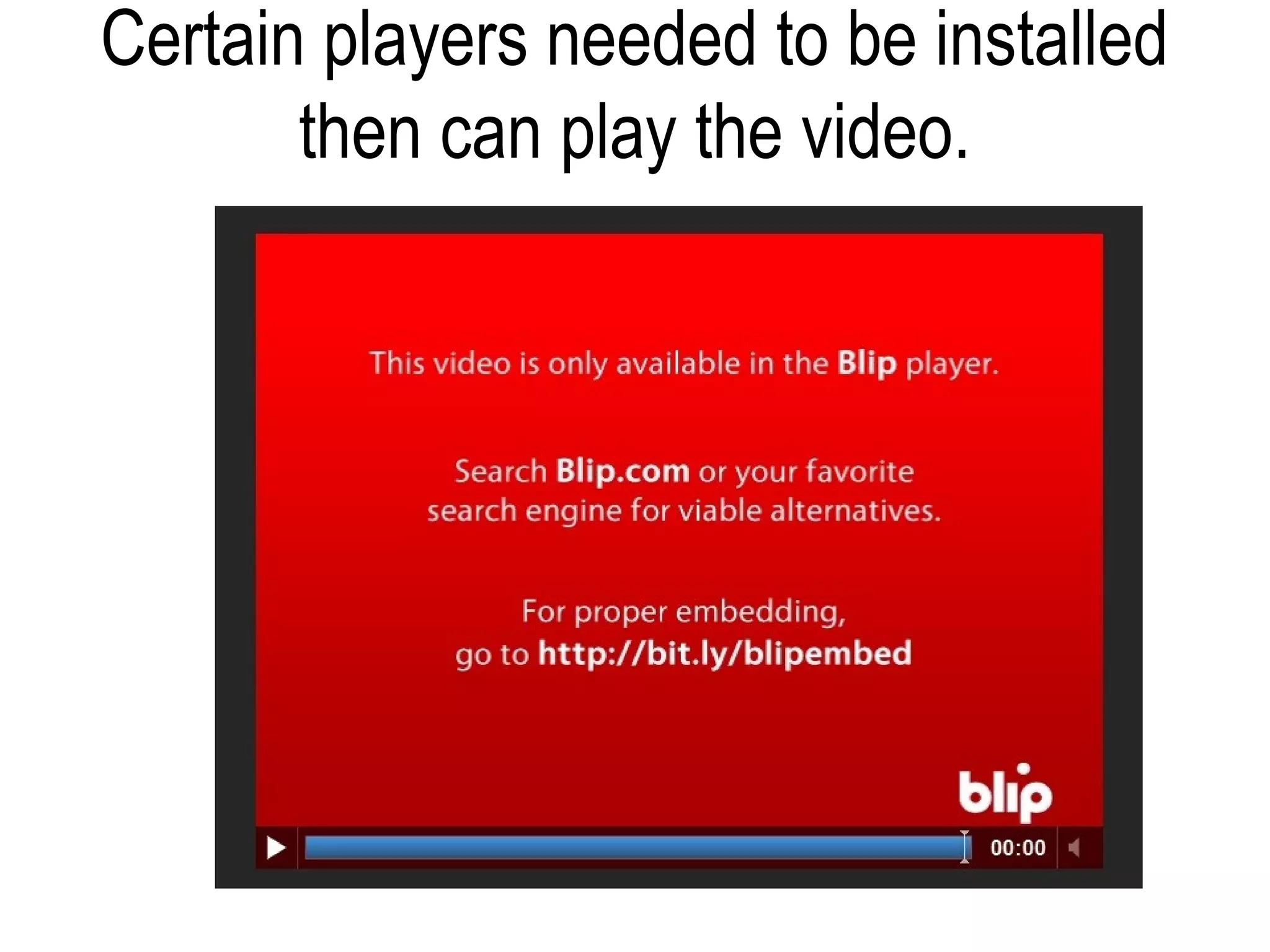
• Certain players needed to be installed then can play
  the video.
• Giving the user privacy to blog about their own
  stuffs
Examples of problems I had
         encountered.
1) Long videos are being posted on
                the blog
          Website Link:
      http://video.gearlive.com/
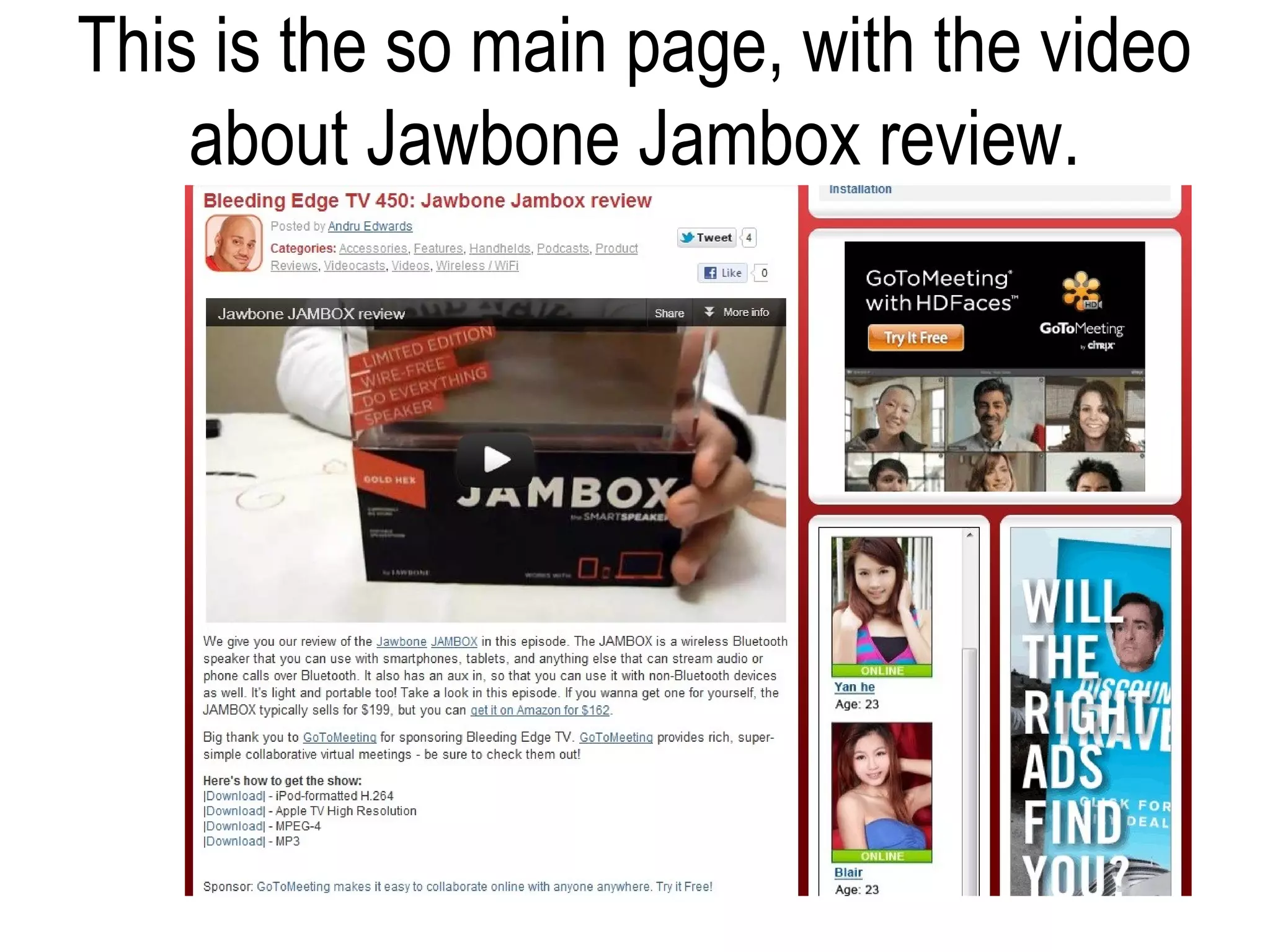
This is the so main page, with the video
    about Jawbone Jambox review.
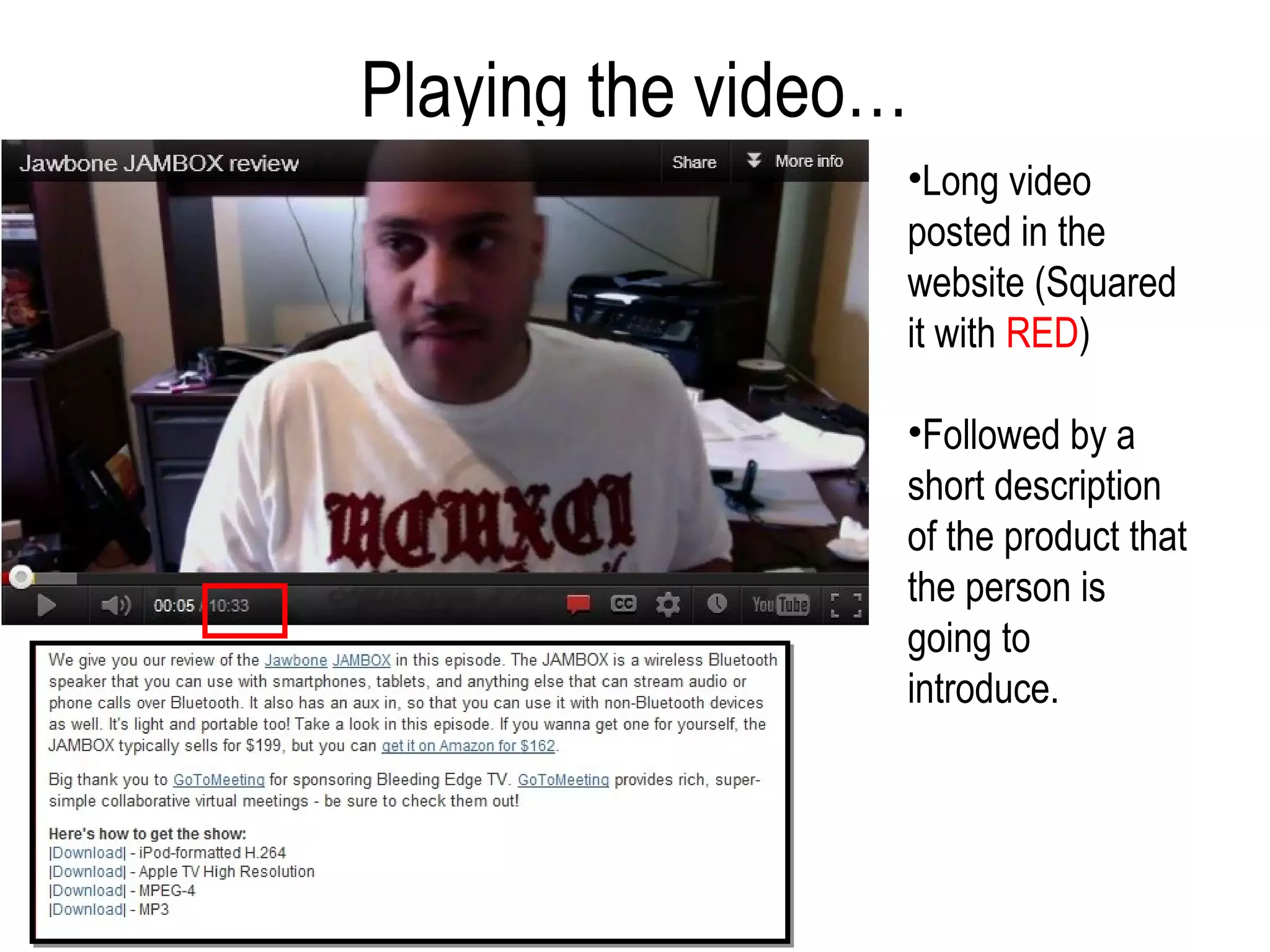
Playing the video…
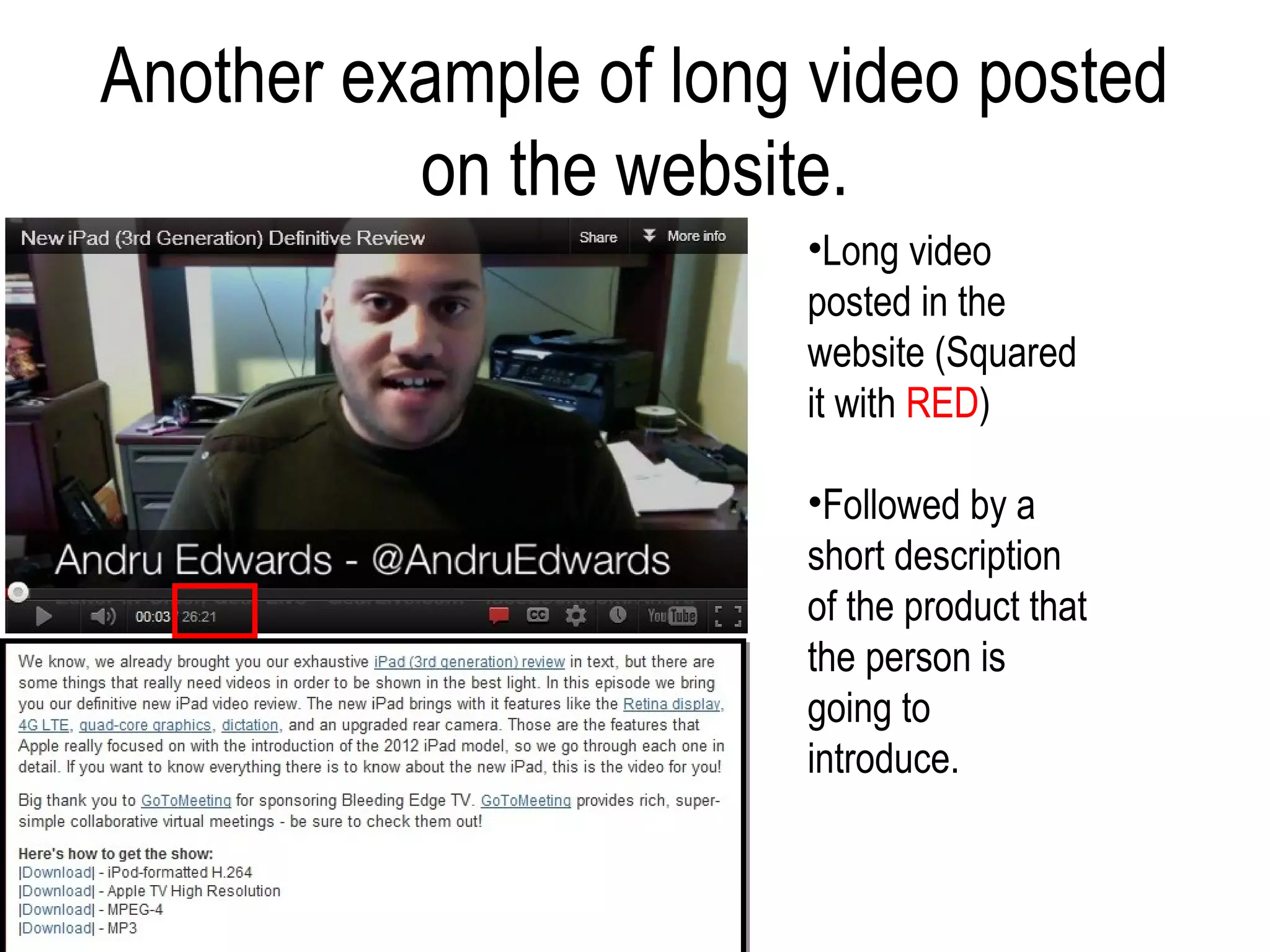
                 •Long video
                 posted in the
                 website (Squared
                 it with RED)

                 •Followed by a
                 short description
                 of the product that
                 the person is
                 going to
                 introduce.
Another example of long video posted
          on the website.
                       •Long video
                       posted in the
                       website (Squared
                       it with RED)

                       •Followed by a
                       short description
                       of the product that
                       the person is
                       going to
                       introduce.
Examples of problems I had
      encountered.

2) Not search-engine friendly.

        Website Link:
http://chasingmills.blogspot.com/
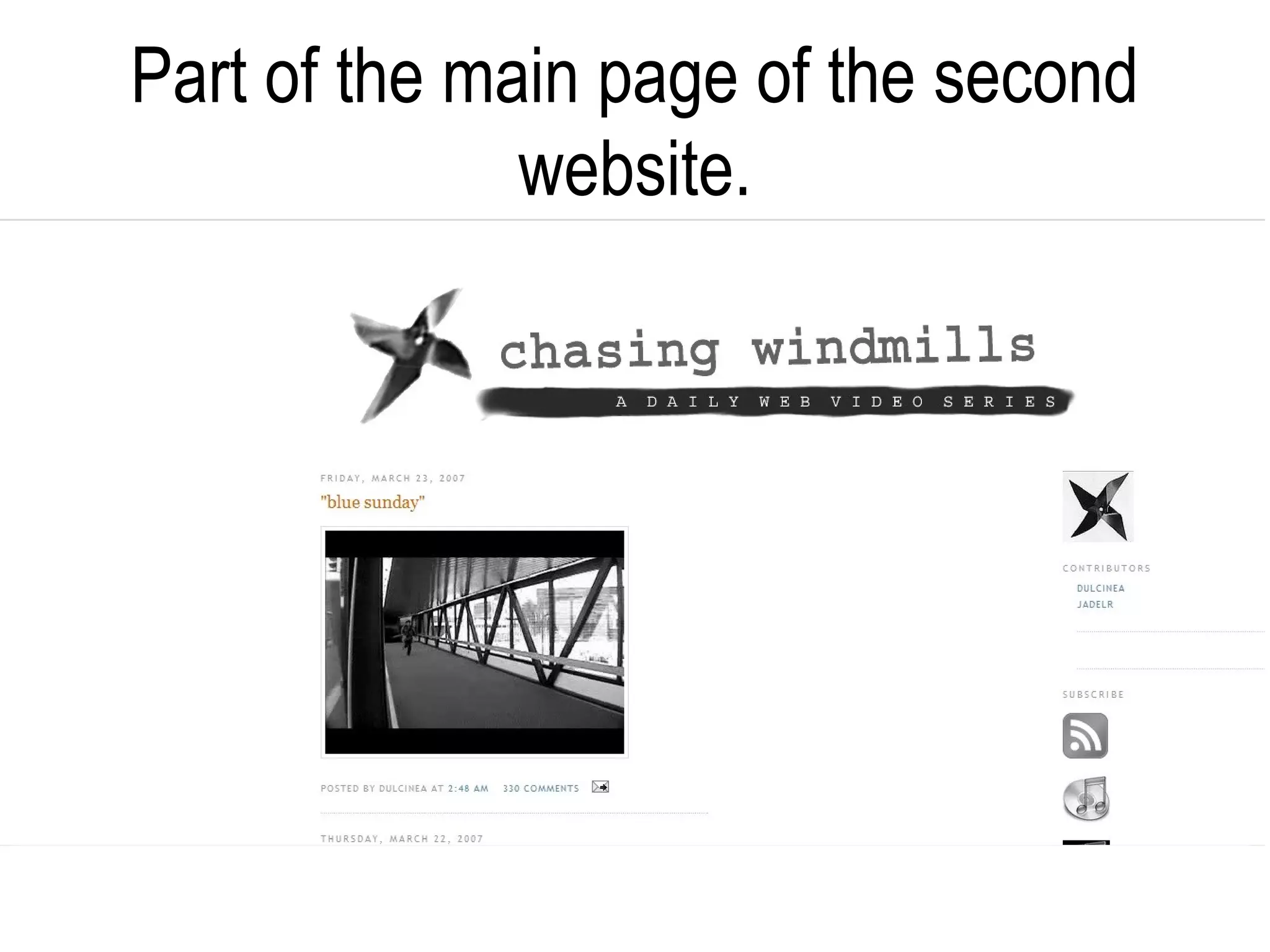
Part of the main page of the second
              website.
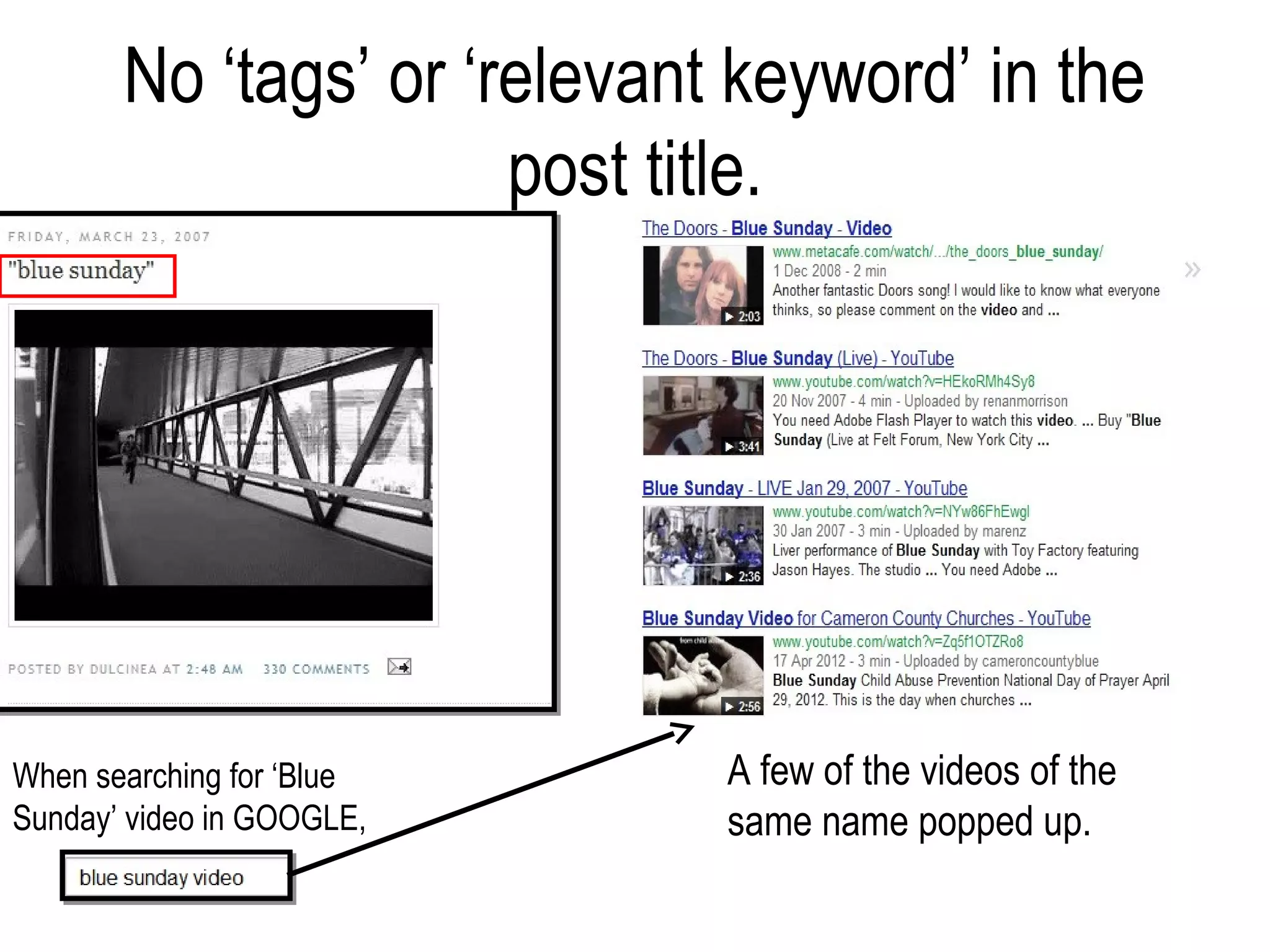
No ‘tags’ or ‘relevant keyword’ in the
                      post title.


When searching for ‘Blue     A few of the videos of the
Sunday’ video in GOOGLE,     same name popped up.
Examples of problems I had
          encountered.
3) Only certain players needed to be
    installed then can play the video.

           Website Link:
   http://chasingmills.blogspot.com/
Certain players needed to be installed
       then can play the video.
Problems that I am going to tackle on.
• The timing of the video that is going to be posted on
  the blog. (Time)
• The ‘relevant keyword’ in the post title. (Easier for
  the user to locate the video)
• Players that can be used by almost everyone
  (Saves time for users who are needed to
  download a new player just to view the video)
Design Considerations
Video Blog
• Requirements of the website.      • Research.
   – Short description of the          – Websites / Tutorials.
     video blog site.
                                       – Site visits – original Video
   – Contact (email, facebook,           Blog websites.
     twitter?)
   – Logo / name of the website
     (able to link it back to the
     home page)
   – Videos and information to be
     nicely arranged.
   – Color used for the website.
   – Fonts used in the website.
Video Blog
• Target Audience.                • Website Editing.
   – 16 + year old and above          – Simple layout.
     (As there would be fans of   • Requirements for the users.
     modern pop music and also
                                     • Videos must not be too
     attracted to other videos
                                        long as different users
     like Entertainment etc)
                                        have different bandwidth.
   – 40 + year old and above
                                     • Website must be clear
     (Fans of vintage music)
                                        enough for the user to be
                                        able to navigate well.
                                     • Must be updated so that it
                                        will keep the regular
                                        viewers to revisit the
                                        website again and again.
Initial Sketches.
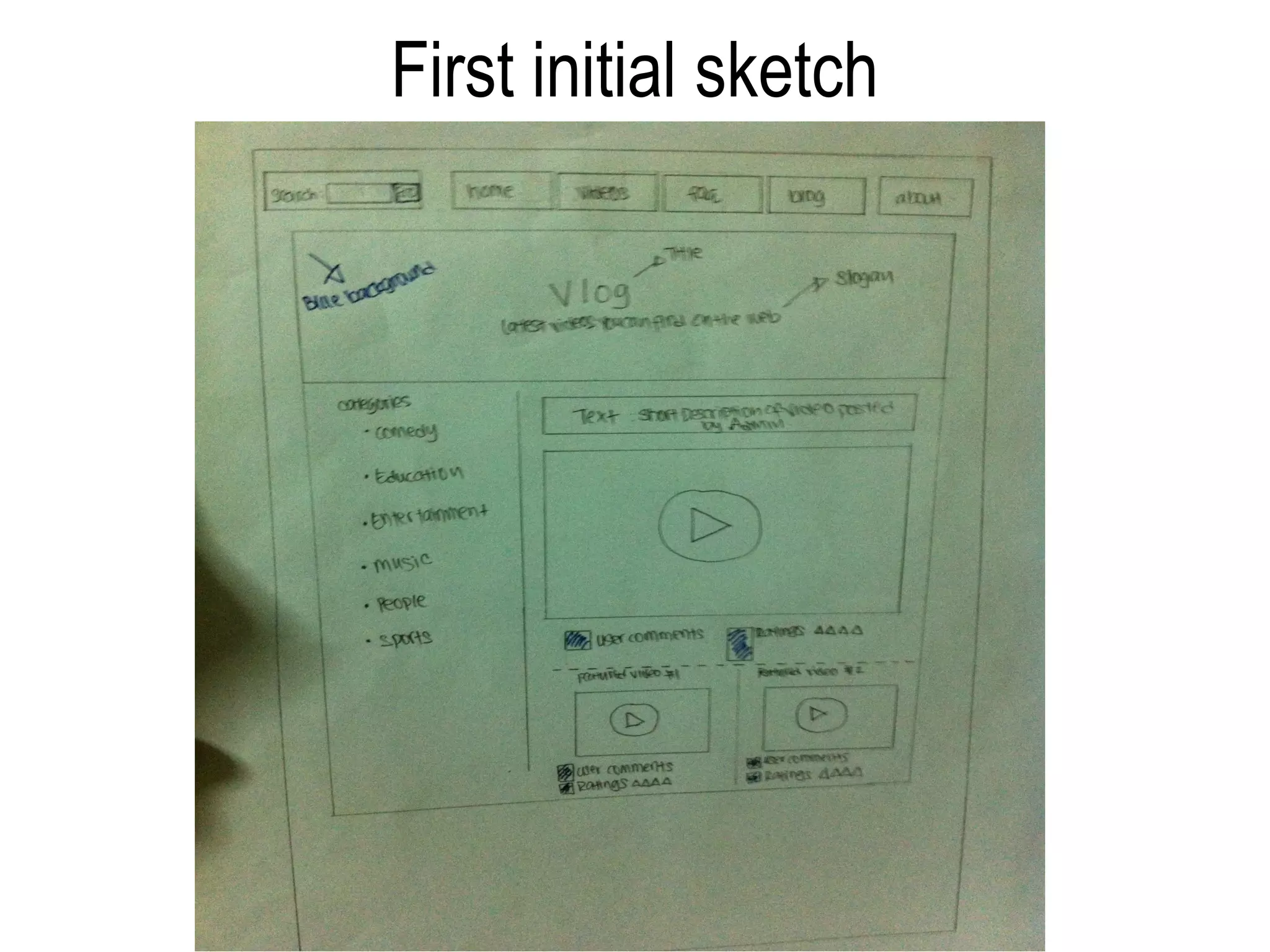
First initial sketch
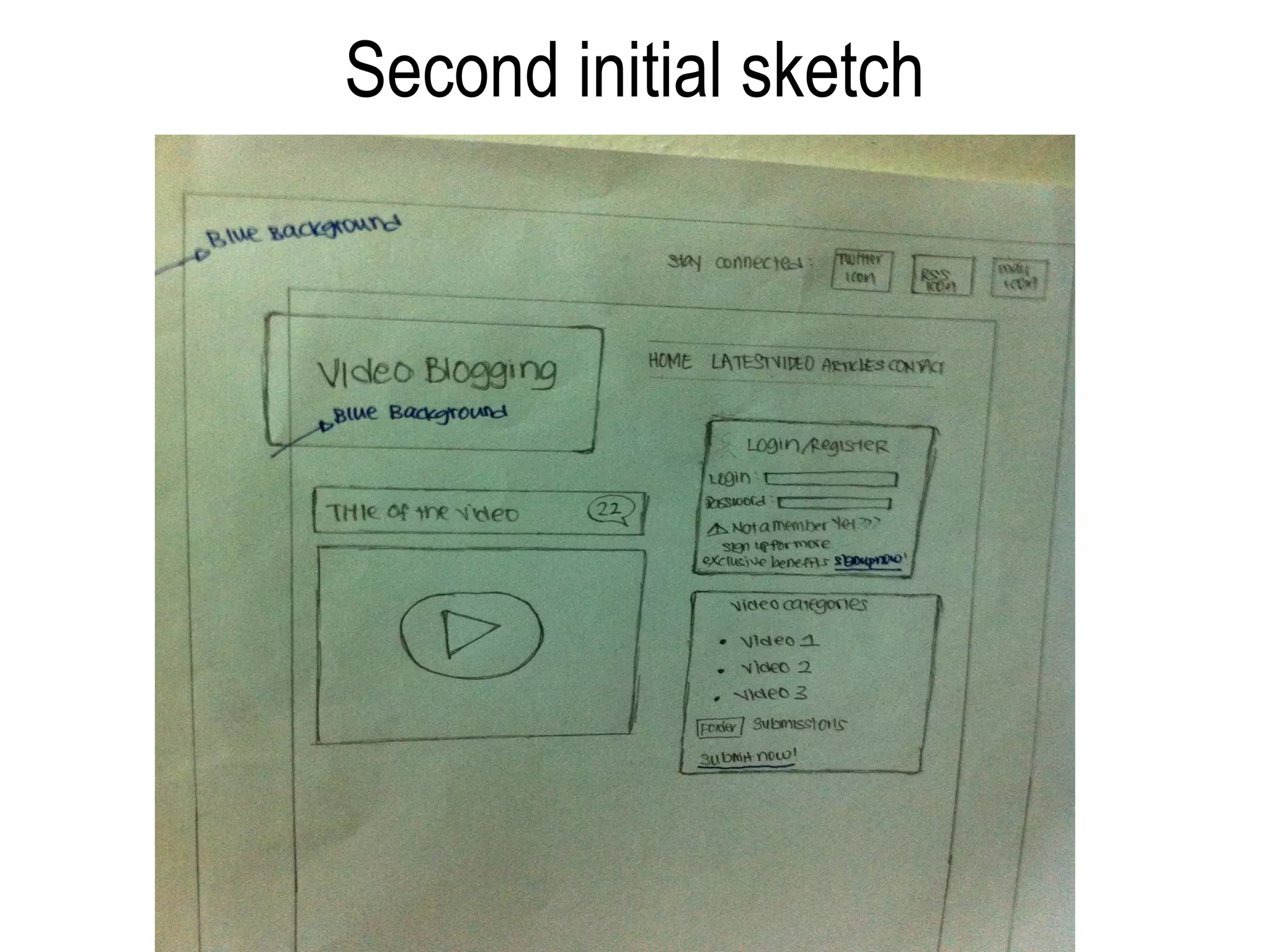
Second initial sketch
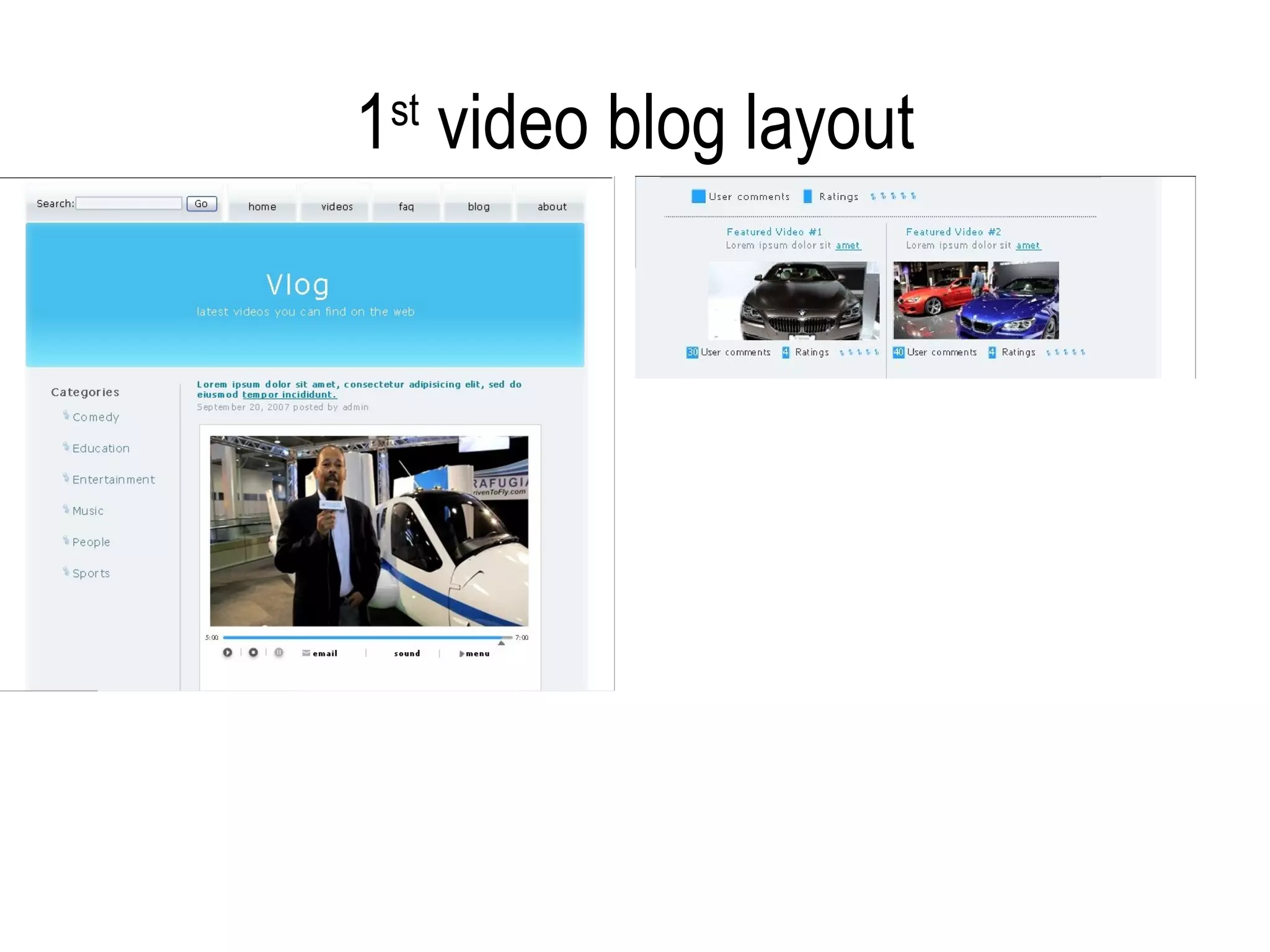
1st layout of the Video Blog website.
1 video blog layout
 st
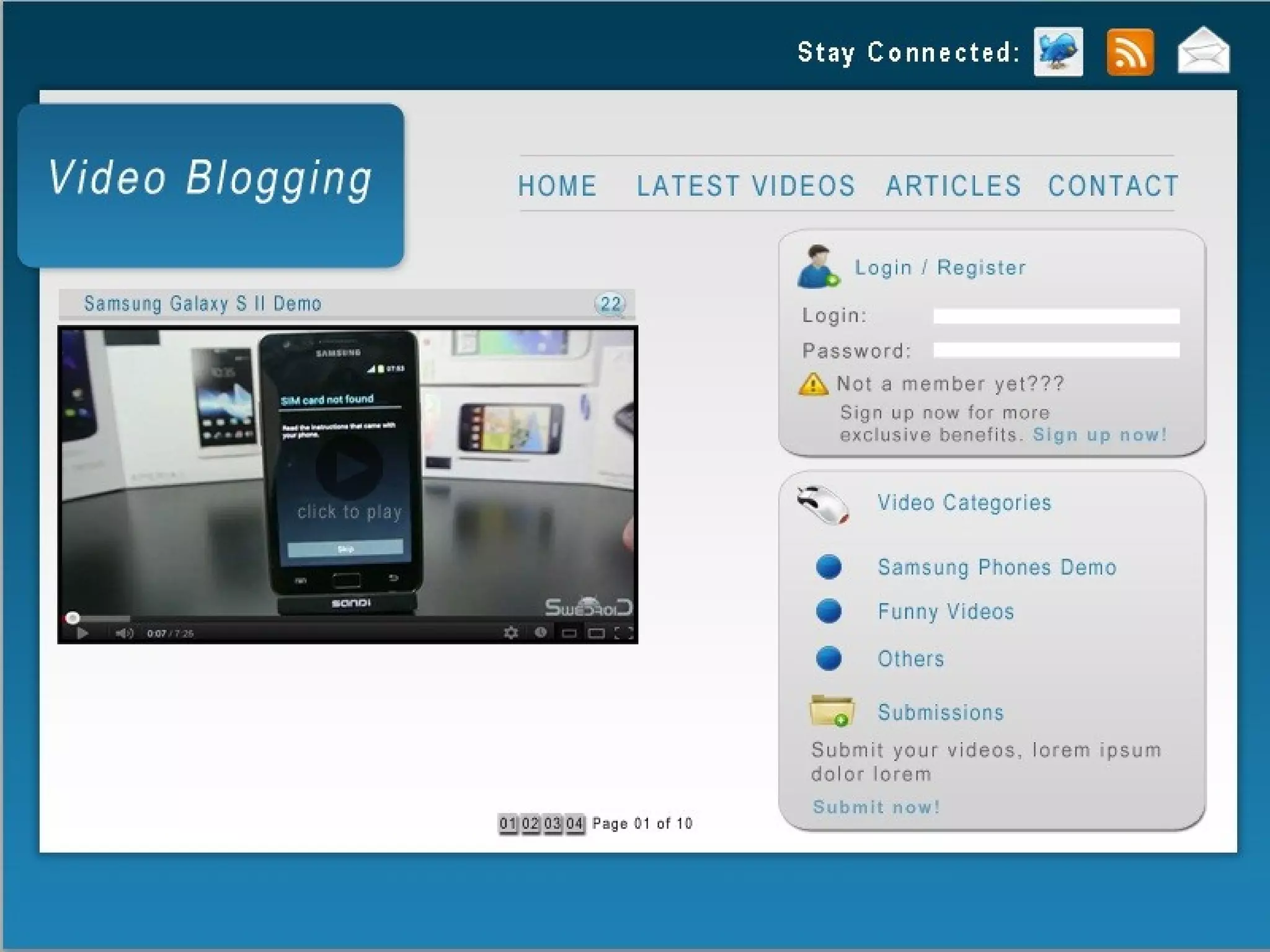
2nd layout of the Video Blog website.
Pros and Cons found in the 1st layout.
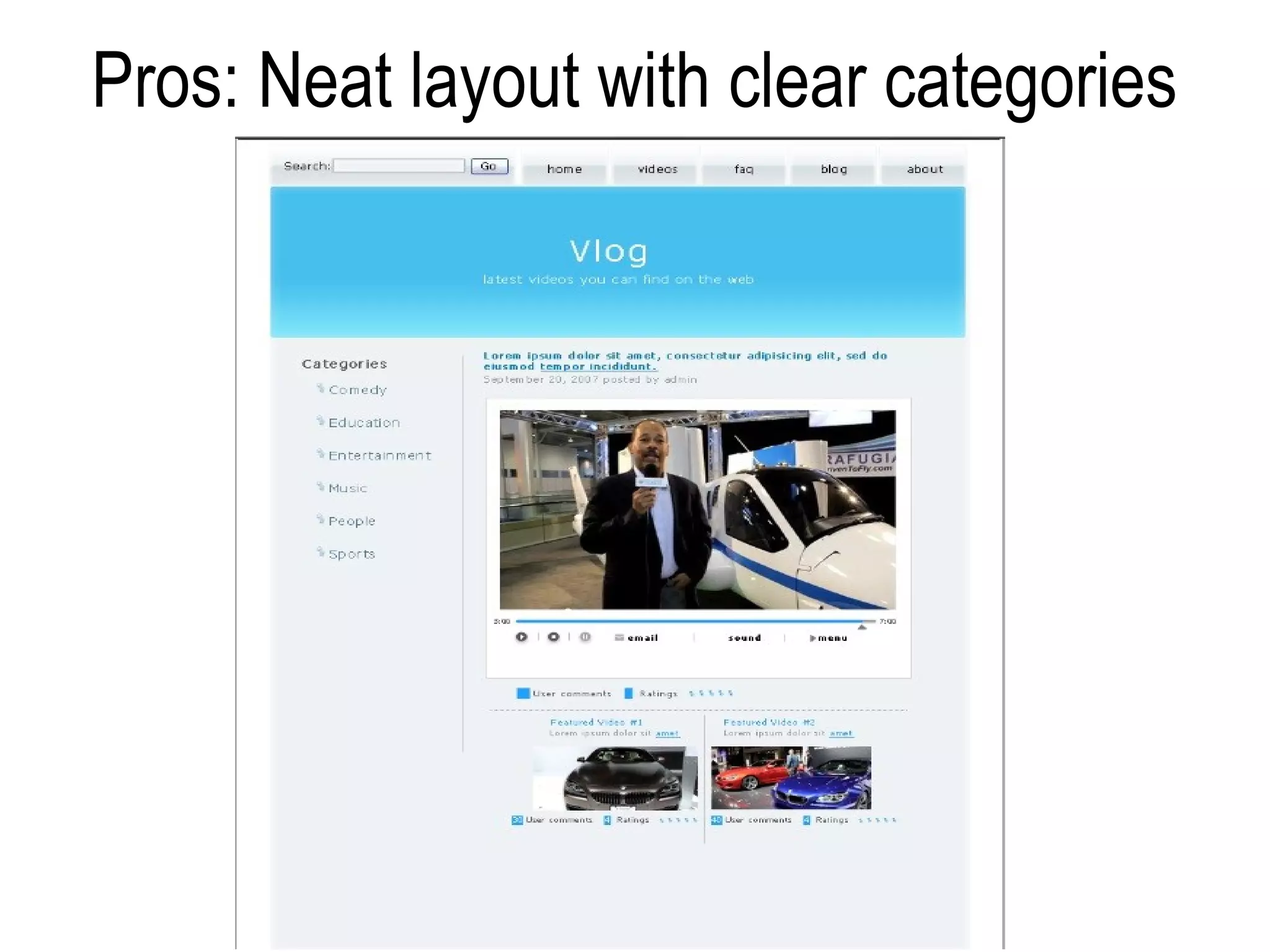
Pros: Neat layout with clear categories
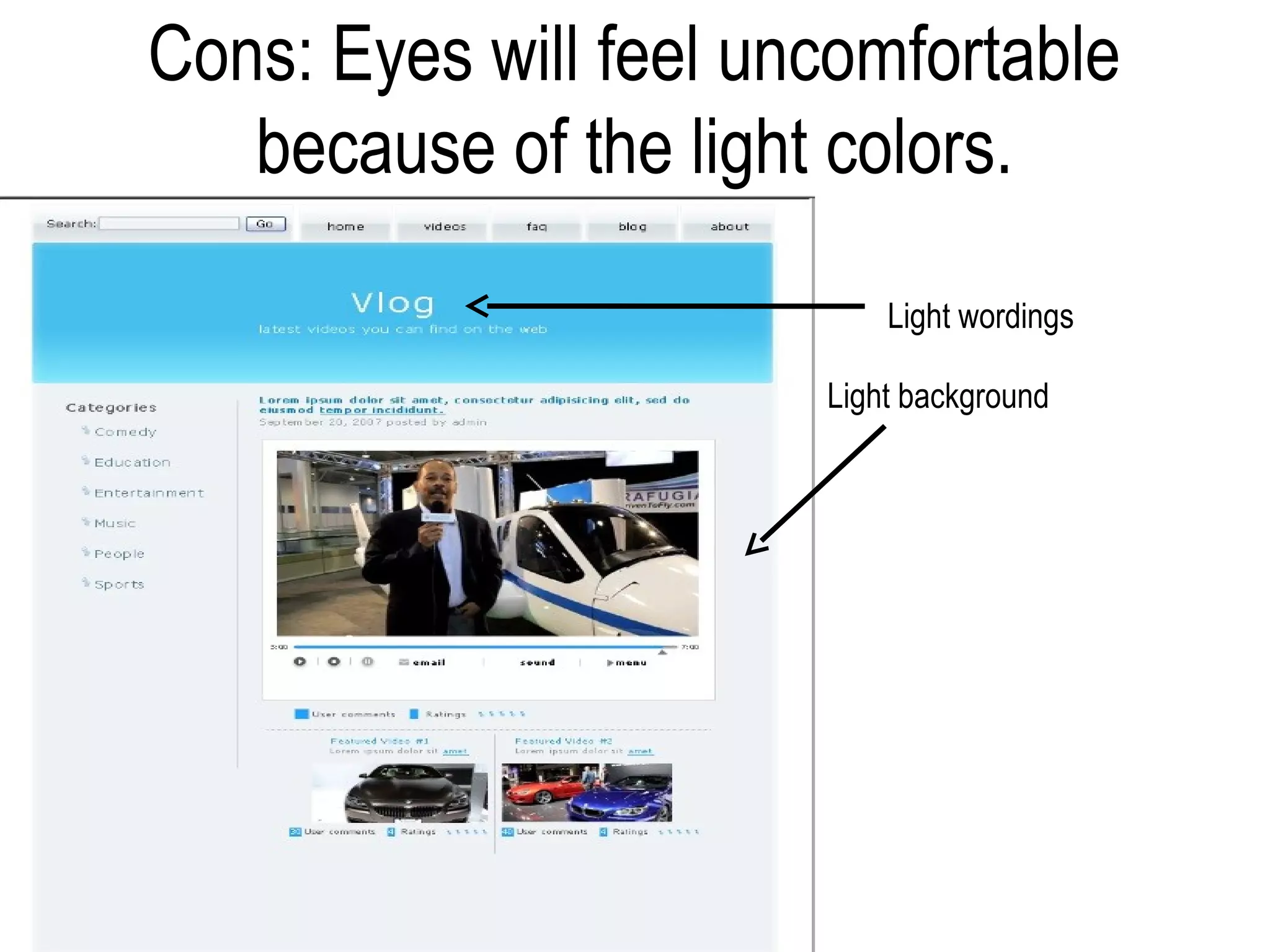
Cons: Eyes will feel uncomfortable
   because of the light colors.
                           Light wordings

                       Light background
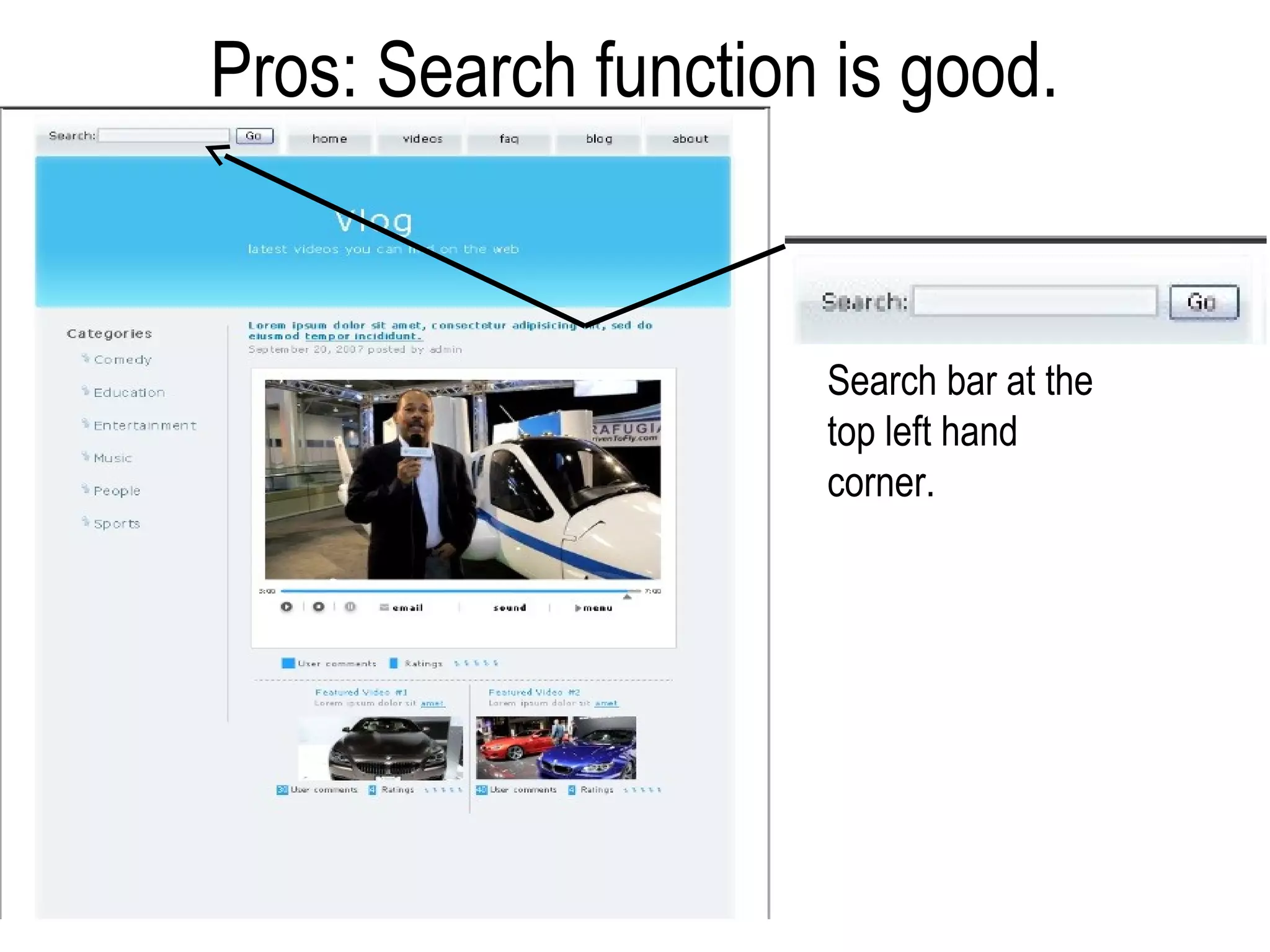
Pros: Search function is good.


                     Search bar at the
                     top left hand
                     corner.
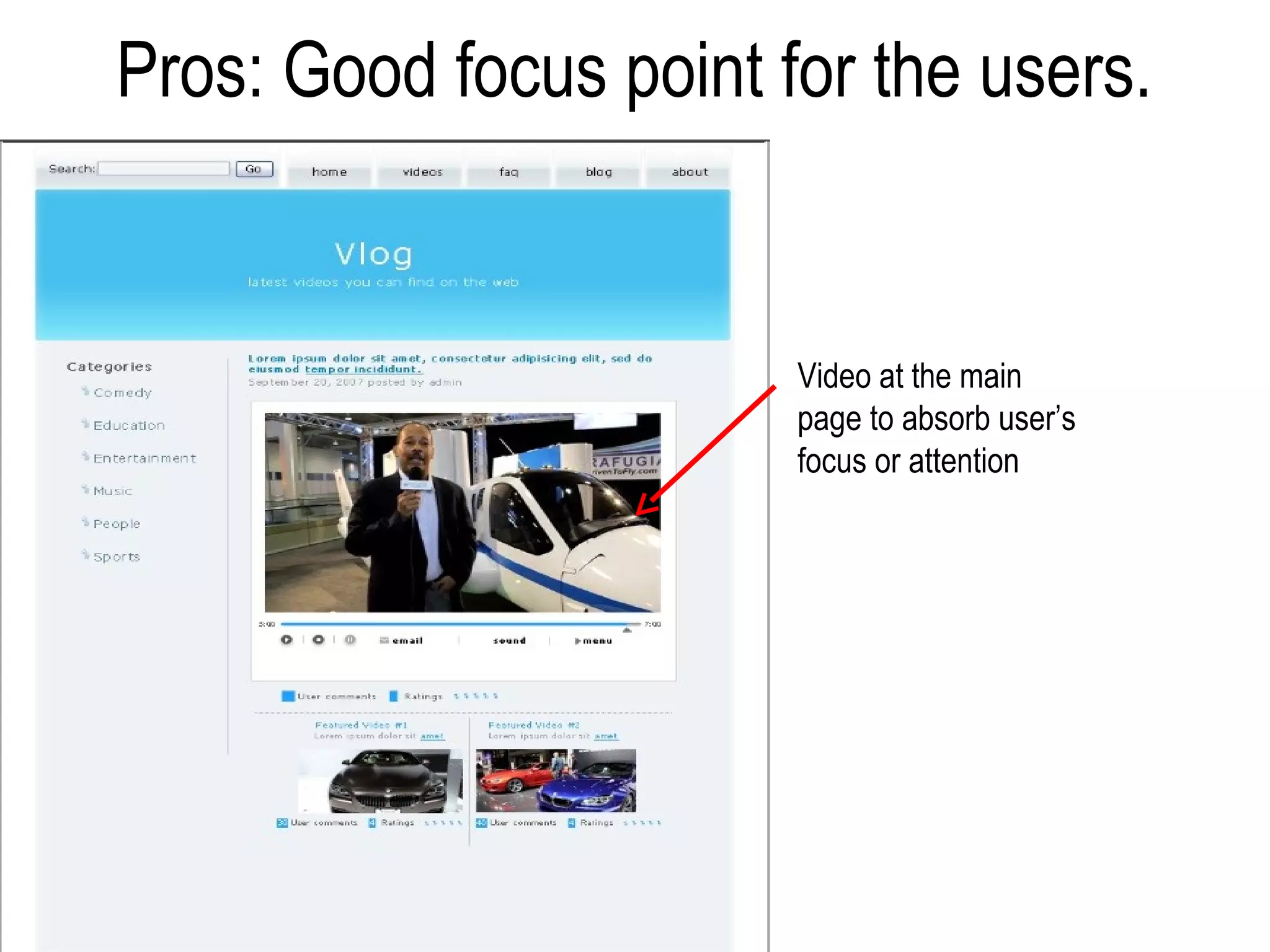
Pros: Good focus point for the users.


                        Video at the main
                        page to absorb user’s
                        focus or attention
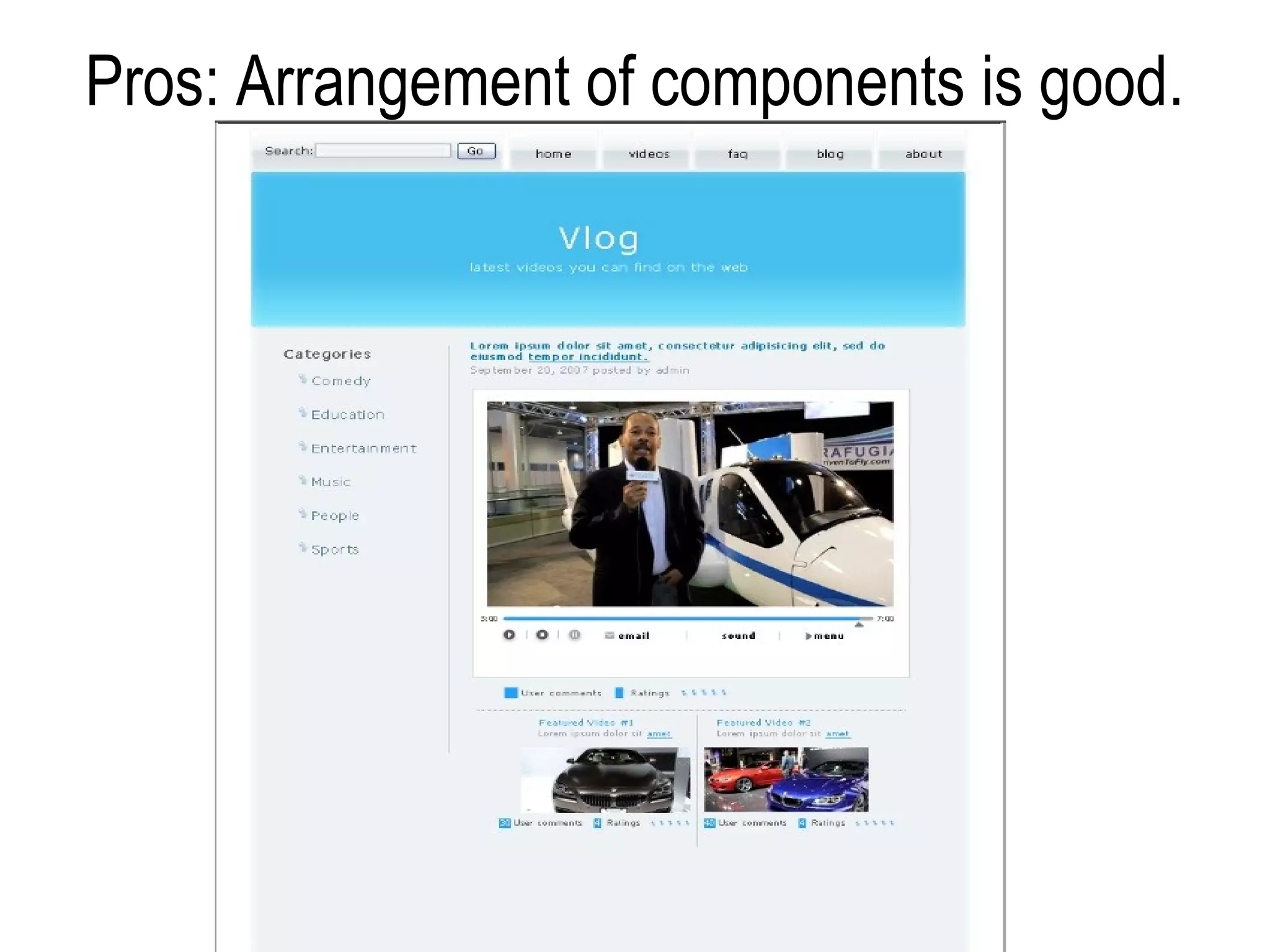
Pros: Arrangement of components is good.
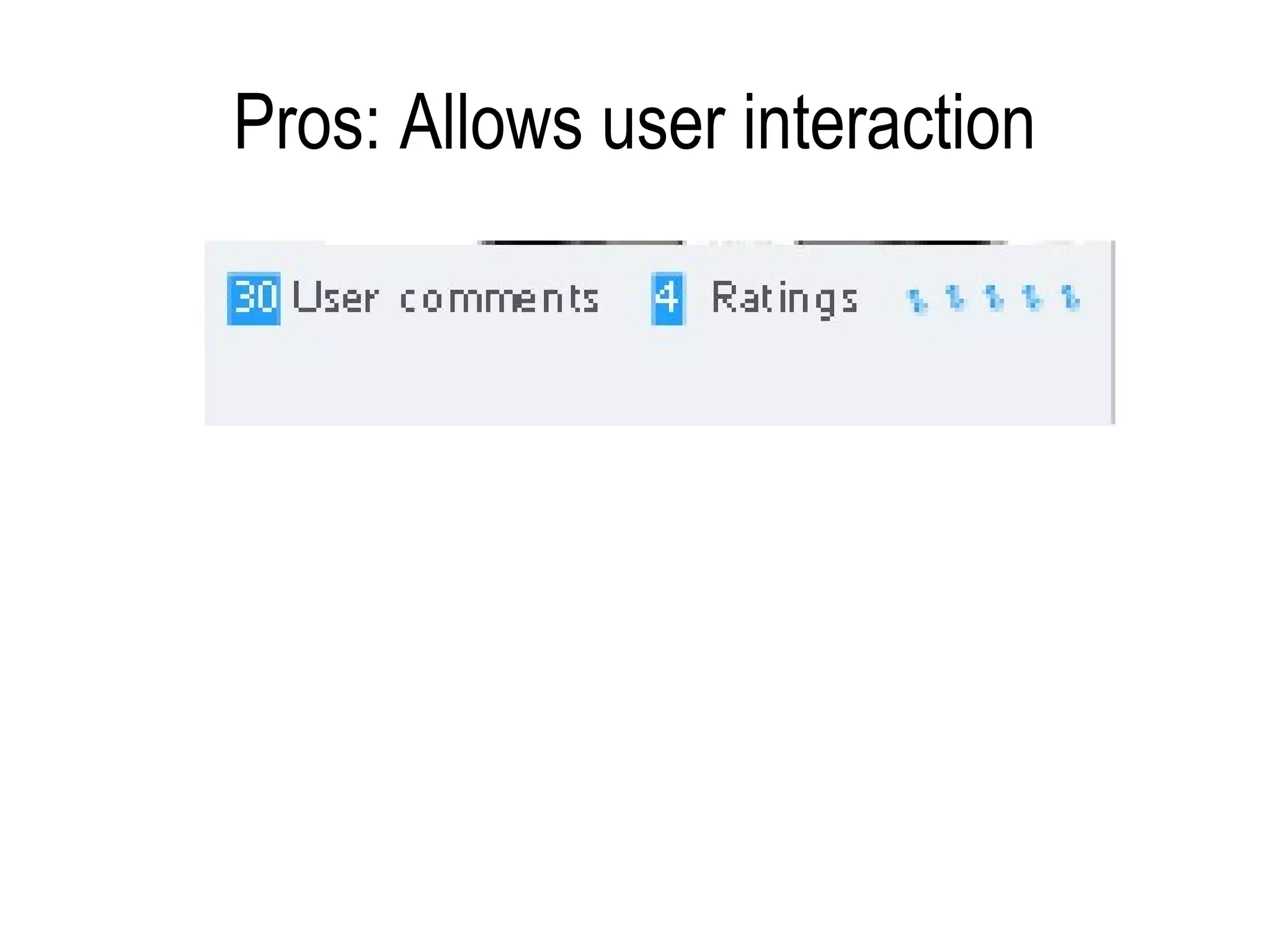
Pros: Allows user interaction
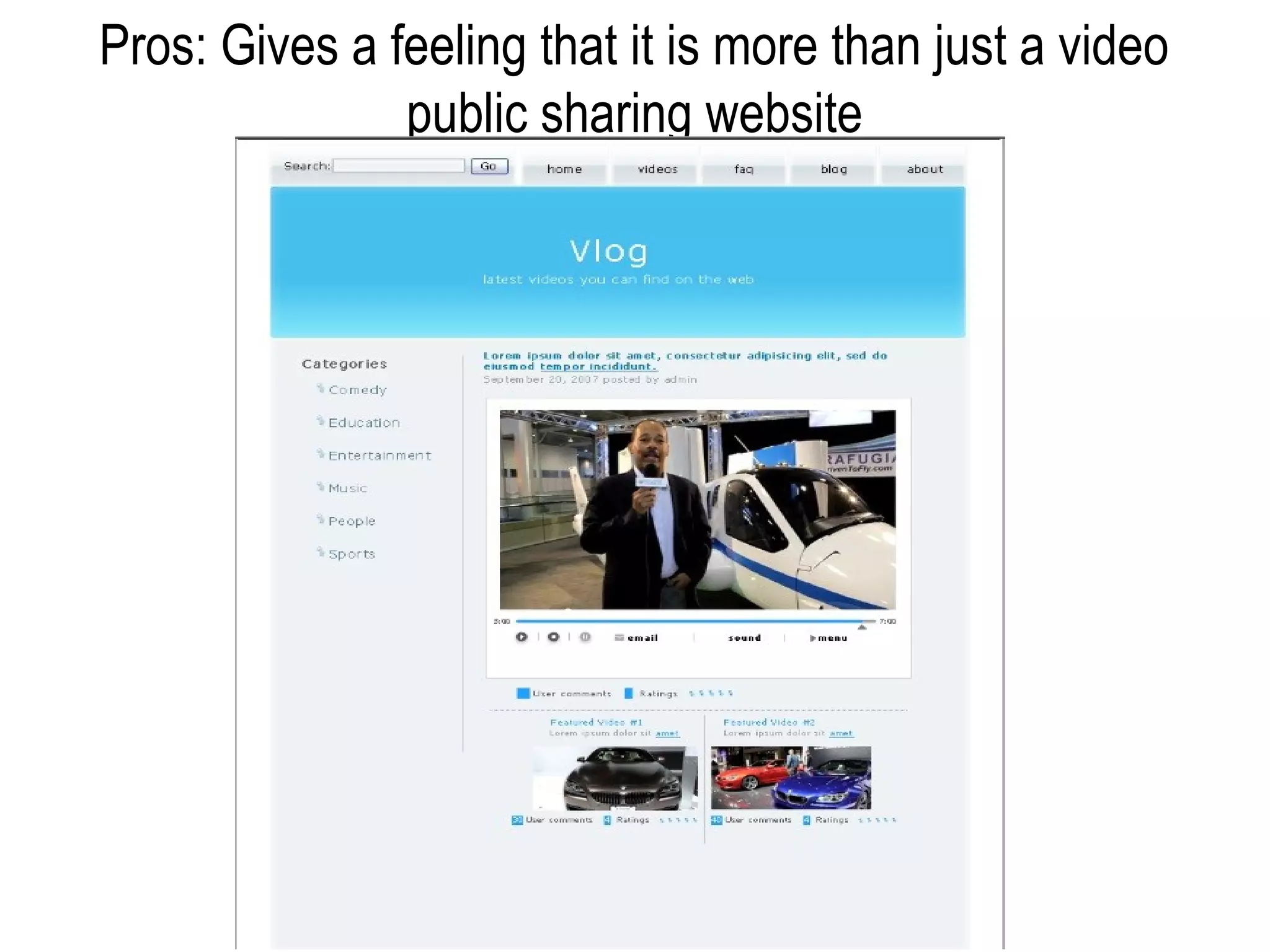
Pros: Gives a feeling that it is more than just a video
               public sharing website
Pros and Cons found in the 2nd layout.
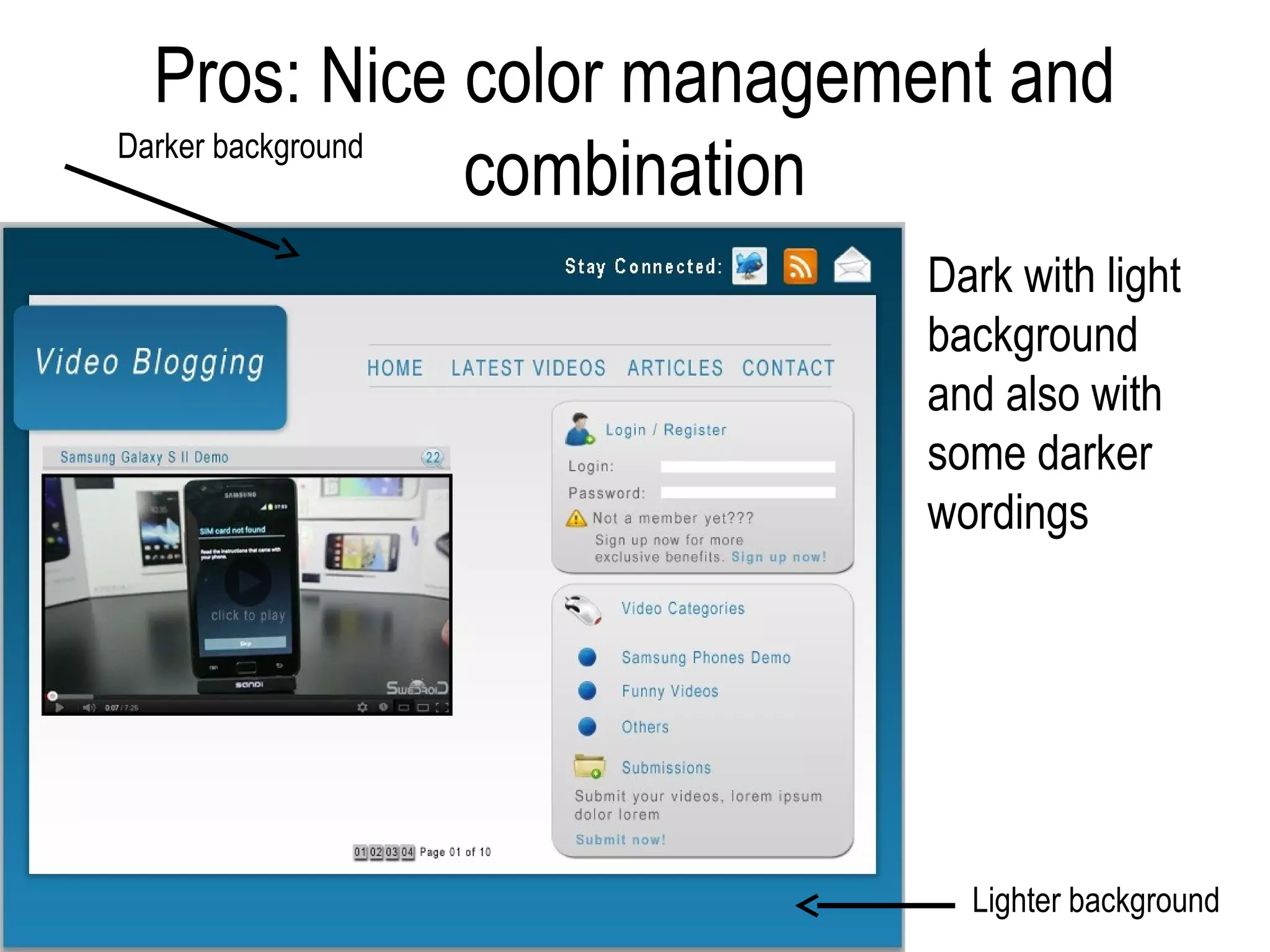
Pros: Nice color management and
Darker background
                  combination
                          Dark with light
                          background
                          and also with
                          some darker
                          wordings


                            Lighter background
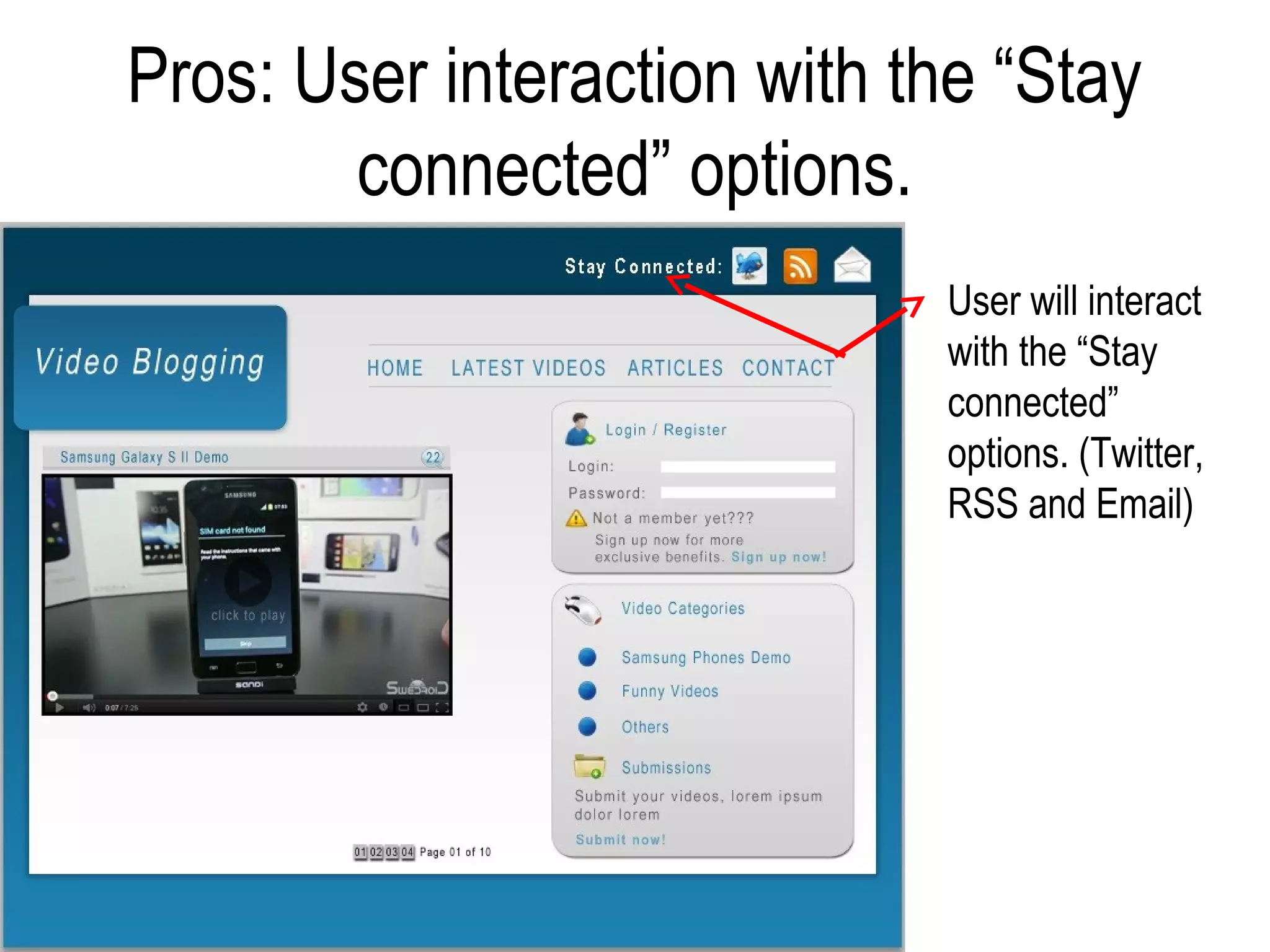
Pros: User interaction with the “Stay
        connected” options.
                             User will interact
                             with the “Stay
                             connected”
                             options. (Twitter,
                             RSS and Email)
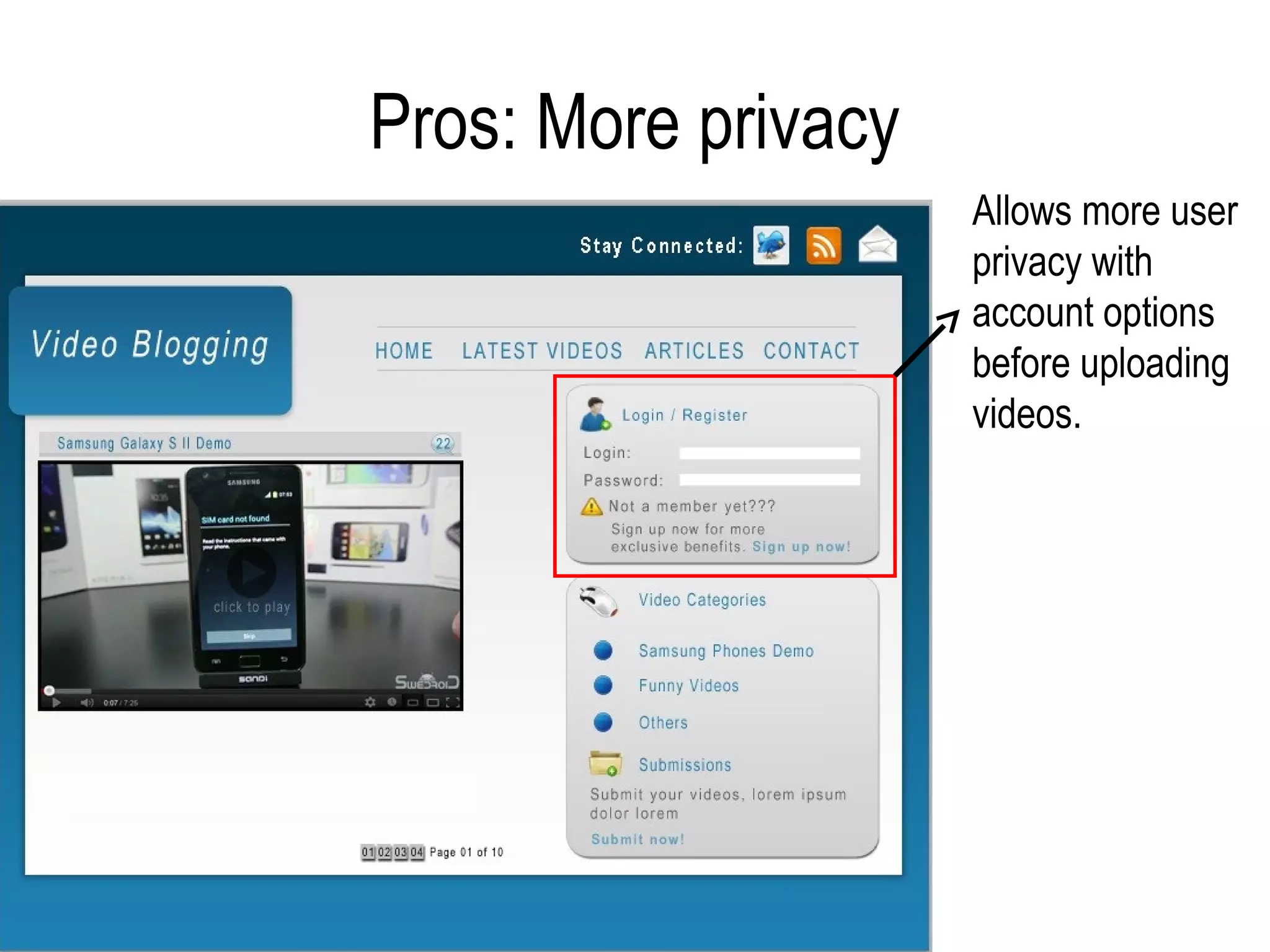
Pros: More privacy
                     Allows more user
                     privacy with
                     account options
                     before uploading
                     videos.
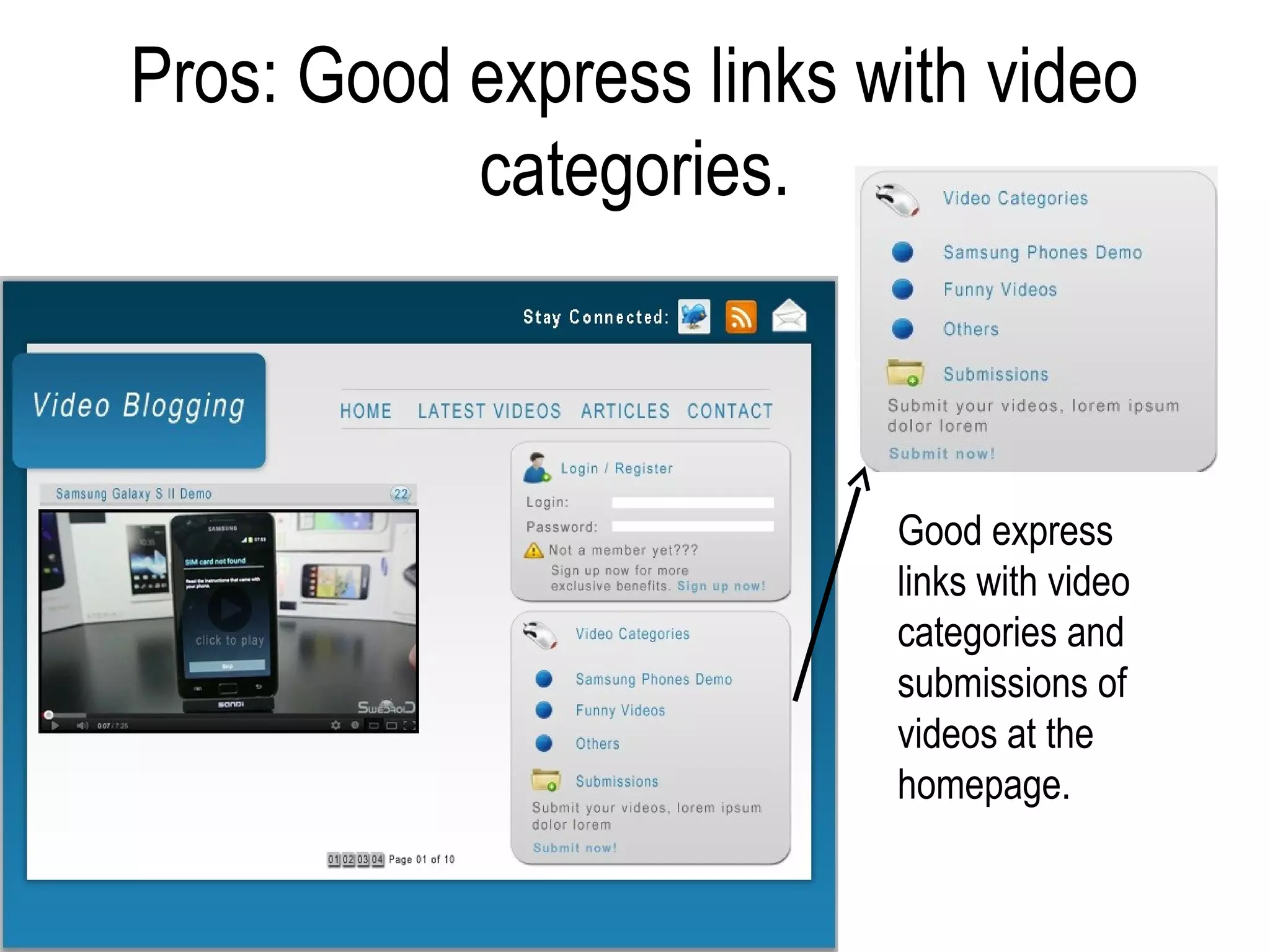
Pros: Good express links with video
           categories.


                          Good express
                          links with video
                          categories and
                          submissions of
                          videos at the
                          homepage.
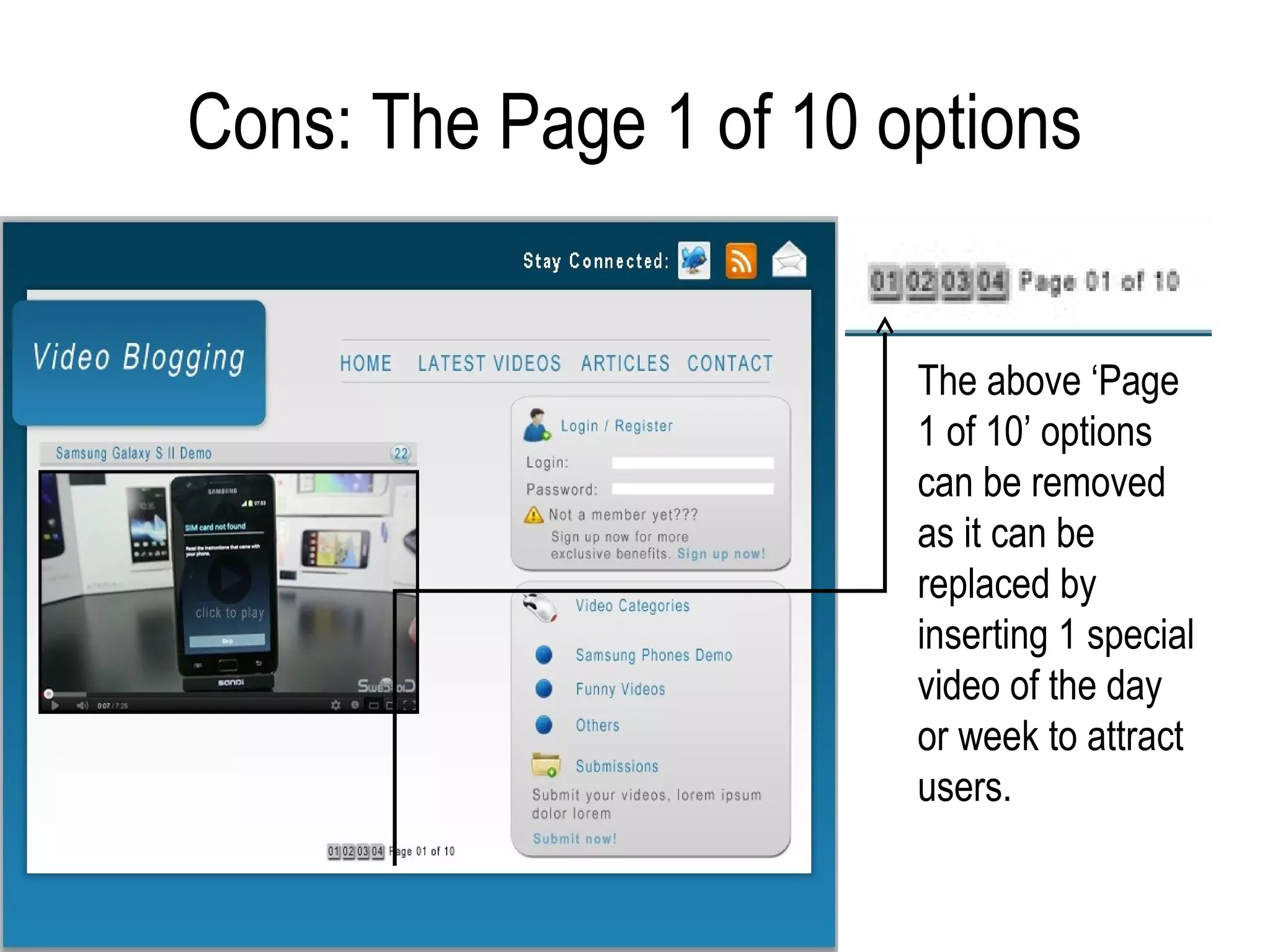
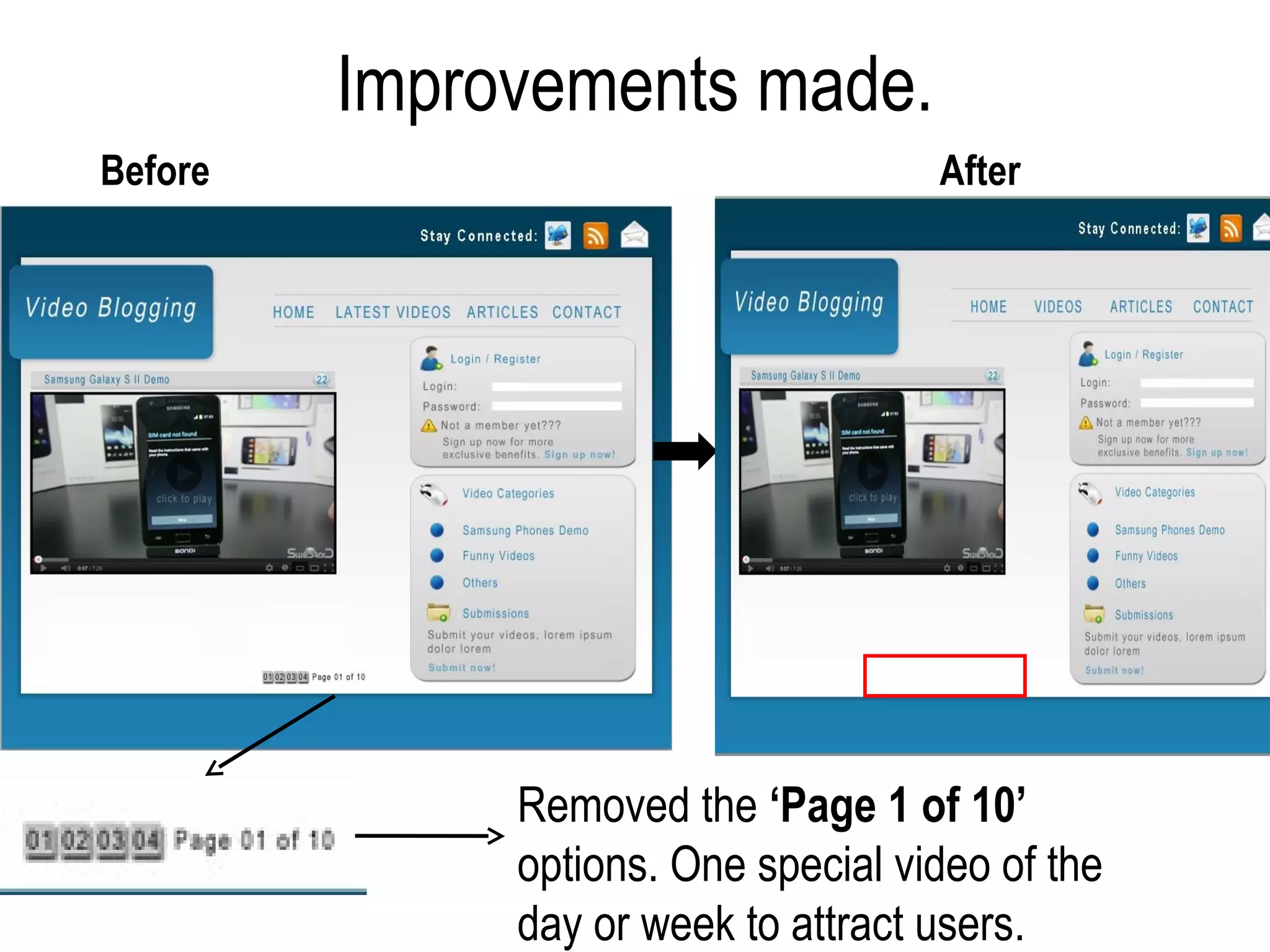
Cons: The Page 1 of 10 options


                        The above ‘Page
                        1 of 10’ options
                        can be removed
                        as it can be
                        replaced by
                        inserting 1 special
                        video of the day
                        or week to attract
                        users.
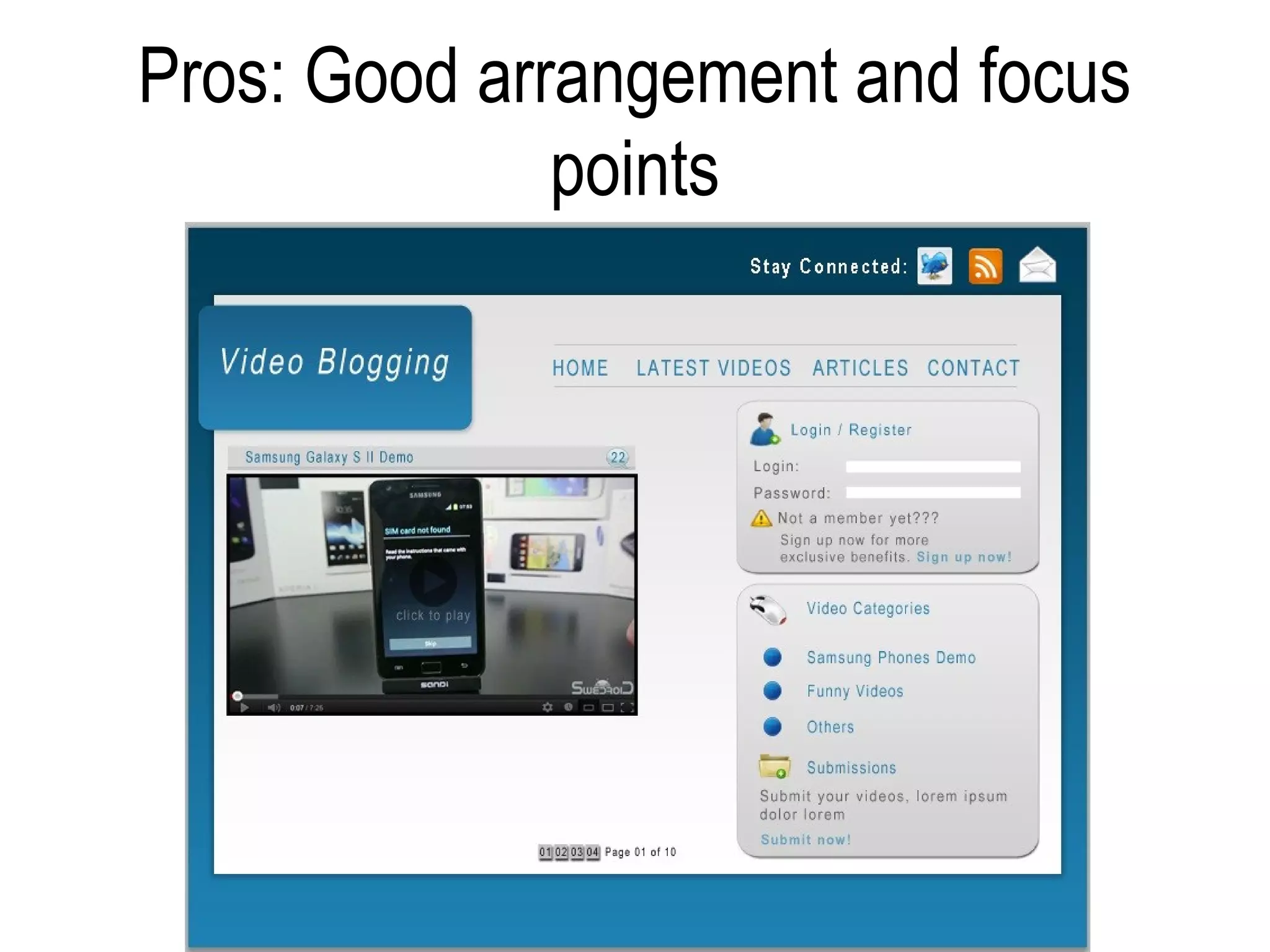
Pros: Good arrangement and focus
              points
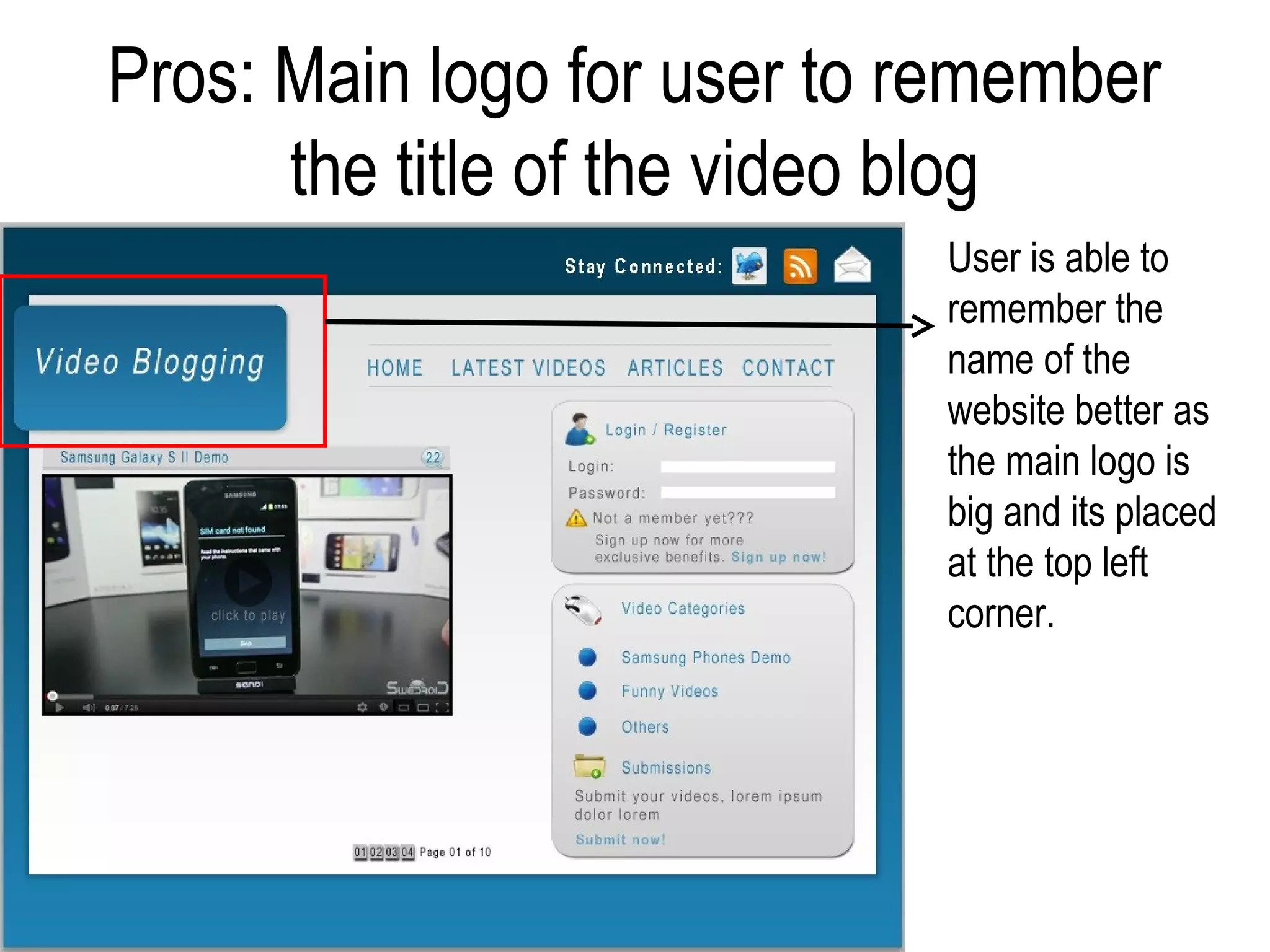
Pros: Main logo for user to remember
      the title of the video blog
                            User is able to
                            remember the
                            name of the
                            website better as
                            the main logo is
                            big and its placed
                            at the top left
                            corner.
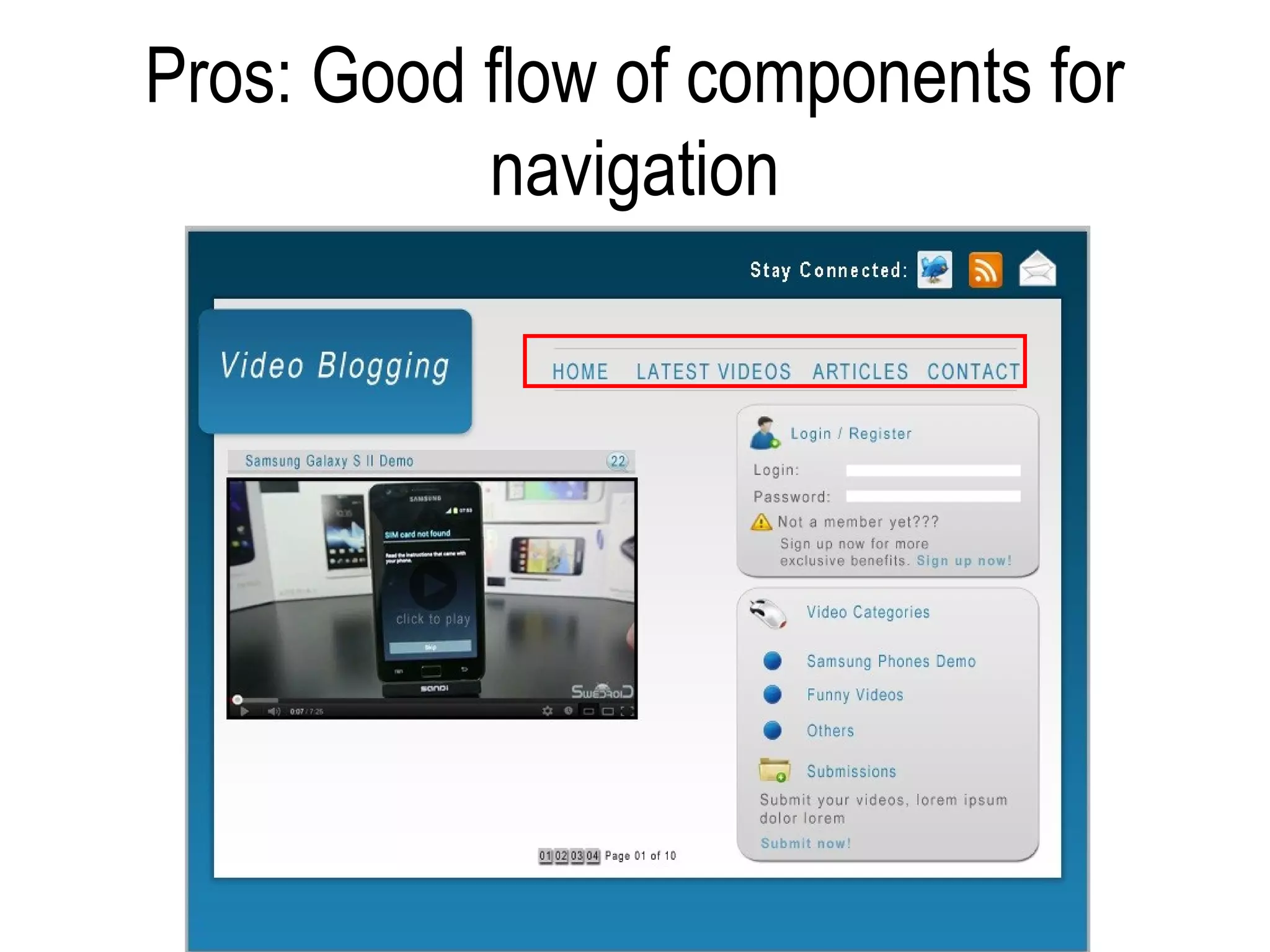
Pros: Good flow of components for
           navigation
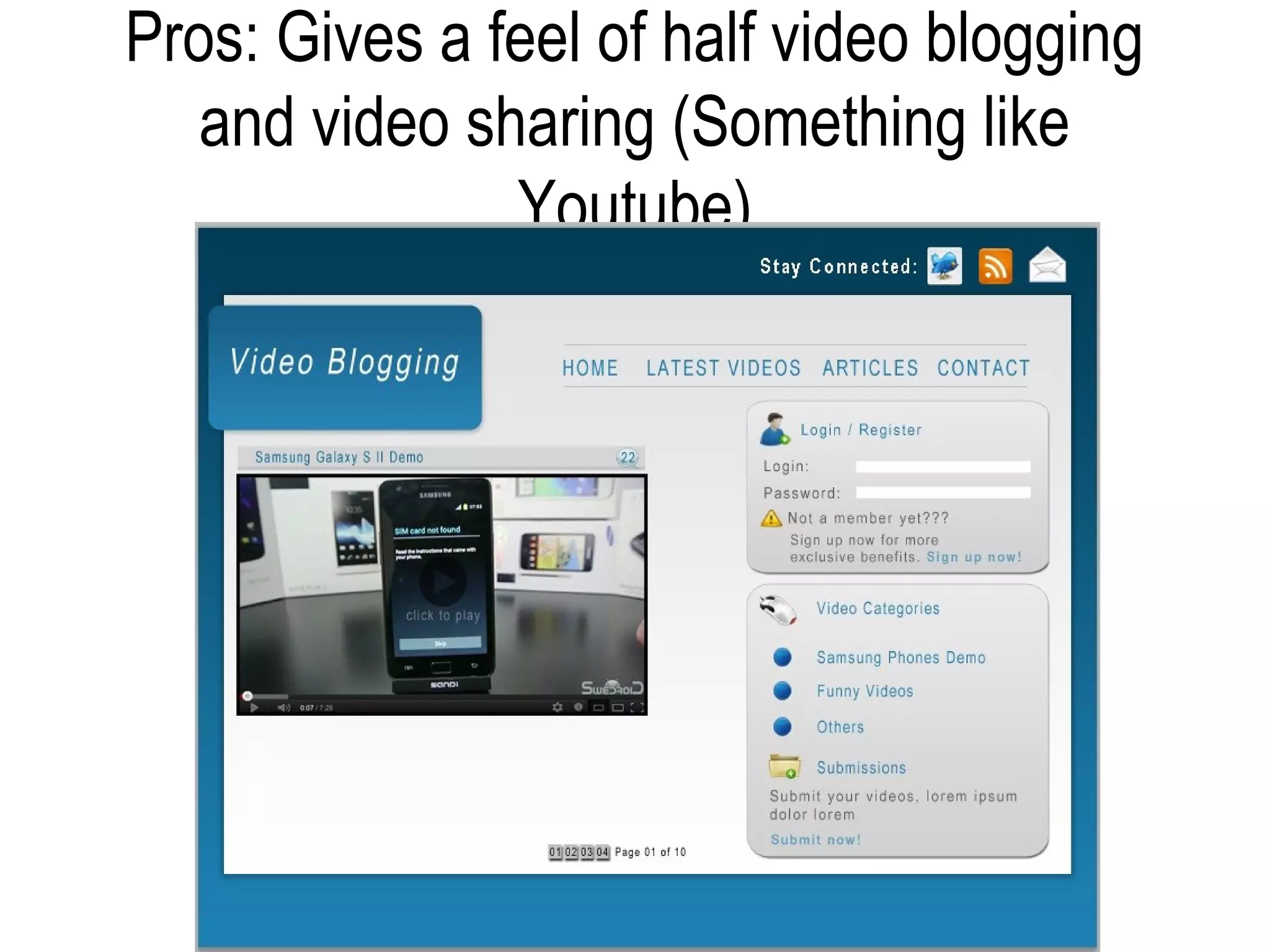
Pros: Gives a feel of half video blogging
   and video sharing (Something like
               Youtube)
‘Final Layout’
• I would pick the 2nd layout because:
   – Color management and combination is good.
   – There is an user interaction which is the ‘Stay connected
     options’ at the top right hand corner.
   – It allows more user privacy with account before
     uploading.
   – Gives a feel something like Youtube (Half video blogging
     and video sharing)
Improvement of the 2nd layout
Improvements made.
Before                               After


              Removed the ‘Page 1 of 10’
              options. One special video of the
              day or week to attract users.
Improvements made.


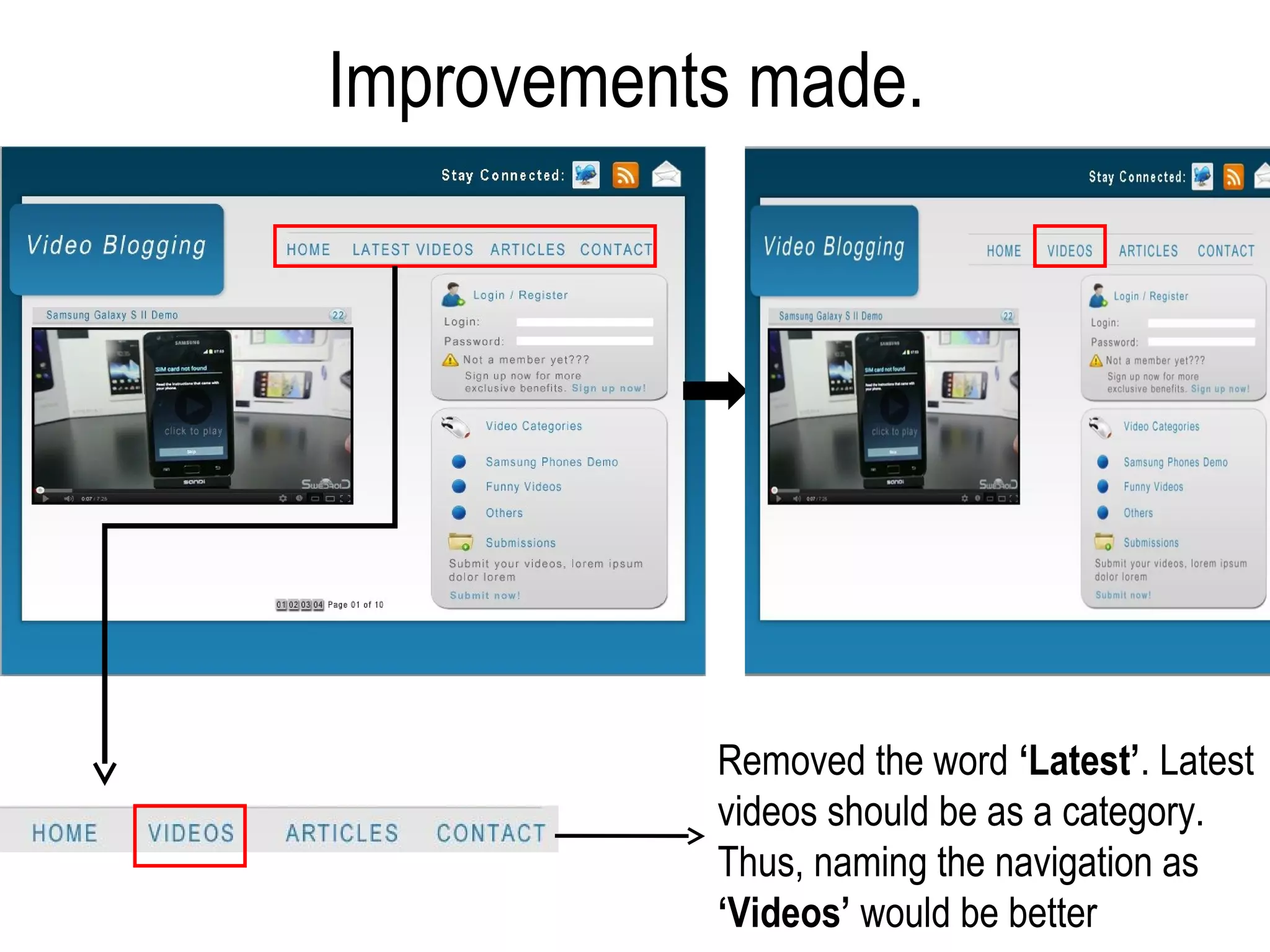
           Removed the word ‘Latest’. Latest
           videos should be as a category.
           Thus, naming the navigation as
           ‘Videos’ would be better
Prototype
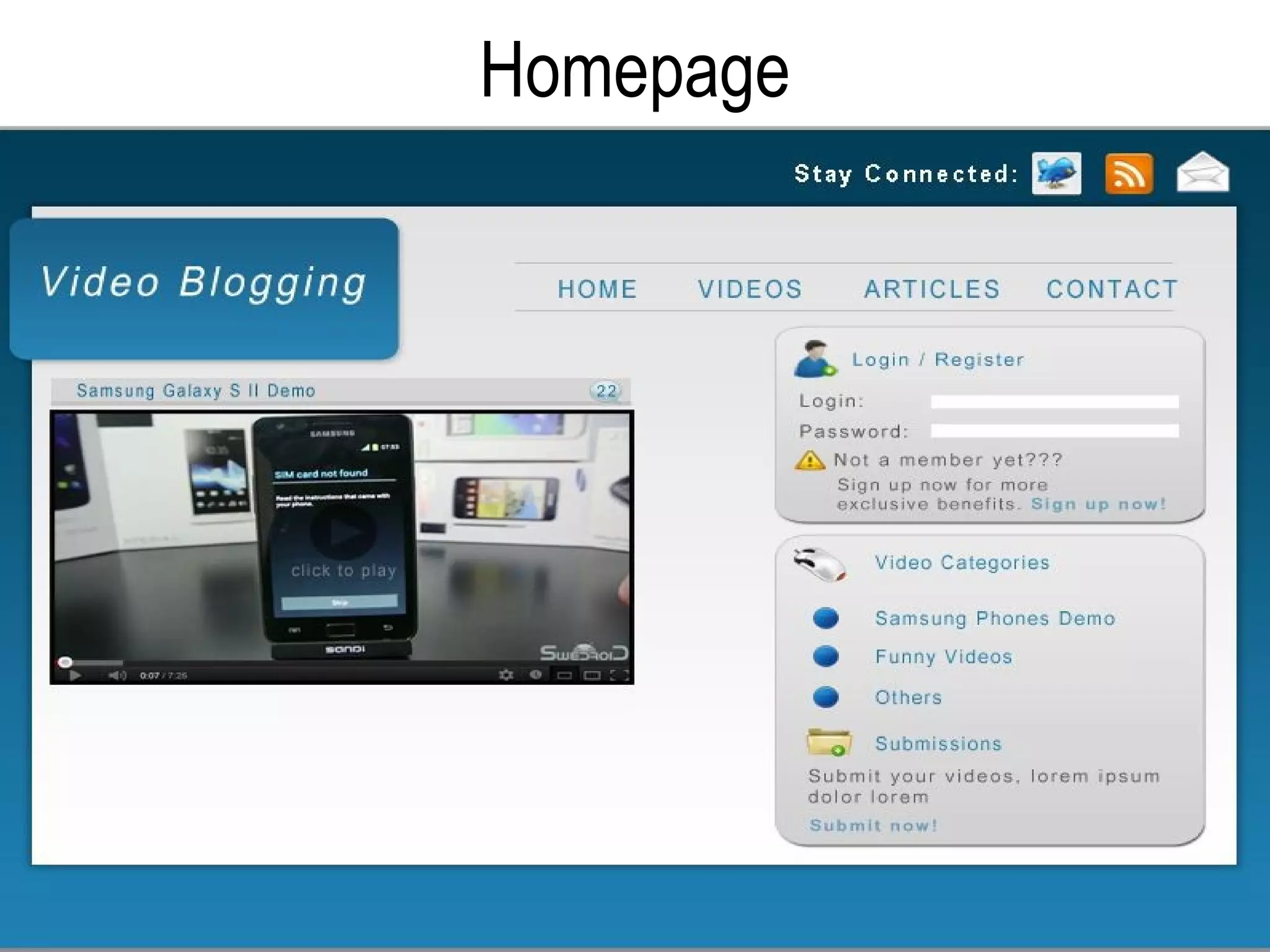
Homepage
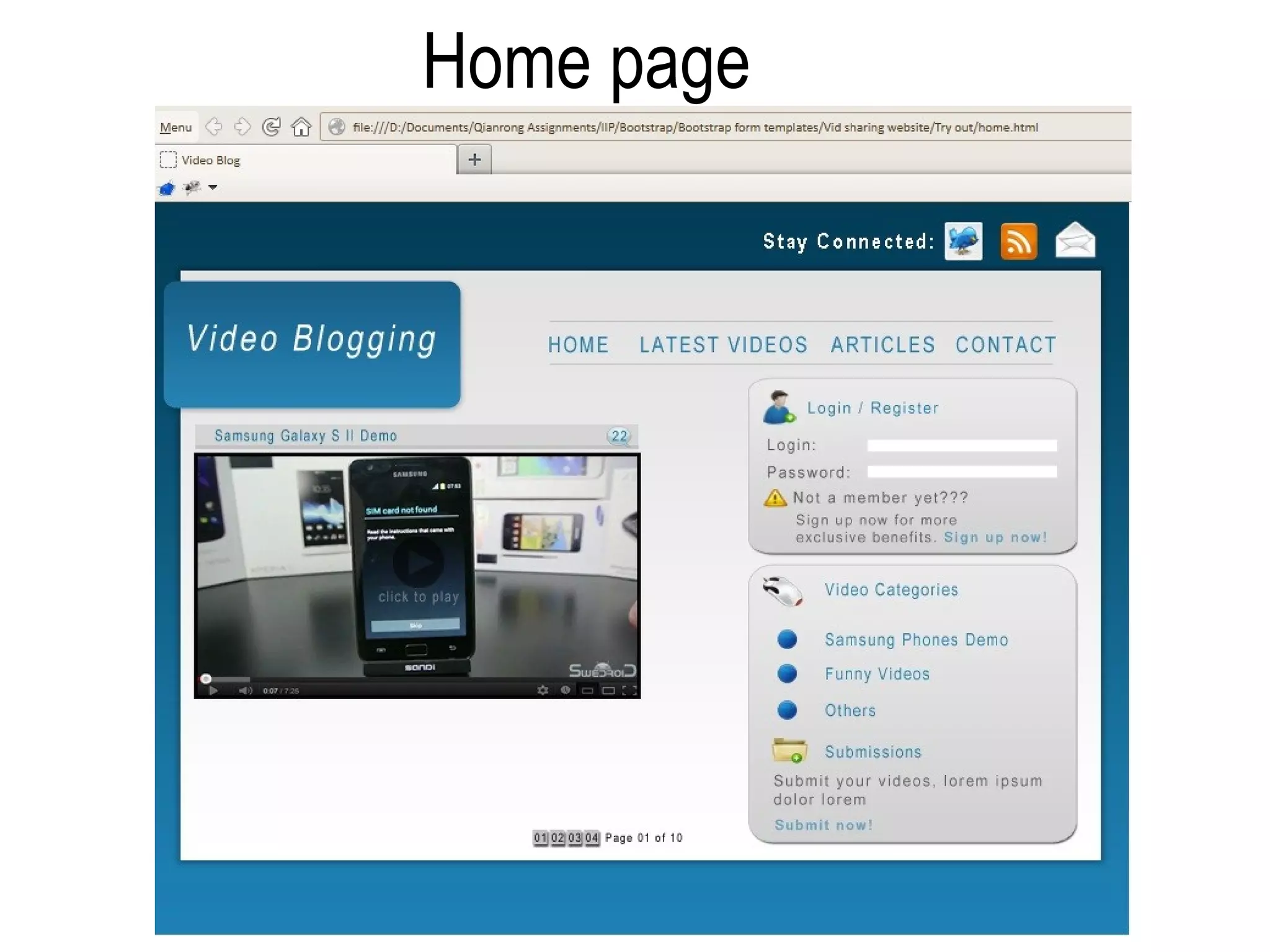
When you clicked “Videos”
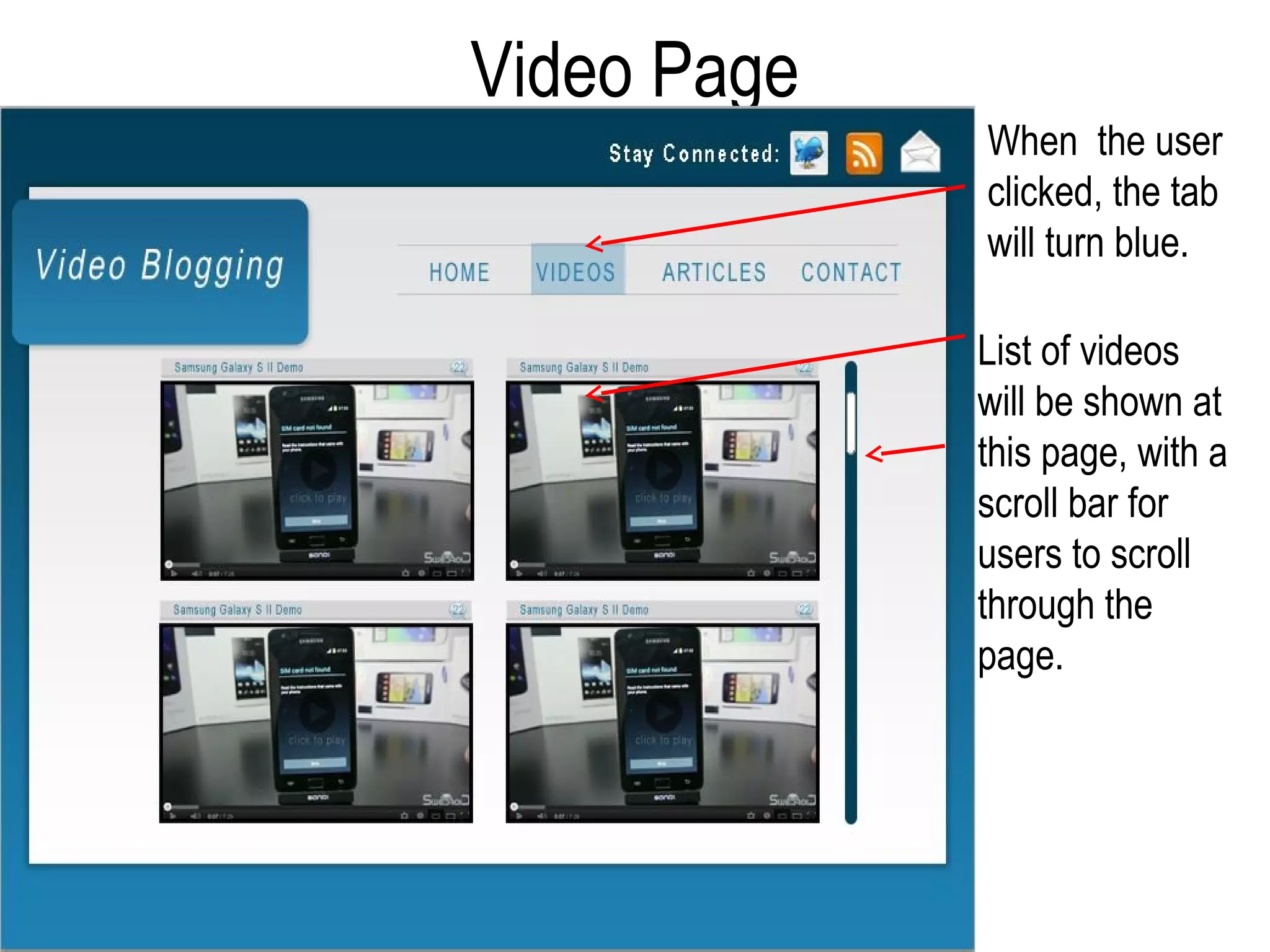
Video Page
             When the user
             clicked, the tab
             will turn blue.

             List of videos
             will be shown at
             this page, with a
             scroll bar for
             users to scroll
             through the
             page.
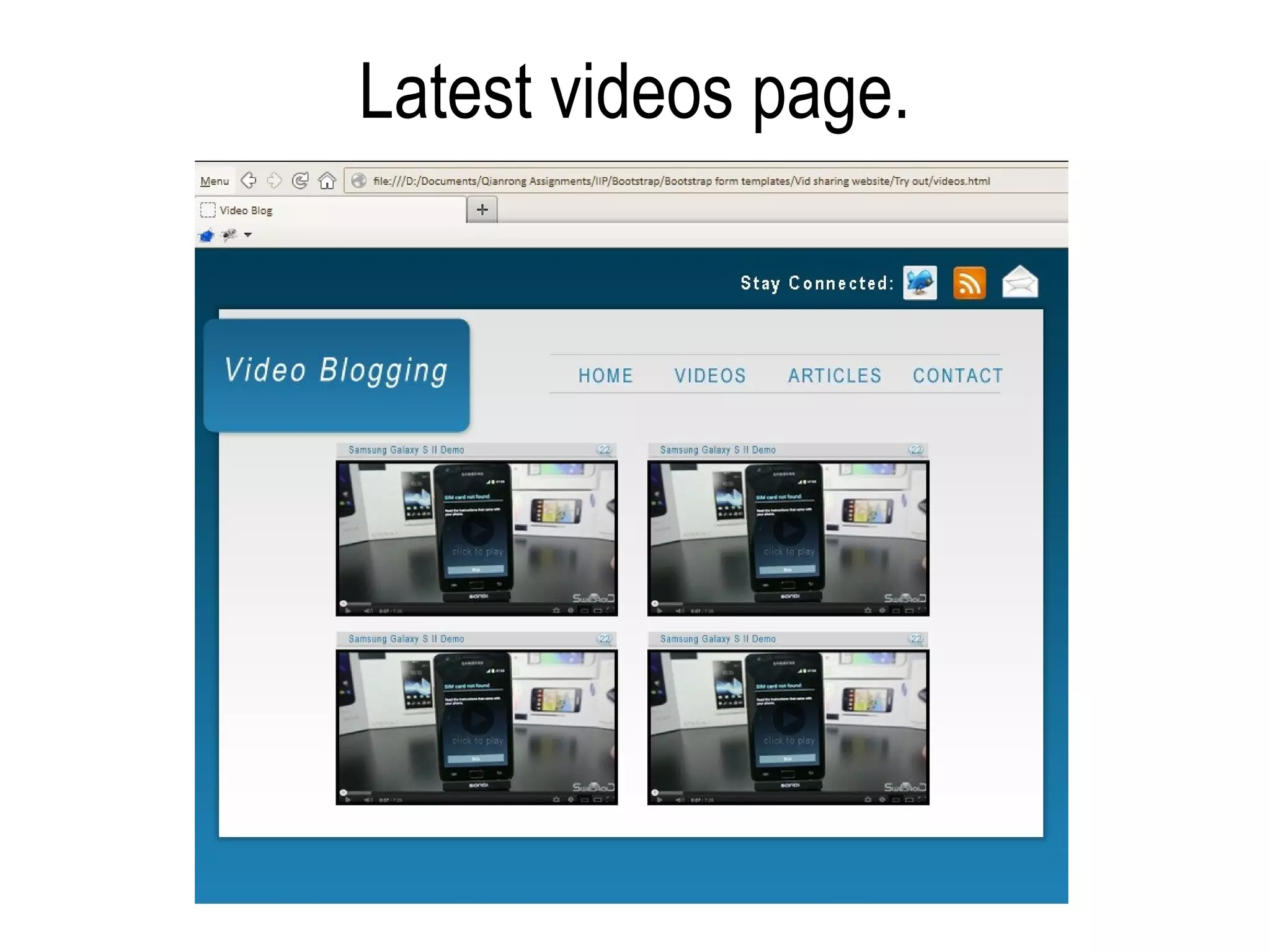
When you clicked “Articles”
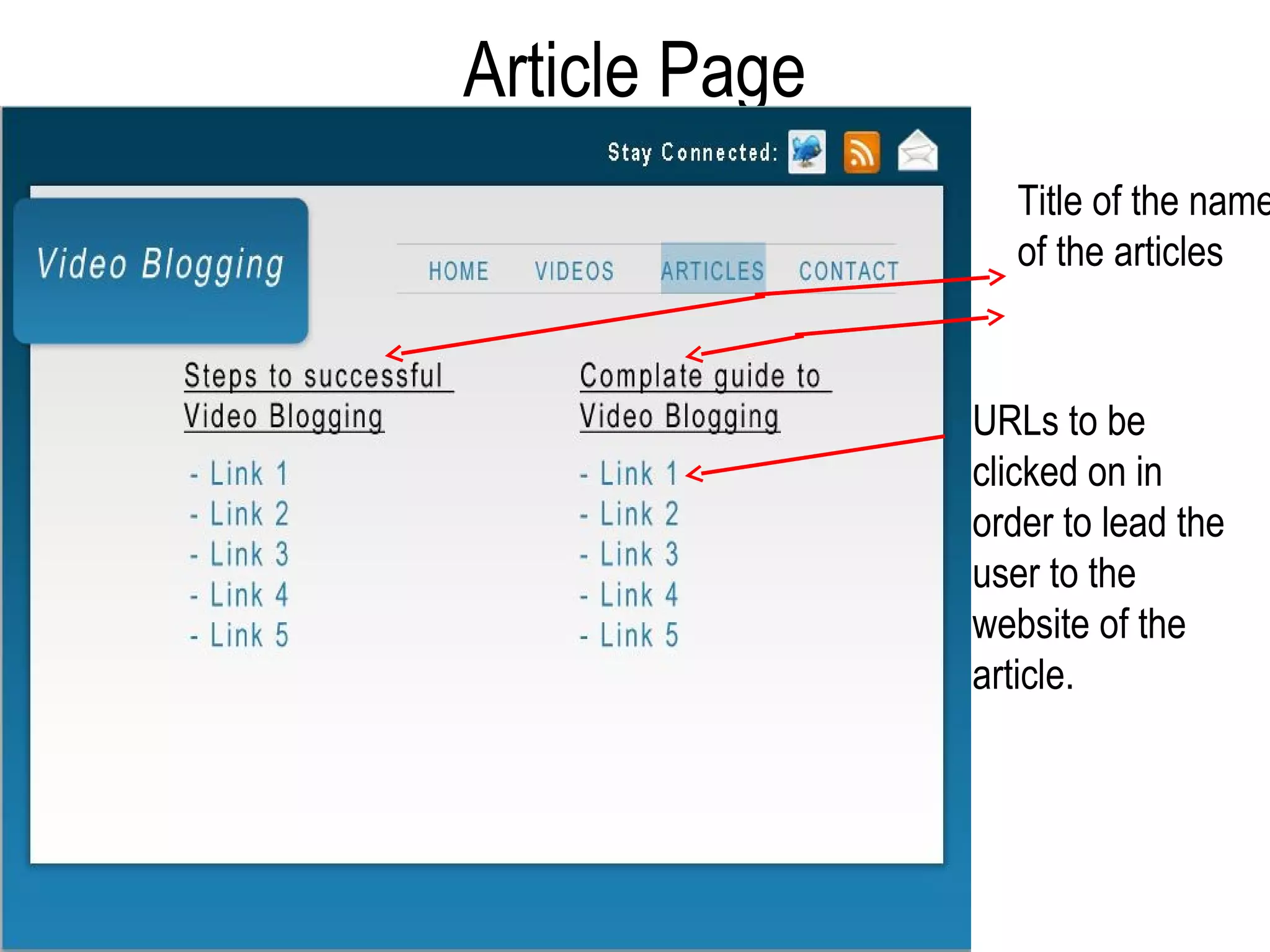
Article Page
                  Title of the name
                  of the articles


               URLs to be
               clicked on in
               order to lead the
               user to the
               website of the
               article.
When you clicked “Contact”
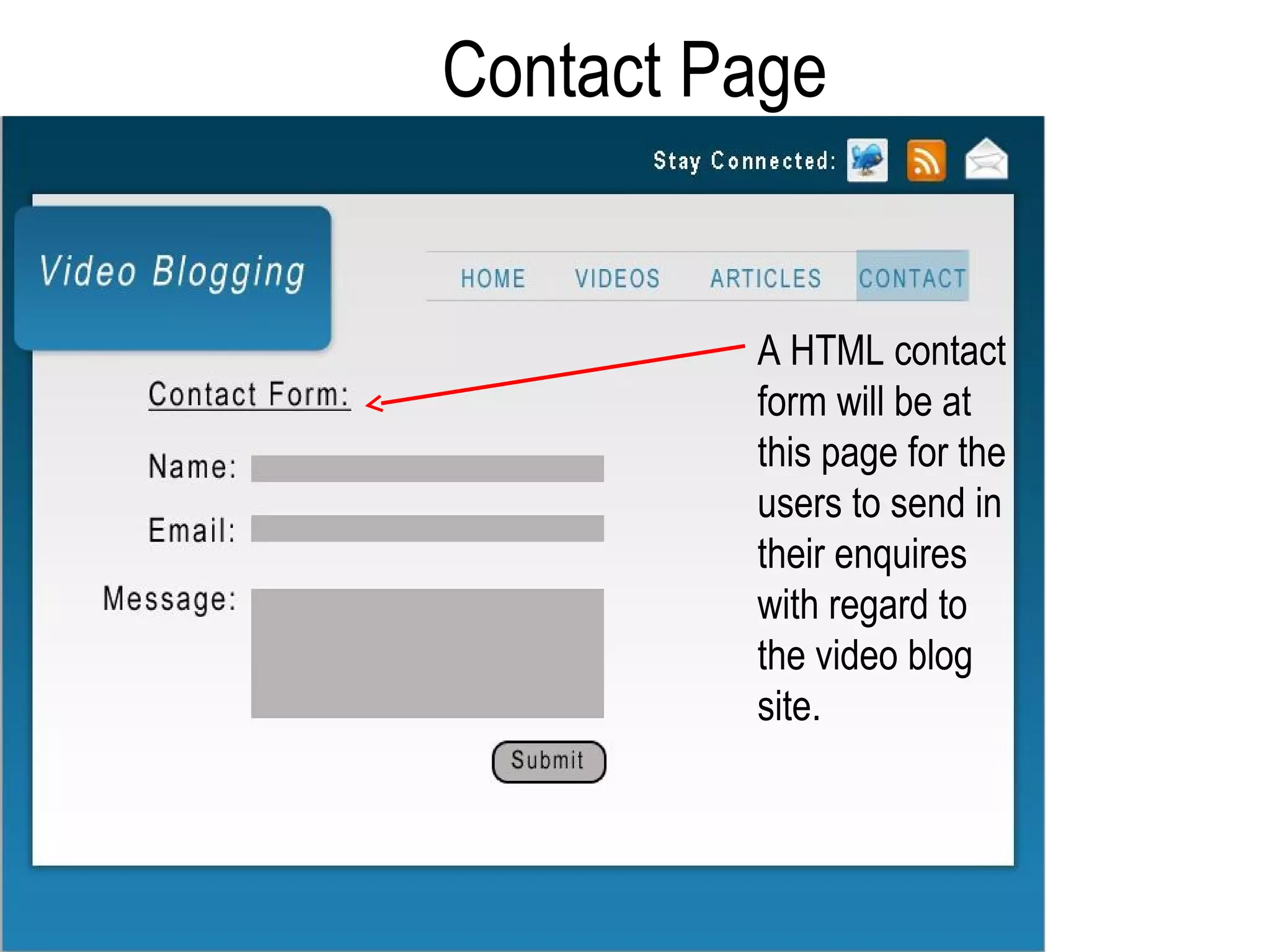
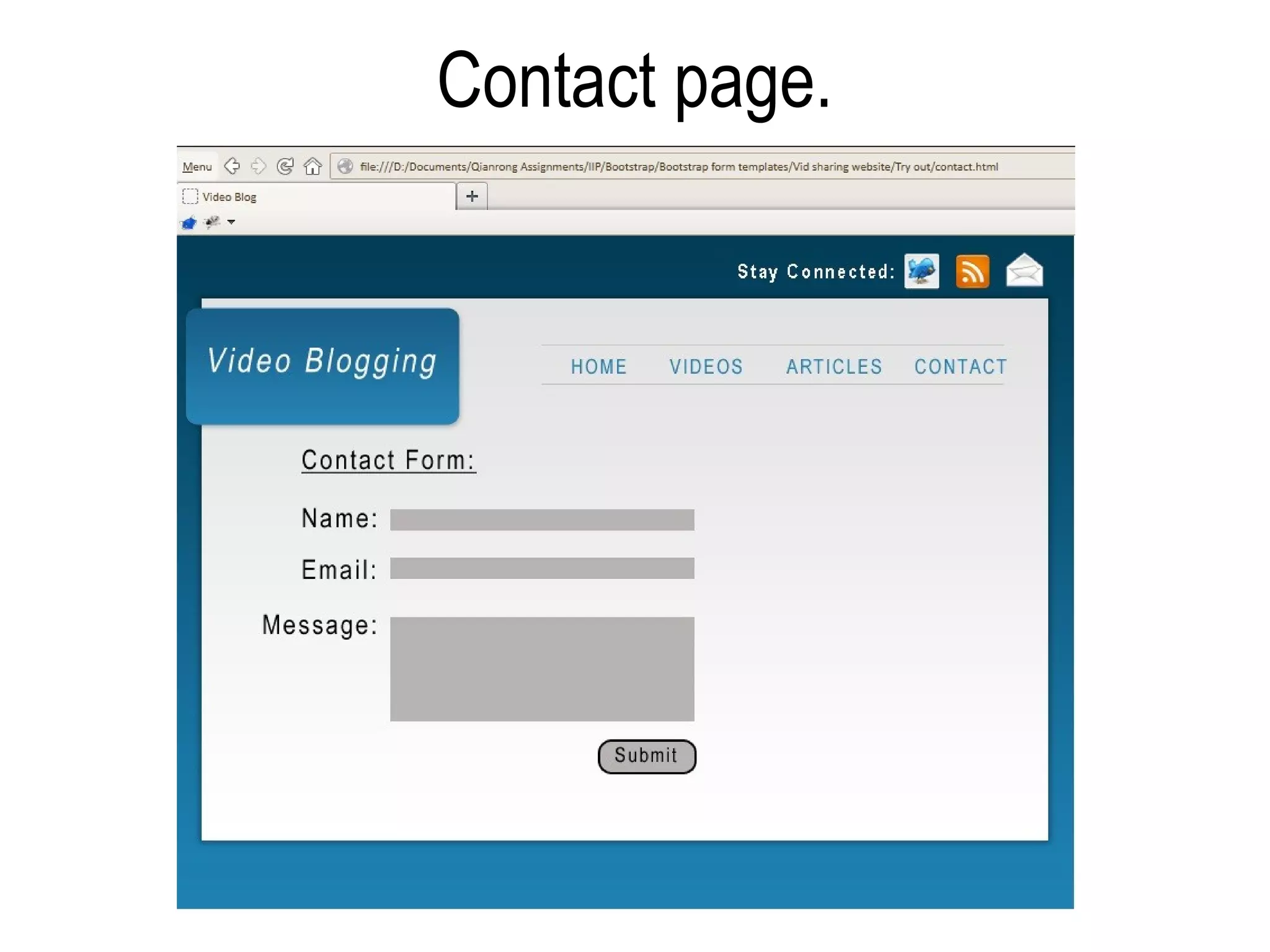
Contact Page


         A HTML contact
         form will be at
         this page for the
         users to send in
         their enquires
         with regard to
         the video blog
         site.
From the initial prototype
• There are ‘Pages of 1 of N’ options earlier on at
  the bottom of the website.
• ‘Latest videos’ was written as navigation.
• There are video categories as express links for the
  users.
• Overall, it is something like Youtube whereby you
  are able to sign up and upload the videos you want.
  Or, you can just view the videos that are on the
  website.
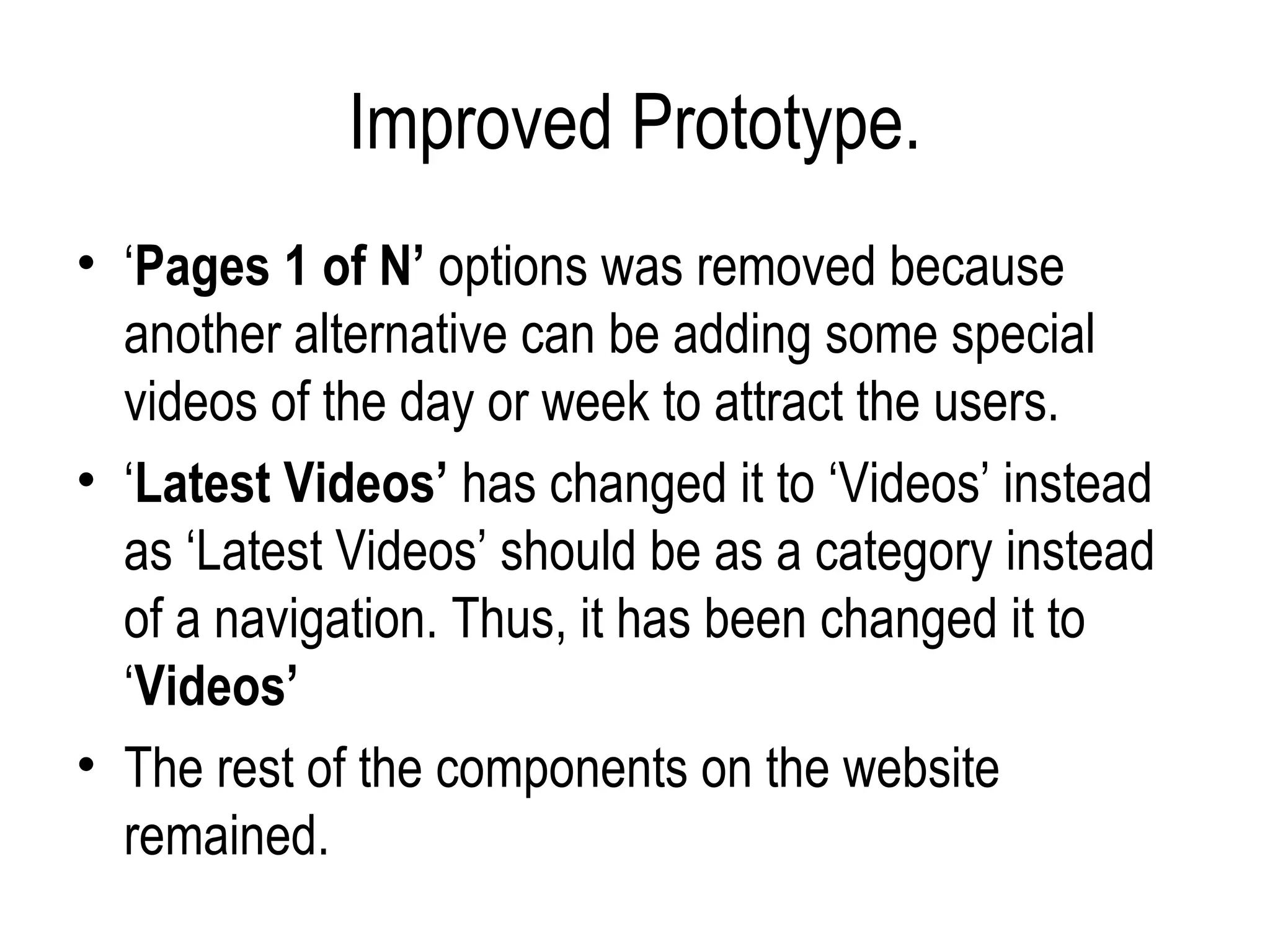
Improved Prototype.
• ‘Pages 1 of N’ options was removed because
  another alternative can be adding some special
  videos of the day or week to attract the users.
• ‘Latest Videos’ has changed it to ‘Videos’ instead
  as ‘Latest Videos’ should be as a category instead
  of a navigation. Thus, it has been changed it to
  ‘Videos’
• The rest of the components on the website
  remained.
A Walk Through.
Home page
Latest videos page.
Articles page.

       When user clicked on one of the
       links, it will lead to the website as
       shown below.
Contact page.

2nd Portfolio Development Idea: Video blog

  • 1.
  • 2.
    What is aVideo Blog? • It is also known as ‘Vlog’. • It is a platform that uses videos as their basic mode of content to deliver their messages, rather than using text or images. • Basic idea: – Uses videos as a platform to share the bloggers’ thoughts and their views or to raise some kind of awareness about a topic, product or service. • Typical bloggers’ voice who wants to express his or her thoughts.
  • 3.
    Purpose of VideoBlogging. • Able to reveal thoughts, opinions, feelings etc truly. • It is normally uncensored, thus, it gives the video blogger a chance to share his or her opinions freely. • Video blogging allows readers or viewers to hear your voices clearly, be it in a jokingly or angrily manner. • It also allows the readers or viewers to see video blogger’s facial expressions and their body movements.
  • 4.
    What is thedifference between Podcasting and Video Blogging? • Video Blogging is placing a video on the traditional blog platform (Written text). Alternative to having a blog post that contains all text, you can have a blog post that is just a video itself, but with little text. • Video Blogging is created from the videos in which the blogger has shoot using digital video camera. It is being recorded, upload it to the computer, followed by uploading it to the video blog, type a short description of the video on the blog, and use coding to make the video display on the blog post.
  • 5.
    What is thedifference between Podcasting and Video Blogging? • File formats and coding is needed in order to make the video appear on the blog (Video Blogging). • Podcasting is just an audio file that is only available via RSS
  • 6.
    Things to consider/ add in a Video Blogging website
  • 7.
    Consideration: [Richer Webexperience] • Instead of having a long blog post, combine what is written in the blog post into a short video. • Able to save time for the readers. • Not many people will read word by word. • Most readers prefer to read introductory messages and tend to skip the rest of the content.
  • 8.
    Consideration: [Bigger audience] •Videos tend to attract more audience. • Not all readers like to read from line to line. However, with videos, they are able to estimate / gauge the feelings even if the readers do not understand the language. • Videos are one of the best ways to reach the audience as readers are able to hear and see you in person at the same time. • Readers will have a better understanding about the personal side of yours, readers are able to visualize your (You as the blogger) life just by watching the video. • Thus, it will definitely be able to make you as the blogger to stand out and will leave the audience / readers a deep impression.
  • 9.
    Consideration: [Marketing &Promotion] • Alternative to just having a textual blog post to promote the item you are offering it for sale, videos can be one of the best methods to promote it by expanding your reach. • An introduction about the product / service using video is able to gain more trust easily and in a quicker way compared to a textual blog post. At the same time, able to persuade a random visitor to become a customer of yours. • It is known that with the use of keywords to search for something in any of the search engines, we might see some video results being plastered between the search results pages. • Above mentioned, it is one of the good ways to gain some additional traffic through the results to allow more viewers to visit your blog and watch the videos
  • 10.
    Consideration: [Time] • Notall viewers have the time to read line by line. • If whatever the person wants to say can combine into a video, the readers will be happy to re-visit the blog again.
  • 11.
    Problems that Ifaced when visiting the original video blogging websites. • Long videos are being posted on the blog. • Not search-engine friendly. • Certain players needed to be installed then can play the video. • Giving the user privacy to blog about their own stuffs
  • 12.
    Examples of problemsI had encountered. 1) Long videos are being posted on the blog Website Link: http://video.gearlive.com/
  • 13.
    This is theso main page, with the video about Jawbone Jambox review.
  • 14.
    Playing the video… •Long video posted in the website (Squared it with RED) •Followed by a short description of the product that the person is going to introduce.
  • 15.
    Another example oflong video posted on the website. •Long video posted in the website (Squared it with RED) •Followed by a short description of the product that the person is going to introduce.
  • 16.
    Examples of problemsI had encountered. 2) Not search-engine friendly. Website Link: http://chasingmills.blogspot.com/
  • 17.
    Part of themain page of the second website.
  • 18.
    No ‘tags’ or‘relevant keyword’ in the post title. When searching for ‘Blue A few of the videos of the Sunday’ video in GOOGLE, same name popped up.
  • 19.
    Examples of problemsI had encountered. 3) Only certain players needed to be installed then can play the video. Website Link: http://chasingmills.blogspot.com/
  • 20.
    Certain players neededto be installed then can play the video.
  • 21.
    Problems that Iam going to tackle on. • The timing of the video that is going to be posted on the blog. (Time) • The ‘relevant keyword’ in the post title. (Easier for the user to locate the video) • Players that can be used by almost everyone (Saves time for users who are needed to download a new player just to view the video)
  • 22.
  • 23.
    Video Blog • Requirementsof the website. • Research. – Short description of the – Websites / Tutorials. video blog site. – Site visits – original Video – Contact (email, facebook, Blog websites. twitter?) – Logo / name of the website (able to link it back to the home page) – Videos and information to be nicely arranged. – Color used for the website. – Fonts used in the website.
  • 24.
    Video Blog • TargetAudience. • Website Editing. – 16 + year old and above – Simple layout. (As there would be fans of • Requirements for the users. modern pop music and also • Videos must not be too attracted to other videos long as different users like Entertainment etc) have different bandwidth. – 40 + year old and above • Website must be clear (Fans of vintage music) enough for the user to be able to navigate well. • Must be updated so that it will keep the regular viewers to revisit the website again and again.
  • 25.
  • 26.
  • 27.
  • 28.
    1st layout ofthe Video Blog website.
  • 29.
    1 video bloglayout st
  • 30.
    2nd layout ofthe Video Blog website.
  • 32.
    Pros and Consfound in the 1st layout.
  • 33.
    Pros: Neat layoutwith clear categories
  • 34.
    Cons: Eyes willfeel uncomfortable because of the light colors. Light wordings Light background
  • 35.
    Pros: Search functionis good. Search bar at the top left hand corner.
  • 36.
    Pros: Good focuspoint for the users. Video at the main page to absorb user’s focus or attention
  • 37.
    Pros: Arrangement ofcomponents is good.
  • 38.
    Pros: Allows userinteraction
  • 39.
    Pros: Gives afeeling that it is more than just a video public sharing website
  • 40.
    Pros and Consfound in the 2nd layout.
  • 41.
    Pros: Nice colormanagement and Darker background combination Dark with light background and also with some darker wordings Lighter background
  • 42.
    Pros: User interactionwith the “Stay connected” options. User will interact with the “Stay connected” options. (Twitter, RSS and Email)
  • 43.
    Pros: More privacy Allows more user privacy with account options before uploading videos.
  • 44.
    Pros: Good expresslinks with video categories. Good express links with video categories and submissions of videos at the homepage.
  • 45.
    Cons: The Page1 of 10 options The above ‘Page 1 of 10’ options can be removed as it can be replaced by inserting 1 special video of the day or week to attract users.
  • 46.
    Pros: Good arrangementand focus points
  • 47.
    Pros: Main logofor user to remember the title of the video blog User is able to remember the name of the website better as the main logo is big and its placed at the top left corner.
  • 48.
    Pros: Good flowof components for navigation
  • 49.
    Pros: Gives afeel of half video blogging and video sharing (Something like Youtube)
  • 50.
    ‘Final Layout’ • Iwould pick the 2nd layout because: – Color management and combination is good. – There is an user interaction which is the ‘Stay connected options’ at the top right hand corner. – It allows more user privacy with account before uploading. – Gives a feel something like Youtube (Half video blogging and video sharing)
  • 51.
  • 52.
    Improvements made. Before After Removed the ‘Page 1 of 10’ options. One special video of the day or week to attract users.
  • 53.
    Improvements made. Removed the word ‘Latest’. Latest videos should be as a category. Thus, naming the navigation as ‘Videos’ would be better
  • 54.
  • 55.
  • 56.
    When you clicked“Videos”
  • 57.
    Video Page When the user clicked, the tab will turn blue. List of videos will be shown at this page, with a scroll bar for users to scroll through the page.
  • 58.
    When you clicked“Articles”
  • 59.
    Article Page Title of the name of the articles URLs to be clicked on in order to lead the user to the website of the article.
  • 60.
    When you clicked“Contact”
  • 61.
    Contact Page A HTML contact form will be at this page for the users to send in their enquires with regard to the video blog site.
  • 62.
    From the initialprototype • There are ‘Pages of 1 of N’ options earlier on at the bottom of the website. • ‘Latest videos’ was written as navigation. • There are video categories as express links for the users. • Overall, it is something like Youtube whereby you are able to sign up and upload the videos you want. Or, you can just view the videos that are on the website.
  • 63.
    Improved Prototype. • ‘Pages1 of N’ options was removed because another alternative can be adding some special videos of the day or week to attract the users. • ‘Latest Videos’ has changed it to ‘Videos’ instead as ‘Latest Videos’ should be as a category instead of a navigation. Thus, it has been changed it to ‘Videos’ • The rest of the components on the website remained.
  • 64.
  • 65.
  • 66.
  • 67.
    Articles page. When user clicked on one of the links, it will lead to the website as shown below.
  • 68.

Editor's Notes

  • #19 Of course there are things you can do to address this.  Make sure you include a relevant keyword in your post title.  You can also add a short paragraph explaining what the video is about.  This not only helps optimize the post, but gives readers an idea of what the video is about.