1
2D Page Layout
Layout-ing the page leveraging browser support
without using framework.
Table of content
● Let's recap our web
● Comparison to Bootstrap 4
● Concepts - Grid container
● Concepts - Grid items
● Examples:
● Mosaic view of image
● CSS Grid layout template
● ​Is browsers ready ?
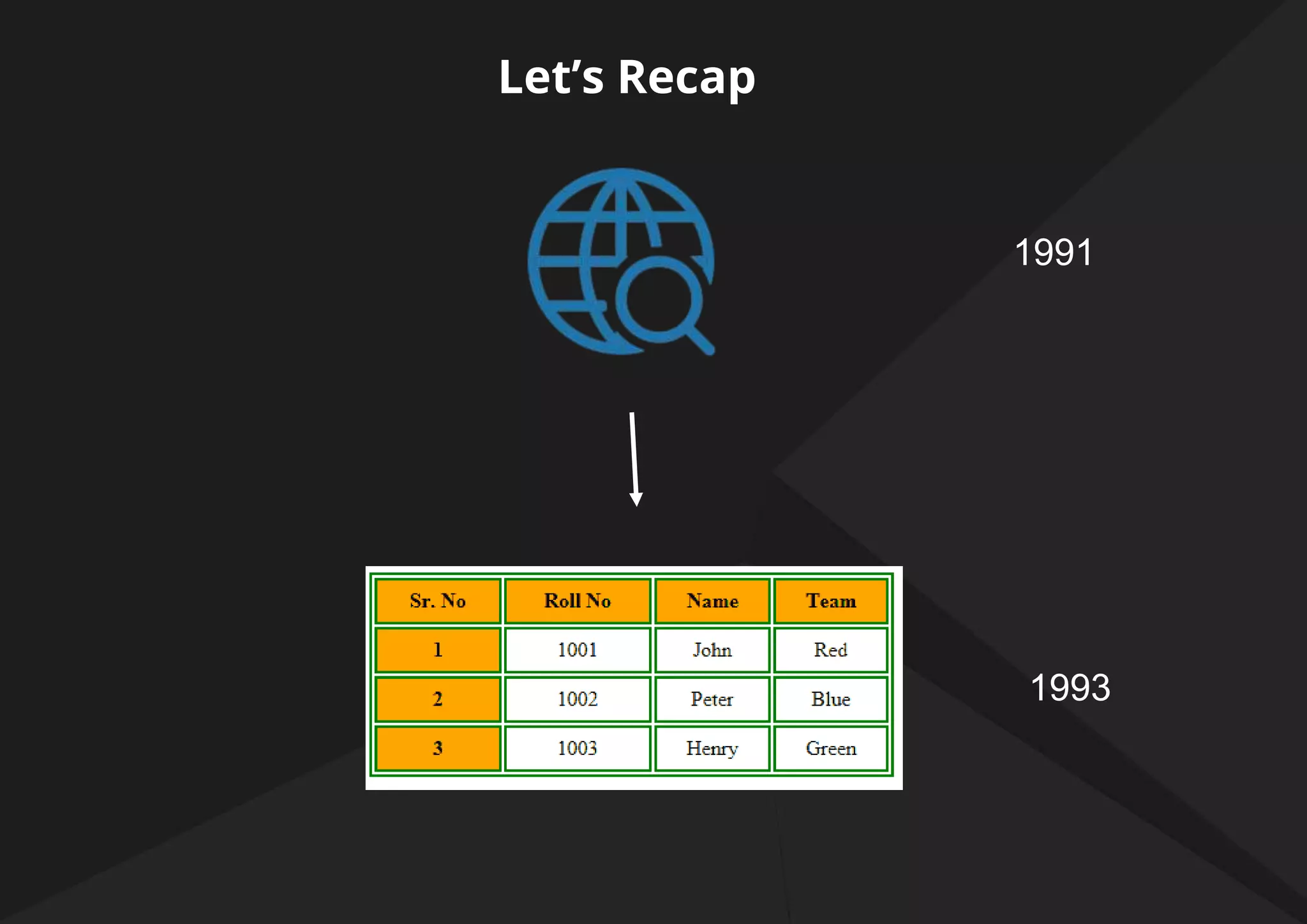
Let’s Recap
1991
1993
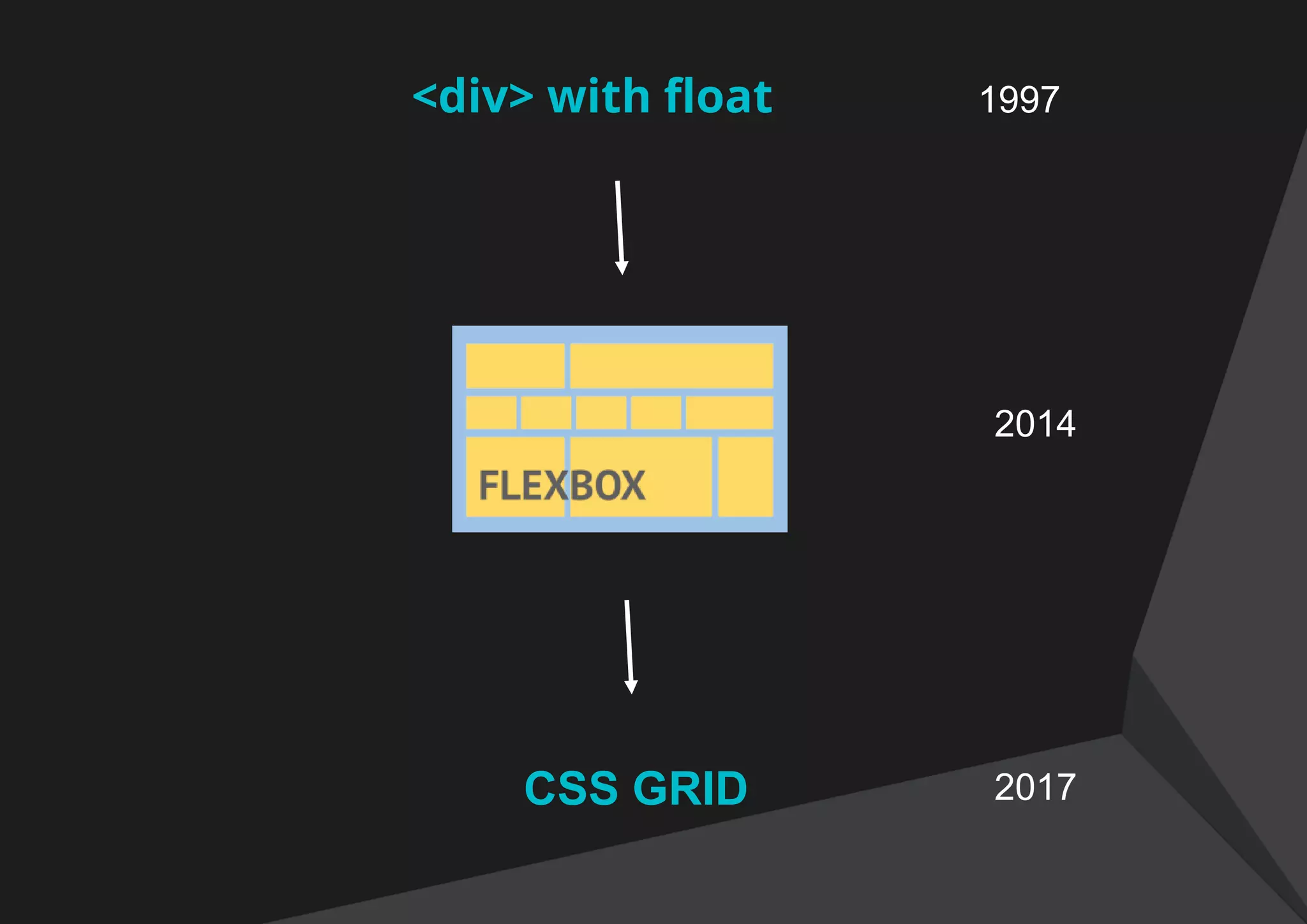
<div> with float 1997
CSS GRID
2014
2017
Comparison to Bootstrap 4
https://jagatjeevan.github.io/css-grid
Let's re-arrange things in the above mentioned url and see
how easy it is in both.
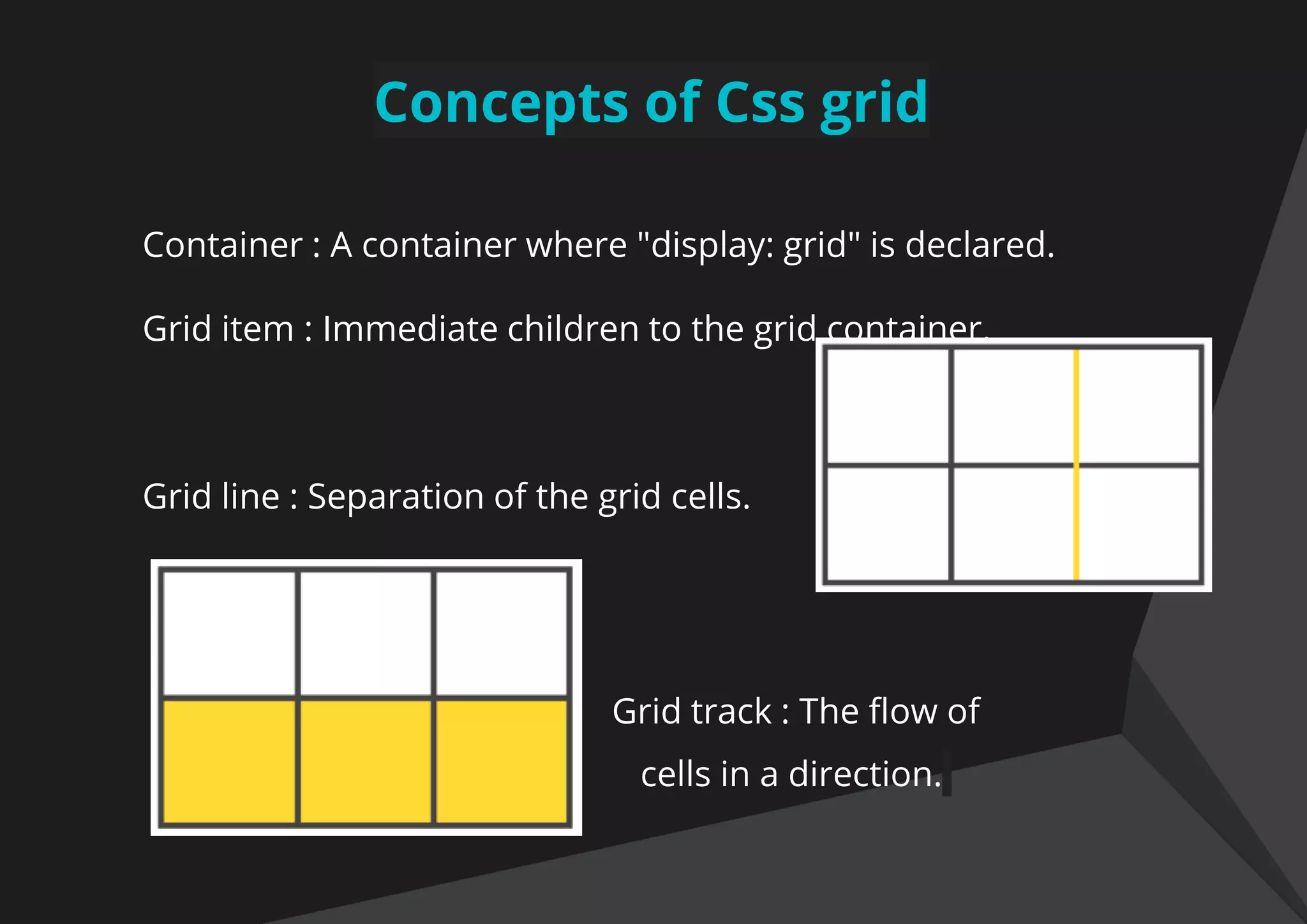
Concepts of Css grid
Container : A container where "display: grid" is declared.
Grid item : Immediate children to the grid container.
Grid line : Separation of the grid cells.
Grid track : The flow of
cells in a direction.
Concepts of Css grid
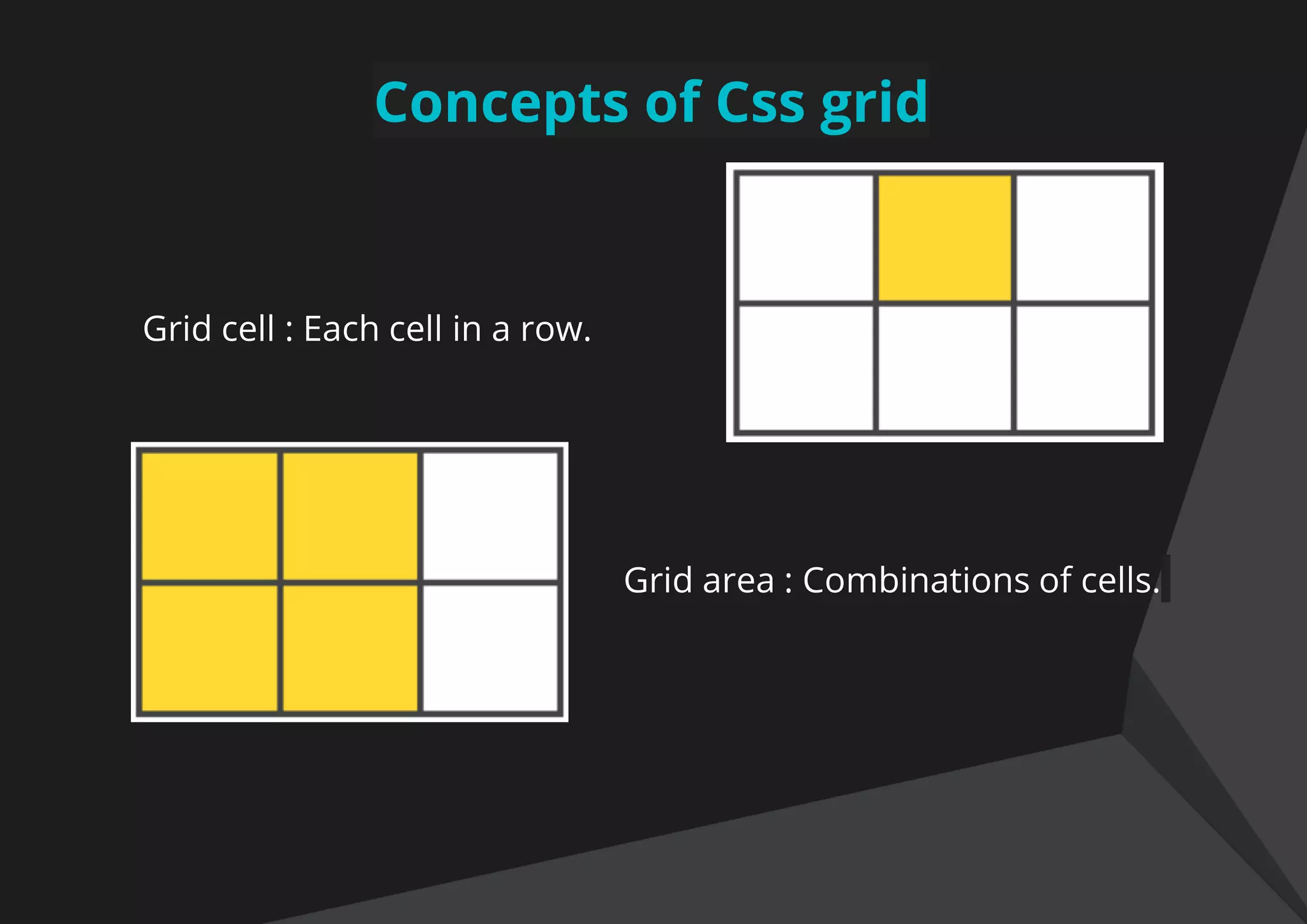
Grid cell : Each cell in a row.
Grid area : Combinations of cells.
Creating our first grid
To create our first grid, we need to:
1. Tell the browser, where to start for css grid.
2. Tell how many rows you want
3. Tell how many columns you want for each row.
https://jagatjeevan.github.io/css-grid/1.html
Making our grid fluid and responsive
Use normal way, for making any layout fluid and responsive.
1. % values
2. Repeat : repeat(3, 33%)
3. Minmax: minmax(300px, 1fr)
https://jagatjeevan.github.io/css-grid/2.html
Making our own grid system
It would be easy to have our own grid system with minimal
code rather than a bulky framework.
1. Template columns
2. Repeat the columns that you require.
https://jagatjeevan.github.io/css-grid/4.html
Aligning all the content
You can align all the content of the container along the row-
axis
.container {
Justify-items: start | end | center | stretch;
}
Aligning all the content
You can align all the content of the container along the
column-axis
.container {
align-items: start | end | center | stretch;
}
Word of caution
Before we proceed, just a note of caution, while using css
grid property, all the below css property will not affect the
grid items (immediate children).
float, display: inline-block, display: table-cell, vertical-align
and column-*.
Defining a grid area
.item {
grid-column-start: 2
grid-column-end: 5
grid-row-start: 1
grid-row-end: 3
}
Values could be:
● <number>
● <name>
● span <number>
● span <name>
● Auto
https://prakashup.github.io/css-grid/grid-area.html
Different layout with same markup
You can now cater to different clients design using the
same markup. Let’s see an example.
https://prakashup.github.io/css-grid/positioning.html
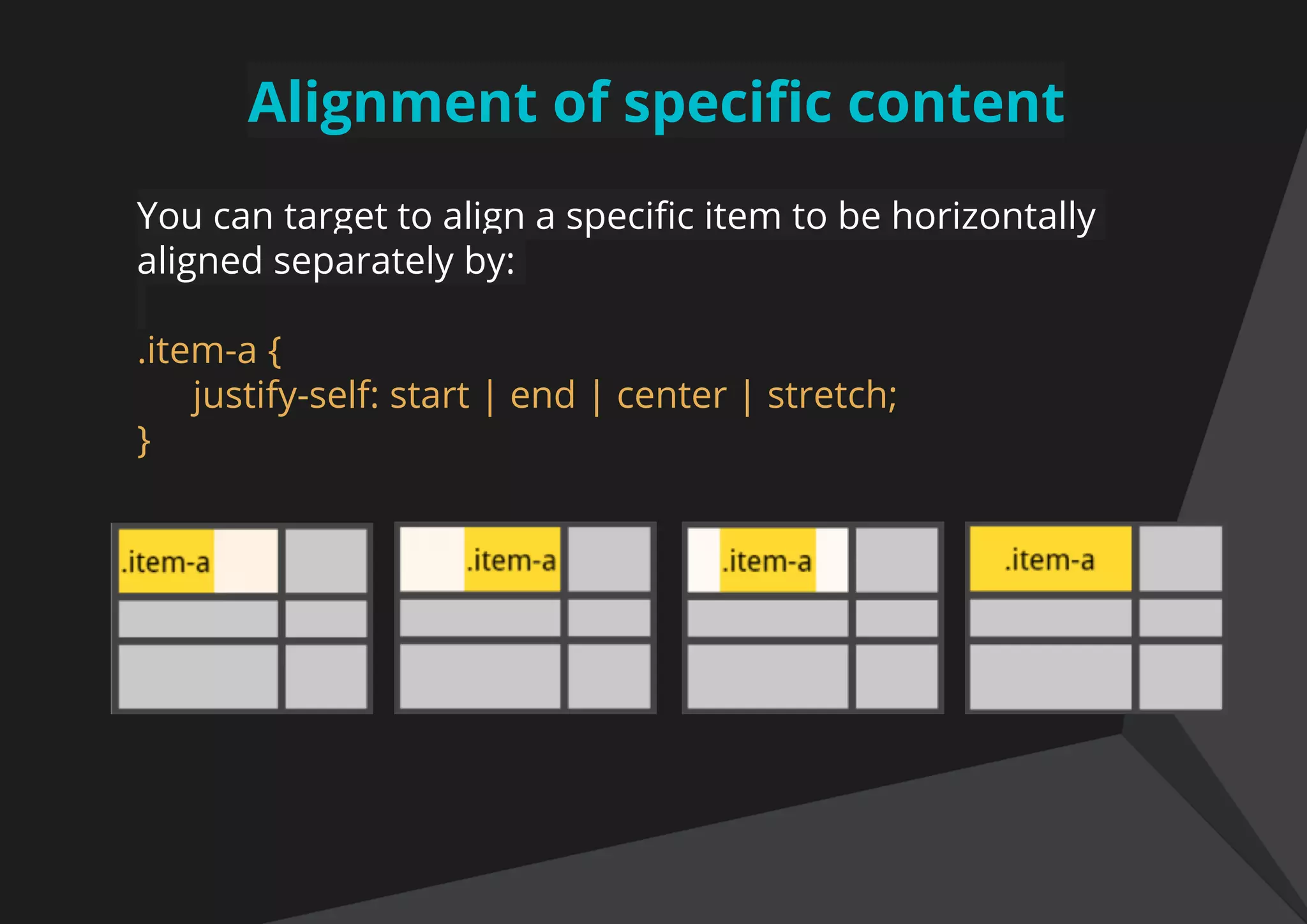
Alignment of specific content
You can target to align a specific item to be horizontally
aligned separately by:
.item-a {
justify-self: start | end | center | stretch;
}
Alignment of specific content
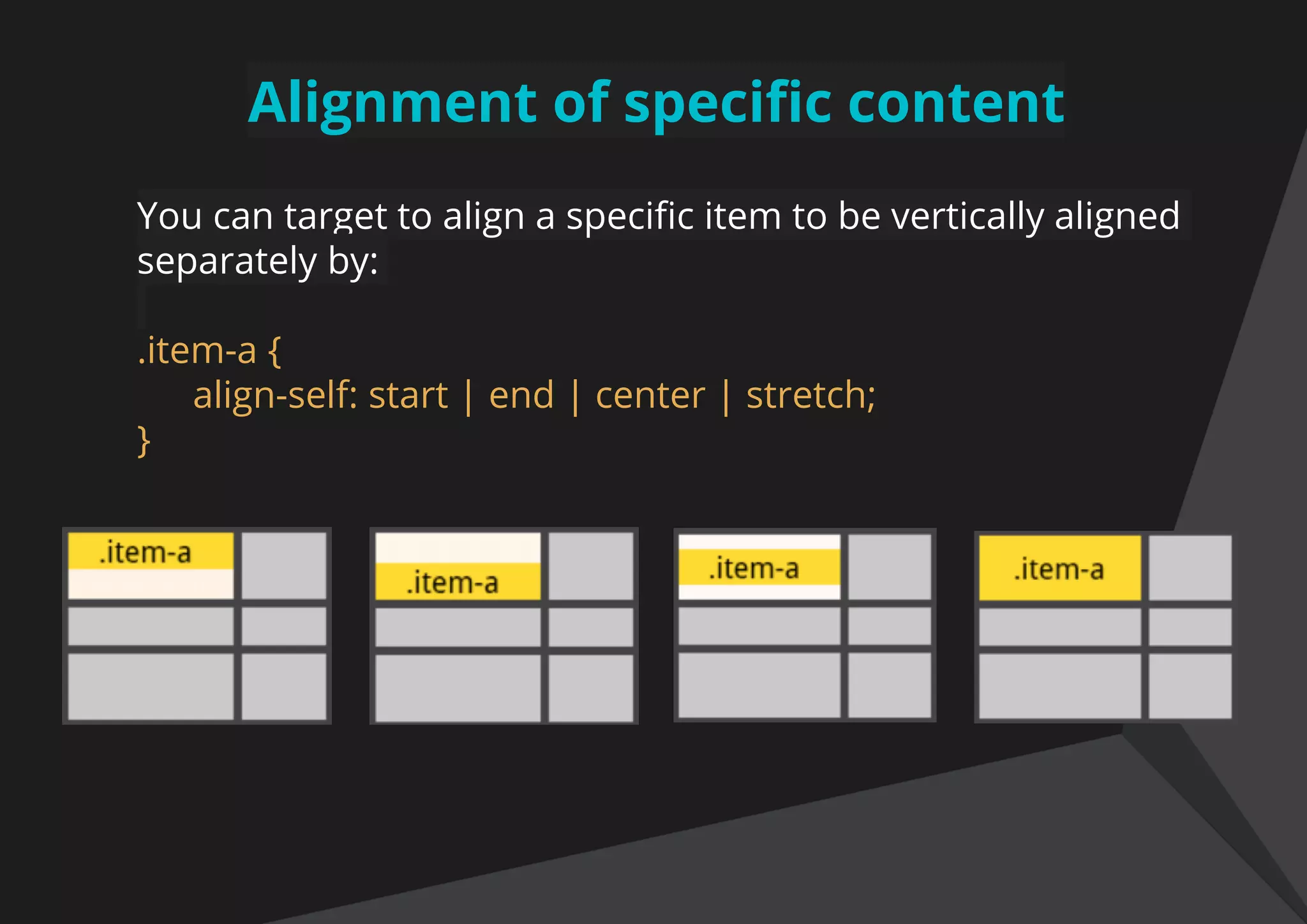
You can target to align a specific item to be vertically aligned
separately by:
.item-a {
align-self: start | end | center | stretch;
}
Summing up to an example
Let’s put all the things that we have just learn together to an
example of a mosaic view of the image gallery. Majorly we
use some jquery / javascript plugin for making it consume all
the view space.
https://jagatjeevan.github.io/css-grid/image-gallery.html
Let’s create a simple layout
https://prakashup.github.io/css-grid/
Is this ready for production ?
https://caniuse.com/#search=css%20grid
https://scrimba.com/g/gR8PTE
https://css-tricks.com/snippets/css/complete-guide-grid/
References
Short discussion
?
THANK YOU
Prakash Upadhyay
UI Developer, ThoughtWorks
prakashupadhyay770@gmail.com
github.com/prakashup
@prakashup
Jagat Jeevan Sahoo
UI Developer, ThoughtWorks
kanhajeevan@gmail.com
github.com/jagatjeevan
@JagatJeevan3

2D Page Layout

  • 1.
  • 2.
    2D Page Layout Layout-ingthe page leveraging browser support without using framework.
  • 3.
    Table of content ●Let's recap our web ● Comparison to Bootstrap 4 ● Concepts - Grid container ● Concepts - Grid items ● Examples: ● Mosaic view of image ● CSS Grid layout template ● ​Is browsers ready ?
  • 4.
  • 5.
    <div> with float1997 CSS GRID 2014 2017
  • 6.
    Comparison to Bootstrap4 https://jagatjeevan.github.io/css-grid Let's re-arrange things in the above mentioned url and see how easy it is in both.
  • 7.
    Concepts of Cssgrid Container : A container where "display: grid" is declared. Grid item : Immediate children to the grid container. Grid line : Separation of the grid cells. Grid track : The flow of cells in a direction.
  • 8.
    Concepts of Cssgrid Grid cell : Each cell in a row. Grid area : Combinations of cells.
  • 9.
    Creating our firstgrid To create our first grid, we need to: 1. Tell the browser, where to start for css grid. 2. Tell how many rows you want 3. Tell how many columns you want for each row. https://jagatjeevan.github.io/css-grid/1.html
  • 10.
    Making our gridfluid and responsive Use normal way, for making any layout fluid and responsive. 1. % values 2. Repeat : repeat(3, 33%) 3. Minmax: minmax(300px, 1fr) https://jagatjeevan.github.io/css-grid/2.html
  • 11.
    Making our owngrid system It would be easy to have our own grid system with minimal code rather than a bulky framework. 1. Template columns 2. Repeat the columns that you require. https://jagatjeevan.github.io/css-grid/4.html
  • 12.
    Aligning all thecontent You can align all the content of the container along the row- axis .container { Justify-items: start | end | center | stretch; }
  • 13.
    Aligning all thecontent You can align all the content of the container along the column-axis .container { align-items: start | end | center | stretch; }
  • 14.
    Word of caution Beforewe proceed, just a note of caution, while using css grid property, all the below css property will not affect the grid items (immediate children). float, display: inline-block, display: table-cell, vertical-align and column-*.
  • 15.
    Defining a gridarea .item { grid-column-start: 2 grid-column-end: 5 grid-row-start: 1 grid-row-end: 3 } Values could be: ● <number> ● <name> ● span <number> ● span <name> ● Auto https://prakashup.github.io/css-grid/grid-area.html
  • 16.
    Different layout withsame markup You can now cater to different clients design using the same markup. Let’s see an example. https://prakashup.github.io/css-grid/positioning.html
  • 17.
    Alignment of specificcontent You can target to align a specific item to be horizontally aligned separately by: .item-a { justify-self: start | end | center | stretch; }
  • 18.
    Alignment of specificcontent You can target to align a specific item to be vertically aligned separately by: .item-a { align-self: start | end | center | stretch; }
  • 19.
    Summing up toan example Let’s put all the things that we have just learn together to an example of a mosaic view of the image gallery. Majorly we use some jquery / javascript plugin for making it consume all the view space. https://jagatjeevan.github.io/css-grid/image-gallery.html
  • 20.
    Let’s create asimple layout https://prakashup.github.io/css-grid/
  • 21.
    Is this readyfor production ? https://caniuse.com/#search=css%20grid
  • 22.
  • 23.
  • 24.
    THANK YOU Prakash Upadhyay UIDeveloper, ThoughtWorks prakashupadhyay770@gmail.com github.com/prakashup @prakashup Jagat Jeevan Sahoo UI Developer, ThoughtWorks kanhajeevan@gmail.com github.com/jagatjeevan @JagatJeevan3