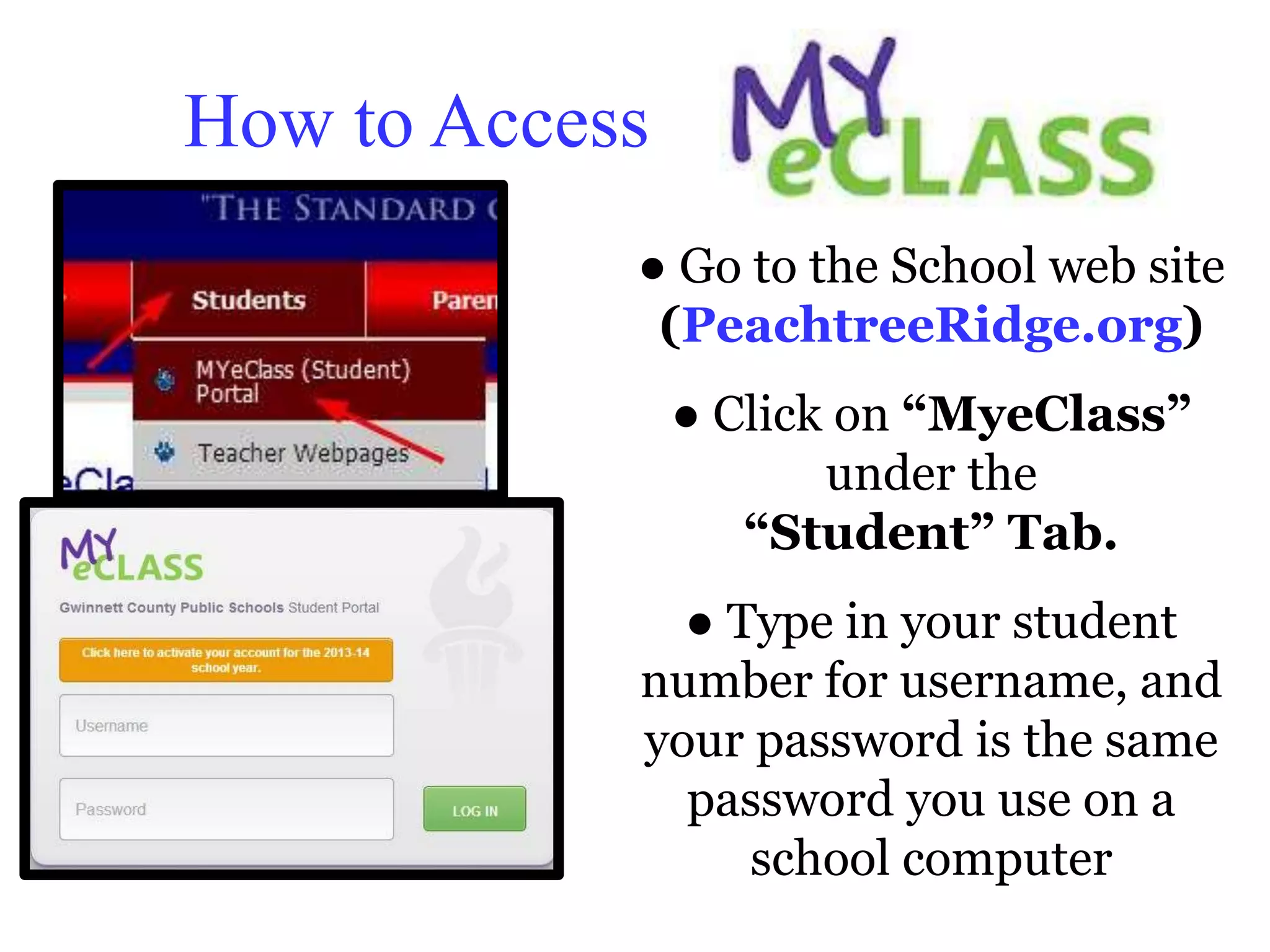
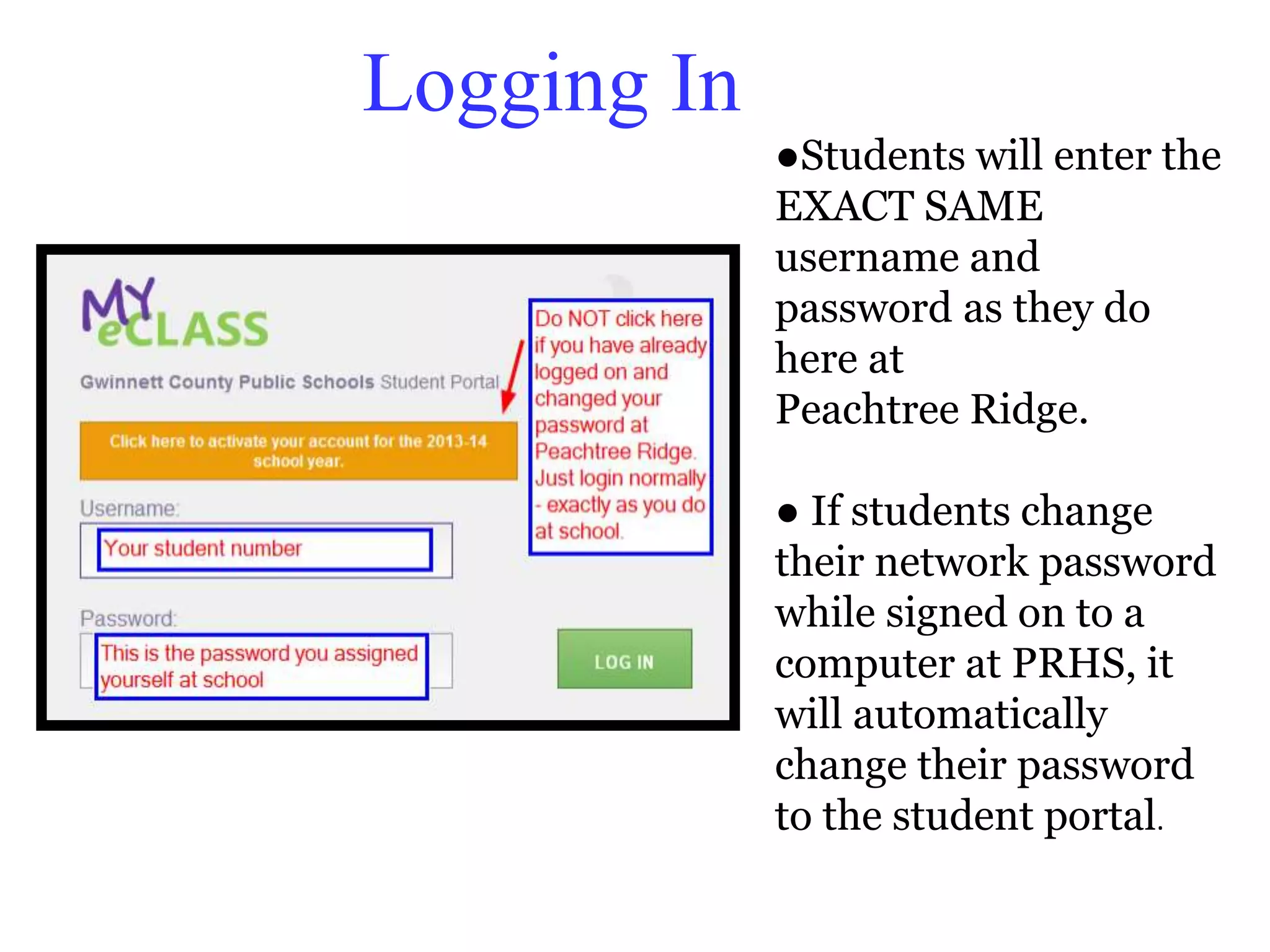
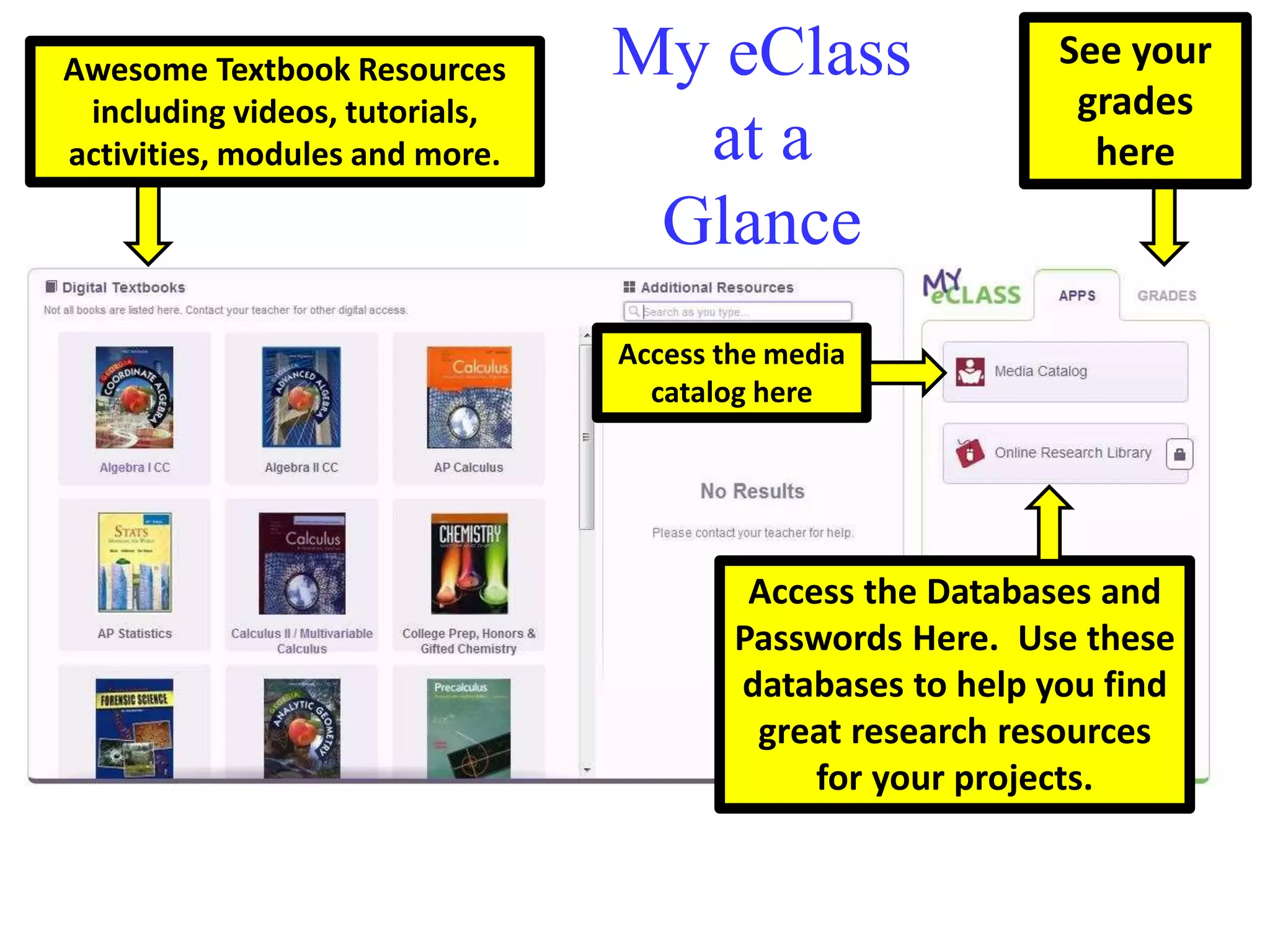
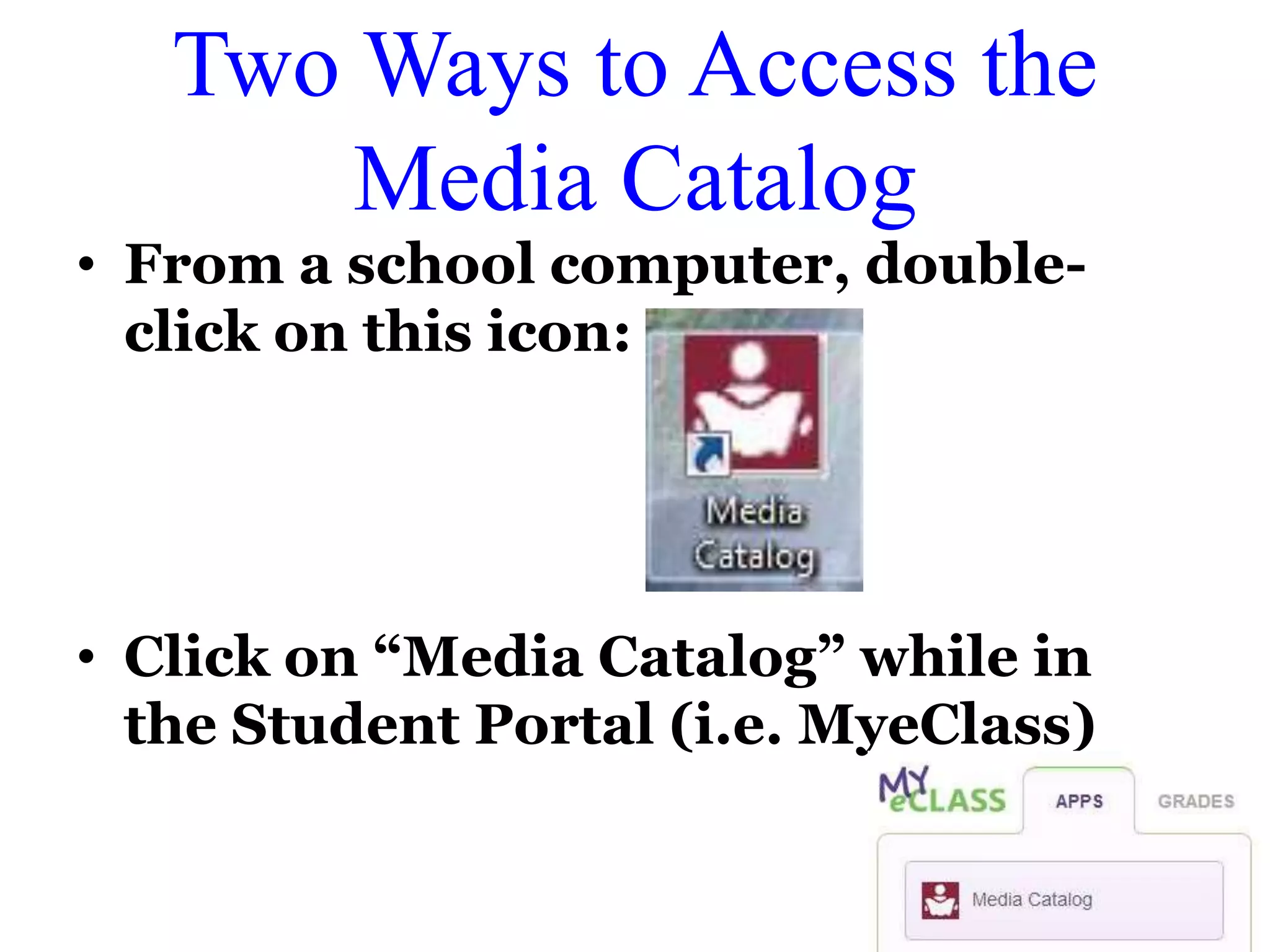
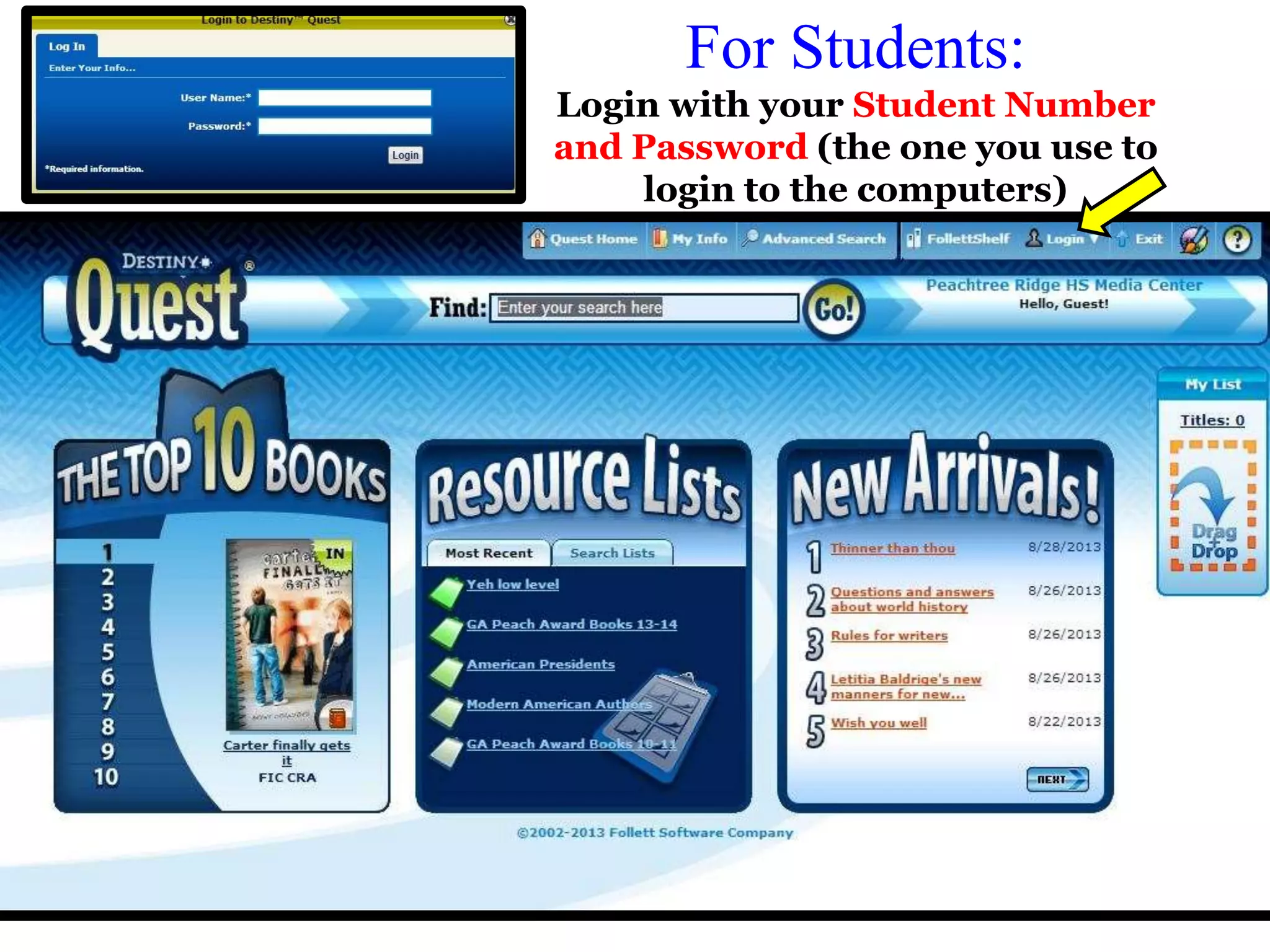
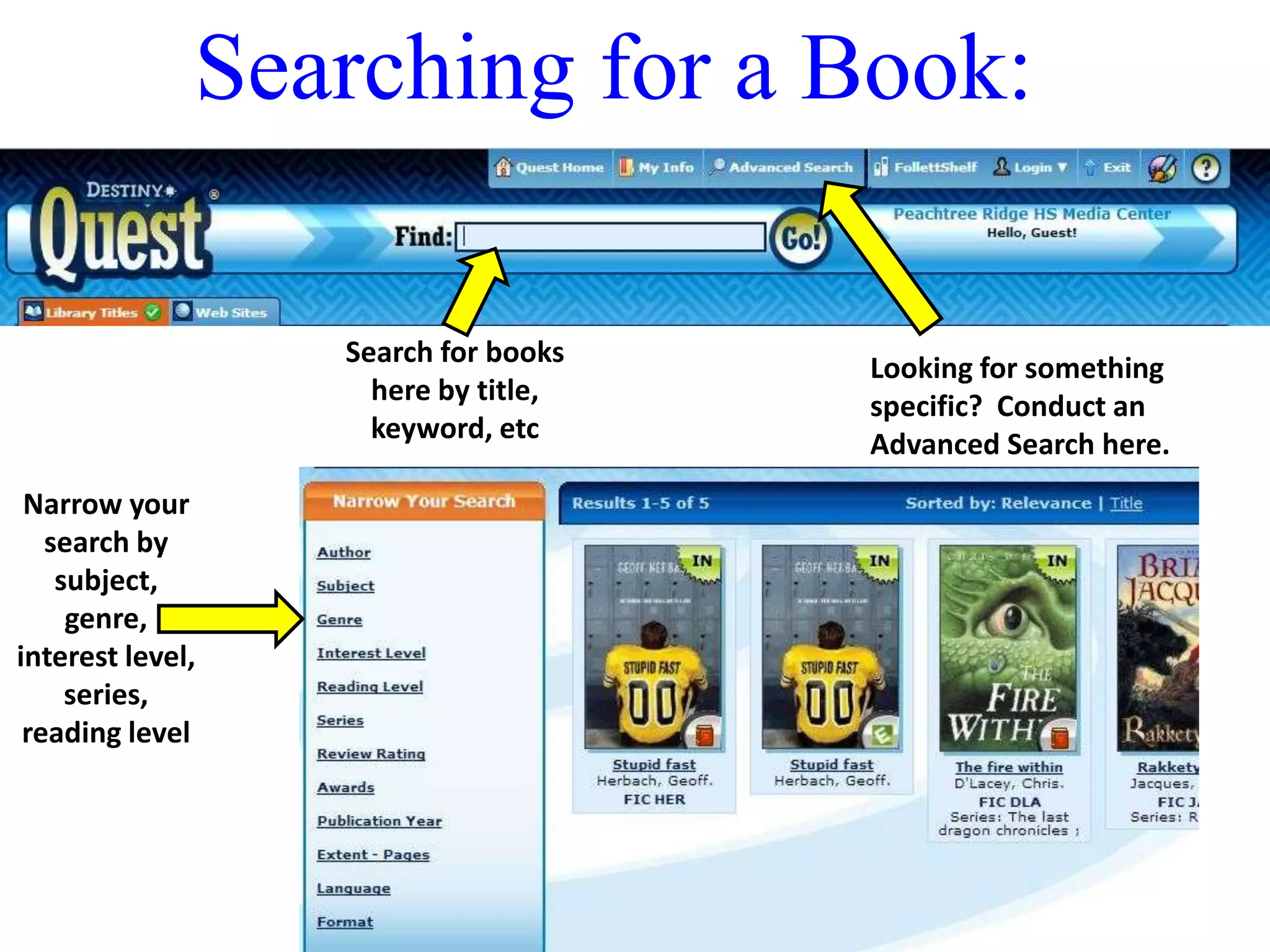
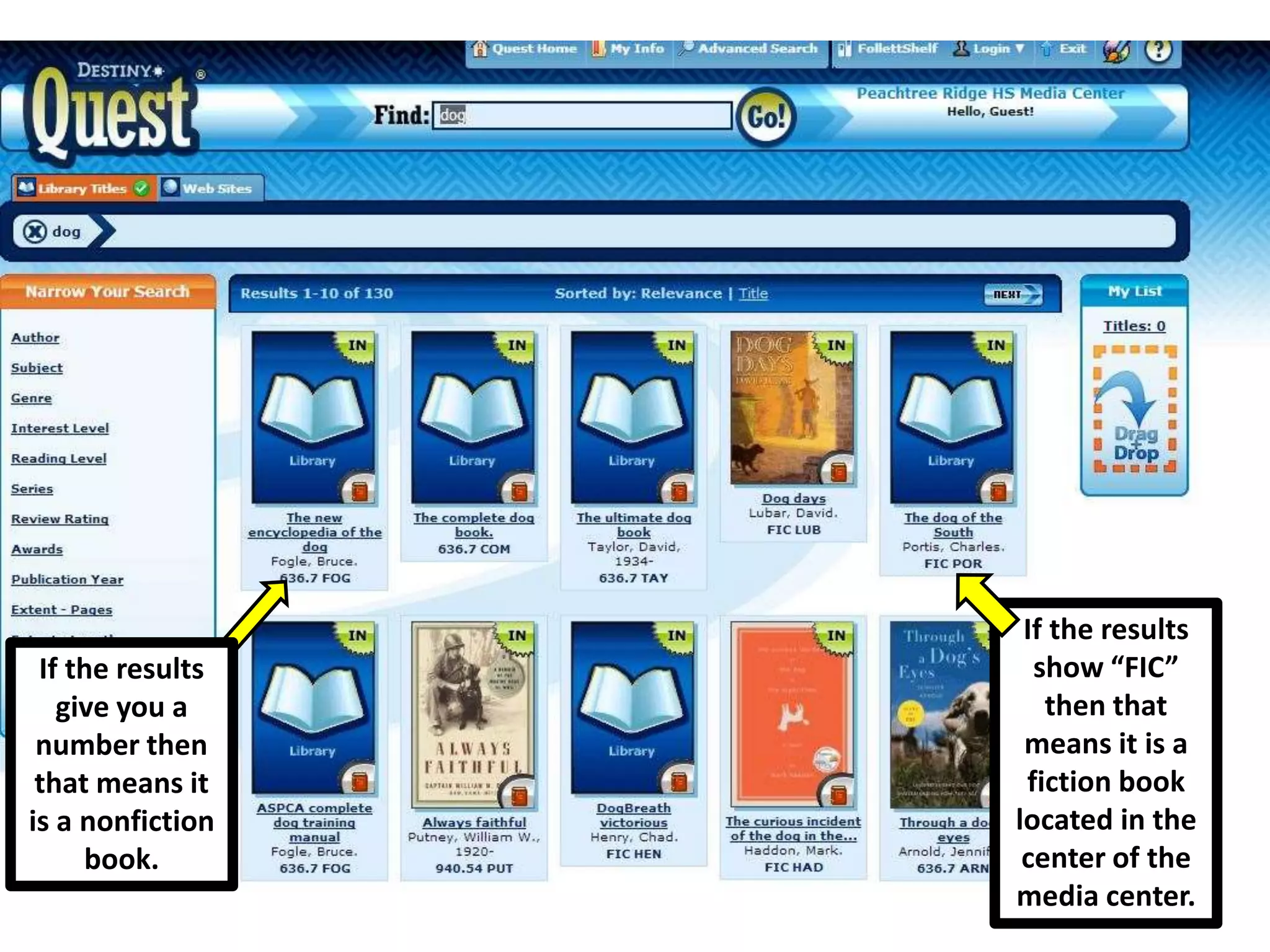
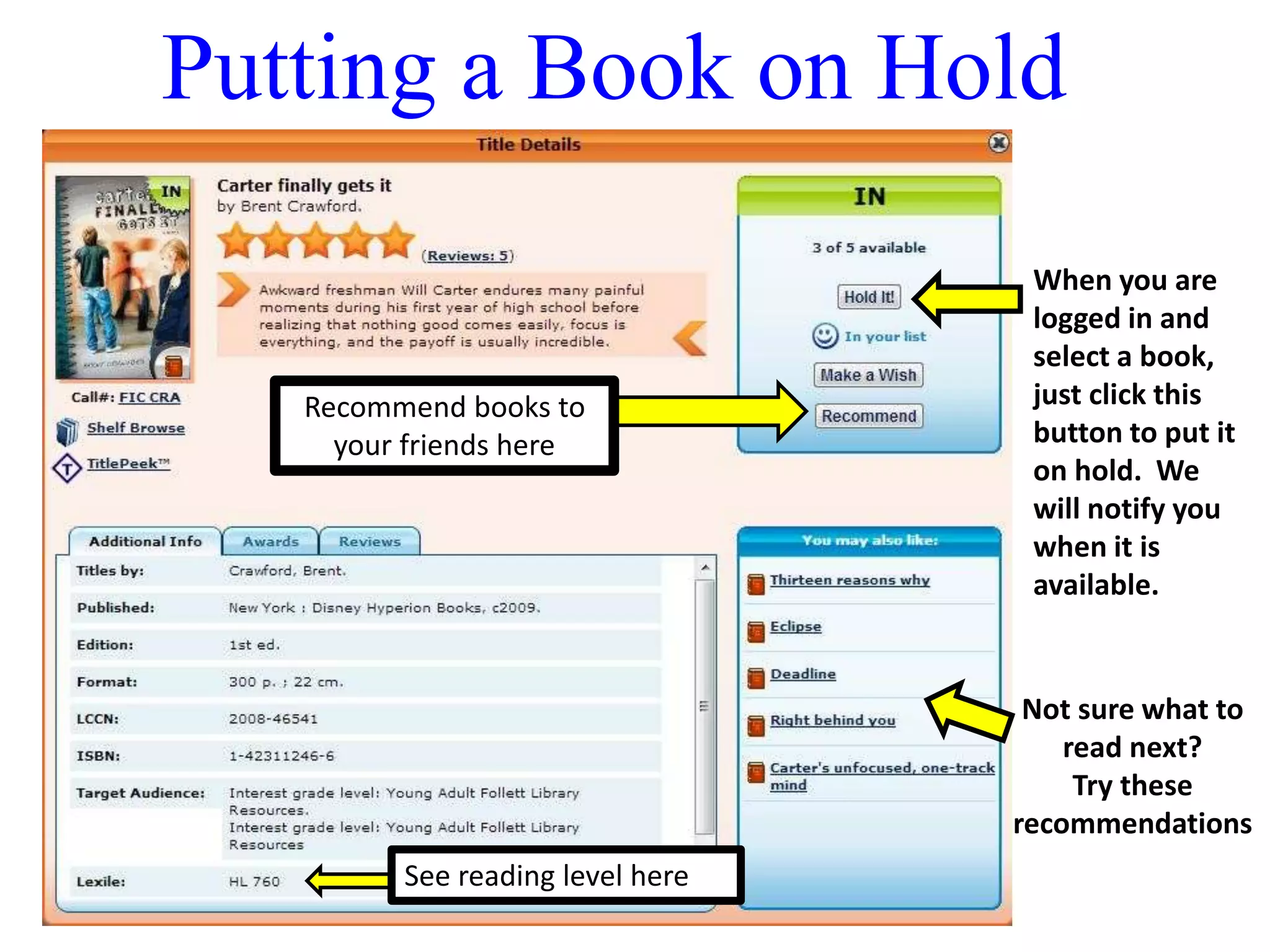
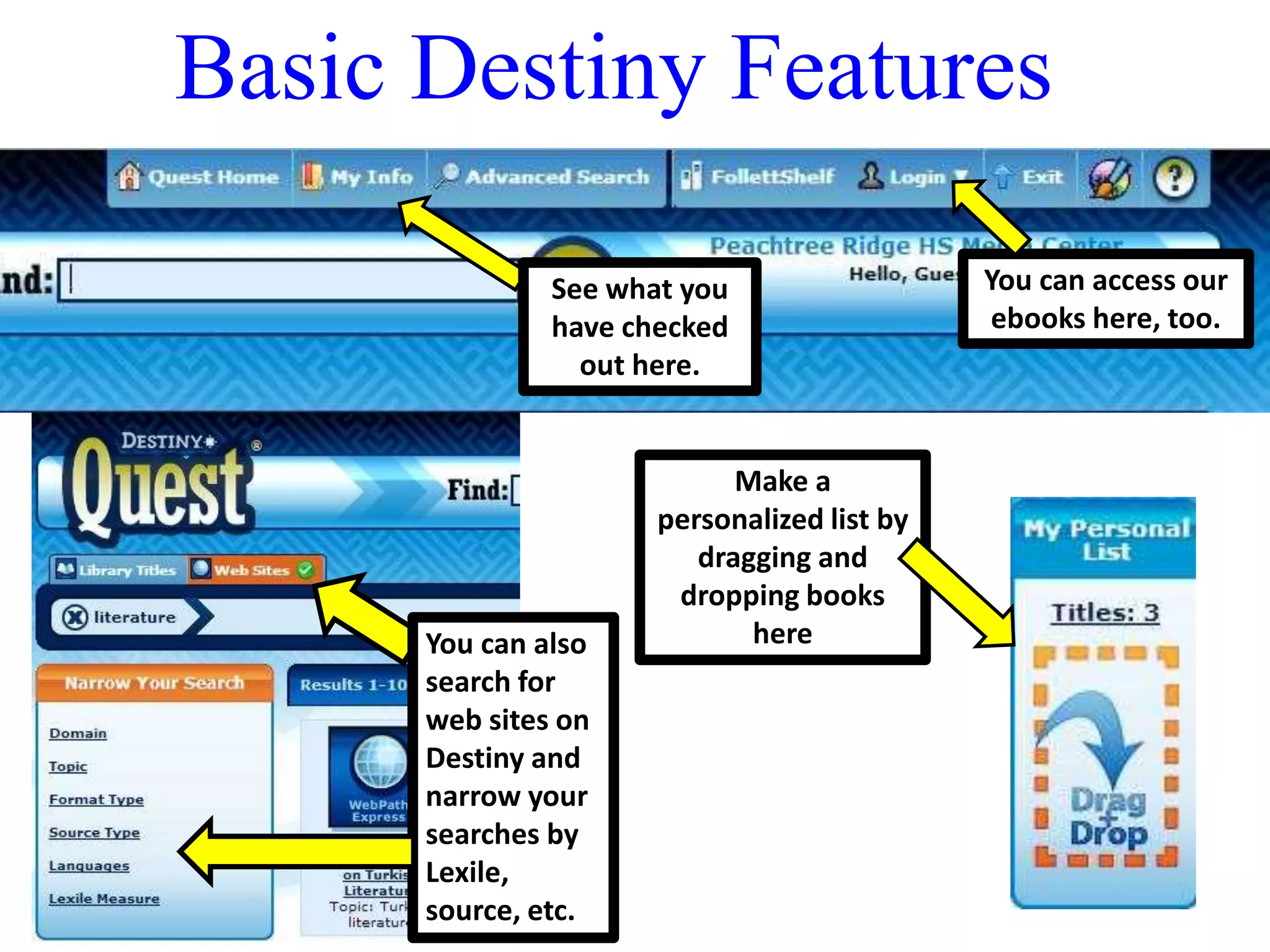
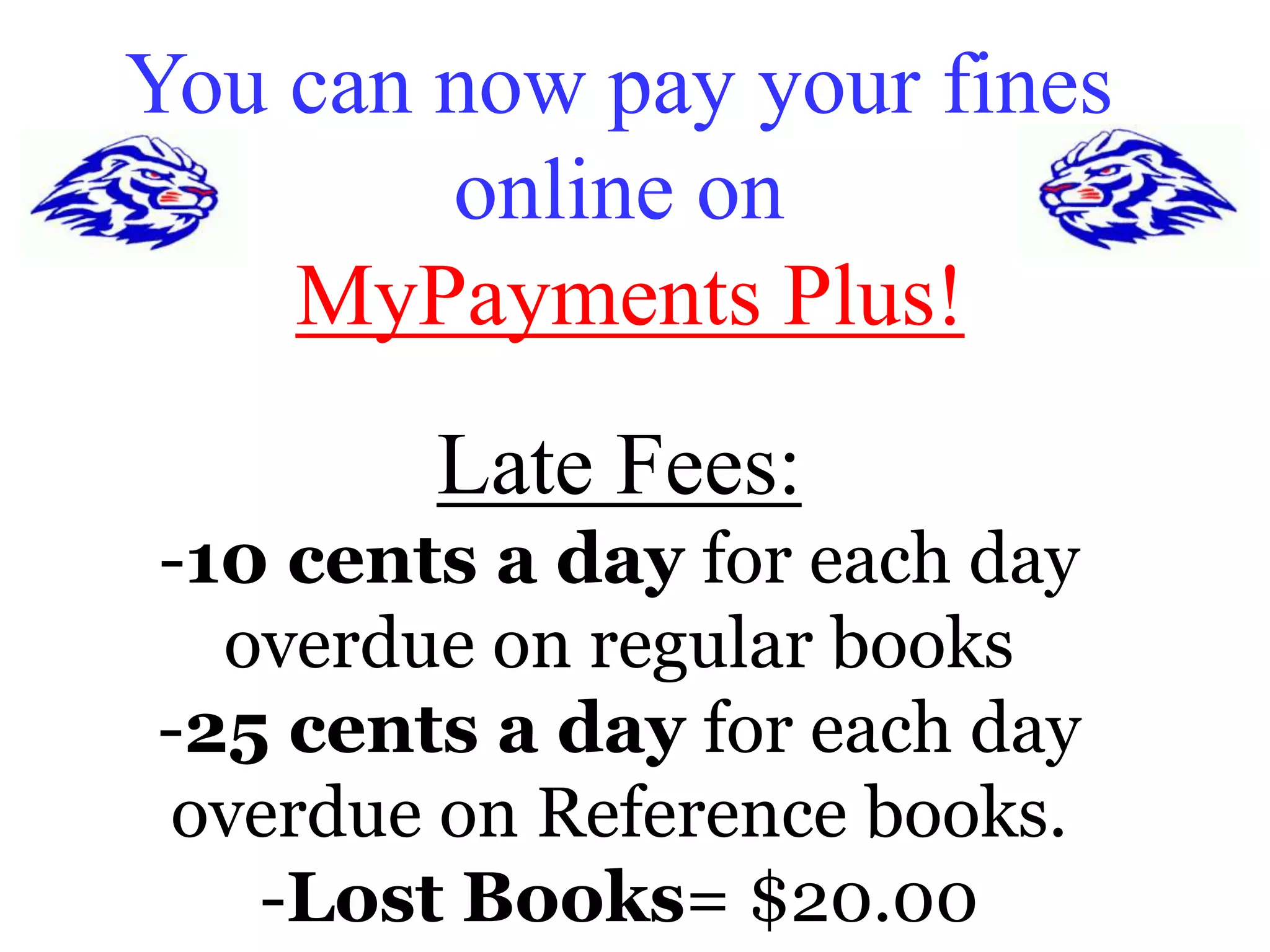
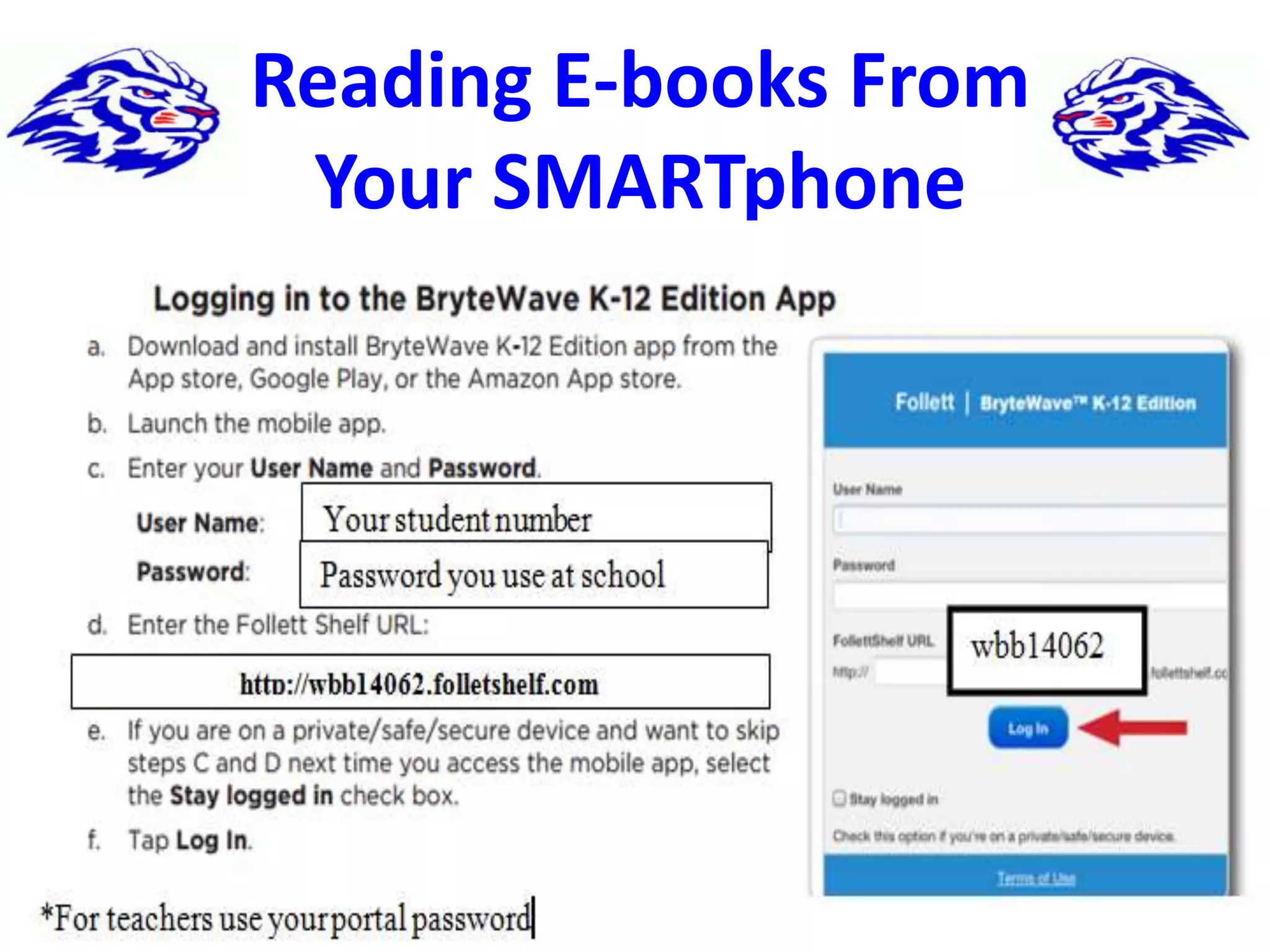
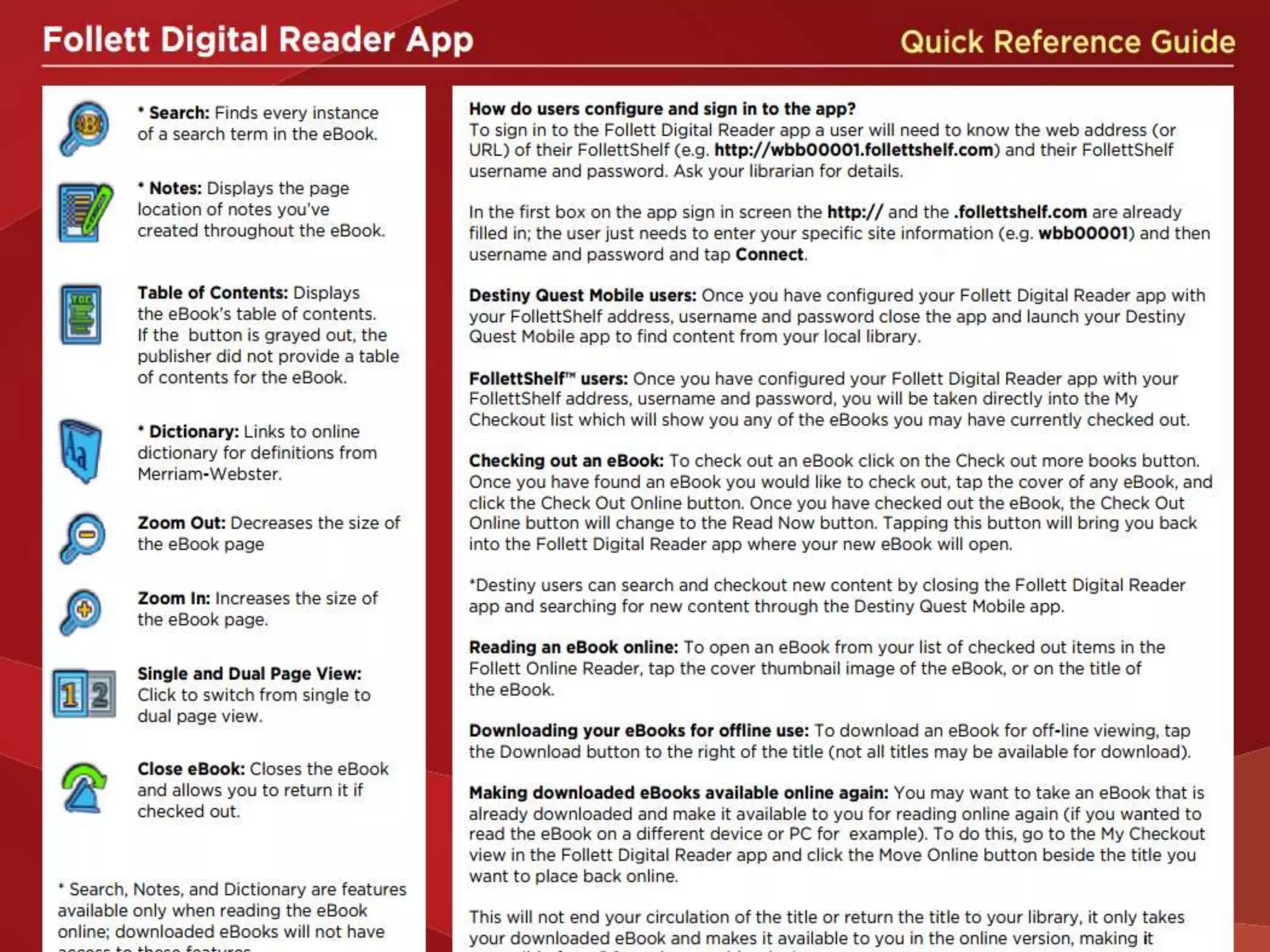
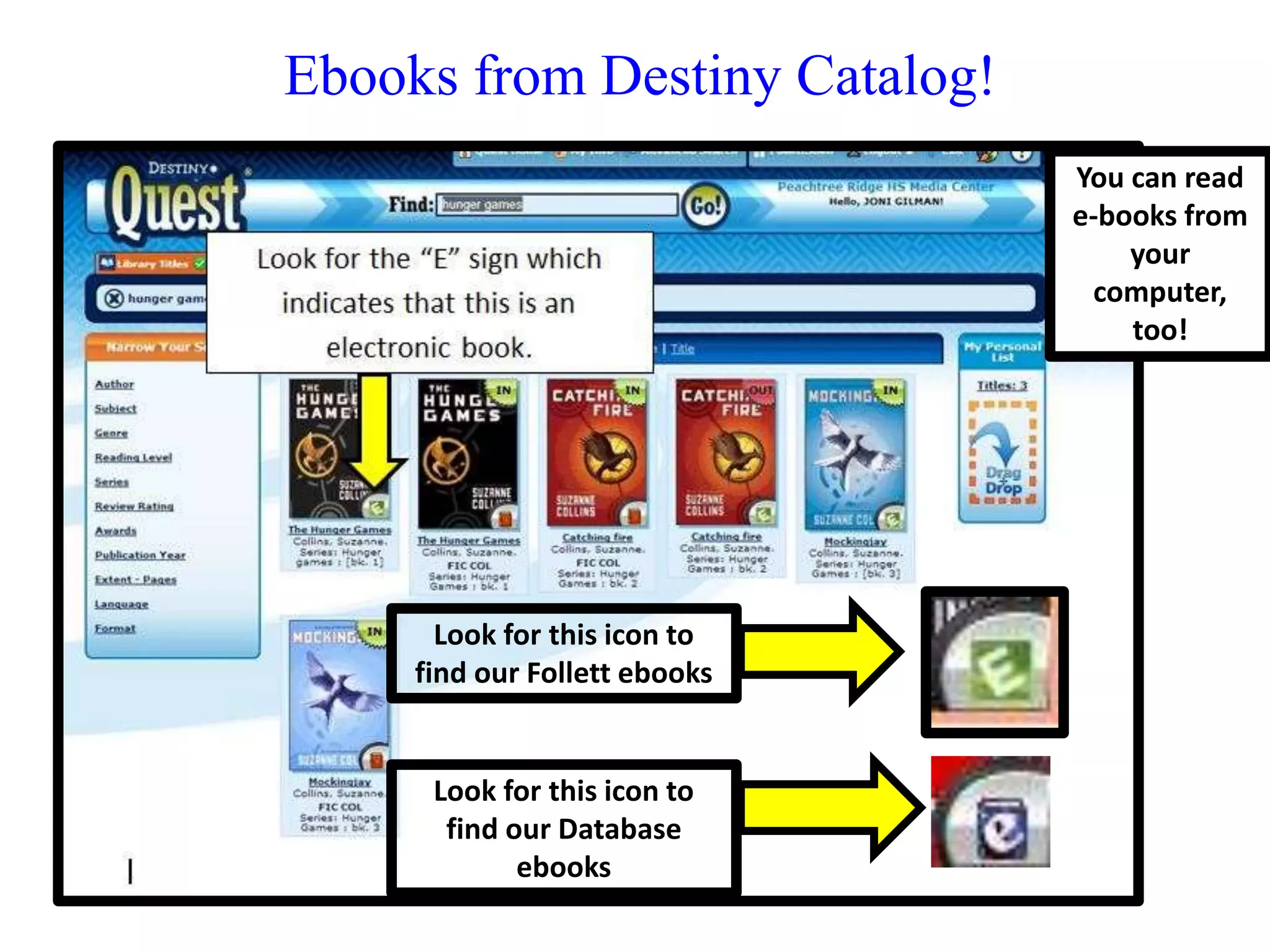
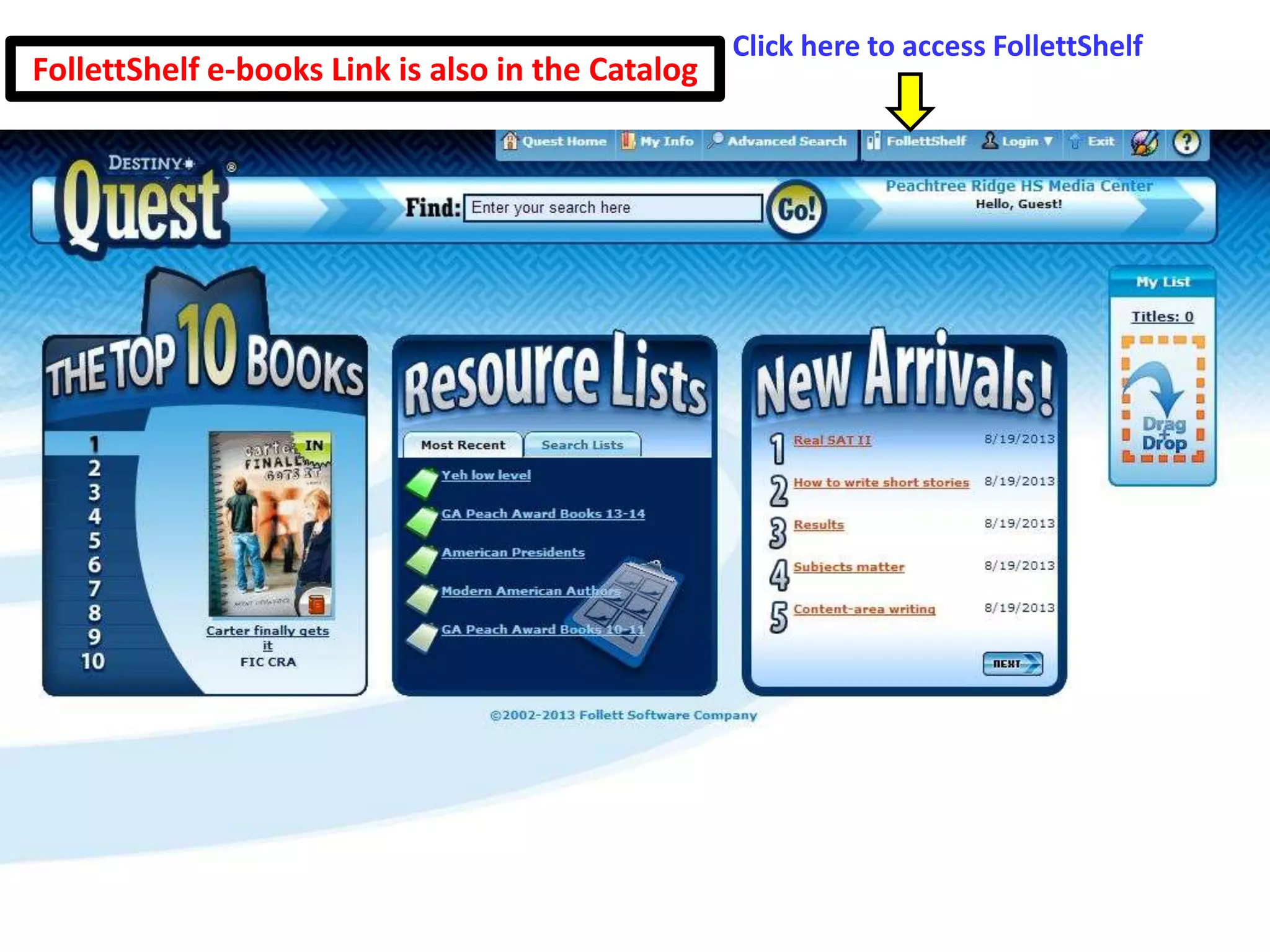
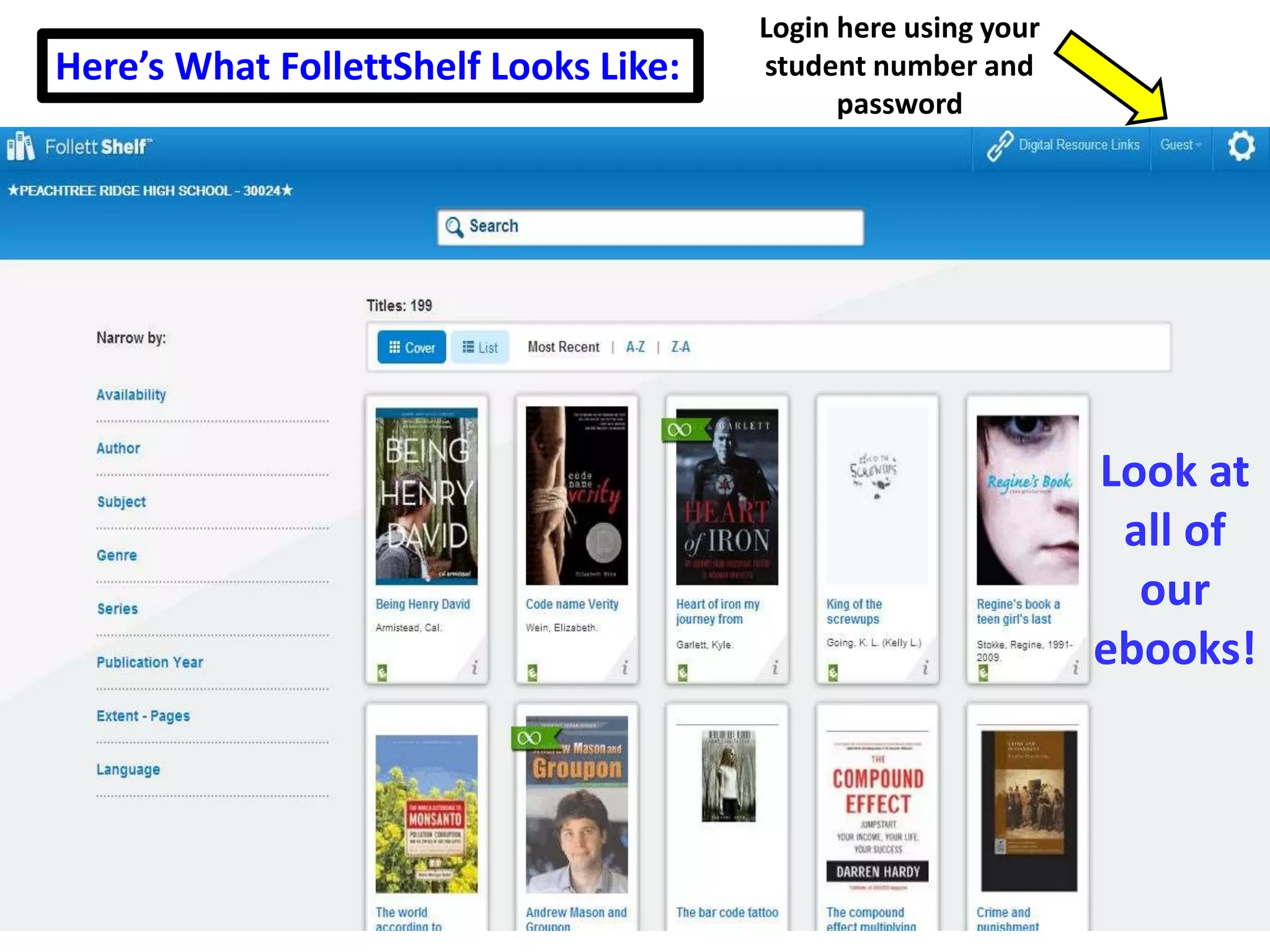
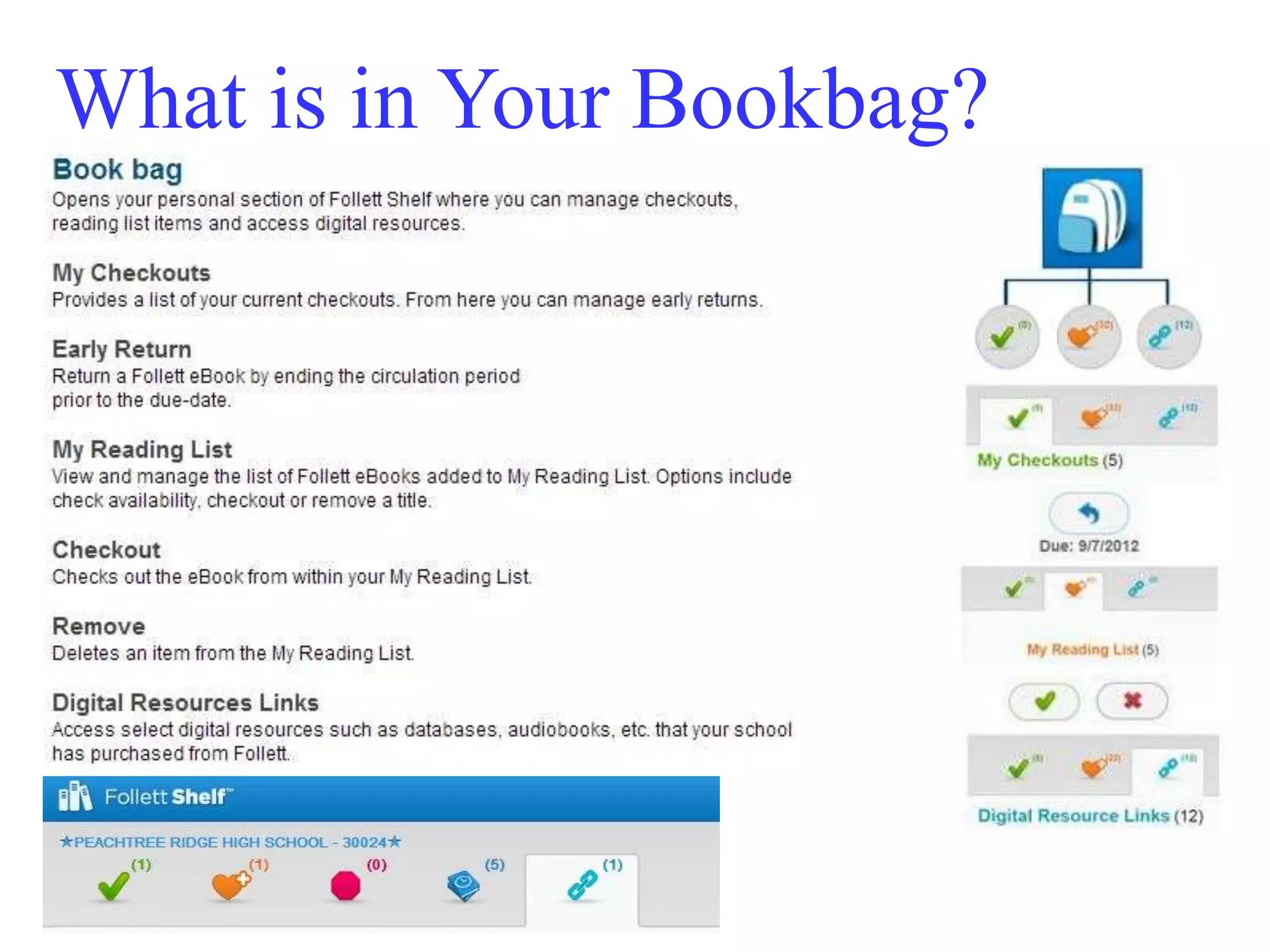
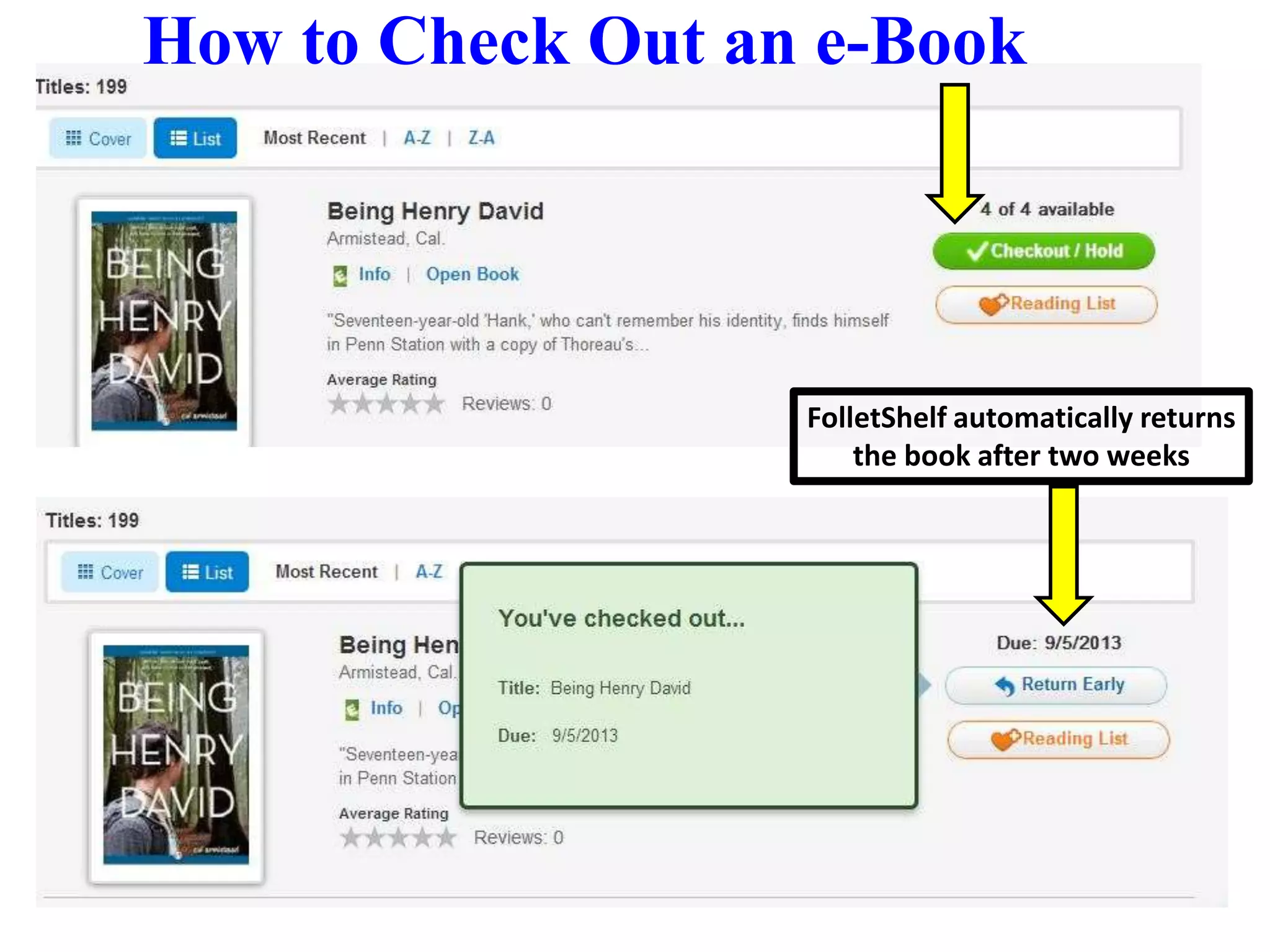
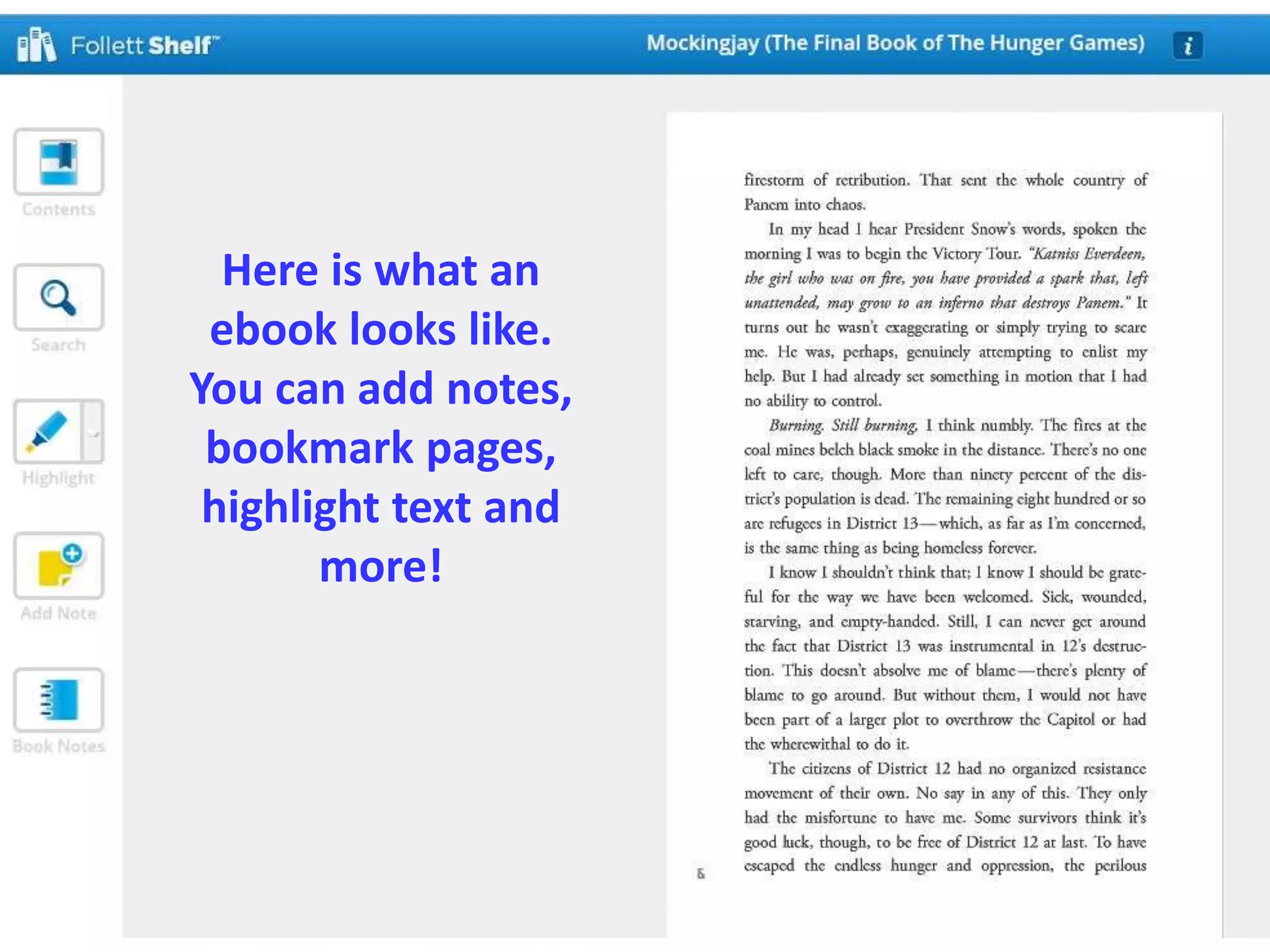
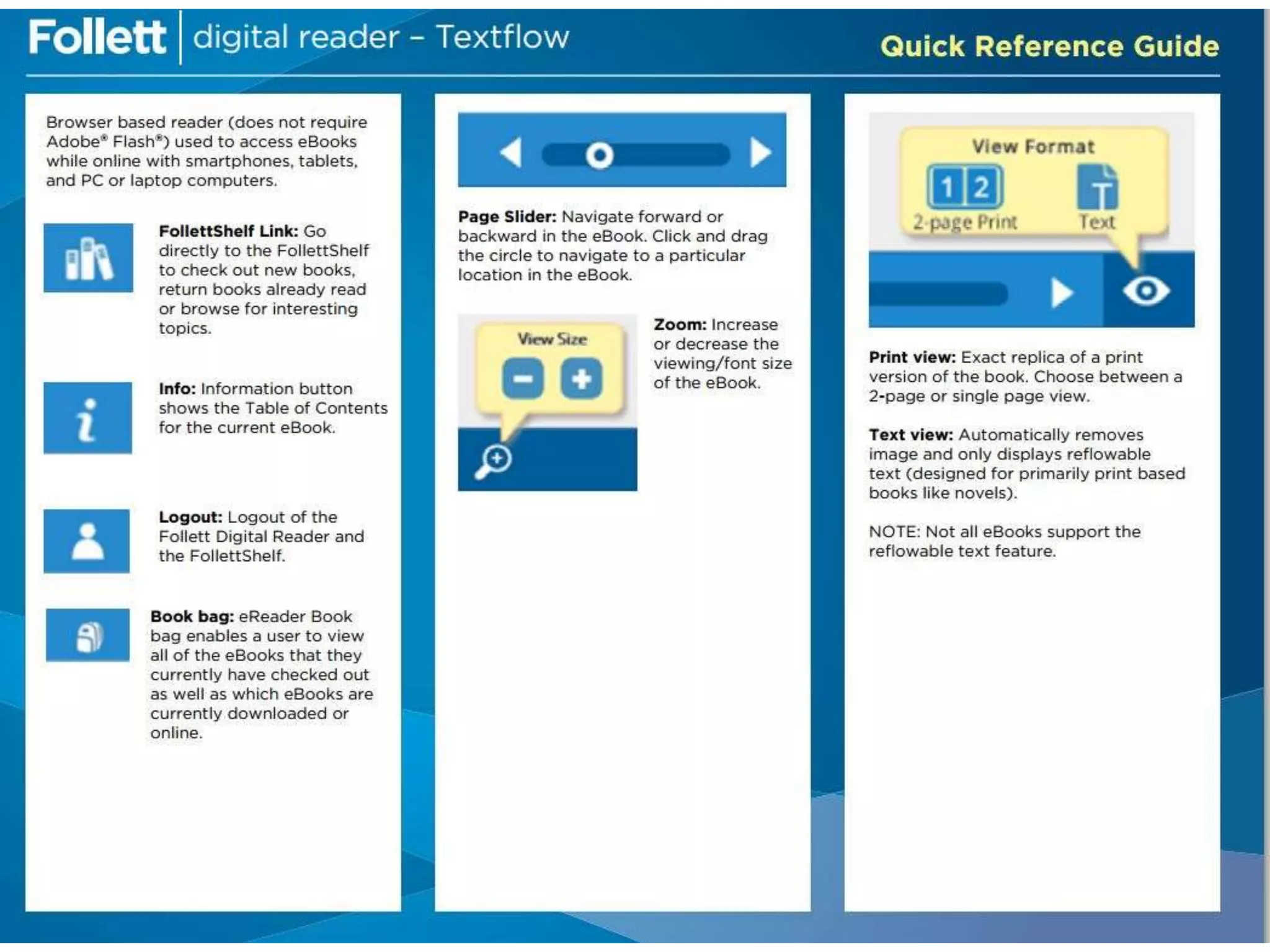
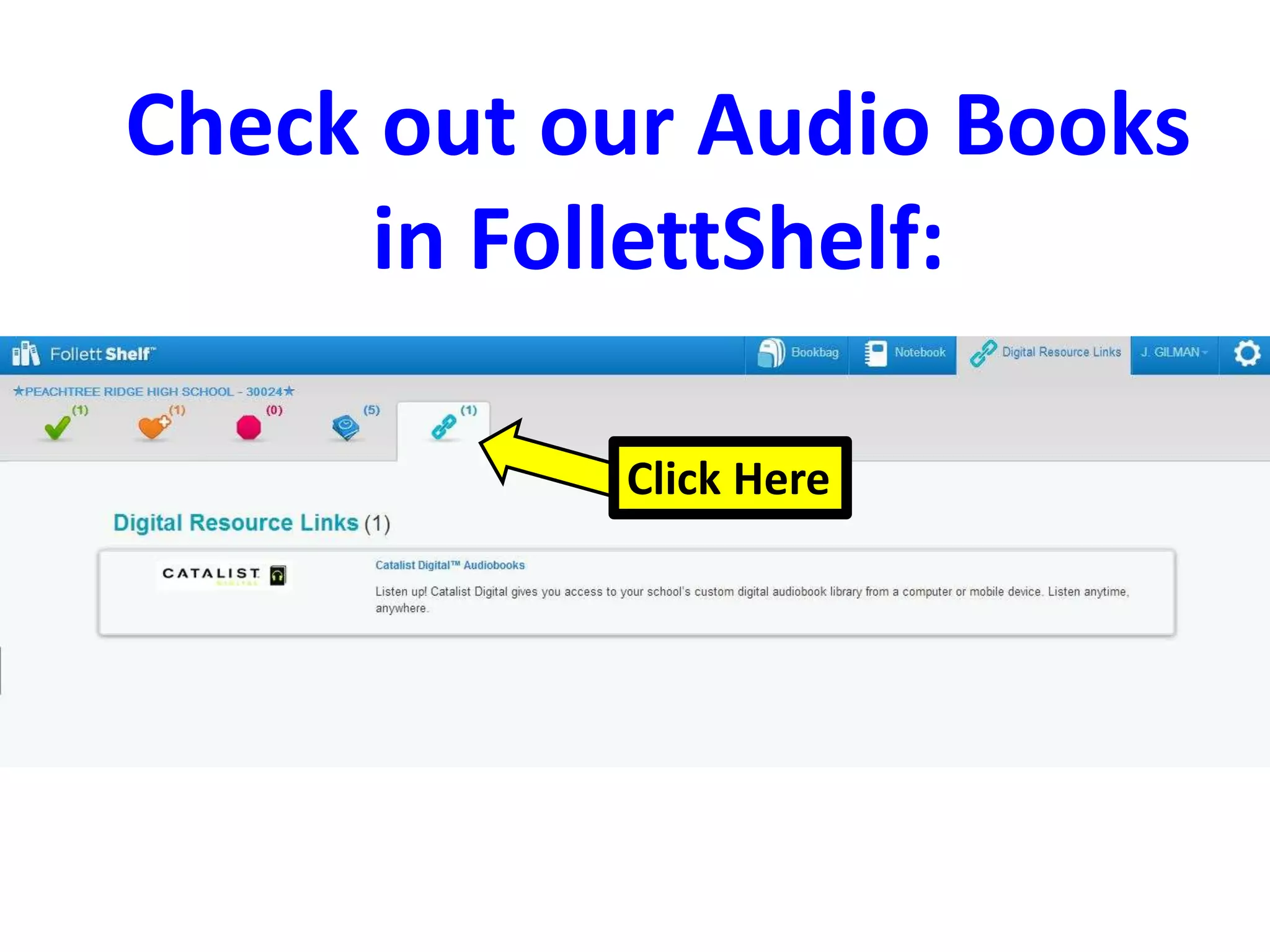
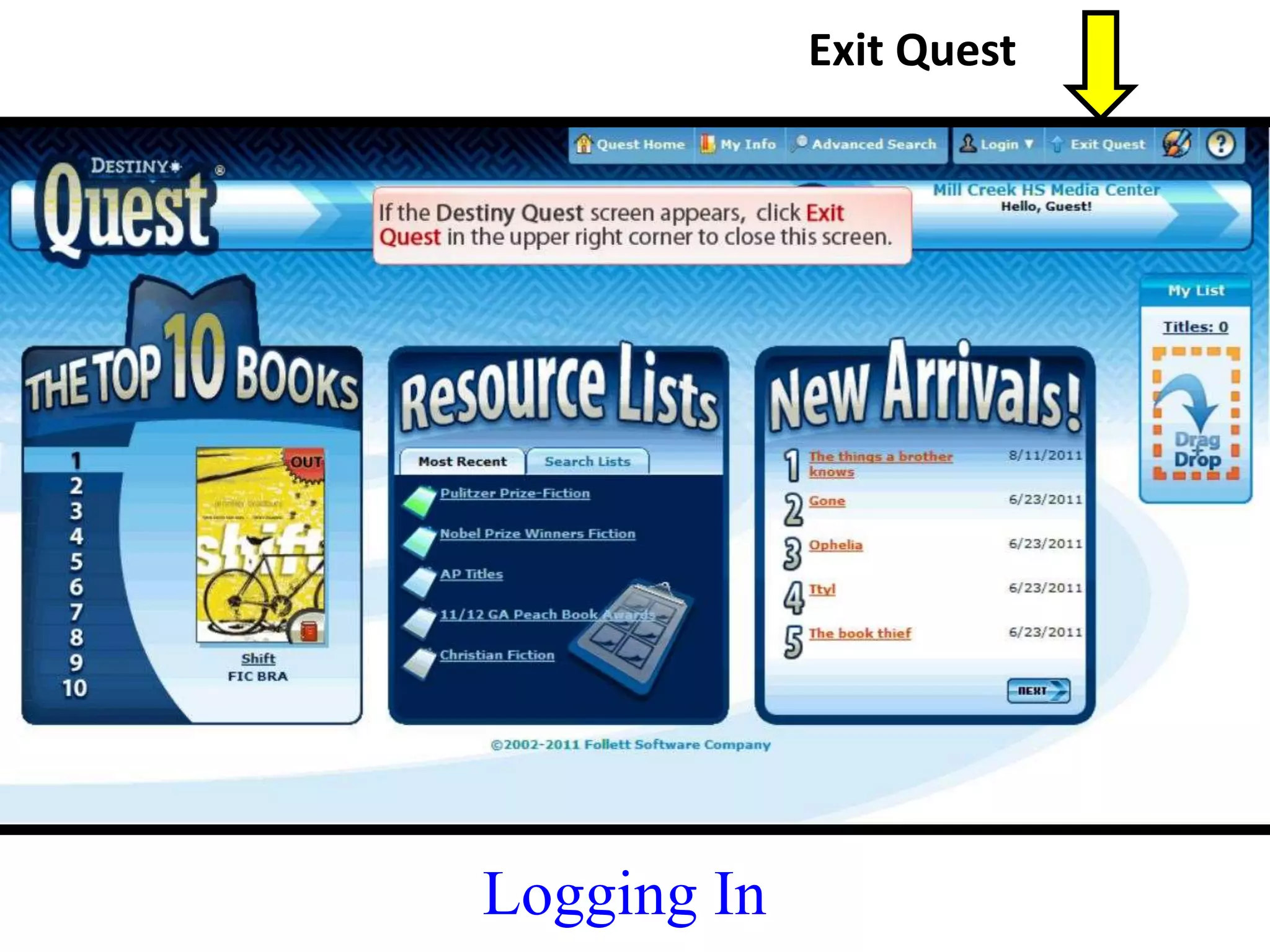
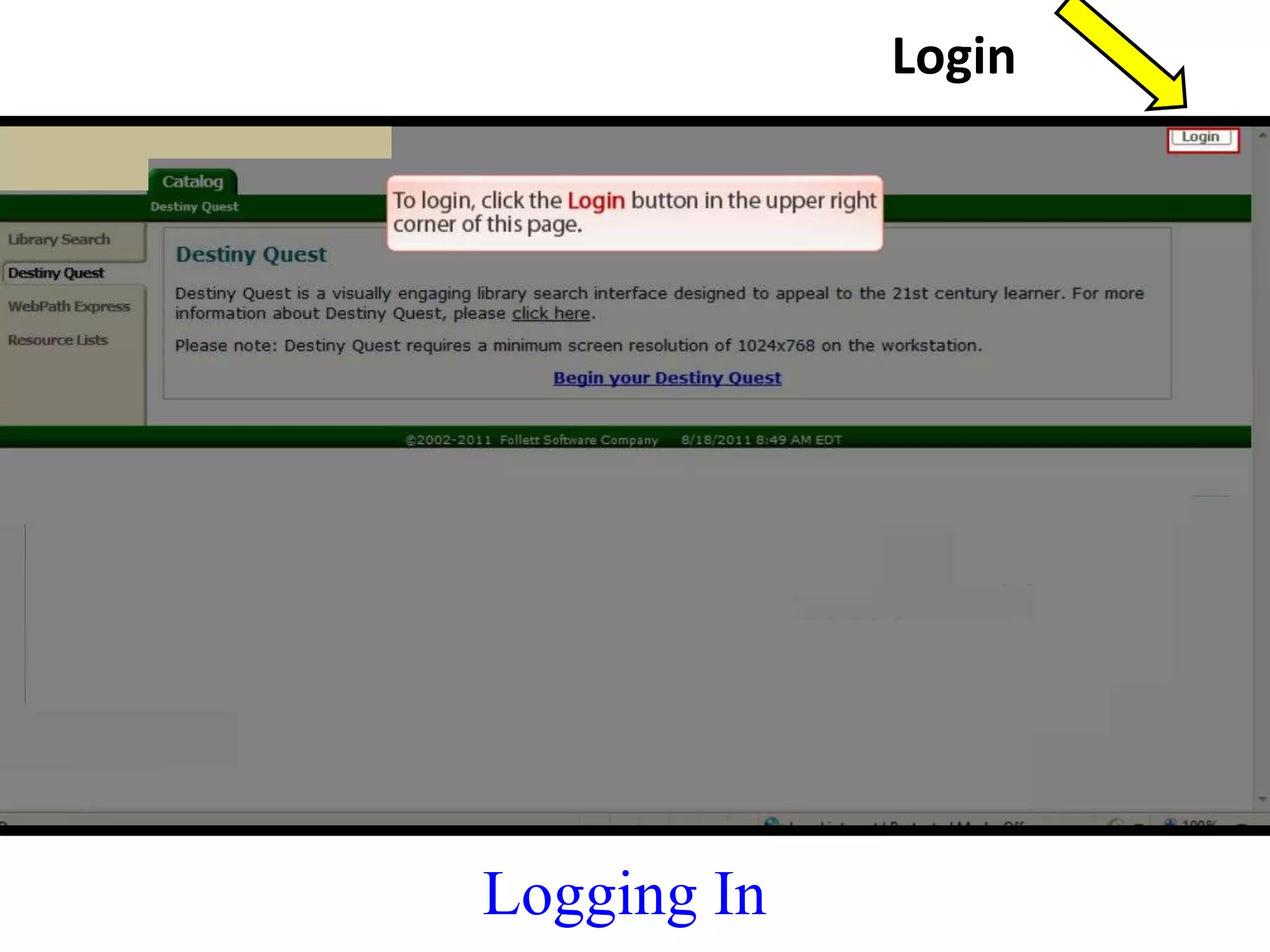
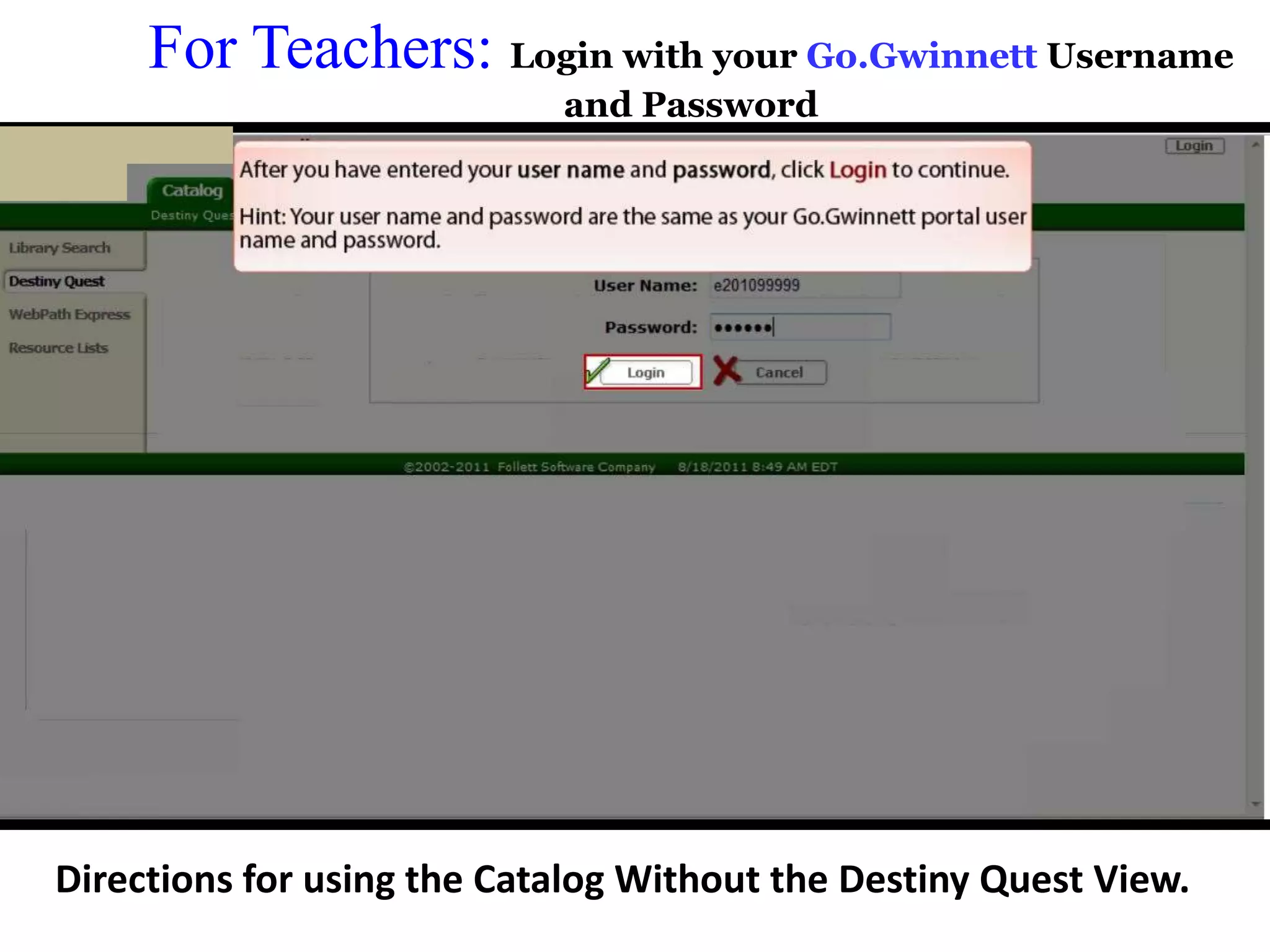
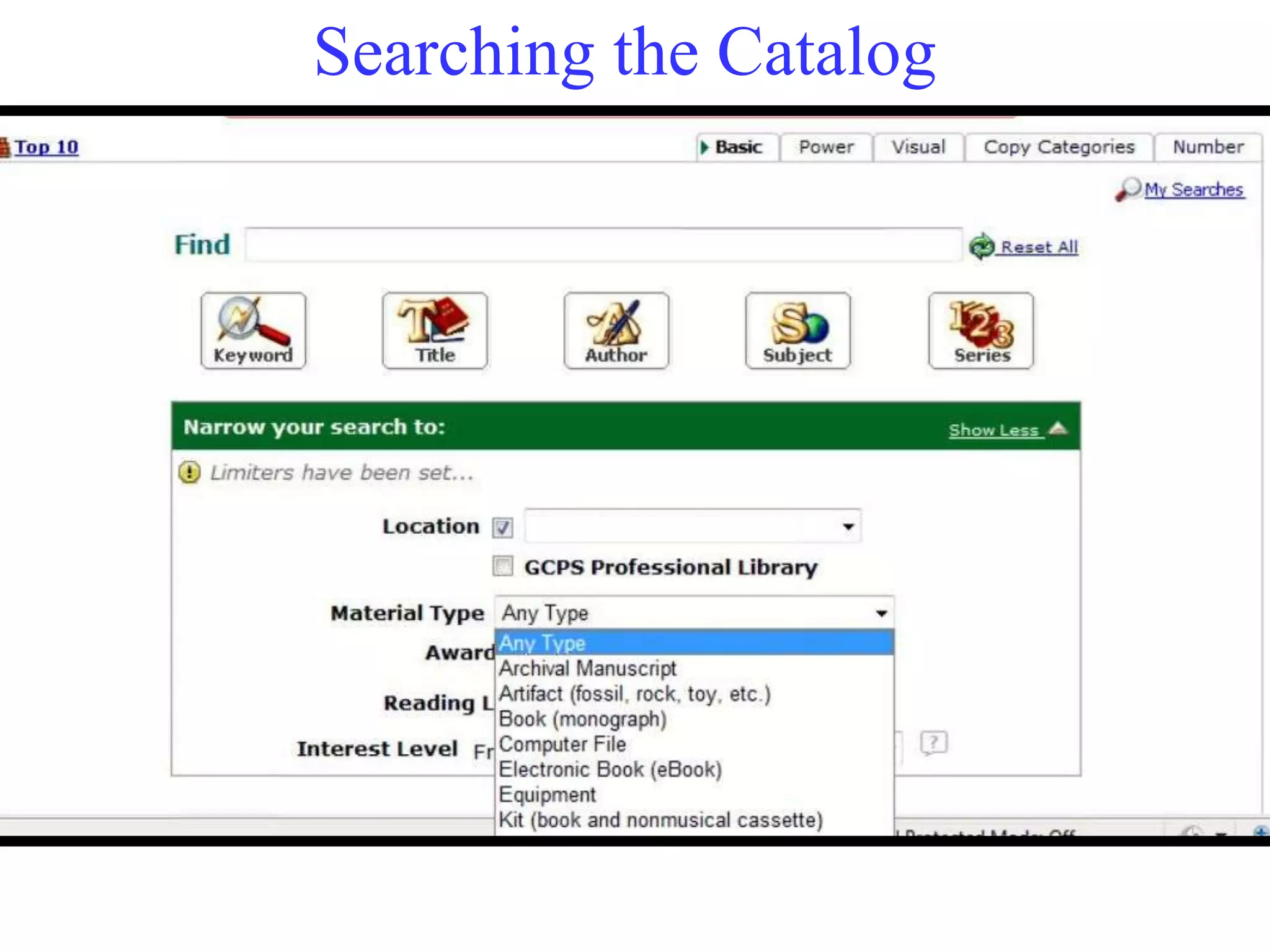
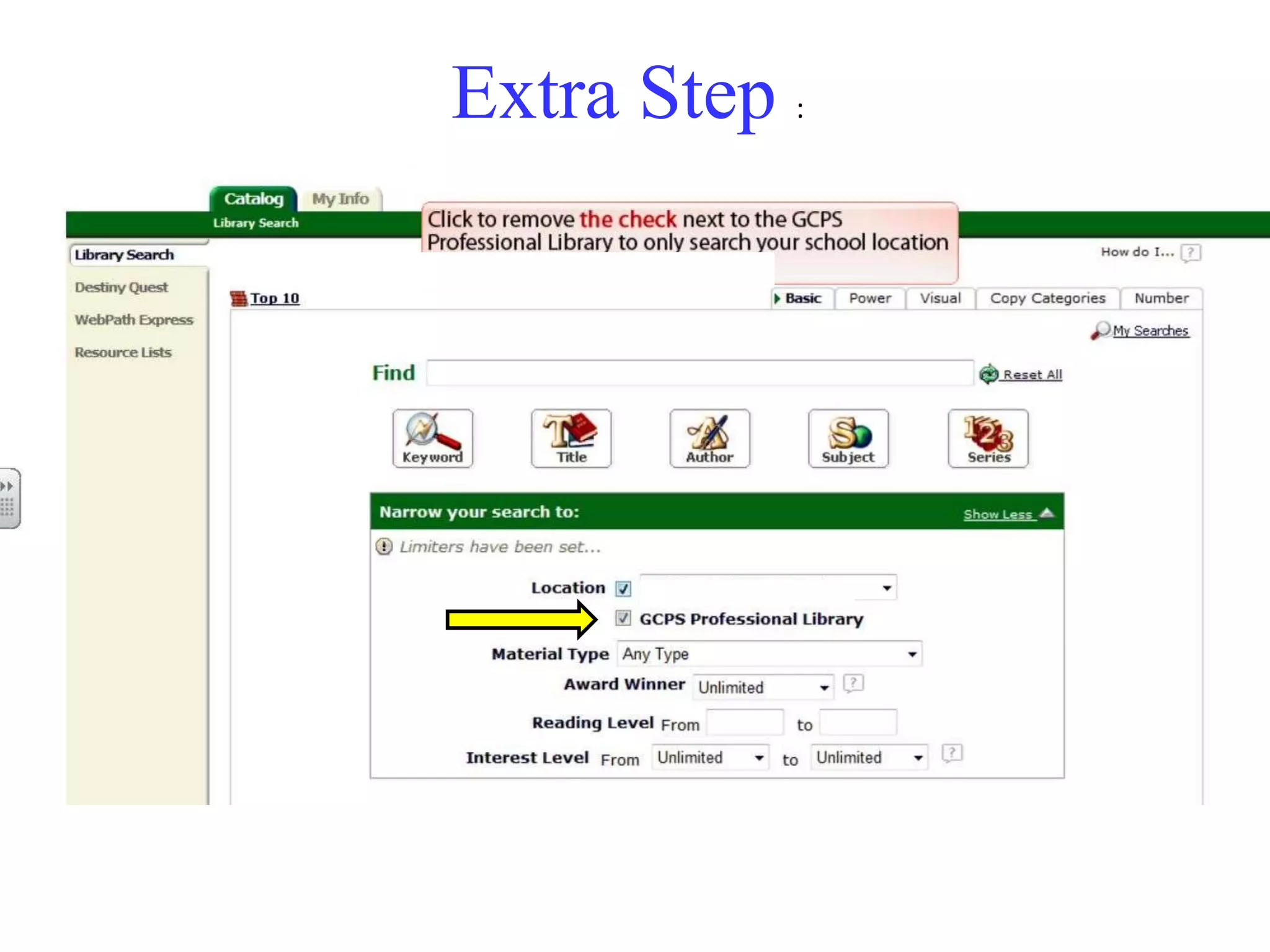
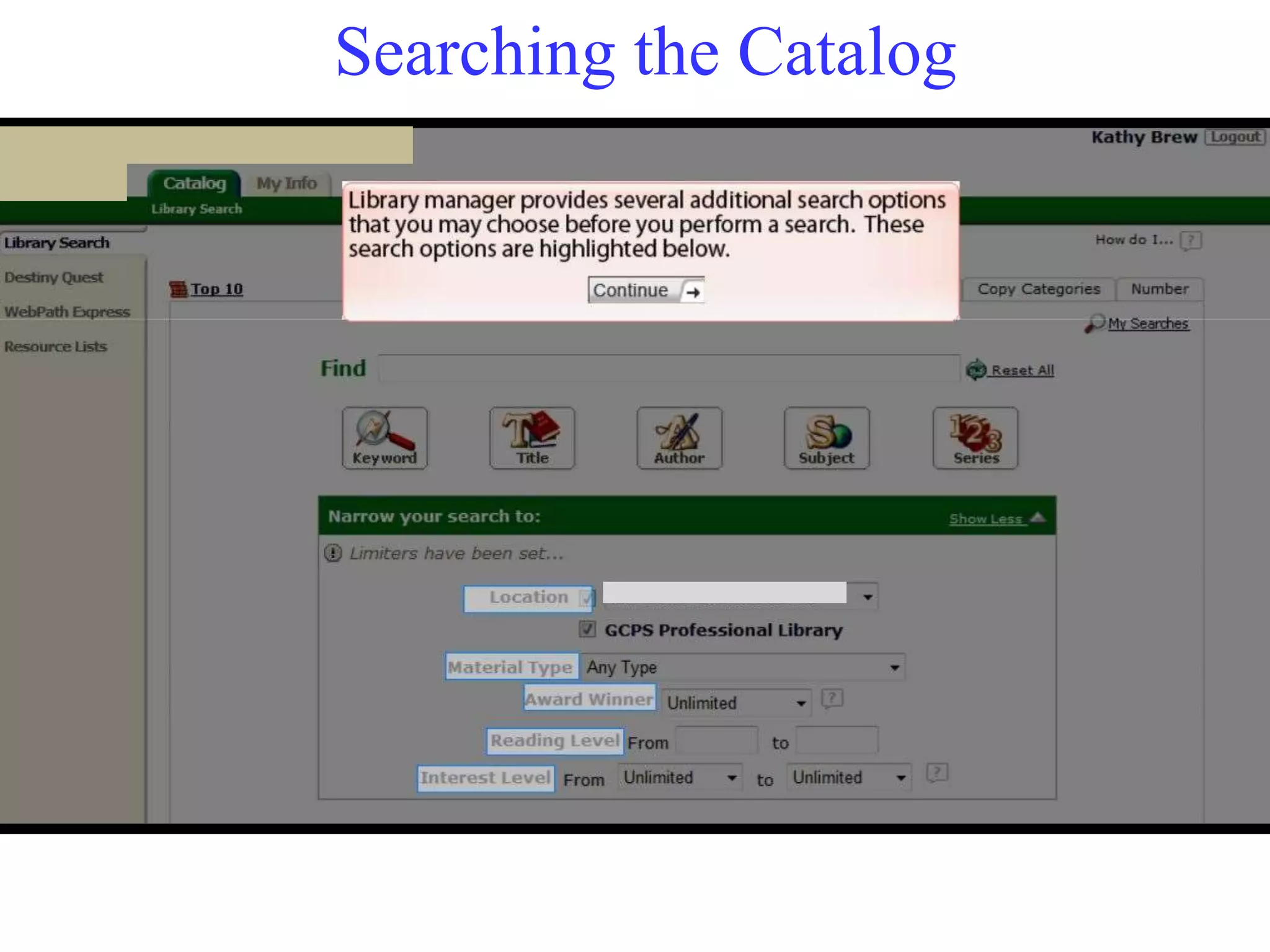
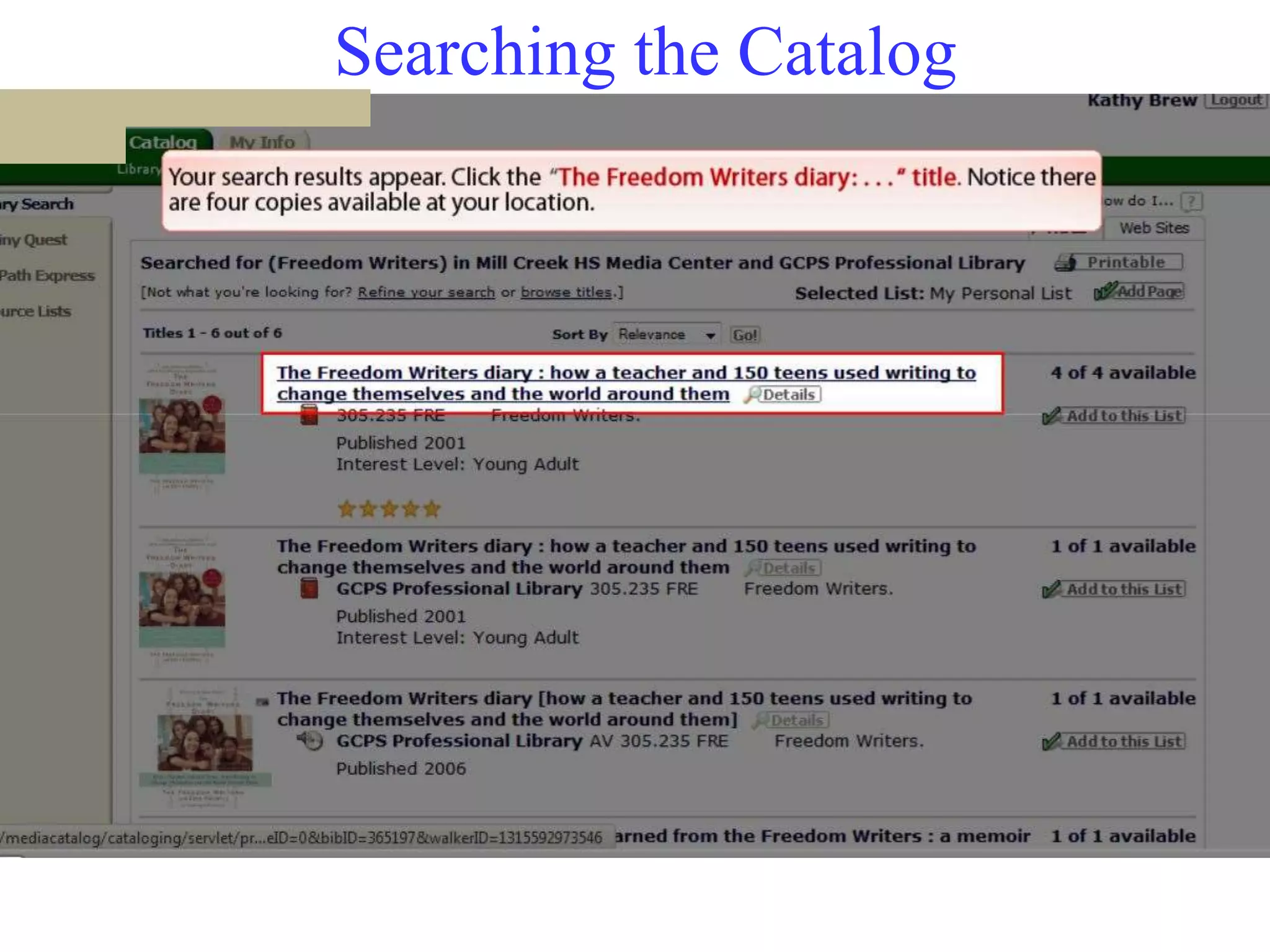
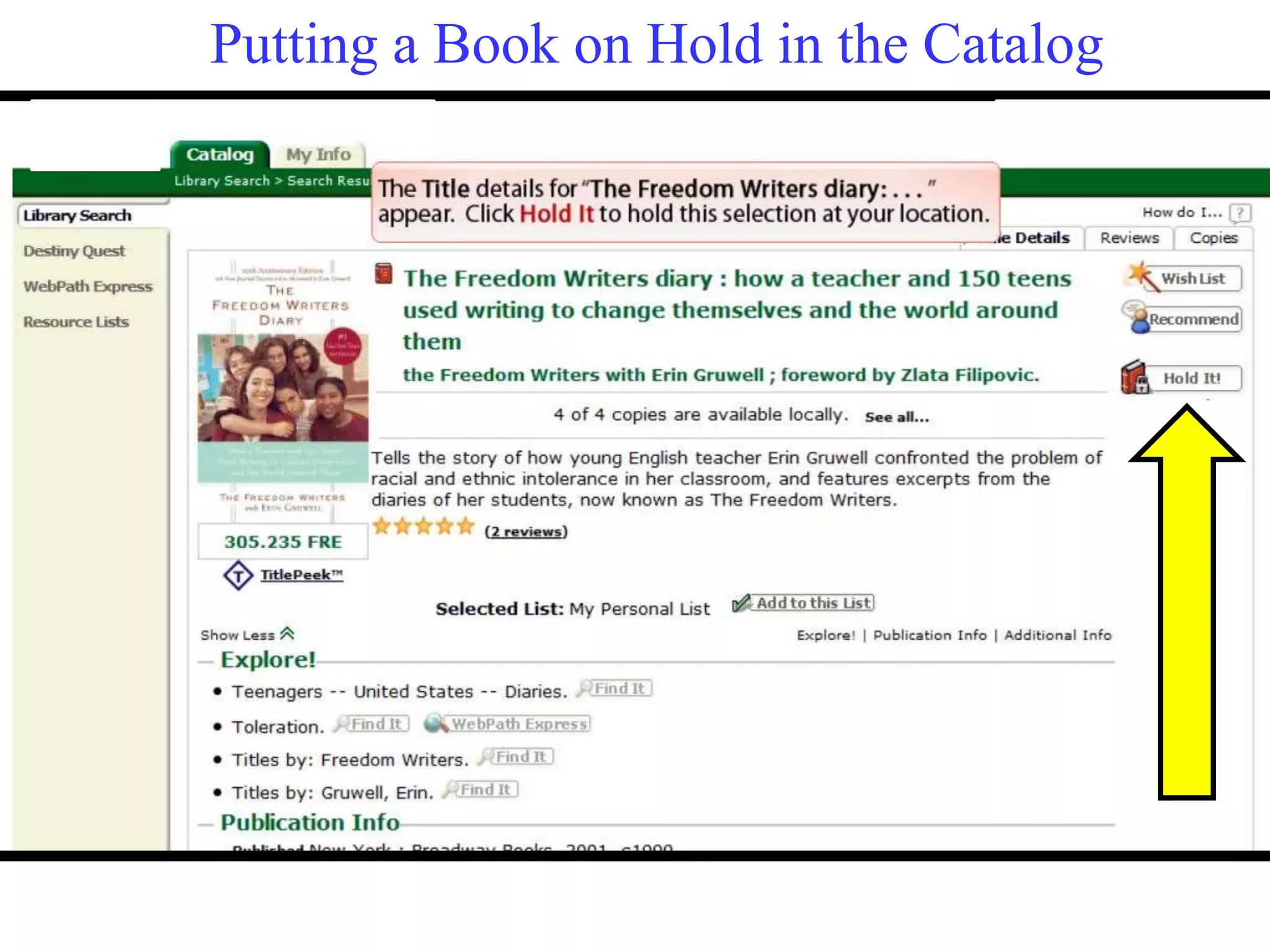
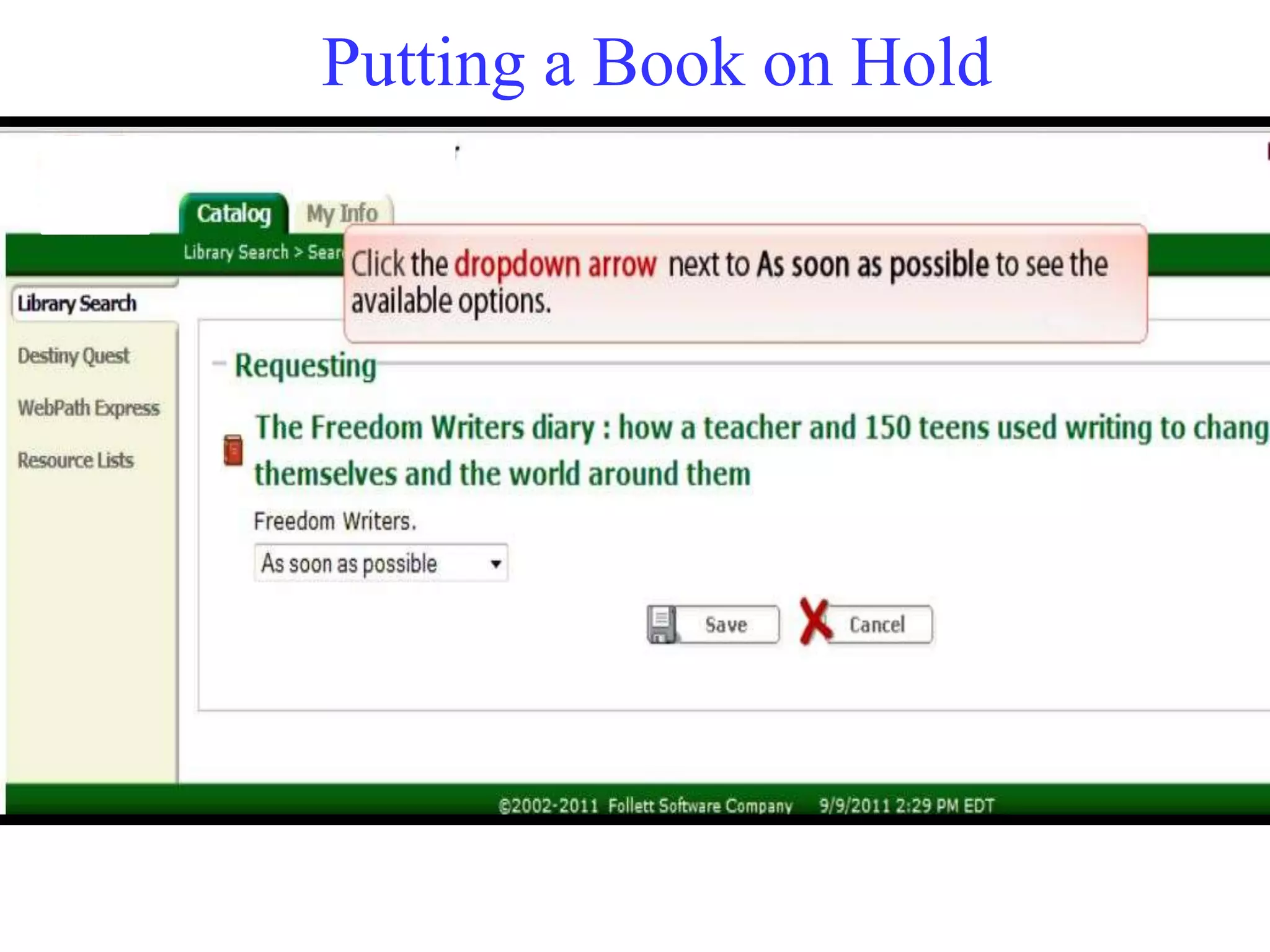
This document provides instructions for students on how to access and use the Destiny Catalog, MyeClass portal, and Follett Shelf e-books. It describes how to log in using a student number and password, activate an account, search for books, place books on hold, check out and view e-books, and pay fines. It also provides some basic features of Destiny like making book lists, searching websites, and accessing audio books and databases.