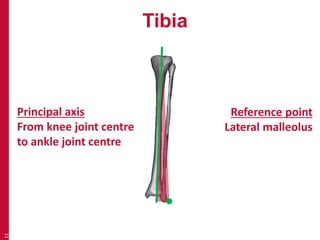
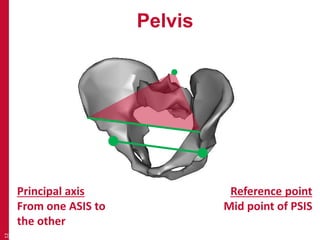
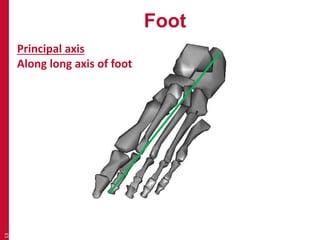
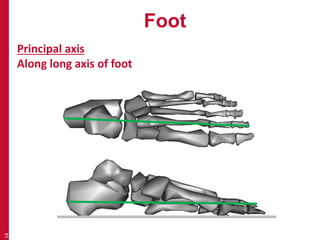
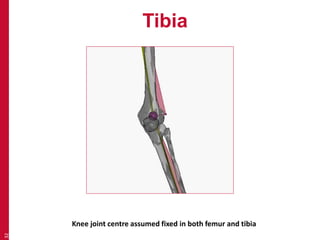
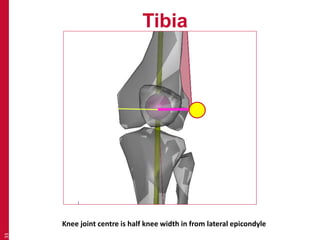
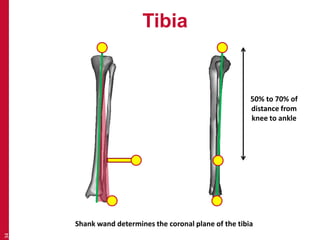
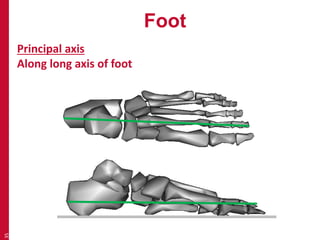
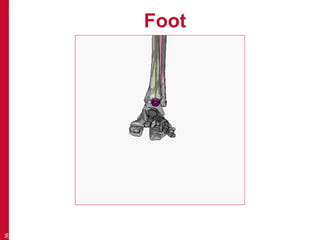
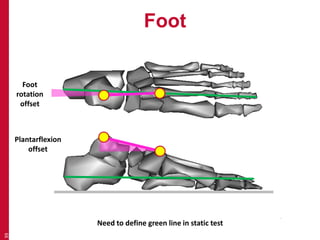
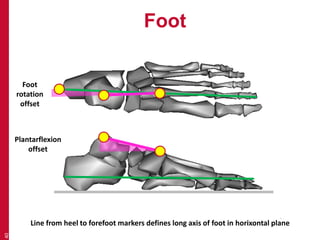
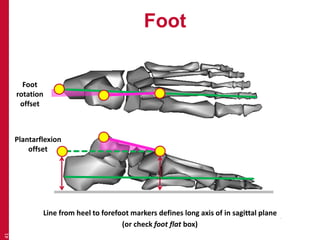
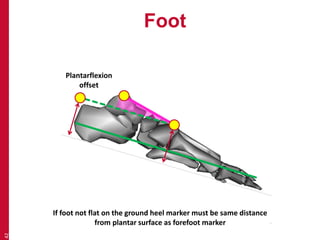
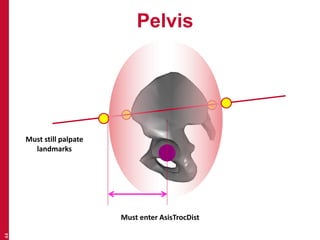
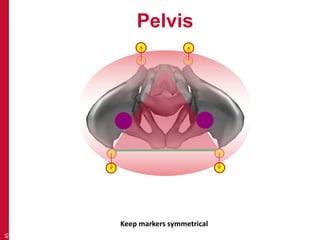
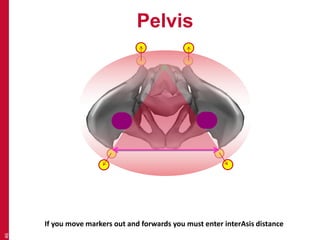
This document provides an introduction to the conventional gait model used in clinical gait analysis. It discusses the key aspects of the model including the anatomical segment definitions for the pelvis, femur, tibia, and foot. Marker placement for each segment is described, highlighting the importance of placing markers over bony landmarks to define segment axes and reference points according to the model. Challenges of applying the model to individuals with anatomical variations are also addressed.
Introduction to the
Conventional Gait Model
Richard Baker
Professor of Clinical Gait Analysis
Blog: wwRichard.net
1
2.
Conventional Gait Model
Newington, Davis,Gage
Helen Hayes, Kadaba
Vicon Clinical Manager (VCM), Plugin Gait
Conventional gait model (Visual 3d)
2
3.
Conventional Gait Model
By far the most widely used and best
understood model in clinical gait analysis.
Widely used in more general applications.
Better validated than any other model.
Better standardised than any other model.
3
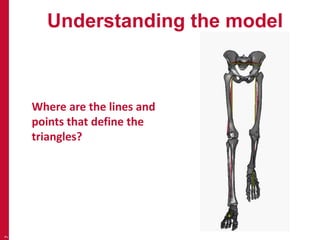
Understanding the model
• Anatomical segment definition
• Theory of marker placement
• Placing markers on the ideal person
• Placing markers on less ideal people.
8
Marker placement
•The system only sees the middle of the
marker (not the baseplate)
• Use landmarks as a guide and try and
visualise the lines and planes
• Always place markers on skin
16
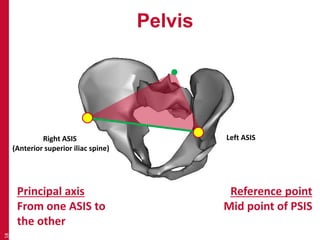
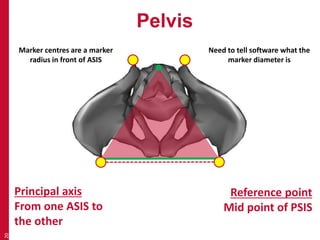
Pelvis
18
Principalaxis
From one ASIS to
the other
Reference point
Mid point of PSIS
Right ASIS
(Anterior superior iliac spine)
Left ASIS
19.
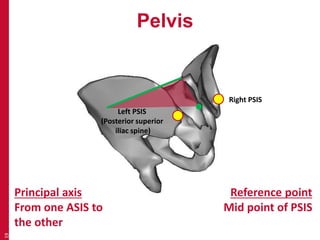
Pelvis
19
Principalaxis
From one ASIS to
the other
Reference point
Mid point of PSIS
Left PSIS
(Posterior superior
iliac spine)
Right PSIS
20.
Pelvis
20
Principalaxis
From one ASIS to
the other
Reference point
Mid point of PSIS
Marker centres are a marker
radius in front of ASIS
Need to tell software what the
marker diameter is
21.
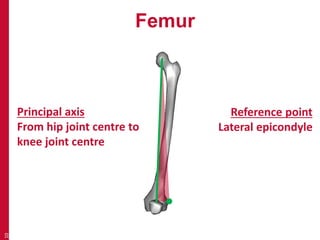
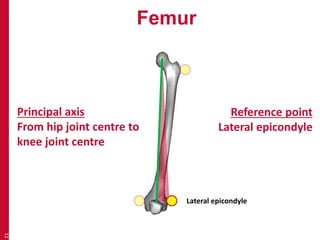
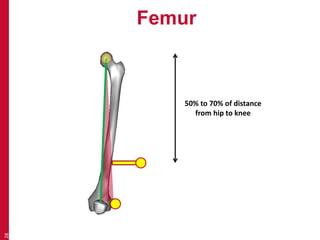
Femur
21
Principalaxis
From hip joint centre to
knee joint centre
Reference point
Lateral epicondyle
Lateral epicondyle
22.
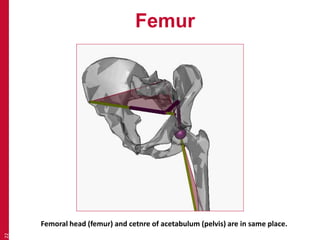
Femur
22
Femoralhead (femur) and cetnre of acetabulum (pelvis) are in same place.
23.
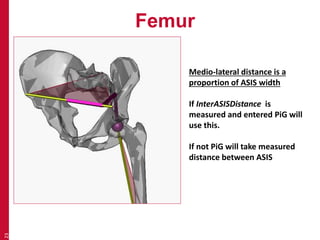
Femur
23
Medio-lateraldistance is a
proportion of ASIS width
If InterASISDistance is
measured and entered PiG will
use this.
If not PiG will take measured
distance between ASIS
24.
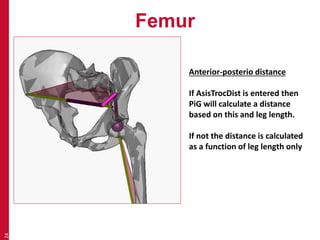
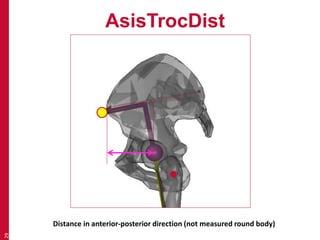
Femur
24
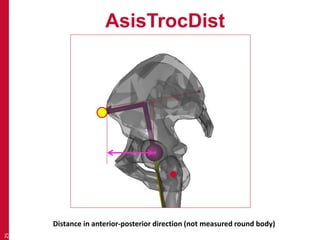
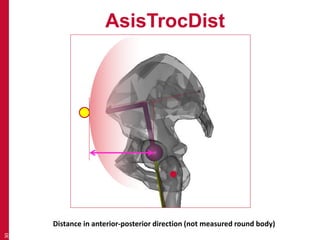
Anterior-posteriodistance
If AsisTrocDist is entered then
PiG will calculate a distance
based on this and leg length.
If not the distance is calculated
as a function of leg length only
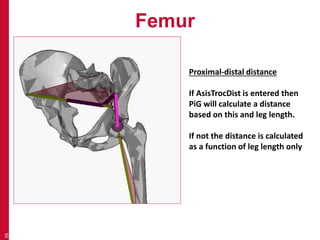
Femur
26
Proximal-distaldistance
If AsisTrocDist is entered then
PiG will calculate a distance
based on this and leg length.
If not the distance is calculated
as a function of leg length only
27.
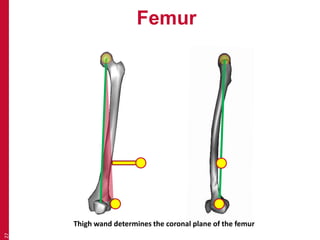
Femur
27
Thighwand determines the coronal plane of the femur