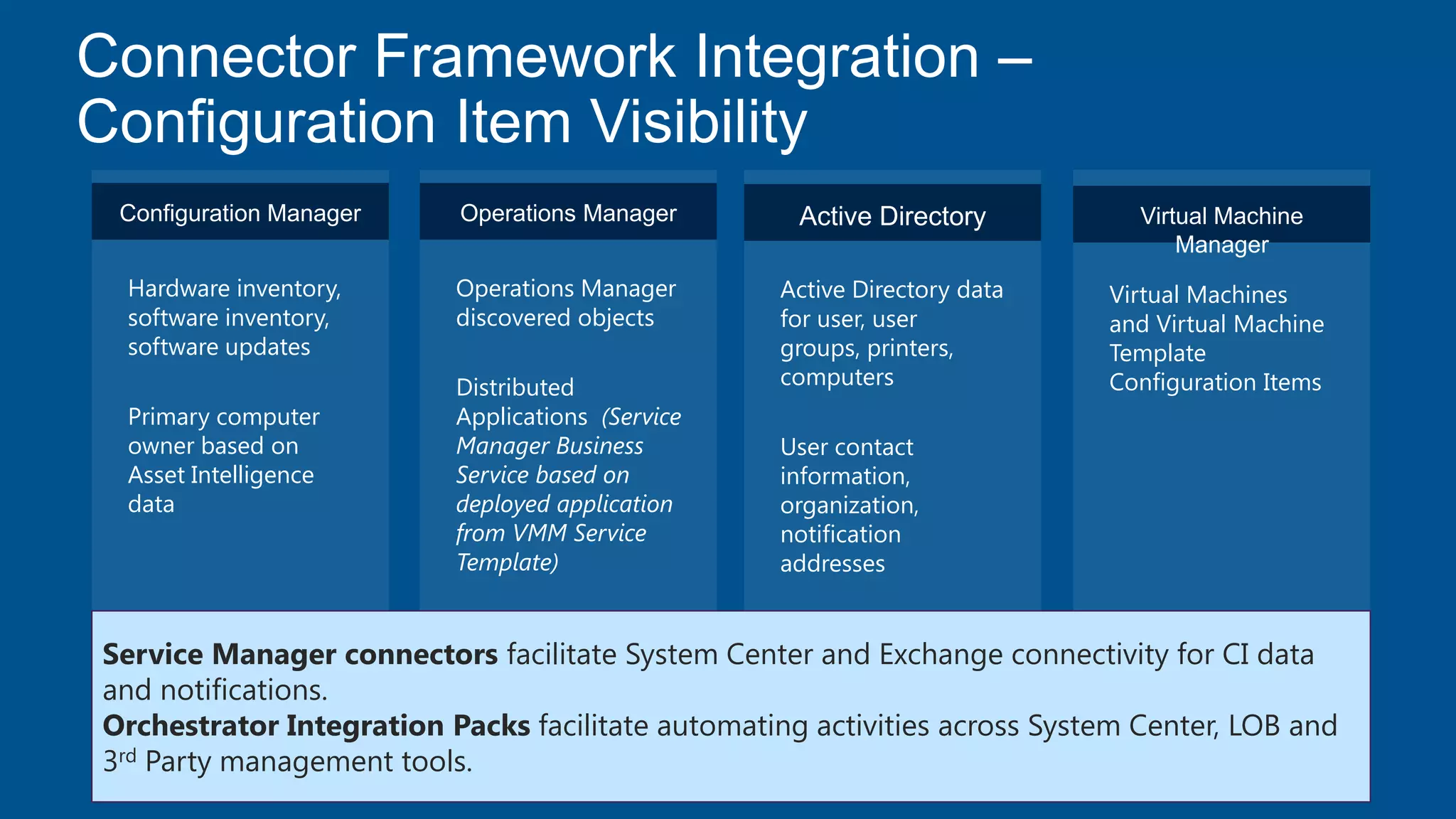
Configuration Manager
Hardware inventory,
software inventory,
software updates
Primary computer
owner based on
Asset Intelligence
data
Operations Manager
Operations Manager
discovered objects
Distributed
Applications (Service
Manager Business
Service based on
deployed application
from VMM Service
Template)
Active Directory
Active Directory data
for user, user
groups, printers,
computers
User contact
information,
organization,
notification
addresses
Virtual Machine
Manager
Virtual Machines
and Virtual Machine
Template
Configuration Items
Service Manager connectors facilitate System Center and Exchange connectivity for CI data
and notifications.
Orchestrator Integration Packs facilitate automating activities across System Center, LOB and
3rd Party management tools.
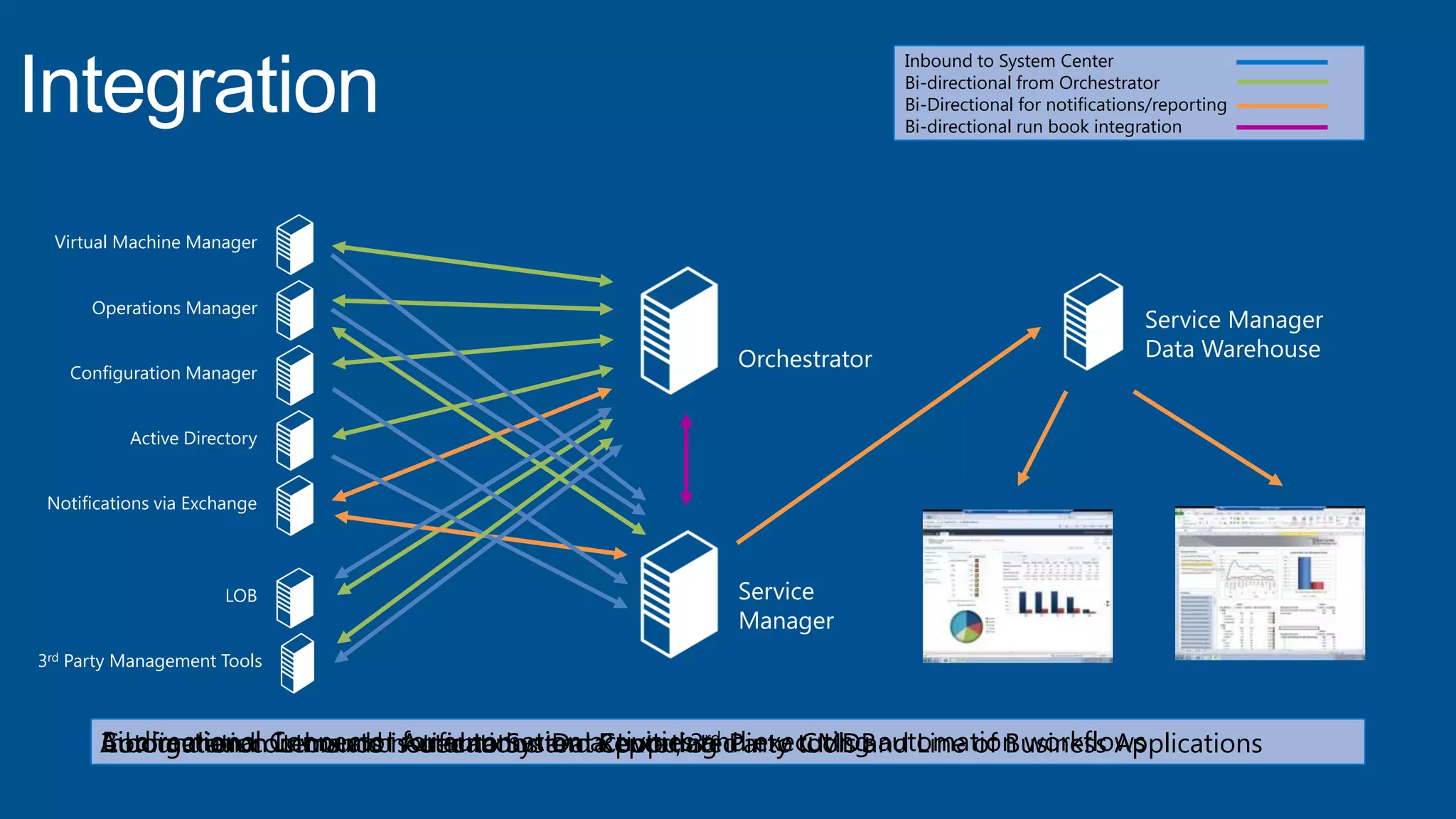
Service Manager
Data WarehouseOrchestrator
Service
Manager
Virtual Machine Manager
Operations Manager
Configuration Manager
Active Directory
Notifications via Exchange
LOB
3rd Party Management Tools
Inbound to System Center
Bi-directional from Orchestrator
Bi-Directional for notifications/reporting
Bi-directional run book integration
Configuration Items and Automation Data populated into CMDBAutomation commands issued to System Center, 3rd Party tools and Line of Business ApplicationsInbound and outbound notifications and ReportingBi-directional Connector for automation activities and executing automation workflows
Configuring Connectors in Service Manager
“Whitelisting” Additional Classes for the SCOM CI
Connector
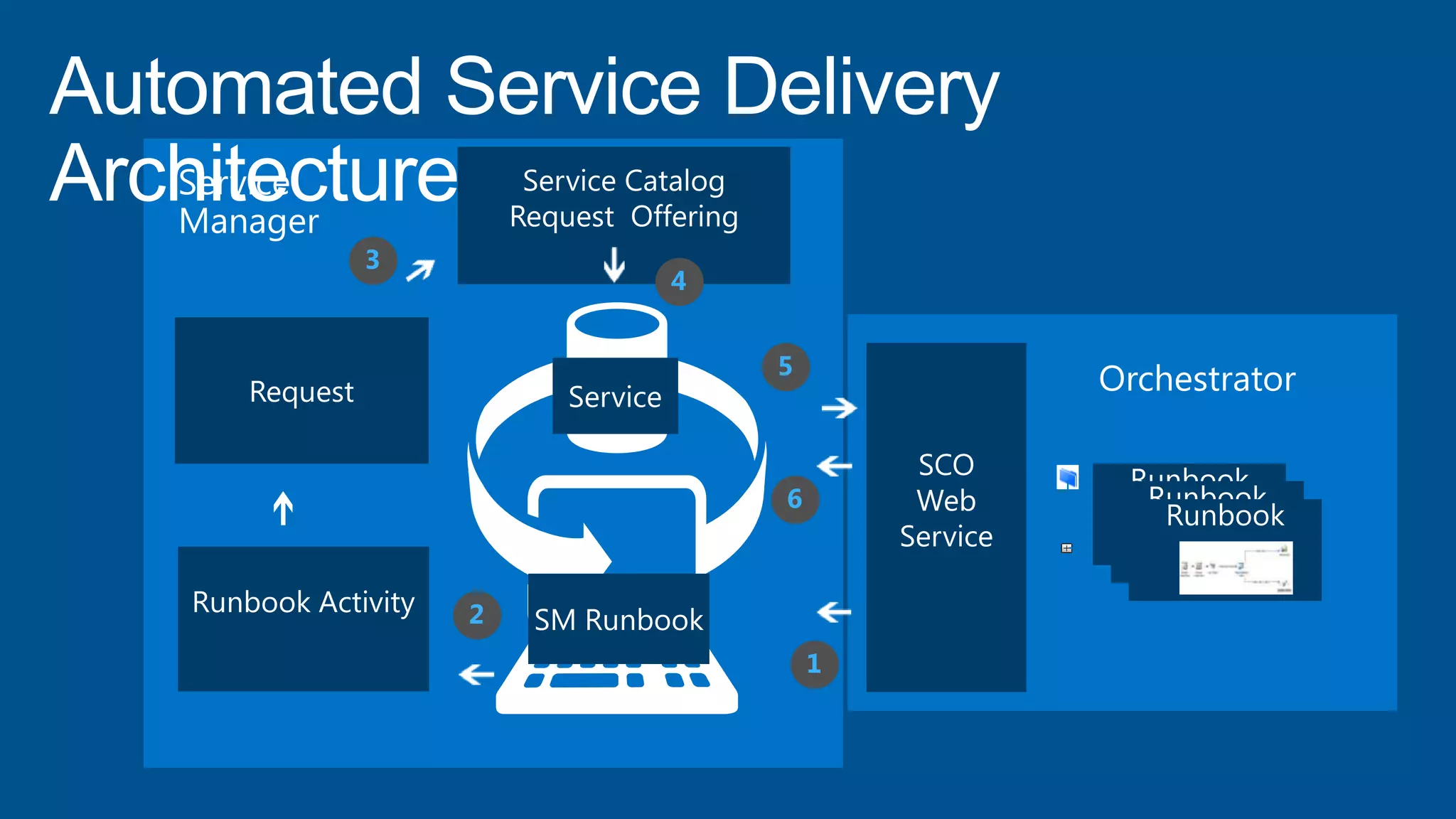
Automated Service Delivery
Architecture
1
4
2
3
5
6
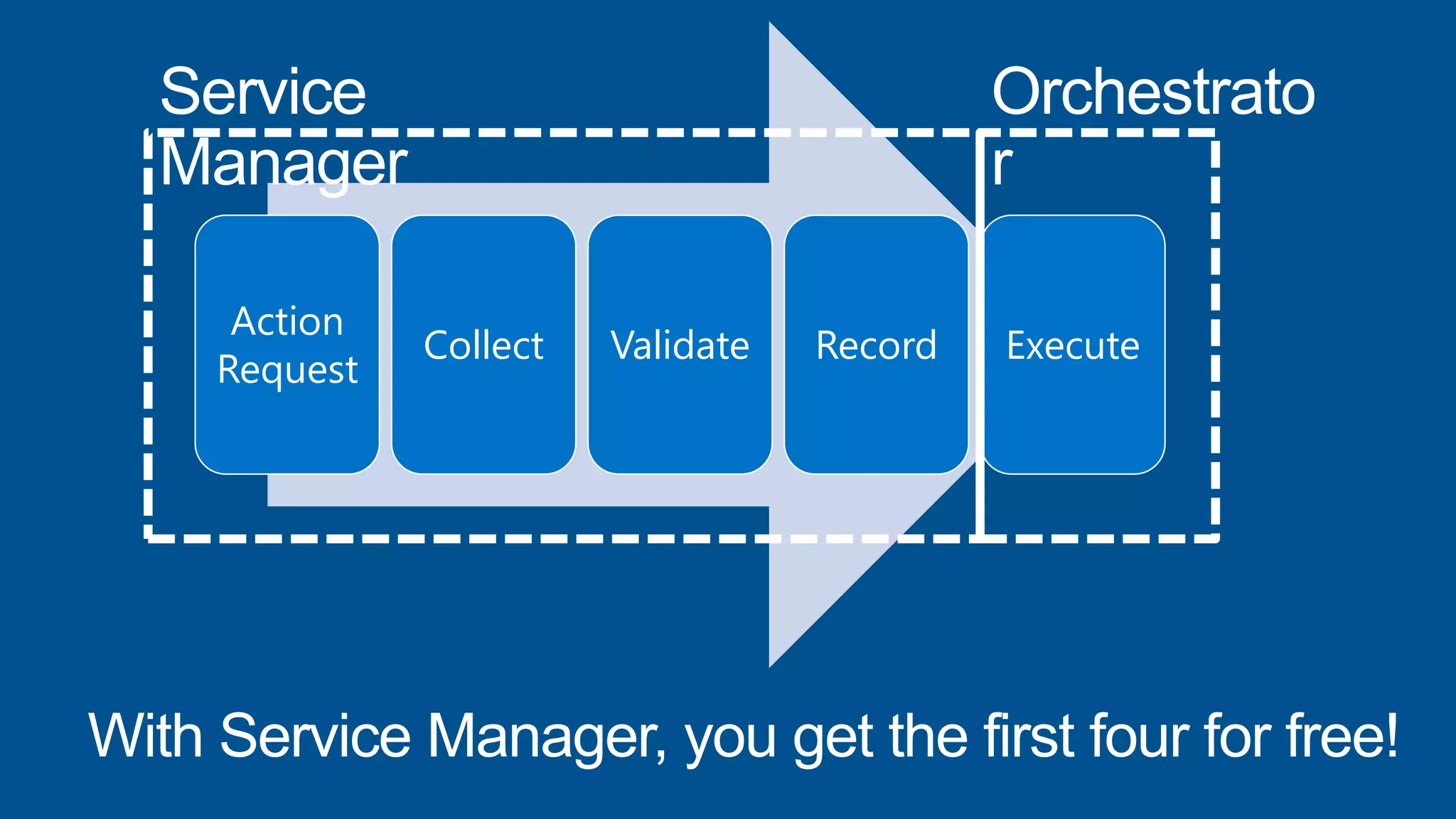
Action
Request
Collect Validate Record Execute
Building a Simple, Powerful and Effective
Service and Request Offering
IMPORT BUILD PUBLISH
1 2 3
INVOKE
MONITOR 5
6
CREATE
4
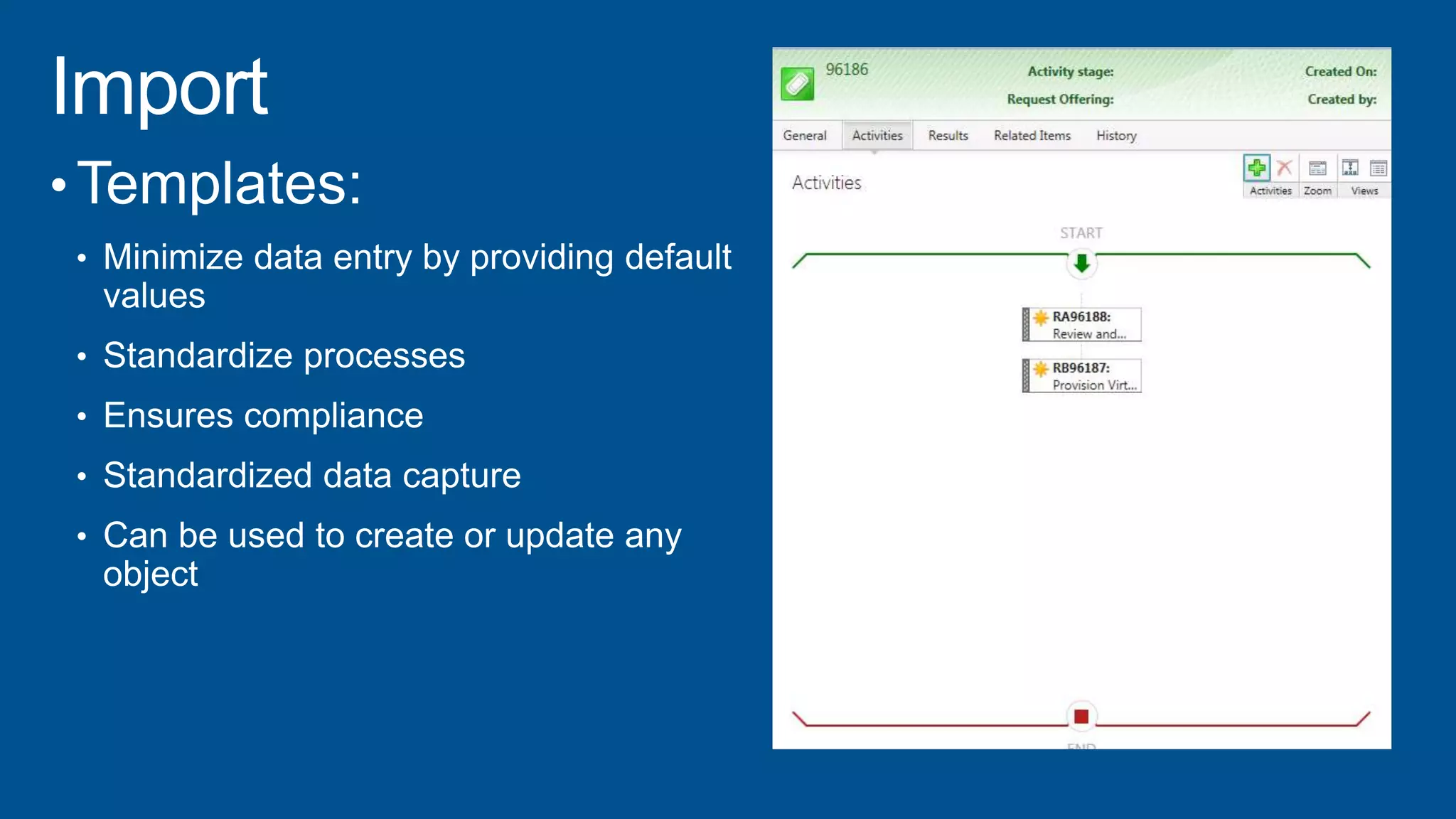
Import Deploy VM
Runbook & Data
Build „New VM‟
Request Offering
Publish „New
VM‟ to Service
Catalog
Create a „New VM‟
Request
Invoke
Deploy VM
Runbook
Monitor for New VM
Created and Deployed
•
•
•
•
•
•
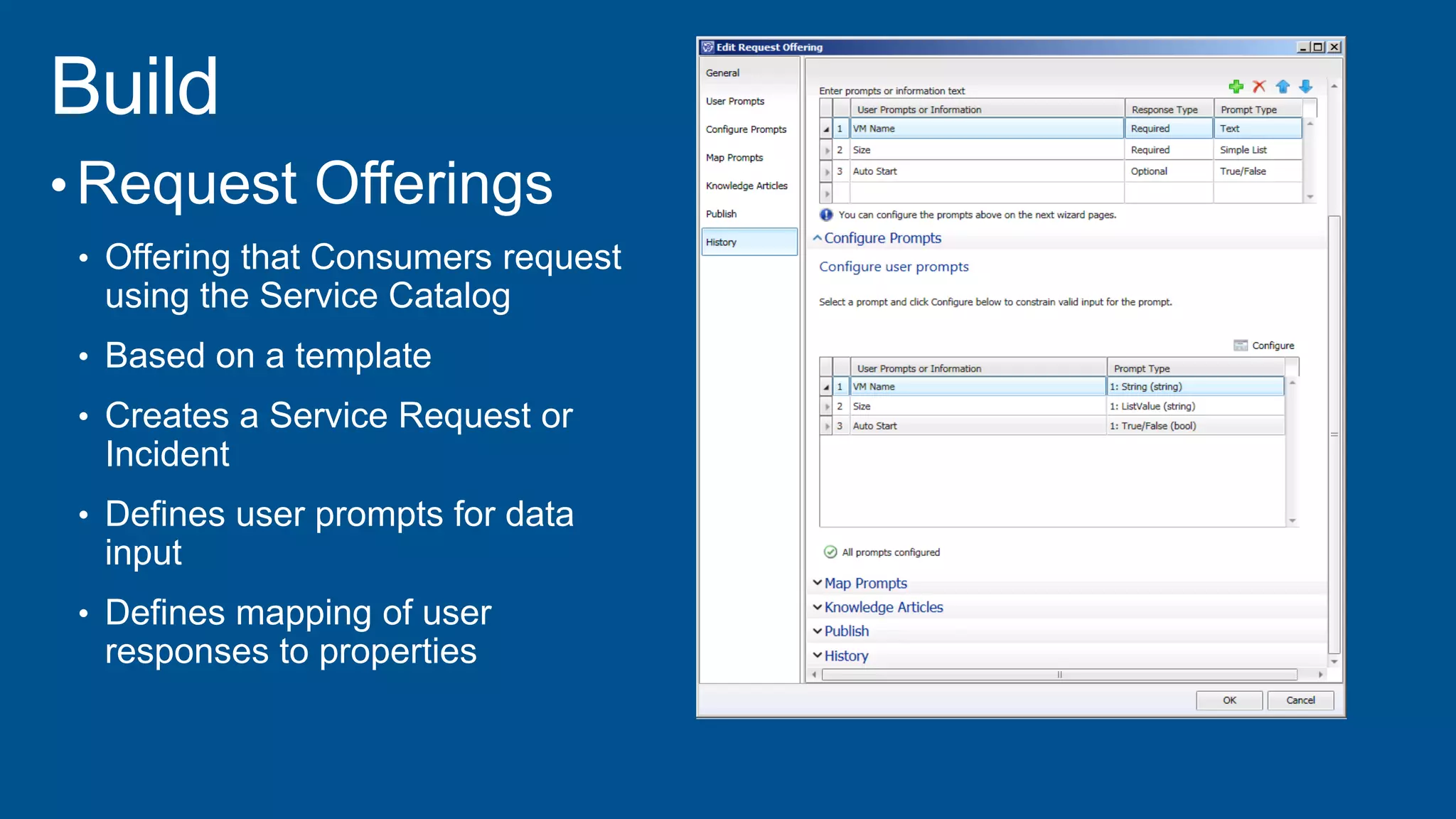
• Request Offerings
• Offering that Consumers request
using the Service Catalog
• Based on a template
• Creates a Service Request or
Incident
• Defines user prompts for data
input
• Defines mapping of user
responses to properties
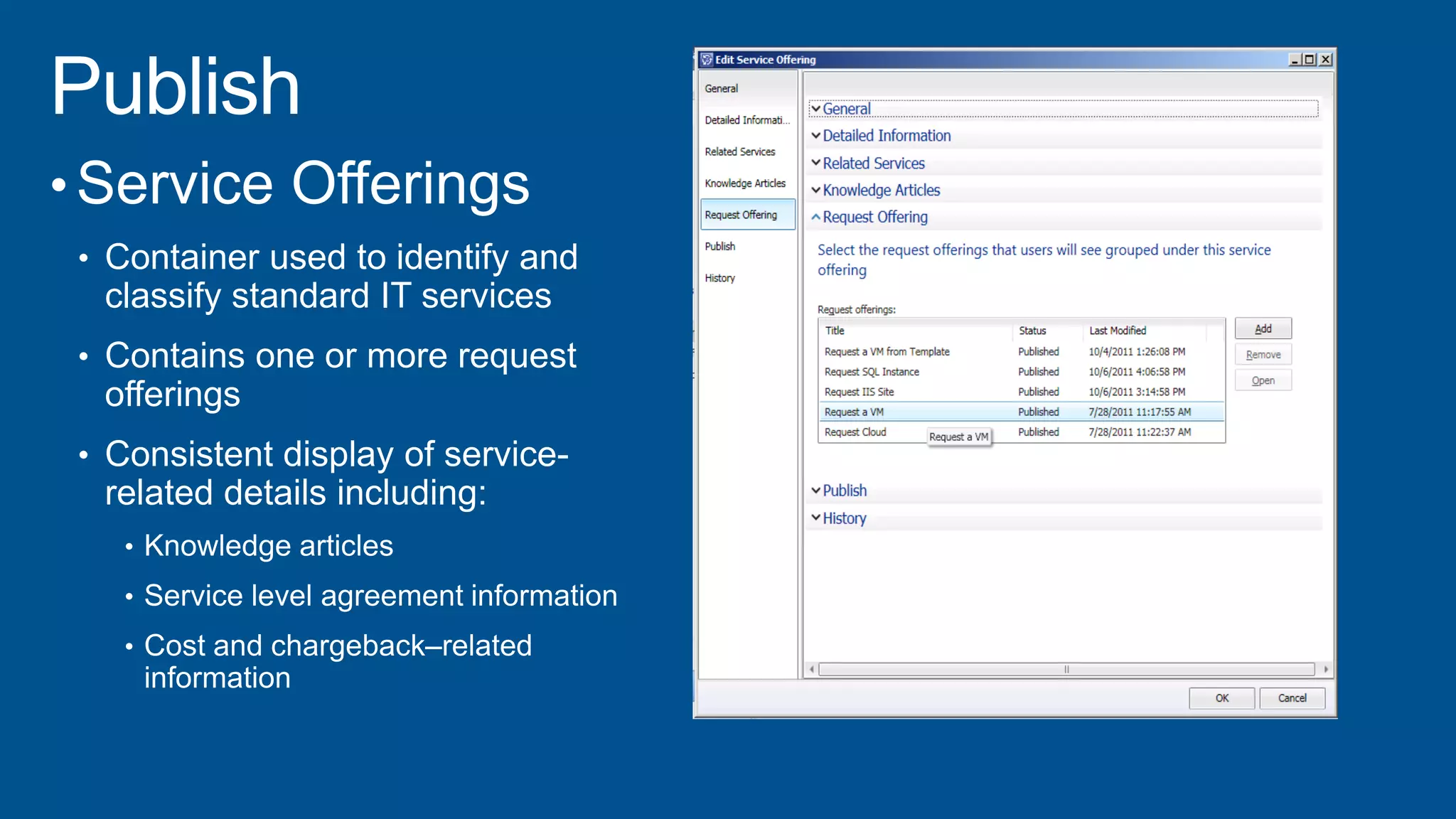
• Service Offerings
• Container used to identify and
classify standard IT services
• Contains one or more request
offerings
• Consistent display of service-
related details including:
•
•
•
•
•
•
•
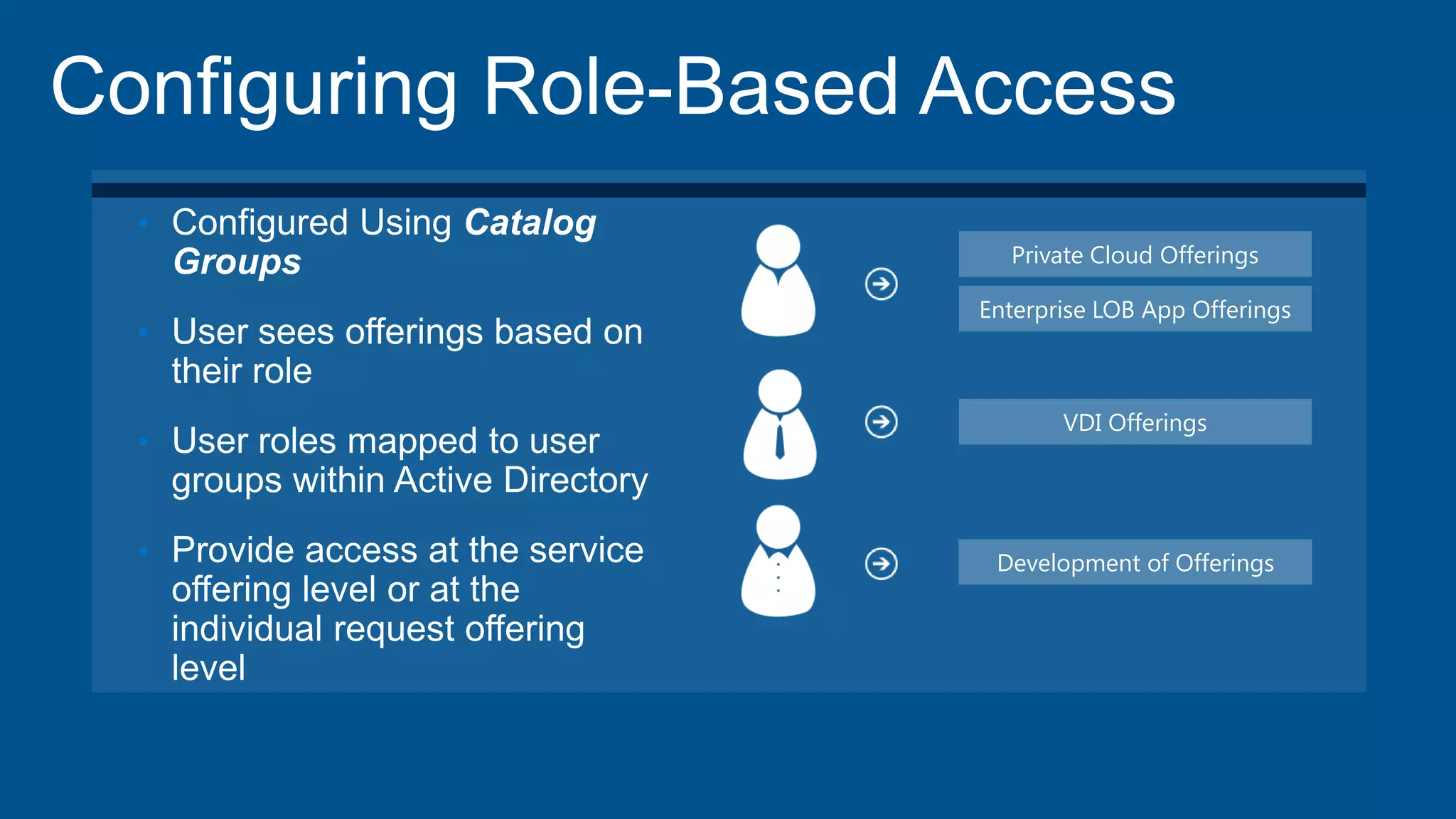
Private Cloud Offerings
Enterprise LOB App Offerings
VDI Offerings
Development of Offerings
•
•
•
•
•
•
•
•
•
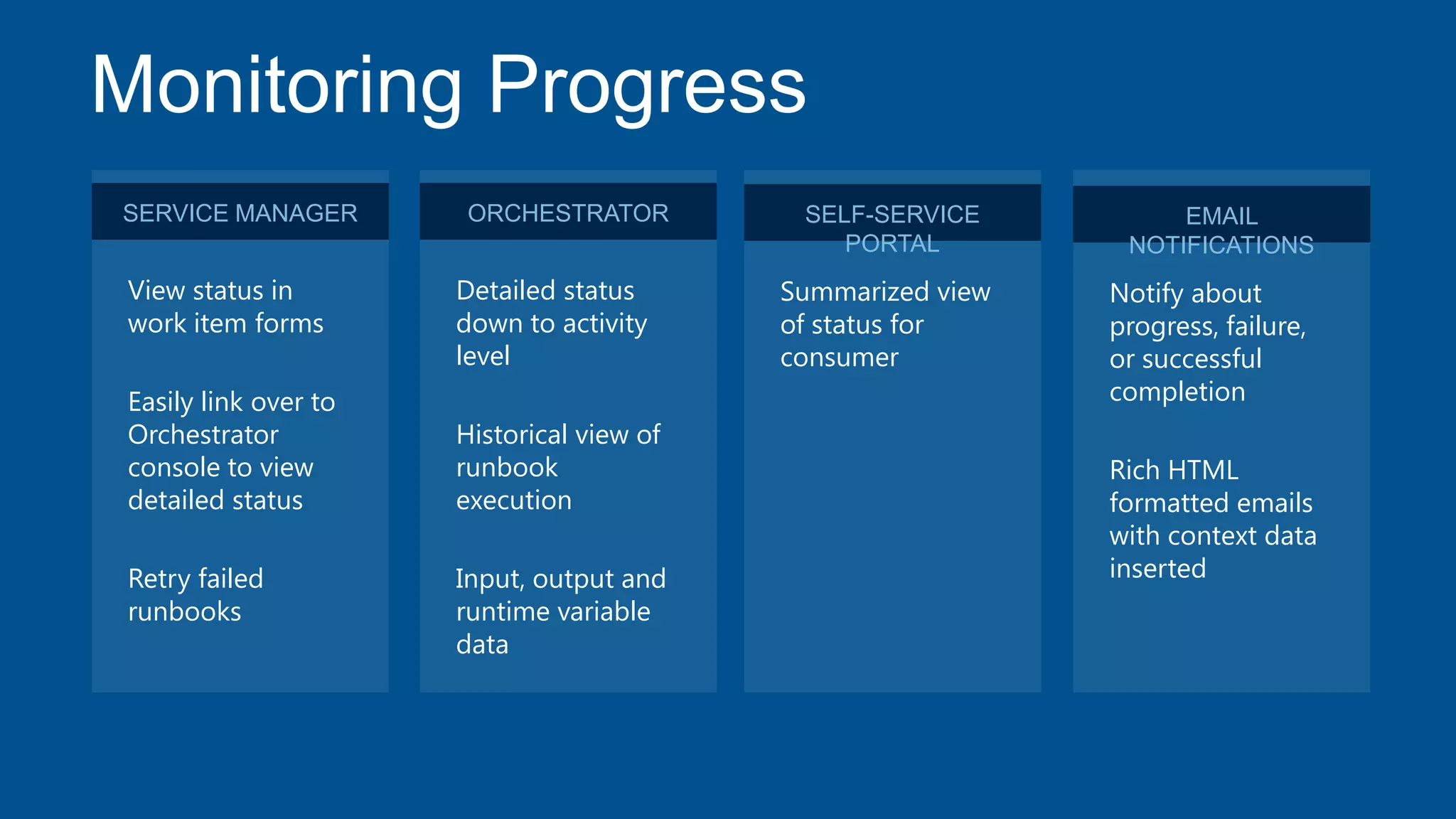
View status in
work item forms
Easily link over to
Orchestrator
console to view
detailed status
Retry failed
runbooks
ORCHESTRATOR
Detailed status
down to activity
level
Historical view of
runbook
execution
Input, output and
runtime variable
data
SELF-SERVICE
PORTAL
Summarized view
of status for
consumer
EMAIL
NOTIFICATIONS
Notify about
progress, failure,
or successful
completion
Rich HTML
formatted emails
with context data
inserted
SERVICE MANAGER
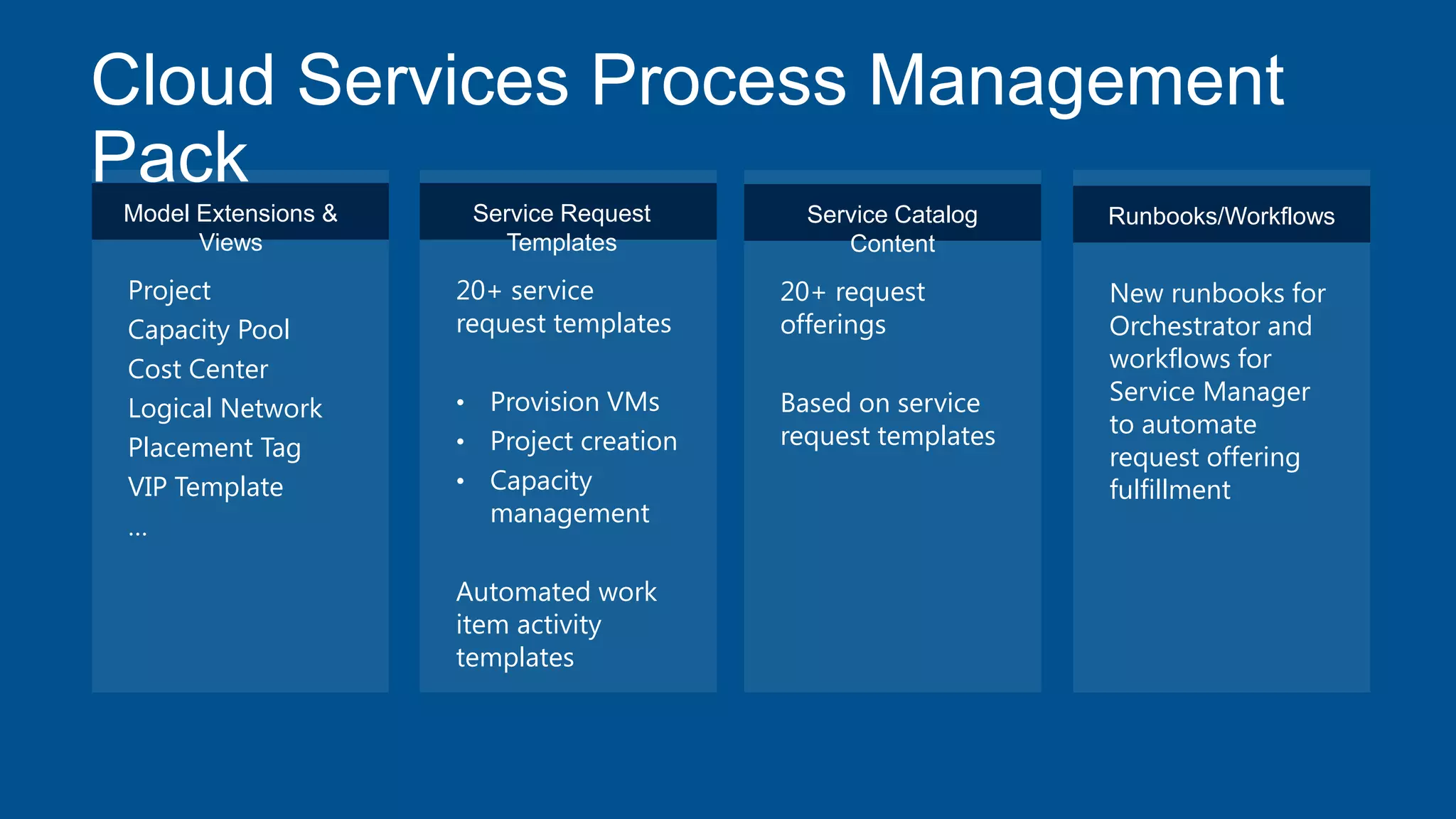
Cloud Services Process Management
Pack
Model Extensions &
Views
Project
Capacity Pool
Cost Center
Logical Network
Placement Tag
VIP Template
…
Service Request
Templates
20+ service
request templates
• Provision VMs
• Project creation
• Capacity
management
Automated work
item activity
templates
Service Catalog
Content
20+ request
offerings
Based on service
request templates
Runbooks/Workflows
New runbooks for
Orchestrator and
workflows for
Service Manager
to automate
request offering
fulfillment
Configuring Your Self-Service
Virtualization Provisioning Offering
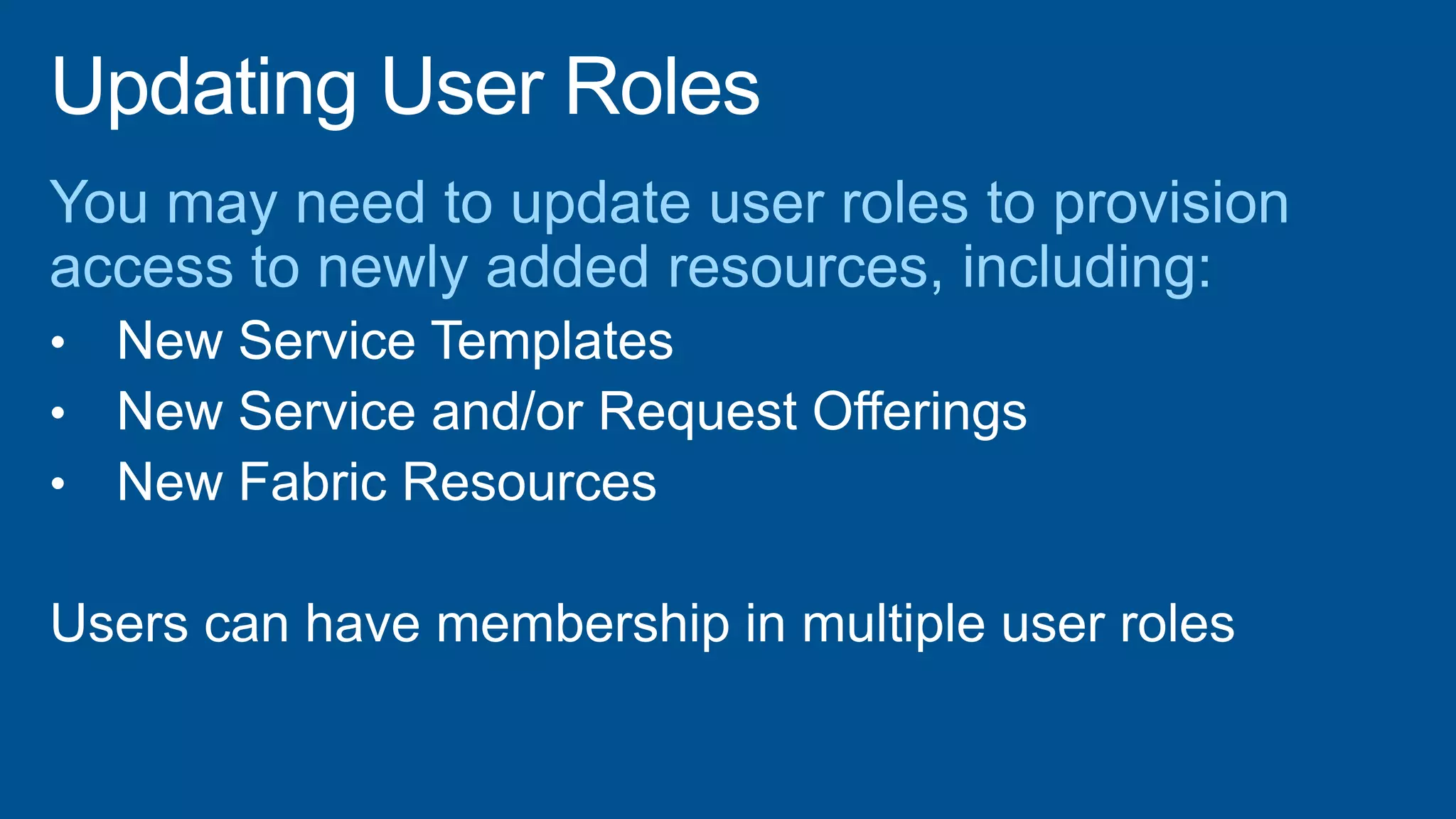
Updating User Roles
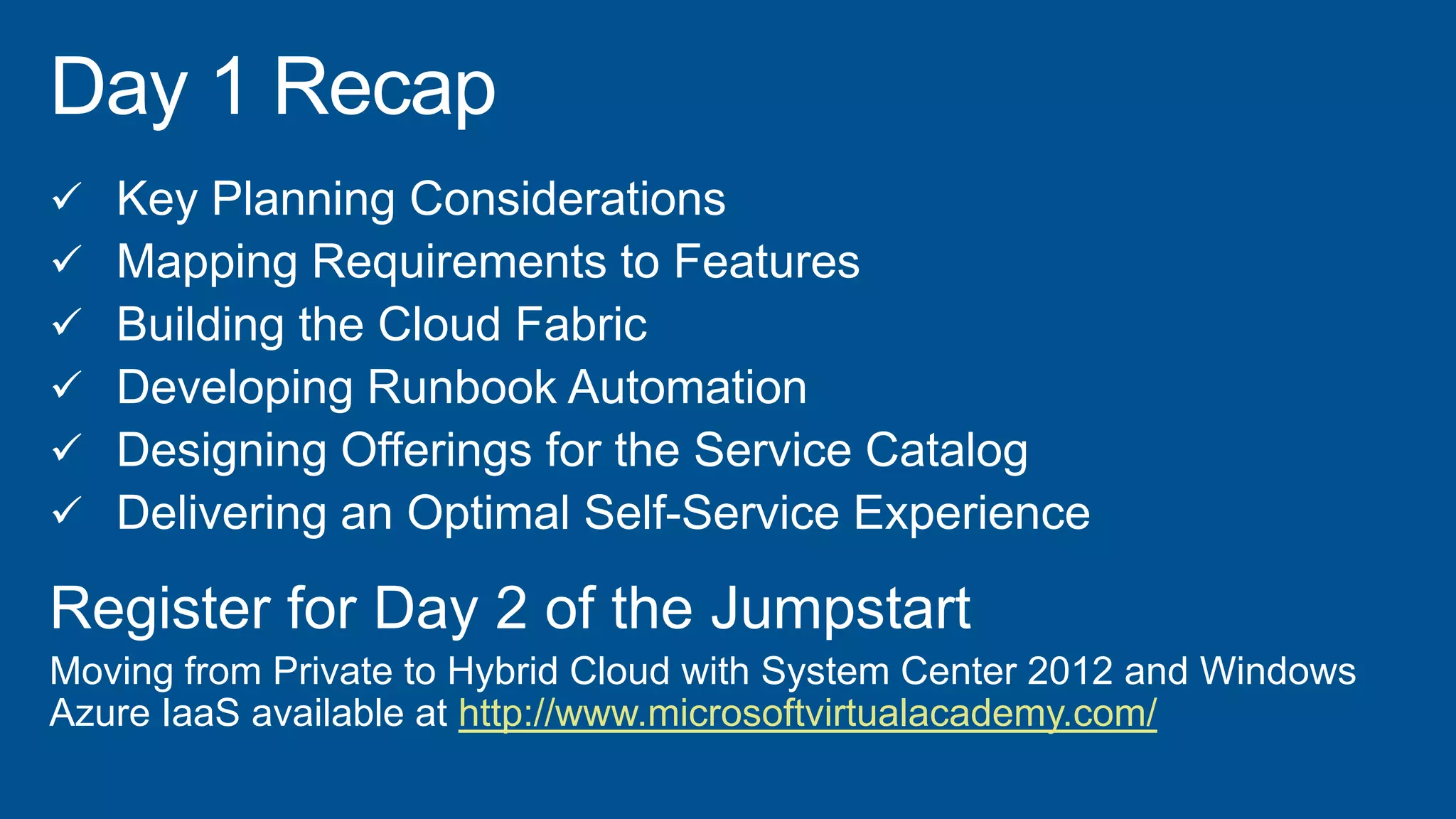
 Key Planning Considerations
 Mapping Requirements to Features
 Building the Cloud Fabric
 Developing Runbook Automation
 Designing Offerings for the Service Catalog
 Delivering an Optimal Self-Service Experience
Register for Day 2 of the Jumpstart
Moving from Private to Hybrid Cloud with System Center 2012 and Windows
Azure IaaS available at http://www.microsoftvirtualacademy.com/
©2013 Microsoft Corporation. All rights reserved. Microsoft, Windows, Office, Azure, System Center, Dynamics and other product names are or may be registered trademarks and/or
trademarks in the U.S. and/or other countries. The information herein is for informational purposes only and represents the current view of Microsoft Corporation as of the date of this
presentation. Because Microsoft must respond to changing market conditions, it should not be interpreted to be a commitment on the part of Microsoft, and Microsoft cannot guarantee
the accuracy of any information provided after the date of this presentation. MICROSOFT MAKES NO WARRANTIES, EXPRESS, IMPLIED OR STATUTORY, AS TO THE INFORMATION IN
THIS PRESENTATION.

1.4 build your_svc_cat_final

  • 5.
    Configuration Manager Hardware inventory, softwareinventory, software updates Primary computer owner based on Asset Intelligence data Operations Manager Operations Manager discovered objects Distributed Applications (Service Manager Business Service based on deployed application from VMM Service Template) Active Directory Active Directory data for user, user groups, printers, computers User contact information, organization, notification addresses Virtual Machine Manager Virtual Machines and Virtual Machine Template Configuration Items Service Manager connectors facilitate System Center and Exchange connectivity for CI data and notifications. Orchestrator Integration Packs facilitate automating activities across System Center, LOB and 3rd Party management tools.
  • 6.
    Service Manager Data WarehouseOrchestrator Service Manager VirtualMachine Manager Operations Manager Configuration Manager Active Directory Notifications via Exchange LOB 3rd Party Management Tools Inbound to System Center Bi-directional from Orchestrator Bi-Directional for notifications/reporting Bi-directional run book integration Configuration Items and Automation Data populated into CMDBAutomation commands issued to System Center, 3rd Party tools and Line of Business ApplicationsInbound and outbound notifications and ReportingBi-directional Connector for automation activities and executing automation workflows
  • 7.
  • 8.
    “Whitelisting” Additional Classesfor the SCOM CI Connector
  • 9.
  • 10.
  • 11.
    Building a Simple,Powerful and Effective Service and Request Offering
  • 13.
    IMPORT BUILD PUBLISH 12 3 INVOKE MONITOR 5 6 CREATE 4 Import Deploy VM Runbook & Data Build „New VM‟ Request Offering Publish „New VM‟ to Service Catalog Create a „New VM‟ Request Invoke Deploy VM Runbook Monitor for New VM Created and Deployed
  • 14.
  • 15.
    • Request Offerings •Offering that Consumers request using the Service Catalog • Based on a template • Creates a Service Request or Incident • Defines user prompts for data input • Defines mapping of user responses to properties
  • 16.
    • Service Offerings •Container used to identify and classify standard IT services • Contains one or more request offerings • Consistent display of service- related details including: • • •
  • 17.
    • • • • Private Cloud Offerings EnterpriseLOB App Offerings VDI Offerings Development of Offerings
  • 18.
  • 19.
  • 20.
    View status in workitem forms Easily link over to Orchestrator console to view detailed status Retry failed runbooks ORCHESTRATOR Detailed status down to activity level Historical view of runbook execution Input, output and runtime variable data SELF-SERVICE PORTAL Summarized view of status for consumer EMAIL NOTIFICATIONS Notify about progress, failure, or successful completion Rich HTML formatted emails with context data inserted SERVICE MANAGER
  • 21.
    Cloud Services ProcessManagement Pack Model Extensions & Views Project Capacity Pool Cost Center Logical Network Placement Tag VIP Template … Service Request Templates 20+ service request templates • Provision VMs • Project creation • Capacity management Automated work item activity templates Service Catalog Content 20+ request offerings Based on service request templates Runbooks/Workflows New runbooks for Orchestrator and workflows for Service Manager to automate request offering fulfillment
  • 22.
  • 25.
  • 27.
     Key PlanningConsiderations  Mapping Requirements to Features  Building the Cloud Fabric  Developing Runbook Automation  Designing Offerings for the Service Catalog  Delivering an Optimal Self-Service Experience Register for Day 2 of the Jumpstart Moving from Private to Hybrid Cloud with System Center 2012 and Windows Azure IaaS available at http://www.microsoftvirtualacademy.com/
  • 28.
    ©2013 Microsoft Corporation.All rights reserved. Microsoft, Windows, Office, Azure, System Center, Dynamics and other product names are or may be registered trademarks and/or trademarks in the U.S. and/or other countries. The information herein is for informational purposes only and represents the current view of Microsoft Corporation as of the date of this presentation. Because Microsoft must respond to changing market conditions, it should not be interpreted to be a commitment on the part of Microsoft, and Microsoft cannot guarantee the accuracy of any information provided after the date of this presentation. MICROSOFT MAKES NO WARRANTIES, EXPRESS, IMPLIED OR STATUTORY, AS TO THE INFORMATION IN THIS PRESENTATION.

Editor's Notes

  • #3 These are the topics and objectives to be covered in this module.
  • #4 These are the topics and objectives to be covered in this module.
  • #21 <Student notes post Beta>
  • #23 Demo Description: