Deploying Cloud Applications
IBM Bluemix, Microsoft Azure
Cloud Deployment
• Leverages the web app server and the database from the cloud provider
• Automatically detects the runtime environment and adapts to it
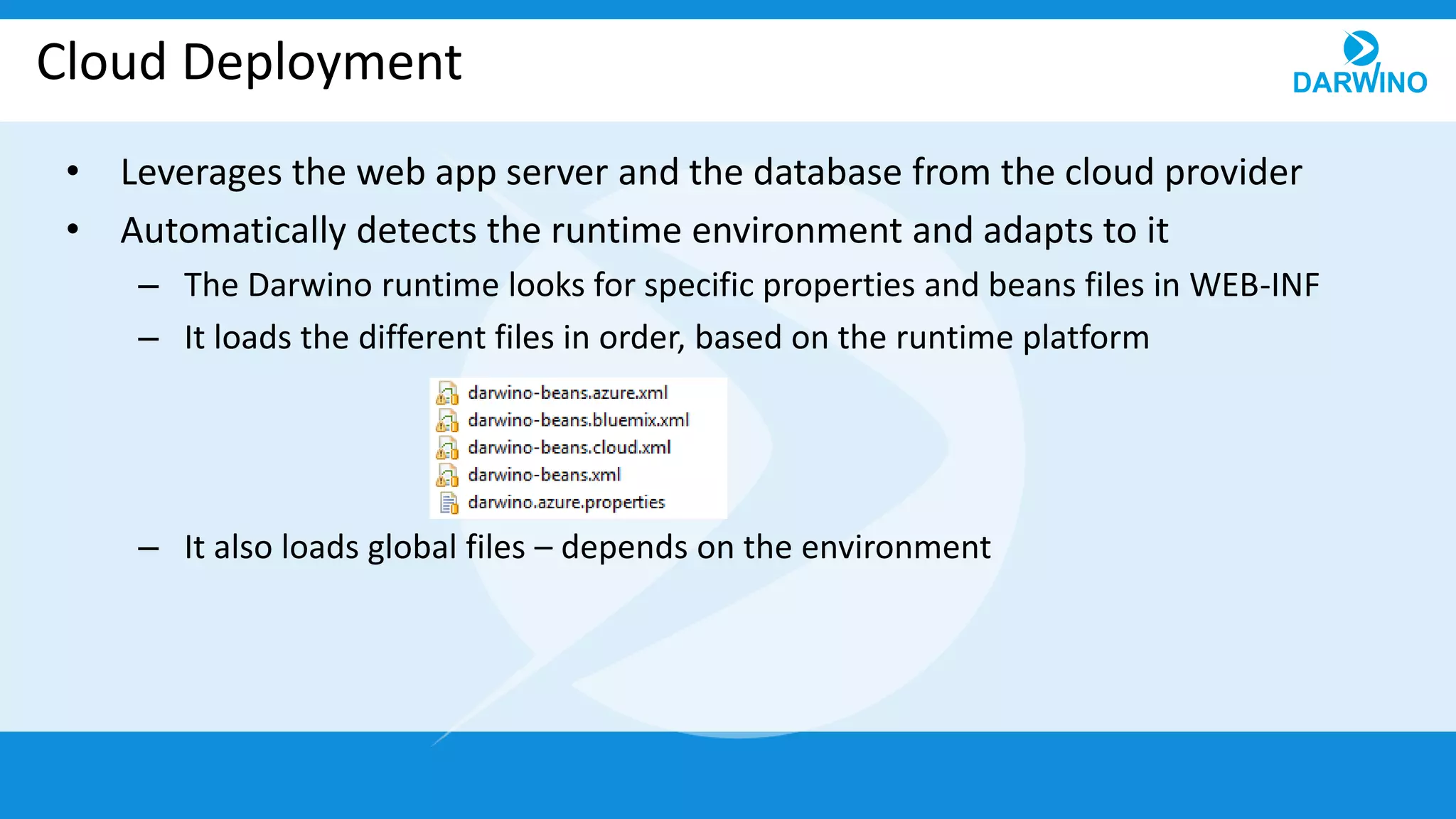
– The Darwino runtime looks for specific properties and beans files in WEB-INF
– It loads the different files in order, based on the runtime platform
– It also loads global files – depends on the environment
IBM Bluemix
• Runs within the WAS Liberty server
• Use the database provided by Compose, like Postgresql
– The standard DB2, SQLDB, service is deprecated by IBM
• Read the VCAP_SERVICES variable and makes it available
– Was used by the SQLDB connection
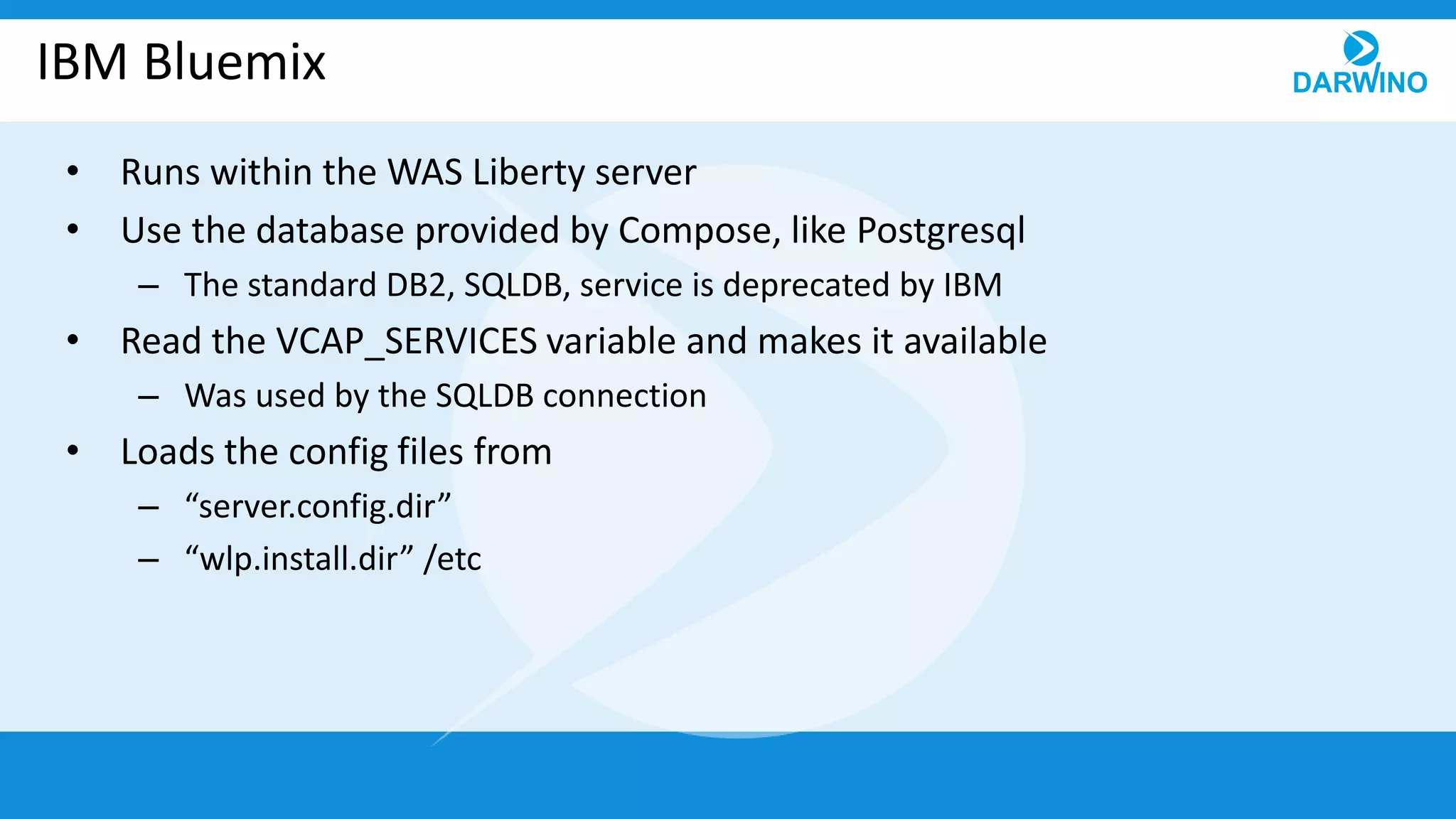
• Loads the config files from
– “server.config.dir”
– “wlp.install.dir” /etc
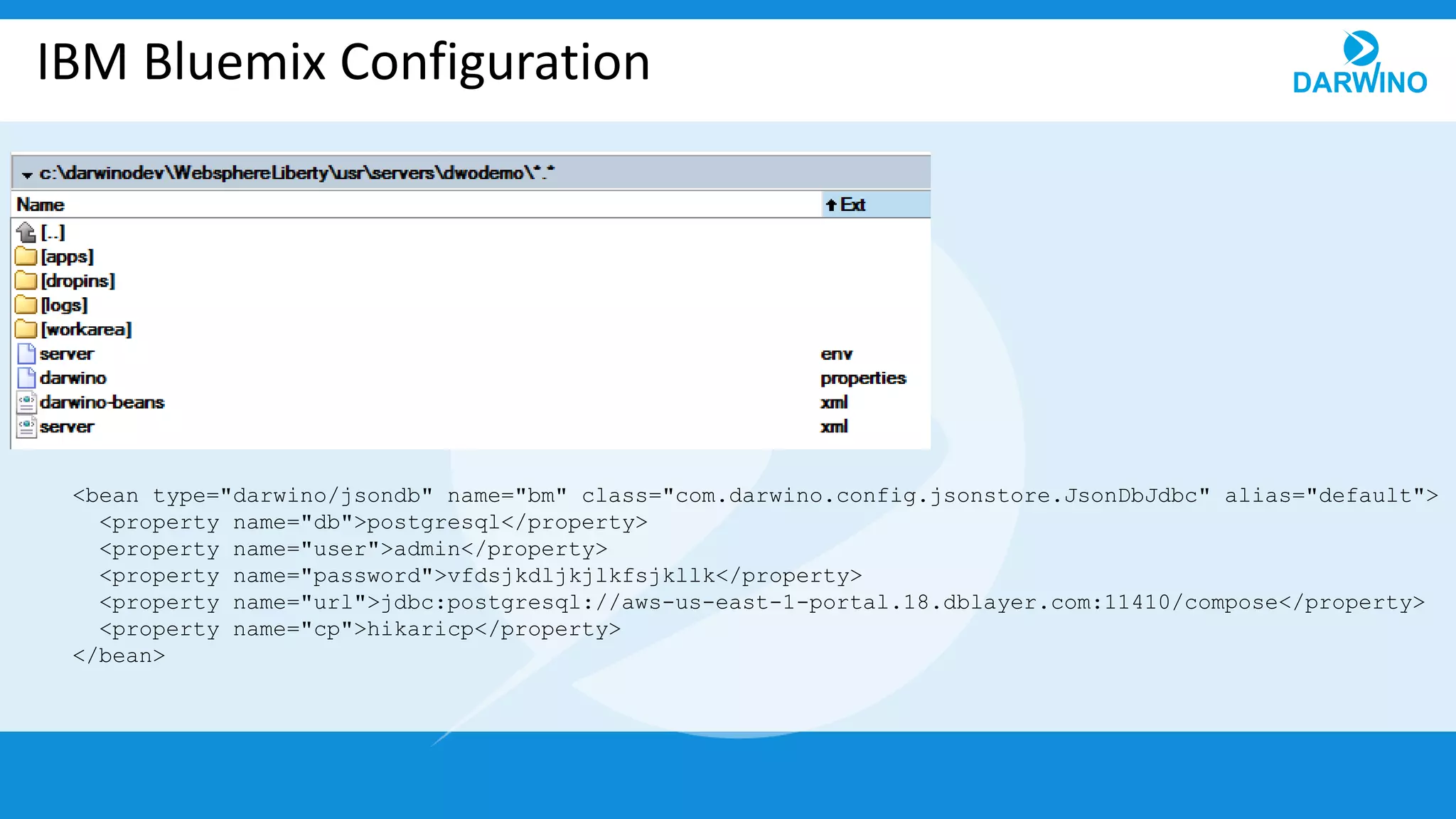
IBM Bluemix Configuration
<bean type="darwino/jsondb" name="bm" class="com.darwino.config.jsonstore.JsonDbJdbc" alias="default">
<property name="db">postgresql</property>
<property name="user">admin</property>
<property name="password">vfdsjkdljkjlkfsjkllk</property>
<property name="url">jdbc:postgresql://aws-us-east-1-portal.18.dblayer.com:11410/compose</property>
<property name="cp">hikaricp</property>
</bean>
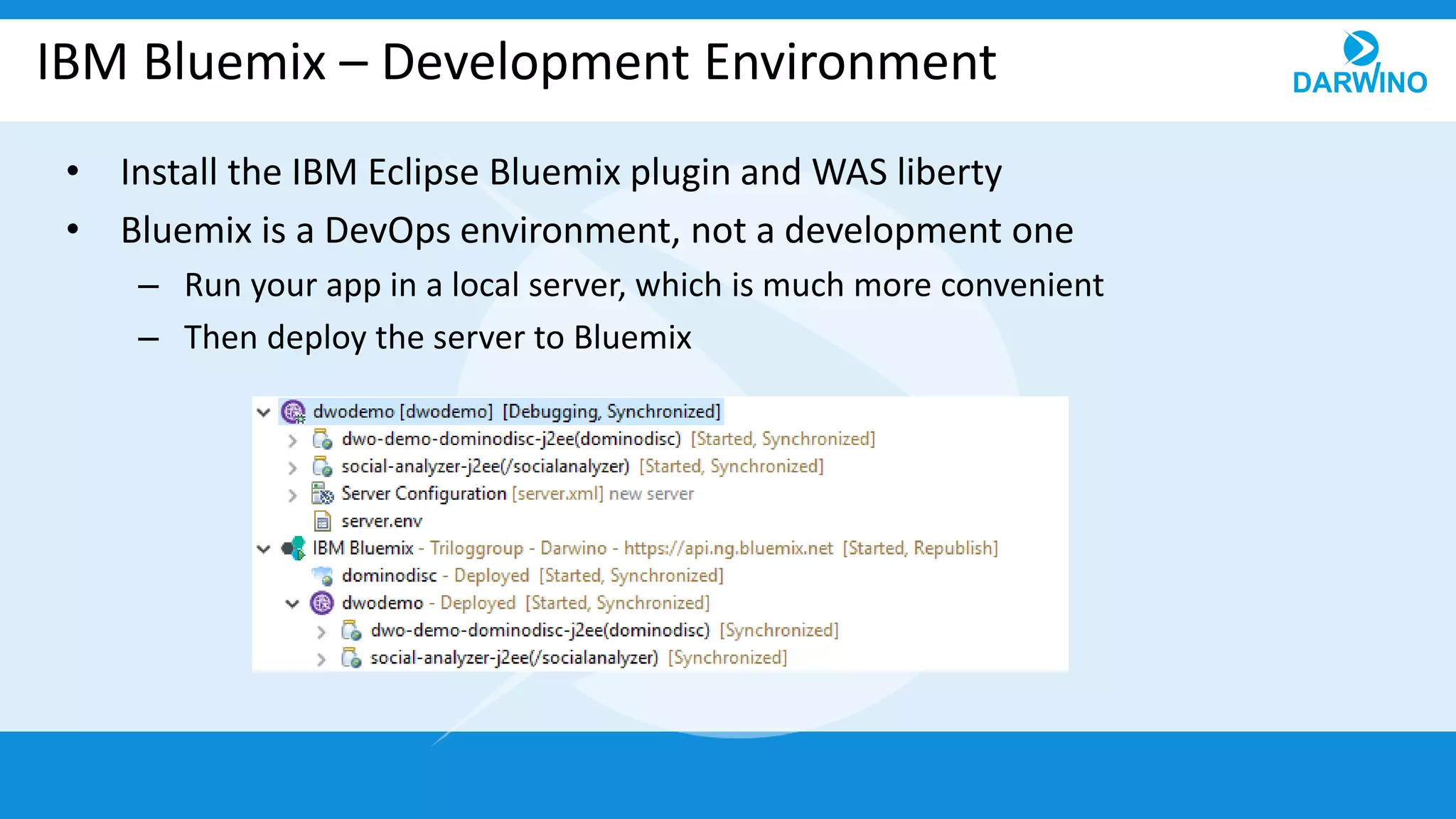
IBM Bluemix – Development Environment
• Install the IBM Eclipse Bluemix plugin and WAS liberty
• Bluemix is a DevOps environment, not a development one
– Run your app in a local server, which is much more convenient
– Then deploy the server to Bluemix
Microsoft Azure
• Runs within a deployed version of TOMCAT
– Currently supports TOMCAT 8 by detecting AZURE_TOMCAT8_HOME
– Other versions of TOMCAT or Jetty can be supported if needed
• Use the SQL Server cloud (2016) database
• Loads the config files from
– HOME (from the Windows OS)
– Tomcat WEB Application server
• “catalina.base” /conf
• “catalina.home”
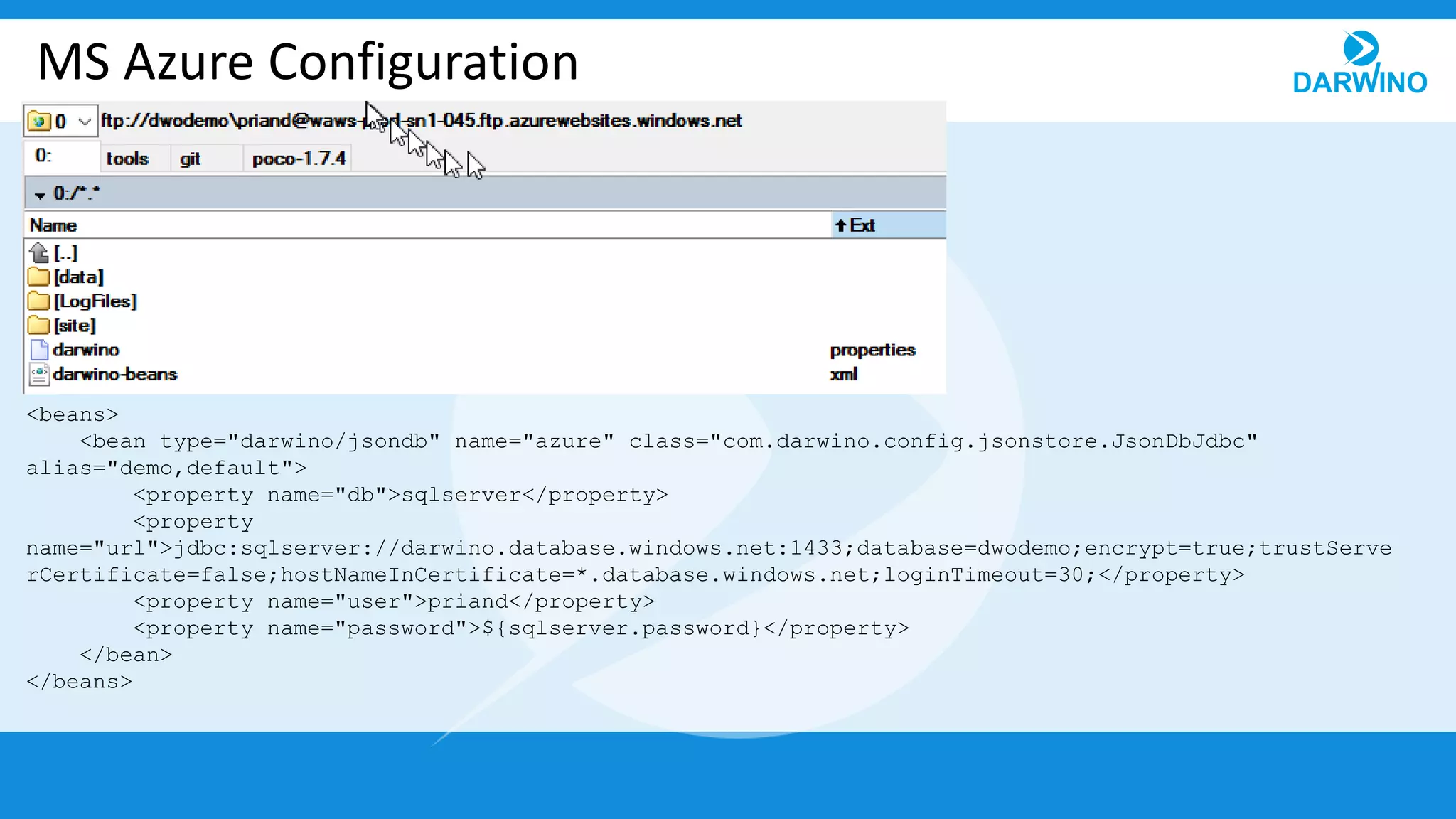
MS Azure Configuration
<beans>
<bean type="darwino/jsondb" name="azure" class="com.darwino.config.jsonstore.JsonDbJdbc"
alias="demo,default">
<property name="db">sqlserver</property>
<property
name="url">jdbc:sqlserver://darwino.database.windows.net:1433;database=dwodemo;encrypt=true;trustServe
rCertificate=false;hostNameInCertificate=*.database.windows.net;loginTimeout=30;</property>
<property name="user">priand</property>
<property name="password">${sqlserver.password}</property>
</bean>
</beans>
MS Azure
• There is a Microsoft Eclipse plug-in to manage the server deployment
– Used to have a bug, but this is apparently fixed
• Else, Azure is exposing the server directory through FTP
– Develop using a local TOMCAT
– Generate and copy the WAR file to site/wwwroot/webapps
Connecting to Directories
• Simple development directory
– Use a set of static users defined in managed-beans.xml
• Use an online LDAP Server
• Use WebGate user’s database
• IBM Bluemix
– Use IBM Connections Cloud as the directory
• MS Azure
– Use Azure AD as the directory
Thank you for your attention!

13 deploying cloud applications

  • 1.
    Deploying Cloud Applications IBMBluemix, Microsoft Azure
  • 2.
    Cloud Deployment • Leveragesthe web app server and the database from the cloud provider • Automatically detects the runtime environment and adapts to it – The Darwino runtime looks for specific properties and beans files in WEB-INF – It loads the different files in order, based on the runtime platform – It also loads global files – depends on the environment
  • 3.
    IBM Bluemix • Runswithin the WAS Liberty server • Use the database provided by Compose, like Postgresql – The standard DB2, SQLDB, service is deprecated by IBM • Read the VCAP_SERVICES variable and makes it available – Was used by the SQLDB connection • Loads the config files from – “server.config.dir” – “wlp.install.dir” /etc
  • 4.
    IBM Bluemix Configuration <beantype="darwino/jsondb" name="bm" class="com.darwino.config.jsonstore.JsonDbJdbc" alias="default"> <property name="db">postgresql</property> <property name="user">admin</property> <property name="password">vfdsjkdljkjlkfsjkllk</property> <property name="url">jdbc:postgresql://aws-us-east-1-portal.18.dblayer.com:11410/compose</property> <property name="cp">hikaricp</property> </bean>
  • 5.
    IBM Bluemix –Development Environment • Install the IBM Eclipse Bluemix plugin and WAS liberty • Bluemix is a DevOps environment, not a development one – Run your app in a local server, which is much more convenient – Then deploy the server to Bluemix
  • 6.
    Microsoft Azure • Runswithin a deployed version of TOMCAT – Currently supports TOMCAT 8 by detecting AZURE_TOMCAT8_HOME – Other versions of TOMCAT or Jetty can be supported if needed • Use the SQL Server cloud (2016) database • Loads the config files from – HOME (from the Windows OS) – Tomcat WEB Application server • “catalina.base” /conf • “catalina.home”
  • 7.
    MS Azure Configuration <beans> <beantype="darwino/jsondb" name="azure" class="com.darwino.config.jsonstore.JsonDbJdbc" alias="demo,default"> <property name="db">sqlserver</property> <property name="url">jdbc:sqlserver://darwino.database.windows.net:1433;database=dwodemo;encrypt=true;trustServe rCertificate=false;hostNameInCertificate=*.database.windows.net;loginTimeout=30;</property> <property name="user">priand</property> <property name="password">${sqlserver.password}</property> </bean> </beans>
  • 8.
    MS Azure • Thereis a Microsoft Eclipse plug-in to manage the server deployment – Used to have a bug, but this is apparently fixed • Else, Azure is exposing the server directory through FTP – Develop using a local TOMCAT – Generate and copy the WAR file to site/wwwroot/webapps
  • 9.
    Connecting to Directories •Simple development directory – Use a set of static users defined in managed-beans.xml • Use an online LDAP Server • Use WebGate user’s database • IBM Bluemix – Use IBM Connections Cloud as the directory • MS Azure – Use Azure AD as the directory
  • 10.
    Thank you foryour attention!