WINDOWS AZURE
BLOB STORAGE
DEEP DIVE


   Wely Lau (wely@ncs.com.sg)
   Microsoft MVP, Windows Azure
   Solutions Architect, NCS Pte Ltd
   Blog : http://wely-lau.net
AGENDA

 • Windows Azure Storage Overview (10 mins)

 • Blob Storage Basic (15 mins)
    •   Understanding container and blob
    •   Main web service operations
    •   Metadata
    •   Snapshot

 • Deep Dive (20 mins)
    • Block blob &page blob
    • Shared Access Signature
    • Content Delivery Network

 • Tip of the day (10 mins)

 • Q & A (5 mins)
WINDOWS AZURE STORAGE
      OVERVIEW
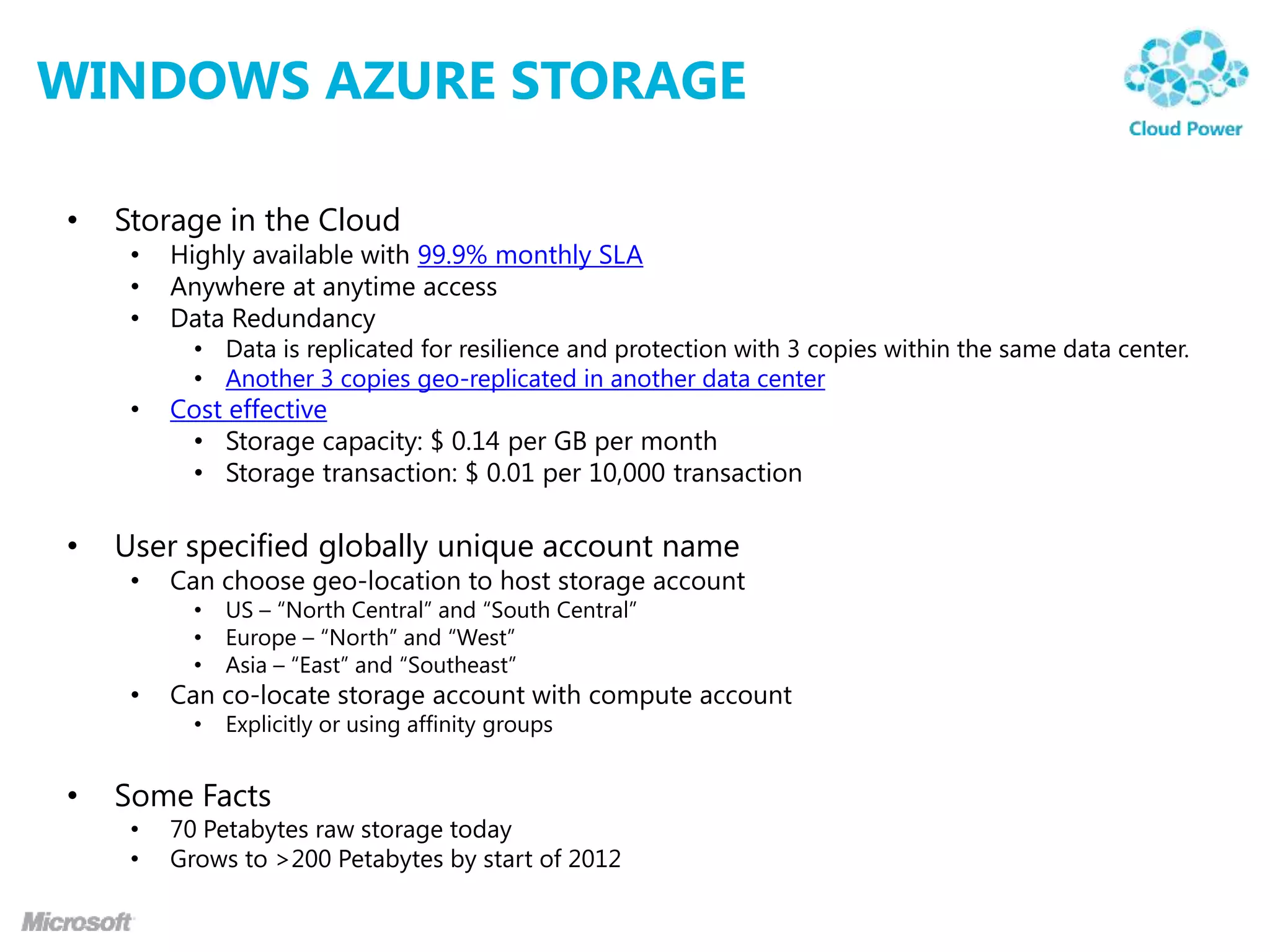
WINDOWS AZURE STORAGE

•   Storage in the Cloud
     •   Highly available with 99.9% monthly SLA
     •   Anywhere at anytime access
     •   Data Redundancy
           • Data is replicated for resilience and protection with 3 copies within the same data center.
           • Another 3 copies geo-replicated in another data center
     •   Cost effective
          • Storage capacity: $ 0.14 per GB per month
          • Storage transaction: $ 0.01 per 10,000 transaction

•   User specified globally unique account name
     •   Can choose geo-location to host storage account
           •   US – “North Central” and “South Central”
           •   Europe – “North” and “West”
           •   Asia – “East” and “Southeast”
     •   Can co-locate storage account with compute account
           •   Explicitly or using affinity groups


•   Some Facts
     •   70 Petabytes raw storage today
     •   Grows to >200 Petabytes by start of 2012
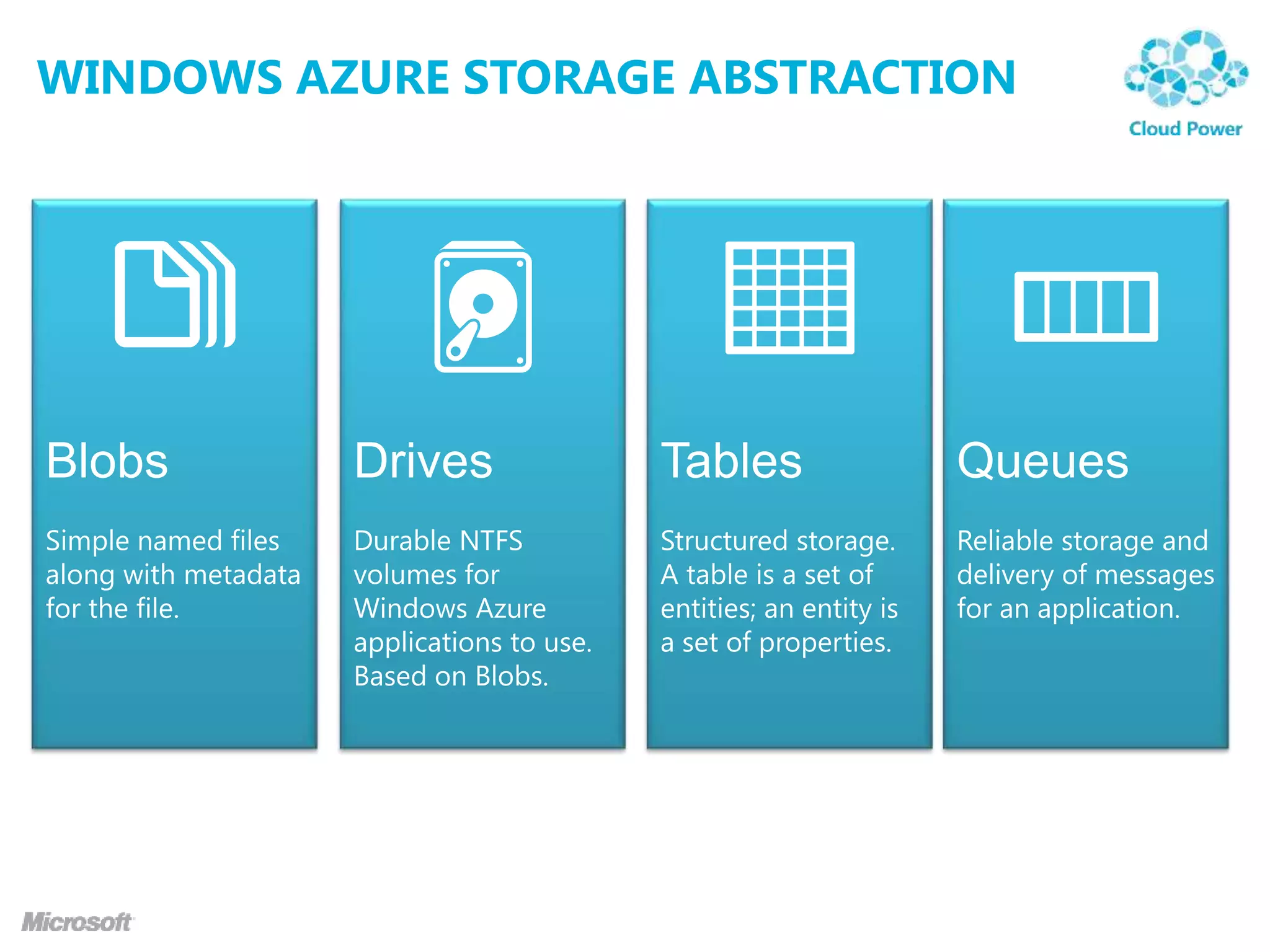
WINDOWS AZURE STORAGE ABSTRACTION
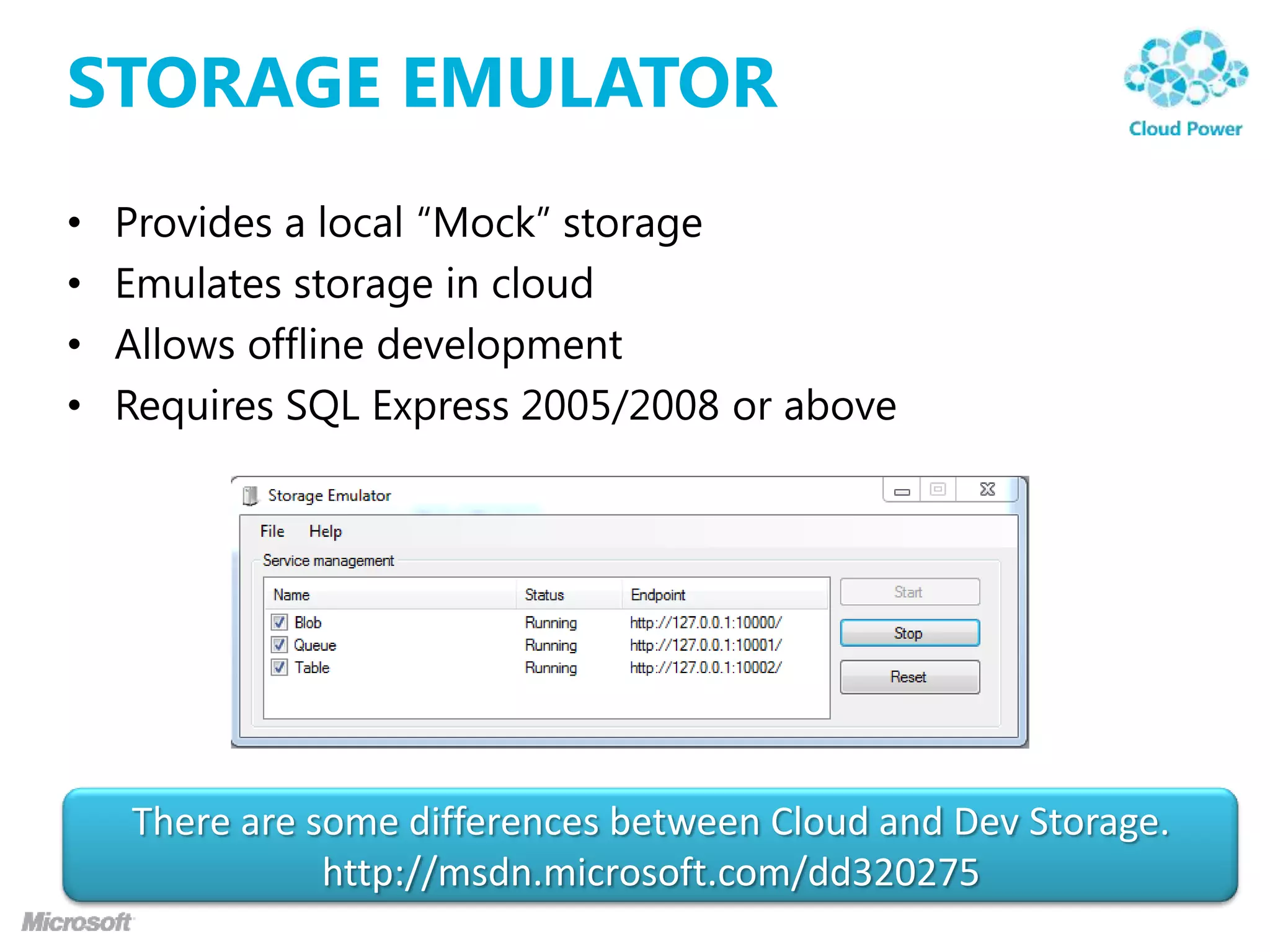
STORAGE EMULATOR
•   Provides a local “Mock” storage
•   Emulates storage in cloud
•   Allows offline development
•   Requires SQL Express 2005/2008 or above


    There are some differences between Cloud and Dev Storage.
               http://msdn.microsoft.com/dd320275
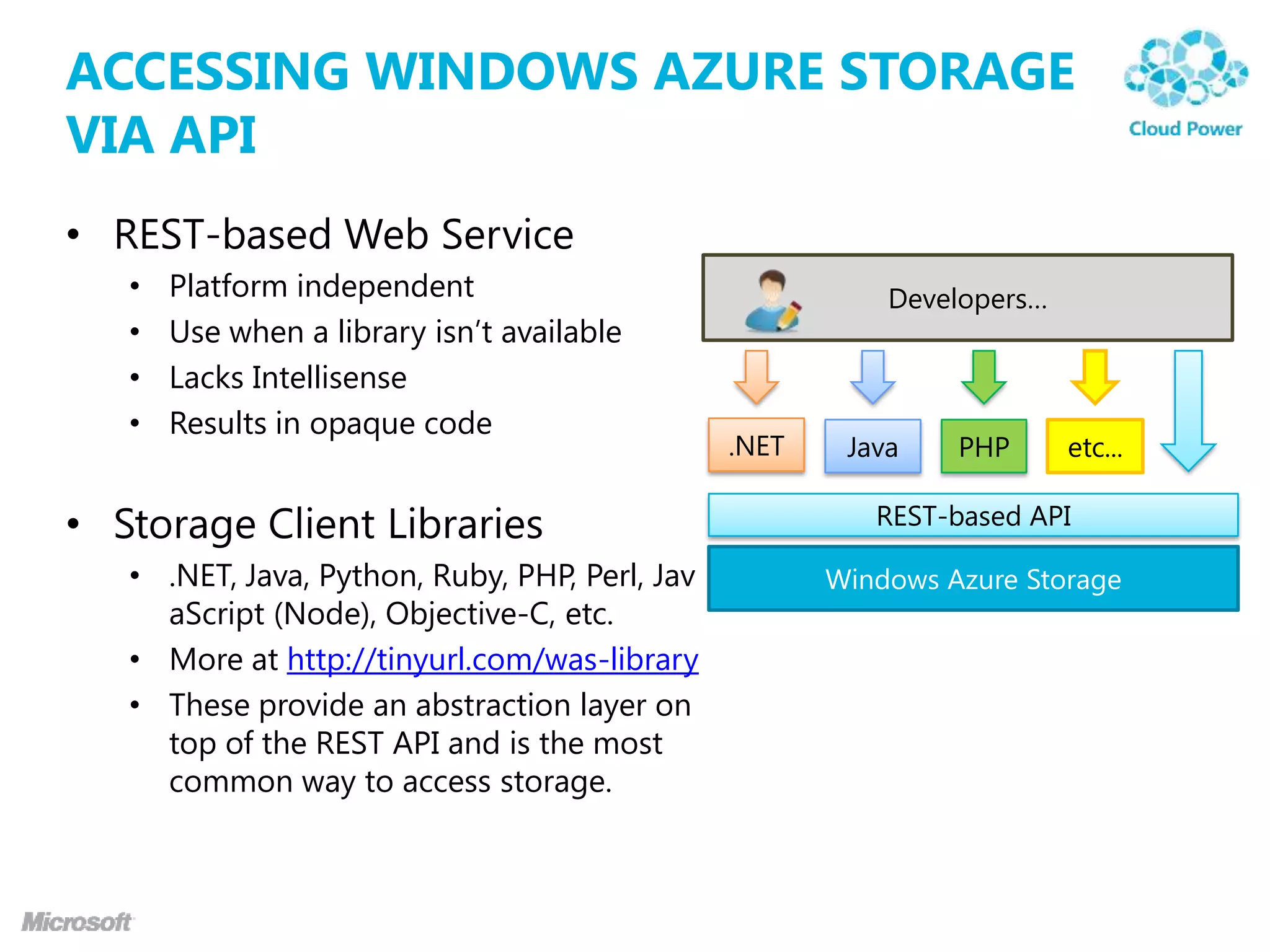
ACCESSING WINDOWS AZURE STORAGE
VIA API
• REST-based Web Service
   •   Platform independent                                Developers…
   •   Use when a library isn‟t available
   •   Lacks Intellisense
   •   Results in opaque code
                                                .NET    Java    PHP      etc...

• Storage Client Libraries                                REST-based API

   • .NET, Java, Python, Ruby, PHP, Perl, Jav          Windows Azure Storage
     aScript (Node), Objective-C, etc.
   • More at http://tinyurl.com/was-library
   • These provide an abstraction layer on
     top of the REST API and is the most
     common way to access storage.
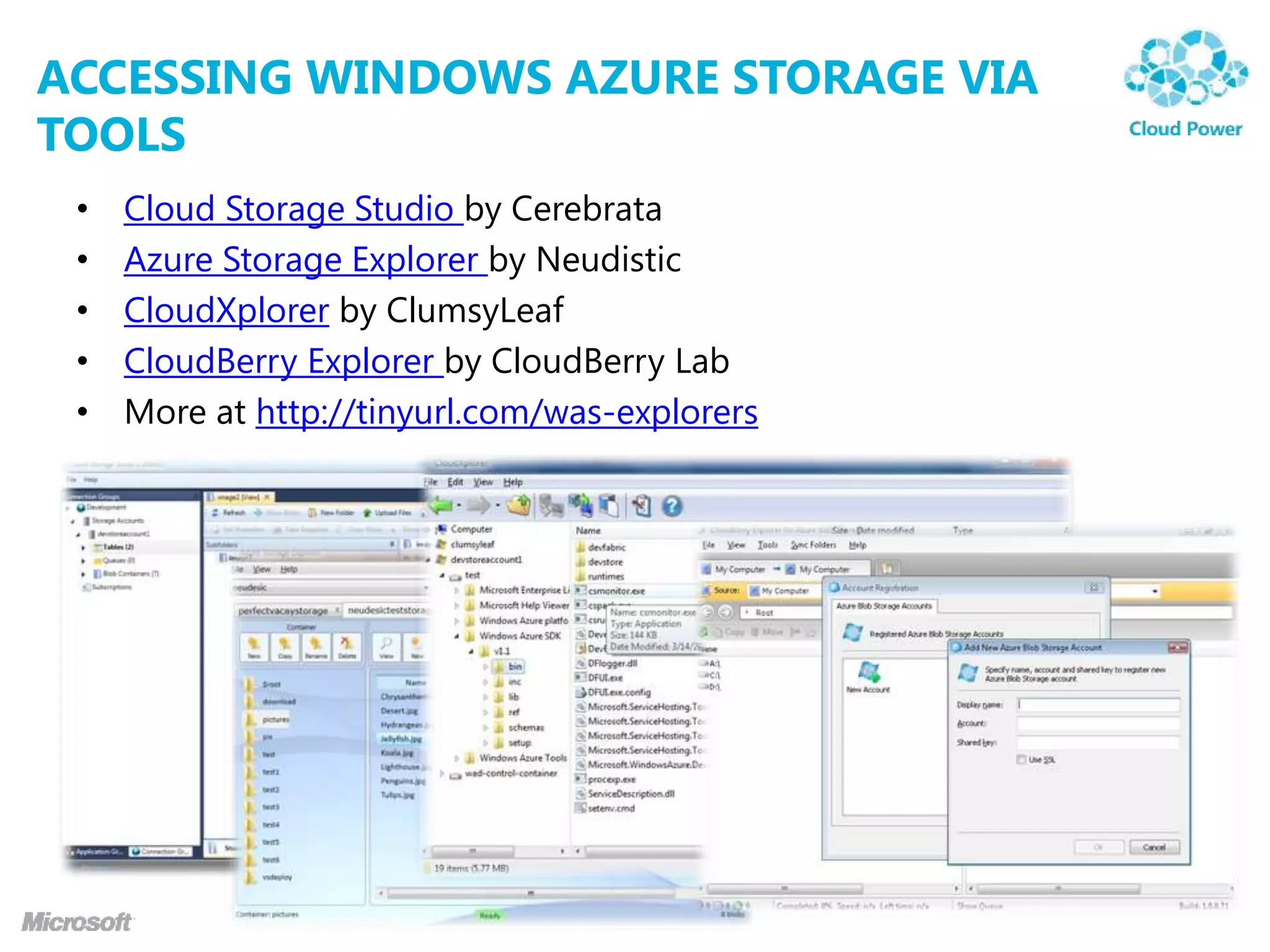
ACCESSING WINDOWS AZURE STORAGE VIA
TOOLS
 •   Cloud Storage Studio by Cerebrata
 •   Azure Storage Explorer by Neudistic
 •   CloudXplorer by ClumsyLeaf
 •   CloudBerry Explorer by CloudBerry Lab
 •   More at http://tinyurl.com/was-explorers
demo
WINDOWS AZURE STORAGE
BLOB STORAGE BASIC
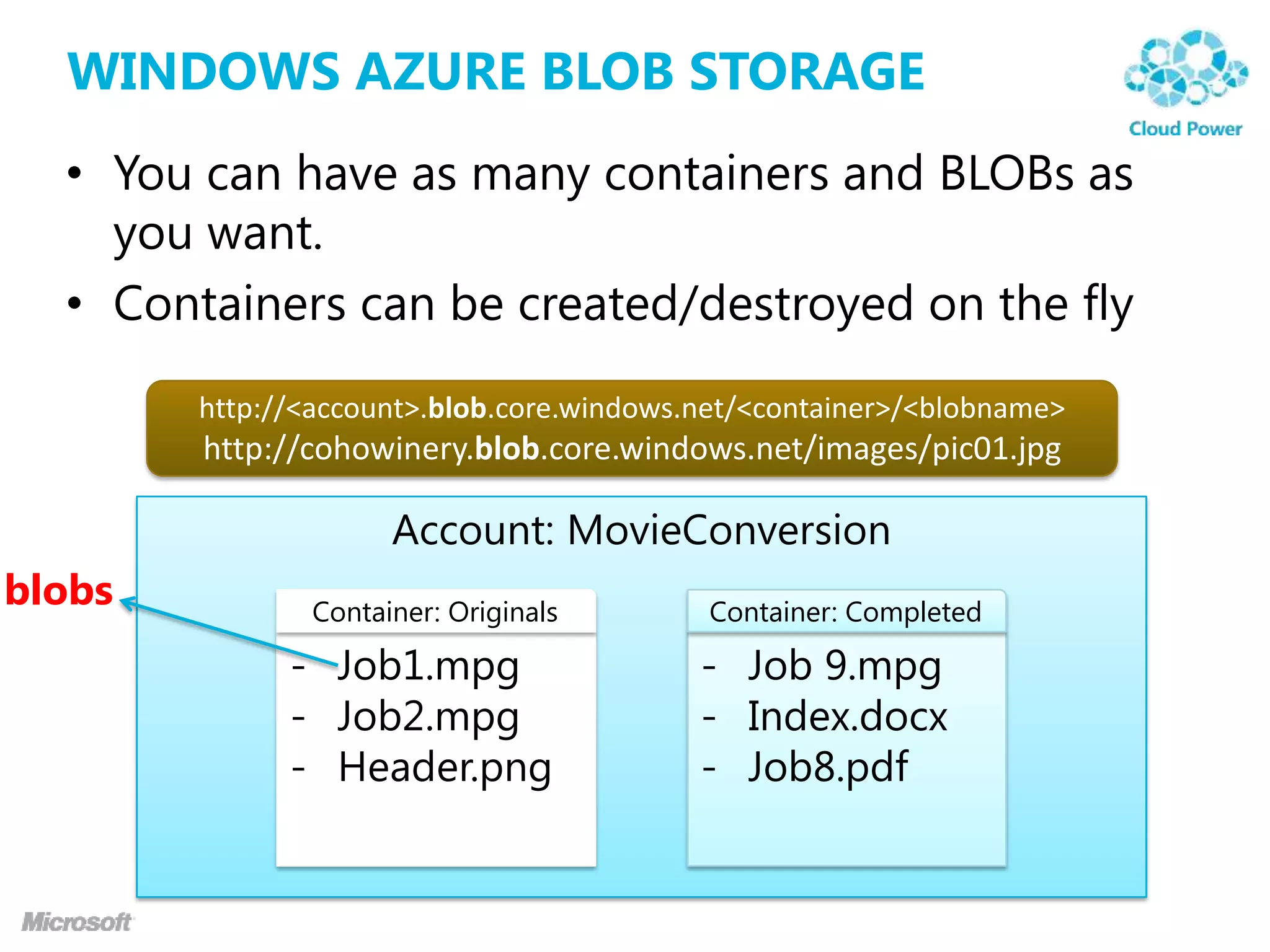
WINDOWS AZURE BLOB STORAGE
  • You can have as many containers and BLOBs as
    you want.
  • Containers can be created/destroyed on the fly
        http://<account>.blob.core.windows.net/<container>/<blobname>
        http://cohowinery.blob.core.windows.net/images/pic01.jpg

                     Account: MovieConversion
blobs          Container: Originals        Container: Completed

              - Job1.mpg                   - Job 9.mpg
              - Job2.mpg                   - Index.docx
              - Header.png                 - Job8.pdf
CONTAINERS

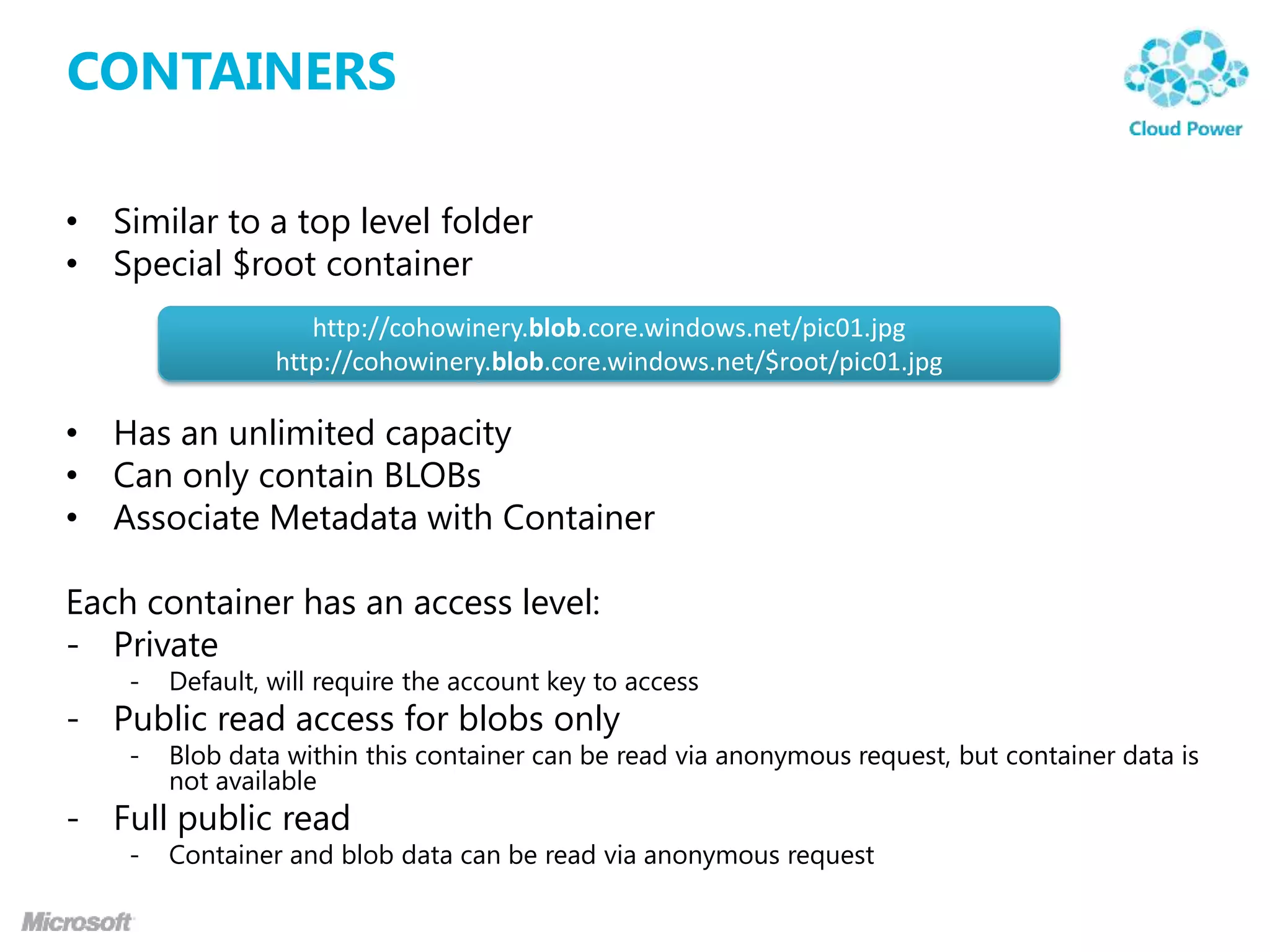
• Similar to a top level folder
• Special $root container
                    http://cohowinery.blob.core.windows.net/pic01.jpg
                 http://cohowinery.blob.core.windows.net/$root/pic01.jpg

• Has an unlimited capacity
• Can only contain BLOBs
• Associate Metadata with Container

Each container has an access level:
- Private
    -   Default, will require the account key to access
- Public read access for blobs only
    -   Blob data within this container can be read via anonymous request, but container data is
        not available
- Full public read
    -   Container and blob data can be read via anonymous request
BLOB

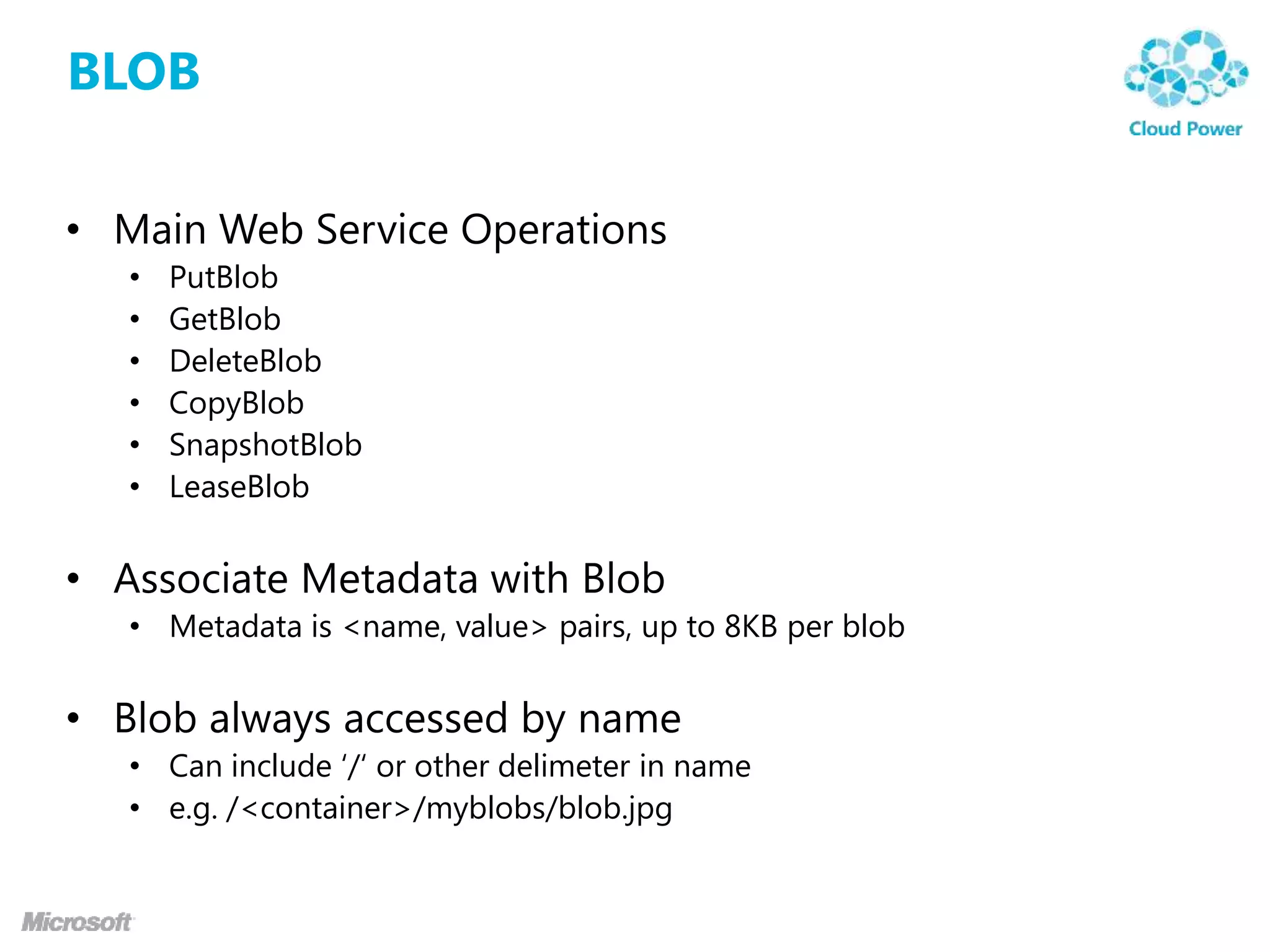
• Main Web Service Operations
   •   PutBlob
   •   GetBlob
   •   DeleteBlob
   •   CopyBlob
   •   SnapshotBlob
   •   LeaseBlob


• Associate Metadata with Blob
   • Metadata is <name, value> pairs, up to 8KB per blob


• Blob always accessed by name
   • Can include „/„ or other delimeter in name
   • e.g. /<container>/myblobs/blob.jpg
demo
BLOB STORAGE BASIC
BLOB STORAGE DEEP DIVE
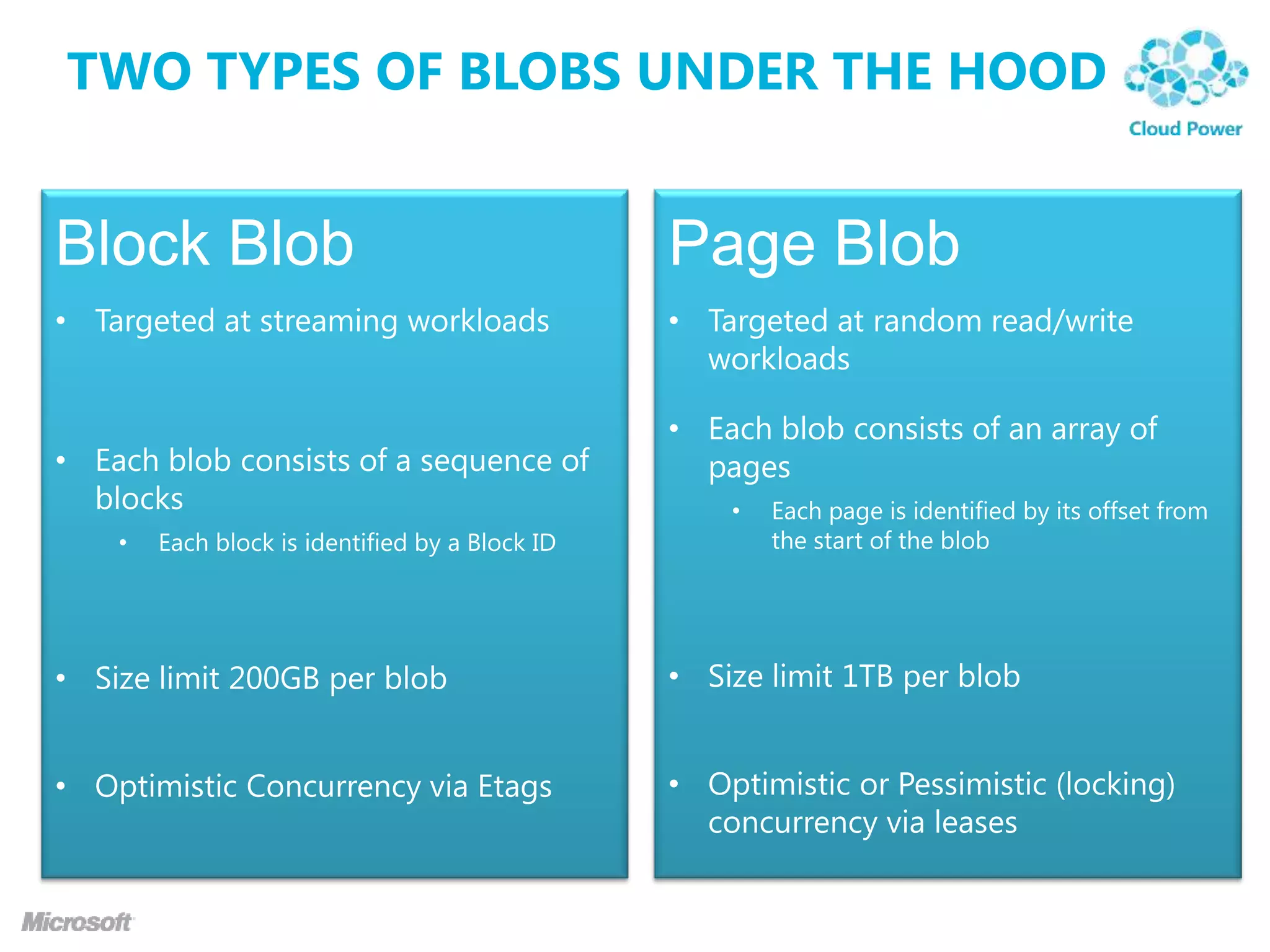
TWO TYPES OF BLOBS UNDER THE HOOD
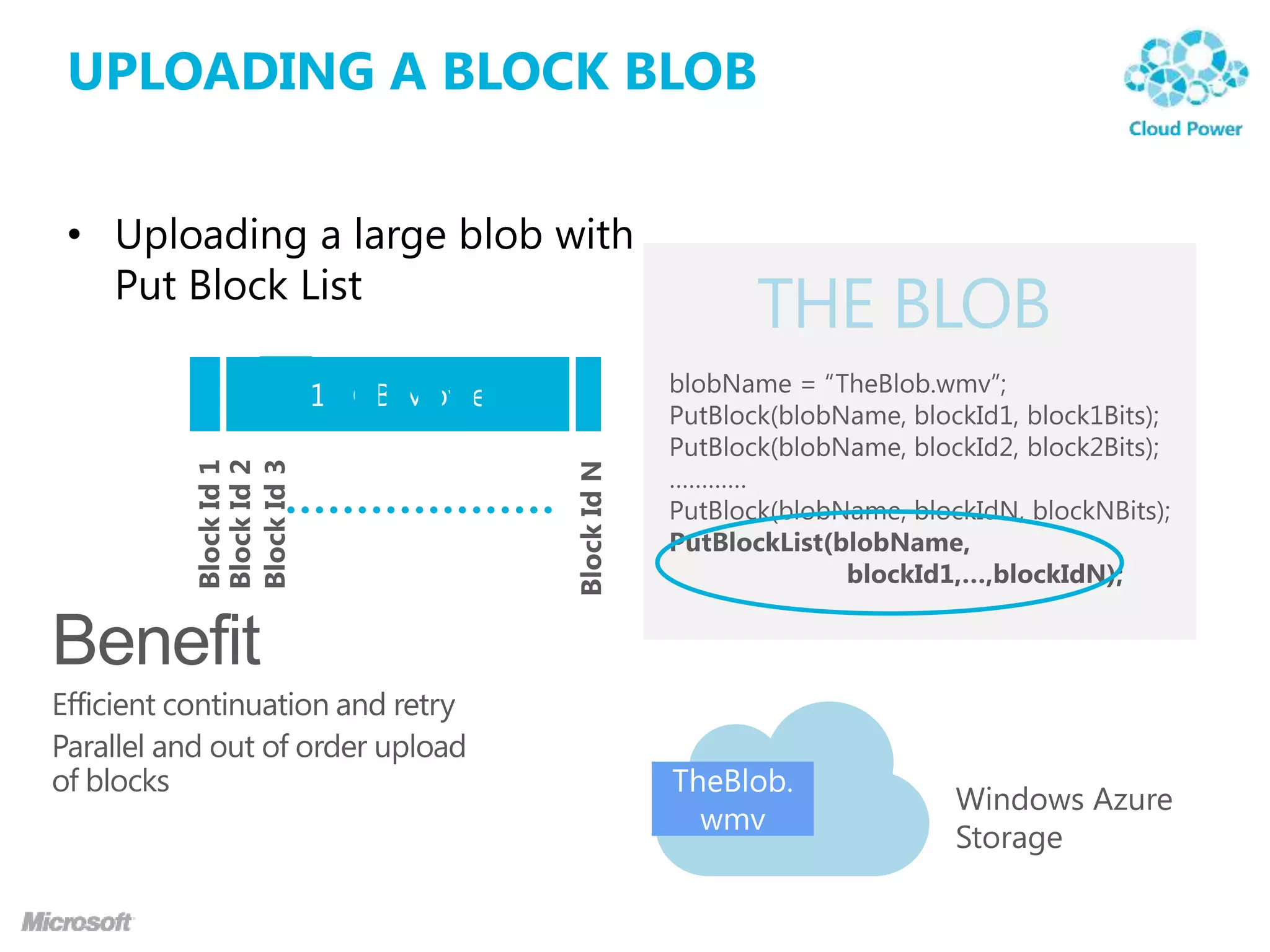
UPLOADING A BLOCK BLOB


• Uploading a large blob with
  Put Block List
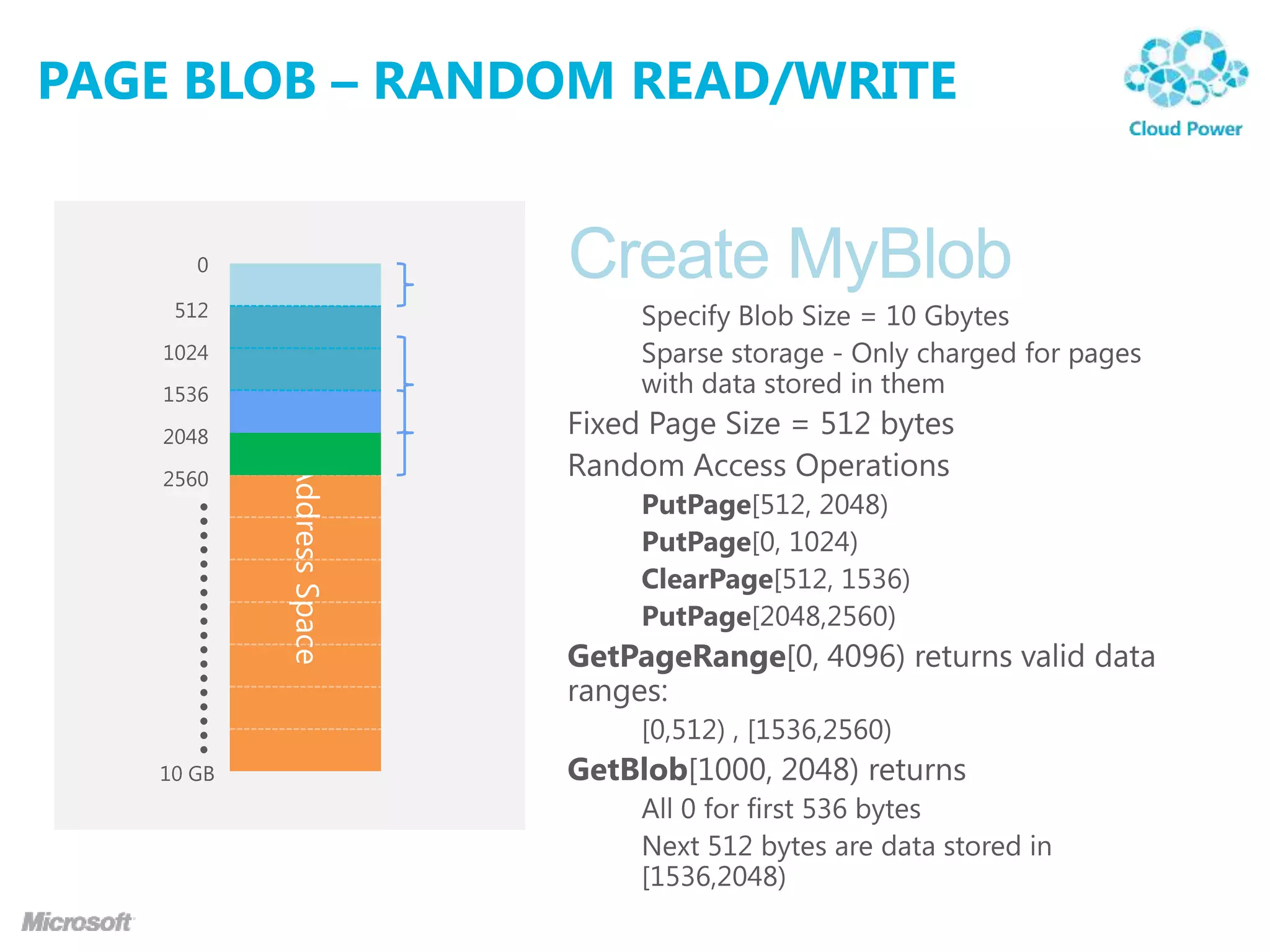
PAGE BLOB – RANDOM READ/WRITE
demo
BLOCK BLOB / PAGE BLOB
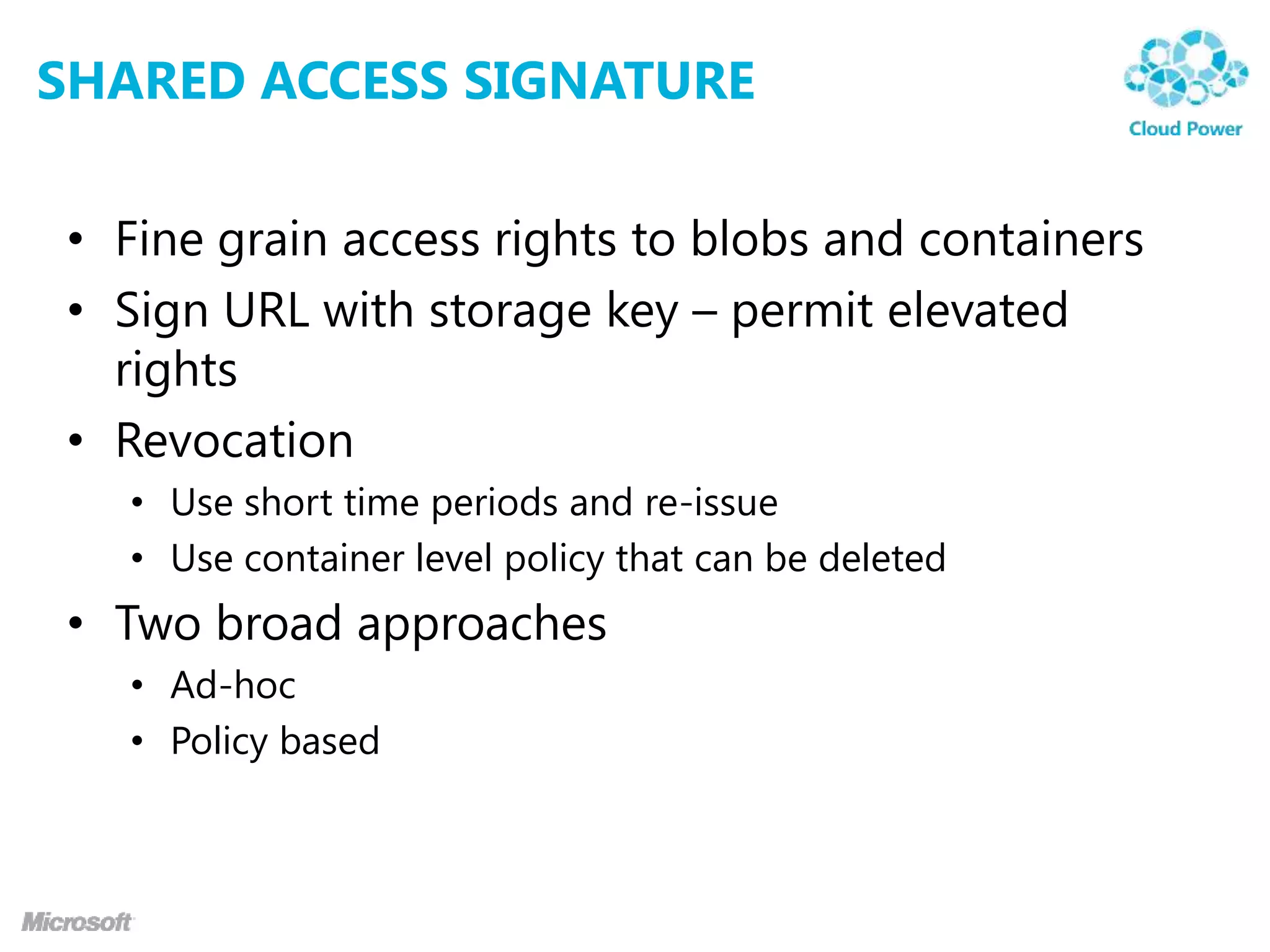
SHARED ACCESS SIGNATURE

• Fine grain access rights to blobs and containers
• Sign URL with storage key – permit elevated
  rights
• Revocation
  • Use short time periods and re-issue
  • Use container level policy that can be deleted
• Two broad approaches
  • Ad-hoc
  • Policy based
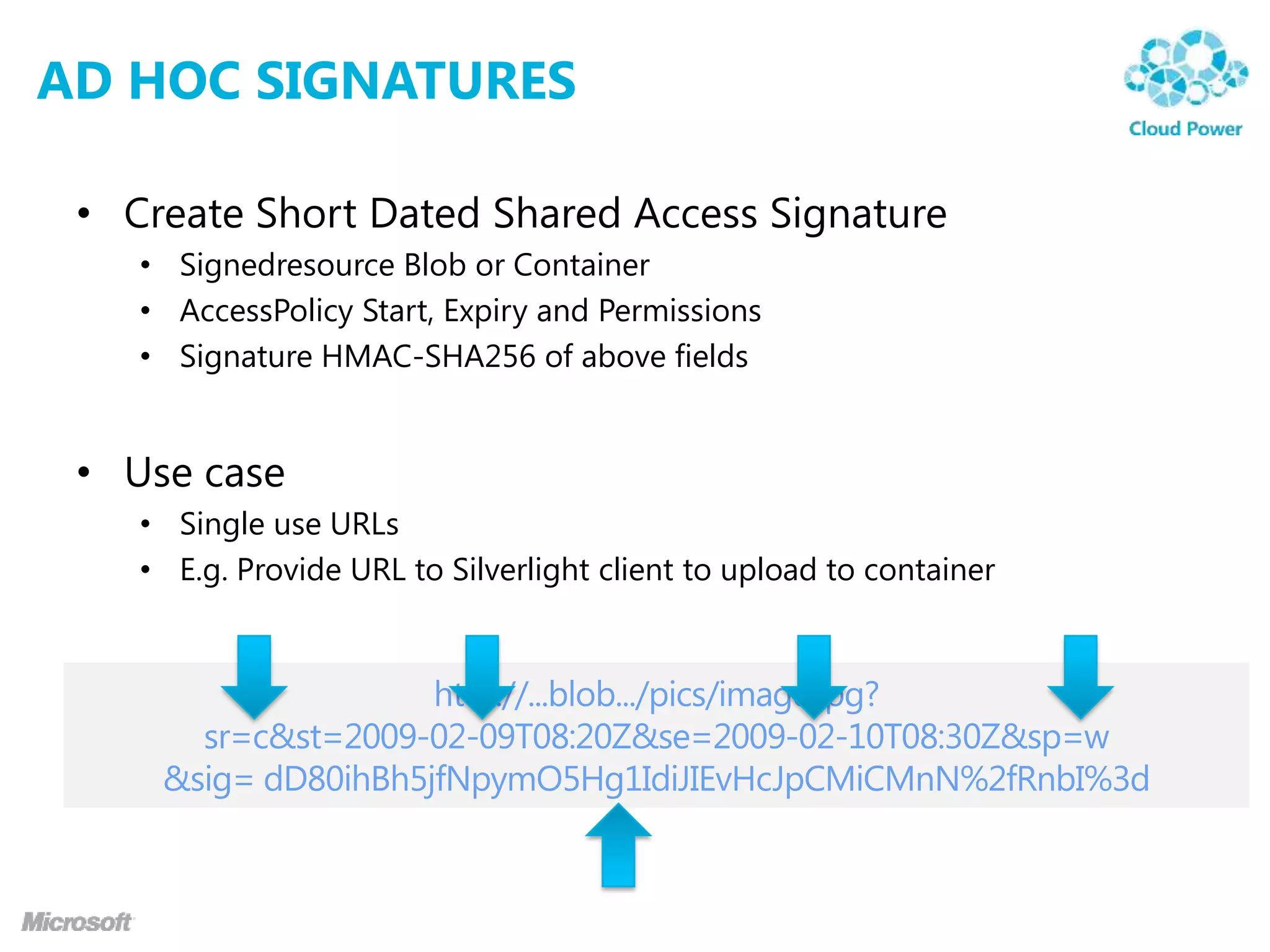
AD HOC SIGNATURES

 • Create Short Dated Shared Access Signature
    • Signedresource Blob or Container
    • AccessPolicy Start, Expiry and Permissions
    • Signature HMAC-SHA256 of above fields


 • Use case
    • Single use URLs
    • E.g. Provide URL to Silverlight client to upload to container
POLICY BASED SIGNATURES

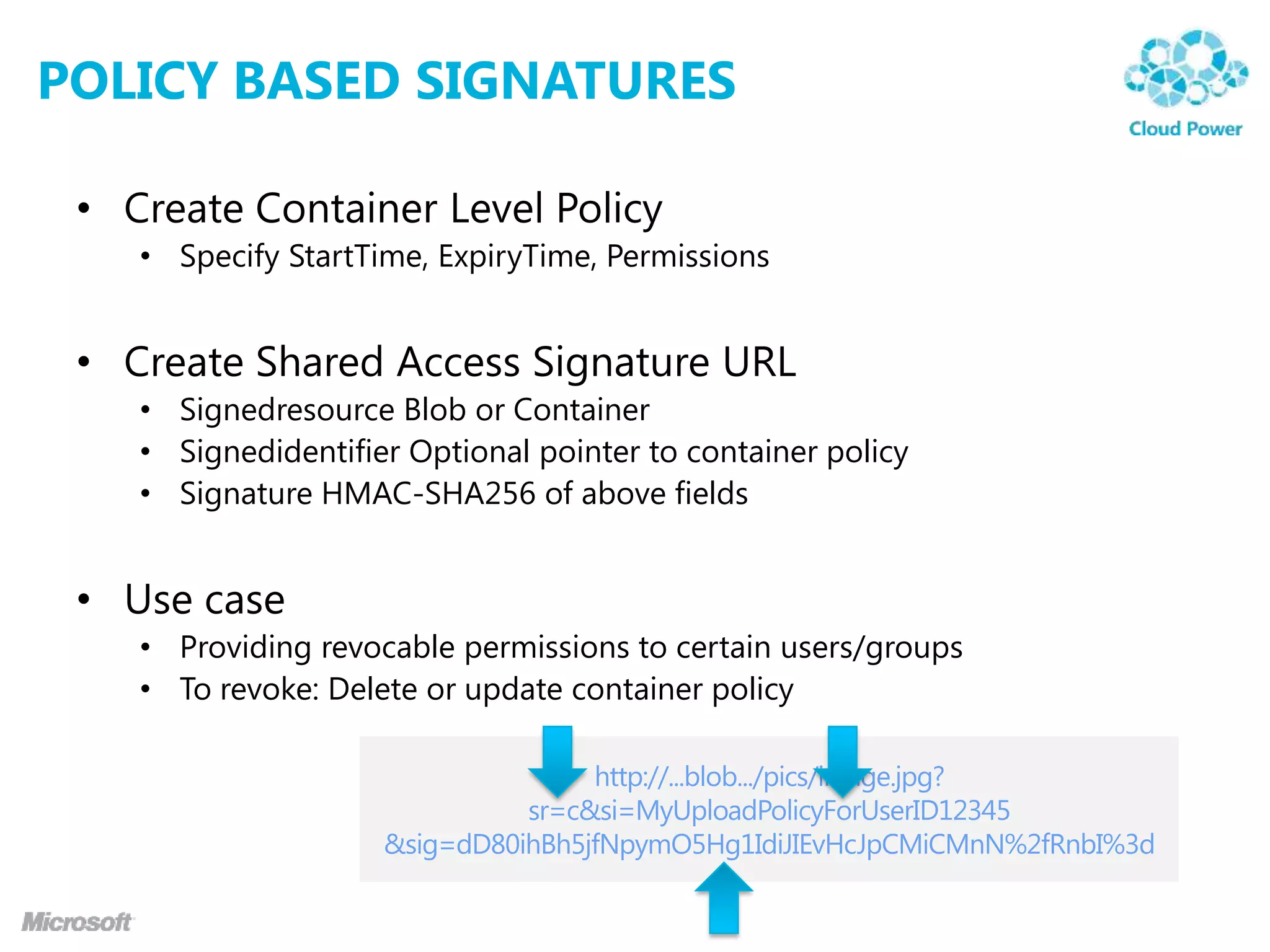
 • Create Container Level Policy
    • Specify StartTime, ExpiryTime, Permissions


 • Create Shared Access Signature URL
    • Signedresource Blob or Container
    • Signedidentifier Optional pointer to container policy
    • Signature HMAC-SHA256 of above fields


 • Use case
    • Providing revocable permissions to certain users/groups
    • To revoke: Delete or update container policy
demo
SHARED ACCESS SIGNATURE
CONTENT DELIVERY NETWORK

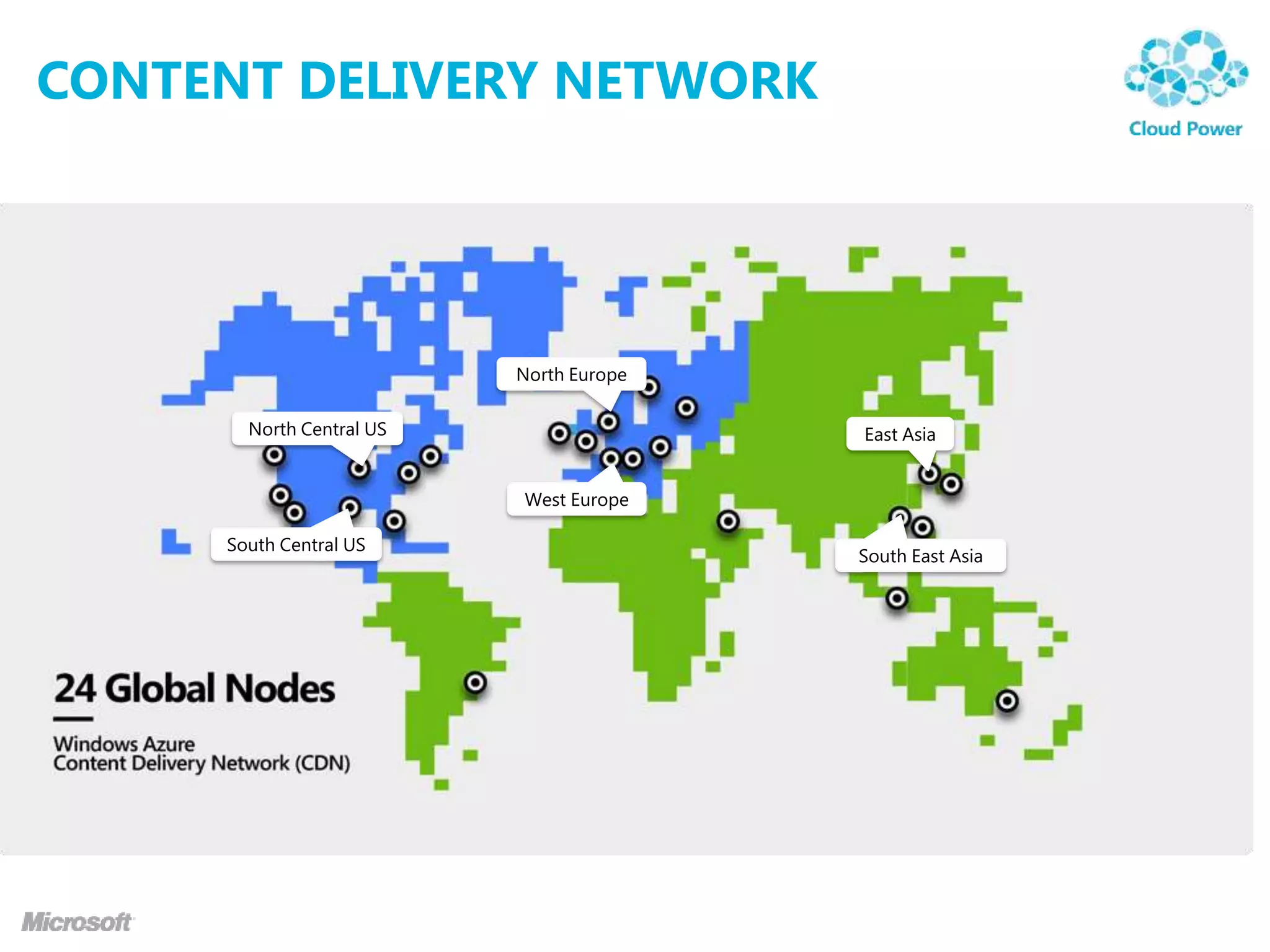
 • High-bandwidth global blob content delivery
   • 24 locations globally (US, Europe, Asia, Australia and South
     America), and growing
   • Same experience for users no matter how far they are from the
     geo-location where the storage account is hosted


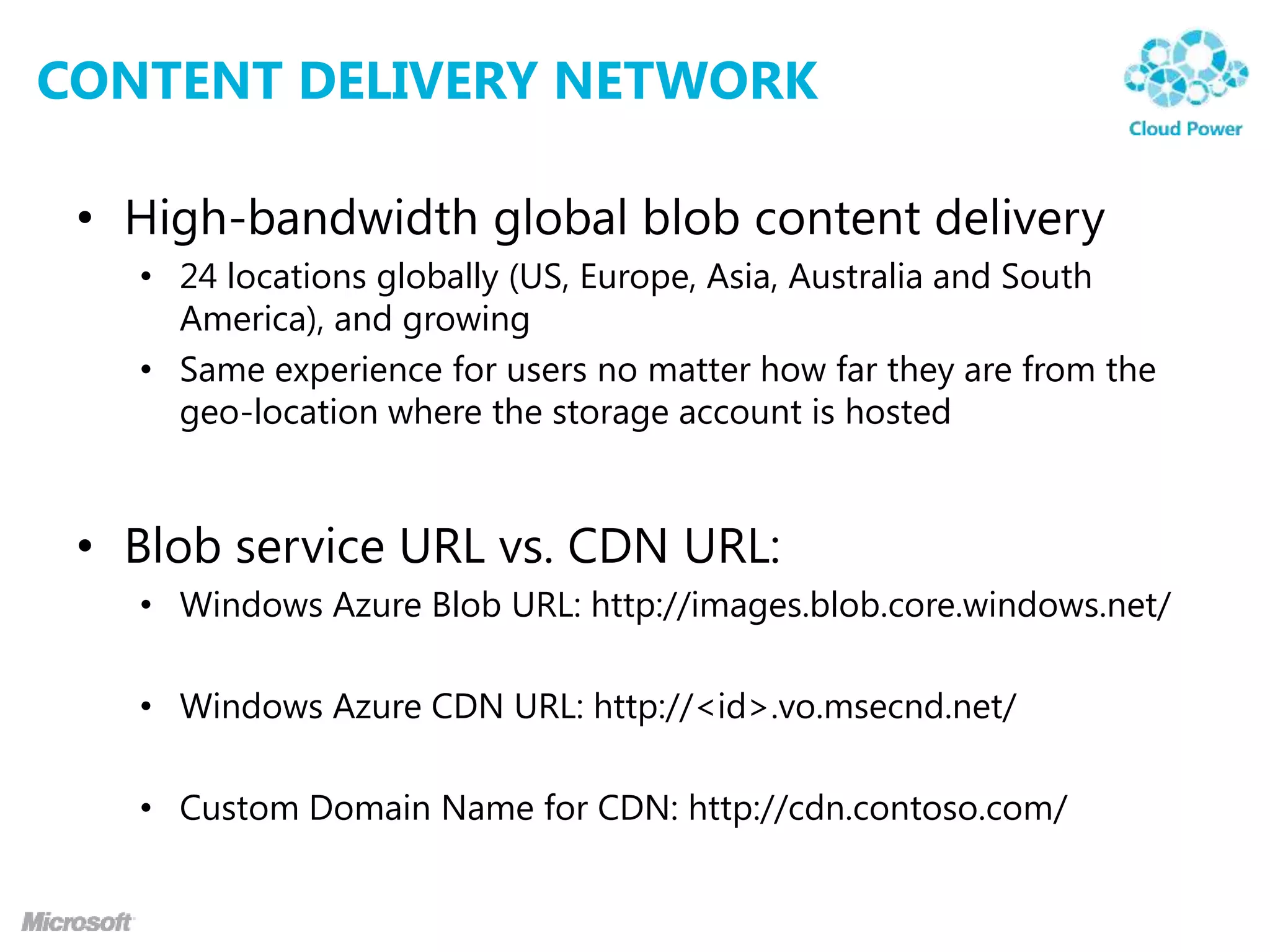
 • Blob service URL vs. CDN URL:
   • Windows Azure Blob URL: http://images.blob.core.windows.net/

   • Windows Azure CDN URL: http://<id>.vo.msecnd.net/

   • Custom Domain Name for CDN: http://cdn.contoso.com/
CONTENT DELIVERY NETWORK


                          North Europe

       North Central US                  East Asia


                          West Europe

     South Central US
                                         South East Asia
CONTENT DELIVERY NETWORK


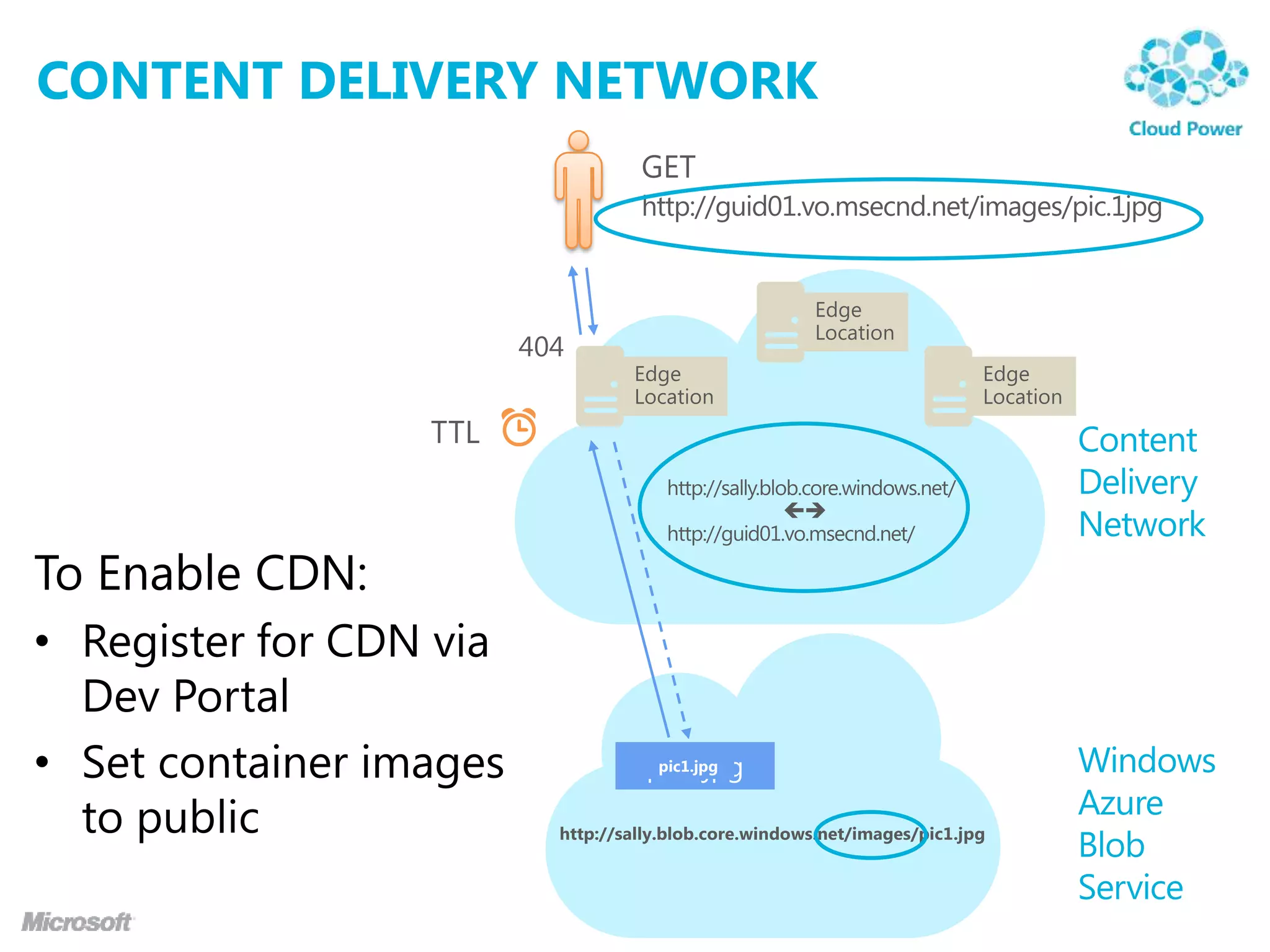
To Enable CDN:
• Register for CDN via
  Dev Portal
• Set container images
  to public
demo
  CONTENT DELIVERY NETWORK
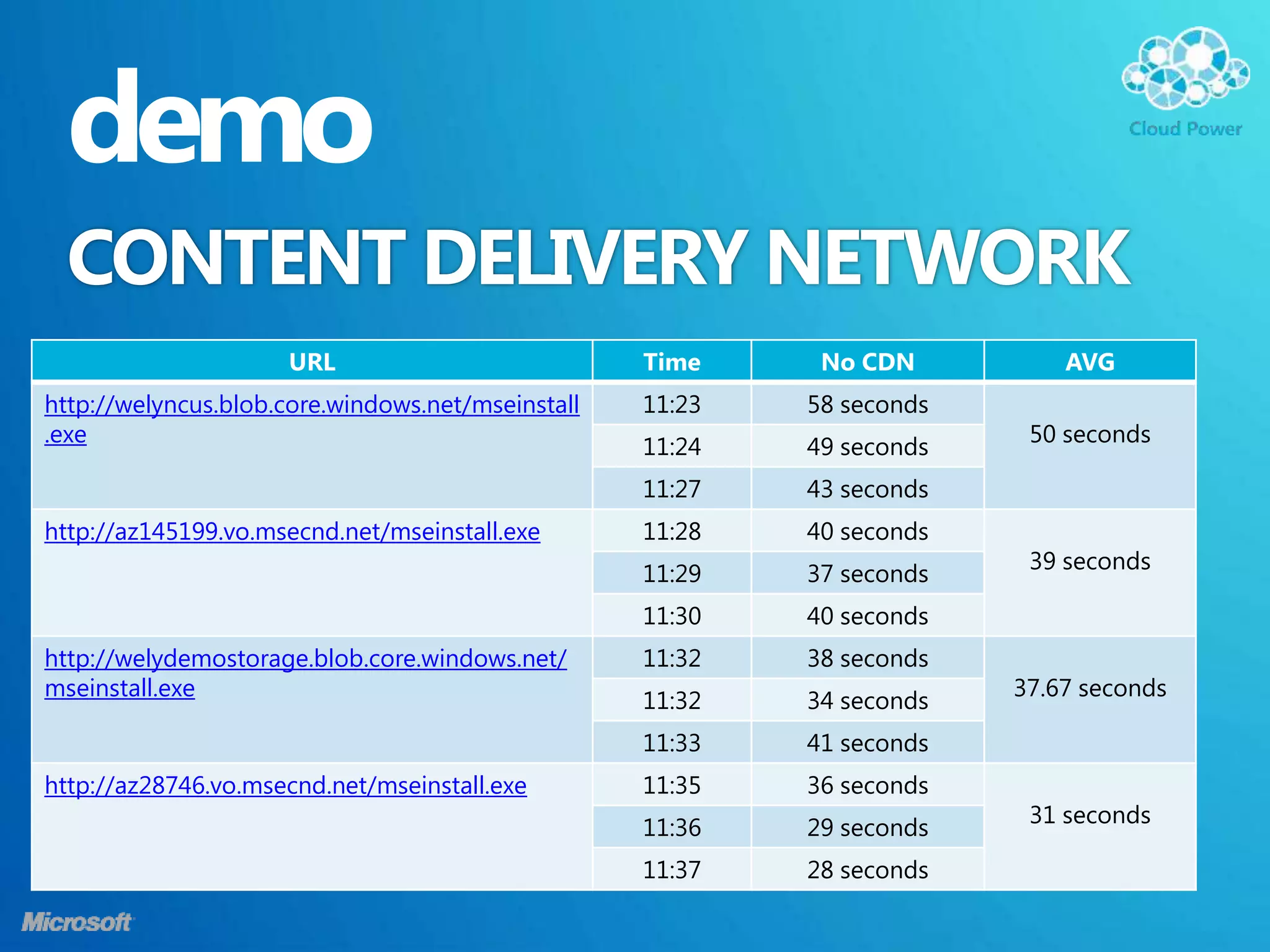
                     URL                           Time     No CDN          AVG
http://welyncus.blob.core.windows.net/mseinstall   11:23   58 seconds
.exe                                                                     50 seconds
                                                   11:24   49 seconds
                                                   11:27   43 seconds
http://az145199.vo.msecnd.net/mseinstall.exe       11:28   40 seconds
                                                                         39 seconds
                                                   11:29   37 seconds
                                                   11:30   40 seconds
http://welydemostorage.blob.core.windows.net/      11:32   38 seconds
mseinstall.exe                                                          37.67 seconds
                                                   11:32   34 seconds
                                                   11:33   41 seconds
http://az28746.vo.msecnd.net/mseinstall.exe        11:35   36 seconds
                                                                         31 seconds
                                                   11:36   29 seconds
                                                   11:37   28 seconds
TIP OF THE DAY
LIVE PERFORMANCE COUNTER

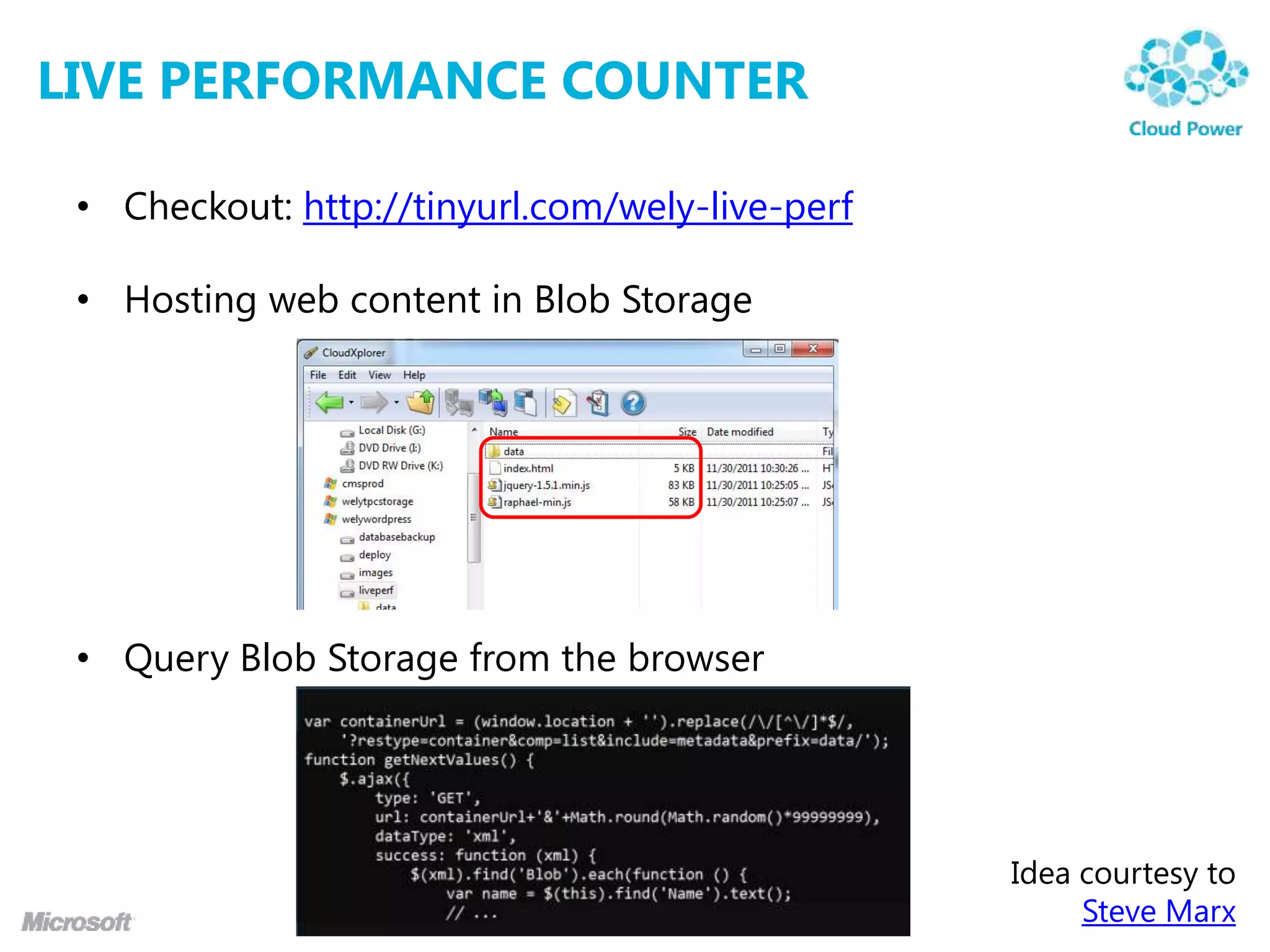
 • Checkout: http://tinyurl.com/wely-live-perf

 • Hosting web content in Blob Storage


 • Query Blob Storage from the browser


                                                 Idea courtesy to
                                                      Steve Marx
THANK YOU!


Wely Lau (wely@ncs.com.sg)
Microsoft MVP, Windows Azure
Solutions Architect, NCS Pte Ltd
Blog : http://wely-lau.net

Windows Azure Blob Storage

  • 1.
    WINDOWS AZURE BLOB STORAGE DEEPDIVE Wely Lau (wely@ncs.com.sg) Microsoft MVP, Windows Azure Solutions Architect, NCS Pte Ltd Blog : http://wely-lau.net
  • 2.
    AGENDA • WindowsAzure Storage Overview (10 mins) • Blob Storage Basic (15 mins) • Understanding container and blob • Main web service operations • Metadata • Snapshot • Deep Dive (20 mins) • Block blob &page blob • Shared Access Signature • Content Delivery Network • Tip of the day (10 mins) • Q & A (5 mins)
  • 3.
  • 4.
    WINDOWS AZURE STORAGE • Storage in the Cloud • Highly available with 99.9% monthly SLA • Anywhere at anytime access • Data Redundancy • Data is replicated for resilience and protection with 3 copies within the same data center. • Another 3 copies geo-replicated in another data center • Cost effective • Storage capacity: $ 0.14 per GB per month • Storage transaction: $ 0.01 per 10,000 transaction • User specified globally unique account name • Can choose geo-location to host storage account • US – “North Central” and “South Central” • Europe – “North” and “West” • Asia – “East” and “Southeast” • Can co-locate storage account with compute account • Explicitly or using affinity groups • Some Facts • 70 Petabytes raw storage today • Grows to >200 Petabytes by start of 2012
  • 5.
  • 6.
    STORAGE EMULATOR • Provides a local “Mock” storage • Emulates storage in cloud • Allows offline development • Requires SQL Express 2005/2008 or above There are some differences between Cloud and Dev Storage. http://msdn.microsoft.com/dd320275
  • 7.
    ACCESSING WINDOWS AZURESTORAGE VIA API • REST-based Web Service • Platform independent Developers… • Use when a library isn‟t available • Lacks Intellisense • Results in opaque code .NET Java PHP etc... • Storage Client Libraries REST-based API • .NET, Java, Python, Ruby, PHP, Perl, Jav Windows Azure Storage aScript (Node), Objective-C, etc. • More at http://tinyurl.com/was-library • These provide an abstraction layer on top of the REST API and is the most common way to access storage.
  • 8.
    ACCESSING WINDOWS AZURESTORAGE VIA TOOLS • Cloud Storage Studio by Cerebrata • Azure Storage Explorer by Neudistic • CloudXplorer by ClumsyLeaf • CloudBerry Explorer by CloudBerry Lab • More at http://tinyurl.com/was-explorers
  • 9.
  • 10.
  • 11.
    WINDOWS AZURE BLOBSTORAGE • You can have as many containers and BLOBs as you want. • Containers can be created/destroyed on the fly http://<account>.blob.core.windows.net/<container>/<blobname> http://cohowinery.blob.core.windows.net/images/pic01.jpg Account: MovieConversion blobs Container: Originals Container: Completed - Job1.mpg - Job 9.mpg - Job2.mpg - Index.docx - Header.png - Job8.pdf
  • 12.
    CONTAINERS • Similar toa top level folder • Special $root container http://cohowinery.blob.core.windows.net/pic01.jpg http://cohowinery.blob.core.windows.net/$root/pic01.jpg • Has an unlimited capacity • Can only contain BLOBs • Associate Metadata with Container Each container has an access level: - Private - Default, will require the account key to access - Public read access for blobs only - Blob data within this container can be read via anonymous request, but container data is not available - Full public read - Container and blob data can be read via anonymous request
  • 13.
    BLOB • Main WebService Operations • PutBlob • GetBlob • DeleteBlob • CopyBlob • SnapshotBlob • LeaseBlob • Associate Metadata with Blob • Metadata is <name, value> pairs, up to 8KB per blob • Blob always accessed by name • Can include „/„ or other delimeter in name • e.g. /<container>/myblobs/blob.jpg
  • 14.
  • 15.
  • 16.
    TWO TYPES OFBLOBS UNDER THE HOOD
  • 17.
    UPLOADING A BLOCKBLOB • Uploading a large blob with Put Block List
  • 18.
    PAGE BLOB –RANDOM READ/WRITE
  • 19.
  • 20.
    SHARED ACCESS SIGNATURE •Fine grain access rights to blobs and containers • Sign URL with storage key – permit elevated rights • Revocation • Use short time periods and re-issue • Use container level policy that can be deleted • Two broad approaches • Ad-hoc • Policy based
  • 21.
    AD HOC SIGNATURES • Create Short Dated Shared Access Signature • Signedresource Blob or Container • AccessPolicy Start, Expiry and Permissions • Signature HMAC-SHA256 of above fields • Use case • Single use URLs • E.g. Provide URL to Silverlight client to upload to container
  • 22.
    POLICY BASED SIGNATURES • Create Container Level Policy • Specify StartTime, ExpiryTime, Permissions • Create Shared Access Signature URL • Signedresource Blob or Container • Signedidentifier Optional pointer to container policy • Signature HMAC-SHA256 of above fields • Use case • Providing revocable permissions to certain users/groups • To revoke: Delete or update container policy
  • 23.
  • 24.
    CONTENT DELIVERY NETWORK • High-bandwidth global blob content delivery • 24 locations globally (US, Europe, Asia, Australia and South America), and growing • Same experience for users no matter how far they are from the geo-location where the storage account is hosted • Blob service URL vs. CDN URL: • Windows Azure Blob URL: http://images.blob.core.windows.net/ • Windows Azure CDN URL: http://<id>.vo.msecnd.net/ • Custom Domain Name for CDN: http://cdn.contoso.com/
  • 25.
    CONTENT DELIVERY NETWORK North Europe North Central US East Asia West Europe South Central US South East Asia
  • 26.
    CONTENT DELIVERY NETWORK ToEnable CDN: • Register for CDN via Dev Portal • Set container images to public
  • 27.
    demo CONTENTDELIVERY NETWORK URL Time No CDN AVG http://welyncus.blob.core.windows.net/mseinstall 11:23 58 seconds .exe 50 seconds 11:24 49 seconds 11:27 43 seconds http://az145199.vo.msecnd.net/mseinstall.exe 11:28 40 seconds 39 seconds 11:29 37 seconds 11:30 40 seconds http://welydemostorage.blob.core.windows.net/ 11:32 38 seconds mseinstall.exe 37.67 seconds 11:32 34 seconds 11:33 41 seconds http://az28746.vo.msecnd.net/mseinstall.exe 11:35 36 seconds 31 seconds 11:36 29 seconds 11:37 28 seconds
  • 28.
  • 29.
    LIVE PERFORMANCE COUNTER • Checkout: http://tinyurl.com/wely-live-perf • Hosting web content in Blob Storage • Query Blob Storage from the browser Idea courtesy to Steve Marx
  • 30.
    THANK YOU! Wely Lau(wely@ncs.com.sg) Microsoft MVP, Windows Azure Solutions Architect, NCS Pte Ltd Blog : http://wely-lau.net

Editor's Notes

  • #2 This session discusses your data and the Windows Azure platform.
  • #7 Slide ObjectiveUnderstand the Development Storage ServiceSpeaking notesClient side simulator of storage in the cloud. Allows completely disconnected (e.g. while travelling on a plane) development of Windows Azure appsCan consume just like Cloud storage- from Development Fabric, from another application running locallyIs locked down so that it cannot be called from off the boxIf you need this capability run a reverse proxy on the dev machineCan use CSRun to start and stop serviceMore on this in Day 3Uses a single fixed account. The account name and key are always the sameAnyone memorized the Account key yet? Eby8vd…..Noteshttp://msdn.microsoft.com/en-us/library/dd179339.aspxThe Windows® Azure™ SDK development environment includes development storage, a utility that simulates the Blob, Queue, and Table services available in the cloud. If you are building a hosted service that employs storage services or writing any external application that calls storage services, you can test locally against development storage.The development storage utility provides a user interface to view the status of the local storage services and to start, stop, and reset them.This topic contains the following subtopics: