Adding Guerrilla Accessibility Testing
    to Your Development Process
PHASE2’S ACCESSIBILITY APPROACH
        OUR PHILOSOPHY & GOALS
PHASE2 ACCESSIBILITY APPROACH
Our Philosophy

• Shared   Experiences


• Focus   on Usability


• Beyond   Box-Checking
PHASE2 ACCESSIBILITY APPROACH
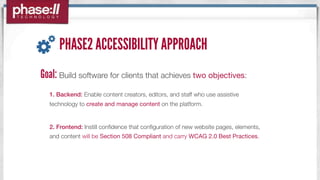
Goal: Build software for clients that achieves two objectives:
  1. Backend: Enable content creators, editors, and staff who use assistive
  technology to create and manage content on the platform.


  2. Frontend: Instill confidence that configuration of new website pages, elements,
  and content will be Section 508 Compliant and carry WCAG 2.0 Best Practices.
PHASE2 ACCESSIBILITY APPROACH
Thought leadership
•   In-house accessibility expert
•   Implementing best practices


Internal Investment on Products
•   OpenPublic built with accessibility at the core
WHY ACCESSIBILITY?
WHAT “ACCESSIBILITY” REALLY MEANS
Section 508 may be a set of rules. But to effectively
implement best practices, it’s helpful to understand how to
achieve true accessibility.


Rather than thinking about accessibility on the extreme ends
of the spectrum, think about serving people “in the middle.”
PEOPLE “IN THE MIDDLE”
At one point in their lives, the “average” American may need
access when they least expect it. Some don’t even consider
themselves “disabled.” For example:
 •   a 20-something war vet returning from Afghanistan with mild hearing loss

 •   a 35 year-old who sprained her wrists after falling off her bike

 •   a 40-year old who is recovering from a temporary brain injury

 •   Someone who is shocked as they escaped the path of a tornado through their town
     and needs to access FEMA.gov.
ACCESSIBILITY KEY CHARACTERISTICS
Blindness / Low Vision                        Cognition / Intellectual Disabilities
•   Skip Navigation Links available;           •     Provide both images and text;
•   <alt> text available and effective;        •     Ensure site is user-friendly & understandable
•   Contrast options & control;                •     Avoid overly complex web functions
•   Provide long descriptions for complex      •     Avoid jargon. User basic language.
    images


Deafness / Hearing Loss                            Mobility
•   Closed captioning available;               •     Provide skip-navigation links;

•   Transcripts of audio / video available;    •     All website functions available from keyboard;

                                               •     Ensure pages are “error-tolerant.”
INTERESTING STAT:
Accessibility when considered in the beginning of a project
                adds 10% of time & cost.


          After the fact, it’s at least 2x the cost.
EXPERIENTIAL LEARNING: VISION
ON THAT NOTE...
When accessibility is addressed in the beginning,
Usability improvements and considerations are
weaved into the process.
PLANNING FOR ACCESSIBILITY
ACCESSIBILITY FEATURES: ANALYSIS
Backend                        Frontend
Creating Content               Skip to Main Content
Managing the Page Structure    Navigation
Configuring User Roles          Logging in / Logging Out
Help Text                      Read More Links
ACCESSIBILITY FEATURES: DEVELOPMENT
Backend & Frontend
Context & Relationships
Accessibility “Collaboration” - e.g. <alt> text field + quality <alt> text description
Tab Order & Configuration via Keyboard
No Javascript or CSS
Specific Markup for Screen Readers
ACCESSIBILITY FEATURES: IMPLEMENTATION


Backend                                    Frontend
Content Creation & Site Configuration are   Screen Readers can intuitively navigate site
accessible, usable, and informative        Keyboard-only users easily get around site
ACCESSIBILITY: YOUR ROLE IN CONTENT CREATION
WORKFLOW
 When you and your organization adds content, it is important to check each
 “front-facing” element to ensure that it includes the necessary accessibility
 elements which also contribute to overall usability of the site.

   IMAGES: Clear, descriptive and succinct <alt> text is available.

   CONTEXT: The content is easy to understand, descriptive, and not full of jargon.

   PAGE MARKUP: Headings are used properly, as are bullets for lists.

   AUDIO / VIDEO: The media on the page are available with a caption file or transcript.
PHASE2 QA & TESTING
  SECTION 508 & WCAG
ACCESSIBILITY QA: HOW TO TEST
TESTING                                                       ENVIRONMENTS
 •   Section 508                                               •   Monitor Off
 •   WCAG 2.0 Best Practices   TOOLS                           •   No Mouse
                                •   JAWS, VoiceOver, & NVDA    •   JavaScript Off

CONSIDERATIONS                  •

                                •
                                    Keyboard-Only
                                    Manual Testing
                                                               •

                                                               •
                                                                   CSS Off
                                                                   Images Off
 •   Equal Access               •   Automated Testing          •   No Audio
 •   Equivalent Experience                                     •   No Color
 •   Usability
                                                              TRACKING
                                                               •   Accessibility QA
ACCESSIBILITY QA: AUTOMATED TESTING TOOLS
Key Notes:
Testing Tools must be able to test the DOM to be effective
Automated Tools cannot evaluate quality of accessibility
ACCESSIBILITY QA: MORE TOOLS
COLOR CONTRAST ANALYZER


CAPTIONING VIDEOS
ACCESSIBILITY QA: MANUAL TESTING STRATEGIES
Key Notes:
Consider the additional ways for people to understand or interact with the content?
If any aspect of website is the least bit frustrating to you, fix it. It’s going to be a worse experience for others.


                                                                                              •    Descriptive context;

                                                                                              •    Closed captioning available;

                                                                                              •    Transcript available;

                                                                                              •    Audio-only version;

                                                                                              •    User can enlarge video;

                                                                                              •    Easy control of play-back;

                                                                                              •    Clear navigation direction
ACCESSIBILITY QA: PHASE2’S CHECKLIST
RECAP
WHO WE’RE SERVING: Everyone! Usability and Accessibility are interchangeable.


THE BACKEND: Ensure that the CMS supports accessible content creation and navigation.


THE FRONTEND: The Site is intuitive to follow, and the content is readable and accessible.


 WORKFLOW: Set organizational responsibilities and expectations for accessible content creation.


TESTING: Conduct automatic testing early, followed by all-important manual testing
QUESTIONS?
                VISIT WWW.PHASE2TECHNOLOGY.COM/X TO DOWNLOAD TEST TRACKING WORKSHEET & TOOLS HANDOUT


Shawn Mole                                                         Catharine McNally
Phase2 Technology                                                  Phase2 Technology
Software Analyst                                                   Quality and Accessibility Analyst
Twitter: @shawnmole                                                Twitter: @cmcnally
smole@phase2technology.com                                         cmcnally@phase2technology.com

Adding Guerilla Accessibility Testing to Your Development Process

  • 1.
    Adding Guerrilla AccessibilityTesting to Your Development Process
  • 2.
    PHASE2’S ACCESSIBILITY APPROACH OUR PHILOSOPHY & GOALS
  • 3.
    PHASE2 ACCESSIBILITY APPROACH OurPhilosophy • Shared Experiences • Focus on Usability • Beyond Box-Checking
  • 4.
    PHASE2 ACCESSIBILITY APPROACH Goal:Build software for clients that achieves two objectives: 1. Backend: Enable content creators, editors, and staff who use assistive technology to create and manage content on the platform. 2. Frontend: Instill confidence that configuration of new website pages, elements, and content will be Section 508 Compliant and carry WCAG 2.0 Best Practices.
  • 5.
    PHASE2 ACCESSIBILITY APPROACH Thoughtleadership • In-house accessibility expert • Implementing best practices Internal Investment on Products • OpenPublic built with accessibility at the core
  • 6.
  • 7.
    WHAT “ACCESSIBILITY” REALLYMEANS Section 508 may be a set of rules. But to effectively implement best practices, it’s helpful to understand how to achieve true accessibility. Rather than thinking about accessibility on the extreme ends of the spectrum, think about serving people “in the middle.”
  • 8.
    PEOPLE “IN THEMIDDLE” At one point in their lives, the “average” American may need access when they least expect it. Some don’t even consider themselves “disabled.” For example: • a 20-something war vet returning from Afghanistan with mild hearing loss • a 35 year-old who sprained her wrists after falling off her bike • a 40-year old who is recovering from a temporary brain injury • Someone who is shocked as they escaped the path of a tornado through their town and needs to access FEMA.gov.
  • 9.
    ACCESSIBILITY KEY CHARACTERISTICS Blindness/ Low Vision Cognition / Intellectual Disabilities • Skip Navigation Links available; • Provide both images and text; • <alt> text available and effective; • Ensure site is user-friendly & understandable • Contrast options & control; • Avoid overly complex web functions • Provide long descriptions for complex • Avoid jargon. User basic language. images Deafness / Hearing Loss Mobility • Closed captioning available; • Provide skip-navigation links; • Transcripts of audio / video available; • All website functions available from keyboard; • Ensure pages are “error-tolerant.”
  • 10.
    INTERESTING STAT: Accessibility whenconsidered in the beginning of a project adds 10% of time & cost. After the fact, it’s at least 2x the cost.
  • 11.
  • 12.
    ON THAT NOTE... Whenaccessibility is addressed in the beginning, Usability improvements and considerations are weaved into the process.
  • 13.
  • 14.
    ACCESSIBILITY FEATURES: ANALYSIS Backend Frontend Creating Content Skip to Main Content Managing the Page Structure Navigation Configuring User Roles Logging in / Logging Out Help Text Read More Links
  • 15.
    ACCESSIBILITY FEATURES: DEVELOPMENT Backend& Frontend Context & Relationships Accessibility “Collaboration” - e.g. <alt> text field + quality <alt> text description Tab Order & Configuration via Keyboard No Javascript or CSS Specific Markup for Screen Readers
  • 16.
    ACCESSIBILITY FEATURES: IMPLEMENTATION Backend Frontend Content Creation & Site Configuration are Screen Readers can intuitively navigate site accessible, usable, and informative Keyboard-only users easily get around site
  • 17.
    ACCESSIBILITY: YOUR ROLEIN CONTENT CREATION WORKFLOW When you and your organization adds content, it is important to check each “front-facing” element to ensure that it includes the necessary accessibility elements which also contribute to overall usability of the site. IMAGES: Clear, descriptive and succinct <alt> text is available. CONTEXT: The content is easy to understand, descriptive, and not full of jargon. PAGE MARKUP: Headings are used properly, as are bullets for lists. AUDIO / VIDEO: The media on the page are available with a caption file or transcript.
  • 18.
    PHASE2 QA &TESTING SECTION 508 & WCAG
  • 19.
    ACCESSIBILITY QA: HOWTO TEST TESTING ENVIRONMENTS • Section 508 • Monitor Off • WCAG 2.0 Best Practices TOOLS • No Mouse • JAWS, VoiceOver, & NVDA • JavaScript Off CONSIDERATIONS • • Keyboard-Only Manual Testing • • CSS Off Images Off • Equal Access • Automated Testing • No Audio • Equivalent Experience • No Color • Usability TRACKING • Accessibility QA
  • 20.
    ACCESSIBILITY QA: AUTOMATEDTESTING TOOLS Key Notes: Testing Tools must be able to test the DOM to be effective Automated Tools cannot evaluate quality of accessibility
  • 21.
    ACCESSIBILITY QA: MORETOOLS COLOR CONTRAST ANALYZER CAPTIONING VIDEOS
  • 22.
    ACCESSIBILITY QA: MANUALTESTING STRATEGIES Key Notes: Consider the additional ways for people to understand or interact with the content? If any aspect of website is the least bit frustrating to you, fix it. It’s going to be a worse experience for others. • Descriptive context; • Closed captioning available; • Transcript available; • Audio-only version; • User can enlarge video; • Easy control of play-back; • Clear navigation direction
  • 23.
  • 24.
    RECAP WHO WE’RE SERVING:Everyone! Usability and Accessibility are interchangeable. THE BACKEND: Ensure that the CMS supports accessible content creation and navigation. THE FRONTEND: The Site is intuitive to follow, and the content is readable and accessible. WORKFLOW: Set organizational responsibilities and expectations for accessible content creation. TESTING: Conduct automatic testing early, followed by all-important manual testing
  • 25.
    QUESTIONS? VISIT WWW.PHASE2TECHNOLOGY.COM/X TO DOWNLOAD TEST TRACKING WORKSHEET & TOOLS HANDOUT Shawn Mole Catharine McNally Phase2 Technology Phase2 Technology Software Analyst Quality and Accessibility Analyst Twitter: @shawnmole Twitter: @cmcnally smole@phase2technology.com cmcnally@phase2technology.com