My Cell phone just became my data collection tool!   10 Engaging Ideas for Cell Phones in Learning presentation at Eastern Michigan University February 15th, 2008 Liz Kolb [email_address]   http://www.cellphonesinlearning.com/
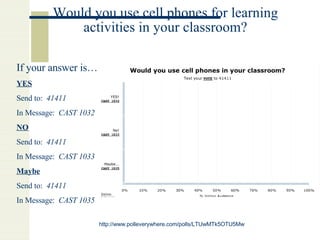
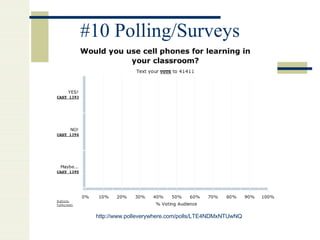
Would you use cell phones for learning activities in your classroom? http://www. polleverywhere .com/polls/LTUwMTk5OTU5Mw If your answer is… YES Send to:  41411 In Message:  CAST 1032 NO Send to:  41411 In Message:  CAST 1033 Maybe Send to:   41411 In Message:   CAST 1035
10 ways cell phones become learning tools Podcasting Language Projects, radio broadcasts, interviewing, debates, conference call recording CPS-Brainstorming Cell phones become the clicker for the interactive whiteboard Note-taking/Organization tools Sync with web-based calendars, write a blog, jott notes to yourself or for a group project Instant Photoblogs Mobile citizen journalism! Photosharing Instant post artifacts as images to private or public webspace Instant Videoblogs More mobile citizen journalism!
Instant Location Blogging Send pictures and descriptions to Map locations to an interactive online map. Text Message Alert Projects Create “Alert” words that people can text message to get more information on a topic.  Recording Conference Calls Conference with people all over the world and get a record of the conference.  Mock debates and mock conventions as homework assignments. 10.  CPS--Polls/Surveys
The What ifs…
What if I need a smart phone to do some projects You can do all of these projects with a basic cell phone! Which over 80% of all 12-18 year old students already own!
What if my students do not have a cell phone? Landlines work with many projects. All projects are web-based so they could use the Internet instead of a cell phone. You can also use one cell phone with the entire class for many of the projects.
What if my school does not allow cell phones on campus? All of these projects can be done for homework, on a field trip, or over spring break! No need to bring cell phones into the school in order to use them as learning tools!
What if it costs money to do some of these projects? All of these resources are 100% free! For a couple resources, text messaging charges may apply to students who do not have unlimited text messaging (although many seem to have unlimited text messaging). For most resources it is a basic phone call.
What if I have students with special needs such as visually impaired, dyslexic, delayed motor skills, or hearing impaired? For VI students:  Many of these projects are universal or inclusive activities since they rely on voice and speech rather than visual skills or kinesthetic. For Hearing Impaired students:  Cell phones can be function with Speech to Text translation.
The Projects!
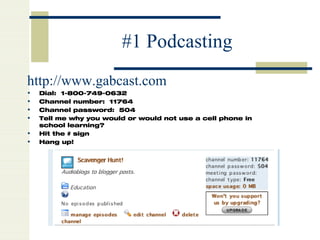
#1 Podcasting http://www.gabcast.com   Dial:  1-800-749-0632 Channel number:  11764 Channel password:  504 Tell me why you would or would not use a cell phone in school learning? Hit the # sign Hang up!
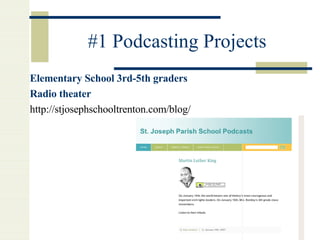
#1 Podcasting Projects Elementary School 3rd-5th graders Radio theater http://stjosephschooltrenton.com/blog/
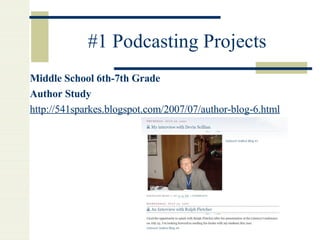
#1 Podcasting Projects Middle School 6th-7th Grade Author Study http://541sparkes. blogspot .com/2007/07/author- blog -6.html
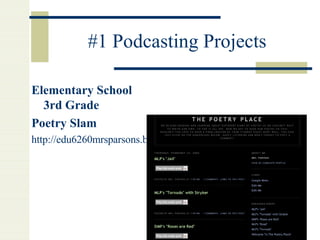
#1 Podcasting Projects Elementary School 3rd Grade Poetry Slam http://edu6260mrsparsons.blogspot.com/
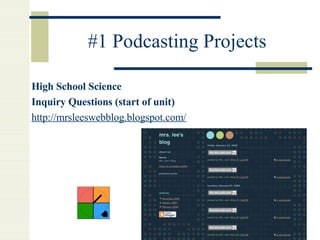
#1 Podcasting Projects High School Science Inquiry Questions (start of unit) http:// mrsleeswebblog . blogspot .com/
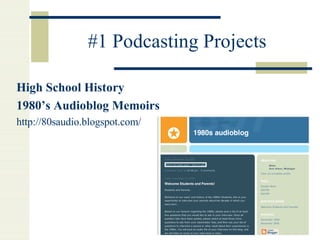
#1 Podcasting Projects High School History 1980’s Audioblog Memoirs http://80saudio.blogspot.com/
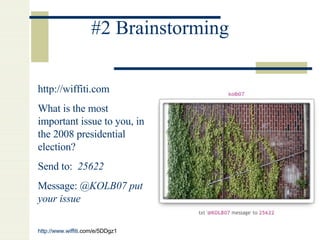
#2 Brainstorming http://wiffiti.com What is the most important issue to you, in the 2008 presidential election? Send to:  25622   Message:  @KOLB07 put your issue http://www. wiffiti .com/e/5DDgz1
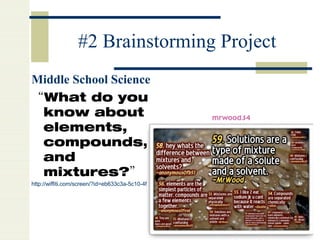
#2 Brainstorming Project Middle School Science  “ What do you know about elements, compounds, and mixtures?” http://wiffiti.com/screen/?id=eb633c3a-5c10-4f91-805c-7eb986e68934
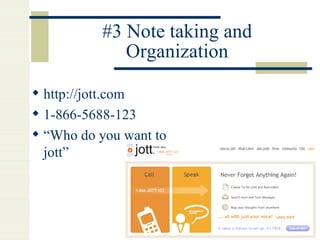
#3 Note taking and Organization http://jott.com 1-866-5688-123  “ Who do you want to jott”
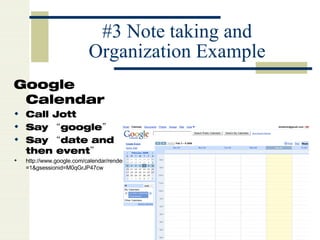
#3 Note taking and Organization Example Google Calendar Call Jott Say “google” Say “date and then event” http://www.google.com/calendar/render?pli=1&gsessionid=M0qGrJP47cw
#4 Photoblogging Take a Picture Send it to  [email_address] You will receive a message with your URL of your blog!
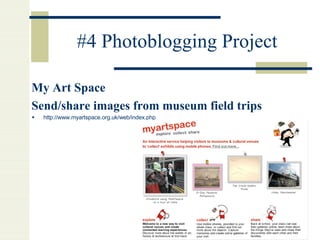
#4 Photoblogging Project My Art Space Send/share images from museum field trips http://www.myartspace.org.uk/web/index.php
#5 PhotoSharing http://flickr.com Take a picture Send it to:  [email_address]
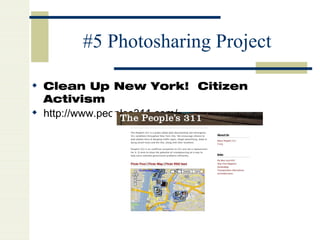
#5 Photosharing Project Clean Up New York!  Citizen Activism http://www.peoples311.com/
#6 Location Blogging http://flagr.com “ Where were you born?” Send name of location to  [email_address]   Example:  Text Message:  [email_address] , Michigan http://www. flagr .com/maps/3506
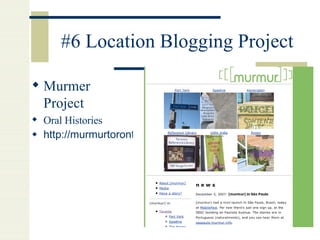
#6 Location Blogging Project Murmer Project Oral Histories http://murmurtoronto.ca/
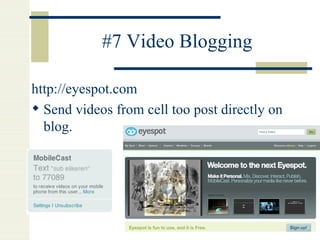
#7 Video Blogging http://eyespot.com   Send videos from cell too post directly on blog.
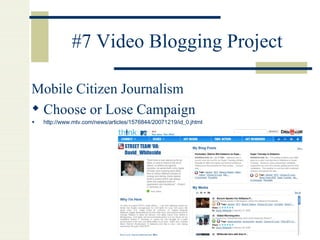
#7 Video Blogging Project Mobile Citizen Journalism Choose or Lose Campaign http://www.mtv.com/news/articles/1576844/20071219/id_0.jhtml
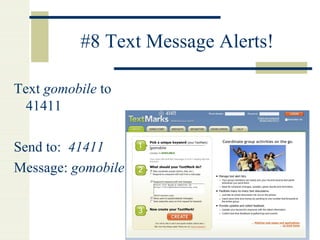
#8 Text Message Alerts! Text  gomobile  to 41411 Send to:  41411 Message:  gomobile
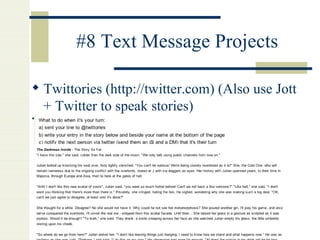
#8 Text Message Projects Twittories ( http://twitter.com ) (Also use Jott + Twitter to speak stories) http://twittories.wikispaces.com/Twittory+1+registration
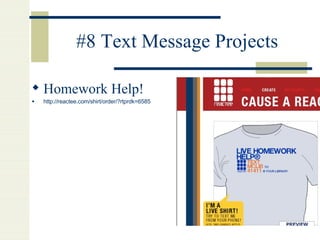
#8 Text Message Projects Homework Help! http://reactee.com/shirt/order/?rtprdk=6585
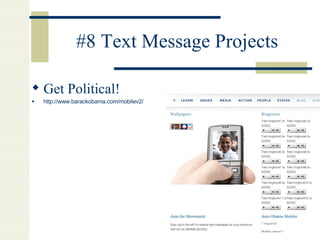
#8 Text Message Projects Get Political! http://www.barackobama.com/mobilev2/
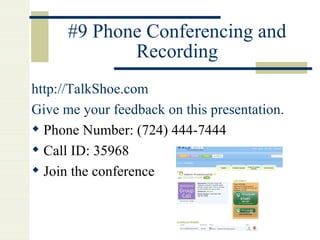
#9 Phone Conferencing and Recording http://TalkShoe.com   Give me your feedback on this presentation. Phone Number: (724) 444-7444 Call ID: 35968 Join the conference
#10 Polling/Surveys http://www.polleverywhere.com/polls/LTE4NDMxNTUwNQ
#10 Polling/Surveys http://polleverywhere.com   http://www.polleverywhere.com/polls/LTUwMTk5OTU5Mw

10 ways to use cell phones in learning

  • 1.
    My Cell phonejust became my data collection tool! 10 Engaging Ideas for Cell Phones in Learning presentation at Eastern Michigan University February 15th, 2008 Liz Kolb [email_address] http://www.cellphonesinlearning.com/
  • 2.
    Would you usecell phones for learning activities in your classroom? http://www. polleverywhere .com/polls/LTUwMTk5OTU5Mw If your answer is… YES Send to: 41411 In Message: CAST 1032 NO Send to: 41411 In Message: CAST 1033 Maybe Send to: 41411 In Message: CAST 1035
  • 3.
    10 ways cellphones become learning tools Podcasting Language Projects, radio broadcasts, interviewing, debates, conference call recording CPS-Brainstorming Cell phones become the clicker for the interactive whiteboard Note-taking/Organization tools Sync with web-based calendars, write a blog, jott notes to yourself or for a group project Instant Photoblogs Mobile citizen journalism! Photosharing Instant post artifacts as images to private or public webspace Instant Videoblogs More mobile citizen journalism!
  • 4.
    Instant Location BloggingSend pictures and descriptions to Map locations to an interactive online map. Text Message Alert Projects Create “Alert” words that people can text message to get more information on a topic. Recording Conference Calls Conference with people all over the world and get a record of the conference. Mock debates and mock conventions as homework assignments. 10. CPS--Polls/Surveys
  • 5.
  • 6.
    What if Ineed a smart phone to do some projects You can do all of these projects with a basic cell phone! Which over 80% of all 12-18 year old students already own!
  • 7.
    What if mystudents do not have a cell phone? Landlines work with many projects. All projects are web-based so they could use the Internet instead of a cell phone. You can also use one cell phone with the entire class for many of the projects.
  • 8.
    What if myschool does not allow cell phones on campus? All of these projects can be done for homework, on a field trip, or over spring break! No need to bring cell phones into the school in order to use them as learning tools!
  • 9.
    What if itcosts money to do some of these projects? All of these resources are 100% free! For a couple resources, text messaging charges may apply to students who do not have unlimited text messaging (although many seem to have unlimited text messaging). For most resources it is a basic phone call.
  • 10.
    What if Ihave students with special needs such as visually impaired, dyslexic, delayed motor skills, or hearing impaired? For VI students: Many of these projects are universal or inclusive activities since they rely on voice and speech rather than visual skills or kinesthetic. For Hearing Impaired students: Cell phones can be function with Speech to Text translation.
  • 11.
  • 12.
    #1 Podcasting http://www.gabcast.com Dial: 1-800-749-0632 Channel number: 11764 Channel password: 504 Tell me why you would or would not use a cell phone in school learning? Hit the # sign Hang up!
  • 13.
    #1 Podcasting ProjectsElementary School 3rd-5th graders Radio theater http://stjosephschooltrenton.com/blog/
  • 14.
    #1 Podcasting ProjectsMiddle School 6th-7th Grade Author Study http://541sparkes. blogspot .com/2007/07/author- blog -6.html
  • 15.
    #1 Podcasting ProjectsElementary School 3rd Grade Poetry Slam http://edu6260mrsparsons.blogspot.com/
  • 16.
    #1 Podcasting ProjectsHigh School Science Inquiry Questions (start of unit) http:// mrsleeswebblog . blogspot .com/
  • 17.
    #1 Podcasting ProjectsHigh School History 1980’s Audioblog Memoirs http://80saudio.blogspot.com/
  • 18.
    #2 Brainstorming http://wiffiti.comWhat is the most important issue to you, in the 2008 presidential election? Send to: 25622 Message: @KOLB07 put your issue http://www. wiffiti .com/e/5DDgz1
  • 19.
    #2 Brainstorming ProjectMiddle School Science “ What do you know about elements, compounds, and mixtures?” http://wiffiti.com/screen/?id=eb633c3a-5c10-4f91-805c-7eb986e68934
  • 20.
    #3 Note takingand Organization http://jott.com 1-866-5688-123 “ Who do you want to jott”
  • 21.
    #3 Note takingand Organization Example Google Calendar Call Jott Say “google” Say “date and then event” http://www.google.com/calendar/render?pli=1&gsessionid=M0qGrJP47cw
  • 22.
    #4 Photoblogging Takea Picture Send it to [email_address] You will receive a message with your URL of your blog!
  • 23.
    #4 Photoblogging ProjectMy Art Space Send/share images from museum field trips http://www.myartspace.org.uk/web/index.php
  • 24.
    #5 PhotoSharing http://flickr.comTake a picture Send it to: [email_address]
  • 25.
    #5 Photosharing ProjectClean Up New York! Citizen Activism http://www.peoples311.com/
  • 26.
    #6 Location Blogginghttp://flagr.com “ Where were you born?” Send name of location to [email_address] Example: Text Message: [email_address] , Michigan http://www. flagr .com/maps/3506
  • 27.
    #6 Location BloggingProject Murmer Project Oral Histories http://murmurtoronto.ca/
  • 28.
    #7 Video Blogginghttp://eyespot.com Send videos from cell too post directly on blog.
  • 29.
    #7 Video BloggingProject Mobile Citizen Journalism Choose or Lose Campaign http://www.mtv.com/news/articles/1576844/20071219/id_0.jhtml
  • 30.
    #8 Text MessageAlerts! Text gomobile to 41411 Send to: 41411 Message: gomobile
  • 31.
    #8 Text MessageProjects Twittories ( http://twitter.com ) (Also use Jott + Twitter to speak stories) http://twittories.wikispaces.com/Twittory+1+registration
  • 32.
    #8 Text MessageProjects Homework Help! http://reactee.com/shirt/order/?rtprdk=6585
  • 33.
    #8 Text MessageProjects Get Political! http://www.barackobama.com/mobilev2/
  • 34.
    #9 Phone Conferencingand Recording http://TalkShoe.com Give me your feedback on this presentation. Phone Number: (724) 444-7444 Call ID: 35968 Join the conference
  • 35.
  • 36.
    #10 Polling/Surveys http://polleverywhere.com http://www.polleverywhere.com/polls/LTUwMTk5OTU5Mw