1. Von Neumann + Booting Sequence + System Calls.ppt
1.
How is theFirst Process
Created?
What happens when you turn on a
computer?
How to get from raw hardware to the
first running process, or process 1
under UNIX?
Well…it’s a long story…
It starts with a simple computing machine
2.
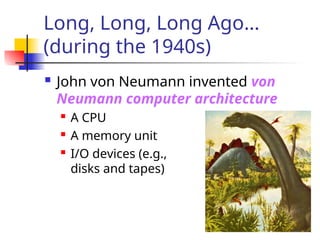
Long, Long, LongAgo…
(during the 1940s)
John von Neumann invented von
Neumann computer architecture
A CPU
A memory unit
I/O devices (e.g.,
disks and tapes)
3.
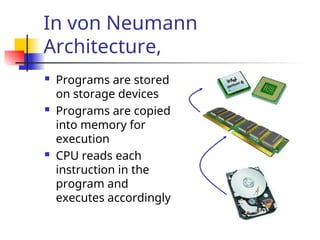
In von Neumann
Architecture,
Programs are stored
on storage devices
Programs are copied
into memory for
execution
CPU reads each
instruction in the
program and
executes accordingly
4.
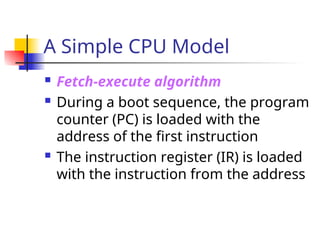
A Simple CPUModel
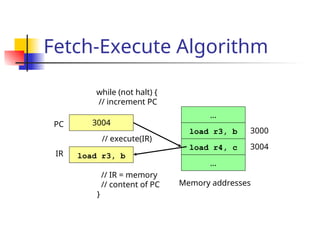
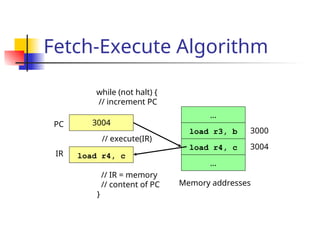
Fetch-execute algorithm
During a boot sequence, the program
counter (PC) is loaded with the
address of the first instruction
The instruction register (IR) is loaded
with the instruction from the address
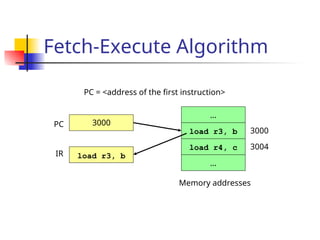
Fetch-Execute Algorithm
…
…
load r4,c
load r3, b
Memory addresses
3000
3004
PC
IR
3004
load r3, b
while (not halt) {
// increment PC
// execute(IR)
// IR = memory
// content of PC
}
8.
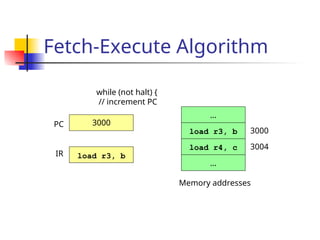
Fetch-Execute Algorithm
…
…
load r4,c
load r3, b
Memory addresses
3000
3004
PC
IR
3004
load r4, c
while (not halt) {
// increment PC
// execute(IR)
// IR = memory
// content of PC
}
9.
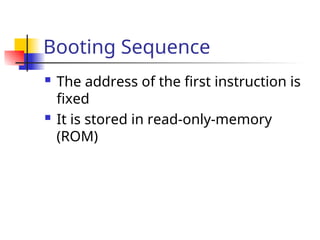
Booting Sequence
Theaddress of the first instruction is
fixed
It is stored in read-only-memory
(ROM)
10.
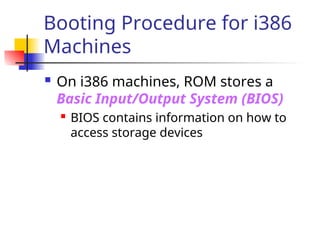
Booting Procedure fori386
Machines
On i386 machines, ROM stores a
Basic Input/Output System (BIOS)
BIOS contains information on how to
access storage devices
11.
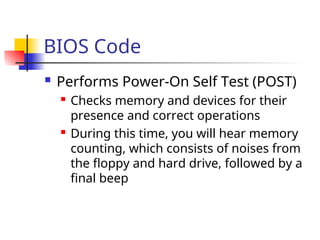
BIOS Code
PerformsPower-On Self Test (POST)
Checks memory and devices for their
presence and correct operations
During this time, you will hear memory
counting, which consists of noises from
the floppy and hard drive, followed by a
final beep
12.
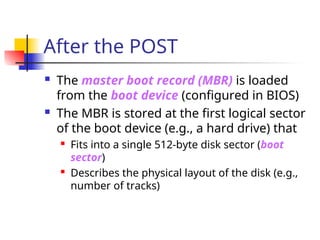
After the POST
The master boot record (MBR) is loaded
from the boot device (configured in BIOS)
The MBR is stored at the first logical sector
of the boot device (e.g., a hard drive) that
Fits into a single 512-byte disk sector (boot
sector)
Describes the physical layout of the disk (e.g.,
number of tracks)
13.
After Getting theInfo on the
Boot Device
BIOS loads a more sophisticated
loader from other sectors on disk
The more sophisticated loader loads
the operating system
14.
Operating System Loaders
Under Linux, this sophisticated loader
is called LILO (Linux Loader)
It has nothing to do with Lilo and Stitch
15.
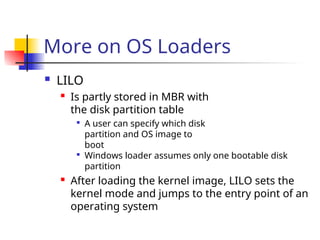
More on OSLoaders
LILO
Is partly stored in MBR with
the disk partition table
A user can specify which disk
partition and OS image to
boot
Windows loader assumes only one bootable disk
partition
After loading the kernel image, LILO sets the
kernel mode and jumps to the entry point of an
operating system
16.
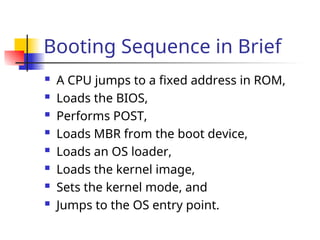
Booting Sequence inBrief
A CPU jumps to a fixed address in ROM,
Loads the BIOS,
Performs POST,
Loads MBR from the boot device,
Loads an OS loader,
Loads the kernel image,
Sets the kernel mode, and
Jumps to the OS entry point.
17.
Linux Initialization
Setup a number of things:
Trap table
Interrupt handlers
Scheduler
Clock
Kernel modules
…
Process manager
18.
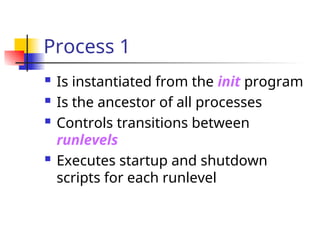
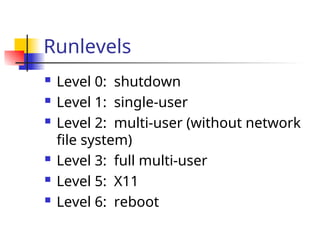
Process 1
Isinstantiated from the init program
Is the ancestor of all processes
Controls transitions between
runlevels
Executes startup and shutdown
scripts for each runlevel
Process Creation
Viathe fork system call family
Before we discuss process creation, a
few words on system calls…
21.
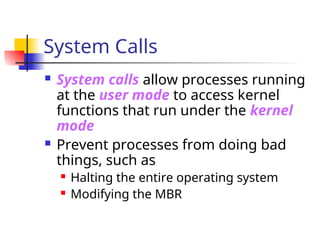
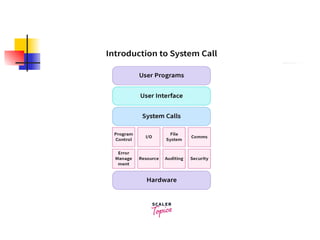
System Calls
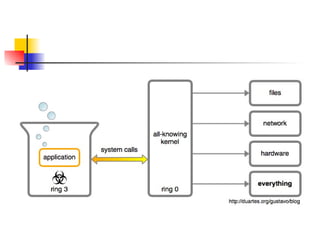
Systemcalls allow processes running
at the user mode to access kernel
functions that run under the kernel
mode
Prevent processes from doing bad
things, such as
Halting the entire operating system
Modifying the MBR
24.
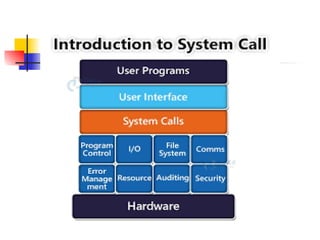
System Calls
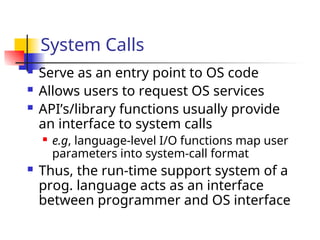
Serveas an entry point to OS code
Allows users to request OS services
API’s/library functions usually provide
an interface to system calls
e.g, language-level I/O functions map user
parameters into system-call format
Thus, the run-time support system of a
prog. language acts as an interface
between programmer and OS interface
27.
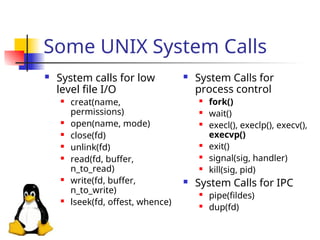
Some UNIX SystemCalls
System calls for low
level file I/O
creat(name,
permissions)
open(name, mode)
close(fd)
unlink(fd)
read(fd, buffer,
n_to_read)
write(fd, buffer,
n_to_write)
lseek(fd, offest, whence)
System Calls for
process control
fork()
wait()
execl(), execlp(), execv(),
execvp()
exit()
signal(sig, handler)
kill(sig, pid)
System Calls for IPC
pipe(fildes)
dup(fd)
28.
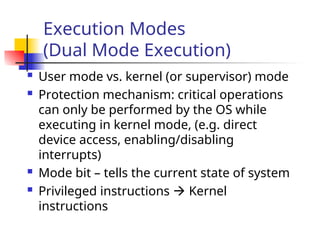
Execution Modes
(Dual ModeExecution)
User mode vs. kernel (or supervisor) mode
Protection mechanism: critical operations
can only be performed by the OS while
executing in kernel mode, (e.g. direct
device access, enabling/disabling
interrupts)
Mode bit – tells the current state of system
Privileged instructions Kernel
instructions
29.
Mode Switching (maybe
RHA)
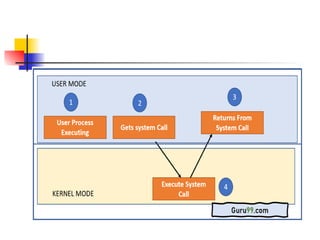
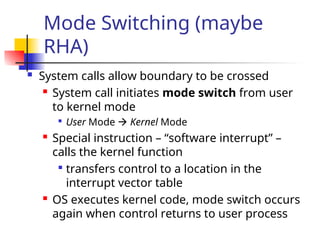
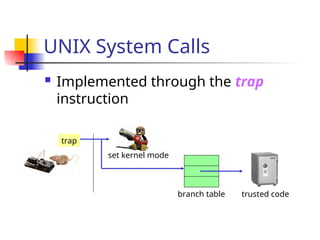
System calls allow boundary to be crossed
System call initiates mode switch from user
to kernel mode
User Mode Kernel Mode
Special instruction – “software interrupt” –
calls the kernel function
transfers control to a location in the
interrupt vector table
OS executes kernel code, mode switch occurs
again when control returns to user process
30.
Processing a SystemCall*
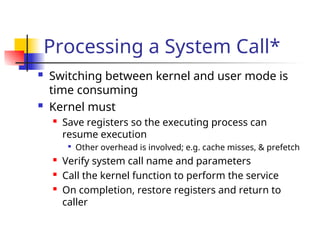
Switching between kernel and user mode is
time consuming
Kernel must
Save registers so the executing process can
resume execution
Other overhead is involved; e.g. cache misses, & prefetch
Verify system call name and parameters
Call the kernel function to perform the service
On completion, restore registers and return to
caller
31.
UNIX System Calls
Implemented through the trap
instruction
trap
set kernel mode
branch table trusted code
32.
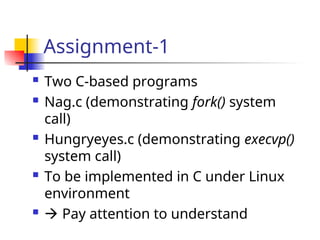
Assignment-1
Two C-basedprograms
Nag.c (demonstrating fork() system
call)
Hungryeyes.c (demonstrating execvp()
system call)
To be implemented in C under Linux
environment
Pay attention to understand
33.
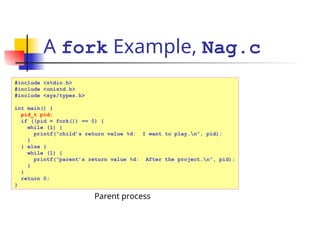
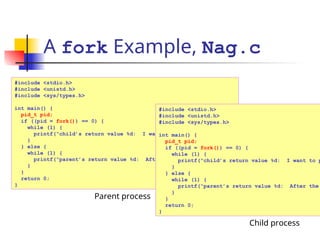
A fork Example,Nag.c
#include <stdio.h>
#include <unistd.h>
#include <sys/types.h>
int main() {
pid_t pid;
if ((pid = fork()) == 0) {
while (1) {
printf(“child’s return value %d: I want to play…n”, pid);
}
} else {
while (1) {
printf(“parent’s return value %d: After the project…n”, pid);
}
}
return 0;
}
Parent process
34.
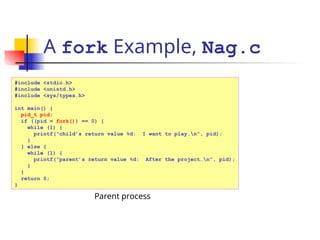
A fork Example,Nag.c
#include <stdio.h>
#include <unistd.h>
#include <sys/types.h>
int main() {
pid_t pid;
if ((pid = fork()) == 0) {
while (1) {
printf(“child’s return value %d: I want to play…n”, pid);
}
} else {
while (1) {
printf(“parent’s return value %d: After the project…n”, pid);
}
}
return 0;
}
Parent process
35.
A fork Example,Nag.c
#include <stdio.h>
#include <unistd.h>
#include <sys/types.h>
int main() {
pid_t pid;
if ((pid = fork()) == 0) {
while (1) {
printf(“child’s return value %d: I want to play…n”, pid);
}
} else {
while (1) {
printf(“parent’s return value %d: After the project…n”, pid);
}
}
return 0;
}
Parent process
#include <stdio.h>
#include <unistd.h>
#include <sys/types.h>
int main() {
pid_t pid;
if ((pid = fork()) == 0) {
while (1) {
printf(“child’s return value %d: I want to p
}
} else {
while (1) {
printf(“parent’s return value %d: After the
}
}
return 0;
}
Child process
36.
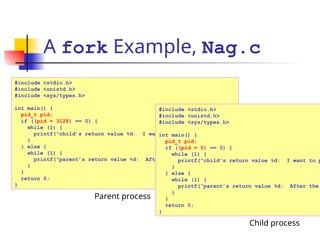
A fork Example,Nag.c
#include <stdio.h>
#include <unistd.h>
#include <sys/types.h>
int main() {
pid_t pid;
if ((pid = 3128) == 0) {
while (1) {
printf(“child’s return value %d: I want to play…n”, pid);
}
} else {
while (1) {
printf(“parent’s return value %d: After the project…n”, pid);
}
}
return 0;
}
Parent process
#include <stdio.h>
#include <unistd.h>
#include <sys/types.h>
int main() {
pid_t pid;
if ((pid = 0) == 0) {
while (1) {
printf(“child’s return value %d: I want to p
}
} else {
while (1) {
printf(“parent’s return value %d: After the
}
}
return 0;
}
Child process
37.
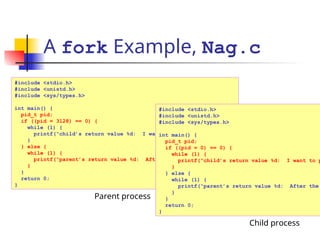
A fork Example,Nag.c
#include <stdio.h>
#include <unistd.h>
#include <sys/types.h>
int main() {
pid_t pid;
if ((pid = 3128) == 0) {
while (1) {
printf(“child’s return value %d: I want to play…n”, pid);
}
} else {
while (1) {
printf(“parent’s return value %d: After the project…n”, pid);
}
}
return 0;
}
Parent process
#include <stdio.h>
#include <unistd.h>
#include <sys/types.h>
int main() {
pid_t pid;
if ((pid = 0) == 0) {
while (1) {
printf(“child’s return value %d: I want to p
}
} else {
while (1) {
printf(“parent’s return value %d: After the
}
}
return 0;
}
Child process
38.
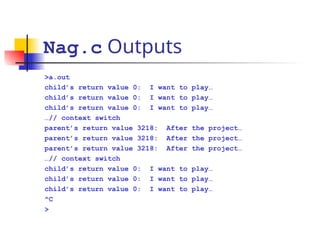
Nag.c Outputs
>a.out
child’s returnvalue 0: I want to play…
child’s return value 0: I want to play…
child’s return value 0: I want to play…
…// context switch
parent’s return value 3218: After the project…
parent’s return value 3218: After the project…
parent’s return value 3218: After the project…
…// context switch
child’s return value 0: I want to play…
child’s return value 0: I want to play…
child’s return value 0: I want to play…
^C
>
39.
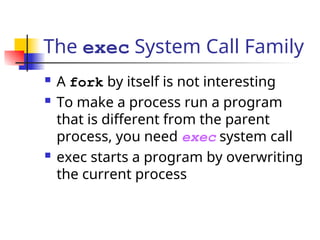
The exec SystemCall Family
A fork by itself is not interesting
To make a process run a program
that is different from the parent
process, you need exec system call
exec starts a program by overwriting
the current process
40.
A exec Example,
HungryEyes.c
#include<stdio.h>
#include <unistd.h>
#include <sys/types.h>
#define LB_SIZE 1024
int main(int argc, char *argv[]) {
char fullPathName[] = “/usr/X11R6/bin/xeyes”;
char *myArgv[LB_SIZE]; // an array of pointers
myArgv[0] = (char *) malloc(strlen(fullPathName) + 1);
strcpy(myArgv[0], fullPathName);
myArgv[1] = NULL; // last element should be a NULL pointer
execvp(fullPathName, myArgv);
exit(0); // should not be reached
}
A process
At a shell prompt:
>whereis xeyes
/usr/X11R6/bin/xeyes
41.
A exec Example,
HungryEyes.c
#include<stdio.h>
#include <unistd.h>
#include <sys/types.h>
#define LB_SIZE 1024
int main(int argc, char *argv[]) {
char fullPathName[] = “/usr/X11R6/bin/xeyes”;
char *myArgv[LB_SIZE]; // an array of pointers
myArgv[0] = (char *) malloc(strlen(fullPathName) + 1);
strcpy(myArgv[0], fullPathName);
myArgv[1] = NULL; // last element should be a NULL pointer
execvp(fullPathName, myArgv);
exit(0); // should not be reached
}
A process
42.
A exec Example,
HungryEyes.c
#include<stdio.h>
#include <unistd.h>
#include <sys/types.h>
#define LB_SIZE 1024
int main(int argc, char *argv[]) {
char fullPathName[] = “/usr/X11R6/bin/xeyes”;
char *myArgv[LB_SIZE]; // an array of pointers
myArgv[0] = (char *) malloc(strlen(fullPathName) + 1);
strcpy(myArgv[0], fullPathName);
myArgv[1] = NULL; // last element should be a NULL pointer
execvp(fullPathName, myArgv);
exit(0); // should not be reached
}
A process
43.
A exec Example,
HungryEyes.c
#include<stdio.h>
#include <unistd.h>
#include <sys/types.h>
#define LB_SIZE 1024
int main(int argc, char *argv[]) {
char fullPathName[] = “/usr/X11R6/bin/xeyes”;
char *myArgv[LB_SIZE]; // an array of pointers
myArgv[0] = (char *) malloc(strlen(fullPathName) + 1);
strcpy(myArgv[0], fullPathName);
myArgv[1] = NULL; // last element should be a NULL pointer
execvp(fullPathName, myArgv);
exit(0); // should not be reached
}
A process
44.
A exec Example,
HungryEyes.c
#include<stdio.h>
#include <unistd.h>
#include <sys/types.h>
#define LB_SIZE 1024
int main(int argc, char *argv[]) {
char fullPathName[] = “/usr/X11R6/bin/xeyes”;
char *myArgv[LB_SIZE]; // an array of pointers
myArgv[0] = (char *) malloc(strlen(fullPathName) + 1);
strcpy(myArgv[0], fullPathName);
myArgv[1] = NULL; // last element should be a NULL pointer
execvp(fullPathName, myArgv);
exit(0); // should not be reached
}
A process
45.
A exec Example,
HungryEyes.c
#include<stdio.h>
#include <unistd.h>
#include <sys/types.h>
#define LB_SIZE 1024
int main(int argc, char *argv[]) {
char fullPathName[] = “/usr/X11R6/bin/xeyes”;
char *myArgv[LB_SIZE]; // an array of pointers
myArgv[0] = (char *) malloc(strlen(fullPathName) + 1);
strcpy(myArgv[0], fullPathName);
myArgv[1] = NULL; // last element should be a NULL pointer
execvp(fullPathName, myArgv);
exit(0); // should not be reached
}
A process
46.
A exec Example,
HungryEyes.c
#include<stdio.h>
#include <unistd.h>
#include <sys/types.h>
#define LB_SIZE 1024
int main(int argc, char *argv[]) {
char fullPathName[] = “/usr/X11R6/bin/xeyes”;
char *myArgv[LB_SIZE]; // an array of pointers
myArgv[0] = (char *) malloc(strlen(fullPathName) + 1);
strcpy(myArgv[0], fullPathName);
myArgv[1] = NULL; // last element should be a NULL pointer
execvp(fullPathName, myArgv);
exit(0); // should not be reached
}
A process
47.
A exec Example,
HungryEyes.c
#include<stdio.h>
#include <unistd.h>
#include <sys/types.h>
#define LB_SIZE 1024
int main(int argc, char *argv[]) {
char fullPathName[] = “/usr/X11R6/bin/xeyes”;
char *myArgv[LB_SIZE]; // an array of pointers
myArgv[0] = (char *) malloc(strlen(fullPathName) + 1);
strcpy(myArgv[0], fullPathName);
myArgv[1] = NULL; // last element should be a NULL pointer
execvp(fullPathName, myArgv);
exit(0); // should not be reached
}
A process
48.
A exec Example,
HungryEyes.c
Aprocess
#include <stdio.h>
#include <unistd.h>
#include <sys/types.h>
#define LB_SIZE 1024
int main(int argc, char *argv[]) {
char fullPathName[] = “/usr/X11R6/bin/xeyes”;
char *myArgv[LB_SIZE]; // an array of pointers
myArgv[0] = (char *) malloc(strlen(fullPathName) + 1);
strcpy(myArgv[0], fullPathName);
myArgv[1] = NULL; // last element should be a NULL pointer
execvp(fullPathName, myArgv);
exit(0); // should not be reached
}
49.
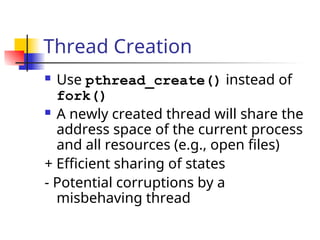
Thread Creation
Usepthread_create() instead of
fork()
A newly created thread will share the
address space of the current process
and all resources (e.g., open files)
+ Efficient sharing of states
- Potential corruptions by a
misbehaving thread
50.
Thread Creation
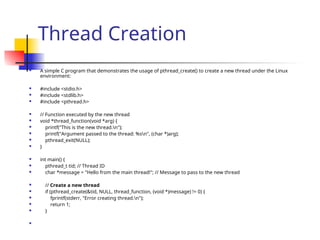
Asimple C program that demonstrates the usage of pthread_create() to create a new thread under the Linux
environment:
#include <stdio.h>
#include <stdlib.h>
#include <pthread.h>
// Function executed by the new thread
void *thread_function(void *arg) {
printf("This is the new thread.n");
printf("Argument passed to the thread: %sn", (char *)arg);
pthread_exit(NULL);
}
int main() {
pthread_t tid; // Thread ID
char *message = "Hello from the main thread!"; // Message to pass to the new thread
// Create a new thread
if (pthread_create(&tid, NULL, thread_function, (void *)message) != 0) {
fprintf(stderr, "Error creating thread.n");
return 1;
}
51.
Thread Creation
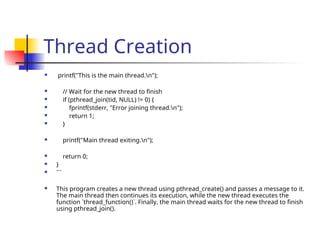
printf("Thisis the main thread.n");
// Wait for the new thread to finish
if (pthread_join(tid, NULL) != 0) {
fprintf(stderr, "Error joining thread.n");
return 1;
}
printf("Main thread exiting.n");
return 0;
}
```
This program creates a new thread using pthread_create() and passes a message to it.
The main thread then continues its execution, while the new thread executes the
function `thread_function()`. Finally, the main thread waits for the new thread to finish
using pthread_join().
52.
Thread Creation
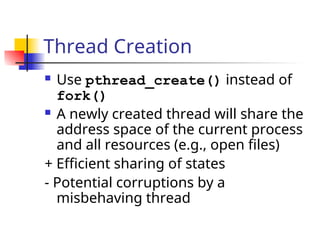
Usepthread_create() instead of
fork()
A newly created thread will share the
address space of the current process
and all resources (e.g., open files)
+ Efficient sharing of states
- Potential corruptions by a
misbehaving thread
53.
Assignment-2 (Thread Creation)
Description: You are required to
implement a C program that
performs matrix multiplication using
multithreading. The program should
take two input matrices from the
user, perform multiplication using
multiple threads, and output the
resulting matrix.
![A exec Example,
HungryEyes.c
#include <stdio.h>
#include <unistd.h>
#include <sys/types.h>
#define LB_SIZE 1024
int main(int argc, char *argv[]) {
char fullPathName[] = “/usr/X11R6/bin/xeyes”;
char *myArgv[LB_SIZE]; // an array of pointers
myArgv[0] = (char *) malloc(strlen(fullPathName) + 1);
strcpy(myArgv[0], fullPathName);
myArgv[1] = NULL; // last element should be a NULL pointer
execvp(fullPathName, myArgv);
exit(0); // should not be reached
}
A process
At a shell prompt:
>whereis xeyes
/usr/X11R6/bin/xeyes](https://image.slidesharecdn.com/1-250512101423-4ddb8063/85/1-Von-Neumann-Booting-Sequence-System-Calls-ppt-40-320.jpg)
![A exec Example,
HungryEyes.c
#include <stdio.h>
#include <unistd.h>
#include <sys/types.h>
#define LB_SIZE 1024
int main(int argc, char *argv[]) {
char fullPathName[] = “/usr/X11R6/bin/xeyes”;
char *myArgv[LB_SIZE]; // an array of pointers
myArgv[0] = (char *) malloc(strlen(fullPathName) + 1);
strcpy(myArgv[0], fullPathName);
myArgv[1] = NULL; // last element should be a NULL pointer
execvp(fullPathName, myArgv);
exit(0); // should not be reached
}
A process](https://image.slidesharecdn.com/1-250512101423-4ddb8063/85/1-Von-Neumann-Booting-Sequence-System-Calls-ppt-41-320.jpg)
![A exec Example,
HungryEyes.c
#include <stdio.h>
#include <unistd.h>
#include <sys/types.h>
#define LB_SIZE 1024
int main(int argc, char *argv[]) {
char fullPathName[] = “/usr/X11R6/bin/xeyes”;
char *myArgv[LB_SIZE]; // an array of pointers
myArgv[0] = (char *) malloc(strlen(fullPathName) + 1);
strcpy(myArgv[0], fullPathName);
myArgv[1] = NULL; // last element should be a NULL pointer
execvp(fullPathName, myArgv);
exit(0); // should not be reached
}
A process](https://image.slidesharecdn.com/1-250512101423-4ddb8063/85/1-Von-Neumann-Booting-Sequence-System-Calls-ppt-42-320.jpg)
![A exec Example,
HungryEyes.c
#include <stdio.h>
#include <unistd.h>
#include <sys/types.h>
#define LB_SIZE 1024
int main(int argc, char *argv[]) {
char fullPathName[] = “/usr/X11R6/bin/xeyes”;
char *myArgv[LB_SIZE]; // an array of pointers
myArgv[0] = (char *) malloc(strlen(fullPathName) + 1);
strcpy(myArgv[0], fullPathName);
myArgv[1] = NULL; // last element should be a NULL pointer
execvp(fullPathName, myArgv);
exit(0); // should not be reached
}
A process](https://image.slidesharecdn.com/1-250512101423-4ddb8063/85/1-Von-Neumann-Booting-Sequence-System-Calls-ppt-43-320.jpg)
![A exec Example,
HungryEyes.c
#include <stdio.h>
#include <unistd.h>
#include <sys/types.h>
#define LB_SIZE 1024
int main(int argc, char *argv[]) {
char fullPathName[] = “/usr/X11R6/bin/xeyes”;
char *myArgv[LB_SIZE]; // an array of pointers
myArgv[0] = (char *) malloc(strlen(fullPathName) + 1);
strcpy(myArgv[0], fullPathName);
myArgv[1] = NULL; // last element should be a NULL pointer
execvp(fullPathName, myArgv);
exit(0); // should not be reached
}
A process](https://image.slidesharecdn.com/1-250512101423-4ddb8063/85/1-Von-Neumann-Booting-Sequence-System-Calls-ppt-44-320.jpg)
![A exec Example,
HungryEyes.c
#include <stdio.h>
#include <unistd.h>
#include <sys/types.h>
#define LB_SIZE 1024
int main(int argc, char *argv[]) {
char fullPathName[] = “/usr/X11R6/bin/xeyes”;
char *myArgv[LB_SIZE]; // an array of pointers
myArgv[0] = (char *) malloc(strlen(fullPathName) + 1);
strcpy(myArgv[0], fullPathName);
myArgv[1] = NULL; // last element should be a NULL pointer
execvp(fullPathName, myArgv);
exit(0); // should not be reached
}
A process](https://image.slidesharecdn.com/1-250512101423-4ddb8063/85/1-Von-Neumann-Booting-Sequence-System-Calls-ppt-45-320.jpg)
![A exec Example,
HungryEyes.c
#include <stdio.h>
#include <unistd.h>
#include <sys/types.h>
#define LB_SIZE 1024
int main(int argc, char *argv[]) {
char fullPathName[] = “/usr/X11R6/bin/xeyes”;
char *myArgv[LB_SIZE]; // an array of pointers
myArgv[0] = (char *) malloc(strlen(fullPathName) + 1);
strcpy(myArgv[0], fullPathName);
myArgv[1] = NULL; // last element should be a NULL pointer
execvp(fullPathName, myArgv);
exit(0); // should not be reached
}
A process](https://image.slidesharecdn.com/1-250512101423-4ddb8063/85/1-Von-Neumann-Booting-Sequence-System-Calls-ppt-46-320.jpg)
![A exec Example,
HungryEyes.c
#include <stdio.h>
#include <unistd.h>
#include <sys/types.h>
#define LB_SIZE 1024
int main(int argc, char *argv[]) {
char fullPathName[] = “/usr/X11R6/bin/xeyes”;
char *myArgv[LB_SIZE]; // an array of pointers
myArgv[0] = (char *) malloc(strlen(fullPathName) + 1);
strcpy(myArgv[0], fullPathName);
myArgv[1] = NULL; // last element should be a NULL pointer
execvp(fullPathName, myArgv);
exit(0); // should not be reached
}
A process](https://image.slidesharecdn.com/1-250512101423-4ddb8063/85/1-Von-Neumann-Booting-Sequence-System-Calls-ppt-47-320.jpg)
![A exec Example,
HungryEyes.c
A process
#include <stdio.h>
#include <unistd.h>
#include <sys/types.h>
#define LB_SIZE 1024
int main(int argc, char *argv[]) {
char fullPathName[] = “/usr/X11R6/bin/xeyes”;
char *myArgv[LB_SIZE]; // an array of pointers
myArgv[0] = (char *) malloc(strlen(fullPathName) + 1);
strcpy(myArgv[0], fullPathName);
myArgv[1] = NULL; // last element should be a NULL pointer
execvp(fullPathName, myArgv);
exit(0); // should not be reached
}](https://image.slidesharecdn.com/1-250512101423-4ddb8063/85/1-Von-Neumann-Booting-Sequence-System-Calls-ppt-48-320.jpg)