CERTIFICATE OF COMPETENCY TITLE
 COC1 – INSTALL AND CONFIGURE COMPUTER SYSTEMS
 COC2 – SET UP COMPUTER NETWORKS
 COC3 – SET UP COMPUTER SERVERS
 COC4 – MAINTAIN AND REPAIR COMPUTER SYSTEMS
AND NETWORKS
COC1 – INSTALL AND CONFIGURE COMPUTER SYSTEMS
 Assemble computer hardware
 Prepare installer
 Install operating system and drivers for peripherals/ devices
 Install application software
 Conduct testing and documentation
COC2 – SET UP COMPUTER NETWORKS
Install network cables
Set network configuration
Set router/Wi-Fi/ wireless access point/repeater
configuration
Inspect and test the configured computer networks
COC3 – SET UP COMPUTER SERVERS
Set – up user access
Configure network services
Perform Testing, documentation and pre deployment
procedures
COC4 – MAINTAIN AND REPAIR COMPUTER
SYSTEMS AND NETWORKS
 Plan and prepare for maintenance and repair
 Maintain computer system and networks
 Diagnose faults of computer system and networks
 Rectify/correct defects in computer systems and networks
 Inspect and test the computer systems and networks
 Course Title: COMPUTER SYSTEMS SERVICING NC Level: NC II
 Training Hours:
 40 Hours (Basic)
 80 Hours (Common)
 160 Hours (CORE)
------------------------------
280 Hours – TOTAL
A person who has achieved this Qualification is
competent to be:
Computer Assembler
Computer Service Technician
Network Technician
Computer Maintenance Technician
OCCUPATIONAL HEALTH AND SAFETY
PROCEDURES (OHS)
 Always ground or discharge yourself before touching any
part of the computer.
 Do not work alone so that there’s someone who can
take care of you in case of accident or emergency.
 Be careful with the tools that may cause short circuit.
 Always full the cable connector on the handle and
not on the cable itself.
 Use only rubber shoes when standing on the ground or
in a concrete floor.
Make sure that the pins are properly aligned when
connecting a cable connector.
 Always power off and unplug the computer before
working on it.
Take away any liquid such as mineral water or soft
drinks near your working area or near computers.
 Keep your work area well lighted and well ventilated.
Personal protective equipment is correctly used in
accordance with organization OHS procedures and practice.
 Take necessary precautions to protect the component of
the computer from damaged cause by ElectroStatics
Discharge(ESD).
Hold the components by edges and do not touch the IC’s.
Read and follow instruction on the manual carefully.
Do not use excessive force if things don’t quite slip into
place.
Personal Protective Equipment
refers to protective equipment or other garments
designed to protect the wearer's body from injury or infection
Personal Protective Equipment
rubber shoes
goggles
gloves
anti-wrist trap
fit clothes
hair tie (for those who have long hair)
handkerchief (for those who have wet hands)
AVOID: metal rings, bracelet, necklace and other accessories when working
Electrostatic Discharge (ESD)
is the sudden flow of electricity between two electrically
charged objects caused by contact, an electrical short, or
dielectric breakdown. A buildup of static electricity can be
caused by turbocharging or by electrostatic induction.
A PERSON GAIN ELECTROSTATIC FORCE
Our body has a charges, both negative
and positive charges, while ground is on negative
charge. There is a tendency that after walking or
touching anything that is connected to ground
makes adapt our positive charges. This is called as
static because this force stays in our body.
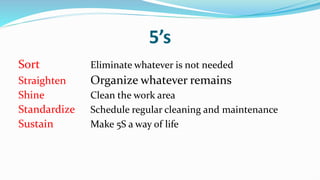
5’s
Sort Eliminate whatever is not needed
Straighten Organize whatever remains
Shine Clean the work area
Standardize Schedule regular cleaning and maintenance
Sustain Make 5S a way of life
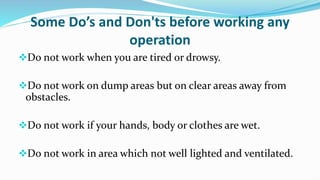
Some Do’s and Don'ts before working any
operation
Do not work when you are tired or drowsy.
Do not work on dump areas but on clear areas away from
obstacles.
Do not work if your hands, body or clothes are wet.
Do not work in area which not well lighted and ventilated.
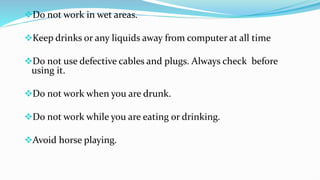
Do not work in wet areas.
Keep drinks or any liquids away from computer at all time
Do not use defective cables and plugs. Always check before
using it.
Do not work when you are drunk.
Do not work while you are eating or drinking.
Avoid horse playing.
GOLDEN RULE IN PC REPAIR
“ IF IN DOUBT DON’T “
Don’t take the risk or do something you are uncertain
about. Not only you can damage your self but you can
also damage the PC.
NEXT
1. CSS-OHS.pptx

1. CSS-OHS.pptx

  • 2.
    CERTIFICATE OF COMPETENCYTITLE  COC1 – INSTALL AND CONFIGURE COMPUTER SYSTEMS  COC2 – SET UP COMPUTER NETWORKS  COC3 – SET UP COMPUTER SERVERS  COC4 – MAINTAIN AND REPAIR COMPUTER SYSTEMS AND NETWORKS
  • 3.
    COC1 – INSTALLAND CONFIGURE COMPUTER SYSTEMS  Assemble computer hardware  Prepare installer  Install operating system and drivers for peripherals/ devices  Install application software  Conduct testing and documentation
  • 4.
    COC2 – SETUP COMPUTER NETWORKS Install network cables Set network configuration Set router/Wi-Fi/ wireless access point/repeater configuration Inspect and test the configured computer networks
  • 5.
    COC3 – SETUP COMPUTER SERVERS Set – up user access Configure network services Perform Testing, documentation and pre deployment procedures
  • 6.
    COC4 – MAINTAINAND REPAIR COMPUTER SYSTEMS AND NETWORKS  Plan and prepare for maintenance and repair  Maintain computer system and networks  Diagnose faults of computer system and networks  Rectify/correct defects in computer systems and networks  Inspect and test the computer systems and networks
  • 7.
     Course Title:COMPUTER SYSTEMS SERVICING NC Level: NC II  Training Hours:  40 Hours (Basic)  80 Hours (Common)  160 Hours (CORE) ------------------------------ 280 Hours – TOTAL
  • 9.
    A person whohas achieved this Qualification is competent to be: Computer Assembler Computer Service Technician Network Technician Computer Maintenance Technician
  • 10.
    OCCUPATIONAL HEALTH ANDSAFETY PROCEDURES (OHS)
  • 11.
     Always groundor discharge yourself before touching any part of the computer.  Do not work alone so that there’s someone who can take care of you in case of accident or emergency.  Be careful with the tools that may cause short circuit.  Always full the cable connector on the handle and not on the cable itself.  Use only rubber shoes when standing on the ground or in a concrete floor.
  • 12.
    Make sure thatthe pins are properly aligned when connecting a cable connector.  Always power off and unplug the computer before working on it. Take away any liquid such as mineral water or soft drinks near your working area or near computers.  Keep your work area well lighted and well ventilated.
  • 13.
    Personal protective equipmentis correctly used in accordance with organization OHS procedures and practice.  Take necessary precautions to protect the component of the computer from damaged cause by ElectroStatics Discharge(ESD).
  • 14.
    Hold the componentsby edges and do not touch the IC’s. Read and follow instruction on the manual carefully. Do not use excessive force if things don’t quite slip into place.
  • 16.
    Personal Protective Equipment refersto protective equipment or other garments designed to protect the wearer's body from injury or infection
  • 17.
    Personal Protective Equipment rubbershoes goggles gloves anti-wrist trap fit clothes hair tie (for those who have long hair) handkerchief (for those who have wet hands) AVOID: metal rings, bracelet, necklace and other accessories when working
  • 19.
    Electrostatic Discharge (ESD) isthe sudden flow of electricity between two electrically charged objects caused by contact, an electrical short, or dielectric breakdown. A buildup of static electricity can be caused by turbocharging or by electrostatic induction.
  • 21.
    A PERSON GAINELECTROSTATIC FORCE Our body has a charges, both negative and positive charges, while ground is on negative charge. There is a tendency that after walking or touching anything that is connected to ground makes adapt our positive charges. This is called as static because this force stays in our body.
  • 23.
    5’s Sort Eliminate whateveris not needed Straighten Organize whatever remains Shine Clean the work area Standardize Schedule regular cleaning and maintenance Sustain Make 5S a way of life
  • 27.
    Some Do’s andDon'ts before working any operation Do not work when you are tired or drowsy. Do not work on dump areas but on clear areas away from obstacles. Do not work if your hands, body or clothes are wet. Do not work in area which not well lighted and ventilated.
  • 28.
    Do not workin wet areas. Keep drinks or any liquids away from computer at all time Do not use defective cables and plugs. Always check before using it. Do not work when you are drunk. Do not work while you are eating or drinking. Avoid horse playing.
  • 29.
    GOLDEN RULE INPC REPAIR “ IF IN DOUBT DON’T “ Don’t take the risk or do something you are uncertain about. Not only you can damage your self but you can also damage the PC. NEXT