Document Object Model
Back to the DOM…
Javascript and the DOM
 Originally, the Document Object Model (DOM) and Javascript
were tightly bound
 Each major browser line (IE and Netscape) had their own
overlapping DOM implementation
 There's also some jargon issues, eg. DHTML…
 Now, the DOM is a separate standard, and can be manipulated
by other languages (eg Java, server side javascript, python,
etc)
 Browsers still differ in what parts of the standard they support,
but things are much better now
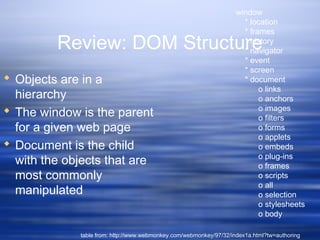
Review: DOM Structure
 Objects are in a
hierarchy
 The window is the parent
for a given web page
 Document is the child
with the objects that are
most commonly
manipulated
window
* location
* frames
* history
* navigator
* event
* screen
* document
o links
o anchors
o images
o filters
o forms
o applets
o embeds
o plug-ins
o frames
o scripts
o all
o selection
o stylesheets
o body
table from: http://www.webmonkey.com/webmonkey/97/32/index1a.html?tw=authoring
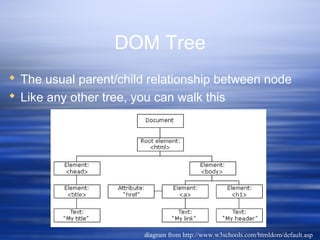
DOM Tree
 The usual parent/child relationship between node
 Like any other tree, you can walk this
diagram from http://www.w3schools.com/htmldom/default.asp
Referencing Objects
 Objects can be referenced
 by their id or name (this is the easiest way,
but you need to make sure a name is
unique in the hierarchy)
 by their numerical position in the hierarchy,
by walking the array that contains them
 by their relation to parent, child, or sibling
(parentNode, previousSibling, nextSibling,
firstChild, lastChild or the childNodes array
A div example
 the div is an element with an id of mydiv
 It contains a text element, which can be
referenced by childNodes[0] (childNode
being an array of all childen of a node
 So the text in the div is not a value of
the div, but rather the value of the first
(and only) childNode of the div
<div id="mydiv"><div id="mydiv">
This is some simple html to displayThis is some simple html to display
</div></div>
Zen Garden Example 1
 A loop of code to list the links….
for (var i = 0; i < document.links.length; i++)for (var i = 0; i < document.links.length; i++)
{{
document.write("<b>Link number " + i + " has these properties:</b><br/>");document.write("<b>Link number " + i + " has these properties:</b><br/>");
document.write("<i>nodeName is</i> " + document.links[i].nodeName + "<br/>");document.write("<i>nodeName is</i> " + document.links[i].nodeName + "<br/>");
document.write("<i>nodeType is</i> " + document.links[i].nodeType + "<br/>");document.write("<i>nodeType is</i> " + document.links[i].nodeType + "<br/>");
document.write("<i>parentNode.nodeValue is</i> "document.write("<i>parentNode.nodeValue is</i> "
+ document.links[i].parentNode.nodeValue + "<br/>");+ document.links[i].parentNode.nodeValue + "<br/>");
document.write("<i>firstChild is</i> " + document.links[i].firstChild + "<br/>");document.write("<i>firstChild is</i> " + document.links[i].firstChild + "<br/>");
document.write("<i>firstChild.nodeValue is</i> "document.write("<i>firstChild.nodeValue is</i> "
+ document.links[i].firstChild.nodeValue + "<br/>");+ document.links[i].firstChild.nodeValue + "<br/>");
document.write("<i>href is</i> " + document.links[i].href + "<br/>");document.write("<i>href is</i> " + document.links[i].href + "<br/>");
}}
Zen Garden Example 2
 Same as example one, but with another
loop to look for all span tags….
Zen Garden Example 2
 I added a little javascript to the sample file
from zen garden
 This will search for a given tag using the
getElementsByTagName() method
 The result of this method is an array, and we
can walk that array and then write out
different properties and values for the
elements found by getElementsByTagName()
 There's also a getElementsById() method
Zen Garden Example 2
var look_for="span";var look_for="span";
document.write("<p>Looking for " + look_for + " tags</p>");document.write("<p>Looking for " + look_for + " tags</p>");
var x=document.getElementsByTagName(look_for);var x=document.getElementsByTagName(look_for);
for (var i = 0; i < x.length; i++)for (var i = 0; i < x.length; i++)
{{
document.write("<b>Tag " + look_for + " number " + i + " has these properties:</b><br/>");document.write("<b>Tag " + look_for + " number " + i + " has these properties:</b><br/>");
document.write("<i>nodeName is</i> " + x[i].nodeName + "<br/>");document.write("<i>nodeName is</i> " + x[i].nodeName + "<br/>");
document.write("<i>nodeValue is</i> " + x[i].nodeValue + "<br/>");document.write("<i>nodeValue is</i> " + x[i].nodeValue + "<br/>");
document.write("<i>nodeType is</i> " + x[i].nodeType + "<br/>");document.write("<i>nodeType is</i> " + x[i].nodeType + "<br/>");
document.write("<i>id is</i> " + x[i].id + "<br/>");document.write("<i>id is</i> " + x[i].id + "<br/>");
document.write("<i>name is</i> " + x[i].name + "<br/>");document.write("<i>name is</i> " + x[i].name + "<br/>");
document.write("<i>parentNode is</i> " + x[i].parentNode + "<br/>");document.write("<i>parentNode is</i> " + x[i].parentNode + "<br/>");
document.write("<i>parentNode.nodeValue is</i> " + x[i].parentNode.nodeValue + "<br/>");document.write("<i>parentNode.nodeValue is</i> " + x[i].parentNode.nodeValue + "<br/>");
document.write("<i>firstChild is</i> " + x[i].firstChild + "<br/>");document.write("<i>firstChild is</i> " + x[i].firstChild + "<br/>");
document.write("<i>firstChild.nodeValue is</i> " + x[i].firstChild.nodeValue + "<br/>");document.write("<i>firstChild.nodeValue is</i> " + x[i].firstChild.nodeValue + "<br/>");
}}
Learning The DOM
 The only way is to read and try things
out
 Build a test document, with things
you've learned
 Gecko_test.html is an example adapted
from the mozilla site….
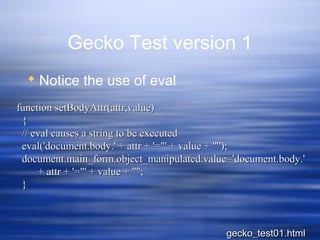
Gecko Test version 1
 Notice the use of eval
function setBodyAttr(attr,value)function setBodyAttr(attr,value)
{{
// eval causes a string to be executed// eval causes a string to be executed
eval('document.body.' + attr + '="' + value + '"');eval('document.body.' + attr + '="' + value + '"');
document.main_form.object_manipulated.value='document.body.'document.main_form.object_manipulated.value='document.body.'
+ attr + '="' + value + '"';+ attr + '="' + value + '"';
}}
gecko_test01.htmlgecko_test01.html
Gecko Test version 1
 And a select
<select onChange="setBodyAttr('text',<select onChange="setBodyAttr('text',
this.options[this.selectedIndex].value);">this.options[this.selectedIndex].value);">
<option value="blue">blue<option value="blue">blue
<option value="green">green<option value="green">green
<option value="black">black<option value="black">black
<option value="darkblue">darkblue<option value="darkblue">darkblue
<option value="white">white<option value="white">white
……
</select></select>
gecko_test01.htmlgecko_test01.html
Gecko Test version 1
 What's wrong with this? (hint: I'm
violating a basic rule of coding…)
gecko_test01.htmlgecko_test01.html
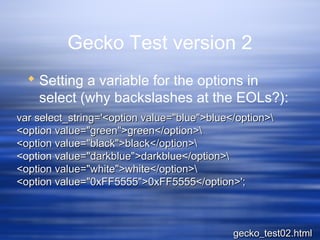
Gecko Test version 2
 Setting a variable for the options in
select (why backslashes at the EOLs?):
var select_string='<option value="blue">blue</option>var select_string='<option value="blue">blue</option>
<option value="green">green</option><option value="green">green</option>
<option value="black">black</option><option value="black">black</option>
<option value="darkblue">darkblue</option><option value="darkblue">darkblue</option>
<option value="white">white</option><option value="white">white</option>
<option value="0xFF5555">0xFF5555</option>';<option value="0xFF5555">0xFF5555</option>';
gecko_test02.htmlgecko_test02.html
Gecko Test version 2
 And now, I can call that list with a write
 How could I further refine this?
<select onchange=<select onchange=
"setBodyAttr('bgColor', this.options[this.selectedIndex].value);">"setBodyAttr('bgColor', this.options[this.selectedIndex].value);">
<script type="application/x-javascript"><script type="application/x-javascript">
document.write(select_string);document.write(select_string);
</script></select></p></script></select></p>
gecko_test02.htmlgecko_test02.html
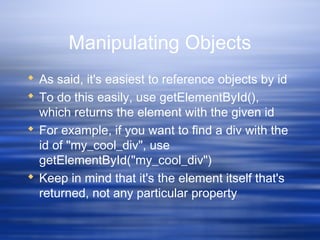
Manipulating Objects
 As said, it's easiest to reference objects by id
 To do this easily, use getElementById(),
which returns the element with the given id
 For example, if you want to find a div with the
id of "my_cool_div", use
getElementById("my_cool_div")
 Keep in mind that it's the element itself that's
returned, not any particular property
Using divs
 Div properties can be dynamically
manipulated
 You can use this to make menus more
dynamic
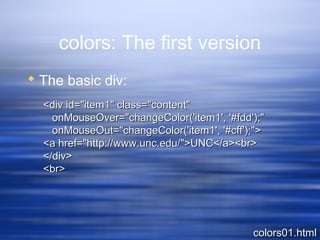
colors: The first version
 The basic div:
colors01.htmlcolors01.html
<div id="item1" class="content"<div id="item1" class="content"
onMouseOver="changeColor('item1', '#fdd');"onMouseOver="changeColor('item1', '#fdd');"
onMouseOut="changeColor('item1', '#cff');">onMouseOut="changeColor('item1', '#cff');">
<a href="http://www.unc.edu/">UNC</a><br><a href="http://www.unc.edu/">UNC</a><br>
</div></div>
<br><br>
colors: The First Version
 And a function (notice the alert):
<script><script>
function changeColor(item, color)function changeColor(item, color)
{{
document.getElementById(item).style.backgroundColordocument.getElementById(item).style.backgroundColor
=color;=color;
//alert(document.getElementById(item).childNodes[1]);//alert(document.getElementById(item).childNodes[1]);
document.getElementById(item).childNodes[1].style.backgroundColordocument.getElementById(item).childNodes[1].style.backgroundColor
=color;=color;
}}
</script></script>
colors01.htmlcolors01.html
In Action
 colors01.html
 What's wrong with this? What would be
better?
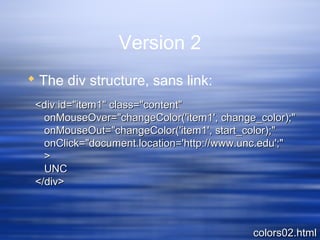
Version 2
 The div structure, sans link:
colors02.htmlcolors02.html
<div id="item1" class="content"<div id="item1" class="content"
onMouseOver="changeColor('item1', change_color);"onMouseOver="changeColor('item1', change_color);"
onMouseOut="changeColor('item1', start_color);"onMouseOut="changeColor('item1', start_color);"
onClick="document.location='http://www.unc.edu';"onClick="document.location='http://www.unc.edu';"
>>
UNCUNC
</div></div>
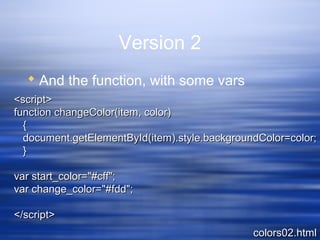
Version 2
 And the function, with some vars
colors02.htmlcolors02.html
<script><script>
function changeColor(item, color)function changeColor(item, color)
{{
document.getElementById(item).style.backgroundColor=color;document.getElementById(item).style.backgroundColor=color;
}}
var start_color="#cff";var start_color="#cff";
var change_color="#fdd";var change_color="#fdd";
</script></script>
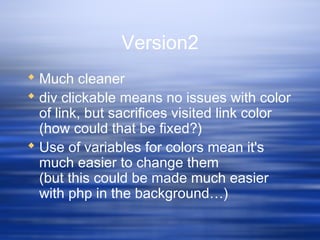
Version2
 Much cleaner
 div clickable means no issues with color
of link, but sacrifices visited link color
(how could that be fixed?)
 Use of variables for colors mean it's
much easier to change them
(but this could be made much easier
with php in the background…)
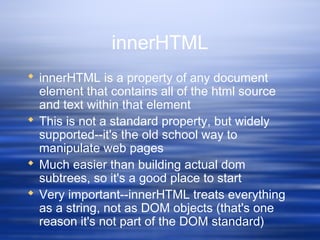
innerHTML
 innerHTML is a property of any document
element that contains all of the html source
and text within that element
 This is not a standard property, but widely
supported--it's the old school way to
manipulate web pages
 Much easier than building actual dom
subtrees, so it's a good place to start
 Very important--innerHTML treats everything
as a string, not as DOM objects (that's one
reason it's not part of the DOM standard)
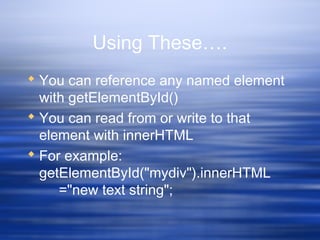
Using These….
 You can reference any named element
with getElementById()
 You can read from or write to that
element with innerHTML
 For example:
getElementById("mydiv").innerHTML
="new text string";
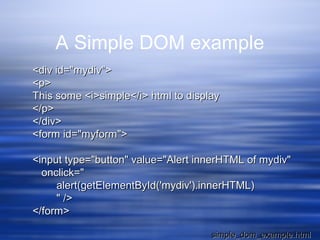
A Simple DOM example
<div id="mydiv"><div id="mydiv">
<p><p>
This some <i>simple</i> html to displayThis some <i>simple</i> html to display
</p></p>
</div></div>
<form id="myform"><form id="myform">
<input type="button" value="Alert innerHTML of mydiv"<input type="button" value="Alert innerHTML of mydiv"
onclick="onclick="
alert(getElementById('mydiv').innerHTML)alert(getElementById('mydiv').innerHTML)
" />" />
</form></form>
simple_dom_example.htmlsimple_dom_example.html
Manipulating Visibility
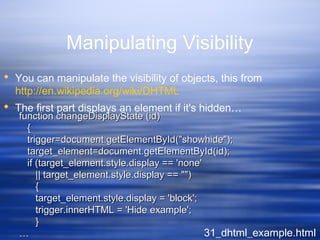
 You can manipulate the visibility of objects, this from
http://en.wikipedia.org/wiki/DHTML
 The first part displays an element if it's hidden…
31_dhtml_example.html
function changeDisplayState (id)function changeDisplayState (id)
{{
trigger=document.getElementById("showhide");trigger=document.getElementById("showhide");
target_element=document.getElementById(id);target_element=document.getElementById(id);
if (target_element.style.display == 'none'if (target_element.style.display == 'none'
|| target_element.style.display == "")|| target_element.style.display == "")
{{
target_element.style.display = 'block';target_element.style.display = 'block';
trigger.innerHTML = 'Hide example';trigger.innerHTML = 'Hide example';
}}
……
Manipulating Visibility
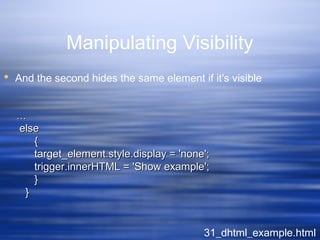
 And the second hides the same element if it's visible
31_dhtml_example.html
……
elseelse
{{
target_element.style.display = 'none';target_element.style.display = 'none';
trigger.innerHTML = 'Show example';trigger.innerHTML = 'Show example';
}}
}}
Controlling the back end
 And you can enable or disable functionality, for
example, you can disable links dynamically…
source from Mike Harrison via chugalug.org 35_disable_links.html
function killAll()function killAll()
{{
var stuff = document.getElementsByTagName("A");var stuff = document.getElementsByTagName("A");
for (var i=0; i<stuff.length; i++)for (var i=0; i<stuff.length; i++)
{{
stuff[i].onclick=function()stuff[i].onclick=function()
{{
return false ;return false ;
}}
}}
}}
Controlling the back end
 …and reenable them…
source from Mike Harrison via chugalug.org 35_disable_links.html
function resurrectAll()function resurrectAll()
{{
var stuff = document.getElementsByTagName("A");var stuff = document.getElementsByTagName("A");
for (var i=0; i<stuff.length; i++)for (var i=0; i<stuff.length; i++)
{{
stuff[i].onclick=function()stuff[i].onclick=function()
{{
return true ;return true ;
}}
}}
}}
Getting fancier
 check out Nifty Corners Cube:
http://www.html.it/articoli/niftycube/index.html
 And zoom:
http://valid.tjp.hu/zoom/index_en.html
What else can you do?
 Ant
Getting Started with Ajax
 Jesse James Garrett coined the term,
Asynchronous Javascript And XML
 It's not a language or program, but
rather an approach
Garrett's take on what Ajax is
 Standards-based presentation using XHTML
and CSS
 Dynamic display and interaction using the
Document Object Model
 Data interchange and manipulation using
XML and XSLT
 Asynchronous data retrieval using
XMLHttpRequest
 And JavaScript binding everything together
What Ajax is not
 An acronym
 A monolith or unified technology (it is rather an
approach based on a number of disparate
technologies)
 A standard (and it's not likely to become one,
although it will influence standards, since it's really
just an approach)
 A product (although you can buy a lot of it these
days--but most of that are really frameworks)
Ok, but what IS Ajax?
 When you load a web page and then
 Use the XMLHttpRequest object to get
some more data, and then
 Use Javascript to change some of the
data on your web page (but not all of it,
and not by reloading the page), then
 What you're doing is Ajax
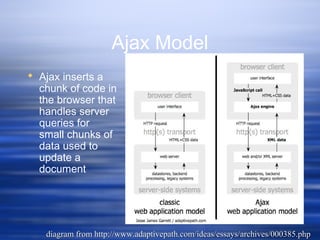
Ajax Model
 Ajax inserts a
chunk of code in
the browser that
handles server
queries for
small chunks of
data used to
update a
document
diagram from http://www.adaptivepath.com/ideas/essays/archives/000385.phpdiagram from http://www.adaptivepath.com/ideas/essays/archives/000385.php
But remember…
 Javascript has no concept of I/O, nor can it
access sockets
 But Netscape/Mozilla and MS both worked
out an object in the browser that can submit
data requests via the web
 In MS, this is done via ActiveX, via the
Microsoft.XMLHTTP object
 In Gecko, it's the XMLHttpRequest() object,
and that's what we'll play with
Objects and Events
 Remember, Javascript and the DOM are OOP, so
objects have properties, with values, and can receive
messages, based on events, and send messages via
methods
 In most of the examples so far, the user is the one
that causes an event to occur--eg. the nav buttons in
the slideshow call functions based on an event
initiated by a carbon unit
 Other events don't require human interaction--these
type of events are called "listeners"…
 You can create your own listeners if you need to
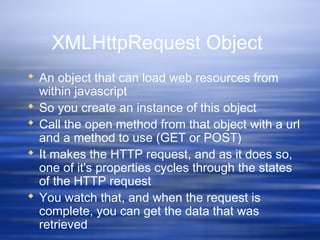
XMLHttpRequest Object
 An object that can load web resources from
within javascript
 So you create an instance of this object
 Call the open method from that object with a url
and a method to use (GET or POST)
 It makes the HTTP request, and as it does so,
one of it's properties cycles through the states
of the HTTP request
 You watch that, and when the request is
complete, you can get the data that was
retrieved
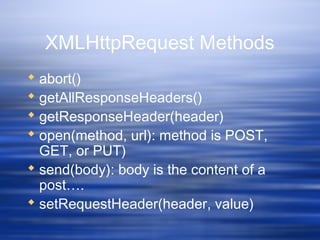
XMLHttpRequest Methods
 abort()
 getAllResponseHeaders()
 getResponseHeader(header)
 open(method, url): method is POST,
GET, or PUT)
 send(body): body is the content of a
post….
 setRequestHeader(header, value)
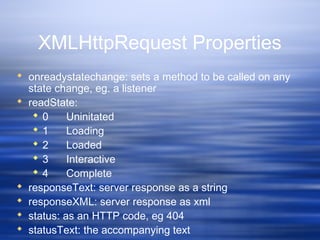
XMLHttpRequest Properties
 onreadystatechange: sets a method to be called on any
state change, eg. a listener
 readState:
 0 Uninitated
 1 Loading
 2 Loaded
 3 Interactive
 4 Complete
 responseText: server response as a string
 responseXML: server response as xml
 status: as an HTTP code, eg 404
 statusText: the accompanying text
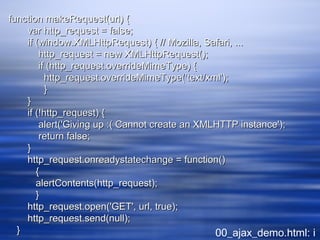
An Example…
function makeRequest(url) {function makeRequest(url) {
var http_request = false;var http_request = false;
if (window.XMLHttpRequest) { // Mozilla, Safari, ...if (window.XMLHttpRequest) { // Mozilla, Safari, ...
http_request = new XMLHttpRequest();http_request = new XMLHttpRequest();
if (http_request.overrideMimeType) {if (http_request.overrideMimeType) {
http_request.overrideMimeType('text/xml');http_request.overrideMimeType('text/xml');
}}
}}
if (!http_request) {if (!http_request) {
alert('Giving up :( Cannot create an XMLHTTP instance');alert('Giving up :( Cannot create an XMLHTTP instance');
return false;return false;
}}
http_request.onreadystatechange = function()http_request.onreadystatechange = function()
{{
alertContents(http_request);alertContents(http_request);
}}
http_request.open('GET', url, true);http_request.open('GET', url, true);
http_request.send(null);http_request.send(null);
}} 00_ajax_demo.html: i
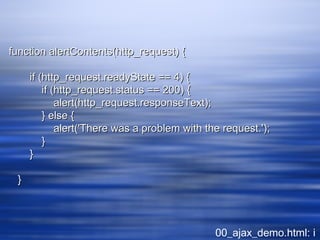
function alertContents(http_request) {function alertContents(http_request) {
if (http_request.readyState == 4) {if (http_request.readyState == 4) {
if (http_request.status == 200) {if (http_request.status == 200) {
alert(http_request.responseText);alert(http_request.responseText);
} else {} else {
alert('There was a problem with the request.');alert('There was a problem with the request.');
}}
}}
}}
00_ajax_demo.html: i
Security Concerns
 At first, this kind of call wasn't restricted
 But that meant that if one could inject javascript into a
web page, eg. via a comment form, one could pull
live data into a users brower, and thus escape the
sandbox
 So now, this method is generally restricted to the
same named server…
Some Examples
 00_ajax_demo.html: in this one, I'm just pulling some
data from the server, and stuffing the results into an
alert
Jah and Ajah and Ahah: HA!
 After Garret's coining of the term ajax, several
people independently presented similar
systems--this is to be expected, since
XMLHttpRequest has been around a while
 Most of these used the same basic approach
to pull html or other data types than xml, or
didn't use the dom specification
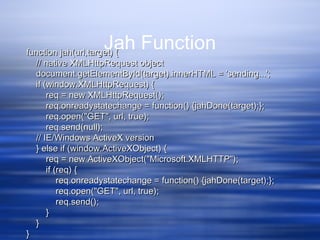
Jah
 Jah is the work of Kevin Marks
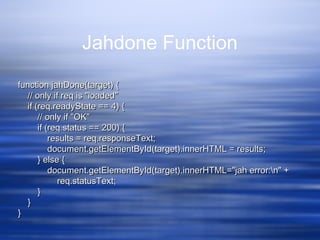
 Jah relies on two simple functions, one to open the request,
and the other to change the data
 Instead of manipulating the dom directly, jah uses the
innerHTML property to manipulate the page
 See:
http://homepage.mac.com/kevinmarks/staticjah.html
for an example (or the copy I've got in the lessons folder)
Jah Functionfunction jah(url,target) {function jah(url,target) {
// native XMLHttpRequest object// native XMLHttpRequest object
document.getElementById(target).innerHTML = 'sending...';document.getElementById(target).innerHTML = 'sending...';
if (window.XMLHttpRequest) {if (window.XMLHttpRequest) {
req = new XMLHttpRequest();req = new XMLHttpRequest();
req.onreadystatechange = function() {jahDone(target);};req.onreadystatechange = function() {jahDone(target);};
req.open("GET", url, true);req.open("GET", url, true);
req.send(null);req.send(null);
// IE/Windows ActiveX version// IE/Windows ActiveX version
} else if (window.ActiveXObject) {} else if (window.ActiveXObject) {
req = new ActiveXObject("Microsoft.XMLHTTP");req = new ActiveXObject("Microsoft.XMLHTTP");
if (req) {if (req) {
req.onreadystatechange = function() {jahDone(target);};req.onreadystatechange = function() {jahDone(target);};
req.open("GET", url, true);req.open("GET", url, true);
req.send();req.send();
}}
}}
}}
Jahdone Function
function jahDone(target) {function jahDone(target) {
// only if req is "loaded"// only if req is "loaded"
if (req.readyState == 4) {if (req.readyState == 4) {
// only if "OK"// only if "OK"
if (req.status == 200) {if (req.status == 200) {
results = req.responseText;results = req.responseText;
document.getElementById(target).innerHTML = results;document.getElementById(target).innerHTML = results;
} else {} else {
document.getElementById(target).innerHTML="jah error:n" +document.getElementById(target).innerHTML="jah error:n" +
req.statusText;req.statusText;
}}
}}
}}
Jah in Action
So how can we use this?
 Make live insertions into a page via the DOM
 We'll do more of this next week

03DOM.ppt

  • 1.
  • 2.
  • 3.
    Javascript and theDOM  Originally, the Document Object Model (DOM) and Javascript were tightly bound  Each major browser line (IE and Netscape) had their own overlapping DOM implementation  There's also some jargon issues, eg. DHTML…  Now, the DOM is a separate standard, and can be manipulated by other languages (eg Java, server side javascript, python, etc)  Browsers still differ in what parts of the standard they support, but things are much better now
  • 4.
    Review: DOM Structure Objects are in a hierarchy  The window is the parent for a given web page  Document is the child with the objects that are most commonly manipulated window * location * frames * history * navigator * event * screen * document o links o anchors o images o filters o forms o applets o embeds o plug-ins o frames o scripts o all o selection o stylesheets o body table from: http://www.webmonkey.com/webmonkey/97/32/index1a.html?tw=authoring
  • 5.
    DOM Tree  Theusual parent/child relationship between node  Like any other tree, you can walk this diagram from http://www.w3schools.com/htmldom/default.asp
  • 6.
    Referencing Objects  Objectscan be referenced  by their id or name (this is the easiest way, but you need to make sure a name is unique in the hierarchy)  by their numerical position in the hierarchy, by walking the array that contains them  by their relation to parent, child, or sibling (parentNode, previousSibling, nextSibling, firstChild, lastChild or the childNodes array
  • 7.
    A div example the div is an element with an id of mydiv  It contains a text element, which can be referenced by childNodes[0] (childNode being an array of all childen of a node  So the text in the div is not a value of the div, but rather the value of the first (and only) childNode of the div <div id="mydiv"><div id="mydiv"> This is some simple html to displayThis is some simple html to display </div></div>
  • 8.
    Zen Garden Example1  A loop of code to list the links…. for (var i = 0; i < document.links.length; i++)for (var i = 0; i < document.links.length; i++) {{ document.write("<b>Link number " + i + " has these properties:</b><br/>");document.write("<b>Link number " + i + " has these properties:</b><br/>"); document.write("<i>nodeName is</i> " + document.links[i].nodeName + "<br/>");document.write("<i>nodeName is</i> " + document.links[i].nodeName + "<br/>"); document.write("<i>nodeType is</i> " + document.links[i].nodeType + "<br/>");document.write("<i>nodeType is</i> " + document.links[i].nodeType + "<br/>"); document.write("<i>parentNode.nodeValue is</i> "document.write("<i>parentNode.nodeValue is</i> " + document.links[i].parentNode.nodeValue + "<br/>");+ document.links[i].parentNode.nodeValue + "<br/>"); document.write("<i>firstChild is</i> " + document.links[i].firstChild + "<br/>");document.write("<i>firstChild is</i> " + document.links[i].firstChild + "<br/>"); document.write("<i>firstChild.nodeValue is</i> "document.write("<i>firstChild.nodeValue is</i> " + document.links[i].firstChild.nodeValue + "<br/>");+ document.links[i].firstChild.nodeValue + "<br/>"); document.write("<i>href is</i> " + document.links[i].href + "<br/>");document.write("<i>href is</i> " + document.links[i].href + "<br/>"); }}
  • 9.
    Zen Garden Example2  Same as example one, but with another loop to look for all span tags….
  • 10.
    Zen Garden Example2  I added a little javascript to the sample file from zen garden  This will search for a given tag using the getElementsByTagName() method  The result of this method is an array, and we can walk that array and then write out different properties and values for the elements found by getElementsByTagName()  There's also a getElementsById() method
  • 11.
    Zen Garden Example2 var look_for="span";var look_for="span"; document.write("<p>Looking for " + look_for + " tags</p>");document.write("<p>Looking for " + look_for + " tags</p>"); var x=document.getElementsByTagName(look_for);var x=document.getElementsByTagName(look_for); for (var i = 0; i < x.length; i++)for (var i = 0; i < x.length; i++) {{ document.write("<b>Tag " + look_for + " number " + i + " has these properties:</b><br/>");document.write("<b>Tag " + look_for + " number " + i + " has these properties:</b><br/>"); document.write("<i>nodeName is</i> " + x[i].nodeName + "<br/>");document.write("<i>nodeName is</i> " + x[i].nodeName + "<br/>"); document.write("<i>nodeValue is</i> " + x[i].nodeValue + "<br/>");document.write("<i>nodeValue is</i> " + x[i].nodeValue + "<br/>"); document.write("<i>nodeType is</i> " + x[i].nodeType + "<br/>");document.write("<i>nodeType is</i> " + x[i].nodeType + "<br/>"); document.write("<i>id is</i> " + x[i].id + "<br/>");document.write("<i>id is</i> " + x[i].id + "<br/>"); document.write("<i>name is</i> " + x[i].name + "<br/>");document.write("<i>name is</i> " + x[i].name + "<br/>"); document.write("<i>parentNode is</i> " + x[i].parentNode + "<br/>");document.write("<i>parentNode is</i> " + x[i].parentNode + "<br/>"); document.write("<i>parentNode.nodeValue is</i> " + x[i].parentNode.nodeValue + "<br/>");document.write("<i>parentNode.nodeValue is</i> " + x[i].parentNode.nodeValue + "<br/>"); document.write("<i>firstChild is</i> " + x[i].firstChild + "<br/>");document.write("<i>firstChild is</i> " + x[i].firstChild + "<br/>"); document.write("<i>firstChild.nodeValue is</i> " + x[i].firstChild.nodeValue + "<br/>");document.write("<i>firstChild.nodeValue is</i> " + x[i].firstChild.nodeValue + "<br/>"); }}
  • 12.
    Learning The DOM The only way is to read and try things out  Build a test document, with things you've learned  Gecko_test.html is an example adapted from the mozilla site….
  • 13.
    Gecko Test version1  Notice the use of eval function setBodyAttr(attr,value)function setBodyAttr(attr,value) {{ // eval causes a string to be executed// eval causes a string to be executed eval('document.body.' + attr + '="' + value + '"');eval('document.body.' + attr + '="' + value + '"'); document.main_form.object_manipulated.value='document.body.'document.main_form.object_manipulated.value='document.body.' + attr + '="' + value + '"';+ attr + '="' + value + '"'; }} gecko_test01.htmlgecko_test01.html
  • 14.
    Gecko Test version1  And a select <select onChange="setBodyAttr('text',<select onChange="setBodyAttr('text', this.options[this.selectedIndex].value);">this.options[this.selectedIndex].value);"> <option value="blue">blue<option value="blue">blue <option value="green">green<option value="green">green <option value="black">black<option value="black">black <option value="darkblue">darkblue<option value="darkblue">darkblue <option value="white">white<option value="white">white …… </select></select> gecko_test01.htmlgecko_test01.html
  • 15.
    Gecko Test version1  What's wrong with this? (hint: I'm violating a basic rule of coding…) gecko_test01.htmlgecko_test01.html
  • 16.
    Gecko Test version2  Setting a variable for the options in select (why backslashes at the EOLs?): var select_string='<option value="blue">blue</option>var select_string='<option value="blue">blue</option> <option value="green">green</option><option value="green">green</option> <option value="black">black</option><option value="black">black</option> <option value="darkblue">darkblue</option><option value="darkblue">darkblue</option> <option value="white">white</option><option value="white">white</option> <option value="0xFF5555">0xFF5555</option>';<option value="0xFF5555">0xFF5555</option>'; gecko_test02.htmlgecko_test02.html
  • 17.
    Gecko Test version2  And now, I can call that list with a write  How could I further refine this? <select onchange=<select onchange= "setBodyAttr('bgColor', this.options[this.selectedIndex].value);">"setBodyAttr('bgColor', this.options[this.selectedIndex].value);"> <script type="application/x-javascript"><script type="application/x-javascript"> document.write(select_string);document.write(select_string); </script></select></p></script></select></p> gecko_test02.htmlgecko_test02.html
  • 18.
    Manipulating Objects  Assaid, it's easiest to reference objects by id  To do this easily, use getElementById(), which returns the element with the given id  For example, if you want to find a div with the id of "my_cool_div", use getElementById("my_cool_div")  Keep in mind that it's the element itself that's returned, not any particular property
  • 19.
    Using divs  Divproperties can be dynamically manipulated  You can use this to make menus more dynamic
  • 20.
    colors: The firstversion  The basic div: colors01.htmlcolors01.html <div id="item1" class="content"<div id="item1" class="content" onMouseOver="changeColor('item1', '#fdd');"onMouseOver="changeColor('item1', '#fdd');" onMouseOut="changeColor('item1', '#cff');">onMouseOut="changeColor('item1', '#cff');"> <a href="http://www.unc.edu/">UNC</a><br><a href="http://www.unc.edu/">UNC</a><br> </div></div> <br><br>
  • 21.
    colors: The FirstVersion  And a function (notice the alert): <script><script> function changeColor(item, color)function changeColor(item, color) {{ document.getElementById(item).style.backgroundColordocument.getElementById(item).style.backgroundColor =color;=color; //alert(document.getElementById(item).childNodes[1]);//alert(document.getElementById(item).childNodes[1]); document.getElementById(item).childNodes[1].style.backgroundColordocument.getElementById(item).childNodes[1].style.backgroundColor =color;=color; }} </script></script> colors01.htmlcolors01.html
  • 22.
    In Action  colors01.html What's wrong with this? What would be better?
  • 23.
    Version 2  Thediv structure, sans link: colors02.htmlcolors02.html <div id="item1" class="content"<div id="item1" class="content" onMouseOver="changeColor('item1', change_color);"onMouseOver="changeColor('item1', change_color);" onMouseOut="changeColor('item1', start_color);"onMouseOut="changeColor('item1', start_color);" onClick="document.location='http://www.unc.edu';"onClick="document.location='http://www.unc.edu';" >> UNCUNC </div></div>
  • 24.
    Version 2  Andthe function, with some vars colors02.htmlcolors02.html <script><script> function changeColor(item, color)function changeColor(item, color) {{ document.getElementById(item).style.backgroundColor=color;document.getElementById(item).style.backgroundColor=color; }} var start_color="#cff";var start_color="#cff"; var change_color="#fdd";var change_color="#fdd"; </script></script>
  • 25.
    Version2  Much cleaner div clickable means no issues with color of link, but sacrifices visited link color (how could that be fixed?)  Use of variables for colors mean it's much easier to change them (but this could be made much easier with php in the background…)
  • 26.
    innerHTML  innerHTML isa property of any document element that contains all of the html source and text within that element  This is not a standard property, but widely supported--it's the old school way to manipulate web pages  Much easier than building actual dom subtrees, so it's a good place to start  Very important--innerHTML treats everything as a string, not as DOM objects (that's one reason it's not part of the DOM standard)
  • 27.
    Using These….  Youcan reference any named element with getElementById()  You can read from or write to that element with innerHTML  For example: getElementById("mydiv").innerHTML ="new text string";
  • 28.
    A Simple DOMexample <div id="mydiv"><div id="mydiv"> <p><p> This some <i>simple</i> html to displayThis some <i>simple</i> html to display </p></p> </div></div> <form id="myform"><form id="myform"> <input type="button" value="Alert innerHTML of mydiv"<input type="button" value="Alert innerHTML of mydiv" onclick="onclick=" alert(getElementById('mydiv').innerHTML)alert(getElementById('mydiv').innerHTML) " />" /> </form></form> simple_dom_example.htmlsimple_dom_example.html
  • 29.
    Manipulating Visibility  Youcan manipulate the visibility of objects, this from http://en.wikipedia.org/wiki/DHTML  The first part displays an element if it's hidden… 31_dhtml_example.html function changeDisplayState (id)function changeDisplayState (id) {{ trigger=document.getElementById("showhide");trigger=document.getElementById("showhide"); target_element=document.getElementById(id);target_element=document.getElementById(id); if (target_element.style.display == 'none'if (target_element.style.display == 'none' || target_element.style.display == "")|| target_element.style.display == "") {{ target_element.style.display = 'block';target_element.style.display = 'block'; trigger.innerHTML = 'Hide example';trigger.innerHTML = 'Hide example'; }} ……
  • 30.
    Manipulating Visibility  Andthe second hides the same element if it's visible 31_dhtml_example.html …… elseelse {{ target_element.style.display = 'none';target_element.style.display = 'none'; trigger.innerHTML = 'Show example';trigger.innerHTML = 'Show example'; }} }}
  • 31.
    Controlling the backend  And you can enable or disable functionality, for example, you can disable links dynamically… source from Mike Harrison via chugalug.org 35_disable_links.html function killAll()function killAll() {{ var stuff = document.getElementsByTagName("A");var stuff = document.getElementsByTagName("A"); for (var i=0; i<stuff.length; i++)for (var i=0; i<stuff.length; i++) {{ stuff[i].onclick=function()stuff[i].onclick=function() {{ return false ;return false ; }} }} }}
  • 32.
    Controlling the backend  …and reenable them… source from Mike Harrison via chugalug.org 35_disable_links.html function resurrectAll()function resurrectAll() {{ var stuff = document.getElementsByTagName("A");var stuff = document.getElementsByTagName("A"); for (var i=0; i<stuff.length; i++)for (var i=0; i<stuff.length; i++) {{ stuff[i].onclick=function()stuff[i].onclick=function() {{ return true ;return true ; }} }} }}
  • 33.
    Getting fancier  checkout Nifty Corners Cube: http://www.html.it/articoli/niftycube/index.html  And zoom: http://valid.tjp.hu/zoom/index_en.html
  • 34.
    What else canyou do?  Ant
  • 35.
    Getting Started withAjax  Jesse James Garrett coined the term, Asynchronous Javascript And XML  It's not a language or program, but rather an approach
  • 36.
    Garrett's take onwhat Ajax is  Standards-based presentation using XHTML and CSS  Dynamic display and interaction using the Document Object Model  Data interchange and manipulation using XML and XSLT  Asynchronous data retrieval using XMLHttpRequest  And JavaScript binding everything together
  • 37.
    What Ajax isnot  An acronym  A monolith or unified technology (it is rather an approach based on a number of disparate technologies)  A standard (and it's not likely to become one, although it will influence standards, since it's really just an approach)  A product (although you can buy a lot of it these days--but most of that are really frameworks)
  • 38.
    Ok, but whatIS Ajax?  When you load a web page and then  Use the XMLHttpRequest object to get some more data, and then  Use Javascript to change some of the data on your web page (but not all of it, and not by reloading the page), then  What you're doing is Ajax
  • 39.
    Ajax Model  Ajaxinserts a chunk of code in the browser that handles server queries for small chunks of data used to update a document diagram from http://www.adaptivepath.com/ideas/essays/archives/000385.phpdiagram from http://www.adaptivepath.com/ideas/essays/archives/000385.php
  • 40.
    But remember…  Javascripthas no concept of I/O, nor can it access sockets  But Netscape/Mozilla and MS both worked out an object in the browser that can submit data requests via the web  In MS, this is done via ActiveX, via the Microsoft.XMLHTTP object  In Gecko, it's the XMLHttpRequest() object, and that's what we'll play with
  • 41.
    Objects and Events Remember, Javascript and the DOM are OOP, so objects have properties, with values, and can receive messages, based on events, and send messages via methods  In most of the examples so far, the user is the one that causes an event to occur--eg. the nav buttons in the slideshow call functions based on an event initiated by a carbon unit  Other events don't require human interaction--these type of events are called "listeners"…  You can create your own listeners if you need to
  • 42.
    XMLHttpRequest Object  Anobject that can load web resources from within javascript  So you create an instance of this object  Call the open method from that object with a url and a method to use (GET or POST)  It makes the HTTP request, and as it does so, one of it's properties cycles through the states of the HTTP request  You watch that, and when the request is complete, you can get the data that was retrieved
  • 43.
    XMLHttpRequest Methods  abort() getAllResponseHeaders()  getResponseHeader(header)  open(method, url): method is POST, GET, or PUT)  send(body): body is the content of a post….  setRequestHeader(header, value)
  • 44.
    XMLHttpRequest Properties  onreadystatechange:sets a method to be called on any state change, eg. a listener  readState:  0 Uninitated  1 Loading  2 Loaded  3 Interactive  4 Complete  responseText: server response as a string  responseXML: server response as xml  status: as an HTTP code, eg 404  statusText: the accompanying text
  • 45.
  • 46.
    function makeRequest(url) {functionmakeRequest(url) { var http_request = false;var http_request = false; if (window.XMLHttpRequest) { // Mozilla, Safari, ...if (window.XMLHttpRequest) { // Mozilla, Safari, ... http_request = new XMLHttpRequest();http_request = new XMLHttpRequest(); if (http_request.overrideMimeType) {if (http_request.overrideMimeType) { http_request.overrideMimeType('text/xml');http_request.overrideMimeType('text/xml'); }} }} if (!http_request) {if (!http_request) { alert('Giving up :( Cannot create an XMLHTTP instance');alert('Giving up :( Cannot create an XMLHTTP instance'); return false;return false; }} http_request.onreadystatechange = function()http_request.onreadystatechange = function() {{ alertContents(http_request);alertContents(http_request); }} http_request.open('GET', url, true);http_request.open('GET', url, true); http_request.send(null);http_request.send(null); }} 00_ajax_demo.html: i
  • 47.
    function alertContents(http_request) {functionalertContents(http_request) { if (http_request.readyState == 4) {if (http_request.readyState == 4) { if (http_request.status == 200) {if (http_request.status == 200) { alert(http_request.responseText);alert(http_request.responseText); } else {} else { alert('There was a problem with the request.');alert('There was a problem with the request.'); }} }} }} 00_ajax_demo.html: i
  • 48.
    Security Concerns  Atfirst, this kind of call wasn't restricted  But that meant that if one could inject javascript into a web page, eg. via a comment form, one could pull live data into a users brower, and thus escape the sandbox  So now, this method is generally restricted to the same named server…
  • 49.
    Some Examples  00_ajax_demo.html:in this one, I'm just pulling some data from the server, and stuffing the results into an alert
  • 50.
    Jah and Ajahand Ahah: HA!  After Garret's coining of the term ajax, several people independently presented similar systems--this is to be expected, since XMLHttpRequest has been around a while  Most of these used the same basic approach to pull html or other data types than xml, or didn't use the dom specification
  • 51.
    Jah  Jah isthe work of Kevin Marks  Jah relies on two simple functions, one to open the request, and the other to change the data  Instead of manipulating the dom directly, jah uses the innerHTML property to manipulate the page  See: http://homepage.mac.com/kevinmarks/staticjah.html for an example (or the copy I've got in the lessons folder)
  • 52.
    Jah Functionfunction jah(url,target){function jah(url,target) { // native XMLHttpRequest object// native XMLHttpRequest object document.getElementById(target).innerHTML = 'sending...';document.getElementById(target).innerHTML = 'sending...'; if (window.XMLHttpRequest) {if (window.XMLHttpRequest) { req = new XMLHttpRequest();req = new XMLHttpRequest(); req.onreadystatechange = function() {jahDone(target);};req.onreadystatechange = function() {jahDone(target);}; req.open("GET", url, true);req.open("GET", url, true); req.send(null);req.send(null); // IE/Windows ActiveX version// IE/Windows ActiveX version } else if (window.ActiveXObject) {} else if (window.ActiveXObject) { req = new ActiveXObject("Microsoft.XMLHTTP");req = new ActiveXObject("Microsoft.XMLHTTP"); if (req) {if (req) { req.onreadystatechange = function() {jahDone(target);};req.onreadystatechange = function() {jahDone(target);}; req.open("GET", url, true);req.open("GET", url, true); req.send();req.send(); }} }} }}
  • 53.
    Jahdone Function function jahDone(target){function jahDone(target) { // only if req is "loaded"// only if req is "loaded" if (req.readyState == 4) {if (req.readyState == 4) { // only if "OK"// only if "OK" if (req.status == 200) {if (req.status == 200) { results = req.responseText;results = req.responseText; document.getElementById(target).innerHTML = results;document.getElementById(target).innerHTML = results; } else {} else { document.getElementById(target).innerHTML="jah error:n" +document.getElementById(target).innerHTML="jah error:n" + req.statusText;req.statusText; }} }} }}
  • 54.
  • 55.
    So how canwe use this?  Make live insertions into a page via the DOM  We'll do more of this next week